

Assets in one spreadsheet, work orders in another program, compliance dates on a wall calendar. There is a better way to run every building you manage.
Every Building. One Program.
Launching Early 2027 · Join the Early-Access List
Run Every Building You Manage from One Program
Condition, capital planning, work and maintenance, energy, compliance, procurement and budgets for the people who run buildings. It runs on your own computers and servers, works with no internet, and your data stays with your organization unless you choose to share it.
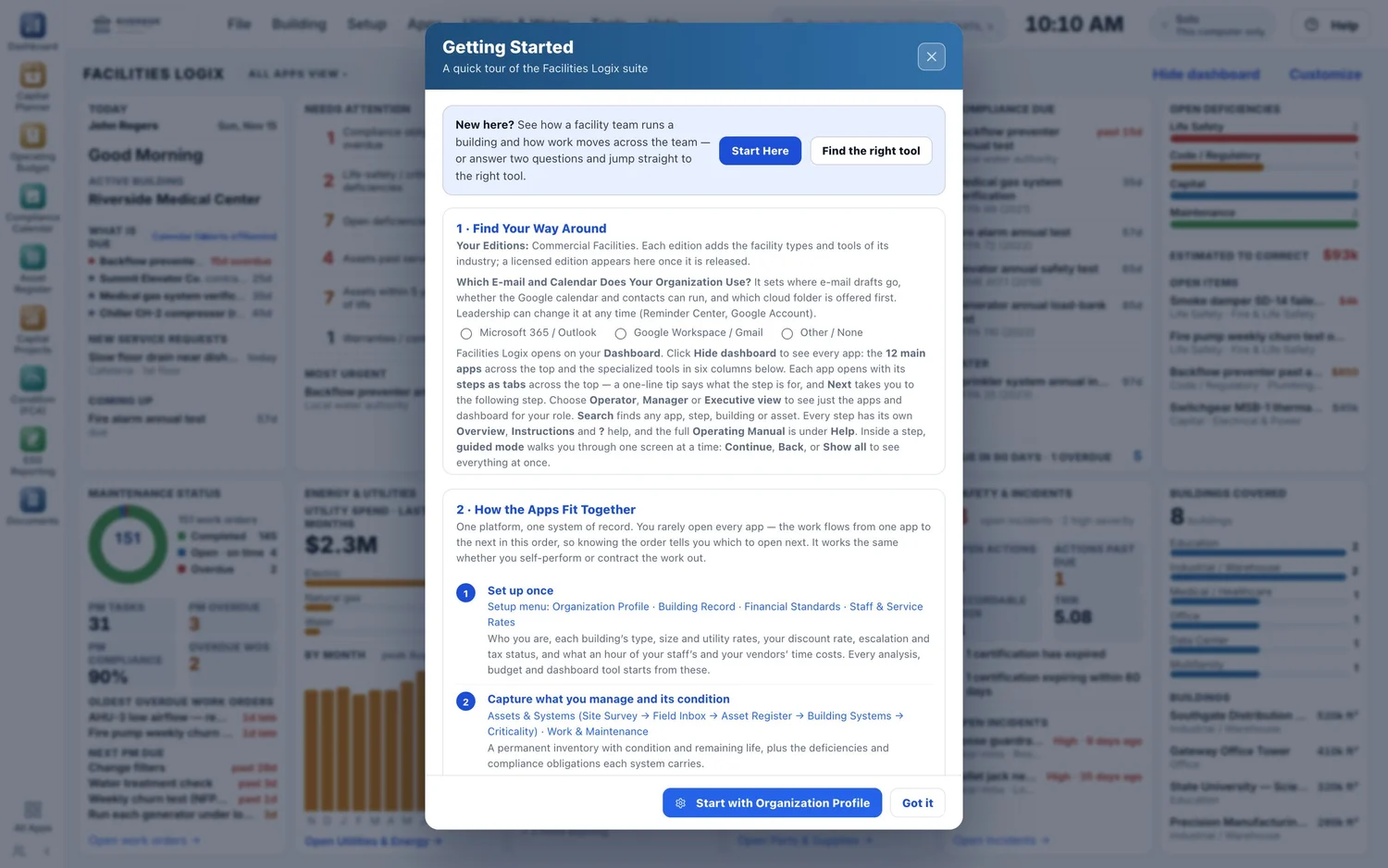
Getting Started in Facilities Logix: a short tour of how the apps fit together and the first steps to take.
Where Facilities Logix Pays for Itself
Every budget has to be defended. These are the places Facilities Logix saves your organization money, protects it from avoidable costs and puts capital where it counts.
Capital Spent on the Right Building First
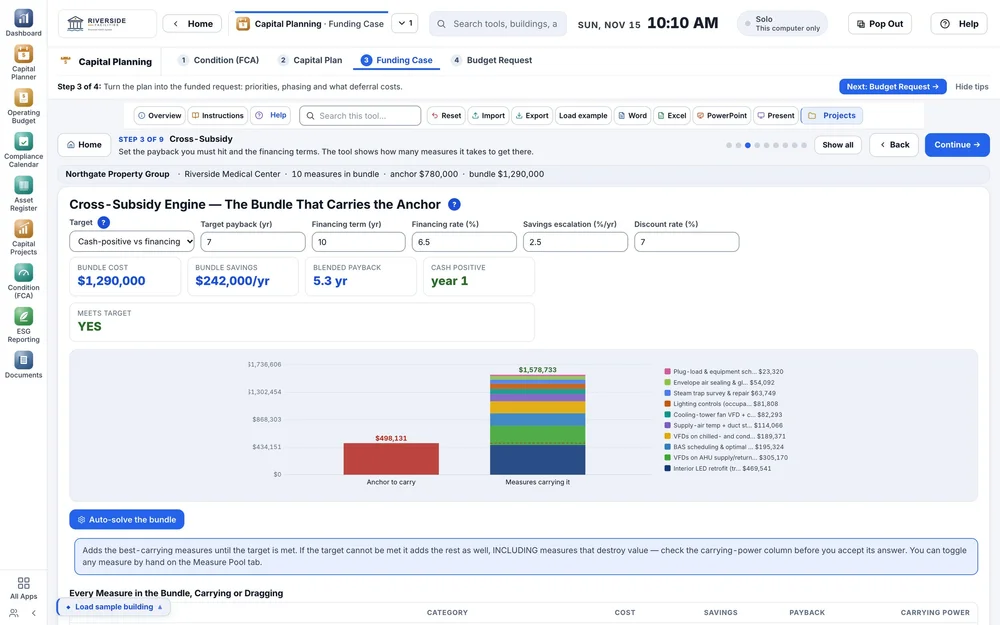
From a condition assessment to a risk-ranked capital plan, a funding case and the budget request, with the method printed, so money goes where the risk is highest.
Learn MoreFailures Caught Before They Cost
Preventive maintenance, rounds, criticality and failure codes on every close-out show what is getting worse, so the repair is planned before the emergency.
Learn MoreInspections You Don't Fail
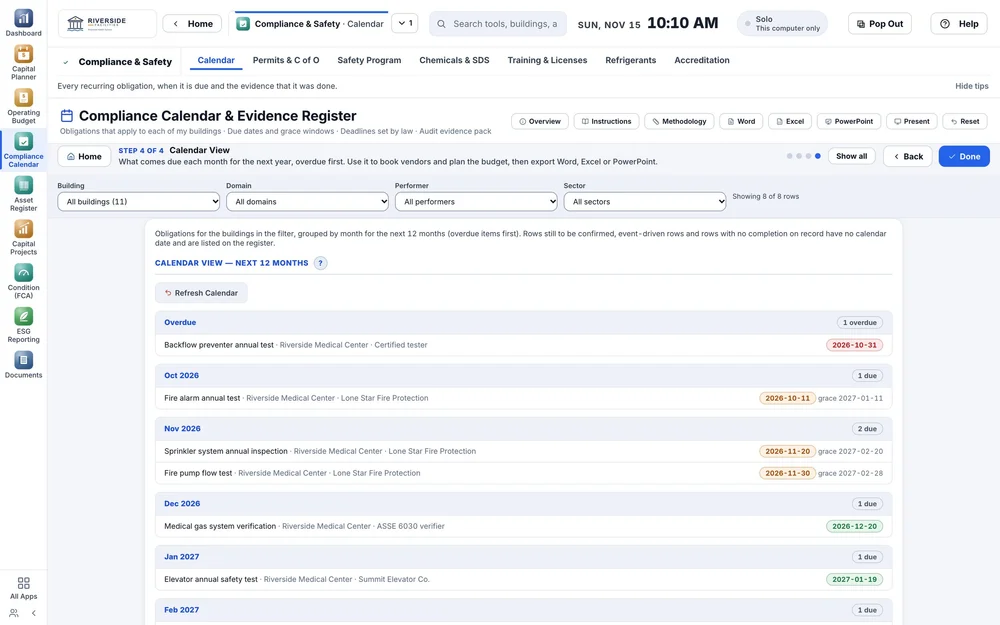
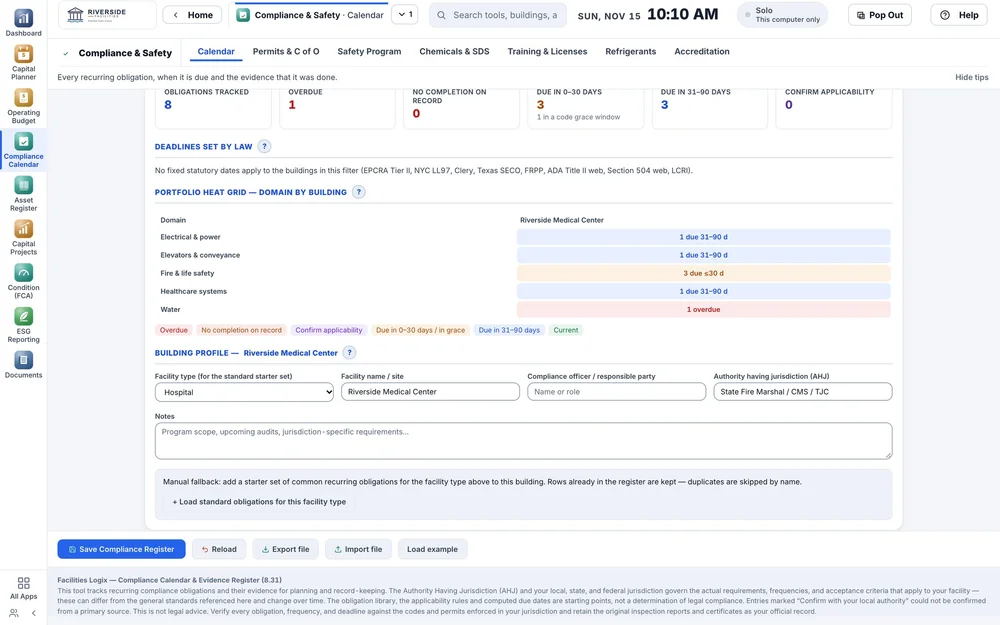
A calendar built from 641 obligations, each with its citation, frequency and the evidence that proves it was done, so nothing comes due unnoticed.
Learn MoreEnergy Money Found
Effective rate, energy use intensity, demand charges and after-hours running for every building, plus penalty exposure under the performance programs that apply.
Learn MoreIncentives Captured
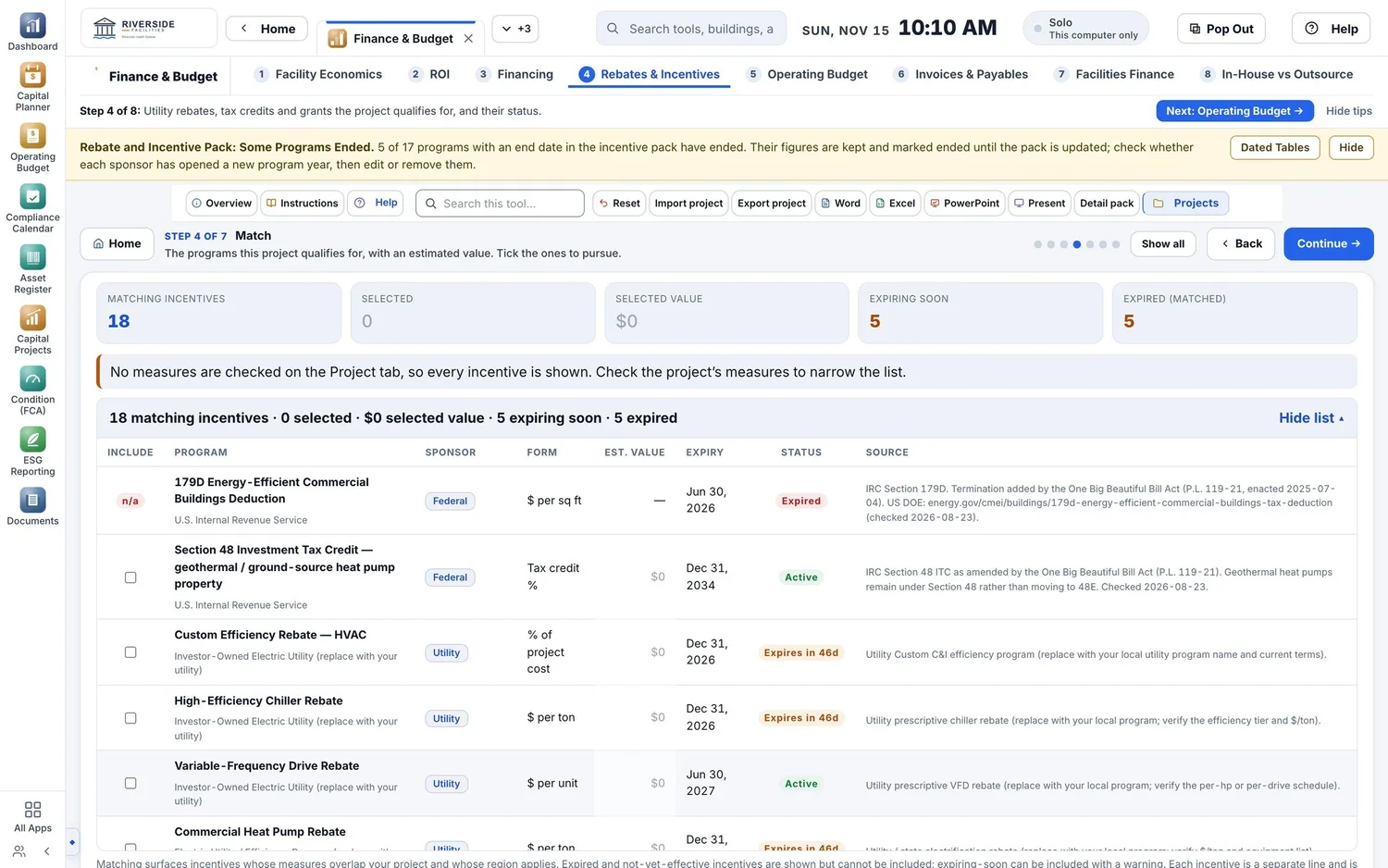
A dated library of utility, government and manufacturer incentives, including Section 179D and C-PACE financing, matched to each project before you pay full price.
Learn MoreContractors Bought Right
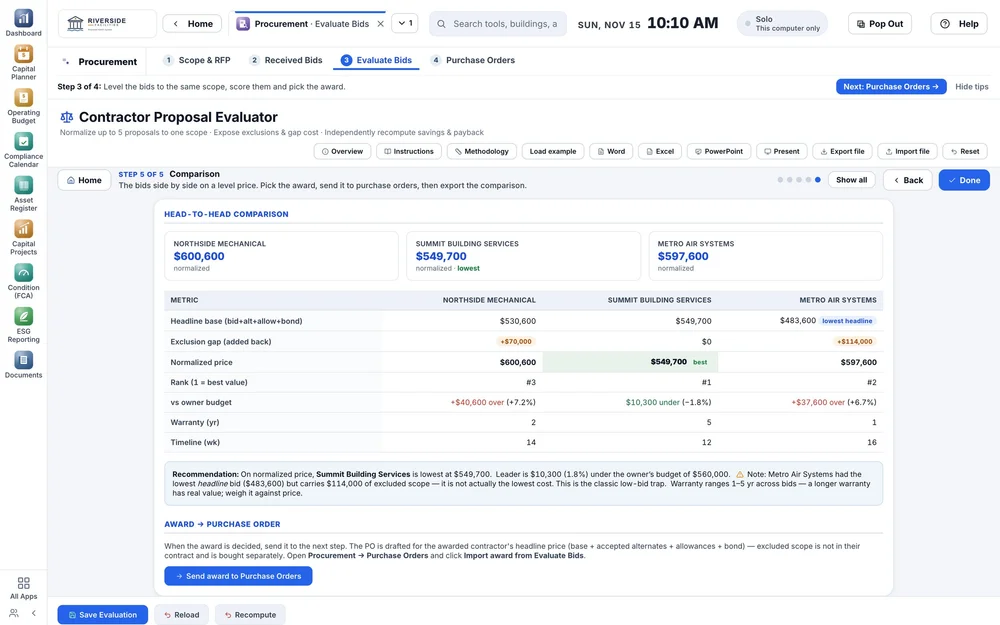
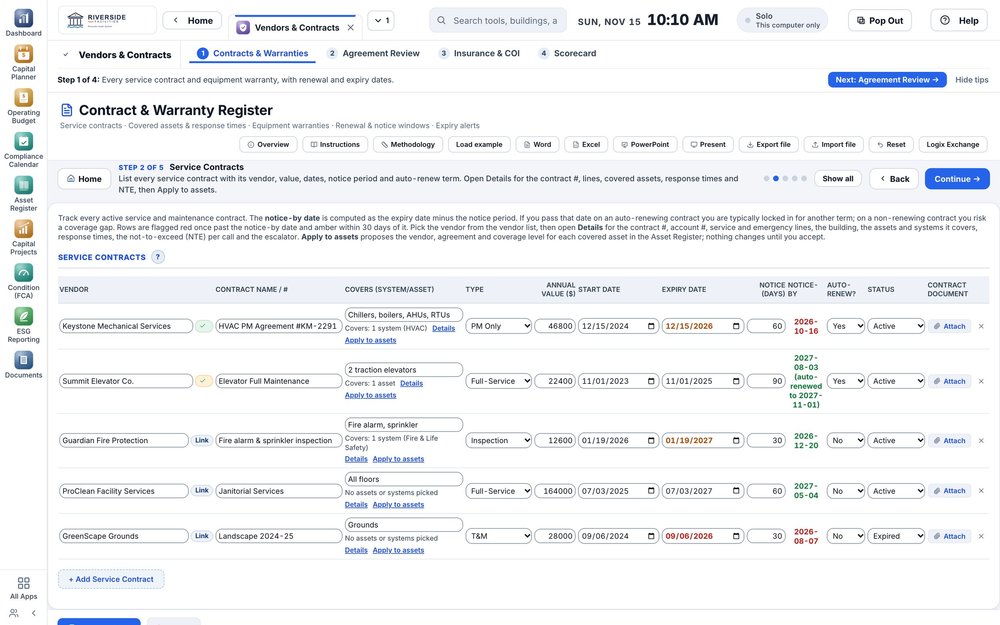
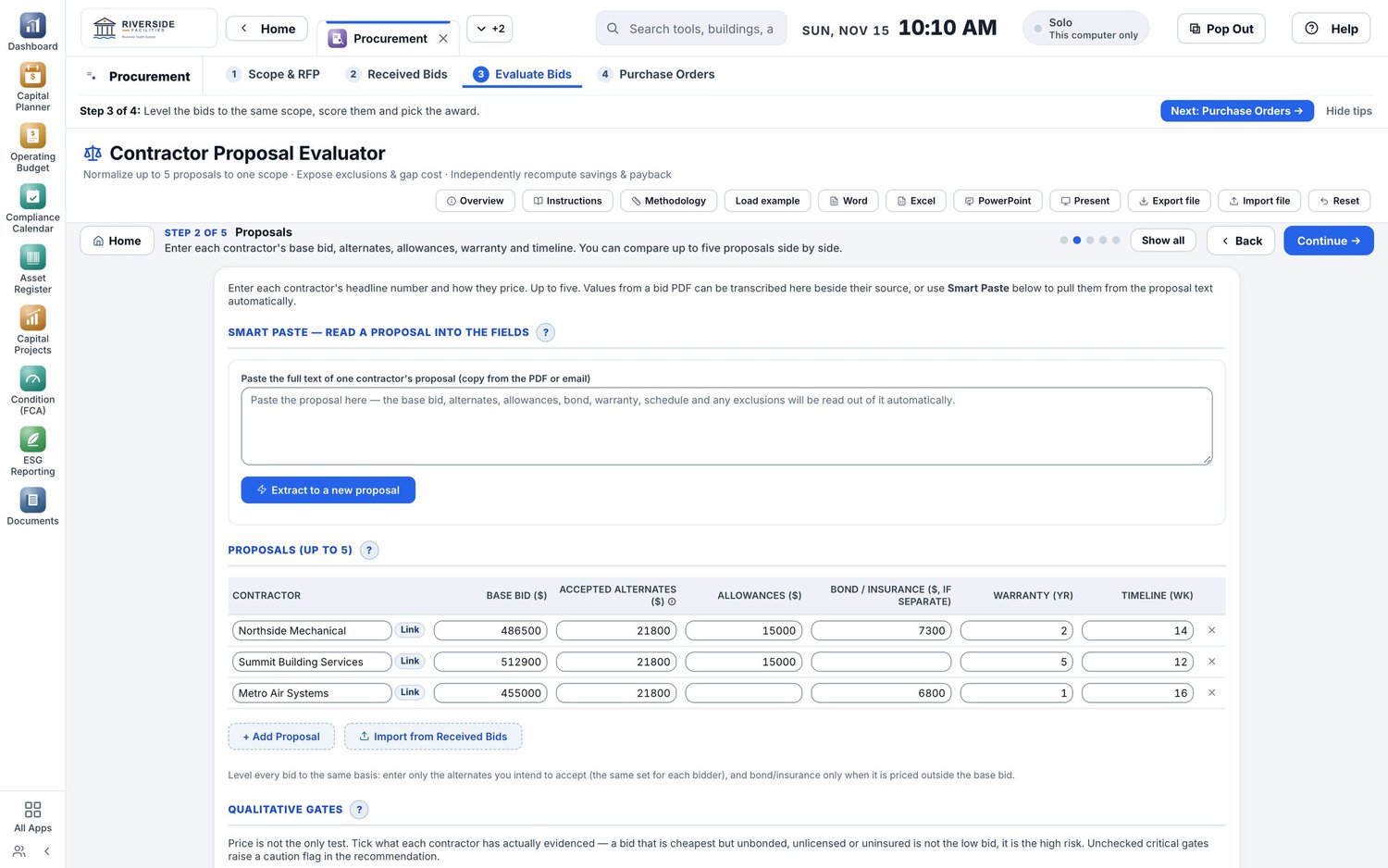
A clear scope, comparable bids and the right award, with contracts, warranties and insurance certificates kept current so covered repairs go back under warranty.
Learn MoreFewer Programs to Pay For
One linked system in place of the work-order app, the capital spreadsheet, the energy workbook and the compliance calendar. Fewer bills, nothing entered twice.
Learn MoreStaff Time Back
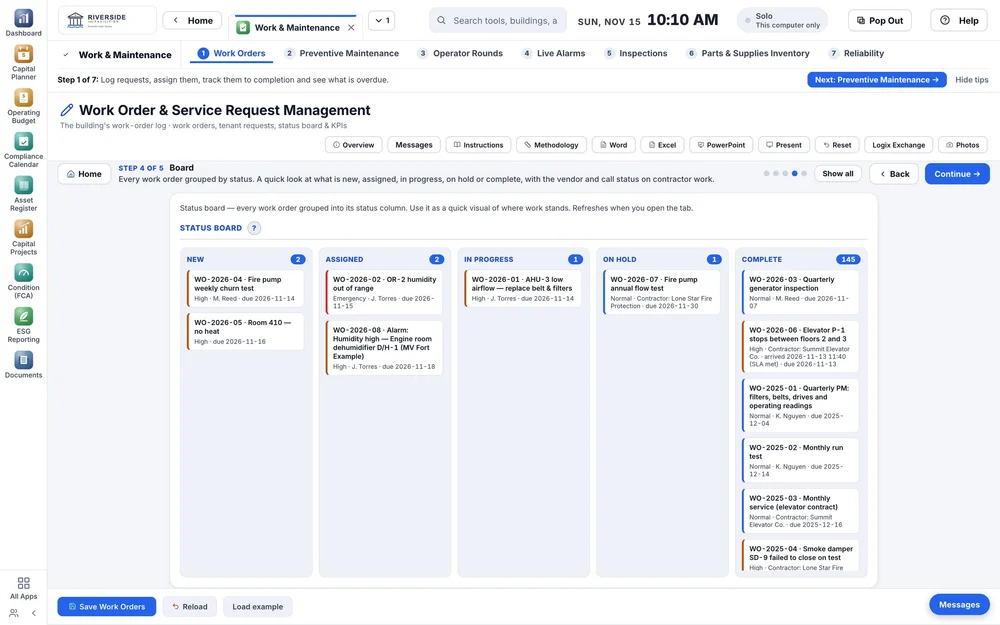
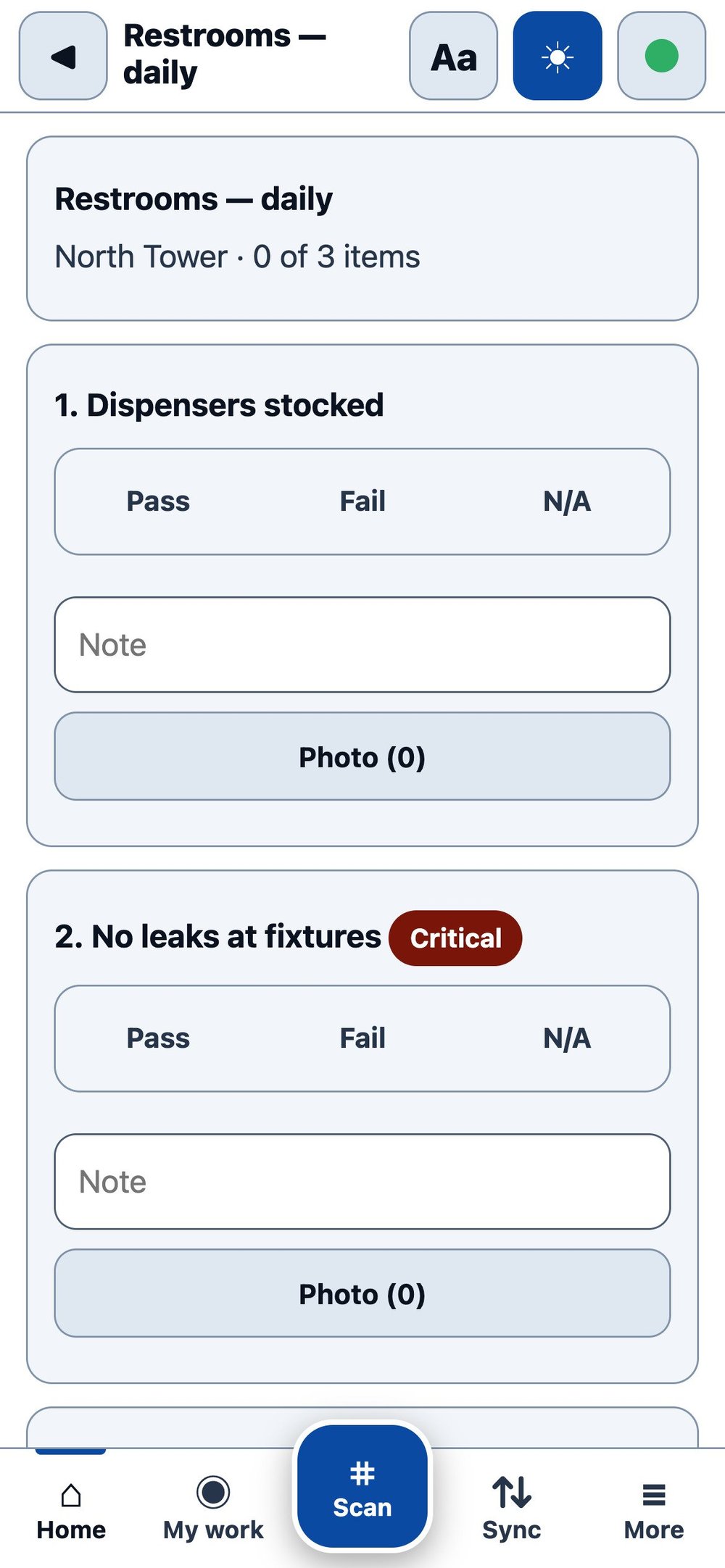
Work orders, timers, photos and parts on the technician's phone or tablet, so nothing written on paper gets retyped later or lost.
Learn More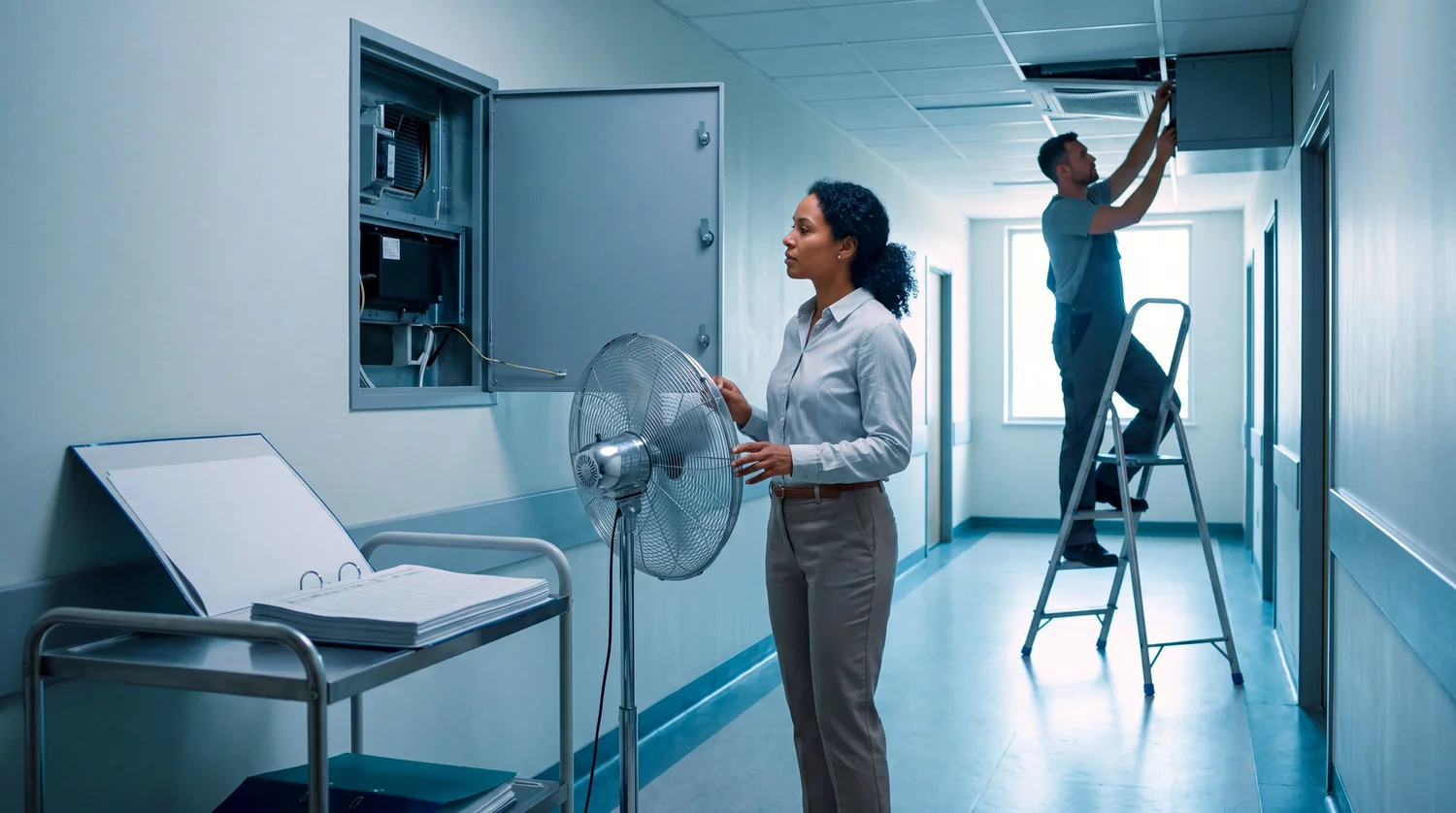
The Chiller Fails, and the Records Are in Four Places
Assets live in one spreadsheet, work orders in another program, compliance dates on a calendar and capital needs in someone’s head. When equipment fails, nobody can say how old it was, what it cost last year or whether it was already in the budget.
Facilities Logix keeps condition, work and maintenance, compliance, energy, capital planning and budgets on one record for every building you run, on your own computers, with or without the internet.
Surprise failures that were already showing their age, survey-week scrambles for records, and capital requests the board cannot follow. You get a ranked plan you can defend and records that are ready on any day.
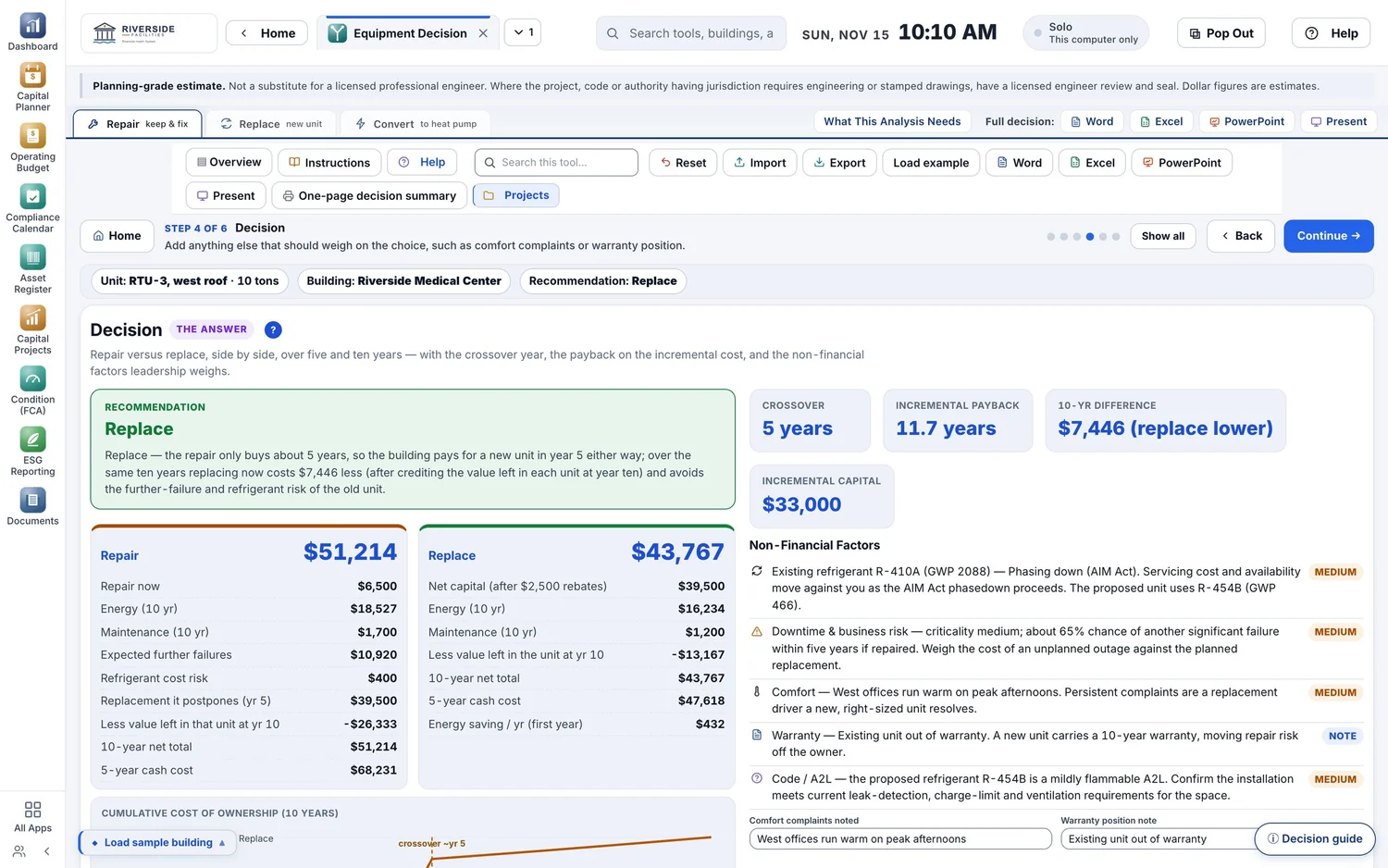
Equipment Decision in Facilities Logix compares repair against replacement for one unit, with the costs side by side.
main apps across the top of the home screen
specialist tools beside the twelve apps
obligations in the compliance library, 581 checked against primary sources
years of records tested for a 150-person organization
From Condition to Funded Capital Plan
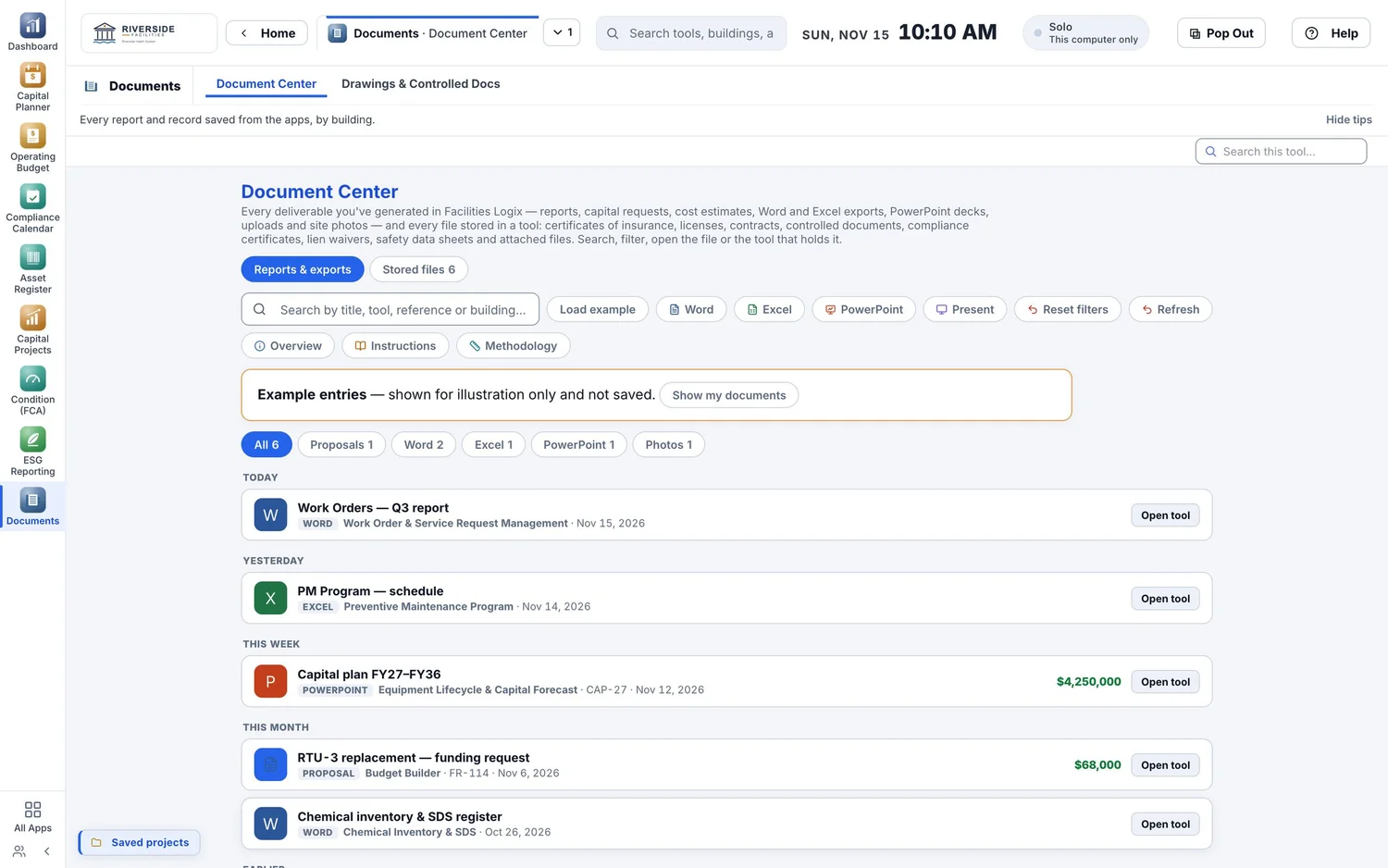
Most facility teams keep their buildings in spreadsheets, binders and a maintenance system that doesn't talk to the budget. Facilities Logix carries the work from the first walk-through to the money in the budget.
It Starts with What You Own
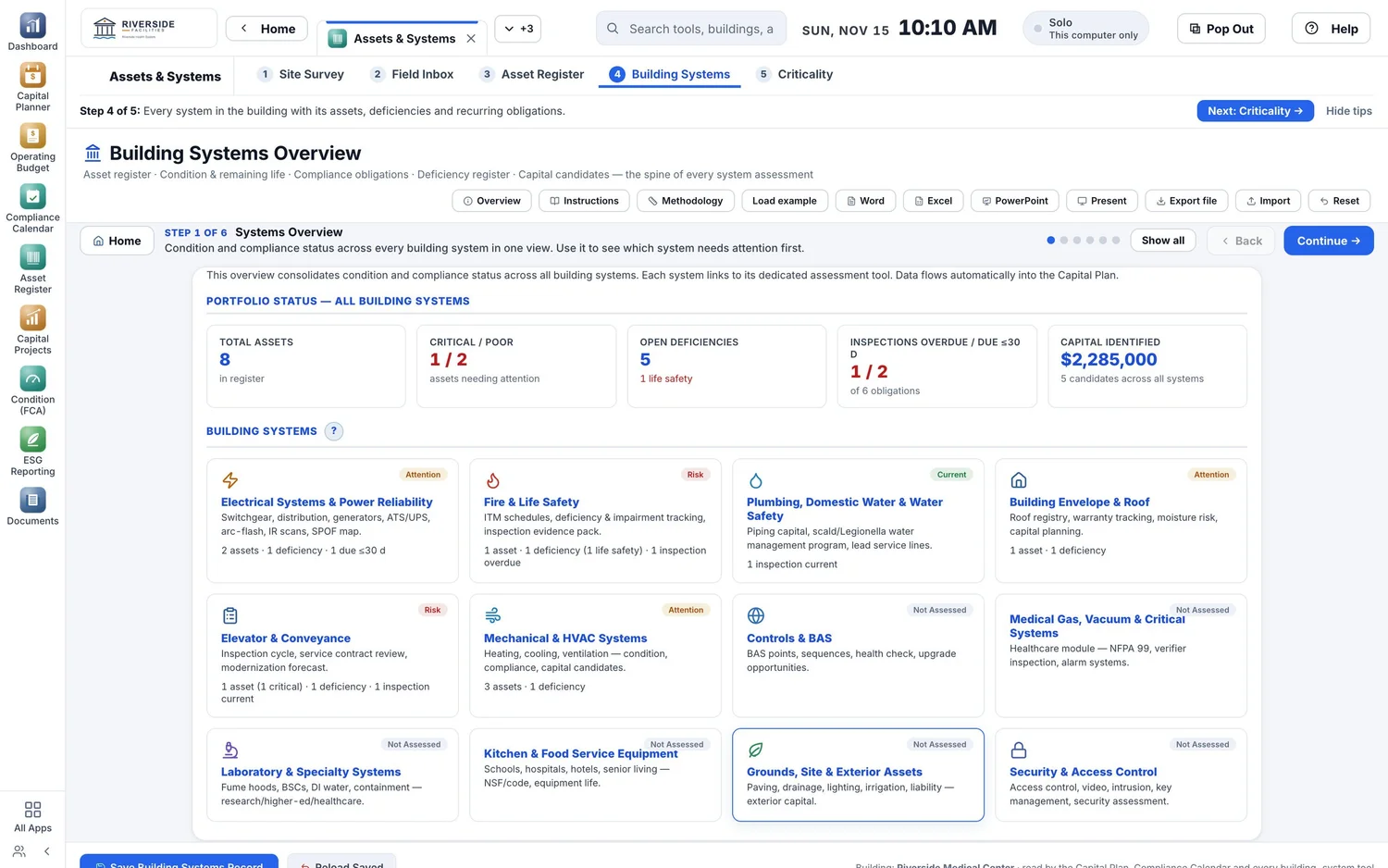
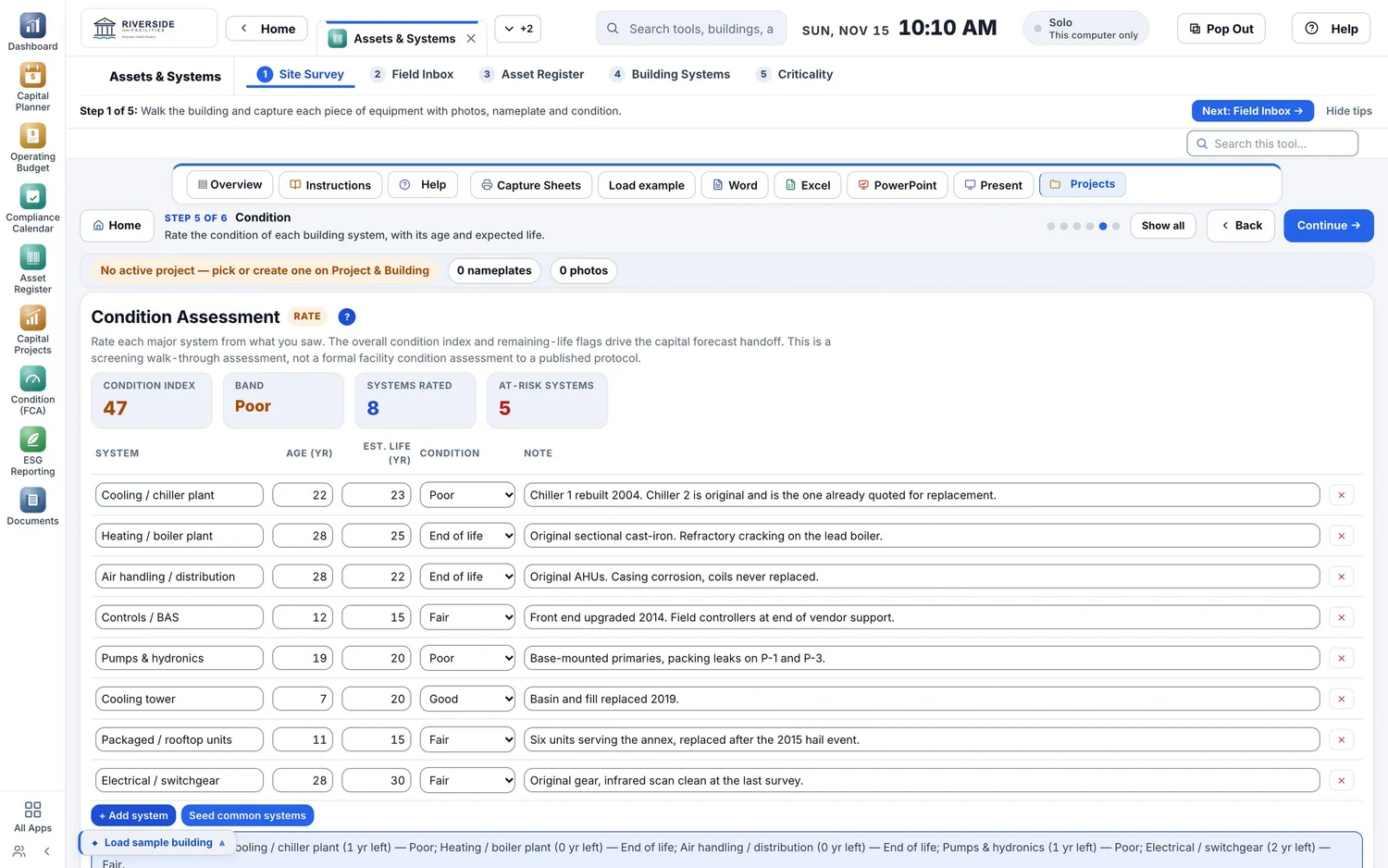
A site survey rates the condition and remaining life of each building system.
The walk-through becomes the record.
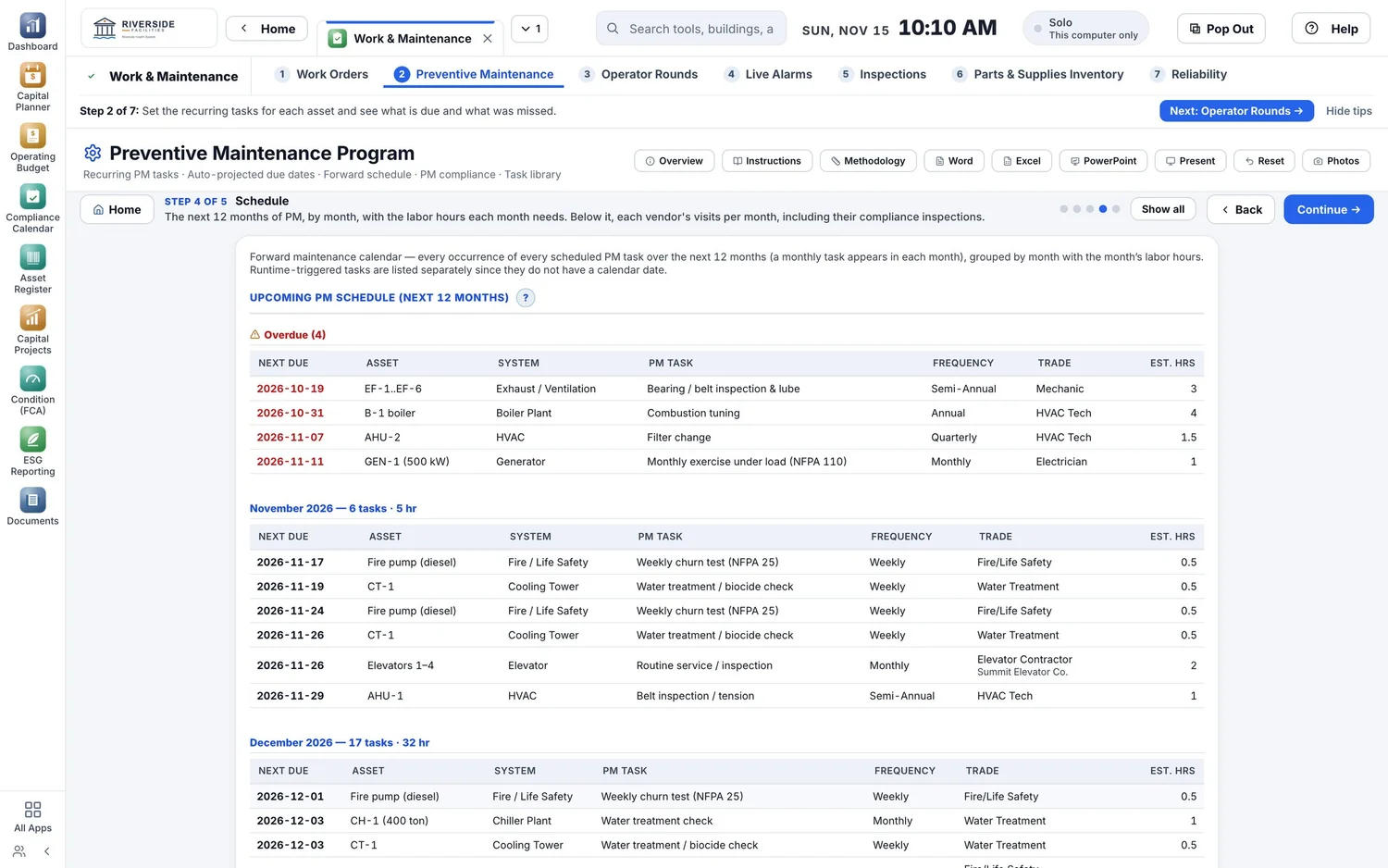
Maintenance, Twelve Months Ahead
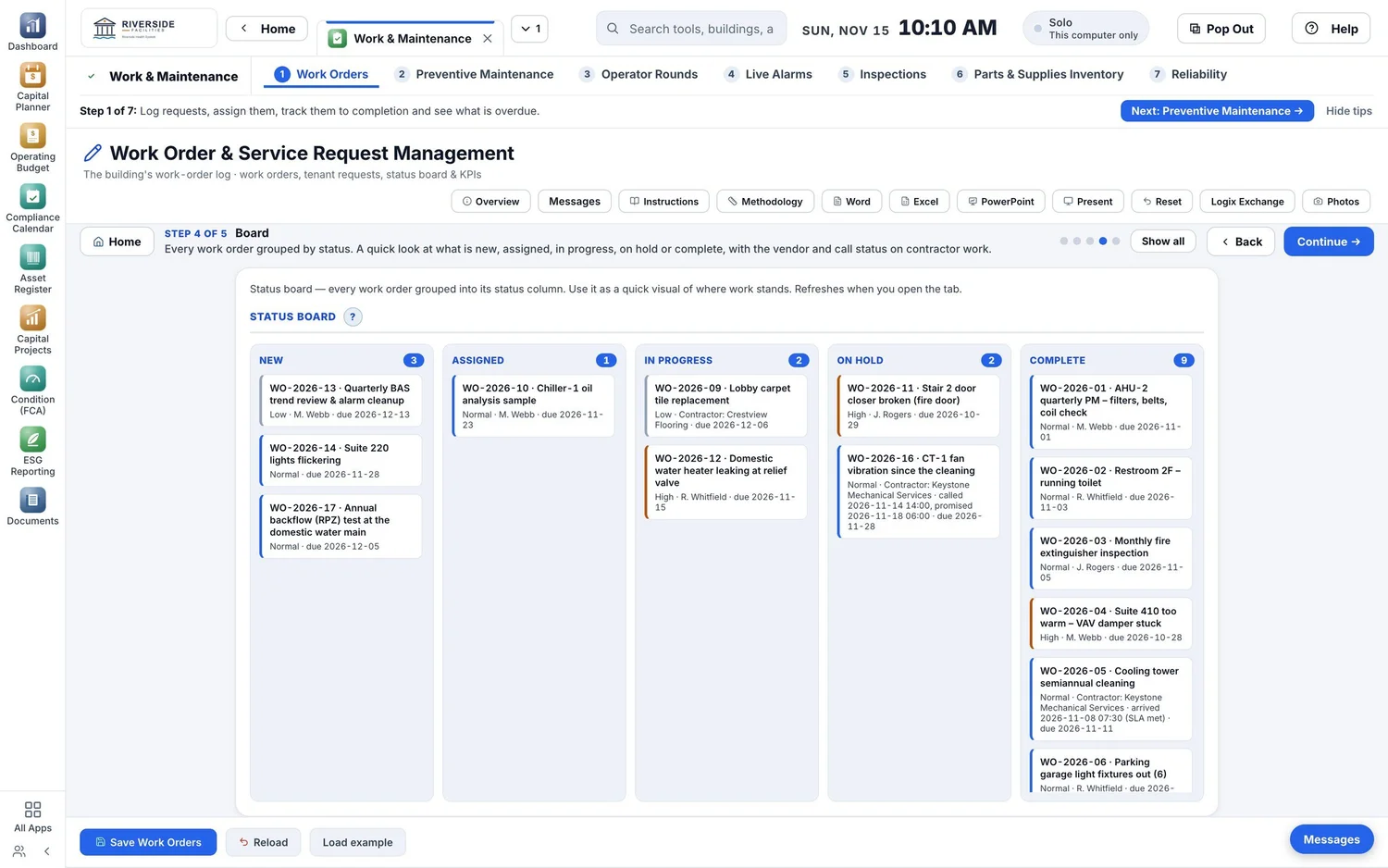
The schedule lists every preventive task, with the overdue ones first.
Fewer surprise failures.
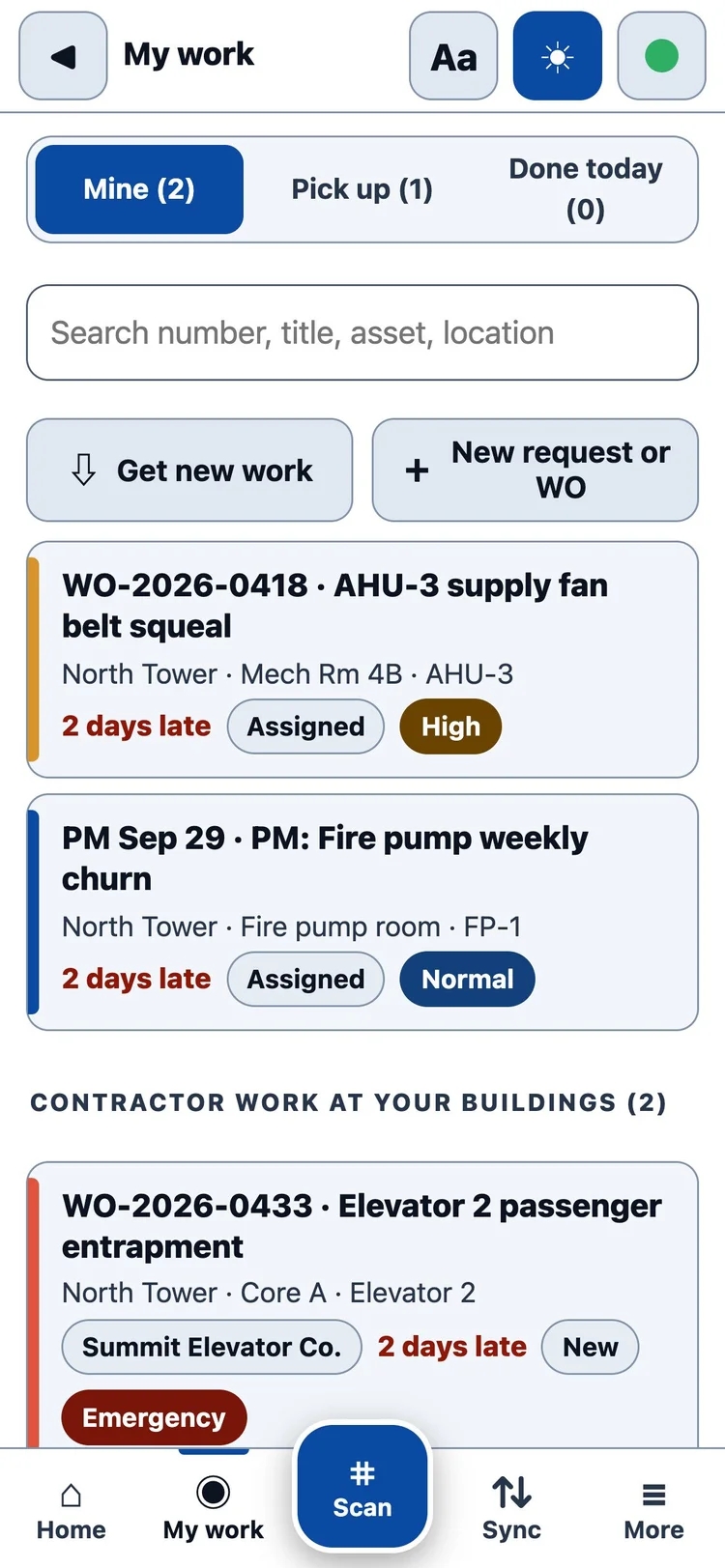
The Work Is on the Phone
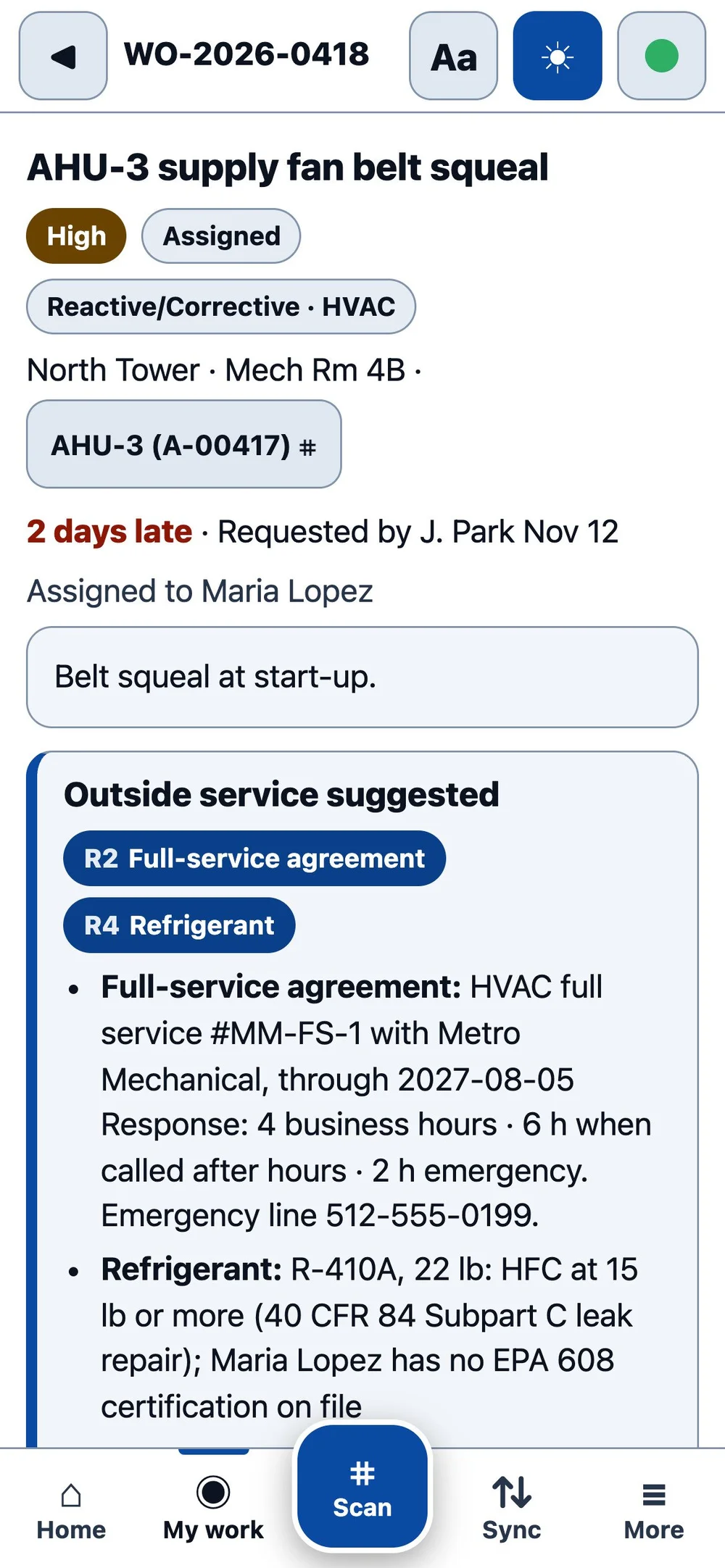
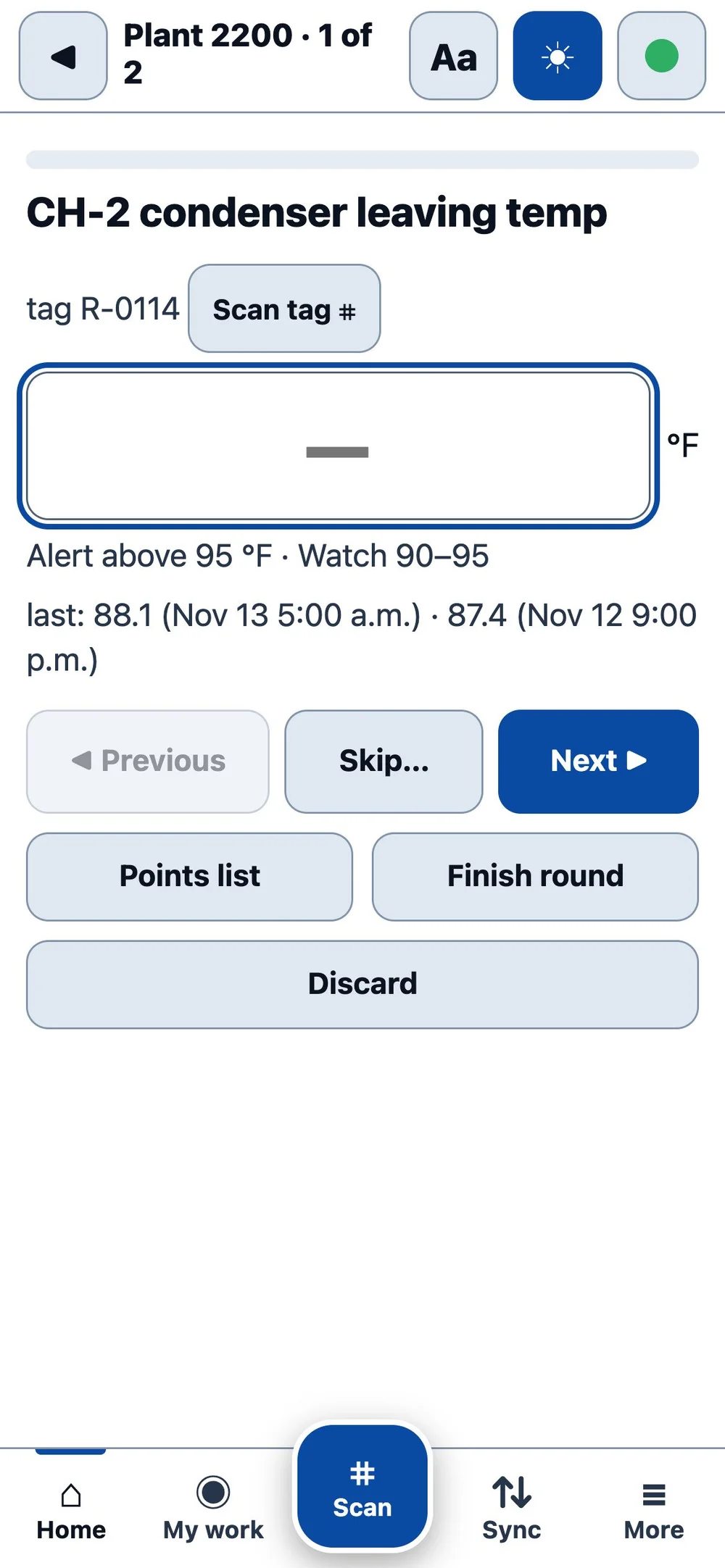
Work orders, PMs and rounds travel with the technician, with or without a signal.
Closed where it happens, not at a desk.
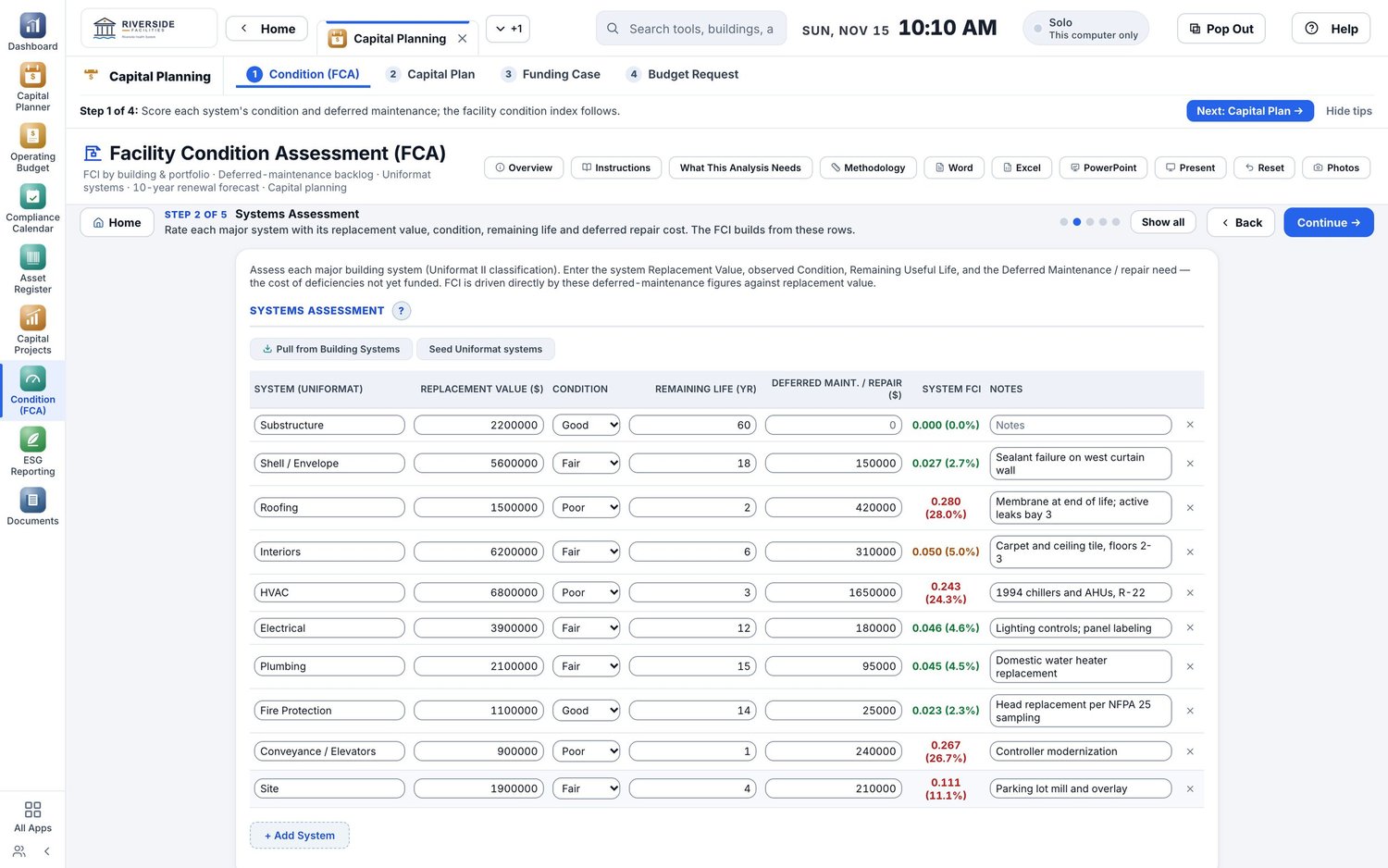
Condition Becomes a Number
Each system is scored with its replacement value and deferred repairs.
The backlog is a figure, not a feeling.
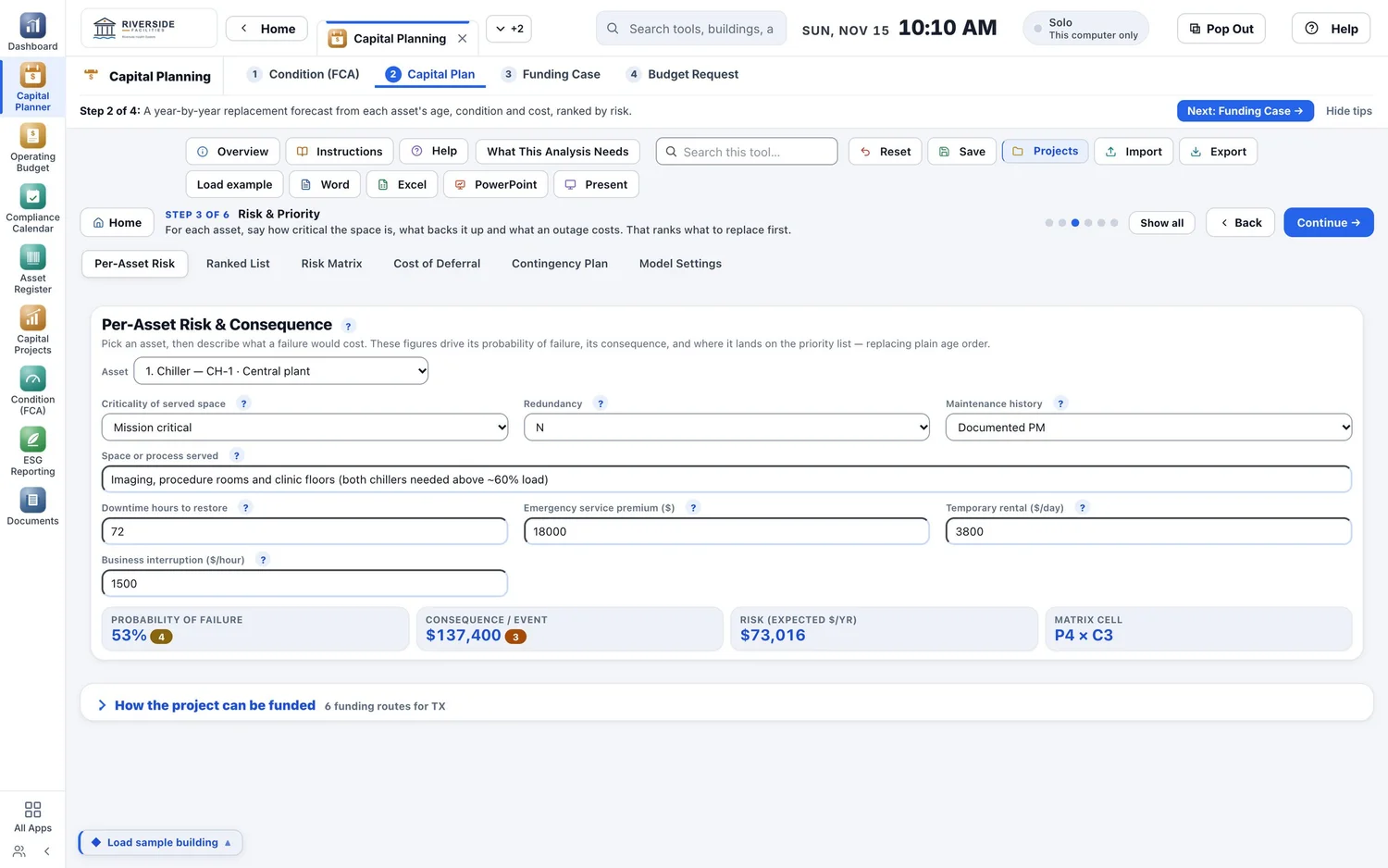
Ranked by Risk
The Capital Planner ranks each asset by the likelihood and cost of failure.
The next dollar goes to the right place.
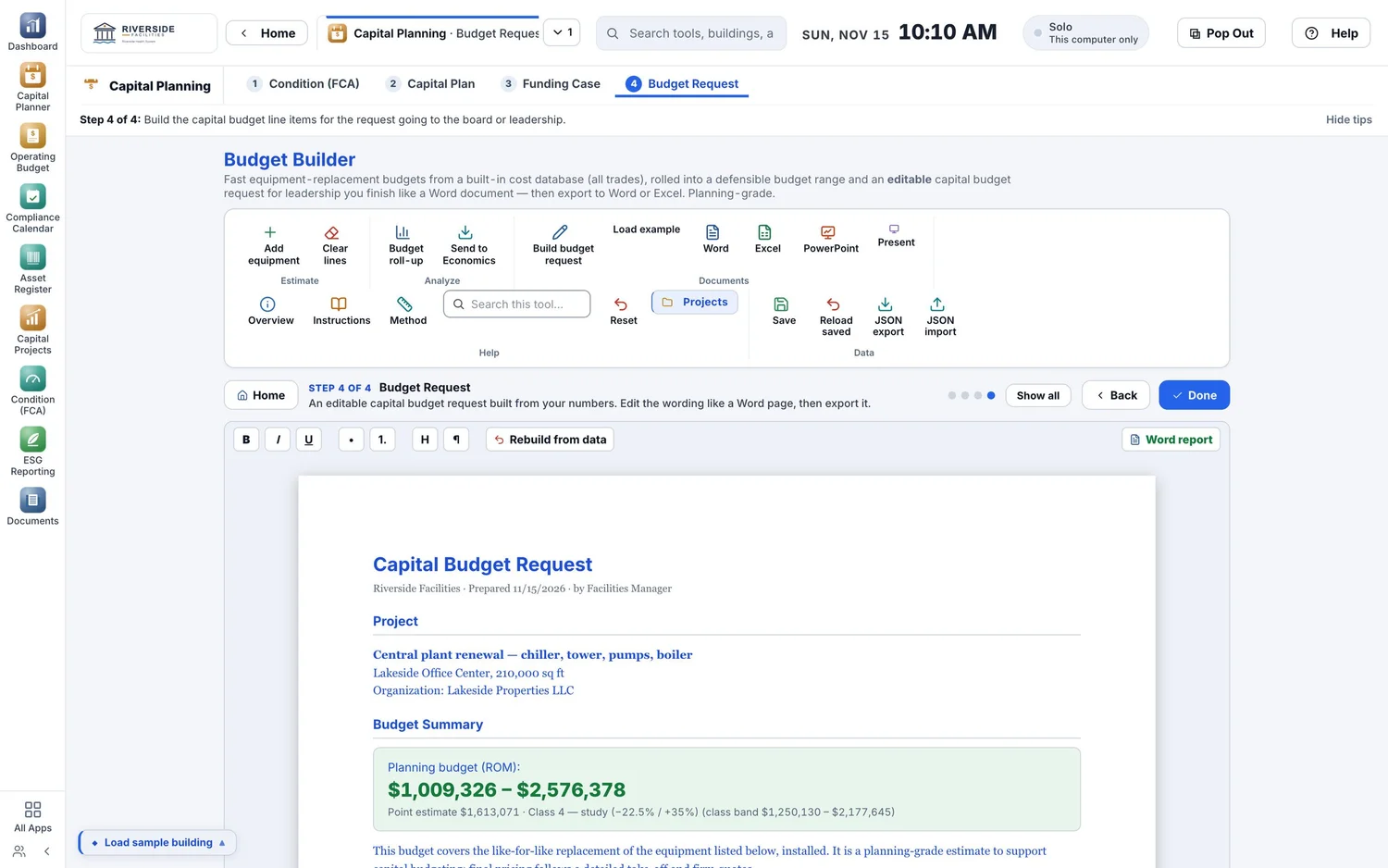
A Request the Board Can Follow
The budget request gives a cost range with its accuracy class.
Approved on evidence.
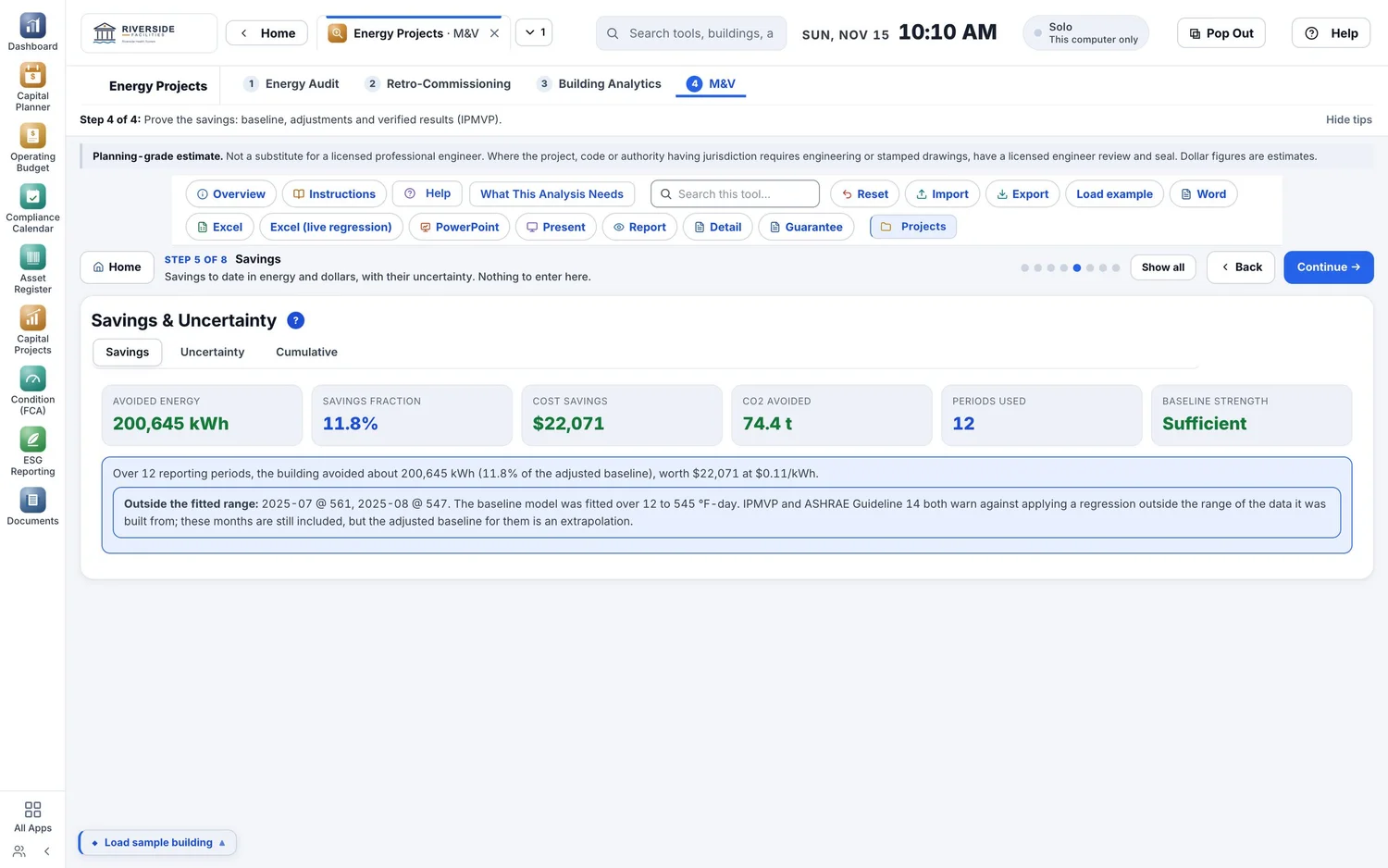
Savings, Proven
Measurement and verification shows the energy and cost saved against the baseline.
The next request is easier to win.
Real screens with sample data.
Replace Several Programs with One Linked System.
Most organizations run their buildings on a work-order app, a planning or real estate suite, and a shelf of spreadsheets and binders, with the same building, asset and vendor typed into each.
A Stack of Separate Tools
- A CMMS or work-order app for maintenance and PM
- Facility condition and capital planning spreadsheets
- A capital project tracker for budgets, pay apps and closeout
- Bid leveling, purchasing and purchase order tools
- Utility bill tracking and energy benchmarking tools
- A compliance calendar and binders of inspection records
- Vendor, contract, warranty and insurance certificate trackers
- Space, lease and occupancy spreadsheets
- Parts, supplies and tool crib inventory lists
- Safety, incident and chemical (SDS) logs
- Board reports rebuilt by hand in Word, Excel and PowerPoint
The same building, asset and vendor typed into each one, and the board report rebuilt by hand.
One Linked System
Facilities Logix covers the work of all three in one program, on your own computers, with every record linked and nothing entered twice.
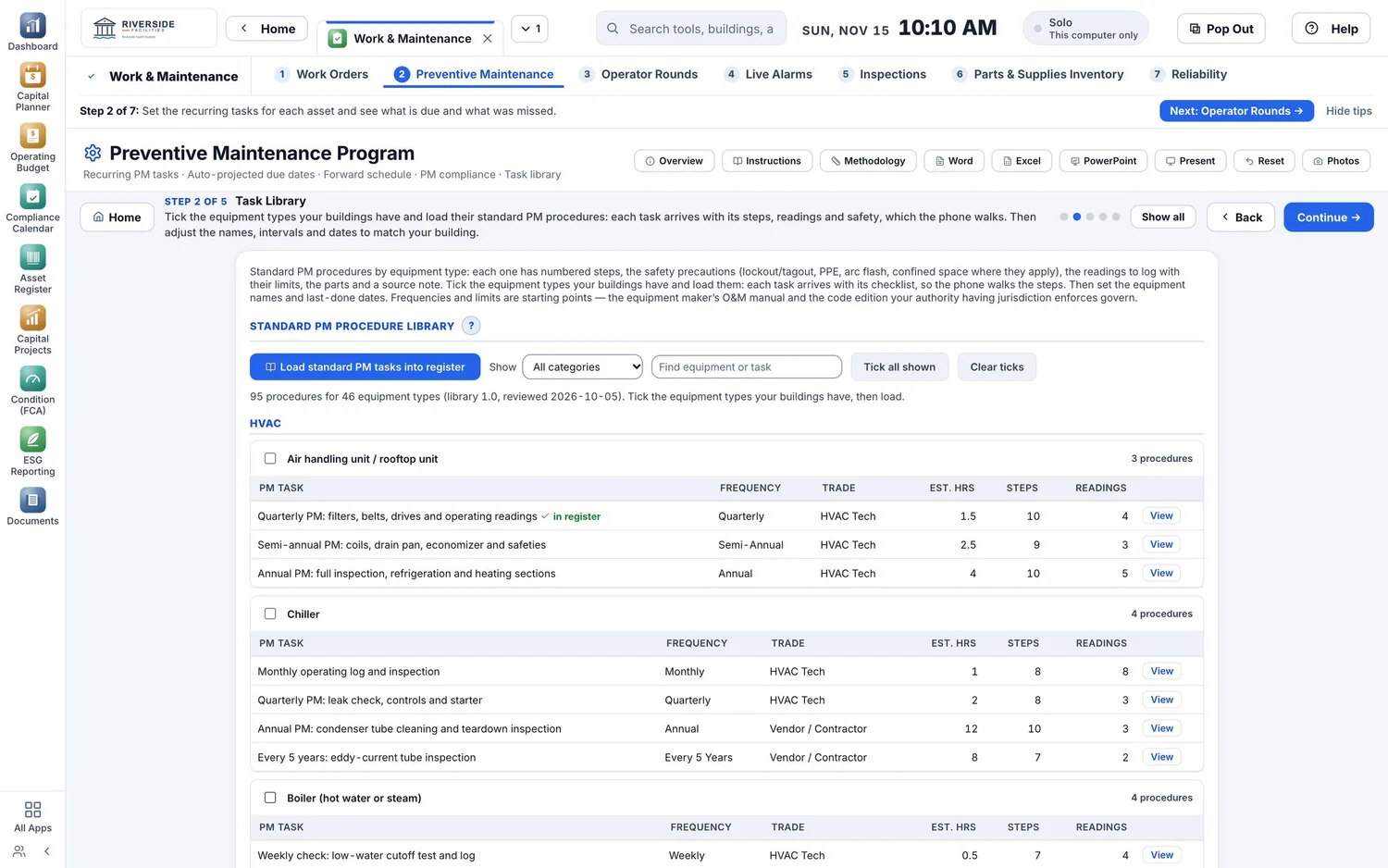
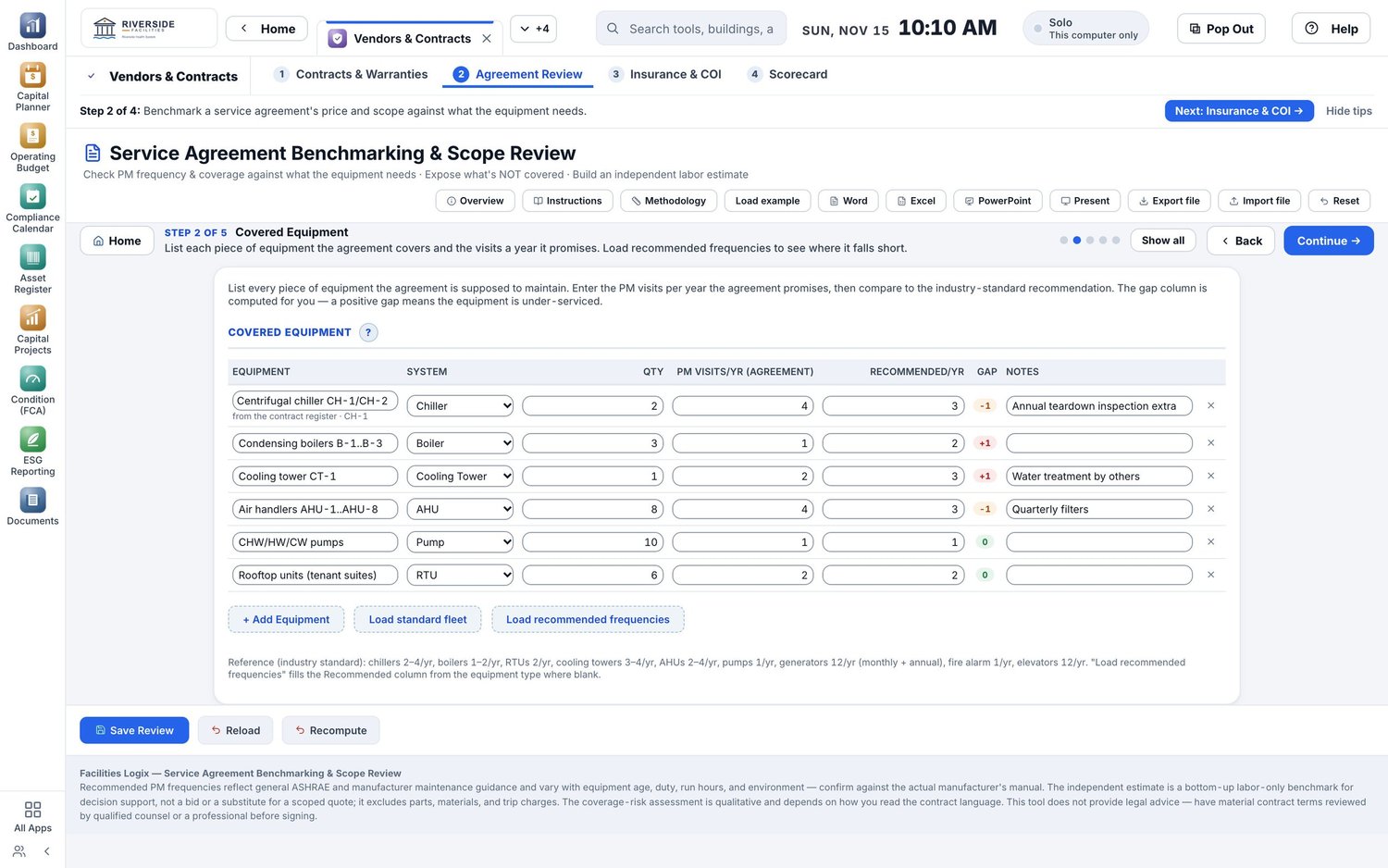
The PM task library in Facilities Logix holds standard procedure steps by equipment type, with no preset hours.
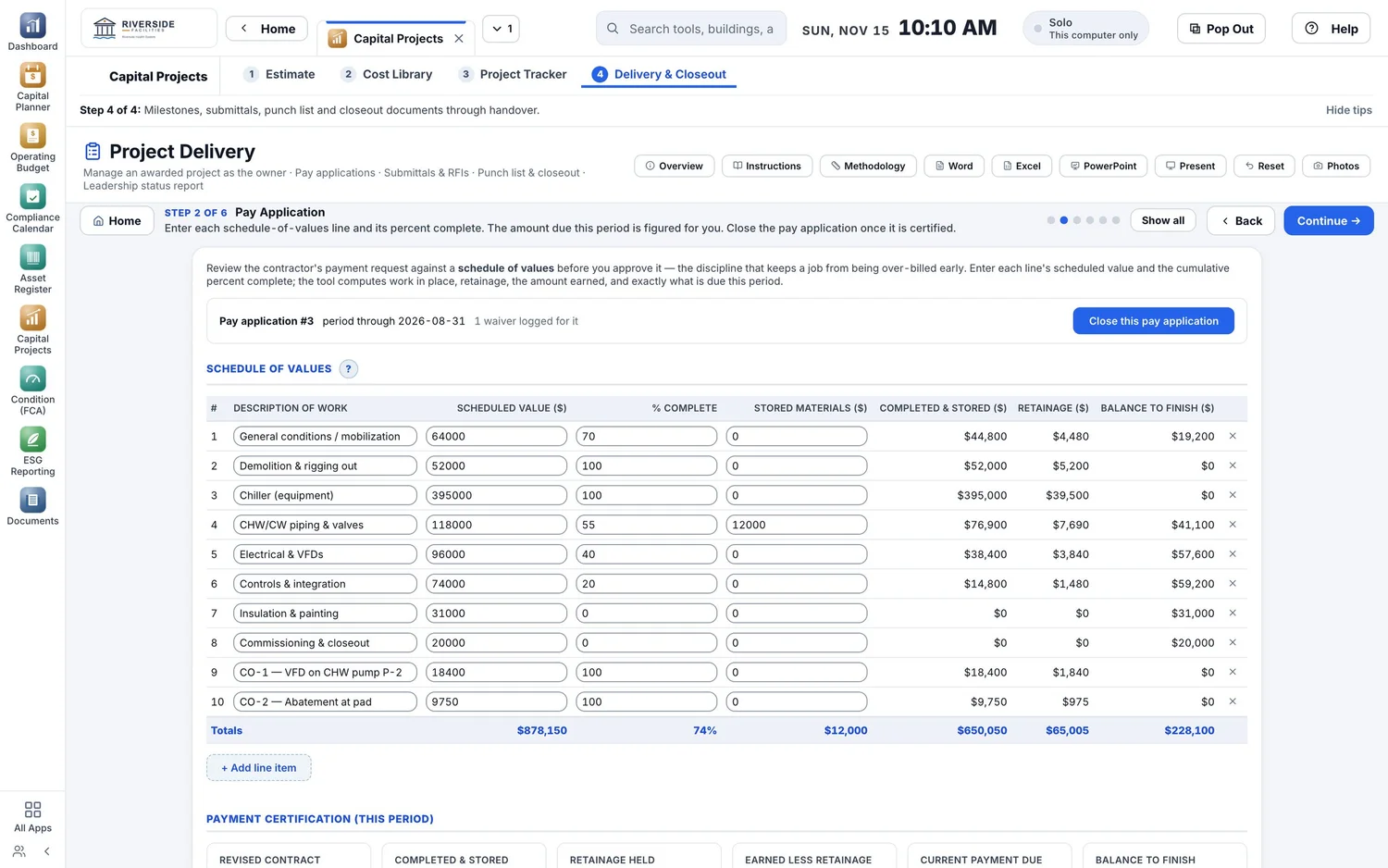
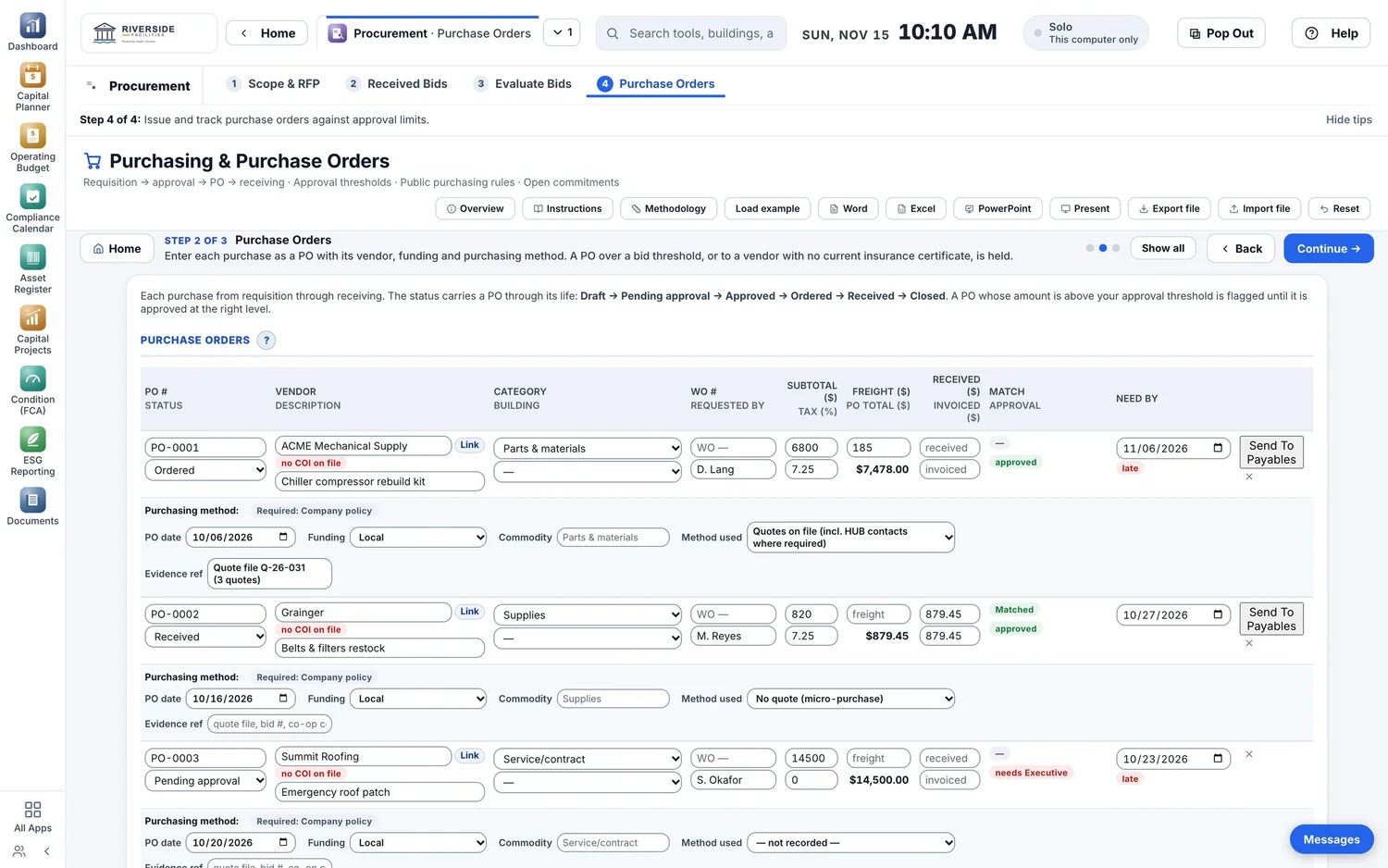
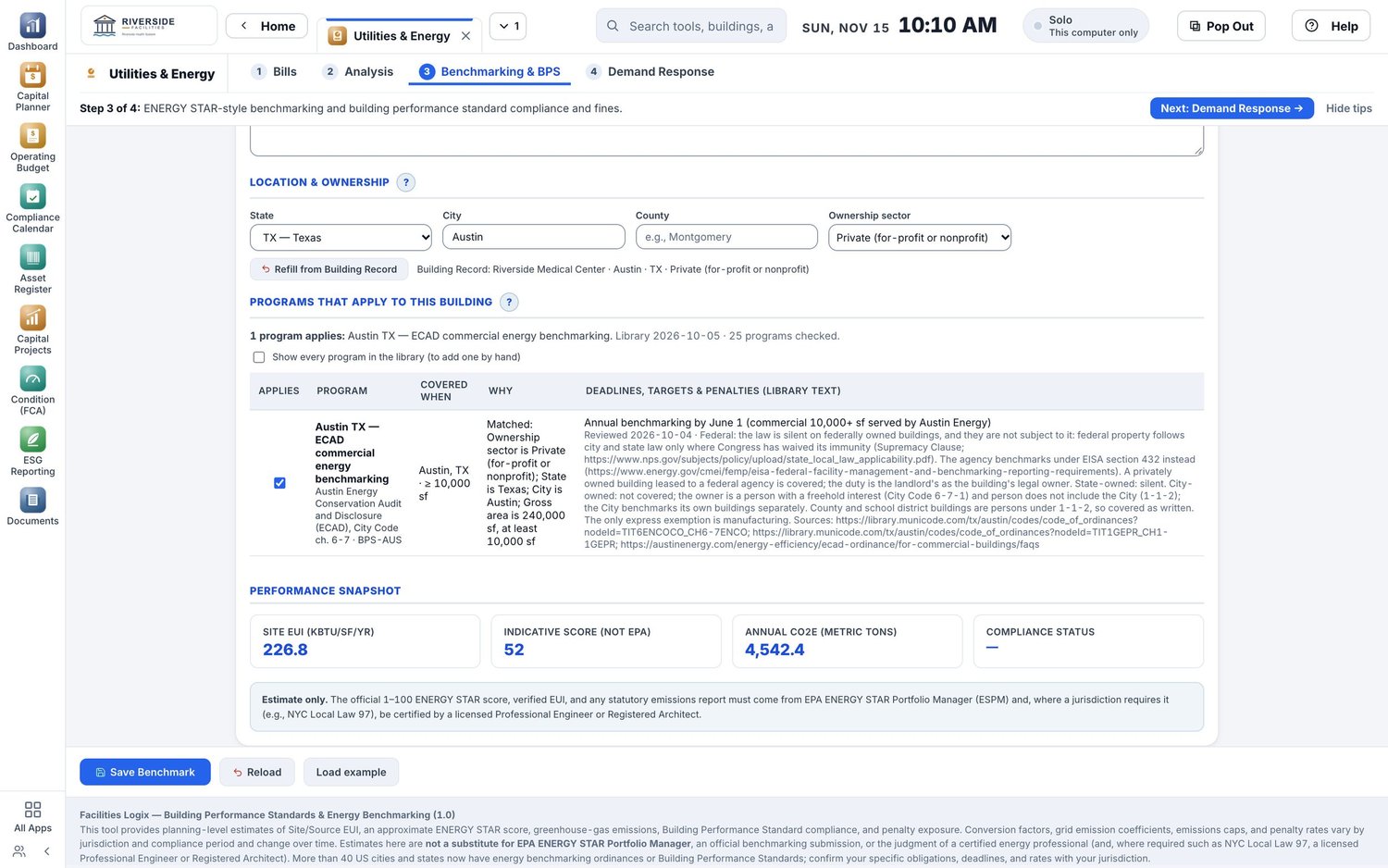
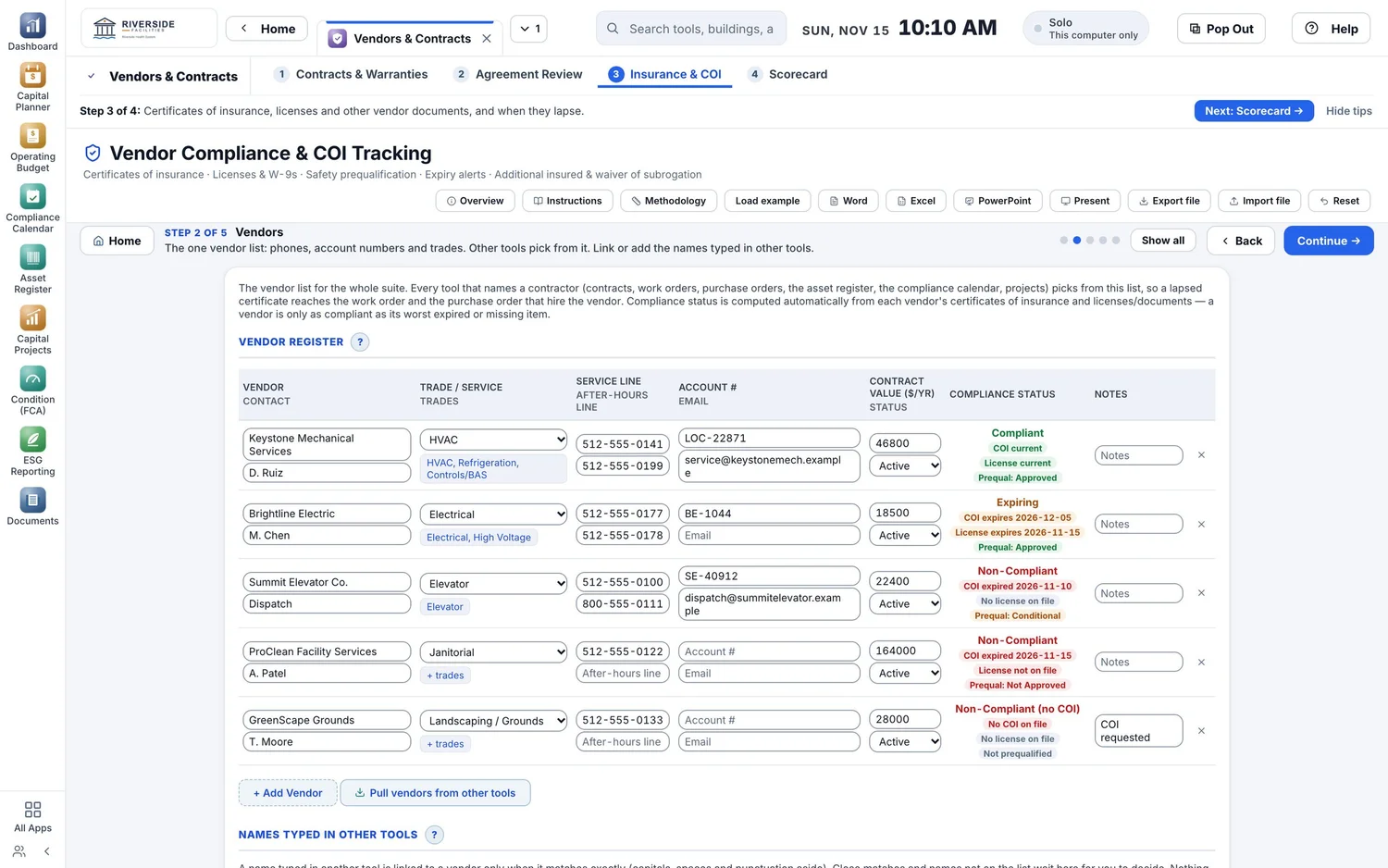
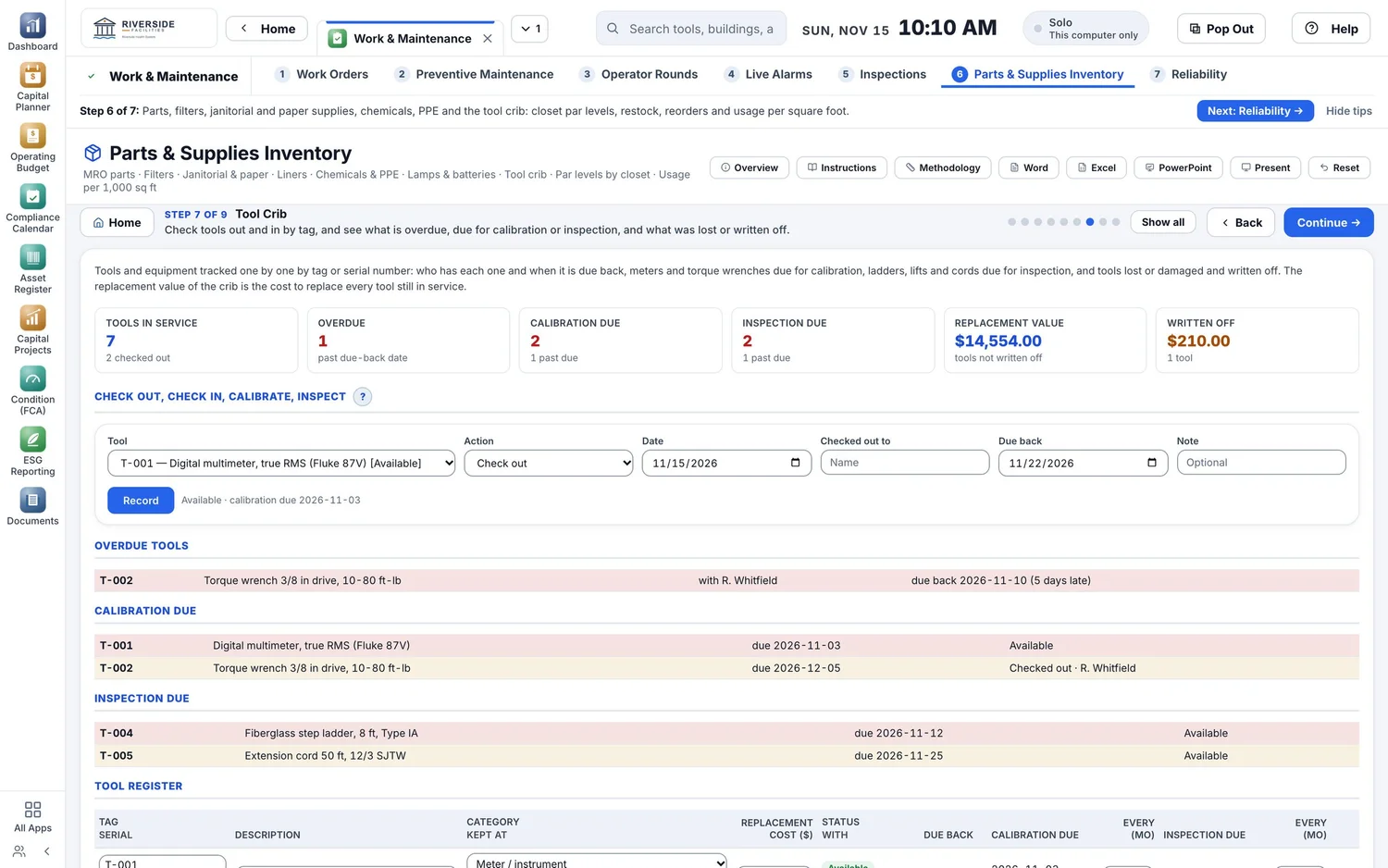
Leadership, Management and Operations on One System
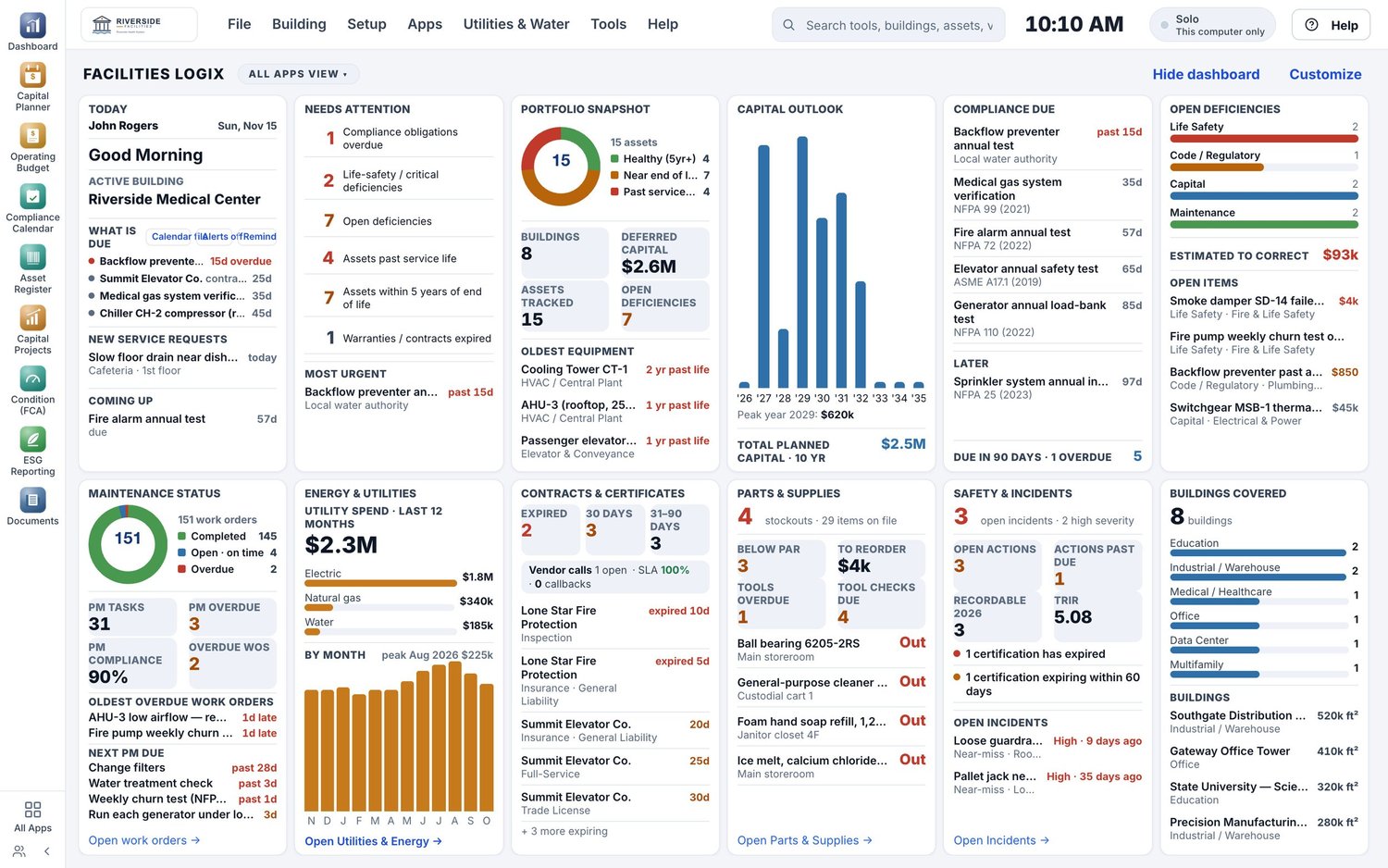
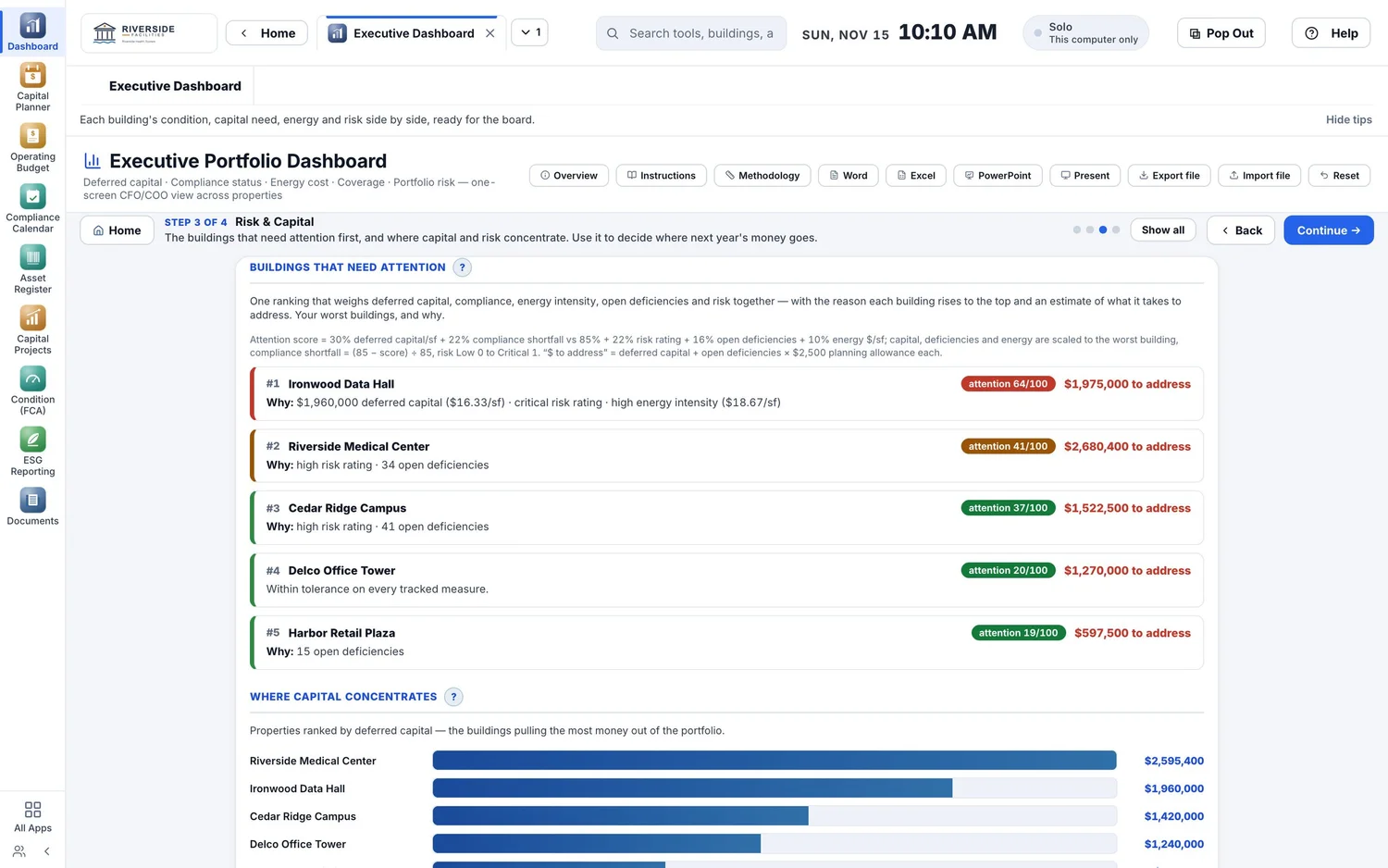
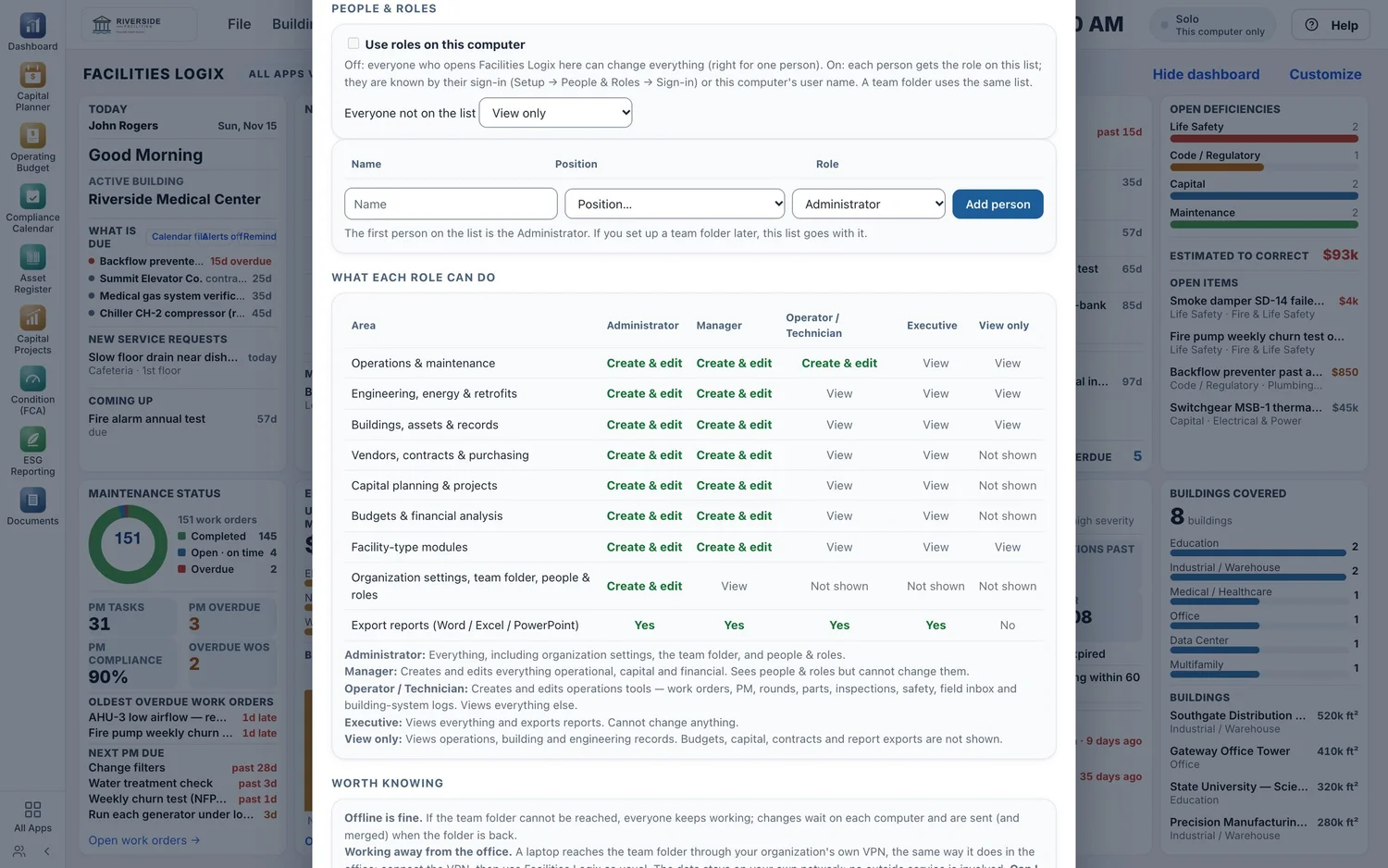
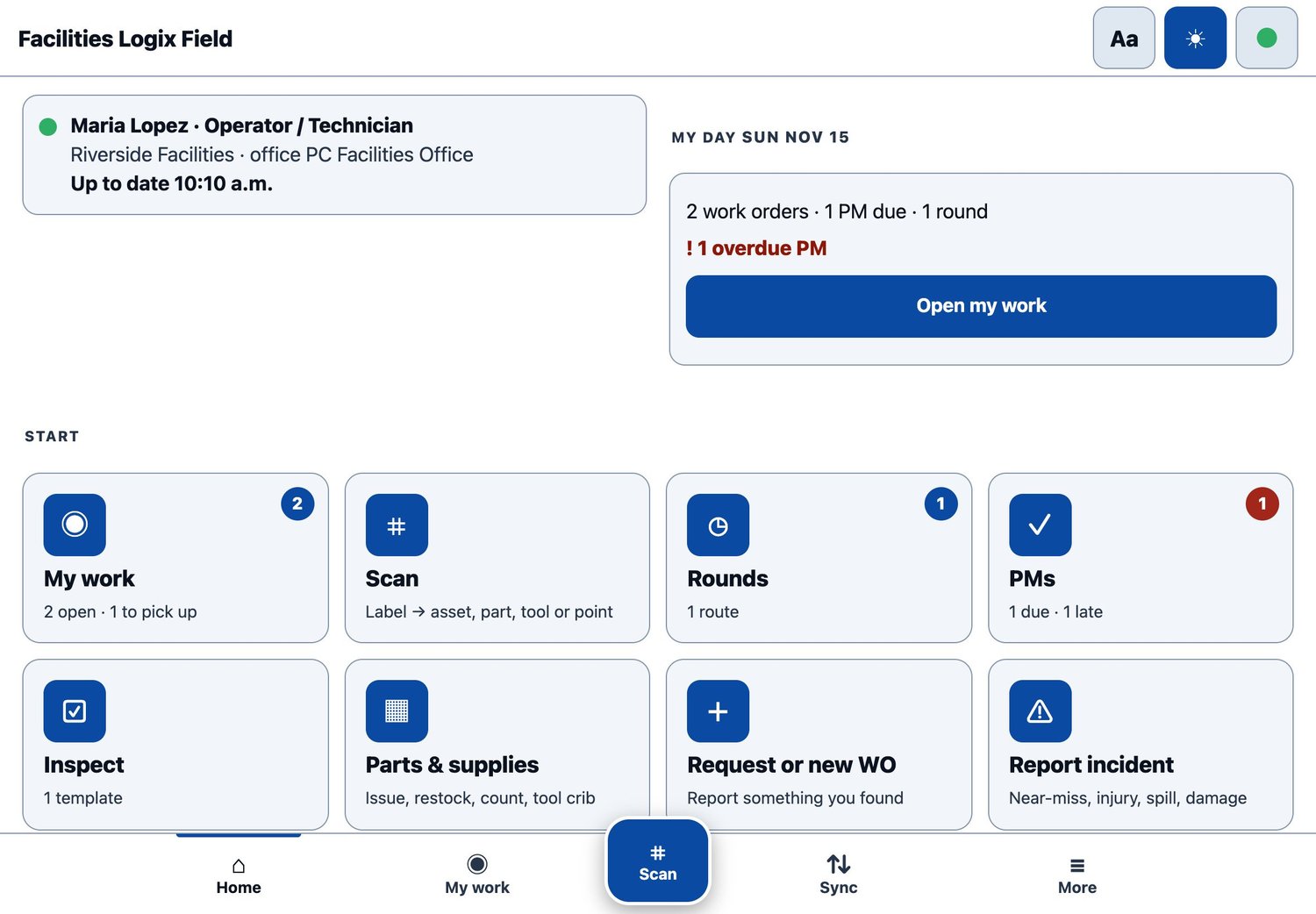
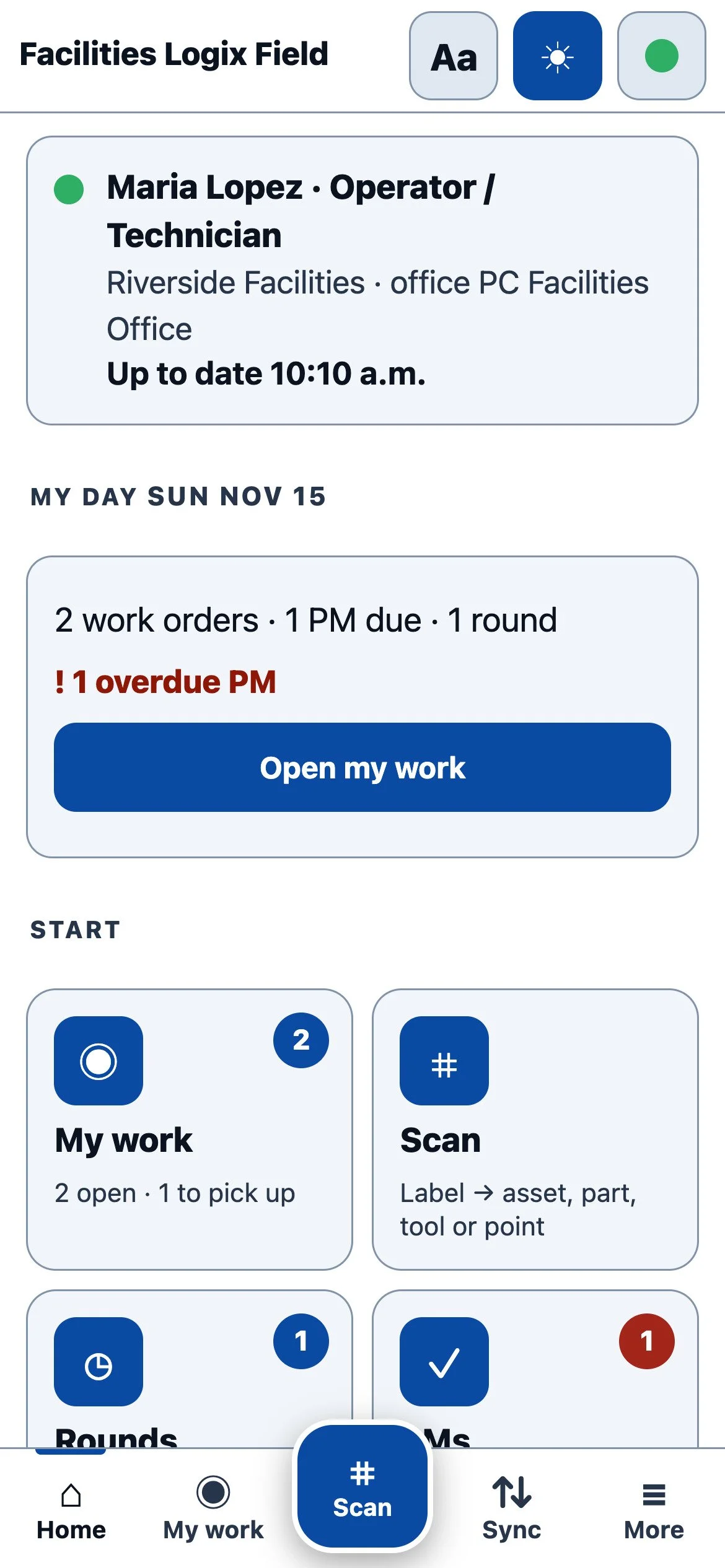
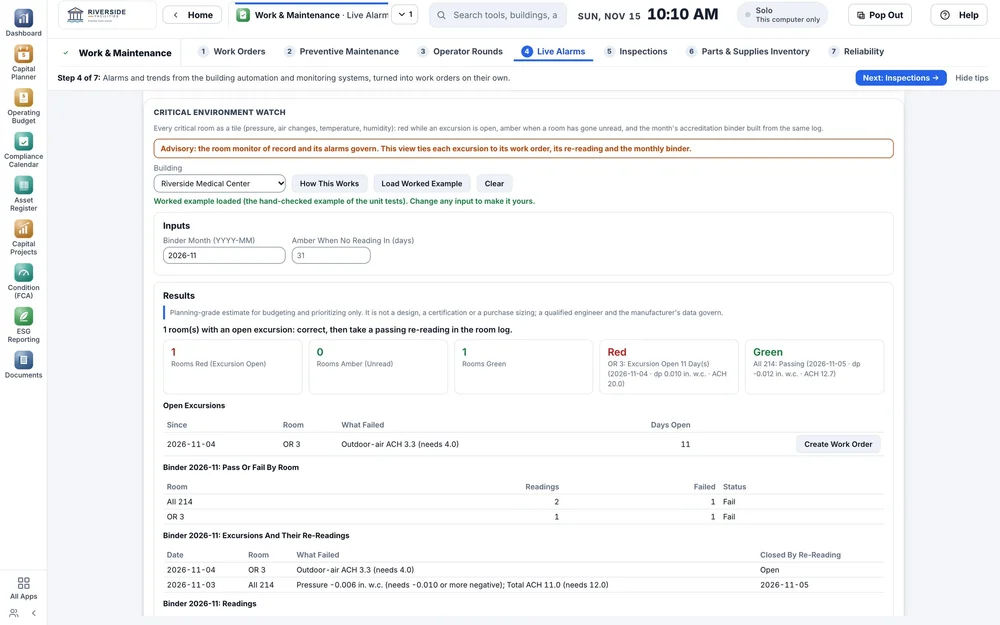
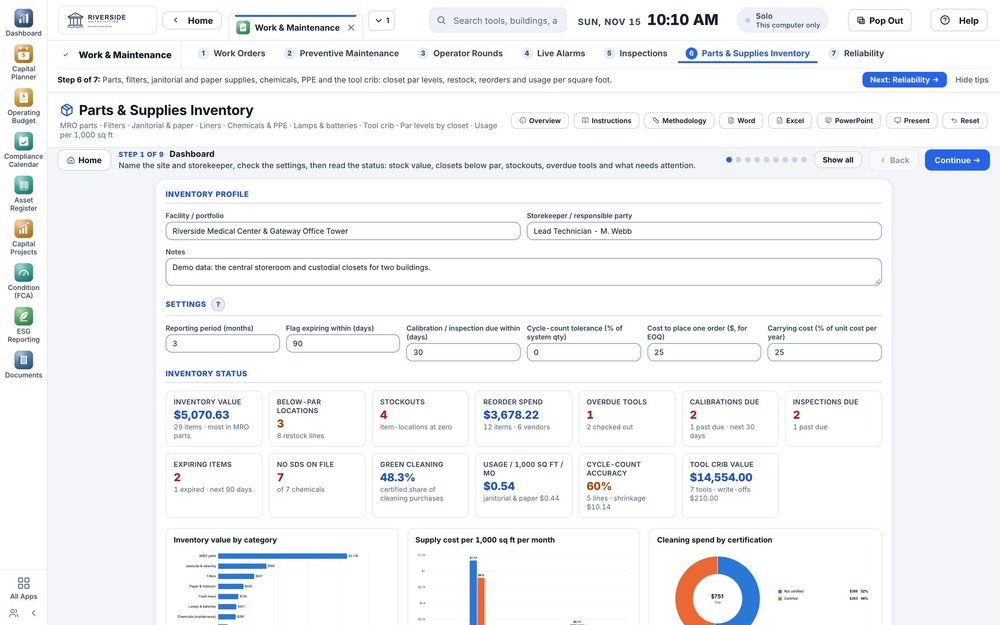
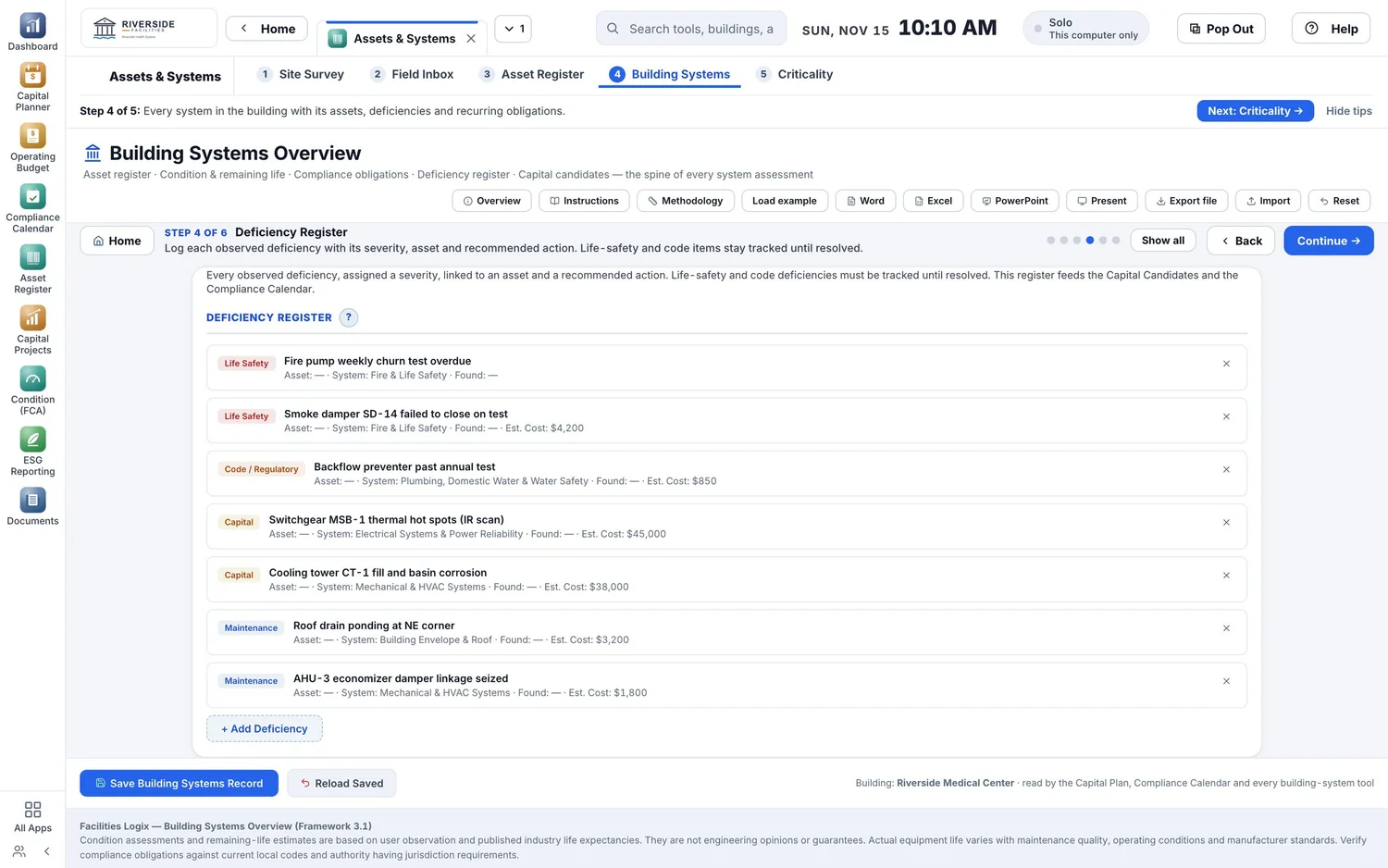
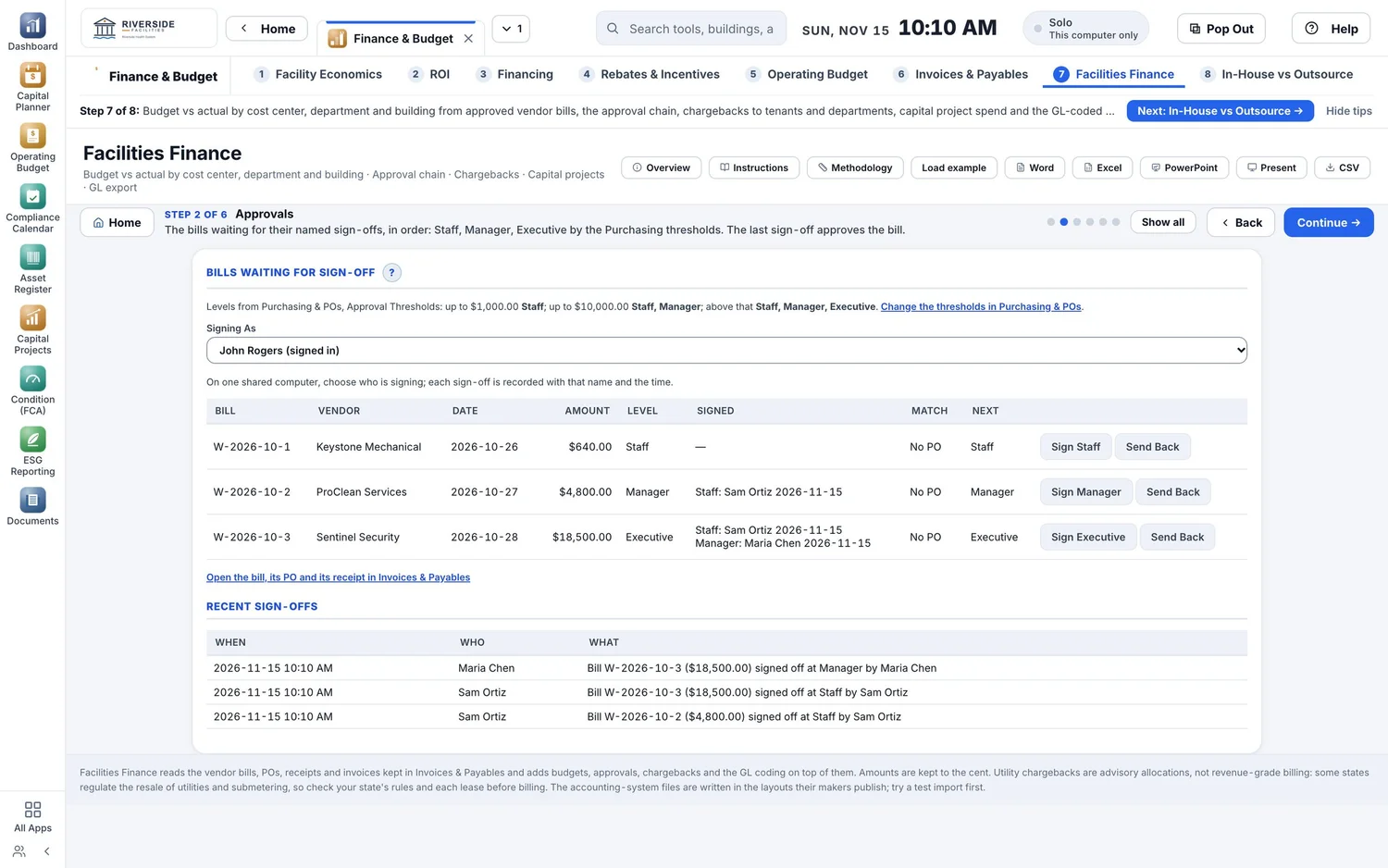
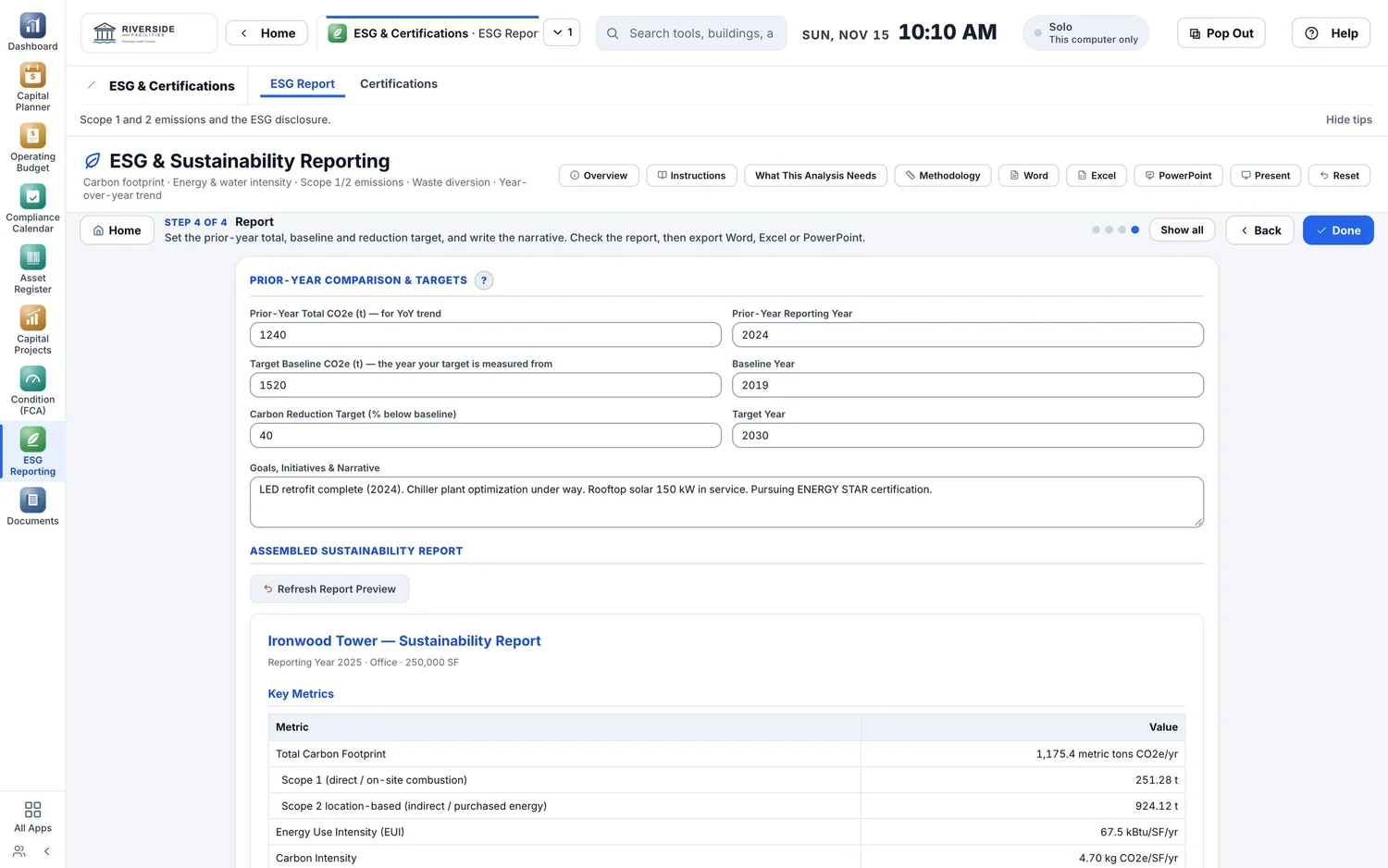
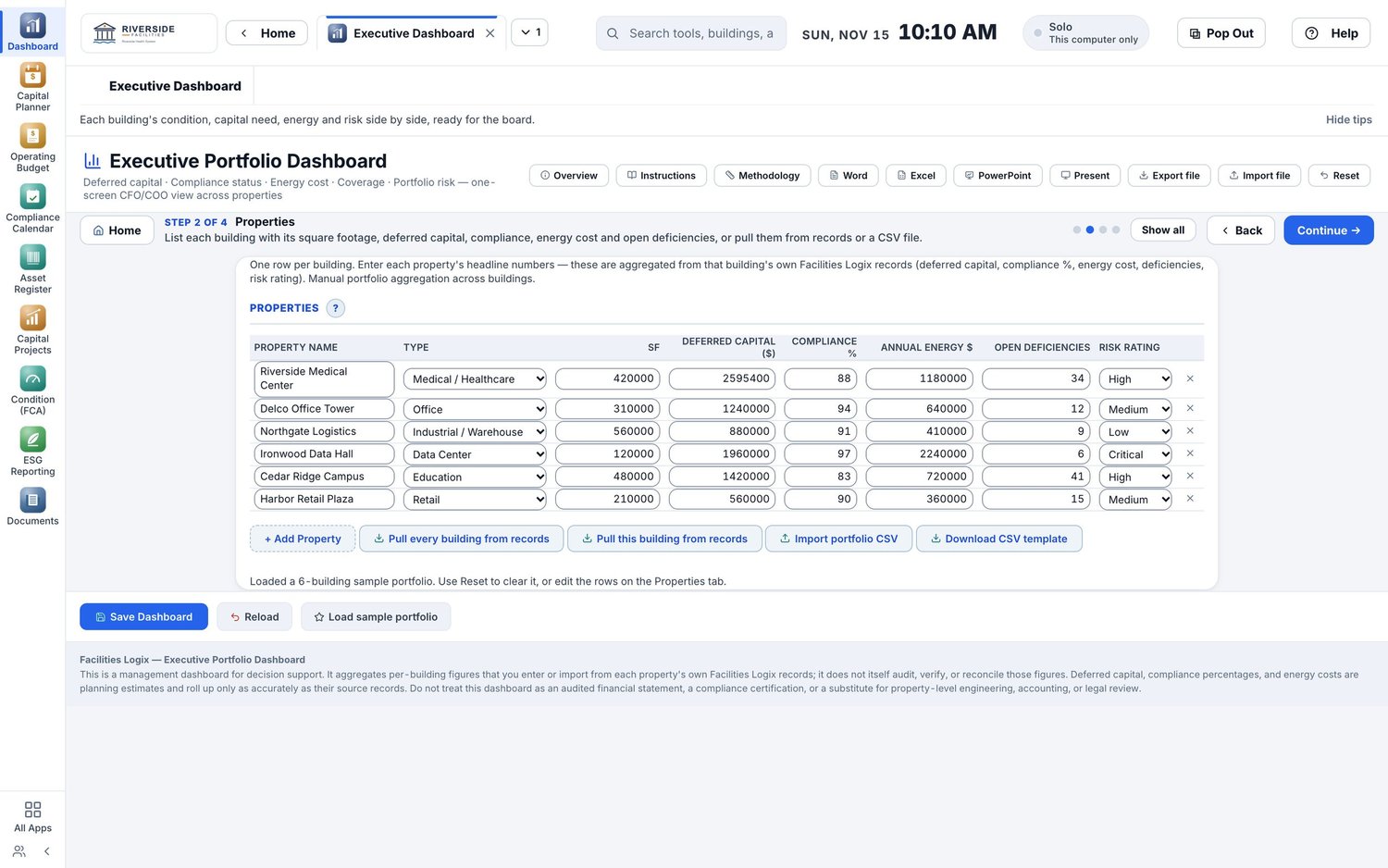
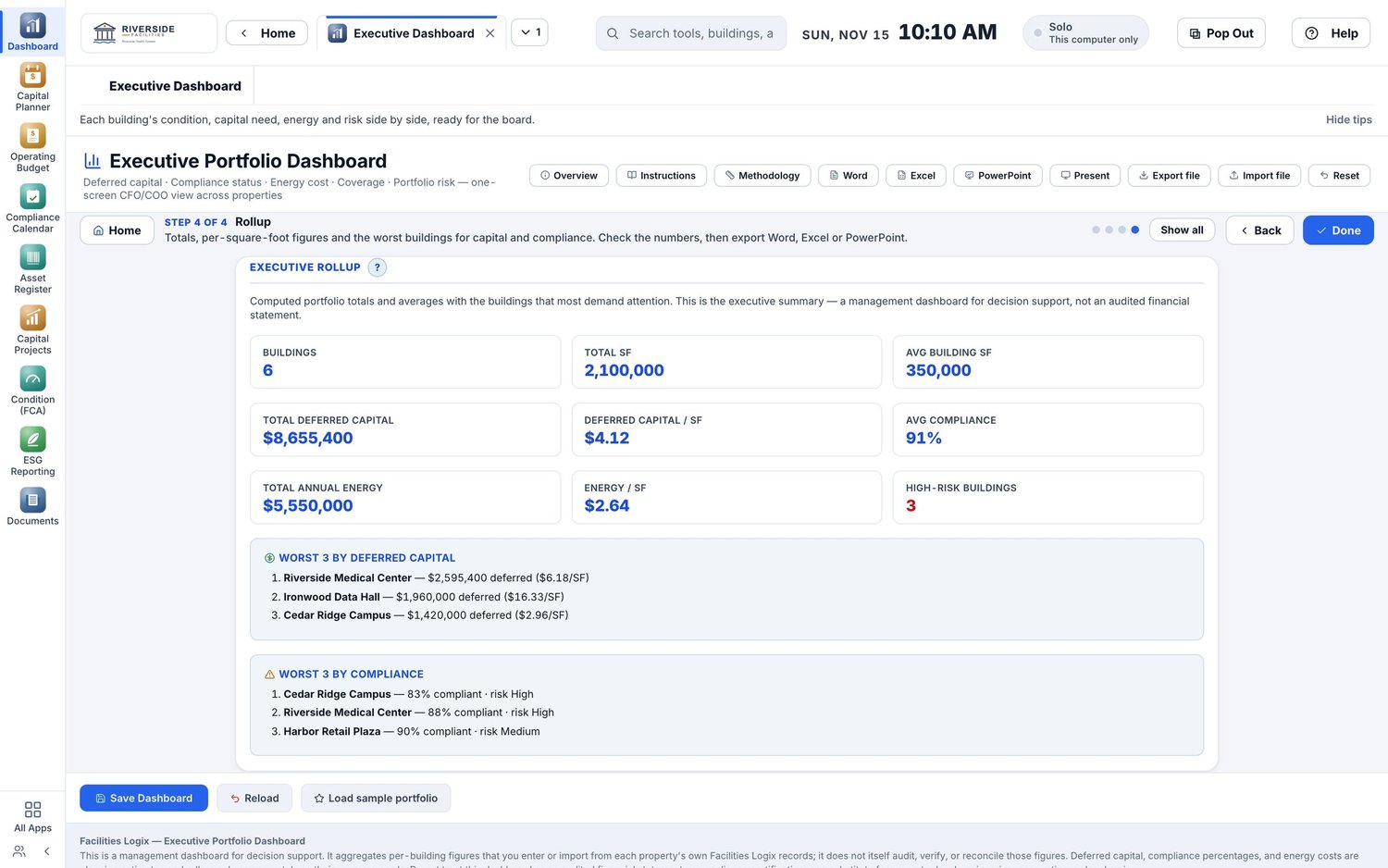
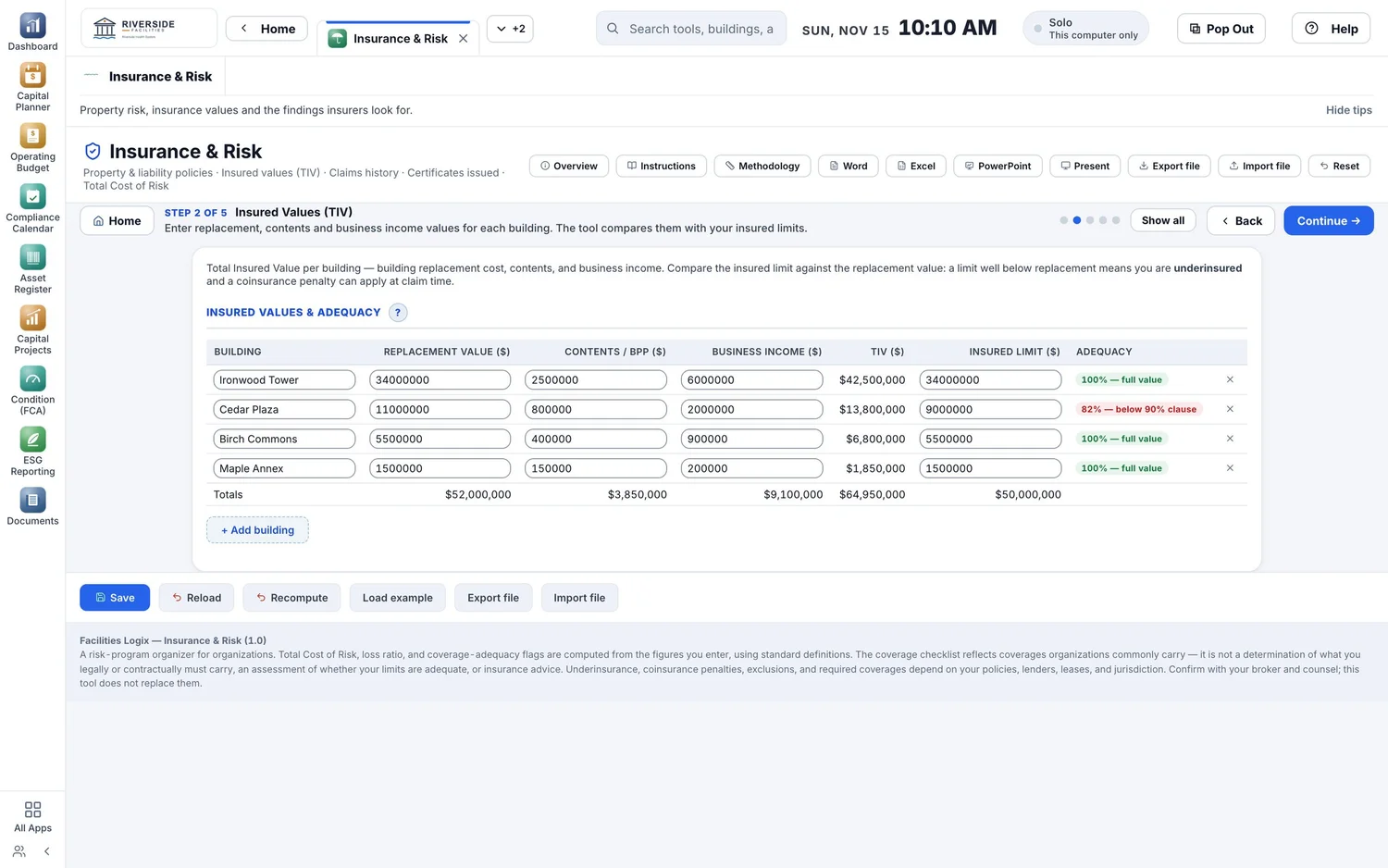
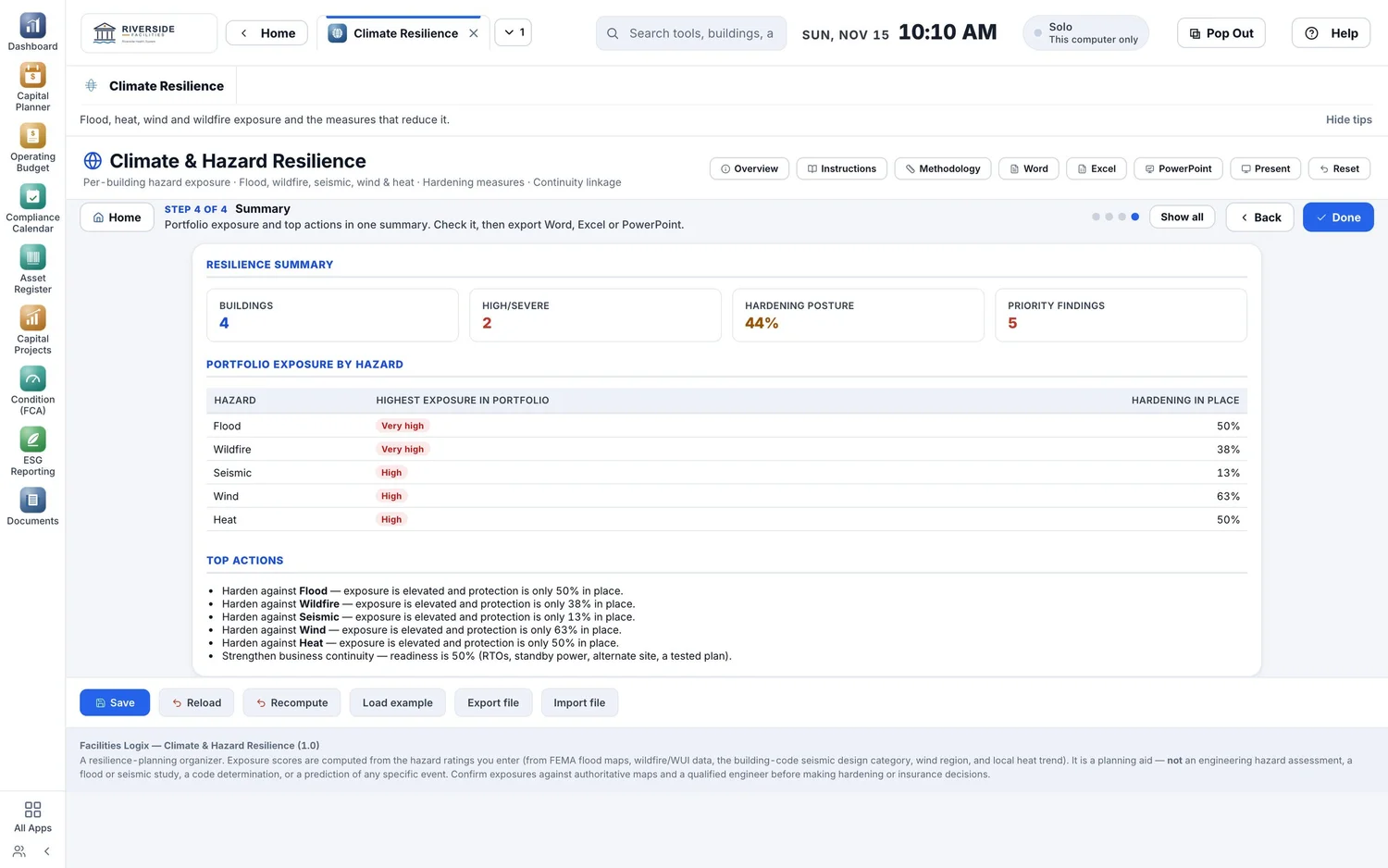
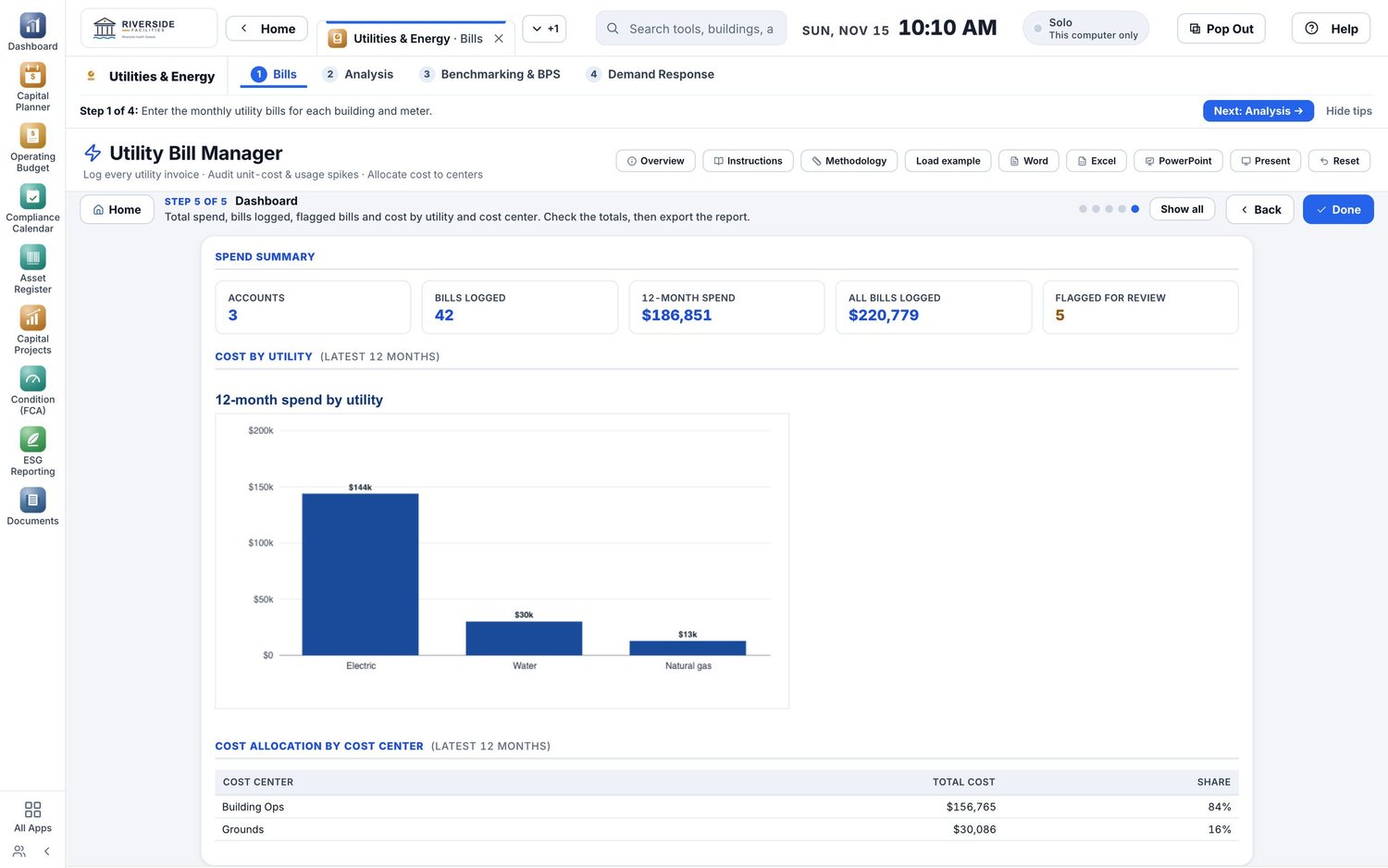
Real screens from Facilities Logix with a sample hospital portfolio: the dashboard on the desktop and the day's work on an operator's phone.
Every App and Tool, One Click from Home
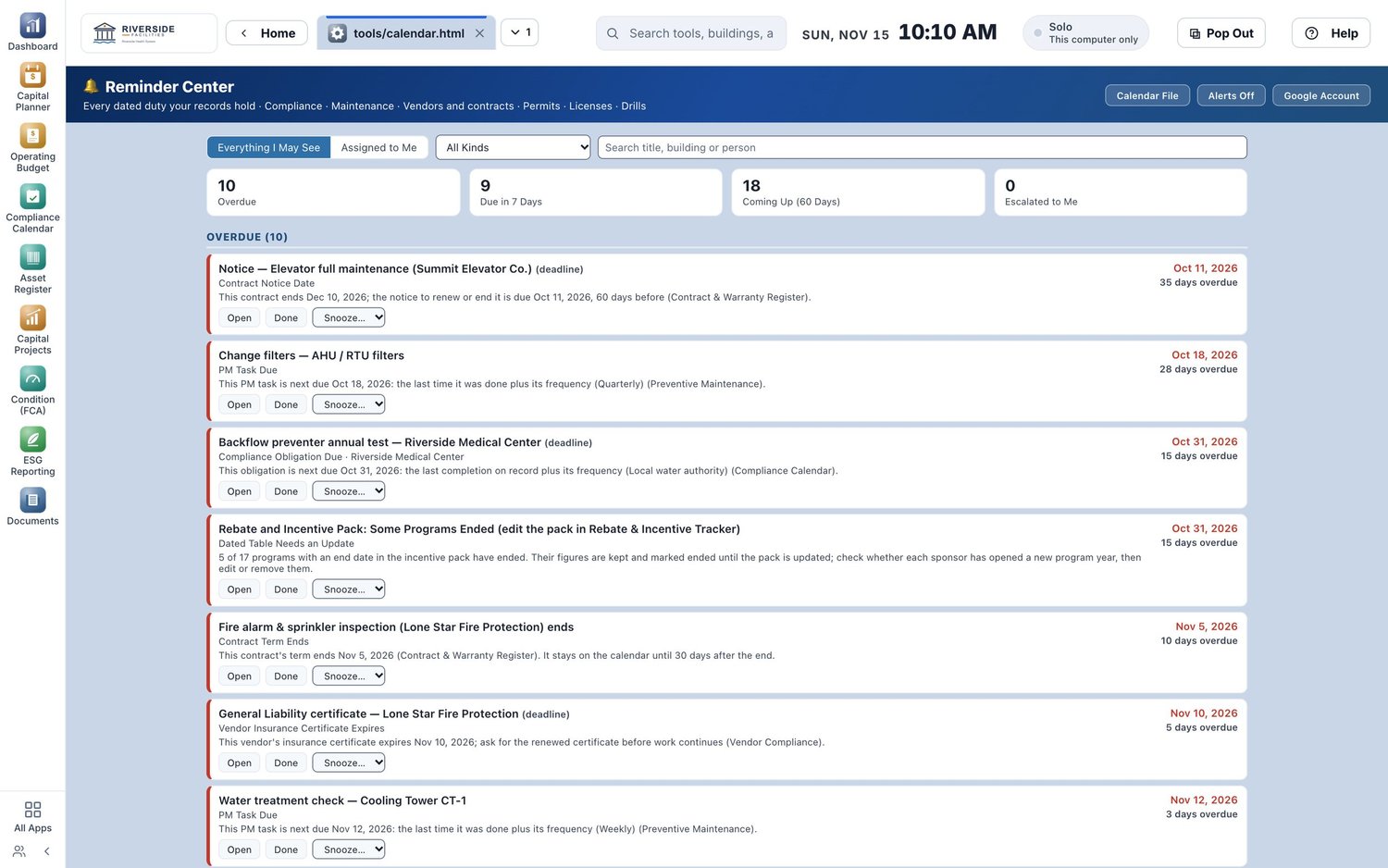
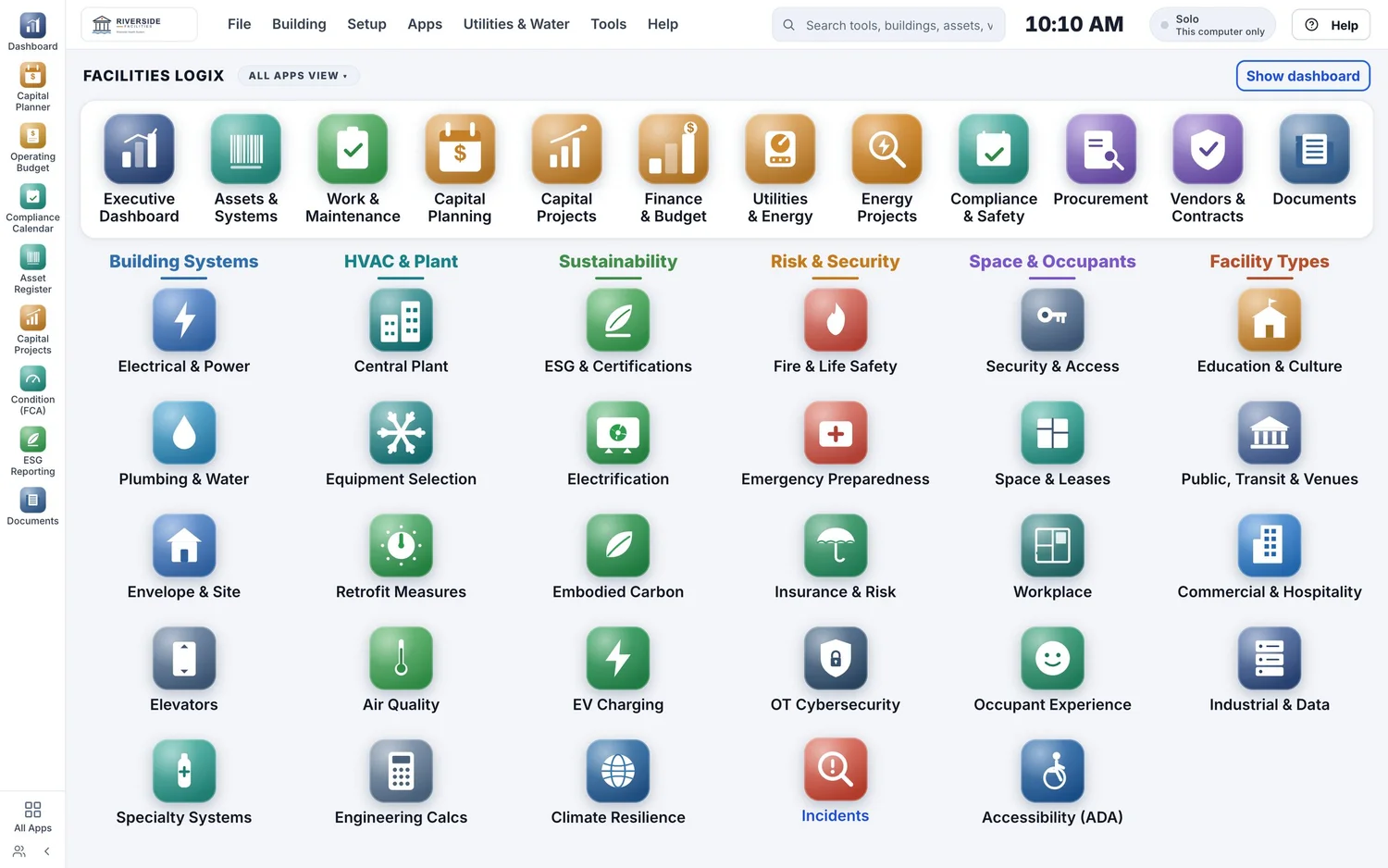
Facilities Logix opens on one home screen. The 12 main apps run across the top, and every specialty tool sits below in six labeled columns.
- Executive Dashboard, Assets, Work, Capital, Finance, Energy, Compliance, Procurement and more
- Building systems, plant, sustainability, risk, space and facility-type tools in plain columns
- The same sample hospital portfolio runs through every screen
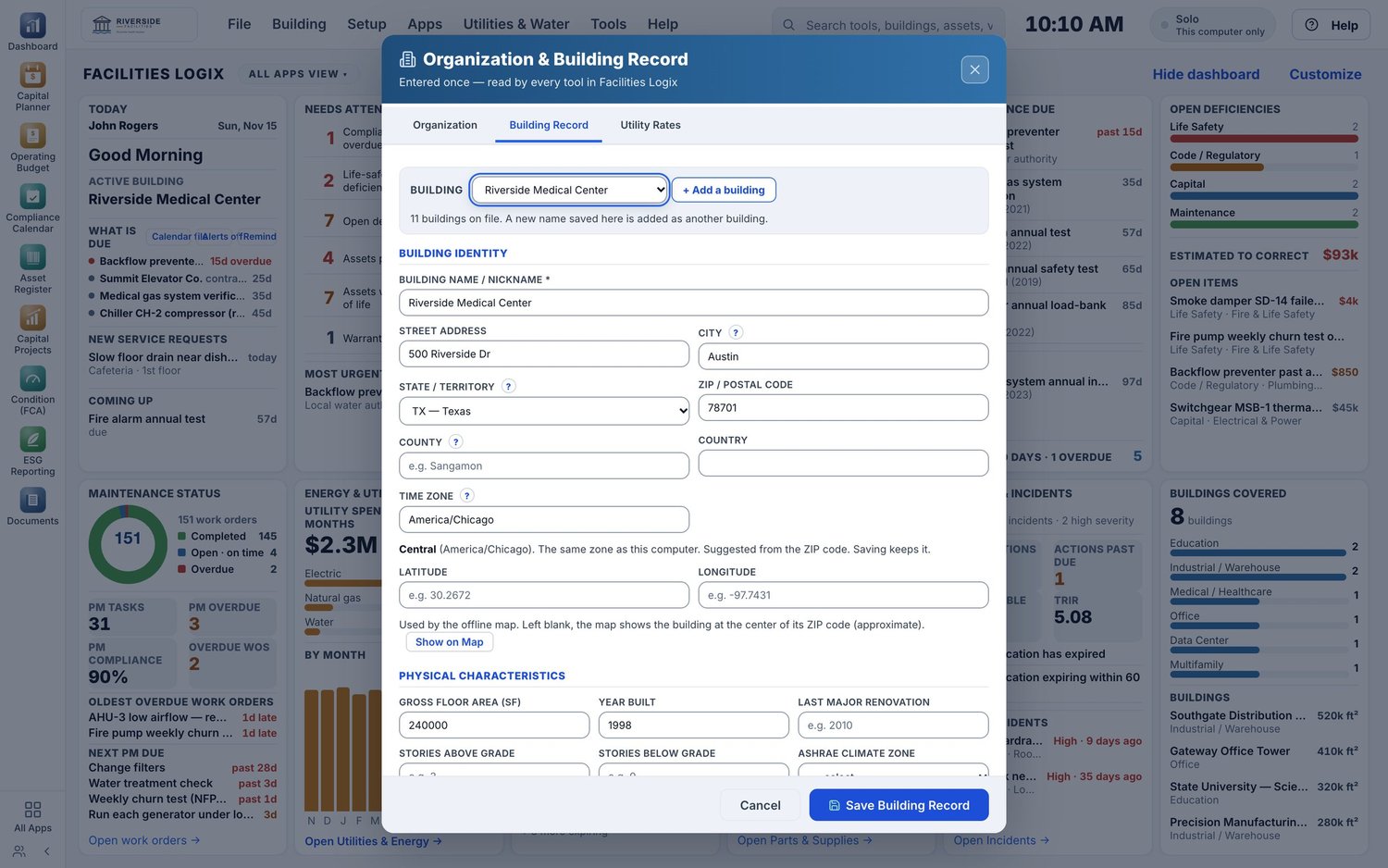
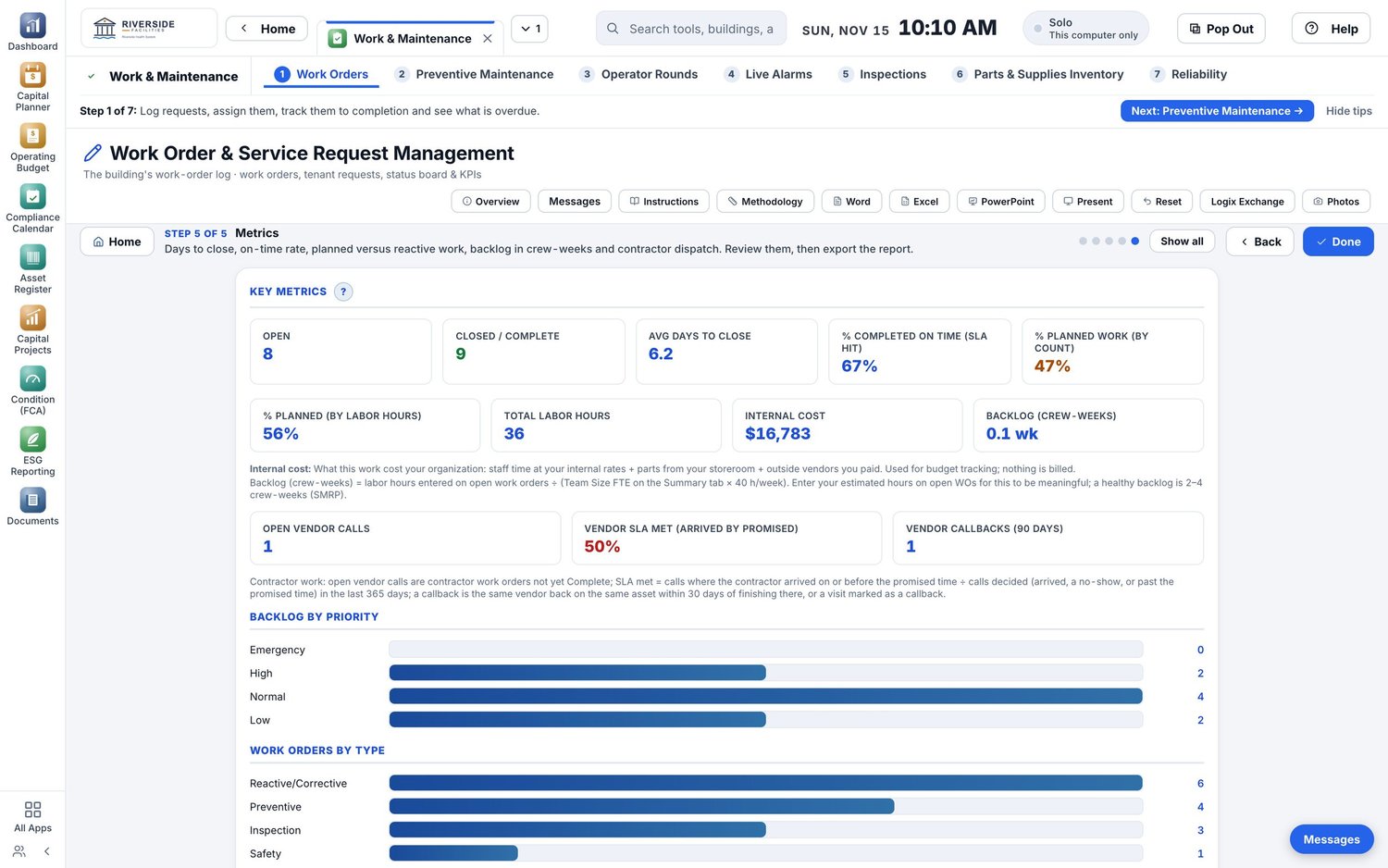
Tap any screen on this page to see it full size.
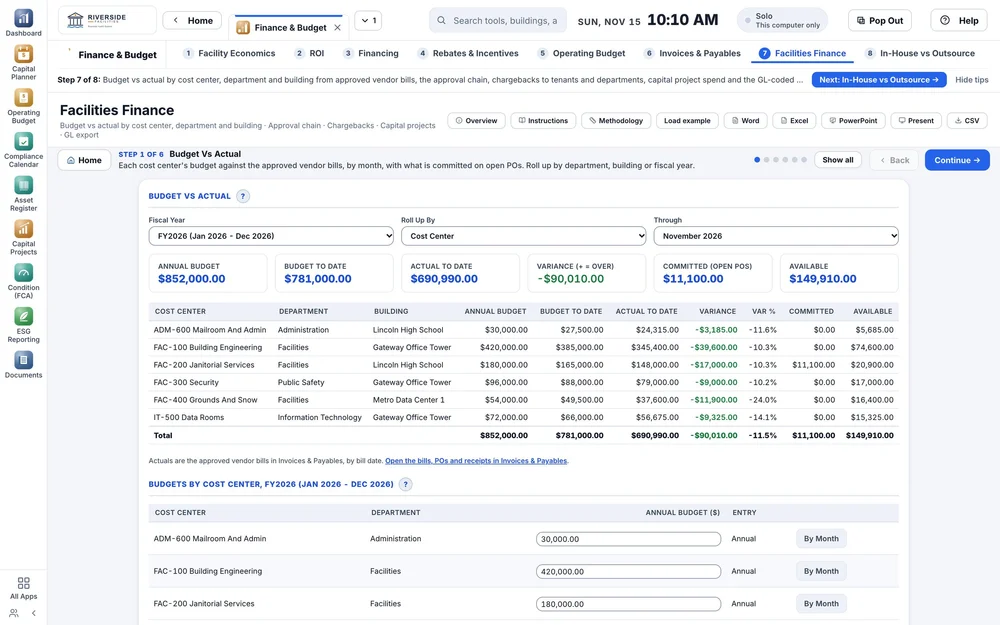
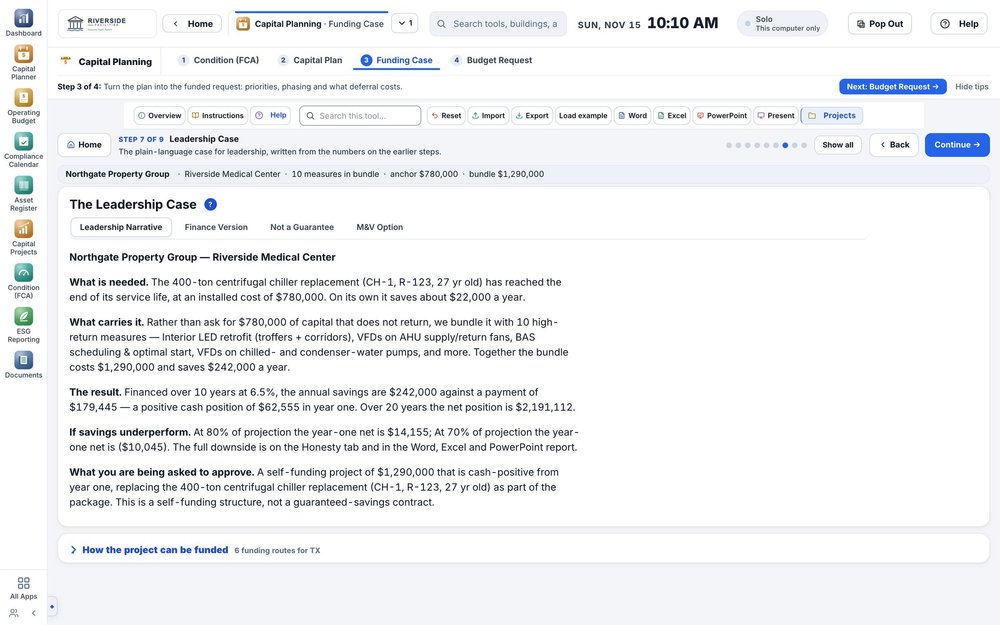
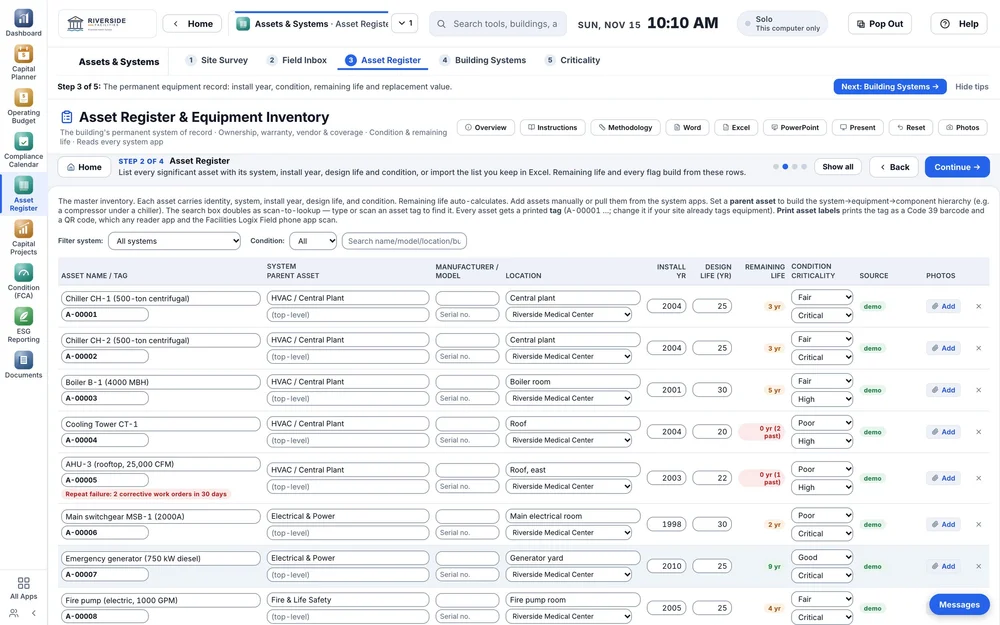
21 Real Screens, Tap Any One to See It Full Size
Leadership
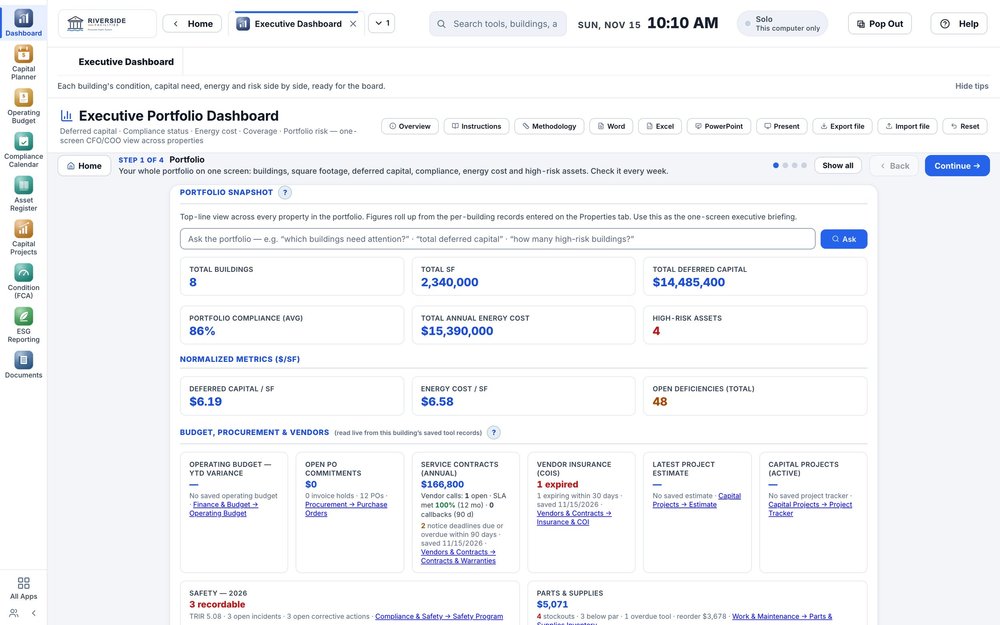
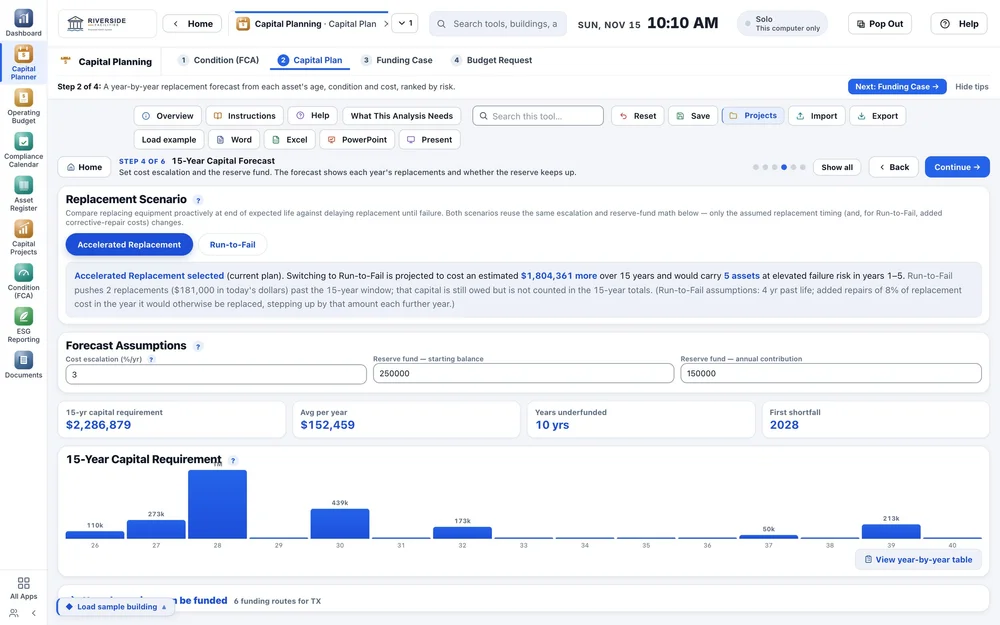
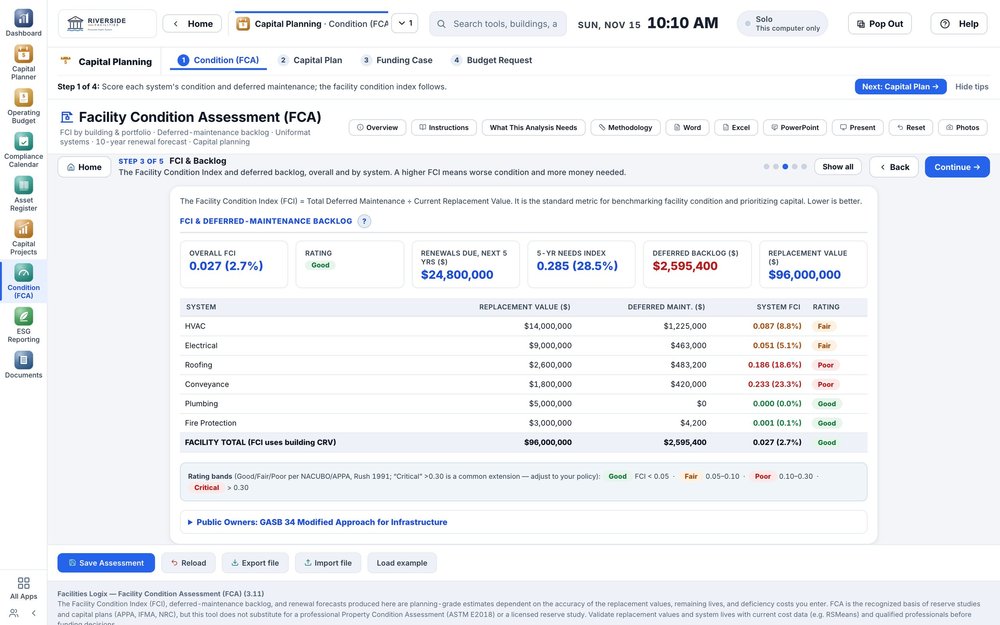
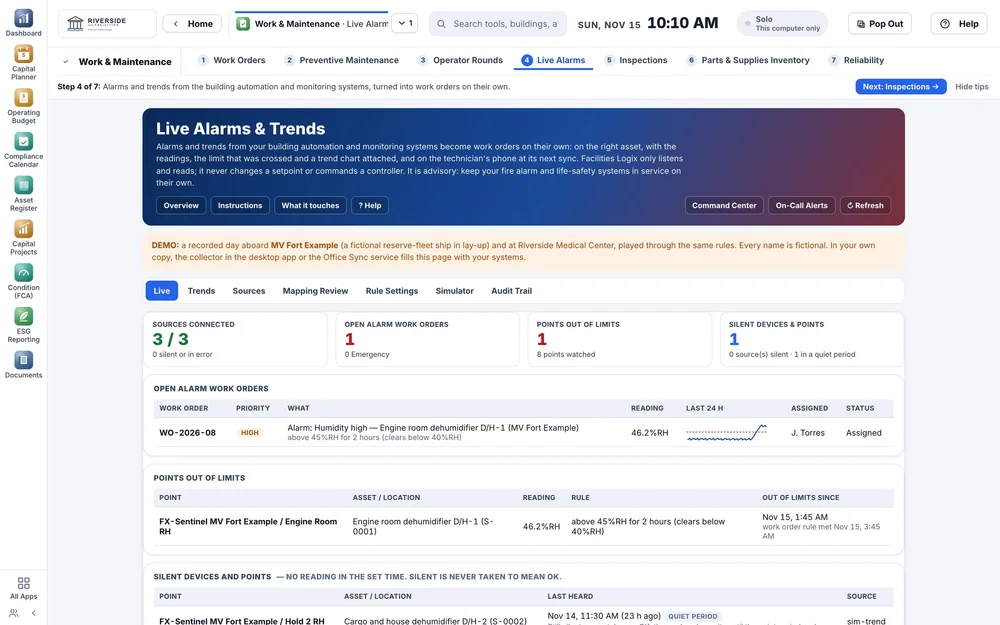
Management
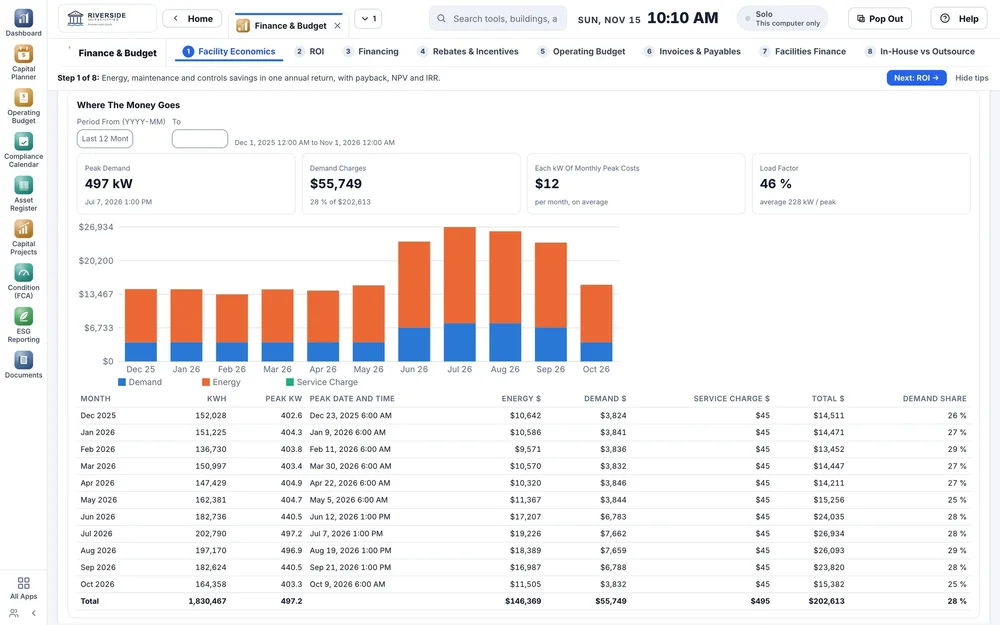
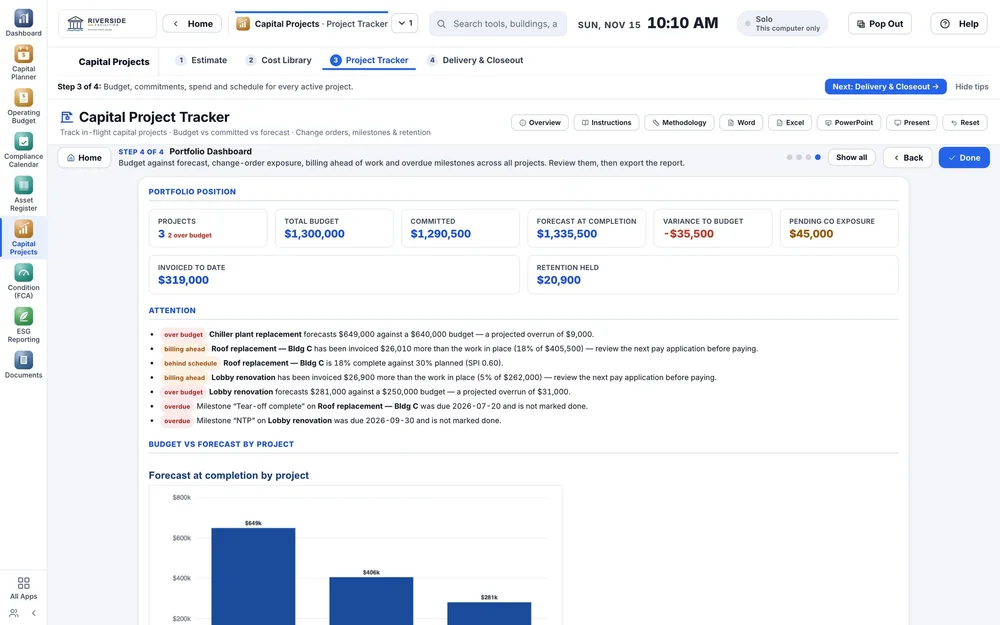
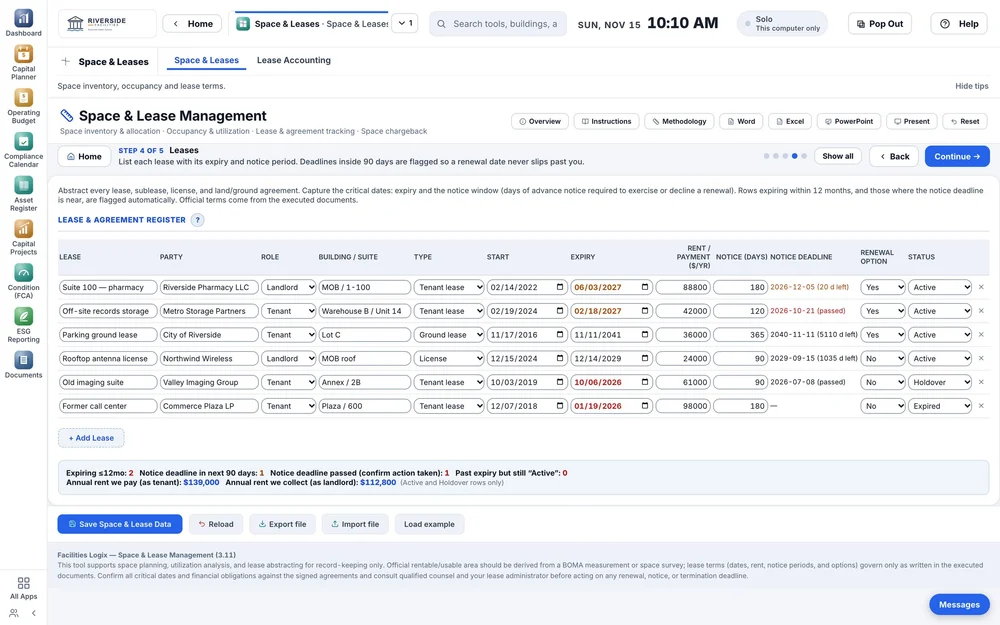
Operations and Field
Everything a Facility Portfolio Needs
Assets and Condition
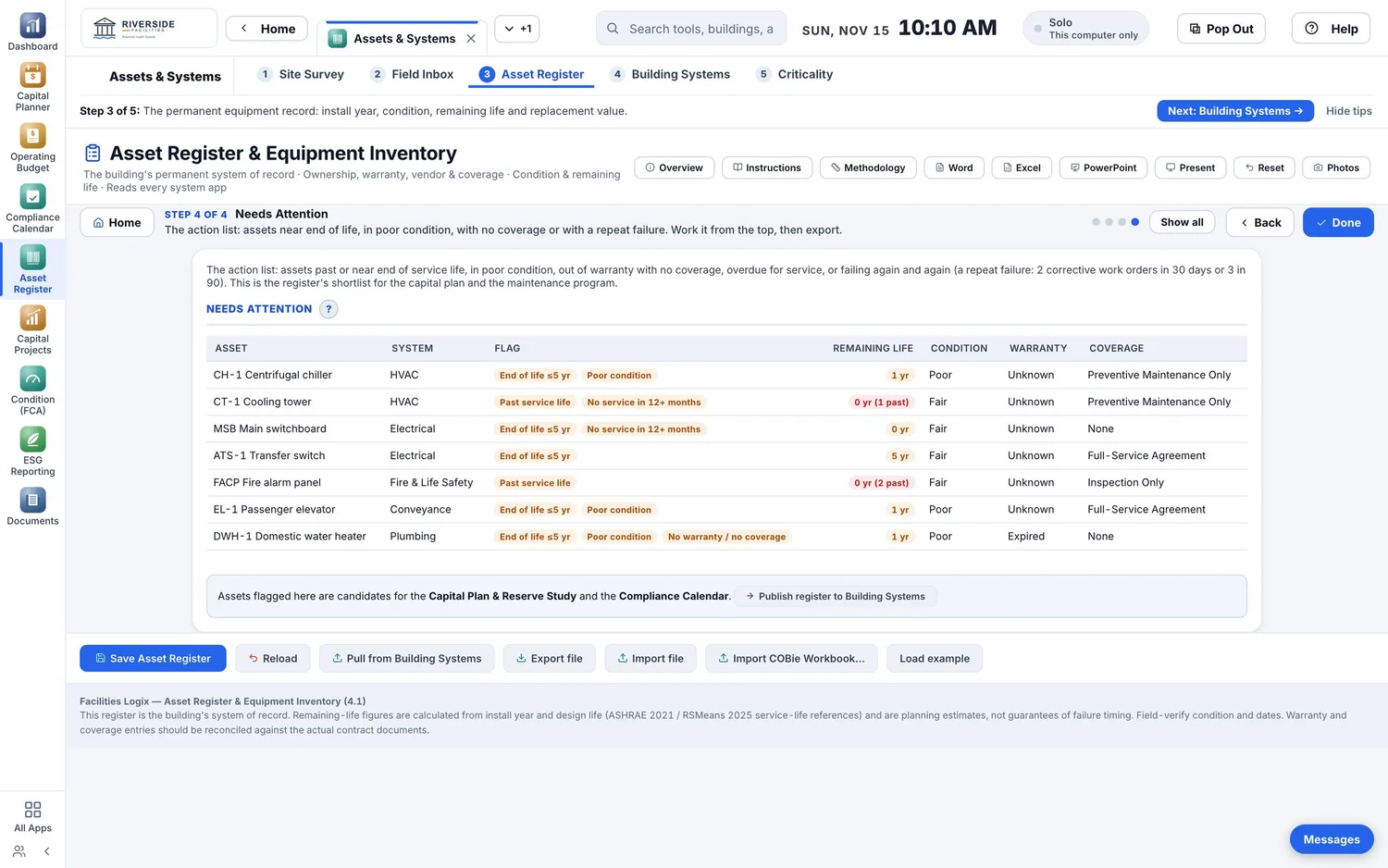
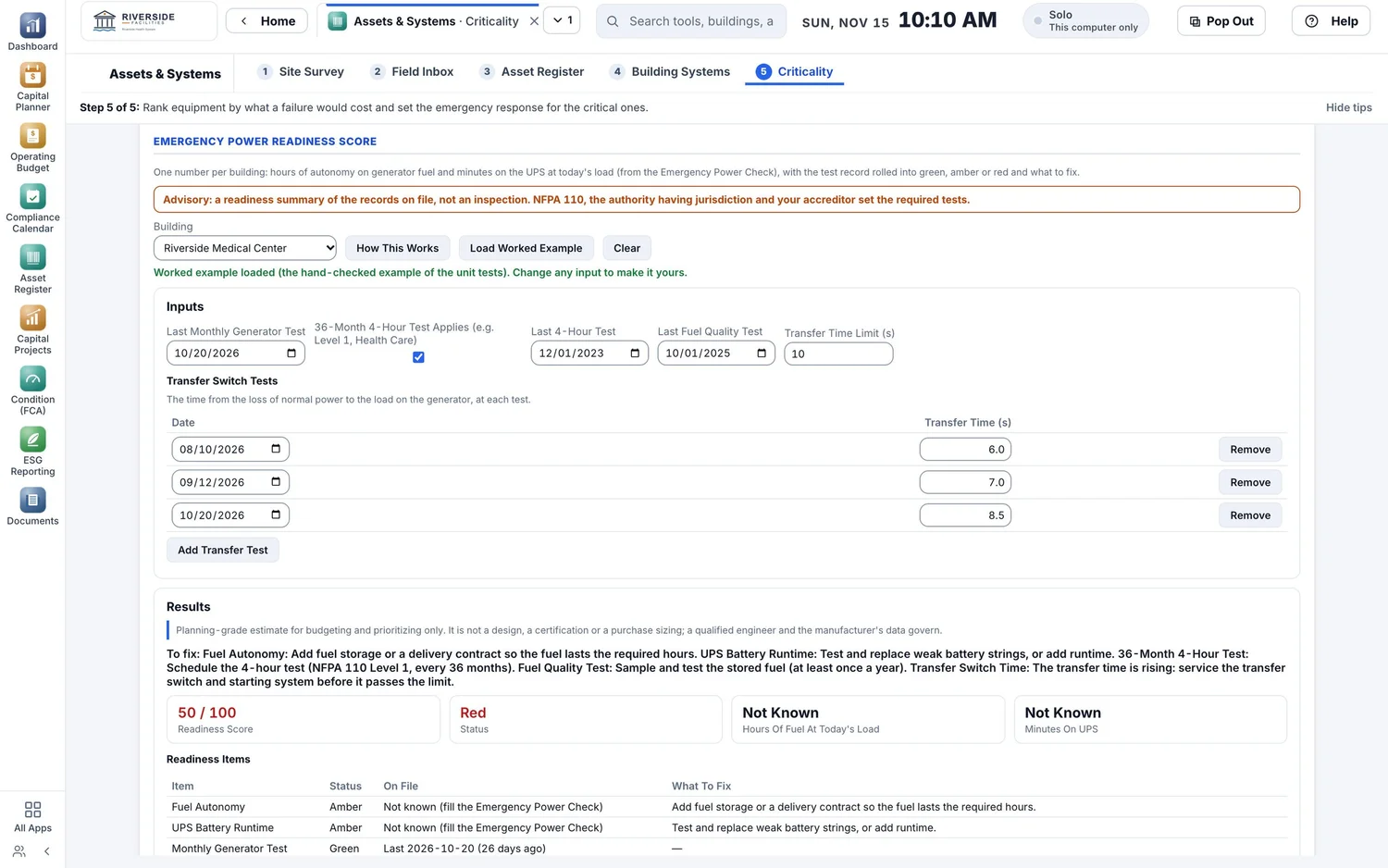
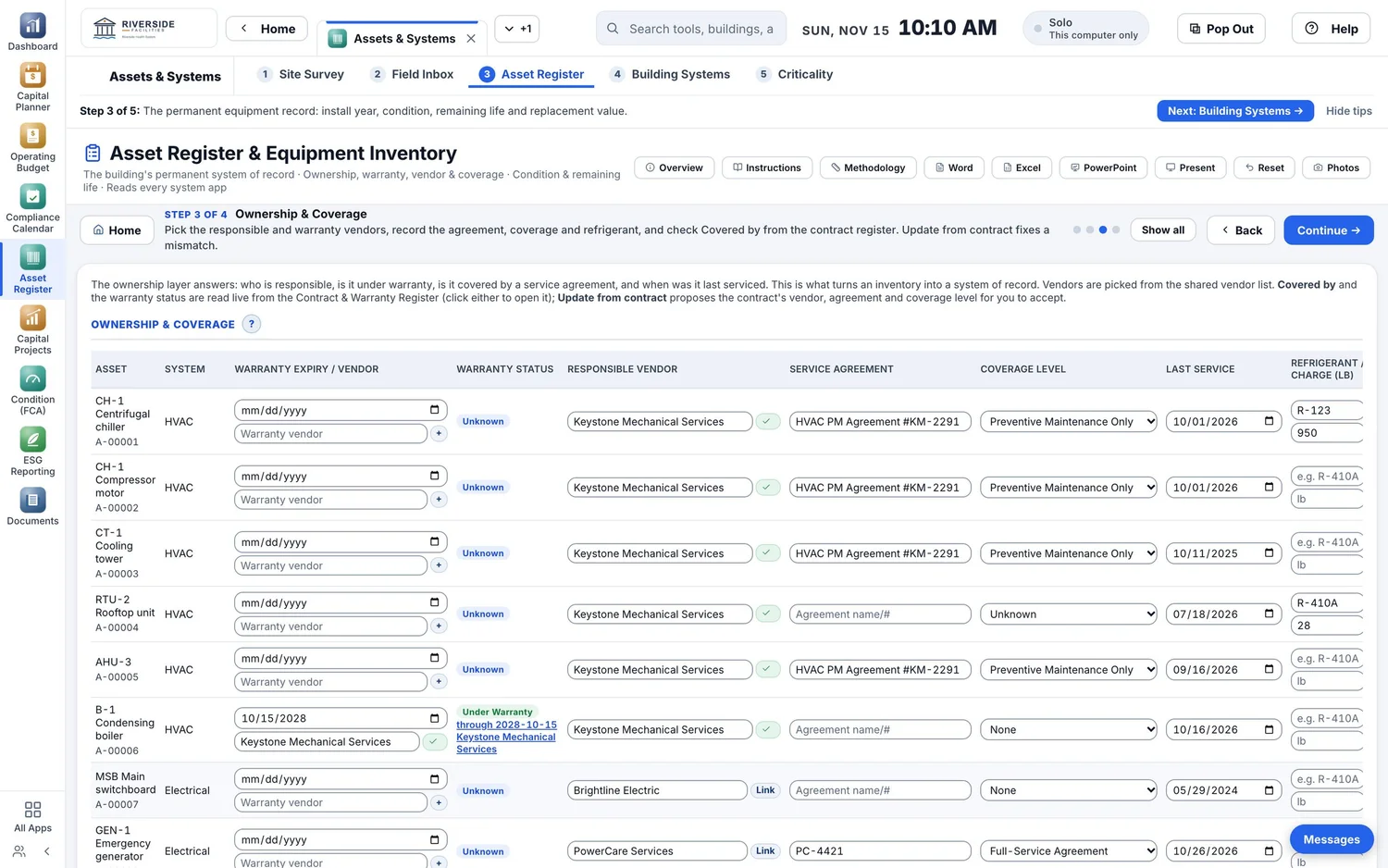
A permanent asset register with condition, remaining life and replacement value, plus facility condition assessments and the deferred-maintenance backlog.
Work and Maintenance
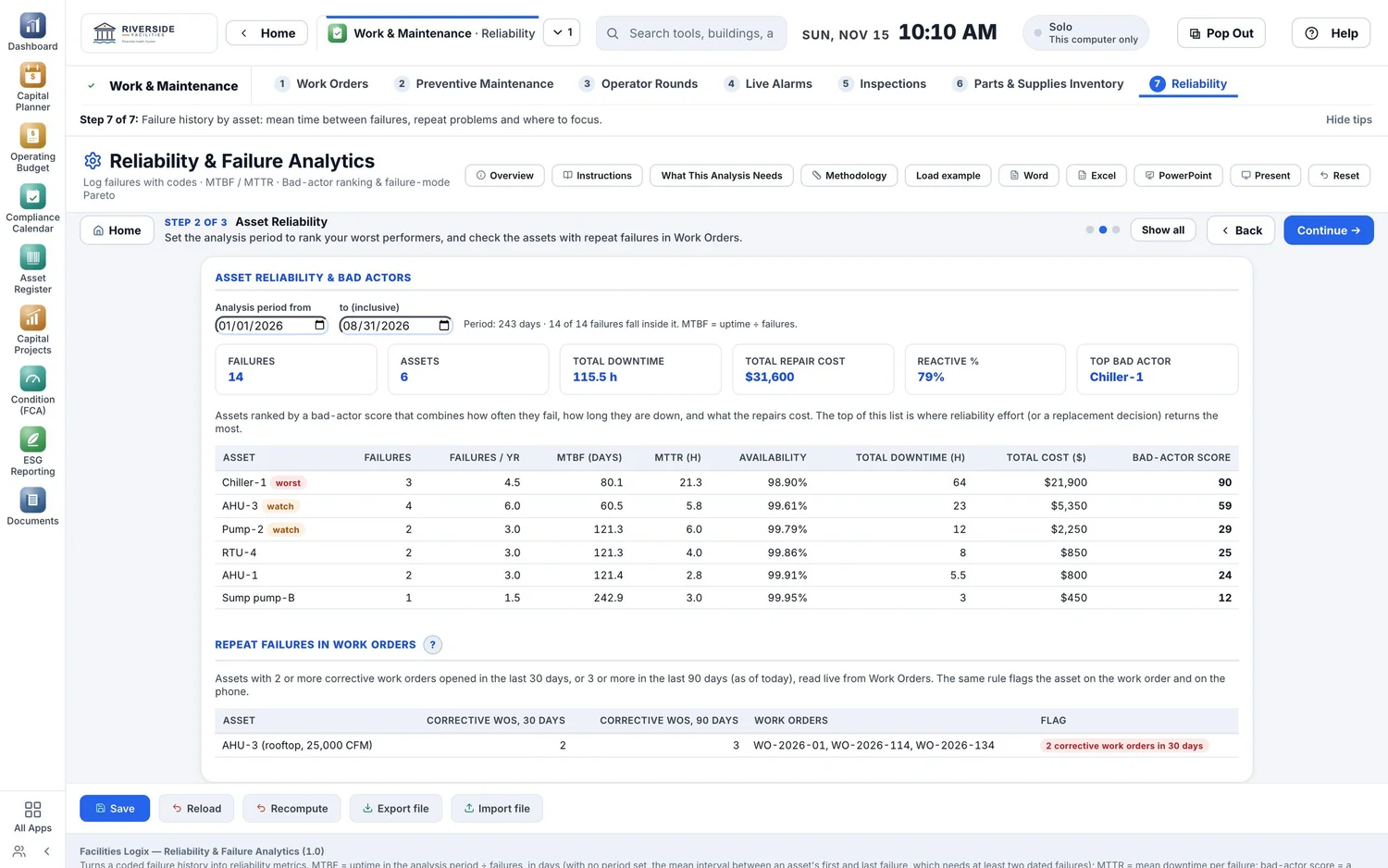
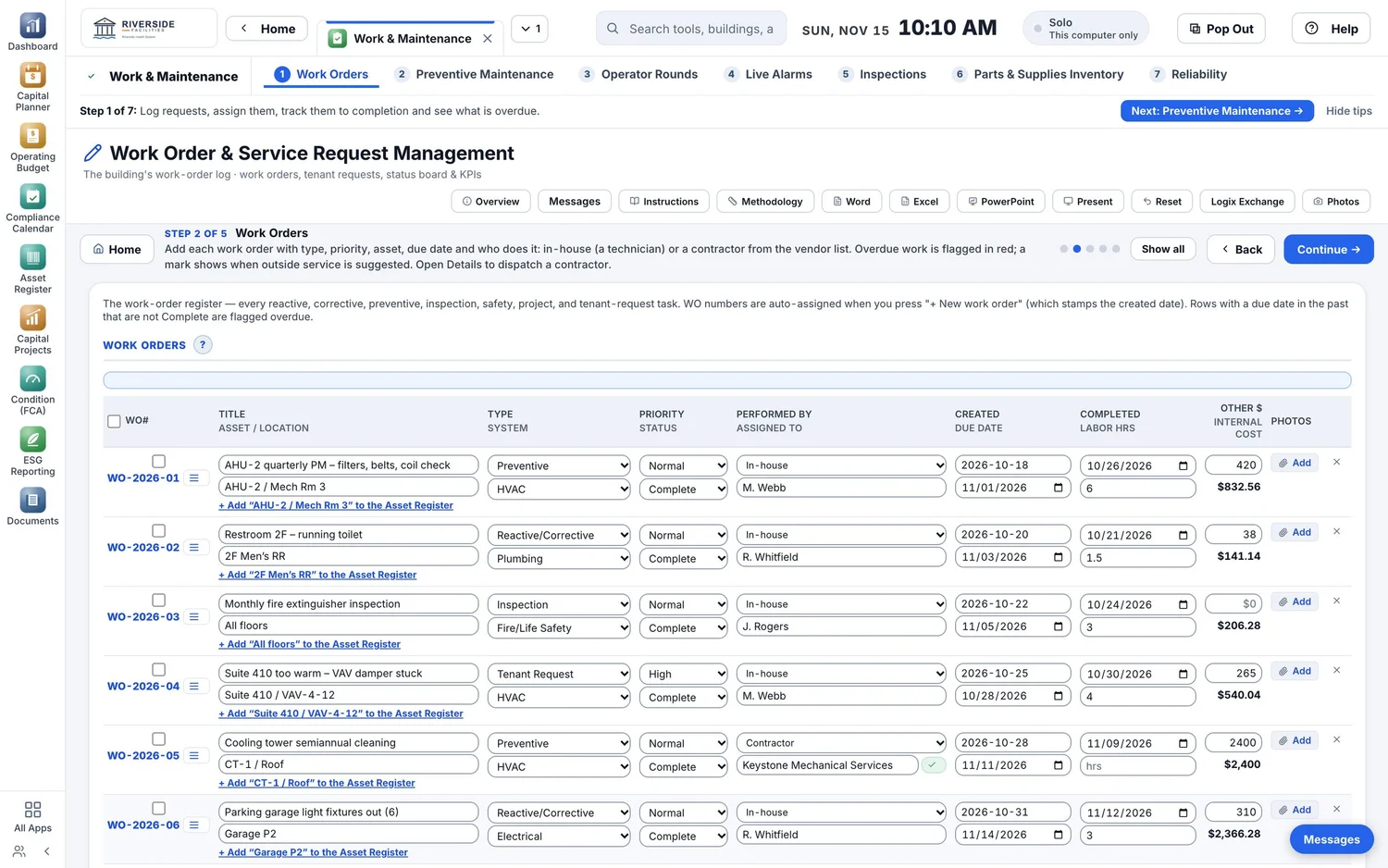
Work orders, preventive maintenance, operator rounds, inspections, parts and supplies, and reliability history for every asset.
Live Alarms
Alarms and trends from your building automation become numbered work orders in minutes, with critical-room watch for hospitals and labs.
Capital Planning
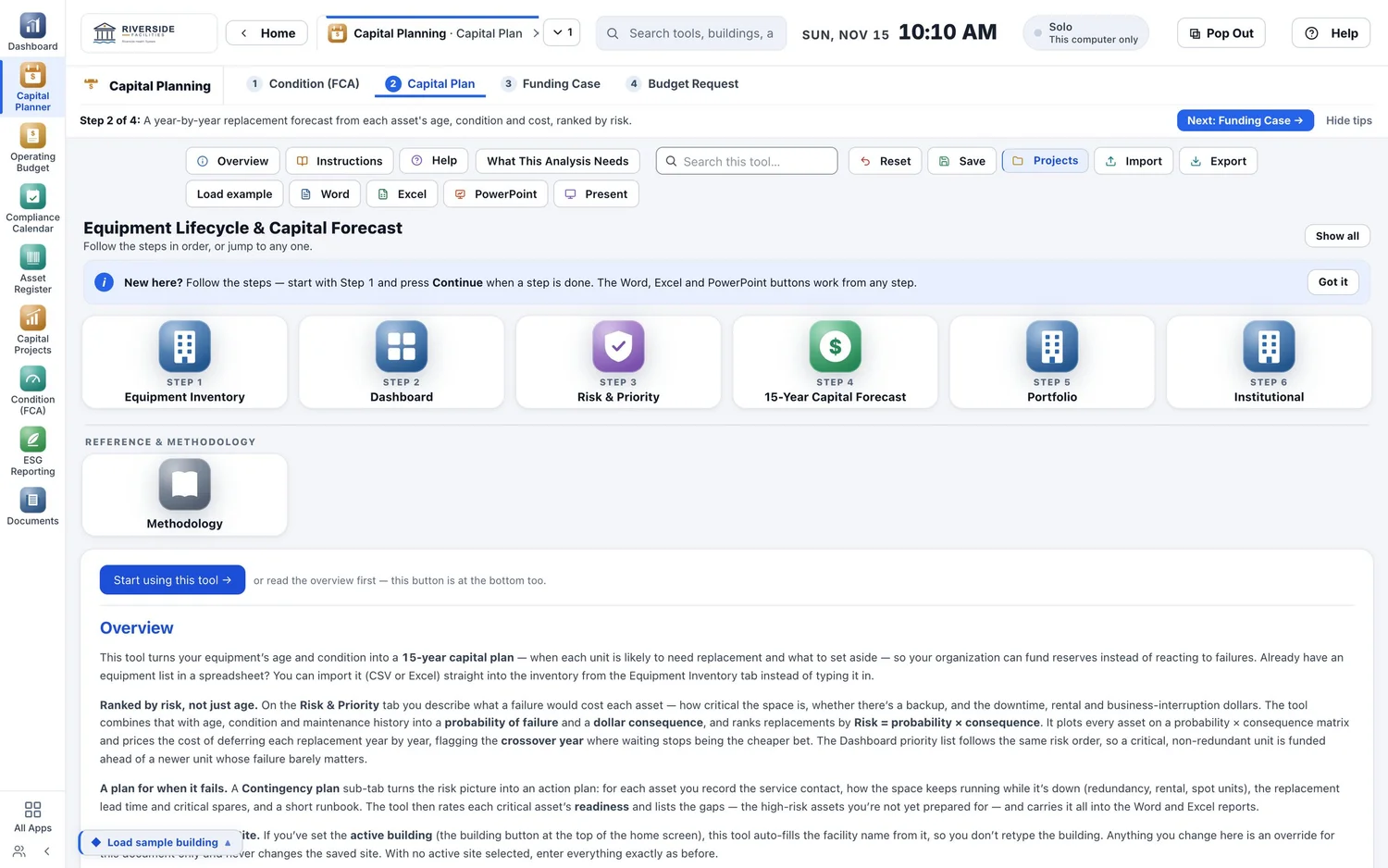
A year-by-year replacement forecast ranked by risk, a funding case that shows what deferral costs, and the budget request for the board.
Finance and Budget
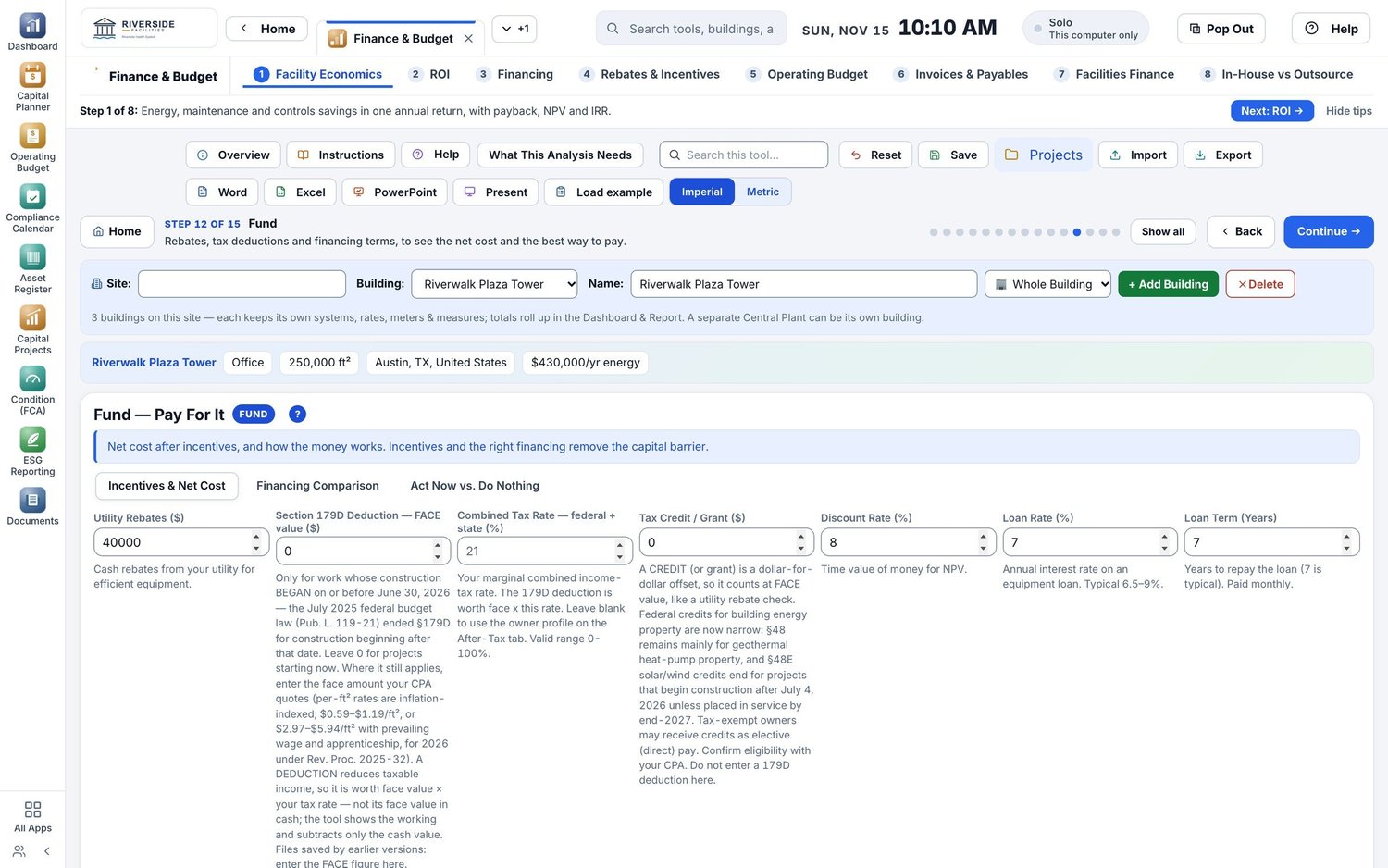
Operating budget against actual, invoices and payables, chargebacks, financing options, ROI and rebates.
Utilities and Energy
Utility bills and benchmarking, building performance standards, energy audits, retro-commissioning, building analytics and M&V.
Compliance and Safety
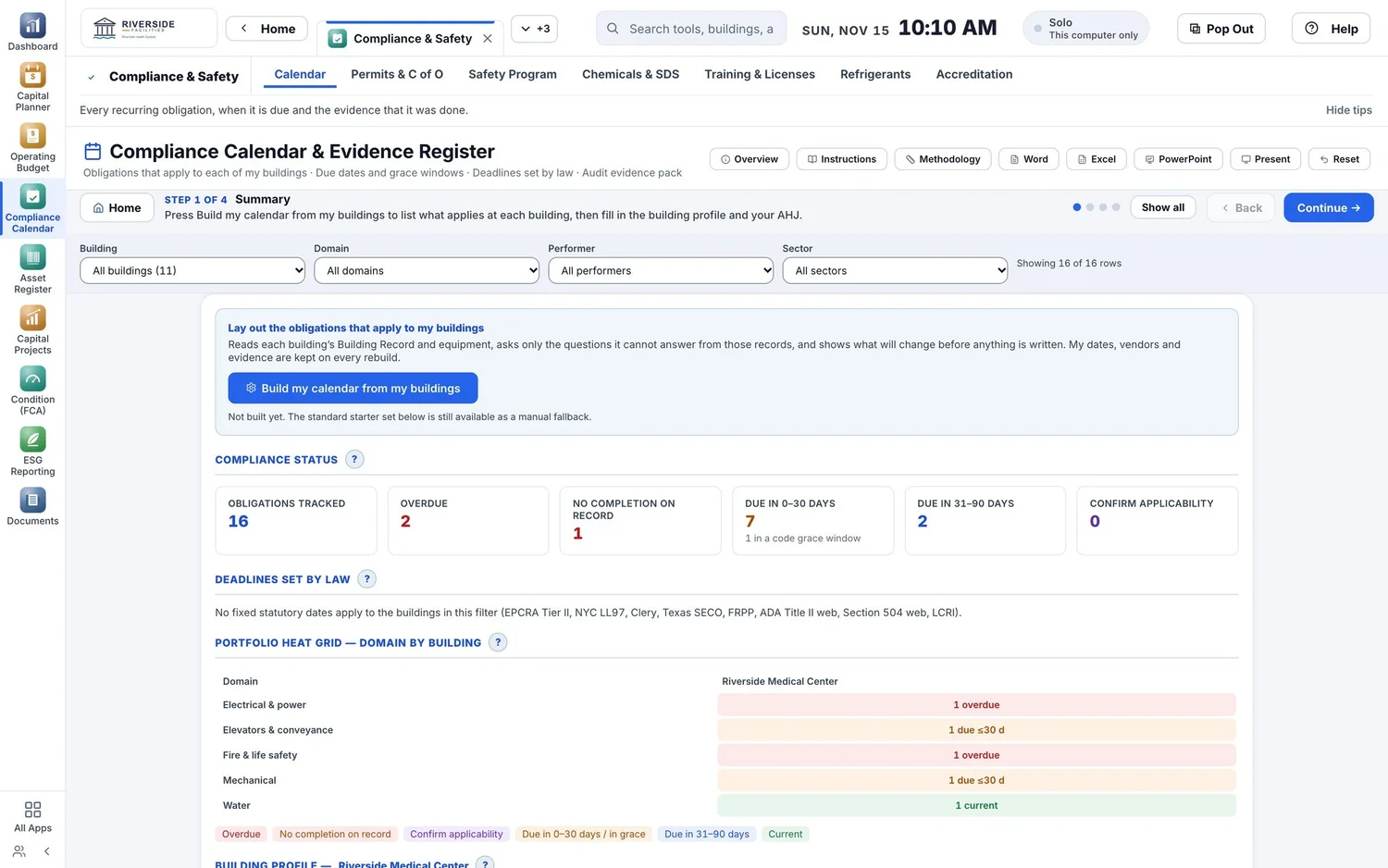
A compliance calendar for every obligation, permits, safety programs, chemicals, training, refrigerants and accreditation readiness.
Procurement and Vendors
Scopes and RFPs, bids leveled to one scope, purchase orders with approval limits, contracts, warranties and vendor scorecards.
Facilities Logix Field
A phone and tablet app for your operations team: work orders, PM, rounds and inspections, with or without signal.

Each alarm source shows its state, its last reading and how many came in today.
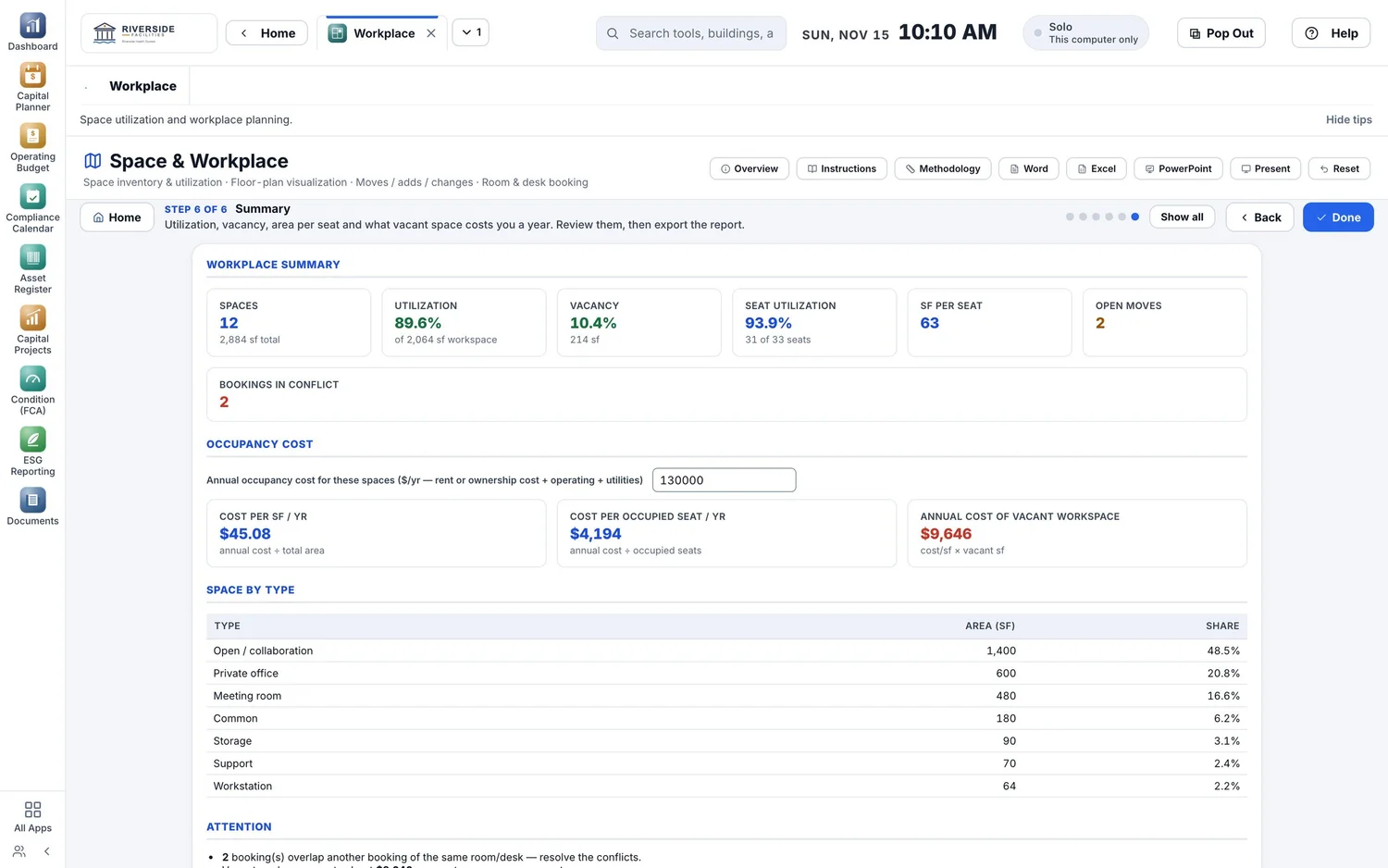
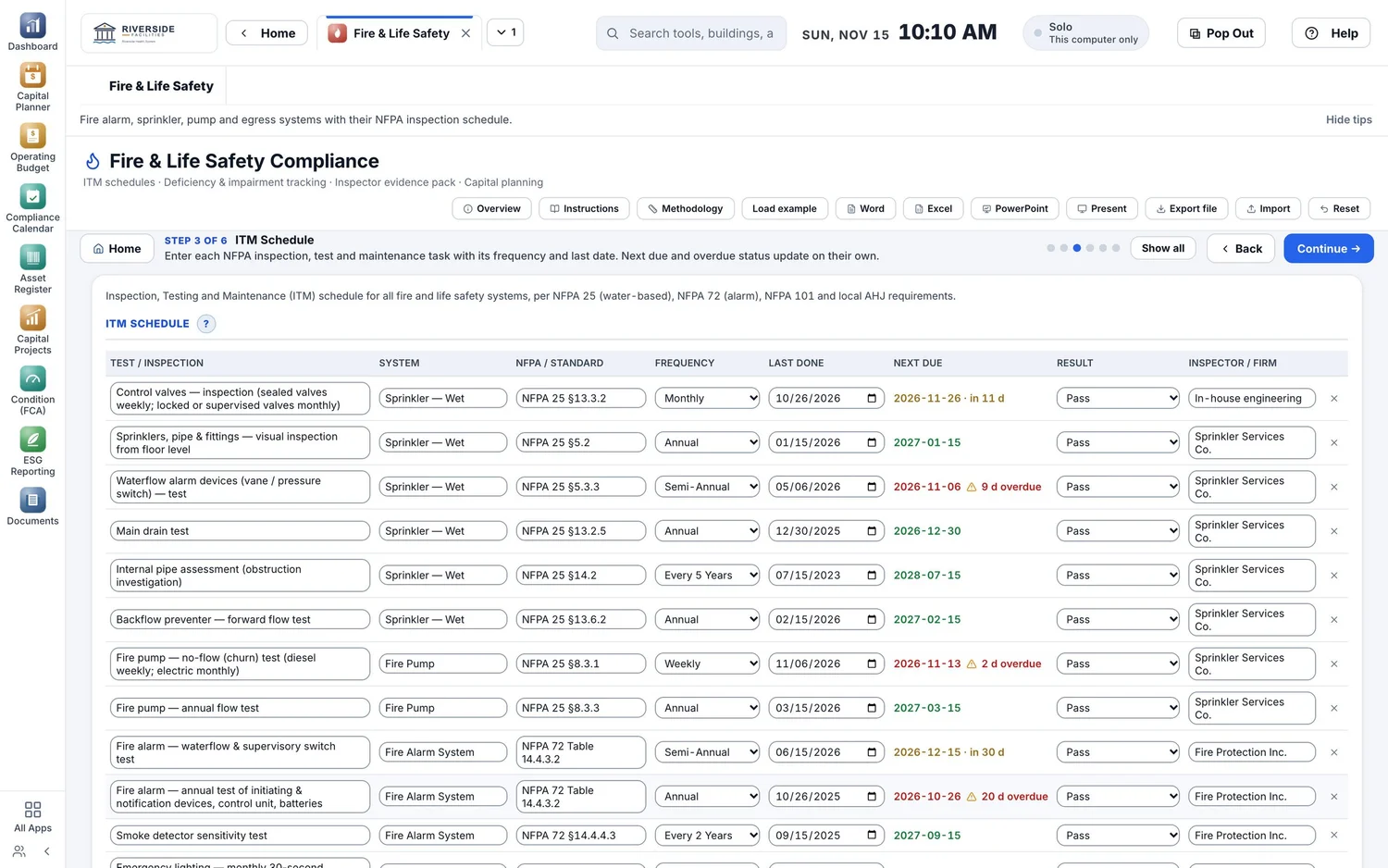
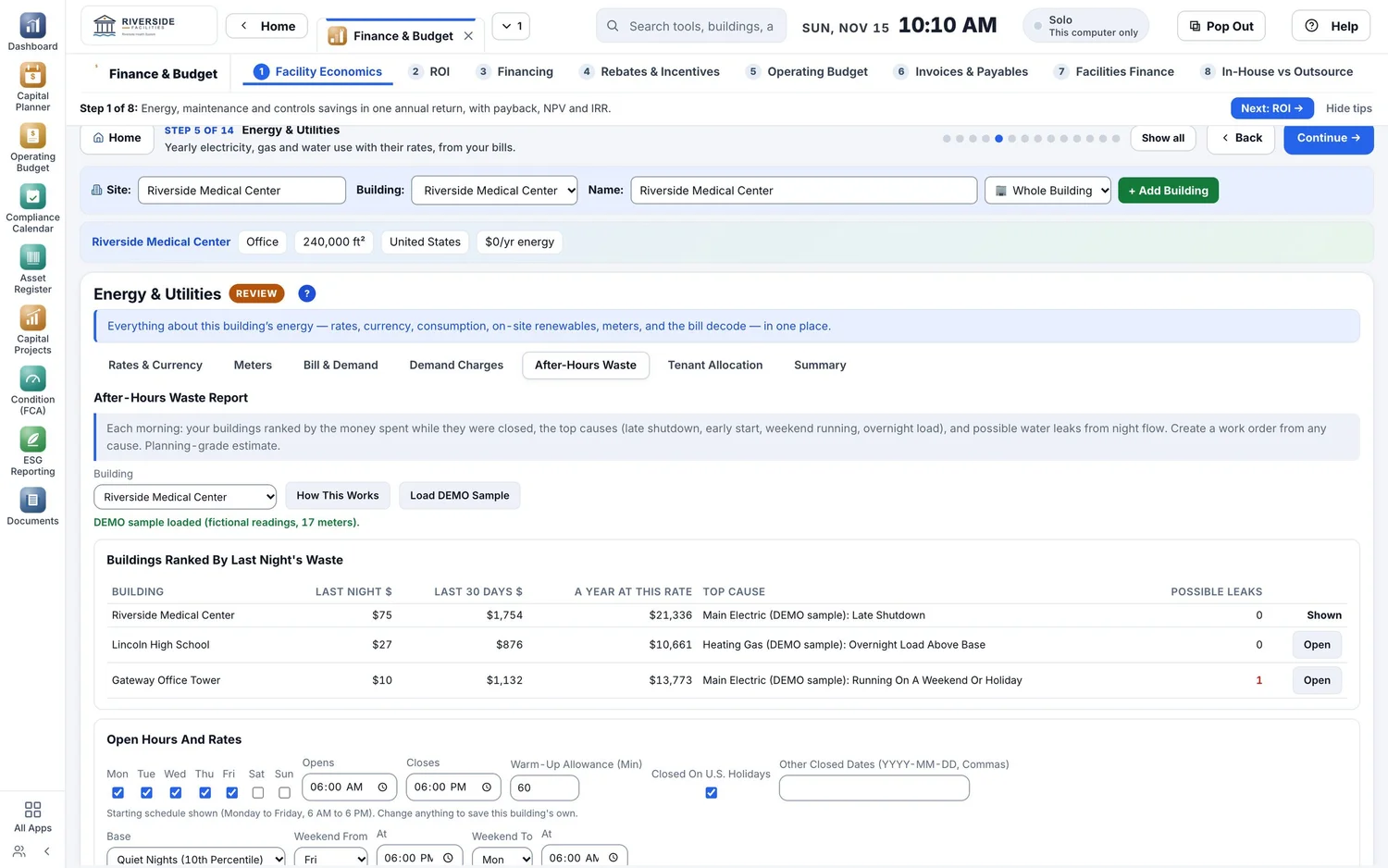
Built for the Buildings You Run
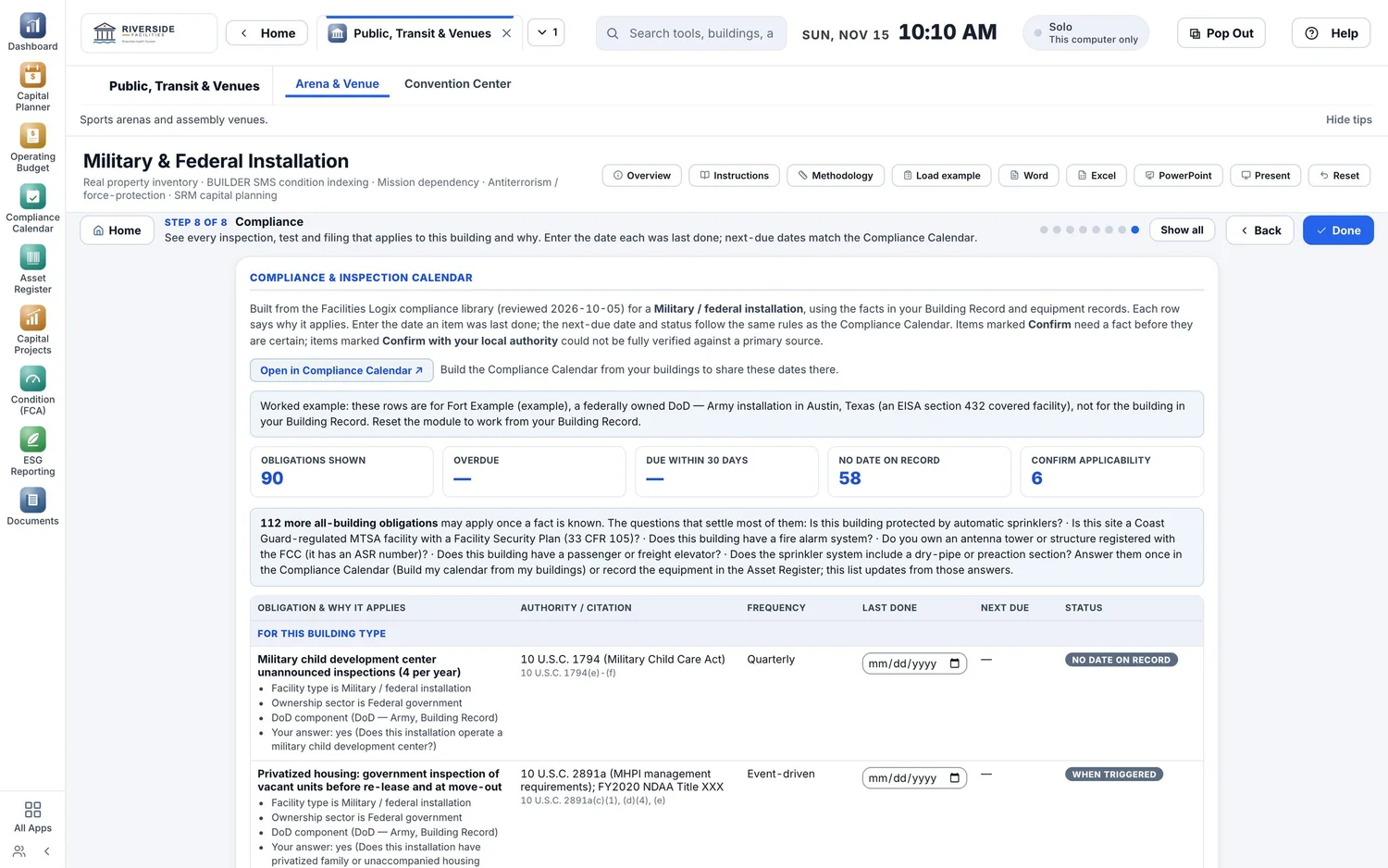
Playbooks for each kind of facility add the assets, obligations and benchmarks that come with it.
41 Capabilities, Side by Side
Most organizations run their buildings on a work-order app, a planning or real estate suite, and a shelf of spreadsheets and binders, with the same building, asset and vendor typed into each.
Category columns describe what products of that kind typically include; individual products vary, and many offer more through add-on modules or integrations. Cloud products also offer things Facilities Logix deliberately does not, such as a vendor-hosted service. Facilities Logix is marked Included only for features in the launch release.
A = Cloud CMMS / Work-Order Apps, B = Enterprise IWMS Suites, C = Spreadsheets + Binders
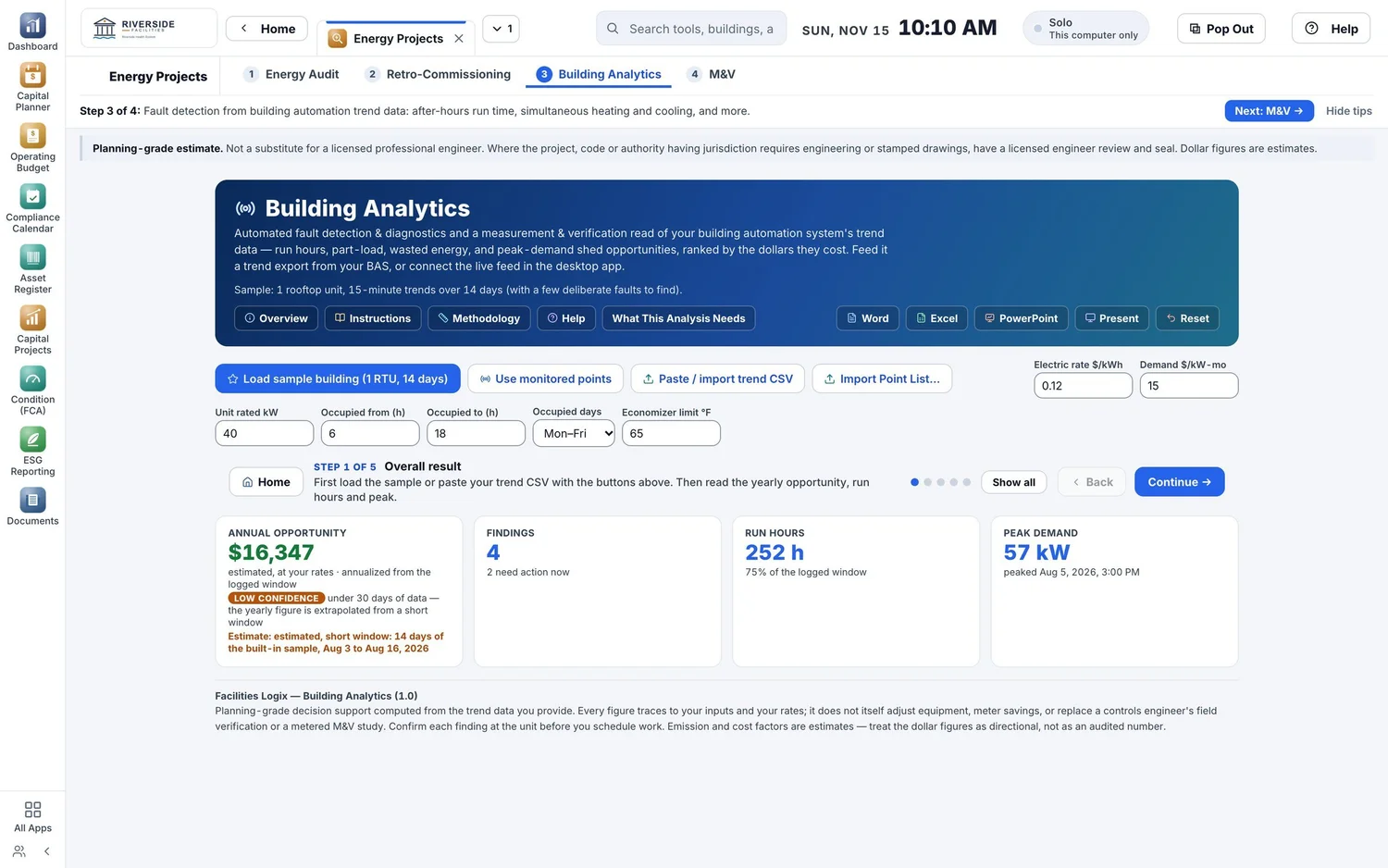
Building Analytics in Facilities Logix estimates the yearly savings found in your automation trends.
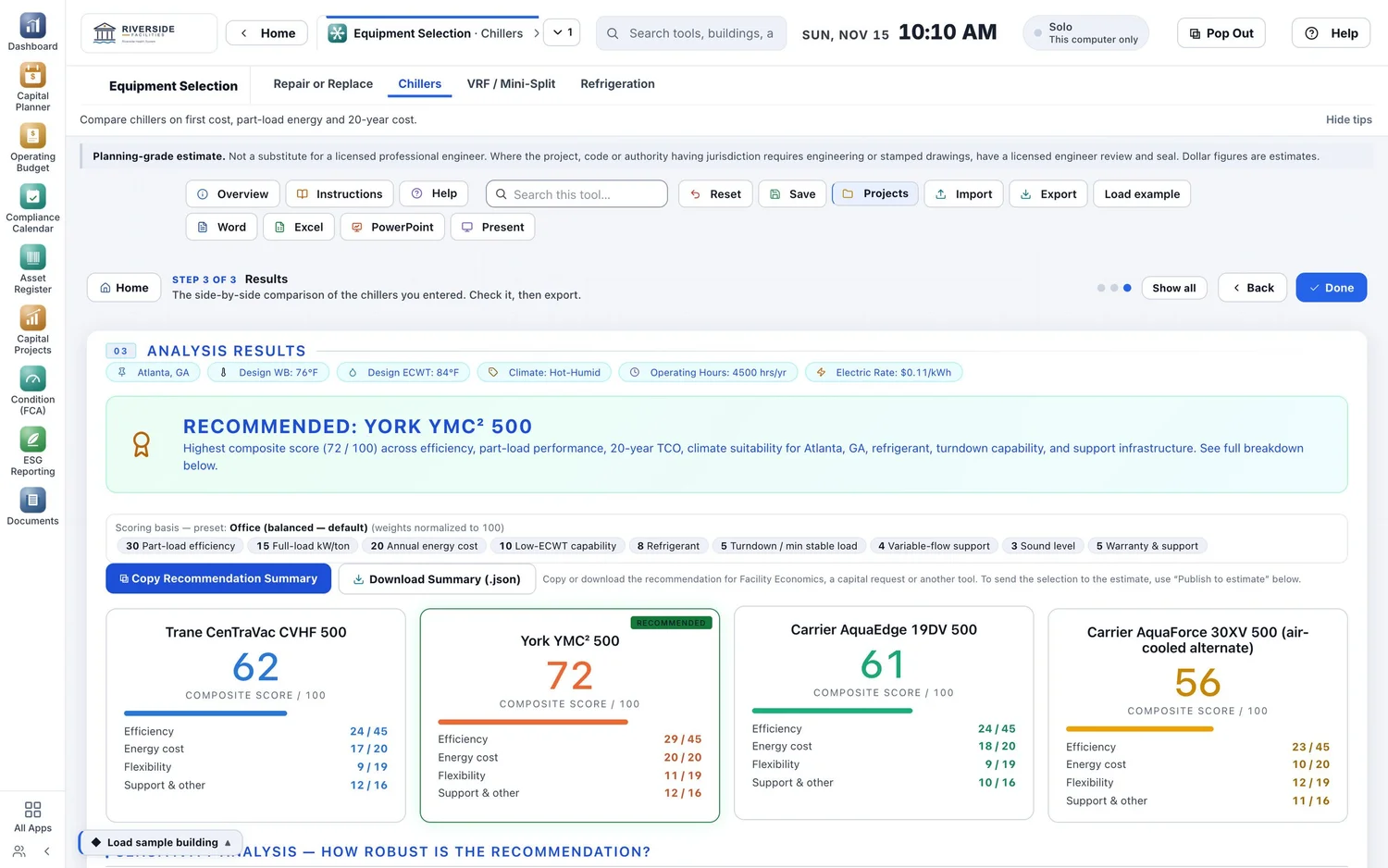
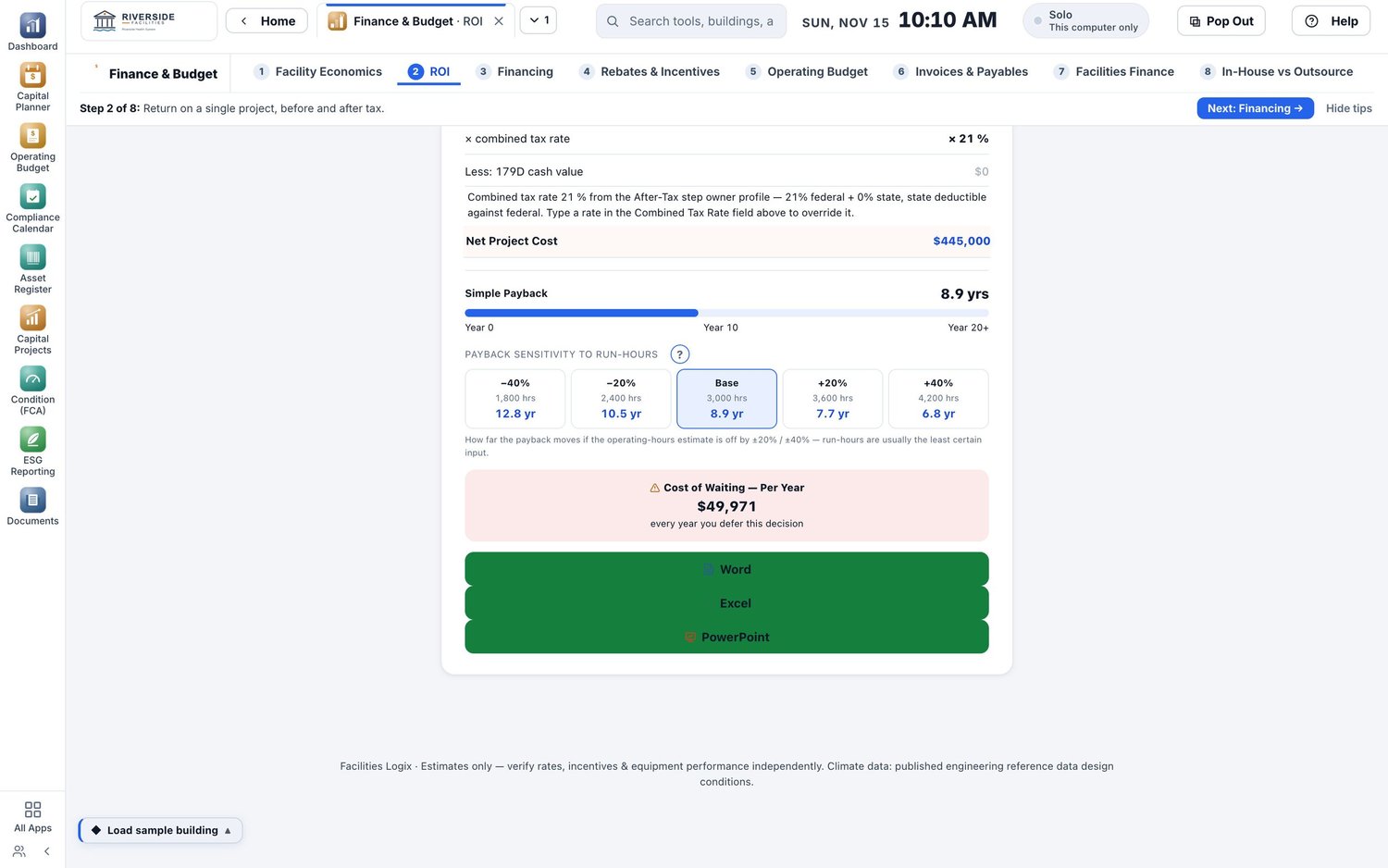
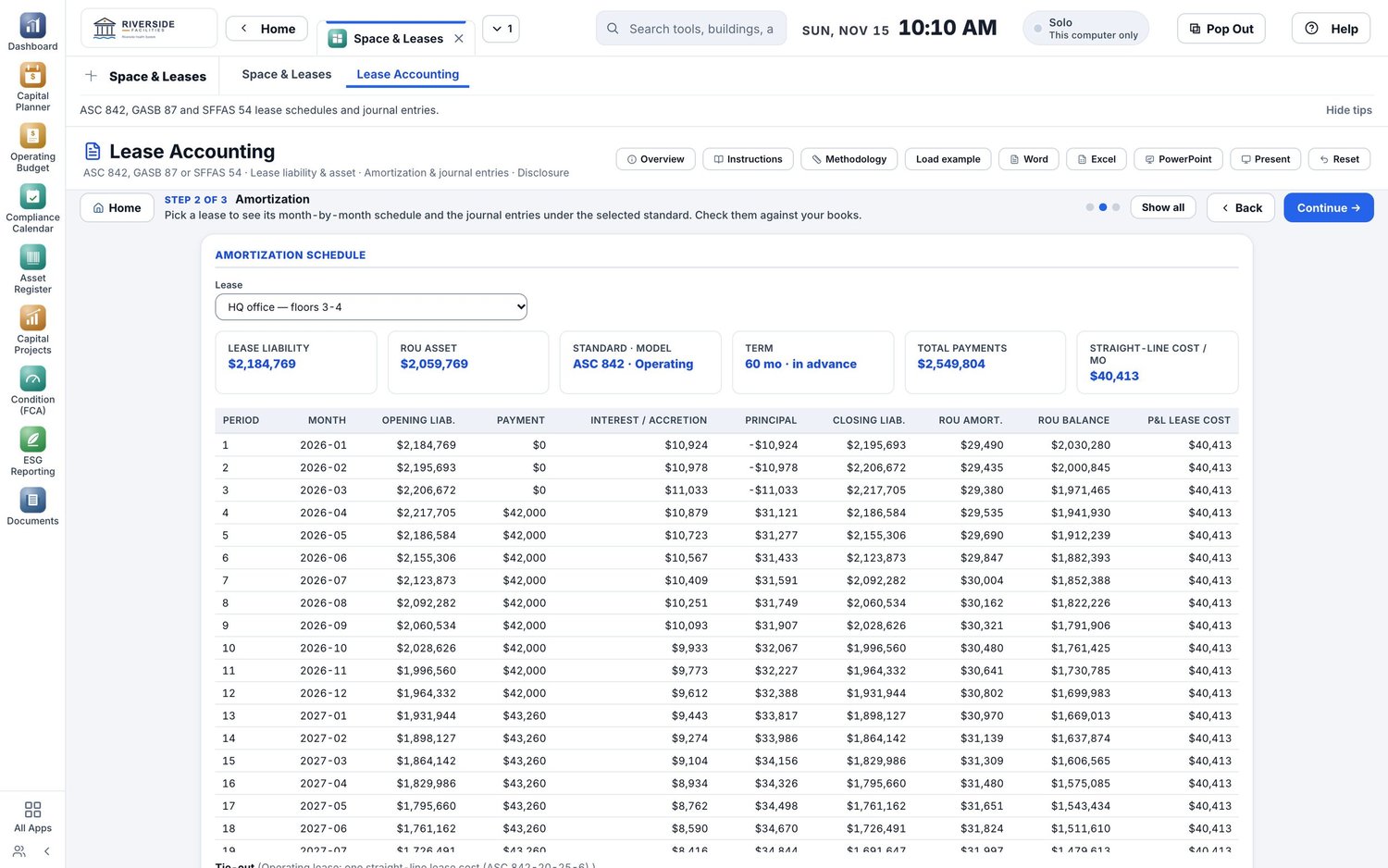
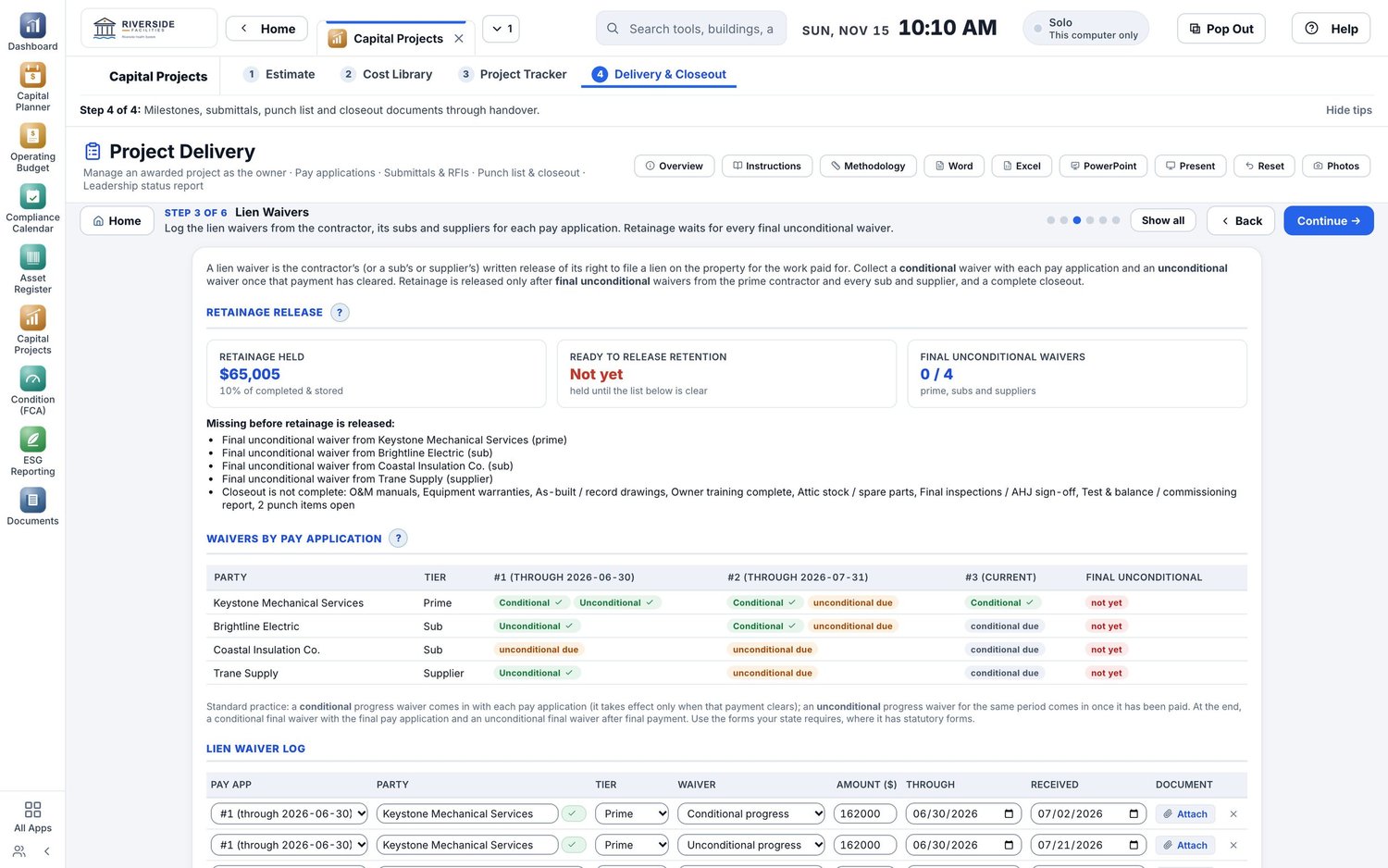
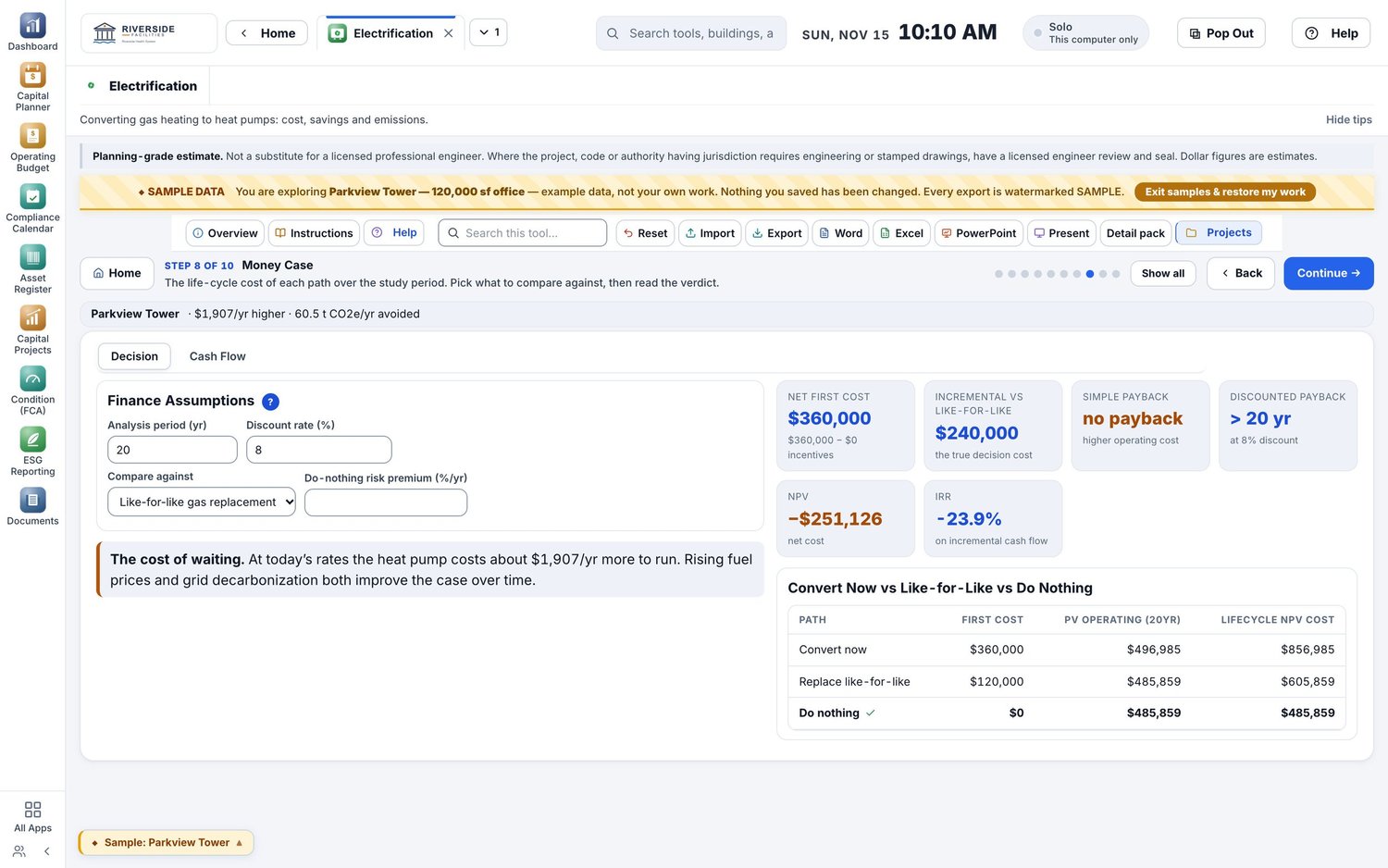
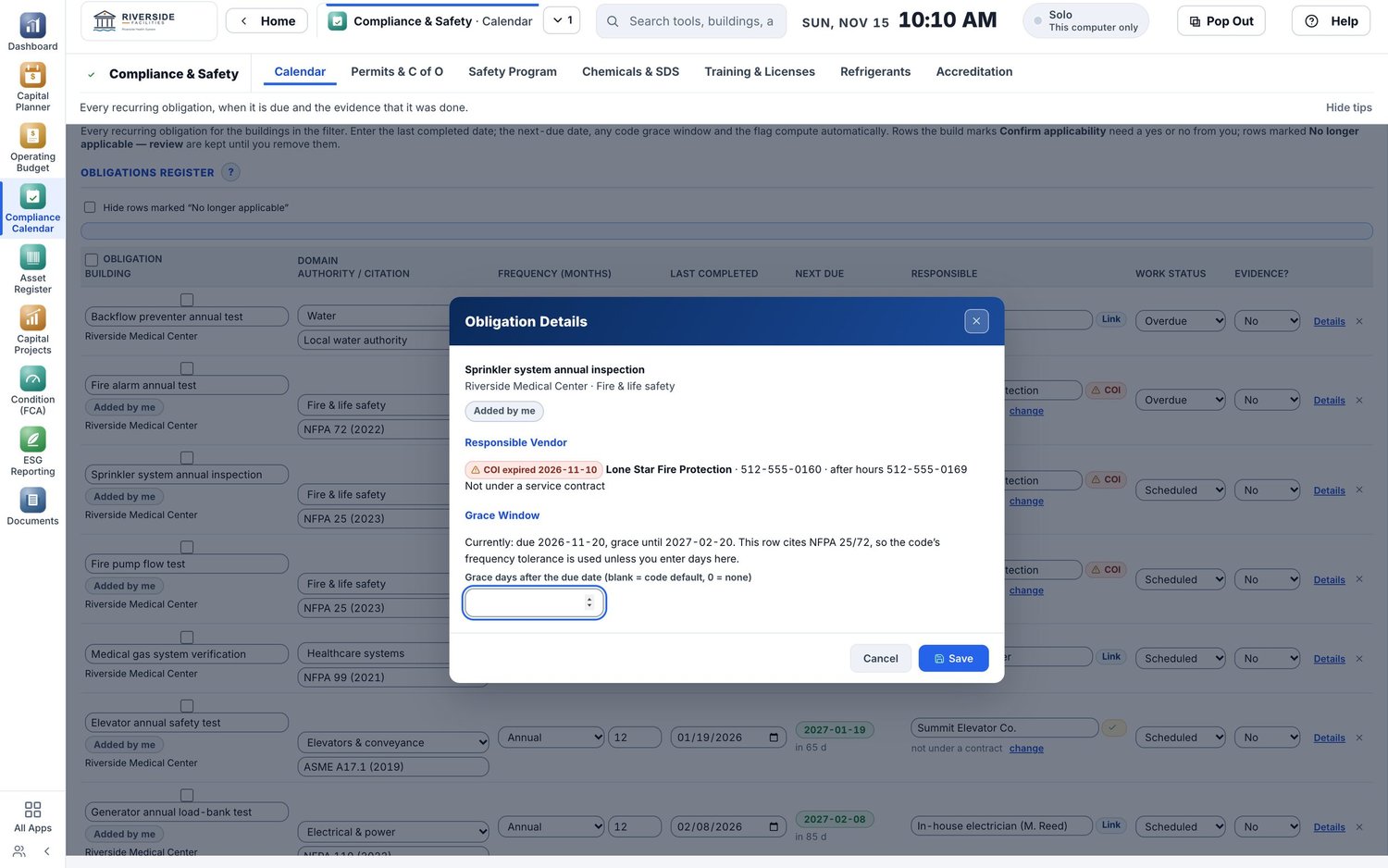
Software Your Whole Team Can Learn, One Step at a Time.
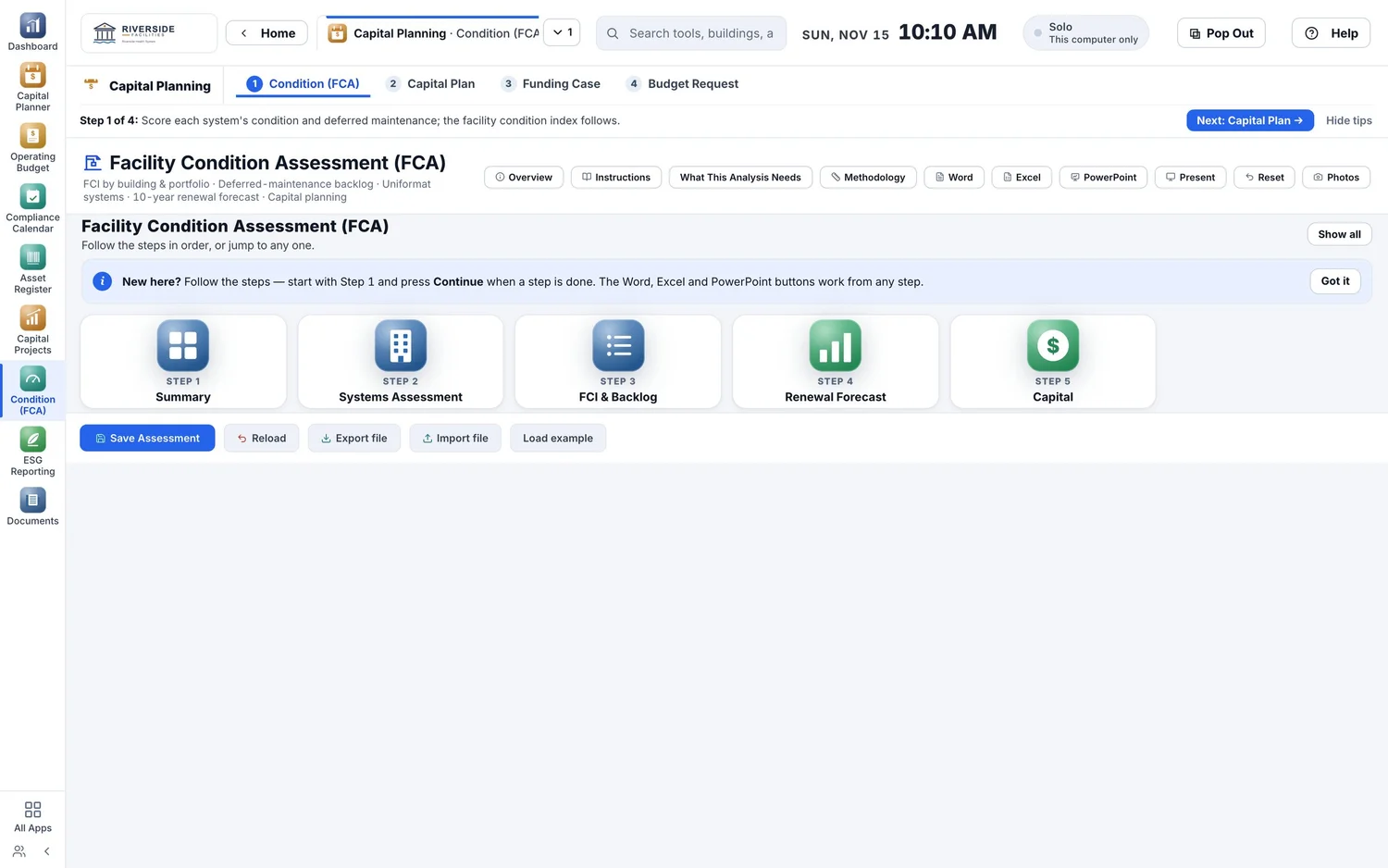
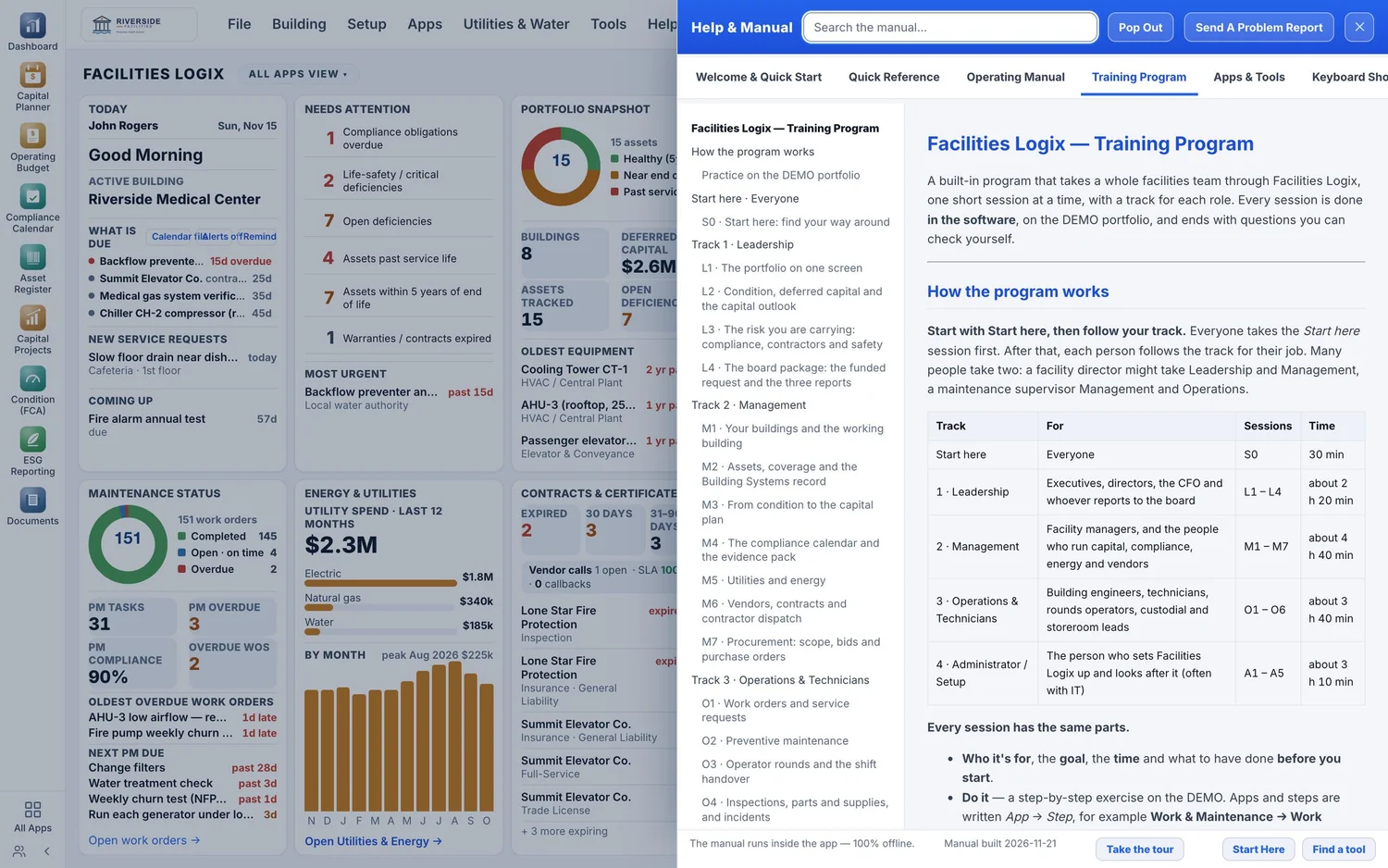
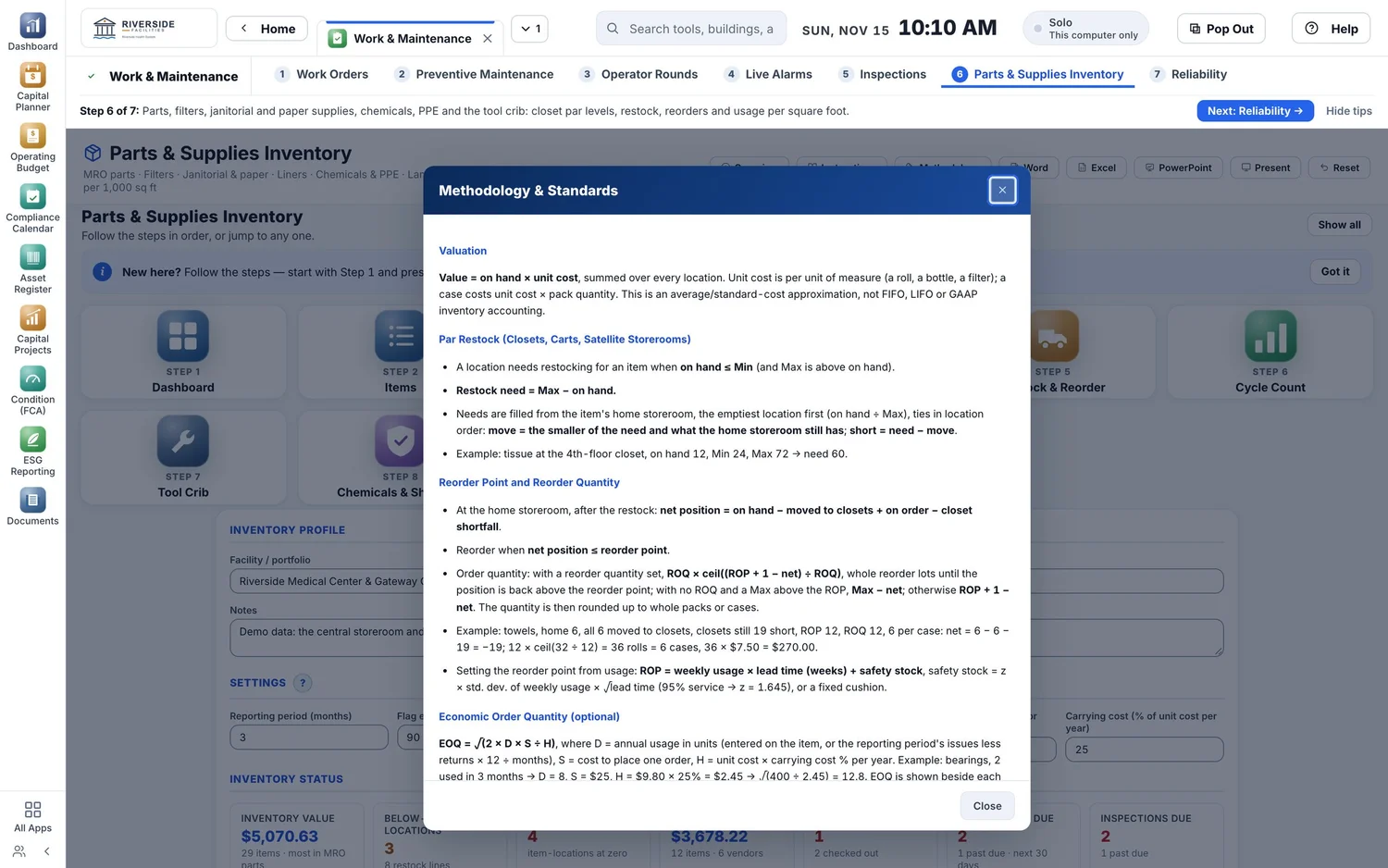
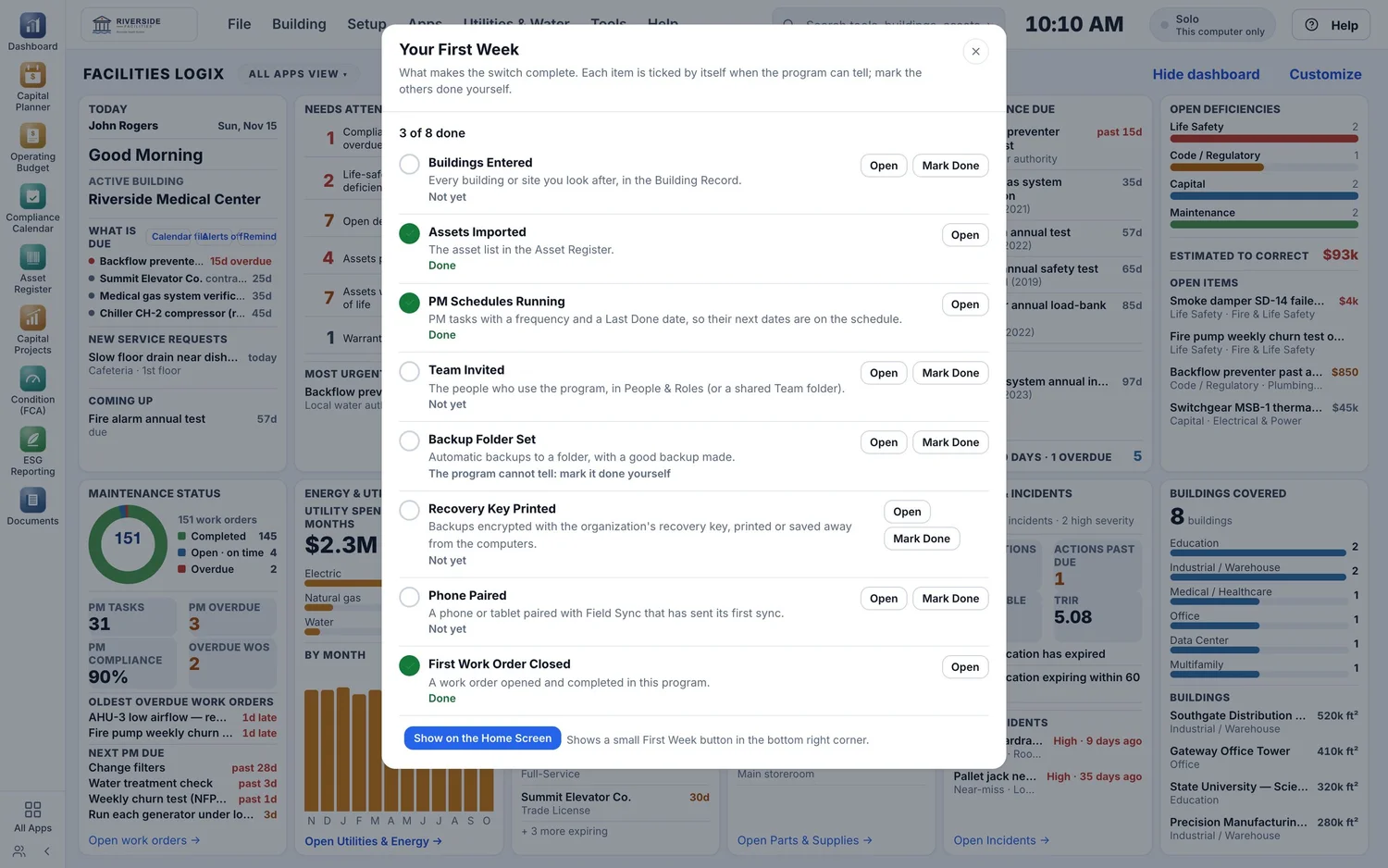
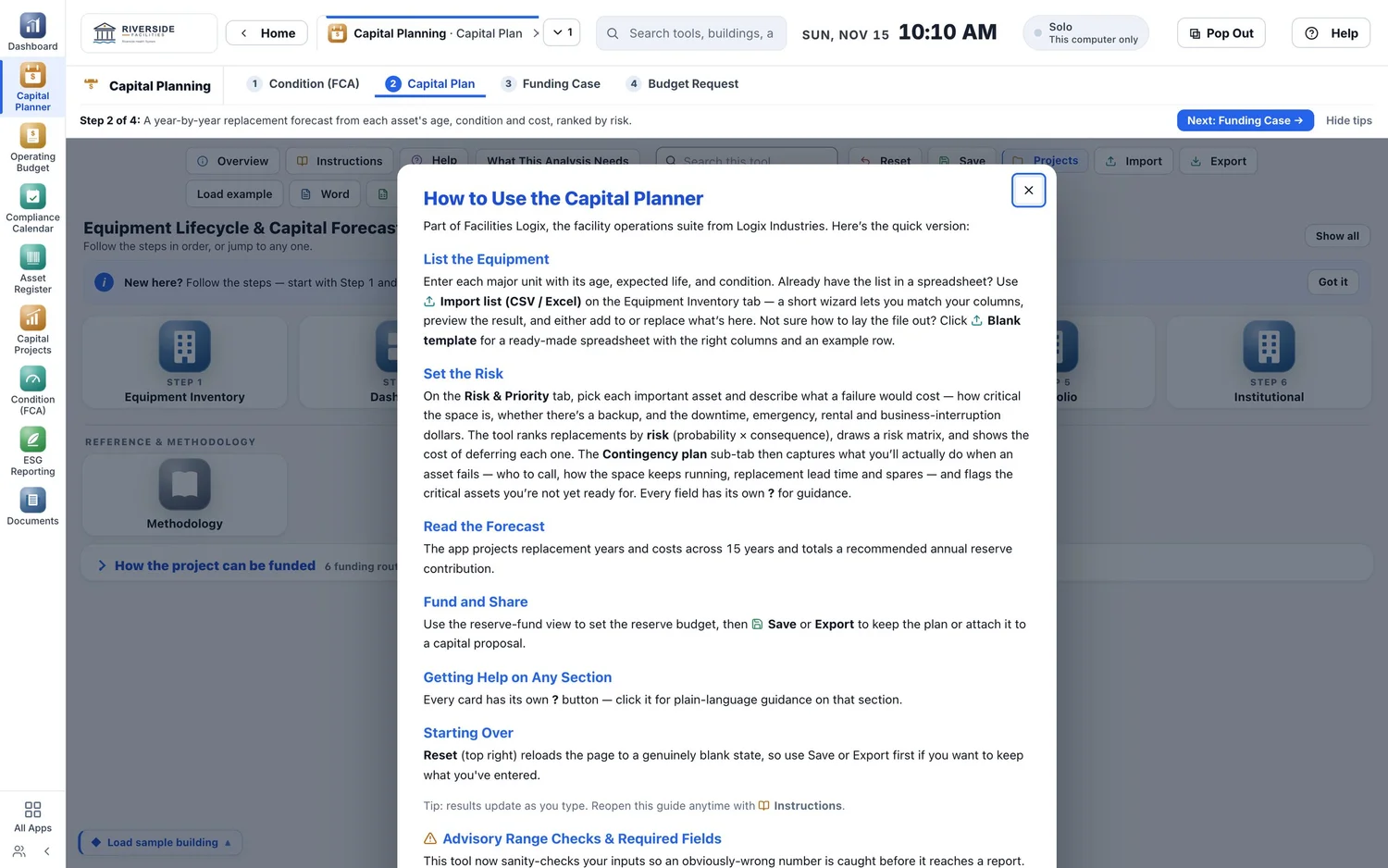
A facilities platform is only useful if the people who run the buildings can use it. Facilities Logix opens every tool in guided steps, explains each step in a sentence, carries its manuals inside the program and trains each role on a complete sample portfolio. Help works offline, like everything else.
- Every Tool Walks You Through Its Work
- An Overview, Instructions and the Method Behind the Numbers
- Four Manuals Inside the Program, Searchable and Offline
- Short, Hands-On Sessions for Each Role
- A Sample Portfolio and a Worked Example in Every Step
- A First-Week Checklist, Videos and a Direct Line
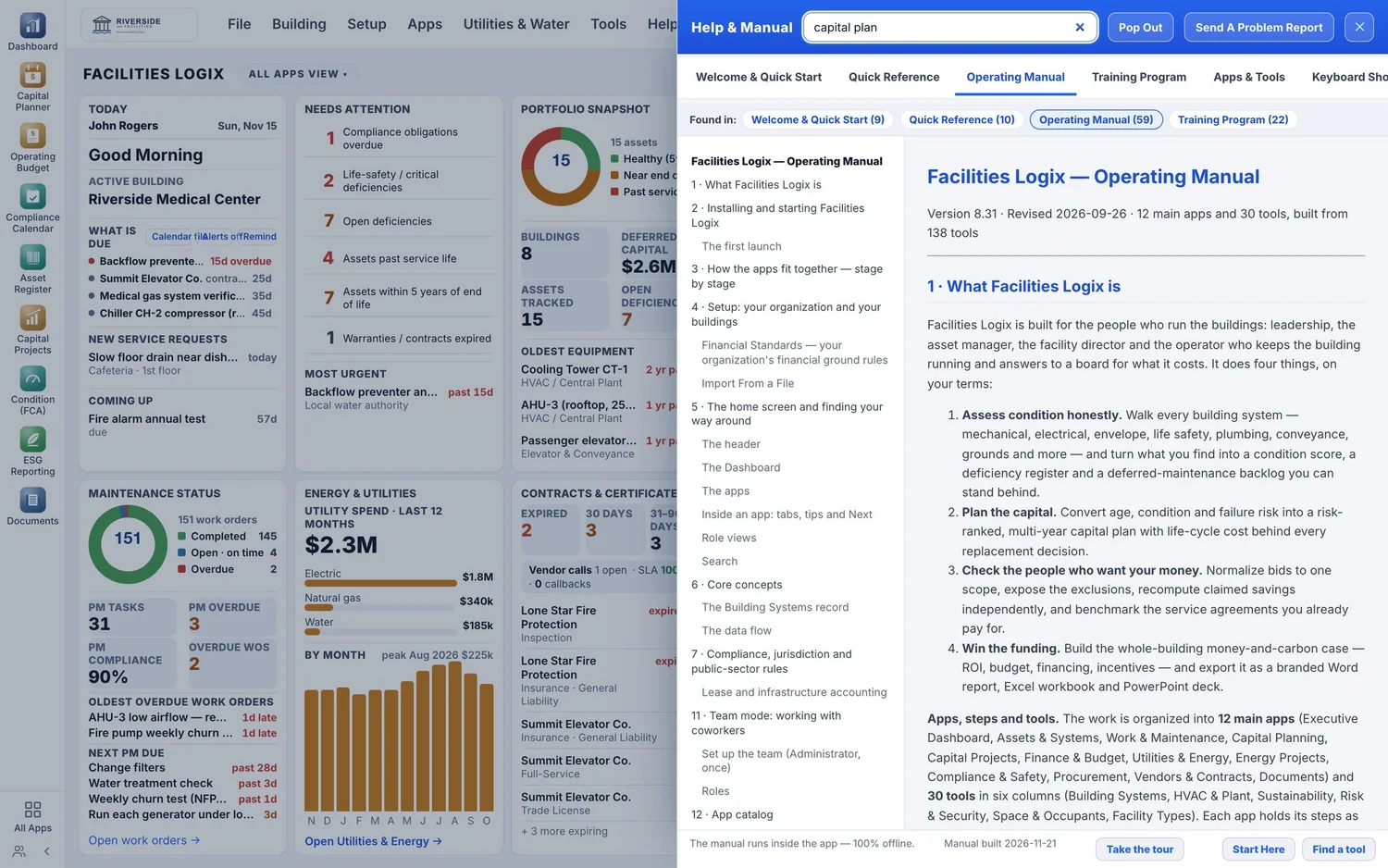
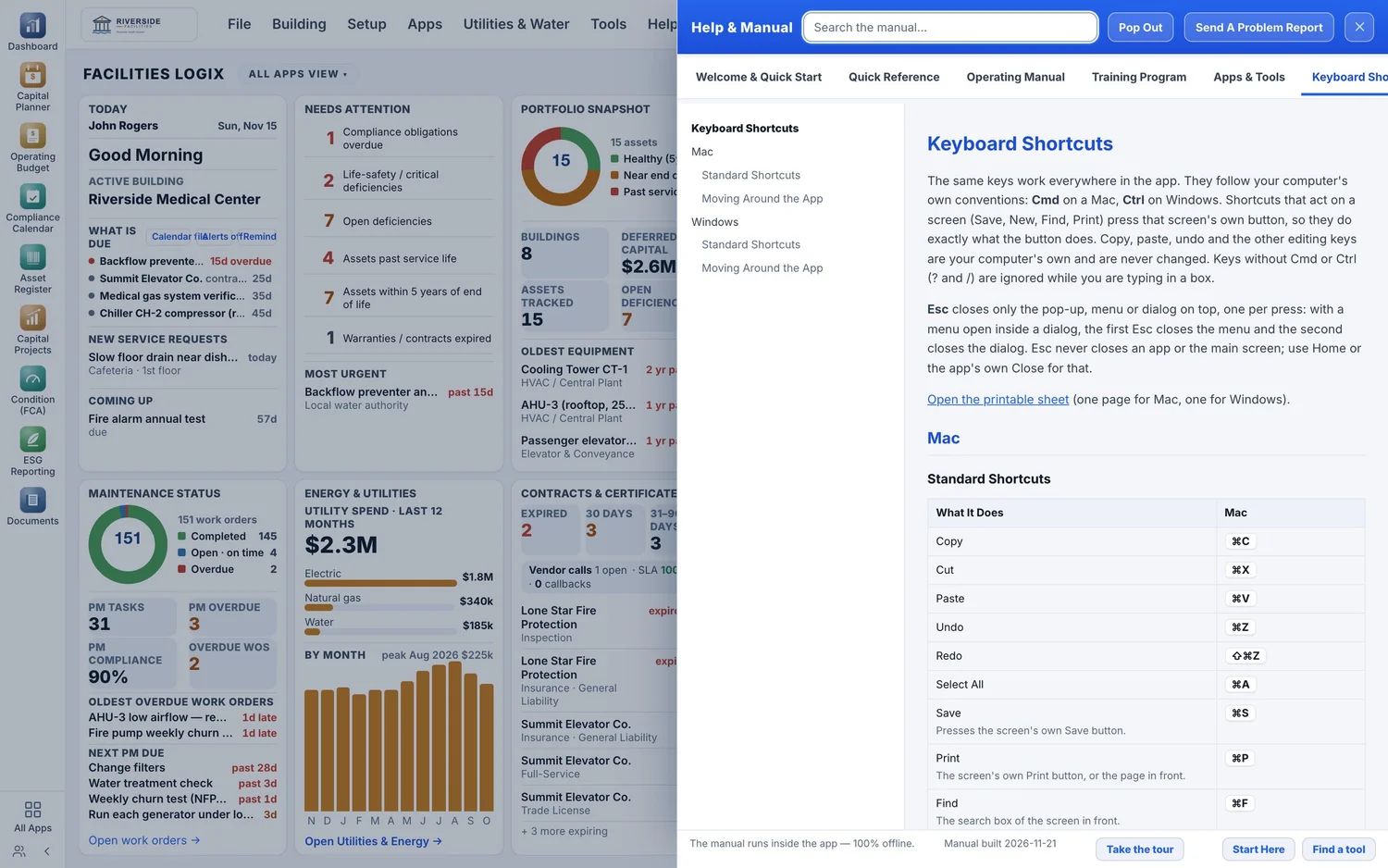
Help inside Facilities Logix: the Operating Manual with search, opened beside the work.
Work Hand in Hand with Your Contractors
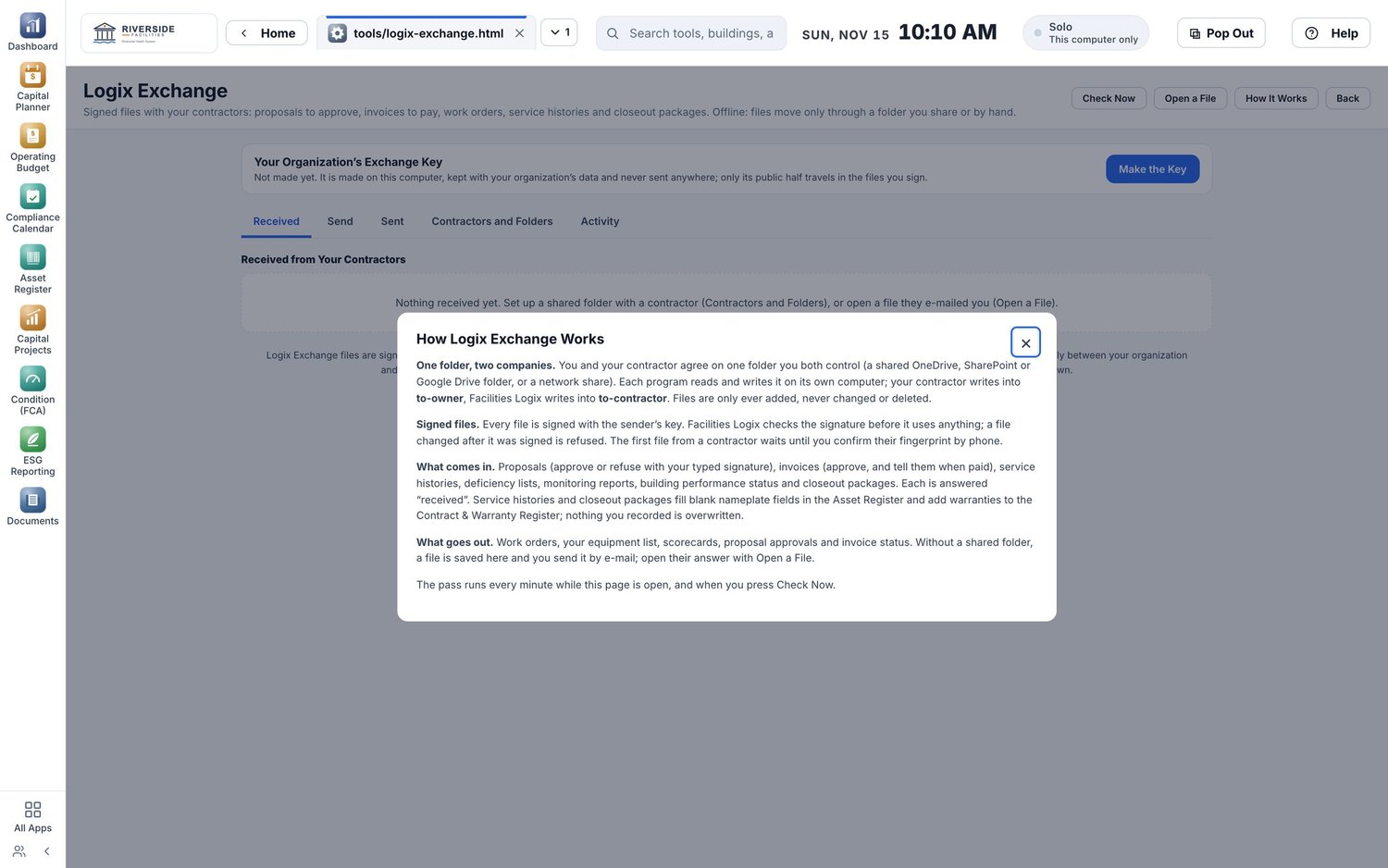
When your mechanical contractor runs HVAC Logix, the two systems trade signed files: your work orders go straight onto their schedule, and their invoices, deficiency lists, service history and monitoring reports come straight into your records. No portal, no shared cloud and no retyping.
What Moves Between You
- Your work orders, with your PO number and not-to-exceed
- Your equipment list, so contractors price agreements accurately
- Their proposals and invoices, matched to your PO
- Their service history, deficiencies and monthly monitoring reports
- Every file signed and checked before it is used
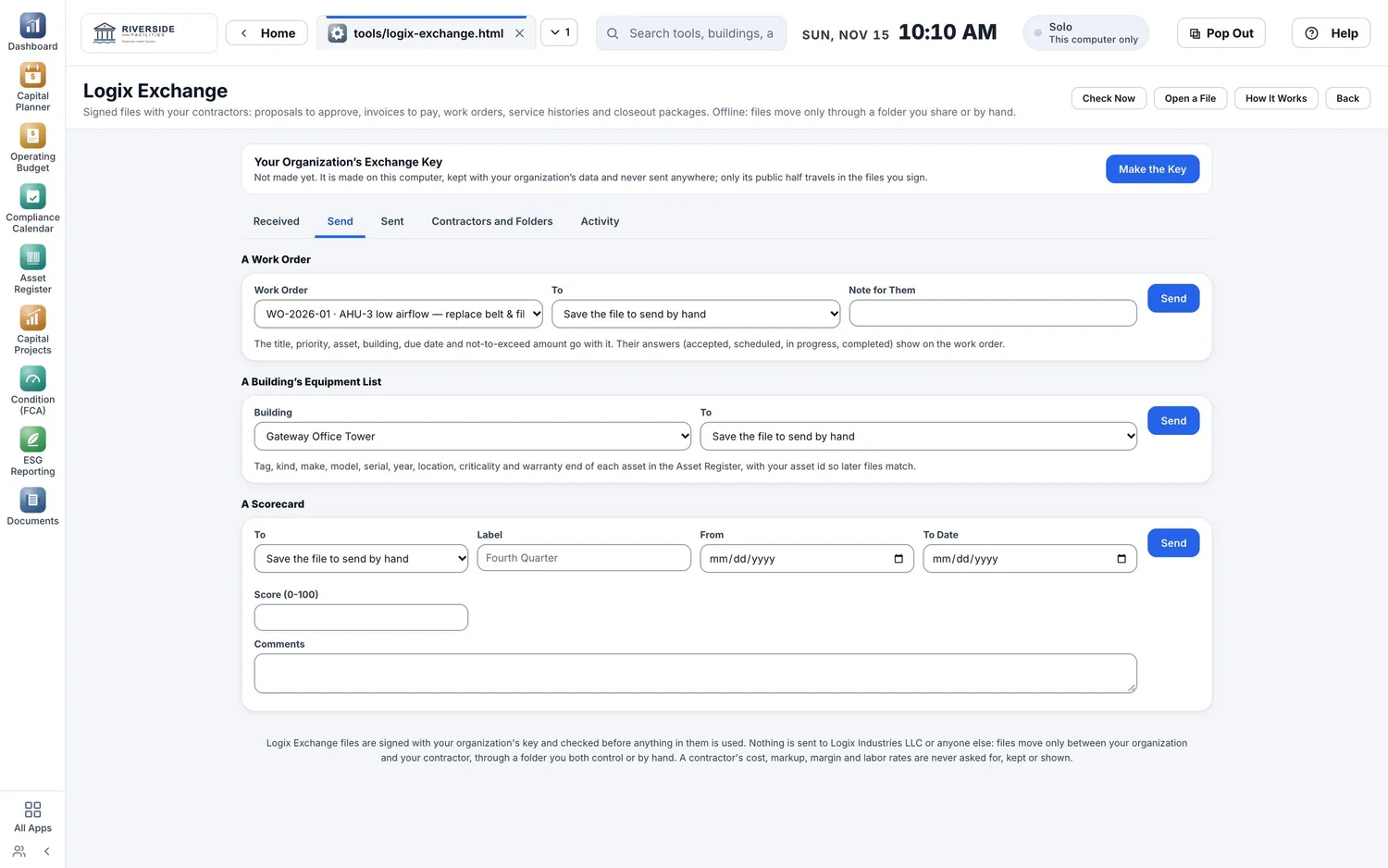
Logix Exchange in Facilities Logix sends signed work orders and equipment lists to your contractors.
One Outage. 74 Countries. More Than a Day.
In November 2026, a single cloud outage hit businesses in 74 countries and left many without their email and files for more than a day. Every one of them was waiting on someone else's servers.
That is why Facilities Logix is engineered to run on your own computers and your own local server. Work orders, building records, compliance dates and capital plans stay in front of you, and your team's phones keep working with no signal.
Sources: CNN, Nov 12, 2026 · Fox Business, Nov 13, 2026
Deploy It Your Way
Tap Any Part to See How It Works
If a local server is not an option, you have two others: keep the shared folder in your own Google Drive or Microsoft OneDrive. Your files are encrypted on your computers first, nothing is installed on a server, and nothing goes through us.
Your Building Data Stays with Your Organization.
No vendor cloud, no outside account and no vendor server. Facilities Logix runs on your own computers, and your team can share one set of records on your own network.
- Works with No Internet Connection
- Installed on Windows 10 or 11, or a Mac with Apple silicon
- Your data on your computers and your own network
- Optional cloud mode that uses only your organization's own approved cloud account
- Branded Word, Excel and PowerPoint reports for the board
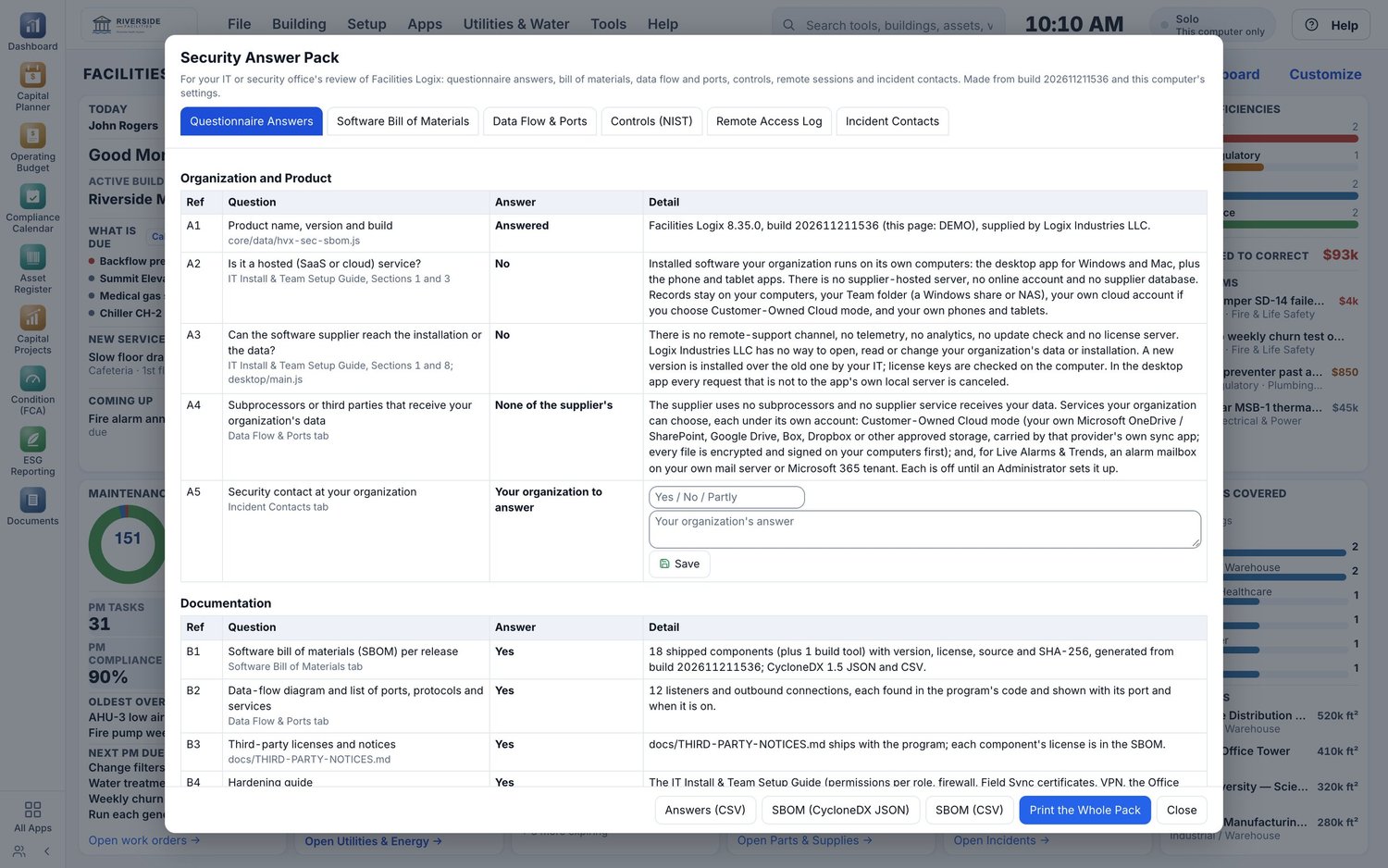
The Security Answer Pack in Facilities Logix states what stays on your computers and what can leave only by your choice.
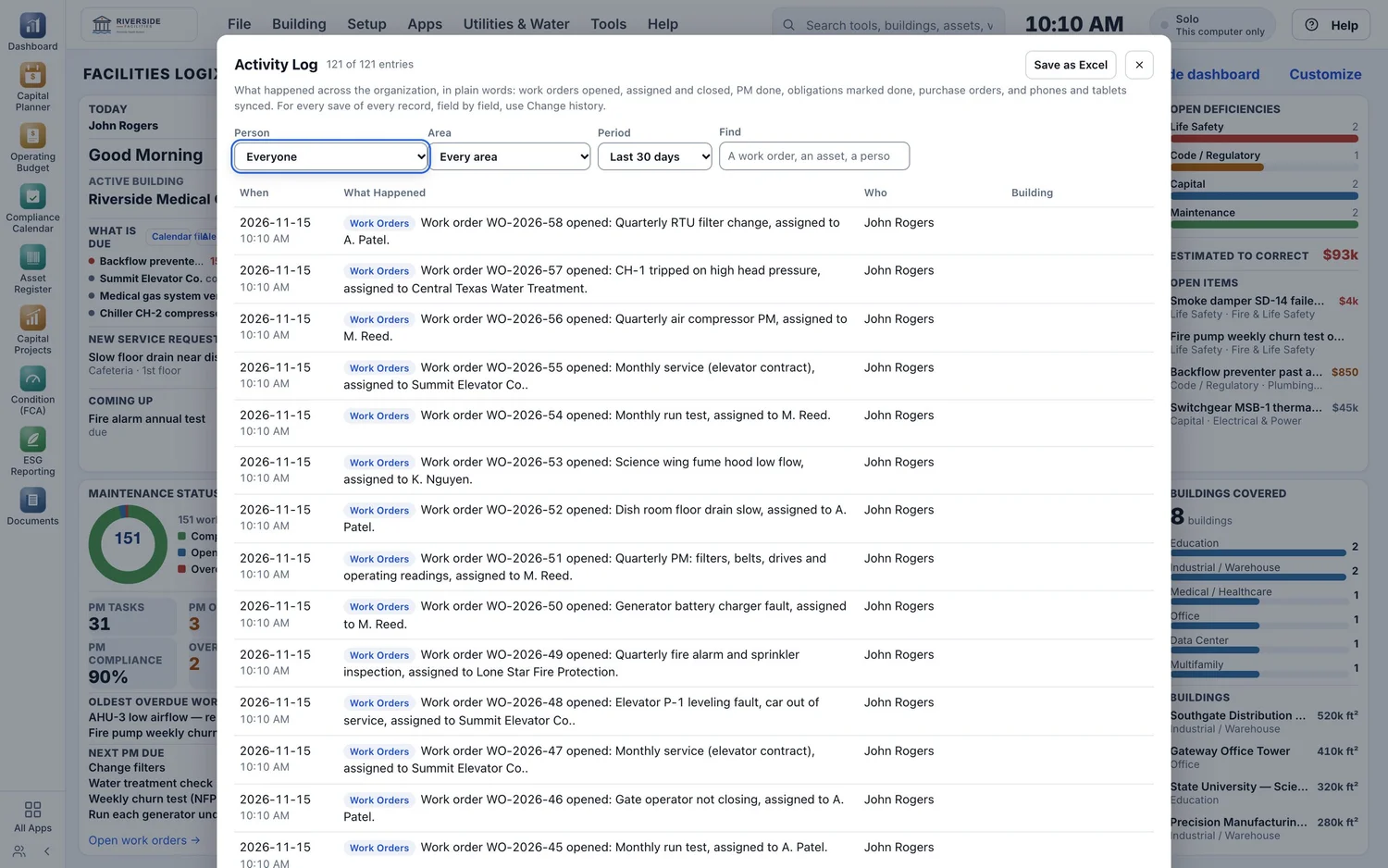
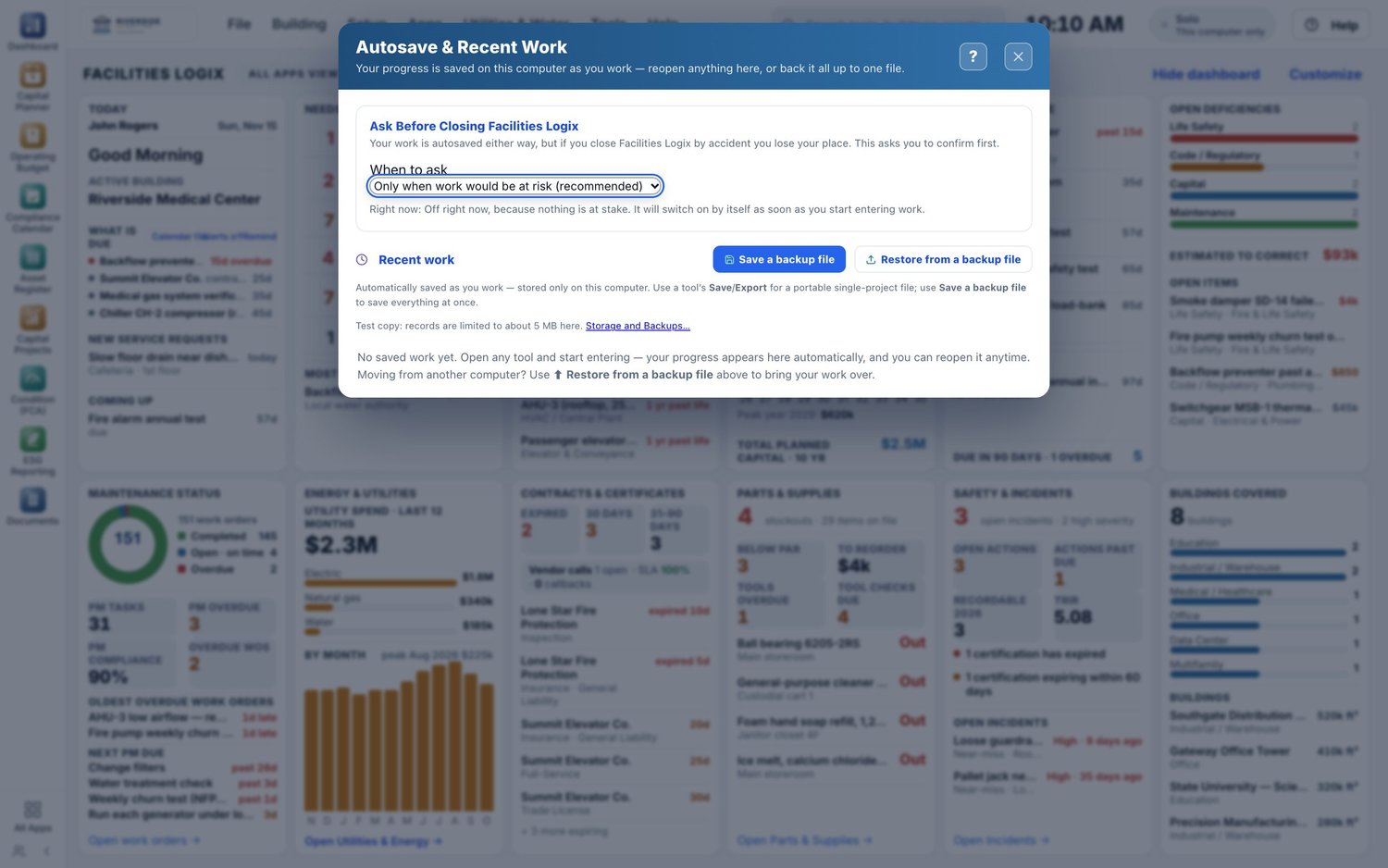
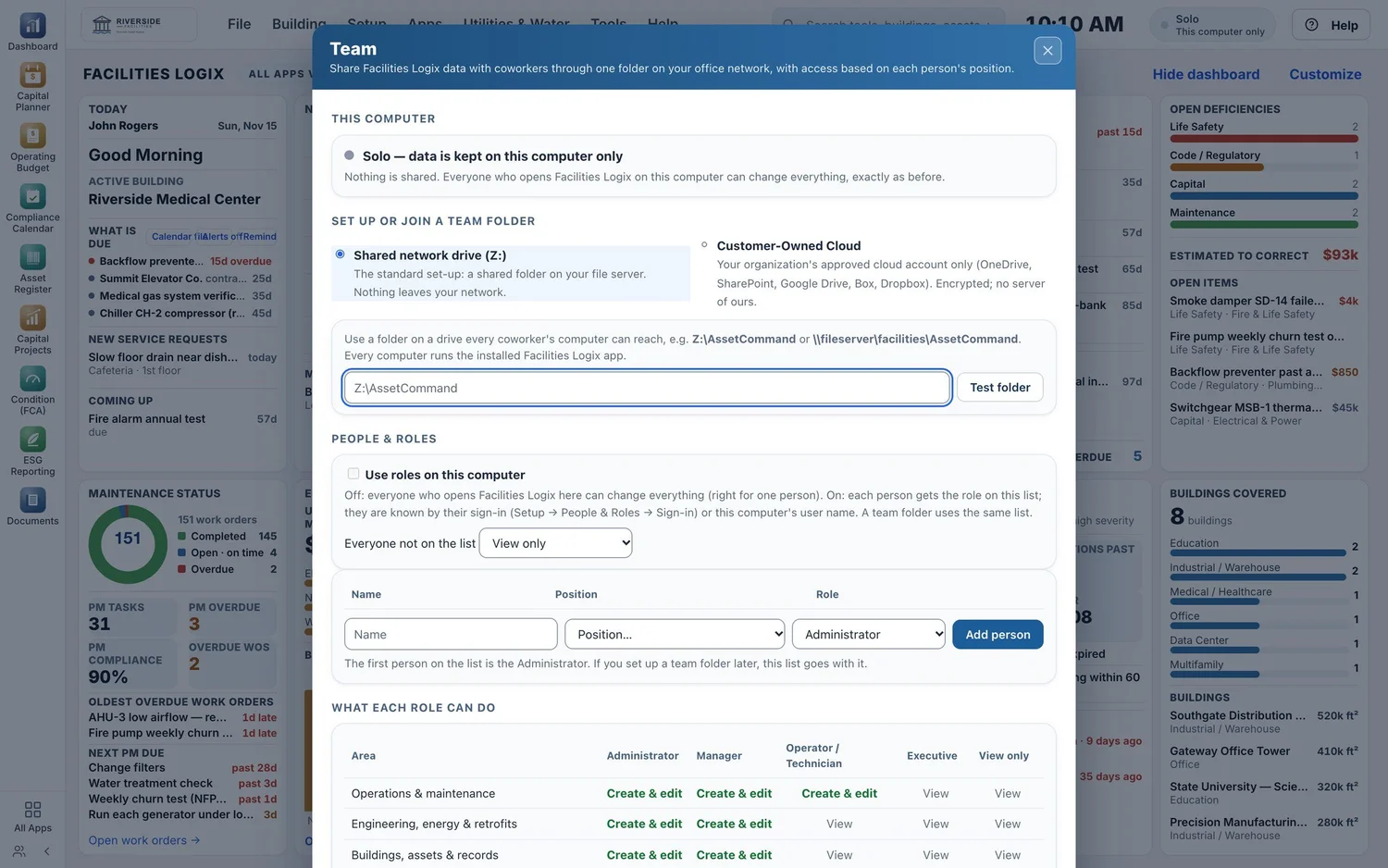
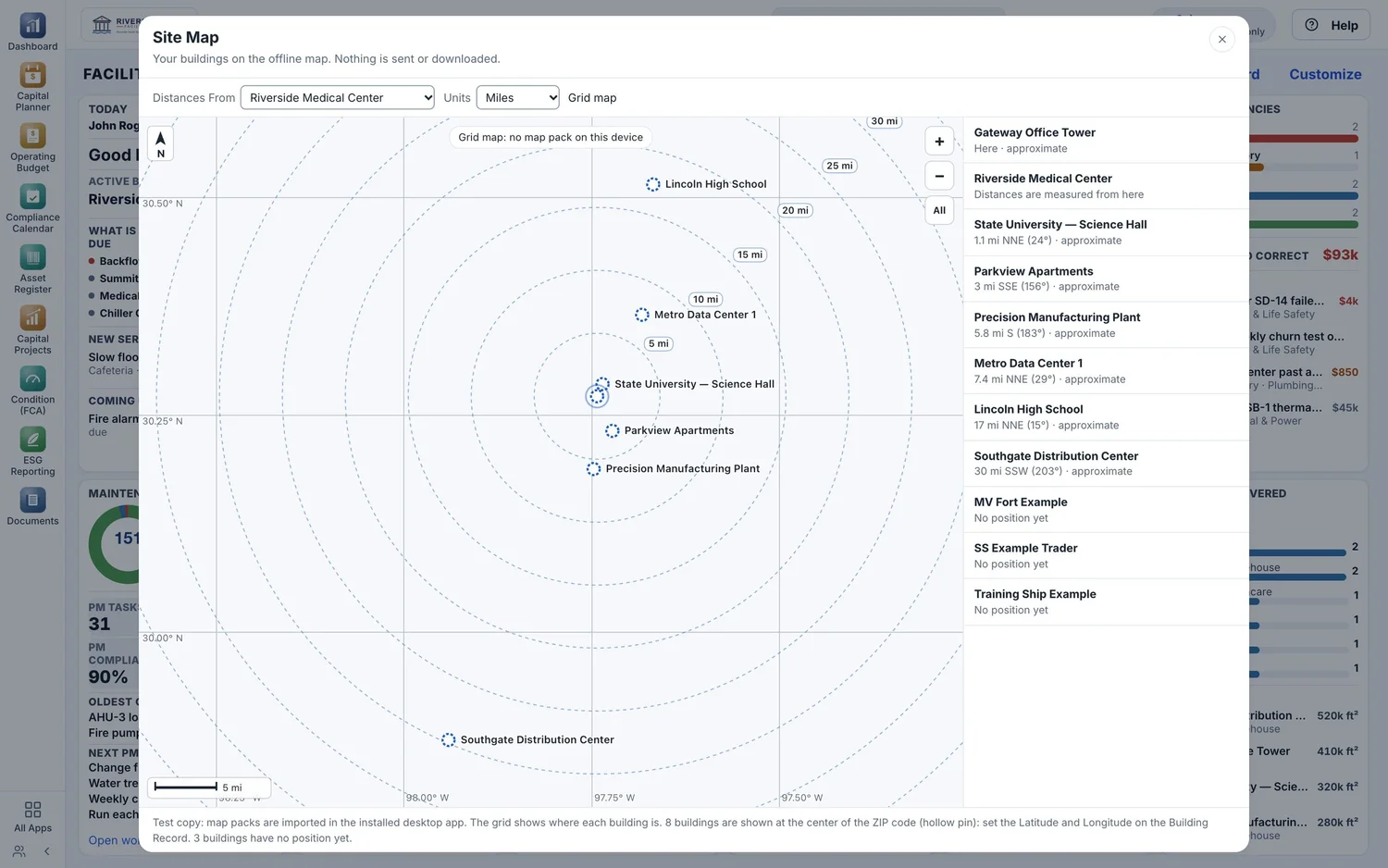
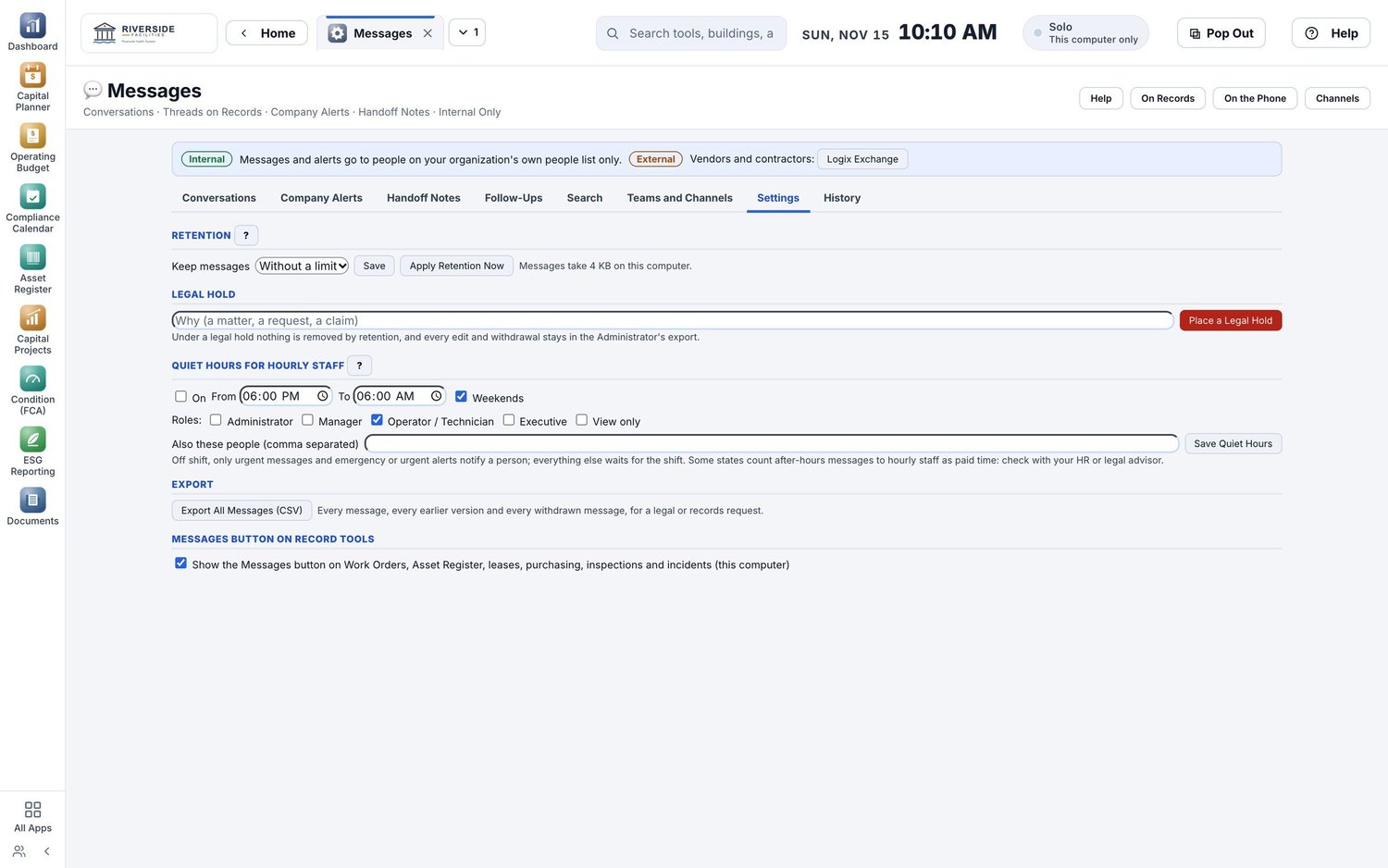
Built in for All 50 States and DC
Rules differ by state, city and type of building, and keeping track of them in binders is how dates get missed. Facilities Logix ships with the reference data a building organization needs, for every state and DC.
Energy Codes
The energy code in force for every state and DC, and for major cities that adopt their own, picked from each building's address.
Learn MoreShow Less
Upgrades designed to the wrong energy code edition get redone or fail plan review. The built-in table shows the code in force where each building sits.
- Commercial and residential editions with their effective dates
- The next adoption where one is announced
- Each record marked verified, secondary or to verify
- 51 state and DC records and 42 city and county records
Sales Tax
Rules and returns for every state and DC, and local rates where a state has them.
Learn MoreShow Less
Sales tax charged where none is owed, or missed where it is, costs money on every purchase. The tables cover the rules and returns for every state.
- Rules and return forms with due dates for all 50 states and DC
- Local rates for 36 of the 37 states that have local tax
- A tax-exempt organization's purchase orders start at 0 percent and say why
- Your own sales tax on purchases is set once in Financial Standards
OSHA State Plans
Whether each building falls under federal OSHA or a state plan, for every state.
Learn MoreShow Less
Following the wrong safety rulebook risks citations. The Building Record's ownership decides whether federal OSHA or the state plan applies.
- Private buildings: OSHA 29 CFR 1910, or your State Plan
- Federal buildings: 29 CFR 1960
- Public buildings: the State Plan where it covers public employees, else the state's own law
- Tribal nations marked Confirm
Federal Incentives
Section 179D and the other federal programs, plus C-PACE financing in 38 states.
Learn MoreUtility Rebates
Programs from major utilities, rebate administrators for every state with links to DSIRE, and room for your own.
Learn More641 Built-In Obligations
543 rules that apply nationwide, plus state and city rules, ready to schedule.
Learn MoreInterest and Surcharges
Late-interest limits and card-surcharge rules for every state and DC.
Learn MoreShow Less
Late interest set above a state's limit can be unenforceable or worse. The table states each state's limit with its citation.
- The legal rate when no rate was agreed
- The cap on an agreed rate for business credit
- Whether a higher rate needs a written agreement
- Statute text read on 2026-10-03; not legal advice
Climate Data
Climate data for every state for energy and planning estimates.
Learn MoreShow Less
Energy and planning estimates need a climate figure, and a missing one stops the work. Every U.S. ZIP code resolves to climate values offline.
- A ZIP database of 42,342 ZIP codes with city, county and location
- State-level design temperatures and heating and cooling degree days for every state
- Every value dated, sourced and editable
- State figures are labeled, and replaced with site data before sizing equipment
Each table shows its source and the date it was last reviewed.
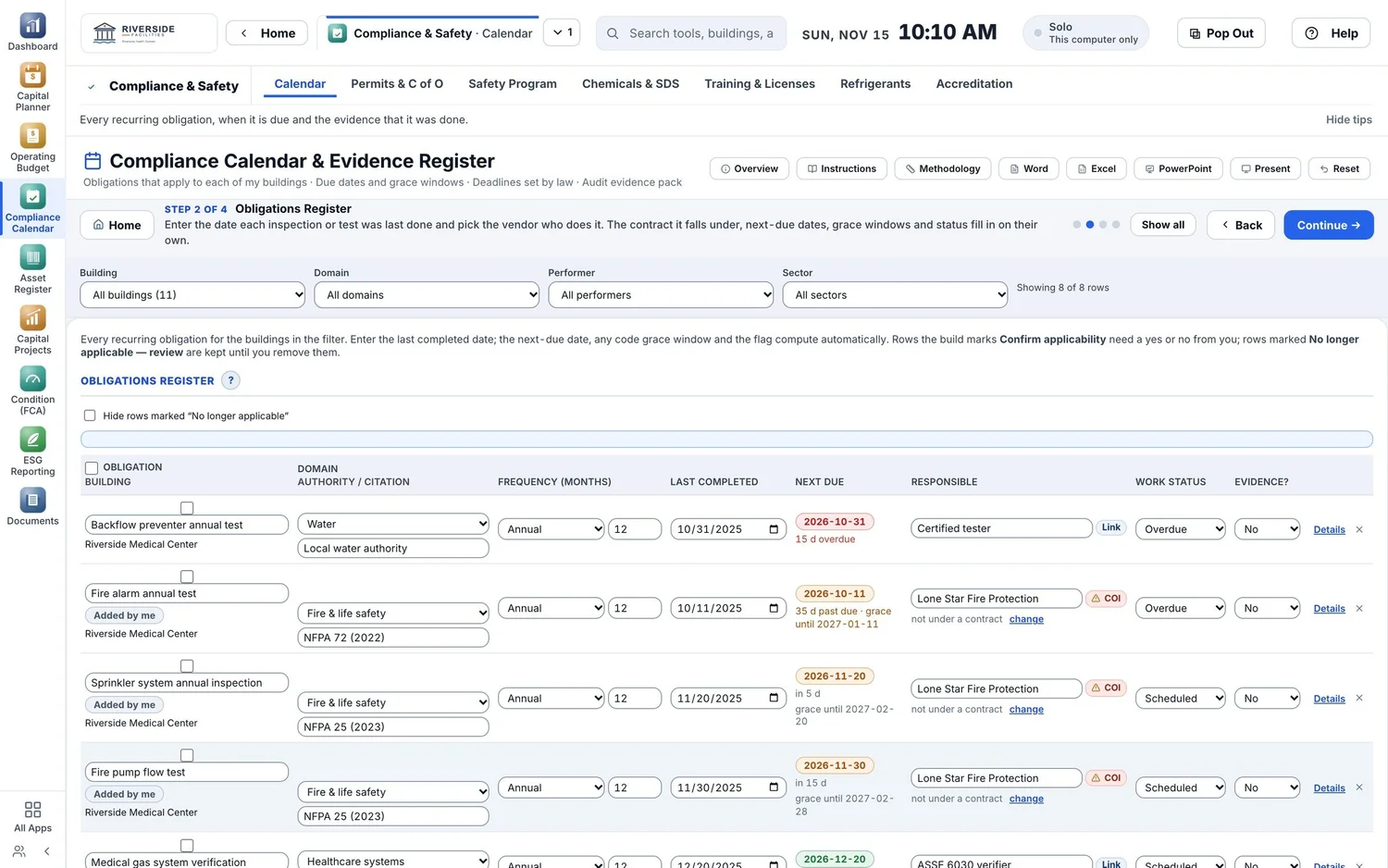
Hunting through codes to see what applies takes days, so the library lists each obligation with its citation and date.
Many Clients, Many Sites, Many Kinds of Buildings. One Standard of Care.
Large property and facility management organizations run portfolios for many clients, across offices, hospitals, schools, plants and public buildings at once. Facilities Logix Enterprise is our offer to those organizations: Facilities Logix arranged around your client portfolios, with each client's records kept apart, a central view across all of them and your standards applied everywhere. It is scoped and delivered with each client organization, so the first step is a conversation.
What Comes After Launch
Facilities Logix launches in early 2027 with everything on these pages. The first update after launch is already planned. These features are listed so you can see where it is headed; they are not part of the first release.
- Ask Logix: a private assistant that answers questions from your own building records and builds reports from a plain-English request
- Dollars Lost per Day: hidden faults in the automation trends, ranked by what each one is costing per day
- Remaining Useful Life: equipment life estimated from real run data, carried straight into the capital plan
- Voice on the Phone: hands-free voice mode for technicians in the field
- Room and Roof Scans: iPhone LiDAR scans of rooms and roofs for condition assessments
- Data Clean-Up: duplicates, addresses and missing nameplate fields found and fixed in one pass
- Occupant Requests by QR: occupants scan a code in the room to report a problem, with no account to set up
- Sensor Insight: space use from sensors, with Logix Pulse devices
- Senior Living Safety Pack: resident-safety sensors and checklists for senior living, with Logix Pulse devices
- Office Power Tools: custom fields, no-code approval rules, saved searches with scheduled email, mass update with undo and a practice sandbox
Building Kiosk: Answer the Question Before the Phone Rings
Every outage, repair and out-of-service elevator brings the same calls. A kiosk tells people first, and sends their requests and opinions straight to your team. You choose what each one shows.
- Public Lobby: notices of outages and repairs, energy use and solar, weather, a directory, events, parking and EV charging, a quick survey and a way to report a problem
- Waiting Room: wait and check-in messages, comfort and air quality, a survey, what people asked for and what was done, and fun facts for children
- Employees Only: an anonymous survey, birthdays, goals and rewards, safety and shift news
- Three Sizes: a tablet on a stand (10 to 13 inches), a touch screen (22 to 32 inches), or a wall TV (43 inches and up) where people scan a code to answer on their phone
Every kiosk offers several languages and large text. The software is the same on all three sizes; you supply the screen.
Planned for the first update after launch. Not available yet, and the list can change.
Tools You Will Actually Use
Share your name and email once, and every file opens.


Be First When Facilities Logix Opens
Stop chasing building records across spreadsheets and binders. Join the list and we will tell you the day downloads open, with setup guides ready.
Launching early 2027 for Facilities Logix. Nothing to buy today, and no sales calls.
