
Engineering Tools That Size It, Select It and Show the Work
HVAC Logix carries the engineering a commercial mechanical contractor does every week: loads, duct, pipe, chiller comparisons, plant optimization and the adjacent trades. Every calculation runs on your own computer with no internet connection required, shows its method and arithmetic, and hands its figures to the estimate and the proposal so nothing is typed twice.
Launching Early 2027 · Join the Early-Access List
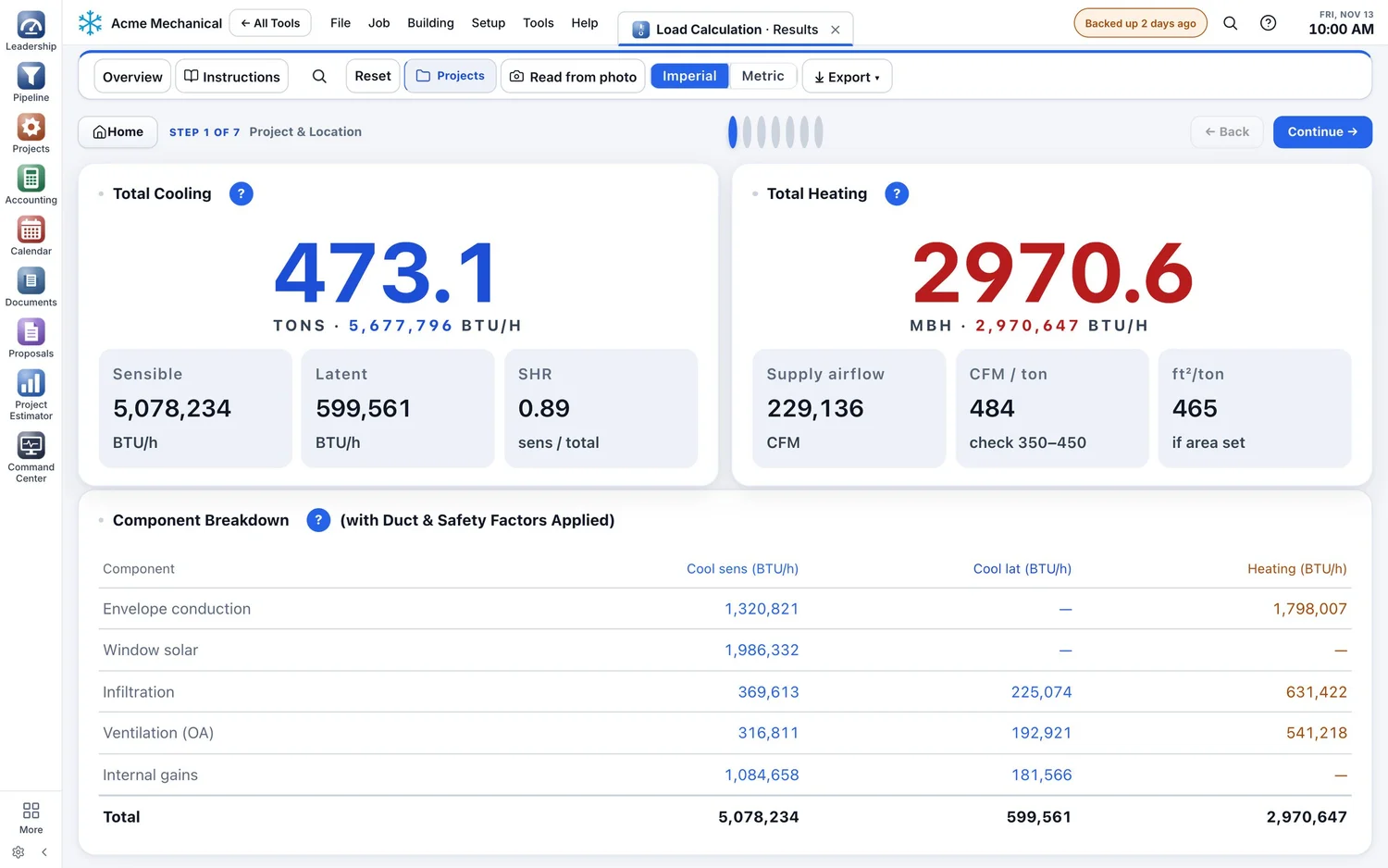
Start with the Building, Not the Old Nameplate
Most oversized equipment starts with a load nobody calculated. These tools put the building's real geometry, weather and use behind the tonnage you quote.
Site Survey
A structured site walk: printable capture sheets, 27 interview questions across 8 topics, nameplates and photos filed on the building record, and a 0 to 100 condition index with remaining-life flags. Publish it once and the capital forecast, estimating and refrigerant tools read the visit with nothing retyped.
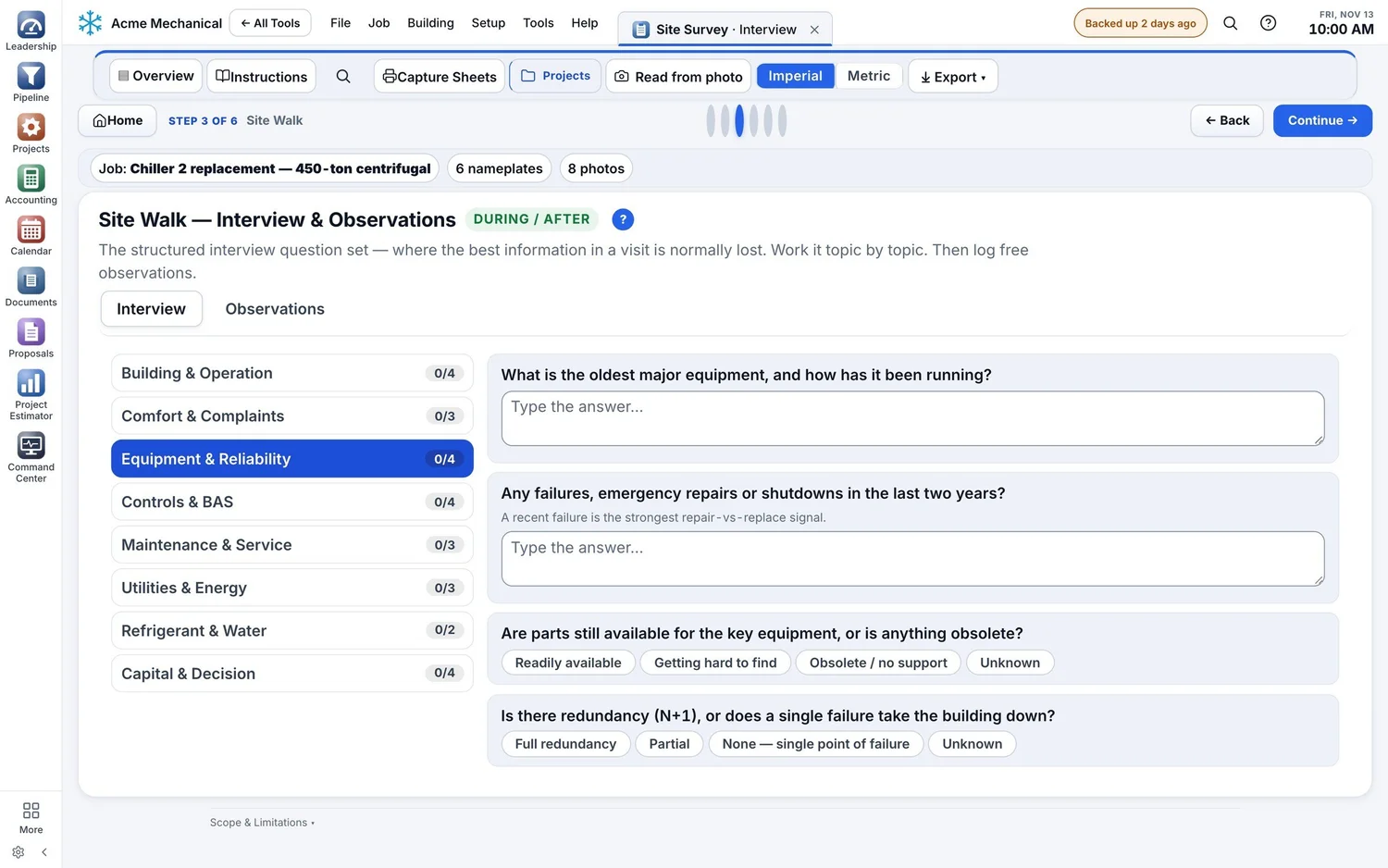
Site walks miss the questions that win the job, so Site Survey asks them topic by topic.
Design Weather from a ZIP
Type a ZIP and the design dry-bulb, design wet-bulb, mean coincident wet-bulb and elevation fill in offline from the bundled NOAA weather stations. The tool names the station and how far away it is, and it refuses to size a cooling tower on a statewide wet-bulb figure.
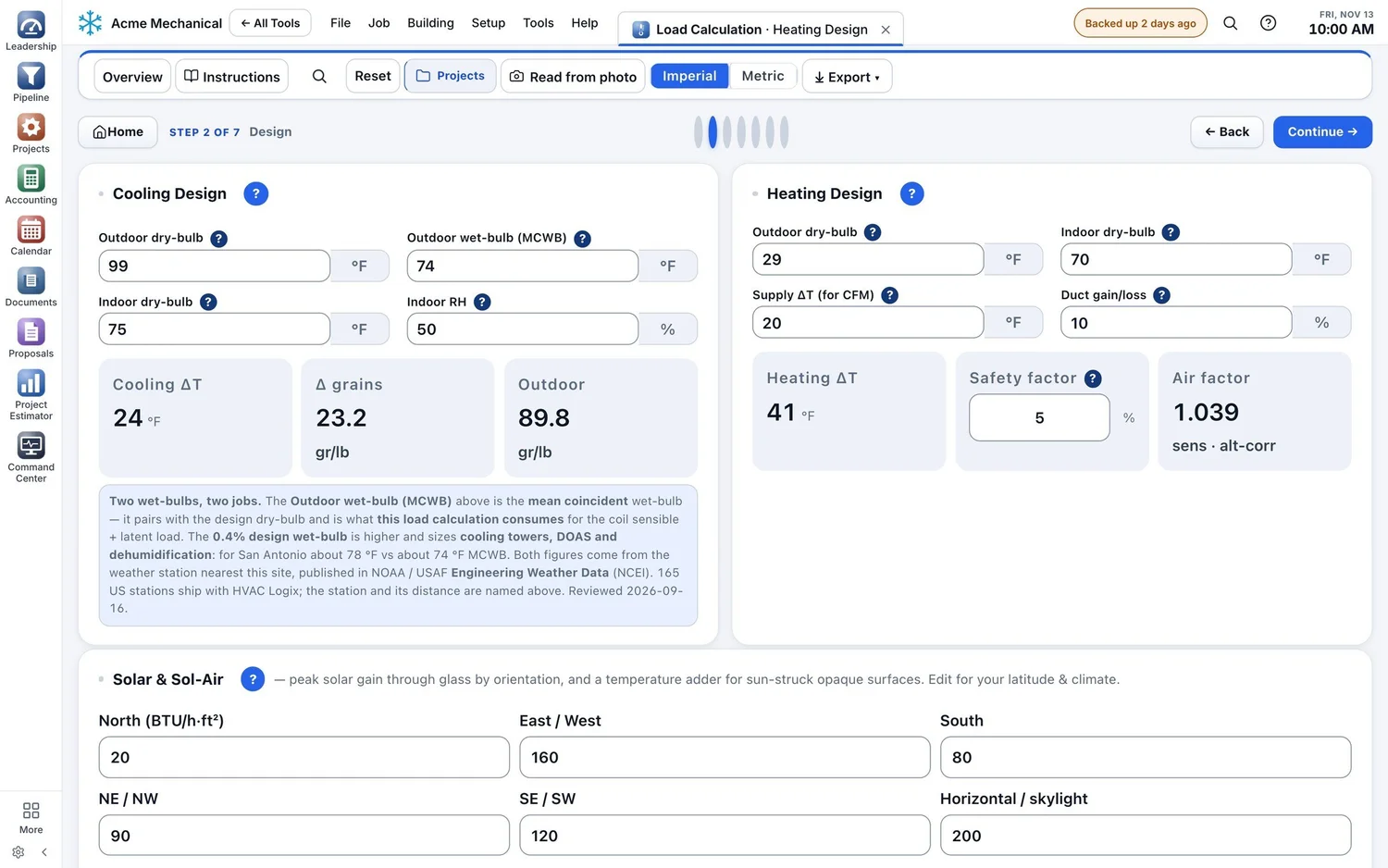
Sizing starts with design weather, so the cooling and heating conditions sit on one screen.
Load Calculation
Enter the envelope, ventilation at ASHRAE 62.1 rates, people, lighting and plug loads. Results show sensible and latent cooling, total tons, supply CFM and heating MBH by component, and they recalculate as you type. In the manual's worked example, an 8,000 square foot office calculates to 11.8 tons where the existing rooftop unit's nameplate reads 20.
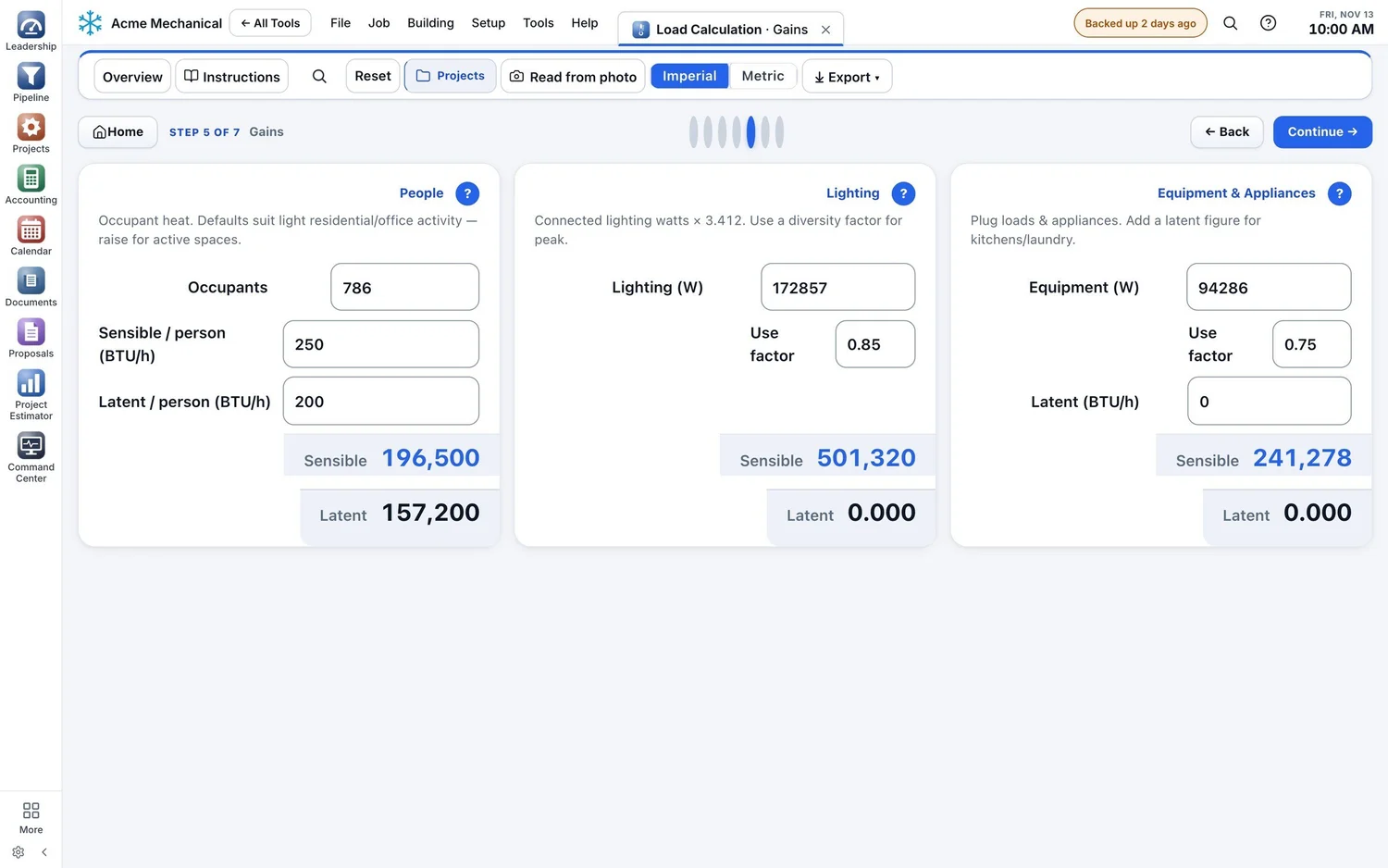
Loads guessed from a nameplate miss the people and equipment inside, so internal gains are entered space by space.
Quick Tools
Three fast one-screen tools for light-commercial work: RTU Quick-Replace for a repair-or-replace verdict with a good, better, best quote priced from your own rates, Load Express for a rule-of-thumb block load, and the Flat-Rate Quoter for an itemized door price from your own price book.
Read a Nameplate from a Photo
Take a picture of the data plate and the phone reads the make, model and serial number, with no signal. When the plate carries a manufacturer's GS1 QR code, the code is read first and fills the exact serial number, model and dates. The code's web link is never opened.
Thermal and Drone Images
Add the JPEGs from a thermal camera or a drone survey to the building. The date, camera, GPS position and, on a radiometric image, the temperatures are read on your computer. Click a spot to record it, link each image to a unit, write a finding with a suggested priority and open a work order from it. The report goes out on your letterhead.
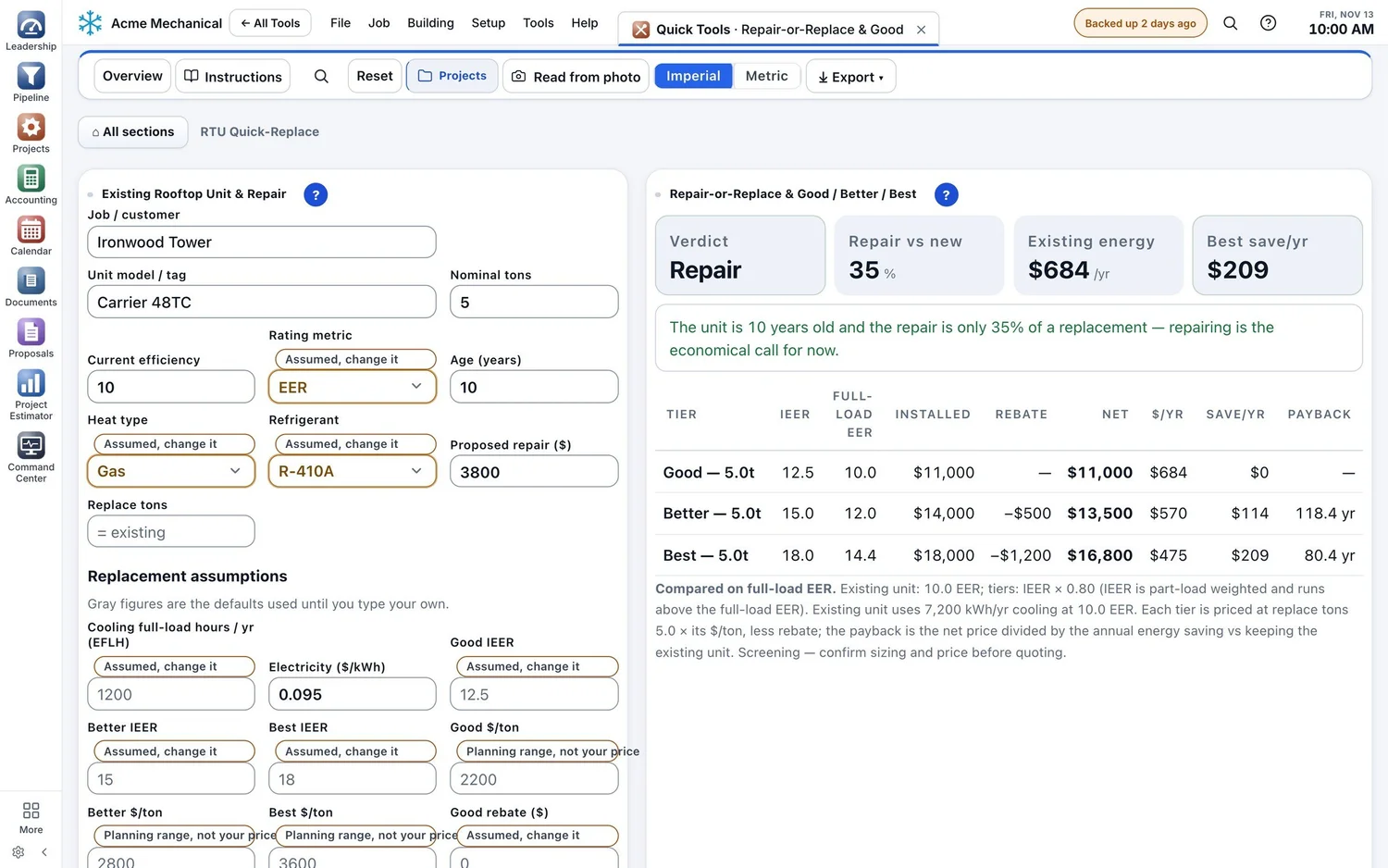
Light-commercial calls need a fast answer, so RTU Quick-Replace gives a repair-or-replace verdict with good, better and best.
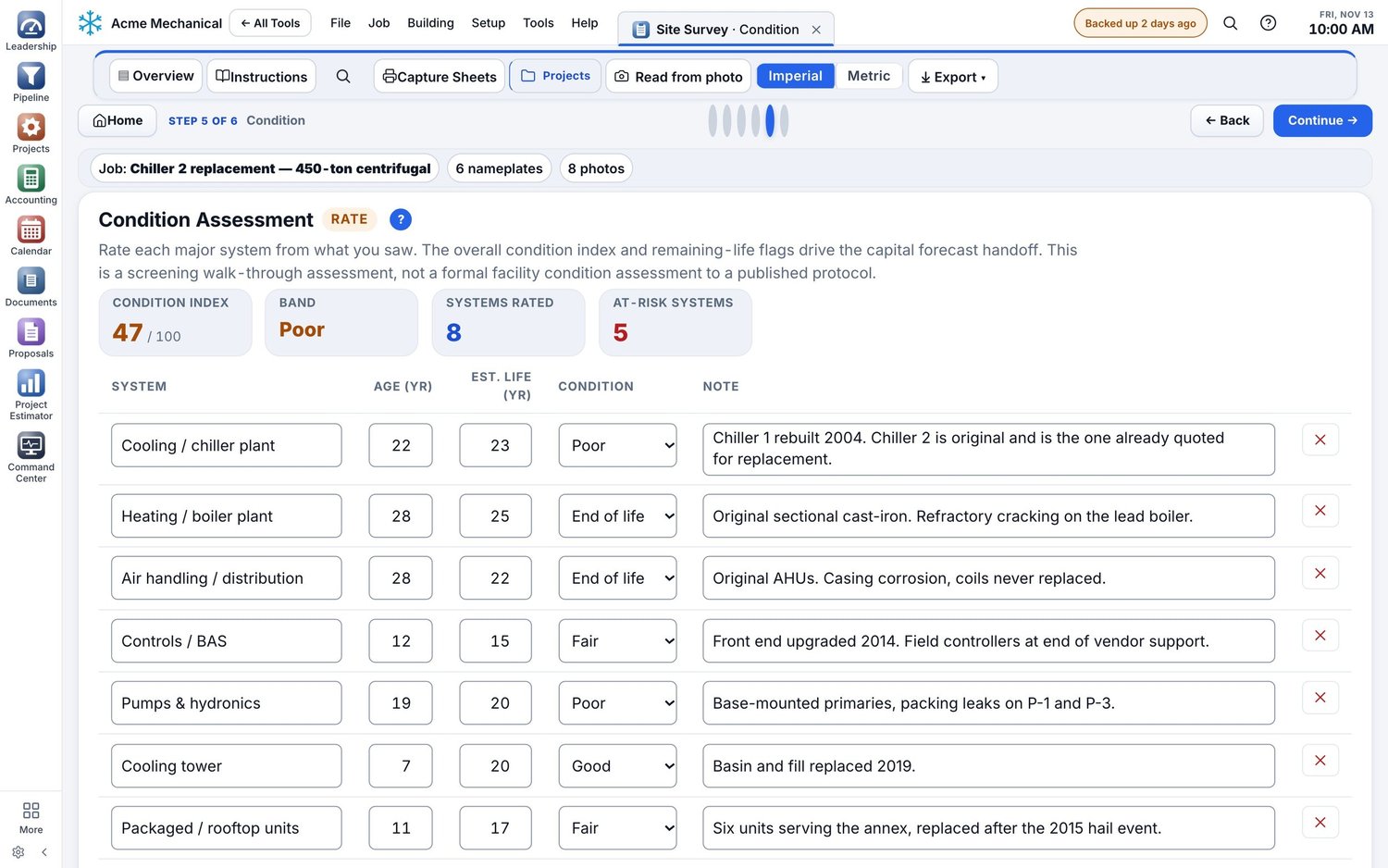
An old nameplate says little about what is left, so the survey rates each system and rolls it into one condition index.
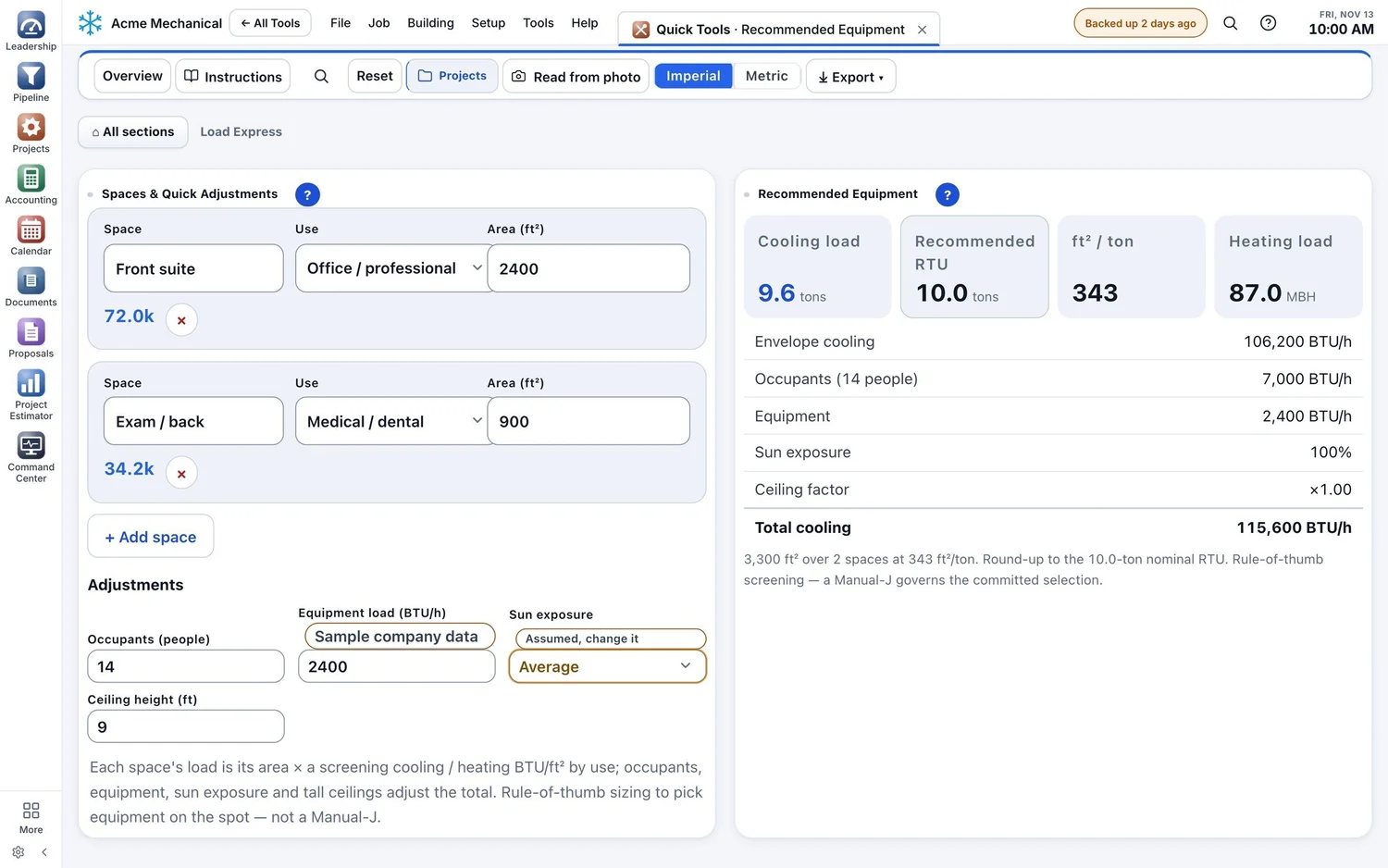
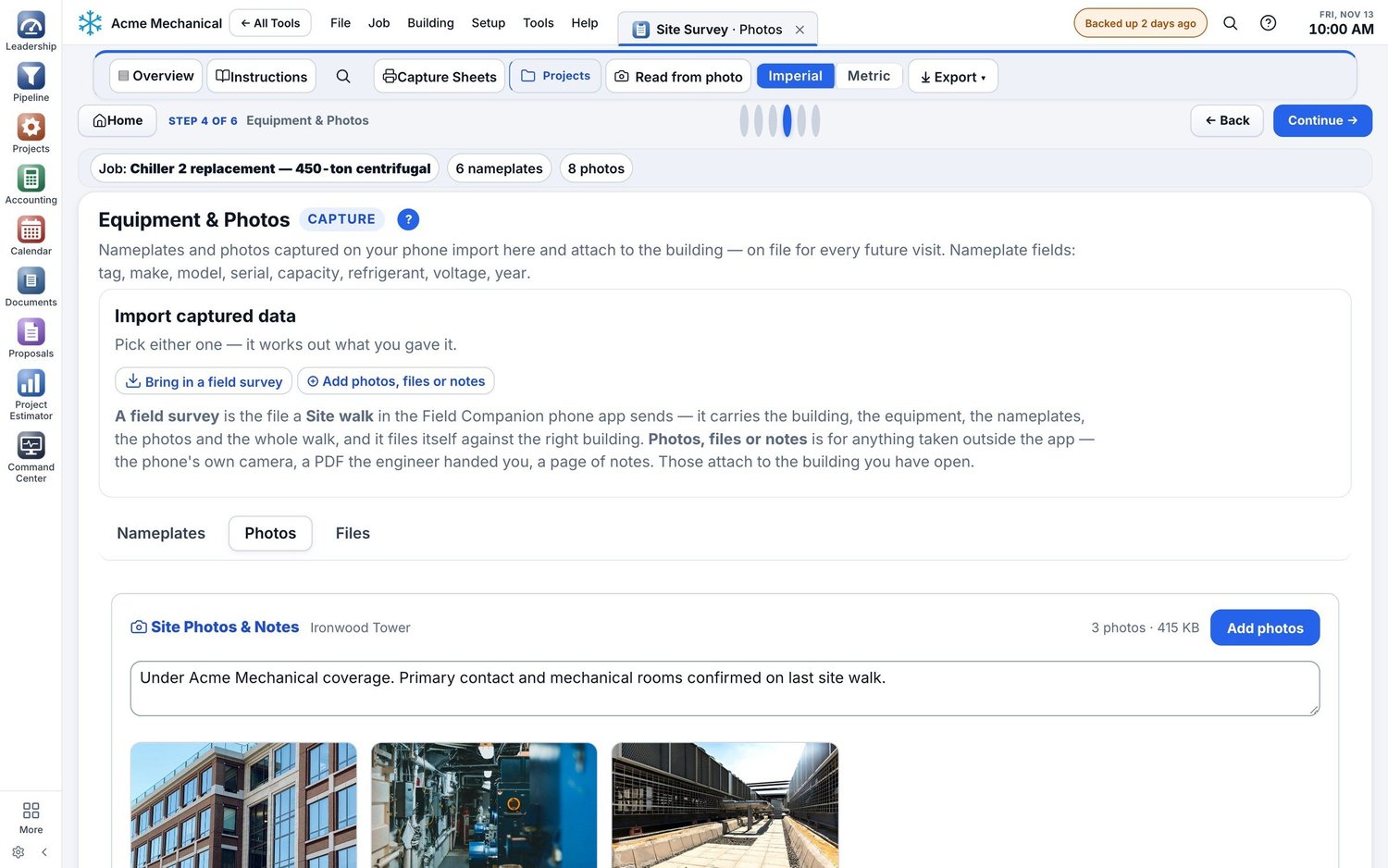
Size the Distribution Before Anyone Orders Equipment
A correctly sized unit behind an undersized trunk delivers neither capacity nor comfort. Check the duct, the pipe and the fan while the fix is still a line on an estimate.
Duct Sizing
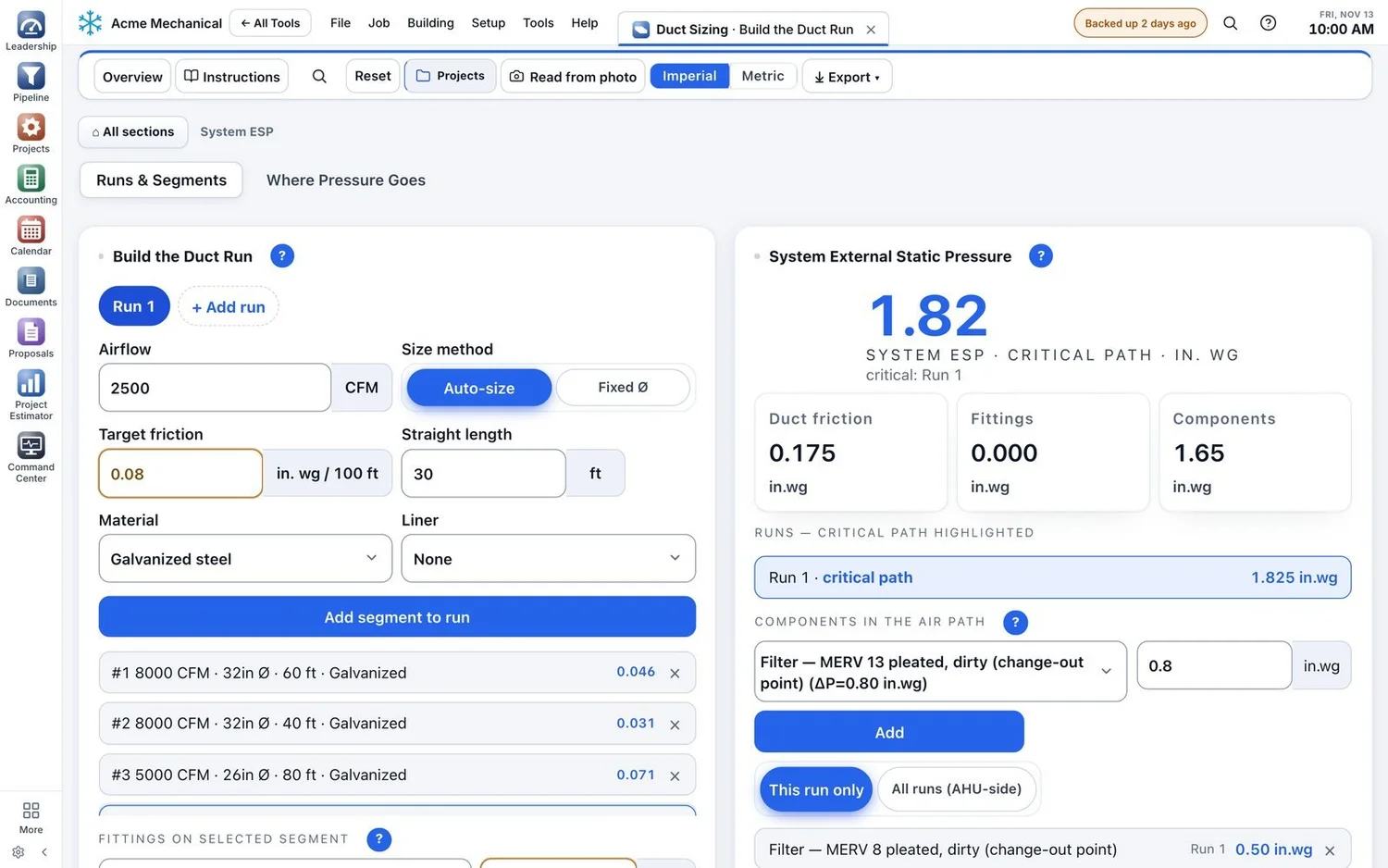
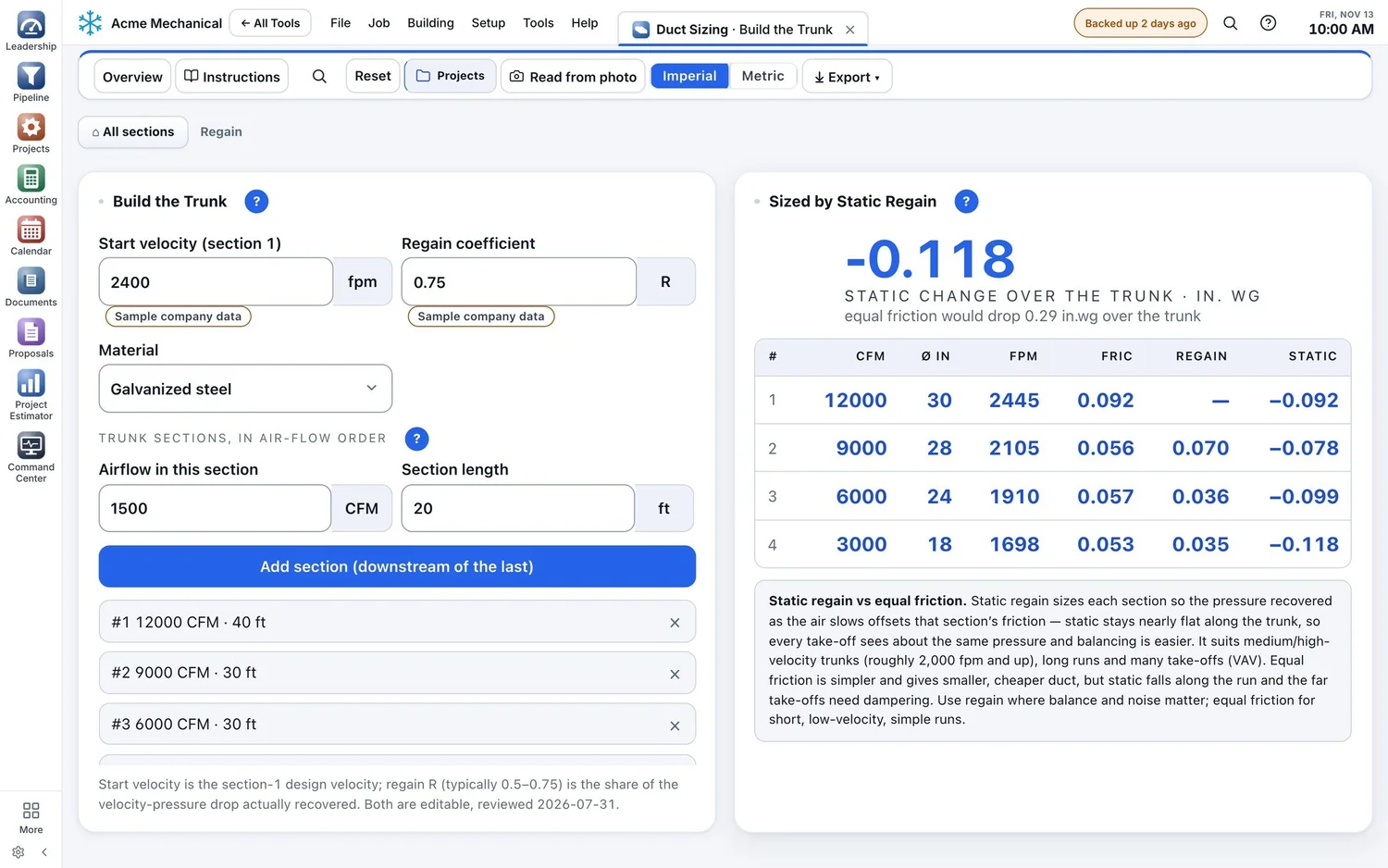
Sizes round and rectangular duct by friction rate or velocity, totals the fitting losses, builds the system external static pressure and finds the critical run. The Fan tab checks required speed, brake horsepower, motor load and the sheave change. Static regain, leakage class with a sealing payback, and a take-off list are on the same screen.
Learn MoreShow Less
A system that cannot make airflow means callbacks and free rework. Duct Sizing checks the whole air path before the job is bid, so the fan you sell can actually do the work.
- Site elevation corrects air density, which changes how the fan behaves at altitude.
- Warns when the fan is undersized for the duty and flags a motor overload.
- Gives the new motor-sheave pitch diameter for a belt drive.
- Leakage tab prices the conditioned air lost each year at operating pressure.
- Shows where the pressure goes, item by item, on a bar chart.
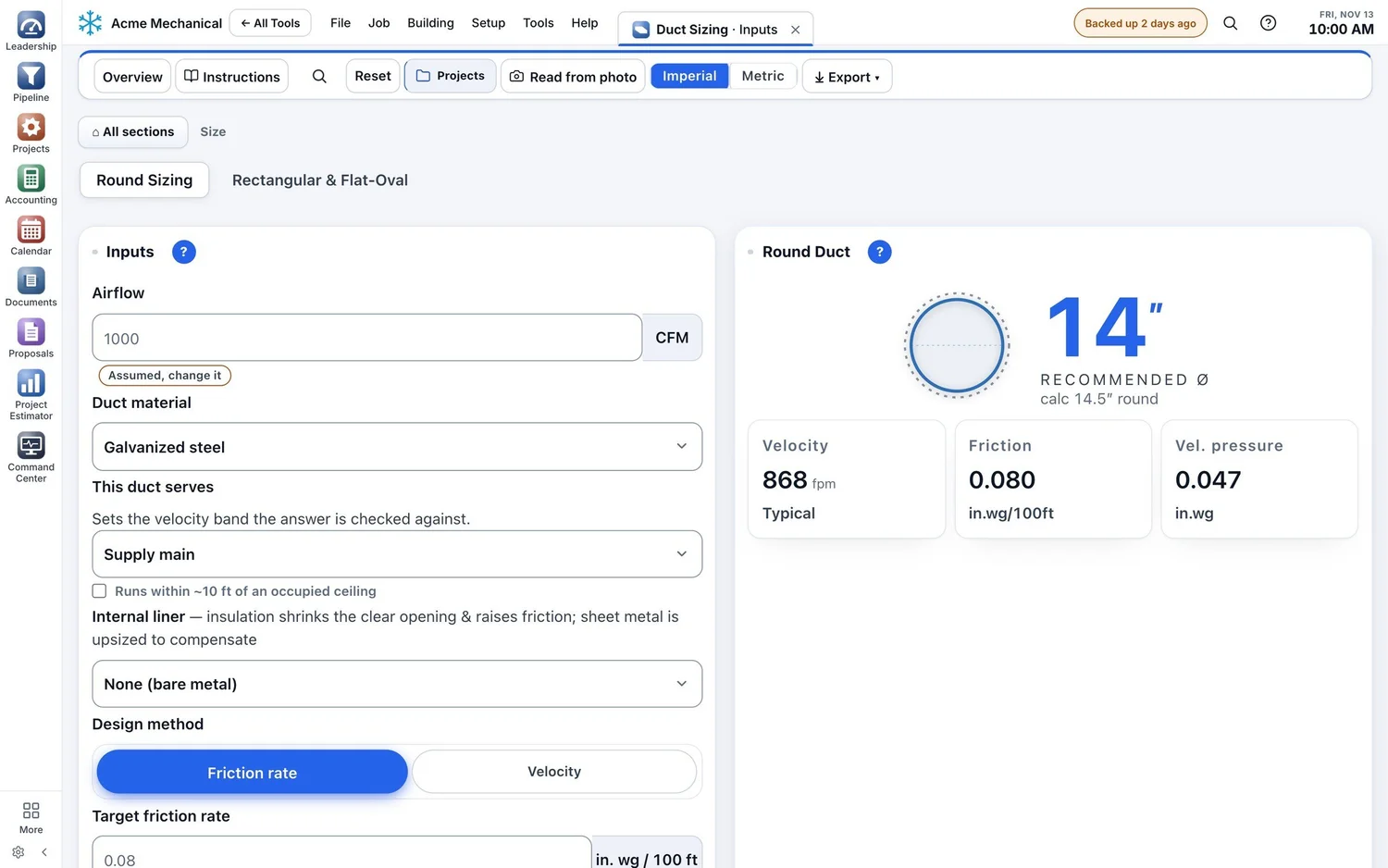
Duct sized by rule of thumb wastes fan power, so each run is sized by friction or velocity.
Hydronic Piping
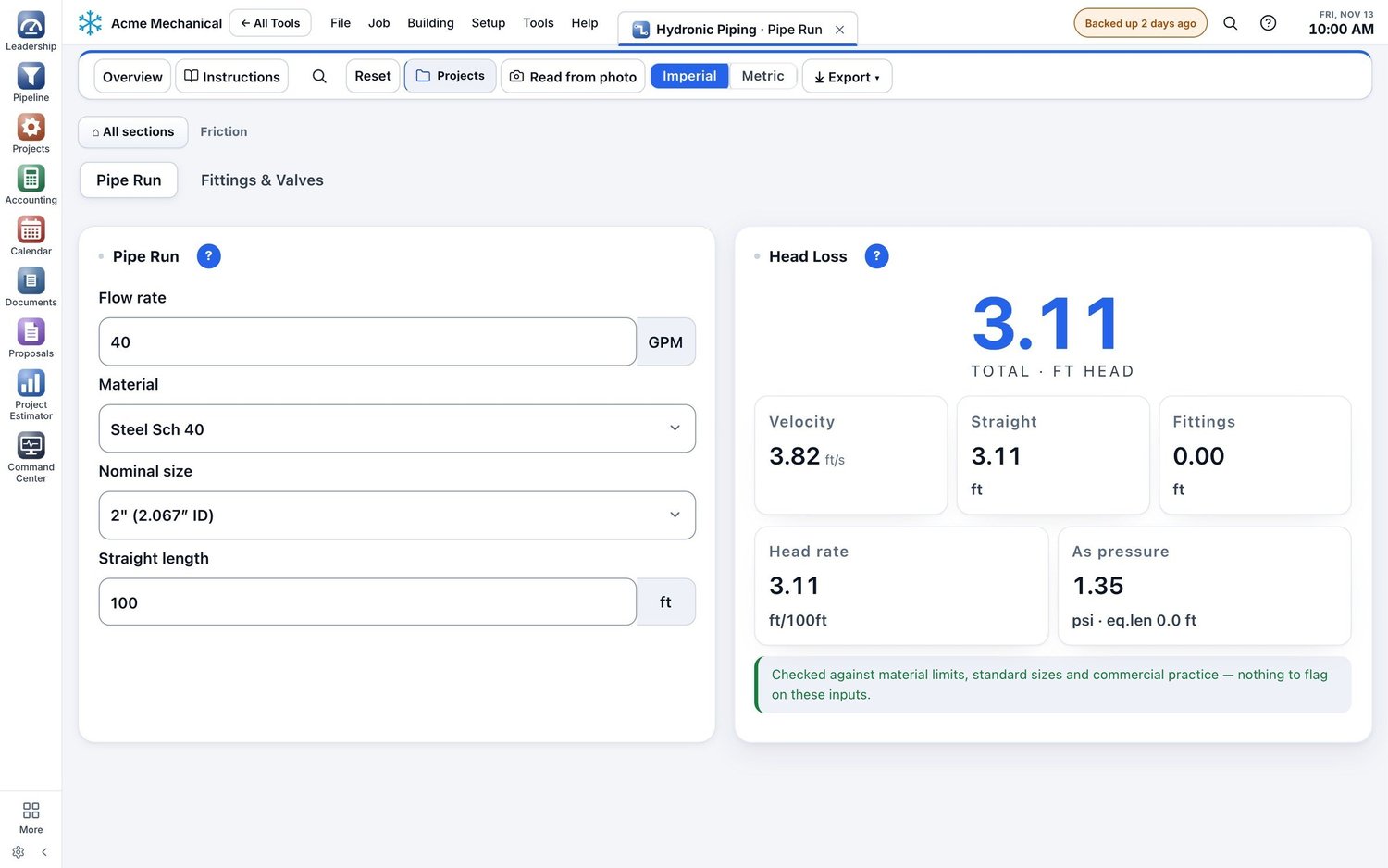
Sizes pipe, calculates friction, builds pump total dynamic head and shows the affinity-law comparison at reduced speed. Selecting glycol corrects specific heat, density and viscosity together. Expansion tanks, steam and refrigerant piping each have their own tab.
Learn MoreShow Less
An oversized pump wastes energy for twenty years and never announces itself. Hydronic Piping catches it, and turns a poor-performing loop into a priced fix.
- Low-ΔT tab shows the excess flow, pump-energy cost and lost capacity against design.
- Closed loops count friction only, avoiding the classic oversizing from adding building height.
- Checks NPSH so a pump does not cavitate on open or hot-water systems.
- Velocity bands flag erosion risk in copper and air left in slow horizontal mains.
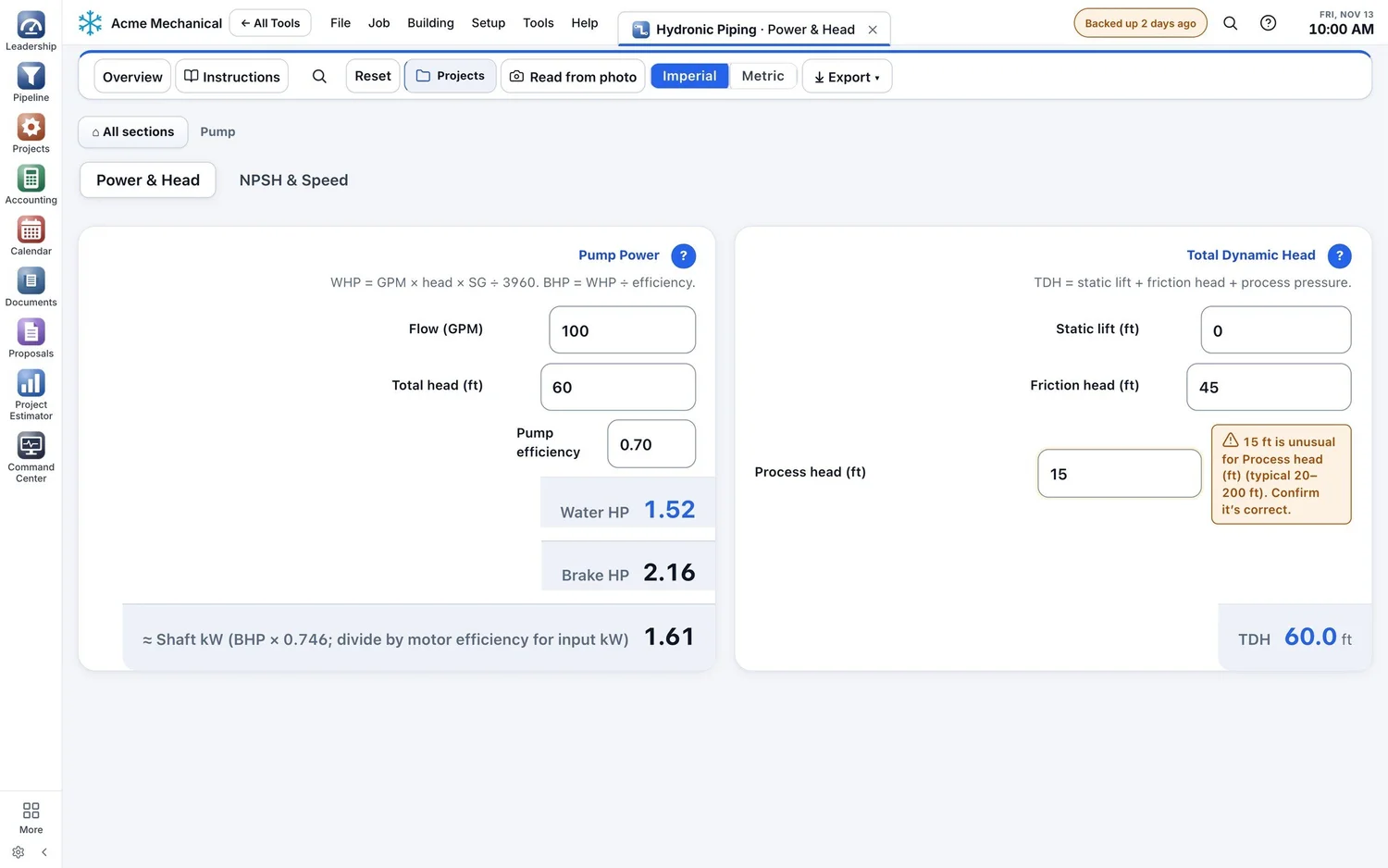
A pump picked without the head is a guess, so total head is built from the run and fittings.
Field Calculators
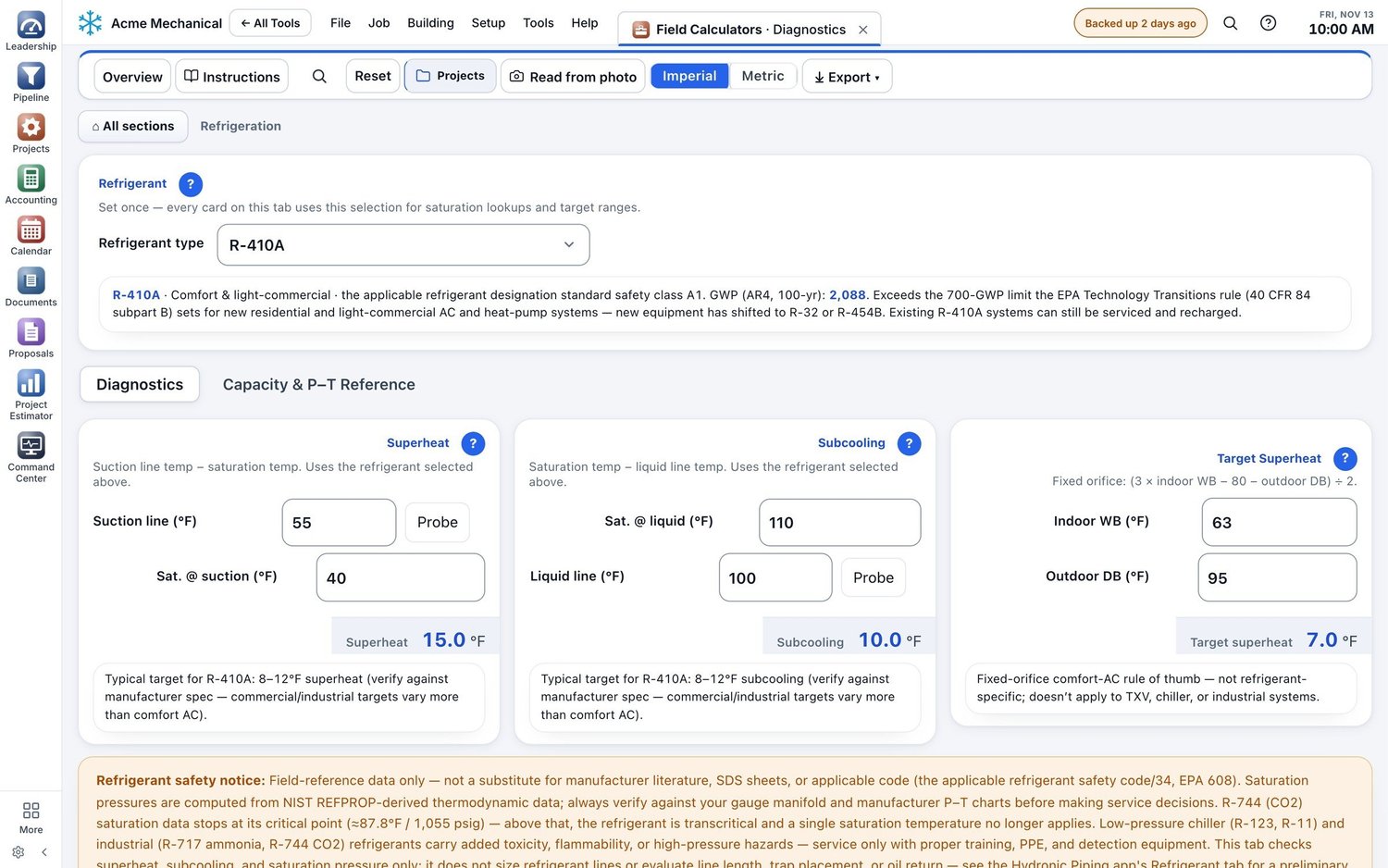
Psychrometrics, air and water heat transfer, refrigeration diagnostics by refrigerant, hydronics, electrical and unit conversions. Superheat and subcooling show a typical target for the refrigerant selected, and the Commissioning Snapshot prints a one-page dated charge record.
Learn MoreShow Less
A wrong field number can end in a compressor replaced that never needed it. The calculators are corrected for altitude and refrigerant, so the diagnosis on the roof holds up.
- One site elevation sets the air-density correction for every tab.
- Blended refrigerants take superheat and subcooling from the correct end of the glide.
- Shows each refrigerant's GWP and AIM Act status.
- A combustion analyzer gives excess air, efficiency, safety flags and a tune-up business case.
- The Word report lists only the calculators you used, led by the site and elevation.
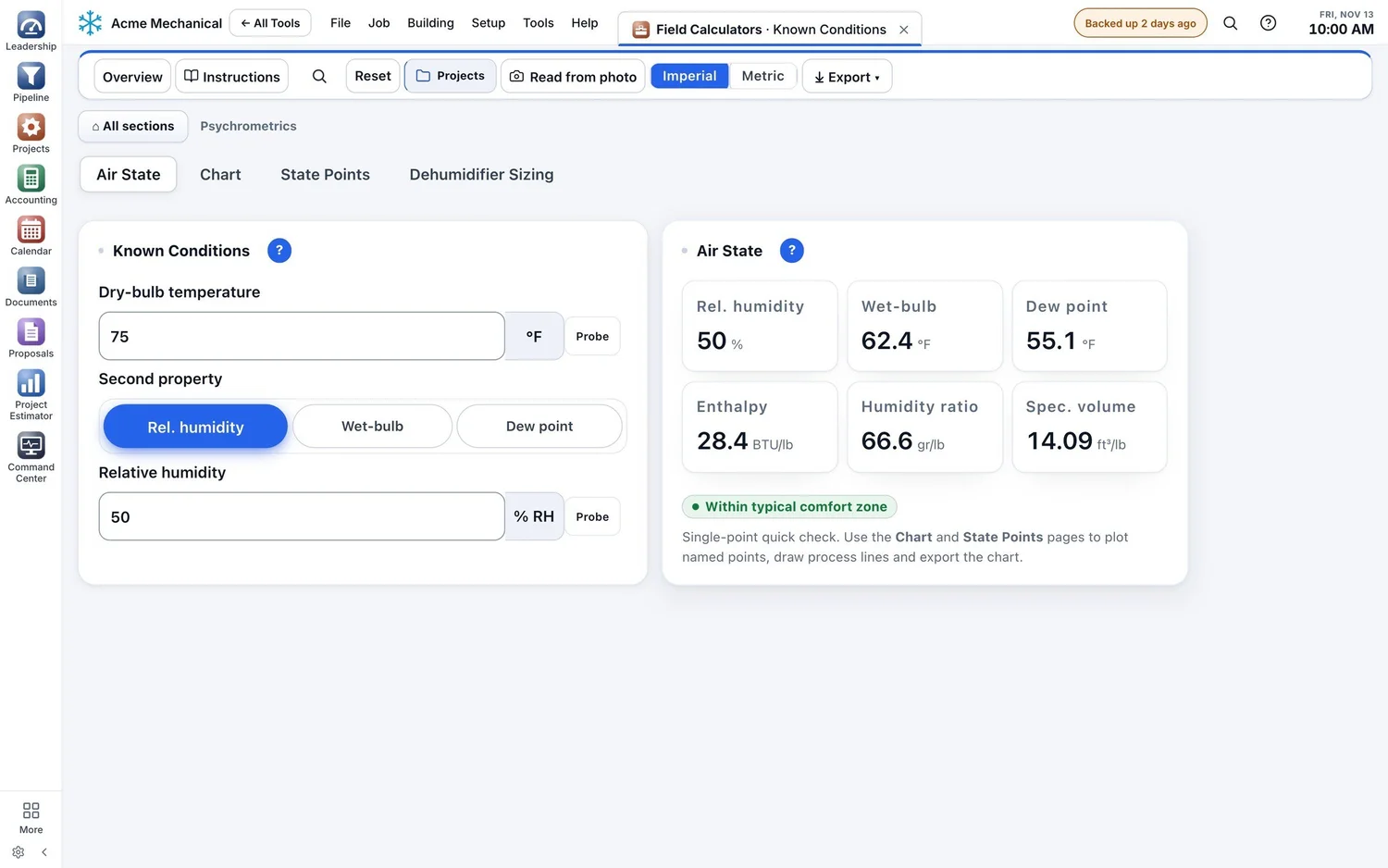
Field readings mean little without the math, so psychrometrics work out the air's state on the spot.
Indoor Pools and Dehumidification
Load Calculation sizes an indoor pool's dehumidification, outdoor air and exhaust and checks the glass for condensation, by the ASHRAE Handbook method. Field Calculators sizes dehumidifiers for closed spaces such as archives, storage and unoccupied buildings.
Learn MoreShow Less
An undersized pool unit rots the building; an oversized one wastes capital. The calculation shows every step, so the owner pays for the right equipment once.
- Up to four pools, spas or water features, each with its own activity factor.
- Designs to the larger of the summer and winter moisture loads.
- Sets exhaust about 10% above outdoor air to keep the room negative.
- Glass must stay at least 5 °F above the room dew point, or it fails.
- Dehumidifier sizing compares months of rental against buying a machine.
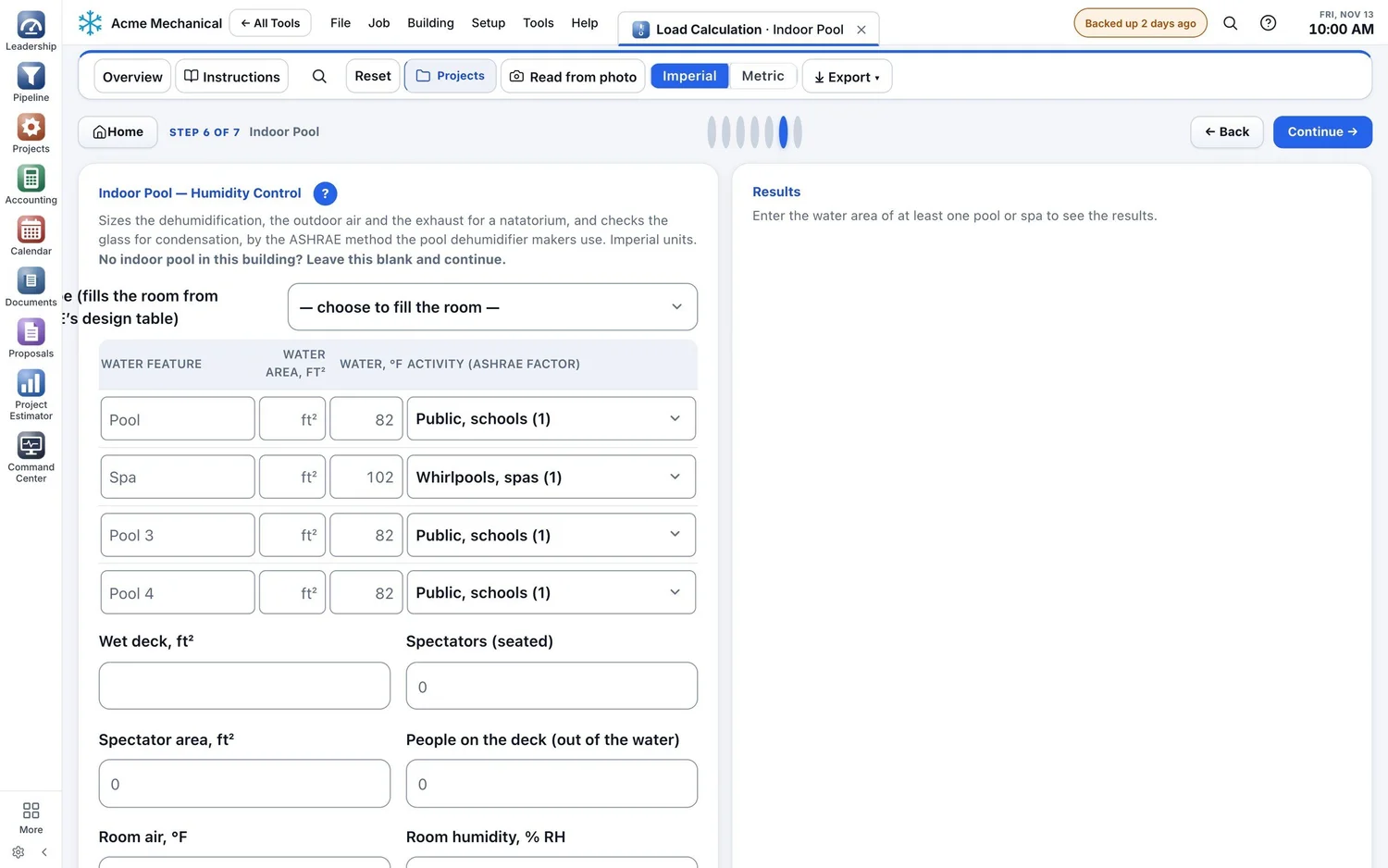
Indoor pools ruin buildings when the moisture is wrong, so pool loads are sized by water area and use.
Sheet Metal
Imports the take-off from Duct Sizing and turns it into a cut list, a gauge and weight takeoff by material, shop and field labor hours from your own labor units, and a material-and-labor number priced from your own rates for the estimator.
Learn MoreShow Less
Sheet metal bid by guess either loses the job or loses money on it. The takeoff turns a sized layout into pounds, gauges and hours, so the duct number in the bid is real.
- Developed area for each run and fitting, from its perimeter and length.
- Gauge chosen from the larger side and the pressure class.
- Purchase weight adds waste to net weight, and the cut sheet is grouped by gauge: what you order.
- Counts joints, seams and hangers for the labor.
- Word takeoff for the shop and owner; Excel with live numbers.
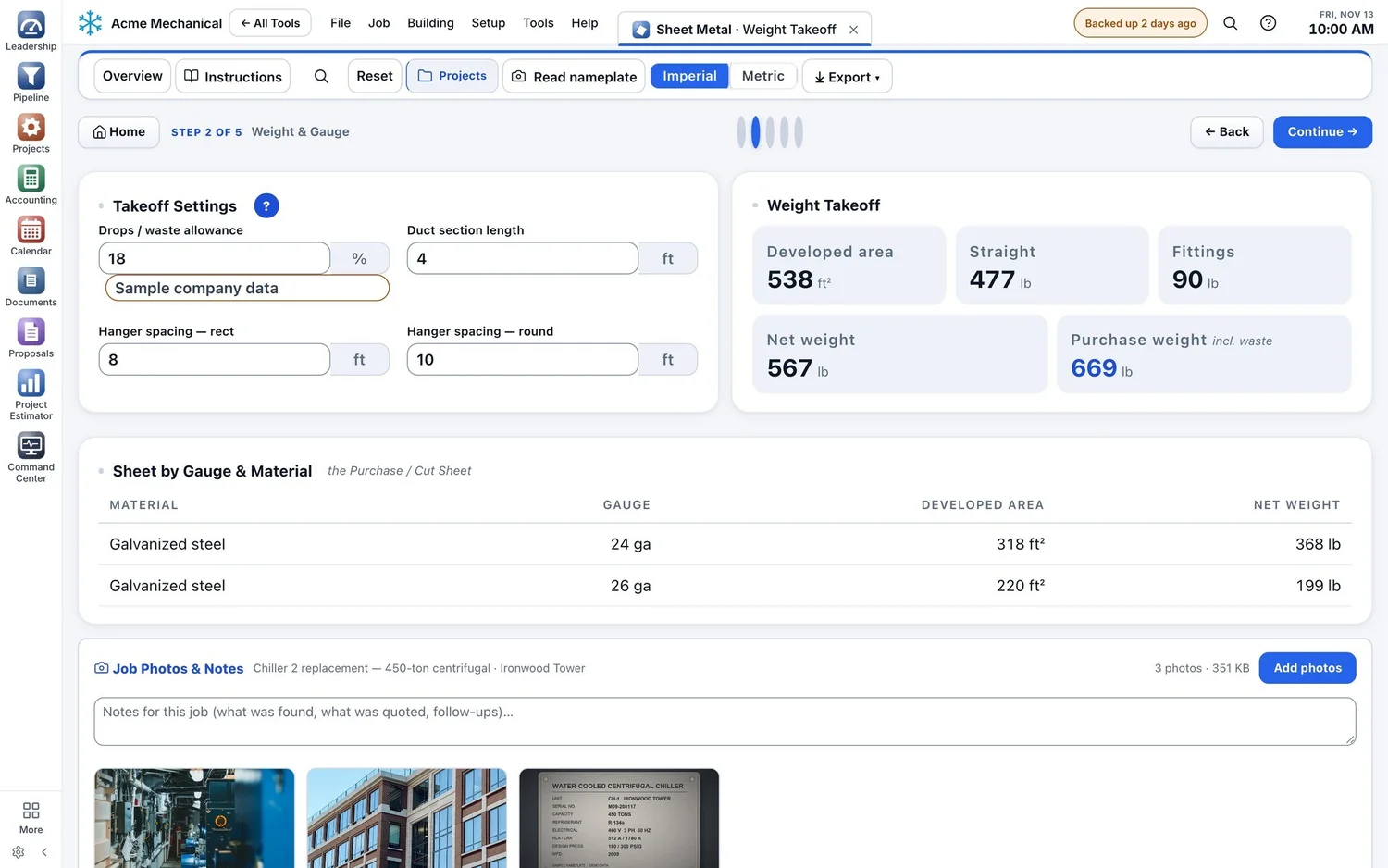
Duct takeoffs by hand miss weight and gauge, so Sheet Metal turns the takeoff into pounds by gauge.
Cooling Tower and Fan Wall
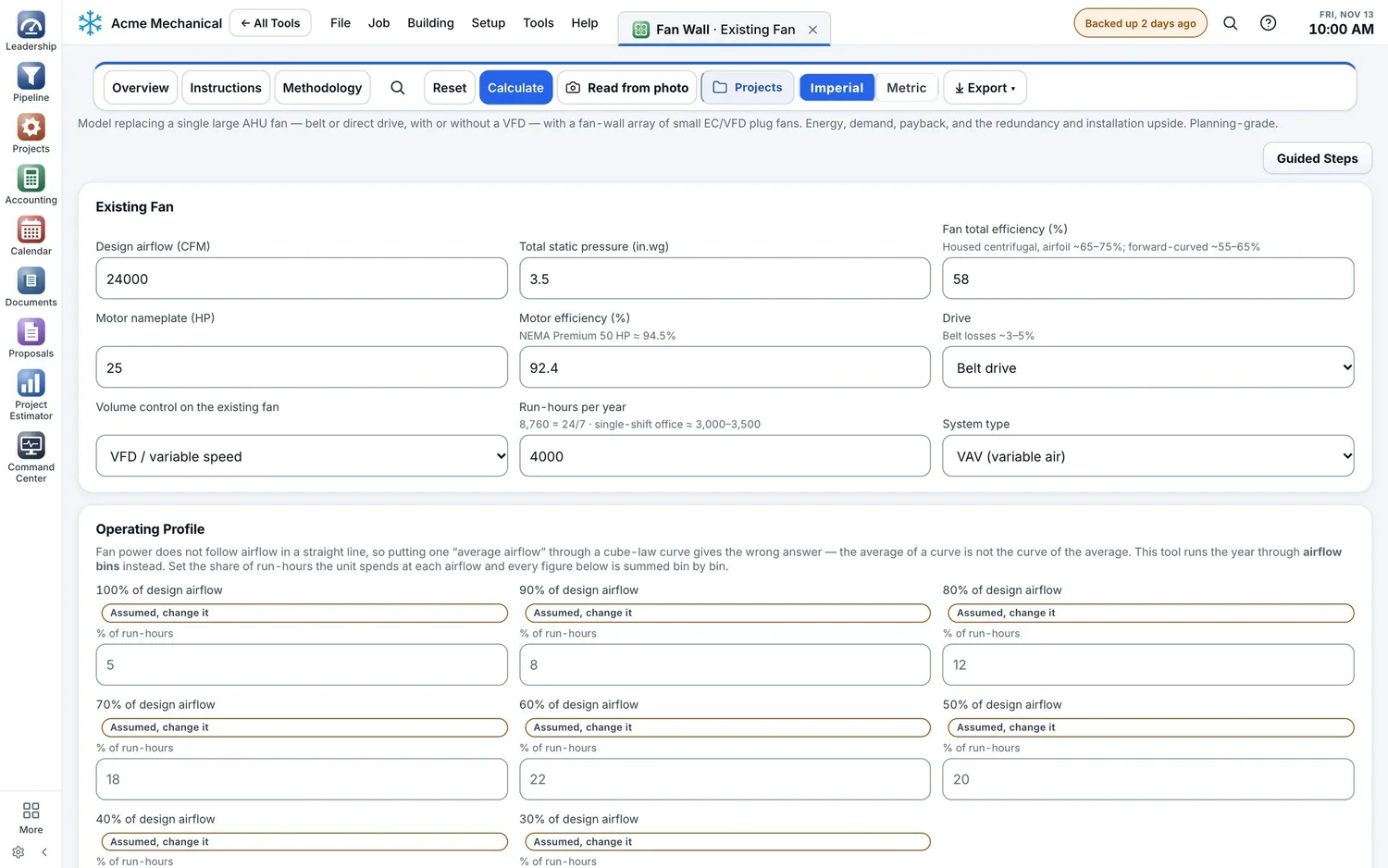
Cooling Tower estimates the fan energy saved by variable-speed control together with the water and chemical saved at a higher cycle of concentration. Fan Wall models converting one large air-handler fan to an array of small fans: energy, demand, payback and N+1 redundancy.
Learn MoreShow Less
Towers and big air-handler fans hide money in fan energy, water and chemicals. These two tools make the savings case so the upgrade gets approved.
- Tower fan power follows the cube of speed: 50% speed uses about 12.5% of the power.
- Raising cycles of concentration from 3 to 6 roughly halves blowdown.
- Approach shows a fouled or undersized tower against its design.
- A fan array usually goes through existing access doors, with no crane or wall opening.
- Fan Wall shows 10-year net savings and exports to Excel.
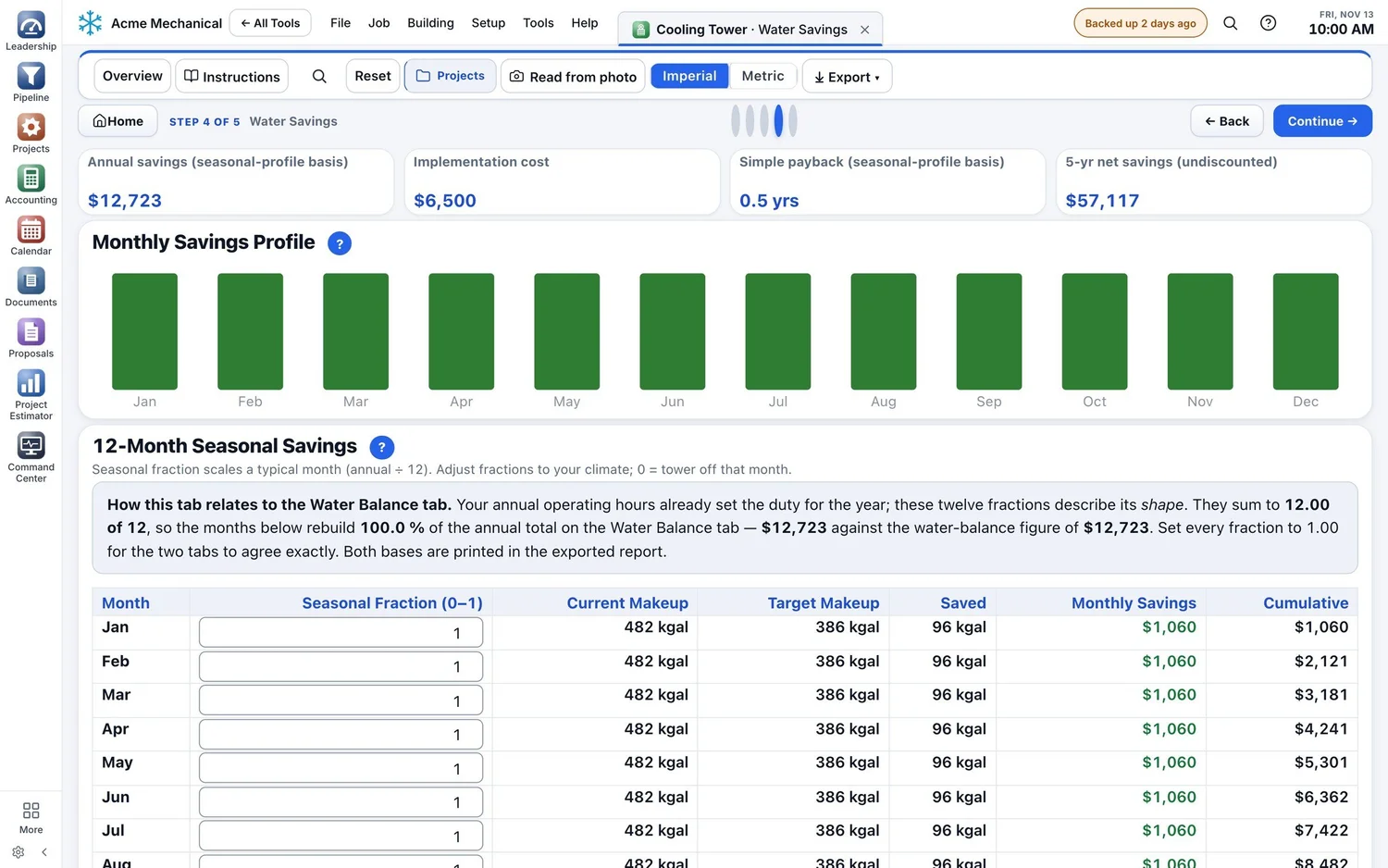
Tower fans and water both cost money, so Cooling Tower shows the savings month by month.
Compare Machines on a Common Basis
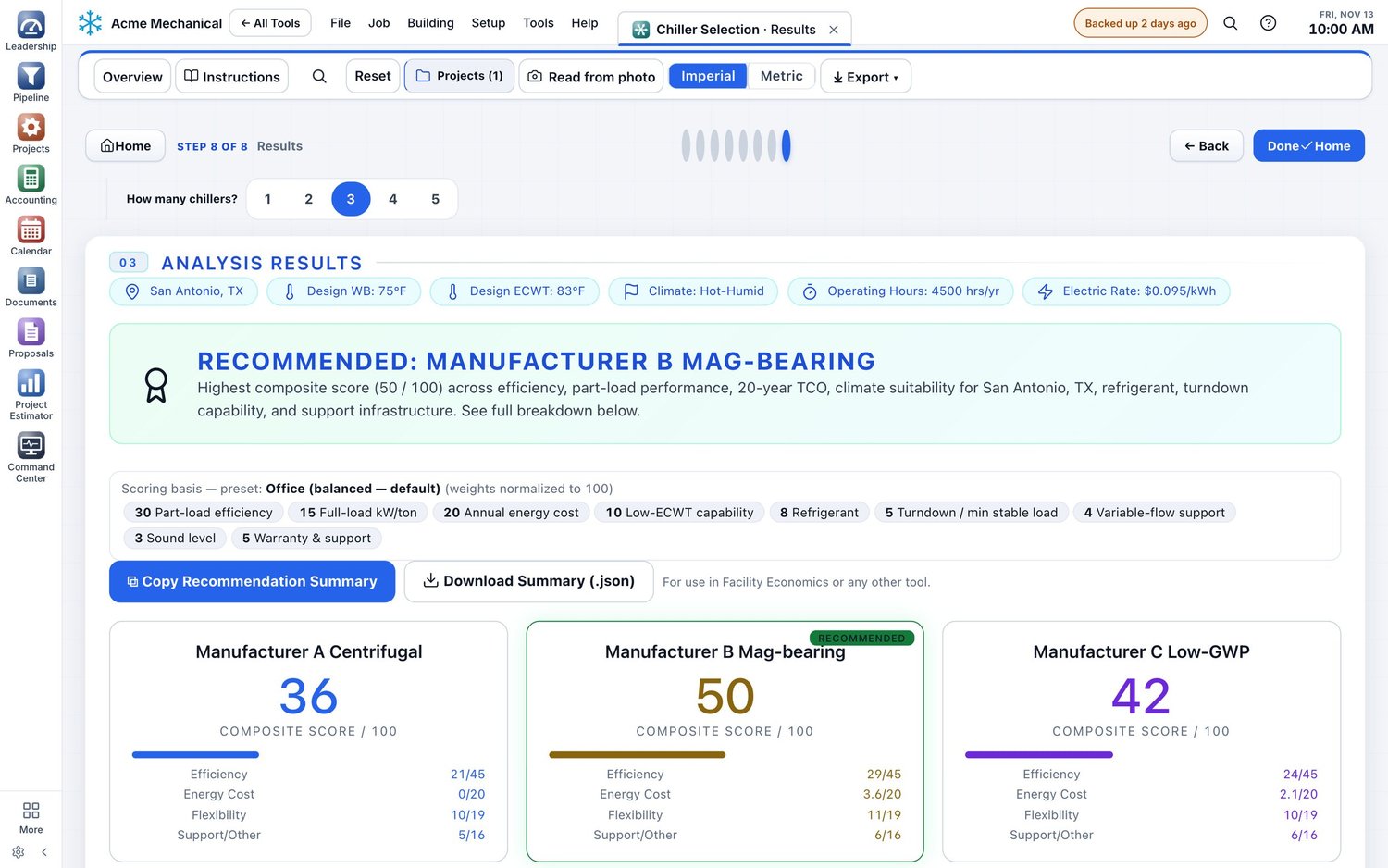
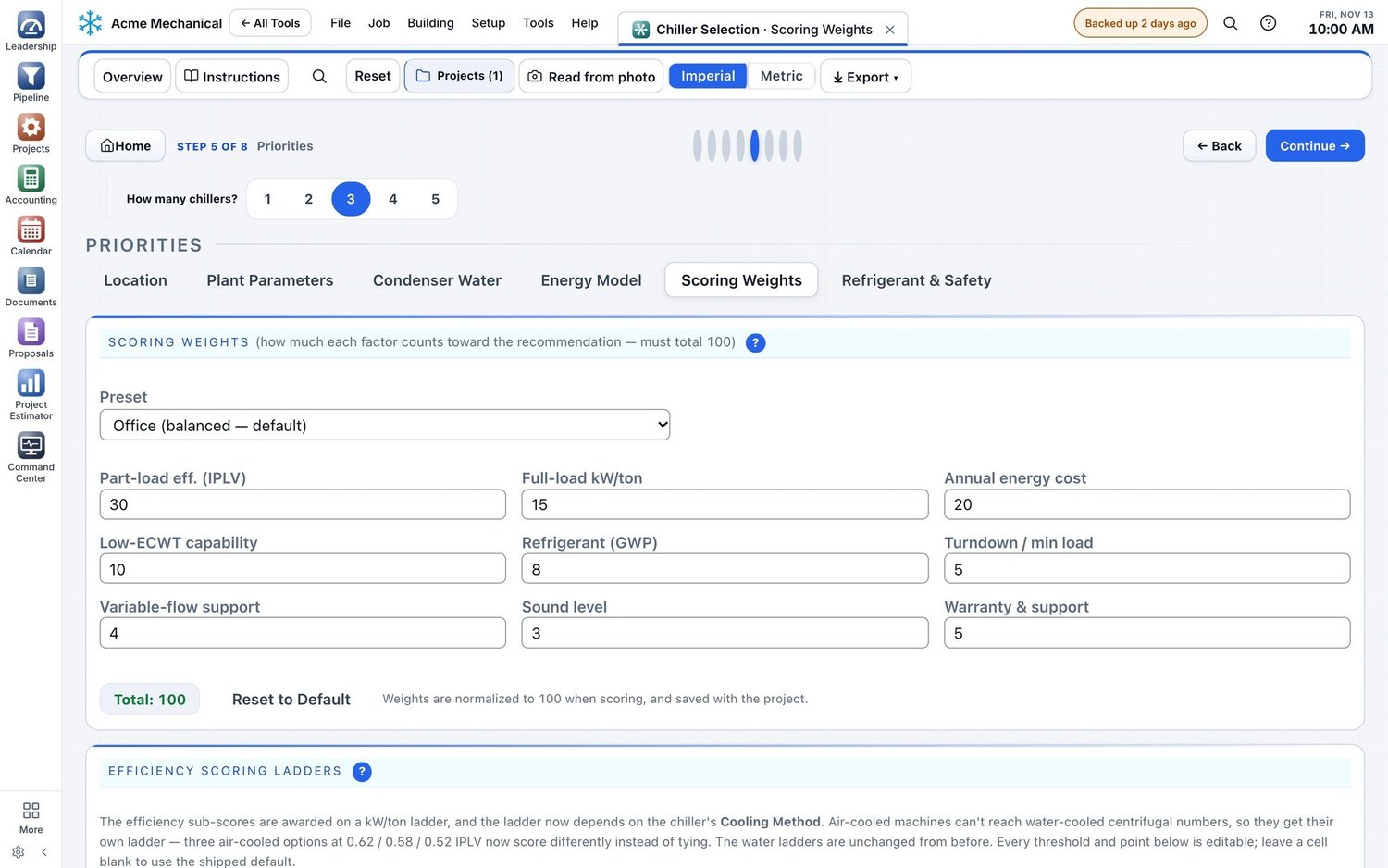
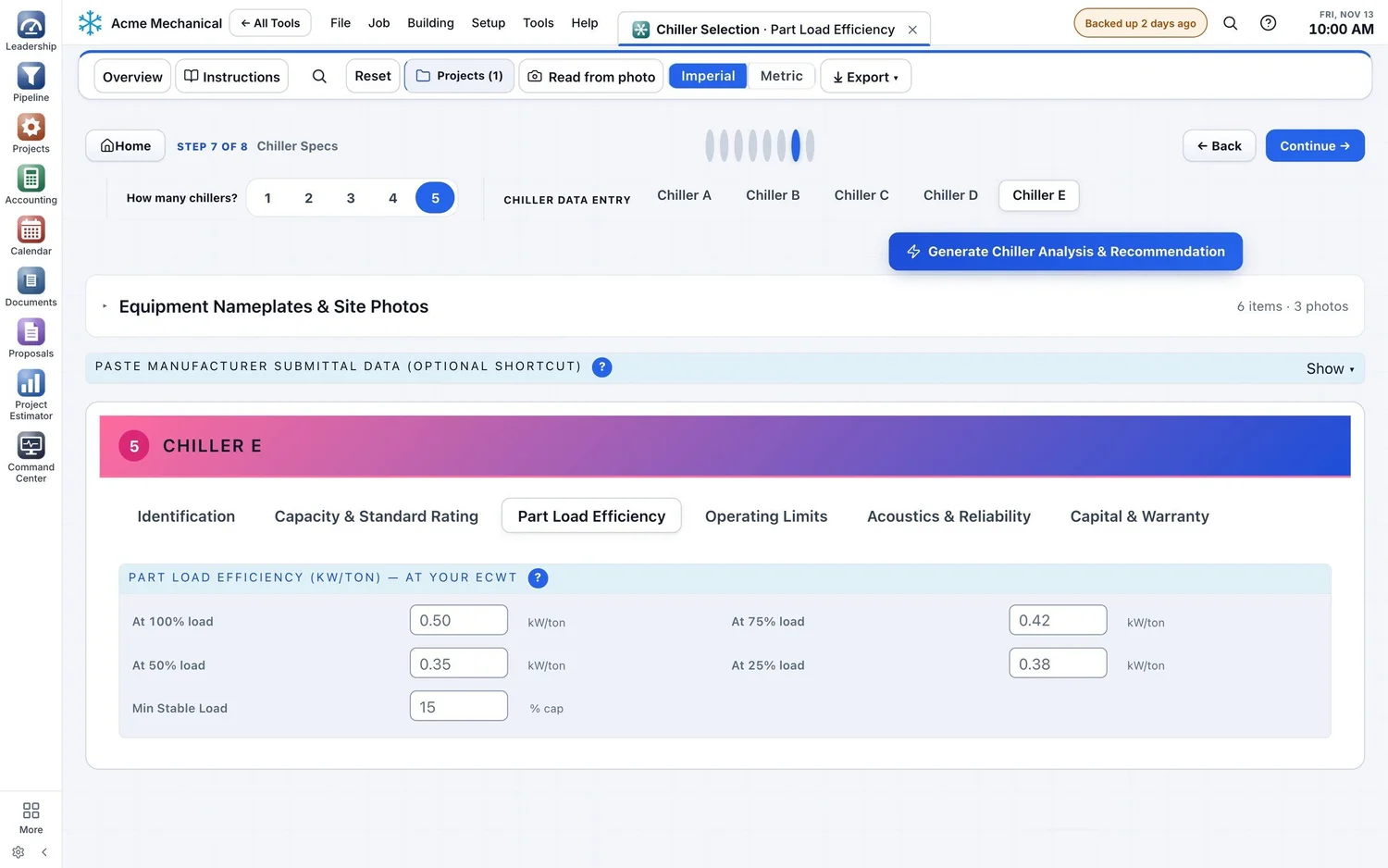
Chiller Selection
- Up to five chillers side by side on capacity, full and part-load efficiency, first cost, energy cost and maintenance
- Nine weighted scoring factors, with presets for office, hospital, data center, university, industrial or lowest first cost
- Air-cooled nameplate tons derated to delivered tons at your site's design dry-bulb and elevation, each machine flagged Adequate, Marginal or Short against the design load
- Life-cycle cost over the analysis period, a sensitivity chart with switching points, and a machinery-room screening with a priced additive alternate you can publish to the estimate
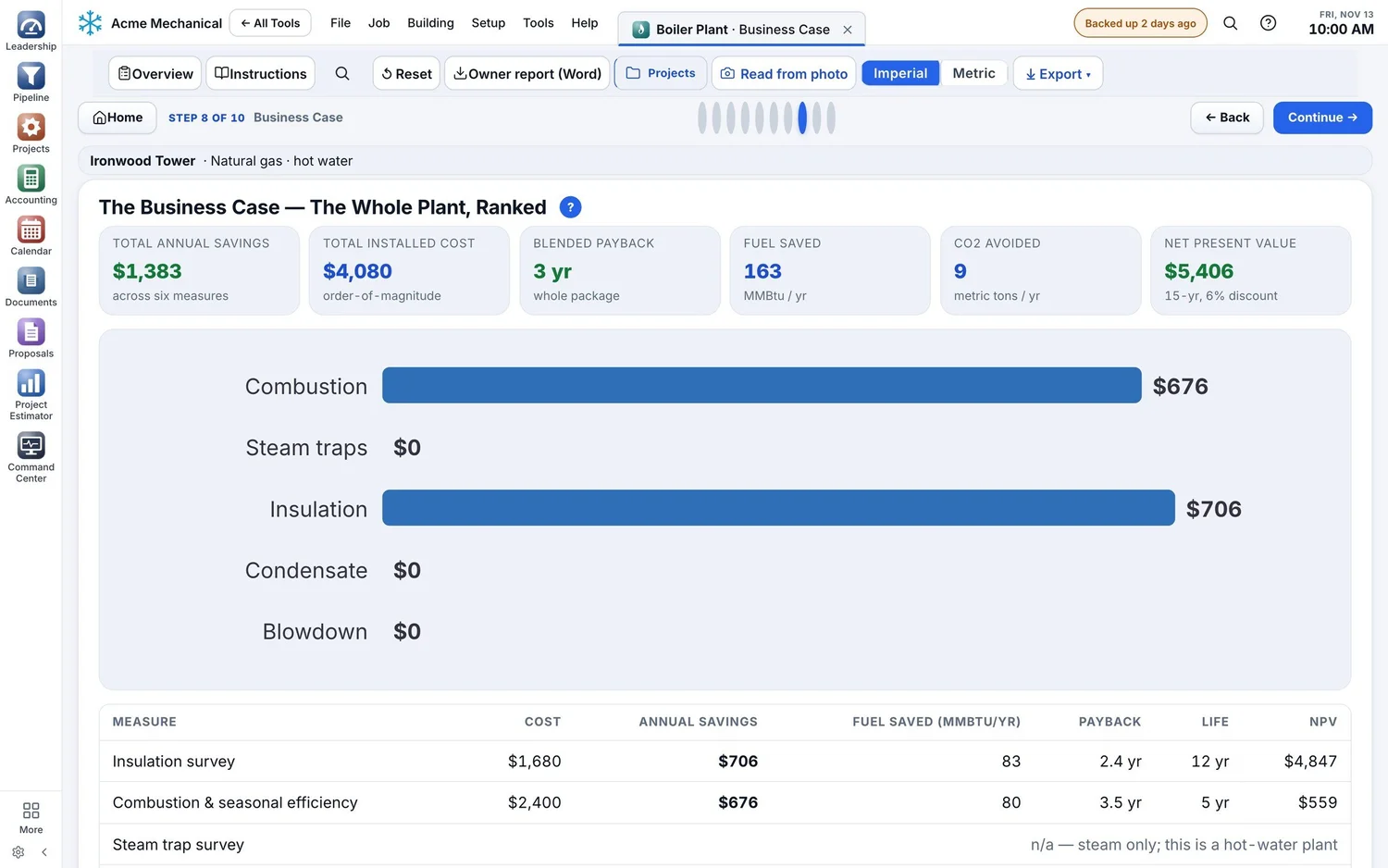
Boiler savings are scattered across many fixes, so the business case ranks the whole plant.
Plant Optimizer and Boiler Plant
- Plant Optimizer models the plant once: tonnage, number of chillers, all-in kW/ton and run-hours
- Switch on chiller sequencing, chilled- and condenser-water reset, variable primary flow, waterside economizer, optimized start/stop and heat recovery
- Measures combine multiplicatively with an interaction de-rating, so two 5% measures give about 9.75%, not 10%
- Boiler Plant quantifies six heating-plant savings, from combustion efficiency and failed steam traps to condensate recovery and flue-gas heat recovery, ranked by payback
- A launch strip opens Chiller Selection, Cooling Tower, Boiler Plant, CHP & Storage and Life-Cycle Cost for the detailed work
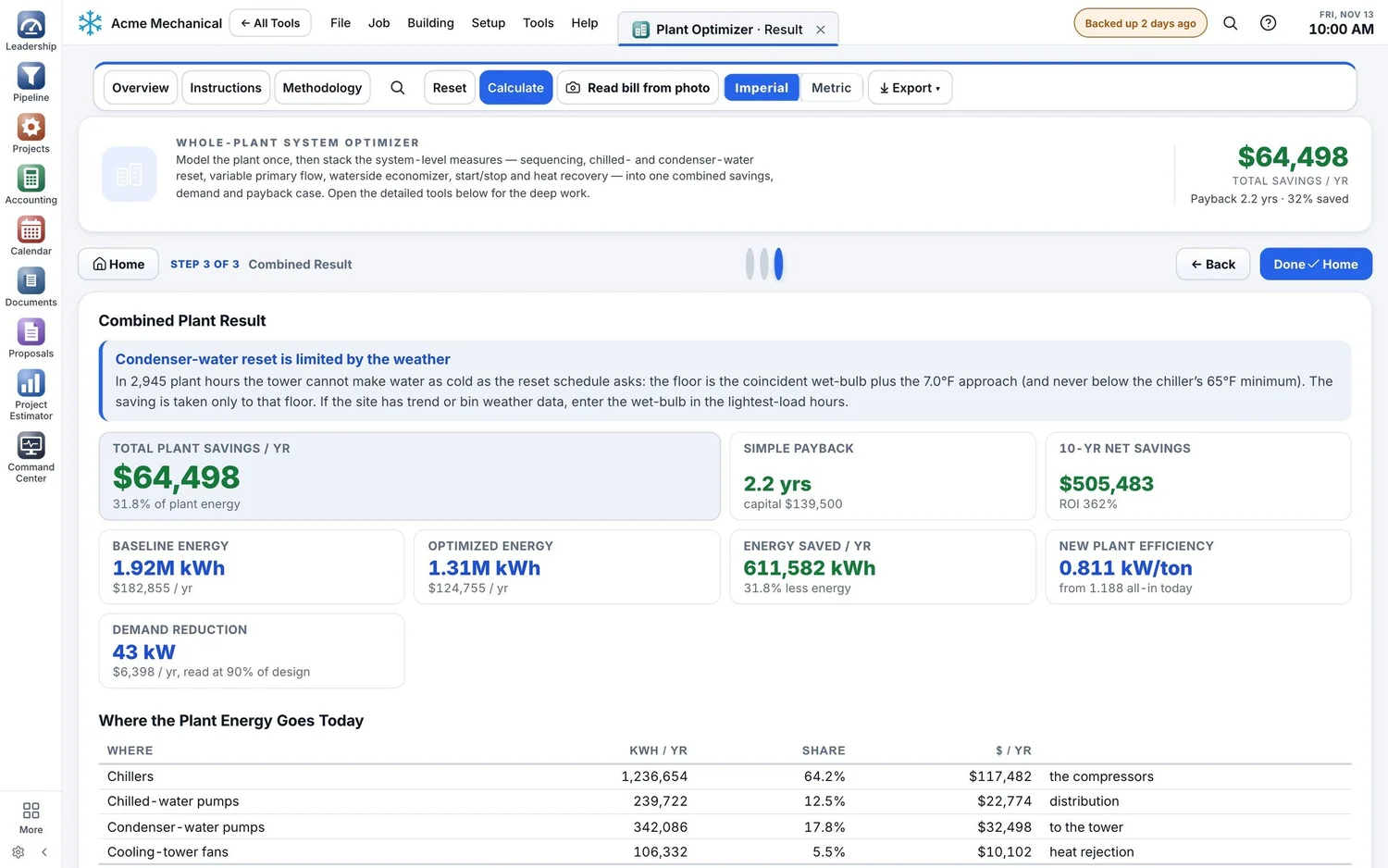
Plant savings are hard to defend, so Plant Optimizer shows the combined result and where the energy goes.
Repair, Replace or Convert
- Packaged Equipment compares the repair path and the replace path at five and ten years, with the crossover year and the chance of another failure at 1, 3 and 5 years
- Equipment Decision puts Repair, Replace and Convert To Heat Pump on one mode strip, with the unit entered once for repair and replace
- A one-page leave-behind and a Good, Better, Best offer come out of the same entry
VRF Selector and Refrigeration
- VRF Selector turns zone loads into indoor units and an outdoor unit with its combination ratio, derated for temperature and piping, with a business case against a rooftop or split baseline
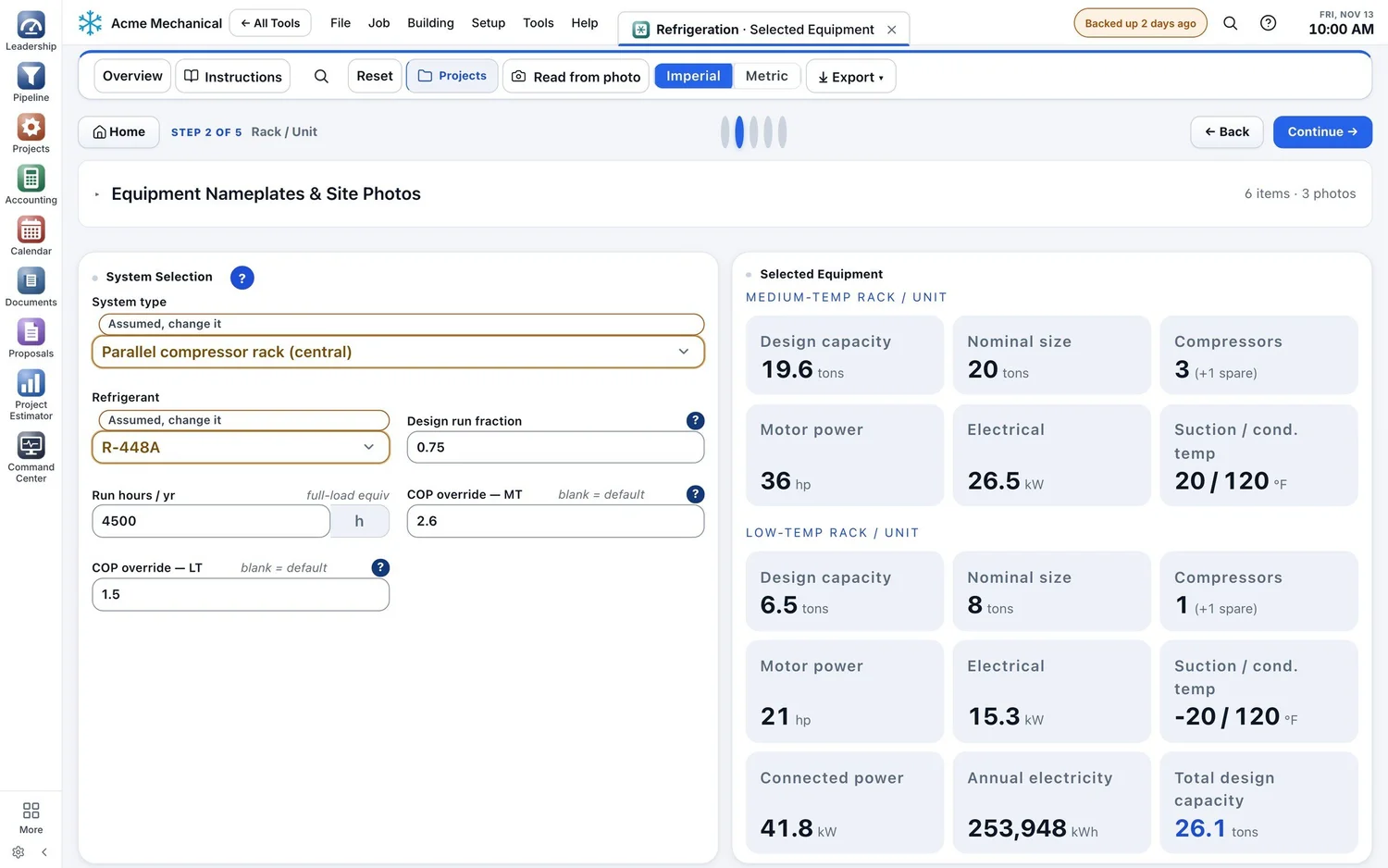
- Refrigeration sizes walk-in, display-case and process loads by temperature class and selects the rack or condensing units, with an N+1 spare compressor on a rack
- Refrigeration screens the chosen refrigerant against the transition rules and the leak-repair thresholds from dated reference data
- Both are labeled screening-grade: confirm every selection in the manufacturer's selection software
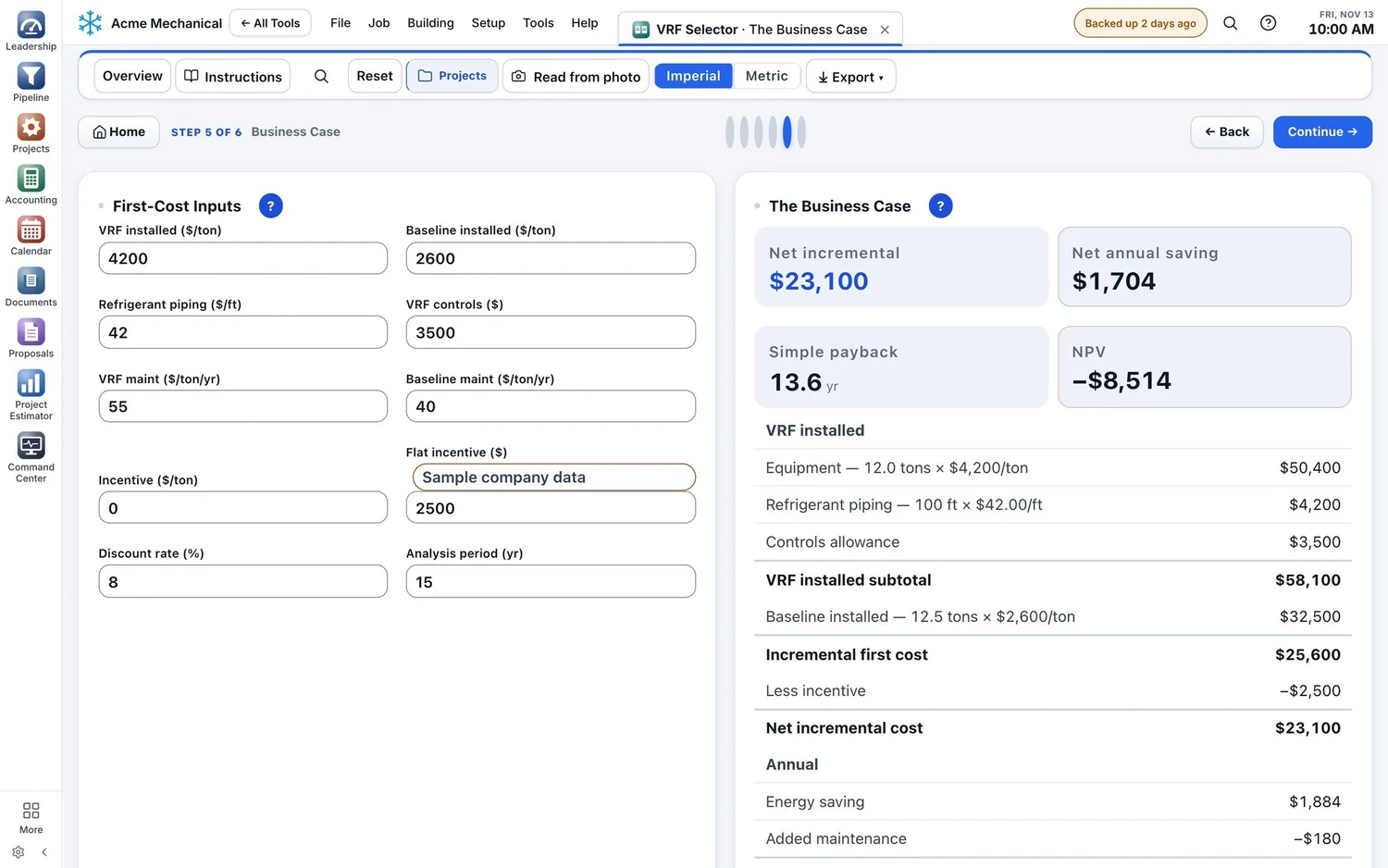
A VRF quote needs a business case, so the selector compares cost and savings against a rooftop baseline.
Plumbing, Gas, Electrical and Air Quality on the Same Job
When the mechanical job touches other trades, your estimator gets a fast, defensible number without leaving the program.
Plumbing & Gas
A fixture schedule becomes water supply and drainage fixture units, a probable demand in GPM on the Hunter curve, copper mains sized by velocity, drain-waste-vent sized at the chosen slope, and a gas main sized by the longest-length method, with a material-and-labor number priced from your own rates and labor units.
Learn MoreShow Less
Plumbing sold by an HVAC contractor is extra revenue on jobs you already have, if you can size and price it. This tool does both from a fixture list.
- An 18-fixture catalog, each row showing its supply and drainage fixture units as you type.
- Flush-valve and flush-tank systems use their own Hunter curve column.
- Sizes service, meter, cold and hot mains, building drain, largest branch and main vent.
- Gas load in Btu/h becomes demand in CFH and a main size.
- Owner Word report and an Excel workbook with a Methodology sheet.
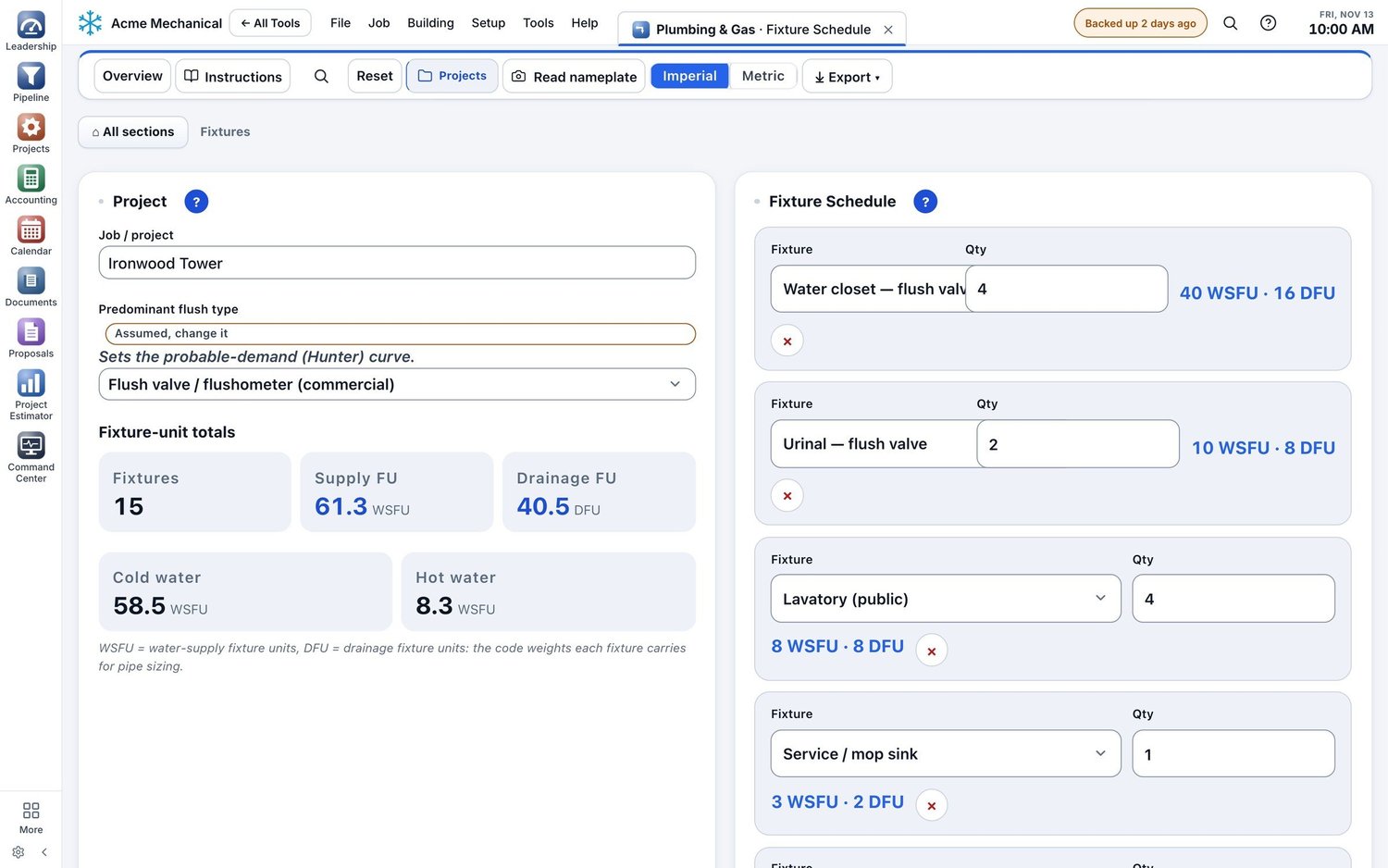
Plumbing sized from habit can starve fixtures, so fixture units become flow and pipe sizes.
Electrical Service
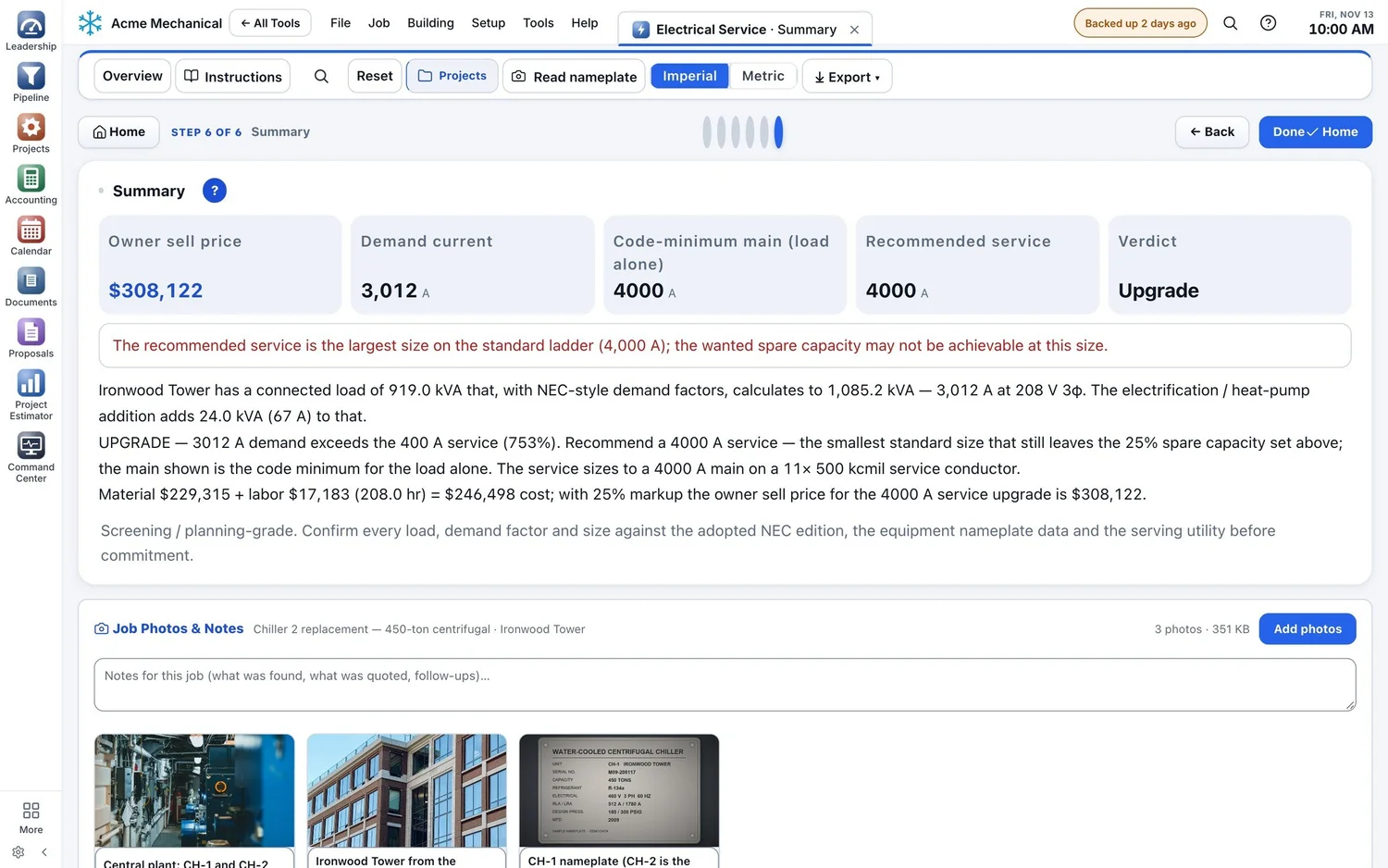
Answers the question a heat-pump conversion forces: will the existing service carry it? The building's loads plus the new load become a calculated service size in amps with NEC-style demand factors, sized conductors, a keep-or-upgrade verdict and a service upgrade priced from your own rates.
Learn MoreShow Less
A service upgrade found after the heat pumps arrive can wipe out the job's profit. This tool answers it at the quote, so the upgrade is priced in or ruled out up front.
- Load categories carry their own demand rules, including EV charging, kitchen and motors.
- Heating and cooling are noncoincident: the larger counts, the smaller drops.
- Receptacles count the first 10 kVA at 100% and the rest at 50%.
- The verdict reads Adequate, Tight or Upgrade against the existing service.
- Shows demand before and after the conversion.
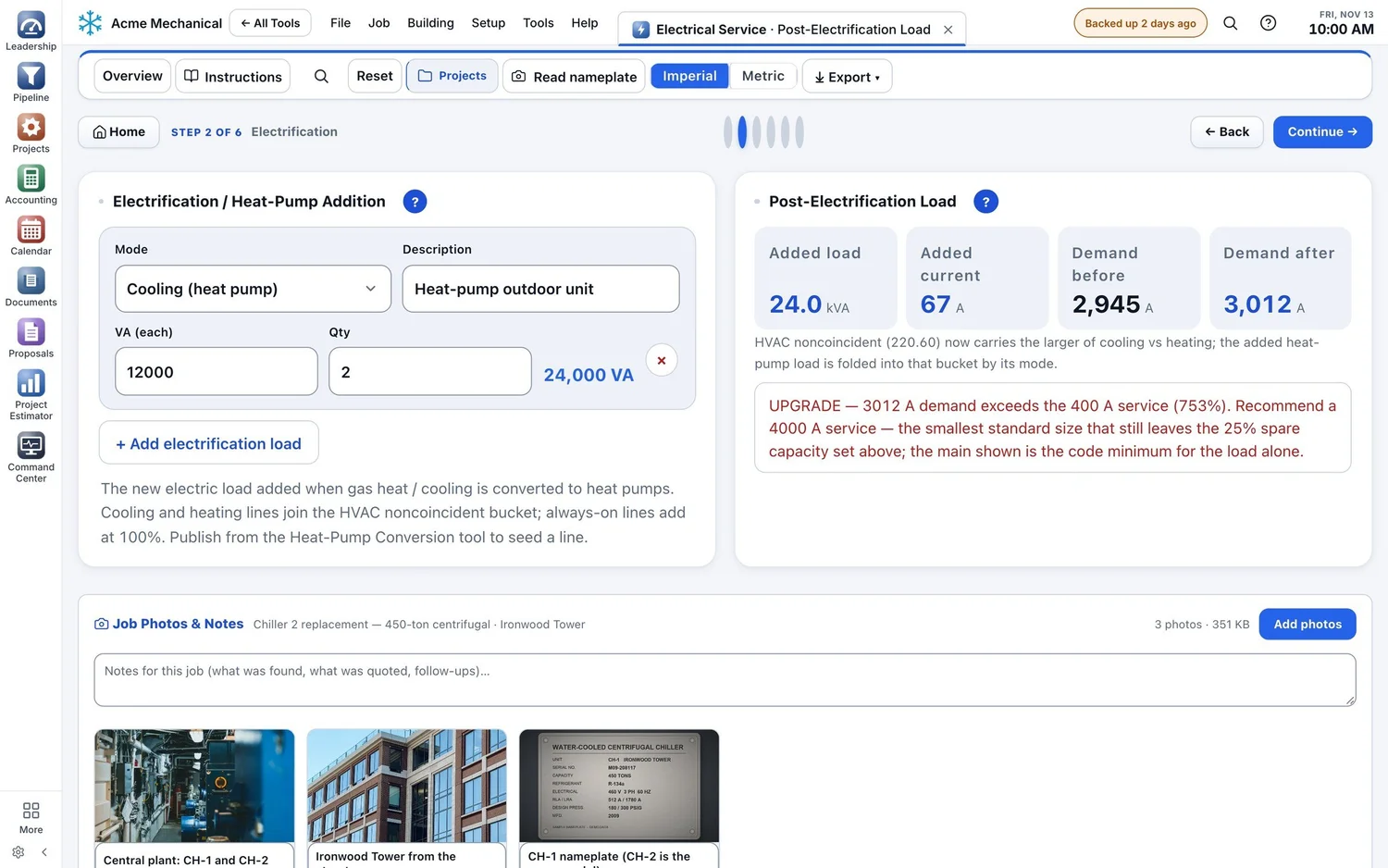
A heat pump can overload an old service, so the added load is checked before you quote.
Air Quality
Sizes the outdoor air ASHRAE 62.1 requires, checks an optional ASHRAE 241 equivalent-clean-airflow target, and prices the energy penalty of more outdoor air and higher-MERV filters against demand-controlled ventilation savings. Where code-required air adds operating cost, the tool says so.
Learn MoreShow Less
The cost of more outdoor air is what usually stops an air-quality project. This tool puts that cost beside the savings, so the owner sees the net and can approve it.
- Outdoor air is figured space by space from people and floor area, per ASHRAE 62.1.
- Shows required, current and proposed outdoor air, and flags a deficit.
- Filtration shows the added pressure drop, fan energy and filter cost.
- Money case nets incentives into first cost and gives payback and NPV.
- An internal pack holds the full space-by-space table.
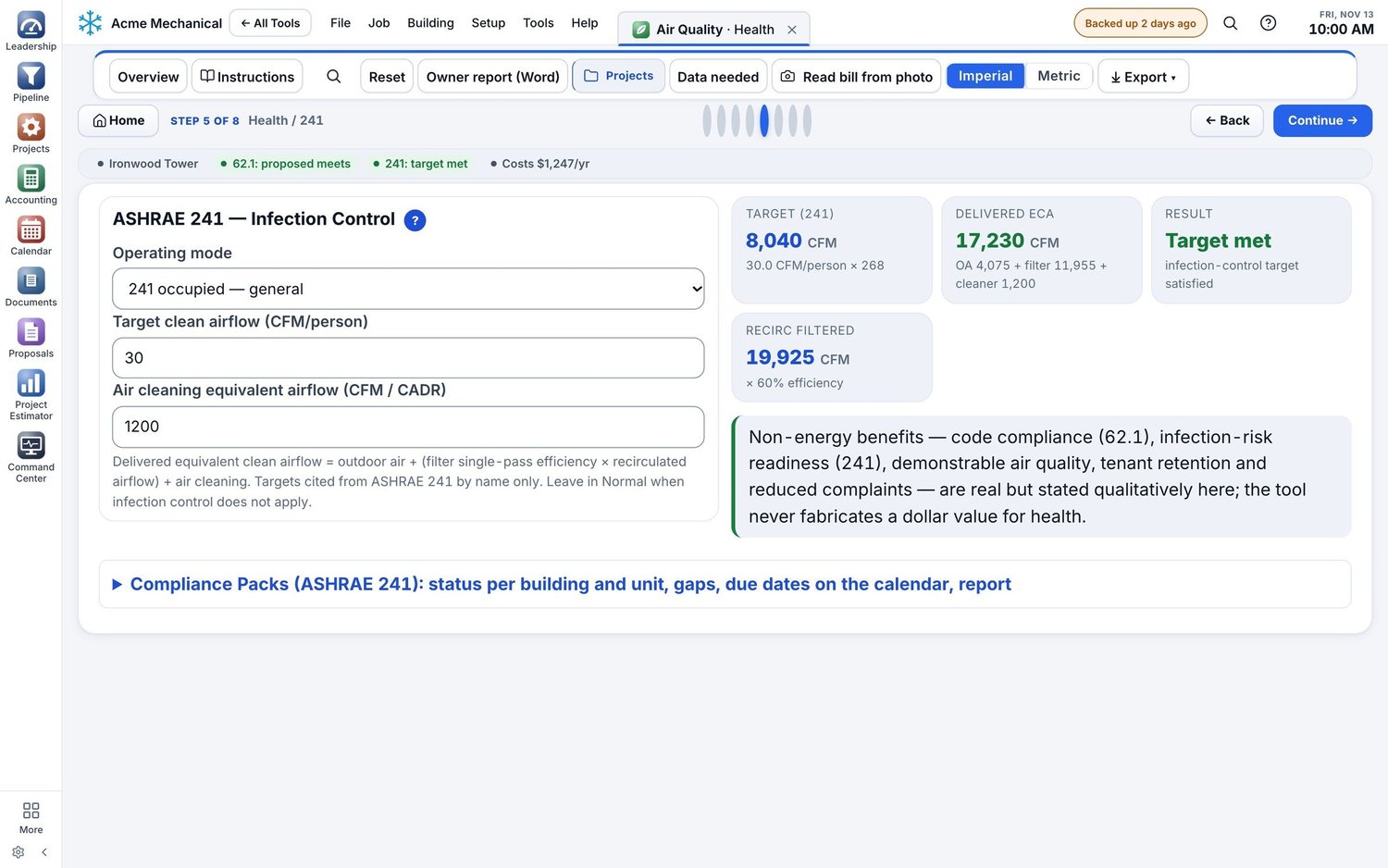
Owners ask about infection control, so Air Quality checks the clean-air target room by room.
Your Numbers, Not Ours
Unit loads and sizing tables are dated reference data. Prices and labor units are never preset: the tools price from your own rates and will not price until they are entered. Confirm sizes against the adopted code.
Learn MoreShow Less
A price built on someone else's numbers can lose a job or lose money on one. Every figure that ships as reference data is tagged, so nothing slips into a bid unnoticed.
- Planning ranges are marked "Planning range, not your price."
- Use Your Own Price saves your installed price and uses it everywhere after.
- A report on an example utility rate prints a notice at the top.
- Engineering and finance assumptions are marked "Assumed, change it."
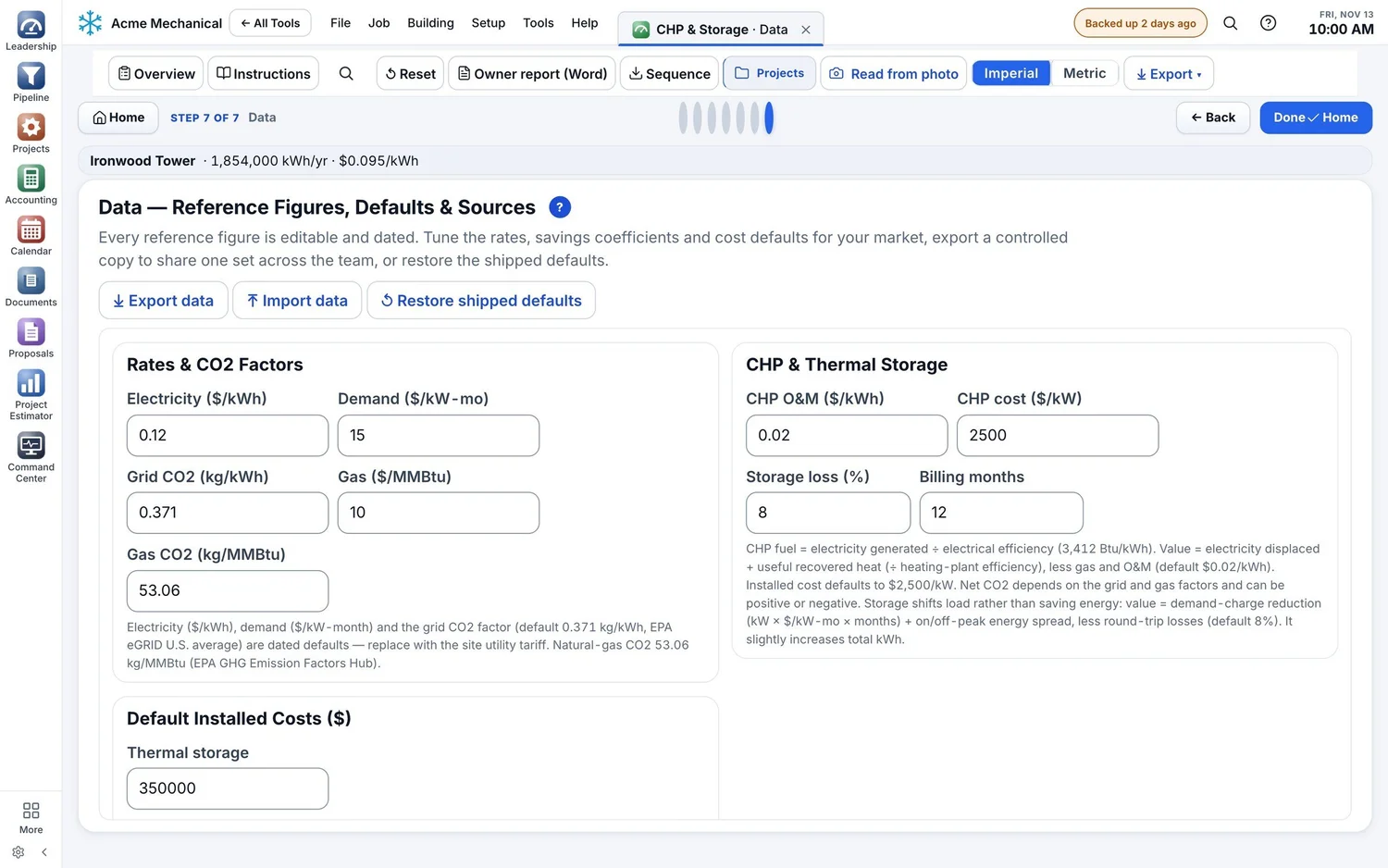
Hidden reference figures lead to wrong answers, so every one is shown and editable.
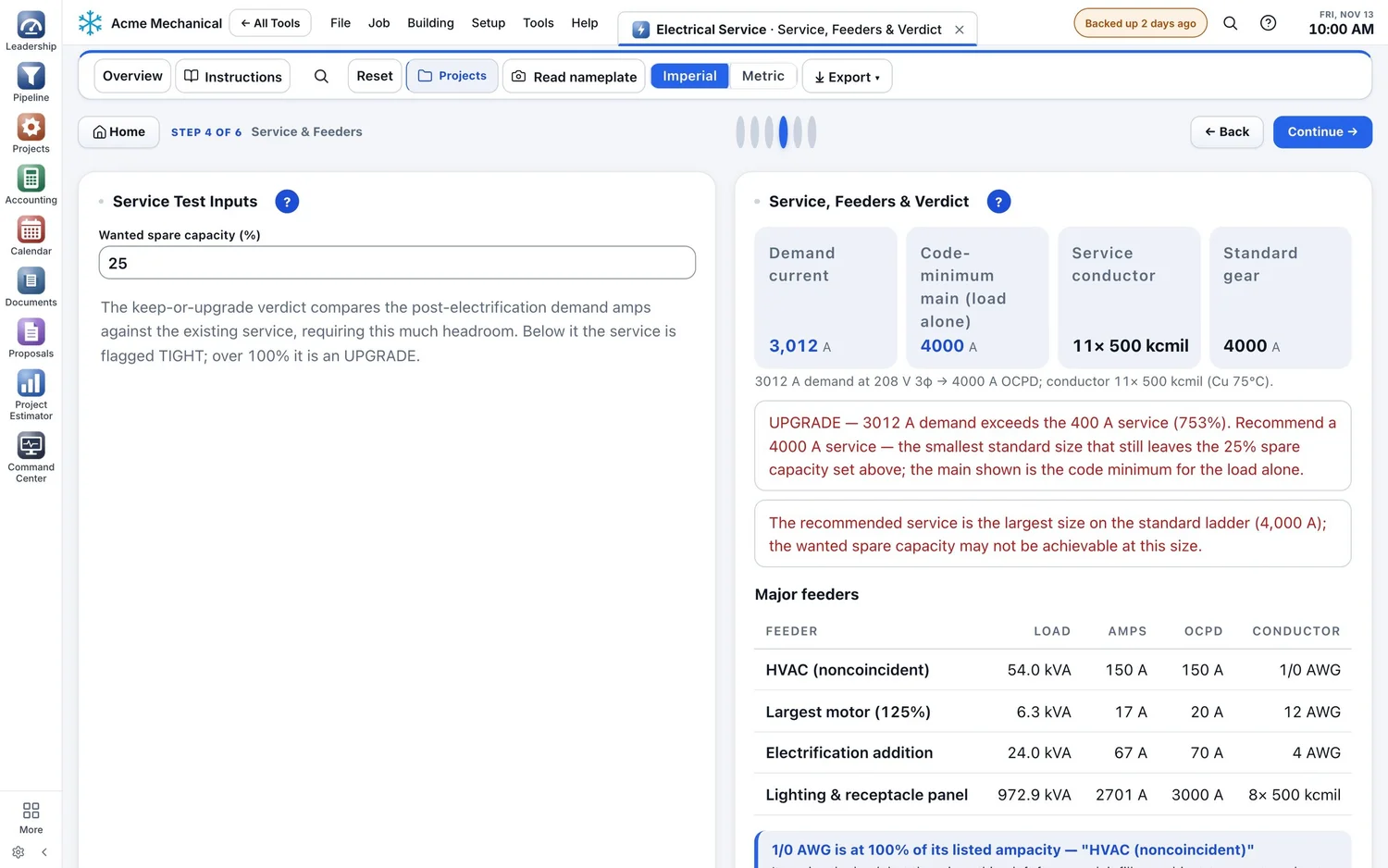
A heat-pump job can stall on the electrical service, so the tool works out the demand and gives a plain keep-or-upgrade verdict.
From a Calculation to a Priced, Scheduled Job
Engineering that stays in a spreadsheet gets retyped, and retyped numbers drift. Here each tool publishes its figures and the next tool offers to read them.
Import from Another Tool
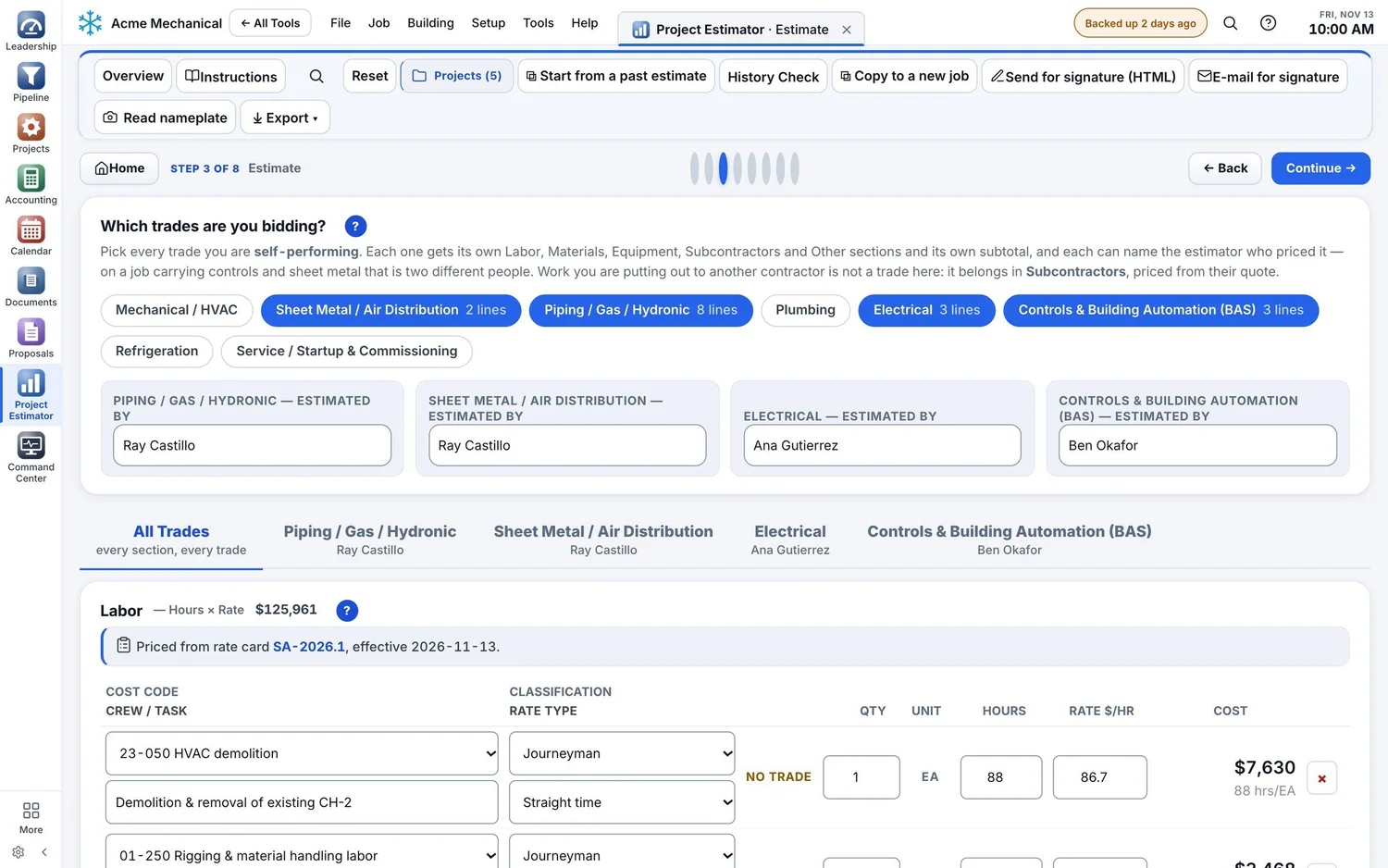
Open the Project Estimator on a building with a chiller comparison on file and a panel lists the source tool, the analysis date and the figures. You check what to bring in. Each imported figure is stamped with its source in your Word and Excel exports, and a banner tells you if the source changed afterward.
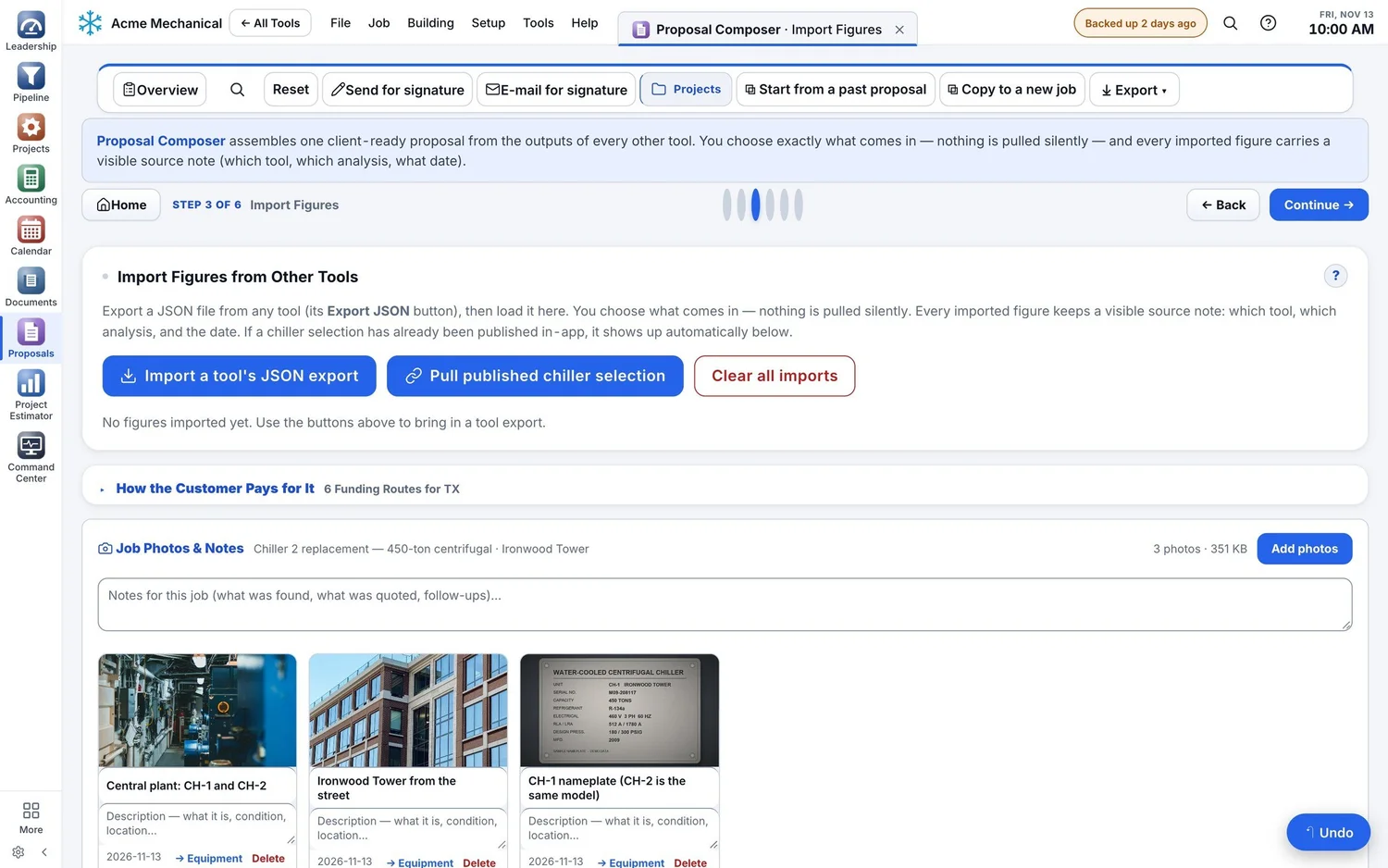
Retyping numbers between tools invites errors, so figures from other tools are pulled in with their source.
Manufacturer Selection Import
Paste the table from a manufacturer or AHRI selection, or load its CSV. The importer detects tag, make, model, capacity, efficiency, quantity and price, shows a preview, and fills the Project, Service and Maintenance Estimators or the Equipment Schedule. A column it cannot find is left blank, never invented.
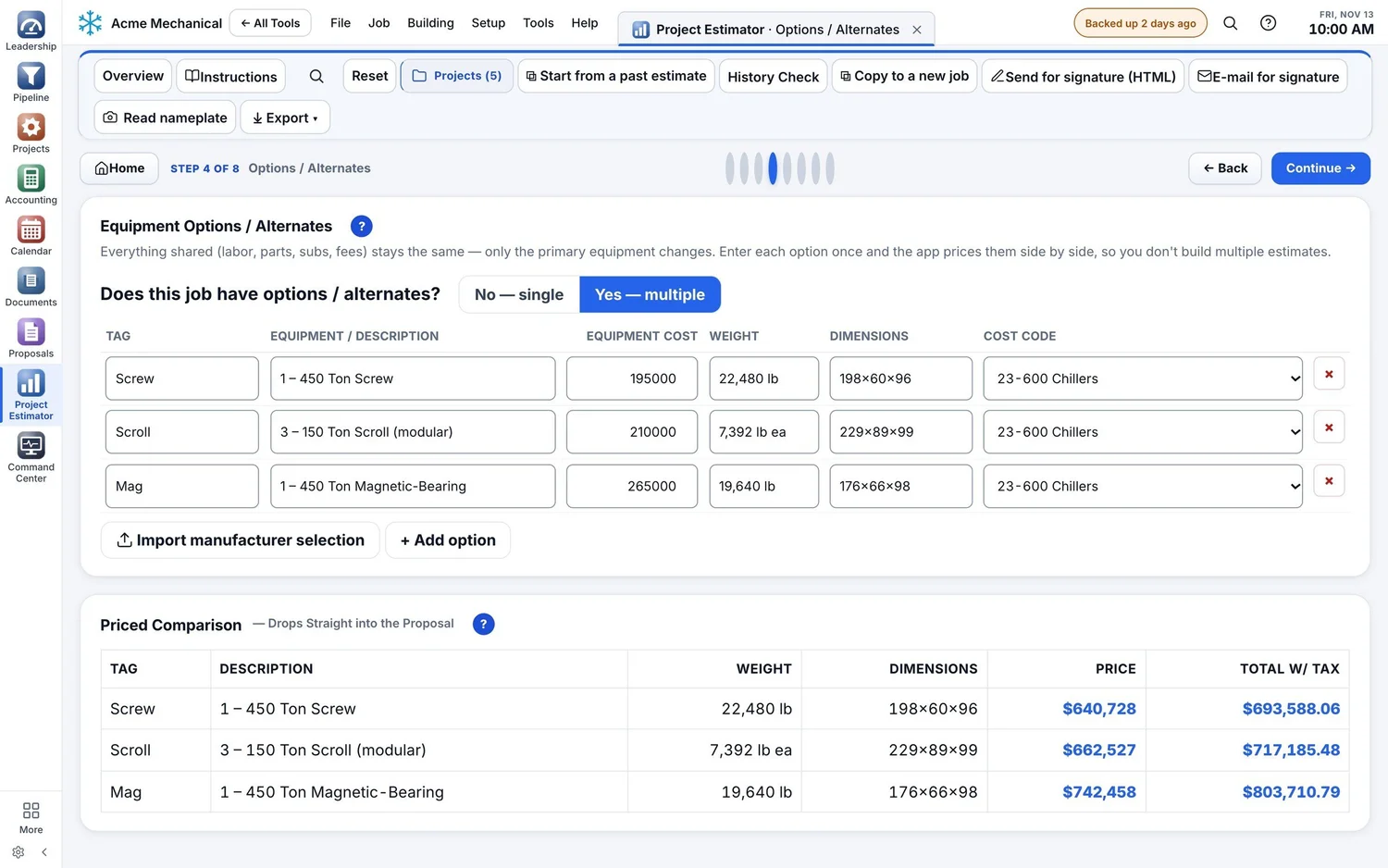
Comparing manufacturer quotes by hand is slow, so equipment options are priced side by side.
Equipment Schedule
A drawing-ready schedule for a submittal or proposal: tag, service, manufacturer, model, capacity, efficiency, electrical, weight and quantity. Export to Word, CSV or PDF.
Equipment Rules Check at the Quote
As the estimator types an equipment line, the check reads it against EPA refrigerant rules, DOE efficiency minimums and the state rules for California, Washington and New York at the jobsite on the install date. It warns and never blocks, each warning names its rule and the date it was read, and the warnings can print on the proposal in the customer's wording.
Floor Plans and Building Models
Import the equipment list from an IFC model or a COBie workbook, link each unit to the building's equipment record, then pin units on the floor-plan PDF. Pin two by hand and the rest of the floor is placed from the model.
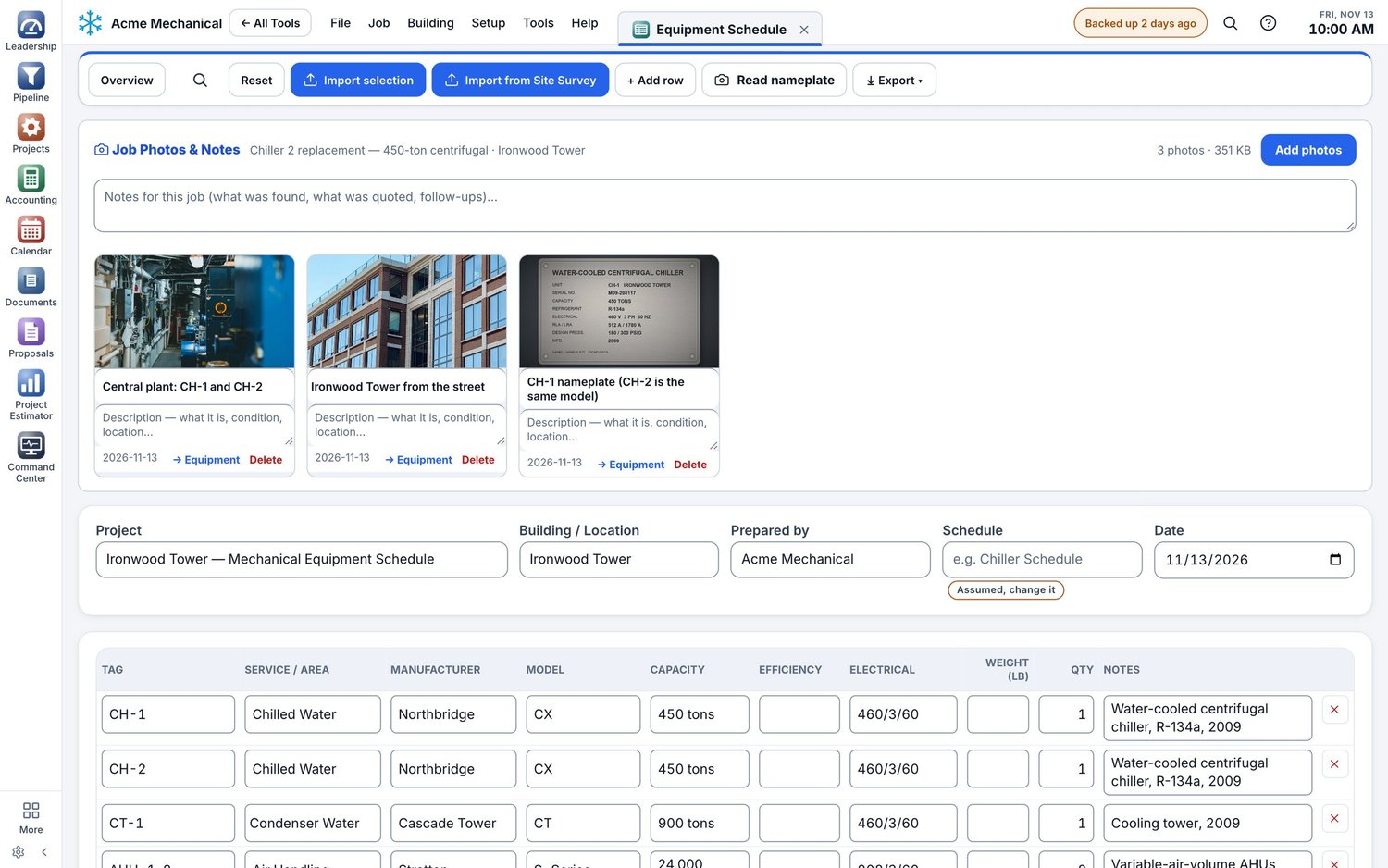
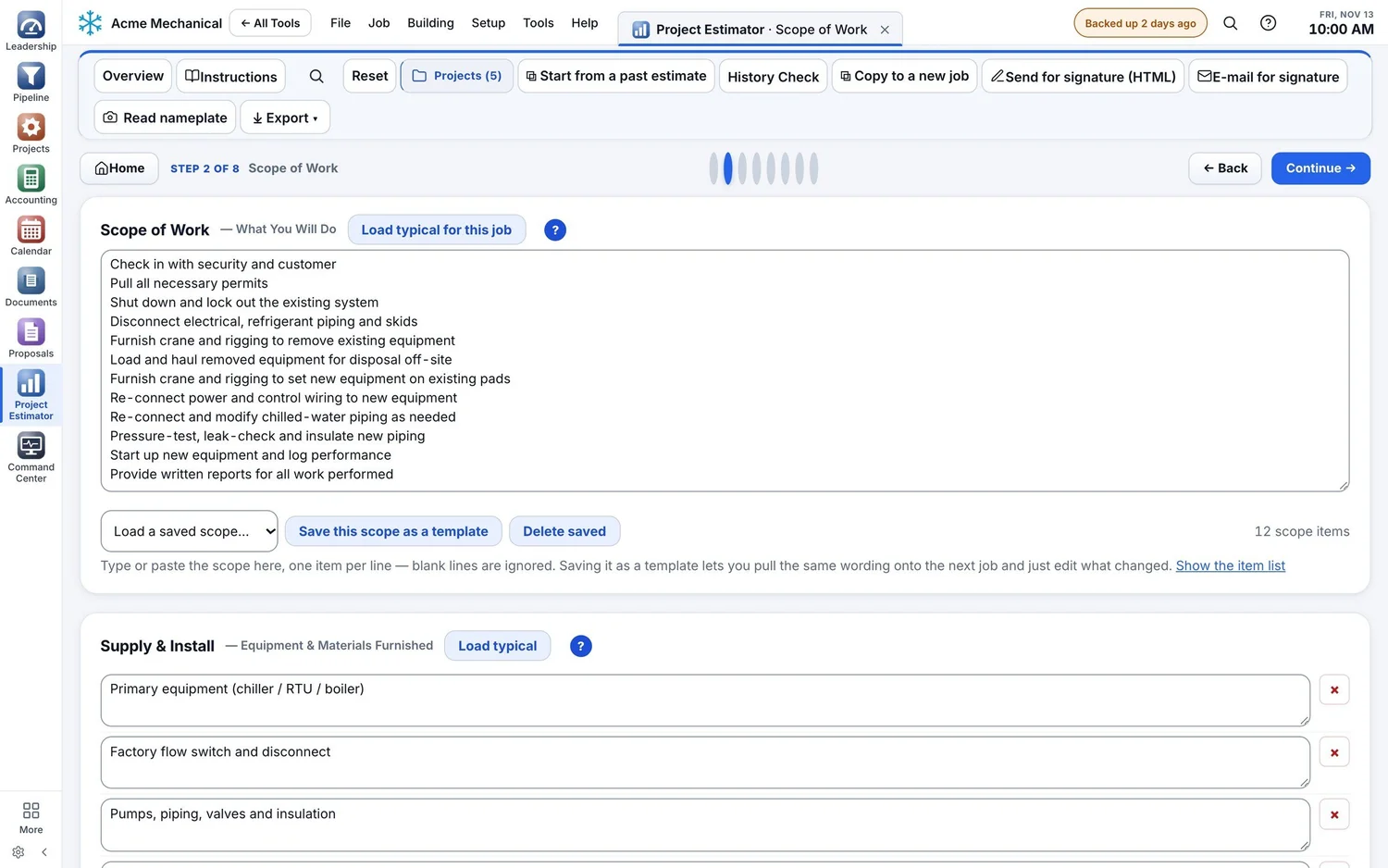
The equipment schedule that carries selections into the estimate.
What the Numbers Are Good For, Stated Plainly
Every report carries a planning-grade statement in its footer. It tells your customer, and your own team, exactly how far each number can be trusted.
Planning-Grade by Design
The results are good enough to decide whether to proceed, compare options and reserve capital. They are not a stamped engineering submittal, a final equipment selection or a code compliance calculation, and they do not replace the engineer of record. Advisory range checks flag commonly mistyped values, such as a kW/ton entered as an EER.
Learn MoreShow Less
Owners burned by a final number that moved at buyout trust the contractor who says what a number is for. Planning-grade lets you reserve the capital now and firm it up before anyone signs.
- Fits for go or no-go, budgets, comparing options and five-year capital plans.
- Not a guaranteed-savings contract, which needs measurement and verification.
- Amber flags unusual values; red flags implausible ones.
- Every report's methodology lists each default with its source and last-reviewed date.
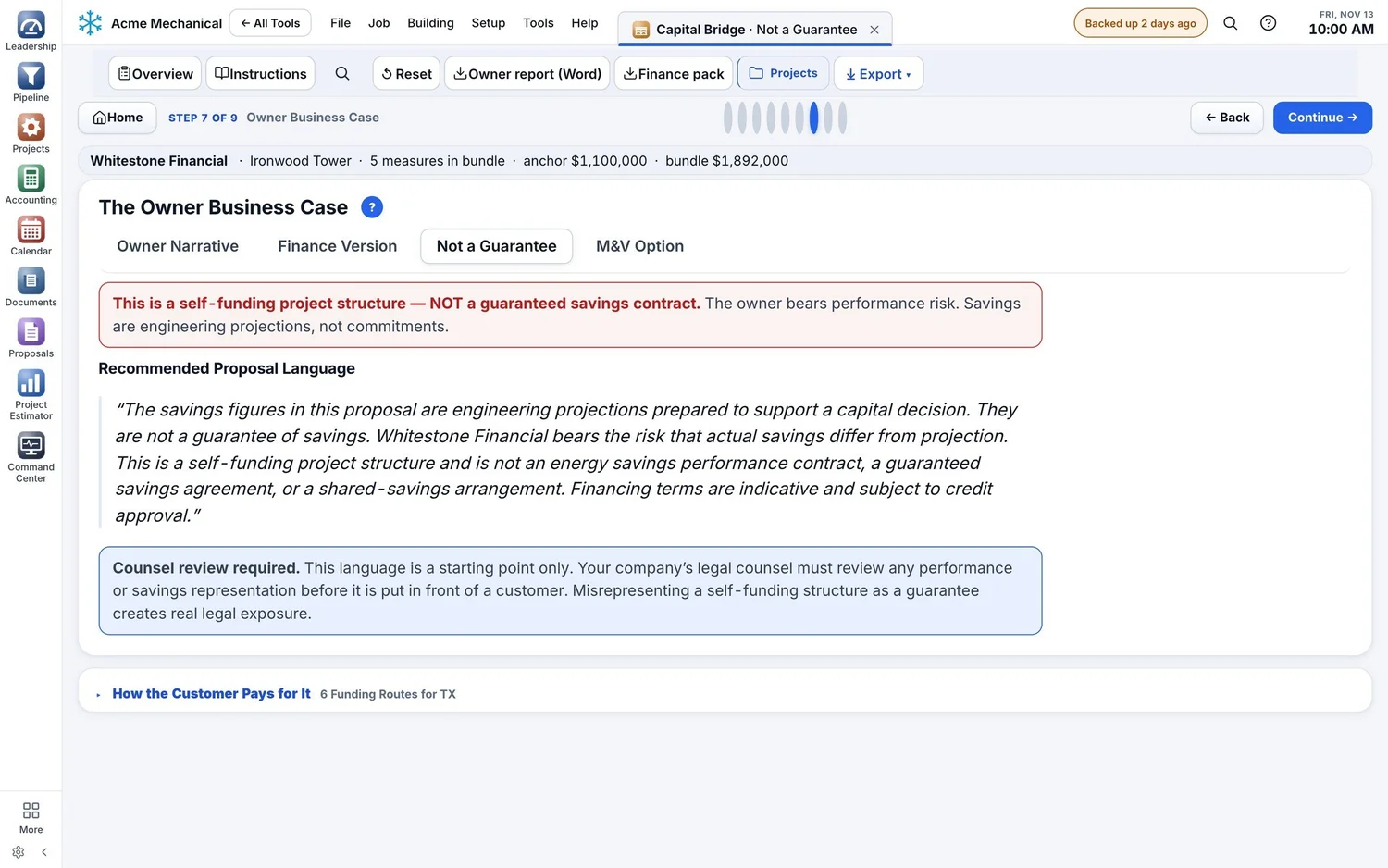
Overpromising savings creates legal risk, so reports state plainly what the numbers are not.
Methodology in Every Tool
Seven parts, in the same order everywhere: what the tool calculates, the method, every formula with its units, each reference value with its source and review date, what is included and what is not, accuracy and limits, and a worked example you can reproduce by hand. The same text goes into the Word export and an Excel worksheet.
Learn More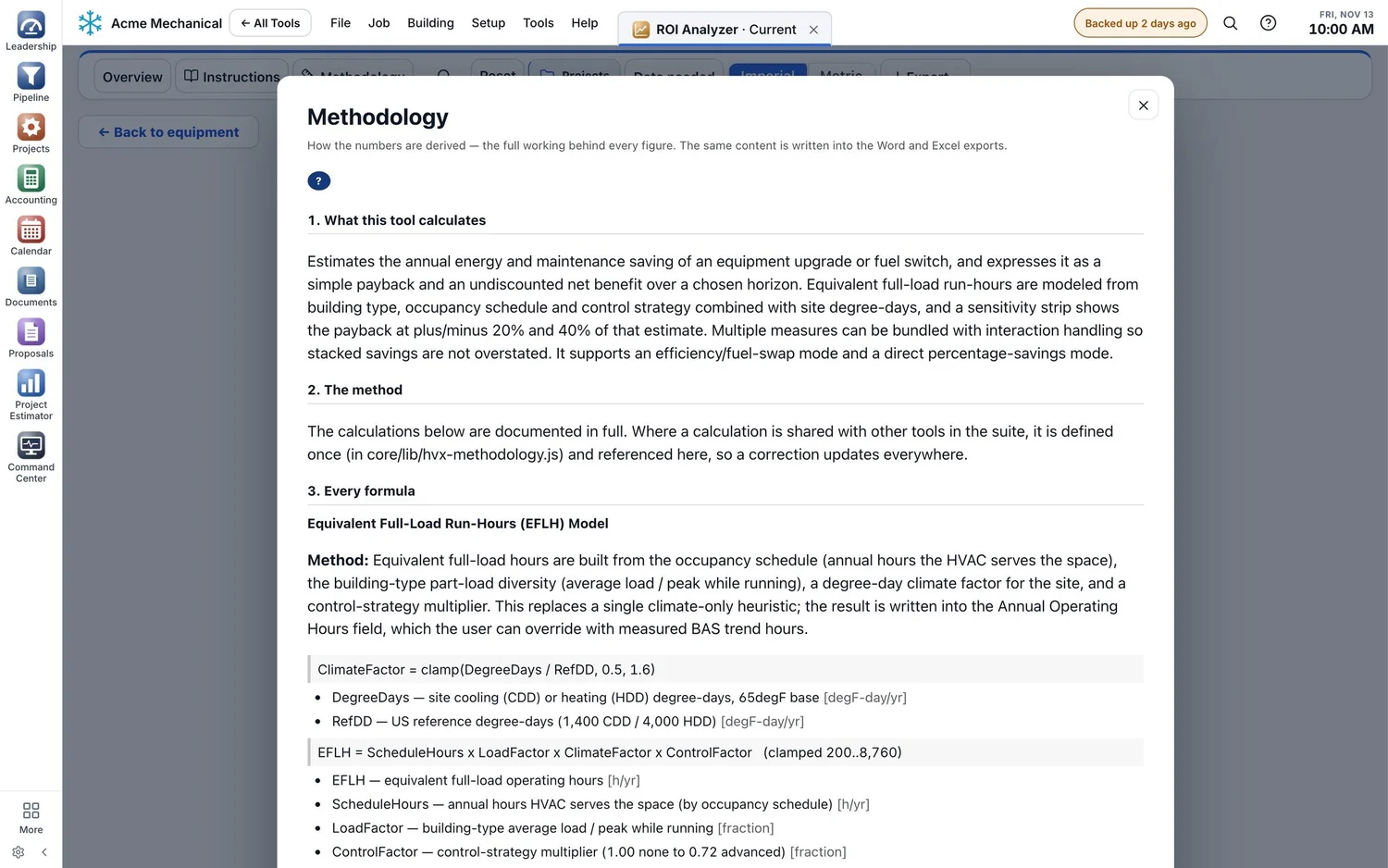
Engineers question numbers they cannot trace, so every tool shows its method and formulas.
Imperial and Metric
One control switches the units you read and type across the 30 apps that show a physical unit, and the exports follow. The arithmetic stays in US customary units, and designations such as kW/ton, wire sizes and sheet gauges stay as published.
Learn MoreShow Less
Metric customers and engineers still need your numbers, without a hand conversion that invites an error. The toggle changes what you read and type, never the result.
- One choice for the whole suite, remembered on that computer.
- A file you send opens in the units your colleague chose, with the same numbers.
- Your typed figure is kept exactly, so switching back never rounds it.
- Code tables, such as NEC ampacities and ASHRAE 62.1 rates, stay as published.
Present, Word and Excel
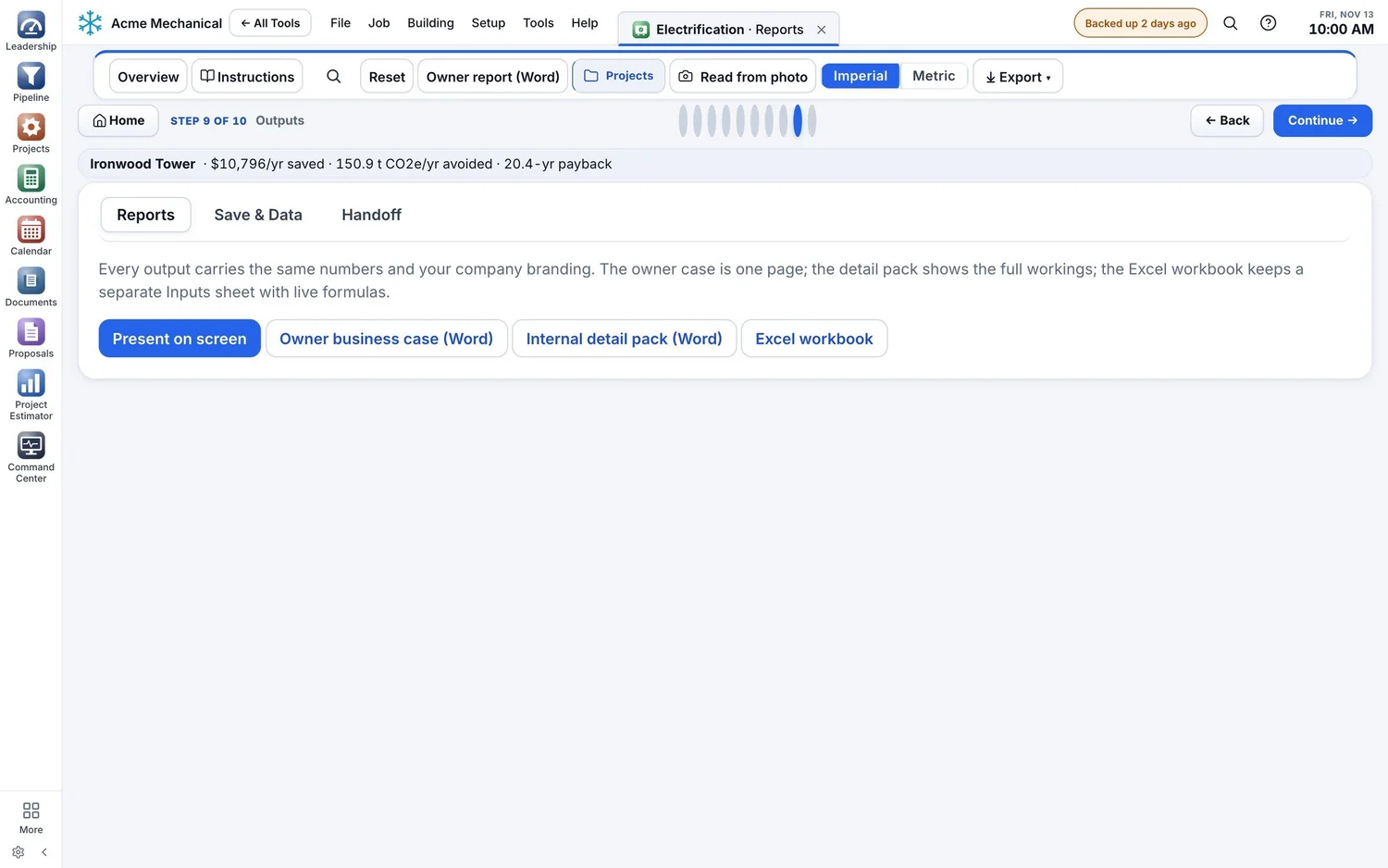
Present opens the finished report full-screen, one page at a time, with the same figures as the Word document. Press Esc, change an input, and Present reopens on the page you left. Word and Excel exports carry your letterhead and preparer.
Learn MoreShow Less
Answering "what if" in the room closes a decision that would otherwise wait for another meeting. Present shows the finished report on screen, with no export first.
- Figures match the Word document to the penny.
- Arrow keys, space or a presentation remote page through it.
- The page scales so it is always fully visible on a projector.
- Use it for the internal sign-off, the sales-to-estimating handoff or the owner's team.
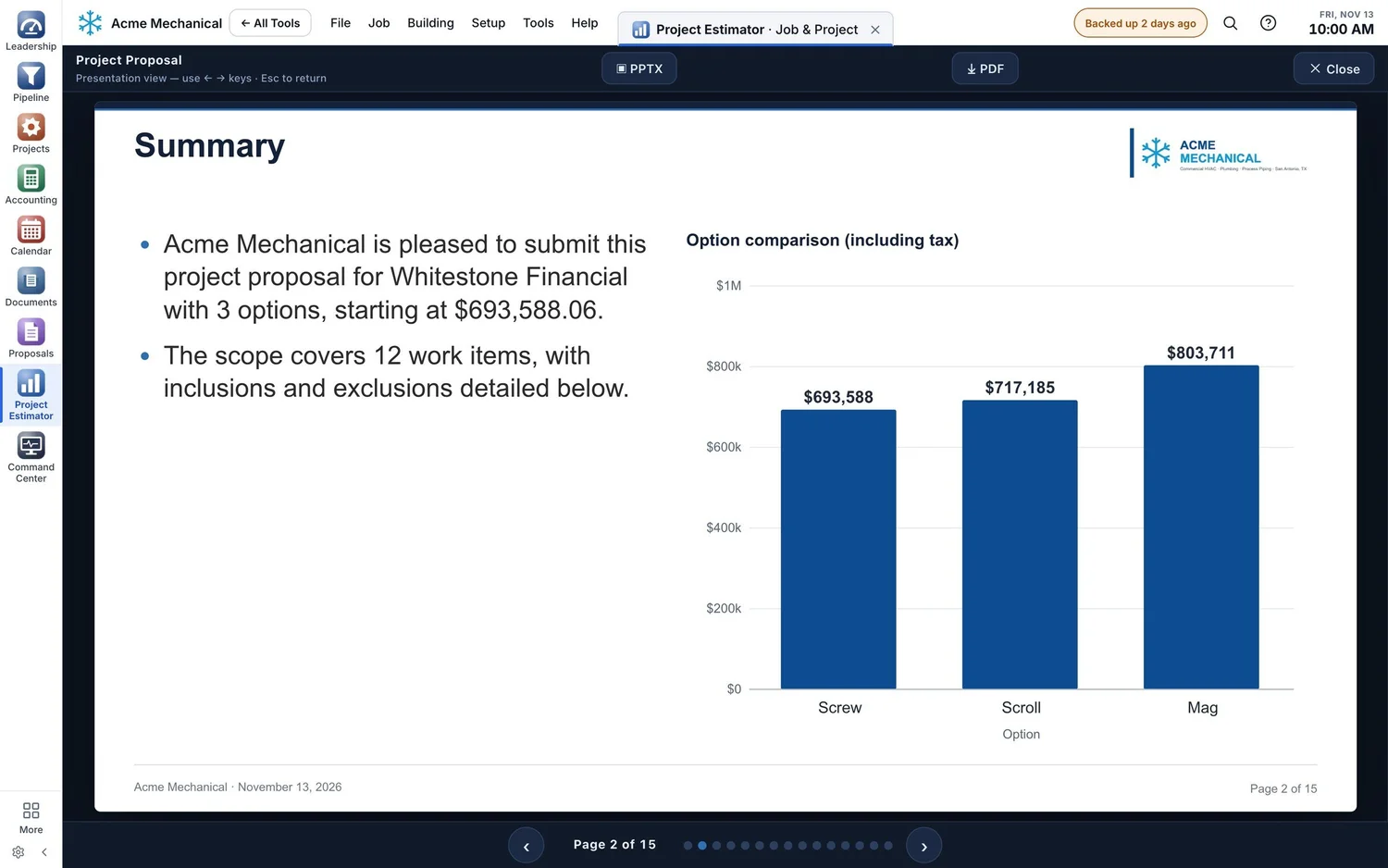
Meetings stall on paper reports, so Present opens the report full-screen one page at a time.
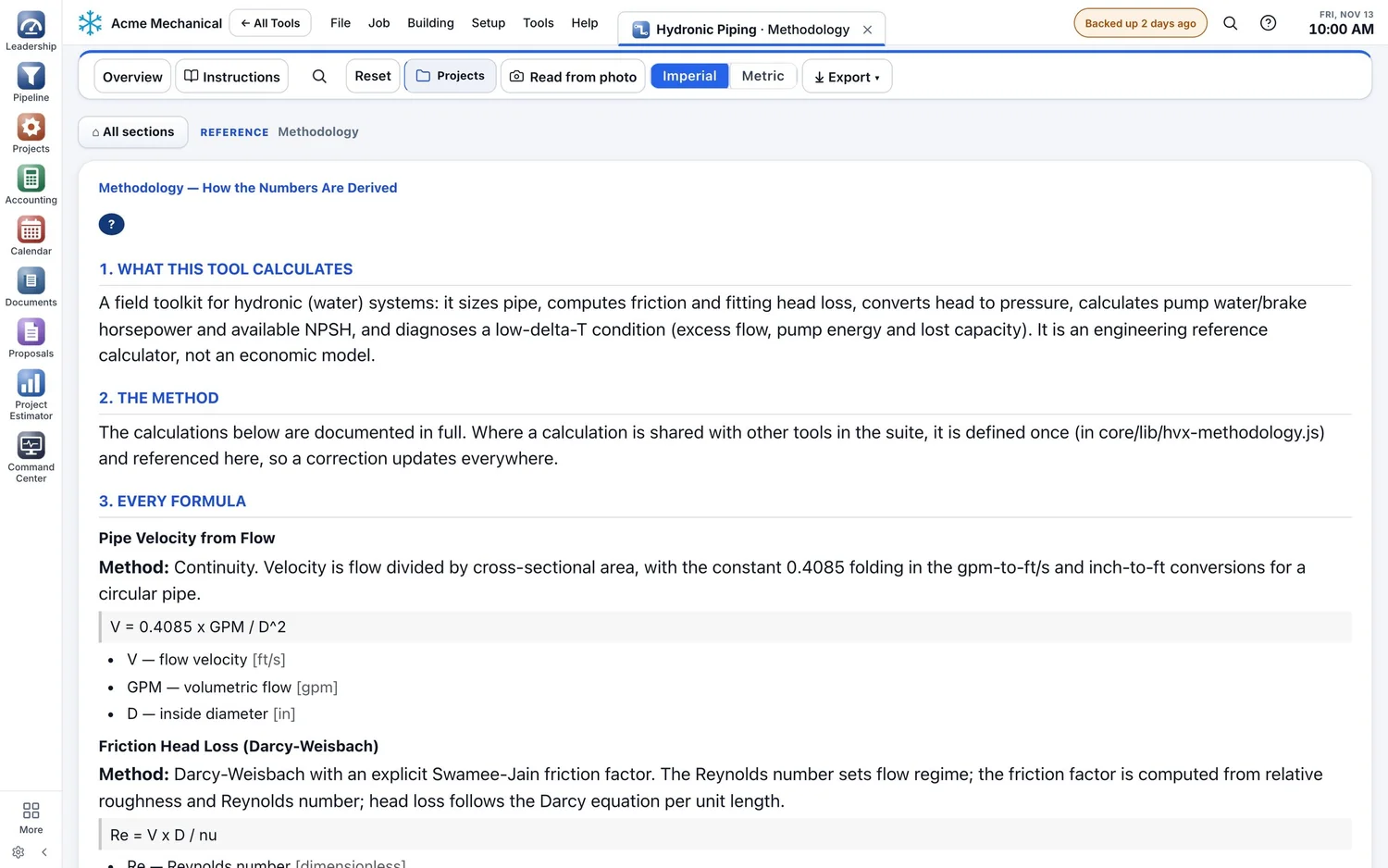
Customers and engineers ask how a number was reached, so every tool shows its method and each formula with its units.
Frequently Asked Questions
Do these tools replace a stamped engineering design?
Do the tools need the internet to look up design weather?
Can we bring in a manufacturer's selection instead of typing it?
Can our team work in metric units?
How does a calculated figure get into an estimate or a proposal?
Be First When HVAC Logix Opens
Stop paying people to copy numbers between programs. Join the list and we will tell you the day downloads open, with setup guides ready.
Launching early 2027 for HVAC Logix. Nothing to buy today, and no sales calls.
