
Deliver the Projects You Fought to Fund.
Once a project is approved, Capital Projects carries it from the first estimate through closeout. Your organization keeps the budget, the commitments, the pay applications and the lien waivers in one place, and the new equipment's warranties land on the asset register when the job is done.
Launching Early 2027 · Join the Early-Access List
Estimate, Price, Track and Close Out
Estimate
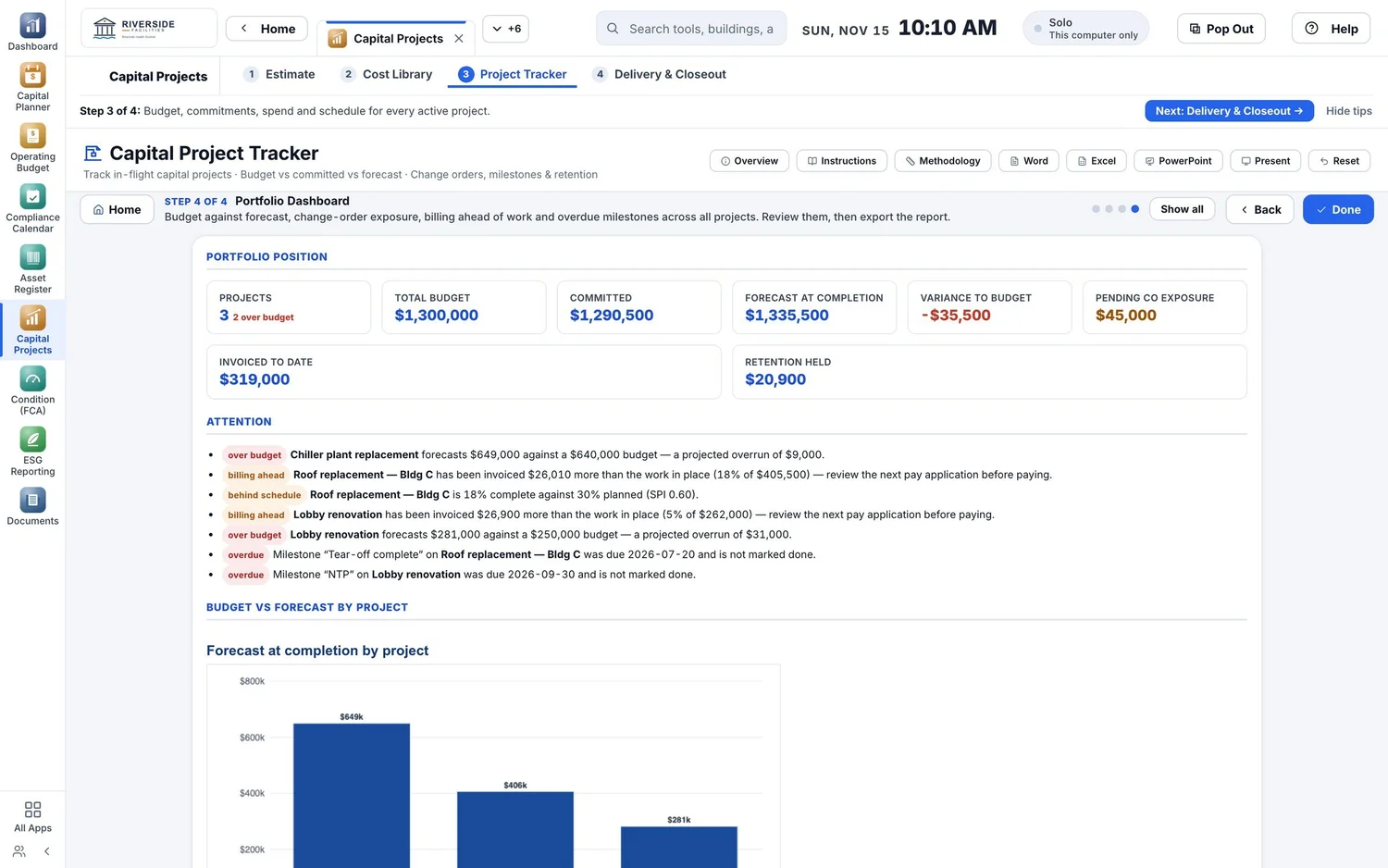
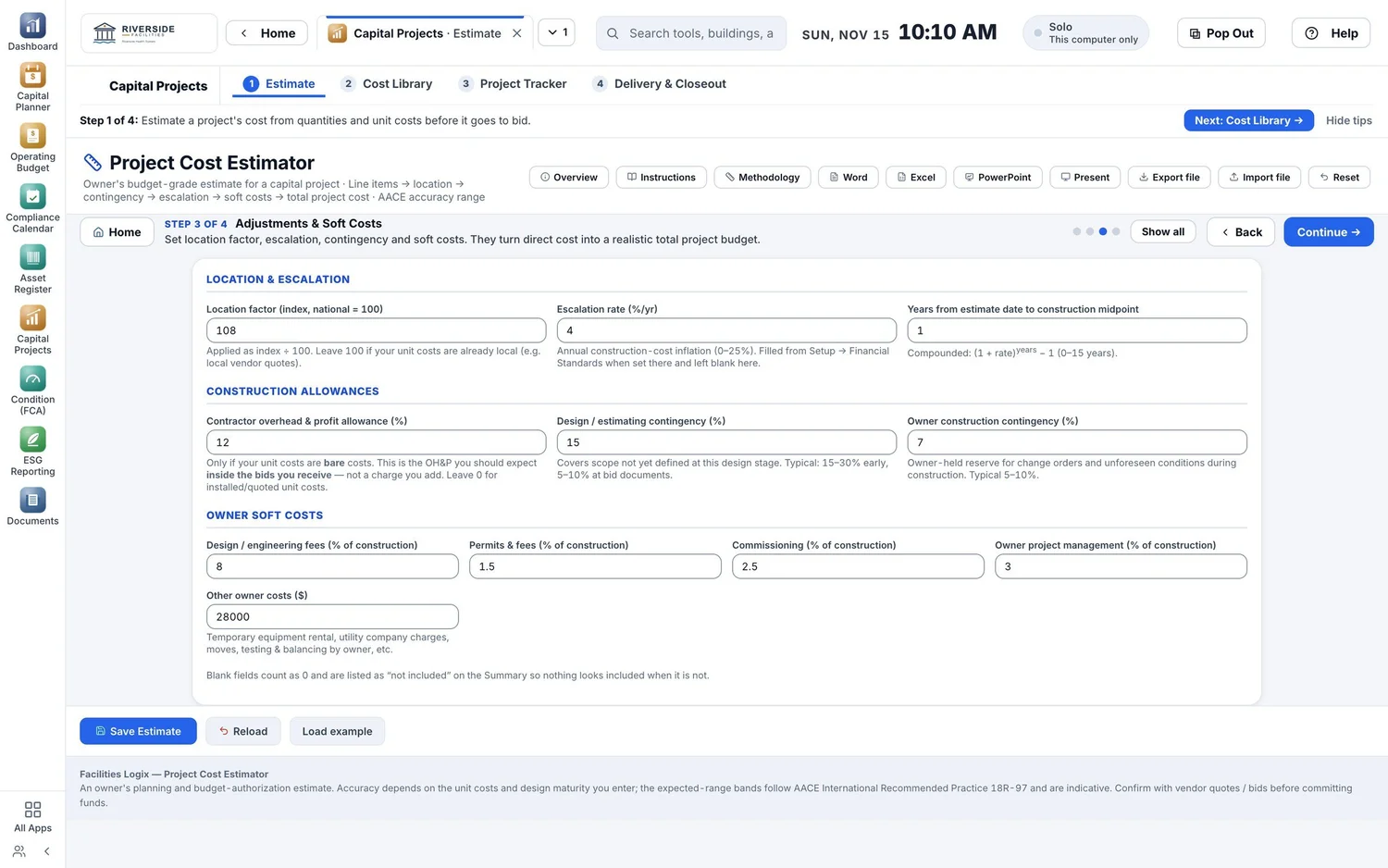
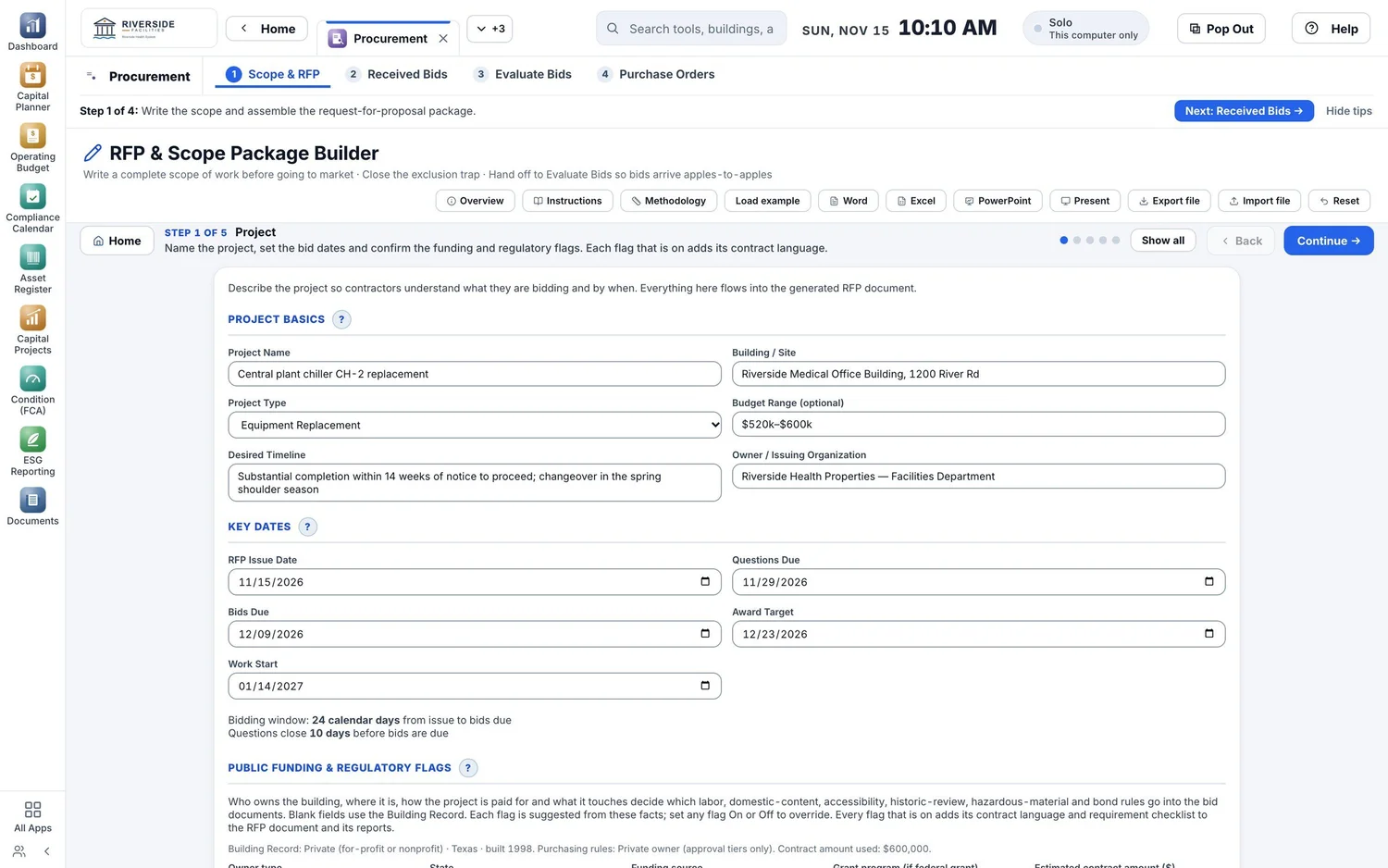
A budget-grade estimate for a capital project: line items, a location factor, contingency, escalation to the midpoint of construction and soft costs, rolled up to total project cost with an accuracy range.
Learn MoreShow Less
Without an owner's estimate there is nothing to check a bid against. The Estimate states its accuracy, so leadership knows how much the number can move before approving it.
- AACE 18R-97 estimate classes, from Class 5 concept screening to Class 1 check estimate
- Lines added from the Cost Library, with source notes
- A location factor, soft costs and contingency rolled into total project cost
- Escalated to the midpoint of construction
Cost Library
Your in-house labor burden rates, contractor rates by vendor, materials costs and procurement thresholds, read by every costing tool.
Learn MoreShow Less
Comparing in-house work with a contract quote is only fair when your own hour is fully costed. The Cost Library holds your real rates once, and every costing tool reads them. Every figure ships blank.
- Burdened rate = base wage x (1 + burden percent)
- Vendor rates with after-hours multiplier, trip charge and minimum call
- Materials with a handling and overhead percent for a loaded unit cost
- Procurement thresholds and standard exclusions kept with the rates
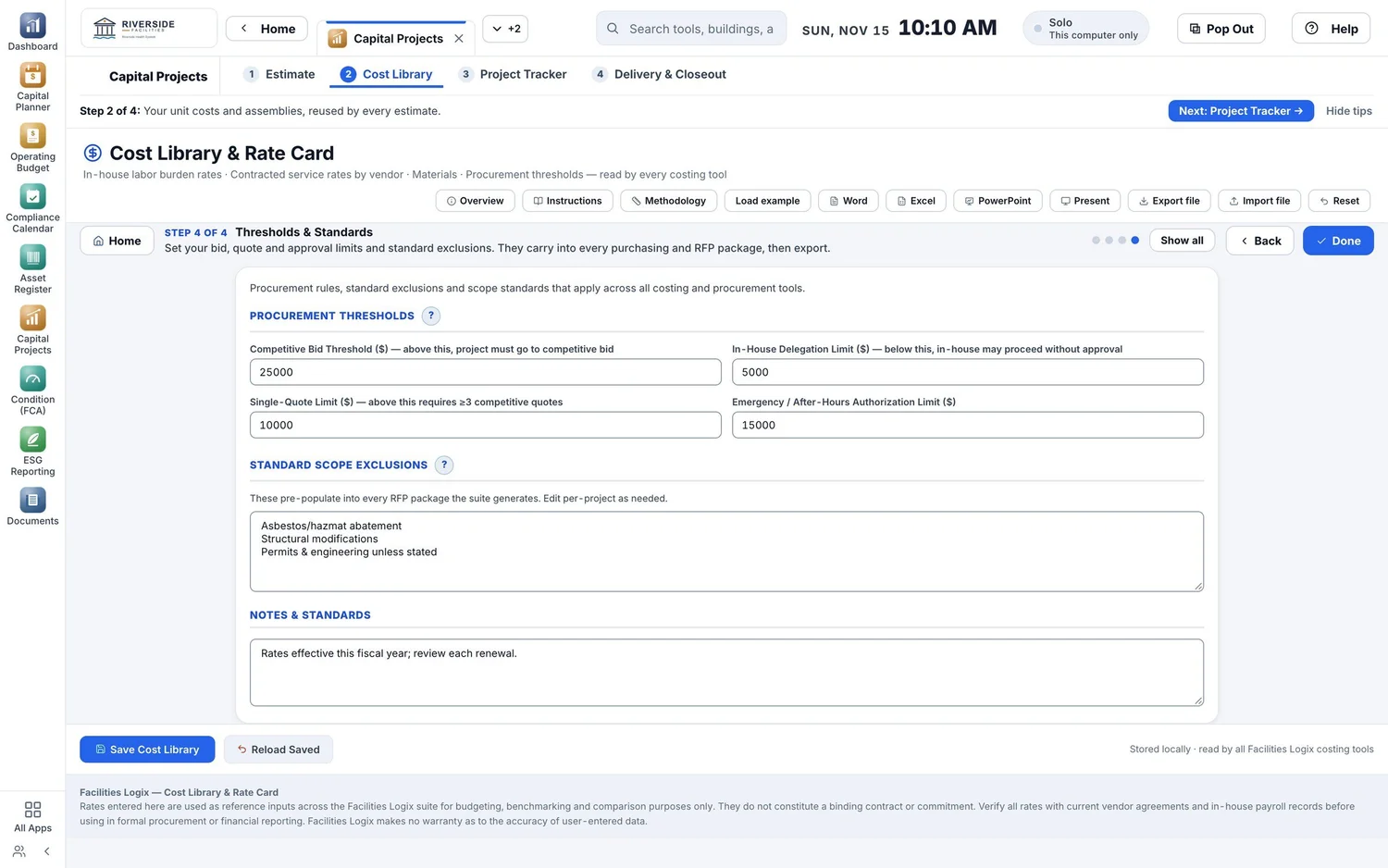
Thresholds & Standards in Cost Library & Rate Card: set your bid, quote and approval limits and standard exclusions. They carry into every purchasing and RFP package, then export.
Project Tracker
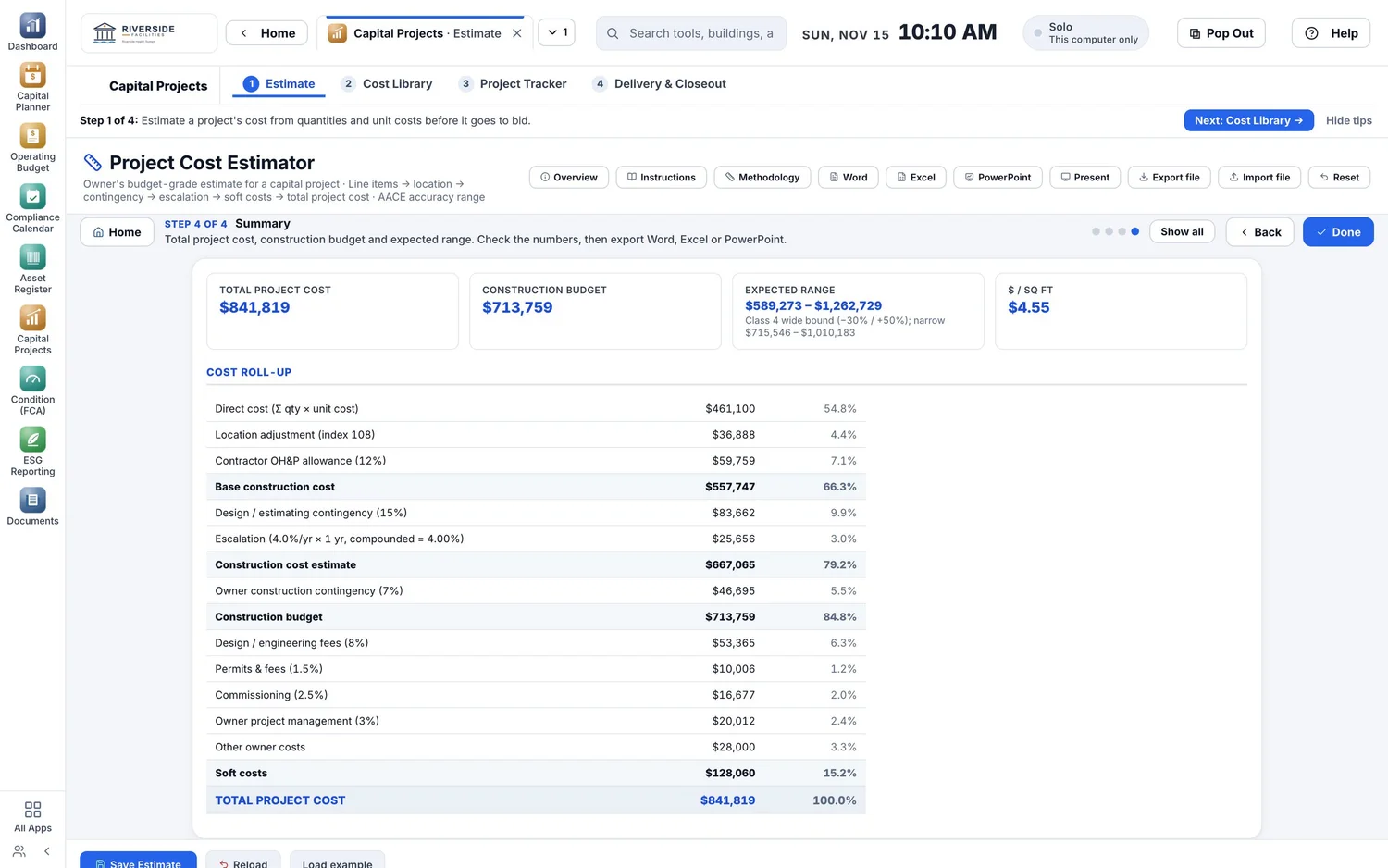
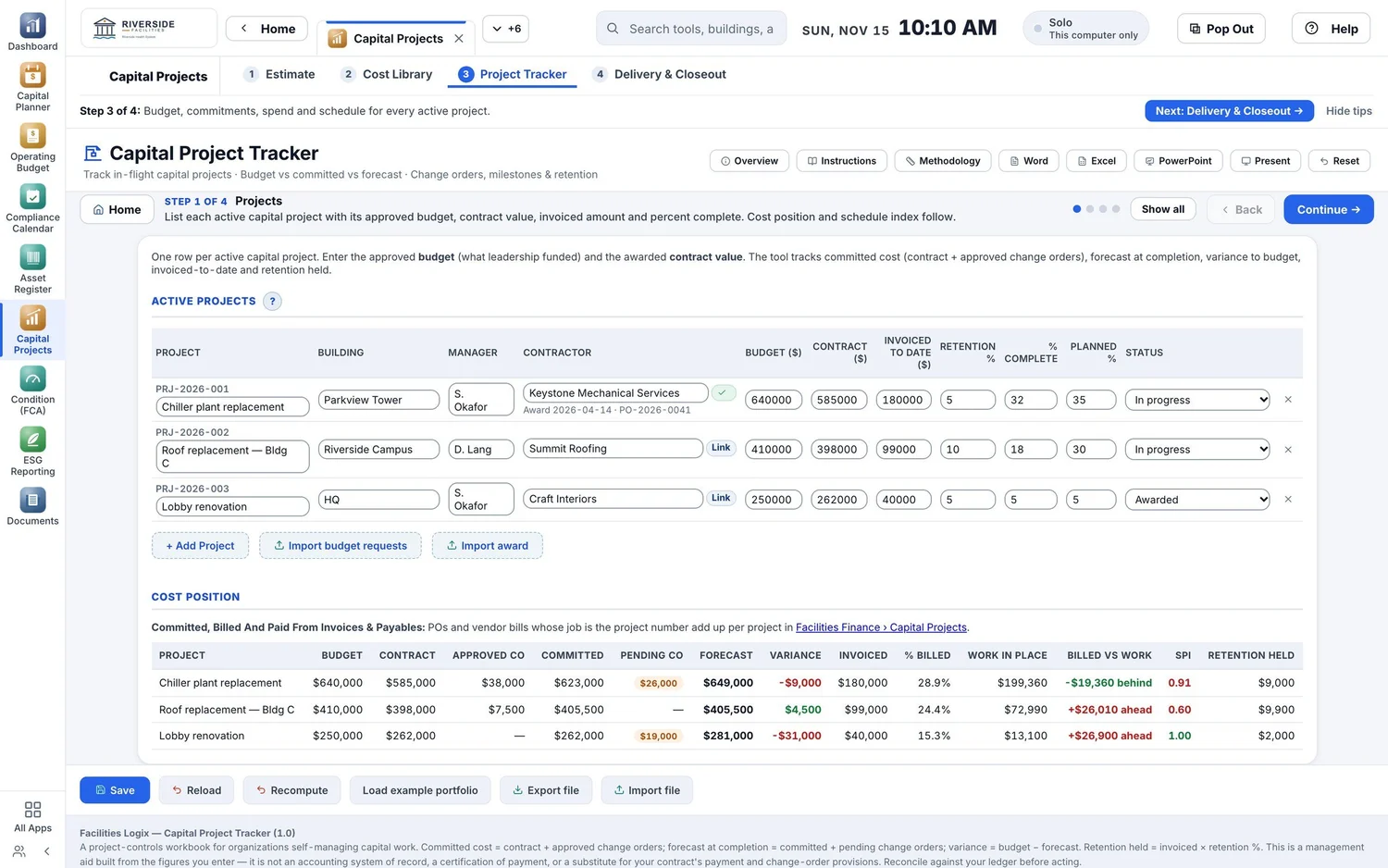
Budget against committed and forecast cost, change orders, milestones and retention for every active project, with a portfolio dashboard and status reports.
Learn MoreShow Less
Overruns are cheapest to stop before they are billed. The tracker shows pending change orders as exposure, so the forecast moves before the budget is spent.
- Committed cost = contract + approved change orders; rejected ones kept for the record
- Work in place against billed, and a schedule performance index
- Milestones past their target date flagged
- Retention held tracked for every project
Delivery & Closeout
Manage an awarded project from your side of the table: pay applications, submittals and RFIs, the punch list, closeout documents and a leadership status report.
Learn MoreShow Less
Paying ahead of the work, or releasing retainage before the paperwork is in, gives away the owner's leverage. Delivery & Closeout checks each payment request before it is approved.
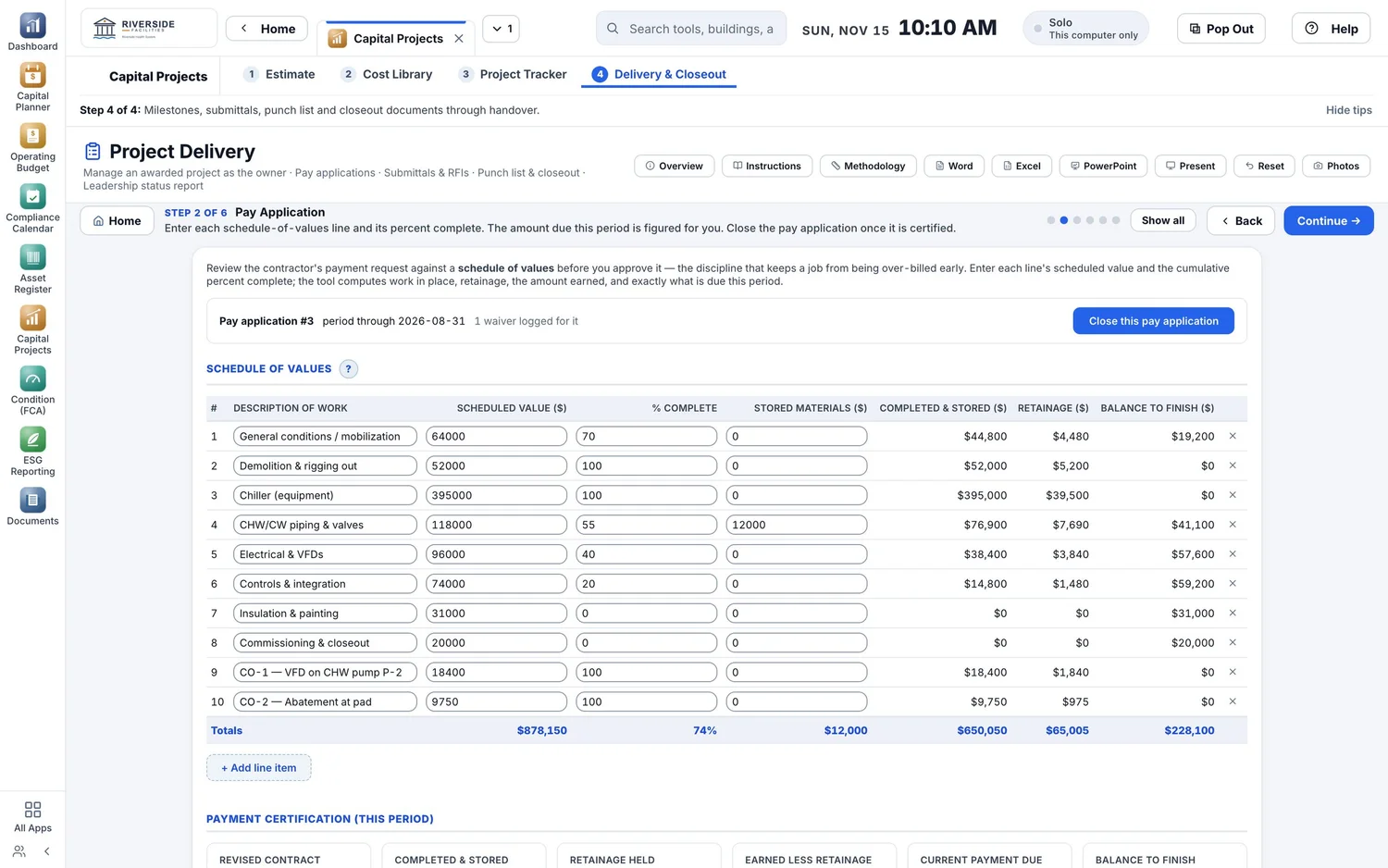
- Pay applications reviewed against a schedule of values: work in place and amount due
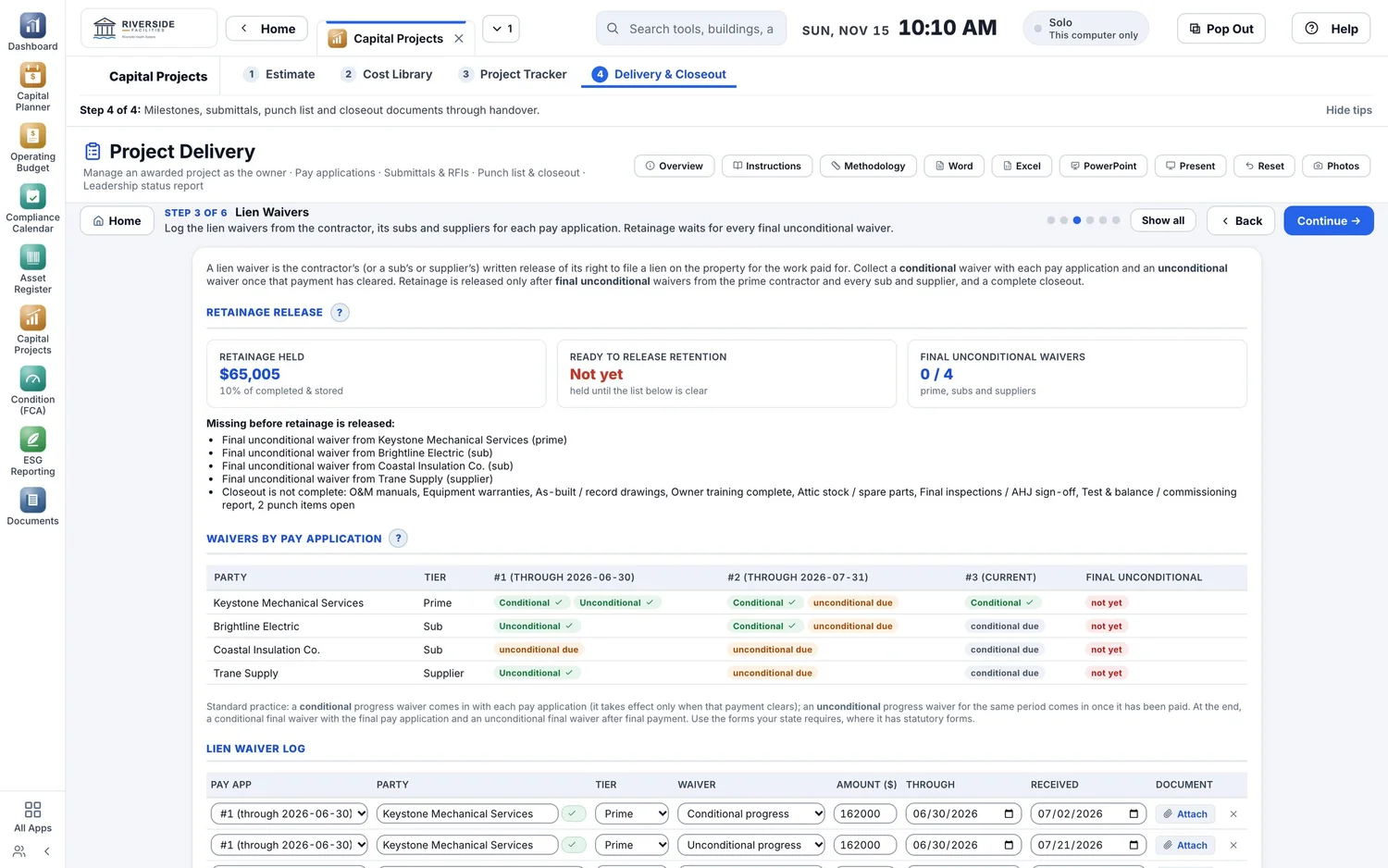
- A lien-waiver matrix of conditional and unconditional waivers per pay application
- A certified pay application closes, and the next starts from the right previous certificates
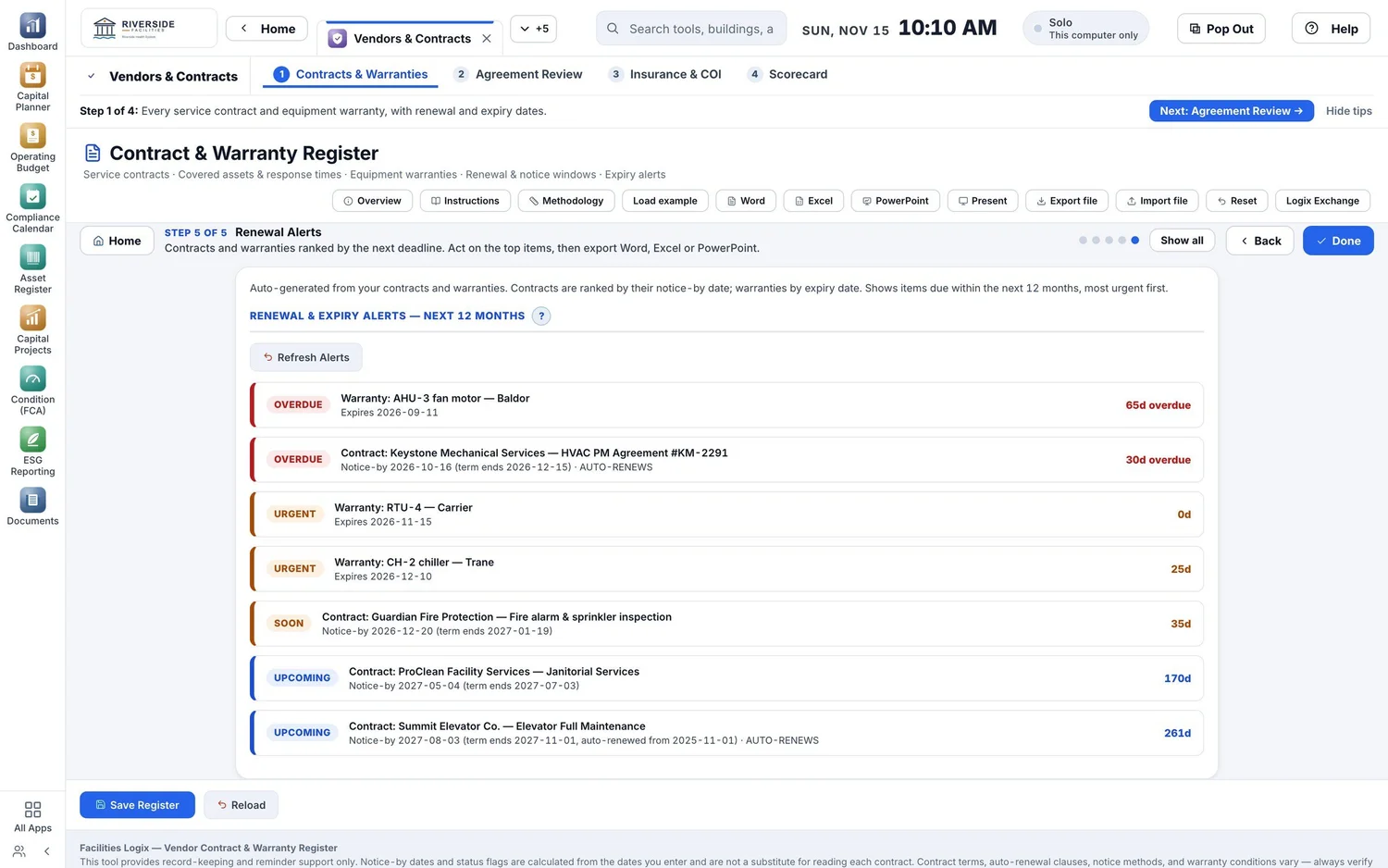
- Closeout warranties sent to the contract register
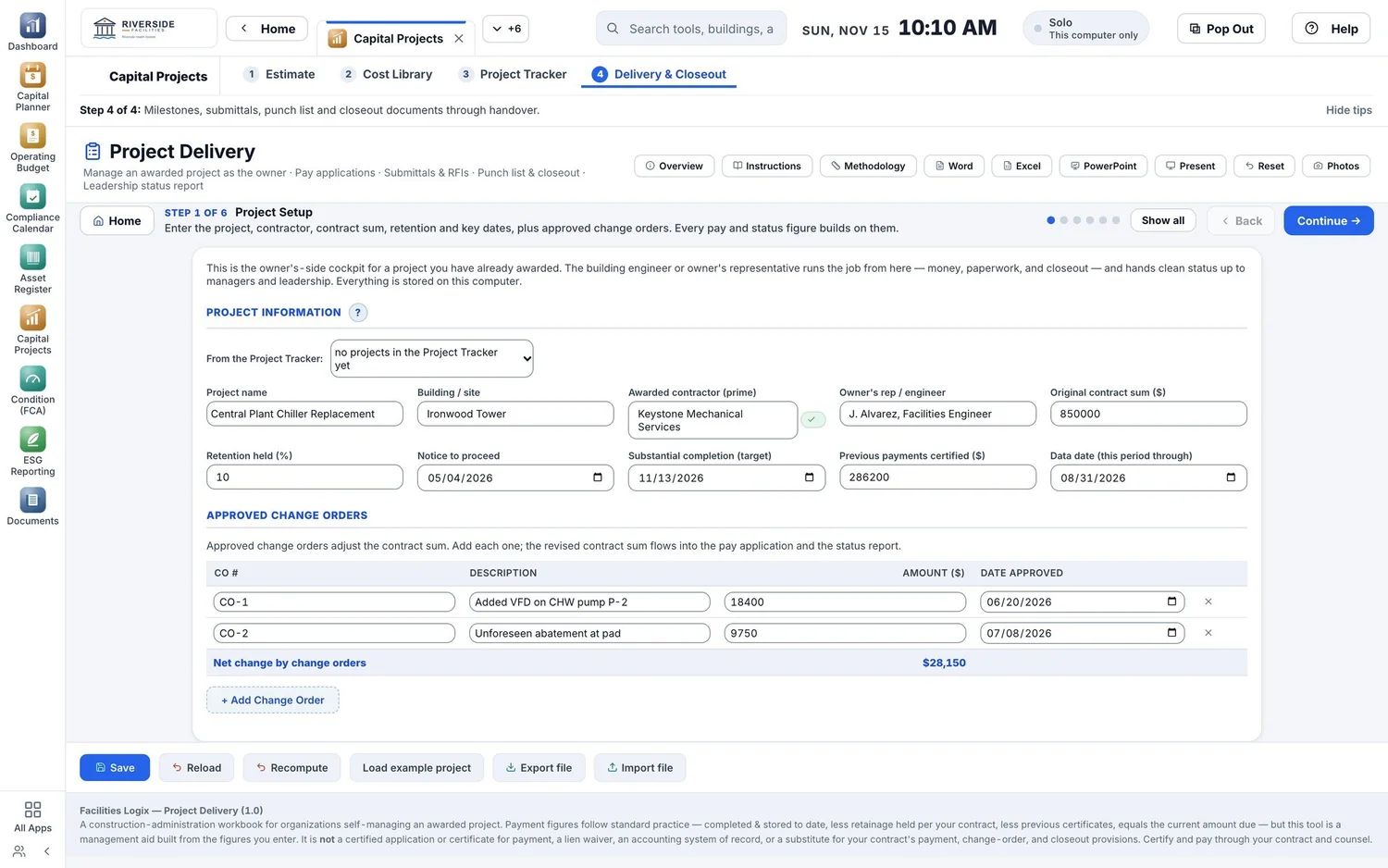
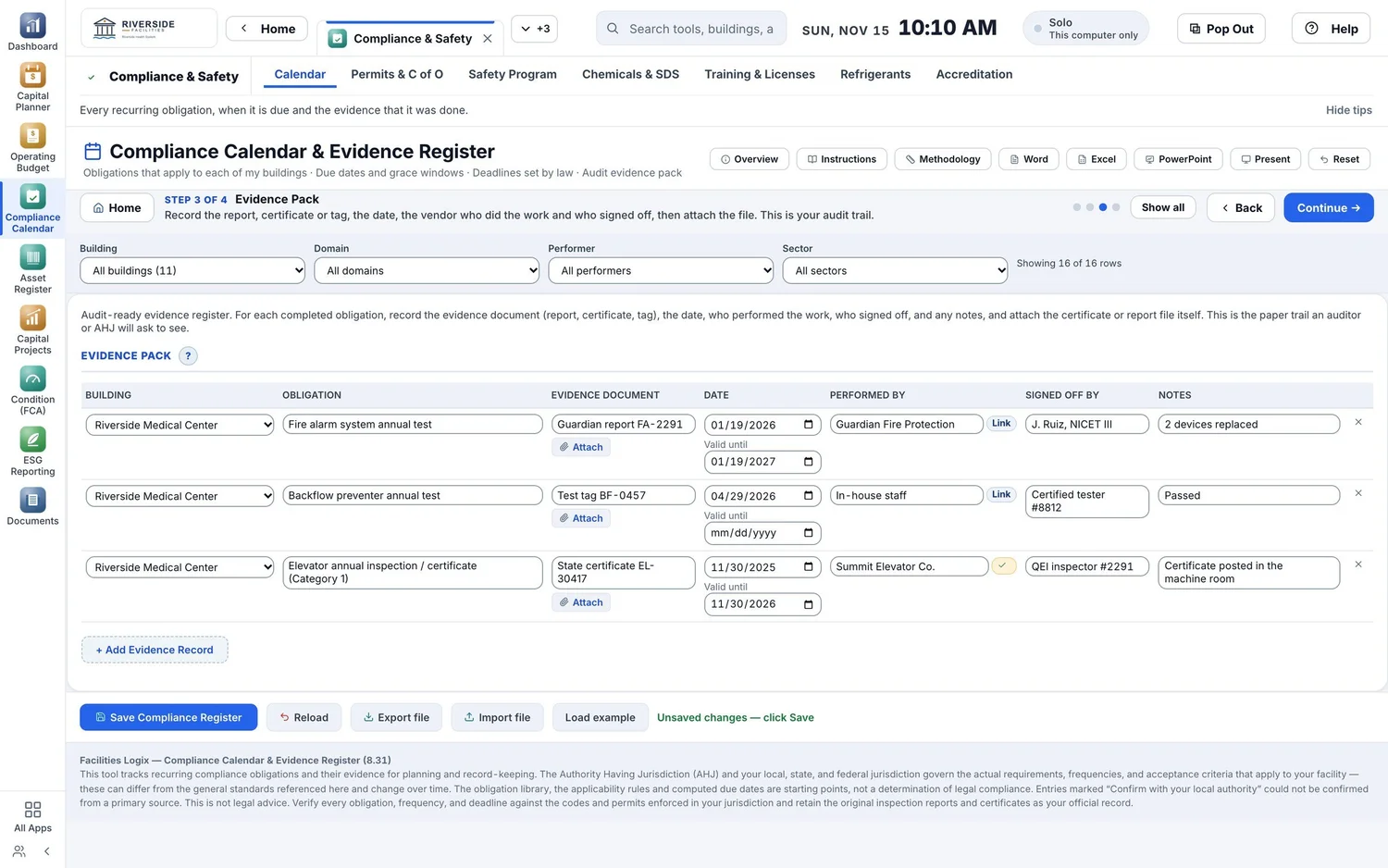
Project Setup in Project Delivery: enter the project, contractor, contract sum, retention and key dates, plus approved change orders. Every pay and status figure builds on them.
The Award Arrives with Its Paperwork
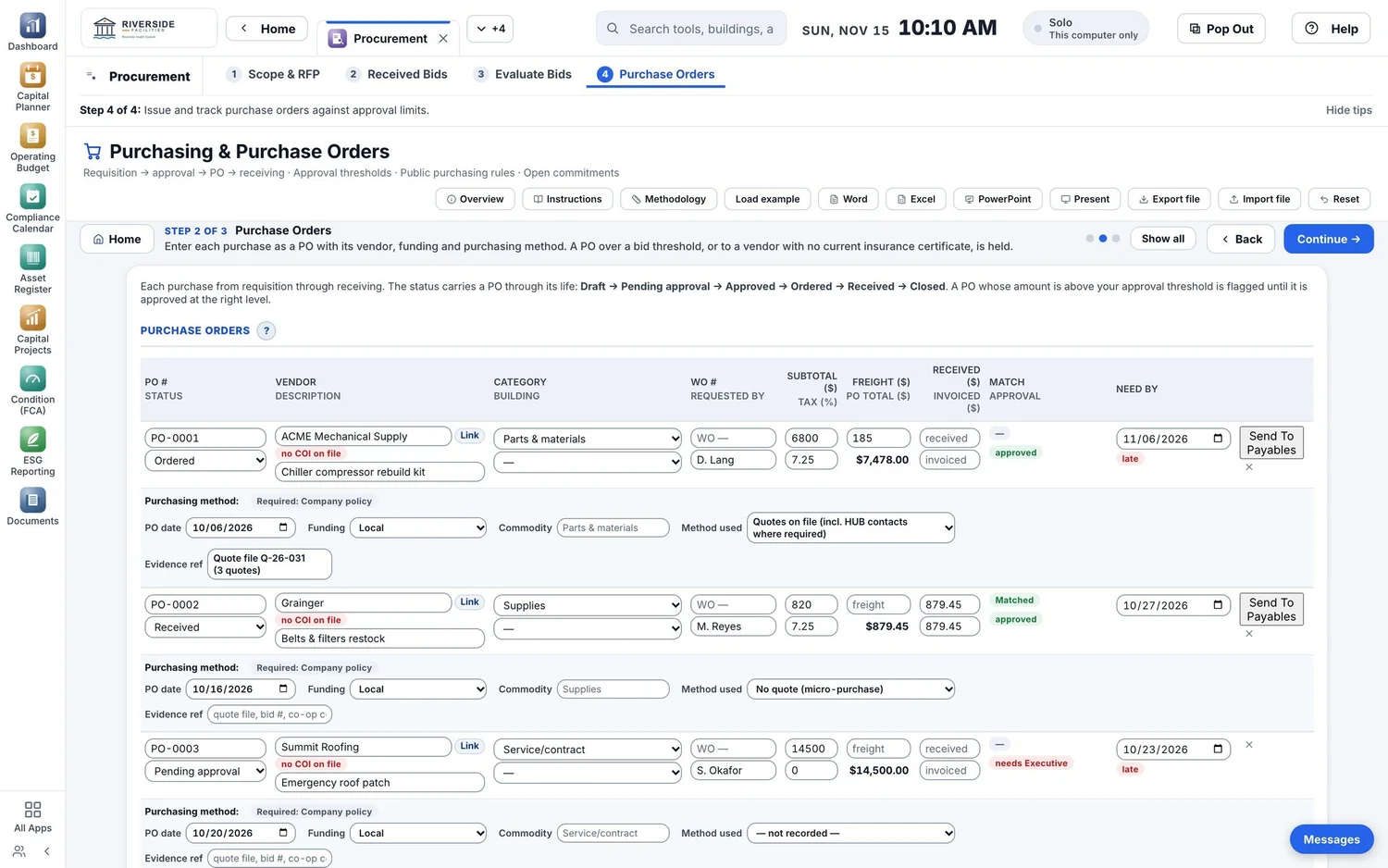
Import the Award
- The award sent from Evaluate Bids lands on the project: contractor, contract value, award date and the purchase order number
- Every field that will change is listed first; a contract value you already entered is replaced only if you say so
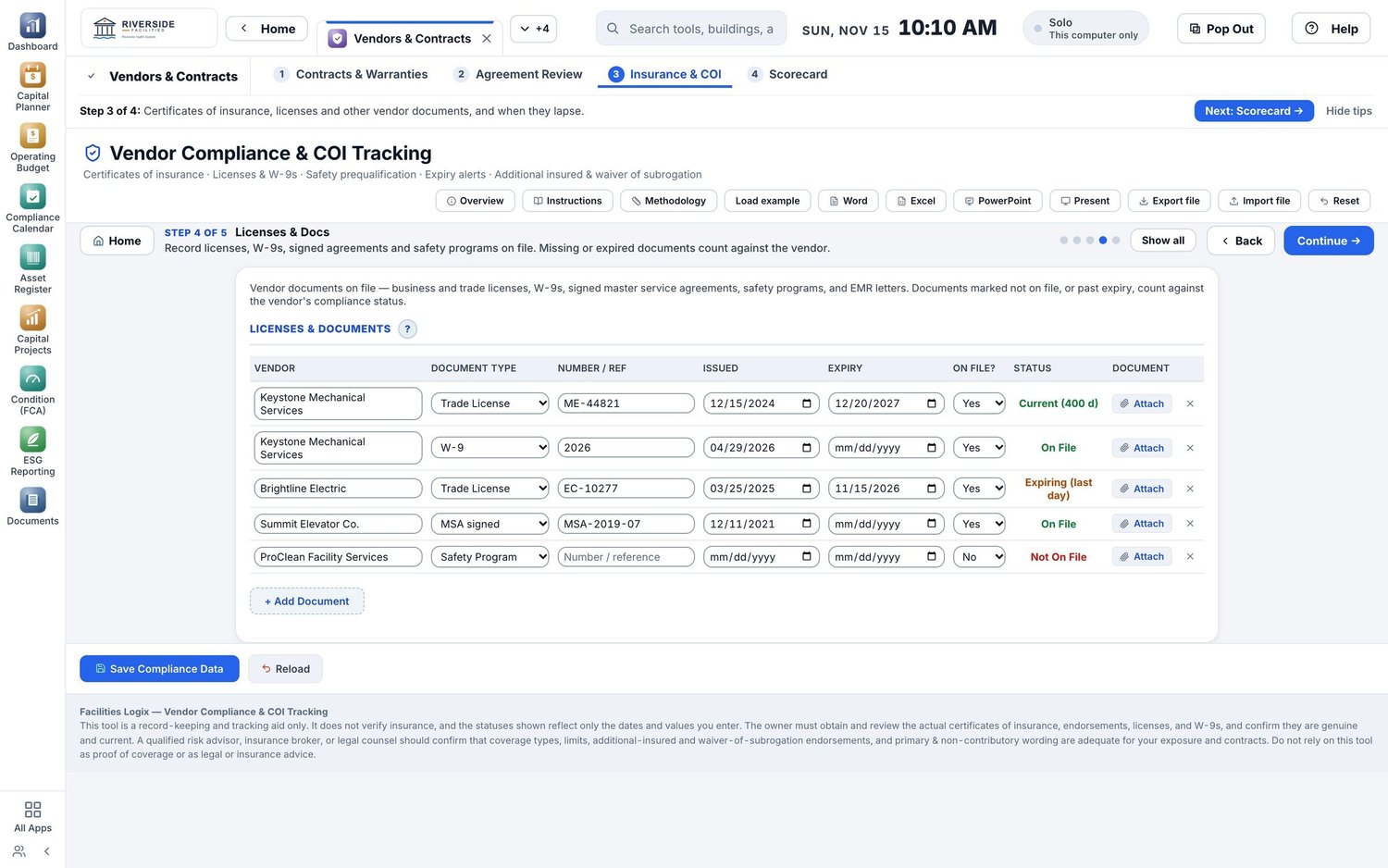
- The contractor is linked to your vendor list, and the dashboard flags an open project whose contractor's insurance certificate is expired or missing
Regulatory Milestones
- Import the compliance milestones a project's public funding and regulatory flags require
- Prevailing wage, domestic content, accessibility registration and inspection, environmental and historic review, as they apply
- The same flags send required approvals to Permits & C of O
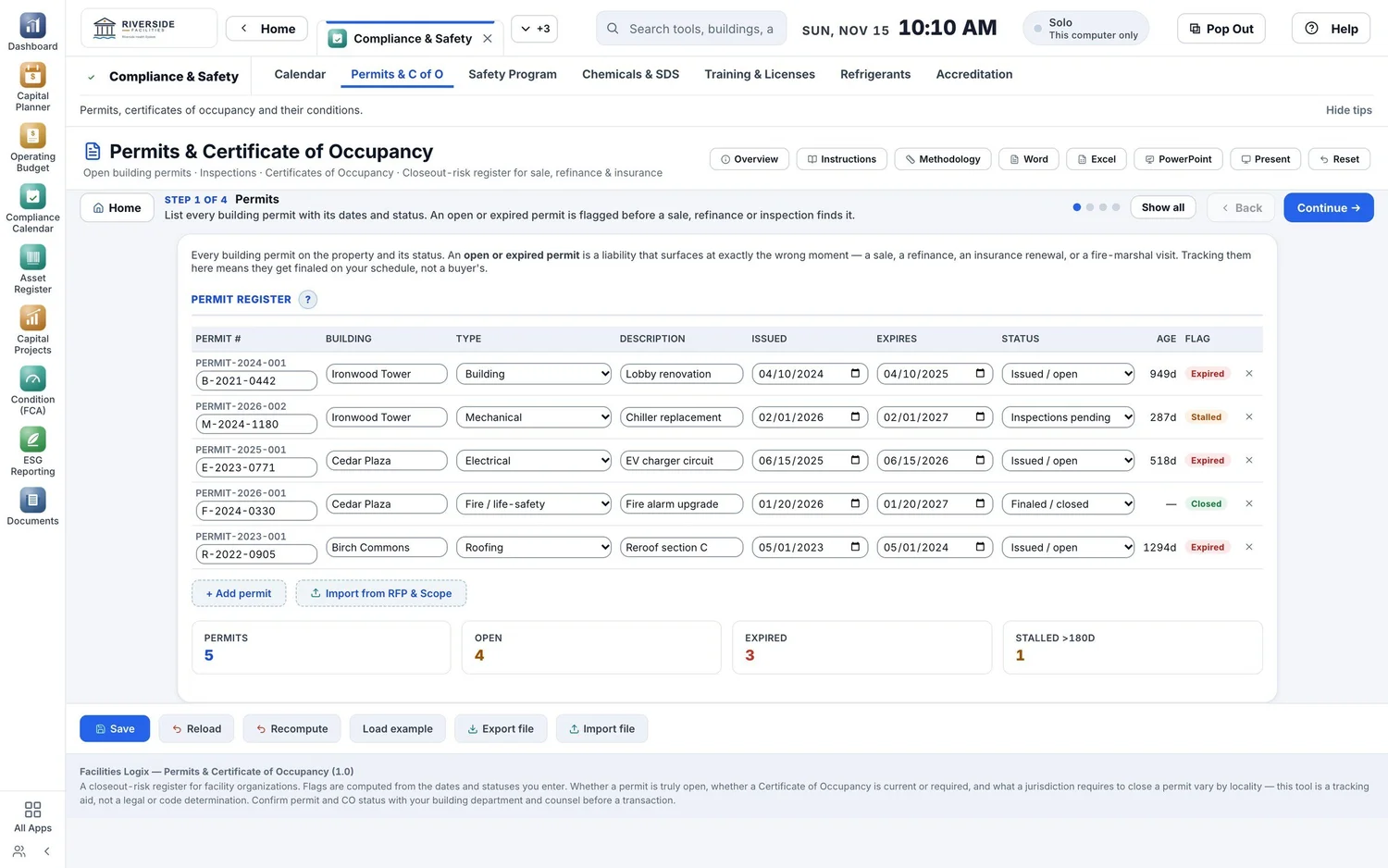
Permits in Permits & Certificate of Occupancy: list every building permit with its dates and status. An open or expired permit is flagged before a sale, refinance or inspection finds it.
Cost Position
- Committed, billed and paid amounts for each project from the purchase orders and vendor bills coded to its project number
- Budget plus approved change orders, and what remains
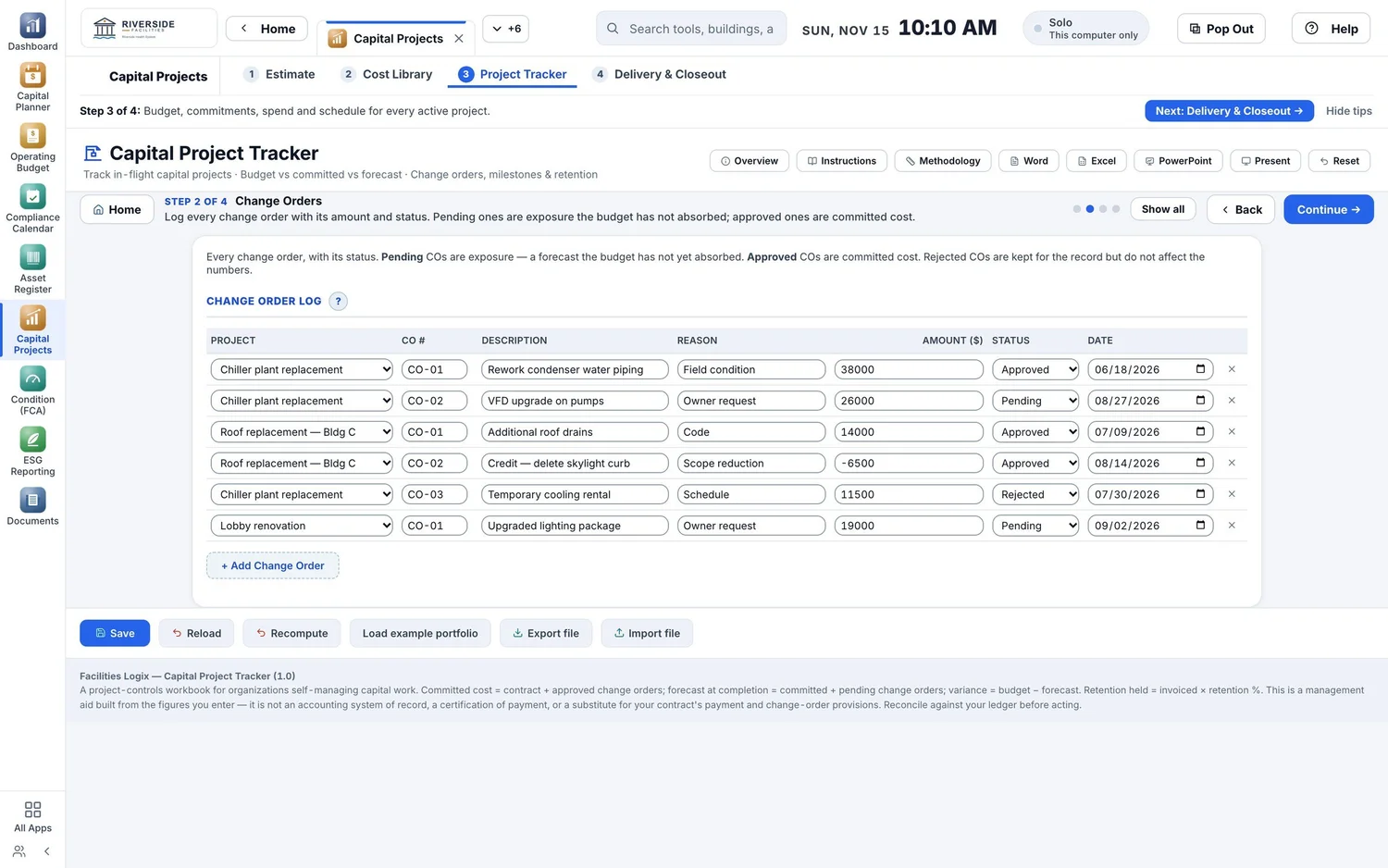
Change Orders in Capital Project Tracker: log every change order with its amount and status. Pending ones are exposure the budget has not absorbed; approved ones are committed cost.
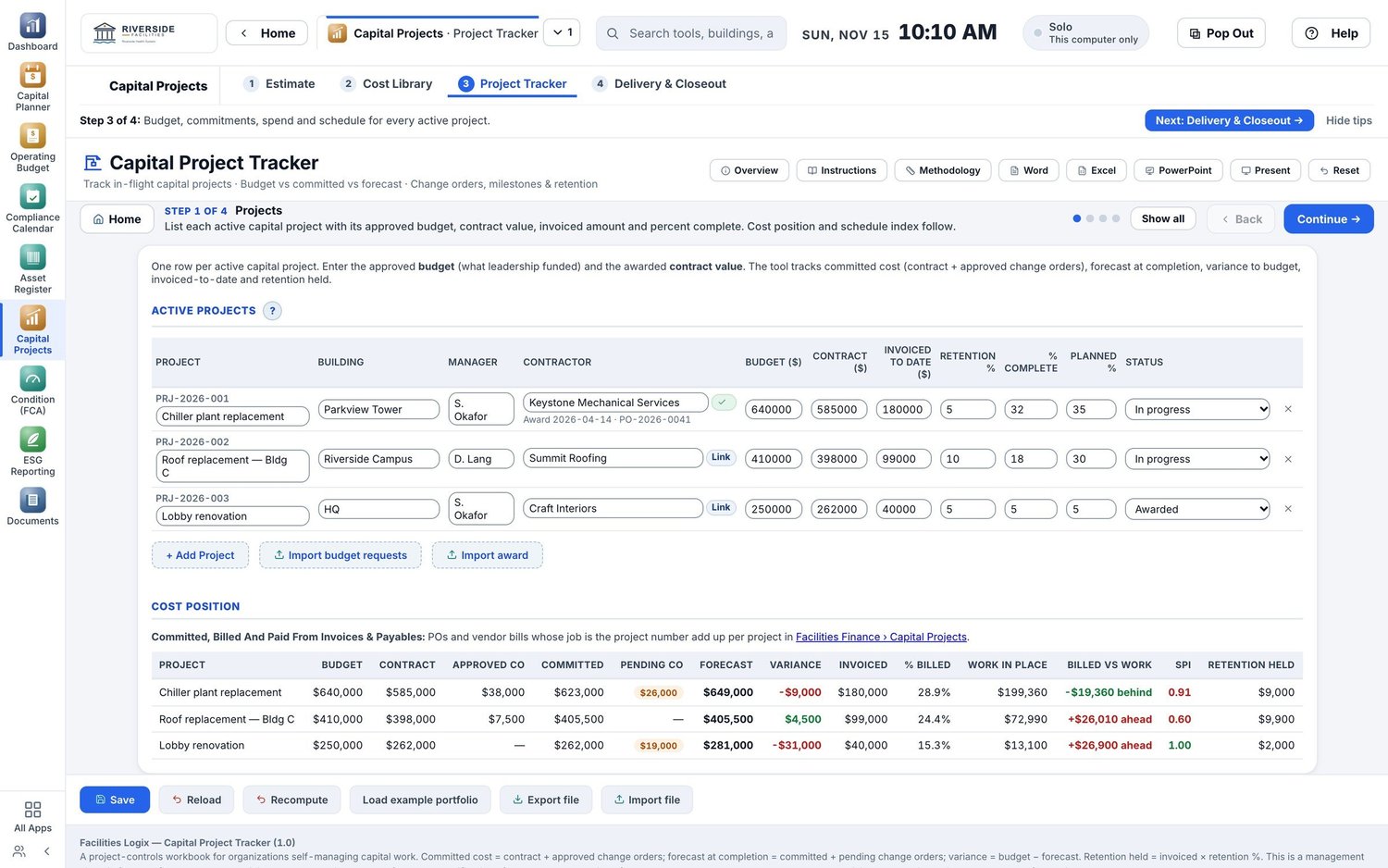
Award details retyped into a tracker invite errors, so the award lands on the project with its contract value and PO.
Review Every Draw Against the Schedule of Values
Certify and Close
Review each pay application line by line against the schedule of values. When it is certified, close it: its figures move to the history and the next application starts with the right previous certificates. Retainage stays blank until you enter your contract's rate.
Lien Waivers
List the subcontractors and suppliers with lien rights, then log each waiver as it arrives and attach the signed form: conditional with each pay application, unconditional once that payment has cleared, progress during the job and final at the end. A matrix shows who has sent what for each application.
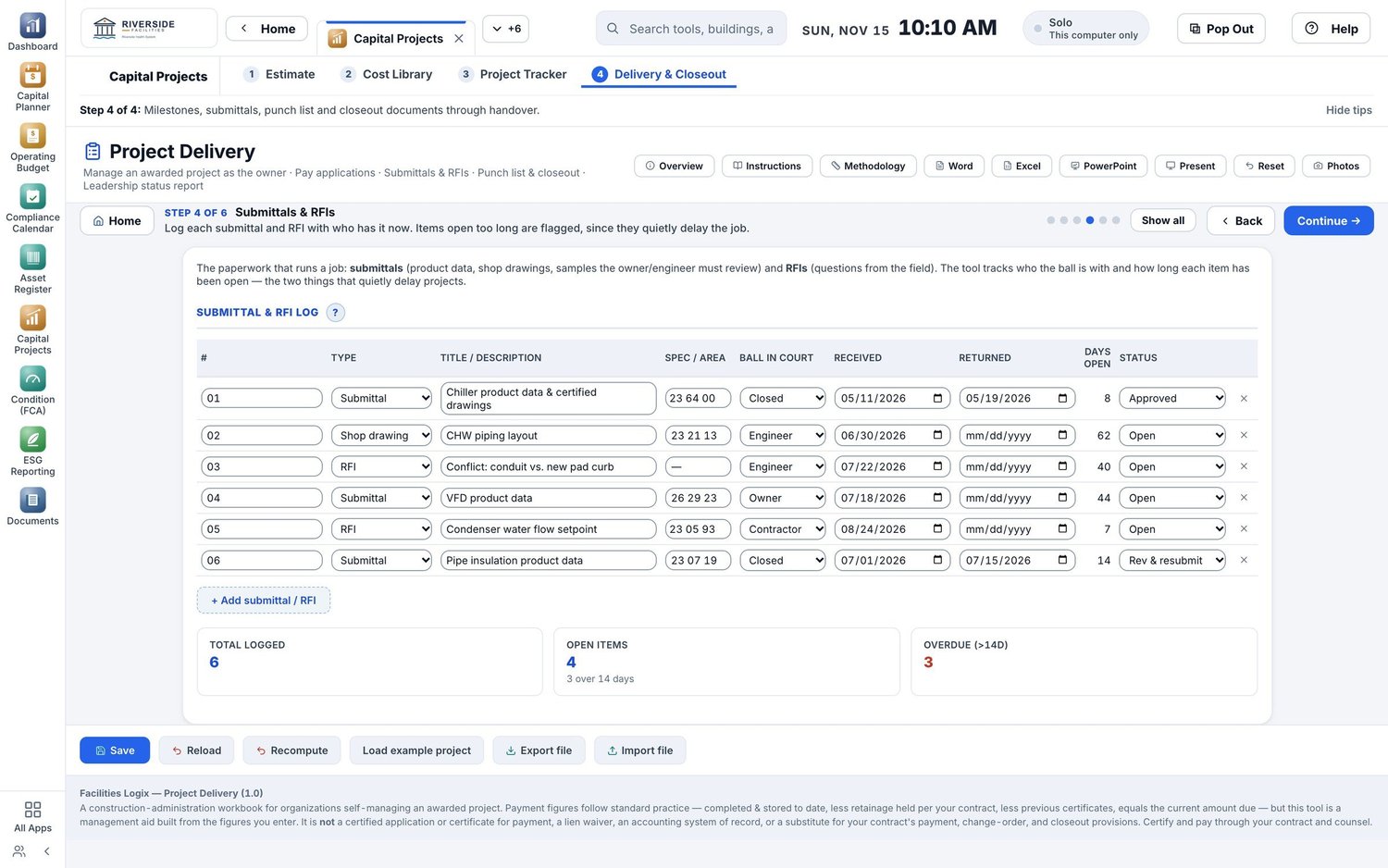
Submittals & RFIs in Project Delivery: log each submittal and RFI with who has it now. Items open too long are flagged, since they quietly delay the job.
Retainage Released Only When the Job Is Truly Done
Ready to Release
- Retainage shows Ready to Release only when the prime and every subcontractor and supplier have a final unconditional waiver on file
- Every closeout deliverable is received and the punch list is closed
- Until then, the step lists exactly what is missing
Warranties Onto the Register
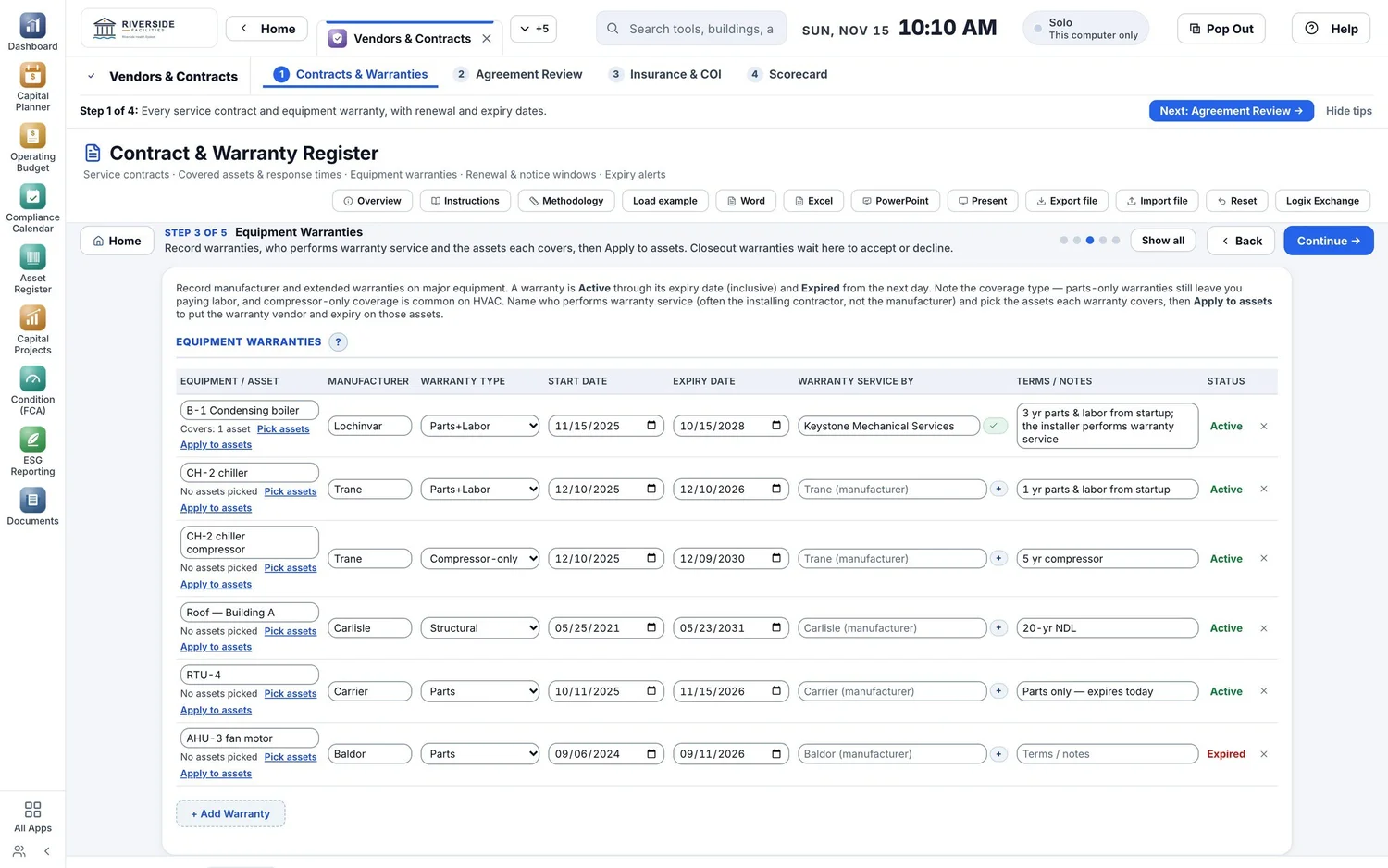
- Add each warranty handed over: equipment, manufacturer, service vendor, start and expiry, and the assets it covers
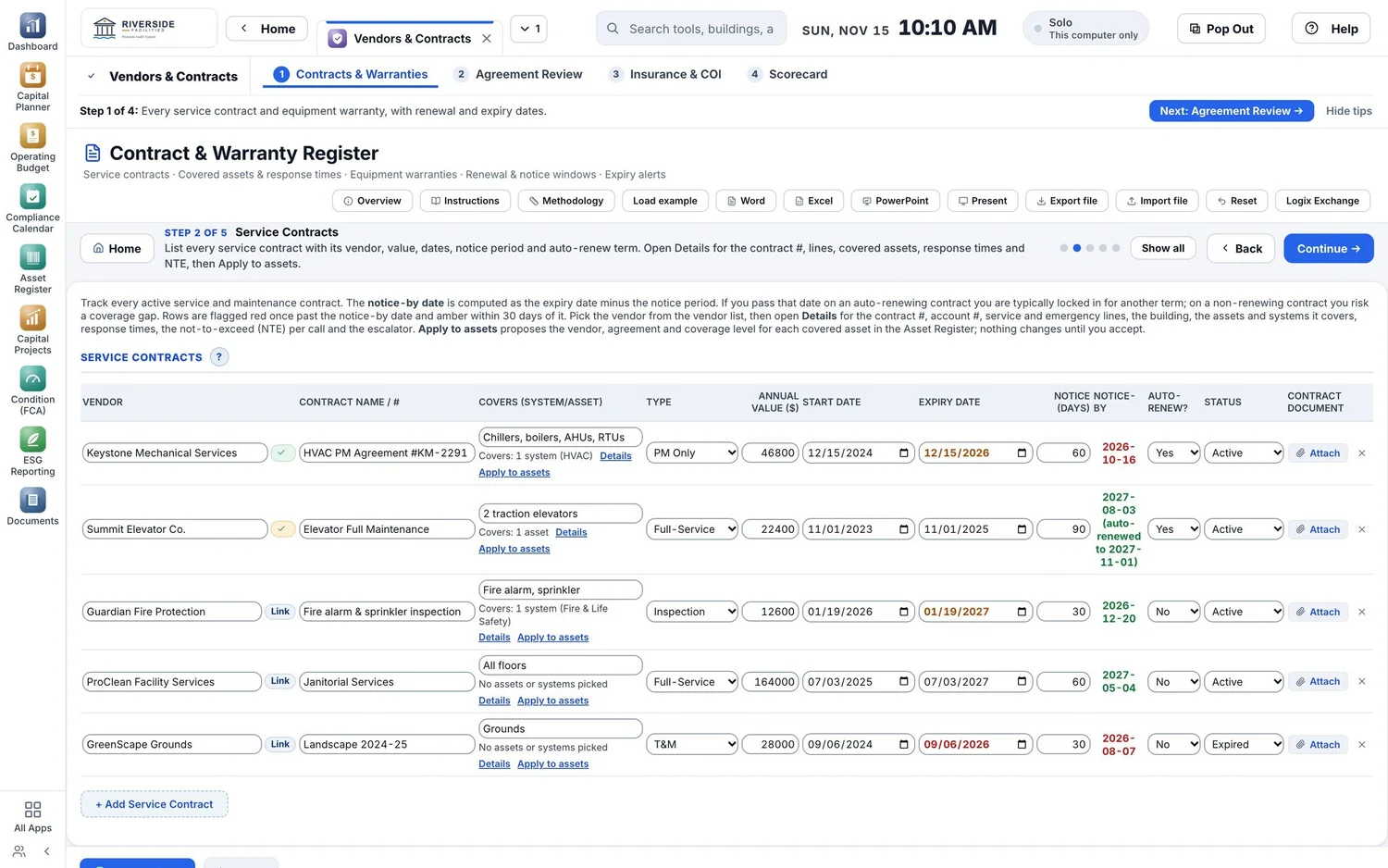
- Send them to Contracts & Warranties, where your team accepts each one
- Accepted warranties are applied to the assets, so a failure in the first years goes to the installer
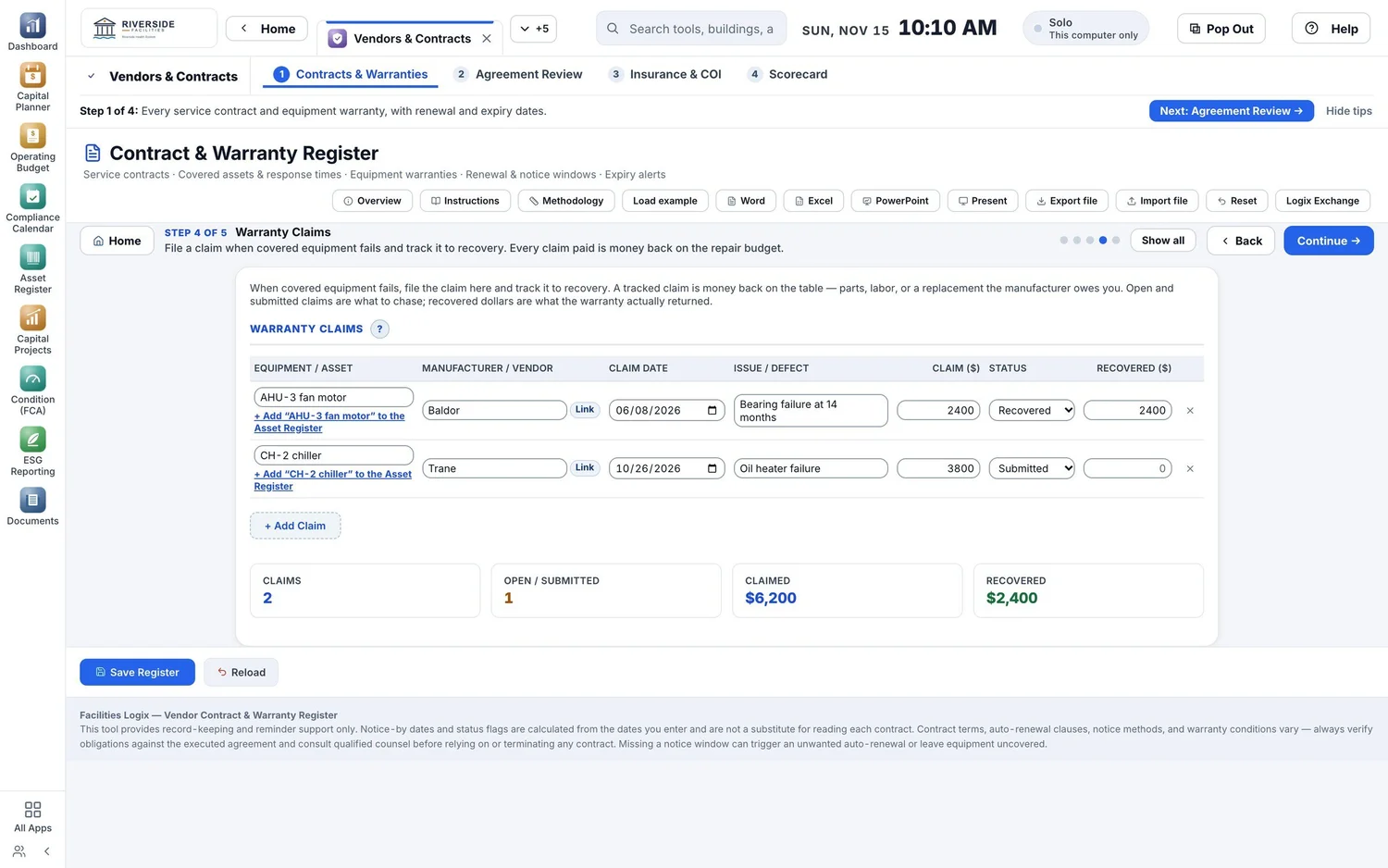
Warranty Claims in Contract & Warranty Register: file a claim when covered equipment fails and track it to recovery. Every claim paid is money back on the repair budget.
Handover Data
- Import the contractor's COBie handover workbook: components become assets, with spaces, spares and PM schedules
- Closeout packages received through Logix Exchange are checked, then filed to the asset register, the warranty register and Documents
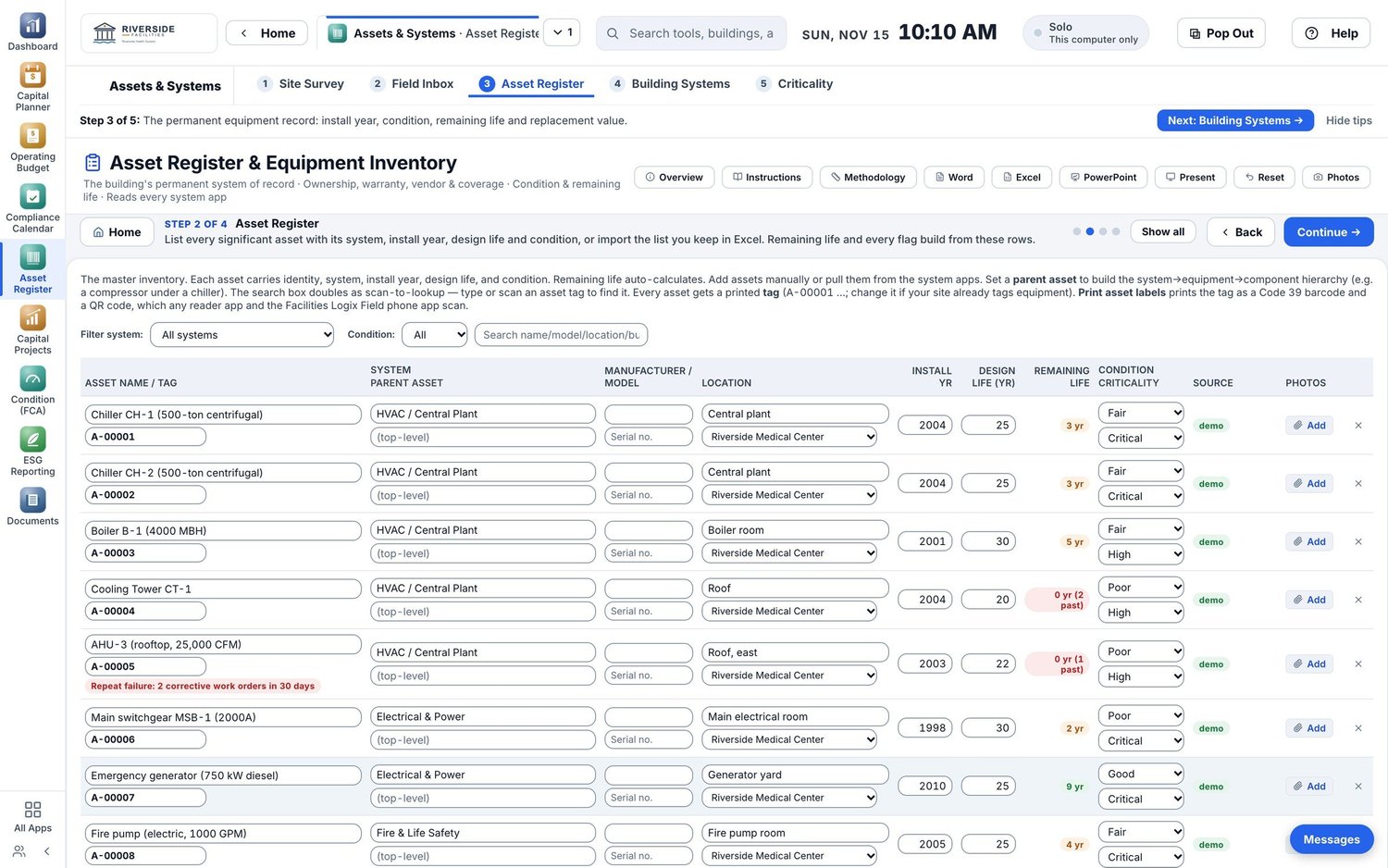
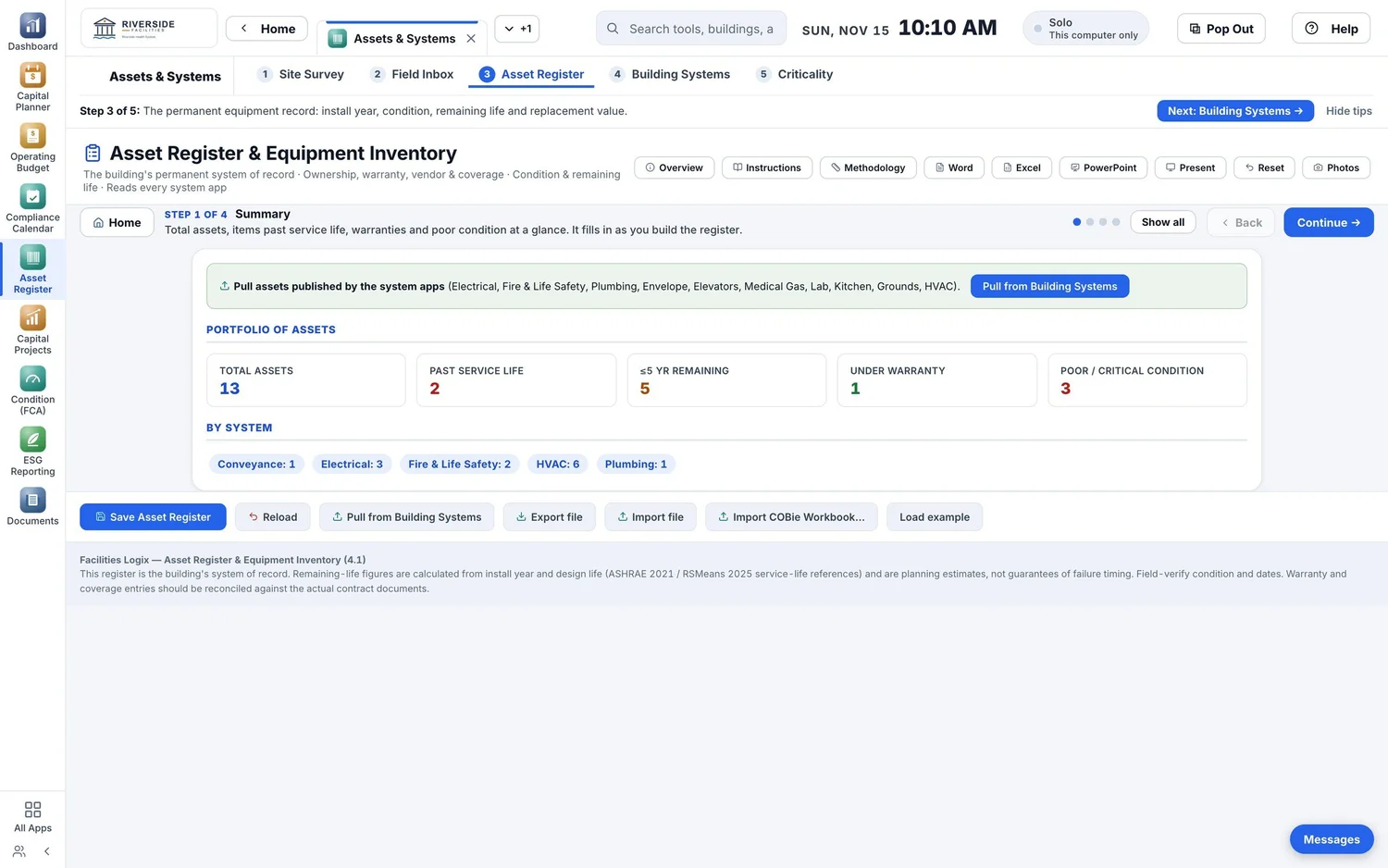
Asset register with install year, remaining life, condition and criticality.
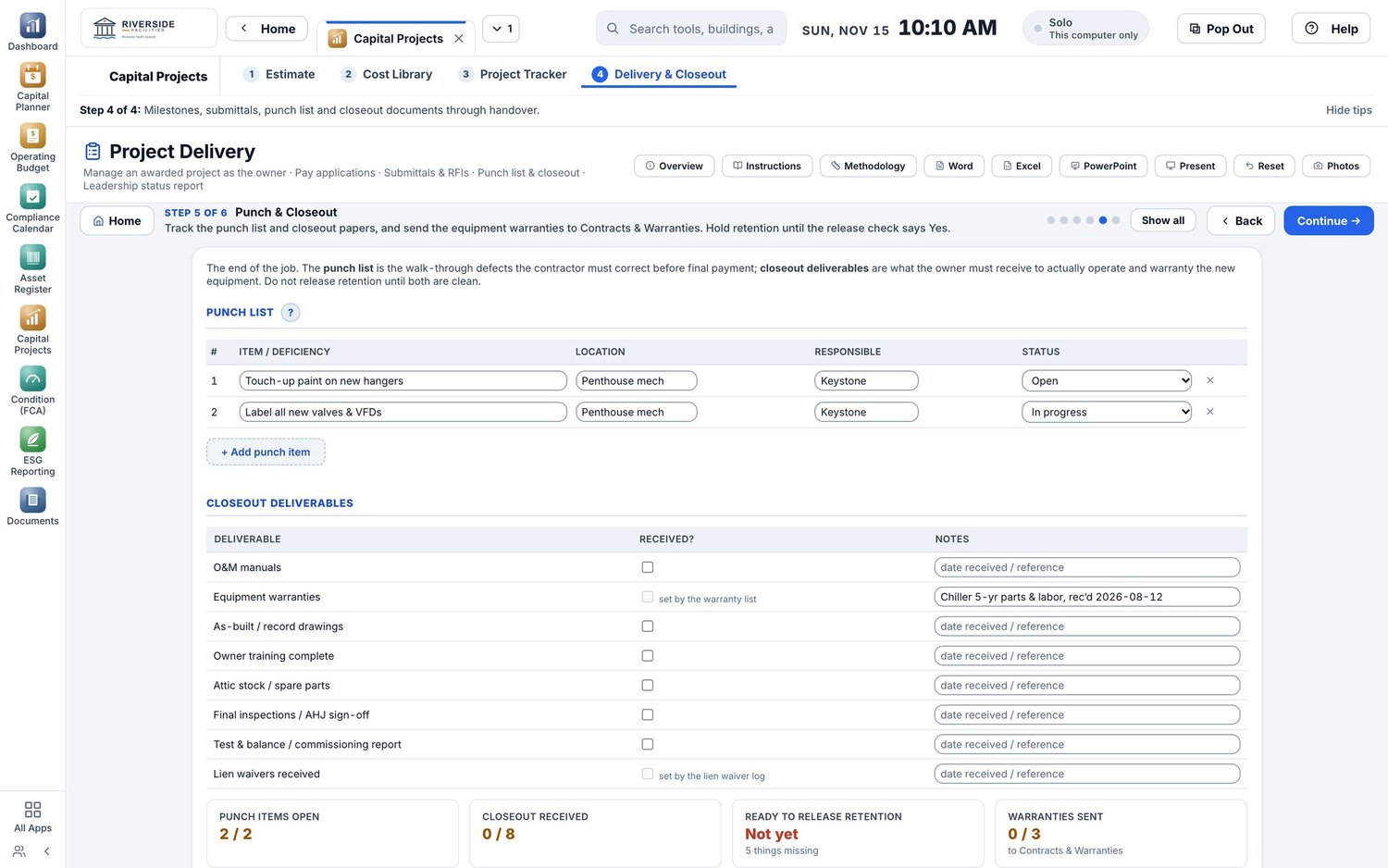
Retainage released too early leaves open punch items, so closeout shows what is still missing before the money goes out.
Control for the People Accountable for the Money
Leadership
A status report for every active project: budget, commitments, forecast, change orders and milestones, in Word, Excel or on screen.
Learn MoreShow Less
Leadership hears about a project overrun too late when status comes from a phone call. The status report shows the money position of every active project in one document.
- Forecast at completion and variance to the approved budget
- Pending change orders shown as exposure the budget has not absorbed
- Invoiced to date and retention held
- A portfolio dashboard across every active project
Management
One place for the estimate, the award, the pay applications and the waiver log, with nothing retyped between procurement and delivery.
Learn MoreShow Less
Retyping the award into each system costs time and creates mismatched figures. The award moves from bid evaluation to the tracker, purchase order and finance view without re-entry.
- Import Award brings the contractor, contract value and award date onto the project
- A contract value you entered is replaced only if you tick the box
- Facilities Finance shows committed, billed and paid per project from POs and bills
- Regulatory milestones imported from the RFP's funding flags
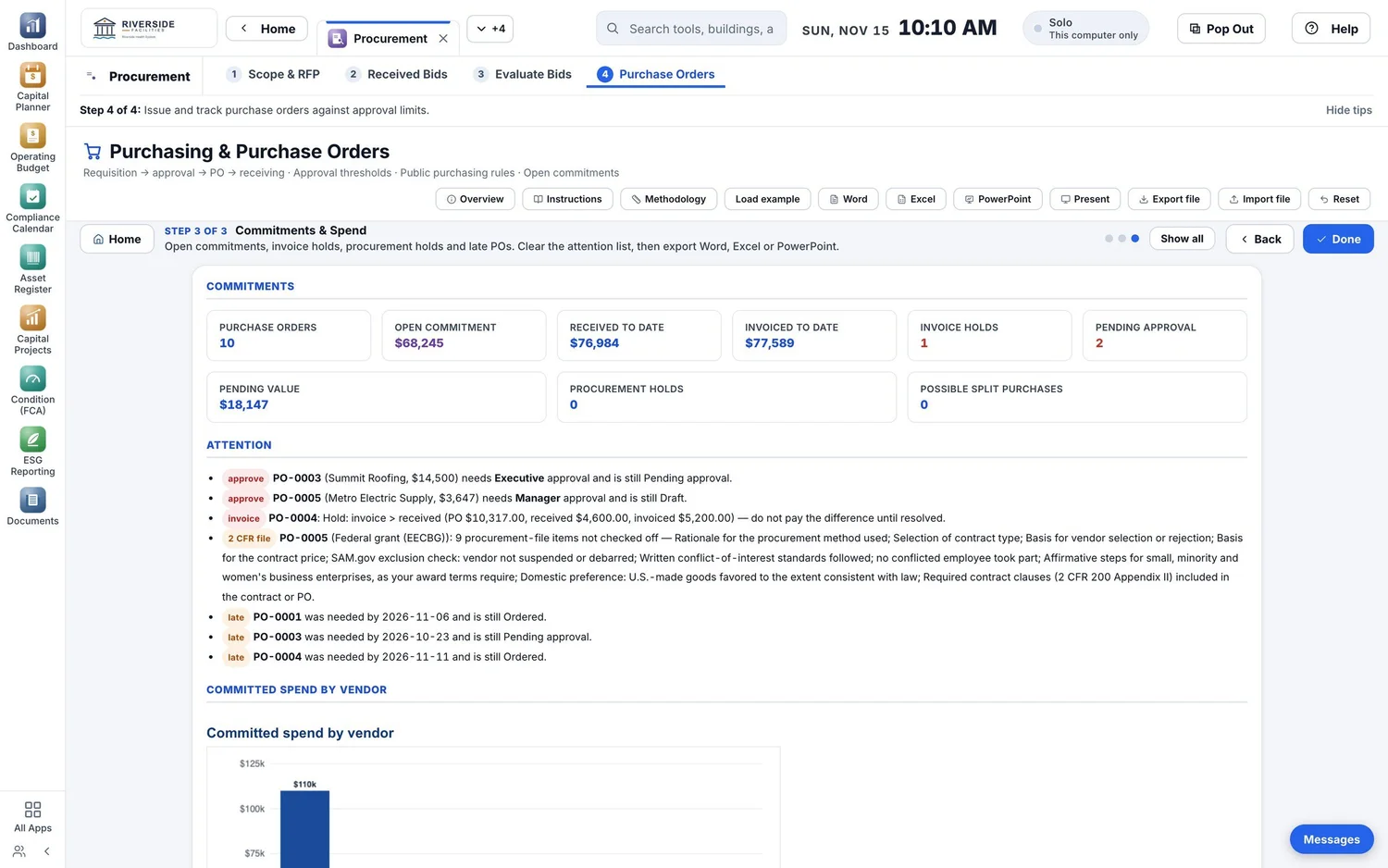
Commitments & Spend in Purchasing & Purchase Orders: open commitments, invoice holds, procurement holds and late POs. Clear the attention list, then export Word, Excel or PowerPoint.
Operations
New equipment arrives on the register with its warranty, its vendor and its PM schedule, ready for the first service.
Learn MoreShow Less
A new unit whose warranty is not on file gets repaired at the owner's cost. Closeout warranties are accepted onto the assets, so the first service call goes to the warranty vendor.
- Each handed-over warranty lists its equipment, maker, service vendor and dates
- Accept or decline each warranty, with the reason recorded
- COBie Job rows become PM schedules for every component of that type
- Applied warranties set each asset's warranty expiry and vendor
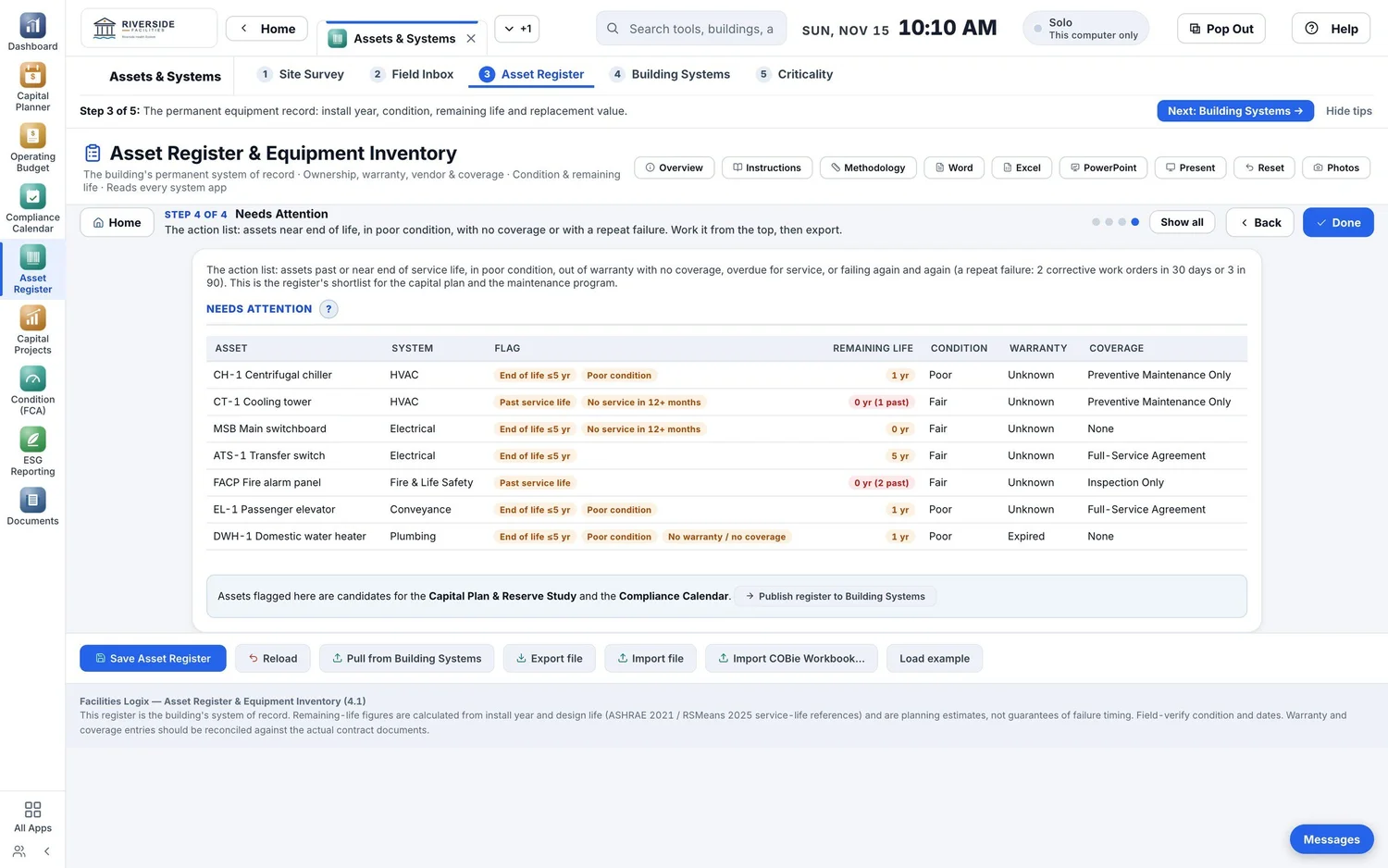
Needs Attention in Asset Register & Equipment Inventory: the action list: assets near end of life, in poor condition, with no coverage or with a repeat failure. Work it from the top, then export.
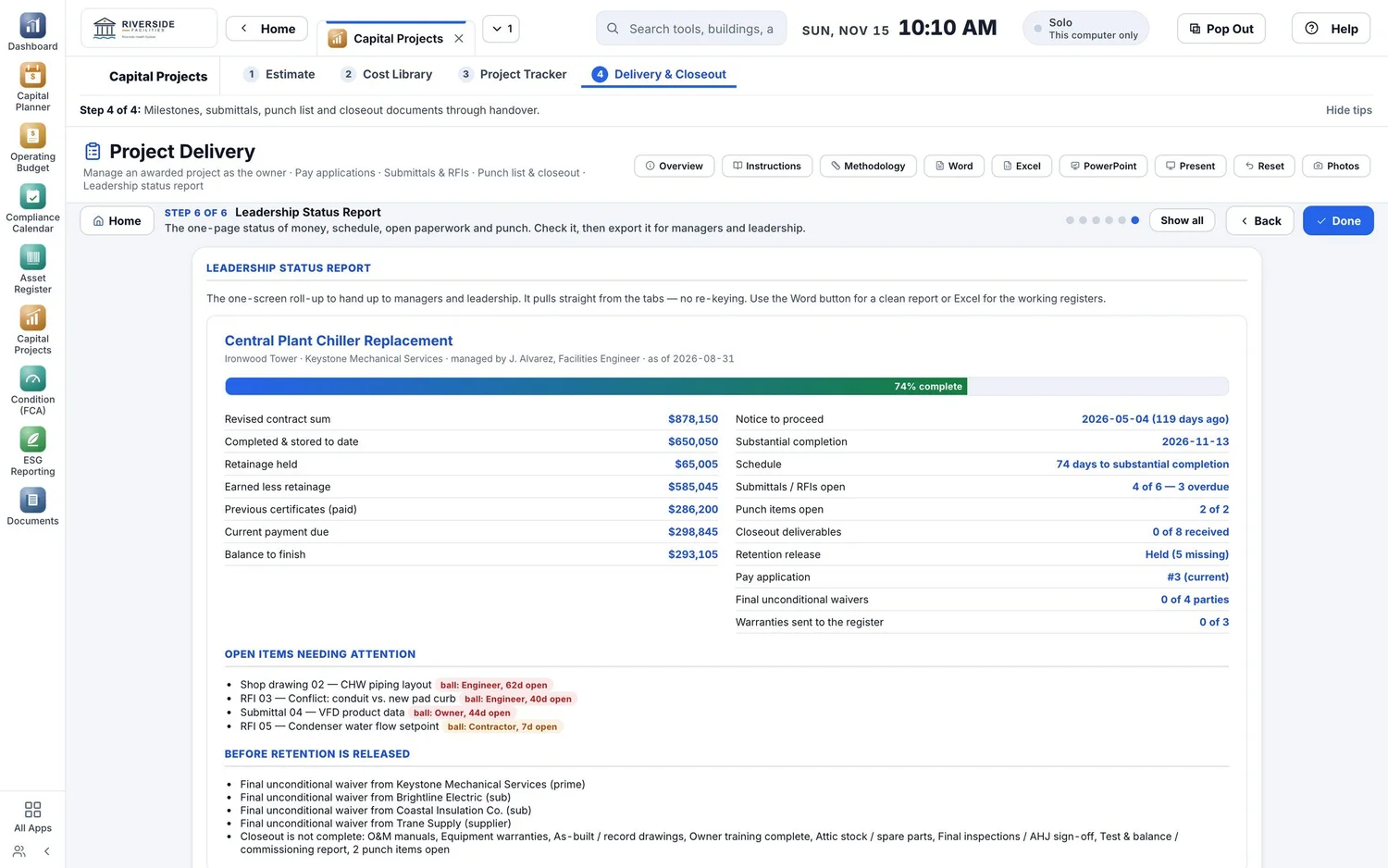
Leadership waits on status emails from every project manager, so one report shows budget, forecast and milestones.
Frequently Asked Questions
Is the estimate a construction bid?
Does the lien waiver step give legal advice?
How do warranties get onto the equipment record?
Be First When Facilities Logix Opens
Stop chasing building records across spreadsheets and binders. Join the list and we will tell you the day downloads open, with setup guides ready.
Launching early 2027 for Facilities Logix. Nothing to buy today, and no sales calls.
