
Payroll That Starts with the Hours the Field Already Keeps
Retyping field hours into payroll costs a day each week and invites mistakes. HVAC Logix runs payroll from the service tickets, maintenance visits and daily logs your people already fill in. Overtime is worked out from the work state's rules, a supervisor approves the week, and gross to net uses the year's federal and state tax tables. Paying the run posts the wages to the jobs and cost codes, numbers the checks, writes the direct-deposit file for your bank and prints the stubs. HVAC Logix prepares the returns. Your company files them and pays the taxes.
Launching Early 2027 · Join the Early-Access List
From the Phone to the Paycheck
The same hours that bill the customer and cost the job also pay the technician. Nobody keys them twice.
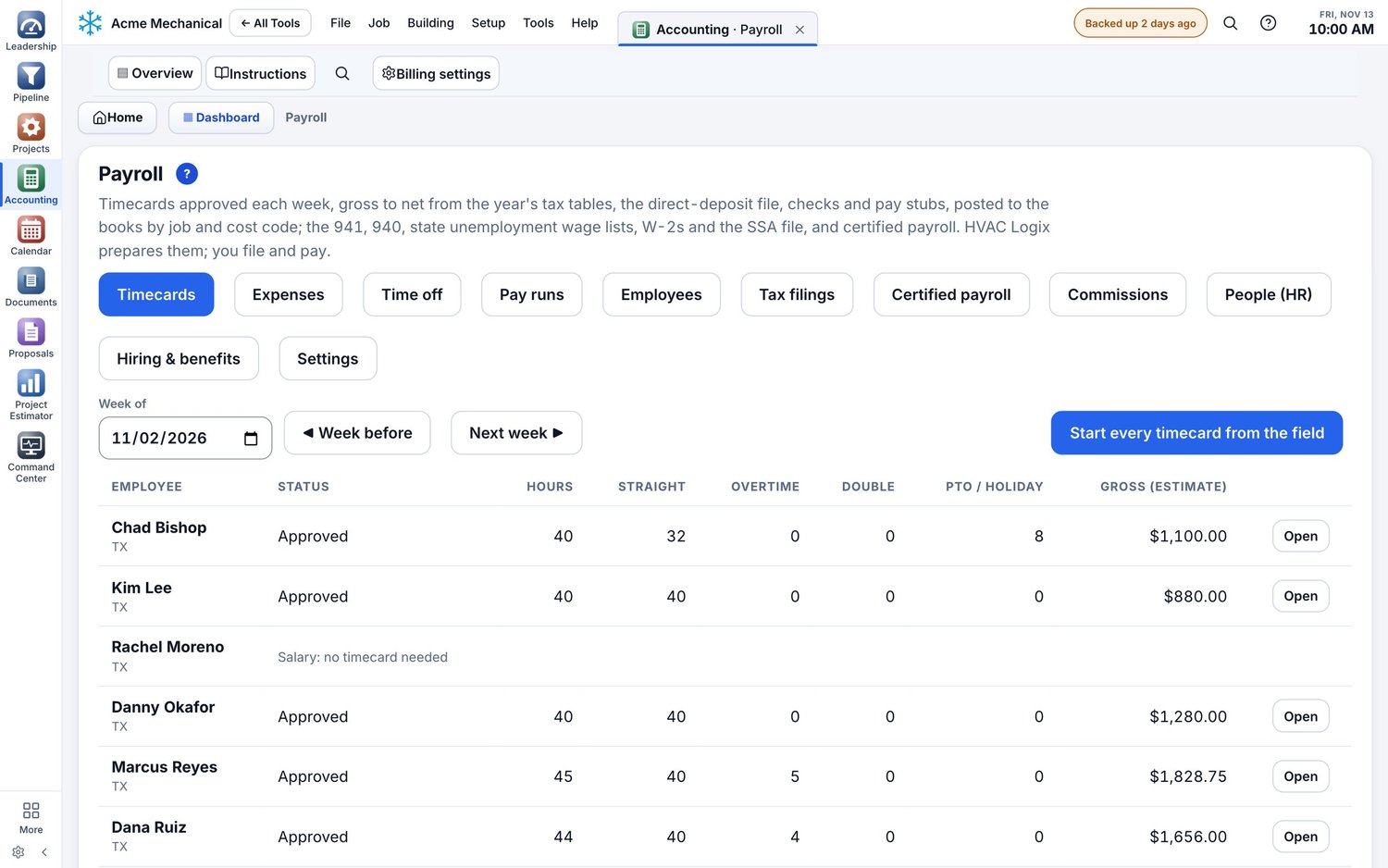
Timecards Start from the Field
One button fills the week from the phones' service tickets, maintenance visits and the jobs' daily logs, by day, job, cost code and class. Each line keeps where it came from, and pressing the button twice adds nothing twice.
The Supervisor Approves
The foreman, superintendent, service manager or project manager approves their own crews' weeks. Nobody approves their own card. Accounting sees every timecard and processes only approved time.
The Pay Run
A run takes every approved timecard in the period, every salaried person's salary and any bonus or expense reimbursement you add. The person who made the run cannot approve it. Someone else does.
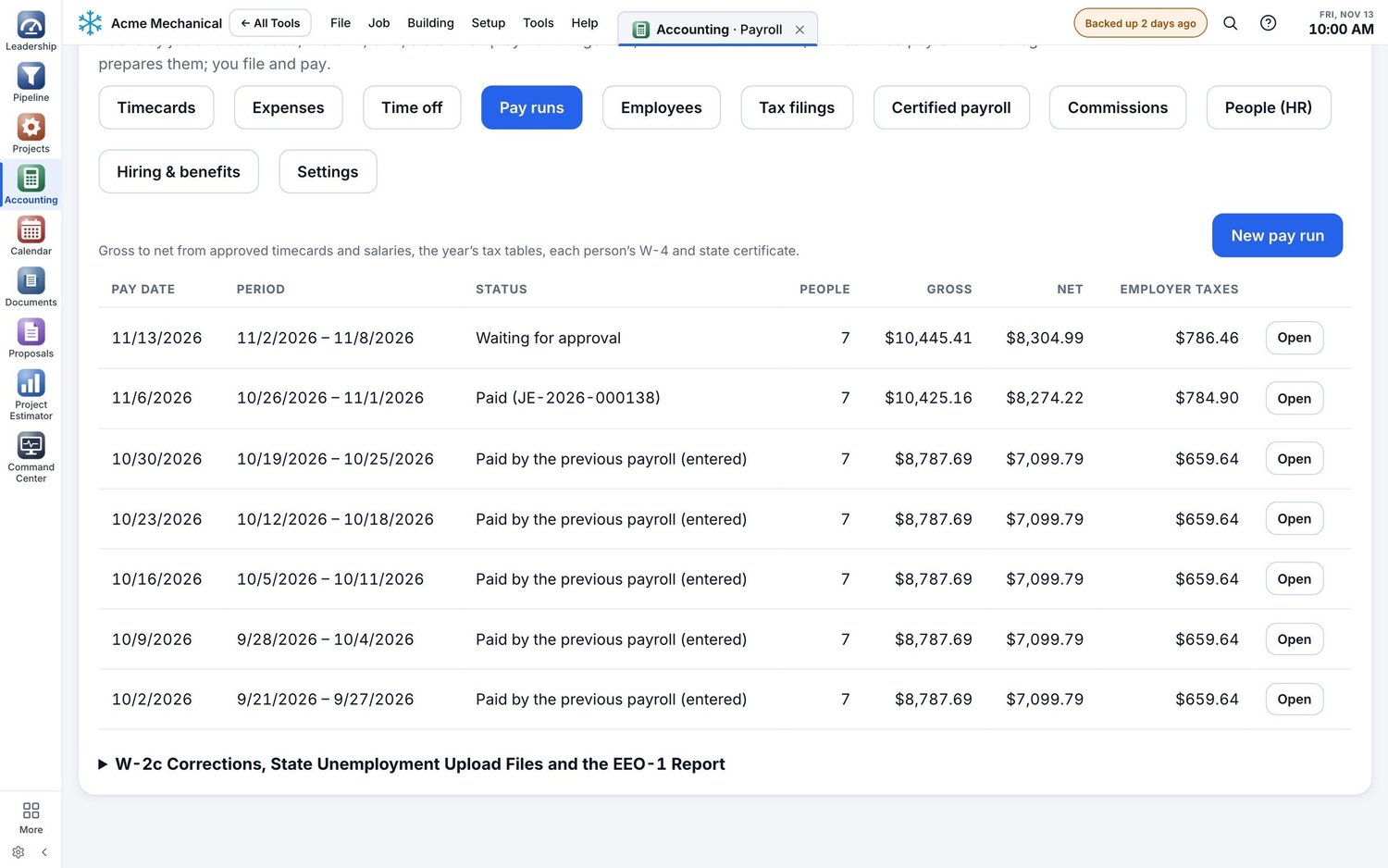
Running payroll by hand is slow, so each pay run gathers the approved weeks with its totals.
Pay Posts to the Jobs
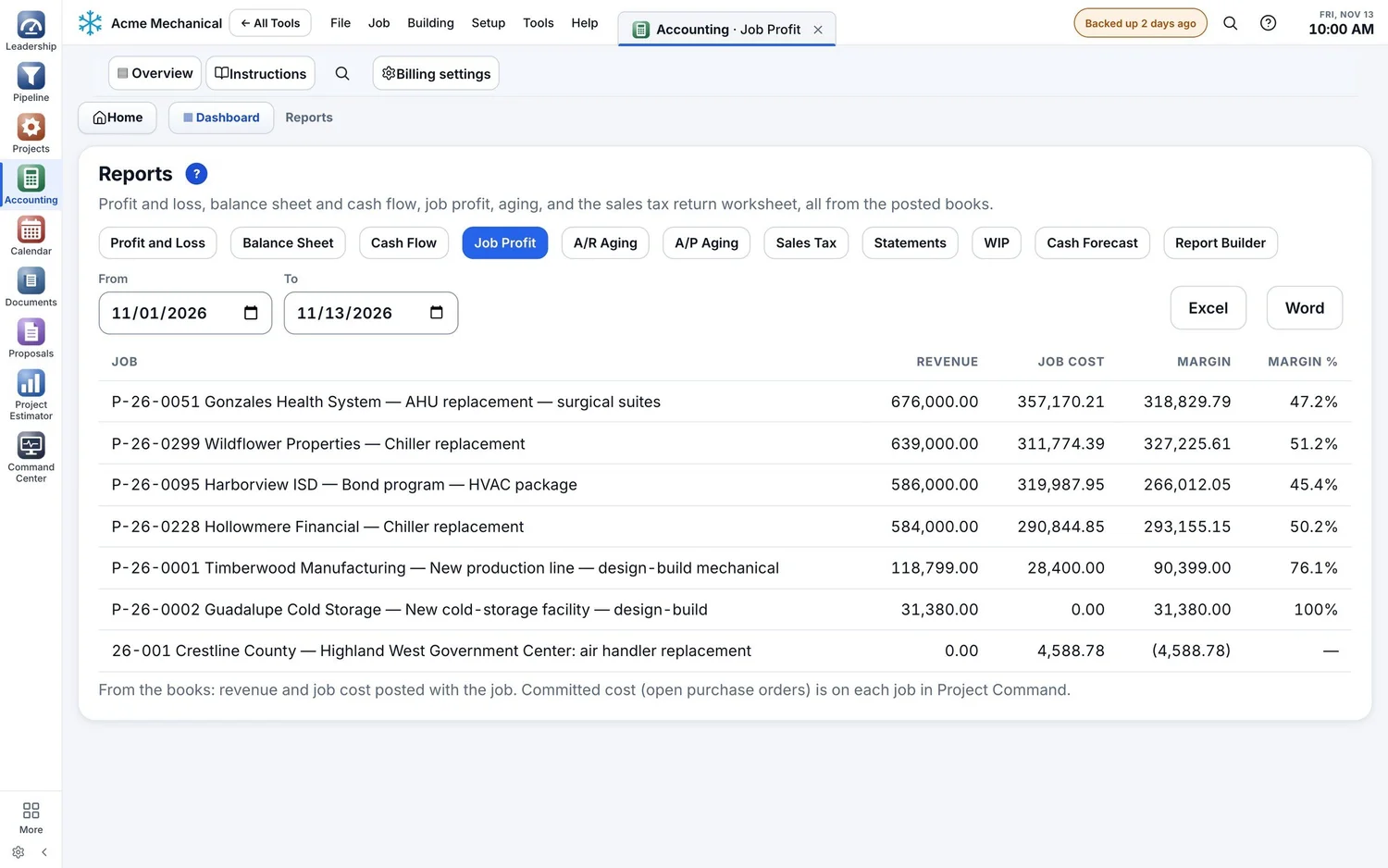
Paying the run posts one journal entry: field wages and the employer's taxes to the jobs and cost codes the hours were on, office wages to overhead, and each withholding to its own liability account. From then on, job cost shows actual labor.
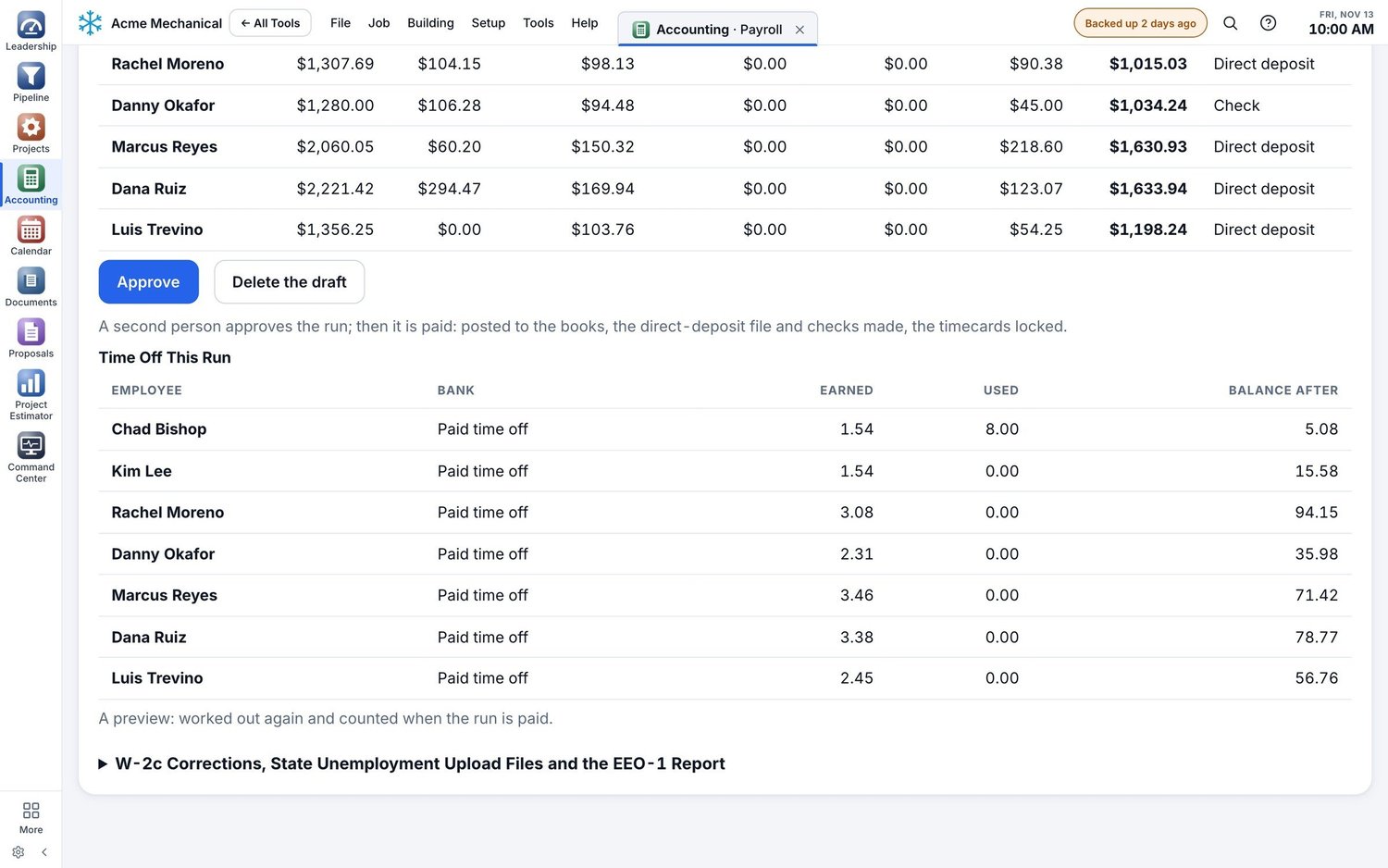
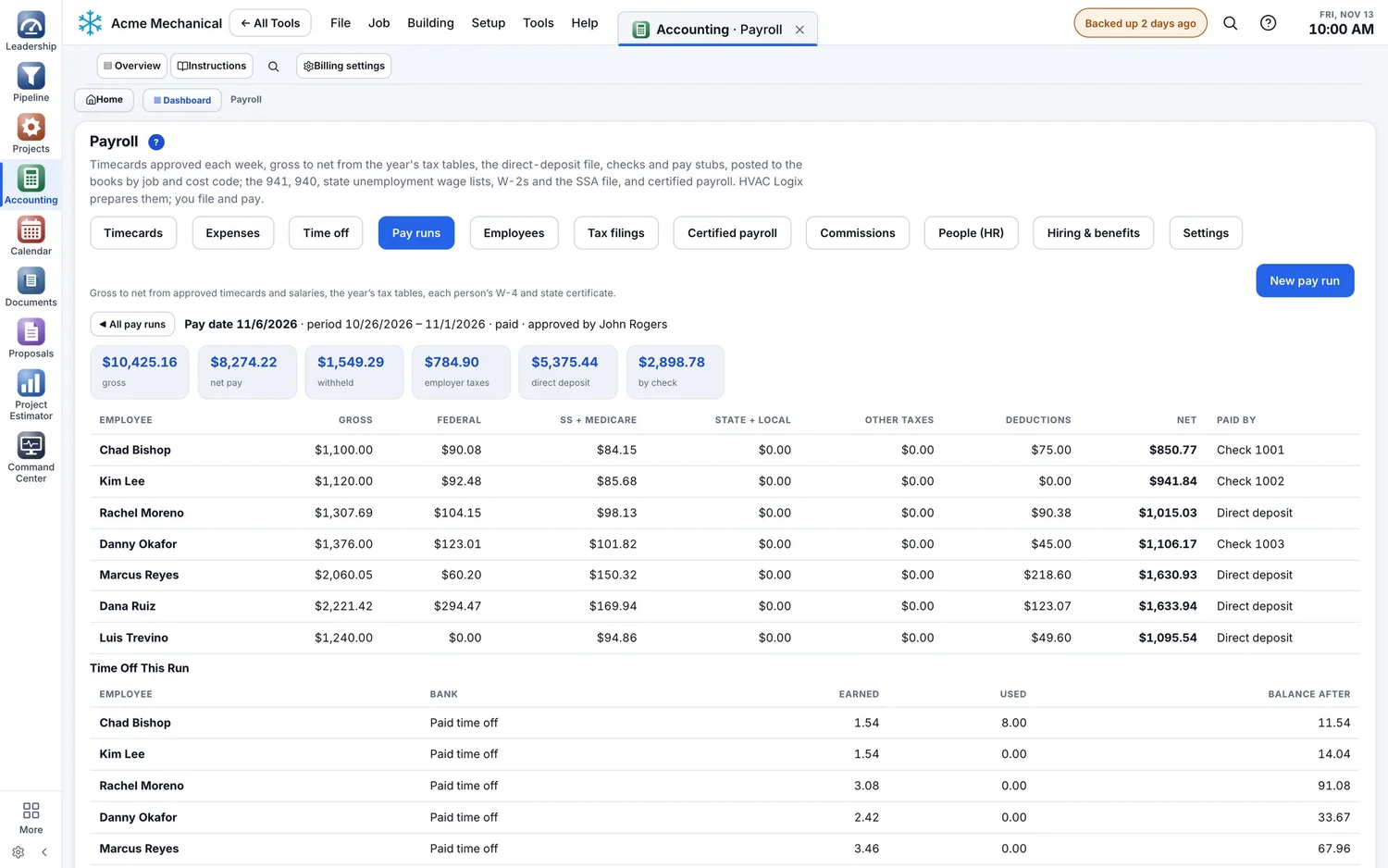
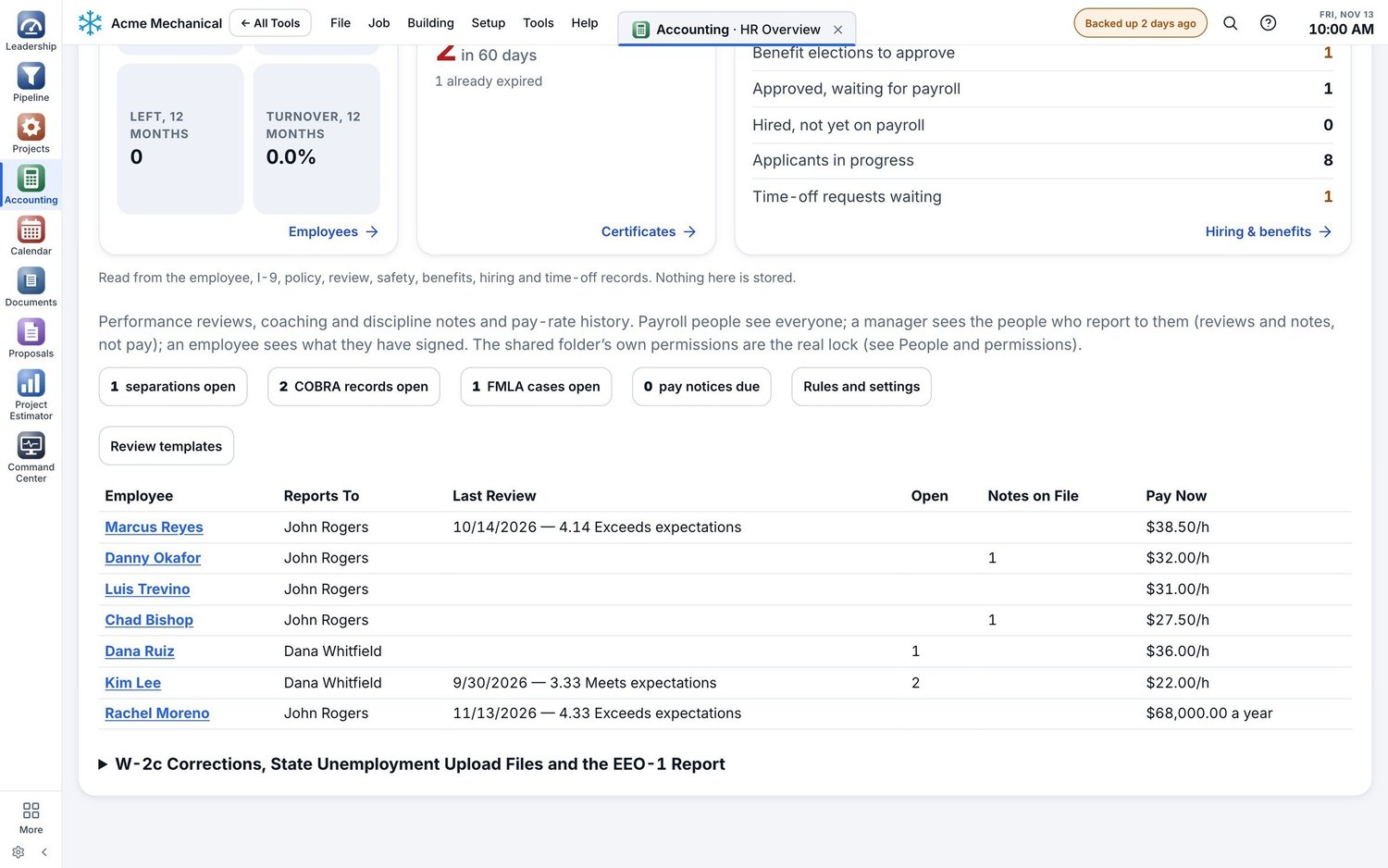
Payroll that skips the jobs hides labor cost, so a paid run shows each person's pay and time off.
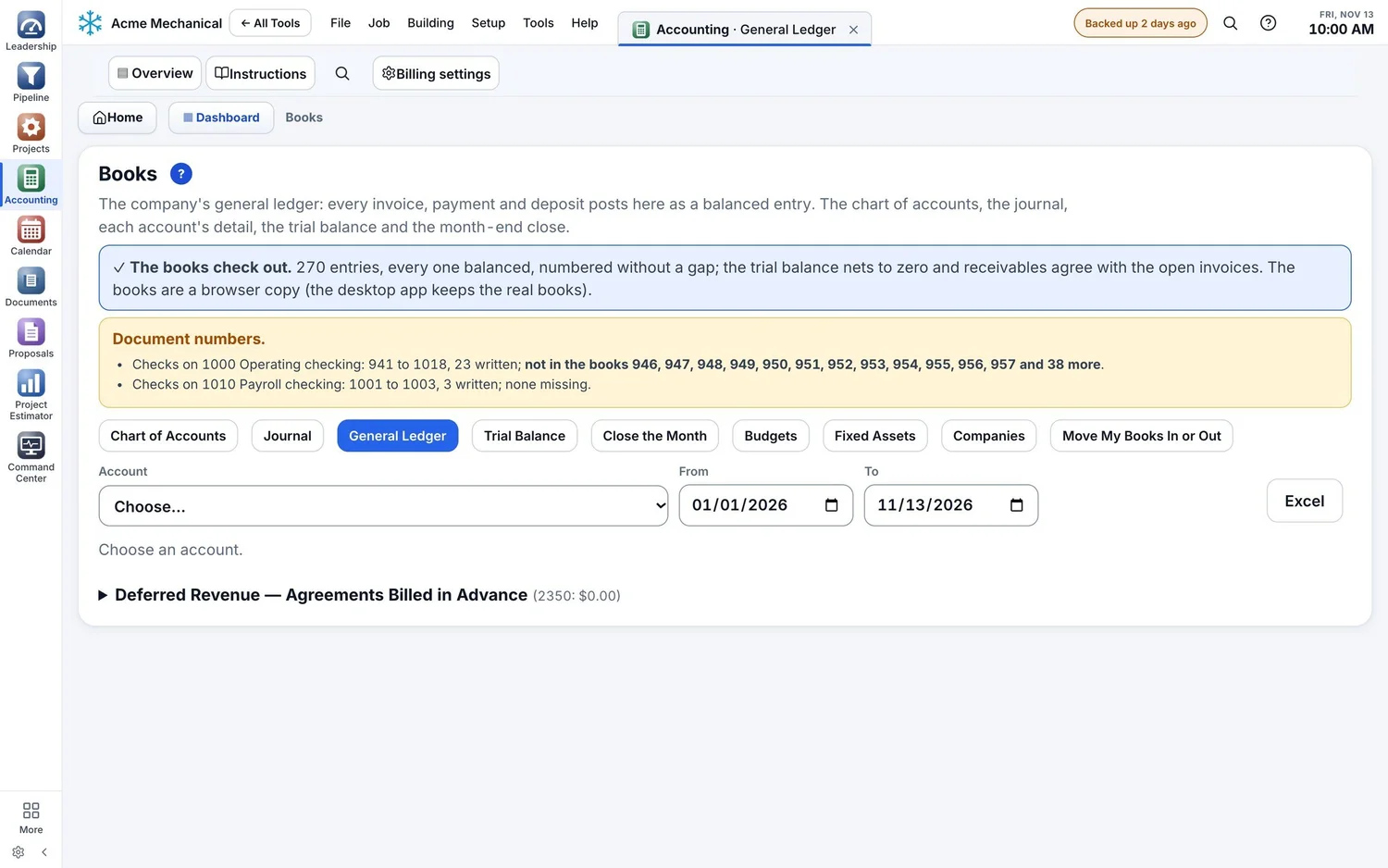
Wages must tie to the books, so the general ledger shows every posted entry in one place.
Every Paid Hour Checked by Someone Who Saw the Work
Overtime Is Worked Out, Never Typed
The federal rule of over 40 hours in the workweek always applies, and a state rule applies where it is stricter, including daily overtime and double time in the states that have them and the public-works rules on jobs with a wage determination.
Learn MoreShow Less
Overtime figured wrong means back pay and penalties in a wage claim. The rules are applied from the hours, so nobody has to remember each state's.
- California daily overtime over 8 hours and double time over 12, plus the seventh-day rule.
- Kentucky's seventh-day rule; Kansas and Minnesota weekly limits never loosen the federal 40.
- The premium uses the week's regular rate (29 CFR 778.115), kept apart from straight time.
- Qualified overtime is reported on the 2026 W-2 in box 12, code TT.
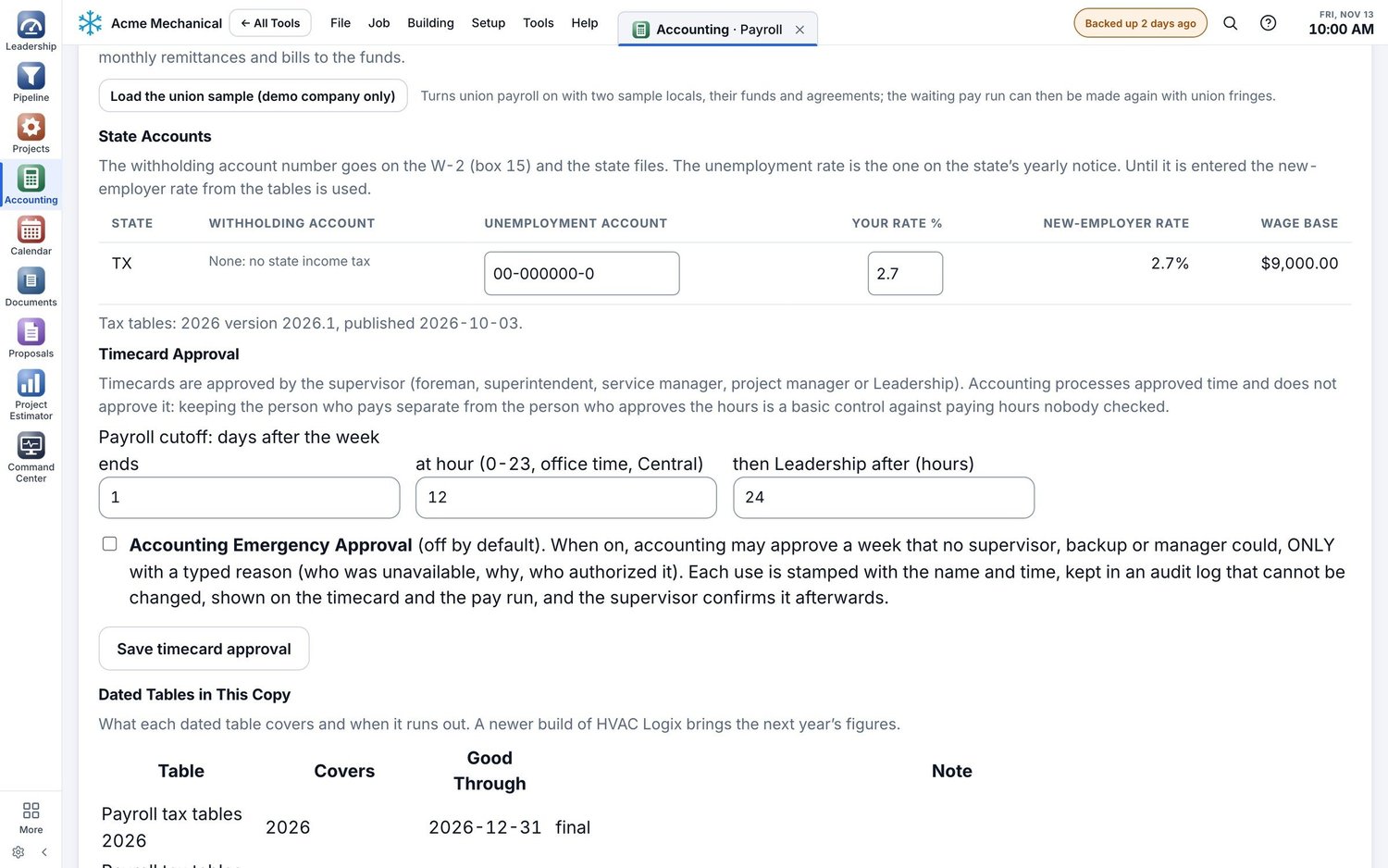
State accounts, tax rates and timecard approval are set once, in one place.
The Time Clock on the Phone
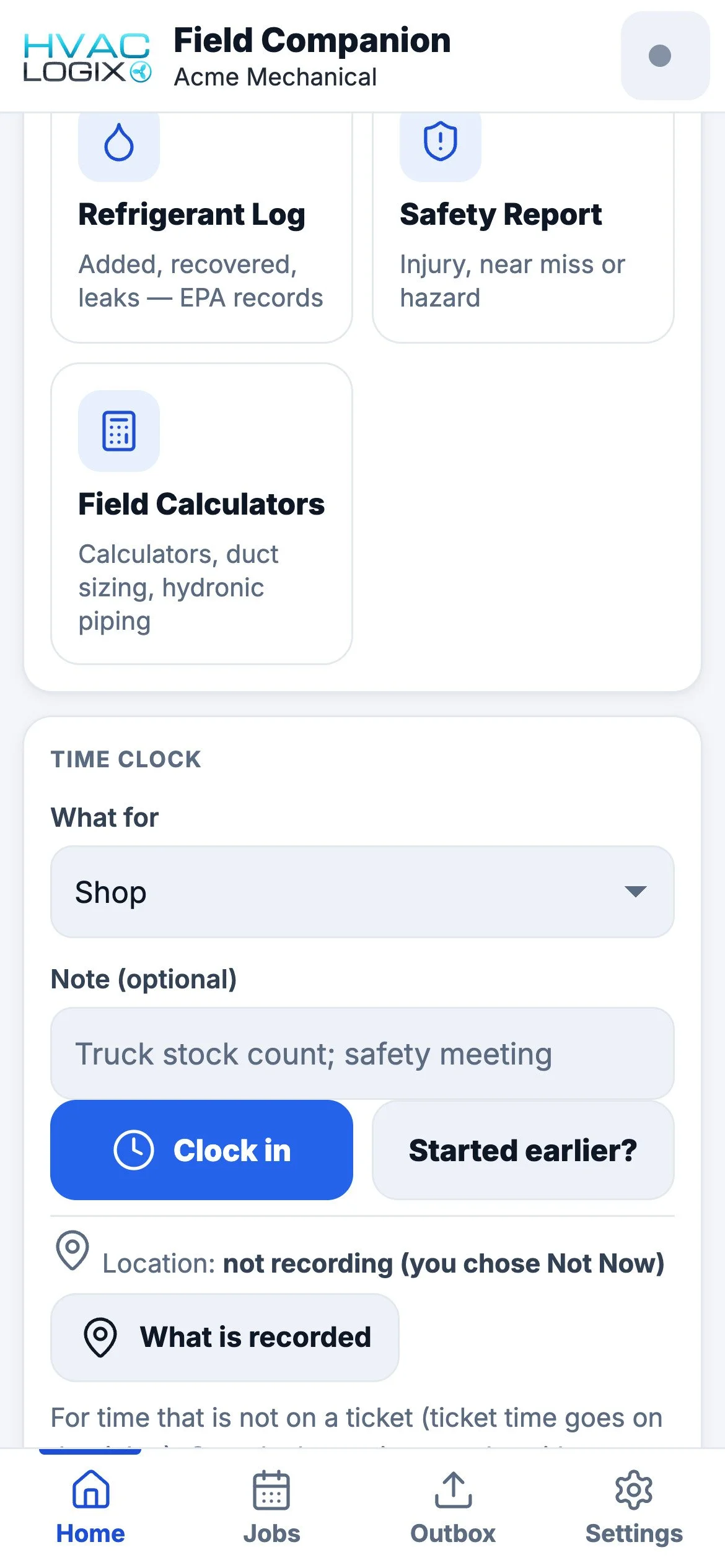
Ticket time goes on the ticket. Loading the truck, a supply-house run, a training class or a safety meeting is clocked in Field Companion and lands on the person's weekly timecard. Minutes that are also on a ticket are counted once.
Learn MoreShow Less
Shop time, supply runs and safety meetings are paid hours, and when they go unrecorded the job costs and payroll are both wrong. The phone clock captures them without double-counting ticket time.
- Categories are Shop, Drive, Training, Meeting or Other, with a note.
- A clock left on more than 10 hours, or overnight, turns red and is never counted to now.
- Only one clock runs at a time, and entries across midnight are split by day.
- History shows the office's word on each entry for two weeks.
Coverage When a Supervisor Is Out
Each supervisor names a backup approver and out-of-office dates. A week still not approved at the payroll cutoff goes to the supervisor's manager, then to Leadership, at the same office time on every computer.
Learn MoreShow Less
A missed approval can delay a whole crew's pay, and a late payroll costs goodwill and sometimes penalties. Approvals reach someone who can act, on time.
- The backup approver may approve weeks even on jobs that are not theirs.
- If the backup is out too, the week goes to the supervisor's manager.
- The cutoff starts at noon the day after the week ends, and the second step is 24 hours later; both can be changed.
- A daylight-saving change does not move the cutoff.
Emergency Approval, on the Record
Off until Leadership turns it on. For the rare week nobody who approves time can be reached, accounting can approve with a typed reason: who was unavailable, why, and who authorized it. Each use goes to a tamper-evident log and the supervisor confirms it afterwards.
Learn MoreShow Less
The person who pays should not approve the hours, yet payroll still has to go out. Emergency approval keeps people paid without opening the door to padded time.
- It does not save without all three parts of the reason.
- Each entry carries the previous entry's fingerprint, so a changed or removed entry shows.
- It shows on the timecard, on the pay run and on the supervisor's list to confirm.
- Nobody can edit or delete it, and the person who used it cannot confirm it.
Time Off Requests
People ask for time off at the office or from the phone, with no signal if need be. Someone else approves it, and the approved days come into that week's timecard as paid time off or sick leave lines.
Learn MoreShow Less
Time off tracked on paper leads to overpaid balances and scheduling gaps. Requests, balances and the timecard stay in one place.
- The approver sees the person's available hours, and asking for more needs a second confirmation.
- Not Approved needs a reason, which the person sees.
- The phone shows each bank's balance, pending hours and company holidays ahead.
- Approved days reach the timecard only once.
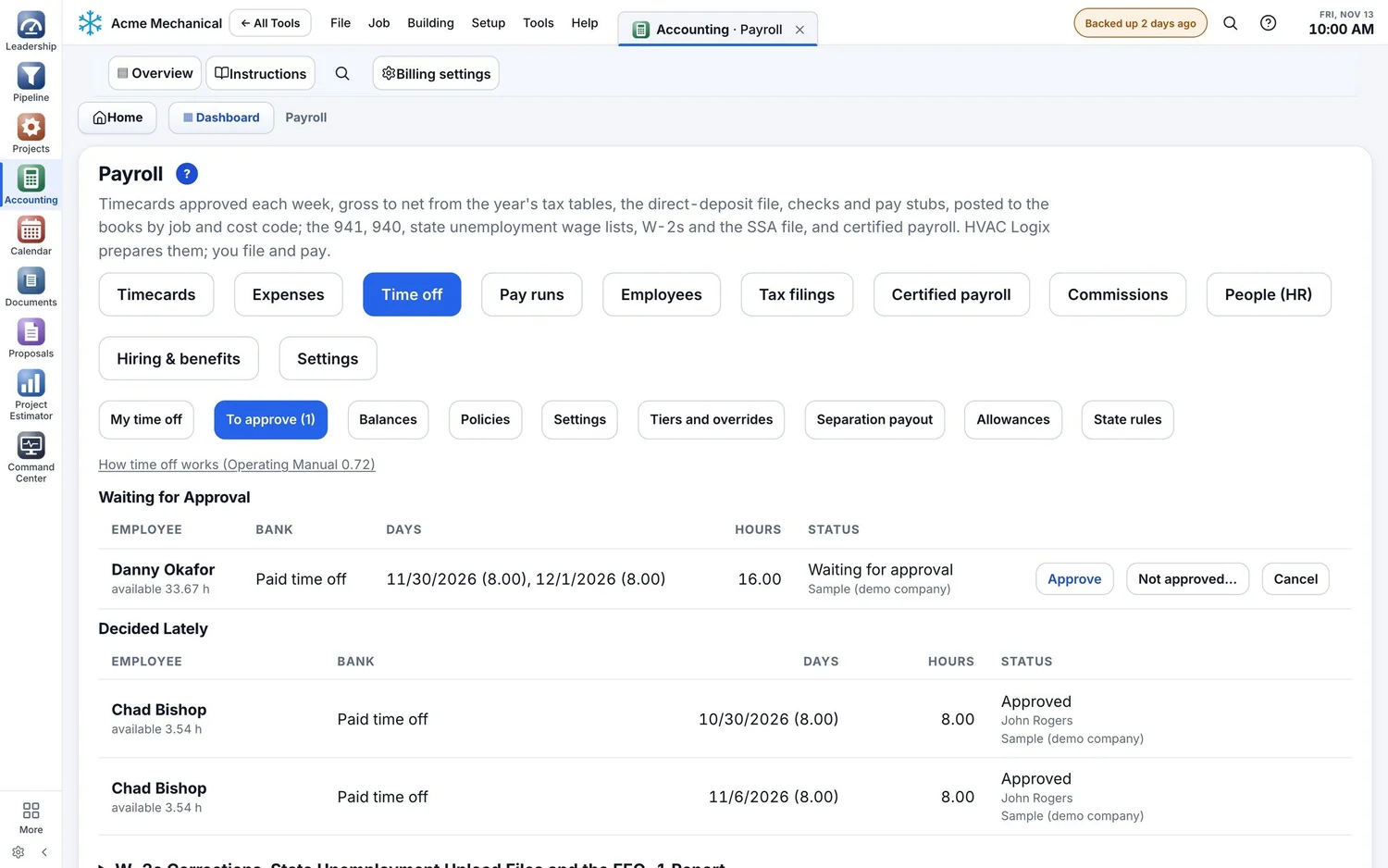
Time-off requests lost in e-mail cause conflicts, so each one waits for someone else to approve.
What Is on Every Check
Withholding
- Federal income tax from each person's Form W-4 and the year's percentage method
- Social Security and Medicare, with the year's wage base and the additional Medicare rate
- Each of the 50 states and DC by its own withholding method and certificate
- Local taxes such as city, county and school-district taxes where they apply
- State disability and paid-leave shares, stopped at the year's limits
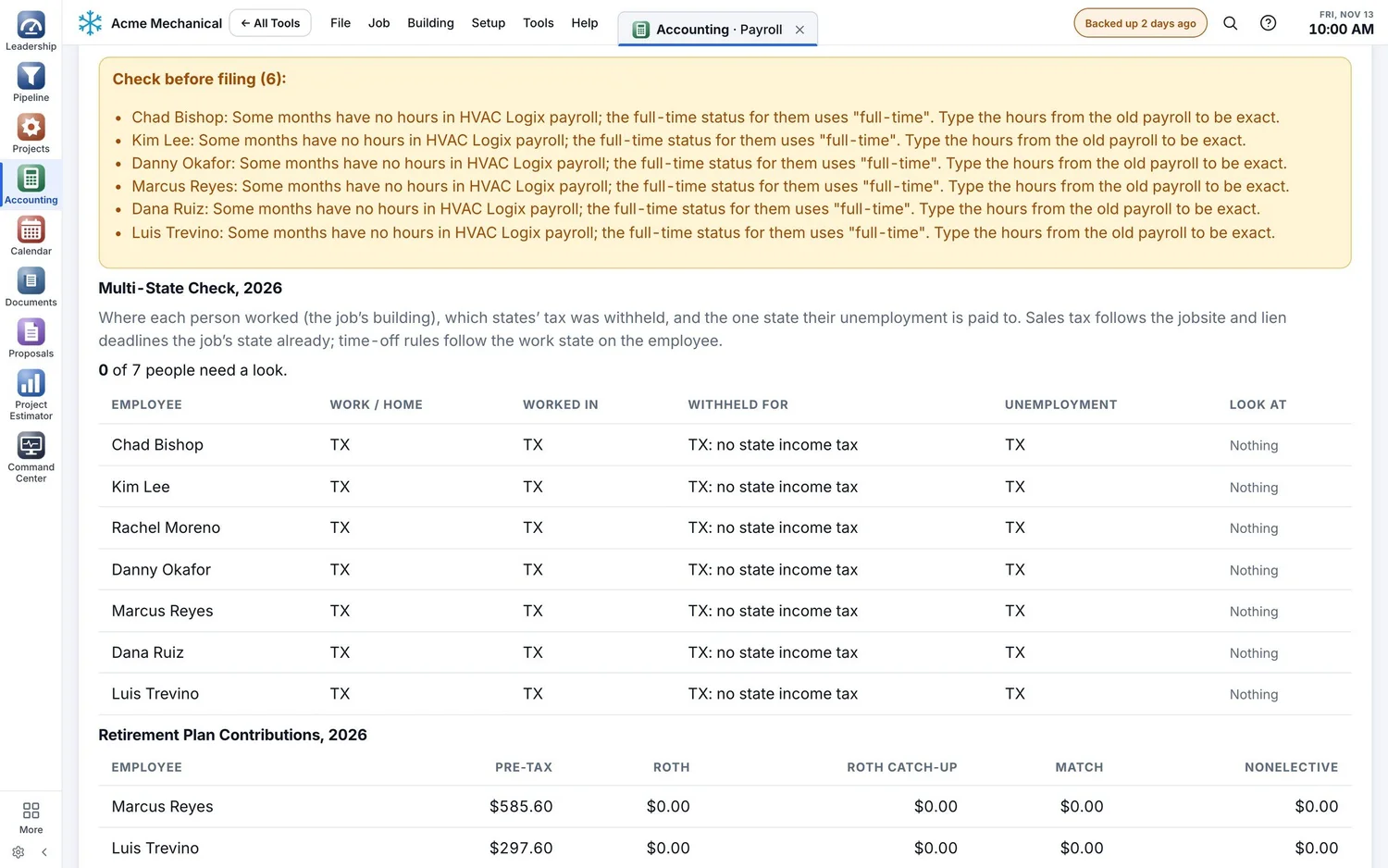
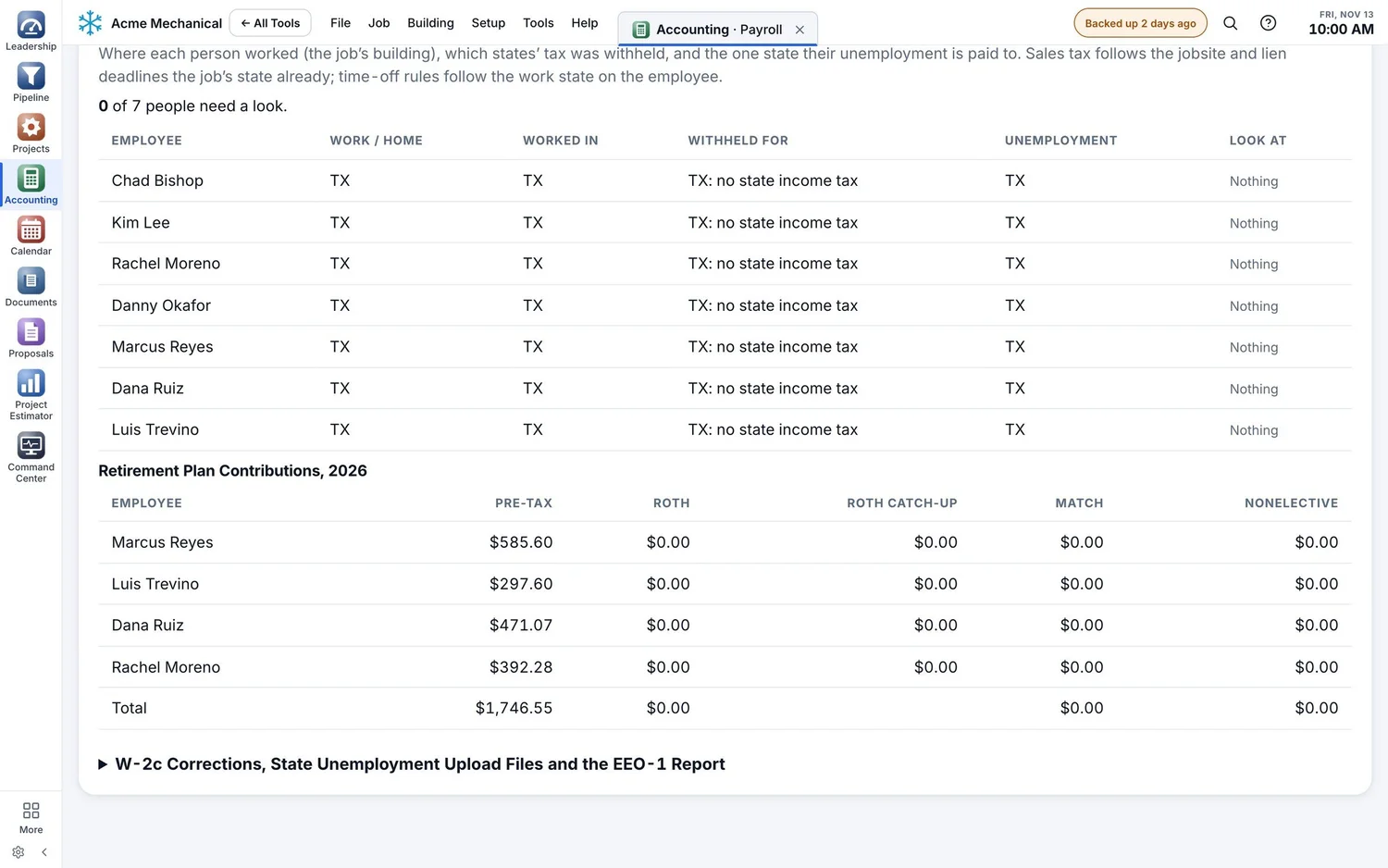
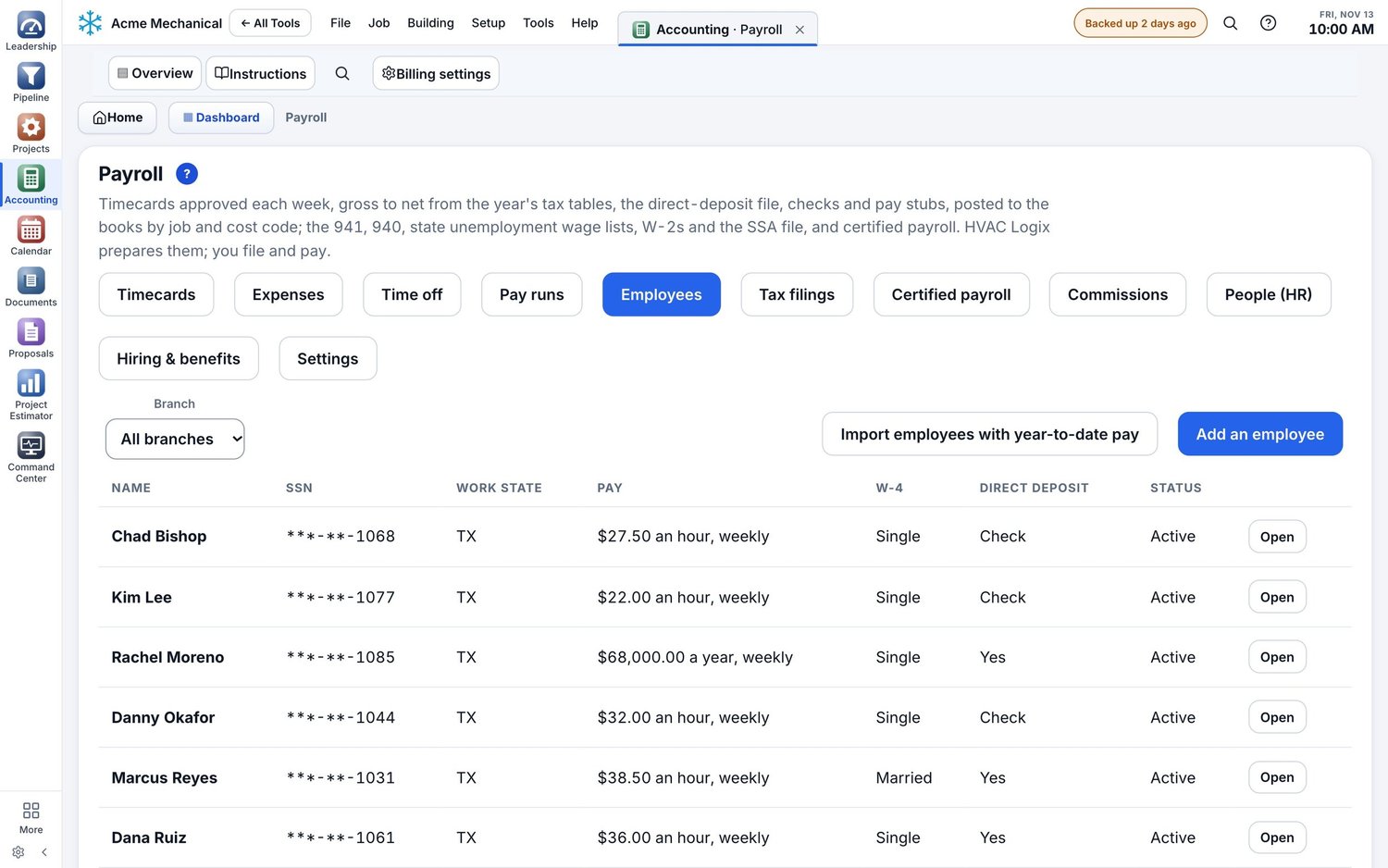
Withholding for the wrong state is a costly mistake, so a multi-state check lists each person's state.
Deductions
- 401(k) and 403(b) deferrals that stop at the year's limit, with catch-up by age
- Section 125 health plans and HSA before tax
- Union dues, only with a signed authorization on file
- Garnishments held to the federal limit
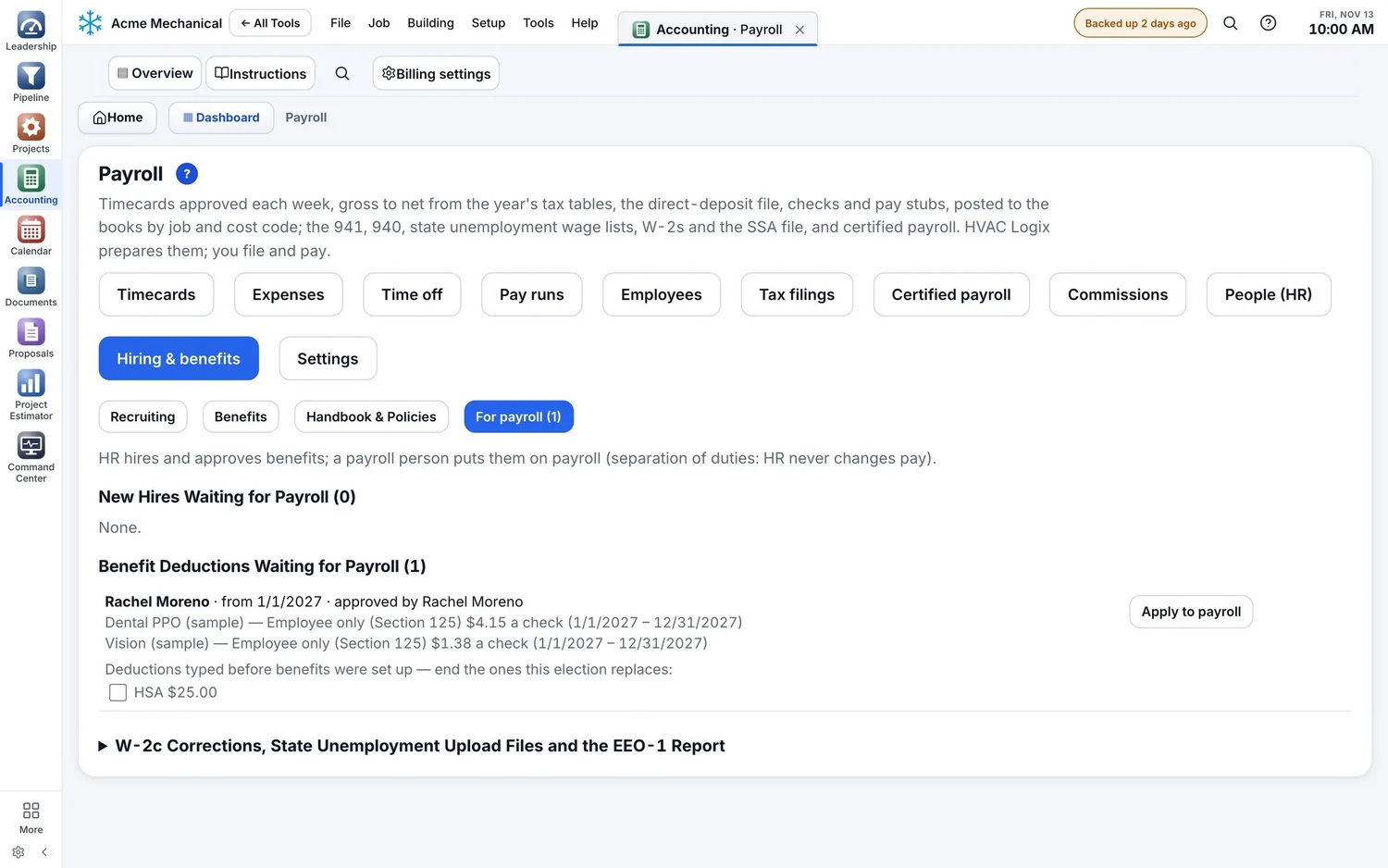
- Benefit deductions approved by HR, used only between their dates
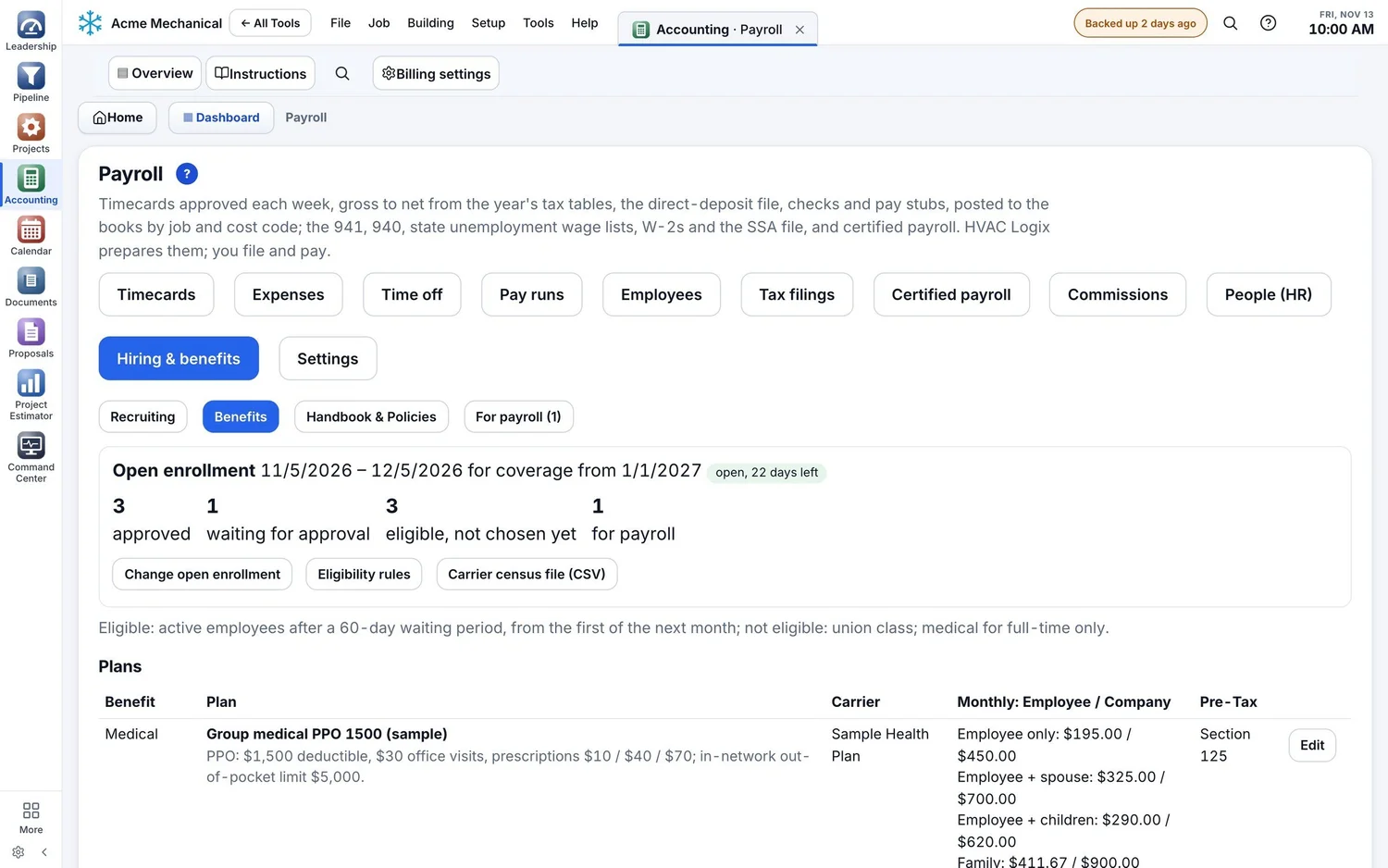
Benefit deductions done by hand go wrong, so each election carries the employee and company share.
What Paying the Run Produces
- Paper checks numbered in order from the payroll bank account
- A direct-deposit file in the standard Nacha format for your bank
- Pay stubs as a PDF with the year to date and the SSN masked
- A positive-pay file for the checks issued
- An hours file for a company that still runs payroll with a payroll service
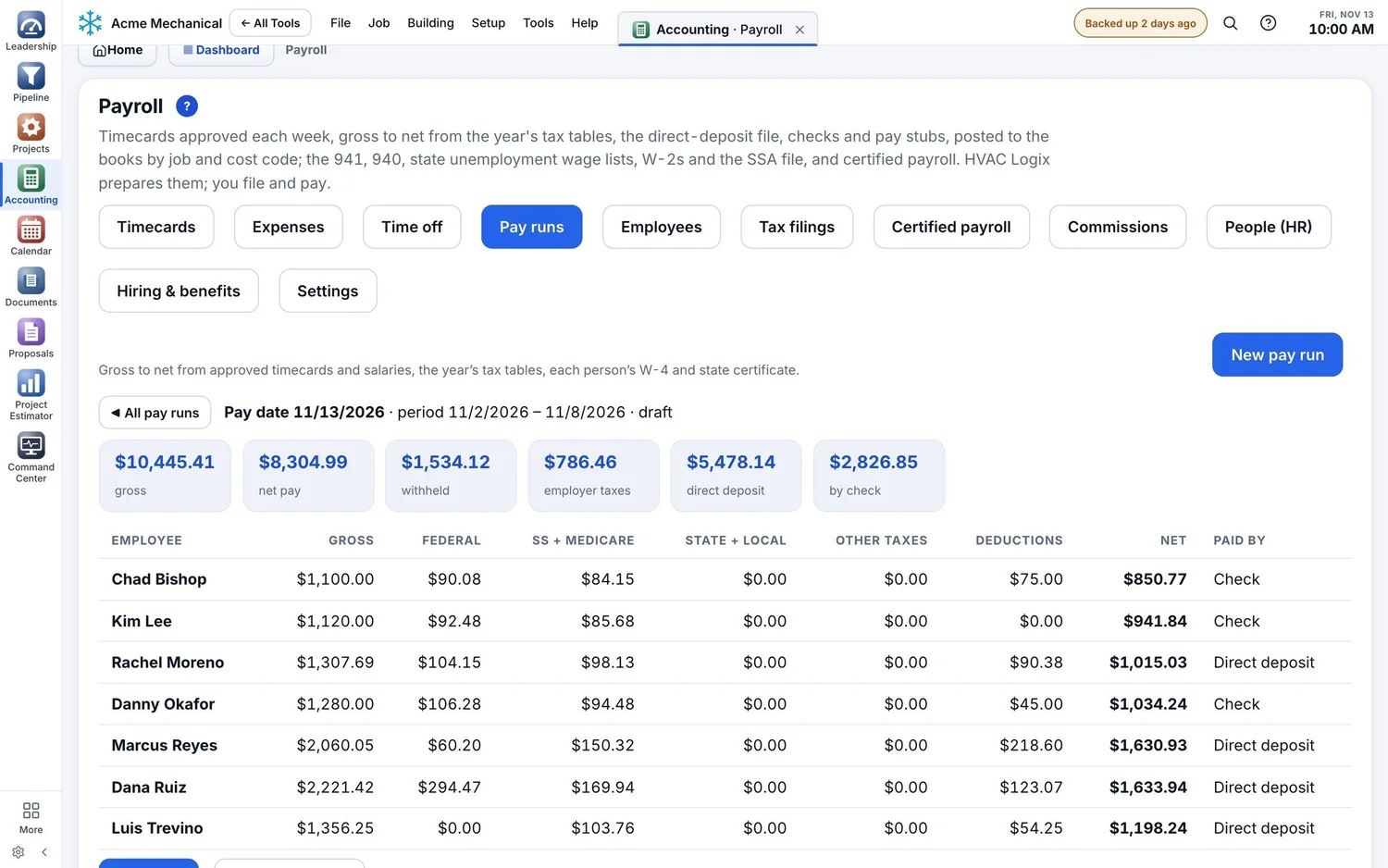
Every check should show its math, so the paid run lists gross, taxes, deductions and net by person.
Corrections
- A paid run is never edited or deleted
- Voiding a run posts a reversing entry and returns the timecards to approved
- A raise dated back shows the retroactive pay owed and puts it on the next run
- Each timecard line is paid at the rate in effect on its day
The Forms and Files, from the Same Paid Checks
HVAC Logix fills in the figures and writes the files. It does not file returns or send anything to an agency or a bank.
Form 941 and Form 940
The quarter's 941 lines with the monthly liabilities, and the 940 for the whole calendar year, including pay from before you moved to HVAC Logix. The screen shows each due date and when each federal deposit is due.
Learn MoreShow Less
A late federal deposit brings IRS penalties. The deposit due dates for each quarter's paychecks are on screen, and the return lines are filled in for you.
- Monthly and semiweekly schedules follow IRS Publication 15, with weekend and holiday dates moved.
- The schedule comes from the lookback period as far as the payroll is on file.
- Line 16 of the 940 places each person's first $7,000 in the quarter it was paid.
- You e-file through an IRS-authorized provider or on paper; the figures are filled in.
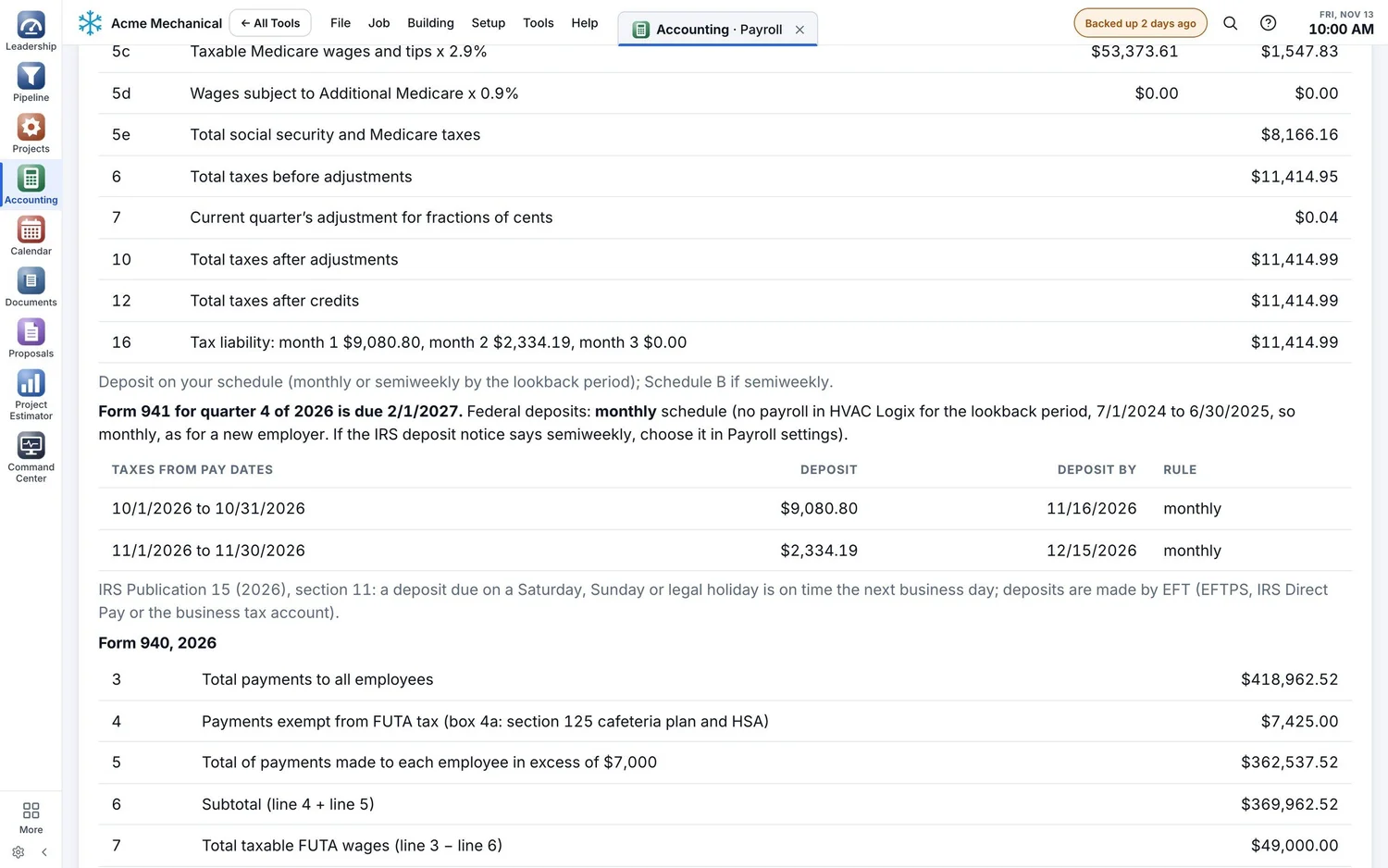
Form 941 errors draw IRS notices, so the quarter's lines are filled from paid checks.
W-2, W-3 and the SSA File
Employee copies for each person, the W-3 totals, and the W-2s as the Social Security Administration's electronic file to upload. A W-2 already filed is corrected on a W-2c, with its own file.
Learn MoreShow Less
A rejected W-2 file means penalties and rework in January. The file is checked for what SSA would reject before you send it.
- A missing EIN or an SSN that SSA never issues is listed first.
- Employee copies show only the last four digits of the SSN.
- More than two state or local lines go on an additional W-2, as the IRS instructions say.
- A W-2c starts from the W-2 the program made, and the W-3c totals add up the filed corrections.
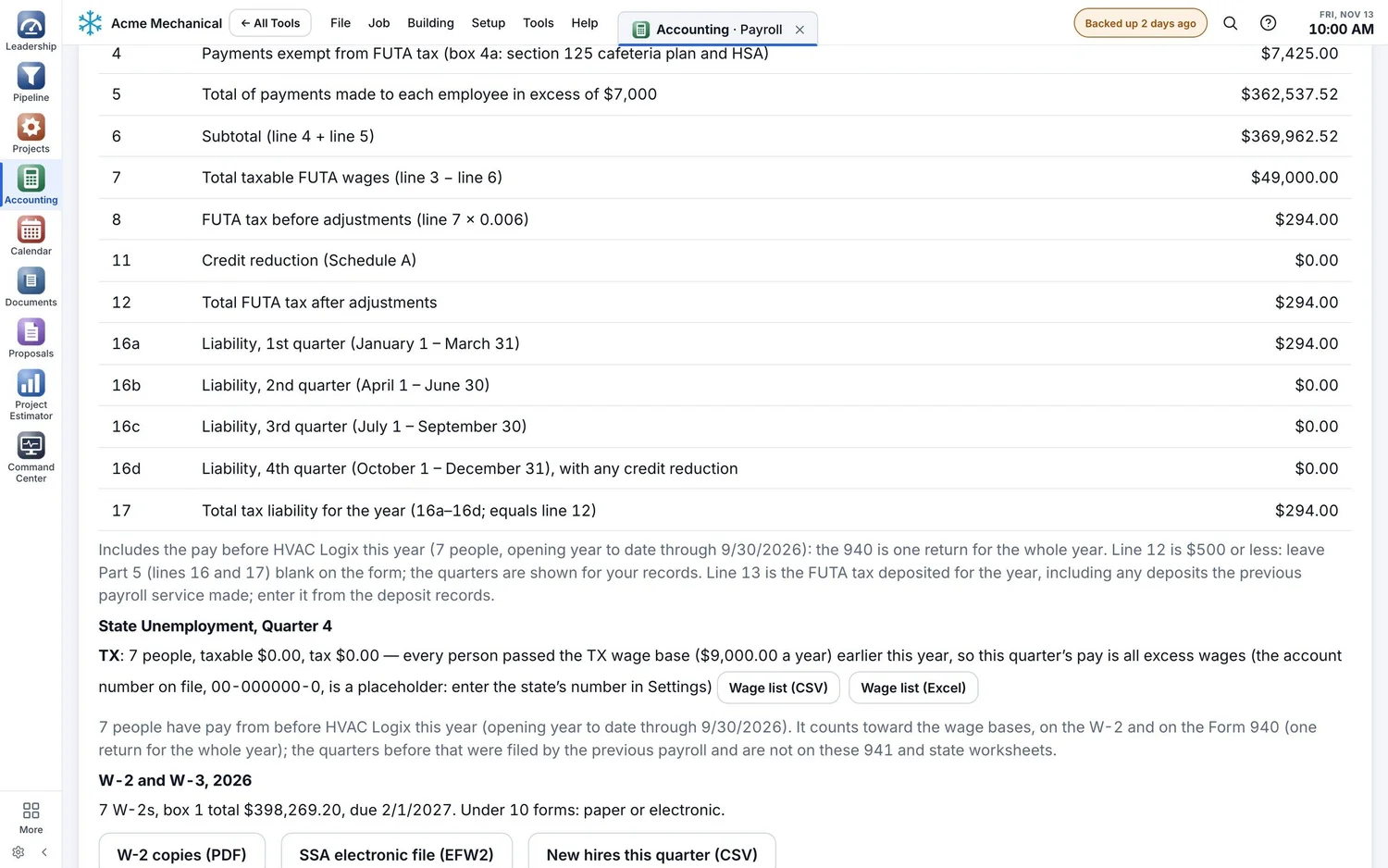
Year-end W-2s are a scramble, so the forms and SSA file come from the same paid checks.
State Unemployment and New Hires
Each state's quarterly wage list as a CSV, upload files in the state's own layout for Texas, California, Florida and Pennsylvania, and the quarter's new hires for the state's new-hire report.
Learn MoreShow Less
Typing each quarter's wage report into a state website takes hours and invites errors. Upload files come straight from the paid checks.
- The upload file holds the same checks and cents as the wage list and is refused if the totals differ.
- A quarter where everyone passed the wage base shows excess wages and $0.00 taxable.
- The rate shown is the one entered for that year from the state's notice.
- New hires are due within 20 days of hire in most states.
State Reconciliations
Worksheets for state withholding by quarter against the W-2 state totals, the state W-2 transmittal summary and local income tax reconciliations, each with the state's form and due date.
Learn MoreShow Less
Year-end mismatches between quarterly state filings and W-2s bring notices and amended returns. The worksheets find the difference before you file.
- Earlier paychecks and the pay before HVAC Logix are included, so a mid-year switch reconciles.
- Each state's deposit frequency puts its deposit dates on the calendar.
- Pennsylvania earned income tax and other localities are reconciled to W-2 boxes 18 and 19.
- They are worksheets and files; you file on the state's site.
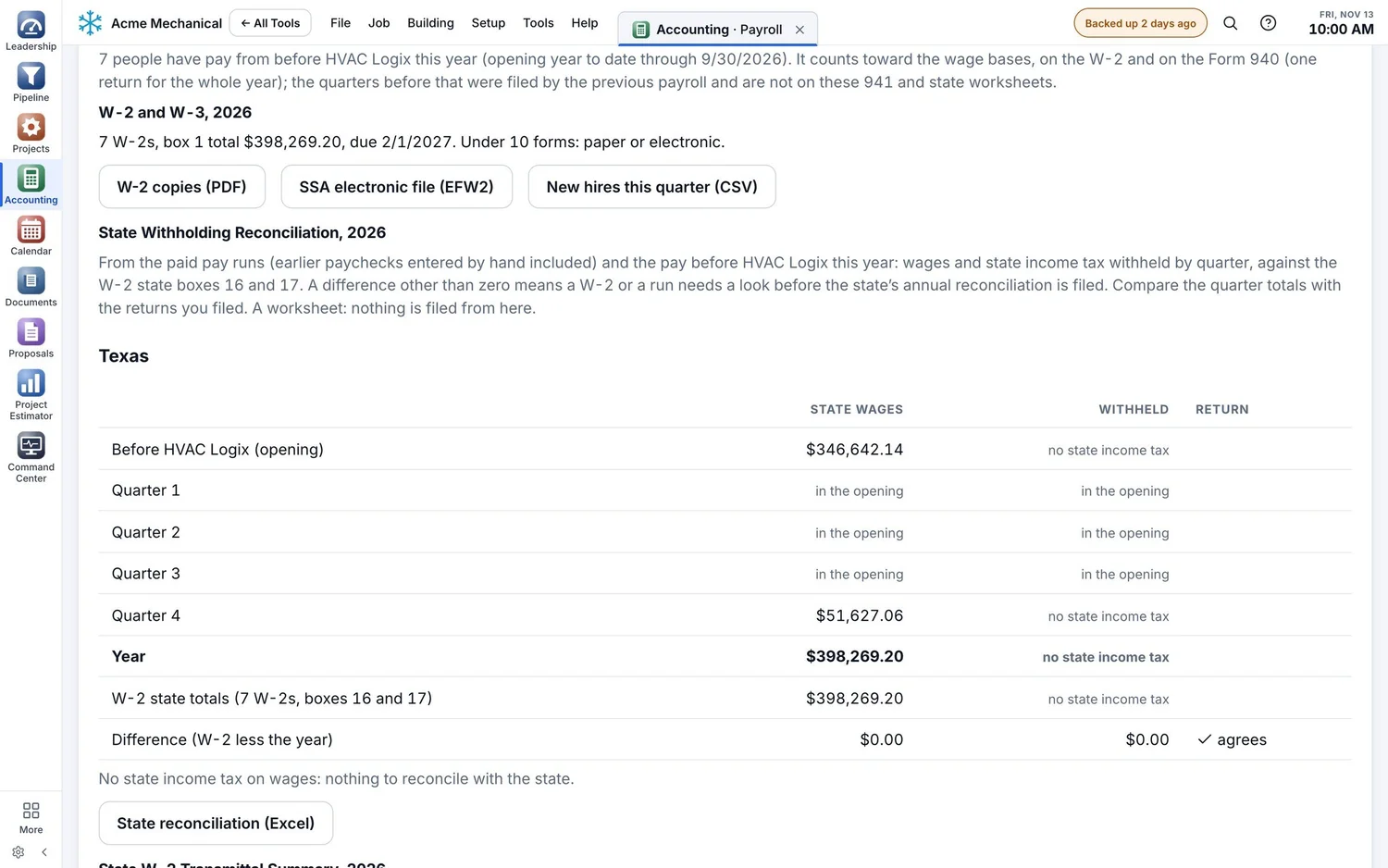
State totals that do not match the W-2s bring letters, so the reconciliation shows each quarter.
Health Coverage Forms
For an applicable large employer, the same screen runs the test month by month and prepares Forms 1094-C and 1095-C from payroll and the health coverage setup. Filing stays with you or your CPA.
Learn MoreShow Less
Missing ACA forms can bring IRS penalties. The forms are prepared from the payroll you already run, so nothing is rebuilt by hand.
- The test uses 130 or more hours of service for full-time, with everyone else's hours as full-time equivalents.
- Months from before you used HVAC Logix are typed from the old payroll.
- Each plan records minimum essential coverage, minimum value and the lowest-cost employee-only cost.
- The seasonal-worker exception is on the same screen.
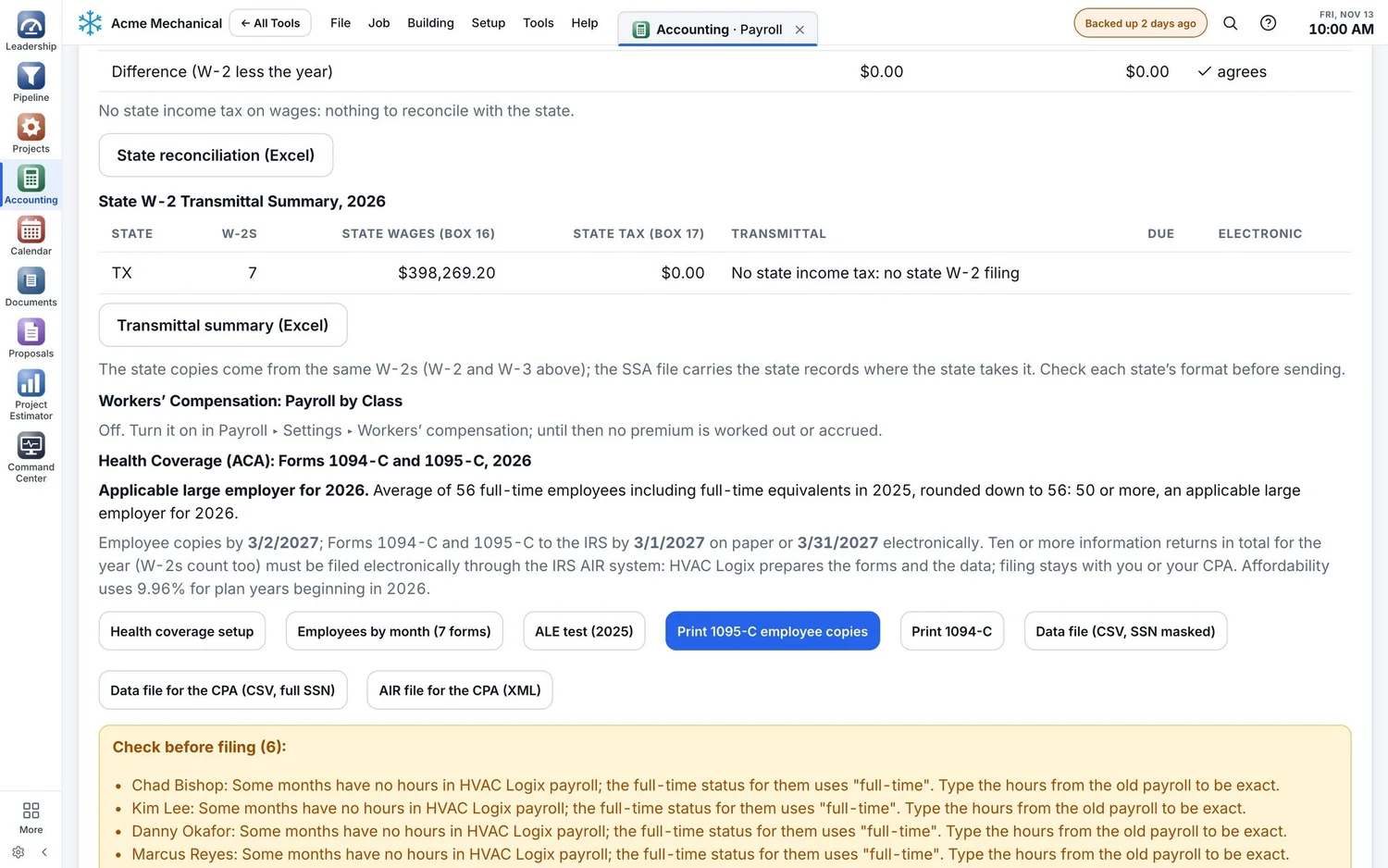
Large employers must file health coverage forms, so the test runs month by month from payroll.
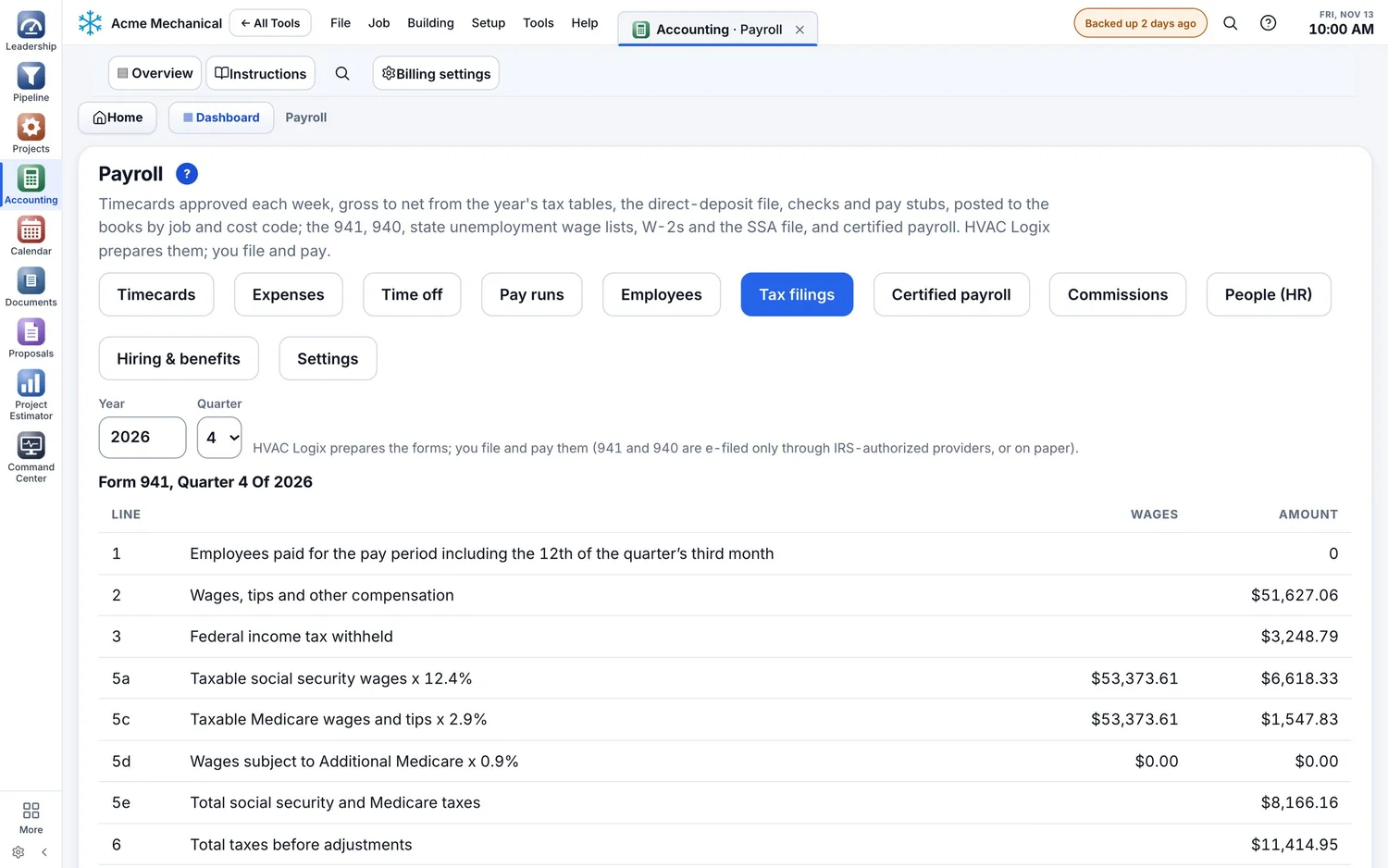
941, 940, W-2 and state filings prepared from the same paid checks.
Prevailing Wage and Union Payroll Without a Second System
Prevailing Wage
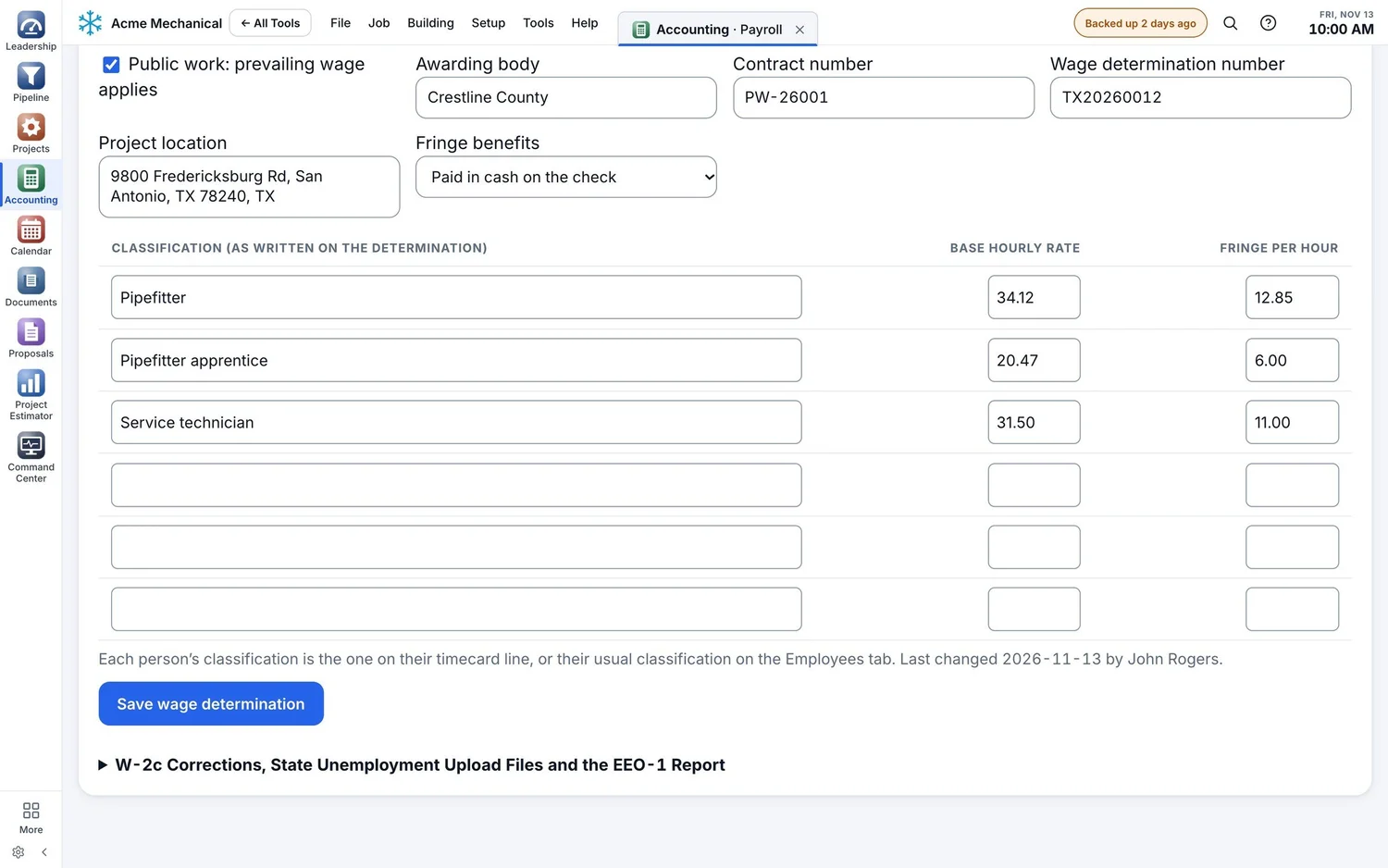
- Enter the wage determination once: each classification with its base rate and fringe
- Hours on that job are paid at least the base for the classification on the timecard line
- A cash fringe is its own line on the check
- A classification that is not on the determination is flagged
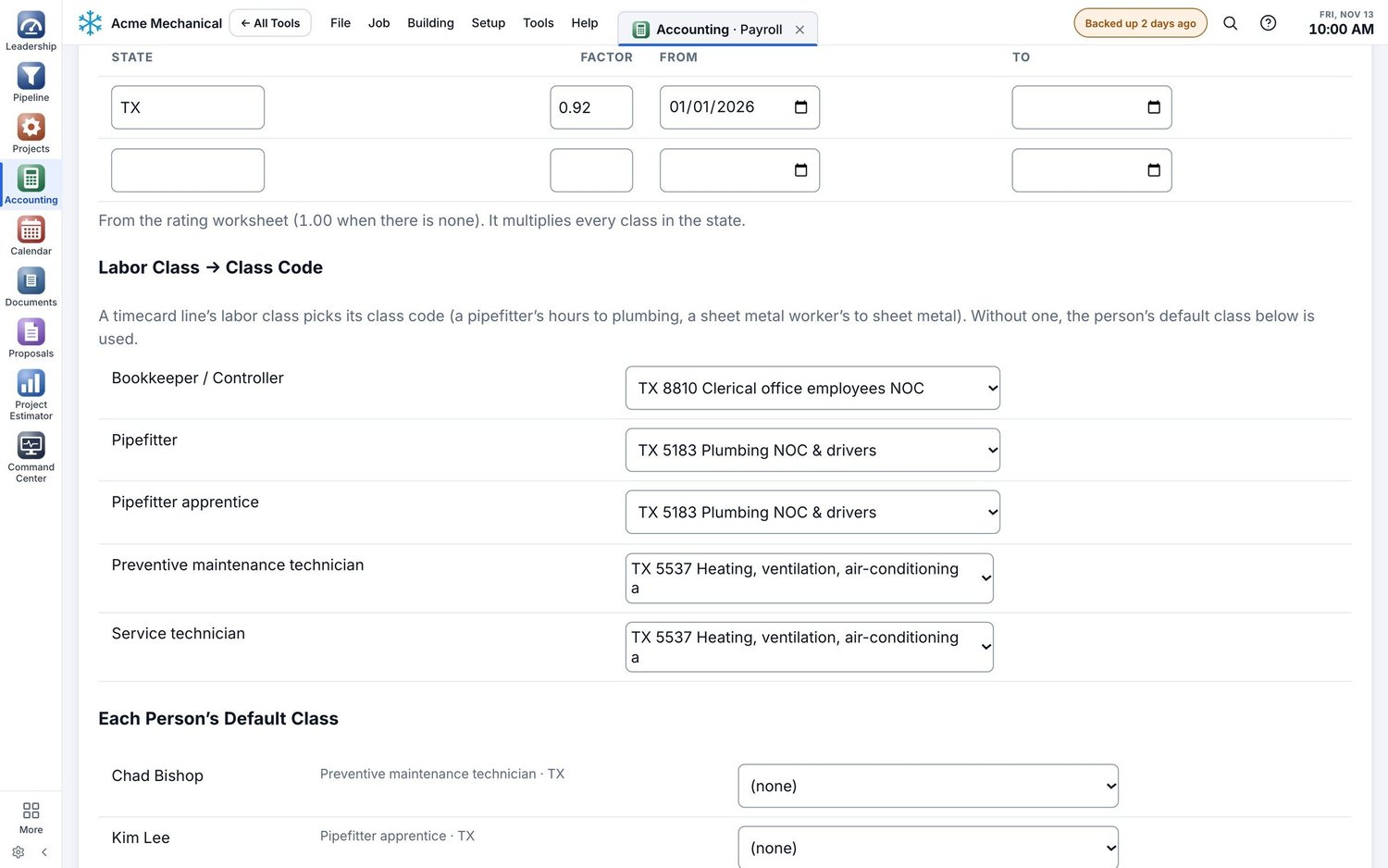
Each worker needs the right class on the job, so classes and class codes are set per person.
Certified Payroll
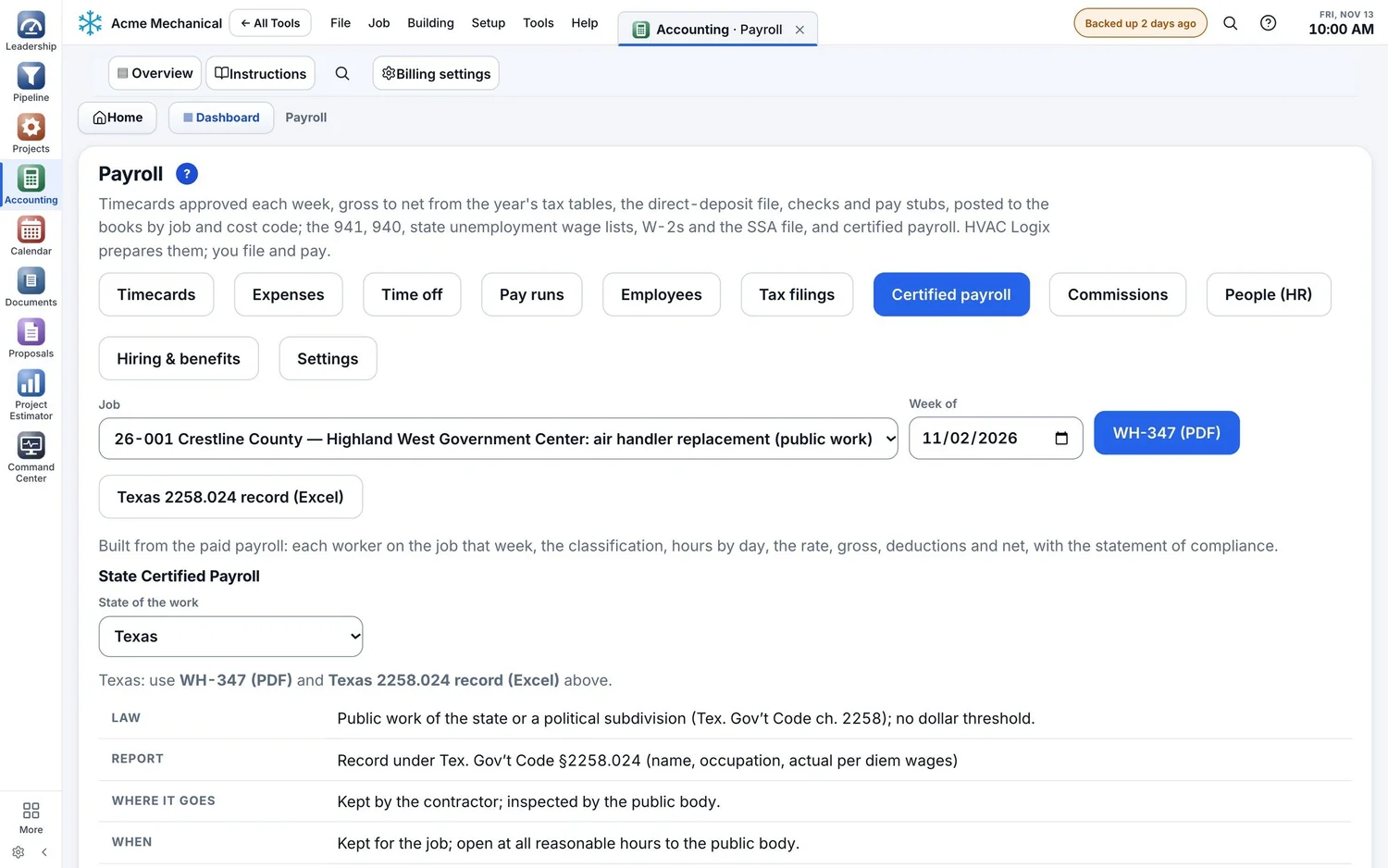
- The federal WH-347 as a PDF for the job and week, from the paid payroll
- The Texas record of wages paid, day by day, as Excel
- State reports for the states with their own prevailing-wage law: the state's form, an upload file, or the figures for the state's online system
- Each state's row shows where the report goes, when, and the date its sources were read
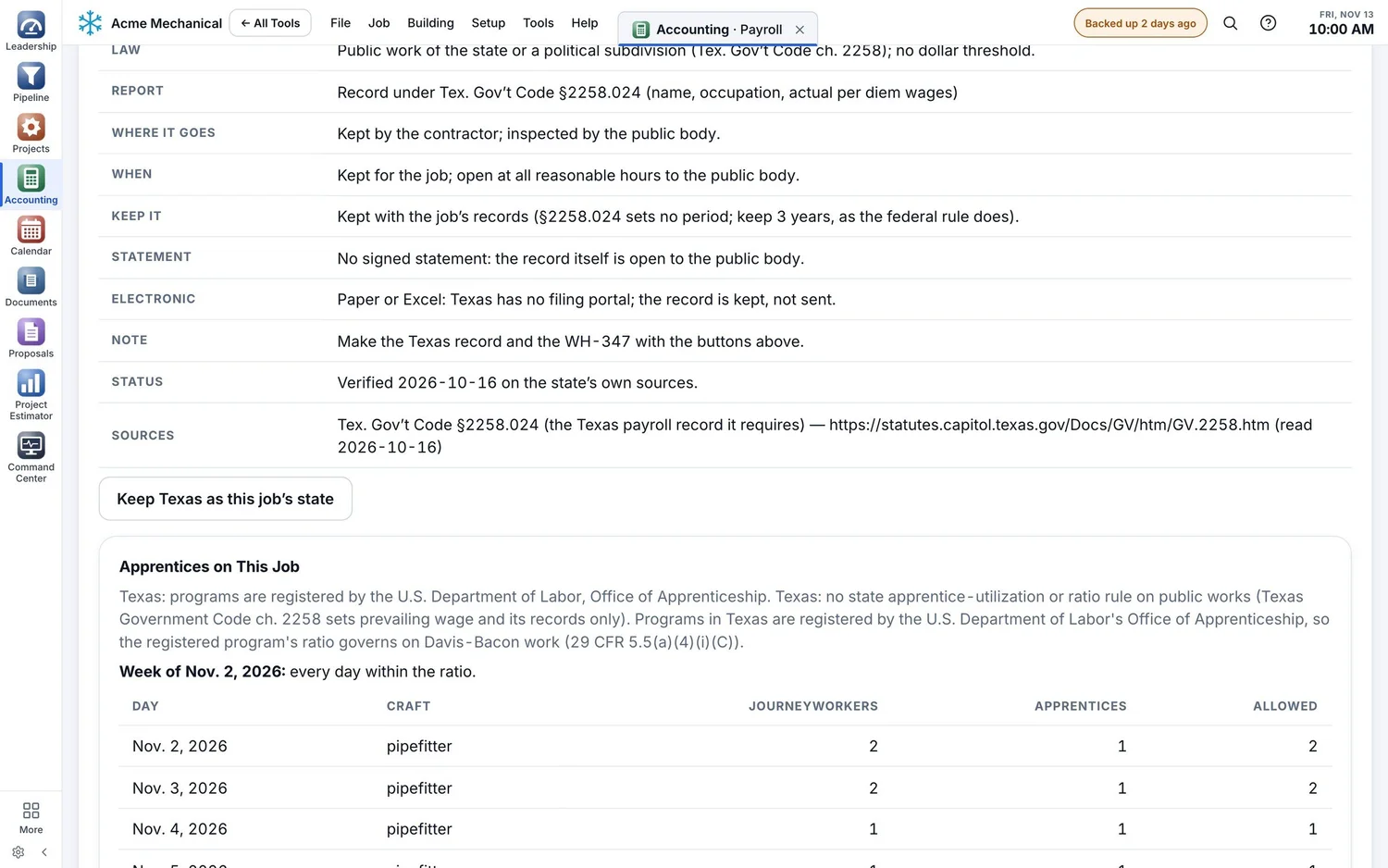
Each state wants its own report, so the record of wages paid follows that state's rules.
Union Payroll
- Off until you answer that you have union employees
- Locals, agreements and dated rate sheets by classification
- Fund contributions per hour worked, per hour paid, percent of gross or flat per check
- Travelers paid by the job's local, with reciprocity to the home local's funds
- Monthly remittances to the funds, and the plans' credit against the fringe on public work
Apprentices
- A pay run warns when a job on a day is over the apprentice ratio, and never blocks the run
- Apprentice hours counted by work process against each program's schedule
- The apprentice sees the same progress on the phone
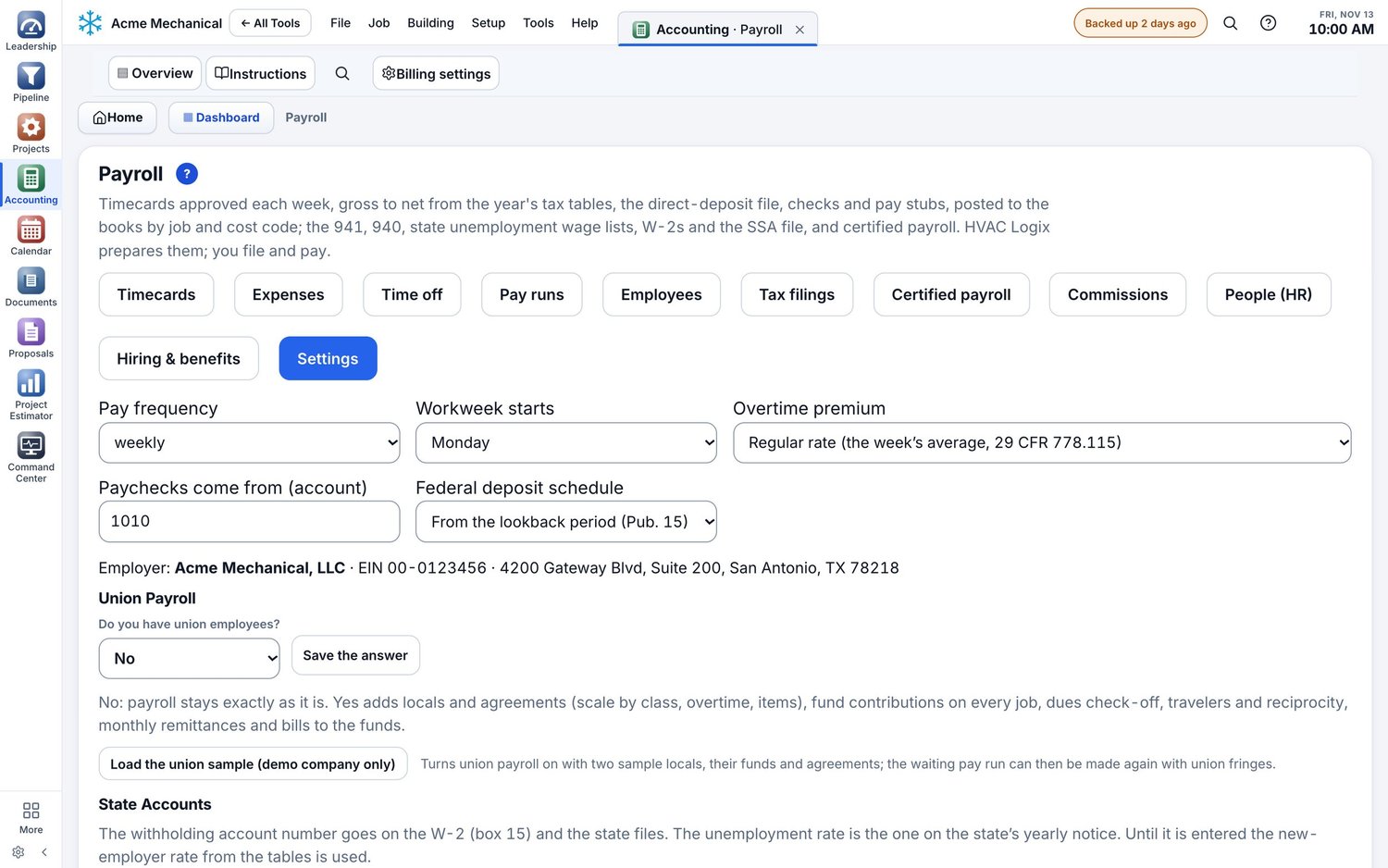
Prevailing-wage and union rates set once and applied to every timecard.
Time Off, Commissions, Allowances and Workers' Compensation
Paid Time Off and Sick Leave
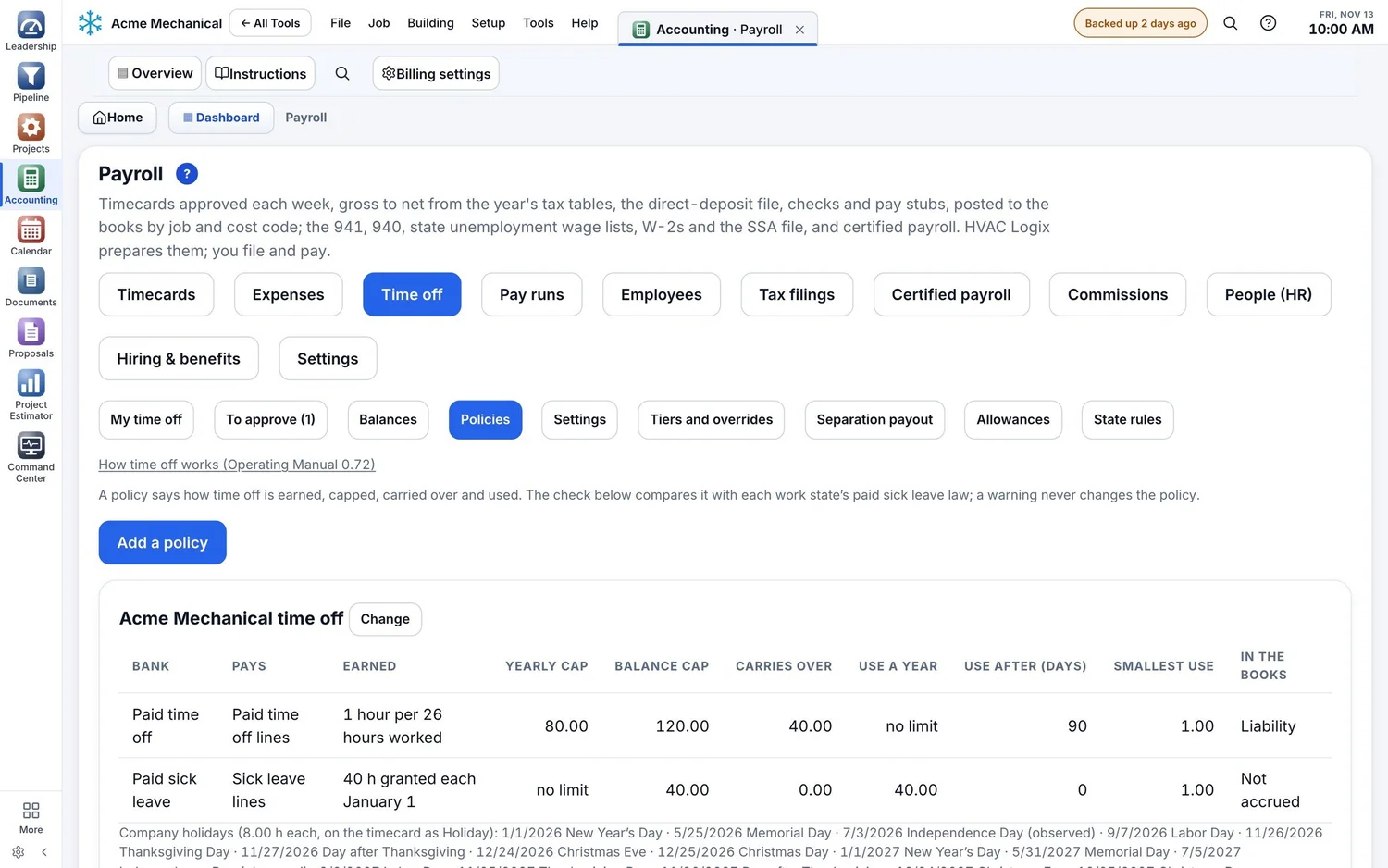
Set the policy once: earned per hour worked, per pay period or granted at the start of the year, with caps and carry-over. Every pay run counts the hours and the balance prints on the stub. The policy is checked against the paid sick leave law of each state your people work in, and the law is applied as the floor.
Learn MoreShow Less
Sick leave below a state's law can mean back pay and penalties. The law is applied as the floor on every pay run, so policies stay compliant without a manual check.
- Each person gets the higher of the policy's figure and the law's, field by field.
- Tiers and Overrides shows which figure was used and the statute.
- A state that requires sick leave gives a person with no sick bank the law's own bank.
- Federal contract jobs are checked against Executive Order 13706.
Sales Commissions
Plans pay a percent of gross profit or revenue, earned when invoiced or when the customer pays, with accelerators, draws, spiffs, split credit and clawback. Leadership approves each month's statement, and the next pay run pays it as supplemental wages.
Learn MoreShow Less
Commission paid on revenue that was never collected, or on a job that lost money, is money out the door. Plans can pay on gross profit and take commission back on credits and bad debt.
- A loss earns no commission.
- Recoverable draws are recovered from later months above the draw.
- Overtime on commission is added for hourly salespeople (29 CFR 778.117).
- A salesperson sees only their own statements; months are approved in order.
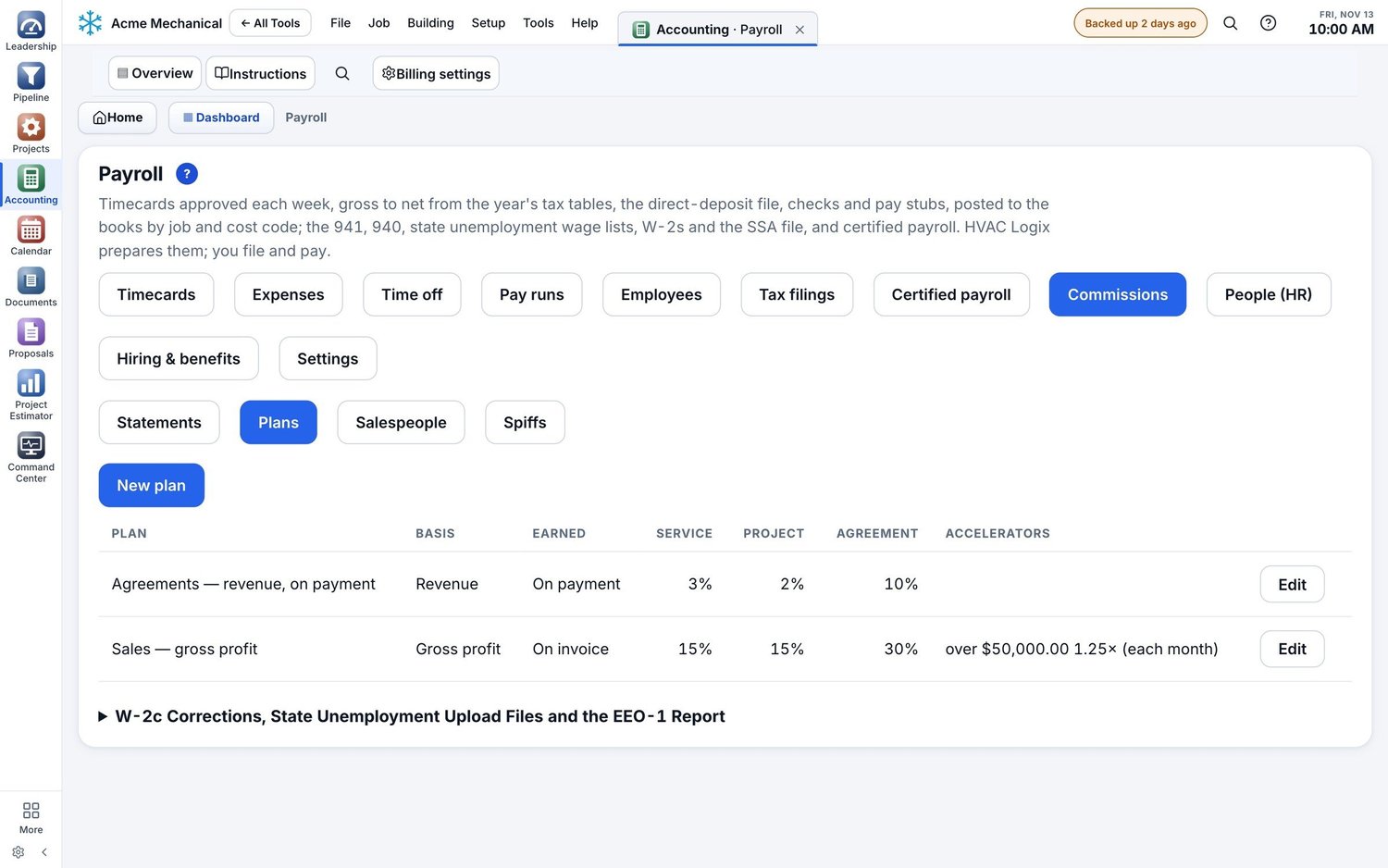
Commission disputes cost good salespeople, so each plan states its basis, when it is earned and its accelerators.
Allowances
A vehicle, tool or phone allowance is a monthly amount that can step up with years of service. Each pay run adds it as its own earnings line.
Learn MoreShow Less
Allowances worked out by hand each payday waste time and drift from the policy. The tiers apply them the same way for everyone.
- Paid to field employees, office employees or everyone, from a set date if you choose.
- A flat allowance is taxable wages (IRS Pub. 15 section 5).
- Per-person overrides need a reason and an approver who is not the person.
- Who Gets What Today shows each person's tier, amount and next step up.
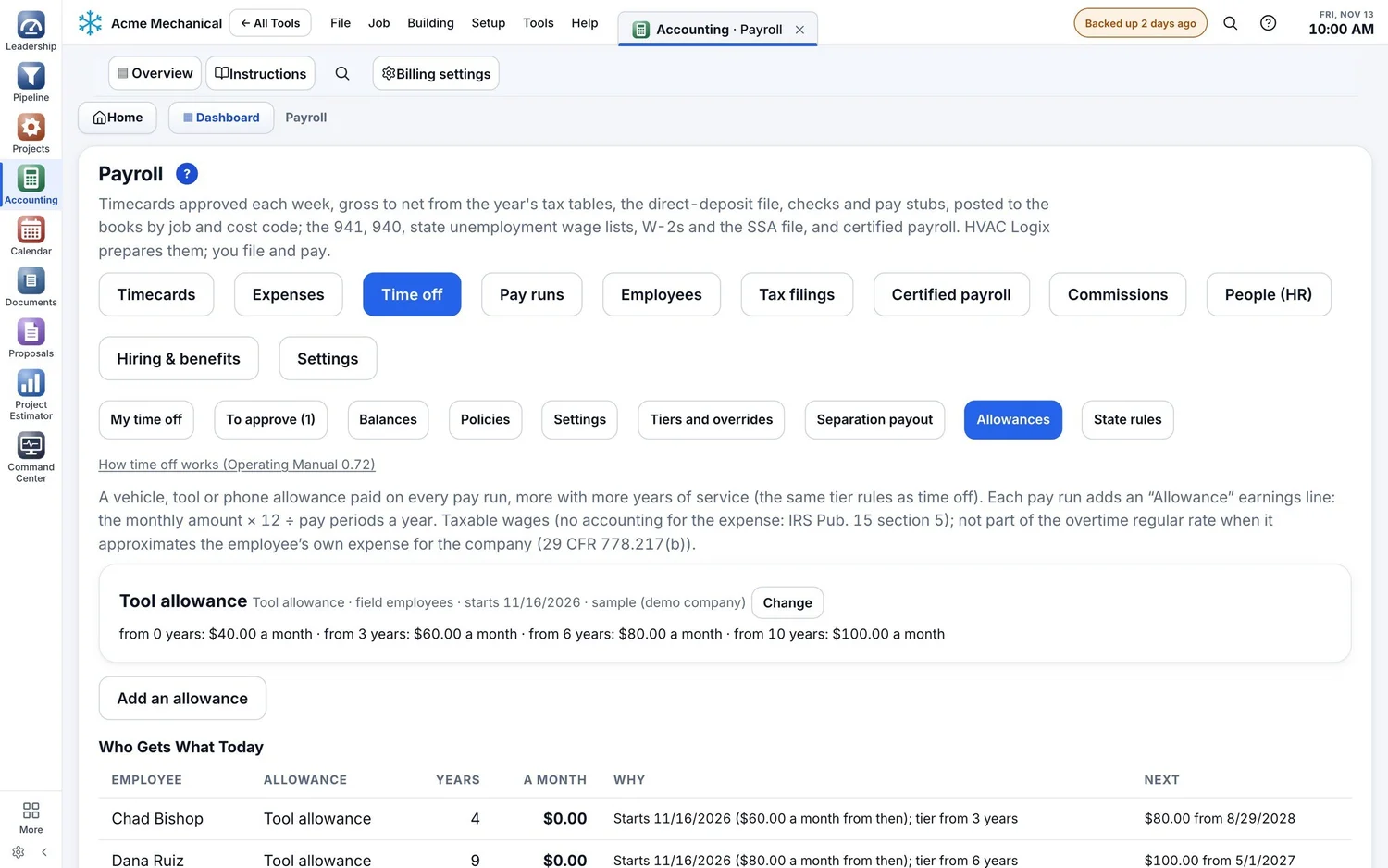
Allowances forgotten one month cause complaints, so each pay run adds them as their own line.
Workers' Compensation
Off until you set it up. Enter the class codes and rates from your policy, and each pay run works out the premium by class, job and cost code and accrues it as labor burden. A payroll-by-class report for your policy period is ready for the premium audit.
Learn MoreShow Less
A premium audit that finds more payroll in a costly class than you reported means a bill after the policy year. Payroll by class, job and cost code keeps the audit and job costs right.
- A timecard line's labor class picks the class code, so a pipefitter's hours go to plumbing.
- The premium part of overtime is left out where the state's rating bureau says so, with the source.
- The experience modification is applied by state and effective date.
- Washington's per-hour premium and employee share are handled.
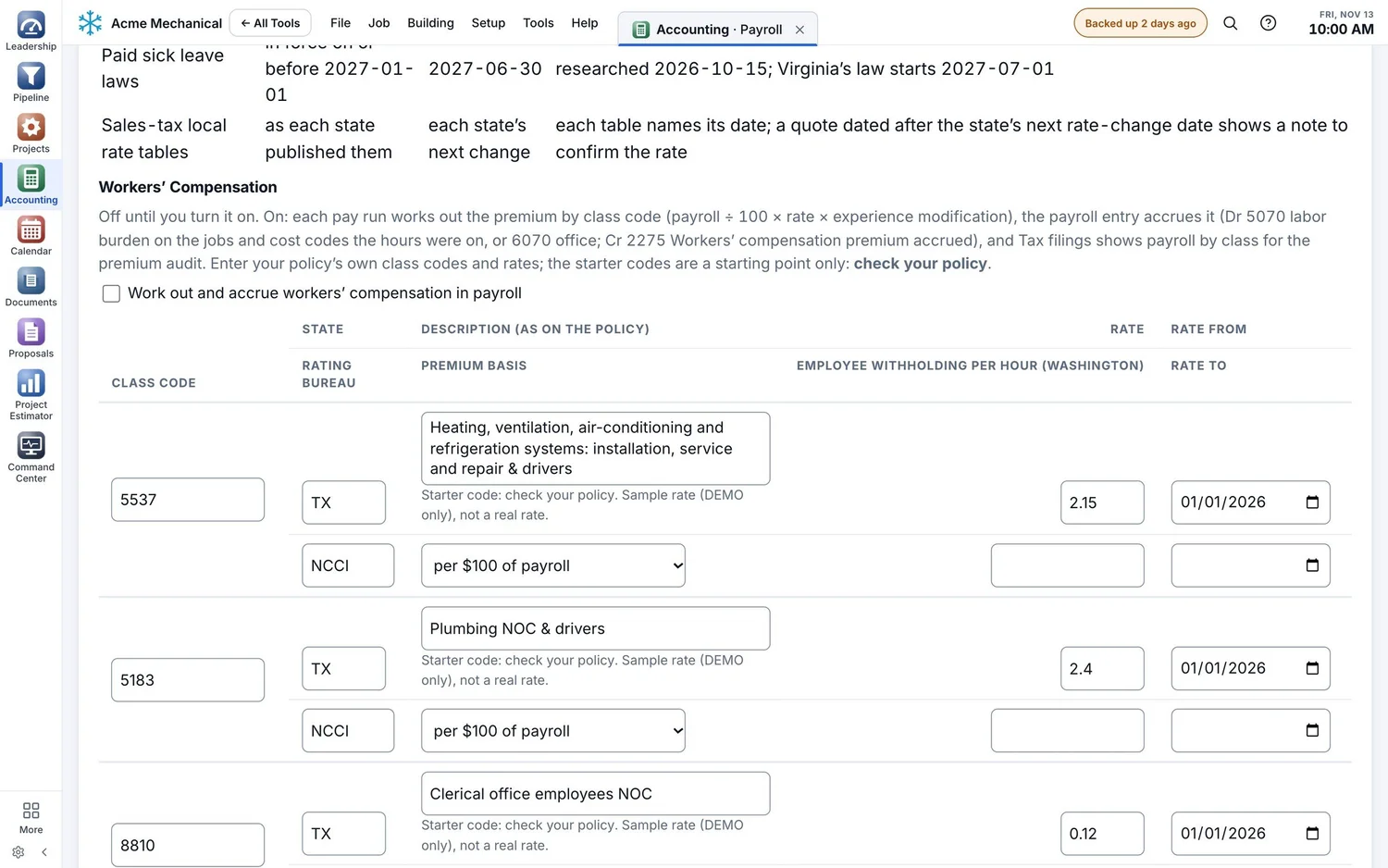
Workers' compensation premiums depend on the work done, so class codes and rates come from your policy.
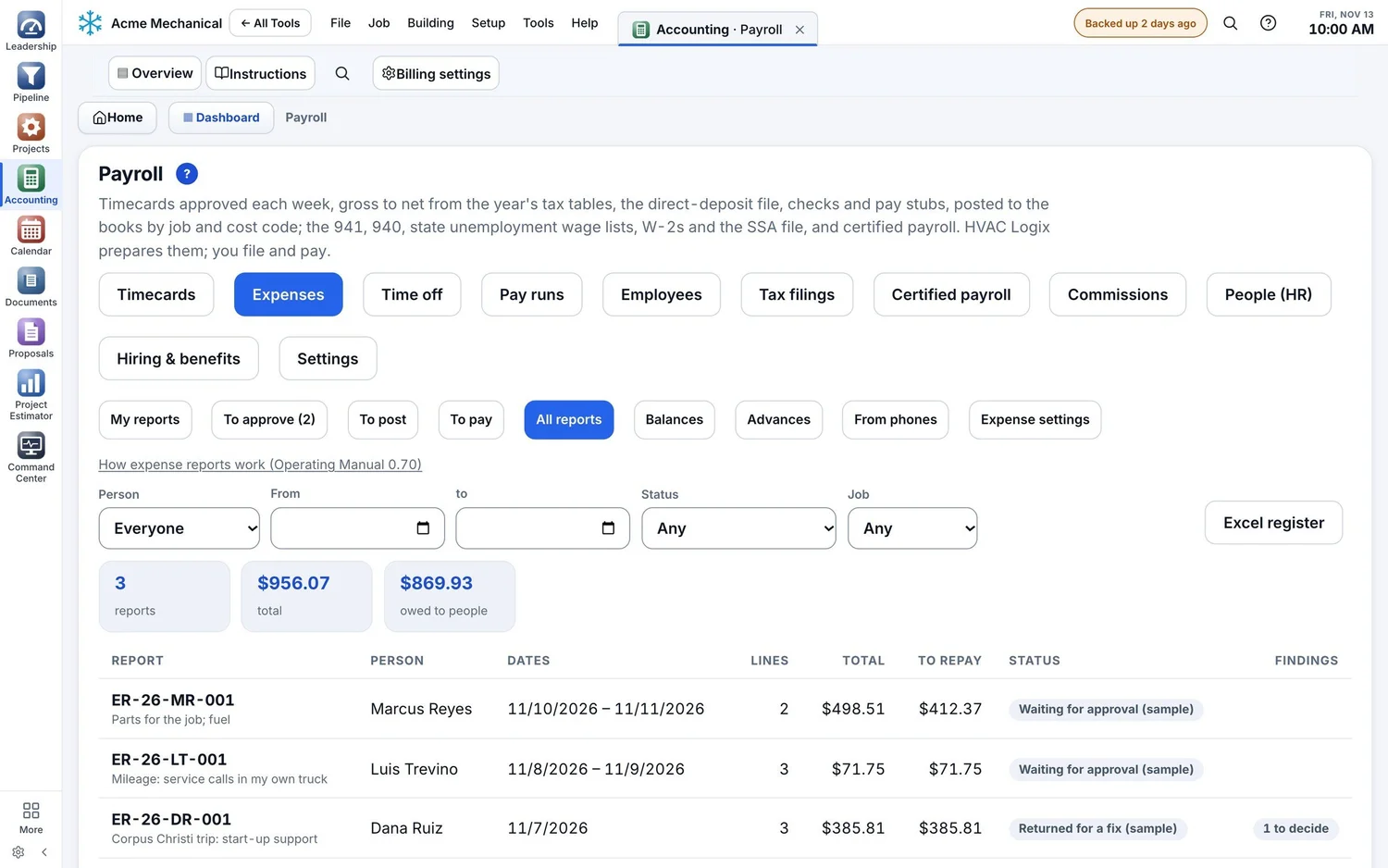
Expense Reimbursements
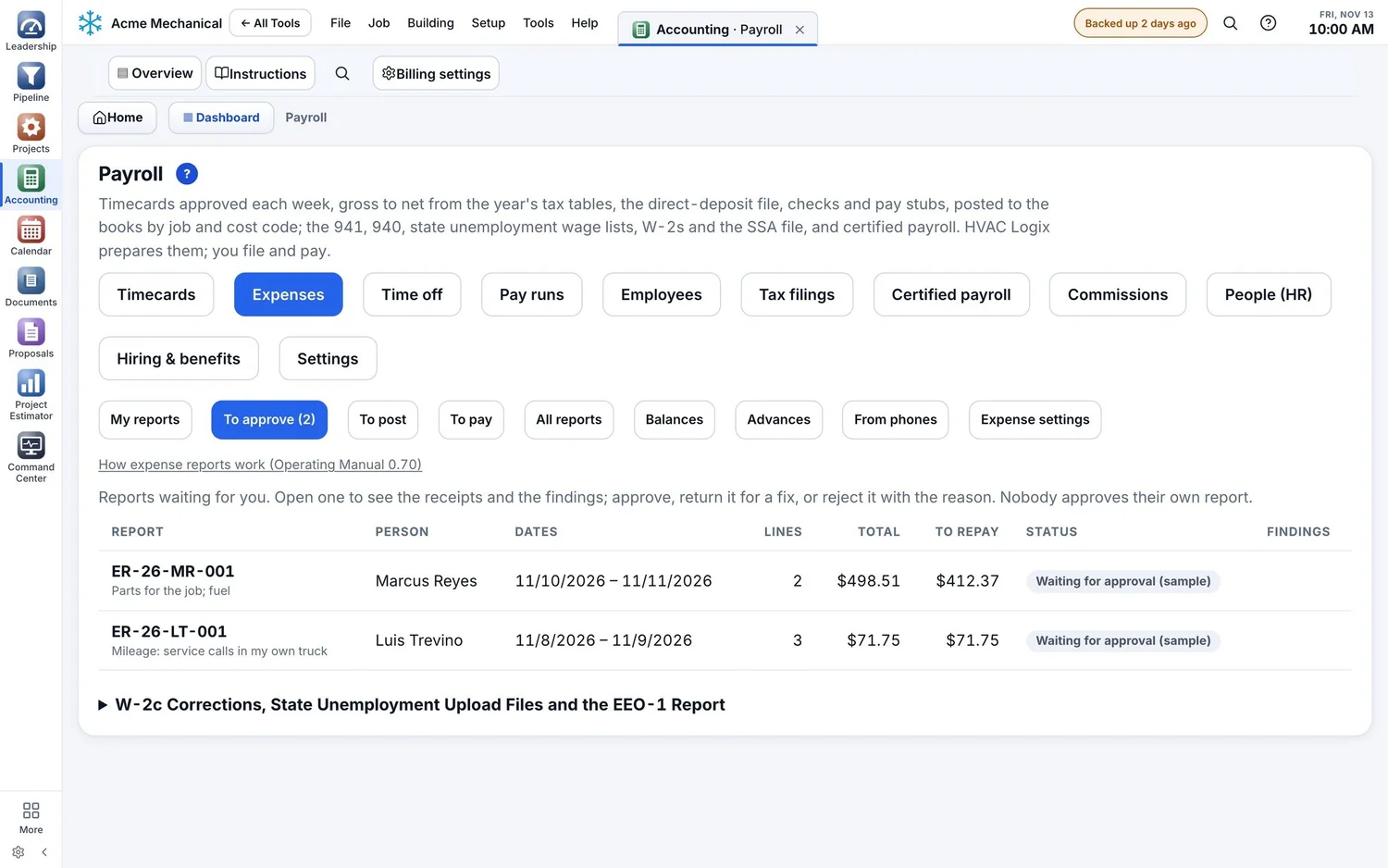
An approved expense report is paid back with the person's next paycheck, as a reimbursement and not as wages, or through Payables.
Learn MoreShow Less
A reimbursement paid as wages costs payroll taxes that a proper reimbursement does not. Approved expenses are paid back without being taxed as pay.
- The check shows an expense reimbursement line, added to net pay.
- Paying the run marks the reports paid; voiding the run puts them back.
- Someone with no employee record is paid through Payables as an employee payee, not a 1099 payee.
- Cash advances older than 120 days are flagged, because the excess becomes wages.
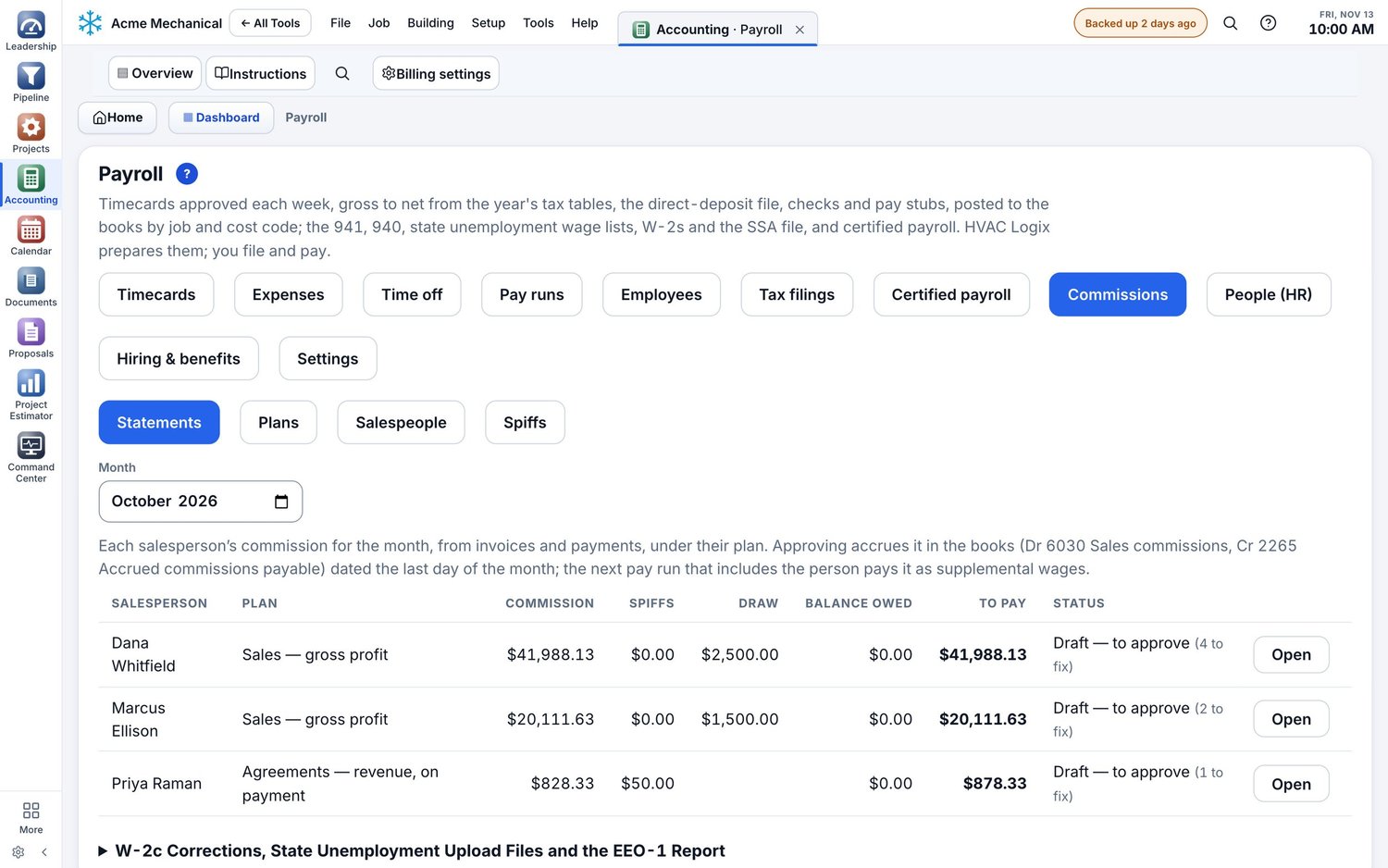
Commissions worked out from booked and collected work, paid through payroll.
Private by Design, Dated by Year
Payroll Is Private
Only Leadership and the Bookkeeper or Controller see pay rates, checks and tax filings. Supervisors see the Timecards tab and nothing else. With permissions on, payroll follows the same None, View Only or Change levels as the rest of Accounting.
Learn MoreShow Less
Pay rates seen by the wrong people cause friction and turnover. Payroll stays with the people who run it, while supervisors still approve time.
- Supervisors approve only their own crews' time, never their own.
- Accounting sees every timecard but processes only approved time.
- Bookkeepers and accounting clerks never approve time, whatever their access.
- Paying a run and direct-deposit details also need bank access.
Protected Numbers
Social Security and bank account numbers are kept encrypted and shown masked everywhere. A full number can be revealed only by the roles allowed, and every look is written to the activity log.
Learn MoreShow Less
A leaked SSN or bank number is costly to clean up. Sensitive numbers are encrypted at rest, and the key never leaves your computers.
- Encrypted with AES-256-GCM; backups hold only the encrypted value and the last four digits.
- The key is never written to the Team folder or into a backup file.
- A computer without the key shows the numbers locked and refuses to store new ones.
- Leadership can rotate the key and re-protect every value.
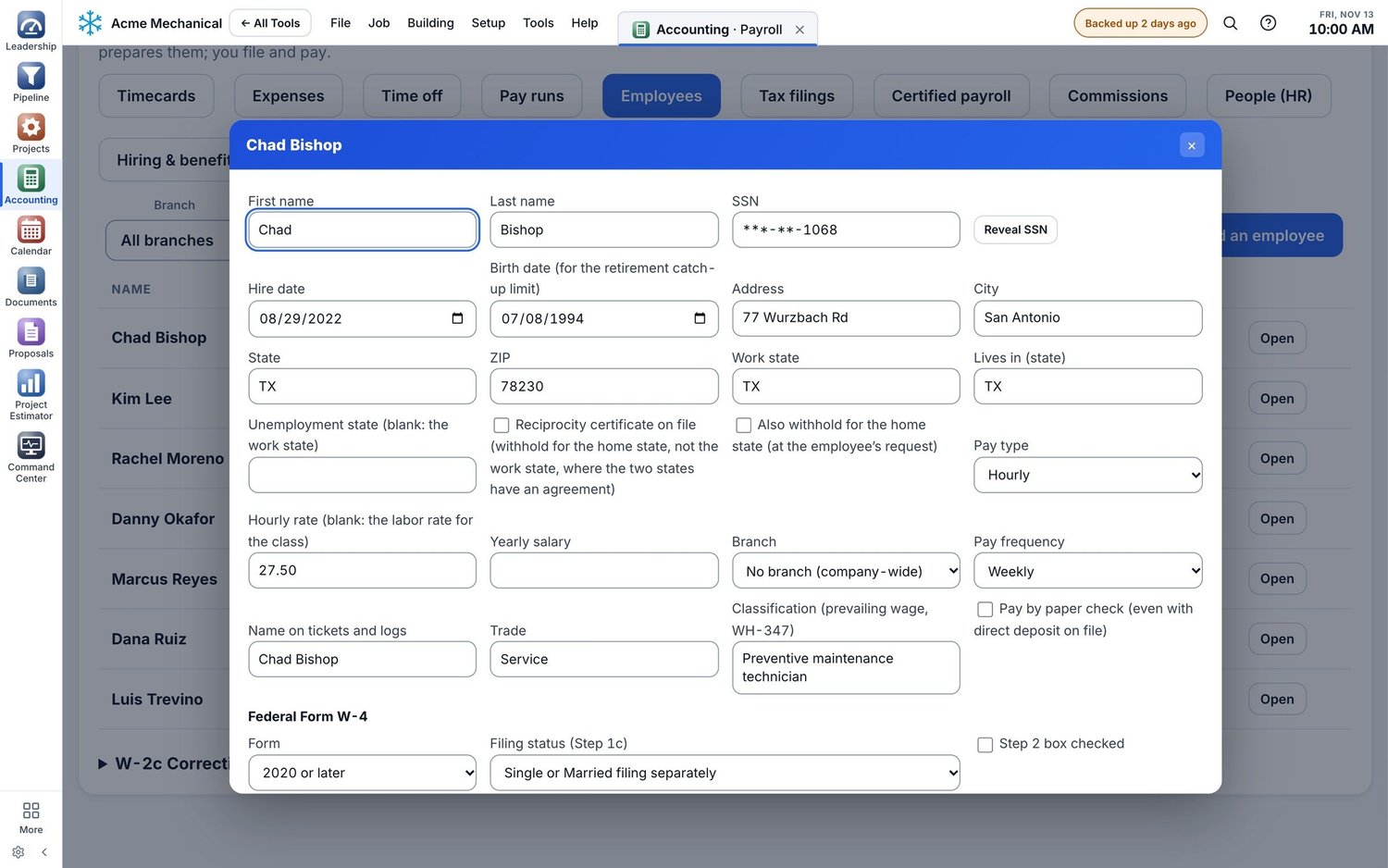
Bank and Social Security numbers must stay private, so the employee record keeps them masked.
Two People on Direct Deposit
One person enters the routing and account numbers and a different person confirms them before a pay run uses them. Until they are confirmed, the person is paid by check.
Learn MoreShow Less
A changed bank number on file is a common way payroll gets stolen. A second person must confirm every direct-deposit change before money moves.
- The routing number is checked when it is entered.
- A one-person office can confirm with the override, which is recorded.
- The run writes a Nacha PPD file for your bank.
- Every change is logged with the last four digits only.
Pay Stubs on the Phone
Payroll chooses what the phones show: nothing, hours only, or hours and the pay stub sealed to each person's phone and opened with that person's own PIN. No pay rate ever goes to the phone with the jobs.
Learn MoreShow Less
Every "can you print my stub" request costs office time. Sealed stubs on the phone answer it, while payroll stays private.
- Nothing goes to the phone until payroll turns it on.
- The phone makes its own key; the office never holds the PIN.
- The office lists each phone's fingerprint to confirm with the person.
- Five wrong PINs make the phone wait a minute.
- Stubs are sealed automatically when a pay run is paid or voided.
Tax Tables Dated by Year
Each year's federal and state tables are one dated file, with every figure carrying the agency's publication and date. A figure not yet published uses the prior year's with a warning on the pay run, and an update brings the newer file. It is not tax or legal advice, and a CPA or payroll professional should review your setup.
Learn MoreShow Less
A paycheck figured on last year's rates means corrections and amended returns. Each tax year is its own file, with every figure checked and sourced.
- 17,939 IRS wage-bracket cells were checked against the federal method.
- Each state's and DC's withholding method is tested against the state's own worked examples.
- Mid-year changes apply by pay date.
- In December the program warns when next year's tables are missing or not final.
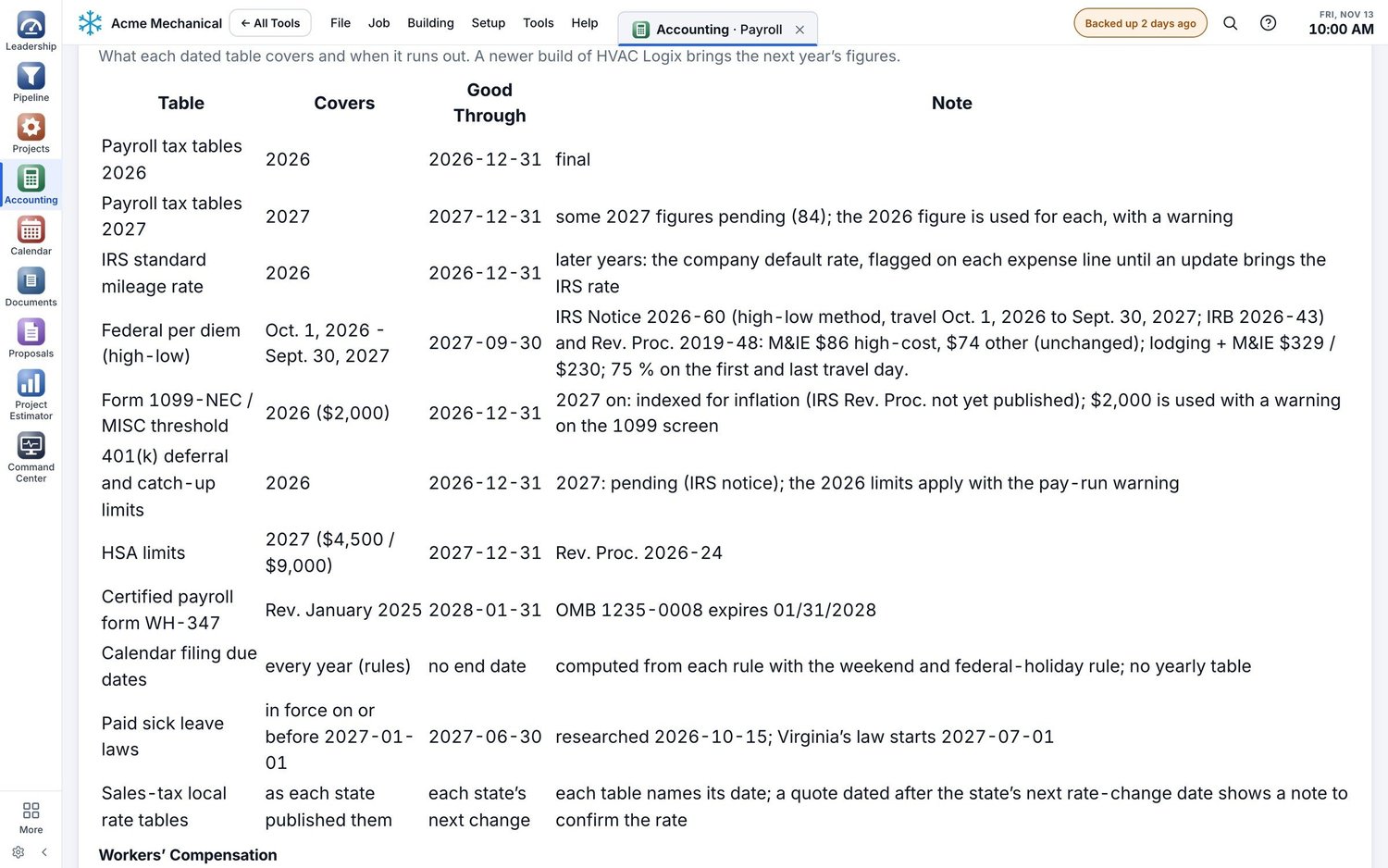
Tax tables change every year, so each table is dated with its source and the date it was checked.
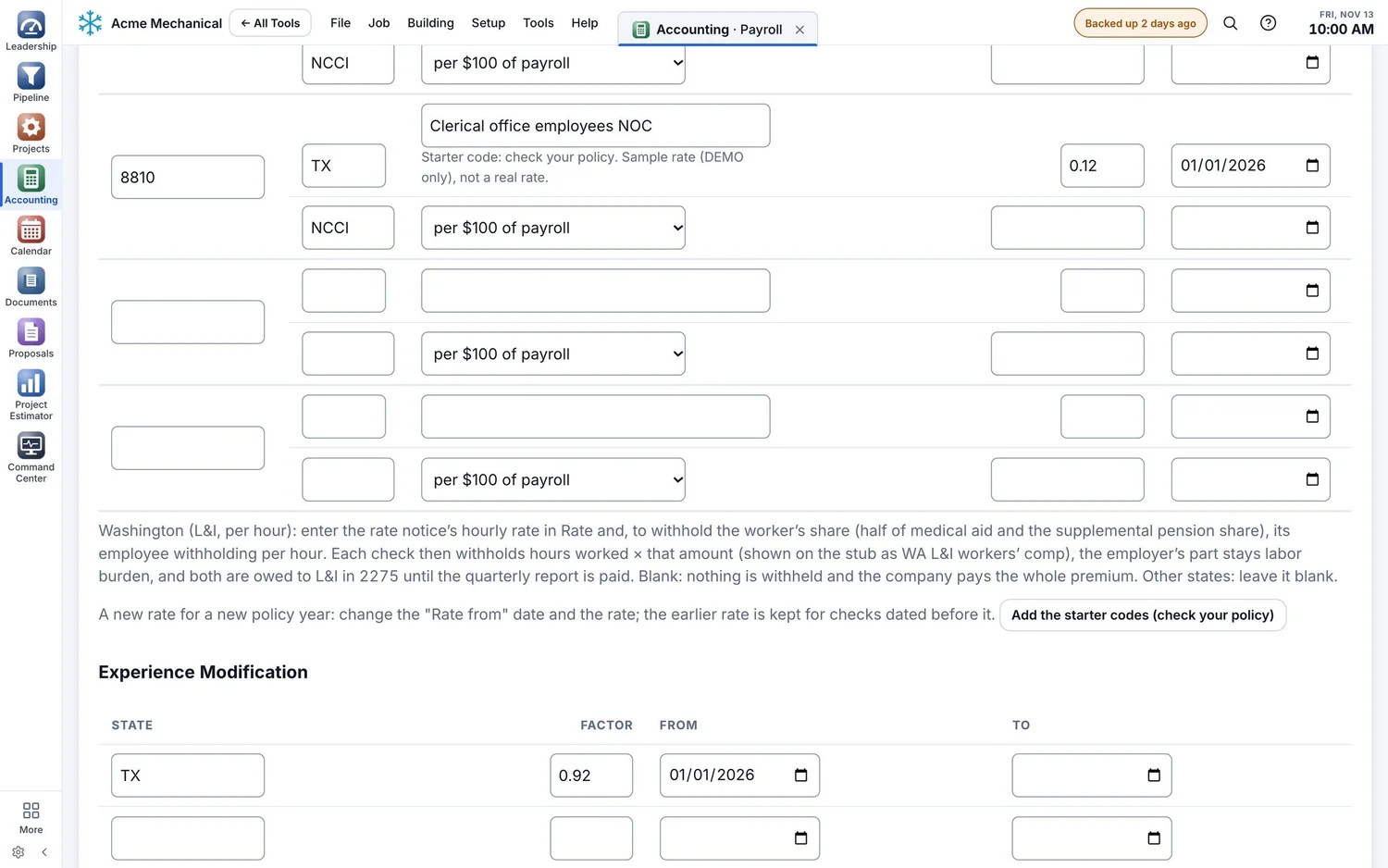
Rates differ by state and class, so each one is kept with its effective date.
Frequently Asked Questions
Does HVAC Logix file our payroll taxes or move money?
Who approves timecards?
Can we start payroll in the middle of a year?
What if we keep using an outside payroll service?
What happens when a new year's tax figures are not published yet?
Be First When HVAC Logix Opens
Stop paying people to copy numbers between programs. Join the list and we will tell you the day downloads open, with setup guides ready.
Launching early 2027 for HVAC Logix. Nothing to buy today, and no sales calls.
