
Buy Work Well: A Clear Scope, Comparable Bids and the Right Award.
Procurement helps your organization check every bidder and supplier before it commits money. Write the scope before going to market, enter each bid as received, level them to one scope and issue a purchase order under the approval limits and purchasing rules that apply to you. If your own staff do the work, skip the bidding and go straight to the work.
Launching Early 2027 · Join the Early-Access List
Scope, Bids, Evaluation and the Purchase Order
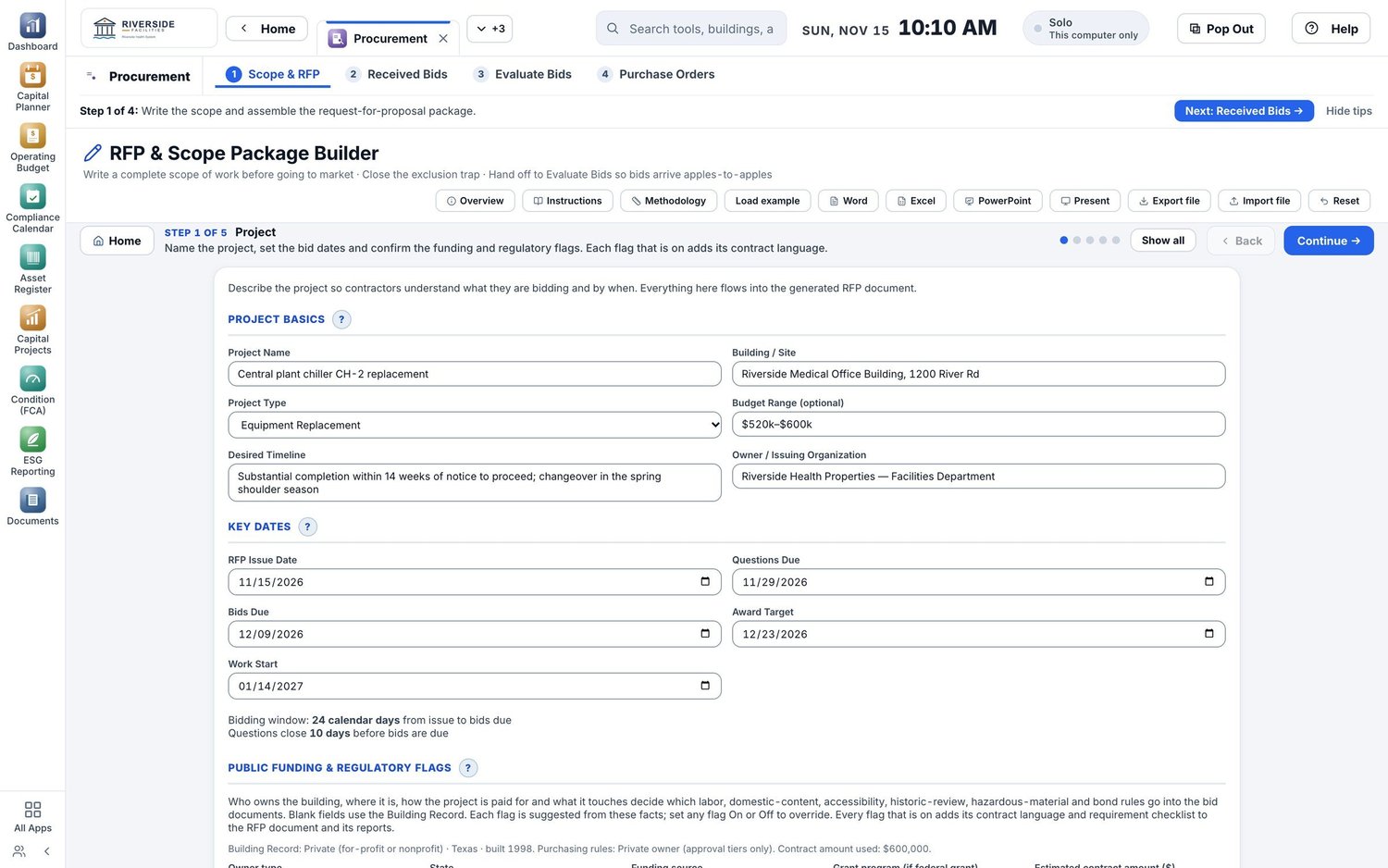
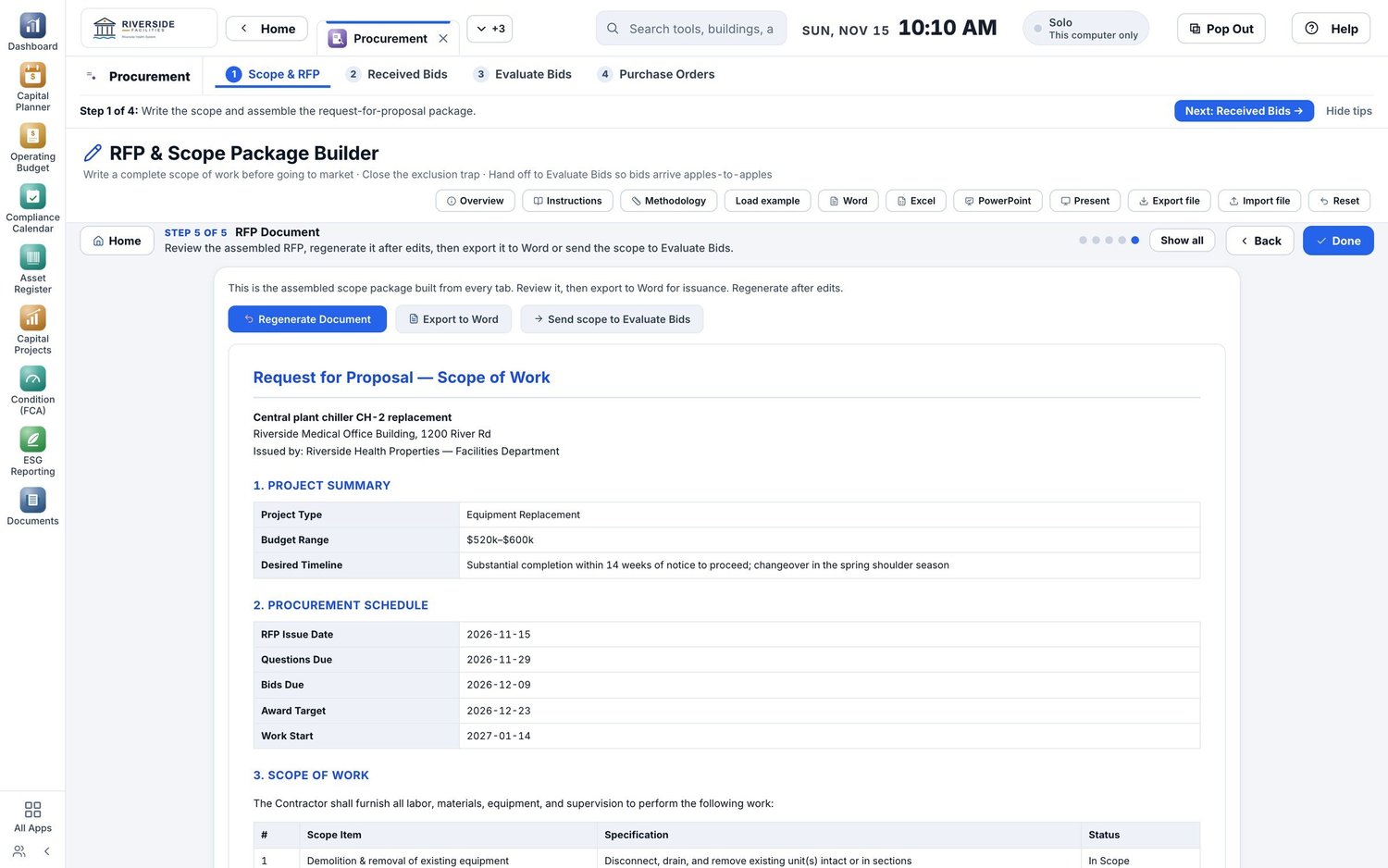
Scope & RFP
Write a complete scope and assemble the request-for-proposal package, with an exclusion trap that turns silent exclusions into explicit decisions before any contractor prices the job.
Learn MoreShow Less
Change orders for work a bid quietly left out are among the most common overruns. A complete scope, and required public-funding terms caught before bidding, prevent them.
- Flags for Davis-Bacon, Build America Buy America, accessibility, NEPA and bonds, each saying why
- Each flag set to Auto, On or Off; flags that are on become section 6 of the RFP
- Contract clauses and owner and contractor checklists for each flag
- Milestones sent to the Project Tracker and Permits
Received Bids
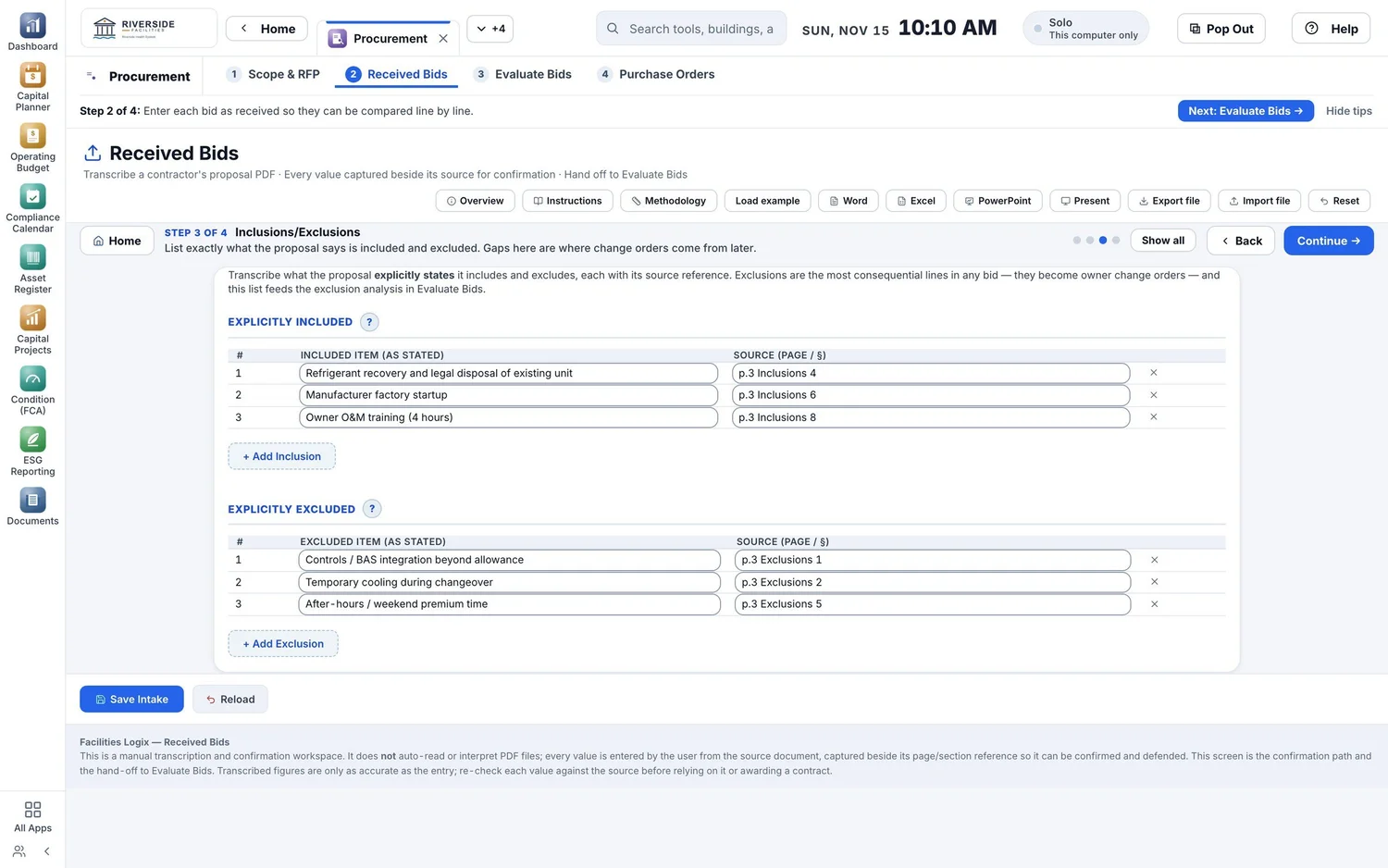
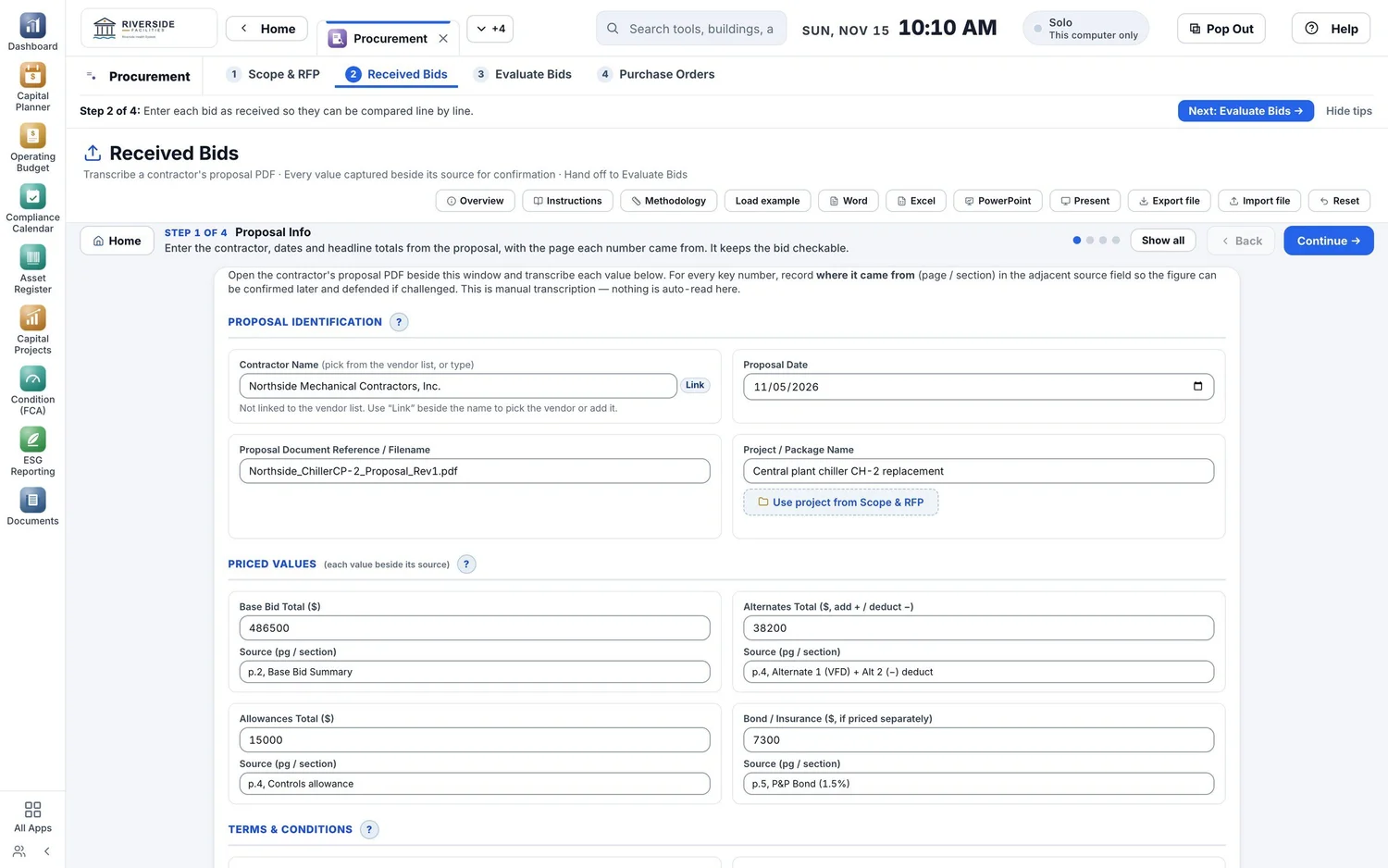
Transcribe each bid with every value captured beside its source, and pick the contractor from your vendor list with its insurance status showing.
Learn MoreShow Less
A bid figure misread from a PDF can tip an award the wrong way. Each value is captured beside its source, so it can be checked before money is committed.
- Every value recorded beside the place it came from
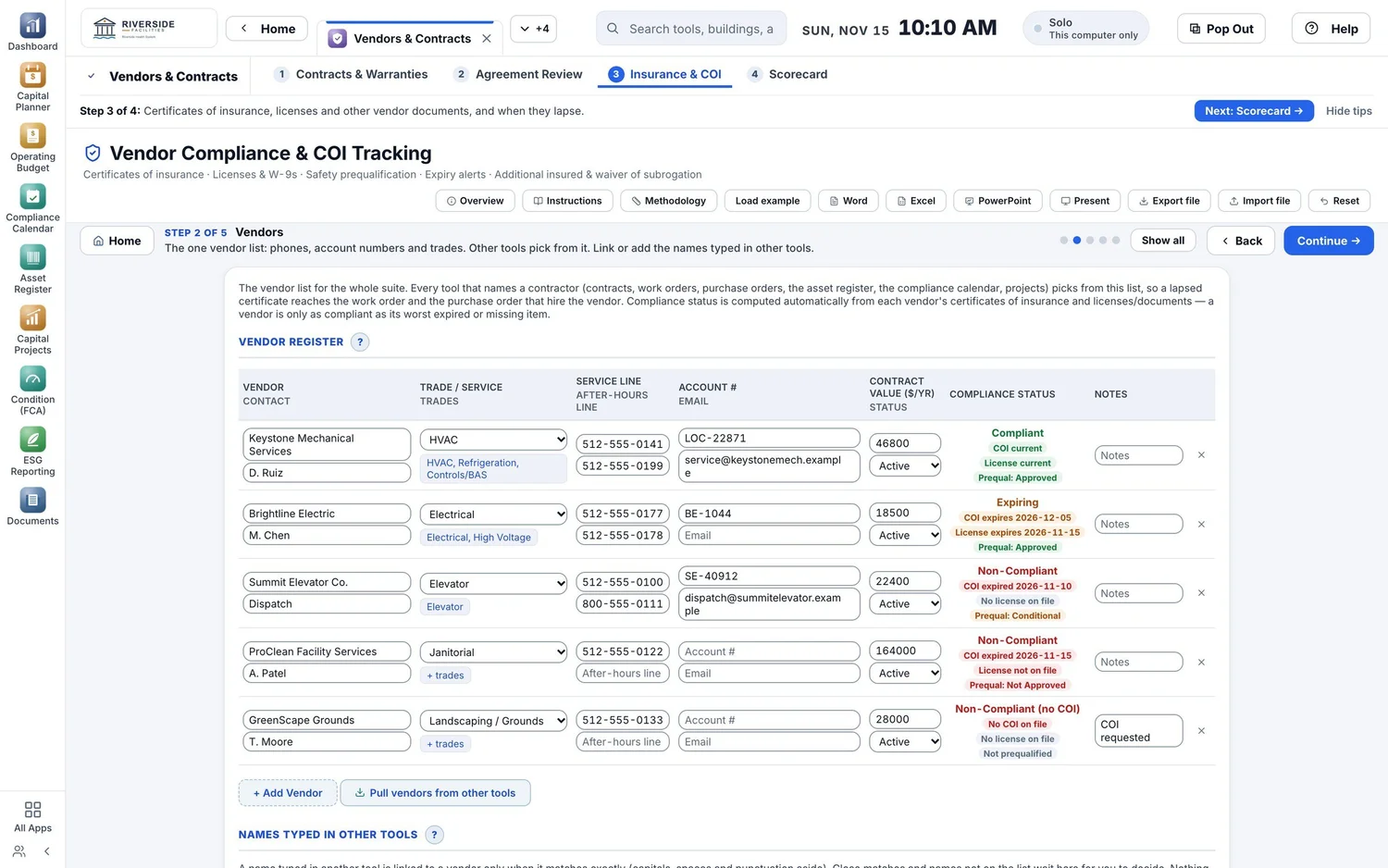
- The contractor picked from the vendor list, with its insurance status beside it
- Send to Evaluate Bids carries the bid and its vendor link
- No retyping between transcription and evaluation
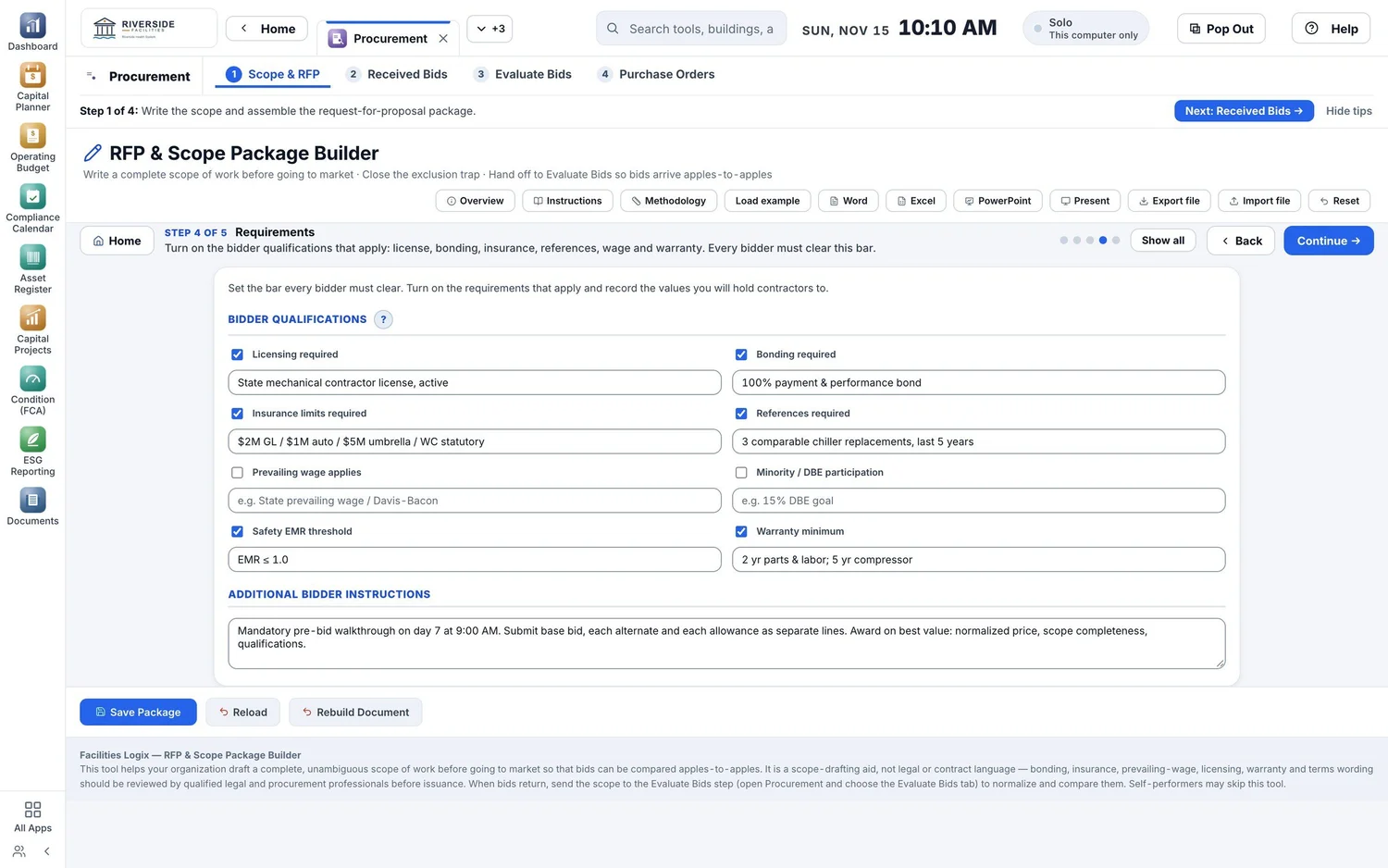
Requirements in RFP & Scope Package Builder: turn on the bidder qualifications that apply: license, bonding, insurance, references, wage and warranty. Every bidder must clear this bar.
Evaluate Bids
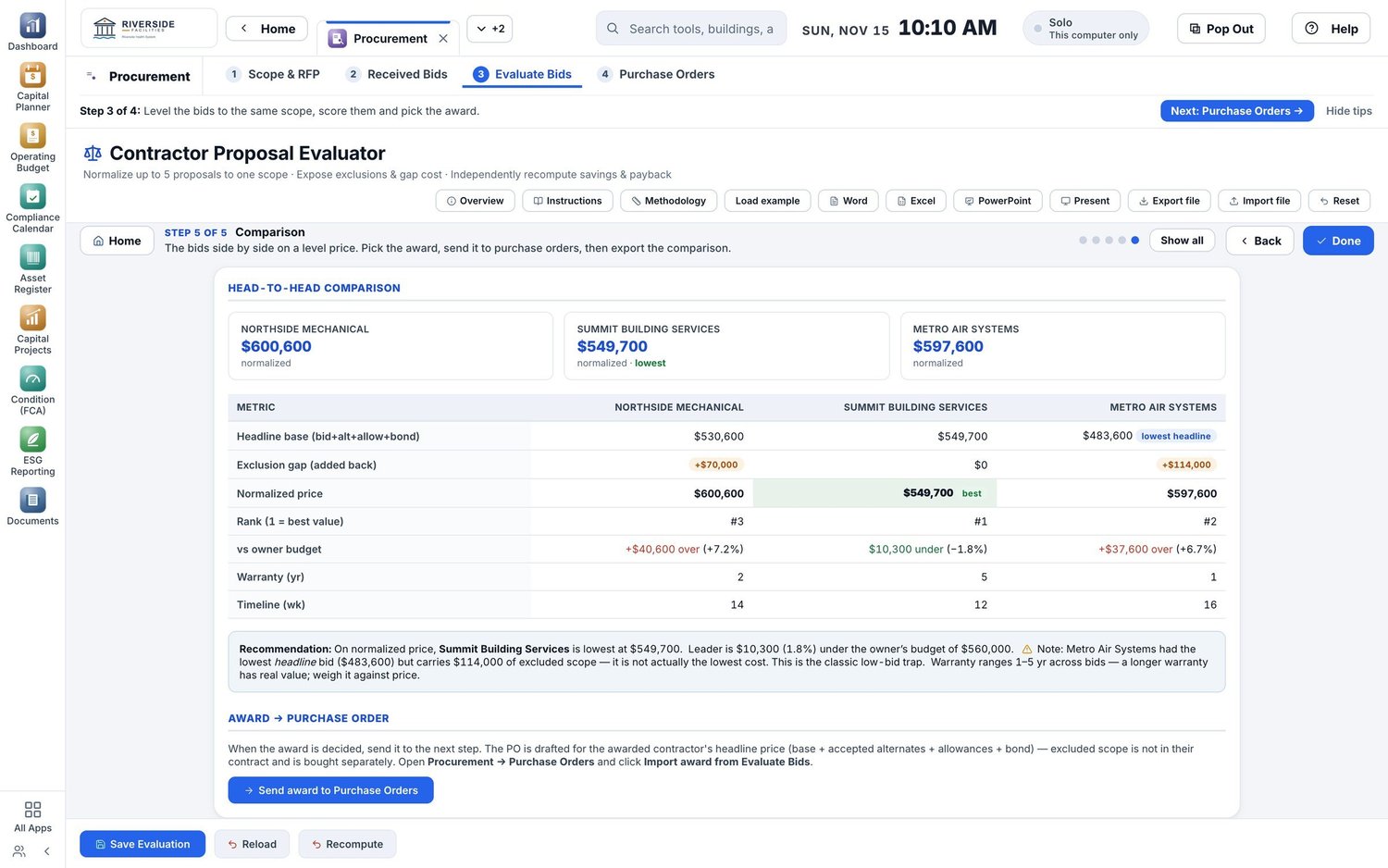
Normalize up to five bids to one scope, expose each one's exclusions and gap cost, and independently recompute claimed savings and payback.
Learn MoreShow Less
The lowest bid is often low because of what it leaves out, and claimed savings are often generous. The evaluation exposes both before the contract is signed.
- Smart Paste reads the base bid, alternates, allowances, bond, warranty and exclusions
- It runs on your PC and sends nothing; every value is checked against the document
- A qualitative gate checks each bidder's insurance certificate on the vendor list
- Send Award hands the winner to Purchase Orders and the Project Tracker
Purchase Orders
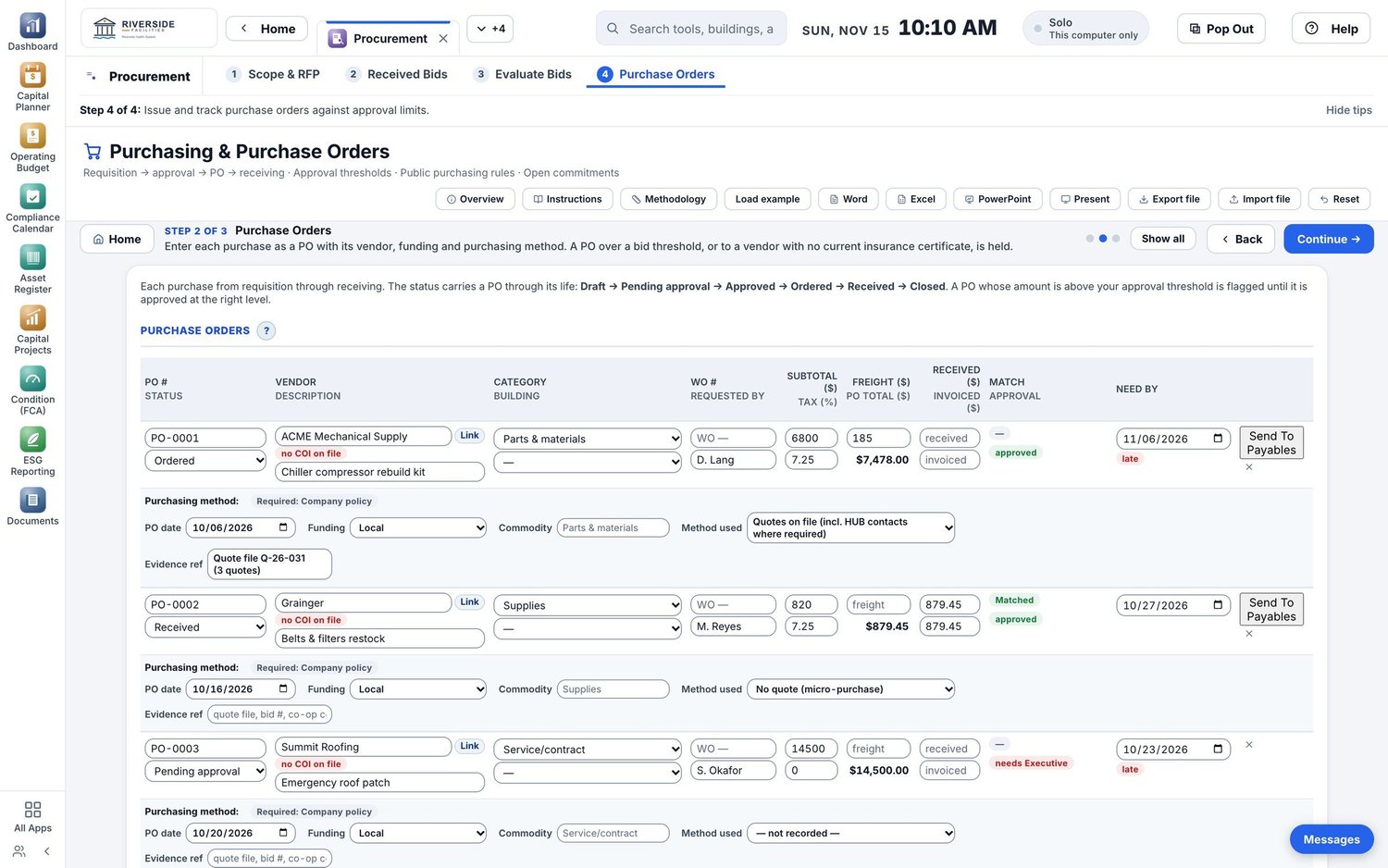
Run purchases from requisition through approval, ordering and receiving, with open commitments and committed spend by vendor and category.
Learn MoreShow Less
Paying a vendor with lapsed insurance, or letting a job run past its approved amount, puts money at risk. Purchase Orders checks both on every order.
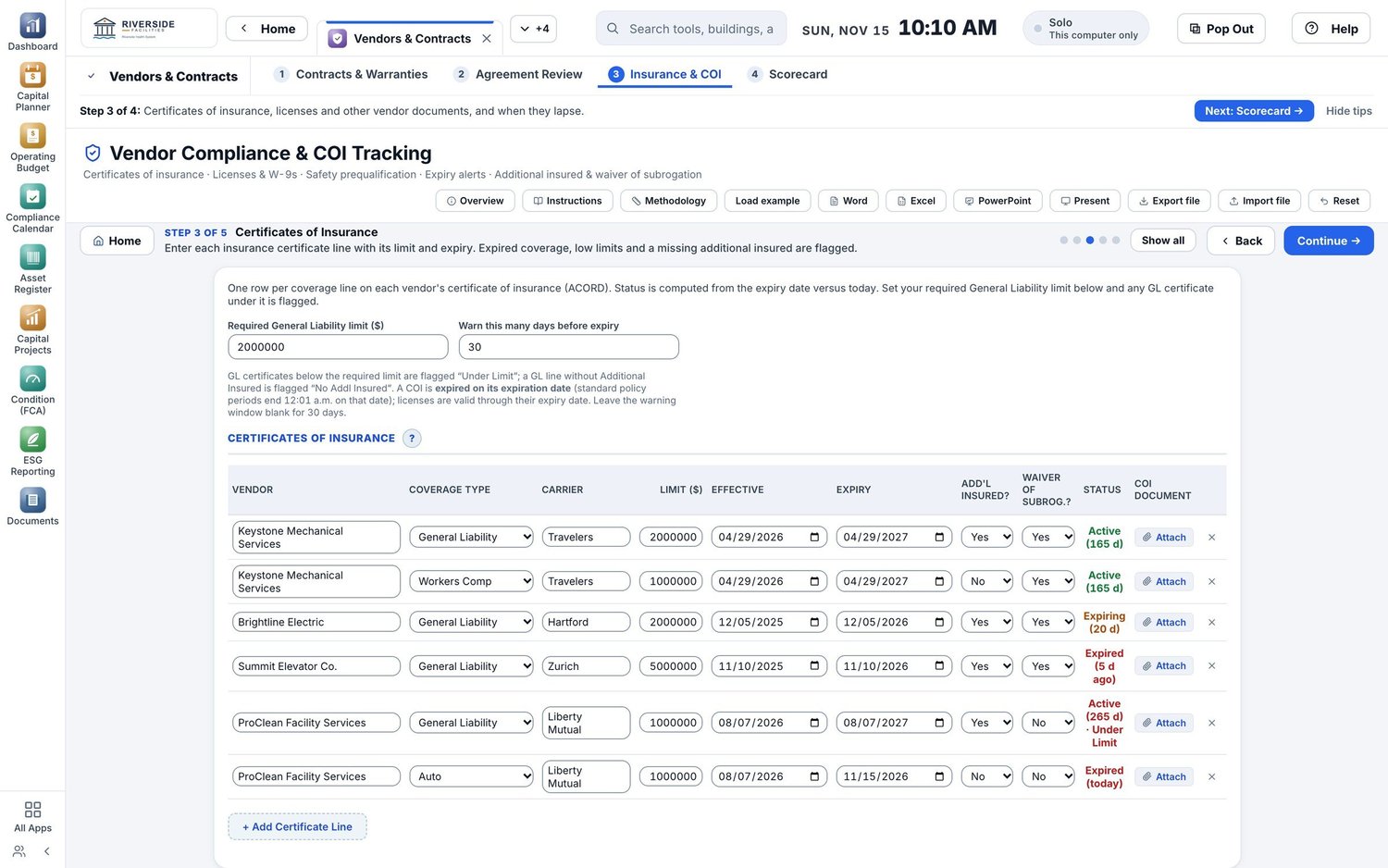
- A red procurement hold until the vendor's insurance is current; it clears by itself
- A work order's not-to-exceed pill turns amber at 80 percent and red past 100
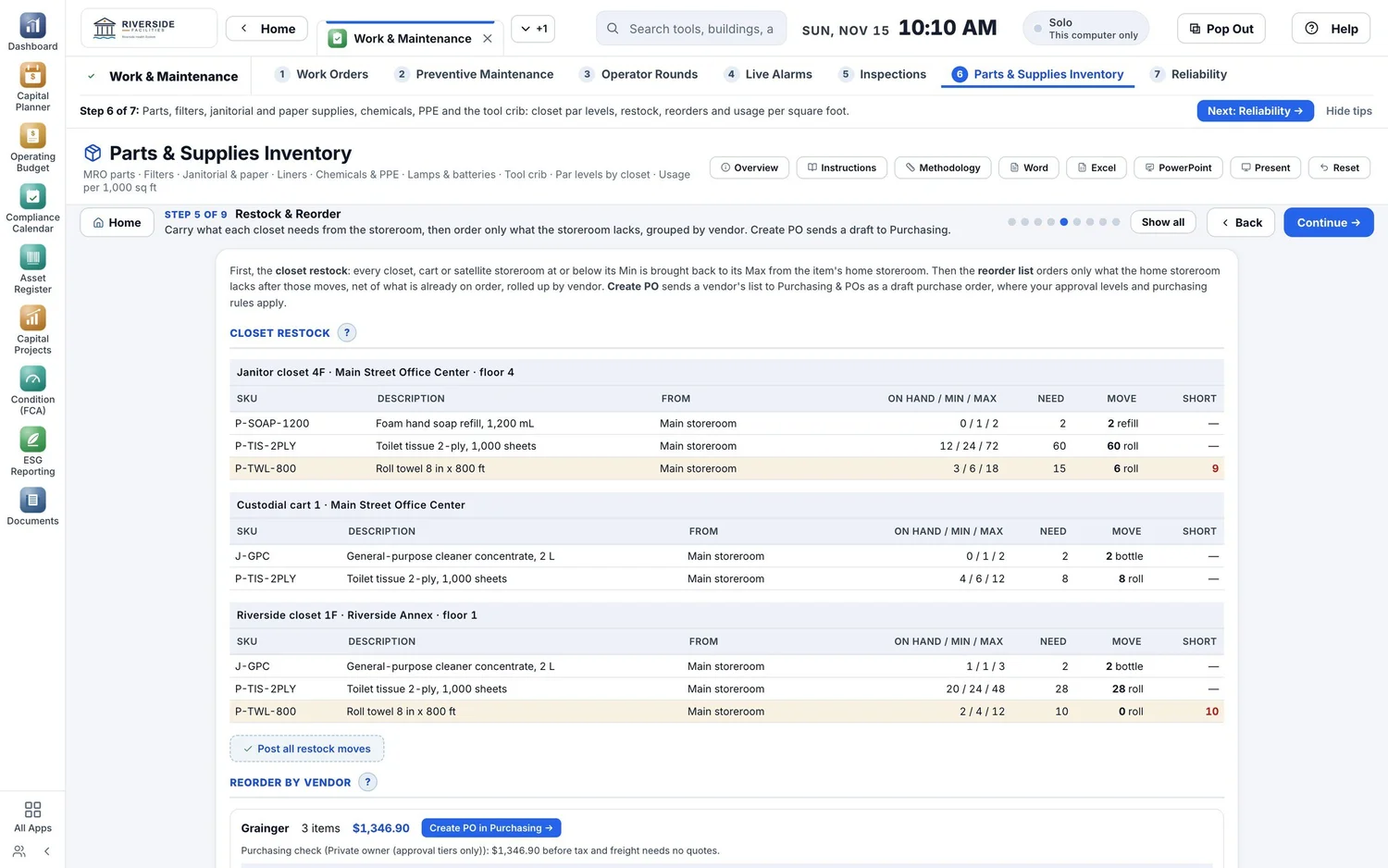
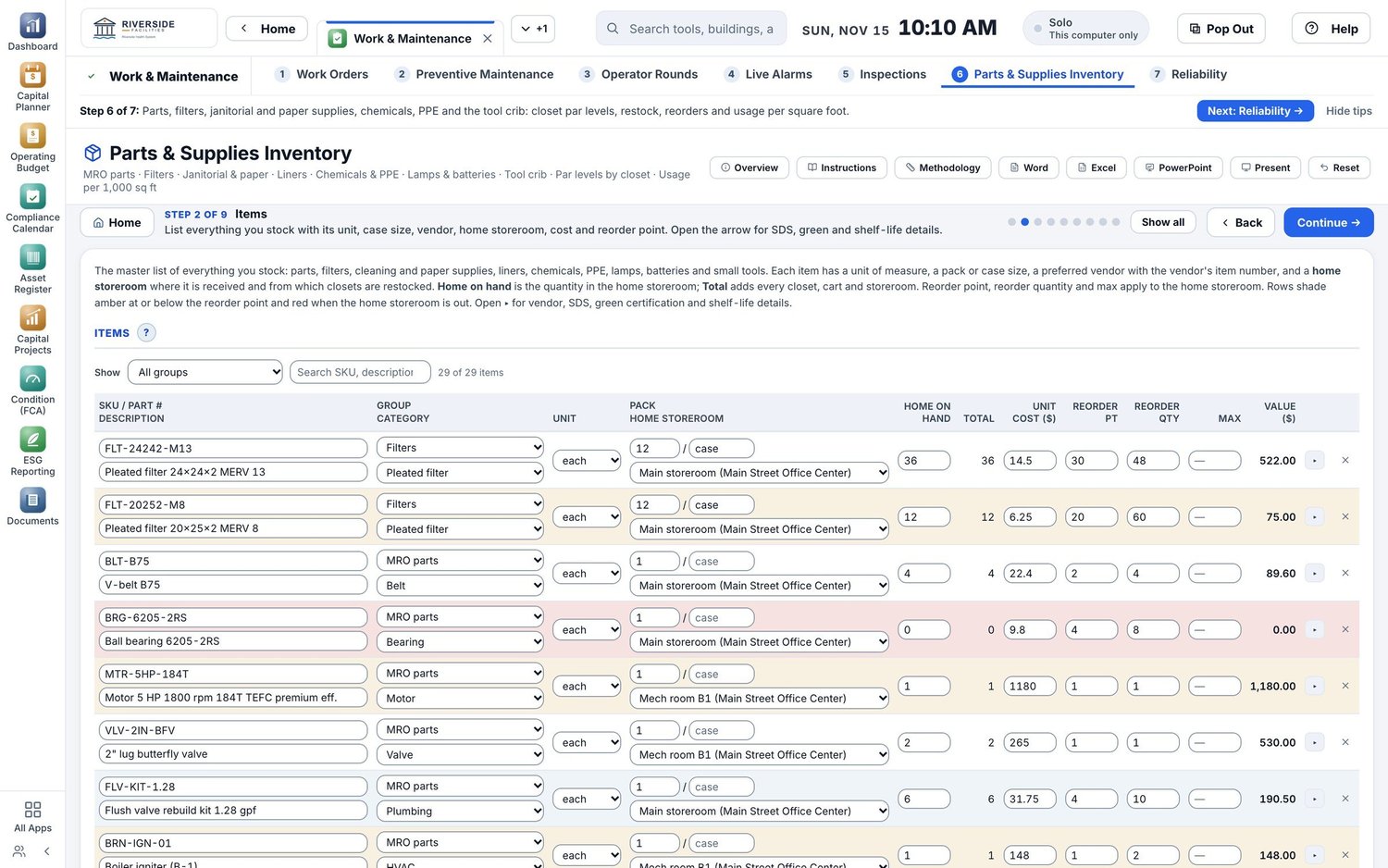
- PO requests arrive as drafts from Parts & Supplies and from work orders
- Send To Payables hands an approved PO to Invoices & Payables once
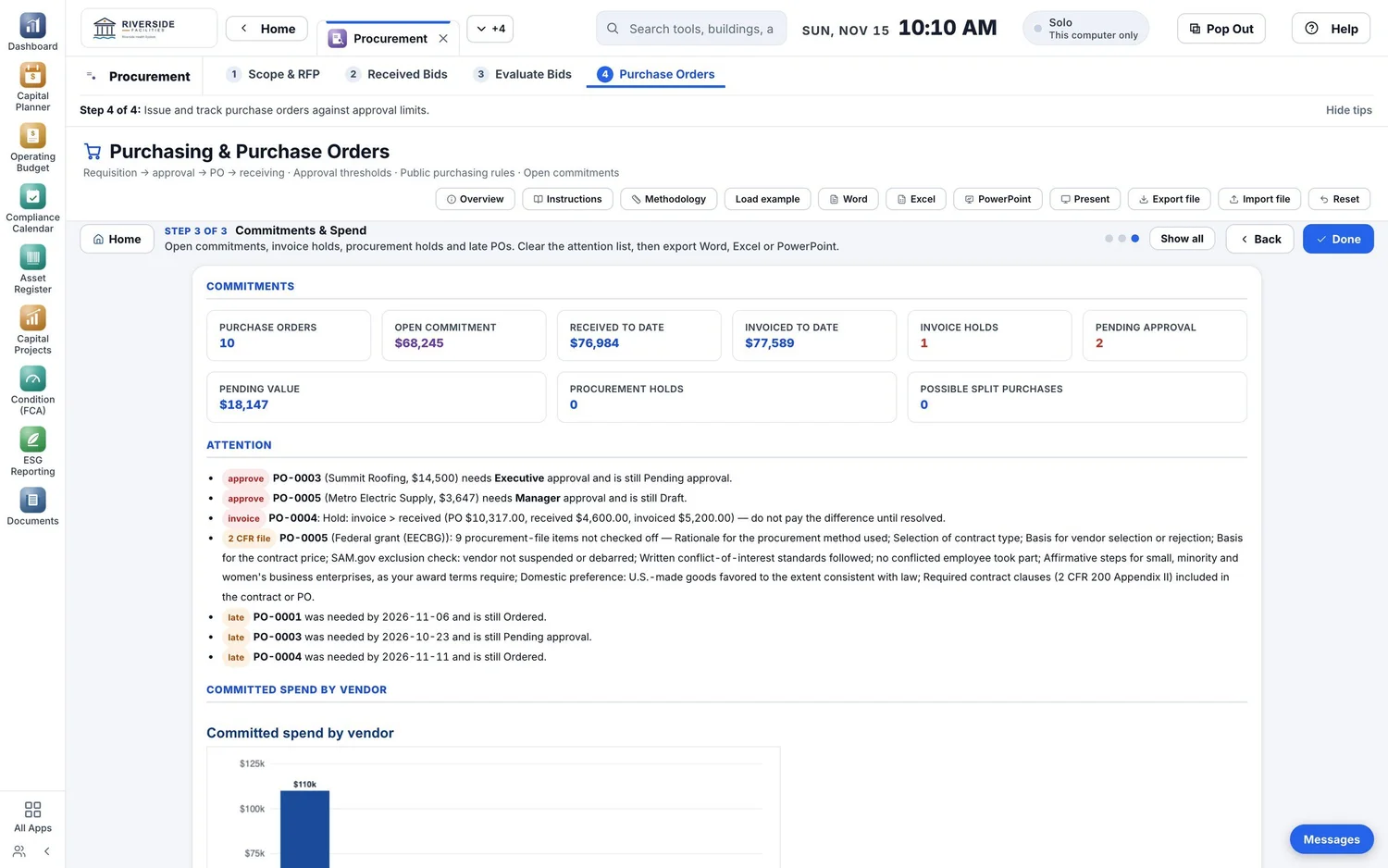
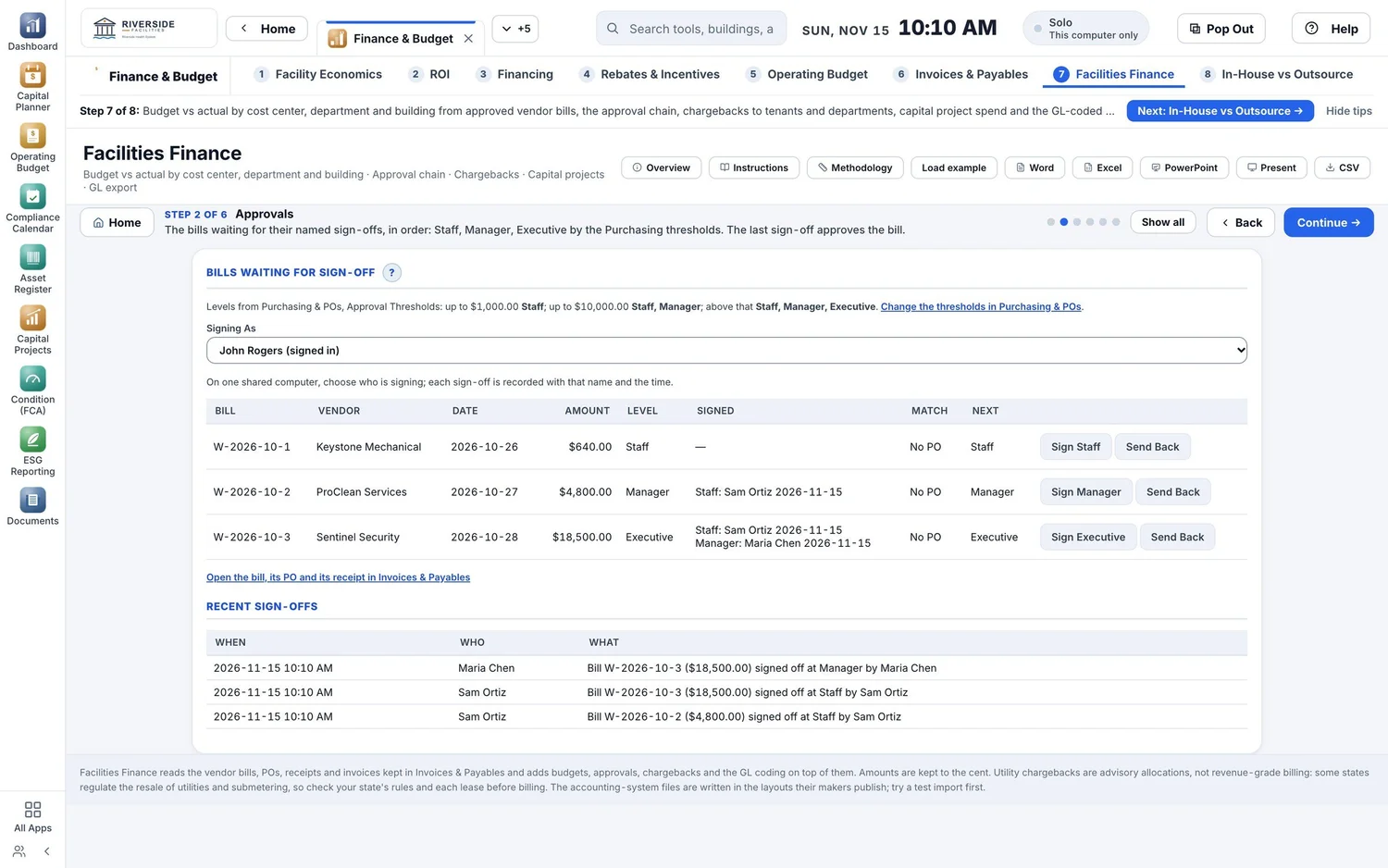
Commitments & Spend in Purchasing & Purchase Orders: open commitments, invoice holds, procurement holds and late POs. Clear the attention list, then export Word, Excel or PowerPoint.
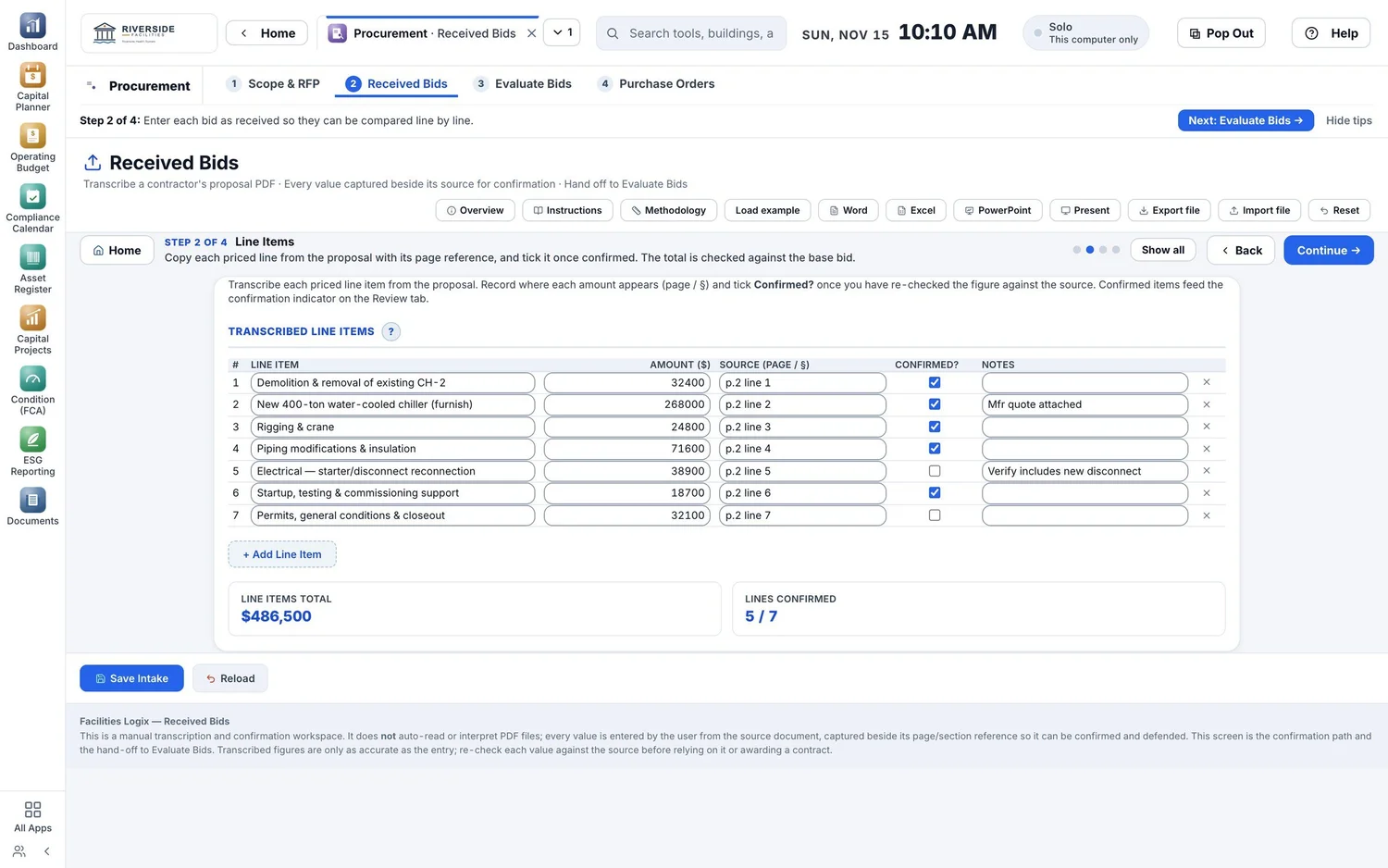
Bids that arrive in different formats are hard to compare, so each one is entered line by line.
See What Each Bid Really Includes
Leveling
- Up to five proposals side by side on the same scope
- Exclusions listed for each bidder, with the cost of the gap added back
- Claimed energy savings and payback recomputed independently from your own rates
- Qualitative gates, including whether a current certificate of insurance is on the vendor list
- A scored comparison and an award recommendation to export for the decision-makers
Smart Paste
- Paste a proposal's text and the step reads the base bid, alternates, allowances, bond, warranty, schedule and exclusions into a new row
- It is plain-text pattern matching that runs on your computer and sends nothing anywhere
- It can misread a figure, so check every value against the contractor's document
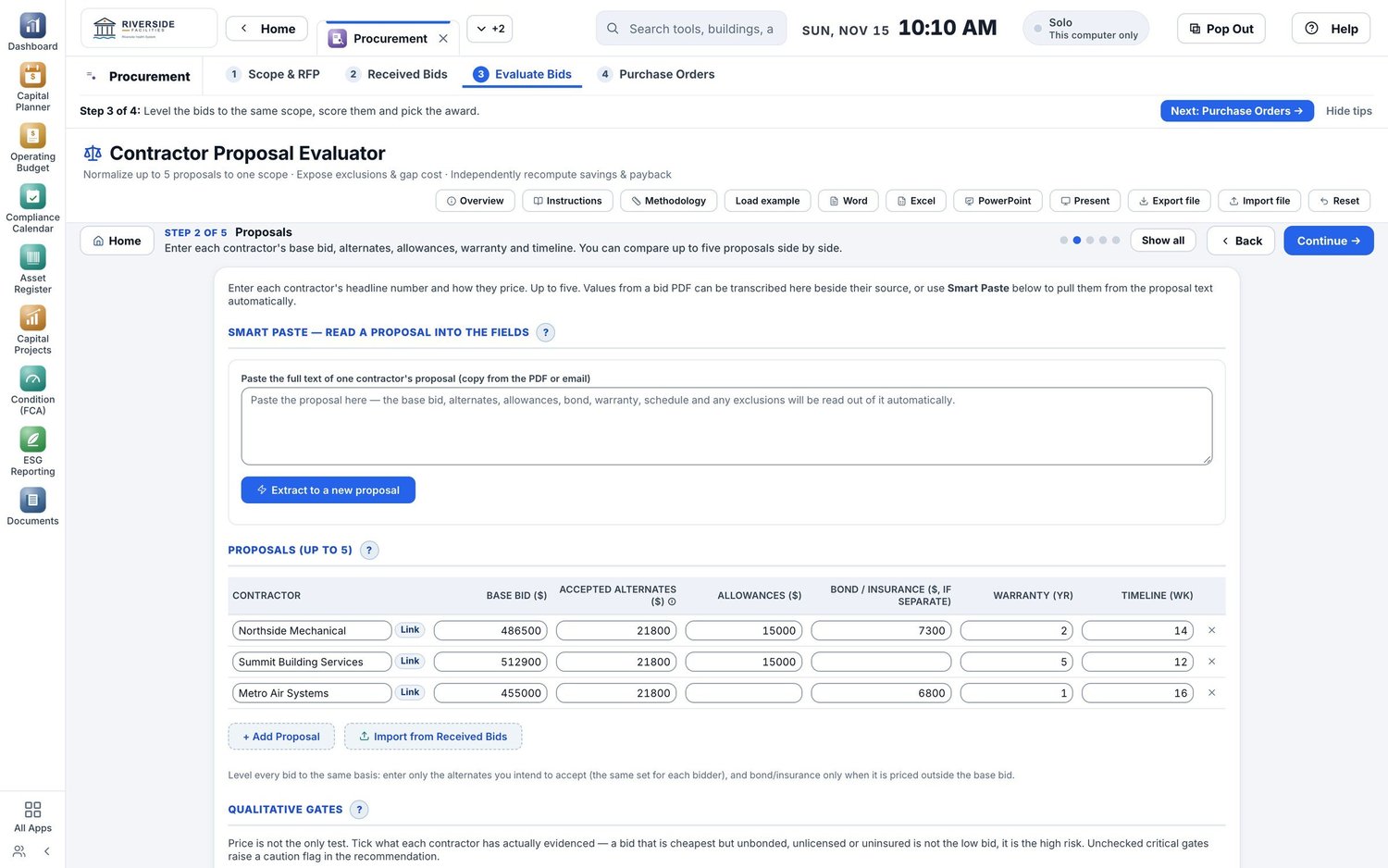
Proposals in Contractor Proposal Evaluator: enter each contractor's base bid, alternates, allowances, warranty and timeline. You can compare up to five proposals side by side.
The Award
- Send Award to Purchase Orders hands the leader, with its vendor link, to purchasing and to the Capital Project Tracker
- A red warning appears if that vendor's insurance certificate is expired or missing, so it is cleared before the contract is signed
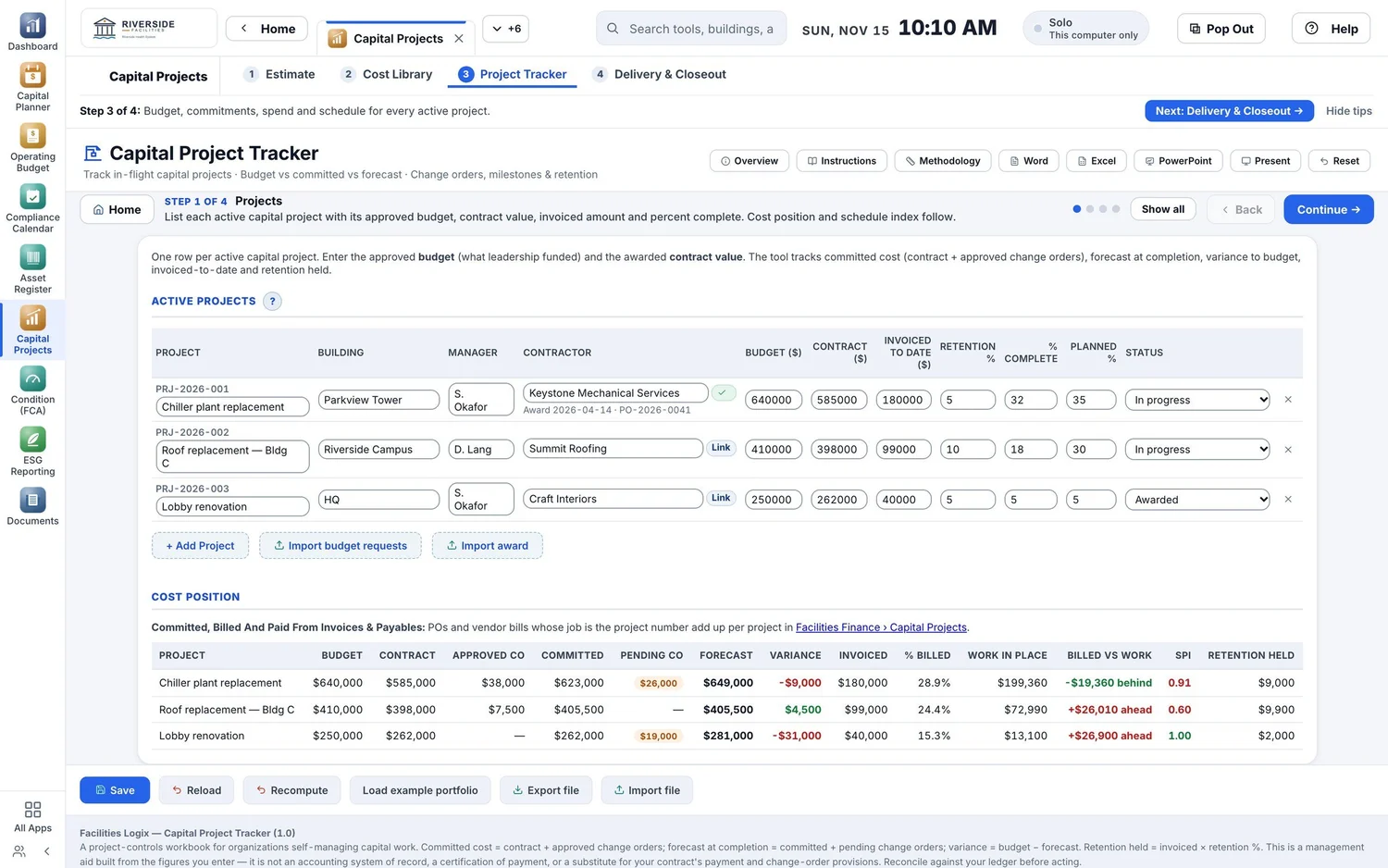
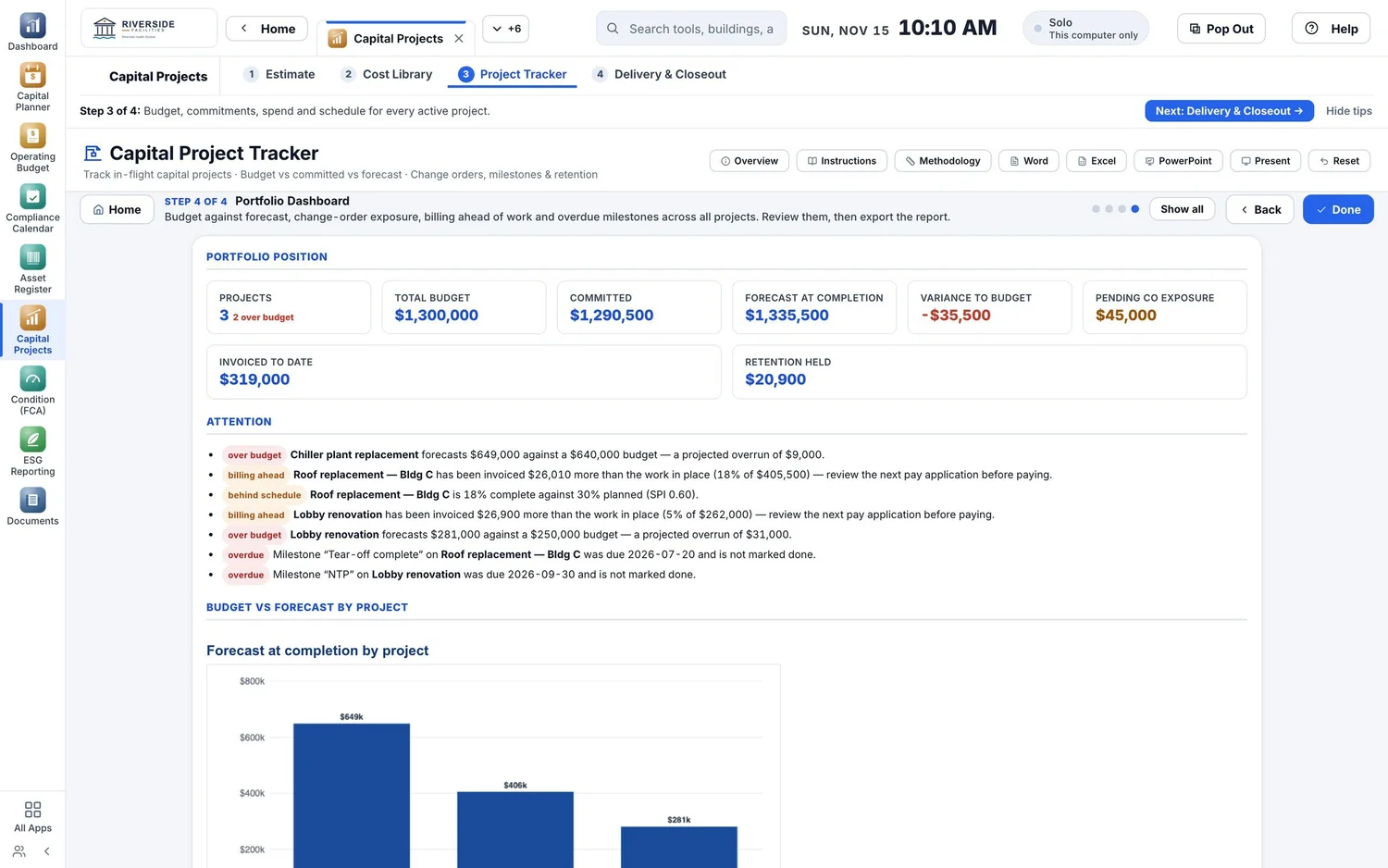
Projects in Capital Project Tracker: list each active capital project with its approved budget, contract value, invoiced amount and percent complete. Cost position and schedule index follow.
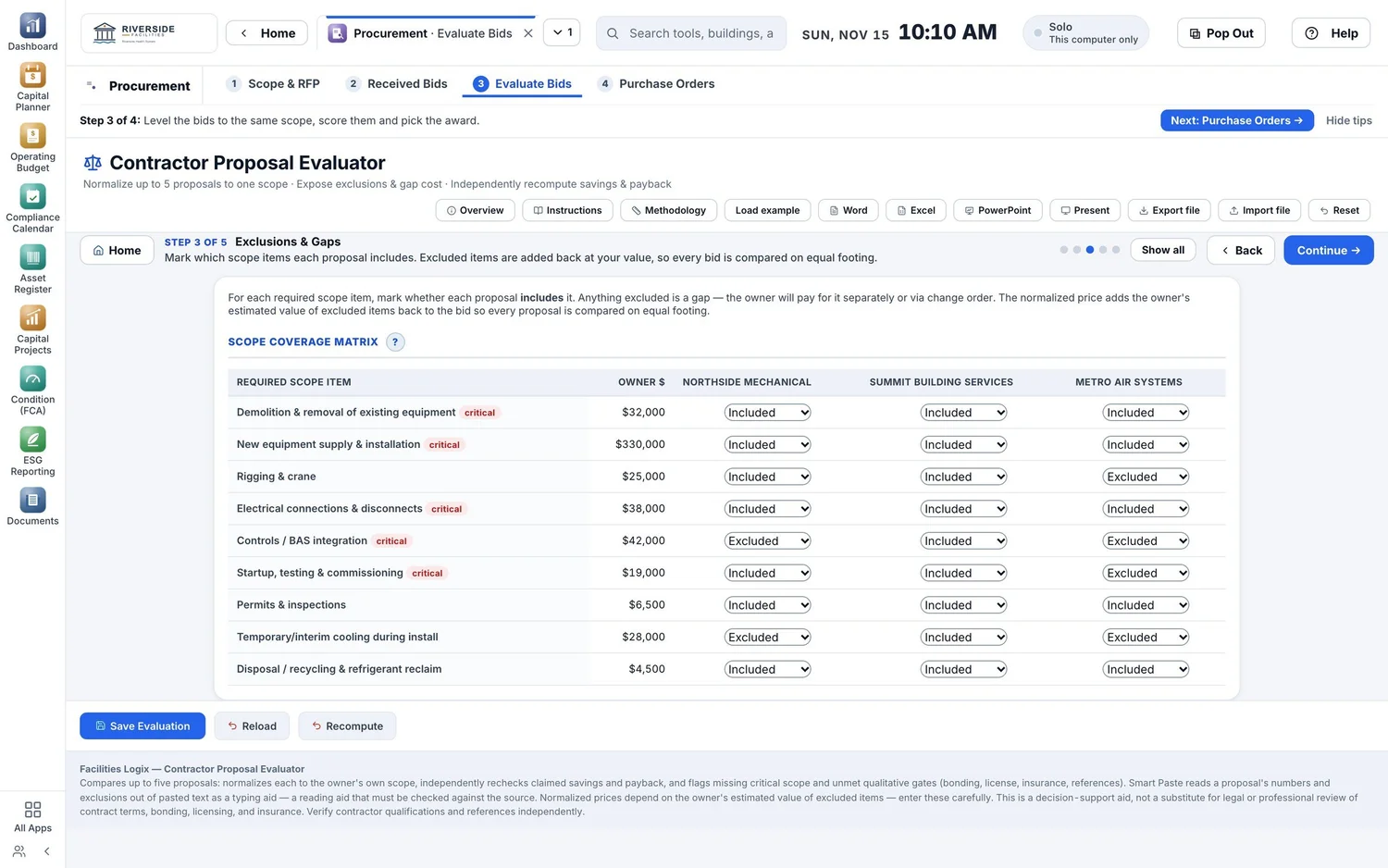
A low bid can hide what it leaves out, so the cost of each exclusion is added back before you compare.
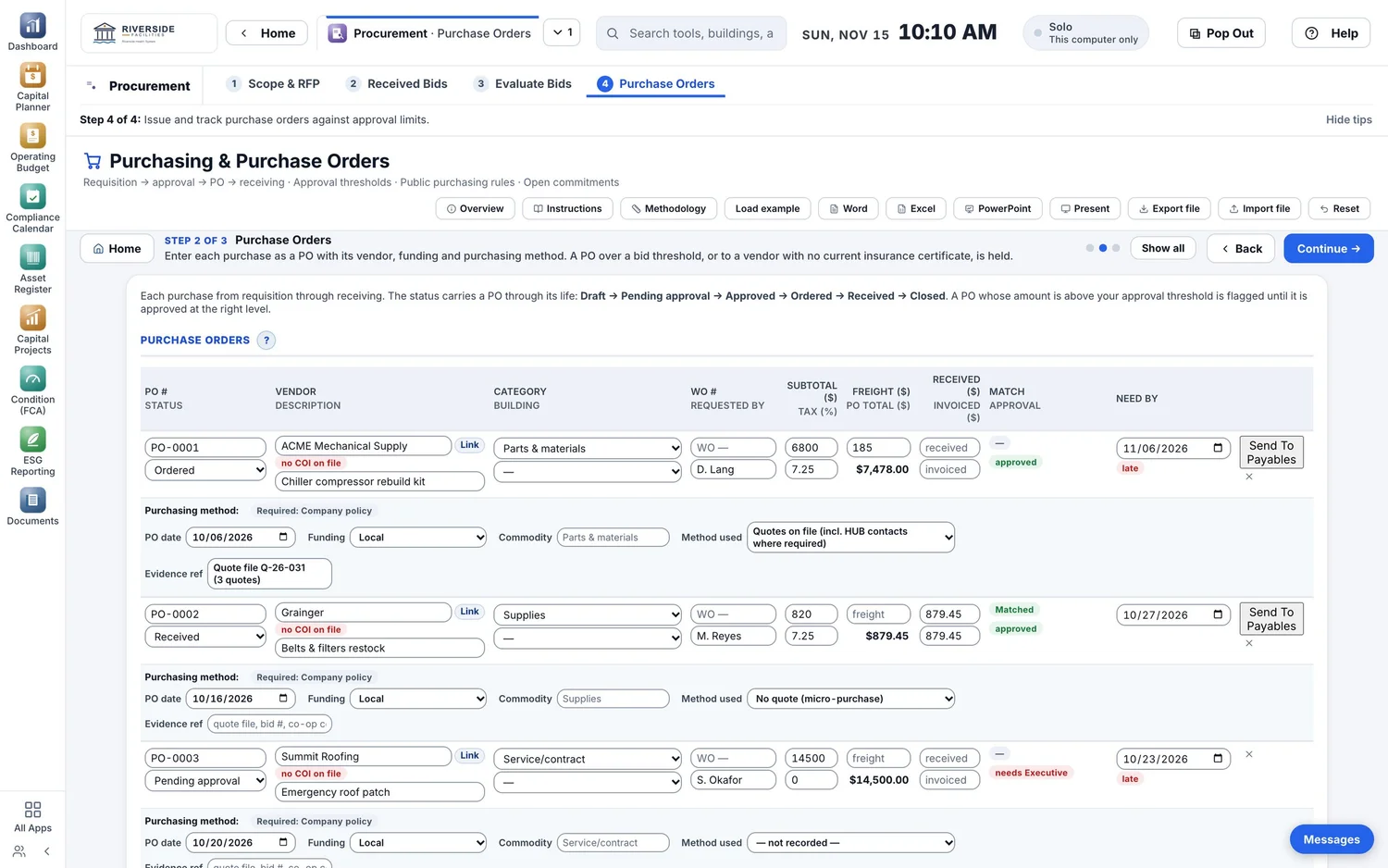
Approval Limits That Enforce Themselves
On Every Purchase Order
- Your approval levels: who approves how much, and who approves anything above the highest level
- Vendor picked from your vendor list, with its insurance status and scorecard score
- A procurement hold while a listed vendor's insurance certificate is expired or missing
- Subtotal, tax, freight, received and invoiced amounts, and the three-way match status
- Send to Payables hands an approved purchase order to Invoices & Payables once
Tied to the Work
- Enter the work order number and the invoices count in that work order's cost
- A pill shows how much of the work order's not-to-exceed the purchase orders use: amber from 80 percent, red past 100
- Requests arrive as drafts from Parts & Supplies reorders and from Draft a PO for This Work Order
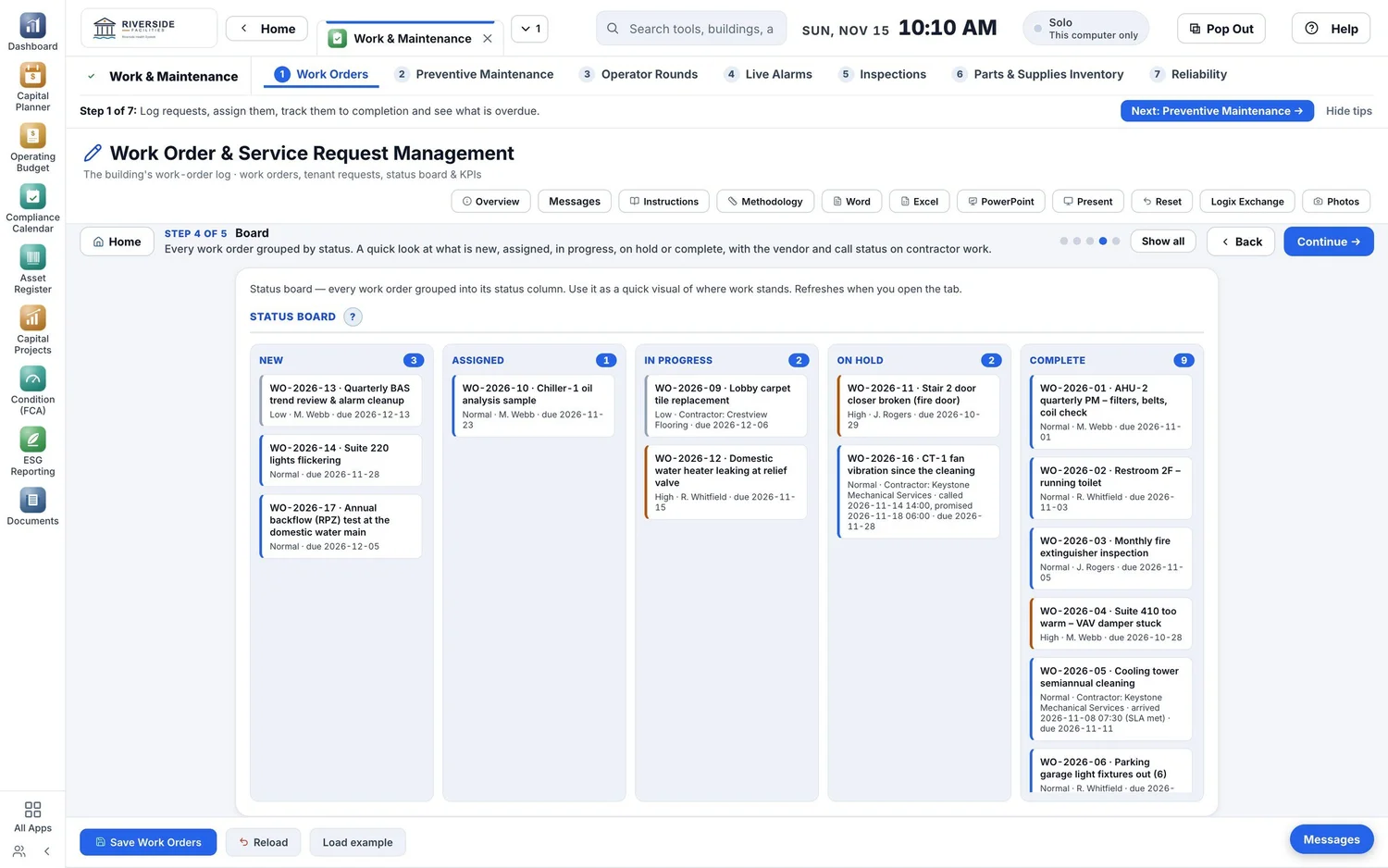
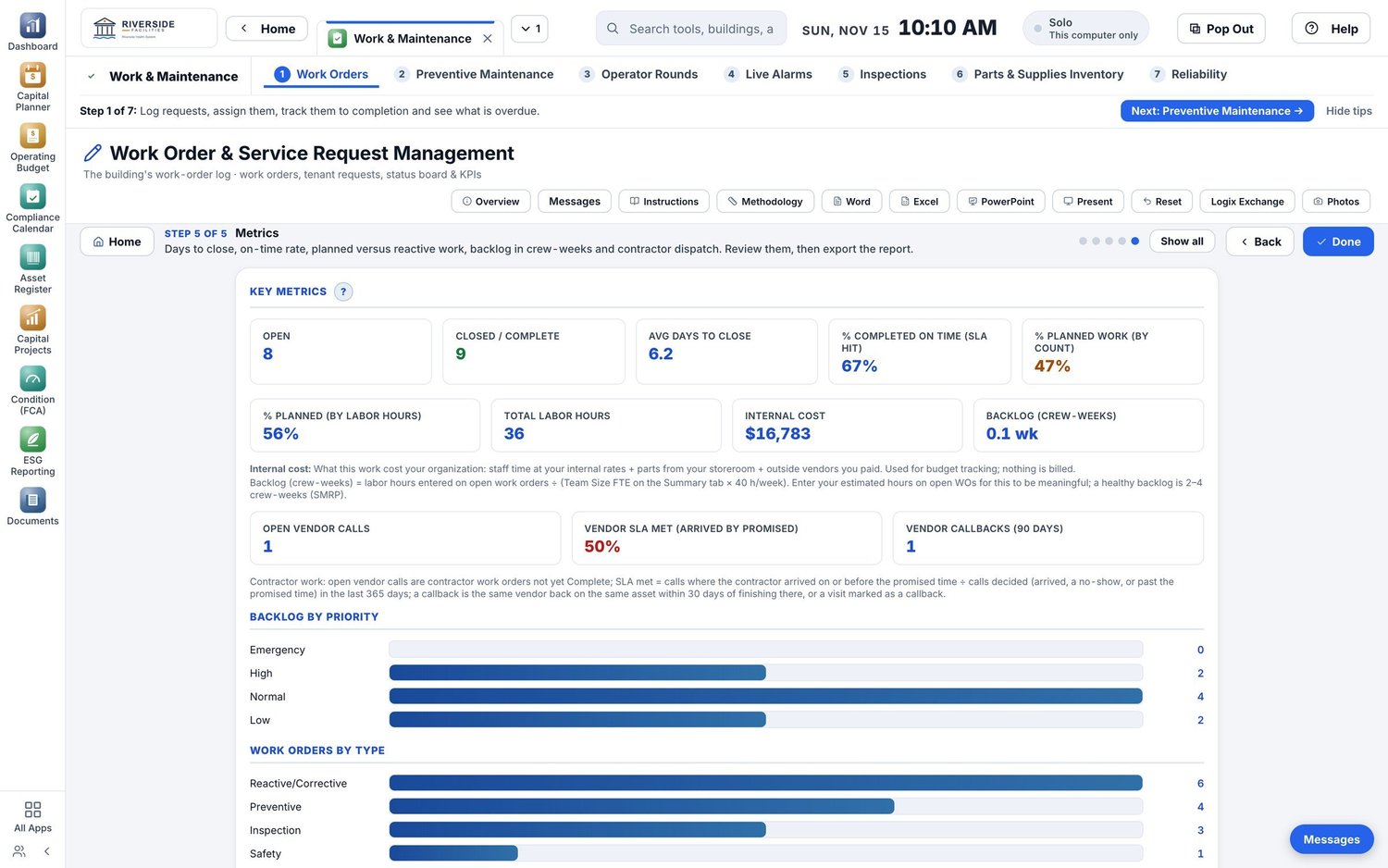
Board in Work Order & Service Requests: every work order grouped by status. A quick look at what is new, assigned, in progress, on hold or complete, with the vendor and call status on contractor work.
The Rules Your Law Sets, Applied to Each Purchase
Purchasing rules are set automatically from each building's record: who holds it, where it is and whose money pays.
Built-In Rule Sets
Federal agency purchasing under the FAR, federal grant purchasing under 2 CFR 200, and the Texas thresholds for cities, counties, school districts and state agencies are built in. For other states, enter your own no-quote limit, formal-bid level and citation from your ordinance.
Learn MoreShow Less
A purchase made under the wrong method can cost a grant or an audit finding. The rules your law sets are built in, so each order starts from the right threshold.
- FAR and 2 CFR 200: no quote at $15,000 or less; formal bid over $350,000
- A grant recipient's self-certified micro-purchase level, up to $50,000
- Texas cities: quotes up to $100,000, with two HUBs contacted over $3,000
- Other states enter their own limits and citation from their ordinance
Required Method
Each purchase order shows the method its amount needs: no quote, quotes or a formal bid. Federal funds add their rules to yours, and the stricter wins.
Learn MoreShow Less
Discovering after the fact that an order needed bids is a finding no auditor overlooks. Each PO shows the method its amount requires as it is written.
- Each PO records its date, funding, commodity, method used and evidence reference
- Funding can be local, state, a federal grant with its program, or federal direct
- Federal funds add their rules; the stricter rule wins
- Purchasing rules set from the Building Record unless you pick one
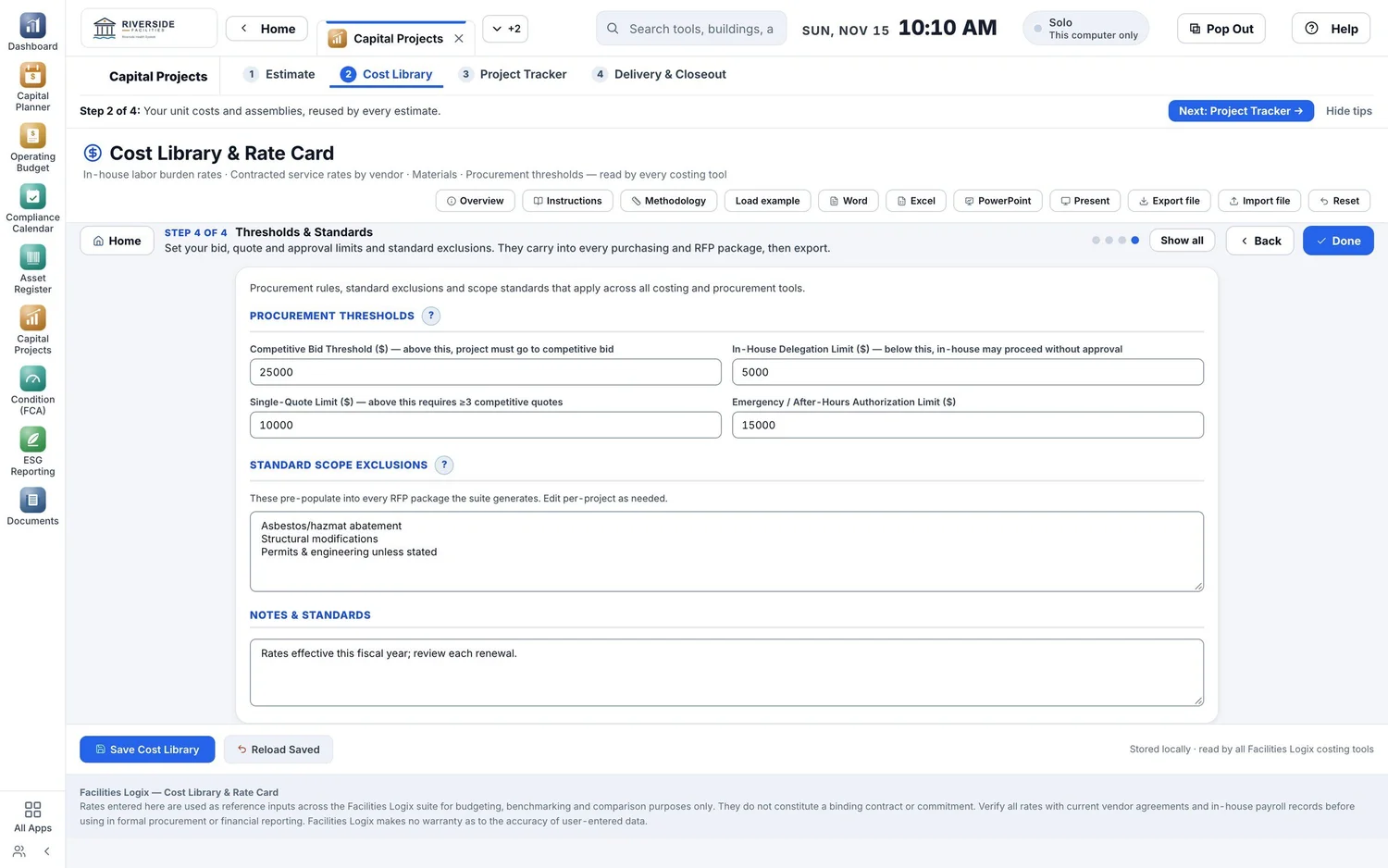
Thresholds & Standards in Cost Library & Rate Card: set your bid, quote and approval limits and standard exclusions. They carry into every purchasing and RFP package, then export.
Hold: Method Not Met
A red hold appears when the method recorded falls short. A cooperative contract, a sole-source justification or an emergency exemption counts as formal.
Learn MoreShow Less
Stopping a non-compliant purchase before it is placed costs nothing; unwinding it later costs a lot. The hold stays on until the right method is recorded.
- Clears when a method of equal or higher rank is recorded
- Shown in red on the PO
- Separate from the insurance hold, which does not change the method needed
- The evidence reference records where the quotes or bids are kept
Split-Purchase Check
Purchases from the same vendor for the same commodity within twelve months that together need a stricter method are flagged.
Learn MoreShow Less
Splitting a purchase to stay under a threshold, even by accident, is a classic audit finding. The check catches it as orders are written.
- Looks back 365 days for the same vendor and commodity
- In a Texas school district, every PO in the group takes the stricter requirement
- Applied to reorders drafted from the storeroom too
- The flag reads Possible Split Purchase
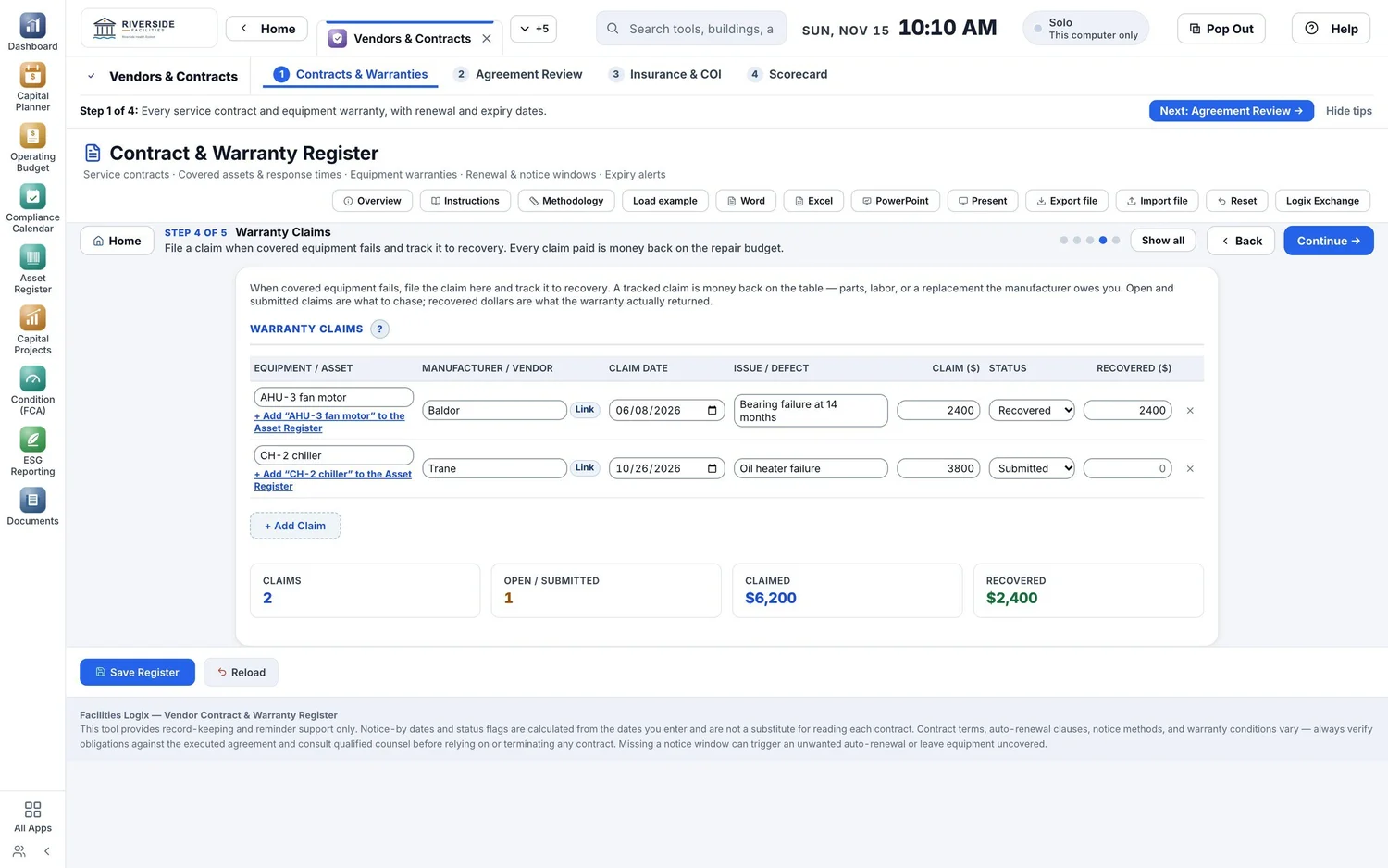
Warranty Claims in Contract & Warranty Register: file a claim when covered equipment fails and track it to recovery. Every claim paid is money back on the repair budget.
Grant File Checklist
A purchase paid with federal grant funds lists the 2 CFR 200 file items to check off.
Learn MoreShow Less
A grant file missing its paperwork can mean repaying the grant. The checklist lists what the file needs while the purchase is still open.
- Items drawn from 2 CFR 200, such as procurement methods (200.320) and bonding (200.326)
- Shown on any PO whose funding is a federal grant
- The grant program recorded with the funding
- Federal-grant rules added to the owner's own, the stricter winning
Private Organizations
Keep your own approval tiers; the public rules stay out of the way.
Learn MoreShow Less
A private owner should not be slowed by public-sector rules it does not have to follow. Private organizations keep their own approval tiers.
- Your own levels: who approves how much, and above the highest level
- Bills above a level need Staff, then Manager, then Executive sign-off
- 2 CFR 200 still applies to a purchase paid with a federal grant
- Sales tax on new POs starts from Financial Standards
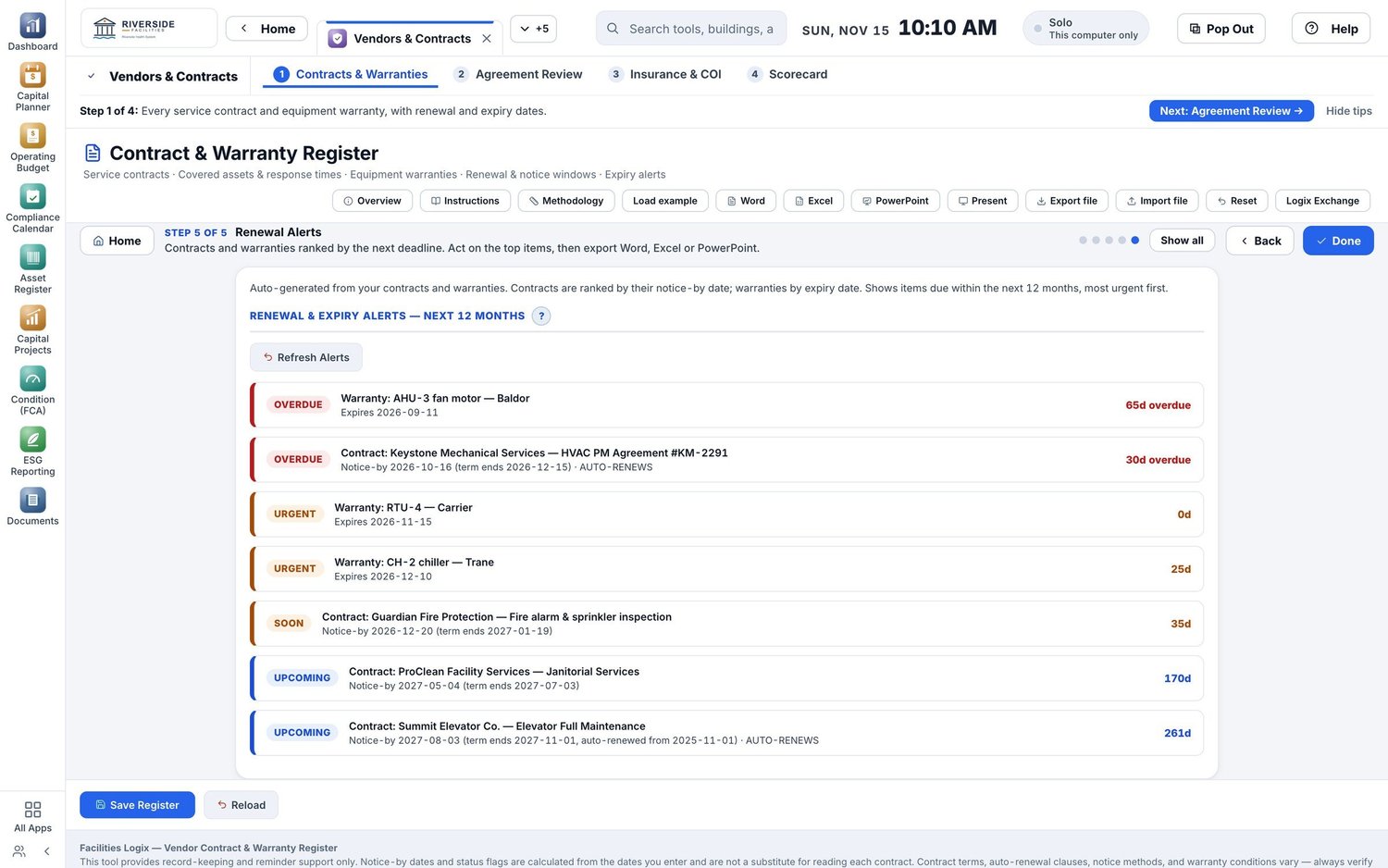
Renewal Alerts in Contract & Warranty Register: contracts and warranties ranked by the next deadline. Act on the top items, then export Word, Excel or PowerPoint.
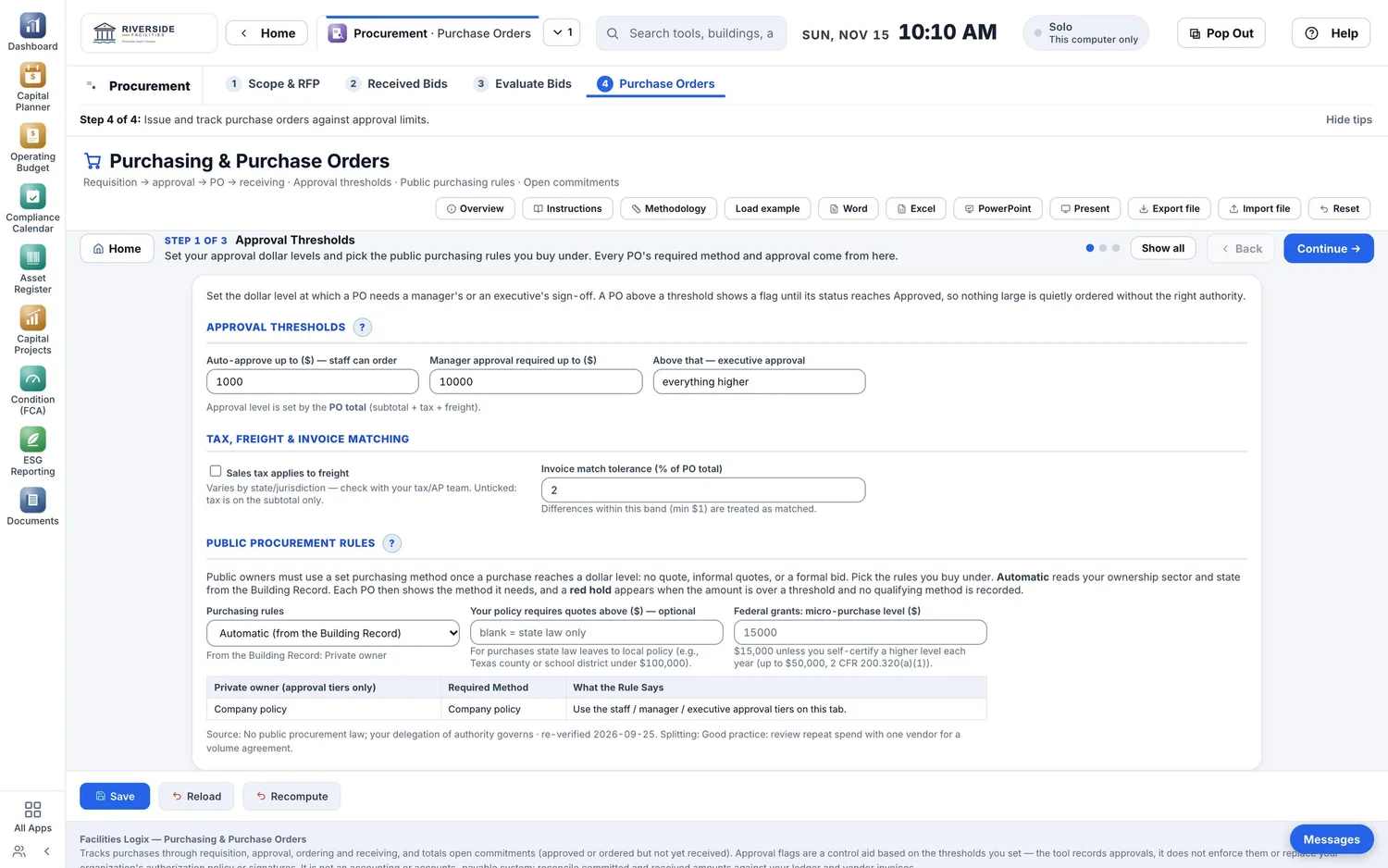
Know What a Publicly Funded Project Triggers Before You Bid It
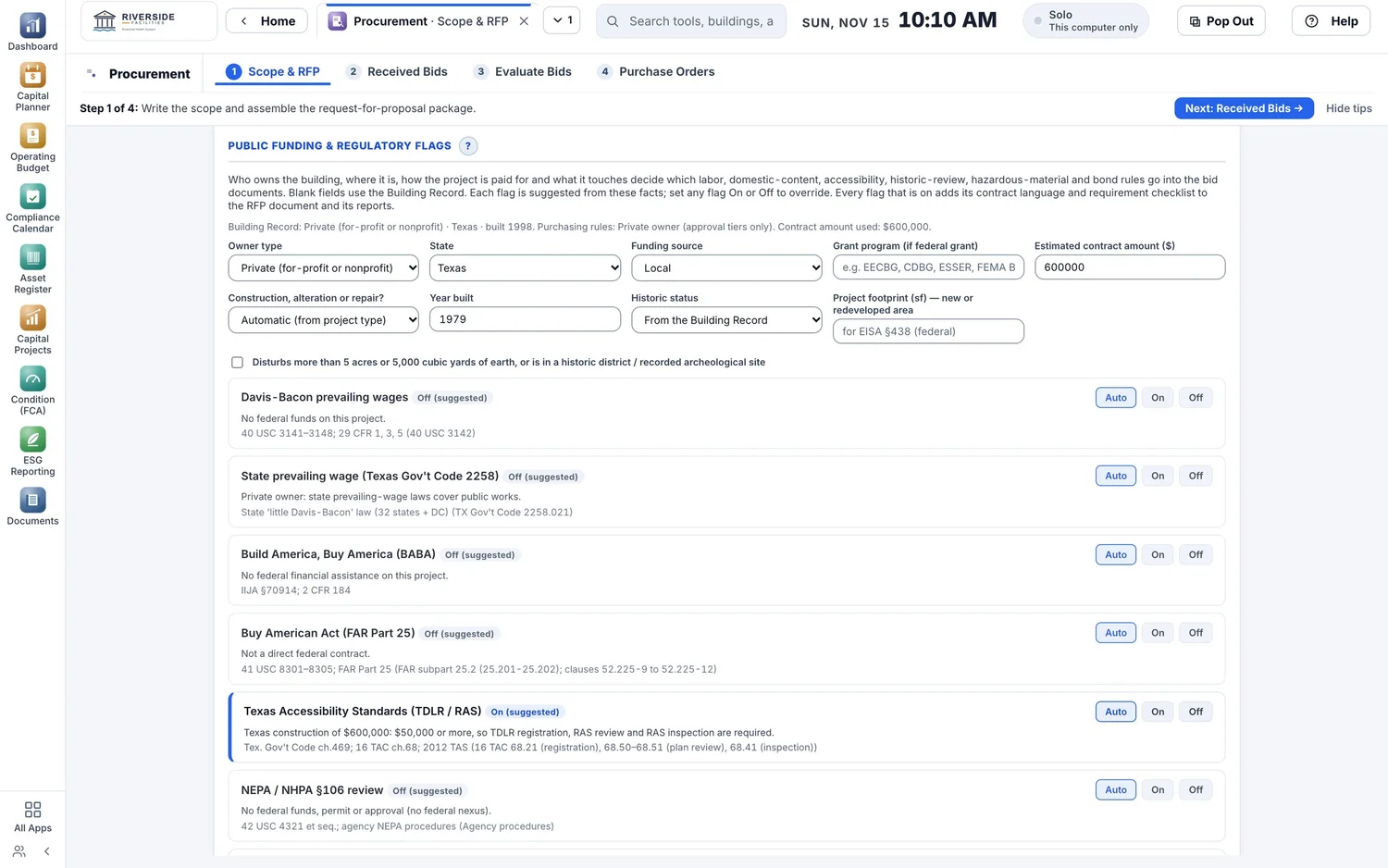
Public Funding and Regulatory Flags
From the sector, state, funding, contract amount, year built, historic status and footprint, the scope builder turns on what applies: prevailing wages, domestic-content requirements, accessibility registration and inspection, environmental and historic review, asbestos and lead surveys, stormwater rules and bonds. Each flag says why it is on, and your team can override it.
Carried into the Project
The flags that are on become a section of the RFP. One button sends the resulting milestones to the Capital Project Tracker and the required approvals to Permits & C of O, so the obligations follow the project instead of being rediscovered later.
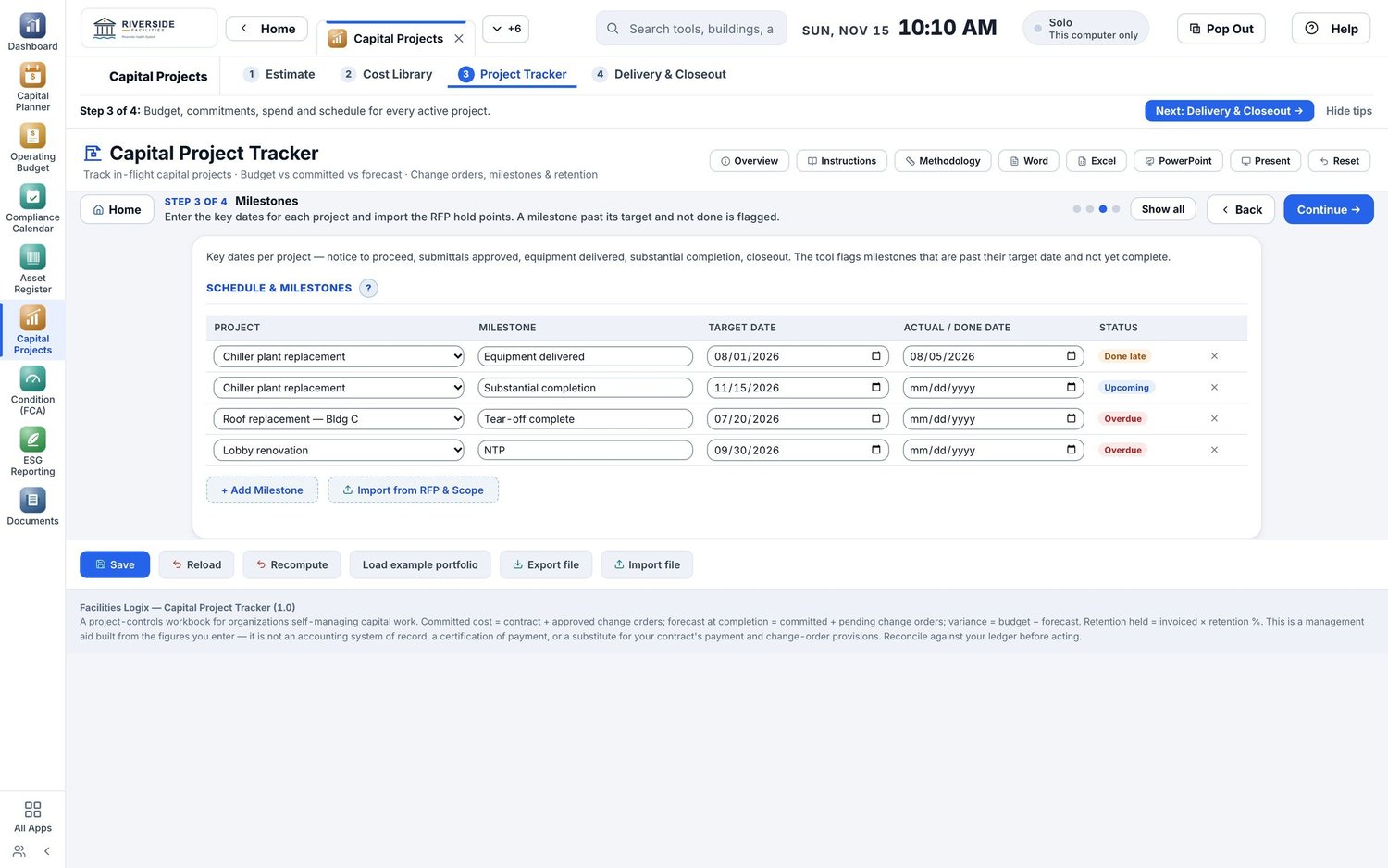
Milestones in Capital Project Tracker: enter the key dates for each project and import the RFP hold points. A milestone past its target and not done is flagged.
Frequently Asked Questions
Which public purchasing rules are built in?
Does the bid evaluation pick the contractor for us?
What if our own staff will do the work?
Do thresholds update on their own when the law changes?
Be First When Facilities Logix Opens
Stop chasing building records across spreadsheets and binders. Join the list and we will tell you the day downloads open, with setup guides ready.
Launching early 2027 for Facilities Logix. Nothing to buy today, and no sales calls.
