
Every Sold Job, Measured Against the Estimate It Was Sold On
A mechanical project makes or loses its money between the award and the last pay application. Project Command opens a job the moment a deal is awarded, with the estimate's own budget by cost code, and then tracks cost, labor productivity, schedule, procurement, commitments and billing against that budget. The foreman reports from a phone, the project manager sees it the same day, and leadership reads the same figures on the WIP schedule.
Launching Early 2027 · Join the Early-Access List
A Turnover That Carries the Whole Deal
Nothing rests on somebody's memory. Each handoff from sales to estimating to project management carries what it must, is accepted or returned naming what is missing, and is written to the activity log.
Go or No-Go, Scored
Before a larger deal goes to an estimator, 15 questions in five weighted groups score the customer, the fit, your capacity, your competitive position and the strategic value. The middle band is Leadership's call.
Estimate Review Before the Proposal
The reviewer sees the estimate's value, cost and margin with a 13-item checklist. Approval names the version, and the proposal must match it.
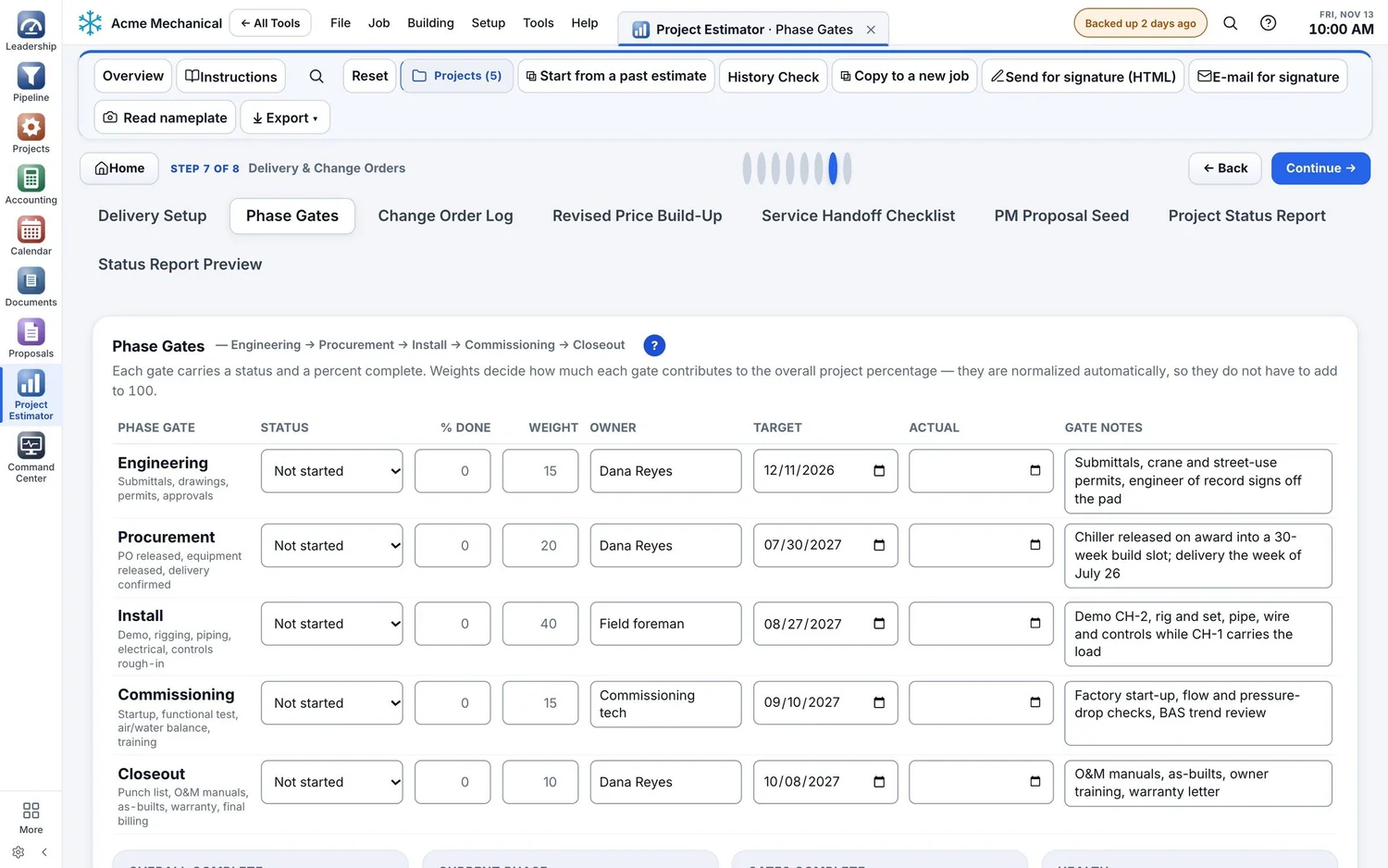
Jobs slip when phases start unready, so each phase gate has an owner, a target date and notes.
Contract Review and Turnover
Sales hands the project manager a 21-item contract review, the turnover meeting notes and the turnover packet, frozen as it was handed over. The project manager finds it under Turnovers Waiting for You.
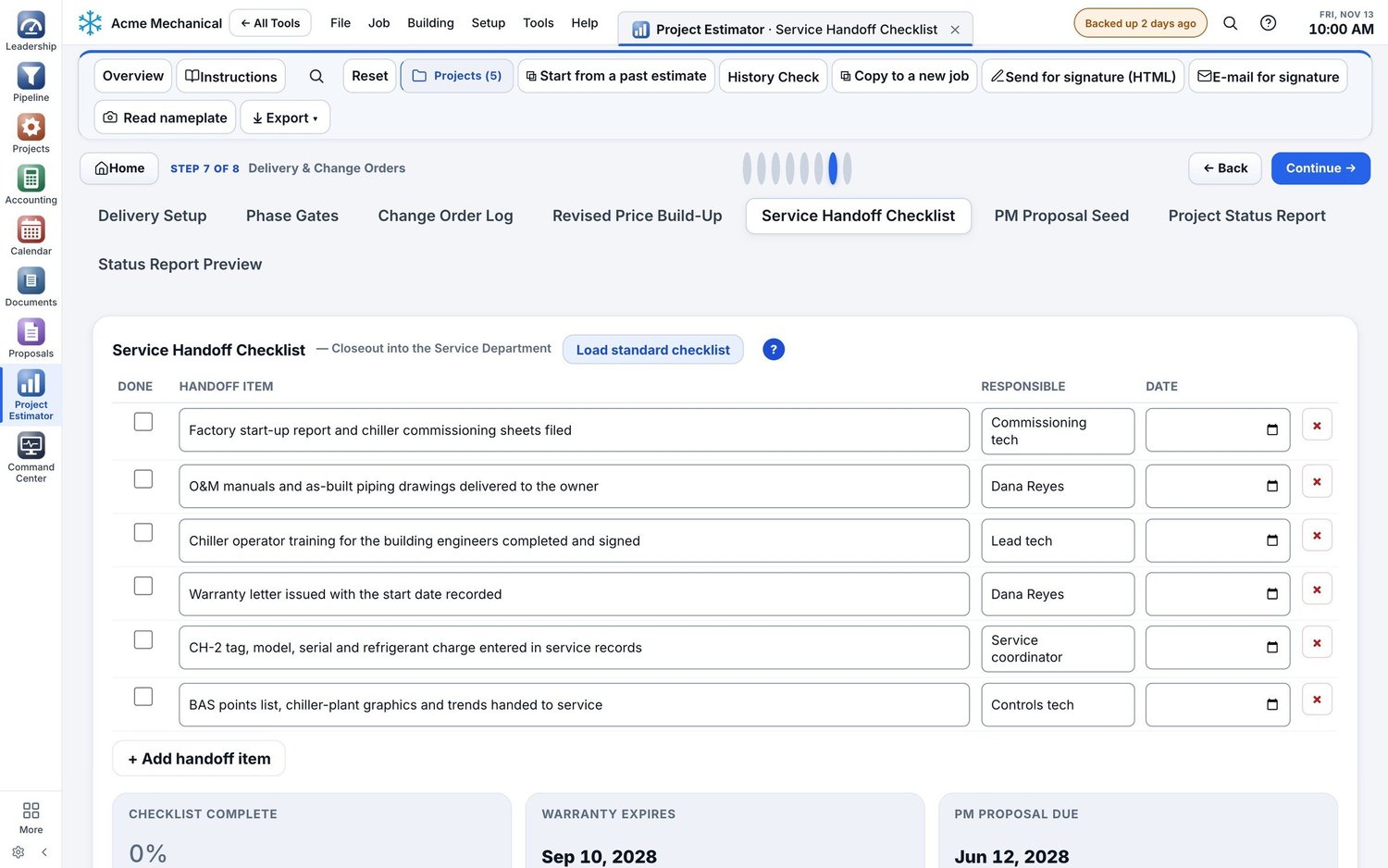
Handoffs miss steps when nobody owns them, so each turnover item has an owner and a date.
The Job Opens by Itself
When the opportunity reaches Awarded, a job opens with its job number, the customer, the building, the contract value and the estimate's cost breakdown by cost code, hours included. If the customer signed one option of several, the job takes that option's price and equipment.
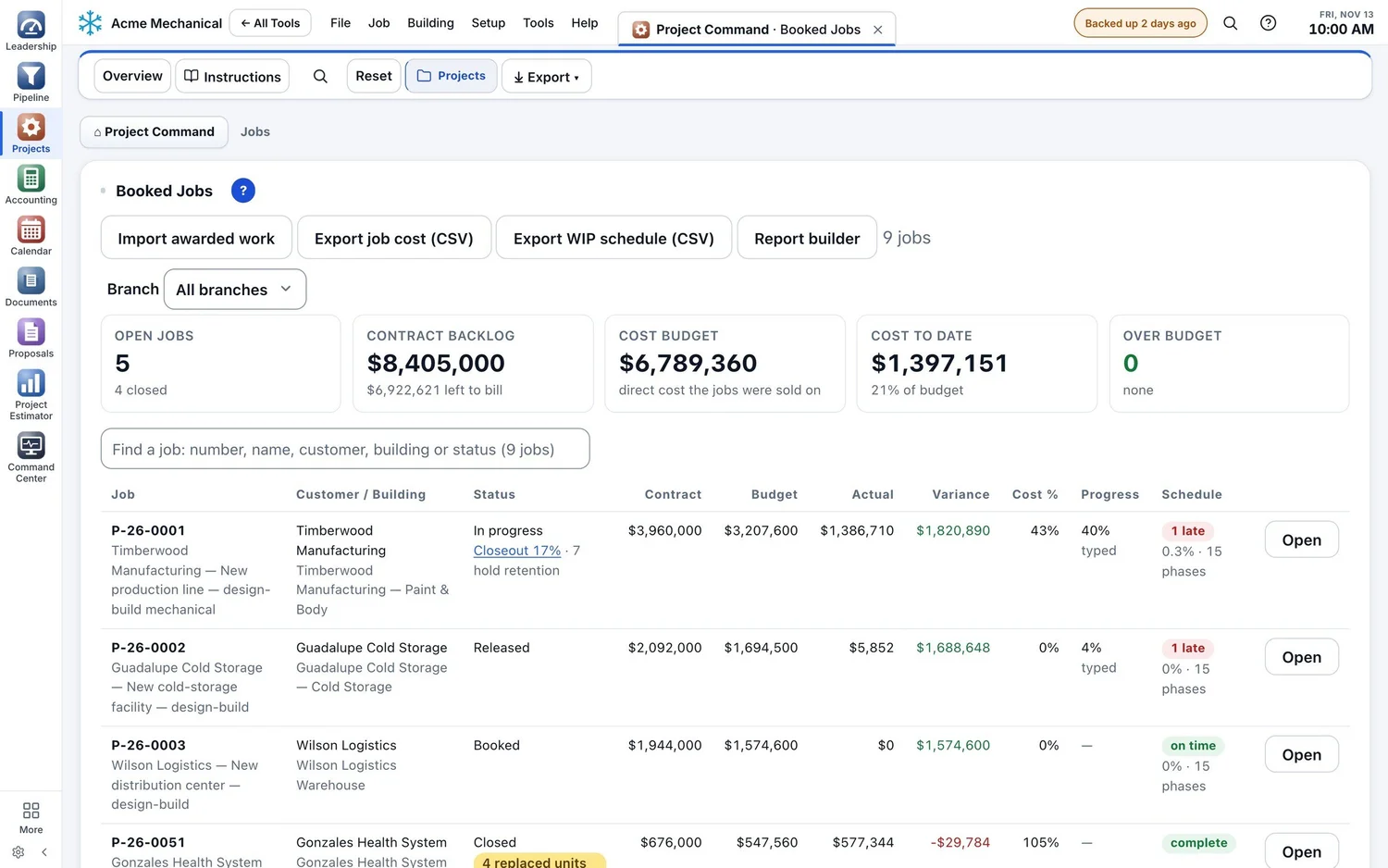
Retyping a sold job wastes a day, so awarded work opens as a job with its contract, budget and progress.
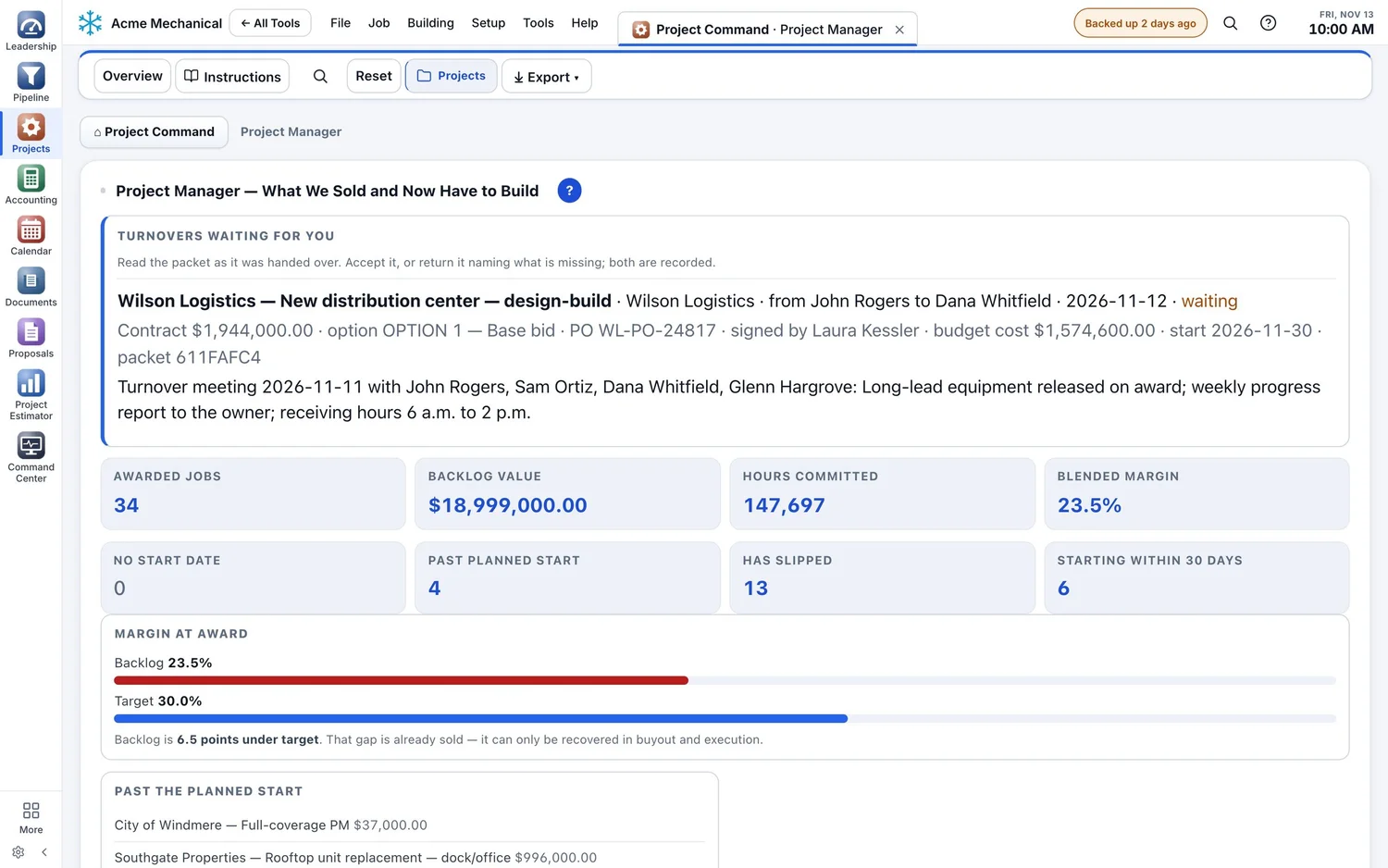
Details get lost when a sold job changes hands, so the project manager receives the full turnover to accept or return.
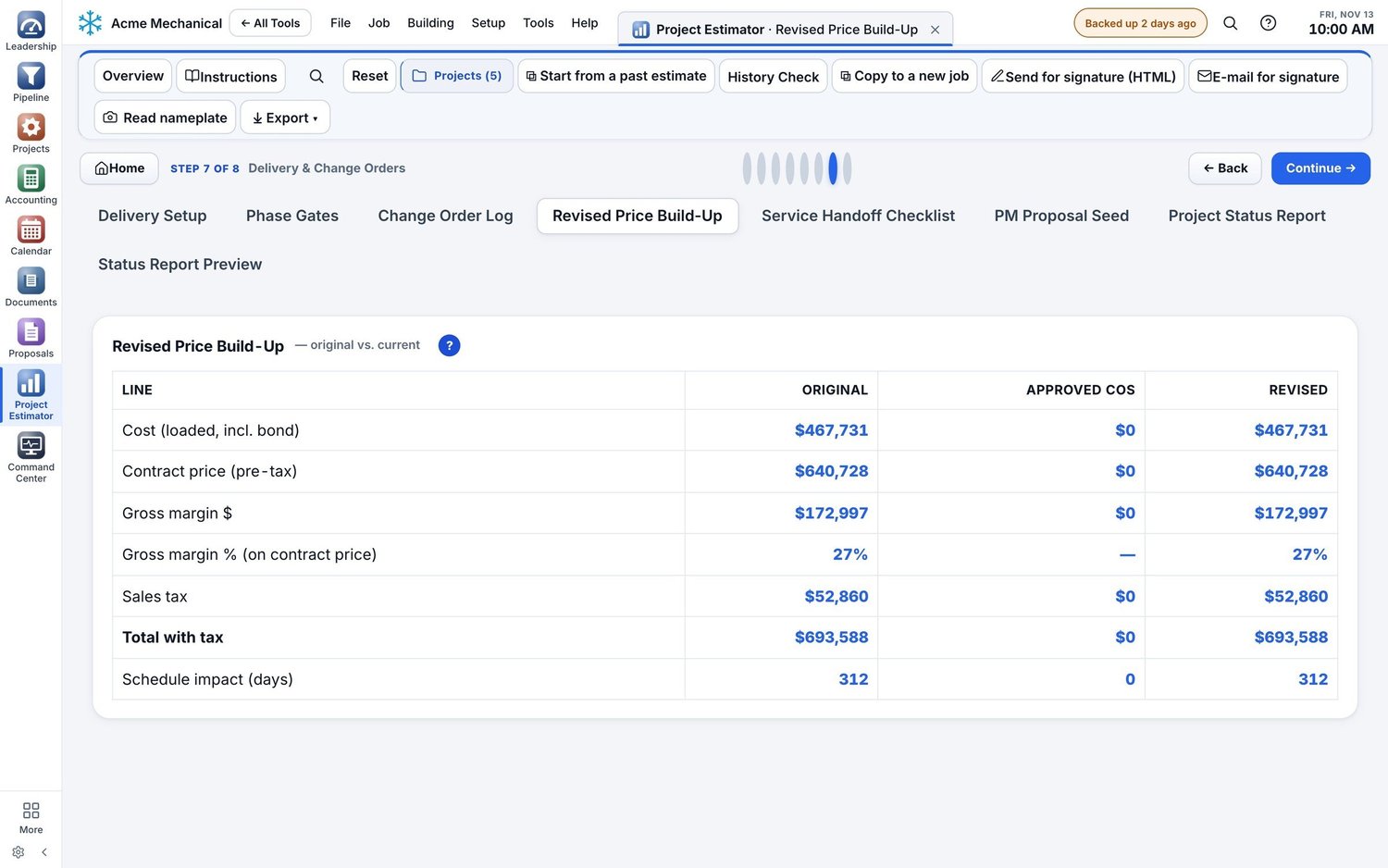
Cost, Labor and Commitments Against a Budget That Does Not Move
The budget is copied once, at the moment the job is booked. An estimate edited afterward cannot quietly move the number the field is measured against.
Cost by Cost Code
Actual cost and hours post against each cost code with variance and percent spent beside the budget. A code you are spending against that was never budgeted appears as its own row.
Learn MoreShow Less
A job that only reports invoiced cost looks healthy until the bills land together. Cost by code shows where the money is going while you can still act.
- Budget against actual by cost type: labor, material, subcontract, equipment and other.
- A split over a code's budget is refused.
- Money with no code reads "Not coded (from the books)," so nothing hides.
- Below 5% complete, cost at completion holds off instead of projecting noise.
- Profit at completion = contract minus cost at completion.
Labor Productivity
The estimate says how much of each scope there is; the field reports what is installed. Percent complete, earned hours, productivity and projected hours follow as arithmetic, by cost code, this week and to date.
Learn MoreShow Less
Productivity below 1.00 means the crew is taking longer than the estimate allowed, on that scope, this week, not at the end of the job. That is when a labor overrun can still be fixed.
- Earned hours = budget hours × percent complete, per code.
- Projected hours say where a code finishes at the current rate.
- Coverage shows how much of the budget is measured; below half, the typed percent is used.
- Forecast This Job From lets you choose either.
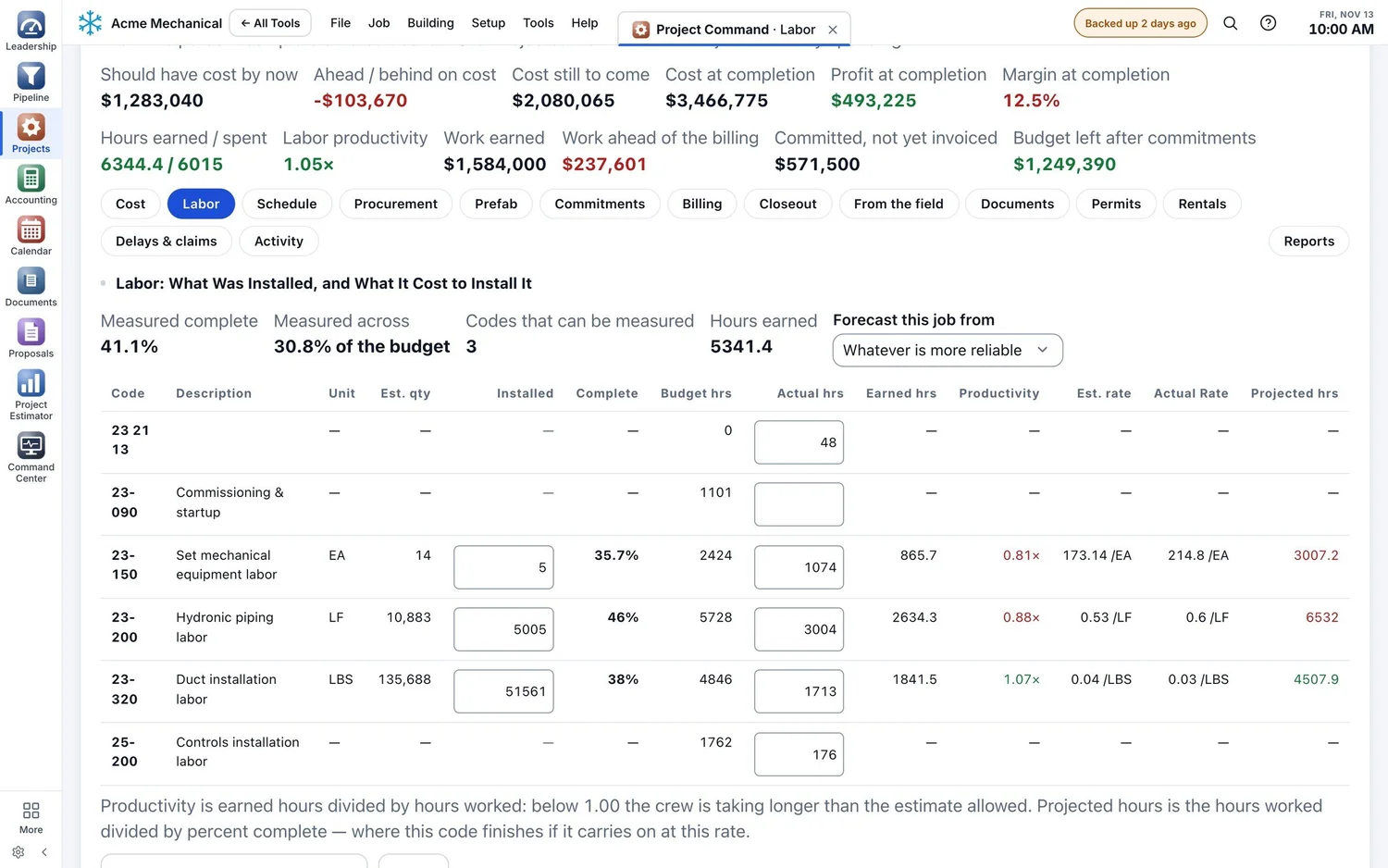
Hours alone do not show if a crew is behind, so installed quantities turn into earned hours and productivity.
The Weekly Labor Log
Post a week per cost code with hours worked, what they cost and how much was installed. A job can be fine to date and losing a day a week, and the two columns show the difference before the end.
Learn MoreShow Less
A weekly loss of a day adds up to a lost margin. The log turns productivity into a trend, so a slipping crew is seen in week three, not at closeout.
- A code with weeks posted takes its actuals from the log, so totals and detail cannot disagree.
- Where hours and cost imply a rate more than 25% from the estimate, the code is flagged.
- Switching to weekly posting mid-job neither double-counts nor loses earlier figures.
- Delete every week for a code and the earlier typed figure comes back.
Commitments
Purchase orders, subcontracts and rentals show as committed cost beside budget and actual, with the budget left after commitments. Purchase orders issued in Accounting for the job appear here on their own.
Learn MoreShow Less
A purchase order is money gone, even before the invoice arrives. Counting commitments shows what is really left to spend, so a job is not overspent on paper you have not seen yet.
- Open commitment = committed minus invoiced, per purchase order or subcontract.
- Budget left = budget minus cost to date minus open commitment.
- Invoiced amounts are already in actual cost, so they are never counted twice.
- Committed cost is one of the job's printed reports.
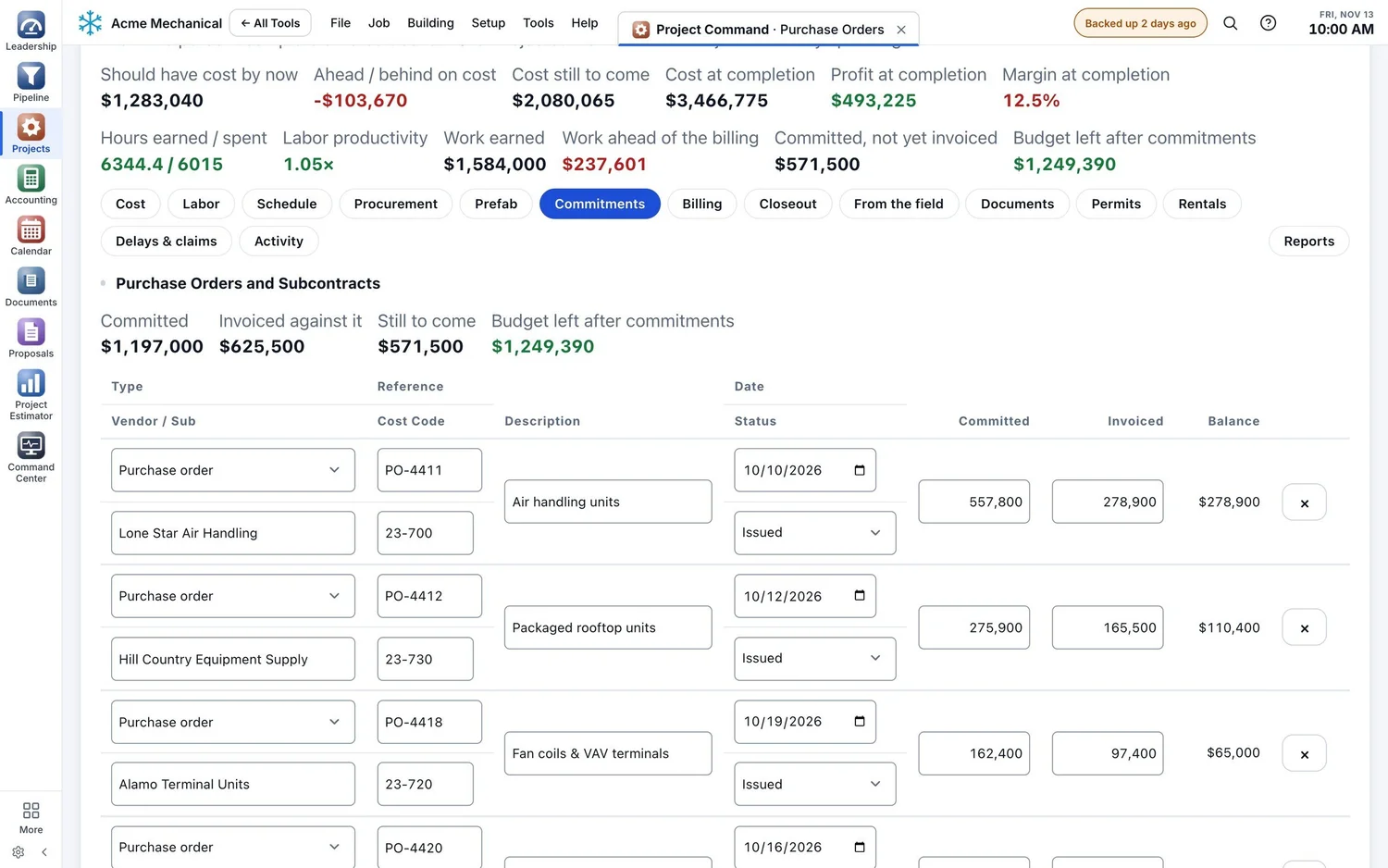
Purchase orders forgotten in a drawer wreck the forecast, so every commitment sits beside budget and actual.
Job Cost from the Books
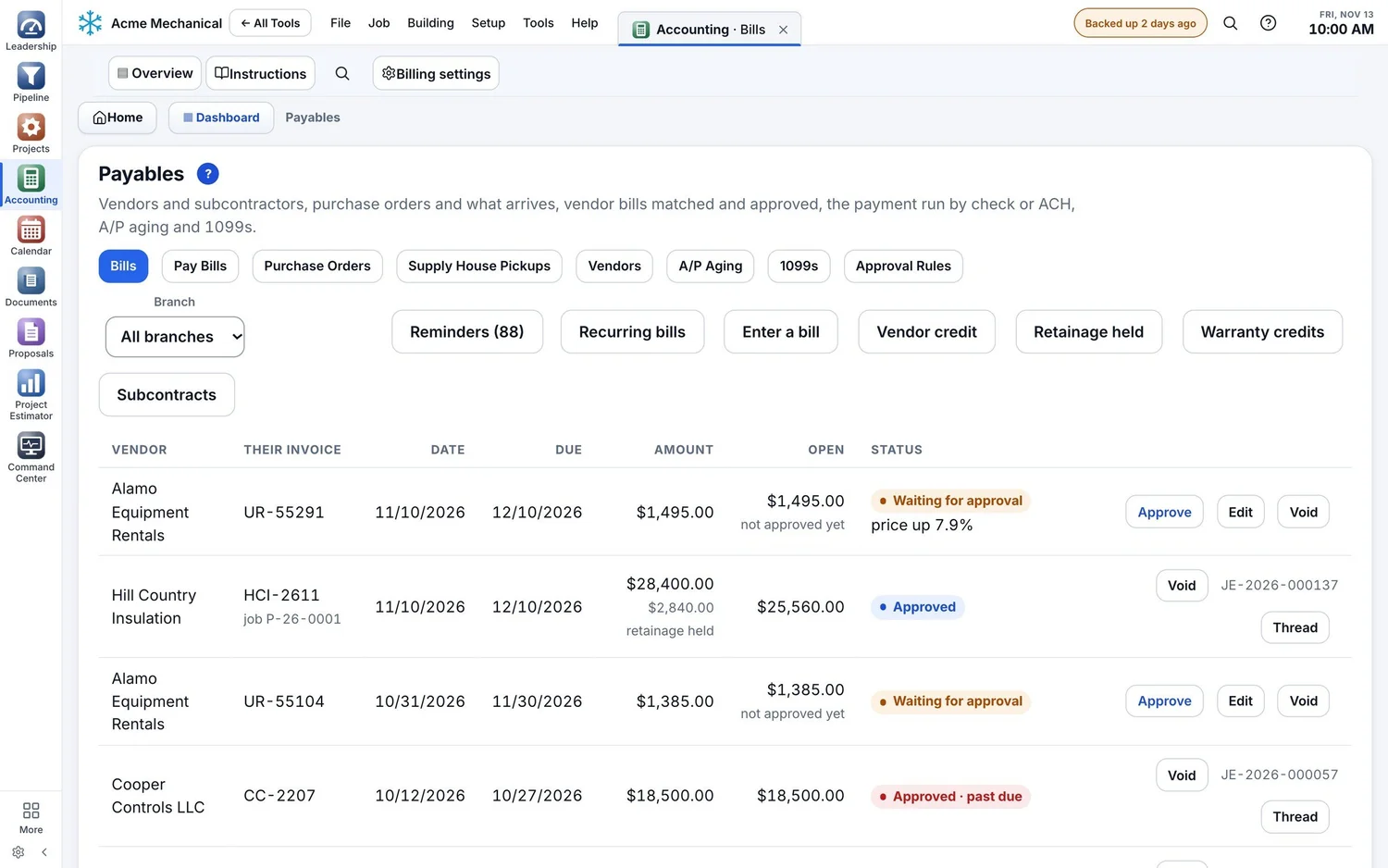
With the books kept in HVAC Logix, vendor bills, subcontractor bills and parts taken off the trucks join each code's actual cost. Crew hours from the foreman's daily logs count at the loaded rate until payroll posts actual cost.
Learn MoreShow Less
Job cost that waits for someone to re-enter bills is always late and often wrong. Posting from the books makes each code's actual current as the work is paid.
- A cost code the books have and the budget does not appears as its own row.
- Billed to date counts sent documents only; a draft is not billed and a void never was.
- Field hours go to the crew line's code, priced at the loaded rate including overtime premiums.
- With nothing measured, the job can take the foreman's latest daily-log percent, and says so.
Buyout
The Buyout desk tracks each item bought against its estimate: gain or loss, what is still open by need-by date, requests for quotation, a negotiation log per vendor and blanket purchase orders across jobs. Savings reach the forecast once, or are held in contingency.
Learn More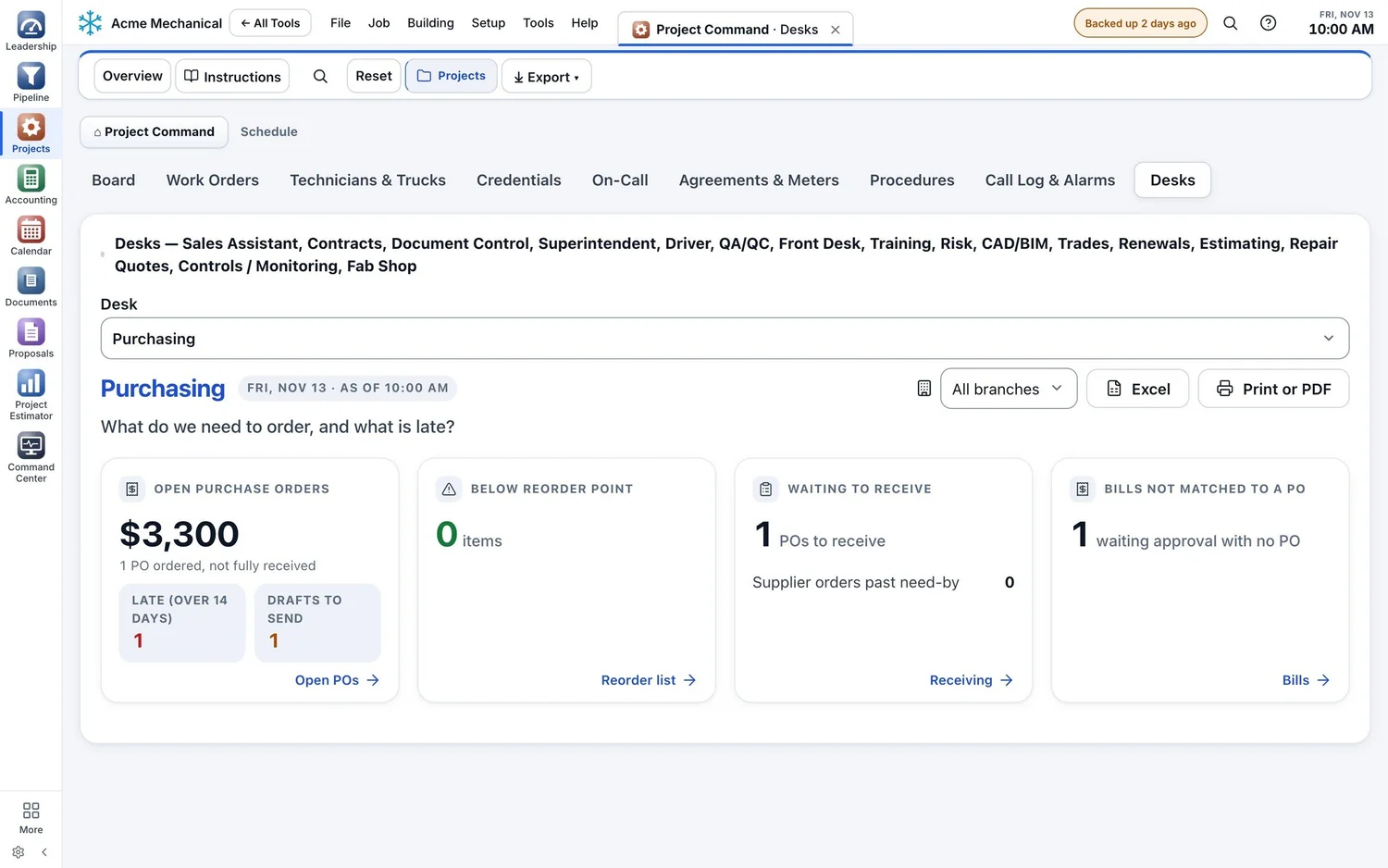
Late orders stall a job, so the purchasing desk shows what is open, due to arrive and waiting on a bill.
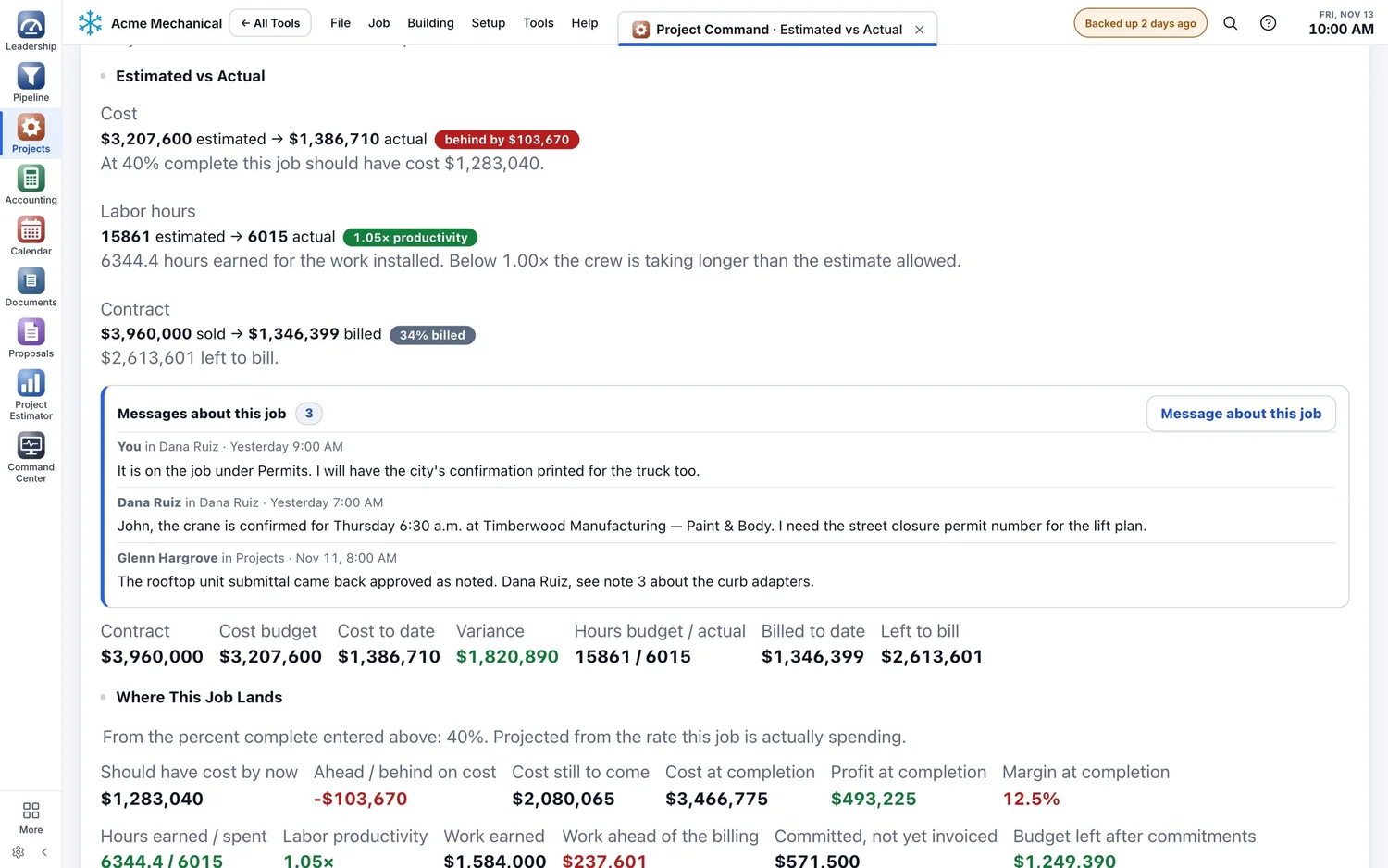
A job can look fine until it is too late, so cost, hours and productivity are measured against the booked budget.
A Schedule Built from the Estimate, and the Dates Nobody Computes
Build It from the Estimate
One phase per cost code in the order the work happens, from demolition and rigging through piping, sheet metal, controls, balancing and start-up. Each phase's length comes from its estimated hours at the crew size you set.
Learn MoreShow Less
A schedule typed from scratch takes hours and drifts from the estimate. Building it from the budget makes the plan match what was sold.
- Phase length = budget hours ÷ (crew × 8 hours), on workdays, at least one day.
- Every date, name and code stays editable; add your own phases and milestones.
- Add Missing Items brings in a code added later without disturbing your arrangement.
- Milestones track baseline, forecast and actual dates and whether they release money.
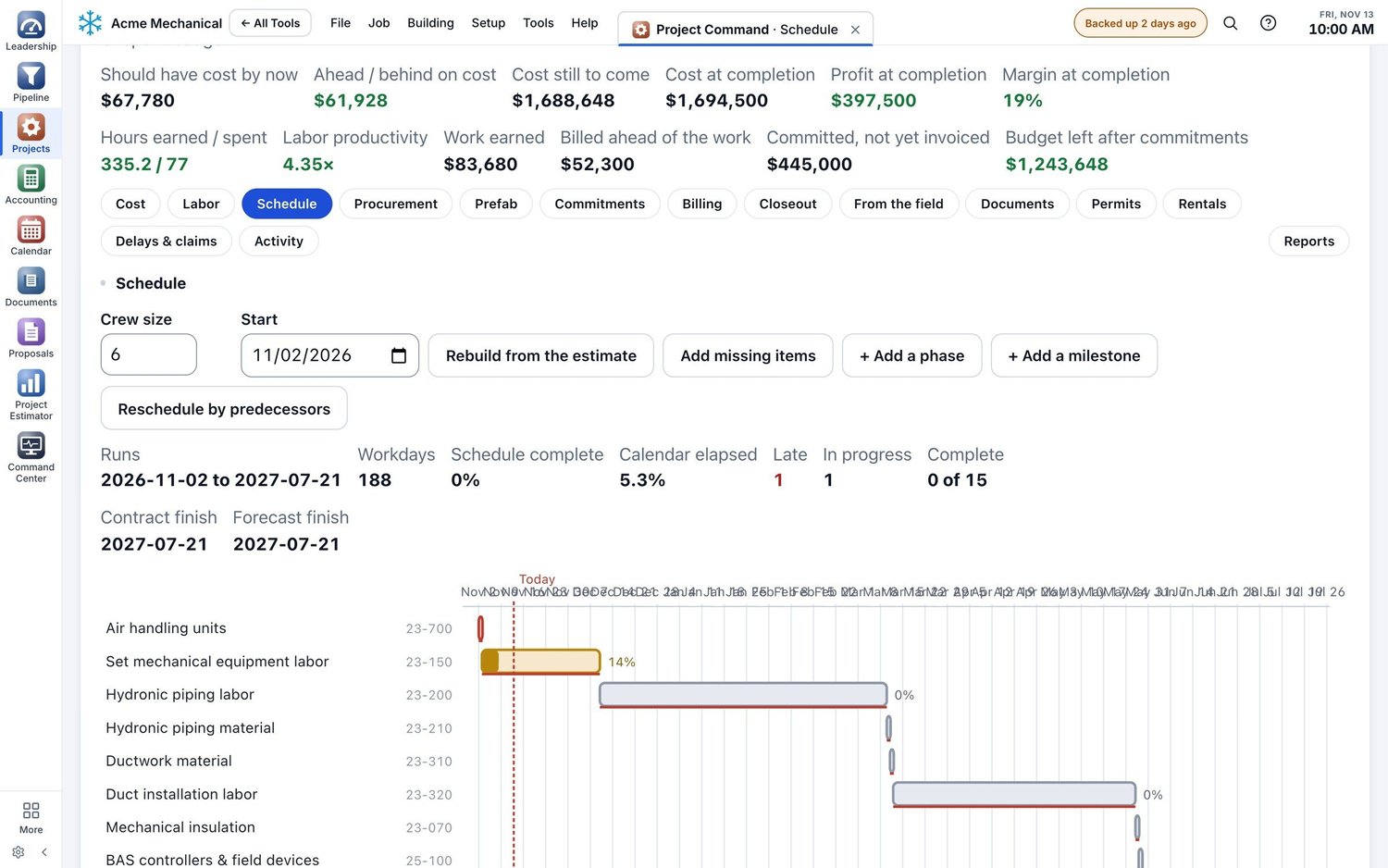
Building a schedule from scratch takes hours, so phases come straight from the estimate's cost codes.
The Gantt Chart
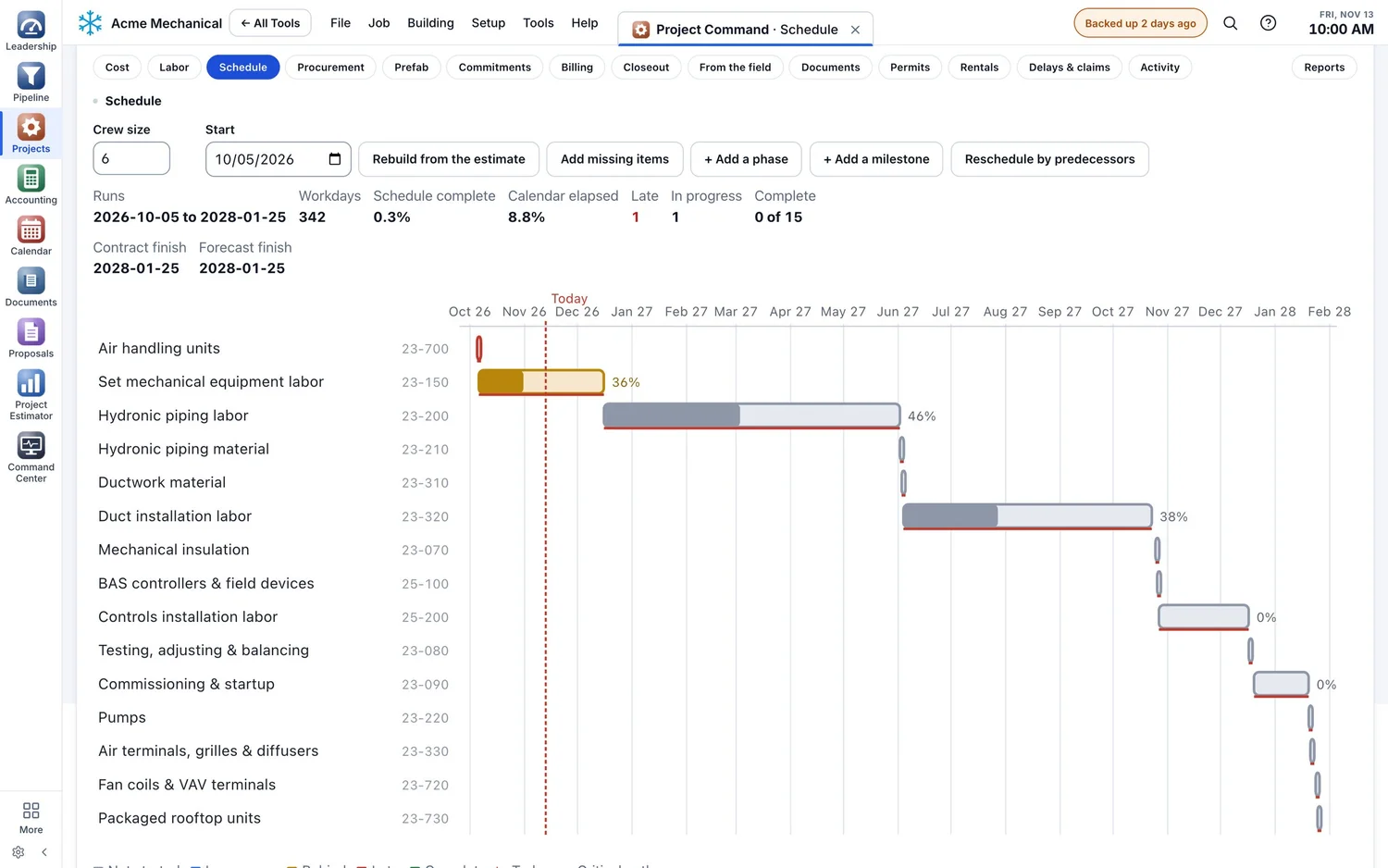
One bar per phase on a real calendar, milestones as diamonds, each bar filled to the percent complete the field measured. Predecessors push successors out and the phases that set the end date are marked.
Learn MoreShow Less
A day lost on the critical path is a day lost on the job, and often liquidated damages. The chart shows which phases set the finish, filled by what the field measured.
- Bars are colored not started, in progress, behind the calendar, late or complete.
- Schedule complete, weighted by hours, sits beside calendar elapsed.
- Rescheduling only pushes work later and never changes a phase's length.
- Two phases that would wait for each other are refused when picked.
Contract Finish Against Forecast Finish
Contract finish includes the days on approved change orders. Forecast finish is what the schedule shows. Both are on screen with the gap between them.
Learn MoreShow Less
A job is in trouble the moment these two dates stop agreeing, usually long before anyone says so. Seeing the gap early protects your margin and your claim for time.
- Days on change orders nobody has signed are counted separately, never folded in.
- Forecast finish follows the predecessors and the critical path.
- Delay notices and time-extension letters are kept on the job.
- A late milestone shows on the job's health and on the calendar.
The Three-Week Lookahead
The sheet a foreman's meeting runs on: what starts, what finishes, what is late and what is behind the calendar, week by week. It prints.
Learn MoreShow Less
A crew waiting on material or another trade is paid time with nothing installed. The lookahead puts the next three weeks in front of the foreman's meeting, so idle time is avoided.
- Built from the same schedule and field-measured progress as the Gantt chart.
- Late milestones are flagged on the job and the calendar.
- Prints on your letterhead and exports to CSV.
- Included when you print the full job report.
Submittals and Long-Lead Items
Log each submittal and long-lead item against the phase it feeds with its lead time. The screen works out the date it must be on site and the date it must be released, and flags anything past its release date.
Learn MoreShow Less
A mechanical job is rarely late because the crew was slow; it is late because the air handler was released in week nine instead of week three. The procurement log catches that while there is still float.
- Release-by = on-site date minus lead weeks minus 7 days of float.
- Arrives After It Is Needed compares the ship date against the on-site date.
- Submittals carry a reviewer, review days and the ball in court.
- Revise-and-resubmit sends the next revision with history kept.
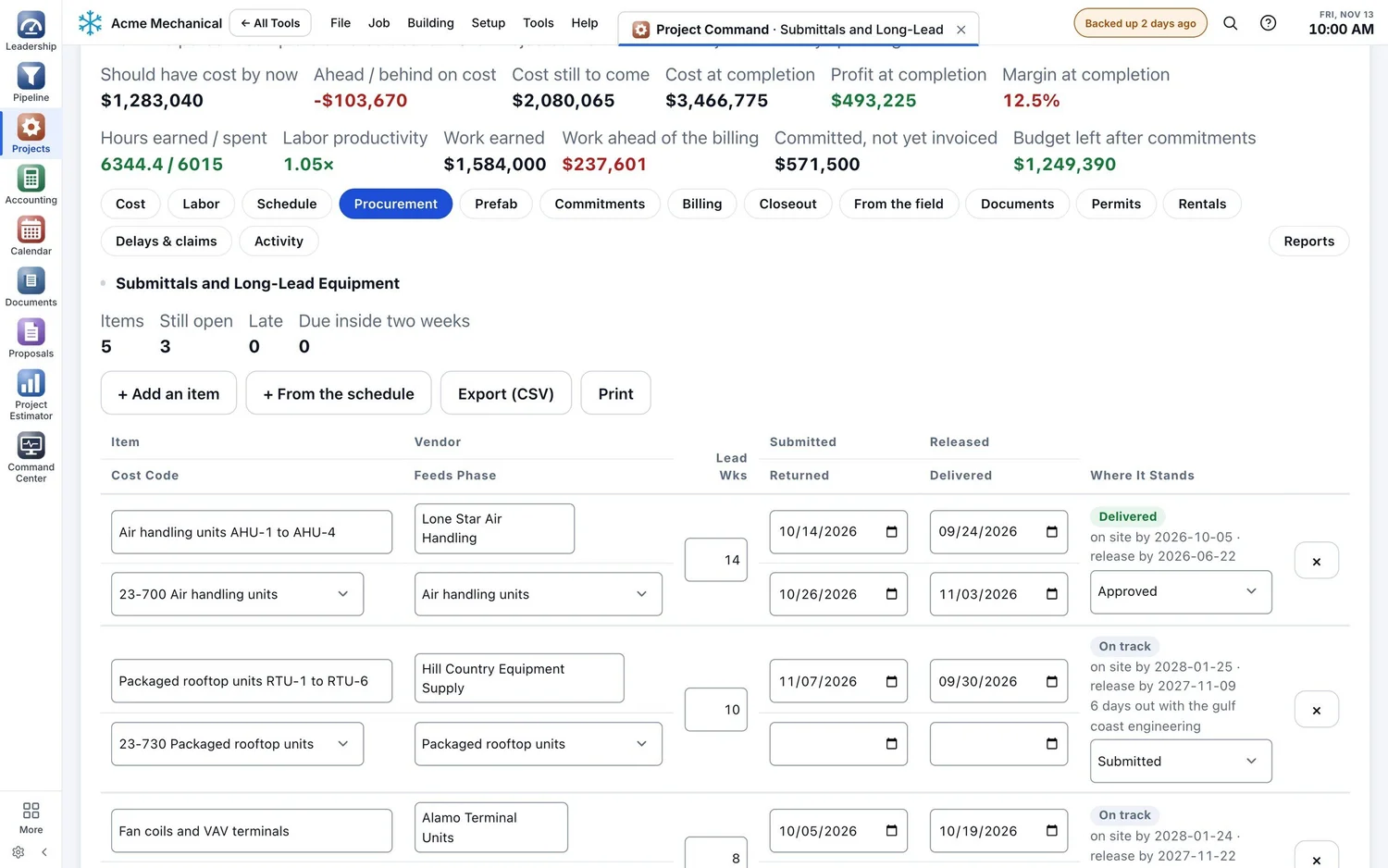
A late chiller can stop a job, so each submittal and long-lead item shows when it must be released.
Prefabrication
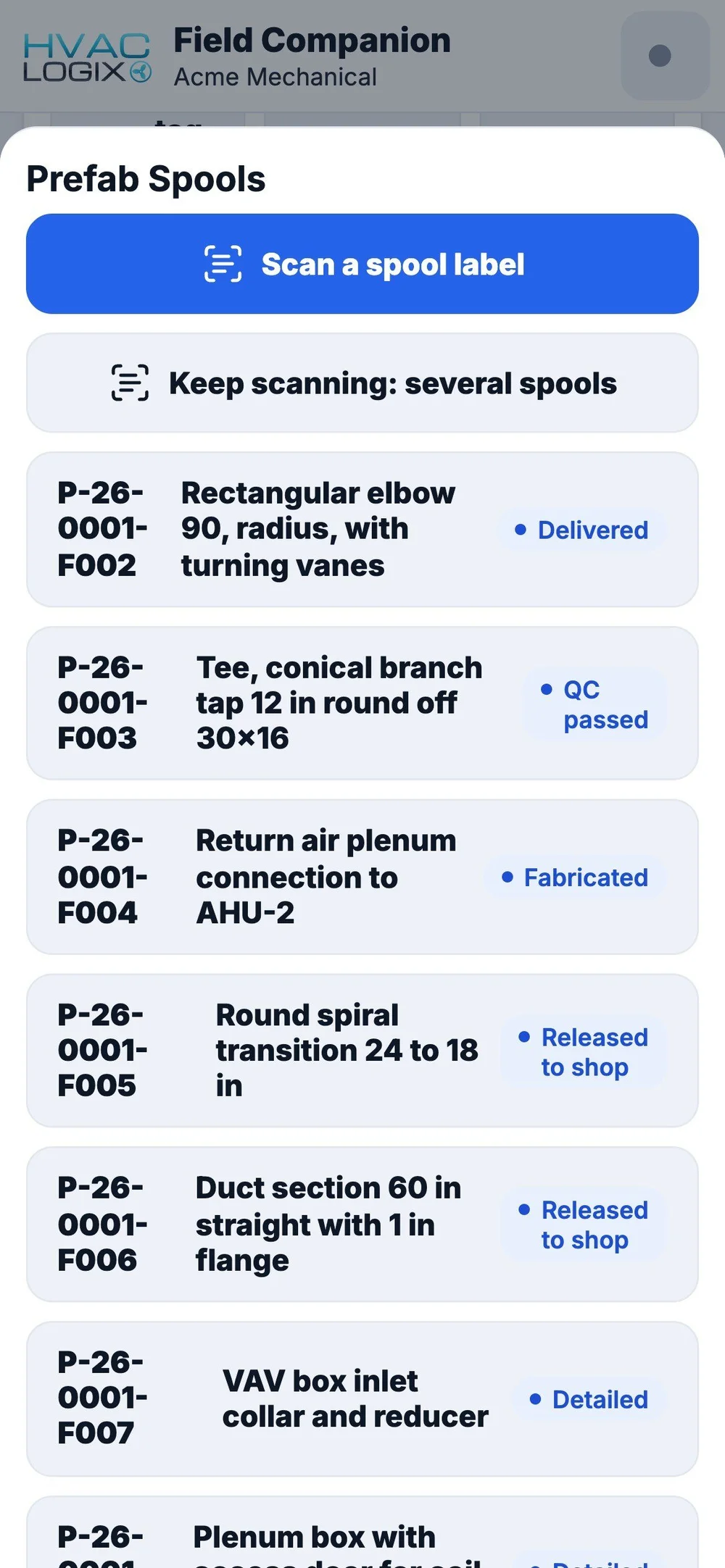
Spools and shop assemblies are tracked from Detailed to Installed, with printed labels scanned at the shop or on a phone, a bill of materials imported from your detailing program's CSV, and shop hours posted to the job's labor log.
Learn MoreShow Less
Shop work that is not tracked is shop hours nobody bills and spools that arrive late. Prefab tracking ties each assembly to its need-by date and its cost.
- Steps: Detailed, Released to Shop, Fabricated, QC Passed, Shipped, Delivered, Installed.
- A spool needed on site and not delivered is listed late; need-by dates sit on the calendar.
- Materials come from the estimate, with a warning when spools use more than it carried.
- QC Failed sends a spool back to the shop, flagged until it passes.
Planned, Earned and Spent on One Chart
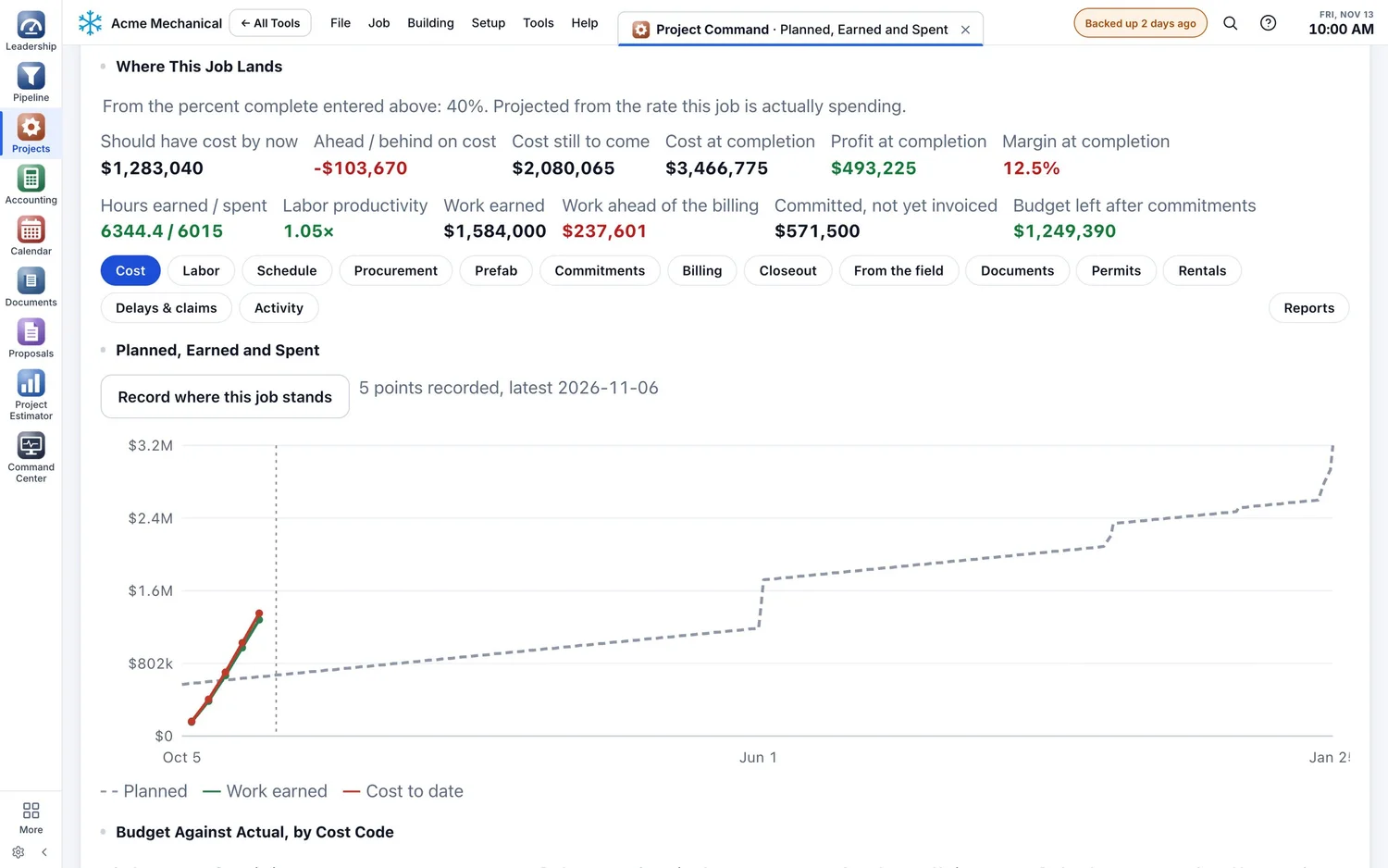
A job can spend to budget and still finish a month late. The job's Cost tab draws three lines: what the schedule says it should have cost by now, what the installed work is worth at estimate prices, and what it has really cost. Record Where This Job Stands once a week to add a point. No line is drawn without the schedule or the recorded points behind it.
Learn MoreShow Less
Spending to budget is not the same as being on schedule. The curve shows both at once, so a late job is caught before its overrun becomes a loss.
- The schedule line spreads each phase's budget over its own workdays.
- Earned and spent are the dated points saved each week.
- A phase with no budget adds nothing rather than an assumed share.
- Work earned = contract × percent complete.
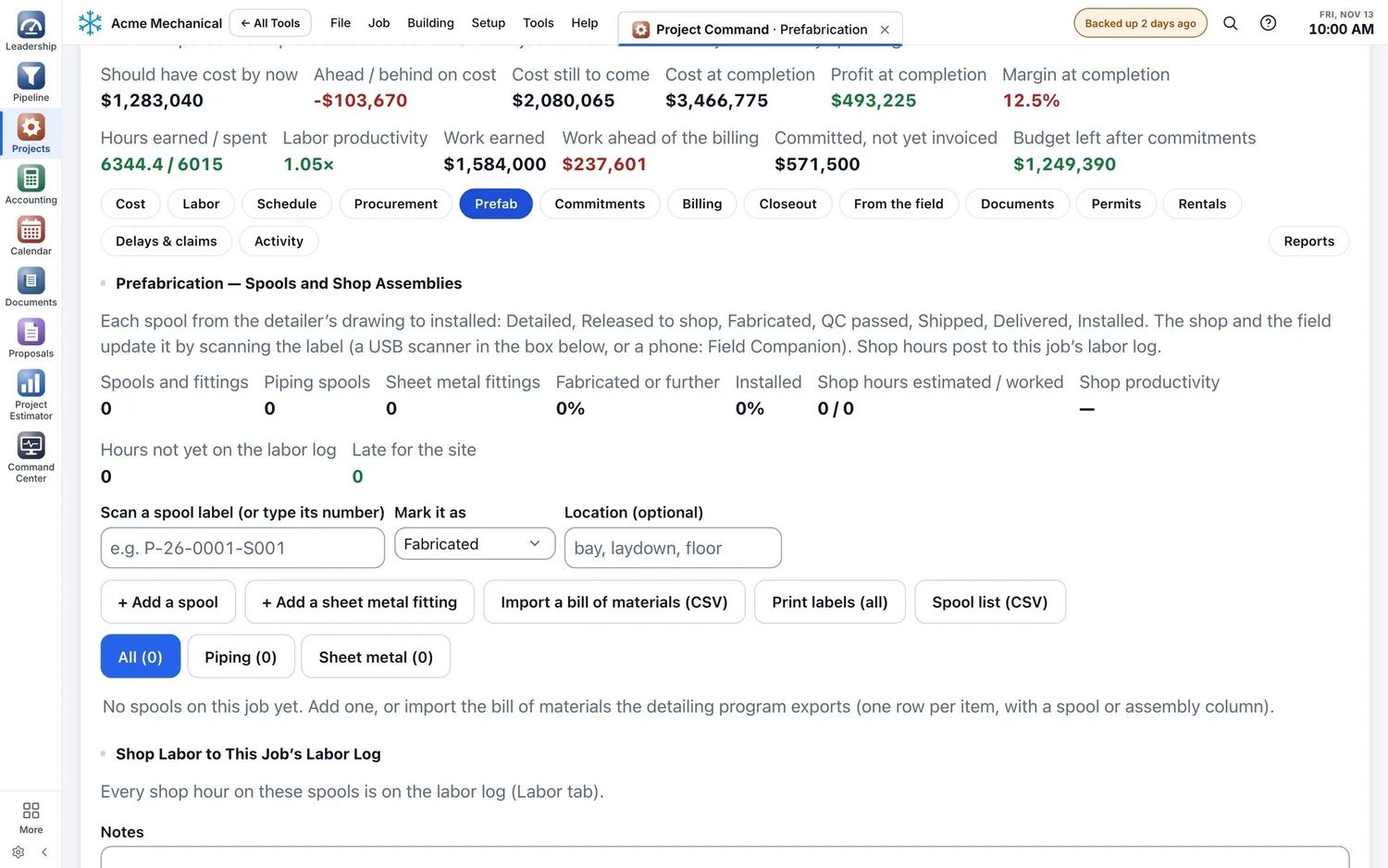
Shop spools get lost between shop and site, so each one is tracked from detailed to installed.
What the Foreman Sends from the Job Site
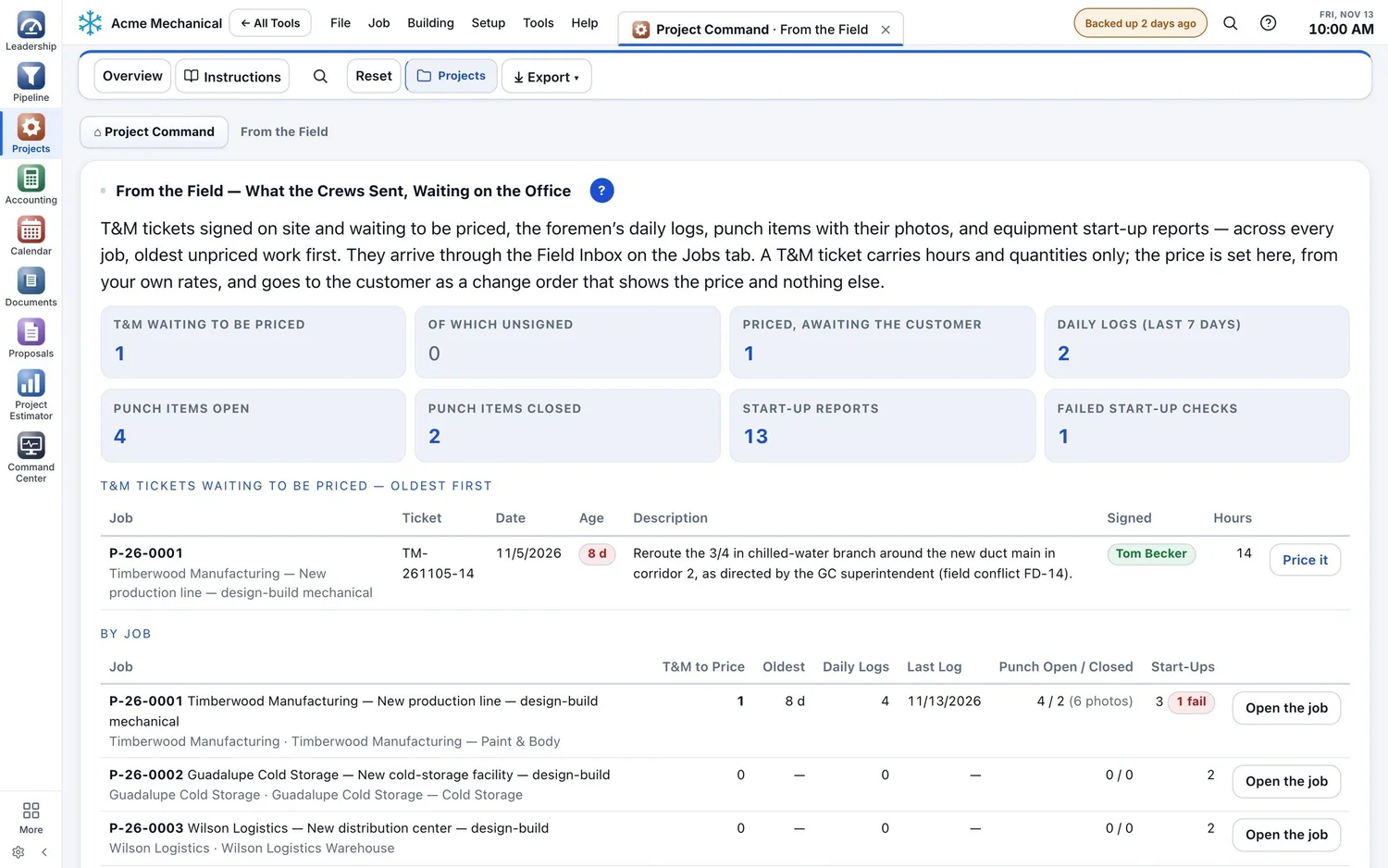
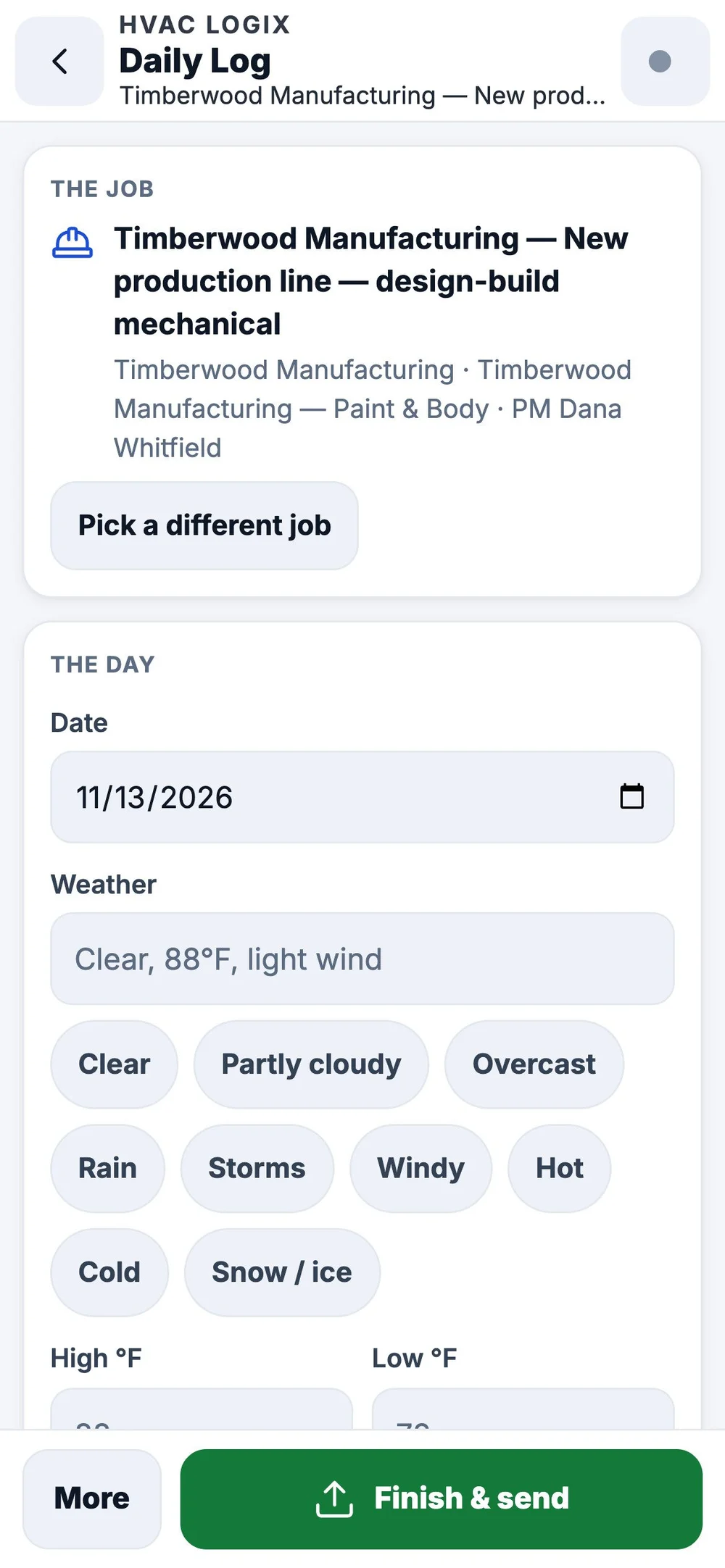
On the phone, Project Job lists the crew's active jobs. Everything works with no signal, no price ever goes to a phone, and the office gathers each job's records under From the Field.
Daily Records
- Daily log: crew and hours, weather and hours lost, work done, percent complete, delays and their cause, deliveries, inspections, other trades on site, photos and the foreman's sign-off
- T&M and change-order tickets with labor, materials and rental, signed by the customer or general contractor on the phone, or recorded honestly as unsigned
- Punch list items with location, who is responsible and photos; an item closes with a photo
- Start-up and commissioning reports by unit type, each item pass, fail or N/A, with readings and a signature
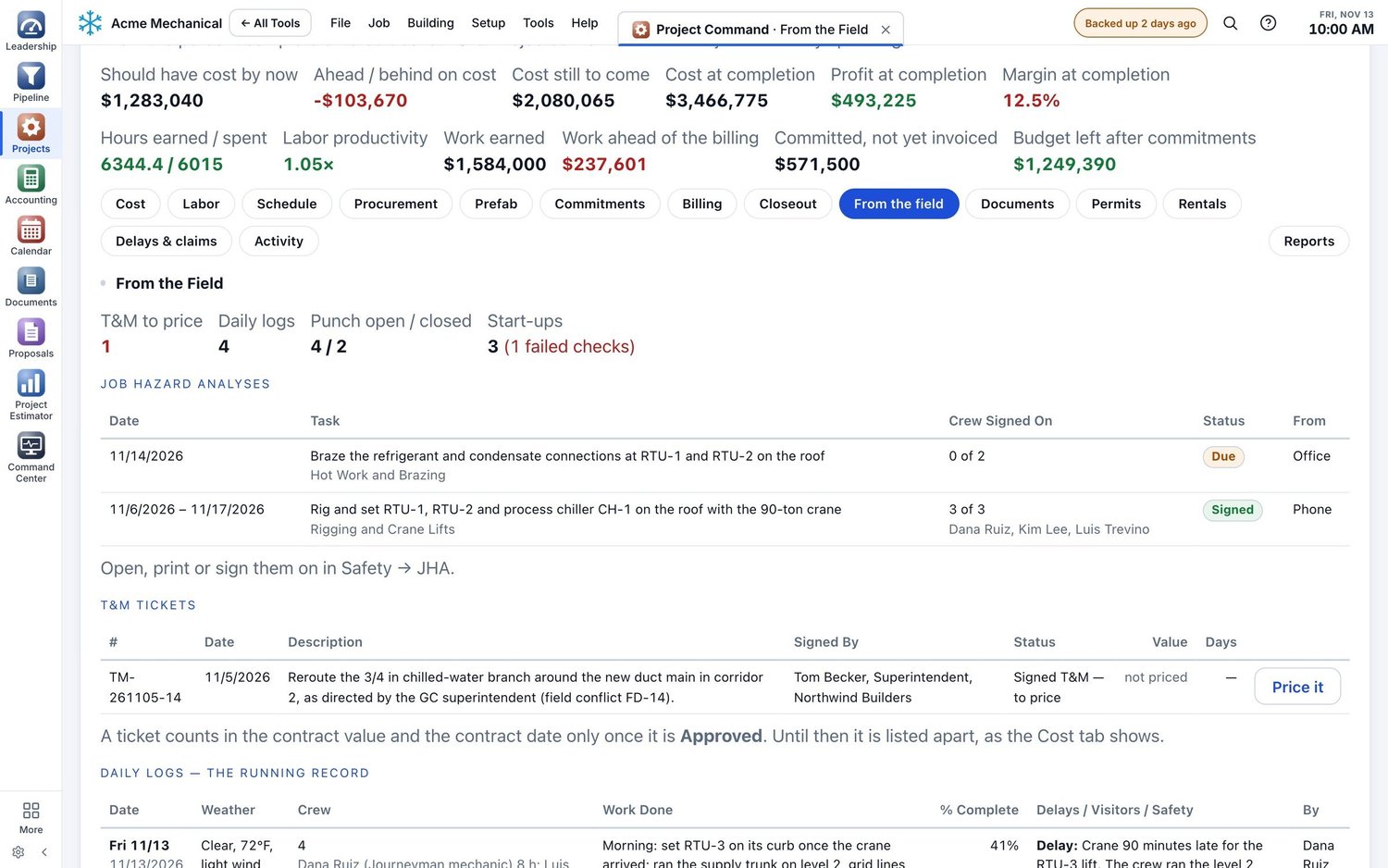
Field paper arrives days late, so tickets, daily logs and punch items land on the job as they are sent.
Drawings and Questions
- The current drawing set on each phone on the job, every sheet marked with its latest revision
- A superseded sheet opens under a red banner naming the current revision
- Ask the Office a Question with the sheet, the location and marked-up photos
- The project manager answers the crew, or makes it an RFI with the job's next RFI number; the official answer goes back to the crew
Quality and Crew
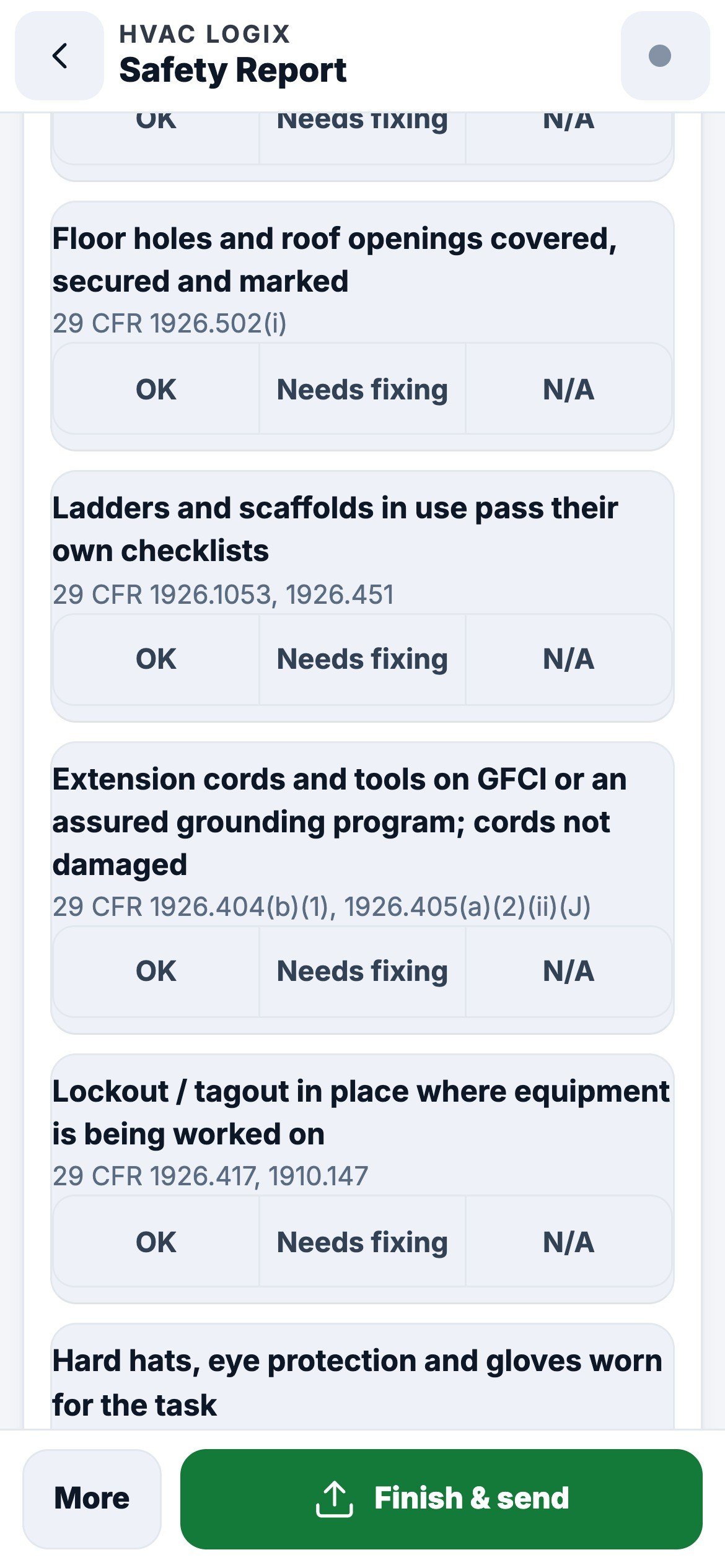
- QC checklists for pre-cover inspection, piping pressure test, duct leakage test and refrigerant line test, with the result worked out from the readings, never typed
- Specialist trade forms on the start-up report, such as weld logs, backflow test reports and medical gas verification
- The foreman's crew plan for tomorrow, sent to the schedule board
- Crew time by kind of time and cost code, brought onto each person's week as timecard suggestions; a superintendent approves the crews' timecards on their own jobs
- Material requests from the job, picked and delivered by the warehouse
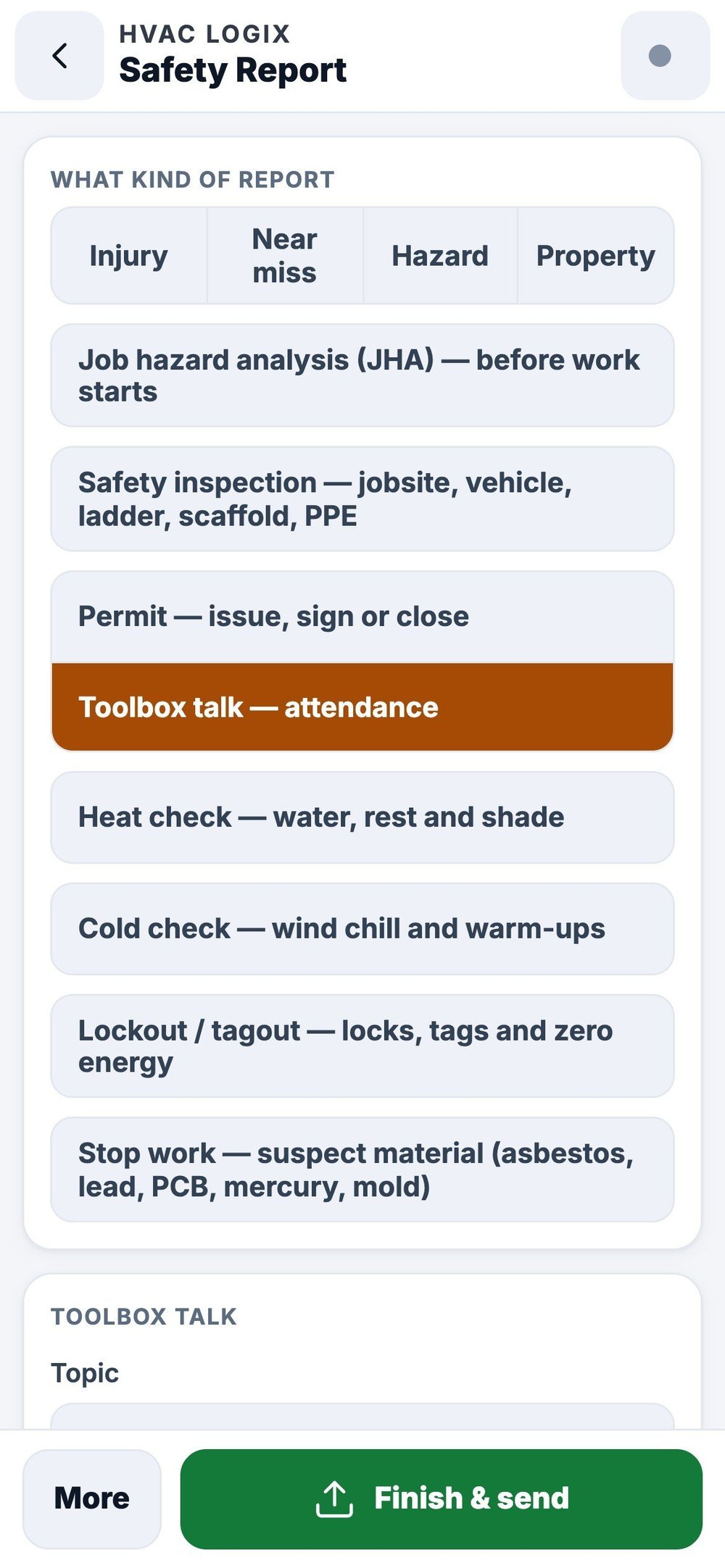
Crew talks are easy to skip, so the foreman records the topic and who attended on the phone.
One Log for RFIs, Change Order Requests and Change Orders
From RFI to Change Order Request
Each RFI carries who has it, the drawing and specification references, the answer due and the responses. When an answer changes the work, one button raises a change order request in the same log as the field T&M tickets.
Learn MoreShow Less
An RFI answer that changes the work and never gets priced is free work. One log keeps RFIs and change orders together, so every change reaches the contract.
- RFIs past their answer date are shaded and marked overdue.
- Cost and schedule impact are Yes, No or Not Known; price is set on the change order.
- Statuses run from To Price through Approved, Rejected or Void.
- Field questions from the phone can become RFIs with the job's next number.
Priced from Your Rate Card
Price It opens a field ticket priced from your rate card: loaded labor by classification, overtime, markups, materials and rental, every line showing its working. The document the customer receives shows price only.
Learn MoreShow Less
Extra work priced days later, from memory, is extra work given away. Pricing the signed field ticket from your rate card captures the full amount.
- The foreman records labor by person, classification and hours; the customer signs on the phone.
- A refusal is recorded honestly as Unsigned, and unsigned tickets are flagged.
- The phone never shows a price.
- The project manager adjusts and approves; it then moves contract value and schedule days.
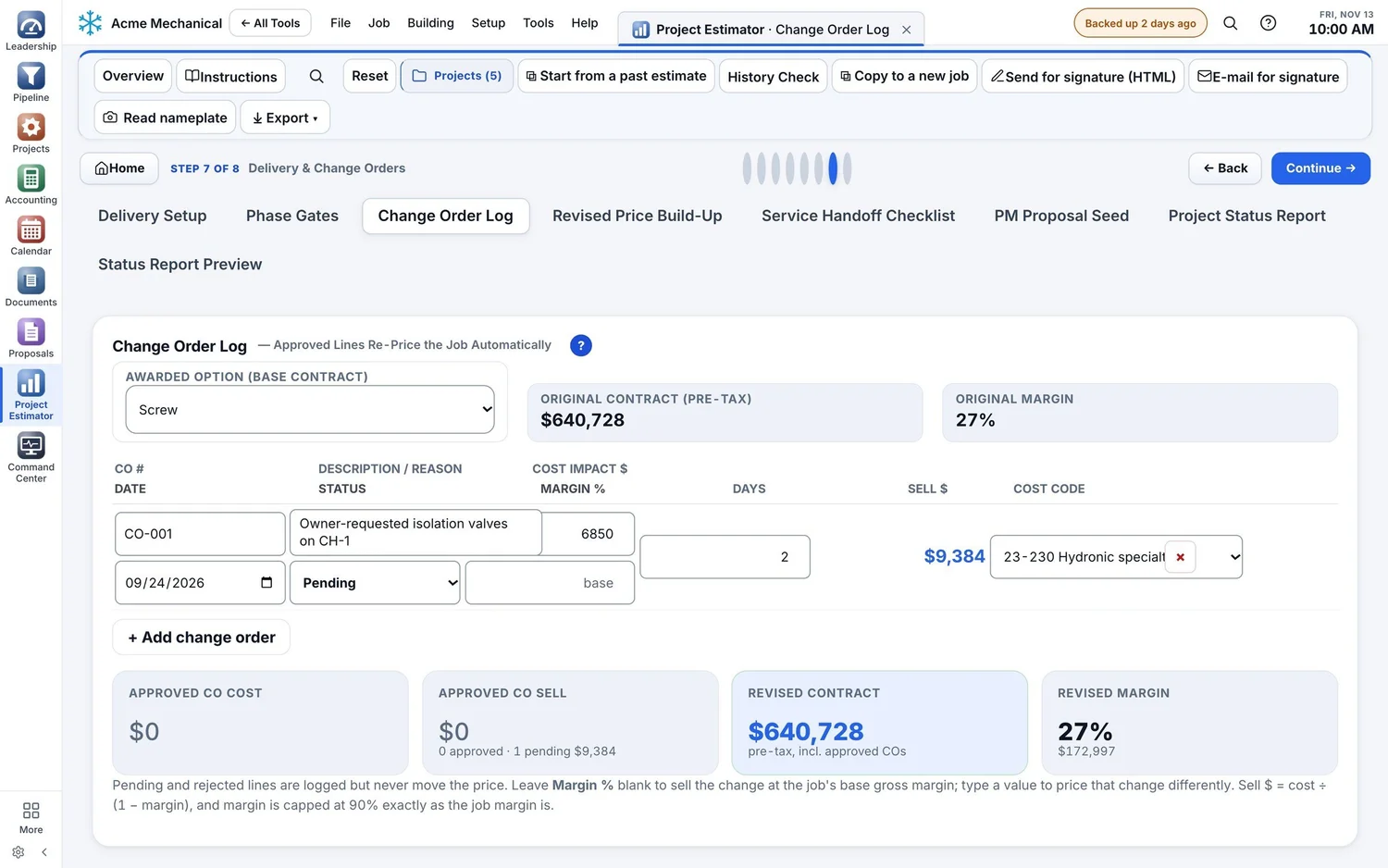
Unpriced changes become free work, so the change order log tracks each one from request to approval.
Signed Electronically
Send a priced change order for signature as an offline file. When the signed file comes back it is checked against the copy sent, and a good signature approves the change order and adds it to the schedule of values.
Learn MoreShow Less
An approved change order that is not signed is one you may never collect. Electronic signature gets it signed fast and billed on the next pay application.
- The signable copy shows the original sum, prior changes, this change and the new contract sum and time.
- It never carries cost, markup or margin.
- A signature is refused if the price differs from what was sent, or changed after sending.
- A signed paper or PDF copy can be recorded by hand against the copy sent.
Nothing Counts Until Approved
Pending and unpriced change orders do not move the contract value or the contract date. A banner counts what is not yet agreed.
Learn MoreShow Less
Counting a change order before it is agreed overstates revenue and hides risk. Keeping pending work apart shows exactly what is still to be won from the customer.
- The banner says how many field tickets and requests are still to price.
- Approved adds the change as its own line on the schedule of values.
- Its cost joins the job's budget; the budget copied at booking is kept as it was.
- Change orders waiting to be priced or approved appear on Needs Your Attention.
Project Documents
Meeting minutes with open items carried forward under their original numbers, the drawing register with every revision, transmittals, submittals, RFIs and daily logs. Every log saves to Excel and every document to Word on your letterhead.
Learn MoreShow Less
Building from a superseded drawing is rework you pay for. The document logs keep every revision, transmittal and open item straight.
- A drawing's current revision is the one received last; older ones are struck through.
- A revision can be issued to several sheets at once.
- Transmittals track acknowledgment, marked overdue when late.
- Phones get the current set; a superseded copy opens with a red Do Not Build banner.
- None of these documents carries a price.
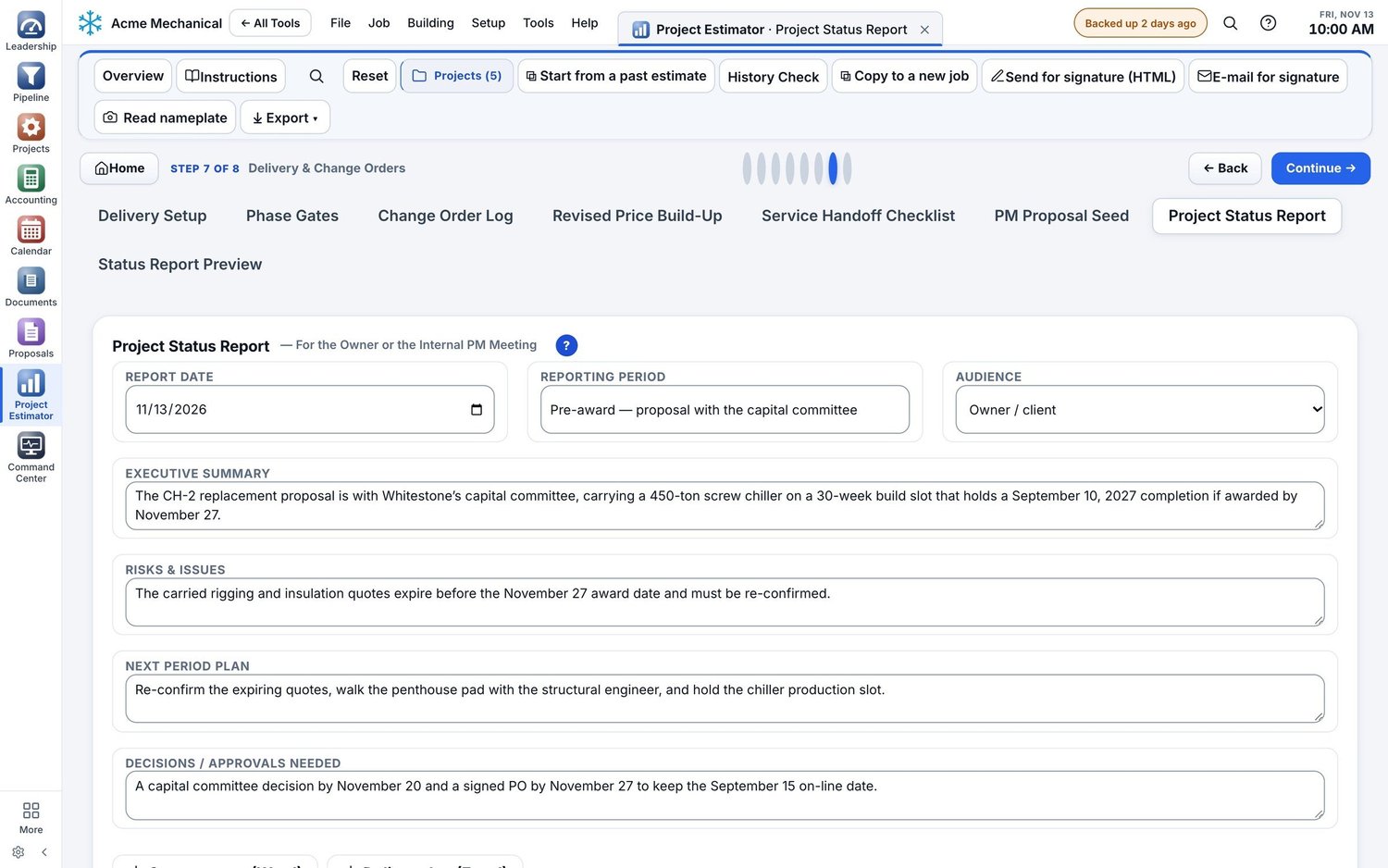
Owners want regular updates, so a project status report is written from the job's own figures.
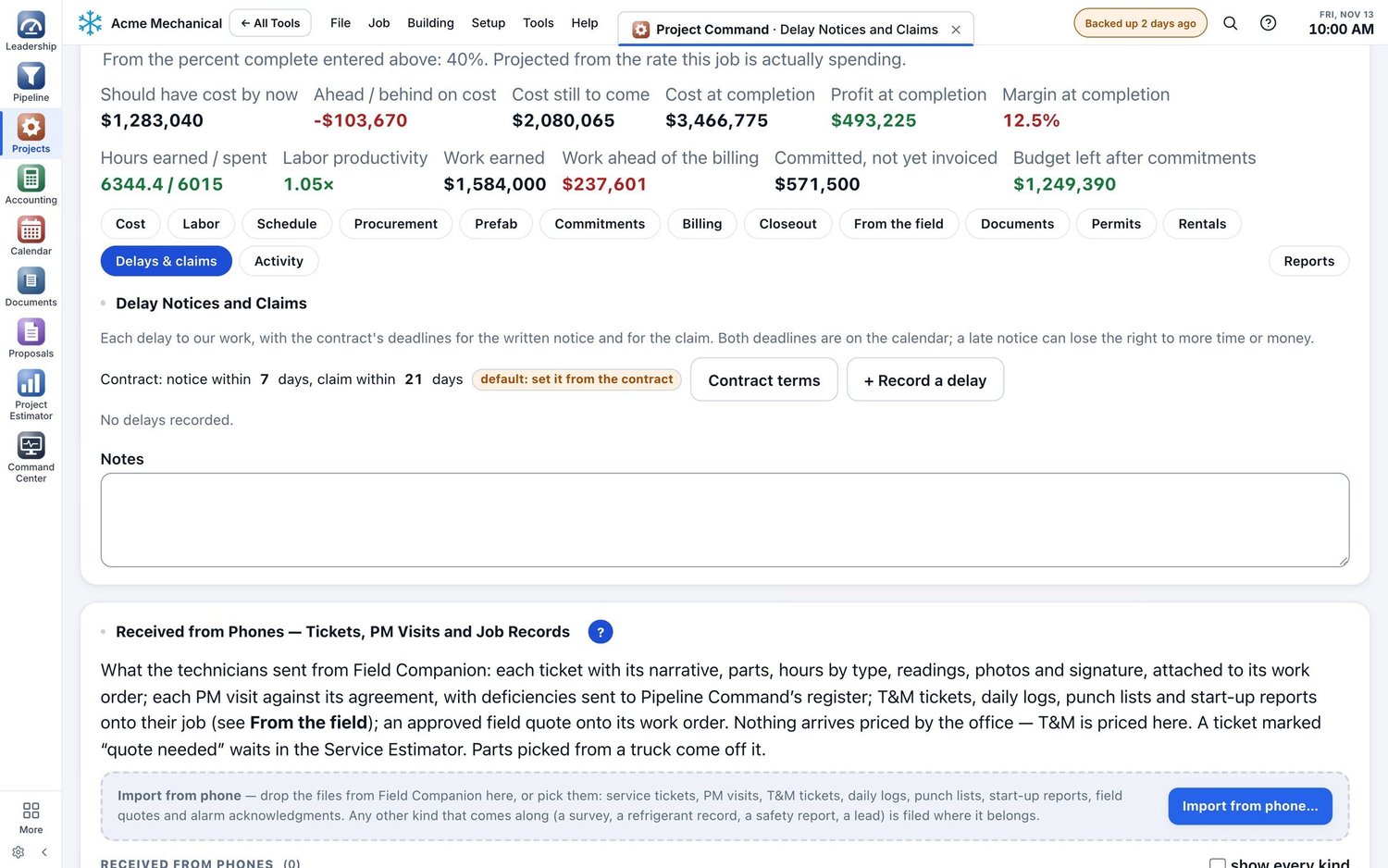
Permits, Rentals and Delays
Each job keeps its permits and inspections with expiry on the calendar, equipment on rent with its call-off date, and delay notices with time-extension letters. An authority directory keeps each jurisdiction's portal, fees and inspection rules as your company checked them.
Learn MoreShow Less
Rent left running and an expired permit both cost money nobody budgeted. The job logs put each date on the calendar before it costs you.
- A job cannot close, nor its final retainage bill, while a permit has not passed final inspection.
- Call Off records the rental company's off-rent number, proof of when billing stopped.
- Rental estimates use the cheapest mix of months, weeks and days.
- Permit Check reads the work against the 2021 International Codes' permit sections.
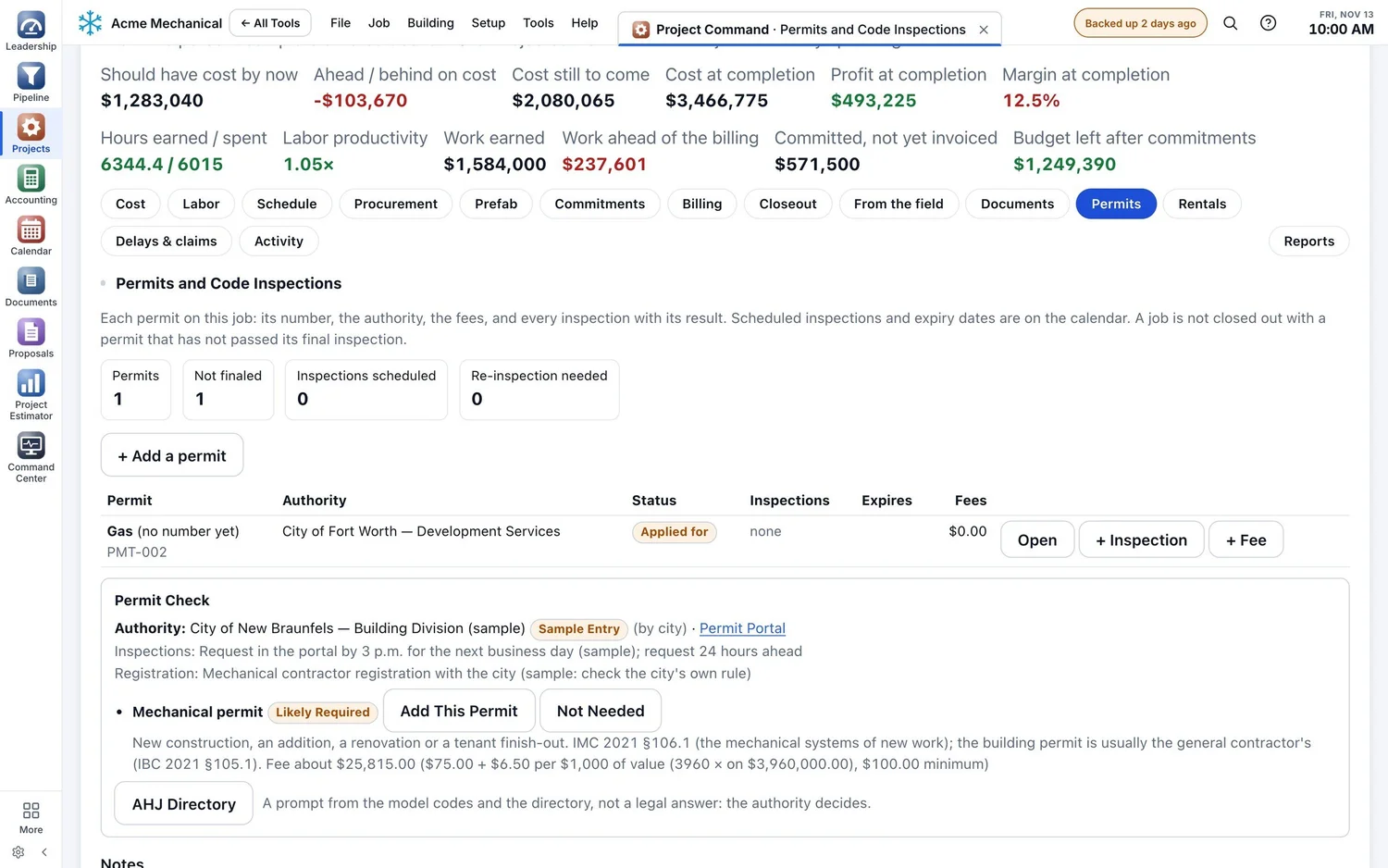
An expired permit can stop a job, so permits and inspections sit on the job with their status.
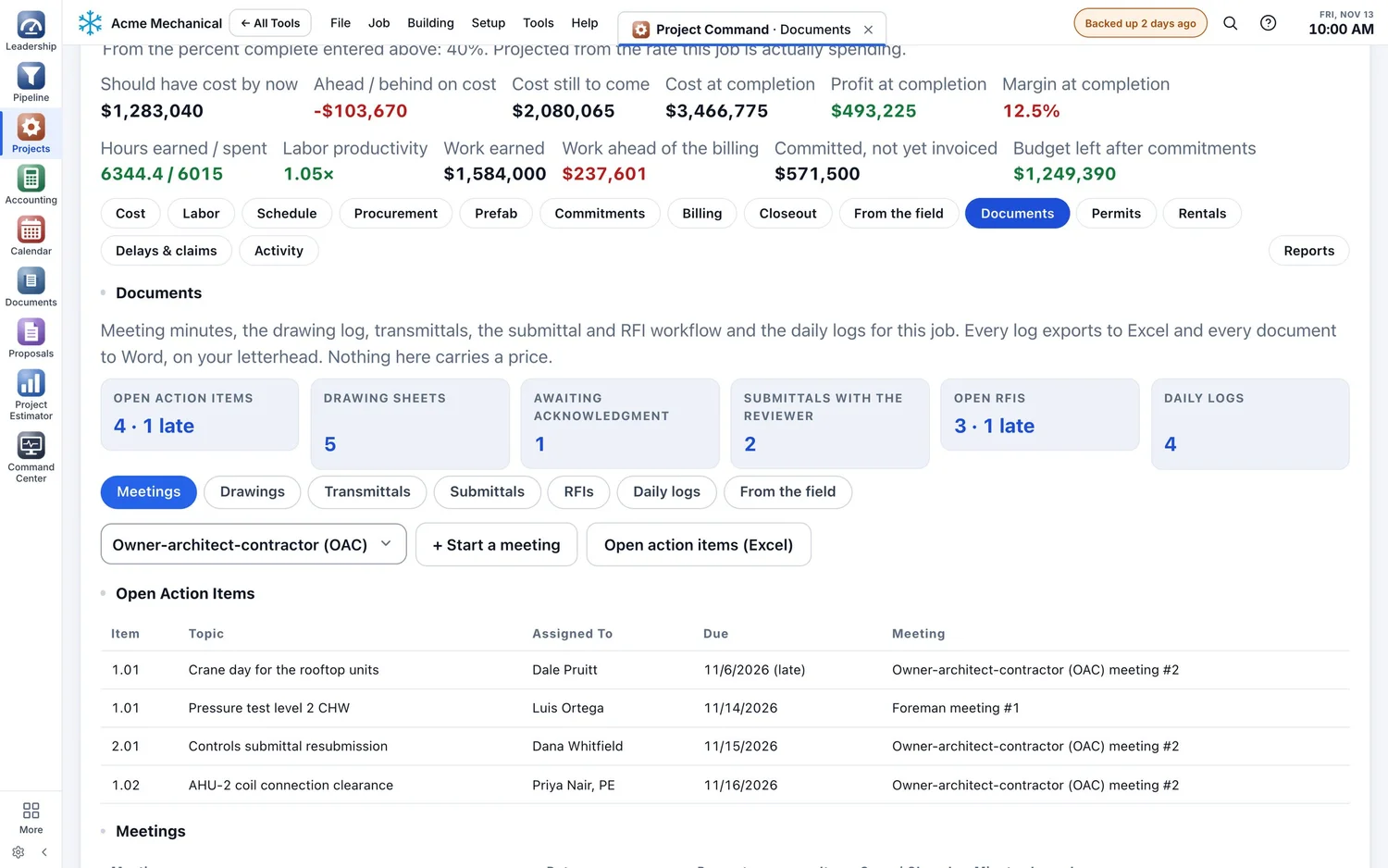
RFIs, change orders and project documents kept on the job.
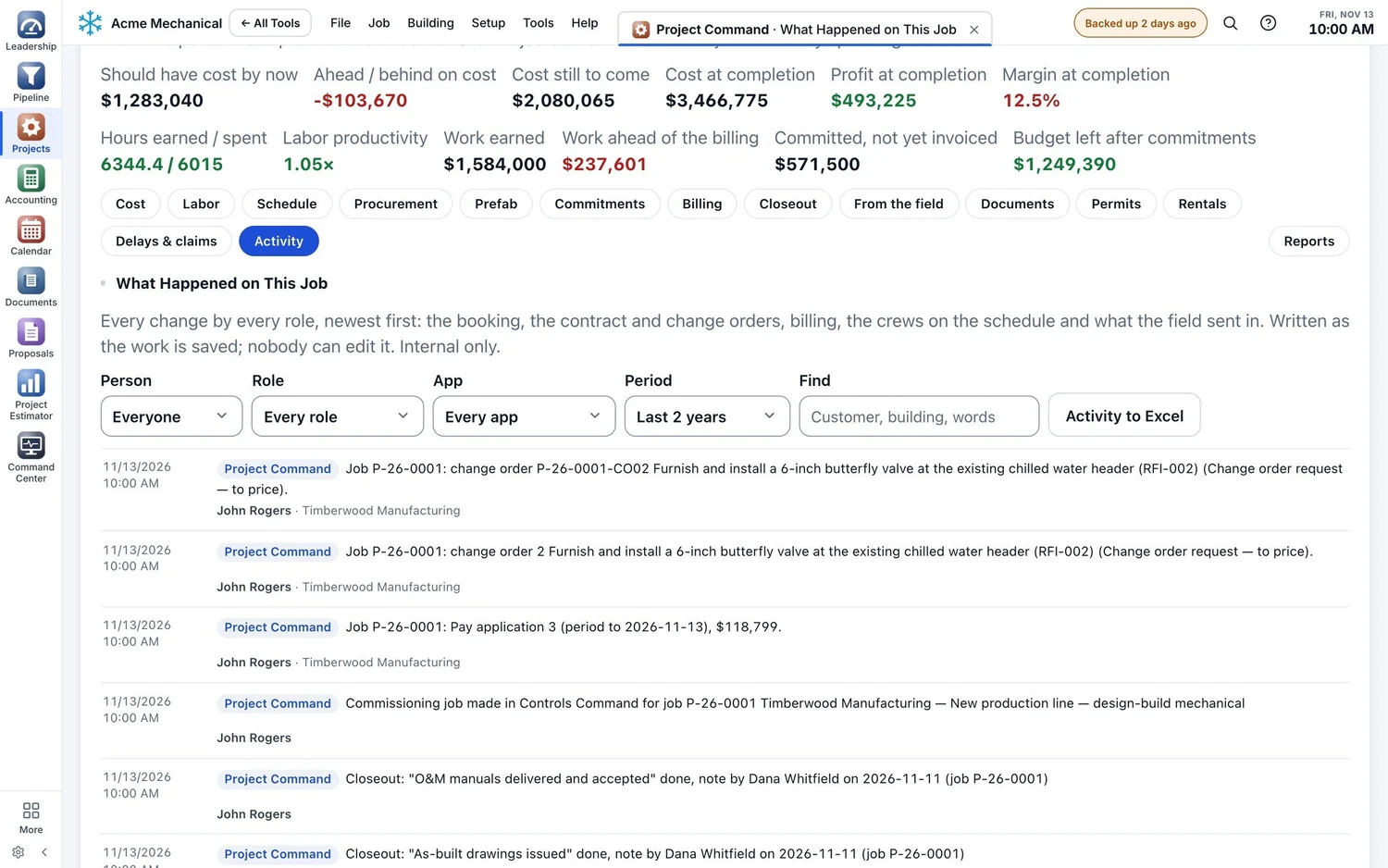
Pay Applications, Retainage and a Clean Finish
The Schedule of Values
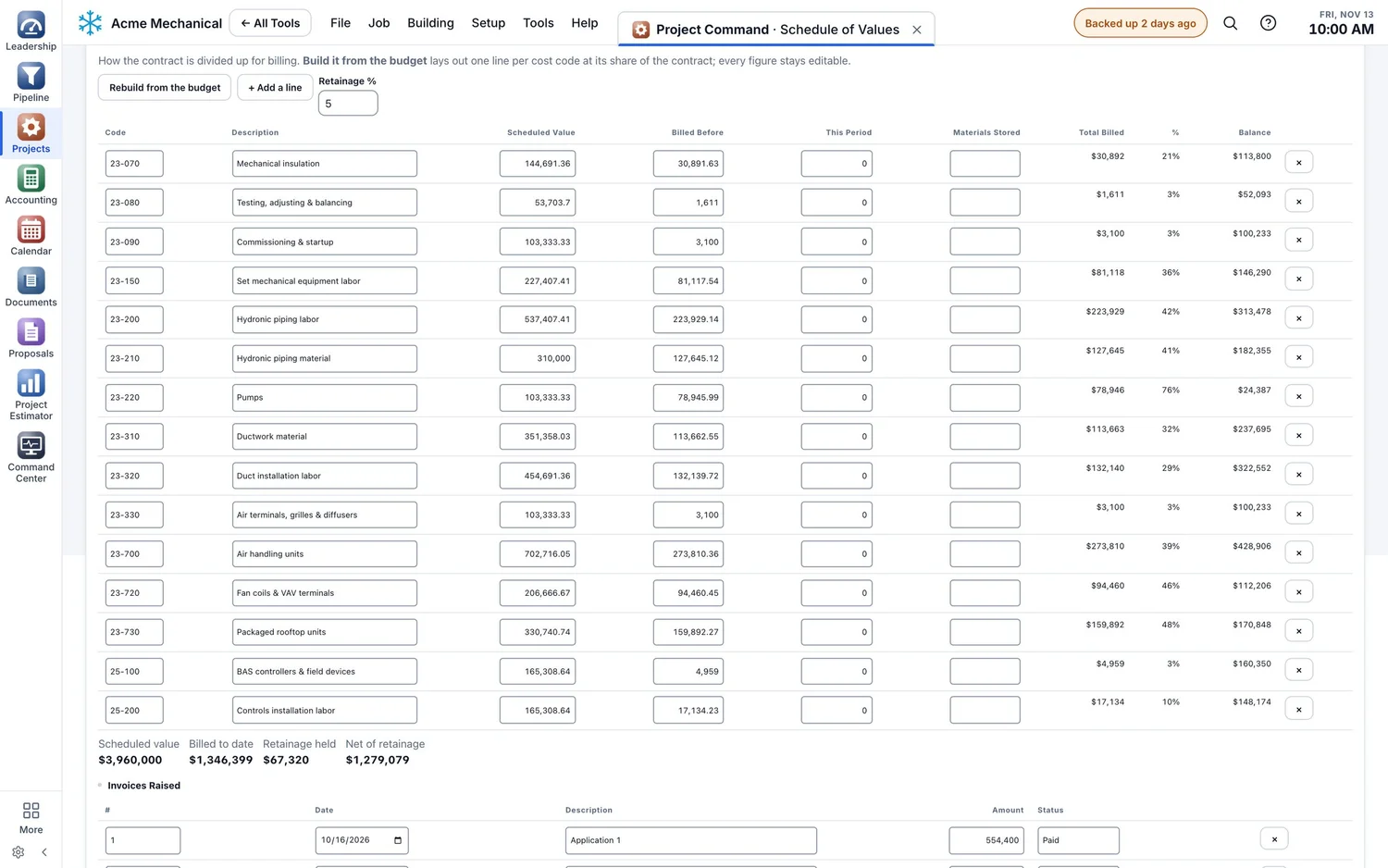
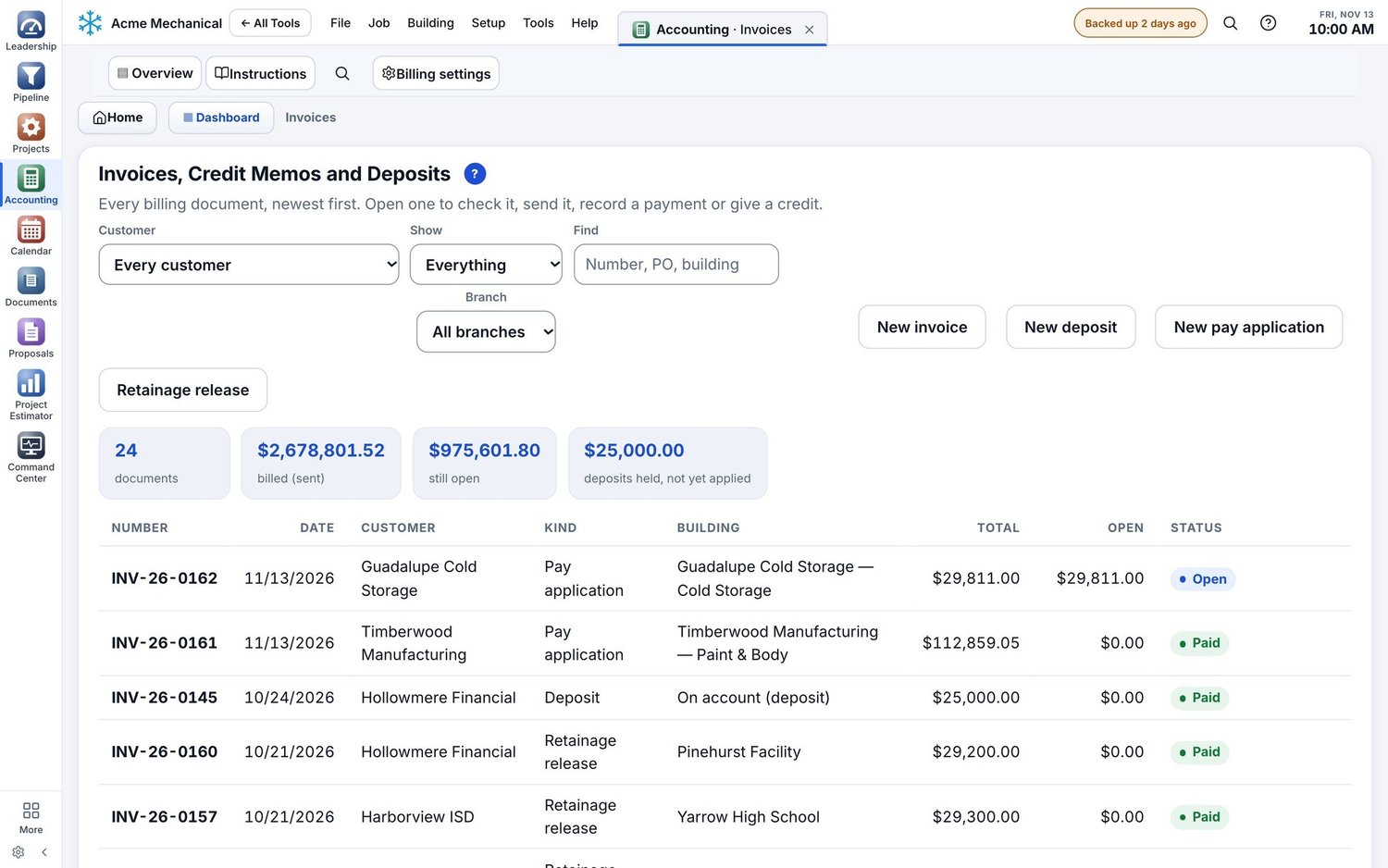
Build it from the budget, one line per cost code at its share of the contract, to the cent. Enter the work done this period and the materials stored, and Bill This Period makes the job's G702/G703-style pay application in Accounting.
Retainage and Lien Waivers
Retainage is held at the job's percent, with a warning when it is above the jobsite state's cap on private work. Lien waivers go out with each application on the state's statutory form where the state has one, and waivers are collected from subcontractors before their checks are released.
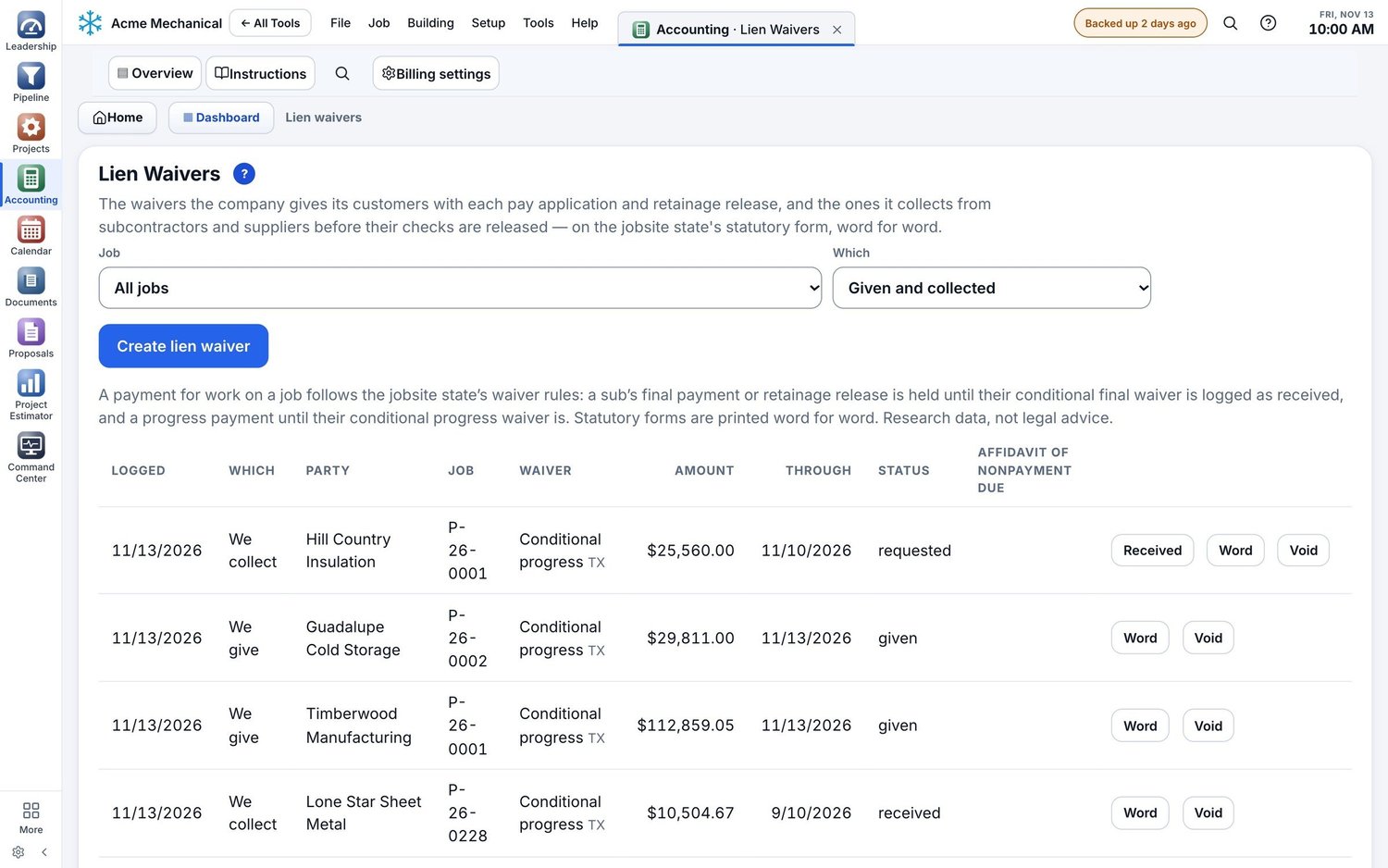
Missing lien waivers hold up payments, so every waiver given and collected is logged in one place.
Subcontracts
Each subcontract has its own schedule of values, change orders, pay applications and backcharges. The payment gate shows what would hold the next check: an expired certificate of insurance, a compliance hold or a missing lien waiver.
Closeout
The punch list counts the items that hold retention on their own, against the retainage actually held. Permits not finaled are flagged, and start-up reports and QC checklists print for the turnover packet. A completed project can then hand off to a maintenance agreement.
Replaced Units Update the Building
When a job takes out a unit and puts in a new one, Link a Replaced Unit on the Closeout tab, or the phone's start-up report, links the two. The old unit is retired into the building's history, so future calls, warranty checks, part matching and PM plans read the new one.
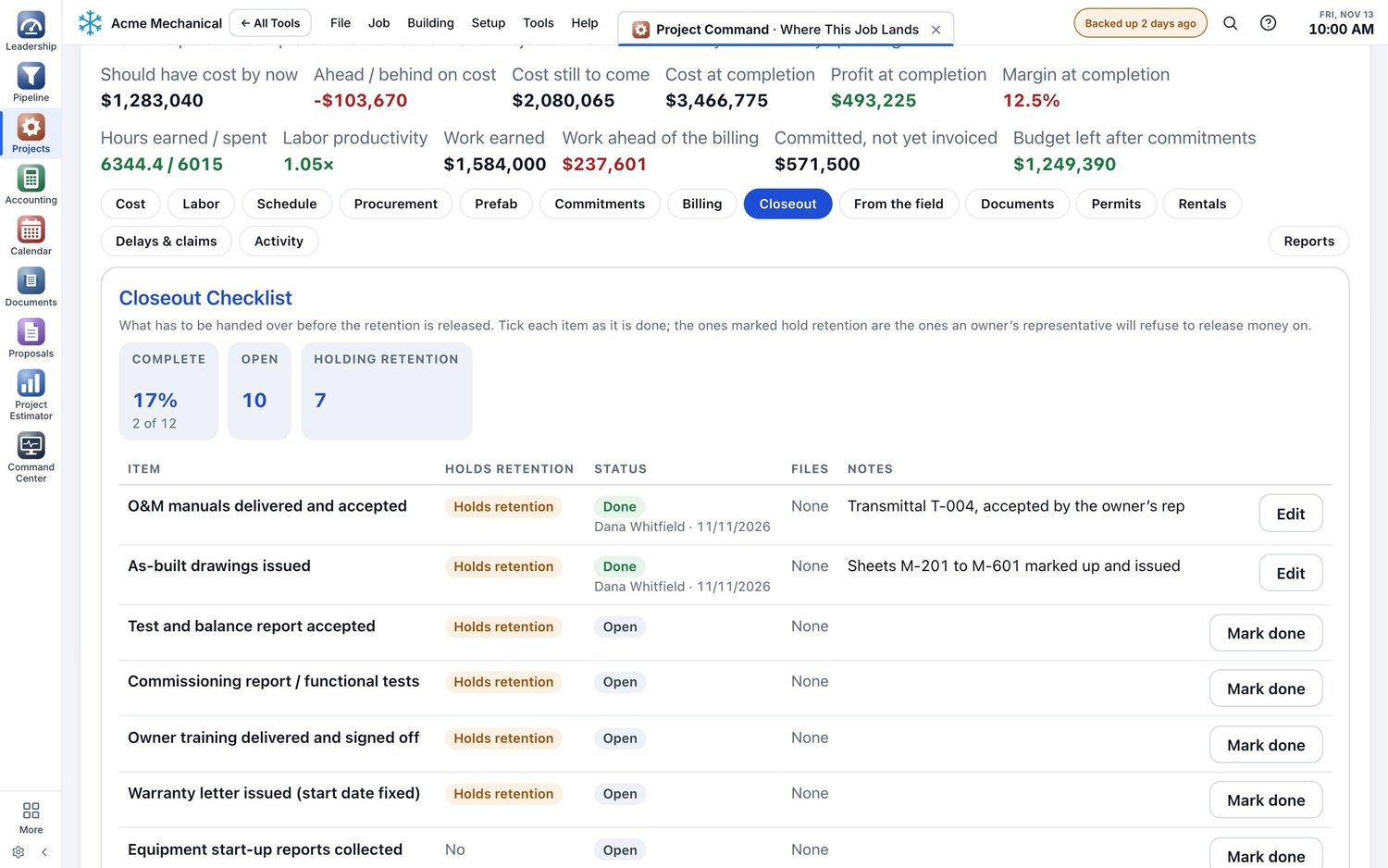
Retention waits on closeout paperwork, so the checklist shows which items still hold it.
Backlog, Manpower and WIP from the Same Records
Backlog and Manpower
The backlog in four tiers, Booked, Quoted, Opportunity and Lost, with hours by trade for the trades you perform in-house. Each job's Manpower by Week sets the crew planned against the crew the hours show.
Learn MoreShow Less
Selling work your crews cannot staff costs you overtime or a late job. The forecast shows which trade and month are tight before you commit.
- Quoted and opportunity hours are weighted by win percentage; lost work is excluded.
- The loading grid highlights the tightest trade-month and busiest month.
- Where hours are mostly guesses, the view says so.
- A week where hours show more than 15% over the plan is marked.
- A Word and Excel operations package for leadership.
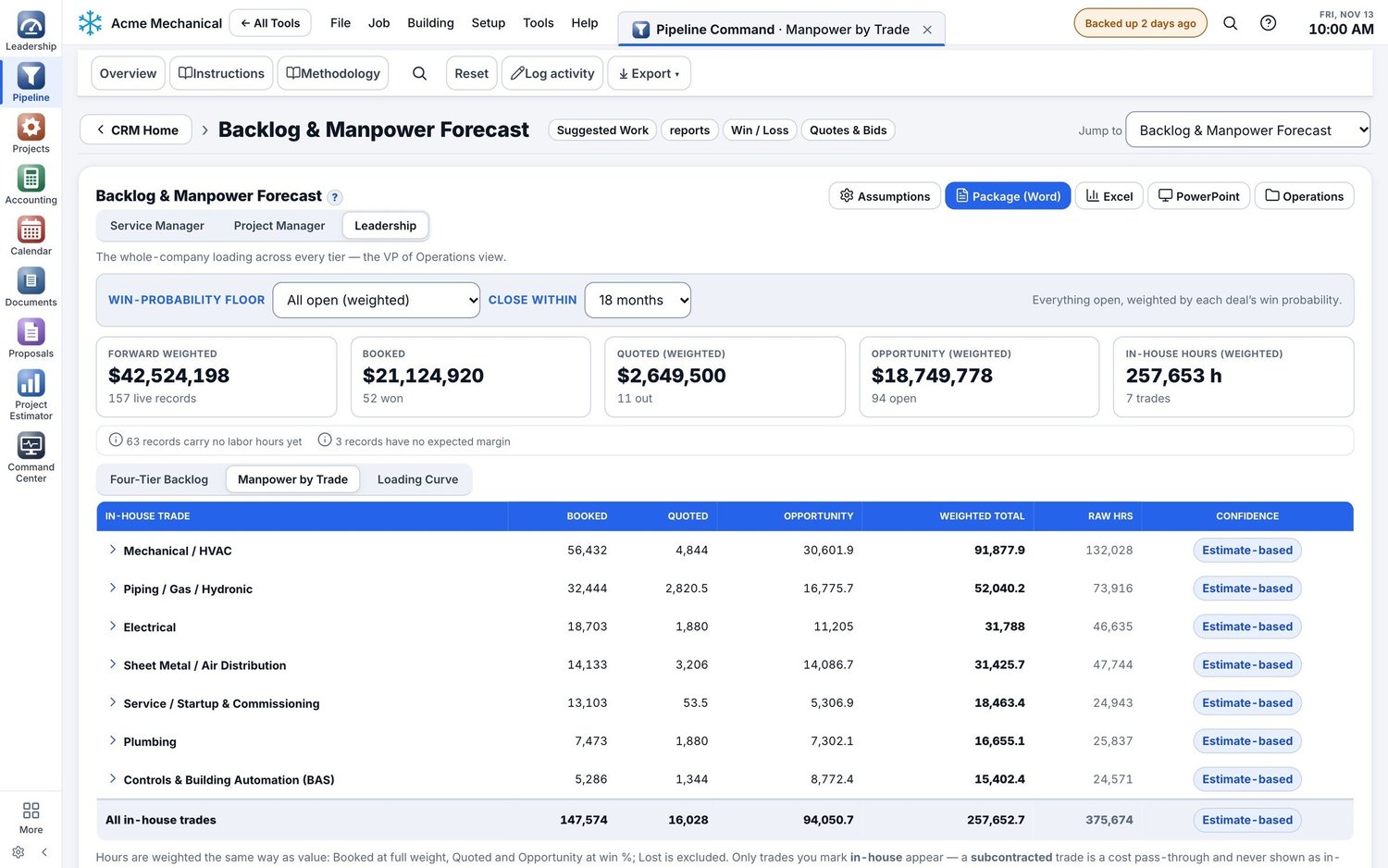
Hiring too late loses work, so backlog shows the hours by trade the company must staff.
The WIP Schedule
Every open job with contract, estimated cost, cost to date, percent complete, earned, billed, over and under billing, projected margin and four-week fade. Buyout savings show as one line.
Learn MoreShow Less
Underbilling is your cash funding the customer's job, and a fading margin is profit leaking away. The WIP schedule shows both, job by job, every month.
- Percent complete is cost-to-cost; materials stored on site are left out.
- A job heading for a loss takes the whole projected loss now.
- A bonding summary saves the work-on-hand schedule your surety asks for.
- Post the month-end over and under billing entry, with its reversal on the 1st.
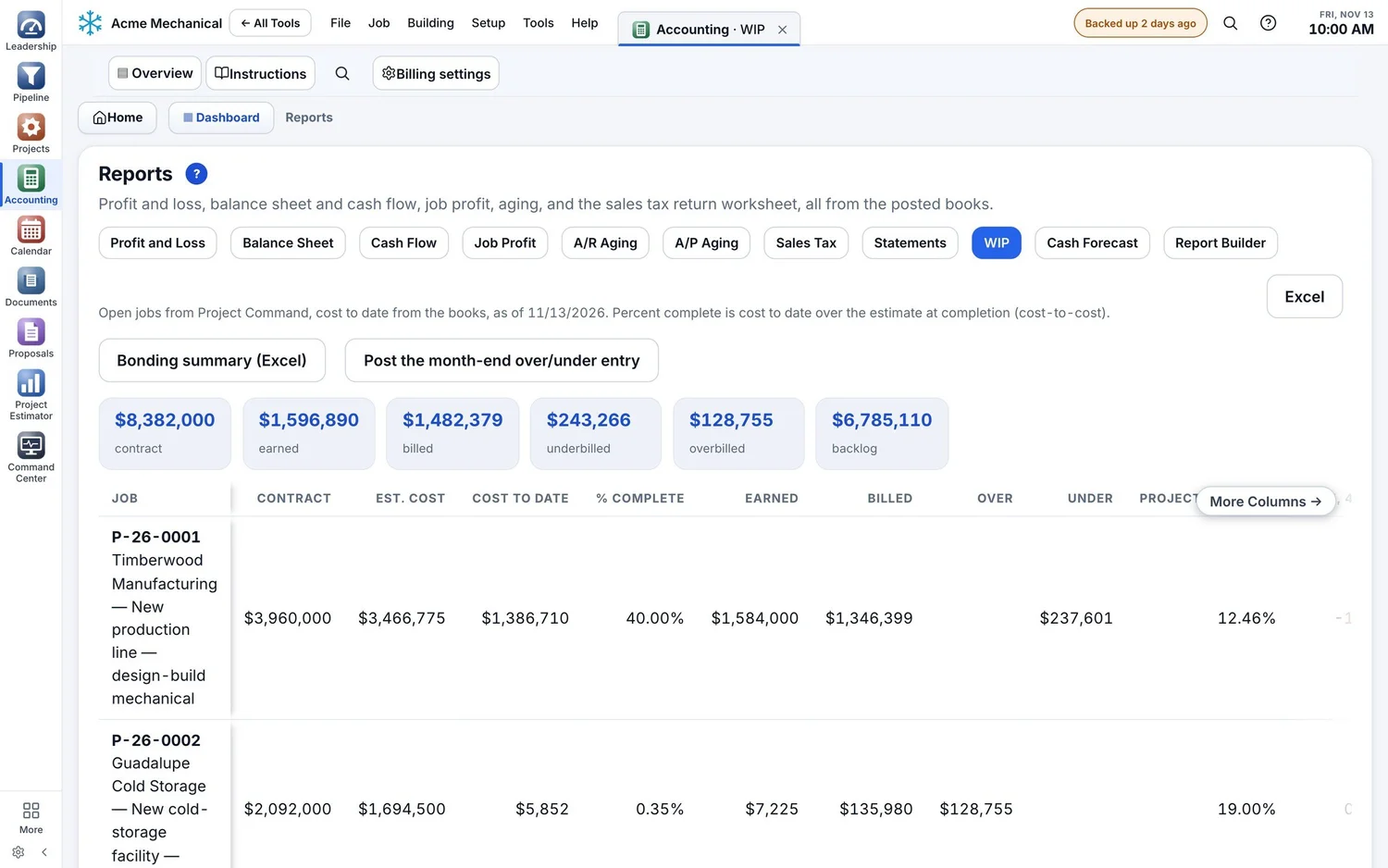
Over and under billing hides in each job, so the WIP schedule shows earned, billed and margin together.
Ten Job Reports
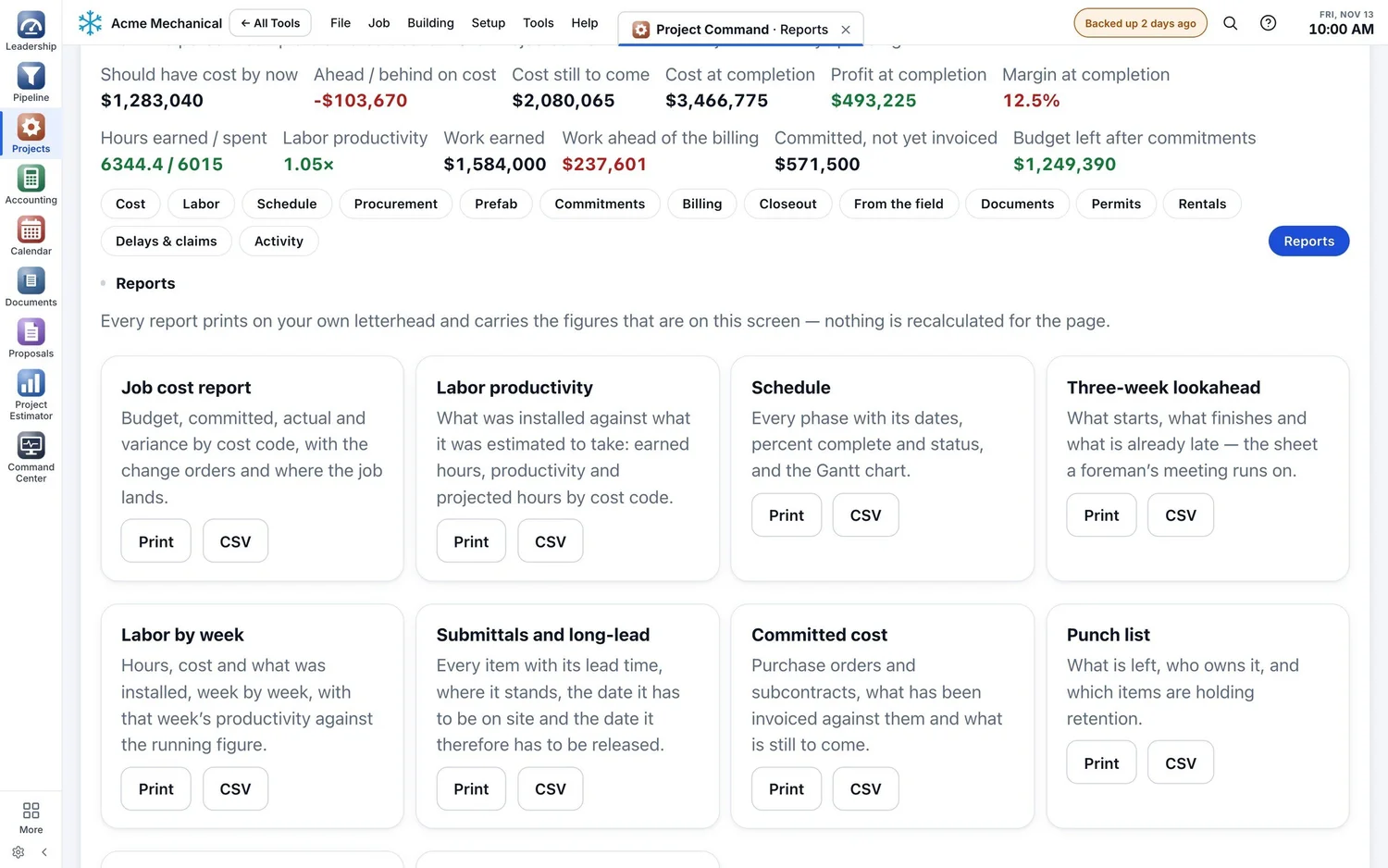
Job cost, labor productivity, labor by week, schedule with the Gantt, three-week lookahead, submittals and long-lead, committed cost, schedule of values, punch list and the one-page work in progress, each on your letterhead.
Learn MoreShow Less
Owners, bonding agents and bookkeepers ask for job reports, and building them by hand eats hours. All ten come from the same figures on screen, ready to send.
- Print the Full Job Report puts all ten in one document.
- Nothing is recalculated for the page; every figure matches the screen.
- Each exports to CSV.
- Export Job Cost and Export WIP cover every job at once.
A View for Each Role
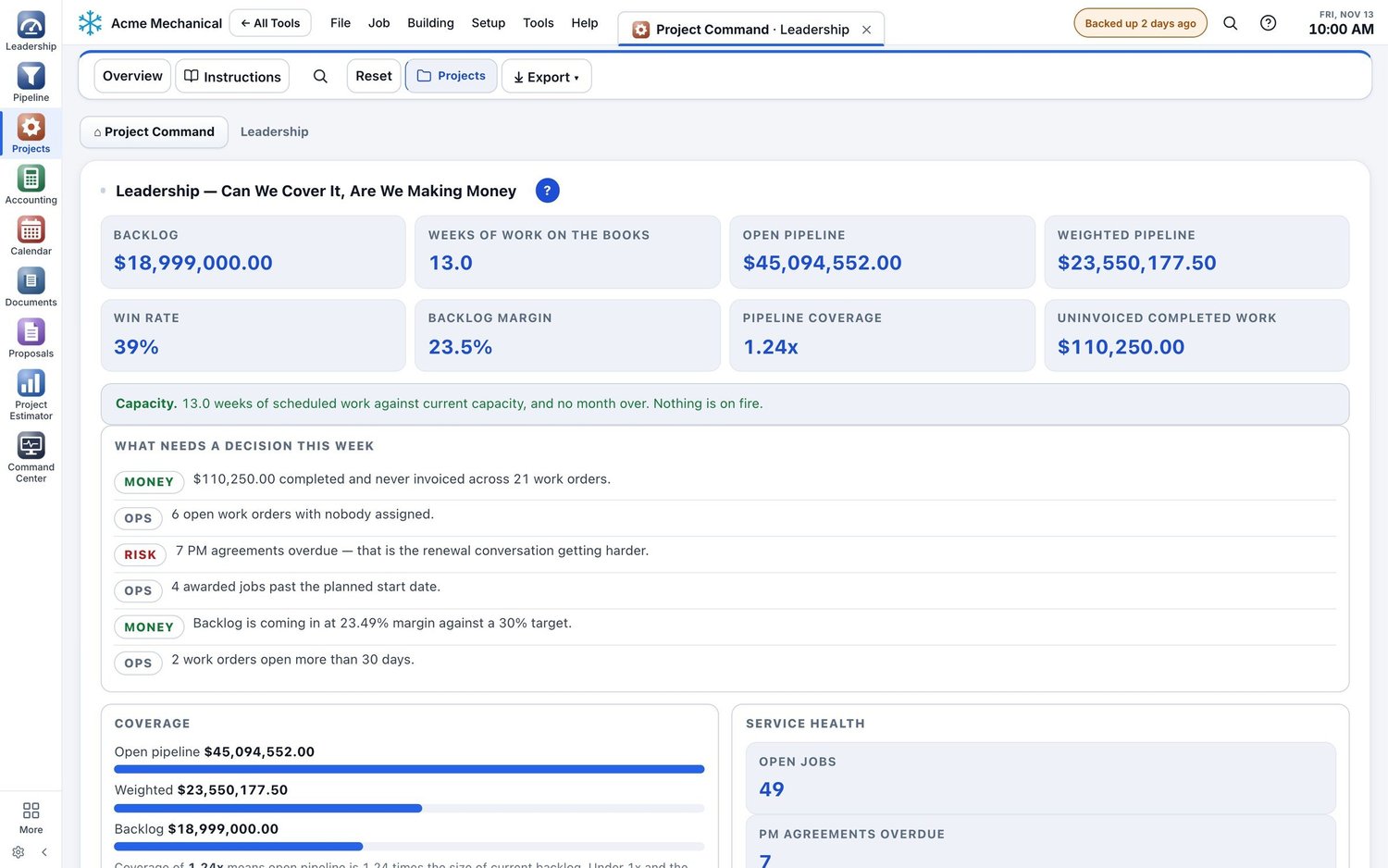
Leadership, Operations, Project Manager and Bookkeeper each land on a Needs Your Attention list, most urgent first, linked to the job or the place in Accounting that fixes it.
Learn MoreShow Less
Problems found late cost the most. Each role sees its own urgent items first, so a fading job, an unbilled month or a past-due bill is fixed in time.
- Items run red, then amber, then blue.
- Covers cost past estimate, fading margin, overdue RFIs, unpriced change orders and missing lien waivers.
- Flags a schedule of values not billed this month, amber from the 20th.
- The bookkeeper sees bills due, invoices over 60 days and unsent pay applications.
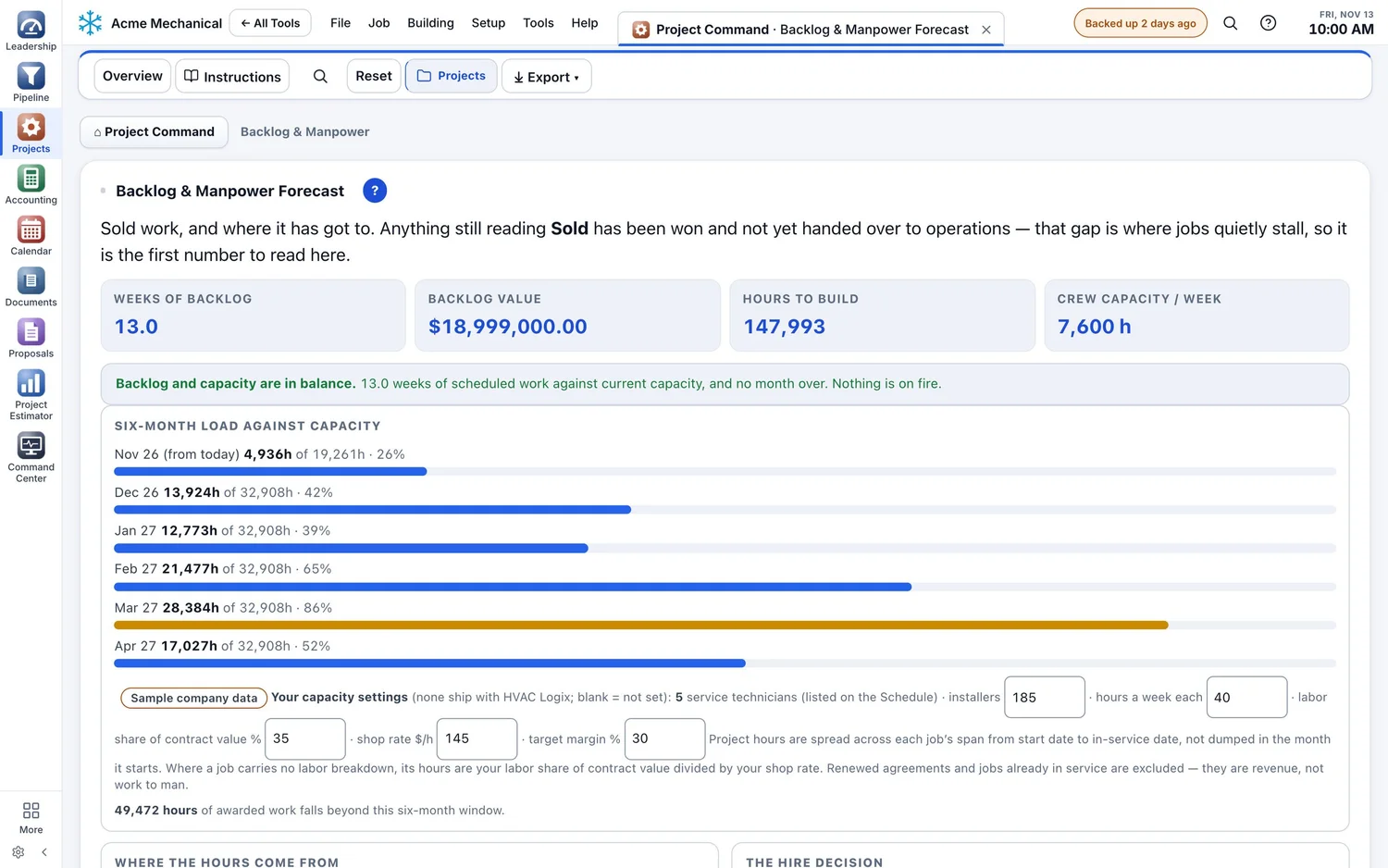
Backlog and manpower from the same records, months ahead.
Frequently Asked Questions
Where does a job's budget come from?
Do field tickets and change orders change the contract right away?
Can the crew see prices or costs on the phone?
How is percent complete worked out?
What format are pay applications in?
Be First When HVAC Logix Opens
Stop paying people to copy numbers between programs. Join the list and we will tell you the day downloads open, with setup guides ready.
Launching early 2027 for HVAC Logix. Nothing to buy today, and no sales calls.
