
Accounting Built Around the Work, Not Beside It
Books kept apart from the work mean retyped tickets and job cost that arrives too late. HVAC Logix keeps a commercial HVAC contractor's books from start to finish. Service calls are priced from the technicians' tickets, maintenance agreements bill on their billing day, construction jobs bill from their schedule of values, and every invoice, payment, vendor bill and paycheck posts to one general ledger. Every report comes straight from the posted books, and everything stays on your company's own computers.
Launching Early 2027 · Join the Early-Access List
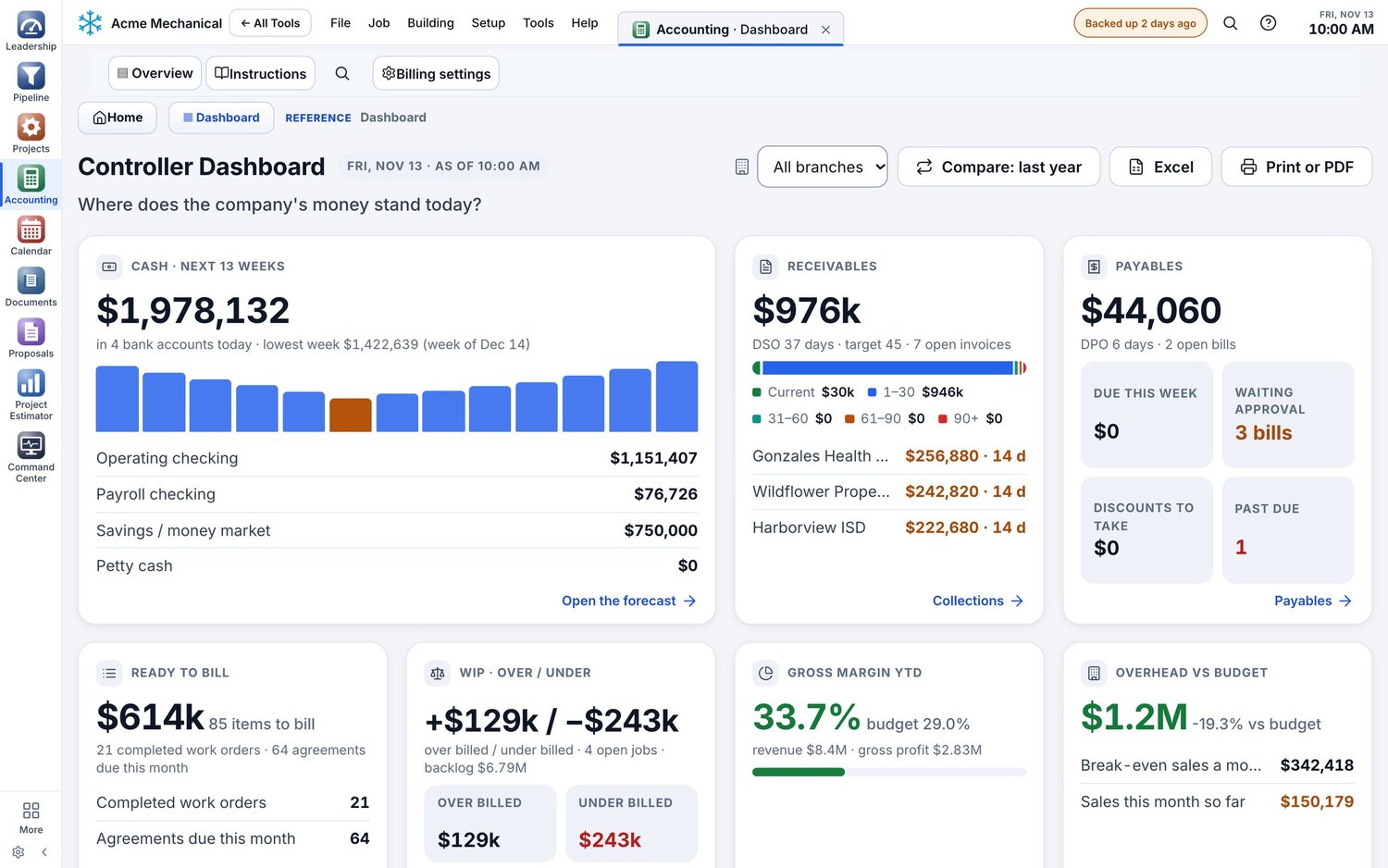
From the Ticket to the General Ledger
Billing, payables, payroll, banking, sales tax and the close all post to the same ledger, so the numbers Leadership reads are the numbers the bookkeeper posted.
Every Document Posts by Itself
When an invoice is sent or a payment is recorded, a balanced journal entry posts on that document's own date. Receivables by customer always equal the open invoices, and payables always equal the open bills.
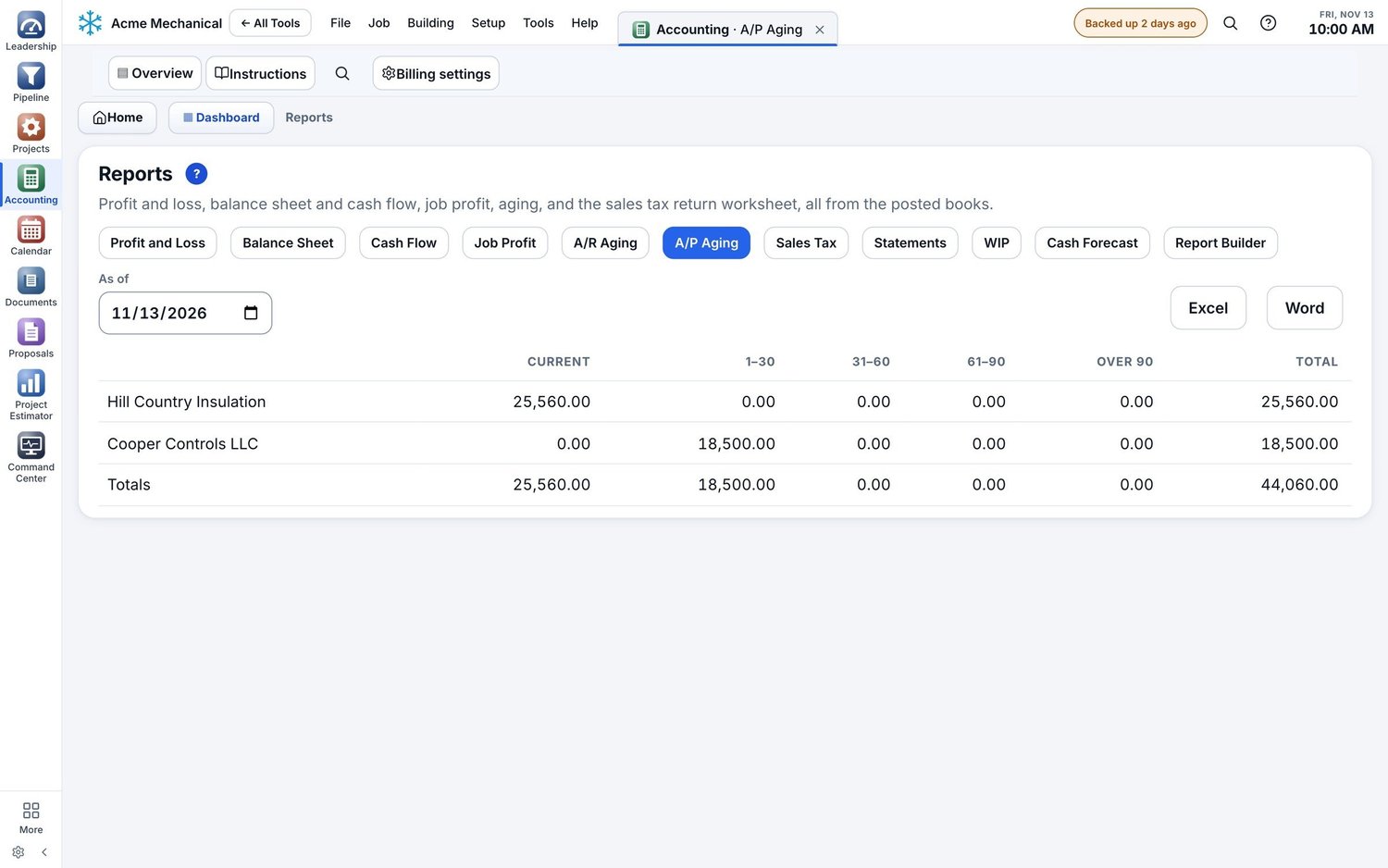
Subledgers that drift from the ledger cause year-end pain, so payables always equal the open bills.
Rules That Protect the Books
Entries are double entry in whole cents, numbered each year without a gap by one writer. A posted entry is never changed or deleted. A mistake is put right with a reversing entry or a credit memo, and both stay in the journal with who did it and why.
The Document Thread
From any invoice, bill or journal entry, one table shows every step from the call to the bank: the work order, the phone tickets with the parts taken off the truck, the invoice, the payment, the deposit and the reconciliation. Print it as an audit trail on one page.
A Books Check on Every Visit
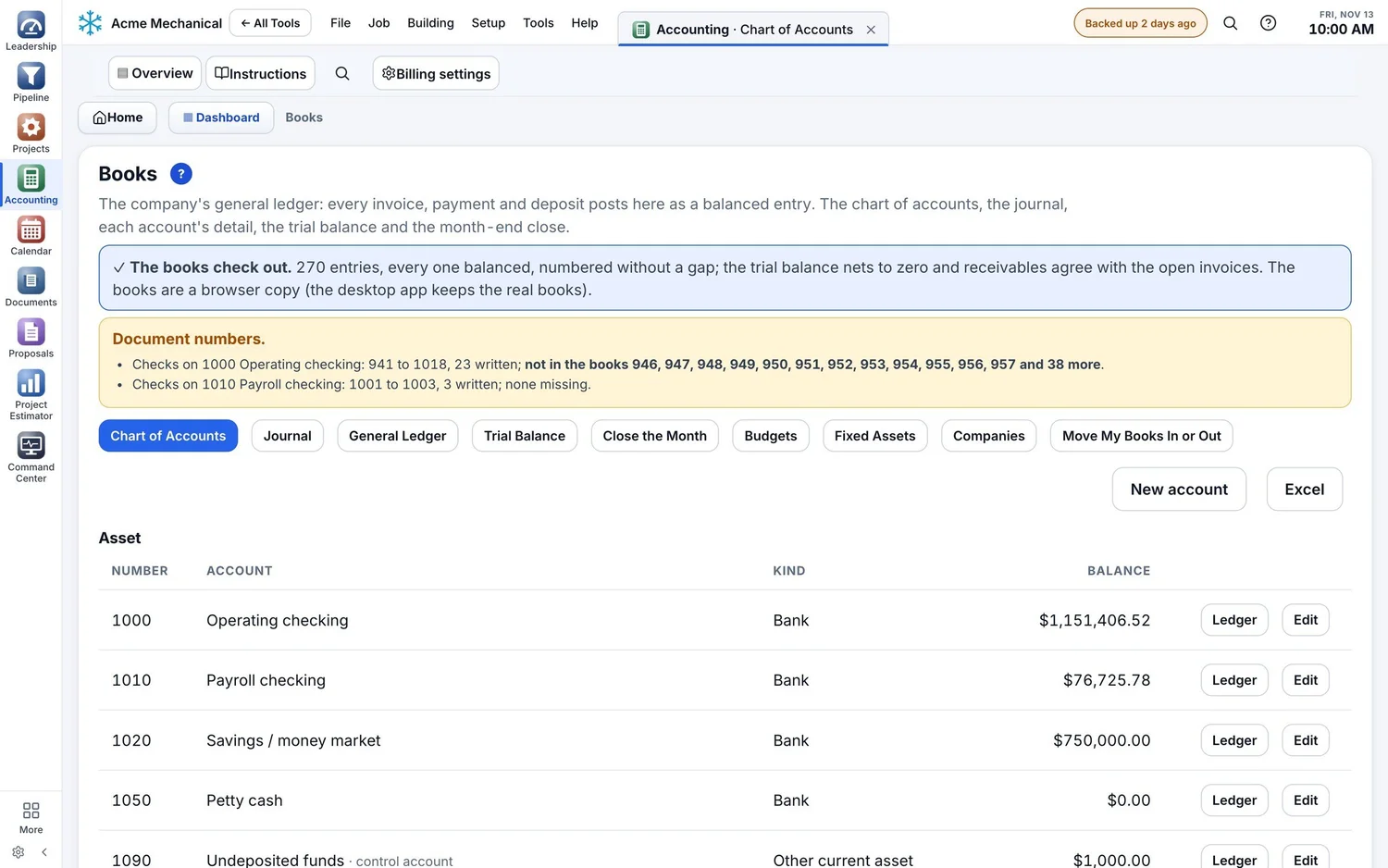
Each time the Books tab opens, HVAC Logix checks that every entry balances, the numbering has no gap, the trial balance is at zero and receivables agree with the open invoices. It says the books check out, or names each problem in plain words.
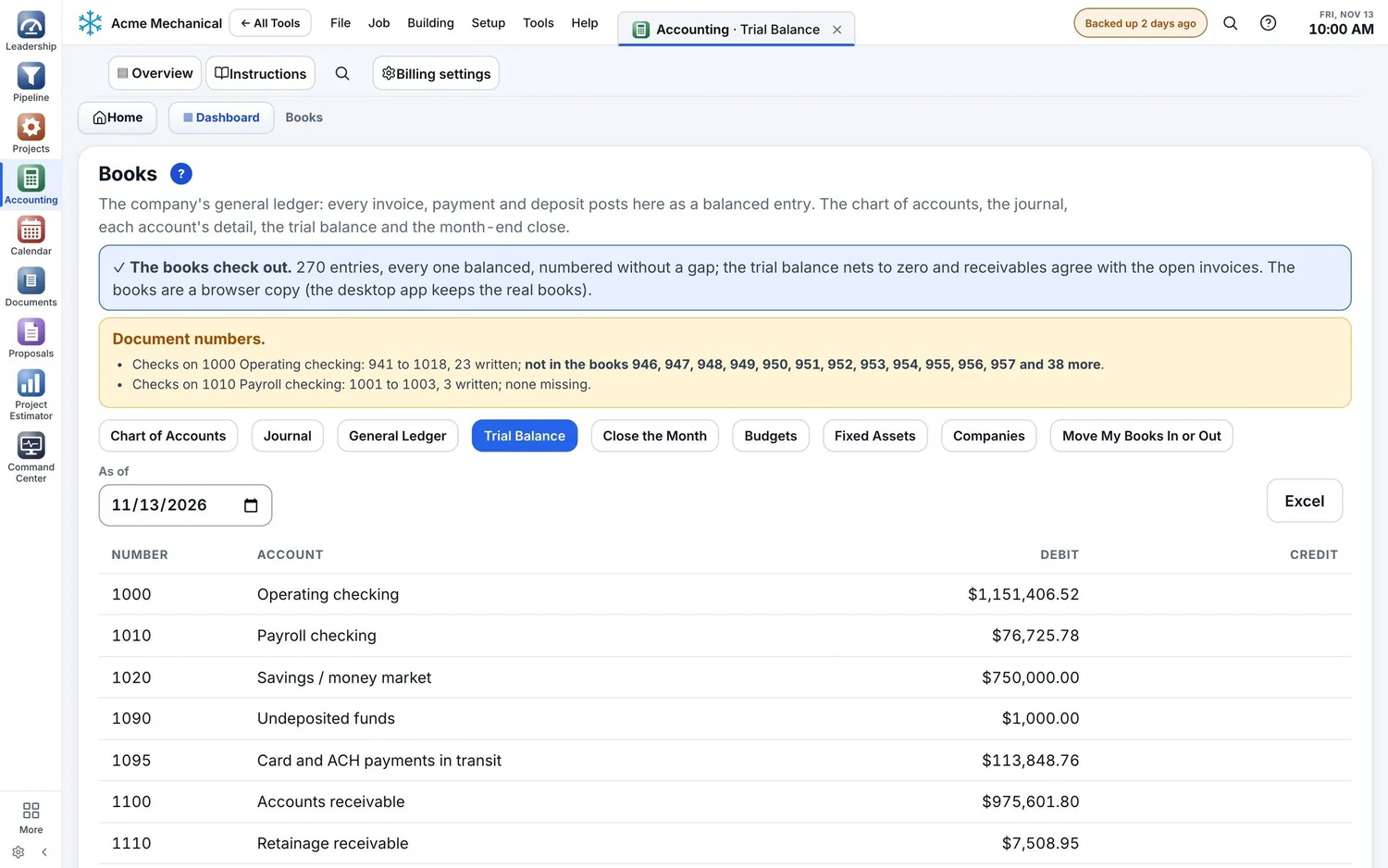
Books that do not balance surface at tax time, so the trial balance is always one click away and checked on every visit.
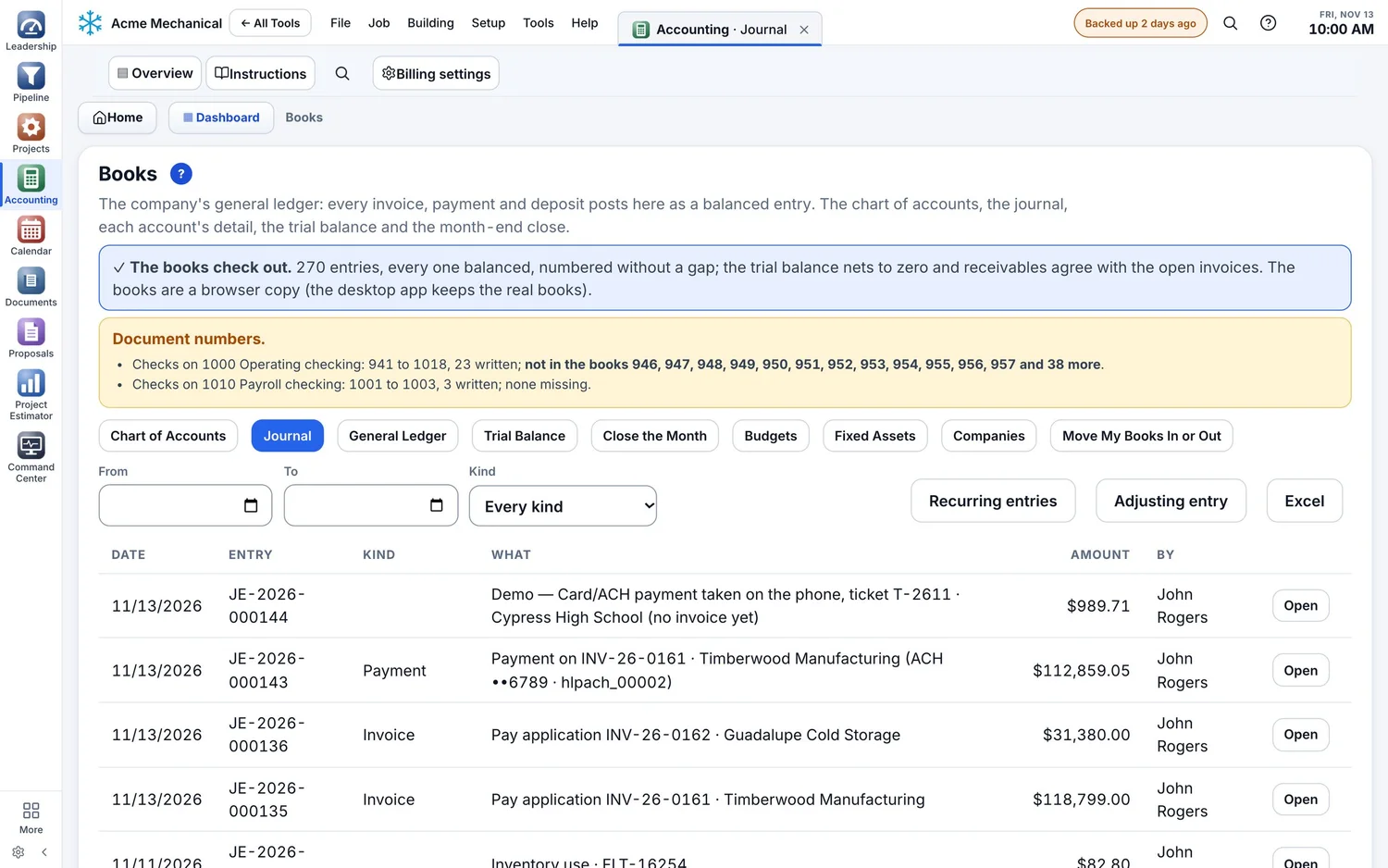
The journal of balanced entries that every work order, invoice and payment posts to, so the books and the field always agree.
Bill the Work the Day It Is Done
The Ready To Bill tab lists every completed work order not yet billed and every maintenance agreement due in the month. Each one becomes a draft you check before anything is sent.
Priced from the Tickets
Generate Invoice reads the technicians' field tickets and builds a line for each thing that was done: labor by technician at the Rate Card's straight time, overtime, double time or after-hours rate, parts from the price book, and the trip band the building names.
Learn MoreShow Less
Hours and parts that never reach the invoice are money given away. Every ticket line is priced at your own rates, so no billable hour or part is missed.
- Agreement terms add the minimum billable time per visit and an emergency response charge by themselves.
- The technician's classification picks the Rate Card tier, so a lead controls technician bills as controls.
- A part not in the price book is highlighted, and the draft cannot be sent until it is priced.
- Each line is taxed by the jobsite state's rule for repair or maintenance work.
Covered or Billable
On a work order under a maintenance agreement, each line starts covered or billable from the agreement's coverage level: Labor Only, Labor and Parts, or Full. The bookkeeper sees what the agreement covers before the customer does.
Learn More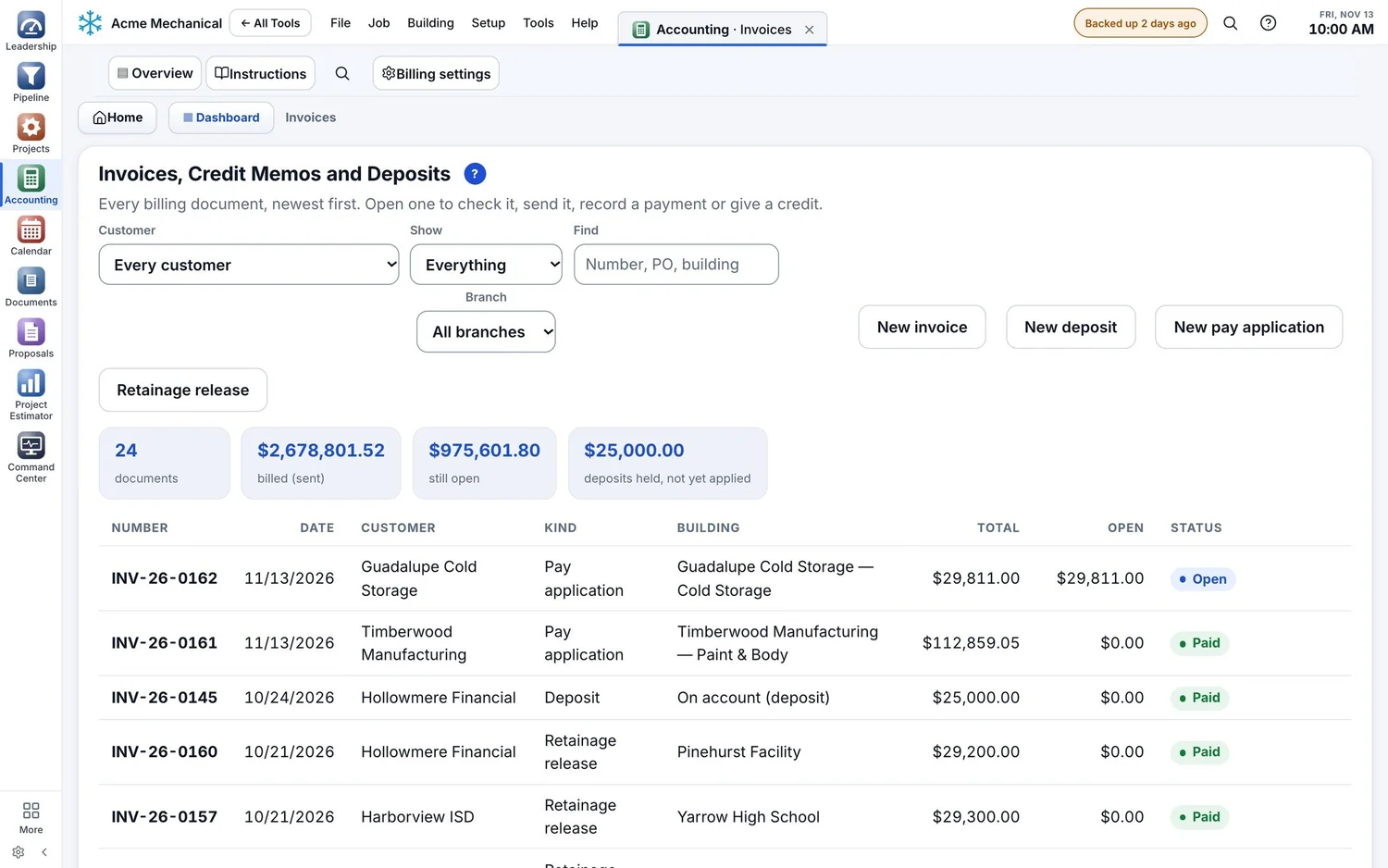
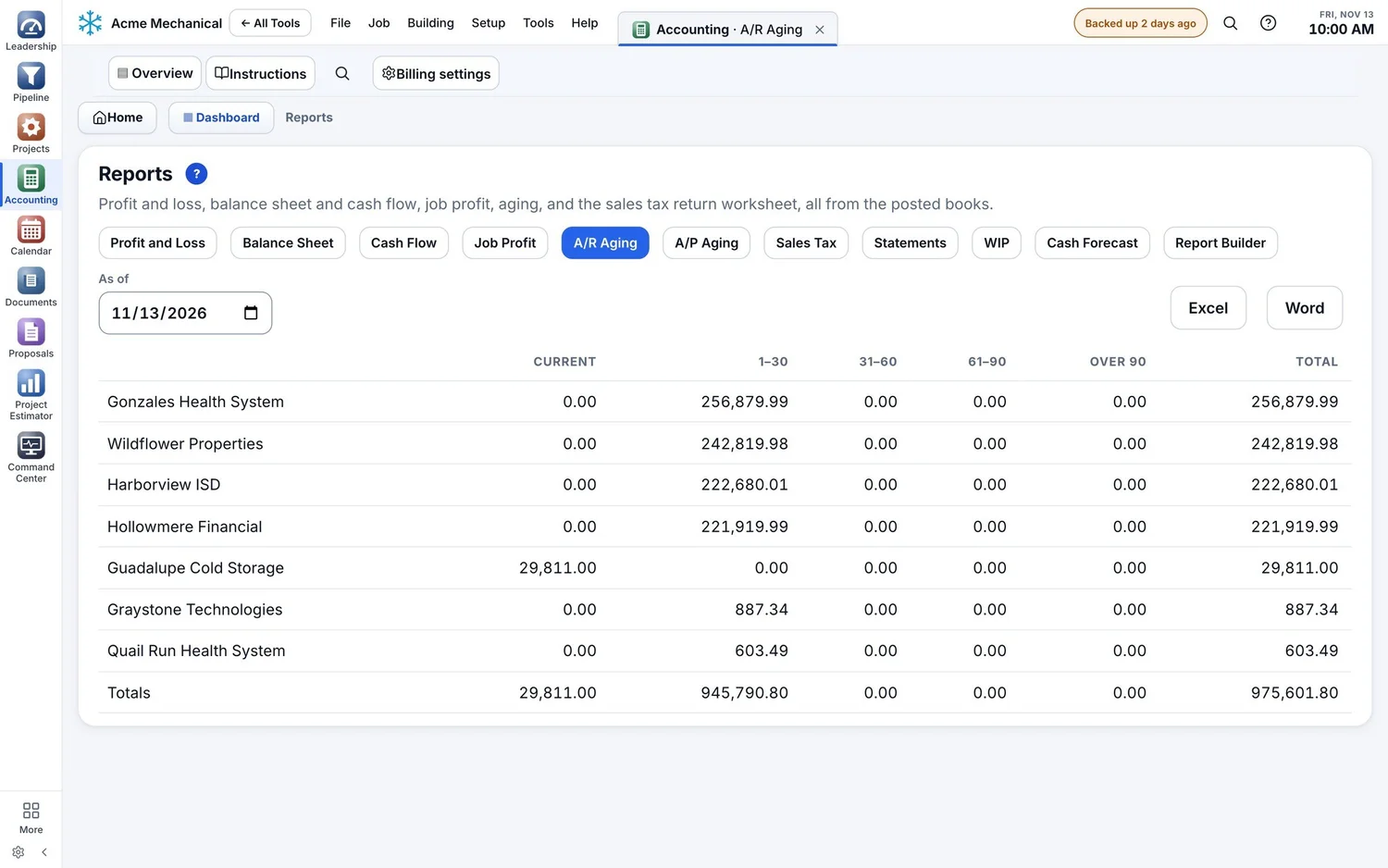
Invoices scattered across folders get missed, so every invoice, credit memo and deposit is in one list with its status.
The Customer's Not-To-Exceed
The invoice is measured against the not-to-exceed on the work order. From 80 percent the draft says how much of the limit it uses, and billing past the limit needs the approved increase.
Learn MoreShow Less
An invoice over the customer's limit is an invoice that gets disputed and paid late. The limit is checked twice, so an unapproved overrun never leaves the office.
- The limit is measured on the subtotal before tax; billing exactly to the limit goes out.
- Mark Sent refuses a service invoice over the limit until the approved increase is recorded on the work order.
- The work order's meter uses the same figure, priced the way Generate Invoice prices it, so the office sees an overrun coming.
Agreements on Their Billing Day
Agreement periods are worked out from the start date, billing frequency and annual value, and the periods add up to the annual value to the cent. One step makes the month's drafts, and a period is never drafted twice. Agreements billed in advance post to deferred revenue and are earned month by month or by completed visit.
Learn MoreStatements, Aging and Collections
Customer statements show the total due and the aging by invoice. A past-due list walks each invoice through a friendly reminder, a firm notice and a final notice on your letterhead, with credit limits, credit holds and promises to pay on the customer's record. A customer on hold shows a warning when a call is taken or a quote is started.
Learn MoreShow Less
Every week an invoice sits unpaid, you are financing the customer. Collections works the past-due list so each letter goes out on its day and cash comes in sooner.
- Letters go at 15, 30 and 45 days past due to start; you set your own days.
- A customer goes on credit hold automatically over the credit limit or past 60 days.
- Promises to pay go on the calendar and count as kept when the payments arrive.
- Statements save as Word, Excel, PDF or an e-mail draft.
- Finance charges, off until you turn them on, follow the jobsite state's legal rate.
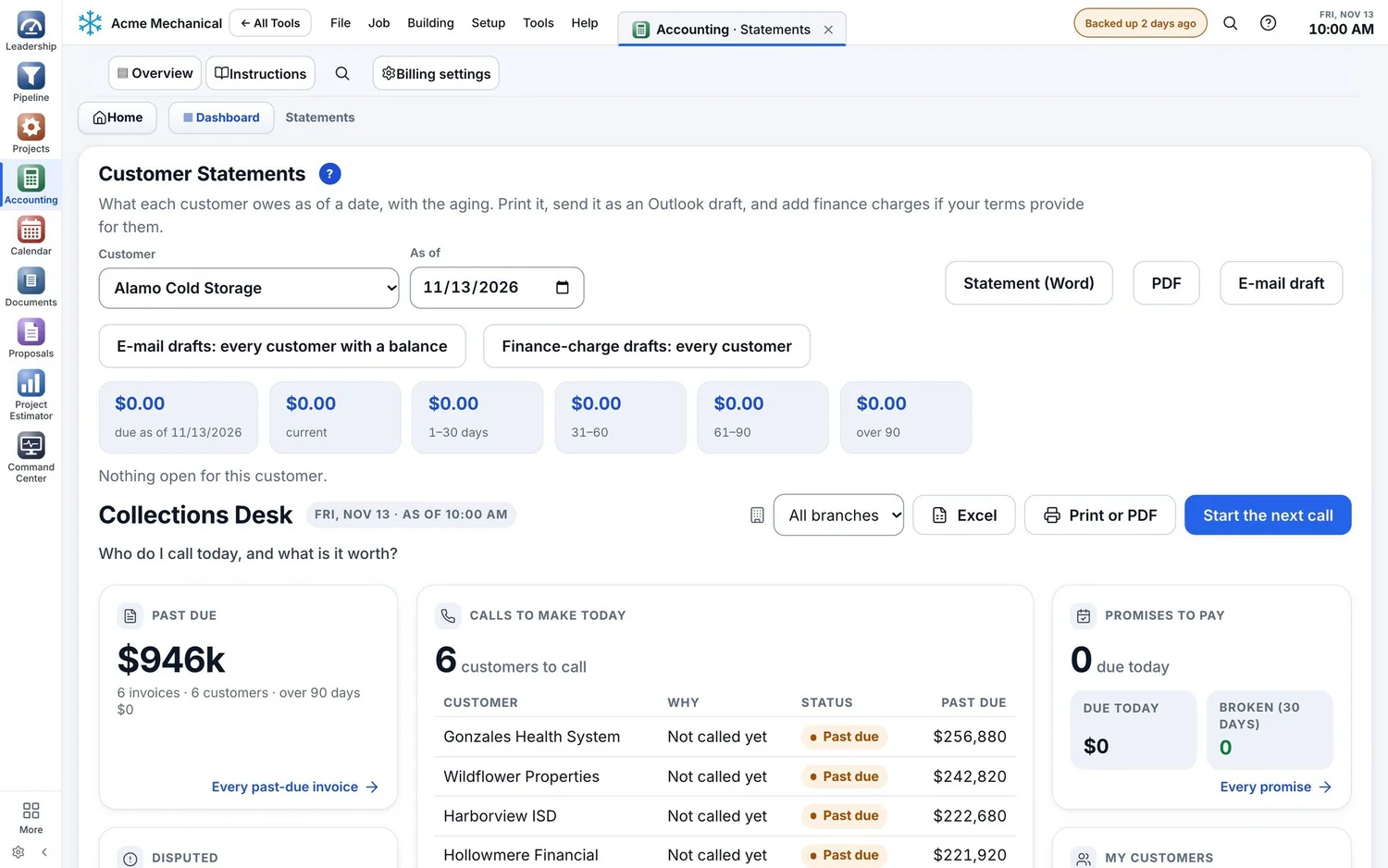
Past-due accounts drag on when nobody calls, so the collections desk lists who to call today and why.
Sales Tax Where the Work Is
Tax is figured at the jobsite, not at your office, from state rate tables bundled with the program and read offline. The sales tax report splits what was collected by state and local jurisdiction and opens a return worksheet for each state.
Learn MoreShow Less
Tax charged at the wrong rate comes back as an assessment you pay out of your own pocket. Rates follow the jobsite, and each state's return is laid out for you.
- Each line is taxable or not by the jobsite state's rule for repair or maintenance work.
- Return worksheets for every state and DC show the form, the filing frequency and the due date.
- The Texas worksheet figures the timely filing discount the way Form 01-114 does.
- Use tax is accrued on untaxed purchases at the rate where they are used.
- You file and pay on the state's website; Record the Payment posts it.
Card and ACH Payments
Waiting on a check slows cash. Take a card at a terminal, send the processor's page or a pay link printed on the invoice, or let the technician collect at sign-off with a card reader or a QR code on the phone. Payments go through your payment processor and post to the invoice. HVAC Logix never sees or keeps a card number, only the processor's token and the last four digits. Off until Leadership turns it on, with the state rules on card fees kept in a dated table.
Learn MoreShow Less
Getting paid at sign-off means no check to chase and cash in the bank sooner. Commercial cards also cost less to take when the invoice detail goes with the charge.
- Level 2/3 invoice line detail is sent for commercial cards, which lowers their fees.
- A surcharge or convenience fee follows the stricter of your state's and the customer's state's rules; debit and prepaid cards are never surcharged.
- Each processor deposit posts as one entry that matches the bank statement line.
- Voids, partial refunds, chargebacks and ACH returns reopen or adjust the invoice.
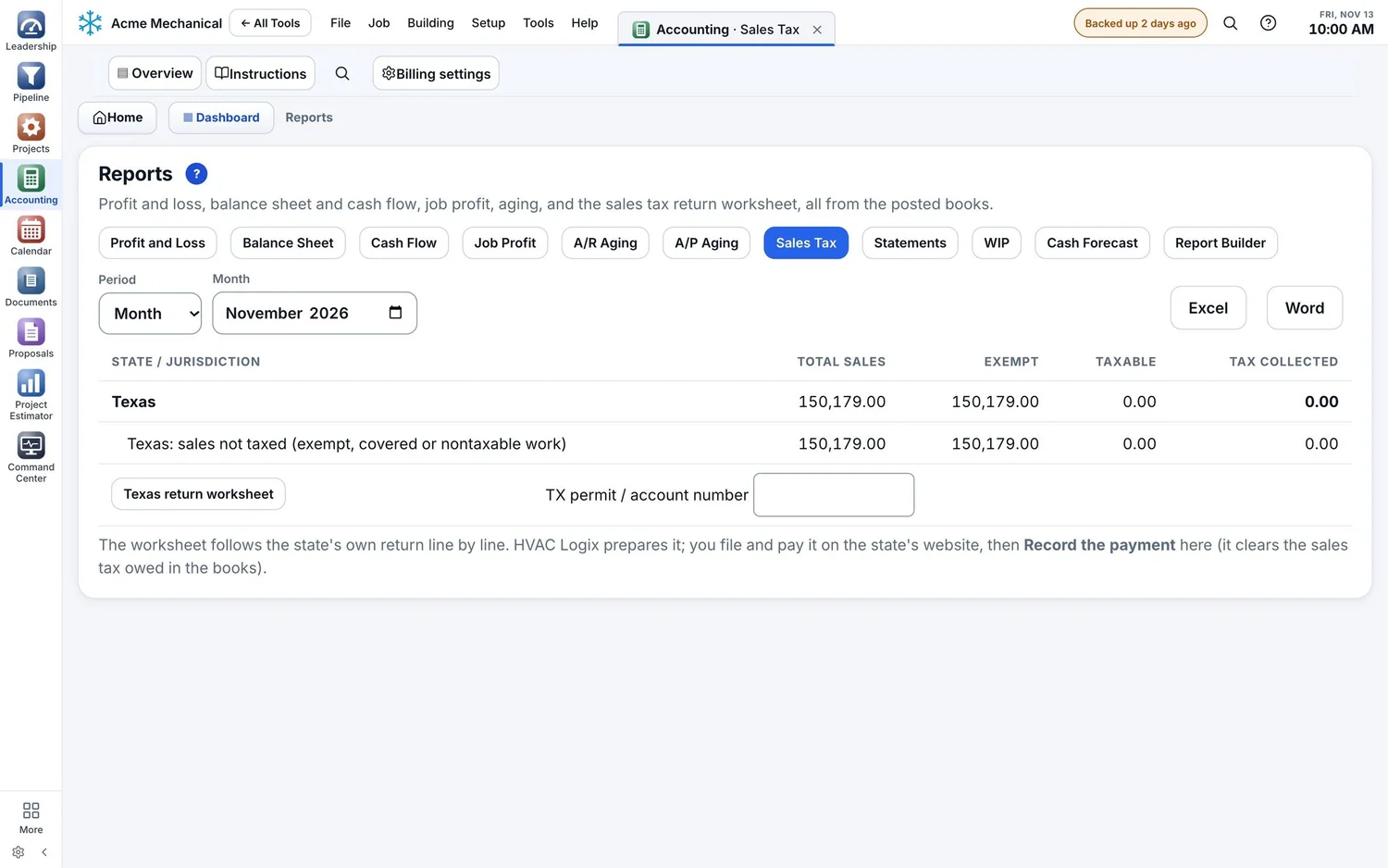
Sales tax errors bring penalties, so collected tax is split by state and jurisdiction for the return.
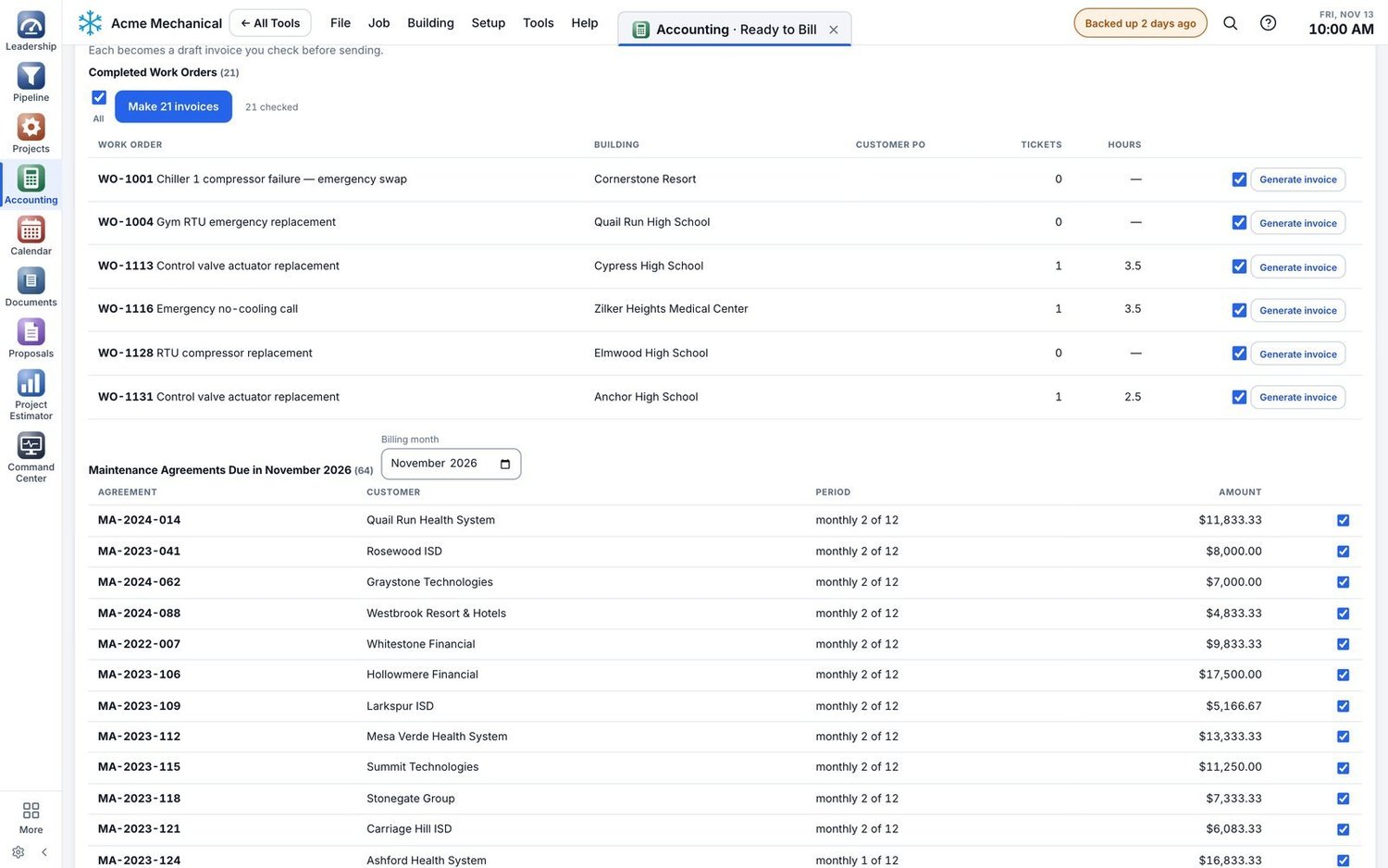
Pay Applications, Retainage and Lien Waivers
A construction job is billed the way general contractors and lenders expect, from the schedule of values the project manager keeps on the job.
Pay Applications
- Build the schedule of values from the job's budget, one line per cost code, to the cent
- Enter work done this period and materials stored, line by line
- One step makes a G702/G703-style application with its summary and continuation sheet
- Send it as Word, Excel or PDF, or as a draft in your e-mail program
- When it is sent, the job rolls forward: this period moves into billed before
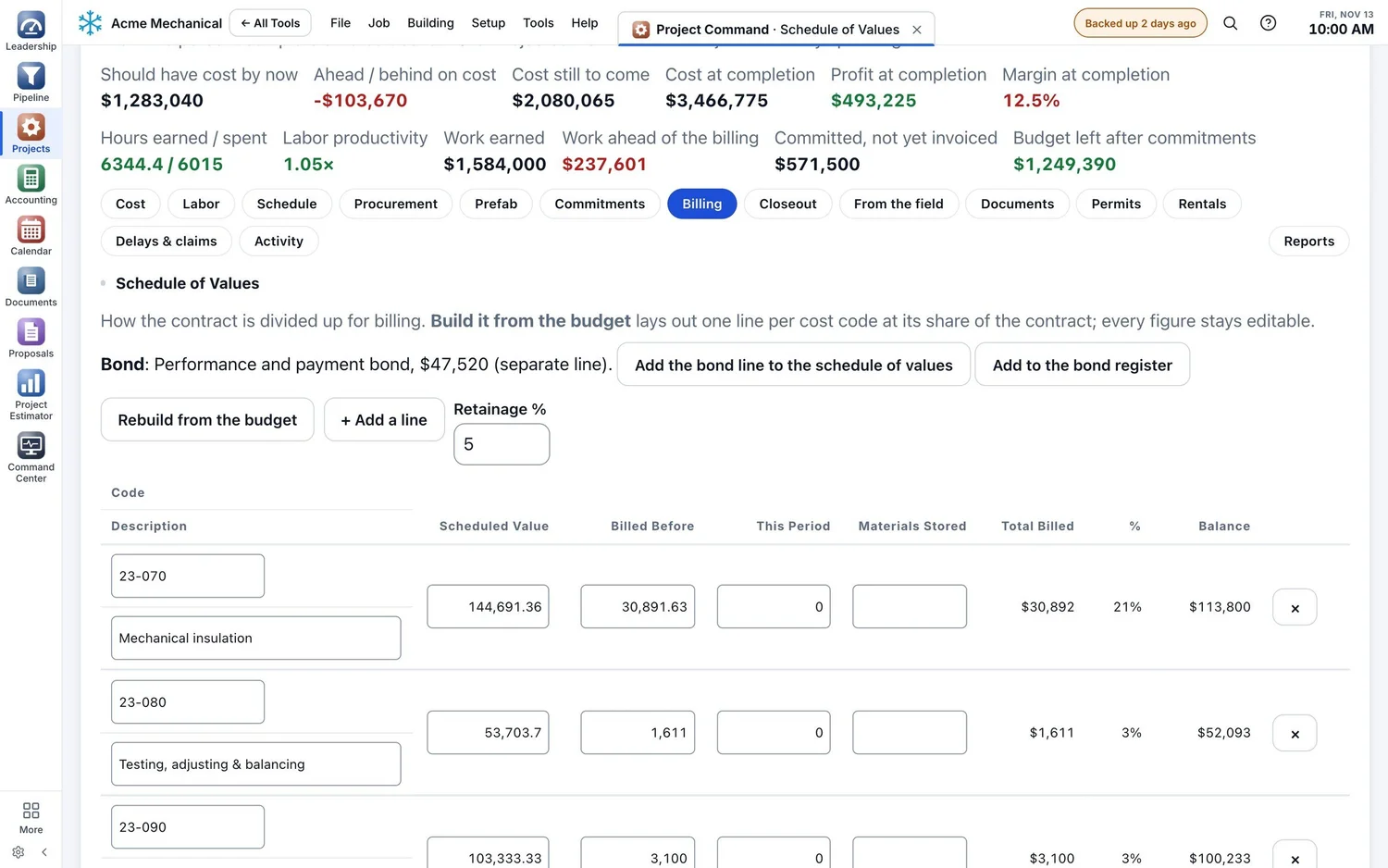
Pay applications take hours by hand, so the schedule of values is built from the job budget line by line.
Retainage
- The job carries one retainage percent, set when the deal is awarded
- A draft warns when the percent is above the jobsite state's cap on private work
- Bill a partial or final release and see what is still held after it
- Retainage held on a subcontractor's bill posts to its own payable account until released
- State caps and deadlines are research data, not legal advice
Lien Waivers
- One log of every waiver the company gives and every one it collects
- Conditional and unconditional, progress and final, on the state's statutory form where the state has one
- The Word document is generated and logged in one step
- A subcontractor's final payment is always held until the conditional final waiver is received, and progress checks are held the same way unless you turn that off
Subcontracts and Change Orders
- Subcontracts with their own schedule of values, change orders, pay applications and backcharges
- An approved subcontractor pay application becomes a bill for Accounting to enter
- RFIs become change order requests on the job's one log
- Change orders can go to the customer for electronic signature
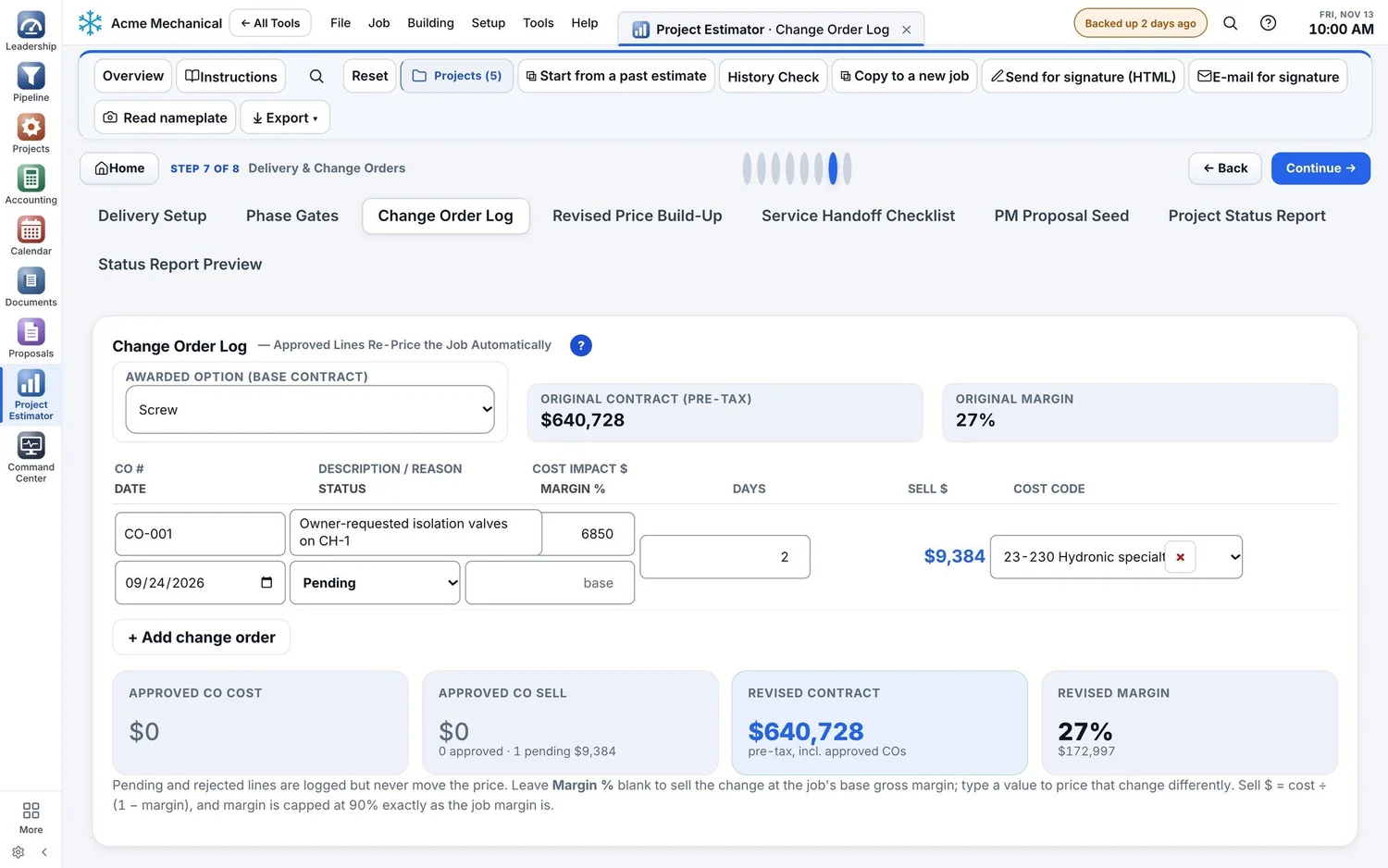
Changes billed before they are approved cause disputes, so each change order carries its status and amount.
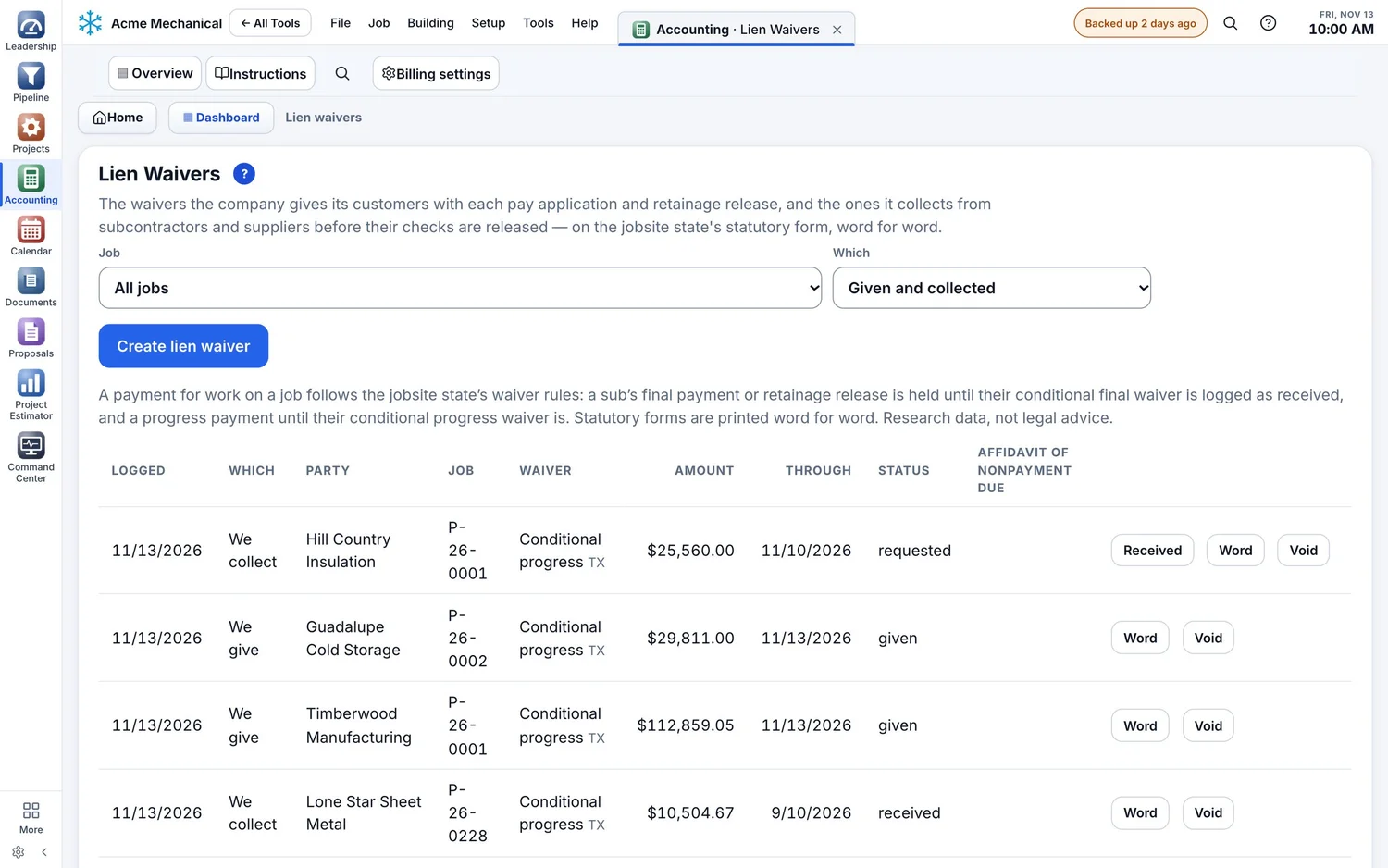
Lien waivers tracked by job and party, next to the pay applications and retainage they belong to.
Money Out, with the Controls an Auditor Looks For
Purchase Orders and the 3-Way Match
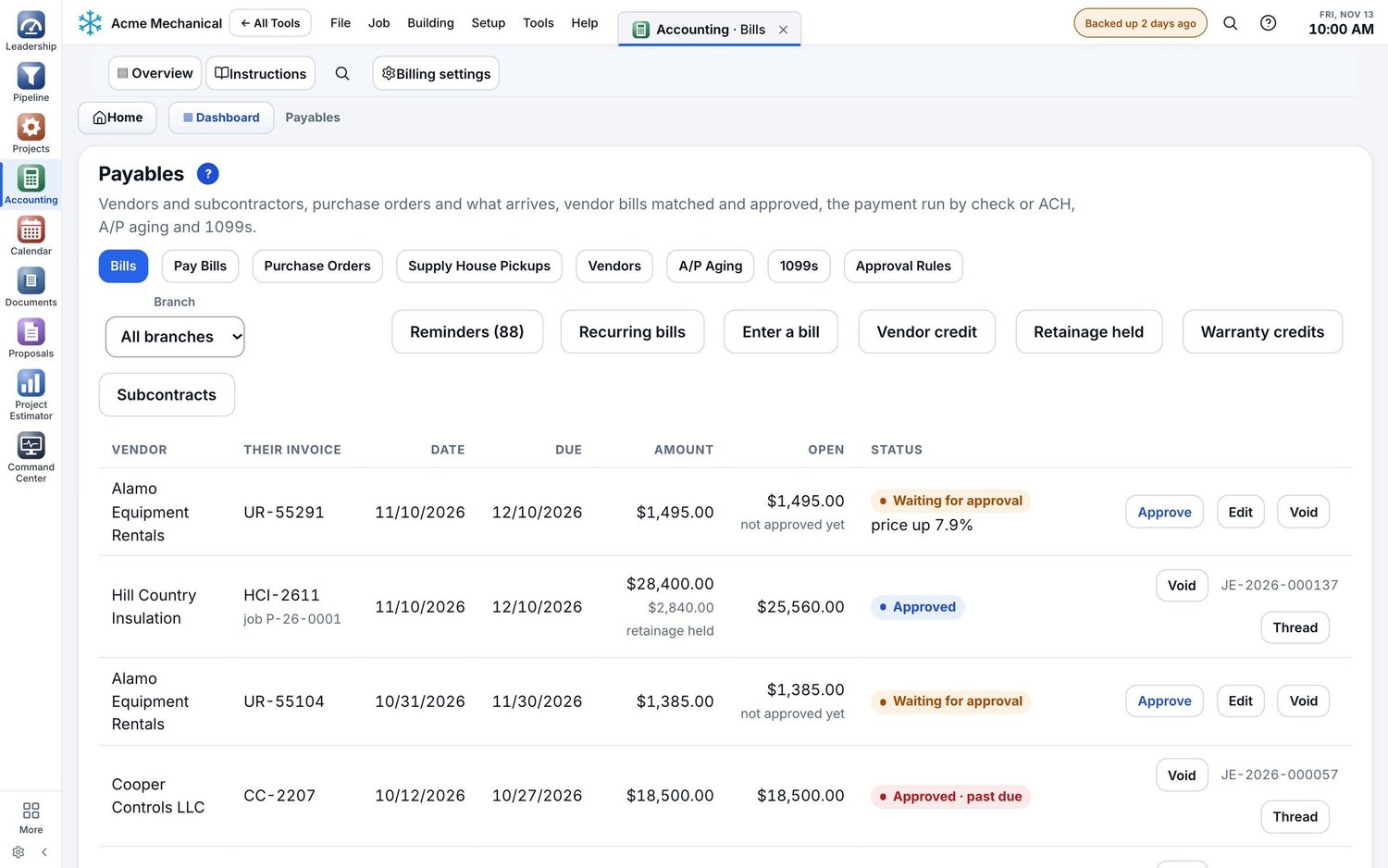
A purchase order started from a job or work order carries the job and cost code through receiving to the vendor's bill. A bill entered from a PO is checked against the PO and what was received, and a bill that does not match can be approved only with a reason that stays with it.
Learn More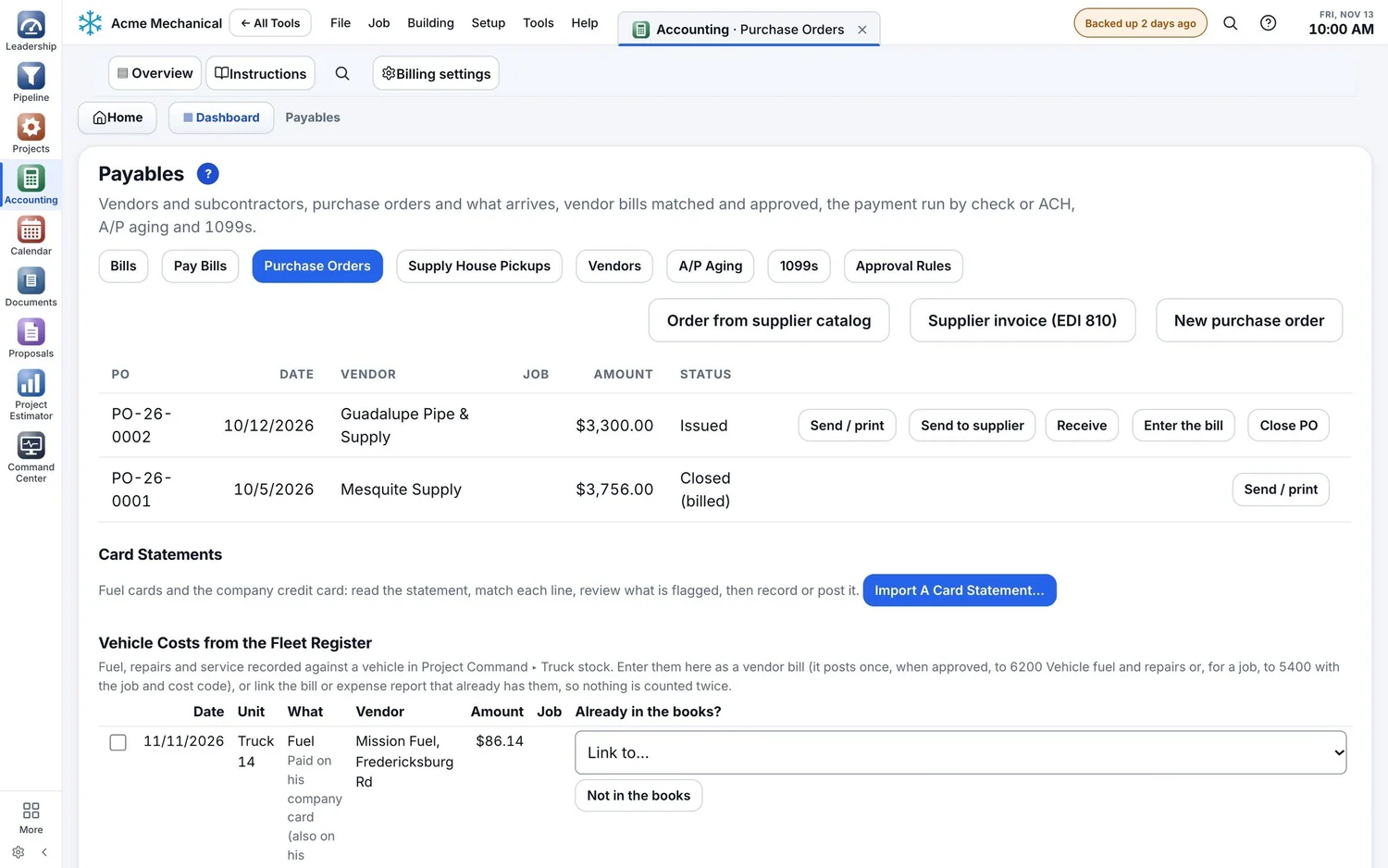
Bills that do not match the order slip through, so each purchase order follows the job to the bill.
Approval Limits and Separation of Duties
Leadership sets which roles may approve and up to what amount. The person who entered a bill does not approve it. A one-person office can use the small-shop override, which is recorded with a name and a reason.
Learn MoreShow Less
A second set of eyes on every bill is the cheapest guard against paying a wrong or fraudulent bill. Limits and separation of duties are checked each time a bill is approved.
- Issuing a purchase order follows the same approval limits.
- A bill that fails the 3-way match can still be approved, but only with a reason kept on the bill.
- New or changed recurring bill templates also wait for a second person.
- Only Leadership or an Administrator changes the rules, and every change is logged.
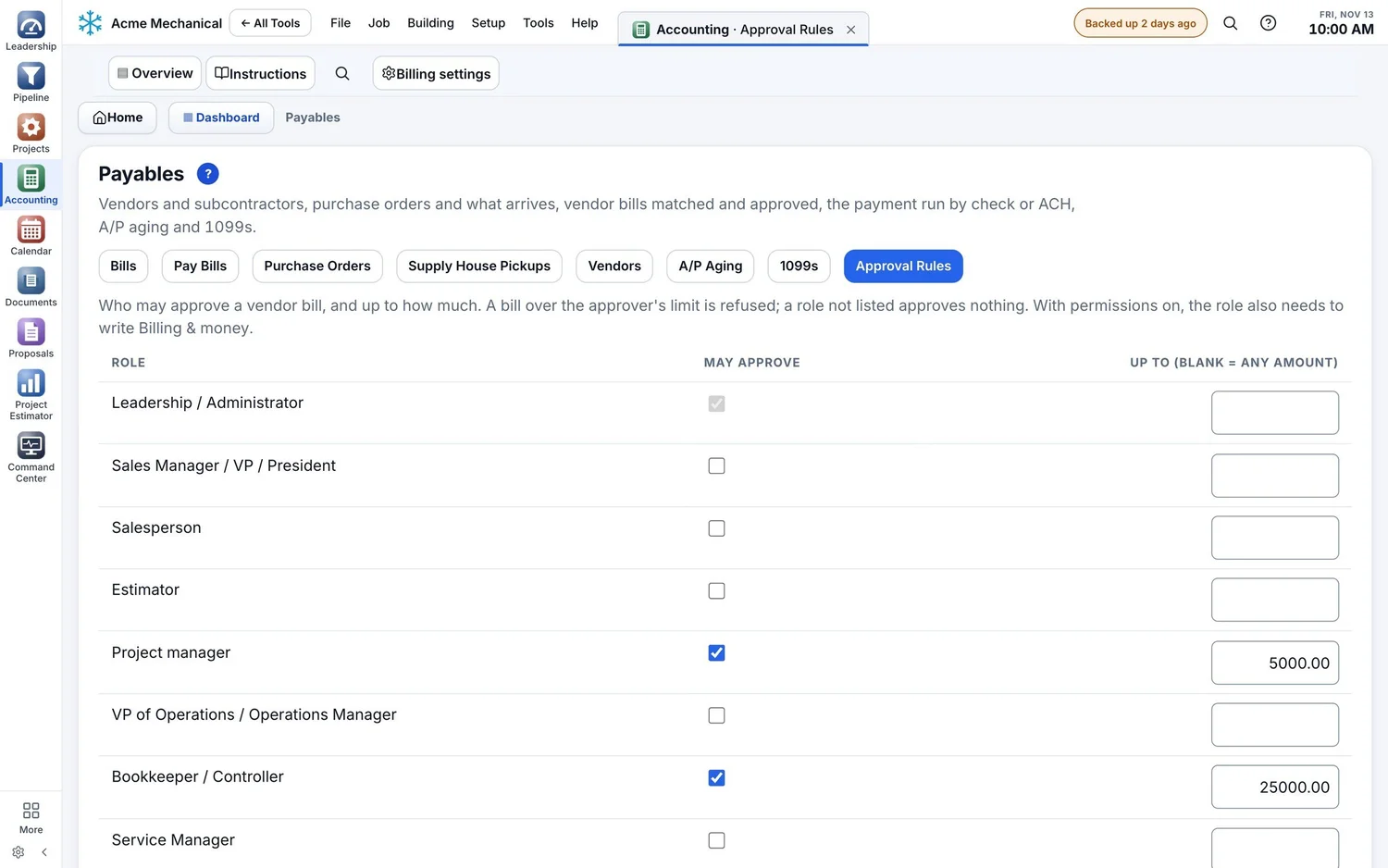
One person entering and approving bills is a fraud risk, so each role gets its own approval limit.
Check Runs and Bank Files
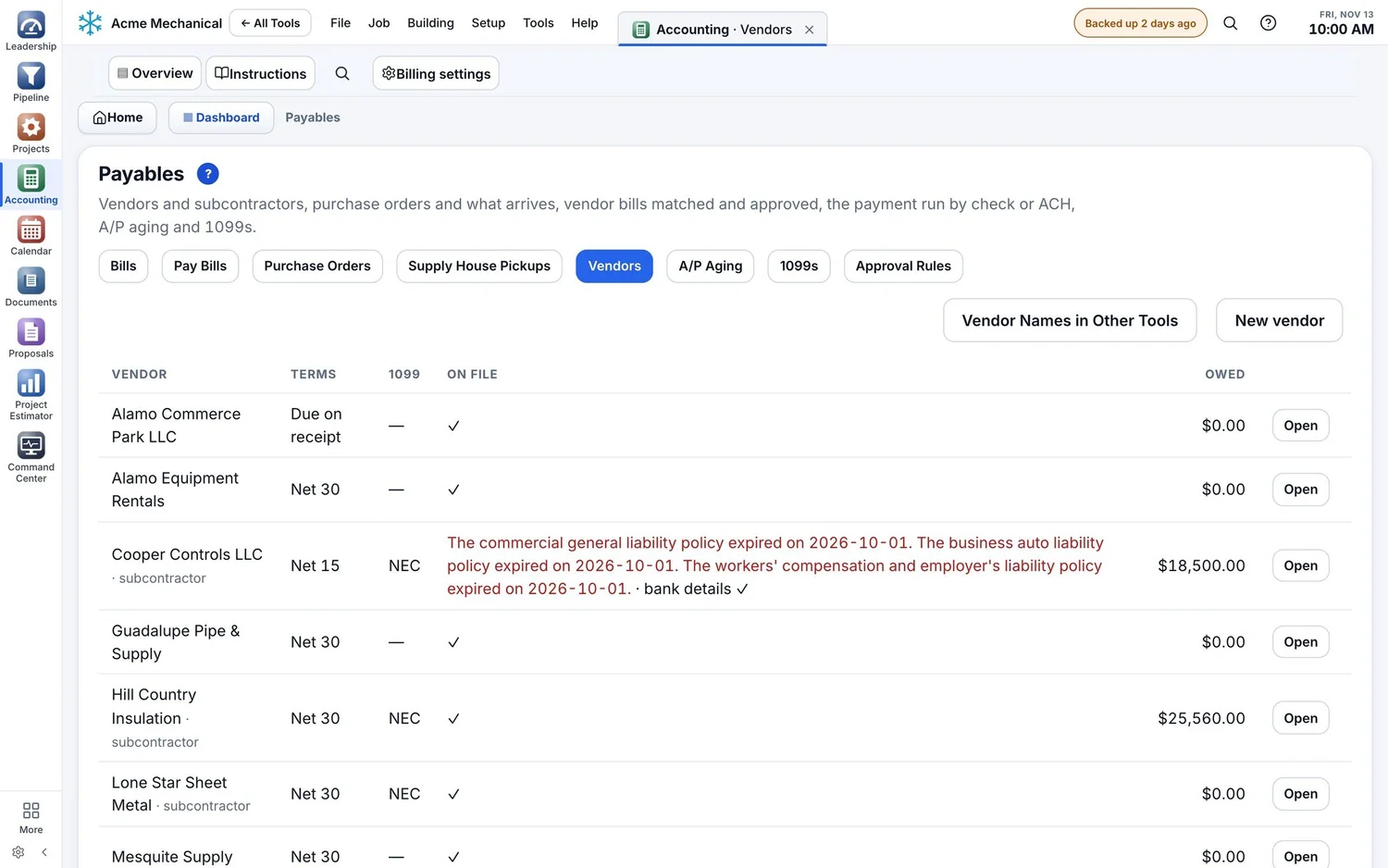
Pay Bills makes one payment per vendor, by printed check with a positive-pay file or as an ACH file you upload to your bank. An expired certificate of insurance, an expired license or a missing W-9 can stop that vendor's payment, and the screen says which.
Learn MoreShow Less
Check fraud and paying a vendor whose insurance has lapsed both cost real money. Pay Bills guards against both and turns a stack of approved bills into one run.
- Several bills to one vendor make one check, each bill listed on the stub.
- The ACH file is a Nacha CCD file carrying the vendor's invoice numbers, built before anything posts.
- ACH is refused for unconfirmed vendor bank details, and recent changes are flagged to confirm by phone.
- Joint checks name the subcontractor and the supplier and count on the subcontractor's 1099.
- A vendor on payment hold is refused by every run.
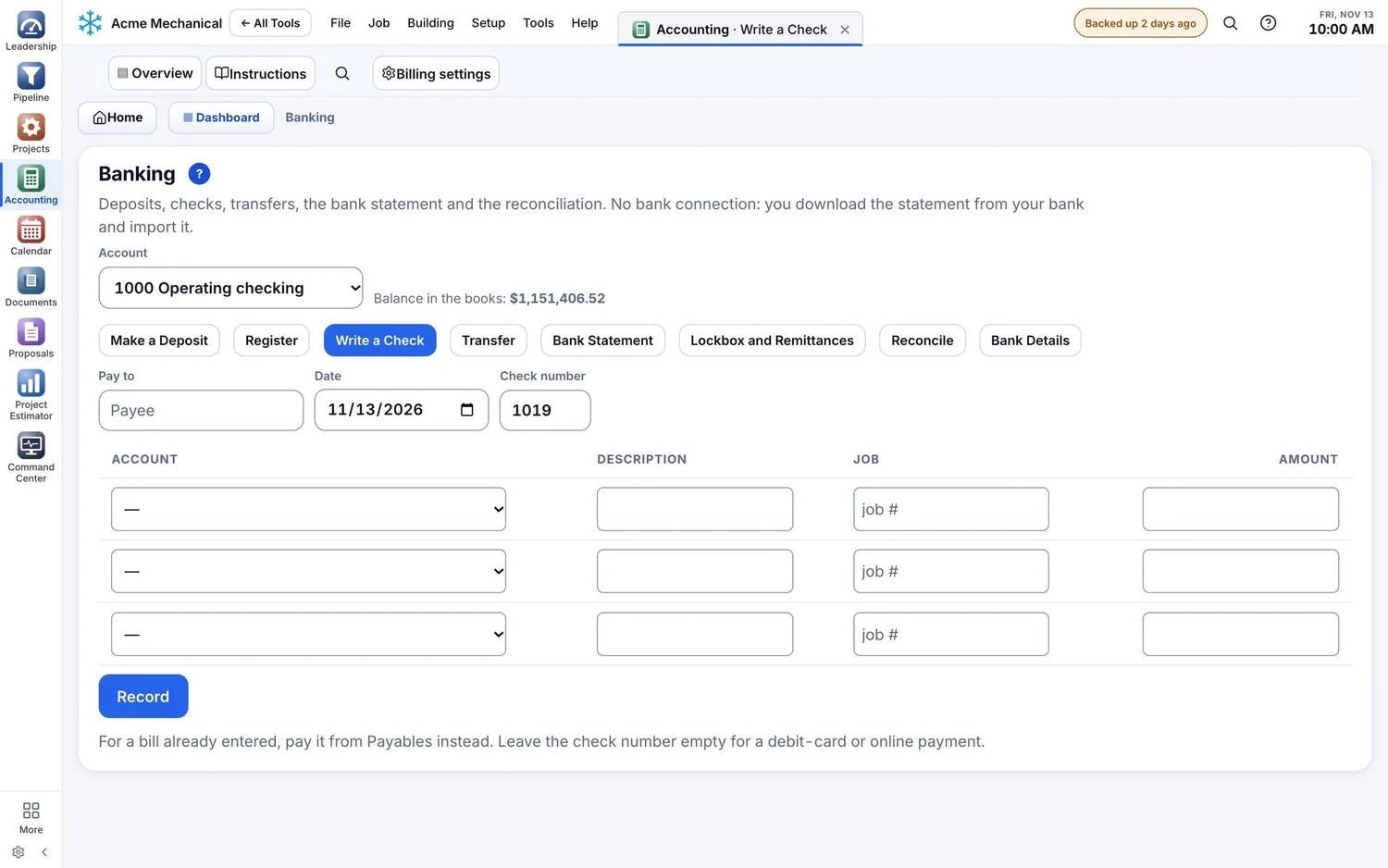
Hand-written checks skip the books, so every check is written against an account and a job.
Bank Reconciliation
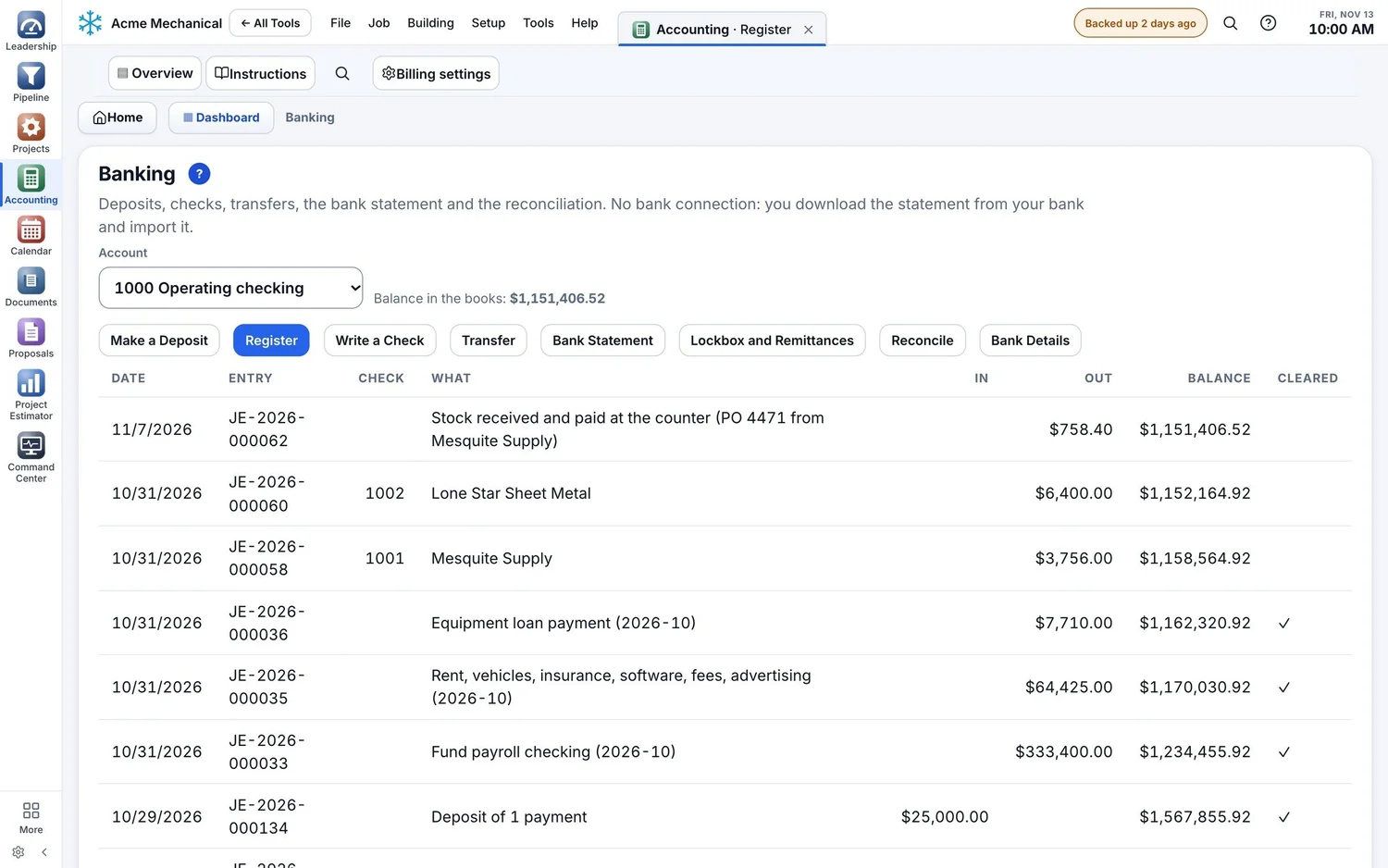
Download the statement file from your bank's website and HVAC Logix reads it on your computer. Each line is matched to the entry already in the books, or recorded with a rule you save once. Lockbox and remittance files apply incoming payments to their invoices.
Learn MoreShow Less
Reconciling by hand eats hours every month end. Matches are suggested by amount, date and check number, so most lines clear with one click.
- Reads OFX, QFX, CSV, BAI2 and camt.053 files; importing the same file twice adds nothing.
- A bank charge or interest line is recorded and matched in one step.
- Finish works only at a $0.00 difference, and the report is saved and locked.
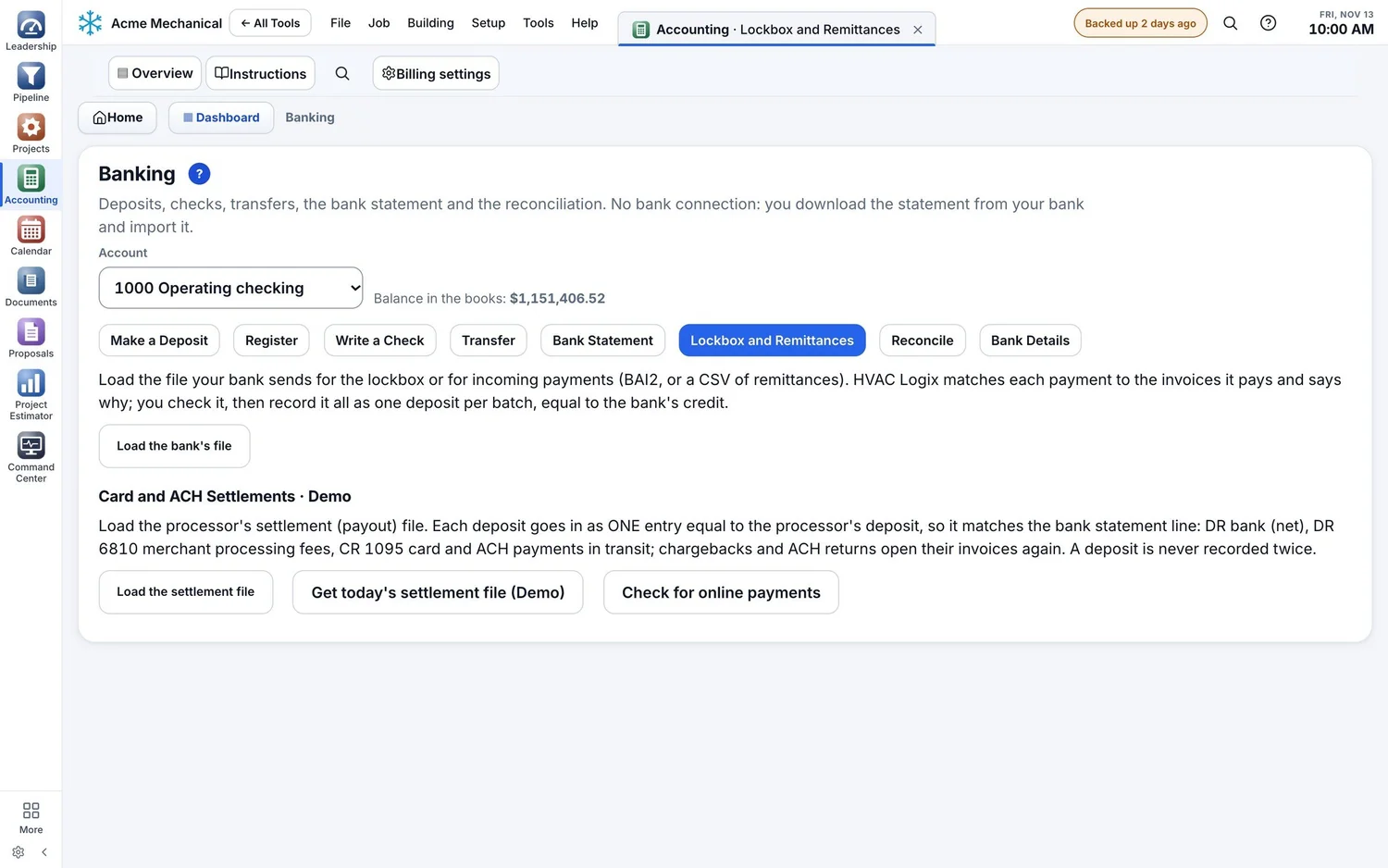
- Each lockbox batch posts as one deposit equal to the bank's credit; unmatched money waits in unapplied payments.
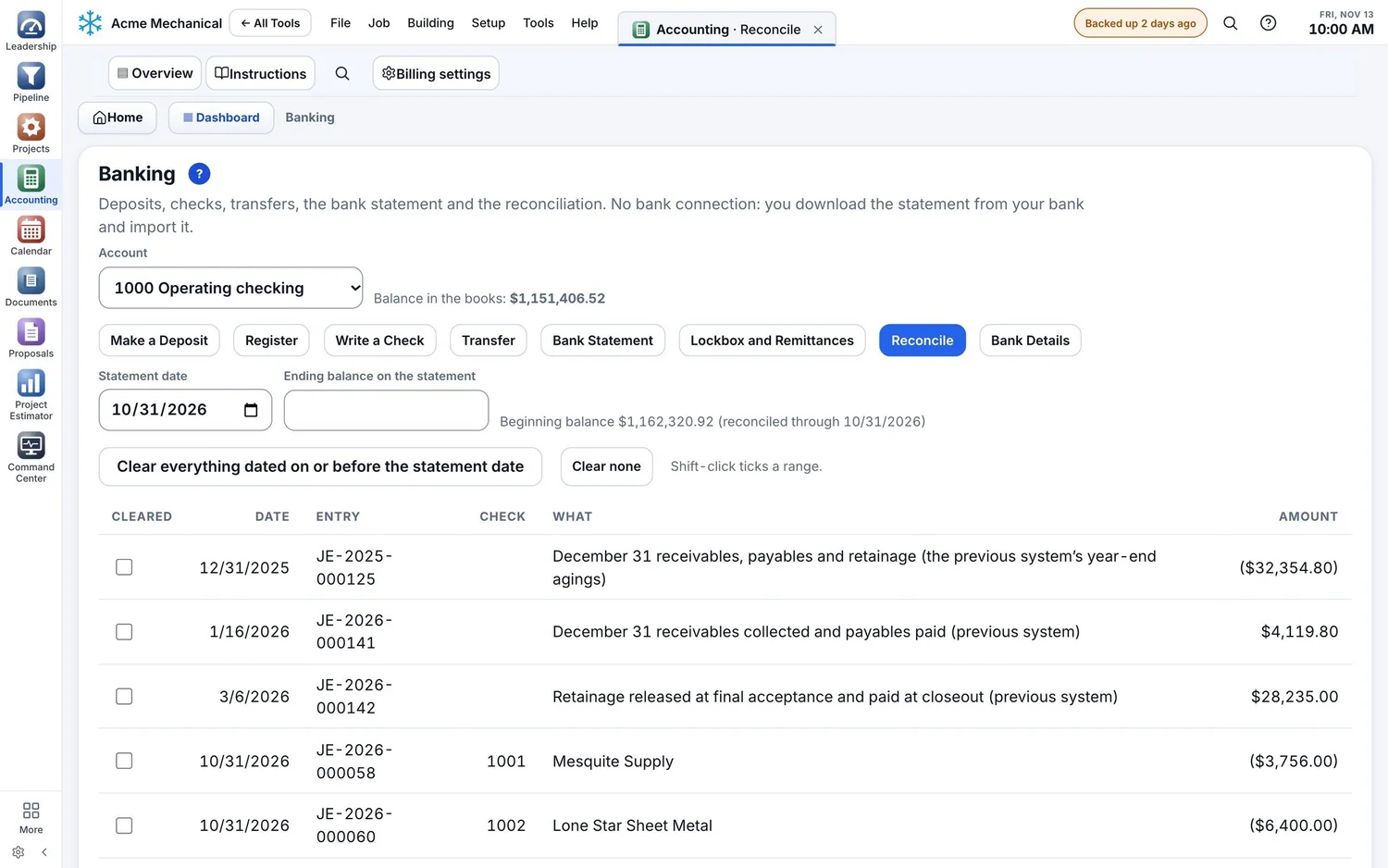
Month-end reconciliation drags on, so each statement line is matched to the entry already in the books.
Recurring Bills and Split Bills
Rent, leases and loan payments come from approved templates on their dates. A phone or utility bill that covers many lines is split the same way every month to the right employee, branch, job or vehicle.
Learn MoreShow Less
Retyping the same bills every month costs office time, and a phone bill left in overhead hides real job costs. Templates draft the bills on schedule and put each line where it belongs.
- Each recurring bill is numbered by reference and date, so the same month is never entered twice.
- Loan payments split principal and interest from the schedule.
- Accruals can reverse on the first of the next month.
- The bill is read on your computer from a PDF or a photo, and each line takes the amount printed beside its number.
- Splits always add to the bill to the cent.
1099s and Expense Reports
The 1099 tab totals the year's payments to 1099 vendors and writes the upload file for the IRS information returns system. Employee expense reports with receipts and mileage are approved by someone else and paid back on the next paycheck or through Payables.
Learn MoreShow Less
A missed 1099 or a reimbursement that should have been wages can bring IRS trouble. The checks are built in, and receipts are read on the phone so none are lost.
- For payments made in 2026 and later, the 1099-NEC threshold is $2,000.
- A vendor with no TIN shows in red; a missing address stops the IRIS file with the reason.
- Expense reports flag a missing receipt on lodging or on any line of $75 or more (IRS Pub. 463).
- Duplicates and mileage above the IRS rate are flagged for the approver.
- Nobody approves their own report.
Bills Read from the Paper
Enter a bill by reading it: a photo, a scan or the vendor's PDF fills in the vendor, the invoice number, the dates and terms, the PO and the lines, and says whether freight and tax add up to the total. You check every field before it is saved, and the bill copy stays with the bill.
Learn MoreThe Line of Credit
A short week should not be a surprise. When the books carry a line of credit, the cash forecast shows what is still available beside the lowest week and warns which week would go below zero and whether the line covers it. Banking draws on the line and pays it down, posted through the books.
Learn MoreShow Less
Seeing a cash dip weeks ahead lets you draw on the line on your own terms instead of scrambling the week it hits.
- The forecast covers 13 weeks: cash now, in 13 weeks and the lowest week.
- A short week's cash cell reads "draw", with a link to the Draw / Pay Down box.
- The forecast never assumes a draw, so its figures stay honest.
- Pay Down splits principal from interest, which posts to interest expense.
- The limit is the same figure the Controller's Credit & Bonding tile reads.
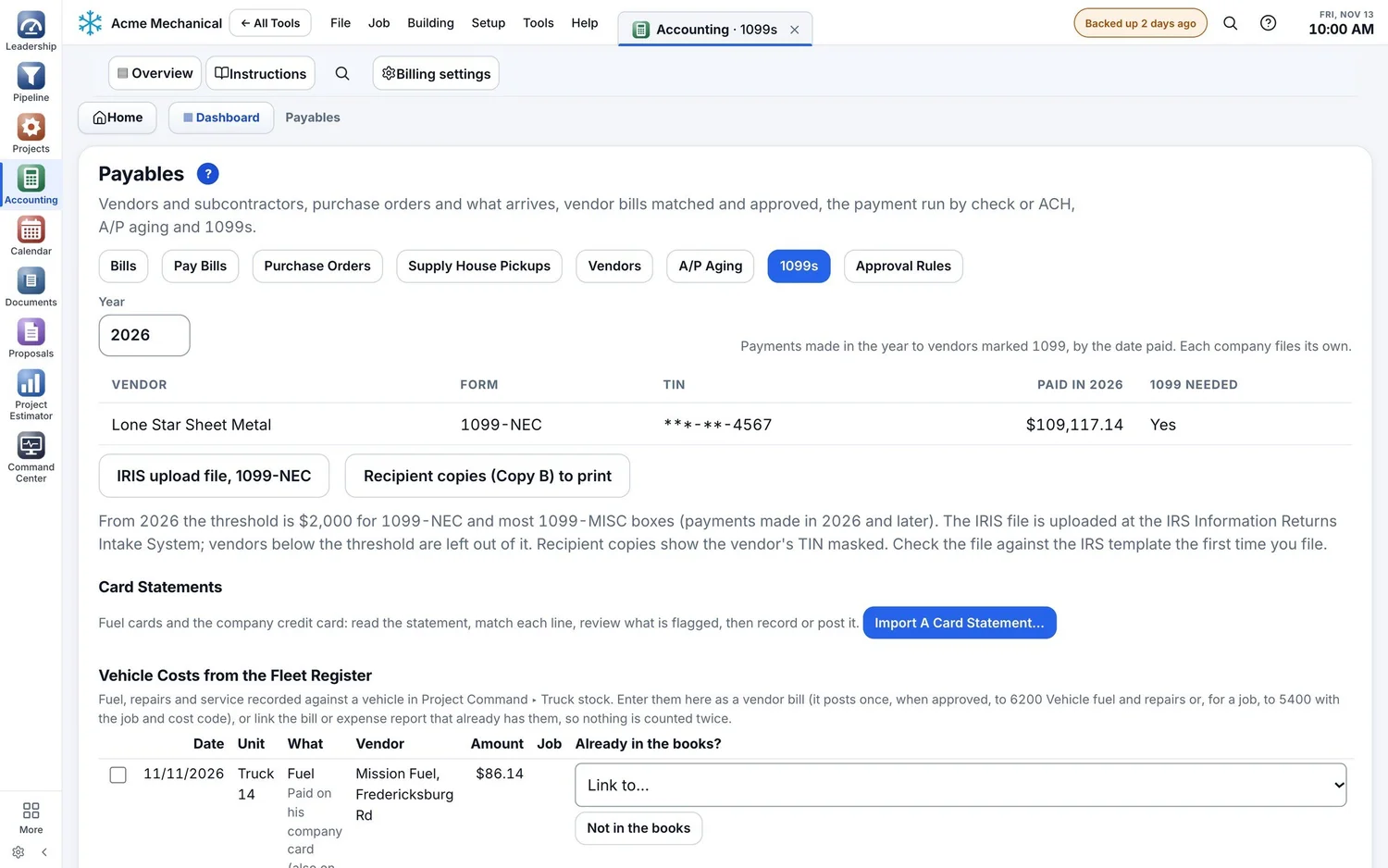
Year-end 1099s are a scramble, so payments to 1099 vendors are totaled all year with the upload file ready.
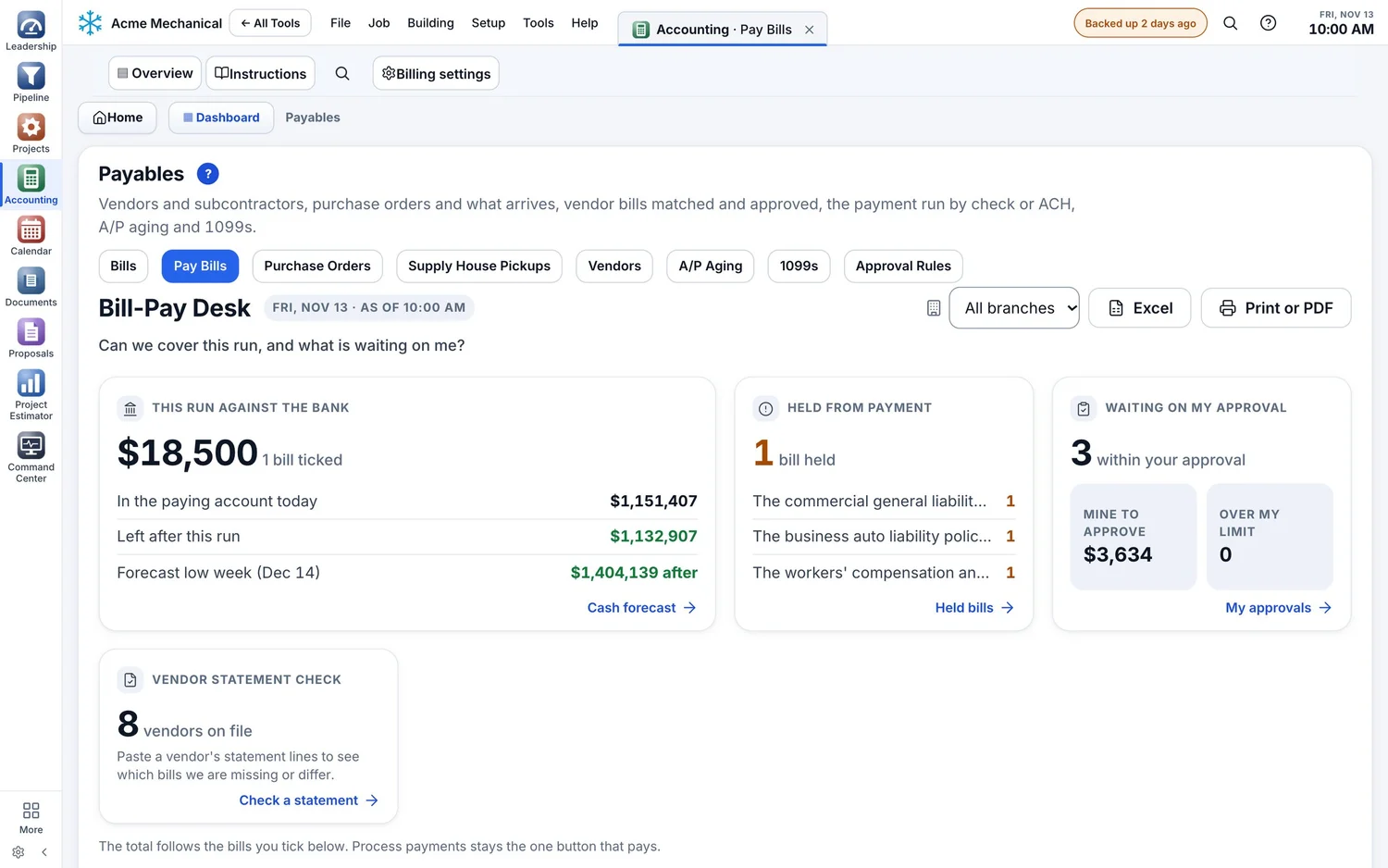
Pay Bills: choose what to pay, then print checks or make the ACH file, with approvals already applied.
Know Where Every Job and Every Week Stands
Job cost comes from the books by cost code, and the reports Leadership reads are built from the same posted entries.
Job Cost from the Books
Vendor bills, subcontractor bills, parts taken off the trucks and payroll all post to the job and cost code. Each job shows budget against actual by labor, material, subcontract, equipment and other, with open purchase orders as committed cost.
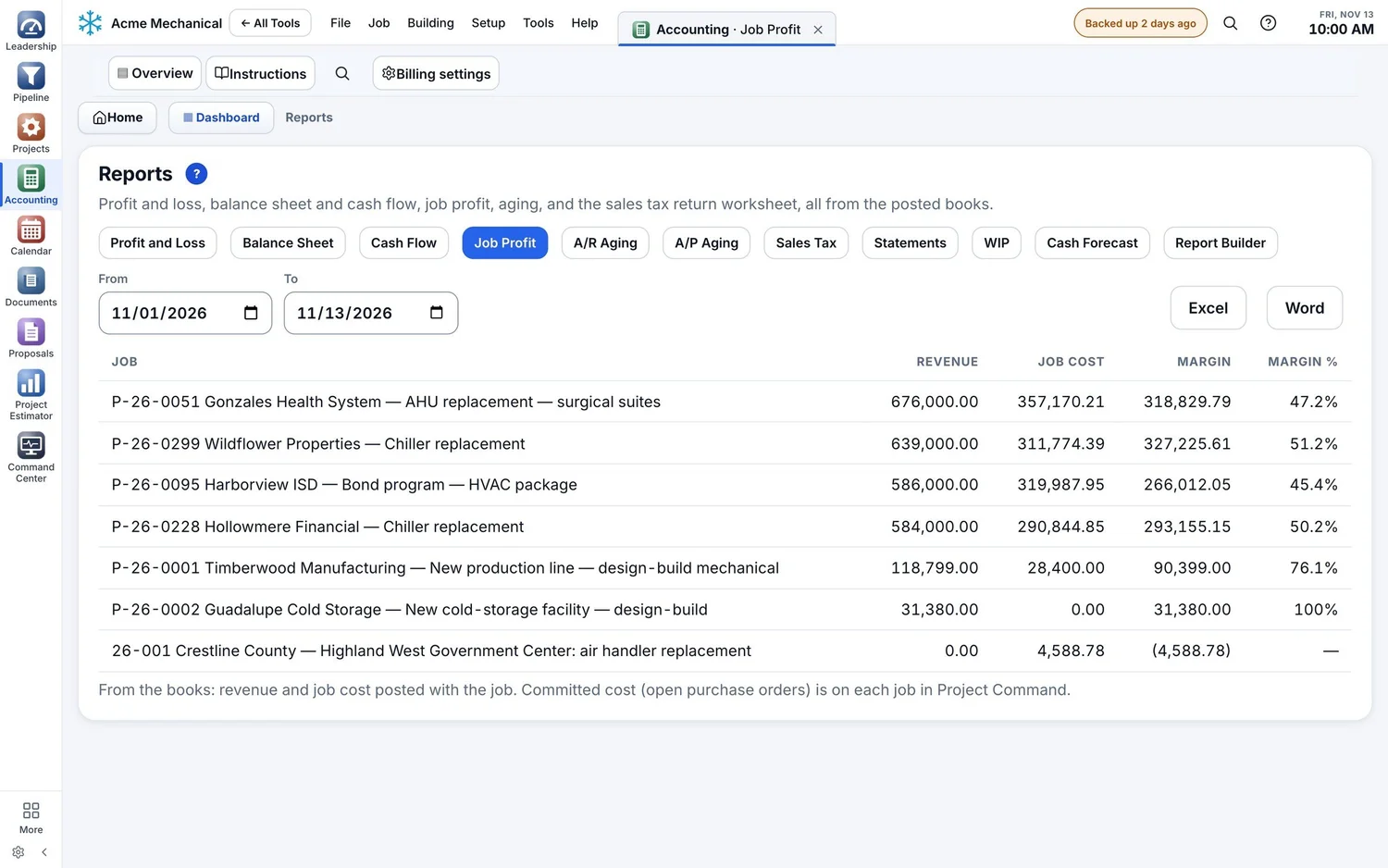
Job profit known only at the end comes too late, so each job's revenue and cost come straight from the books.
The WIP Schedule
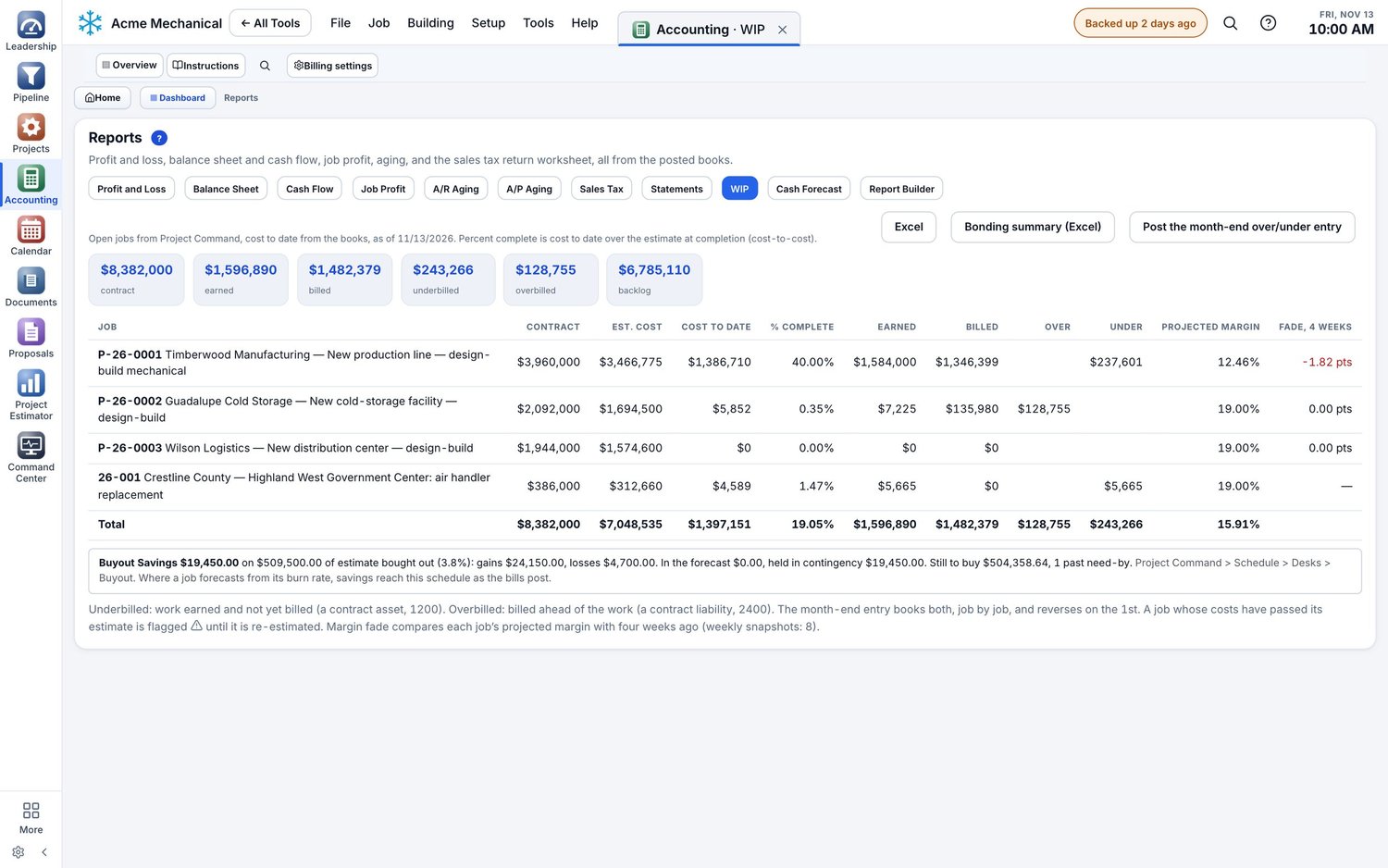
Every open job with contract, cost to date, percent complete by cost-to-cost, earned, billed, over and under billings, projected margin and the margin fade over four weeks. One month-end entry posts the over and under billings job by job.
The 13-Week Cash Forecast
Cash now, cash in 13 weeks and the lowest week, built from open receivables by due date, billings still to come on each job, approved bills, payroll and job costs to come. It reads the books, and it saves to Excel.
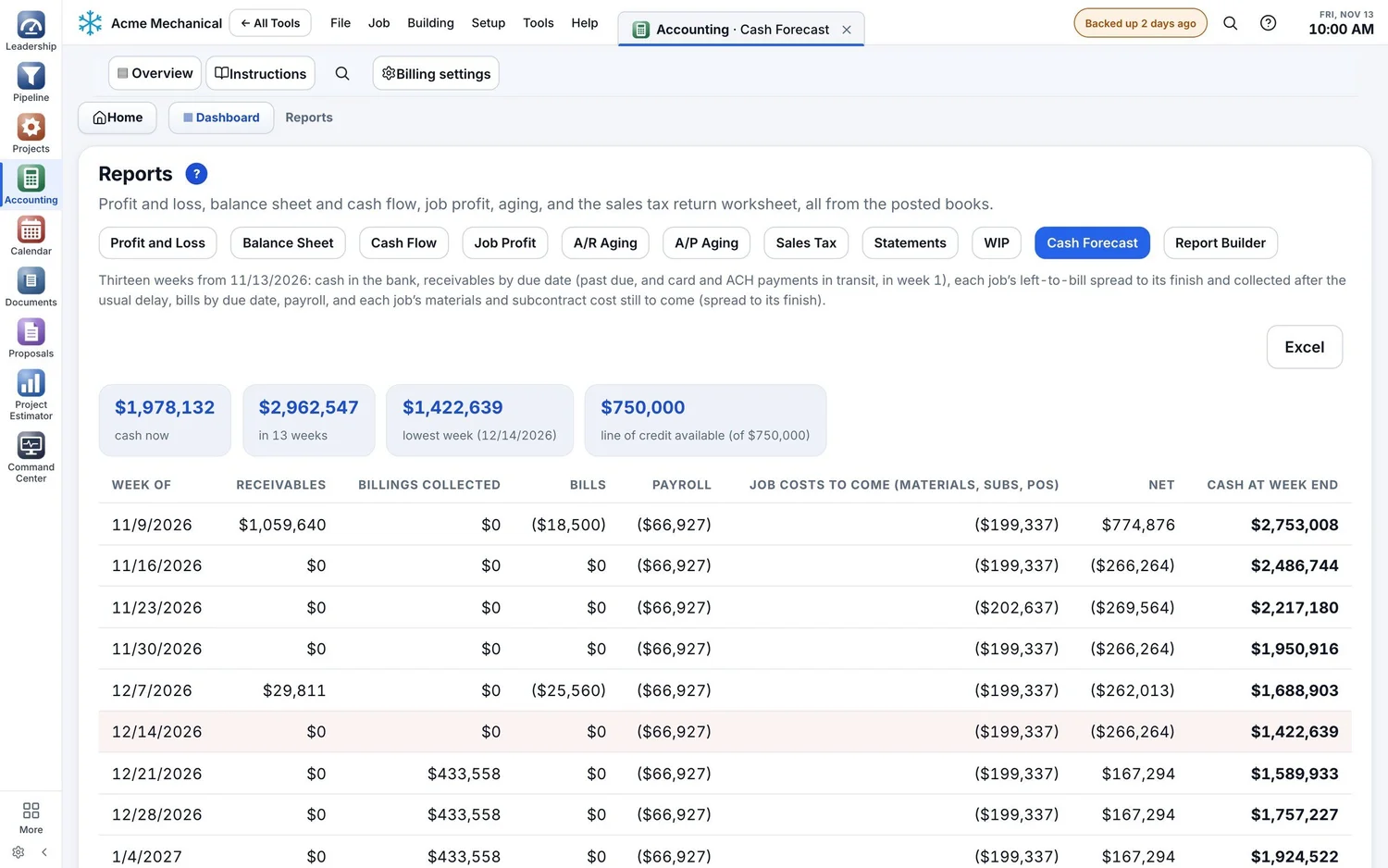
Cash shortfalls arrive with little warning, so a 13-week forecast shows the lowest week ahead.
Branches and Companies
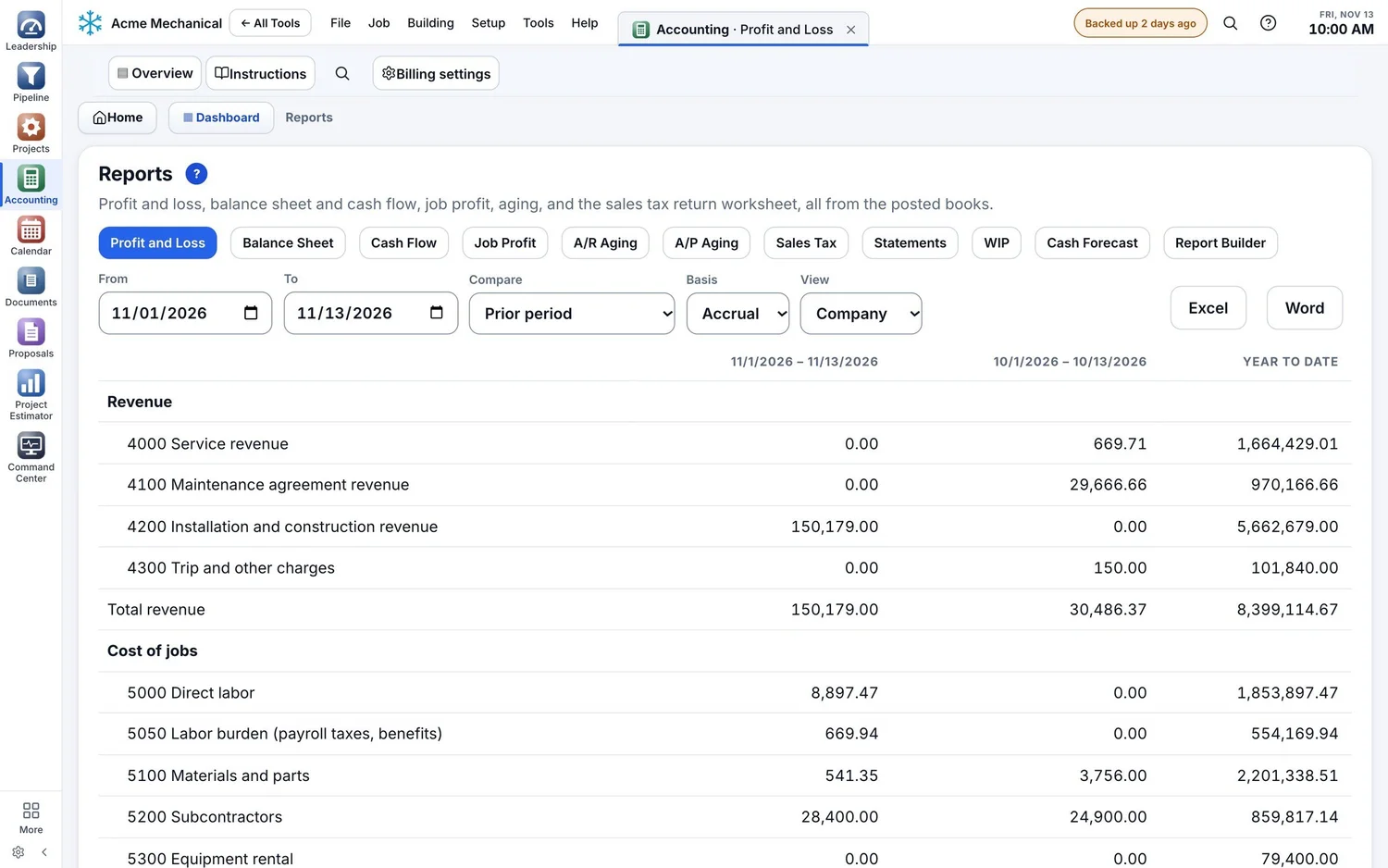
Profit and loss by branch puts each location side by side with the company total. Branches that are their own companies keep their own bank accounts and invoice series in the same books, with intercompany balances kept for you and statements side by side by company.
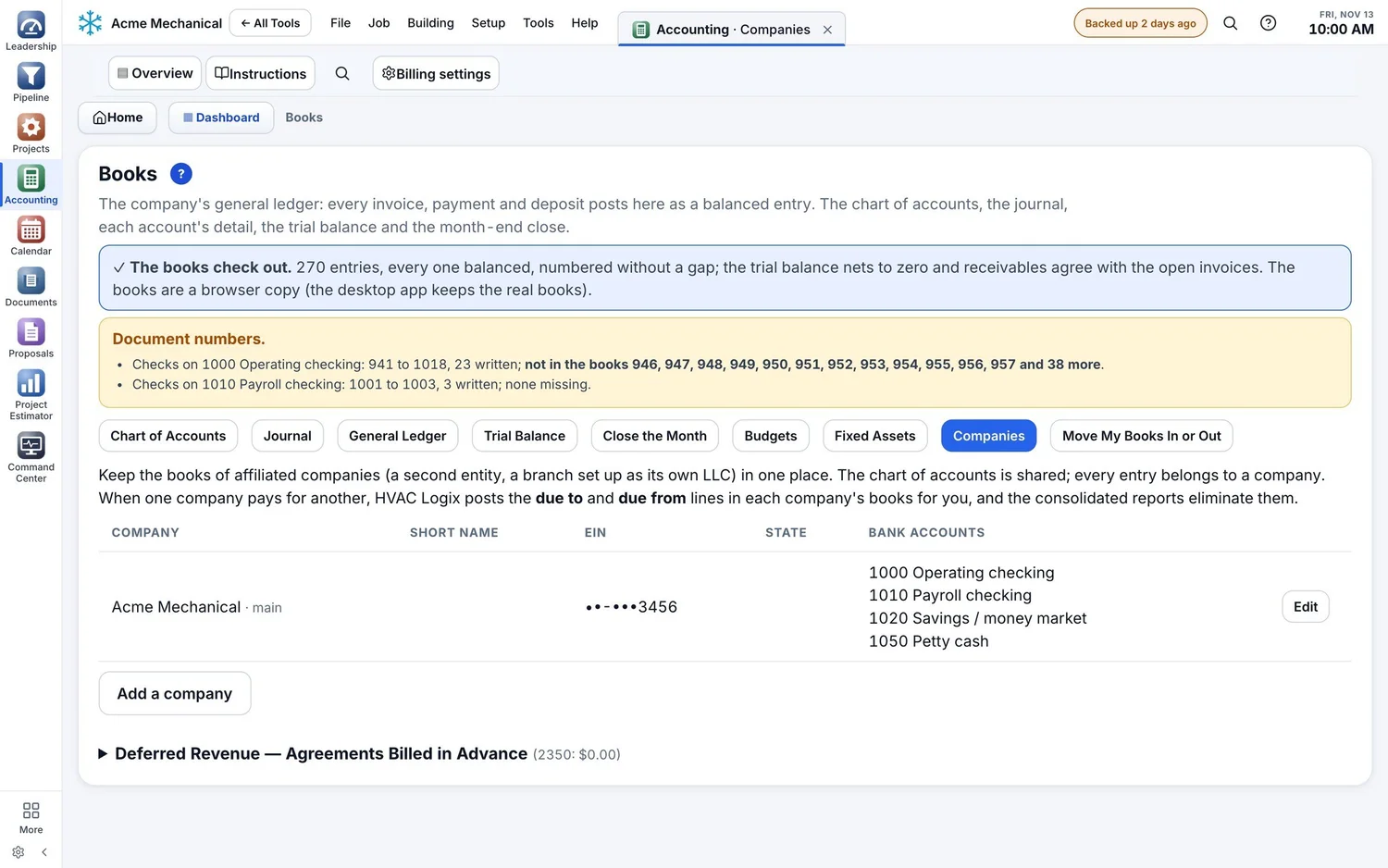
Running more than one company in one set of books gets messy, so each company keeps its own banks and series.
A Close Your CPA Will Recognize
Month-End Close
- A checklist reads the books as they stand: documents posted, banks reconciled, payments deposited, bills approved, depreciation run, inventory tied out
- Each line has a button to the screen that fixes it
- Once a month is closed, nothing dated in it can be posted
- Only Leadership reopens a closed month, with a reason
Month-End and Year-End Packs
- The month-end CPA pack in PDF or Excel: profit and loss, balance sheet, trial balance, agings, bank reconciliations, WIP and the payroll summary
- The cover lists anything that needs attention
- The year-end close is a ten-item checklist, each item signed, then one closing entry and a locked year
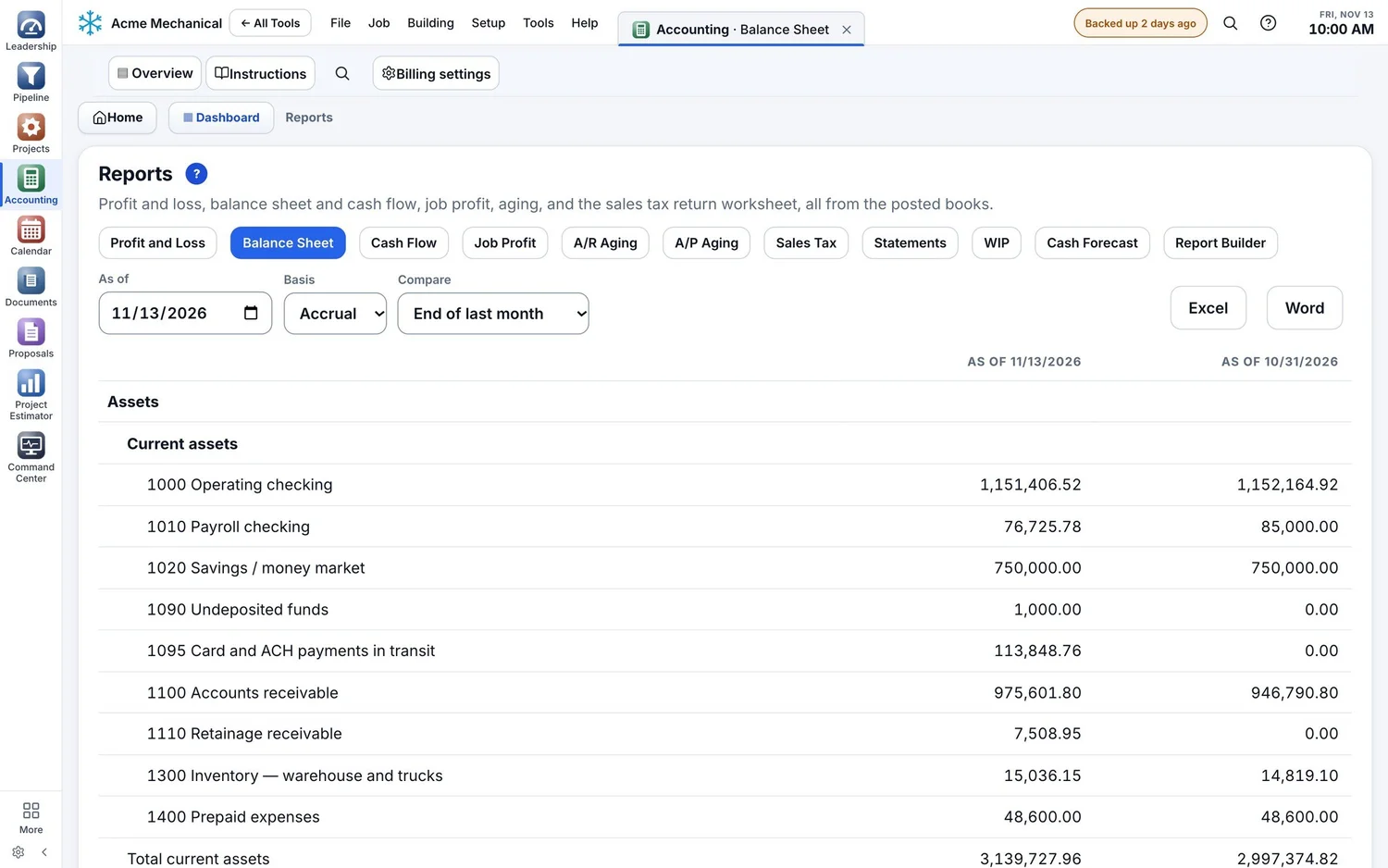
Your CPA wants standard statements, so the balance sheet prints with this month beside last.
Statements and Budgets
- Profit and loss, balance sheet, cash flow, job profit and both agings, each with Excel and Word
- A contractor income statement and a classified balance sheet with working capital and the key ratios
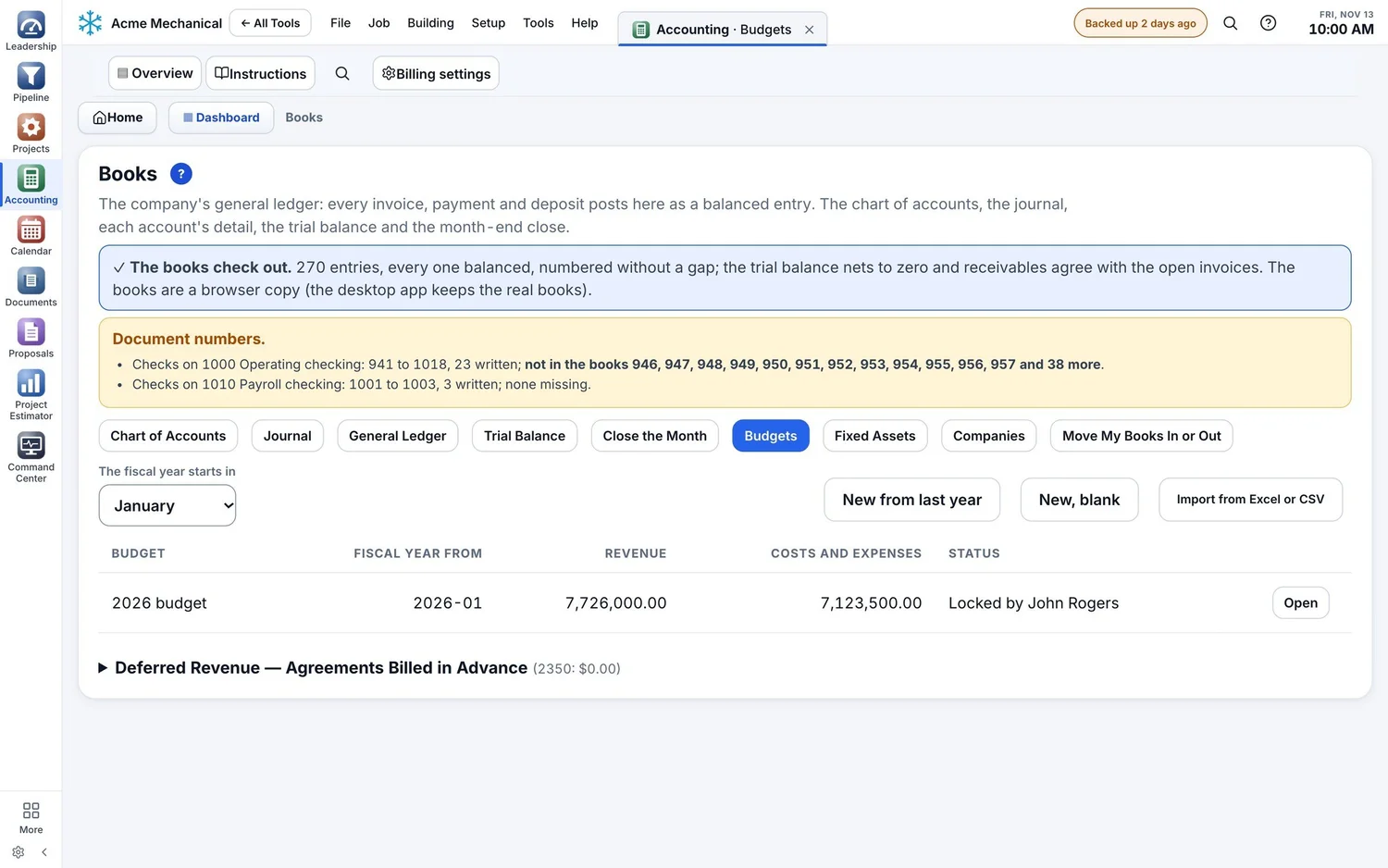
- Budgets built from last year, locked when agreed, and reported against actual
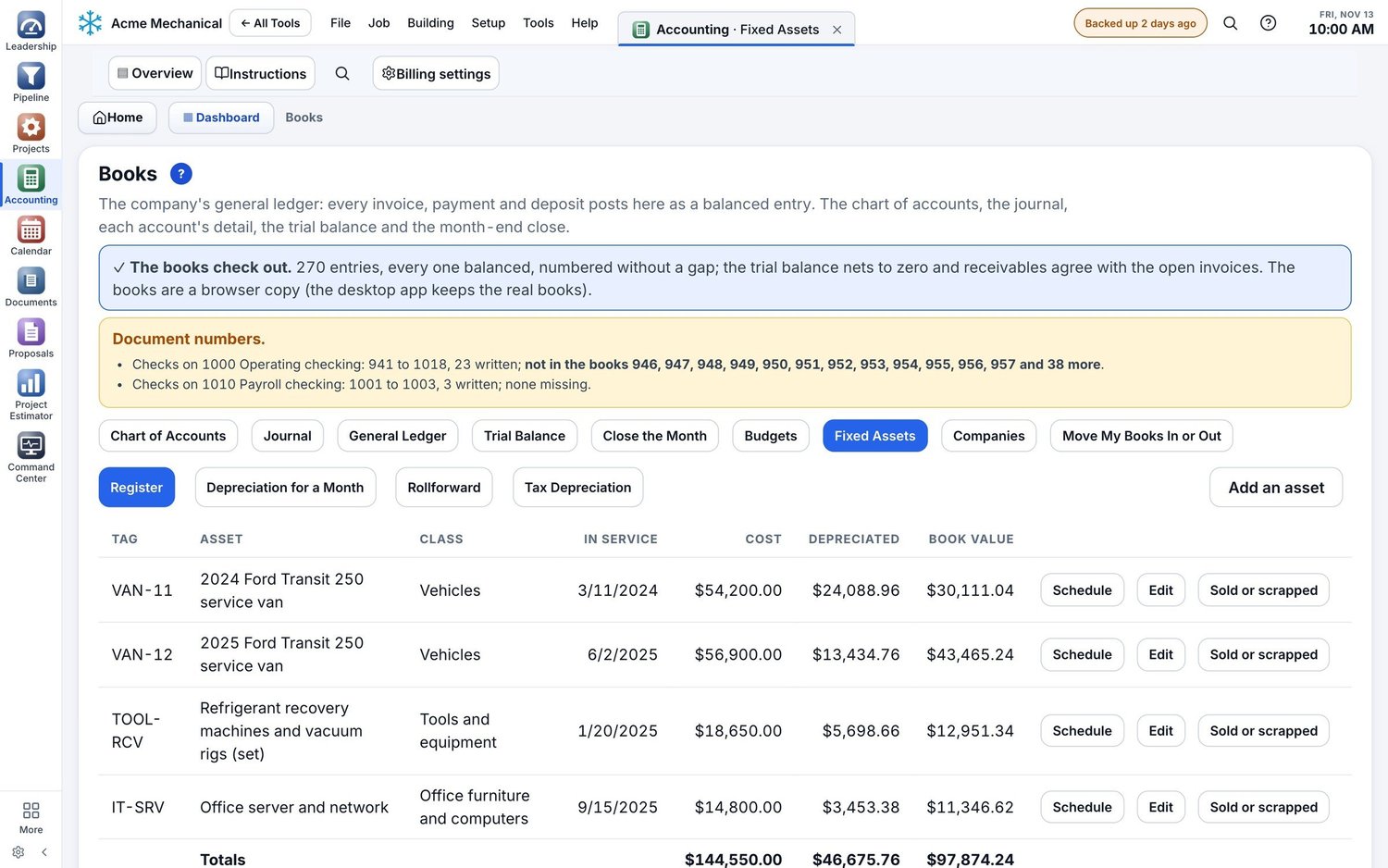
- Fixed assets with book and federal tax depreciation
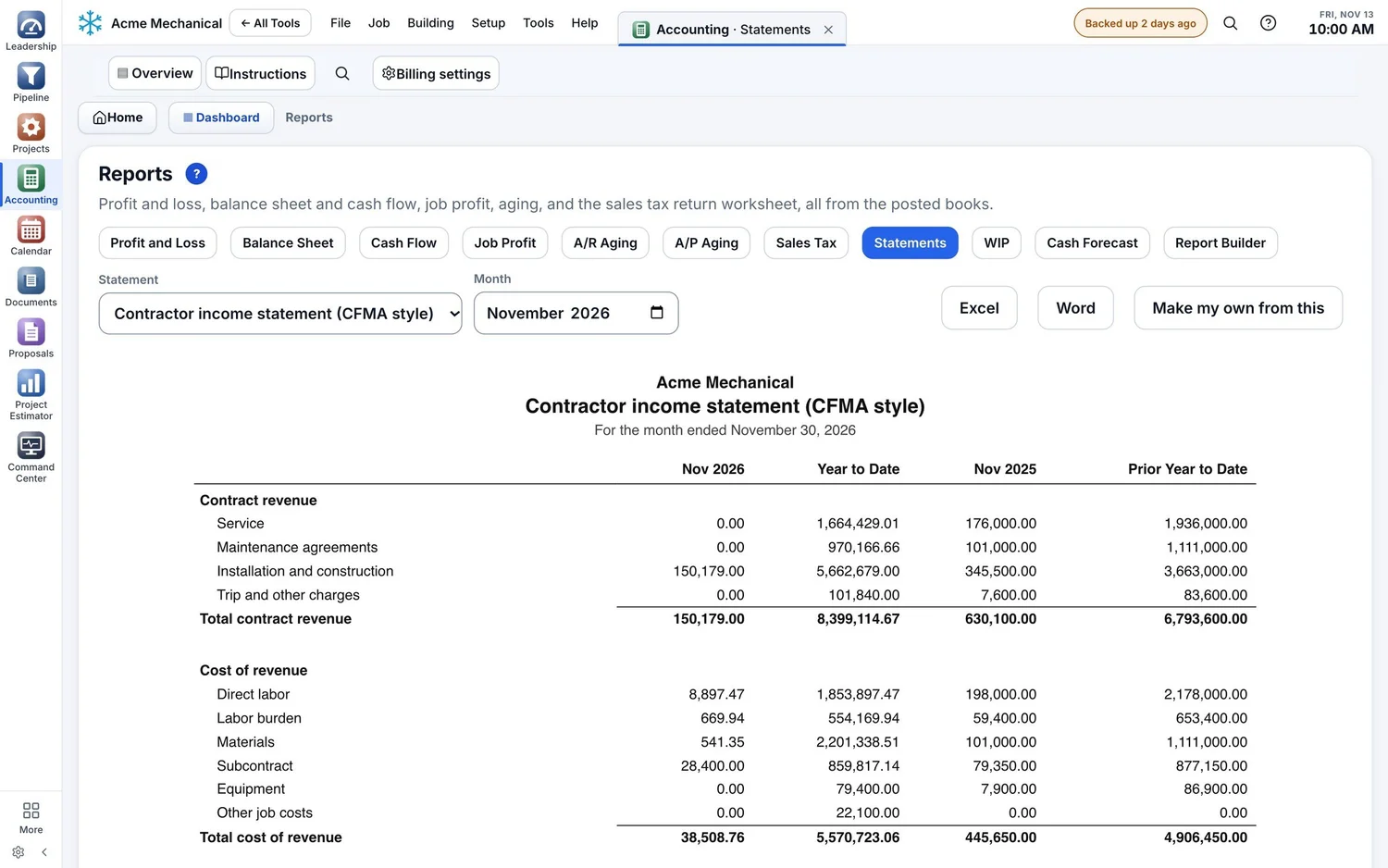
Contractors are judged on contractor-style statements, so the income statement follows that layout.
Who May See and Change What
- Seven accounting areas, each set to None, View Only or Change for every role
- Posting, closing, reconciling and paying are rights of their own
- Project managers and salespeople can be limited to their own jobs and customers
- Every invoice sent, payment recorded and file made is in the activity log
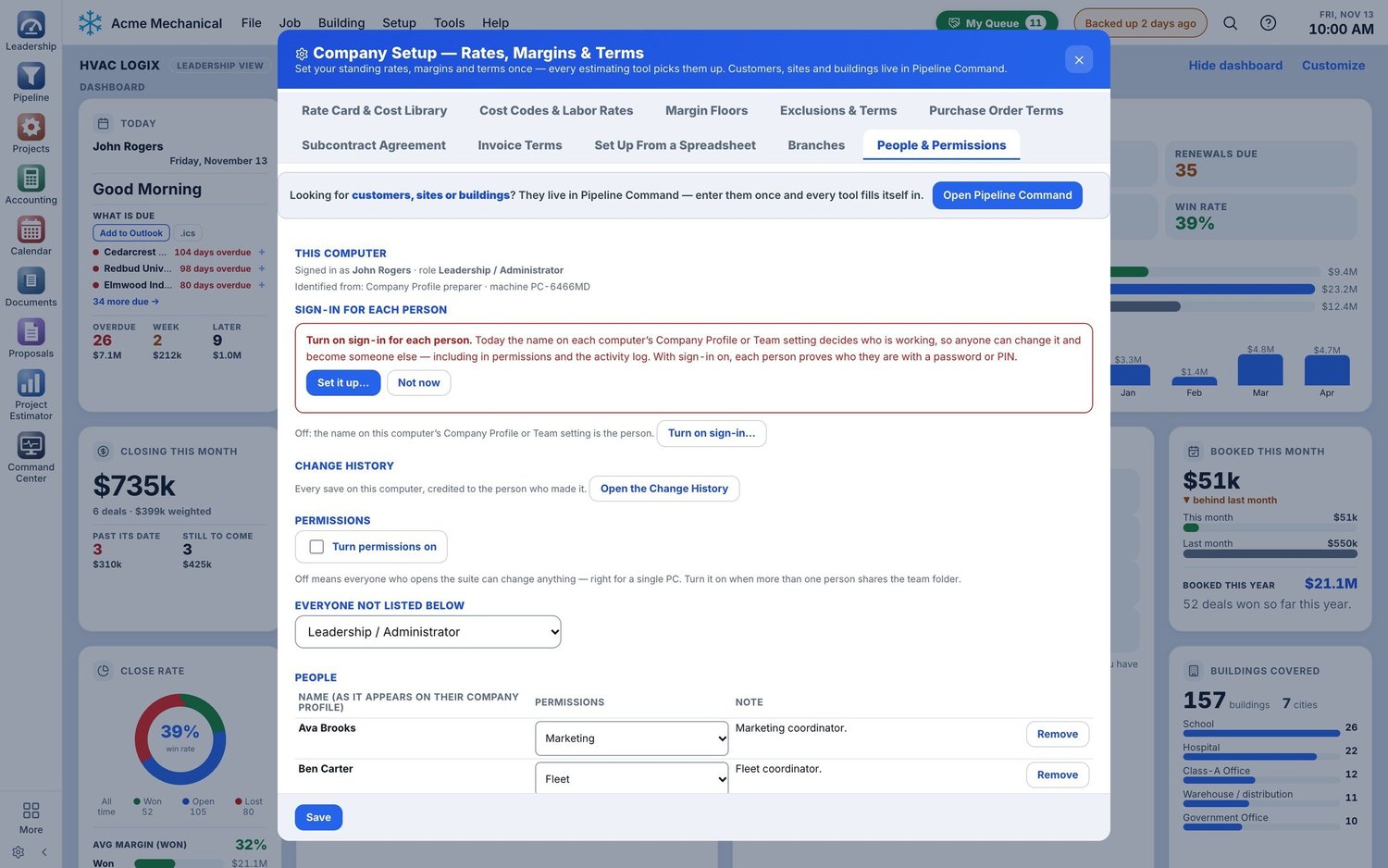
Not everyone should see the books, so each role gets None, View Only or Change for each area.
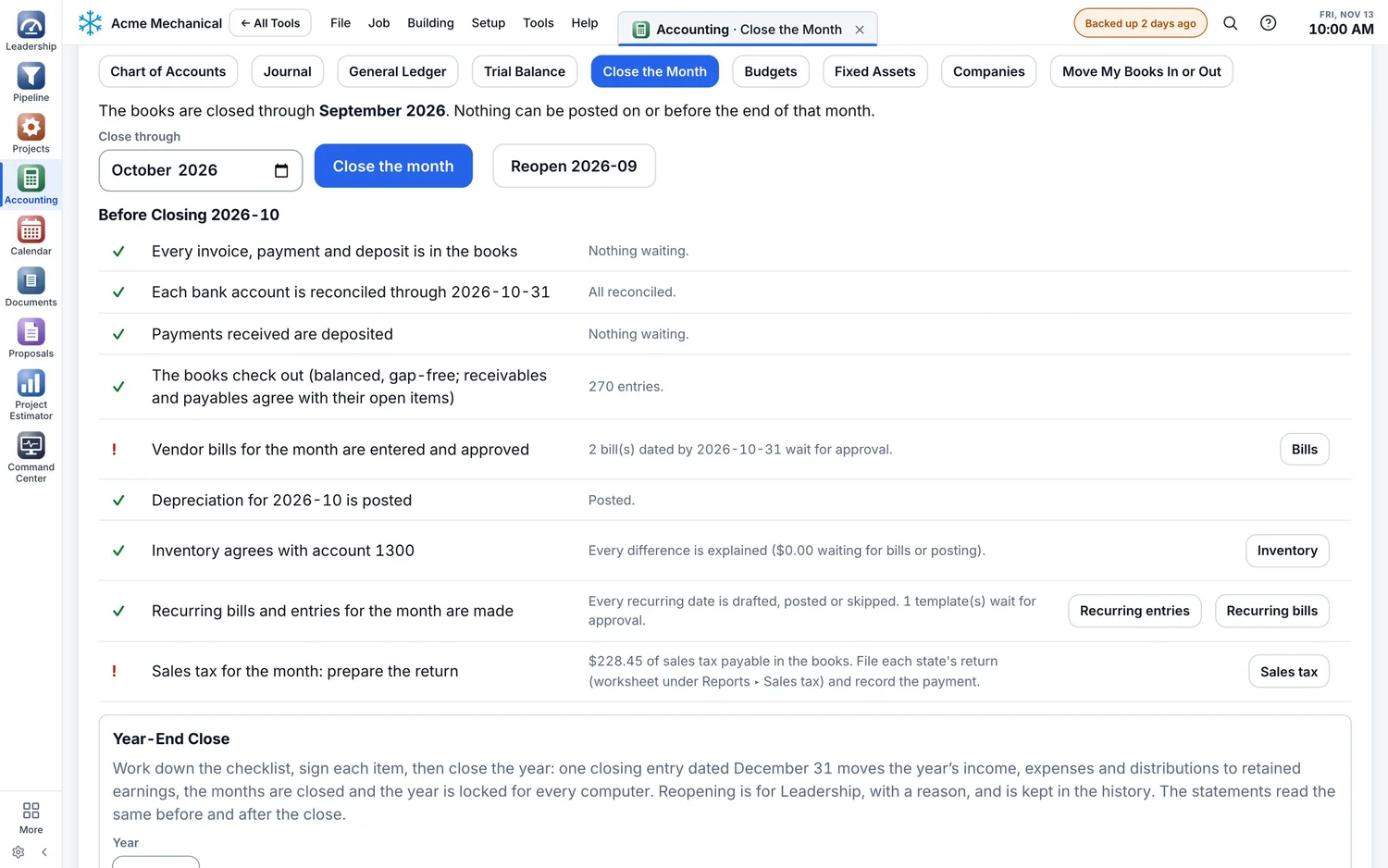
Keep the Books Here, or Send Them Where They Live
Books Kept in HVAC Logix
This is the starting choice. Your outside accountant gets the whole set of books as a file or an Excel workbook whenever you choose to hand it over.
Learn MoreShow Less
Keeping books in a second program means typing everything twice and paying for both. With the books kept here, every invoice, credit memo, deposit and payment posts by itself.
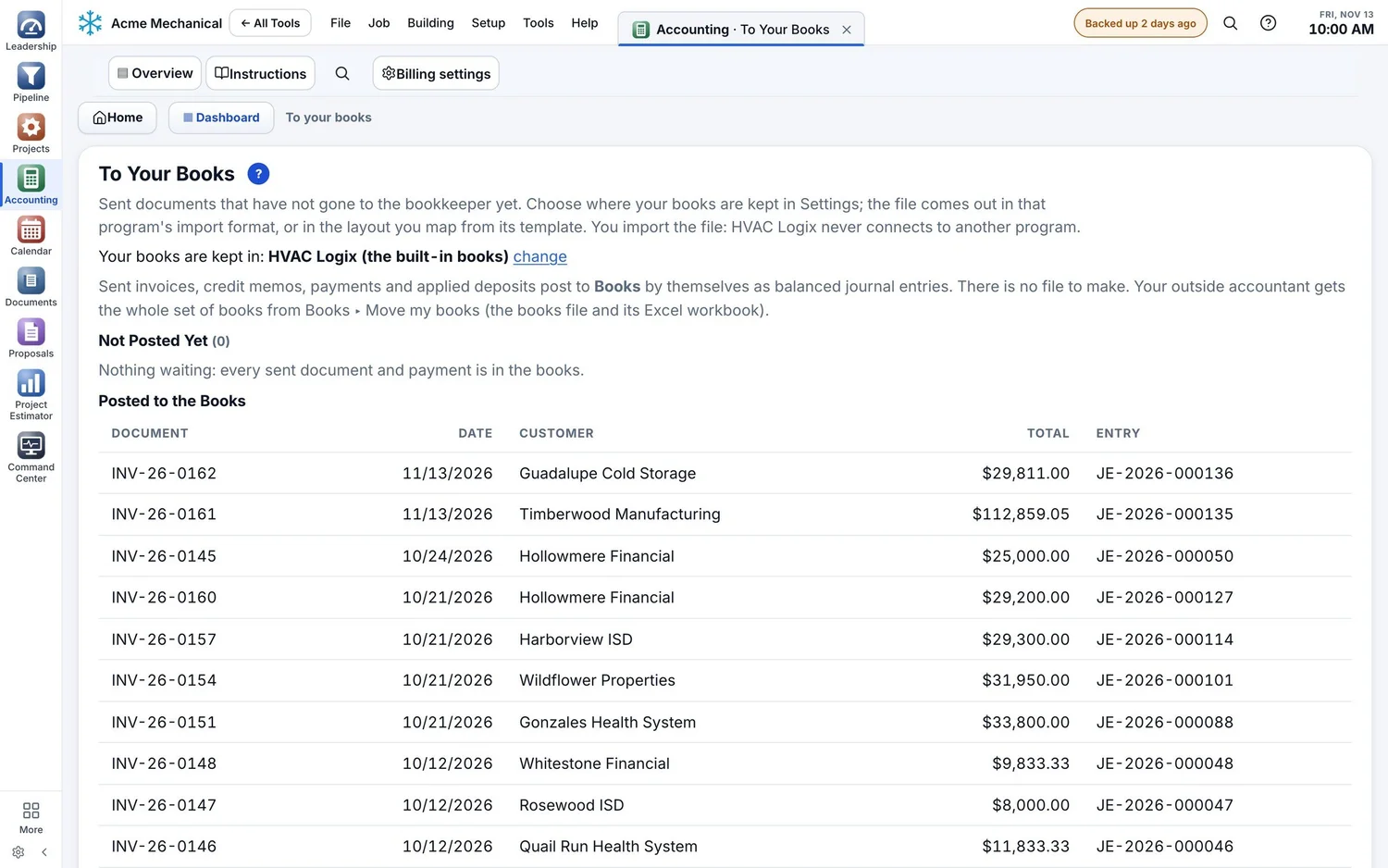
- There is no import file to make; To Your Books shows each posted document with its entry number.
- The books file carries a manifest that proves it: trial balance totals, receivables, payables and the last entry number.
- A changed books file is caught when it is read.
- A company that billed for a while first brings earlier documents in with one button.
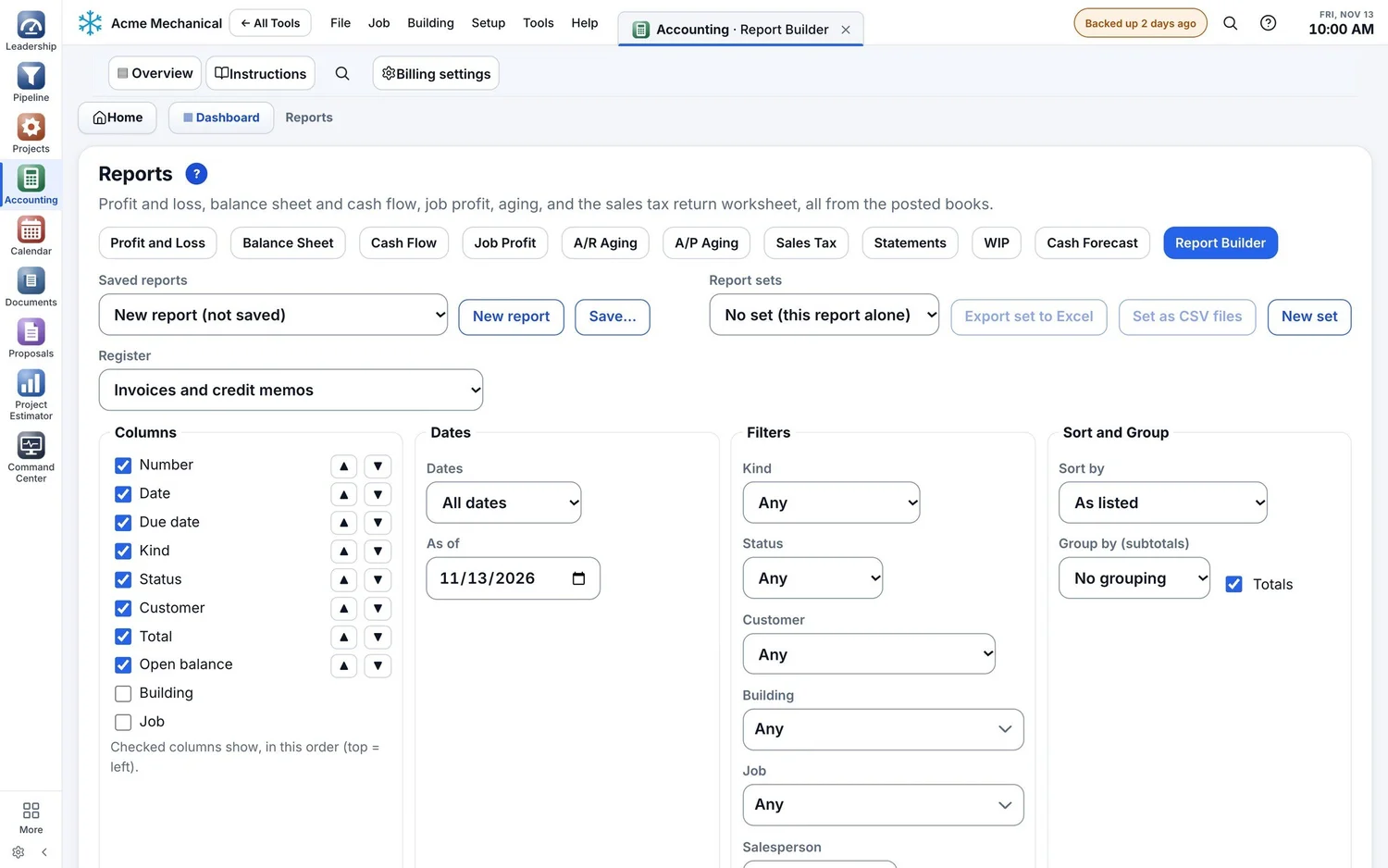
Every accountant wants a different report, so the report builder picks columns, filters and grouping.
Books Kept in Another Package
Choose your package once in Settings. HVAC Logix then writes import files for popular accounting packages, or a plain CSV, with each document going once. It writes files you import. It never connects to anyone's servers.
Learn MoreShow Less
Keeping the accounting package you already pay for avoids the cost of switching, while billing is still never typed twice.
- Drafts never go; a document whose lines and tax do not add to its total is held back with the reason.
- Customer and item lists go first, so your package knows every name.
- Item and account names are set once to match your package exactly.
- Send Again is for a lost or refused file and records why.
- Pay applications go with retainage withheld as its own line.
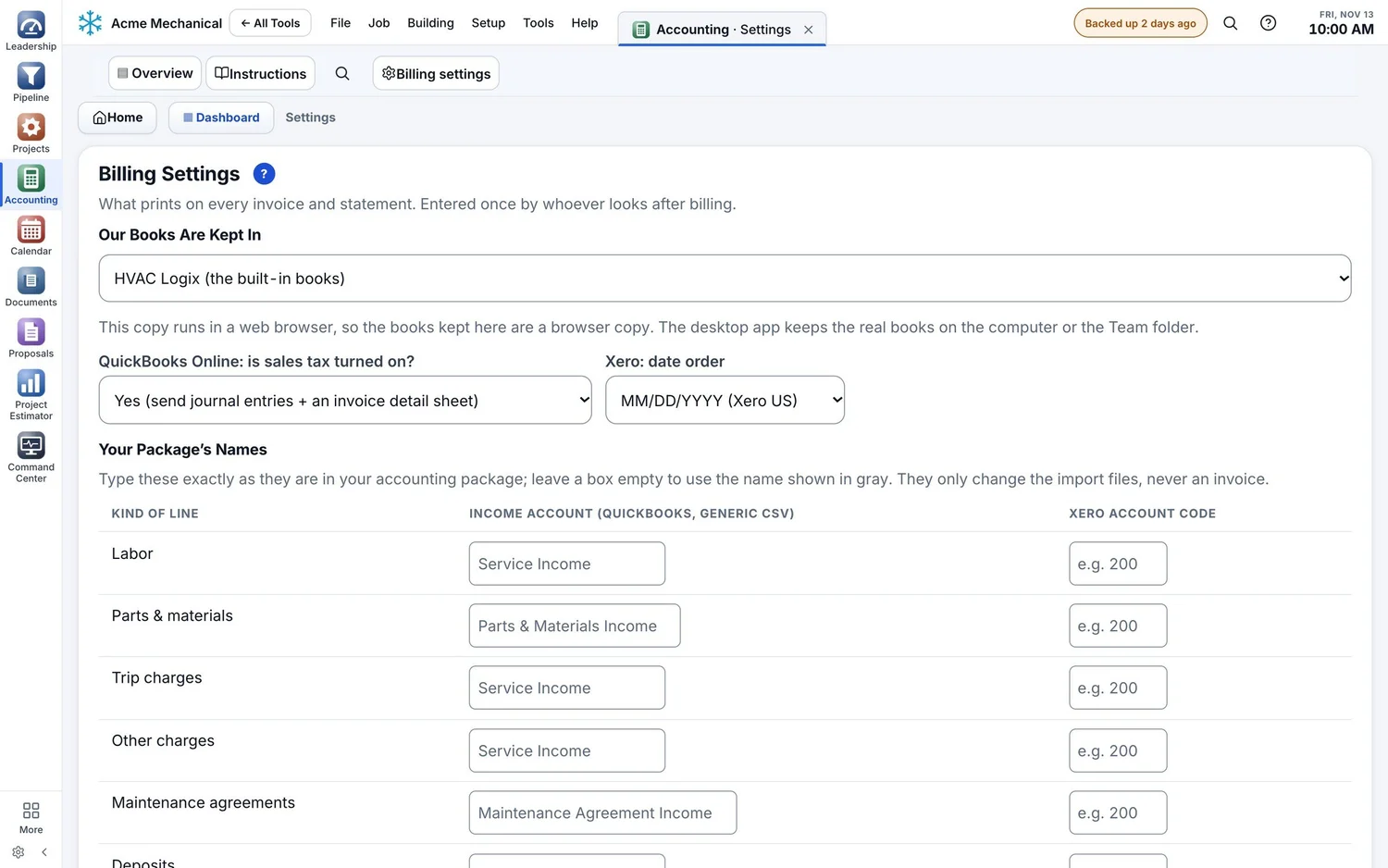
Double entry into two systems wastes hours, so you choose where the books live and the files follow.
Moving In
Bring opening balances in as of a conversion date from three lists your old system exports: the trial balance, open invoices and open bills. Check Balances shows the proof before anything is posted.
Learn MoreShow Less
A conversion that does not tie out costs accountant hours hunting for the difference. Opening balances are proven before anything posts.
- Old accounts match by number, then by name; anything unmatched is shaded.
- Check Balances proves the trial balance, receivables against open invoices and payables against open bills.
- One opening entry posts, and open invoices and bills are on file, so statements and payments work from day one.
- The screen then proves the books equal the imported trial balance, account by account, to the cent.
- Posting opening balances twice is refused.
No Bank Connection
HVAC Logix never connects to a bank. Statements come in as files you download. Checks, positive-pay files and ACH files go out as files you send.
Learn MoreExport Everything
Your records are yours, whatever you decide later. File, Export Everything writes a copy of everything your company keeps into a new folder you choose: every list as records and as spreadsheet tables, every photo, and a contents list with a fingerprint for every file. Nothing in the program is changed, nothing in the folder is overwritten, and sign-in and license secrets are never exported.
Learn MoreThe Year-End Archive
Once the year is closed, make one dated, read-only archive of the books: every journal entry of the year, the trial balance, the profit and loss, the balance sheet, receivables and payables, and the balances carried into January. Each time the panel opens it checks the books against the archive and says if anything changed after it was made.
Learn MoreShow Less
When a lender, auditor or tax agency asks about a closed year, a fixed record saves hours of rebuilding it. The archive is the year as it was closed, with proof it has not changed.
- Each archive has a SHA-256 fingerprint, and Open an Archive File says whether it is as it was made.
- The desktop app saves it read-only beside the automatic backups and never overwrites one.
- After a reopen and a late entry, the panel names which opening balances differ.
- It works with or without the year-end close.
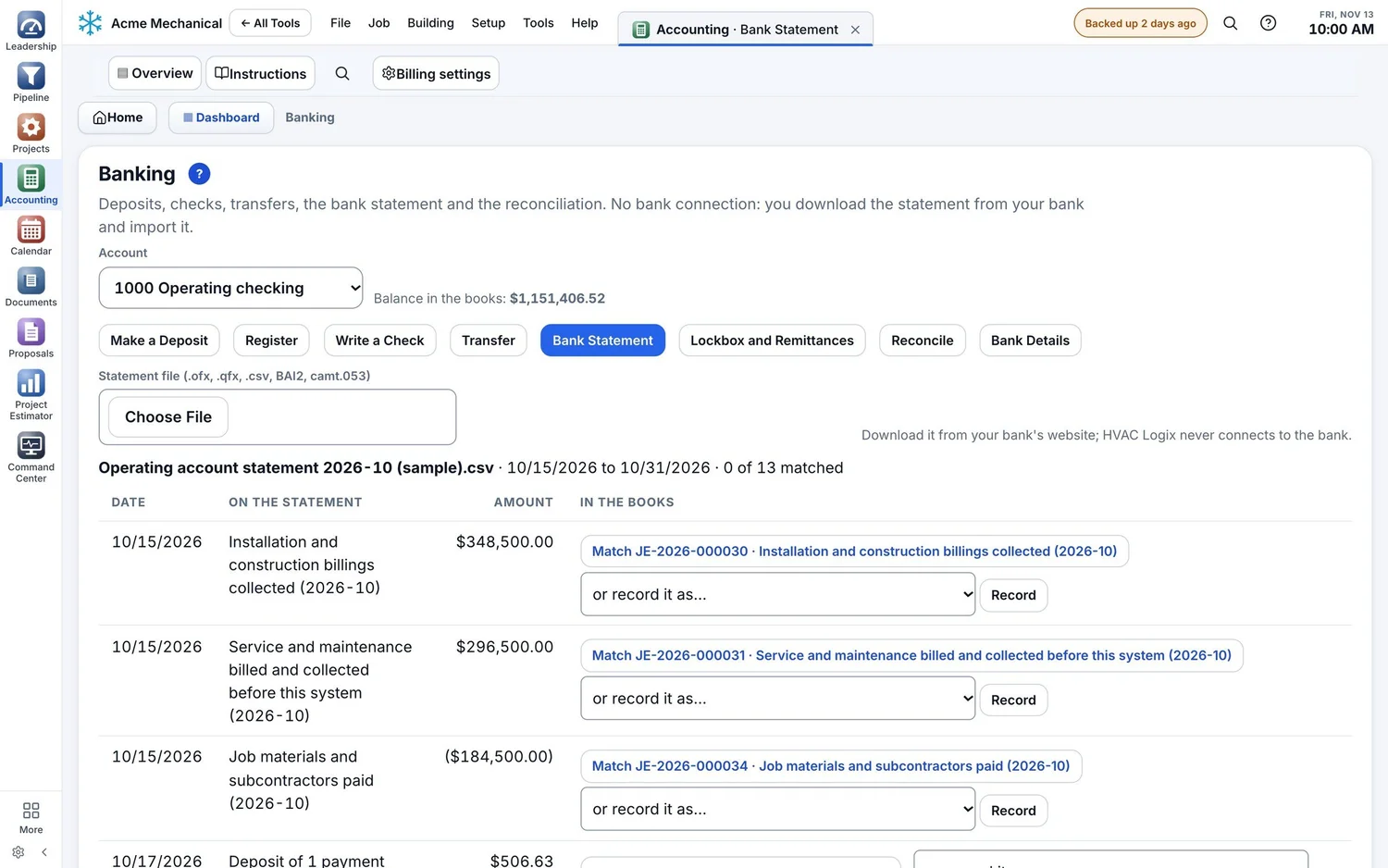
Connecting software to a bank adds risk, so statements come in as files you download yourself.
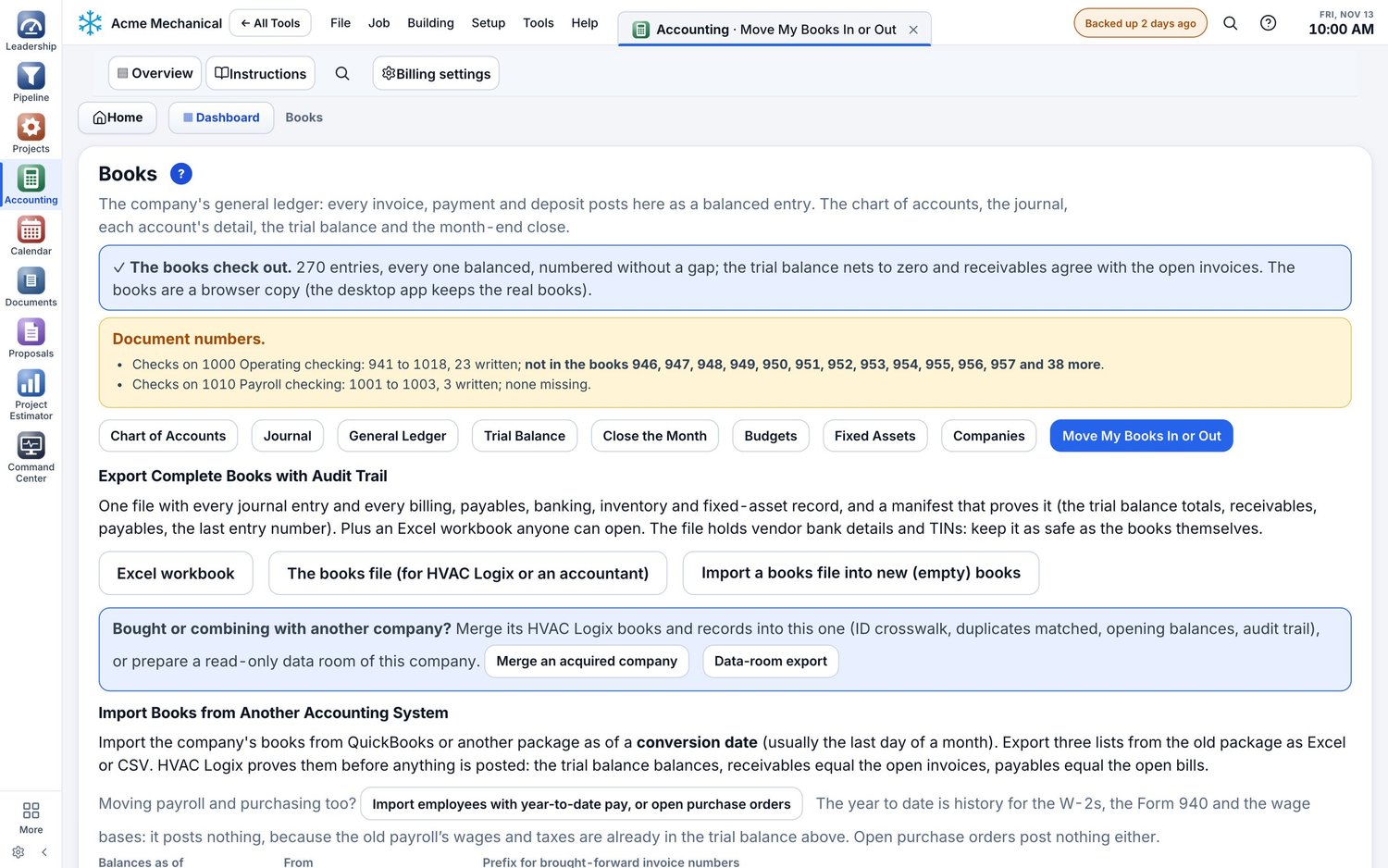
Move your books in from another accounting program, or send them out to your accountant, from one screen.
Frequently Asked Questions
Does HVAC Logix connect to our bank?
Can we keep our books in the accounting package our CPA already uses?
Can a posted entry or a sent invoice be edited?
How do we bring our existing books in?
What happens to the books if our license lapses?
Be First When HVAC Logix Opens
Stop paying people to copy numbers between programs. Join the list and we will tell you the day downloads open, with setup guides ready.
Launching early 2027 for HVAC Logix. Nothing to buy today, and no sales calls.
