
Your Organization's Data, on Your Organization's Computers.
Launching Early 2027 · Join the Early-Access List
Facilities Logix is installed on your own Windows PCs and Macs. In the standard setup there is no cloud service, no outside account and no vendor server: your records are files on your computers and, if you choose, a shared folder on your own network. Your organization owns its data, and can back it up, export it and move it at any time.
Nothing Leaves Unless You Choose
Works with No Internet
Every app runs on your computer with no internet connection. In the standard setup nothing is sent to Facilities Logix or anyone else.
Learn MoreShow Less
Work that stops when the internet goes down, or a hosting bill that grows with your data, are costs this design avoids. The program and records sit on your own computers.
- The one exception is the optional Google connection, off until Leadership turns it on
- Phones sync only with your own office PC
- No account and no subscription server to sign in to
- The IT guide lists exactly what goes over the network
Records Are Files You Hold
Your profile, buildings, registers, plans and attached files are stored in your own user folder. The only limit is free space on the drive.
Learn MoreShow Less
Records you can hold and back up yourself are never held hostage. Each record is a file in your own user folder, with photos and attachments kept beside them.
- Measured: ten years of a 150-person organization is 123 MB of records
- One backup of those records is 13.1 MB compressed
- Another user on the same PC starts empty until joining the team or restoring a backup
- Uninstalling never removes your records
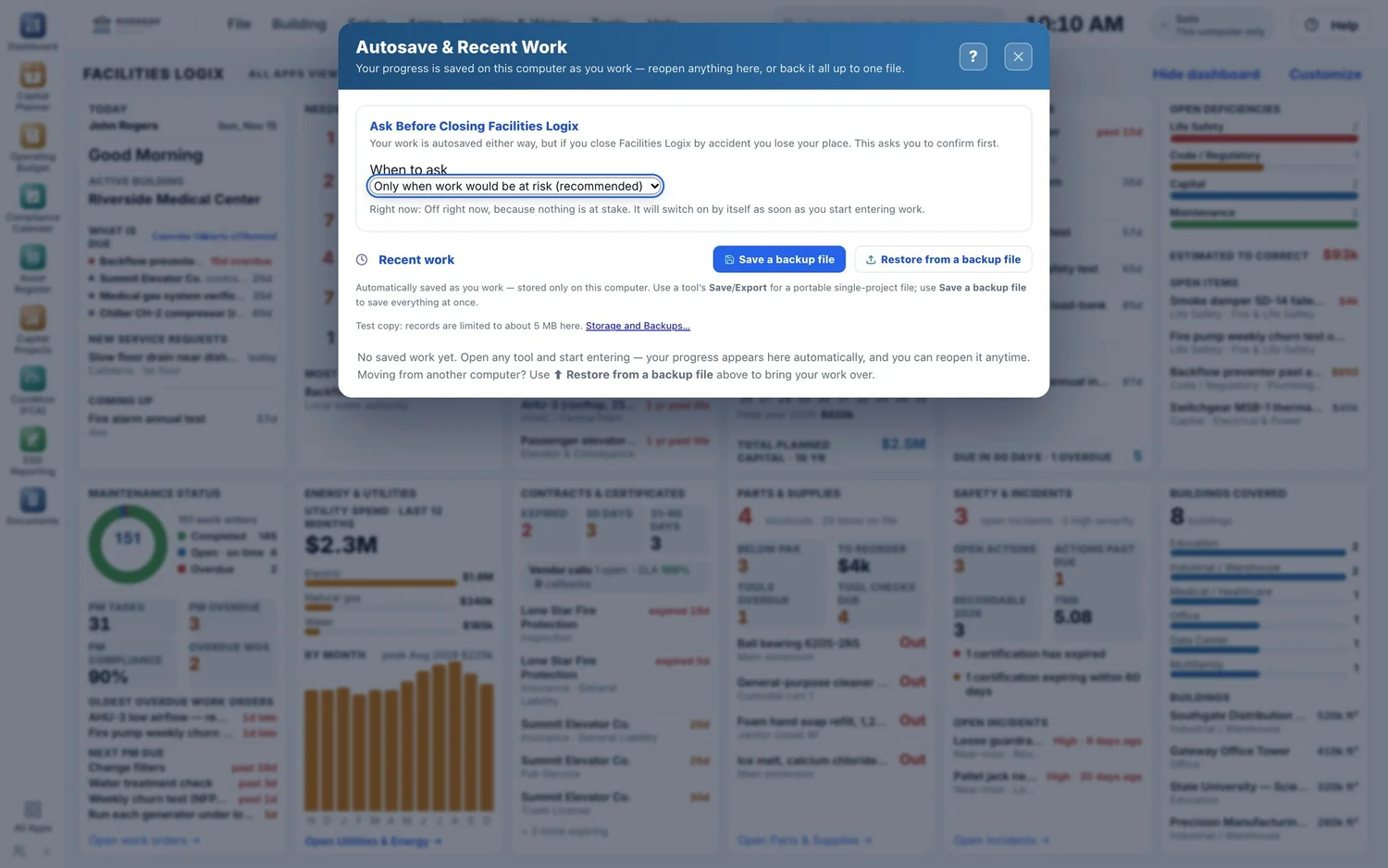
Autosave and recent work: pick up where you left off after a closed window or a crash.
Updates Keep Your Records
Installing a newer version over the old one keeps everything, and a snapshot is taken before any data is updated.
Learn MoreShow Less
An update that damages records costs far more than the update is worth. A newer version installs over the old one and keeps everything.
- A snapshot of your data is kept before anything is updated, so a problem can be rolled back
- A new license agreement is shown once, with what changed
- On a team, a PC on an older version holds its changes until it is updated
- Export a backup before every upgrade, as the manual advises
A Save Never Fails Silently
If a save cannot be completed, for example because the drive is full, a message you cannot miss says so and offers to export everything immediately.
Learn MoreShow Less
Work lost without warning has to be done again, on the clock. If a save fails, you are told at once and offered a way out.
- A message you cannot miss says the work was not saved
- Offers to export everything to a file immediately
- A storage warning when the drive has under 10 GB (or 5 percent) free
- The backup pill turns amber when the last backup is over seven days old
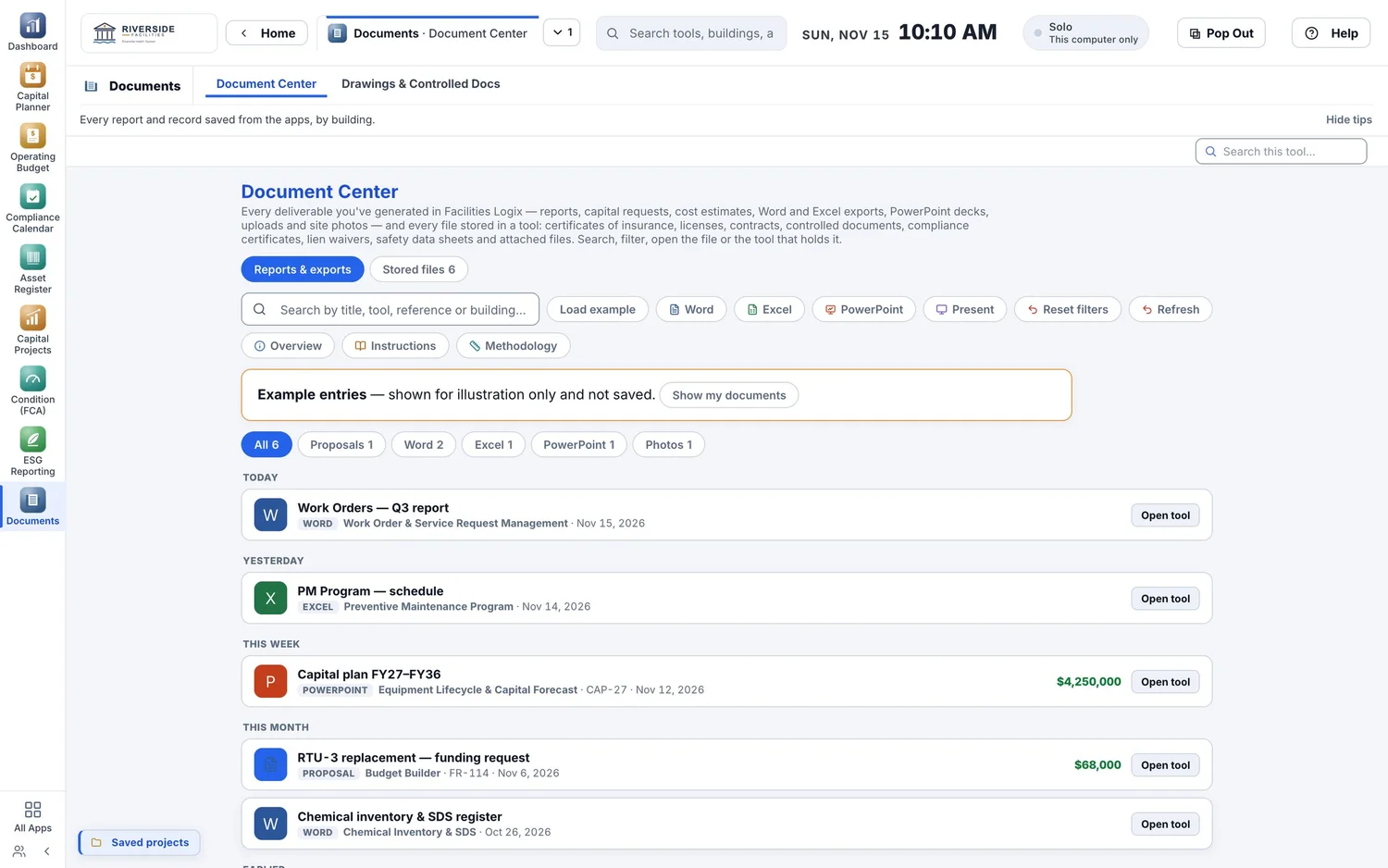
Every report the program makes is kept in one Document Center, grouped by building.
Tested at Scale
Tested with ten years of records for a 150-person organization, with the main lists and reports opening in under two seconds.
Learn MoreShow Less
Software that slows down after a few years costs staff time every day. Facilities Logix was measured with a decade of records.
- 12 buildings, 6,000 assets and 6,000 PM tasks
- 12,000 work orders, 3,000 service requests and 2,500 purchase orders a year
- A list of 10,000 work orders opens in under a second
- Measured on an Apple M1 Max laptop with 64 GB of memory
If a License Lapses
Everything already entered can still be opened, printed, exported and backed up. Your organization's records stay available to it.
Learn MoreShow Less
Records held back over a billing date would put operations at risk. Your records stay usable whatever happens to the license.
- A new installation runs a 30-day evaluation
- Notices appear in the last 30 days of a term
- Everything keeps working for 30 days after a paid term ends
- A renewal key or file restores full use at once
The One Exception: Your Own Google Account
Facilities Logix can put e-mail drafts in your Gmail and keep a calendar and a contact group of its own in step in your Google account. It is the one part that uses the internet, it goes straight to Google with no server of ours, and it is off until Leadership turns it on and a person connects their own account.
Learn More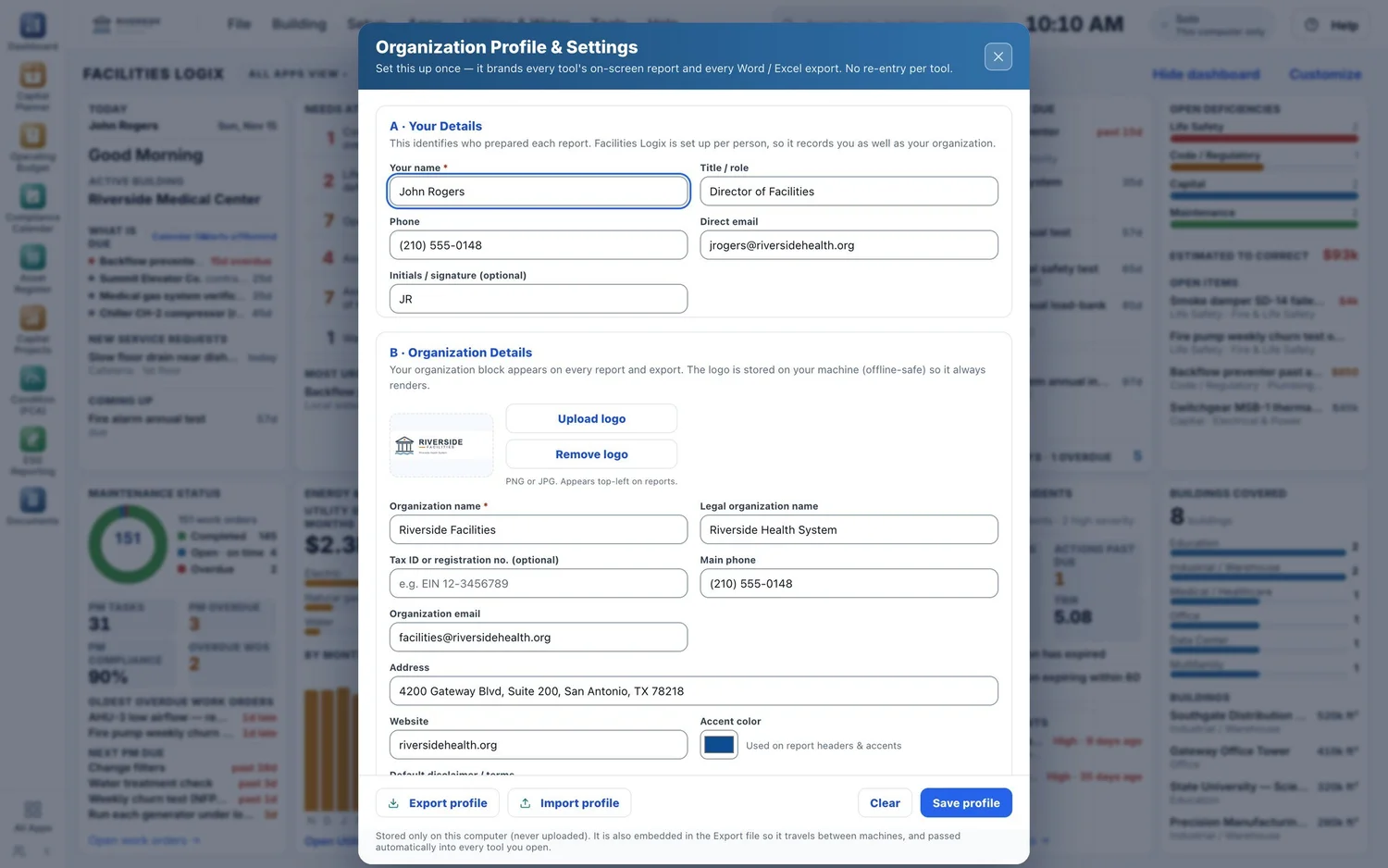
The Organization Profile: your name, logo, contacts and accent color, entered once for every report.
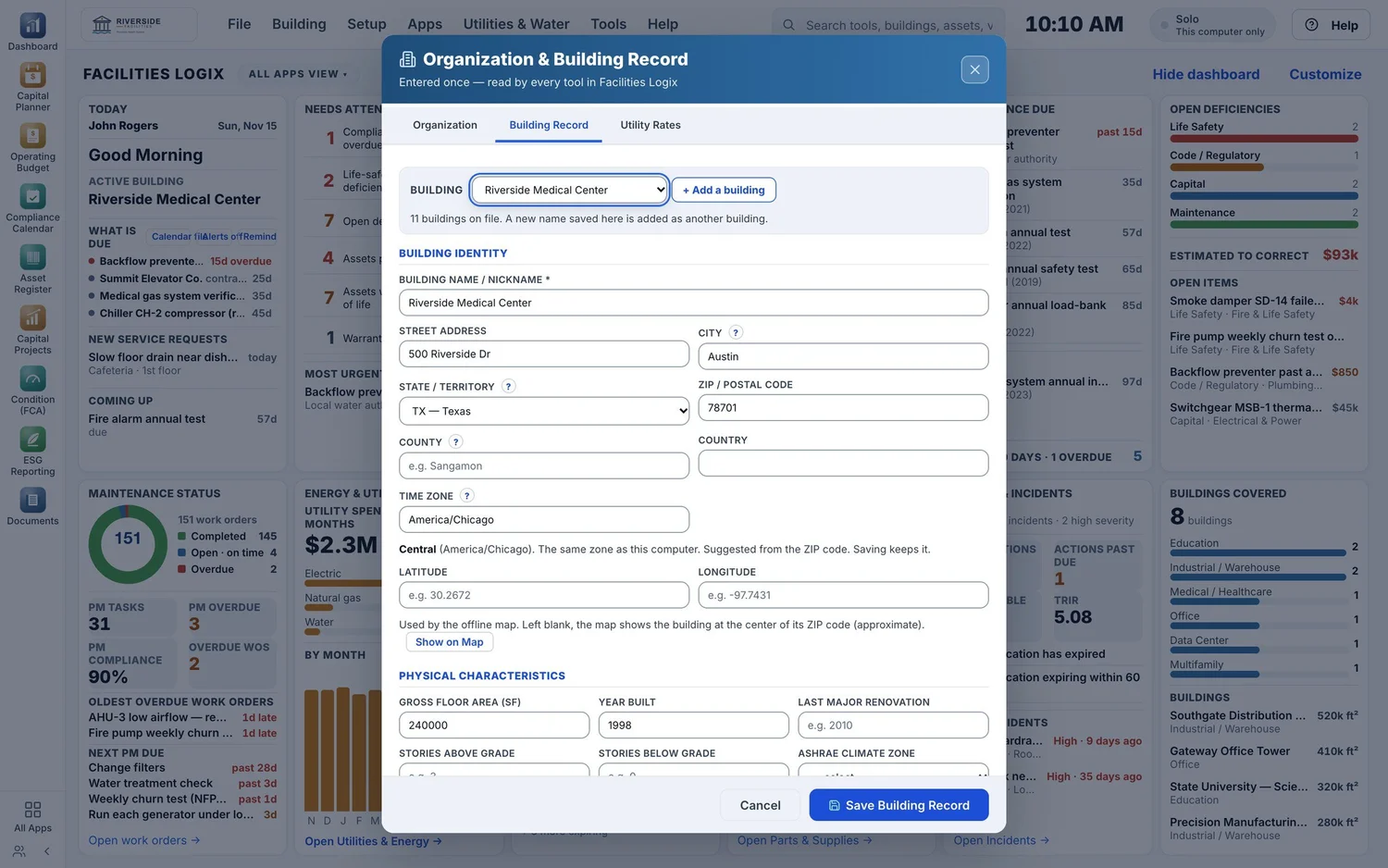
The Building Record: each building's address, floor area, use and the facts every app reads.
Three Ways to Share, All Under Your Control
Team Mode on Your Network
- Each person runs Facilities Logix on their own computer and points it at one shared folder on your file server
- Changes are merged, not overwritten: different records and different fields of the same record simply combine
- When two people change the same item, the later save stays current and the other version is kept for review. Nothing is lost
- If the folder is unreachable, everyone keeps working and changes sync when it is back
- Away from the office, laptops reach the folder through your organization's own VPN
Customer-Owned Cloud Mode
- For organizations that may share only through their own approved cloud storage account
- Every file is encrypted on your computer before the sync app sees it, and signed by the computer that wrote it
- Each computer only adds new files and never changes or deletes one, so the sync app never has to choose between two people's saves
- New computers join with a one-time invitation code and a six-digit code read aloud
- Off unless an Administrator chooses it; Facilities Logix runs no server and never sees your data, the folder or the keys
- A Security Facts sheet, also a PDF, gives security and records staff the facts on this mode: where the data goes, encryption, signatures, keys, pairing, removal and recovery
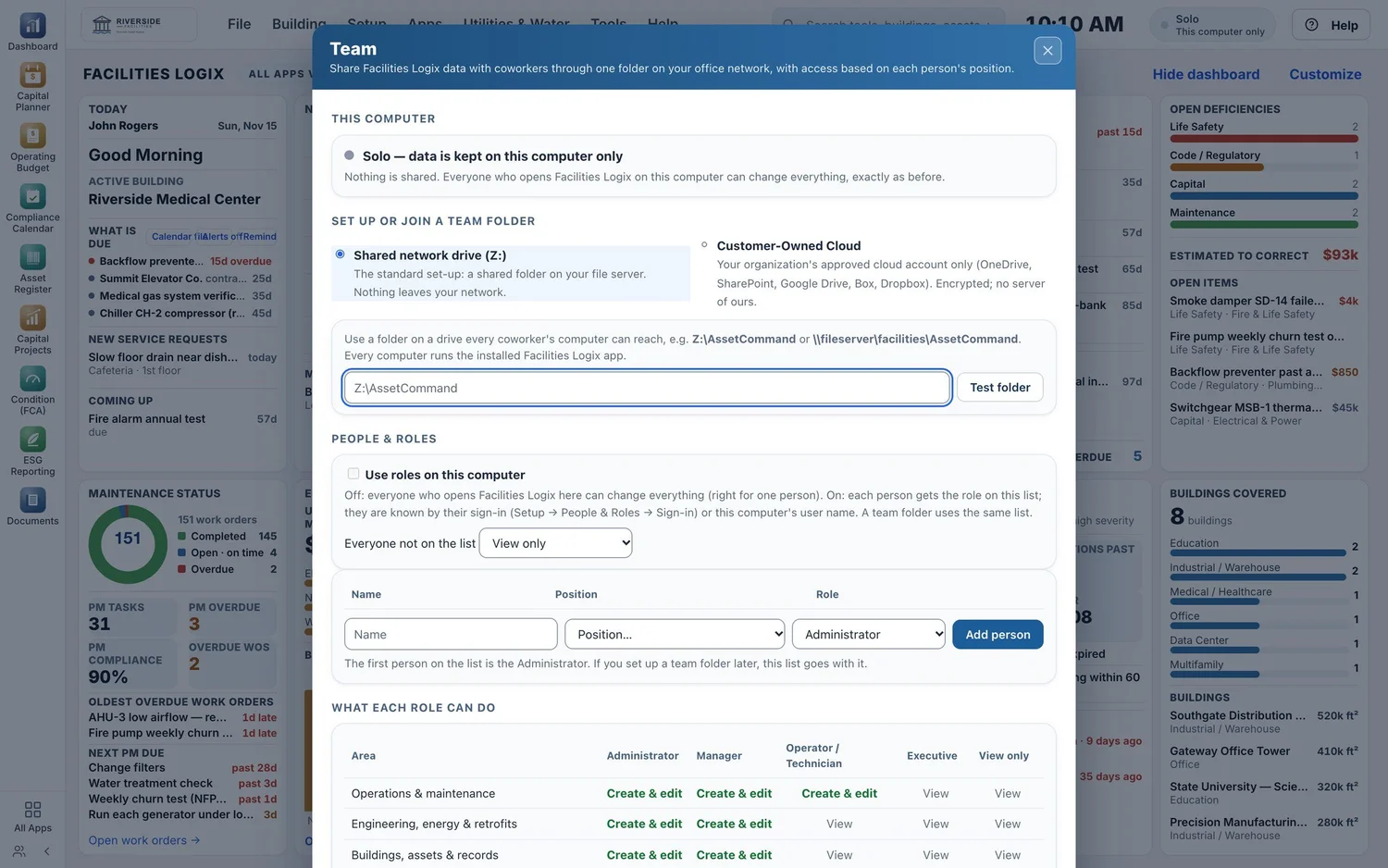
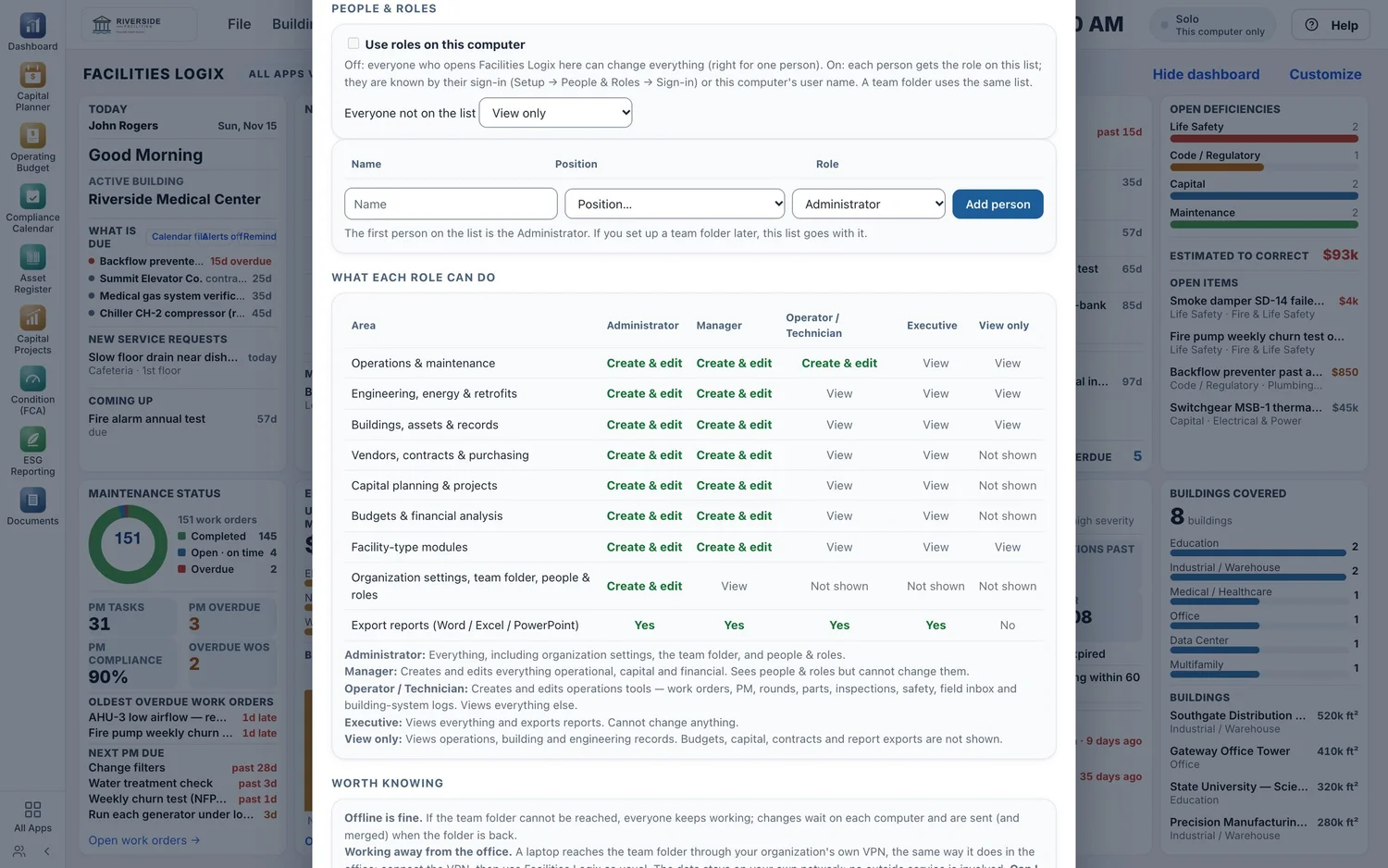
The Team screen: one shared folder on your own network, people and roles, and who may change what.
Phones and Tablets
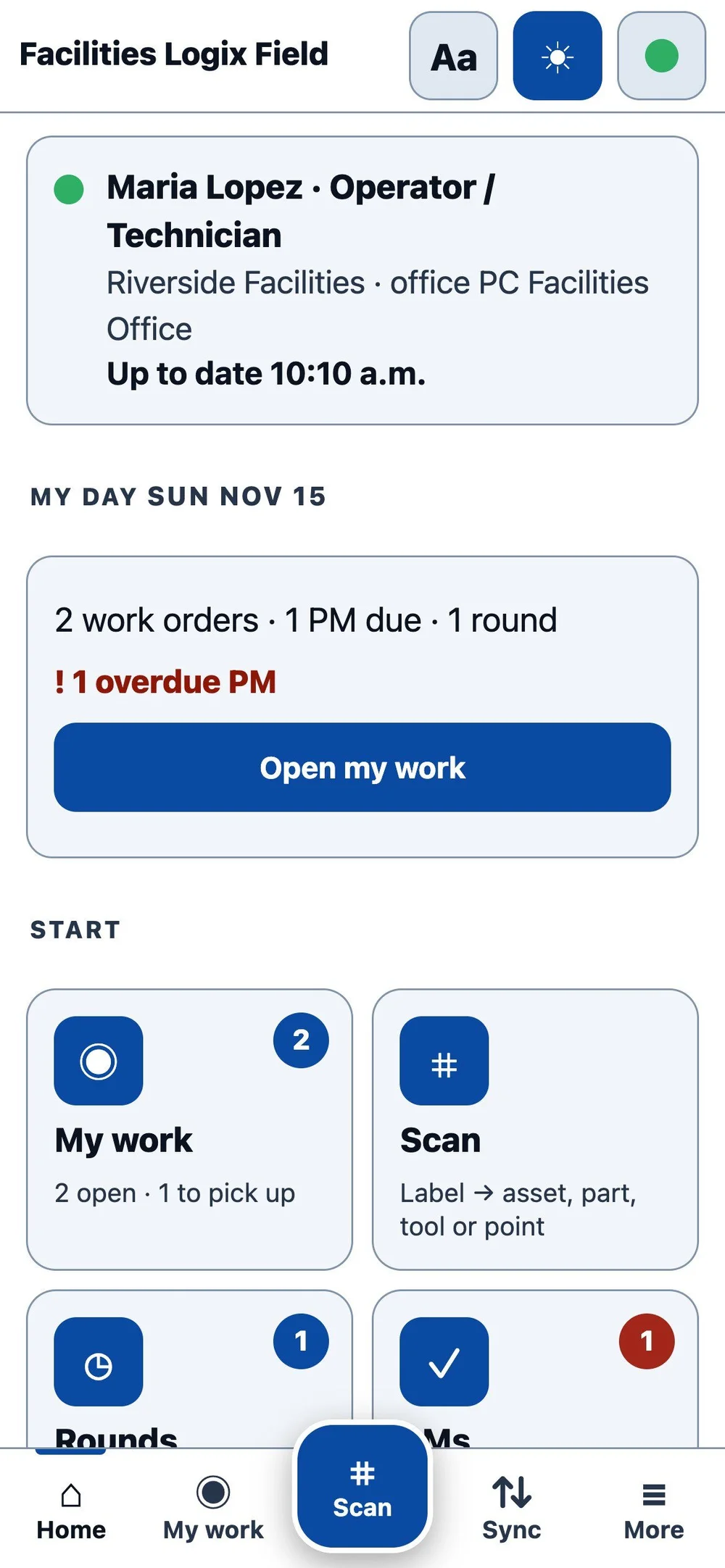
- The field app syncs only with your own office computer, over your Wi-Fi or VPN
- Work can also be handed over as a sealed file when there is no connection at all
- A lost device can be removed and ordered to erase its data
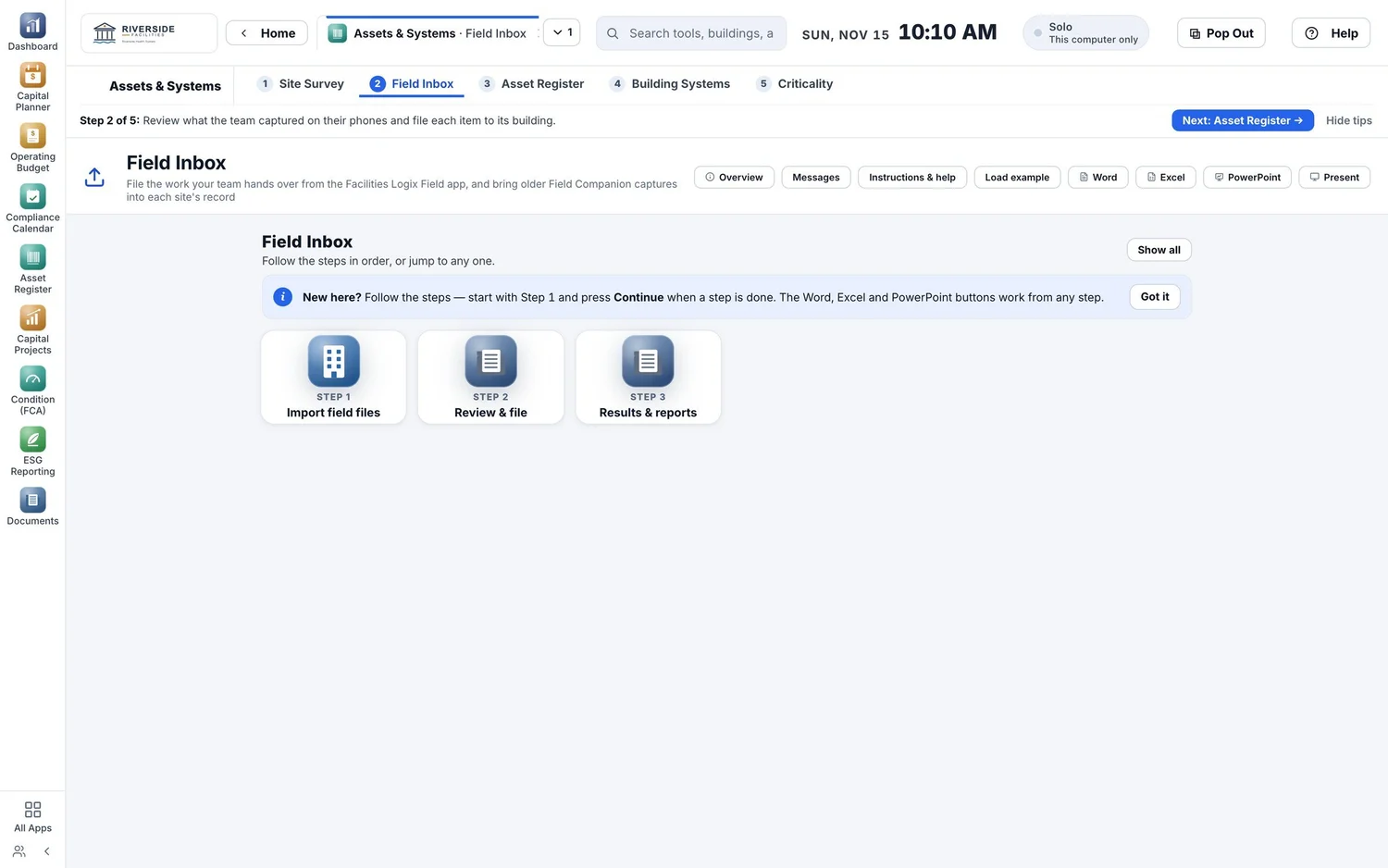
The Field Inbox: work done on phones and tablets arrives for review and filing.
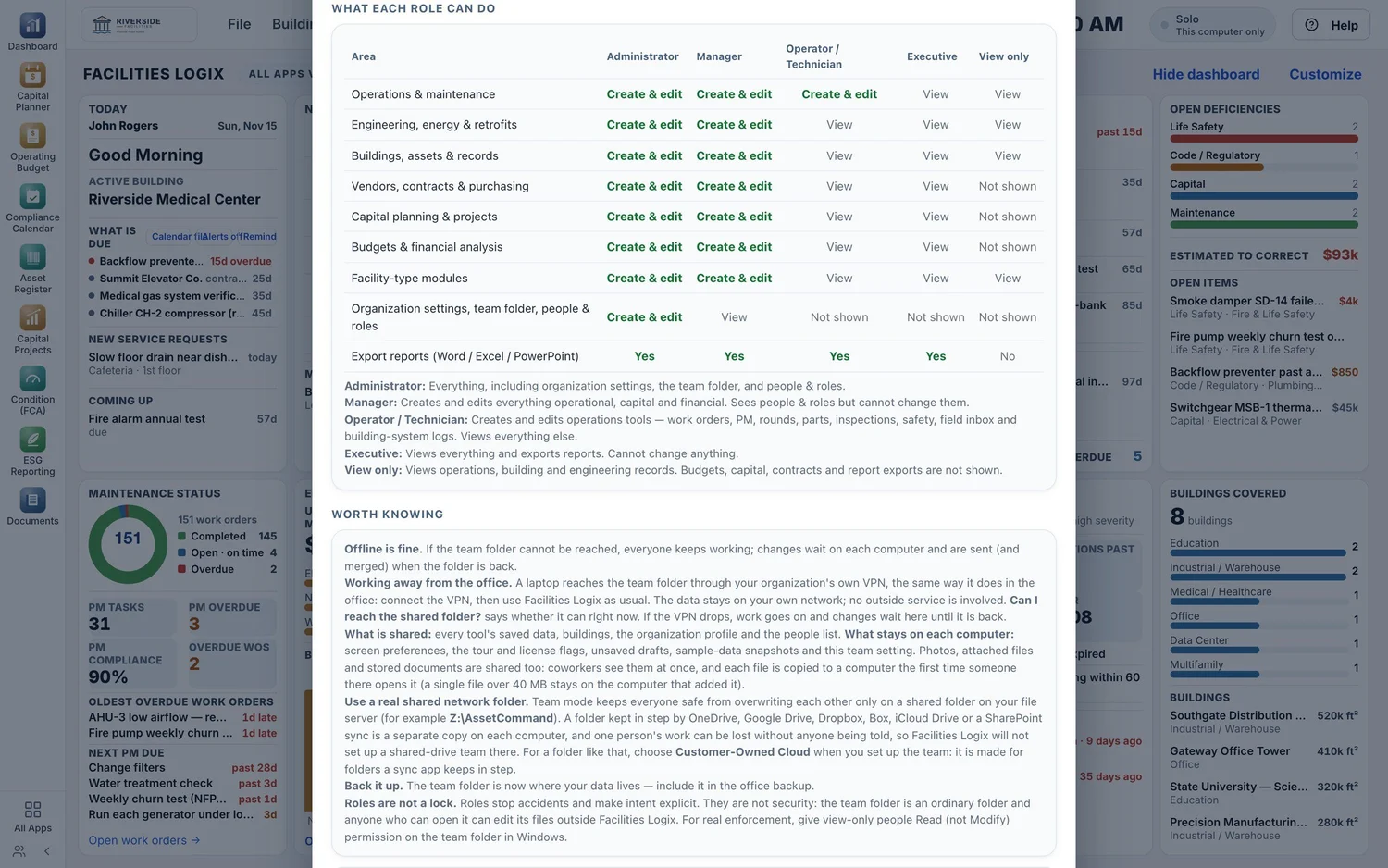
Shared files overwritten by two people lose work, so each role sees and changes only what it should.
Automatic, Checked and Encrypted with a Key Only You Hold
Daily and Verified
- Automatic daily backups while the program is open, to the folders you choose
- Each backup is written, read back and compared before it counts as good
- Retention keeps daily, weekly, monthly and yearly copies, and never prunes the newest good one
- A weekly self-check verifies records, stored files and the newest backup, and lists any problem
- A backup pill in the header always shows how long it has been
The Recovery Key
- An Administrator sets up a recovery key, shown once, to print or save and keep away from the computers
- From then on every backup from every computer is encrypted, including stored files
- Facilities Logix never stores the key: if it is lost, encrypted backups cannot be opened by anyone, including us
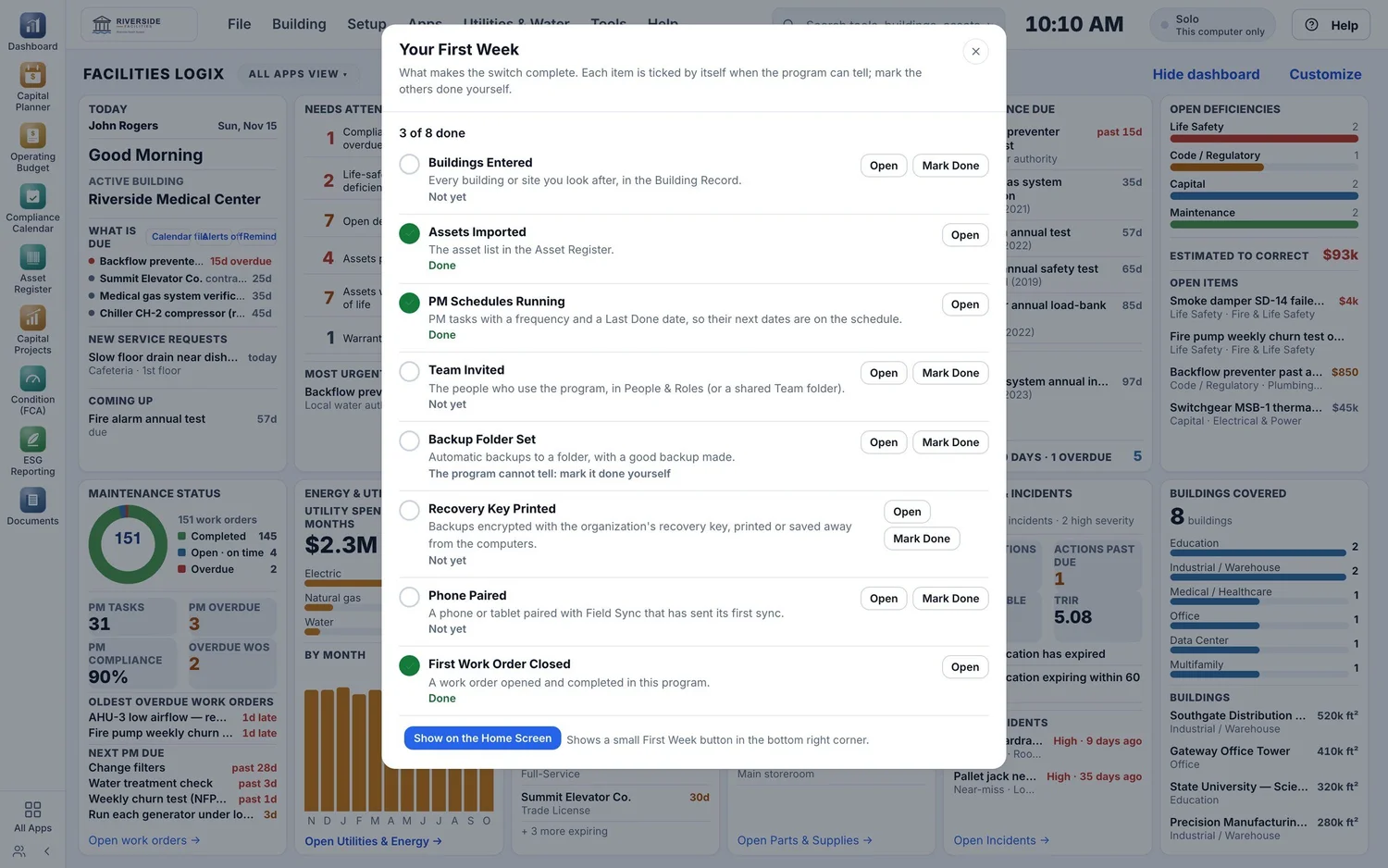
The First Week Checklist ticks itself as buildings, assets, PM, team and backups are set up.
Restore on Your Terms
- See what a backup contains and whether every item passes its integrity check before anything changes
- Merge keeping whichever copy is newer, restore only the items you pick, or replace everything
- A damaged file is salvaged item by item, and anything unreadable is named
- Moving to a new computer is a backup and a restore
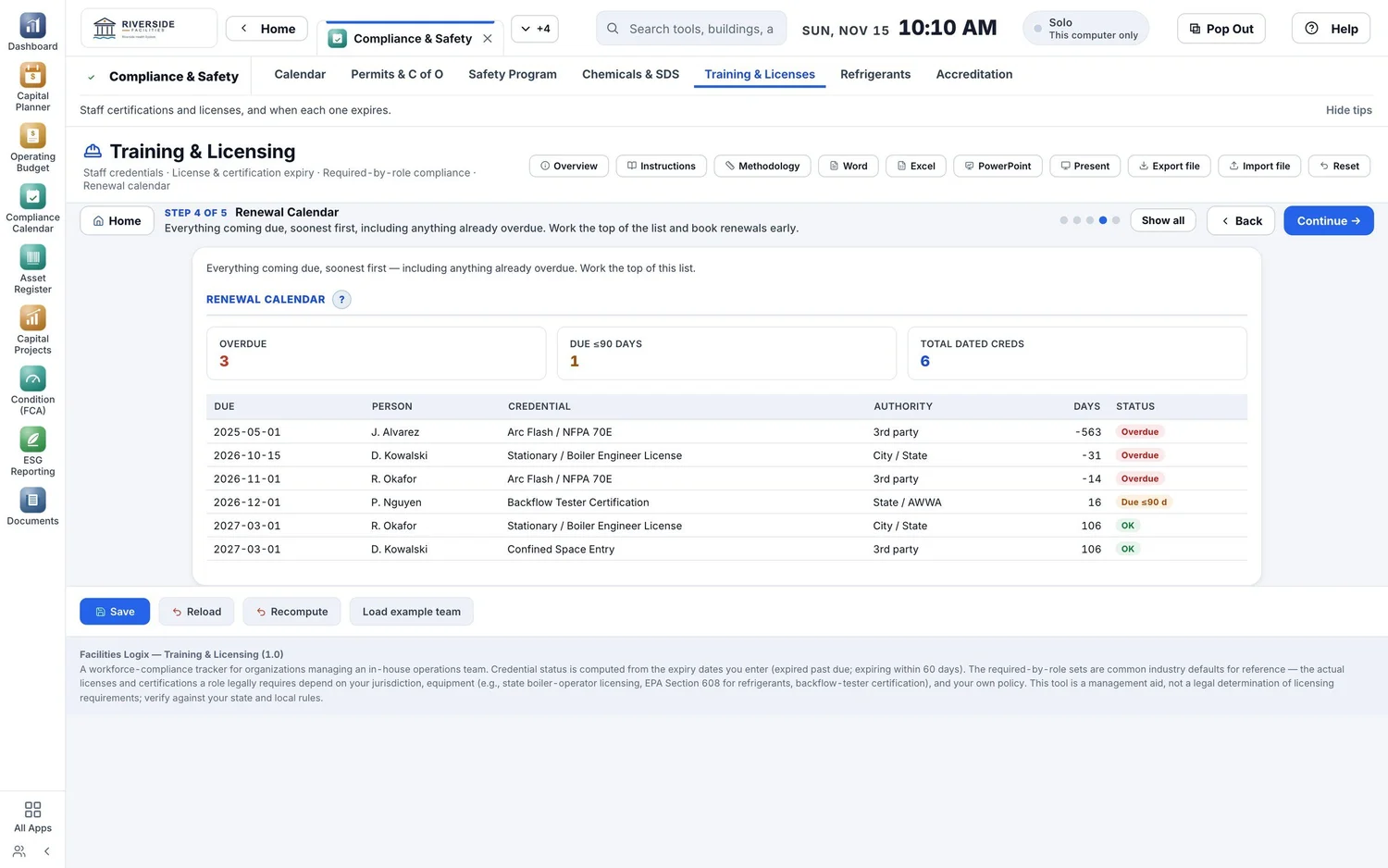
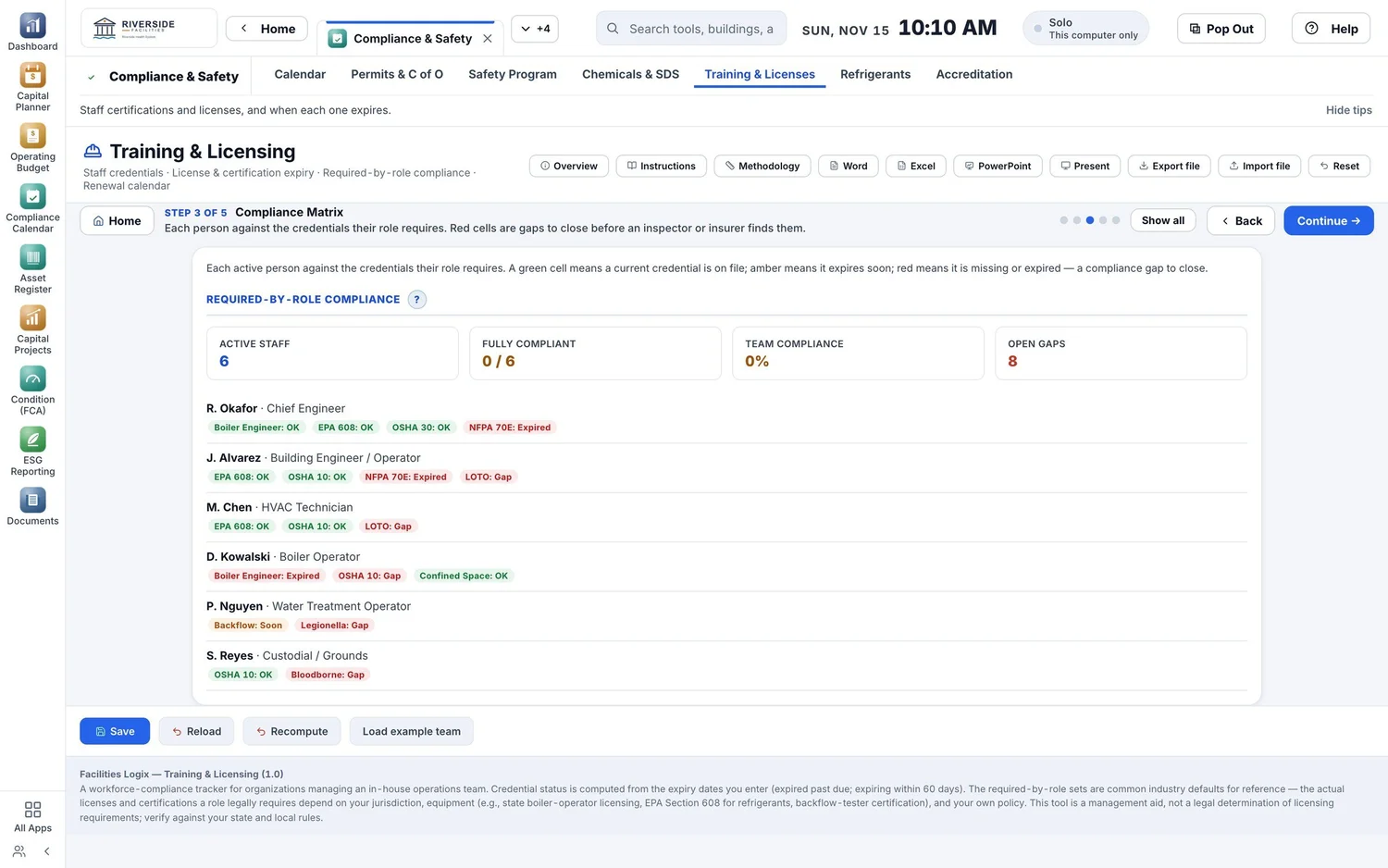
Renewal Calendar in Training & Licensing: everything coming due, soonest first, including anything already overdue. Work the top of the list and book renewals early.
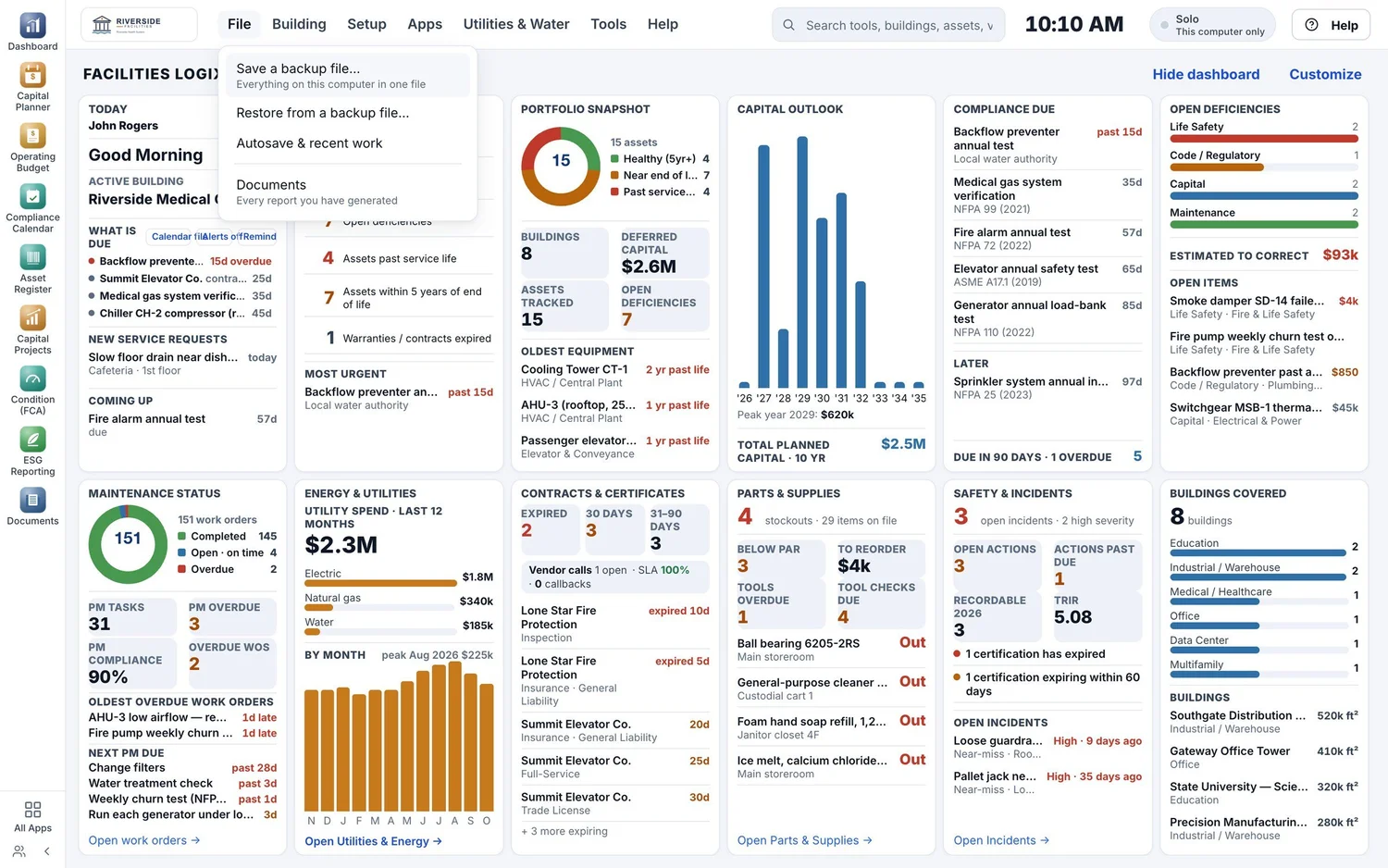
A backup nobody checks fails when it is needed, so backups and restores sit in one menu.
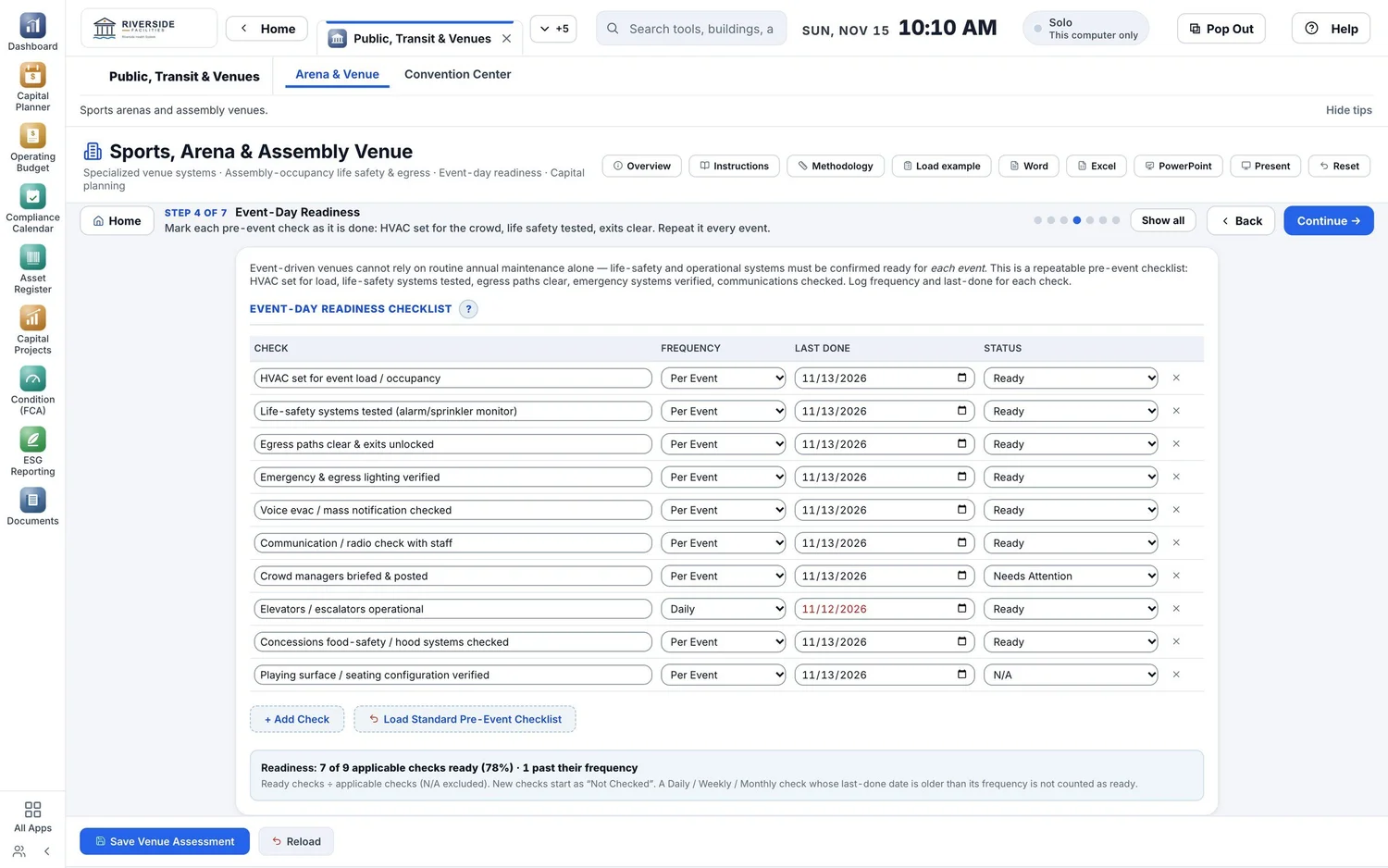
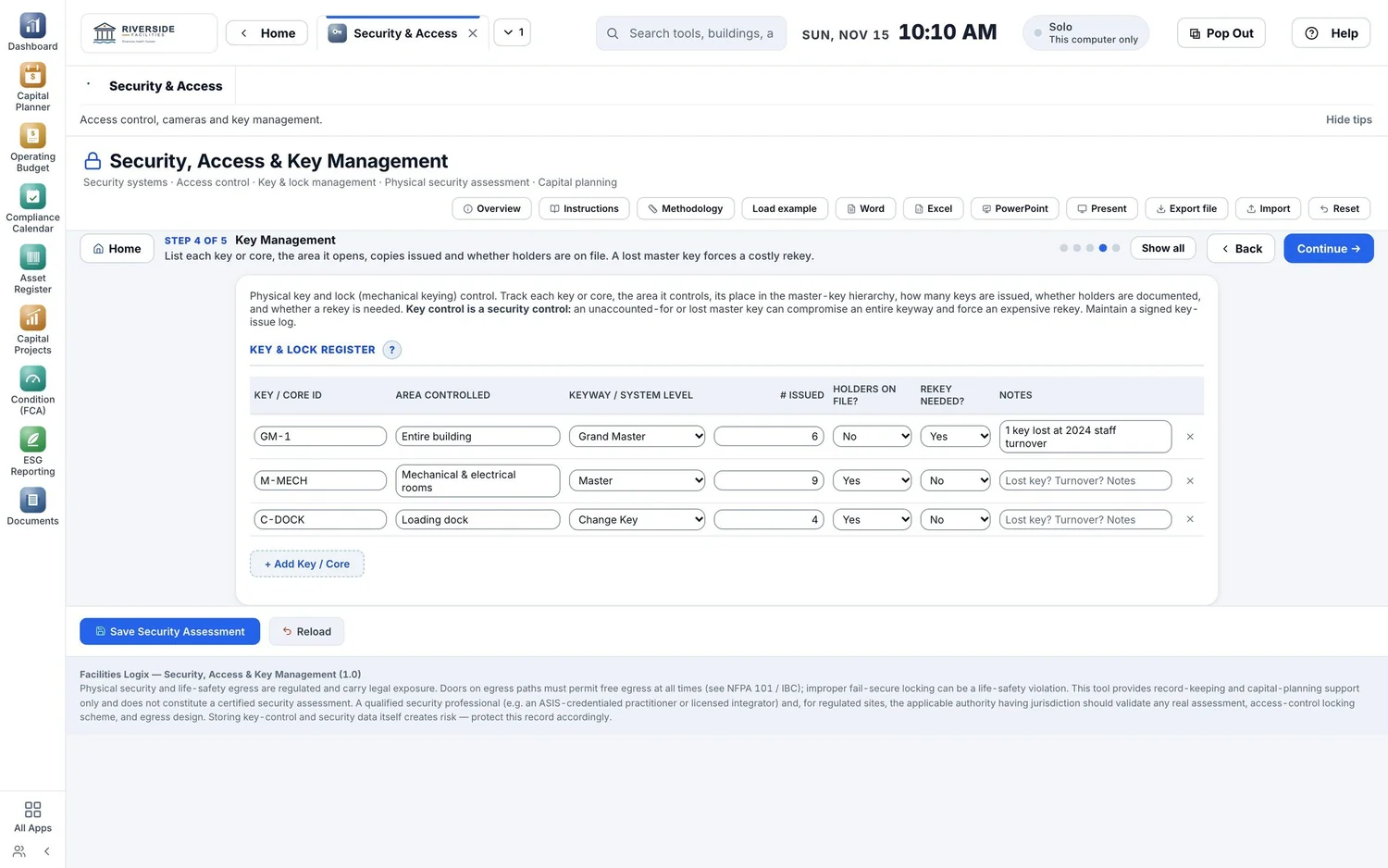
Know Who Changed What, and Prove the Record Is Whole
PIN Sign-In
An Administrator can ask everyone to sign in with a PIN. The screen locks after a period you choose, and everything saved is credited to the person who saved it.
Learn MoreShow Less
When everyone shares a login, nobody is accountable for a change. PIN sign-in credits each save to the person who made it.
- Lock after 10 minutes to 2 hours, or never
- PINs of at least 6 characters, set and reset by an Administrator
- A PIN is kept only as a salted hash
- In Team mode, your own role applies on any computer
Tamper-Evident Change History
Who saved what and when, with the records added, changed and removed and the fields that changed. Entries are only ever added, and Check the History confirms none is missing or was altered.
Learn MoreShow Less
A disputed change costs hours to untangle without a record. The change history shows who saved what, and proves the record is complete.
- Filter by person, store, dates or words such as a work order number
- Check the History confirms no entry is missing or changed, computer by computer
- Save as CSV for an auditor
- Saves made one after another on a screen count as one entry
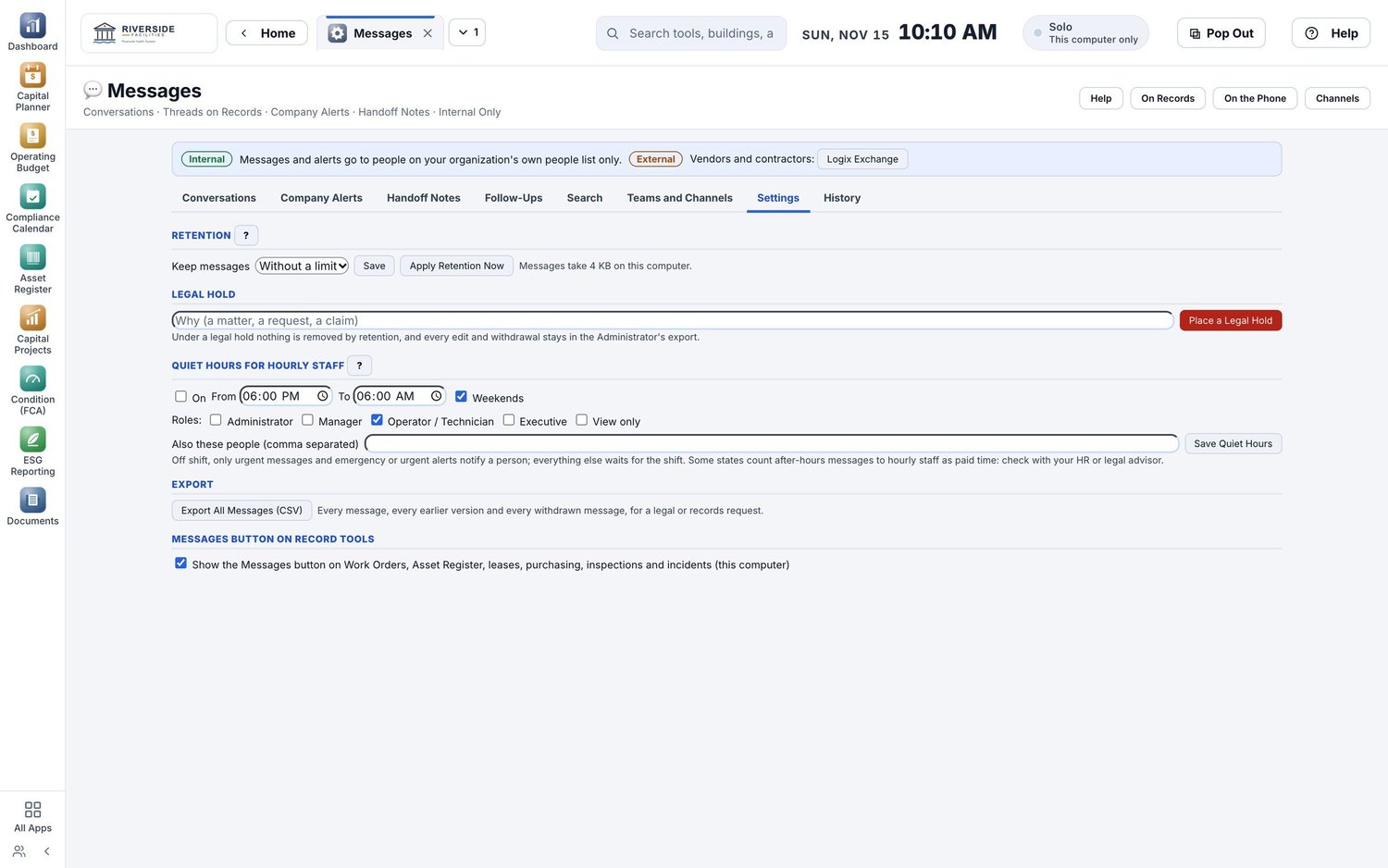
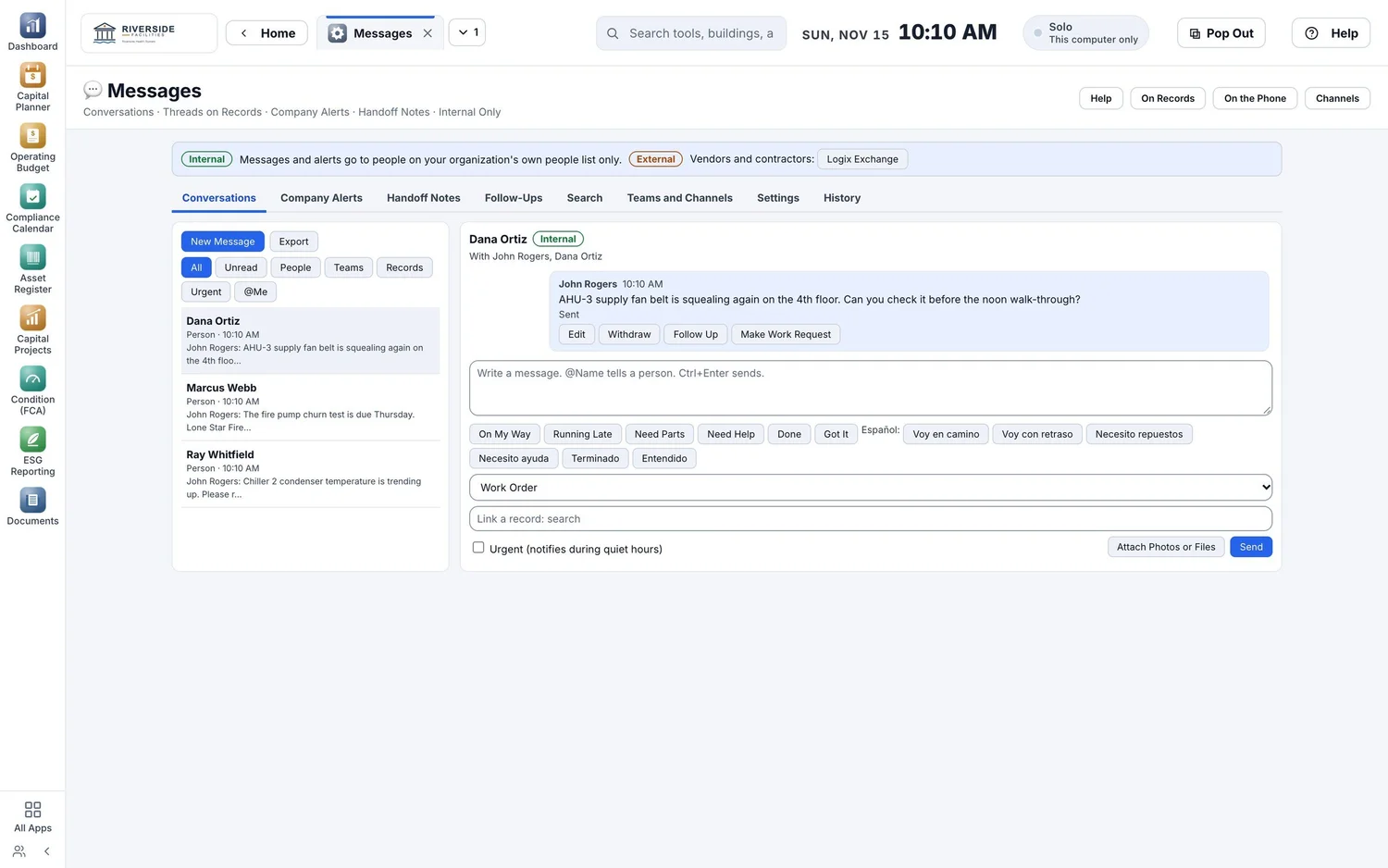
Message settings for the Administrator: retention, legal hold and export of every message.
Activity Log
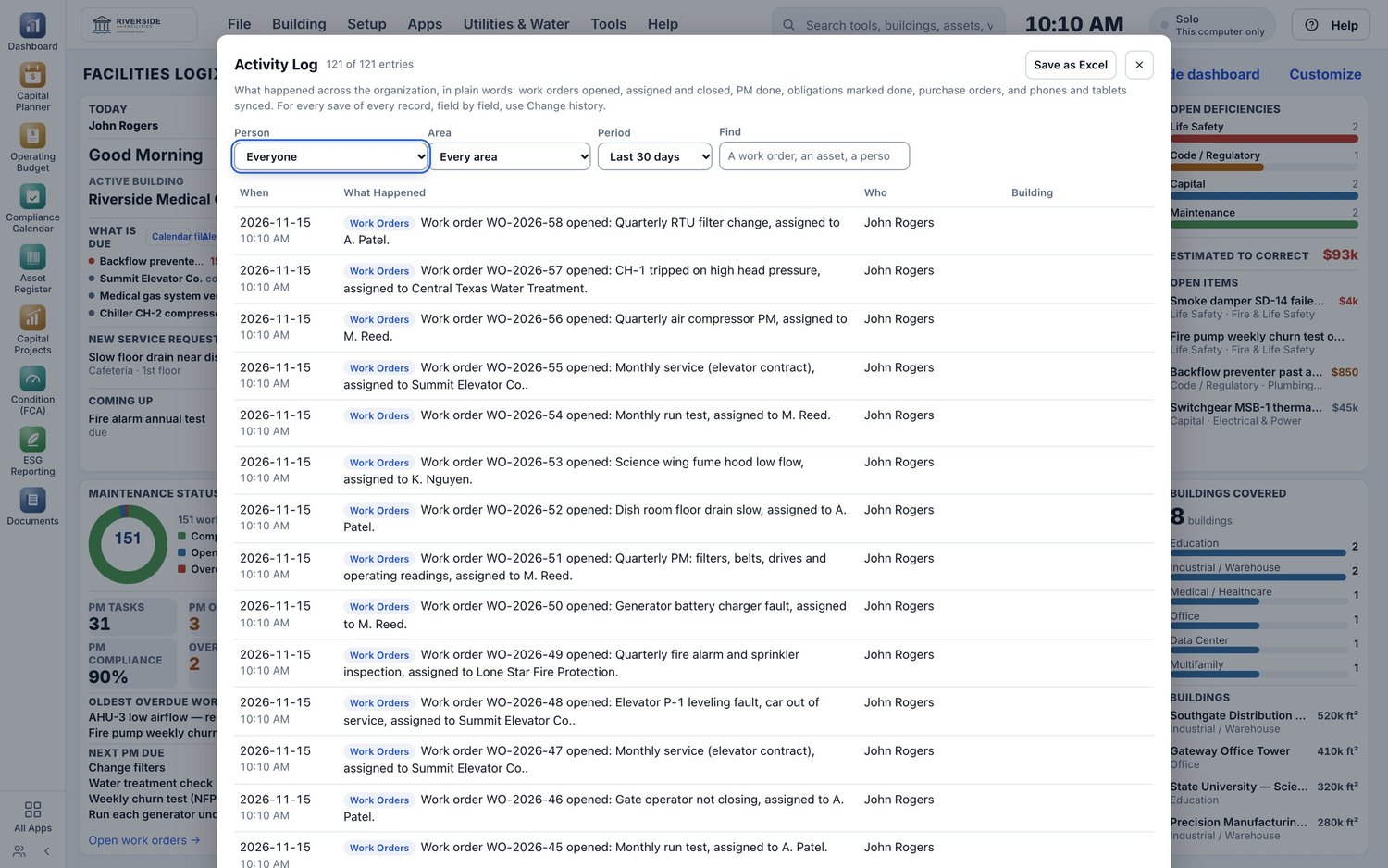
A log of activity across the apps, filtered by person, app and date and exported to a spreadsheet.
Learn MoreShow Less
Asking around to find out what happened costs time. The activity log writes one plain sentence for each real change.
- Work orders opened, assigned, moved between statuses and completed
- PM tasks done and compliance obligations marked done with evidence
- Purchase orders raised and their status changes
- Phone and tablet syncs, with what each one filed
Roles on a Team
Five roles decide what each person may change. Approvals, overrides and month closes are recorded with who, when and the value before and after.
Learn MoreShow Less
A wrong change by the wrong person costs money to put right. Roles stop accidents and record who approved what.
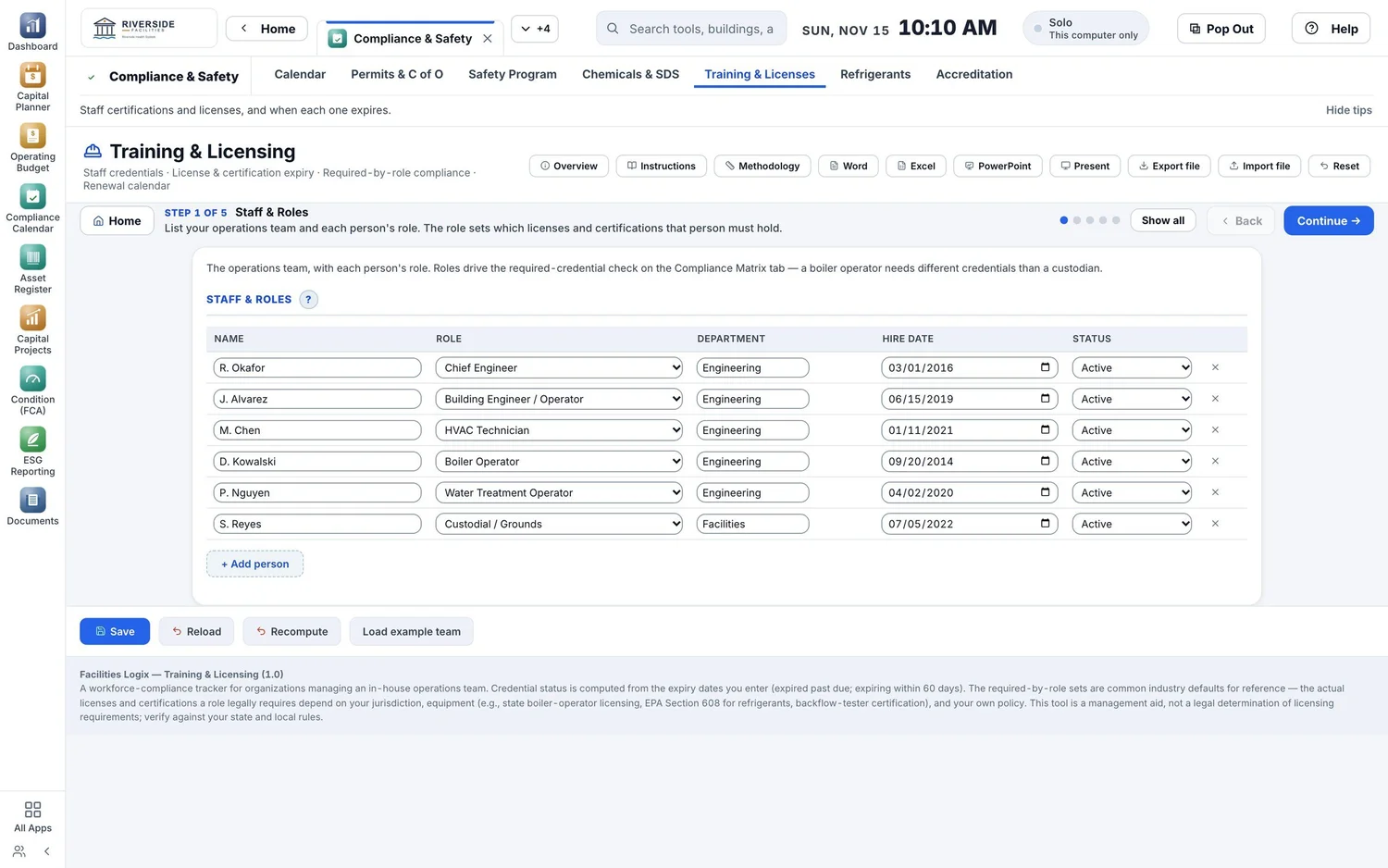
- Administrator, Manager, Operator / Technician, Executive and View only
- View only sees no vendors, contracts, capital or budgets
- There is always at least one active Administrator
- For real enforcement, IT gives read-only folder access to Executive and View-only staff
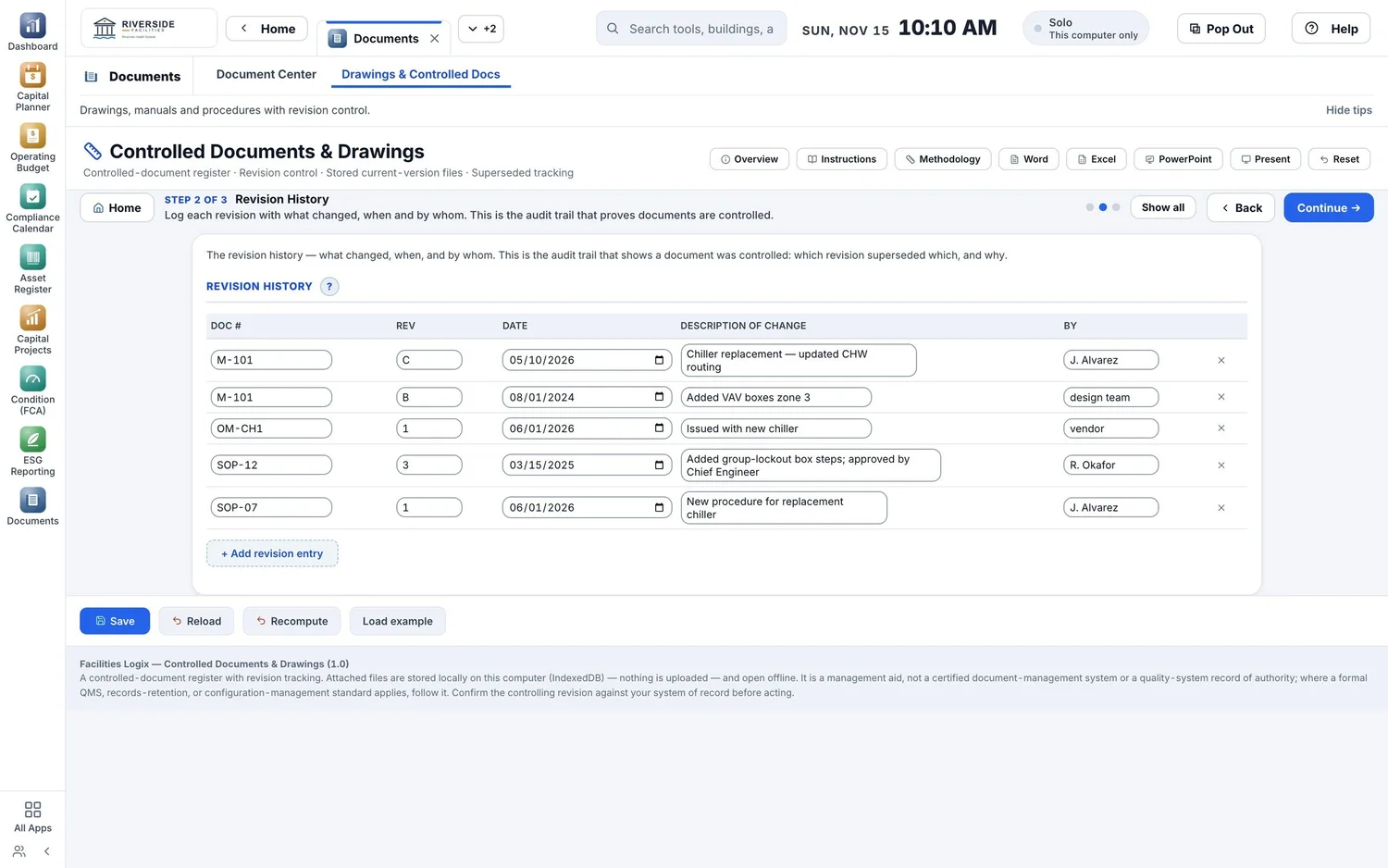
Revision History in Controlled Documents & Drawings: log each revision with what changed, when and by whom. This is the audit trail that proves documents are controlled.
Imports with a Preview, Exports of Everything
Imports
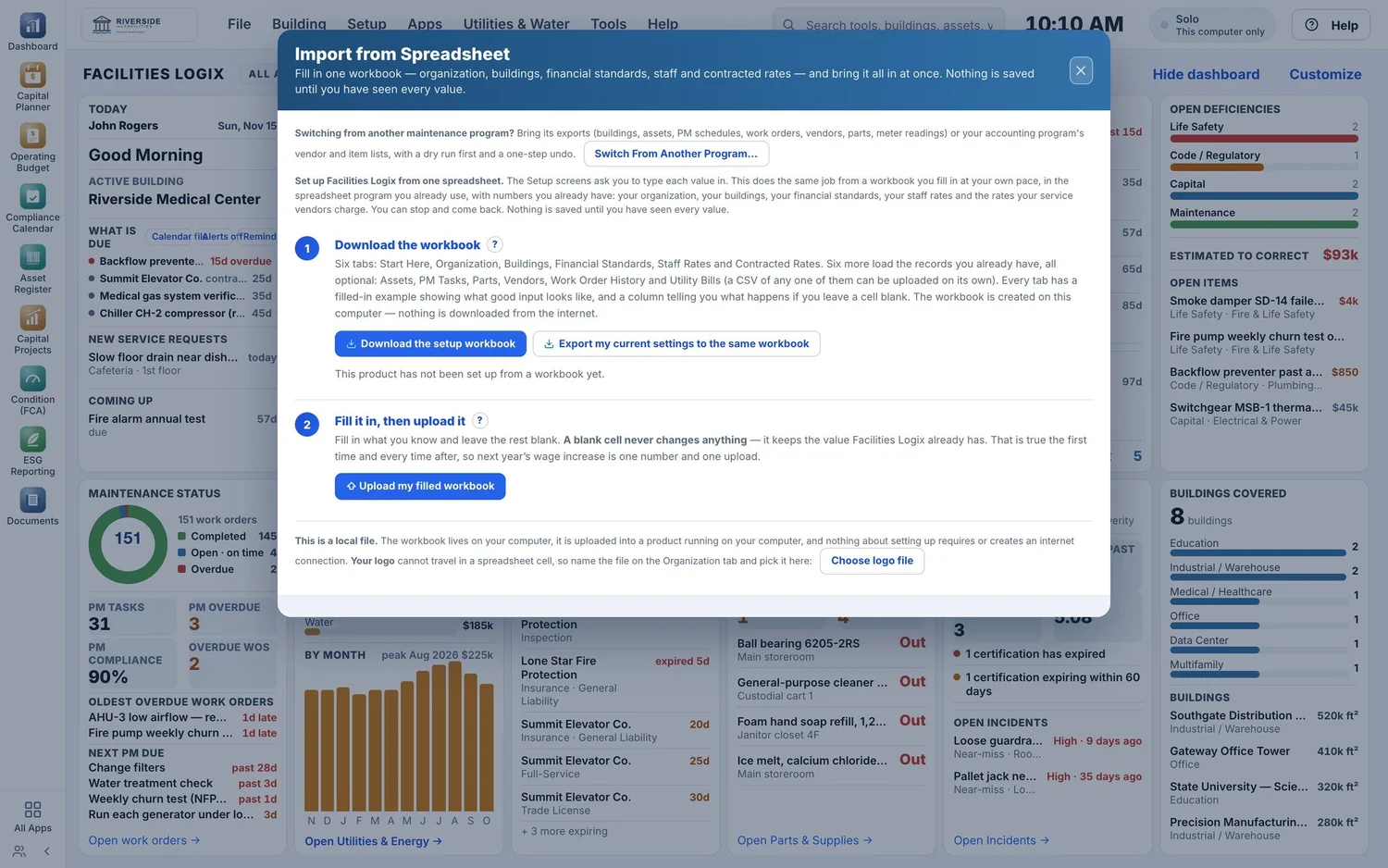
- Spreadsheets and CSV files for assets, PM tasks, parts, vendors, work orders and utility bills
- COBie handover workbooks, consultant condition assessments, room lists and outside test results
- Building automation point lists, rack and device lists, particle counts and utility bill exports
- Every import previews what will change, refuses bad rows with a reason and can be undone
Exports
- Every step exports to Word, Excel and PowerPoint; many add PDF and CSV
- A backup file holds everything, with a manifest and a checksum on every item
- Files for popular accounting packages and ERP systems from Finance & Budget
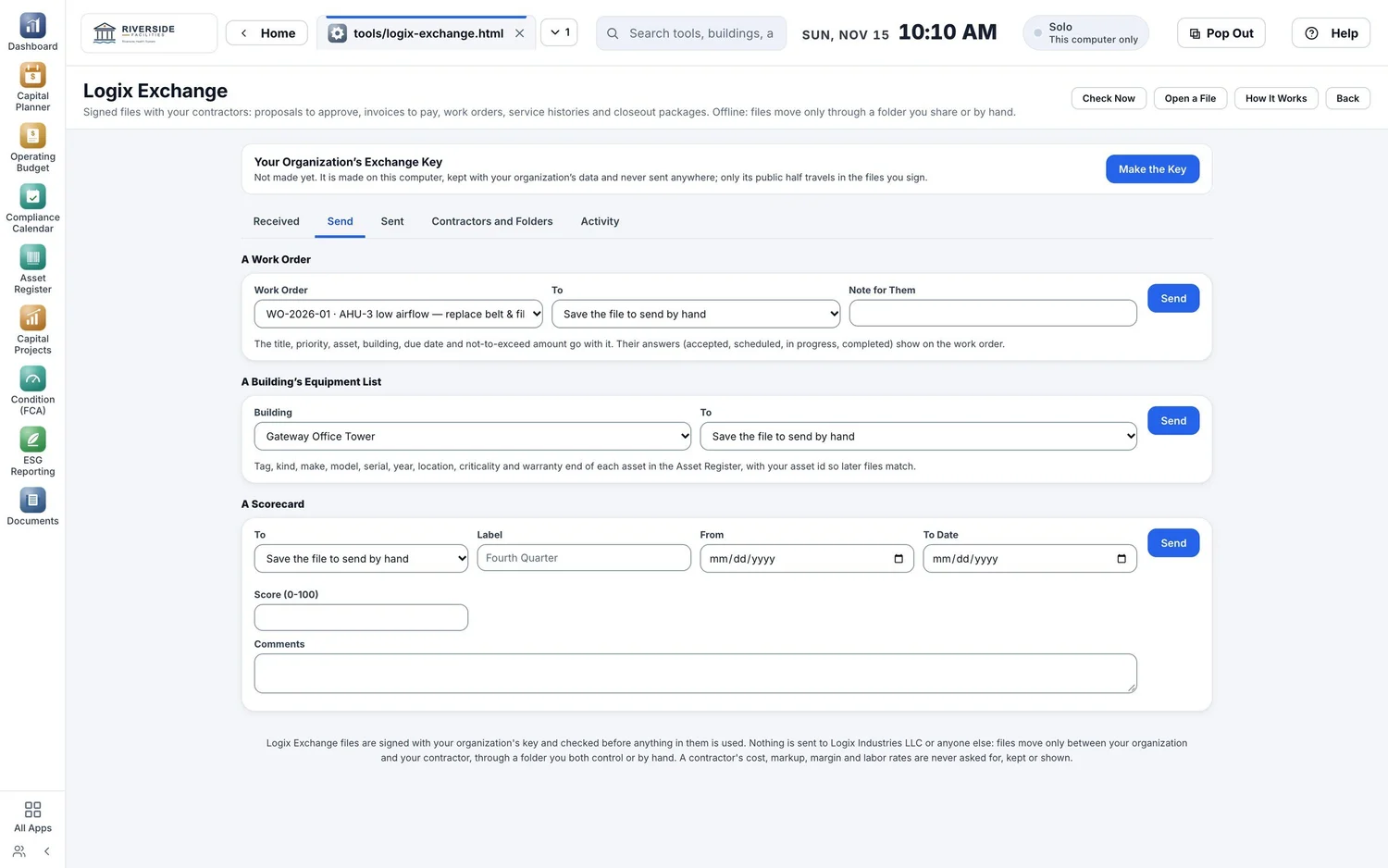
Logix Exchange: signed work orders and equipment lists sent to your contractors.
Logix Exchange
- Signed files between your organization and contractors who run HVAC Logix
- Approve and sign proposals, send invoice status and scorecards, and receive service history and closeout packages with COBie
- Warranties from a closeout go into the warranty register; every exchange is logged
- No portal and no outside server: files move by shared folder, e-mail or USB drive
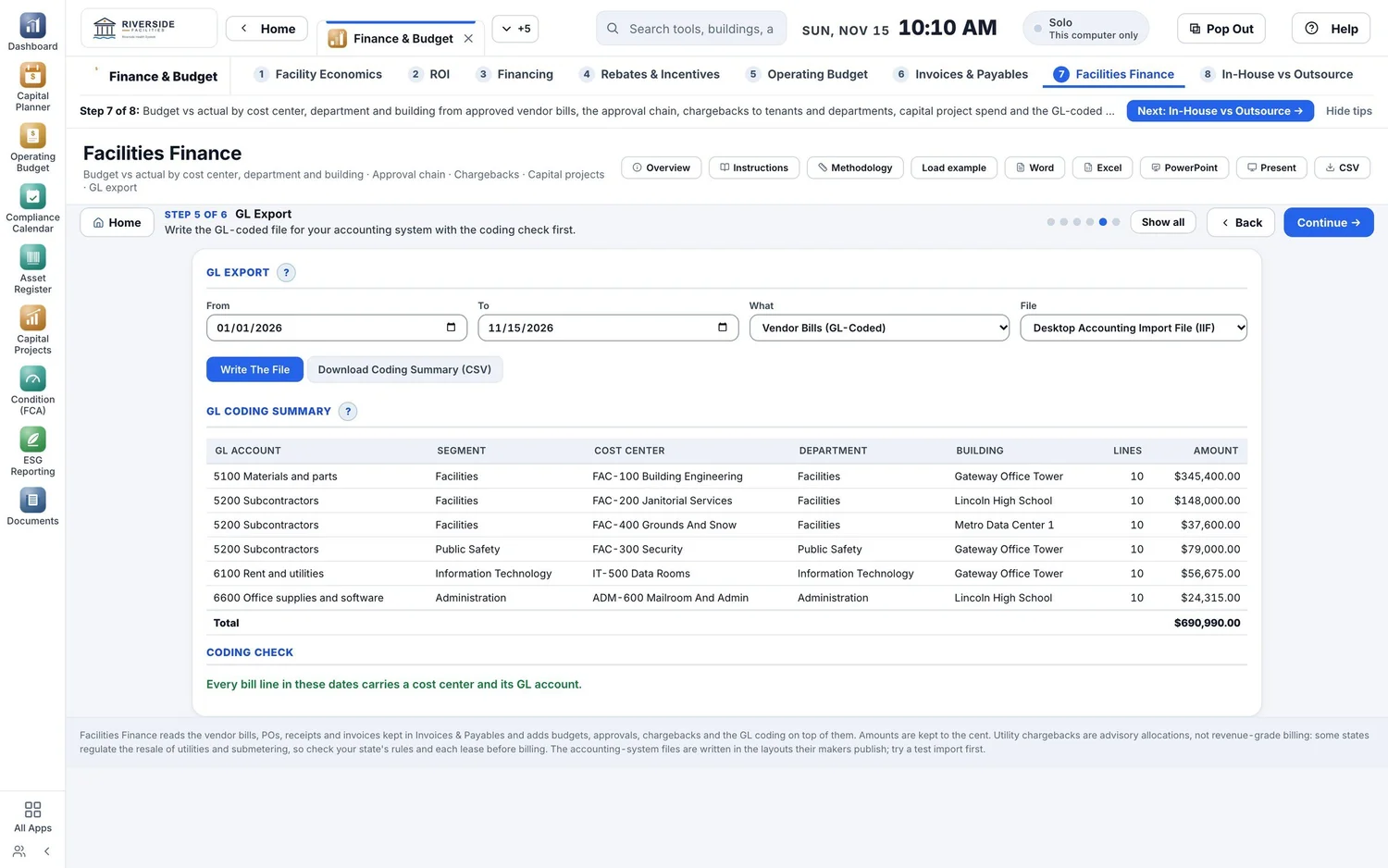
GL Export in Facilities Finance: write the GL-coded file for your accounting system with the coding check first.
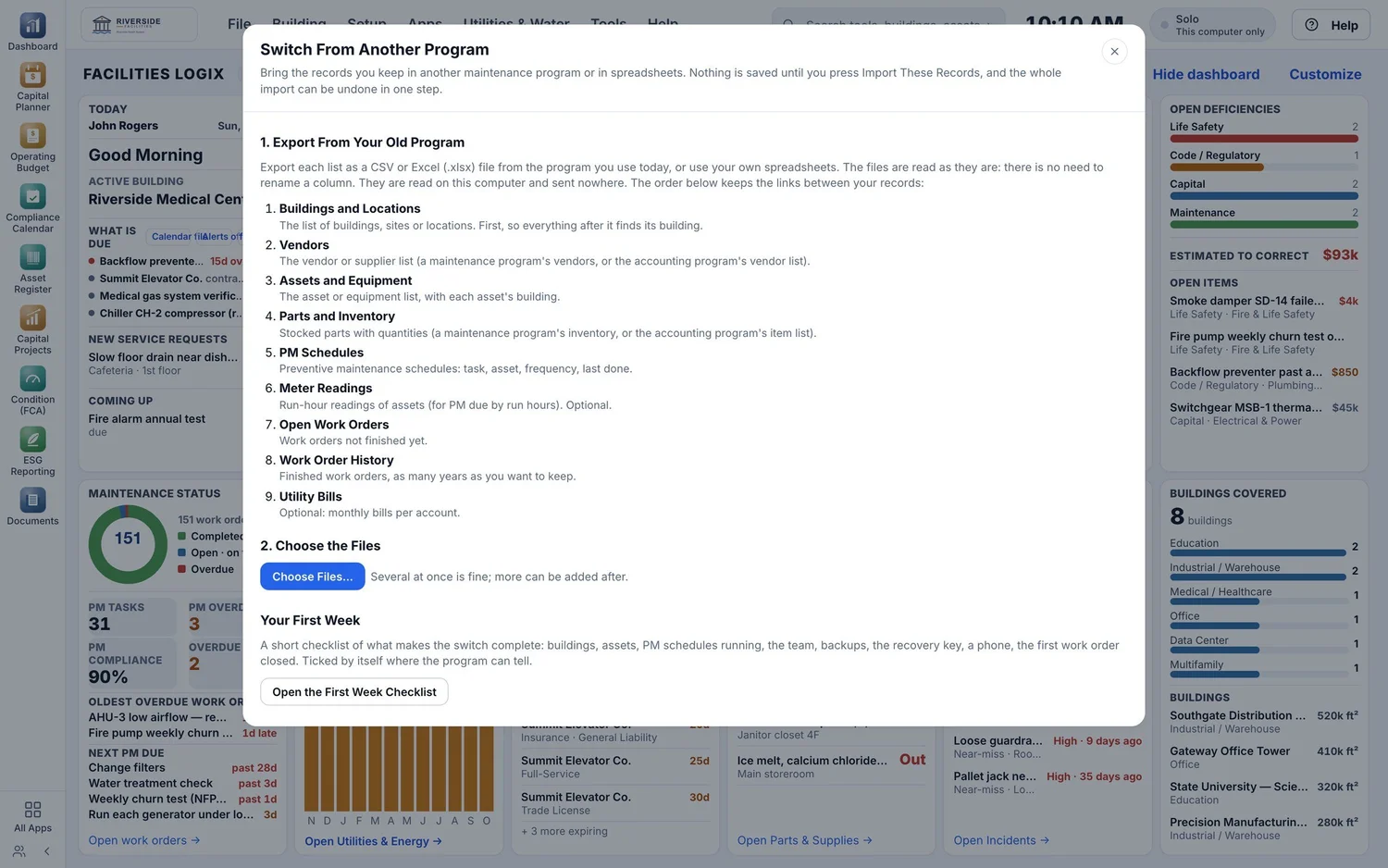
Imports that write straight into your records are risky, so every import shows a preview before anything is saved.
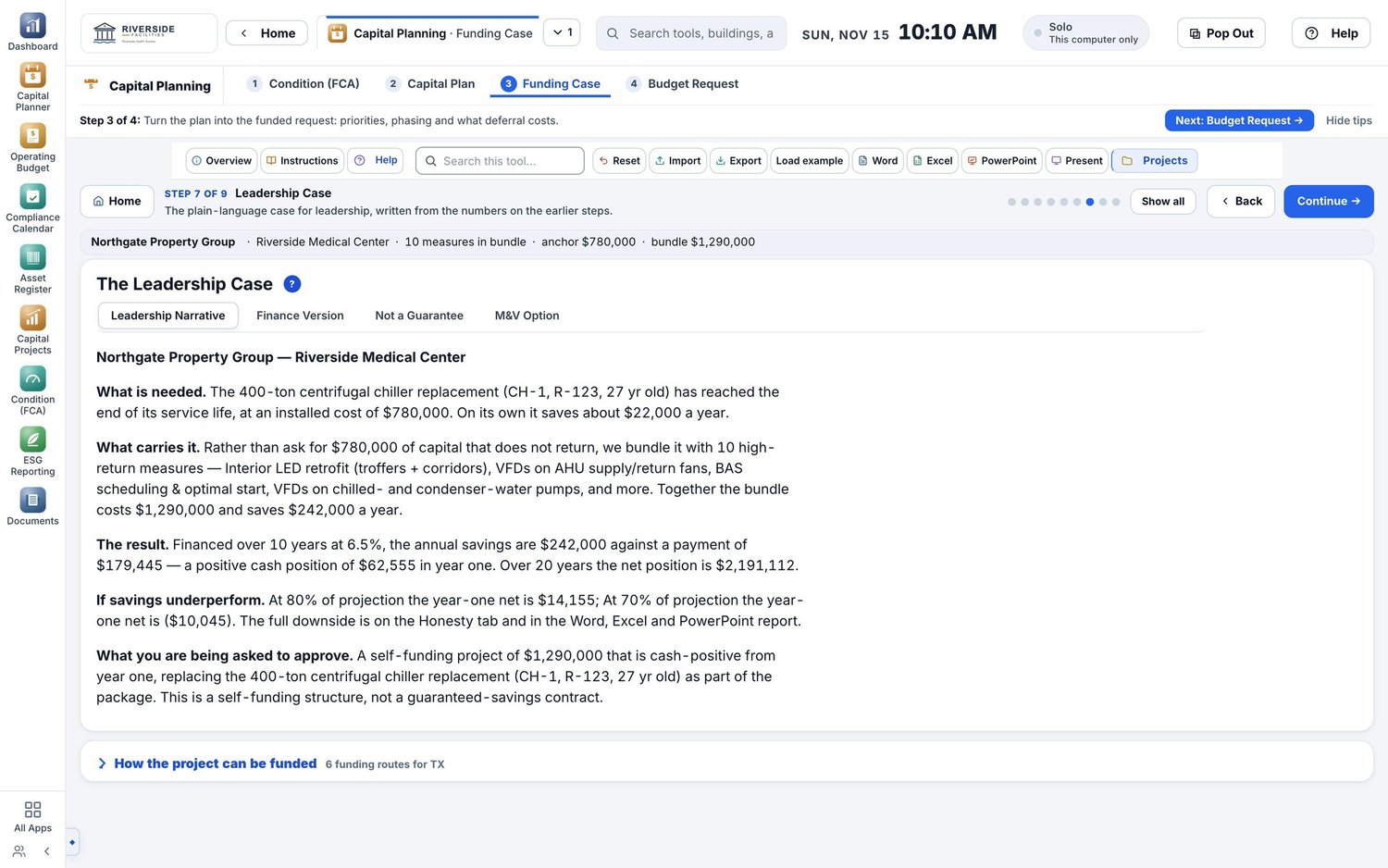
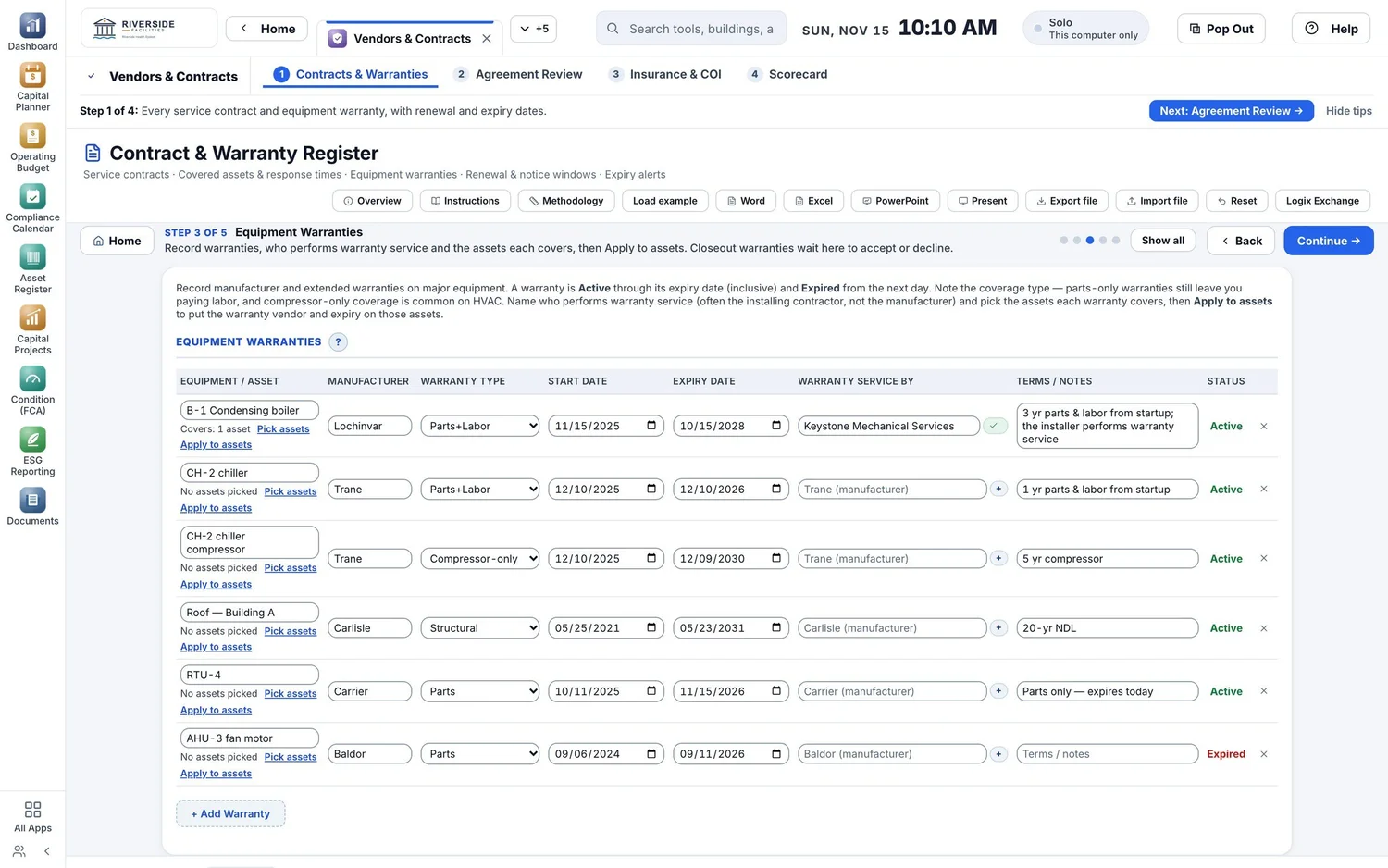
Comfortable for Long Days and Every Kind of Screen
Keyboard and Text Size
Every control can be reached from the keyboard, with a printable shortcuts sheet. Text size and spacing are adjustable, and layouts reflow at larger sizes.
Learn MoreShow Less
Staff who cannot read the screen comfortably work slower and make mistakes. Text size and keyboard use can be adjusted to suit each person.
- Above 125 percent text size, screens reflow into fewer columns
- Nothing is cut off and nothing needs a sideways scroll
- Esc closes only the topmost menu or dialog, never an app
- Menus open with Enter or Space and move with the arrow keys
Light and Dark Themes
Switch between light and dark themes. The field app adds a high-contrast Bright Sun mode and larger buttons for gloved hands.
Learn MoreShow Less
A screen that cannot be read outdoors costs time on the roof. The field app adds high contrast for sun and larger controls for gloves.
- A sun button at the top of every field screen for Bright Sun
- An Aa button for larger text and buttons
- Large buttons throughout for gloved hands
- A wider layout on tablets, with lists beside details
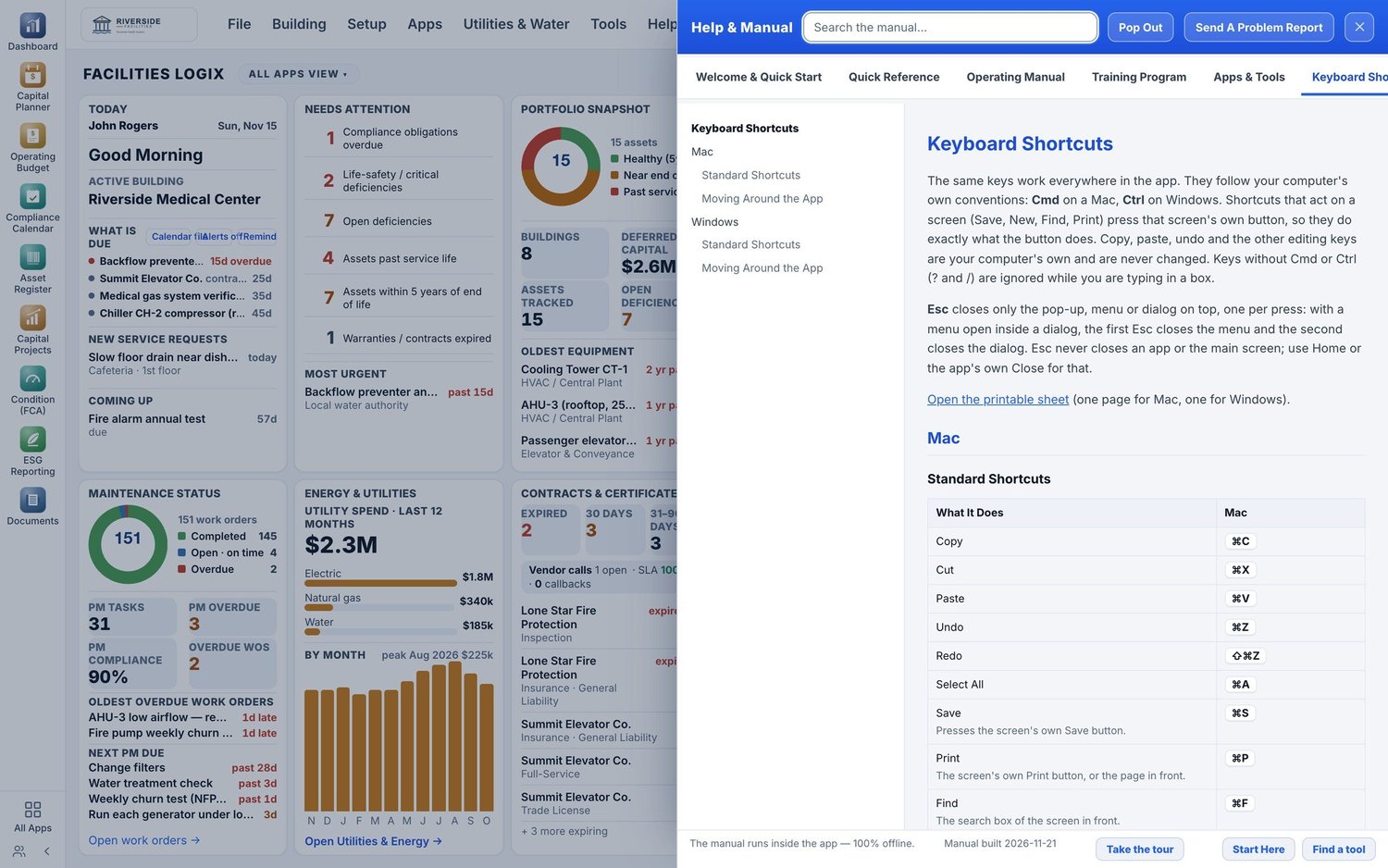
Keyboard shortcuts for the work your team does every day.
On-Device Dictation
Every notes box on the computer has a Dictate button. Speech becomes text on your own computer; no audio and no text is sent anywhere. It is dictation only: it does not summarize, rewrite or decide anything.
Learn MoreShow Less
Notes typed slowly, or not written at all, cost time and lose detail. Dictation turns speech into text on the computer, at the cursor.
- Trade words come out the trade's way: AHU, VAV, RTU, psi, CFM
- Numbers become digits: sixty eight psi becomes 68 psi
- Say period, comma or new line for punctuation
- The audio is never saved; only the words in the box are kept
Pop-Out Windows
Move any app, or Help, to its own window on a second monitor.
Learn MoreShow Less
Switching back and forth between screens wastes time on every task. Pop-out windows keep two tools in view at once.
- Each pop-out remembers its size, position and monitor
- Pop-out windows follow the text size you set
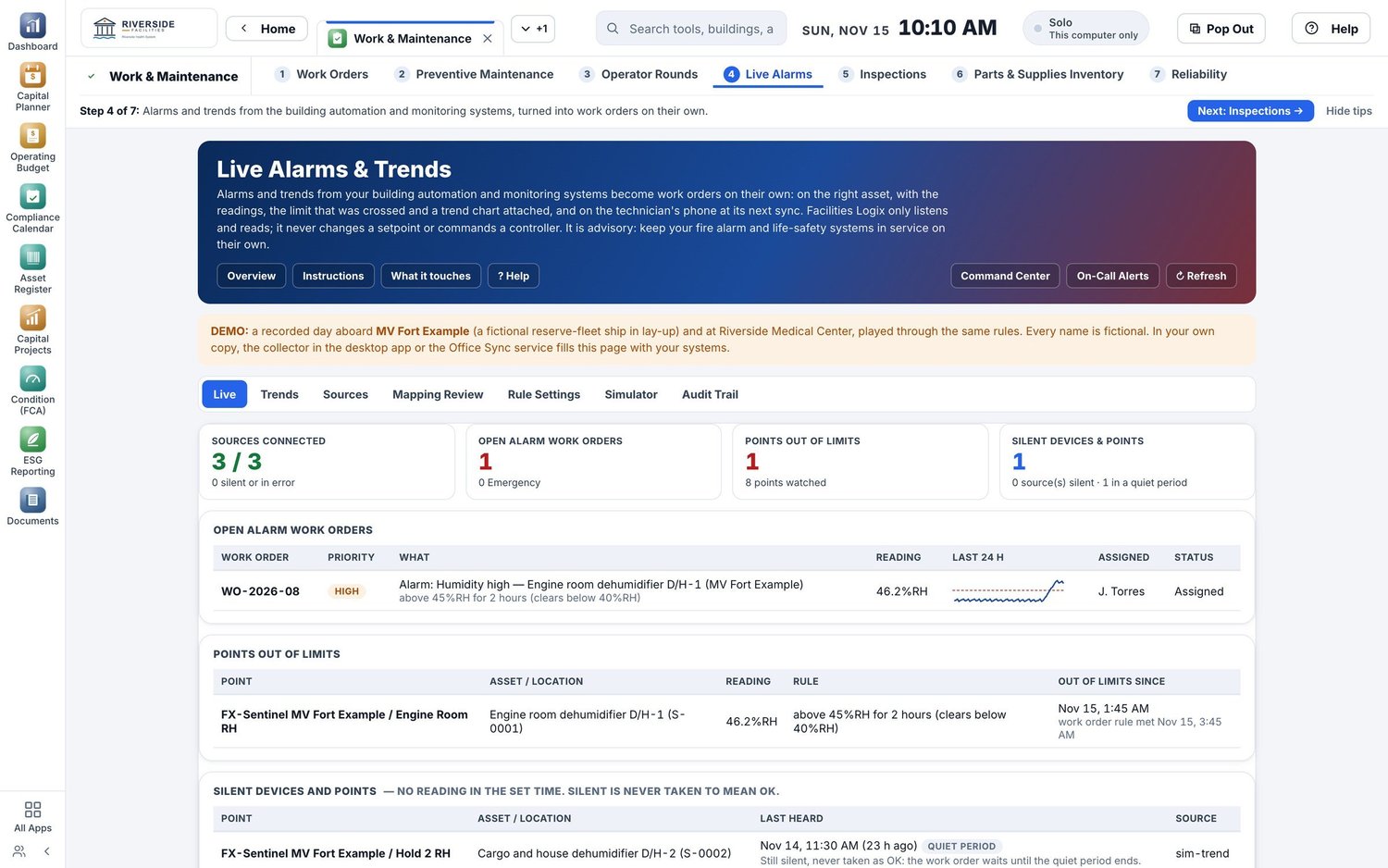
- The live alarm screens can run one window per display, a role each
- Help can sit beside the tool you are working in
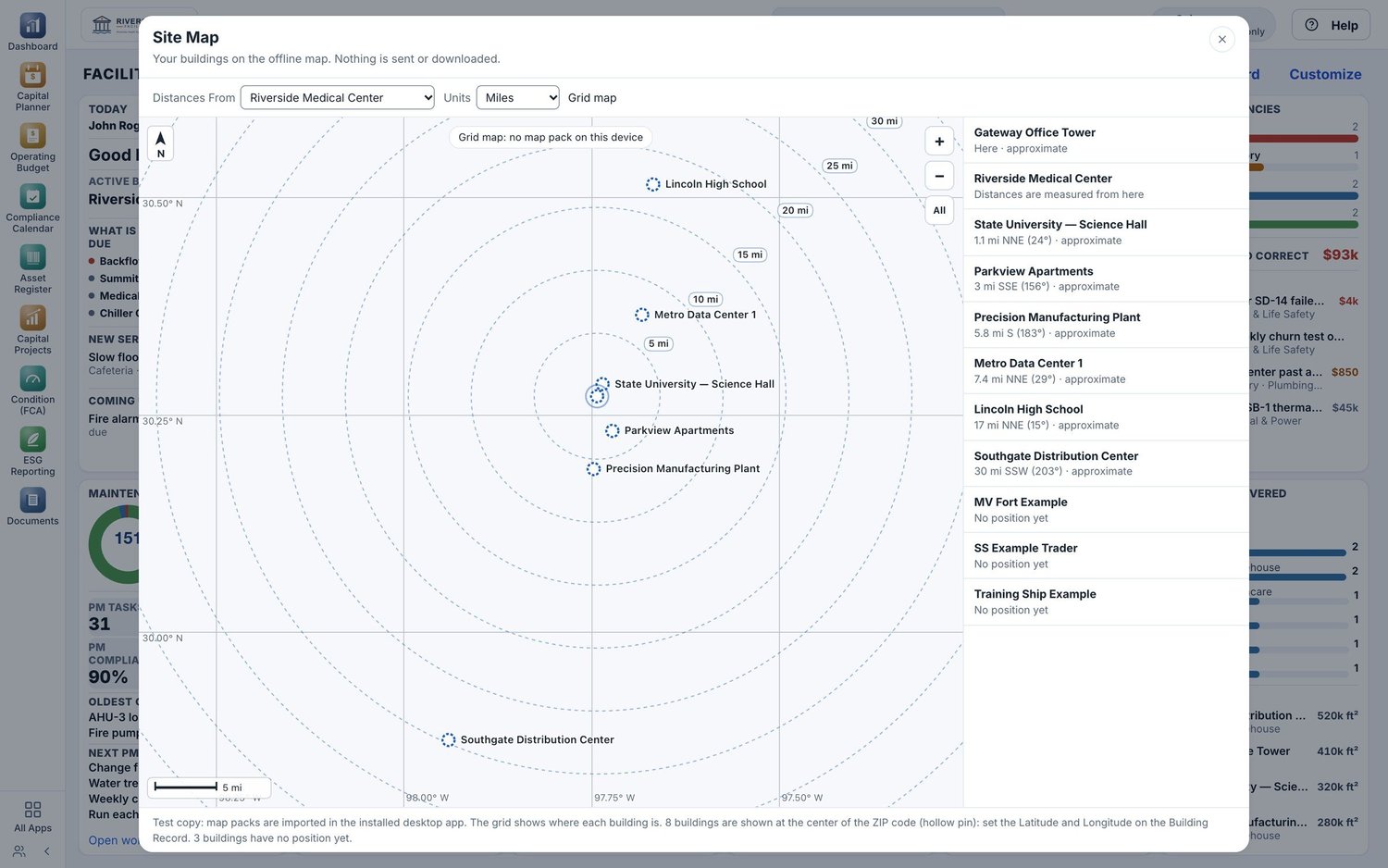
Offline map packs for your sites, used with no signal.
Site Time Zones and Offline Maps
Each building keeps its own time zone, and a site map works offline from a map pack your organization imports.
Learn MoreShow Less
A reminder or on-call change at the wrong hour can mean a missed call. Each building runs on its own clock, and the map needs no connection.
- The on-call roster keeps its own time zone, and a daylight-saving week is still 7 days
- Calendar appointments keep the building's time zone
- The Site Map colors each building by its worst open alarm
- The map pack is imported once and used offline
Read-Only to Your Controls
Monitoring only listens and reads. Facilities Logix never commands a controller or changes a setpoint.
Learn MoreShow Less
Software that changes a setpoint by mistake can cost energy or damage equipment. Monitoring only reads, so that risk is not taken on.
- Never silences or resets an alarm in your controls
- Not a fire alarm, gas, CO or emergency shutdown system; keep those in service
- Runs in the Office Sync service day and night, or while the desktop app is open
- IT and security approve the connection before it is made
A Tool Bar for Your Role
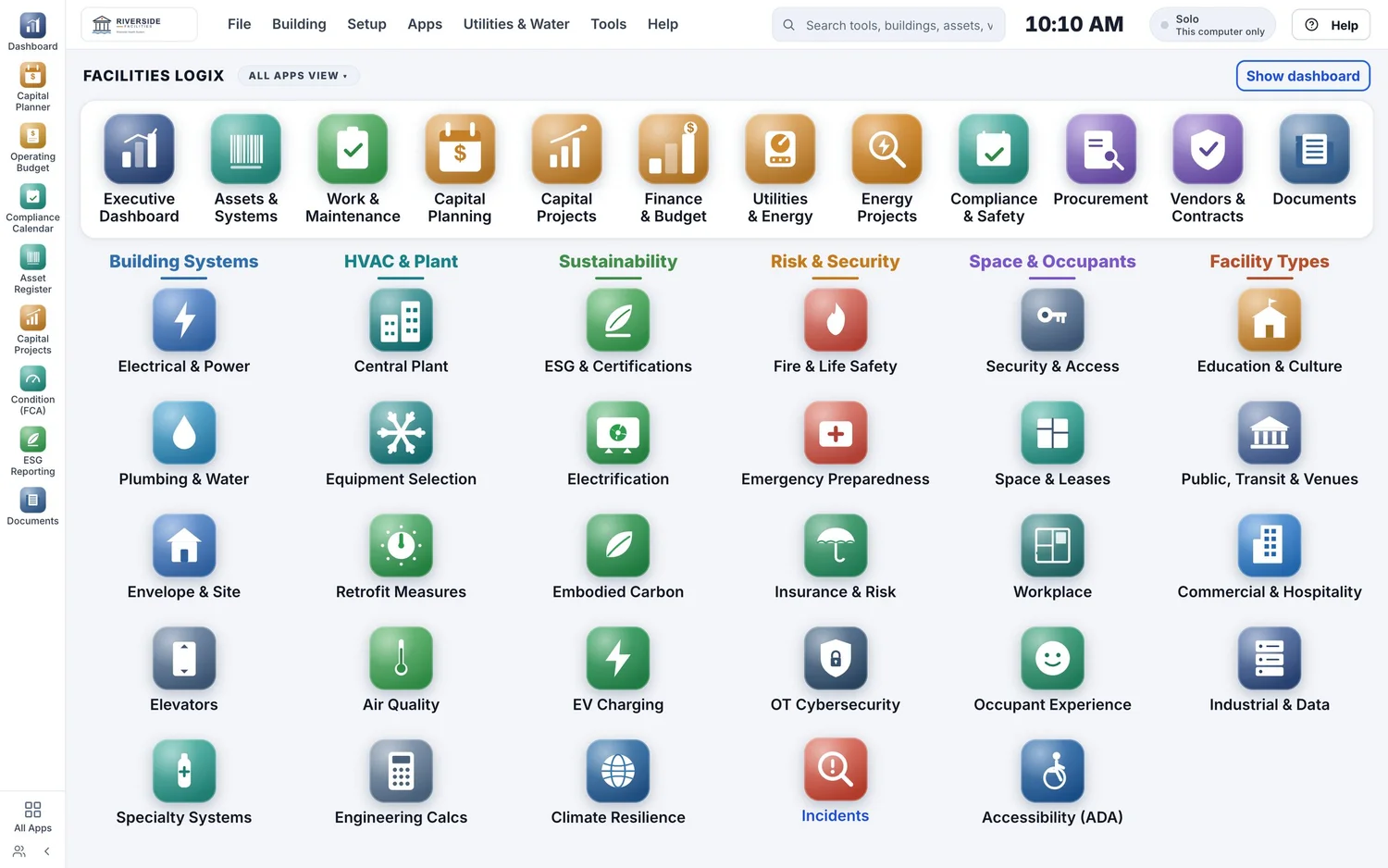
A slim bar at the left of the home screen and beside every open app holds the tools for one of five sets: Leadership, Facility Manager, Technician, Compliance or Finance. It follows the person's team role, each person may pick another set, and a tool their rights hide never shows.
Learn MoreShow Less
Hunting for a tool on a busy home screen wastes time many times a day. The tool bar keeps 6 to 9 of the tools each role uses most within one click.
- Five sets: Leadership, Facility Manager, Technician, Compliance and Finance
- A tool a person's role hides never appears
- Icons only on narrower screens; hidden at phone width
- Turned off in Setup, Organization Profile, Appearance
Autosave and Recent Work
A closed tab or a power cut should not cost an afternoon. The engineering and analysis tools save as you type, the record-keeping tools are saved for you when you leave them, and File, Autosave and Recent Work lists what you were working on with Resume Where You Left Off.
Learn MoreShow Less
Re-entering lost work is paid time. Work is saved as you go, and a closed tab or power cut picks up where it stopped.
- The calculating tools need no Save button
- Resume Where You Left Off after a crash or closed window
- A deleted row can be undone for ten seconds
- A save a tool refuses stays marked unsaved, with the reason
Batch Actions and Saved Filters
Tick rows in a register, or Select All Shown, and apply one action to all of them: assign, set a status, close, or mark done. Each row changes the way a person would change it, a row that cannot take the action is skipped with the reason, and the screen's filters come back as you left them.
Learn MoreShow Less
Changing fifty rows one at a time is an afternoon of paid time. One action applies to all of them, with the same checks as a single change.
- Actions include assign, set status, close, void with a reason and mark done with evidence
- A row the action cannot take is skipped and named with the reason
- Nothing is saved until the screen's own Save
- Each person's filters come back as they left them
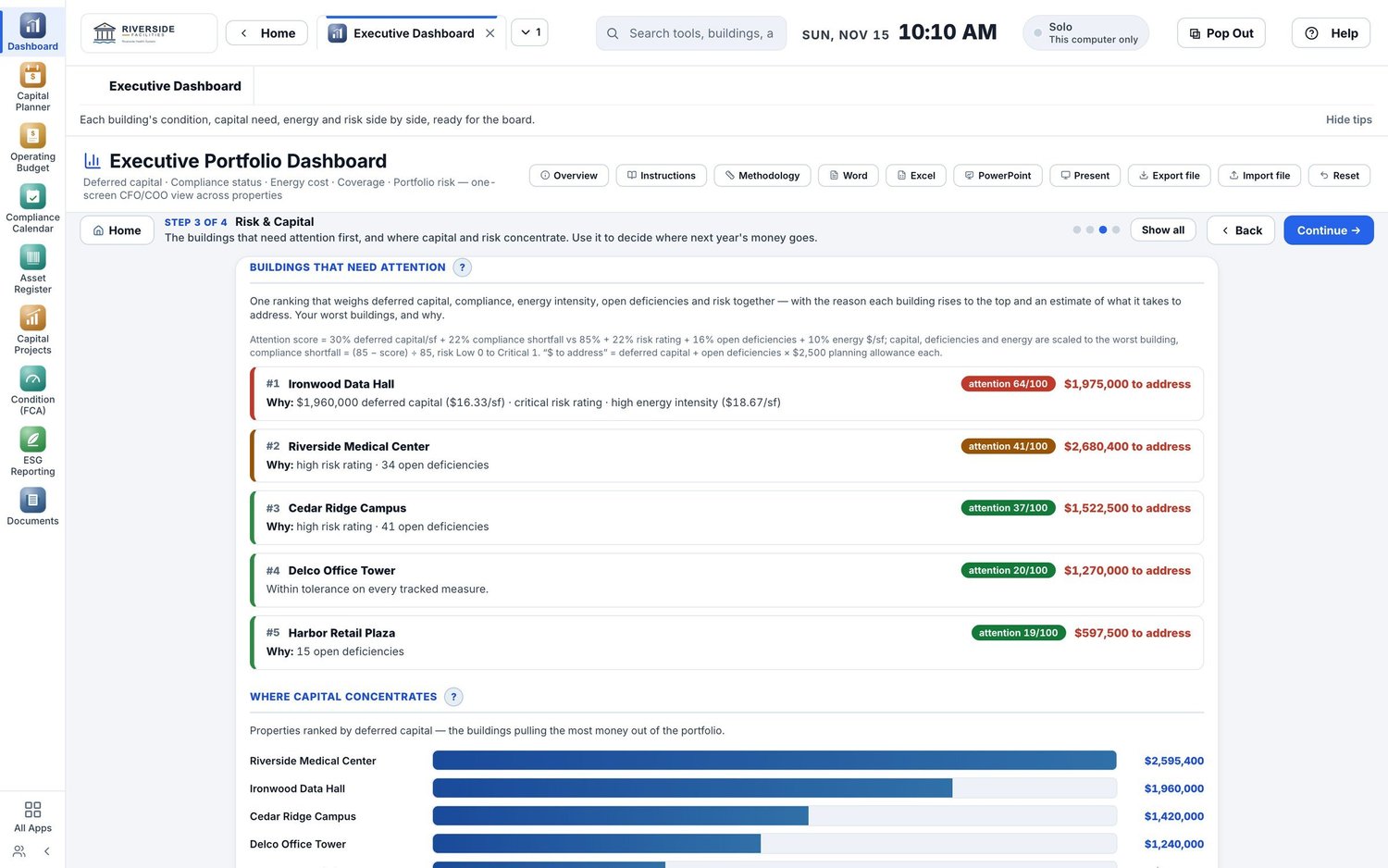
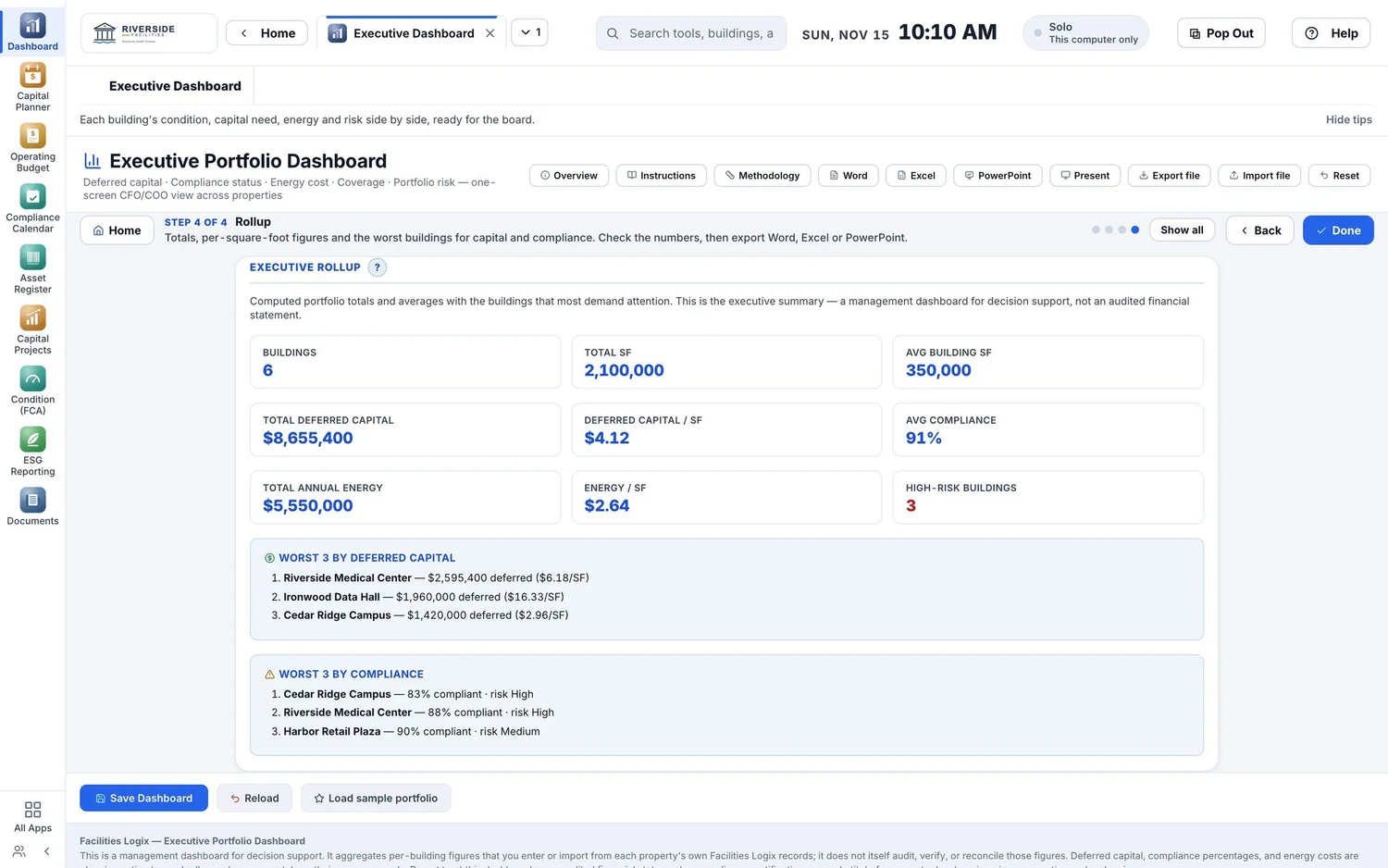
The buildings that need attention first, with the reason beside each one.
Frequently Asked Questions
Where is our data stored?
What is Customer-Owned Cloud mode?
What happens if we lose the recovery key?
Is dictation sent to an outside AI service?
What accessibility options are there?
Be First When Facilities Logix Opens
Stop chasing building records across spreadsheets and binders. Join the list and we will tell you the day downloads open, with setup guides ready.
Launching early 2027 for Facilities Logix. Nothing to buy today, and no sales calls.
