
A CRM Built the Way Commercial Mechanical Work Is Won
Deals are lost when accounts, buildings and follow-ups live in different files. Pipeline Command keeps your accounts, the buildings you serve, the people who decide and every deal you are chasing in one book. It reads the same building records as estimating, service and accounting, so a building is typed once and every department works from it.
Launching Early 2027 · Join the Early-Access List
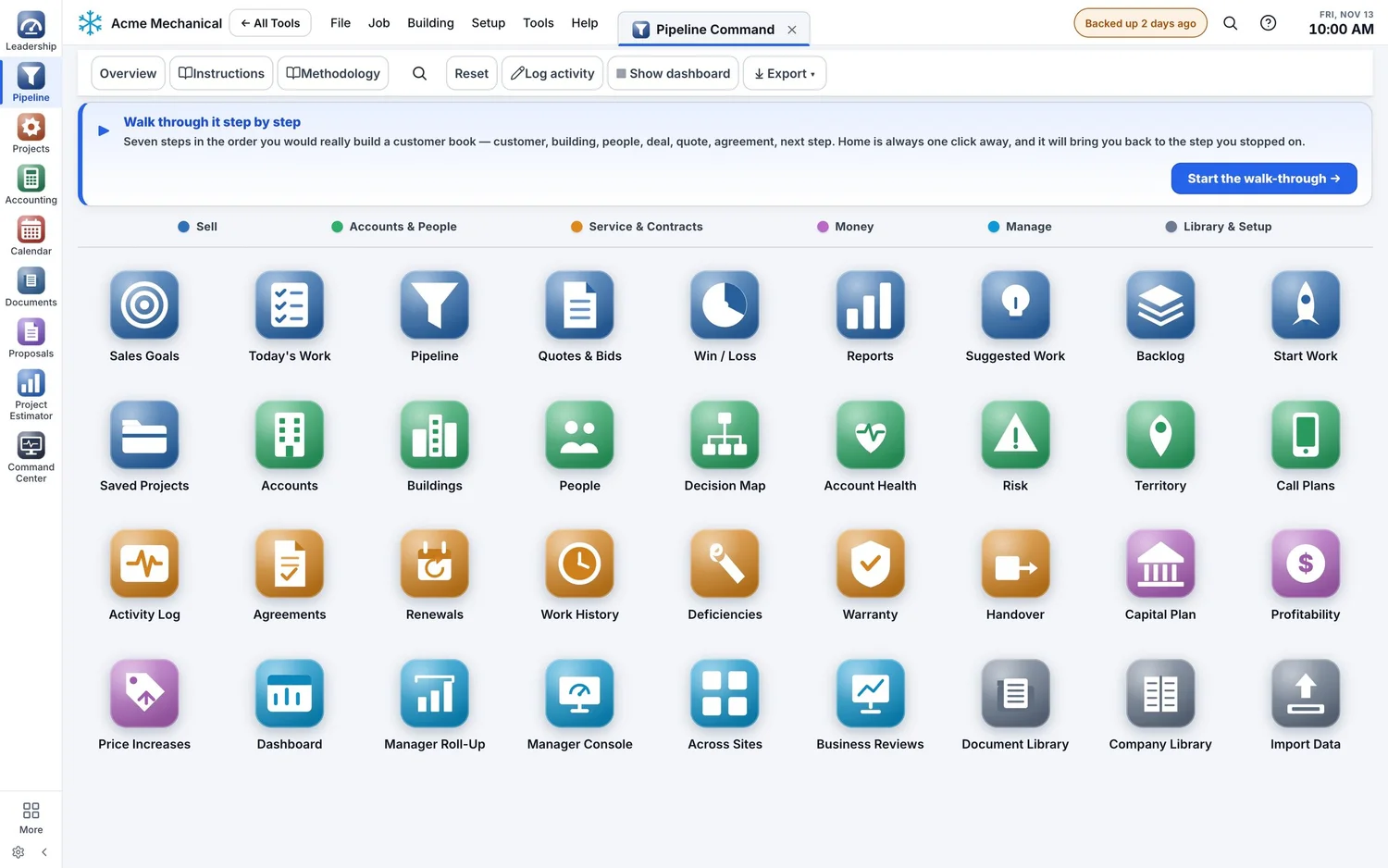
Your Whole Book of Business in One Place
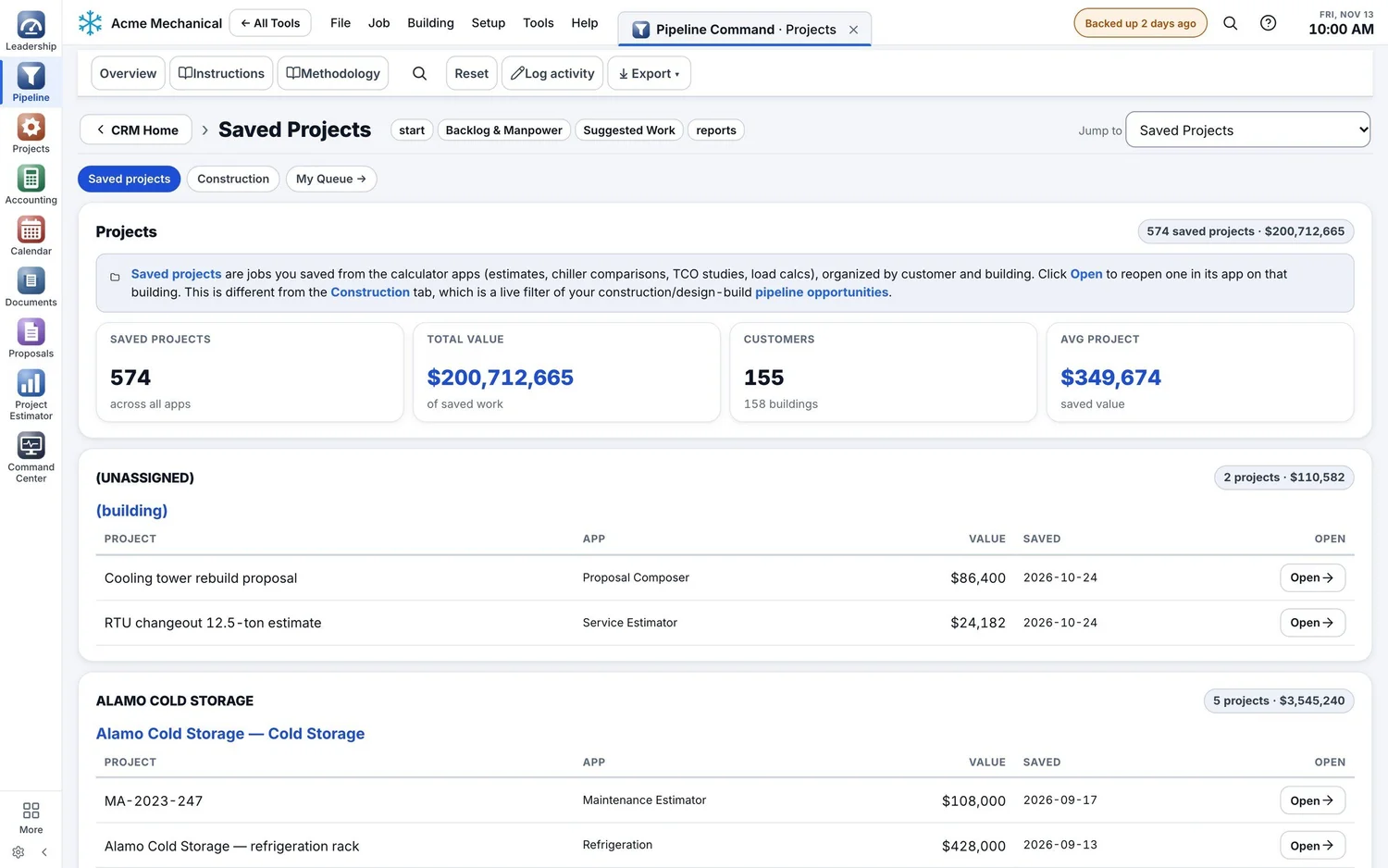
Pipeline Command opens on one CRM Home. Its 36 icons are grouped by the job you are doing, and each icon opens one screen.
Accounts with Their Capital Cycle
Each account carries its commercial terms and its capital cycle: fiscal year end, submission and approval months, and whether funds lapse. The Capital view dates a large deal backward from those months and flags one that has already missed this year's budget window.
Learn MoreShow Less
A large proposal that misses the customer's budget window is not lost; it is a year late, and your forecast is wrong. The capital cycle tells you the date to start so the money is there.
- Records the capital-versus-operating line, approval thresholds and board meeting dates.
- Works back through the customer's review time and your own prep time.
- Gives the date the request must be in the customer's hands, and the date you must start.
- A deal that missed the window can be moved to the next cycle.
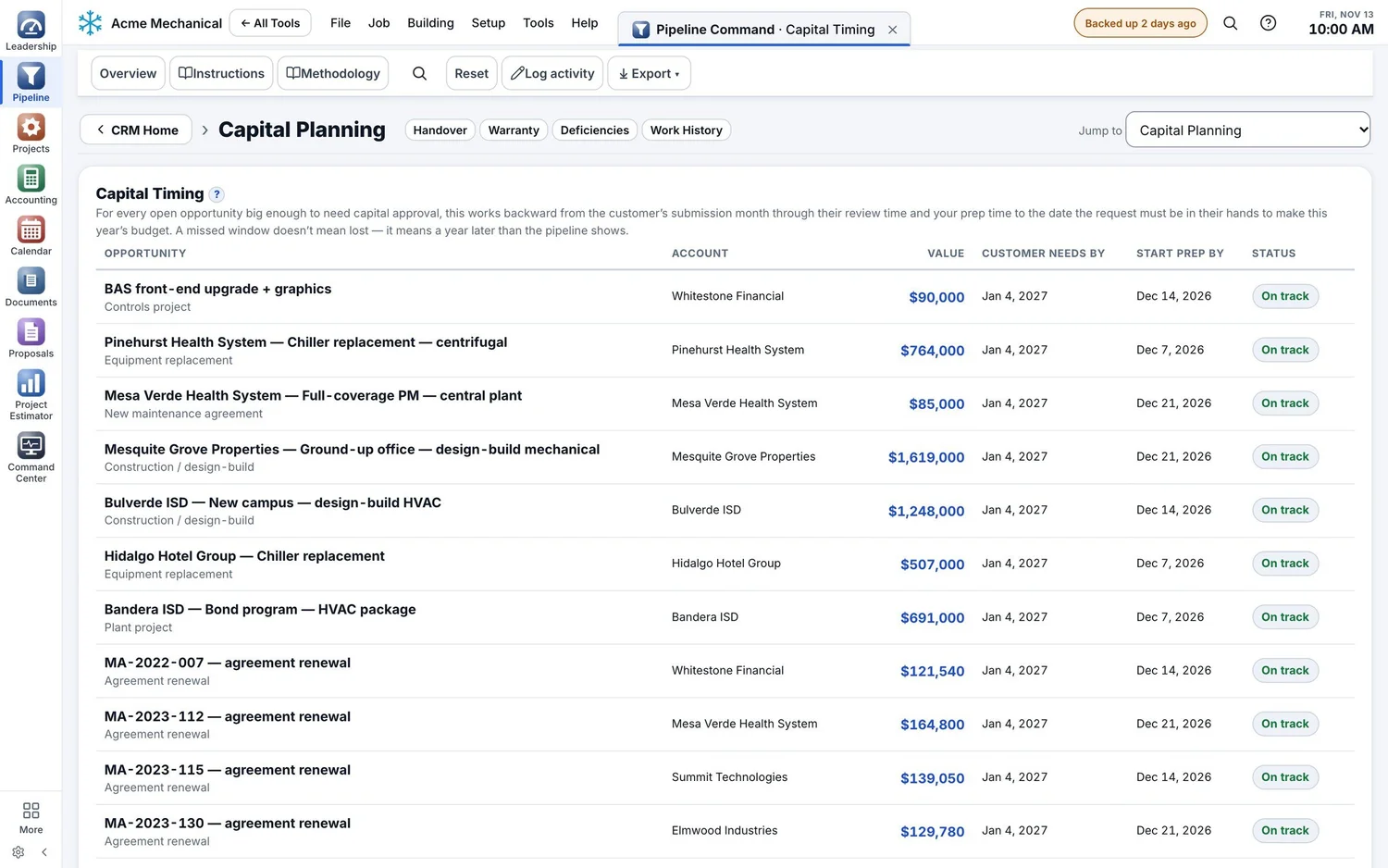
Big deals stall when budgets close, so Capital Timing works back from each customer's approval month to the date to start.
Buildings Read from the Site Record
Every building comes from the shared Site Record that the engineering, estimating and service tools use. Link it to its account, record who holds the maintenance today and when that agreement expires.
Learn MoreShow Less
Commercial maintenance is won or lost on knowing who holds the building now and when their agreement ends. That timing is recorded on every building.
- Incumbency: who holds it, what kind of competitor, for how long and what the customer says.
- Record your own losses on a building with the reason, to spot patterns.
- Editing a building's name or area anywhere keeps every tool in step.
- Time a run 60 to 90 days before the incumbent expires; Suggested Work watches that window.
People and the Decision Map
Record each contact's decision authority and disposition toward you. The decision map shows who is met, named but not met, or missing across the four seats that decide the work.
Learn MoreShow Less
Proposing a large number to a room where nobody can say yes wastes the sale. The decision map shows who is missing before you present.
- Seats: technical, operating budget, capital approval and procurement.
- Drawn for the account and for each deal; a $20,000 repair and a $400,000 retrofit have different approvers.
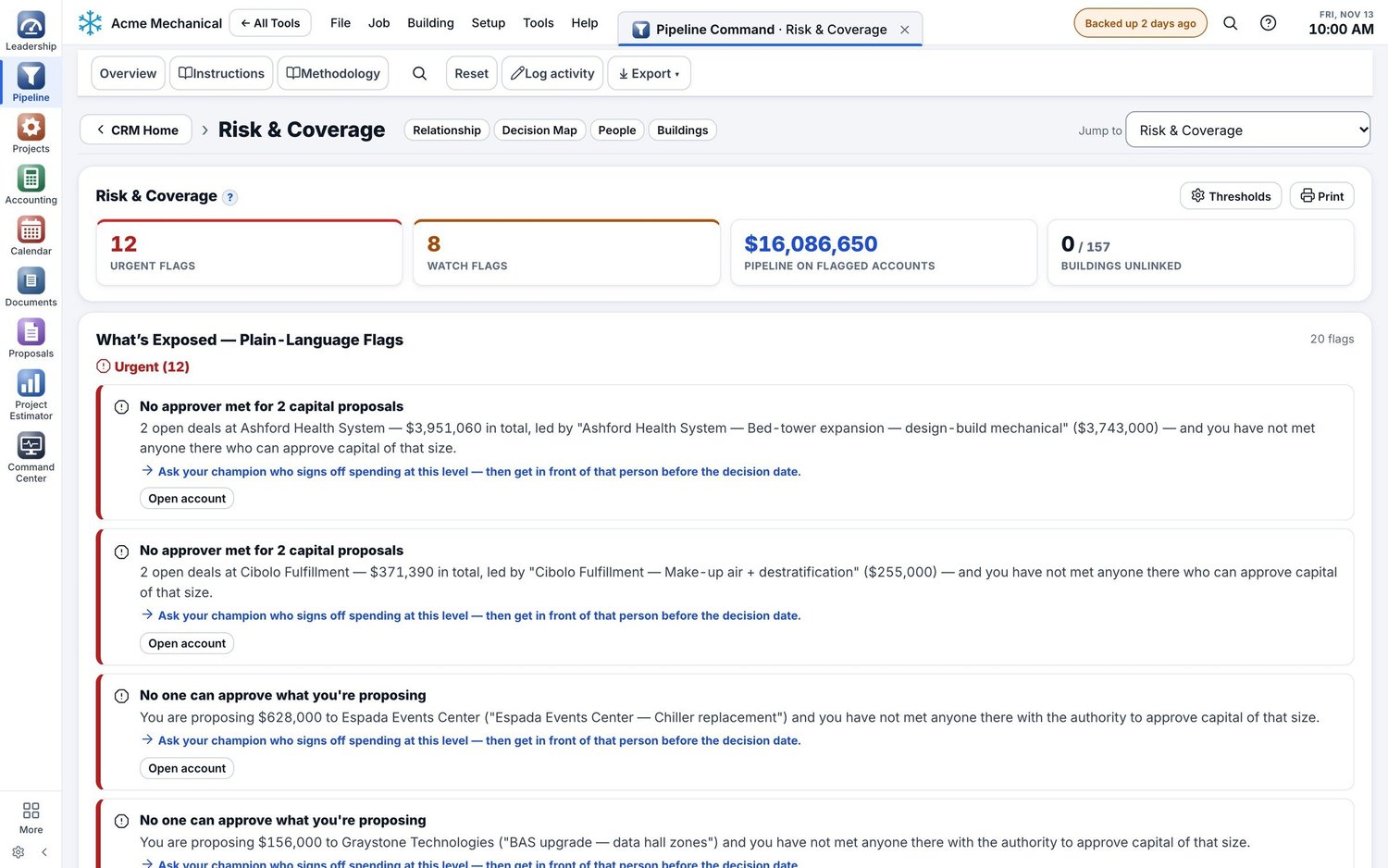
- An empty capital seat on a large deal is flagged on the risk board.
- A departed contact is marked, not deleted, so the risk stays visible.
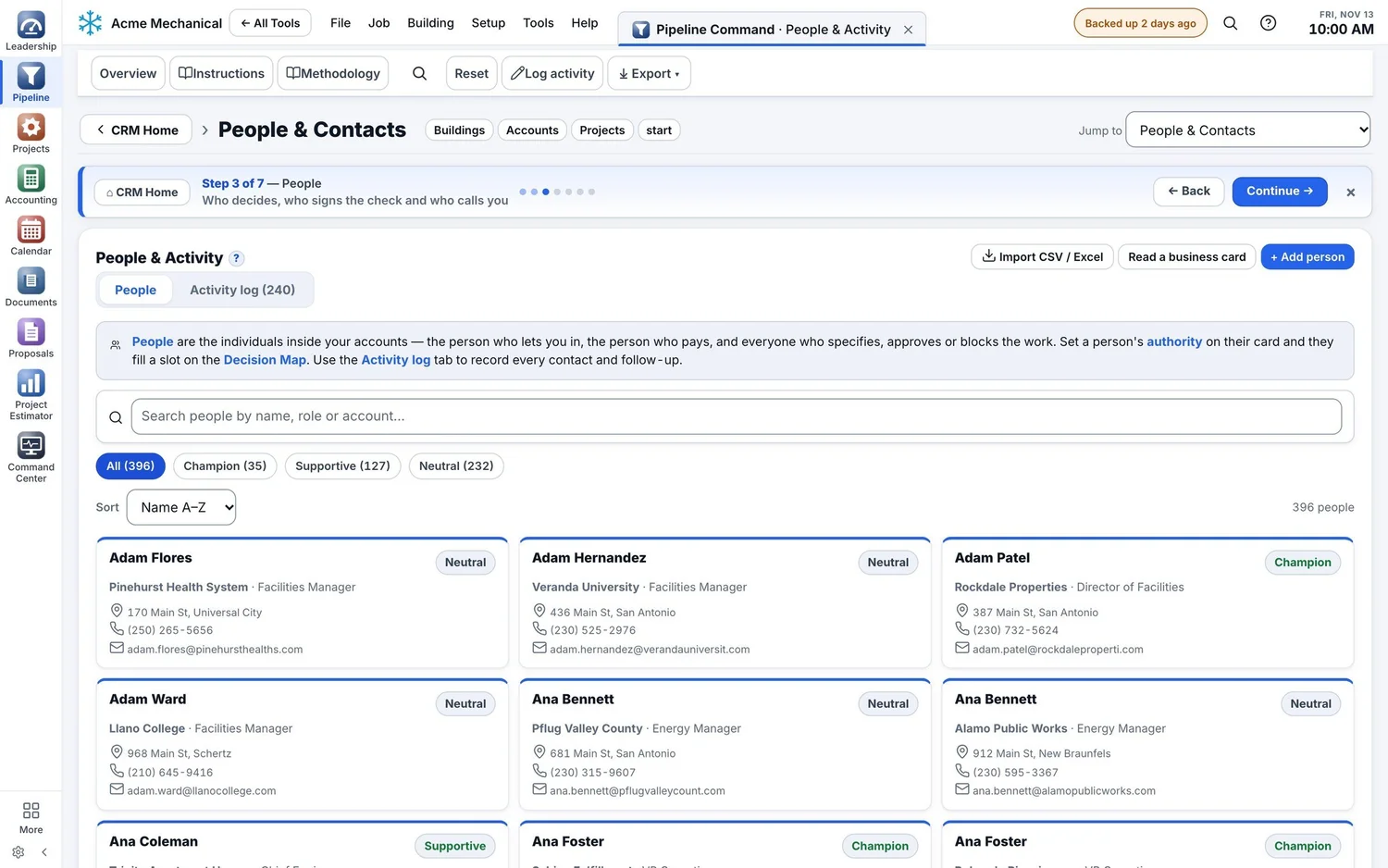
Deals die when you only know one person, so every contact carries their role and how they feel about you.
Deals with a Procurement Route
Each opportunity holds its value, expected margin, stage, probability and three dates: expected decision, expected start and required on-line. The procurement route is a first-class field, and the screen spells out the documents and timeline that route usually means.
Learn MoreShow Less
A competitive bid and a negotiated job support different margins and paperwork. Pricing a deal for the wrong route either loses it or leaves money behind.
- Routes include negotiated, competitive bid, plan-and-spec, design-build, cooperative contracts, job order contracting and master service agreements.
- Each route states the margin it usually supports and the documents it needs.
- Forecast can be sliced by procurement route.
- Every stage carries its own definition of what must be true.
No Duplicate Customers
When you start a new account, person, building or vendor, HVAC Logix compares what you type with the book: the same name written another way, the same address, phone or e-mail. You choose Use the Existing One, It's a Division, or It's a Different Company. It warns and never blocks.
Learn MoreShow Less
Duplicate customers split history, send two reps to one buyer, and lose credit for work. The check catches them as you type, before the second record exists.
- Catches LLC, Inc and spelling variants, initials, and a name that starts with another's.
- Matches street addresses written as North or N., Street or St.
- For vendors, compares tax ID without ever showing it.
- Already two records? Merge Into previews first, and Undo Merge puts it back.
- One company can be your customer, vendor and subcontractor, each role listed by job.
Company Families
A parent company and its divisions, branches and subsidiaries each keep their own account and buildings, and the Company Family view totals their accounts, buildings and open pipeline together.
Learn MoreShow Less
A national customer's divisions buy separately, but the relationship is one. Seeing the family together shows the real account size and where to sell next.
- Each member is marked Division, Branch or Subsidiary.
- Every account in the family shows the whole family, with each member's buildings.
- A company can never sit under its own division.
- New accounts named like a parent are offered as a division.
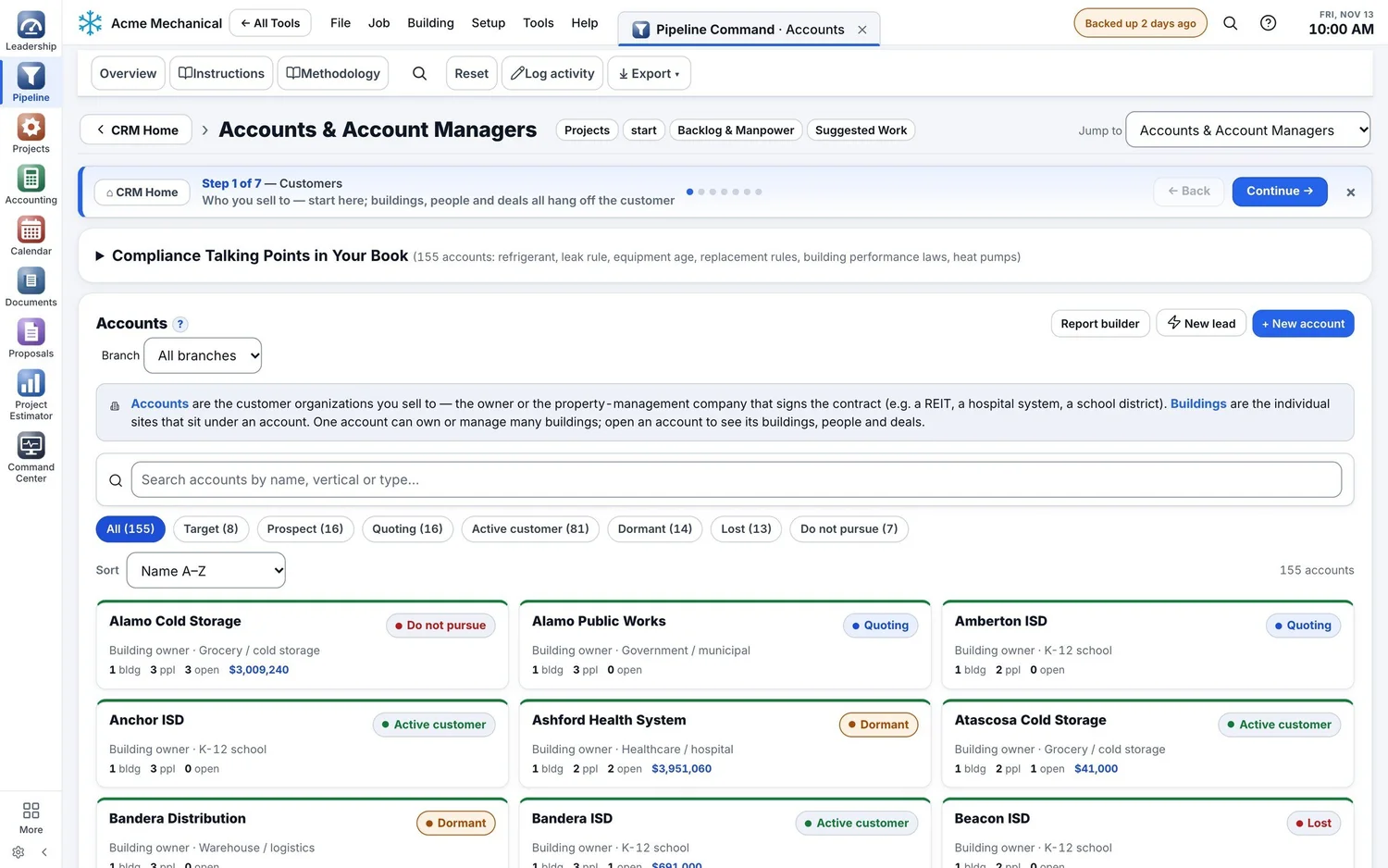
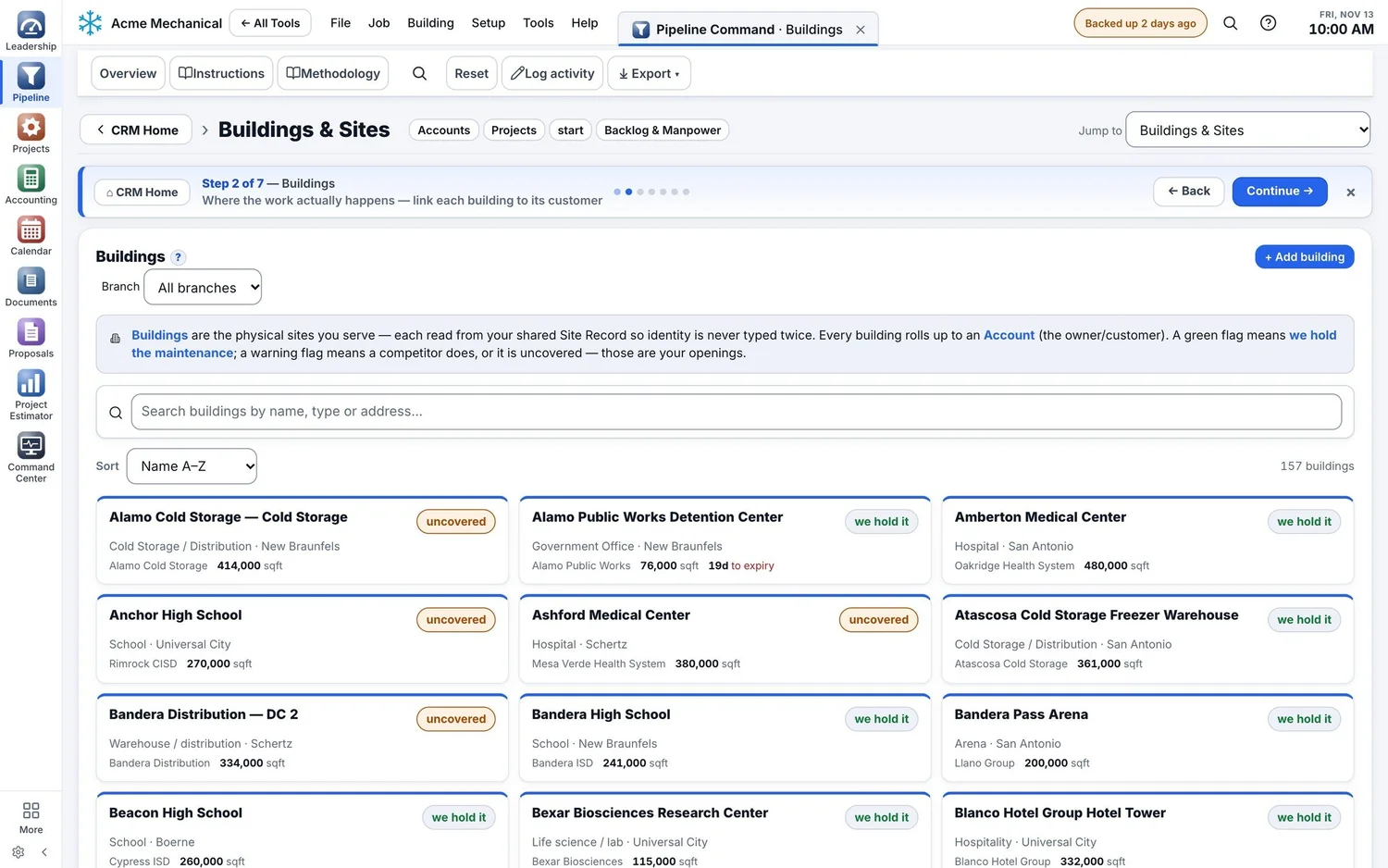
Customer details spread across files get lost, so every account, building, person and deal opens from one CRM home.
A Board You Can Read at a Glance and a Forecast You Can Defend
Eight Stages on One Screen
The board shows the eight stages a live deal can be in, from Identified and Walked through Priced, Presented and In Budget to Awarded. A card is three lines: the customer, the job and the money. Its color is deal health, and a mark appears only when the deal has stopped moving.
The Quick List
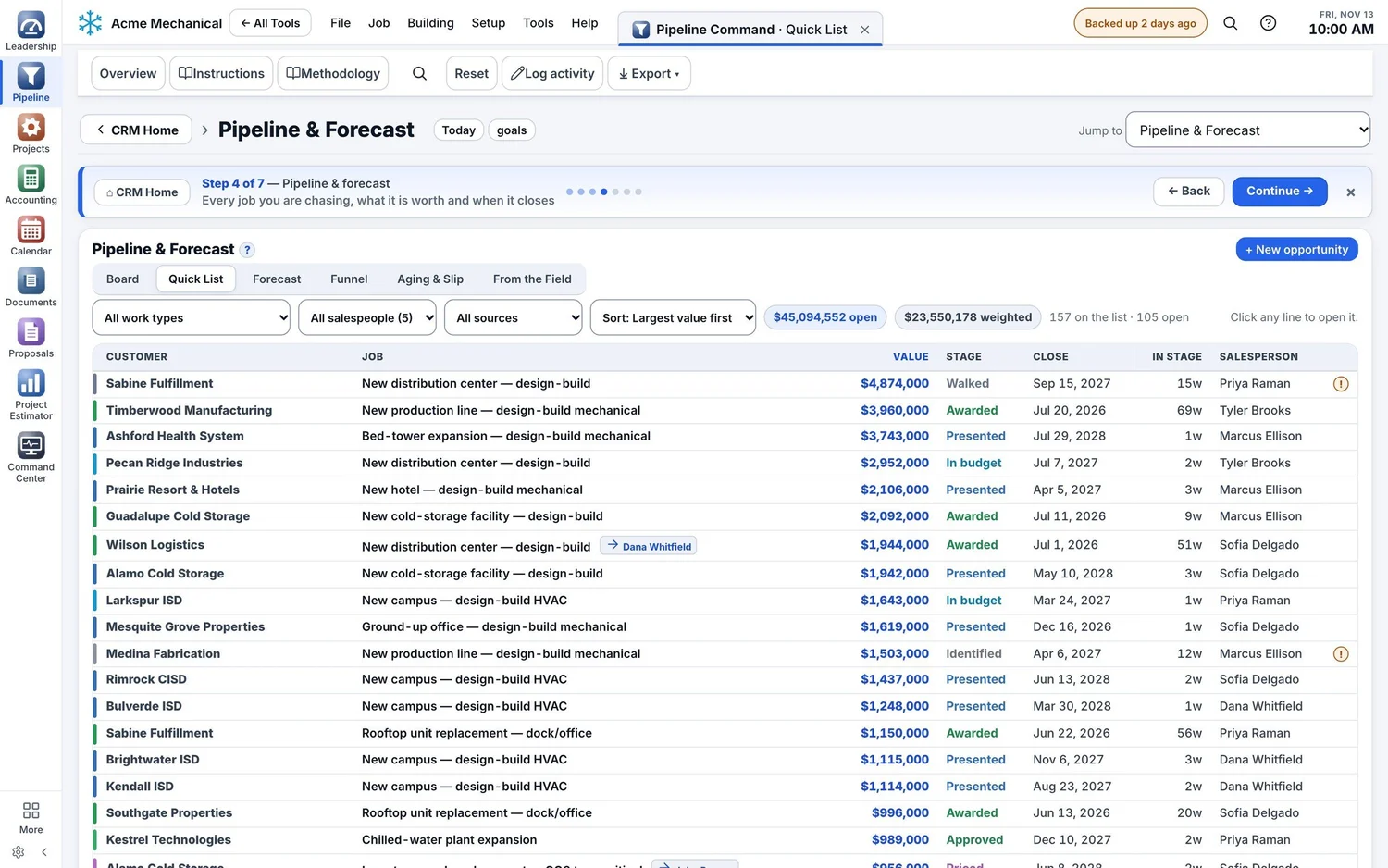
The same pipeline as one line per deal: customer, job, value, stage, close date and weeks in stage. Sort the whole book by value, and see the name of the person a deal has been handed to.
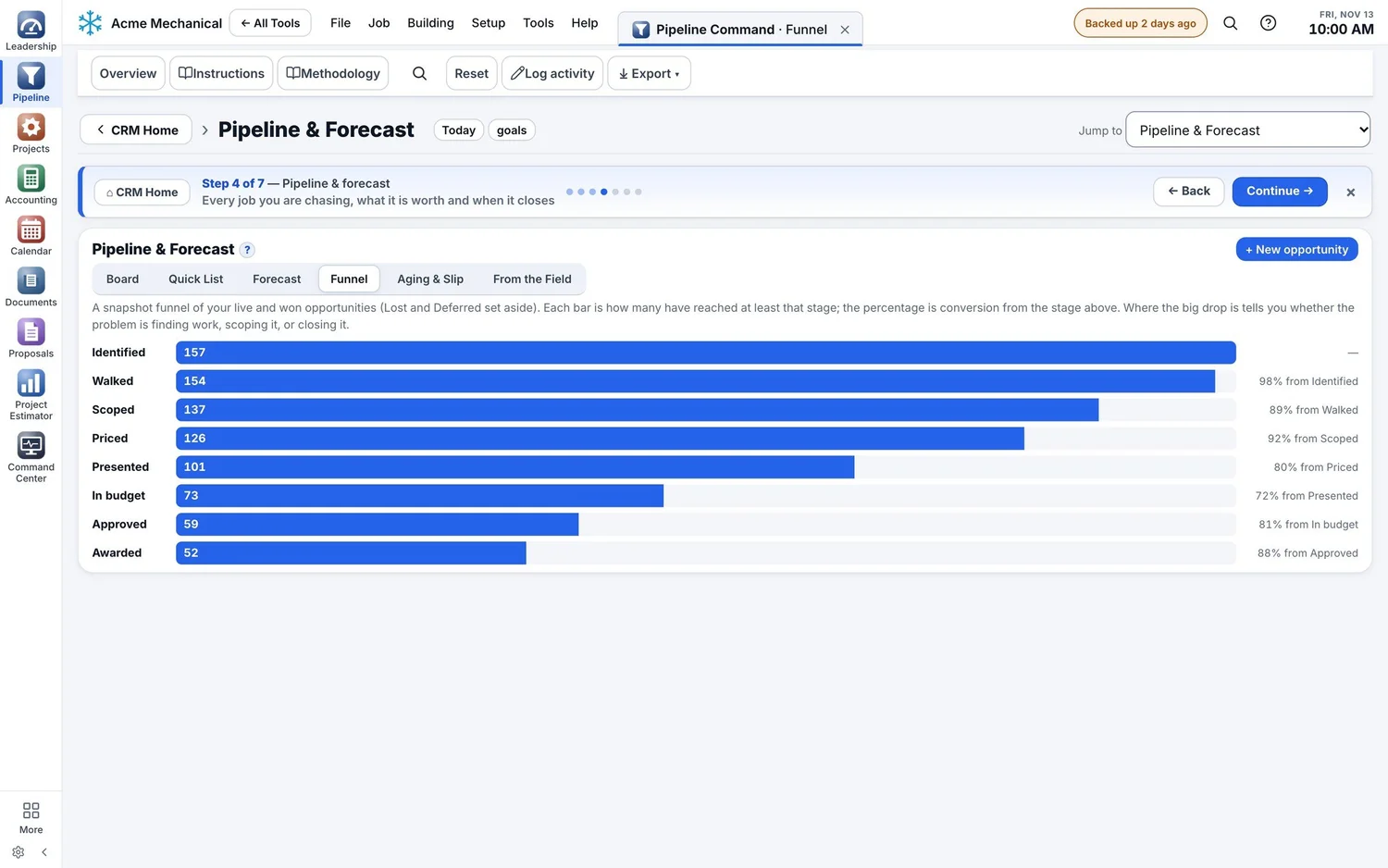
Leaks between stages are easy to miss, so the funnel shows how many deals reach each stage.
Forecast, Coverage and Slip
Weighted and unweighted pipeline by month, quarter, year, salesperson, work type, account and procurement route, with a commit view and coverage against target. Aging and slip show the deals that have sat in one stage or pushed their close date.
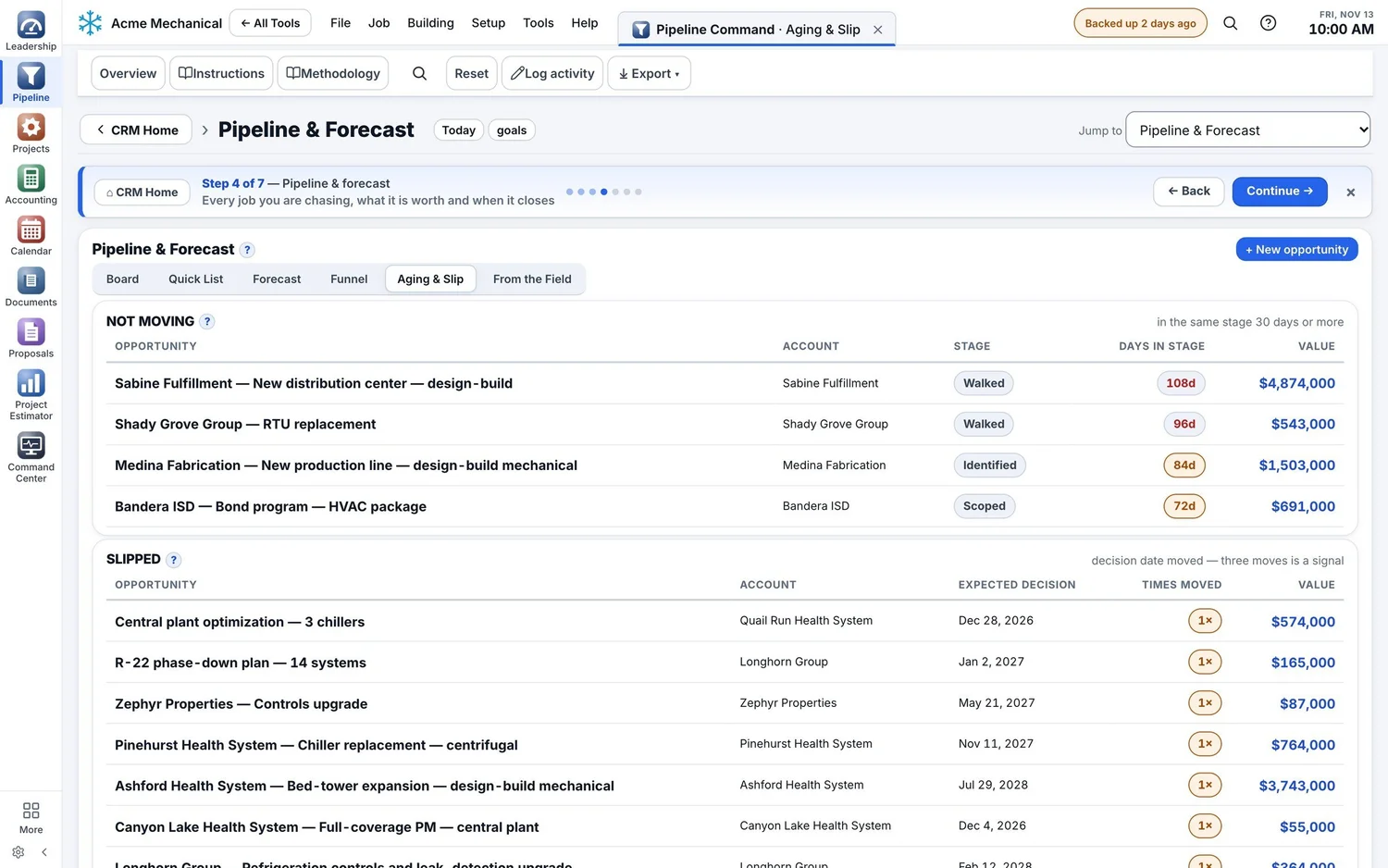
Deals that keep slipping hide in a big pipeline, so Aging and Slip lists the ones not moving and the dates that moved.
Quotes and Public Bids
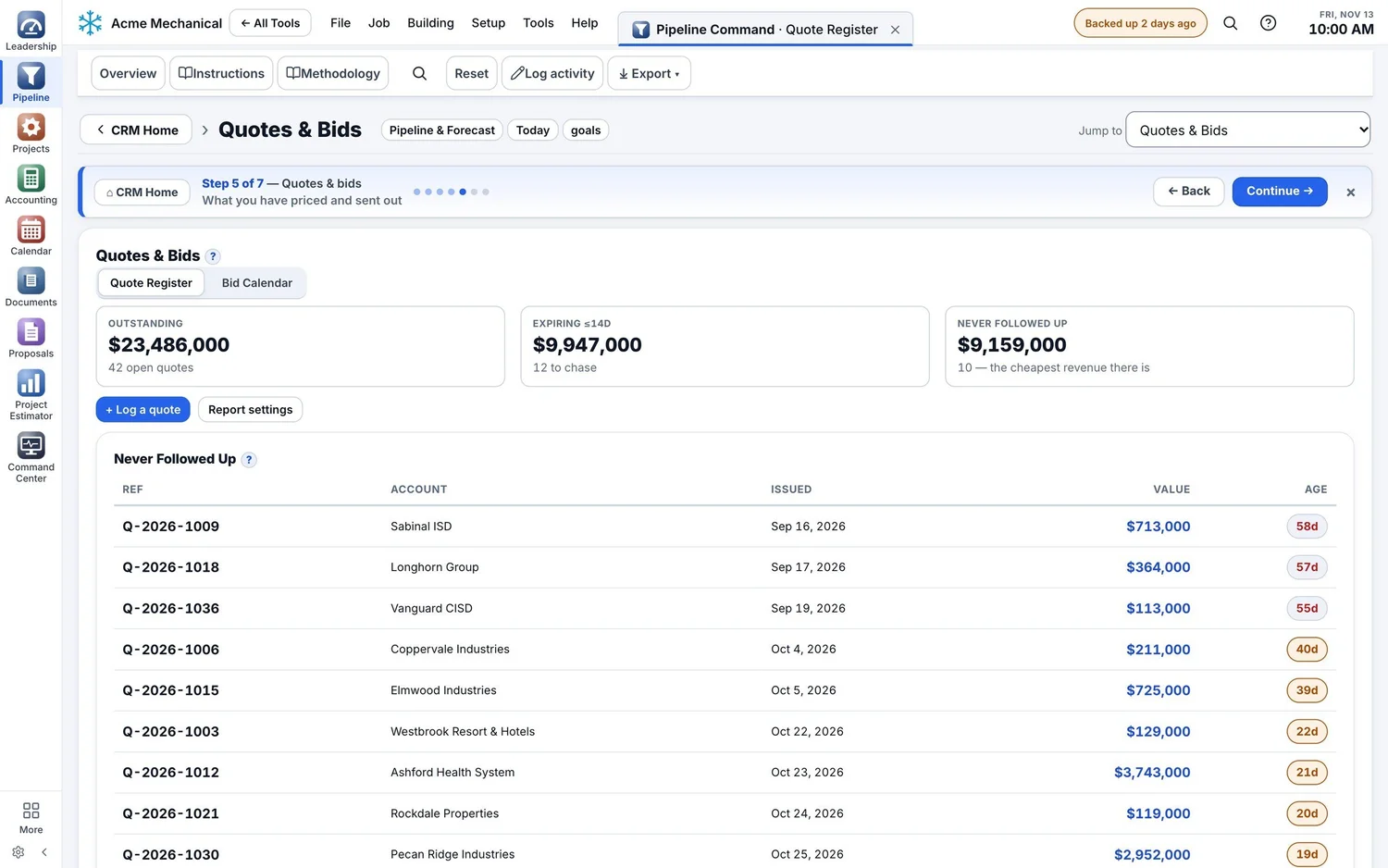
Every quote is logged so the never-followed-up list cannot grow unseen. Public bids carry their walkthrough and deadline, and a mandatory walkthrough in the next seven days that is not marked attended is called out.
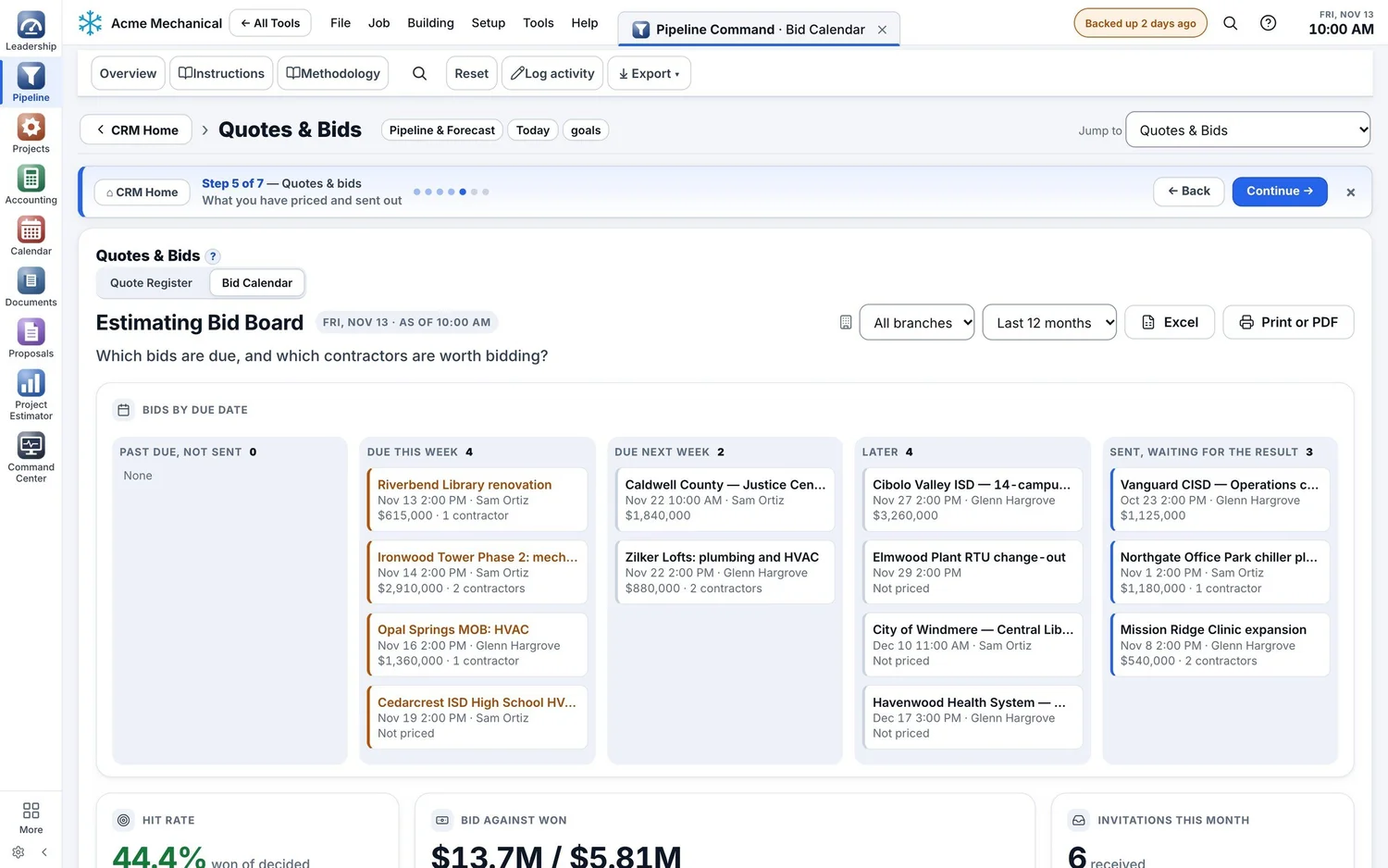
Missed bid walkthroughs cost whole jobs, so the bid calendar shows each due date and who is going.
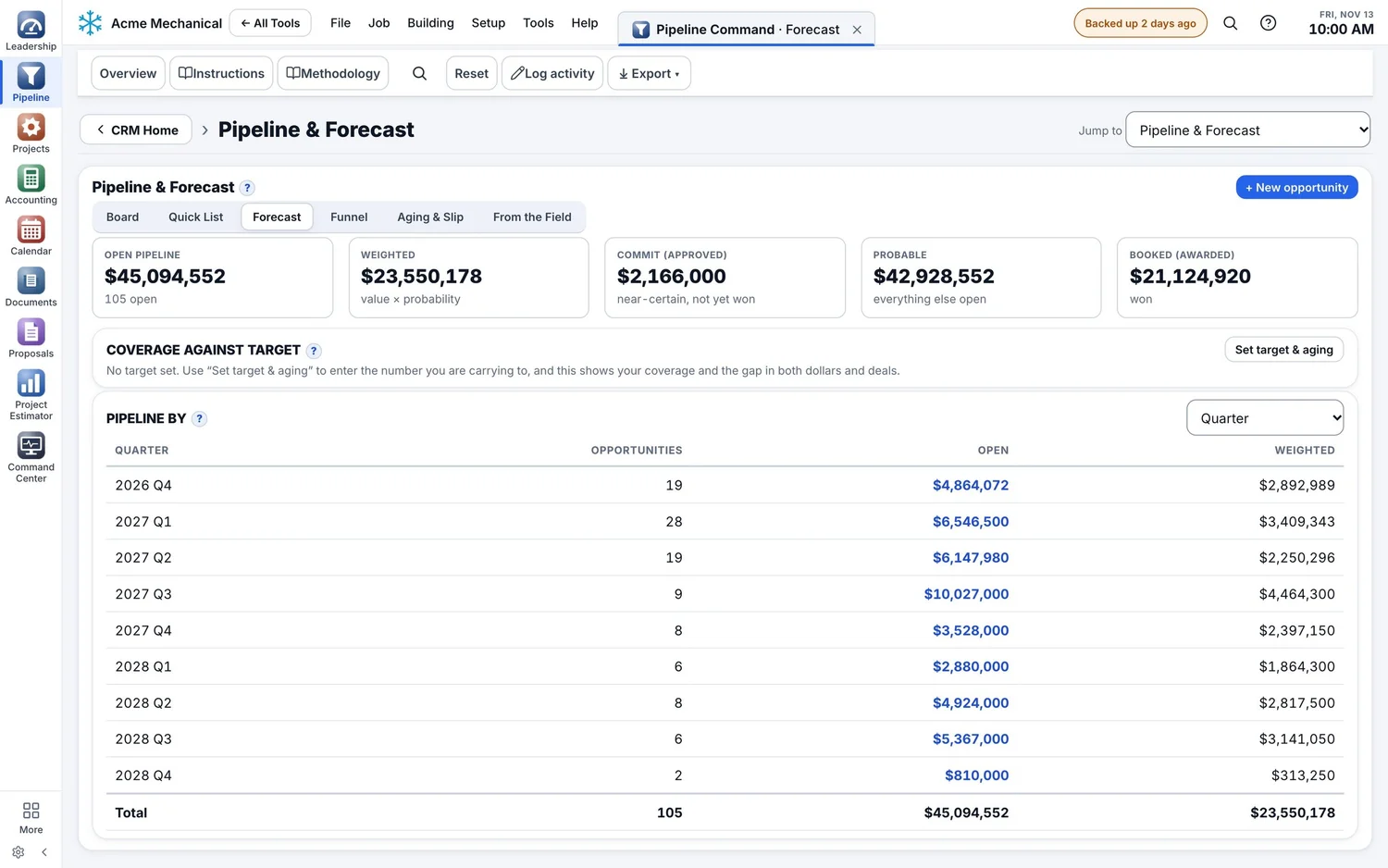
A forecast nobody trusts is no help, so the pipeline is shown weighted and unweighted by quarter from the same deals.
The Program Finds the Work Already in Your Data
Today
The morning screen gathers follow-ups that are due, high-potential accounts worth a touch, deferred deals coming back, renewals nearing their notice date and quotes worth a nudge. Items are ranked by what is at stake, and anything can be set aside for the day with one click.
Learn MoreShow Less
A salesperson's first hour decides the day's revenue. Today puts the item with the most money at stake on top, so it gets done first.
- Each item shows why it matters and its dollar value, or the account's potential.
- A big renewal coming up can outrank a small follow-up due today.
- Set-aside items return tomorrow if still relevant; nothing is deleted.
- Plan My Day orders the stops with arrival times and the miles saved, and sends it to the phone.
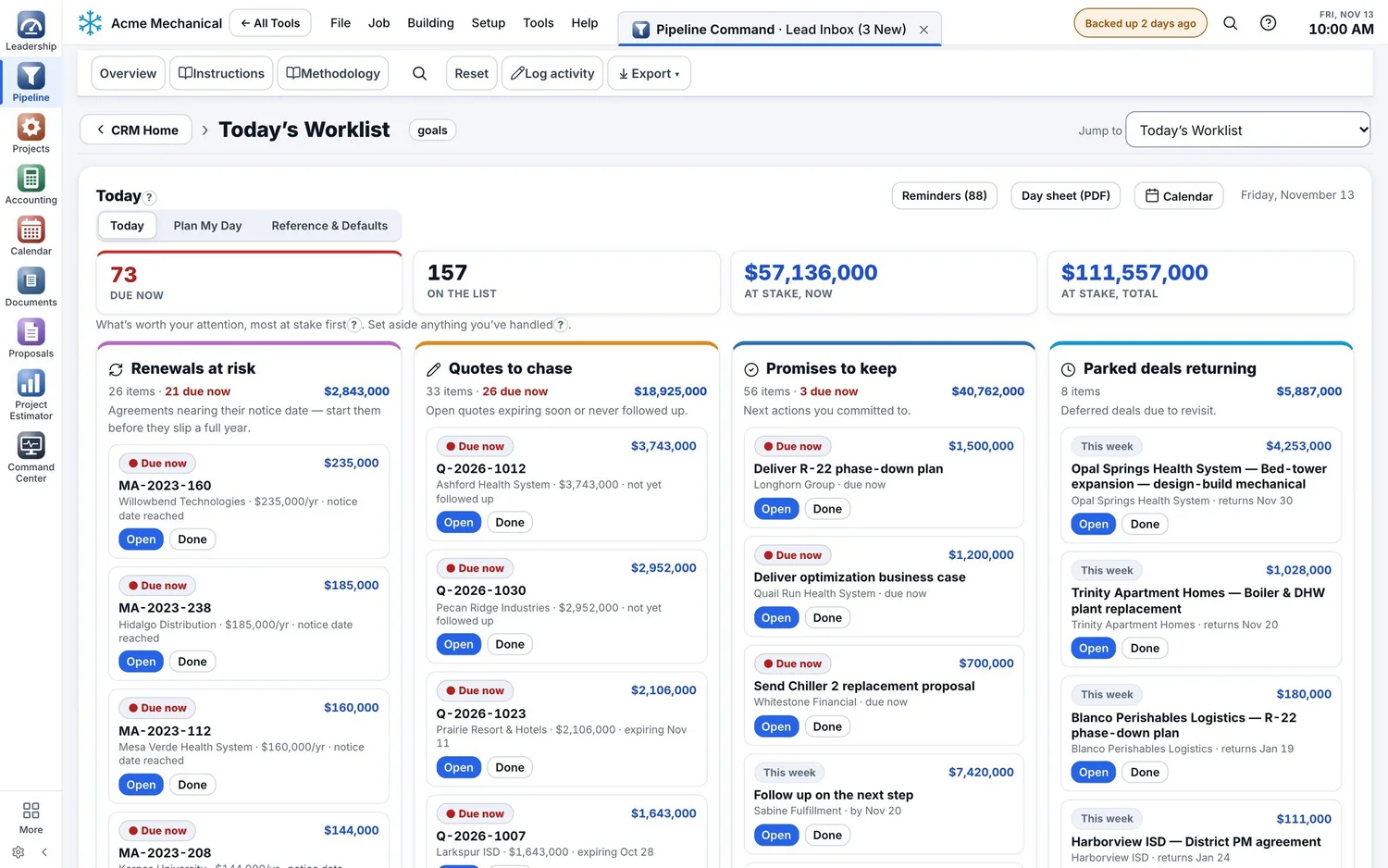
Mornings get lost deciding who to call, so Today ranks renewals, quotes and promises that need a touch now.
Suggested Work
Proposes opportunities from your own records: renewals due, buildings with no agreement, quiet accounts, and end-of-life equipment, refrigerant, testing, warranty and utility findings from the other tools. Accept, defer, or dismiss each with a reason.
Learn MoreShow Less
Work already sitting in your records is the cheapest revenue you have. Suggested Work finds it and turns it into a pre-filled opportunity.
- Also flags a declined repair that keeps recurring.
- Flags high-GWP refrigerant charges with no transition plan.
- Each suggestion shows its evidence and names its source.
- Accepting one creates the opportunity already filled in.
Opportunities from the Field
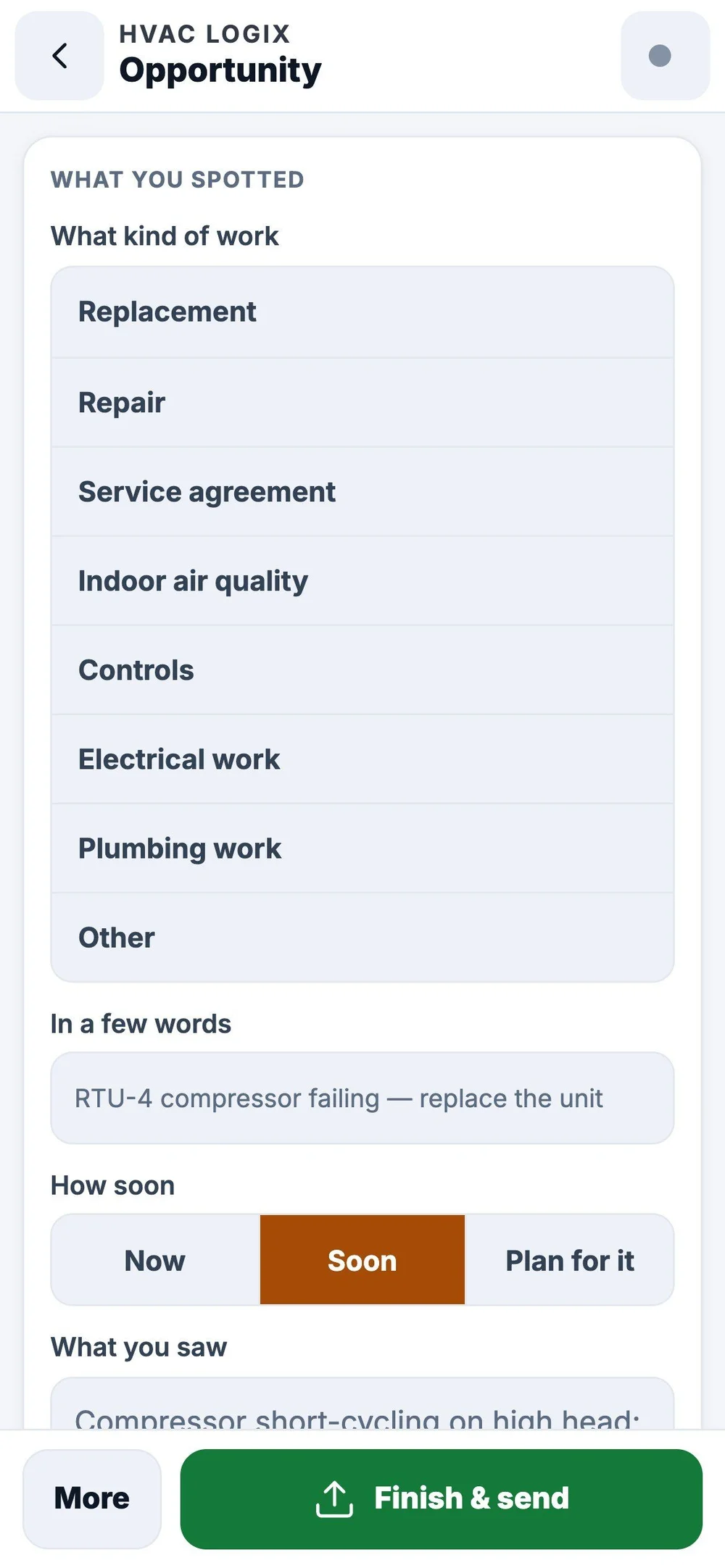
A technician records an opportunity on the phone in under a minute, with photos and a repair-or-replace comparison. It lands on the building's account as a new deal in the Identified stage, credited to the technician, so you can see how many leads each technician brings in.
Learn MoreShow Less
Technicians see what needs selling before anyone else. Capturing it on the spot turns a roof visit into a sales lead instead of a forgotten remark.
- Types: replacement, repair, service agreement, IAQ, controls or other, with urgency.
- The nameplate reader fills the unit details offline.
- The replacement figure is labeled a budget range, not a quote, with its arithmetic shown.
- A unit in poor condition also logs a deficiency on the building.
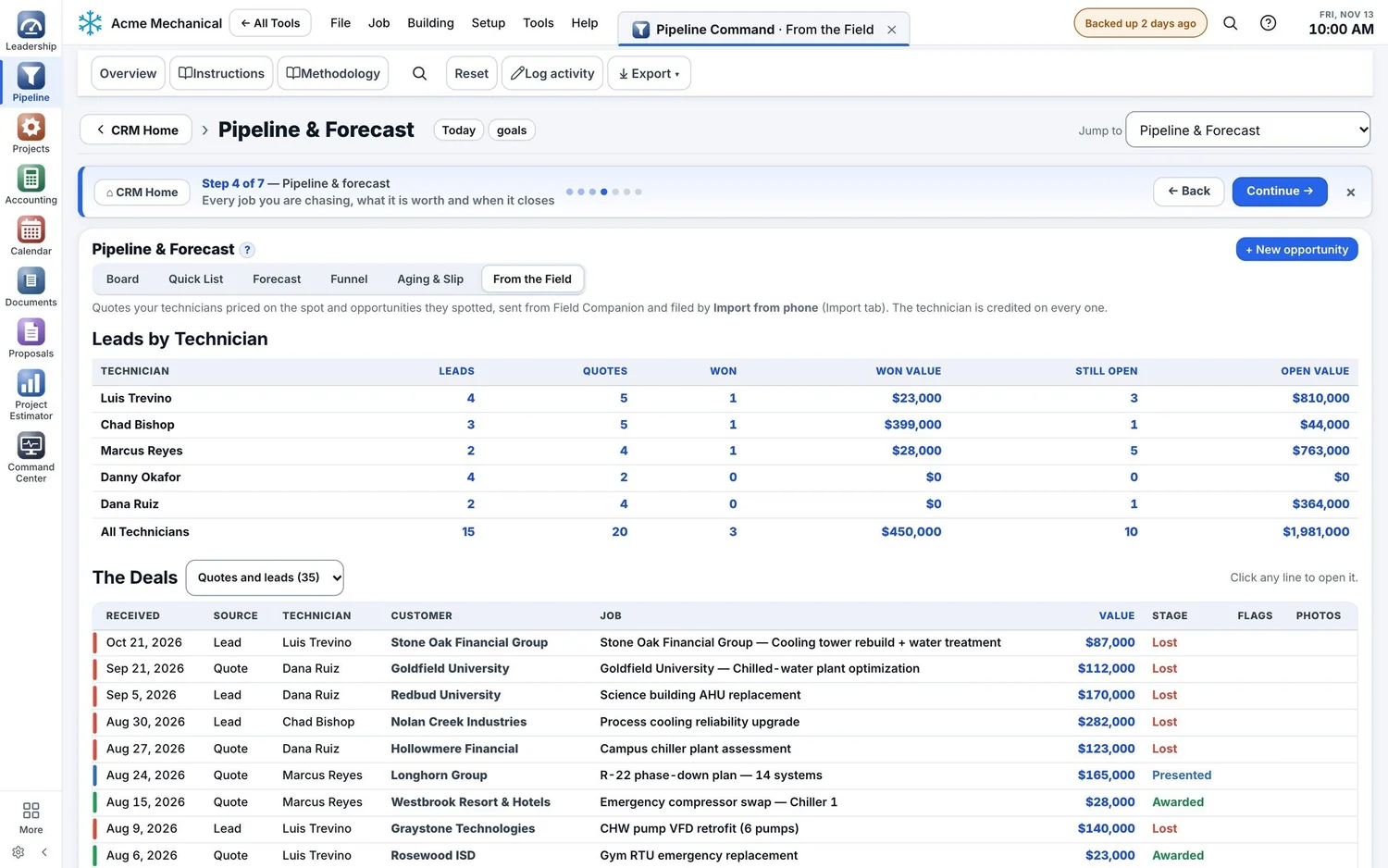
Technicians see work first, so leads from the field land in the pipeline credited to the person who found them.
Compliance Talking Points
Equipment on phased-out refrigerant, units past the ASHRAE median service life, a leak over its trigger rate, or a building performance deadline each become a talking point marked Act Now, Plan or Good To Know, with the rule it comes from.
Learn MoreRelationship Health and Coverage
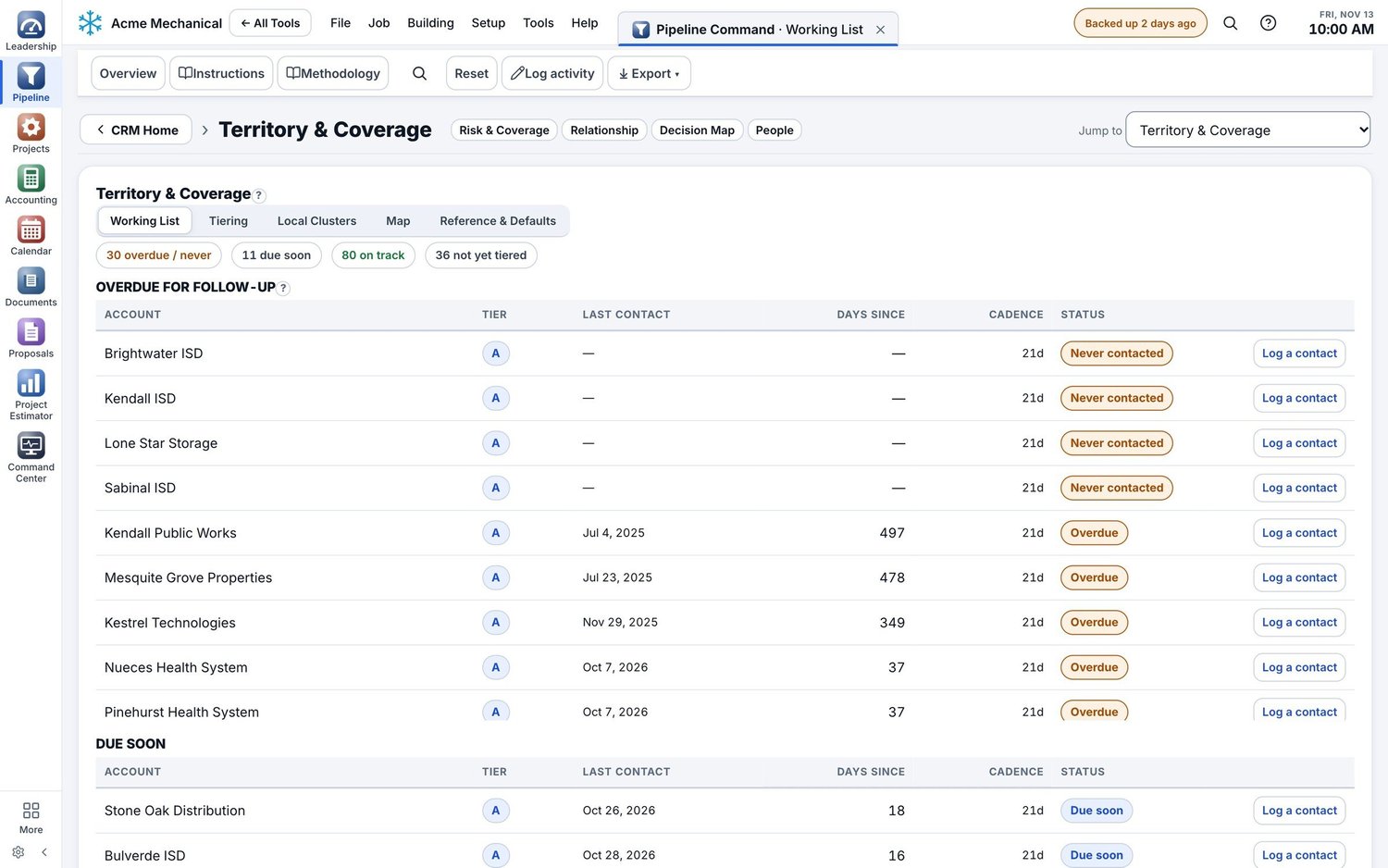
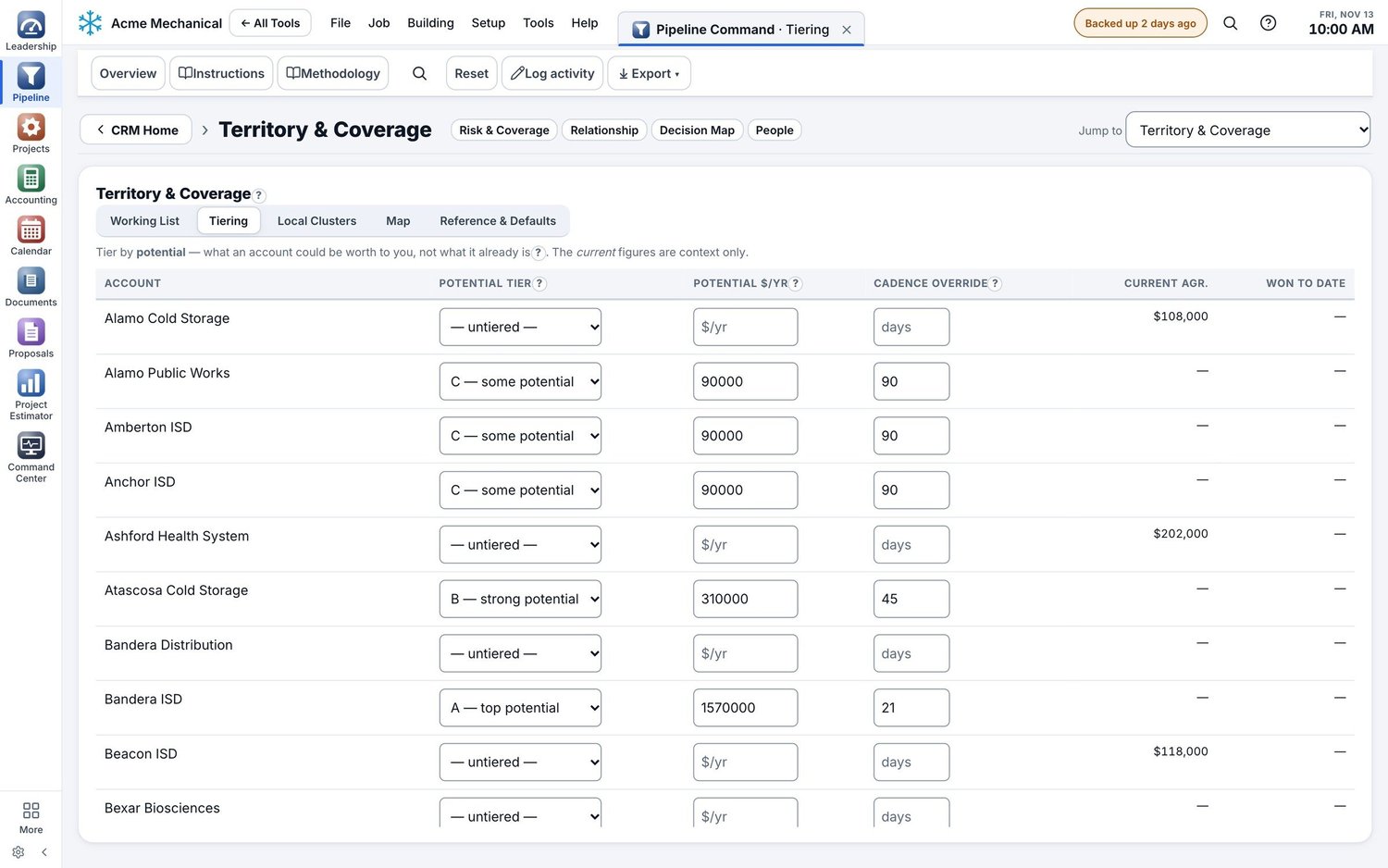
Each account gets a band of Strong, Watch or Needs Attention with the reasons in plain sentences: no recent contact, a single contact, a champion who left, declined findings. Territory tiers and a coverage cadence show which high-potential accounts are overdue for a visit.
Learn MoreShow Less
Relationships rarely end with a complaint; they drift until the renewal is lost. Health names the drift while there is time to fix it.
- Also reads unanswered quotes, complaints on record and no new opportunity in months.
- Details lists each reason with a suggestion of what would help.
- Accounts are tiered A to D by potential, not by what they buy today.
- Local Clusters group nearby accounts for one trip; the map lassoes a call list.
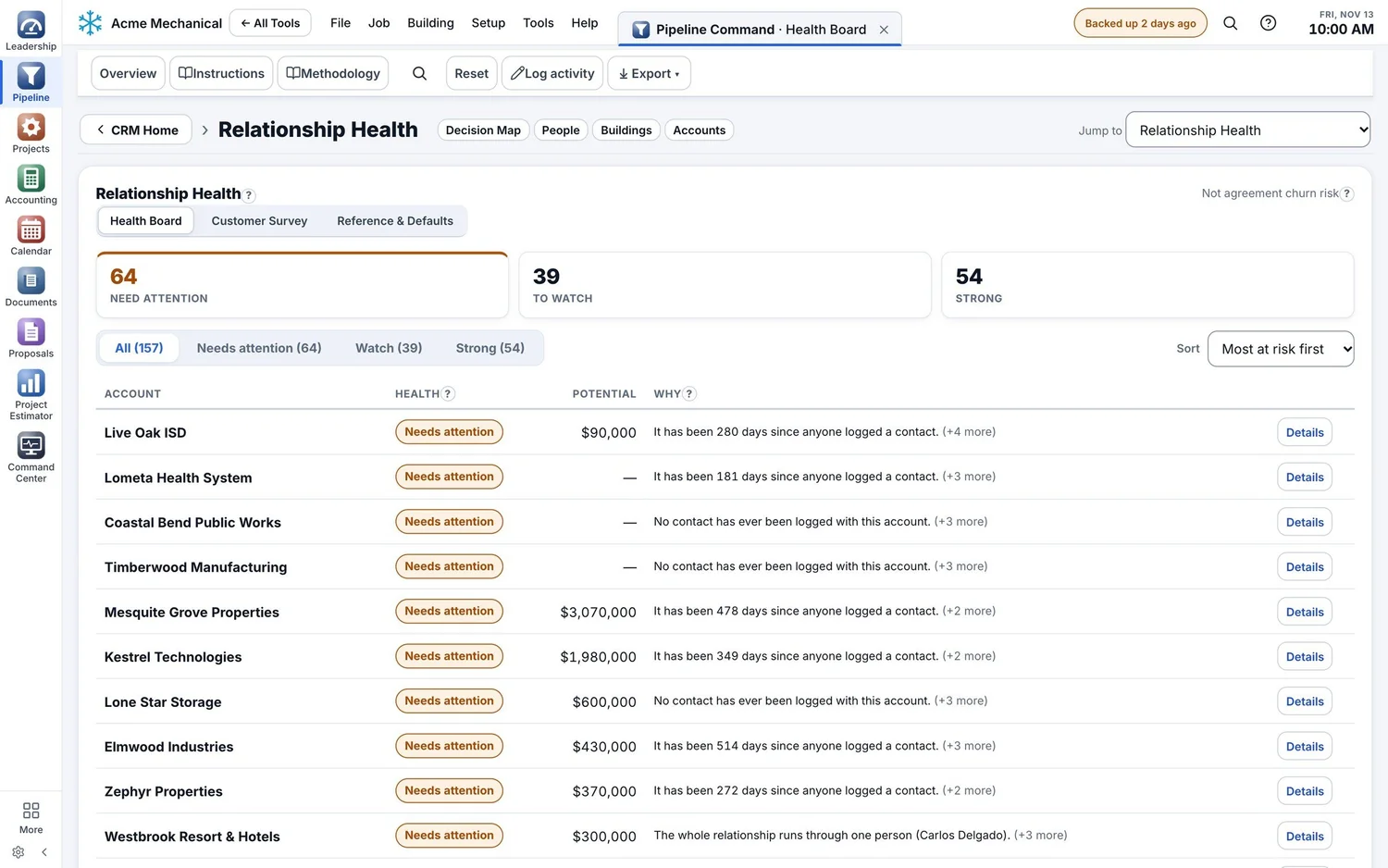
Quiet accounts slip away unnoticed, so Relationship Health flags each one that needs attention and says why.
Uncovered Equipment
From each agreement's covered-asset list, Pipeline Command lists every machine on a building you already service that the agreement leaves off. Those are qualified opportunities with a technician already on site.
Learn MoreShow Less
The customer already trusts you with the site and your technician is already there. Unlisted equipment is the cheapest revenue in the building.
- Counted per building, beside the agreement register.
- Open it from any agreement row with one arrow.
- The register flags agreements whose notice date falls within 90 days.
- Exports as its own Excel sheet for the sales team.
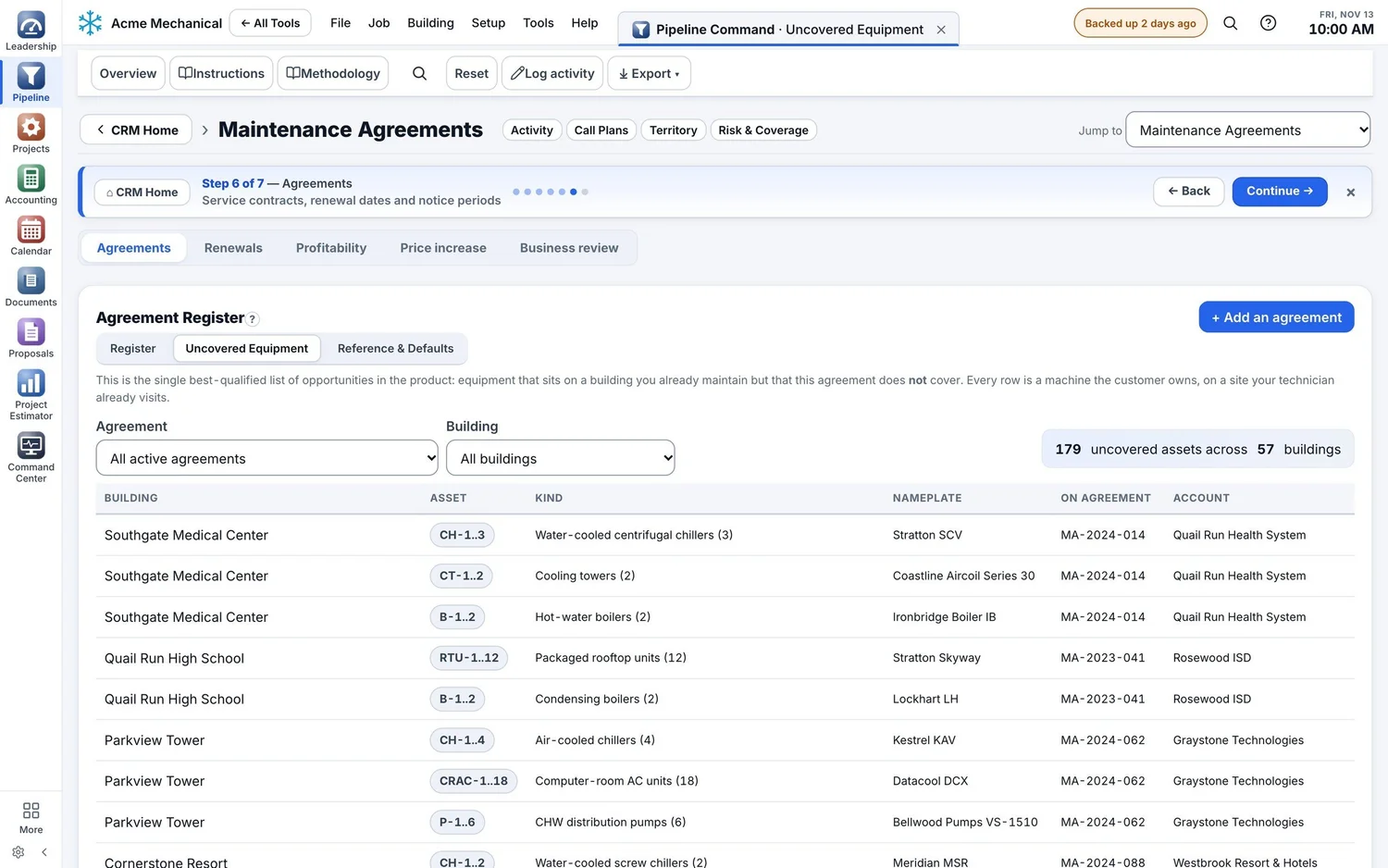
Equipment left off an agreement is easy money missed, so every uncovered unit on a serviced building is listed.
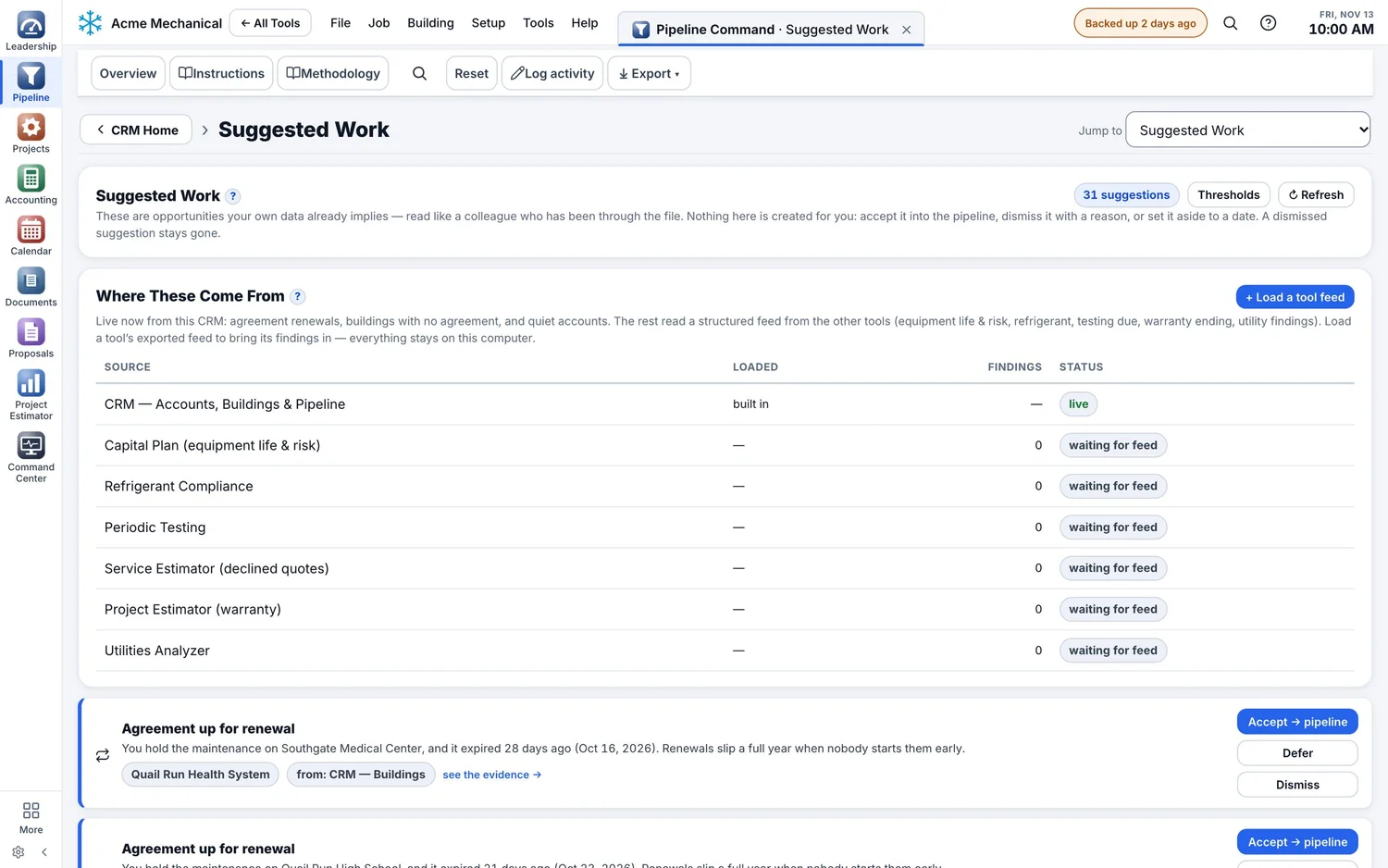
Suggested work the program finds in your data: who to call and why.
An Offline Sales Map and a Day Planned in Driving Order
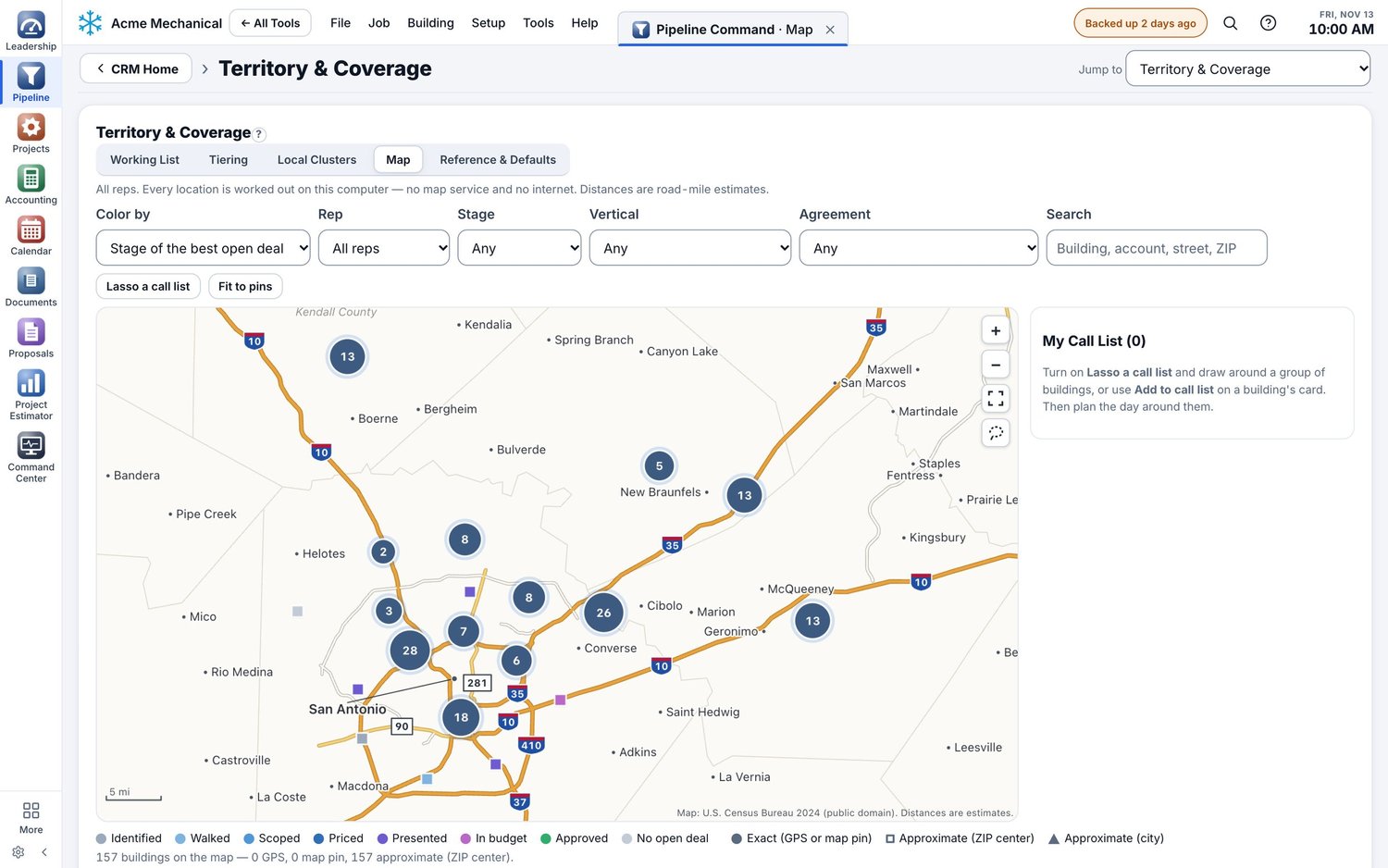
The map works with no internet. Miles, drive times and savings are estimates, and a pin is either the building's own position or clearly marked approximate.
Every Building as a Pin
Color the pins by deal stage, vertical market, agreement status, days since the last visit, or salesperson. Click a pin for the account, the best open deal, the agreement, the last visit and the next actions.
Lasso a Call List
Draw around a group of pins to build your own call list, or add every building within a chosen number of road miles of the one you are visiting. Export the list to Excel or plan the day with it.
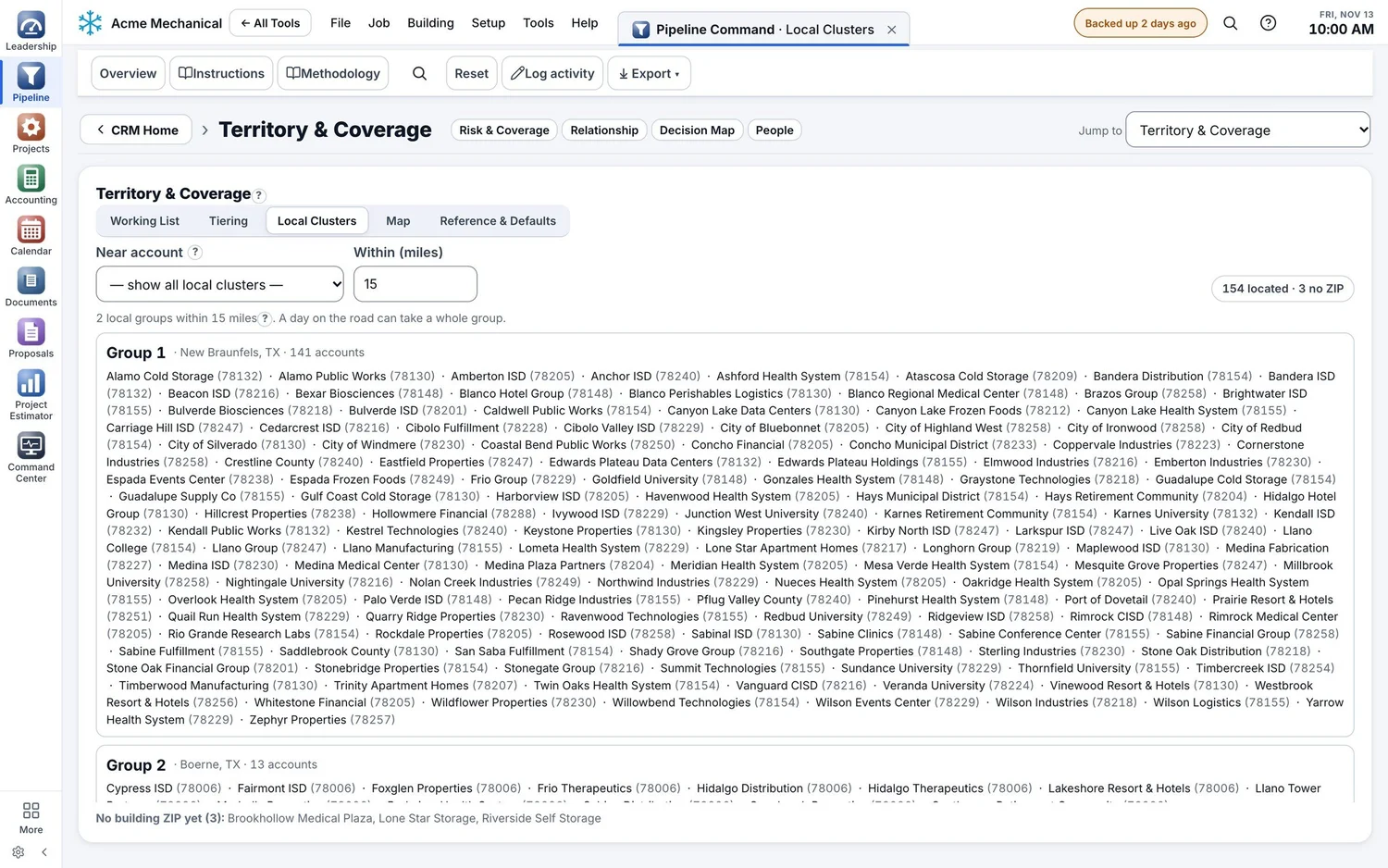
Driving across town for one visit wastes a day, so local clusters group nearby accounts into one trip.
Plan My Day
The day's call plans, appointments, next steps and follow-ups are gathered for you. Press Plan My Day and the stops come back in driving order with arrival times, the miles and minutes of each leg, and what the route saves against the order you listed.
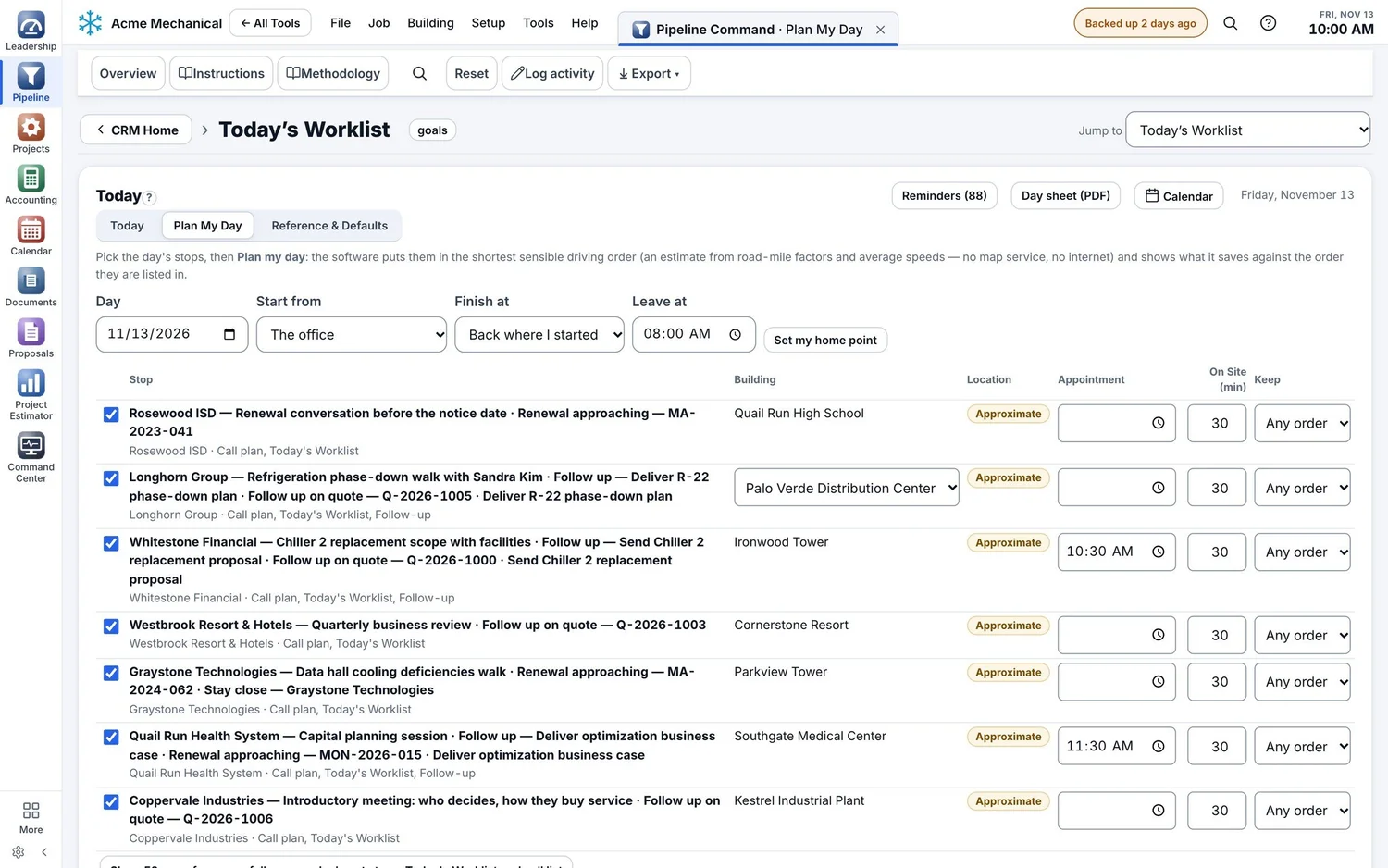
Planning a sales day by hand takes too long, so Plan My Day puts the stops in driving order.
My Day on the Phone
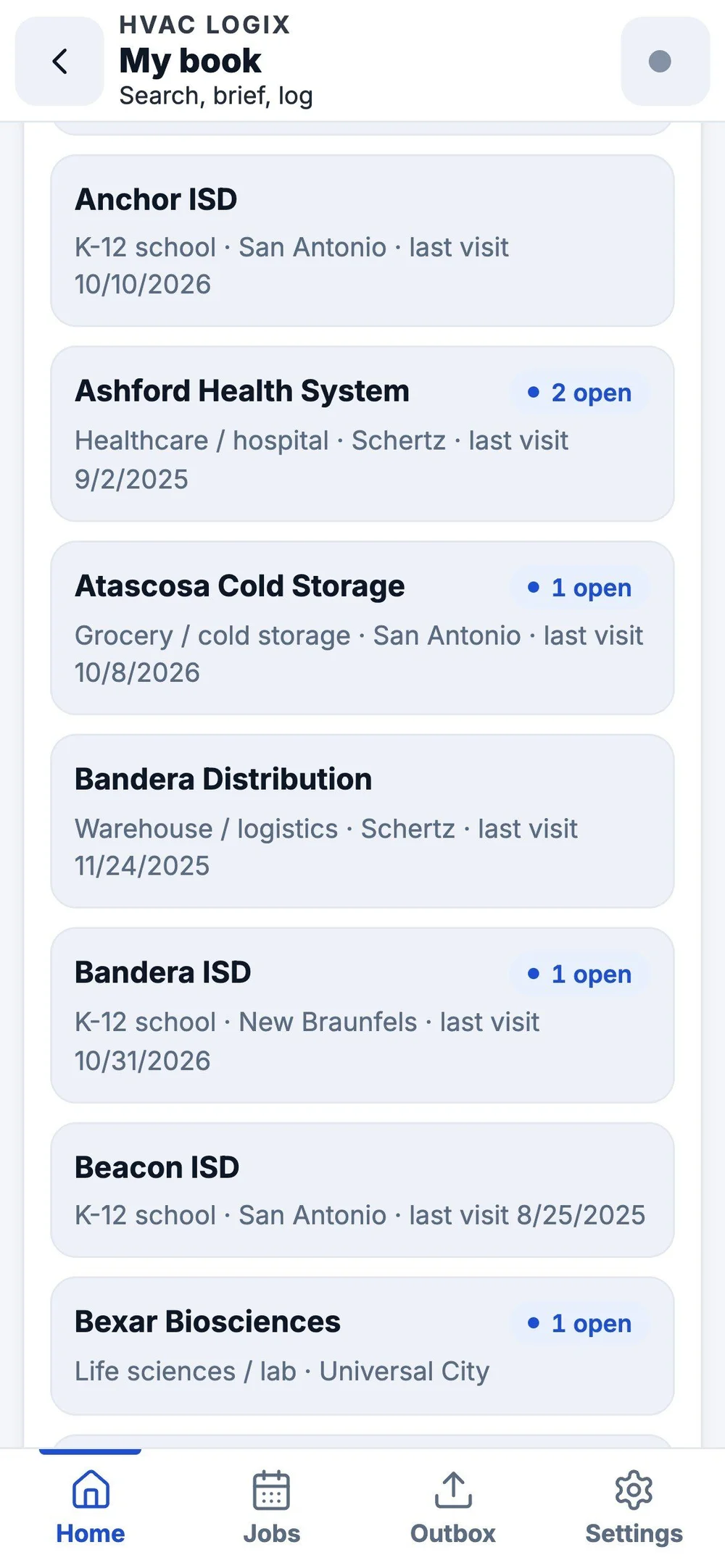
Send the planned day to Field Companion. The phone shows each stop with its arrival time and address, and Navigate opens the phone's own maps app only when you tap it.
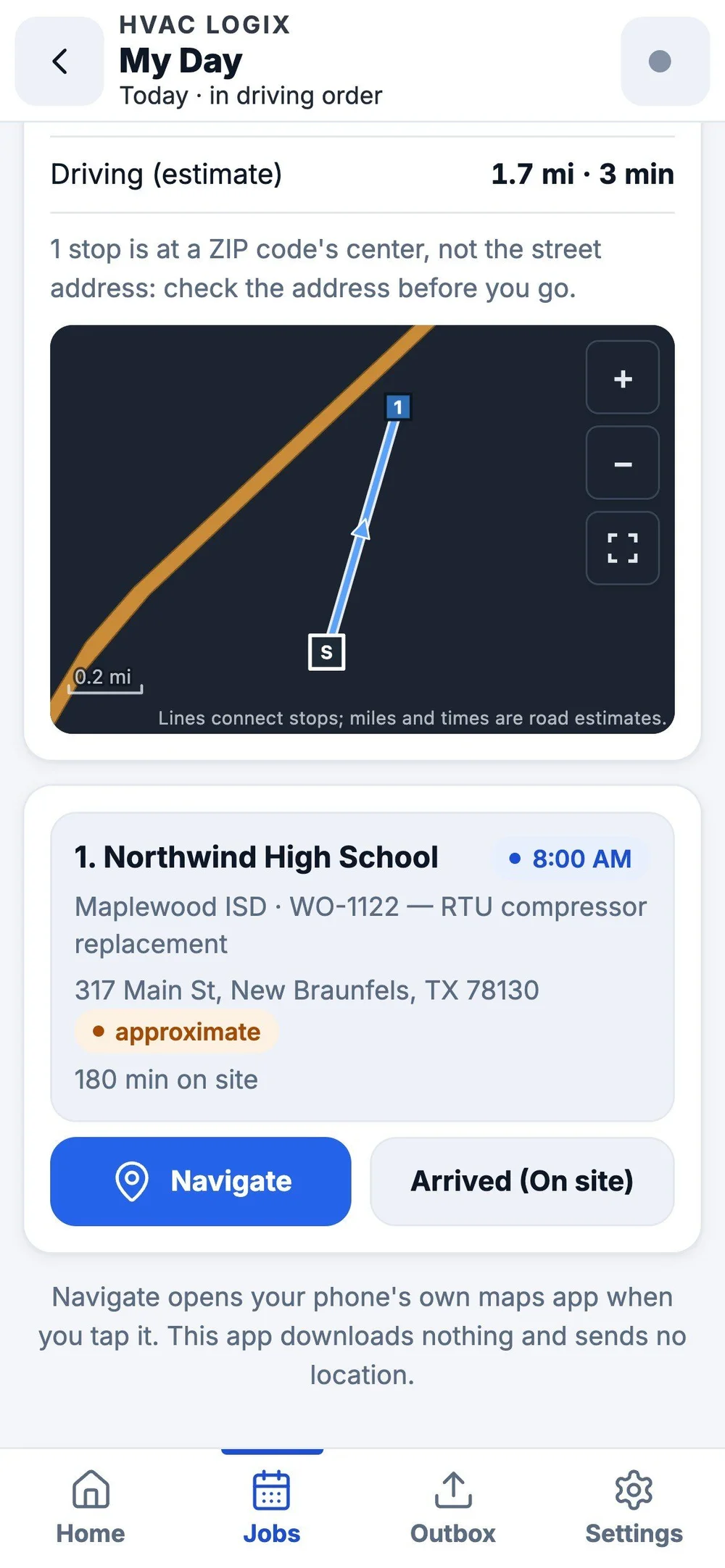
Salespeople need the day on the road, so the phone shows each stop with its time, address and route.
Each Salesperson's Book, Sealed with Their Own PIN
Their Accounts, Nobody Else's
The office seals a salesperson's accounts, buildings, contacts, open deals, agreements and waiting quotes with that person's PIN before the book leaves the computer. It opens only on the phone the office marked for them.
Learn MoreShow Less
A lost phone should never hand your customer list to a competitor. The sealed book keeps the salesperson productive in the field without that risk.
- The office, the Wi-Fi and the phone only ever hold the sealed copy.
- A technician's phone never carries a sales book.
- Includes the last five calls and visits per account and 30 days of monitoring alarms.
- Location is used only when tapped, and never stored or sent.
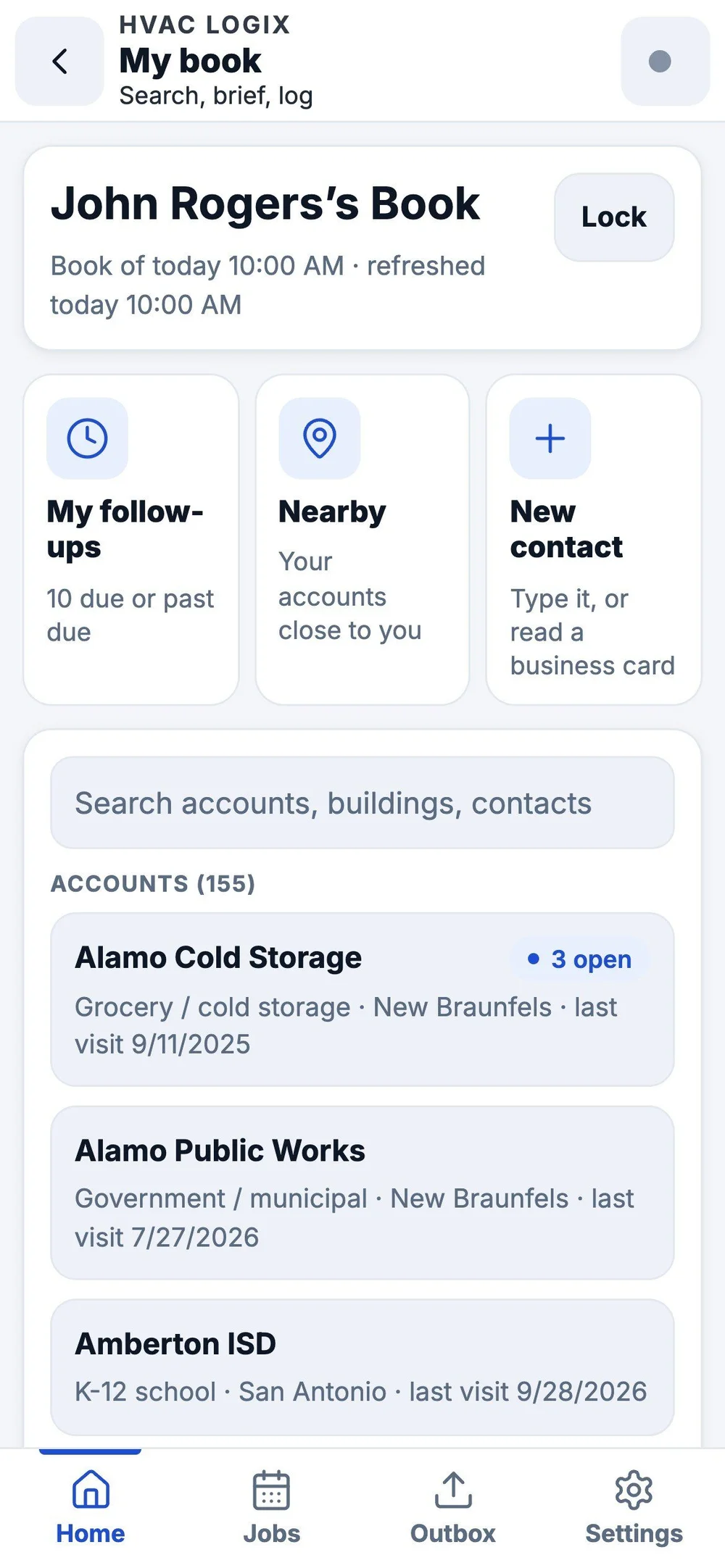
A salesperson's book should travel with them, so their own accounts open on the phone with follow-ups and nearby accounts.
Customer Prices Only
Deal values, agreement values and quote amounts are what the customer pays. Cost, markup, margin, labor rates, commission and quota are never in the book.
Learn MoreShow Less
If cost or margin leaks to a salesperson's phone, it can leak to a customer and cost you every future negotiation. The phone book holds only what the customer would see.
- Burden, wages, profit and overhead are kept off as well.
- Goals are kept off the phone too.
- The business card reader runs on the phone with no internet.
- Only the card photo goes, to your own office.
The Pre-Call Brief
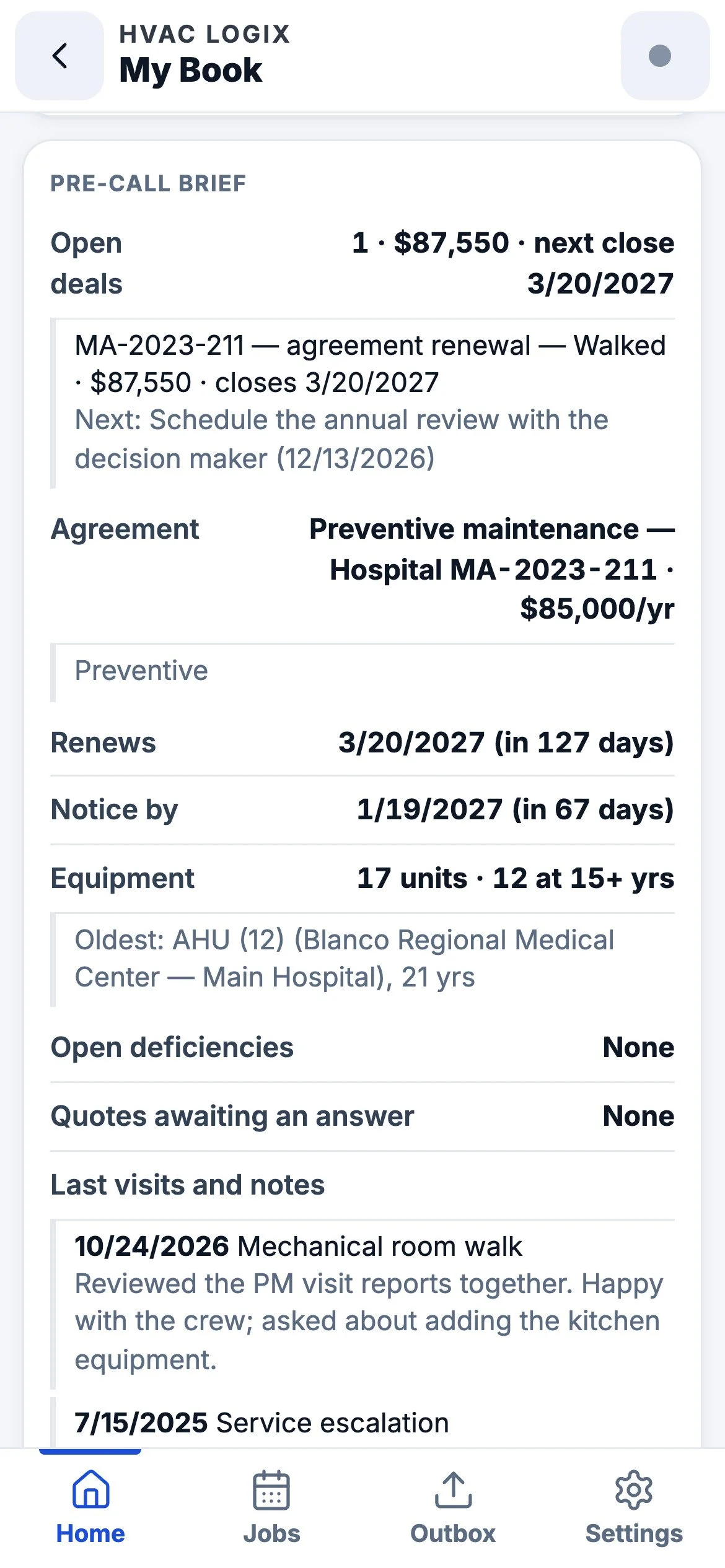
The top of every account and building page reads in half a minute: open deals, the agreement with its renewal and notice dates, equipment age, open deficiencies, quotes awaiting an answer and the last visits.
Learn MoreShow Less
Walking in prepared wins the meeting and the follow-on work. The brief gives the salesperson everything that matters before the door opens.
- A notice date within 30 days shows in red.
- Shows refrigerant on each unit beside its age.
- Works on the phone with no signal.
- Call Plans add an objective, who you will see, questions from your library and what to bring.
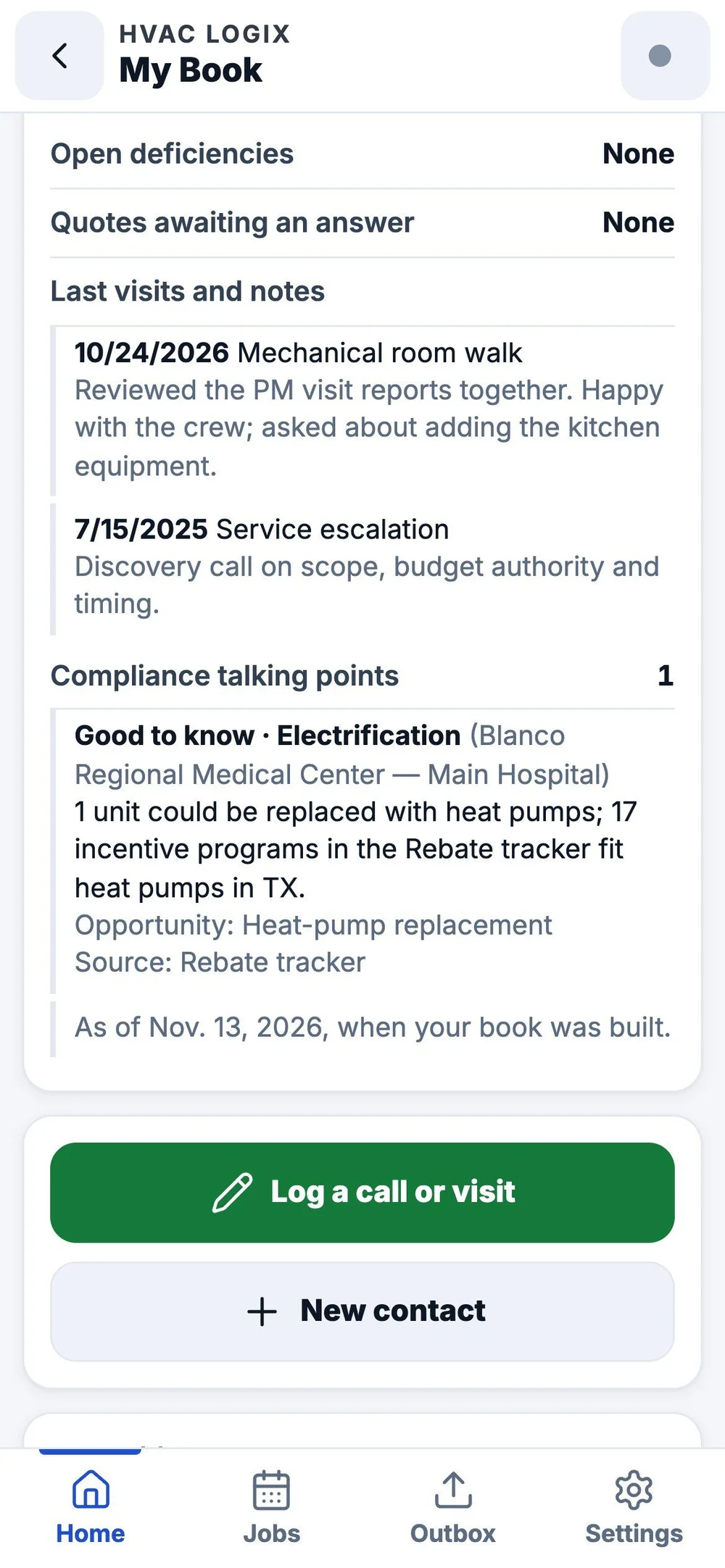
Walking in unprepared loses trust, so the account page lists open findings, last visits and talking points.
Log It Before You Leave the Lot
Log a call or visit, move a deal and set a follow-up with no signal. Changes are saved on the phone first and return through the Field Inbox. A deal the office changed in the meantime waits under Needs a Look instead of being overwritten.
Learn MoreShow Less
Notes typed back at the office are notes half forgotten. Logging on the spot keeps the deal accurate and the follow-up on time.
- Changes reach the office by themselves over the office Wi-Fi or company VPN.
- Call and visit notes can be dictated.
- A new contact is linked to the one already on file instead of duplicated.
- Closed or snoozed follow-ups update on the office calendar.
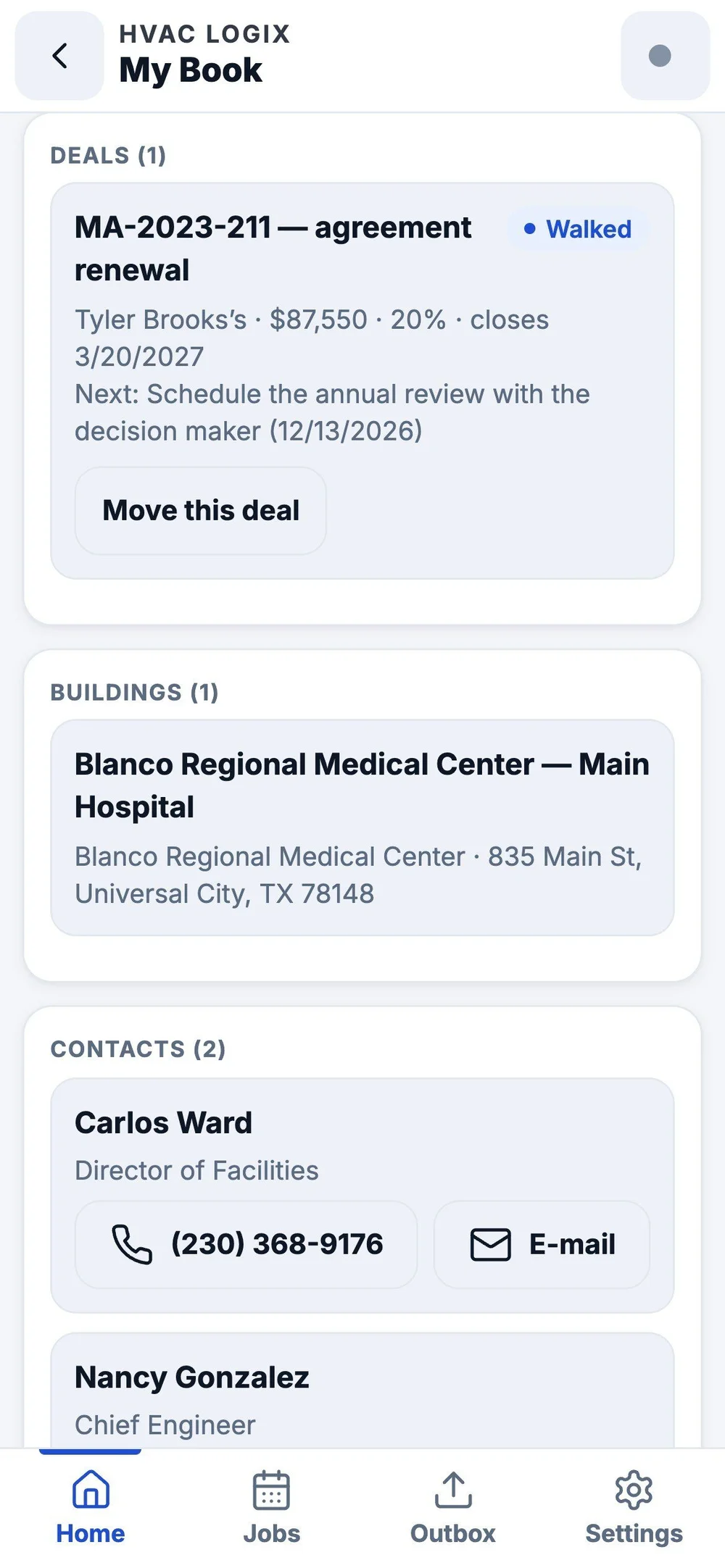
Notes typed later get lost, so a call or visit is logged on the phone before leaving the lot.
Sales to Estimating to Review to Project Management
Every opportunity carries a strip that says whose desk it is on, what was asked and when it is needed. The person receiving a handoff accepts it or returns it naming what is missing, and every step is written to the company activity log.
Before the Estimate
- Go / No-Go on larger and project-type deals: 15 questions in five weighted groups, with leadership deciding the middle band
- An estimate request filled in from the deal, the account and the bid calendar: scope, due date, documents, bonding, insurance, prevailing wage and tax status
- Starred items must be filled in before the request can be sent
- The estimator accepts, or declines and names what is missing
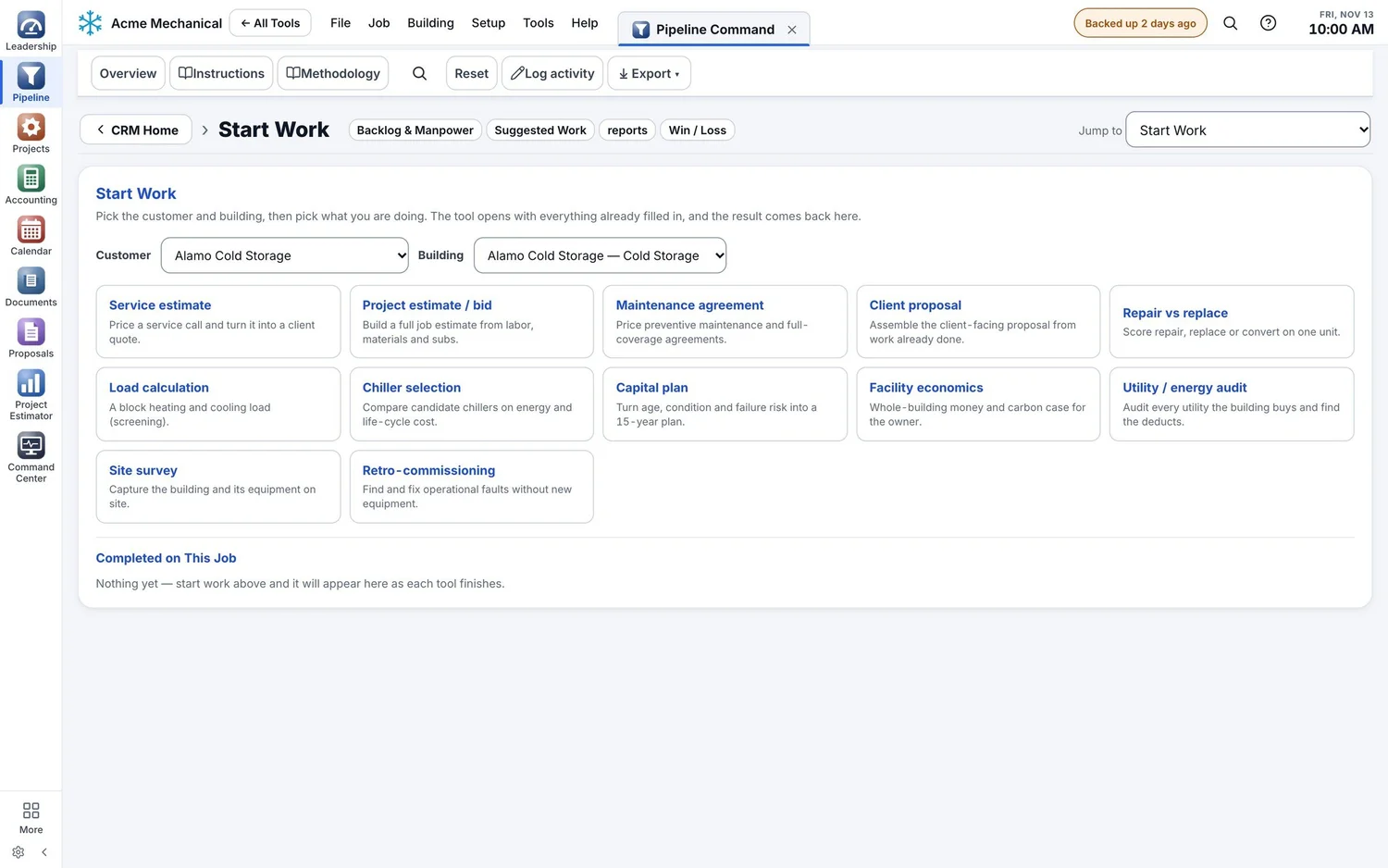
Estimate requests often arrive missing details, so Start Work opens the right tool already filled for the customer and building.
After the Estimate
- A second person reviews the estimate against a 13-item checklist before it returns to sales
- The approved version is recorded, and the proposal must match it
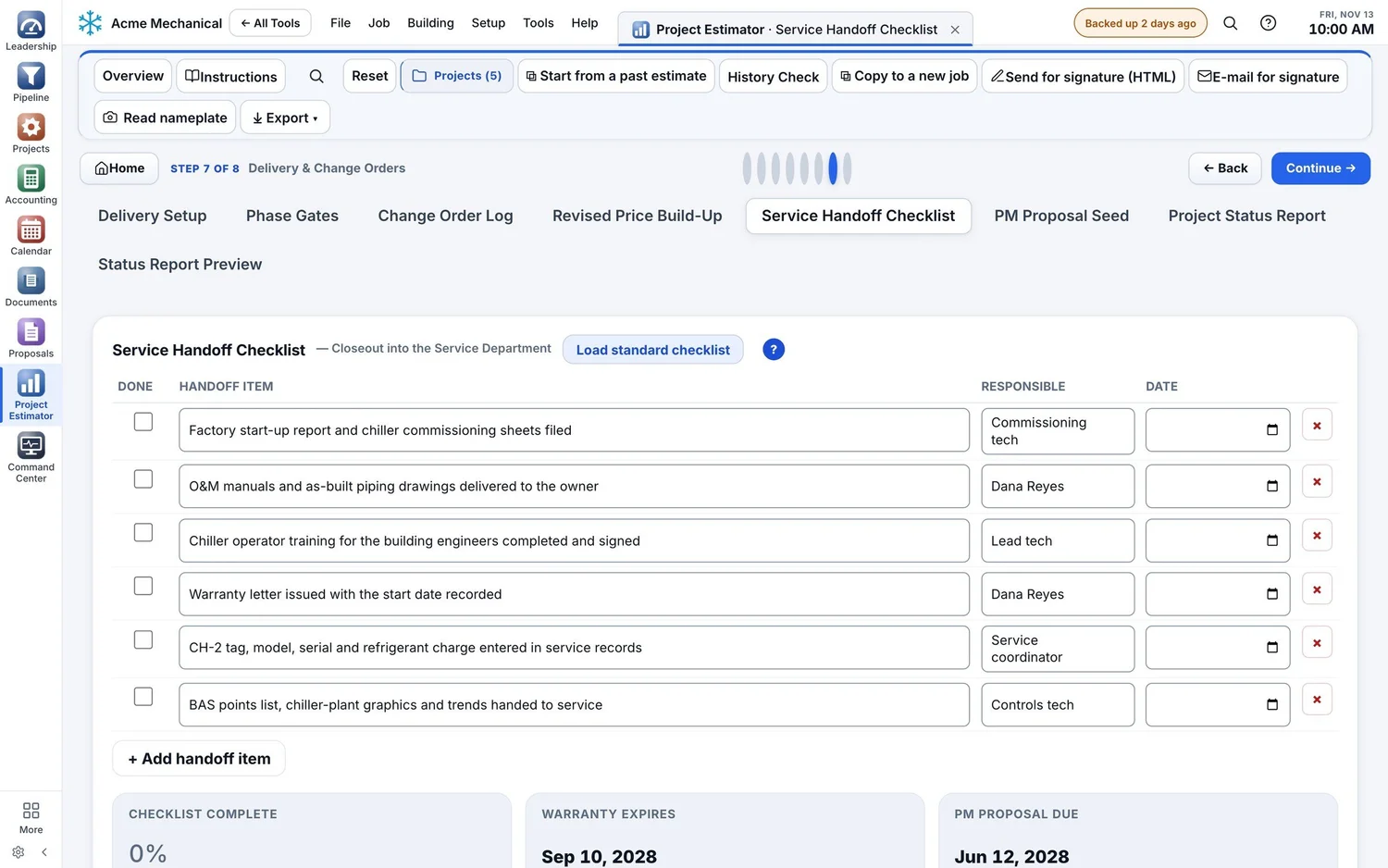
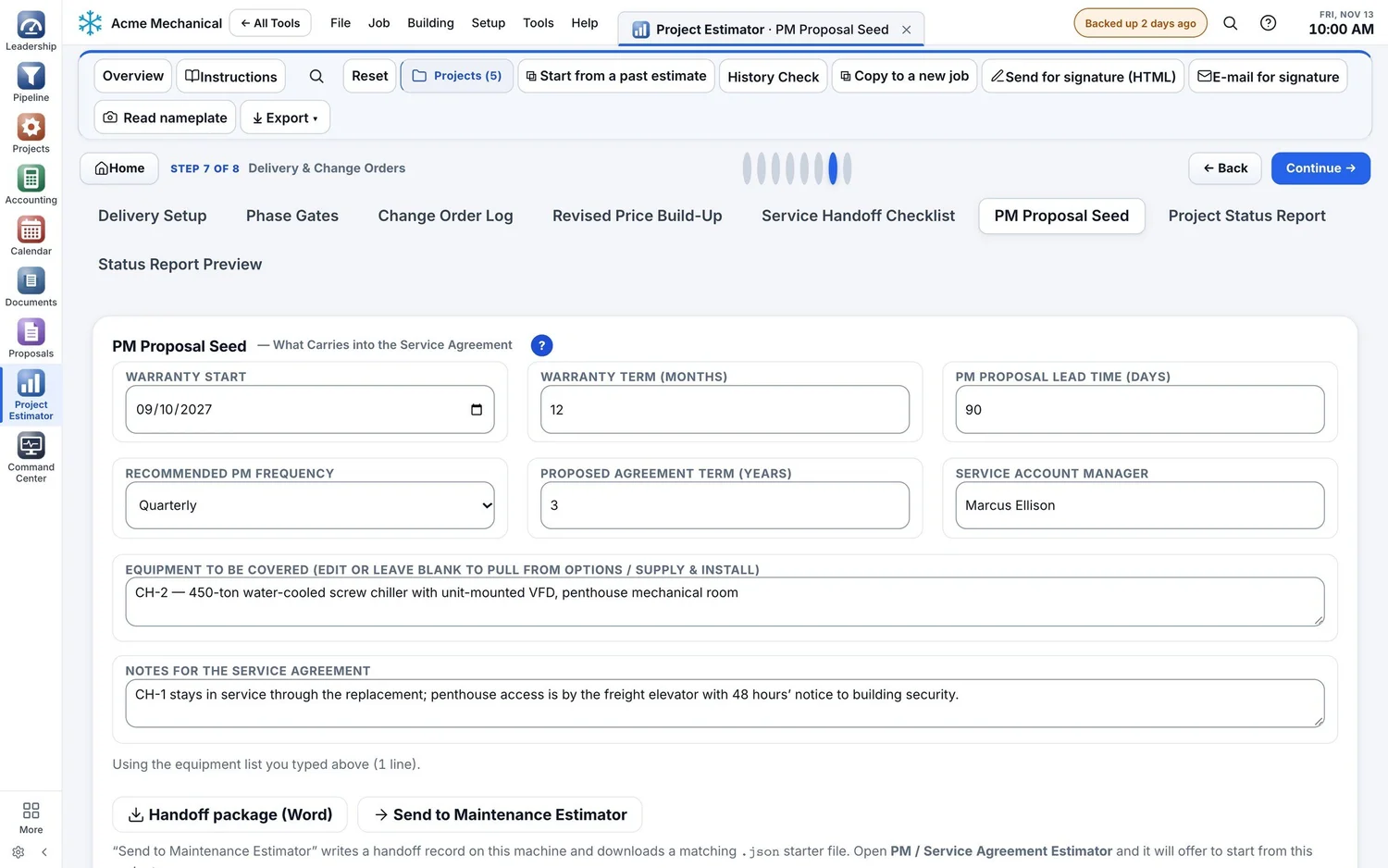
- On a won job, a 21-item contract review and a turnover meeting hand the job to a project manager
- The turnover packet is frozen as it was handed over, and appears in Project Command under Turnovers Waiting for You
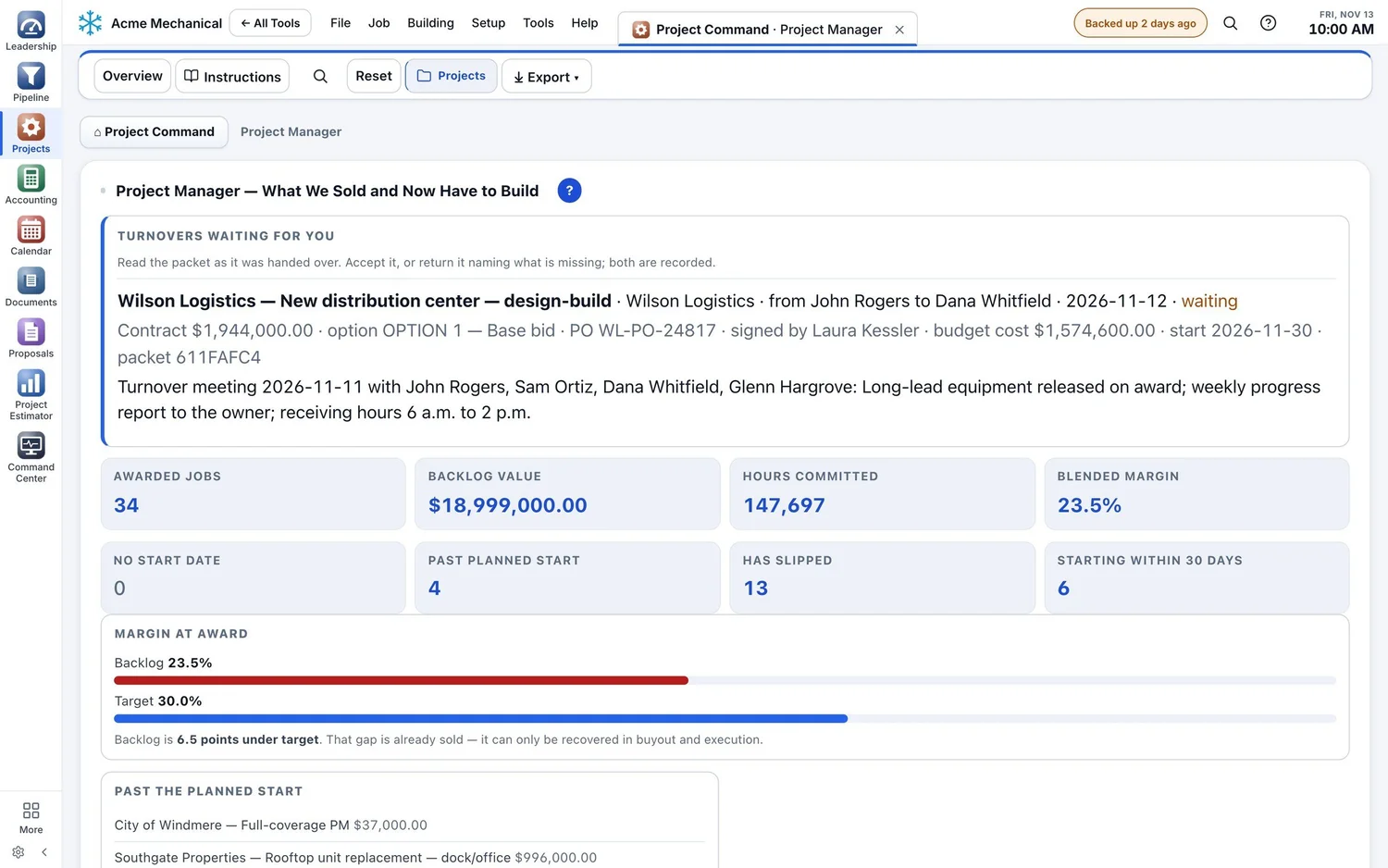
Sold jobs lose details at handoff, so the project manager sees the turnover to accept or return.
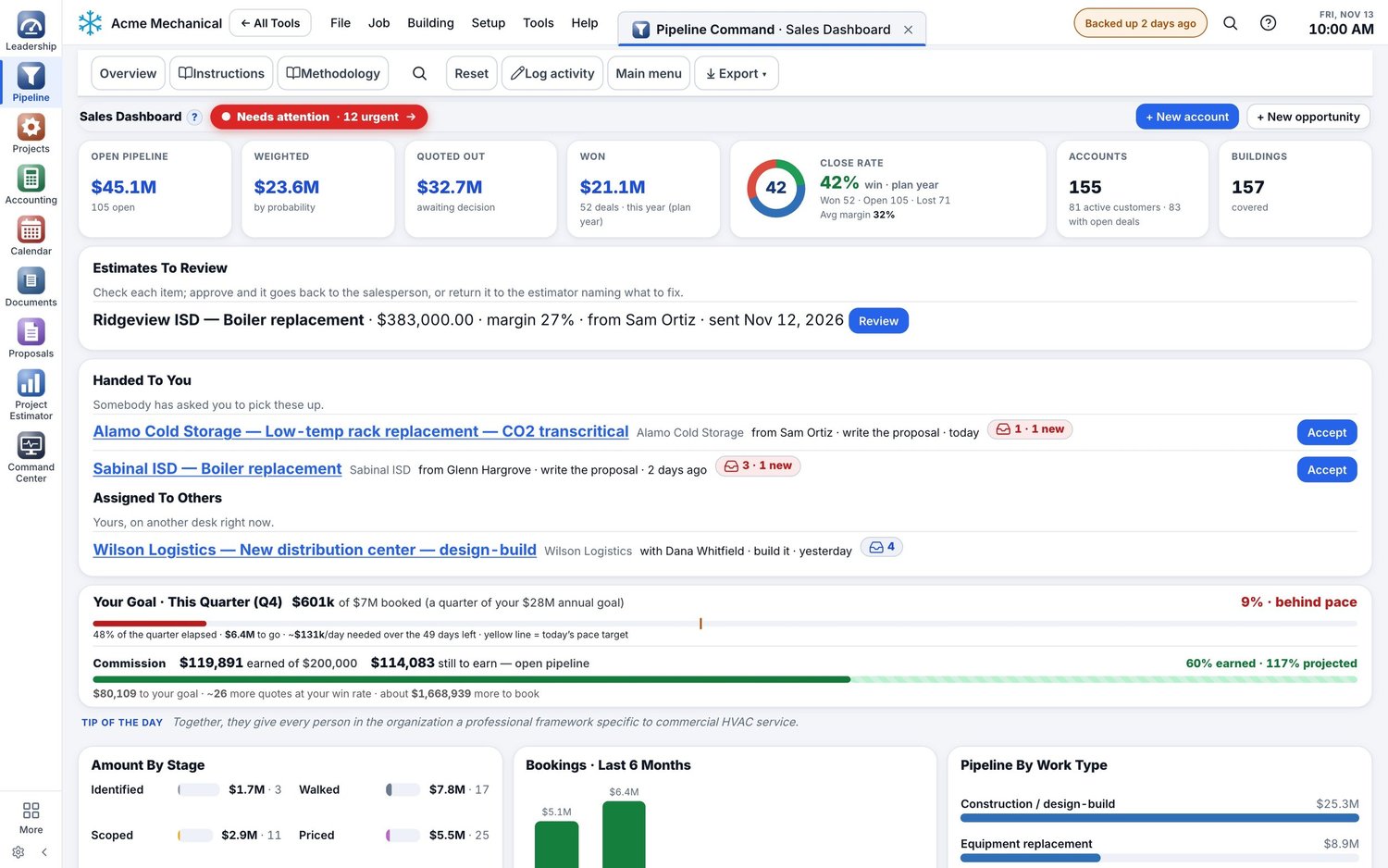
Deals stall when nobody knows whose desk they are on, so the dashboard lists estimates to review and work handed to you.
What Leadership Sees Every Week
The Manager Console
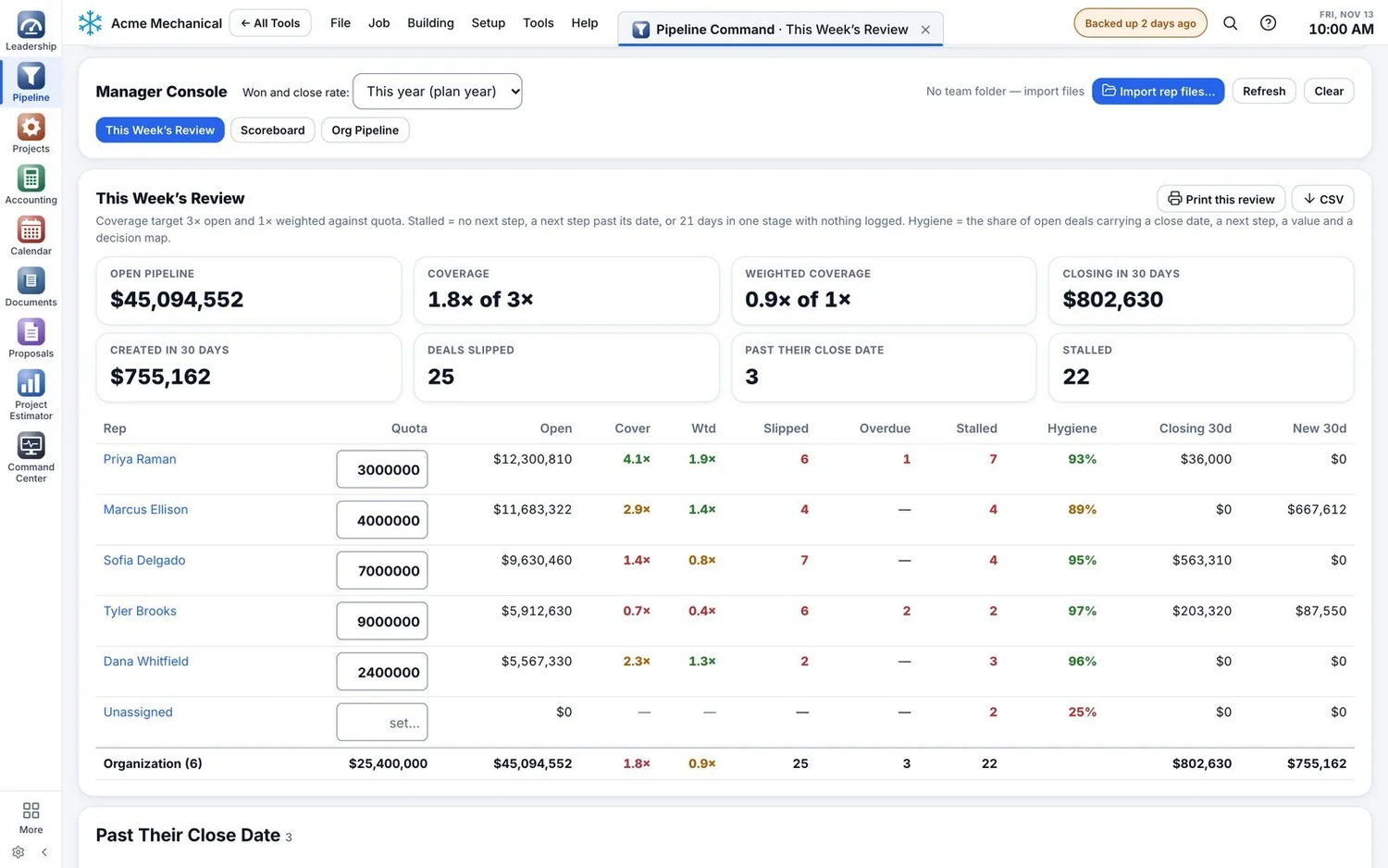
This Week's Review asks the five questions a pipeline review asks: coverage against quota, slipped and overdue deals, stalled deals, record hygiene, and the month ahead. It reads the live book on the team data folder, so nobody publishes a report first.
Learn MoreShow Less
A forecast built on guesses leads to bad hiring and buying decisions. The review shows whether this quarter can be made from what is on the board.
- Coverage below about 3 times quota means the number cannot be made.
- Stalled means no next step, a past-due one, or 21 quiet days in one stage.
- Hygiene under 75% means the forecast is arithmetic on guesses.
- The CSV exports every open deal with its slip count and flags, for the meeting.
Win / Loss Analysis
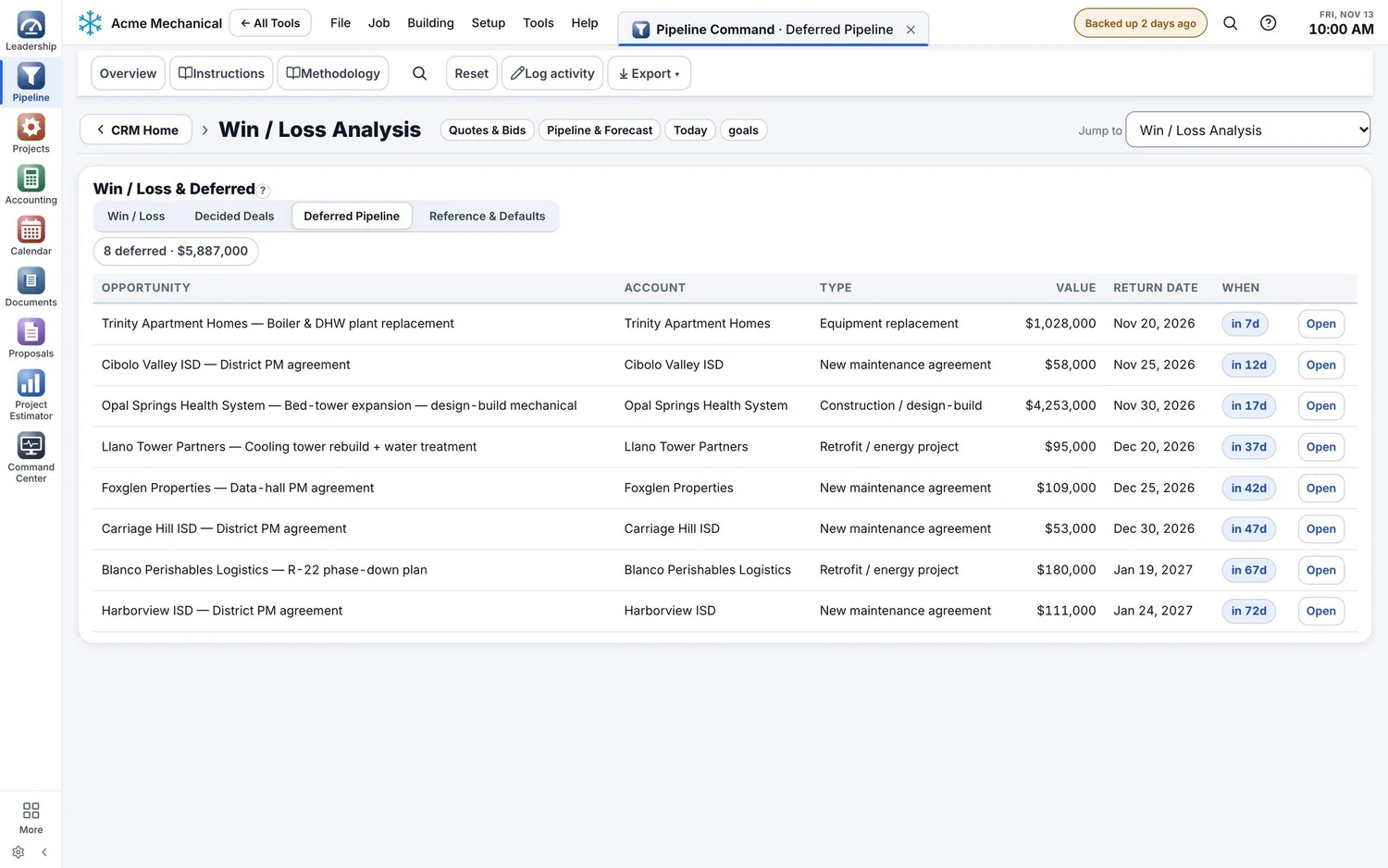
Win rate overall and by work type, procurement route, value band, competitor, salesperson and whether the proposal was presented in person. Deferred deals are worked on their own tab and never counted in the win rate.
Learn MoreShow Less
Knowing why you lose tells you where to stop spending bid hours. Win and loss reasons point to the fix that wins more work.
- Close reasons come from your own editable won and lost lists.
- Value bands are yours to set.
- Read counts with rates: a rate on two deals is noise.
- Presenting in person is one lever you fully control; the report shows its effect.
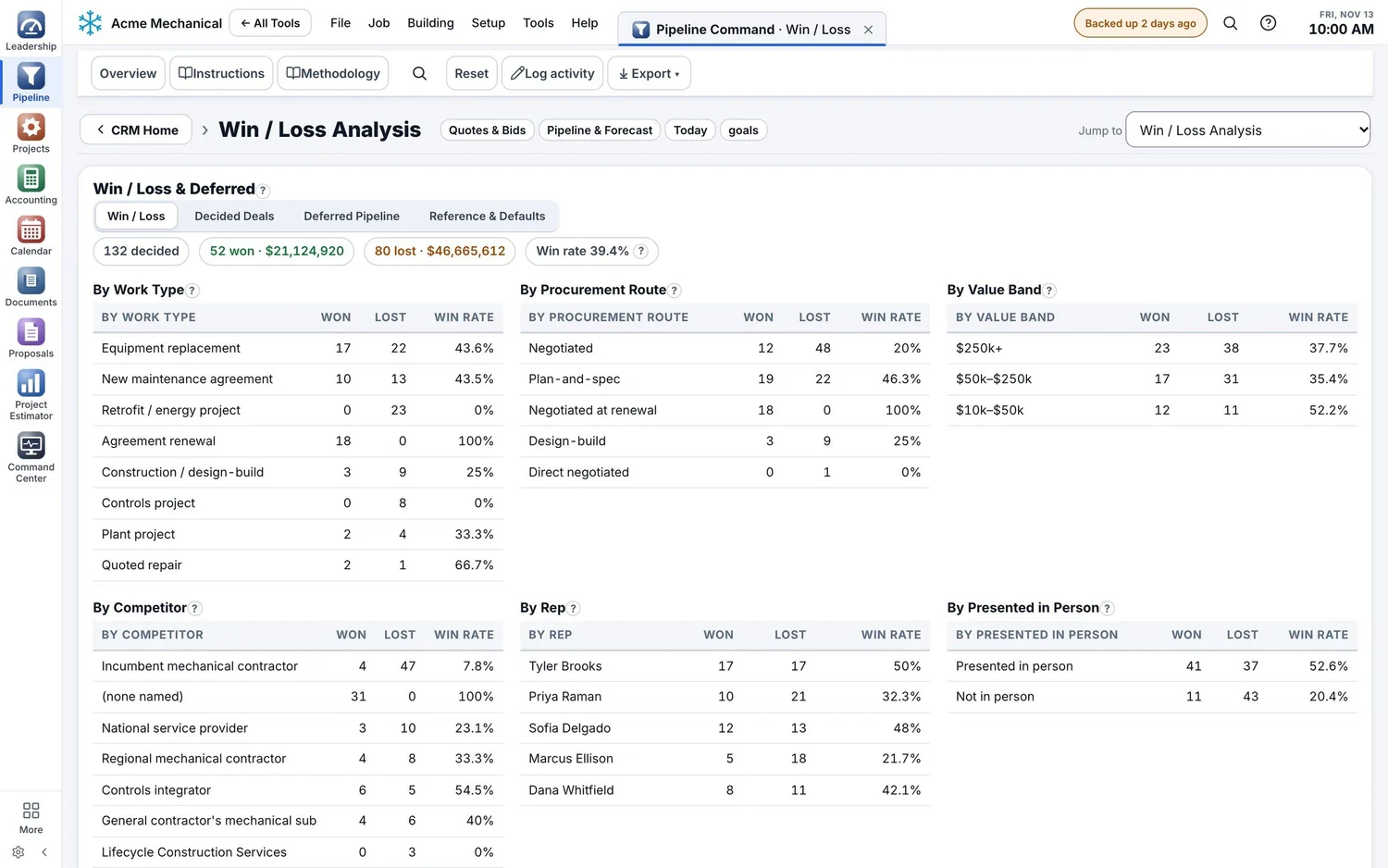
Guessing why deals are lost repeats the mistake, so win rate is shown by work type, route and competitor.
Vertical Markets
HVAC Logix starts with 20 vertical markets and a starting playbook for seven focus markets, which leadership edits into the company's own words. Reports show pipeline, win rate, average margin, sales cycle and target by vertical.
Learn MoreShow Less
A school district buys on a bond and a board vote; a data center buys on uptime. Selling each market its own way raises the win rate where you choose to grow.
- Each playbook covers how it buys, routes, who decides, compliance, exclusions and proposal language.
- Focus markets come first in every list and report.
- A deal without a vertical uses its building's, else its account's.
- Only leadership changes the list; every change is logged.
Commission Plans You Set Yourself
No two companies pay the same way, so you build the plan in Accounting. New maintenance, renewals, service, plan-and-spec work and negotiated retrofits can each have their own rate, basis and timing. Statements flow to payroll.
Learn More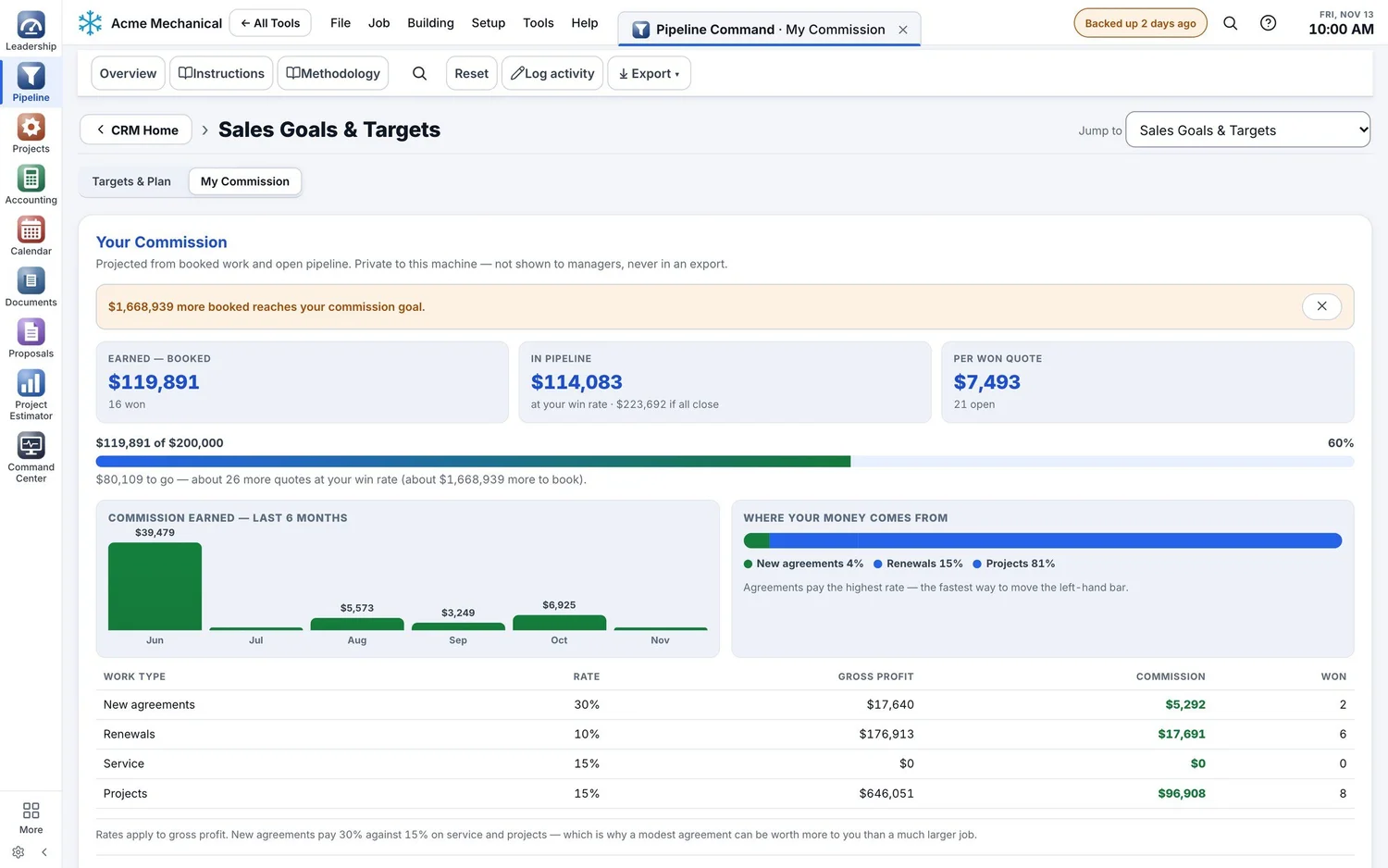
People sell harder when they know where they stand, so the dashboard shows commission earned and still in the pipeline. You decide whether salespeople see it.
The Handover Pack
When an account changes hands, one Word document gathers the terms, buildings, people, pipeline, won and lost deals with their reasons, agreements, recent activity and a plain summary of what the next salesperson needs to know.
Learn MoreShow Less
When a salesperson leaves, the relationships they built should stay with the company. The pack is the cheapest insurance against a dropped account.
- The preview flags the risks a new rep should see first, such as single-threading or a missing champion.
- Also prints a one-page account sheet and the account's call plans.
- A territory coverage list covers the whole base.
- Internal only, never for the customer.
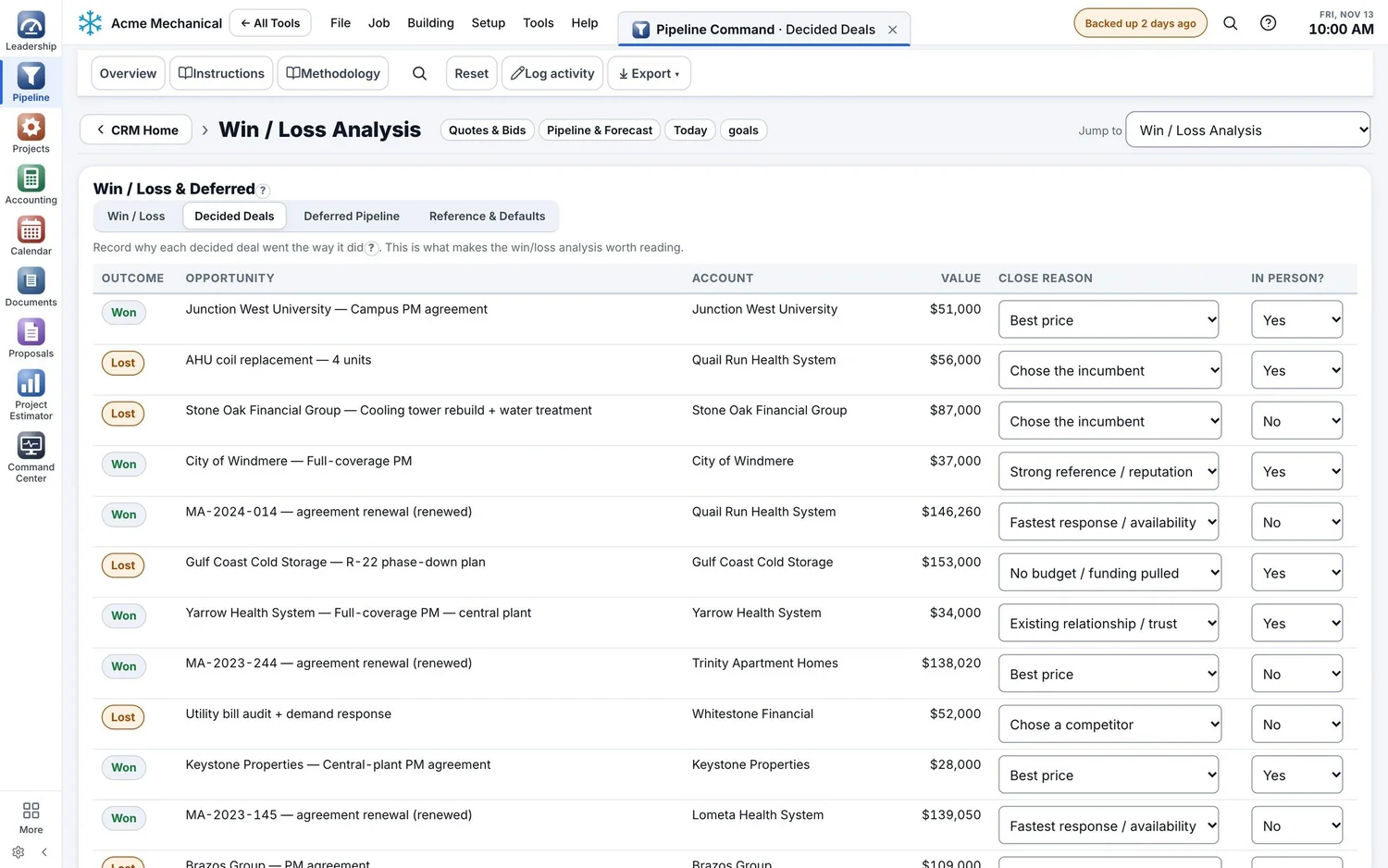
Loss reasons fade from memory, so each decided deal keeps its outcome and reason.
Who Sees What
Salespeople see their own figures. Sales management and company leadership see everybody's. An estimator or a project manager sees no quota or attainment at all.
Learn MoreShow Less
Quota figures in the wrong hands cause friction and invite poaching between reps. Each person sees what their job needs and nothing more.
- A signed-in salesperson sees My Numbers against the quota set for them.
- Quotas are held centrally, so attainment works without anyone sending a file.
- Pipeline by salesperson shows only their own row to reps without the right.
- The scoreboard and roll-up stay with leadership and sales managers.
Frequently Asked Questions
Can we bring our existing customers and deals in from another system?
Do salespeople see each other's numbers?
Does the sales map need an internet connection?
What does a salesperson's phone carry?
What happens to an account when a salesperson leaves?
Be First When HVAC Logix Opens
Stop paying people to copy numbers between programs. Join the list and we will tell you the day downloads open, with setup guides ready.
Launching early 2027 for HVAC Logix. Nothing to buy today, and no sales calls.
