


Watch Your Customers' Buildings. Turn Alarms into Work Orders.
Launching Early 2027 · Join the Early-Access List
HVAC Logix reads your customers' building automation data, watches the critical points, and turns a real problem into a dispatched work order, all from your own office with no outside cloud. Sell it as part of a maintenance agreement or as a monitoring service of its own.

The Command Center: Every Monitored Building's Alarms on One Screen
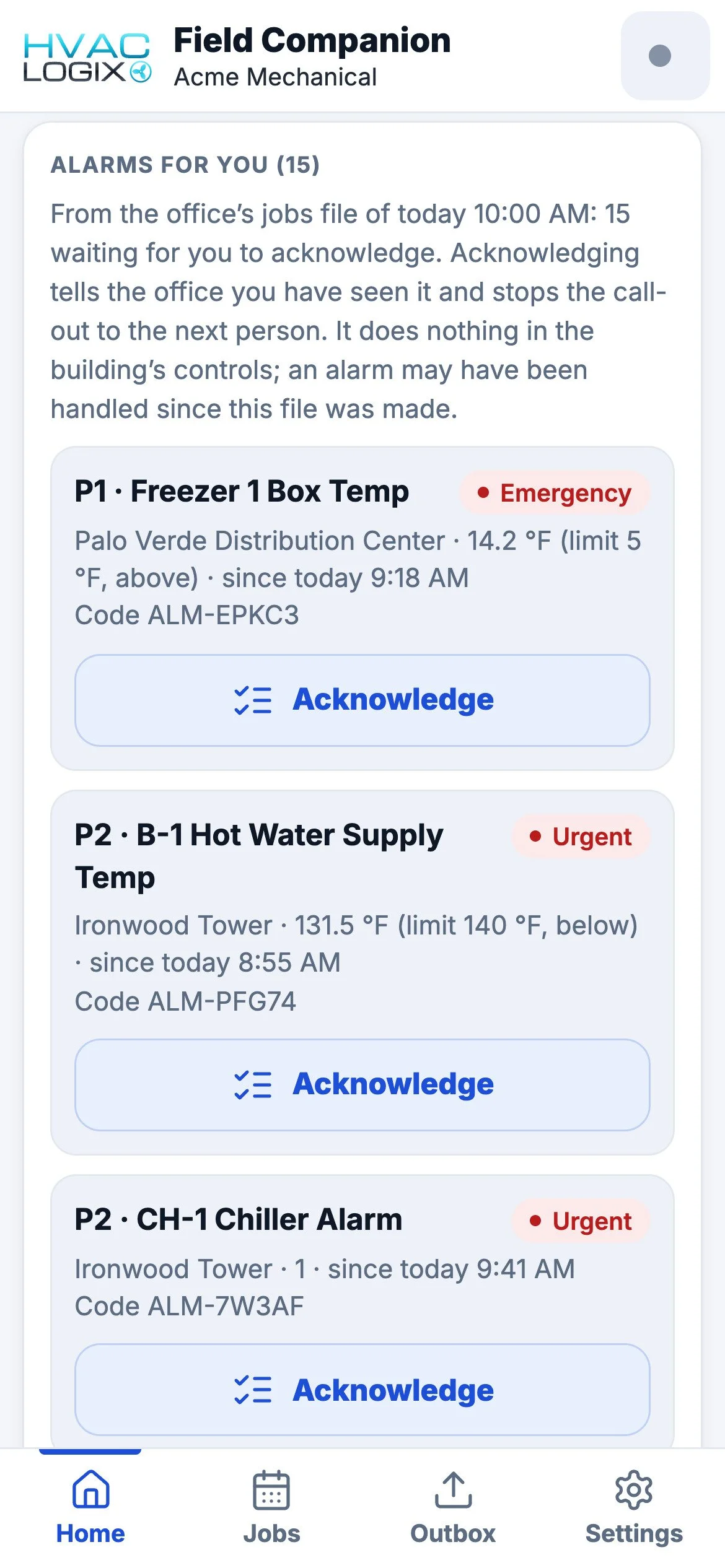
Alarms on the On-Call Technician's Phone


How Monitoring Works in HVAC Logix

Calls and alarms land on the same screen, so nothing waits unseen.


The Chiller Nobody Called About
Equipment rarely fails all at once. It drifts first, and the drift shows up on the power bill. Press Play and watch it happen.
The chiller still meets its load, so nobody has called. HVAC Logix shows it drawing more power than its own baseline says it should, with the arithmetic behind it, and sends its remaining life to the Capital Plan before it becomes an emergency.
A worked example with sample readings. In HVAC Logix the baseline is fitted to the unit's own trend history, and only hours like the ones in the baseline are compared.
What Monitoring Includes
The Command Center
One screen for every building you monitor: open alarms with each customer's response clocks, the critical points and their trends.
Learn MoreShow Less
A missed response promise costs you the renewal. One screen shows which alarm to work first, so commitments are met and the monitoring revenue stays.
- Unhandled alarms sort first, then priority, then the clock closest to breach.
- Acknowledge and Response clocks read OK, WARN, LATE or BREACH, from the customer's own agreement.
- Clocks follow coverage hours, holidays and the customer's time zone, daylight saving included.
- An alarm nobody acknowledges goes to the next person on call.
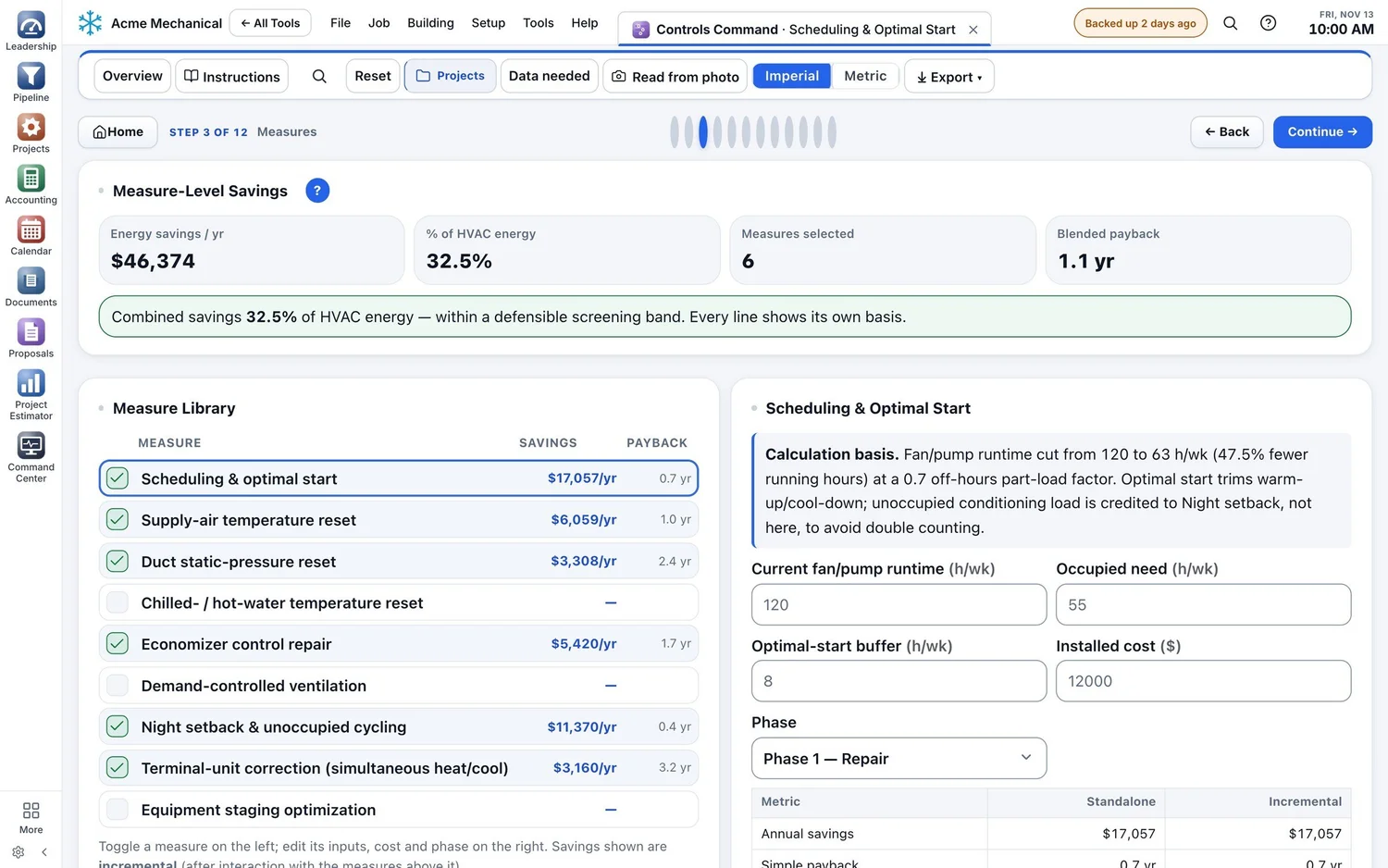
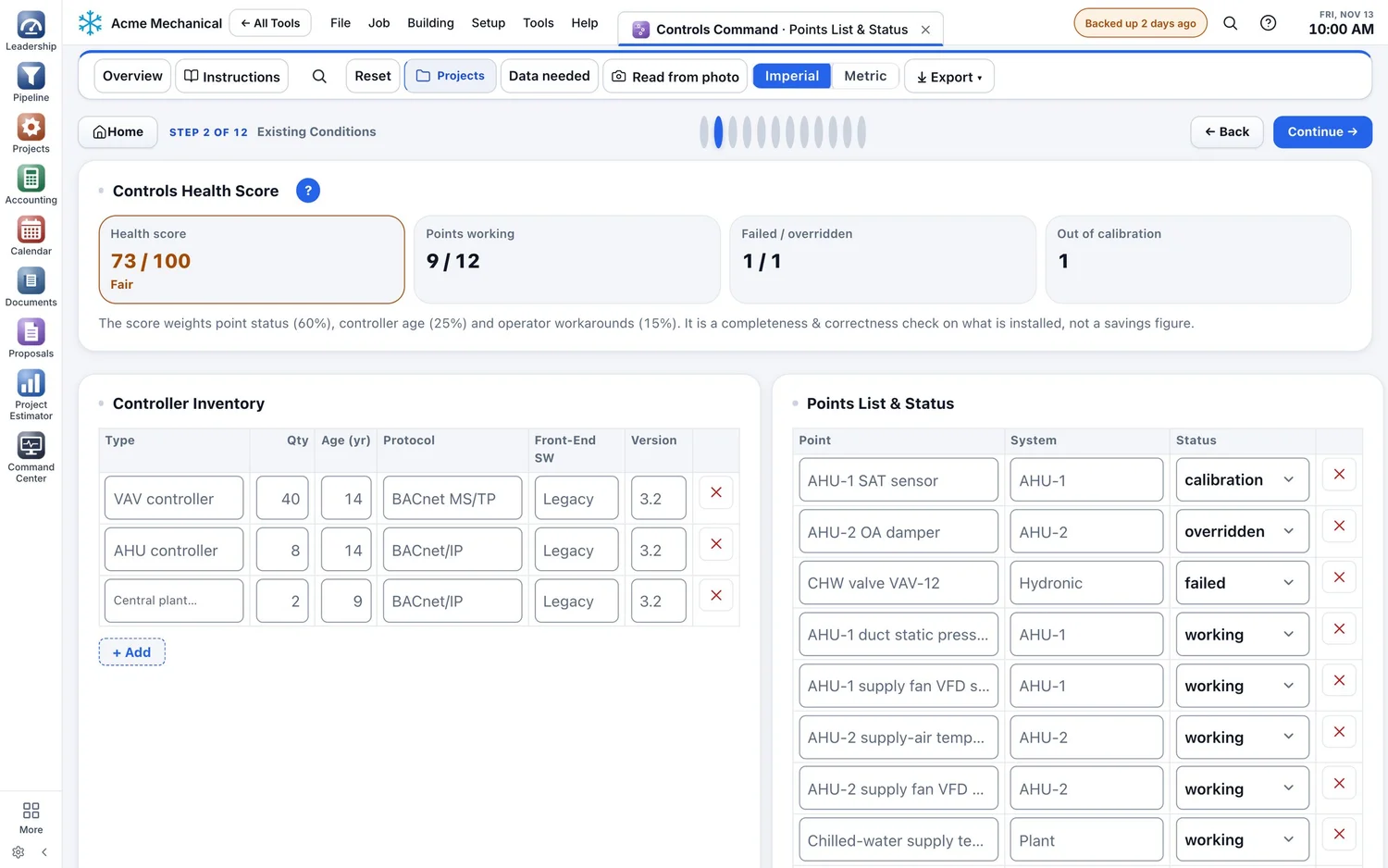
- The Efficiency Desk ranks savings each building's trends point to, ready for a proposal.
Alarms to Work Orders
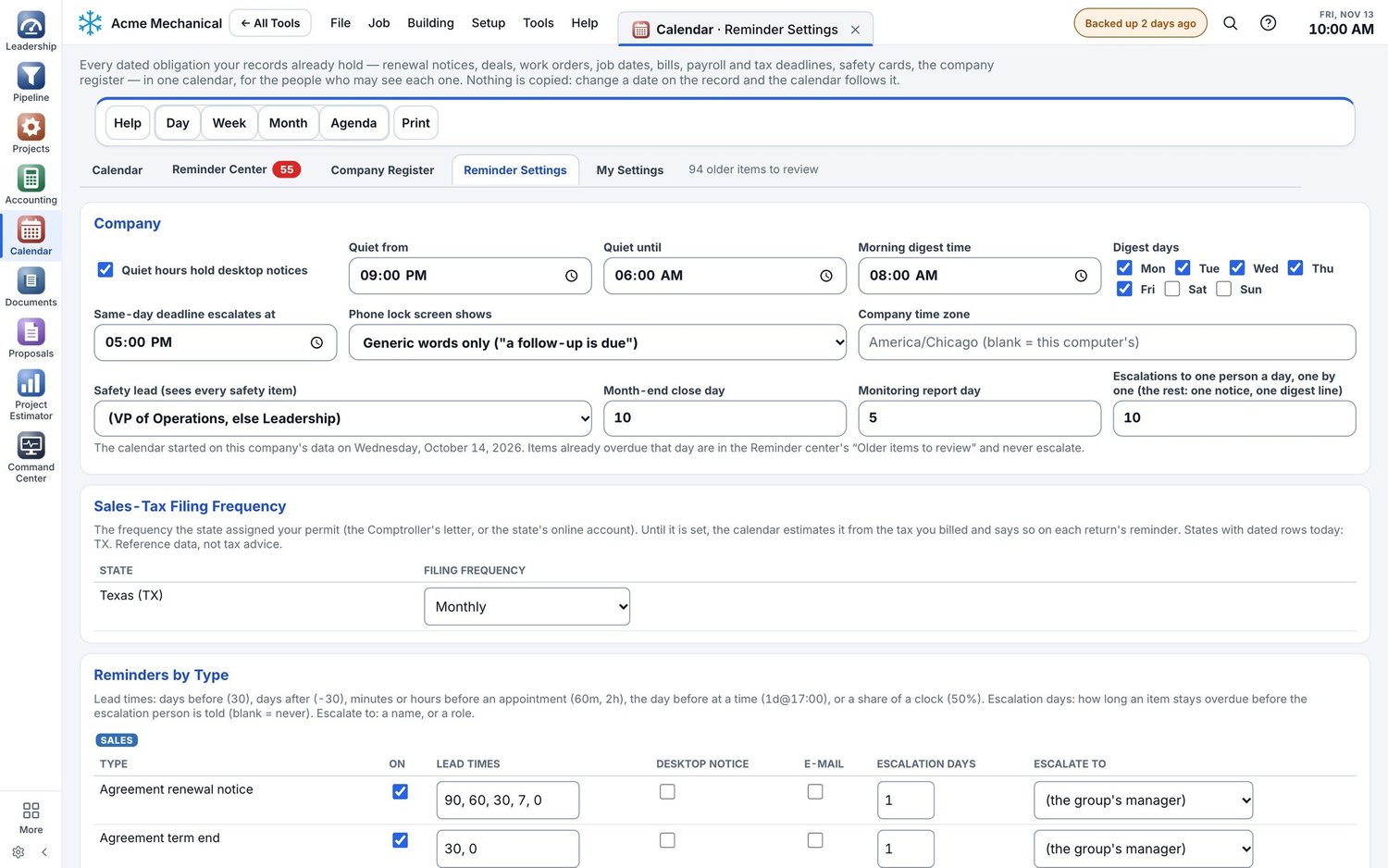
One step turns an alarm into a work order linked to the agreement, with its priority, the response time promised, and the reading with its 24-hour trend.
Learn MoreShow Less
An alarm that sits in an inbox is a truck roll you were paid for and did not make. Each alarm is handled once, with a record of what was done.
- Acknowledge, create a work order, or dismiss with a reason that shows in the monthly report.
- The work order reaches the technician's phone marked From Monitoring, with the reading.
- An alarm nobody acknowledges goes to the next person on call, then the service manager.
- A repeat on the same point counts on the open alarm, never as a second one.
- Quiet periods for scheduled work record alarms without queuing them.
On-Call on the Phone
An on-call roster with escalation. Alarms show on the Field Companion phone app for the people allowed to acknowledge them.
Learn MoreMonitoring Health
Points that stop reporting or flatline are flagged, every tile shows its data age, and a building that goes quiet never shows as green.
Learn MoreShow Less
A dead sensor that looks normal is how a freezer or a chiller is lost on your watch. Monitoring health makes silence an alarm of its own, so a failure is caught before it becomes a claim.
- Stale After sets the minutes without a reading that raise an alarm.
- A tile with no news reads NO DATA, STALE or HEALTH, or "No alarm (not a guarantee)."
- Readings older than 15 minutes are marked on the alarm screen.
- Alarms that go on and off are flagged as flapping, so nuisance points get fixed.
Monthly Customer Report
Alarms received, how each was answered, response times against the agreement, and data health, ready to send to the customer.
Learn MoreShow Less
Customers renew what they can see. The monthly report proves the value of the monitoring fee in the customer's own terms, including the trucks you saved them.
- Shows alarms resolved remotely, trucks avoided and the remote-resolution rate.
- Lists every missed commitment with its time, clock and recorded reason.
- Names recurring and nuisance alarms, and the ones fixed since last month.
- Analytics tier adds avoidable energy cost at the building's own rate and the efficiency proposals offered.
- Word, Excel, PDF on your letterhead, or e-mail through your own mail server. It never shows cost or margin.
Sell and Bill It
Price monitoring in the Maintenance Estimator, include it or add it to an agreement, or sell it on its own, with the invoice line and sales tax handled for you.
Learn MoreShow Less
Monitoring is steady monthly revenue, but only if every point is priced and billed. HVAC Logix prices it from your own rate card and puts it on every invoice, so no month goes unbilled.
- Three tiers: alarms only, alarms with a monthly report, or with trend analytics added.
- Priced as a site fee plus a monthly fee per point from your rate card; your cost never prints.
- The add-on line reads tier, points and the billing period on each agreement invoice.
- Sales tax follows the jobsite's state, with Texas's 80% taxable split built in.
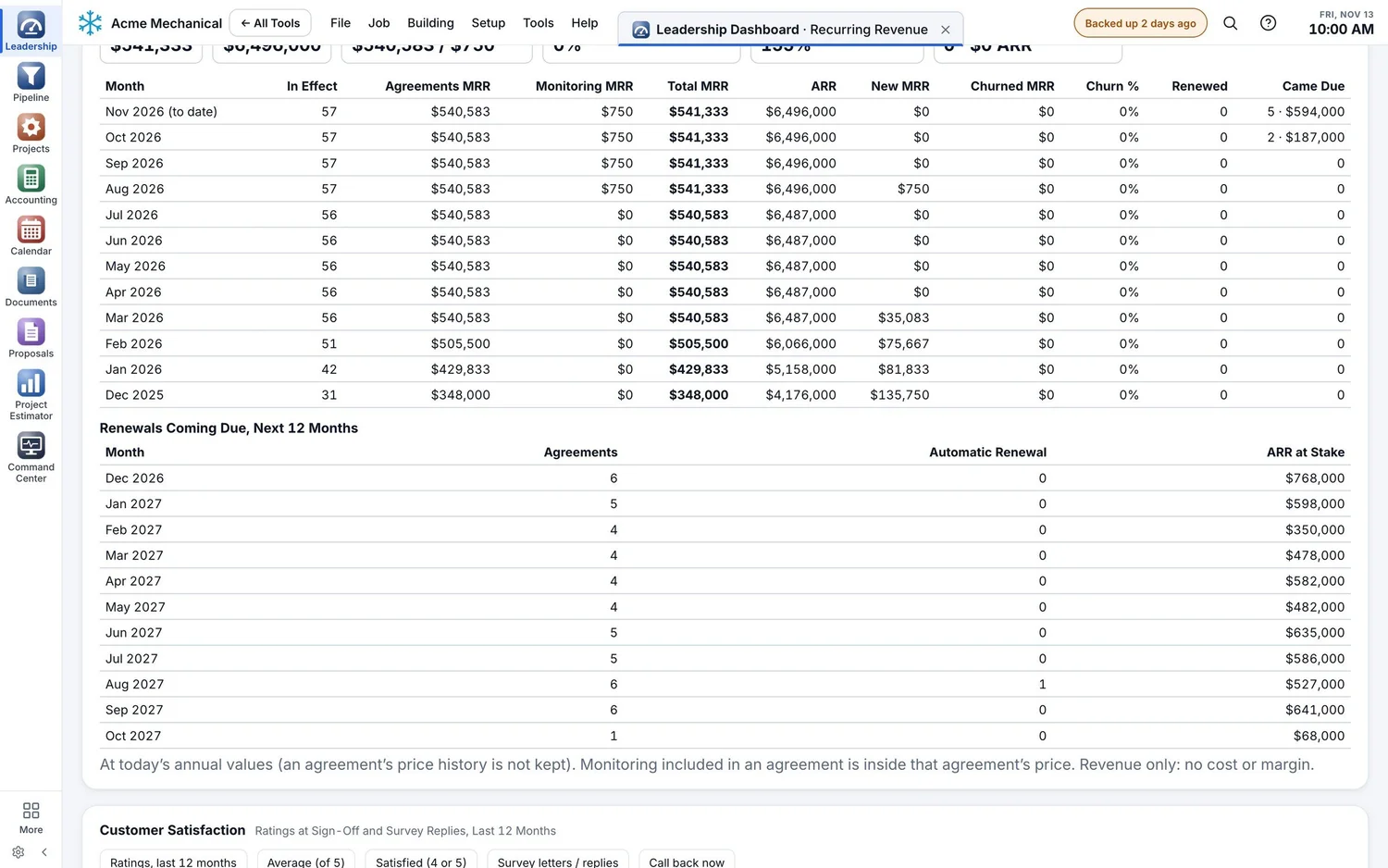
- The Leadership Dashboard shows monitoring revenue and alarms answered in time.
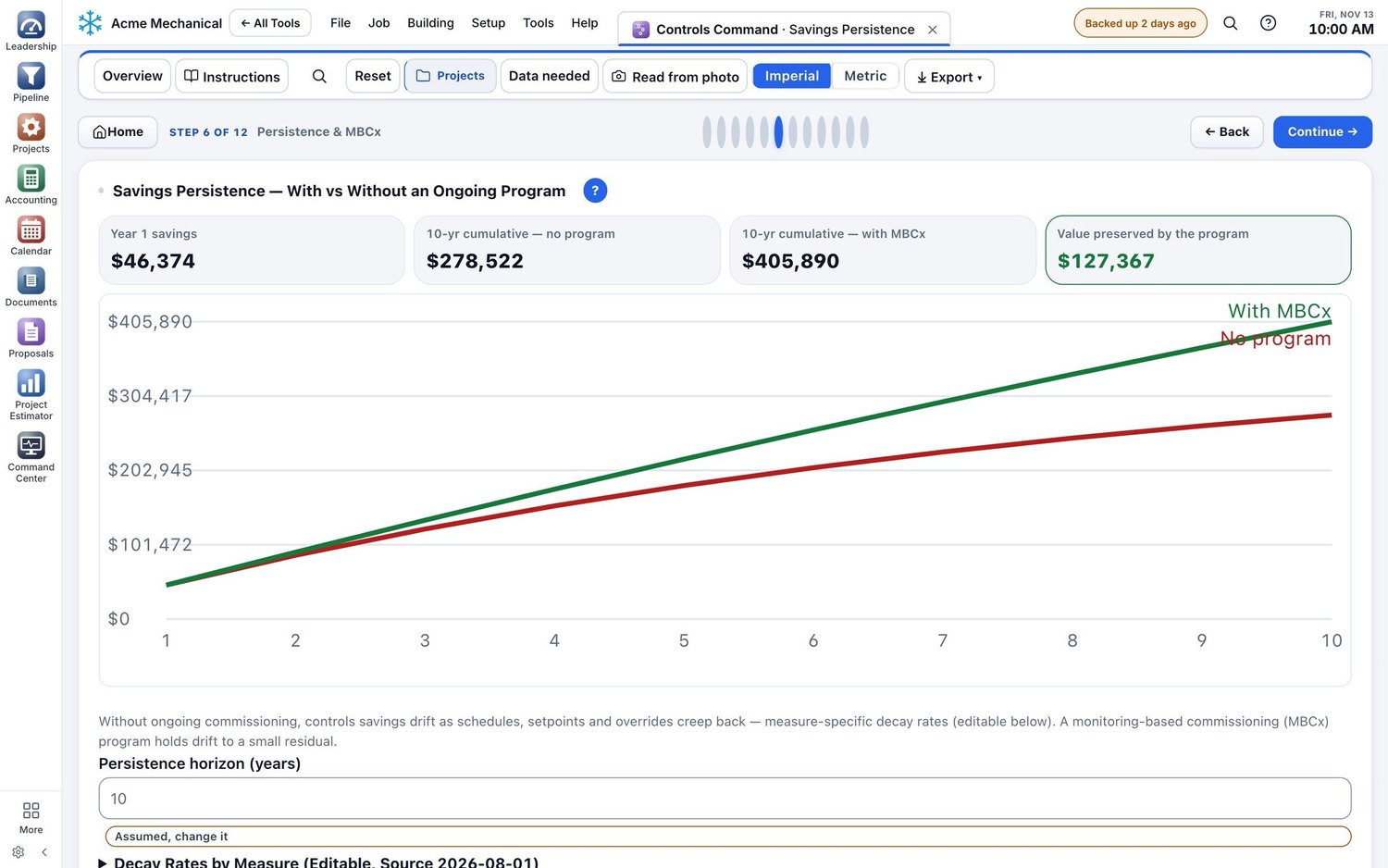
Savings fade when nobody watches. The chart shows what an ongoing program keeps.

Alarms should become work, so each one can open a work order.

Find the Savings Hiding in the Trends
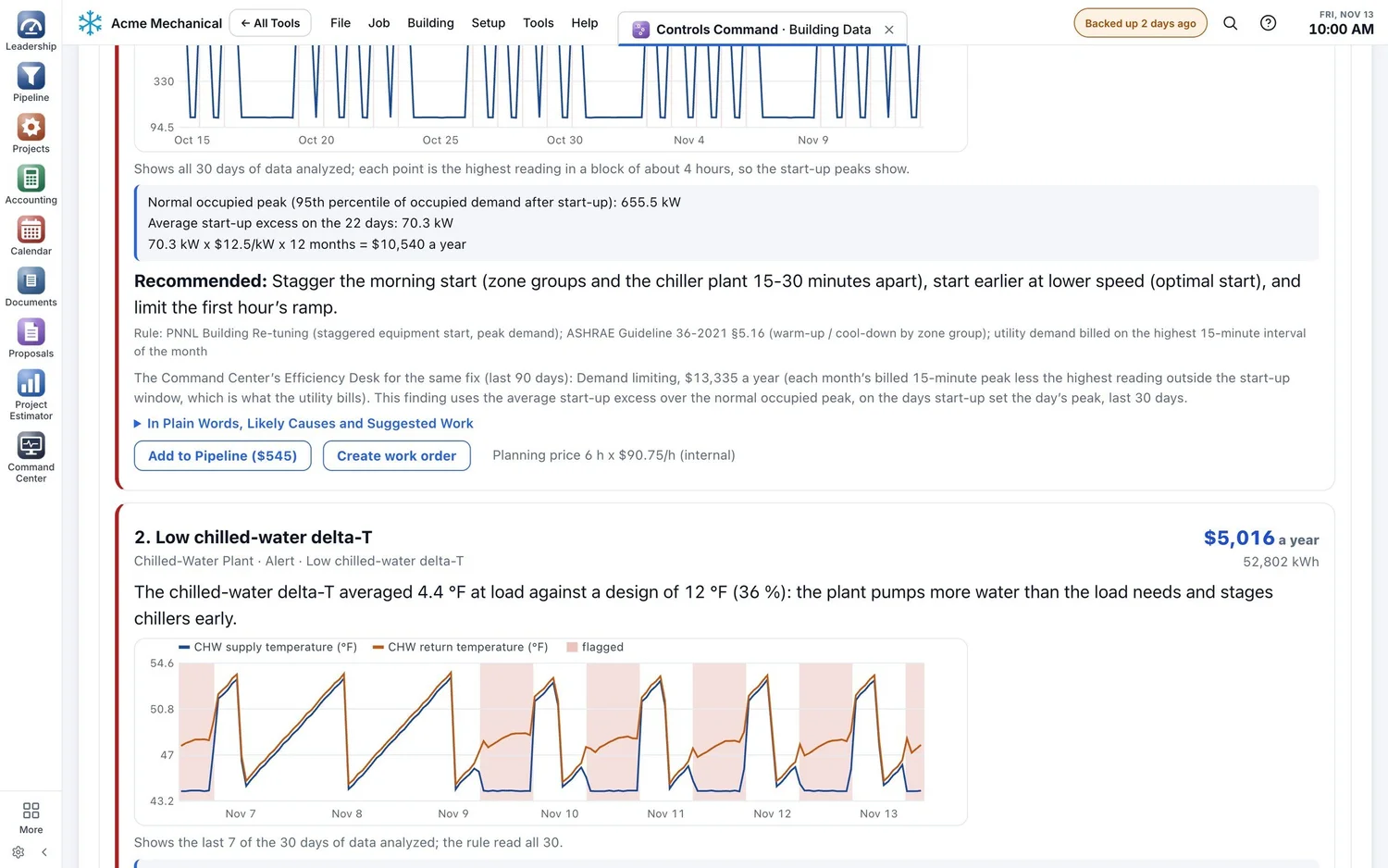
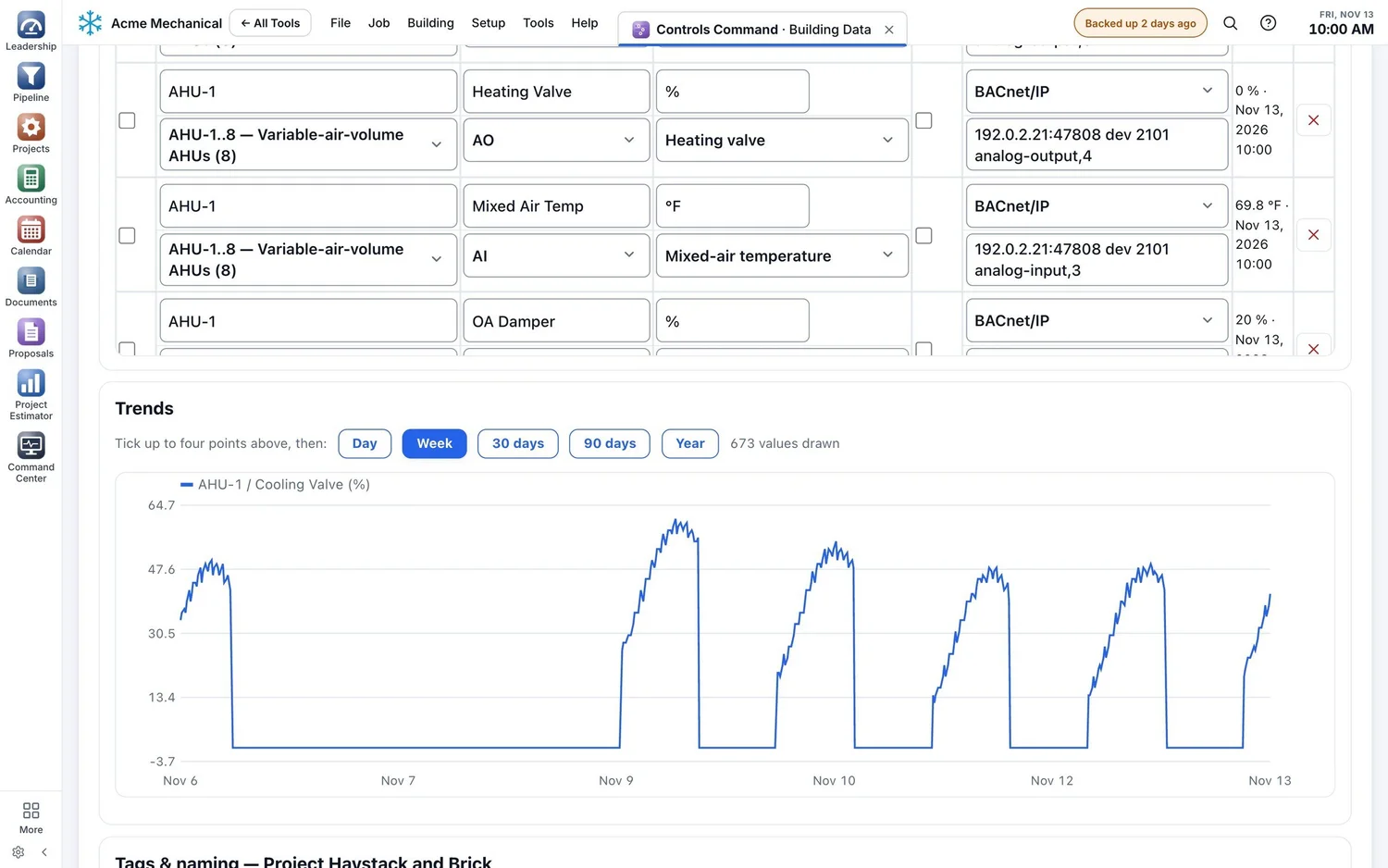
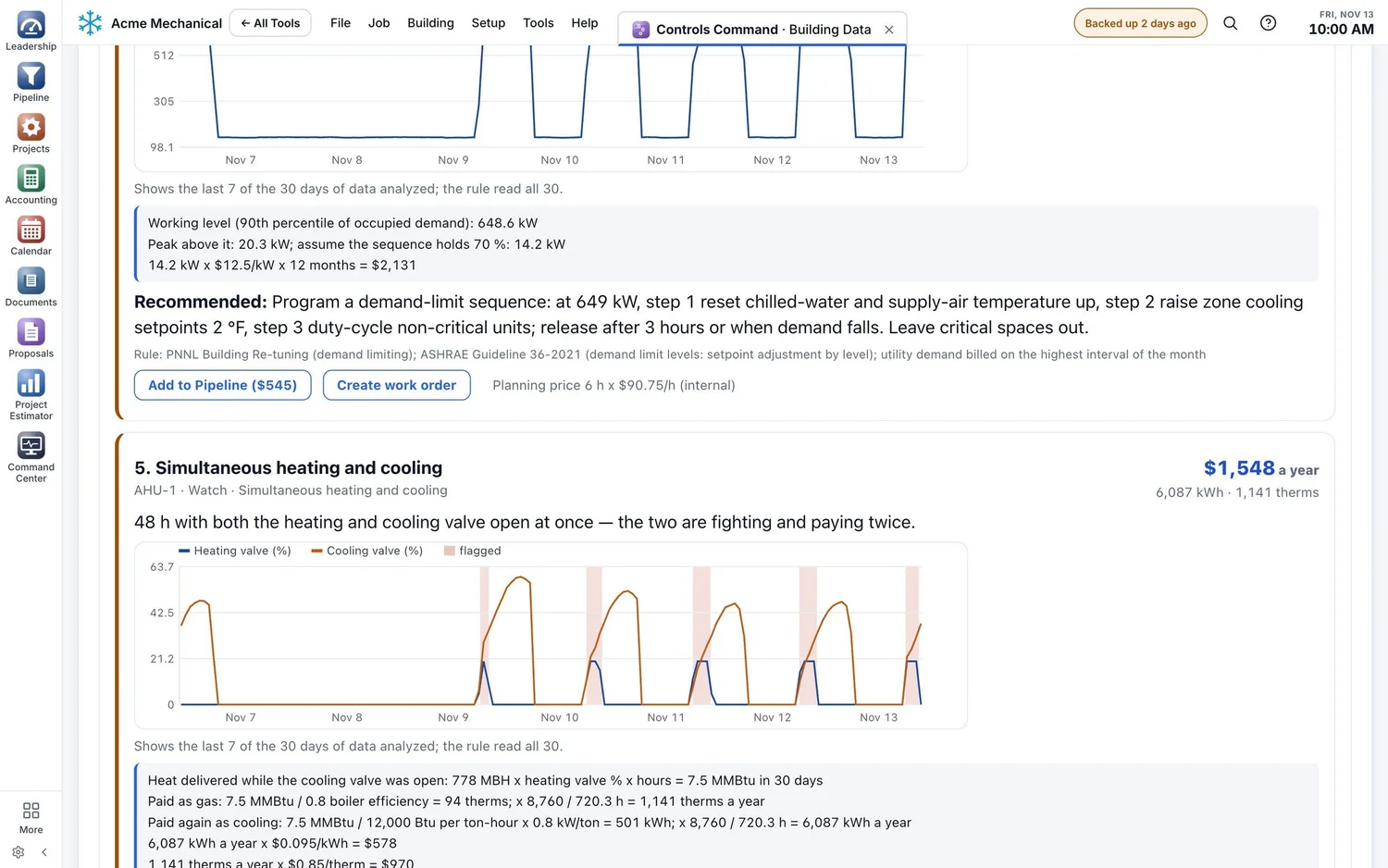
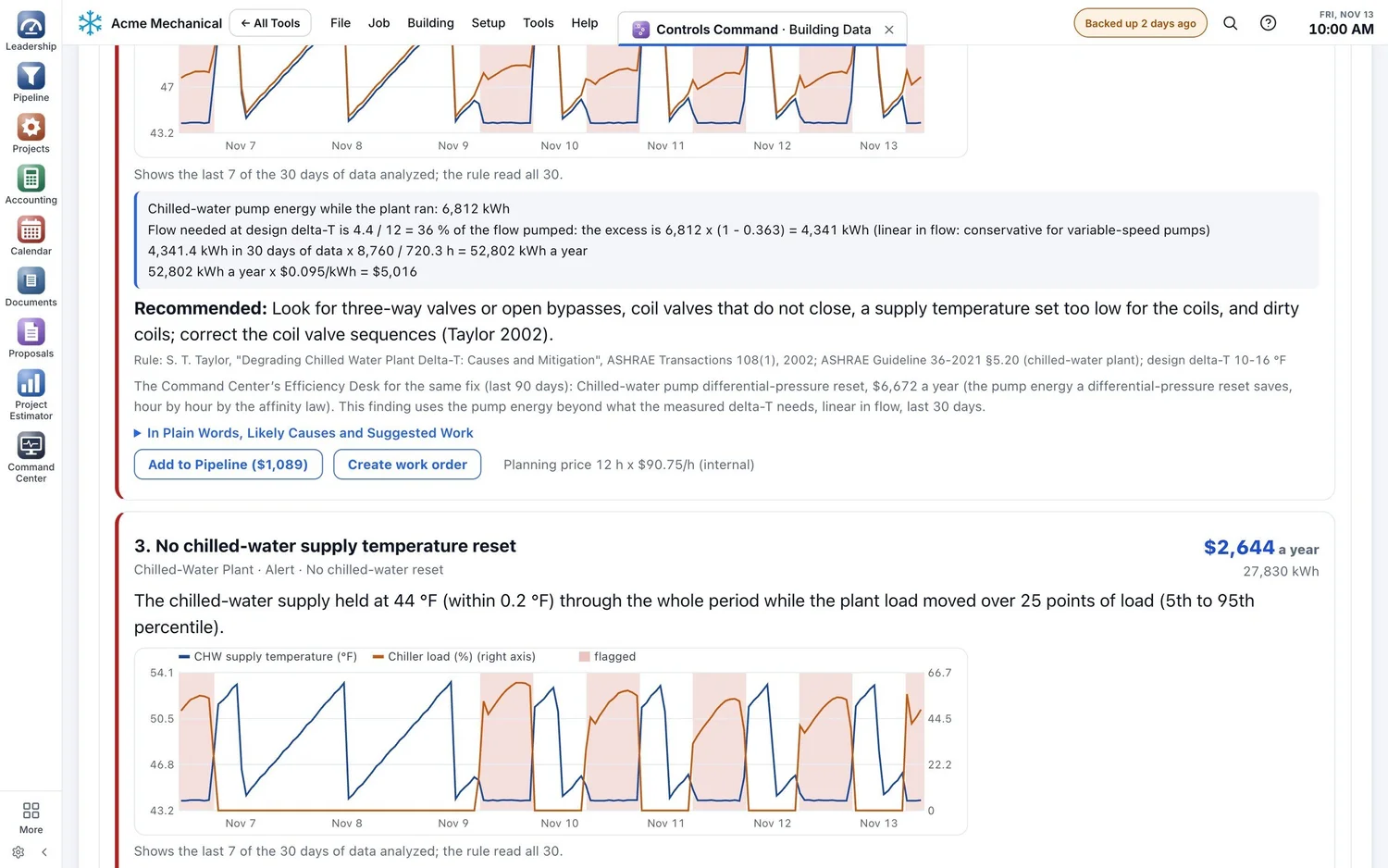
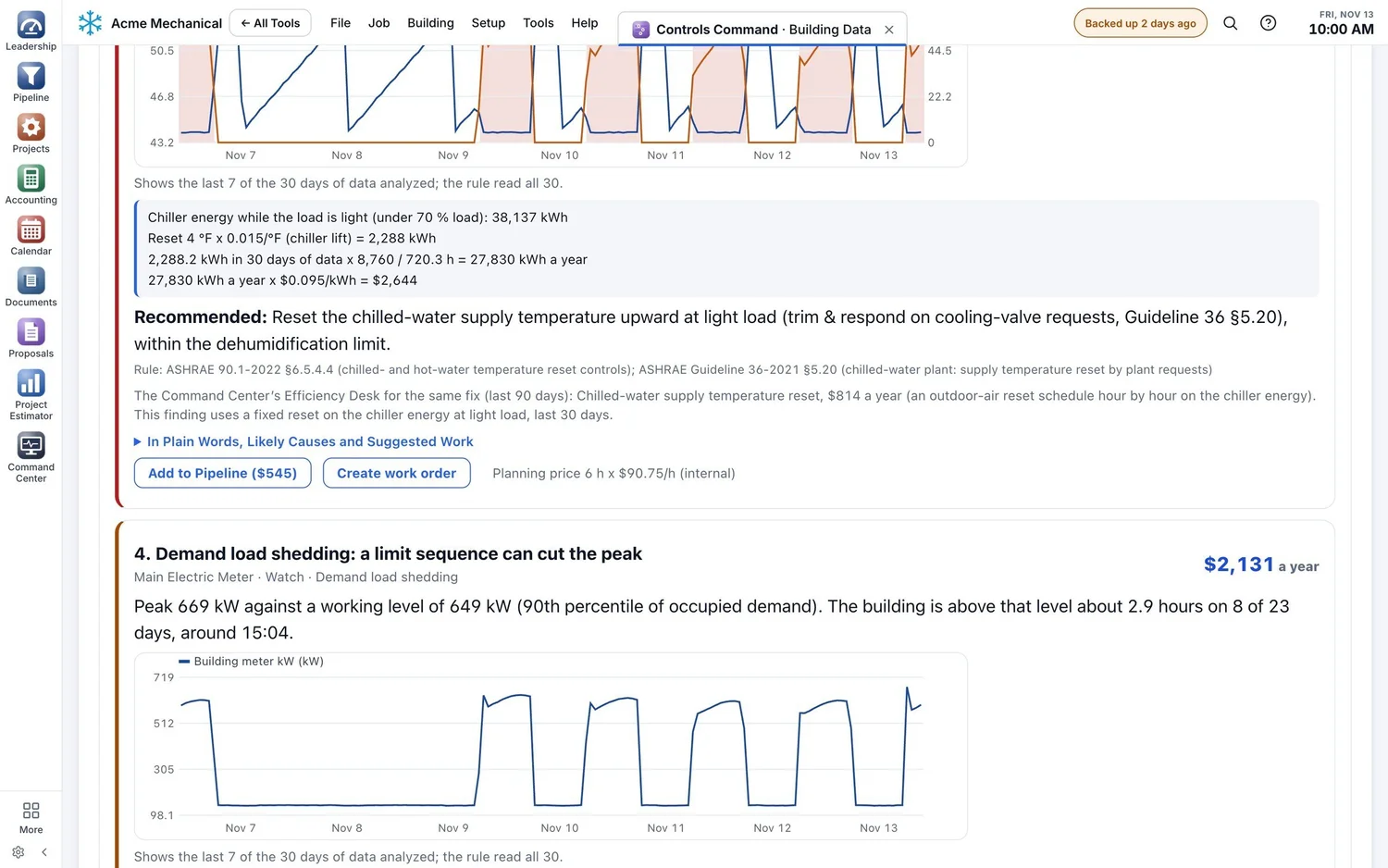
Read in a building's own automation trends and run them through clear engineering rules. Every finding shows its arithmetic at the building's own utility rates, so the customer can see exactly where the number came from.
- A fault library and equipment health for every unit
- Equipment performance and remaining life
- Utility bills compared with the trends, month by month
- Monthly savings statements
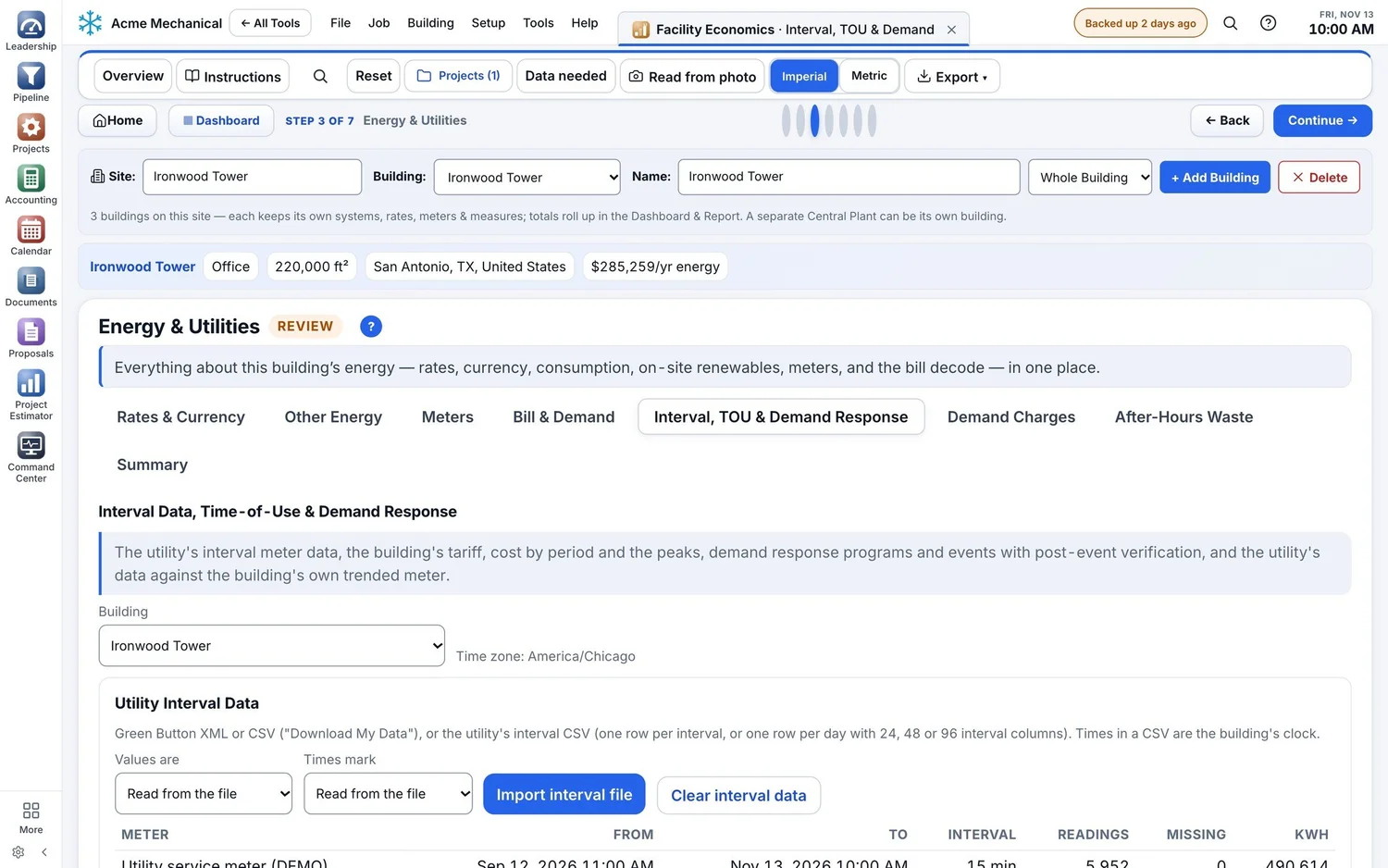
- Interval data, time-of-use rates and demand response
- Building performance standards and benchmarking
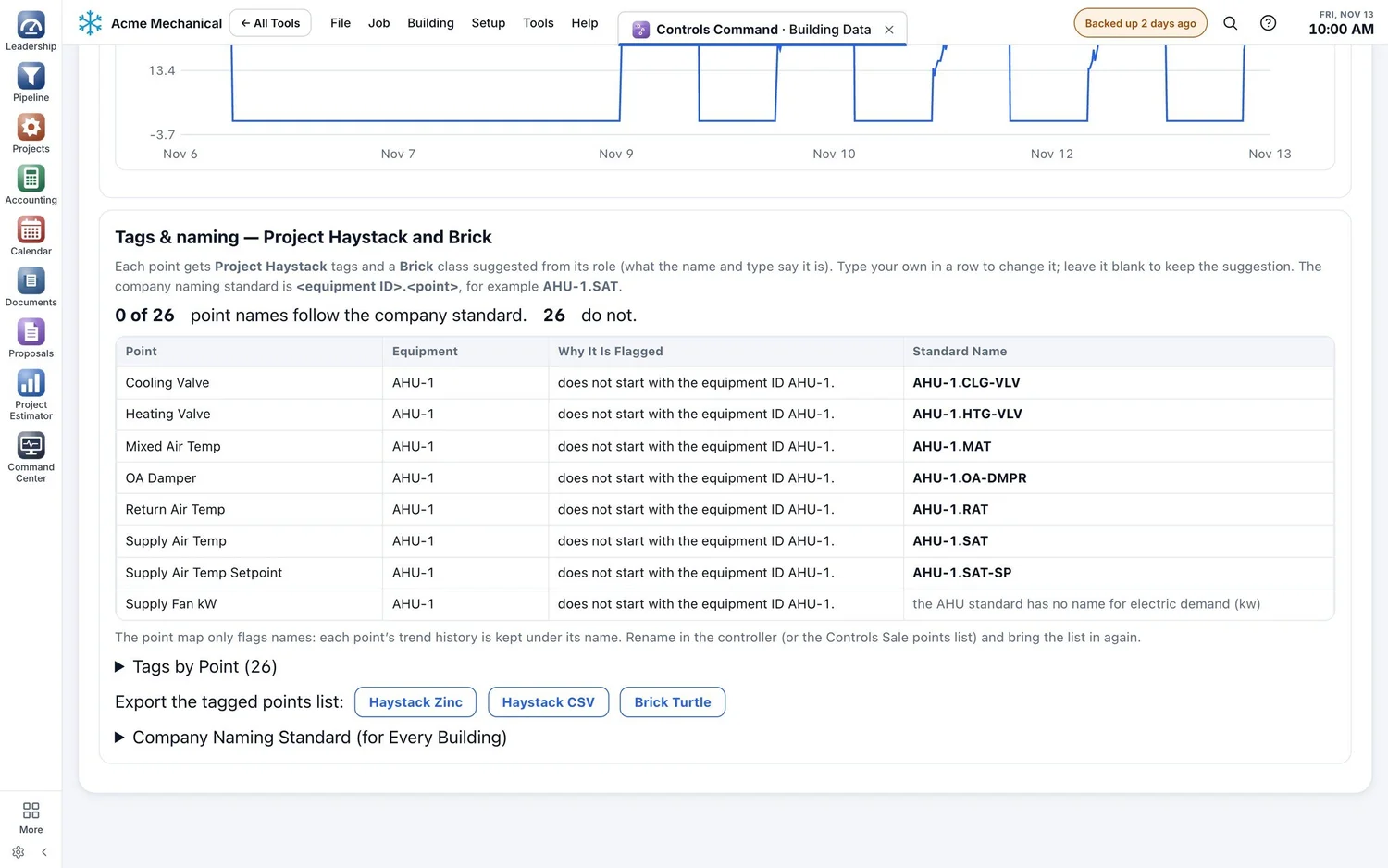
- Haystack and Brick point tagging
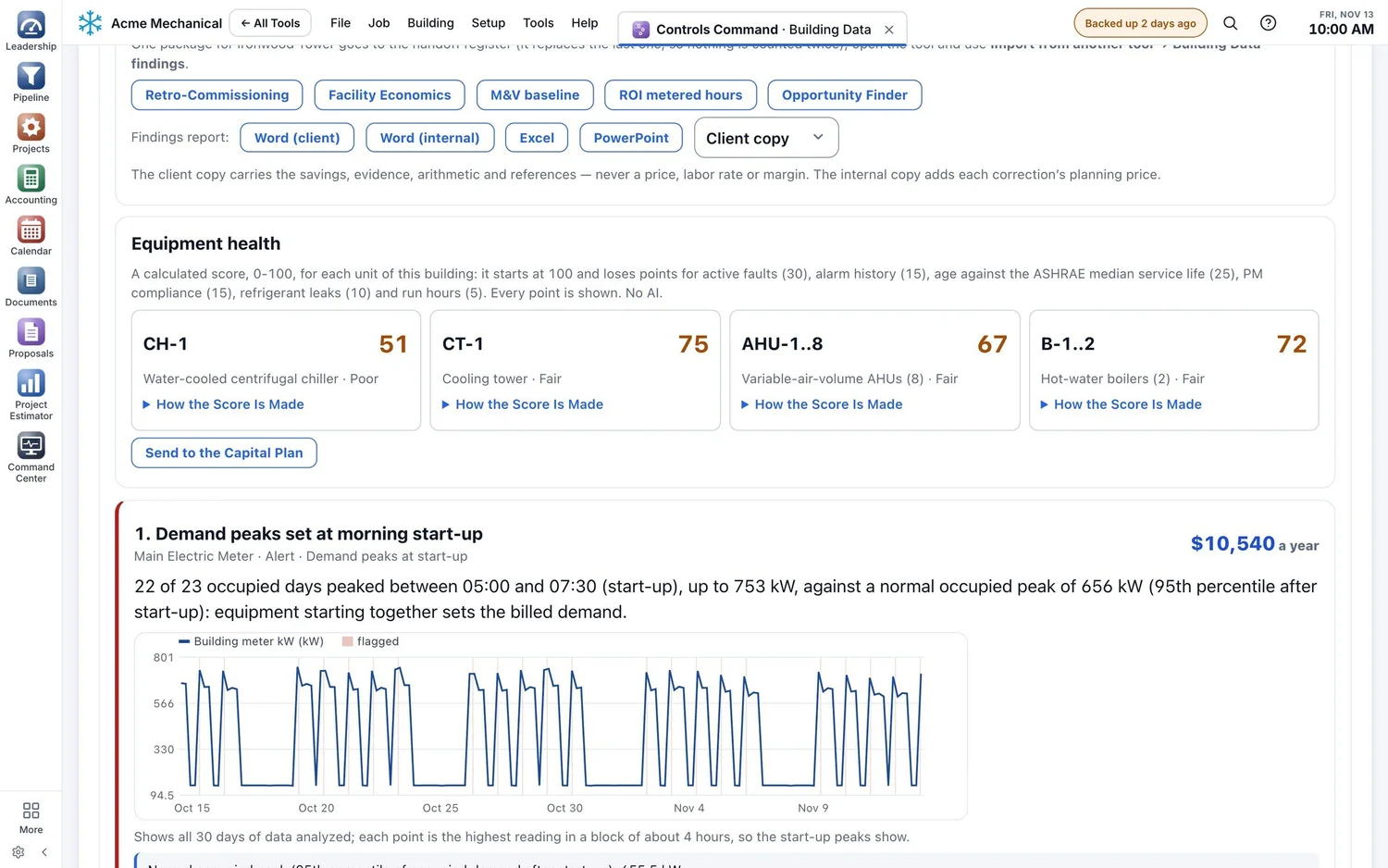
Findings need proof, so each one shows its evidence chart.

Watch Any Building System That Shares Its Data
Monitoring in HVAC Logix is read-only, so it is not limited to HVAC. Any control system that publishes its points over an open protocol can be watched, trended and alarmed on the same screen, next to the equipment and work records it belongs to.
Systems You Can Watch
- HVAC and building automation
- Lighting controls
- Electrical metering and power monitoring
- Generators and transfer switches
- UPS, batteries and IT rooms
- Refrigeration, coolers and freezers
- Boilers, water heaters and domestic water
- Wireless temperature, humidity and leak sensors
Open Protocols It Reads
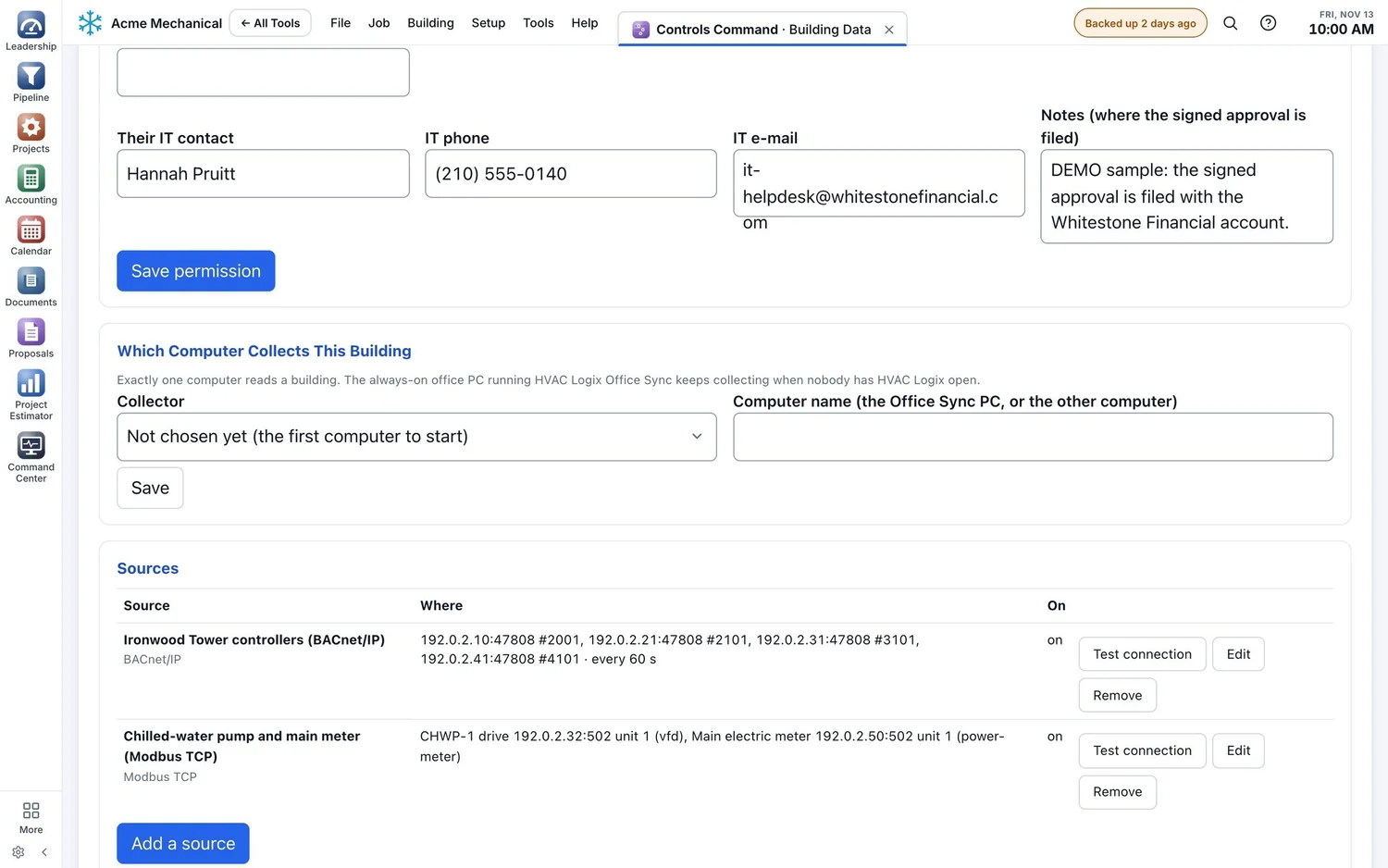
- BACnet/IP
- BACnet Secure Connect (BACnet/SC)
- Modbus TCP
- SNMP v2c and v3, including traps
- MQTT wireless sensors
- Trend and history files exported from any front end
Read-only by design: HVAC Logix never writes to a controller or changes a setpoint.
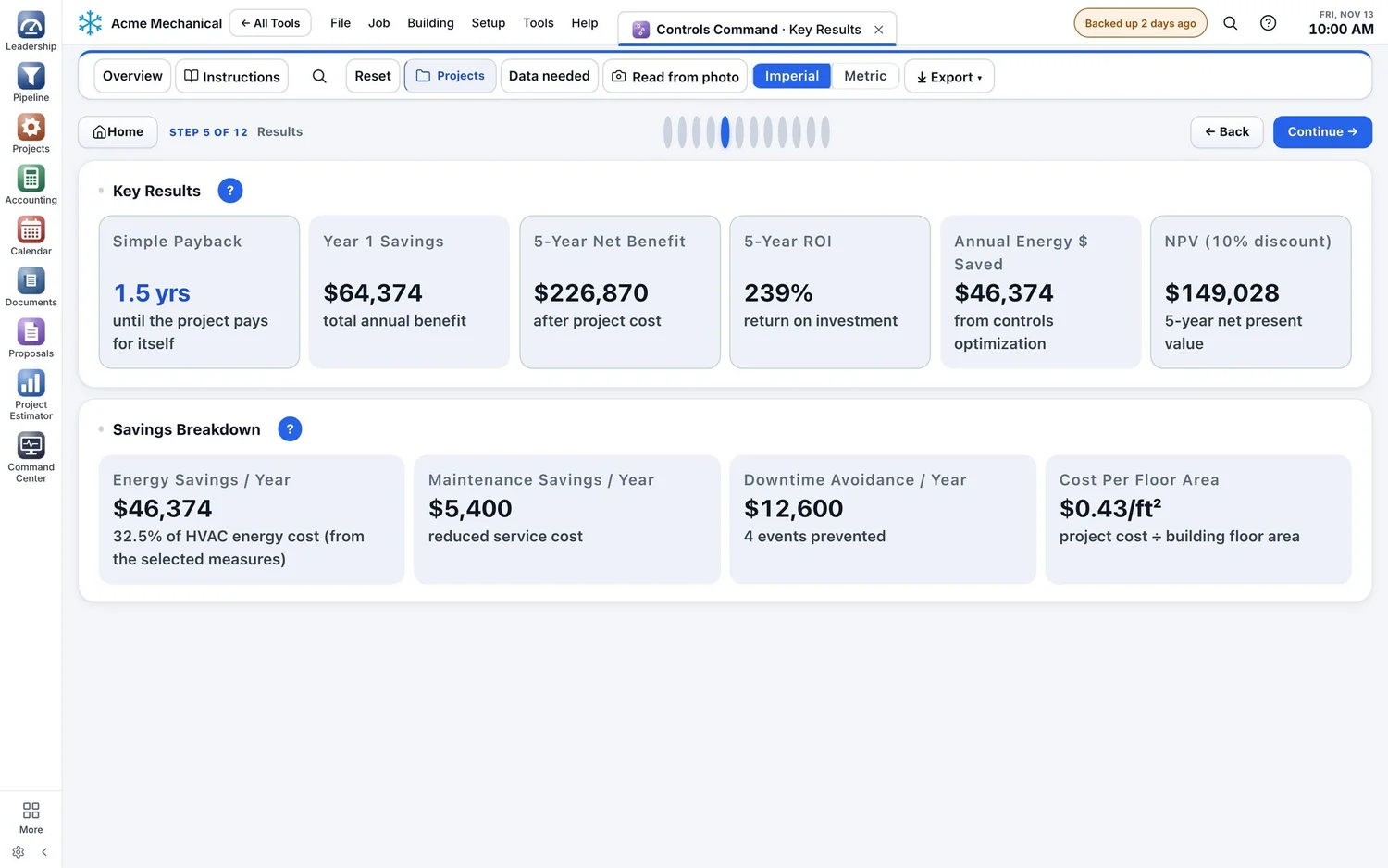
Monitoring has to pay, so the result reads as payback, five-year benefit and return.
Nothing Writes to the Building
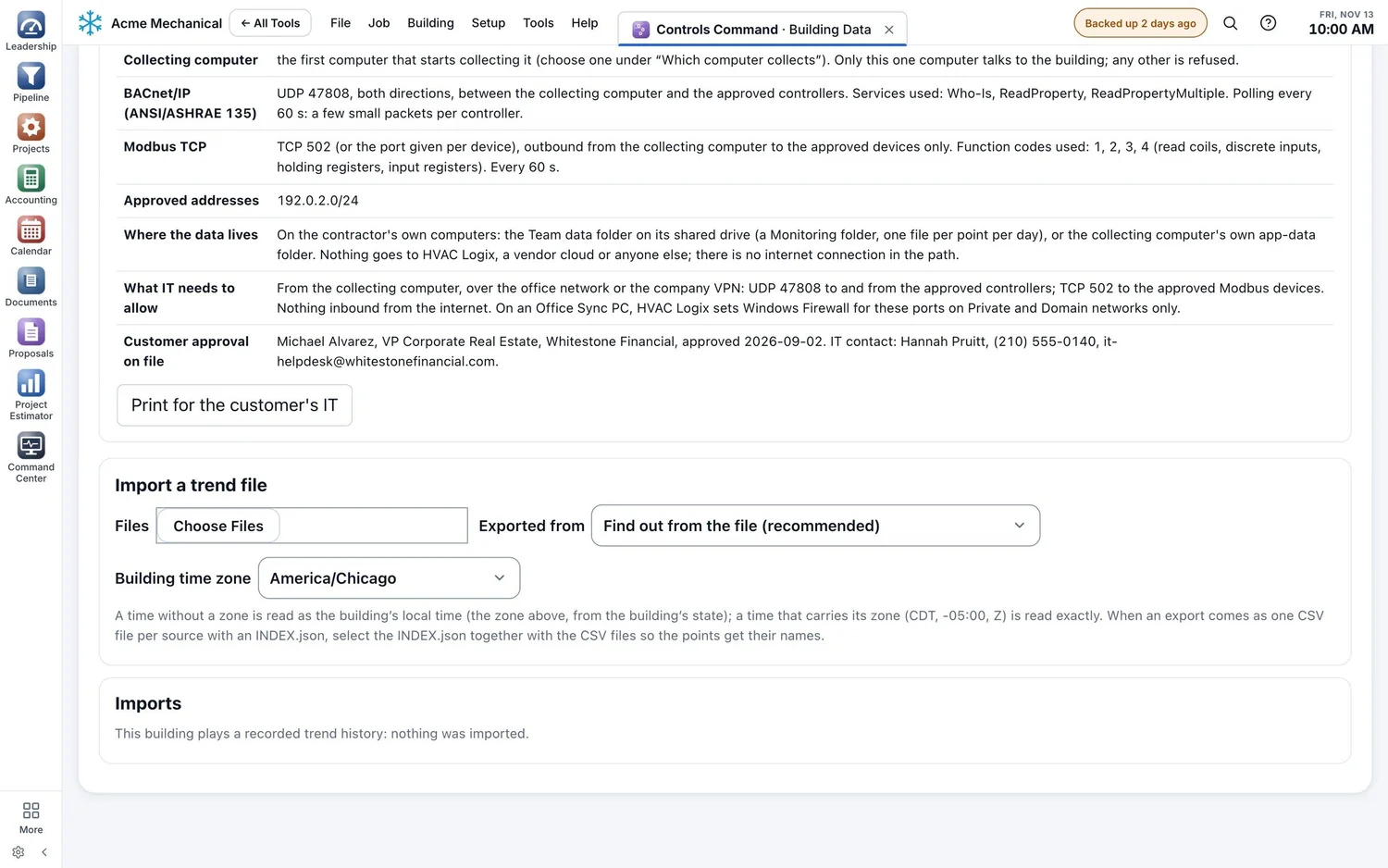
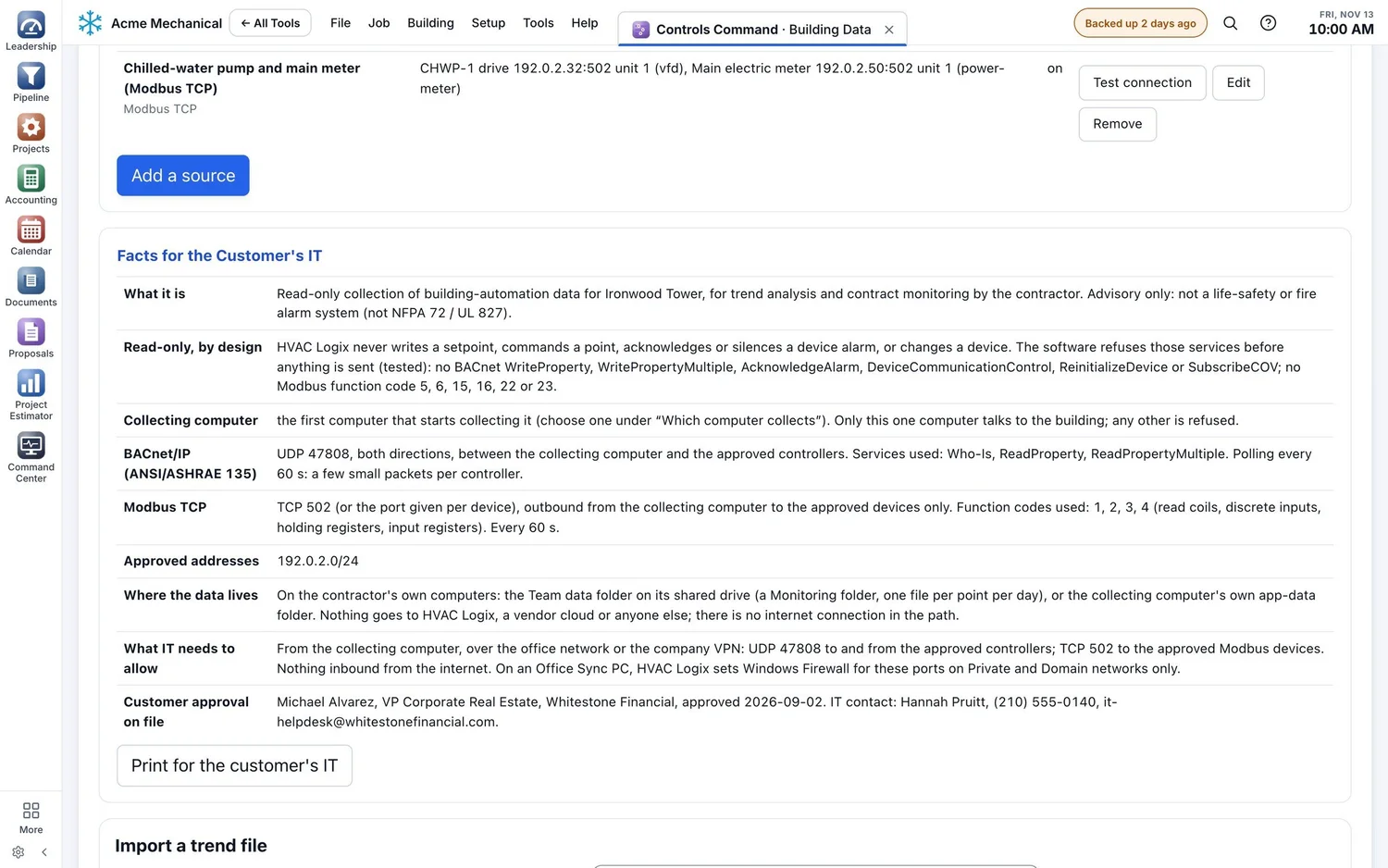
The collector only reads. HVAC Logix never commands, silences or acknowledges anything in a building automation system, and the collector holds no BAS passwords. Collection runs on your own office computer or network storage, not a vendor's cloud.
Learn MoreAdvisory, Not Life Safety
Monitoring in HVAC Logix is an advisory service. It is not a fire alarm, life-safety, security or central-station system, and it does not replace any system required by code.
Learn MoreShow Less
Selling monitoring with clear limits protects your company from being blamed for a system it never claimed to be. The software states those limits everywhere the customer and your staff look.
- It is not an NFPA 72 fire alarm system or a UL 827 central-station service.
- Readings depend on the customer's own sensors, network and power, so an alarm can be late, missing or wrong.
- "No alarm does not mean all is well" is shown on the tiles themselves.
- The proposal carries the Remote Monitoring Service clause from your terms library.
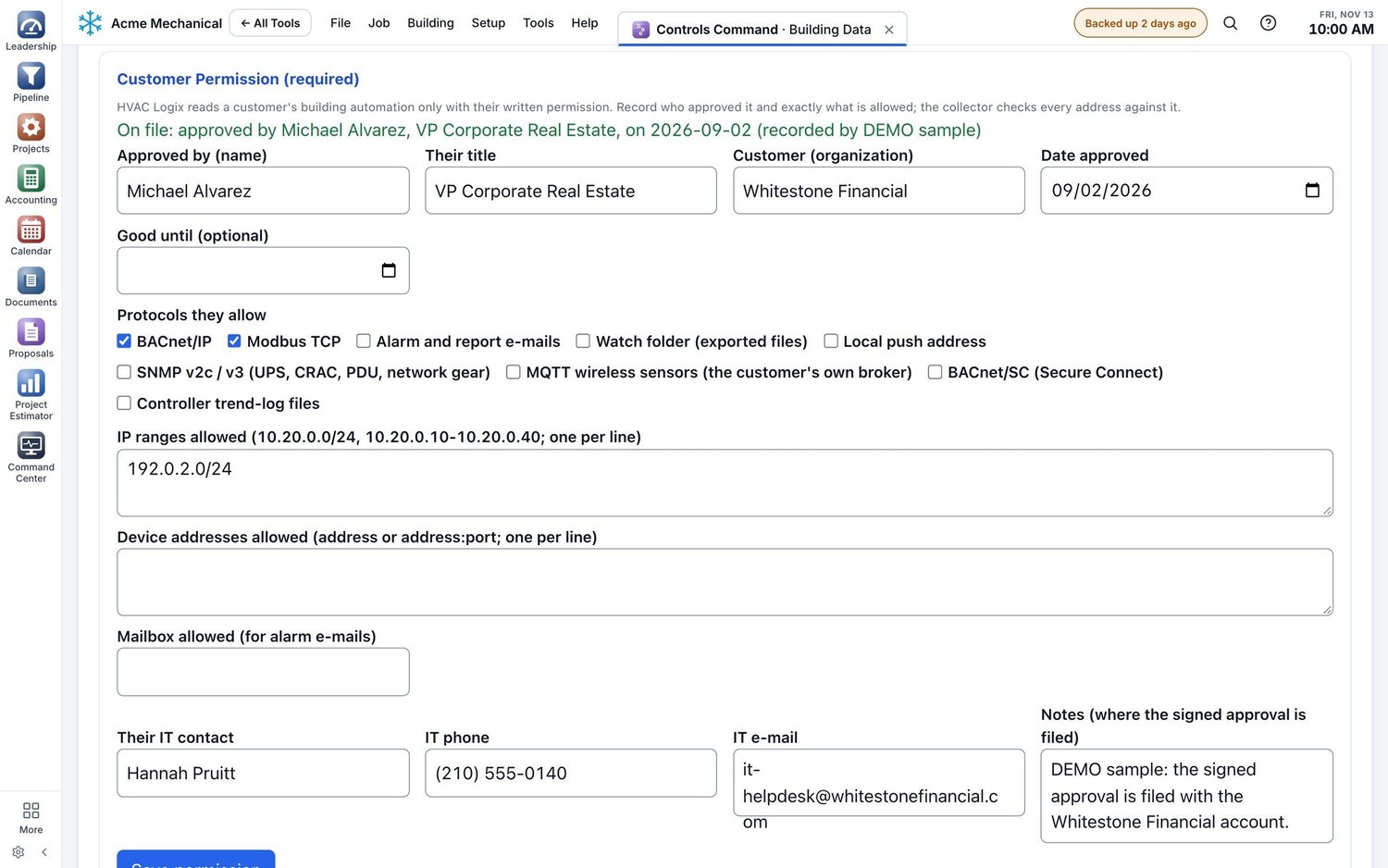
Nothing writes to the building, and collection needs written permission first.
Add Monitoring to Every Agreement You Sell
Monitoring keeps you in front of the customer every day, catches problems before the complaint call, and adds steady monthly revenue.
Launching early 2027 for HVAC Logix. Nothing to buy today, and no sales calls.
