
Every Inspection, Test and Filing, on a Calendar That Knows Why It Applies.
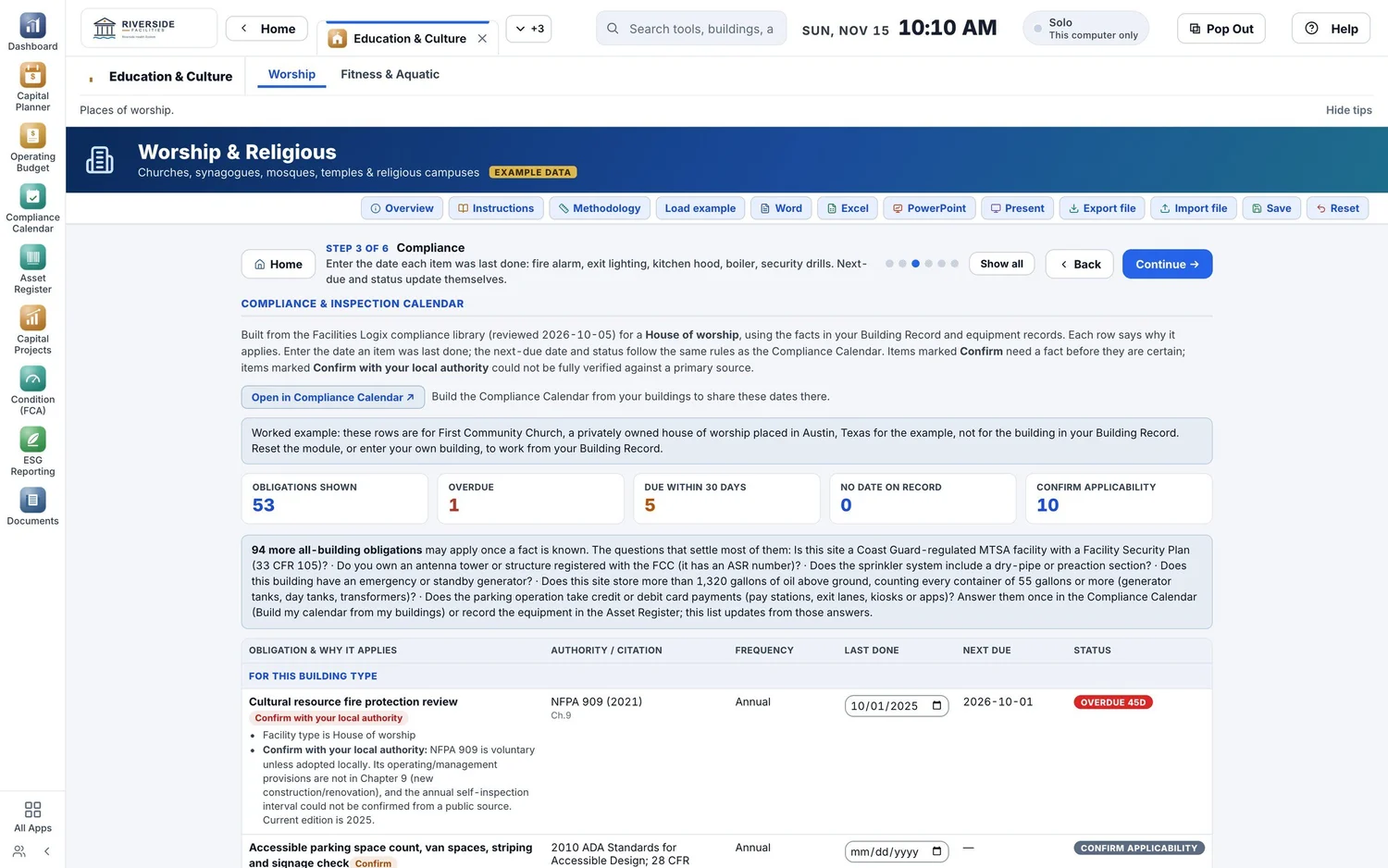
Which rules apply to a building depends on who holds it, where it is, how it is used and whose money pays for it. Facilities Logix reads those facts from each Building Record and builds the calendar for you from a library of 641 obligations, each with its authority, citation, frequency, performer and the evidence that proves it was done.
Launching Early 2027 · Join the Early-Access List
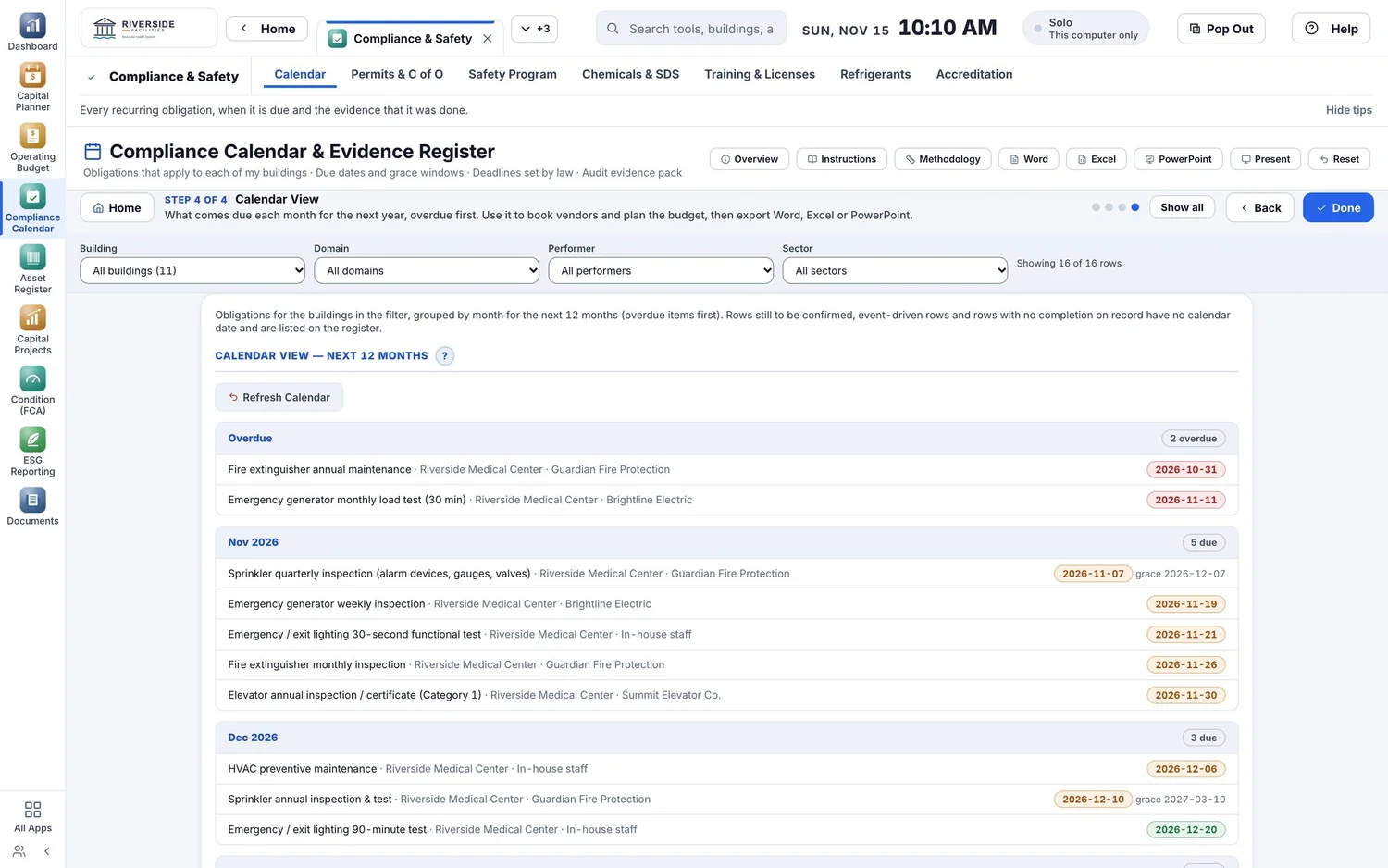
641 Obligations, Cited and Dated
What It Covers
- Fire and life safety, elevators and conveyance, boilers and pressure vessels, emergency power
- Water, environmental and OSHA programs, accessibility and energy reporting
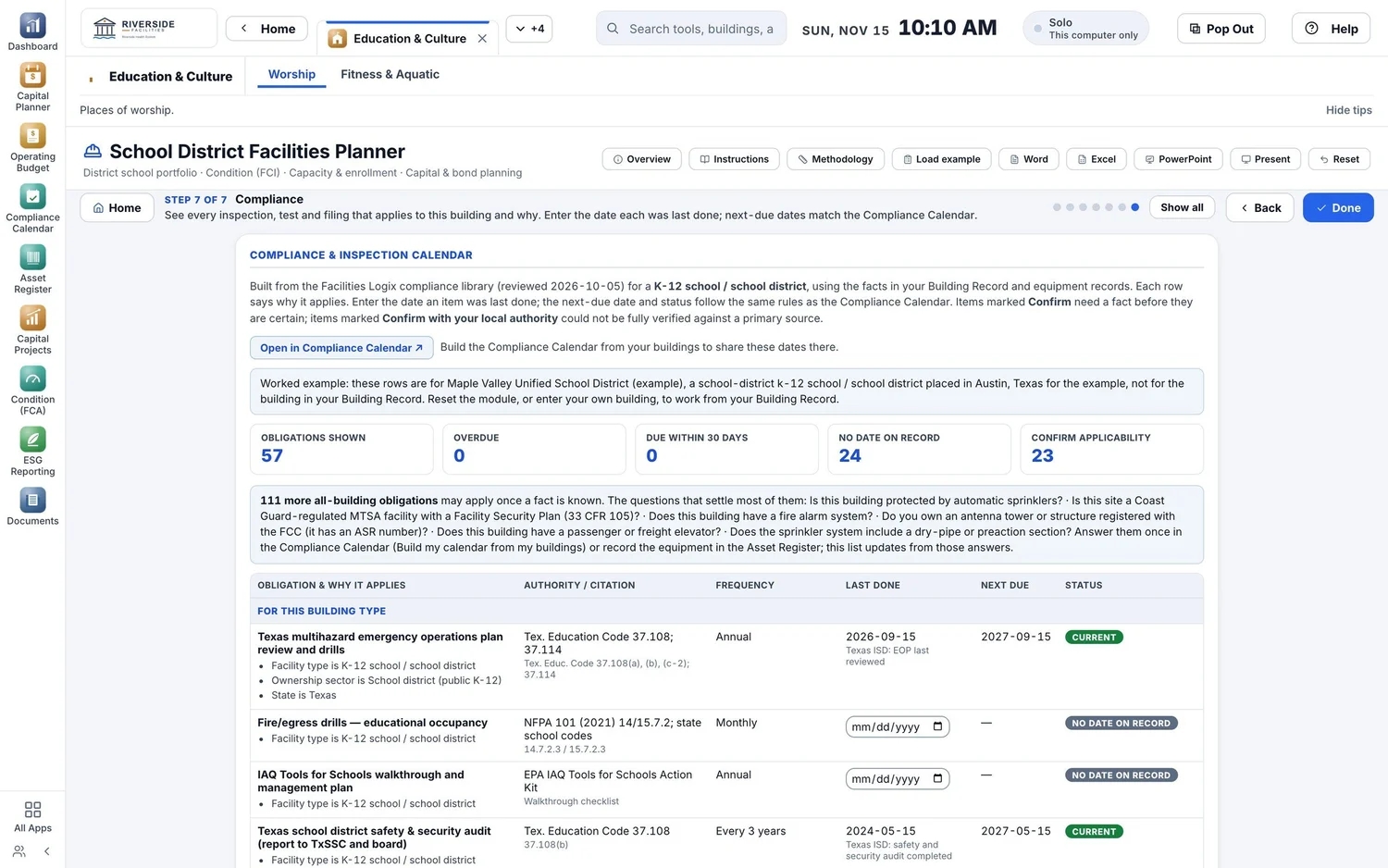
- Public-sector and facility-type rules, from hospitals and schools to airports and ships
- Benchmarking and building performance programs across states and cities
What Each Obligation Carries
- Its authority and edition, the citation, how often it recurs and who performs it
- The evidence that proves it, the source and the date it was last reviewed
- Verified entries carry the date they were checked against their primary source
- Entries that could not be confirmed from a primary source say Confirm With Your Local Authority
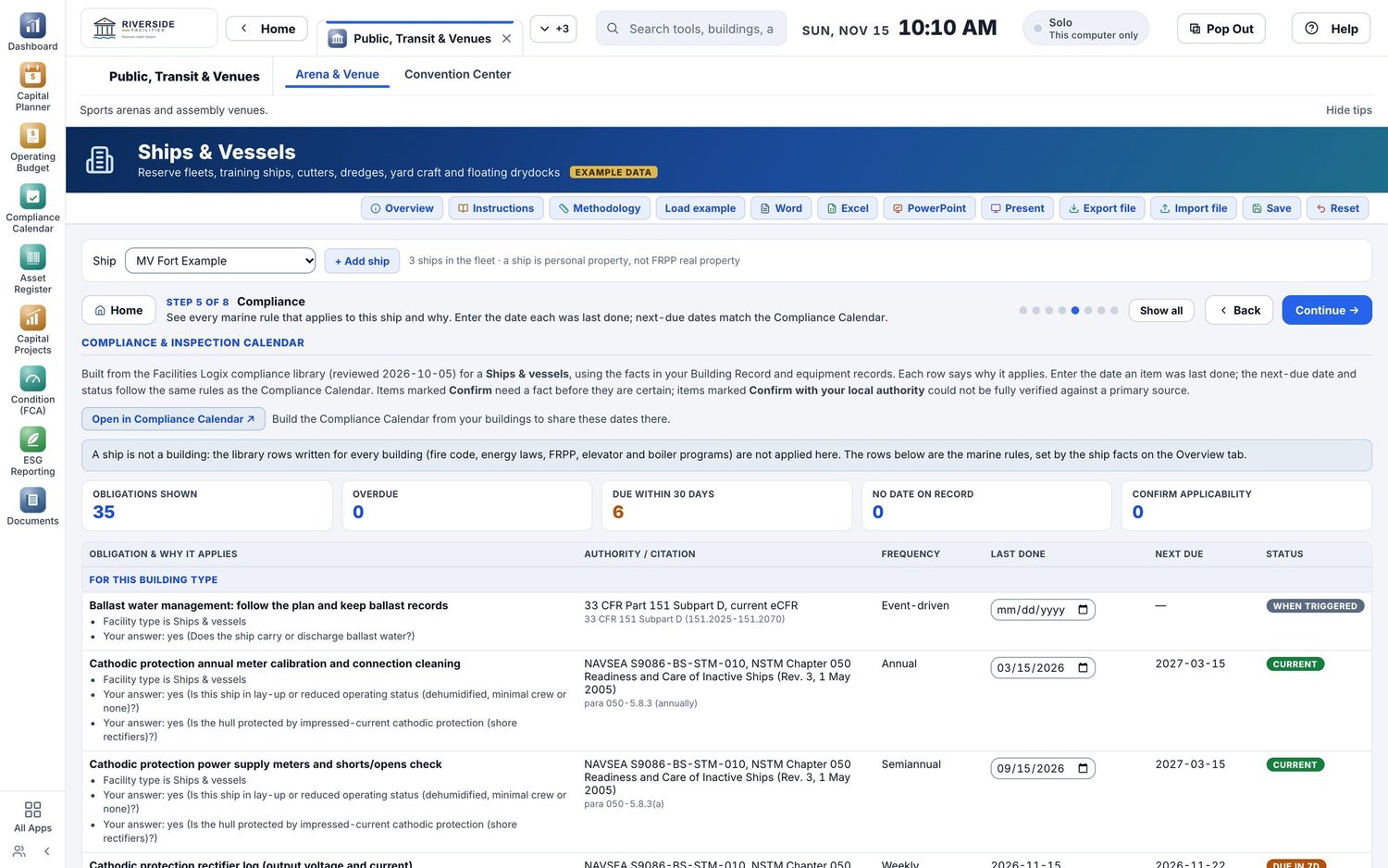
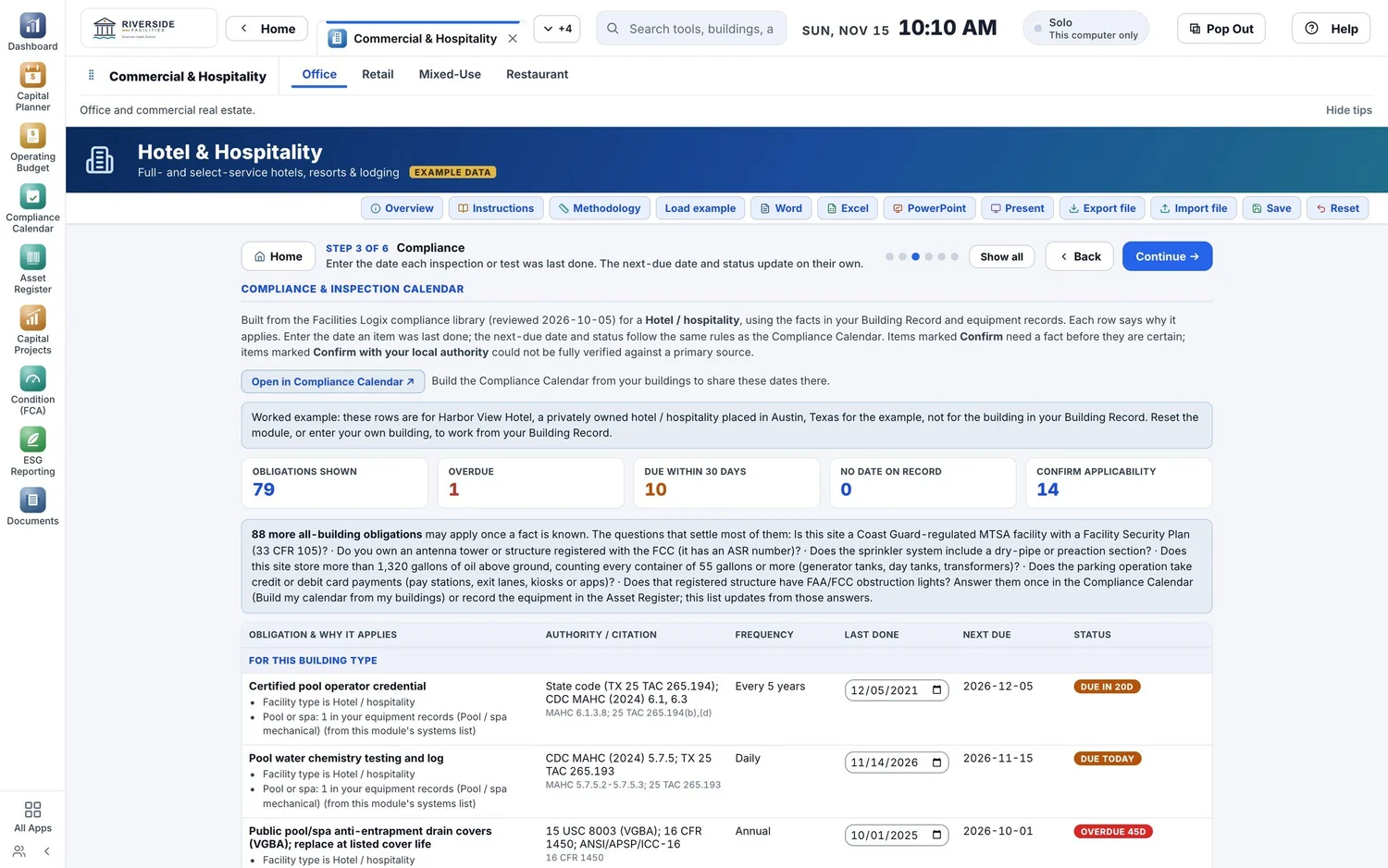
Compliance in Ships & Vessels: see every marine rule that applies to this ship and why. Enter the date each was last done; next-due dates match the Compliance Calendar.
Honest About Its Limits
- A blank fact is never guessed: the obligation is kept and marked Confirm Applicability, with the fact that would settle it
- An entry past its review date shows Library Entry Review Due
- The authority having jurisdiction and the edition it has adopted always govern
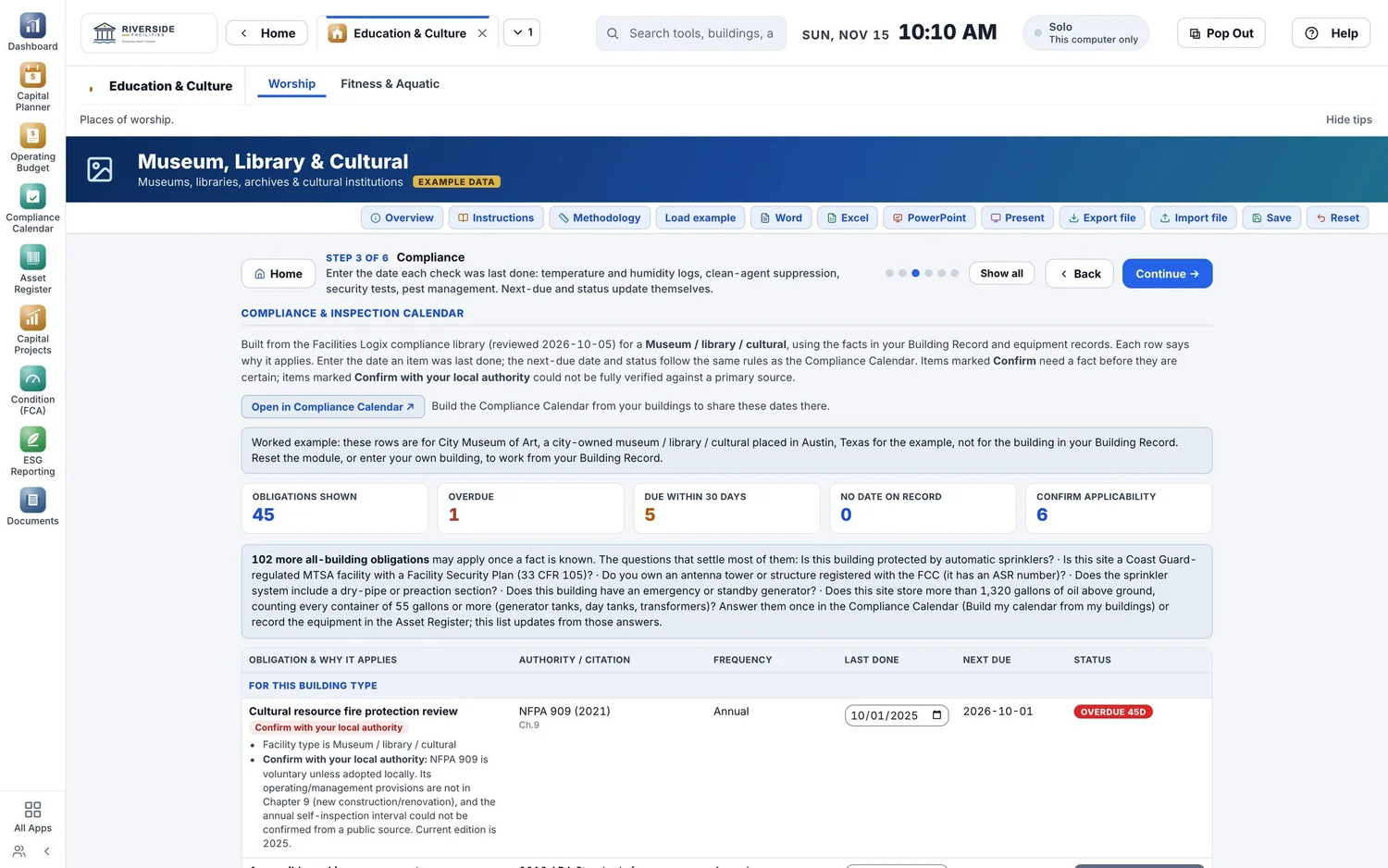
Compliance in Museum, Library & Cultural: enter the date each check was last done: temperature and humidity logs, clean-agent suppression, security tests, pest management. Next-due and status update themselves.
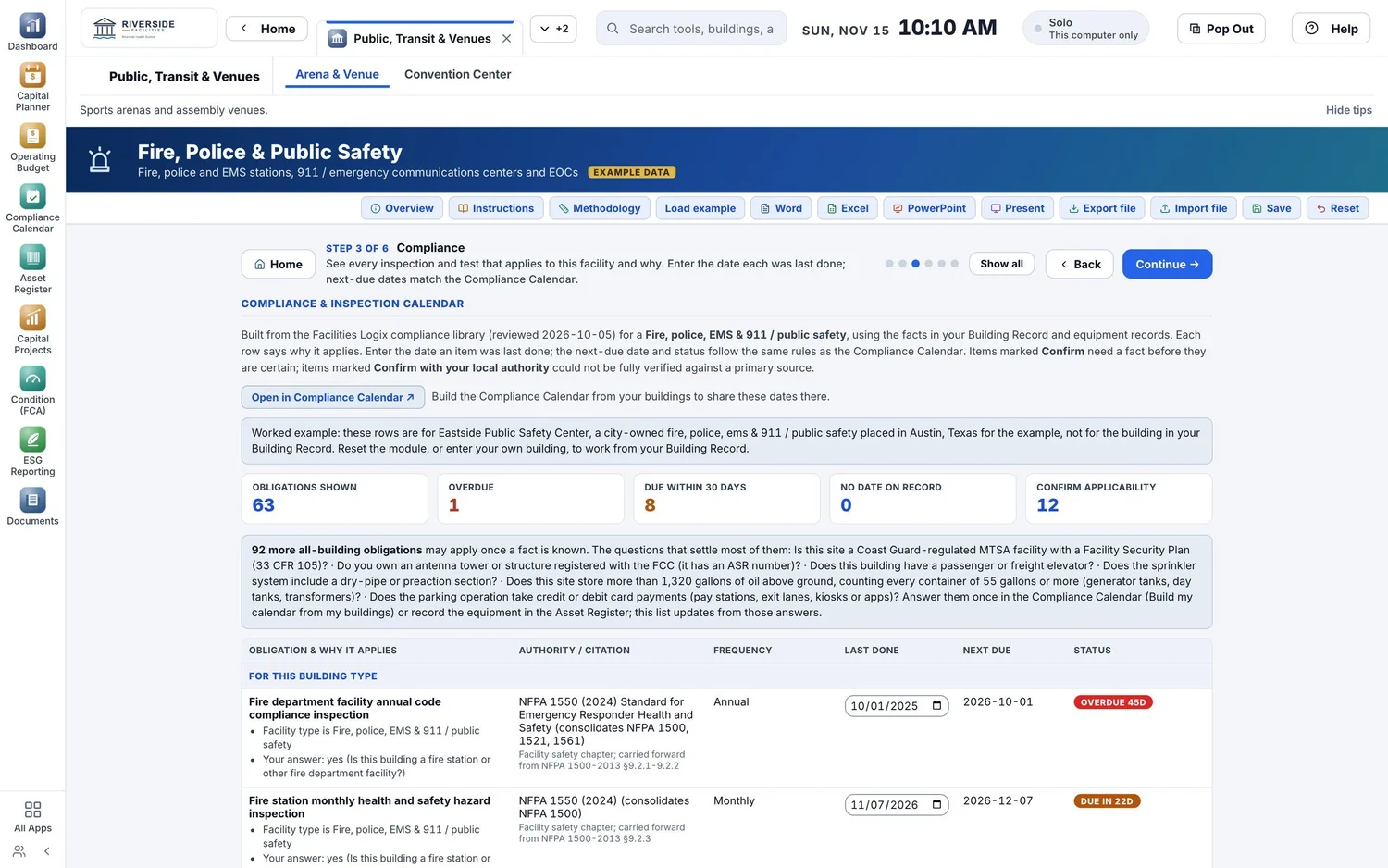
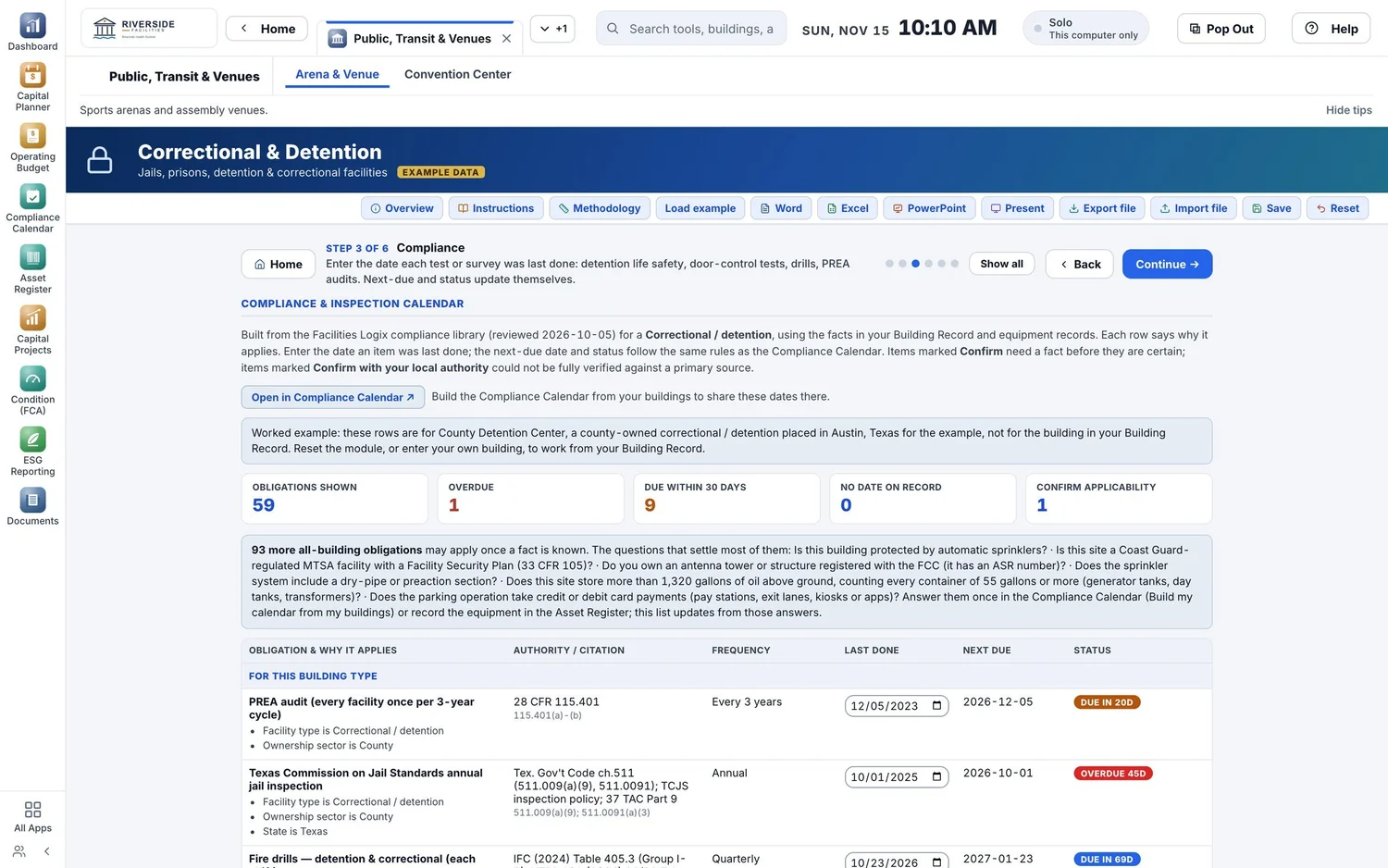
Compliance in Fire, Police & Public Safety: see every inspection and test that applies to this facility and why. Enter the date each was last done; next-due dates match the Compliance Calendar.
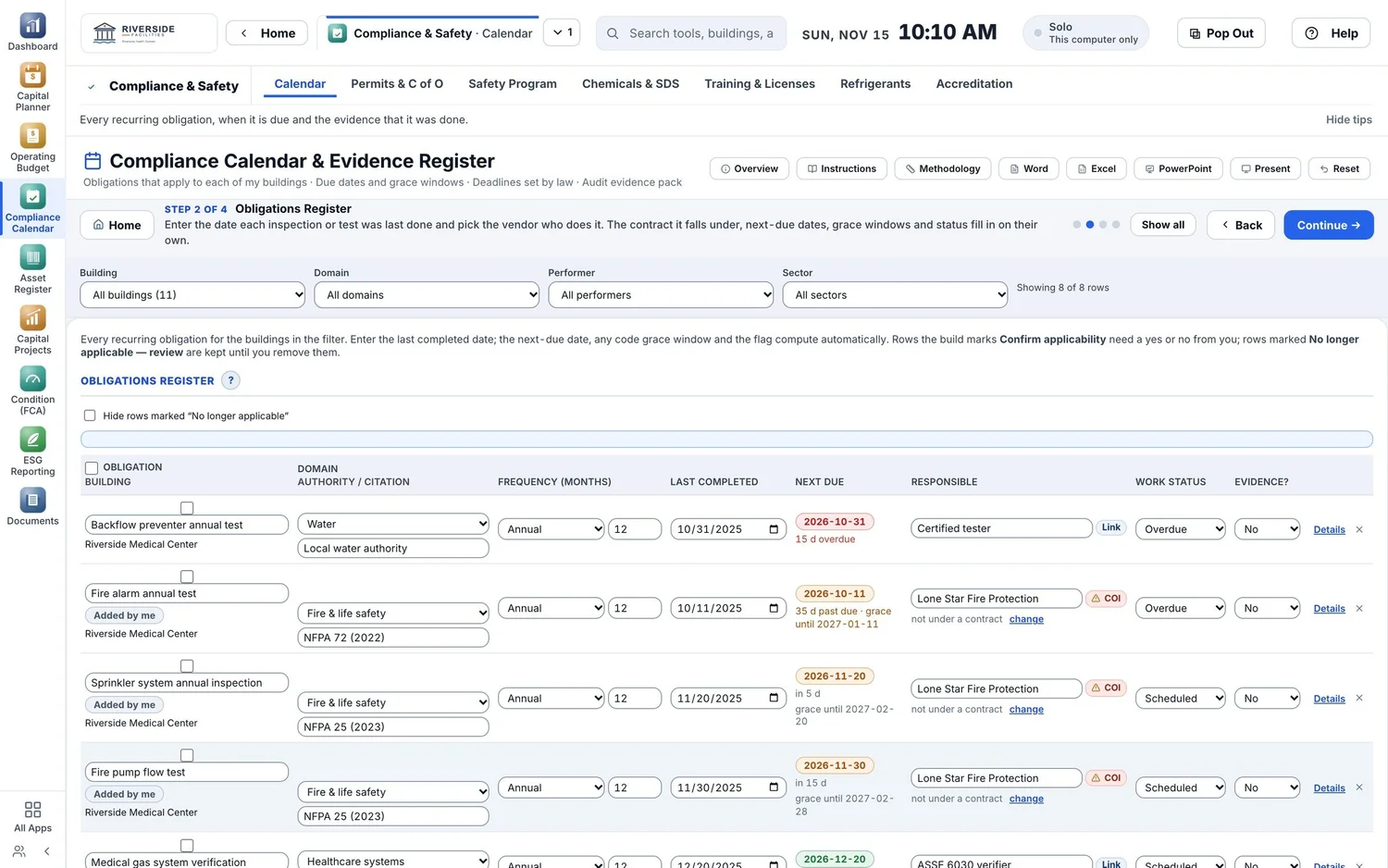
Four Steps, and Nothing Written Until You Apply
Building again later is safe. Completion dates, responsible parties, evidence and anything you changed are kept, and a row that stops applying is marked for review, never deleted.
Choose Buildings
Tick the buildings to build. Each shows how many rows it already has in the calendar.
Learn MoreShow Less
Rebuilding a compliance calendar by hand for each building takes days and misses items. The builder lays out every obligation from records you already keep, and running it again is safe.
- Last-completed dates, responsible parties and evidence kept on every rebuild
- Any name or frequency you changed is kept
- Rows that no longer apply are flagged for review and kept
- Each building keeps its own calendar, with an All Buildings view
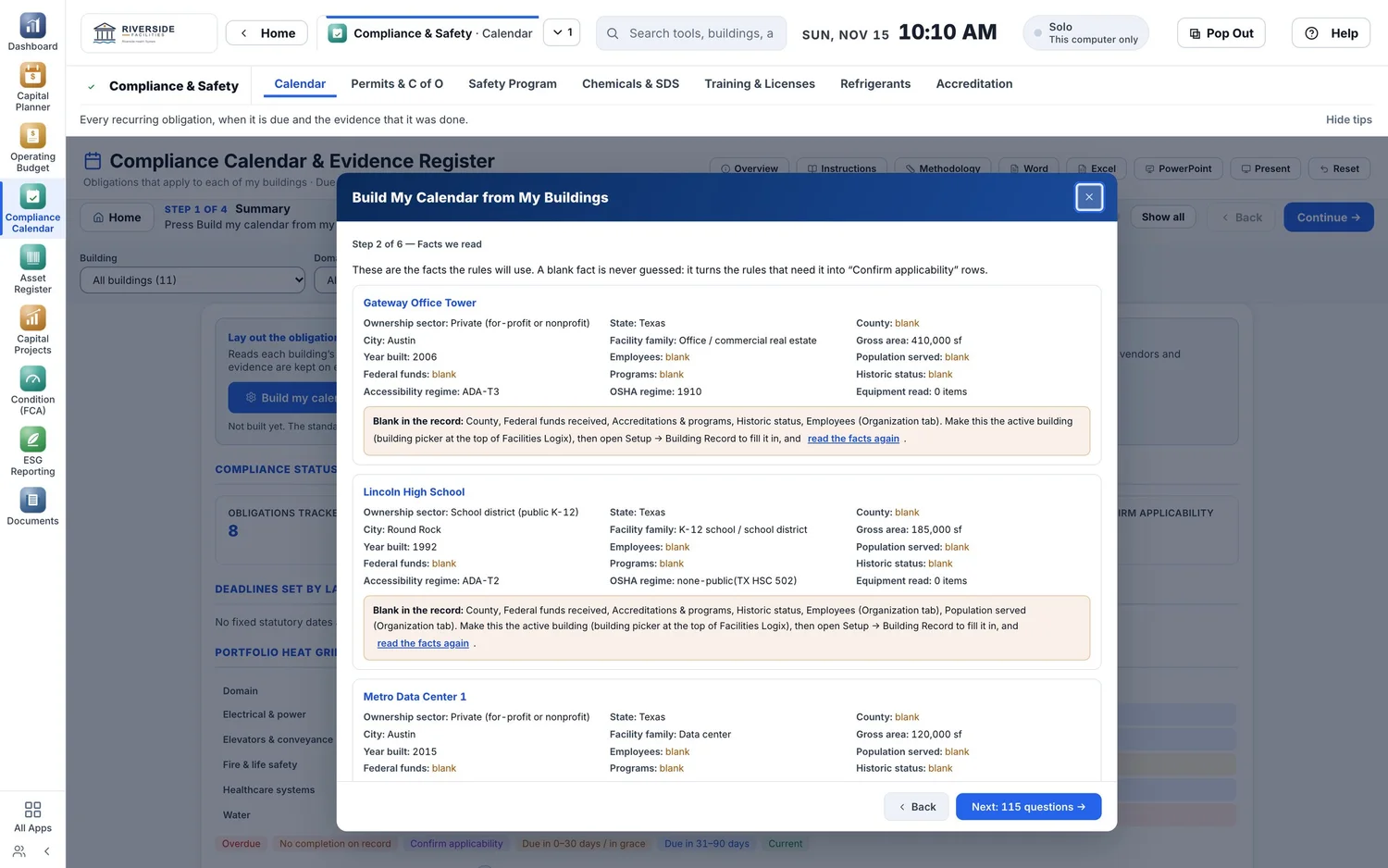
Facts We Read
Sector, state, county, city, facility type, area, year built, employees, federal funds, programs, historic status and the equipment on record, with a link to fix any blank.
Learn MoreShow Less
Fines and failed inspections come from obligations nobody knew applied. The calendar reads the facts that decide each rule, so ownership, location and equipment set what is owed.
- A library of 641 obligations, 581 checked against their primary source
- A blank fact shows as blank, with Fix It in the Building Record
- Equipment read from the Asset Register, Building Systems and Elevators
- Ownership sets the accessibility and workplace-safety rules that follow
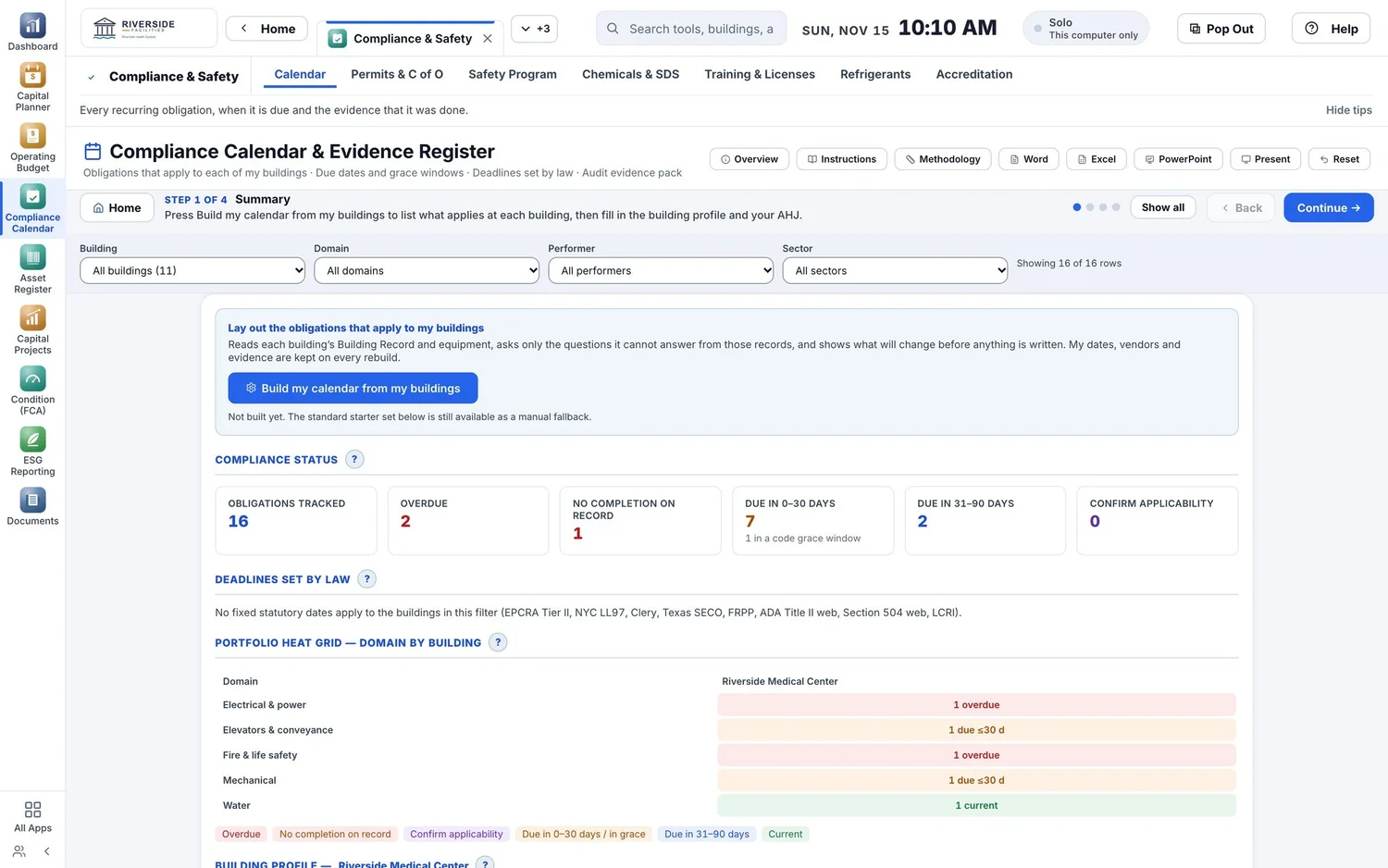
Summary in Compliance Calendar & Evidence Register: press Build my calendar from my buildings to list what applies at each building, then fill in the building profile and your AHJ.
Questions
Only what the records cannot answer, such as permit-required confined spaces or aboveground oil storage. Don't Know keeps those rows as Confirm Applicability.
Learn MoreShow Less
Answering a long questionnaire costs time, and a wrong guess costs a missed obligation. The calendar asks only what the records cannot answer, on at most three screens.
- Each question says how many obligations it decides
- Yes, No or Don't Know, building by building
- An answer that settles a later question removes that question
- Unanswered facts are named on the row, with what would settle them
Preview and Apply
See what is new, what changed frequency, what no longer applies and what applies again, per building. Elevators, boilers, generators and cooling towers get one row per unit.
Learn MoreShow Less
A change written straight into a live calendar can drop an inspection unnoticed. The preview shows every change before it is applied, so nothing owed disappears.
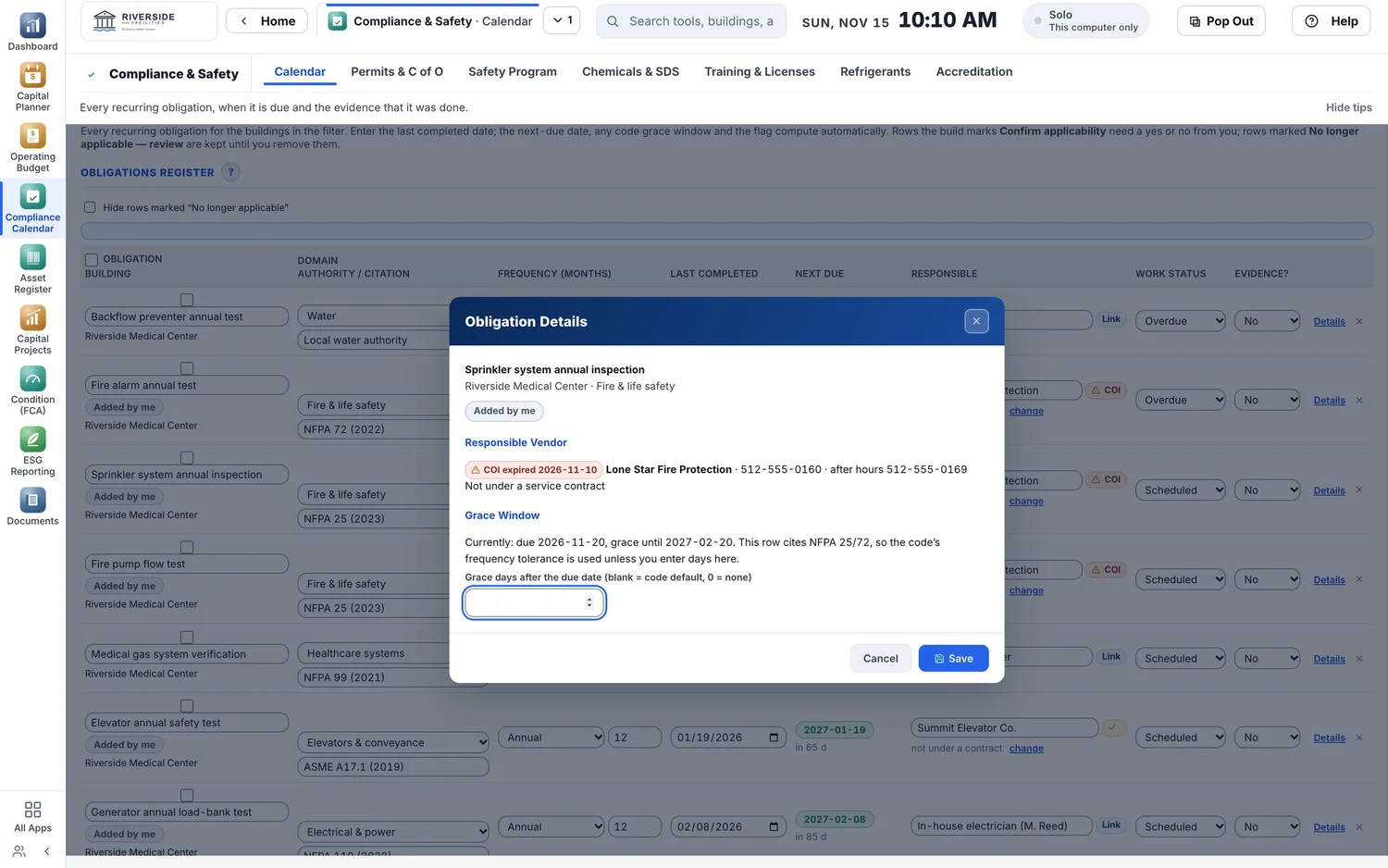
- NFPA 25 and NFPA 72 grace windows: annual items within 15 months
- Deadlines set by law, such as the EPCRA Tier II inventory on March 1
- Details on each row show why it applies and its source
- An AHJ override records a different interval, and who said so
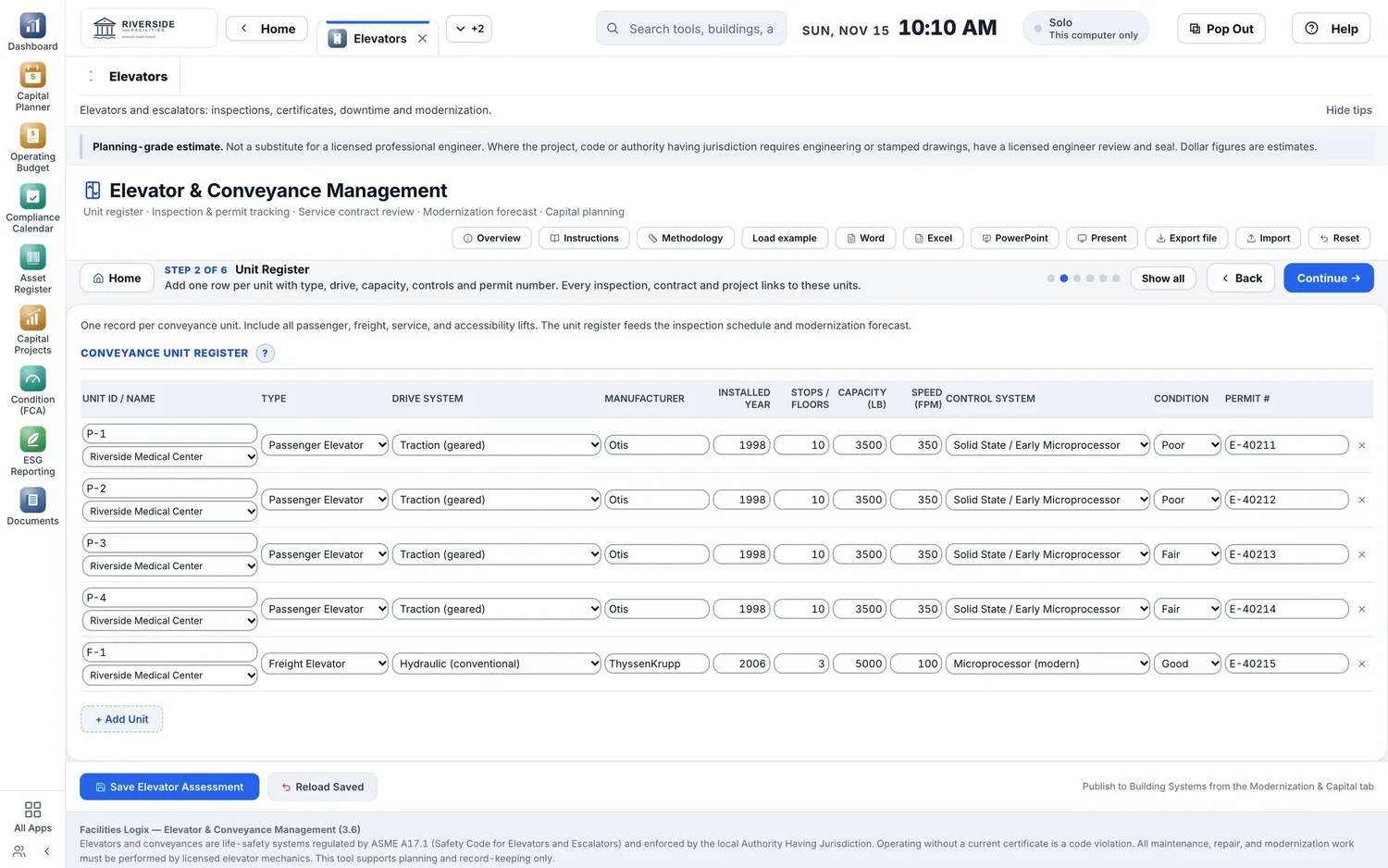
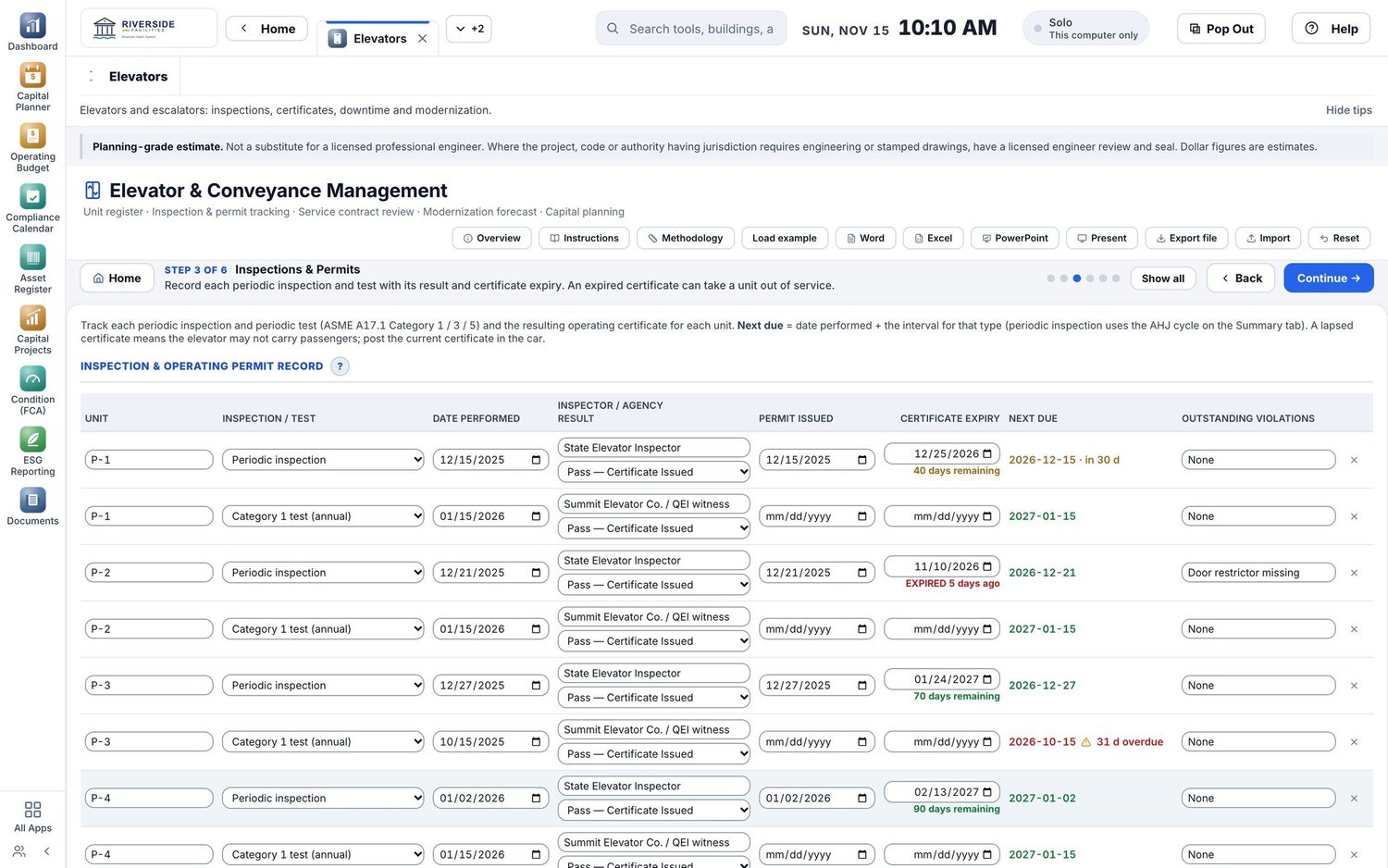
Unit Register in Elevator & Conveyance Management: add one row per unit with type, drive, capacity, controls and permit number. Every inspection, contract and project links to these units.
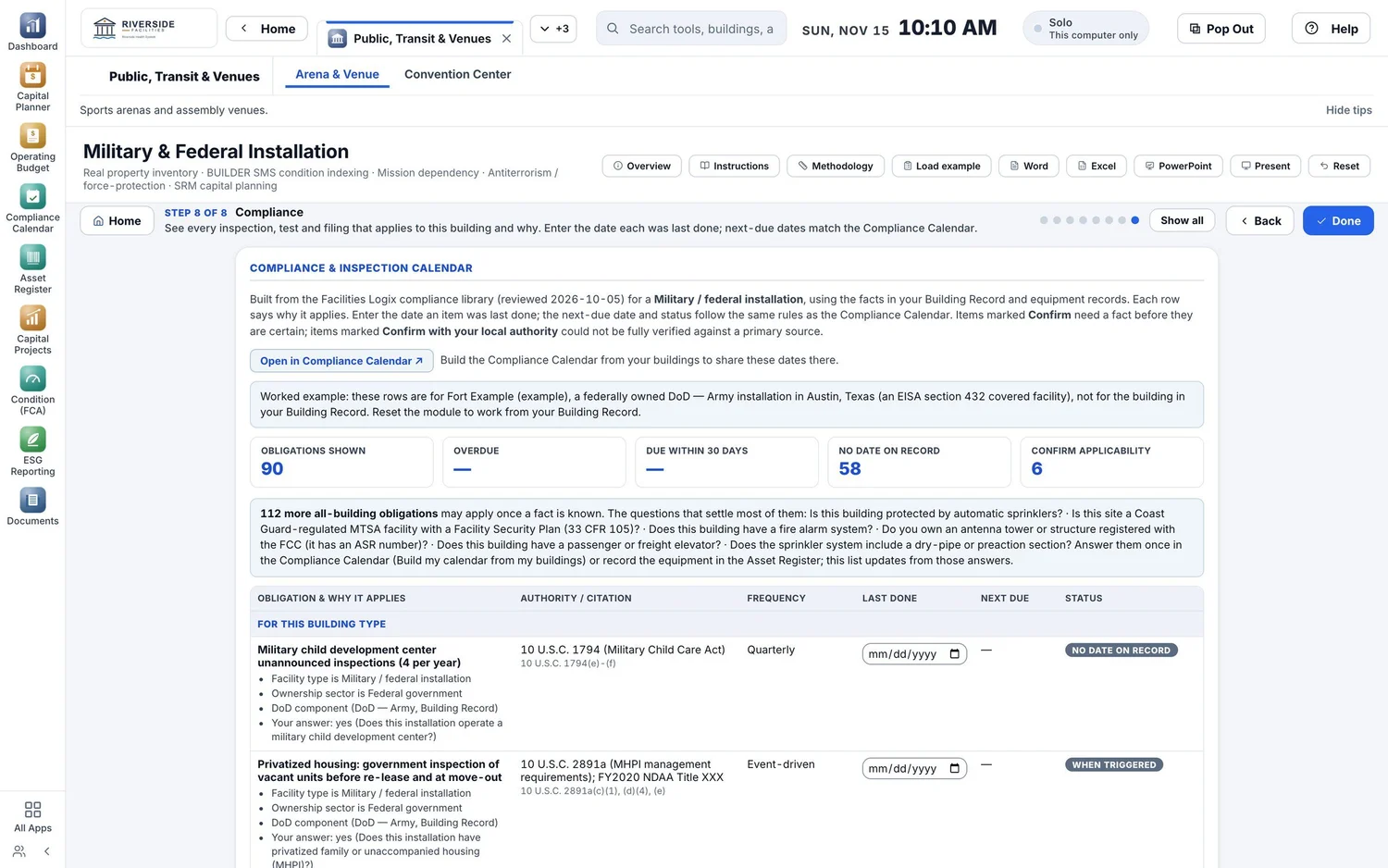
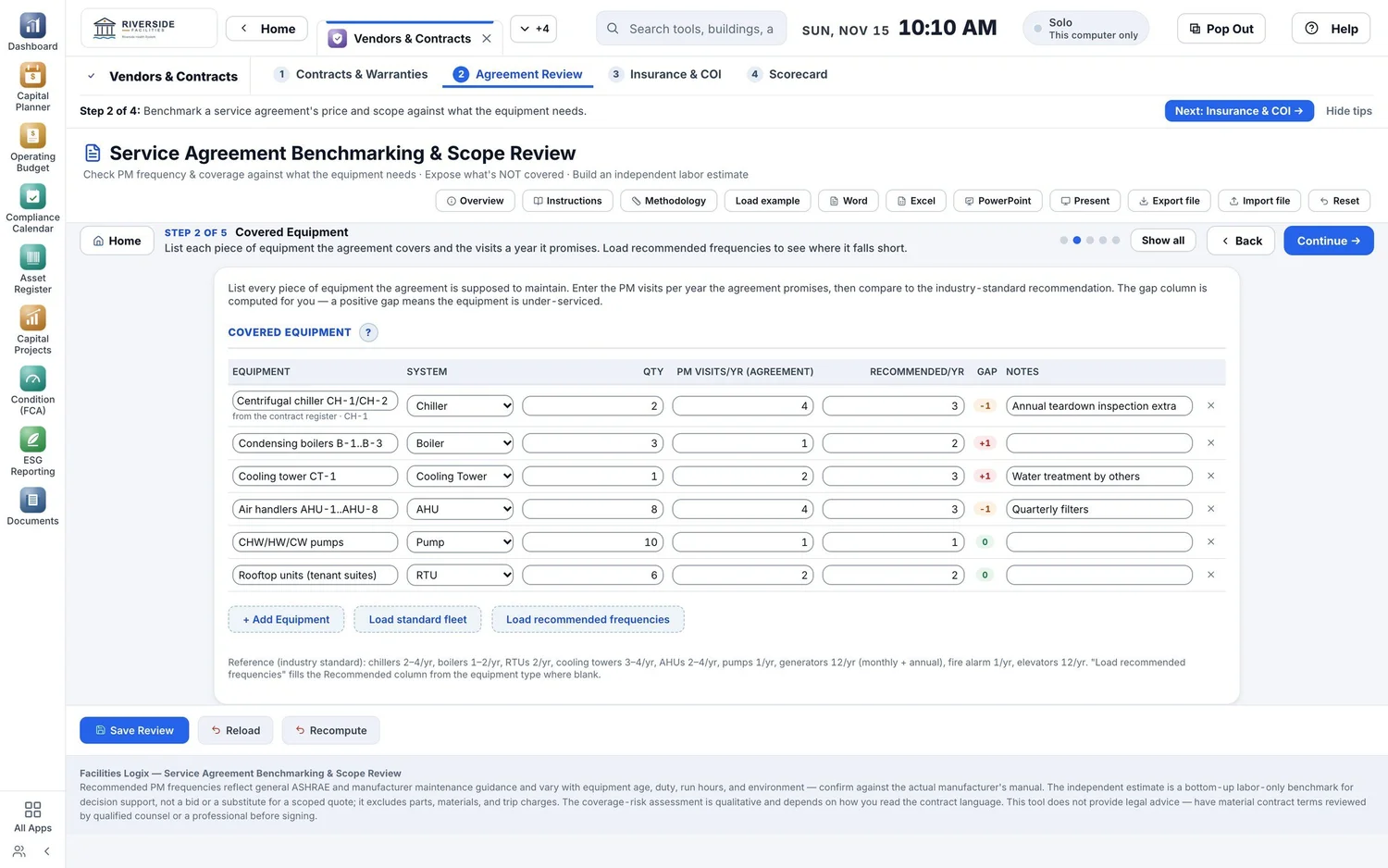
Why It Applies, When It Is Due and How Urgent It Is
On Every Row
- Why It Applies: the facts and equipment behind the row, the rule and its source
- Grace windows that follow the code's own tolerance for fire protection and fire alarm testing, or your own grace days
- The responsible party, picked from your vendor list for contractor-performed work, with vendors of the right trade listed first
Across the Portfolio
- A calendar per building, or all buildings together, filtered by domain, performer and sector
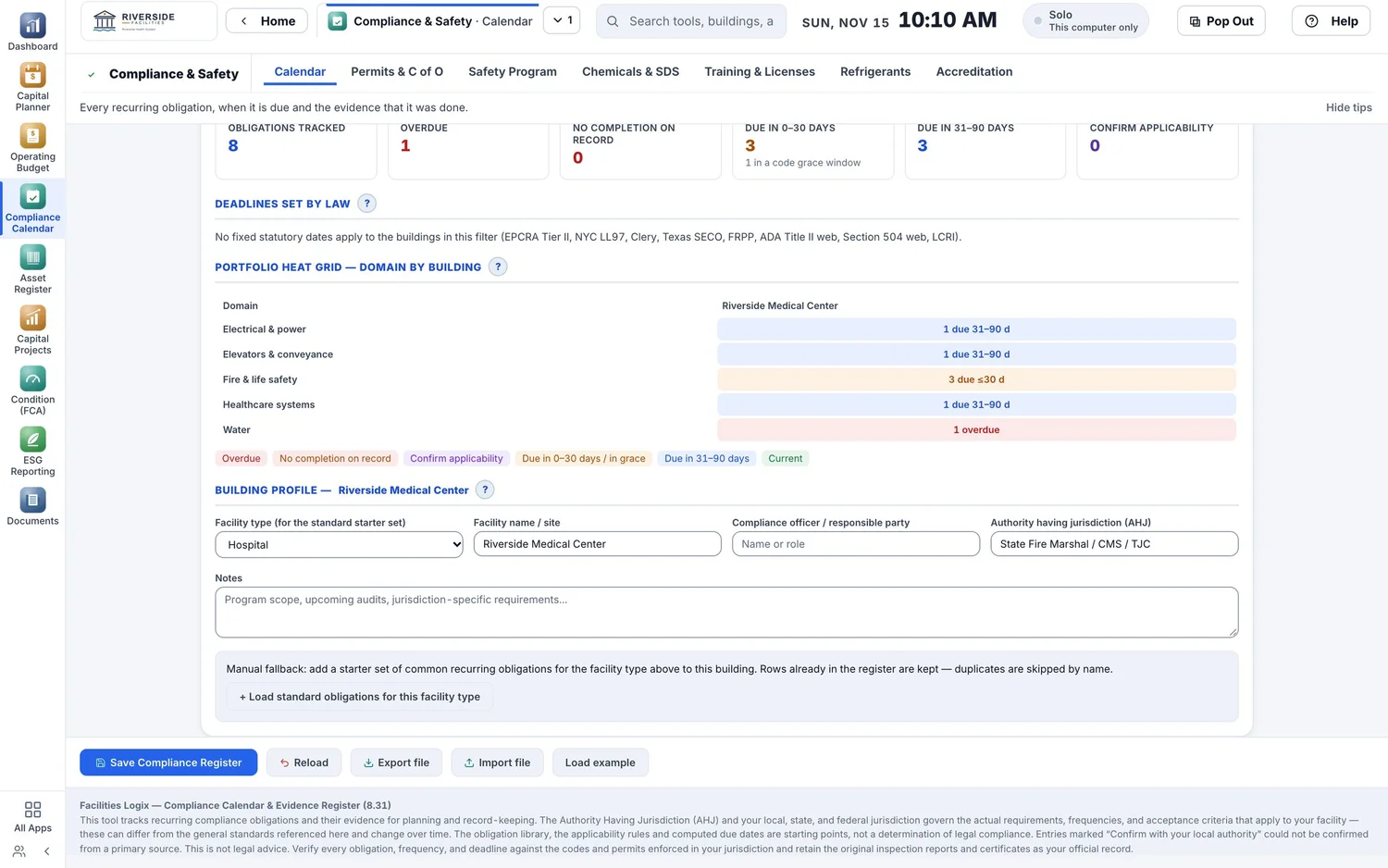
- Deadlines Set by Law: fixed statutory dates that apply to your buildings
- A portfolio heat grid: each domain by building, colored by its most urgent state
- The Executive Dashboard reads the calendar live: overdue, never recorded, the oldest overdue item and rows to confirm
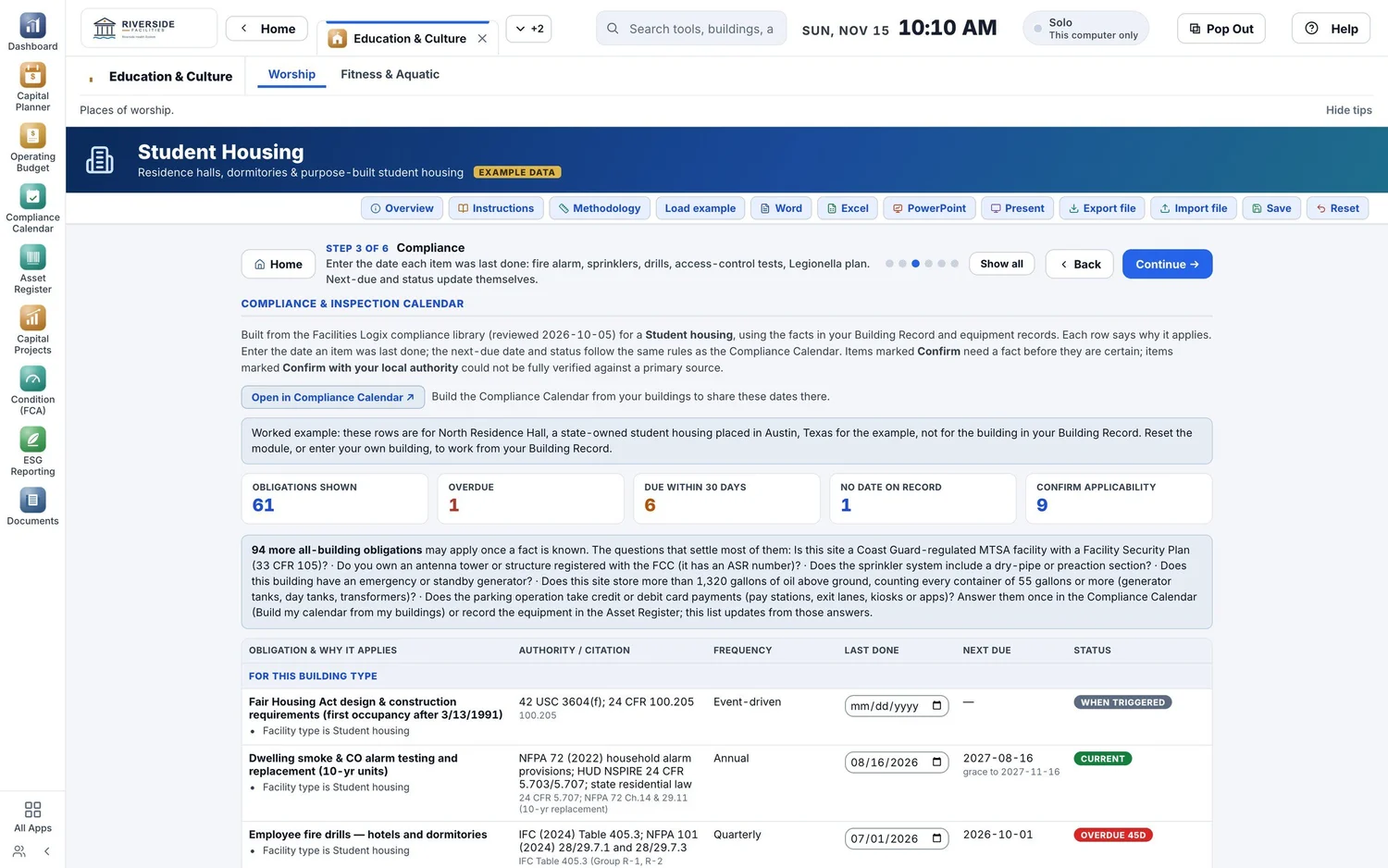
Compliance in Student Housing: enter the date each item was last done: fire alarm, sprinklers, drills, access-control tests, Legionella plan. Next-due and status update themselves.
Local Authority Overrides
- Record a different interval your authority requires, with who said so and where
- Turn off an obligation your authority does not require; it returns if you clear the override
- Publish one Organization Compliance Standard and apply it at every site, with each change shown before it is written
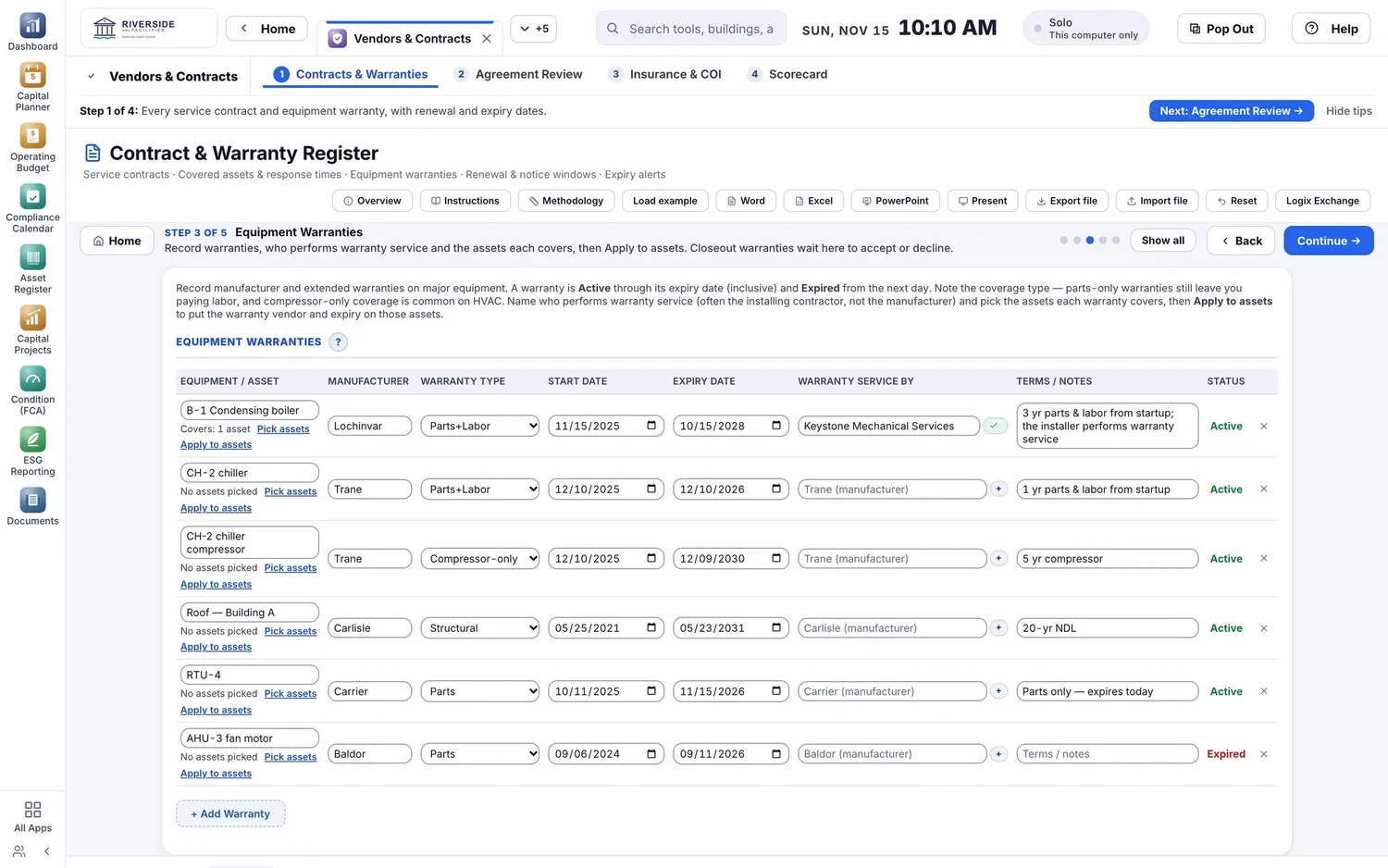
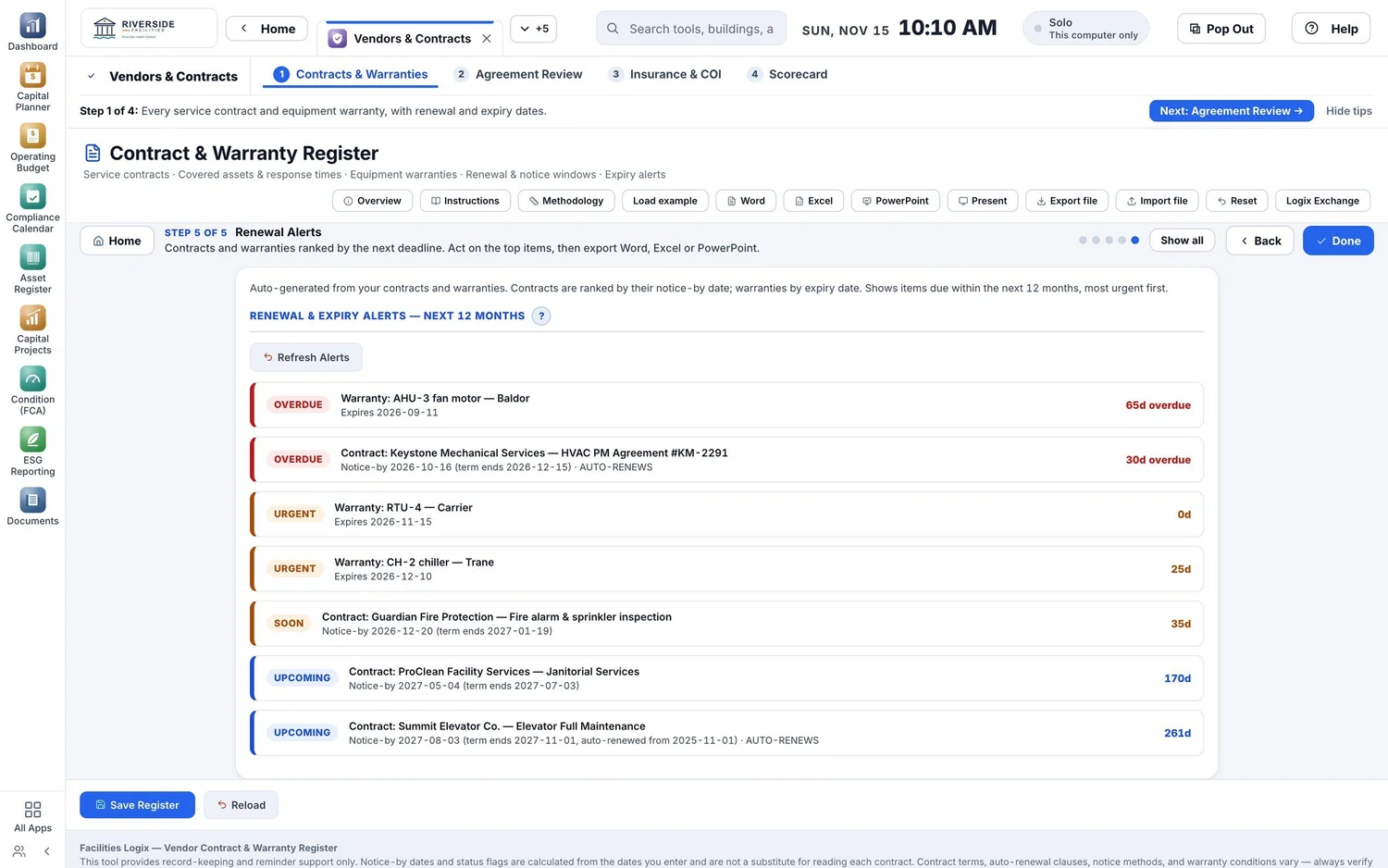
Equipment Warranties in Contract & Warranty Register: record warranties, who performs warranty service and the assets each covers, then Apply to assets. Closeout warranties wait here to accept or decline.
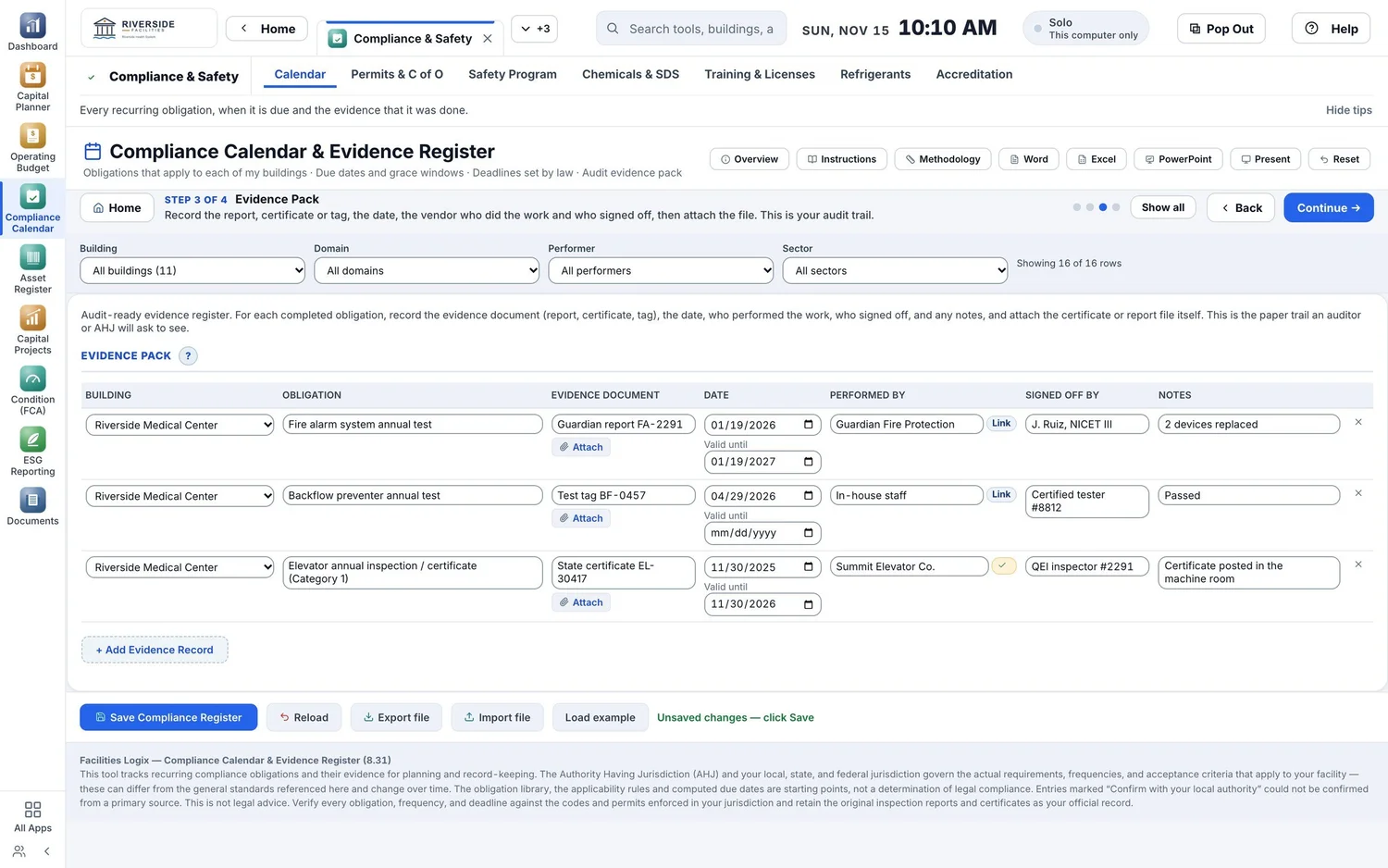
The Pack an Auditor or Inspector Asks For
The Evidence Register
When an inspection or test is completed, record who performed it, enter a valid-until date if the certificate shows one and attach the certificate or report. It is stored with the record on your computers and opens again with one click. Outside inspection and test results from a testing company can be imported from a file, with the report PDF kept alongside.
The Audit Pack
Word and Excel reports add status by building, deadlines set by law, why each obligation applies, what would settle each row still to confirm, the local authority overrides, the source list with reviewed dates and the library version. The report says why each obligation applies and cites its source.
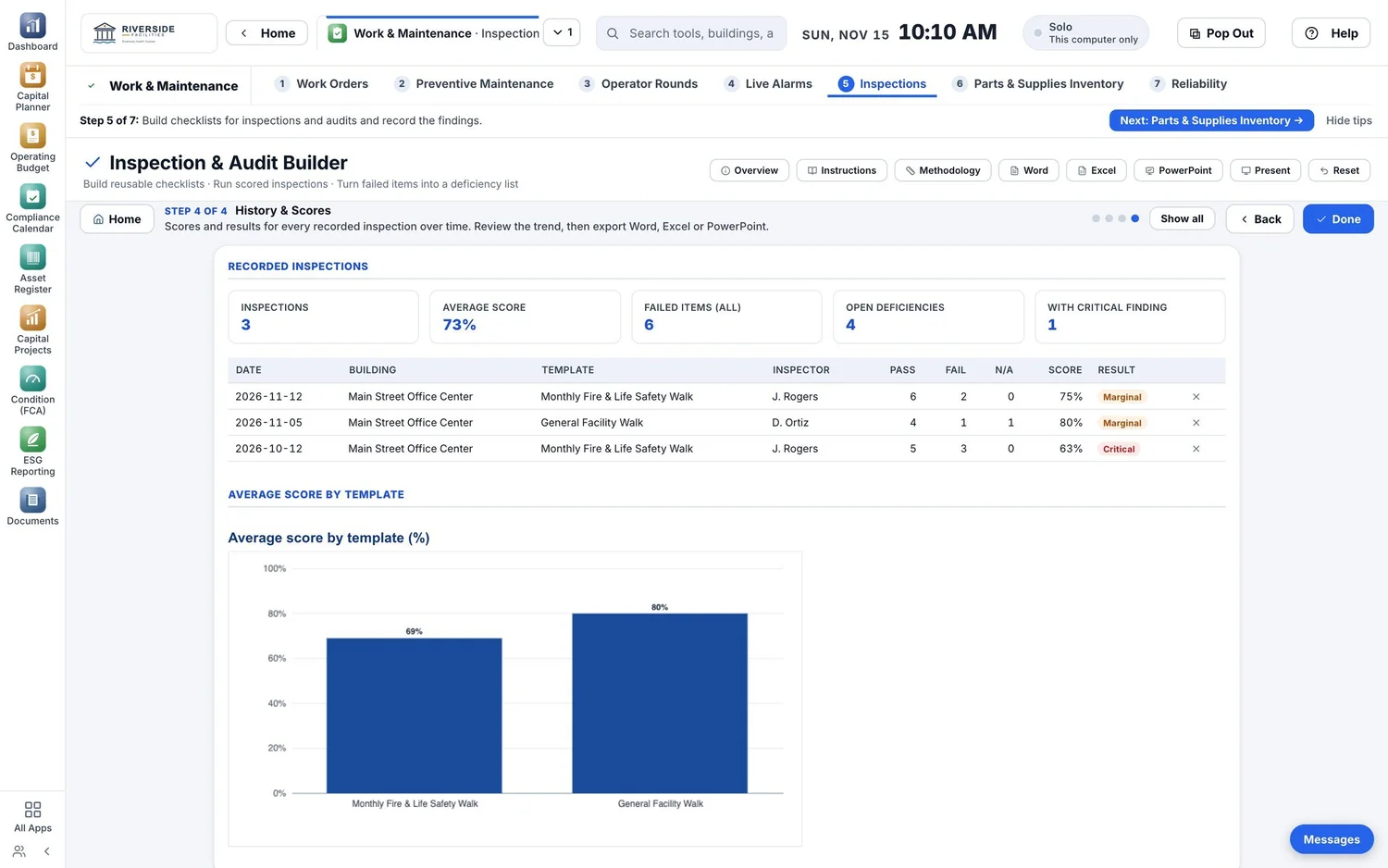
History & Scores in Inspection & Audit Builder: scores and results for every recorded inspection over time. Review the trend, then export Word, Excel or PowerPoint.
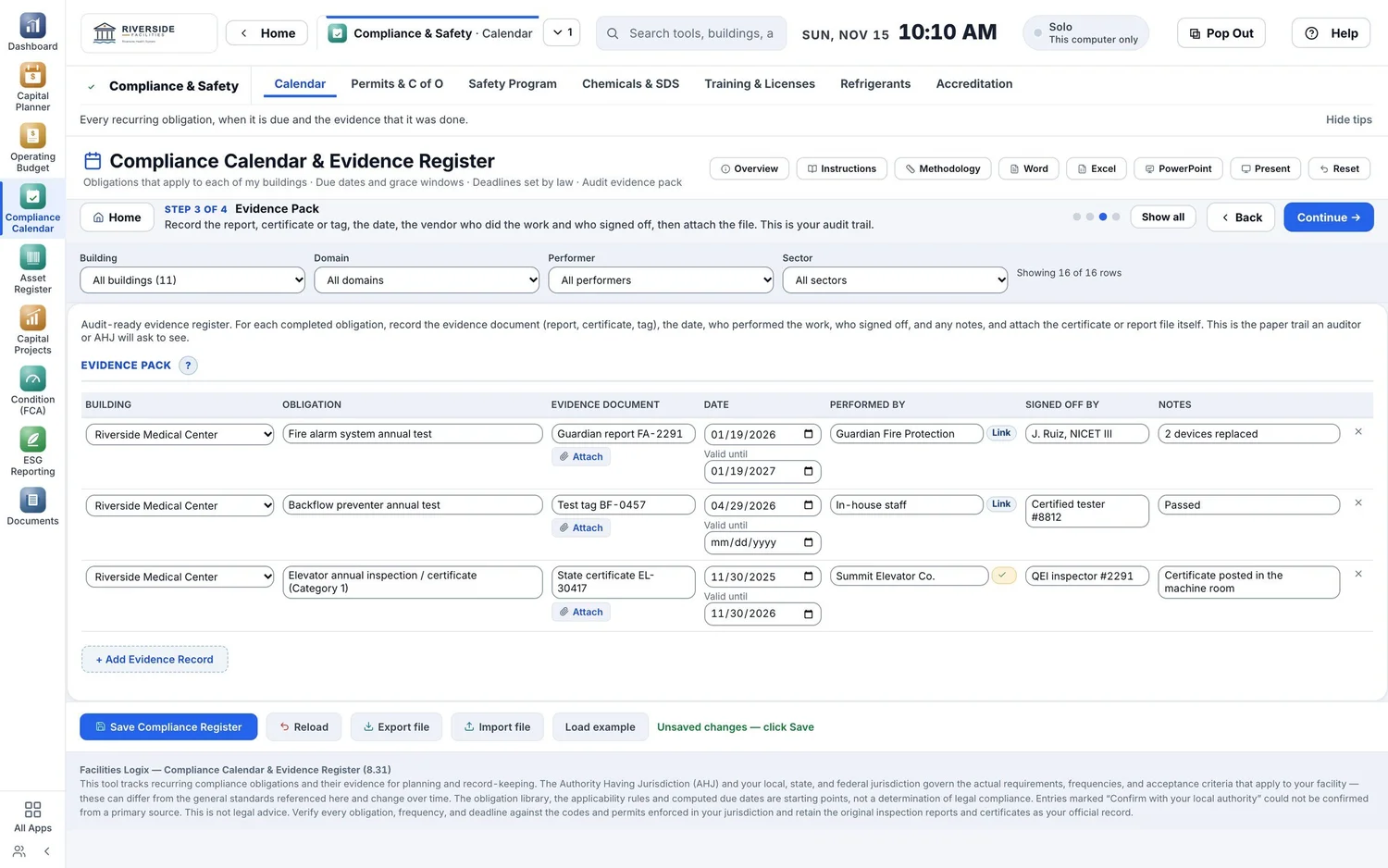
An inspector asks for proof that sits in someone's inbox, so each record keeps its certificate and report.
Permits, Refrigerants, Accreditation and Accessibility
Permits & C of O
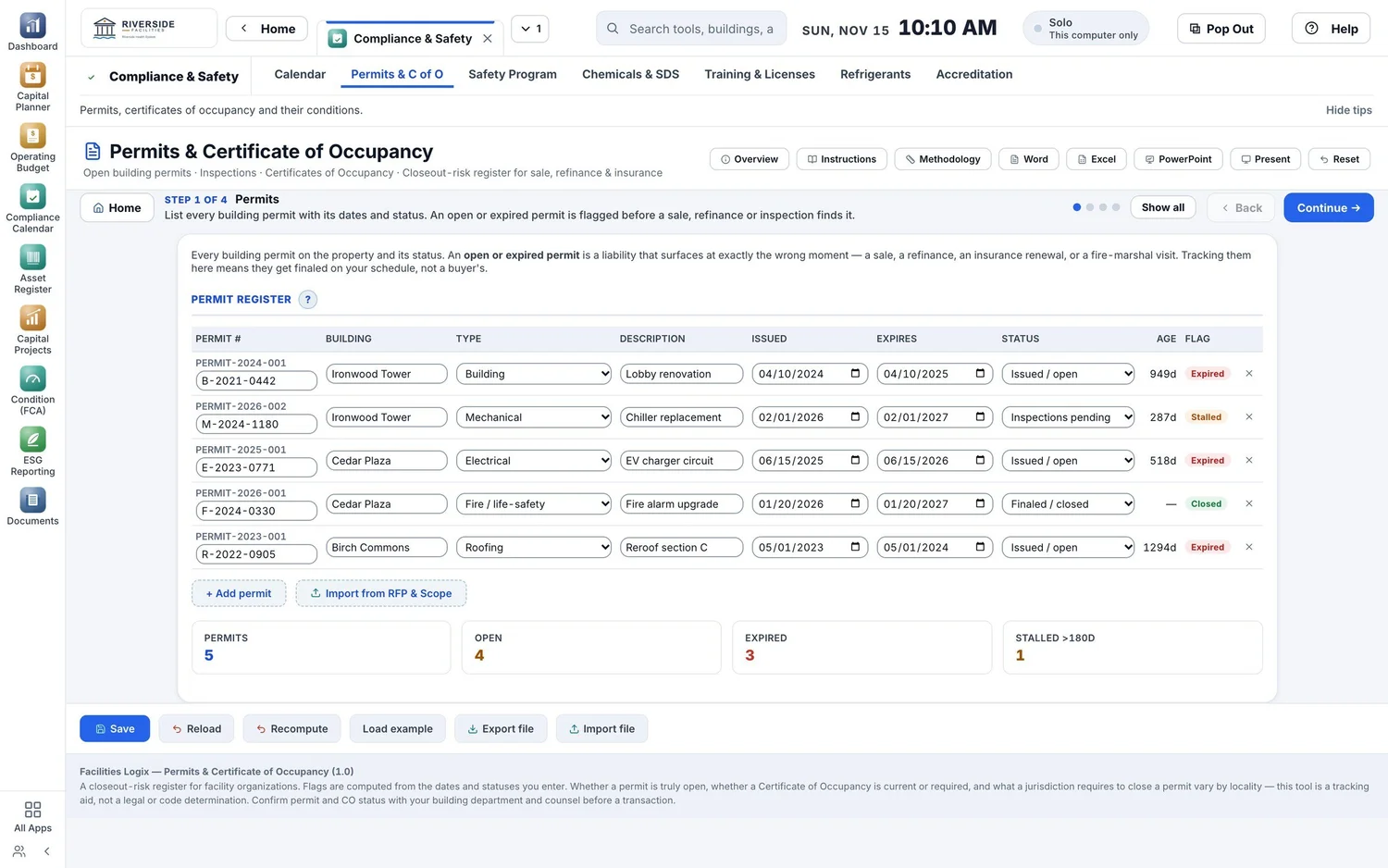
Open building permits, inspections and certificates of occupancy in one register: the open, expired and missing items that surface at a sale, a refinance or an insurance renewal.
Learn MoreShow Less
An open or expired permit tends to surface at a sale, a refinance or an insurance renewal, when it costs most to fix. The register gets permits finaled on your schedule.
- An inspection log for the inspections that hold a permit open
- Certificates of occupancy, with temporary certificate expiry dates
- A closeout-risk summary of what needs attention
- Project approvals imported from the RFP's regulatory flags
Refrigerants
Each unit with its refrigerant and full charge, leak rates and repair deadlines, and a costed, multi-year transition plan away from phased-out refrigerants.
Learn MoreShow Less
Refrigerant supply is being cut and leaks are regulated, so a plan beats an enforcement surprise or a sudden price jump. The planner sets out the compliance position and the cost of each path.
- The EPA leak-repair rule (40 CFR 84 Subpart C) applied by charge and category
- The AIM Act phasedown: HFC supply at 30 percent of baseline from 2029
- Continue, retrofit or replace compared, and the fleet sequenced under a capital budget
- An A2L readiness check and a recordkeeping schedule for your team or vendor
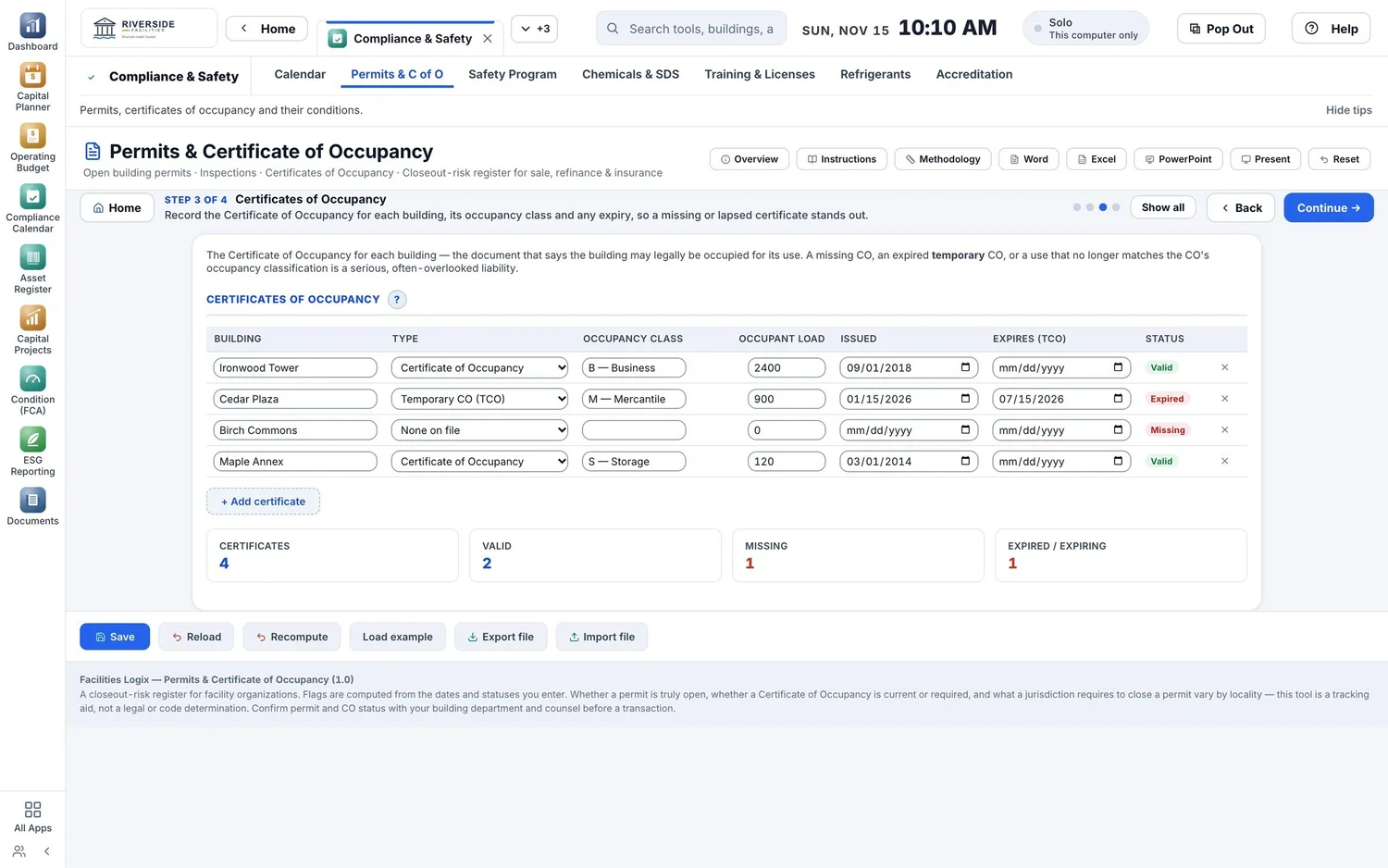
Certificates of Occupancy in Permits & Certificate of Occupancy: record the Certificate of Occupancy for each building, its occupancy class and any expiry, so a missing or lapsed certificate stands out.
Accreditation
Track facilities-related standards, mock-survey findings and readiness. A survey binder exports the index and an evidence folder for each element, and your accreditor's current document list can be imported.
Learn MoreAccessibility
The accessibility standard each building calls for is applied automatically, with a barrier survey, a prioritized removal schedule and the required plan elements.
Learn More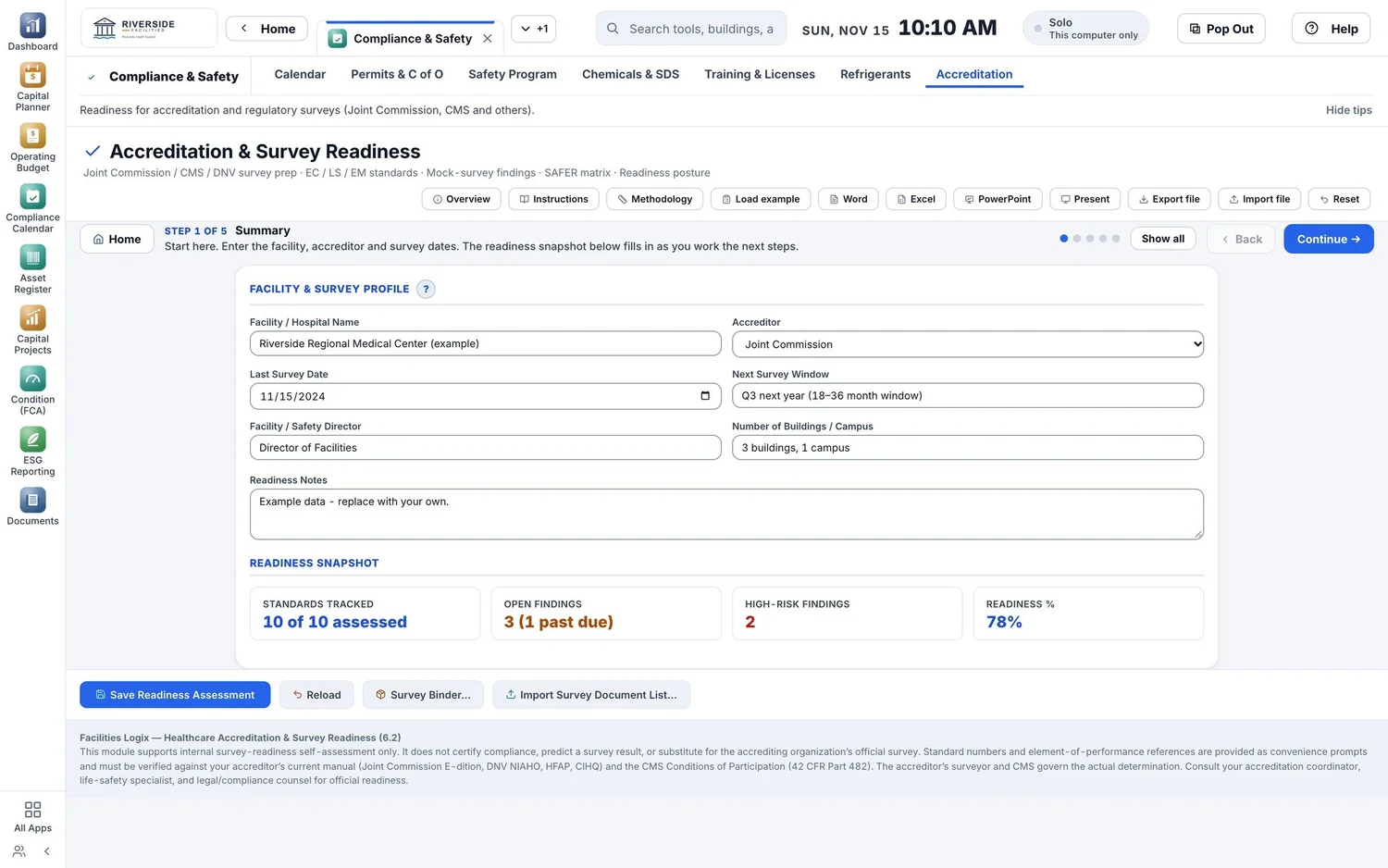
Summary in Accreditation & Survey Readiness: start here. Enter the facility, accreditor and survey dates. The readiness snapshot below fills in as you work the next steps.
Training & Licenses
Staff licenses and certifications with expiry tracking and a required-by-role matrix, so credentials never lapse.
Learn MoreShow Less
A lapsed license can stop work or put the organization in violation. The tracker warns early enough to renew.
- Expired credentials in red; anything within 60 days in amber
- A required-by-role matrix: green current, amber expiring, red missing
- A renewal calendar, soonest first, overdue items included
- Refrigerant work orders check whether the technician has EPA 608 on file
Facility Playbooks
Every facility playbook has a Compliance tab built from the same library and date rules, so a playbook and the calendar never disagree.
Learn More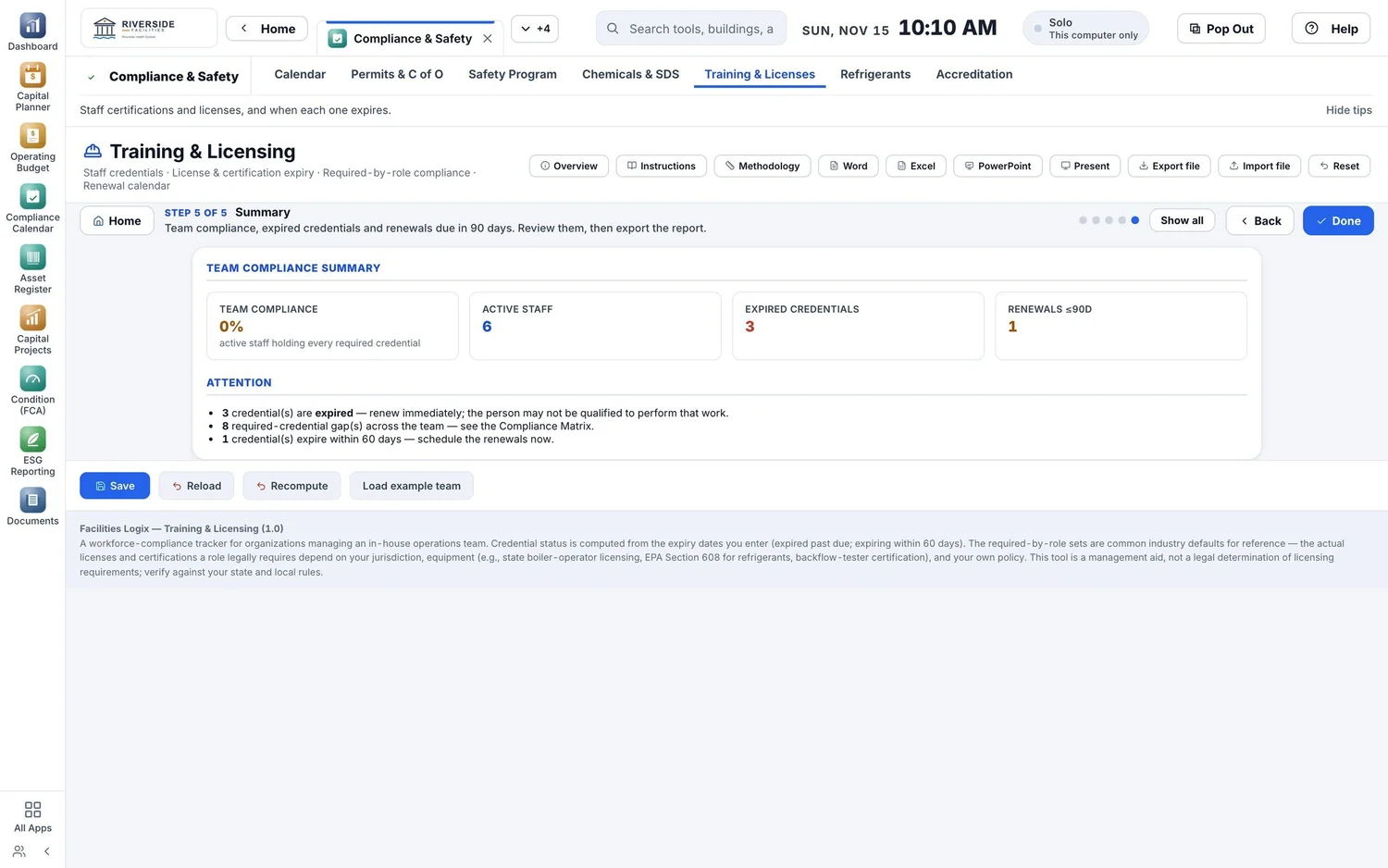
Summary in Training & Licensing: team compliance, expired credentials and renewals due in 90 days. Review them, then export the report.
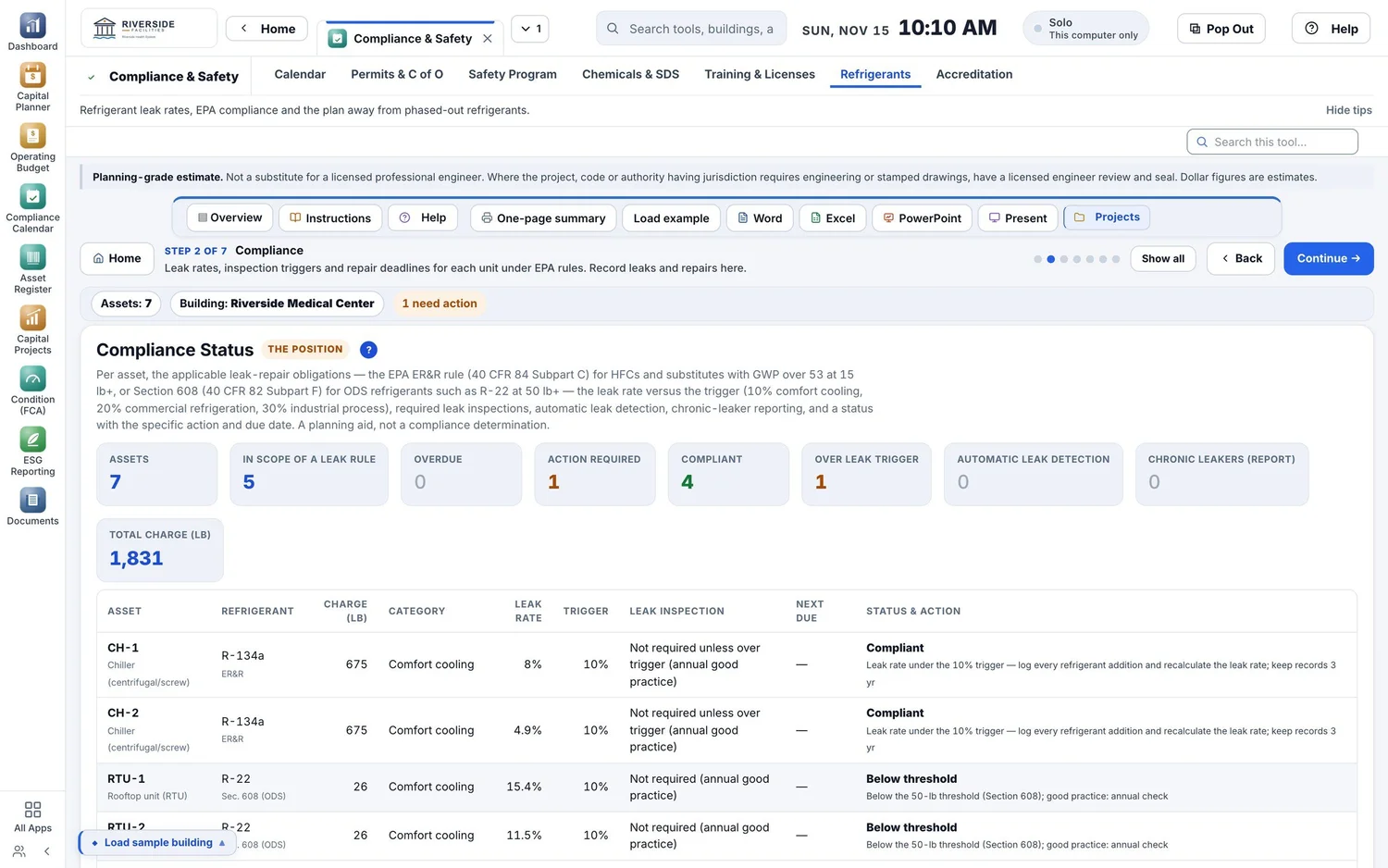
Compliance in Refrigerant Compliance: leak rates, inspection triggers and repair deadlines for each unit under EPA rules. Record leaks and repairs here.
From Risk Carried to Evidence Filed
Leadership
The risk your organization is carrying, on one card: overdue obligations, items with no completion on record and the oldest overdue item, for every building.
Learn MoreShow Less
Leadership should see compliance risk before an inspector or insurer does. The risk card reads the calendar live, so nobody prepares a report for it.
- A portfolio heat grid of each domain by building, colored by its most urgent state
- Rows still to confirm counted, with what would settle them
- Reports list every AHJ override and the source with its review date
- Every facility app's Compliance tab uses the same library and dates
Management
A calendar for each building with its sources shown, vendor visits by month and an evidence pack to hand to the auditor or the authority having jurisdiction.
Learn MoreShow Less
Proving compliance after the fact costs staff hours chasing certificates. The evidence pack keeps each certificate with its record, ready for the auditor.
- Pick who performed the work and the date the certificate is valid until
- Attach the certificate or report; View opens it later
- The vendor your Organization Profile names for that trade sits at the top of the list
- A row covered by a vendor's service contract shows which contract
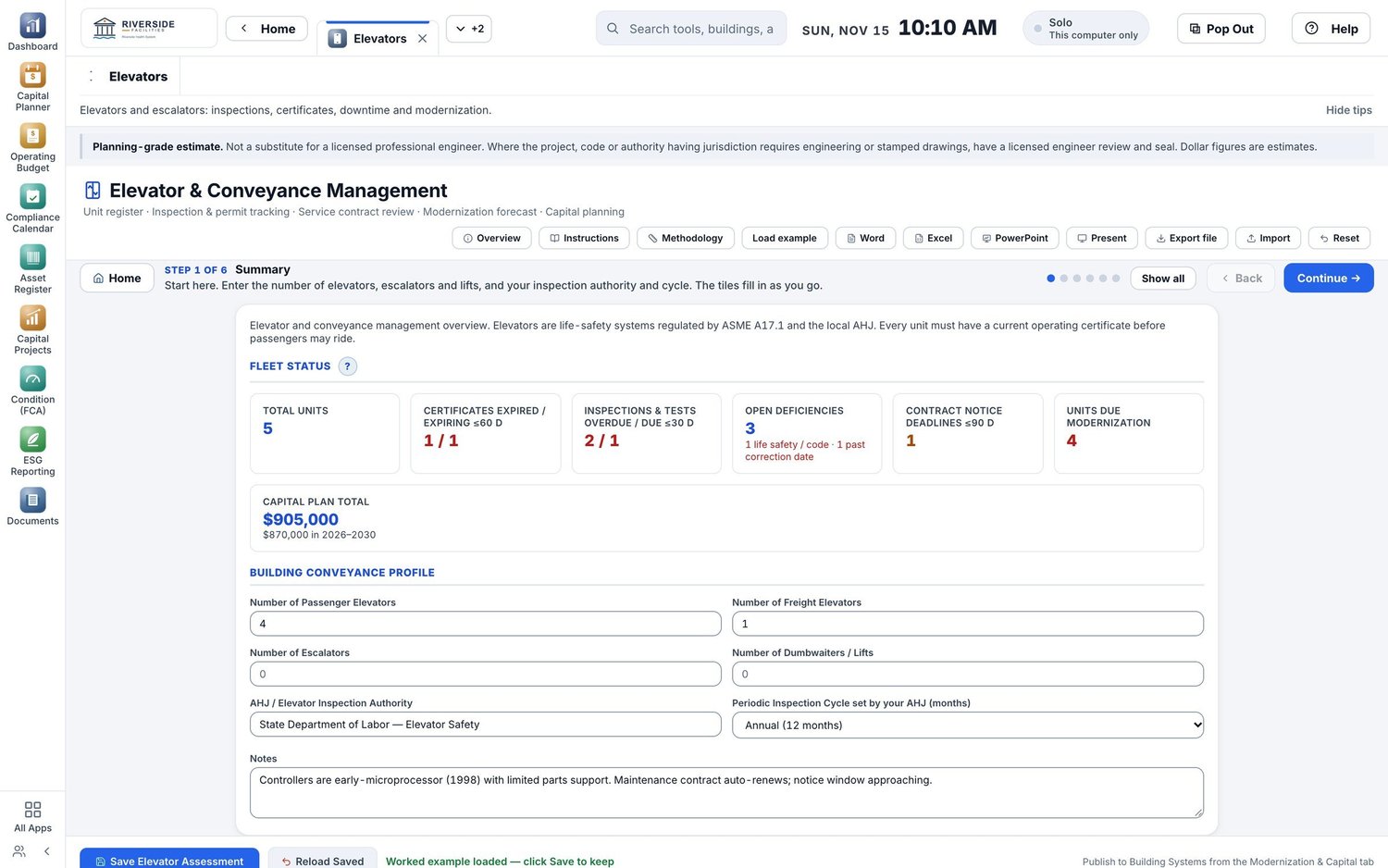
Summary in Elevator & Conveyance Management: start here. Enter the number of elevators, escalators and lifts, and your inspection authority and cycle. The tiles fill in as you go.
Operations
Compliance due at their buildings on the phone or tablet, recorded as done with an evidence photo.
Learn MoreShow Less
An inspection done but not recorded counts as missed. Recording it at the equipment, with a photo, closes the gap the same day.
- Saved on the device first, so it works with no signal
- Sent to the office PC with the next sync and filed in the calendar
- Each person sees the buildings they are assigned to
- Safety data sheets for those buildings can be kept on the device
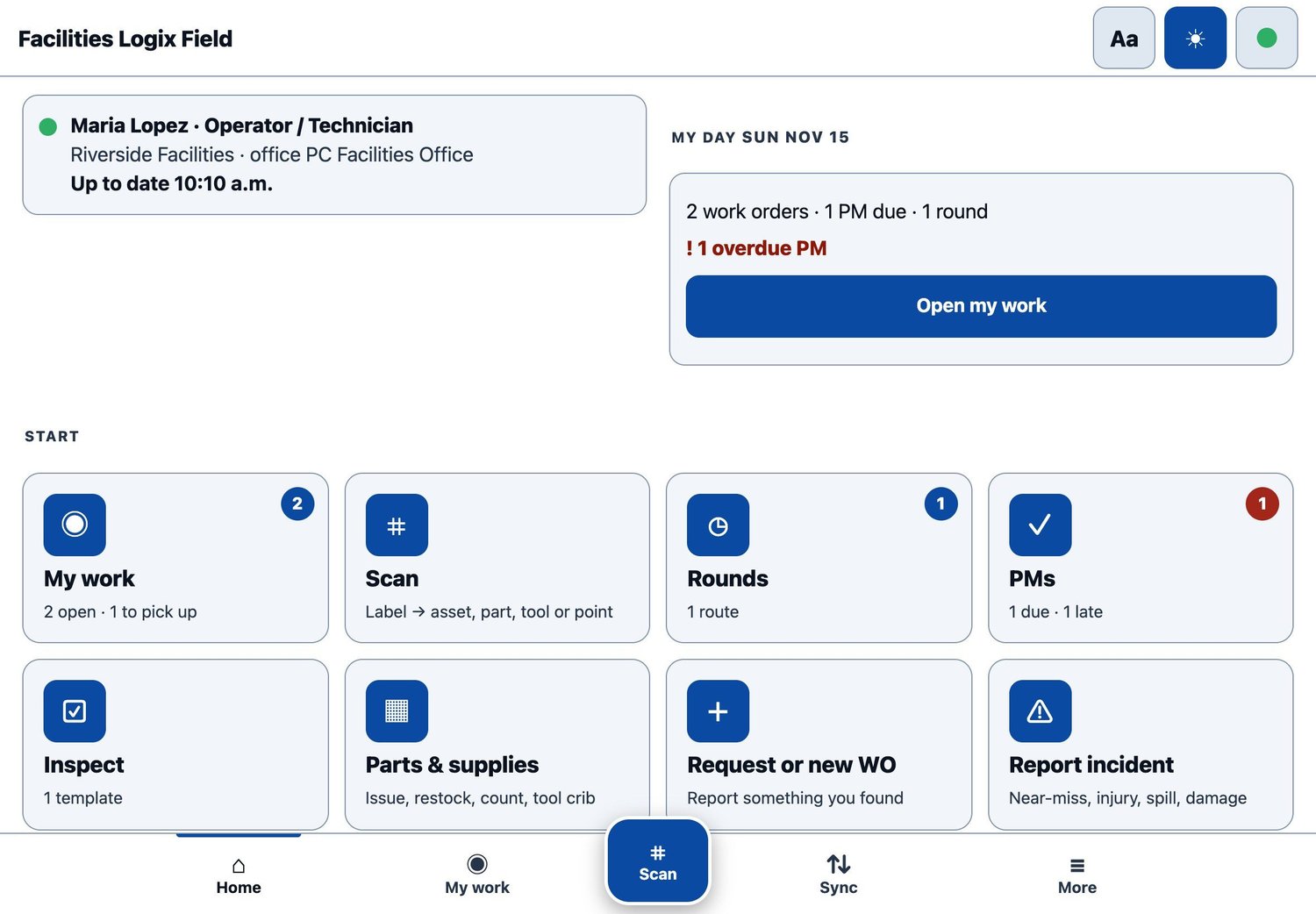
Facilities Logix Field on a tablet.
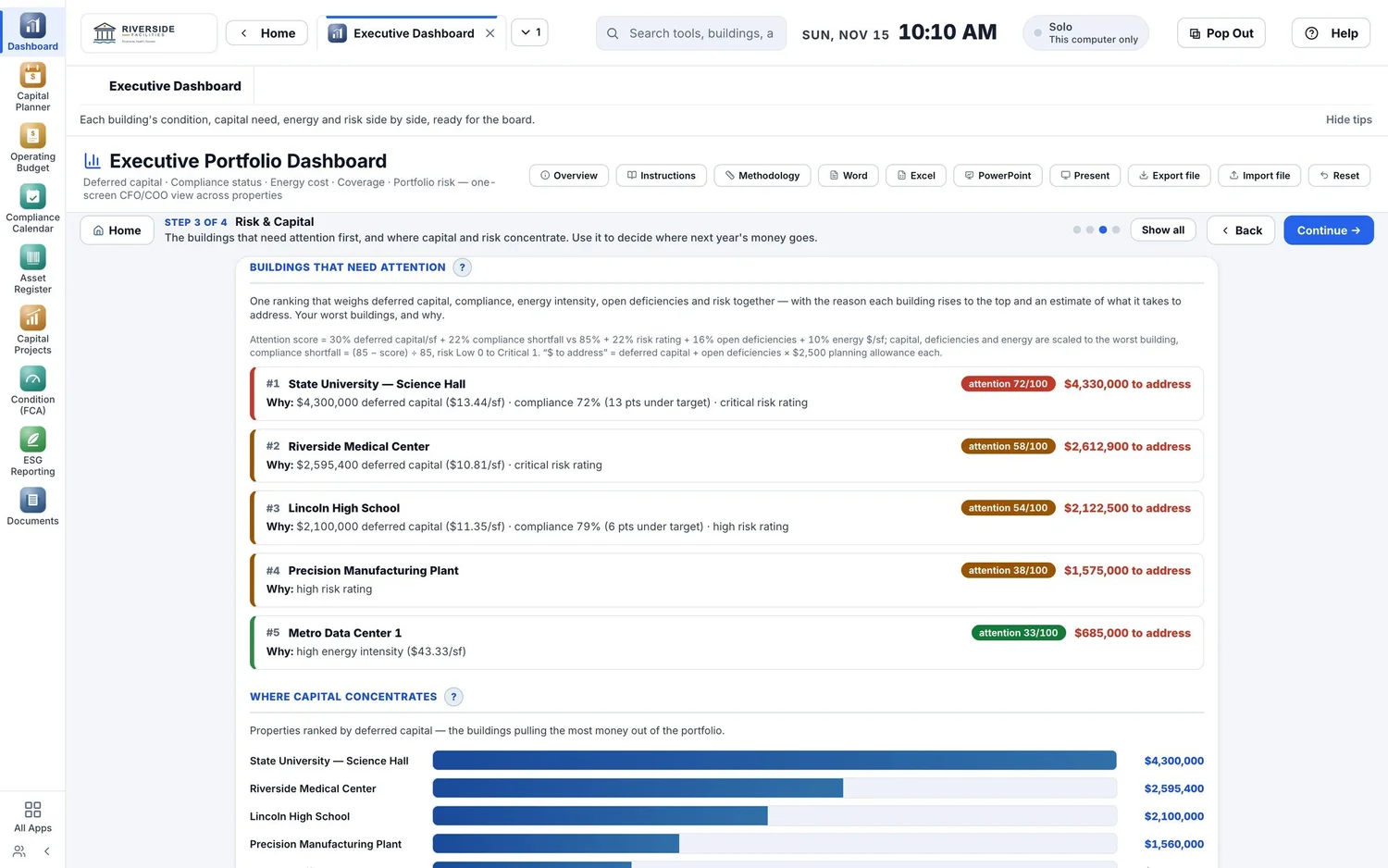
Leadership rarely sees compliance risk until something is overdue, so risk and capital show side by side for every building.
Frequently Asked Questions
Does Facilities Logix tell us we are compliant?
What if our local authority requires something different?
How current is the library?
Will rebuilding the calendar erase our completion dates?
Be First When Facilities Logix Opens
Stop chasing building records across spreadsheets and binders. Join the list and we will tell you the day downloads open, with setup guides ready.
Launching early 2027 for Facilities Logix. Nothing to buy today, and no sales calls.
