
Your Buildings Already Know When Something Is Wrong. Now the Work Order Does Too.
Live Alarms & Trends listens to the building automation and monitoring systems you already have. An alarm, or a reading out of its limits for long enough, becomes a numbered work order on the right asset with the trend attached. The Command Center puts every building's alarms, on-call roster and efficiency findings on one screen. Facilities Logix only listens and reads; it never changes a setpoint or commands a controller.
Launching Early 2027 · Join the Early-Access List
Watch Any Building System That Shares Its Data
Monitoring in Facilities Logix is read-only, so it is not limited to HVAC. Any control system that publishes its points over an open protocol can be watched, trended and alarmed on the same screen, next to the equipment and work records it belongs to.
Systems You Can Watch
- HVAC and building automation
- Lighting controls
- Electrical metering and power monitoring
- Generators and transfer switches
- UPS, batteries and IT rooms
- Refrigeration, coolers and freezers
- Boilers, water heaters and domestic water
- Wireless temperature, humidity and leak sensors
Open Protocols It Reads
- BACnet/IP
- BACnet Secure Connect (BACnet/SC)
- Modbus TCP
- SNMP v2c and v3, including traps
- MQTT wireless sensors
- Trend and history files exported from any front end
Read-only by design: Facilities Logix never writes to a controller or changes a setpoint.
From a Reading to a Work Order, with the Evidence Attached
How an Alarm Becomes a Work Order
- A limit has a duration and a deadband, so a short spike makes no work order and a reading near the limit does not flap on and off
- On and off alarms such as flood, gas and power loss count at once and are always Emergency
- A device that stops reporting becomes a work order of its own: silence is never taken to mean OK
- A slow drift over days can ask a supervisor first, as a request for approval
- One work order per asset and condition; repeats are notes on it, and it stays open until a person closes it with the cause
Guards Against Noise
- Alarm-storm grouping: when many points at one site drop at once, they become one work order listing the points
- Quiet periods for lay-up, repairs and planned shutdowns, each ending by itself
- A daily limit per rule, so a wrong setting can never flood the work order list
- Starting templates for air handlers, chillers, boilers, data rooms, UPS, generators, vaccine and pharmacy refrigeration, walk-in coolers, operating rooms, pools, domestic hot water and more, each editable per point

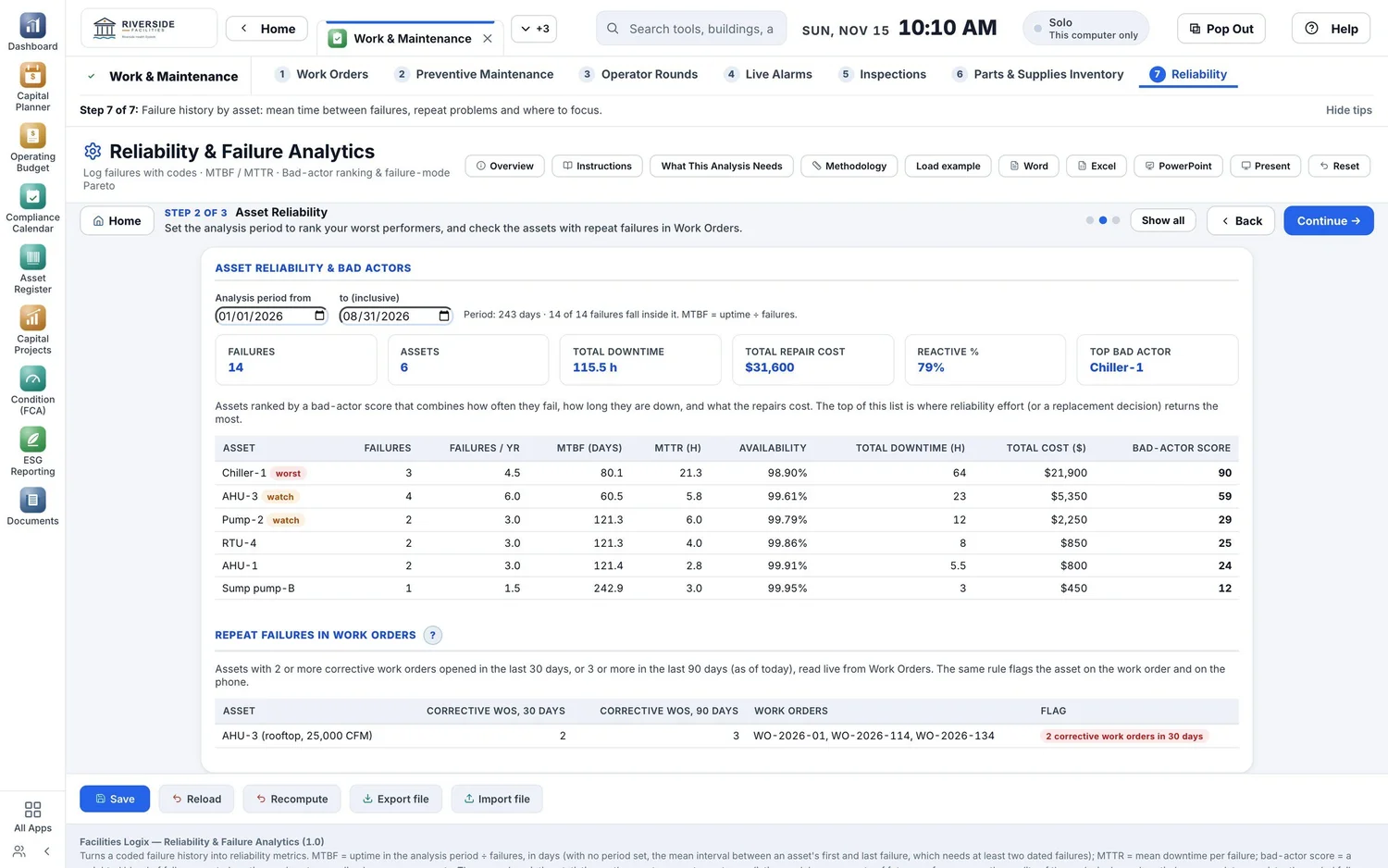
The trend shows when the reading crossed its limit and how long it stayed there.

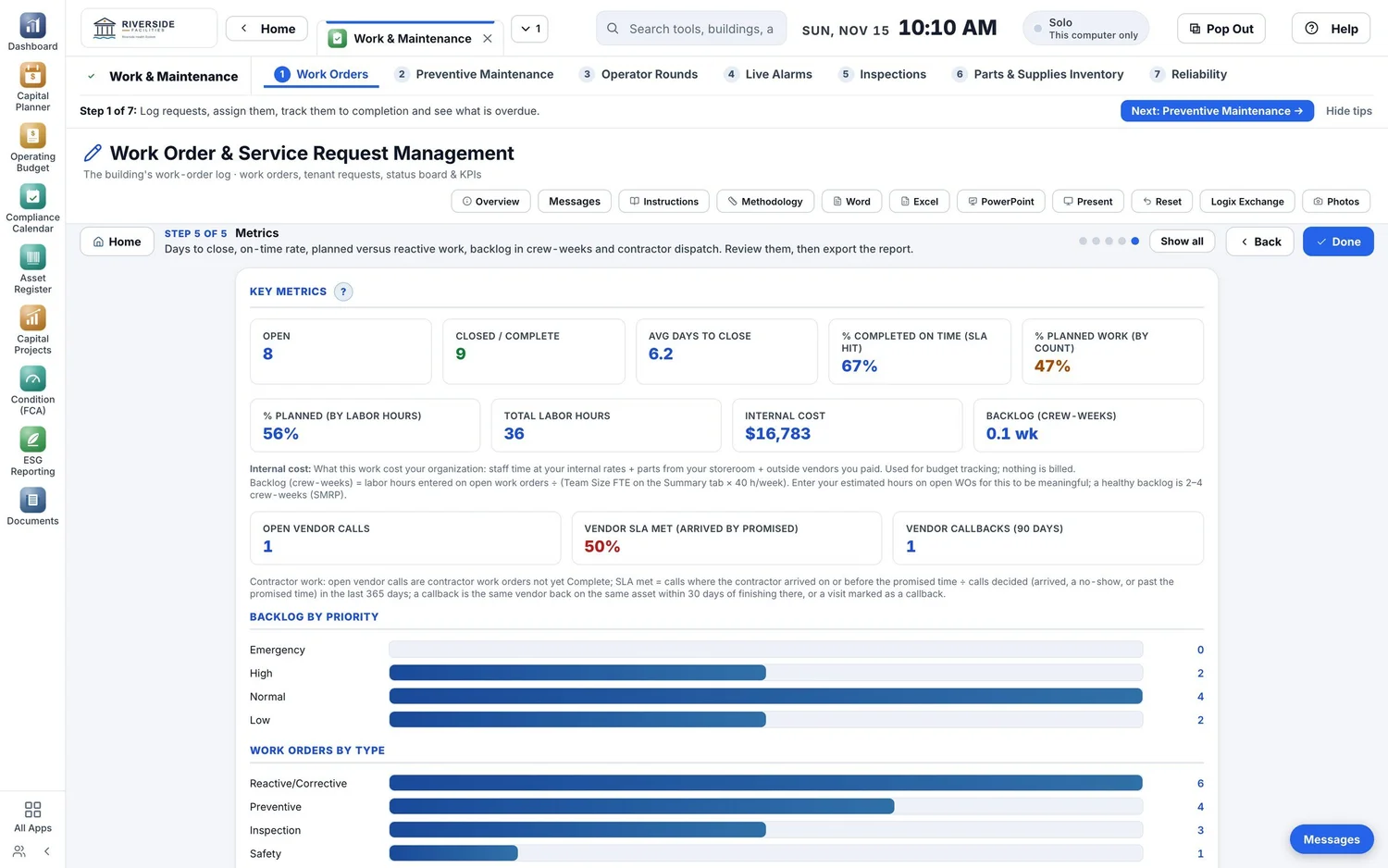
The alarm becomes a numbered work order, tagged and assigned, on the same list as everything else.
Four Ways In, No New Hardware Required
Monitoring runs in the desktop app while it is open, or day and night in the Office Sync service your IT team installs. Get your IT and cybersecurity team's approval before connecting to controls or a mailbox.
Alarm and Report E-Mails
Point the alarm e-mails your systems already send at a mailbox Facilities Logix reads.
Learn MoreShow Less
An alarm read by nobody until morning becomes a failure and an emergency call. Alarm e-mails your systems already send become numbered work orders on the right asset, with no new hardware.
- Read from a mailbox, or from the office mail receiver
- Each work order carries the readings, the limit crossed and a trend chart
- Still works in Customer-Owned Cloud mode
- Your IT and security team approves the mailbox connection first
A Watch Folder
Drop exported trend files into a folder and the readings are picked up from there.
Learn MoreShow Less
Many systems can export trend files but cannot send alarms. A watch folder brings those readings in without a network connection to the controls.
- Readings checked against the same limits, durations and deadbands as live points
- The Trends tab charts each point over 24 hours to 90 days
- Readings (CSV) saves the readings for compliance records
- Still available in Customer-Owned Cloud mode

Each source shows its state, its last reading and how many came in today.
BACnet/IP
Read points directly from building automation controllers on your network. Read only.
Learn MoreShow Less
A reading drifting out of range is cheaper to fix before it trips equipment. BACnet/IP reads controller points so drift becomes a work order, and nothing is ever written back.
- A point's alarm can open a work order or ask for approval first
- A device that stops reporting is its own work order; silence is never read as OK
- Starting limits come from templates, each naming its standard
- A daily limit per rule, so a wrong setting cannot flood the list
Modbus TCP
Read meters, drives, generators and other equipment that speak Modbus TCP. Read only.
Learn MoreShow Less
Meters, drives and generators know about a problem first. Modbus TCP reads them, so demand peaks and overnight leaks can be acted on while they still cost little.
- Watch a meter's kW point for an approaching demand peak, read only
- An approaching peak becomes one service request per meter
- Night water flow above the limit two nights running flags a possible leak
- Switched off in Customer-Owned Cloud mode
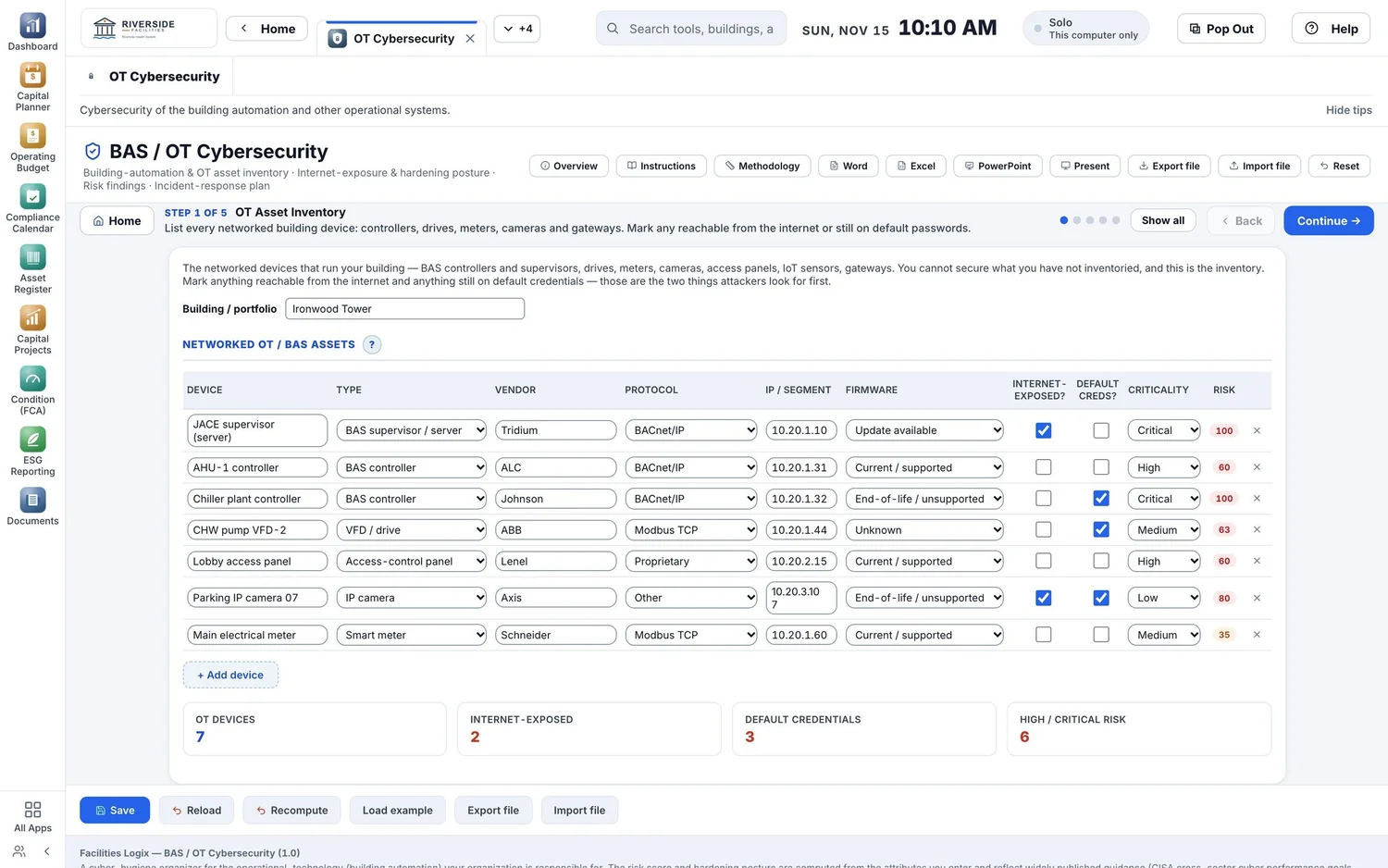
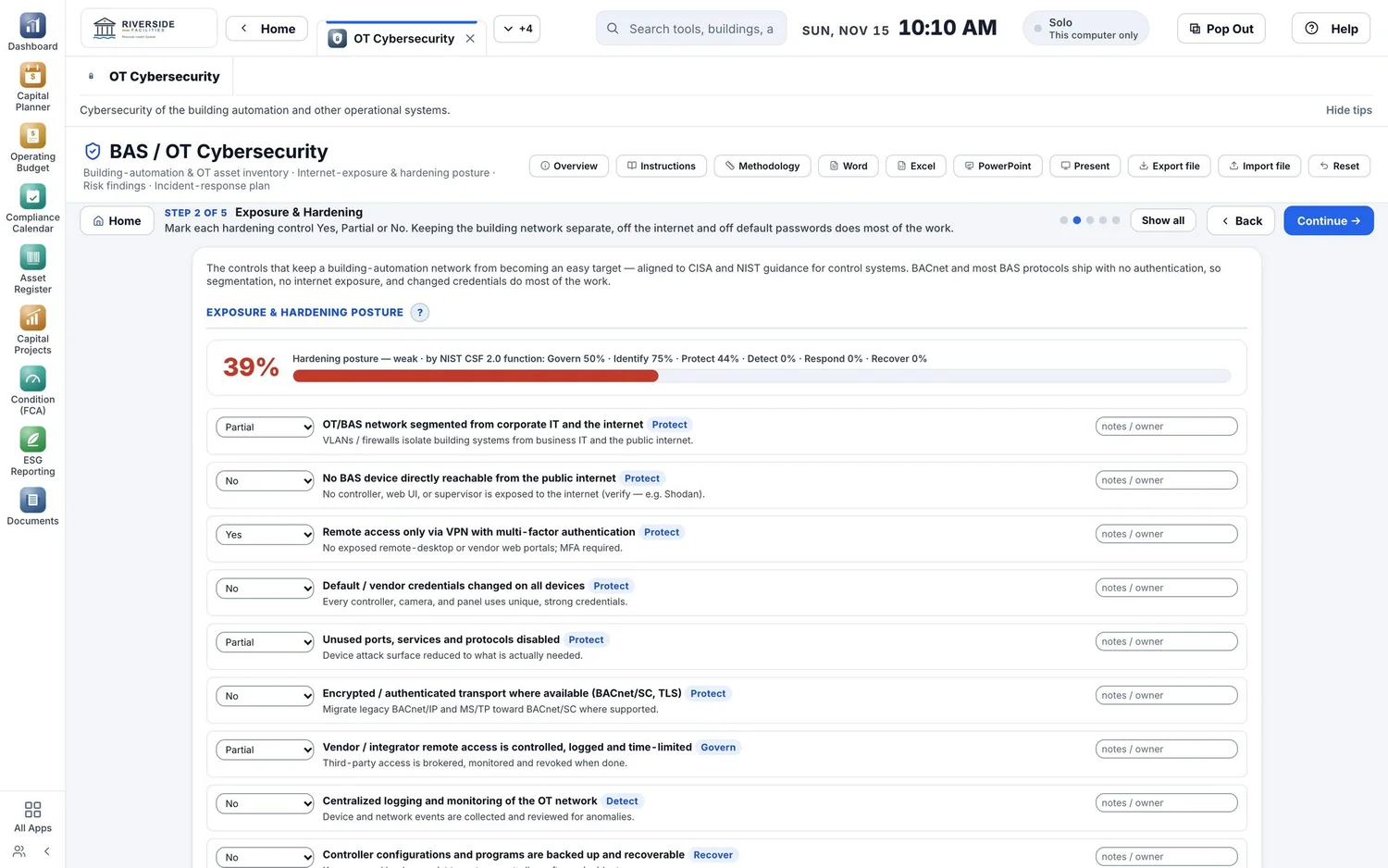
OT Asset Inventory in BAS / OT Cybersecurity: list every networked building device: controllers, drives, meters, cameras and gateways. Mark any reachable from the internet or still on default passwords.
Send a Test Alarm
Proves the whole path end to end: a test work order appears within about a minute. Use it after every change and on a schedule.
Learn MoreShow Less
A monitoring path that silently stopped working costs the same as having no monitoring. The test alarm proves every link, and the audit trail shows when each alarm was known and what was done.
- Tick File What It Finds to make practice work orders from a recorded day
- Training work orders are marked [Training] and never touch a real alarm
- A timed, step-by-step history for each alarm
- Audit (CSV) saves the trail
Mapping Review
Points that did not map themselves to an asset wait for review. Choose the asset and a template once, or map a whole group with a name pattern.
Learn MoreShow Less
Points that are never mapped never raise a work order. Mapping Review makes the setup a one-time job per group, so monitoring covers the equipment you are paying to protect.
- Templates with starting limits for air handlers, chillers, boilers, pumps and more
- Vaccine refrigerators, walk-in coolers and operating rooms each with a cited source
- Any point's own limits, duration, deadband and priority
- Quiet periods for repairs and shutdowns that end by themselves

Map a point to its asset once, and it is remembered.

Play a recorded day through your rules to see what would have become a work order.
Every Building on One Screen
Alarm Screen
Every open alarm across the portfolio, most urgent first. Claim it, acknowledge it, dispatch it, or close it as resolved remotely or a false alarm with a note that stays on the work order.
Learn MoreShow Less
When several alarms arrive at once, the costly one must be handled first. The alarm screen puts unhandled alarms at the top, then by priority and closeness to the response deadline.
- Response targets from the covering service contract, or your in-house targets
- Each priority has a shape as well as a color, readable without color
- Any unhandled top-two priority alarm sounds; a mute lasts 30 minutes at most
- Closing an alarm writes the note and closes its work order
A Record of Every Alarm
Every step from the reading to the closed work order is kept with its time, so you can show when an alarm was known and what was done.
Learn MoreShow Less
After a loss, someone asks who knew and when. The audit trail answers with the readings, the times and the names, without anyone having to remember.
- A timed, step-by-step history for each alarm
- One work order per asset and condition; repeats are added to it as notes
- It stays open until a person closes it with the cause
- Exportable as CSV

One alarm screen: open alarm work orders, points out of limits and devices that went quiet.
Building Tiles
One tile per building, colored by its most urgent open alarm, so the building that needs you stands out.
Learn MoreShow Less
A gauge watched only when someone walks past misses the slow failure. Building Tiles keep the critical points of each building in view, against their limits.
- Critical points against their limit bands, with 24-hour trends
- Data age shown on every tile
- Equipment cards: chiller kW per ton, air-handler supply air against setpoint, VAV percent in alarm
- A building with no readings shows as a problem, never as green
Site Map
Your buildings as pins colored by their worst open alarm, with distance and bearing between sites. It works offline from a map pack your organization imports, or as a plain grid with no pack at all.
Learn MoreShow Less
Sending the right person to the worst site first saves drive time and damage. The Site Map shows every building with its worst alarm, even with no internet.
- Pins in the same priority colors as the alarm screen
- Uses an offline map pack your organization imports
- Each building keeps its own time zone
- Opened from the Site Map button in the Command Center
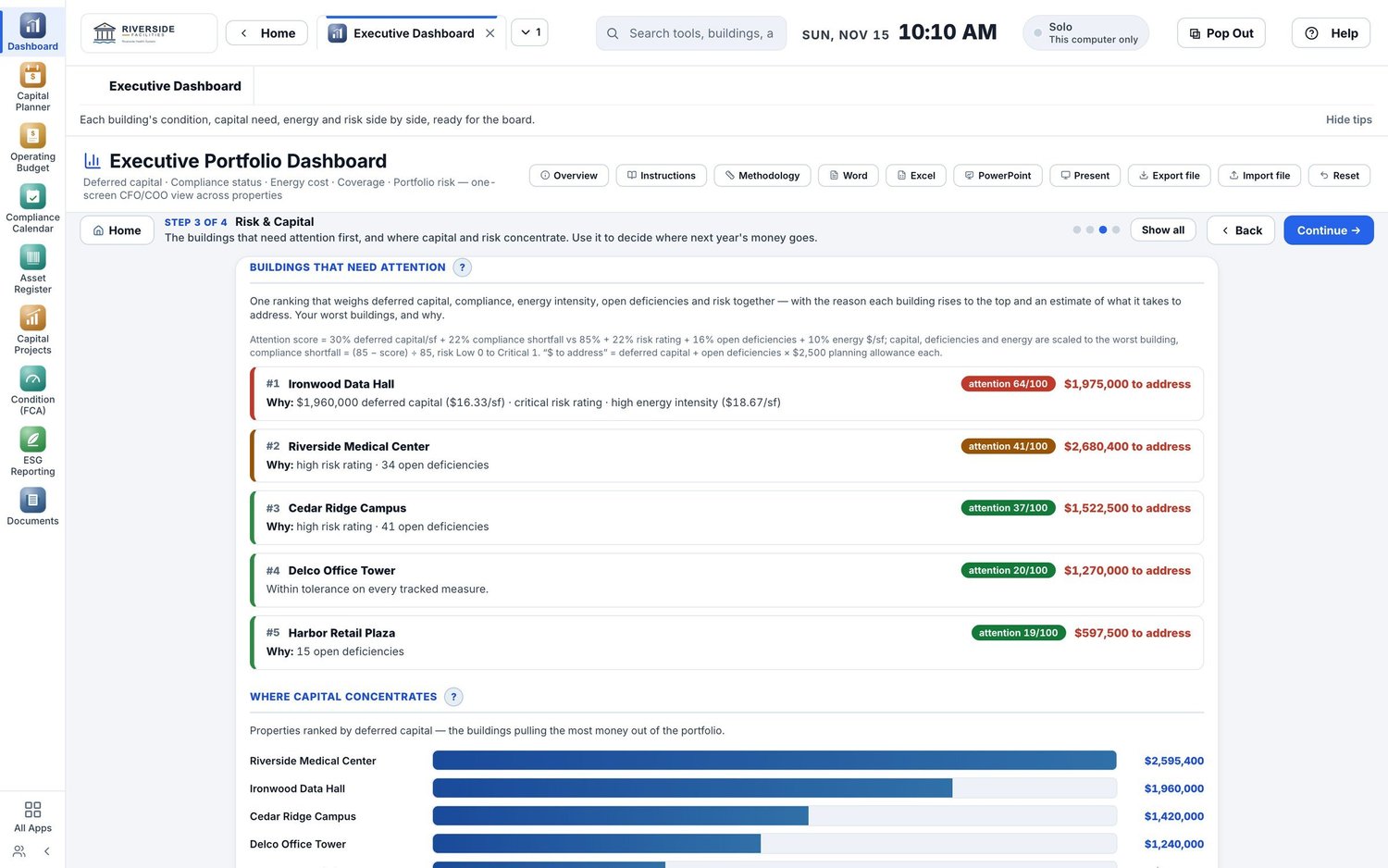
The buildings that need attention first, with the reason beside each one.
On Call
An on-call roster with rotation, a handover time and an escalation plan. Notify On-Call of an Alarm alerts the people on call now; if nobody acknowledges within the minutes you set, the screen shows the next person in the plan.
Learn MoreShow Less
An alarm nobody answers overnight turns a repair into a replacement. The roster always knows who is on call and who is next.
- Rotation: one person at a time, taking turns every set number of days
- Worked out from the calendar, so it never runs out at year end
- Escalation after 10 minutes without acknowledgment, unless you change it
- The program calls and texts nobody; it is an advisory in the program and on phones
Operator Shift Handover
Plant operators hand over open work and alerts in Operator Rounds, so the next operator starts informed.
Learn MoreShow Less
Open problems lost between shifts get rediscovered at a higher cost. The handover note carries them to the person taking over.
- The building, the open items and what the next shift needs to know
- The summary pulls in open work and alerts
- Accepted at the desk or on a phone
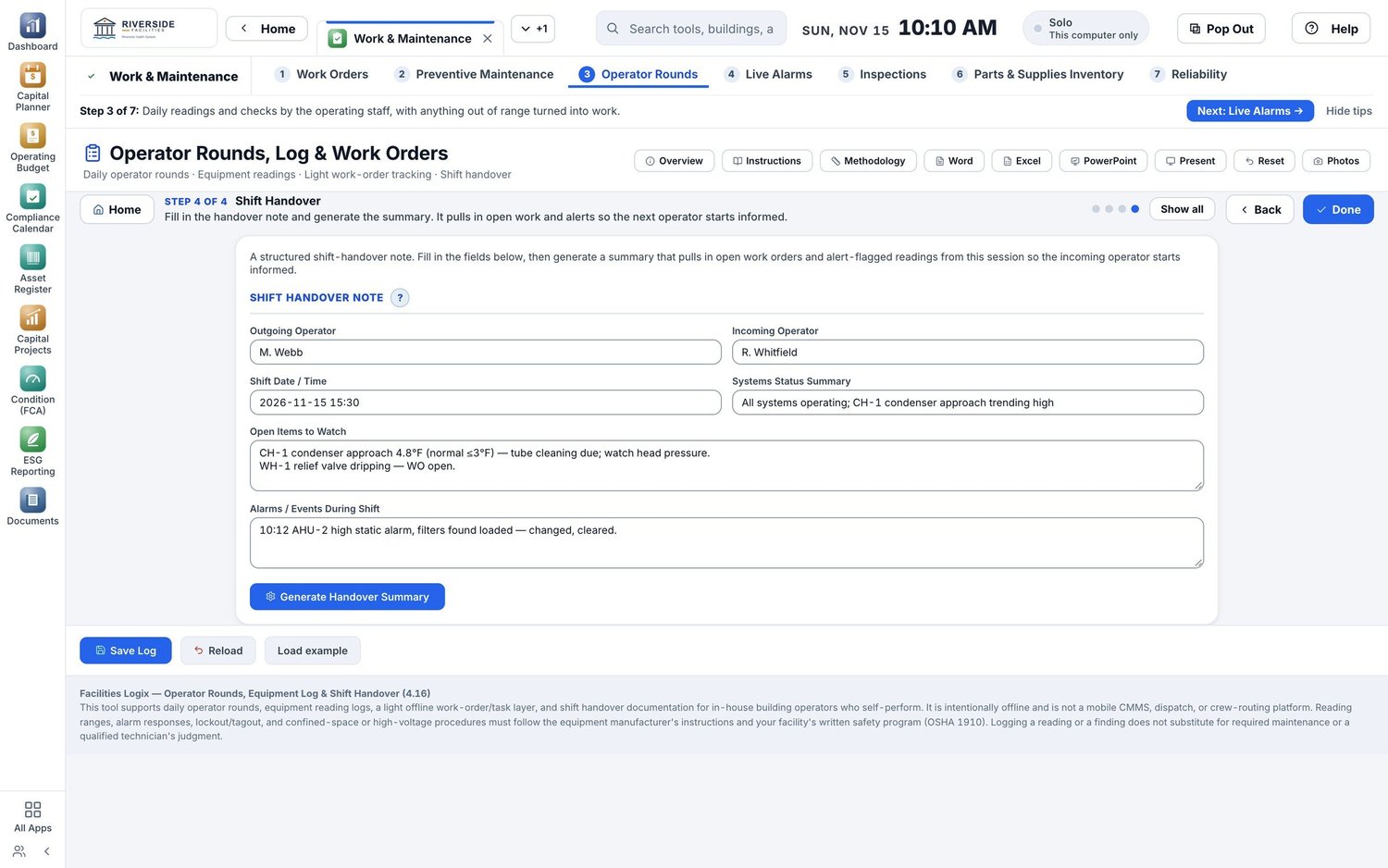
Shift Handover in Operator Rounds, Log & Work Orders: fill in the handover note and generate the summary. It pulls in open work and alerts so the next operator starts informed.
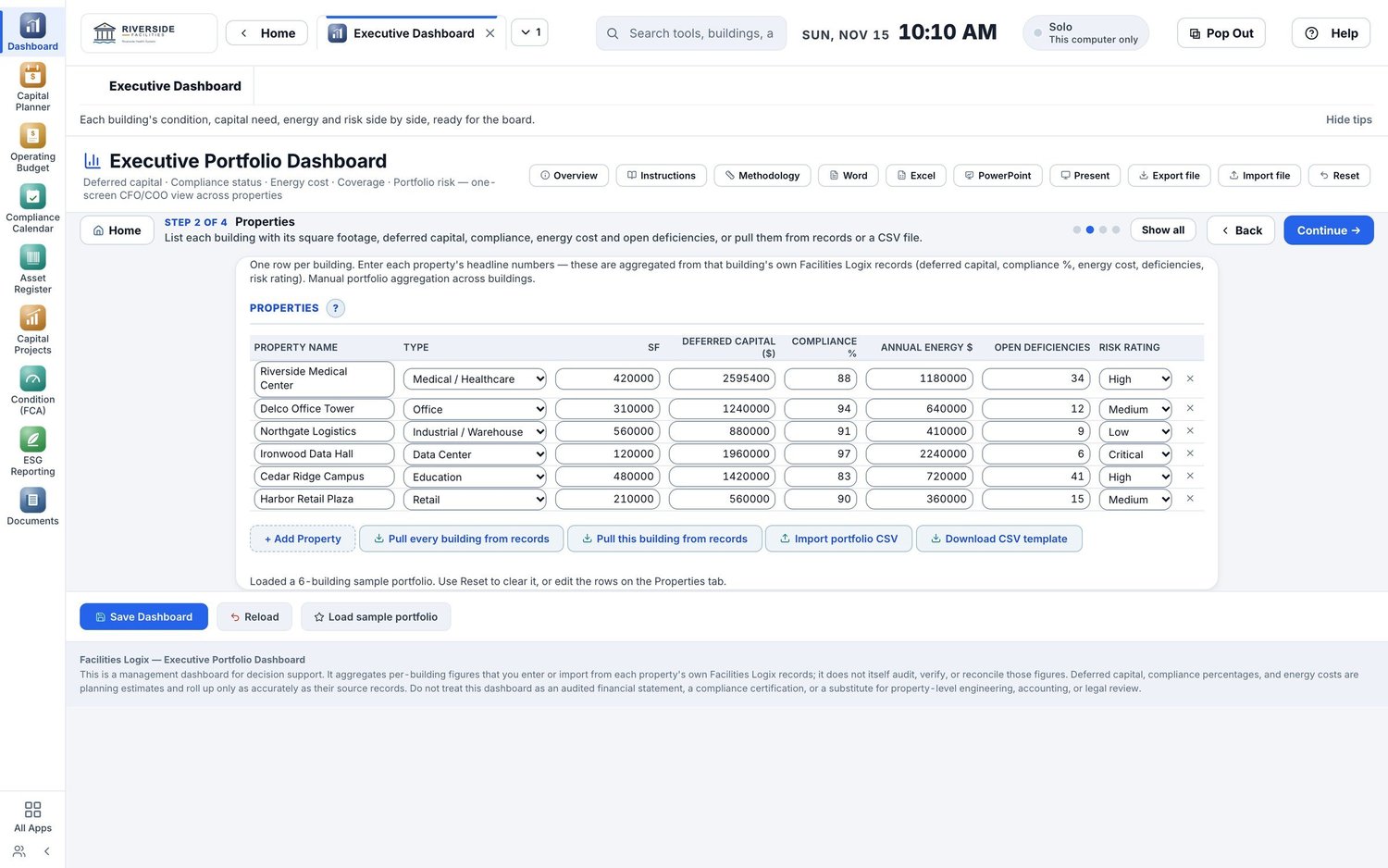
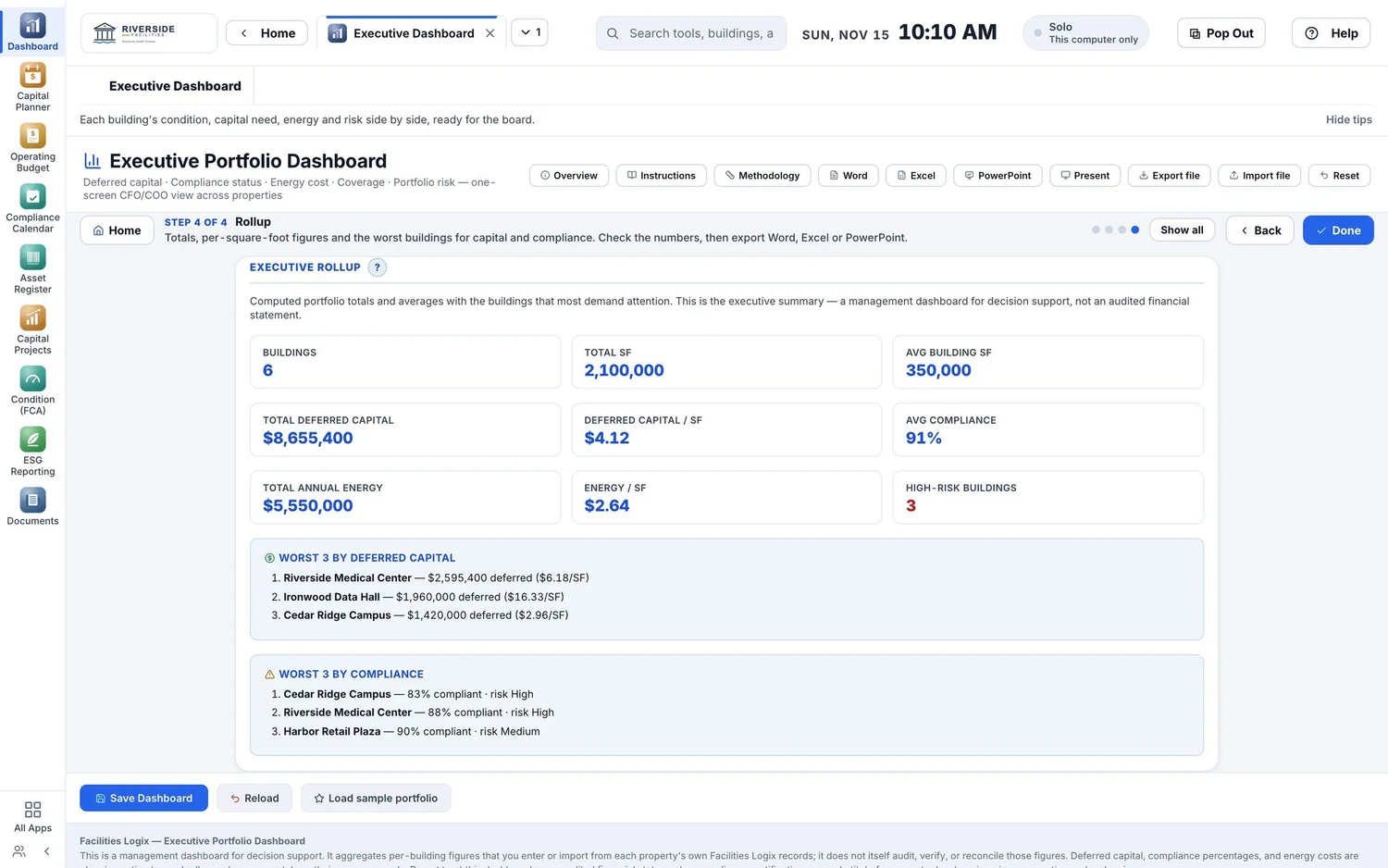
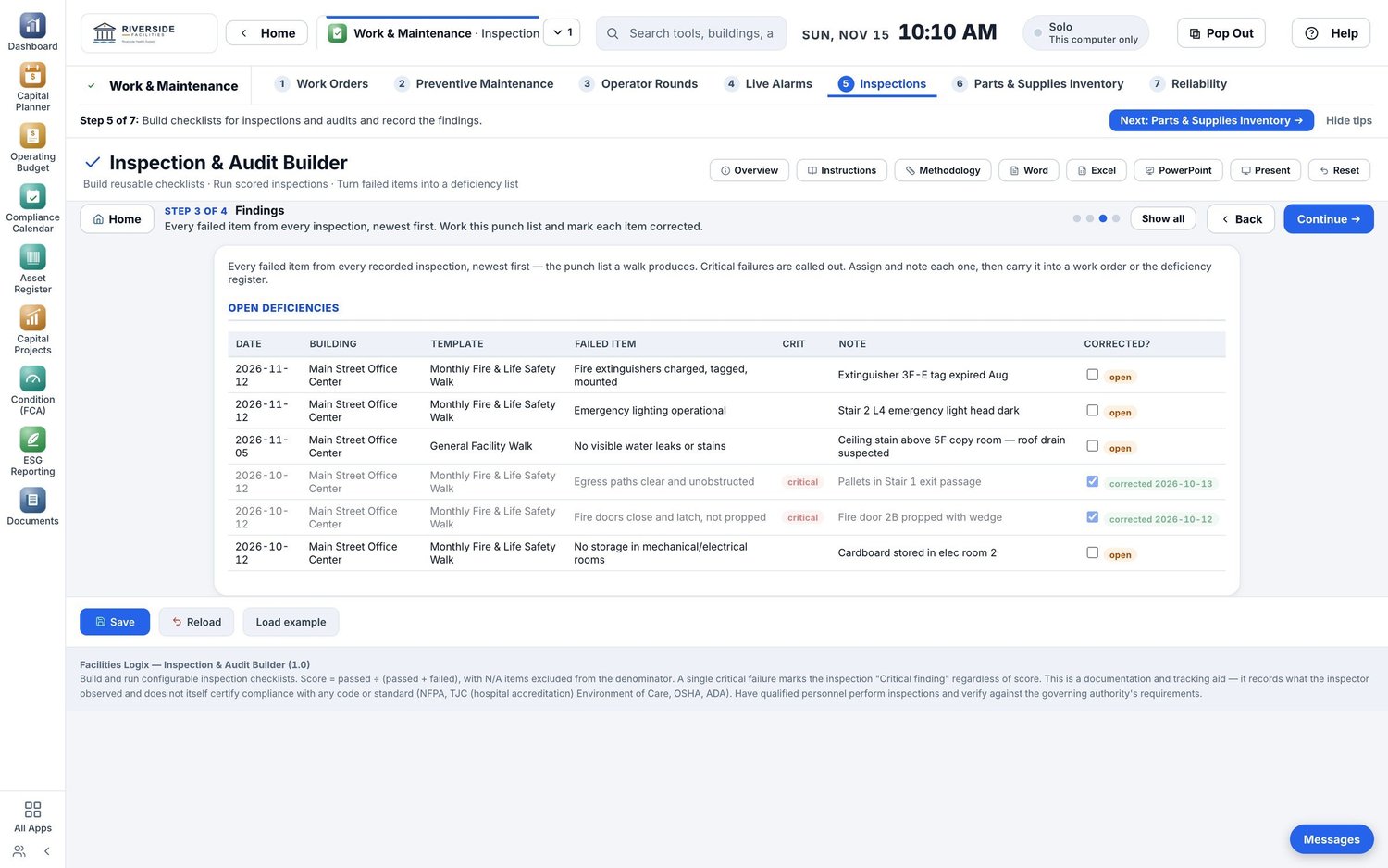
The Savings Hiding in Your Own Trends
What the Desk Finds
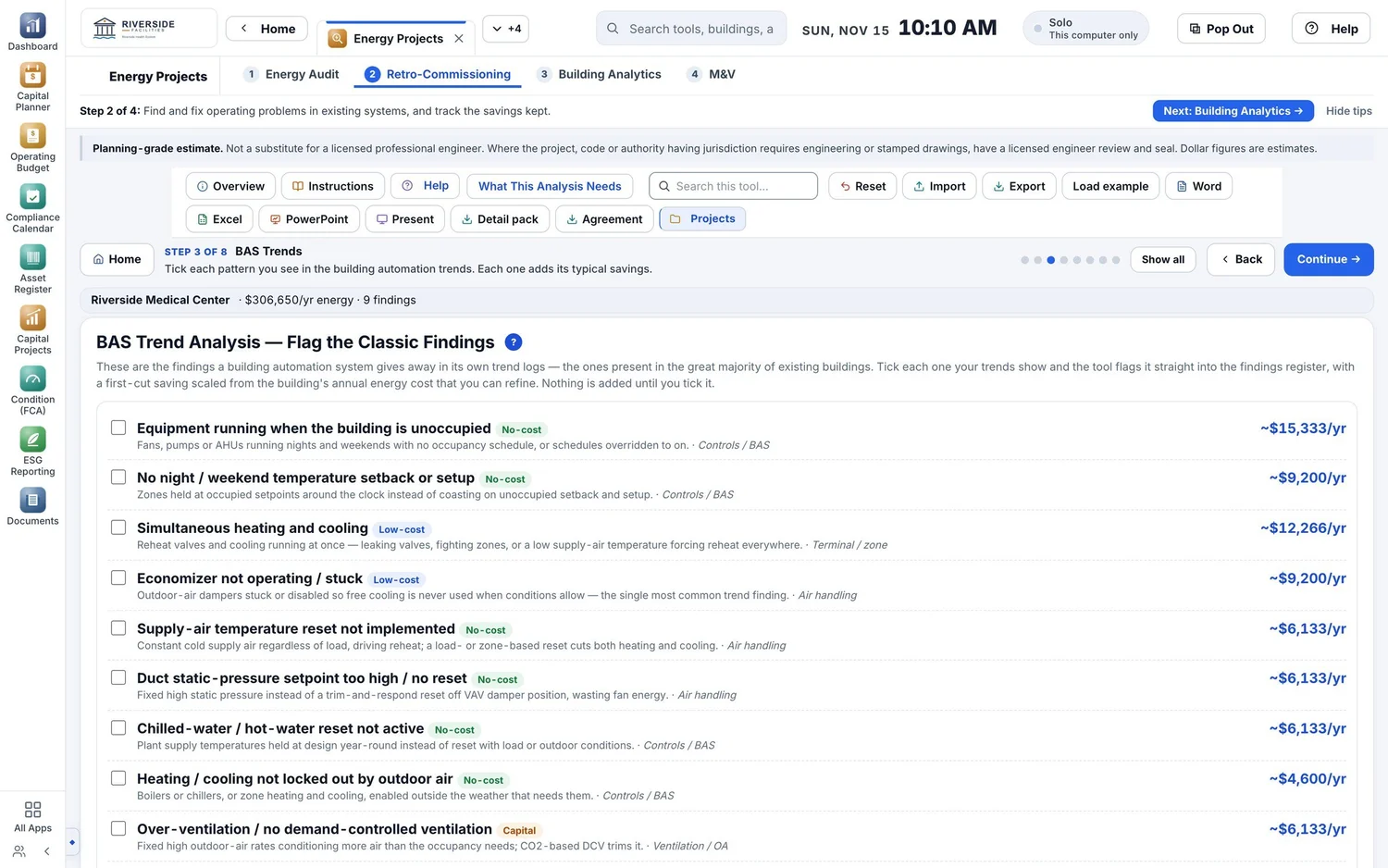
- Fault rules run across 30 days of trend data for each piece of equipment: after-hours run time, simultaneous heating and cooling, stuck dampers and more
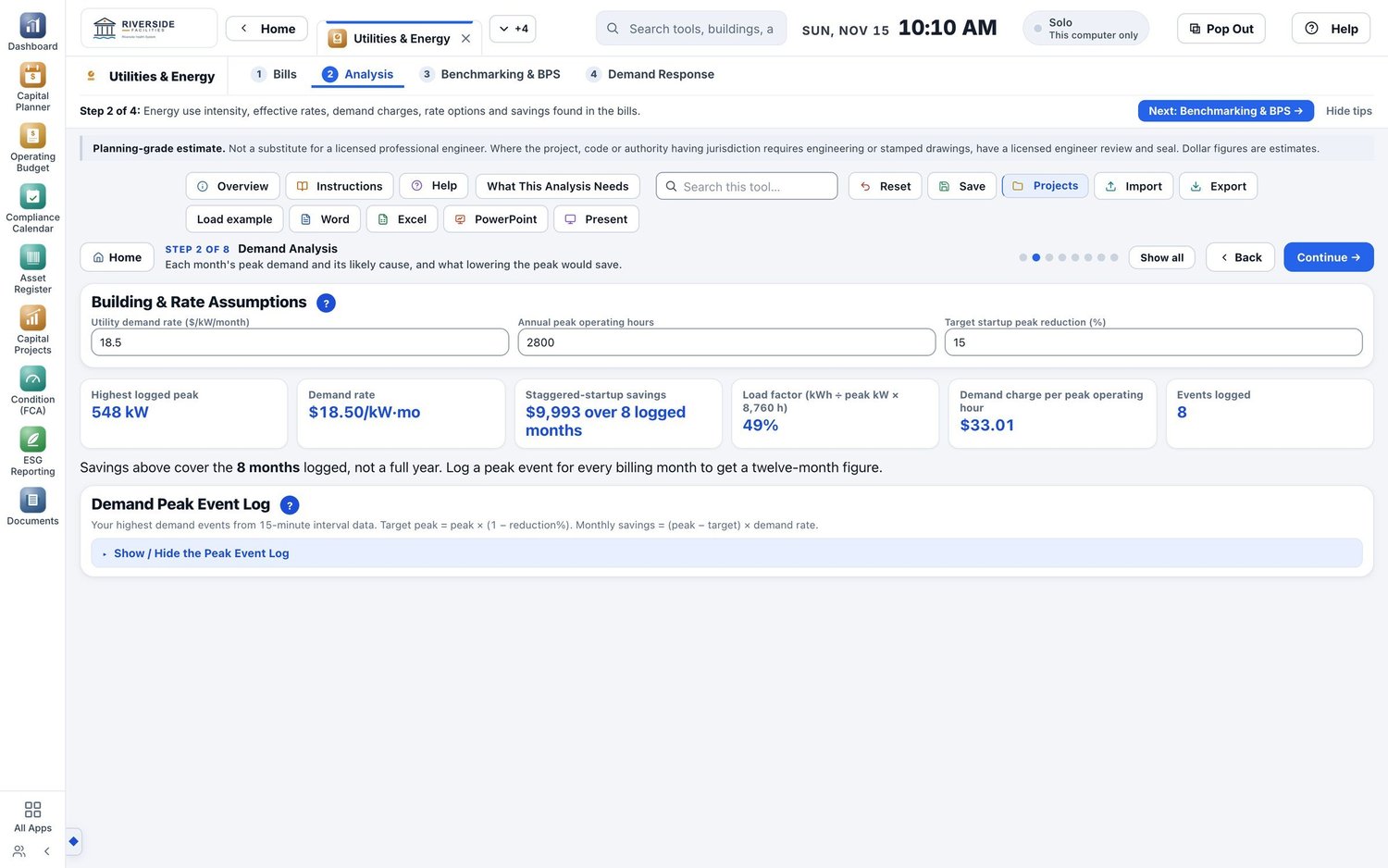
- Findings ranked by estimated avoidable dollars a year, at your building's rates or stated planning rates
- A Demand Charges card per building: the demand share of the bill, the peak and the dollars a year above your target
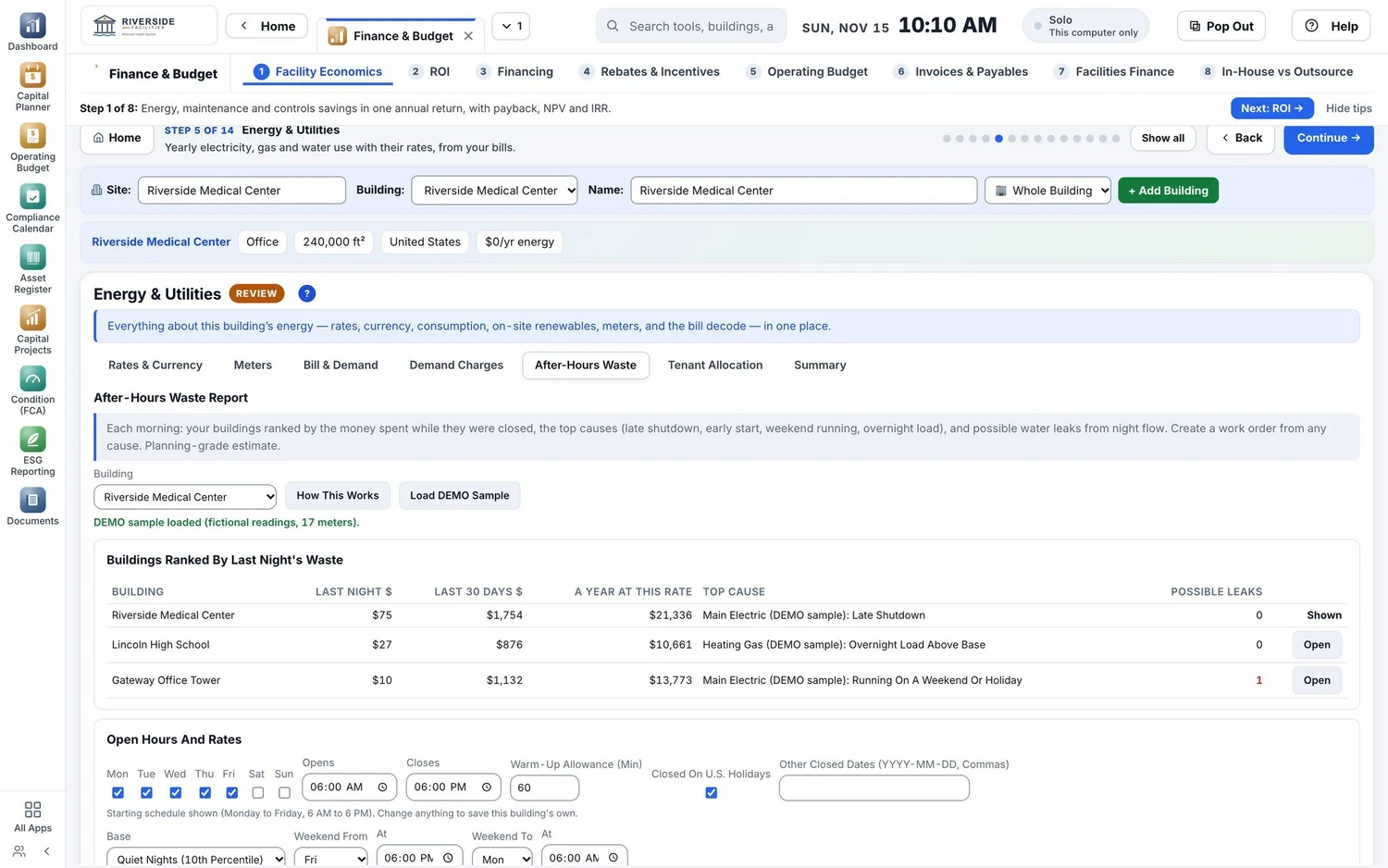
- An After-Hours Waste ranking: what each building spent last night while it was closed
- Overrides Left On: read an override report exported from the building's front end and see every point still held in hand
What Your Team Does Next
- Make a Work Order from a finding, numbered once and never duplicated
- Add to Capital Plan sends the finding to Building Systems as a capital candidate to estimate
- Export to Excel with a method appendix
- Every dollar figure is labeled an estimate, because it is one
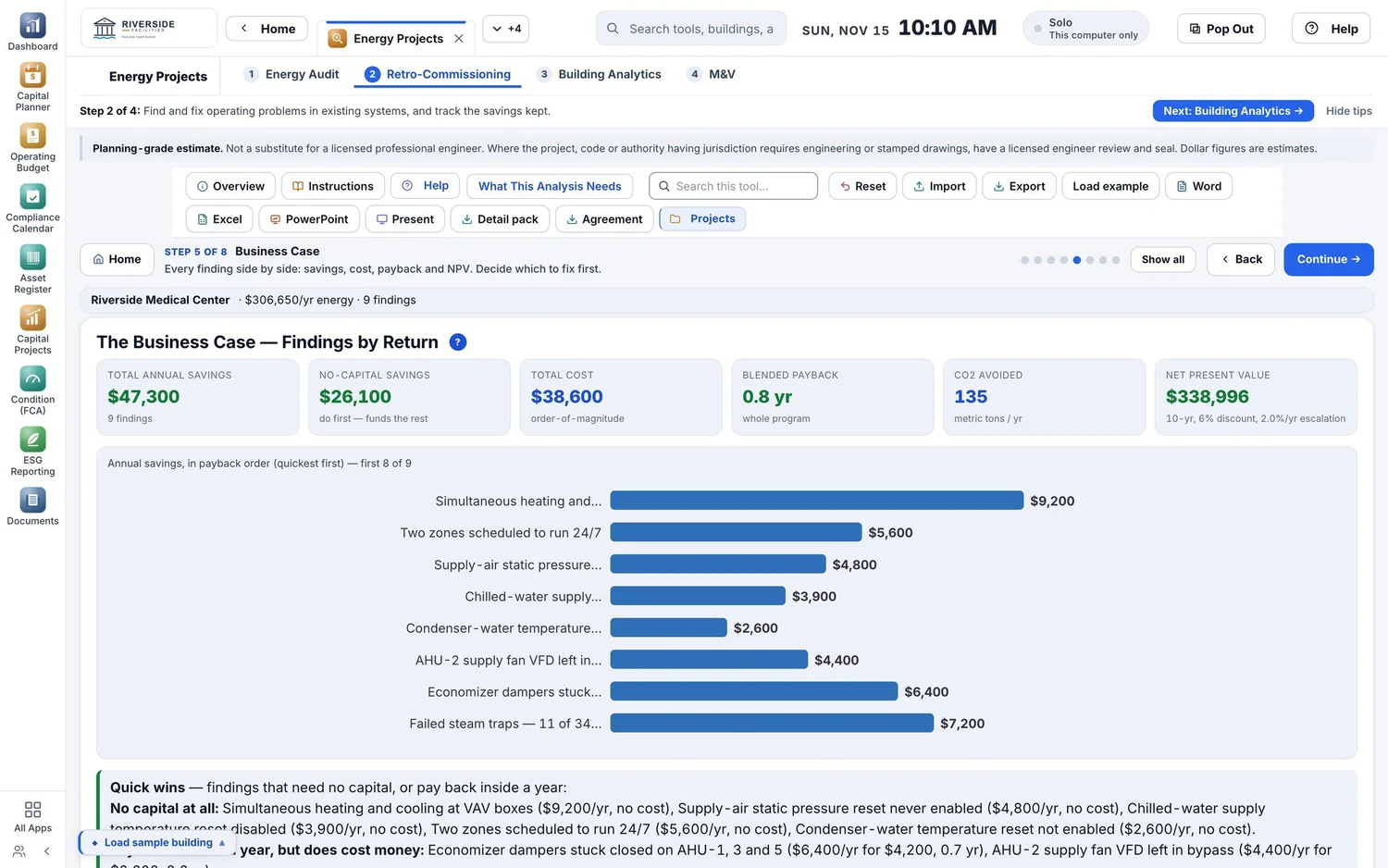
Business Case in Retro-Commissioning: every finding side by side: savings, cost, payback and NPV. Decide which to fix first.
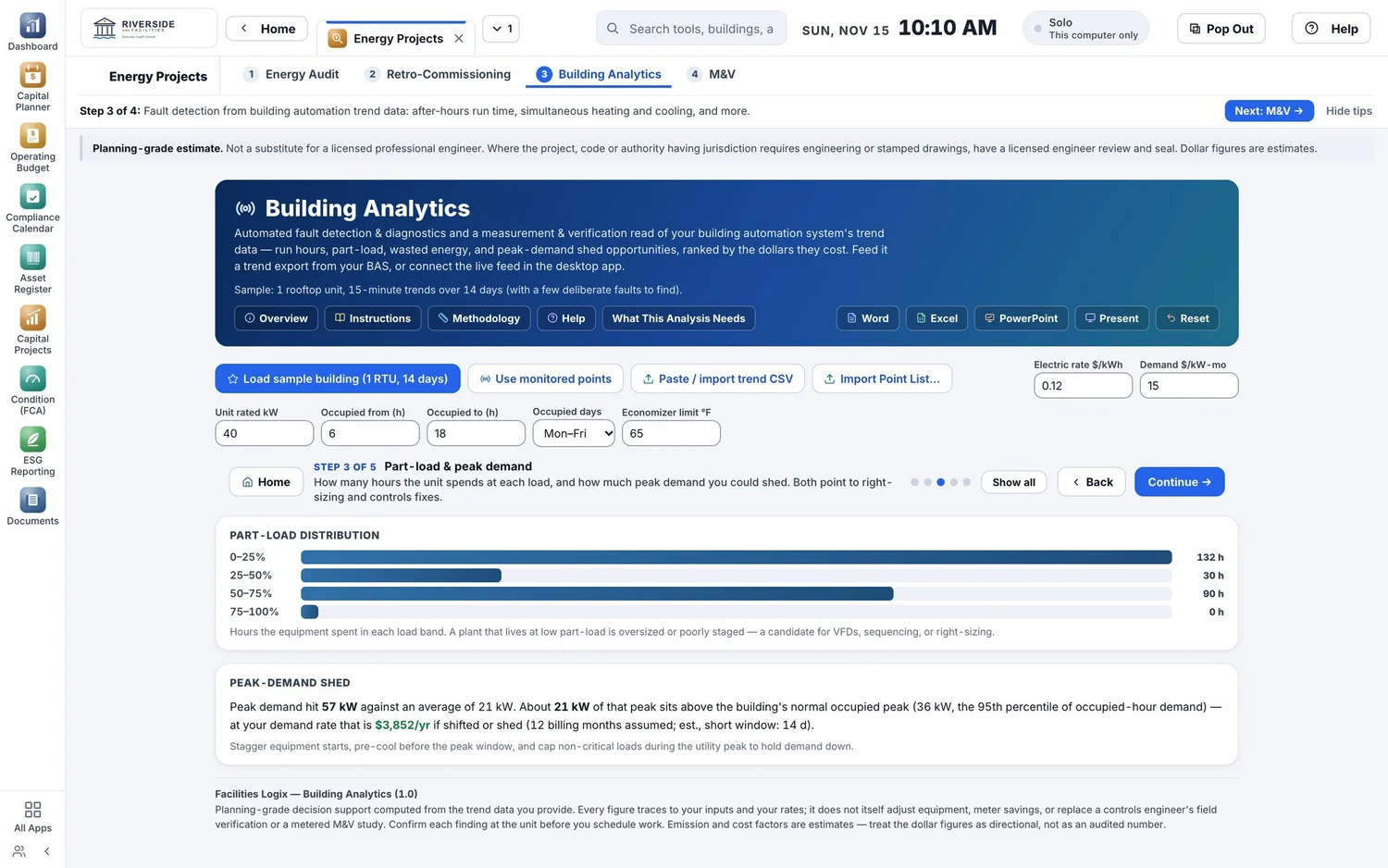
Watch the Rooms That Cannot Drift
Critical Environment Watch
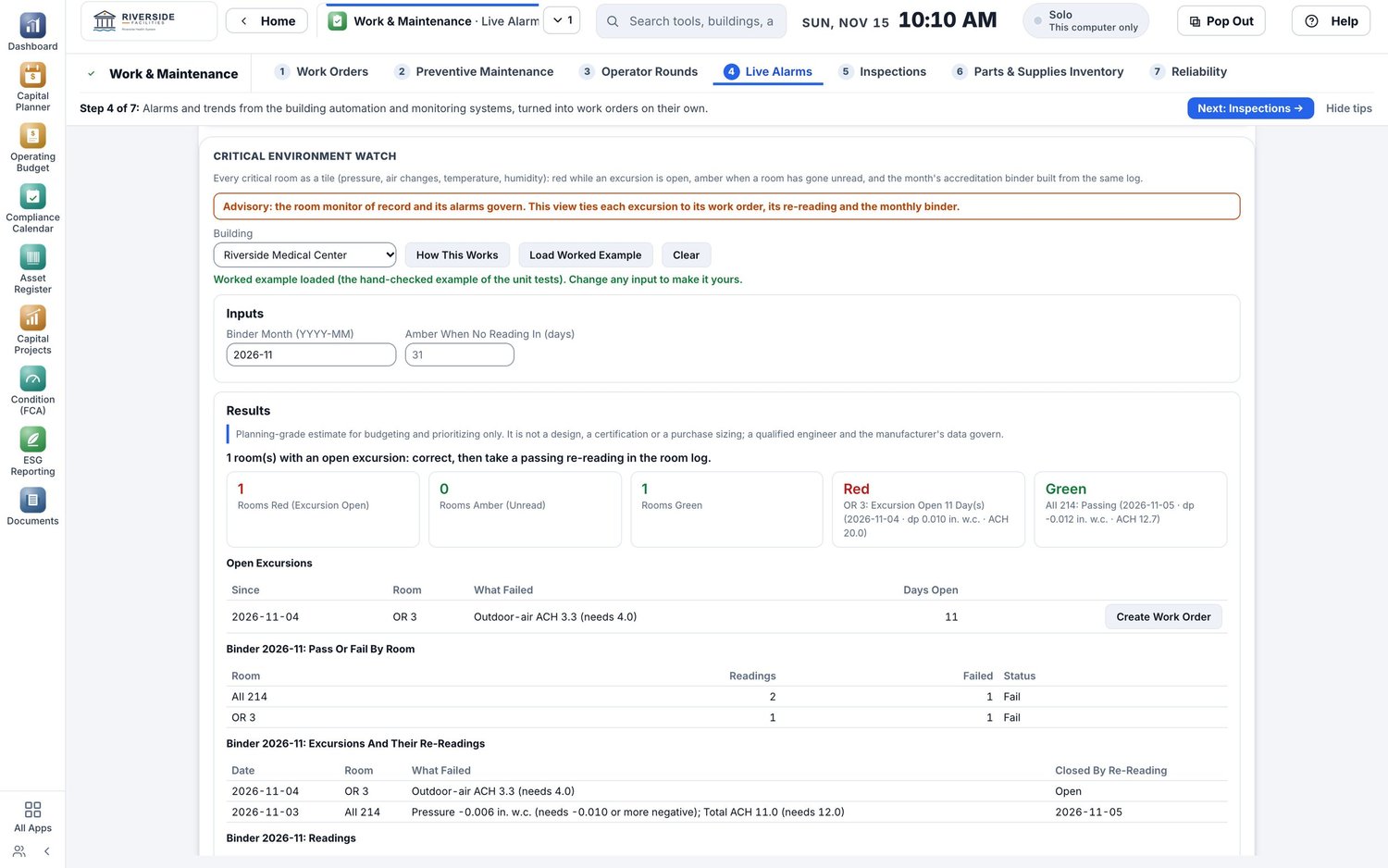
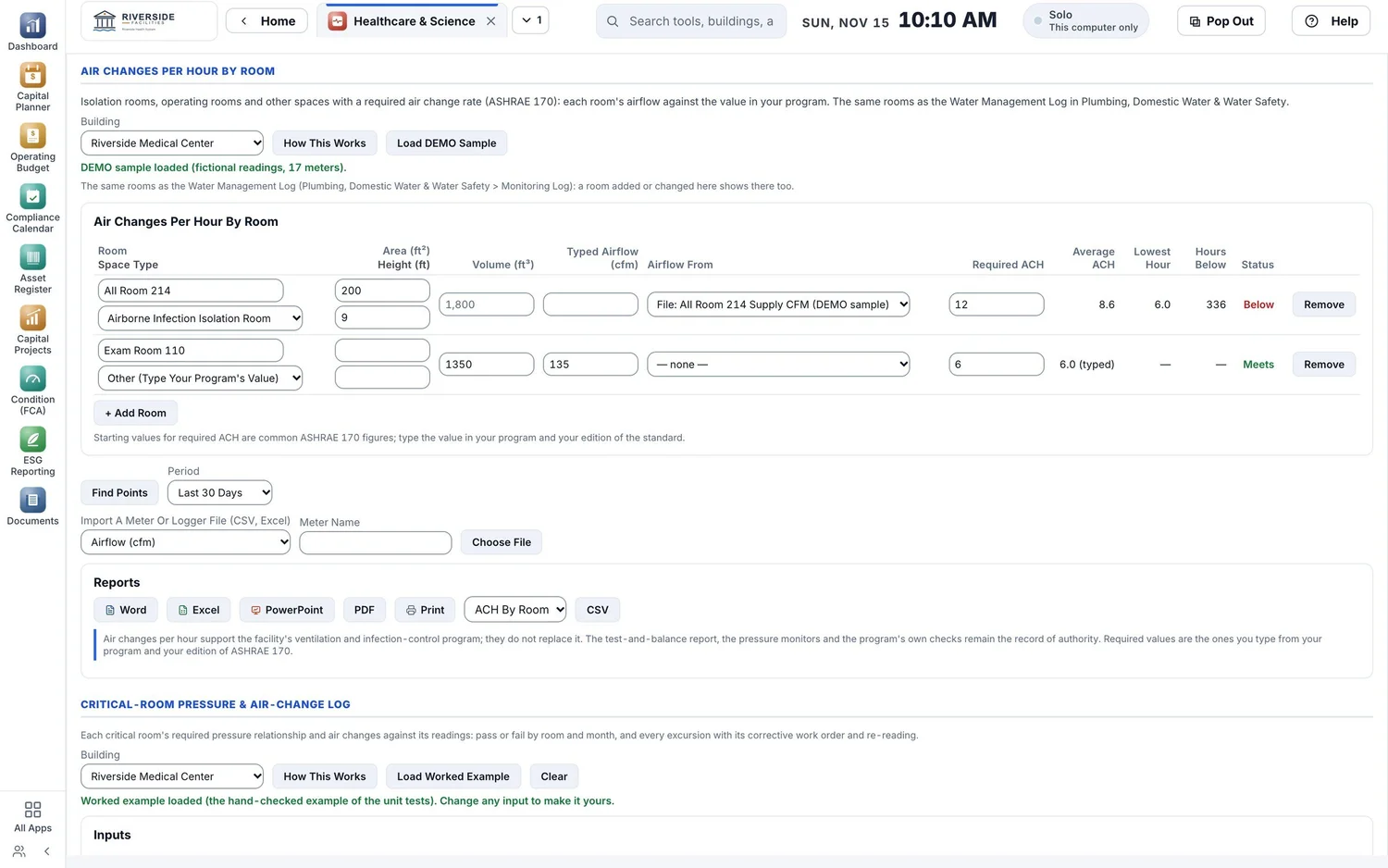
Every room in the critical-room pressure and air-change log appears as a tile, worst first: red while an excursion is open, amber when a room has not been read within the days you set, green when the latest reading passes. Each tile shows the latest pressure difference, air changes, temperature and humidity.
The Monthly Binder
Choose a month and export every room's pass or fail, each excursion with its re-reading and every reading, as Word, Excel, PowerPoint or PDF. The room monitor of record governs; this is the maintenance record beside it.
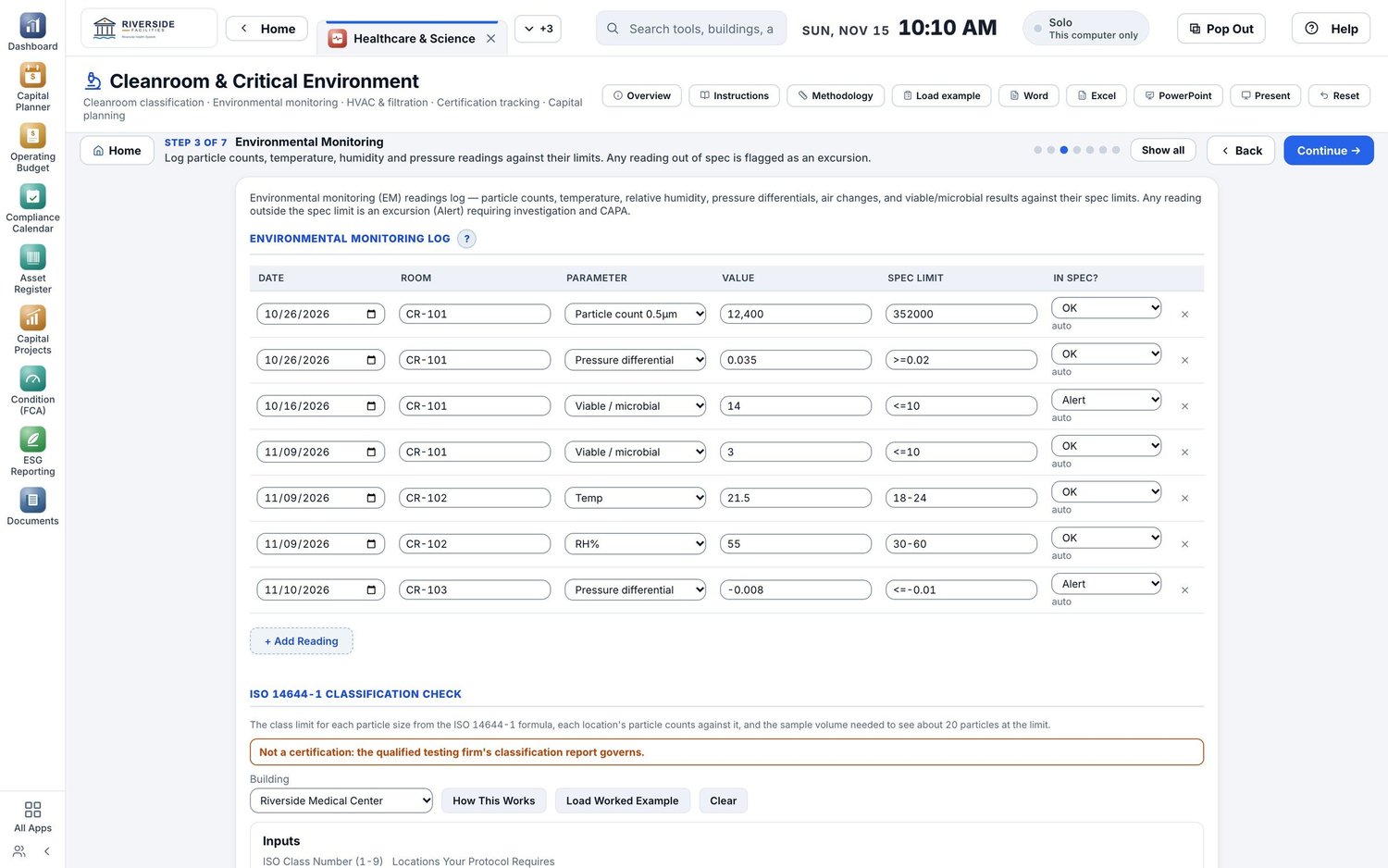
Environmental Monitoring in Cleanroom & Critical Environment: log particle counts, temperature, humidity and pressure readings against their limits. Any reading out of spec is flagged as an excursion.
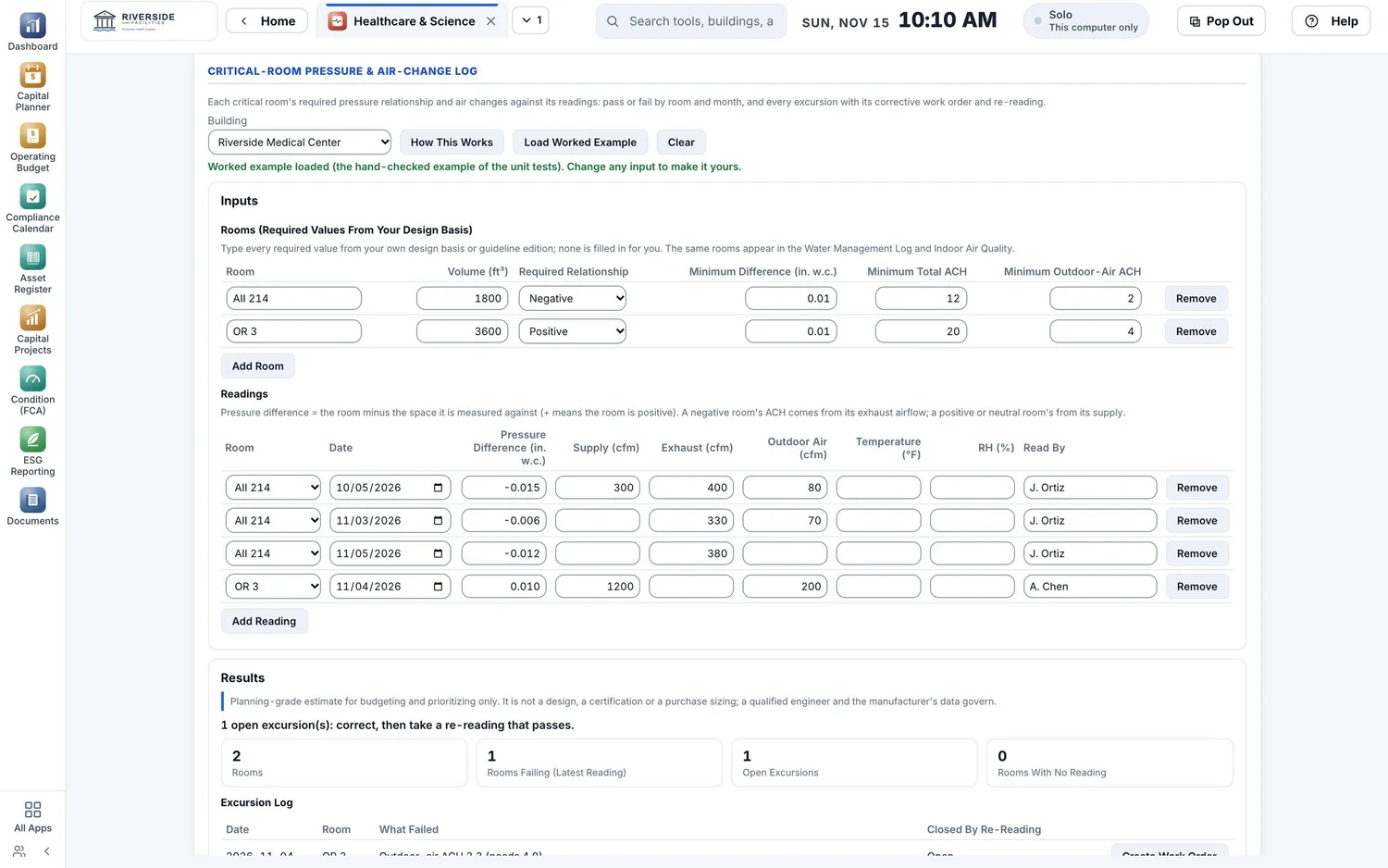
Critical-room pressure and air-change log with readings and results.
An Extra Set of Eyes, Not a Replacement for Life Safety Systems
What Live Alarms Is Not
- It reads and reports; it never controls equipment and never silences or resets an alarm in your controls
- It is not your fire alarm system, a supervising station, a listed central station, or a gas or emergency shutdown system
- Delivery and timing are not guaranteed: an alarm arrives only if the sensor, controls, network, mail server and collector are all working
- Your organization sets the limits, quiet periods and on-call plan; nobody at Facilities Logix watches your alarms
What Keeps It Accountable
- An audit trail of every step from reading to work order, with its time, exportable as CSV
- A simulator that plays a recorded day through the same rules for training and for testing a change
- Trends kept at full detail for 90 days and as hourly averages for five years, feeding Building Analytics with no export and paste
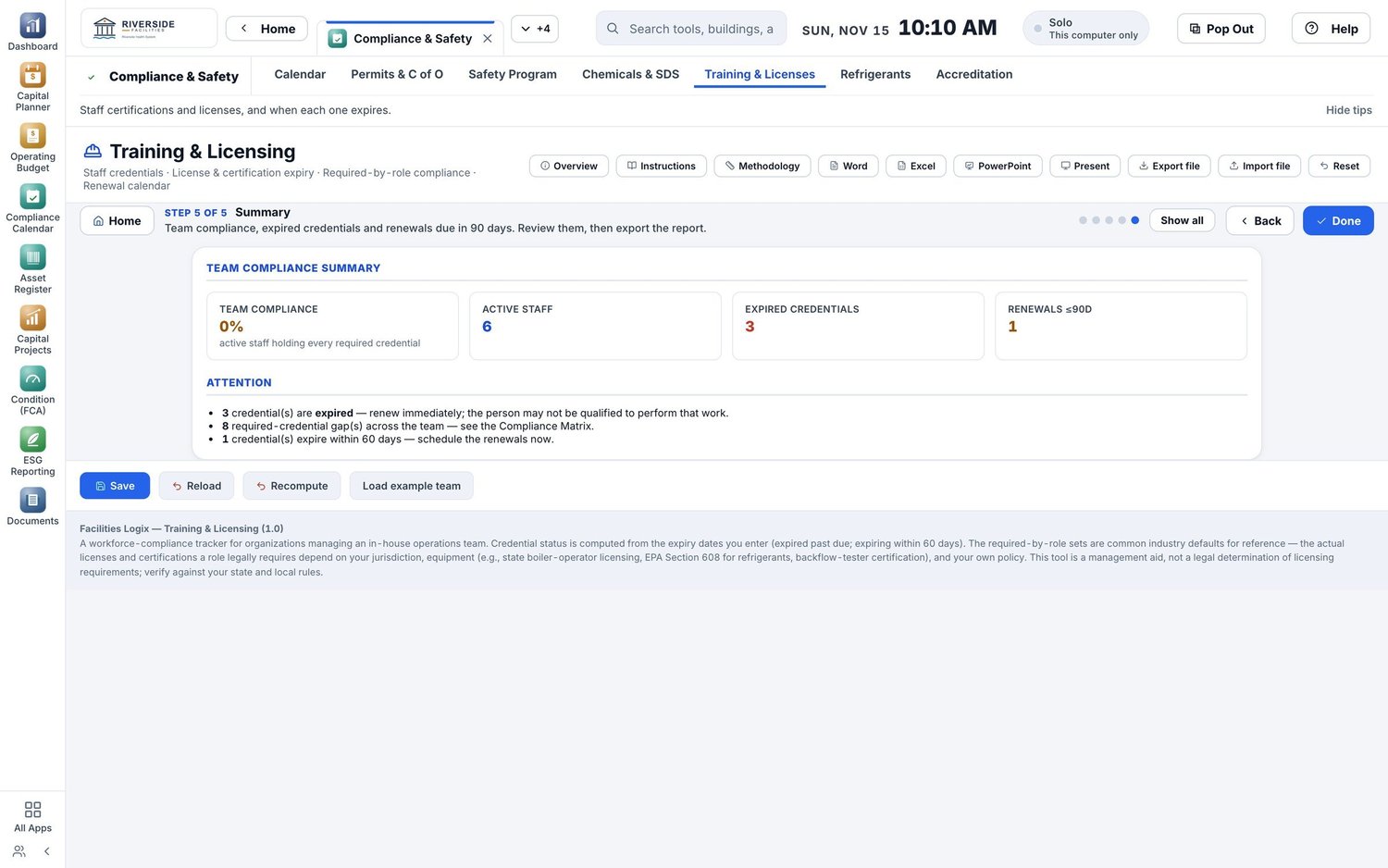
Summary in Training & Licensing: team compliance, expired credentials and renewals due in 90 days. Review them, then export the report.

You set each point's limits, how long it must last, its priority and what it becomes.
Frequently Asked Questions
Can Facilities Logix change a setpoint or reset an alarm?
Does this replace our fire alarm monitoring?
What do we need to connect?
Does the program call or text the person on call?
Are the Efficiency Desk dollar figures guaranteed savings?
Be First When Facilities Logix Opens
Stop chasing building records across spreadsheets and binders. Join the list and we will tell you the day downloads open, with setup guides ready.
Launching early 2027 for Facilities Logix. Nothing to buy today, and no sales calls.
