
Run the Day's Work and Keep the History That Proves It.
Work & Maintenance covers the daily operation of your buildings: requests, work orders, preventive maintenance, operator rounds, live alarms, inspections, parts and reliability. Every completed job updates the asset it was done on, so the people planning capital are reading what your operations team actually saw.
Launching Early 2027 · Join the Early-Access List
From the Request to the Close-Out
The Work Order System
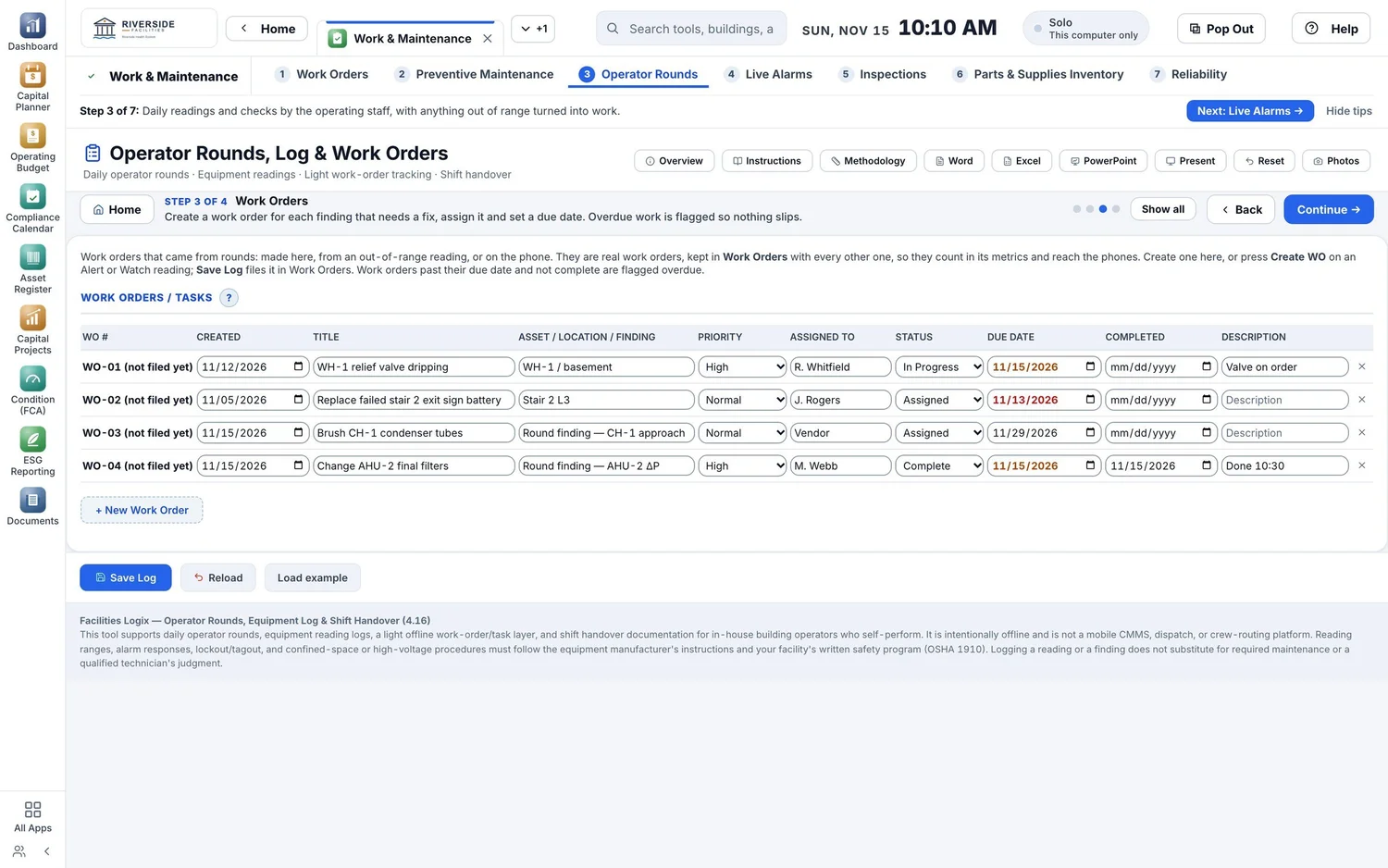
- Service-request intake for occupants and tenants, with triage before a request becomes work
- A status board with five columns, plus a table that opens a 10,000-work-order history in under a second
- Failure, cause and remedy codes, completion notes and downtime hours on close-out
- Internal cost per work order: staff time at your rates, storeroom parts, vendor invoices and other costs
- Maintenance KPIs on the Summary and Metrics steps, and Word, Excel and PowerPoint reports
- Batch actions: tick several work orders and assign, set the status or close them in one step, with your filters remembered
When the Work Goes to a Contractor
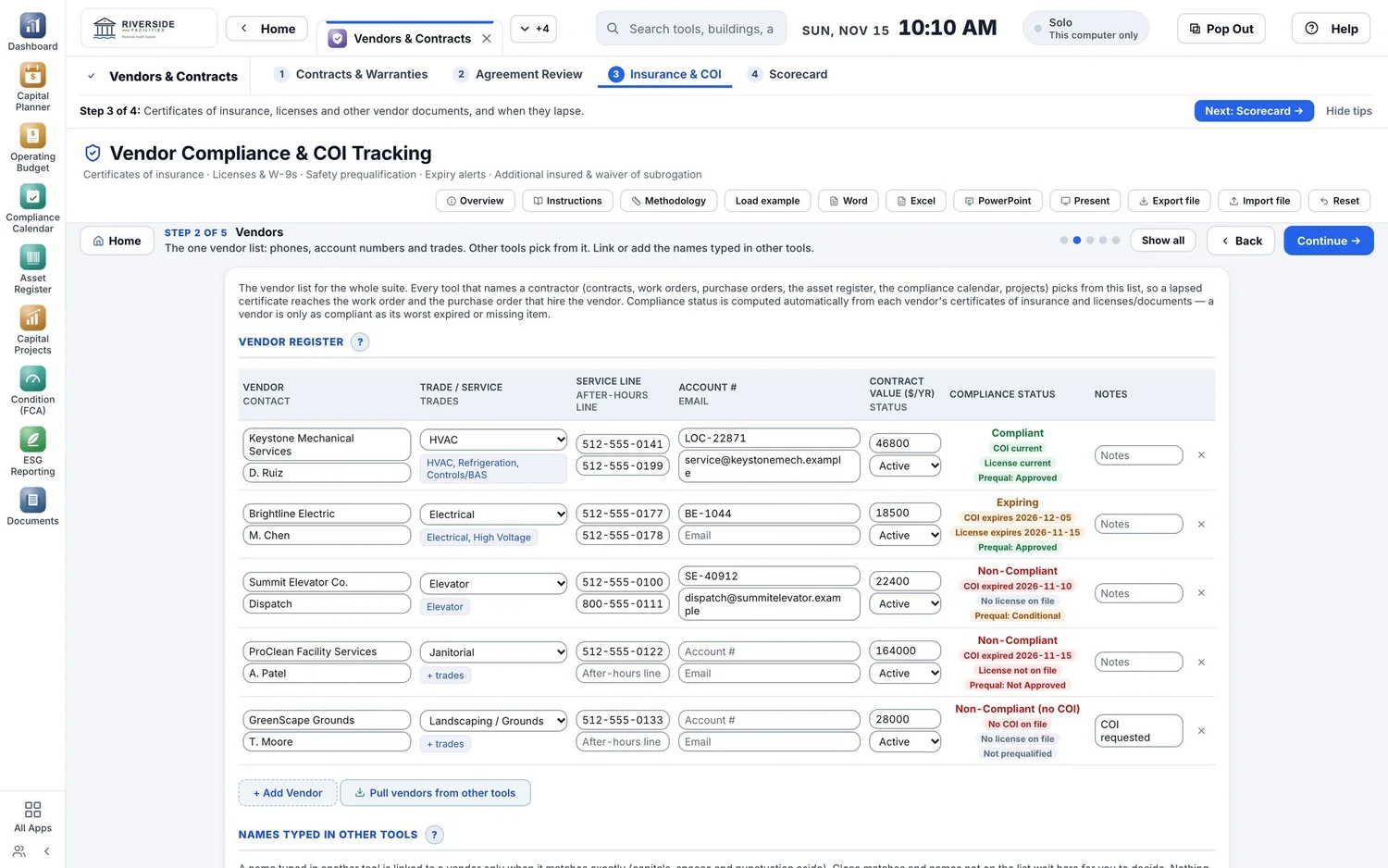
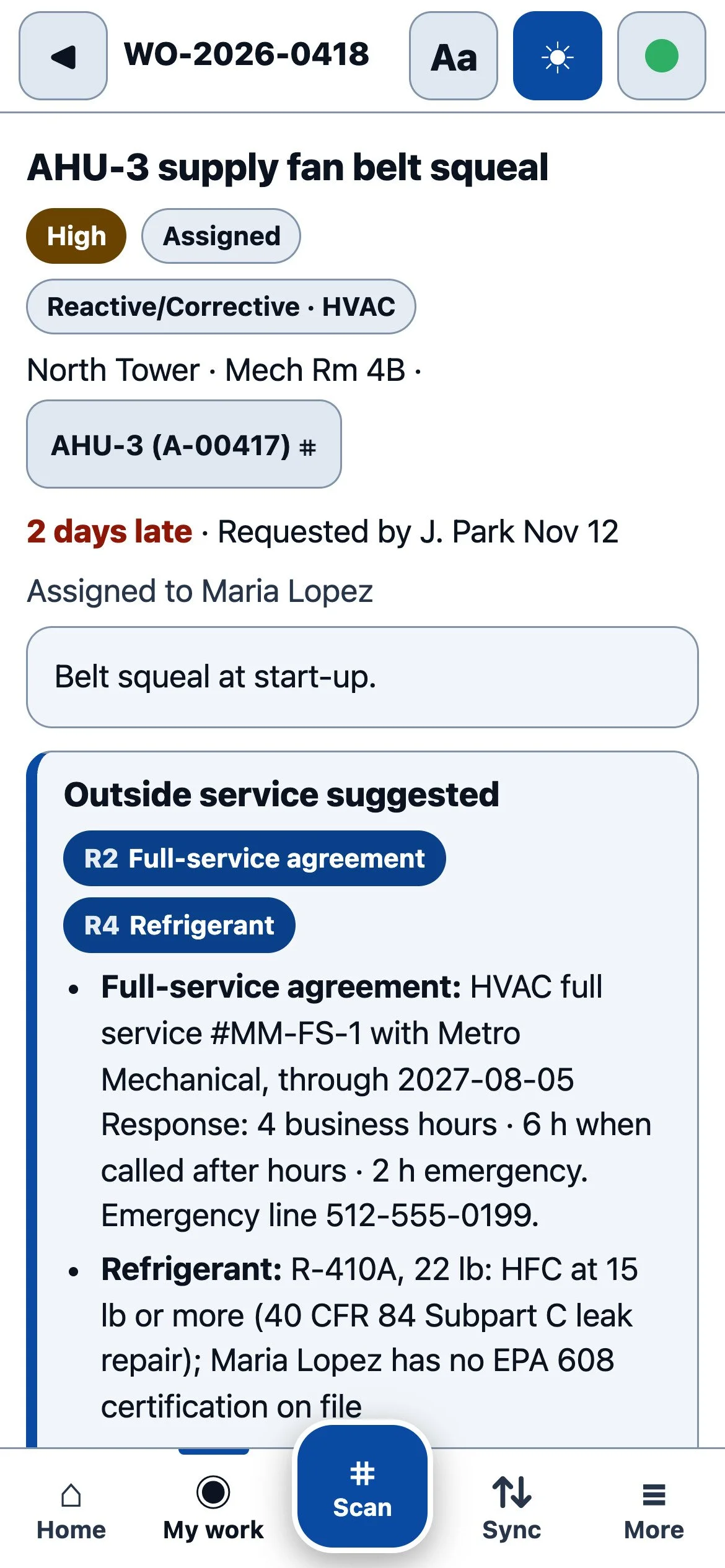
- Outside Service Suggested: the work order says when an asset is under warranty, covered by a service agreement, in a licensed or contracted-out trade, or over a refrigerant threshold
- It names the vendor, the number to call, your account number and the contract number; your team still decides
- Dispatch log: called at, spoke with, ticket number, promised by, arrived, finished or no-show
- Promised By comes from the agreement's response time or the response time you set for each priority, counted in business hours
- A not-to-exceed amount that warns at 80 percent and needs a manager's approval past 100 percent
- An insurance check that warns, or blocks, when the vendor's certificate has expired
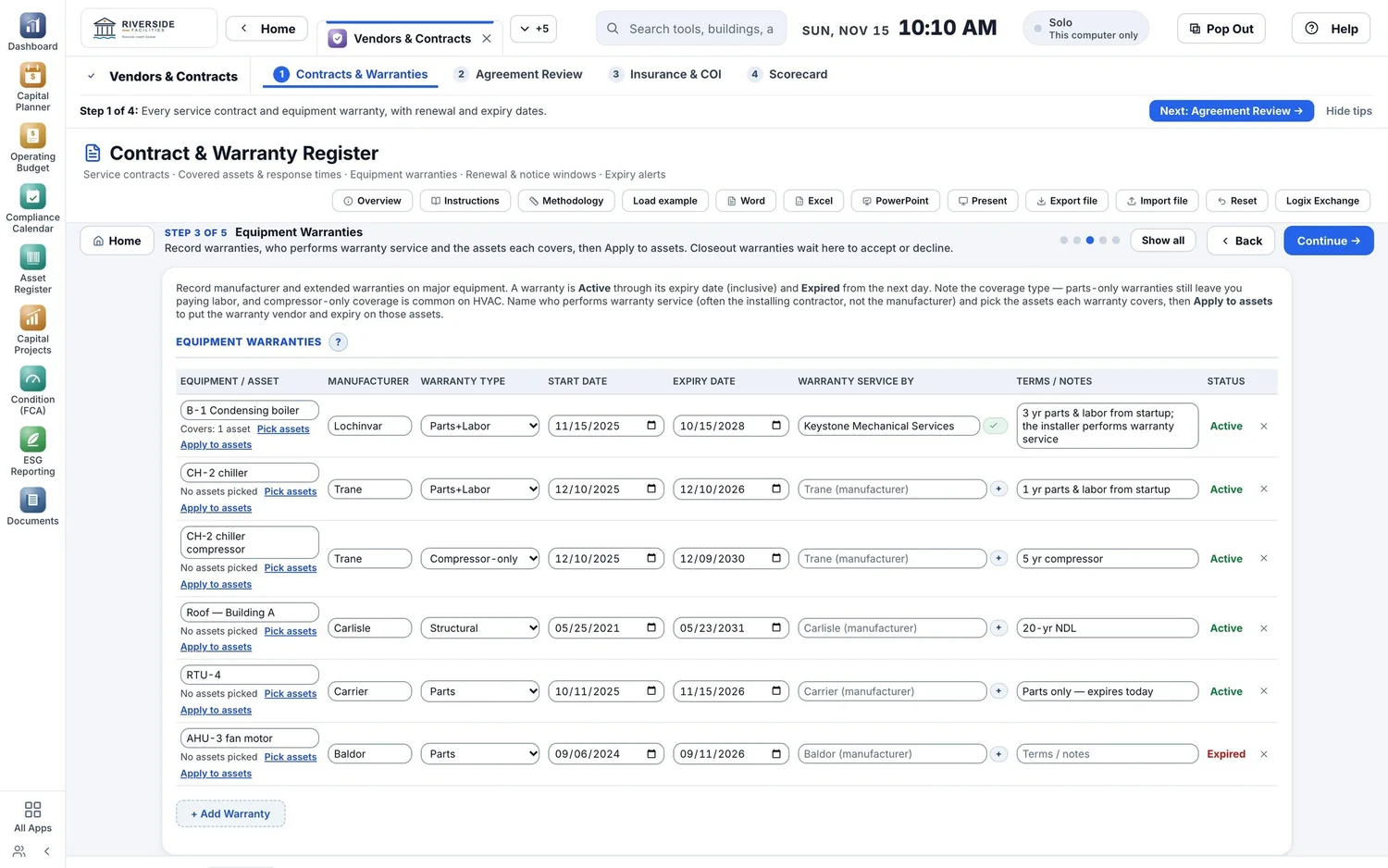
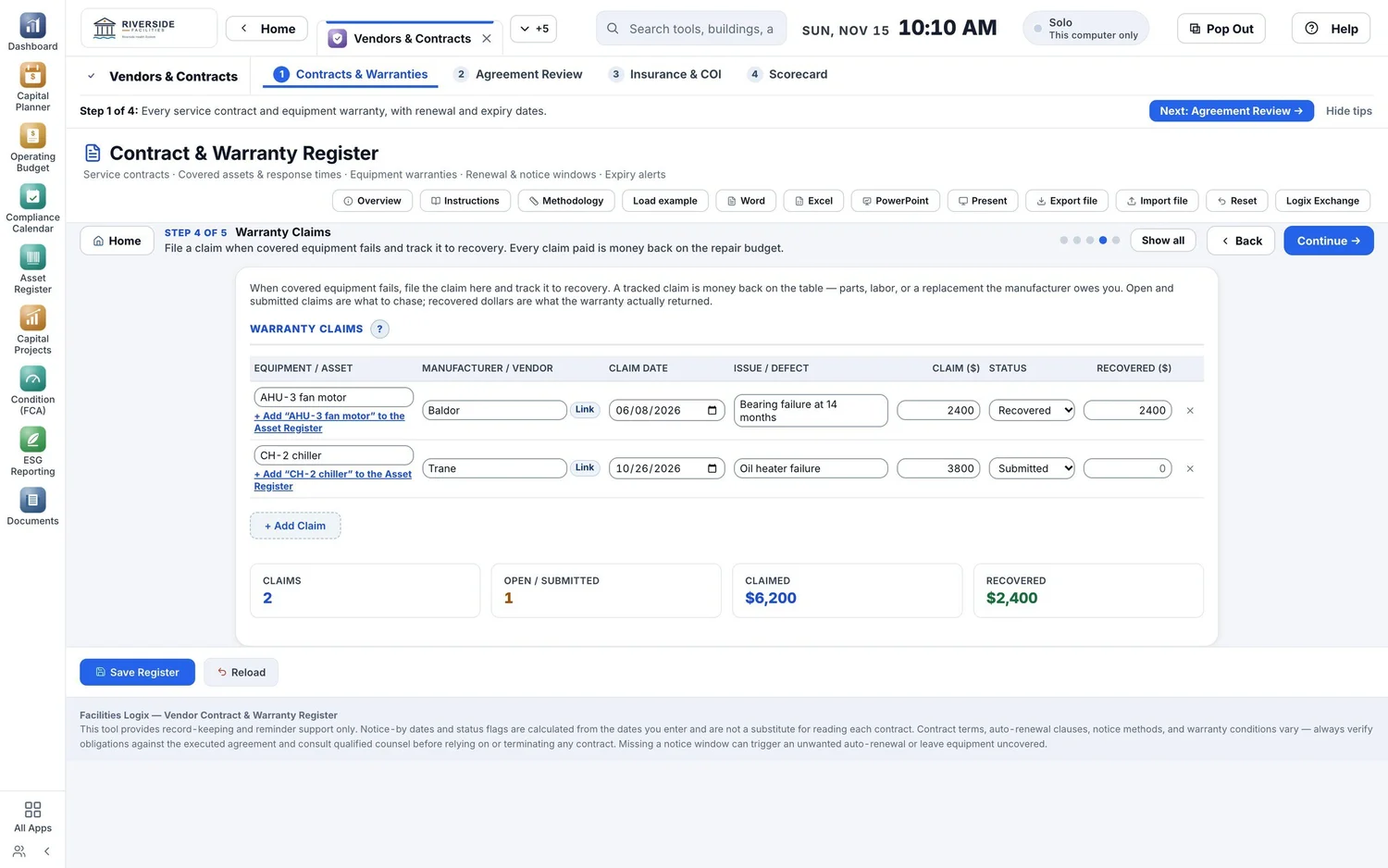
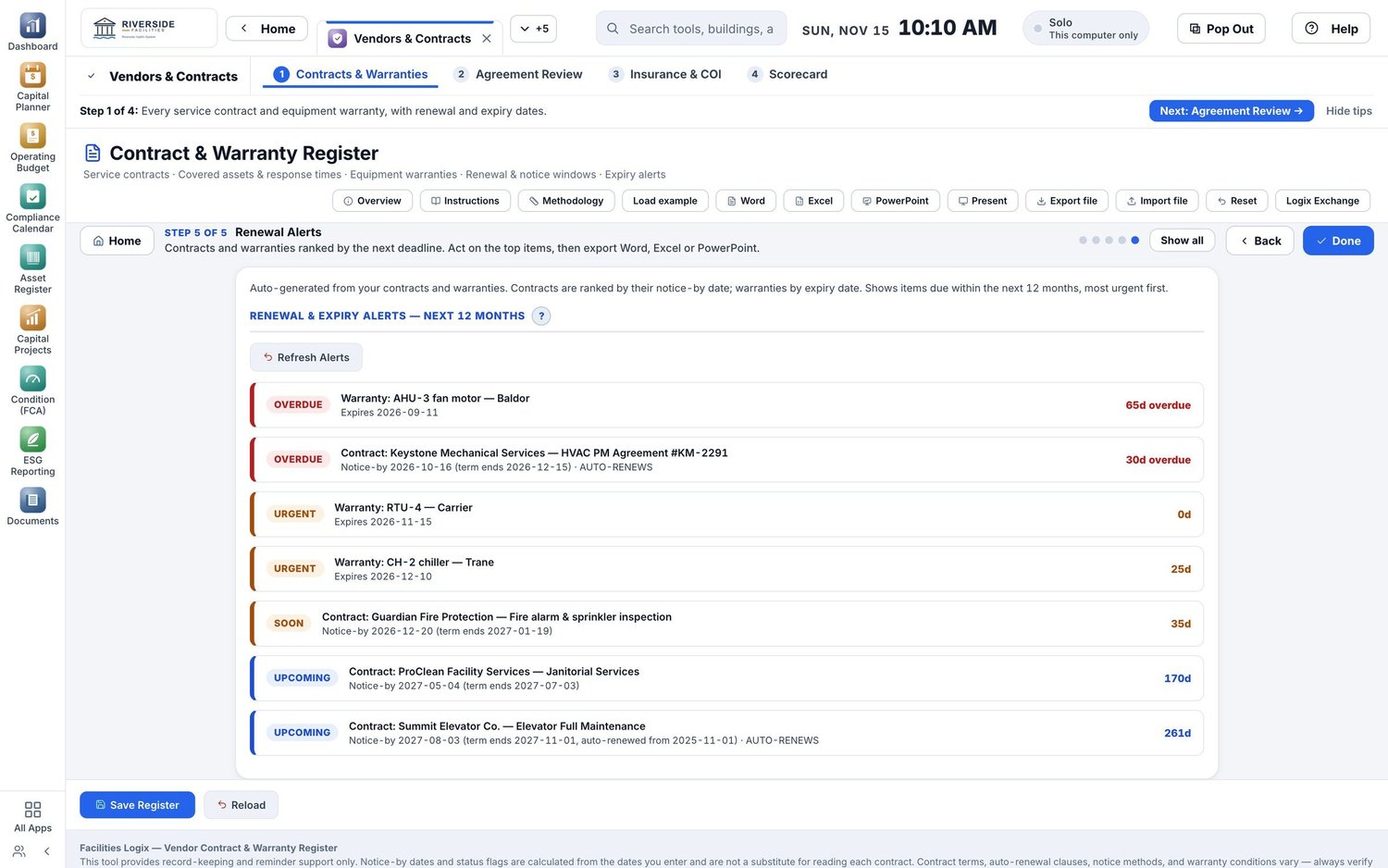
Equipment Warranties in Contract & Warranty Register: record warranties, who performs warranty service and the assets each covers, then Apply to assets. Closeout warranties wait here to accept or decline.
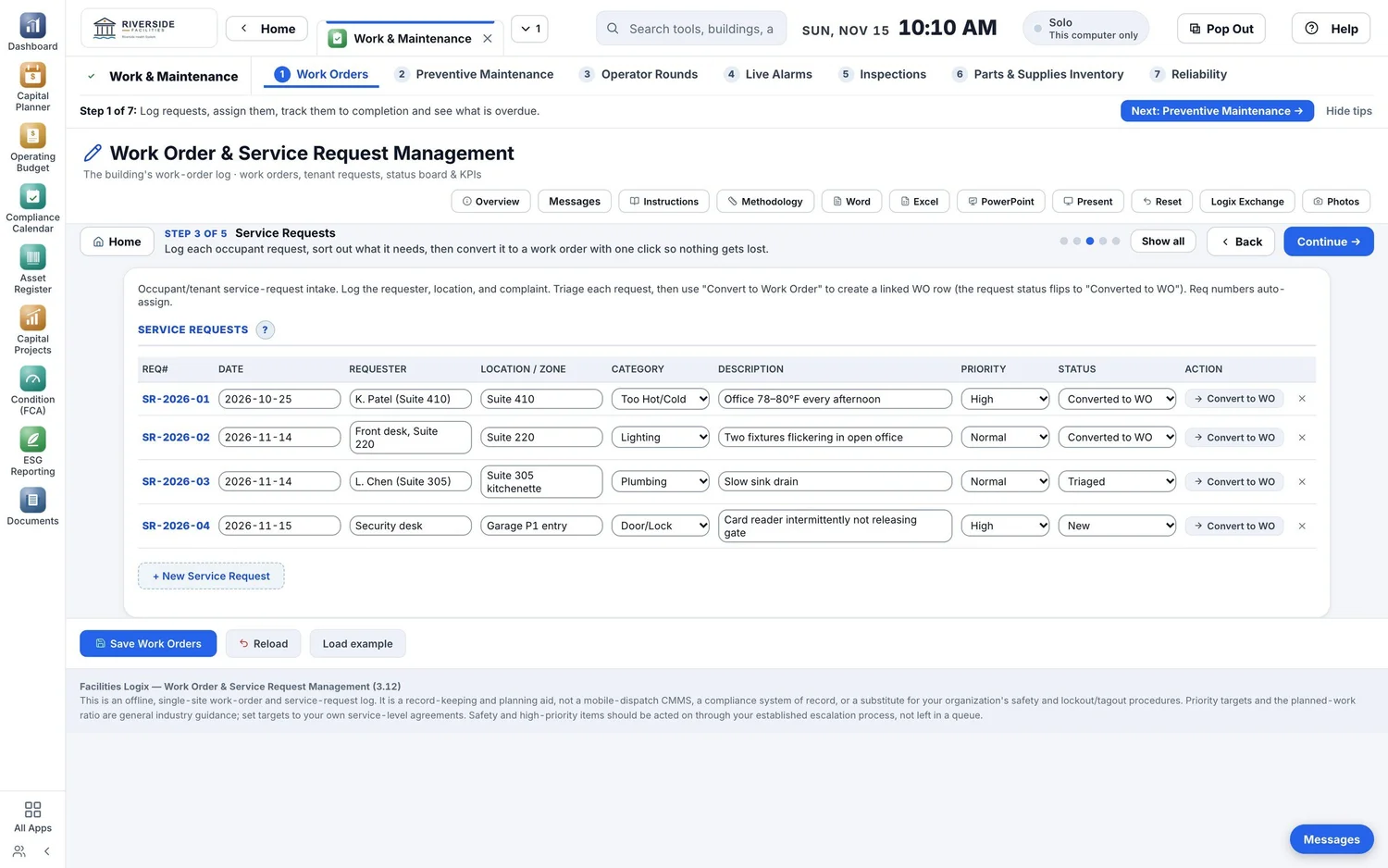
Requests sent by phone call and email get lost, so every request is logged and triaged before it becomes work.
A PM Program That Starts on Day One
95 Standard Procedures
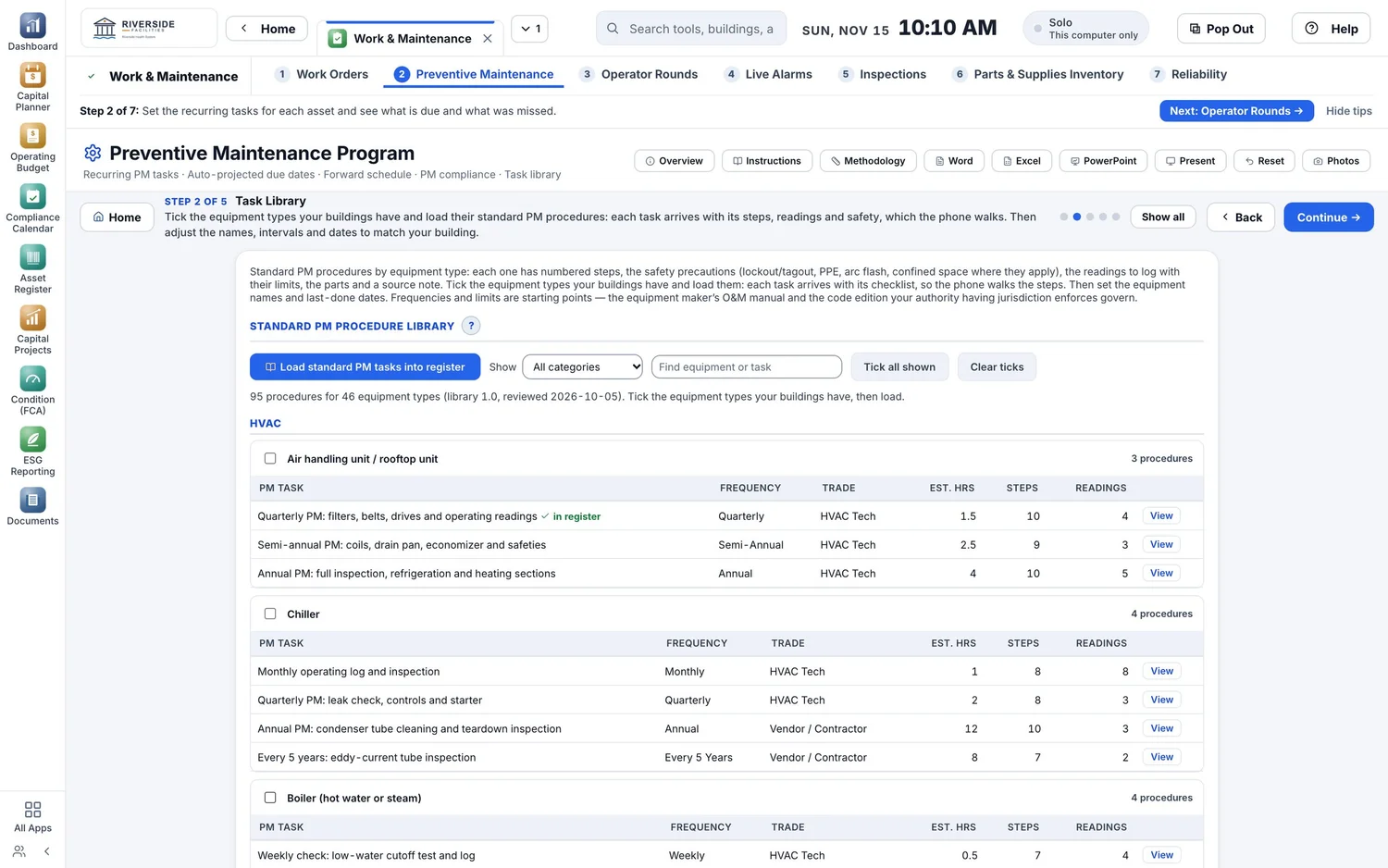
A task library of 95 PM procedures for 46 equipment types: HVAC, plumbing, electrical, fire and life safety, conveyance, envelope and ship systems. Tick the equipment you have and load them into the register.
Learn MoreShow Less
Writing a PM program from scratch takes weeks of staff or consultant time. The library loads standard procedures for the equipment you tick.
- Each with its frequency, trade and standard hours
- HVAC, plumbing, electrical, life safety, conveyance, envelope and ship systems
- Loading again adds only what is not there yet
- Standards cited by name; steps in our own words
Written to Be Followed
Each procedure has numbered steps in plain language, safety precautions, the readings to log, with watch and alert limits you set, parts and consumables, and a source note. Every step stays editable.
Learn MoreShow Less
A skipped step or an unlogged reading is how small faults become failures. Procedures guide the technician step by step.
- Lockout (29 CFR 1910.147), arc flash (NFPA 70E) and confined space precautions where they apply
- A reading with no defensible limit says Record Only
- Limits are conservative starting values set to the maker's figures
- A PM left halfway reopens where it stopped
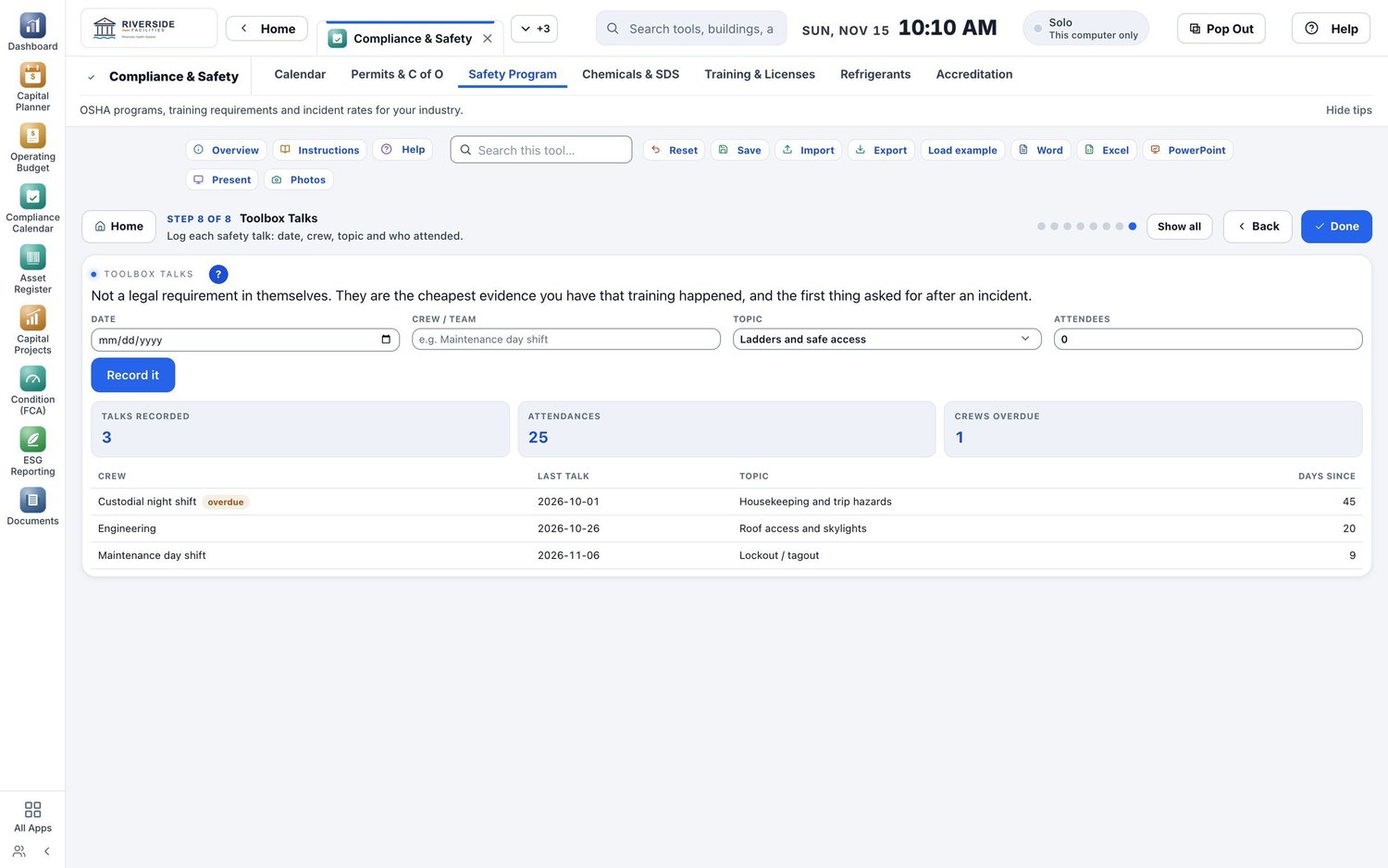
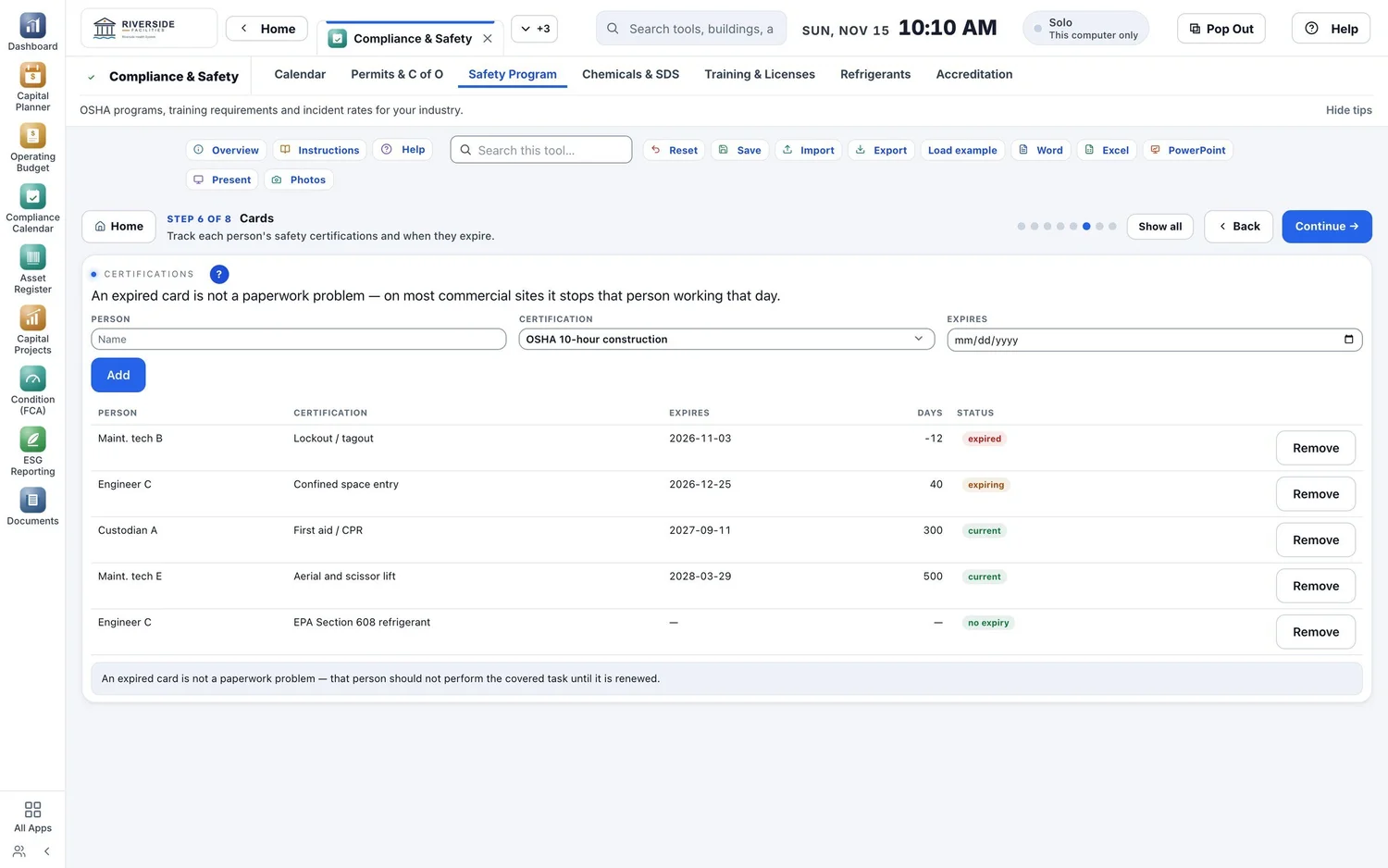
Toolbox Talks in Safety & Compliance: log each safety talk: date, crew, topic and who attended.
Due by Date or by Run Hours
Set a task by calendar frequency or by runtime hours with an optional time limit, whichever comes first. Run hours are read from the asset's meter readings on rounds.
Learn MoreShow Less
Servicing by calendar alone can mean too much service on idle units and too little on busy ones. Run-hour PM matches service to use.
- Hours used = latest reading - reading on the Last Done date
- Next due projected from the last 90 days of readings
- Sent to the phone when due within 14 days
- One work order per cycle, never one per projected date
Schedule and Compliance
A forward maintenance schedule, PM compliance tracking and Generate Work Orders for everything due. Tasks with a vendor become contractor work automatically.
Learn MoreShow Less
Contractor PM mixed into the technicians' list causes double visits. Generate Work Orders assigns vendor tasks straight to the vendor.
- A trade marked contracted out fills in its vendor
- Contractor work orders are never offered on the phone's pick-up list
- Tasks with no vendor become in-house work orders
- PM compliance counted on the home screen
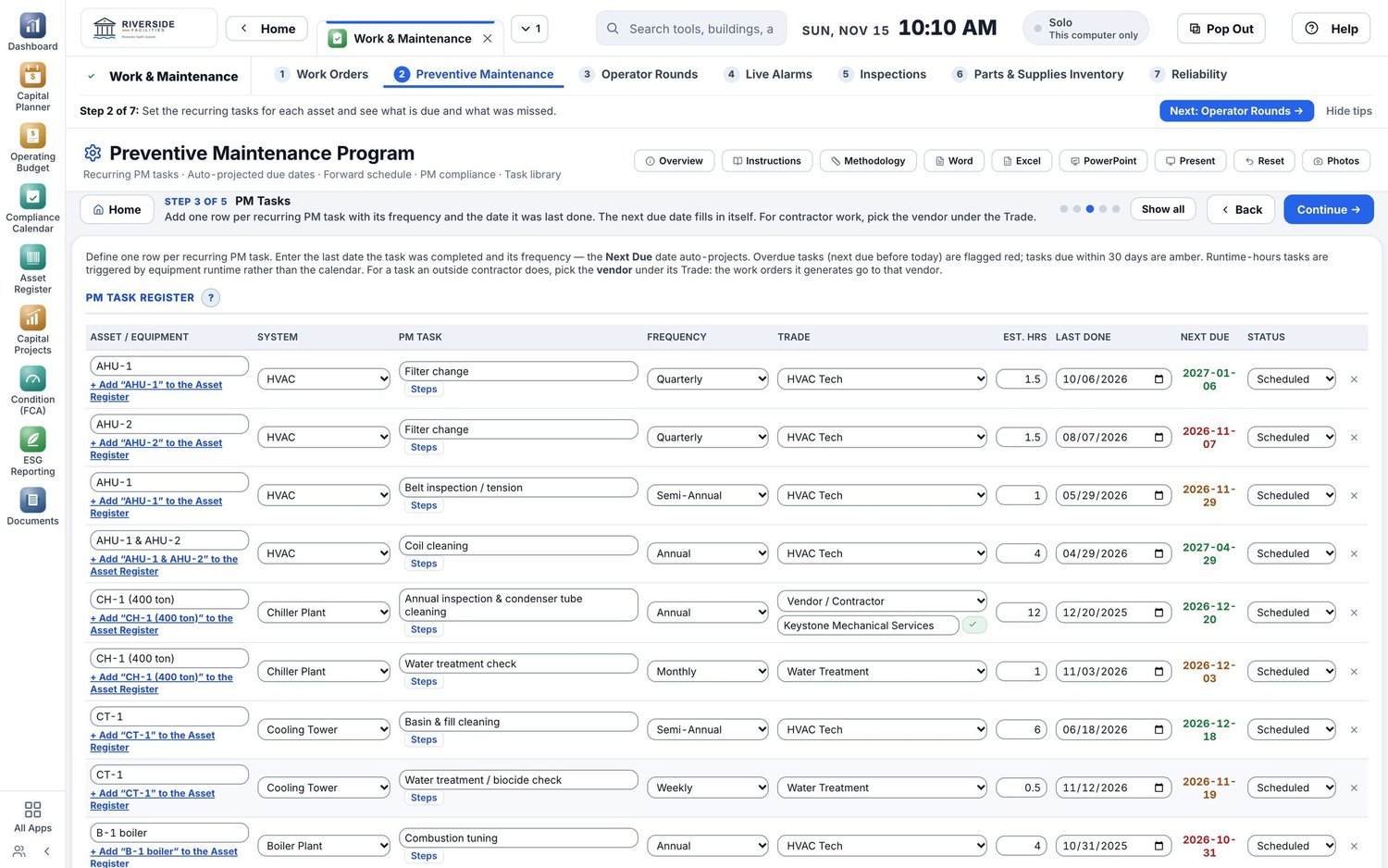
PM Tasks in Preventive Maintenance Program: add one row per recurring PM task with its frequency and the date it was last done. The next due date fills in itself. For contractor work, pick the vendor under the Trade.
Vendor Visits by Month
Each vendor's scheduled visits for the next twelve months, counting PM tasks and the compliance obligations that vendor is responsible for.
Learn MoreShow Less
Scheduling each vendor visit separately costs extra trip charges. A twelve-month view lets visits be combined.
- PM tasks and compliance obligations counted together per vendor
- Anything overdue counts in this month
- Open a vendor to see the tasks and dates behind each number
- Compliance rows assigned to a vendor feed the count
Your Own Procedures
Changes your organization makes are kept apart from the standard library, and can be exported and shared with your team as a signed file.
Learn MoreShow Less
Your own refinements took effort to write, and losing them to an update is wasted work. They are stored separately and laid over the shipped procedures.
- The library is dated and versioned
- Your changes are merged over the shipped procedures
- Use a Standard Procedure asks before replacing steps you wrote
- A checklist somebody already wrote is never replaced
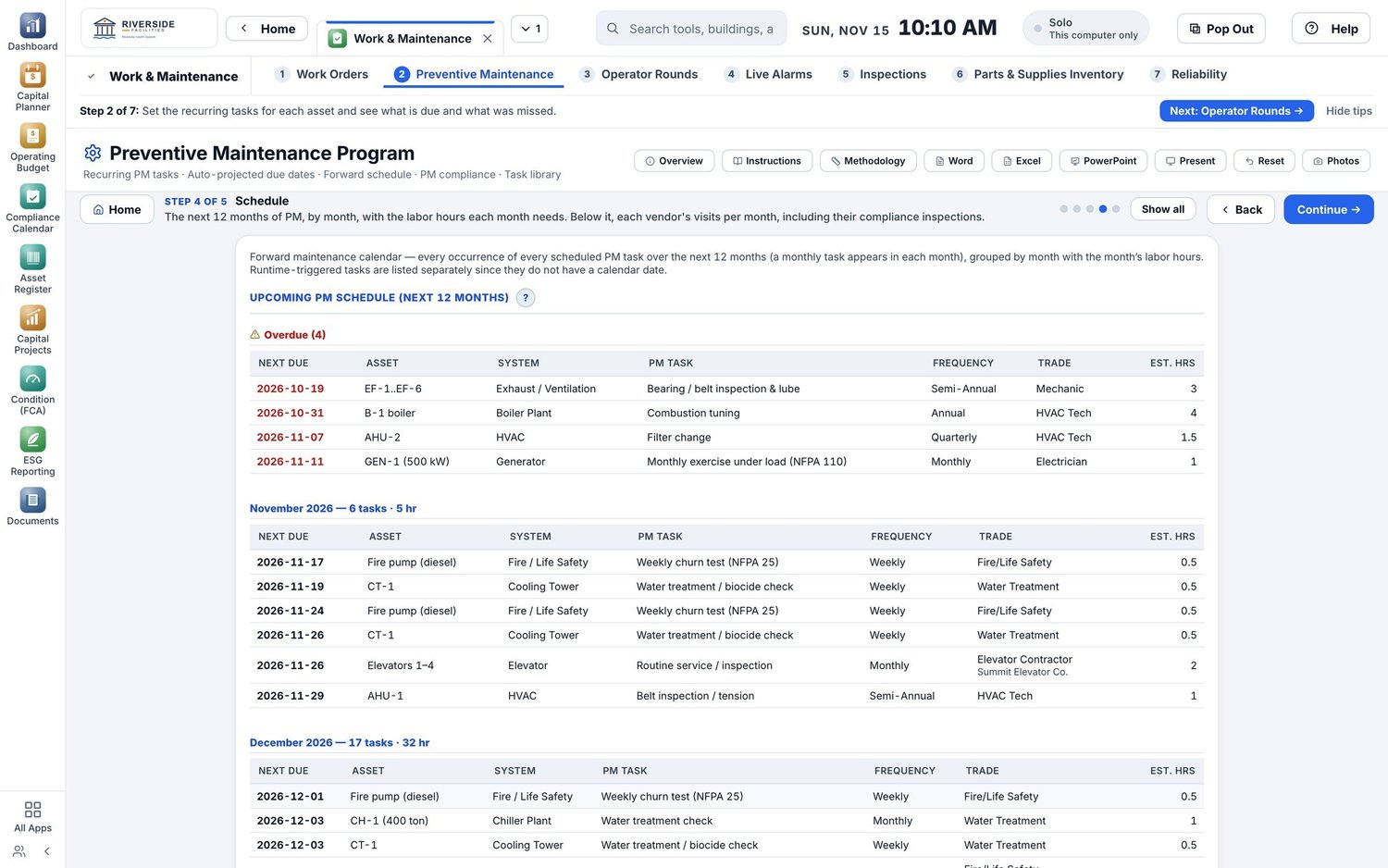
Schedule in Preventive Maintenance Program: the next 12 months of PM, by month, with the labor hours you entered for each task. Below it, each vendor's visits per month, including their compliance inspections.
Daily Readings That Turn into Work
Walk a Route
Walk a Route goes through the building's round points one at a time, showing the tag, the name and the normal and watch limits. Enter a number, or OK, Watch or Alert for a visual check, with a note. A summary of alerts and watches closes the round, and anything out of range becomes a work order.
Shift Handover
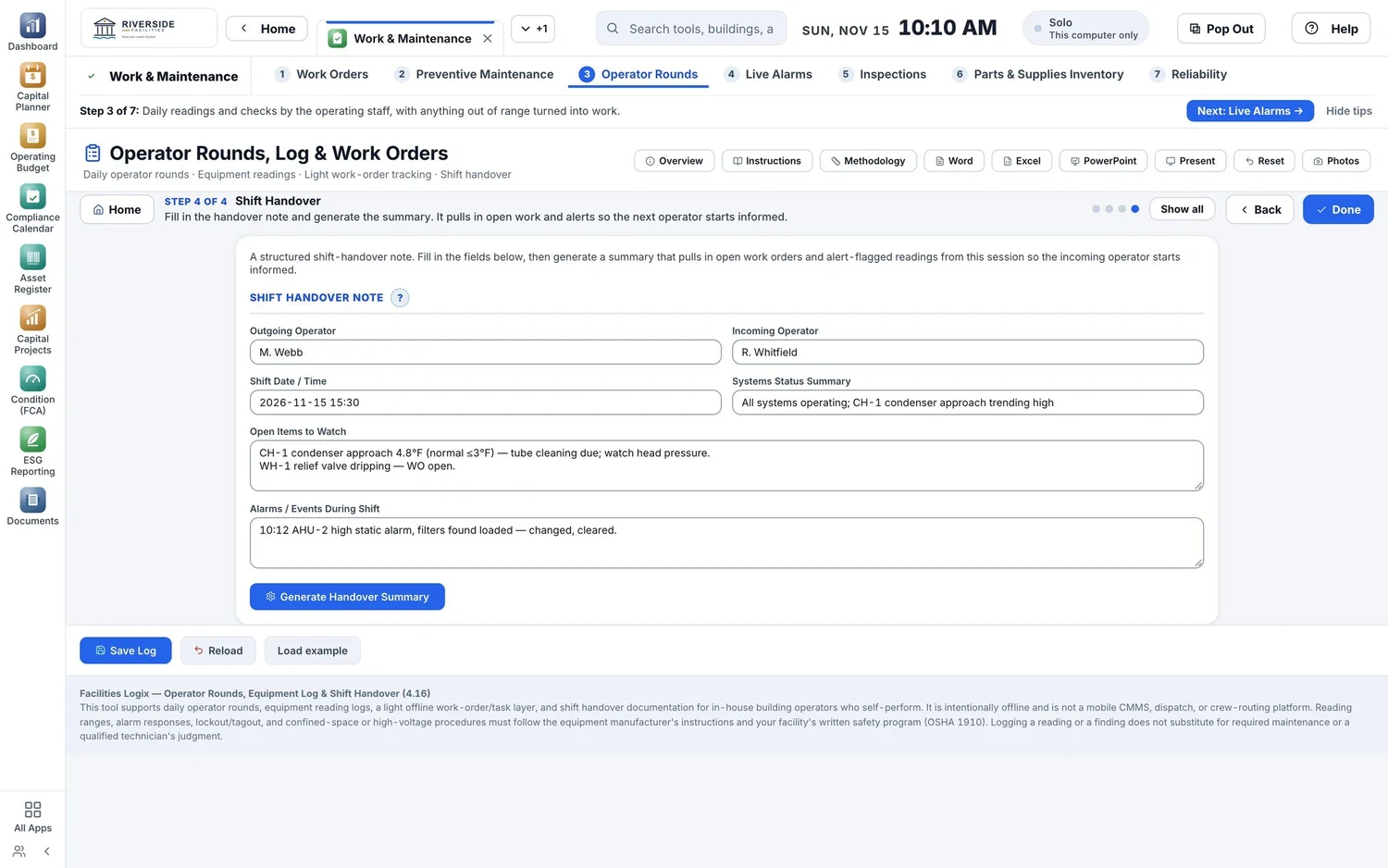
Rounds carry a structured handover: the building, the open items and what the next shift needs to know. The person taking over accepts the handoff, at the desk or on a phone, so nothing is lost between shifts.
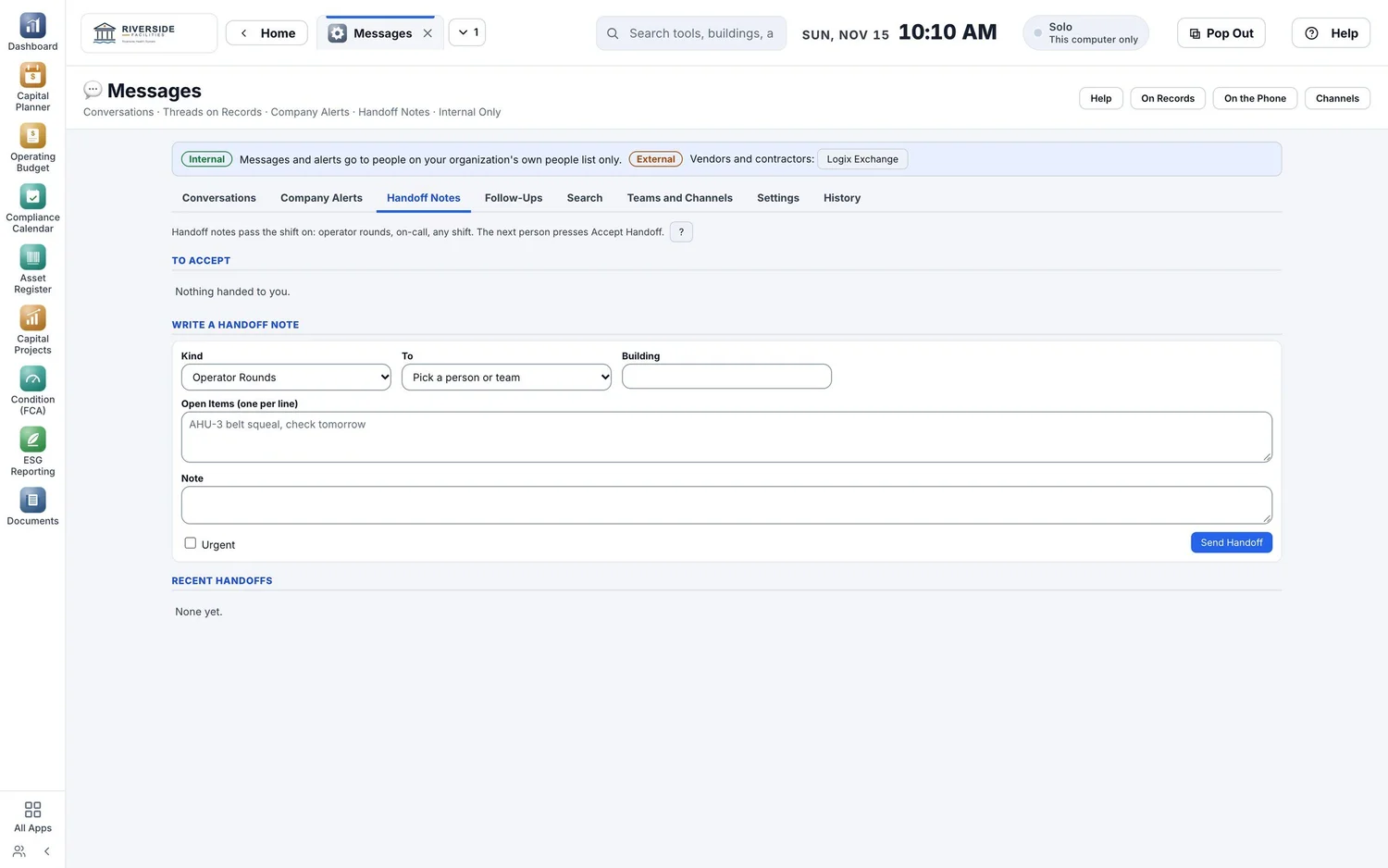
Handoff notes: what was handed over at the end of a shift, in writing.
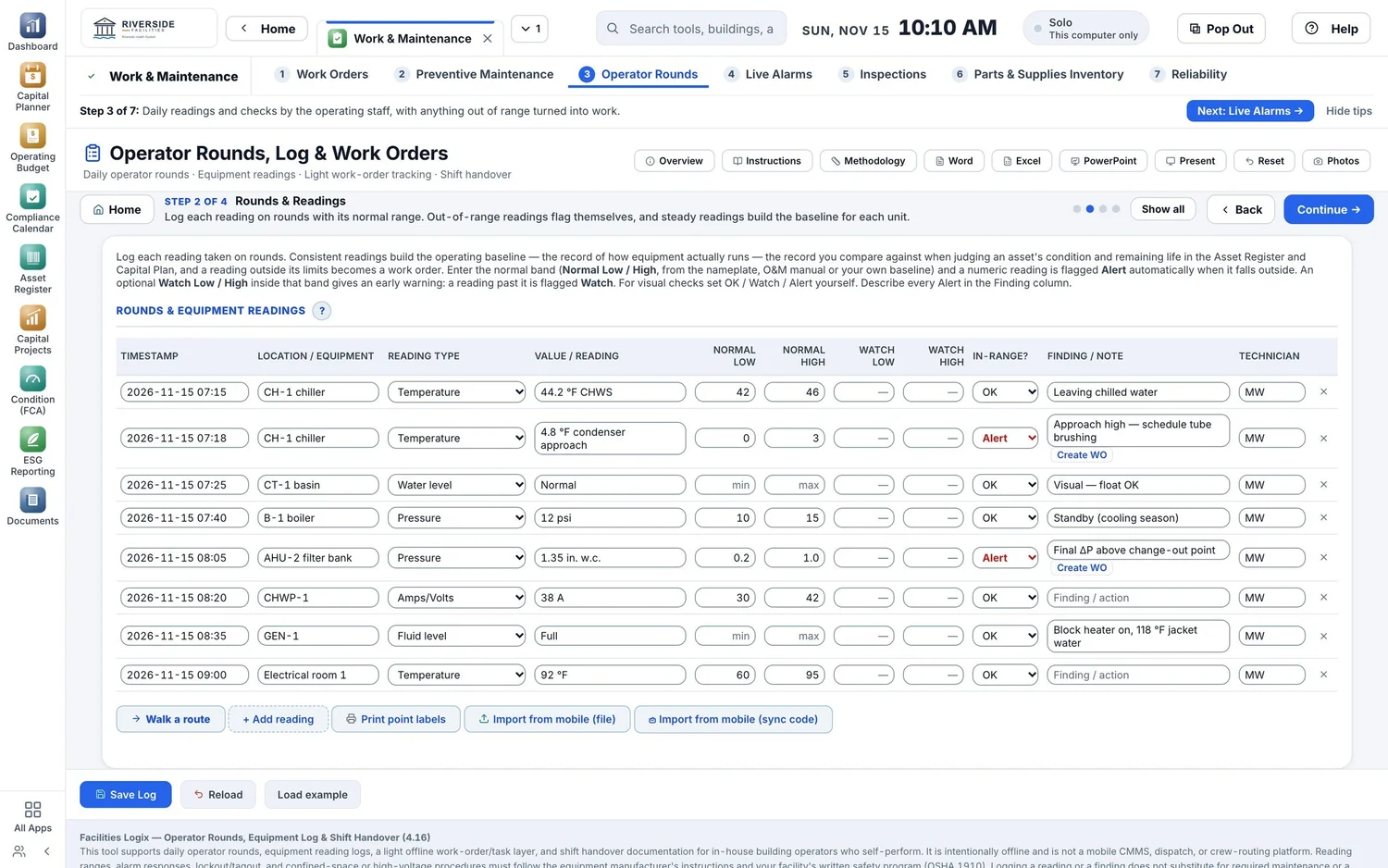
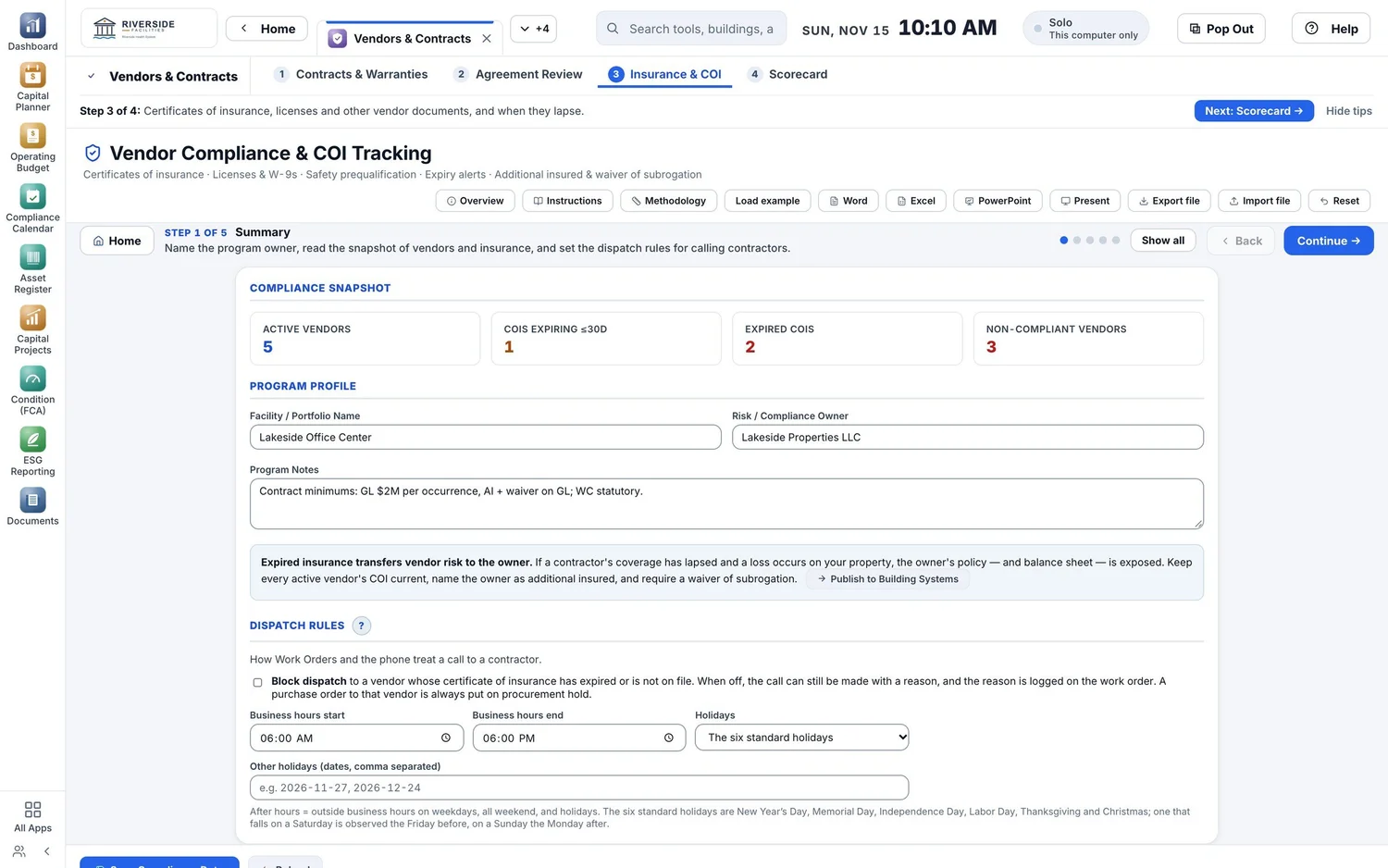
Daily readings on clipboards rarely turn into work, so a reading outside its limit becomes a work order.
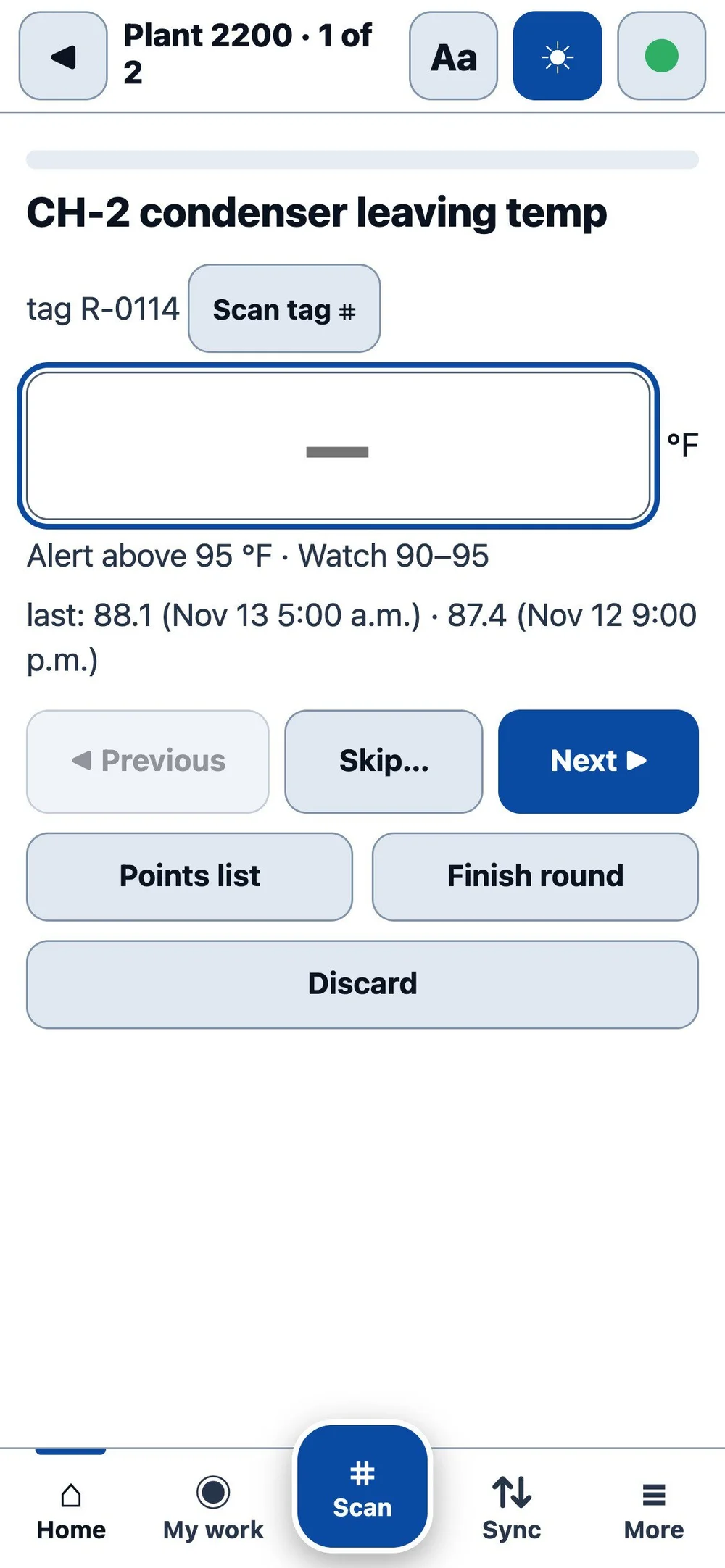
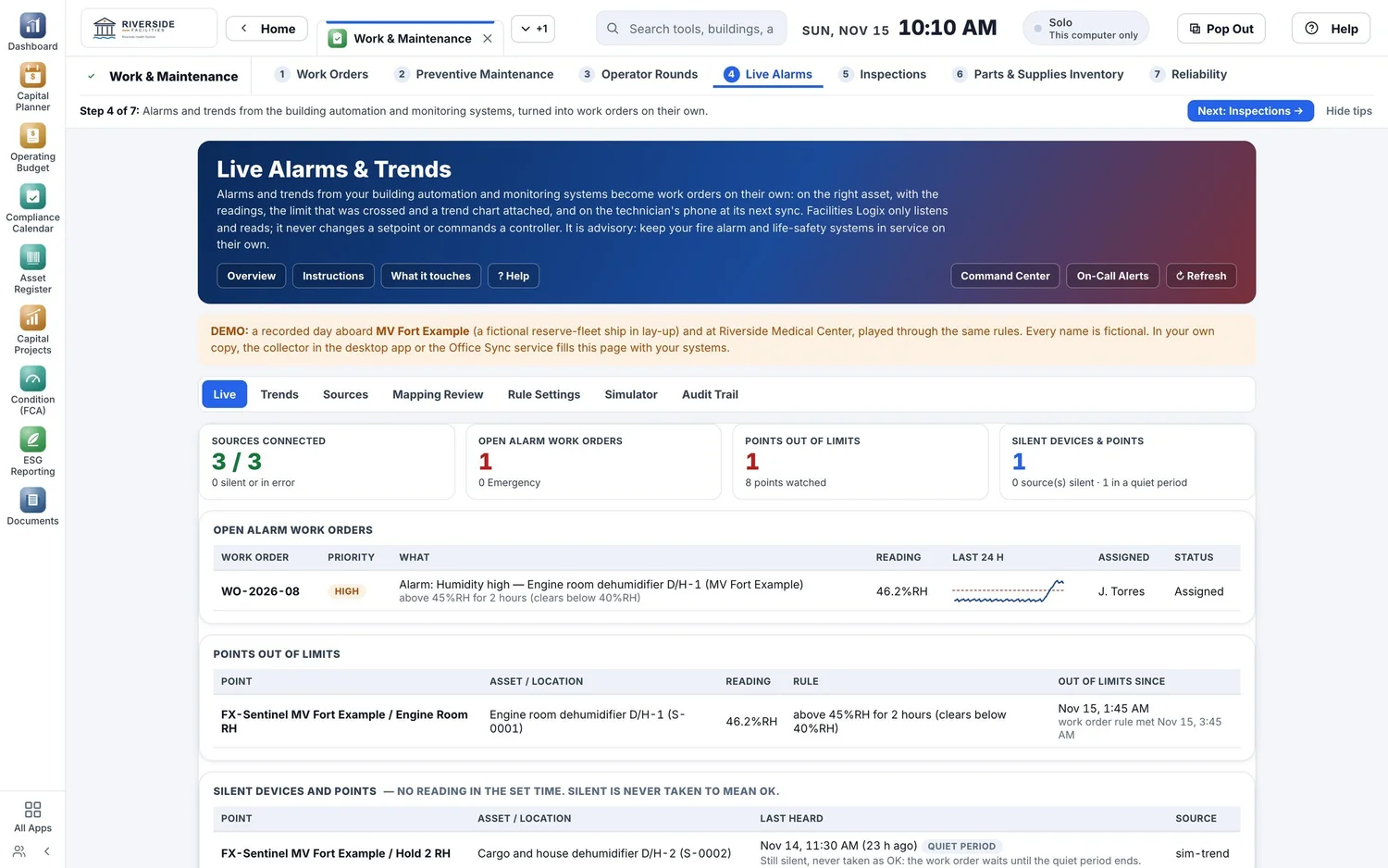
Find the Problems, Then Find the Pattern
Inspection and Audit Builder
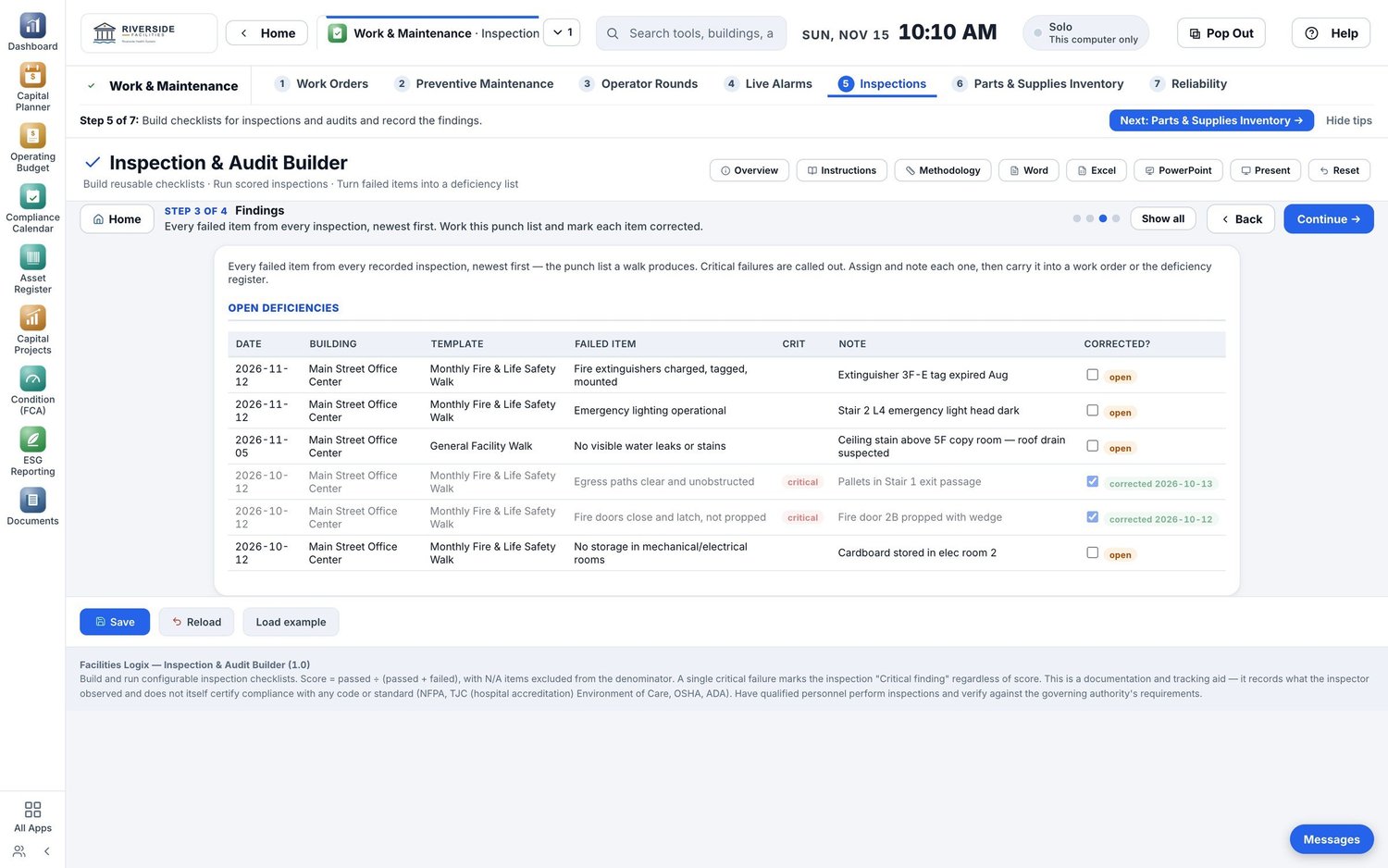
Build reusable checklists for fire and life safety, environment of care and facility walks. Run scored inspections with pass, fail and not applicable, and roll failures into a deficiency list. Starter templates are included.
Learn MoreShow Less
An inspection that misses a blocked fire door is a liability, however good the rest scored. Critical items flag the whole inspection.
- Score = passed / (passed + failed)
- A single critical failure flags the inspection
- Failures go to a work order or the deficiency register
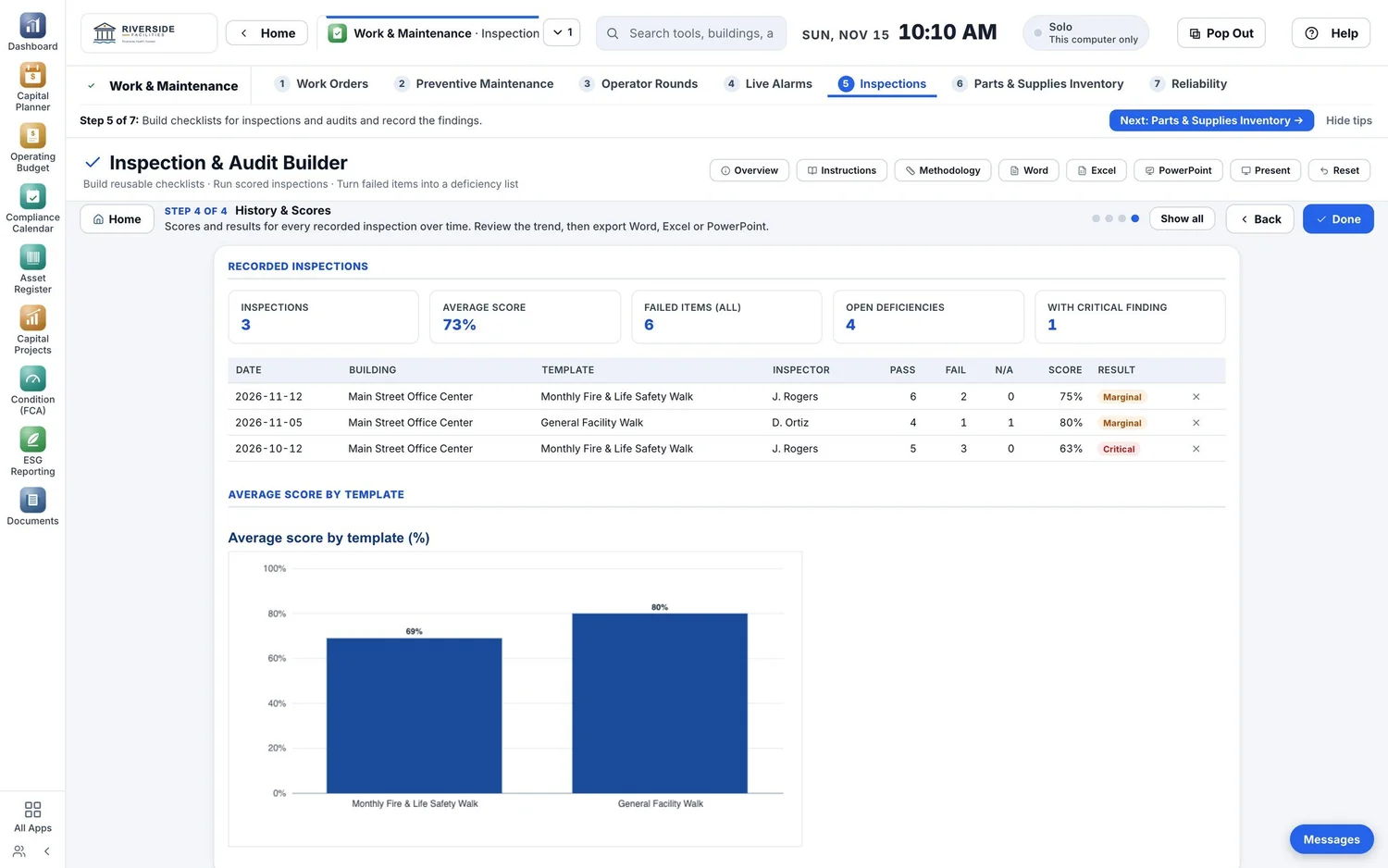
- Average score by template over time
Reliability and Failure Analytics
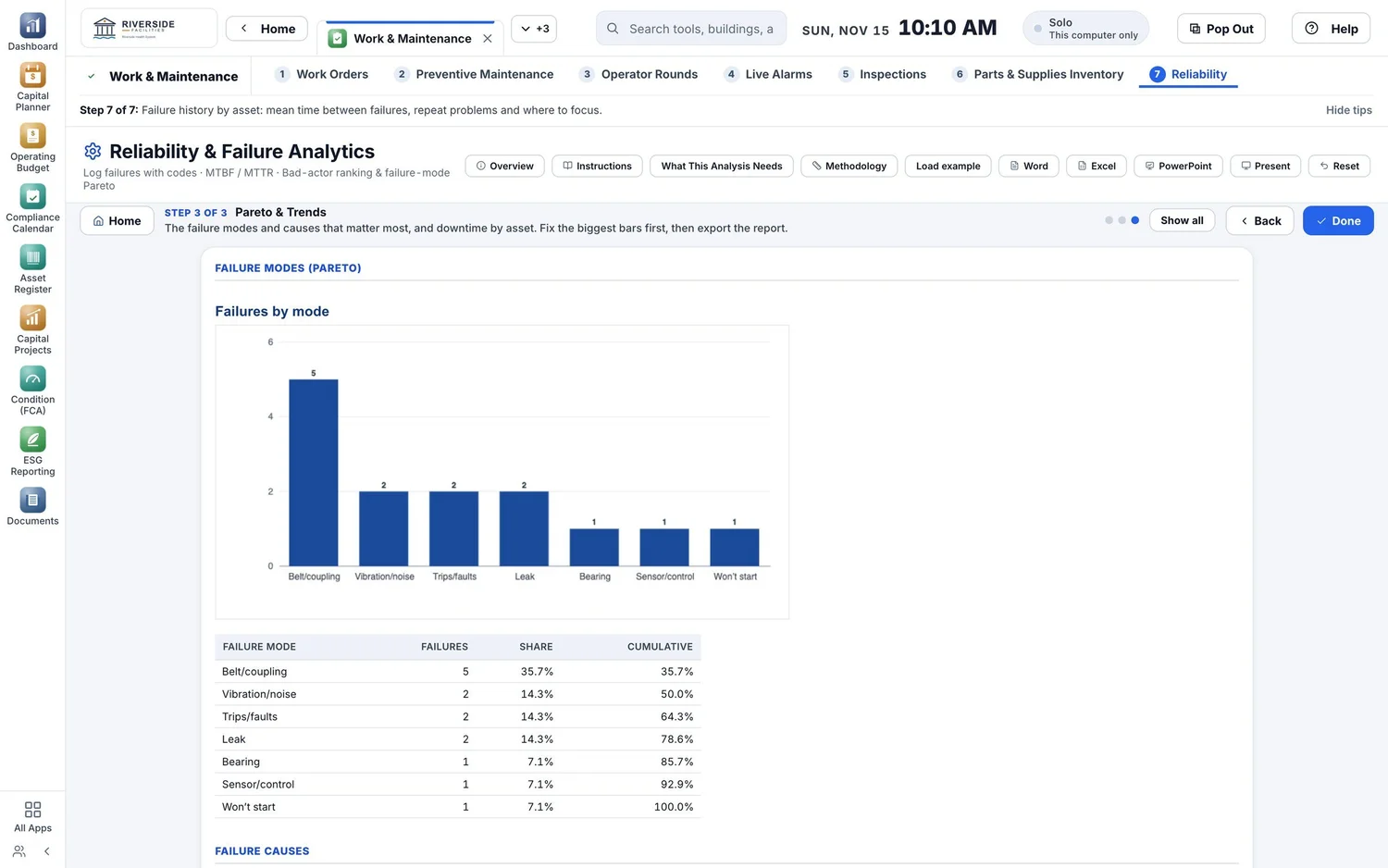
Turn coded failure history into mean time between failures and mean time to repair, a bad-actor ranking that blends frequency, downtime and cost, and Pareto charts by failure mode and cause.
Learn MoreShow Less
A few bad-actor assets usually cause most of the repair spend. The ranking shows where reliability effort or a replacement pays most.
- Mean time between failures in days and mean time to repair in hours
- Availability and total downtime per asset
- A bad-actor score blending how often, how long and how costly
- Downtime read from work order close-out
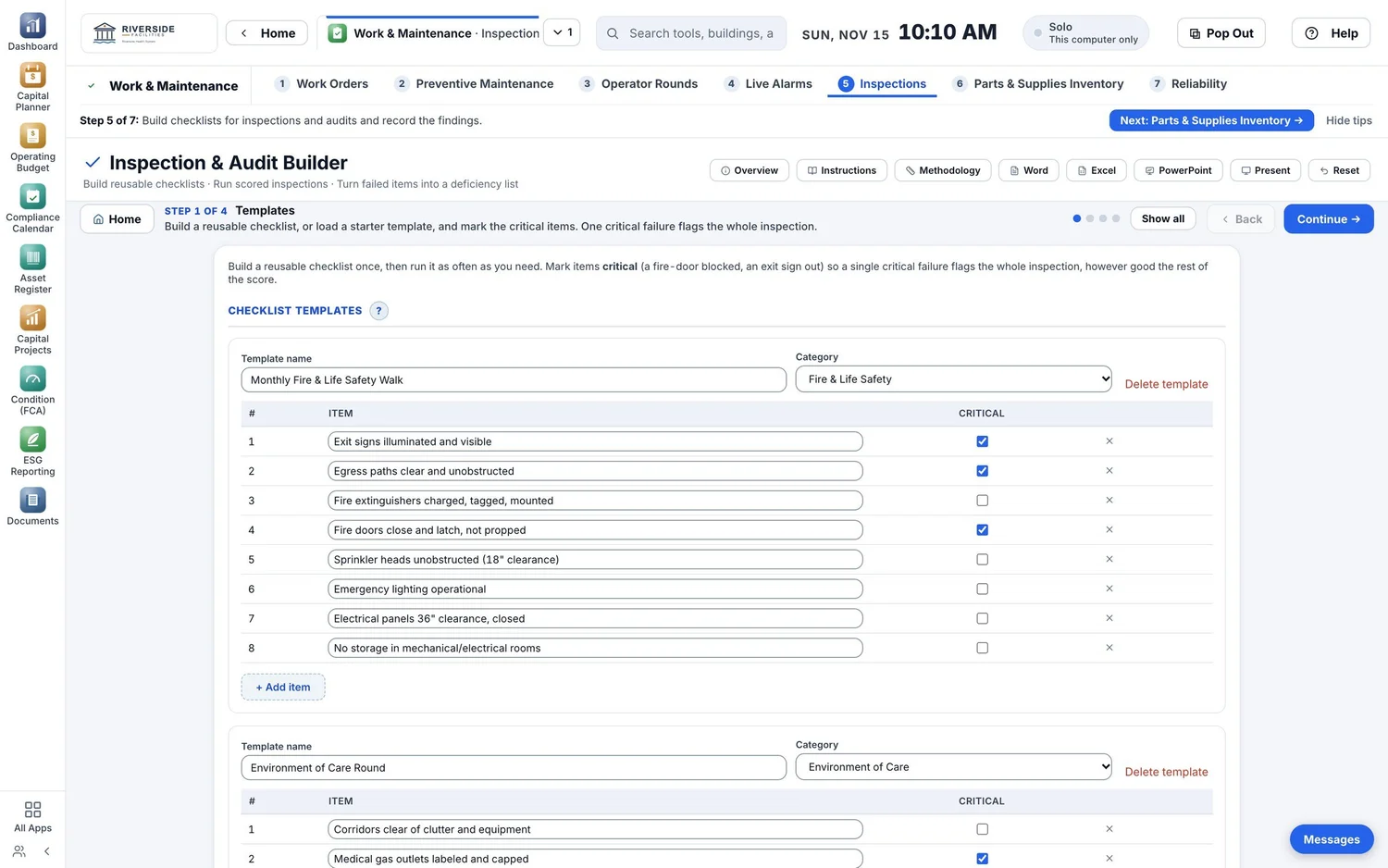
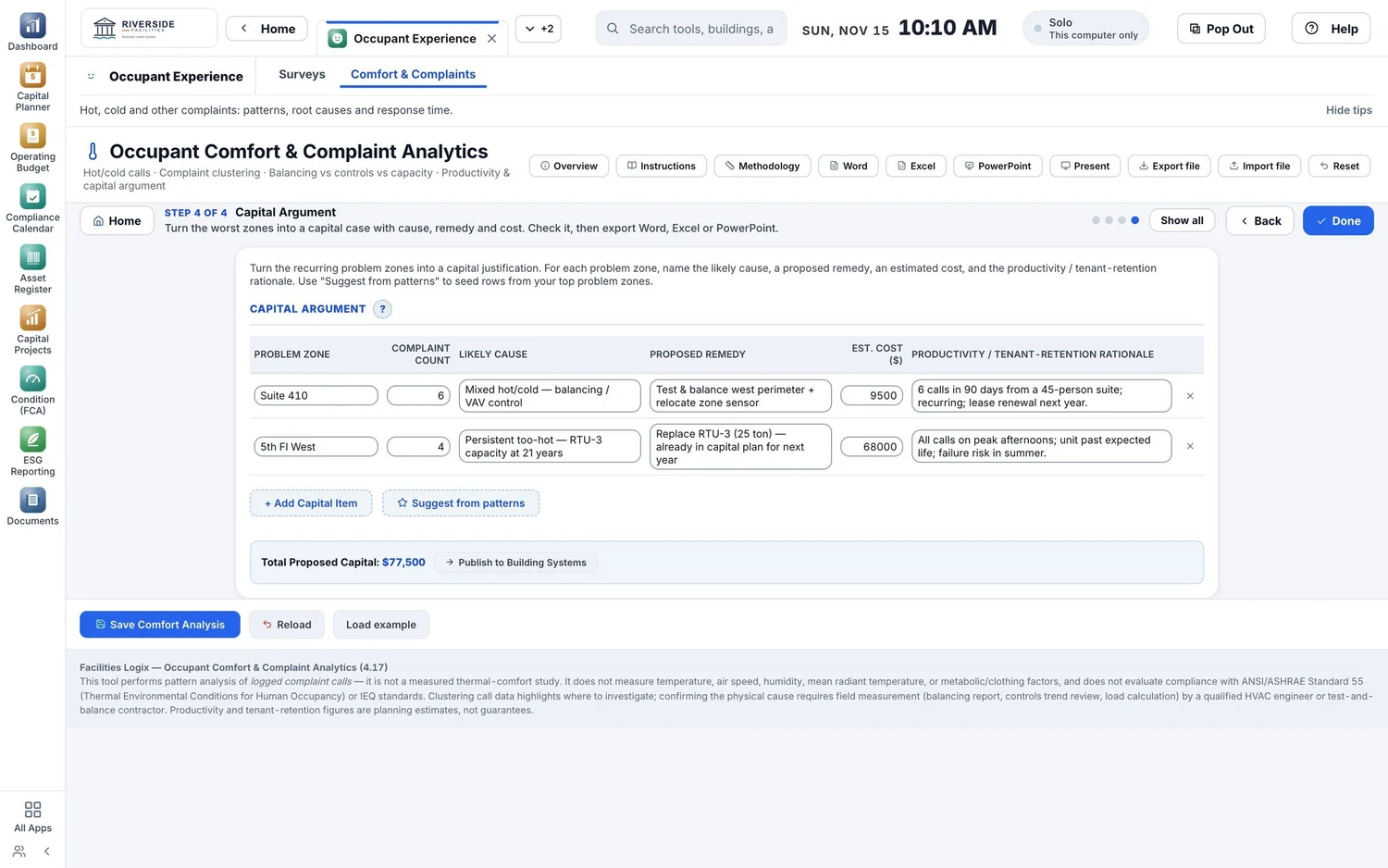
Templates in Inspection & Audit Builder: build a reusable checklist, or load a starter template, and mark the critical items. One critical failure flags the whole inspection.
Read Failures from Work Orders
Completed corrective work orders with a failure or cause code become failure rows with their date and cost. Press it again any time; work orders already read are skipped.
Learn MoreShow Less
Keying failure history twice is wasted time. Completed work orders feed the failure log directly.
- Each row carries the code names, completion date and work order cost
- Work orders already read are skipped
- Assets with repeat failures listed beside the log
- Consistent failure and cause codes come from your work order code list
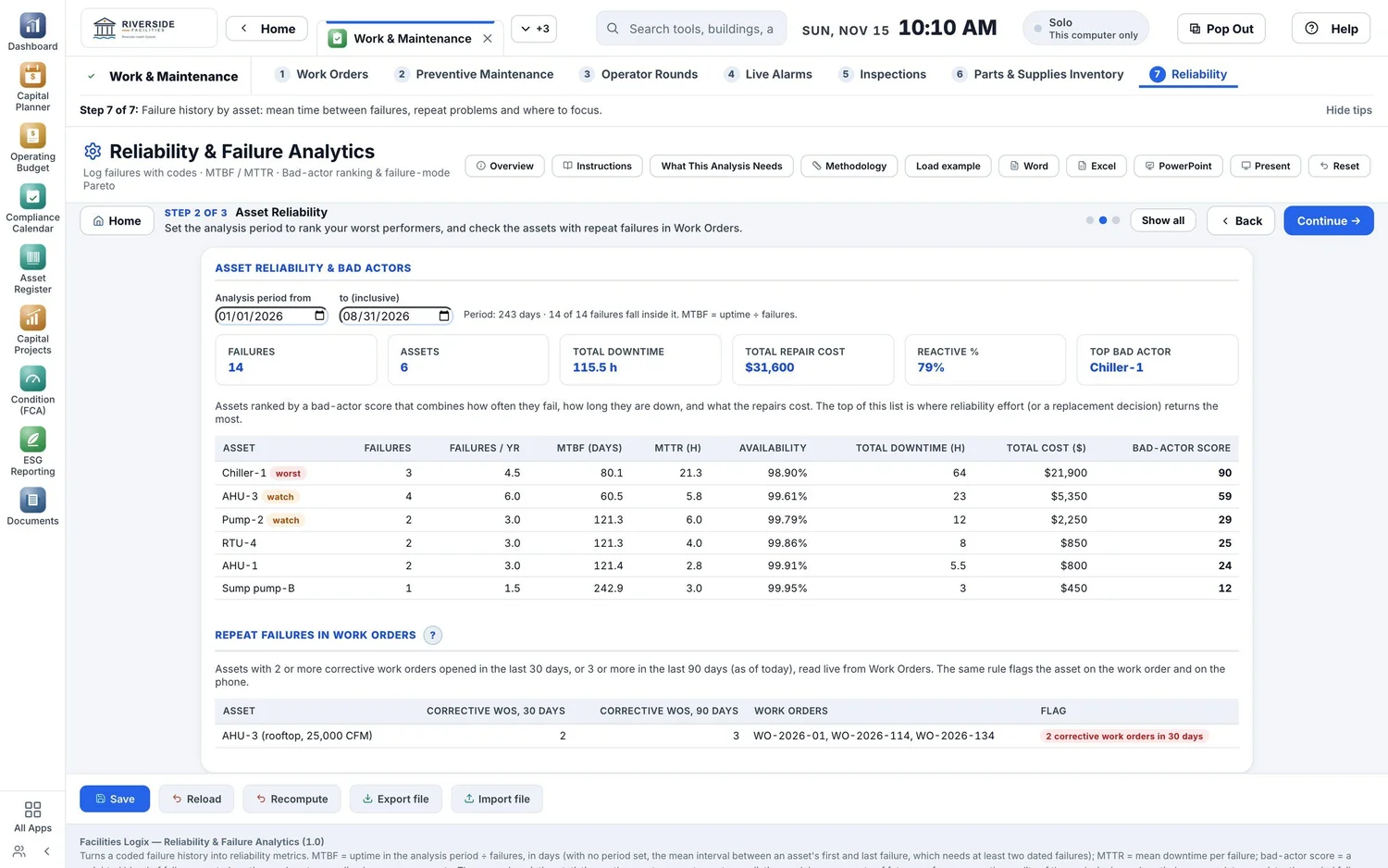
Asset Reliability in Reliability & Failure Analytics: set the analysis period to rank your worst performers, and check the assets with repeat failures in Work Orders.
The Same Work on a Phone or Tablet
What Your Operations Team Does at the Equipment
- Accept and start a work order with a timer, add notes, photos, parts and a signature, then complete it
- Walk a PM step by step with the Safety First card and readings that turn amber or red against their limits
- Walk rounds one point per screen, and run inspections with photos
- Send a request or report an incident on the spot
- Call the covering contractor from the asset card and log the call
How It Syncs
- Everything is saved on the device first and works with no signal
- Devices sync only with your own office computer, over your own Wi-Fi or your organization's VPN
- No costs, rates or budgets ever go to the device
- Each device is paired to one person and does what that person's role allows
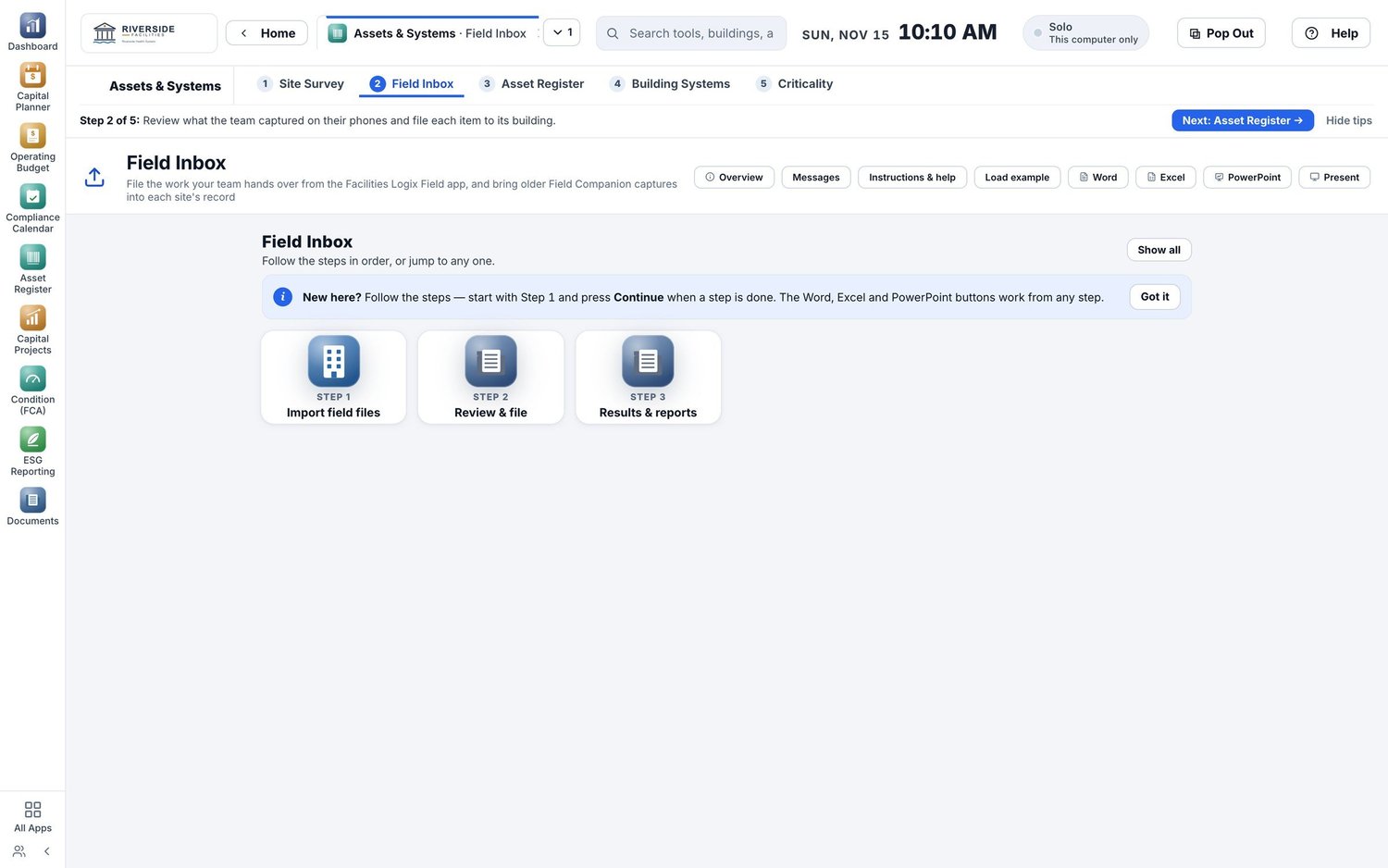
The Field Inbox: work done on phones and tablets arrives for review and filing.
Maintenance That Reports Upward on Its Own
Leadership
Maintenance status on the Dashboard: open work, overdue work, PM compliance, vendor response and callbacks, without asking anyone for a report.
Learn MoreShow Less
Leadership should not wait for a monthly report to see maintenance slipping. The Dashboard reads it from the work orders.
- Vendor arrivals by the promised time over the last 12 months
- Callbacks in the last 90 days
- Repeat-failure assets in Needs Attention
- Select a line to open the work behind it
Management
The board, the schedule and the cost of every job, with contractor performance flowing to the vendor scorecard as proposed events.
Learn MoreShow Less
Contractor performance argued from memory never changes a contract. Work orders record each miss so it counts.
- Promised arrival worked out from the agreement's response time
- A callback = the same vendor back on the same asset within 30 days
- Over the not-to-exceed needs a Manager's approval and a reason
- Internal cost = staff time + storeroom parts + vendor invoices + other
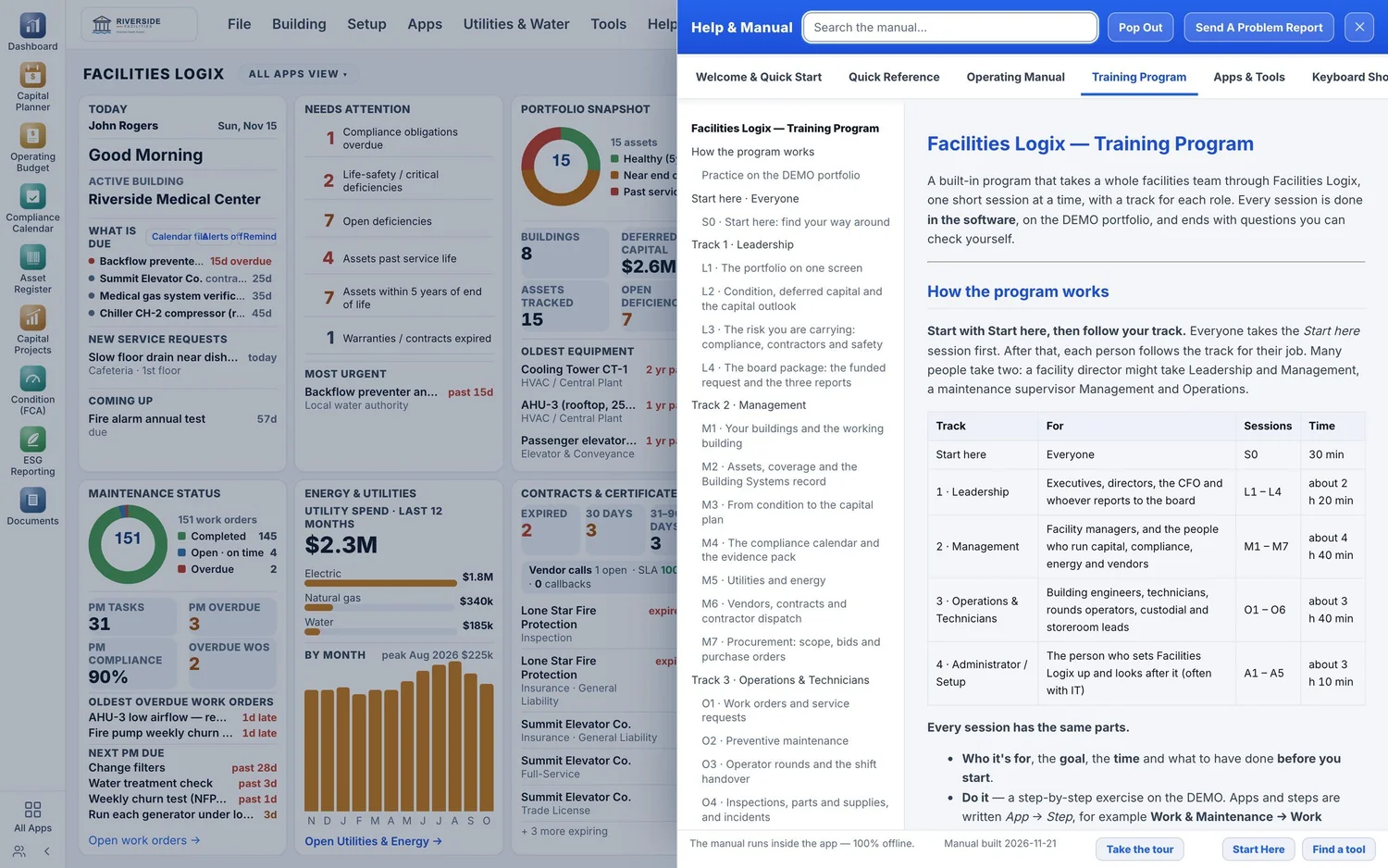
The Training Program: tracks for leadership, management, operations and administrators on the sample portfolio.
Operations
A clear list of today's work, the procedure for each PM and the history of the equipment in front of them.
Learn MoreShow Less
Time spent figuring out what to do next is paid time. The phone shows today's work in order and the steps for each job.
- Home shows work in progress first, then My Day
- PMs by location: building, floor, then equipment, with Next PM Here
- Corrective work needs notes and failure, cause and remedy codes
- Put On Hold takes a reason
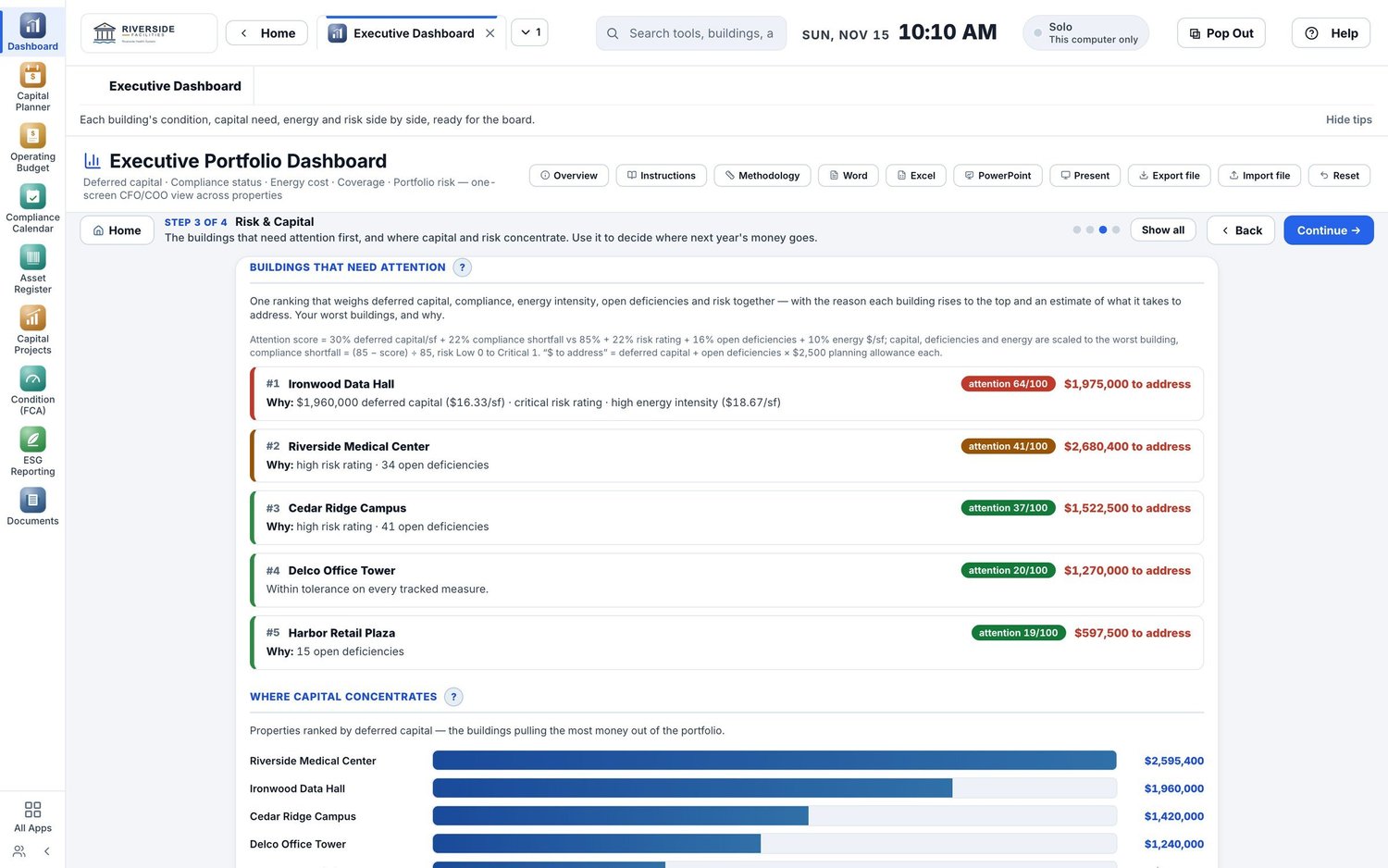
The buildings that need attention first, with the reason beside each one.
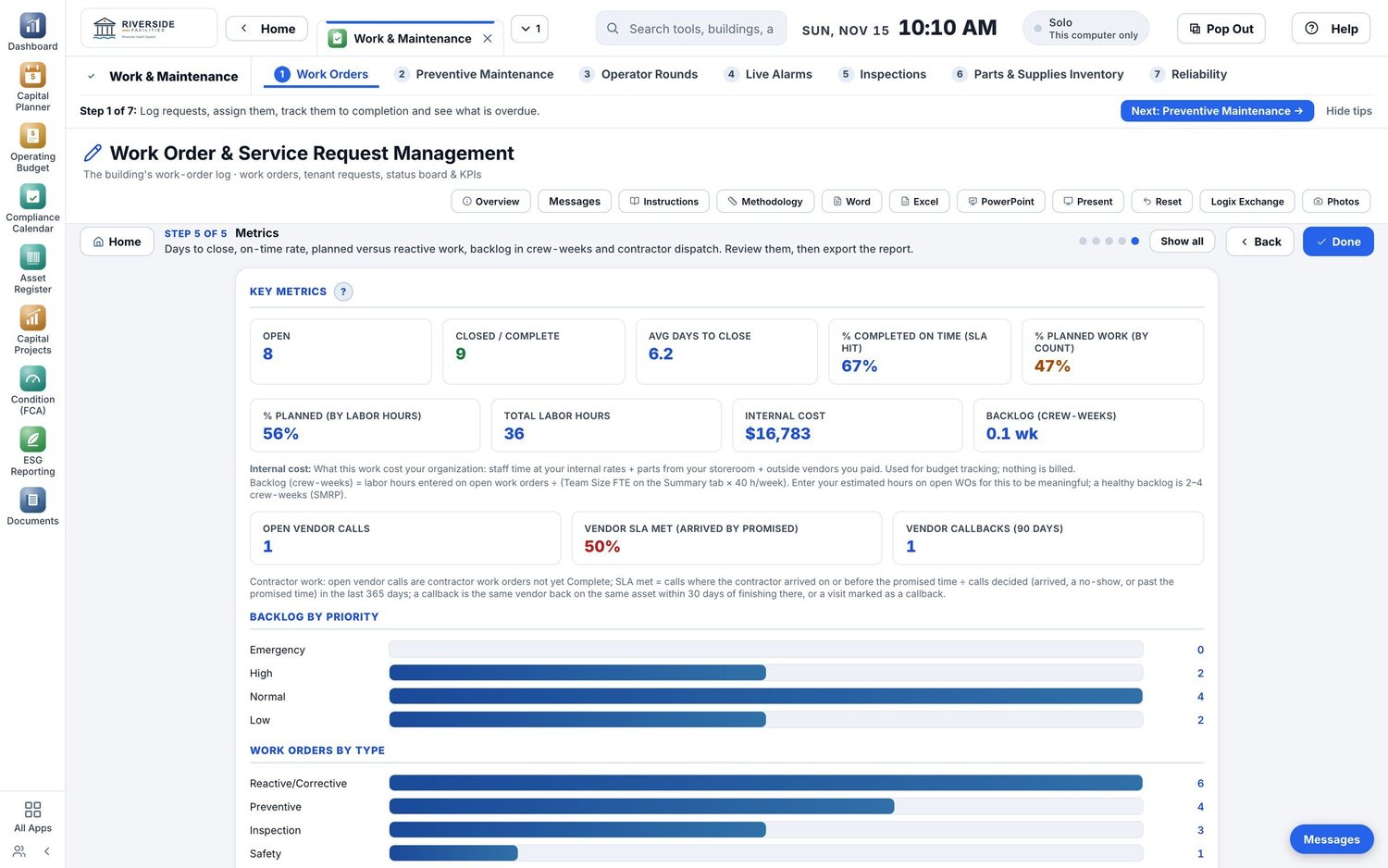
Leaders ask for maintenance reports every month, so the metrics show open work, overdue work and PM compliance.
Frequently Asked Questions
Is this a full work order system or a light log?
Does the software decide when to call a contractor?
Are the standard PM procedures copied from a code or a manufacturer?
What happens to phone work when there is no signal?
Be First When Facilities Logix Opens
Stop chasing building records across spreadsheets and binders. Join the list and we will tell you the day downloads open, with setup guides ready.
Launching early 2027 for Facilities Logix. Nothing to buy today, and no sales calls.
