
Know What You Manage and What Shape It Is In.
Assets & Systems is where your organization's record of its buildings begins. Walk each building, capture every piece of equipment once, and keep that record current as your team works. Every other app reads from it, so condition, compliance and capital always start from the same facts.
Launching Early 2027 · Join the Early-Access List
From the First Walk to a Ranked Register
The steps are numbered and done in order, with a Next button on each. Once the record exists, your team returns to any step as buildings change.
Site Survey
A structured field capture: the walk, the interview set, nameplates and photos. What you record on the survey feeds every other tool, so nothing is keyed twice.
Learn MoreShow Less
A site visit costs staff hours, and most of what the building engineer says is lost before it reaches a plan. Site Survey records the visit once and hands it to the capital, refrigerant and equipment tools, so nobody is paid to collect it again.
- Printable walk sheets and interview questions for the roof, with no laptop needed
- Interview answers entered category by category on the Site Walk step
- A condition rating per system that sets the condition index and remaining-life flags
- Each visit tied to a project, so nothing lands on the wrong building
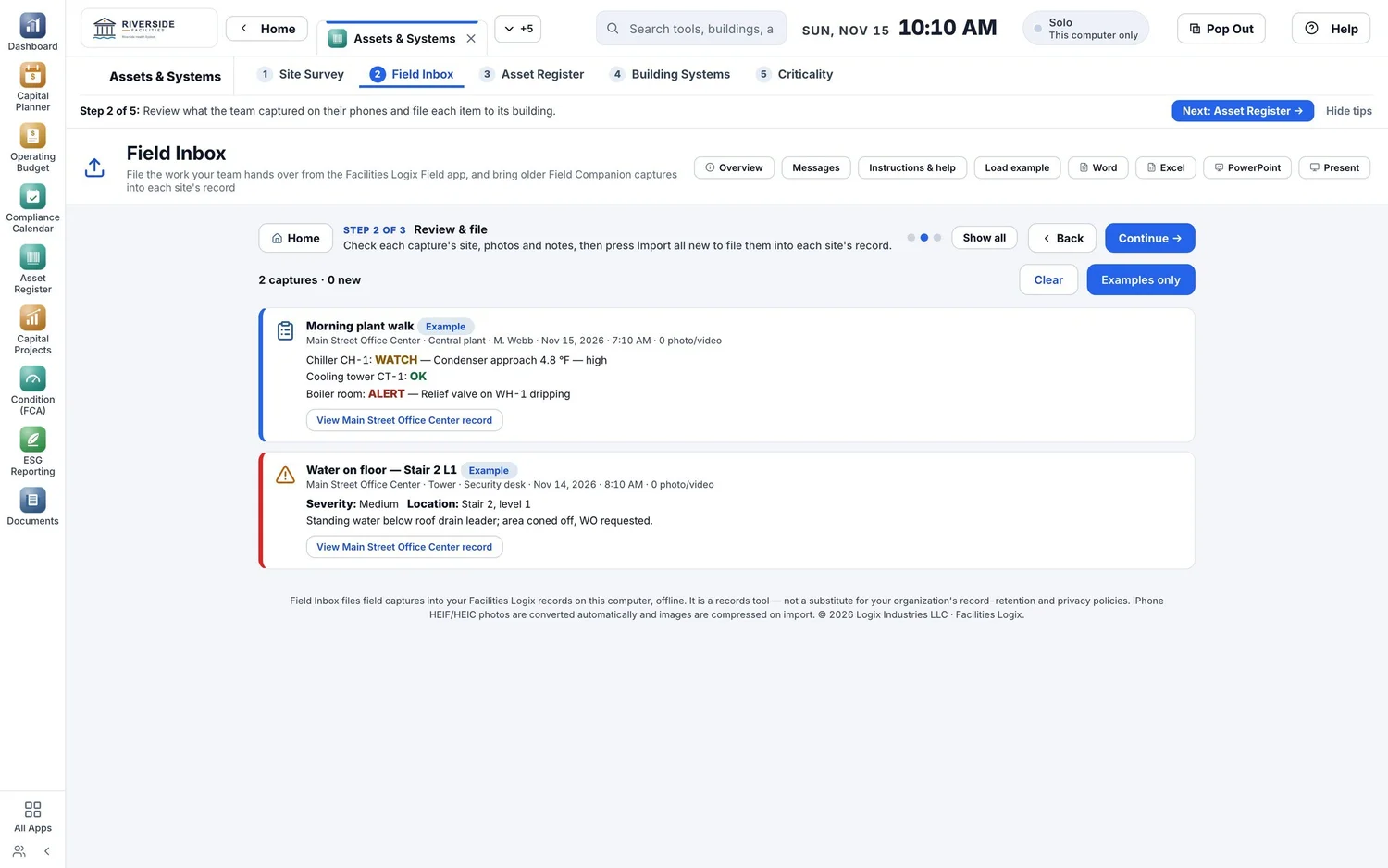
Field Inbox
Photos, readings and new equipment captured on phones and tablets arrive here. Each capture is filed to its building, shows as imported on every computer and is never filed twice.
Learn MoreShow Less
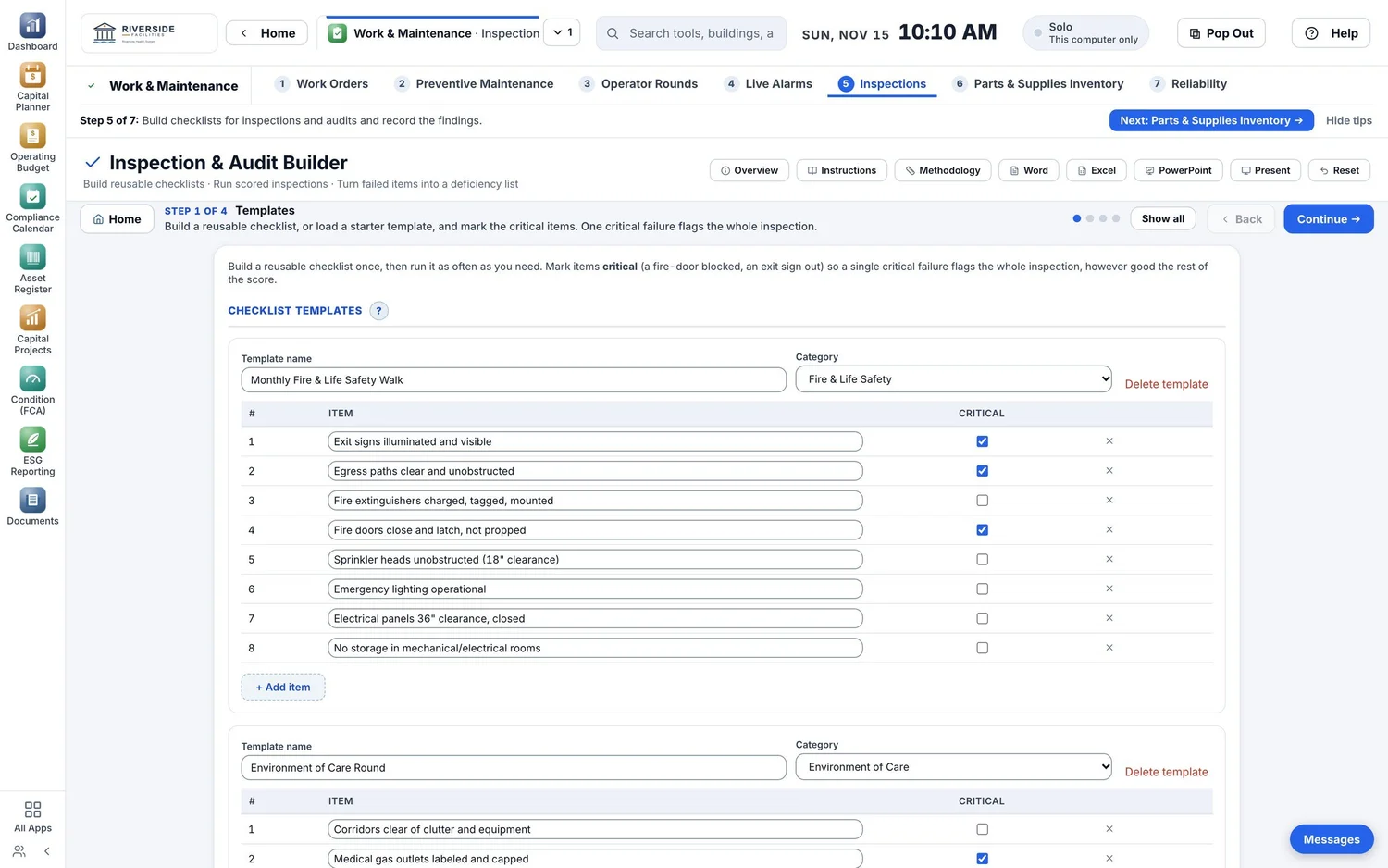
Office staff retyping field notes is paid time spent twice. The Field Inbox takes in what phones and tablets capture and files it with the same rules as a desk entry, so technician work reaches the record without re-entry.
- Lists new captures from the Team folder's Field Inbox by itself, with Import All New
- Checks the signature on hand-over files from devices out of Wi-Fi range
- Holds a changed file, or one from an unknown device, for a Manager to review
- Captures are searchable by title and description
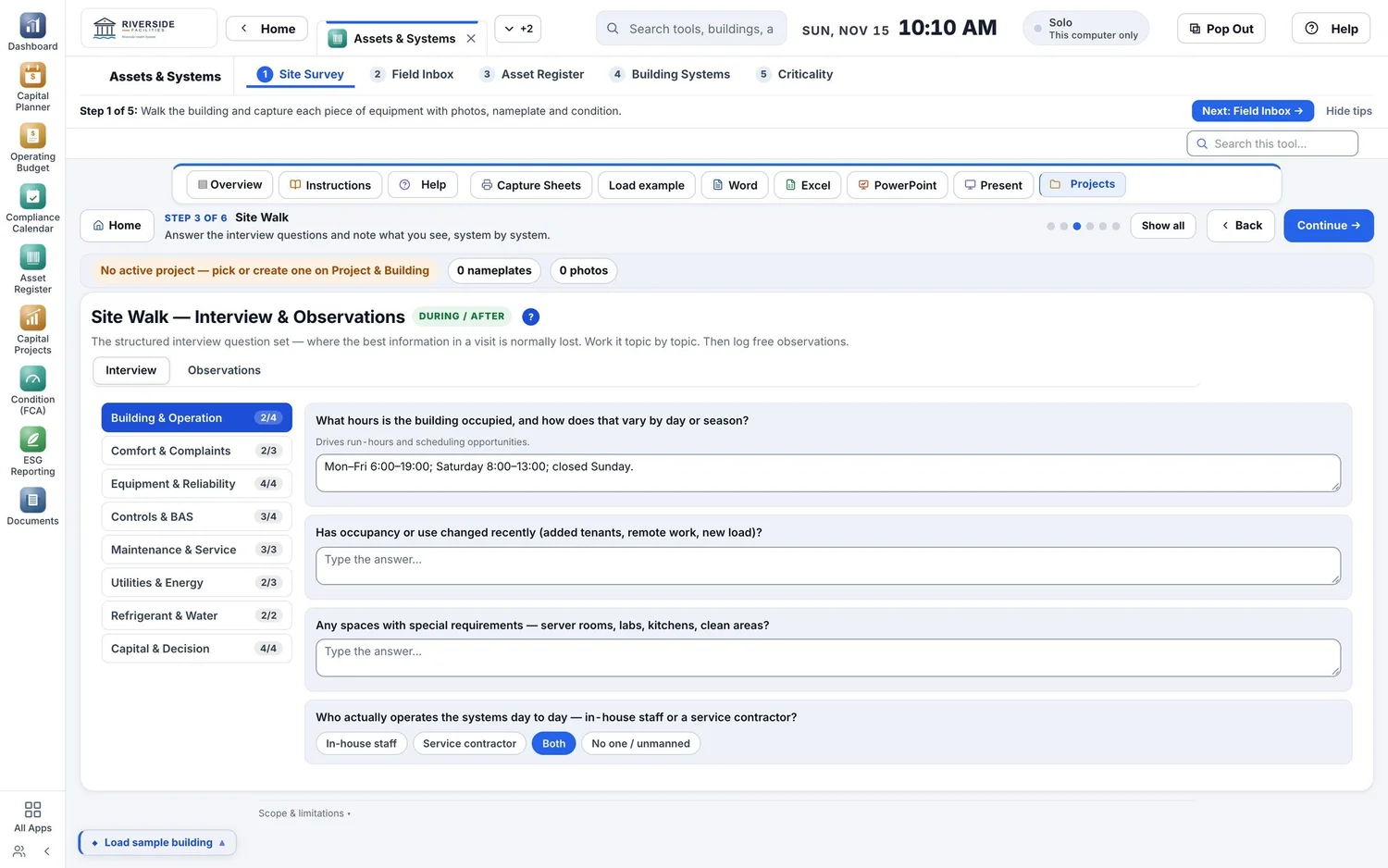
Site Walk in Site Survey: answer the interview questions and note what you see, system by system.
Asset Register
The permanent equipment record: tag, serial number, make and model, location, install year, condition, remaining life, replacement value and criticality.
Learn MoreShow Less
Paying for a repair that a warranty or contract already covers, or replacing the same part three times, is money lost to a missing record. The Asset Register flags both and loads the equipment lists you already have.
- Assets already in the register, by tag or name, are skipped on import
- Spreadsheet import matched by heading, previewed before anything is added
- A contractor's COBie handover workbook becomes assets, warranties, spares and PM schedules
- Serial numbers and tags kept exactly as written, leading zeros included
Building Systems
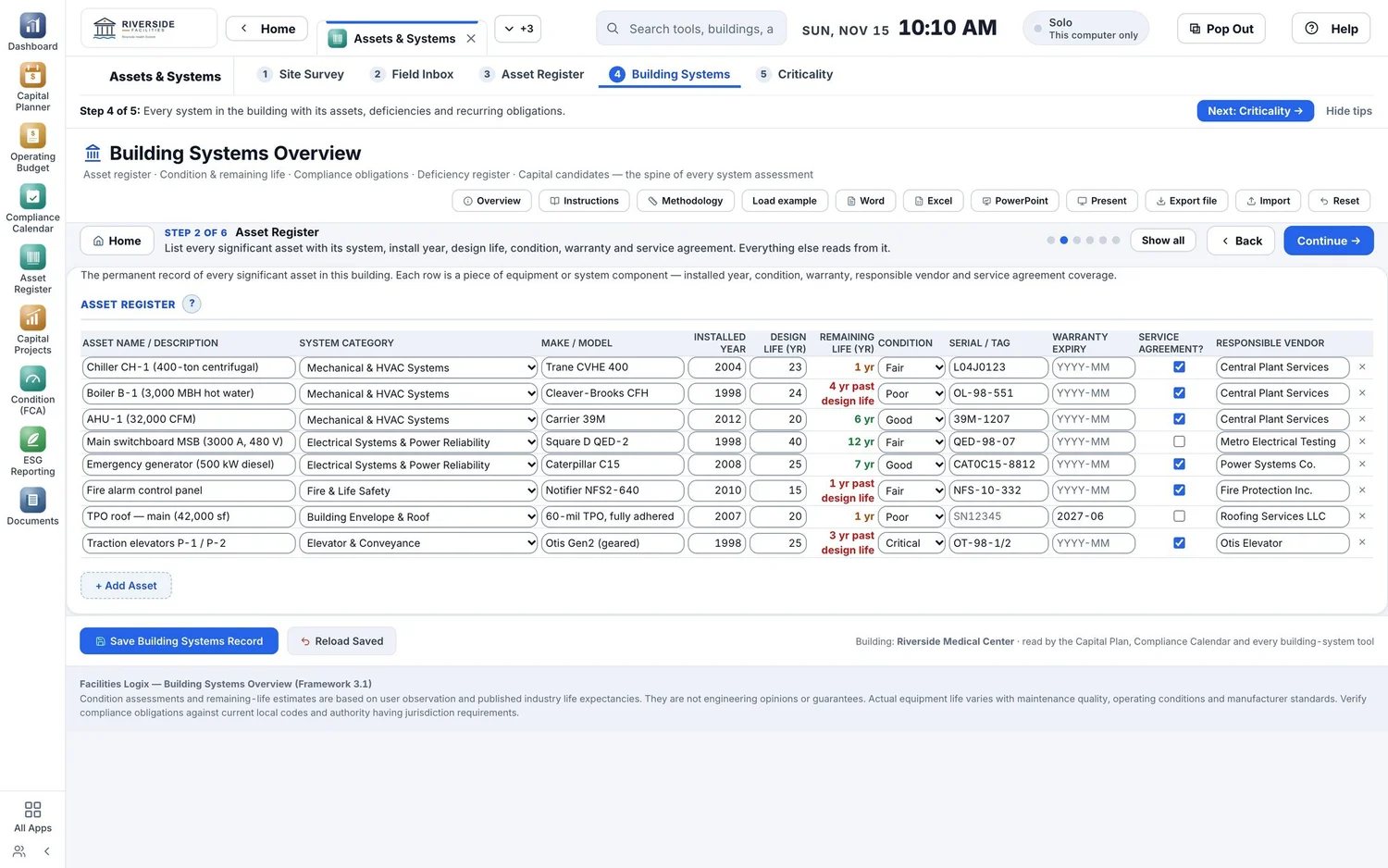
Every system in the building with its assets, deficiencies, recurring obligations and capital candidates in one view.
Learn More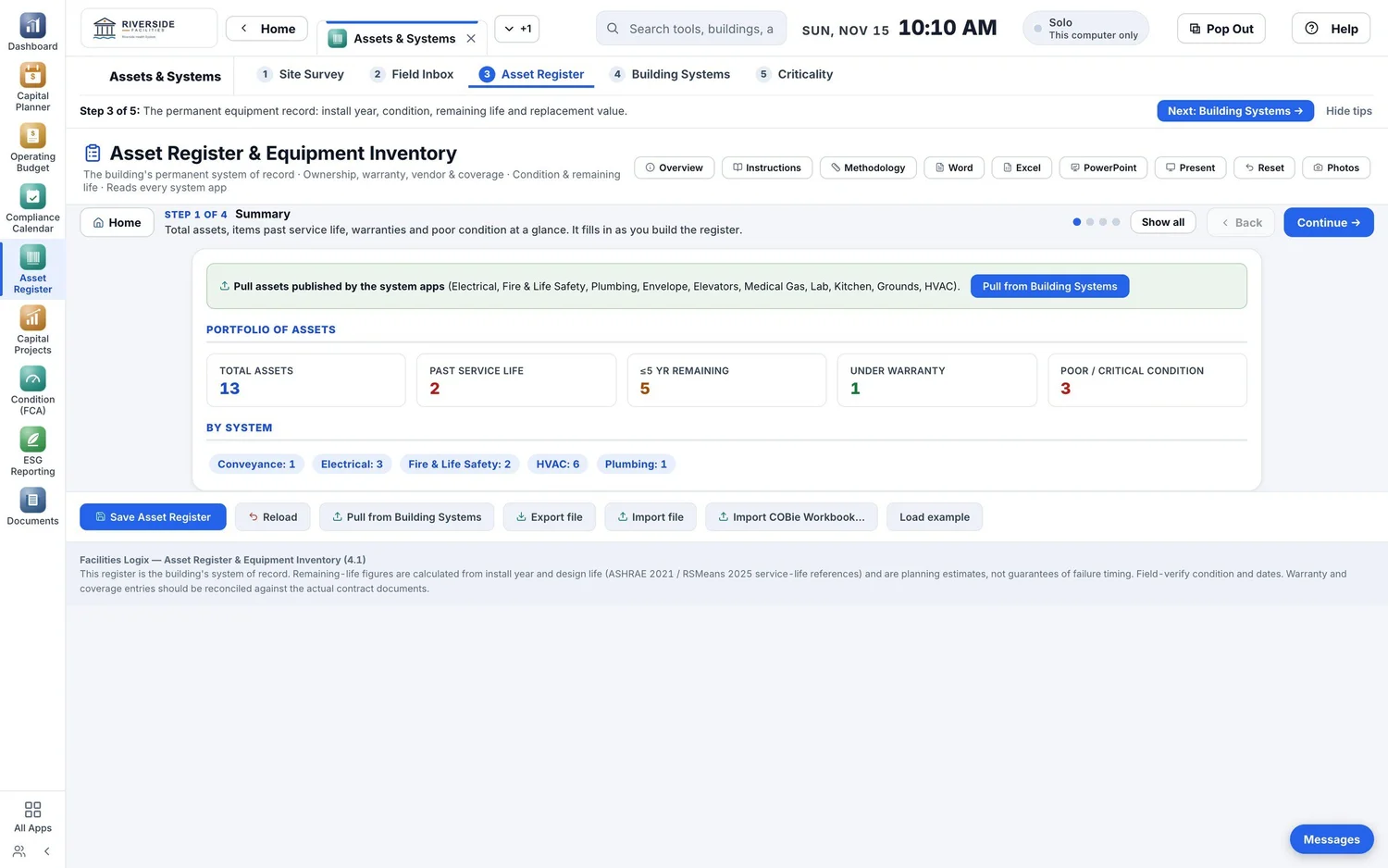
Summary in Asset Register & Equipment Inventory: total assets, items past service life, warranties and poor condition at a glance. It fills in as you build the register.
Criticality
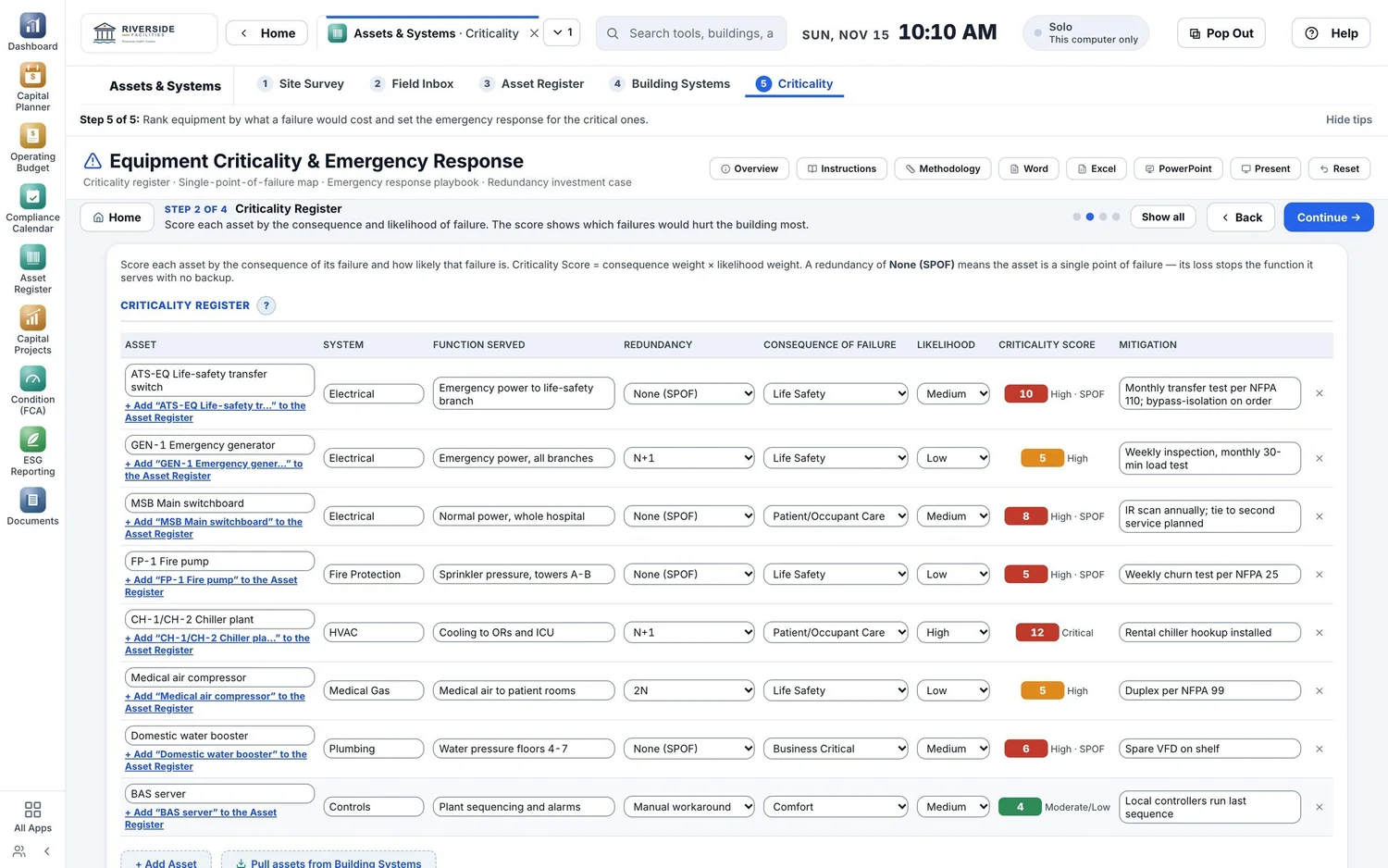
Rank equipment by what a failure would cost, map single points of failure and set the emergency response for the critical ones.
Learn MoreShow Less
Maintenance money spent evenly across every asset leaves the costly failures underfunded. Criticality points spending at the equipment whose loss would stop the operation, and shows what backup would be worth.
- Four steps: Summary, Criticality Register, Failure Response and Redundancy Case
- Assets pulled straight from Building Systems, no retyping
- Redundancy projects priced against the downtime each avoided outage represents
- Critical redundancy investments published to Building Systems as capital candidates
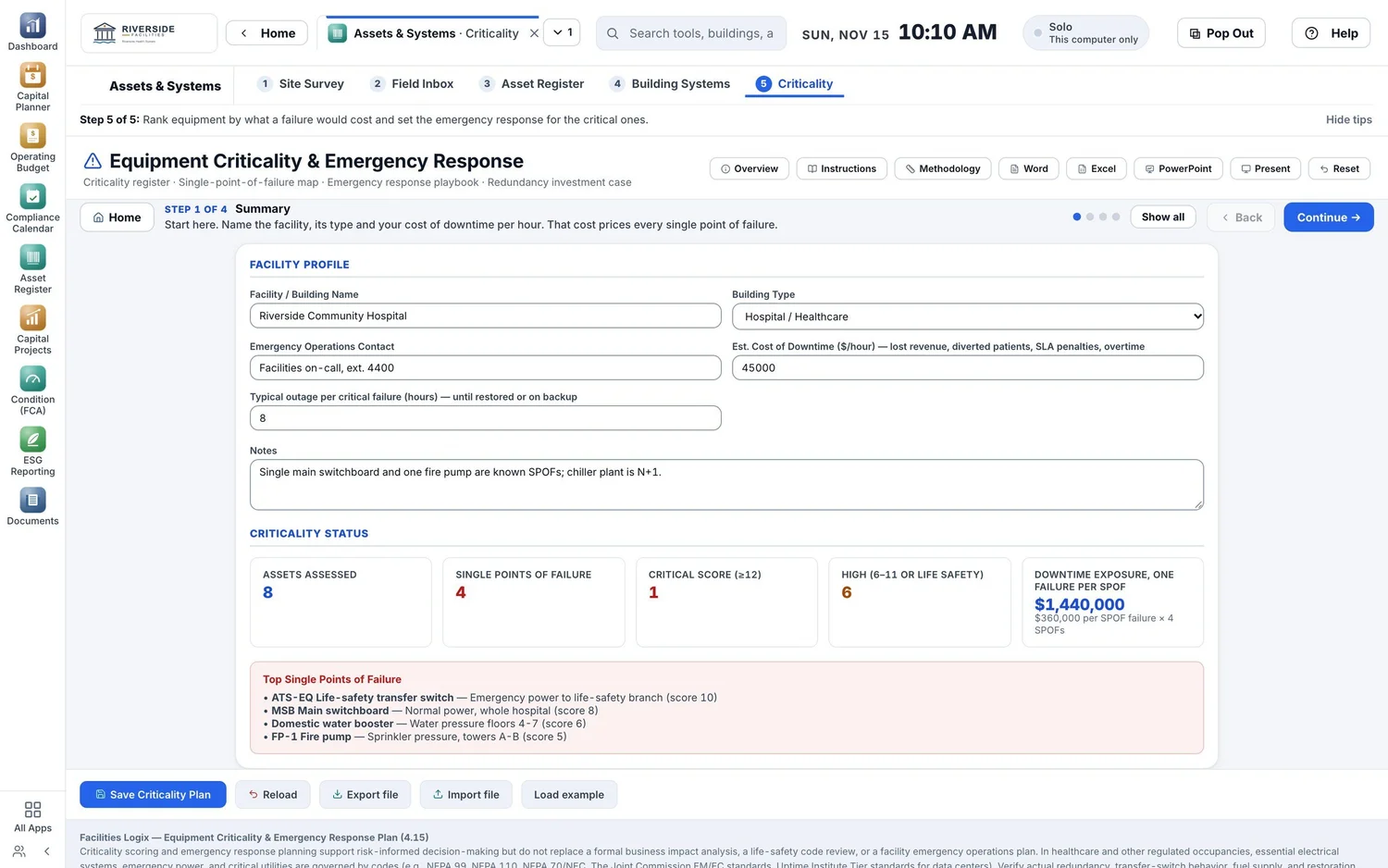
Summary in Equipment Criticality & Emergency Response: start here. Name the facility, its type and your cost of downtime per hour. That cost prices every single point of failure.
A first walk-through that lives in notebooks never becomes a plan, so the five steps end in a register ranked by criticality.
One Permanent Record for Every Piece of Equipment
What Each Asset Carries
- Tag, serial number, make, model, system, location, install year and design life
- Condition, remaining life, replacement value and criticality
- Refrigerant type and charge, used for the EPA leak-repair thresholds on work orders
- Everything captured in the field: nameplate photos, capacity, voltage, notes and who captured it
- Printable labels with a barcode and a QR code that open the asset when scanned
Coverage and Responsibility
- Covered By: the service contract that covers the asset, with its number and vendor, read live from the contract register
- Warranty status: under warranty through a date with the warranty vendor, or expired
- Responsible vendor and warranty vendor picked from your one vendor list
- Update From Contract proposes changes when the contract and the asset disagree; your team accepts or declines
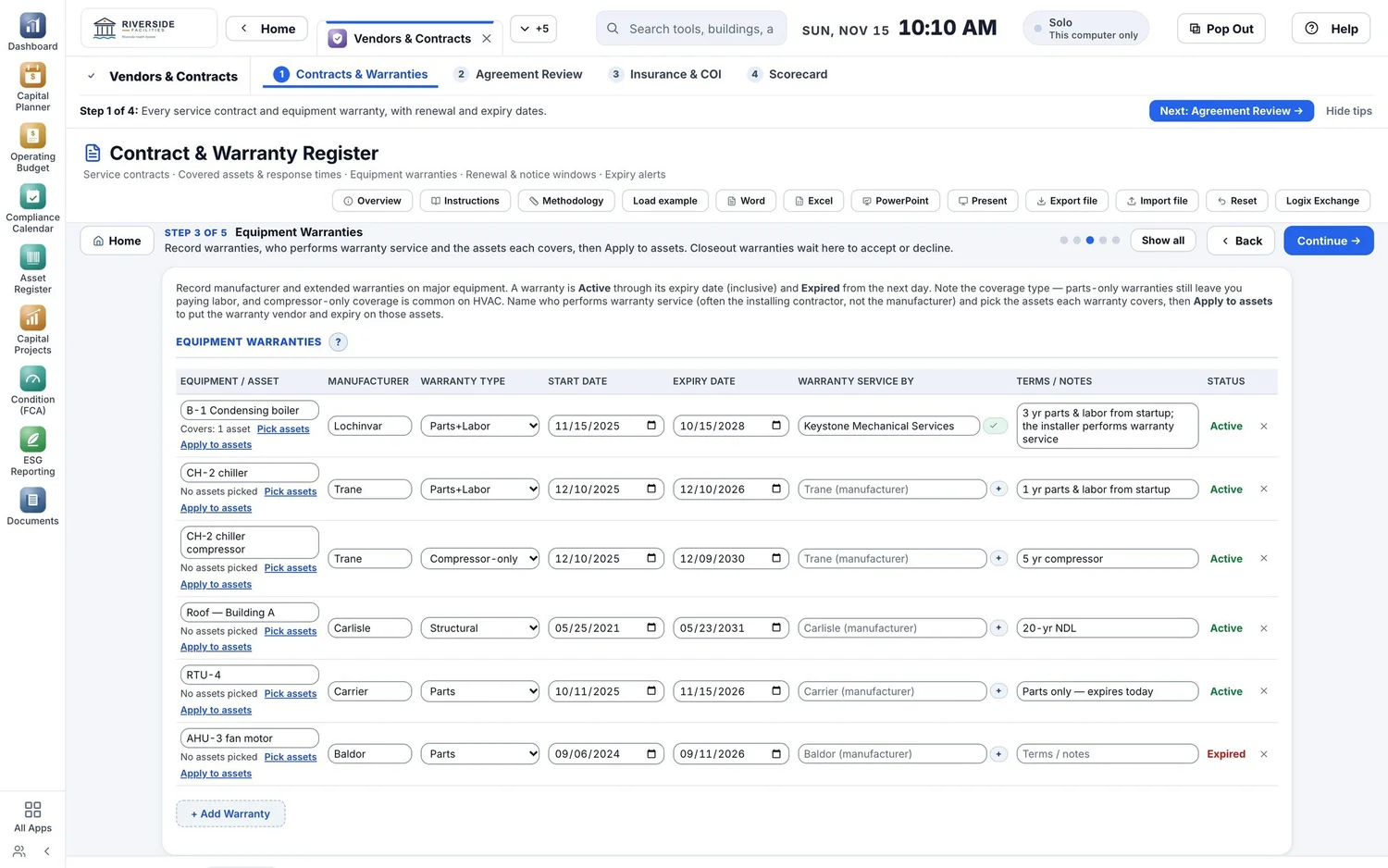
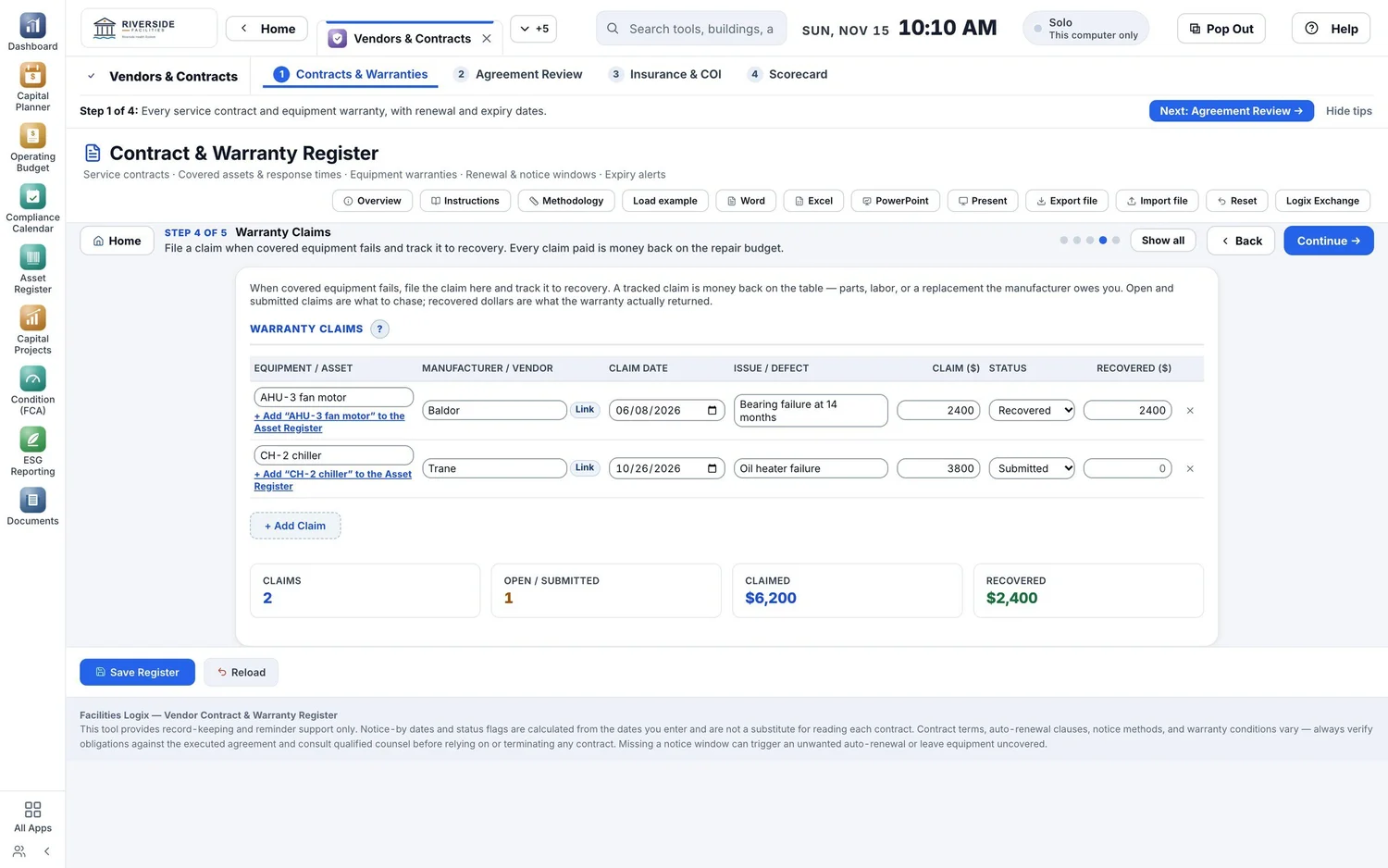
Equipment Warranties in Contract & Warranty Register: record warranties, who performs warranty service and the assets each covers, then Apply to assets. Closeout warranties wait here to accept or decline.
What Needs Attention
- Assets past their service life and warranties about to expire
- A red Repeat Failure badge after two corrective work orders in 30 days or three in 90
- The same flags on the home Dashboard and in every export
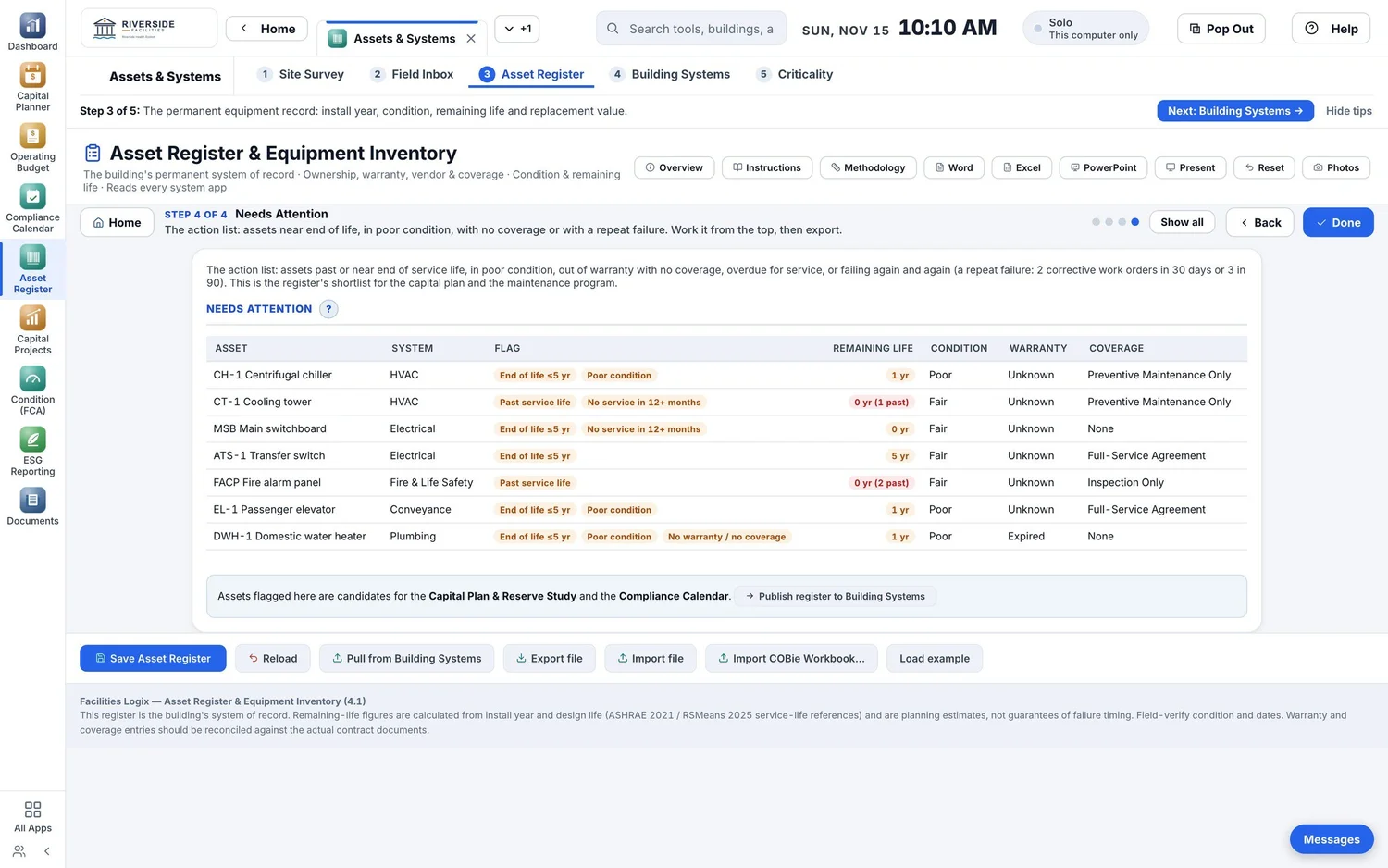
Needs Attention in Asset Register & Equipment Inventory: the action list: assets near end of life, in poor condition, with no coverage or with a repeat failure. Work it from the top, then export.
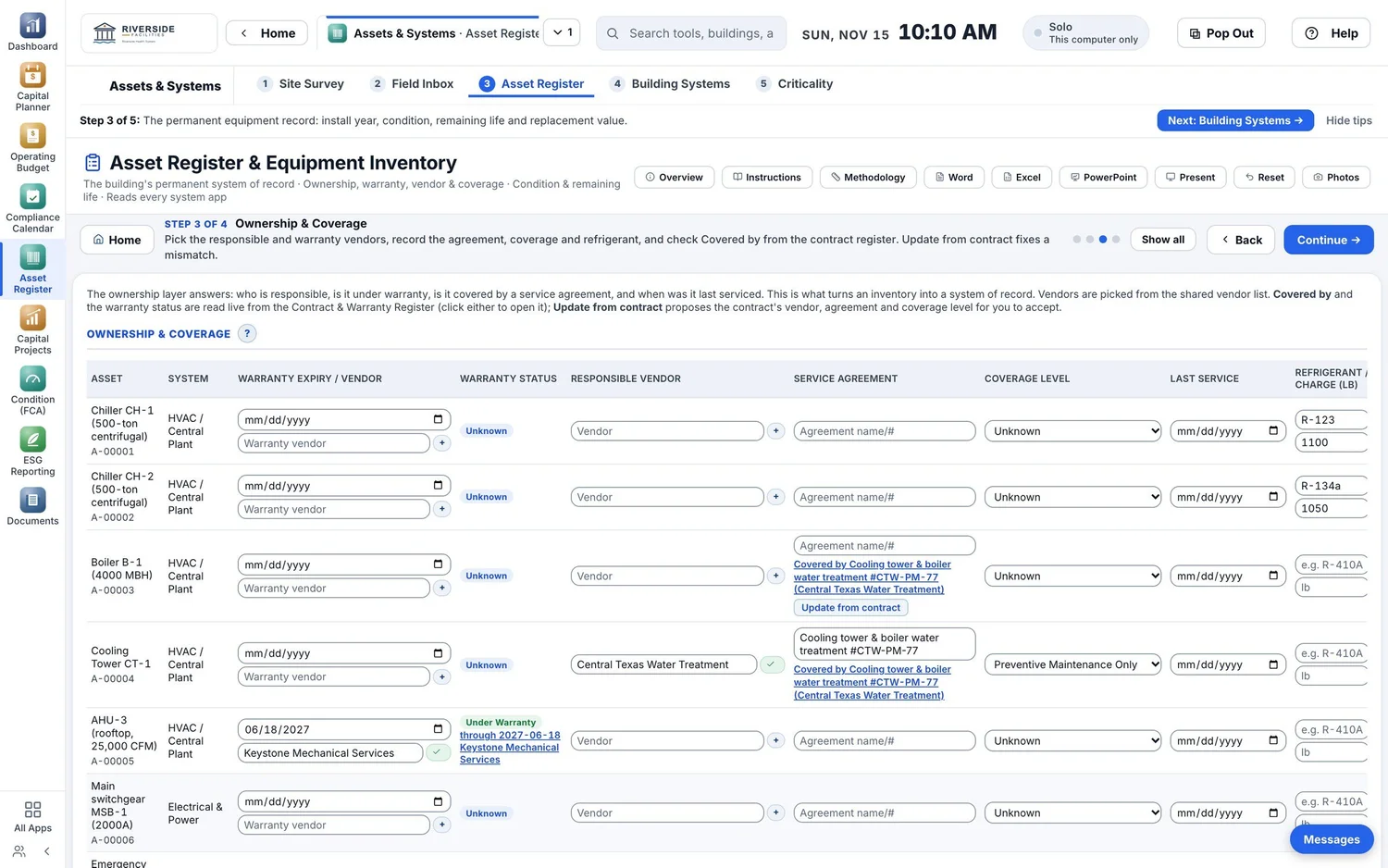
Nobody knows which contract or warranty covers a failed unit, so each asset shows its owner, coverage and vendor.
Every System Tool Publishes to the Same Place
The Building Systems Record
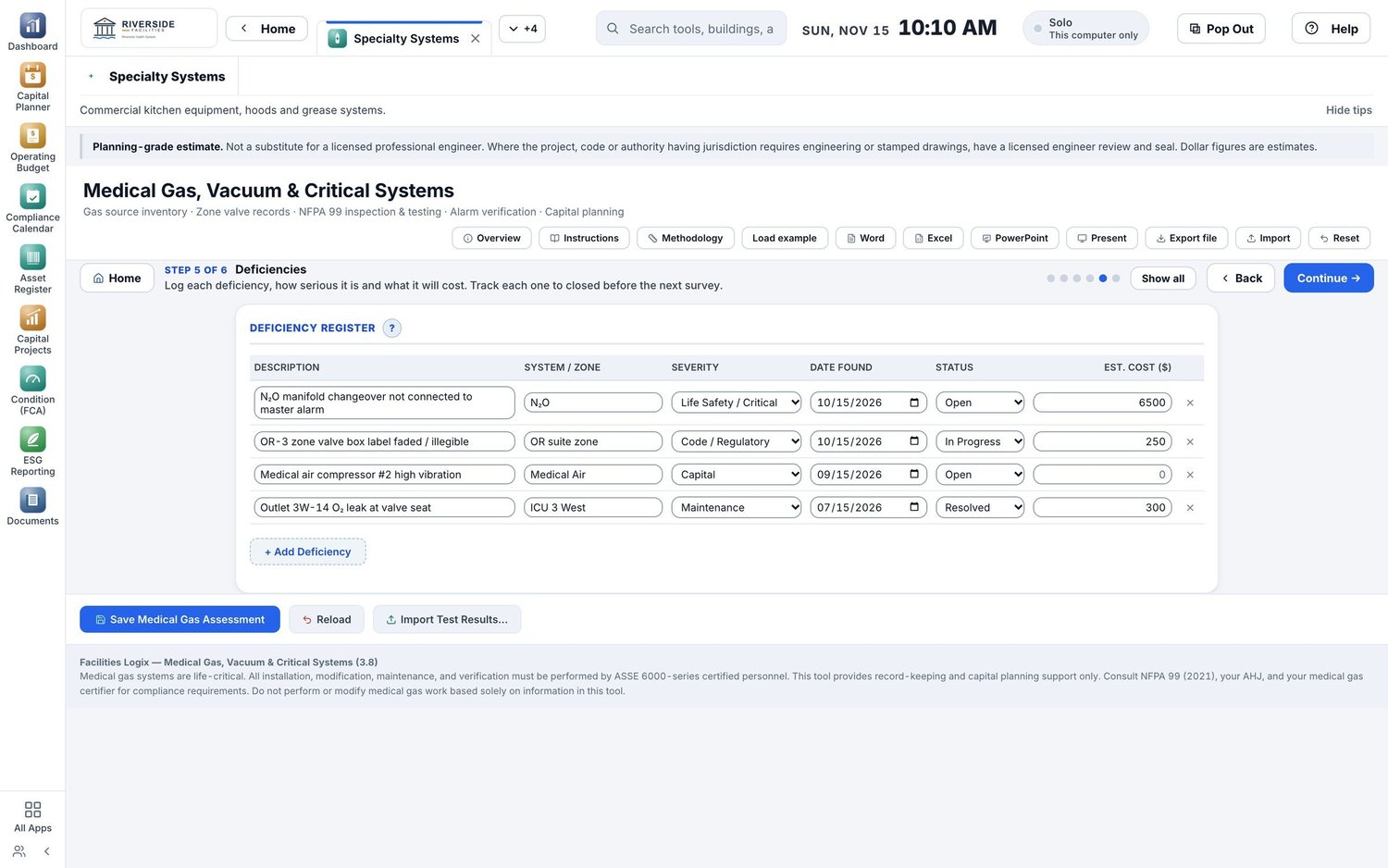
Electrical, plumbing, envelope, elevators, fire and life safety, HVAC and the specialty system tools each publish what they find: assets, condition, remaining life, deficiencies and compliance obligations. Assets & Systems reads that shared record, so the platform shows whole-building condition and a list of capital candidates without anyone assembling a spreadsheet.
The Data Flow
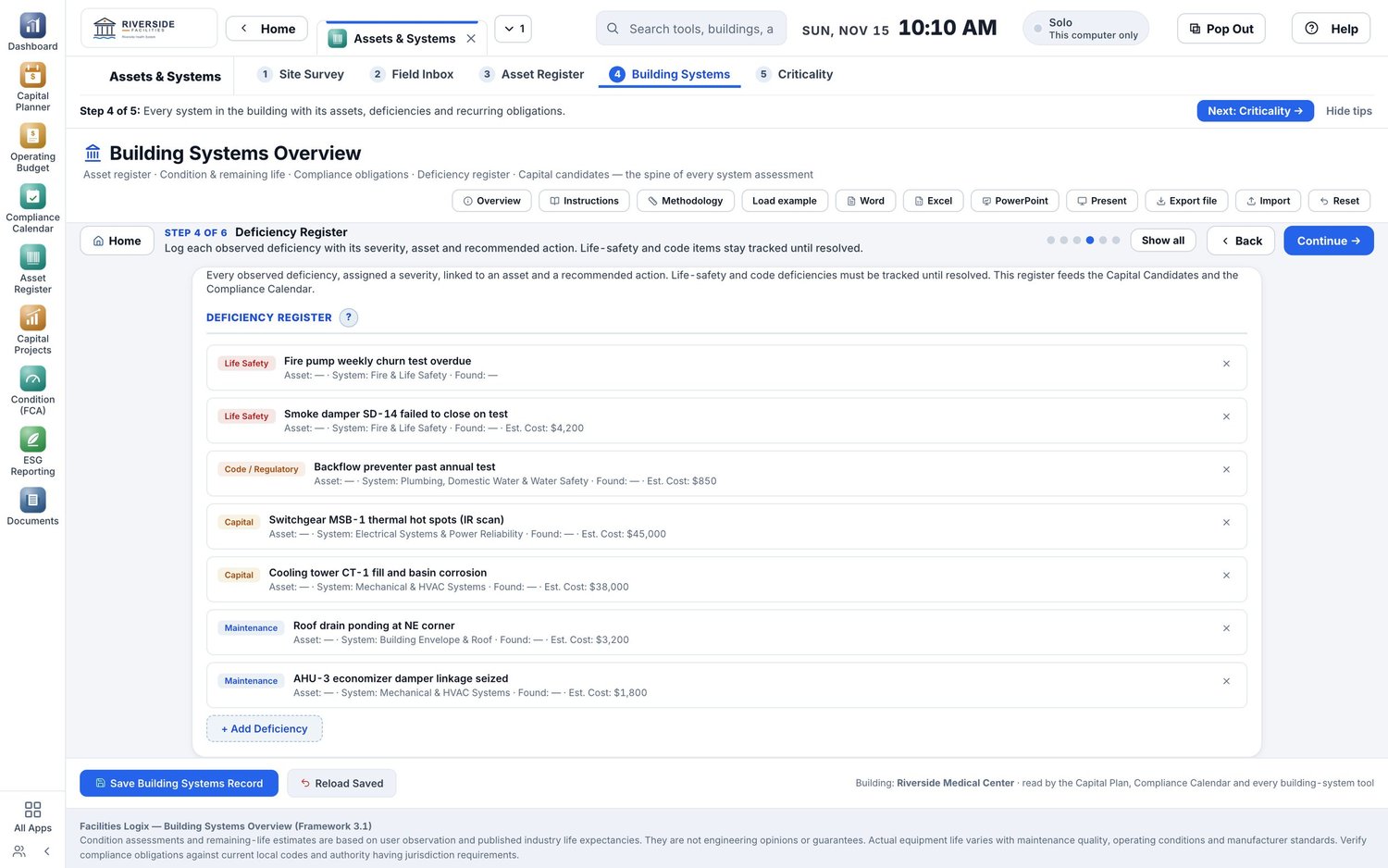
A finding on a round or survey becomes a deficiency. A deficiency with a replacement implication becomes a capital candidate. A capital candidate is ranked and tested in Capital Planning and becomes a funded project in the plan your leadership approves. Each step keeps its link to the asset it started from.
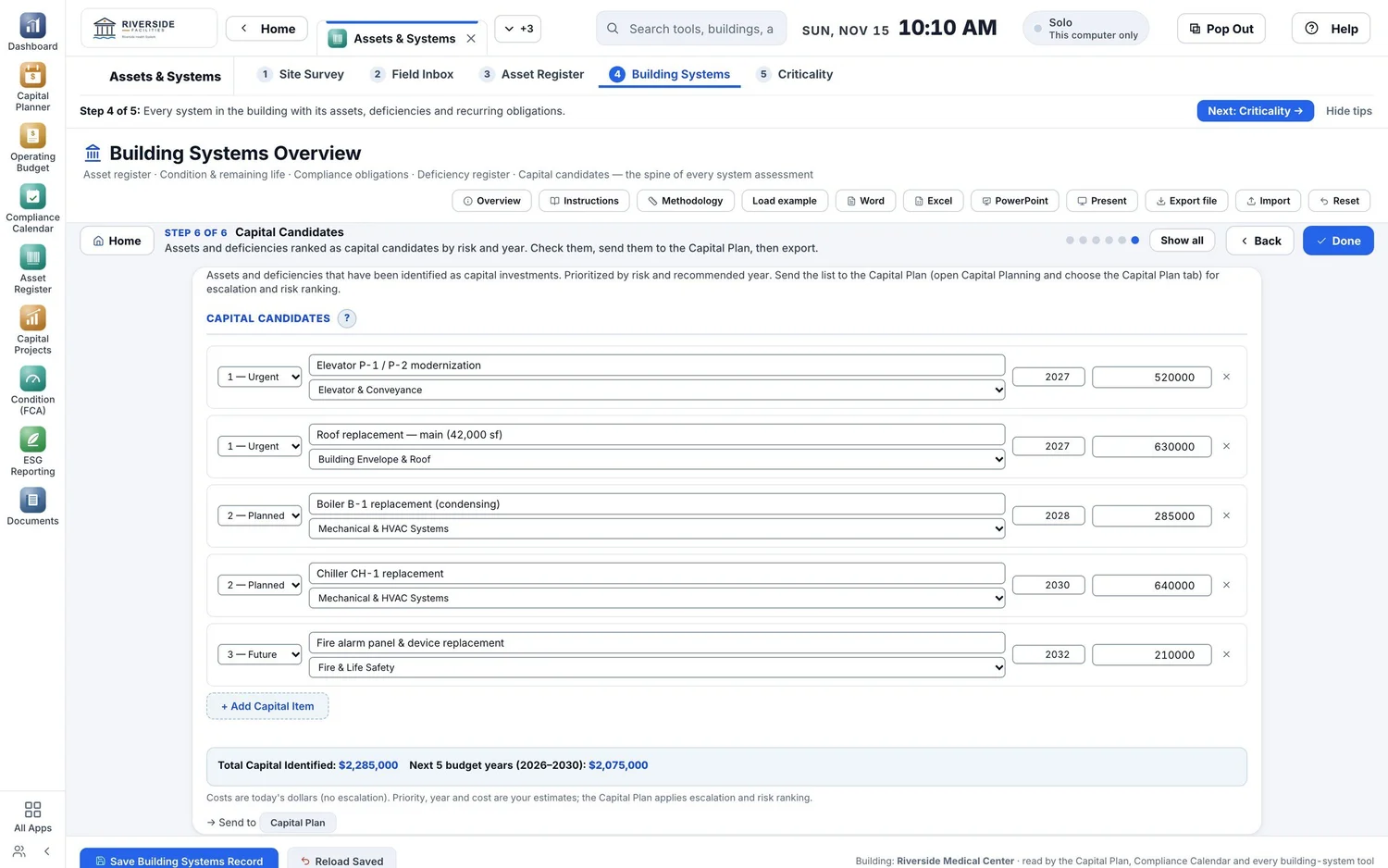
Capital Candidates in Building Systems Overview: assets and deficiencies ranked as capital candidates by risk and year. Check them, send them to the Capital Plan, then export.
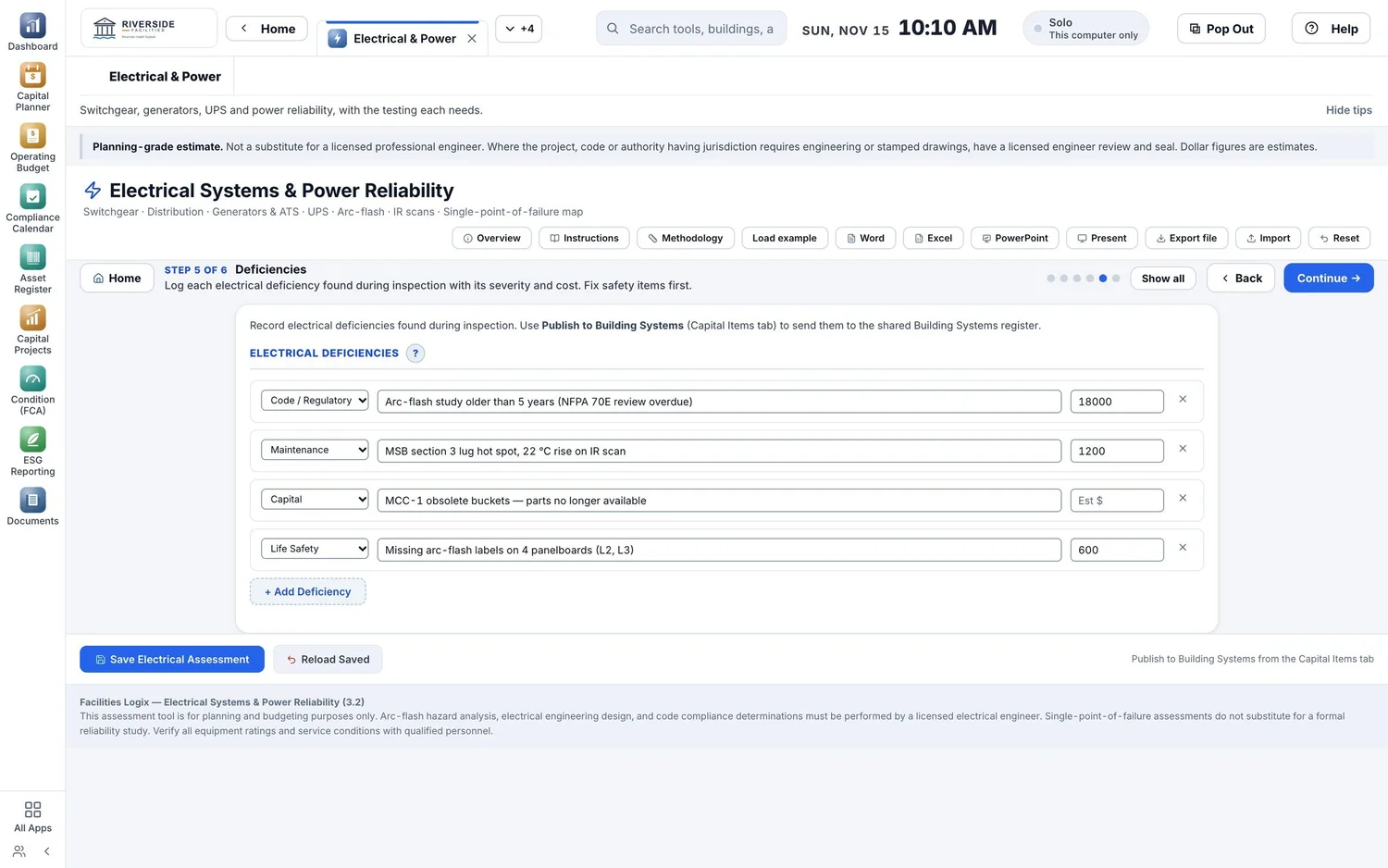
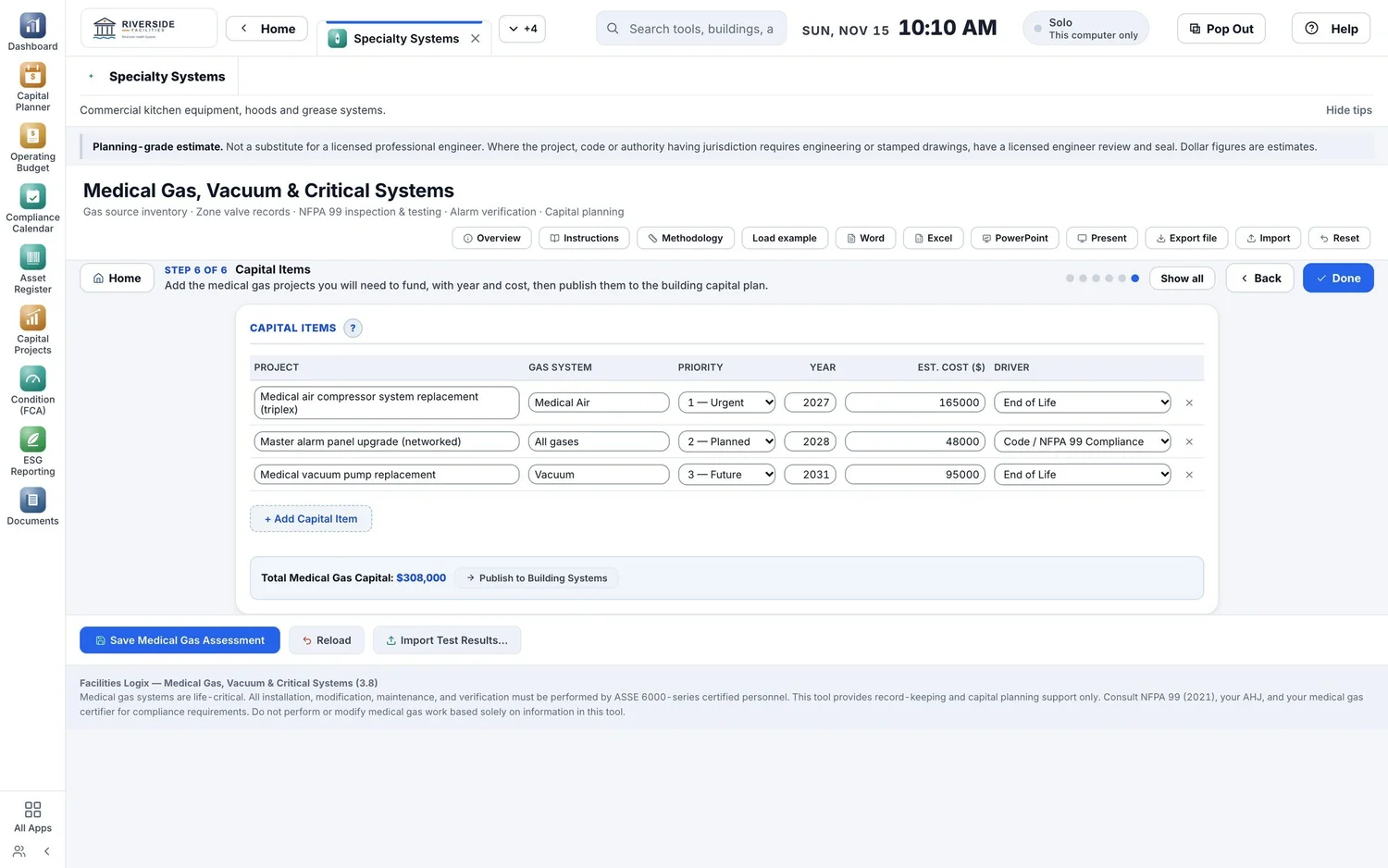
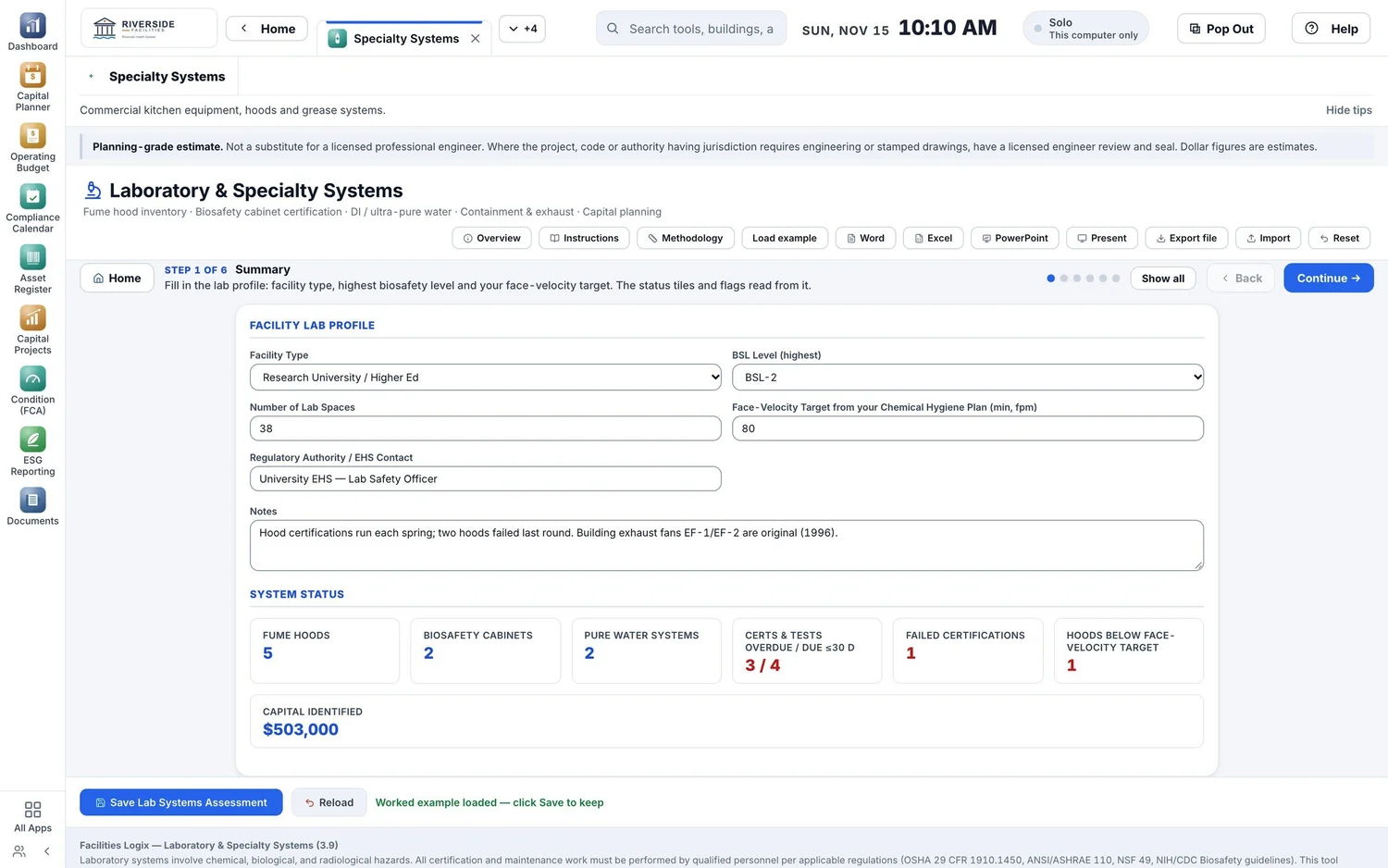
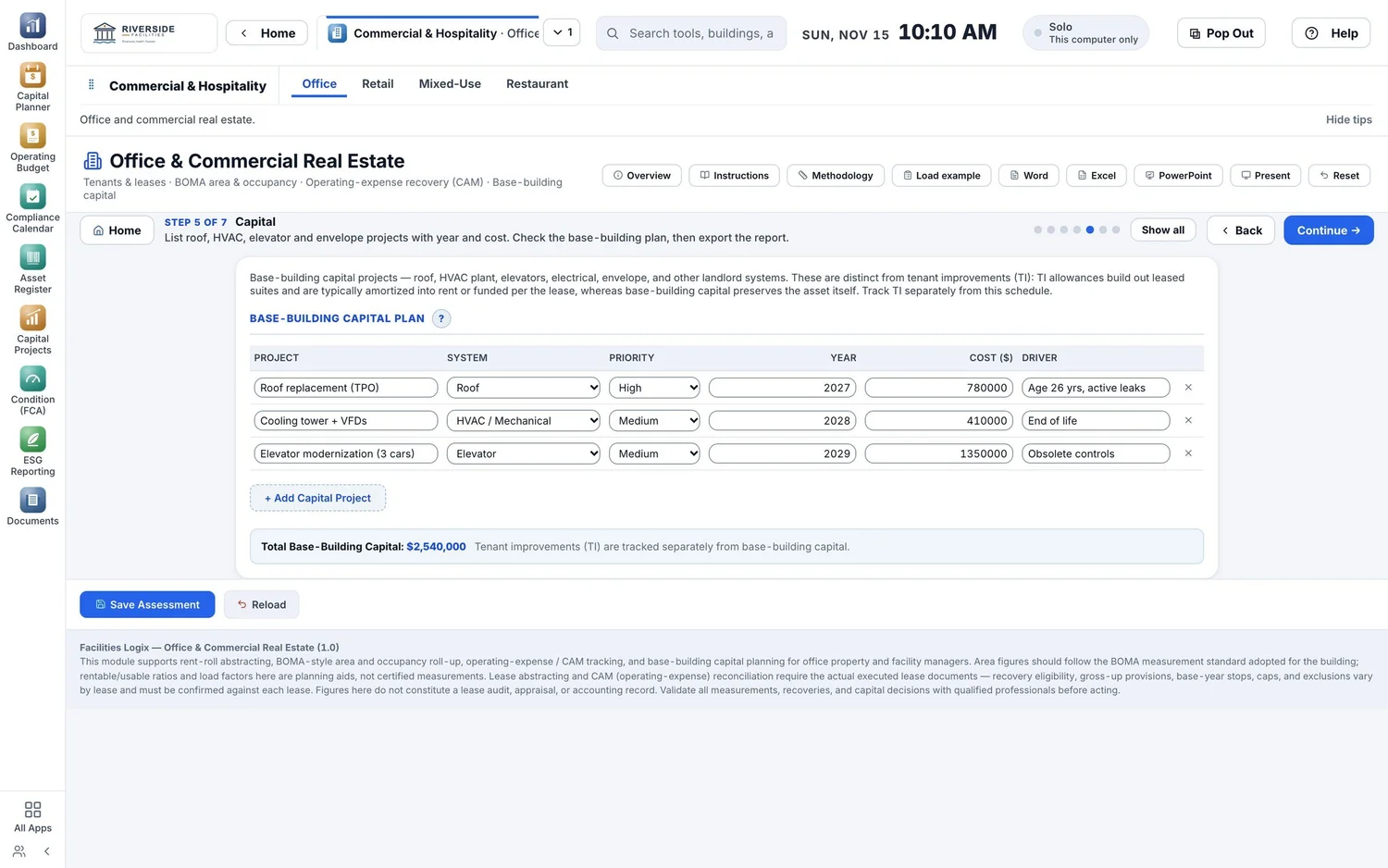
Plan for the Failure Before It Happens
Criticality Register
Score each asset by the consequence of failure, then see the critical few your operation cannot run without.
Learn MoreShow Less
A ranked list tells you where a dollar of maintenance or backup protects the most. The register scores every asset the same way, so the ranking can be defended to leadership.
- Score = consequence weight (1 to 5) x likelihood weight (1 to 3), from 1 to 15
- 12 or more is Critical; 6 to 11 is High; under 6 is routine maintenance
- A Life Safety asset is never rated below High, even at low likelihood
- No backup on record (a single point of failure) raises the flag
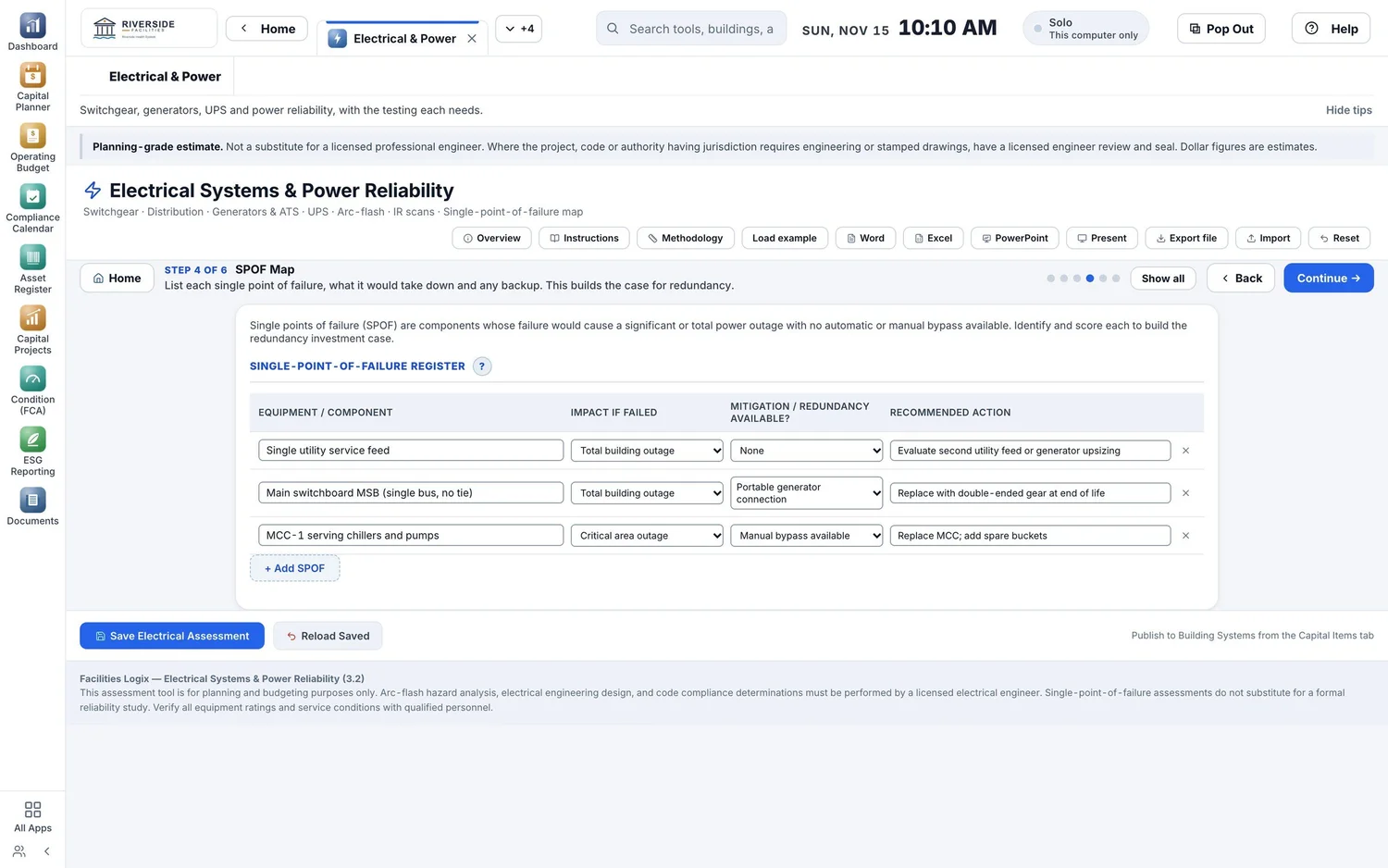
Single-Point-of-Failure Map
Find the one chiller, pump, transformer or panel with nothing behind it, and build the redundancy investment case with the numbers.
Learn MoreShow Less
Backup equipment is hard to fund until the cost of one outage is on paper. The map counts each single point of failure and the Redundancy Case prices the fix against the downtime it avoids.
- Single points of failure counted on the Summary, separate from the score bands
- Downtime exposure from your own cost of downtime per hour and typical outage length
- Investment totaled against the downtime avoided per event, project by project
- Approved redundancy items sent to Building Systems as capital candidates
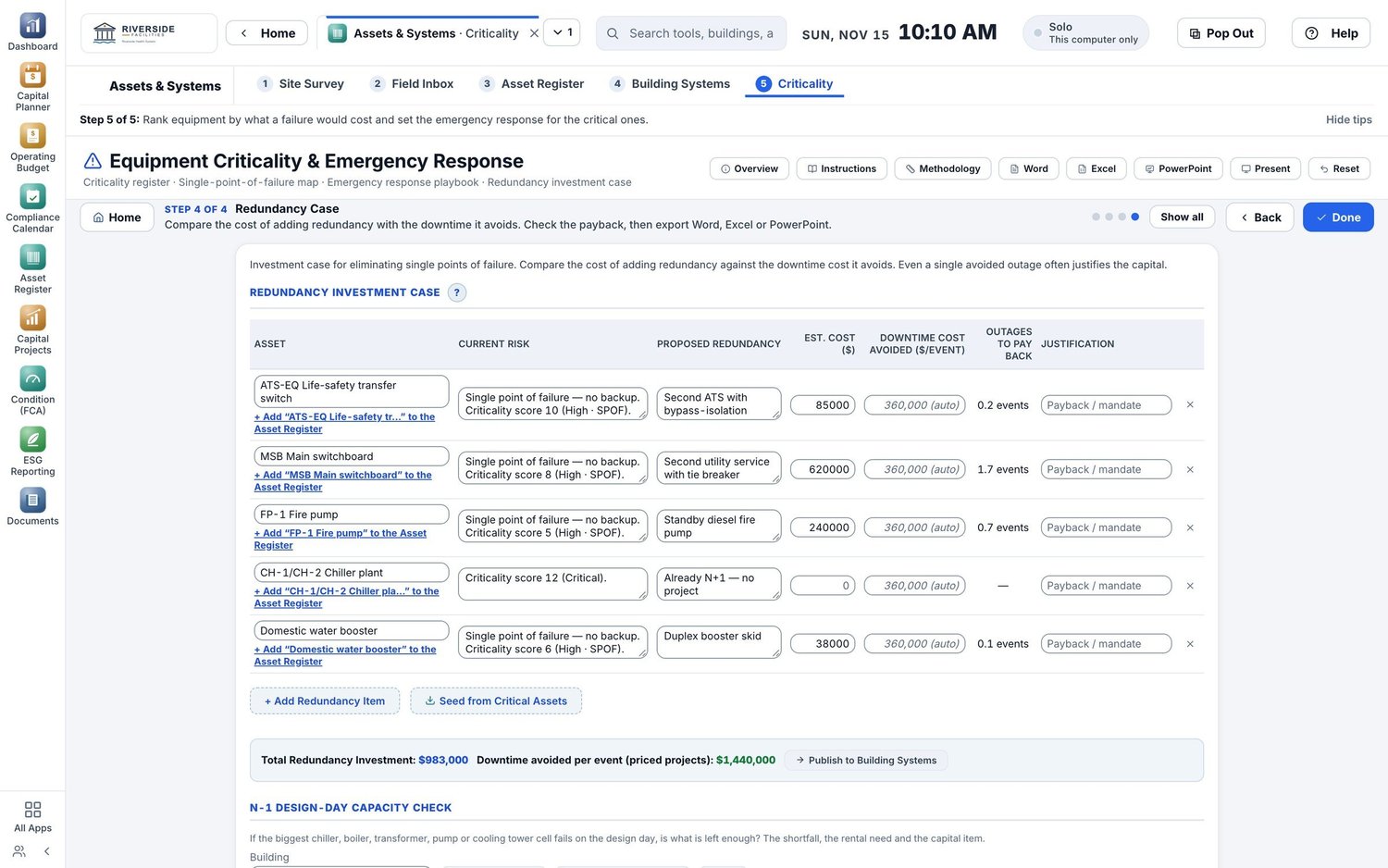
Redundancy Case in Equipment Criticality & Emergency Response: compare the cost of adding redundancy with the downtime it avoids. Check the payback, then export Word, Excel or PowerPoint.
Failure Response Playbook
For each critical asset: what to do, and the vendor to call with its service line, after-hours line and your account number. The plan travels to the field app on the asset card.
Learn MoreShow Less
The first hour of a critical failure is the expensive one. A written playbook cuts the time spent finding a phone number or deciding what to shut down, and keeps emergency calls going to the vendor you already have an agreement with.
- A vendor is linked only on an exact name match, never guessed
- A red chip when that vendor's insurance certificate is expired or missing
- A free-text box for other contacts and step-by-step instructions
- Linked to the asset in the Asset Register, not to a typed name
Emergency Power Readiness Score
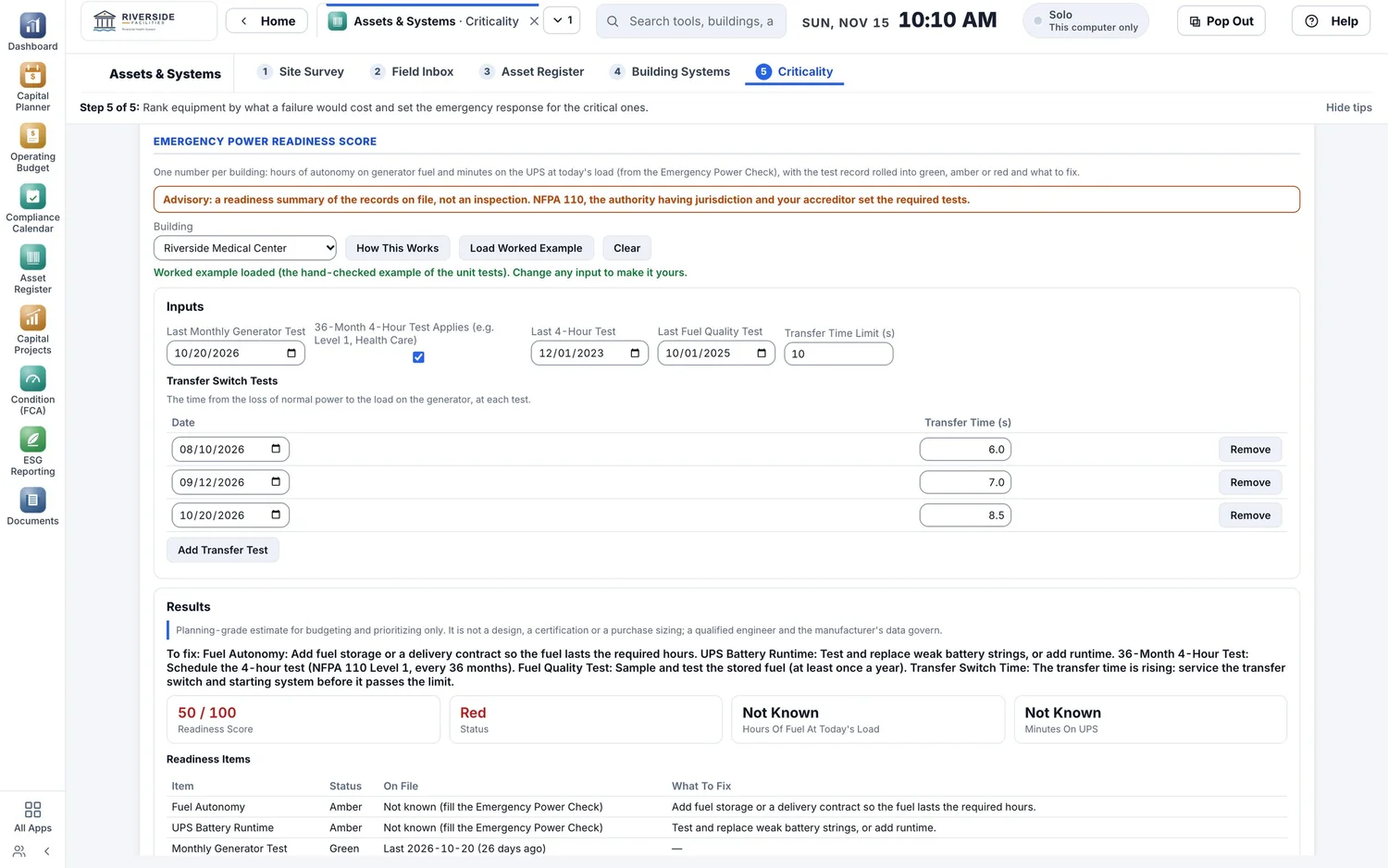
One advisory number per building from the records on file: fuel hours and UPS minutes against what you require, the monthly generator test, the 36-month four-hour test, fuel quality and transfer-switch time. A summary of records, not an inspection.
Learn MoreShow Less
An emergency generator that fails its first real outage costs far more than the test that would have caught it. The score turns the records you already keep into one number per building, with the item to fix named.
- Score = 100 x (green items + half of amber items) / items
- Monthly test green within 31 days, amber within 45
- Transfer-switch time red above your limit; amber when it rises 20 percent over three tests
- Every Building lists the portfolio; reports in Word, Excel, PowerPoint, PDF and CSV
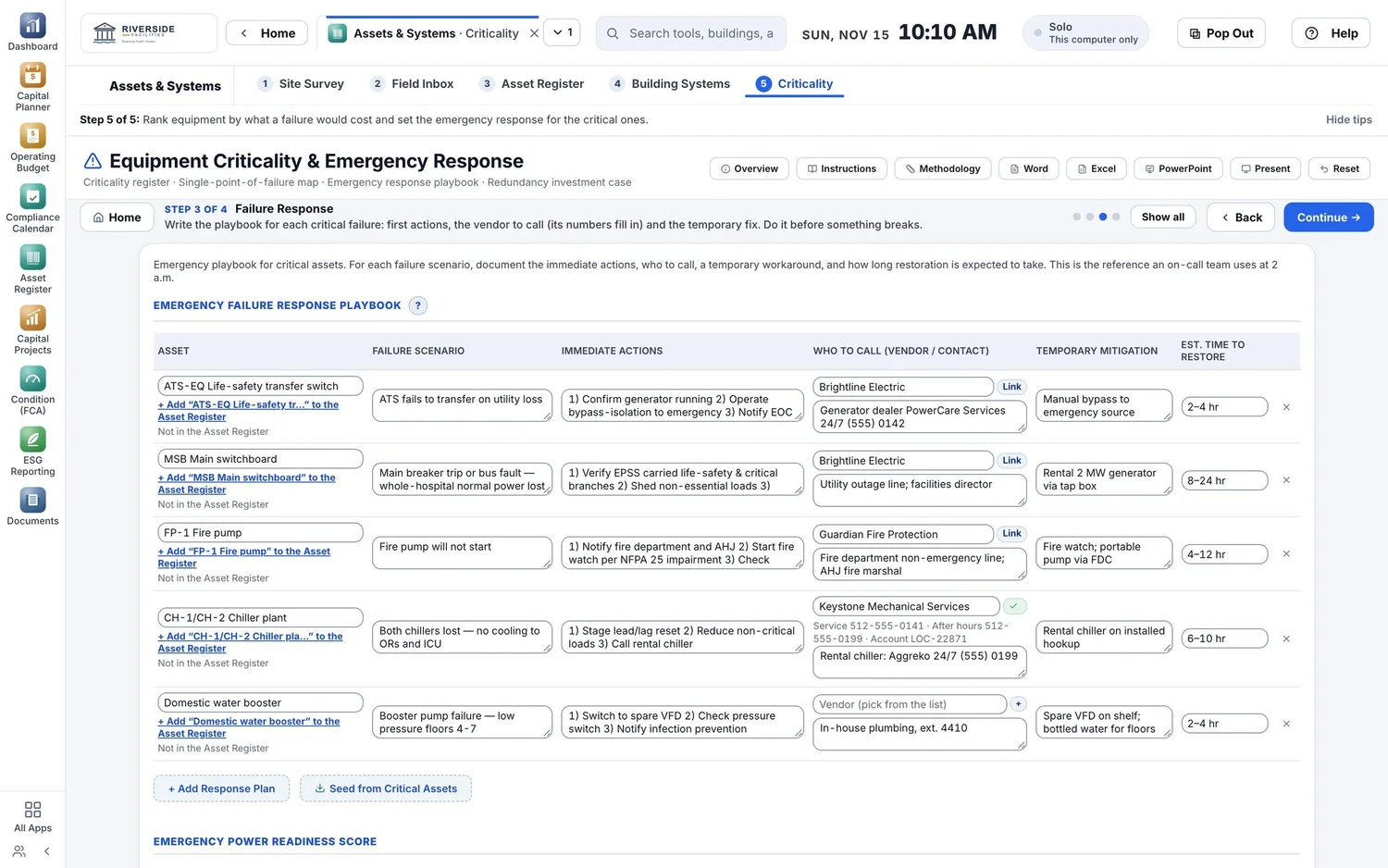
Failure Response in Equipment Criticality & Emergency Response: write the playbook for each critical failure: first actions, the vendor to call (its numbers fill in) and the temporary fix. Do it before something breaks.
N-1 Design-Day Capacity Check
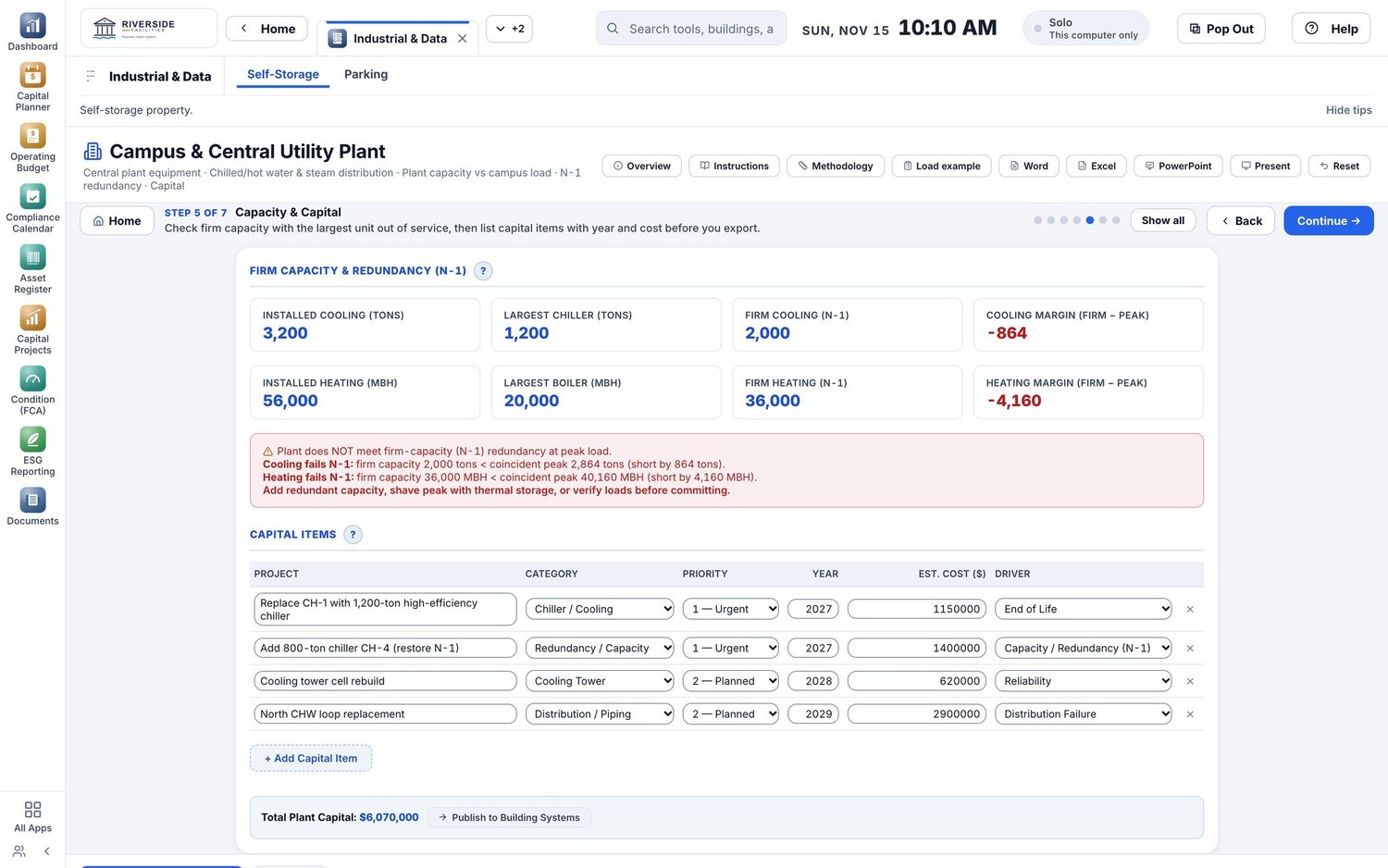
For chillers, boilers, transformers, pumps and tower cells: total capacity less the largest unit against your design-day load, with the shortfall, the rental units needed and the capital item to add. Planning-grade.
Learn MoreShow Less
Losing the biggest chiller or boiler on the hottest or coldest day means emergency rentals at the worst price. The check shows the shortfall in advance, so the rental connection and the capital item can be arranged before the day comes.
- The percent of design-day load the remaining units cover
- Rental units needed, at the rental size you enter
- A kind of equipment with only one unit is flagged as a single point of failure
- Design-day load taken from Load Calculation and plant records
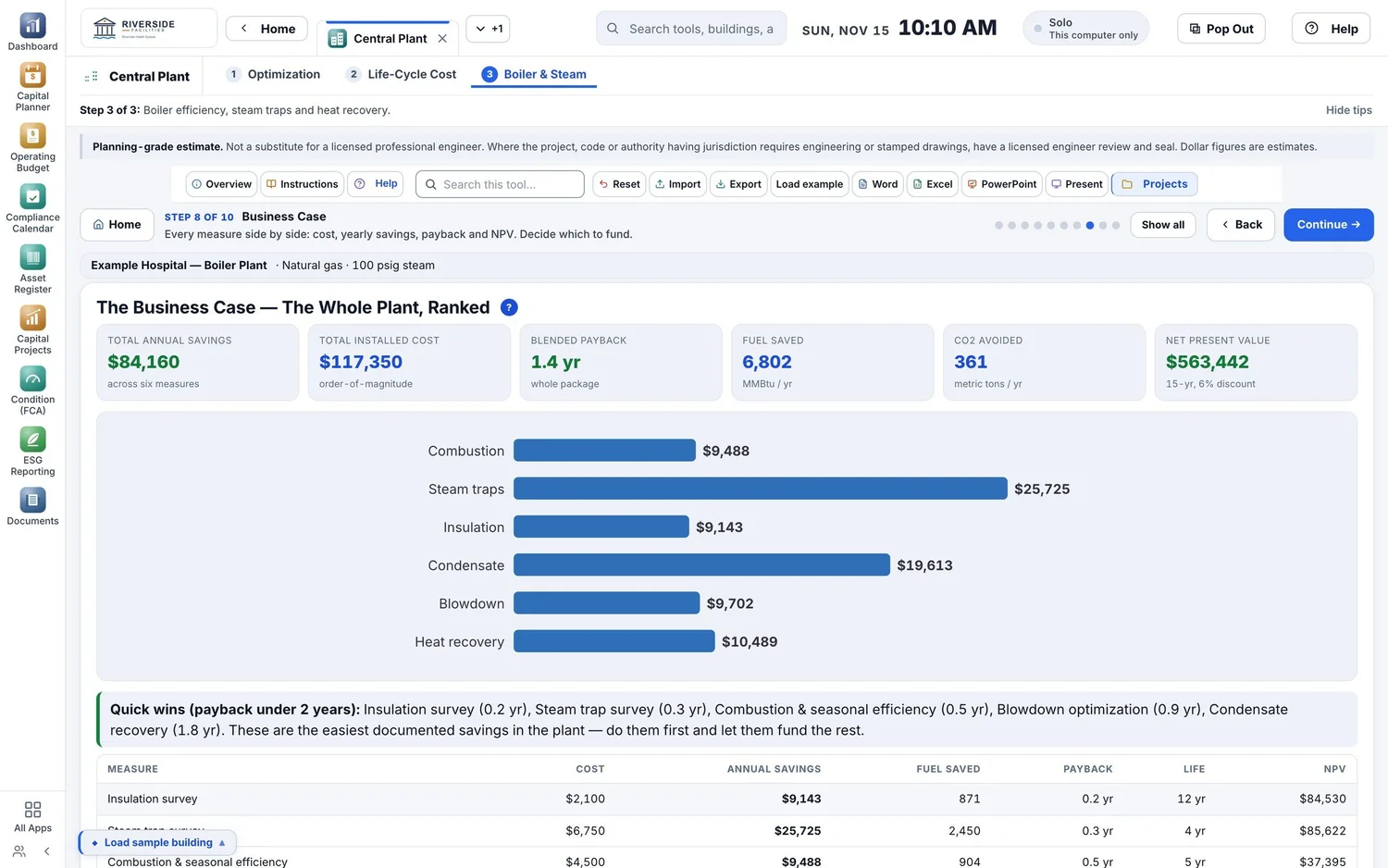
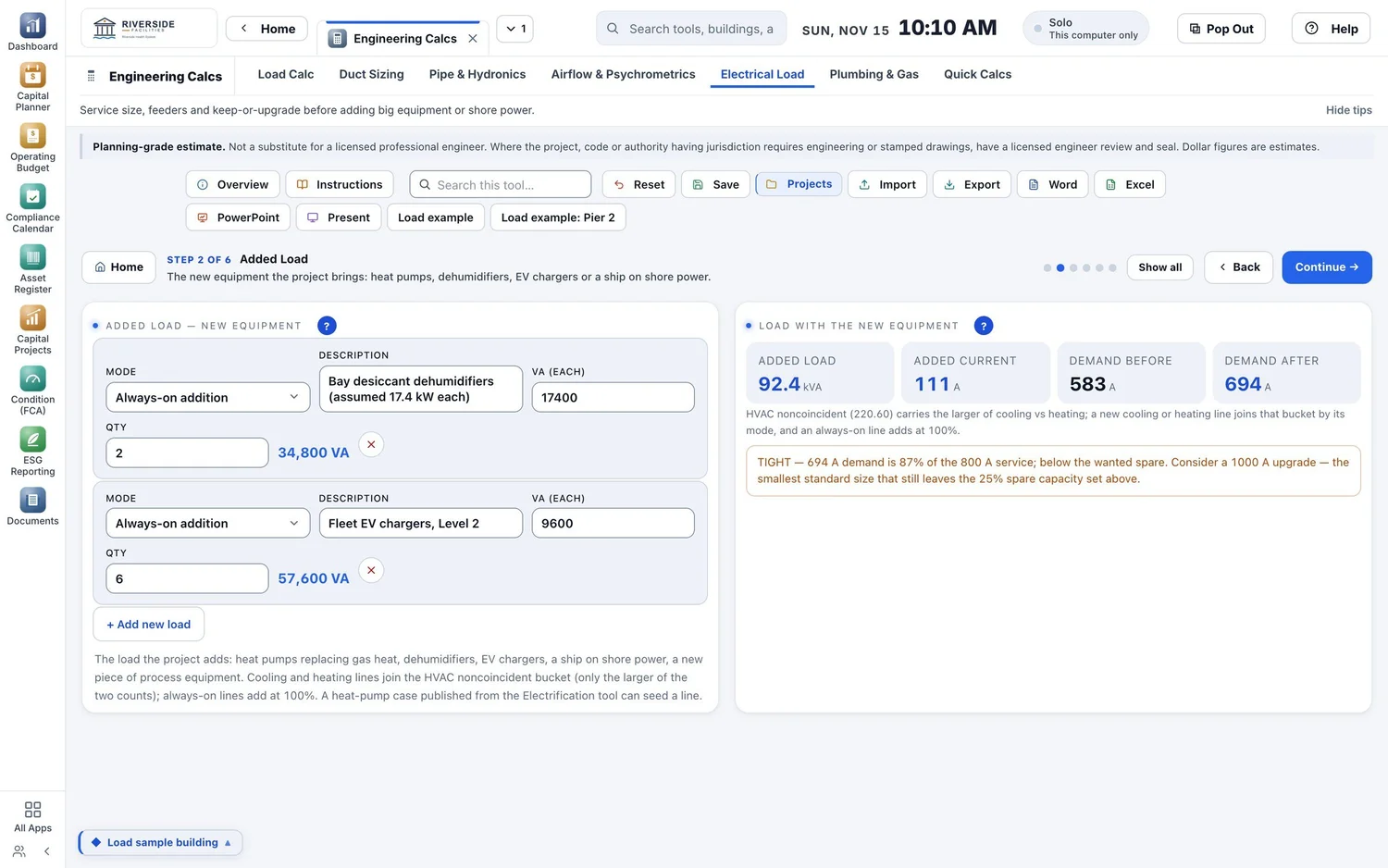
Business Case in Boiler & Steam Plant: every measure side by side: cost, yearly savings, payback and NPV. Decide which to fund.
Bring Your Existing Equipment List with You
Ways to Load Assets
- Import a spreadsheet or CSV: columns are matched by their headings and nothing is added until you press Add
- Import a COBie handover workbook from a construction project: components become assets, warranties go to the contract register, spaces, spares and PM jobs go to their own tools
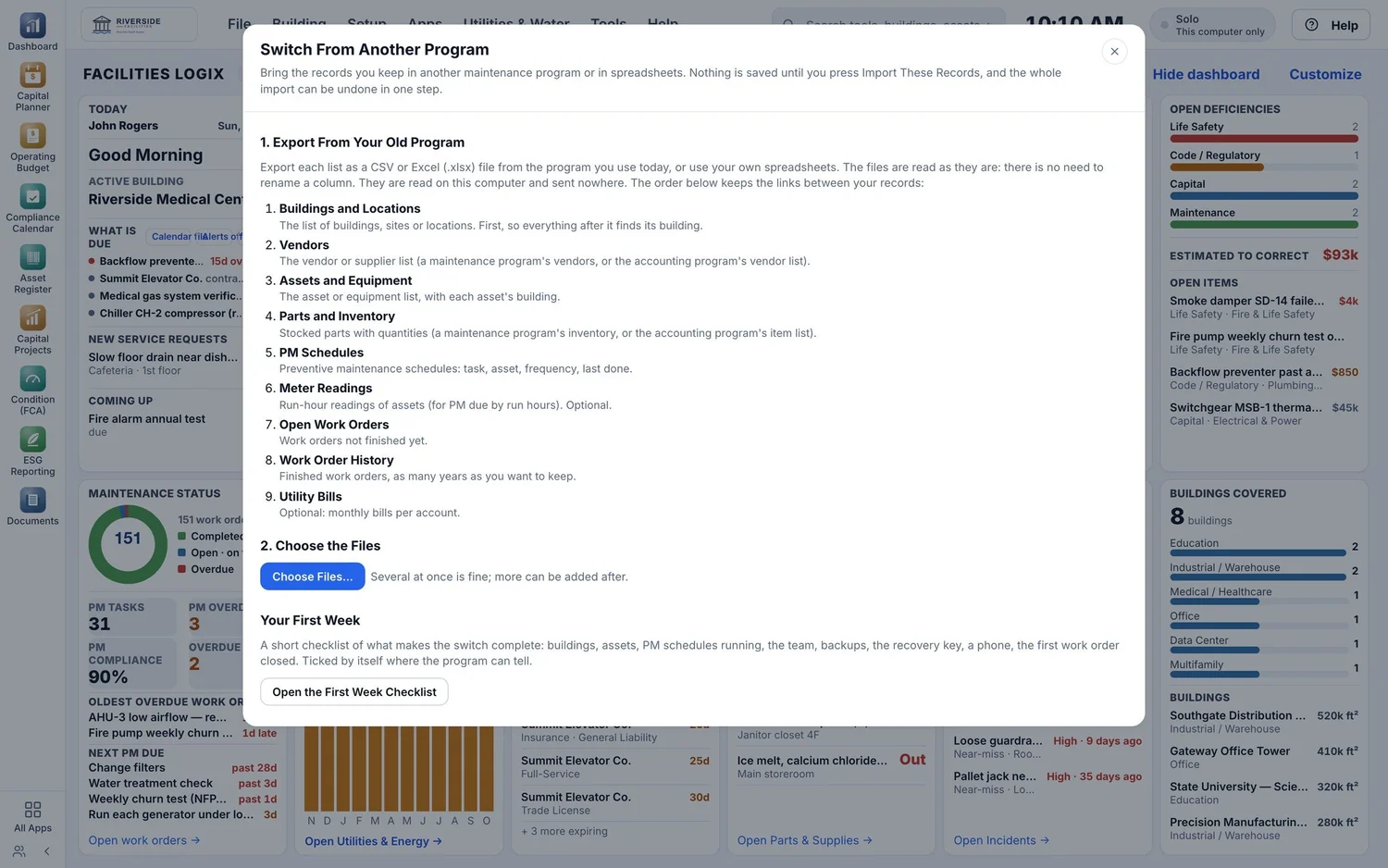
- Switch From Another Program reads the exports of other maintenance programs, with a dry run first and a one-step undo
- New equipment captured in the field waits for a manager's review before it joins the register
Safe by Design
- A preview shows what will be added, updated, already there and refused, with the row and the reason
- A blank cell never overwrites what is already on file
- Importing the same file twice adds nothing the second time
- Tags and serial numbers are kept exactly as written, leading zeros included
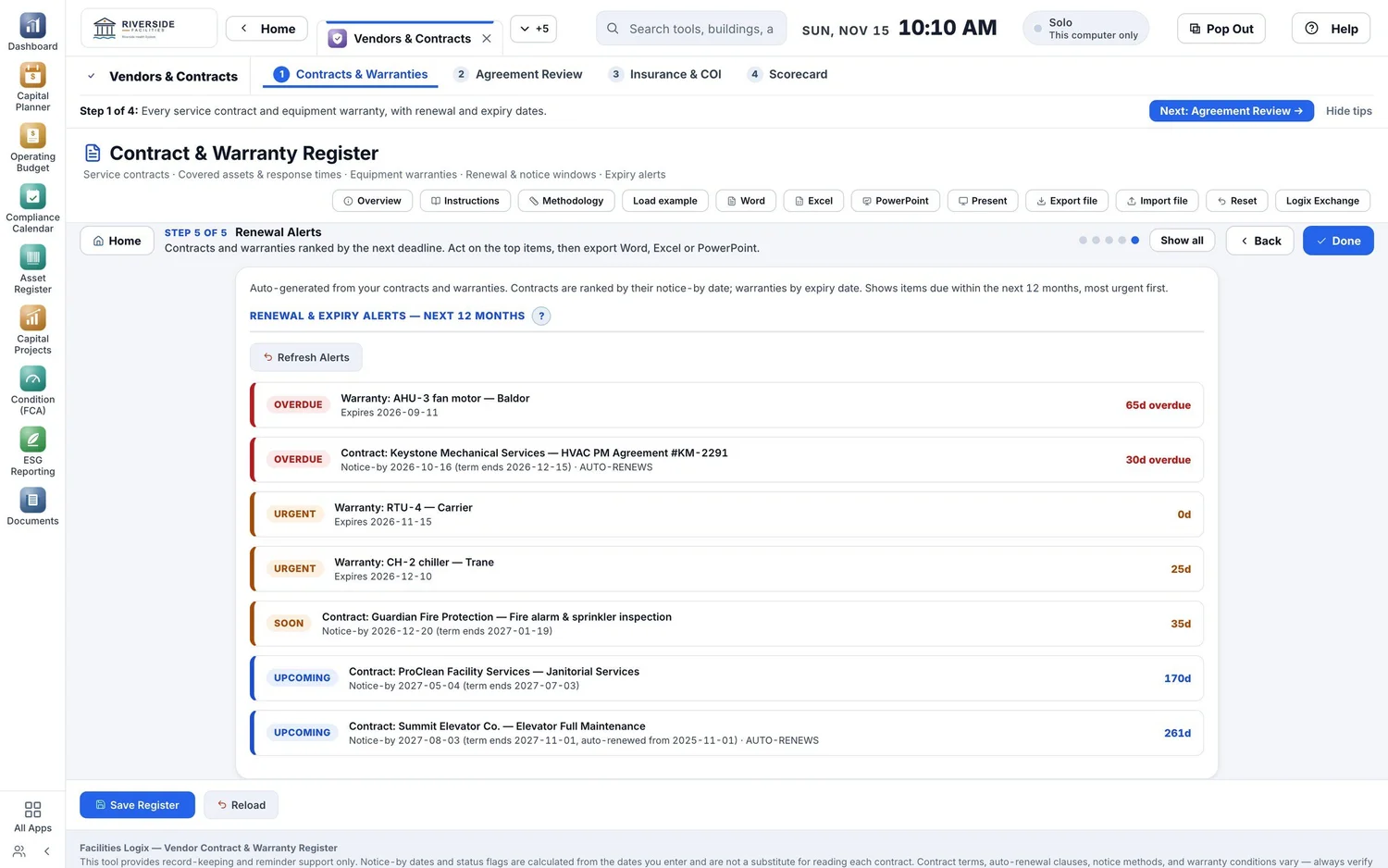
Renewal Alerts in Contract & Warranty Register: contracts and warranties ranked by the next deadline. Act on the top items, then export Word, Excel or PowerPoint.
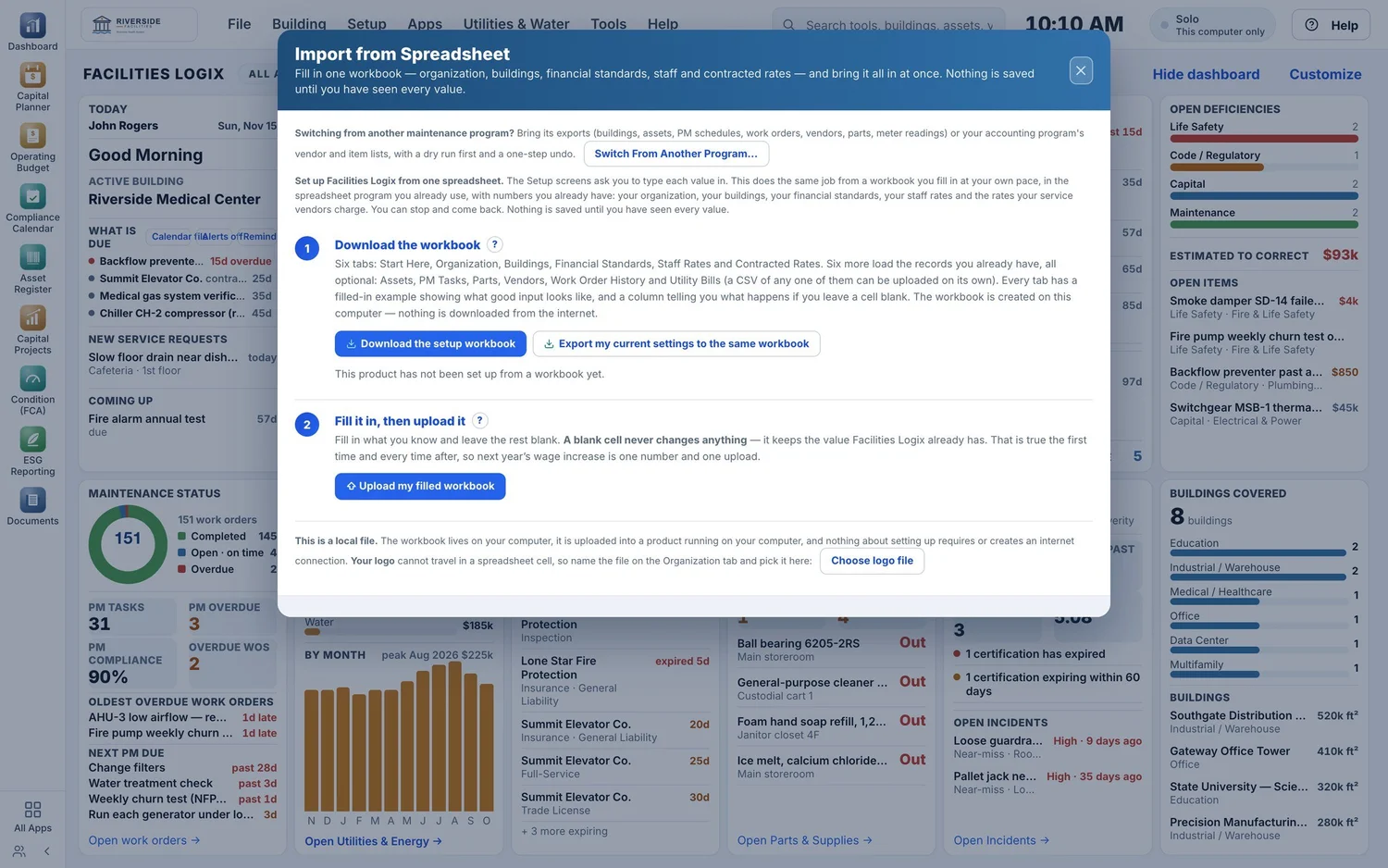
Retyping an existing equipment list wastes weeks, so a spreadsheet import shows a preview before anything is added.
One Record, Three Points of View
Leadership
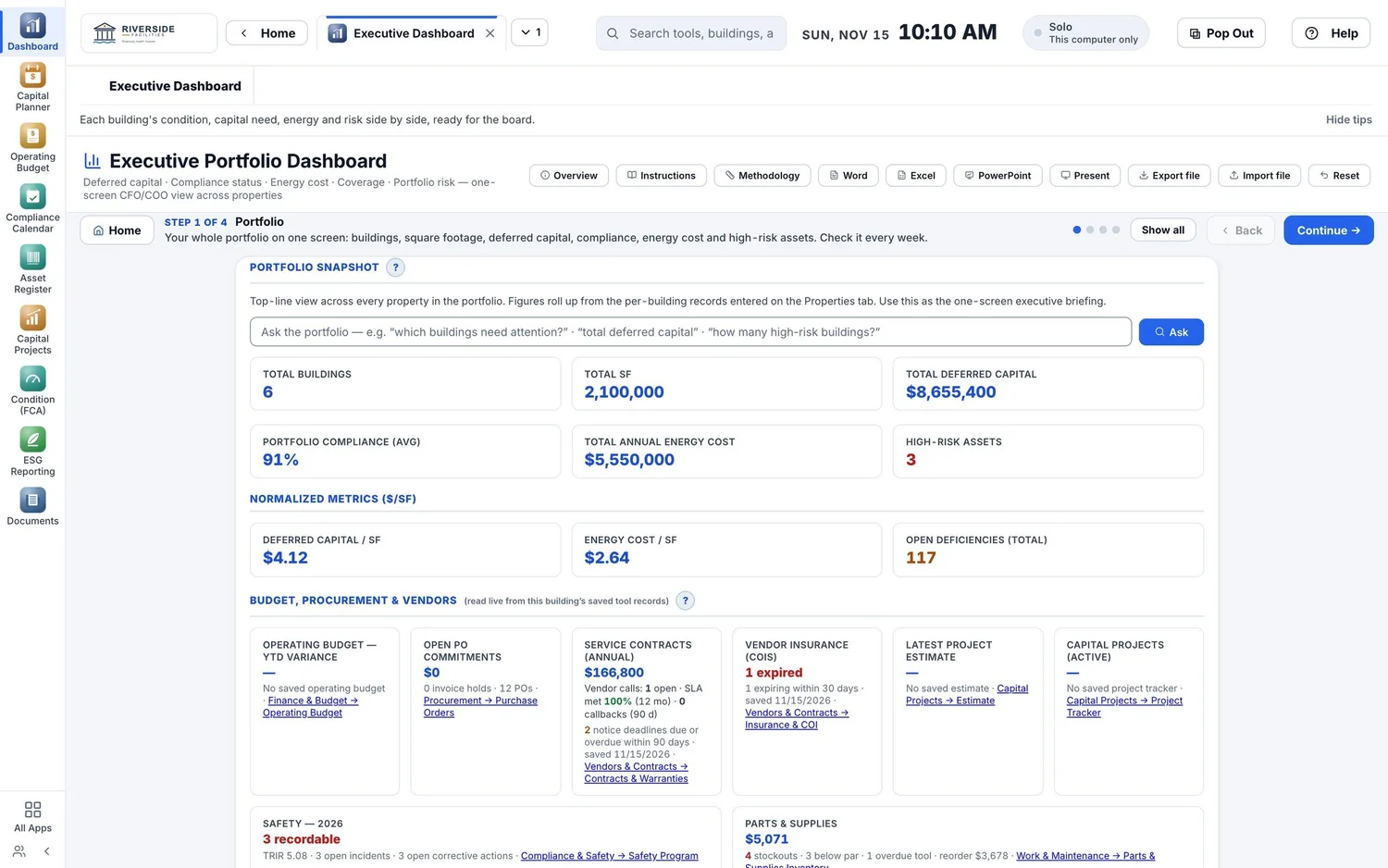
A portfolio snapshot of assets, deferred capital and deficiencies, and a capital outlook that starts from real equipment rather than estimates.
Learn MoreShow Less
Leadership needs to know how much deferred capital the buildings carry before deciding what to fund. The Dashboard reads it from the records, so nobody spends a week assembling it.
- Deferred capital, energy cost and open deficiencies per square foot across the portfolio
- Ask the Portfolio answers plain questions such as total deferred capital, offline
- Compliance calendar status for every building: overdue, never recorded, oldest overdue
- Pull Every Building fills one row per building; hand-entered figures are never wiped
Management
Coverage, warranties, vendors and criticality in one place, so the right call is made when something fails and the next budget is built on current condition.
Learn MoreShow Less
Calling a contractor for work a warranty covers, or missing a contract's notice date, is money the organization did not need to spend. Management sees the coverage on every asset before the call is made.
- Covered By and warranty status read live from Contracts & Warranties
- Update From Contract shows proposed changes to accept or decline
- Warranties handed over at project closeout wait to be accepted onto the assets
- Capital candidates from the system apps feed the multi-year outlook
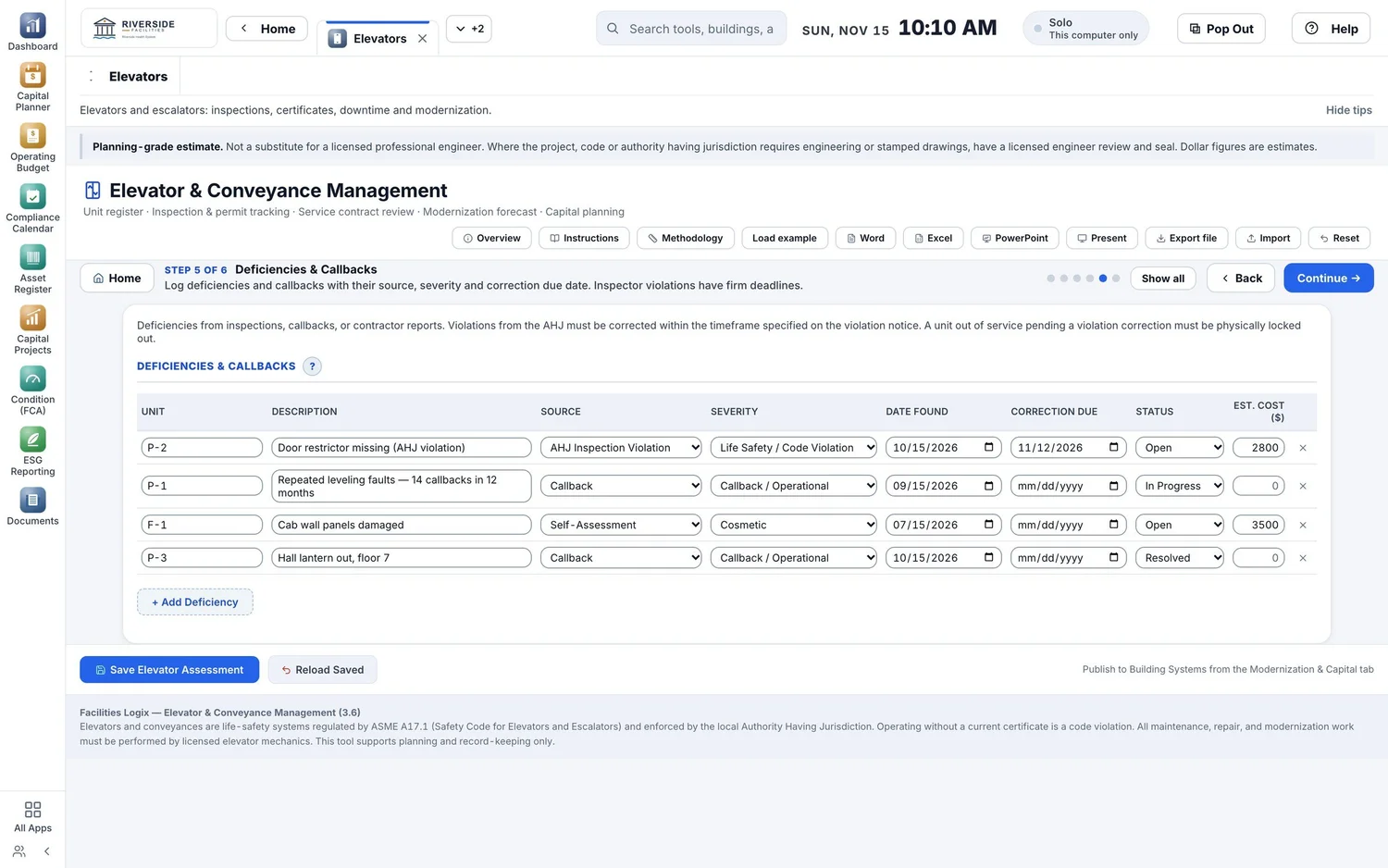
Deficiencies & Callbacks in Elevator & Conveyance Management: log deficiencies and callbacks with their source, severity and correction due date. Inspector violations have firm deadlines.
Operations
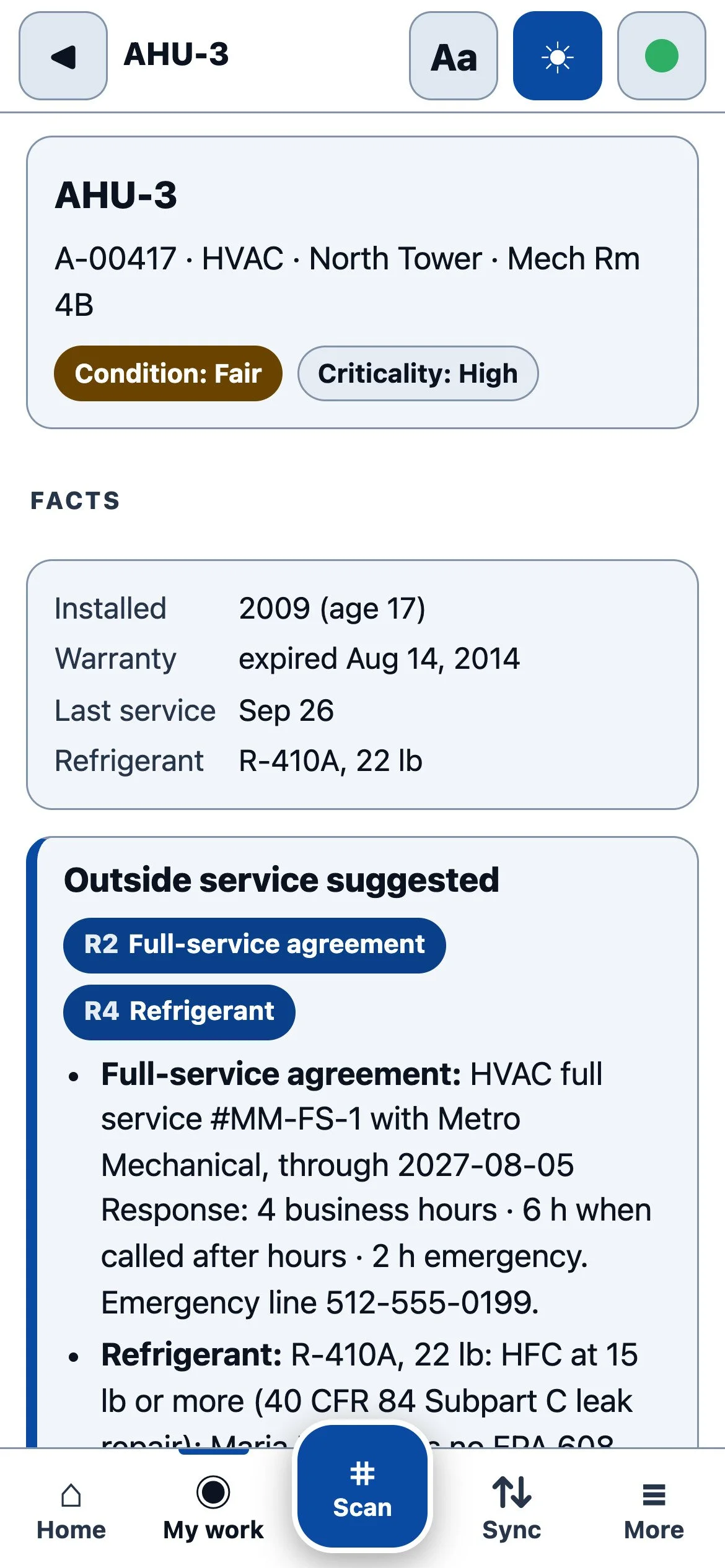
Scan a label to open the asset: condition, last service, open work, history, PM tasks, readings, documents and who to call.
Learn MoreShow Less
A technician who starts work without the history repeats diagnoses and may void a warranty. Scanning the label puts the record and who to call in front of them first.
- Scan by camera, from a photo, or by typing the tag
- Service and Coverage: the contract's vendor, coverage level and response time, each with a Call button
- Outside Service Suggested when the asset is under warranty or contract
- Labels print the tag as Code 39 and a QR code
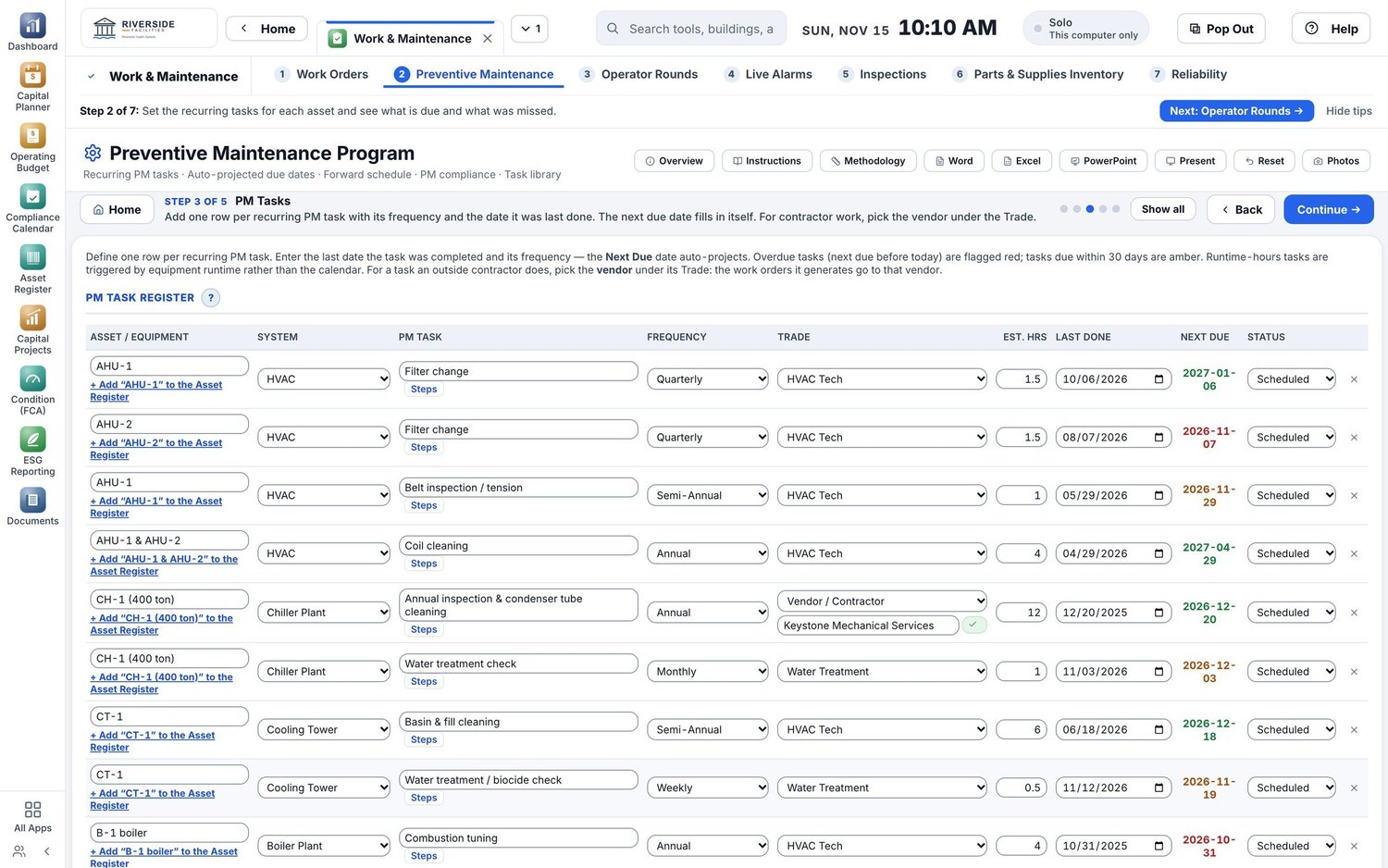
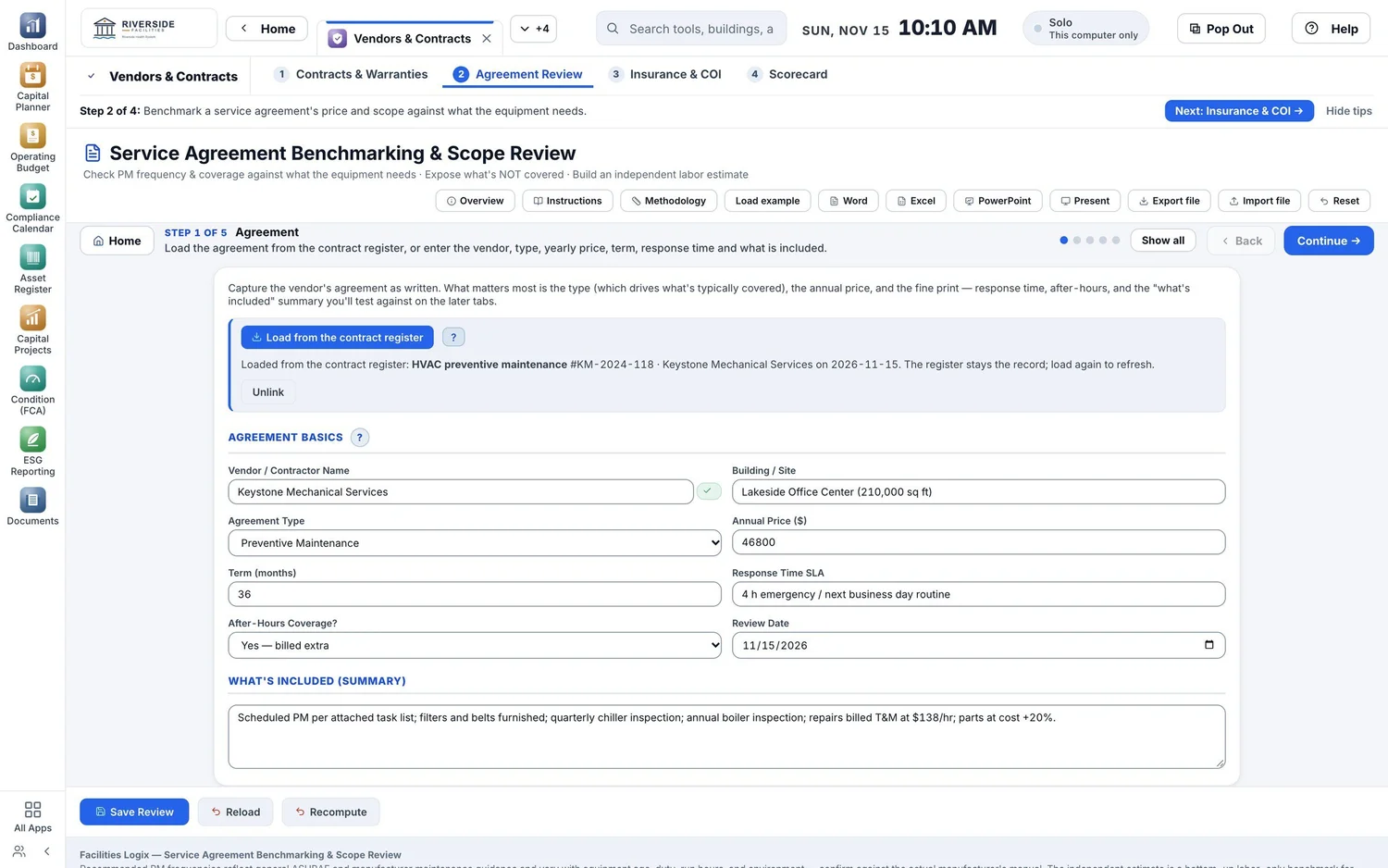
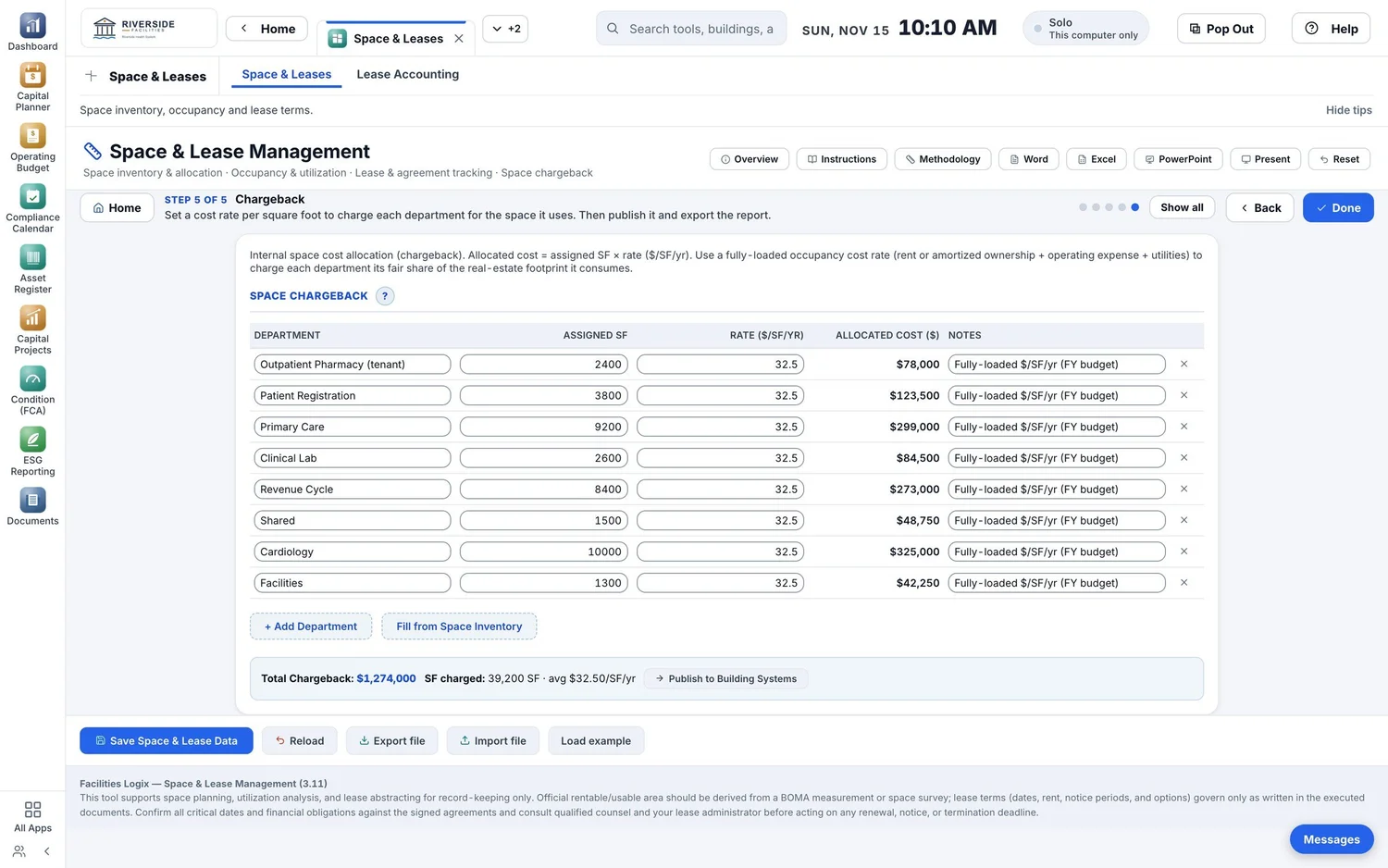
PM Tasks in Preventive Maintenance Program: add one row per recurring PM task with its frequency and the date it was last done. The next due date fills in itself. For contractor work, pick the vendor under the Trade.
Frequently Asked Questions
Do we have to re-enter the equipment list we already keep?
How does the register stay current after the first survey?
Is the Emergency Power Readiness Score an inspection?
Can operators add equipment from a phone or tablet?
Be First When Facilities Logix Opens
Stop chasing building records across spreadsheets and binders. Join the list and we will tell you the day downloads open, with setup guides ready.
Launching early 2027 for Facilities Logix. Nothing to buy today, and no sales calls.
