
Proposals Built from Your Numbers, Signed Without a Portal
By the time a job is ready to propose, its numbers already exist in the estimate and the engineering tools. HVAC Logix assembles them into one branded document, checks that no internal figure rides out on a customer's page, and brings the signed acceptance back as an awarded deal and a booked job.
Launching Early 2027 · Join the Early-Access List
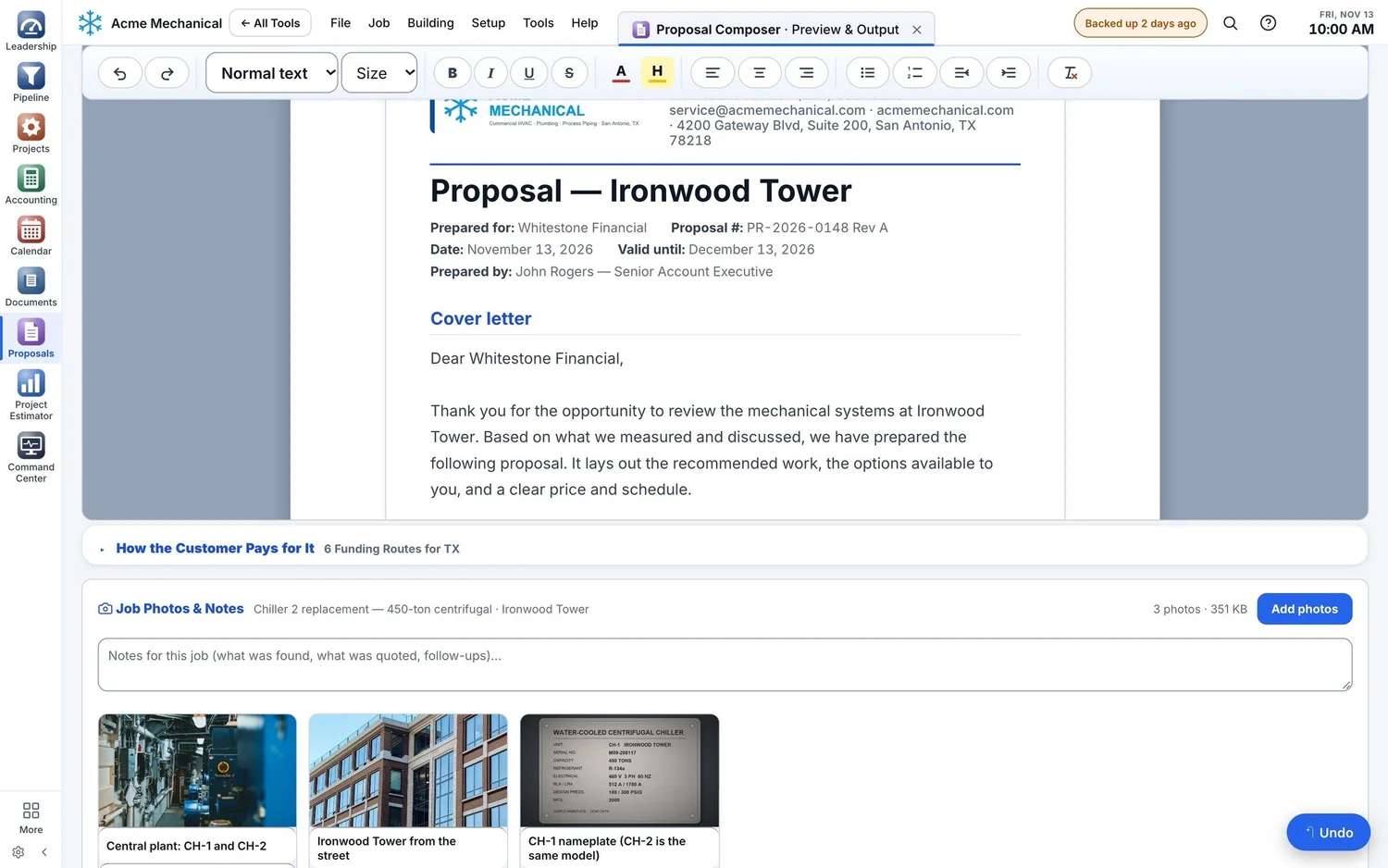
Set It Once and Every Document Matches
One Company Profile
Your company name, license, logo and contact details are entered once and brand every tool's on-screen report and every Word, PDF and Excel export. No HVAC Logix branding appears on any client-facing output.
Learn MoreShow Less
A missing license number can invalidate a bid, and a proposal with no named person on it is one nobody calls back. Entering it once means every document is complete and looks like it came from one firm.
- License numbers as they print on a proposal, and the state regulator line some states require.
- Company name and legal name are separate, for headers and for contracts.
- Each page carries the preparer's name, cell and e-mail in the footer.
- Excel workbooks open on a branded cover sheet.
- Export the profile to set up another computer.
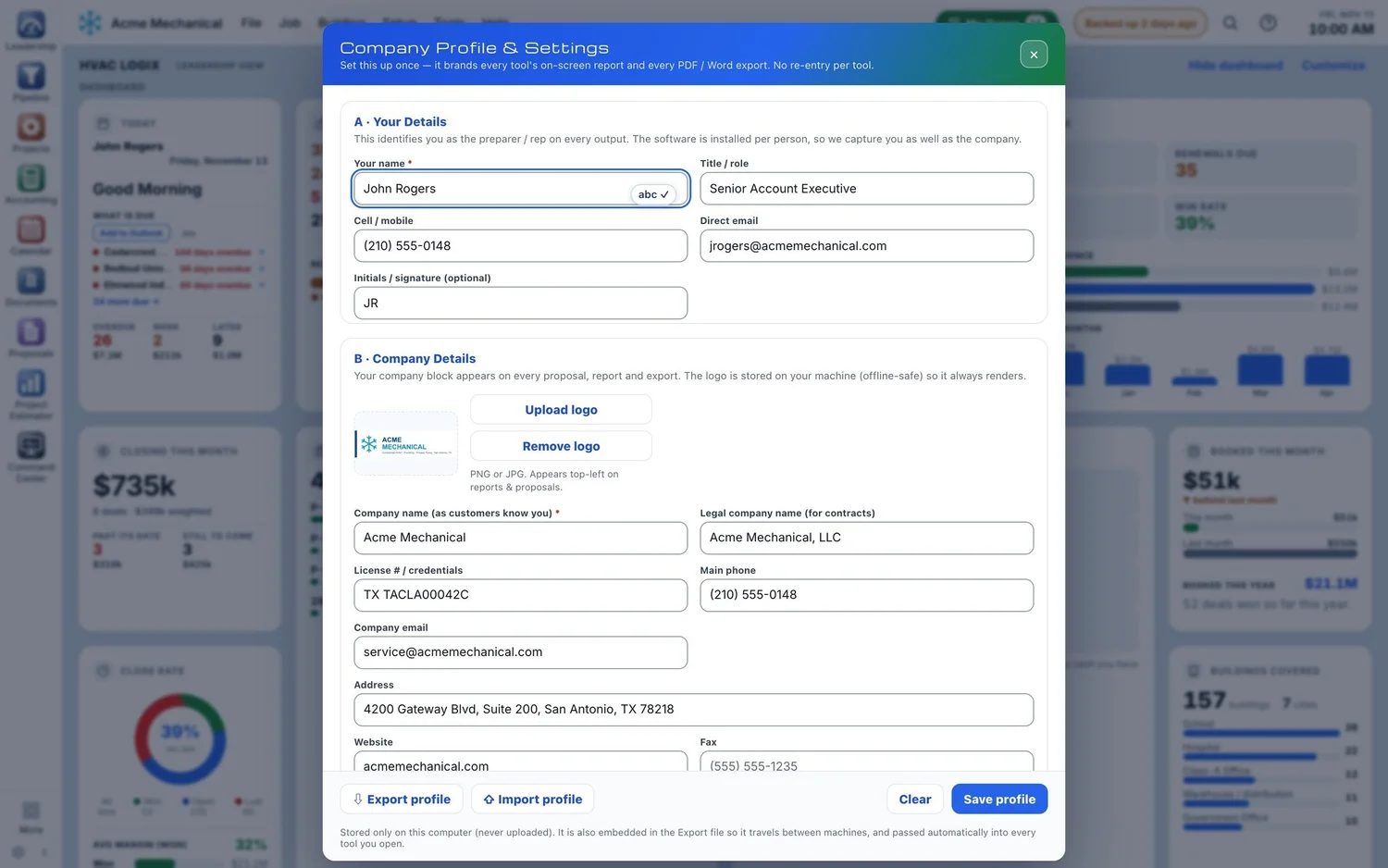
Mismatched letterheads look careless, so the company profile is entered once and brands every document.
Exclusions Library
Twenty-eight exclusions in seven categories, each with a short name a salesperson can scan and the full sentence a customer reads. Standard ones go on by default, and optional ones are switched on when they apply.
Learn MoreShow Less
Every dispute lives in the gap between what the customer assumed and what you wrote down. One shared exclusions list keeps that gap closed on every proposal, from every rep.
- Categories include hazardous materials, adjacent trades, regulatory and access.
- A rep's added or removed exclusion is recorded as a deviation, with a reason, never changing the standard.
- Deviations print on the internal sheet only.
- Other tools raise exclusions for the rep to confirm, such as an adjacent trade declined.
Terms with Version Dates
Eleven terms and conditions clauses, each with its own version number and last-reviewed date. The wording that ships is plain starting language. Have your own attorney review and adapt it before it goes to a customer.
Learn MoreShow Less
Every sentence in your terms decides who pays when something goes wrong. Versioned clauses keep the company on one set of wording, and the estimators warn before unreviewed text reaches a customer.
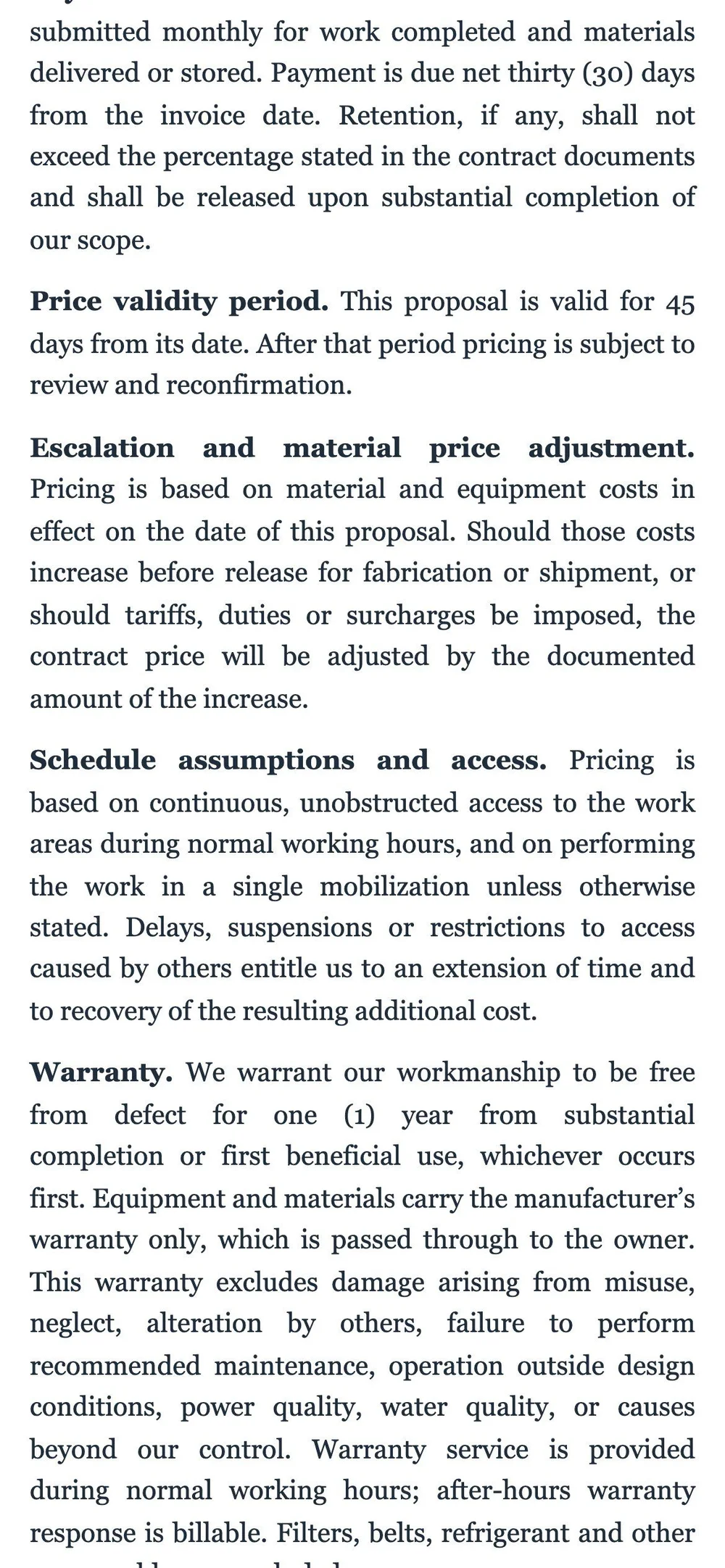
- Covers payment and retention, price validity, escalation, warranty, change orders and limitation of liability.
- Governing law and venue start from your own company's state and county, and limitation of liability starts from standard language. Your attorney should review both.
- Until marked attorney-reviewed, generating a customer document names the unfinished clauses and asks first.
- Reopening a job priced on superseded wording is flagged.
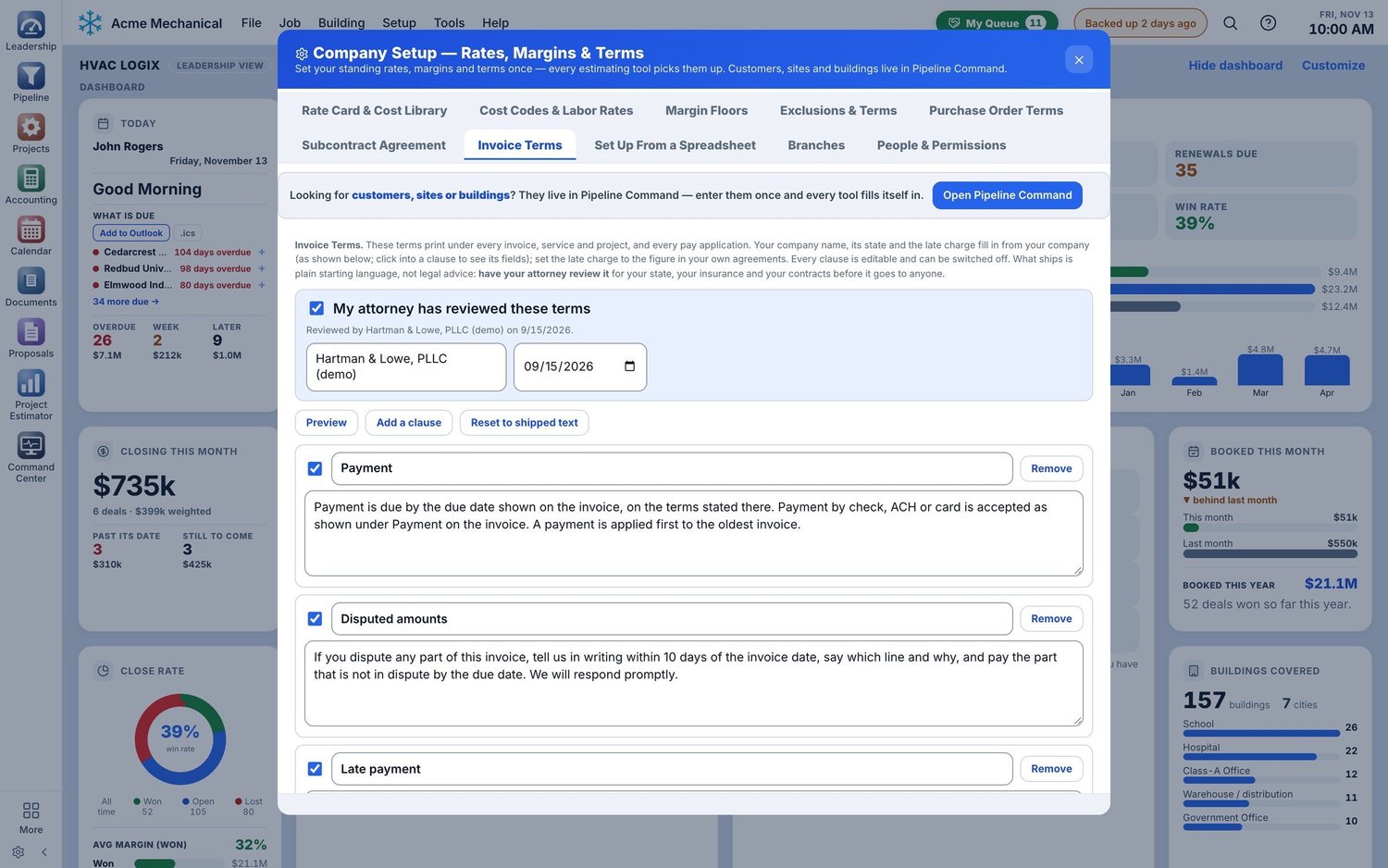
Old terms cause disputes, so each clause carries its version and date.
A Text Library in One Voice
Cover letters by job type, scope boilerplate and qualification statements with placeholders that fill from the account, building and equipment. The library is editable, versioned, dated and shareable across the company.
Learn MoreShow Less
Rewriting the same cover letter for every job is unpaid time, and reps drifting off-message weakens the brand. A shared text library makes proposals faster and consistent.
- Assemble fills sections from your approved paragraphs, word for word; the software writes nothing.
- Describe the job and tick its site conditions to pull the paragraphs that fit.
- Structure templates save a proposal layout, such as chiller replacements, for reuse.
- Leadership publishes one library to every rep by file.
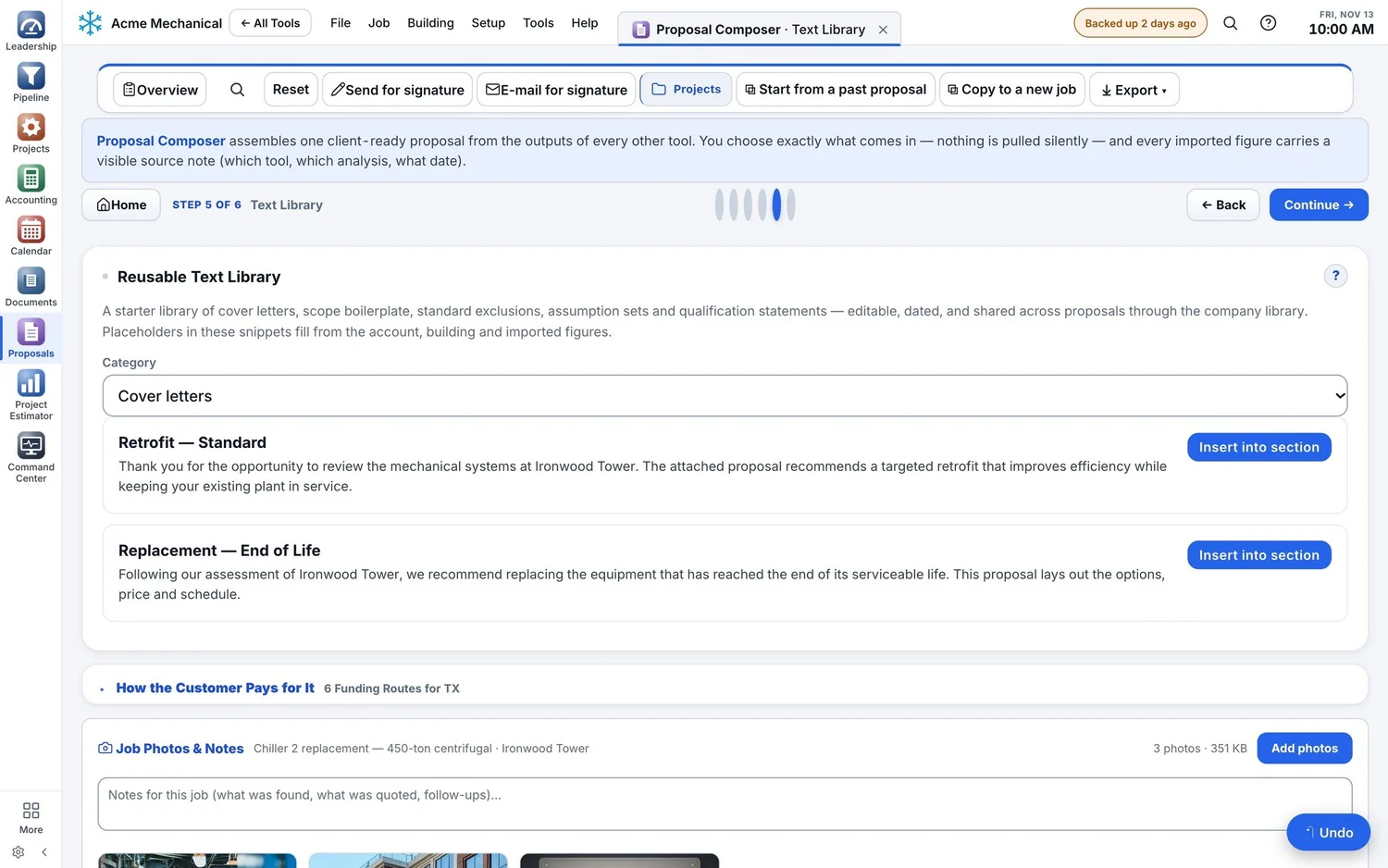
Writers drift into different voices, so cover letters and scope text come from one library.
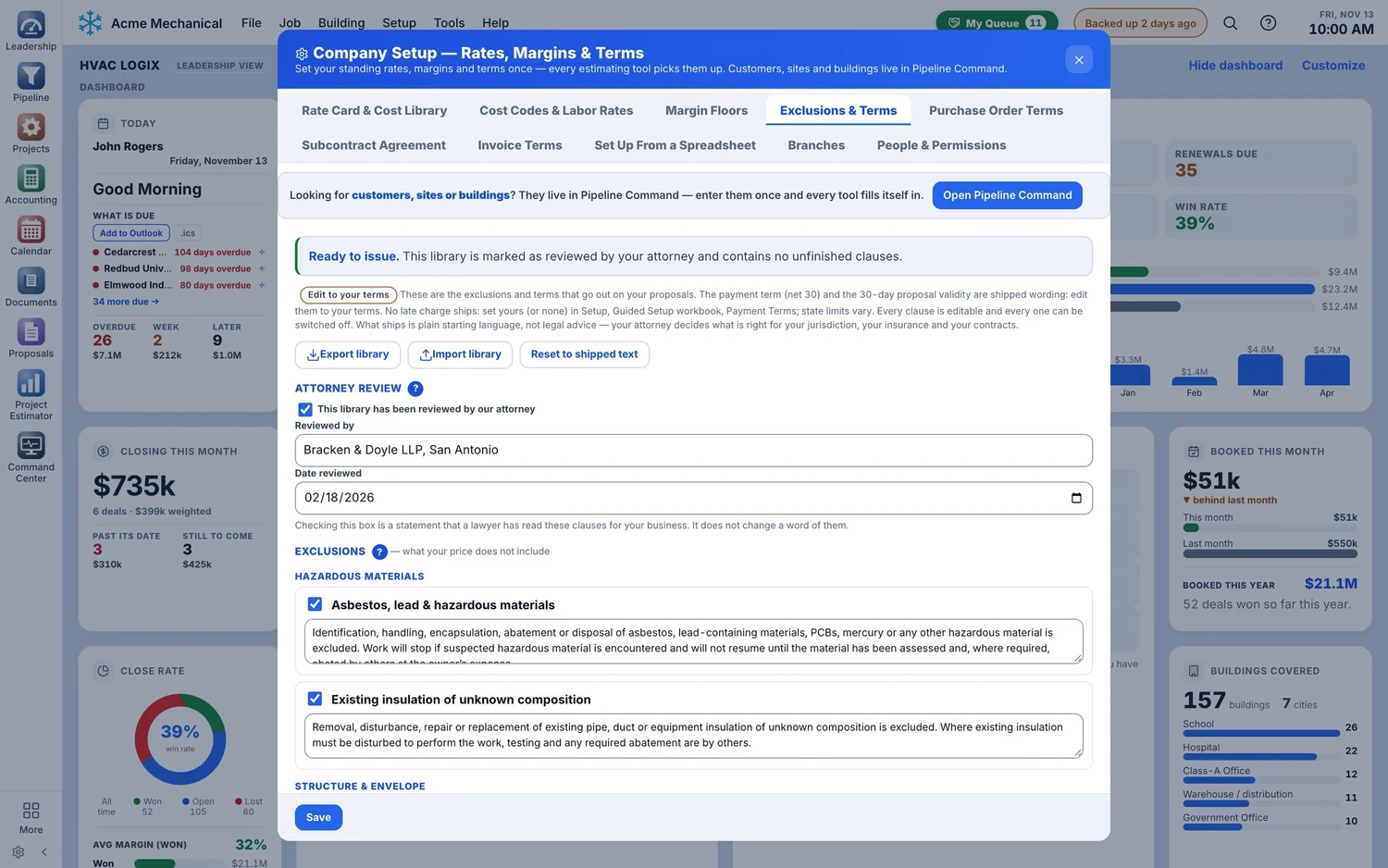
Exclusions and terms written once, so every proposal says the same thing.
One Client-Ready Document from Several Tools
The Composer earns the most on a job that combines several tools, such as a chiller selection, a business case and a project estimate in one offer. For a one-line service quote, the Service Estimator's own proposal is the faster path.
Sections You Drag into Order
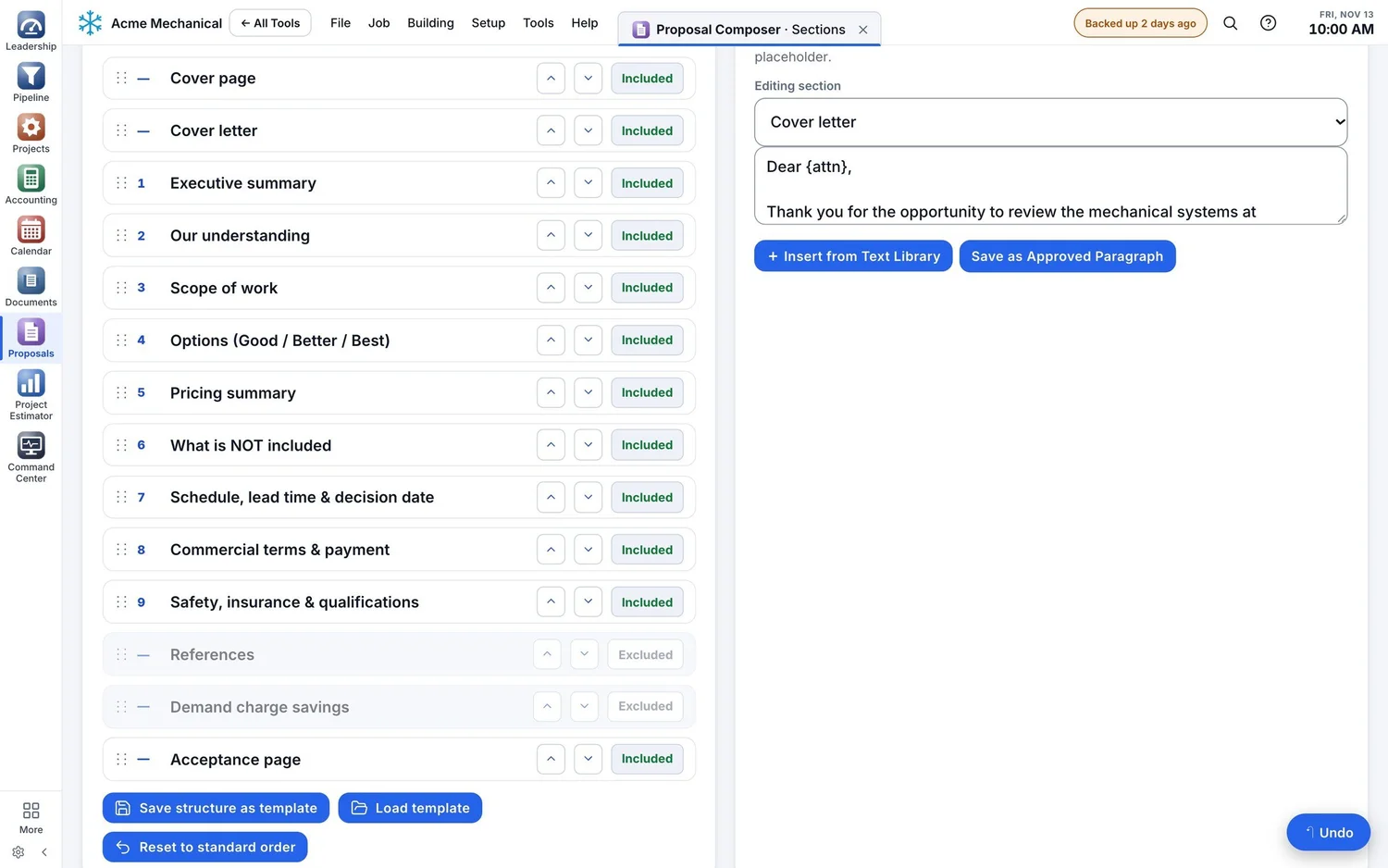
Cover, cover letter, executive summary, scope of work, options, pricing summary, a separately numbered What Is Not Included, schedule, commercial terms, qualifications, references and an acceptance page. Switch a section off, drag one to move it, and save the arrangement as a template.
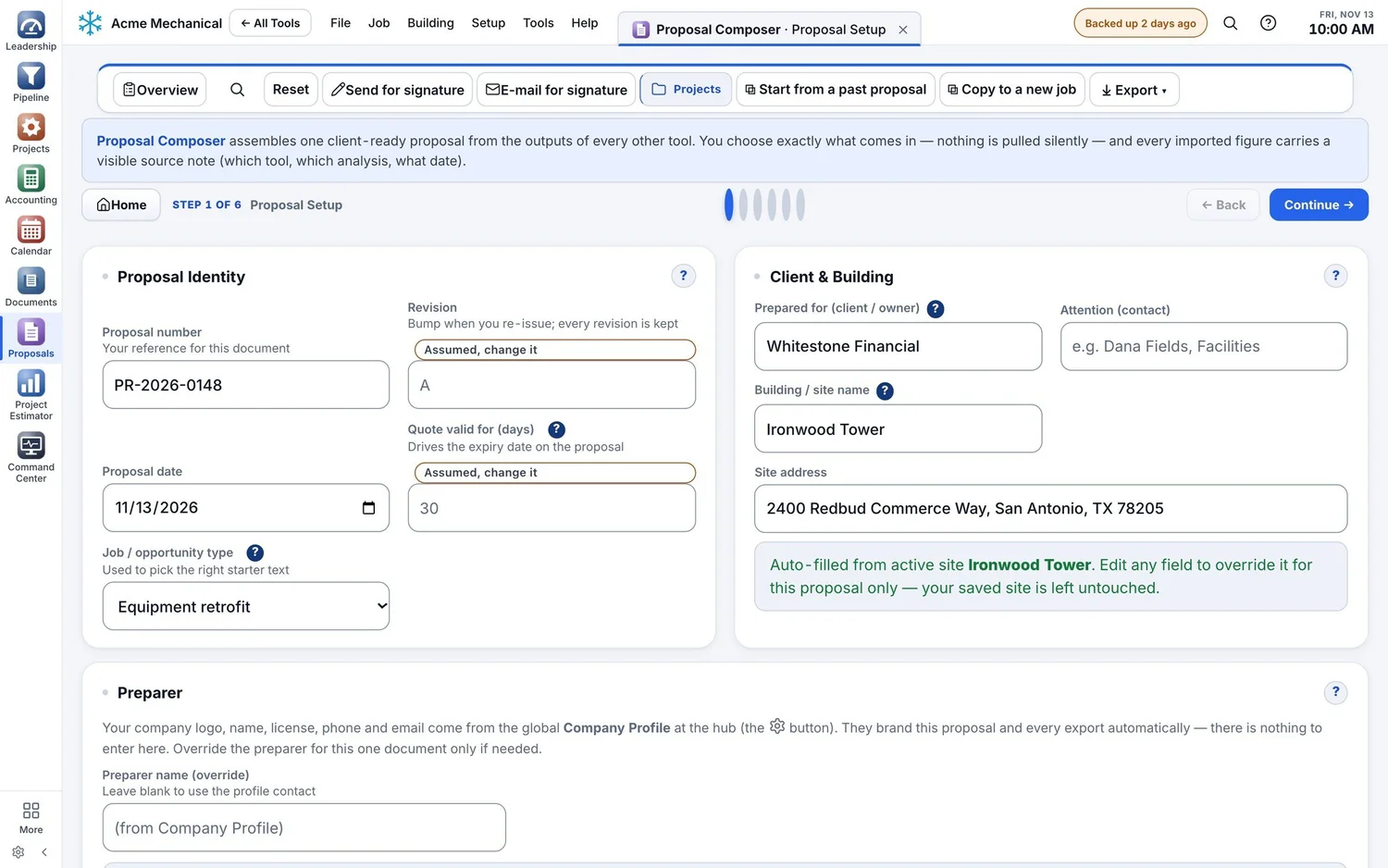
A proposal starts with the basics, so the setup collects the customer, building and proposal number.
Assemble from Approved Paragraphs
Describe the job in a few words and tick its site conditions. Assemble fills each section with your company's own approved text that fits, including your standard exclusions.
Import Figures with Provenance
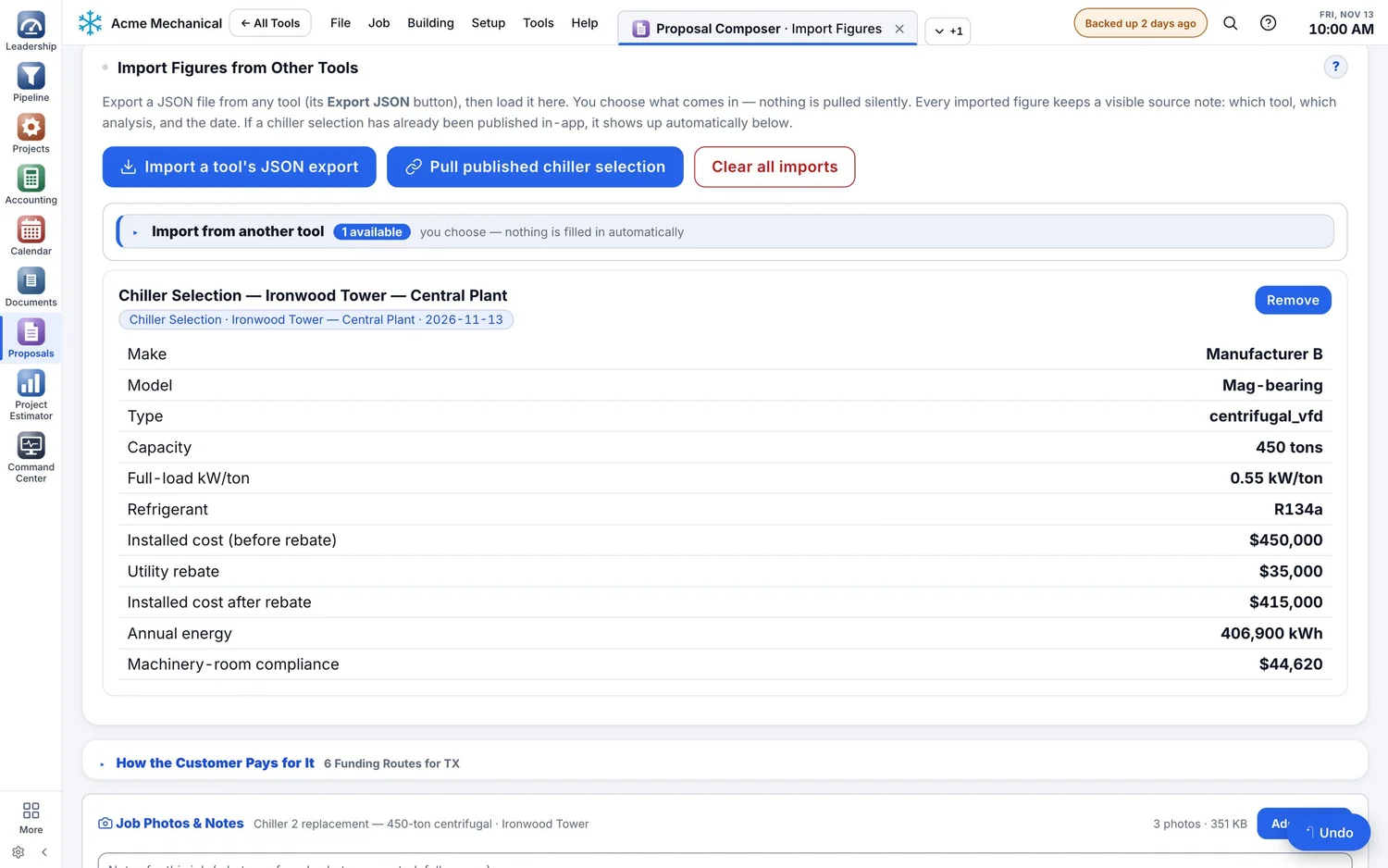
Bring in figures from the estimating, business-case, chiller, life-cycle, maintenance, refrigerant or utility tools. Each figure shows which tool and analysis it came from and the date, on screen and in the saved proposal. Nothing is imported silently.
Edit It Like a Word Document
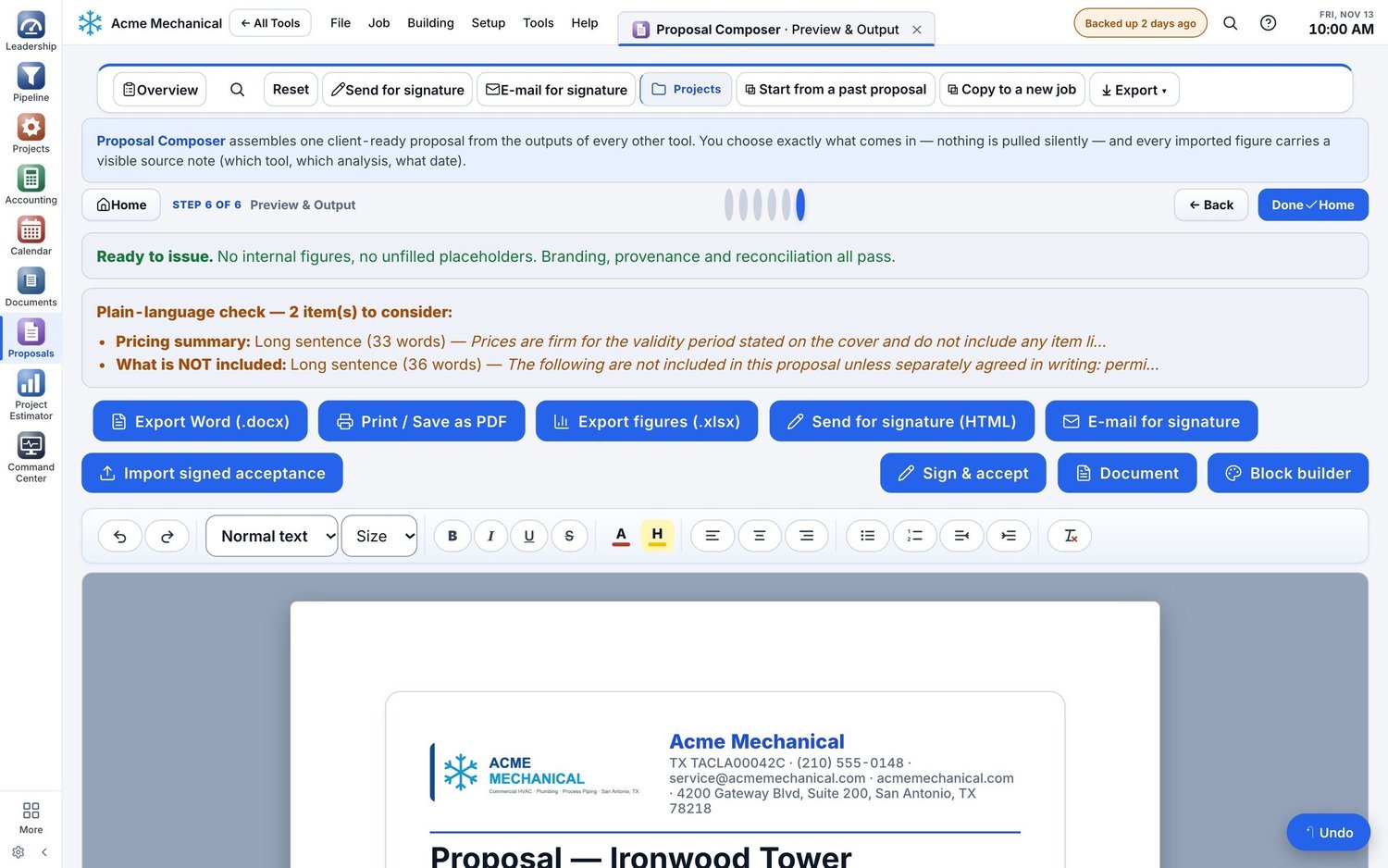
Read the whole proposal on screen, branded, as it will print, and shape it with a word-processor-style toolbar. Then produce a Word document, a print-to-PDF copy with clean page breaks, and an Excel companion.
Build It from Movable Blocks
When a proposal needs more than text, switch to the Block Builder. Add headings, text, photos, charts, tables, PDF pages and page breaks, drag them into order and export a polished Word document. The same block builder is in the Service Estimator, the Maintenance Estimator, the Project Estimator and the Budget Builder.
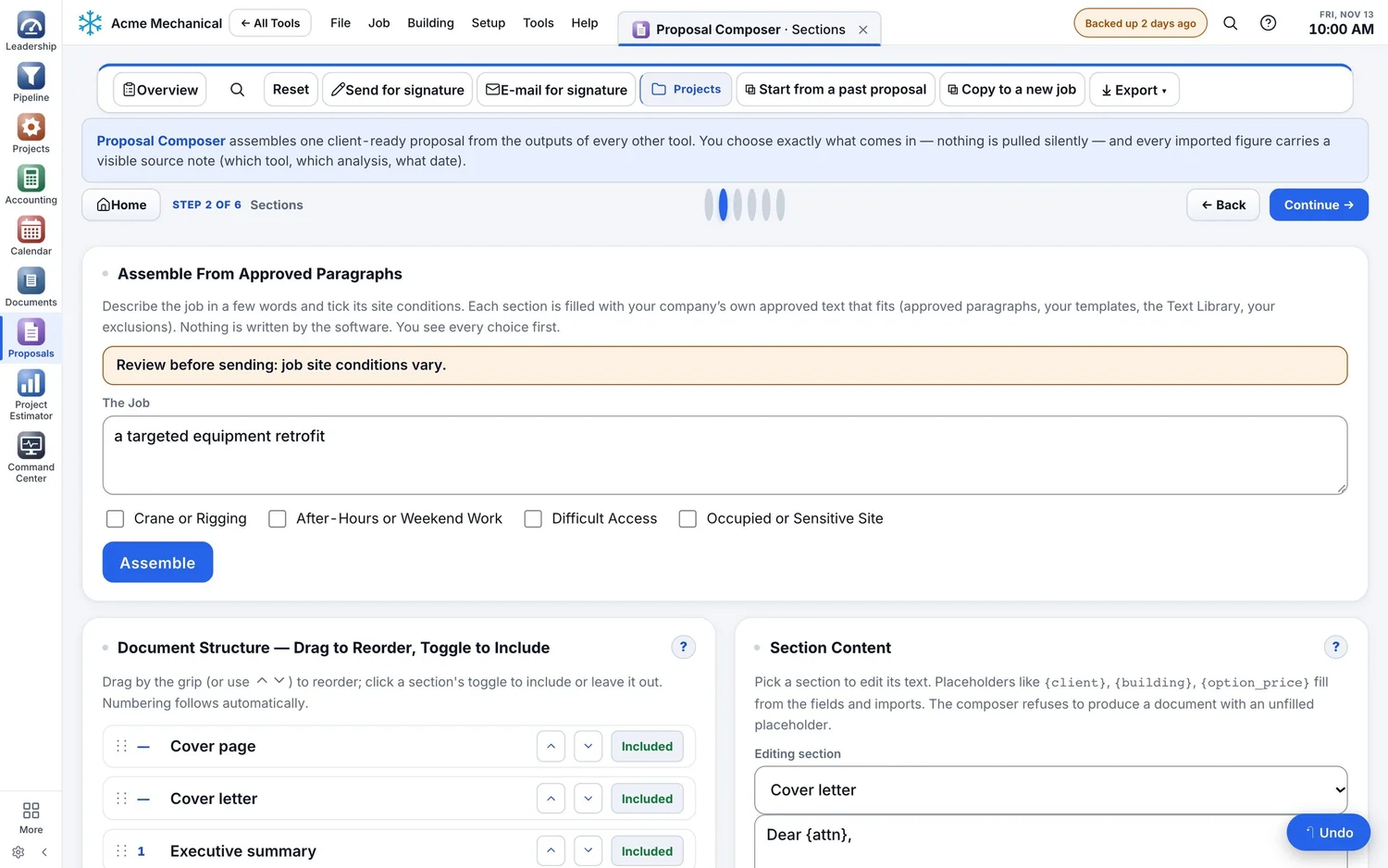
Building a big proposal by hand takes hours, so the Composer fills each section from your approved text in the order you set.
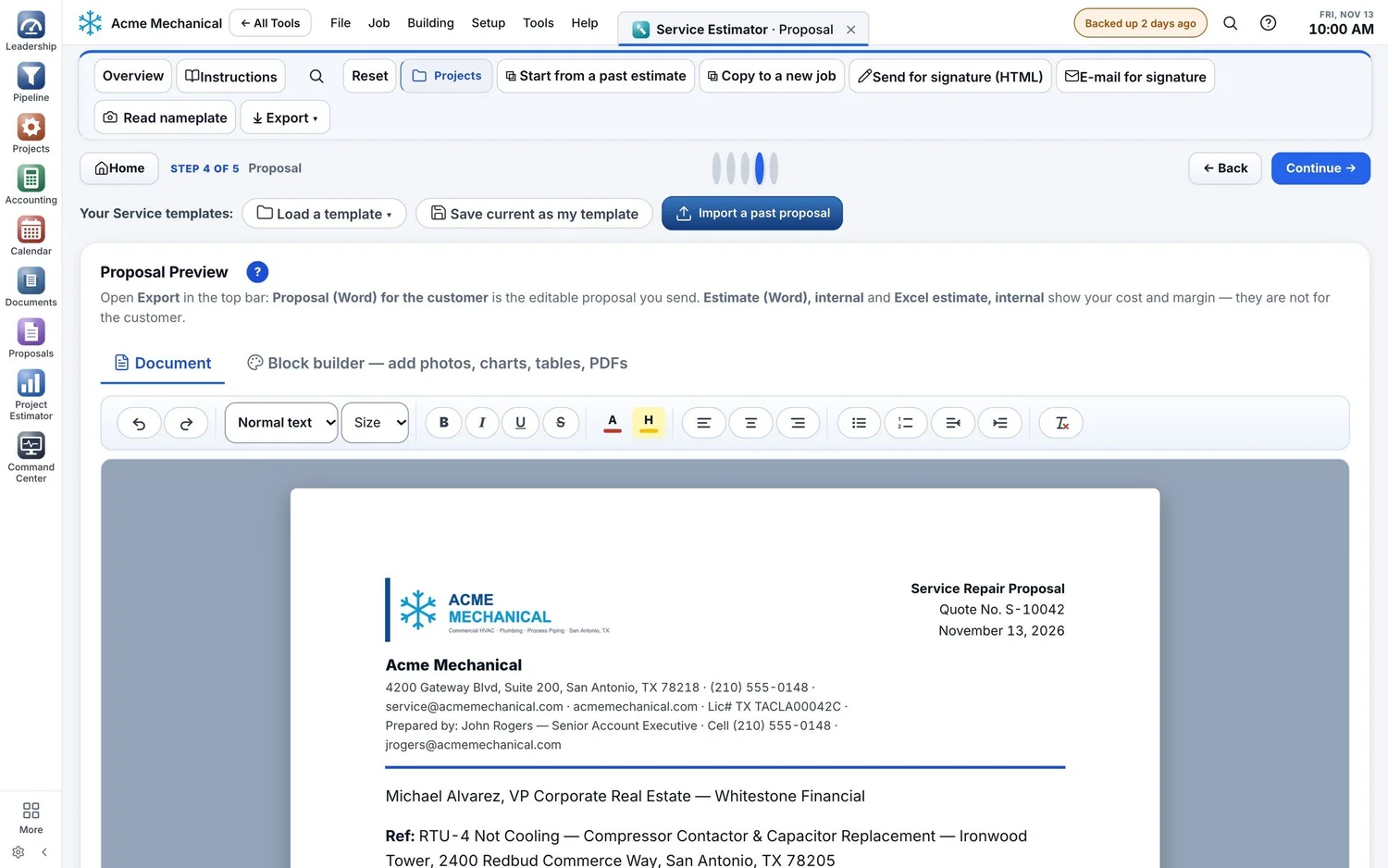
Internal Numbers Cannot Leave on a Customer's Page
The Export Is Refused
Before it produces a client document, the Composer looks for a cost, a margin, a gross-profit figure, a labor rate or anything marked internal. It blocks the export until the figure is removed.
Learn MoreShow Less
An internal cost on a customer's page can cost you the job, or the margin on every job after it. This check stops it at the door.
- Enforced, not advisory: the export is refused until the figure is gone.
- Also catches rate-card entries.
- Internal estimates carry a banner, a watermark and a "not for the customer" confirmation.
- The internal estimate audits every markup that differs from your Rate Card, with its dollar impact.
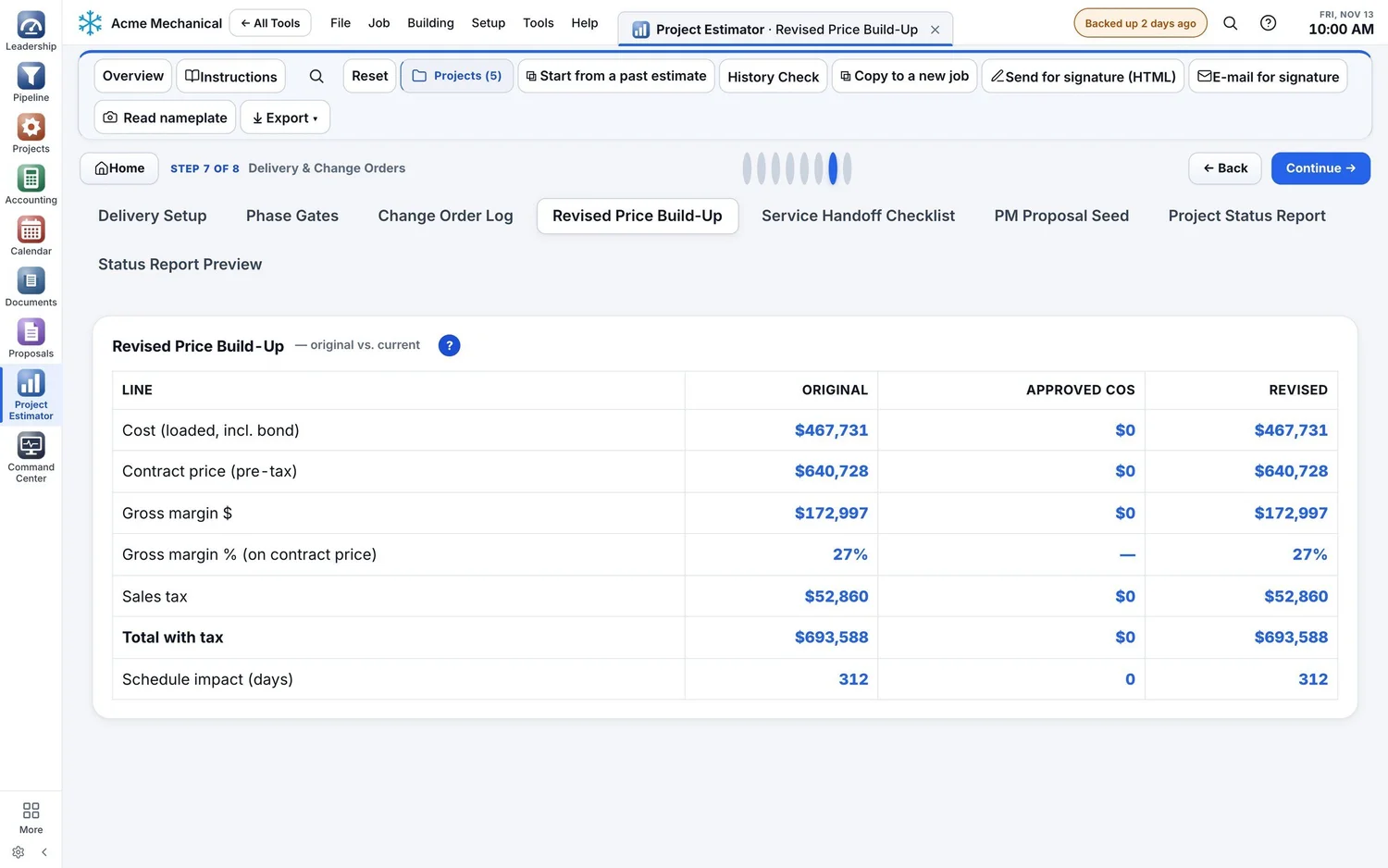
Price changes need a trail, so the revised build-up shows original and approved changes.
No Unfilled Placeholders
A proposal that still reads {building name} or {decision date} is blocked until every placeholder is filled. A softer pass flags hard sentences, jargon and figures missing their units.
Learn MoreShow Less
A proposal that says "{building name}" tells the customer you copied it, and that costs credibility on price. The check catches it before they see it.
- Placeholders fill from the account, building and equipment on the proposal.
- The readability pass advises; it never blocks.
- Unfinished attorney placeholders in your terms are never printed into the terms section.
- Run the checks from Preview before producing Word, PDF or Excel.
Figures Must Agree
A price that appears in the executive summary, the pricing page and the acceptance page must read the same in all three. The reconciliation table confirms the copies agree to the penny and flags a mismatch.
Learn MoreShow Less
Two different prices in one proposal invite the customer to pick the lower one. Reconciliation catches the revision where one page was updated and another was not.
- A mismatch is flagged, never averaged away.
- Imported figures carry their source tool, analysis and export date.
- Re-importing a changed source shows what changed, so you decide.
- Months later, where a figure came from is on the document, not in memory.
Margin Exceptions on Record
When a job is priced below the company's margin floor, generating the client proposal asks for a reason and the name of whoever approved it. That record prints on the internal estimate and never on the customer's document.
Learn MoreShow Less
Discounting below your floor without a record is how margin erodes one job at a time. The floor is visible while pricing, and every exception has a name on it.
- Floors are set by job type and contract-value band; none ship with the software.
- A bar under the totals reads green, amber within two points, or red below.
- Room to Move shows how many margin points are left before the floor.
- A below-floor job still prices and saves; it never stops you working.
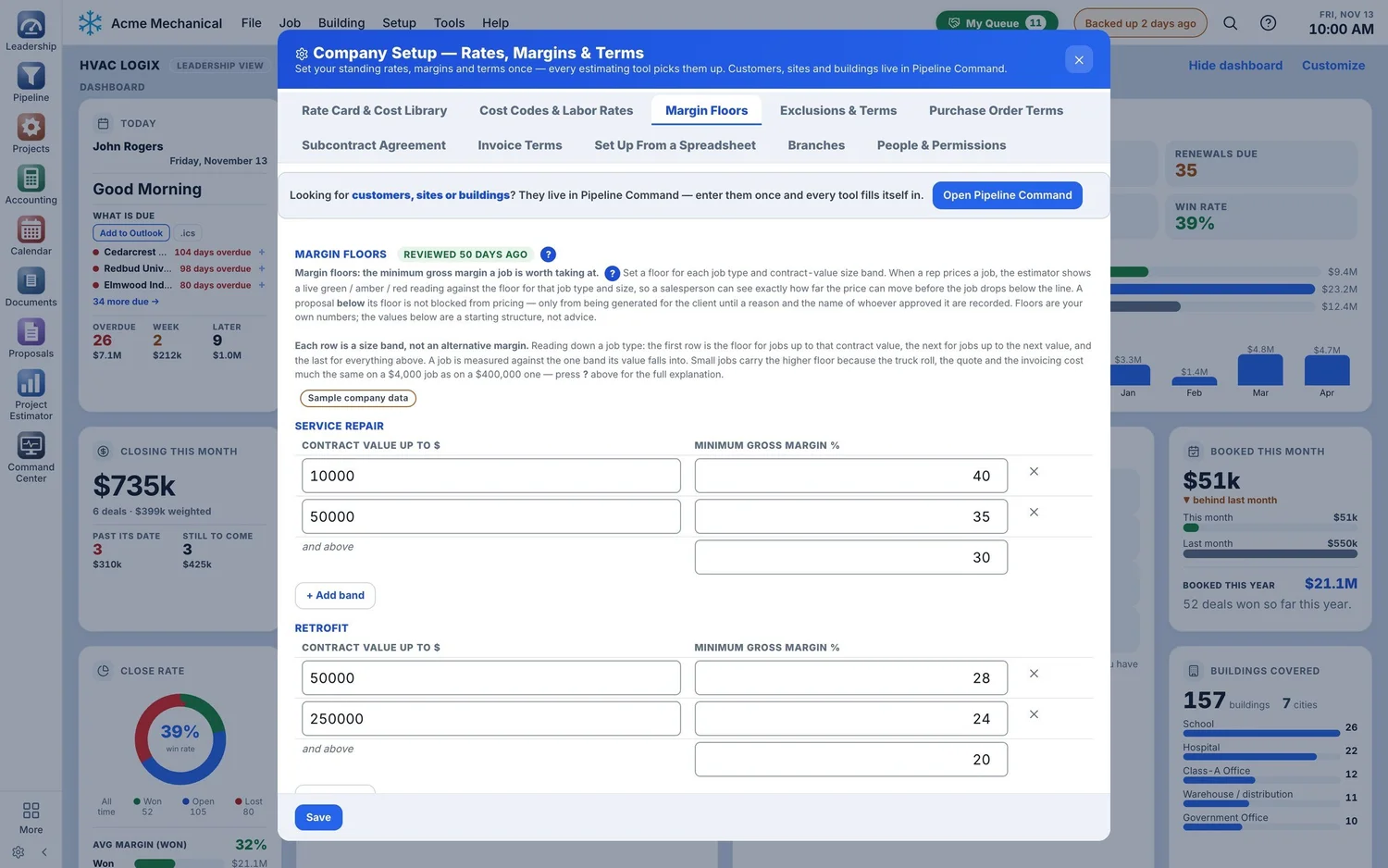
Jobs priced too low hurt everyone, so you set your own margin floors and exceptions are recorded.
It Matches the Reviewed Estimate
After the estimate review, the approved version is recorded with a fingerprint. The proposal sent to the customer must match the version that was reviewed and approved.
Learn More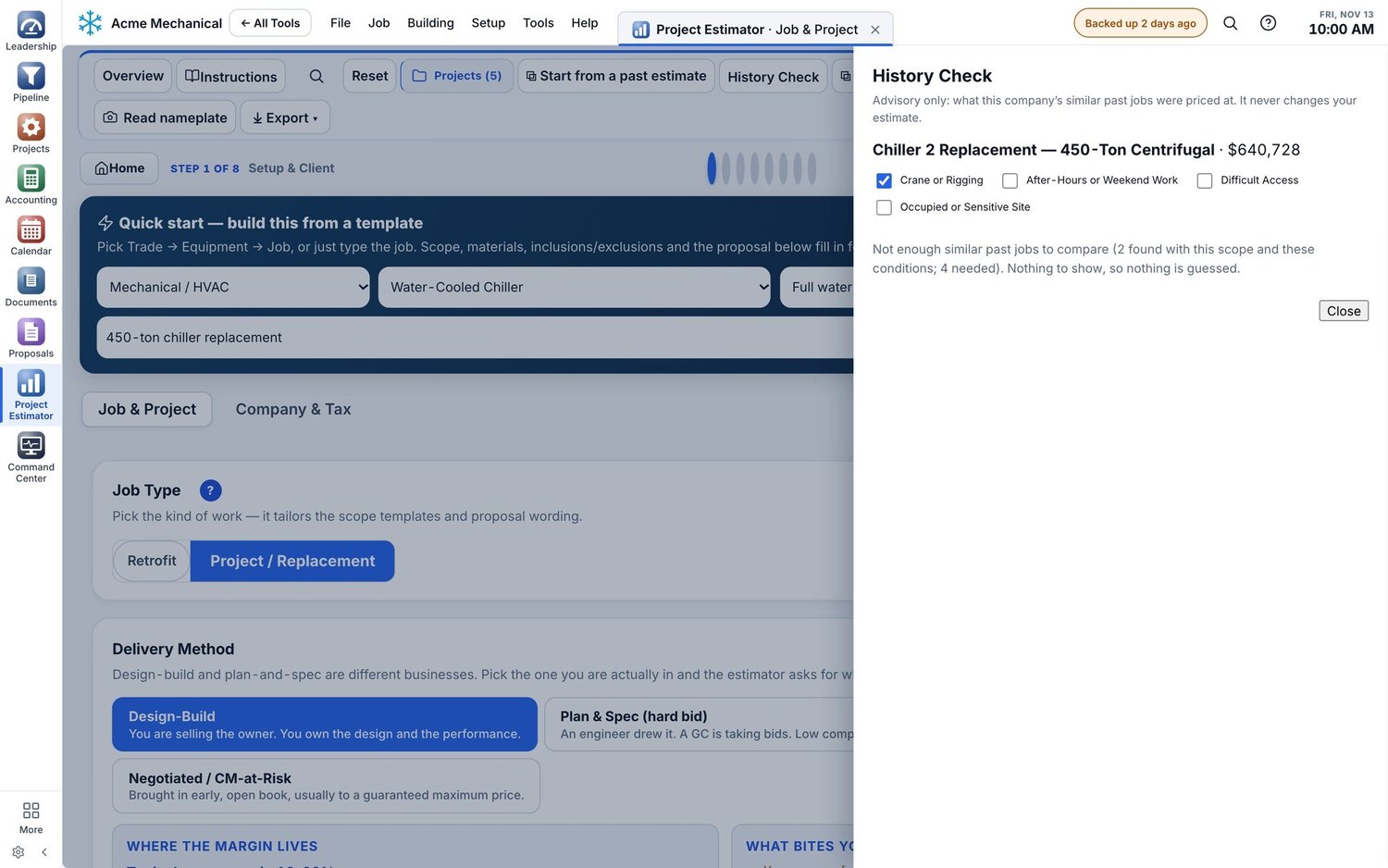
History Check compares a price with your own similar past jobs, and never changes your estimate.
Give the Customer a Clear Choice
Base, Alternates and Options
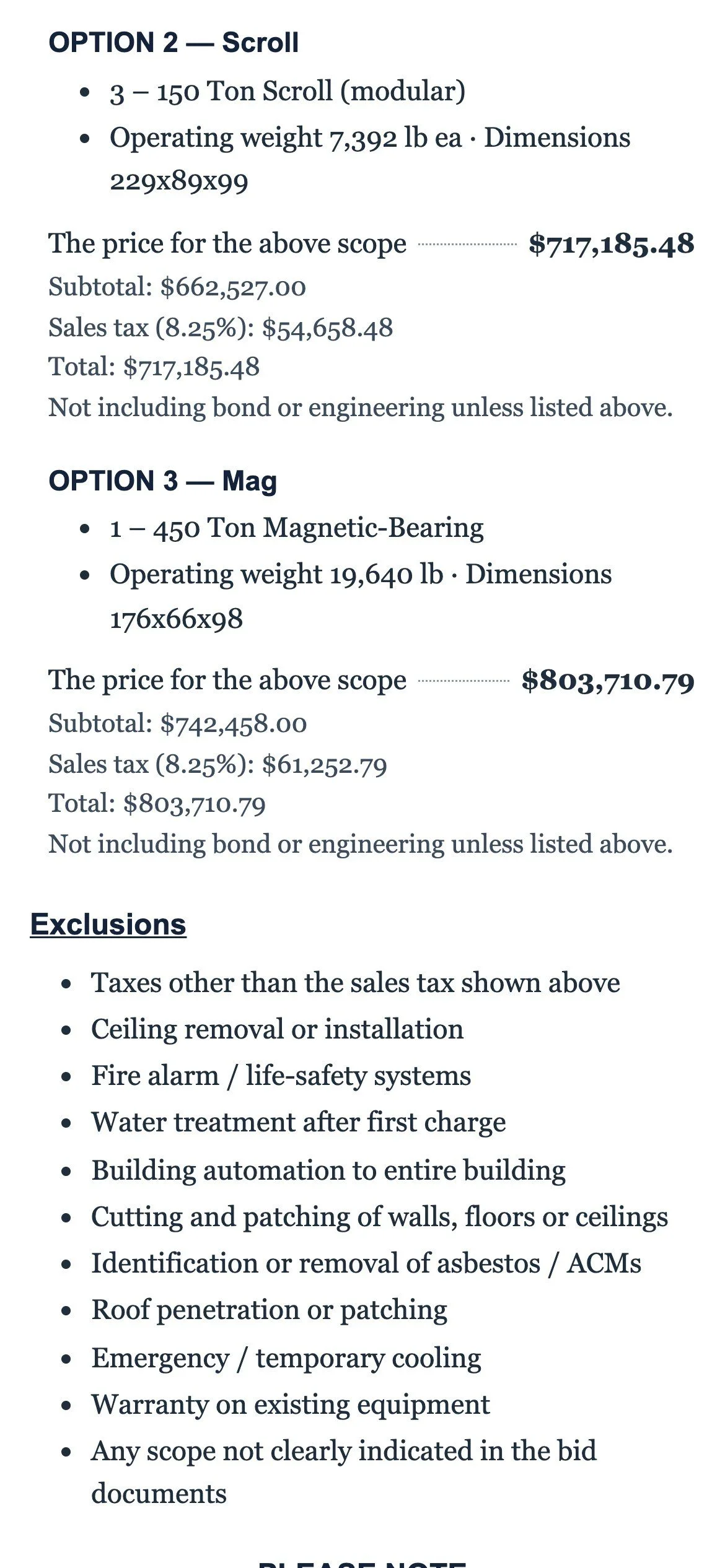
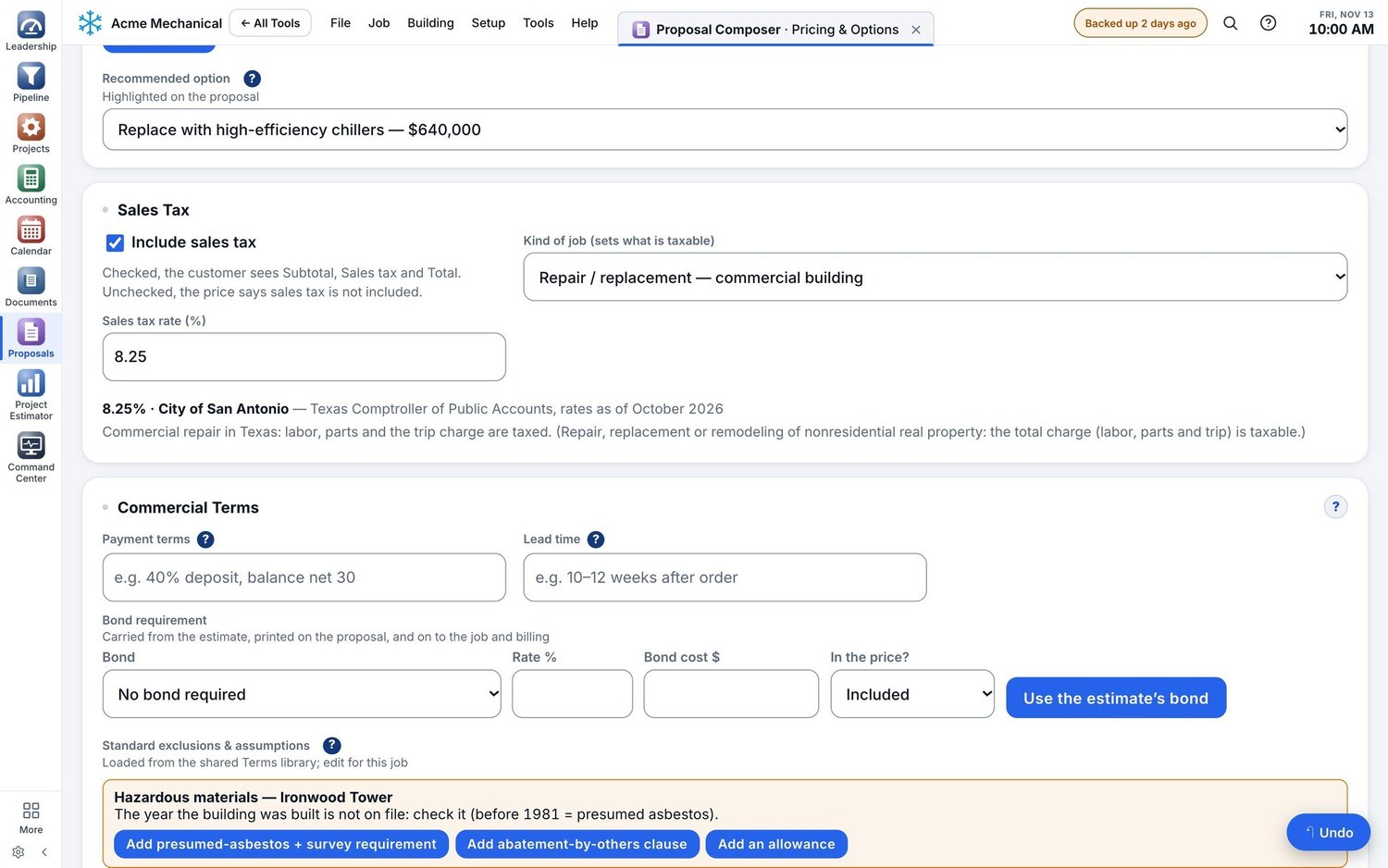
Enter the base price, priced alternates and separately priced options, and mark the one you recommend. The pricing page presents them as an offer the customer can read.
Learn MoreShow Less
Owners rarely buy the first thing shown. Presenting options moves the conversation from whether to which, and alternates keep you in the running when budgets are tight.
- Shows what each alternate adds or removes from the base.
- Options from other tools, such as a runner-up machine, carry as priced alternates.
- The recommended option is marked for the customer.
- Prices reconcile across the summary, pricing and acceptance pages.
The Packaged Offer
In the estimators, fold in what other tools published for the building: first-year maintenance, financing, the multi-year testing calendar, ongoing commissioning and adjacent trades. Remove any component in one click.
Learn MoreShow Less
Two contractors quote the same machine at the same price; the one who folds in the first year of maintenance wins on scope, not price. The Packaged Offer builds that argument from figures already priced.
- Reads only what other tools published; it never invents a number.
- A component with nothing published comes in marked Price to Confirm.
- Removing a component recomputes totals, the monthly figure and the ladder.
- Also folds in the self-funding Capital Bridge package.
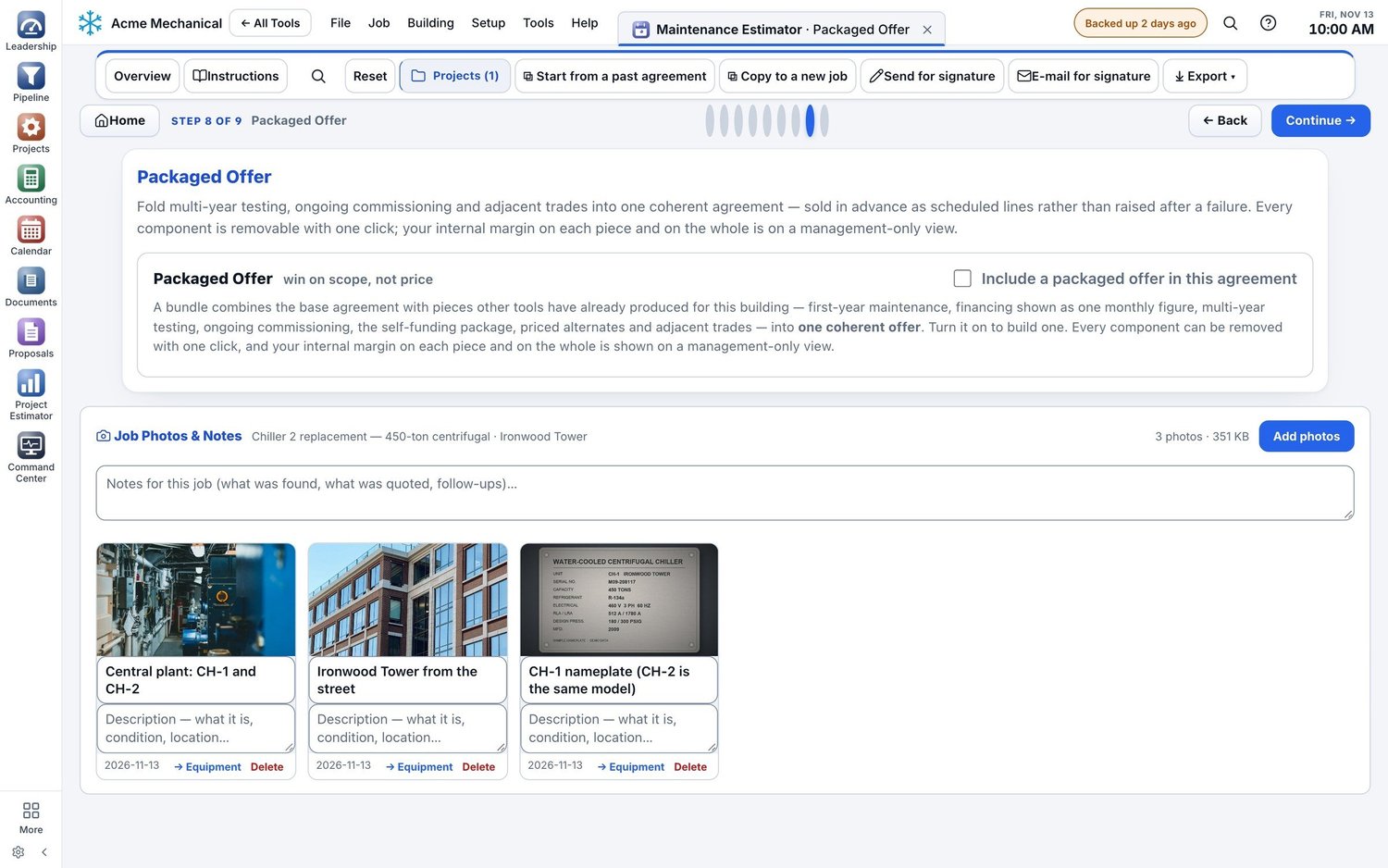
One decision is easier than three, so the packaged offer combines the project and service.
One Combined Monthly Figure
The Packaged Offer shows the combined total, a single combined monthly figure and a good, better, best options ladder. The per-component and blended margin view is for management only.
Learn MoreShow Less
A monthly figure makes a large project easier to approve, and a ladder lets the owner choose up rather than out. Management sees whether the bundle is worth writing before it is presented.
- Capital as a level payment over your term and rate, plus maintenance at one-twelfth a year.
- Rungs: project only, plus first-year maintenance, plus the multi-year agreement.
- The monthly figure is a planning illustration, not a credit offer.
- The customer's proposal shows no cost or margin.
Good, Better, Best on the Phone
A technician quoting from the published price book can show options on site and collect a signature to approve. The approved quote arrives at the office as an awarded deal and a work order.
Learn MoreShow Less
Choices on site lift the average ticket, and a signature on the roof turns it into cash before the technician leaves. Each option shows what it means for the customer's budget.
- With a financing line set, each option shows its total, monthly price and deposit at signing.
- A card is charged only through the office's payment processor.
- The phone never carries cost, hours, markup or margin.
- The office re-checks every line against the current price book.
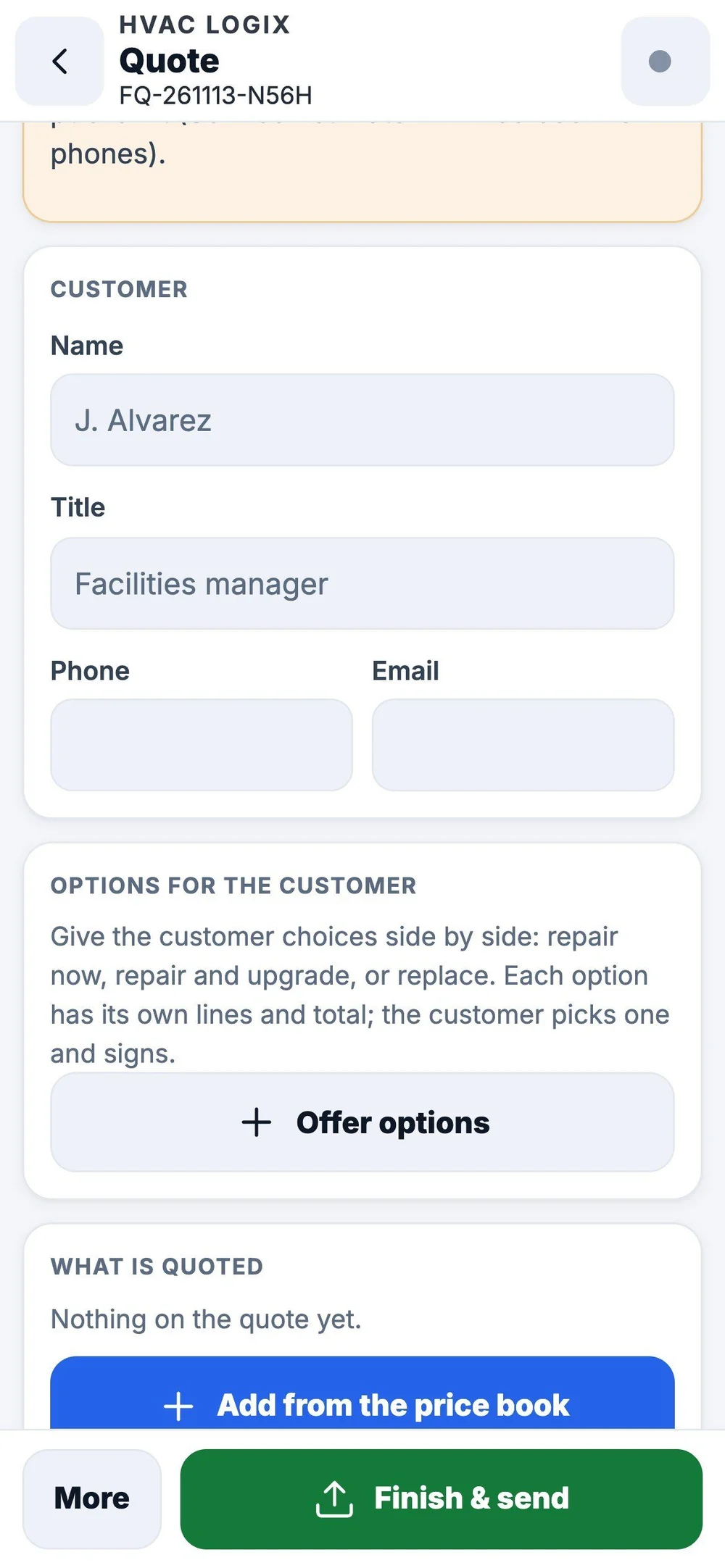
A technician can sell on the spot, so good, better and best options show on the phone.
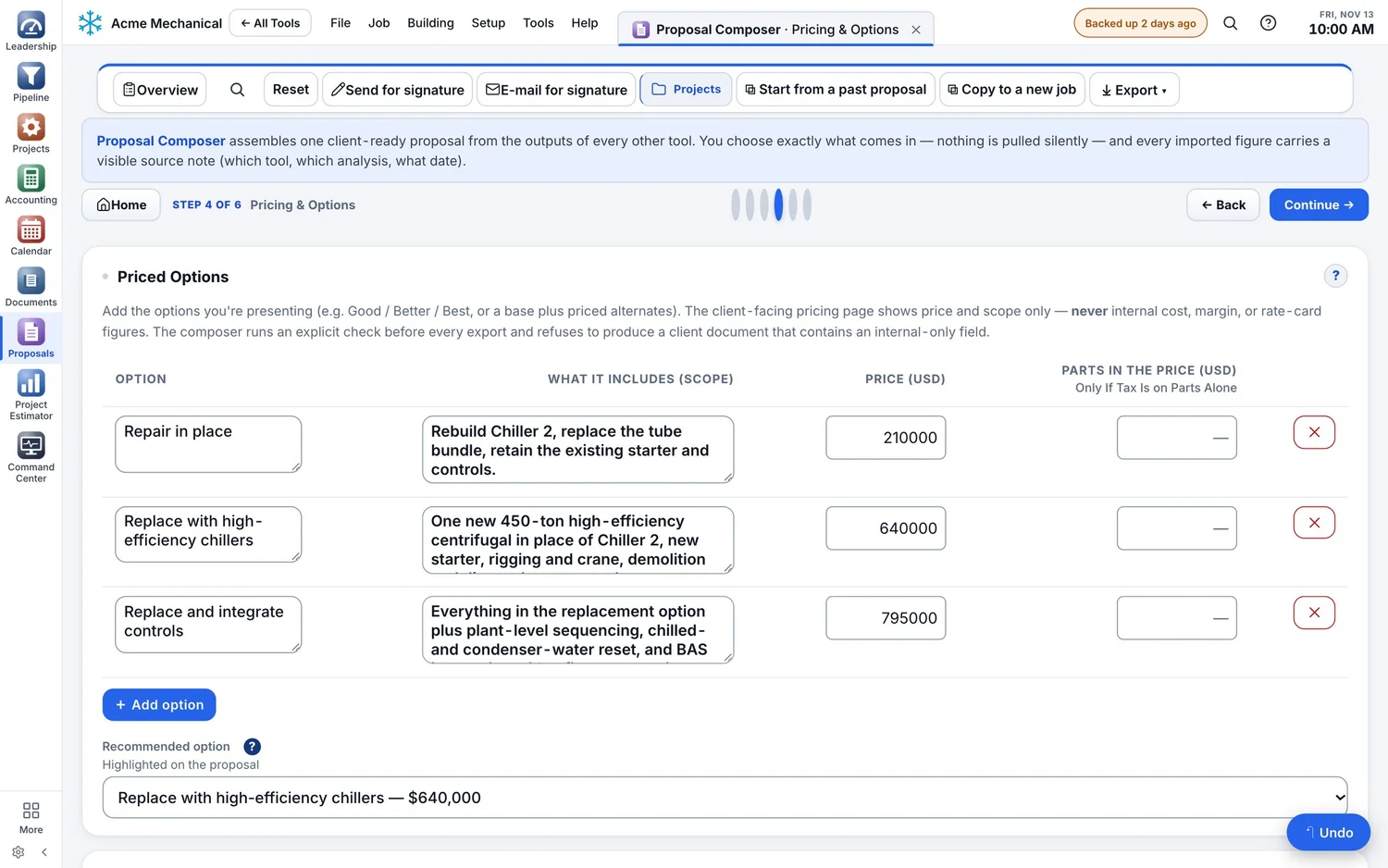
Three priced options side by side, so the customer gets a clear choice.
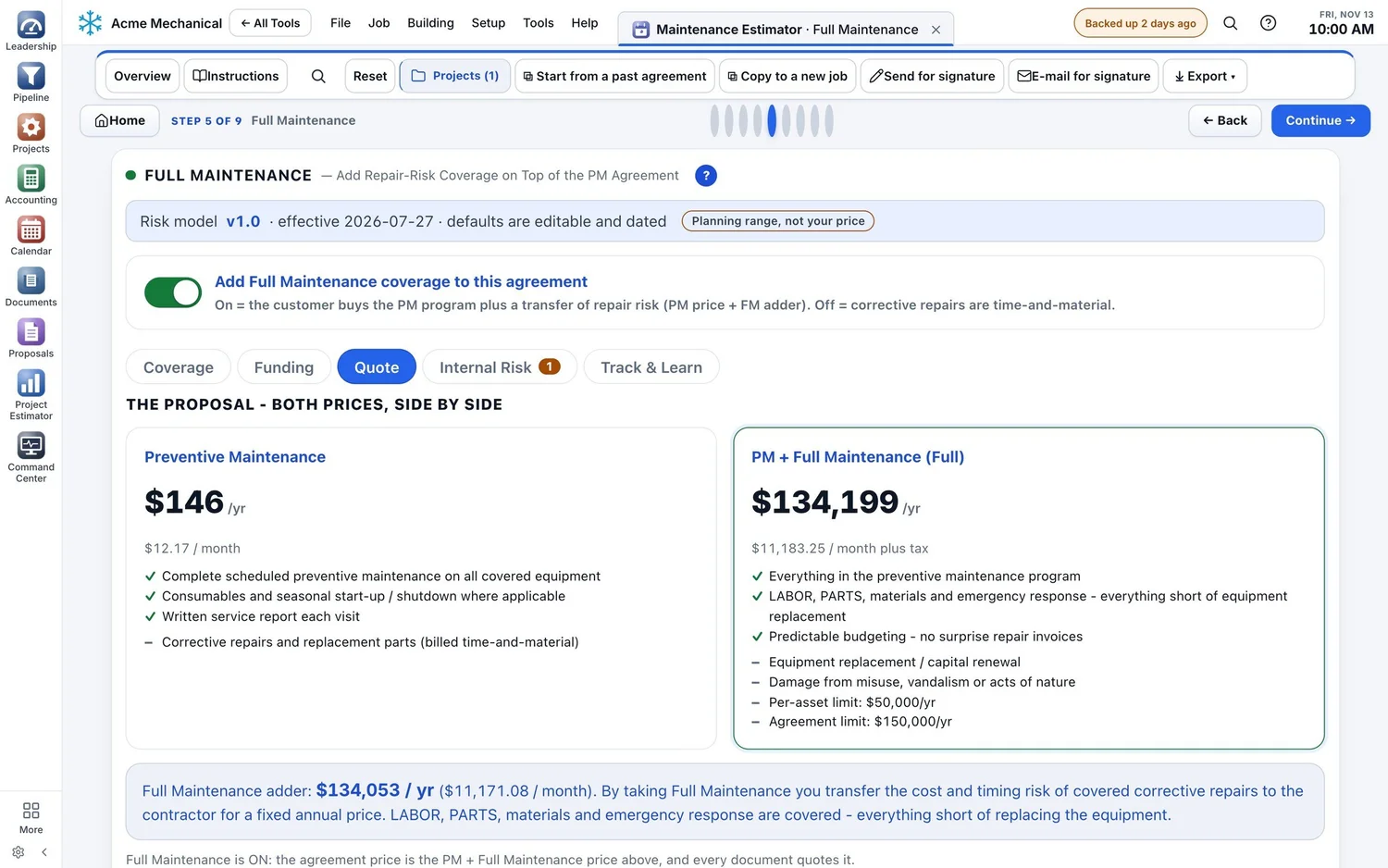
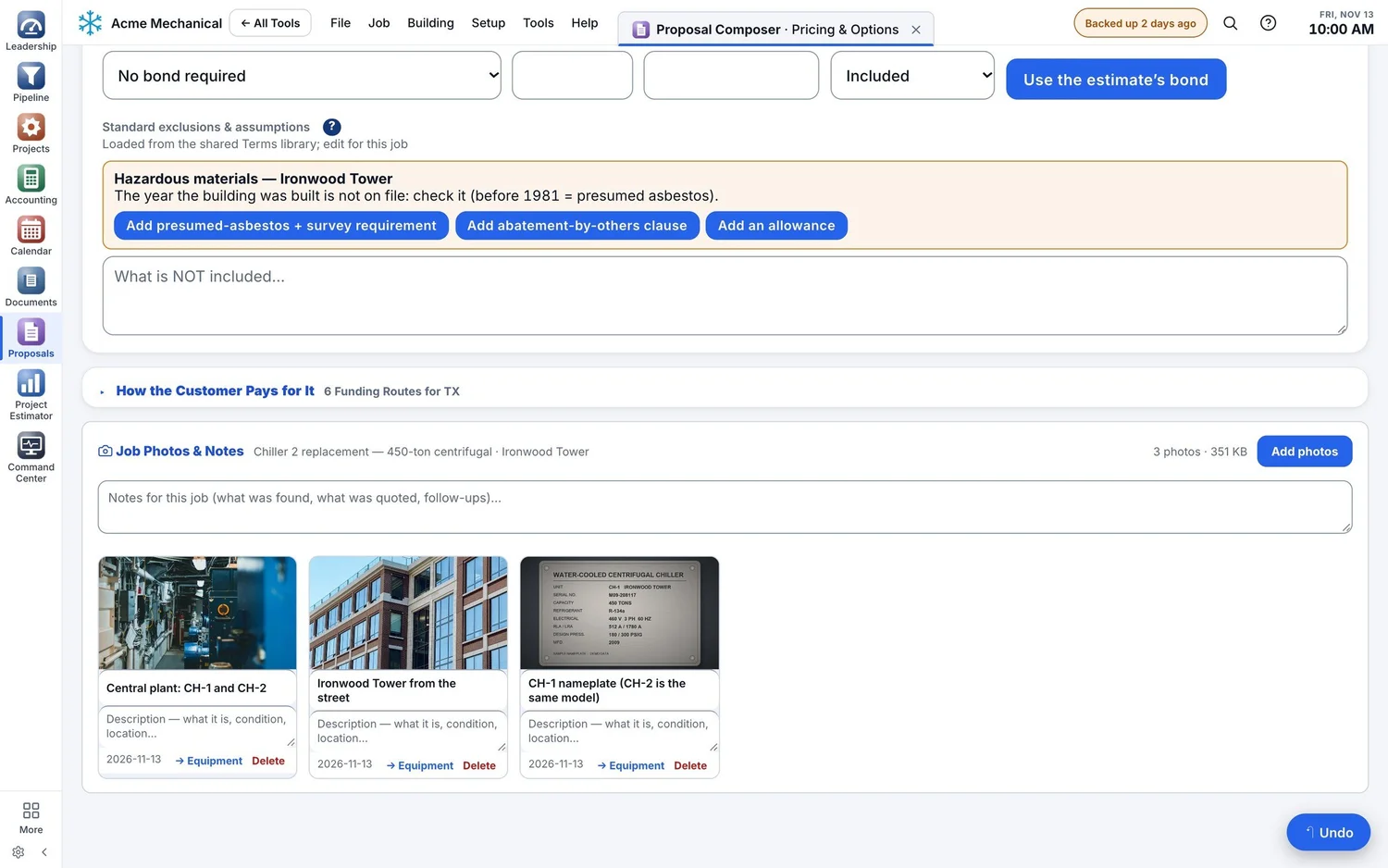
Customer E-Signature with No Portal and No Server
From the Service, Project and Maintenance Estimators, a proposal goes out as one file the customer signs on any phone or computer. Nothing is uploaded anywhere.
Send It
- Send for Signature saves one file that carries its own letterhead, scope, options, prices, exclusions and terms
- E-Mail for Signature also saves an e-mail draft addressed to the customer's primary contact, with the file attached
- The desktop app attaches a PDF copy for the customer's files
- The file opens offline in any browser and cannot contact any server
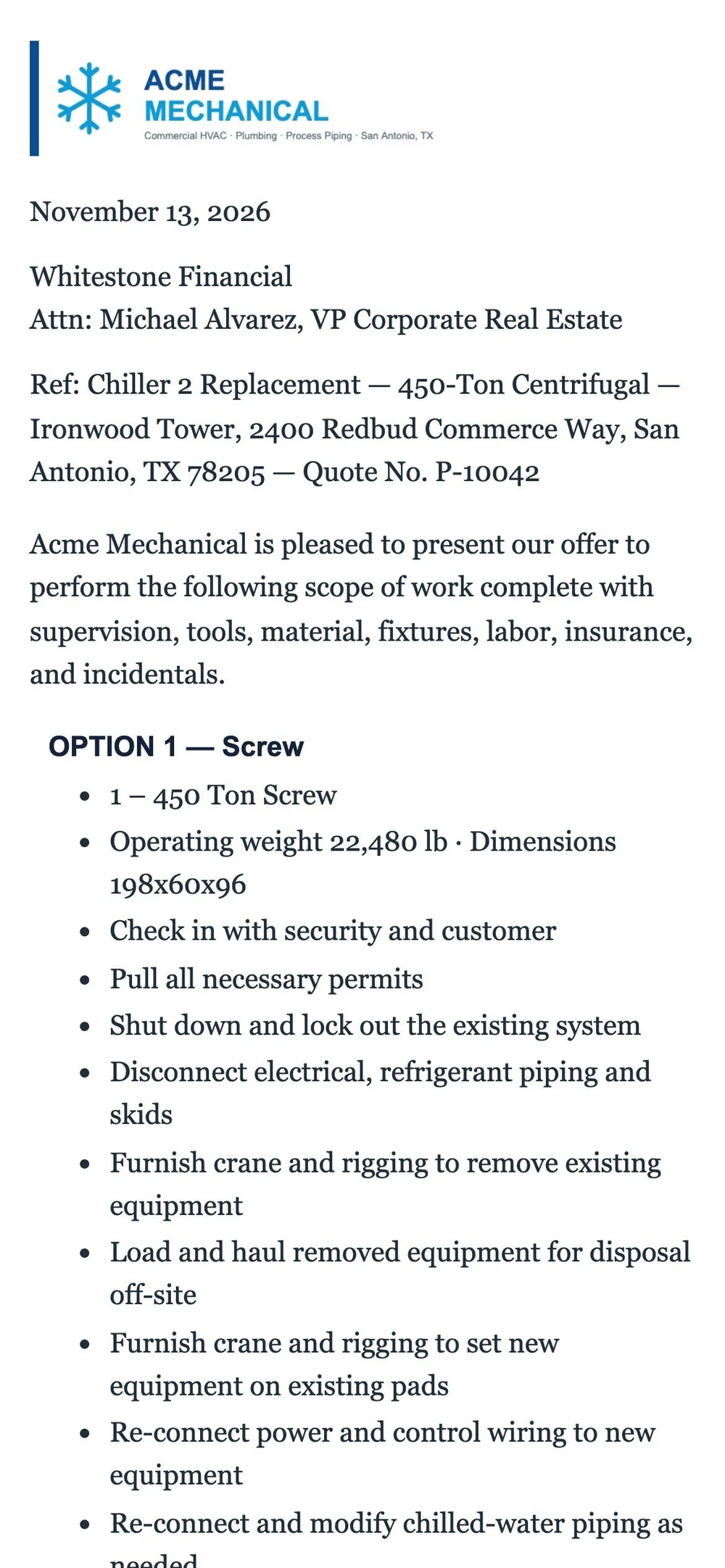
Customers sign faster when the proposal opens anywhere, so the signing file carries its own letterhead and scope.
The Customer Signs
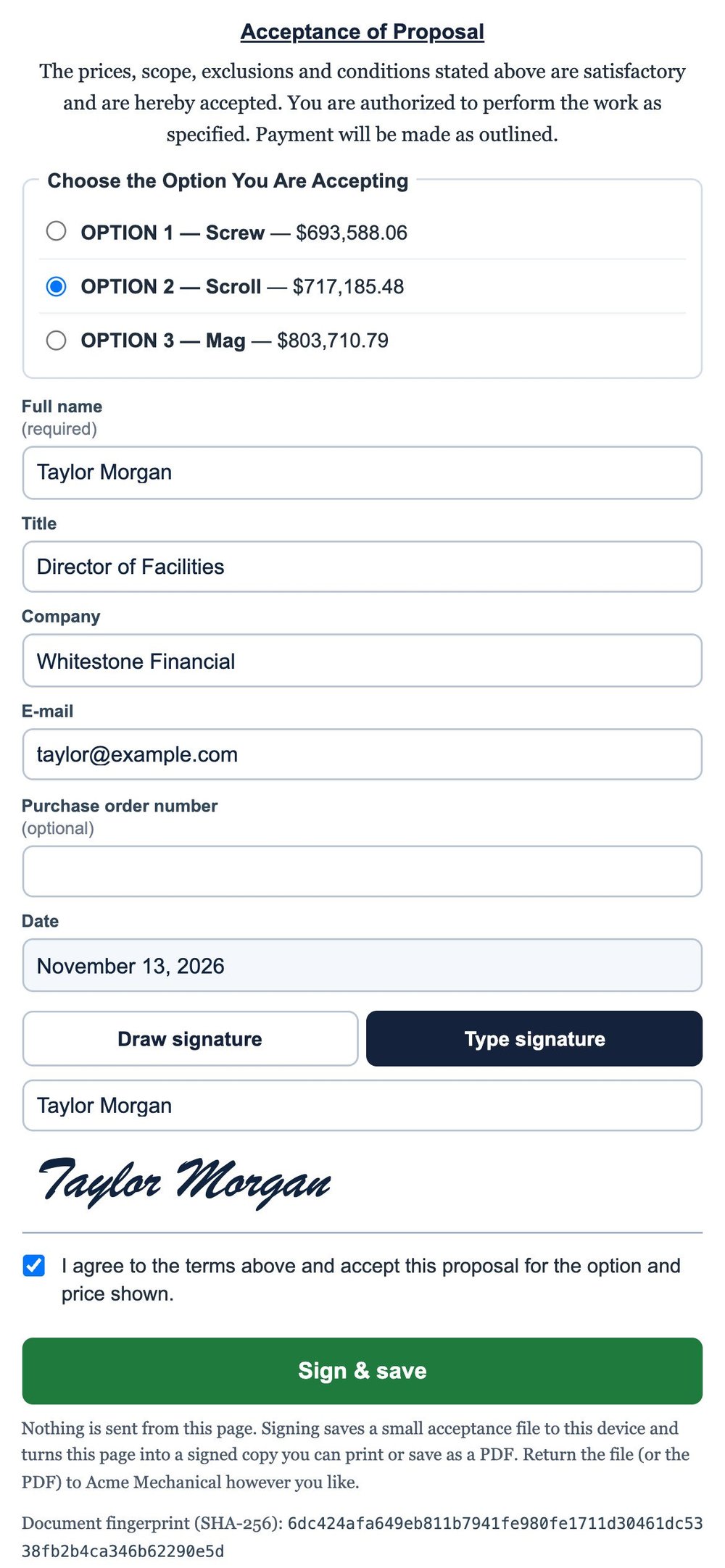
- Picks the option and enters a PO number, name, title, company and e-mail
- Draws a signature with a finger or mouse, or types one
- Checks I Agree and presses Sign and Save
- The page becomes a signed copy that prints to PDF, and the customer returns the acceptance record by any means
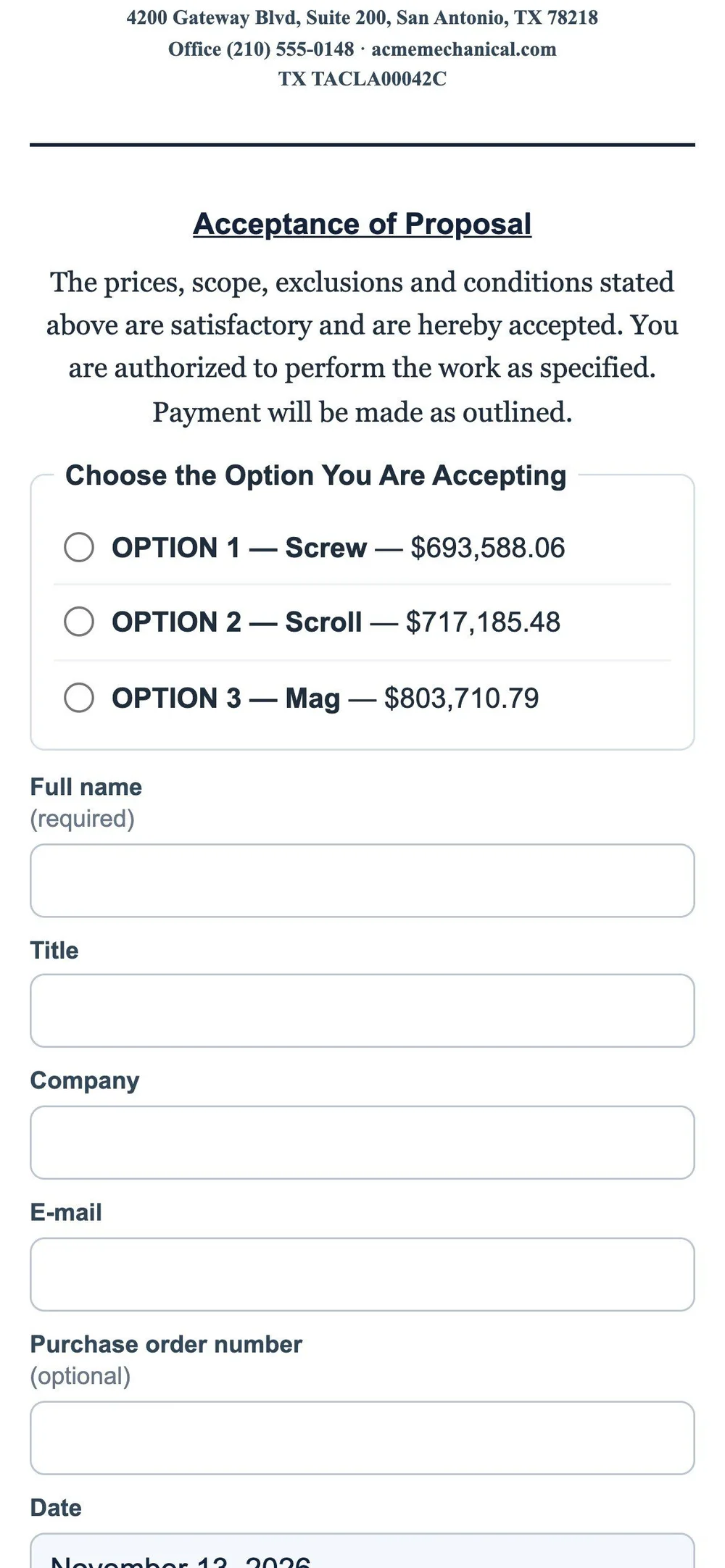
Customers should pick an option themselves, so the acceptance page lists each option with its price.
Bring It In
- Import the signed acceptance in the estimator or drop it in the Field Inbox
- The deal moves to Awarded with the PO and signed date
- The account becomes an active customer and the job is booked into Project Command
- If a price or the scope was changed after sending, the import is refused
- Change orders use the same file and the same checks
Present It in the Room and Find It a Year Later
Present Mode
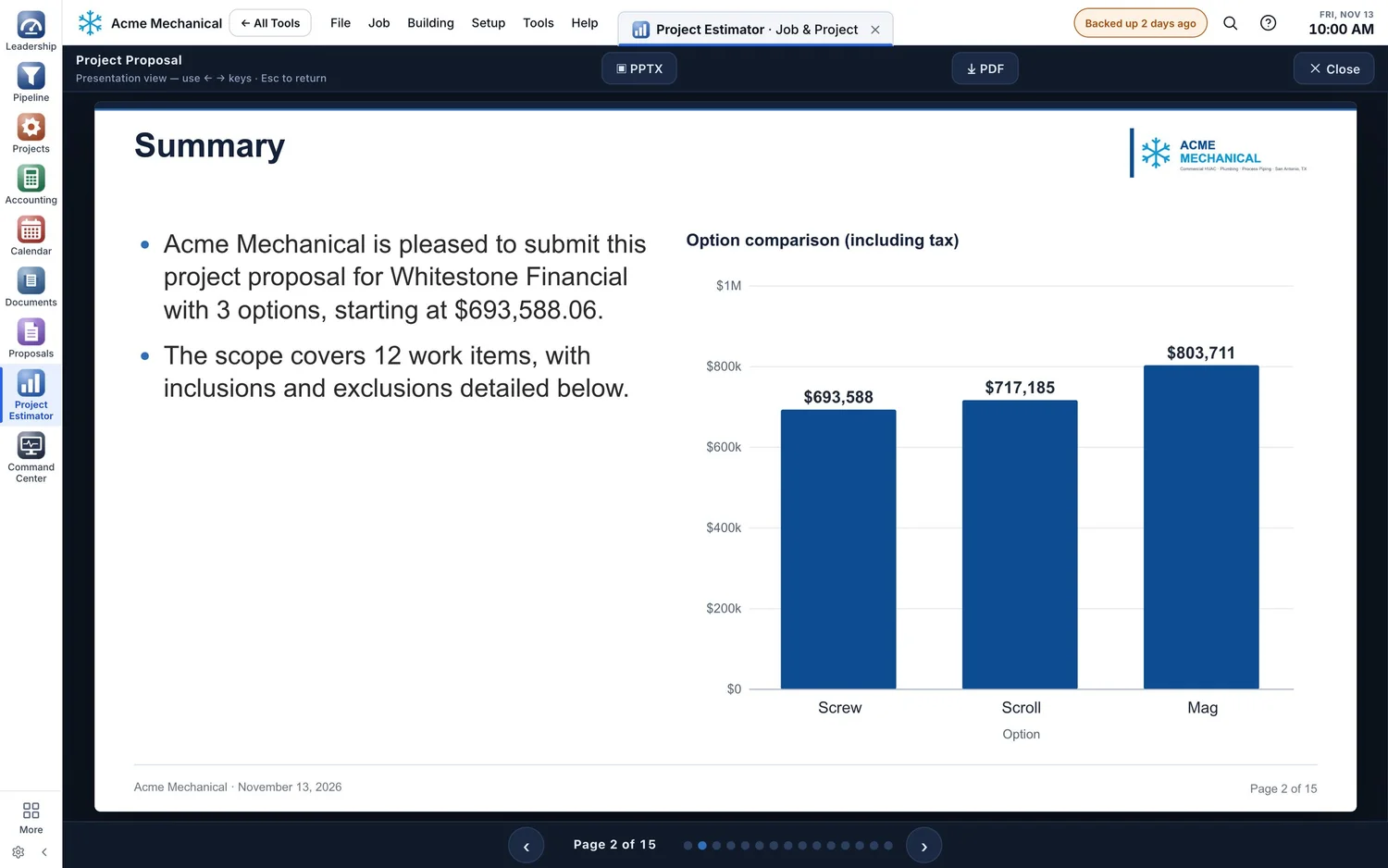
Every tool has a Present button that opens the finished report full-screen, one page at a time, for a laptop or projector. Press Esc, change an input, press Present again, and it reopens on the same page with the new result.
Learn MoreShow Less
A decision made in the meeting is a job won that week, not next month. Present lets you answer the owner's questions on screen and keep going.
- A branded cover, executive summary, inputs, results, charts, methodology and disclaimer.
- Figures match the Word document to the penny.
- Home and End jump to the first or last page; click a dot for any page.
- Present never changes your data or replaces the Word or Excel export.
Methodology in Every Tool
Each tool carries a Methodology section to one standard: what it calculates, the method, every formula, the assumptions with their sources, what is included and the accuracy limits. A customer's finance team can see how a number was produced.
Learn More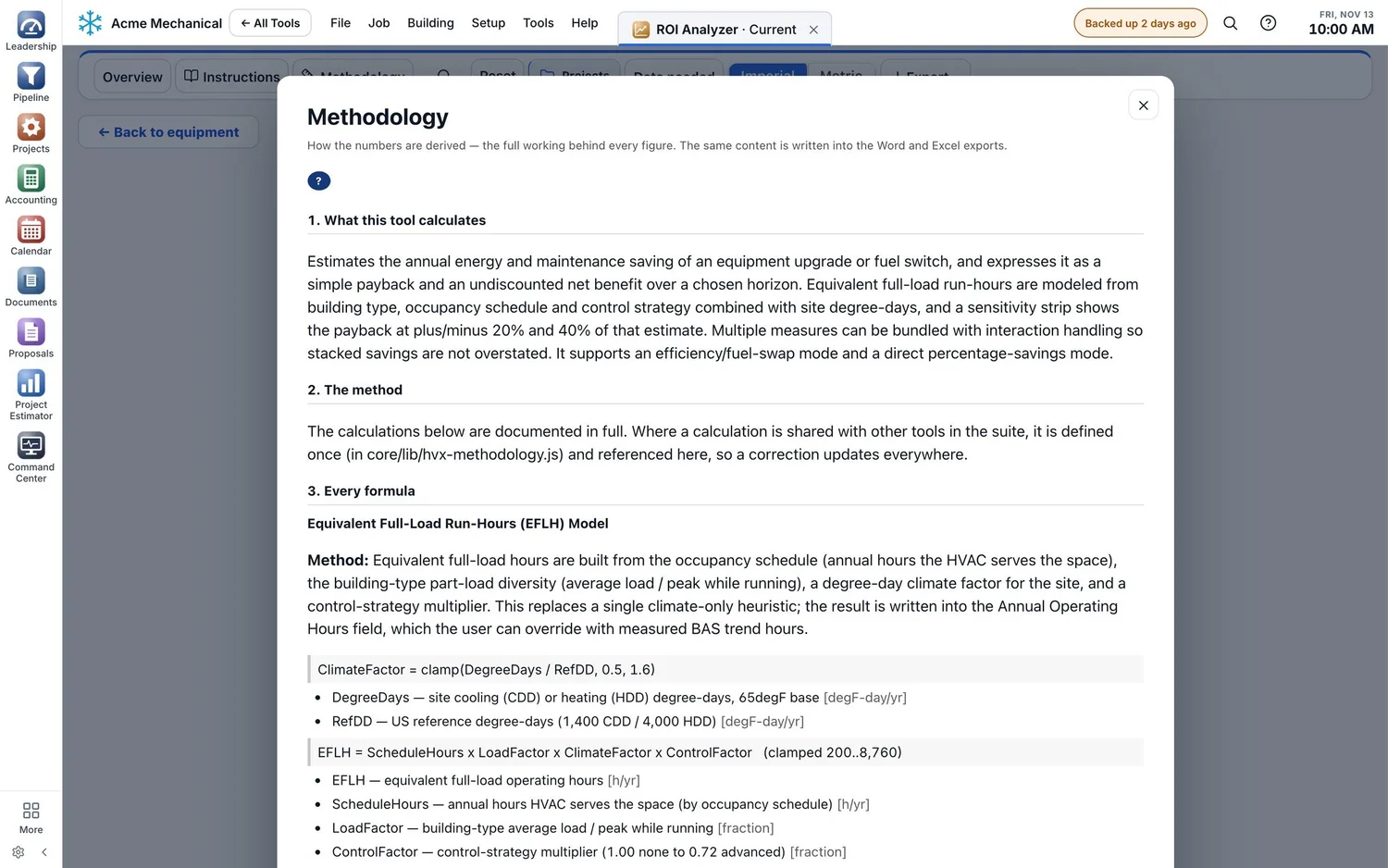
Engineers question numbers they cannot trace, so every tool carries its method.
Start from a Past Proposal
Copy a past proposal to a new customer and building. Every mention of the old customer, address and contacts is replaced, the number is new, the signature history is cleared, and the original is never changed.
Learn MoreShow Less
Your past proposals are hours of work already paid for. Reusing them safely gets the next one out the same day.
- Search by customer, building, equipment words or number, then filter by salesperson and dates.
- A red box lists every Rate Card figure that has moved; keep the quoted prices or update.
- Photo pages from the old site are cleared, and sales tax is worked out for the new building.
- The new copy starts at revision R1, with a history line on both.
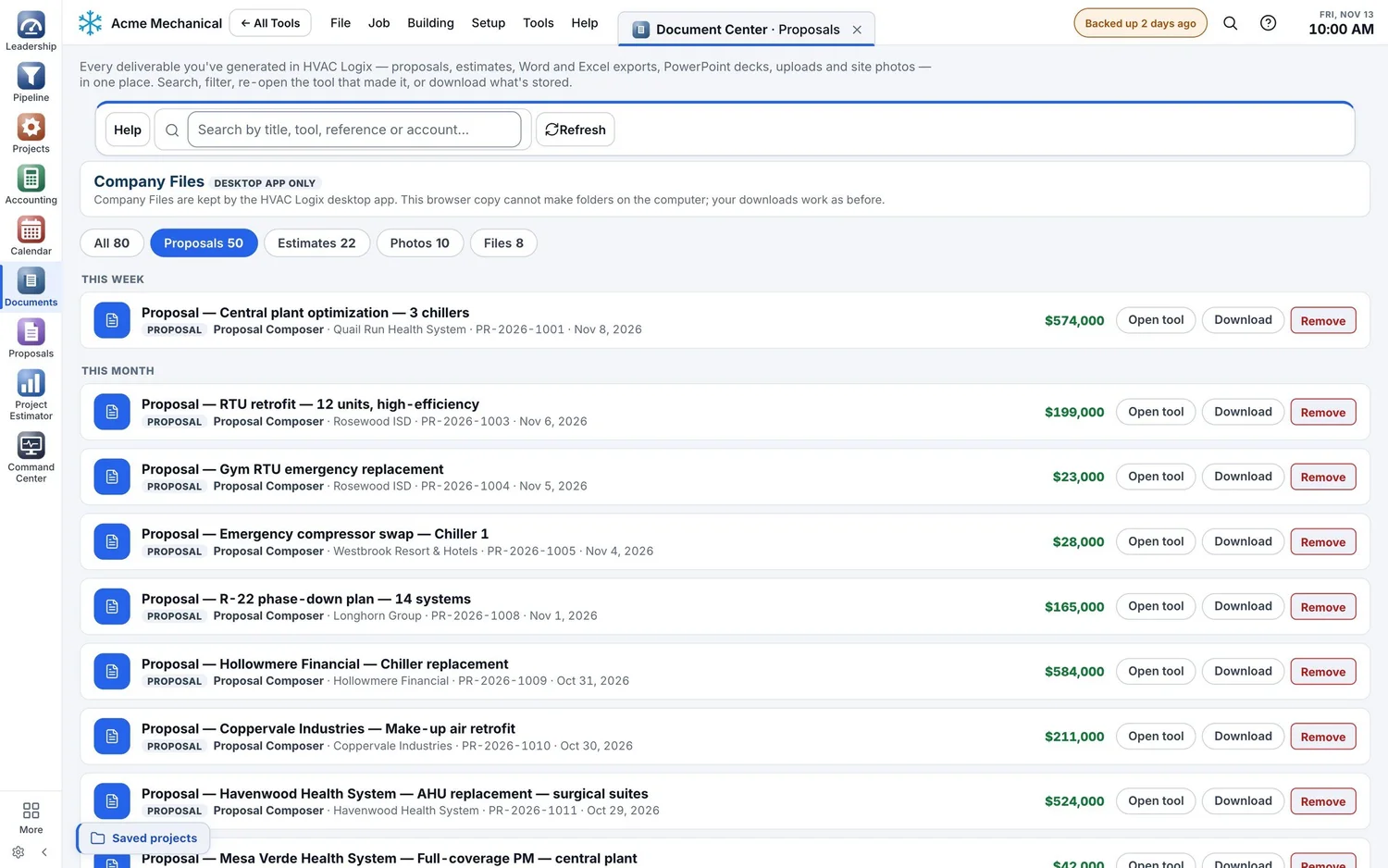
Good past proposals are reusable, so each one is filed and can be copied to a new customer.
Document Center
Every deliverable generated in HVAC Logix is logged in one place. Search by title, tool, reference or account, reopen the tool that produced a document, or download what is stored. Exporting the same report again replaces its row.
Learn MoreShow Less
Time spent searching for the version that was actually sent is time not selling. One index holds every deliverable, without duplicate rows.
- Attaching the same file twice to one record keeps one copy.
- A revised drawing with the same name is kept as a new file.
- In the desktop app, a copy is also filed in a folder for each customer, building and job.
- Filter by document type.
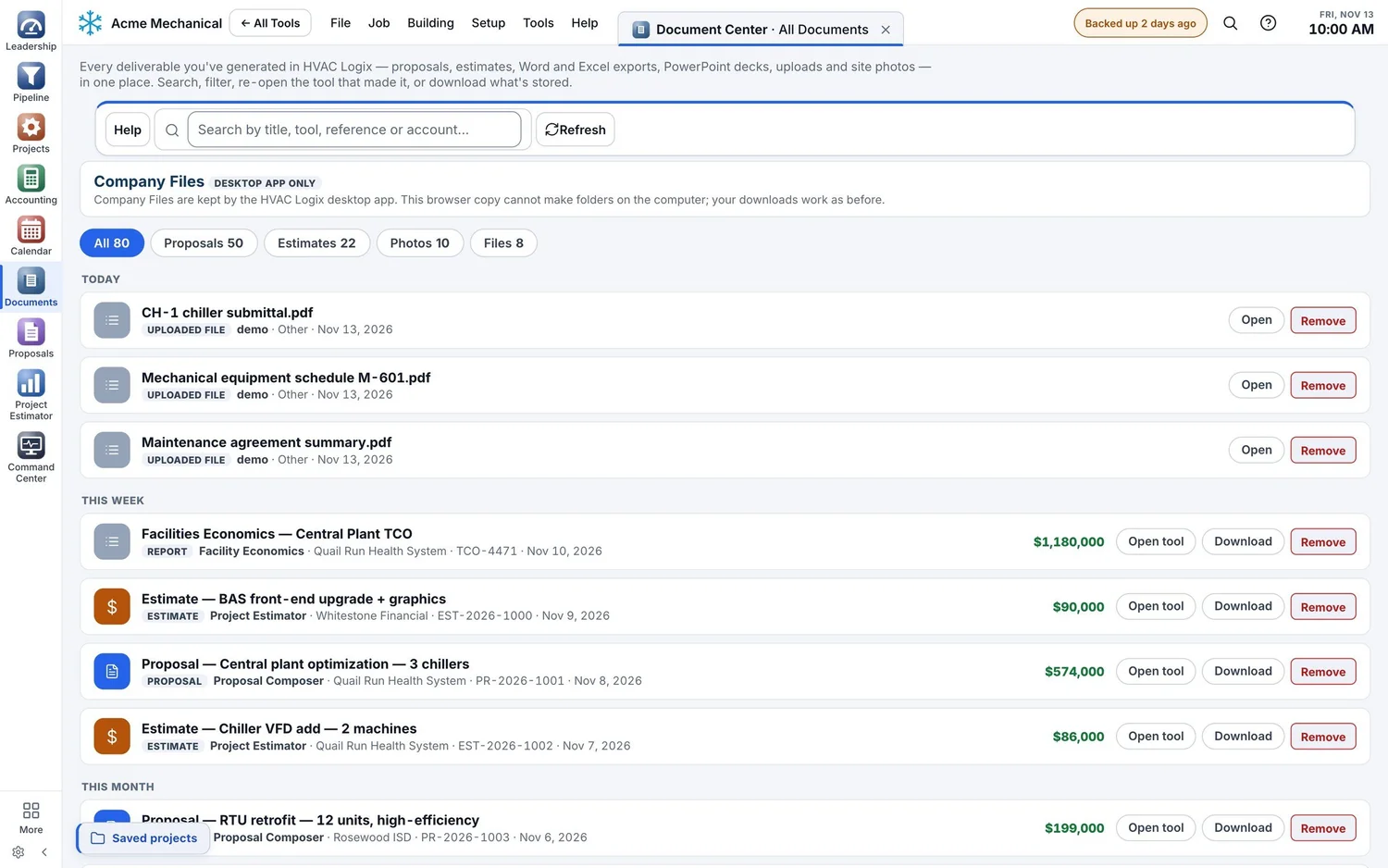
Deliverables lost on laptops cost time, so every one is logged in Document Center.
Frequently Asked Questions
Does the customer need an account or an app to sign?
What stops someone from changing the price before signing?
Is the electronic signature legally recognized?
Were the standard terms and exclusions written by a lawyer?
Can a proposal go out with our cost or margin on it by mistake?
Be First When HVAC Logix Opens
Stop paying people to copy numbers between programs. Join the list and we will tell you the day downloads open, with setup guides ready.
Launching early 2027 for HVAC Logix. Nothing to buy today, and no sales calls.
