


The Controls Job, from Points List to Monitored Building
Launching Early 2027 · Join the Early-Access List
Controls jobs lose money in the gaps between the sale, the submittal, the checkout and the service contract. Controls Command carries one job through all of them in one app, so nothing is rebuilt and you keep the customer after turnover. Everything that touches a customer's building is read-only and advisory.
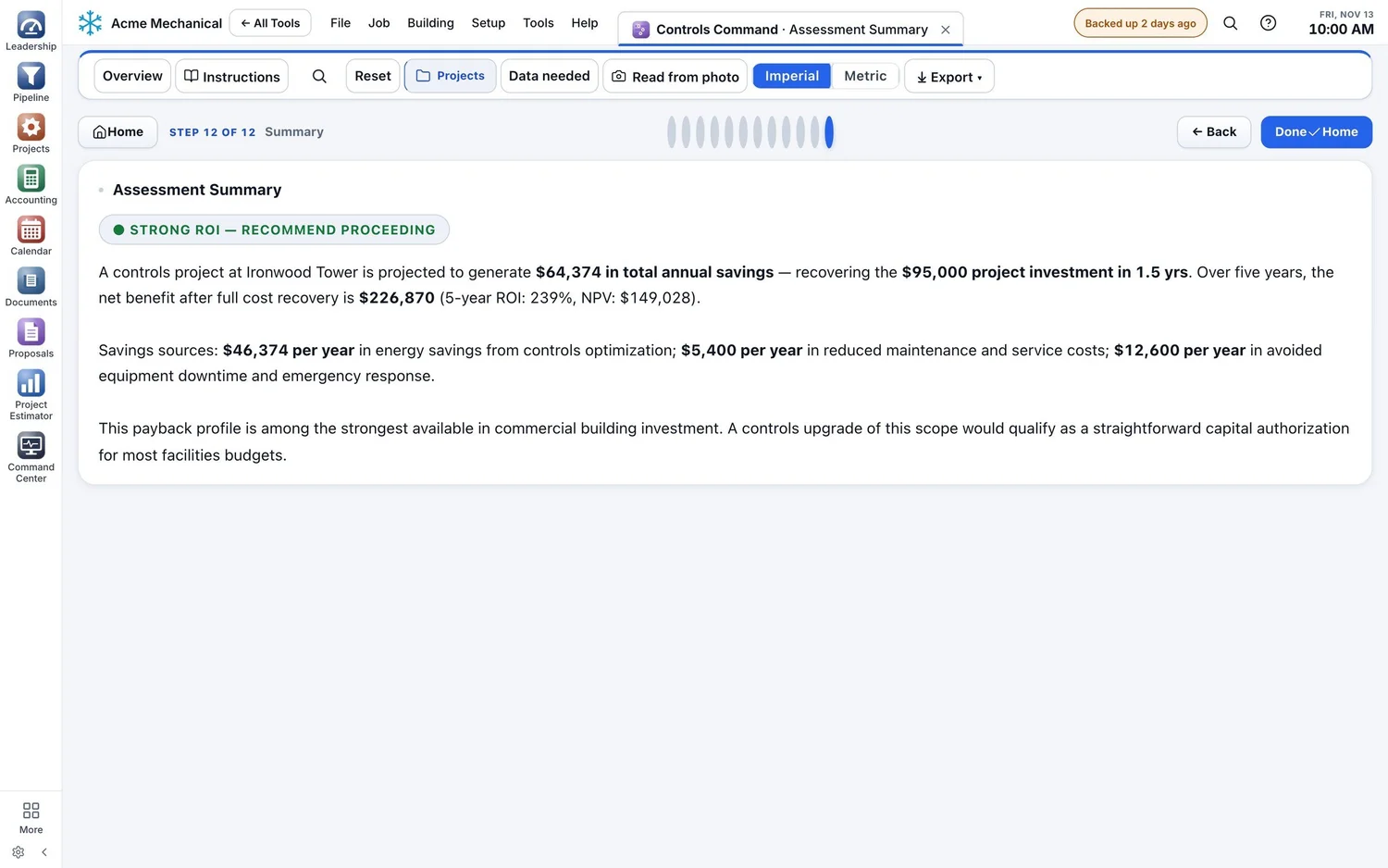
A Business Case Built Measure by Measure
One percentage on the whole utility bill is easy to dismiss. Controls Command estimates each control measure from its own mechanism and inputs, so a customer can challenge one line without throwing out the number.
Existing Conditions
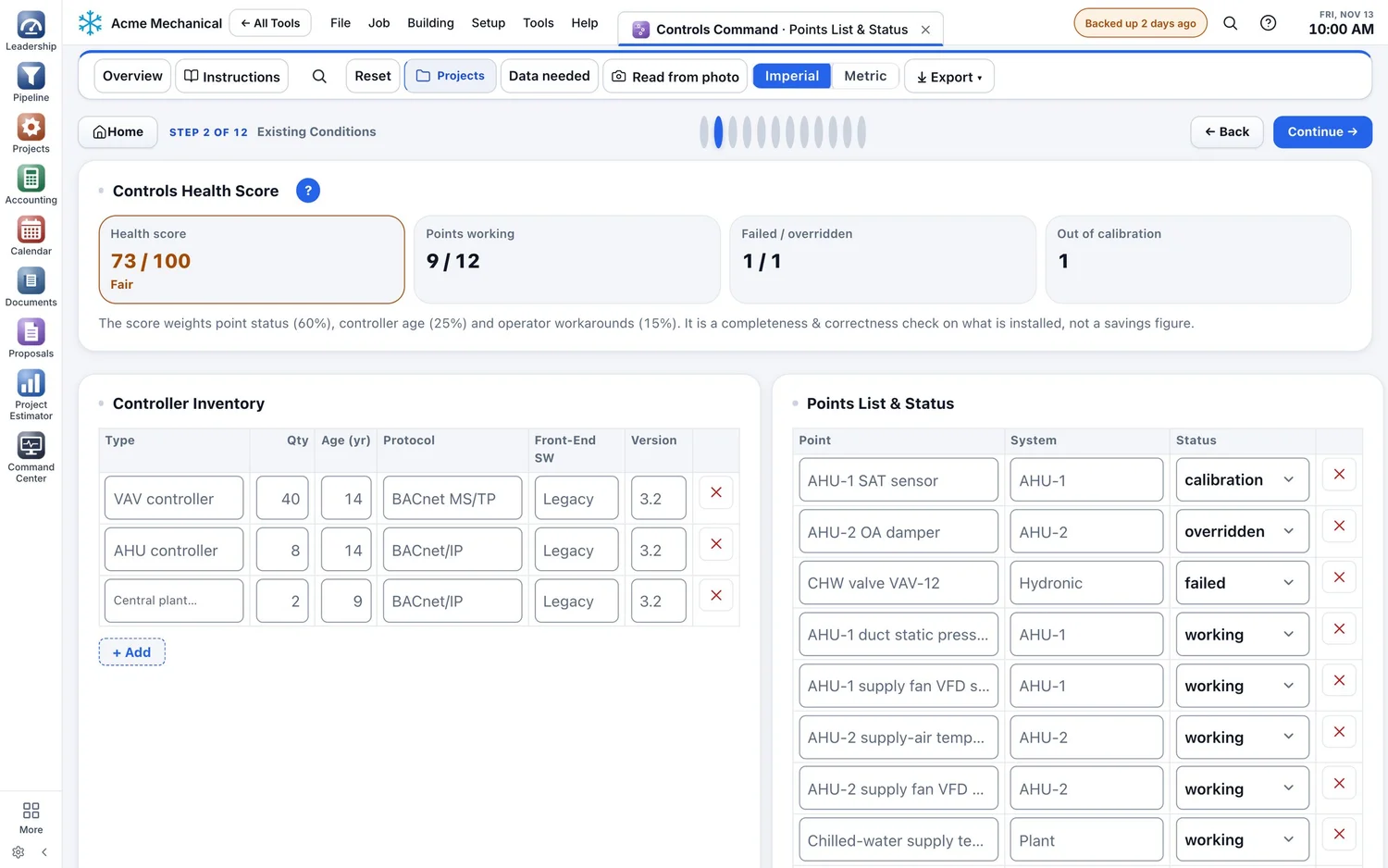
Record the controller inventory, the points with their status, the sequences and the workarounds. The tool produces a controls-health score, a repair-first phase beside a new-capability phase, and a service punch list.
Learn MoreShow Less
The fastest payback is often fixing what the building already has. Existing Conditions prices that repair work on its own, so you can sell the cheaper job first and earn the trust for the bigger one.
- Released overrides, recalibrated sensors, restored schedules and repaired dampers form Phase 1.
- The health score comes from the points list and the controllers' ages.
- Operator workarounds are counted as savings opportunities, not footnotes.
- The punch list carries into the Word business case beside the two phases.
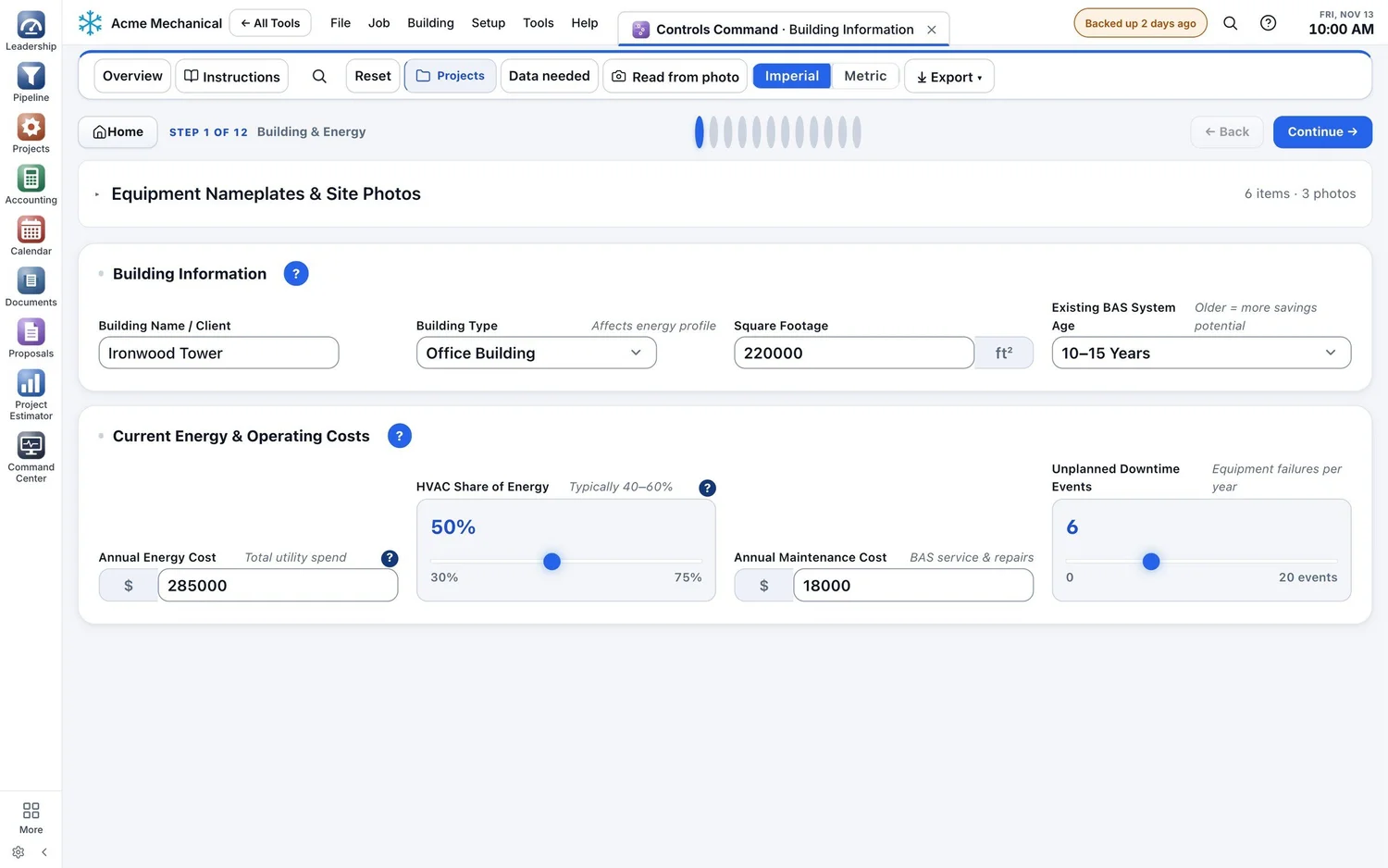
A controls pitch needs the building's real costs, so the case starts from its energy, maintenance and downtime figures.
Measures with Their Basis
Scheduling, supply-air reset, static pressure reset, chilled- and hot-water reset, economizer, demand-controlled ventilation, night setback and more. Each shows a standalone and an incremental saving and its payback.
Learn MoreShow Less
An owner who can challenge one line keeps the rest of your number, and that is what wins a controls sale. Each measure is worked from its own physical inputs, not a percentage of the bill.
- Inputs per measure: runtime hours, reset degrees, static pressures, occupancy and zones.
- Terminal-unit correction and equipment staging are in the library too.
- Each measure carries its installed cost and its phase, repair or new capability.
- A supply-air reset counts the extra fan energy it causes, and static reset uses the fan's total static pressure.
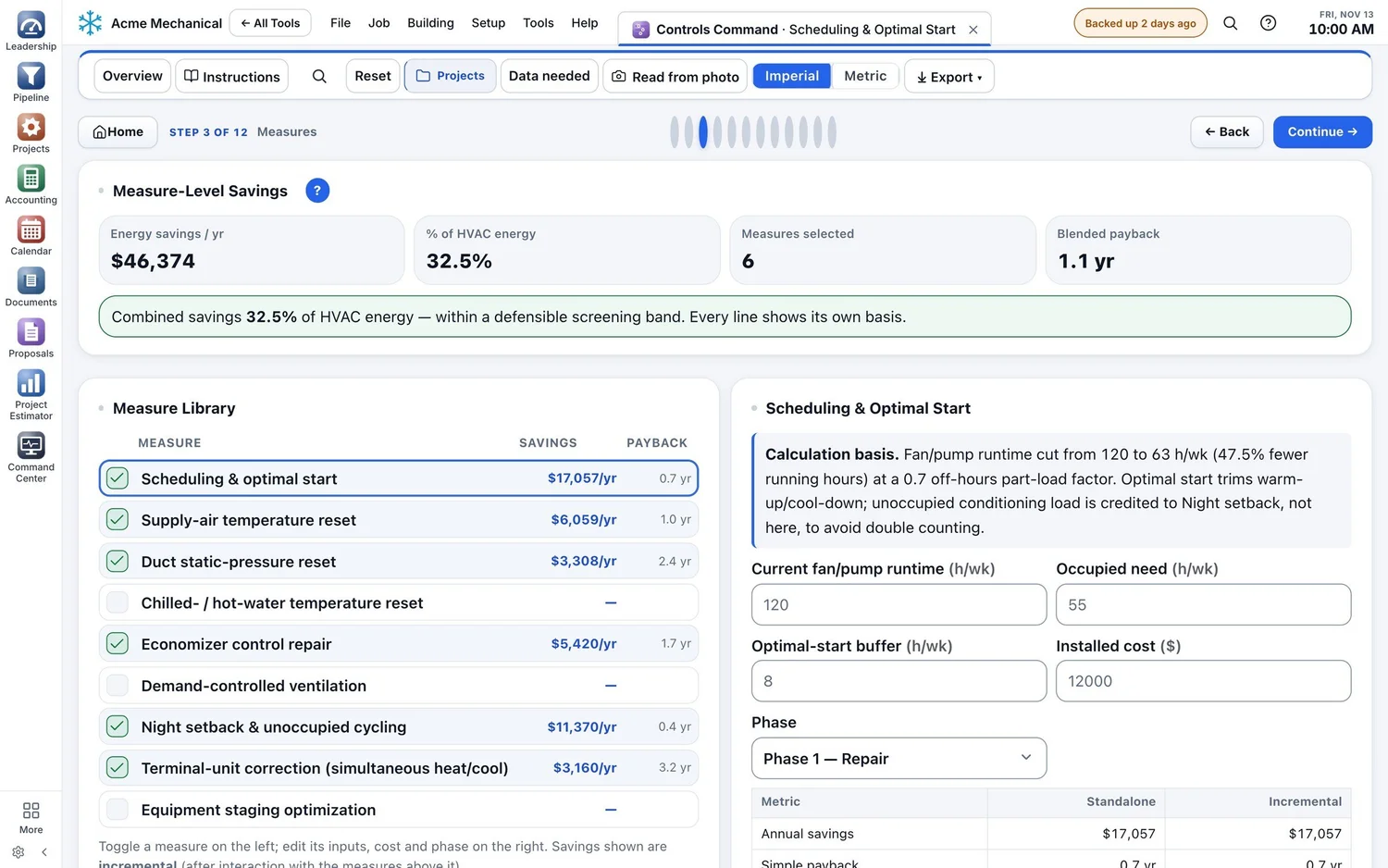
Owners ask where each dollar comes from, so every measure shows its own saving and payback.
Interactions Reconciled
The incremental column handles the overlap between measures, so nothing is added at full value twice. A combined saving above about 35% of HVAC energy is flagged as optimistic.
Learn MoreShow Less
An inflated savings figure is the fastest way to lose an engineer's trust and the job with it. Interactions are taken off once, so the total can be defended line by line.
- Measures draw down a shared pool of HVAC energy in sequence, so savings cannot exceed what exists.
- Each overlap comes off the later measure of the pair, never both.
- In the manual's worked example, $74,113 incremental against $90,104 if added at full value.
- The Word case explains the interaction handling for the customer's reviewer.
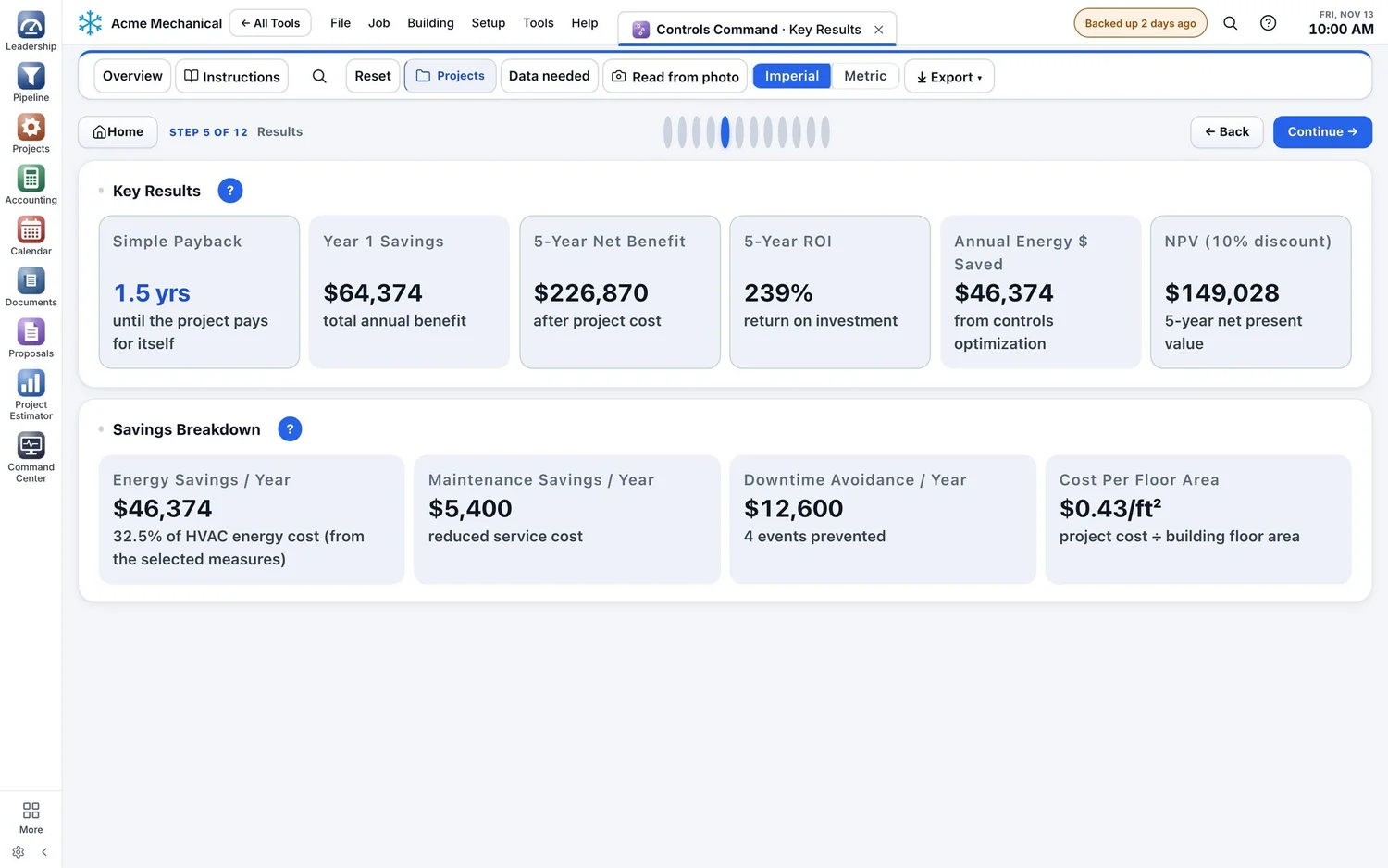
Adding measures at full value overstates savings, so the results show the combined, reconciled total.
Persistence and Ongoing Commissioning
A ten-year view shows how savings decay with and without a program, and prices the monitoring-based commissioning agreement that protects them.
Learn MoreShow Less
Overrides pile up and sensors drift, so savings sold in year one are often gone by year three. Persistence turns that risk into a recurring agreement you can sell on the dollars it protects.
- Each measure decays at its own rate; the economizer usually fades fastest.
- The agreement is argued on preserved savings, not on labor hours.
- The tab shows the dollars preserved and the owner's net value at your quoted annual price.
- The Money Case can include the preserved savings and the recurring agreement, or leave them out.
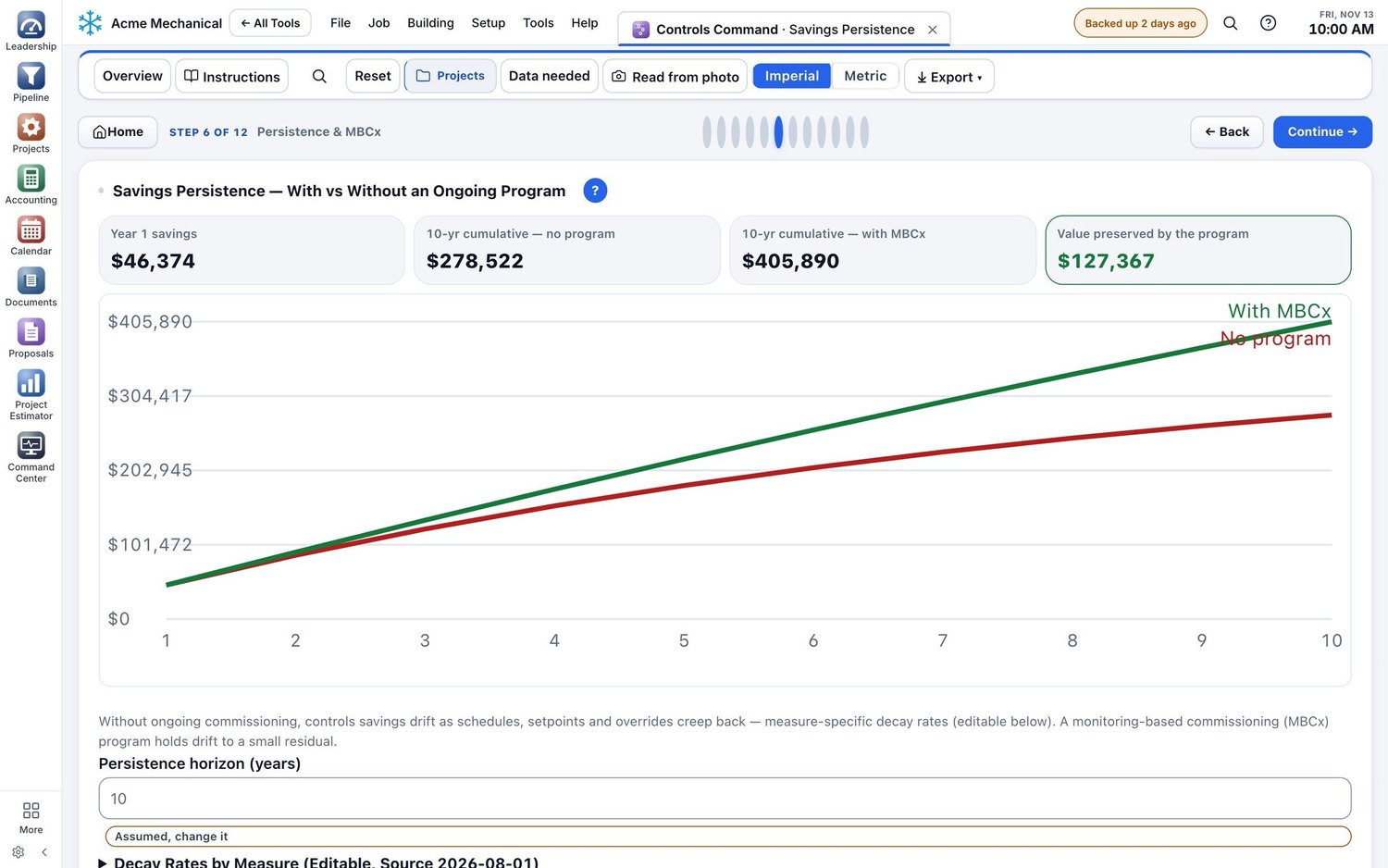
Savings fade without care, so persistence shows ten years with and without ongoing commissioning.
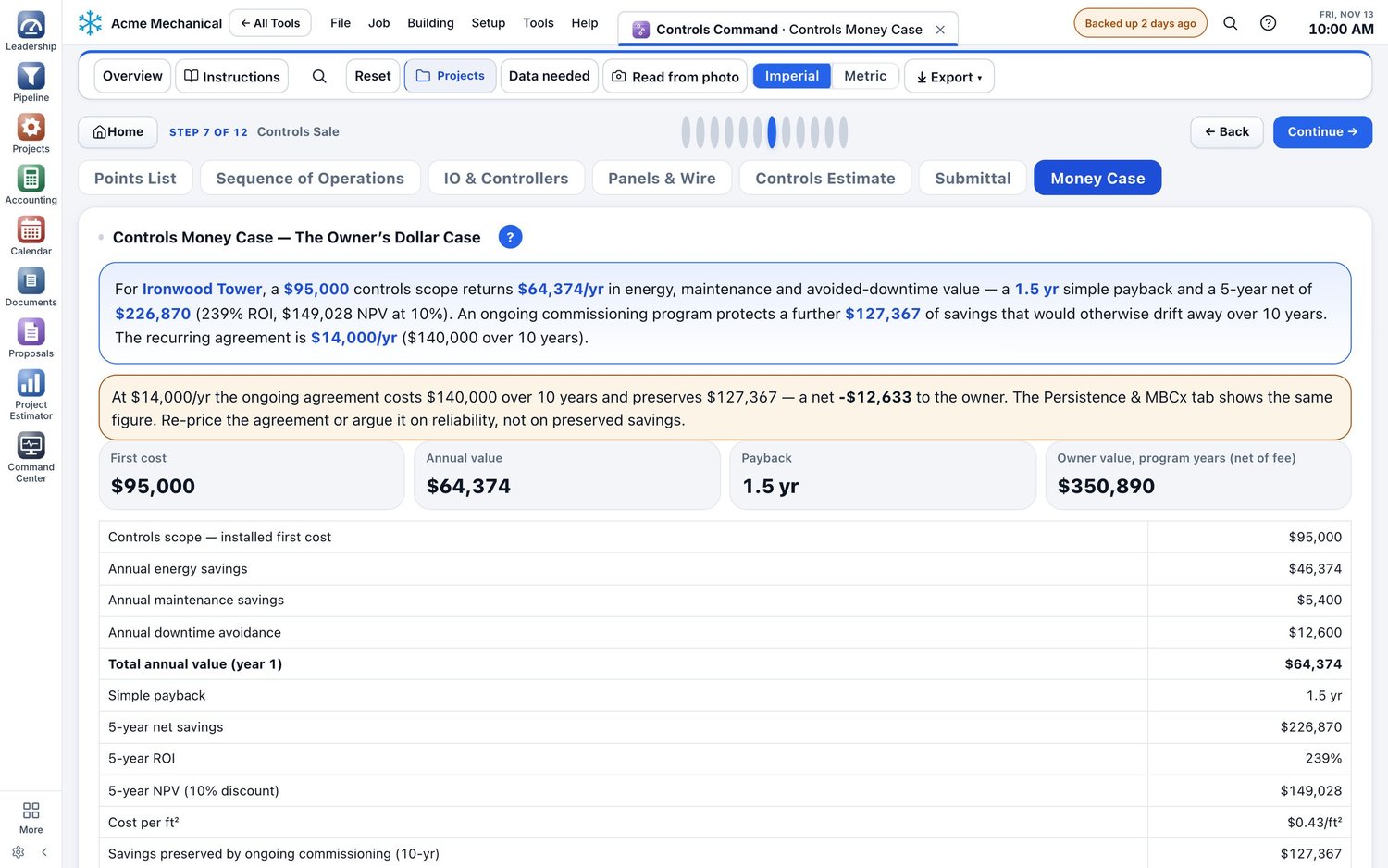
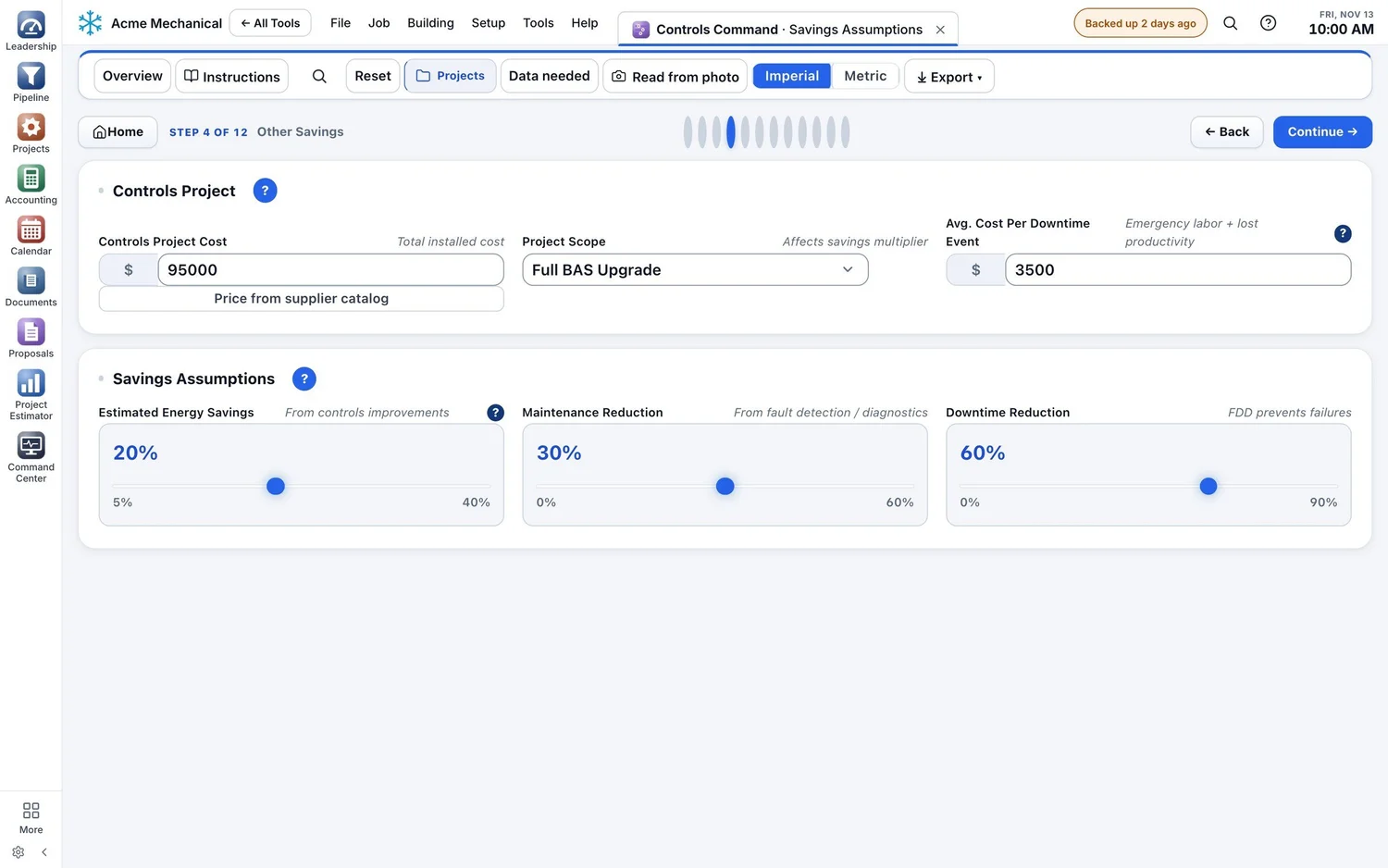
The controls money case: measures, savings and payback built from the building's own conditions.
From Points to Panels to a Submittal on Your Letterhead
Points List and Sequences
- Build the points list by equipment and system, with the sequences of operations beside it.
- Every point gets Project Haystack tags and a Brick class, suggested from what its name and type say it is.
- Names are checked against your company naming standard, such as AHU-1.SAT, which is shared with the team.
- Tags export as Haystack Zinc, Haystack CSV and Brick Turtle.
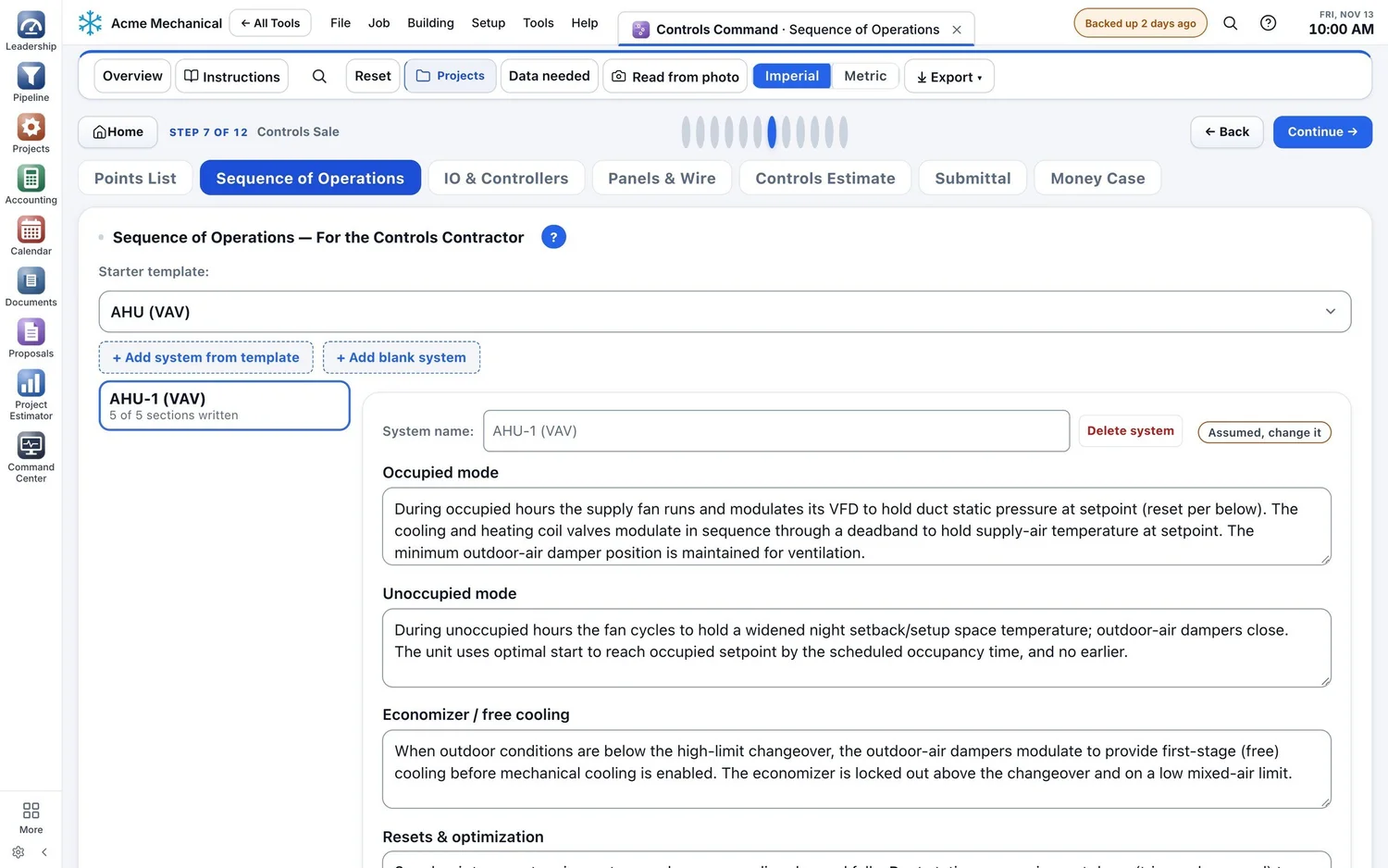
Sequences written apart from the points drift, so each system keeps its sequence beside its points.
IO, Controllers, Panels and Wire
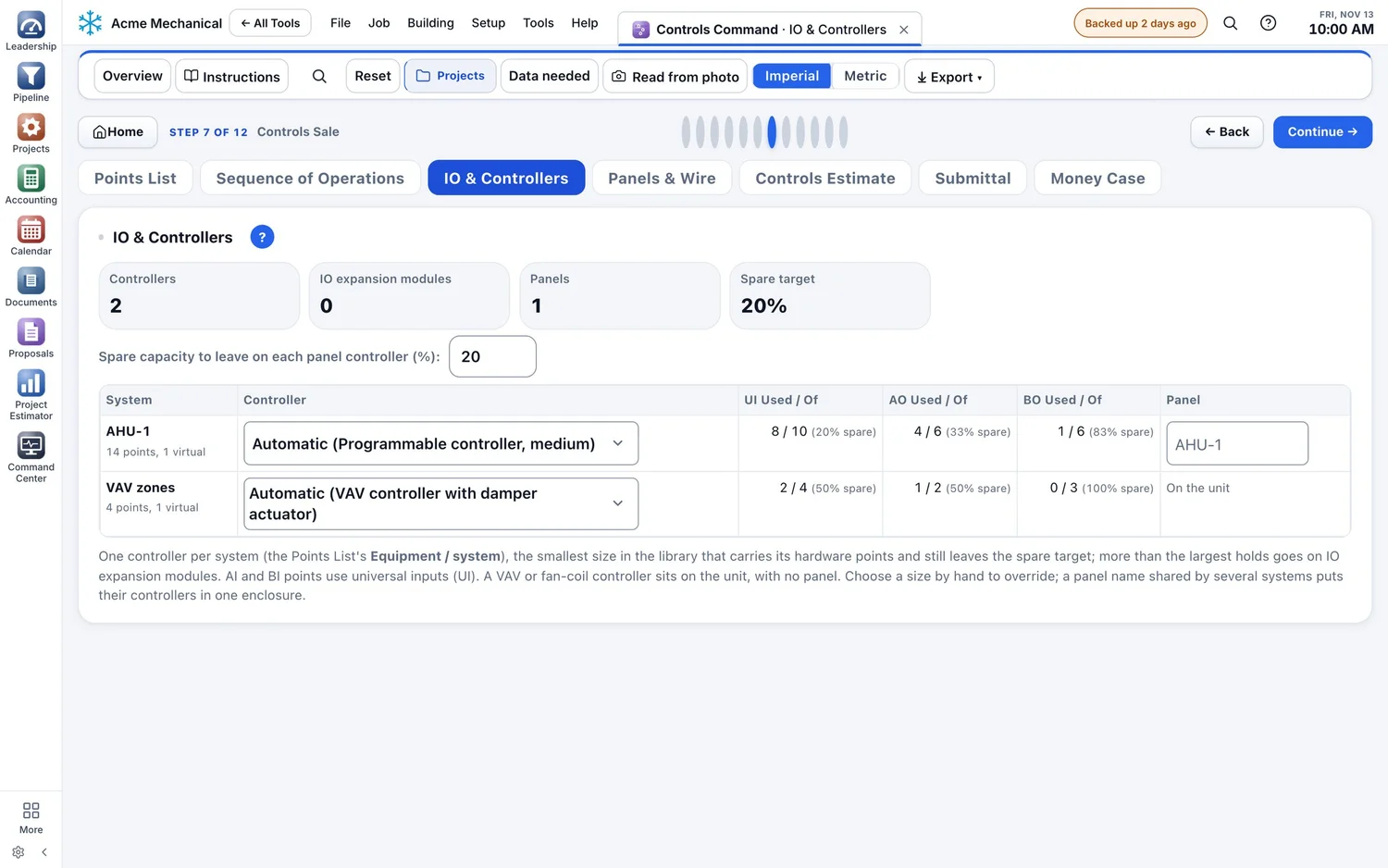
- Each system gets the smallest controller in your library that carries its hardware points and still leaves the spare capacity you set.
- Enclosures, transformers, terminal blocks and wire are worked out from the points and their home runs.
- The bill of materials lists controllers, modules, panel parts, wire and one field device per hardware point.
- The controller sizes are generic. Put in the ones you buy and save the library as your company standard.
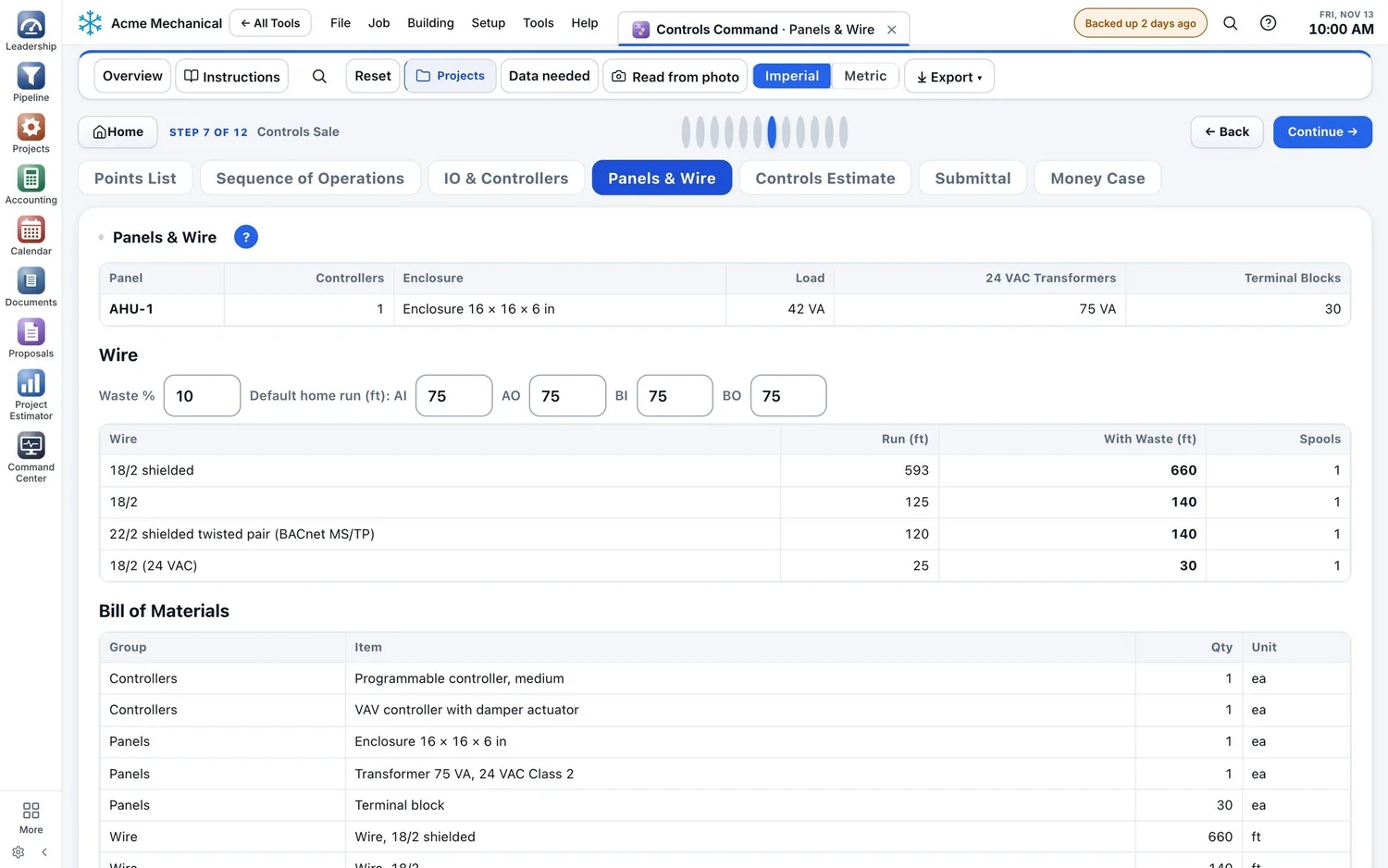
Panels and wire are often under-counted, so they are worked out from the points and home runs.
The Controls Estimate
- Labor by task from your own hours: install, terminate, checkout, program, graphics, panel fabrication, engineering and project management.
- An item with no cost is named in red and left out until you enter it. Nothing is guessed.
- Send to the Project Estimator puts the labor and every material line on the Controls trade at cost, where the estimate's own markups apply.
- The same total is added to Bid and Procurement to level against controls subcontractor quotes.
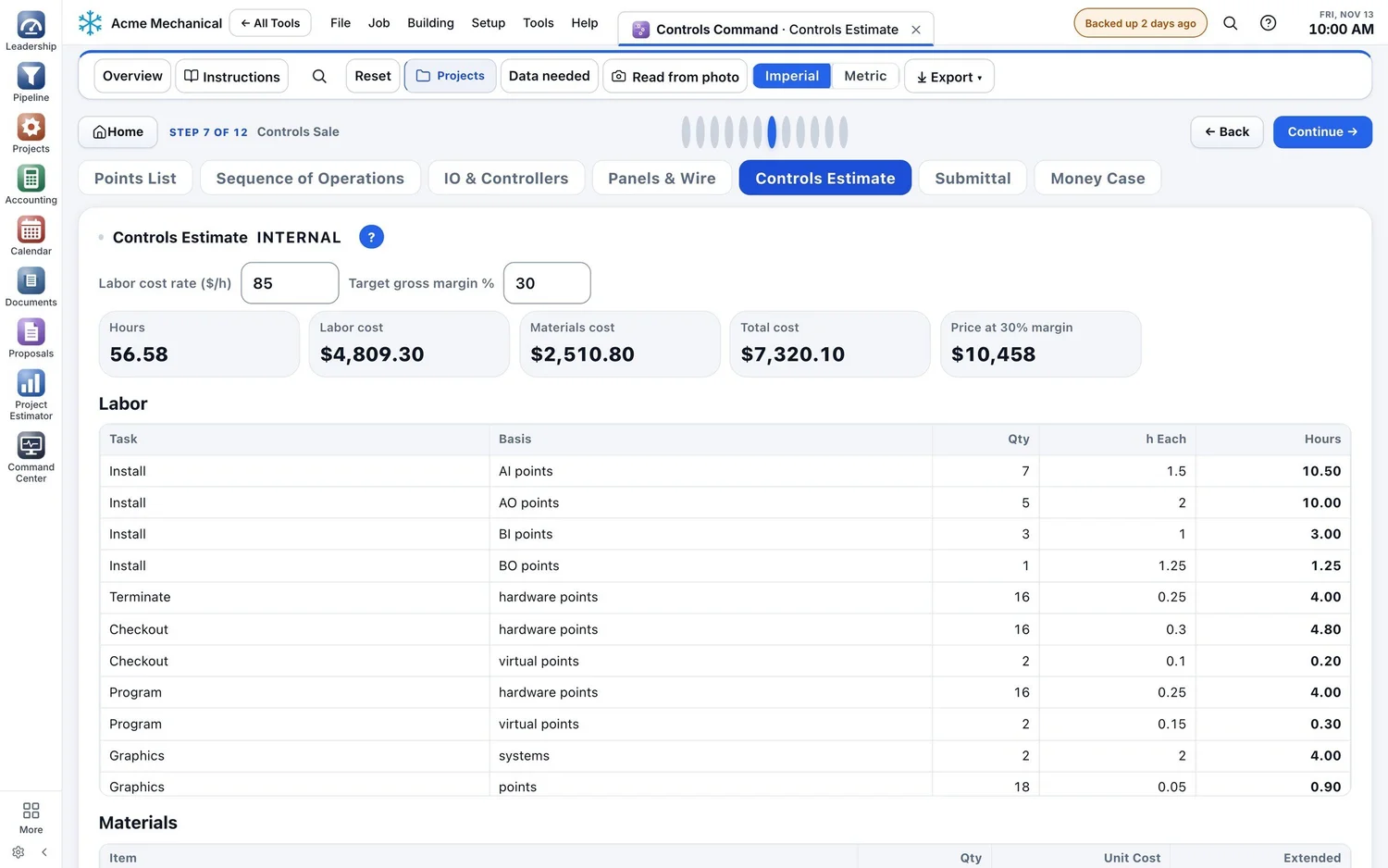
Unpriced items slip into a bid, so the controls estimate names any item with no cost.
The Submittal
- Word and Excel, on your letterhead.
- Cover, points list with each point's controller, IO summary, sequences of operations, bill of materials with quantities, and the network riser as a list.
- No cost, hours or margin appears in the submittal.
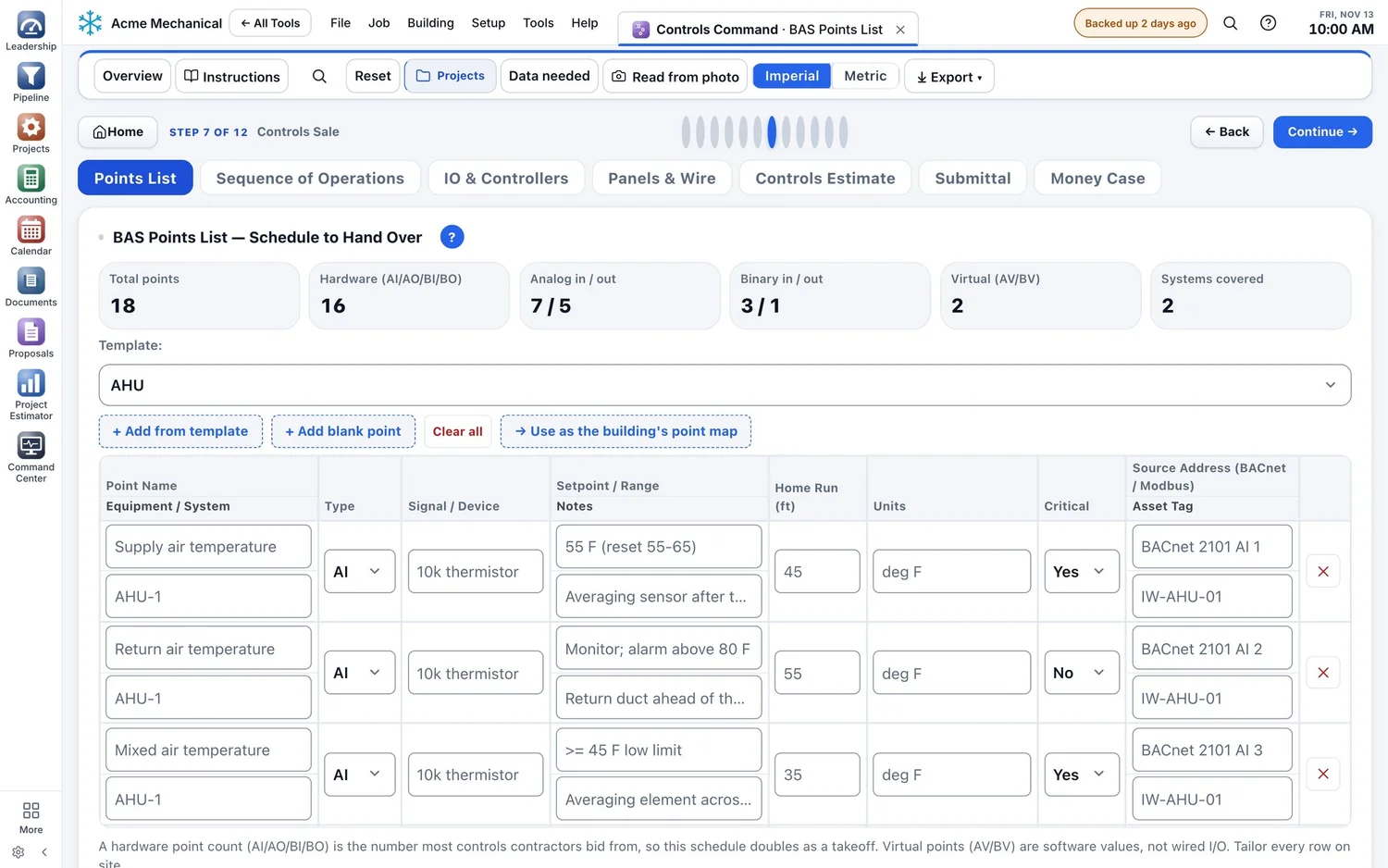
Points lists kept in loose spreadsheets drift from the job, so each point is kept here with its signal, setpoint and address.
Checkout, Commissioning and Test and Balance
After the sale, the same points list becomes the controls job. The technician works at the building's own front end and records what they saw.
Point-to-Point Checkout
One line per point with the test for its type, the readings, Pass, Fail or N/A, a note, who, when and photos. An analog input with both readings and a tolerance is marked for you.
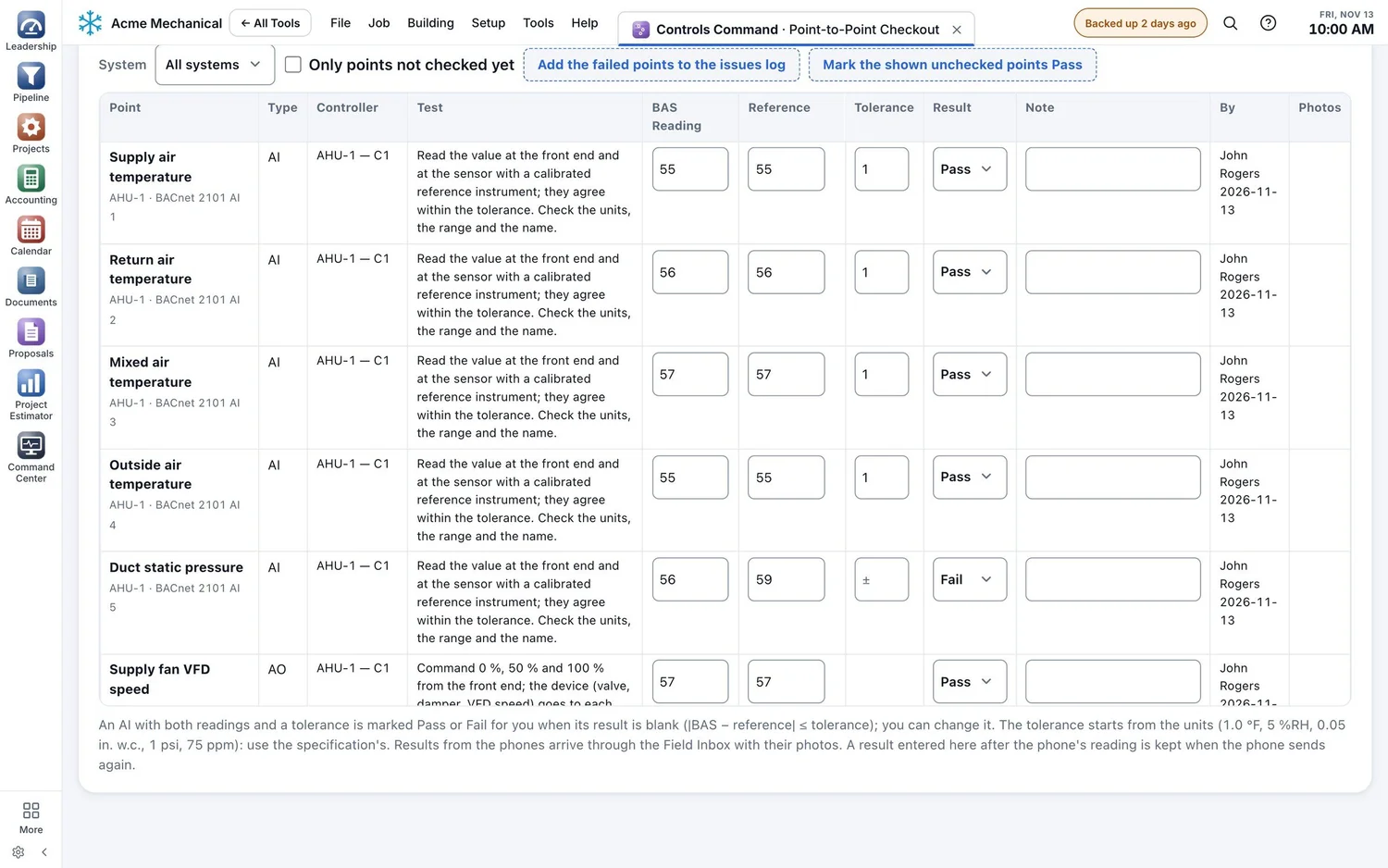
A checkout on paper loses readings, so every point gets its test, readings and a pass or fail.
Checkout on the Phone
Send the checkout to the phones and Field Companion shows the points by system, offline. Results come back through the Field Inbox onto the same job, and a failed point goes on the issues log.
Commissioning
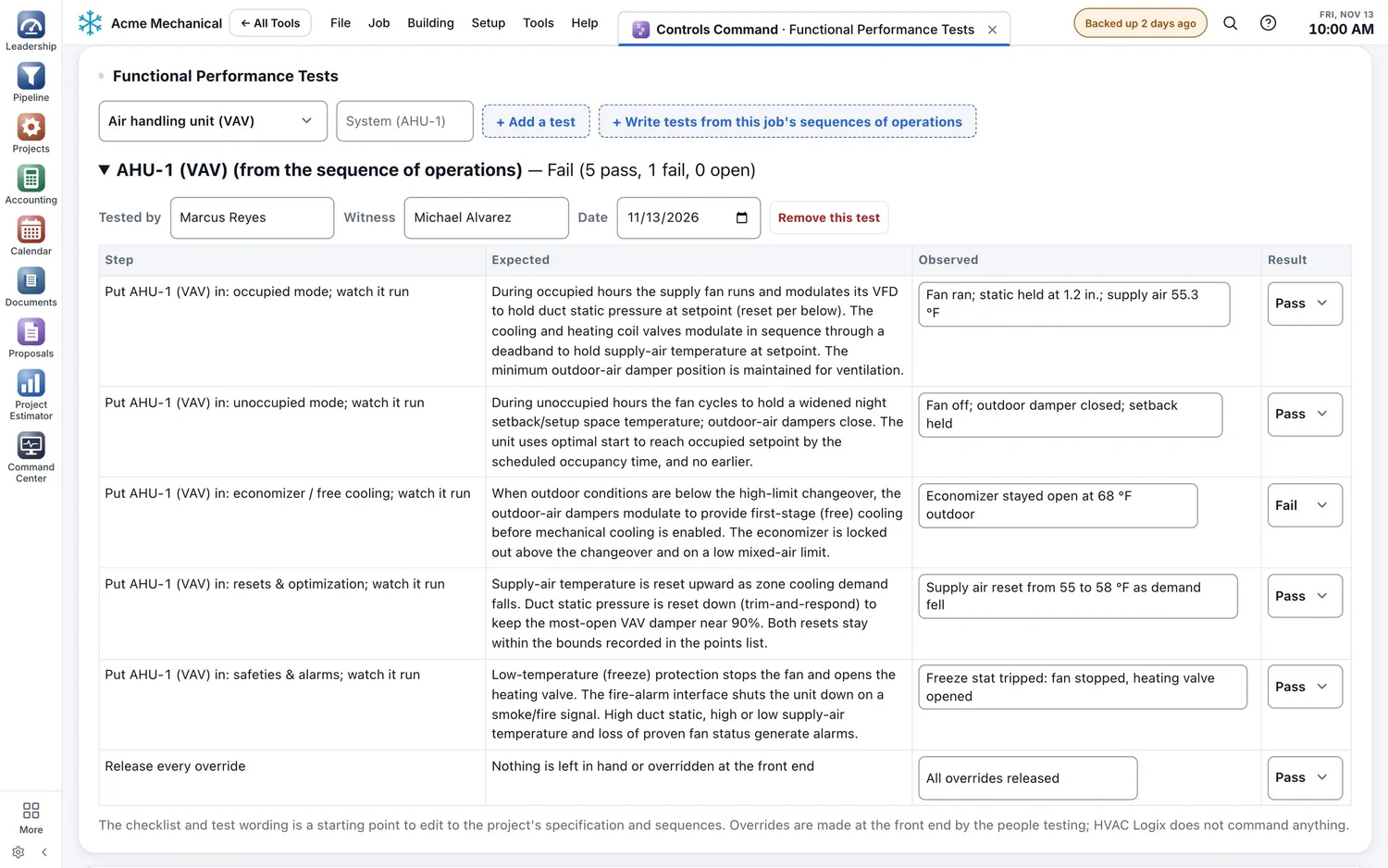
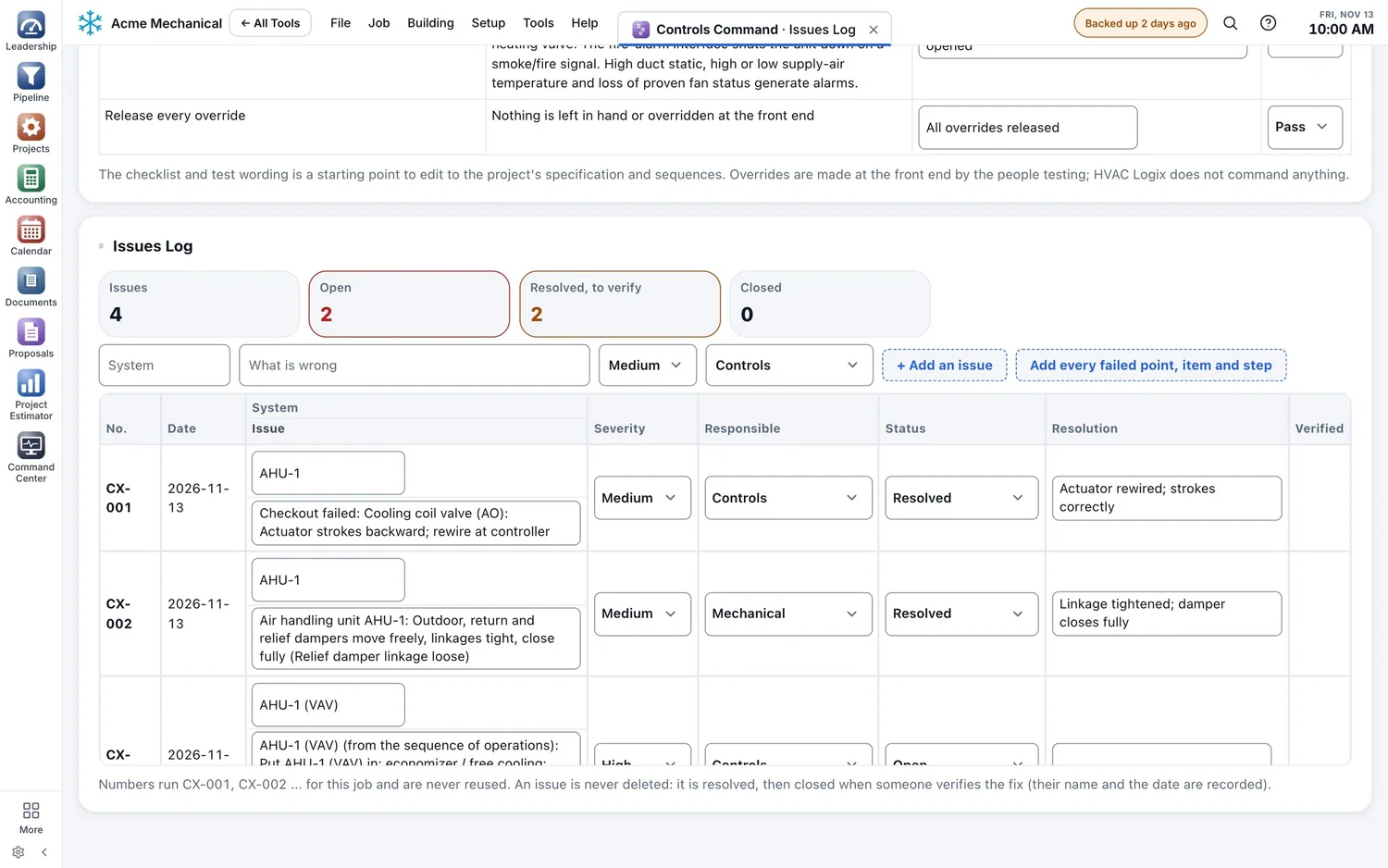
Pre-functional checklists and functional performance tests for air handlers, VAV boxes, plants, rooftop units and more. Tests can be written from the job's own sequences. Issues are numbered, resolved, then closed when someone verifies the fix.
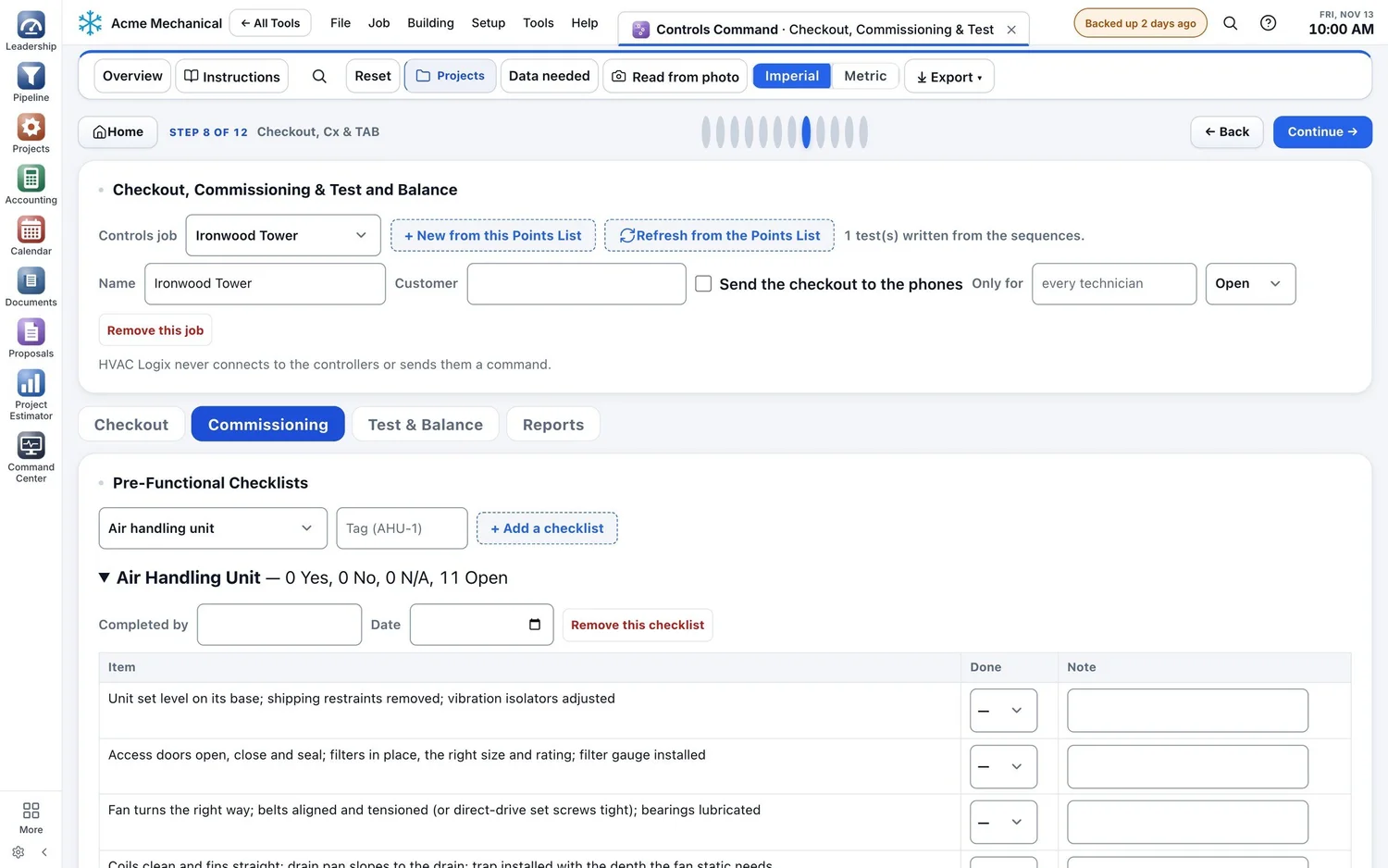
Commissioning steps get skipped under schedule pressure, so each unit gets a pre-functional checklist.
Test and Balance
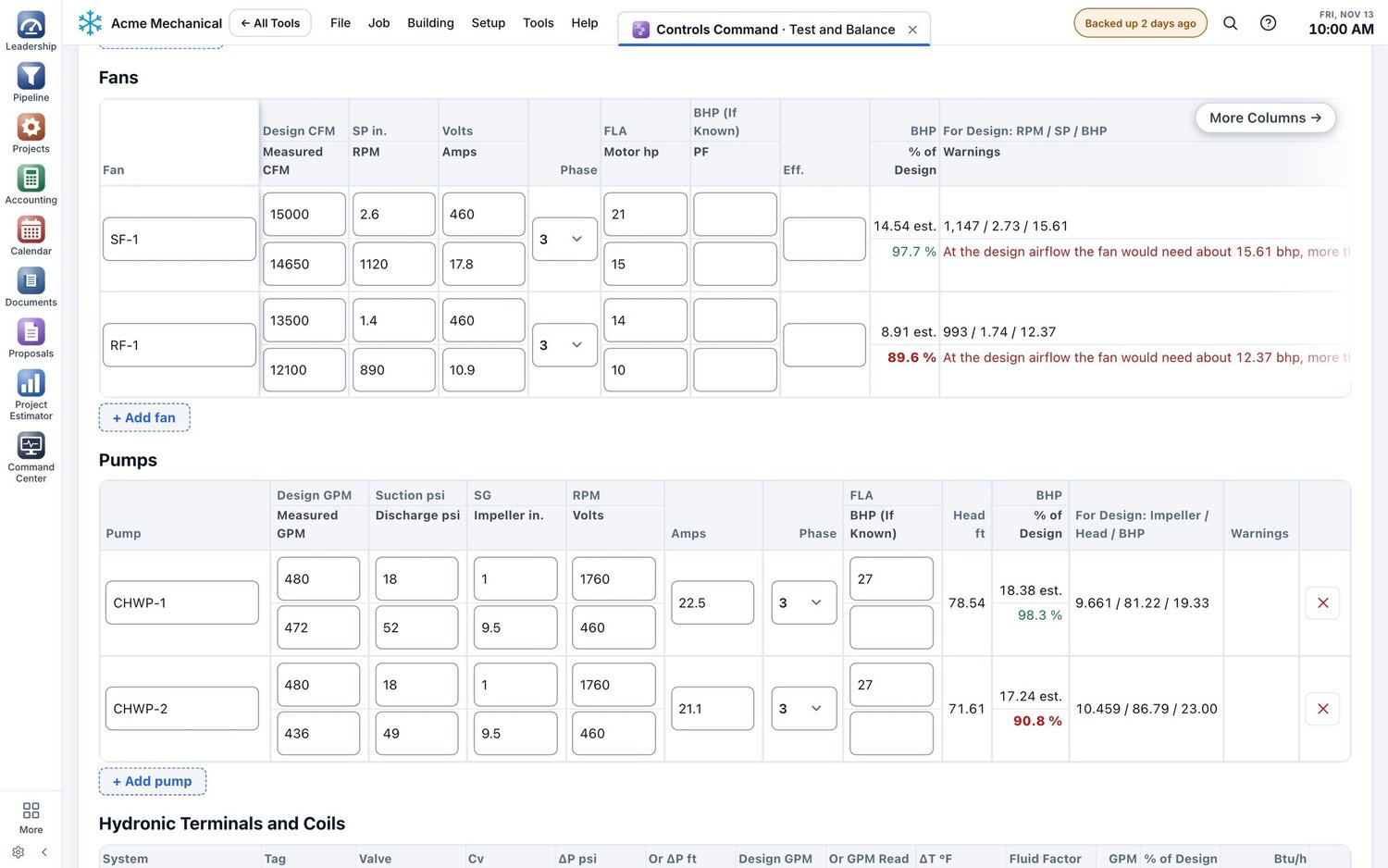
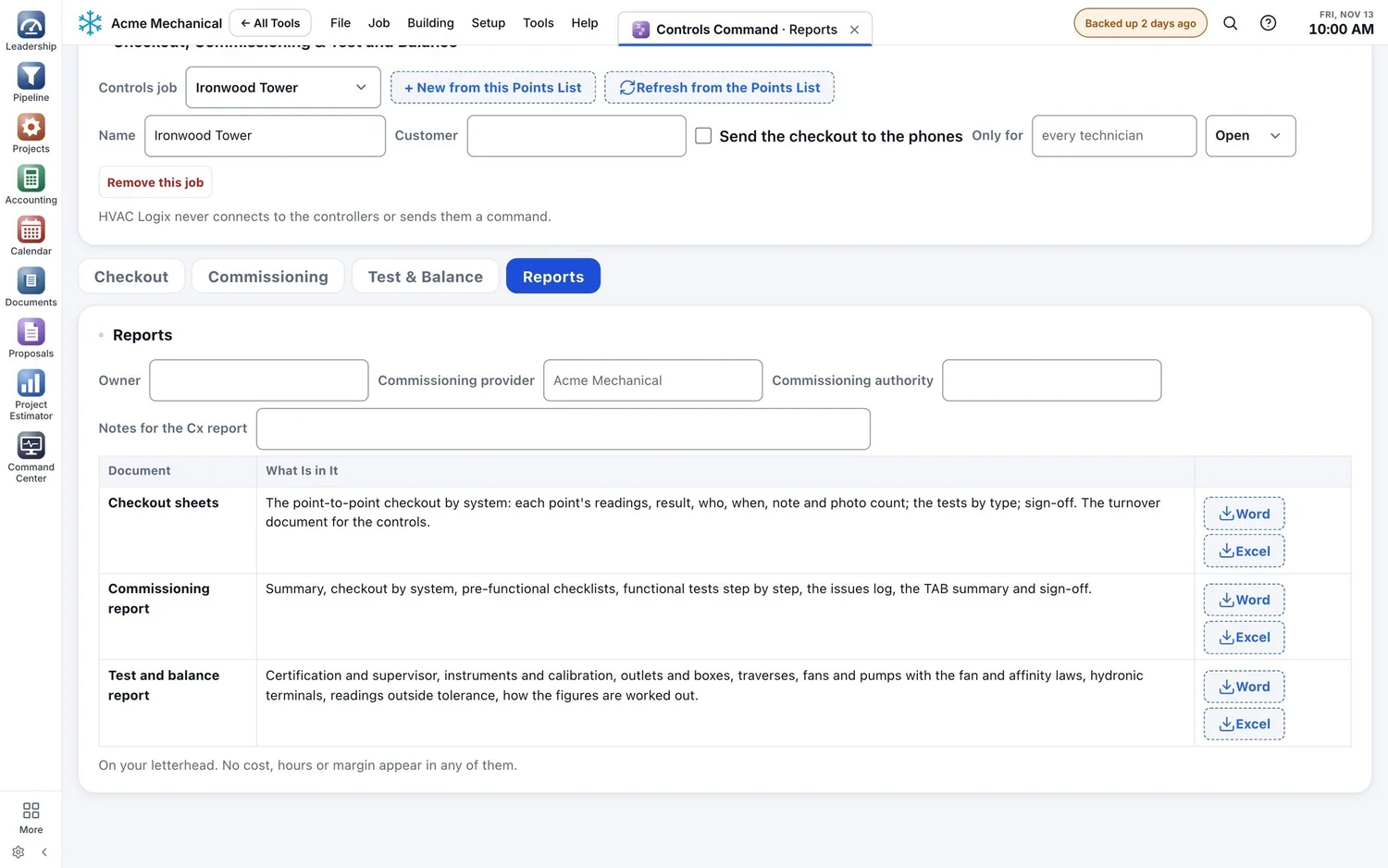
Forms for air outlets, duct traverses, fans, pumps and hydronic terminals work out percent of design, with the formulas shown. Checkout sheets, the commissioning report and the balance report print in Word and Excel.
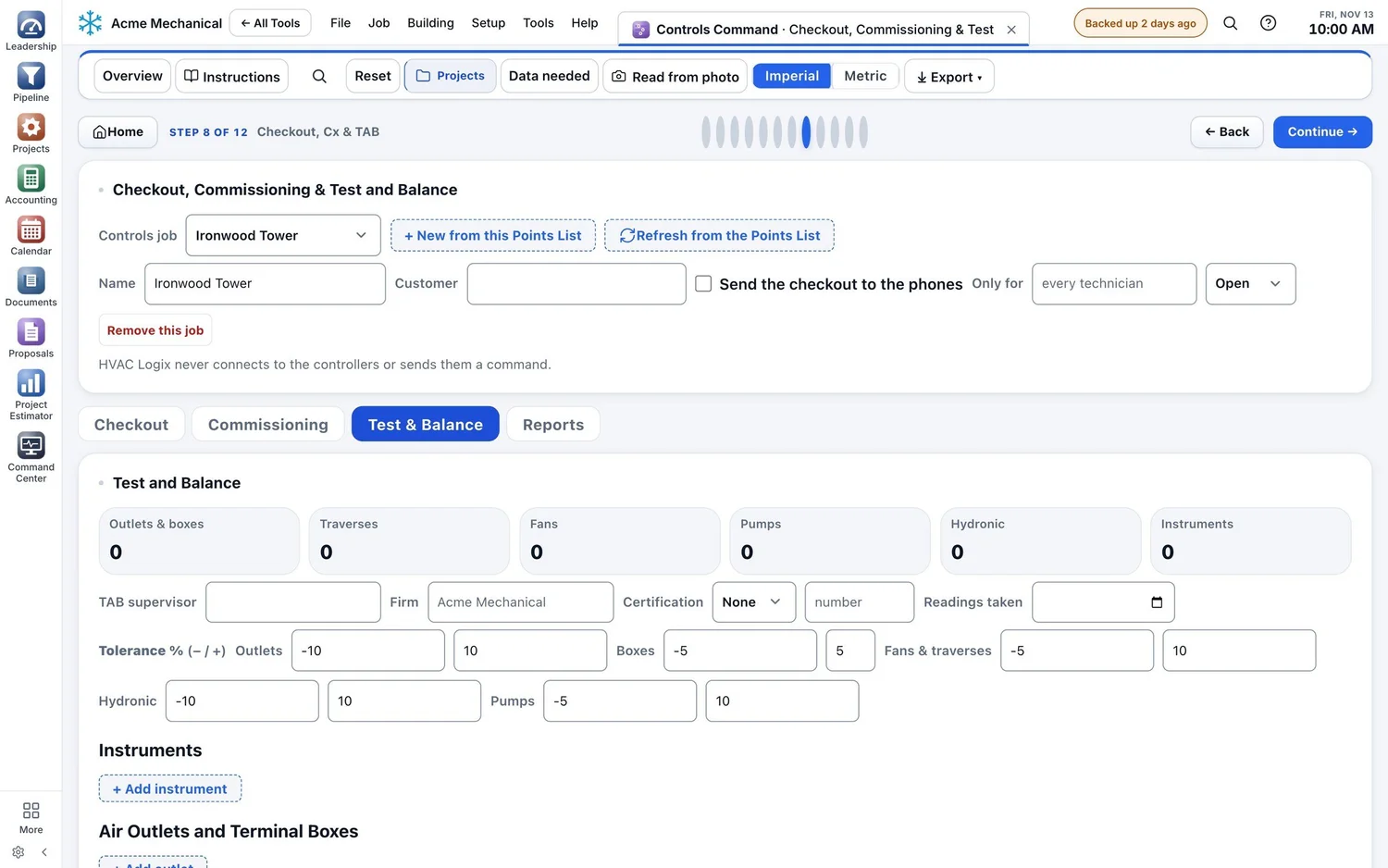
Balance reports take hours to type, so test and balance forms work out percent of design.
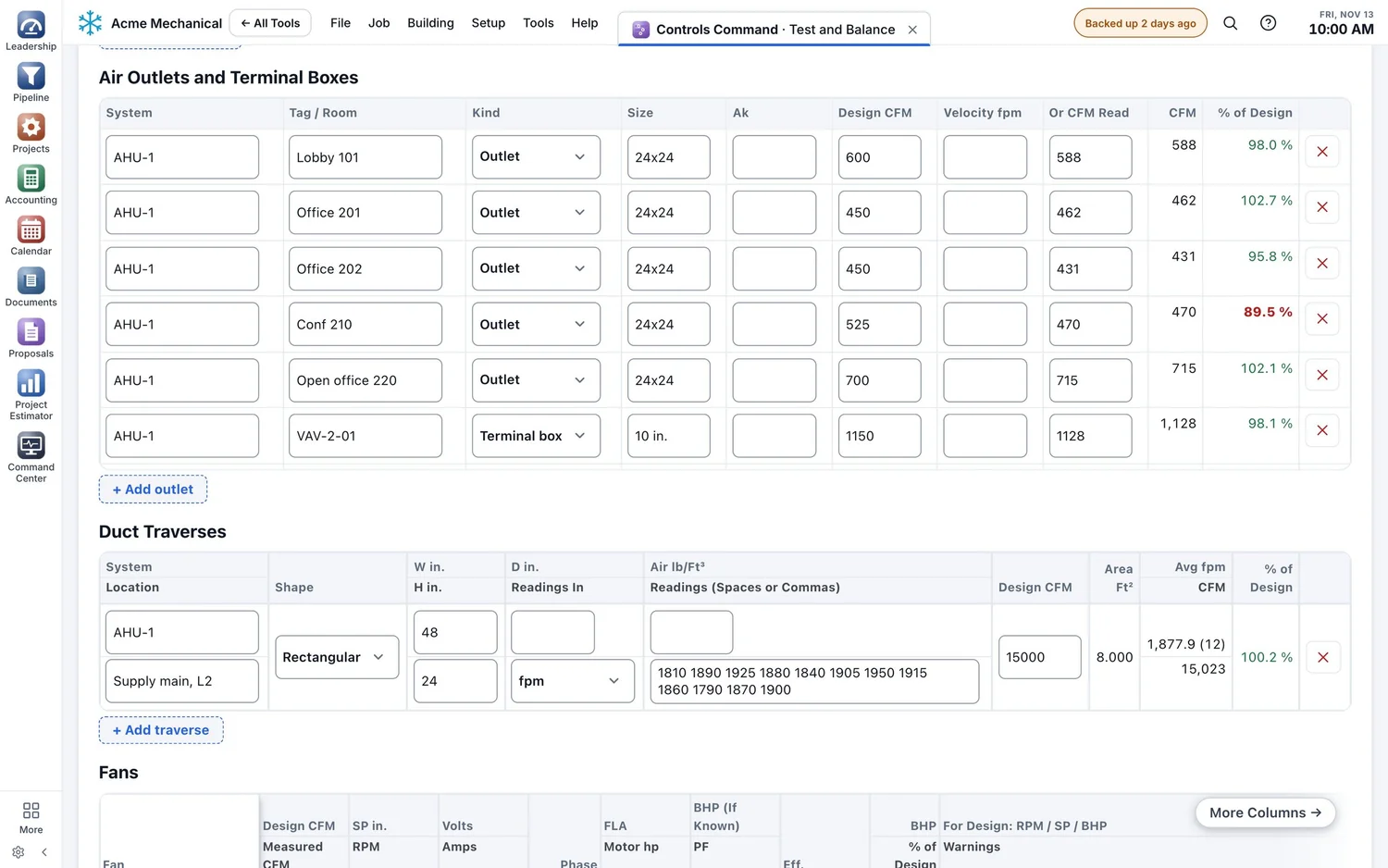
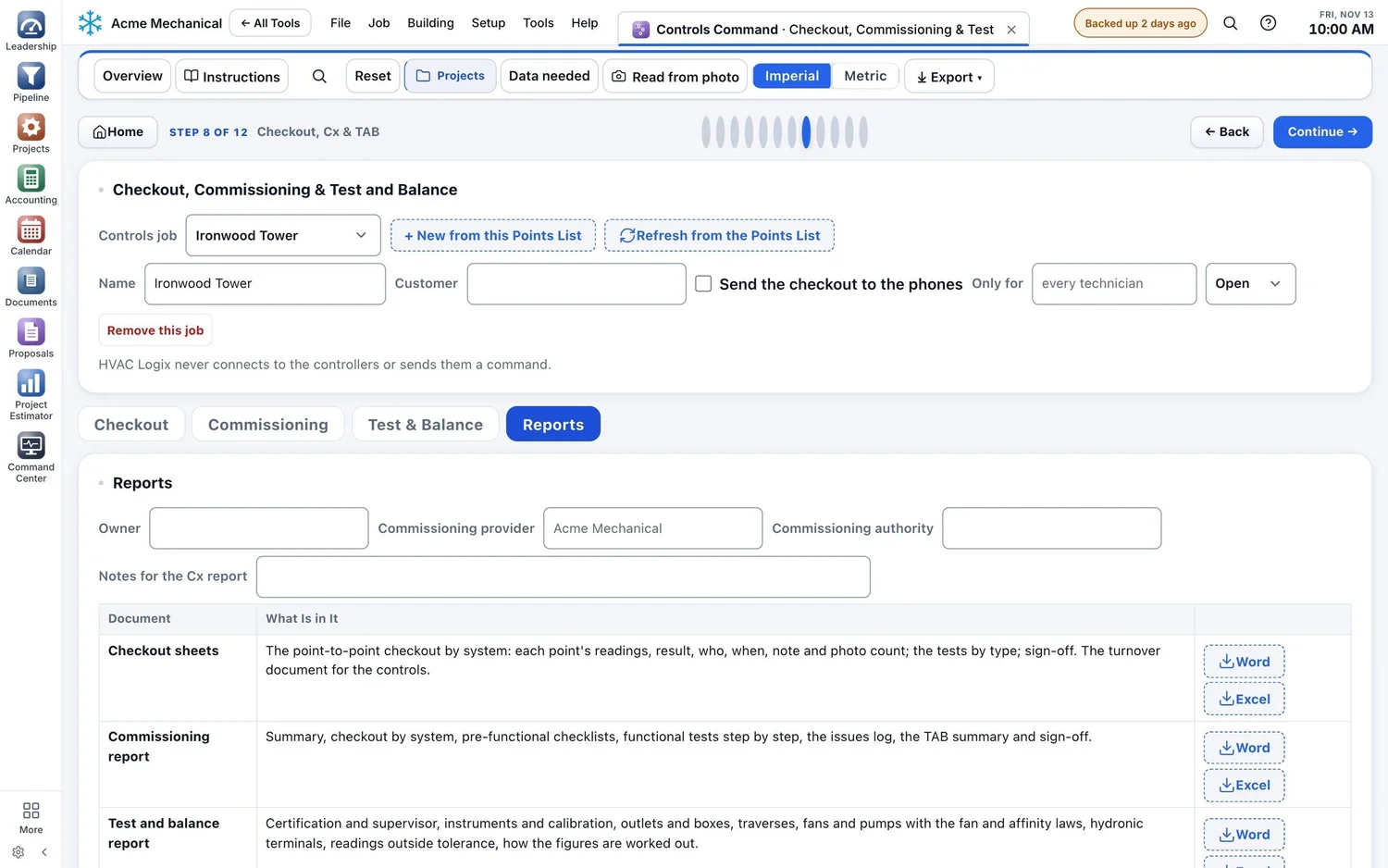
Test and Balance in Controls Command: outlet and terminal box readings against design airflow, with any outlet out of tolerance shown in red.
Hand Over the System and Plan What Comes Next
The Turnover Package
Controllers, licenses and host IDs, accounts, backups and as-built documents, in Word and Excel on your letterhead. Passwords are protected with the company key, never printed, and handed over in a separate escrow file locked with a passphrase.
Learn MoreShow Less
A clean handover keeps the owner calling you, not a stranger, when a license lapses or a controller fails. The package records everything a future service call depends on.
- Each license keeps its host ID, expiry and maintenance date, and where it is kept.
- Each backup records who took it, where it is kept and whether a restore was tested.
- Show reveals a password for 20 seconds and can be limited to leadership, with each use logged.
- The escrow file uses a passphrase of 12 or more characters and AES-256 encryption.
- A signed Logix Exchange file carries the package to the owner's Facilities Logix.
Cyber Hardening Review
Twenty-one checks in seven areas, following federal guidance for operational technology. The findings report is written for the customer with priorities and recommended fixes, and the findings can go to the Project Estimator as labor lines.
Learn MoreShow Less
Every finding is billable work the customer has already agreed is needed. The review finds it and puts it straight into an estimate.
- Covers internet exposure, passwords, remote access, segmentation, manual operation, updates and monitoring.
- Follows the CISA OT mitigations of May 2025, the Cybersecurity Performance Goals 2.0 and NIST SP 800-82 Rev. 3.
- Score is the checks in place divided by the checks answered Yes or No.
- Each finding becomes one labor line on the Controls trade, at your own labor cost and markups.
- Stated plainly as a walk-through review, not a penetration test.
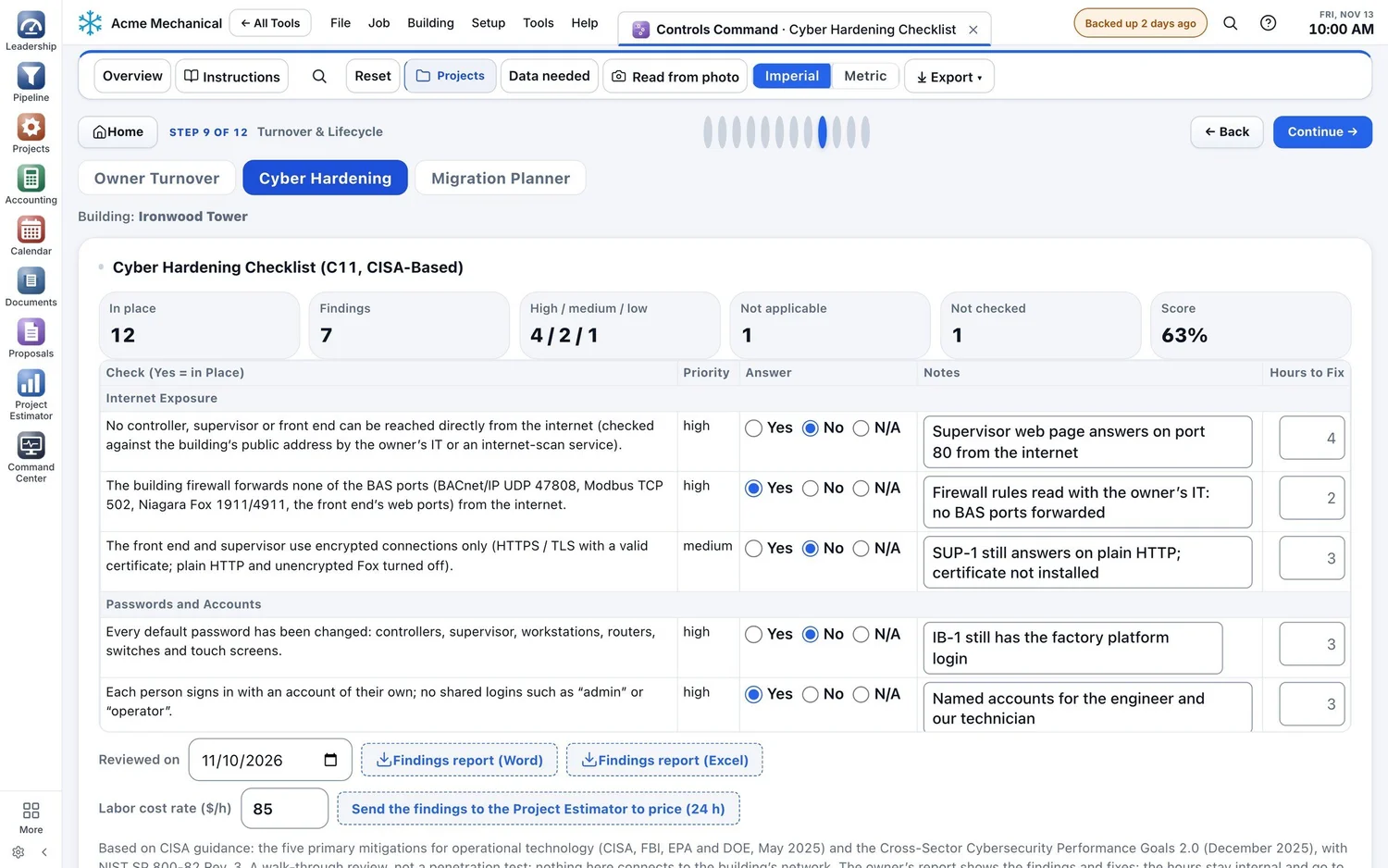
Customers worry about control system security, so a hardening review lists findings and fixes.
Migration Planner
Each controller gets a replacement year from the date you type, its end of support or its service-life estimate, with a budget escalated to that year. Send the plan to the Capital Plan or start a proposal from it.
Learn MoreShow Less
A controller replaced on a set budget is a sold project; one that dies on a weekend is an emergency at a discount. The planner gives each controller a date and a figure the owner can fund.
- Replacement year: the year you type, else published end of support, else install year plus service life.
- Service life uses ASHRAE estimates: electronic 15, electric 16, pneumatic 20 years.
- A platform with no verifiable end-of-support date says so.
- The Word and Excel plan shows why each controller is due and the budget by year, with sources.
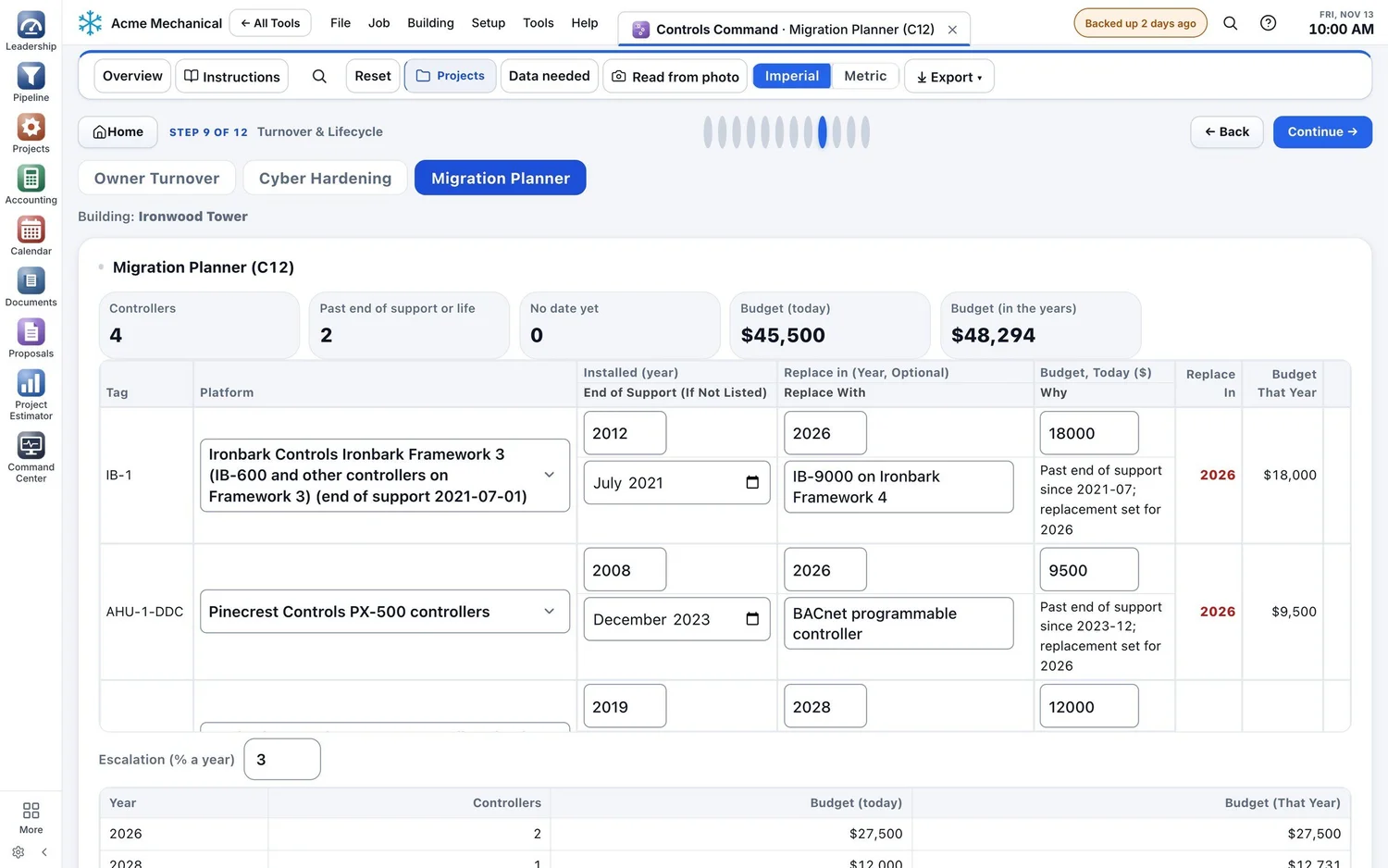
Old controllers fail without warning, so the migration planner sets a replacement year and budget for each.
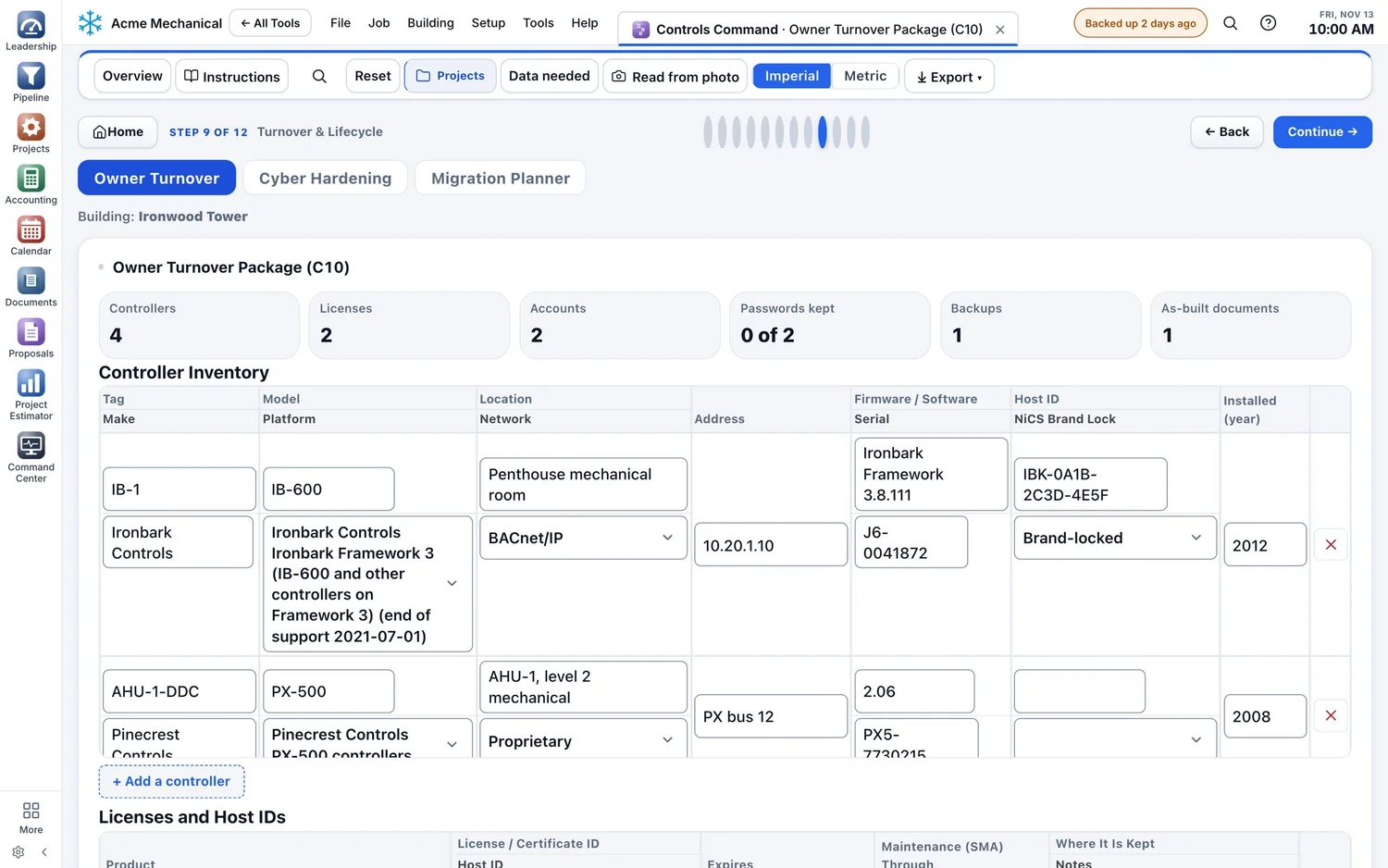
The turnover package and the plan for what comes next on the controls system.
The Customer's Own Trends, Read by Written Rules
The building automation system already records what every fan, valve, chiller and meter did. Building Data reads those records and never writes to the building's controls. It is advisory screening: no finding does not mean all is well.
Import a Trend File
Choose the trend or history files exported from the building automation. Before anything is stored, the screen shows each point with its units, interval, dates and data quality: gaps, duplicates, flat stretches and flagged readings.
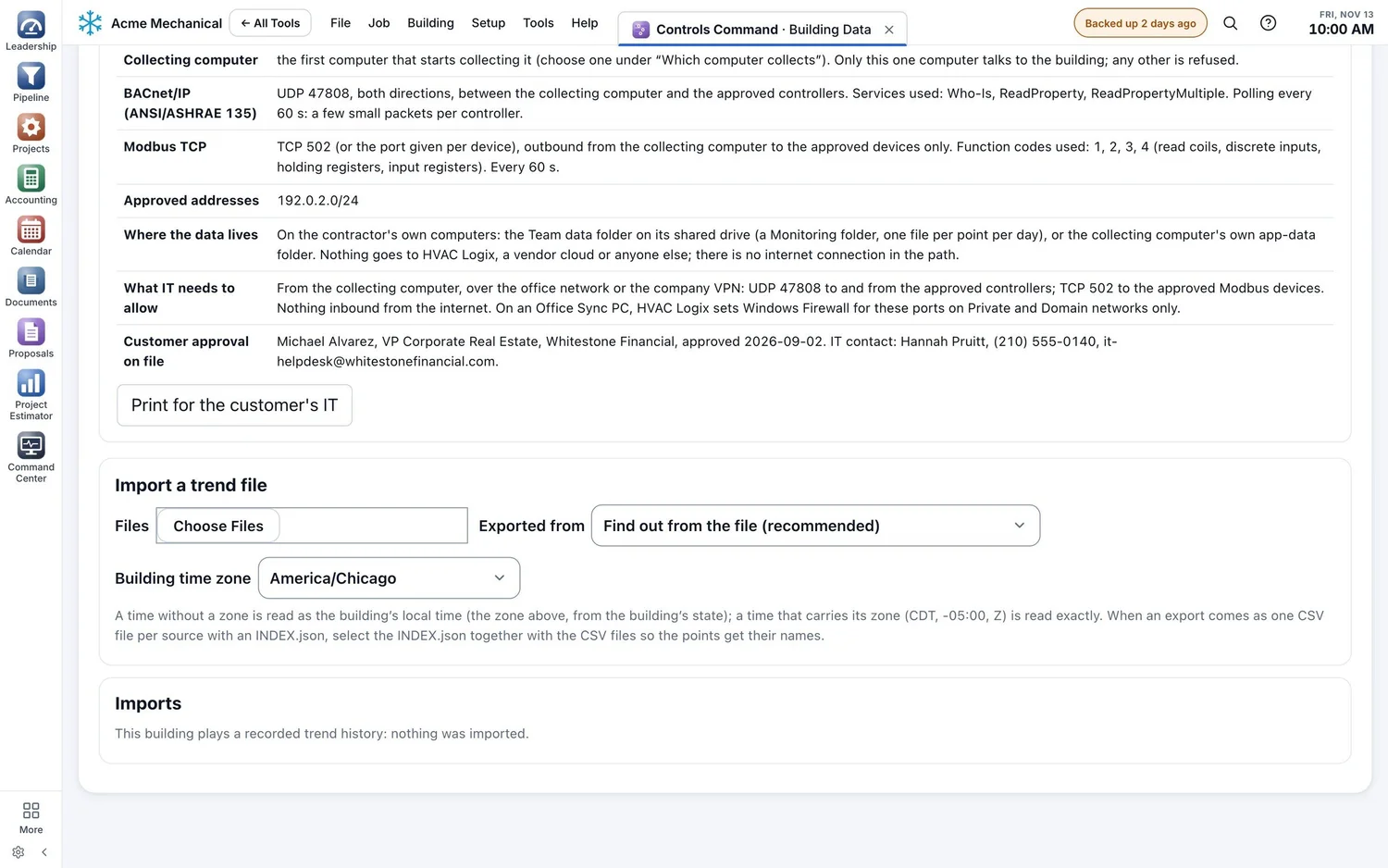
Trend files arrive in many formats, so the import shows each point's quality before anything is stored.
Or Collect with Permission
With the customer's written approval on record, a read-only collector gathers readings over BACnet/IP, BACnet/SC, Modbus TCP, SNMP, MQTT wireless sensors, alarm e-mails, a watch folder, a push address or controller trend-log files. A protocol or address the customer did not approve is refused.
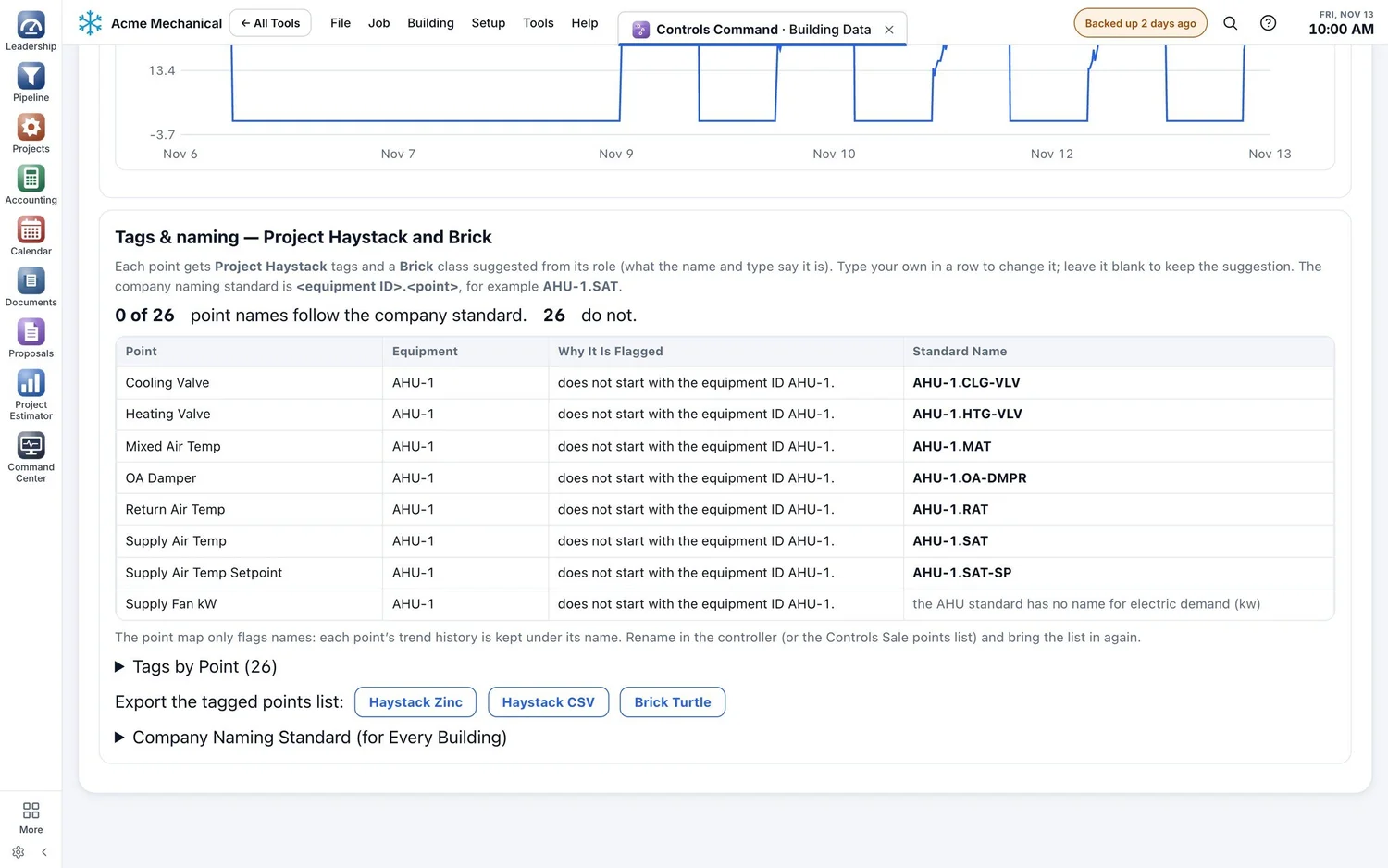
Points named differently on every job are hard to read, so each one is tagged and checked against a standard.
Findings with Their Arithmetic
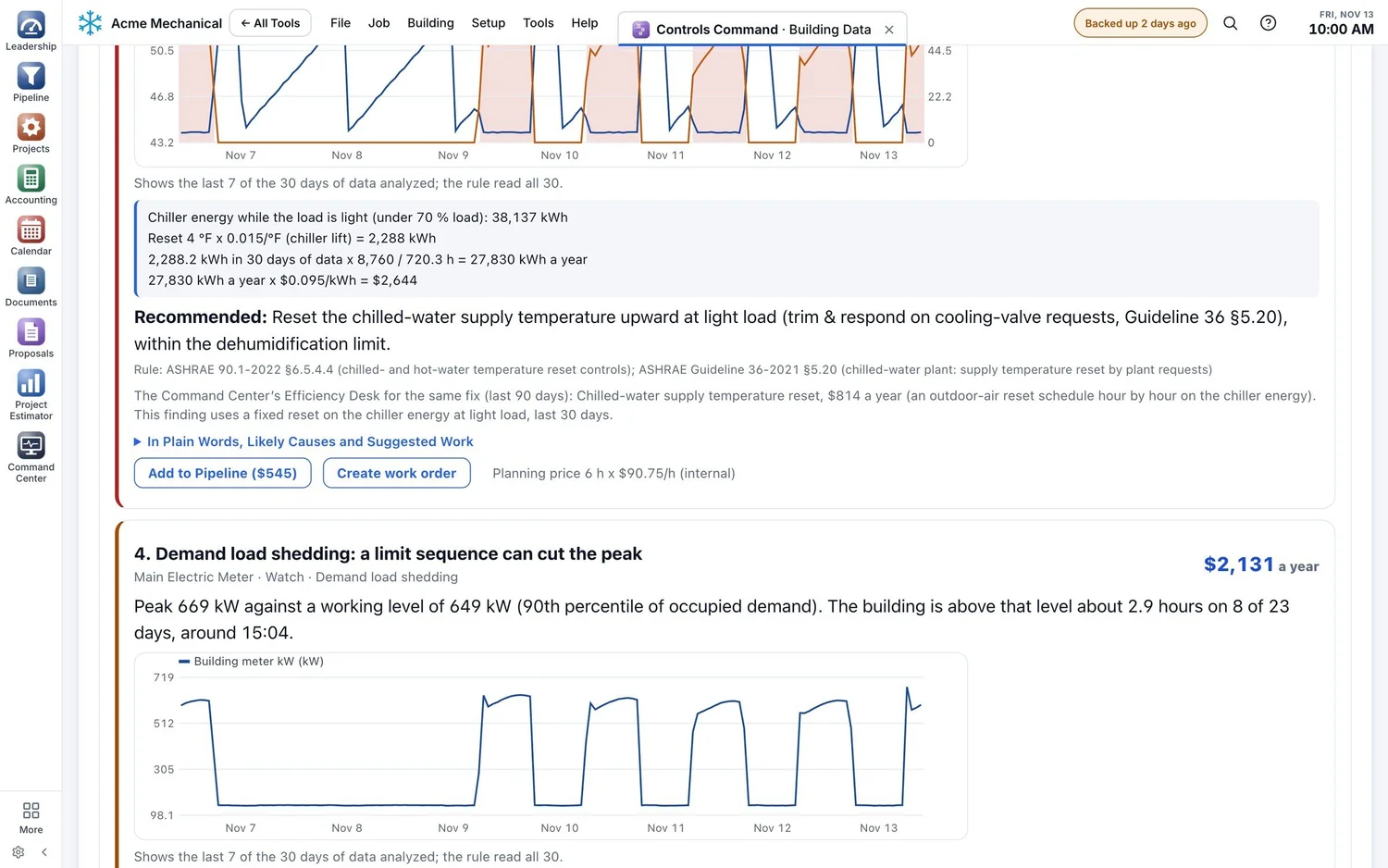
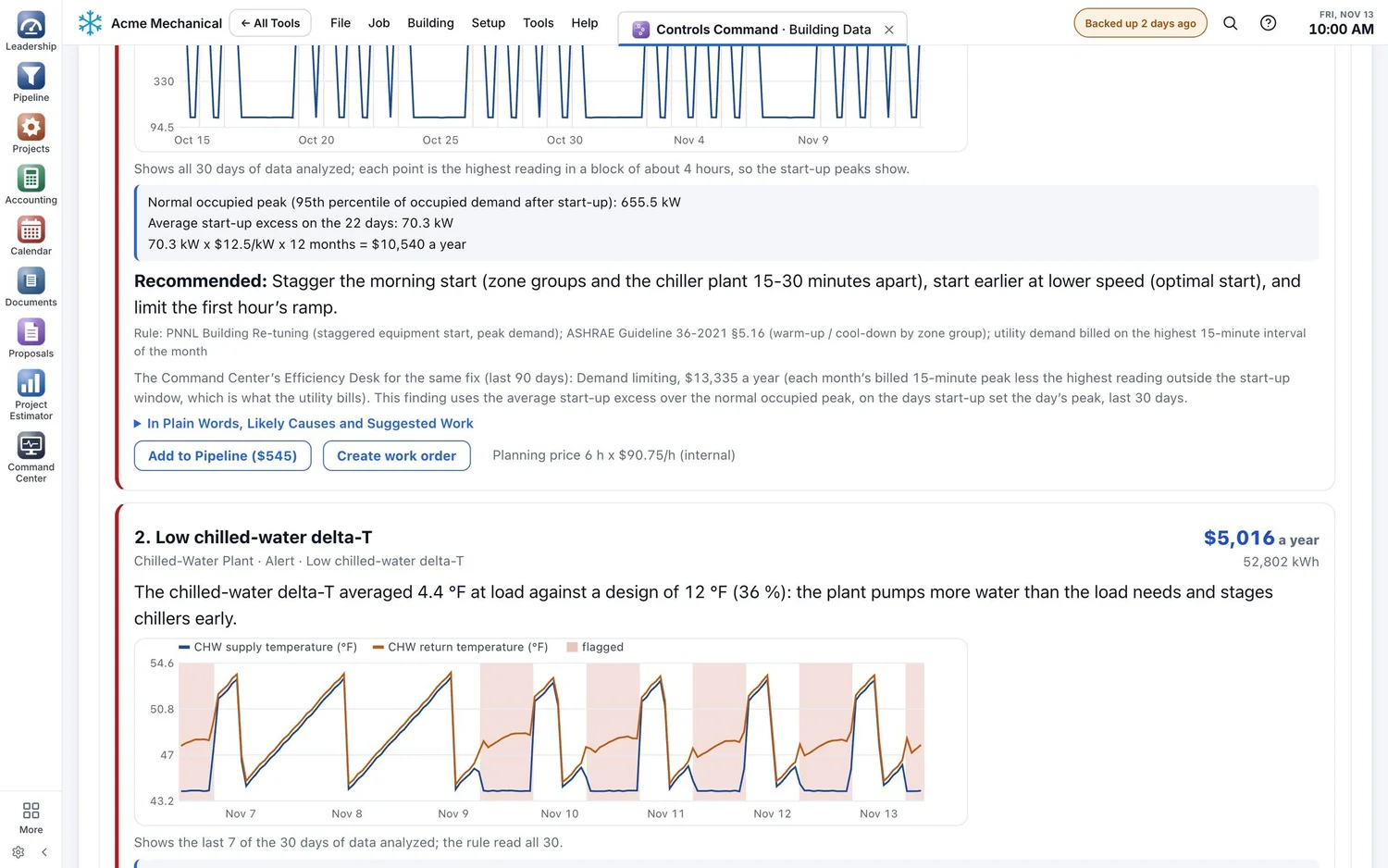
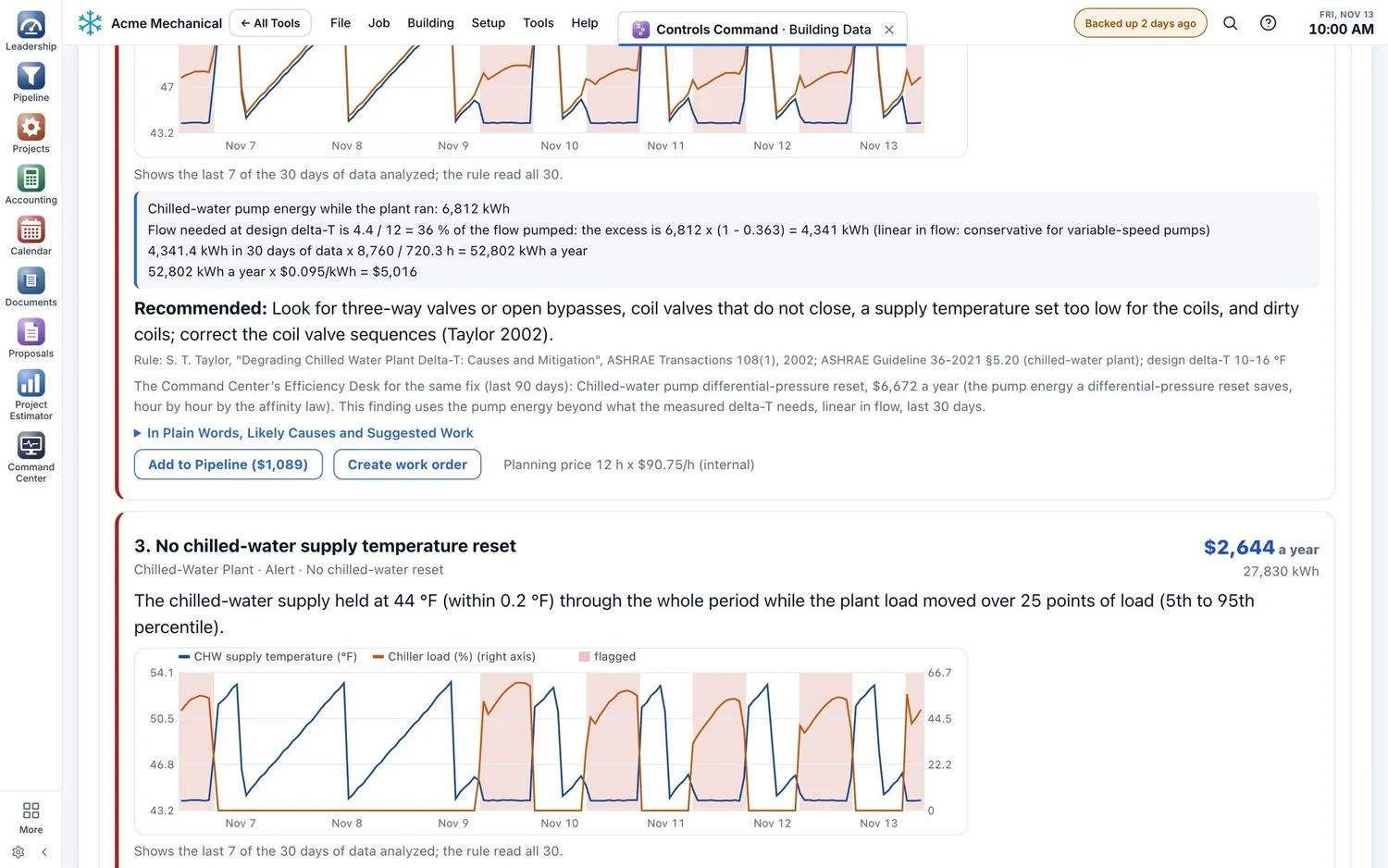
Run the rules for after-hours run time, simultaneous heating and cooling, economizers, resets, low delta-T, chiller kW per ton, stuck sensors and more, plus a fault library by equipment type. Each finding shows its reference, an evidence chart and its dollars line by line at the building's own rates.
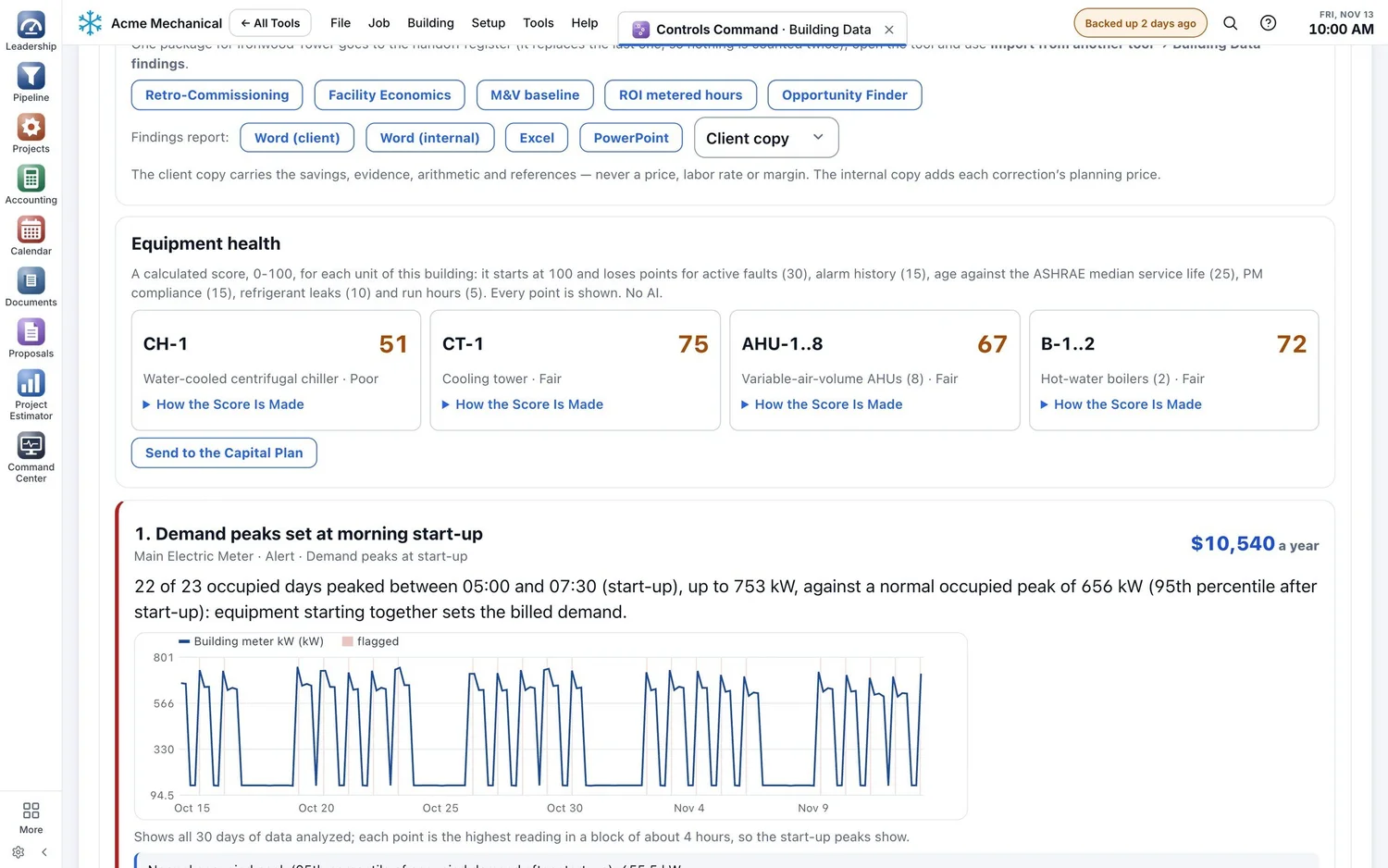
Findings without proof get ignored, so each one shows its evidence chart and dollar value.
Send the Findings On
One click makes a work order on the building and unit, or adds a priced opportunity to Pipeline Command. The same findings feed Retro-Commissioning, Facility Economics, Measurement and Verification, the ROI Analyzer and Opportunity Finder, counted once.
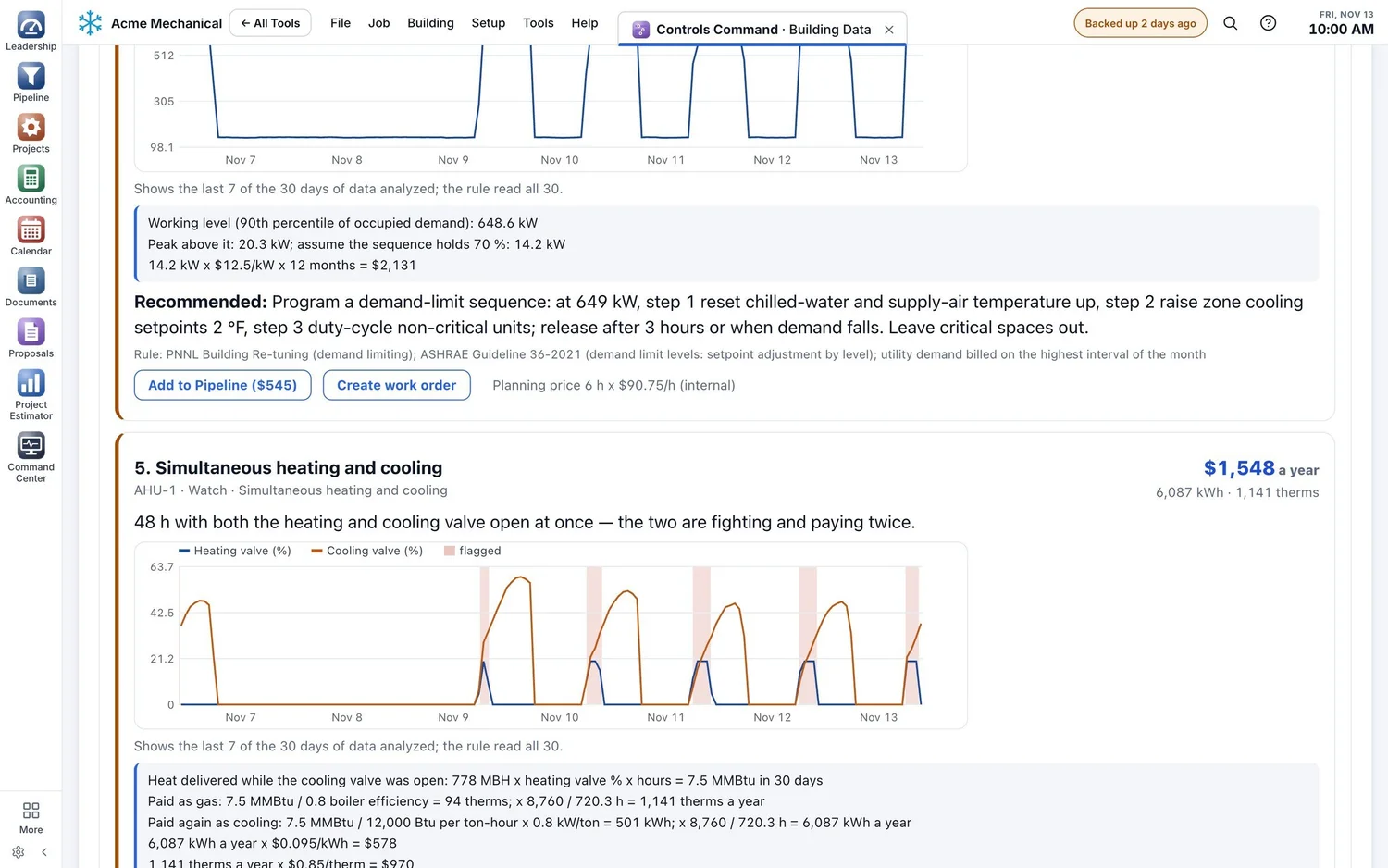
Findings only pay when acted on, so each one becomes a work order or a priced opportunity.
Critical Points Watched, Alarms Answered, Response Measured
Monitoring is sold on a maintenance agreement or stand-alone, in three tiers: alarms only, alarms with a monthly report, and alarms with a monthly report and trend analytics. It is advisory and is not a life-safety system.
From Alarm to Work Order
- Each monitored point has its limits, deadband, delay and priority, with template rules by equipment type.
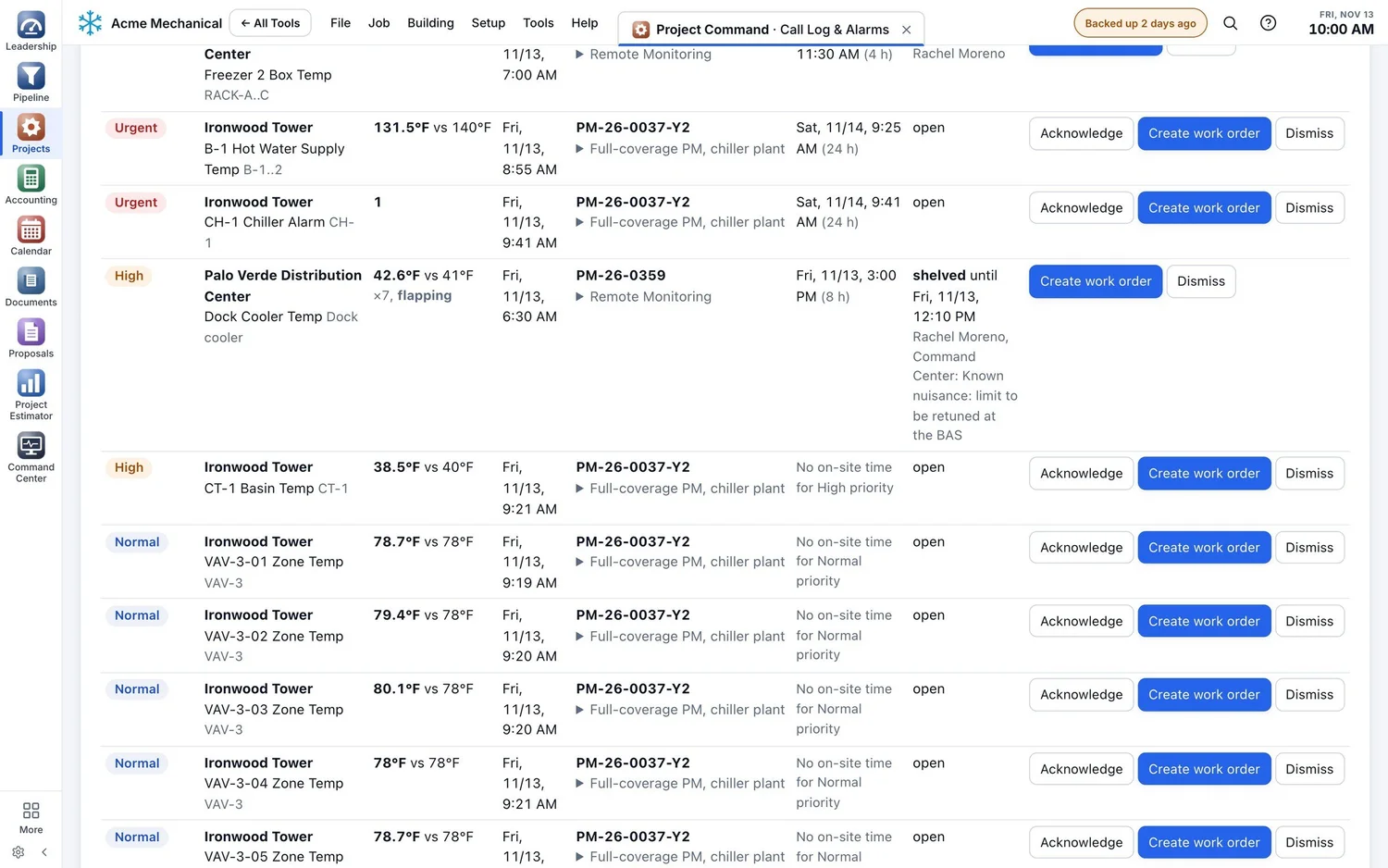
- An alarm lists the reading against its limit, the agreement and the response due.
- Create Work Order links it to the agreement and the unit with a 24-hour trend, and it reaches the technician's phone marked From Monitoring.
- Quiet periods cover planned work, and every dismissal keeps its reason.
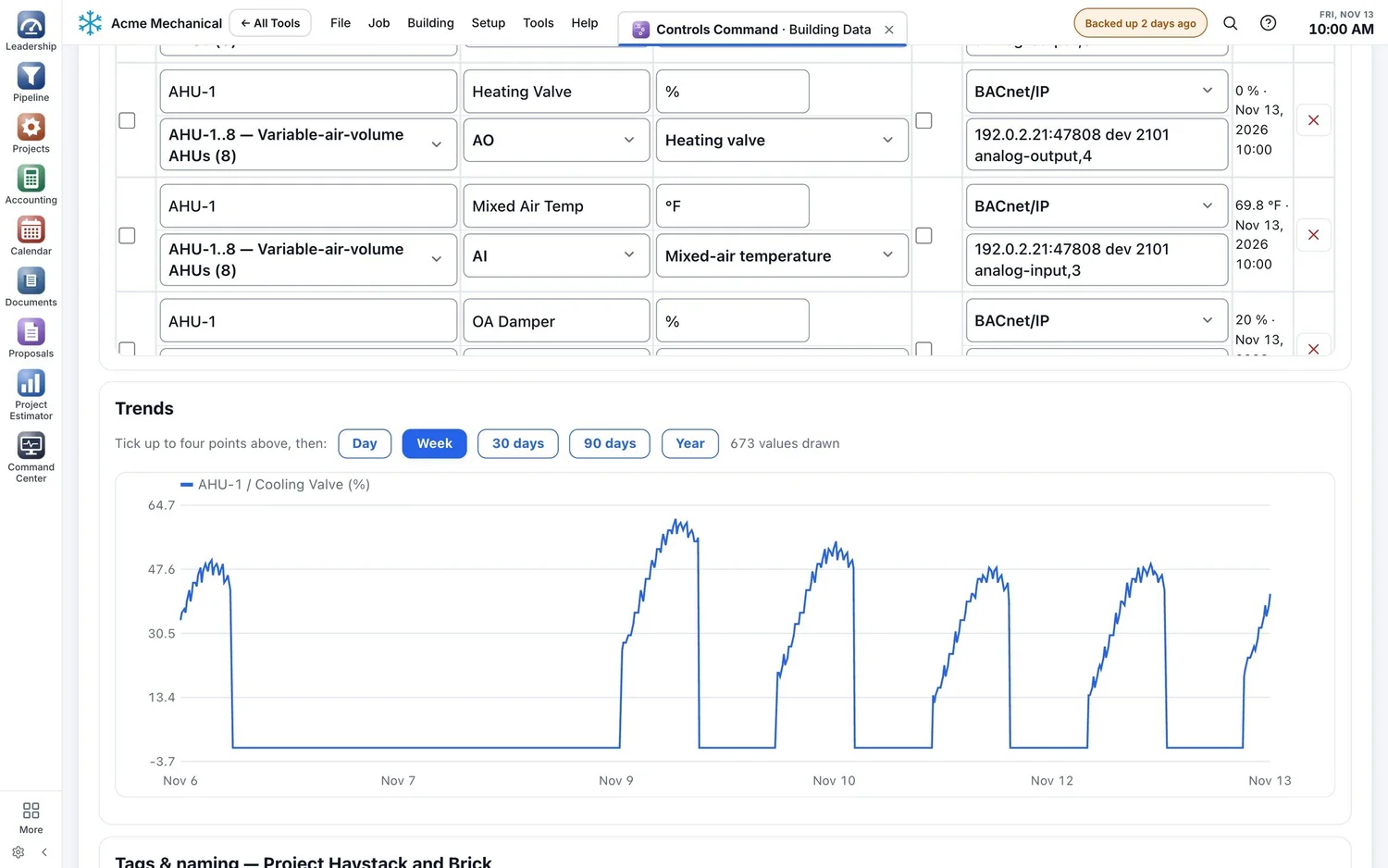
Trends are easier to judge on a chart, so each point's history is drawn by day.
On Call and Escalation
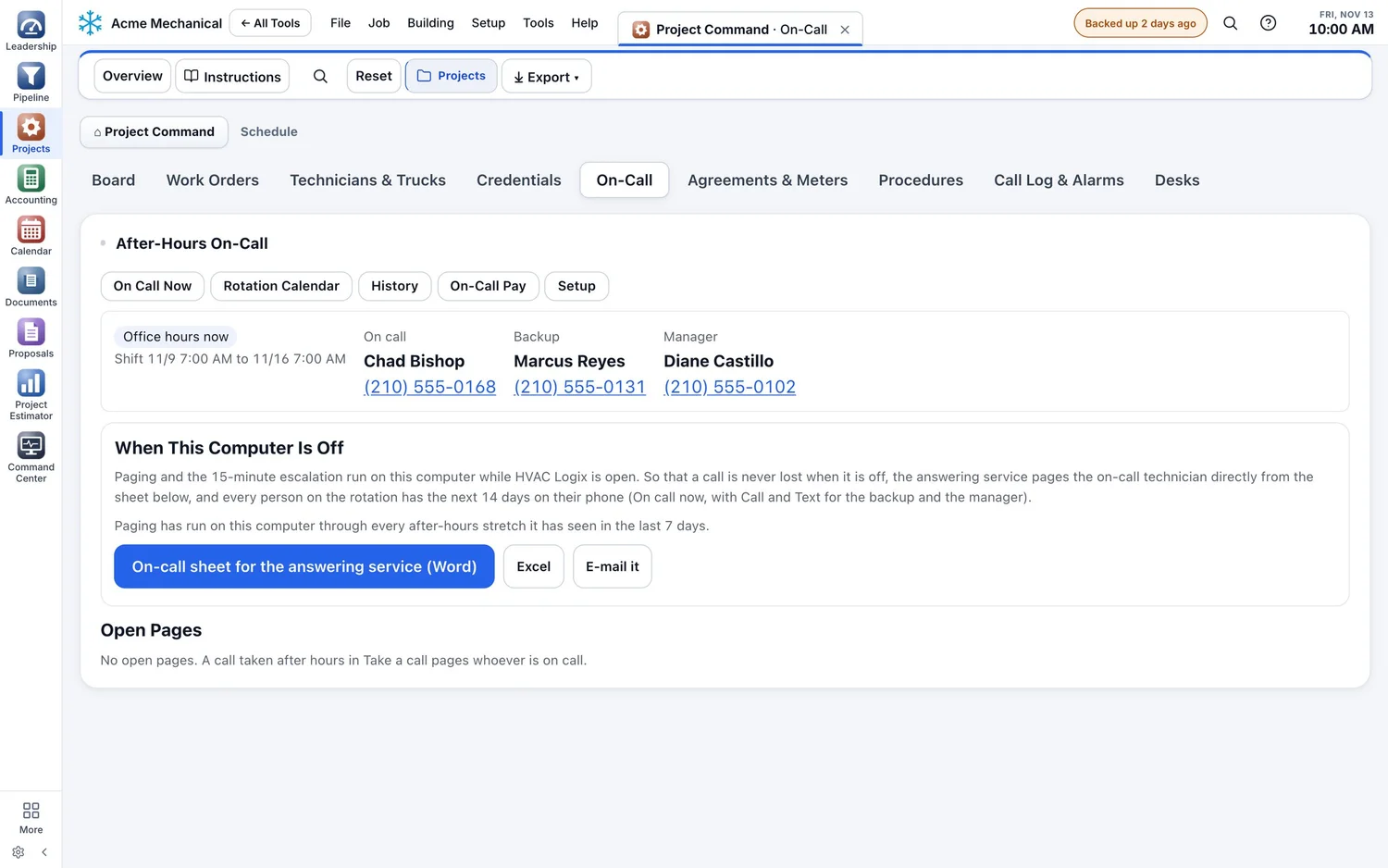
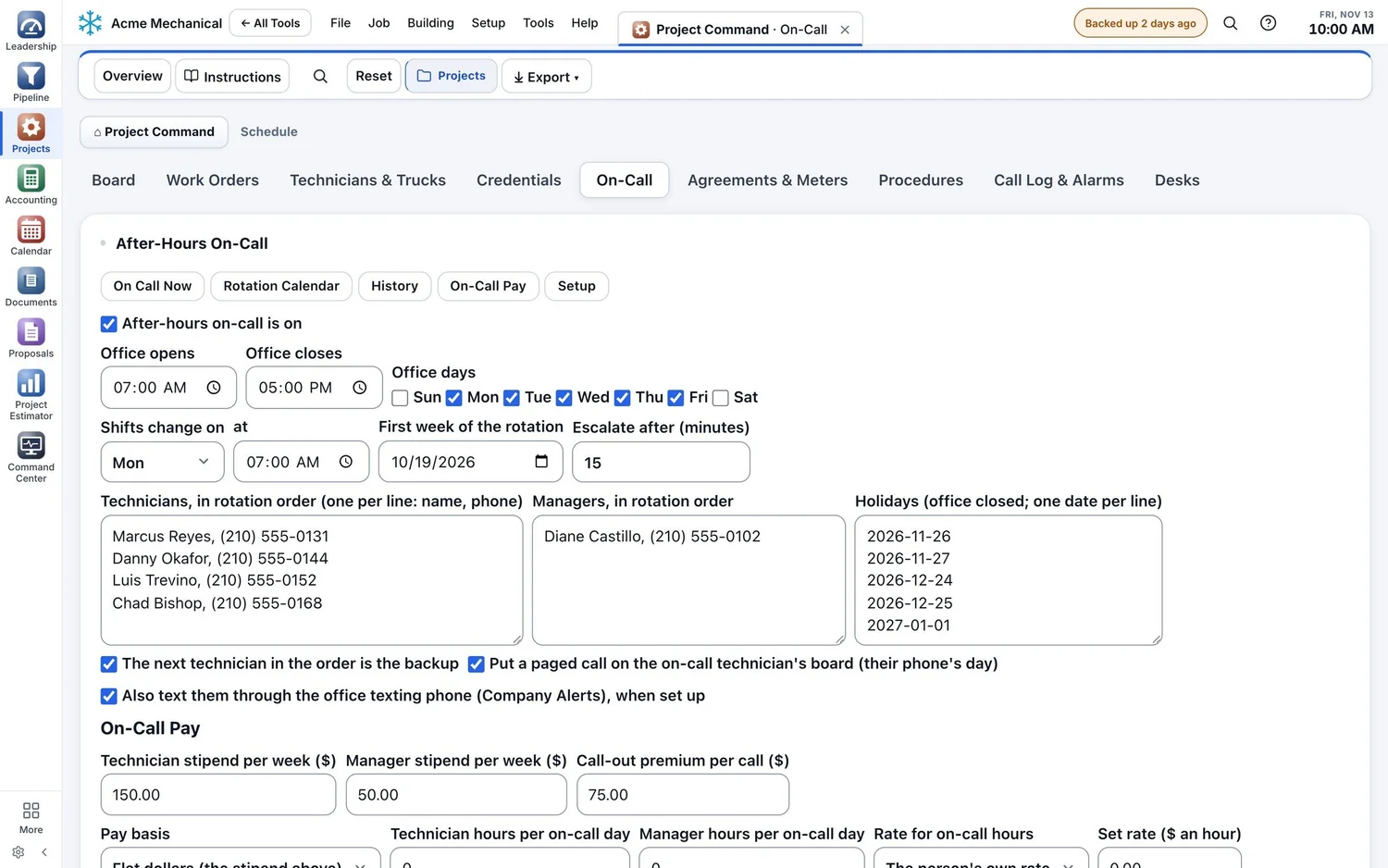
- The on-call roster sets who is called, on which days and hours, in what order.
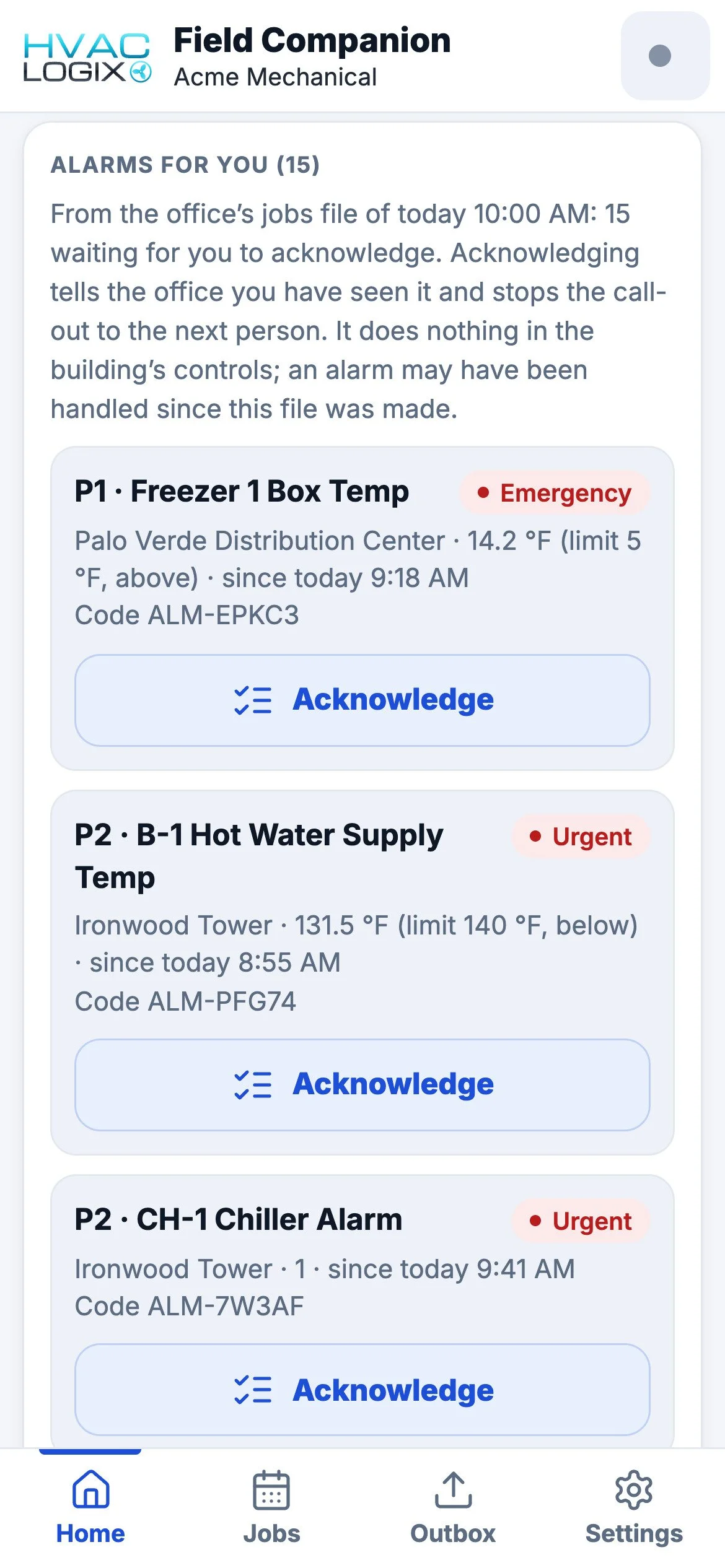
- An alarm nobody acknowledges goes to the next person on call after the set minutes, then to the service manager.
- An optional escalation ladder by priority adds the lead technician and company leadership.
- The on-call technician can acknowledge from Field Companion, and every notice and acknowledgment is in the notification log.
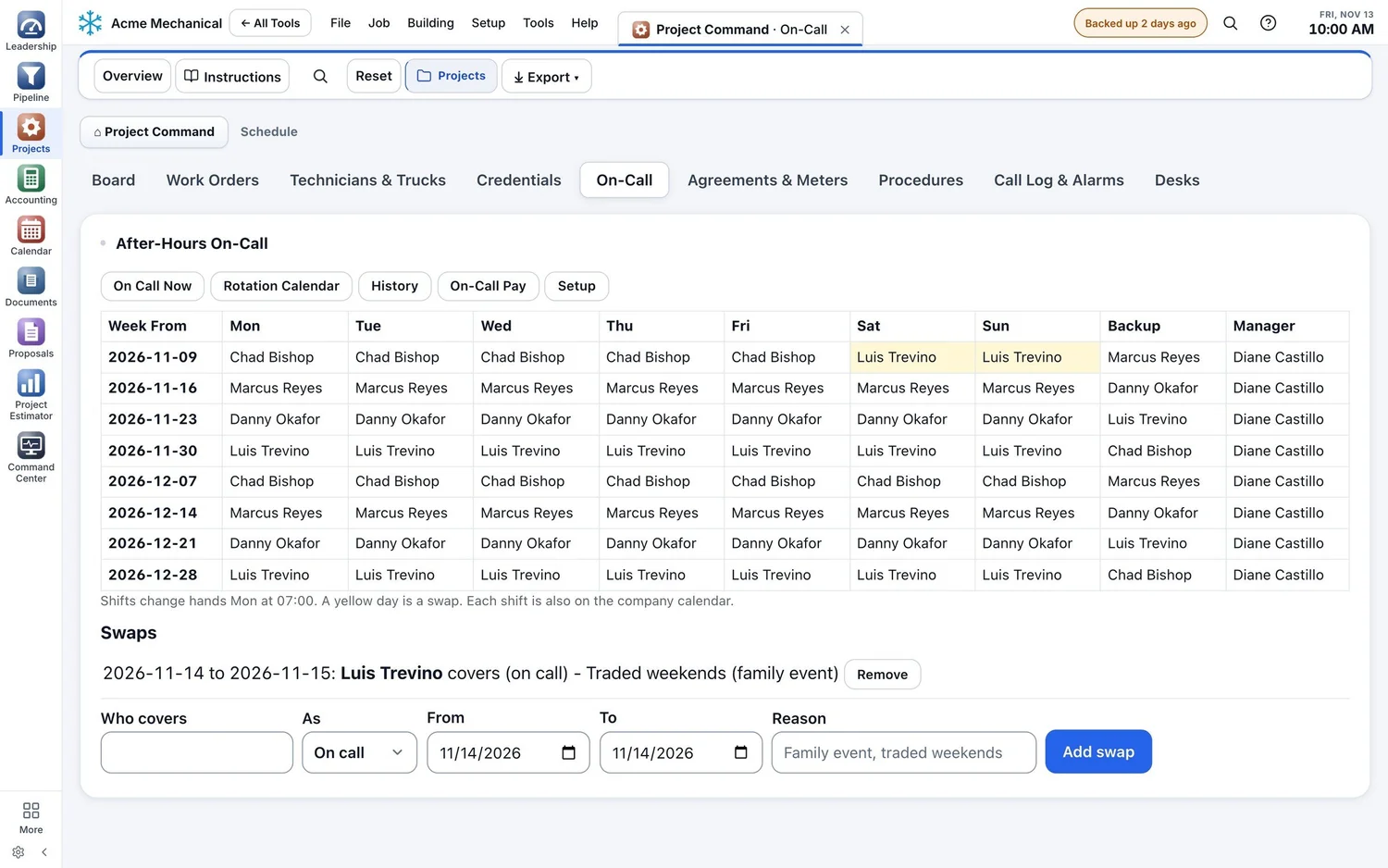
An alarm nobody answers is a failure, so the on-call rotation sets who is called and when.
The Command Center
- Alarm Screen: every open alarm with two clocks from the customer's own agreement, Acknowledge and Response.
- Building Tiles: each building's critical points against their limits with 24-hour trends and data age.
- Alarms into Work Orders: one step opens a work order linked to the agreement.
- Efficiency Desk: the savings each building's trends make eligible, with the method step by step.
- Alarm floods fold into one row, and shelving is always timed.
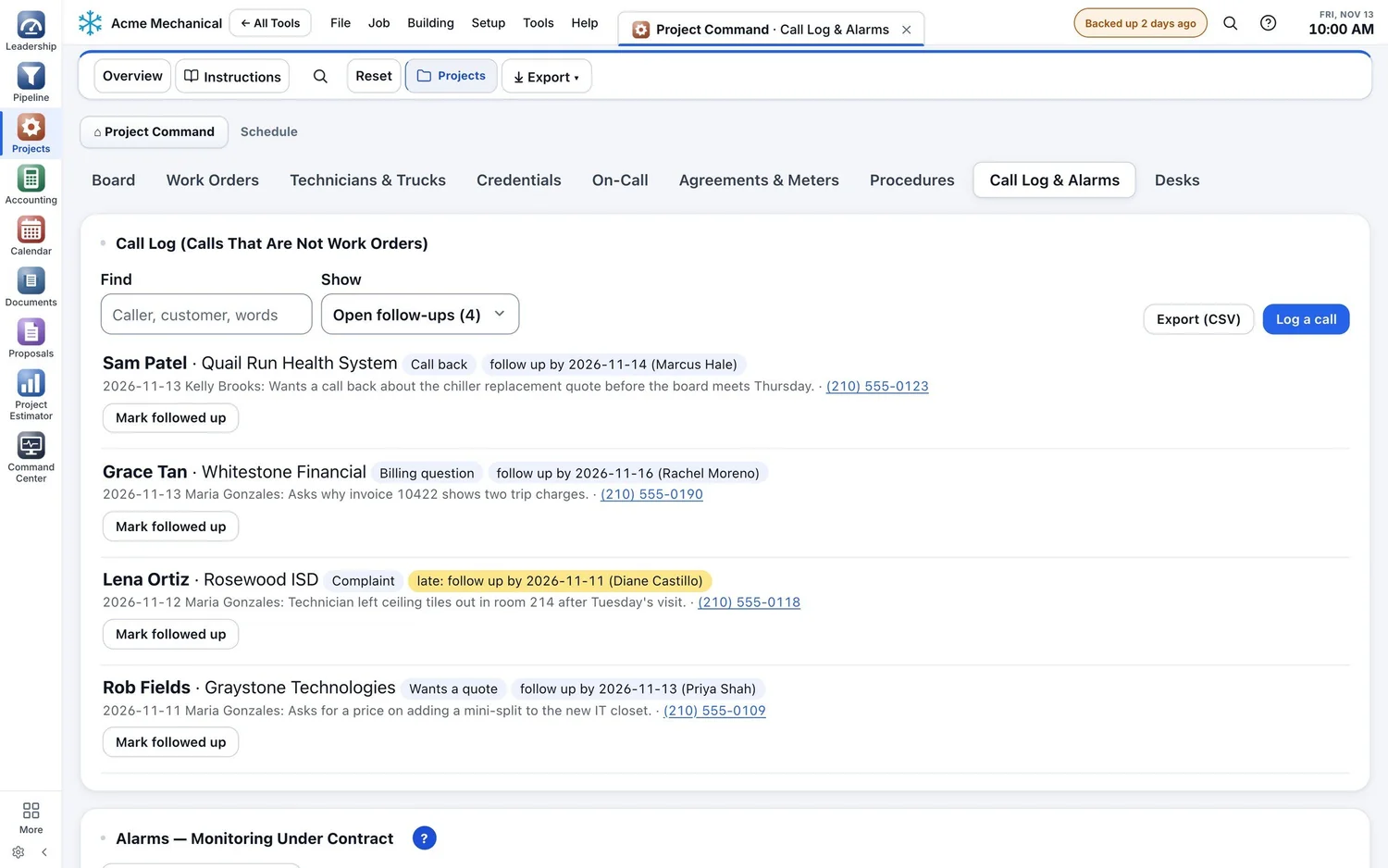
Calls and alarms land on the same screen, so nothing waits unseen.
What the Customer and Leadership See
- The Monitoring Performance Report shows alarms received, how each was answered, response against the commitment and time within limits, in Word, Excel or PDF.
- An add-on prints its own line on each agreement invoice.
- The Leadership Dashboard shows monitoring revenue and alarms answered in time.
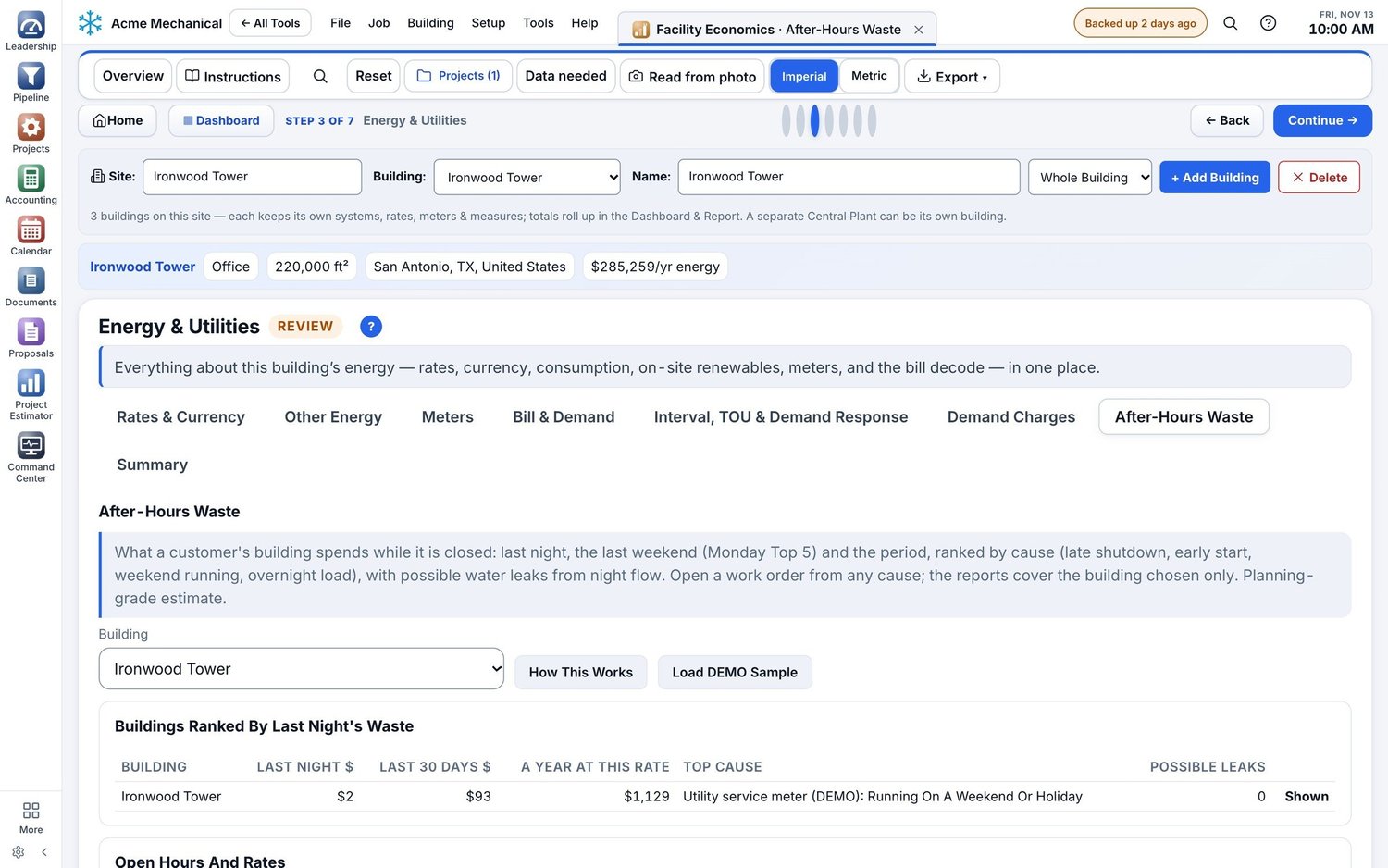
Waste shows up after hours, so each building is ranked by what it spent while closed.
Built for the Customer's Security Review
Read-Only, and Tested That Way
HVAC Logix never writes a setpoint, commands a point, or acknowledges or silences a device alarm. The software refuses those services before anything is sent.
Learn MoreShow Less
Customer IT approves a read-only connection far faster than one that can change their system, so monitoring contracts close sooner. The software proves it on every connection.
- Test Connection sends only read requests and shows exactly which services were sent.
- SNMP sends only Get requests; MQTT only subscribes and never publishes.
- Alarm mailboxes open read-only by default: nothing is moved, flagged or marked read.
- An acknowledgment in HVAC Logix is your company's record only, never an acknowledgment in the customer's system.
Permission First
Collection needs a complete record of who at the customer approved it, which protocols and address ranges they allow, and their IT contact. A permission with an end date stops collection after that date.
Learn MoreShow Less
A connection the customer never approved can cost you the account and invite a dispute. Permission First makes the approval part of the setup, so collection cannot start without it.
- Every address is checked against the approved ranges before a single packet is sent.
- A protocol the customer did not allow is refused.
- The record notes where the signed approval is filed.
- Exactly one computer collects a building; any other is refused and told which one collects.
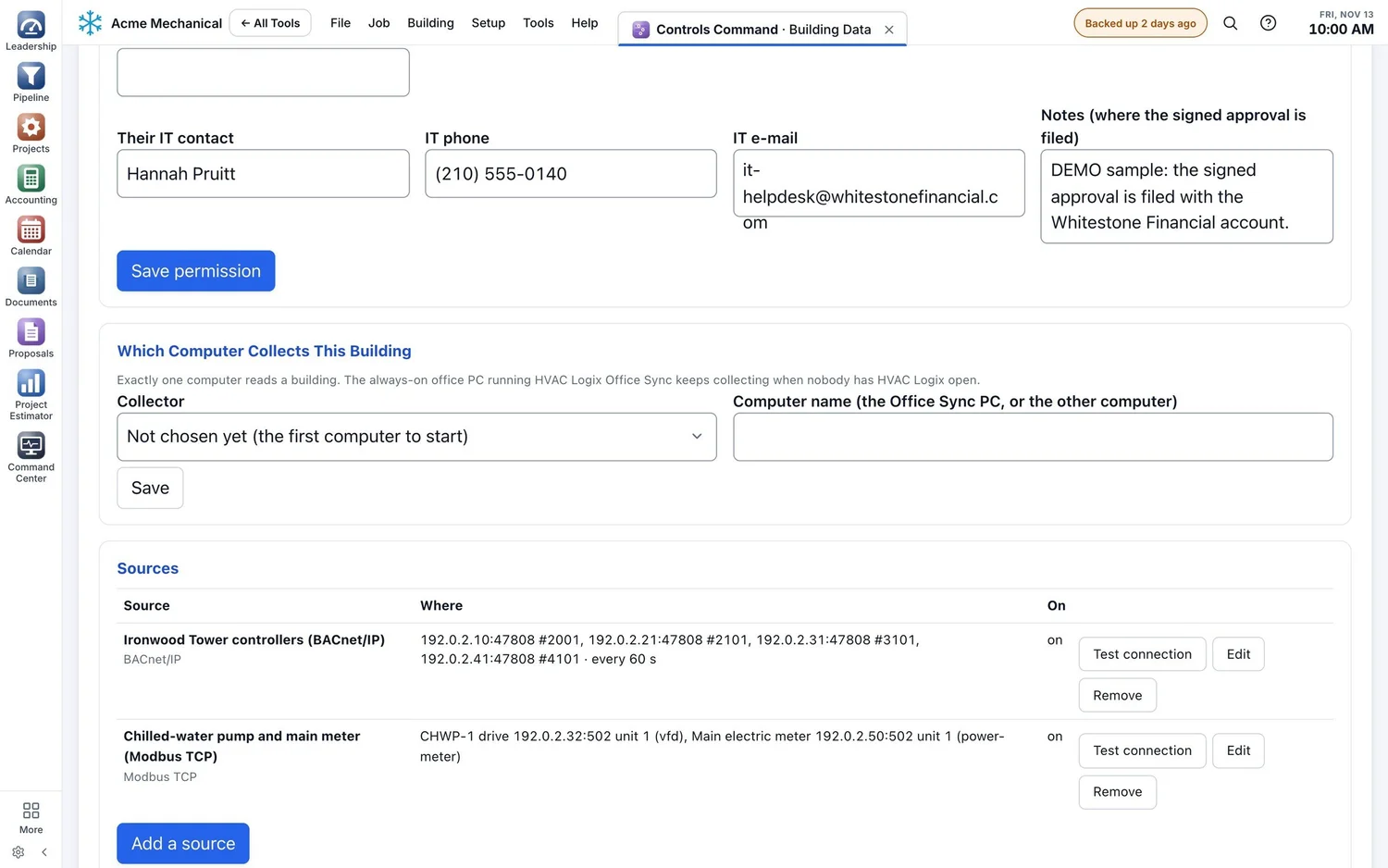
Customer IT wants to know what touches their network, so the screen names the one computer that collects and its sources.
A Register of Every Connection
Each start, stop, refusal and test connection is logged with who, which computer, when and which addresses. Export the register for the customer's IT, along with a one-page handout of ports, services and where the data lives.
Learn MoreShow Less
Hospitals, universities, school districts and federal customers send a security questionnaire before work starts. Answering it from the program saves days and keeps you on their bid list.
- Sessions people make by hand, such as a VPN into the BAS workstation, can be logged too.
- Any address outside the approved range is marked NO in red.
- The log is added to and never changed, and holds no password, token or reading.
- The Security Answer Pack adds questionnaire answers, a software bill of materials and a NIST controls map.
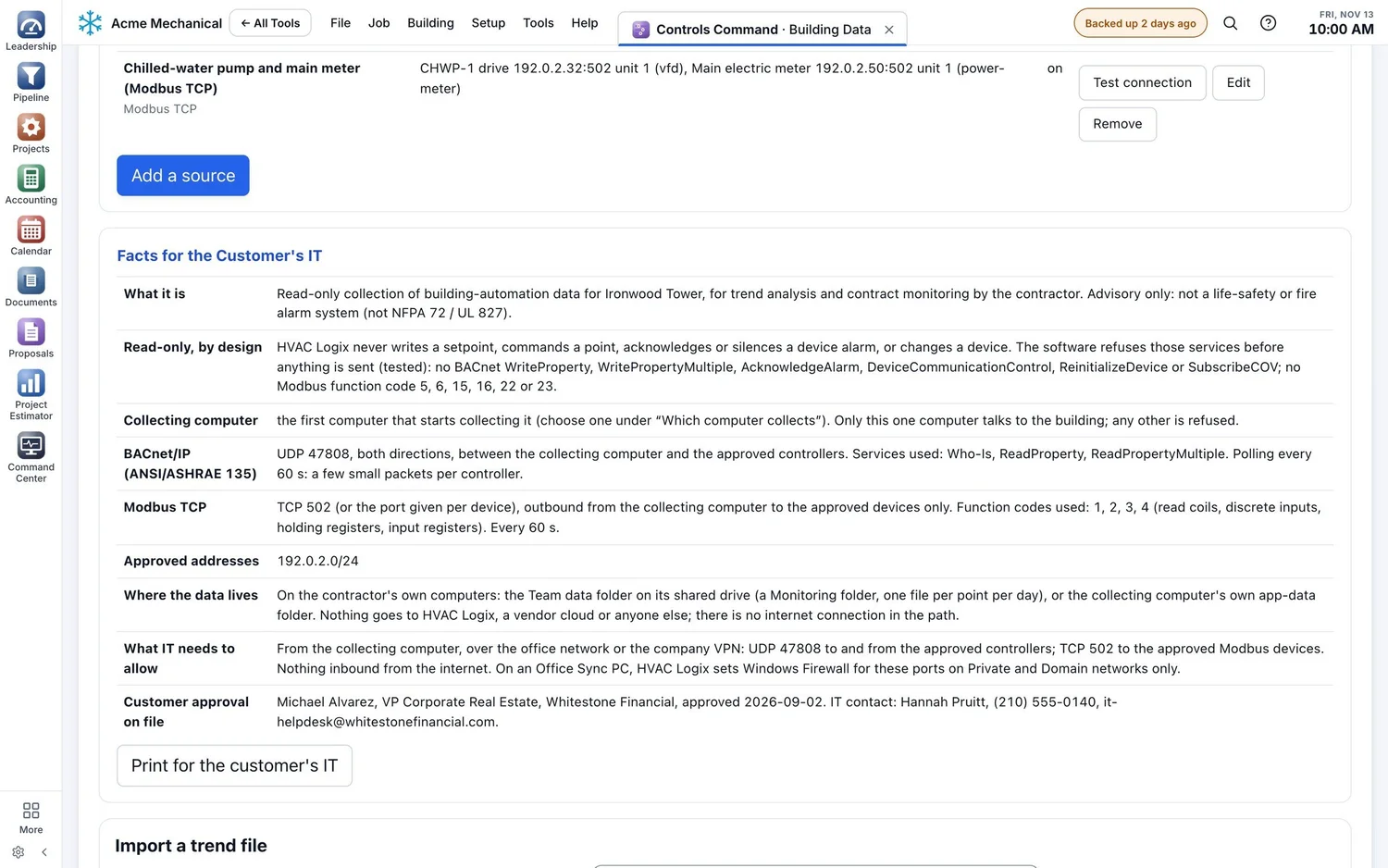
Customer IT wants the facts in one place, so a handout lists ports, services and where data lives.
The Data Stays with You
Readings are kept as files per building, point and day on your company's own computers or team folder. Nothing is sent to HVAC Logix or anyone else.
Learn MoreShow Less
Gaps in the data weaken every report and savings claim you sell. Collection keeps readings safe through outages, on storage your company already owns.
- With the VPN down, readings wait on the collecting computer and are filed later, never twice.
- A device that stops answering is retried with a growing pause, up to 15 minutes.
- A disk-space warning shows under 2 GB free; under 200 MB, readings hold until space is freed.
- Status and Health shows the last sample, each source's errors and its next try.
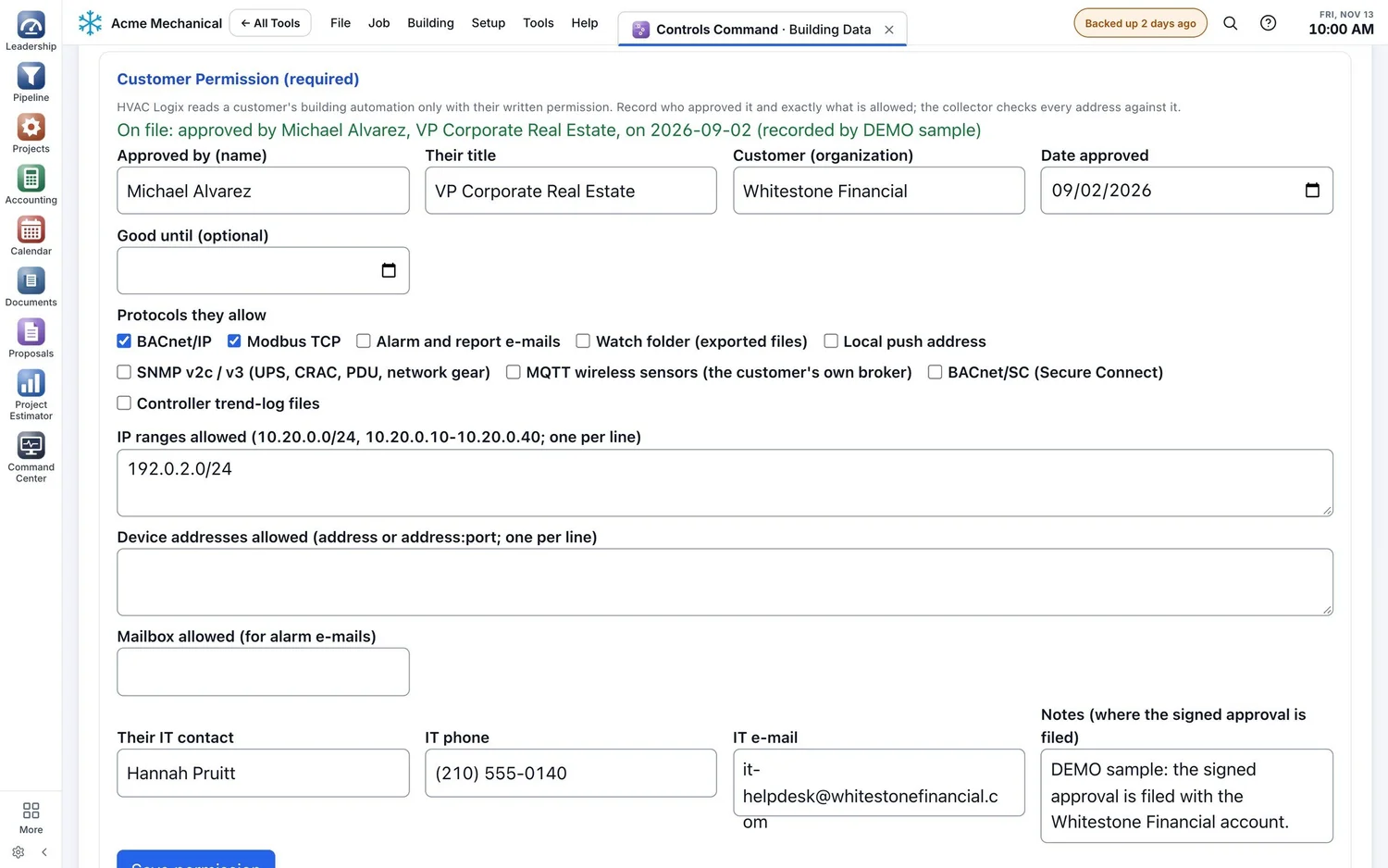
Customer IT wants written approval on file, so the record names who approved it and which protocols are allowed.
Frequently Asked Questions
Can HVAC Logix change anything in a customer's building automation system?
Is monitoring a substitute for a fire alarm or life-safety system?
What can the collector read from?
What has to be running for alarms to escalate at night?
Do we need a live connection to use Building Data?
Be First When HVAC Logix Opens
Stop paying people to copy numbers between programs. Join the list and we will tell you the day downloads open, with setup guides ready.
Launching early 2027 for HVAC Logix. Nothing to buy today, and no sales calls.
