
One Place for the Conversation, the Calendar and the Paperwork
Most companies run the business in one program and talk about it in three others. HVAC Logix keeps the message on the job, the deadline on the calendar and the document in the customer's folder, so the next person finds the whole story where the record lives.
Launching Early 2027 · Join the Early-Access List
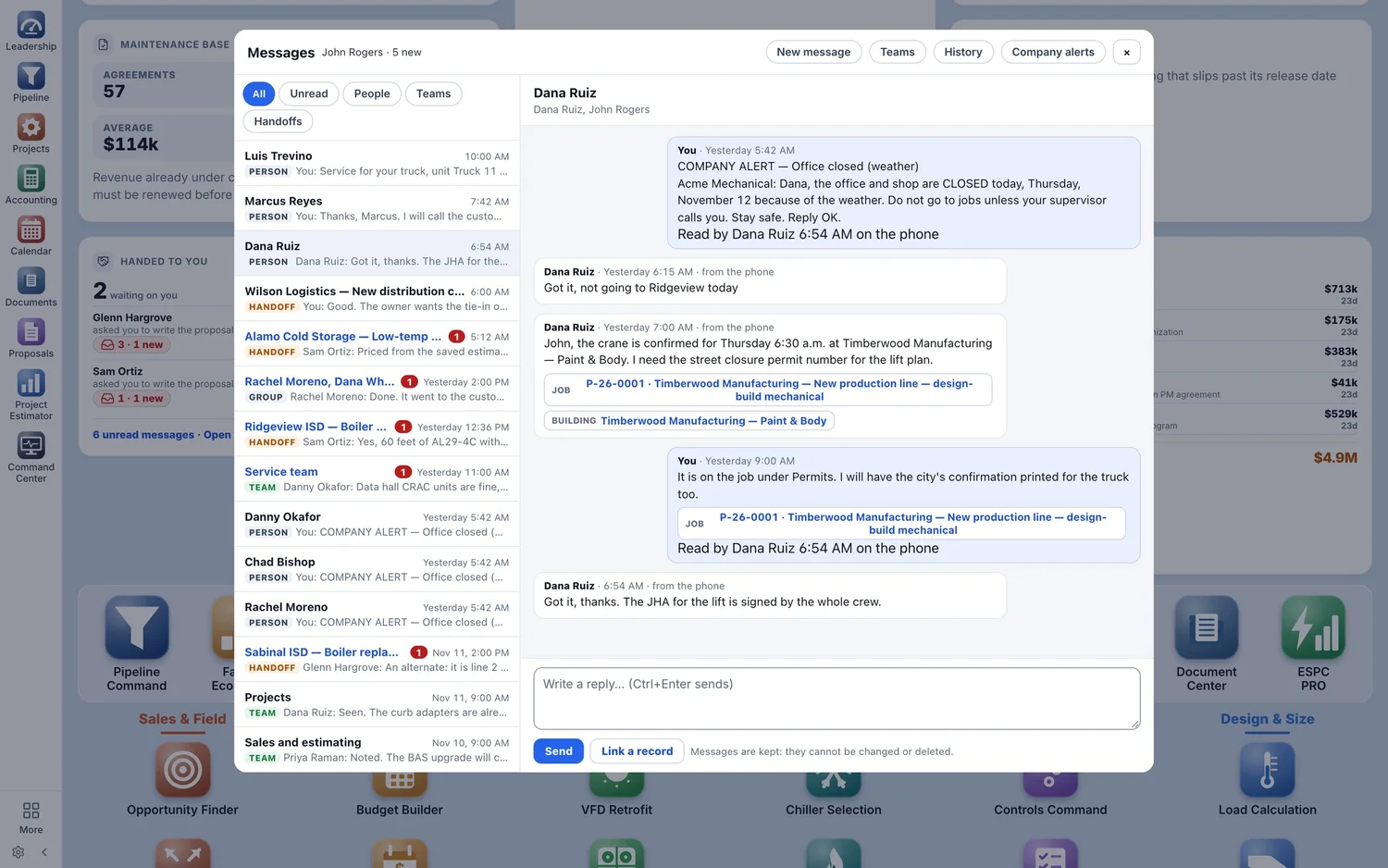
Messages Between the Office, the Field and Your Teams
Messages travel only on your company's own paths: the team folder, your own cloud drive, Office Sync and the phones' pairing. There is no account to make and nothing to turn on.
Person, Group or Team
Write to one person, several people or a whole team. Conversations are sorted into All, Unread, People, Teams and Handoffs, with the unread count on each.
Learn MoreShow Less
Instructions lost in personal texts lead to wrong parts, wasted trips and disputes. Company messages keep the conversation with the company, on its own paths and off any outside server.
- Messages travel only by the team folder, your own cloud drive, Office Sync or the phone pairing.
- No account to make and nothing to turn on.
- Leadership, a sales manager or the VP of Operations makes the teams.
- Remove someone from a team and its conversation leaves their screens.
- A person recorded as having left cannot send or read messages.
Linked to the Record
Link a job, work order, building, estimate, invoice or deal to a message. The link opens the record where it lives, and only for a person allowed to open it. Each job, work order, building and invoice also shows the messages about it.
Learn MoreShow Less
Every "which job do you mean?" costs time on both ends. Linking the record answers it in one tap, without exposing records someone should not see.
- A work order link opens in Operations, a deal in Pipeline, an invoice in Accounting.
- The link list offers only records you may open.
- Anyone else sees "a linked record you do not have access to."
- On the phone, link one of the phone's own jobs, work orders or buildings.
- Ctrl+Enter sends.
Read Receipts
Under your own messages the window says who has read them, when, and whether it was on the phone. You know the technician saw the change before the truck rolled.
Learn MoreShow Less
A truck that rolls on old information is a wasted trip. Read receipts tell the office whether the change landed, so it can call before the technician leaves.
- Also shows who has not read it yet.
- Shows when a phone will get it: with its next jobs file.
- Reading on the phone counts as a read receipt for the office.
- Opening a conversation marks it read.
A Message on Every Handoff
Handing a deal to an estimator, back to sales or on to a project manager opens a conversation. The handoff note is its first message, and a decline, a review comment or an approval is written on the same thread.
Learn MoreShow Less
A deal handed over with half the story gets estimated wrong or stalls. Keeping every handoff in one thread keeps the job moving and the reasons on record.
- A hand-back puts its note on the same conversation.
- An estimate sent for review adds the reviewer to the thread.
- Handed to You shows each handoff's message count and how many are new.
- The job form shows the job's handoff messages above its timeline.
On the Phone
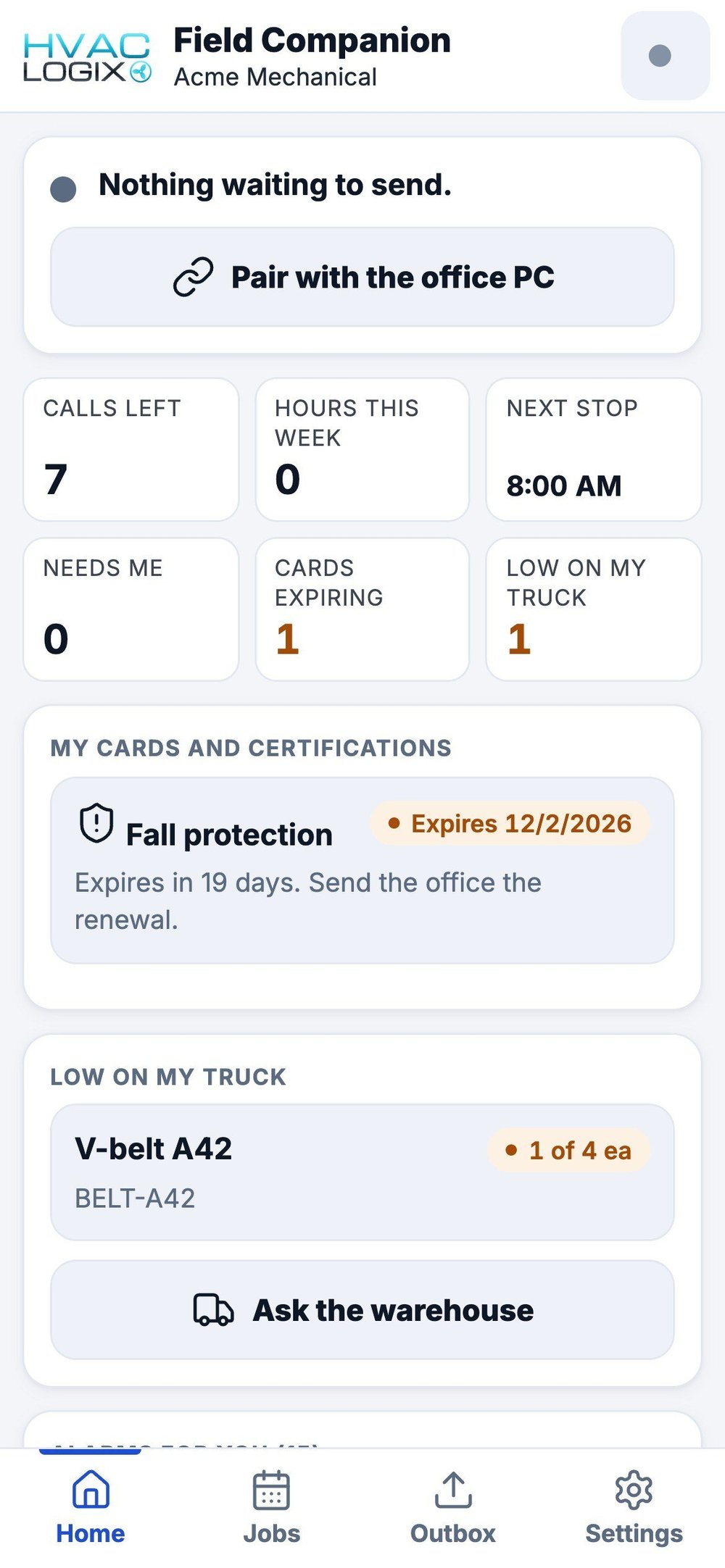
Field Companion's Home has a Messages card with the person's own conversations. A reply written with no signal says Waiting to send and goes when the phone can reach the office.
Learn MoreShow Less
A technician who has to call the office for every question loses billable time. Messages on the phone keep questions moving, even from a basement with no signal.
- A phone writes only as the person it is paired for, into that person's conversations.
- New Message writes to a person or a team from the phone.
- Office answers arrive seconds after sending when the phone is in touch.
- Phone screens can be in Spanish; what people type is never translated.
Kept as Part of the Record
A message cannot be changed or deleted. The conversation about a job is part of that job's history, and administrators can see who wrote to whom and when without seeing the words.
Learn MoreShow Less
When a job is disputed, the conversation about it is evidence. Messages that cannot be edited or deleted protect the company in that argument.
- People see only their own conversations and their teams', leadership included.
- A team can be archived; its messages are kept.
- Removing someone from a team keeps the messages they wrote.
- View-only people can still send messages, since a message changes no records.
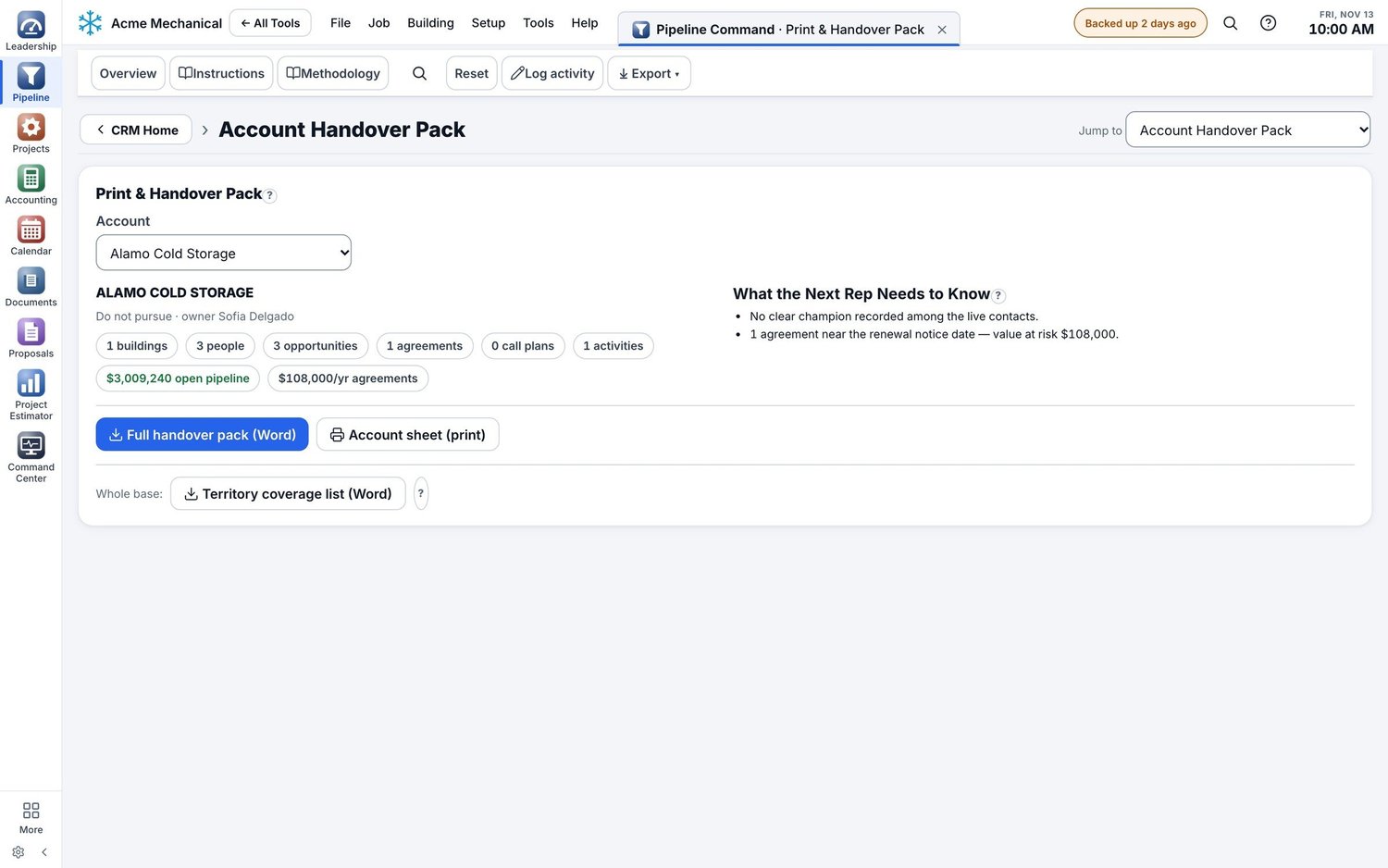
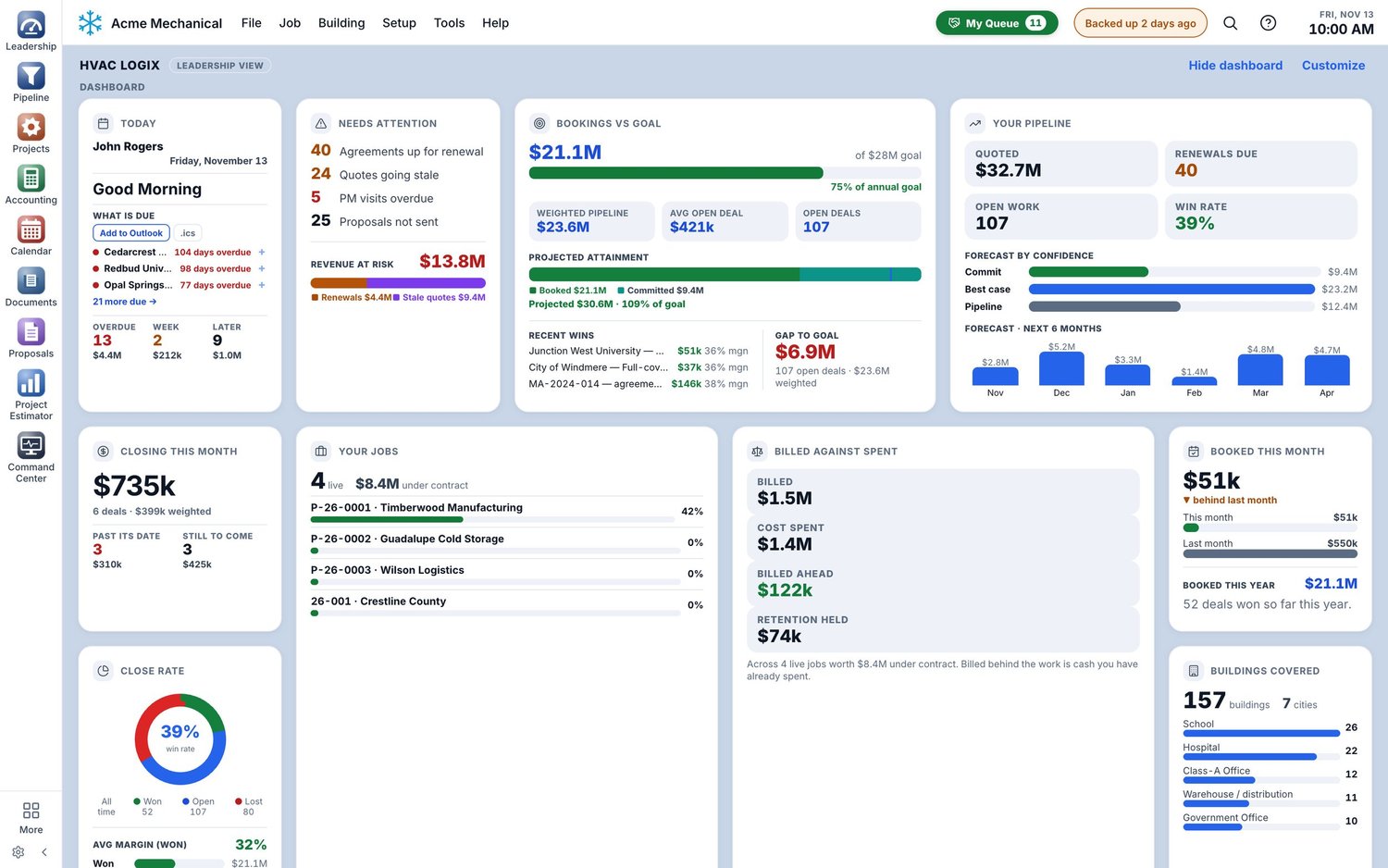
When an account changes hands, the handover pack tells the next rep what they need to know.
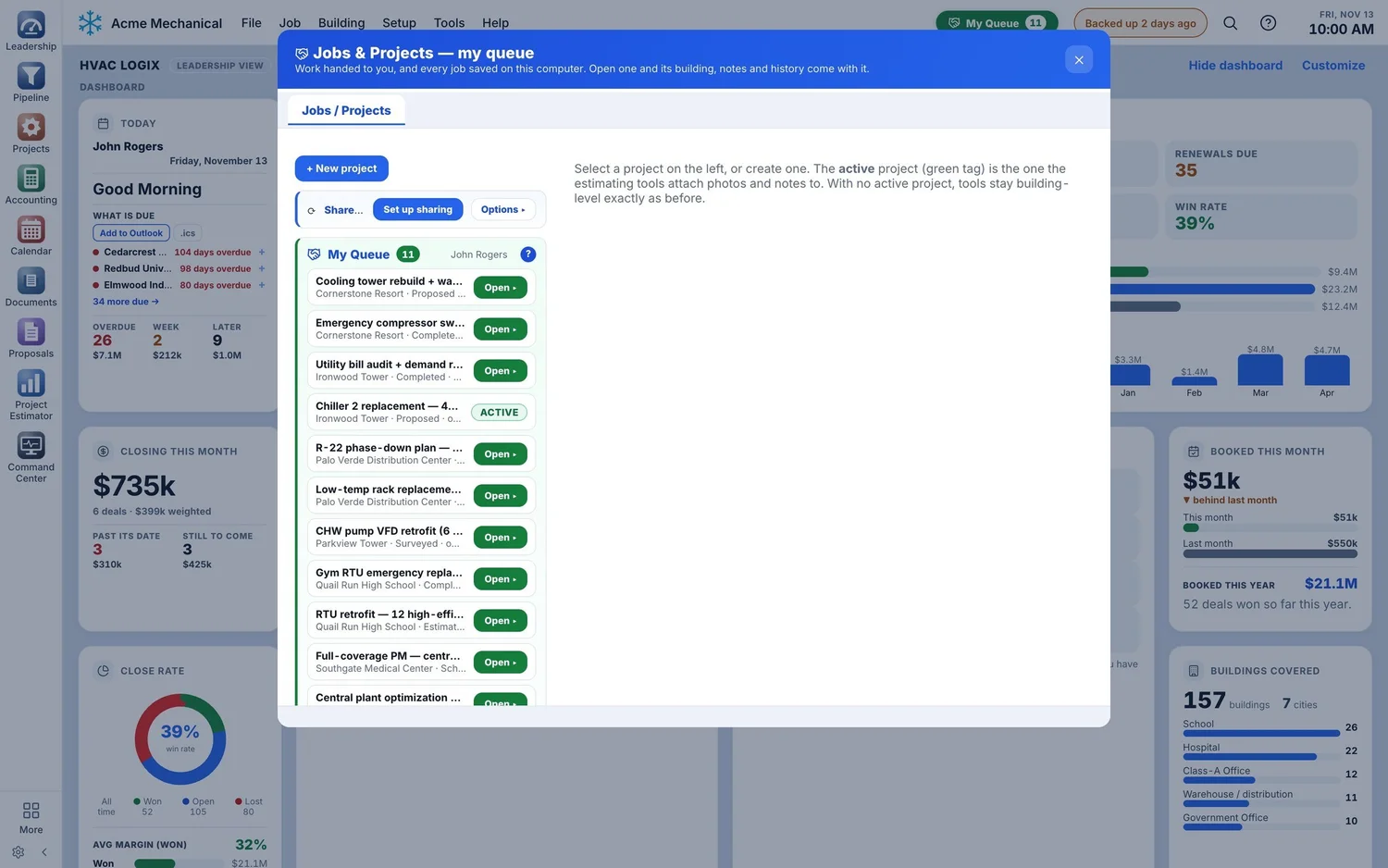
A handoff nobody sees stalls the deal, so work handed to a person waits in their queue.
One Alert to Every Employee, with a List of Who Has Not Answered
When to Use One
The office is closed for weather, a delayed start, an emergency, or a safety check-in after a storm. Alerts go only to your own employees and can never go to a customer.
Choose Who, Read the List, Send
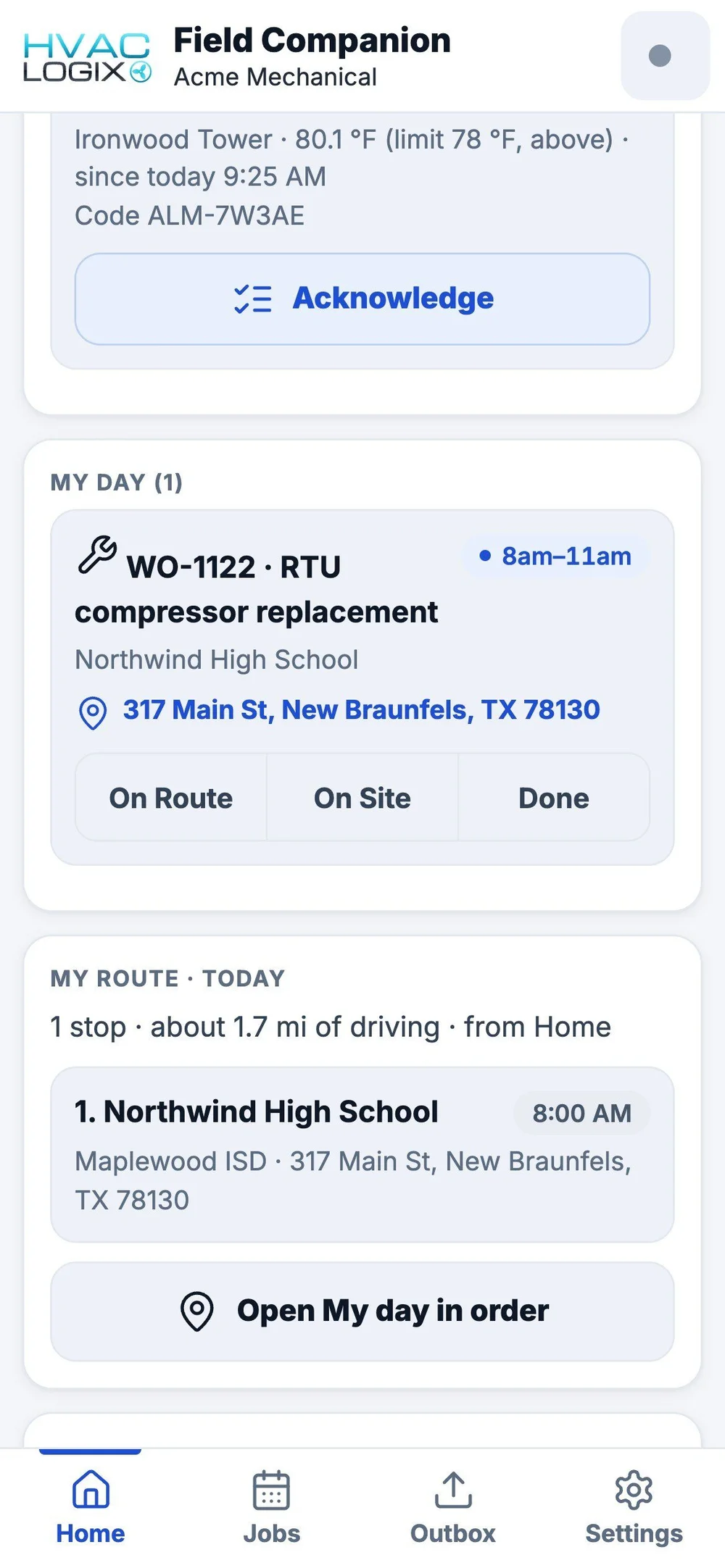
Send to everyone, the field, the office, a crew, a branch or picked people. Technicians see the alert in the phone app with one-tap OK and SAFE answers. Office people see it in Messages.
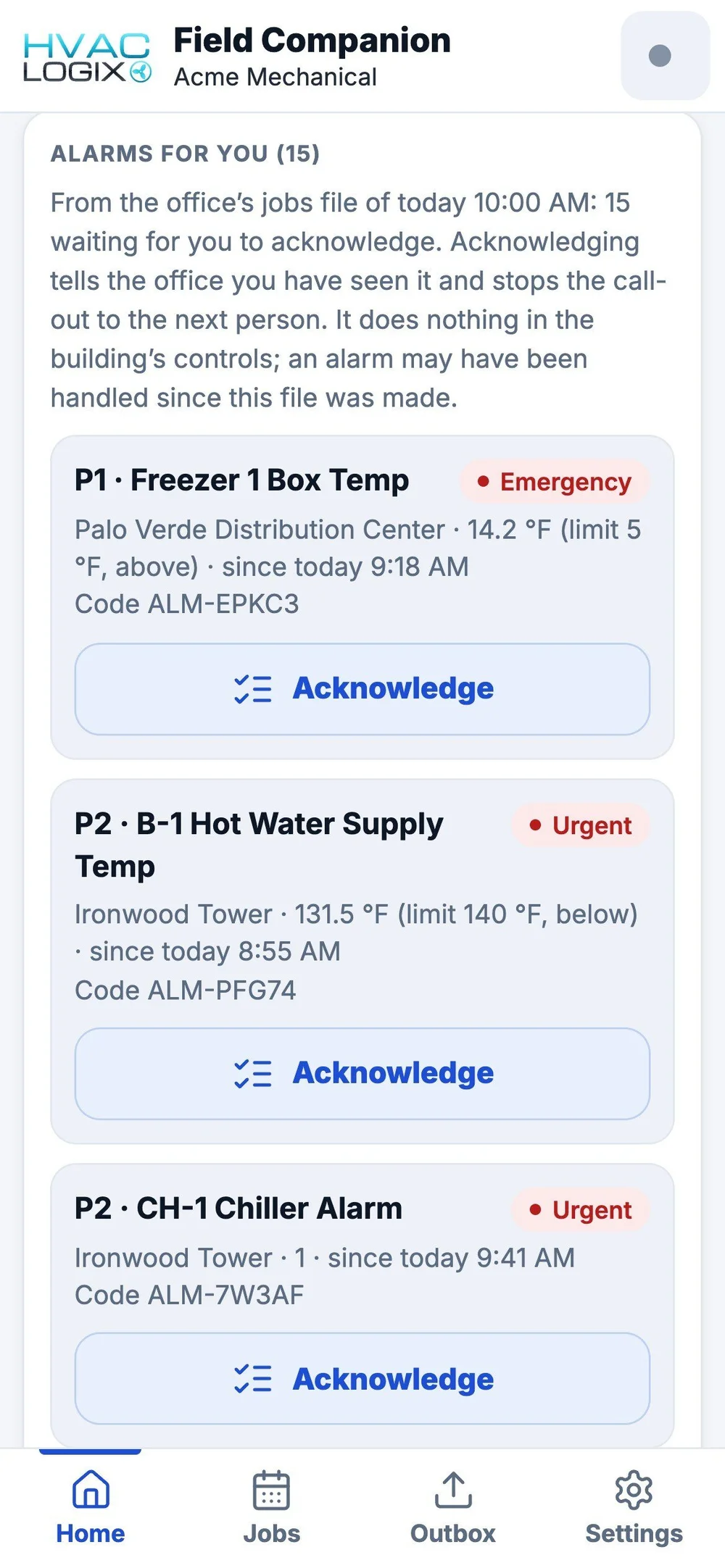
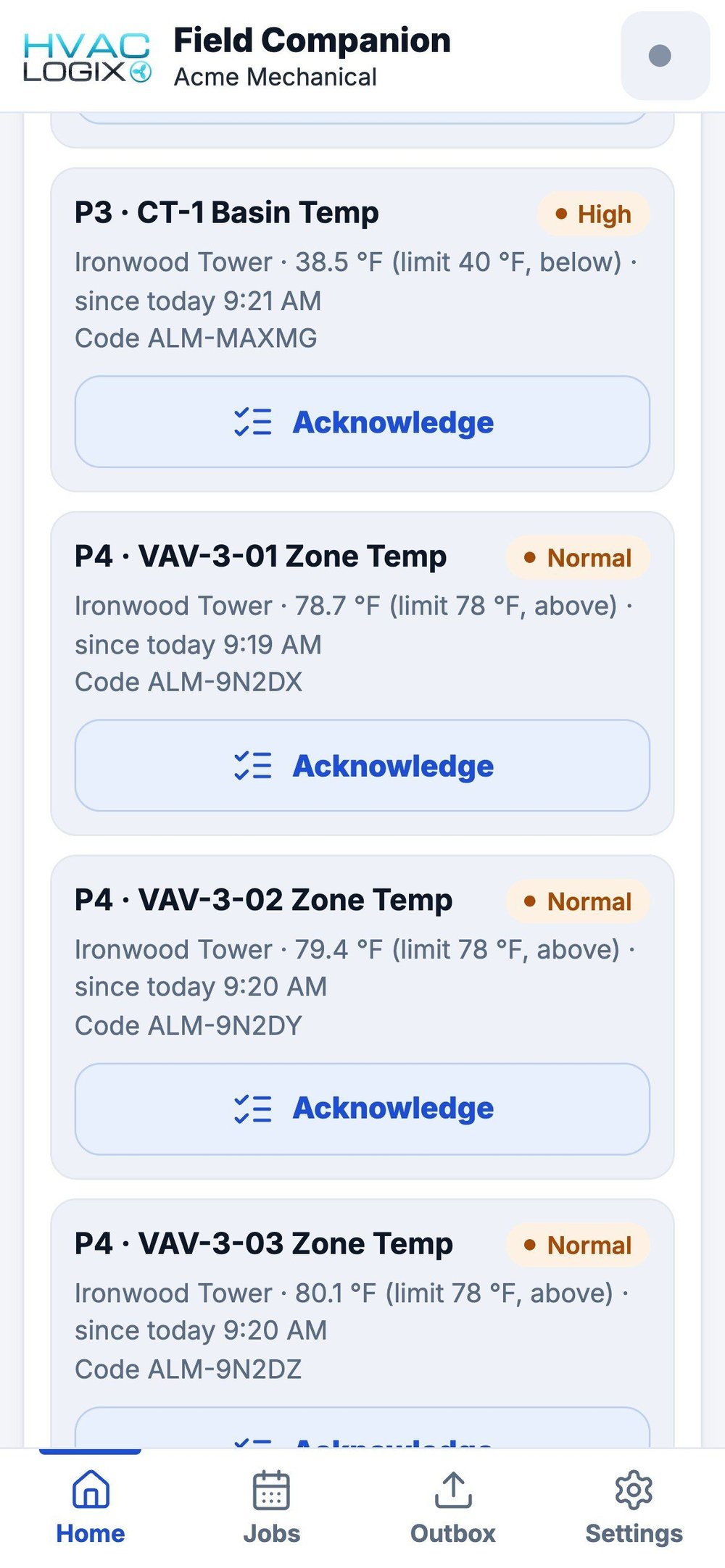
Field staff must see an alert fast, so it shows at the top of the phone's home screen.
Follow Up
Each sent alert shows who read it and how each person answered. Not Answered lists the people to call with their numbers, and Print gives a paper call list. The alert history cannot be changed or deleted.
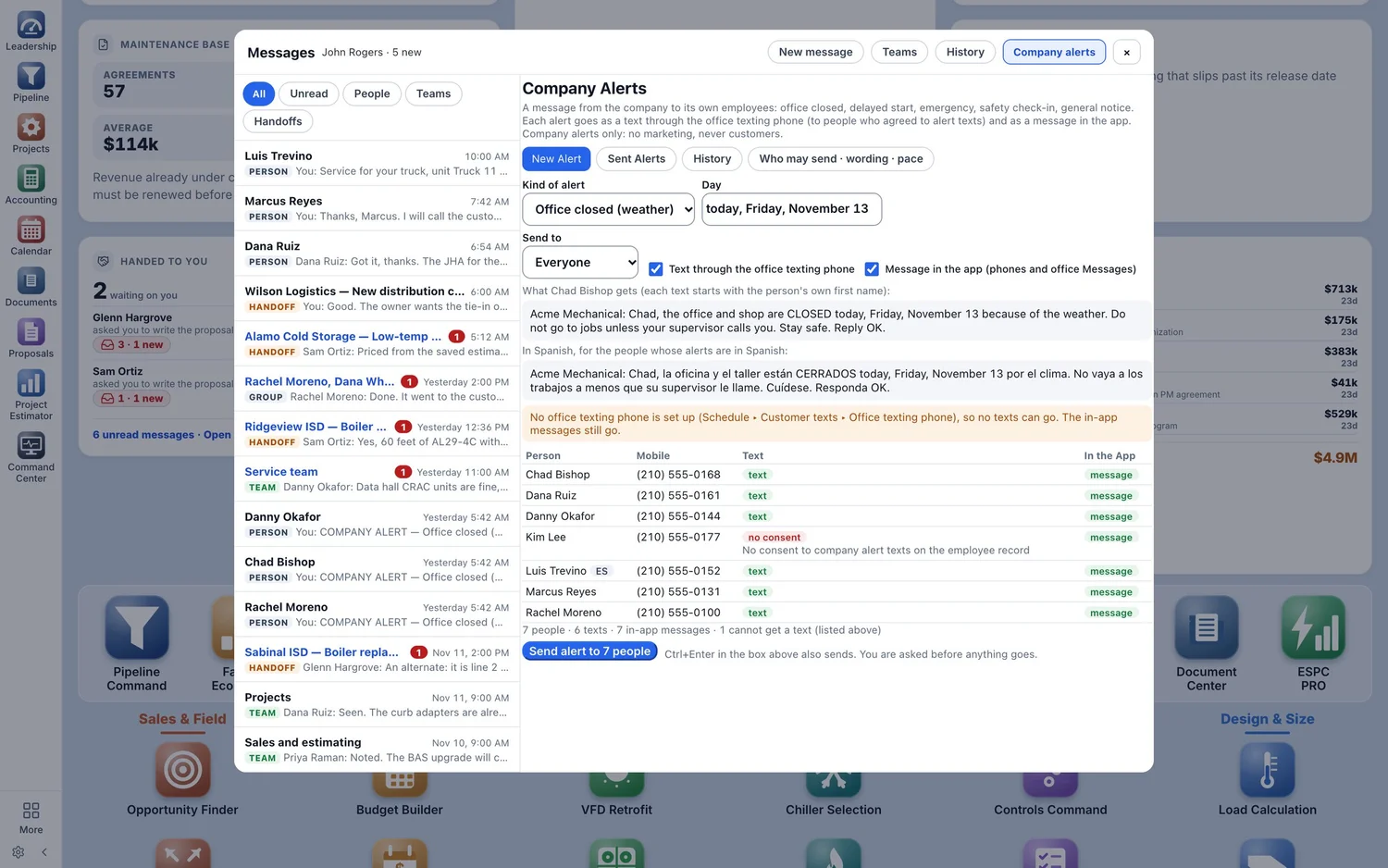
One alert to every employee, with a list of who has not answered.
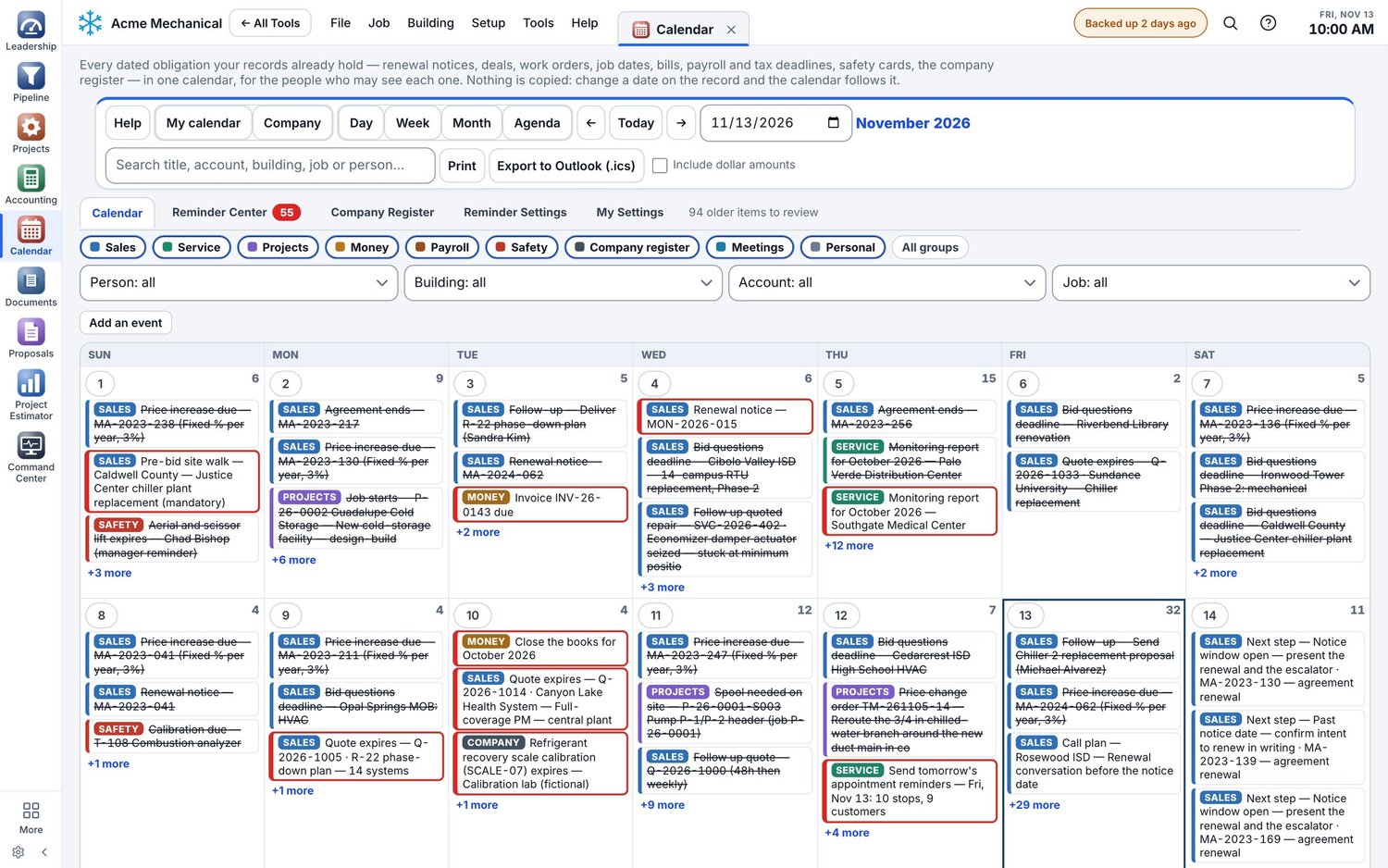
One Calendar of Every Date the Company Already Keeps
HVAC Logix does not keep a second copy of your dates. Each item is worked out from the record itself, so when the record changes, the calendar follows.
What Is on It
- Sales: expected close dates, follow-ups, quotes going stale, bid dates and agreement renewal notices
- Service and projects: work-order appointments, PM visits due, job milestones, RFIs and change orders to price
- Money and payroll: invoices, vendor bills, pay applications, retainage and lien deadlines, pay dates and tax filings
- Safety: training cards, the OSHA report clock, the 300A posting and toolbox talks
- Filing deadlines from a dated table, federal and for every state, each with its source and the date it was checked
- Meetings, company events and personal reminders you add yourself
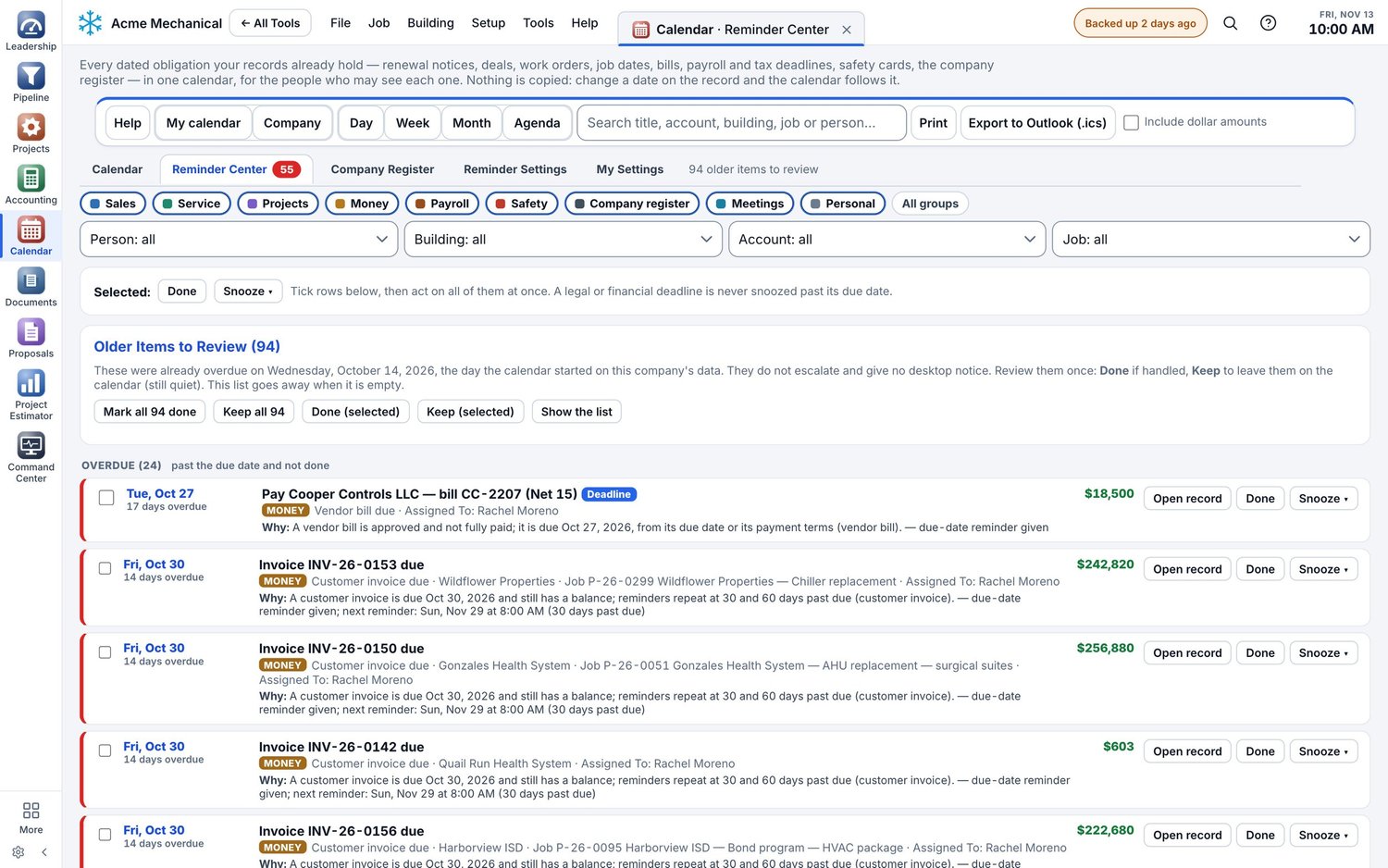
The Reminder Center
- Overdue, Due now, Coming up, Snoozed and Escalated to me, with a count of what needs you
- Every item says why it is there in plain words, for example which agreement ends and when the renewal notice is due
- Open Record goes straight to the deal, job, bill or card
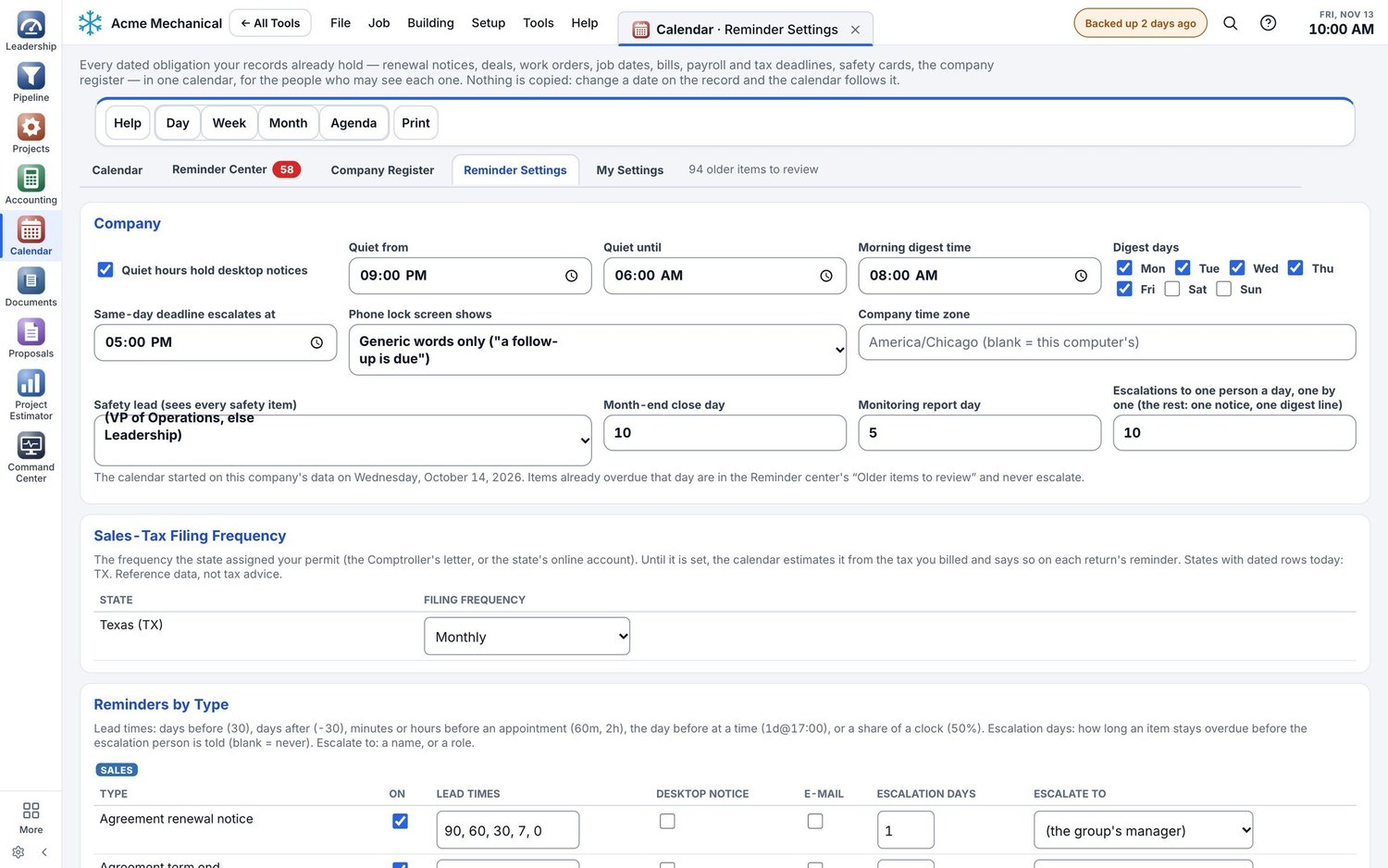
- Legal and financial deadlines cannot be snoozed past their due date
- An item that stays overdue escalates to the person's manager or the role named for that type
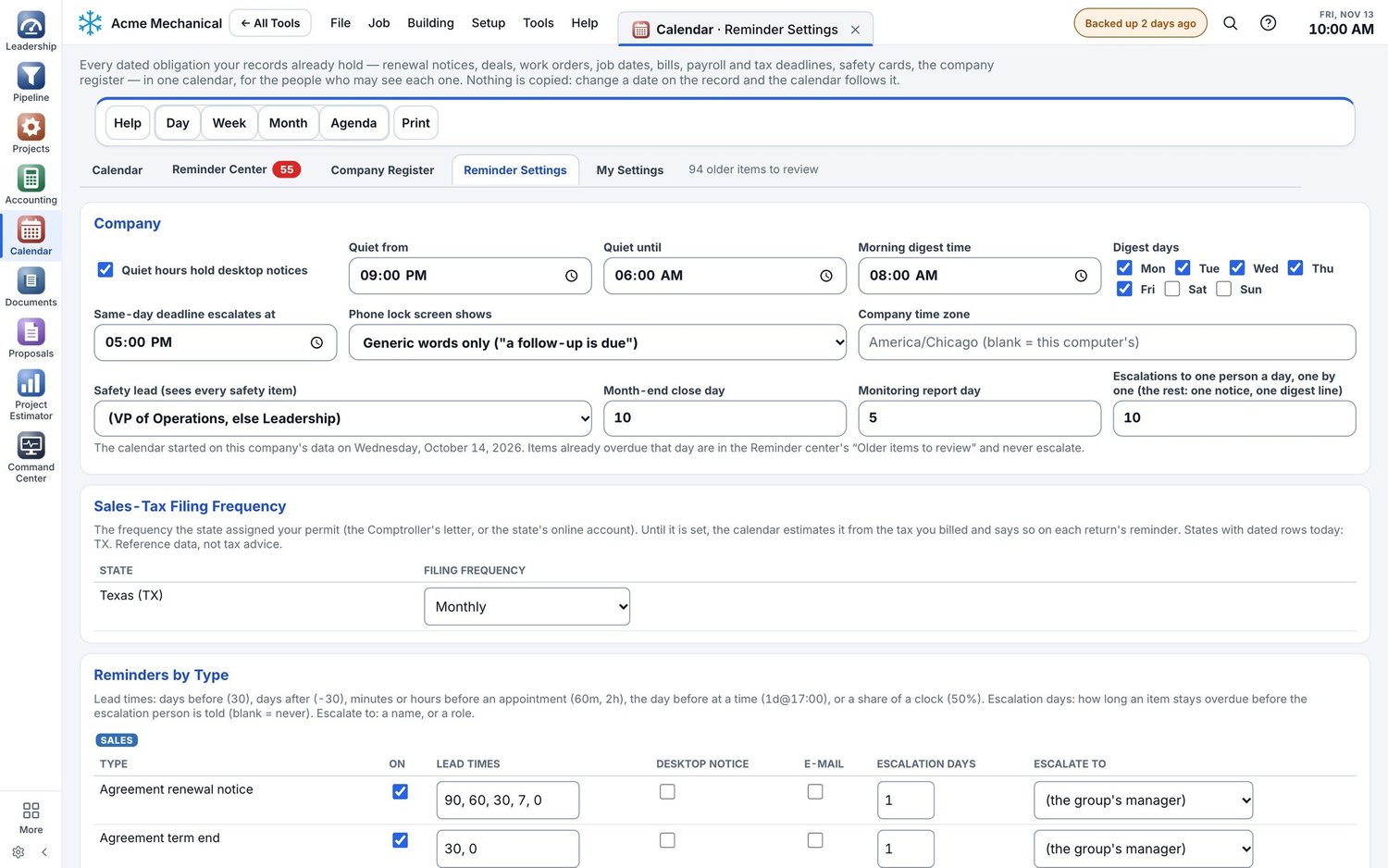
Reminders too late are no help, so each kind of date has its own lead time and escalation.
Views, Notices and Export
- Day, Week, Month and Agenda views, filtered by group, person, building, account or job
- My calendar shows what is yours. Company shows everything your role may see
- Desktop notices in the desktop app, with quiet hours
- A morning digest e-mail per person through the company's own mail server, where you set one up
- Print any view, or export a calendar file your calendar program imports
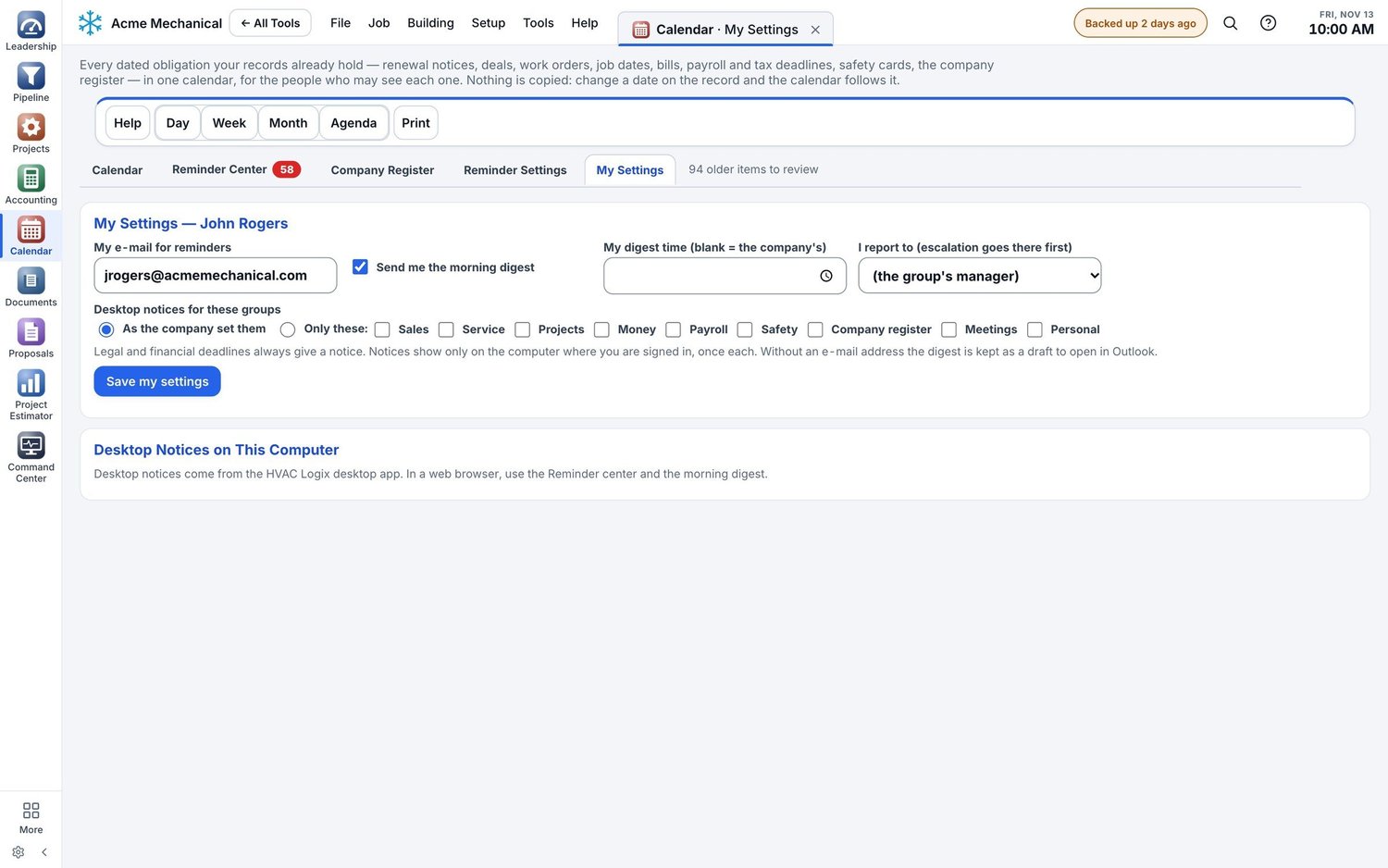
Everyone works differently, so each person picks their calendar view and what reaches Outlook.
Email and Calendar: Outlook or Google
- Drafts that sit in the wrong mail program get forgotten, so Leadership picks the company's mail once: Microsoft 365 and Outlook, Google Workspace and Gmail, or neither. Each person can make their own choice on their own computer
- Every email button says where its draft goes, Email (Outlook) or Email (Gmail), with Save File and Copy one click away
- With Google connected, invoices, statements, pay applications, purchase orders, proposals for signature and the Problem Report land in your own Gmail Drafts with the file attached. HVAC Logix never sends an email for you
- The Reminder Center's dates go to a Google calendar of their own, and the vendors and customer contacts go to a contact group of their own, with a duplicate check both ways
- A change made in Google to a work order or a deadline waits for a person to decide. Your other calendars and contacts are never read or changed
- Off until Leadership turns it on. It works in the desktop app, goes straight from your computer to your own Google account, and the access is sealed in the computer's own key store
Notices, the Call Log and the Lead Inbox
Customer Notices
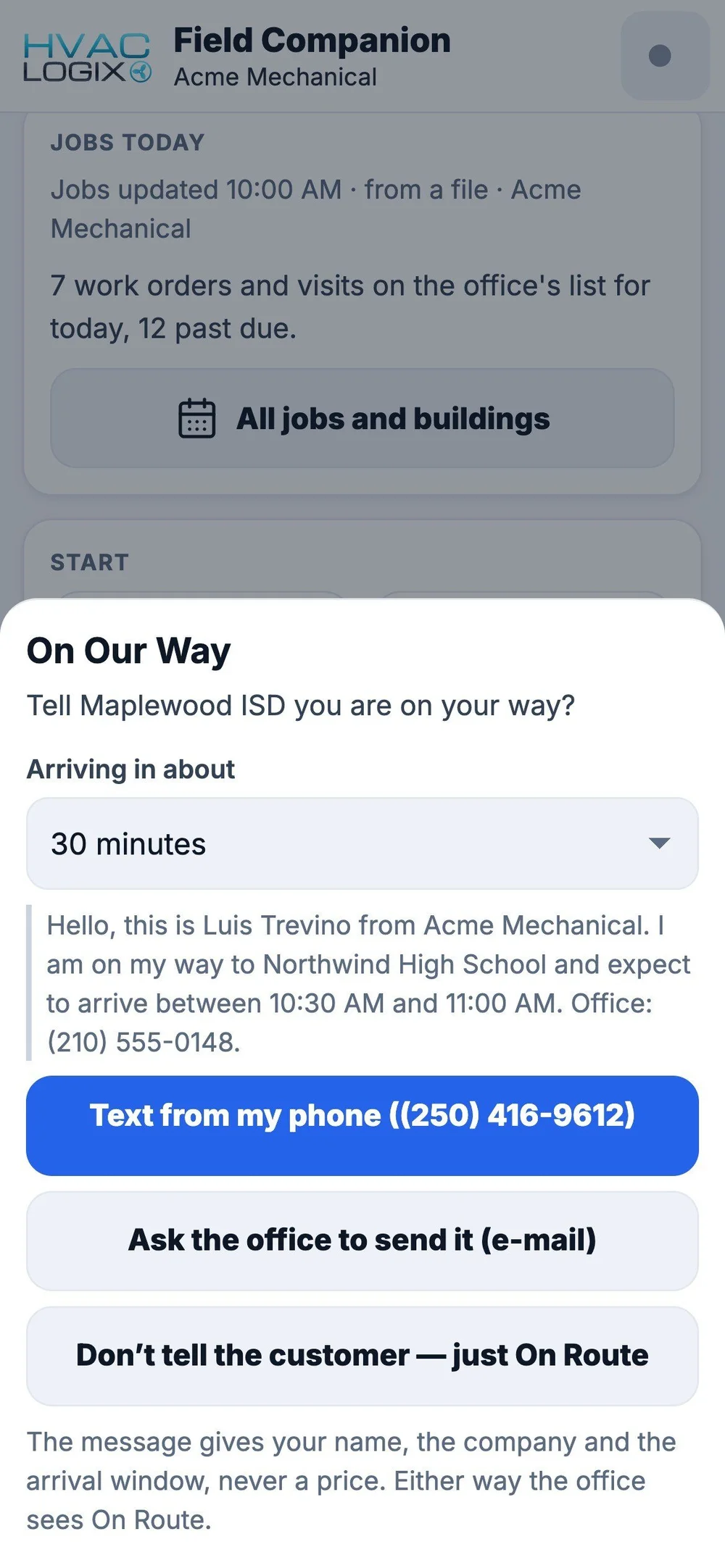
Appointment confirmation, the reminder the day before and "on our way", each with the day, the arrival window, the technician's name and the building. HVAC Logix makes a draft in your e-mail program, a text file or a printed call sheet, following how each customer prefers to be told. A notice never carries a price.
Learn More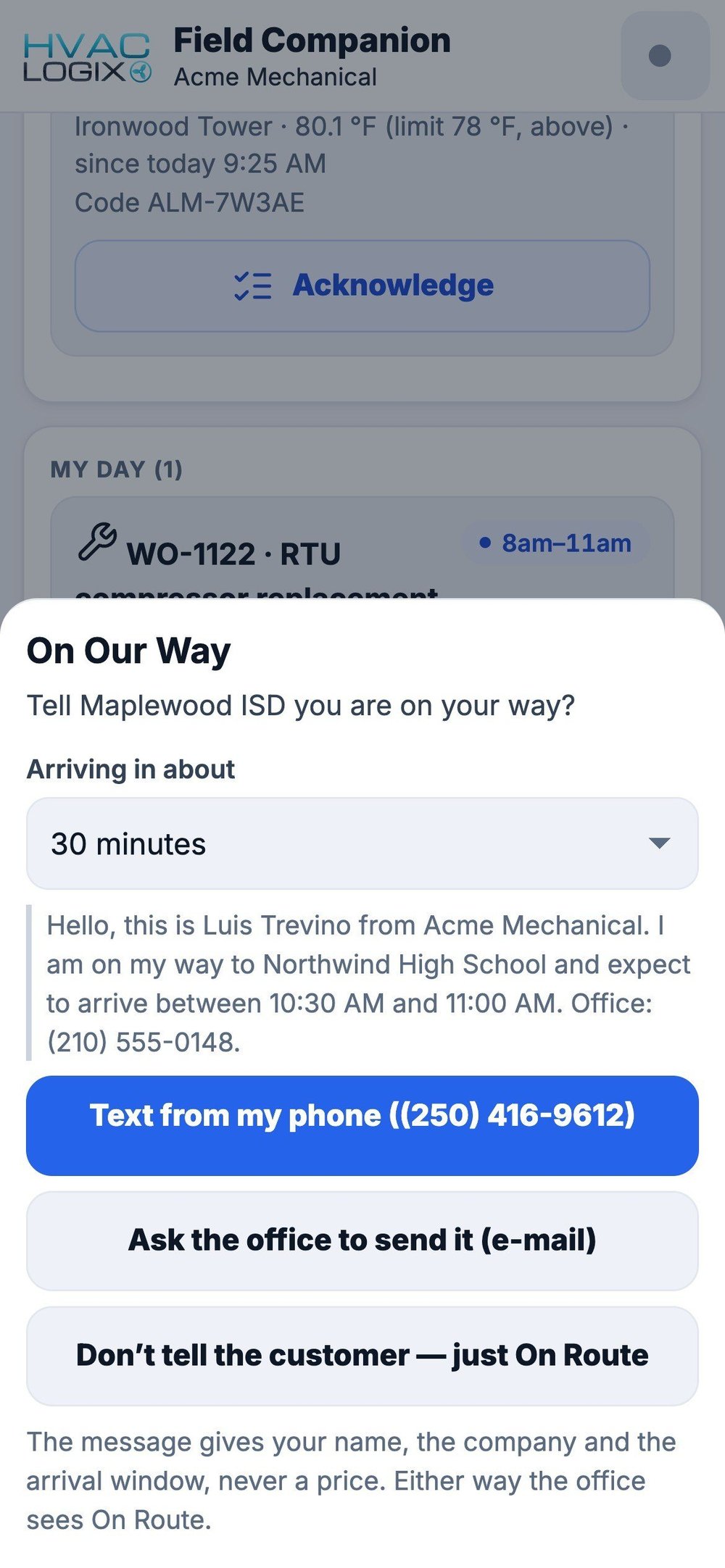
Customers hate waiting without word, so On Our Way goes out from the technician's phone.
The Call Log
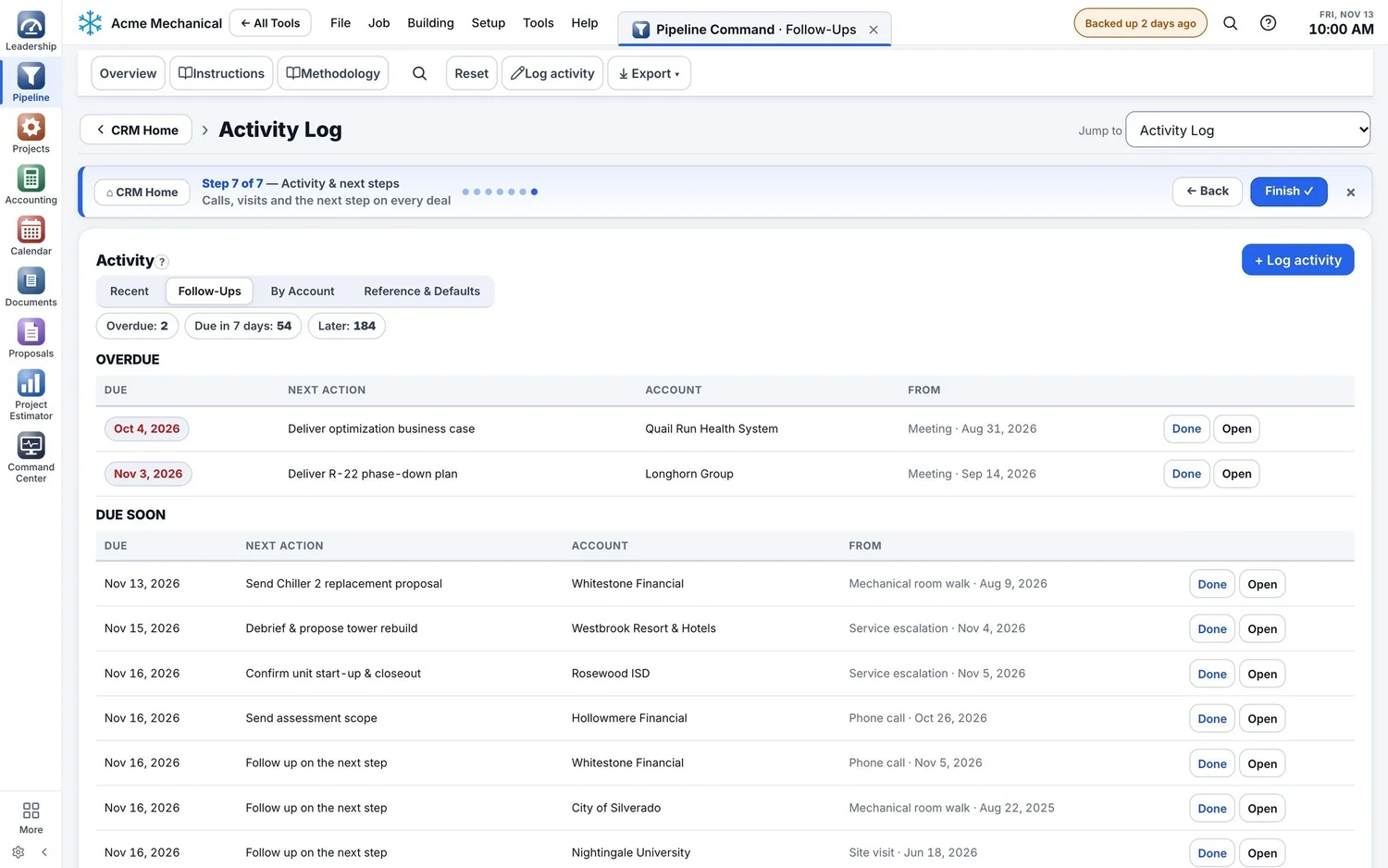
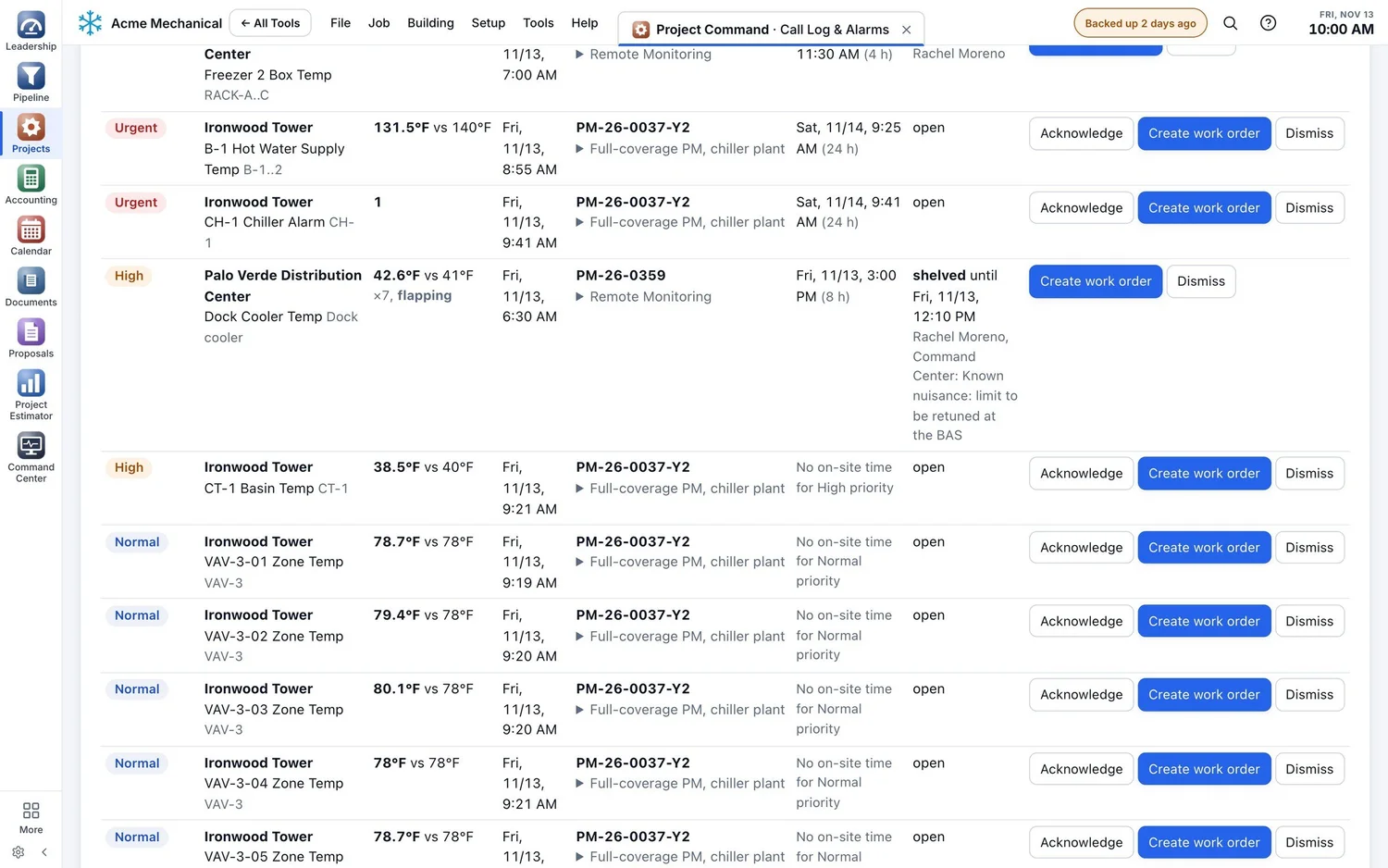
Not every call is a work order. Log who called, the customer and building, the kind of call, what they said, who follows up and by when. Open follow-ups appear on the company calendar for the person responsible.
Learn MoreShow Less
A complaint or quote request that nobody follows up is lost work and sometimes a lost customer. The call log puts a name and a date on each one.
- Kinds of call: question, complaint, call back, billing question, wants a quote or other.
- Follow-up defaults to three days out; clear it when nothing more is needed.
- Open it from Take a Call with Not a Work Order? Log the Call.
- Filter, search and export to CSV.
- Web-form e-mails and contact cards dropped in the lead inbox are checked against your accounts.
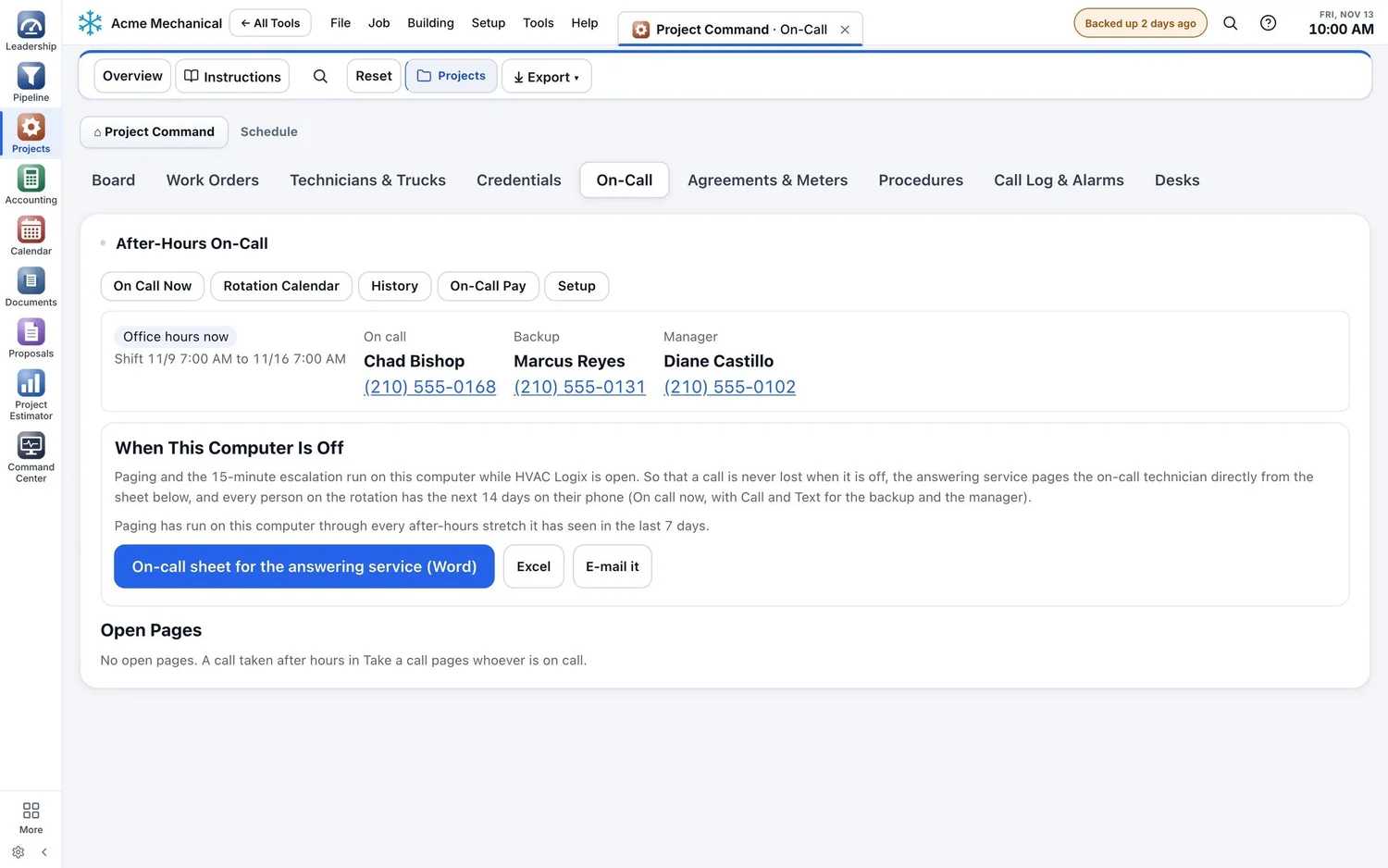
Calls after hours need an owner, so the screen shows who is on call now and who backs them up.
The Lead Inbox
Drop in saved web-form e-mails, contact cards or a CSV of leads. Each is checked against your accounts and contacts, then made a prospect, added to the account it matches or rejected. The files are read on your computer.
Learn MoreRepeat Calls
When a building had a work order finished in the last 30 days, Take a call shows "Likely a callback" with that work order, its date and the technician, before anyone dispatches a second truck.
Learn MoreShow Less
A second truck for the same problem costs fuel, labor and goodwill, and is often unbillable. Flagging it at the call lets the office send the right person back.
- Matches the same unit when both calls name one.
- The dispatch card, open work order list and work order show "repeat call" with the earlier number.
- The work order keeps which calls it repeats.
- The number of days is a company setting.
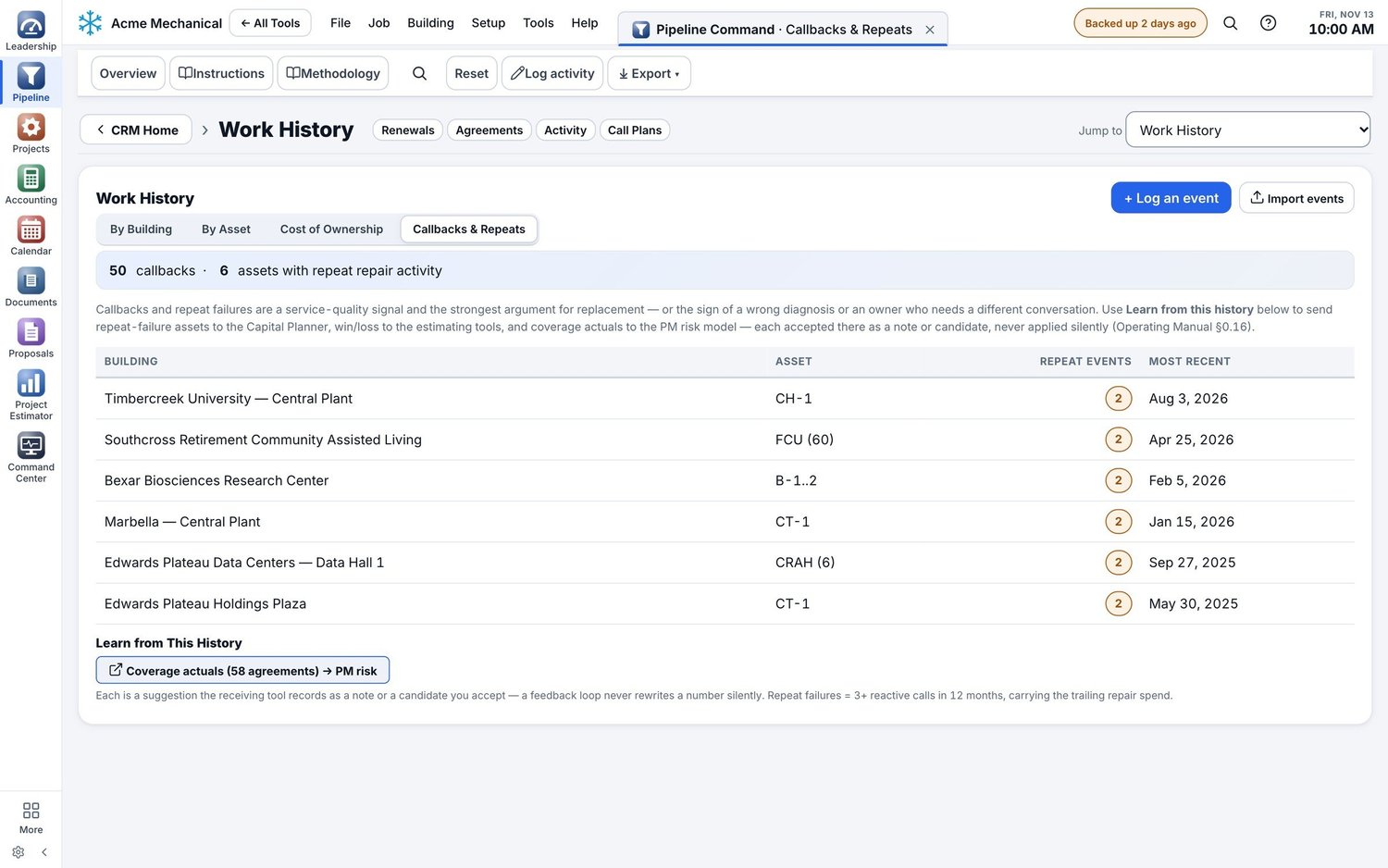
Repeat calls hurt reputation, so callbacks and repeats are listed by building and unit.
Two-Way Texting
Customers text back, and those replies should not live on one person's phone. Texts go out from and come back to one Android phone the office keeps on its Wi-Fi as the company texting number. The inbox is under Customer Texts, each account shows its texts, and consent and opt-out are kept for you. No cloud texting service is involved.
Learn MoreShow Less
Customer texts on one technician's phone leave with that technician, and texting without consent can bring federal penalties. The office phone keeps both under control, for the cost of a carrier plan.
- STOP, QUIT, CANCEL and similar replies opt the number out the moment they arrive.
- A reply that only might be an opt-out is marked To Read.
- The first text names your company and ends with "Reply STOP to opt out."
- A practice phone lets staff learn without texting anyone.
- Service texts only: on my way, reminders, invoice ready, pay link.
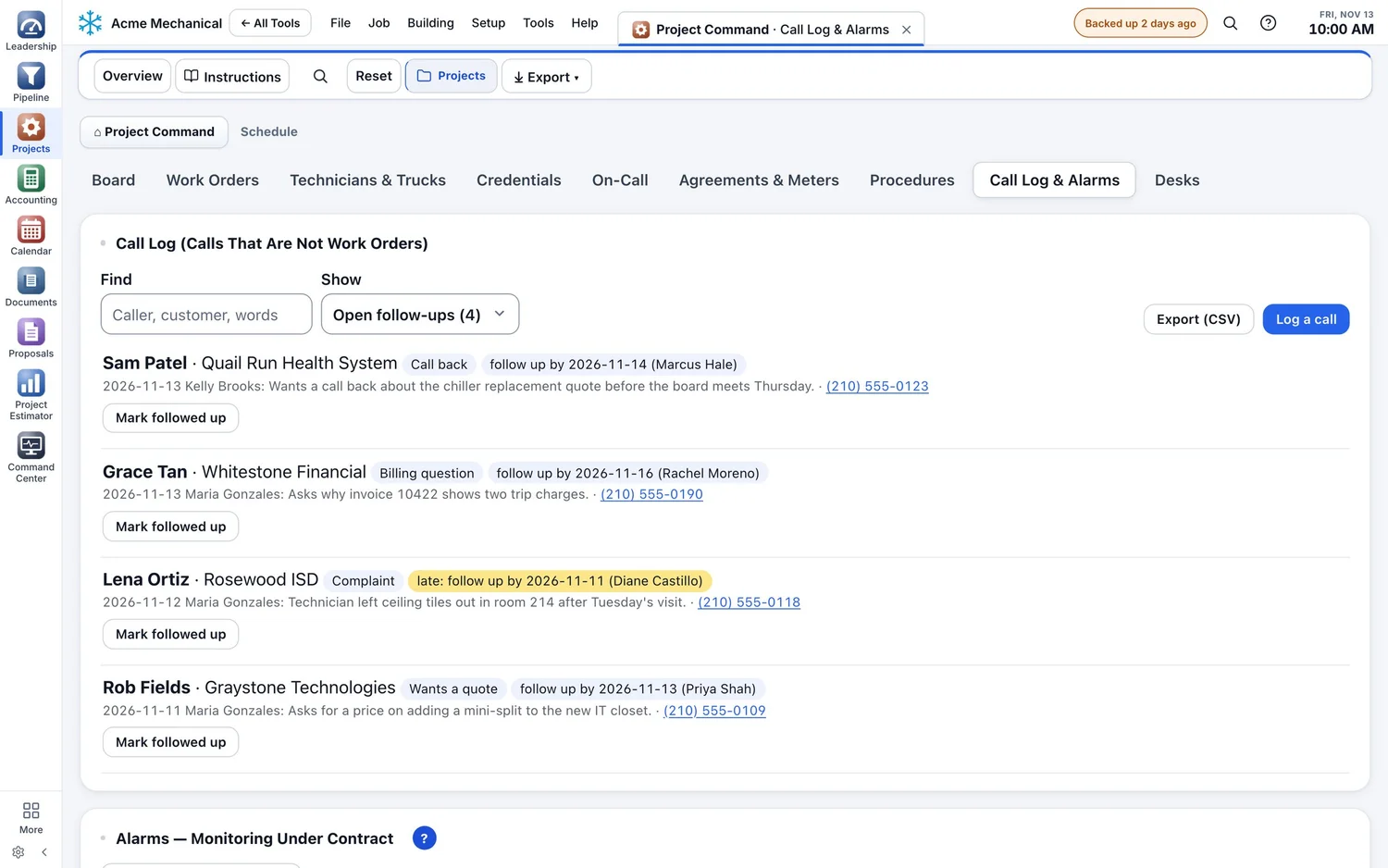
The call log: every caller, every repeat call, tied to the building and work order.
Every Document Filed, Every Record One Search Away
Document Center
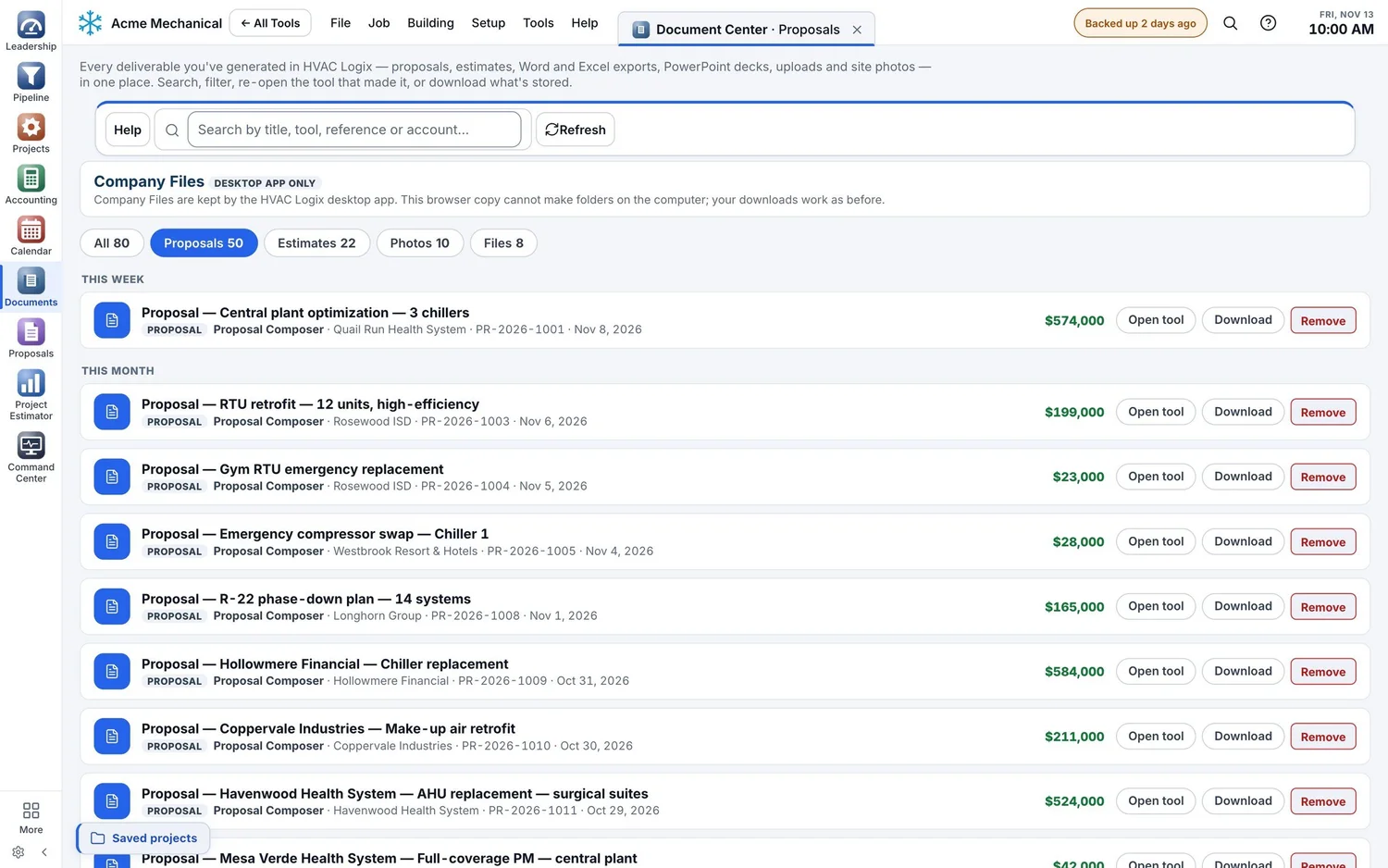
Every proposal, estimate, Word and Excel export, PowerPoint deck, upload and site photo is logged in one searchable library. Search by title, tool, reference or account, reopen the tool that produced a document, or download it.
Learn MoreShow Less
Time spent hunting for last year's proposal is time not spent selling. The Document Center finds it in seconds, without duplicate copies to confuse anyone.
- Exporting the same report again replaces its row instead of adding another.
- The same file attached twice to one record is kept once.
- A revised drawing with the same name is kept as a new file.
- Filter by document type.
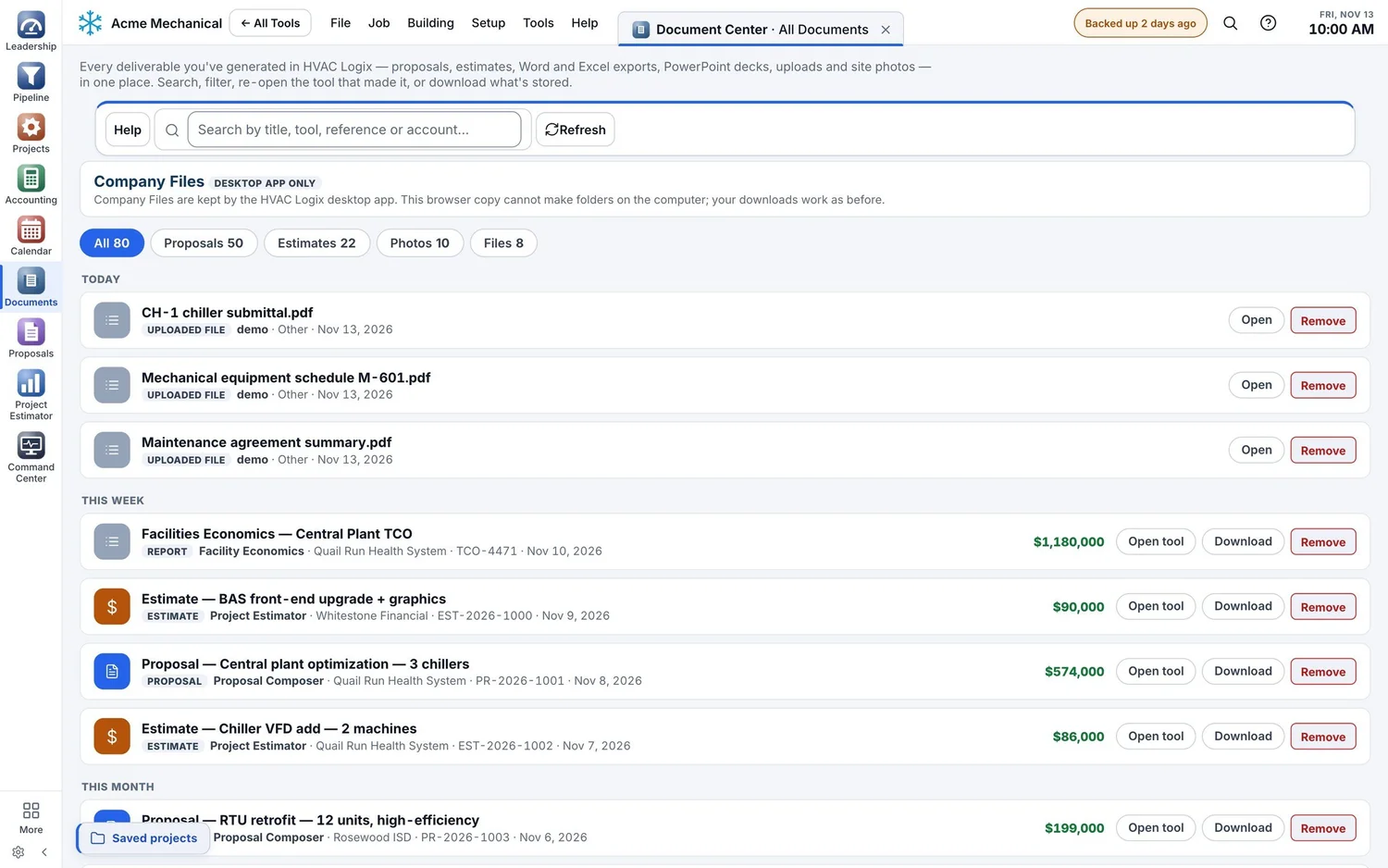
Files scattered across folders get lost, so every document the program makes is logged in one place.
Company Files
In the desktop app, a copy of each document is filed in a folder tree on your own drive: a folder for every customer, building, job and vendor. Payroll, HR and company financial reports go to a Restricted folder only.
Learn MoreShow Less
When the software is not open, people still need the files, and payroll must stay private. Company Files puts every document where anyone can find it in Explorer, with sensitive folders apart.
- The file you save is untouched; a second copy is filed for you.
- A document that cannot be matched goes to To Be Filed, and Re-file moves it later.
- Two customers with the same name never share a folder, and a renamed customer keeps its own.
- Bank files, backups and keys are never copied.
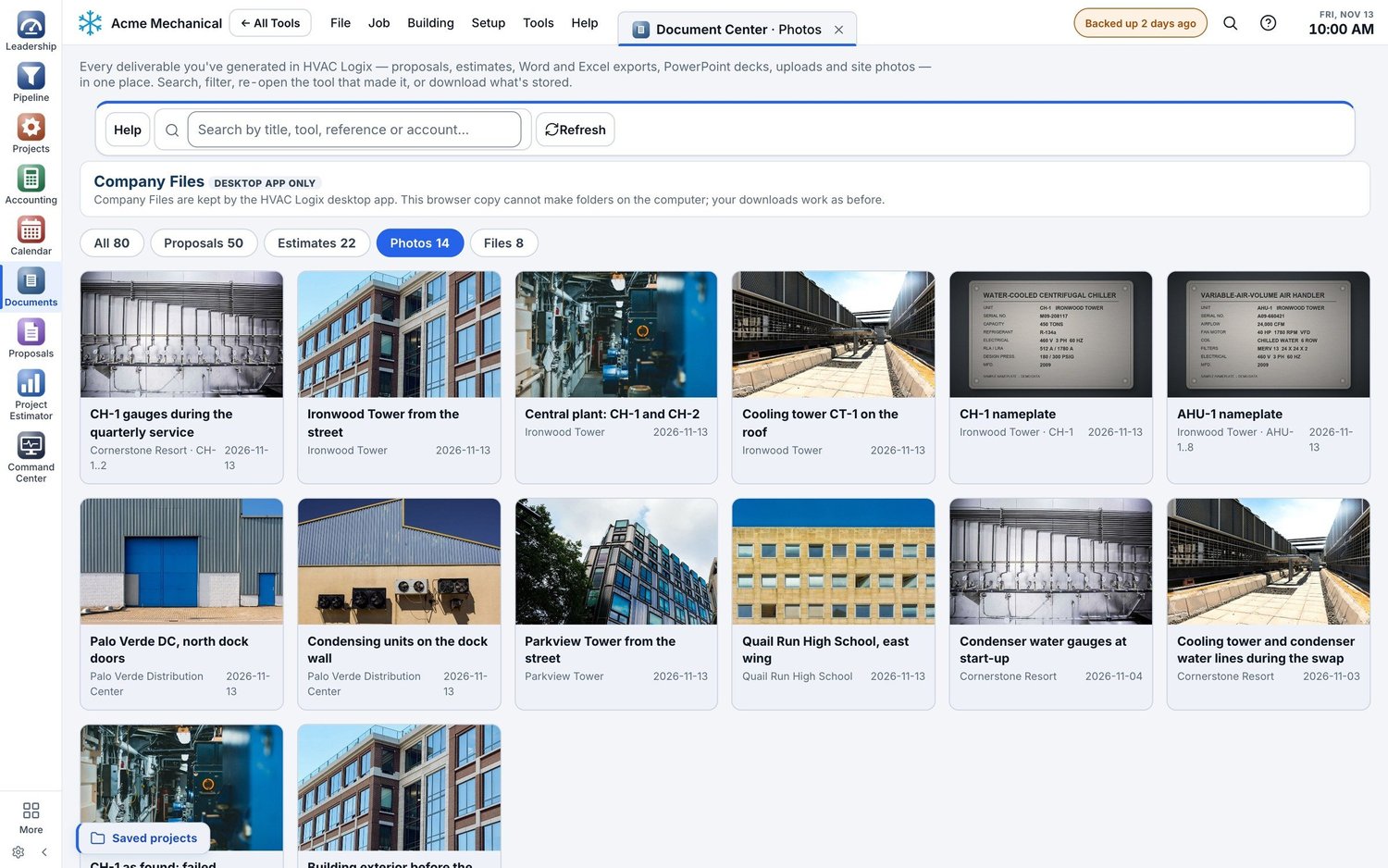
Site photos are hard to find later, so they are filed by job and building.
Search the Whole Company
Press Ctrl-K, or Cmd-K on a Mac, in any tool and type part of a name, number or address. Results cover customers, buildings, contacts, deals, quotes, agreements, estimates, work orders, jobs, invoices, bills, purchase orders, vendors and employees, limited to what your permissions allow.
Learn MoreShow Less
Two minutes lost looking for a record, many times a day, adds up to hours a week. One search finds it, wherever it lives.
- Also searches the open tool's own content across every tab, even hidden ones, and jumps to the line.
- Smart Search finds notes and documents by meaning: "unit won't cool" finds related findings.
- Smart Search runs on your computer, with nothing sent out.
- Arrow keys move, Enter opens, Escape closes.
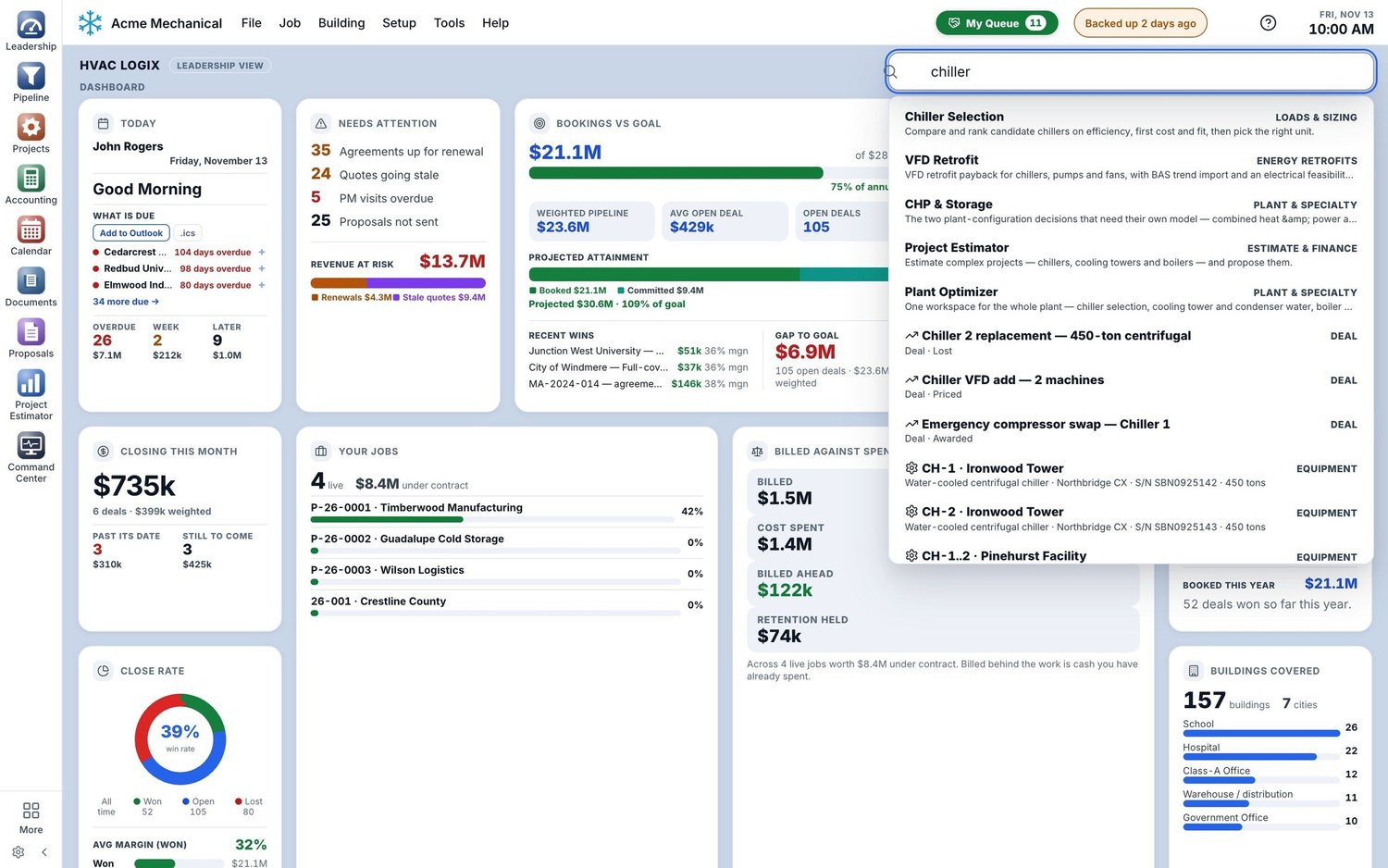
Records are hard to find across screens, so one search box finds buildings, units and deals.
The Activity Log
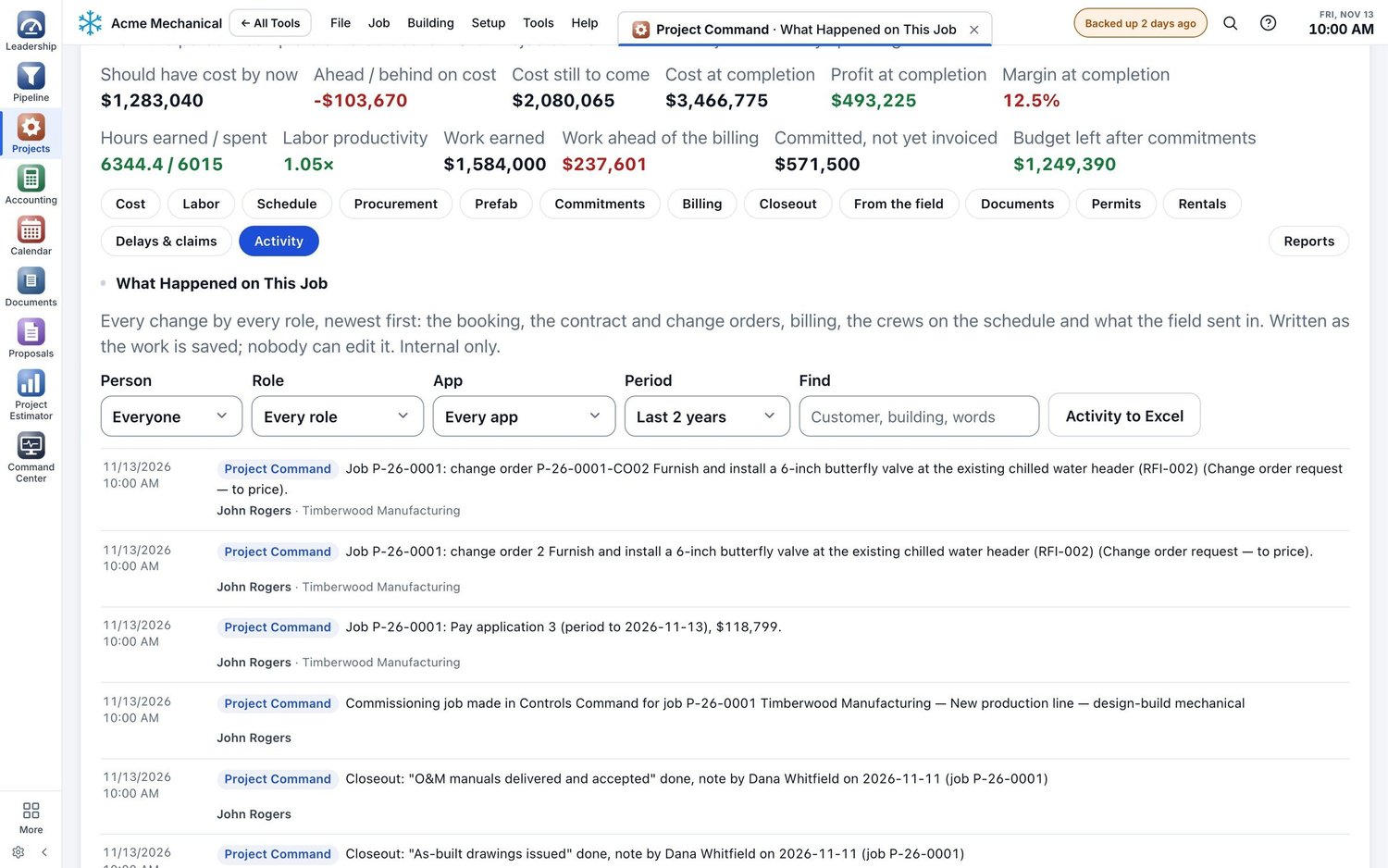
One record of what happened with a customer, a building or a job, written as the work is saved: the deal that moved and its value before and after, the job booked, the work order dispatched, the invoice sent. Read it on the account, on the job or in one company feed.
Learn MoreShow Less
In a dispute, a dated record of who changed what is worth more than anyone's memory. The log writes itself as work is saved, so nobody has to remember to keep it.
- Records old and new values where a price, stage or status changed.
- Also records pay runs, permission changes, months closed and reopened, and an SSN revealed.
- Pay amounts are never written; SSNs and accounts show as the last four only.
- No screen in HVAC Logix changes or deletes an entry.
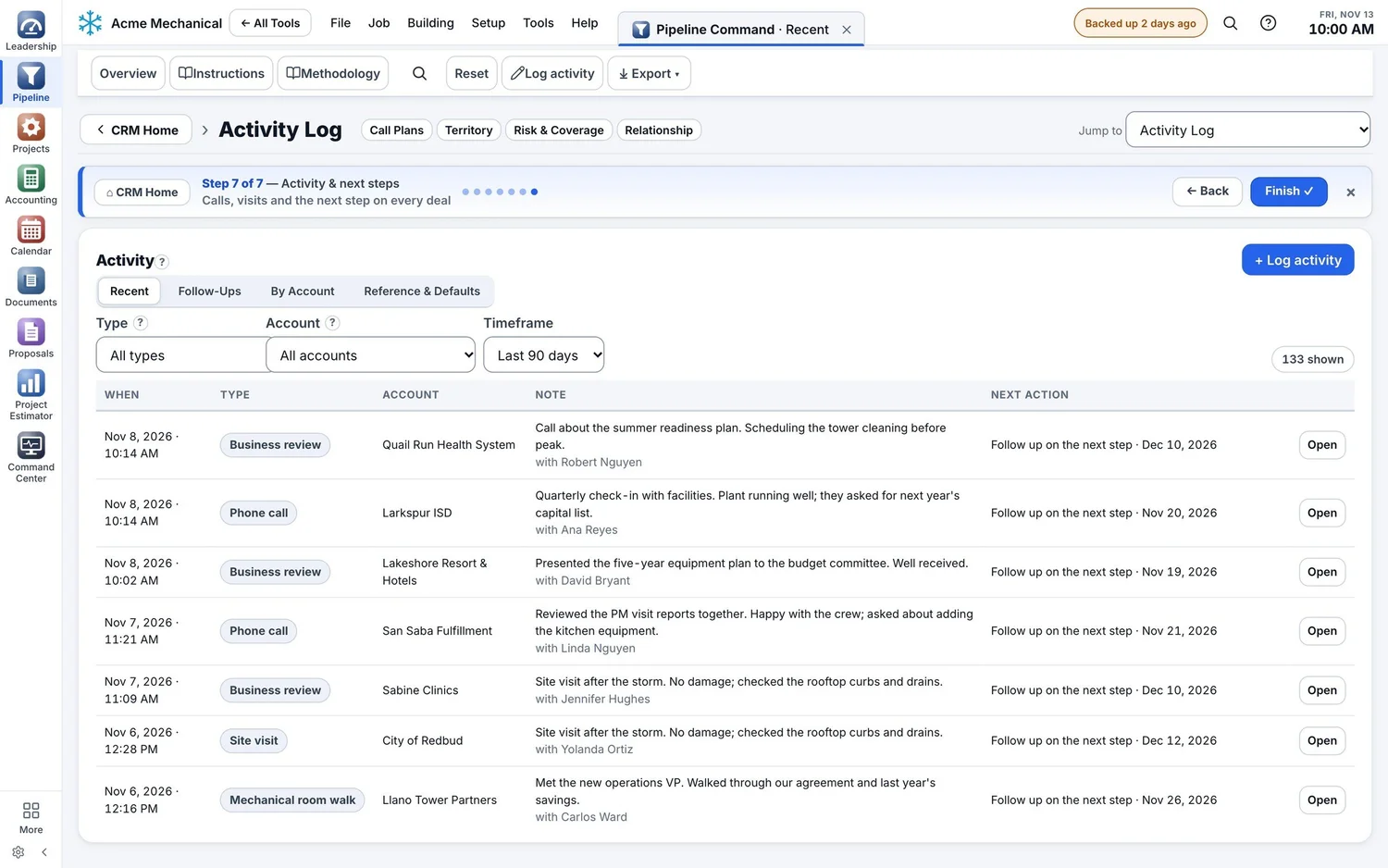
What happened with a customer should be on record, so visits and calls are logged with the next step.
Read Paper into the Program
Typing a vendor's bill or a packing slip by hand is where mistakes start. Choose a photo, a scan or a PDF and HVAC Logix reads the vendor bill, the packing slip, a certificate of insurance or a business card on your own computer. Fields read with low confidence show in yellow, you check every field, and nothing is saved until you press the button. The paper is kept with the record.
Learn MoreShow Less
Retyped bills and slips are where overpayments and missed receipts begin. Reading the paper saves the typing and catches the gap.
- A bill fills vendor, invoice number, dates, terms, PO, lines, freight and tax, and checks the total.
- A packing slip sets the quantity shipped on each PO line and lists lines not on the PO.
- A certificate of insurance adds each policy with its limits and expiry dates.
- A business card adds the person, never twice.
- A text PDF reads in about a second; a photo in 5 to 20 seconds.
Spelling, Grammar and Dictation That Stay on Your Computer
Spelling and Grammar
Every note, scope, exclusion and proposal text can be checked, with spelling underlined in red and grammar in blue as you type. The checker is rule-based, knows the trade's words such as VAV, RTU, economizer and retainage, and sends nothing anywhere.
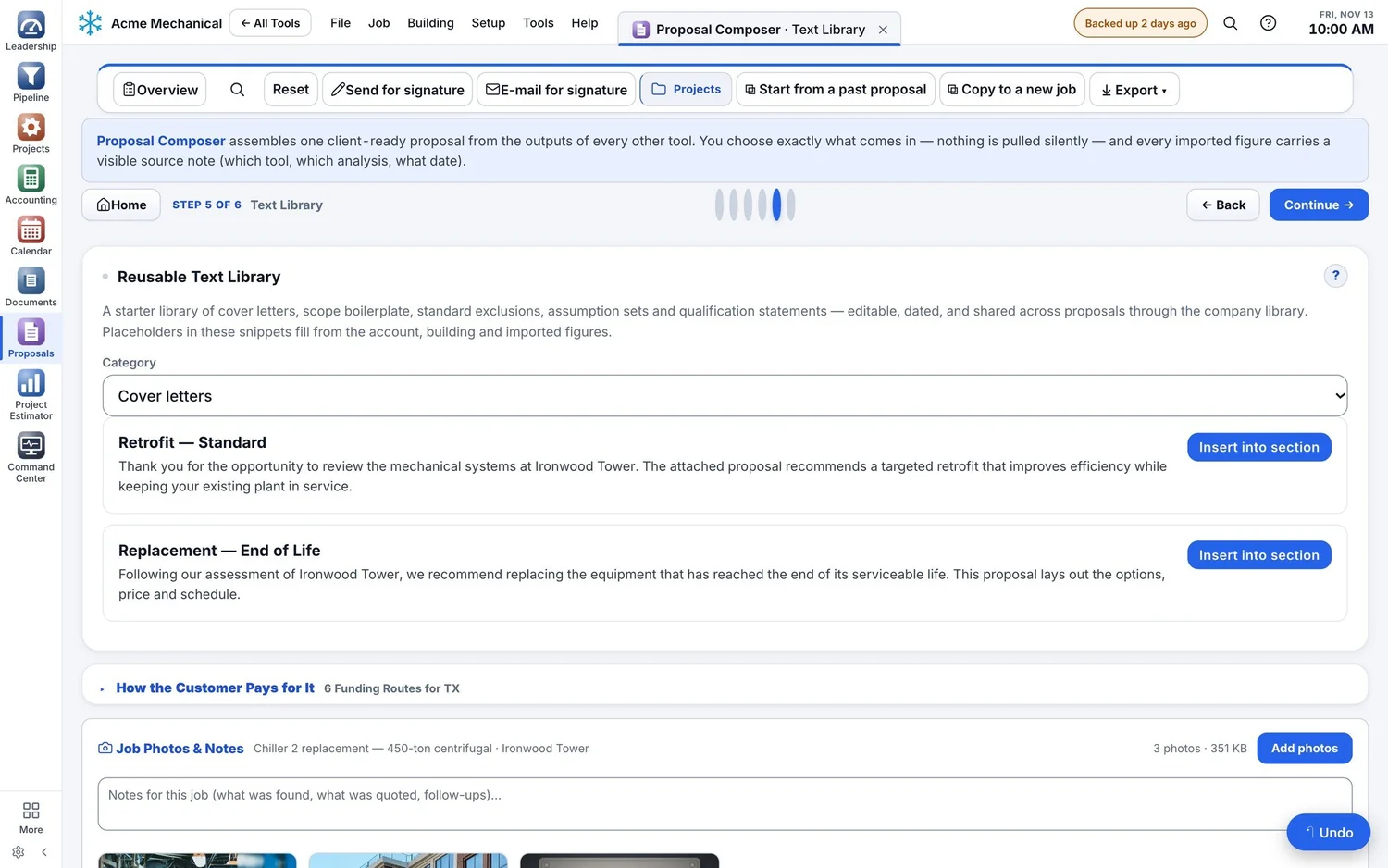
Retyping the same paragraph invites errors, so approved text is kept in a library.
The Company Dictionary
Add a word once and it is kept for the whole company. After a proposal or agreement is generated, a note says how many possible issues its text has, with Review. The note never stops the document.
Dictation in the Desktop App
Click the microphone in a note box and talk. Speech-to-text runs on the computer with no internet connection. Say the punctuation, and trade terms and measurements come out the trade's way, such as AHU, CFM and 68 psi.
Meeting Recording, Consent First
Record the audio of a sales call or meeting from Log activity. Before the microphone opens, HVAC Logix shows each state's consent rule and requires that everyone agreed. The recording stays on the device that made it and is never transcribed.
Read Aloud
For anyone who would rather listen, or whose eyes are on the road or the equipment, a speaker button reads the words out loud: a page of the manual, a work order, and on the phone the next stop, a work order sheet and each alarm card. It uses only the voices installed on the computer or phone, so nothing leaves the device.
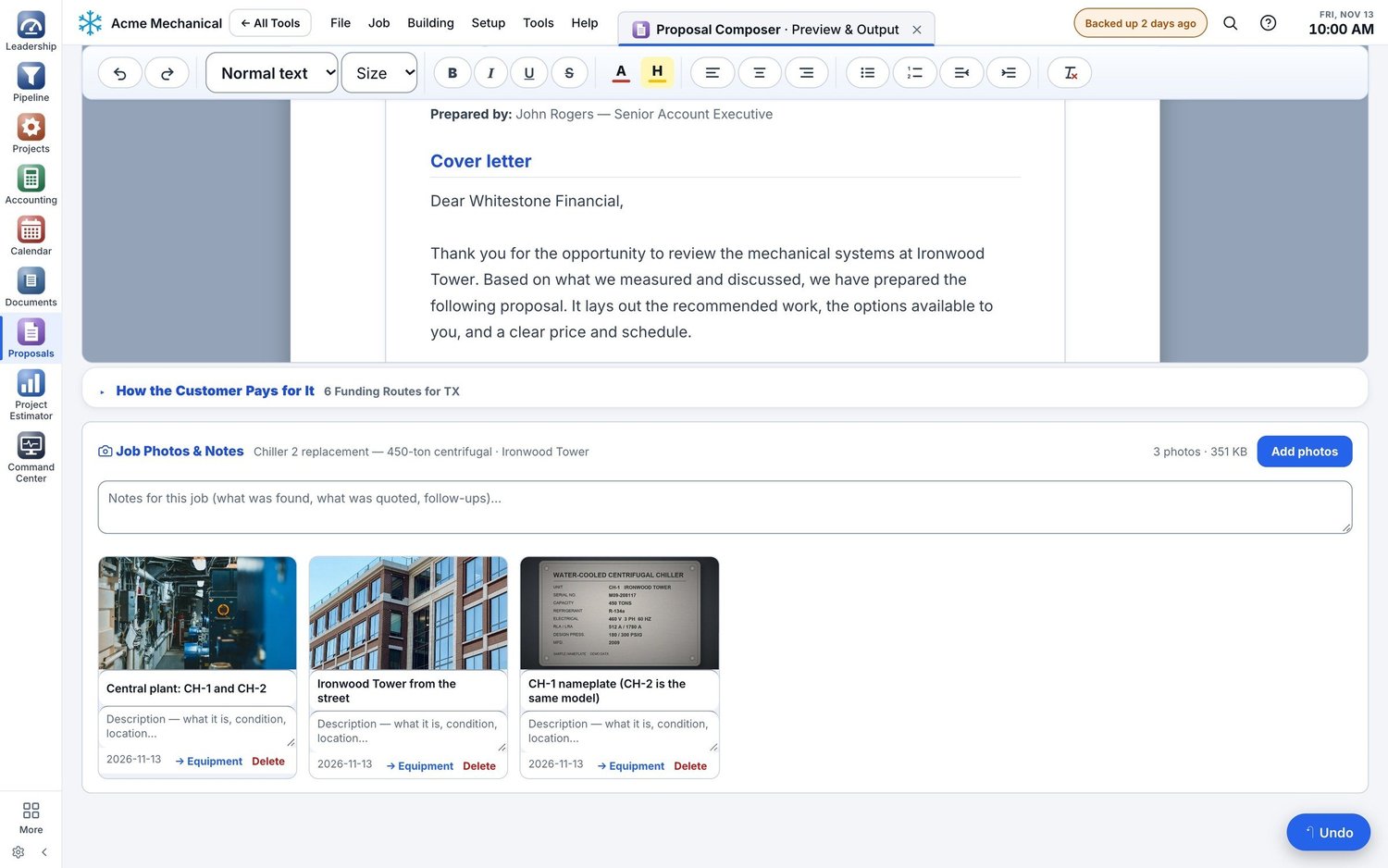
Proposals are read closely, so the text is edited on screen exactly as it prints.
Frequently Asked Questions
Do messages go through an outside messaging service?
Can Leadership read everyone's messages?
Do we have to enter deadlines into the calendar?
Is anything I type or dictate sent to an outside service?
Where do the documents actually live?
Be First When HVAC Logix Opens
Stop paying people to copy numbers between programs. Join the list and we will tell you the day downloads open, with setup guides ready.
Launching early 2027 for HVAC Logix. Nothing to buy today, and no sales calls.
