


The Whole Portfolio on One Screen, and a Report You Can Defend.
Launching Early 2027 · Join the Early-Access List
Leadership needs two things from a facilities platform: a clear view of condition, capital, energy, compliance and risk across every building, and documents that stand up when a board member, auditor or lender asks where a number came from. Facilities Logix is built to deliver both from the same records your operations team keeps every day.
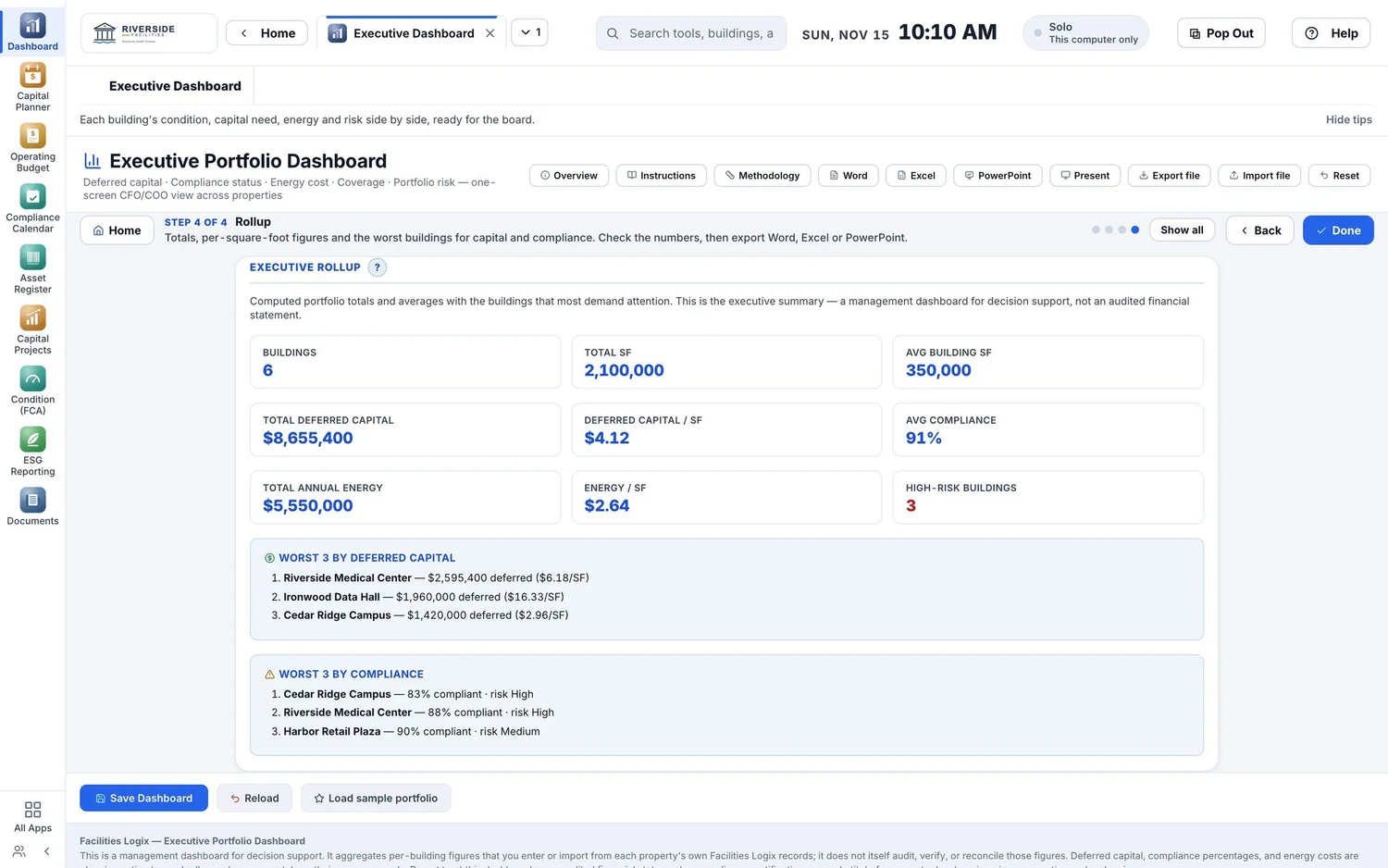
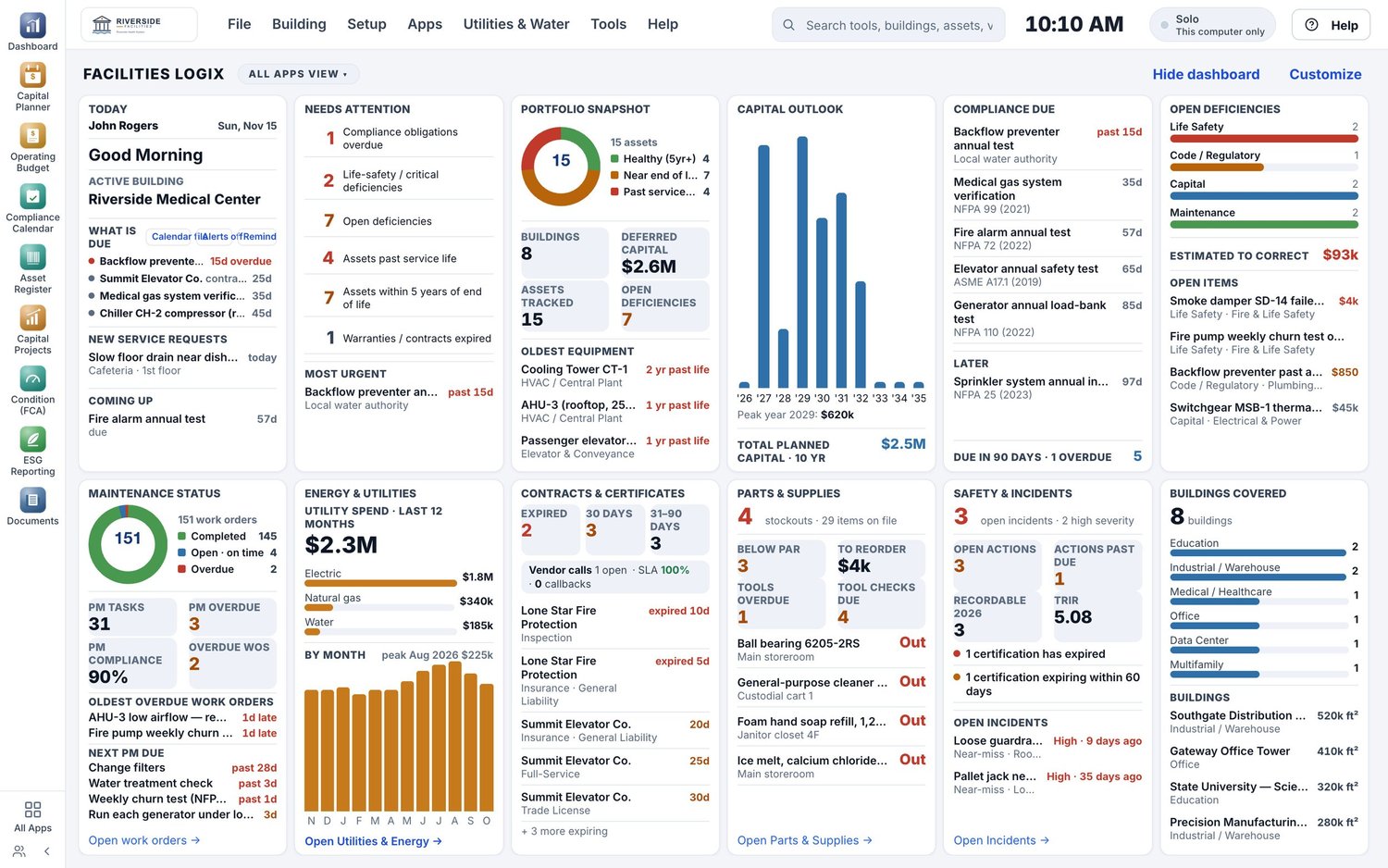
Every Building, Side by Side
One Screen
- Each building's condition, capital need, energy cost and risk in one row
- Pull Every Building fills the rows from each building's own records
- Numbers entered by hand for a building with no records are never wiped
- A Compliance Calendar card that reads the calendar live: overdue, never recorded, the oldest overdue item and rows to confirm
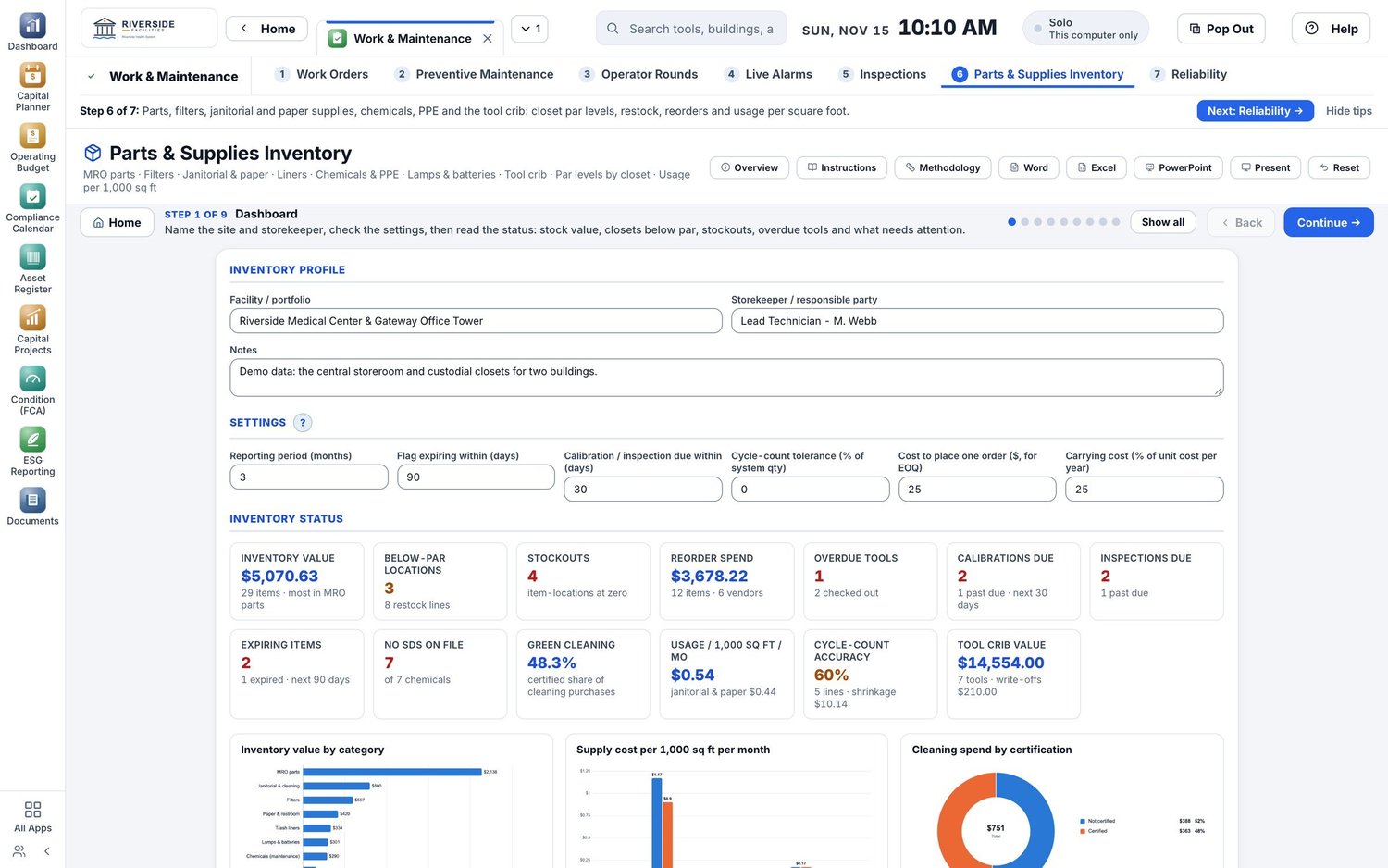
- Cards for service contracts and vendor response, and for parts and supplies
Ask the Portfolio
- A question box answers plain-English questions about the dashboard's own figures, such as which buildings need attention or total deferred capital
- It lists the buildings behind each answer
- It is a built-in lookup of the figures on the screen: it works offline and sends nothing anywhere
- If it does not recognize a question, it says so
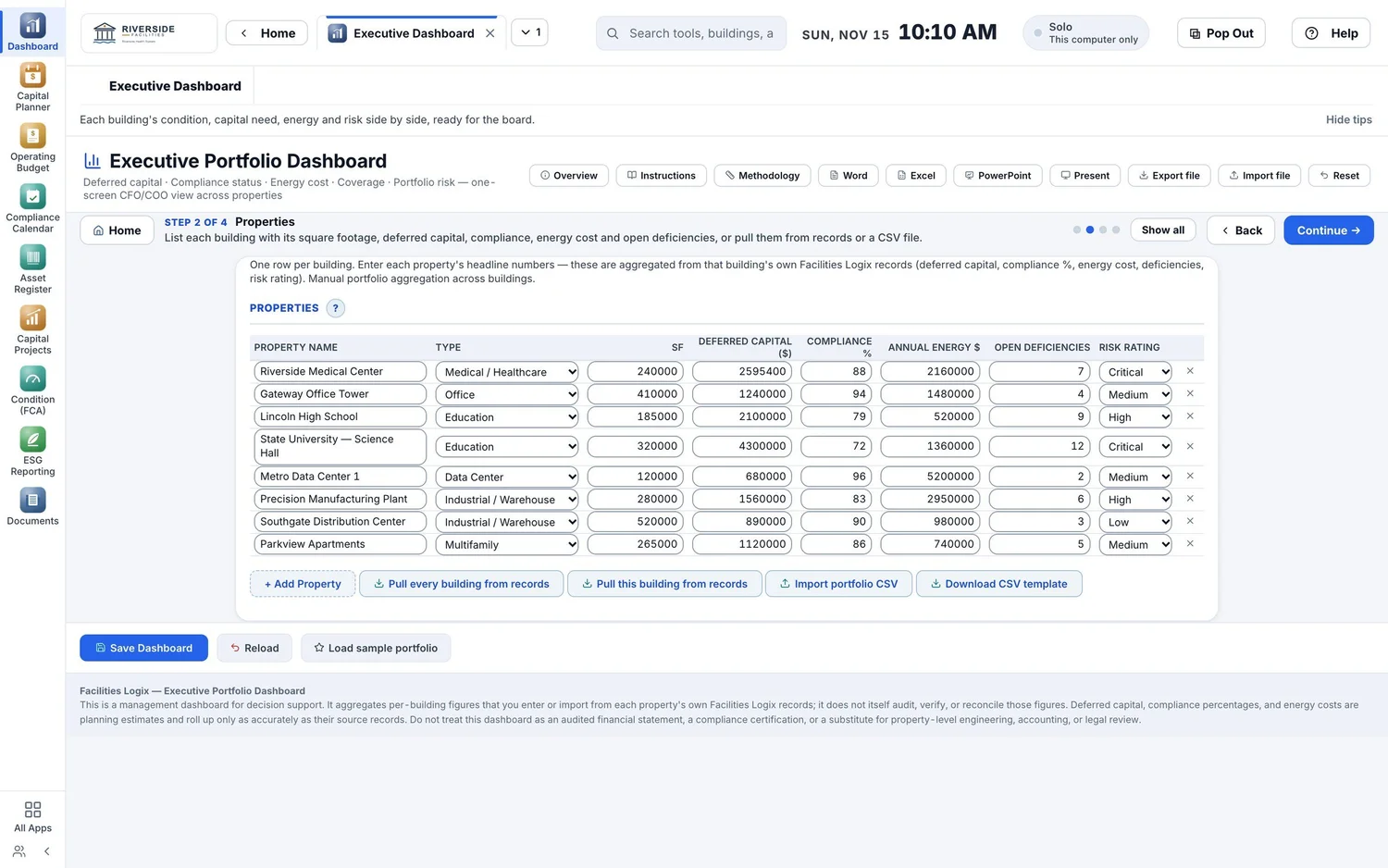
Comparing buildings means pulling reports from every site, so each building's condition, capital and risk sit in one row.
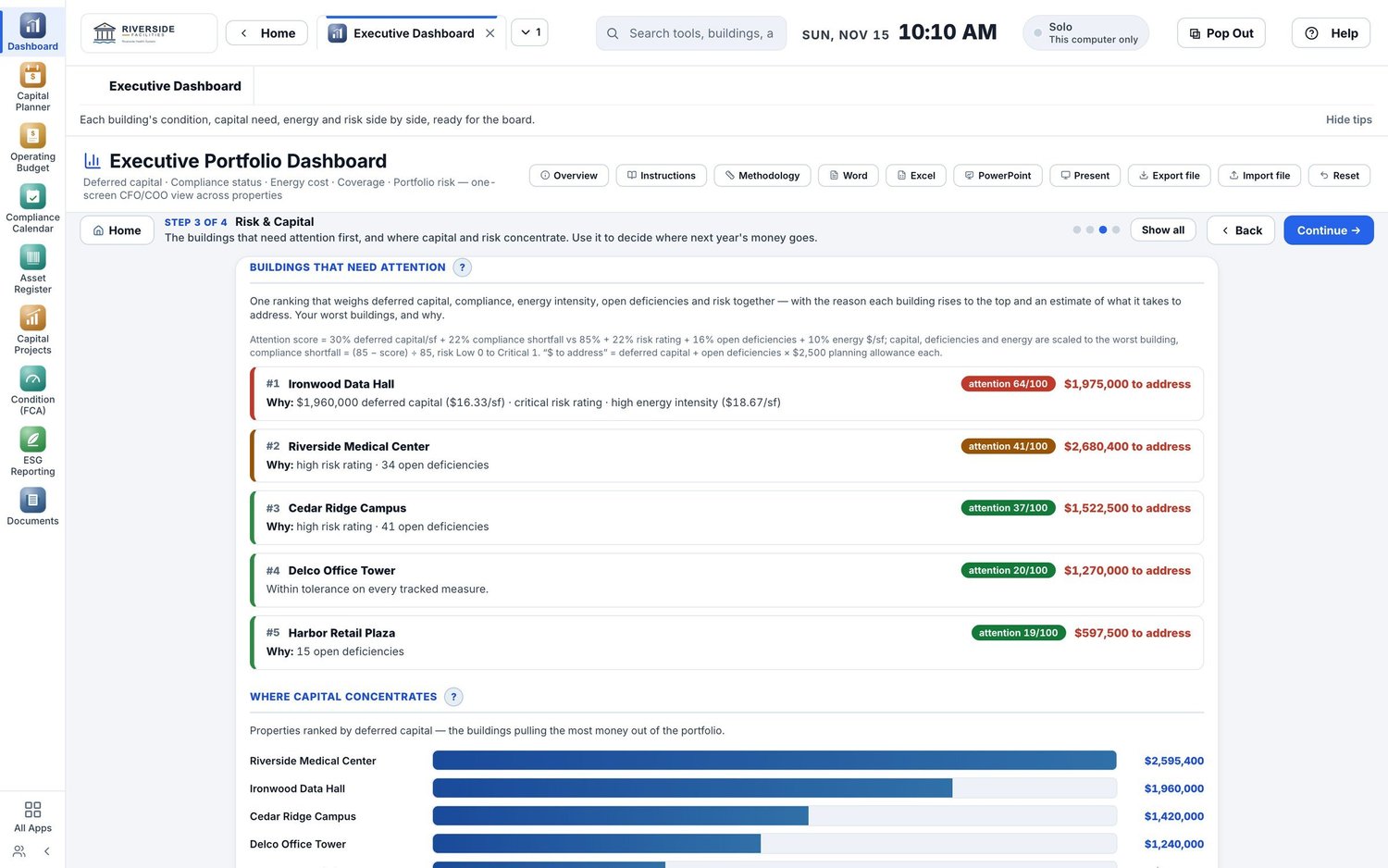
What Needs Attention Today
Every line opens the step it came from. An Executive role view puts portfolio, capital, finance and risk first, and each person can customize which cards show and in what order.
Needs Attention
Overdue compliance, open deficiencies, assets past their service life and expiring warranties.
Learn MoreShow Less
Problems found late cost more to fix. Needs Attention gathers what is slipping across the apps, so it is dealt with while it is still cheap.
- Assets with a Repeat Failure badge appear here too
- Select a line to open the step it came from
- Customize shows, hides and orders the Dashboard cards
- Each role view puts its own cards first
Portfolio Snapshot and Capital Outlook
Assets, deferred capital and deficiencies across your buildings, and capital candidates as a multi-year outlook.
Learn More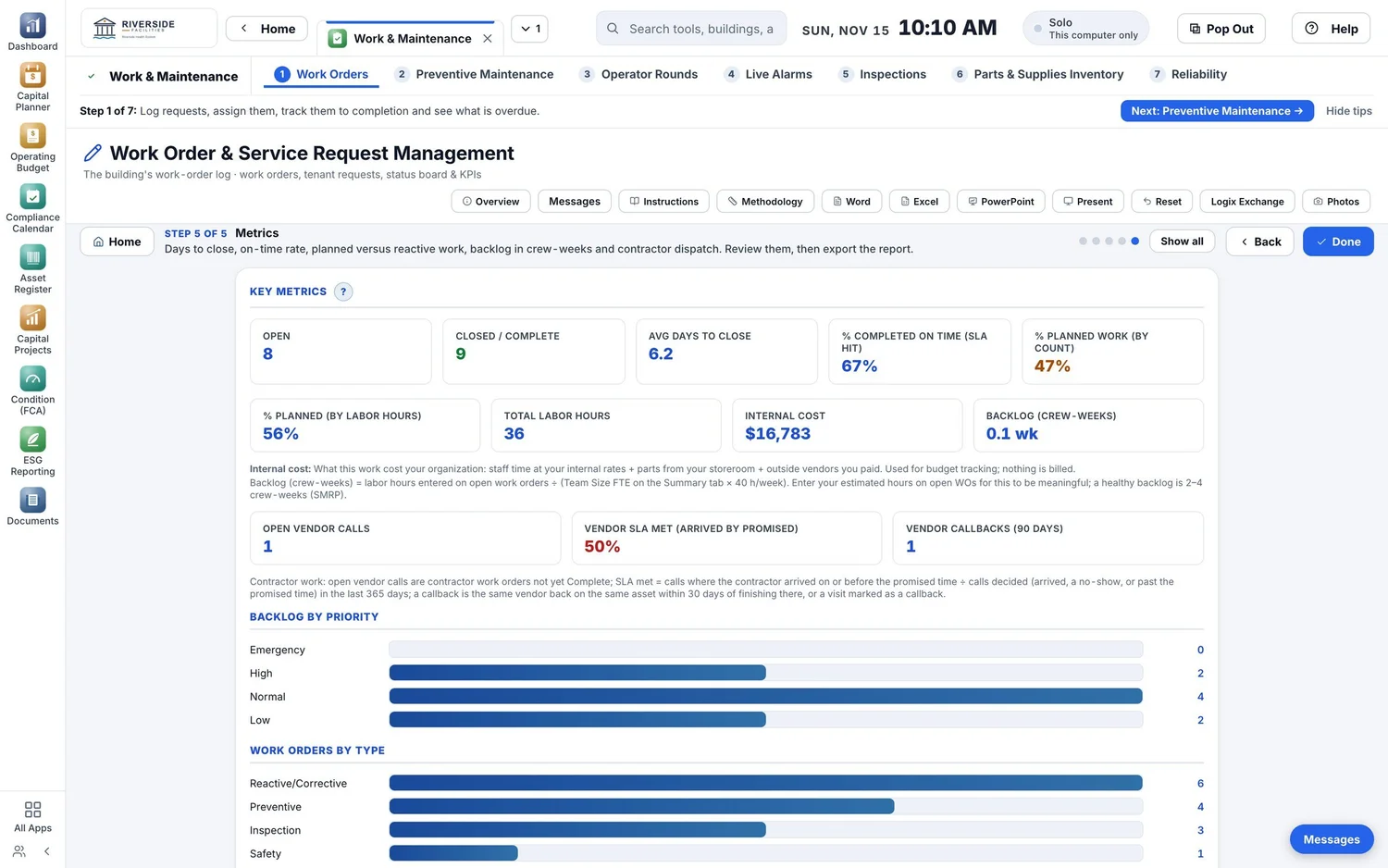
Metrics in Work Order & Service Requests: days to close, on-time rate, planned versus reactive work, backlog in crew-weeks and contractor dispatch. Review them, then export the report.
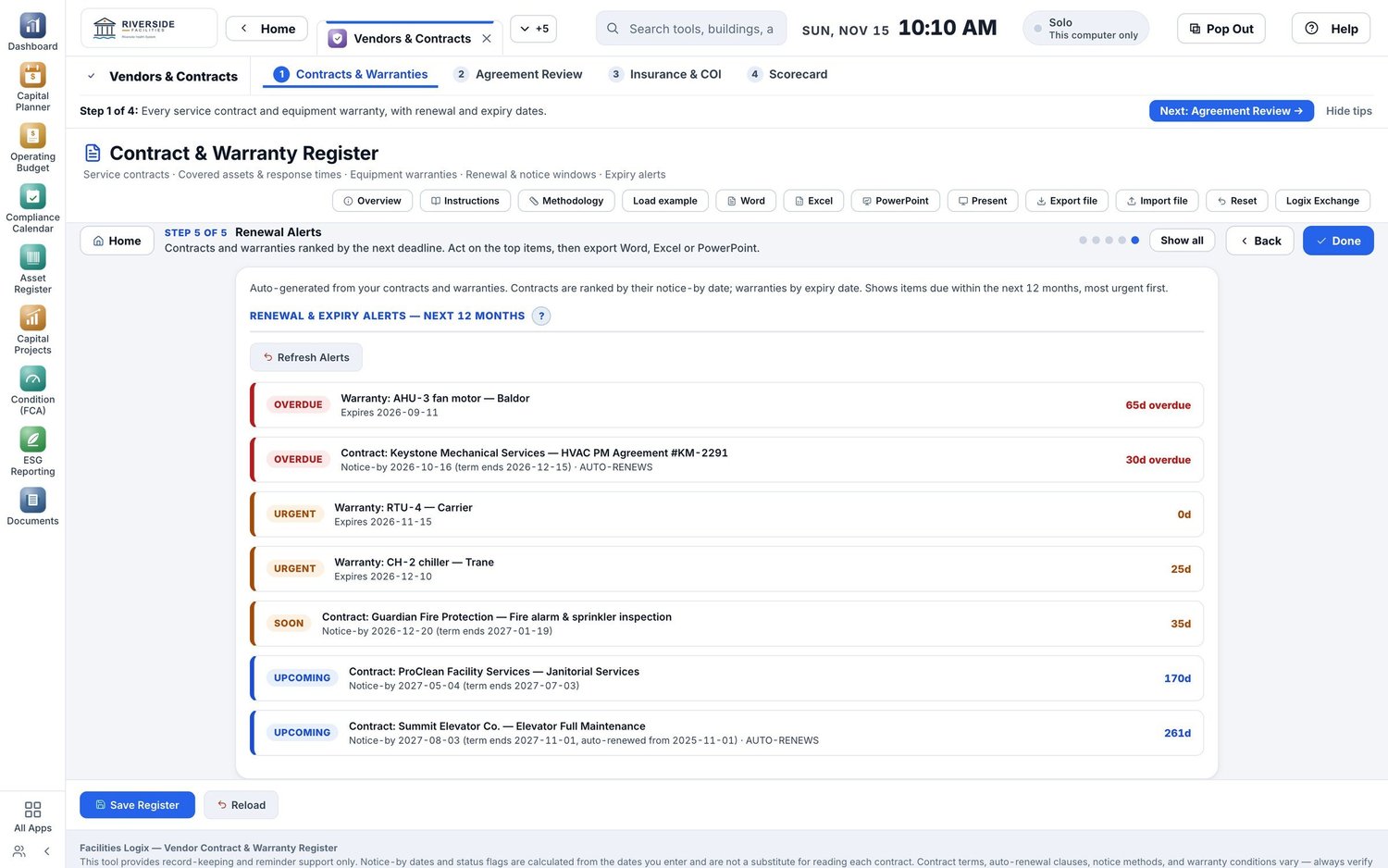
Renewal Alerts in Contract & Warranty Register: contracts and warranties ranked by the next deadline. Act on the top items, then export Word, Excel or PowerPoint.
Contracts & Certificates
Service contracts, warranties and vendor insurance certificates expired or expiring, with vendor response and callbacks.
Learn More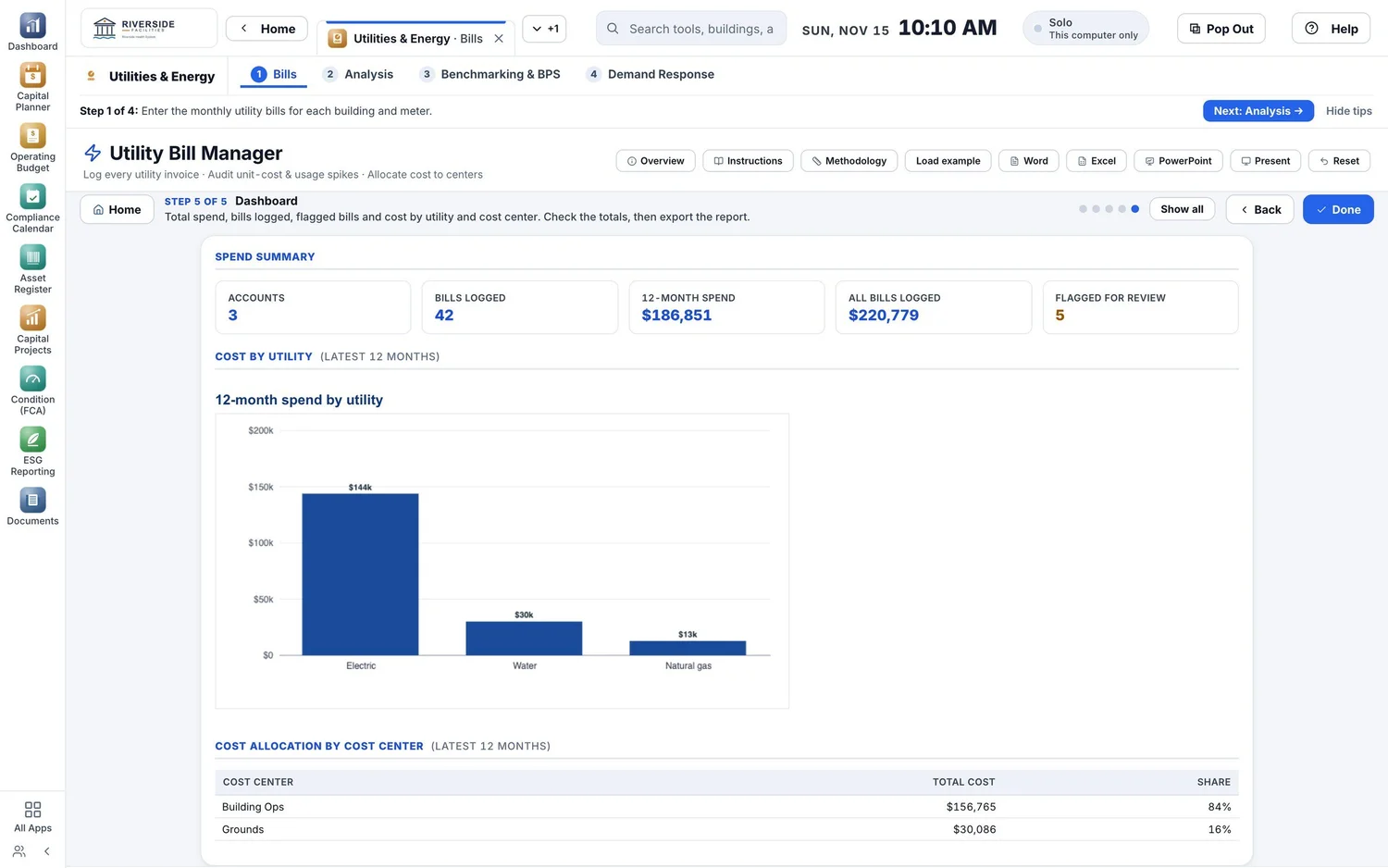
Dashboard in Utility Bill Manager: total spend, bills logged, flagged bills and cost by utility and cost center. Check the totals, then export the report.
Word, Excel and PowerPoint from One Model
What Every Report Contains
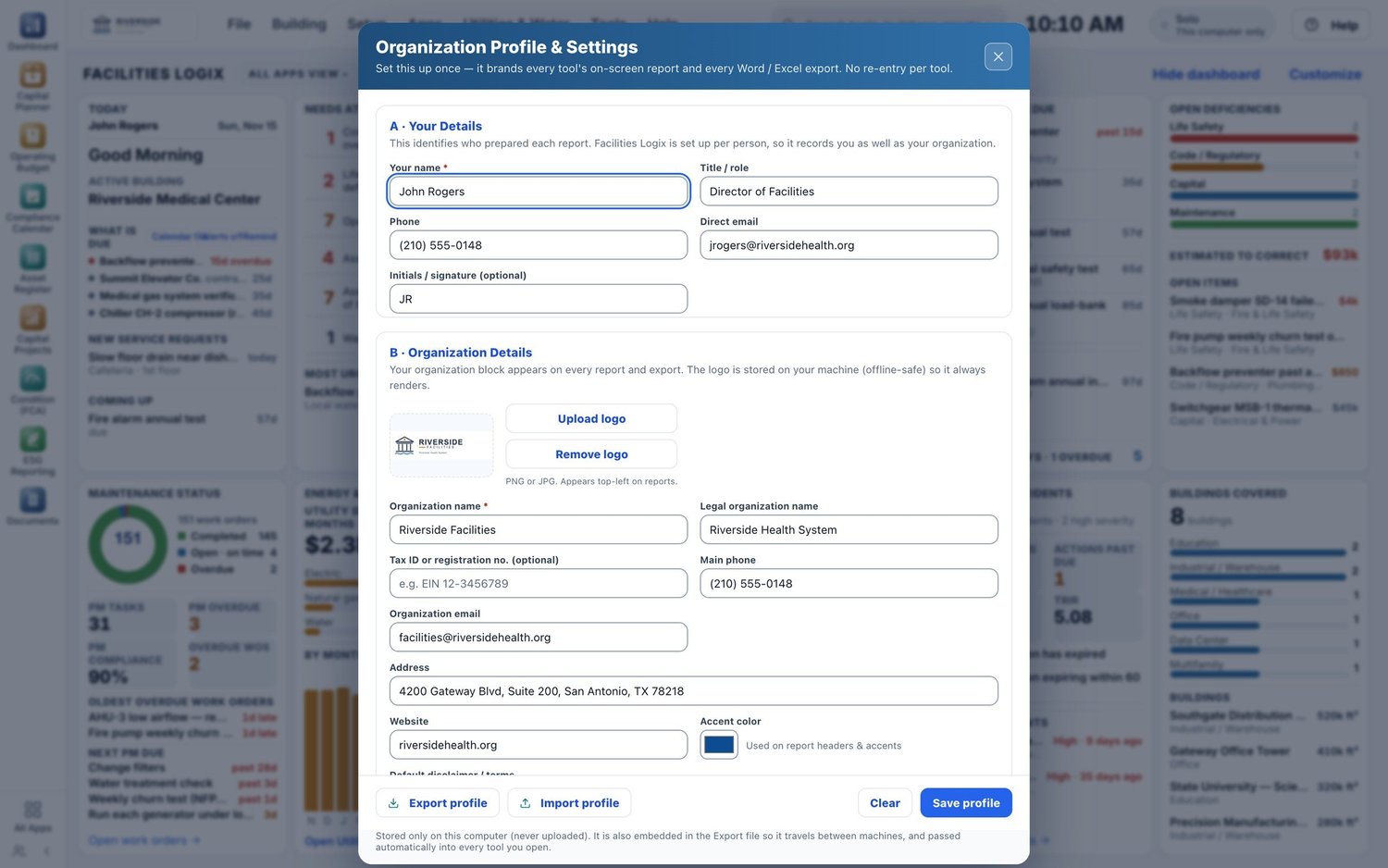
- A branded cover with your organization's logo, name and accent color, the building or portfolio, the date and the preparer
- The decision in one sentence and a KPI band with the key figures
- A plain-English summary, charts with a one-line takeaway each, and detail tables
- The inputs used, the assumptions made and the methodology followed
Three Formats That Always Agree
- Word is the board memo or report
- Excel keeps real numbers, not text, so finance can sort, filter and total them, with Inputs and Method & Assumptions on their own sheets
- PowerPoint is the briefing deck
- All three come from one report model, so numbers, charts and wording match
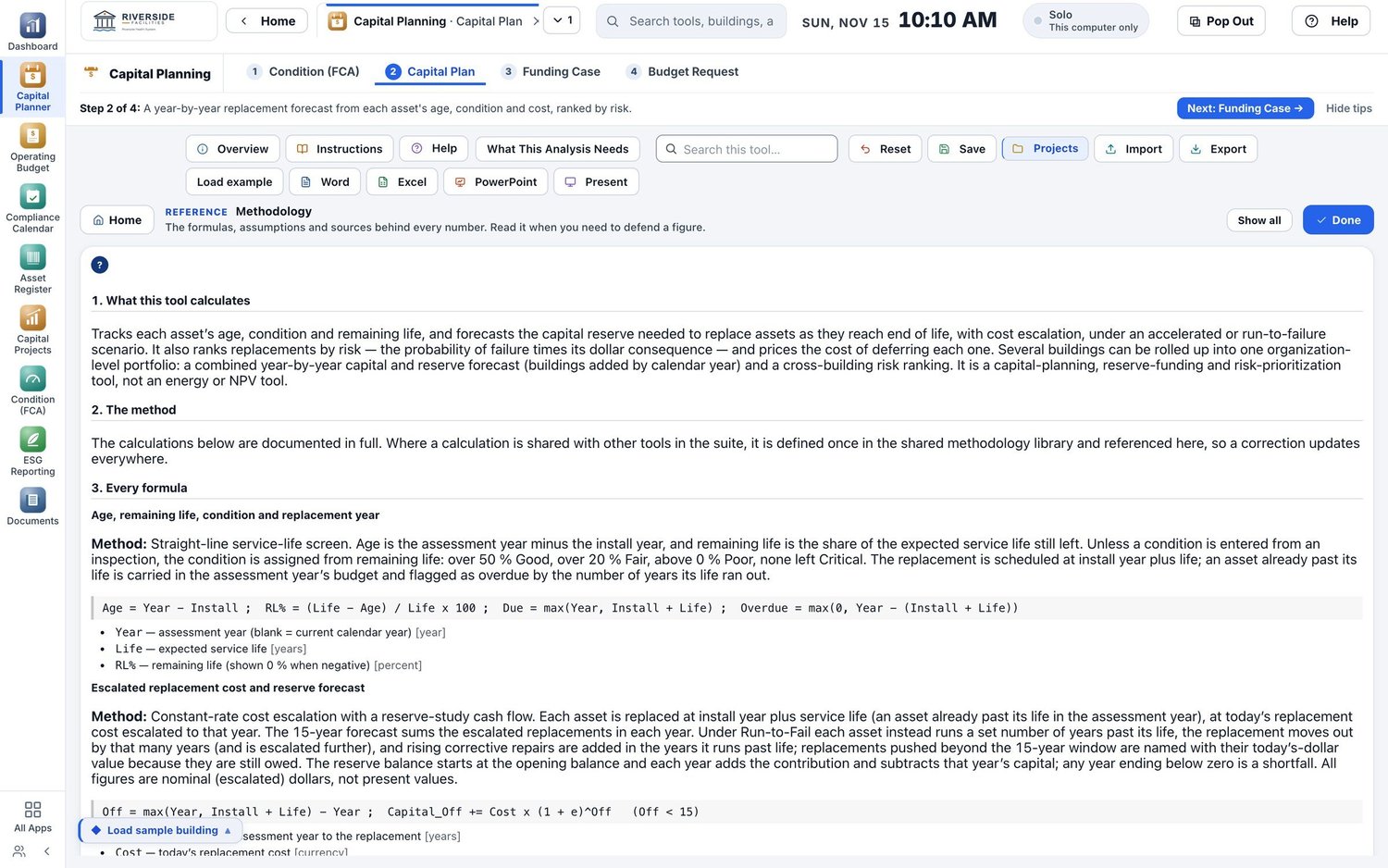
The Methodology tab: the formulas, sources and assumptions behind every number.
Present Mode
- Open the same report full screen, one page at a time, for a meeting room or a projector
- Every figure on screen is the figure in the Word report
- Leave and return to the page you were on, or save the presentation as a deck or a PDF
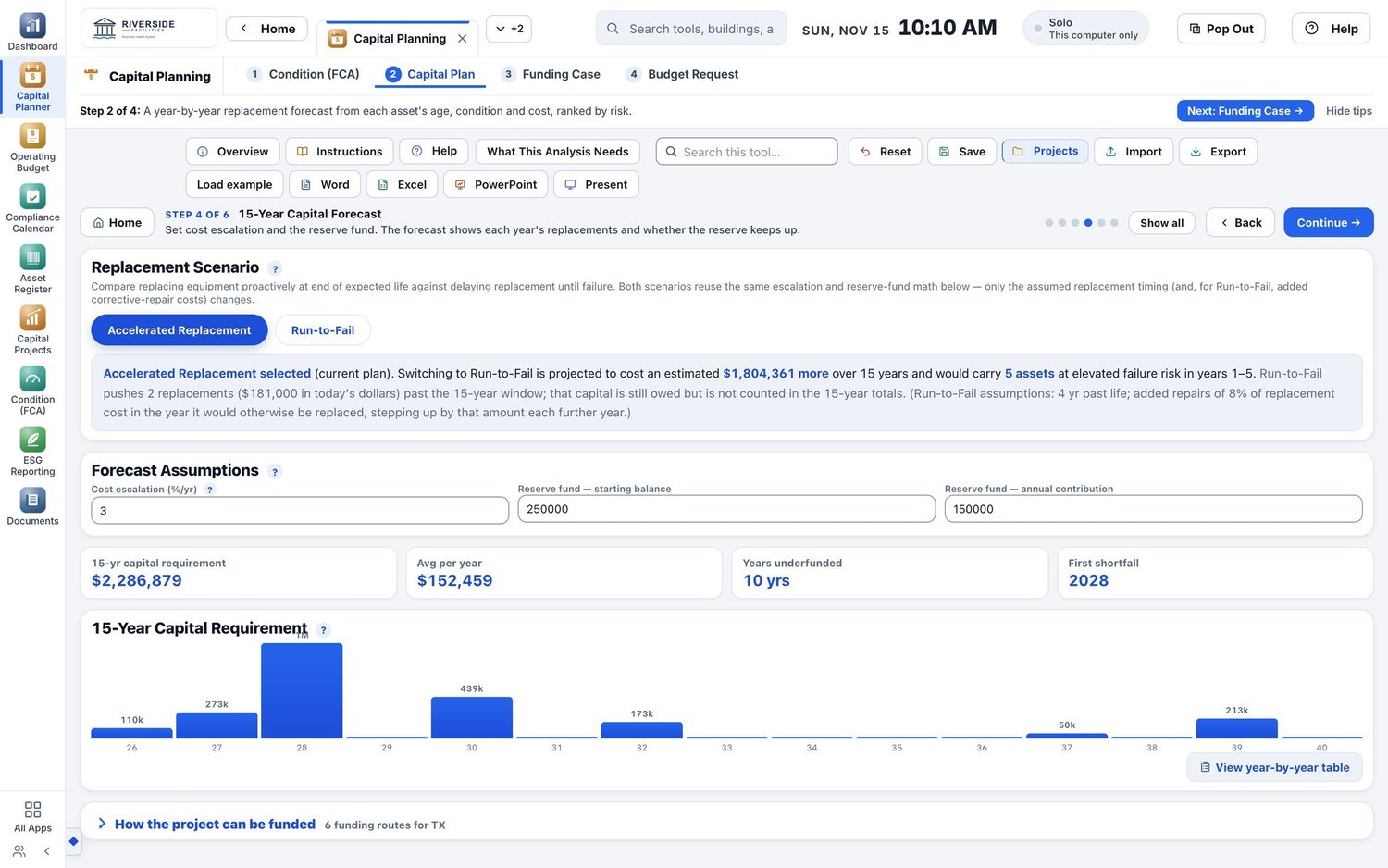
15-Year Capital Forecast in Capital Planner: set cost escalation and the reserve fund. The forecast shows each year's replacements and whether the reserve keeps up.
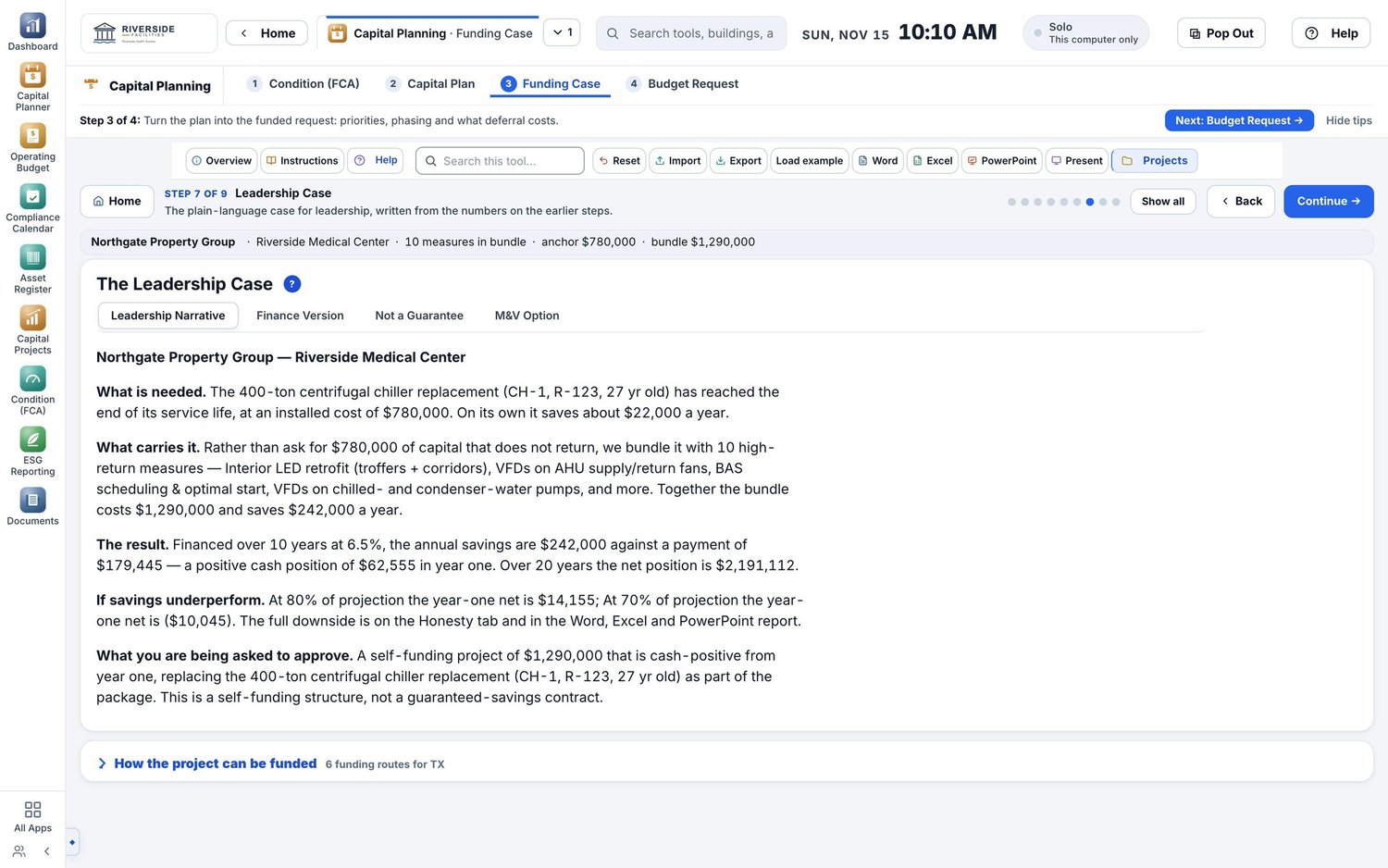
From Condition to a Funded Request
Build the Case
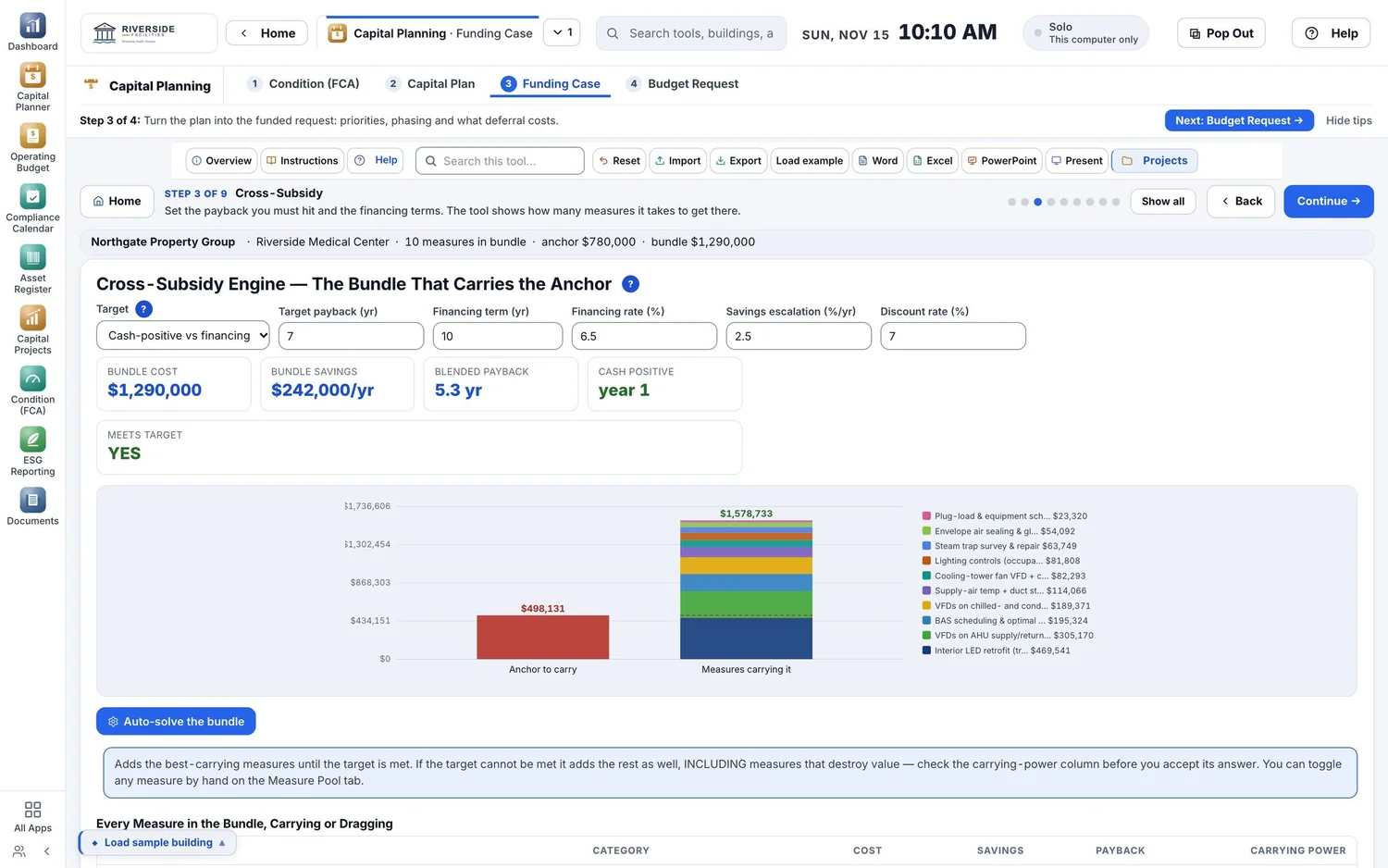
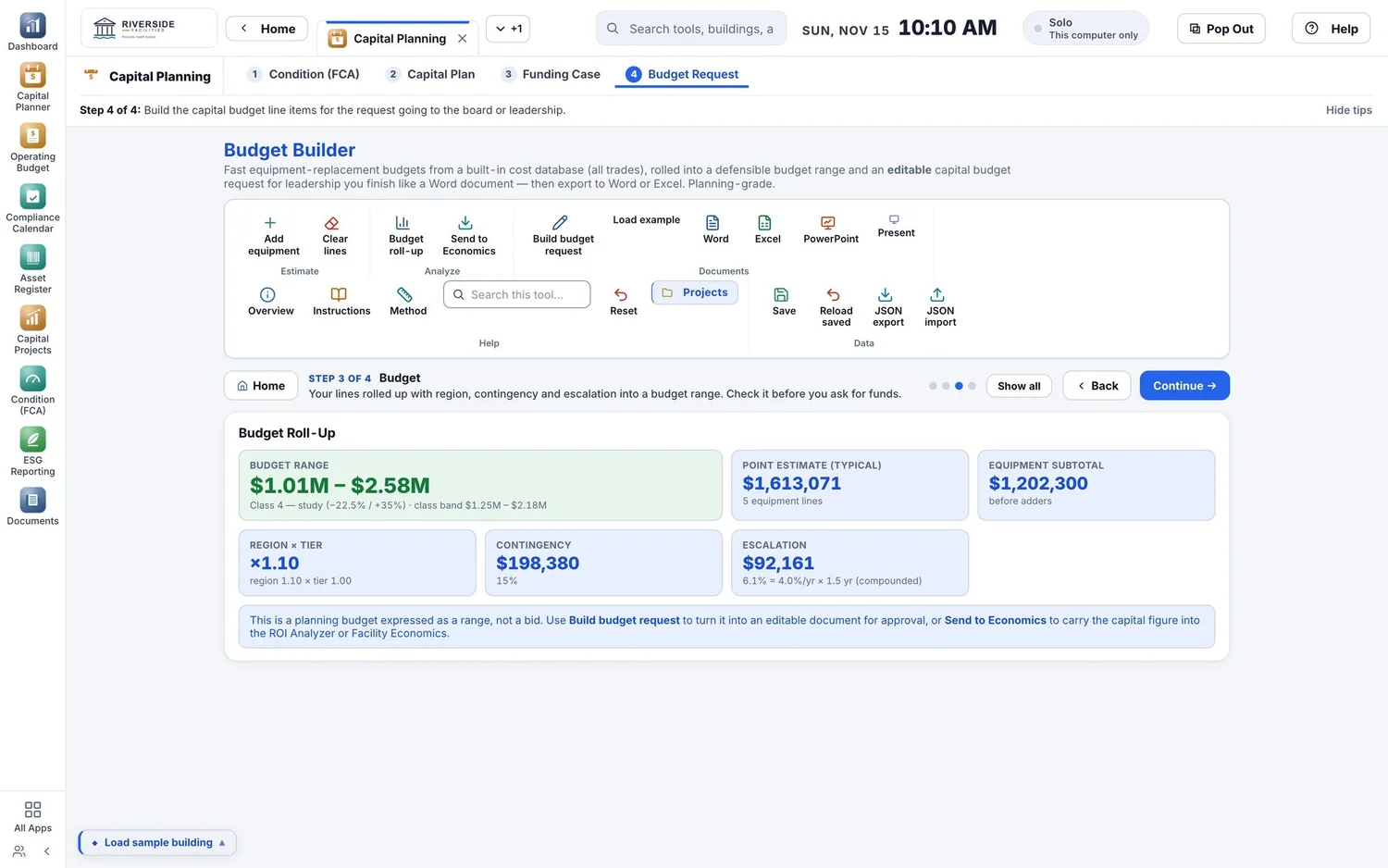
Start from the condition assessment and the capital plan. Prove the economics in Facility Economics and ROI, set defensible budget numbers, pair necessary work with high-return measures in the Funding Case, capture incentives and compare financing structures. Then export the branded report, the workbook behind it and the deck for the meeting.
Show the Working
Every report carries the inputs it used, the assumptions it made and the method it followed. Sample data is always watermarked, so an example can never be mistaken for your own figures. When someone asks where a number came from, the document answers.
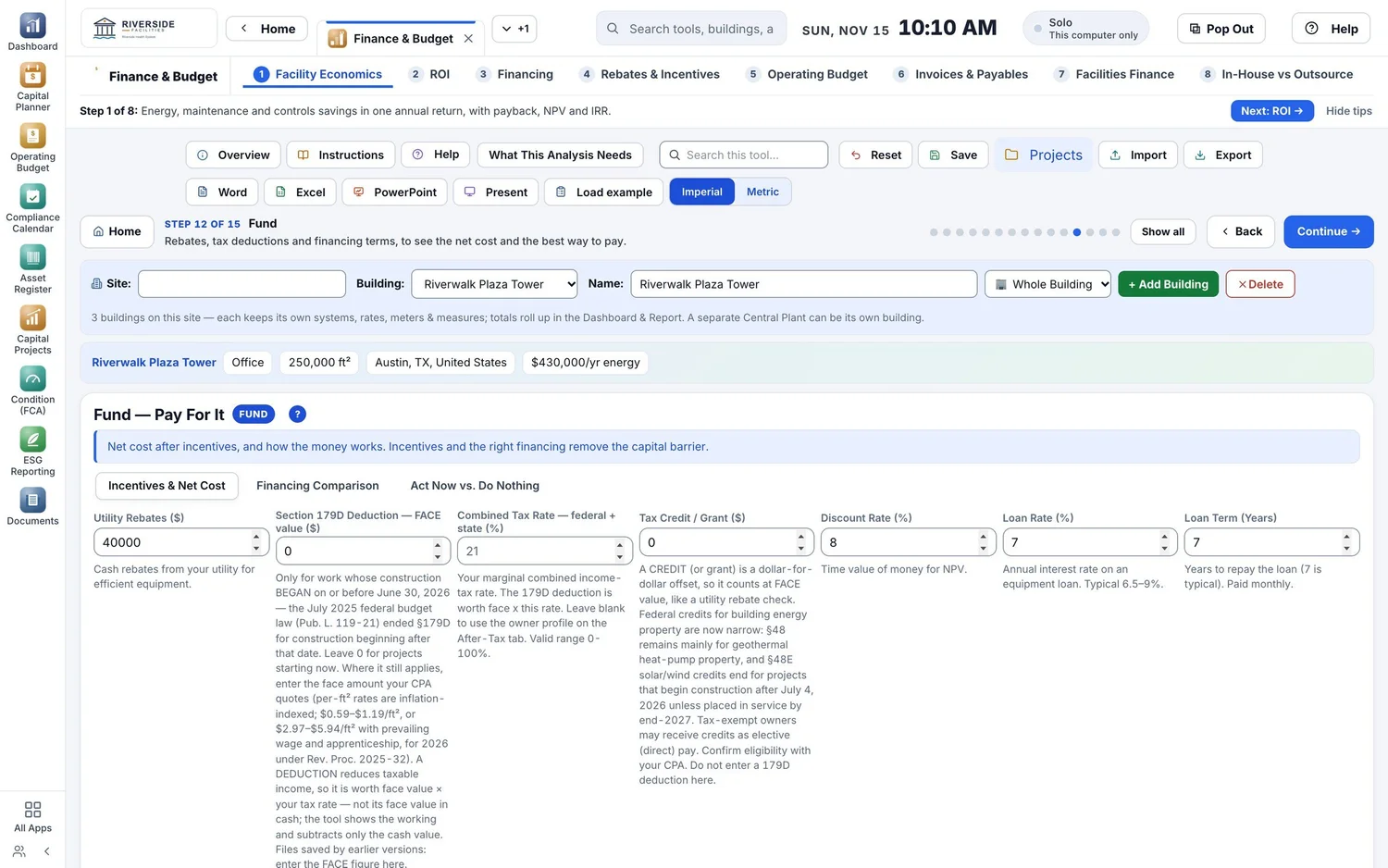
Fund in Facility Economics: rebates, tax deductions and financing terms, to see the net cost and the best way to pay.
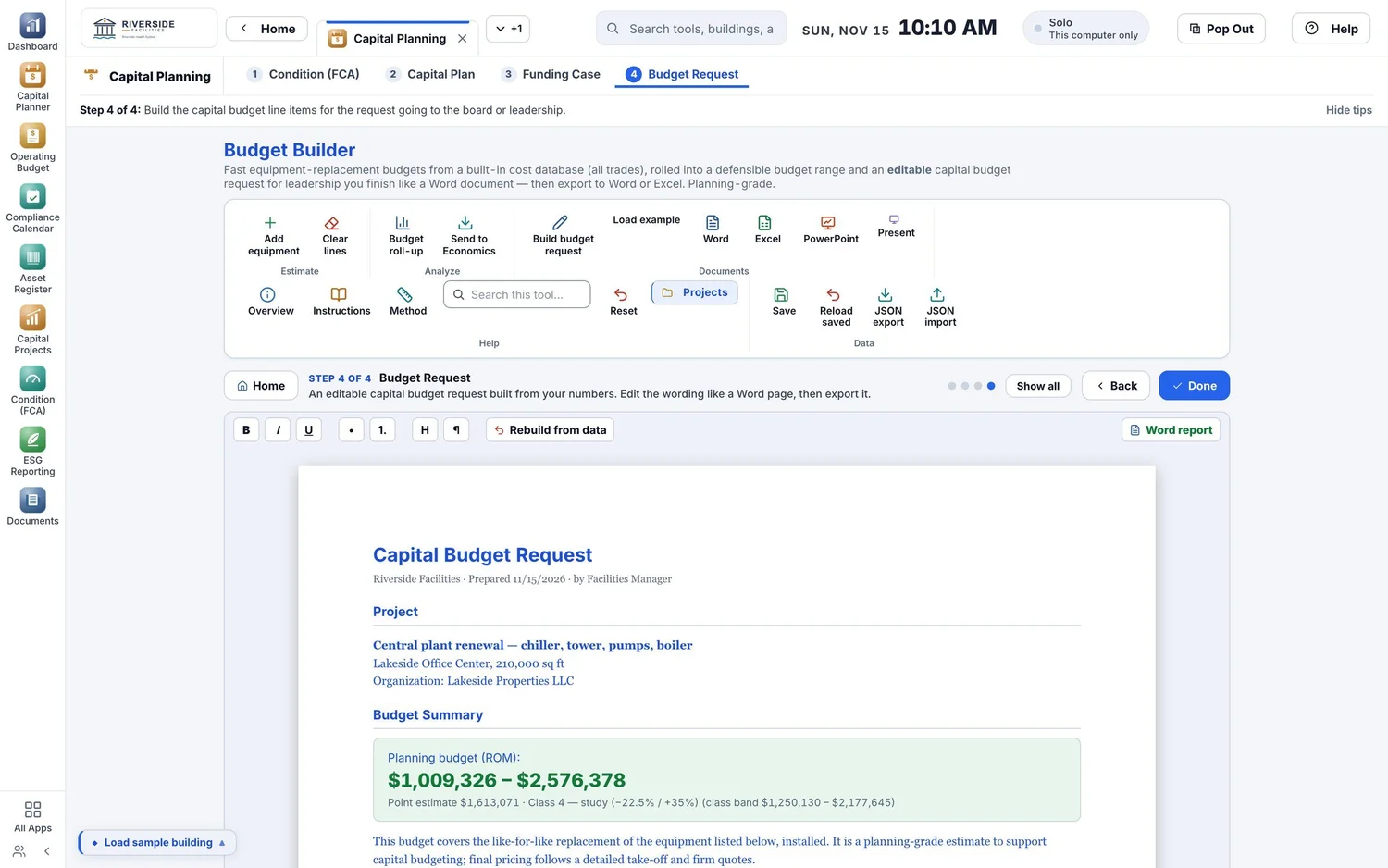
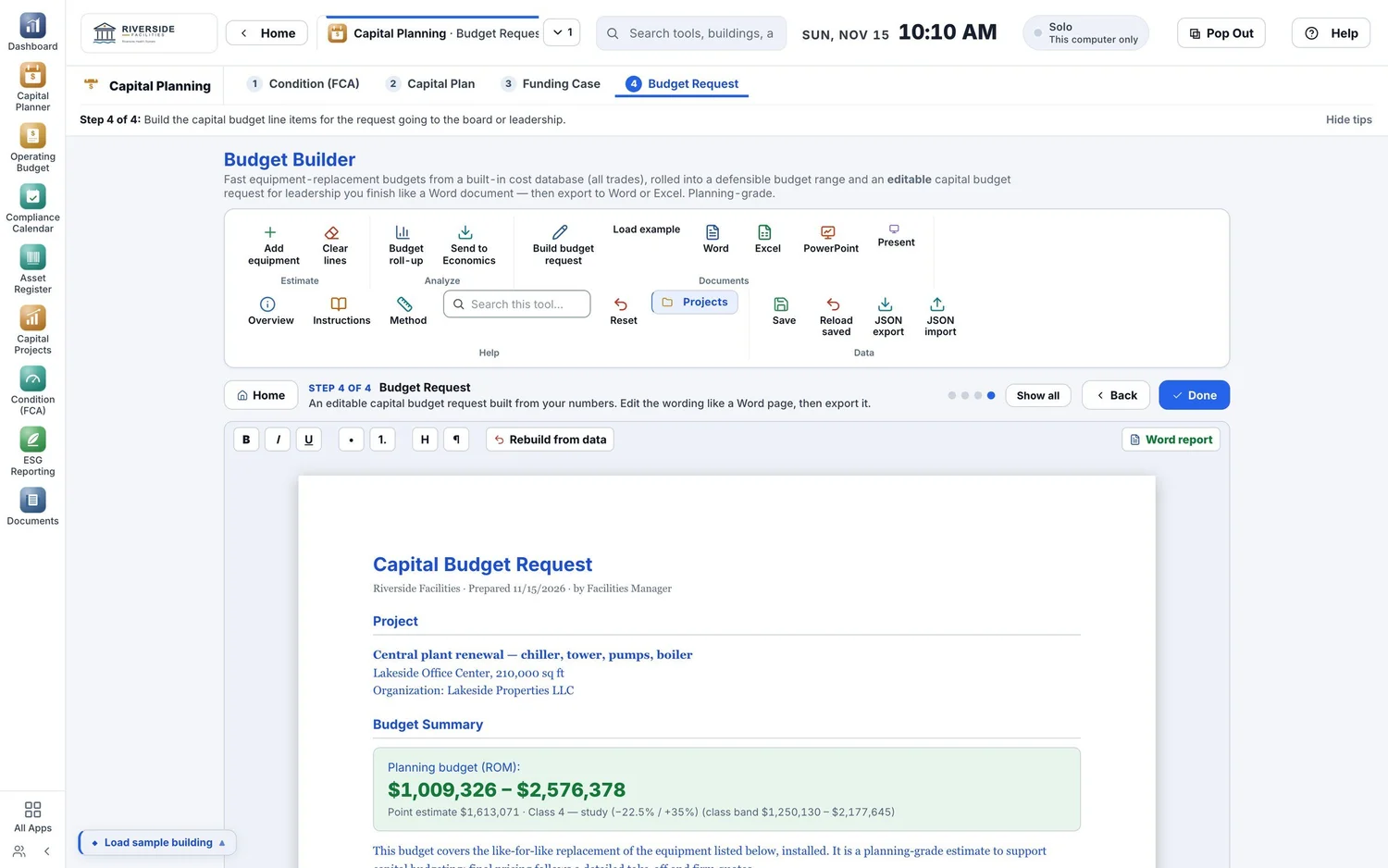
Budget Request in Budget Builder: an editable capital budget request built from your numbers. Edit the wording like a Word page, then export it.
Reminders, Documents and Every Building in View
Reminder Center
What is due in the next 45 days on the home screen, a calendar file of the next 90 days for your calendar program and a daily desktop alert when something is overdue or due within a week.
Learn MoreShow Less
A missed contract notice or a lapsed inspection is avoidable cost. Reminders reach the calendar people already use.
- One all-day event per item, with a reminder the day before
- Overdue items placed on today and marked OVERDUE
- Importing a newer file updates events instead of adding them twice
- Nothing is sent anywhere; the file is saved on your computer
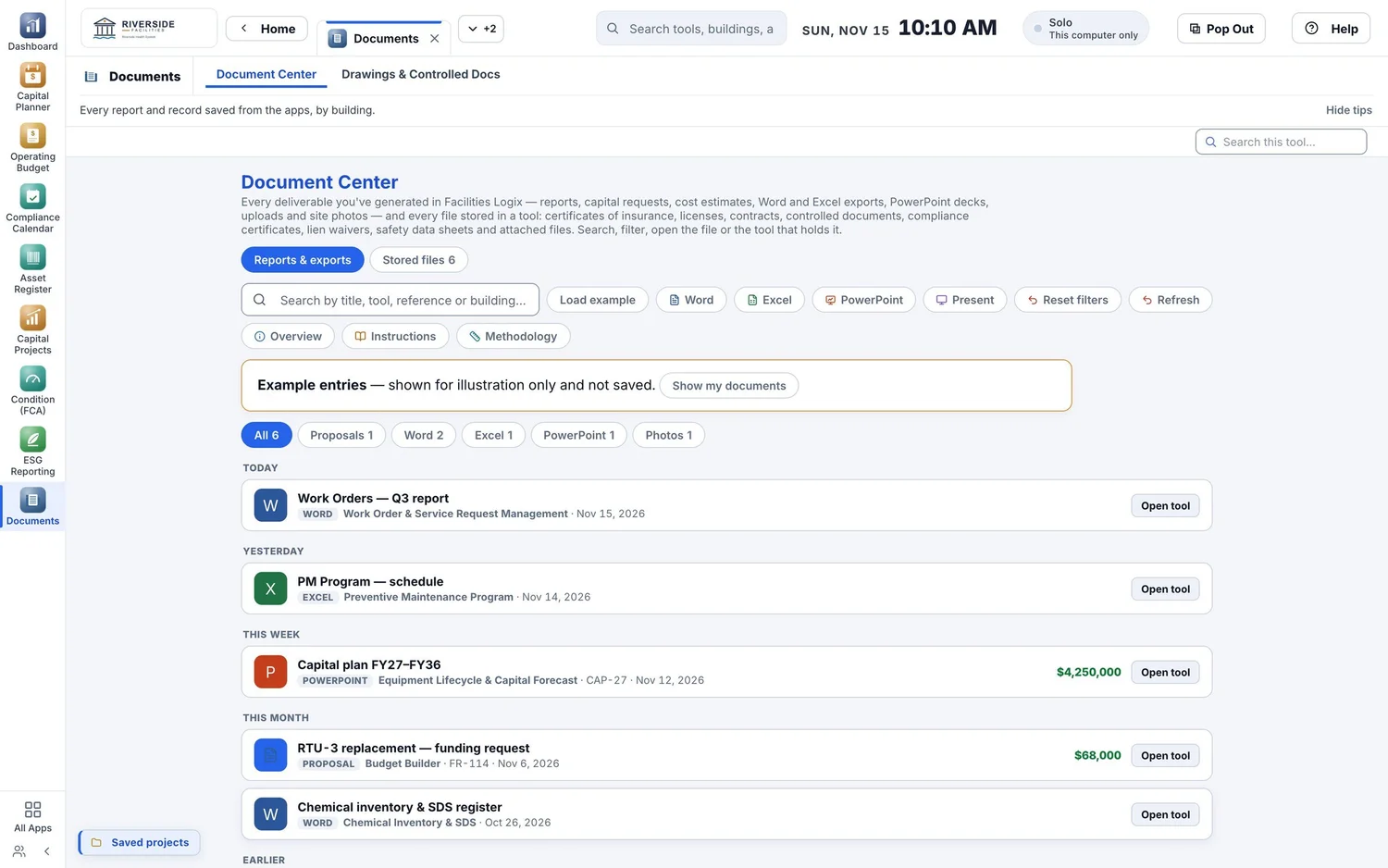
Document Center
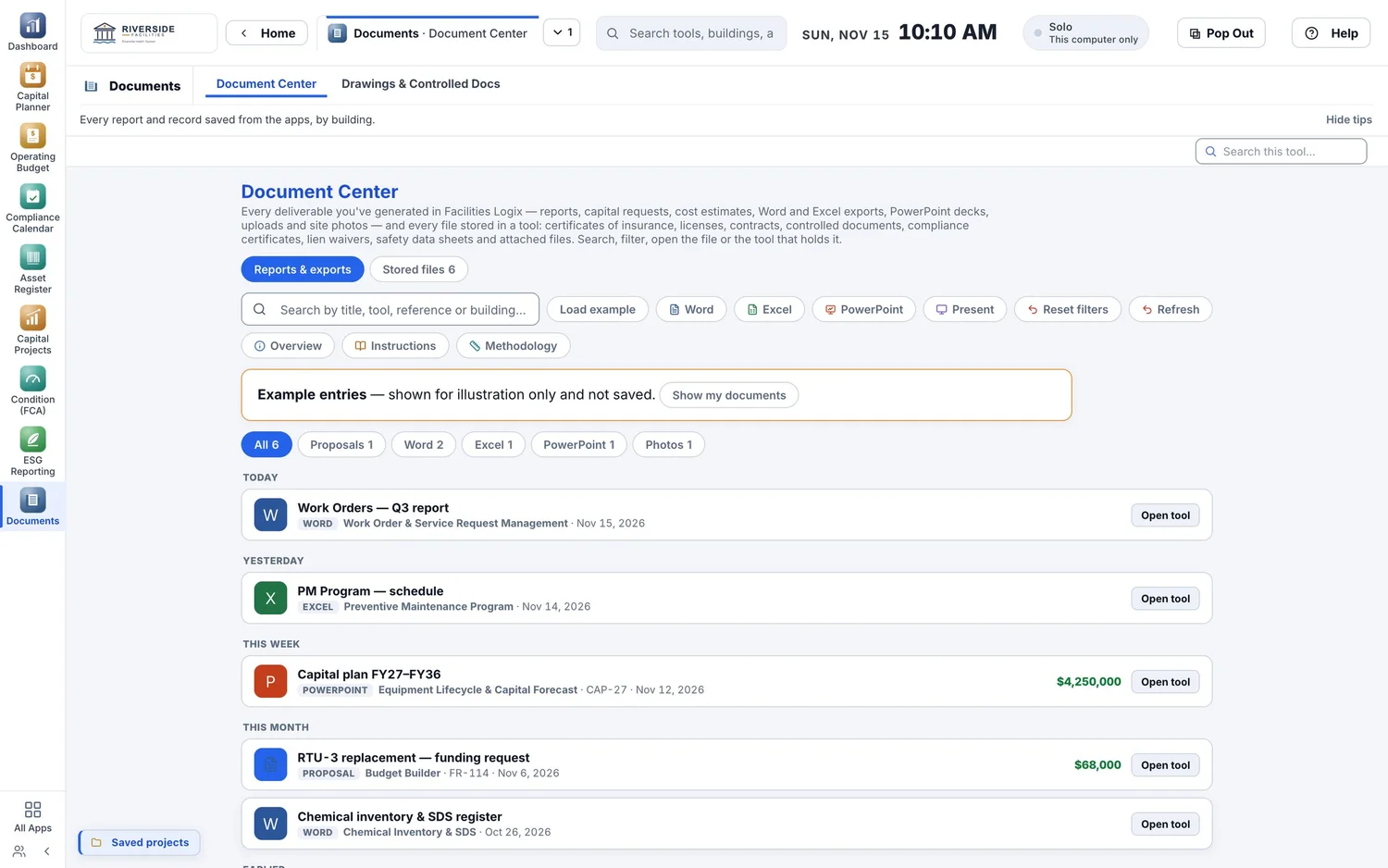
Every report and record you have produced or filed, searchable and grouped by building, with a click back to the tool that made it.
Learn MoreShow Less
Looking for the last version of a report wastes time and risks sending the wrong one. Every tool registers what it produces here by itself.
- Capital requests, estimates, exports, decks, uploads and site photos in one index
- Re-open the tool that made a file to revise it
- Imported outside test-report PDFs listed with their import
- Exports saved where you choose, starting in Downloads
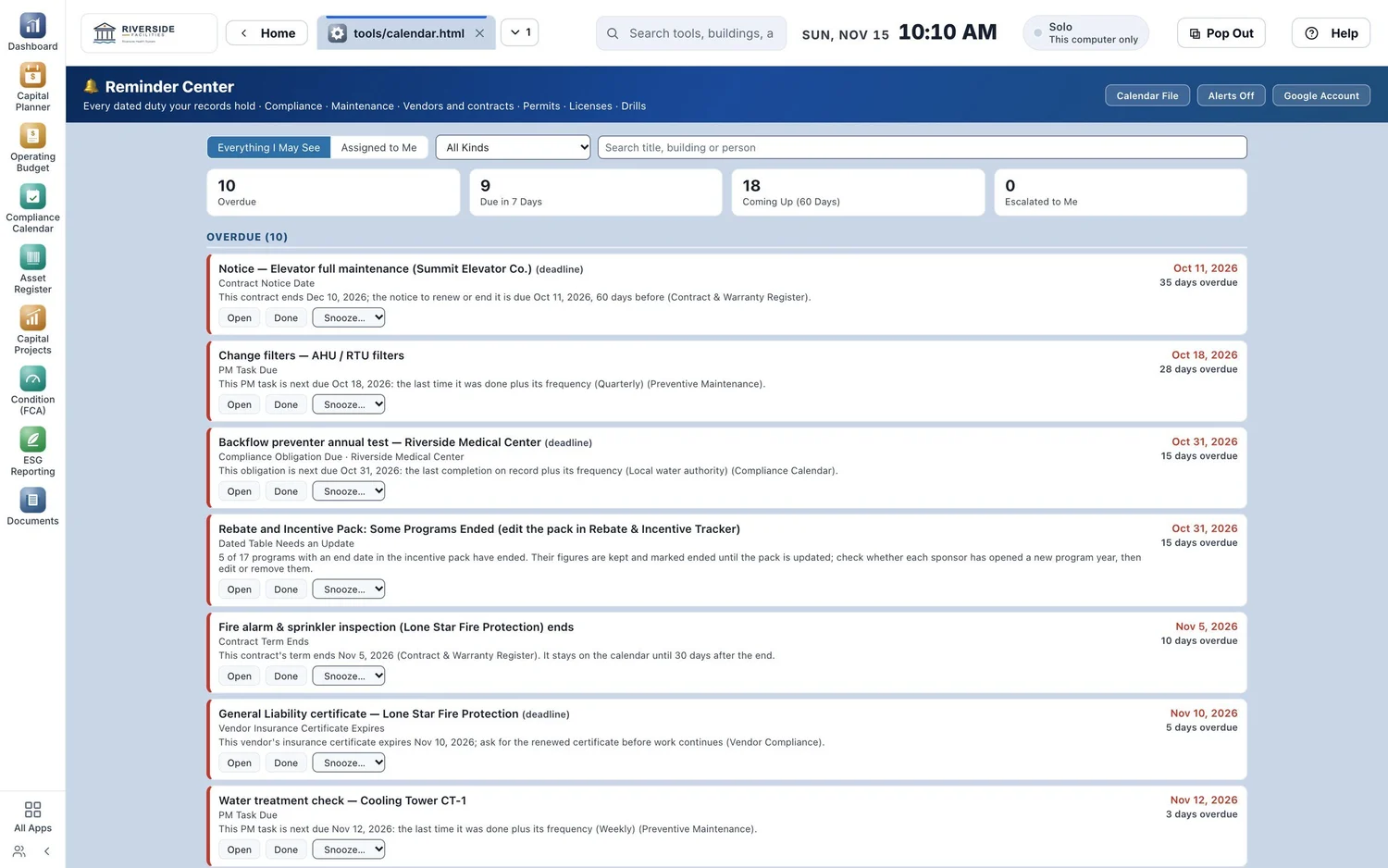
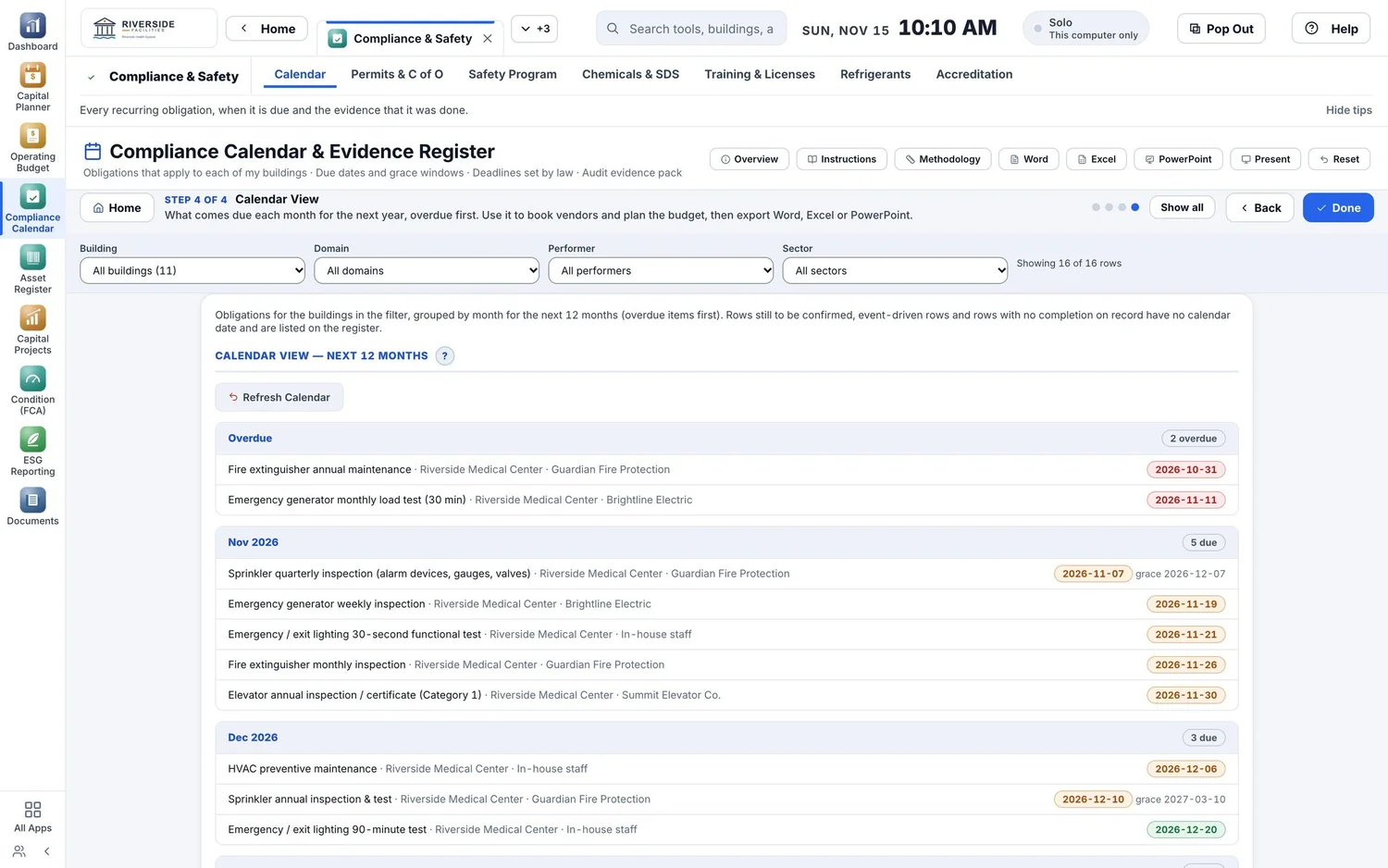
The calendar and Reminder Center: every due date across the portfolio in one place.
Stored Files
Certificates, contracts, permits, lien waivers and safety data sheets kept inside the tools, filtered by kind, vendor and expiry.
Learn MoreShow Less
An expired certificate found after a claim can leave the organization paying. Stored Files shows what is expiring across every tool.
- Filter by expired, next 30 days, next 90 days, or no expiry
- Filter by kind and by vendor
- A certificate of insurance is expired on its expiration date
- Open Tool goes to the record that holds the file
Alarms Across the Portfolio
The Command Center brings every building's open alarms and efficiency findings to one screen.
Learn More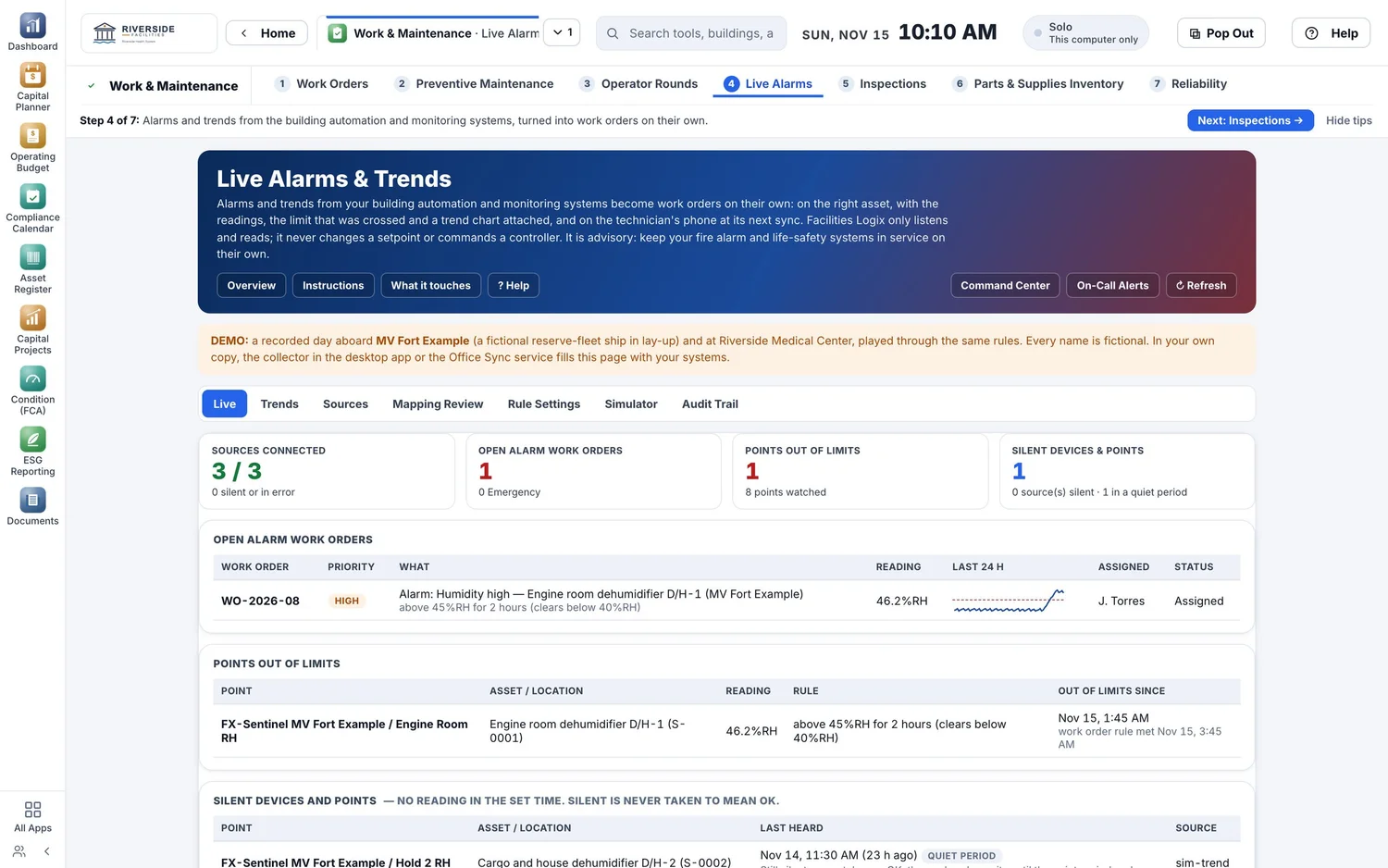
Live Alarms: open alarm work orders and the points out of limits.
Training for Leadership
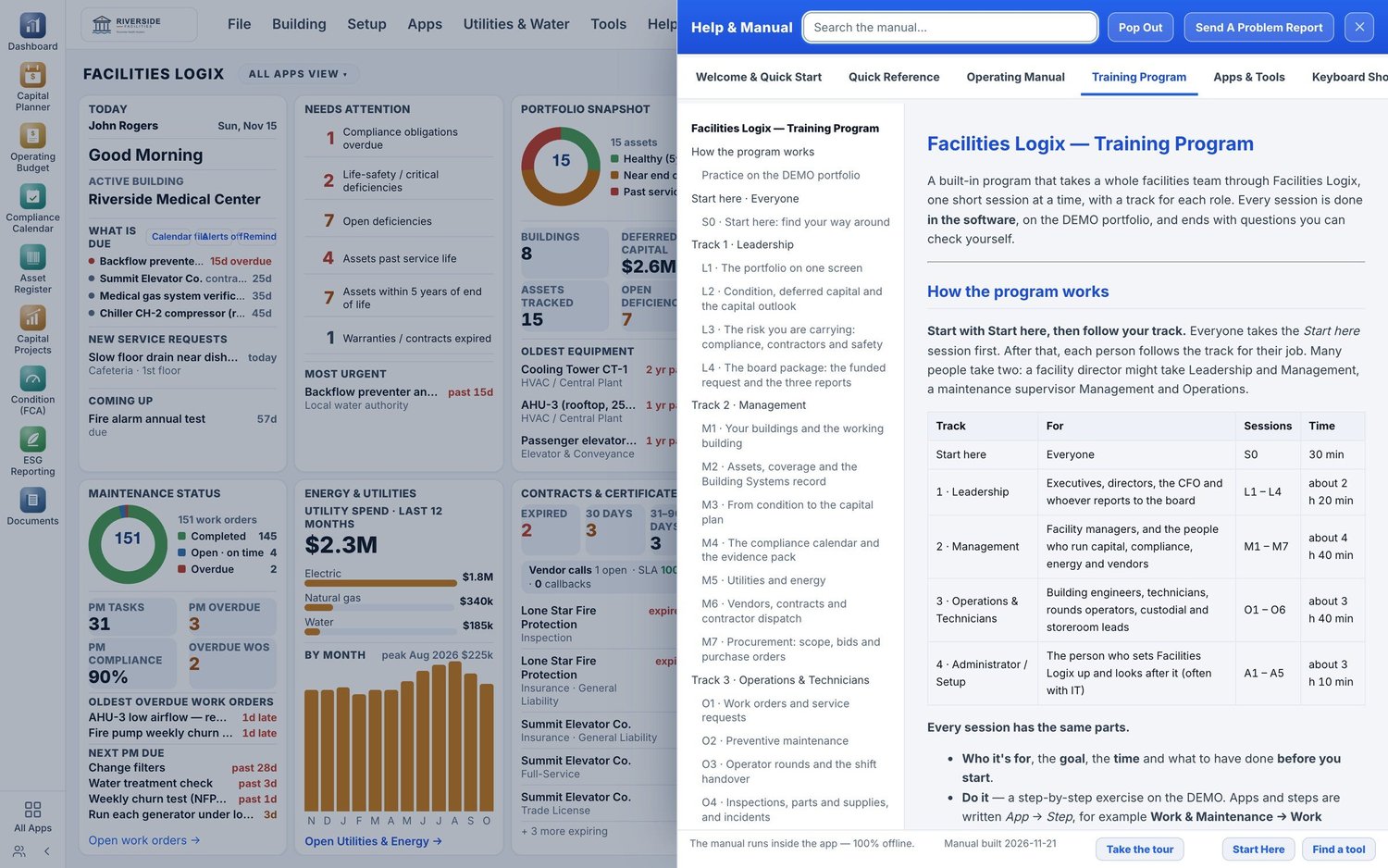
A Leadership track in the built-in Training Program: the portfolio on one screen, condition and capital, the risk you are carrying and the board package.
Learn MoreDrawings and Controlled Documents
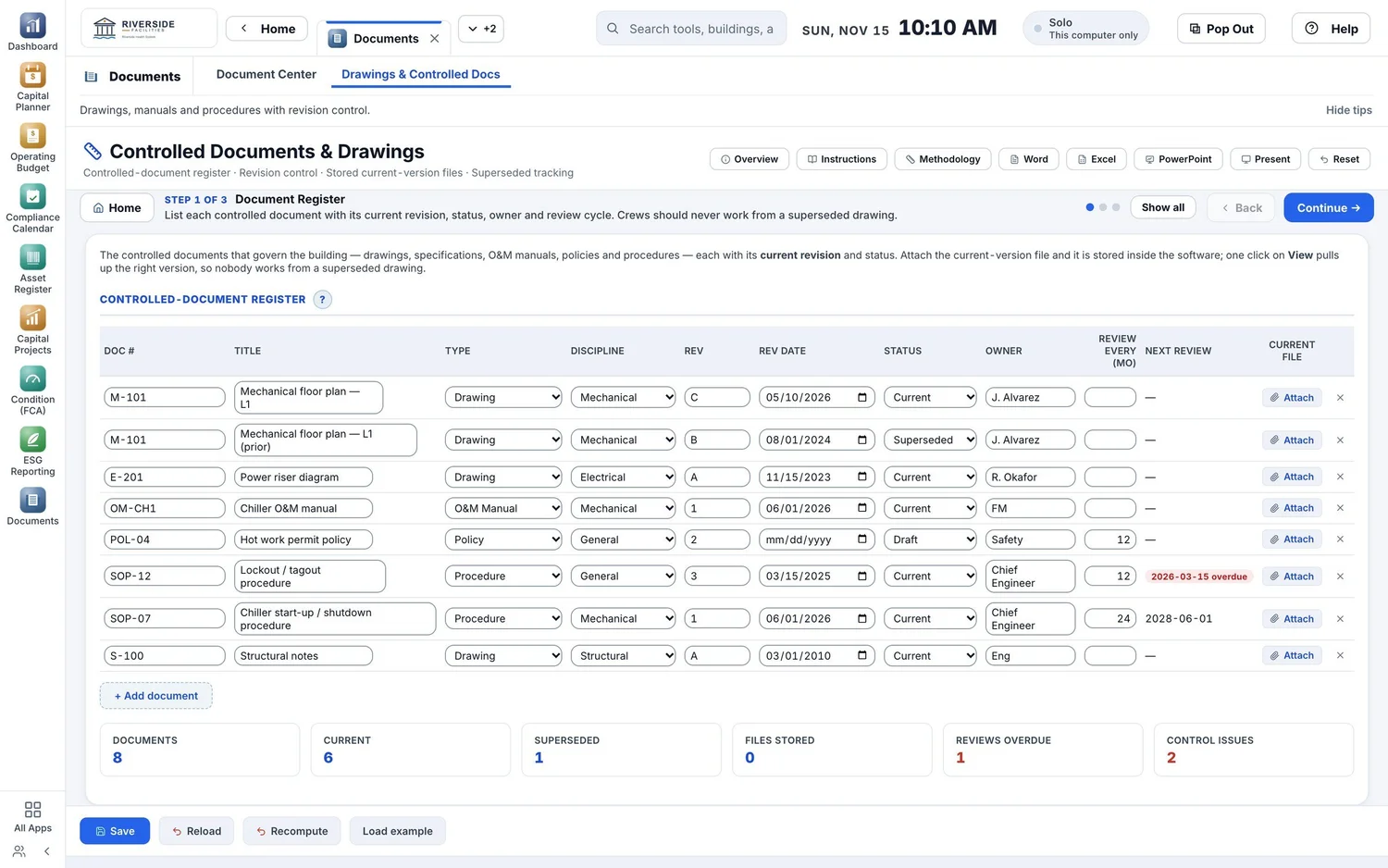
Working from a superseded drawing causes expensive mistakes. The controlled-document register keeps each drawing, specification, O&M manual and policy with its current revision and status, the current file stored inside the program and opened with one click, and a revision history of what changed, when and by whom.
Learn MoreShow Less
Work built from a superseded drawing gets torn out and paid for twice. The register keeps the current revision one click away.
- Each document's revision, date, status, owner and next review date
- A revision history: what changed, when, by whom and why
- Files stored on this computer and opened offline
- A management aid, not a certified document-management system
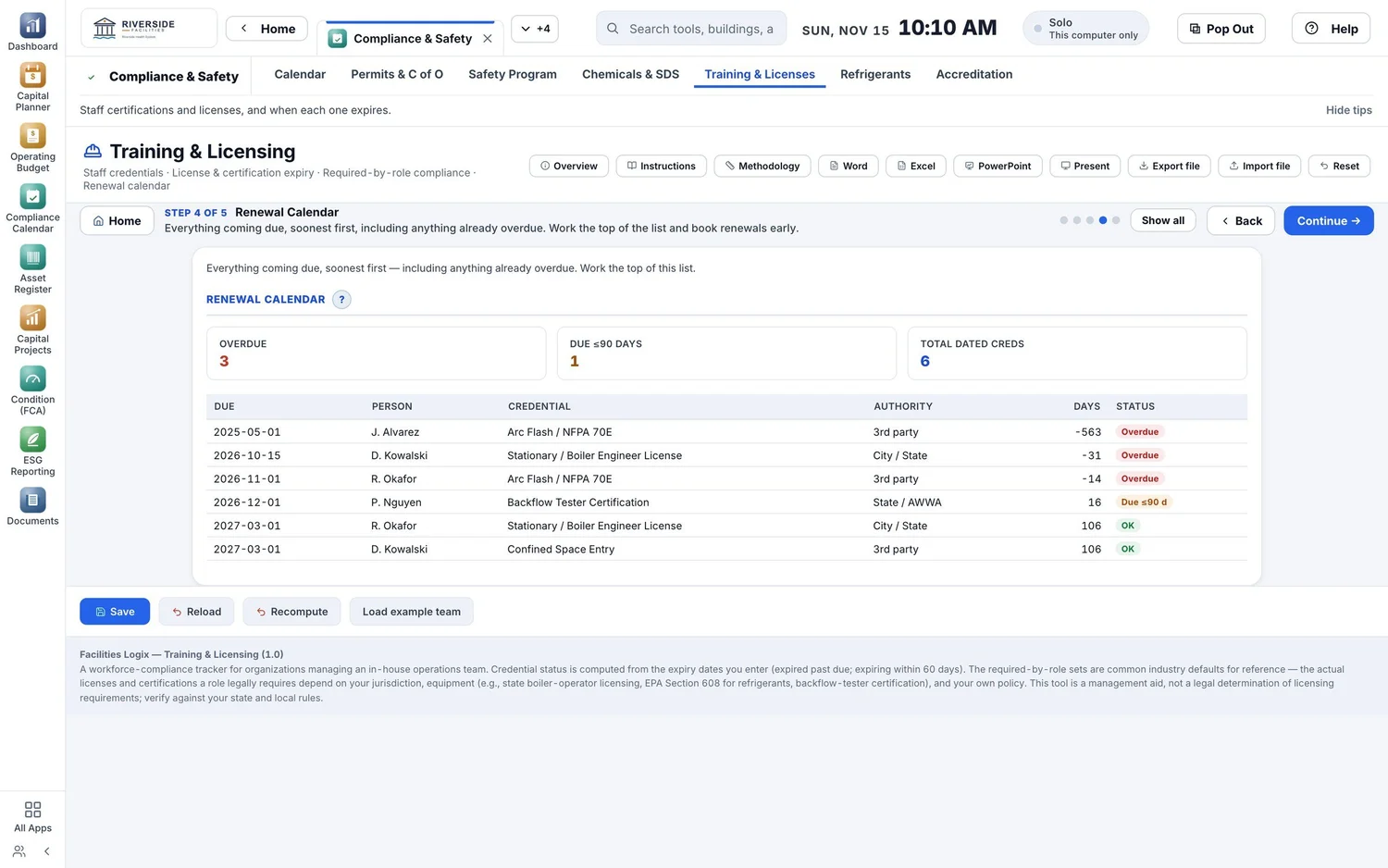
Renewal Calendar in Training & Licensing: everything coming due, soonest first, including anything already overdue. Work the top of the list and book renewals early.
Frequently Asked Questions
Do reports need an internet connection or an outside service?
Can an executive change operational records by accident?
Is Ask the Portfolio an AI assistant?
Be First When Facilities Logix Opens
Stop chasing building records across spreadsheets and binders. Join the list and we will tell you the day downloads open, with setup guides ready.
Launching early 2027 for Facilities Logix. Nothing to buy today, and no sales calls.
