
Keep Every Contract, Warranty and Certificate Current, and Know Who Performs.
Your organization depends on outside contractors for elevators, fire systems, chillers, generators and more. Vendors & Contracts keeps each vendor once, ties contracts and warranties to the assets they cover, watches insurance certificates and scores performance from the work orders themselves.
Launching Early 2027 · Join the Early-Access List
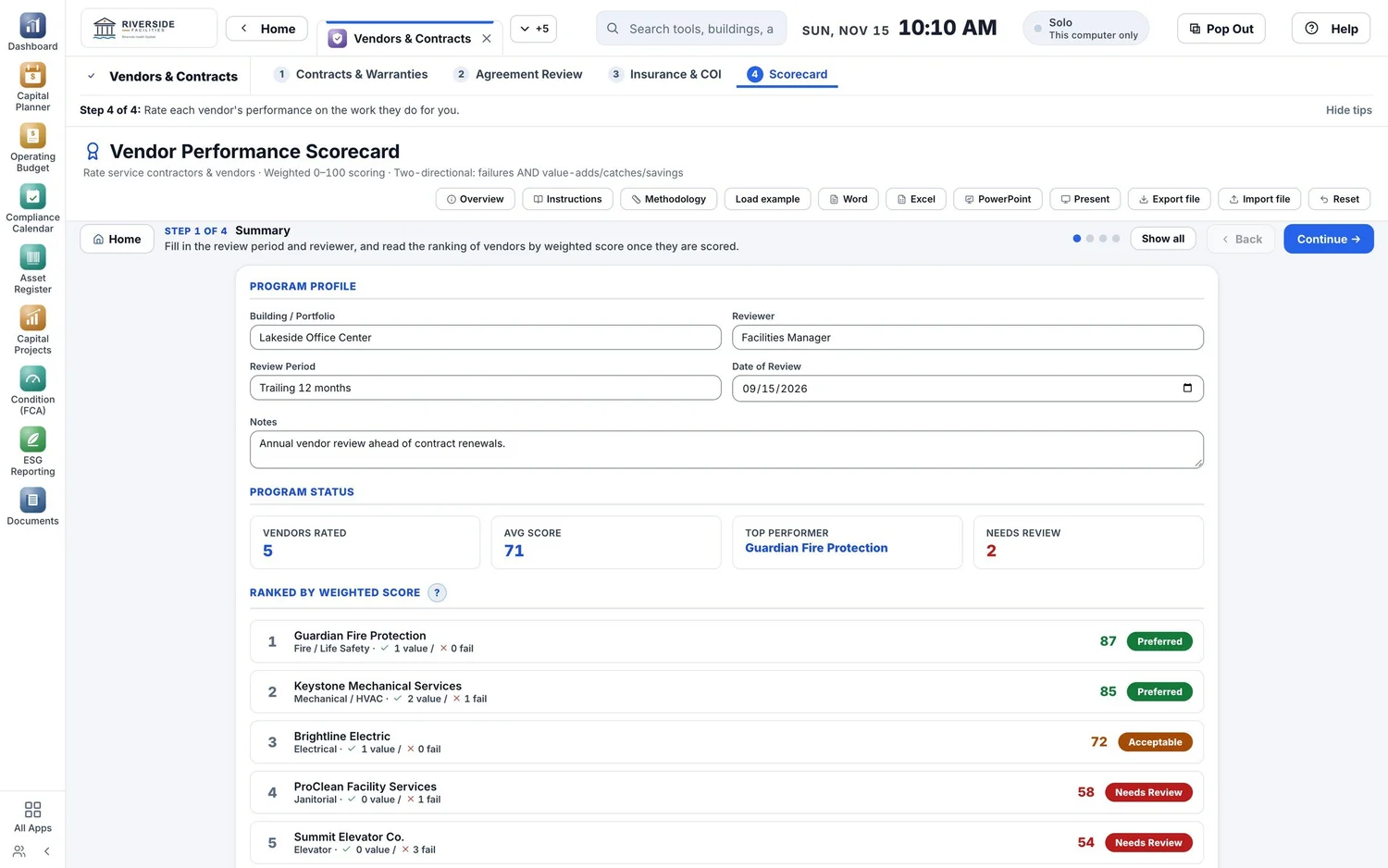
Contracts, Agreement Review, Insurance and the Scorecard
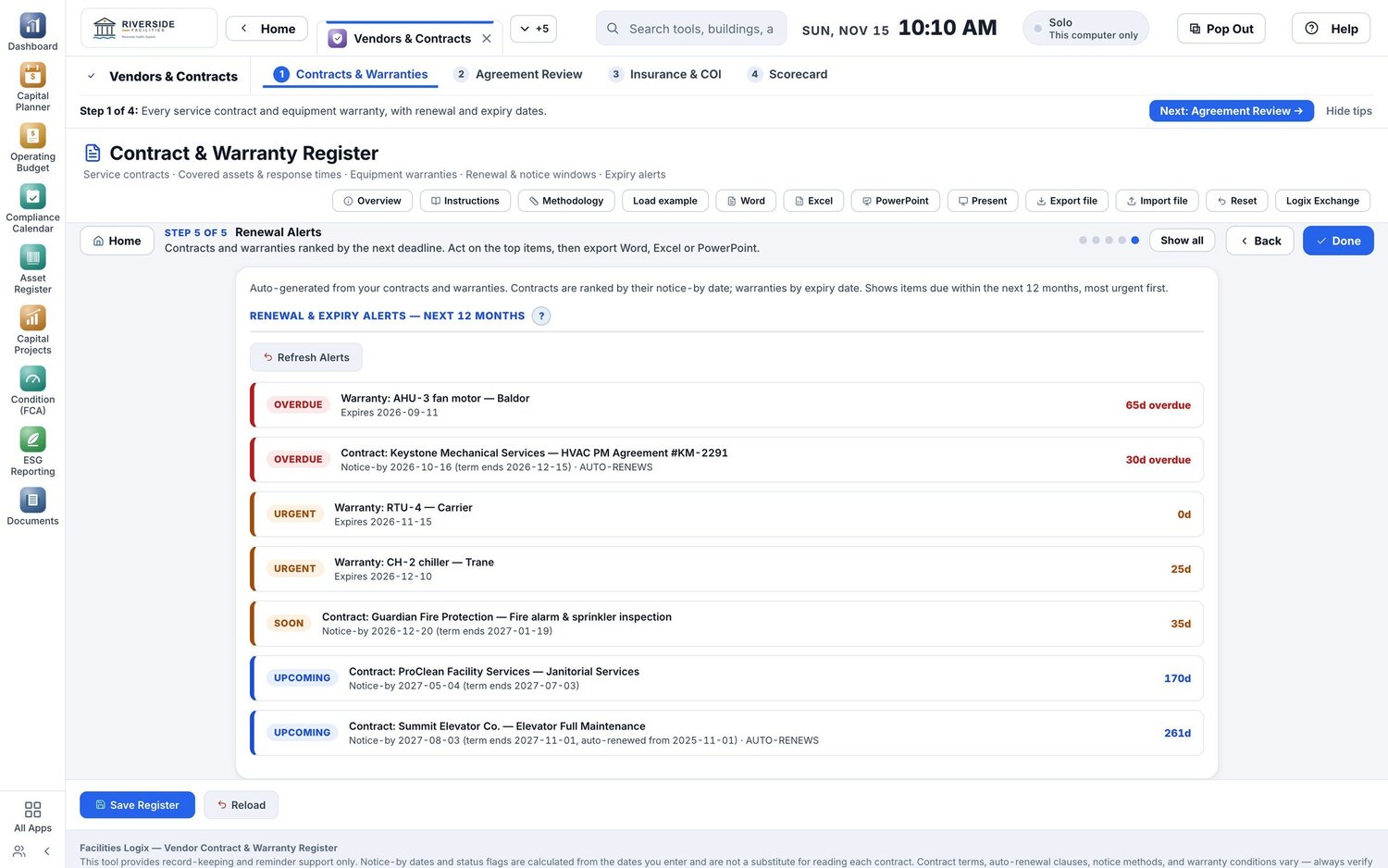
Contracts & Warranties
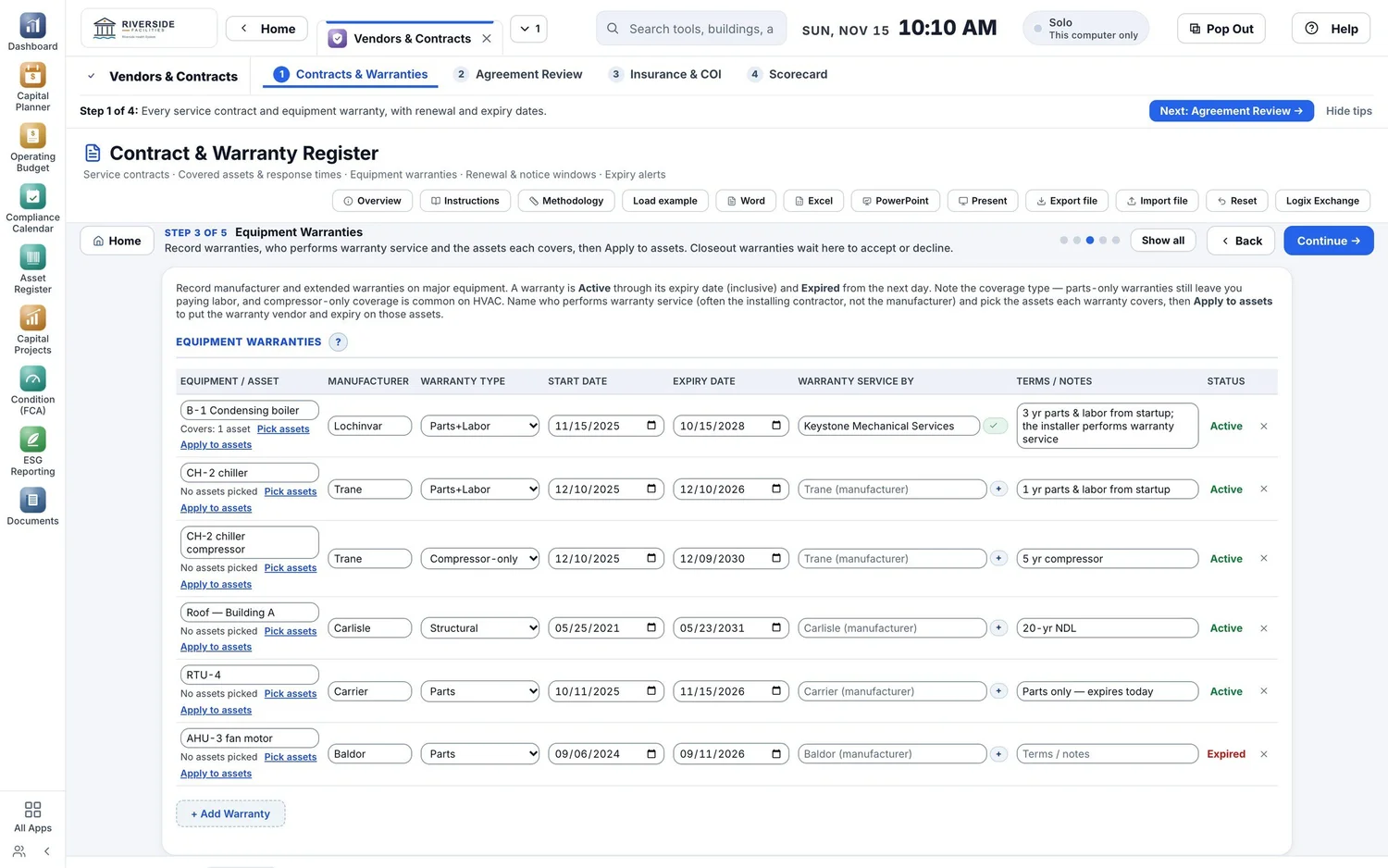
Every service contract and equipment warranty with renewal, notice-period and expiry alerts, and the assets and systems each one covers.
Learn MoreShow Less
Paying for work a contract or warranty already covers is money lost. Coverage rules tell each work order what is covered.
- Full-Service covers any work order; PM Only covers preventive work
- Inspection contracts cover inspections and tests; T&M bills at contract rates
- An auto-renewing contract rolls forward term by term
- Apply to Assets: accept or decline each change, every decision recorded
Agreement Review
Benchmark a maintenance agreement's frequency and coverage against what the equipment needs, with a labor estimate from your own hours and rates and a coverage-risk review.
Learn MoreShow Less
Many agreements promise fewer visits than the equipment needs, or charge for more than they deliver. The review checks the agreement as written.
- Promised PM visits per year compared with the industry-standard recommendation
- Coverage risk: after-hours coverage included, billed extra or unclear
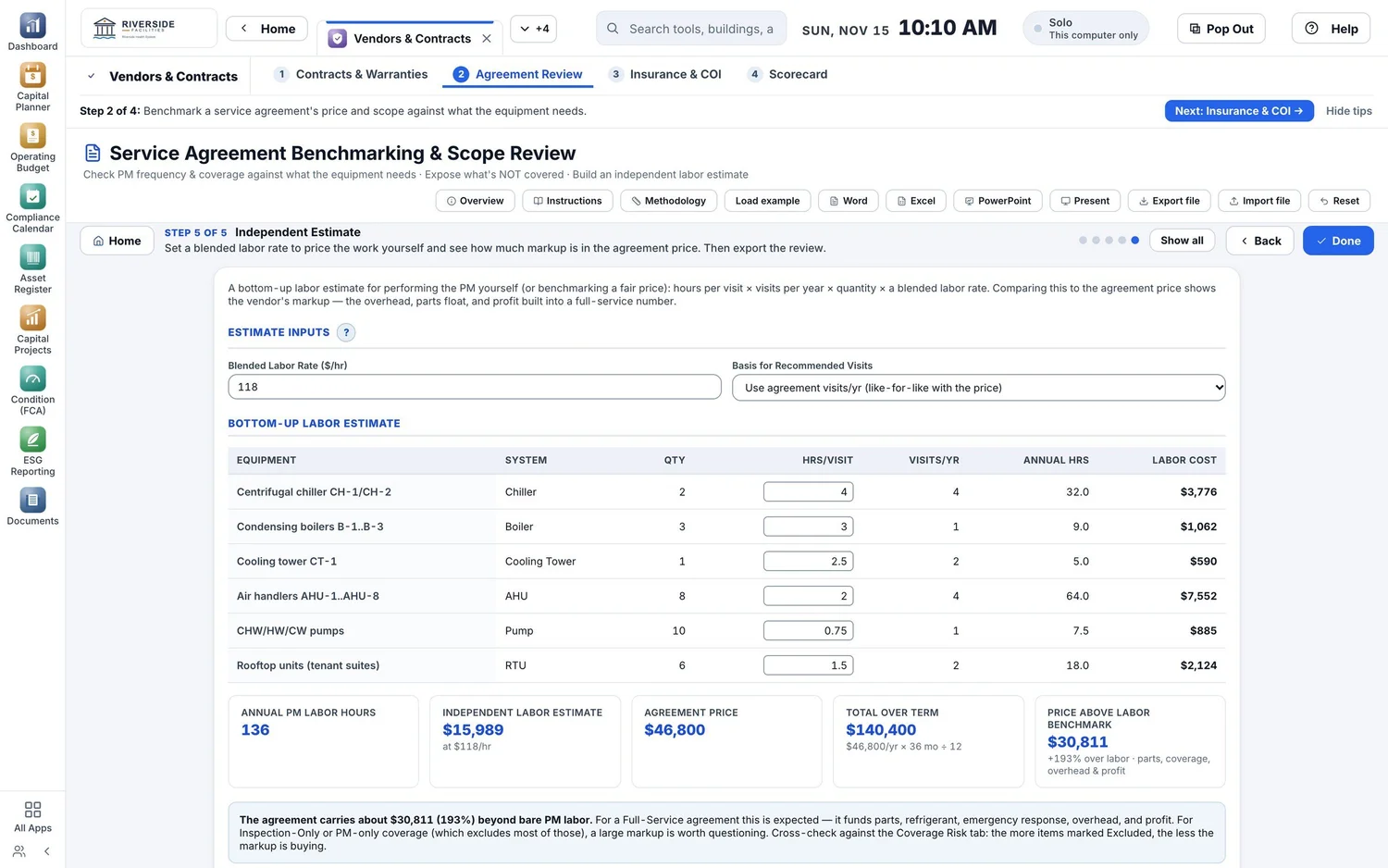
- An independent estimate to compare with the price
- Load From the Contract Register fills the vendor, price, term and equipment
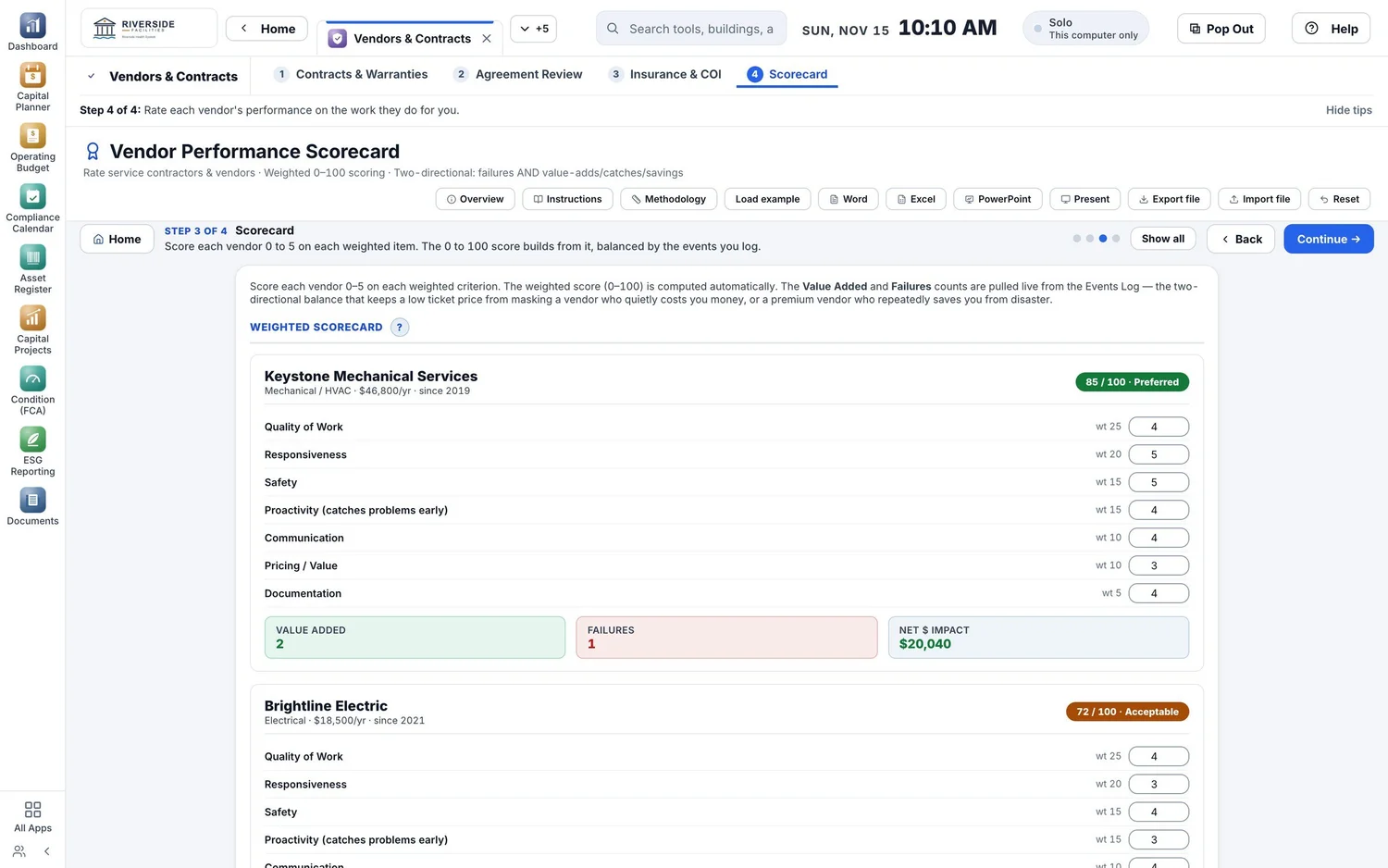
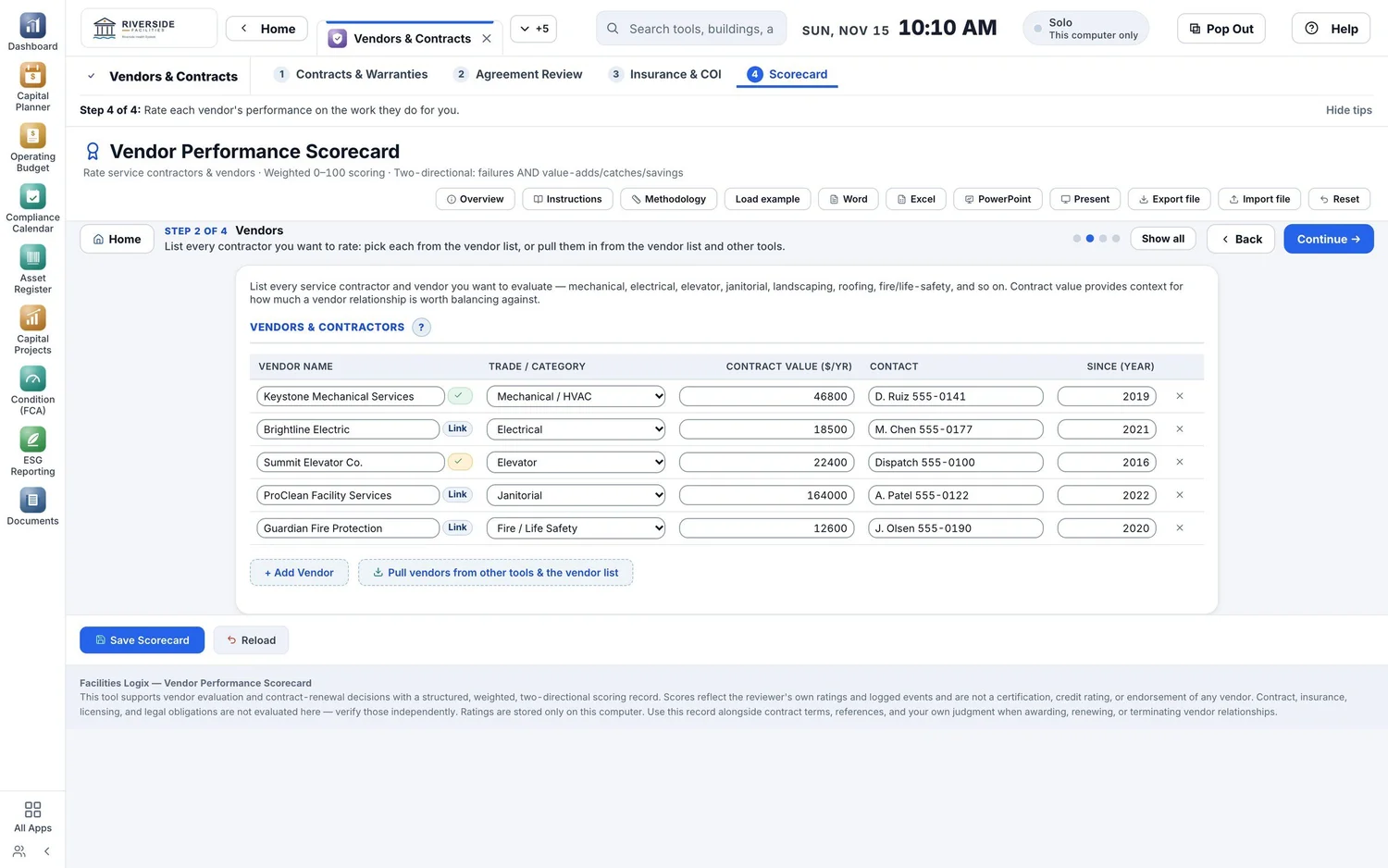
Scorecard in Vendor Performance Scorecard: score each vendor 0 to 5 on each weighted item. The 0 to 100 score builds from it, balanced by the events you log.
Insurance & COI
Certificates of insurance, licenses and safety prequalification with expiry alerts. This is also the one vendor list for the whole platform.
Learn MoreShow Less
A vendor working without insurance can leave the organization paying for an accident. Lapsed certificates show everywhere the vendor is named.
- Administrator chooses: allow a call with a logged reason, or block it
- Business hours and holidays that decide what counts as after hours
- Names typed in other tools wait to be linked, added or kept as typed
- Each vendor has a permanent id across the platform
Scorecard
A two-directional vendor rating: weighted scores plus an events log of both failures and value-adds.
Learn MoreShow Less
A low ticket price can hide a vendor who costs more in callbacks. The scorecard counts failures and value both ways.
- Each vendor scored 0 to 5 per weighted criterion, rolled to 0 to 100
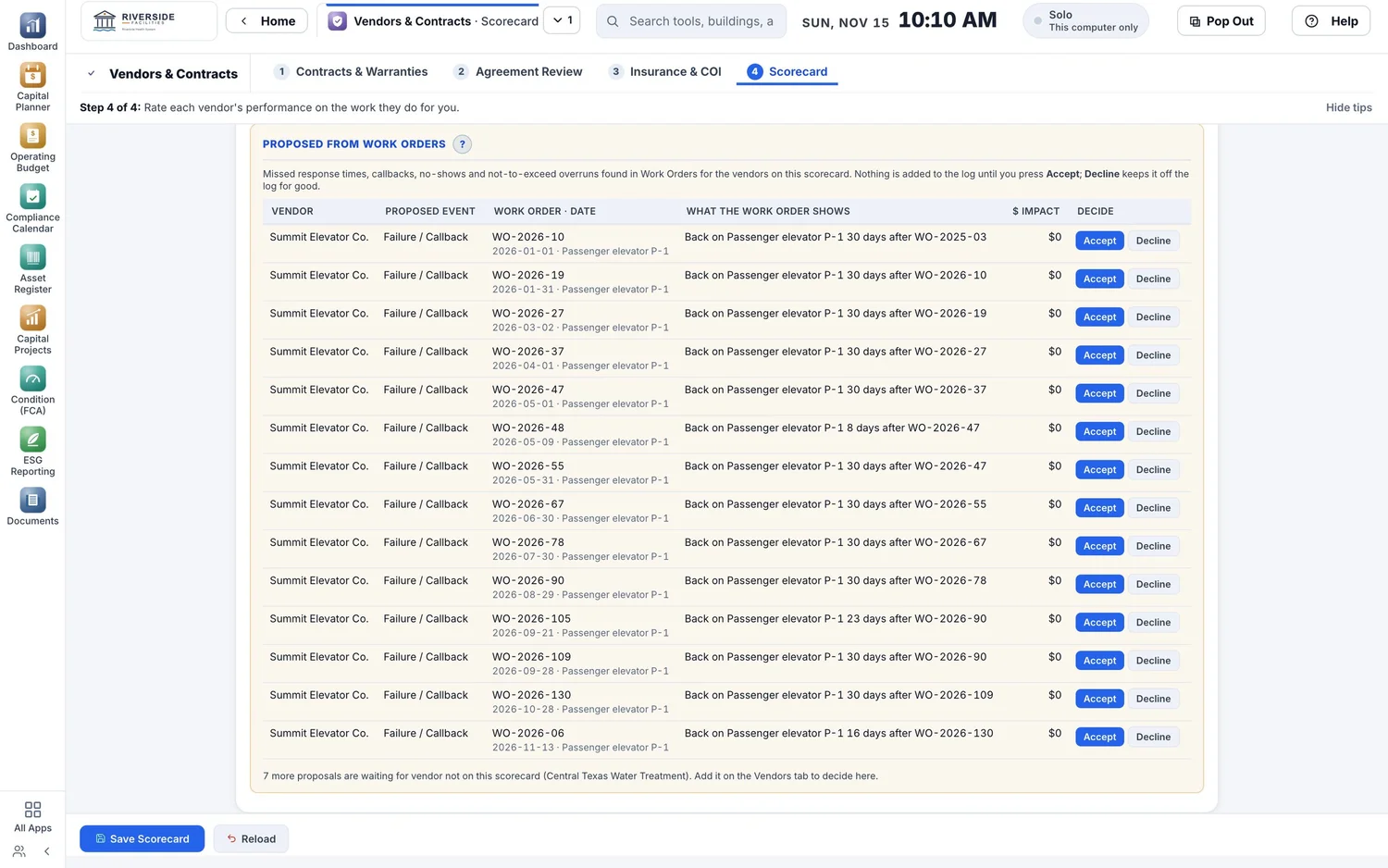
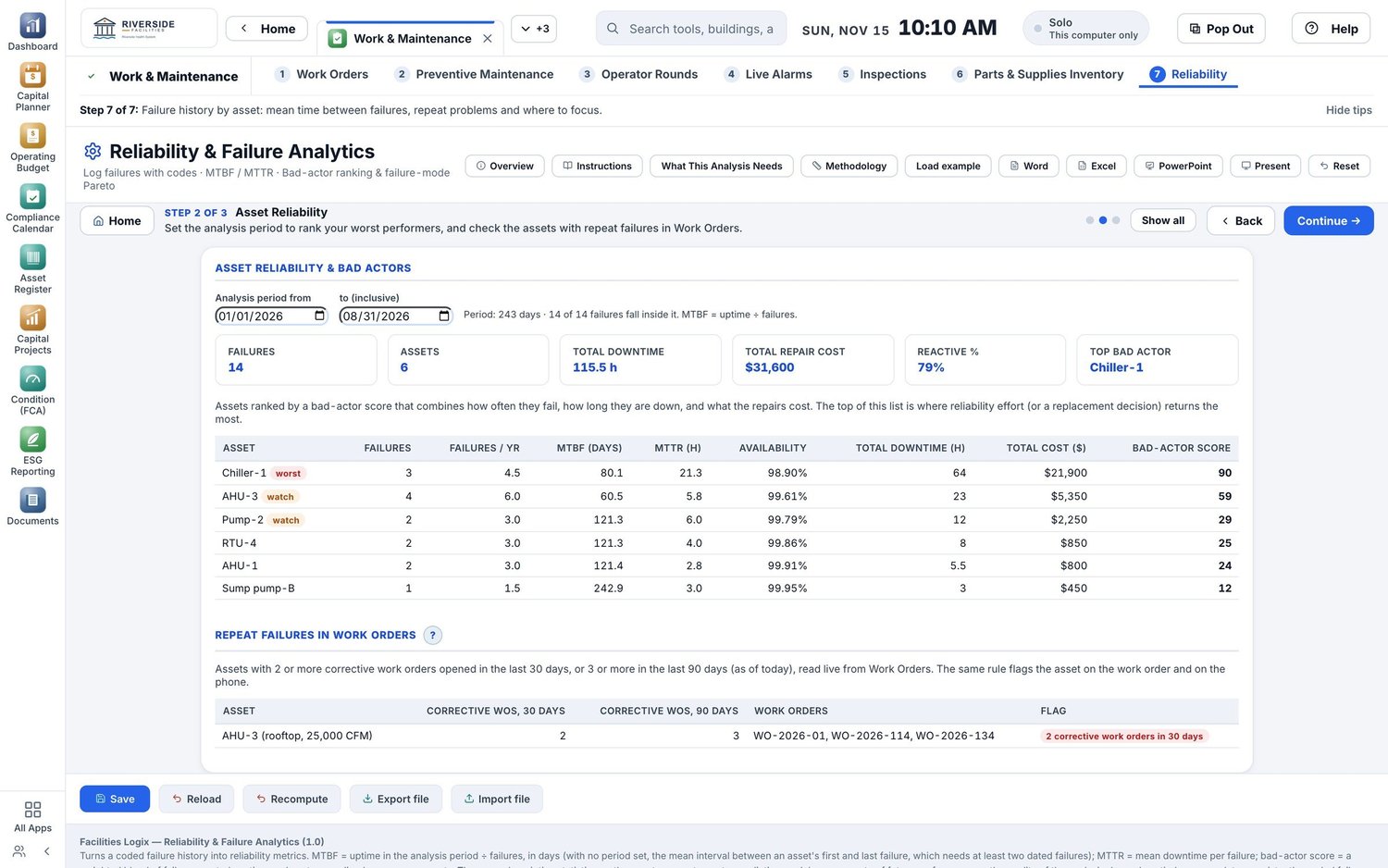
- Missed SLAs, callbacks, no-shows and overruns proposed from work orders
- An accepted overrun carries its dollar impact
- Accepted or declined proposals are remembered for the whole team
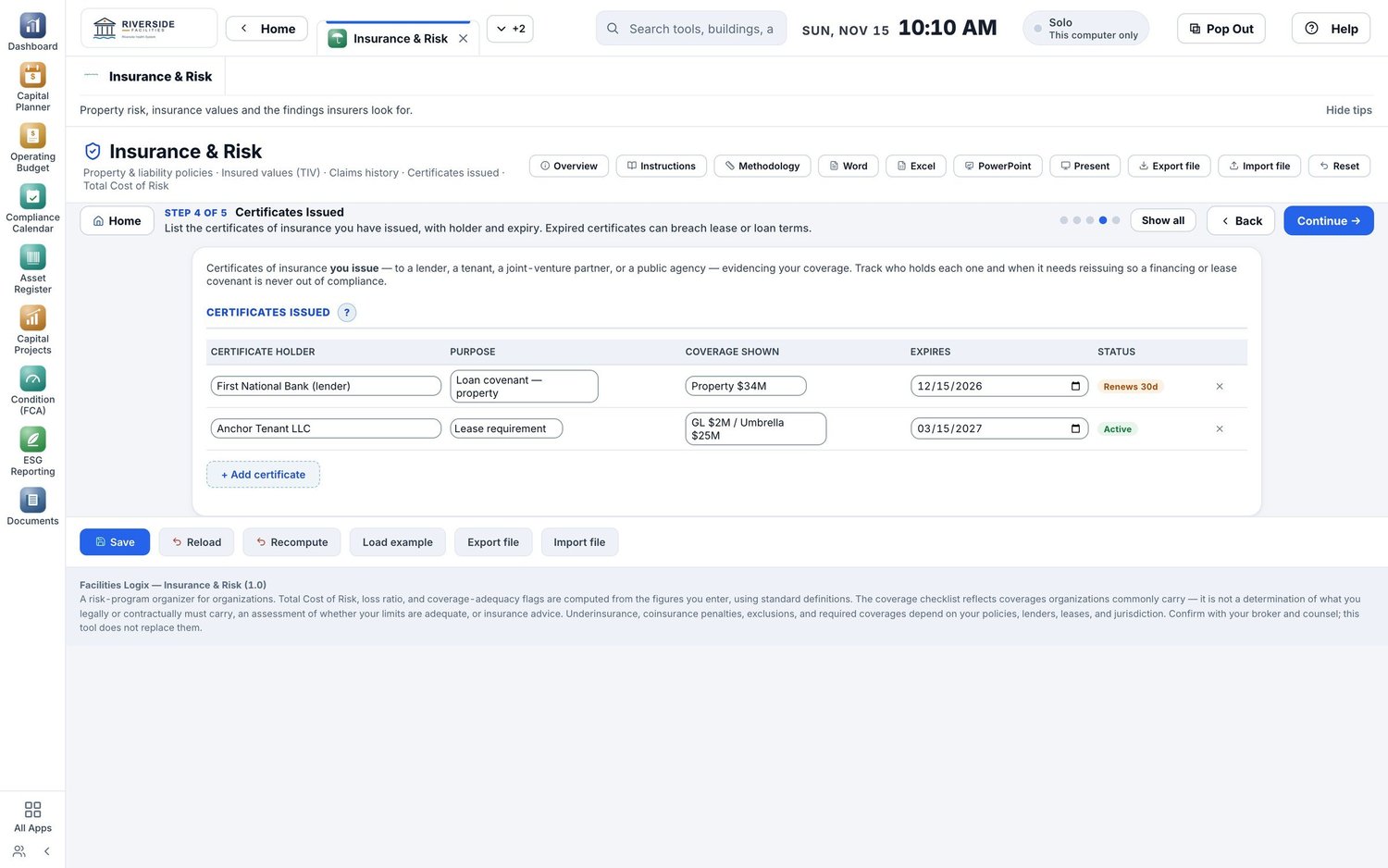
Certificates Issued in Insurance & Risk: list the certificates of insurance you have issued, with holder and expiry. Expired certificates can breach lease or loan terms.
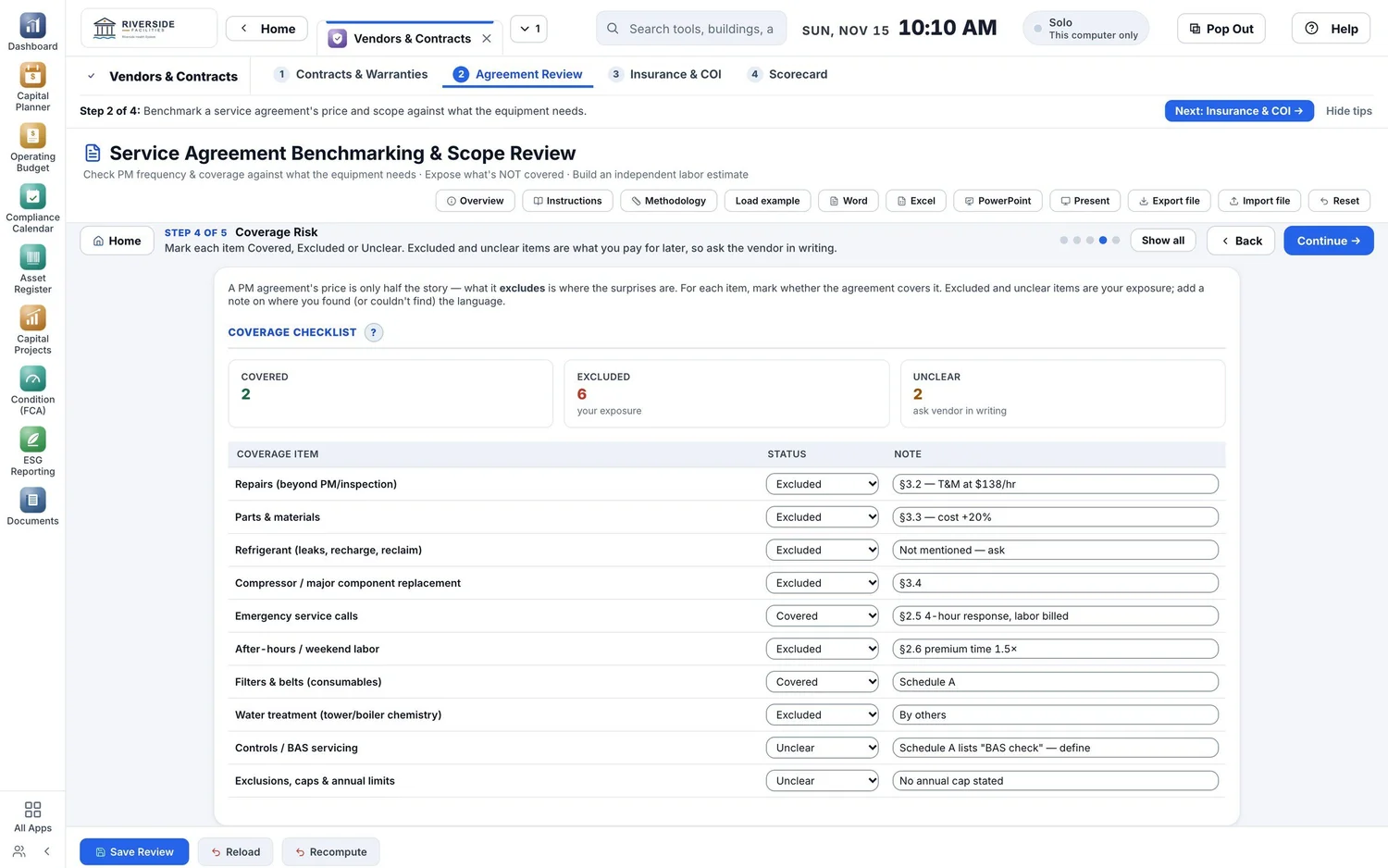
Service agreements often cover less than you think, so the review shows what is not covered.
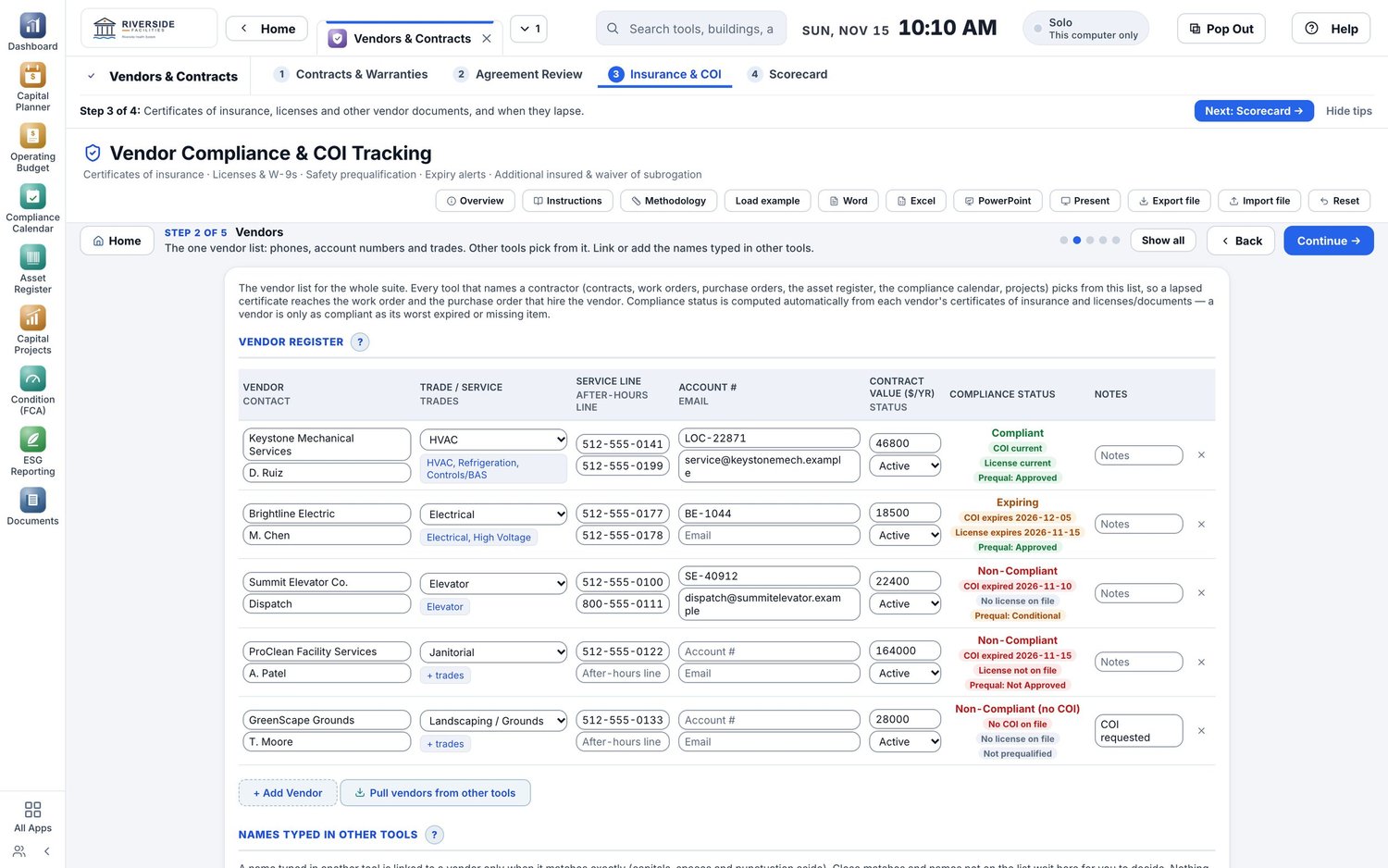
Enter a Vendor Once; Every Tool Uses It
What Each Vendor Record Holds
- Name and contact, service line and after-hours line, your account number, e-mail and the trades it does
- Certificates of insurance, licenses and prequalification, with a status shown at a glance
- A permanent ID, so contracts, work orders, purchase orders, PM tasks, bids, projects and emergency contacts all point to the same vendor
Linking Is Never Guessed
- A typed name links only on an exact match, ignoring capitals, spaces and punctuation
- Close matches wait under Names Typed in Other Tools for someone to link, add or keep as typed
- The answer is asked once and kept for the whole team
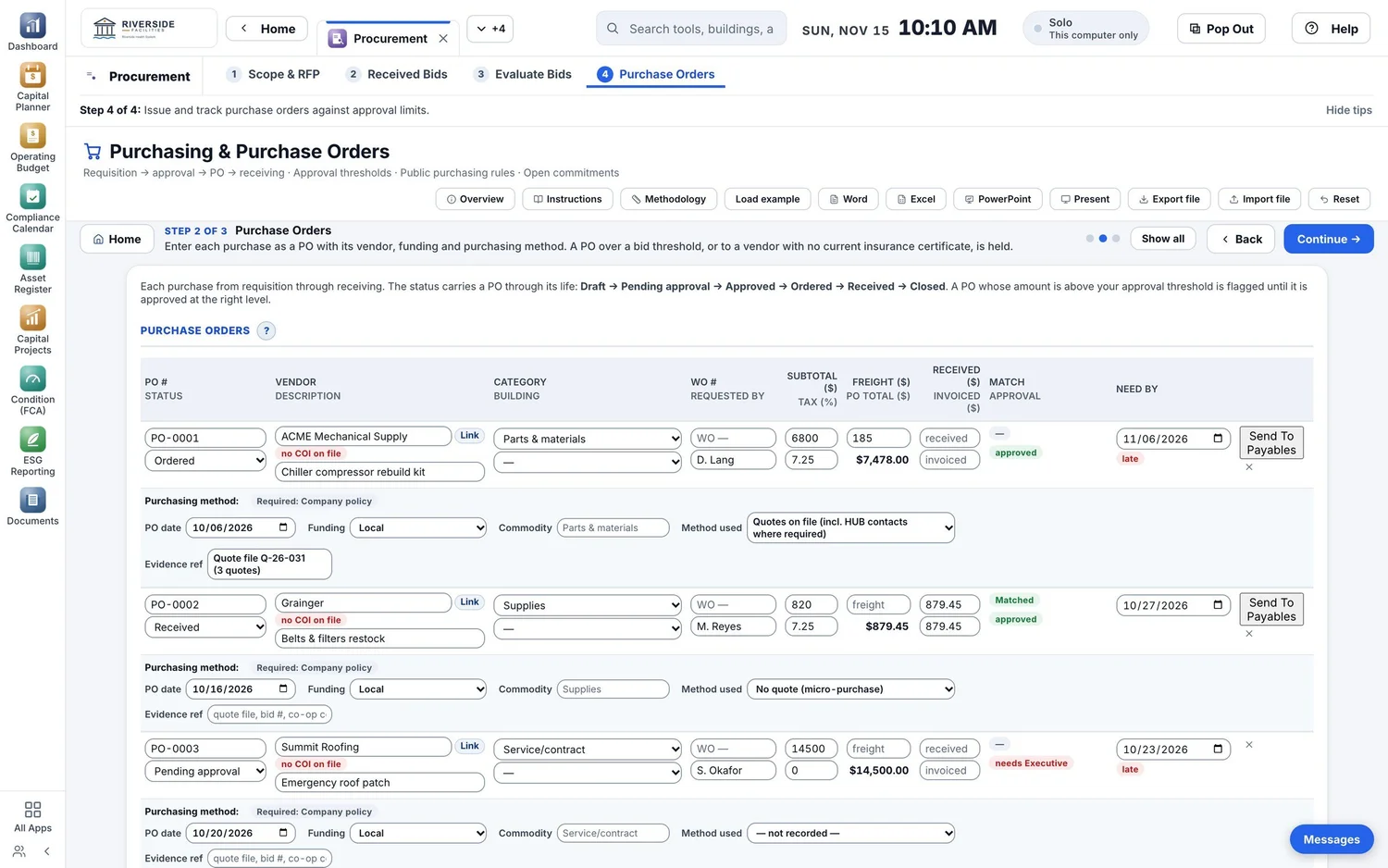
Purchase Orders in Purchasing & Purchase Orders: enter each purchase as a PO with its vendor, funding and purchasing method. A PO over a bid threshold, or to a vendor with no current insurance certificate, is held.
Insurance Follows the Vendor
- An expired or missing certificate shows red wherever the vendor is named
- A work order warns before the call, and can be blocked if your Administrator chooses
- A purchase order to that vendor goes on procurement hold until a current certificate is on file
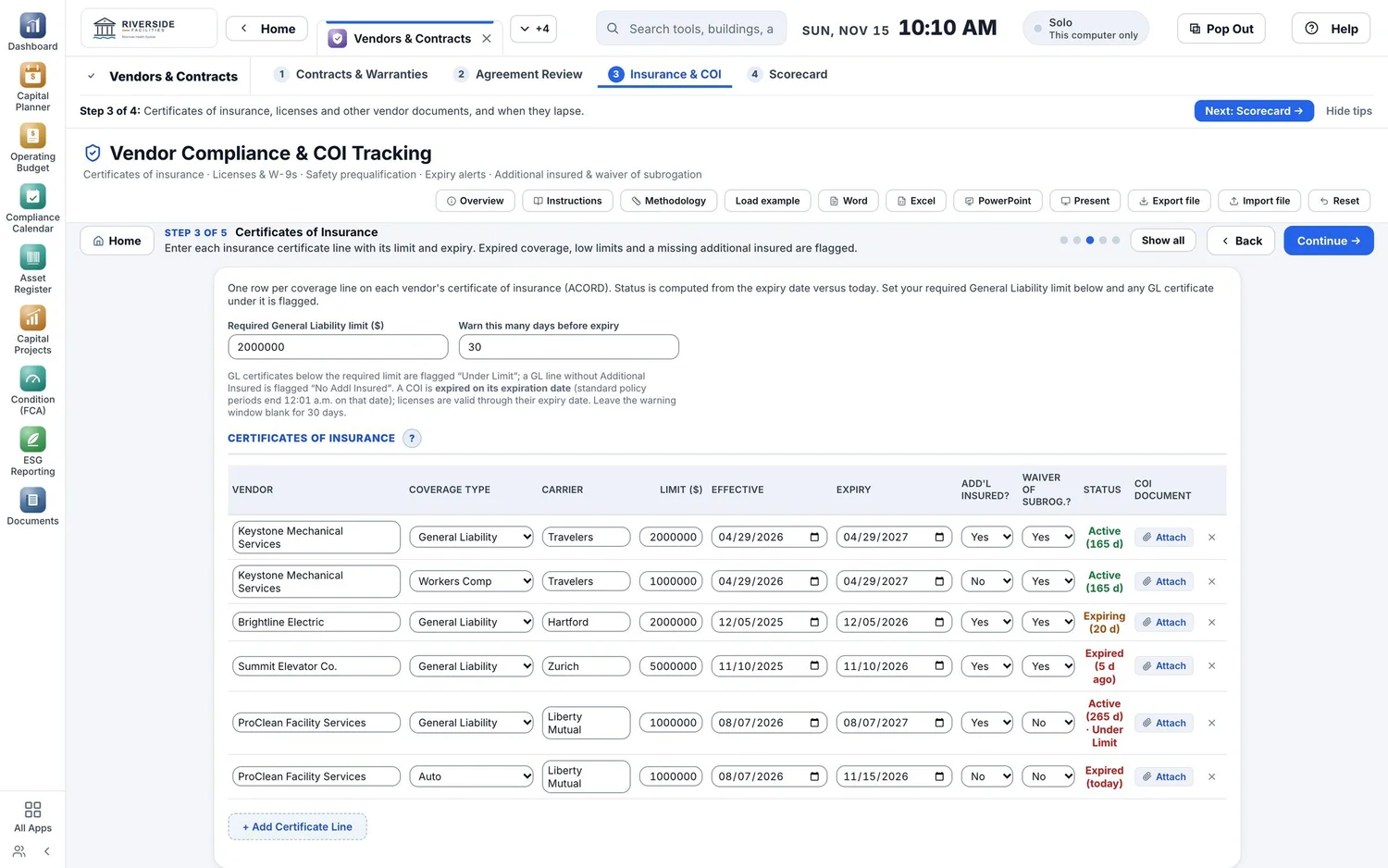
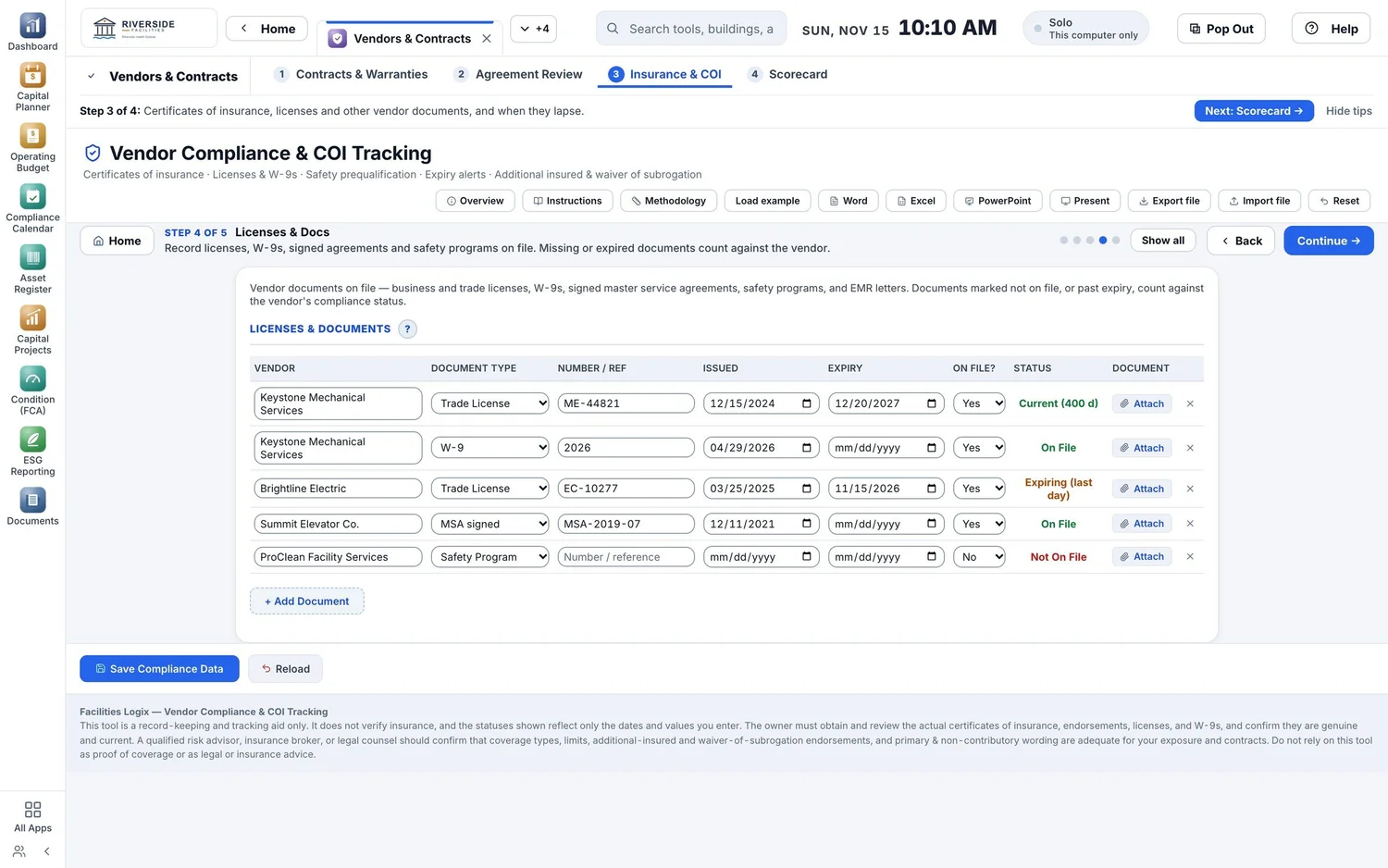
Certificates of Insurance in Vendor Compliance & COI: enter each insurance certificate line with its limit and expiry. Expired coverage, low limits and a missing additional insured are flagged.
Coverage Your Technicians Can See at the Equipment
Contract Details
- Contract number, coverage level, response times for business hours, after hours and emergencies, the not-to-exceed per call and the yearly escalator
- Coverage rules by type: full service, PM only, inspection, time and materials, and monitoring
- Auto-renewing contracts roll forward term by term, with notice-period alerts before each one
- Apply to Assets shows each covered asset's current and proposed vendor and coverage; your team accepts or declines, and every decision is recorded
Warranties
- Tie each warranty to the assets it covers and name who performs warranty service
- Warranties handed over at project closeout wait at the top of the list to accept or decline
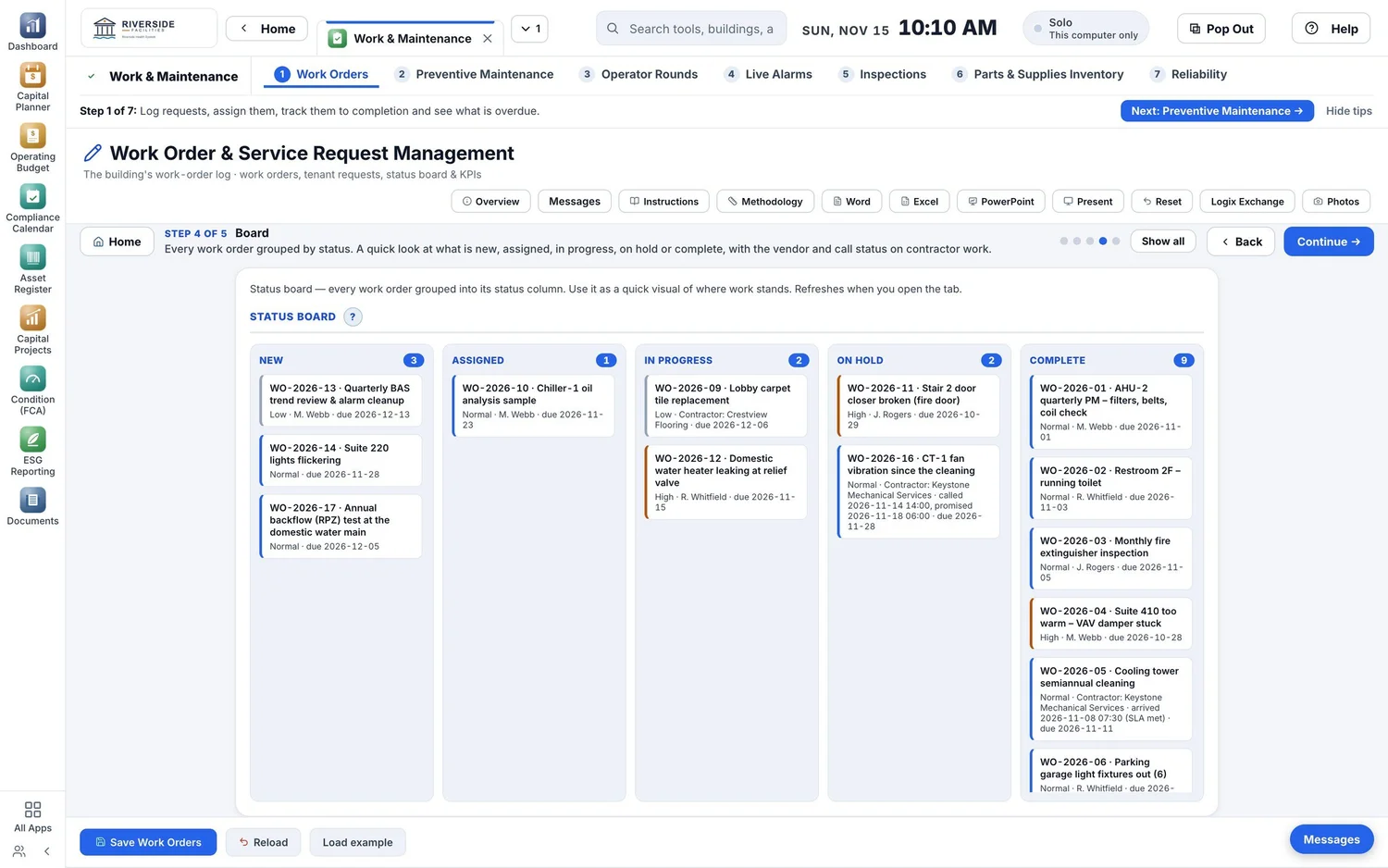
- A work order on a covered asset says the asset is under warranty and that in-house work may void it
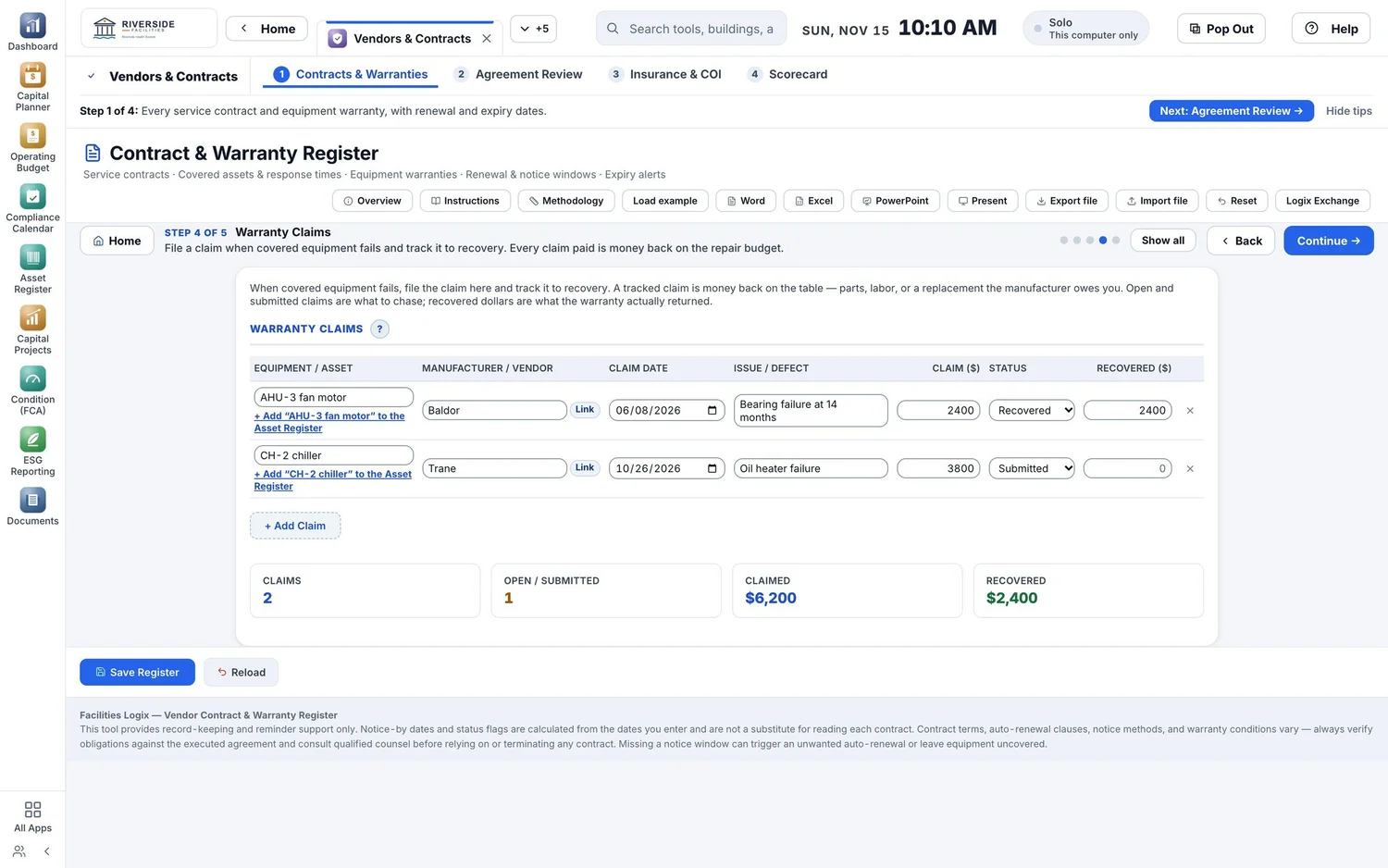
Warranty Claims in Contract & Warranty Register: file a claim when covered equipment fails and track it to recovery. Every claim paid is money back on the repair budget.
Agreement Review
- Load an agreement from the contract register: vendor, coverage type, price, term, response times and covered equipment
- Check visit frequency and scope against what the equipment in your register actually needs
- Take a labor estimate built from your own hours and rates into the renewal conversation
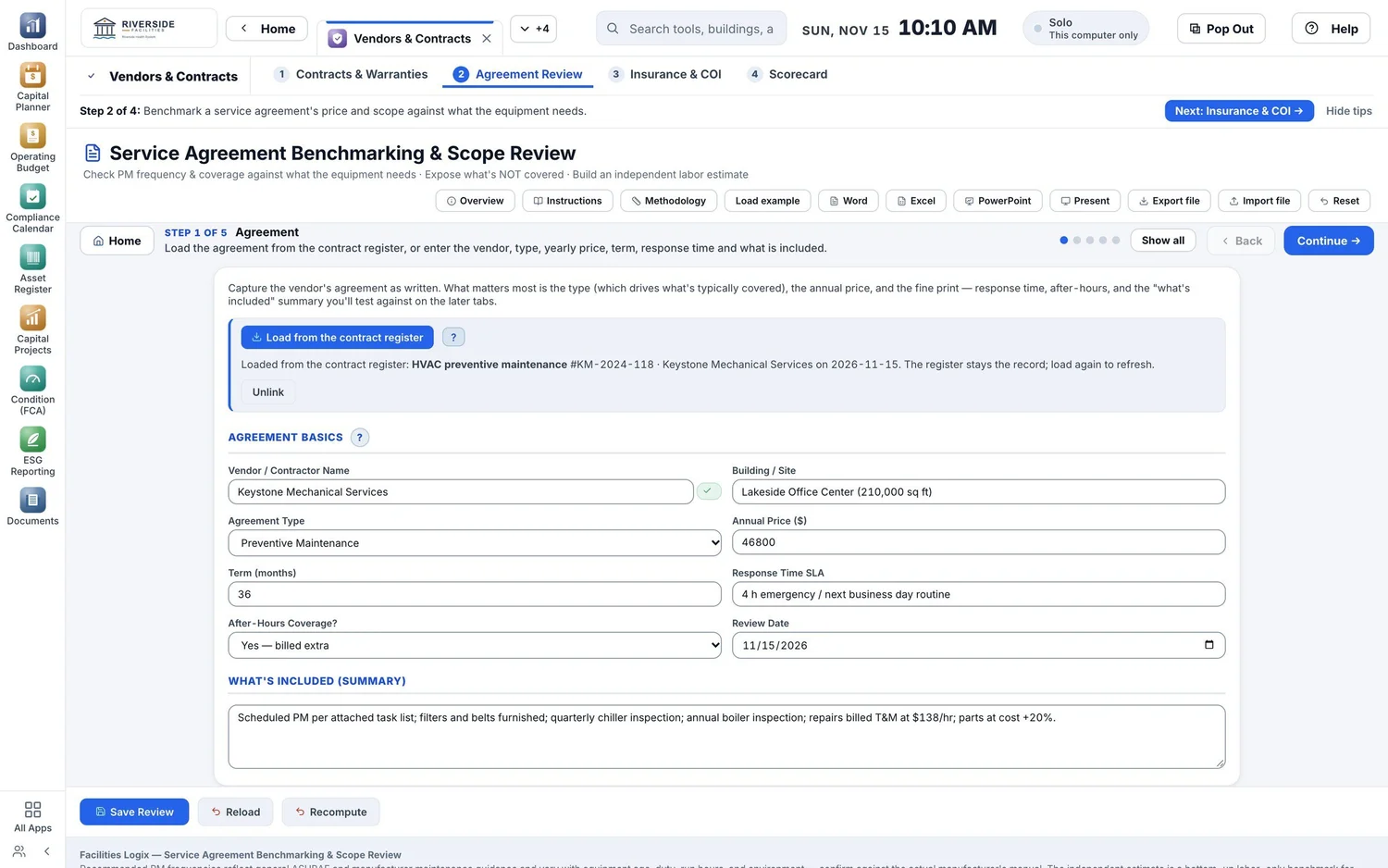
Agreement in Service Agreement Benchmarking: load the agreement from the contract register, or enter the vendor, type, yearly price, term, response time and what is included.
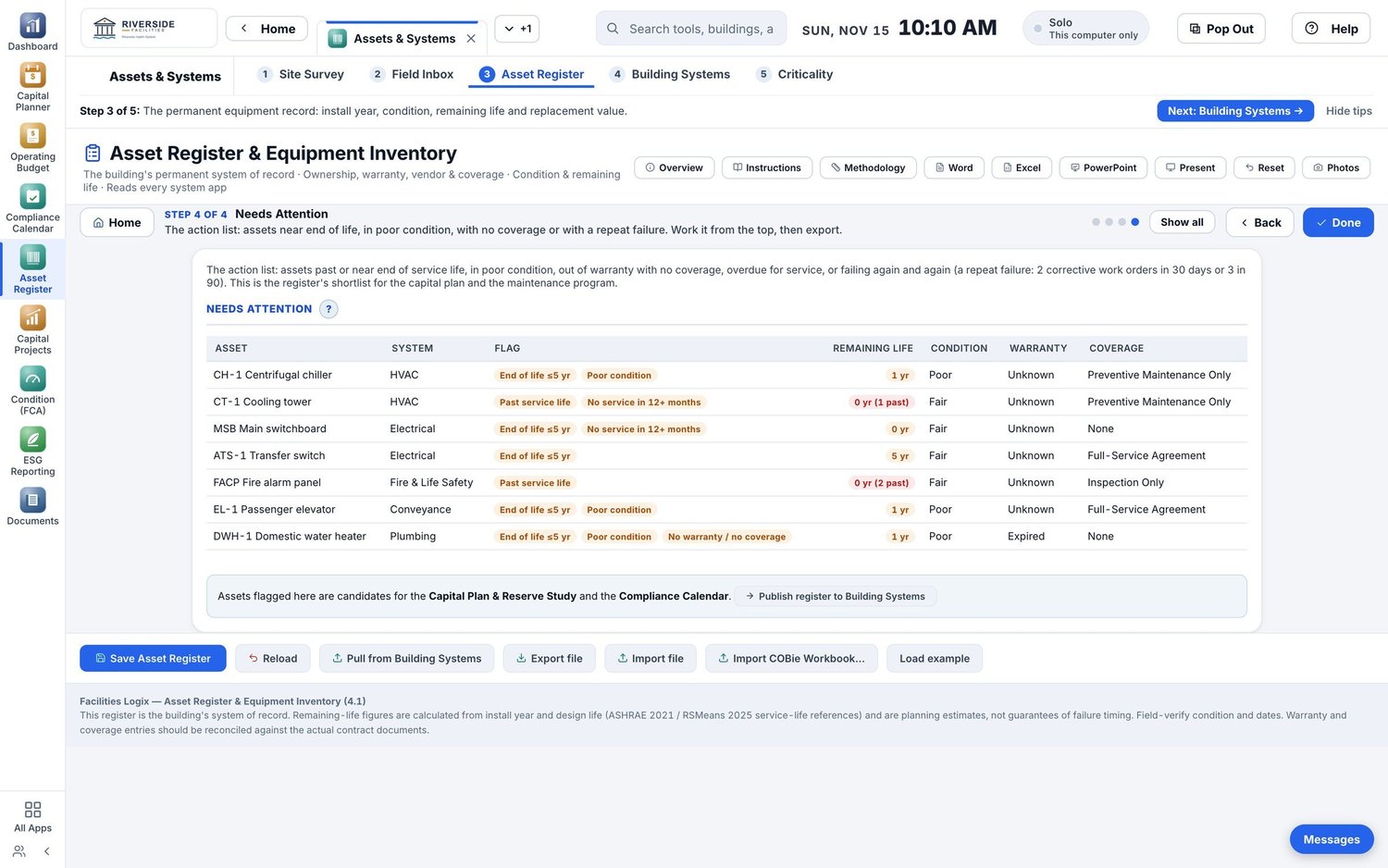
Needs Attention in Asset Register & Equipment Inventory: the action list: assets near end of life, in poor condition, with no coverage or with a repeat failure. Work it from the top, then export.
A Scorecard Built from What Actually Happened
Proposed from Work Orders
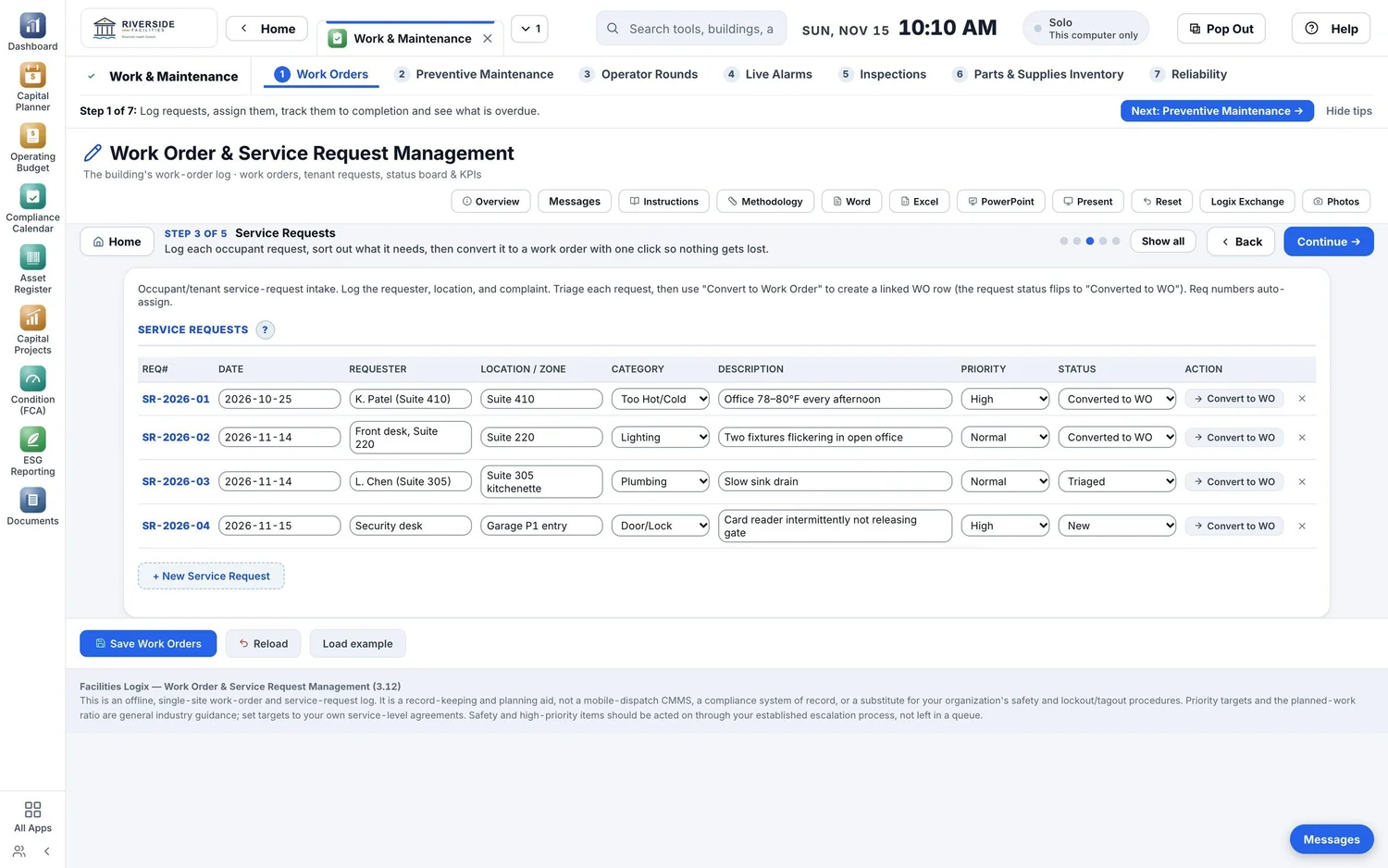
The events log proposes what your work orders recorded: a missed response time, a callback on the same asset within 30 days, a no-show and a not-to-exceed overrun, each with its work order. Your team accepts or declines each one, and a decided proposal is never offered again.
Fair in Both Directions
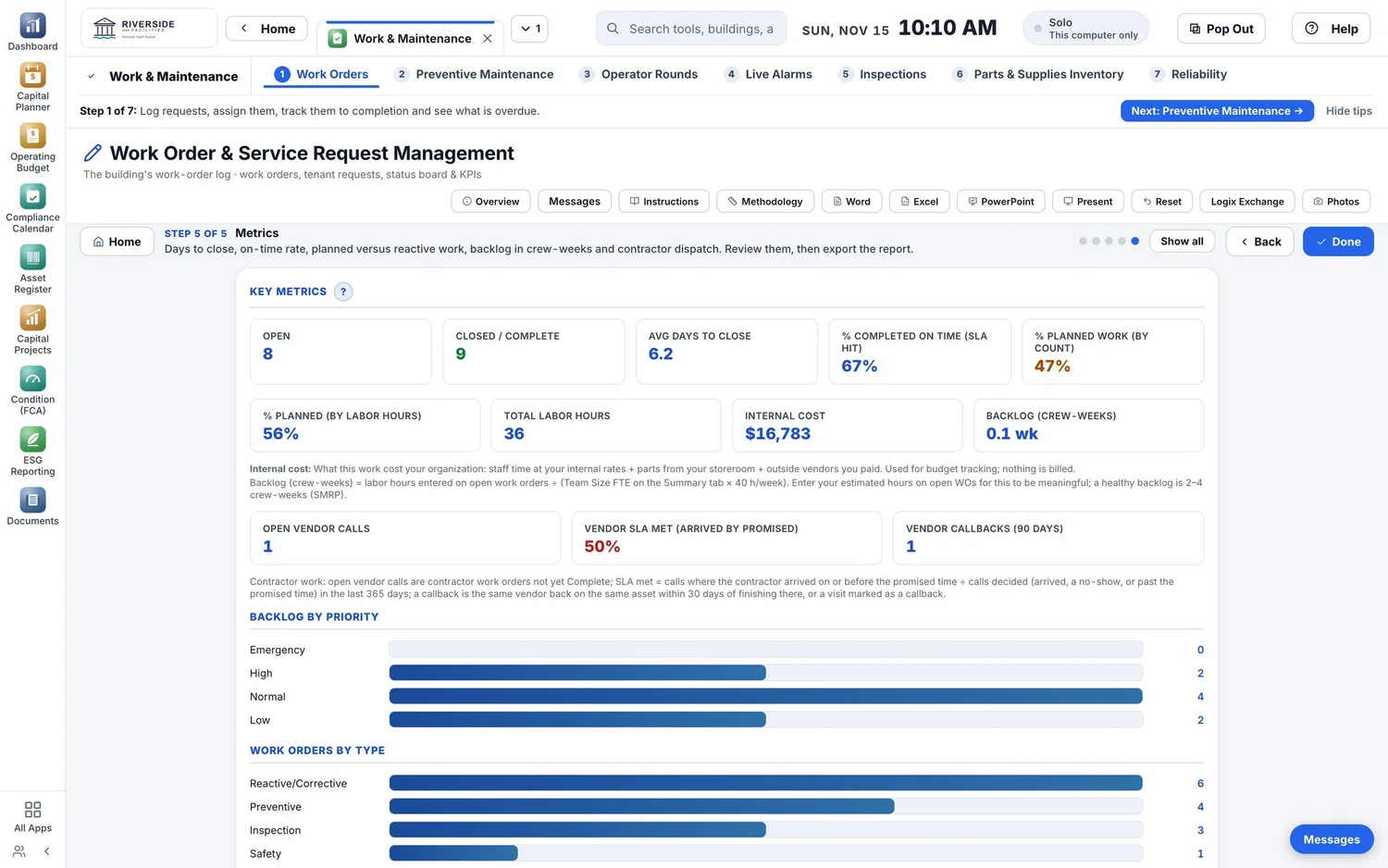
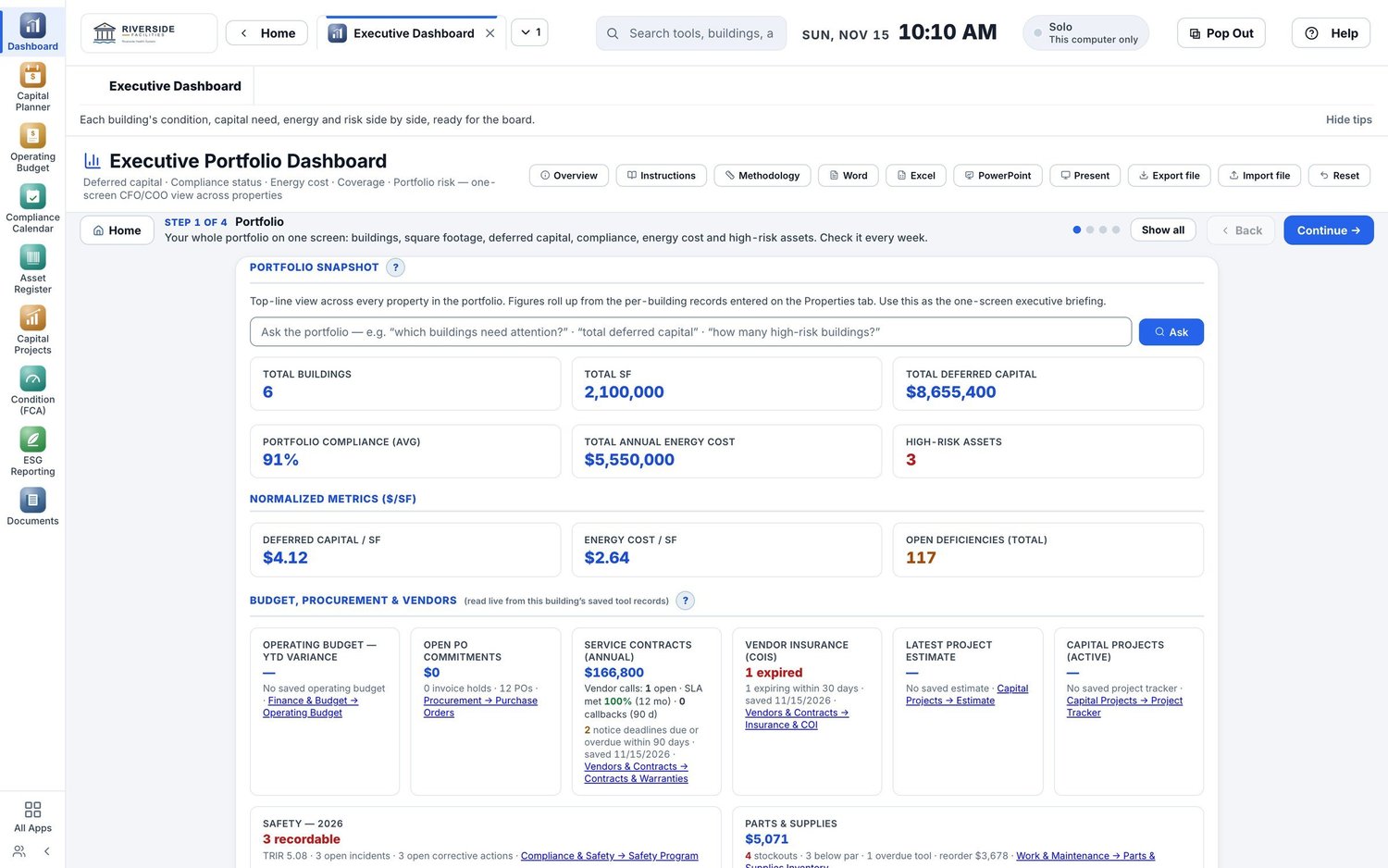
The scorecard logs value-adds and savings as well as failures, with weighted scores. The Dashboard and the Executive Dashboard show open vendor calls, the share of calls where the vendor arrived by the promised time and recent callbacks.
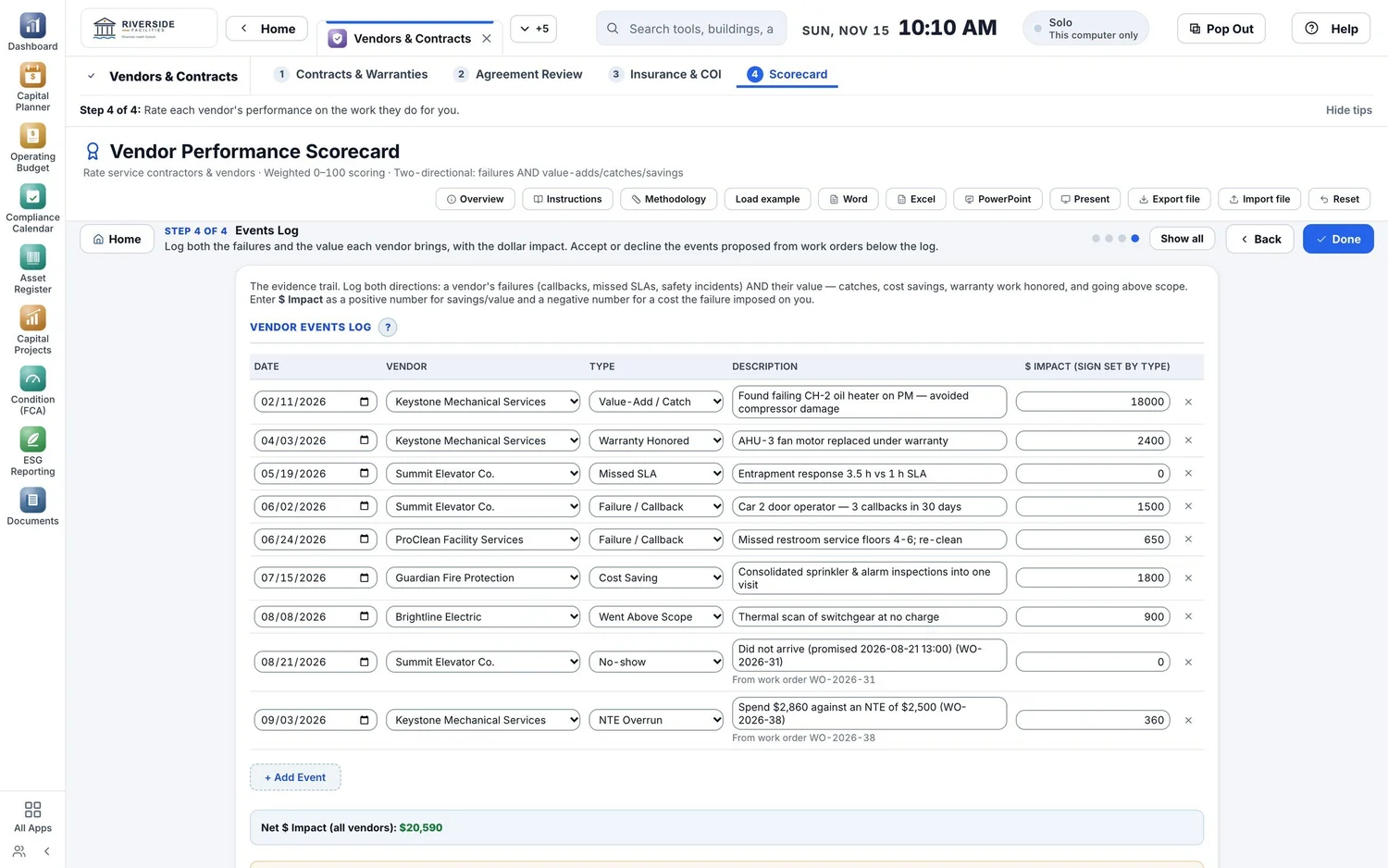
Events Log in Vendor Performance Scorecard: log both the failures and the value each vendor brings, with the dollar impact. Accept or decline the events proposed from work orders below the log.
Signed Files Between Your Organization and Your Contractors
What Your Organization Sends
- Work orders with your purchase order number, work order number and not-to-exceed
- Your equipment list, so contractors price service accurately
- Approval of a proposal, signed with a typed name and title
- Invoice status: approved or paid
- A scorecard for the contractor
What Your Organization Receives
- Proposals for review, and the contractor's status on each work order
- Invoices attached to the work order they name
- Service history that fills blanks on the asset register and never overwrites what you entered
- Deficiencies received from contractors, for your team to review
- Closeout packages with documents and a COBie file, checked before filing, with warranties into the warranty register
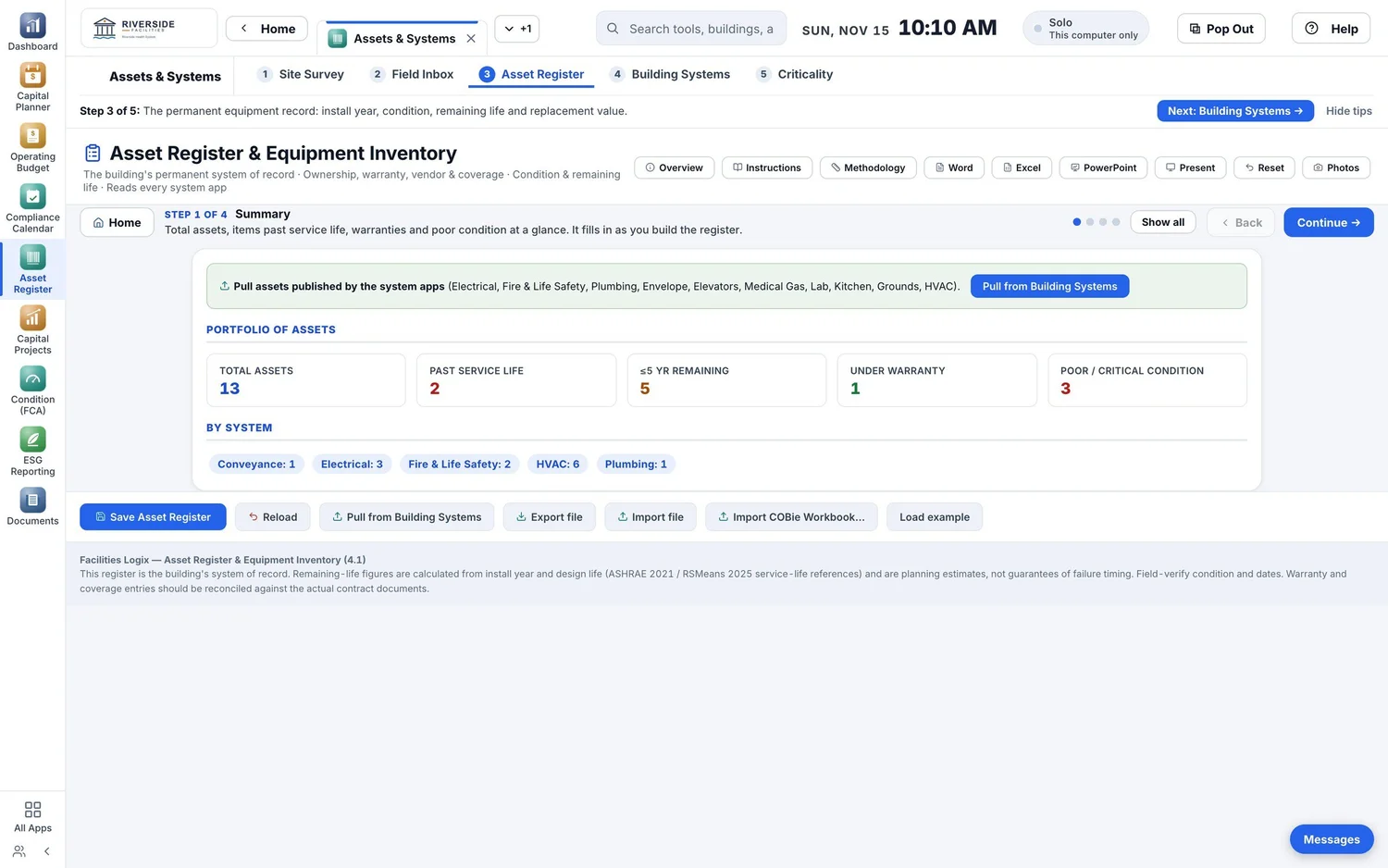
Summary in Asset Register & Equipment Inventory: total assets, items past service life, warranties and poor condition at a glance. It fills in as you build the register.
How It Works
- Logix Exchange connects Facilities Logix with HVAC Logix, the program many mechanical contractors use
- Every file is signed by its sender and checked before anything is used; each sender's fingerprint is confirmed once
- Files move through a shared folder, by e-mail or on a USB drive: no portal and no outside server
- Cost details are stripped to what each side is allowed to see, and every exchange is logged
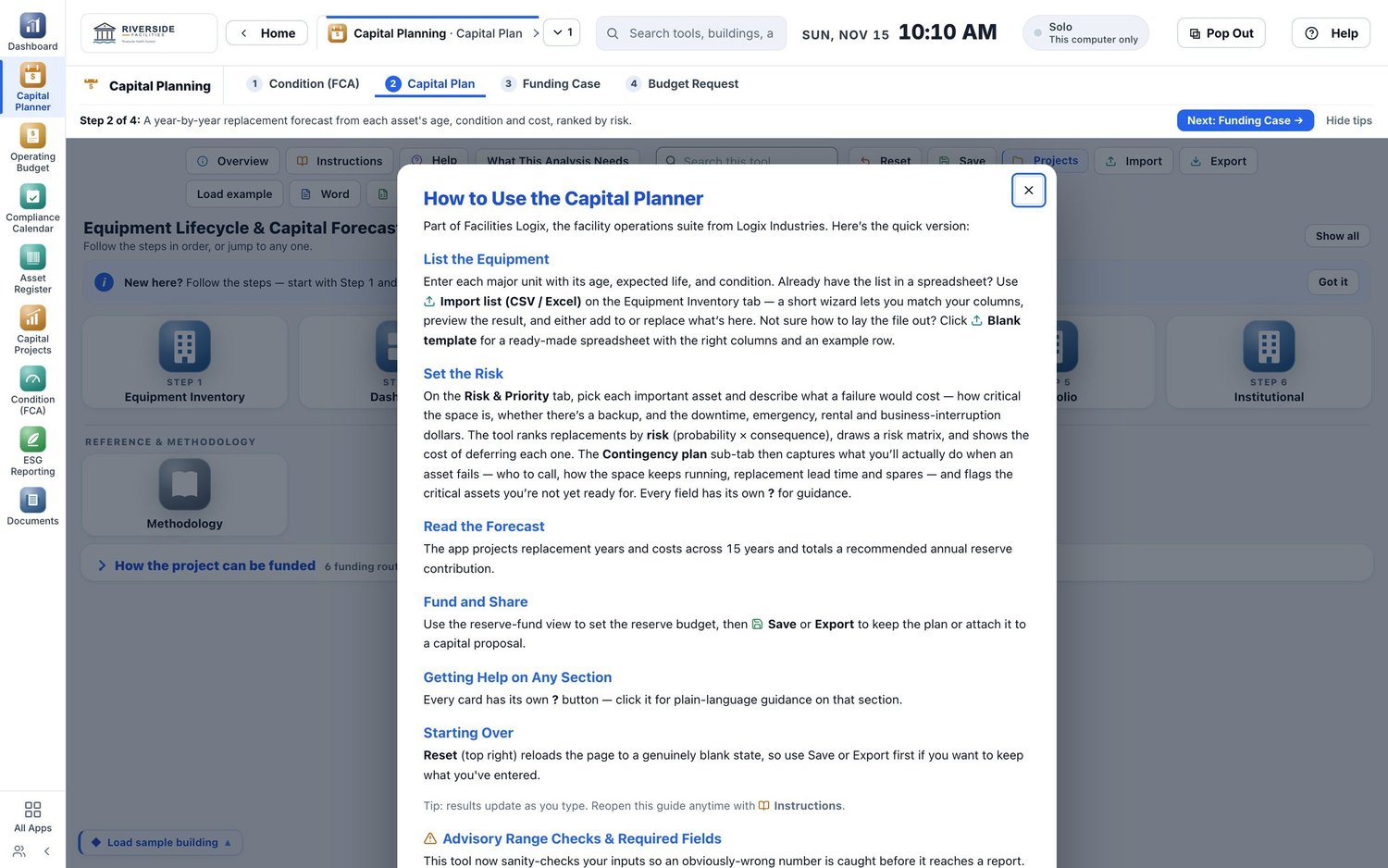
Instructions inside the tool: how to work through it, step by step.
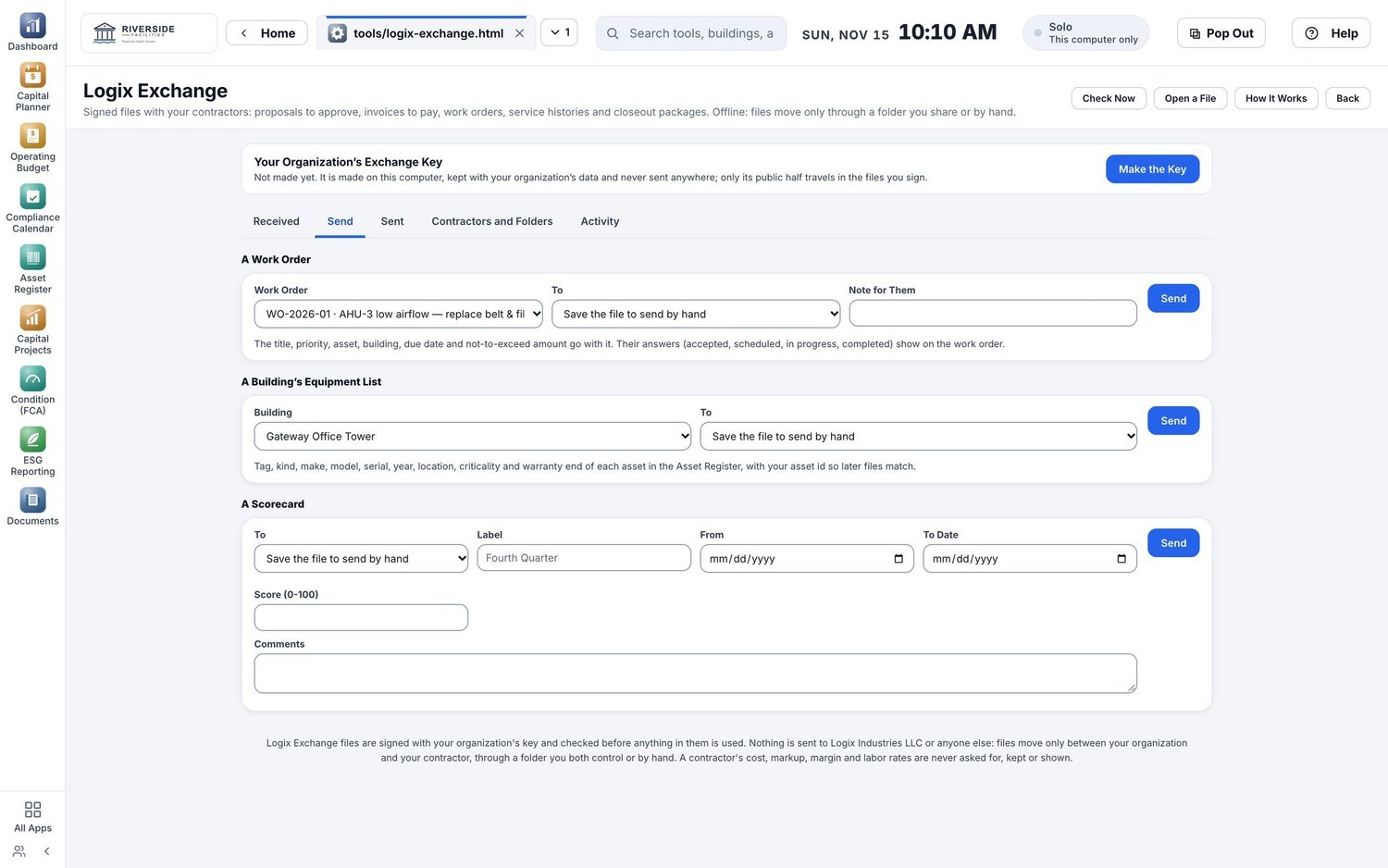
Files emailed back and forth with contractors get lost, so Logix Exchange sends signed work orders and equipment lists from one screen.
Frequently Asked Questions
Do our contractors need to use any particular software?
What happens when a vendor's insurance lapses?
Do deficiencies from a contractor go straight into our capital plan?
Can technicians see coverage in the field?
Be First When Facilities Logix Opens
Stop chasing building records across spreadsheets and binders. Join the list and we will tell you the day downloads open, with setup guides ready.
Launching early 2027 for Facilities Logix. Nothing to buy today, and no sales calls.
