
From Honest Condition to a Funded Capital Request.
Capital Planning turns what your team knows about the buildings into a request leadership can approve. Four numbered steps take you from a condition assessment to a risk-ranked plan, a funding case and the budget request, with the inputs, assumptions and method printed in every report.
Launching Early 2027 · Join the Early-Access List
Assess, Forecast, Make the Case, Request the Budget
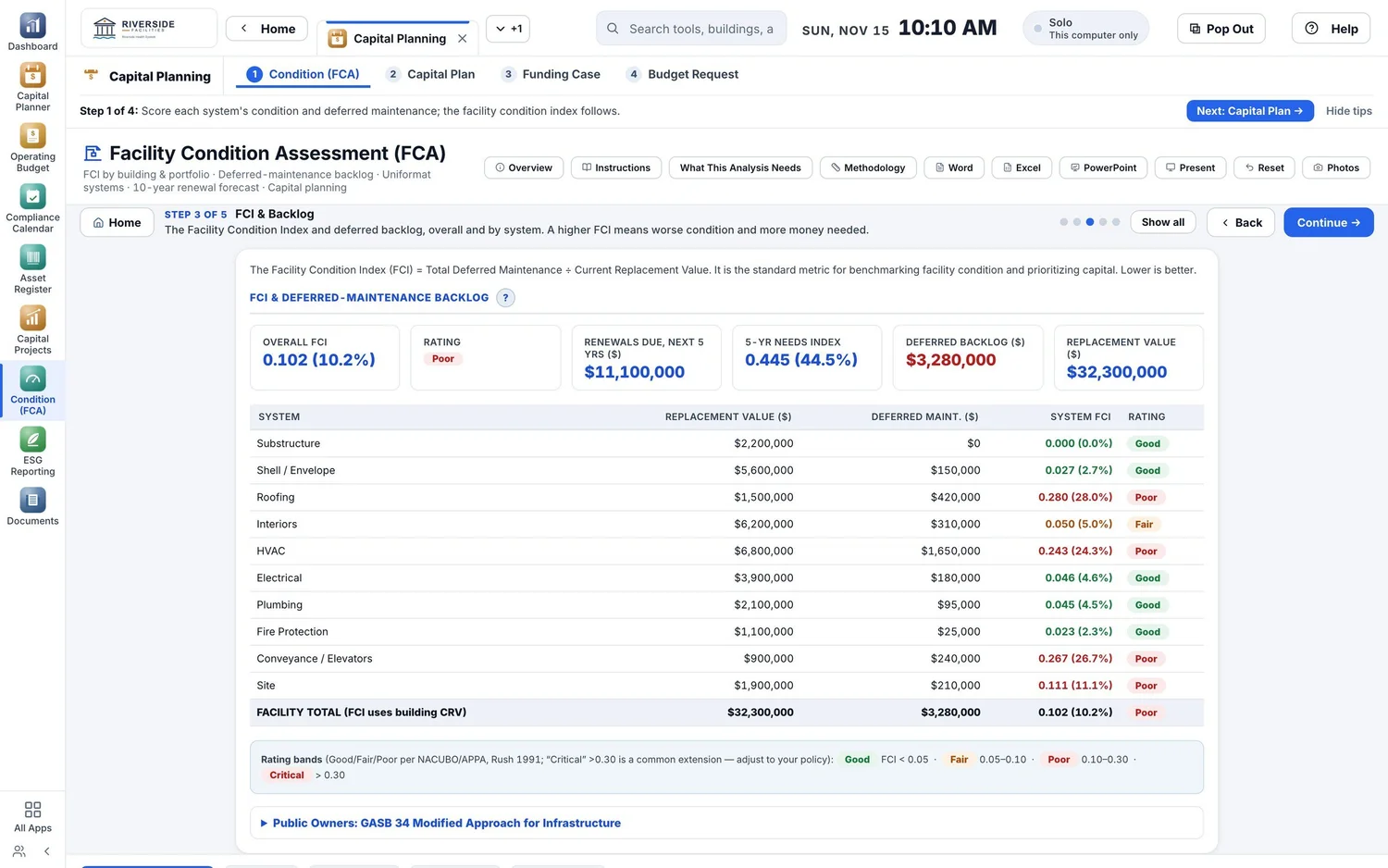
Condition (FCA)
Industry-standard facility condition index scoring by system and across the portfolio, a deferred-maintenance backlog and a ten-year renewal forecast.
Learn MoreShow Less
Capital requests lose to other priorities when condition is a matter of opinion. Condition (FCA) puts one standard number on each building, so money can go to the worst building first.
- FCI = deferred maintenance / current replacement value; lower is better
- Systems assessed by Uniformat II, pulled in from Building Systems
- A five-year needs index beside the deferred backlog
- A consultant's deficiency spreadsheet imported in its own layout, priorities mapped
Capital Plan
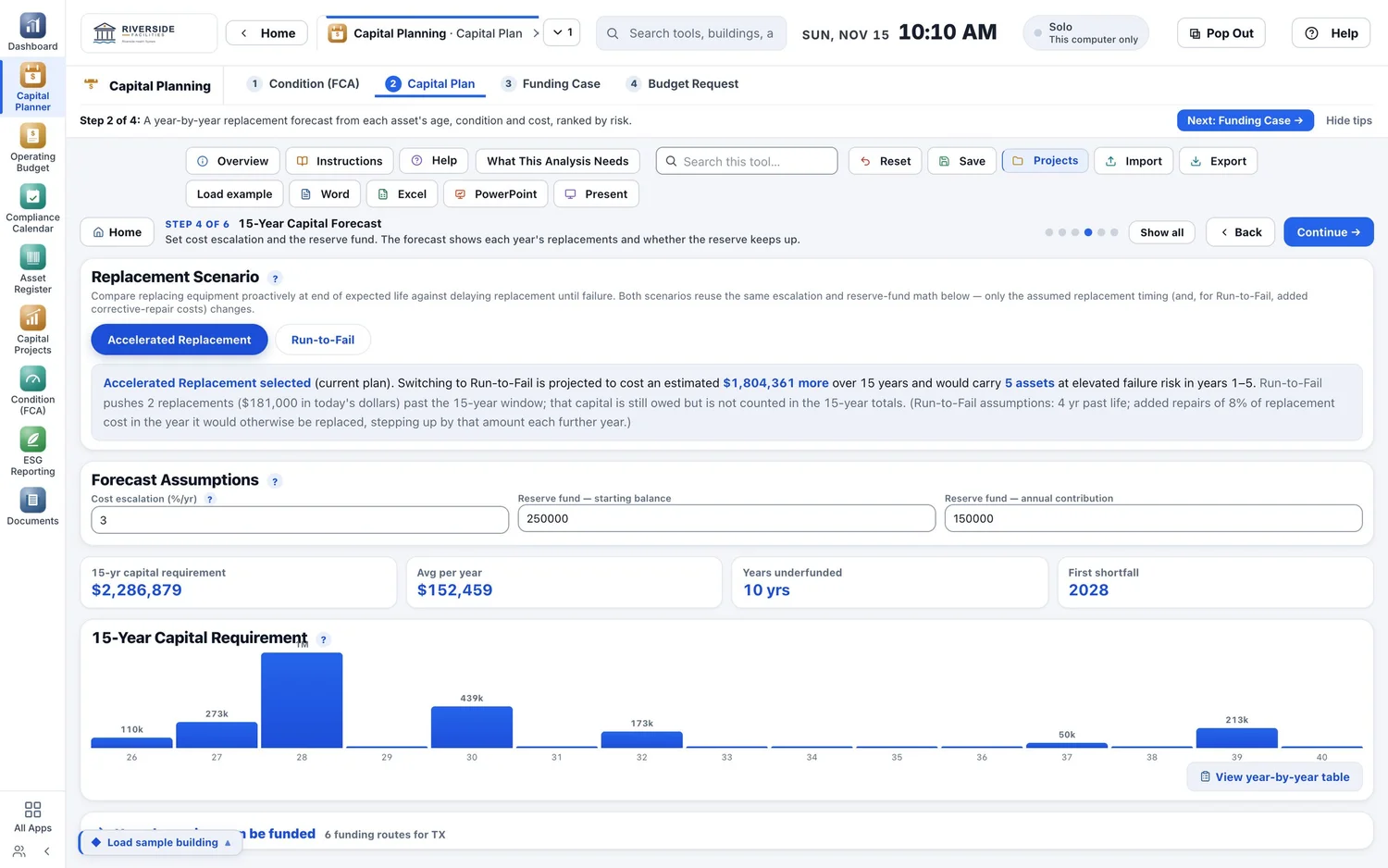
A fifteen-year replacement forecast built from each asset's age, condition and failure risk, ranked by risk and escalated with your own construction cost escalation.
Learn MoreShow Less
Replacing by age alone funds the wrong unit first. The Capital Plan ranks replacements by risk, so a critical unit with no backup is funded ahead of a newer one whose failure barely matters.
- Risk = probability of failure x dollar consequence of the failure
- Every asset plotted on a probability by consequence matrix
- A contingency plan per asset: who to call, how the space keeps running, lead time
- Equipment lists imported from CSV or Excel
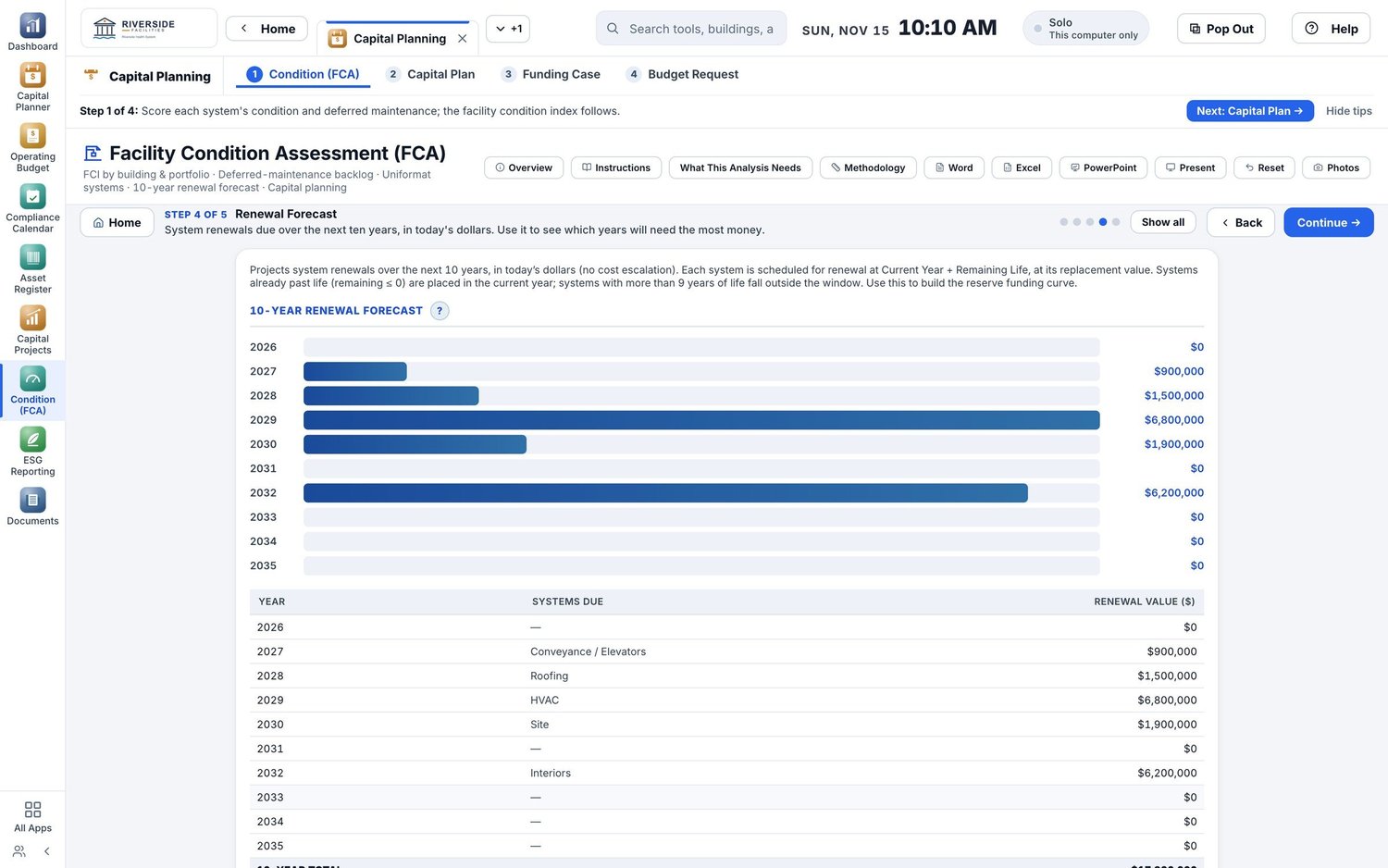
Renewal Forecast in Facility Condition Assessment (FCA): system renewals due over the next ten years, in today's dollars. Use it to see which years will need the most money.
Funding Case
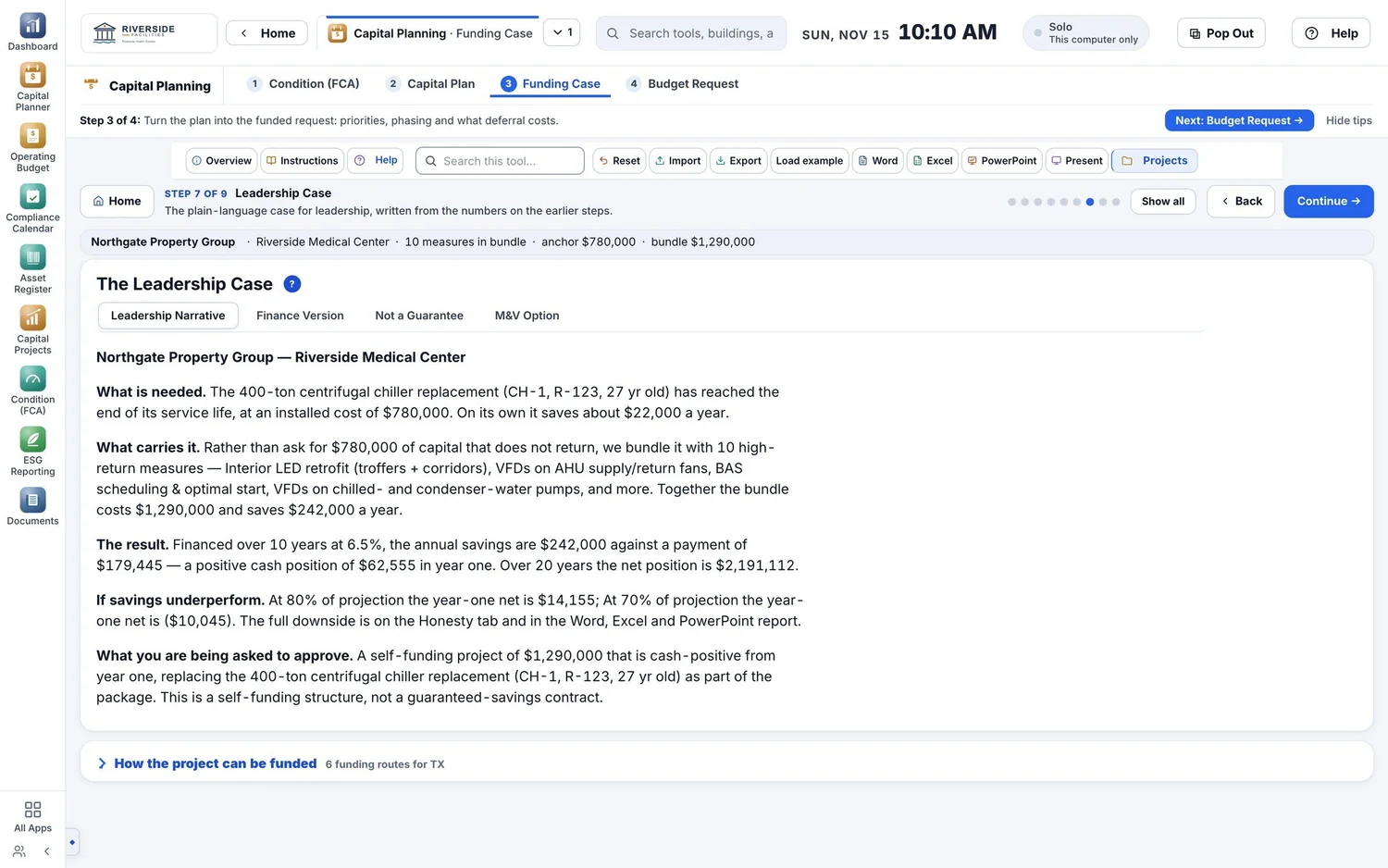
Pair necessary but unfunded work with high-return measures so the whole project turns cash-positive. Set priorities and phasing, and show what deferral costs.
Learn MoreShow Less
Necessary replacements often have no payback on their own, which is why they go unfunded. The Funding Case attaches them to measures that do pay, so the package carries itself.
- An anchor item with zero savings is treated as the normal case
- Measures imported from other tools or picked from a built-in library
- A confidence de-rate for savings you are less sure of
- Cash flow modeled against the financing, and what happens if savings fall short
Budget Request
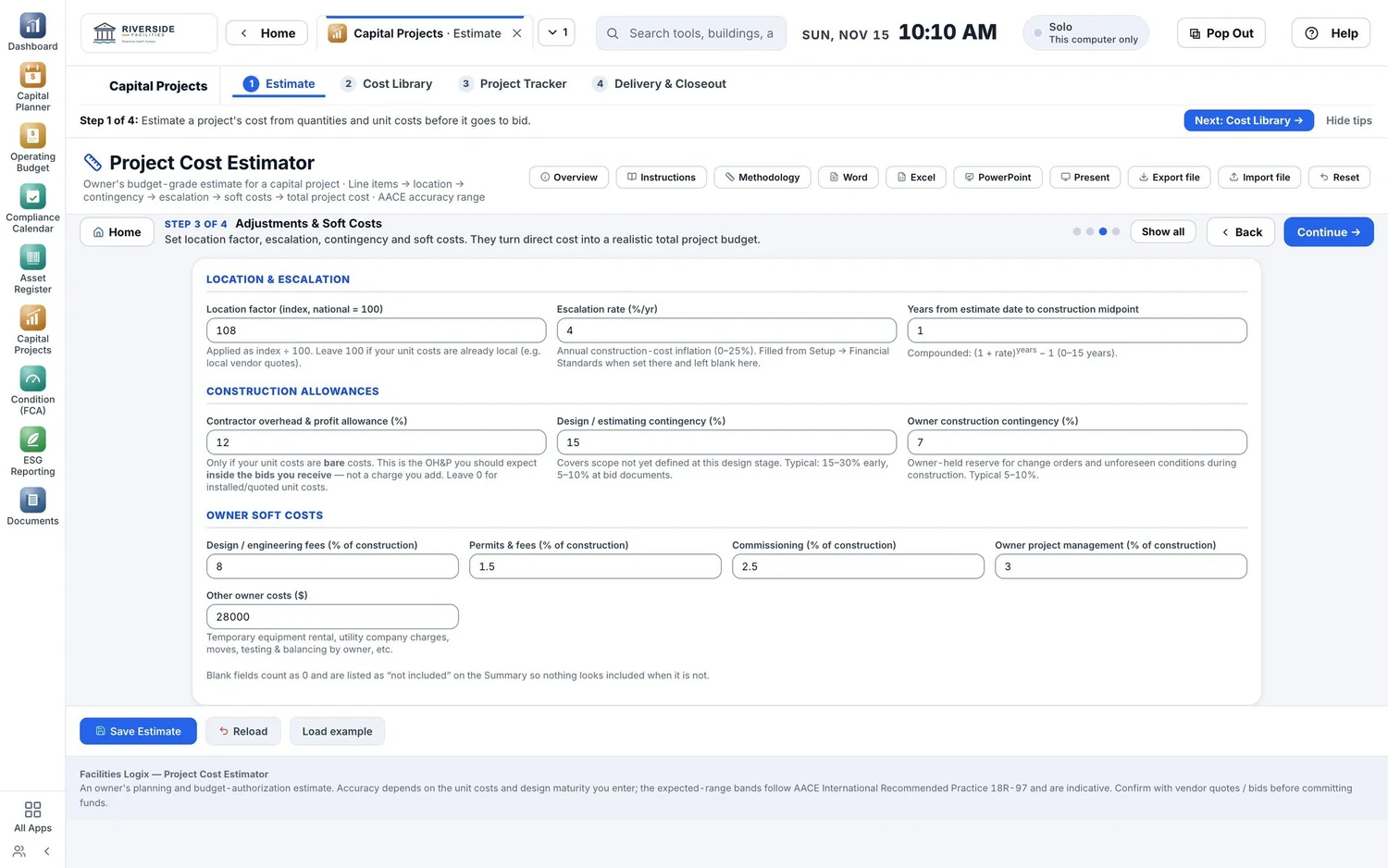
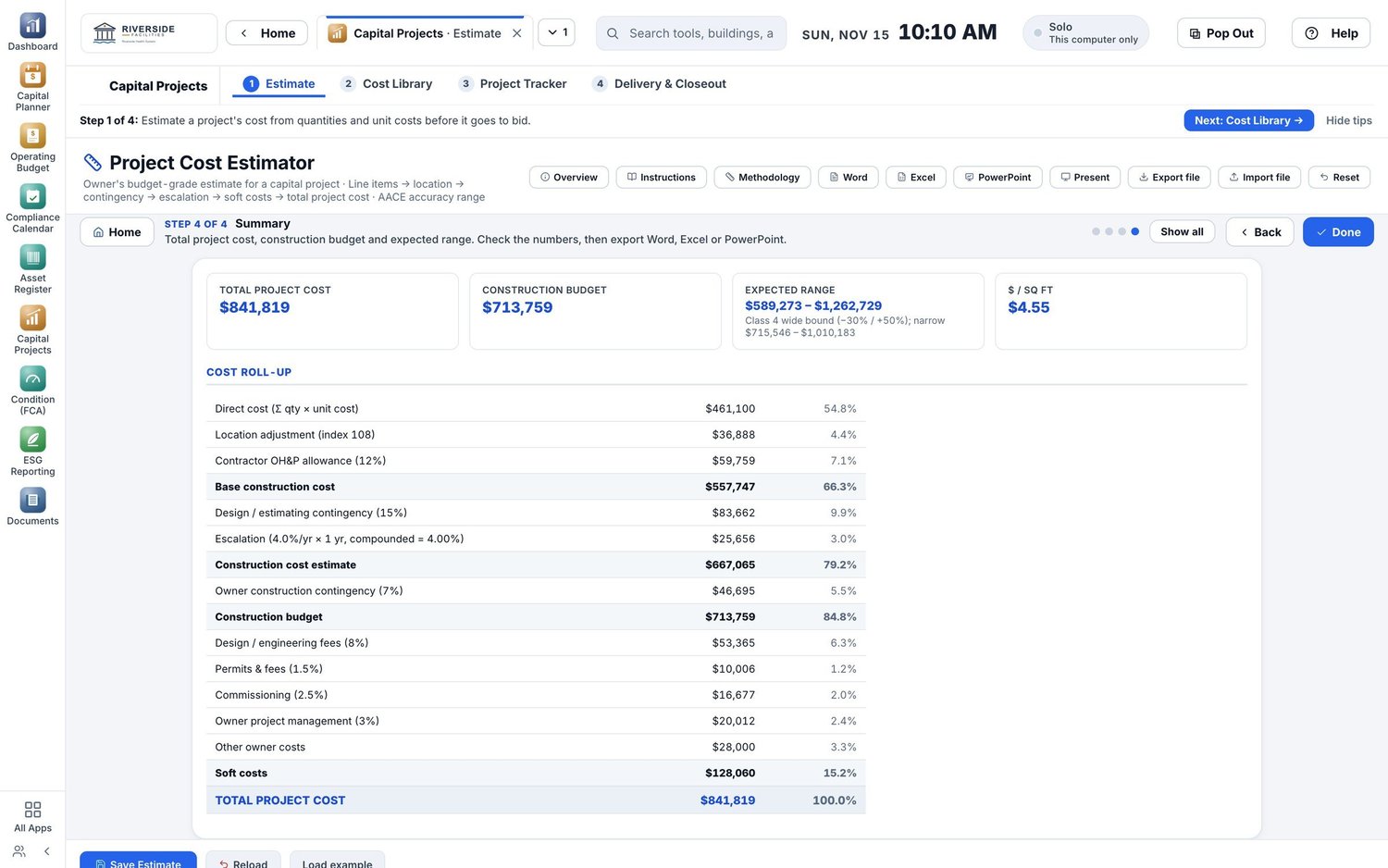
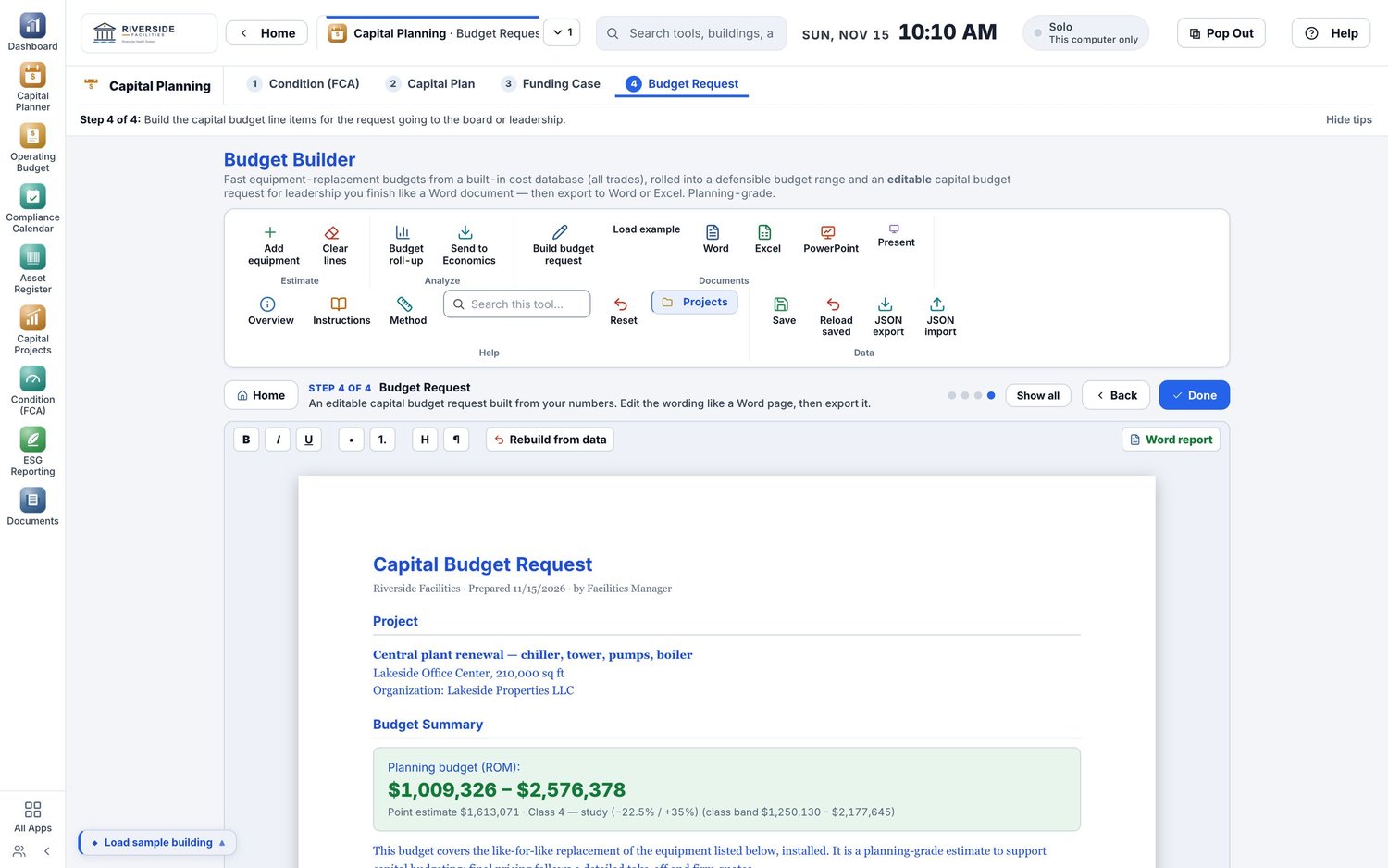
Fast conceptual budgets from equipment cost per ton, CFM, MBH or HP, with a regional index, a quality tier and contingency, stated as a range with its accuracy class.
Learn MoreShow Less
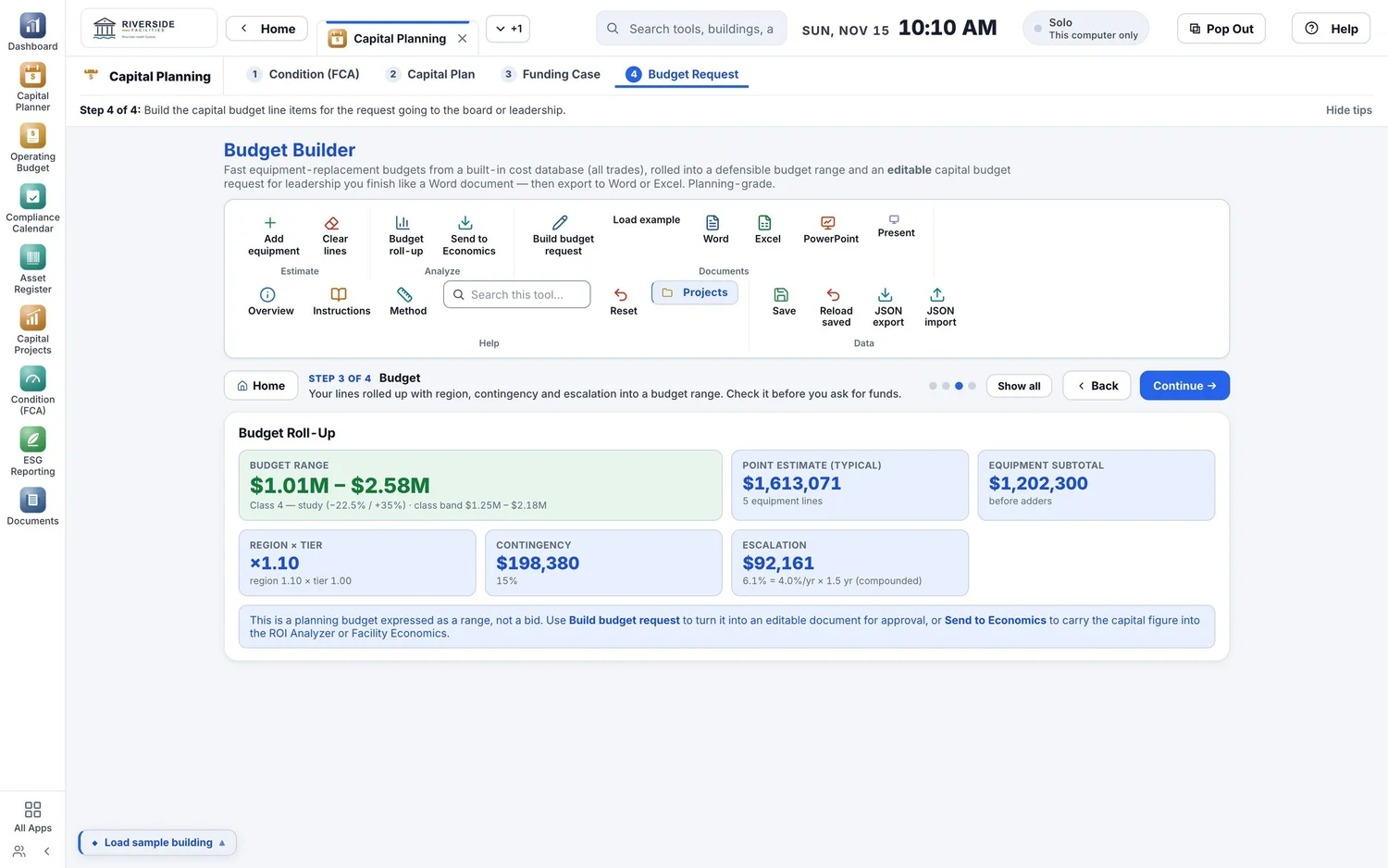
A budget asked for too low gets a second, harder request later; one asked for too high ties up money. Budget Request gives a range with its accuracy stated, so the number can be defended.
- A regional index, quality tier, contingency and escalation scale every line
- Each line priced low, typical and high
- An editable budget request finished like a Word document
- Send to Economics carries the budget into the money case
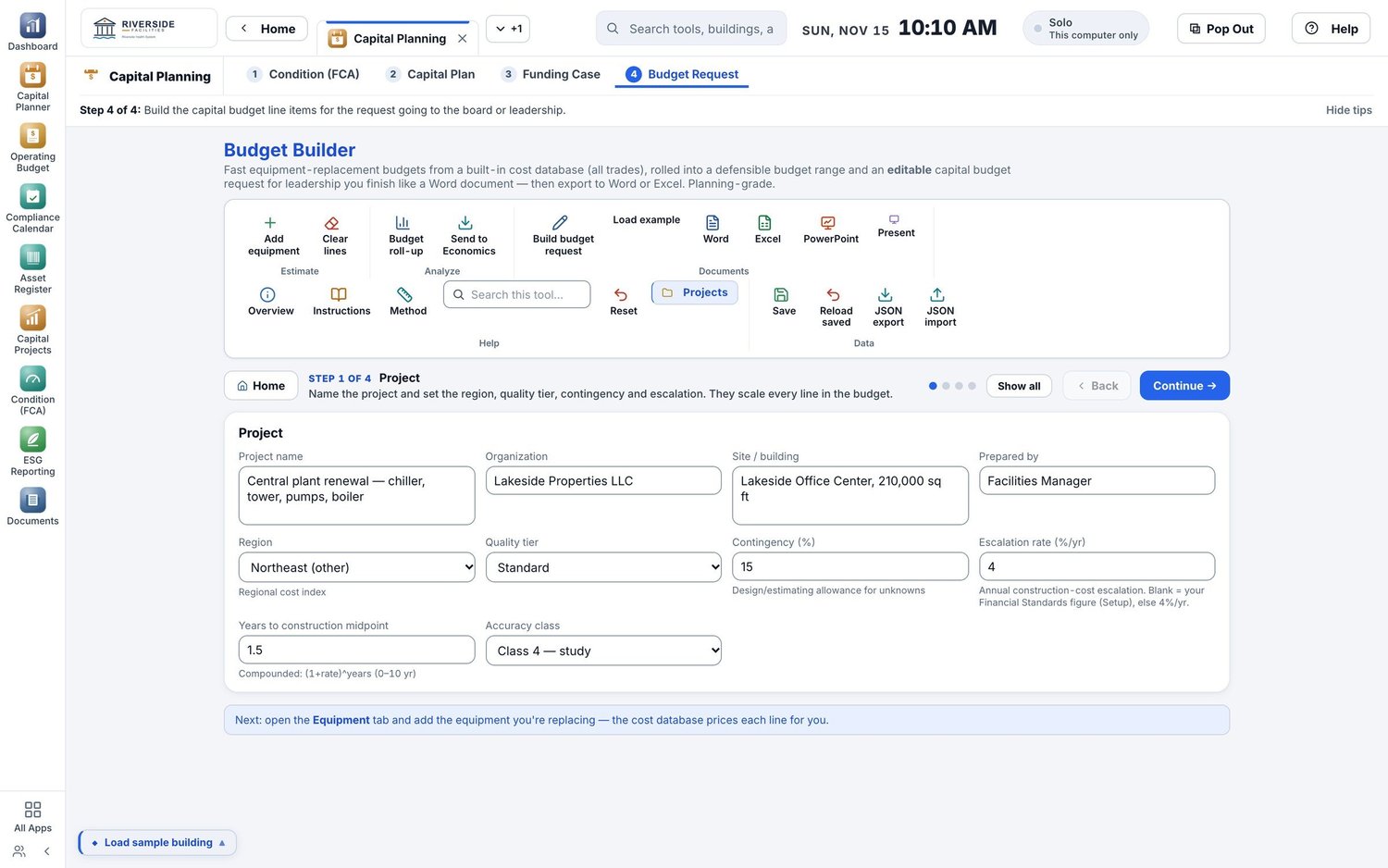
Project in Budget Builder: name the project and set the region, quality tier, contingency and escalation. They scale every line in the budget.
A Backlog Your Organization Can Stand Behind
What the Assessment Produces
- A facility condition index for each system, each building and the portfolio
- A deficiency register with priority, action year and estimated cost
- A deferred-maintenance backlog and a ten-year renewal forecast
- By year: cost per priority, the running total and the FCI if nothing is funded
Bring in a Consultant's Assessment
- Import a consultant's deficiency spreadsheet in whatever layout it uses; headings are matched and confirmed
- Building, deficiency ID, UNIFORMAT code, priority, year, cost and photo reference are kept on each row
- Matched by building and deficiency ID, so a corrected file updates the same rows
- Export the capital plan as Excel, Word or PDF
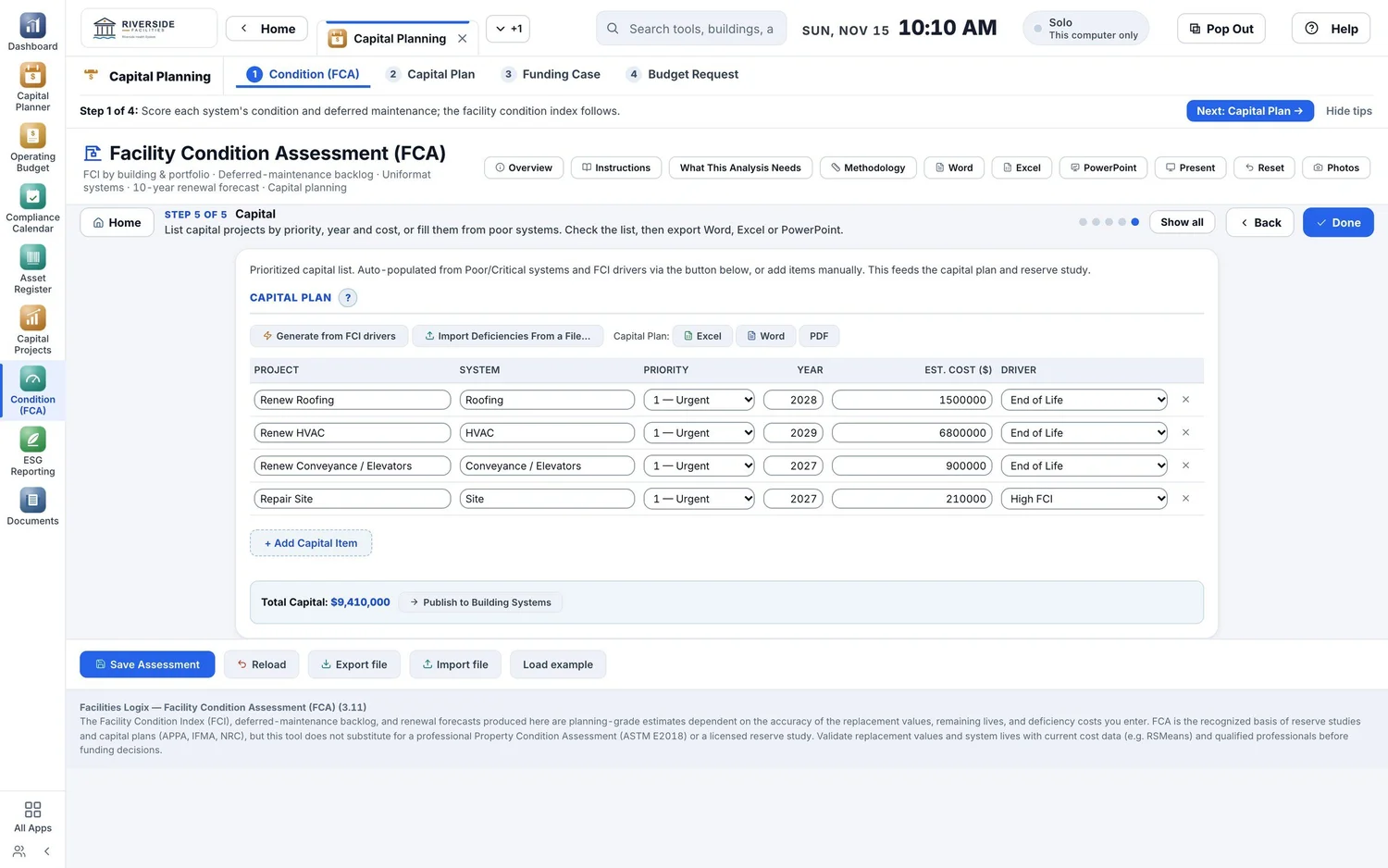
Capital in Facility Condition Assessment (FCA): list capital projects by priority, year and cost, or fill them from poor systems. Check the list, then export Word, Excel or PowerPoint.
For Public Organizations
- The GASB 34 modified approach for an infrastructure network: condition level, the three most recent assessments and five years of estimated versus actual preservation spending
- Flags for an assessment more than three years old and a condition below the level
- The required supplementary information carried in the report
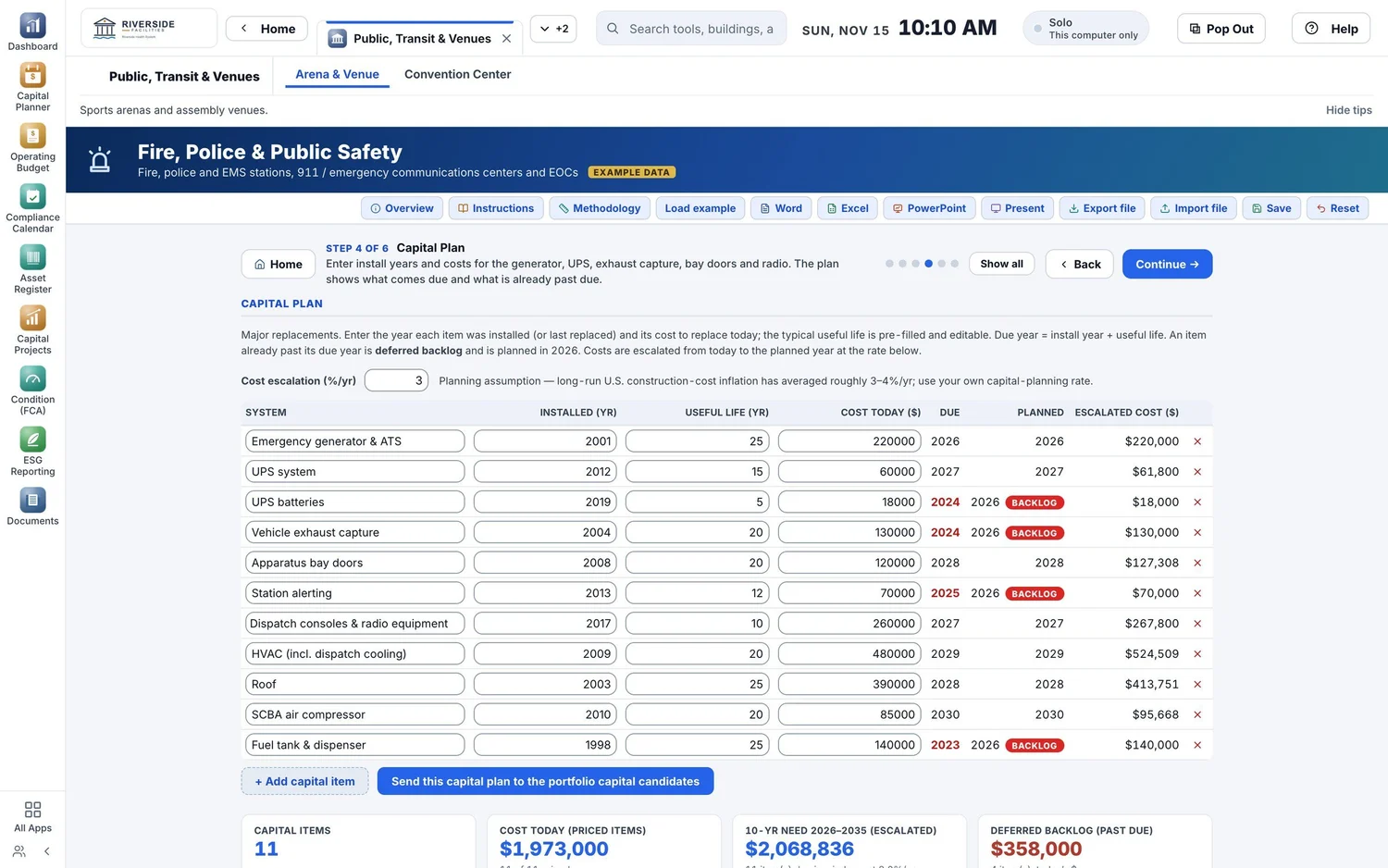
Capital Plan in Fire, Police & Public Safety: enter install years and costs for the generator, UPS, exhaust capture, bay doors and radio. The plan shows what comes due and what is already past due.
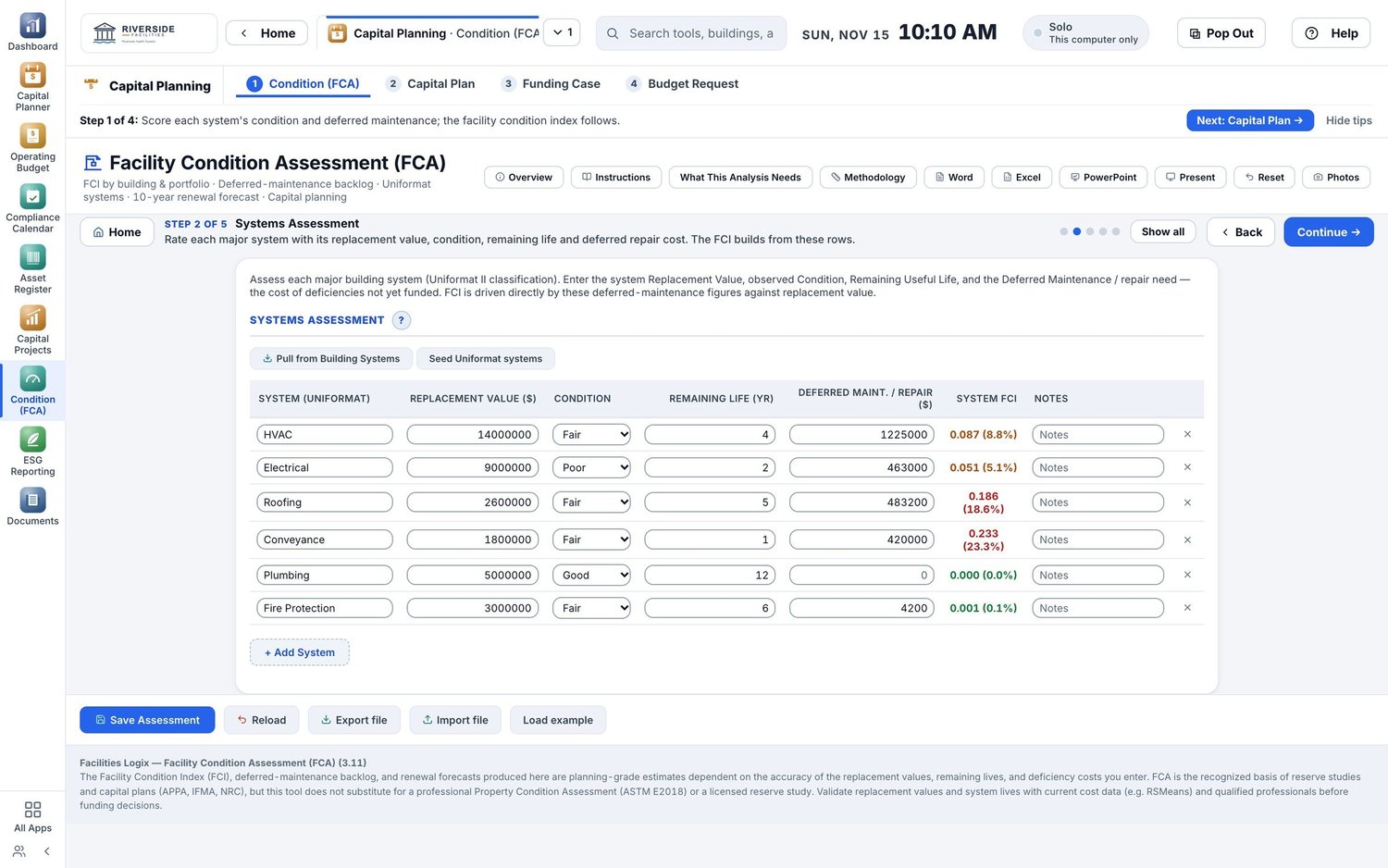
A backlog estimate nobody can trace loses the budget argument, so every system is scored with its condition and cost.
The Plan Fills Itself from the Work Your Team Already Does
Capital Candidates
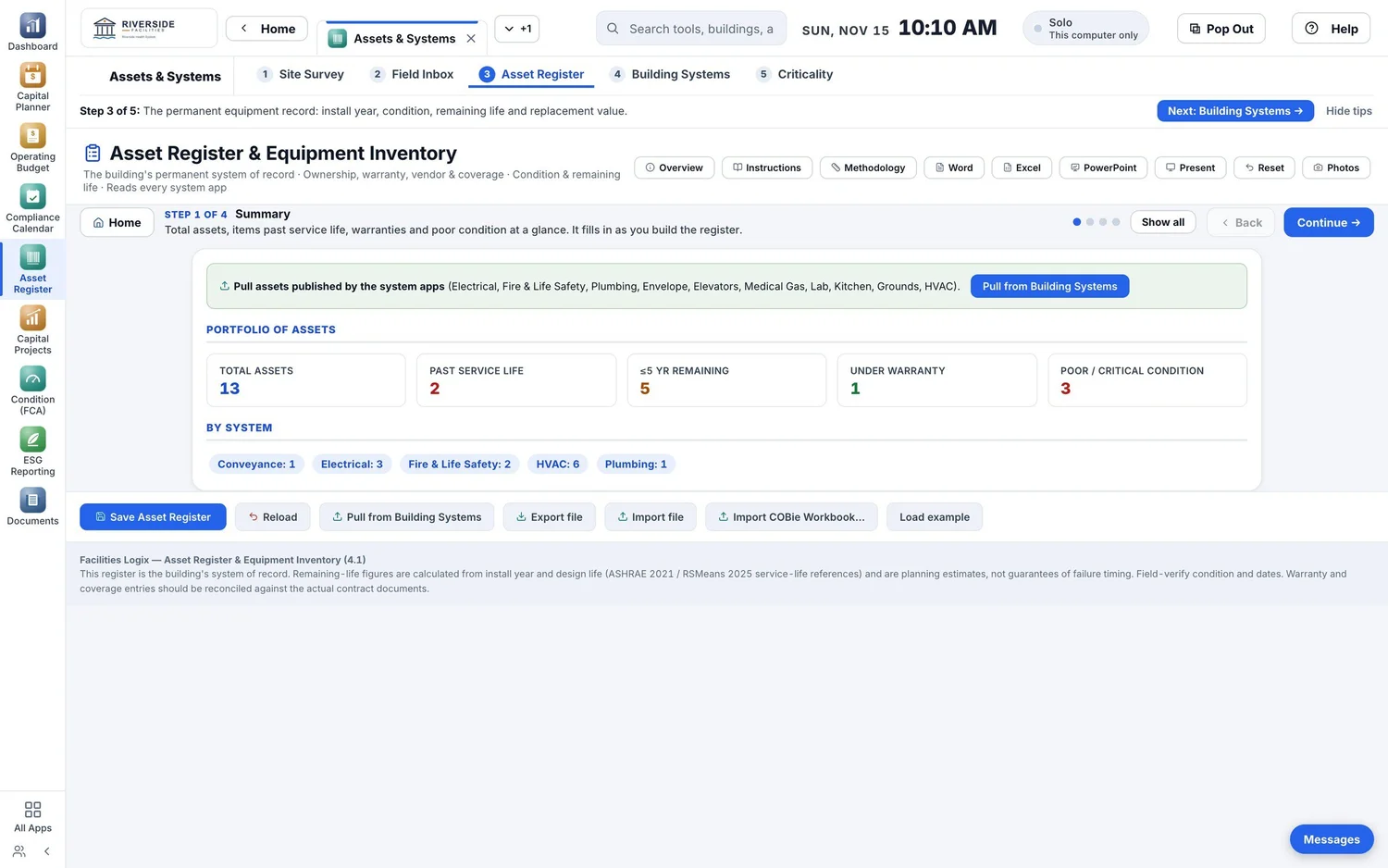
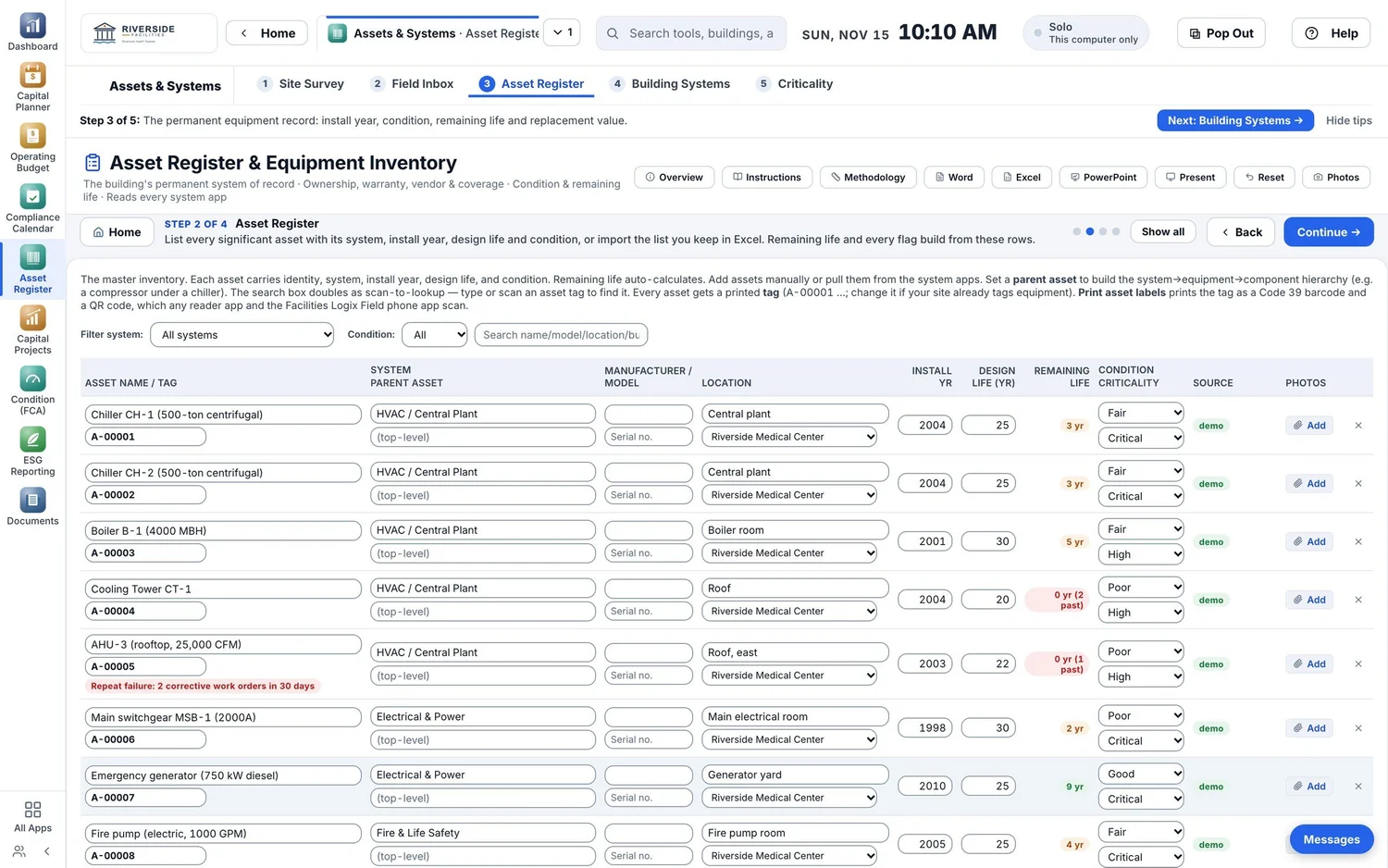
The Asset Register and every system tool publish capital candidates as they record age, condition and remaining life. A deficiency with a replacement implication from a round, a survey or an inspection joins them. The Efficiency Desk can add a finding as a candidate to estimate. Facility playbooks add their own, such as a ship's drydocking, which falls due the way a roof does.
Testing the Big Calls
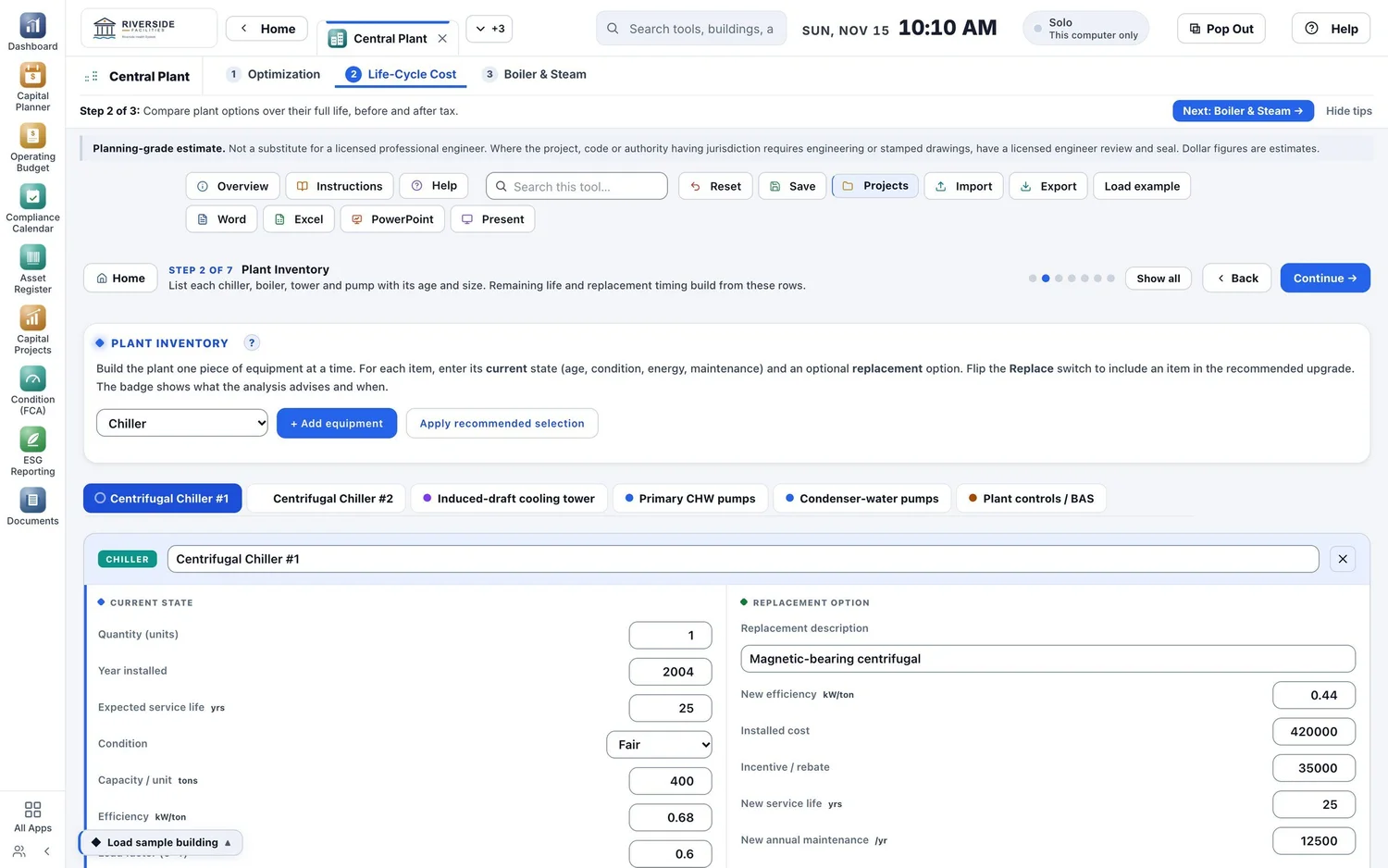
Before a replacement goes in the plan, test it: life-cycle cost for the central plant, repair or replace for rooftop and split units, and the Equipment Decision workspace that scores the same unit three ways: repair, replace, or convert to a heat pump.
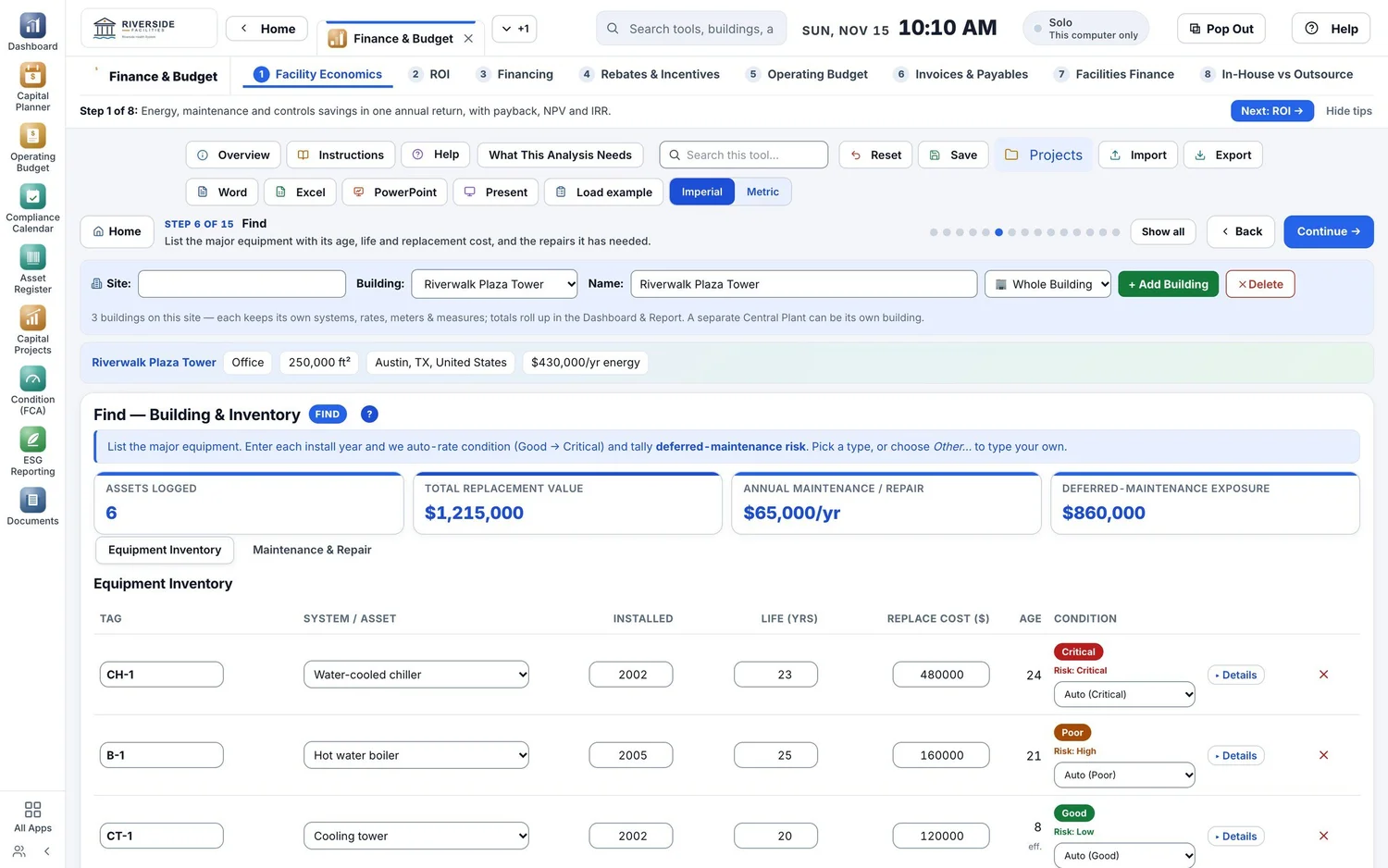
Find in Facility Economics: list the major equipment with its age, life and replacement cost, and the repairs it has needed.
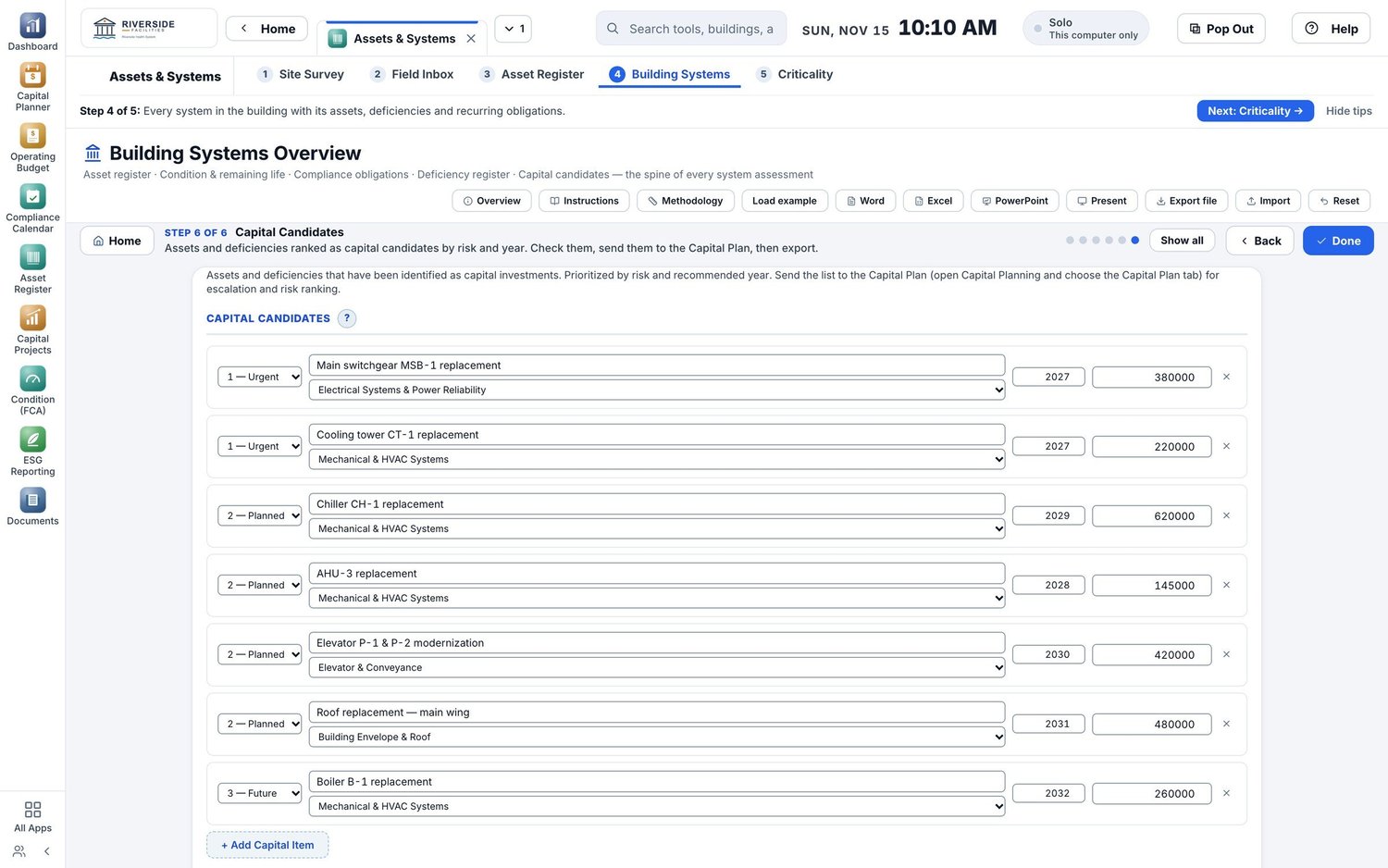
Capital lists built by hand miss items, so candidates arrive from the register and system tools as your team records them.
Give Leadership a Decision, Not a List
Bundle to Cash-Positive
The Funding Case bundles high-return energy and operating measures with the capital a building needs, so savings help carry replacements that have no payback of their own.
Learn MoreShow Less
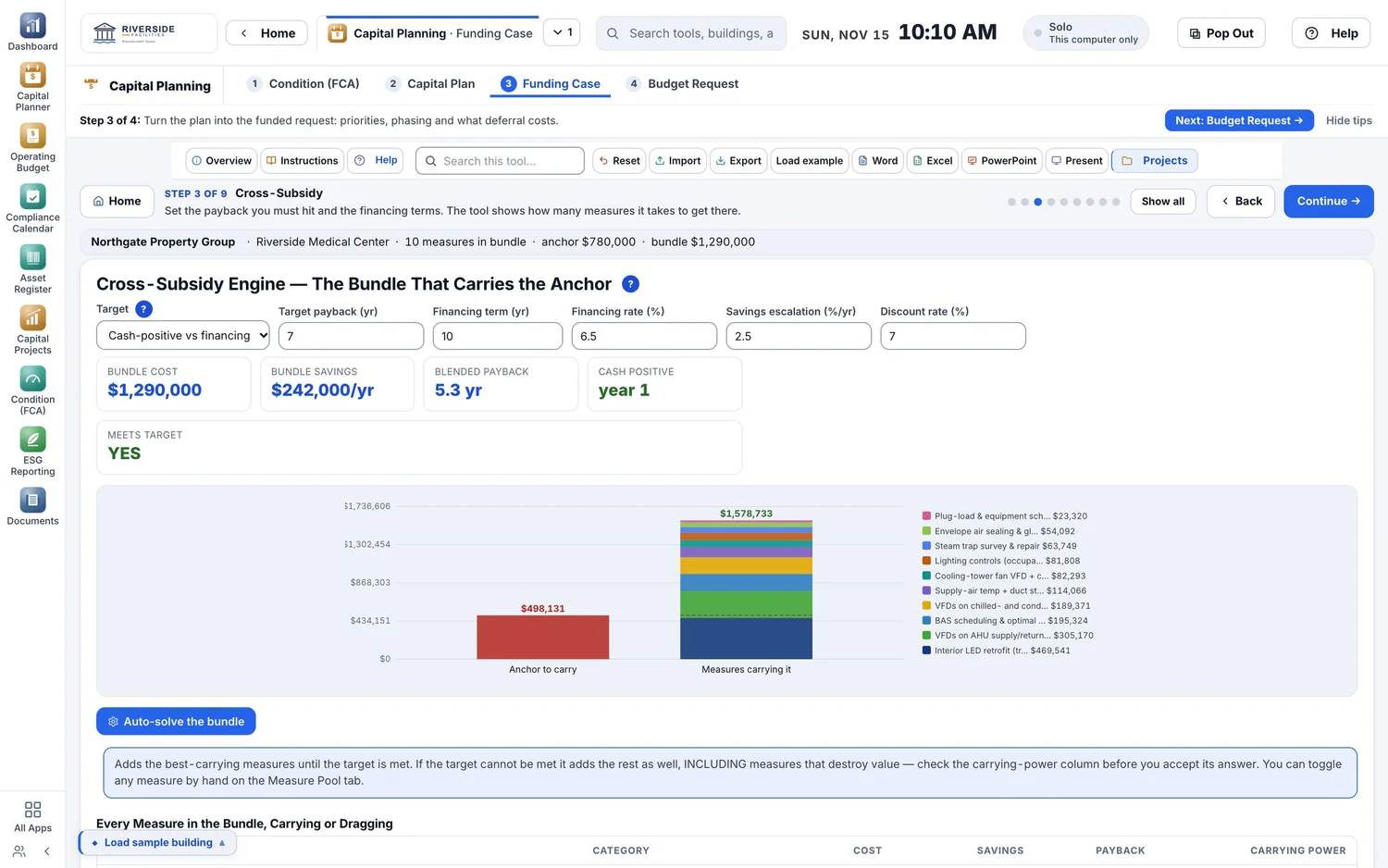
A chiller with no payback can still be funded when lighting, controls and water measures pay for it. The Funding Case finds the bundle that meets your target and shows which measures carry the anchor.
- Library of lighting, controls, VFD, water, steam and envelope measures
- A cross-subsidy engine that solves for the bundle
- Phasing of the measures over the project
- A Not a Guarantee statement, so nobody mistakes it for a savings contract
The Cost of Waiting
Show what deferral costs: rising failure risk, escalation, and a condition index that worsens each year nothing is funded.
Learn MoreShow Less
Deferral looks free in the year it happens. The Capital Plan prices what each replacement costs if it waits, year by year, so the cost of not funding is on the table.
- The crossover year where waiting stops being the cheaper bet
- Facility Condition Index by year if nothing is funded
- The escalation rate comes from Financial Standards when the field is blank
- Rising failure risk ranked into the same list
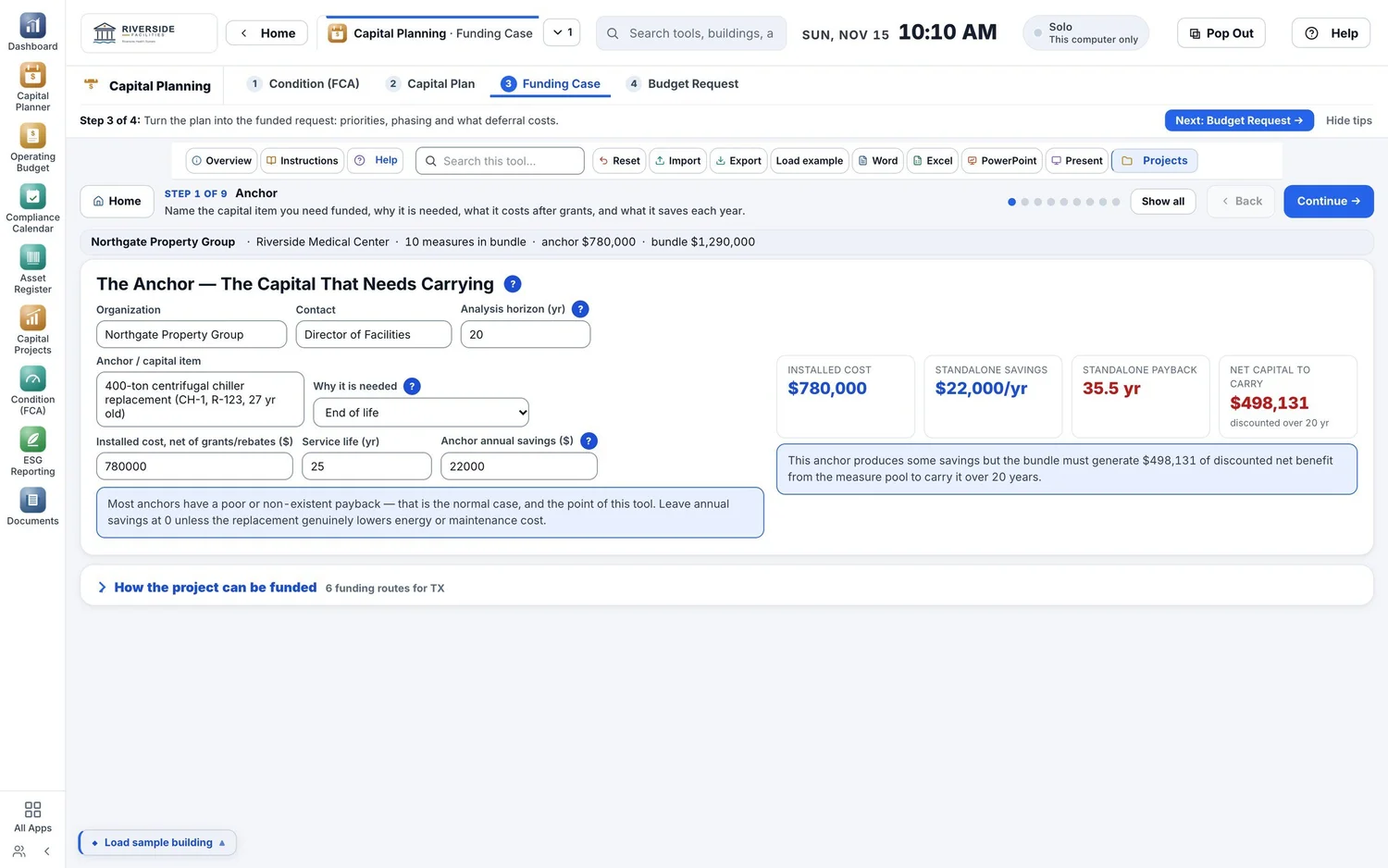
Anchor in Capital Bridge: name the capital item you need funded, why it is needed, what it costs after grants, and what it saves each year.
Economics Behind It
Carry the case into Facility Economics, ROI, Financing and Rebates & Incentives to prove the return, structure the financing and track the incentives the project may qualify for.
Learn MoreBoard-Ready Reports
Every step exports the same report as Word, Excel and PowerPoint, with a one-sentence decision, a KPI band, charts with takeaways, and the inputs, assumptions and methodology.
Learn MoreShow Less
Reports rebuilt by hand for each board meeting cost staff days and invite mismatched numbers. Every step writes Word, Excel and PowerPoint from one report model, so the figures agree.
- Excel keeps real numbers finance can sort and total, with Inputs and Method sheets
- A branded cover with your logo, accent color and the preparer
- Exports made with sample data are watermarked SAMPLE
- The Document Center lists each report with a click back to its tool
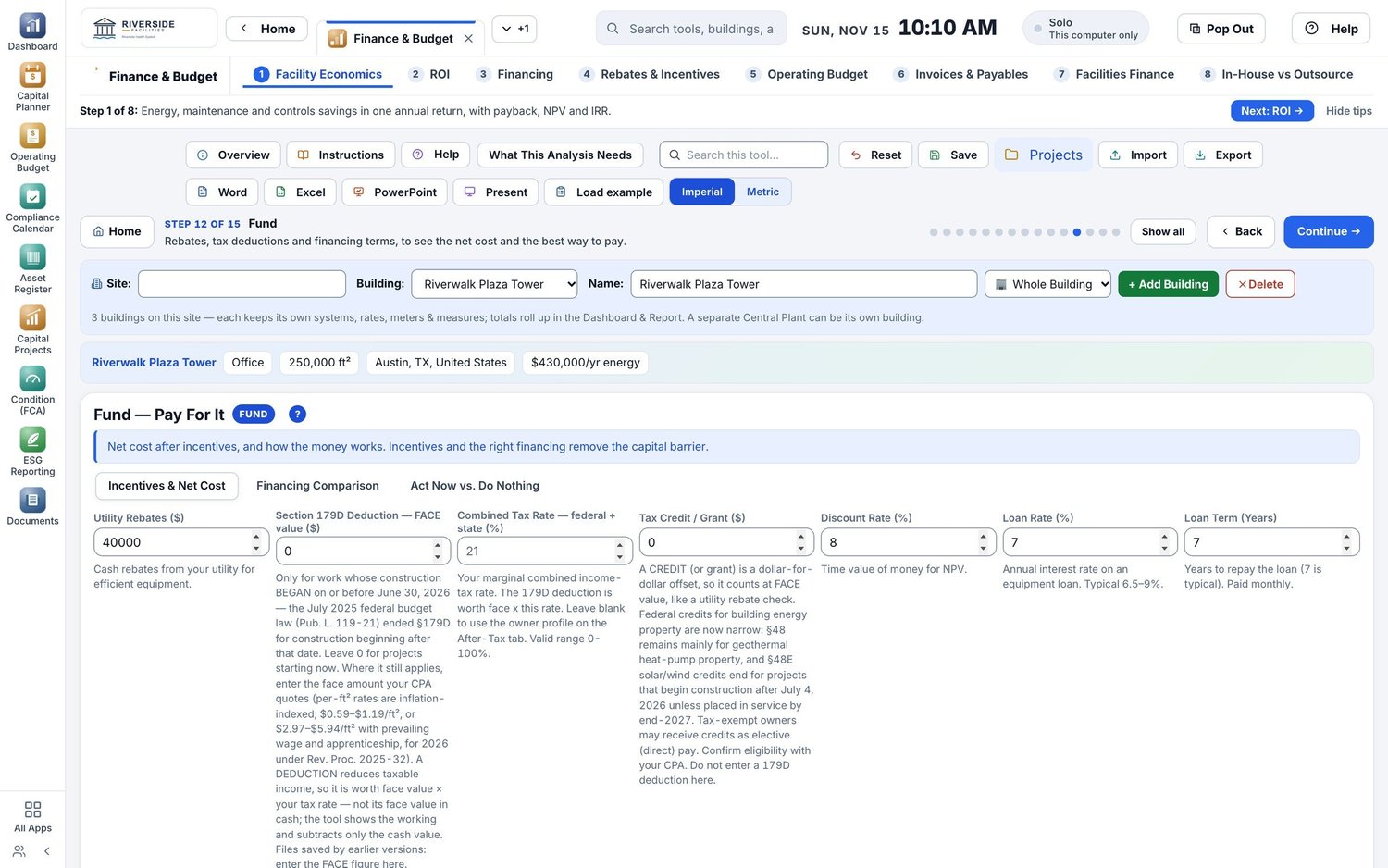
Fund in Facility Economics: rebates, tax deductions and financing terms, to see the net cost and the best way to pay.
Present Mode
Put the same report on a meeting-room screen, one page at a time, with every figure identical to the Word report.
Learn MoreShow Less
Building a separate slide deck for every meeting is time the facilities team does not have. Present opens the report itself on the screen, so there is nothing extra to prepare.
- Arrow keys, space bar, Home and End move through the pages
- Esc returns to the tool with every entry exactly as it was
- Long tables continue with their headings repeated
- Save the presentation as a PowerPoint deck or a PDF
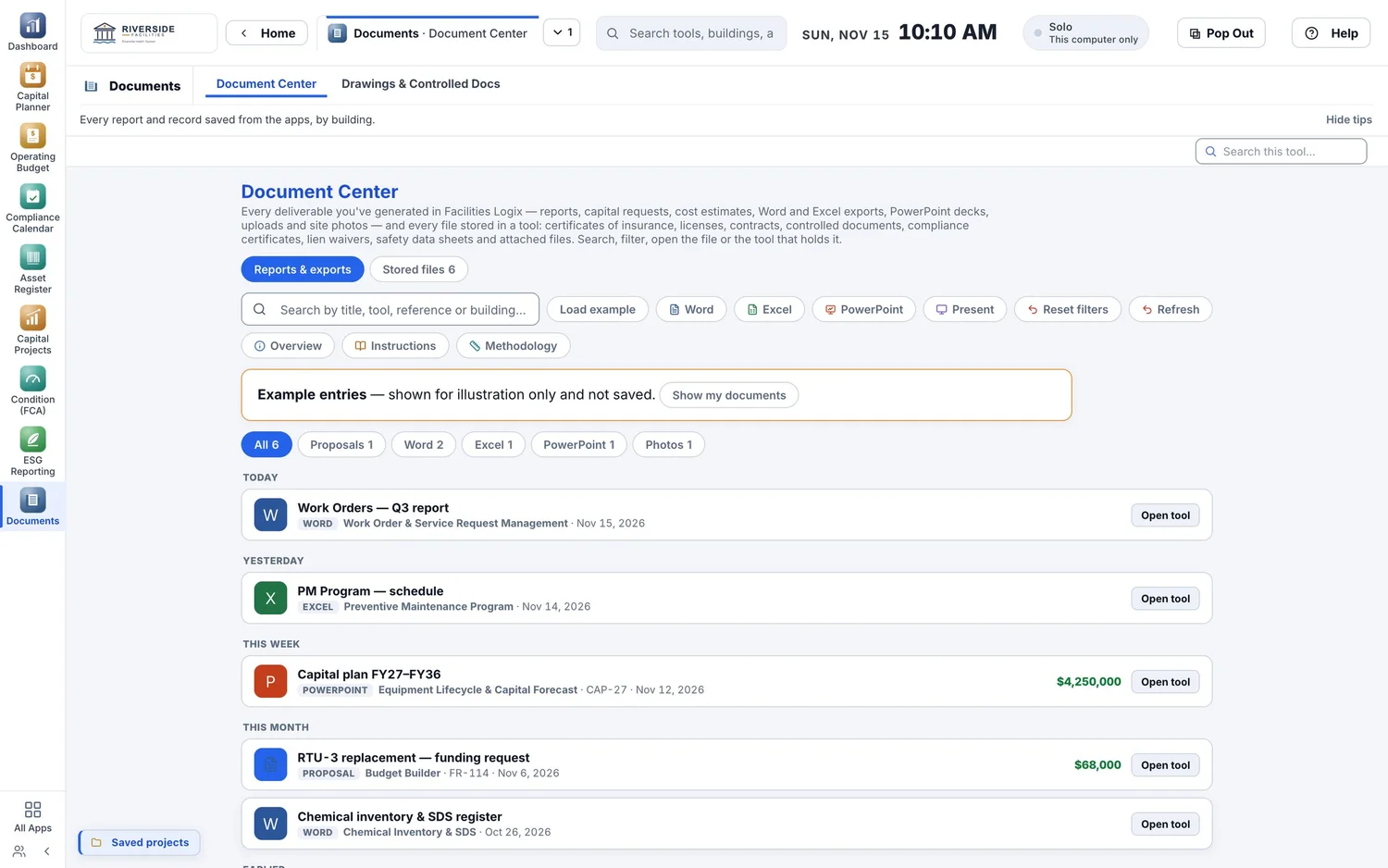
Every report the program makes is kept in one Document Center, grouped by building.
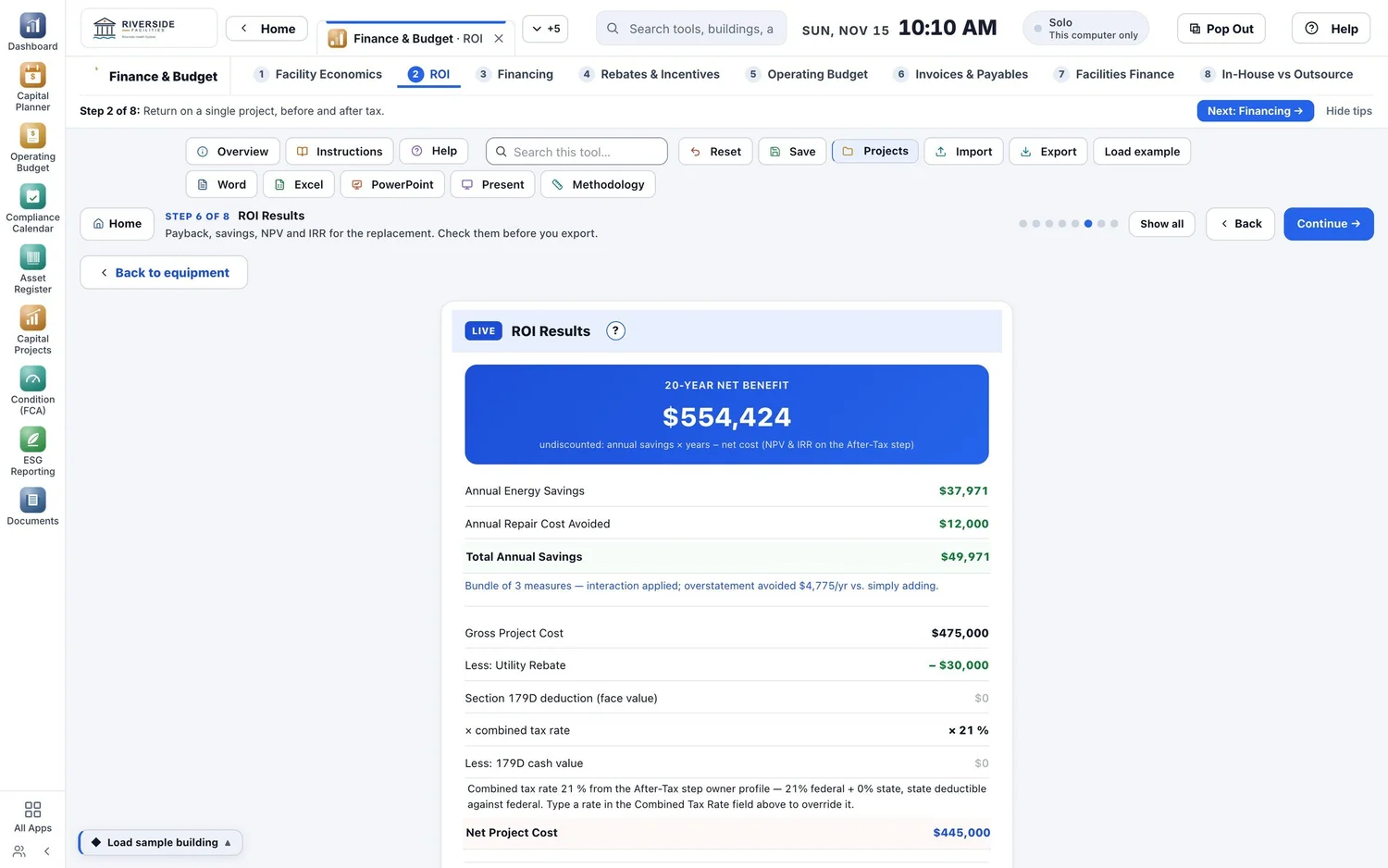
The Same Numbers for the Boardroom and the Mechanical Room
Leadership
A capital outlook on the Dashboard and a funded request with its work shown, so a board member, auditor or lender can see where each number came from.
Learn MoreShow Less
Boards and lenders fund what they can check. The capital request arrives with its inputs, assumptions and method attached, so questions are answered from the document.
- Capital outlook on the Dashboard from the system apps and the Asset Register
- A decision sentence and key figures at the top of each report
- Excel Inputs and Method and Assumptions sheets for an auditor
- FCI by building to compare one property with another
Management
A ranked plan that is refreshed by the year's work orders, rounds and inspections, so budget season never starts cold.
Learn MoreShow Less
Budget season costs weeks when the plan is rebuilt from scratch. Here the plan stays current through the year, so the next request starts from this year's findings.
- A round or survey finding becomes a deficiency, then a capital candidate
- Candidates ranked, tested for life-cycle cost and ROI, then funded
- A consultant's corrected file updates the same rows, not new ones
- Capital plan export with cost per priority and a running total by year
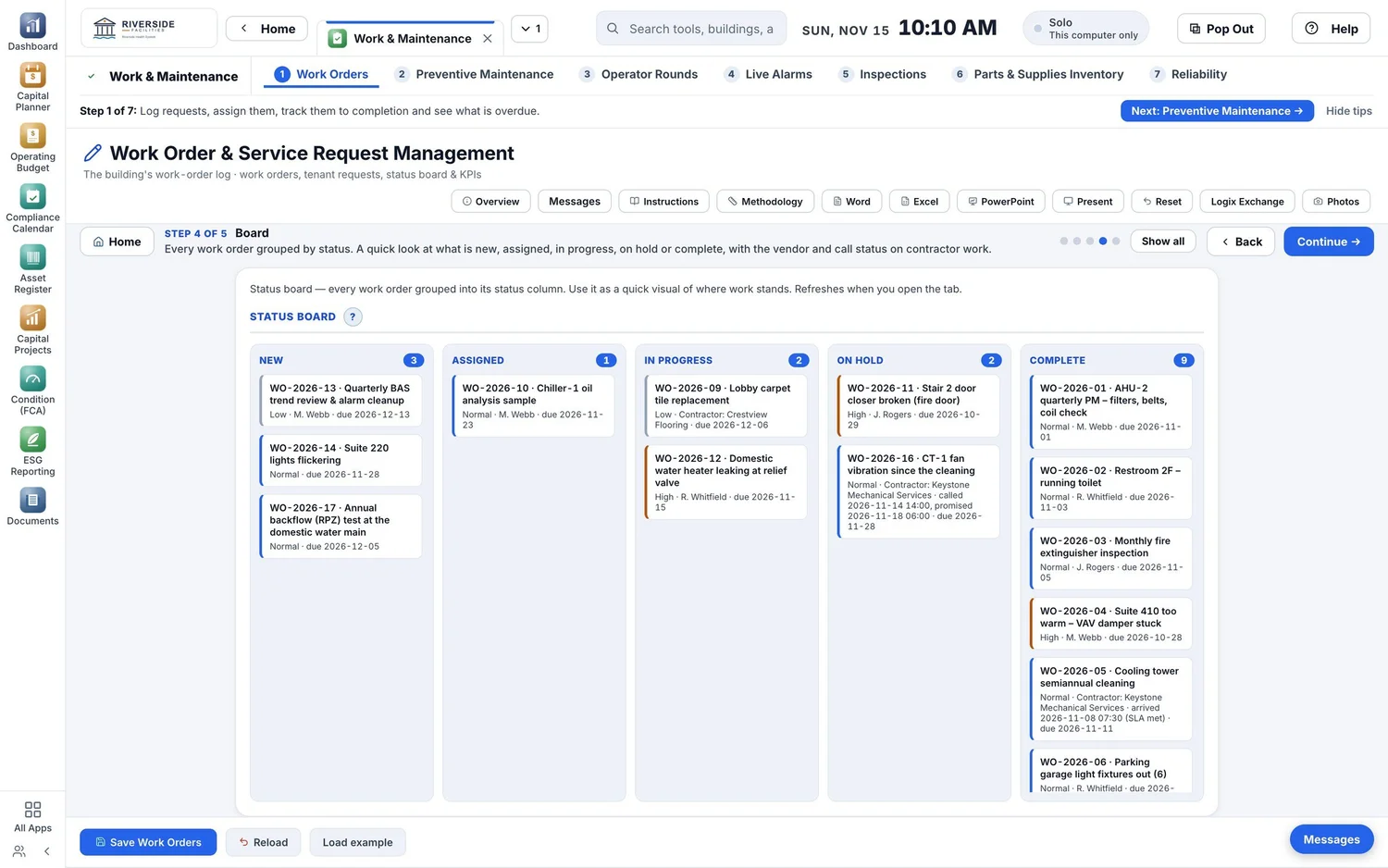
Board in Work Order & Service Requests: every work order grouped by status. A quick look at what is new, assigned, in progress, on hold or complete, with the vendor and call status on contractor work.
Operations
The findings your team reports become deficiencies and capital candidates, with the asset and the photo attached.
Learn MoreShow Less
A problem noticed but never written down becomes an emergency later. What technicians record in the field goes straight into the deficiency and capital lists, with the evidence attached.
- A failed inspection item offers a request or work order on the spot
- A round Alert needs a work order or a note before the round is finished
- Scored inspections roll failures into the deficiency list
- Photos travel with the finding from the phone
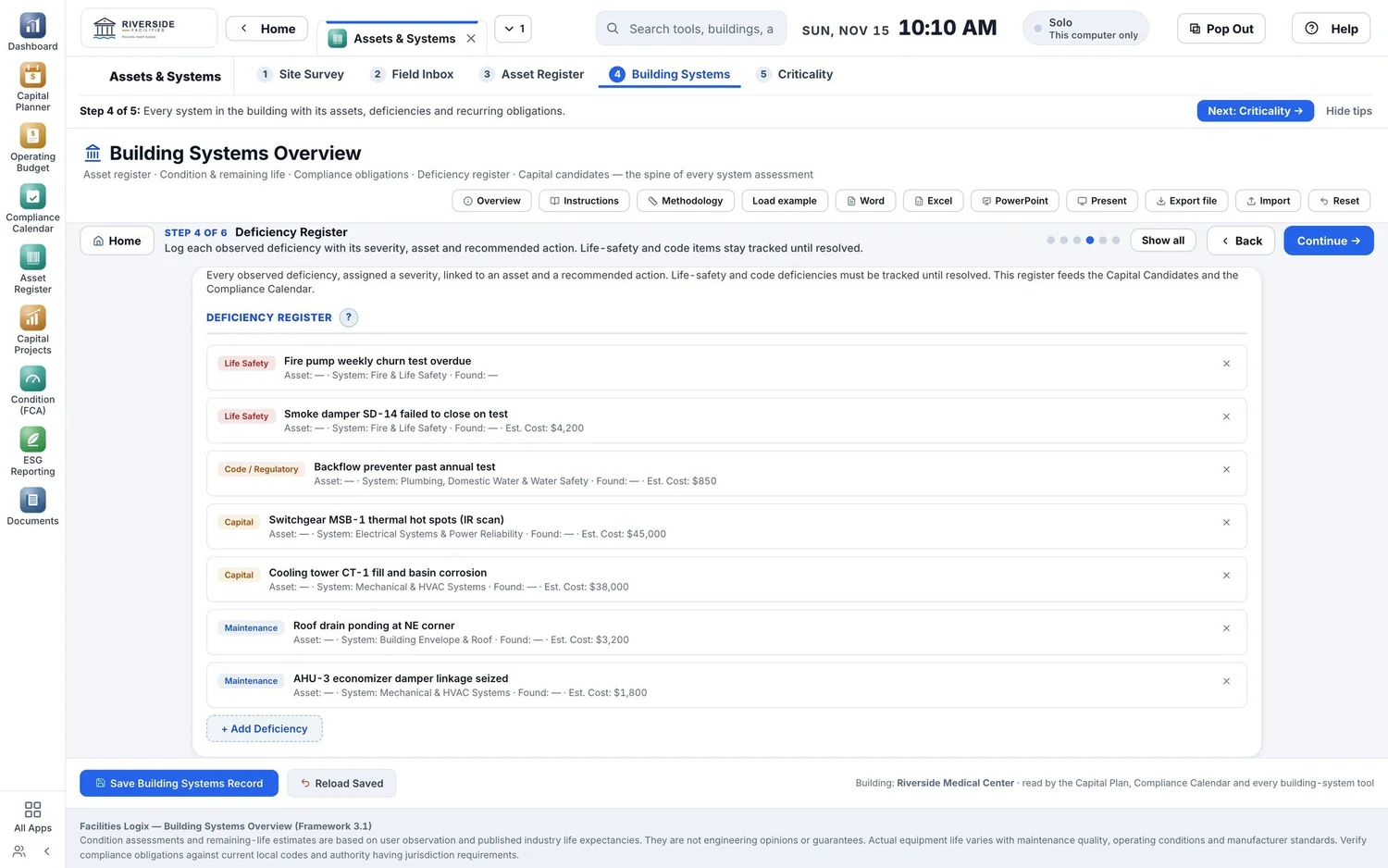
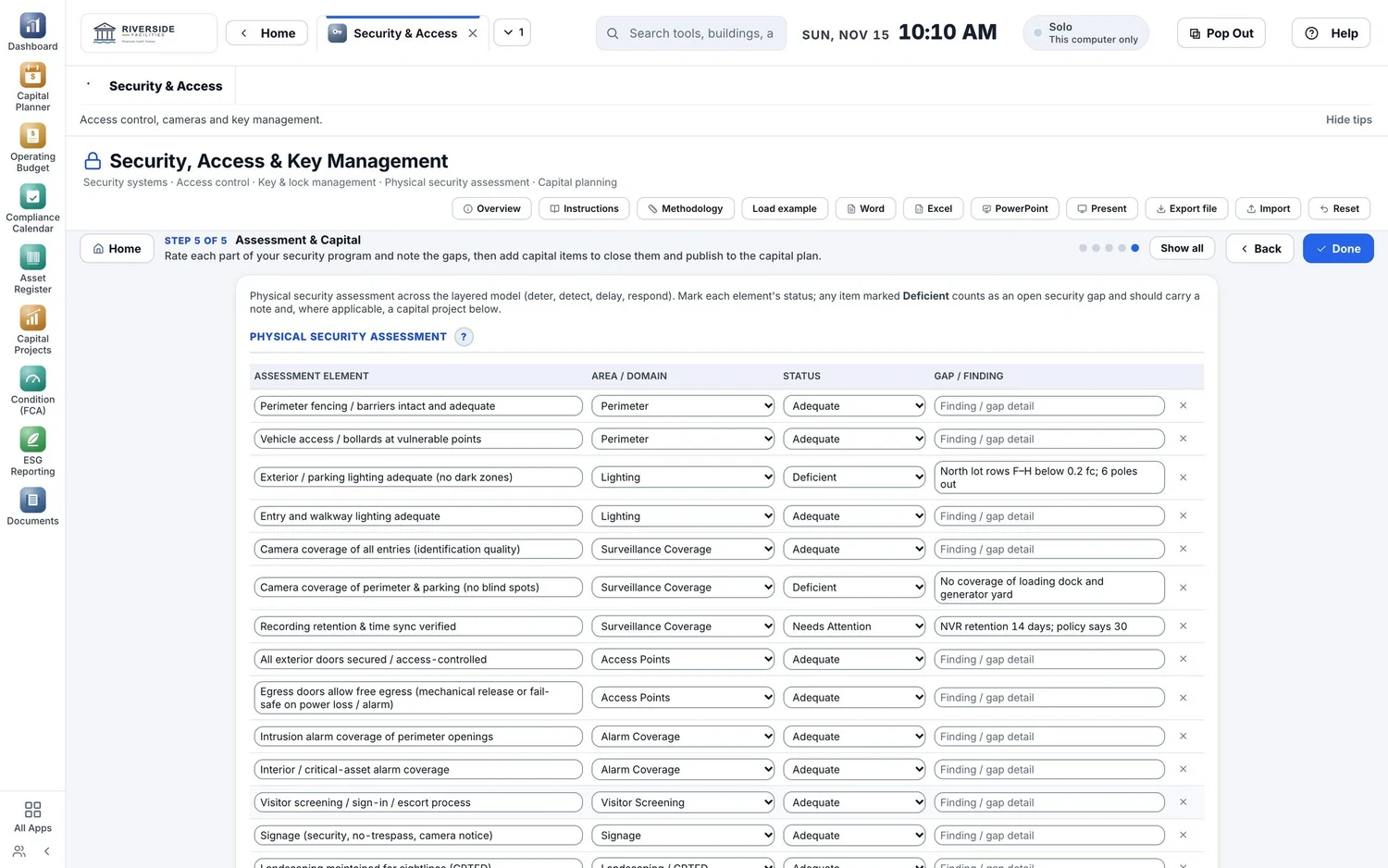
Building Systems: assets, deficiencies, obligations and capital candidates by system.
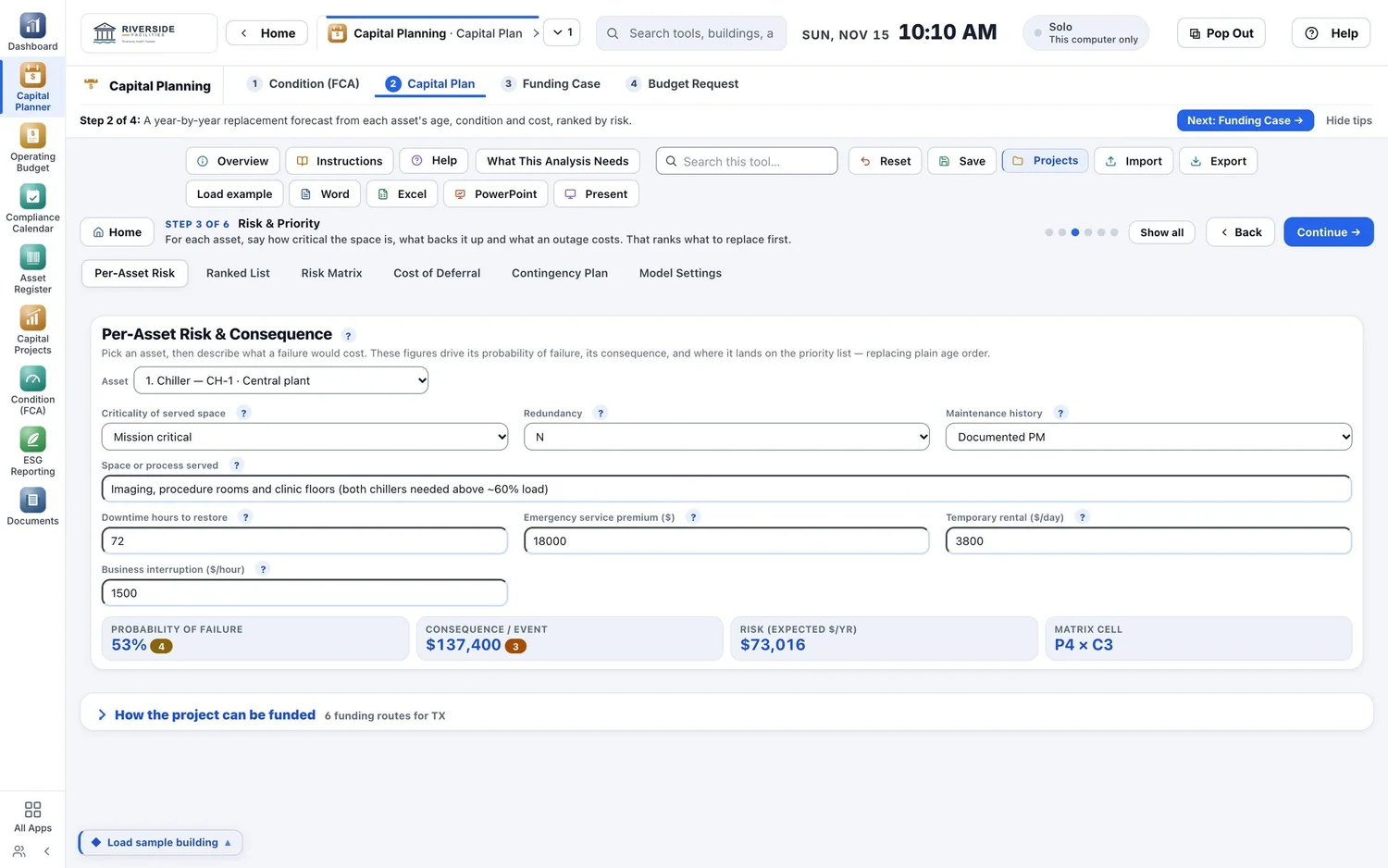
A plan ranked by whoever asks loudest is hard to defend, so every item is ranked by risk and priority.
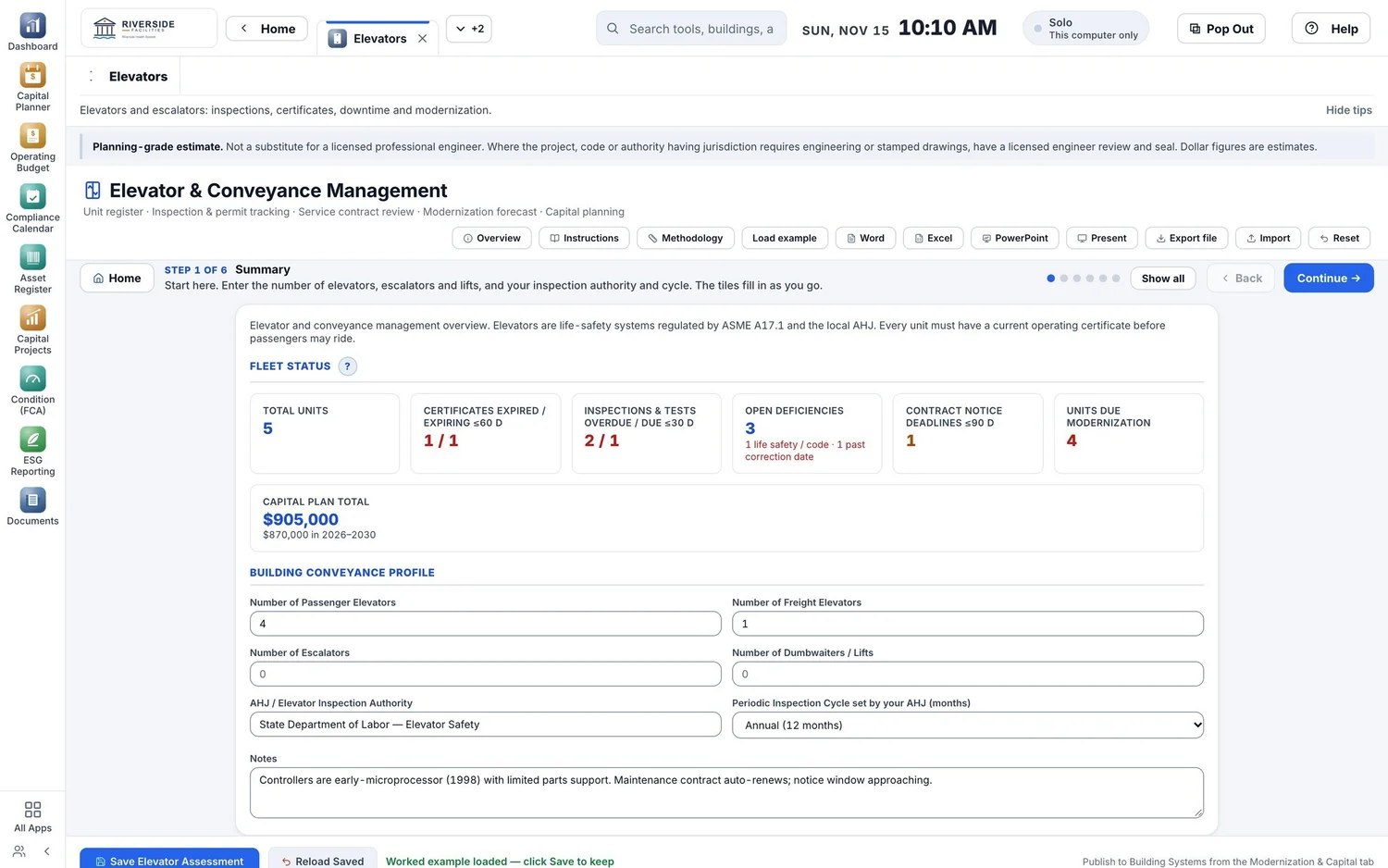
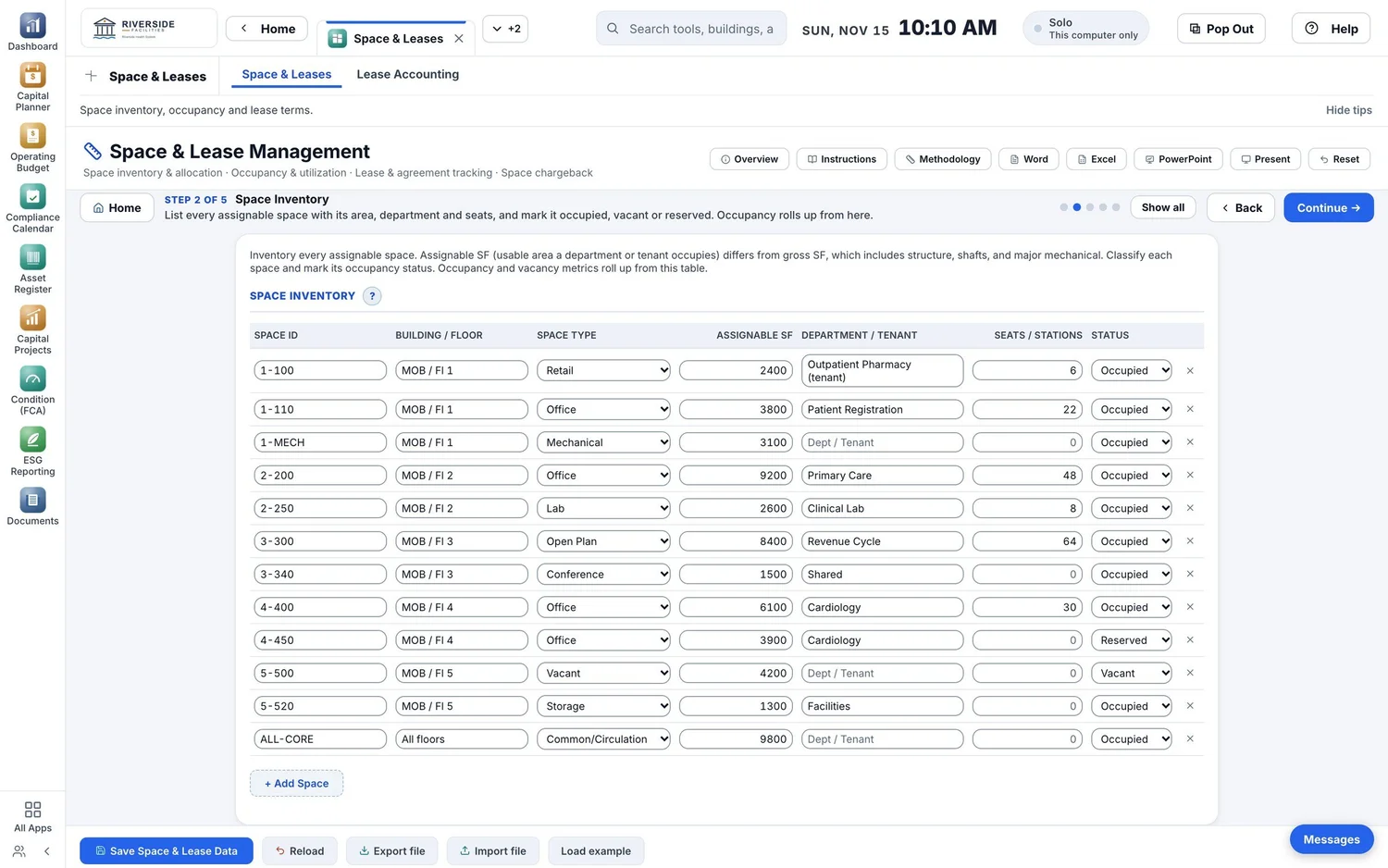
Frequently Asked Questions
Are the capital plan costs engineering estimates?
Can we start from an assessment a consultant already did?
How does the plan stay current?
Be First When Facilities Logix Opens
Stop chasing building records across spreadsheets and binders. Join the list and we will tell you the day downloads open, with setup guides ready.
Launching early 2027 for Facilities Logix. Nothing to buy today, and no sales calls.
