
Every Truck, Every Date, Every Dollar on One Register
A service truck that misses an inspection or sits in the shop on a full day costs a contractor twice. HVAC Logix keeps each vehicle, its driver, its expiring dates, its maintenance and its costs in one fleet register, and connects that register to the dispatch board, the technician's phone and the books.
Launching Early 2027 · Join the Early-Access List
One Record for Each Vehicle and Driver
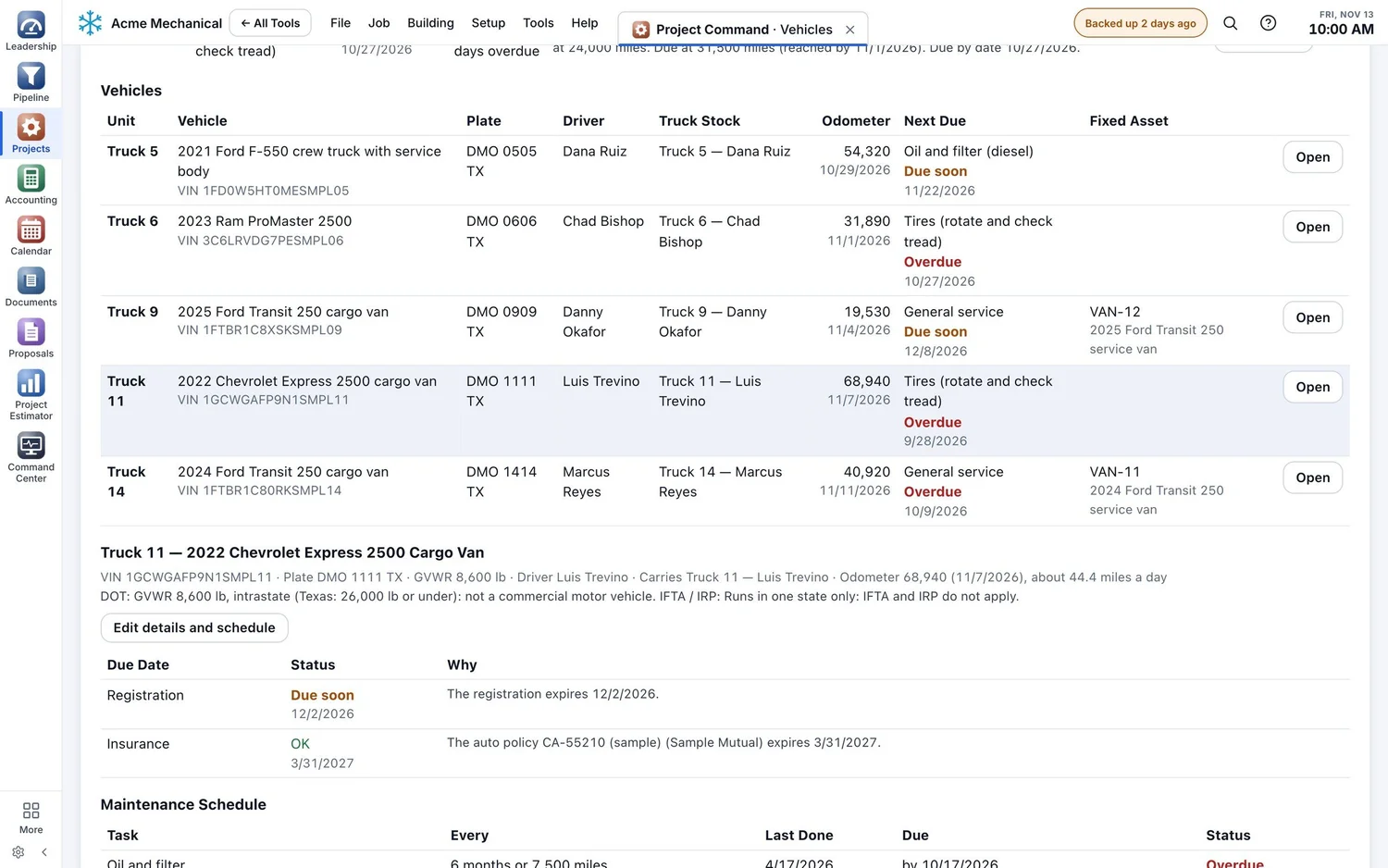
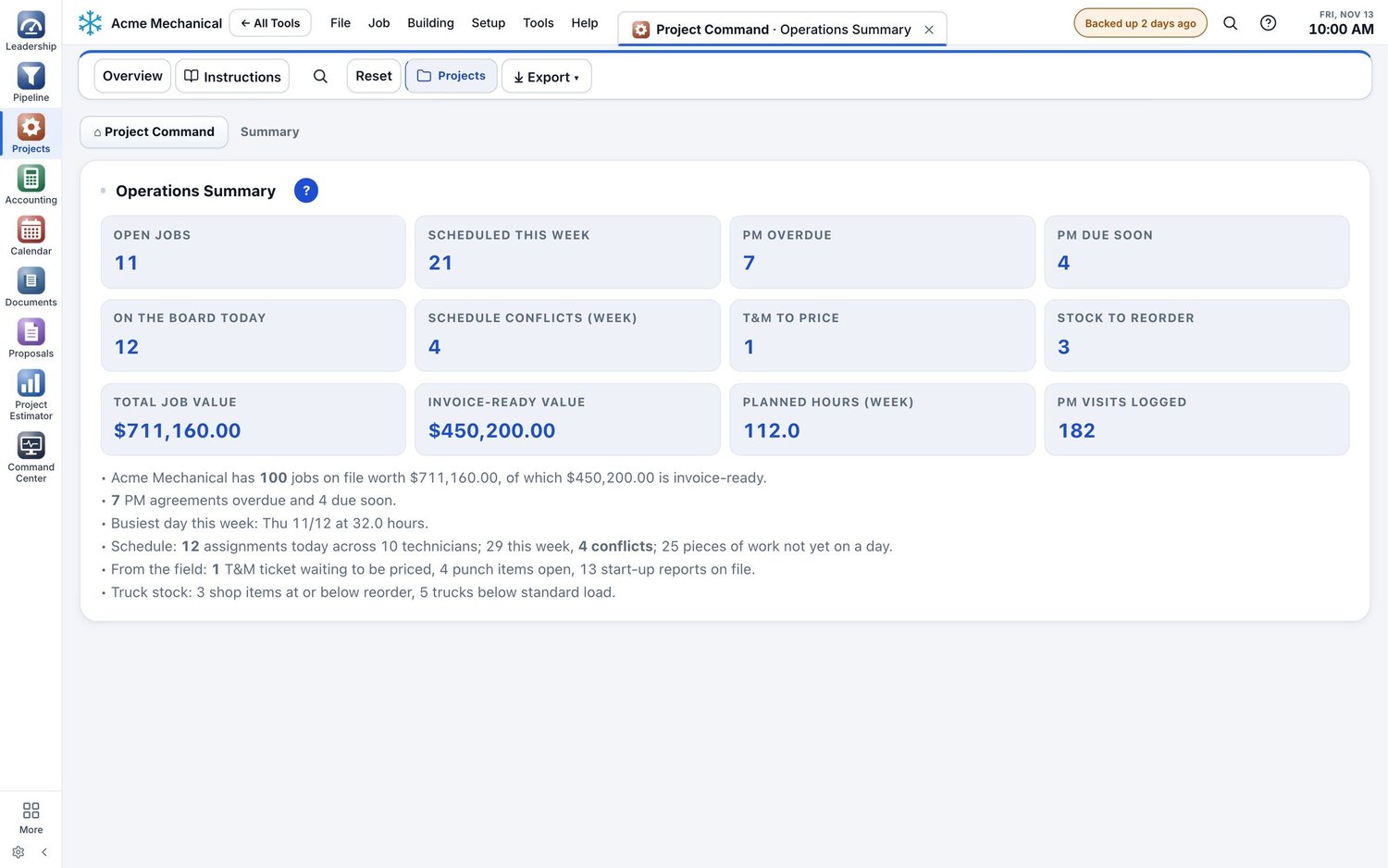
The fleet register sits in Project Command beside truck stock, so the truck, its parts and its driver are managed in one place.
The Vehicle Record
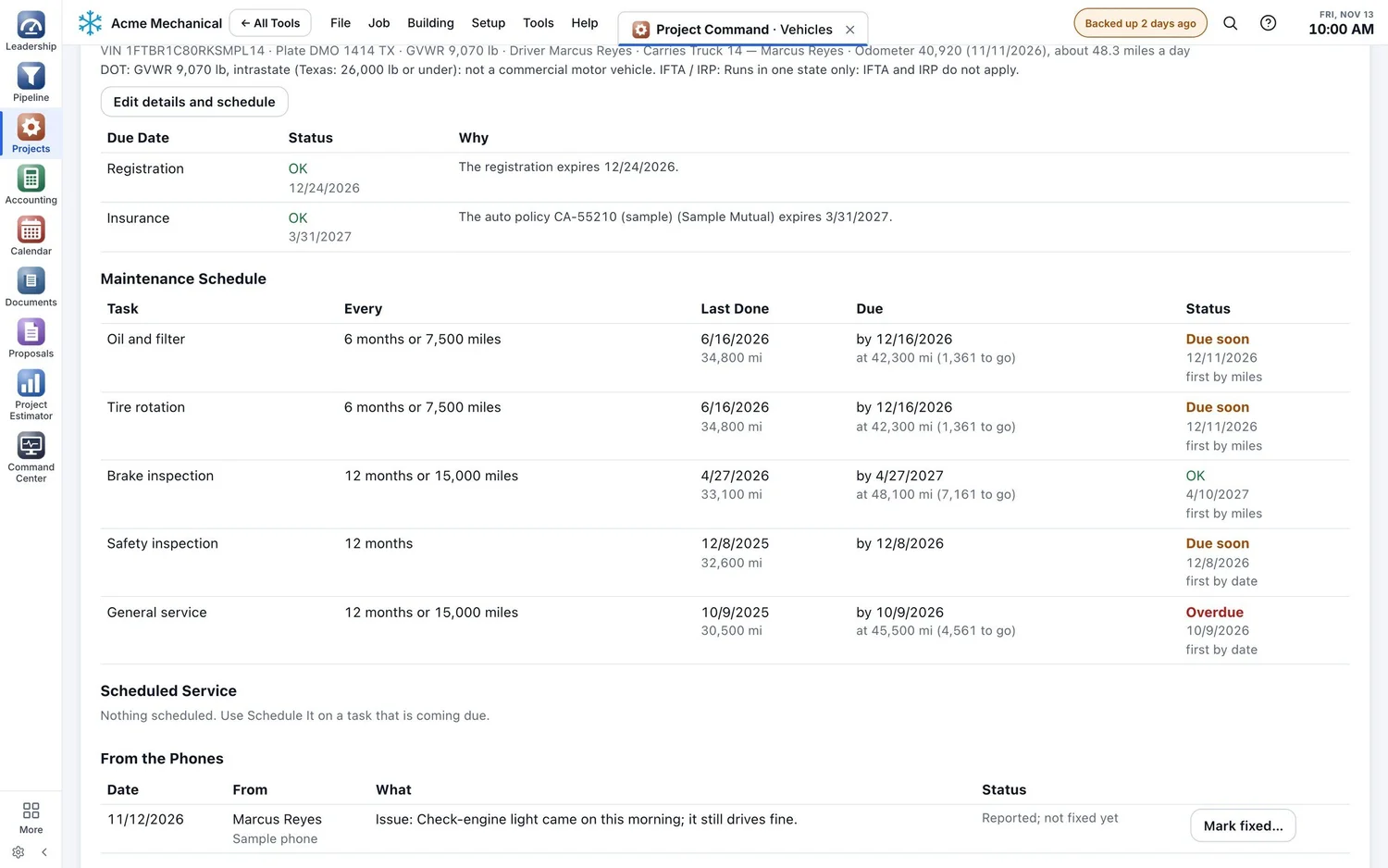
Unit number, year, make, model, plate, GVWR and axles, with a VIN check that points out a wrong check digit. Each vehicle links to its assigned driver, the truck stock it carries and its fixed asset entry in Accounting.
Learn MoreShow Less
A truck's real cost is spread across fuel slips, repair bills and the books. One record per vehicle brings it together, so you know which trucks earn their keep.
- Maintenance tasks fall due by months or miles, whichever comes first, from the truck's own odometer readings.
- An odometer reading lower than an earlier one is refused.
- Each cost can go to Accounting as a vendor bill, be linked to one already in the books, or be recorded only.
- An entry is never deleted; Void asks for the reason.
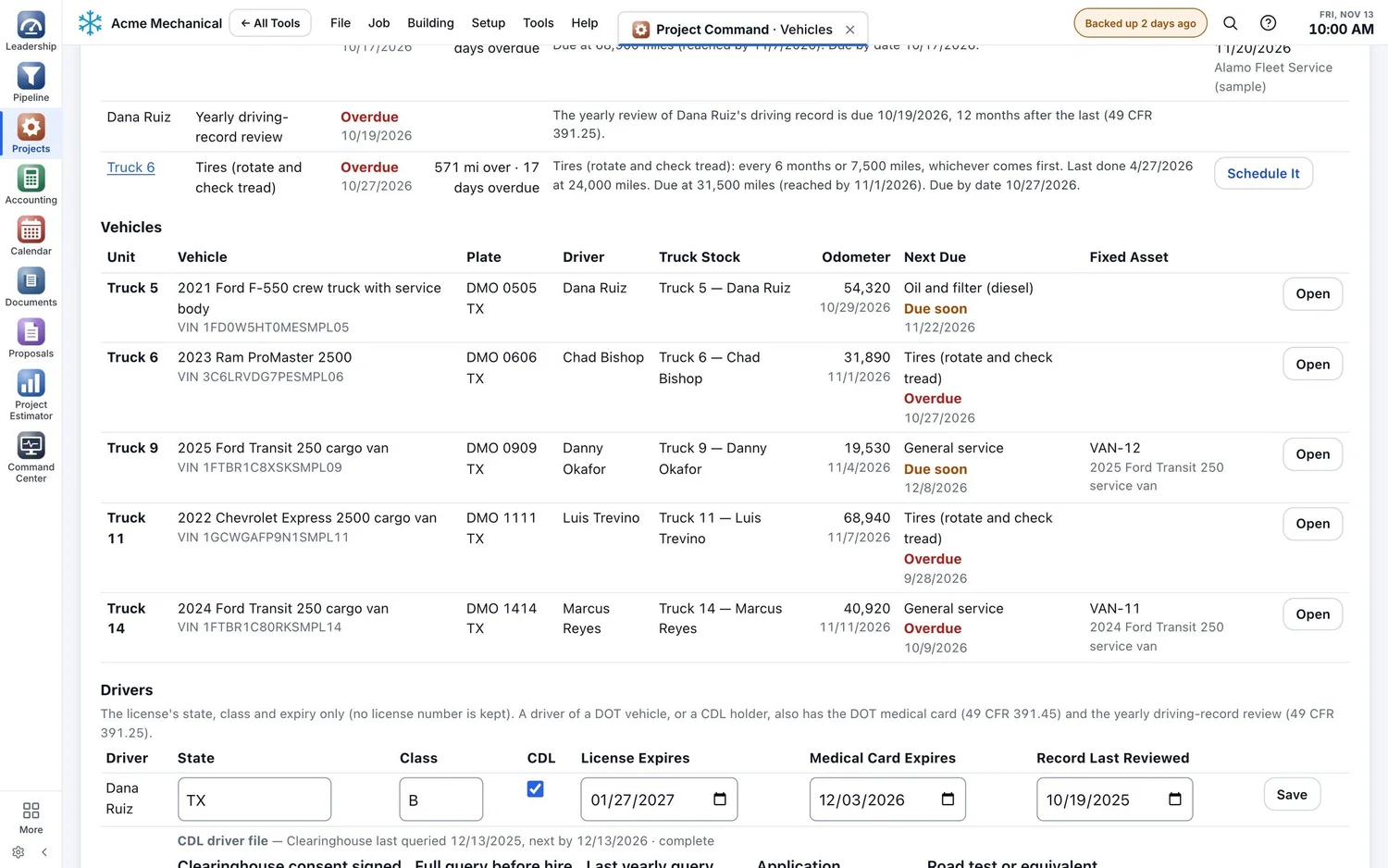
Vehicle facts scattered in glove boxes get lost, so each truck's record holds its plate, VIN, driver and stock.
Dates That Run Out
Registration, state inspection, the DOT periodic inspection, insurance, and IFTA and IRP where they apply. Each is on the calendar with reminders, and the register can decide from the weight whether DOT rules apply.
Learn MoreShow Less
An expired registration or a missed DOT inspection can mean a fine or a truck parked at the roadside. Every date is tracked, with the rule behind it.
- The DOT periodic inspection is due every 12 months (49 CFR 396.17).
- A commercial motor vehicle is 10,001 lb GVWR or more in interstate commerce (49 CFR 390.5).
- IFTA licenses and decals expire December 31, and each quarterly return's due date is on the calendar.
- Texas: non-commercial vehicles need no state safety inspection since January 1, 2025 (HB 3297).
Drivers
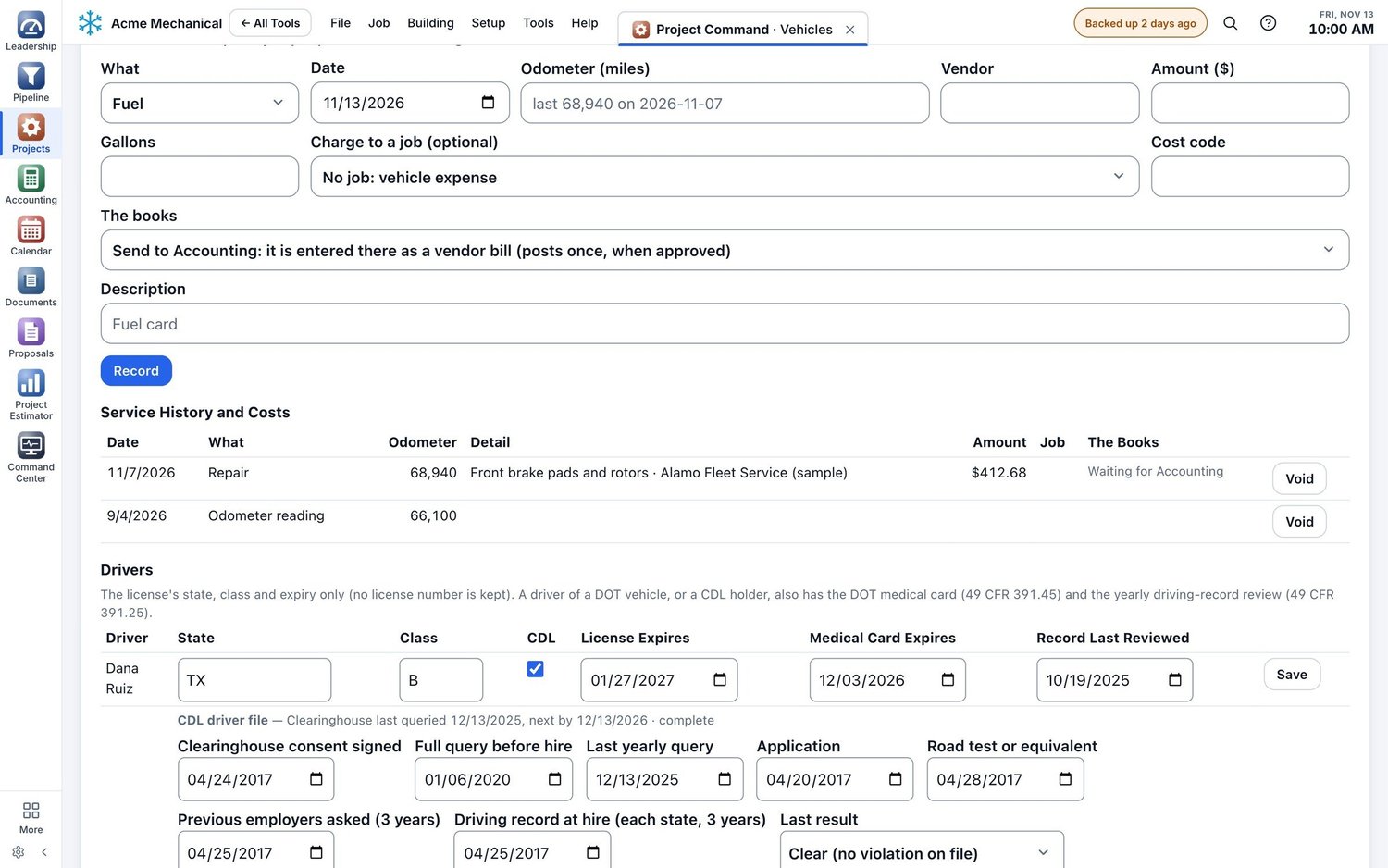
The driver's license expiry for everyone, plus the DOT medical card and the yearly driving record review for drivers of DOT vehicles. Only the license's state, class and expiry are kept, never the license number.
Learn MoreShow Less
A driver behind the wheel with a lapsed license or medical card is a liability claim waiting to happen. Each driver's dates are watched, while the least personal data is kept.
- The DOT medical card is good for at most 24 months (49 CFR 391.45).
- The yearly review of the driving record follows 49 CFR 391.25.
- If the employee record already carries the license, the dates are read from there.
- Assigned drivers come from the employee list, or from the Schedule for technicians not yet on payroll.
Coming Due
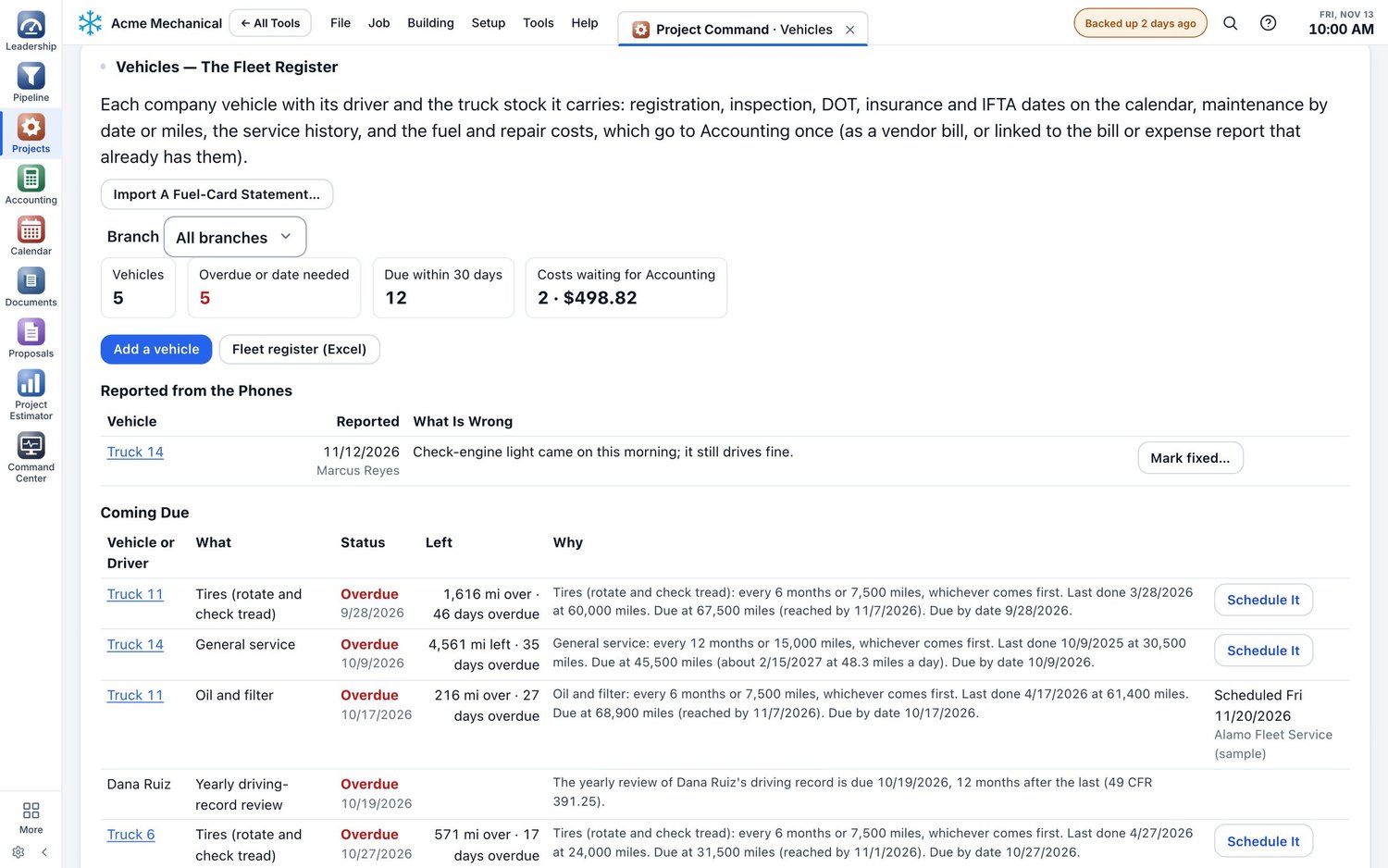
Everything overdue, missing or due within the warning days, with the reason in plain words and what is left: "600 mi left, 14 days left." Fleet reminders go to the one person you name.
Learn MoreShow Less
Skipped oil changes and brake checks turn into breakdowns and lost billable days. Coming Due puts each service on the calendar before it is late, and Schedule It books the truck out.
- Add the Standard Items fills in the usual maintenance list a vehicle is missing.
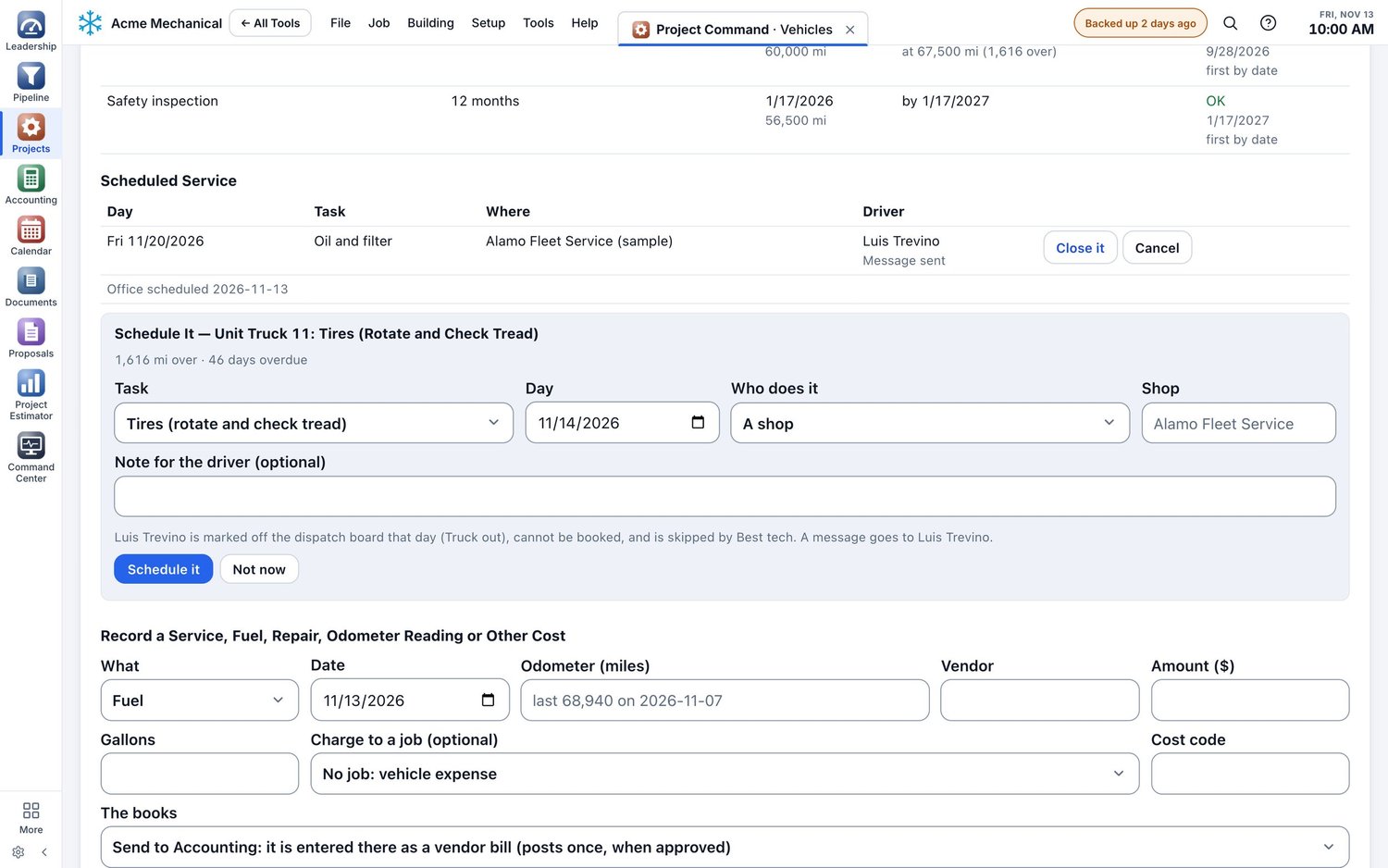
- Schedule It blocks the driver's day on the dispatch board and sends the driver a message.
- Work already on that day is named, so it can be moved first.
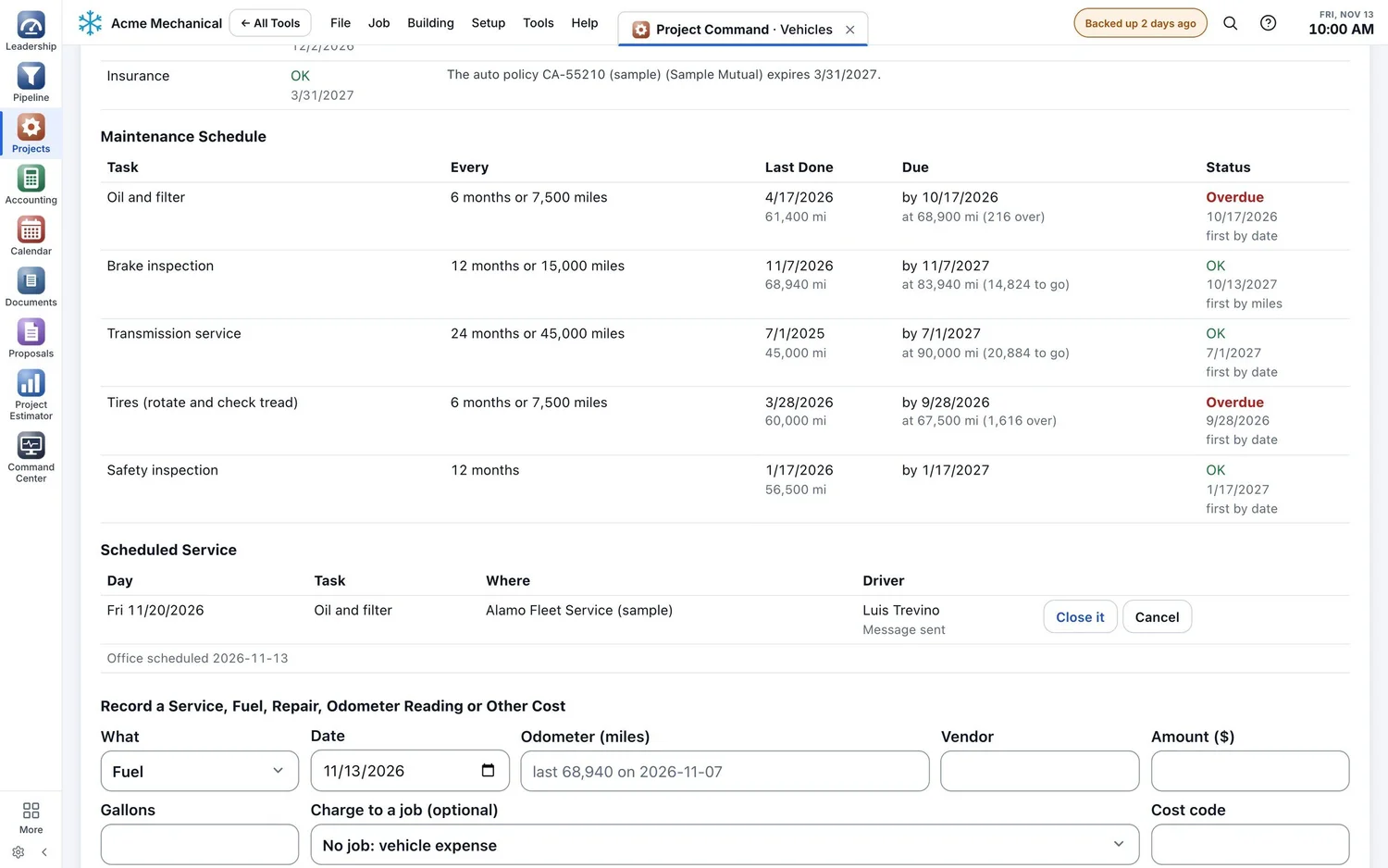
- Close It records the service, and the next due date is worked from it.
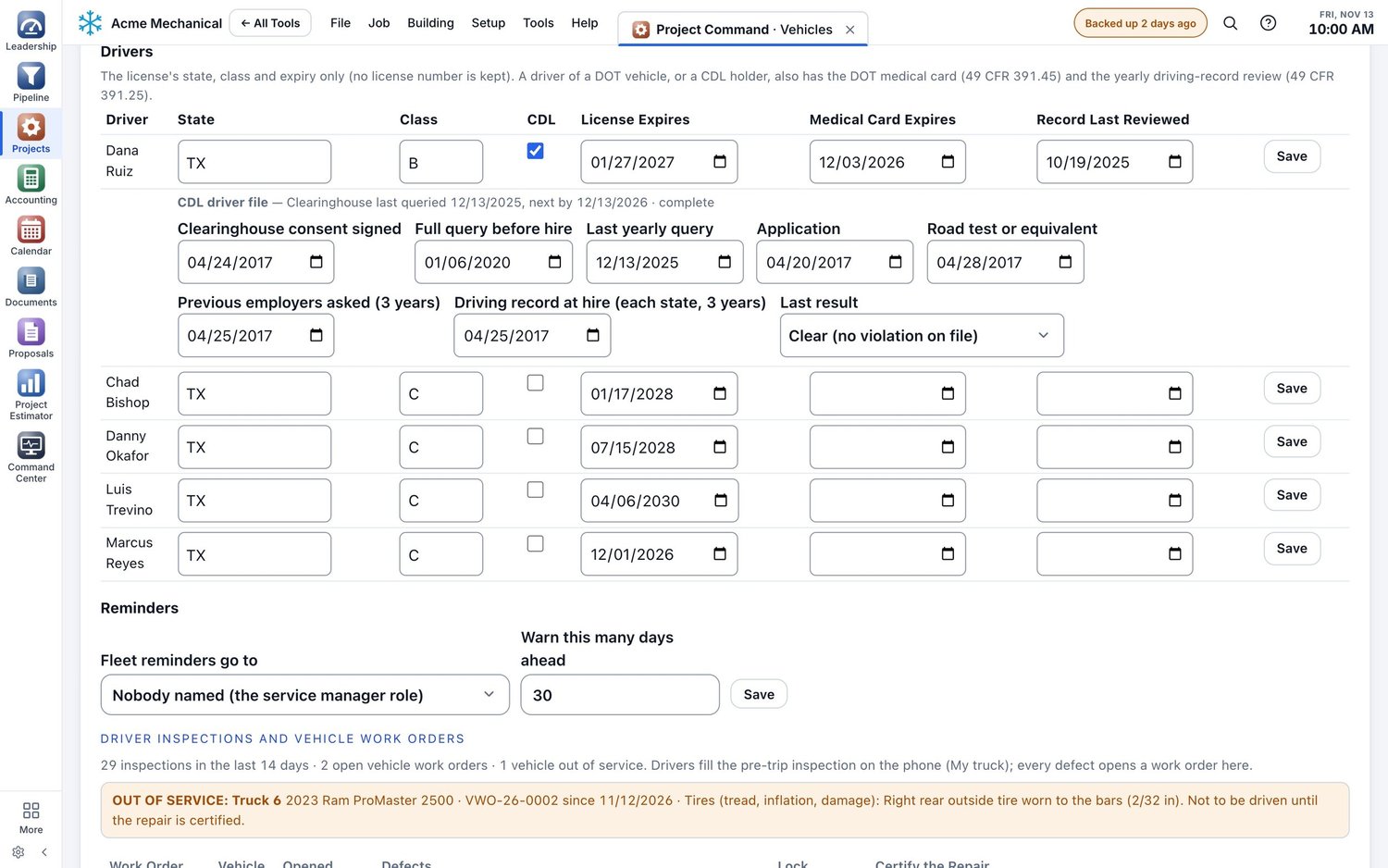
An expired license or medical card can sideline a truck, so each driver's dates and CDL file sit with the fleet register.
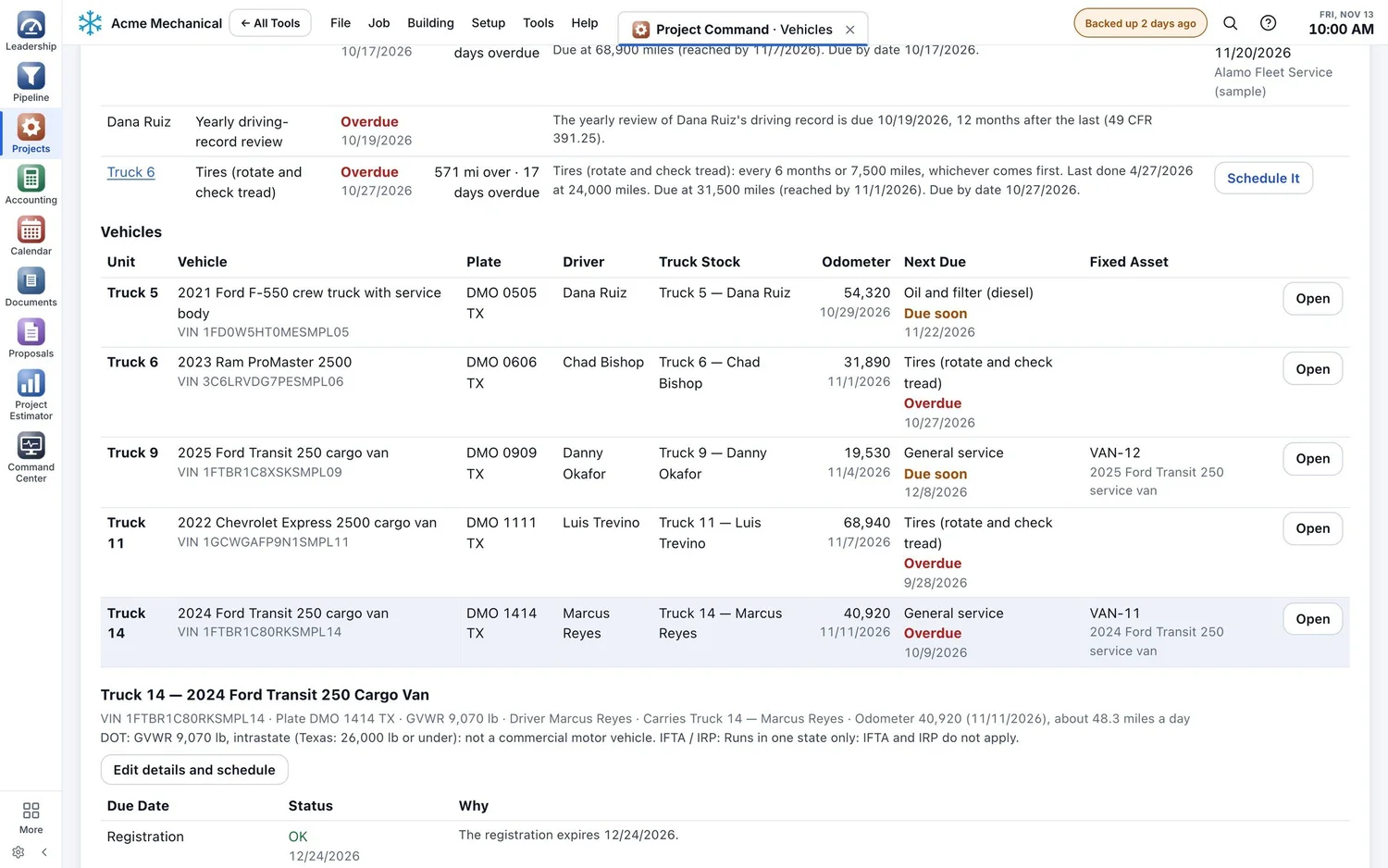
Schedule the Service and the Board Knows the Truck Is Out
Maintenance is due by miles or by months, whichever comes first. Miles become a date from the vehicle's own odometer history.
Standard Items in One Click
Add the standard items a vehicle is missing: oil change, tire rotation, brake inspection, safety inspection and general service, each with the interval you set.
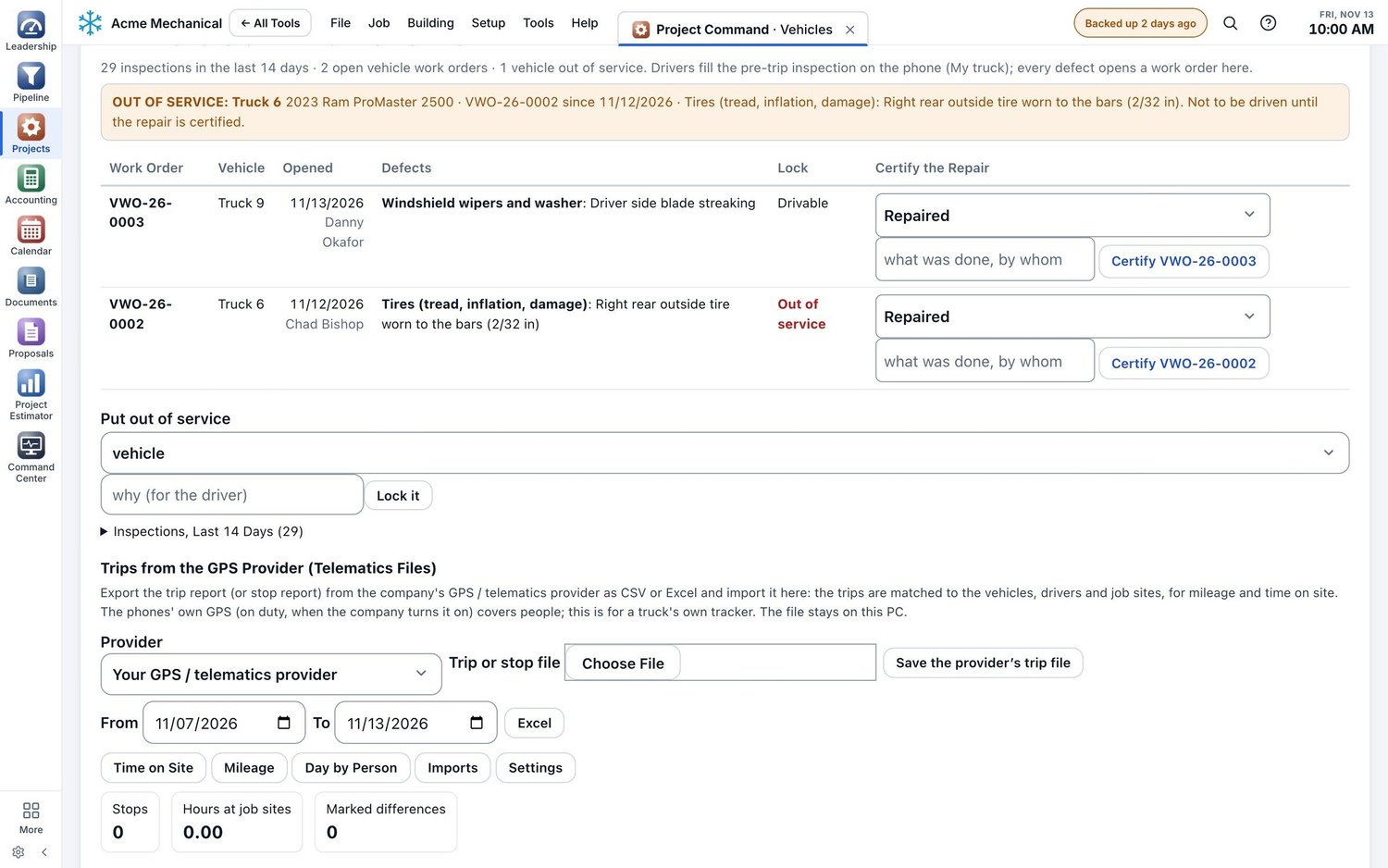
Defects reported by drivers must be fixed, so each one opens a vehicle work order.
Schedule It
Pick the day and the shop or an in-house technician. HVAC Logix puts a Truck Out block on the driver's day of the dispatch board, sends the driver a message with the truck, the task, the day and the place, and writes who scheduled it to the activity log.
No Surprise Double Booking
If the driver already has work that day you are told what it is. Route planning skips the day, and the dispatch console's best-technician pick stops that person with "truck out for service."
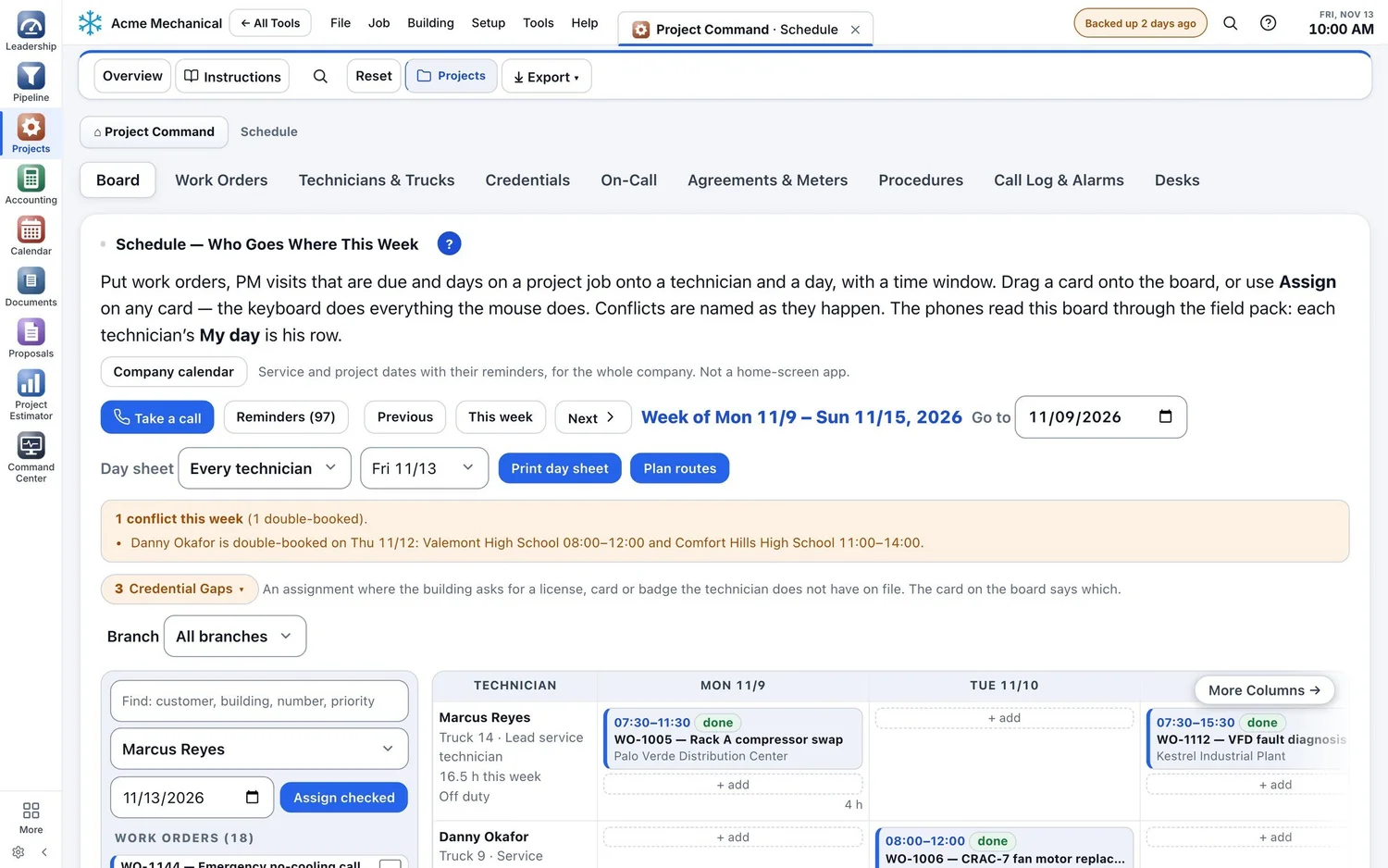
A truck and its driver go together, so the board shows who goes where this week.
Close It
When the work is done, record the date, odometer, cost, vendor and what was done. The entry goes to the service log, the cost waits for Accounting, and the next due date is worked from this service.
The Driver Reports It Before the Shop Finds It
My Truck
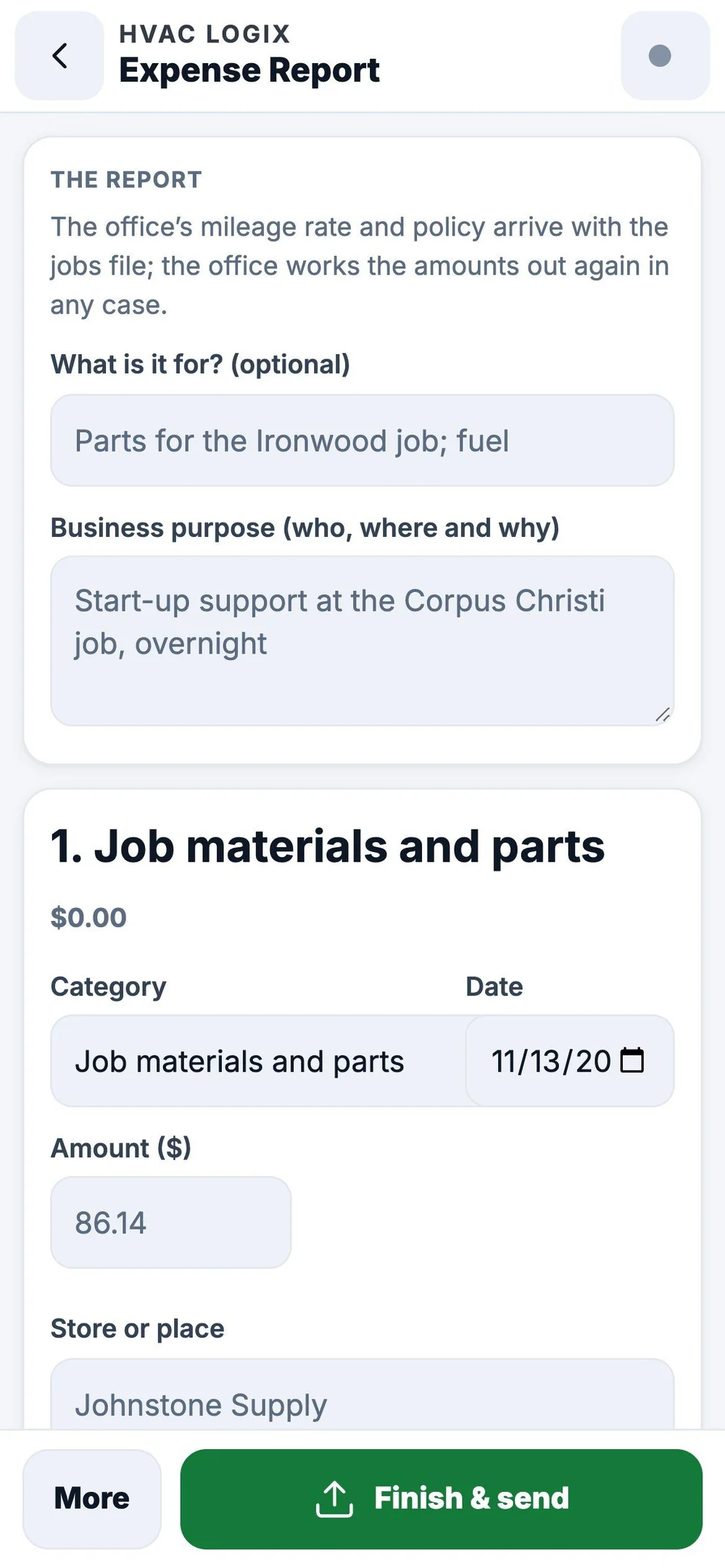
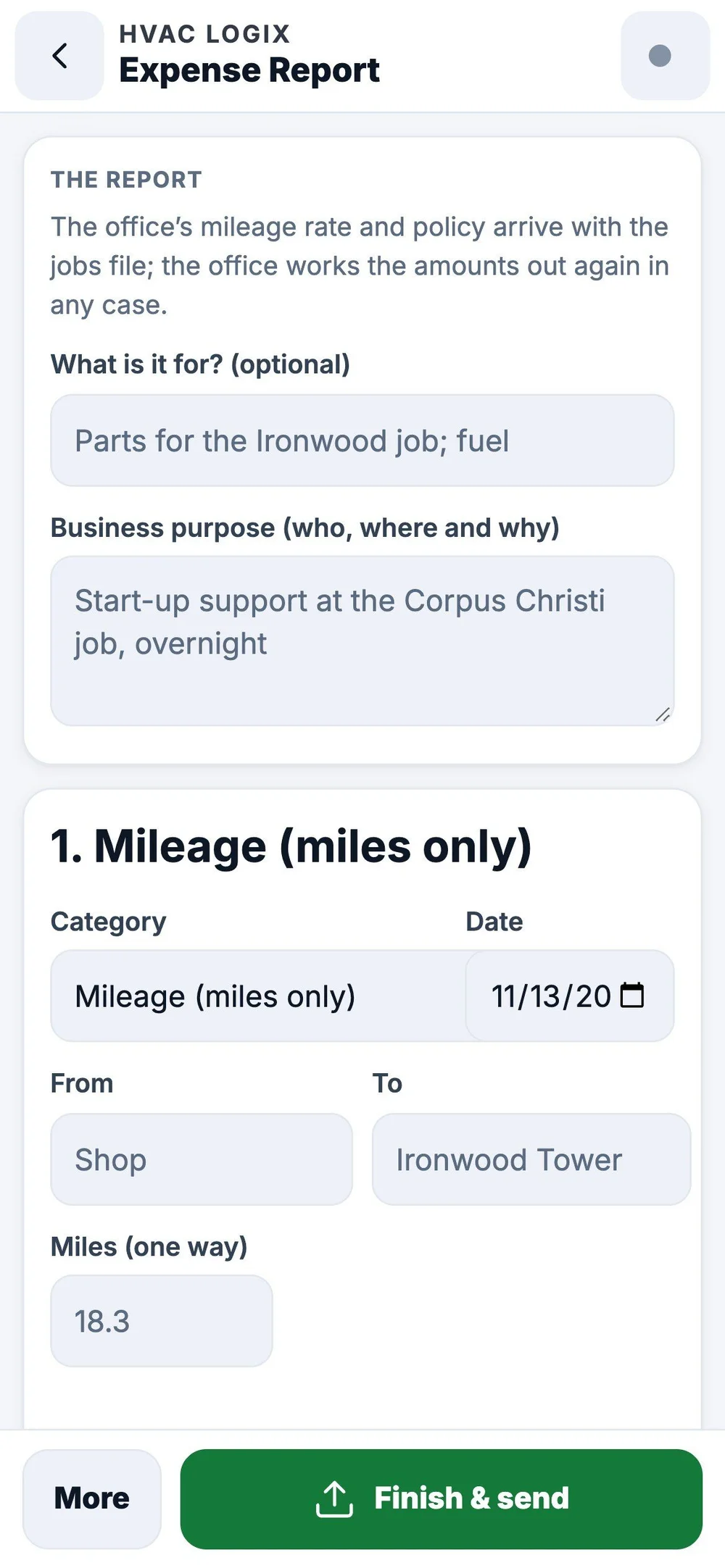
- Fuel: gallons, amount, station, how it was paid and a picture of the receipt.
- Odometer: the reading on the dash. A reading lower than the last one is not sent.
- Truck Issue: what is wrong, up to four pictures, and Do Not Drive It when it applies.
- Entries are saved with no signal and go to the office with the technician's other records.
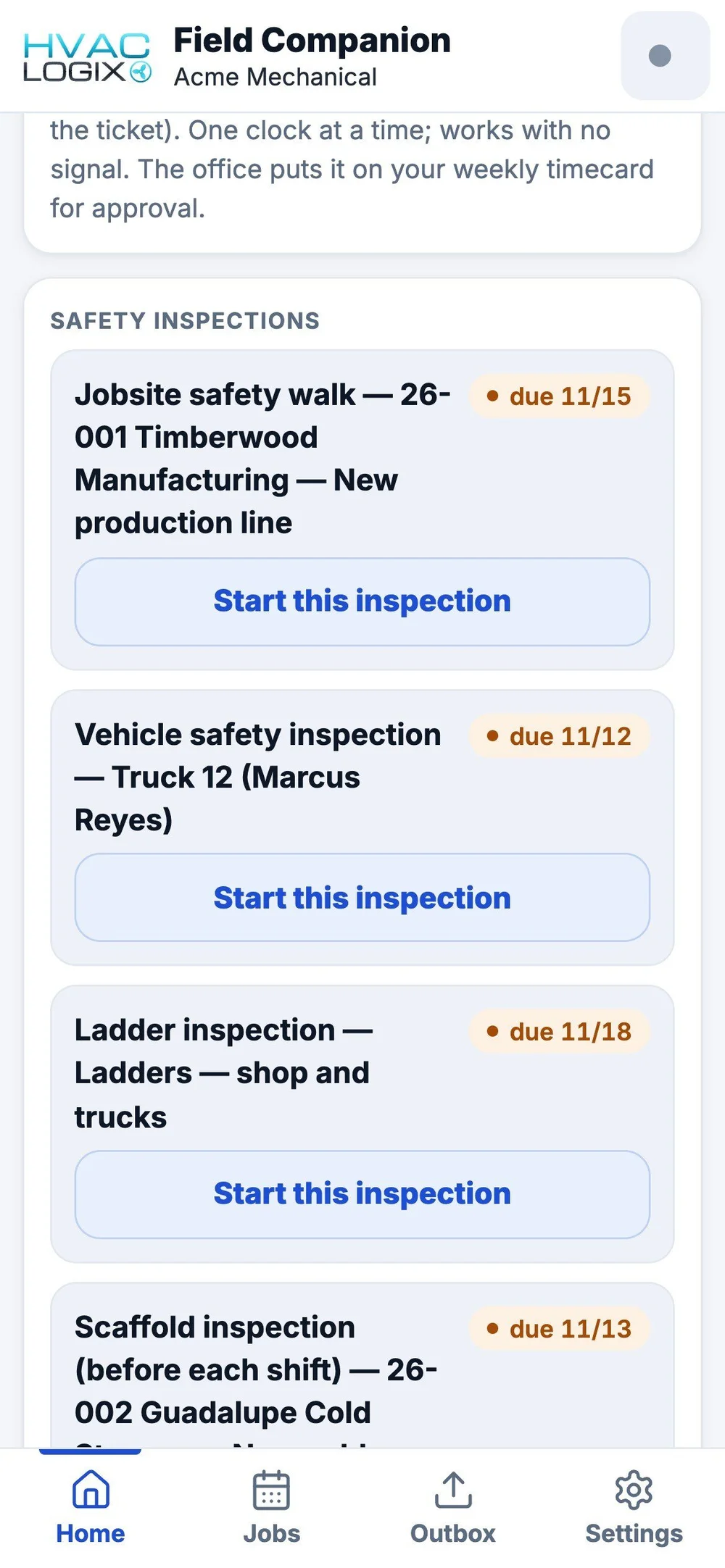
Inspections due should not be forgotten, so the phone lists each one with its due date.
Pre-Trip Inspection
- The 49 CFR 396.11 items plus the company's own: glass, fluids, seat belts, ladders and cargo, cylinders secured.
- Each item is OK, Defect or Not on This Vehicle, with a few words and pictures for a defect.
- The driver records the odometer, marks safe to drive and signs.
- The next driver sees the last report and its certification and confirms it.
Vehicle Work Orders
- Every defect opens a vehicle work order.
- A defect in brakes, steering, tires or wheels, or one marked not safe to drive, puts the vehicle Out of Service: red at the office and red on the driver's phone.
- The repair is certified with what was done, and the last open lock lifted puts the vehicle back in service.
- The office can also lock a vehicle out of service for an accident or a recall, with the reason.
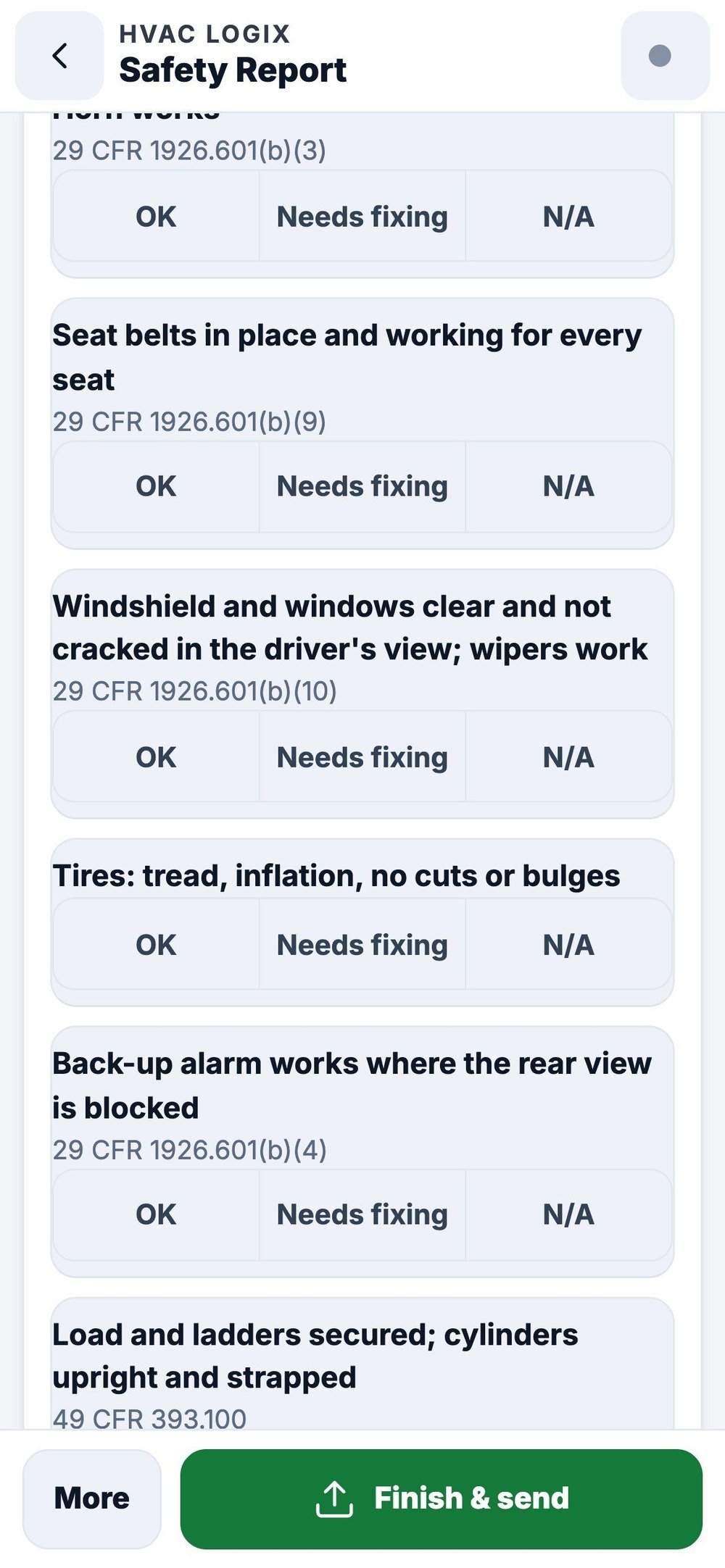
A defect in brakes or tires is a safety issue, so each item cites its rule.
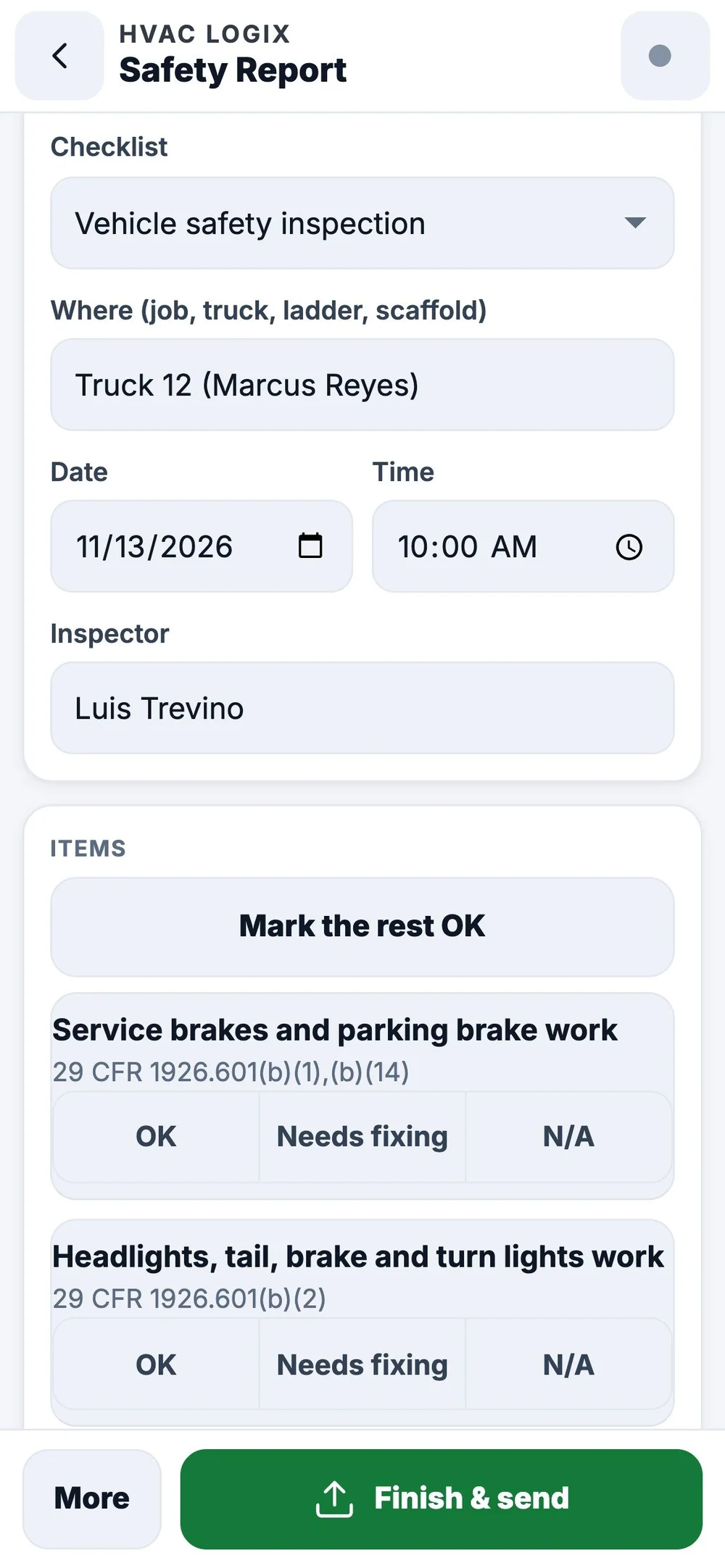
Defects found by the shop cost more than defects reported early, so the driver checks each truck item on the phone and marks what needs fixing.
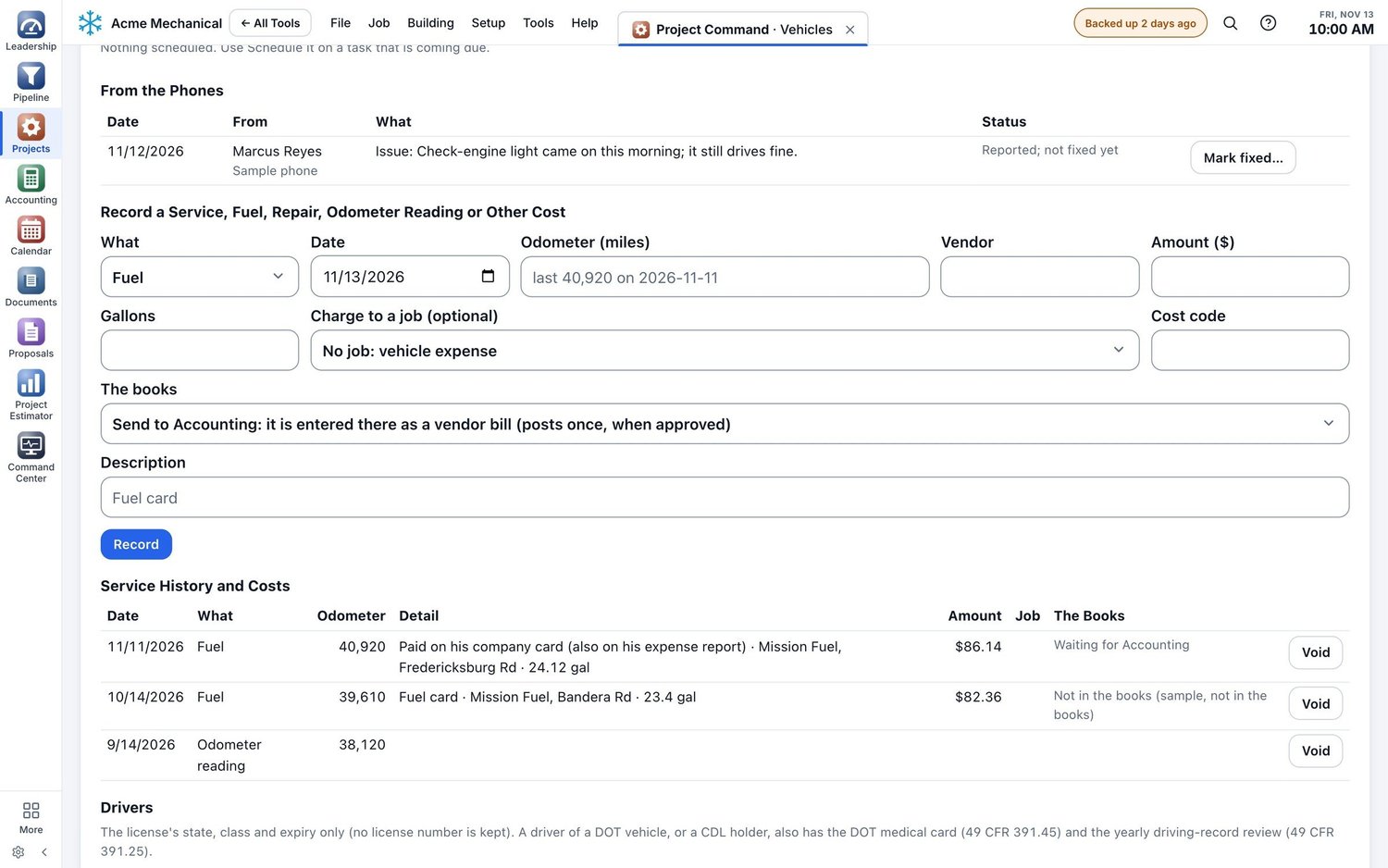
Fleet Costs Reach the Books Once
Every service, repair and fill carries a choice for the books, so a cost is never posted twice and never lost.
Fuel-Card Statements
Import the transaction file from your fuel-card company. Each fill is matched to a vehicle by the card, unit number, VIN or assigned driver, and recorded on the fleet register with its gallons and odometer.
Learn MoreShow Less
Fuel is one of a fleet's biggest costs, and typing a monthly statement by hand hides what each truck burns. The statement is read in minutes and lands on the right vehicles.
- Common fuel-card file layouts are recognized by their column names; others are set once and remembered.
- Remember This Card matches the card to its vehicle from then on.
- A line with no vehicle waits for you to choose one.
- Each fill's odometer feeds the maintenance due dates.
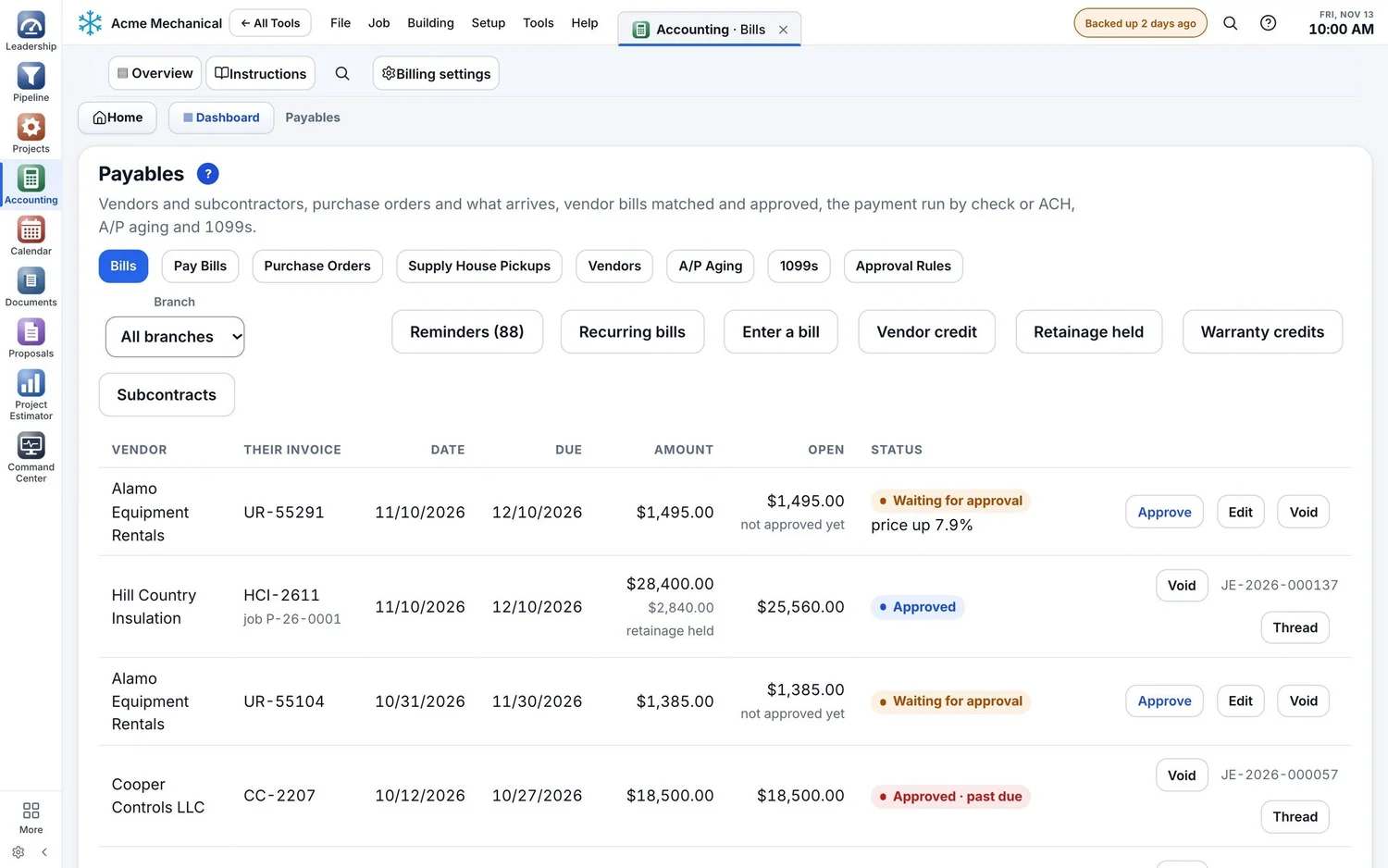
Fuel-card statements are tedious to post, so each one becomes a vendor bill for approval.
Flags That Explain Themselves
Not fuel, the wrong fuel for the vehicle, more gallons than the tank holds, two fills within four hours, a late-night fill, miles a gallon out of range, or a driver who is not the vehicle's driver. Flags never stop anything, and each says why.
Learn MoreShow Less
Fuel-card misuse drains money a few gallons at a time. Every fill is checked against fixed rules, so the questionable ones stand out.
- Also flagged: a weekend fill, an odometer that went back, a price far from the statement's own, and an amount that is not gallons times price.
- A fill already in the fleet log or already read is caught.
- Fuel Check Settings set the tank sizes, the late-night hours, the miles-a-gallon range and the price check.
One Vendor Bill
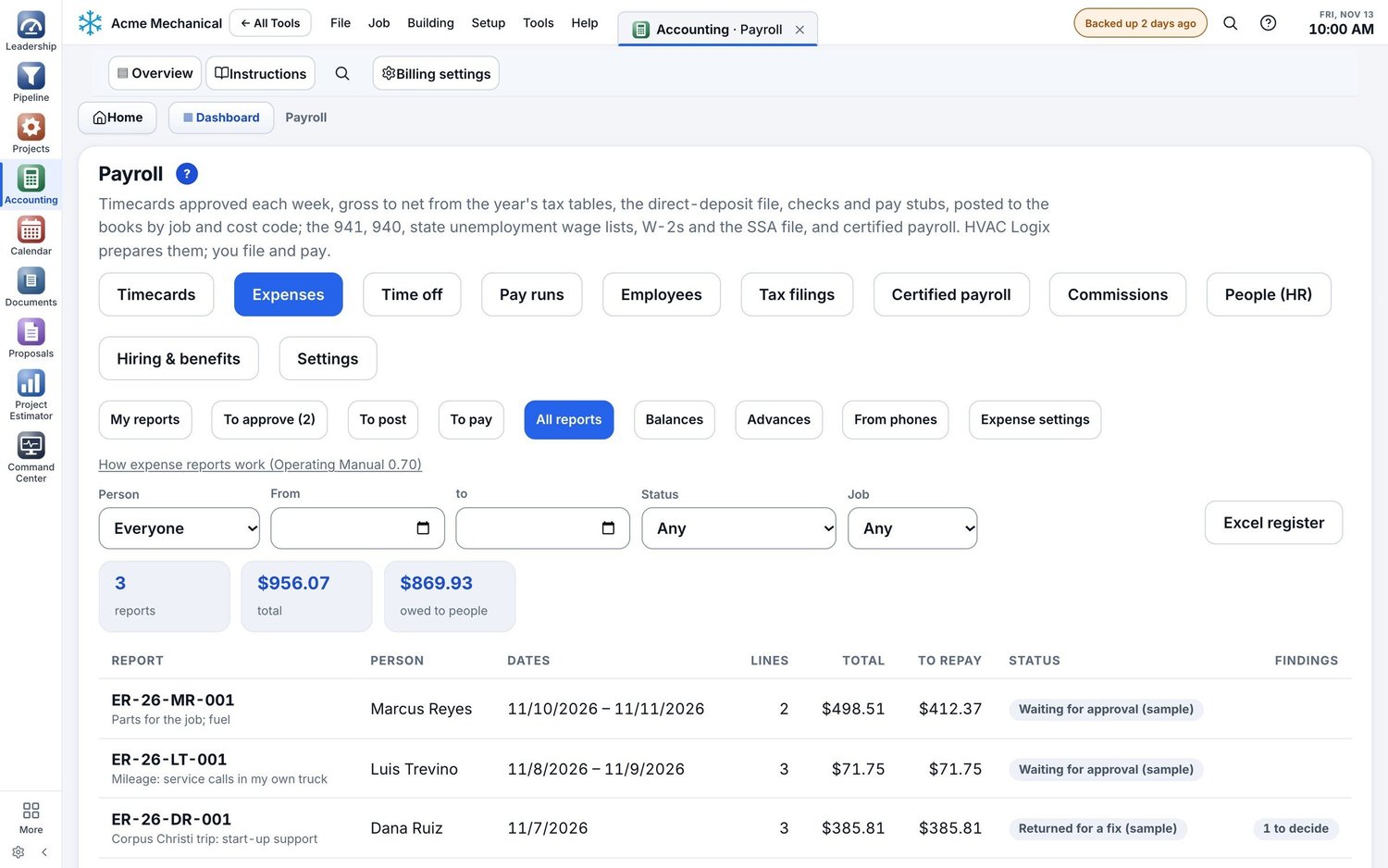
The statement becomes one vendor bill to the fuel-card company in Payables and posts once, when it is approved. Fuel paid with a technician's own money goes on an expense report linked to the same fuel entry.
Learn MoreShow Less
Fuel entered twice, once from the card and once from a receipt, overstates costs and can pay the same fill twice. Each fill reaches the books once.
- A statement goes on one bill only.
- The bill posts to vehicle fuel, or to job cost when a job is named.
- Approval limits and separation of duties apply like any bill.
- Fuel bought on a company card is recorded, not repaid.
Cost by Vehicle
Any cost can be charged to a job with a cost code. The Fleet Register workbook in Excel shows fuel, repairs, service, gallons, miles and the cost a mile for each vehicle.
Learn MoreShow Less
A truck that costs more a mile than the rest is costing you money every day. Costs by vehicle show which units to keep, fix or replace, and job charges keep the bids honest.
- The workbook has sheets for vehicles, due dates, maintenance, service and costs, drivers and cost by vehicle.
- Technicians record fuel, odometer readings and truck issues from the phone.
- Truck issues marked Do Not Drive are listed first, in red.
- The workbook is internal and never for a customer.
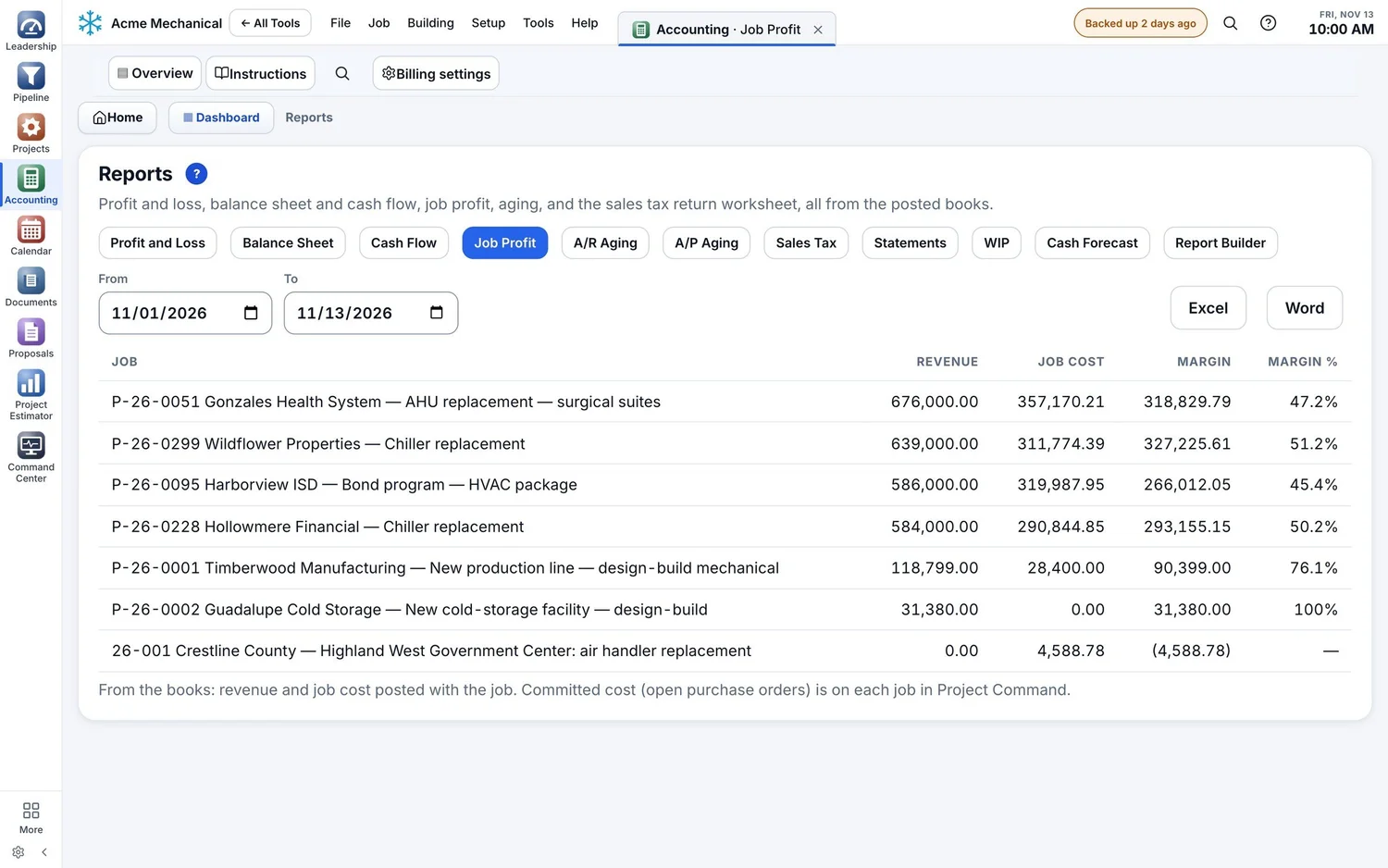
Vehicle cost charged to jobs shows real job cost, so job profit includes it.
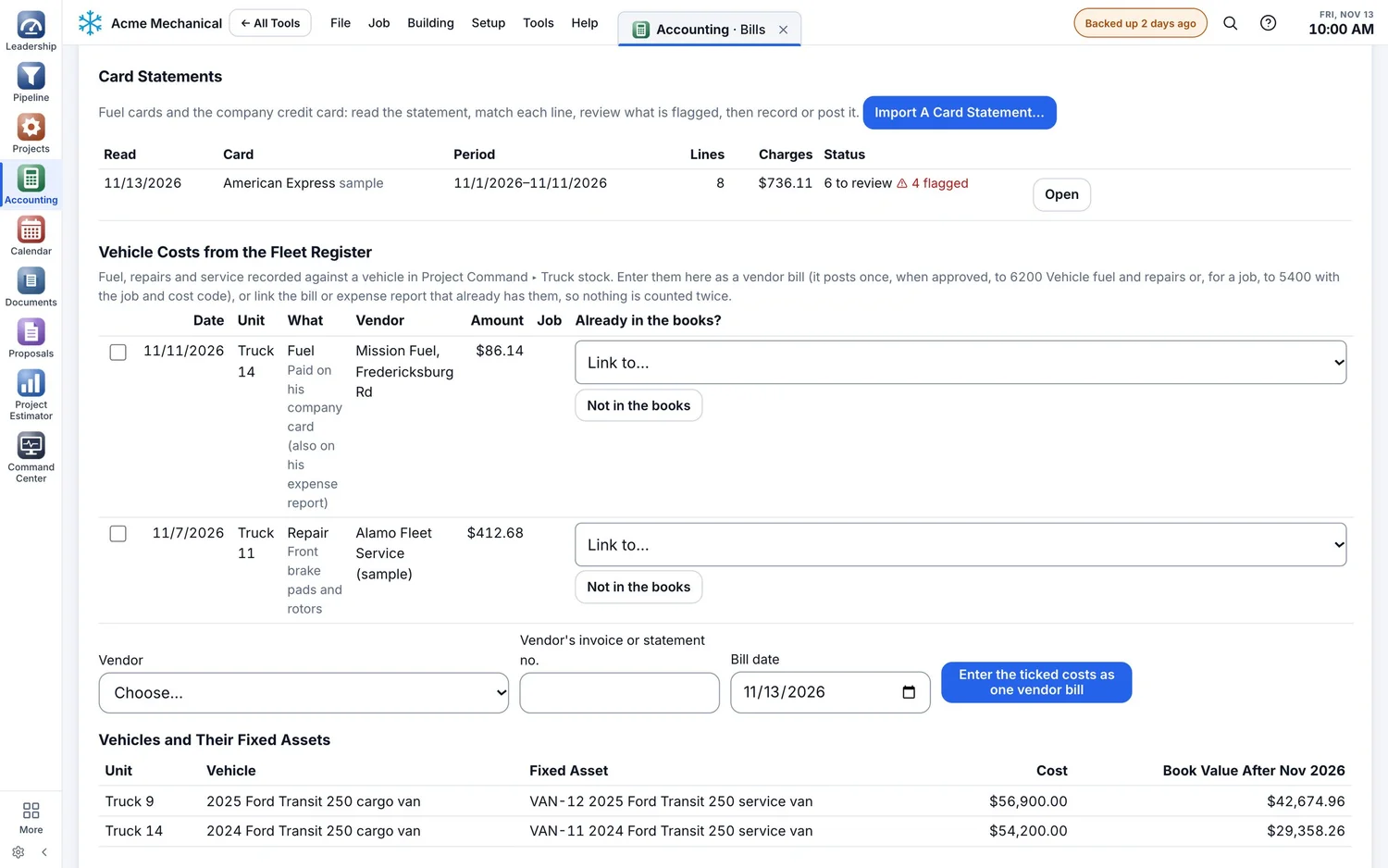
Fuel-card statements read line by line, with the odd charges flagged before they reach the books.
Use the GPS Data You Already Pay For
If your trucks already report to a GPS provider, export its trip or stop report as CSV or Excel and import it. The file is read on your computer and nothing is sent anywhere.
Matched by Fixed Rules
Vehicles are matched by unit number, plate, VIN or assigned driver, and stops are matched to buildings by position or address. Every match is shown on screen, and a trip already imported is never counted twice.
Learn MoreShow Less
A company already paying for truck GPS gets more from it when the trips land beside the jobs. The provider's trip or stop file is read on your computer; nothing is sent anywhere.
- Reads CSV, TXT, TSV and XLSX trip or stop reports, with columns found by their names.
- A vehicle name matched by hand is remembered.
- A stop shorter than 5 minutes counts as traffic, not a visit.
- Buildings known only by ZIP code are matched by address, never by distance.
Time on Site Beside Ticket Hours
One row per stop: arrived, left, hours on site, the job, and the hours on that person's field tickets that day. A difference beyond the tolerance is marked for a look. Nothing here changes a timecard, pay, a ticket or an invoice.
Learn MoreShow Less
Hours on site that never reach a ticket are billable time lost. Setting truck stops beside ticket hours shows where to look.
- The job comes from the building, the day and the person: a work order, a PM visit or a project there.
- The tolerance starts at 0.5 hours and can be set from 0 to 8.
- Day by Person sets first move, last arrival, driving hours and time clock entries side by side.
- Everything saves to Excel for internal review.
Miles to Each Job
Miles by vehicle, miles to job sites and other miles, beside the register's own odometer miles for the same dates. The highest odometer in the file can be recorded on the register so maintenance by miles stays current.
Learn MoreShow Less
Miles you cannot tie to a job cannot be billed or deducted. Miles are split by job from the provider's own trip distances, never estimated.
- Miles to Each Job lists the miles driven to every job.
- A trip with no distance uses its odometers; with neither it has no miles.
- Kilometers are converted to miles.
- A trip already imported is never counted twice, so overlapping files are safe.
Location Is a Company Decision
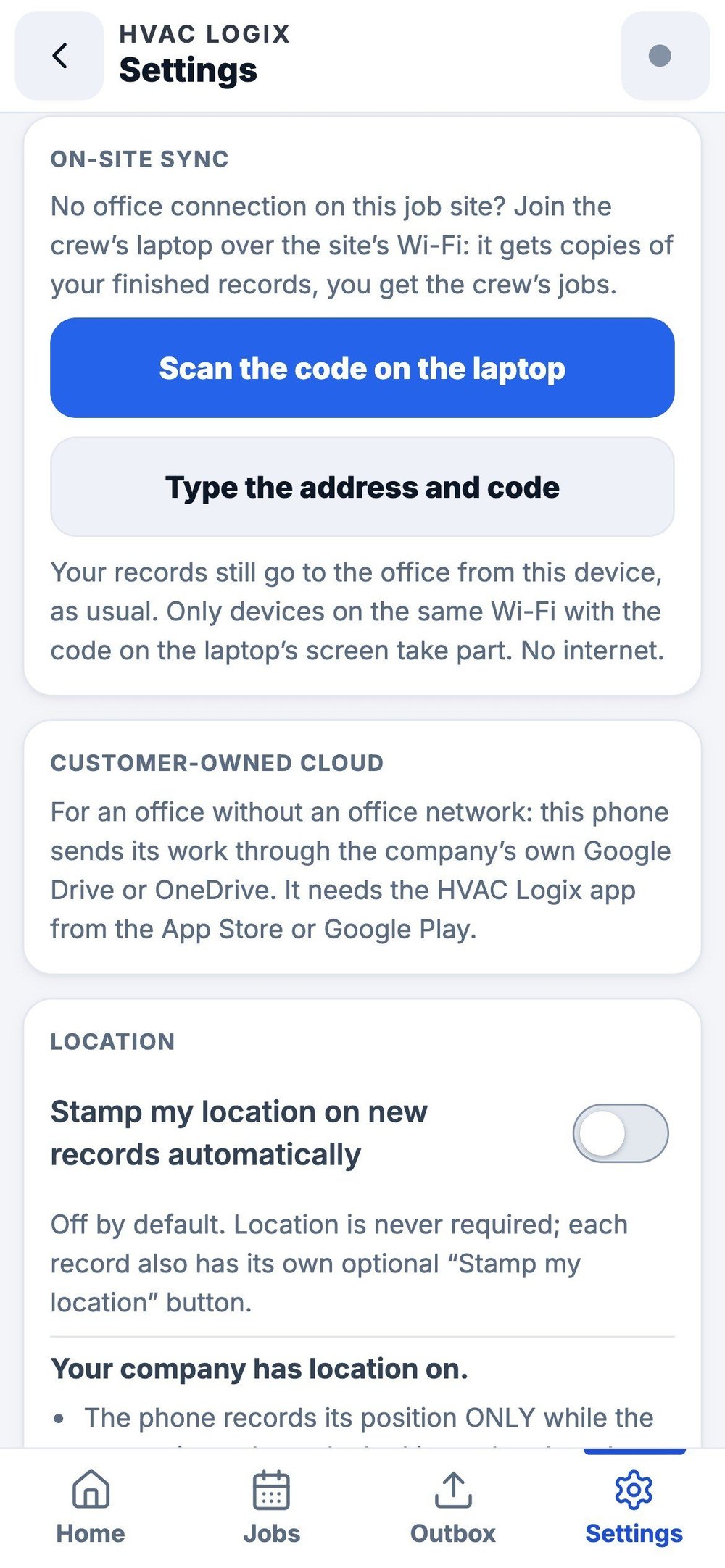
Phone location is off until Leadership turns it on. With it on, Field Companion records position only while a person is on duty with the app open, and each person can see everything recorded on their own phone.
Learn MoreShow Less
Knowing where technicians are cuts drive time and wrong dispatches, but only with clear privacy rules. Location stays a company decision, logged when it changes.
- Positions are kept on the phone 14 days, and the office keeps GPS days 180 days, changeable.
- The office sees a person's last position only while that person is on duty.
- Nothing is stamped On Site until the person taps.
- The store apps can record in the background while clocked in, after the person agrees to the company's notice.
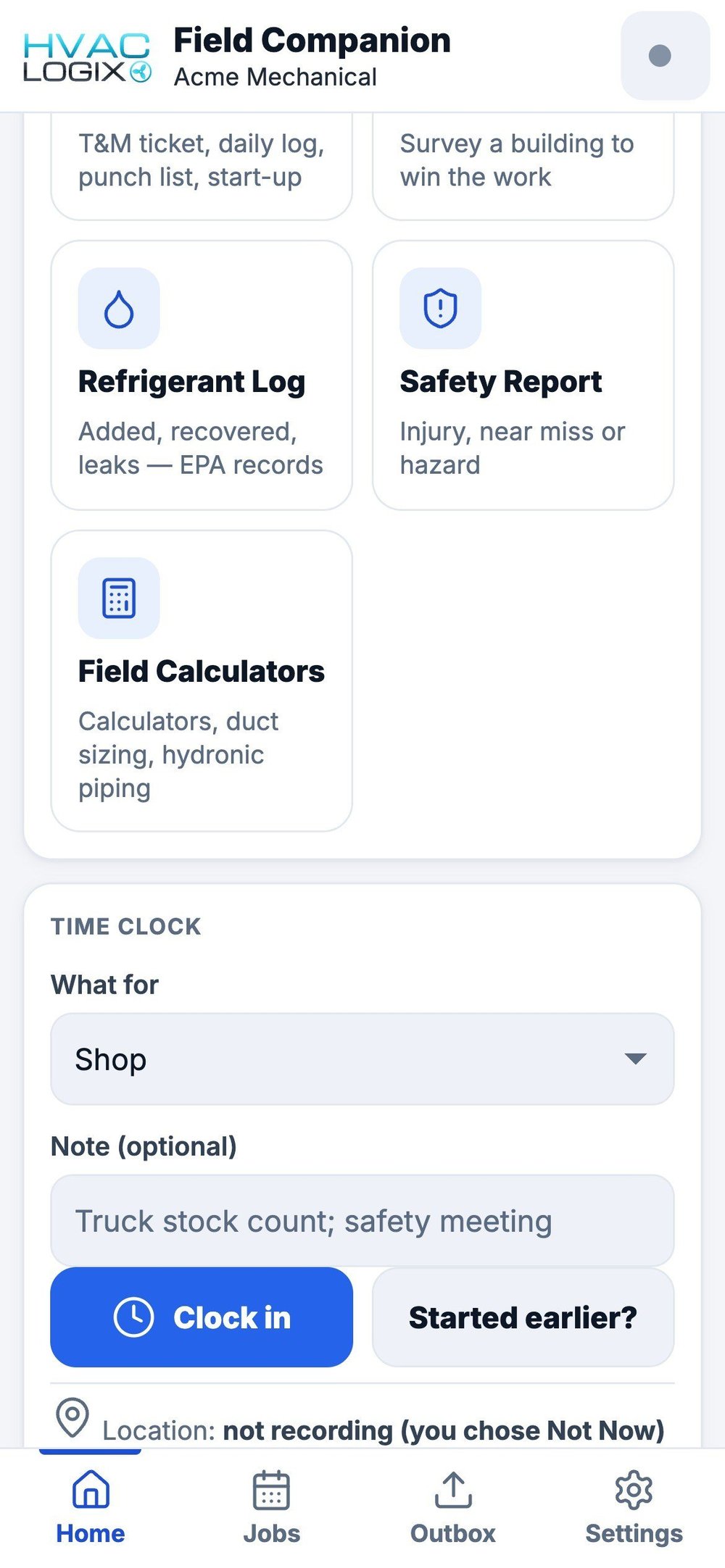
Location tracking is a company choice, so the phone says when location is not recorded.
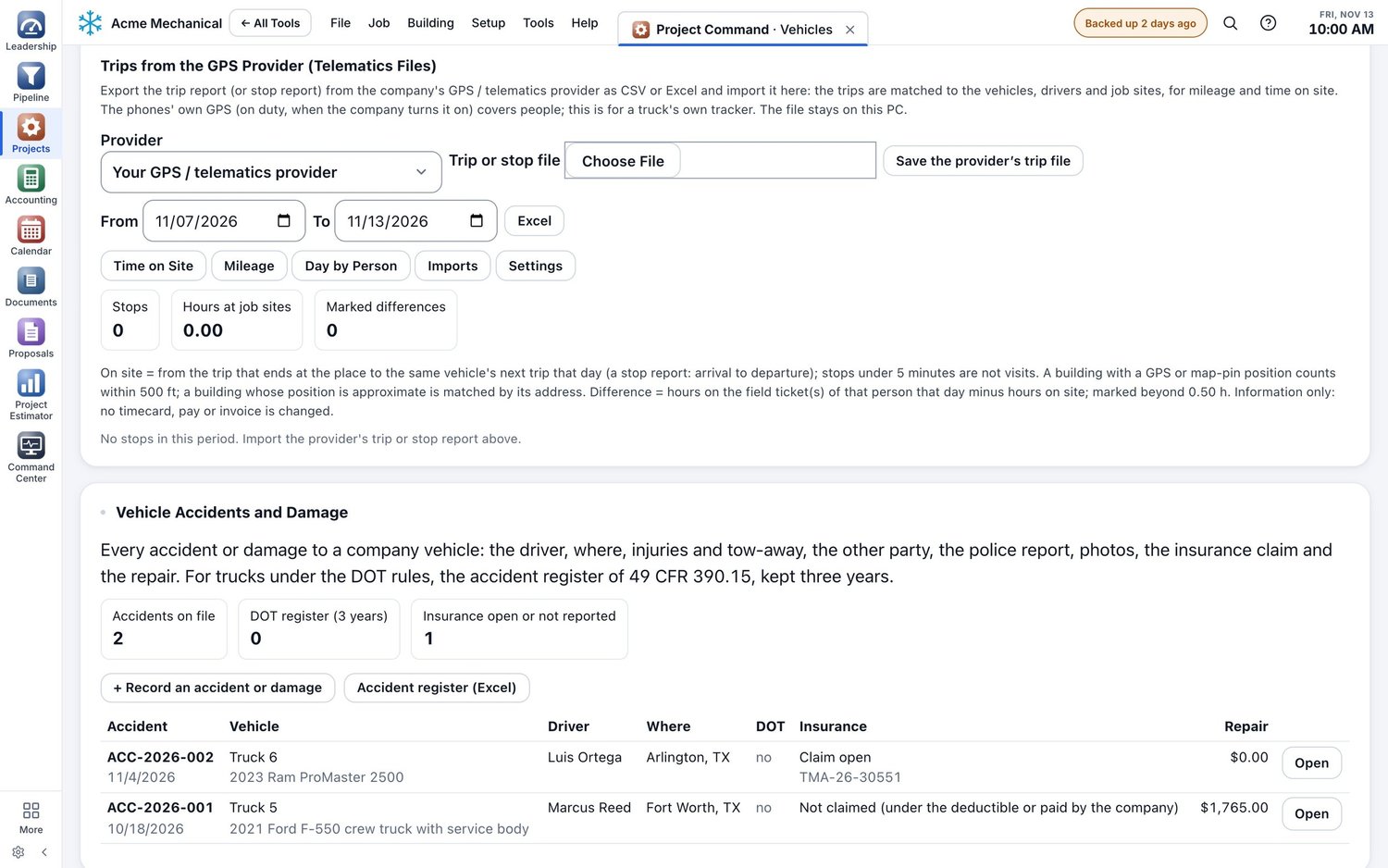
Miles and time on site are guesses without GPS data, so the trips screen reads your provider's file right on your computer.
Accidents, Claims and the Insurance File
Accidents and Damage
Record the vehicle, driver, place, what happened, injuries, tow-away, police report, the other party, the damage estimate and the insurance claim. An accident is never deleted. A mistake is voided with a reason.
Learn MoreShow Less
A complete accident file the same day helps your insurance claim and protects you if a lawsuit follows. Every detail is kept, with follow-ups on the calendar.
- The calendar asks to report to the insurer the next day and to follow up an open claim every 30 days.
- A CDL driver's post-accident drug and alcohol test (49 CFR 382.303) is flagged when it applies.
- Photos and documents are kept on this computer.
- The repair goes to the vehicle's history, and its cost reaches Accounting once.
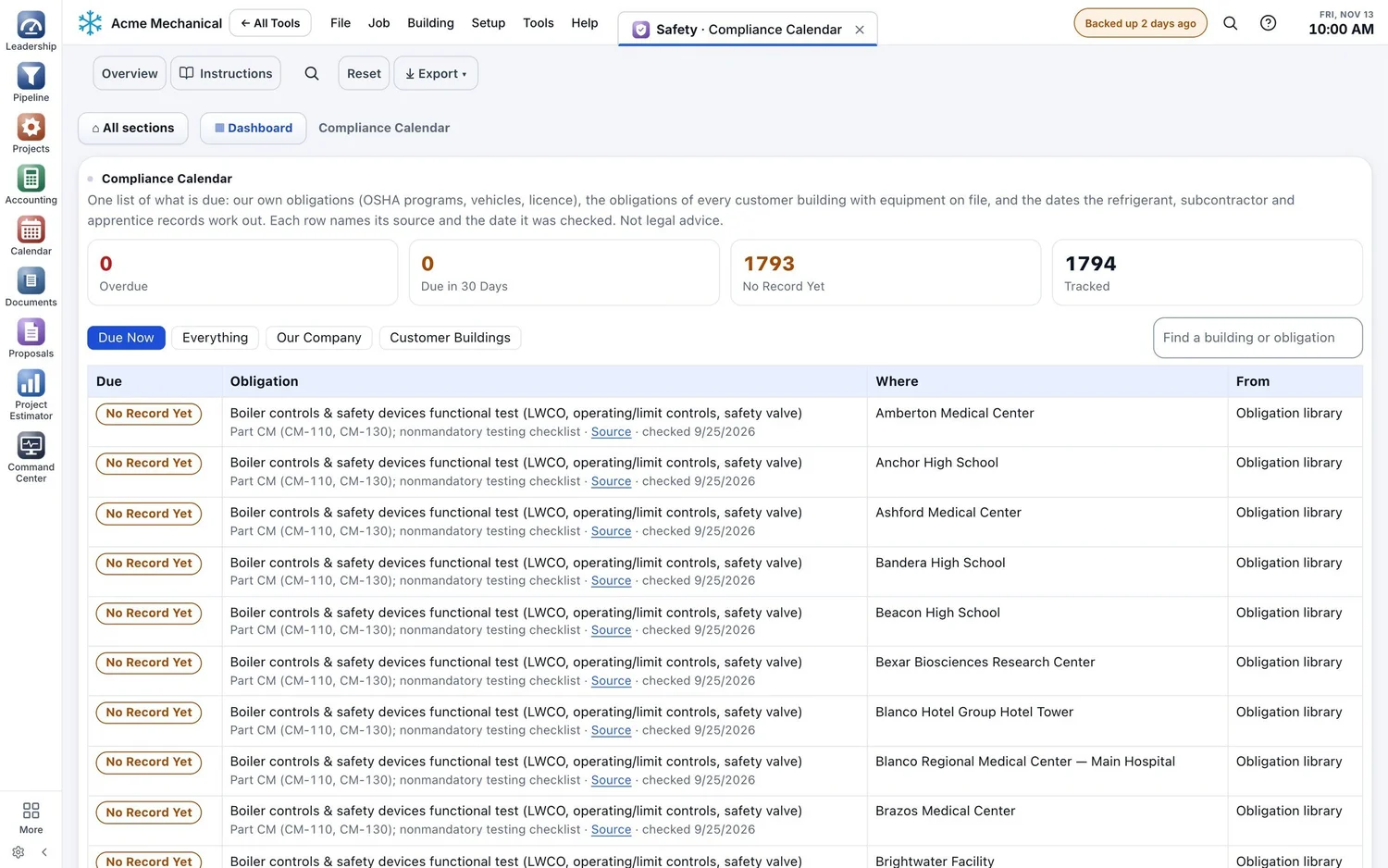
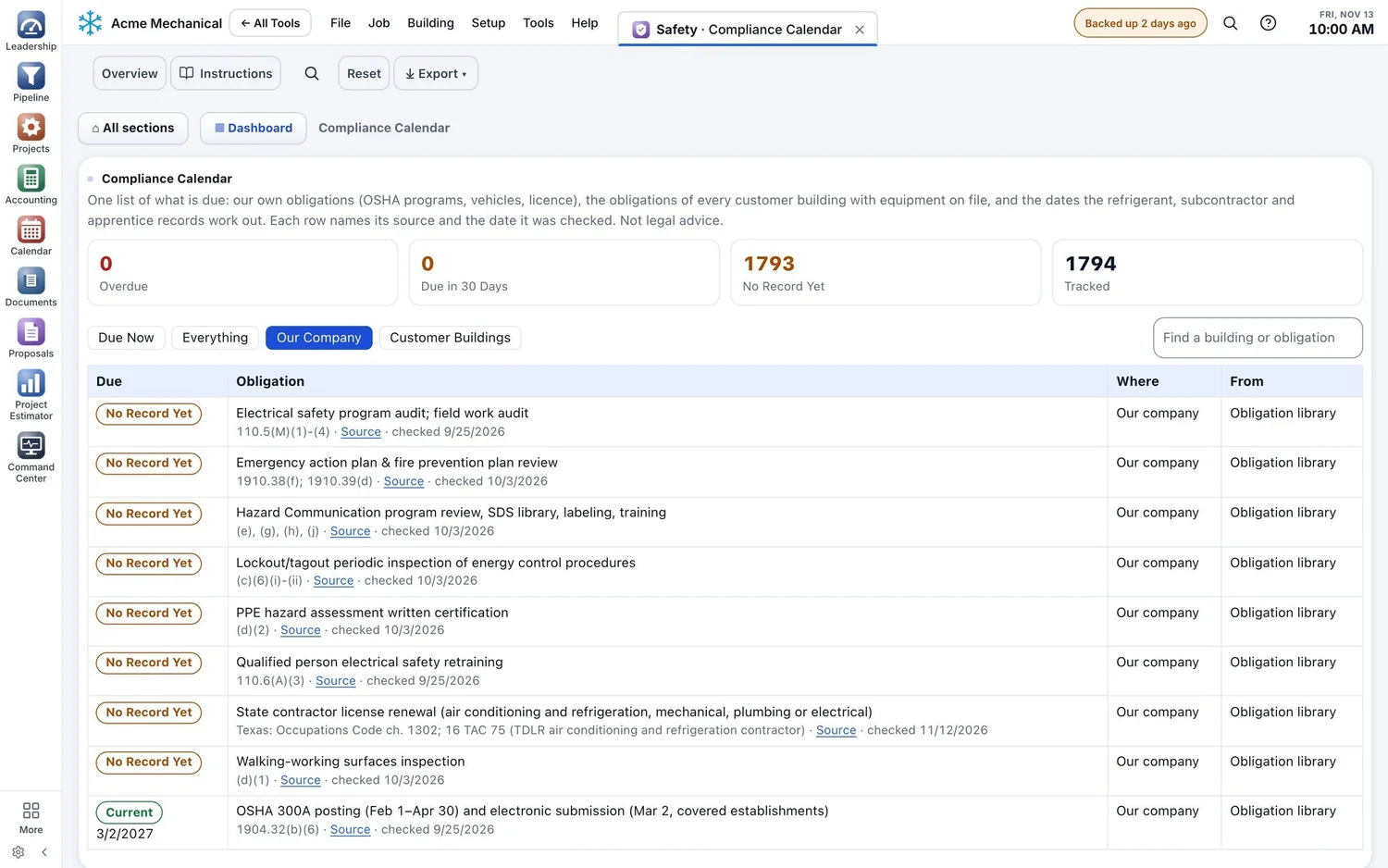
Required tests are easy to forget, so one compliance calendar shows what is due and what has no record yet.
The DOT Accident Register
For a commercial motor vehicle, an accident with a fatality, an injury treated away from the scene or a tow-away goes on the accident register, and the Excel export prints it for an auditor.
Learn MoreShow Less
A missing accident register is an easy finding in a DOT audit. The register fills itself from the accident records for vehicles marked as commercial.
- Recordable accidents follow 49 CFR 390.5 and go on the register of 49 CFR 390.15.
- Each entry carries the date, city, state, driver, injuries, fatalities and hazardous materials.
- Entries are kept three years.
Follow-Ups on the Calendar
A CDL driver's post-accident drug and alcohol test is flagged when it applies and stays on the calendar until its date is entered. The calendar also asks you to report to the insurer the next day and to follow up an open claim every 30 days.
Learn More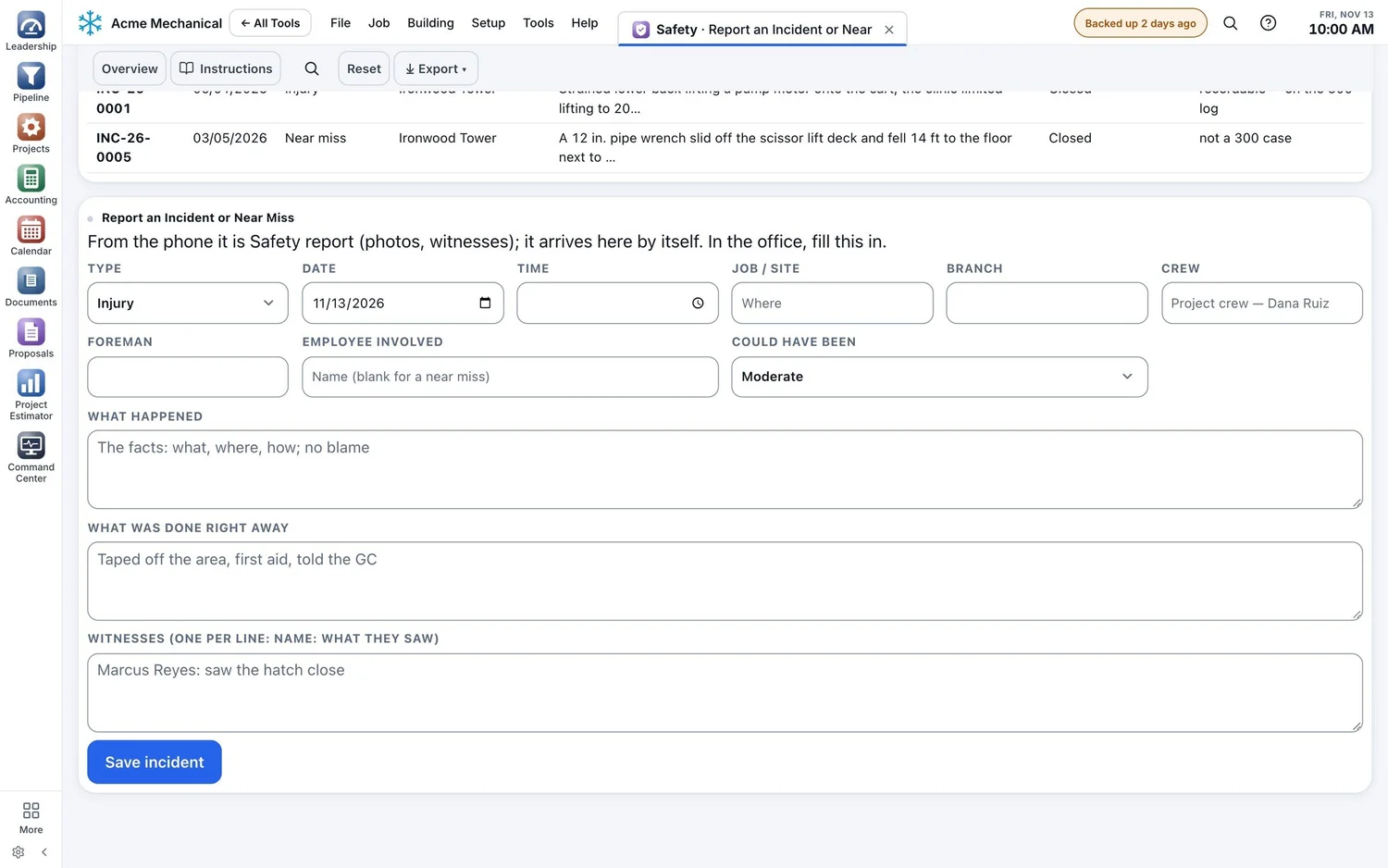
An accident may also be an injury case, so incidents are logged with their status.
Ready for Renewal
The insurance renewal package for your broker includes the vehicle schedule with VINs straight from the fleet register.
Learn MoreShow Less
A clean, complete package gives your broker what the market asks for, which can help at renewal. The program builds it from records you already keep.
- Renewal steps start 150 days before a policy expires.
- The package includes payroll by workers' comp class code for 12 months, for those allowed to see payroll.
- Revenue by line of work, loss history, each claim and the safety program go in too.
- Saved as Word or Excel.
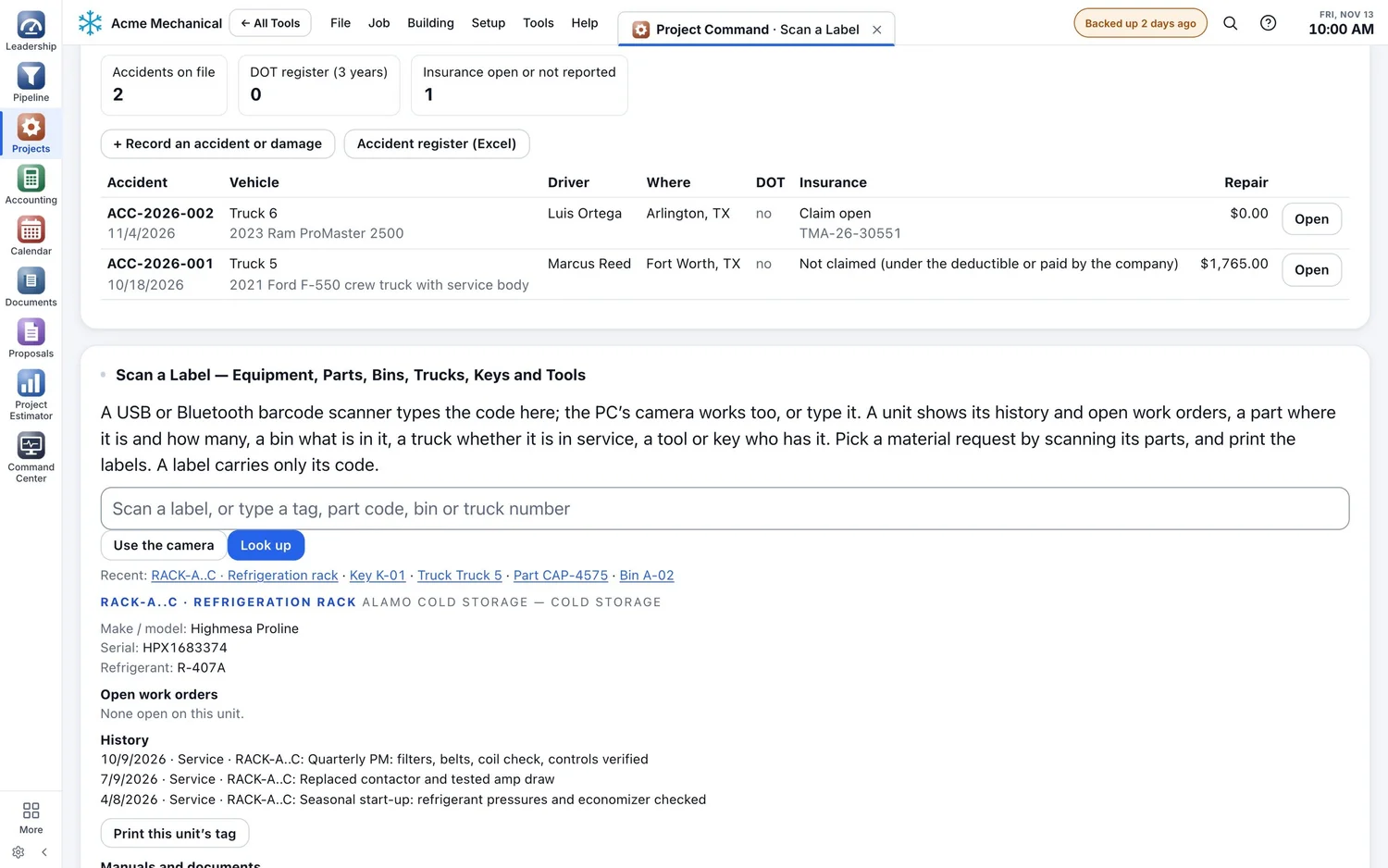
An accident can turn into a lost claim, so each one is logged with the driver, place, insurance status and repair cost.
Frequently Asked Questions
Do we need a GPS provider to use the fleet register?
Which DOT rules does the register apply?
How does a fleet cost get into Accounting?
What happens when a driver reports a serious defect?
Does trip data change anyone's timecard?
Be First When HVAC Logix Opens
Stop paying people to copy numbers between programs. Join the list and we will tell you the day downloads open, with setup guides ready.
Launching early 2027 for HVAC Logix. Nothing to buy today, and no sales calls.
