
For Holding Companies, Multi-Branch Contractors and Roll-Ups
A group of operating companies needs two things at once: each company running its own book its own way, and the parent seeing one set of numbers it can trust. HVAC Logix handles branches and separate companies at launch. HVAC Logix Enterprise is the corporate layer above them, scoped and built with each enterprise client. Contact us to discuss yours.
Launching Early 2027 · Join the Early-Access List
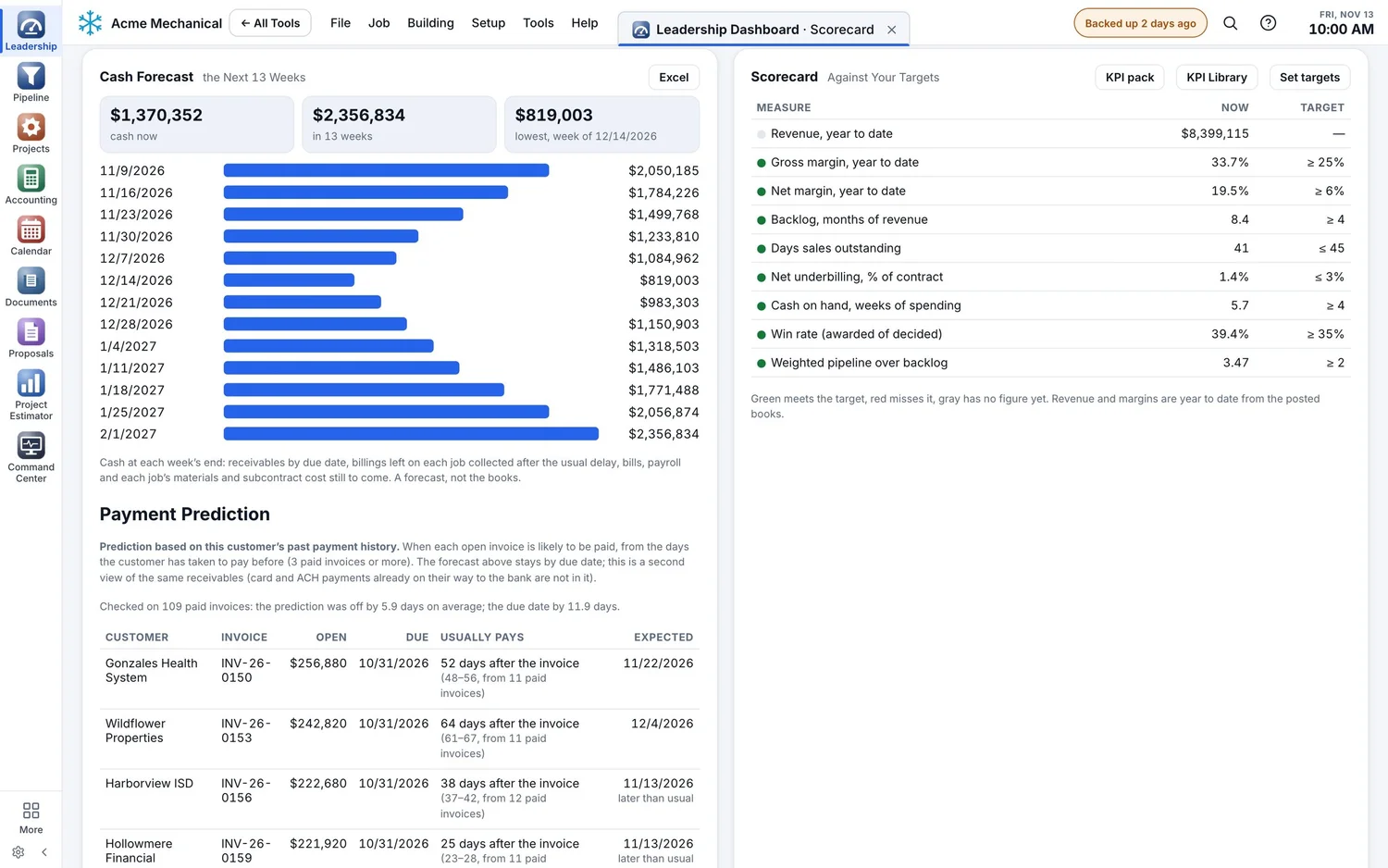
What HVAC Logix Does at Launch for a Company with Several Branches
These features are in the HVAC Logix launch release. They are the foundation an enterprise engagement builds on.
Branches as Locations
With two or more branches set up, customers, buildings, agreements, jobs, work orders, invoices, vendor bills, employees, trucks and technicians each carry a branch. A new record starts in the branch of the customer, building or job it belongs to, and people can be limited to their branches.
Learn MoreShow Less
Seeing which branch makes money, and which does not, is how a multi-branch owner puts money in the right place. Every record carries its branch without extra typing.
- Records with no branch of their own follow what they belong to, such as an invoice following its job.
- Each journal line carries the branch as its class.
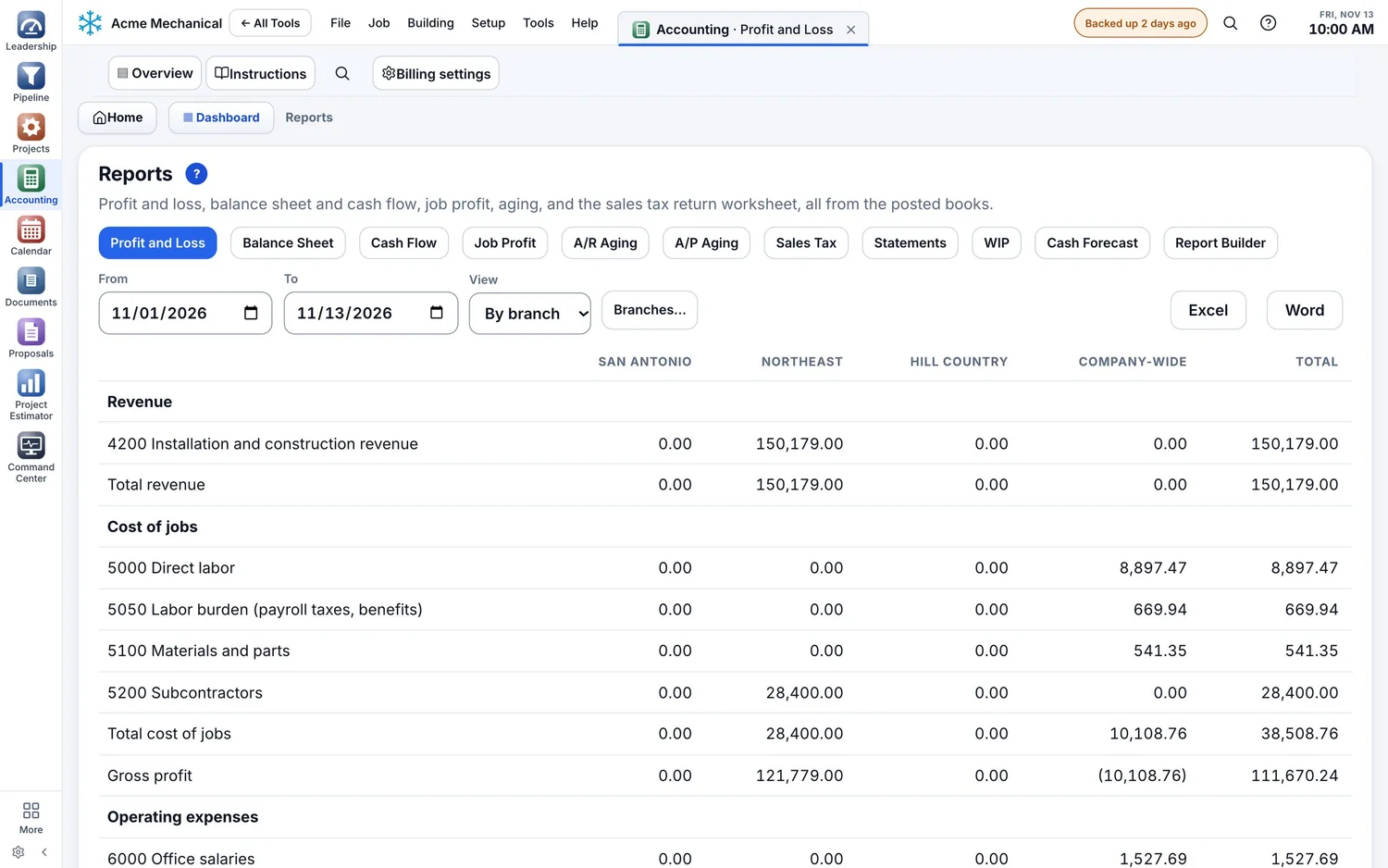
- Profit and loss by branch still totals to the company's figure to the cent.
- Leadership can view one branch at a time.
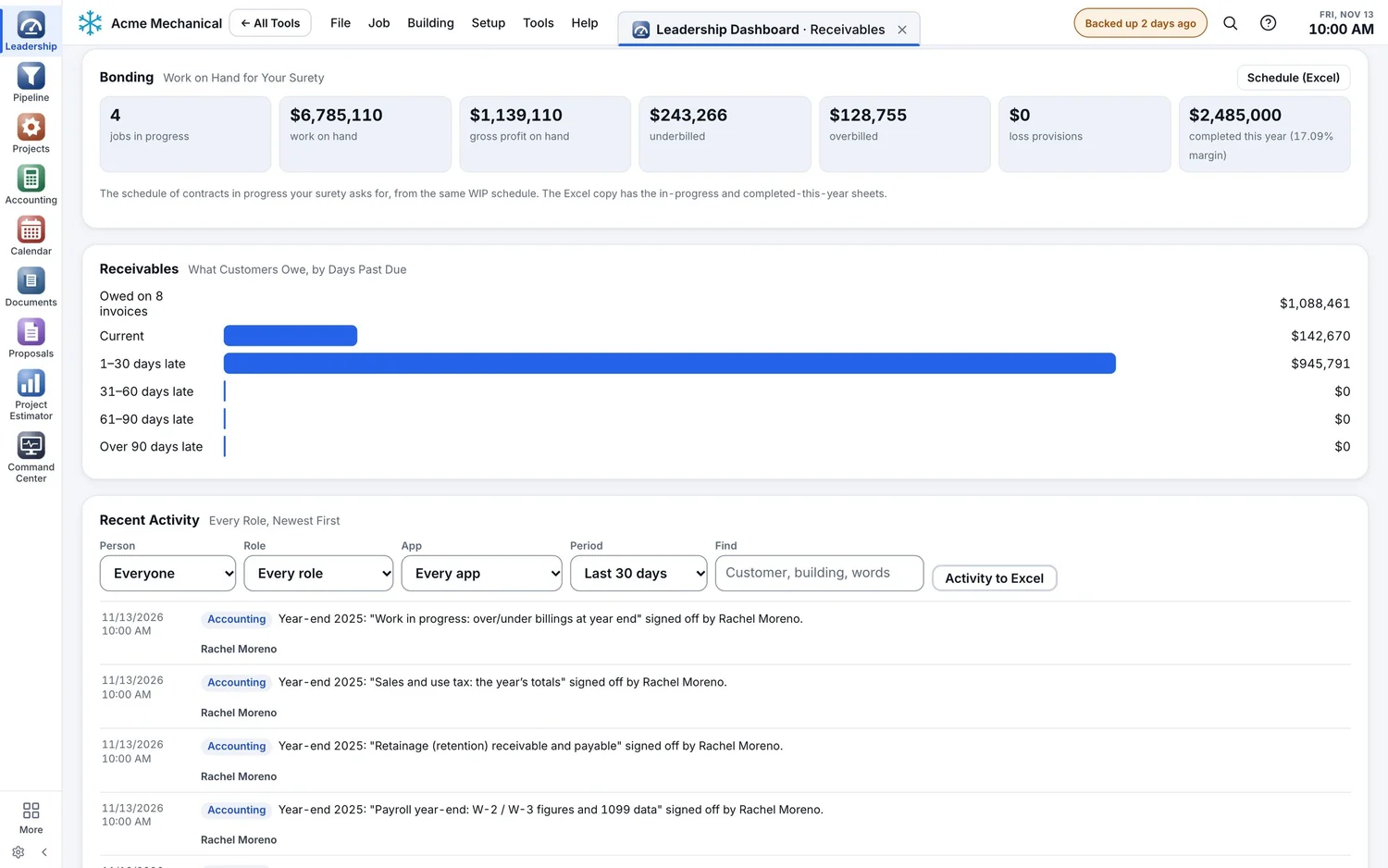
Bonding work on hand for your surety, receivables by days past due and recent activity on the Leadership Dashboard.
Branches That Keep Their Own Books
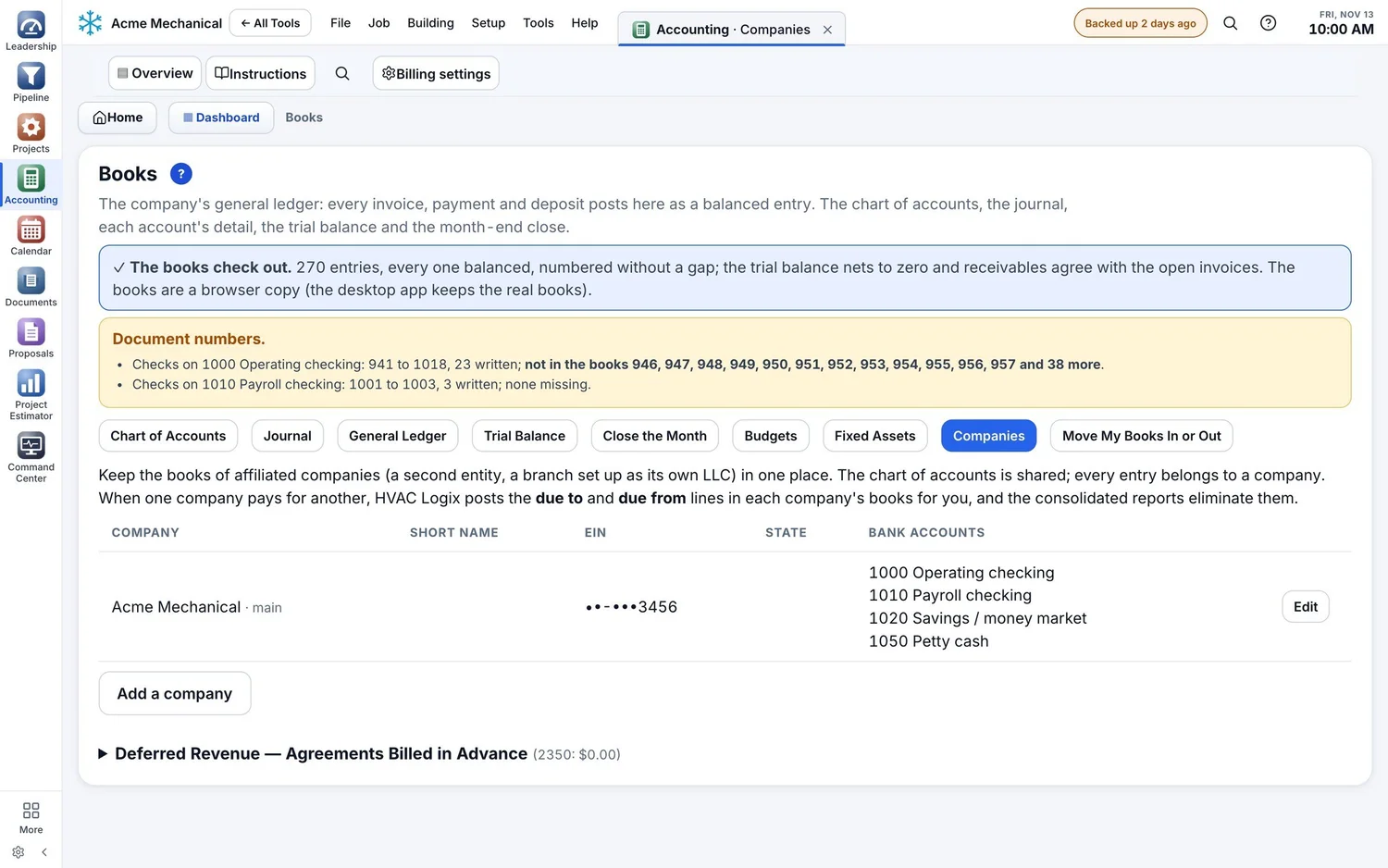
Where each branch is its own company with its own tax ID, bank accounts and invoices, add it as a company in the books. Each company has its own gap-free invoice series, and an entry that crosses companies is balanced in each one with due-to and due-from accounts.
Learn MoreShow Less
Keeping each legal entity's books straight avoids costly cleanup at tax time. Several companies share one chart while each balances on its own.
- An affiliate's invoices carry its own code and print its legal name and remit-to.
- One check can pay bills of several companies.
- Intercompany balances show both sides and whether they agree.
- Reports run by company or consolidated, with intercompany amounts eliminated.
One Branch Charging Another
Intercompany charges cover a branch lending another its technicians, renting it equipment or charging a management fee, recorded on both sides.
Learn MoreShow Less
Work one branch does for another, never charged, hides which branch really earns. Intercompany charges put the revenue and cost where they belong.
- Revenue posts in one company, cost in the other, with the due-from and due-to between them.
- Consolidated reports take all of it out.
- Before posting, the screen names any matching charge already in the books.
The Group Read Side by Side
Profit and loss by branch for one company with several locations. Profit and loss and balance sheet by company, side by side, for a group of separate companies. KPI targets and Company Goals steps can be set for each branch.
Learn MoreShow Less
Comparing branches side by side shows where to fix pricing or staffing. The figures come from the same books, so nobody argues over the numbers.
- The trial balance offers a consolidation worksheet: each company, the eliminations and the consolidated column.
- Company Goals shows each branch's revenue, margin and safety measures.
- Branch steps left blank use the company rule.
Merging an Acquired Company
Read in the acquired company's backup file and bring over its customers, buildings and equipment, agreements, open work orders, vendors, open purchase orders, employees and jobs, and its books as of the merge date. Duplicates are matched with the reason shown, and a crosswalk file lists every record's old and new ID.
Learn MoreShow Less
Rekeying an acquired company's records costs weeks and loses history. The merge brings it over in one pass, with proof.
- Books come in as a combination, or as a purchase with goodwill worked out (ASC 805).
- Check proves debits equal credits and receivables and payables match open items before anything posts.
- Its numbers take a merge prefix, so they never collide with yours.
- Undo reverses the merge, and the same file cannot be merged twice.
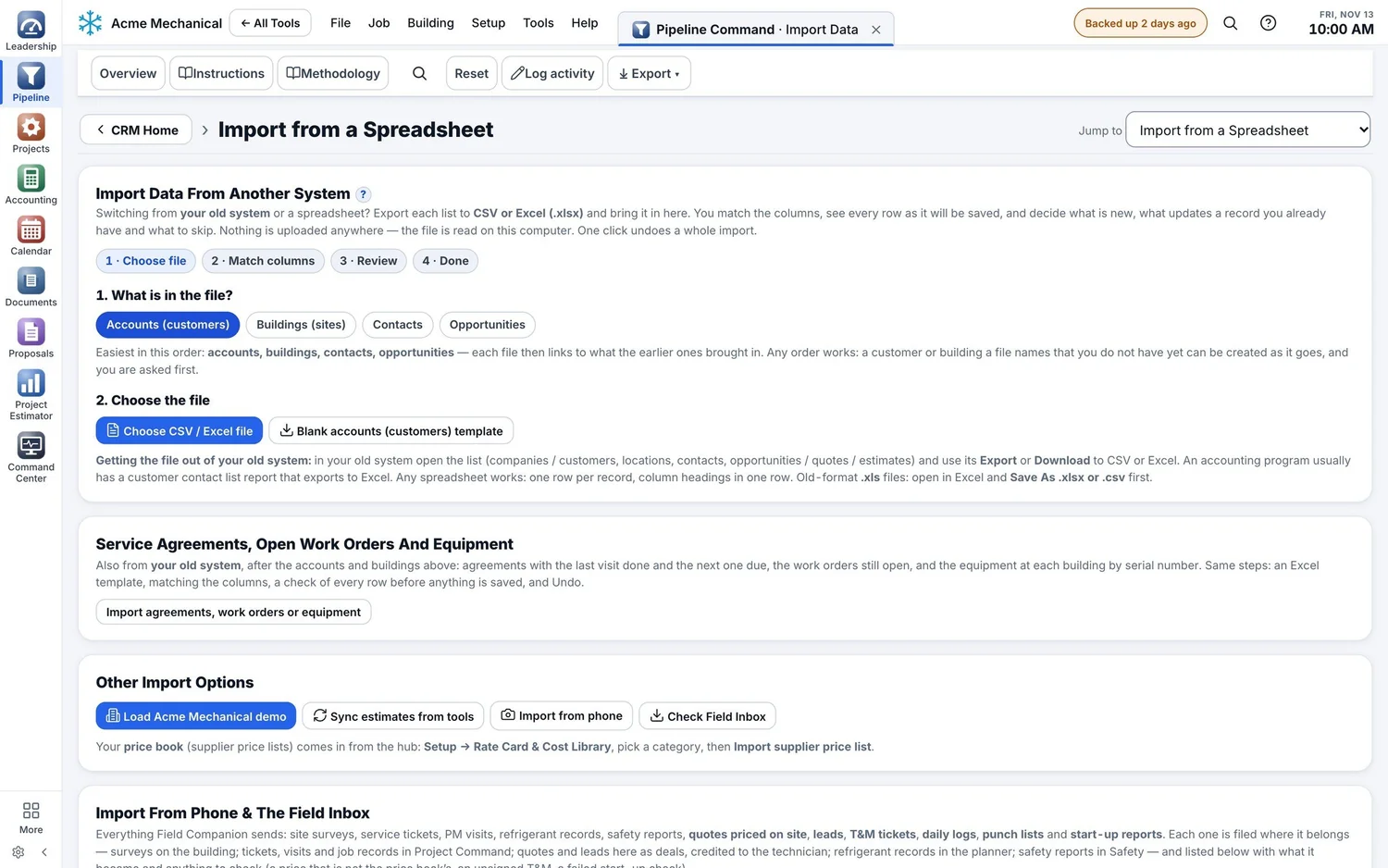
Bringing in an acquired company is risky, so every import is previewed before anything is added.
Company Standards by File
Leadership publishes a versioned company library that carries the company's own rates and labor, terms and exclusions, margin floors and the call-plan question library. Each person loads it in one action and sees a before-and-after summary. A manager roll-up reads the whole team's pipeline, margins and renewals.
Learn MoreShow Less
One estimator quoting at last year's labor rate can lose money on every job. A published library puts every person on the current standards.
- Loading changes only the defaults new work starts from, never work already done.
- My Overrides shows what a person changed from the standard, with a one-click revert.
- The roll-up shows proposals gone quiet and agreements coming up for renewal.
- On a shared Team folder, the roll-up can read the team's live pipeline.
The Data Room
For a buyer, a lender or an investor, Data-Room Export saves one read-only package as of the date you choose: a table of contents, the trial balance, the balance sheet, three years of profit and loss, customers with their revenue, receivables aging, service agreements and the equipment under care.
Learn MoreShow Less
A buyer or lender who gets clean, verifiable numbers moves faster and with more confidence. The package is ready in minutes, not weeks of assembly.
- Each file has a SHA-256 fingerprint, so a file changed afterwards no longer matches.
- Names are replaced by codes, Customer 001 being the largest, unless you untick it.
- Never included: SSNs, bank details, birth dates, pay rates, agreement cost or margin.
- Also includes payables aging, open work orders and an employee census.
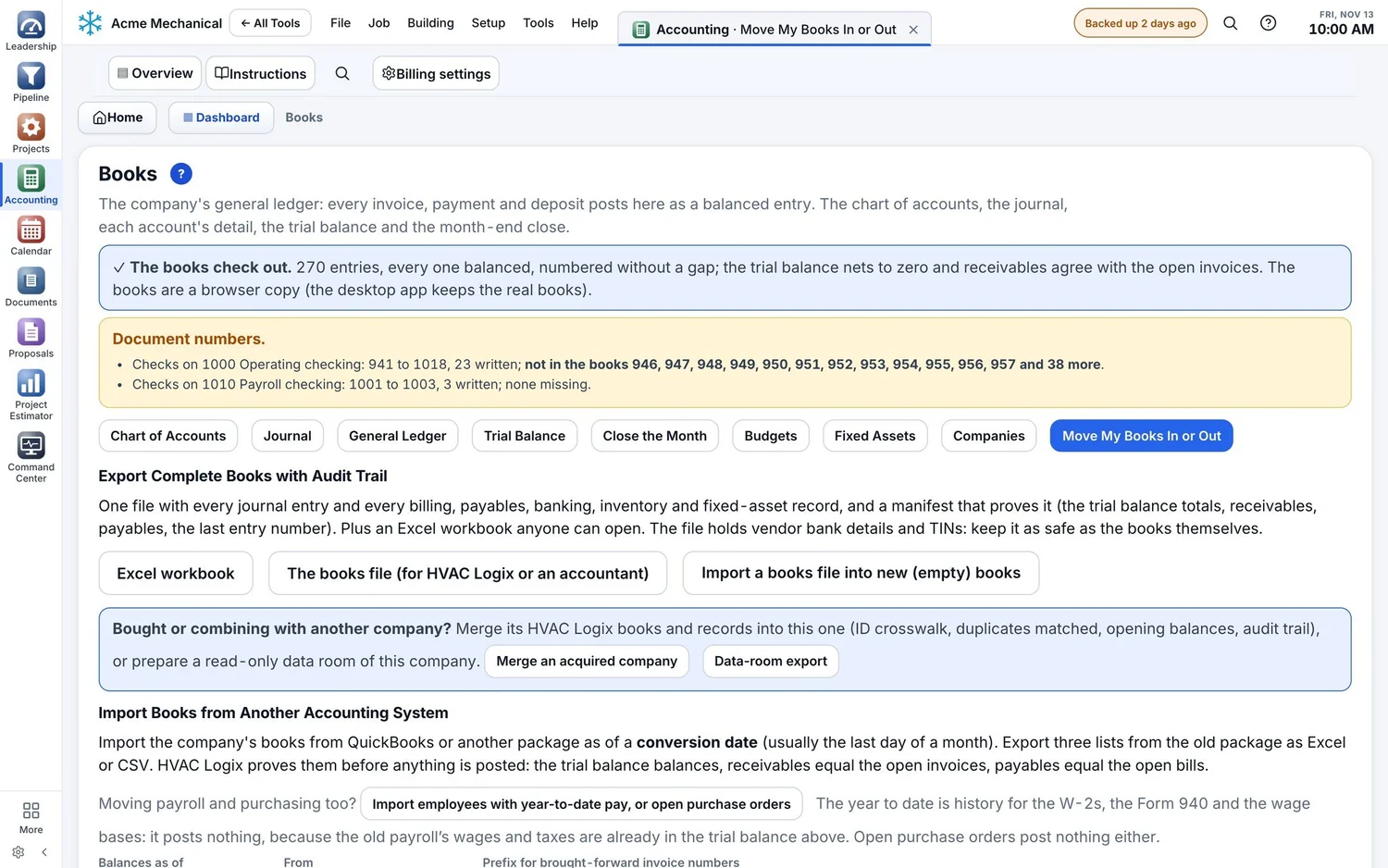
Buyers and lenders want a clean package, so the books export as one read-only set.
What We Build with an Enterprise Client
The items below are an offer, not a description of the launch release. Each engagement is scoped to the group's structure and delivered in phases.
Corporate Roll-Up
- Each operating company keeps its own book and its own way of working
- Each one publishes a signed, standardized roll-up pack on a schedule: trial balance mapped to the corporate chart of accounts, KPIs, WIP, backlog, receivables, safety and headcount
- The packs go to the parent's own server or folder, never to ours
- A corporate dashboard with consolidated profit and loss and balance sheet, including intercompany eliminations
- Scorecards by operating company and region, benchmarks between companies, and red flags that need corporate attention
Standards Push-Down
- One corporate chart of accounts mapped to each operating company's books
- Safety programs and document templates issued from the parent
- National vendor price agreements delivered to every operating company's purchasing desk
- Versioned releases, so each company can see what changed and when
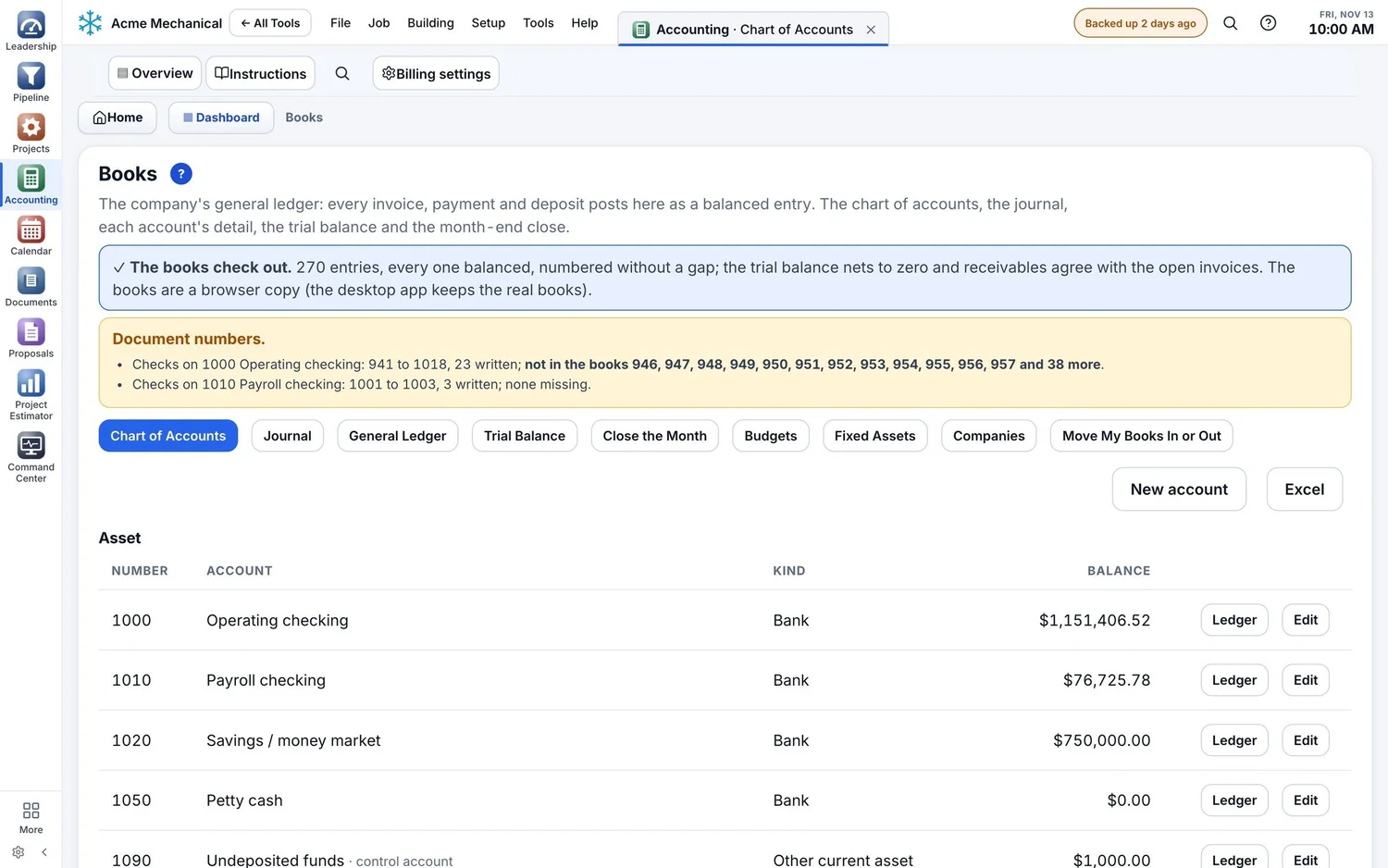
Group reports need one set of accounts, so each company's chart maps to the corporate one.
National Accounts
- One customer served by several operating companies, seen as one relationship at the parent
- Work, billing and performance for that customer reported across the group
- Each operating company still dispatches and bills its own work
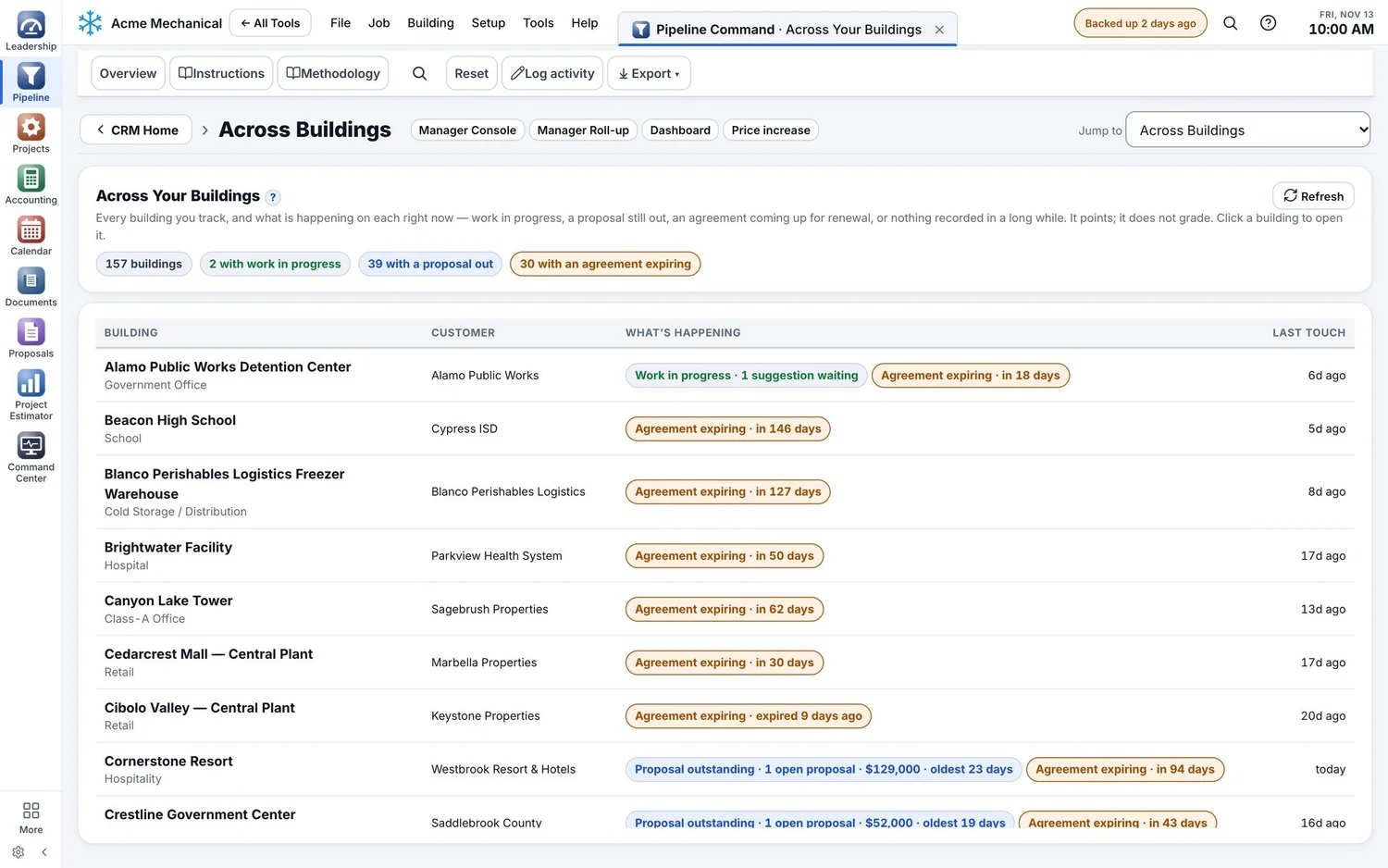
One customer served by several companies is one relationship, so work is seen across buildings.
Acquisition Onboarding and Licensing
- An onboarding tracker for each newly acquired company, from first data import to its first roll-up pack
- Enterprise licensing under one agreement, with license keys issued in batches for the operating companies
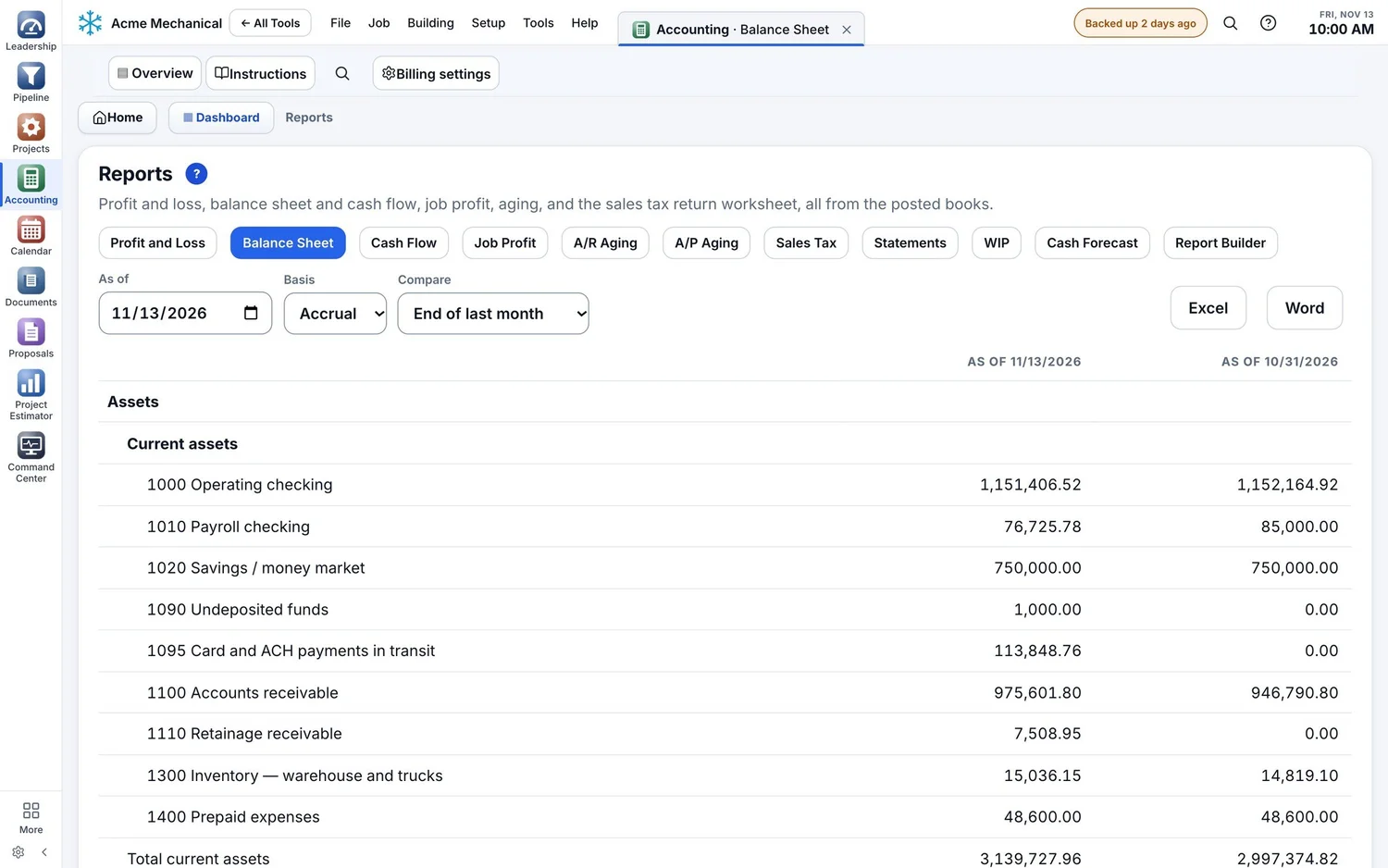
Group reports start from clean company statements, so each company's balance sheet prints the same way.
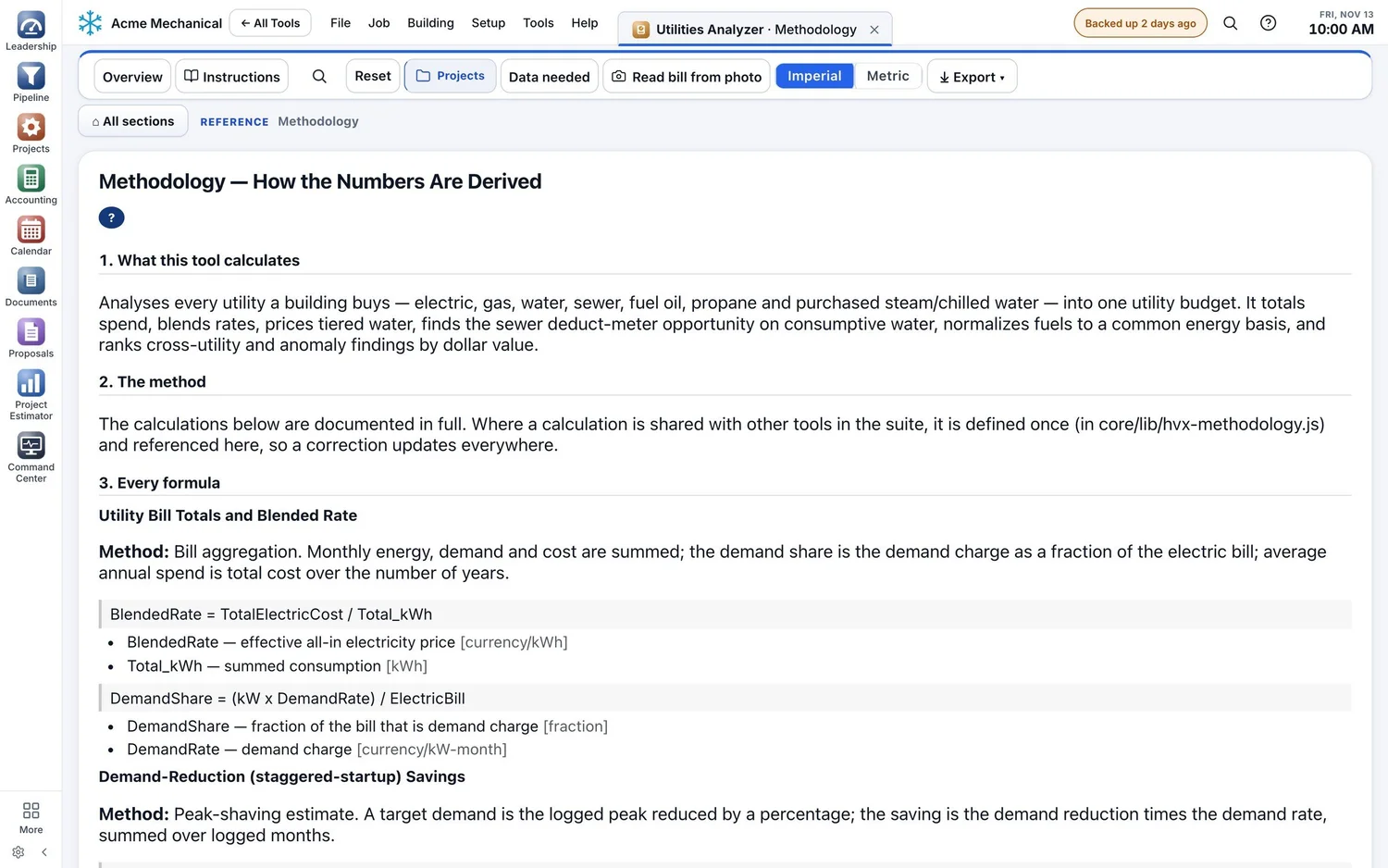
Group finance teams check the math, so every tool documents its method and formulas.
The Same Principles, at Group Scale
Each Company Owns Its Data
Operating companies keep their records on their own computers and drives, exactly as a single HVAC Logix company does. The parent receives the roll-up pack it has asked for.
Learn More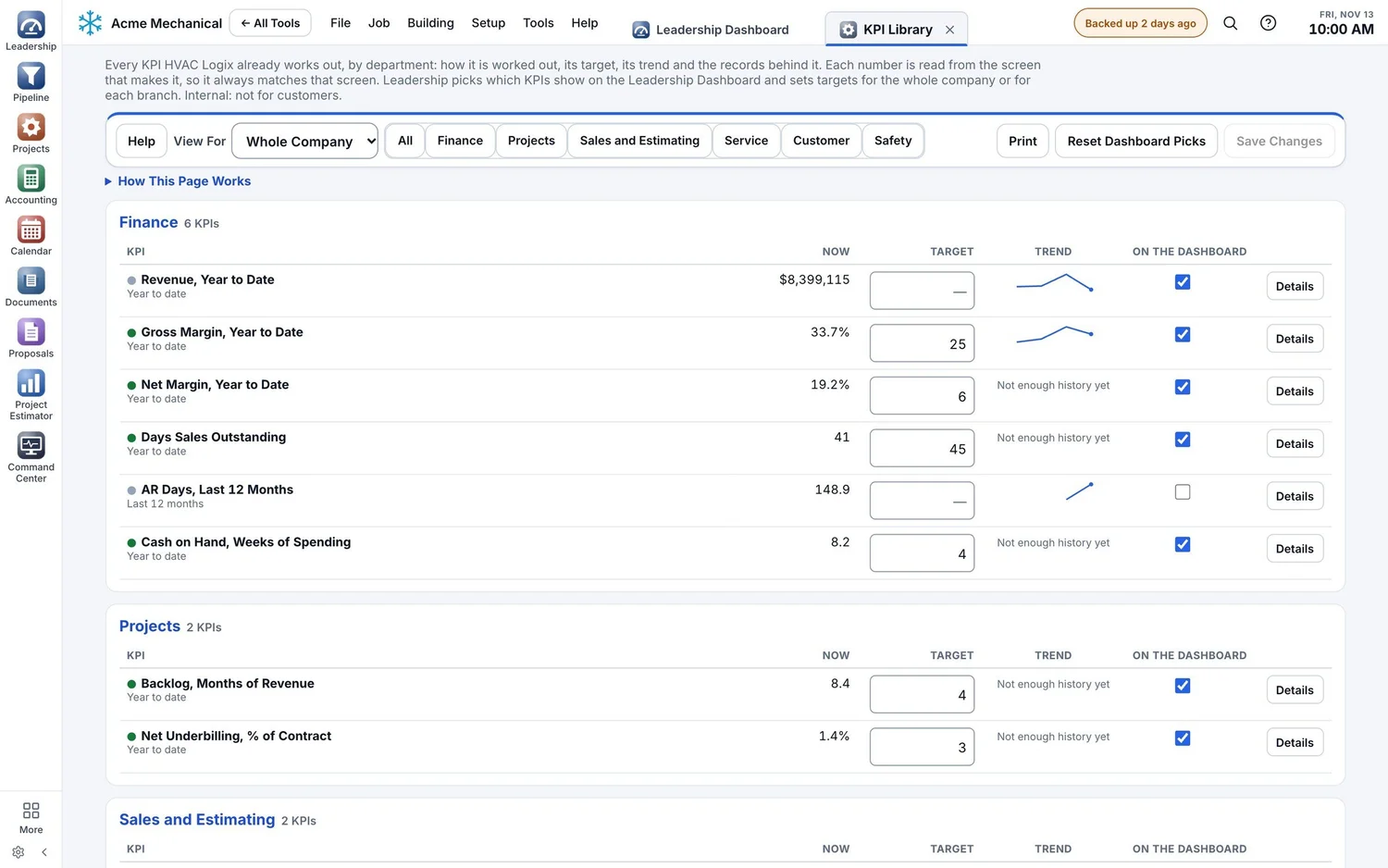
A group figure is only useful if it can be checked, so every KPI shows its value, target and trend.
No Server of Ours in the Middle
Roll-up packs move to a server or folder the parent controls. Nothing passes through us.
Available Through EnterpriseNumbers with Their Arithmetic
HVAC Logix's KPIs each have one fixed formula and open to the records behind them. A corporate roll-up is built on the same rule, so a figure at the parent traces back to an operating company's own screen.
Learn MoreOperating Companies Keep Working
A branch that loses its connection to the parent keeps dispatching, billing and running payroll. The roll-up catches up on the next scheduled pack.
Available Through Enterprise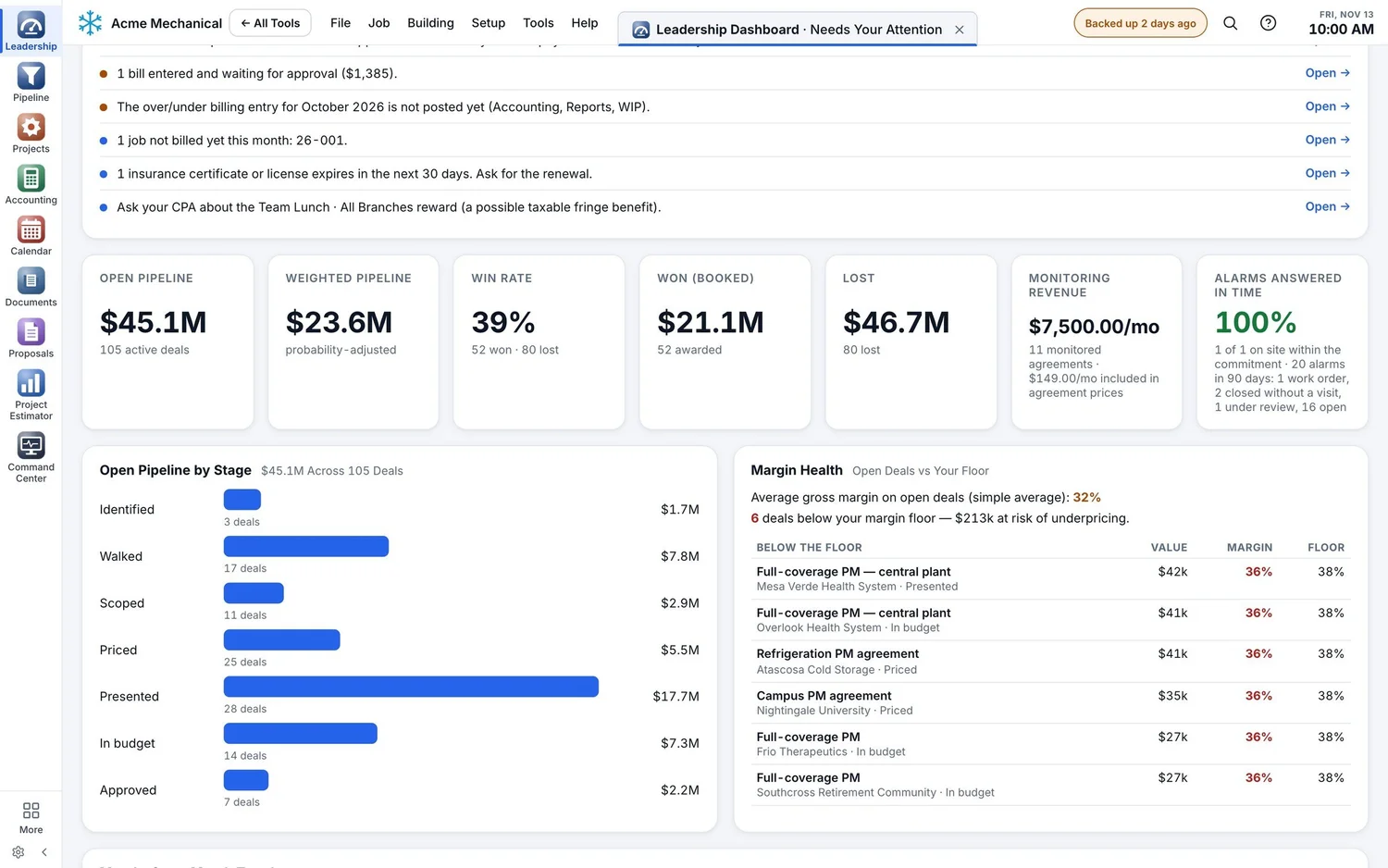
A branch must keep working on its own, so its dashboard reads its own books.
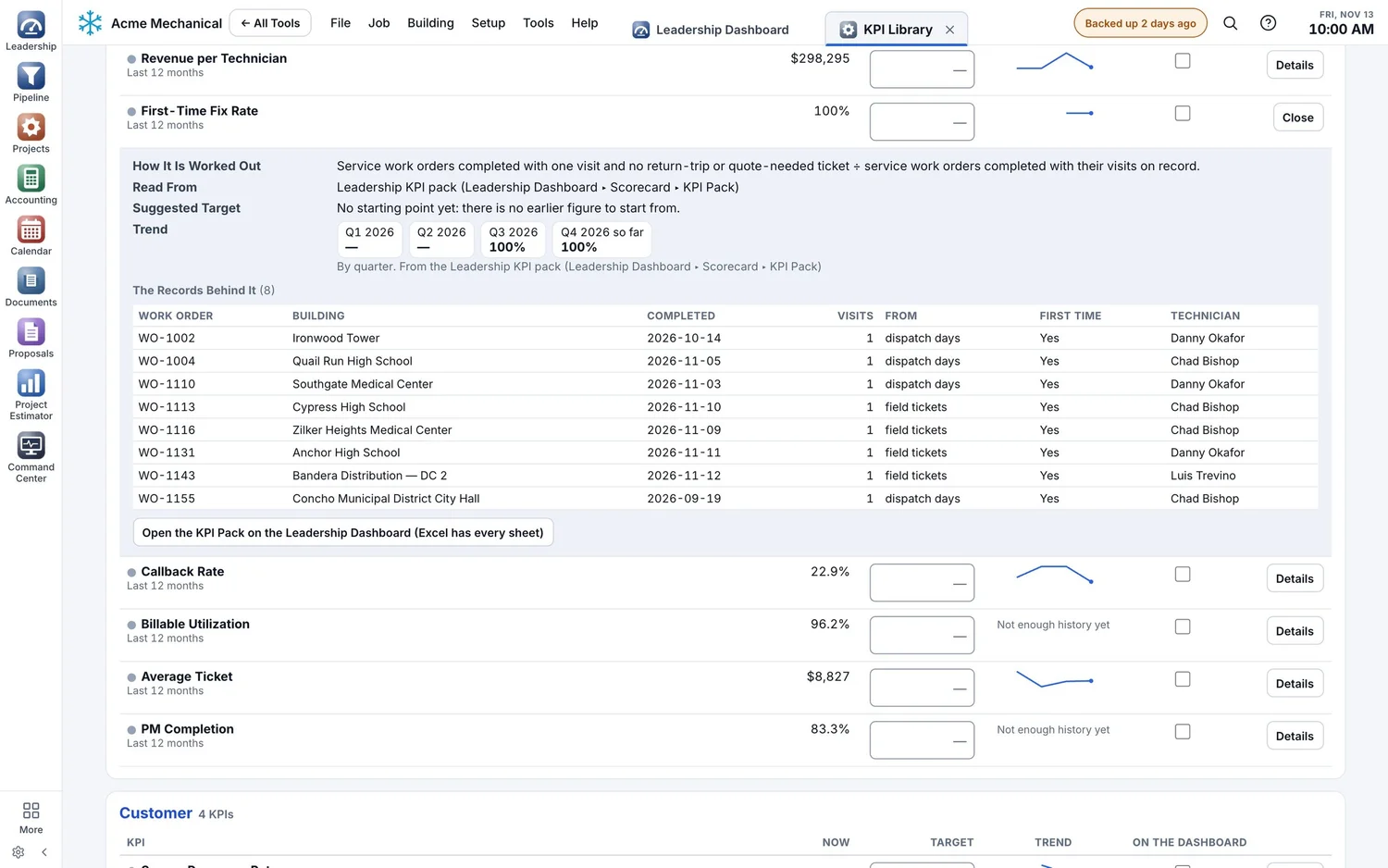
A group figure is only useful if it can be checked, so each KPI shows its formula and the records behind it.
How an Enterprise Engagement Runs
Start with One Operating Company
Put HVAC Logix to work in one company or branch using what is in the launch release: sales, service, projects, accounting, payroll and the Leadership Dashboard.
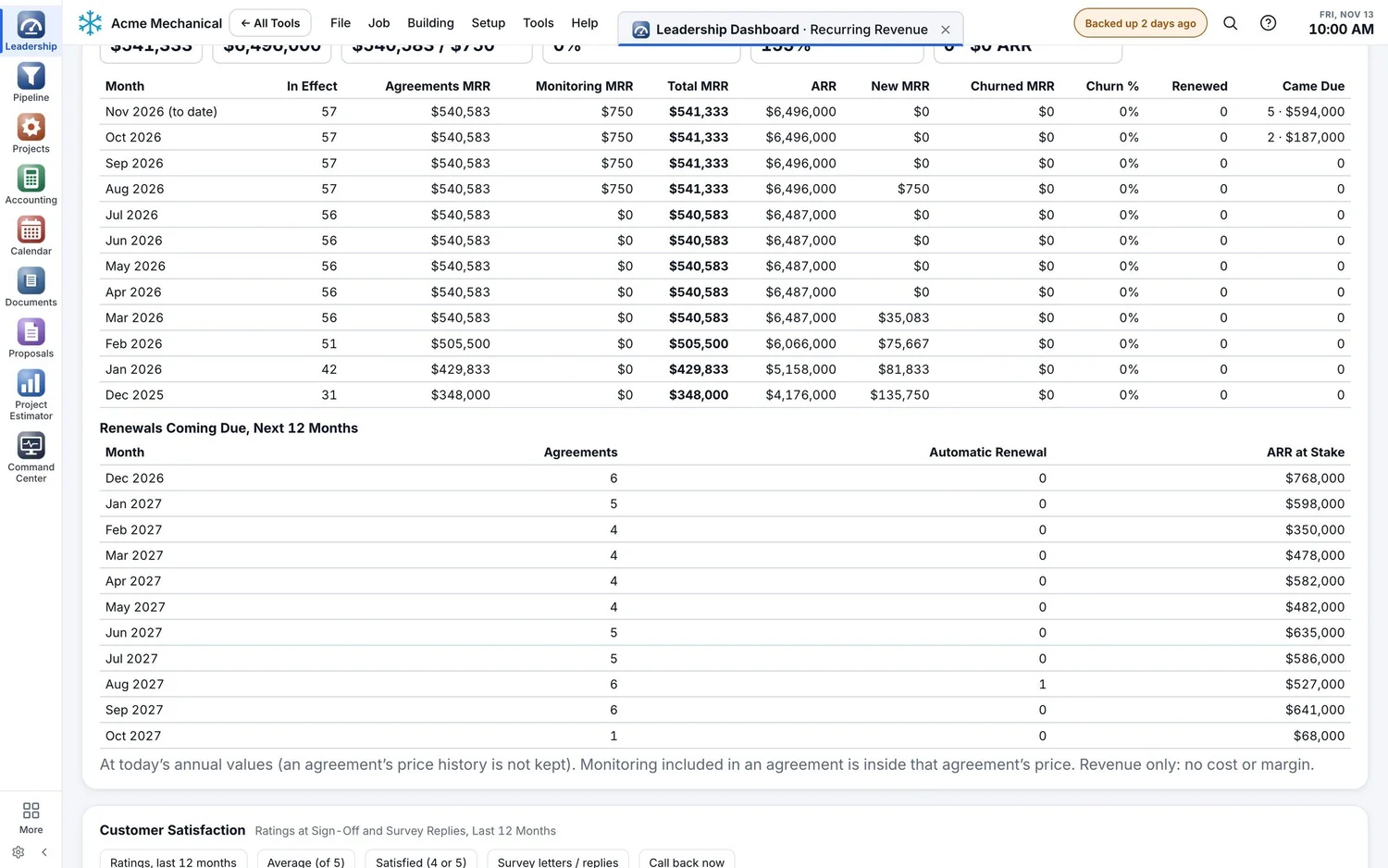
Recurring revenue matters to buyers and lenders, so it shows month by month from the start.
Map the Group
We review your legal entities, regions, corporate chart of accounts and the reports your board, lender and surety expect, and agree on what the roll-up pack must carry.
Build in Phases
Roll-up packs and the corporate dashboard come first. Consolidation and standards push-down follow, then national accounts. Each phase is agreed with you before work begins.
Send an Enterprise Inquiry
Tell us how many operating companies and branches you run and what you need to see at the parent. Contact us through this website.
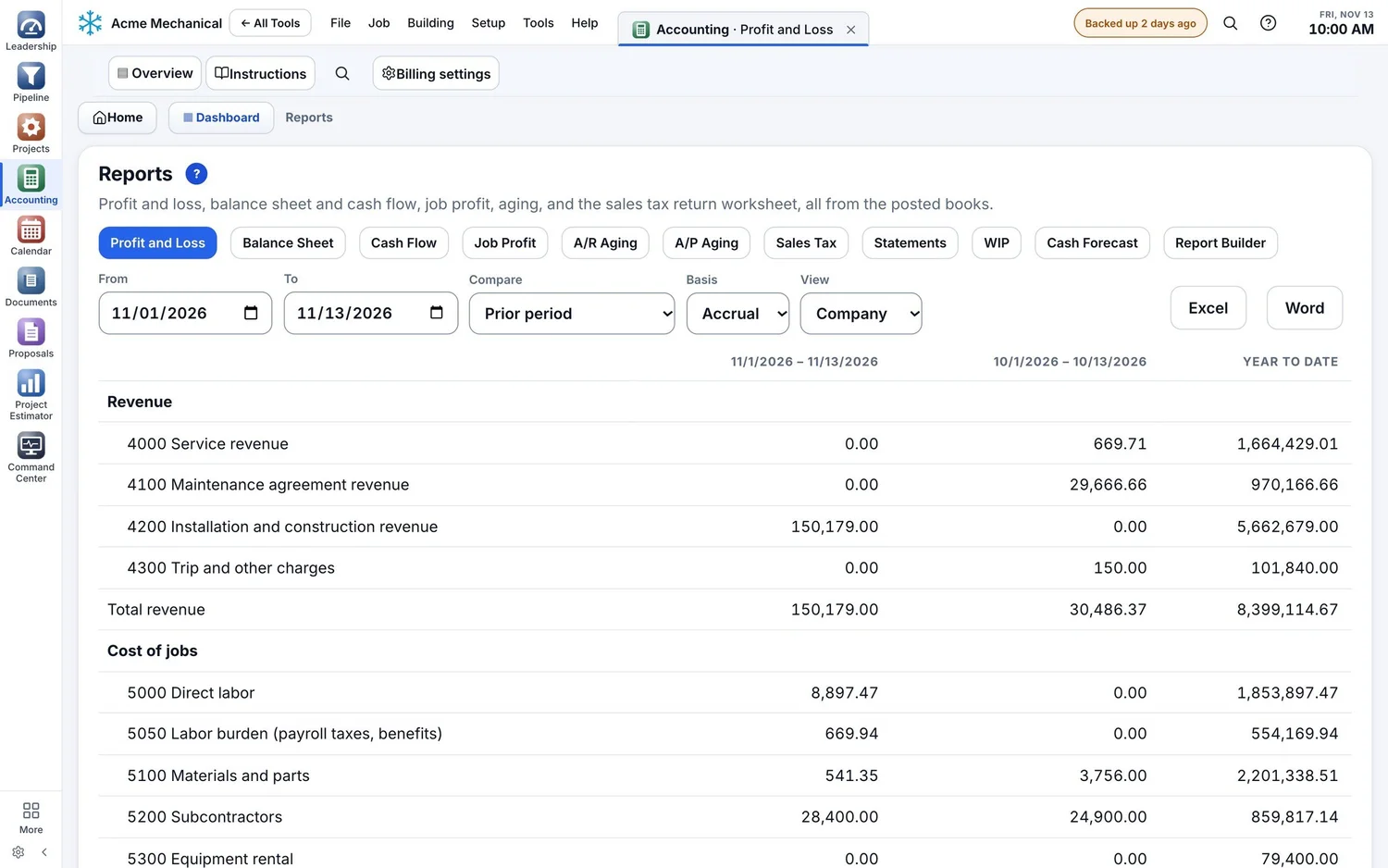
Leaders need a baseline before rolling up, so the first company's profit and loss is ready from day one.
Frequently Asked Questions
Is HVAC Logix Enterprise available now?
Can we run several branches without Enterprise?
Does every operating company have to change how it works?
We are acquiring a contractor that also uses HVAC Logix. What can we do?
Start an Enterprise Conversation
Tell us how many operating companies and branches you run and what you need to see at the parent. Contact us through this website.
Launching early 2027 for HVAC Logix. Nothing to buy today, and no sales calls.
