
The Money Side of Your Buildings, with Every Calculation Shown.
Finance & Budget answers three questions for your organization: what the buildings cost to run, what an investment returns, and how to pay for it. Eight steps run from the whole-building economic case to vendor bills, approvals, chargebacks and the file your accounting system imports. Every report carries its inputs, assumptions and method.
Launching Early 2027 · Join the Early-Access List
From the Business Case to the Books
Facility Economics
Energy, maintenance and controls savings in one annual return with payback, NPV and IRR: the whole-building money and carbon case your finance team will accept.
Learn MoreShow Less
Finance approves projects it can check against the whole building. Facility Economics adds energy, maintenance and controls savings into one case, and shows where the building stands against peers.
- Express: a five-minute, ten-question screen labeled as a range
- Peer benchmarks from a dated, signed content pack your organization maintains
- Find, Quantify, Fund and Prove steps, with an After-Tax view
- Demand charges, after-hours waste and tenant allocation tabs
ROI
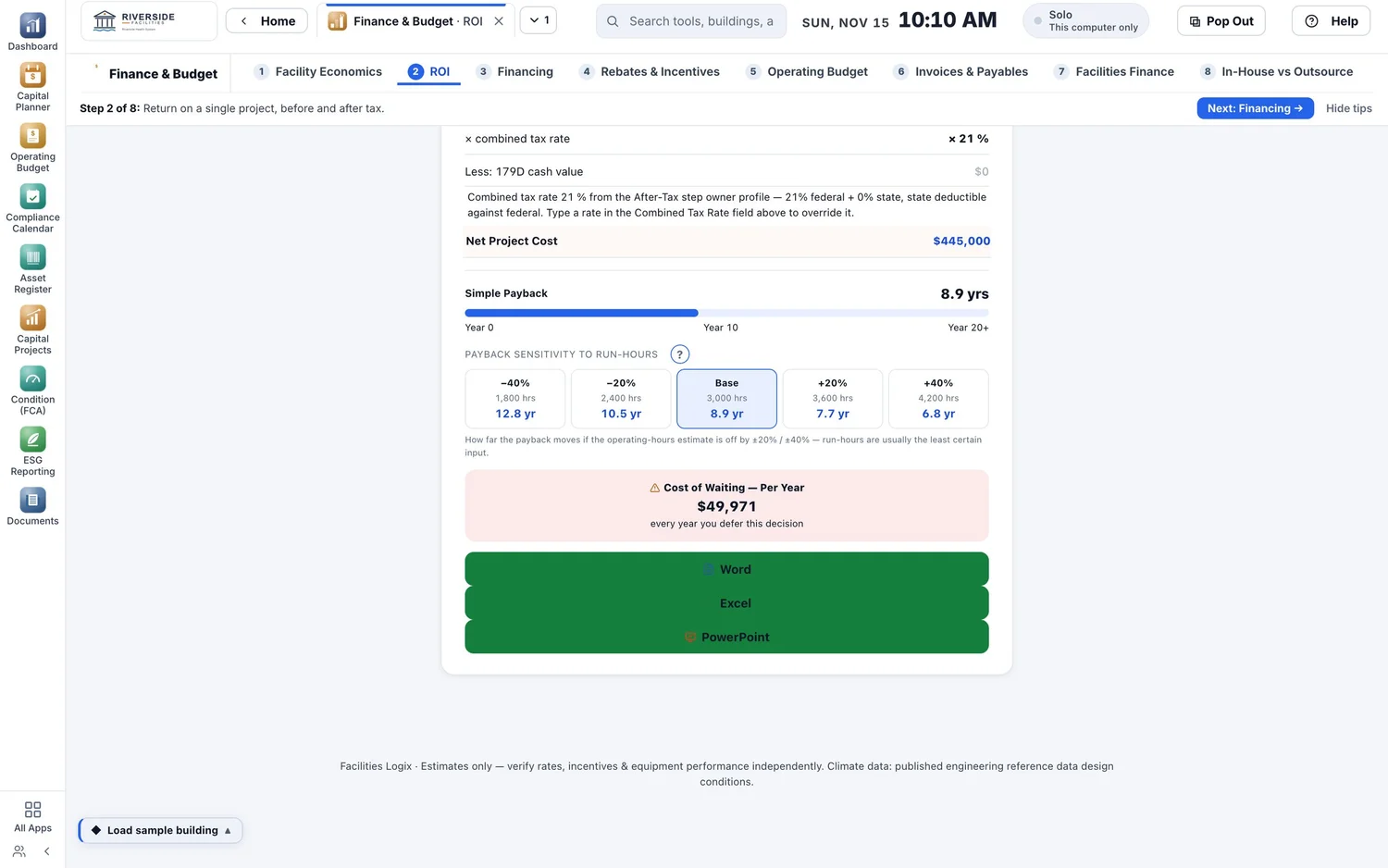
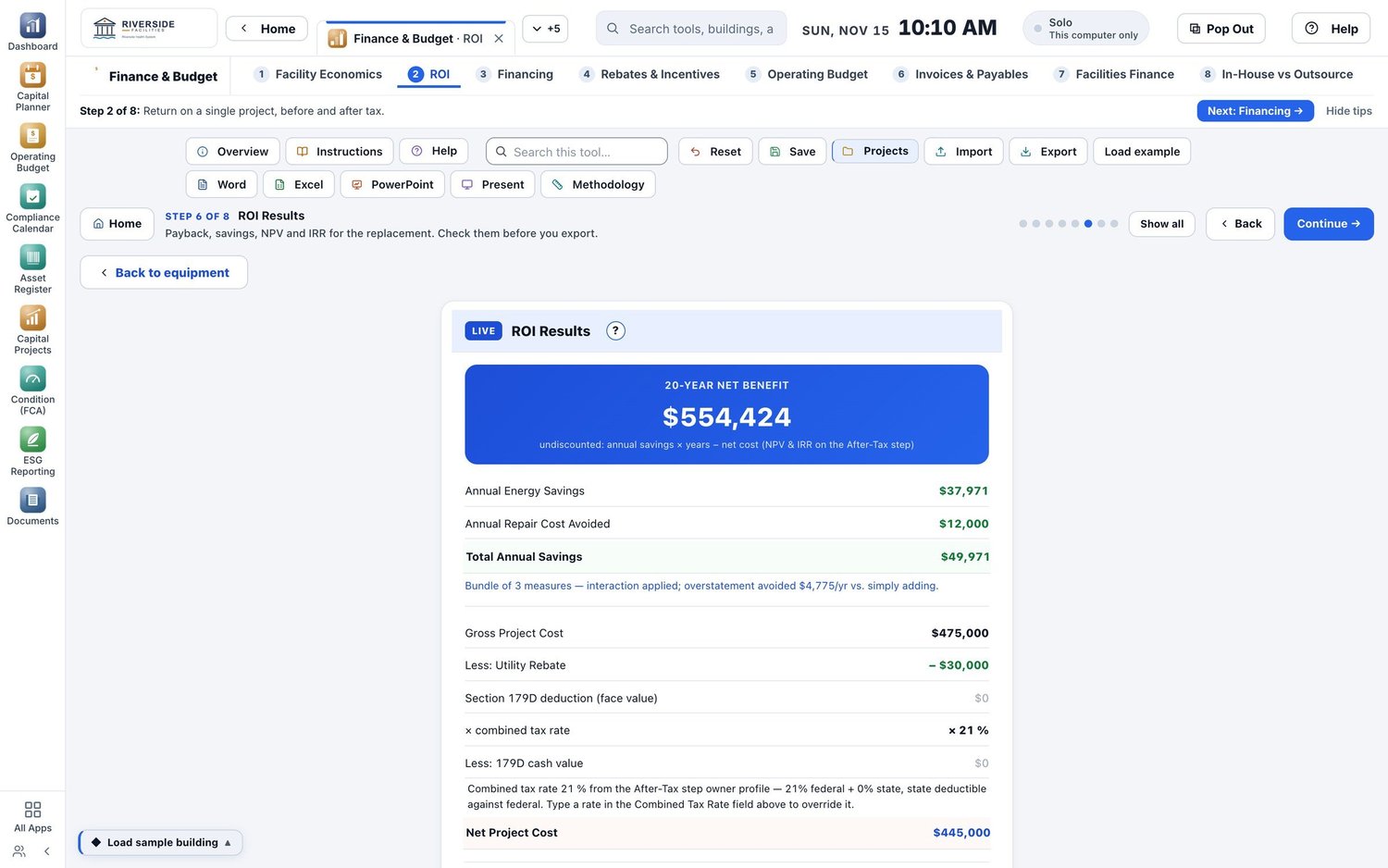
Return on a single project before and after tax, with a modeled run-hour estimate, a payback sensitivity strip and multi-measure bundling.
Learn More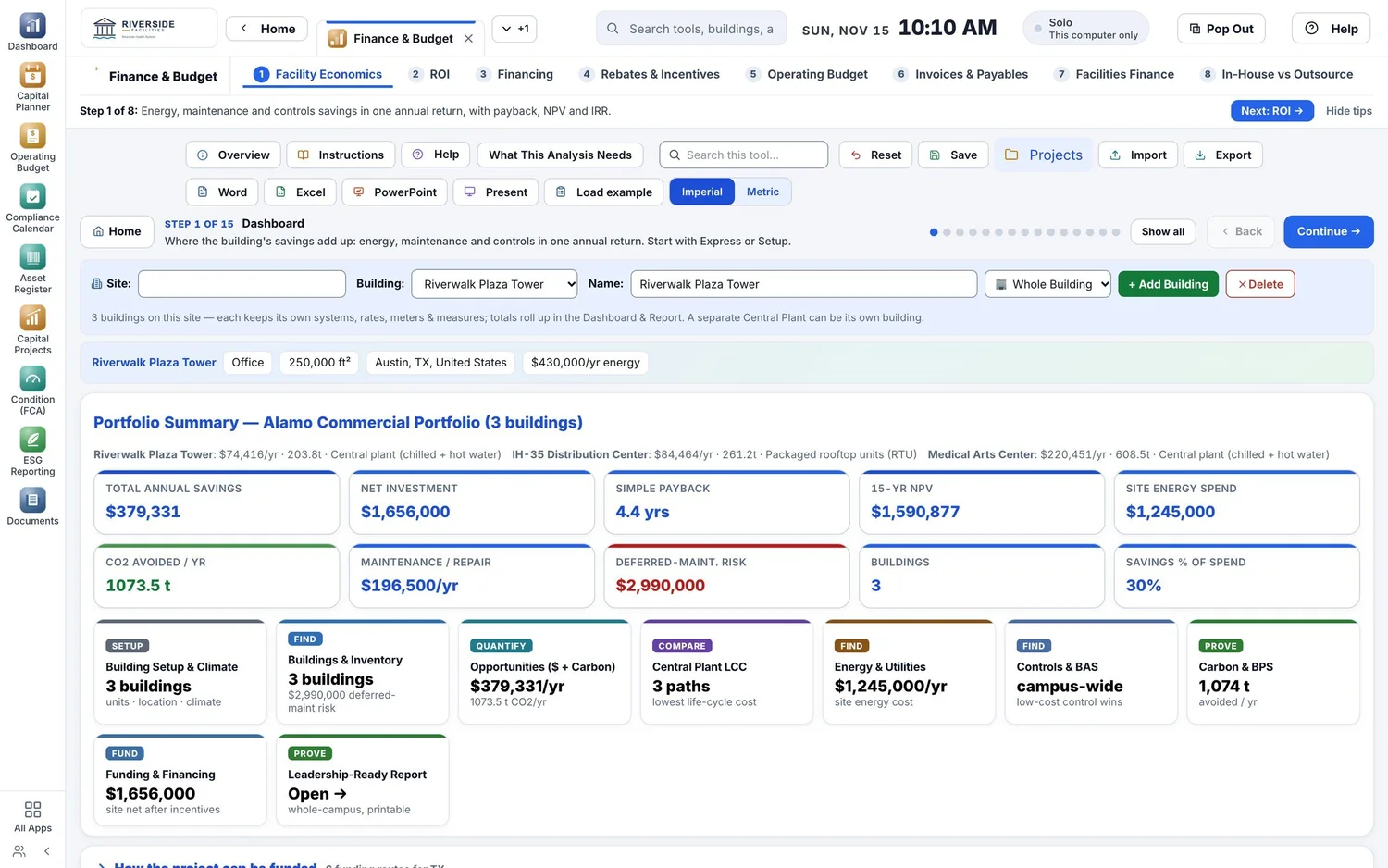
Dashboard in Facility Economics: where the building's savings add up: energy, maintenance and controls in one annual return. Start with Express or Setup.
Financing
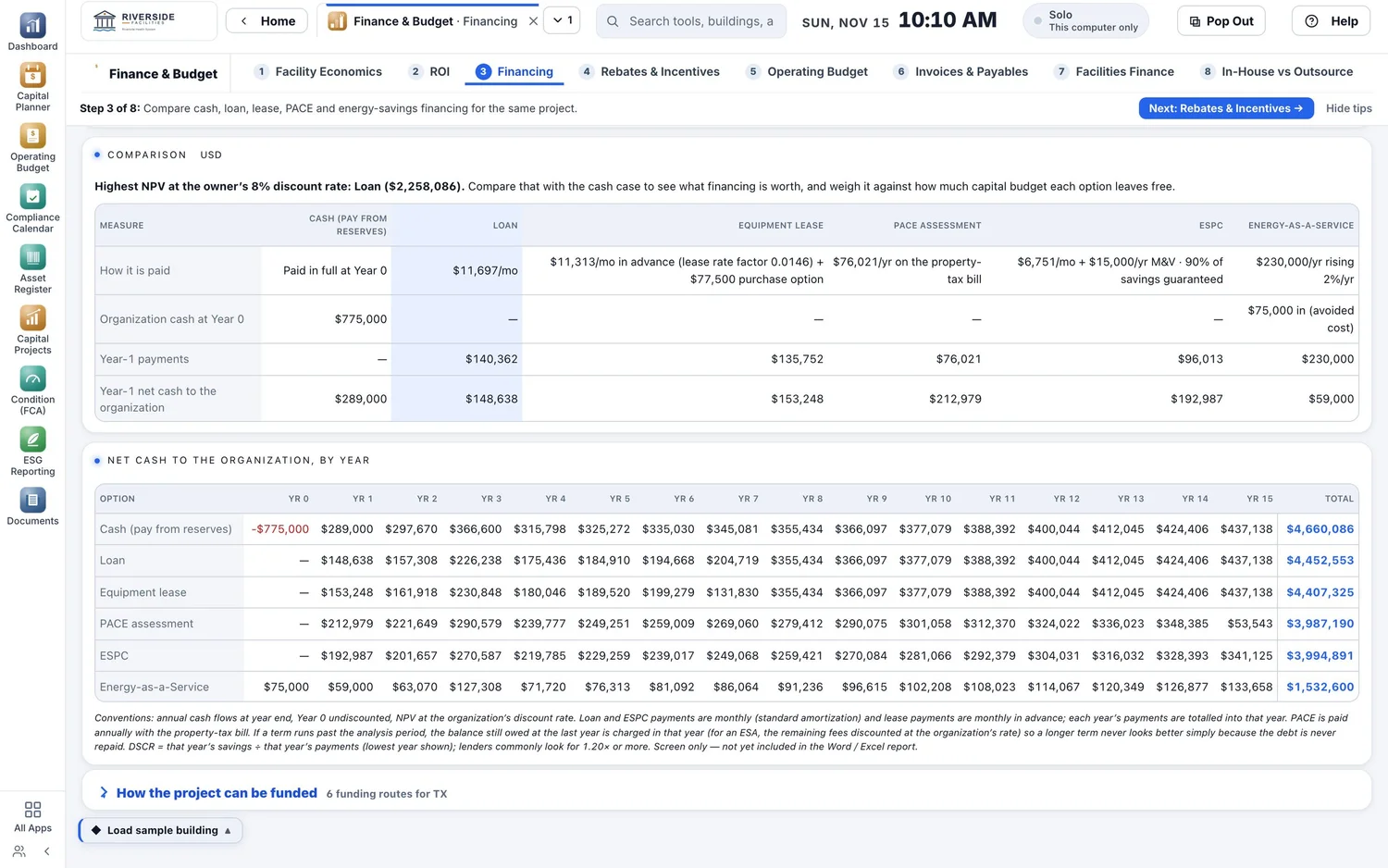
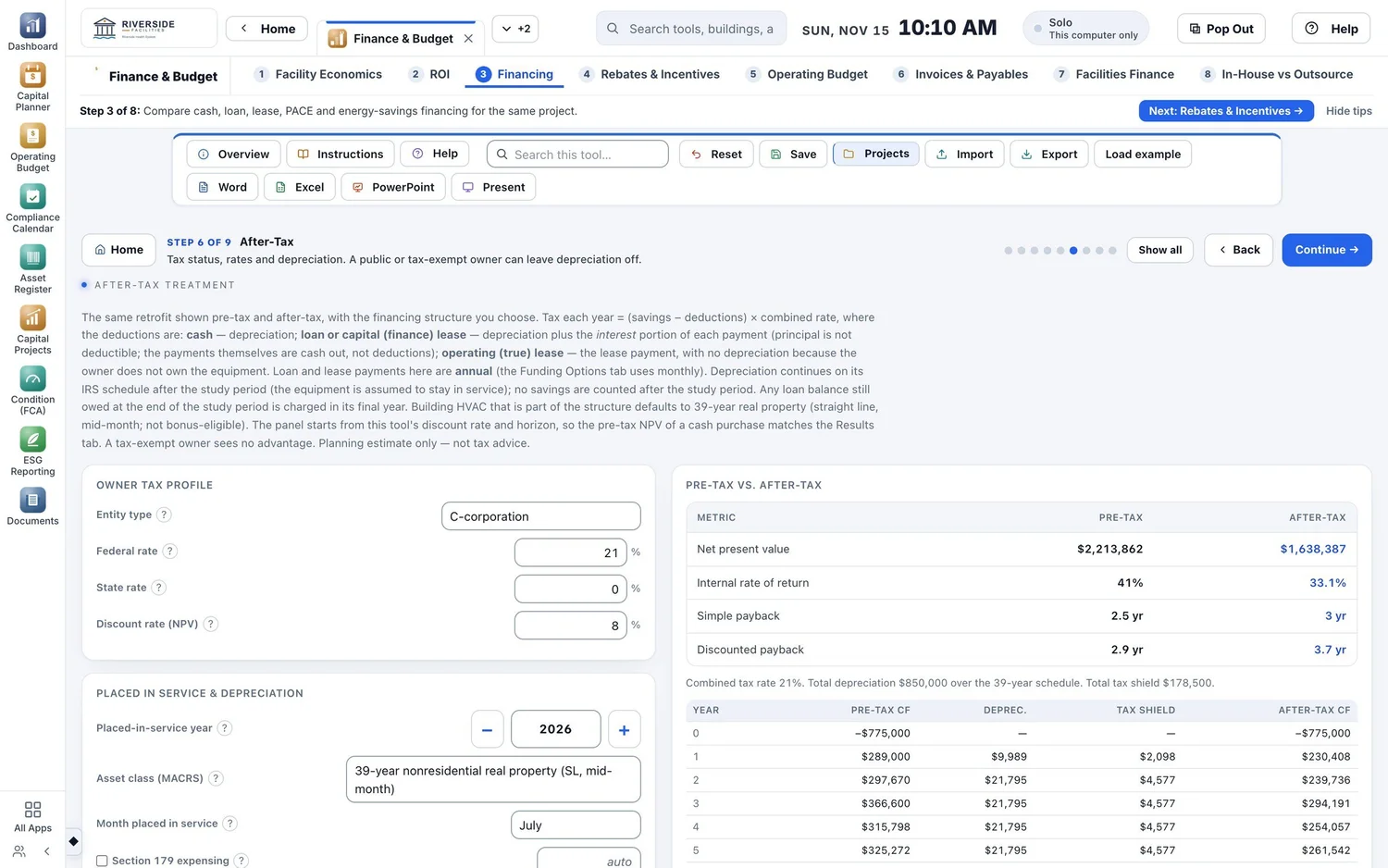
Compare cash, loan, lease, PACE and energy-savings financing for the same project, then structure the one that fits.
Learn MoreShow Less
The way a project is paid for can change its cost by more than the equipment choice. Financing compares the options on the same project, so the cheapest structure is chosen.
- Status quo against retrofit, year by year, with a cashflow table and chart
- A one-time overhaul in the year it would fall
- Discount rate for NPV and IRR taken from your Financial Standards when blank
- An After-Tax step for taxable owners
Rebates & Incentives
A dated, editable library of utility, government and manufacturer incentives. Match shows how many apply, their value and which are expiring.
Learn MoreShow Less
A rebate not applied for in time is money left on the table, and programs change constantly. The tracker keeps your own dated library and nets the matching incentives against project cost.
- Each incentive with its sponsor, form, cap, effective and expiry dates and source
- Selected incentives each shown as one line, never double-counted
- The total handed to Facility Economics, Electrification and the ROI Analyzer
- A warning when the library itself is past its review date
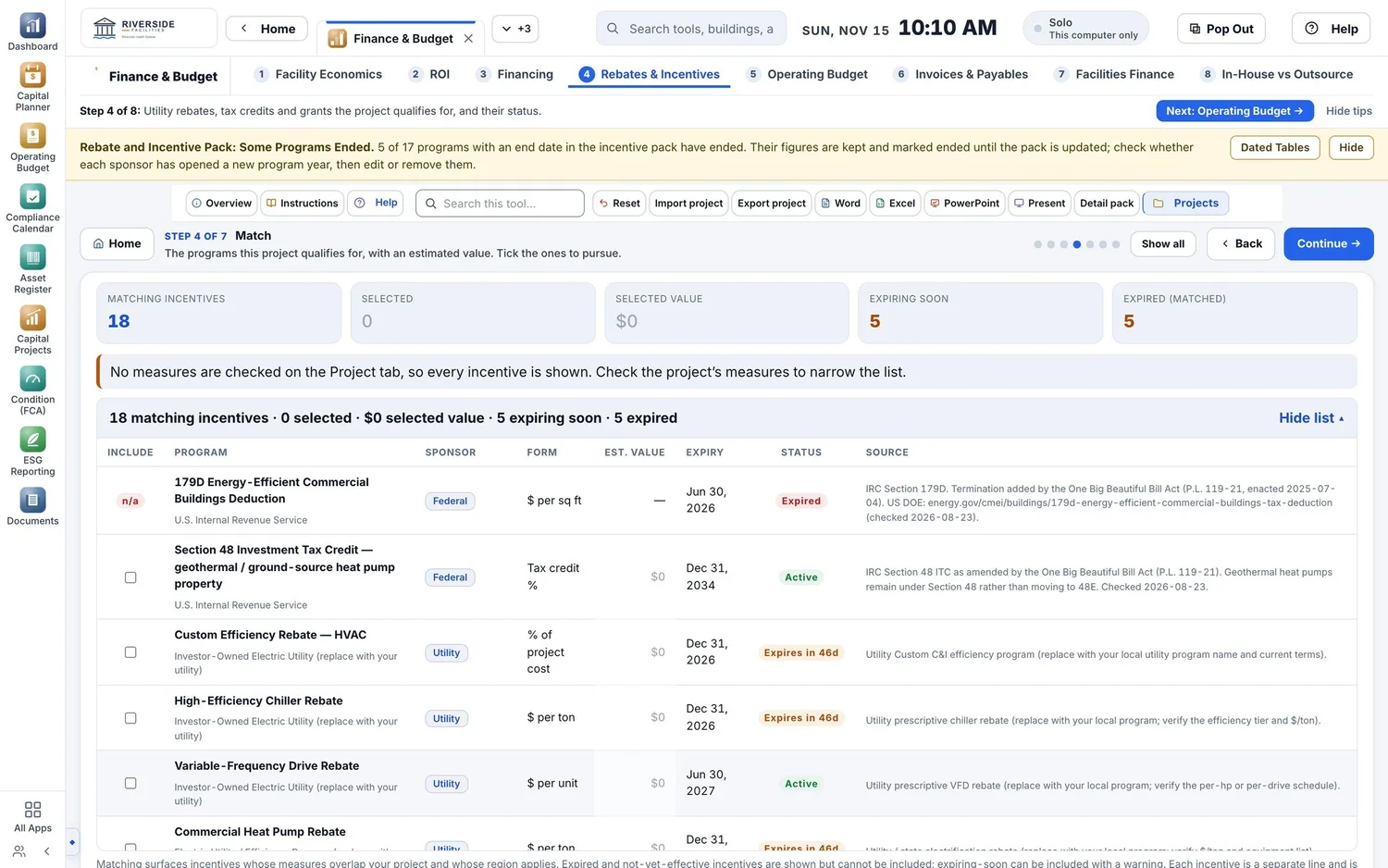
Match in Rebate & Incentive Tracker: the programs this project qualifies for, with an estimated value. Tick the ones to pursue.
Operating Budget
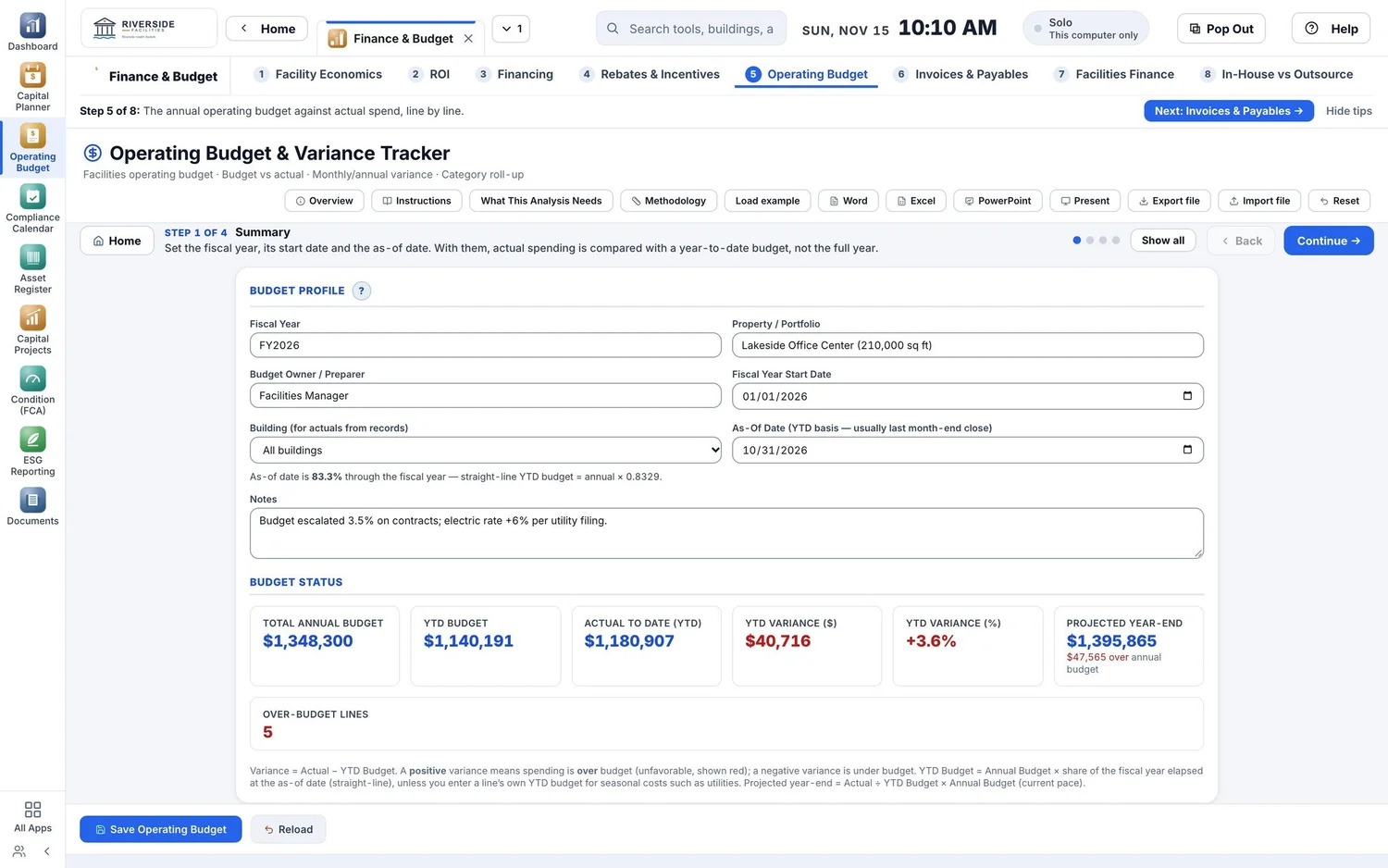
The annual operating budget against actual spend, line by line, with actuals summed from work orders, parts, purchase orders and utility bills.
Learn MoreShow Less
Variance found at year end is too late to correct. The operating budget shows actuals as they post, so overspending is caught mid-year.
- Actuals summed from work orders, parts, purchase orders and utility bills
- Projected year end = actual / year-to-date budget x annual budget
- A line's own year-to-date budget for seasonal costs such as utilities
- Over-budget lines flagged red
Invoices & Payables
Vendor bills matched to purchase orders and receipts, approvals by limit, payments, invoices to tenants and departments, and supplier price lists.
Learn MoreShow Less
Paying a bill that does not match what was ordered and received is money that rarely comes back. Every bill is matched before it is approved.
- Three-way match of purchase order, receipt and invoice
- A second person approves above set limits
- Payments by check or ACH file, and 1099s
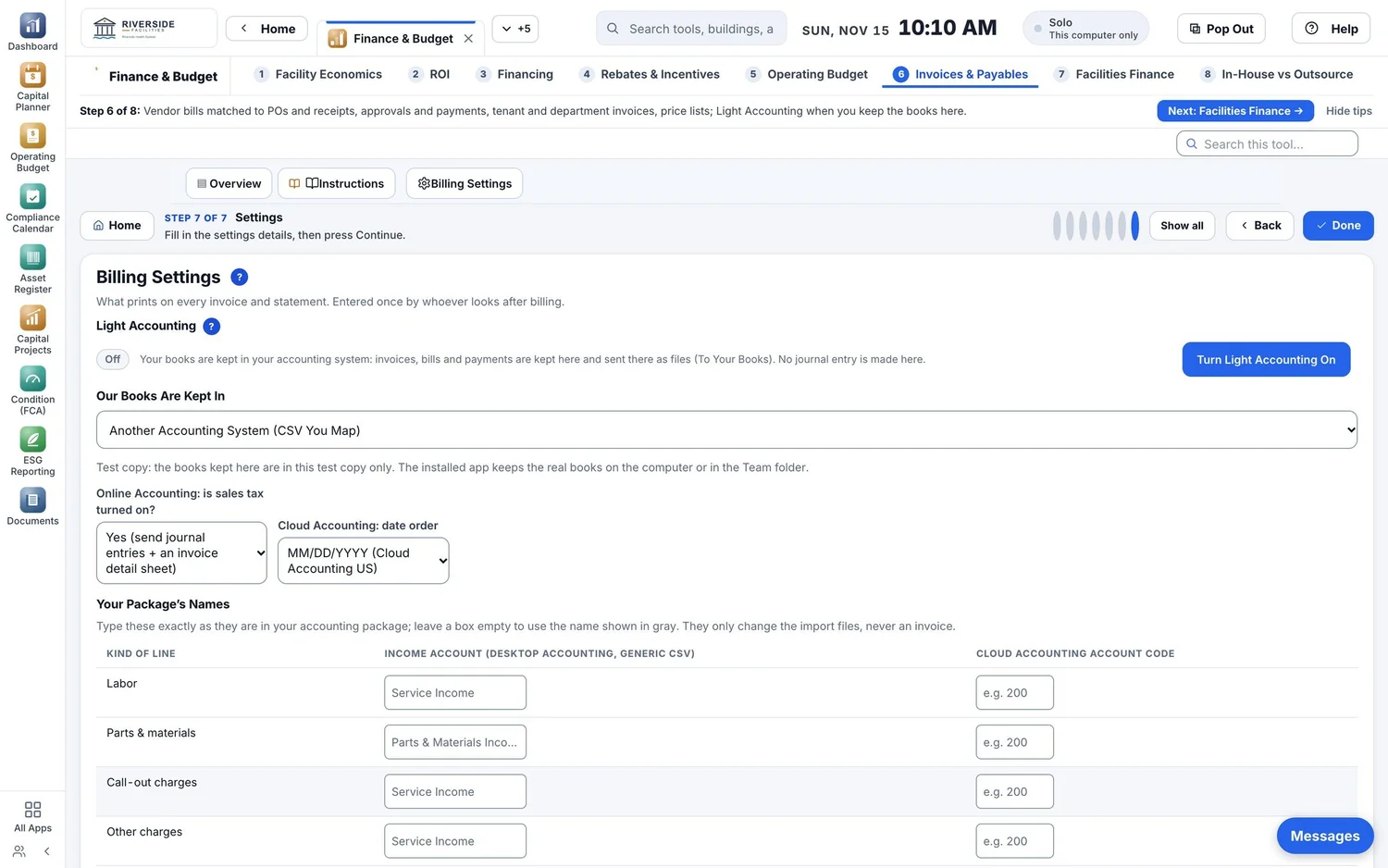
- Files for your accounting system, or optional light accounting kept here
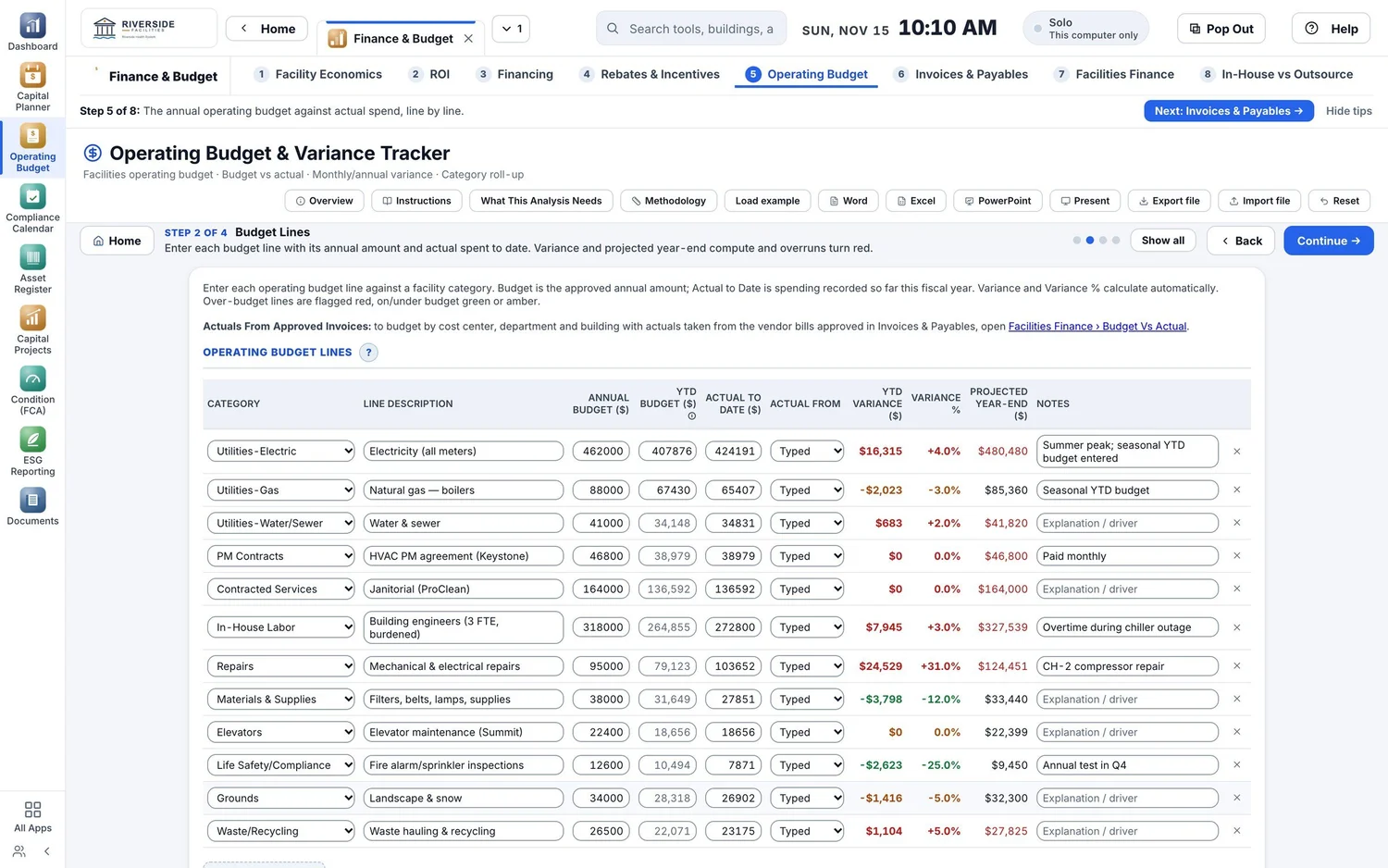
Budget Lines in Operating Budget & Variance: enter each budget line with its annual amount and actual spent to date. Variance and projected year-end compute and overruns turn red.
Facilities Finance
Budget against actual by cost center, department and building, the approval chain, chargebacks, capital project spend and the GL-coded export.
Learn MoreShow Less
Costs that cannot be charged back to the department that caused them come out of the facilities budget. Facilities Finance bills them, and controls who signs what.
- Sign-off levels come from the Purchasing approval thresholds
- Chargebacks by space, cost pool or utility share, split to the cent
- Cost pools split by a share table you set
- A Coding Check lists bill lines with no cost center or the wrong account
In-House vs Outsource
Fully loaded in-house cost against contracting the work out, including transition cost, oversight and hybrid models.
Learn MoreShow Less
Comparing a contract quote with a wage alone makes in-house work look cheaper than it is. The analyzer builds the full cost of both, so the make-or-buy choice is fair.
- Pull Actuals From Records: your last 12 months of work orders and contracts
- Each filled input says where its number came from
- A hybrid model priced beside in-house and outsourced
- A make-or-buy verdict naming the lowest-cost option
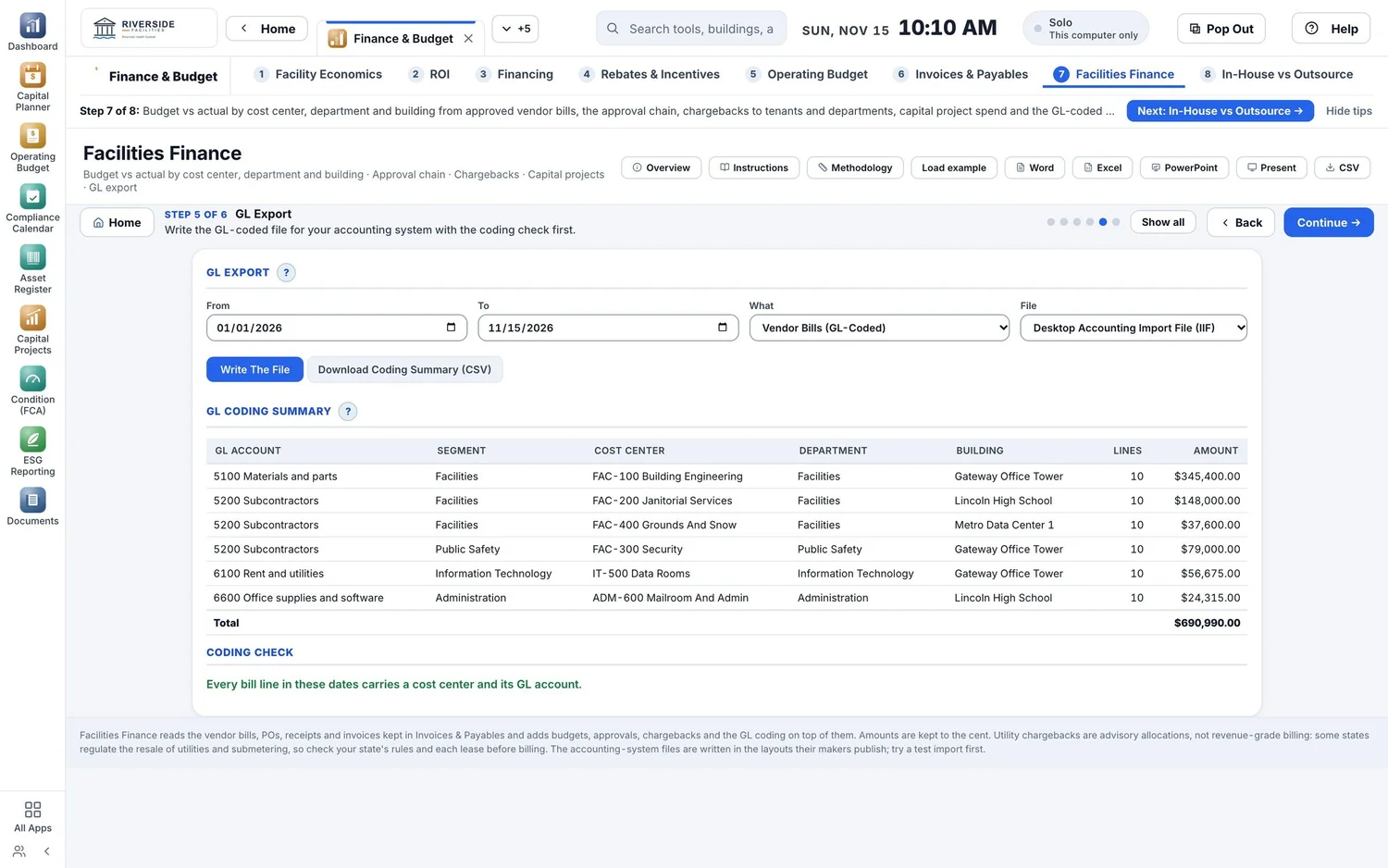
GL Export in Facilities Finance: write the GL-coded file for your accounting system with the coding check first.
Your Finance Office's Numbers, Entered Once
Financial Standards
Enter your discount rate, inflation, energy and construction escalation, analysis horizon, tax status, fiscal year, capitalization threshold and spending approval levels once. Each analysis starts from them only where its own field is blank, and a figure typed inside a step applies to that analysis only. Every figure ships blank: the software never invents a rate.
Staff and Service Rates
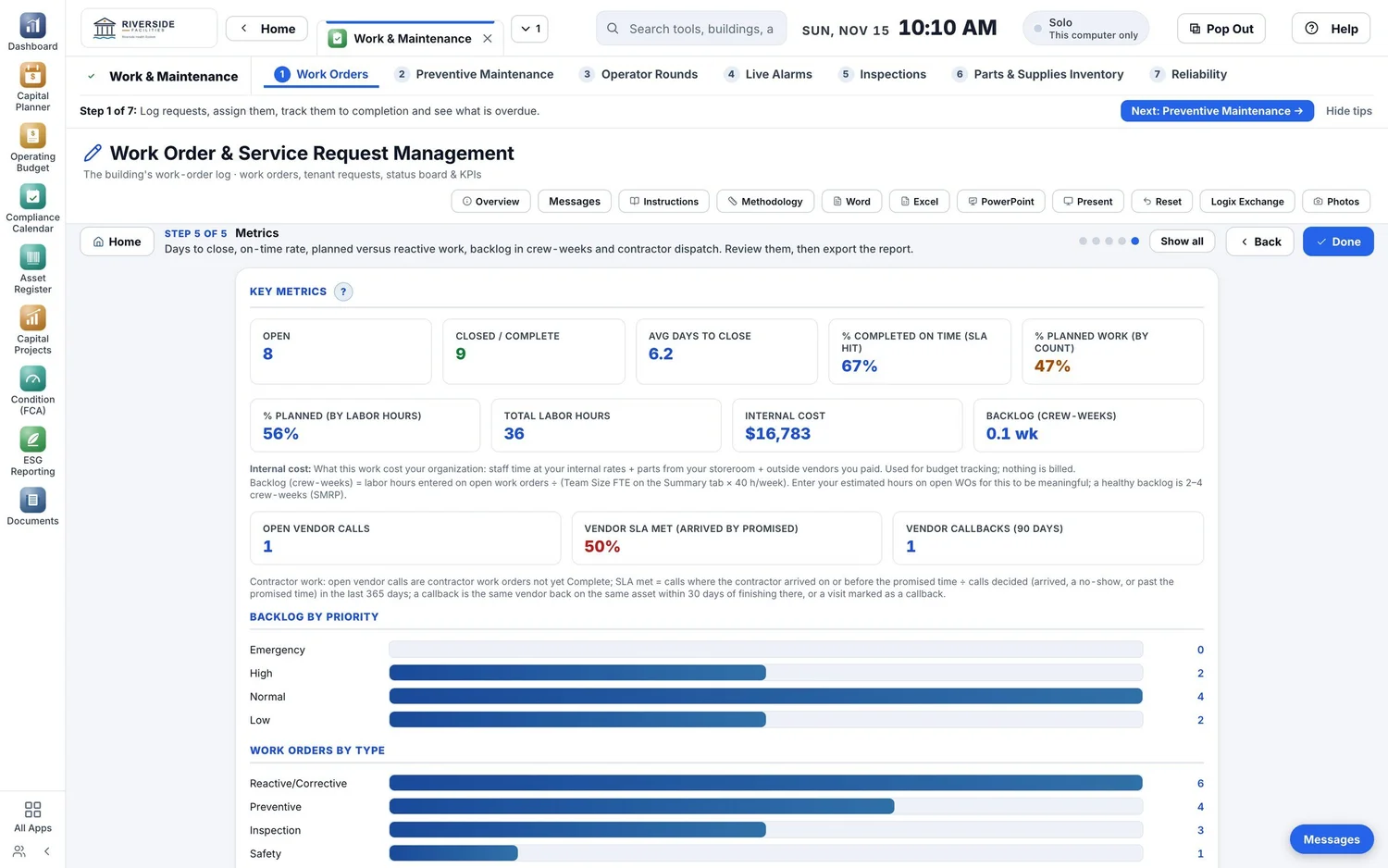
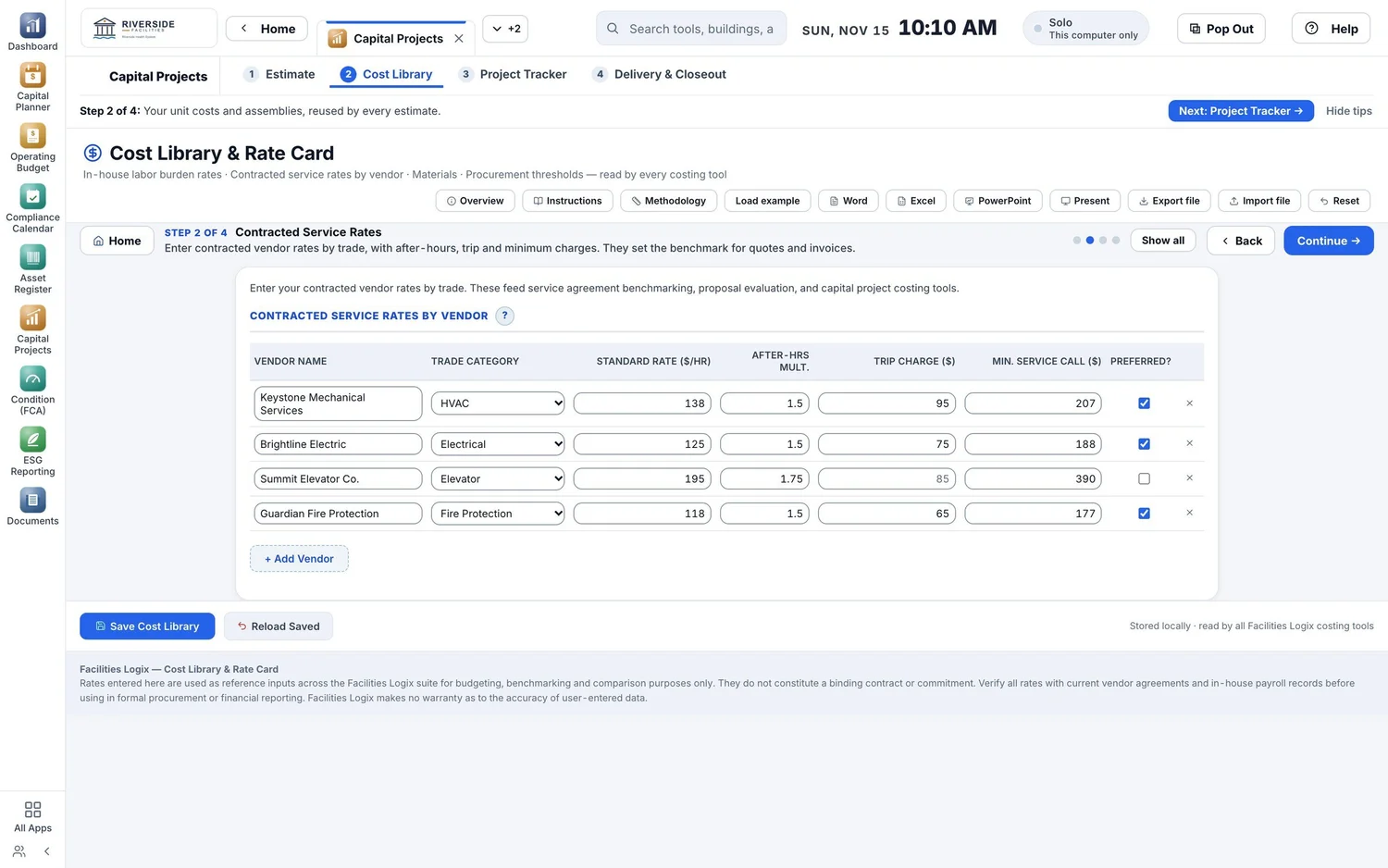
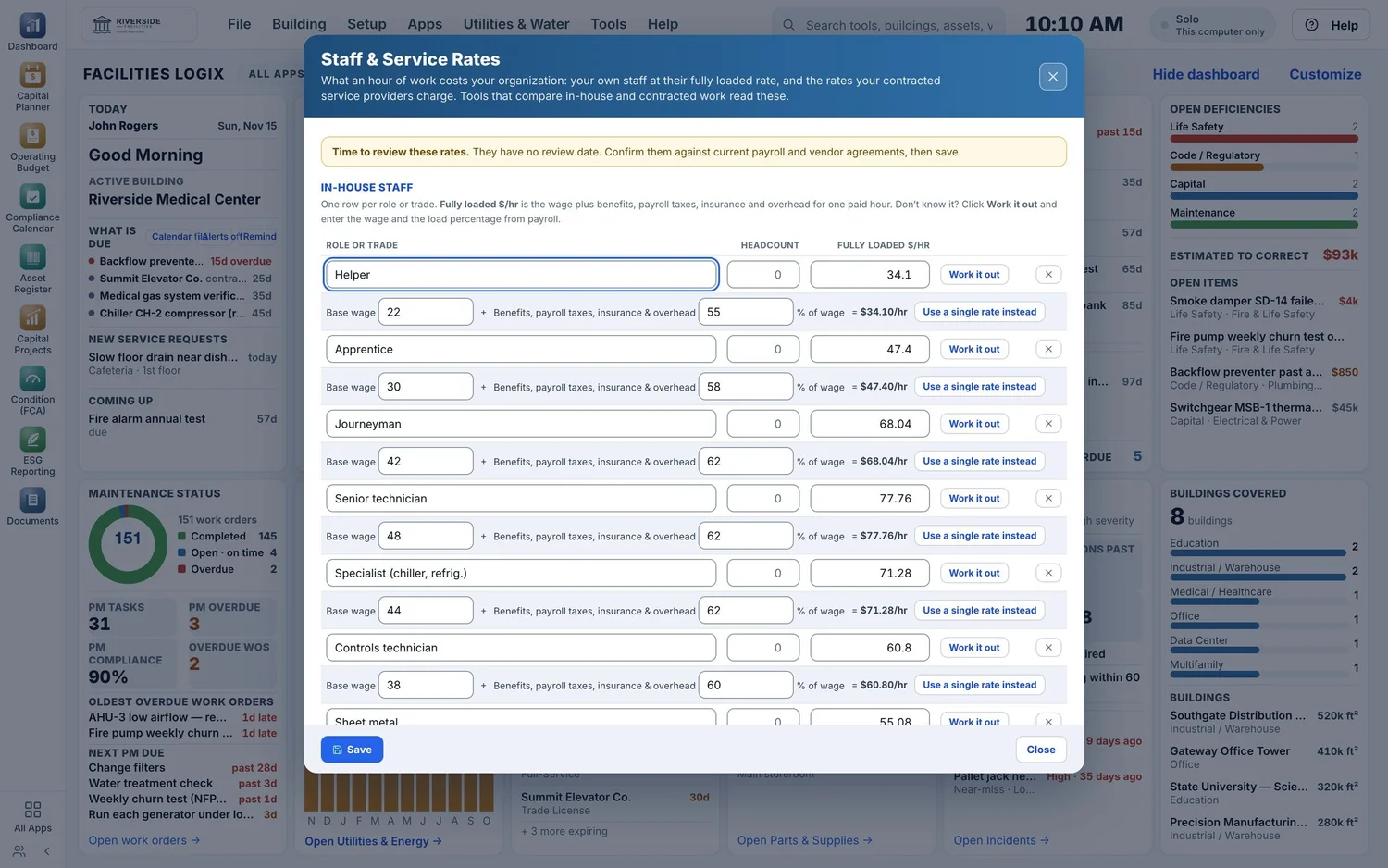
Record what an hour of work costs: each in-house role's fully loaded rate, and the contracted rates you pay by trade and vendor. Work order costs, the operating budget and the in-house versus outsource comparison all read them, and a reminder tells you when they are due for review.
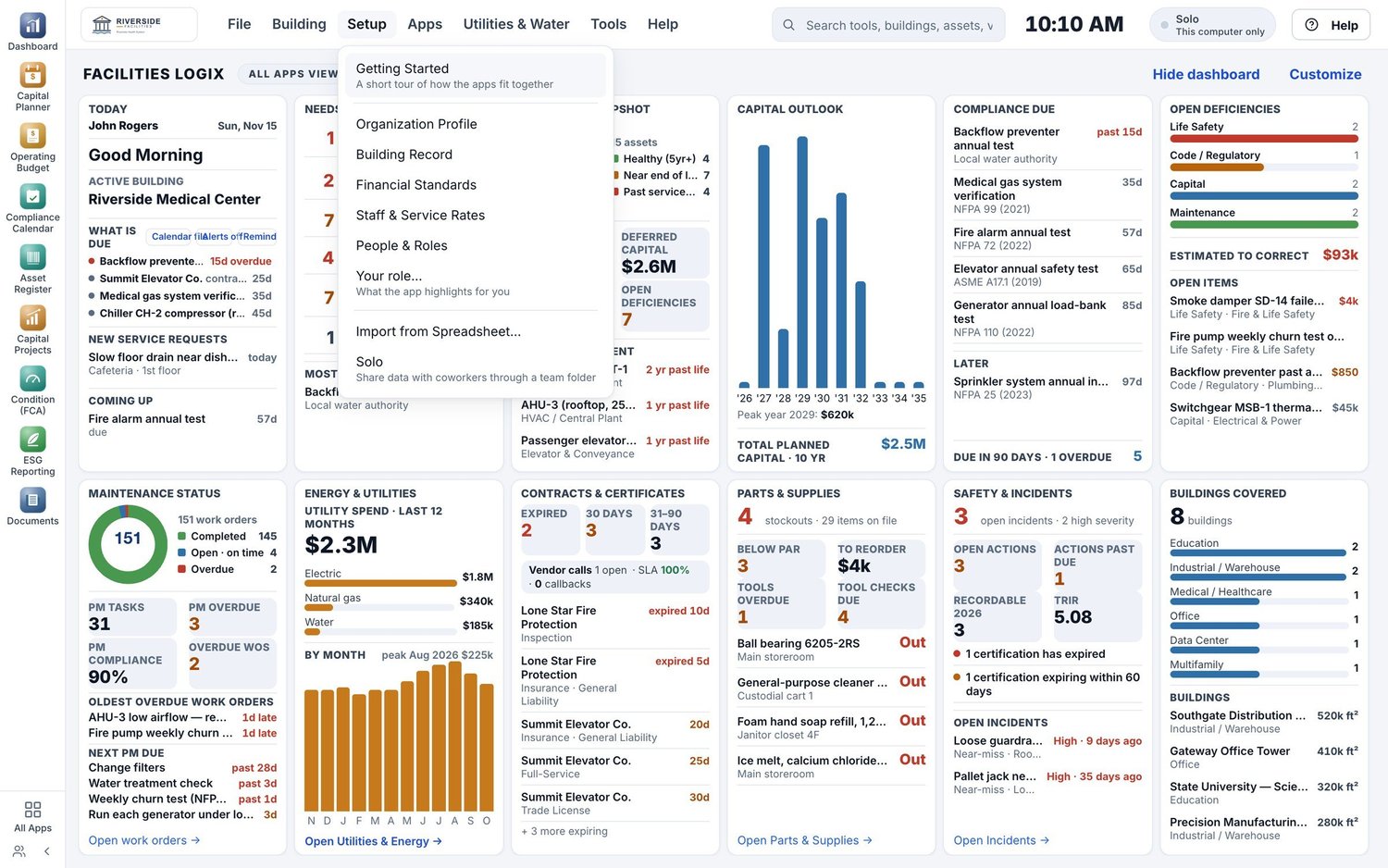
The Setup menu: organization profile, building record, financial standards, rates, people and the spreadsheet import.
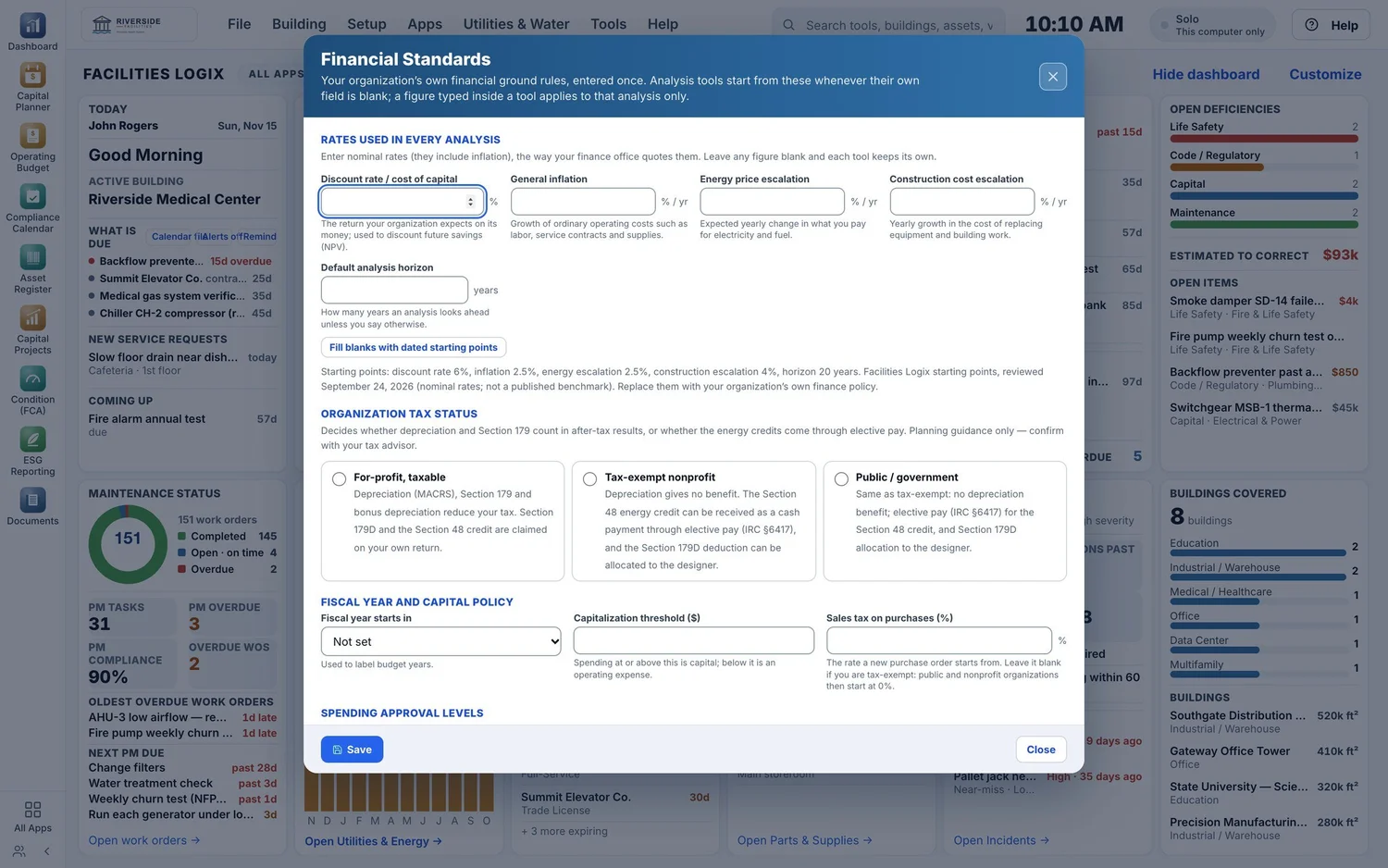
Each analyst using different discount and inflation rates makes reports disagree, so your finance office enters them once.
Three-Way Match and a Second Signature
Invoices & Payables
- Vendor bills matched to the purchase order and the receipt; a price or quantity difference needs a reason
- Approvals by limit with a second person
- Payments recorded against approved bills, and year-end 1099 totals
- Invoices to tenants, departments and other customers, each tied to its building
- Supplier price lists matched to Parts & Supplies items, with price history and Order From Price List
- Pay approved bills by check, numbered from the account, or by ACH bank file, with the positive-pay file for the checks; an expired insurance certificate or license, or a missing W-9, holds the payment
The Approval Chain
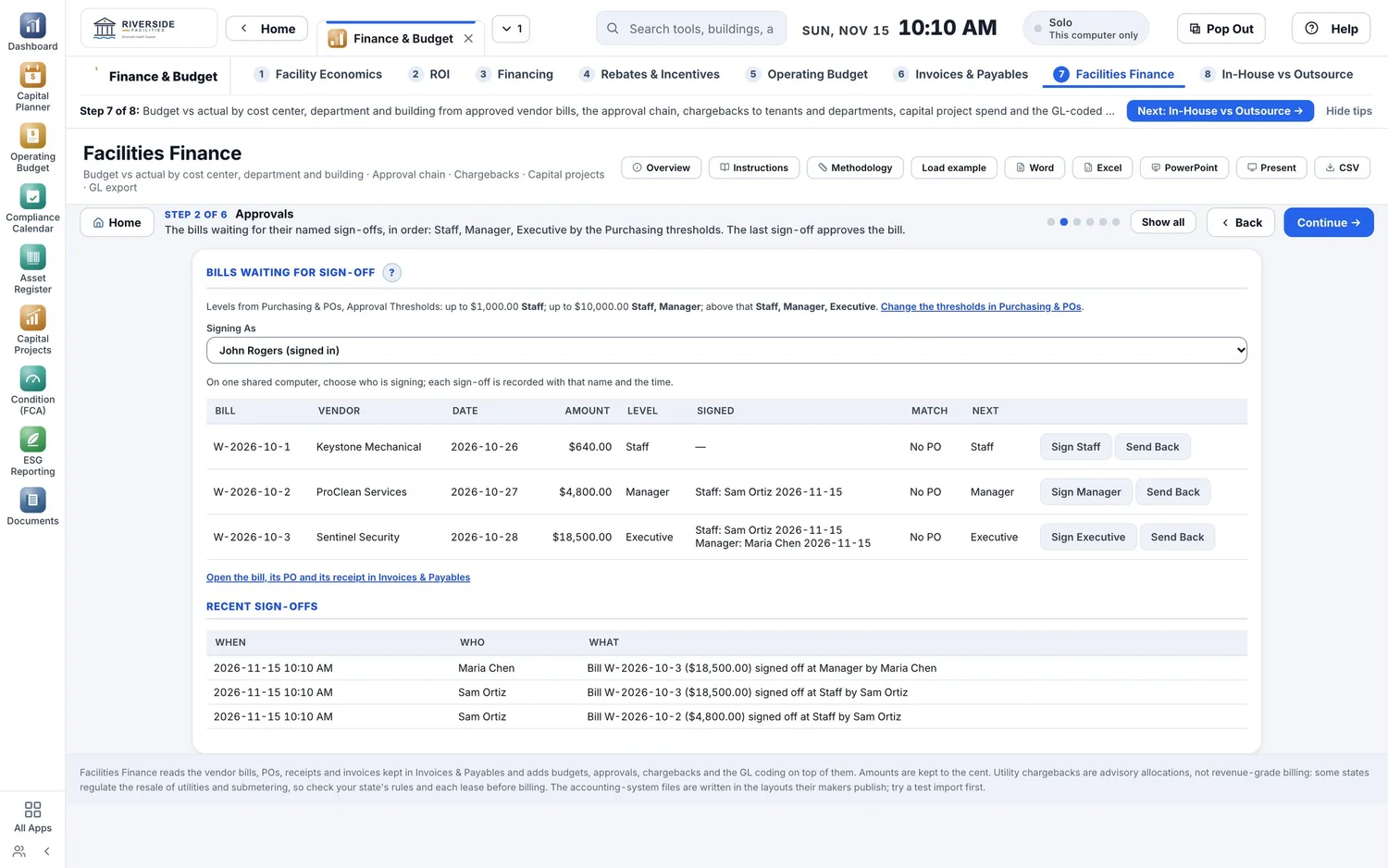
- Every bill waits until its last sign-off: staff, then manager, then executive, by amount
- Each sign-off is recorded with the person's name and the time
- The person who entered a bill signs no step, and nobody signs two steps of one bill
- Send Back clears the sign-offs and keeps the reason
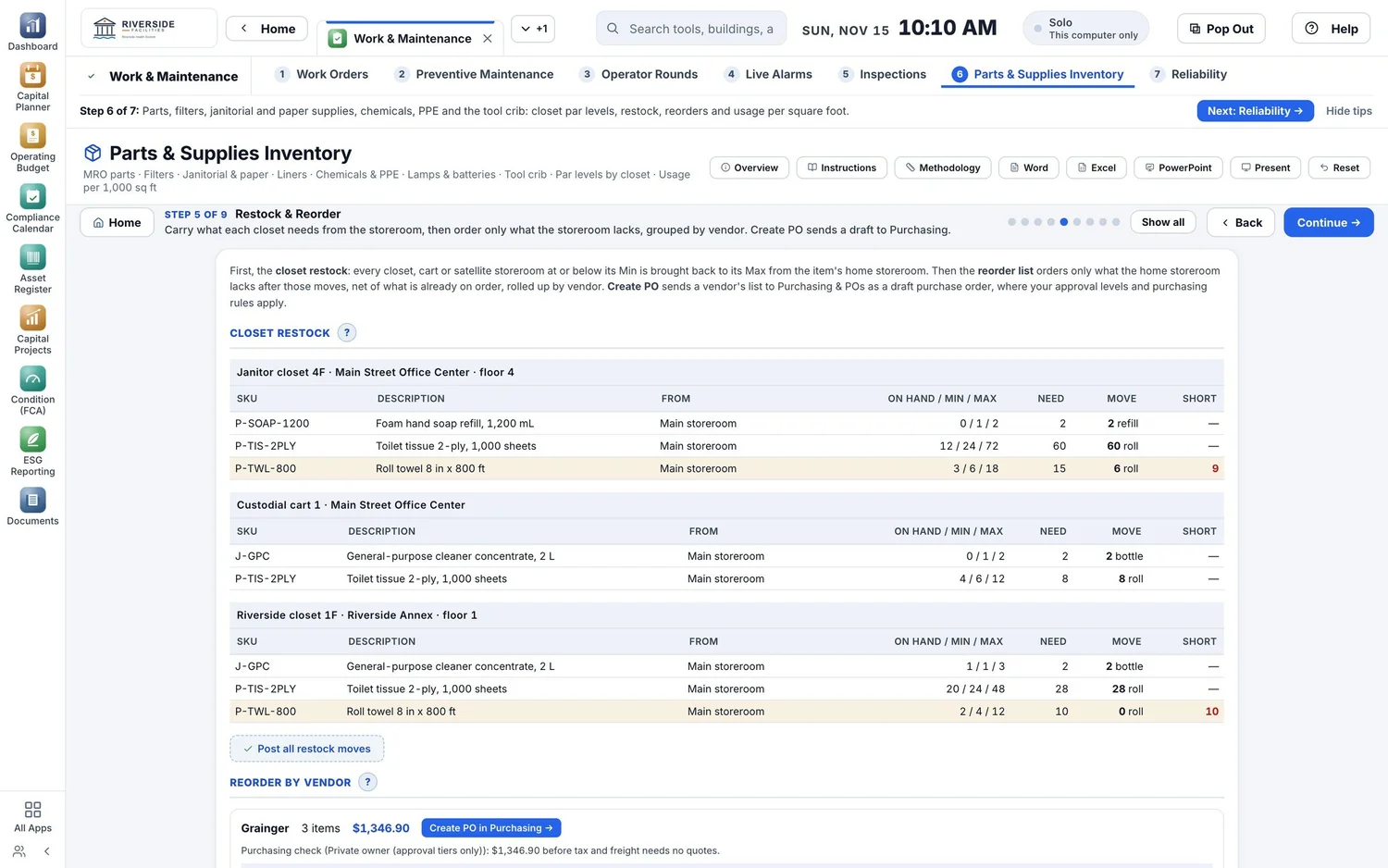
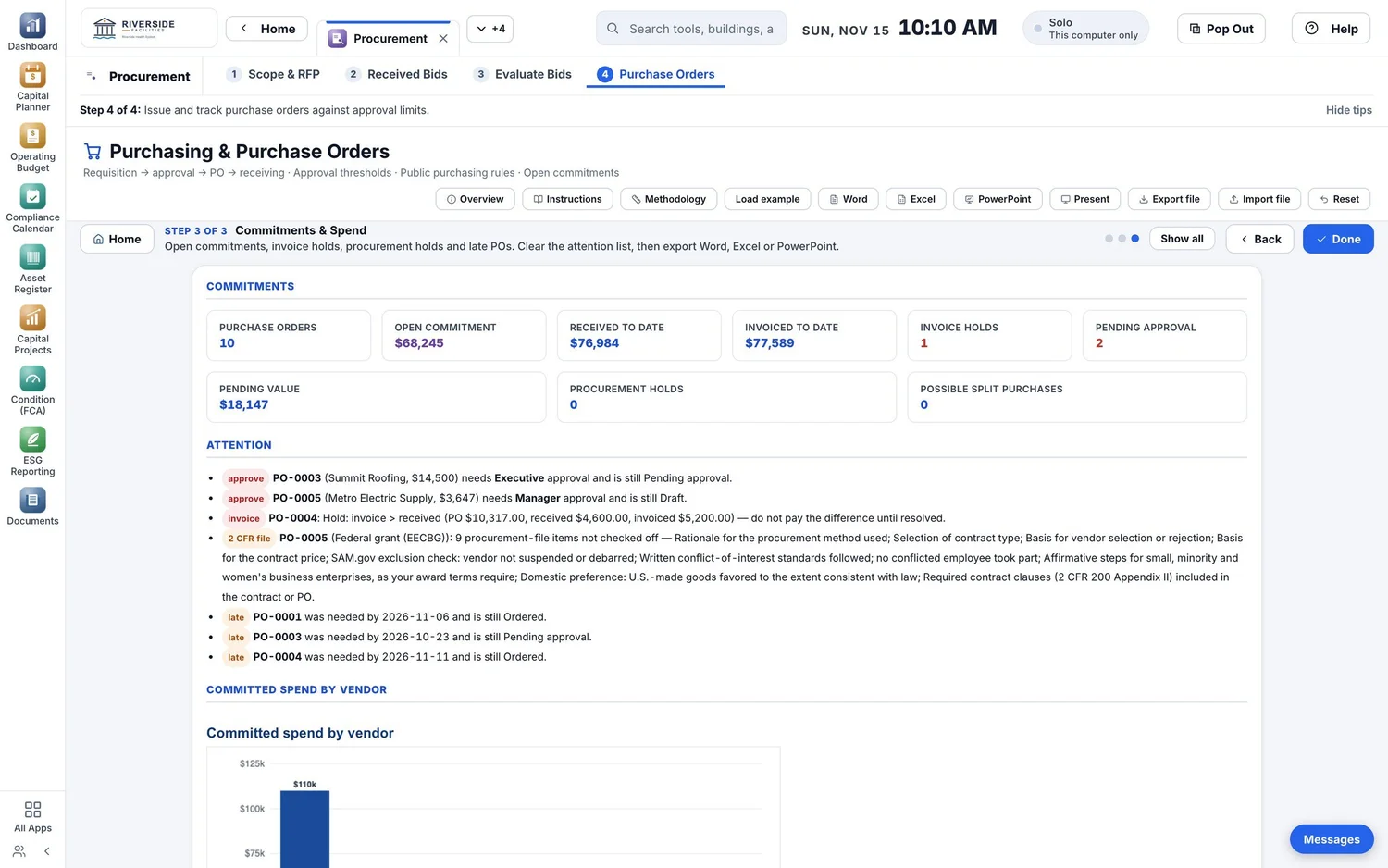
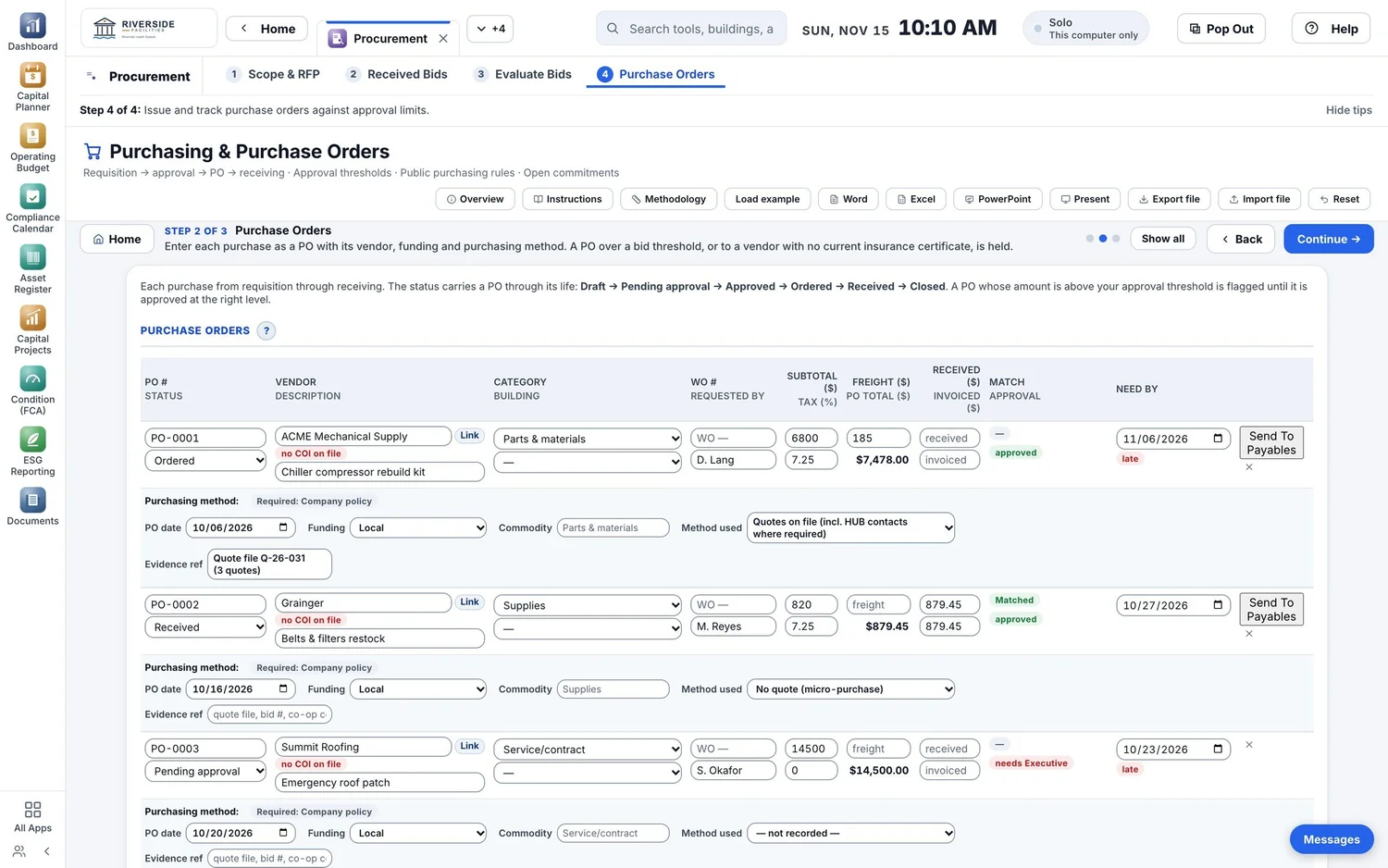
Restock & Reorder in Parts & Supplies Inventory: carry what each closet needs from the storeroom, then order only what the storeroom lacks, grouped by vendor. Create PO sends a draft to Purchasing.
To Your Books
- Export files for popular accounting packages and ERP systems, or a CSV you map
- A GL Coding Summary by account, department segment and cost center, and a Coding Check for lines with no cost center
- Optional Light Accounting, switched on by Leadership, keeps a general ledger, banking and reconciliation, month-end close and reports here
- With Light Accounting off, bills, approvals and invoices are kept and exported; no journal is kept
- With Light Accounting on, a guided year-end close: a checklist read from the books, a sign-off on each item and the closing entries
- Stale checks: checks still uncashed after a set number of days are listed at reconciliation, moved to unclaimed property, reissued when the payee turns up and reported by state
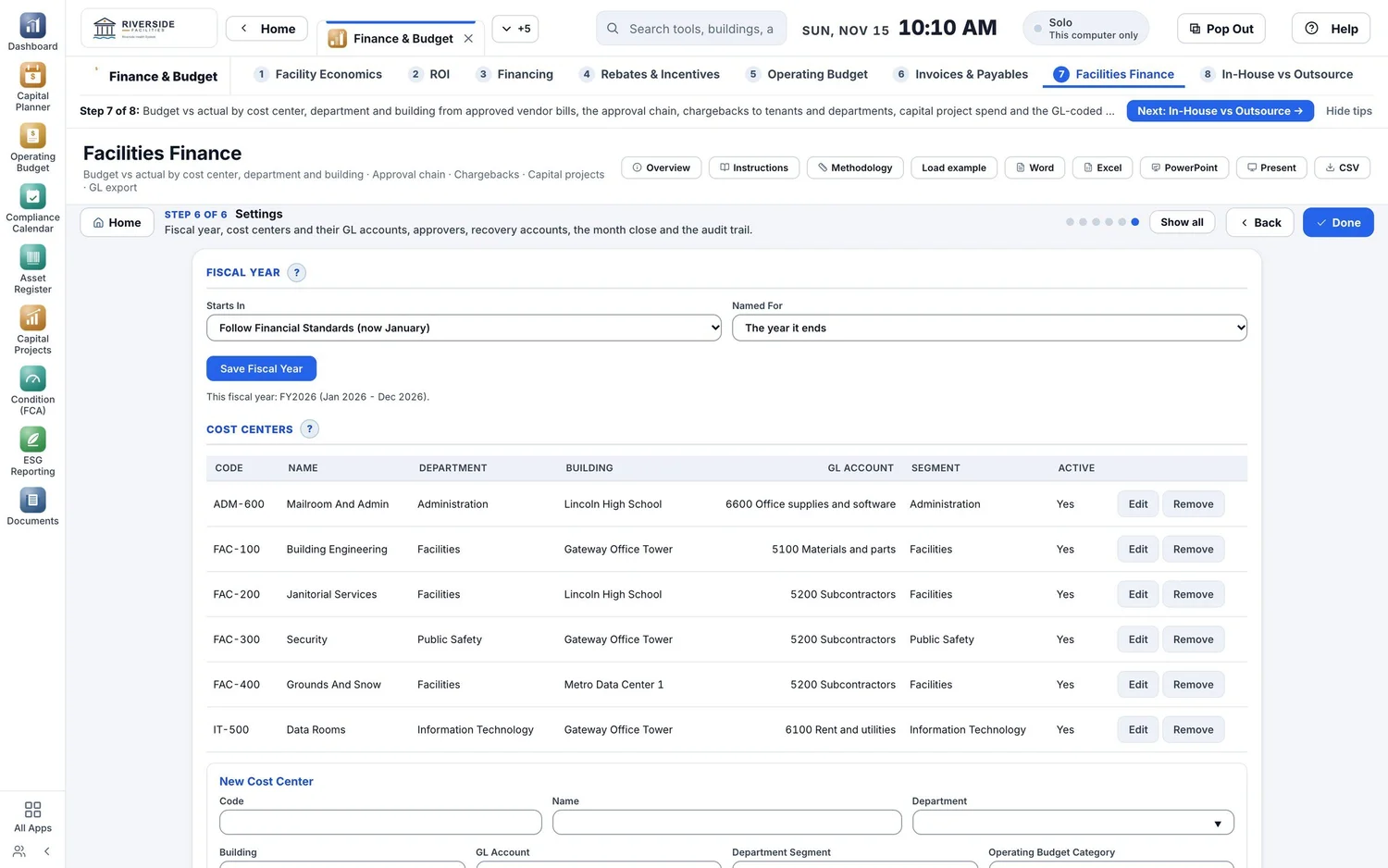
Settings in Facilities Finance: fiscal year, cost centers and their GL accounts, approvers, recovery accounts, the month close and the audit trail.
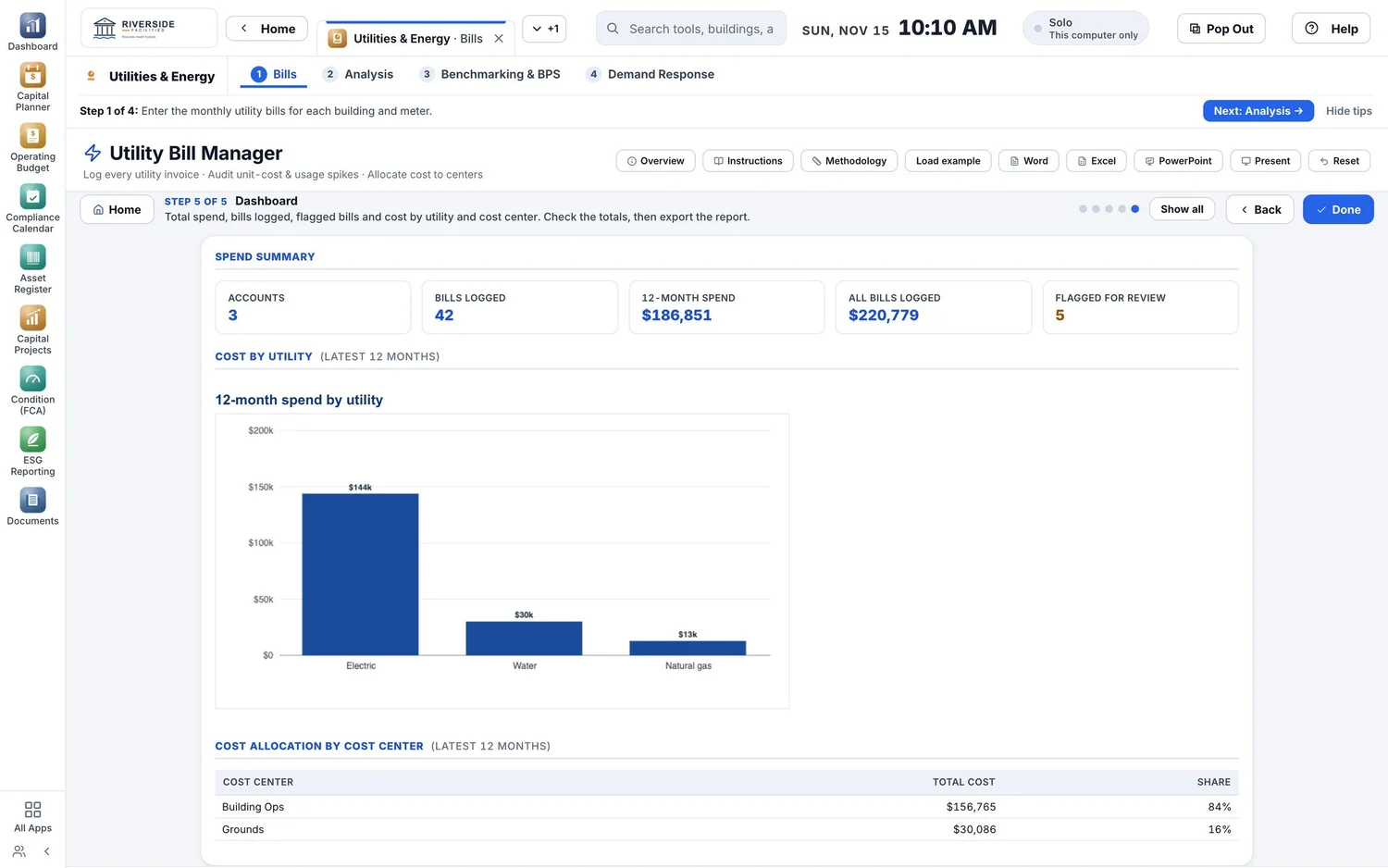
Budget Against Actual, by Cost Center, Department and Building
Budget vs Actual
Annual budget, budget to date, actual to date and variance for each cost center, with what is committed on open purchase orders and what is still available. Seasonal budgets by month are supported.
Learn MoreShow Less
Overspending caught at month end can still be corrected; caught at year end it cannot. Budget vs Actual shows the position by any roll-up you choose.
- Roll up by cost center, department, building or fiscal year
- Actual = approved vendor bills by bill date; a vendor credit subtracts
- Committed = issued POs: quantity ordered less billed, times unit price
- A By Month budget for seasonal costs
Roll Forward
Copy the year's budgets into the next fiscal year with an increase. A budget already there is never overwritten.
Learn MoreShow Less
Rebuilding next year's budget from blank costs days each year. Roll Forward starts it from this year's figures.
- One percentage increase applied across the budgets
- Fiscal years named by the year they end or the year they start
- Amounts kept in whole cents and split so the parts add up exactly
- An annual budget can be spread by month for seasonal costs
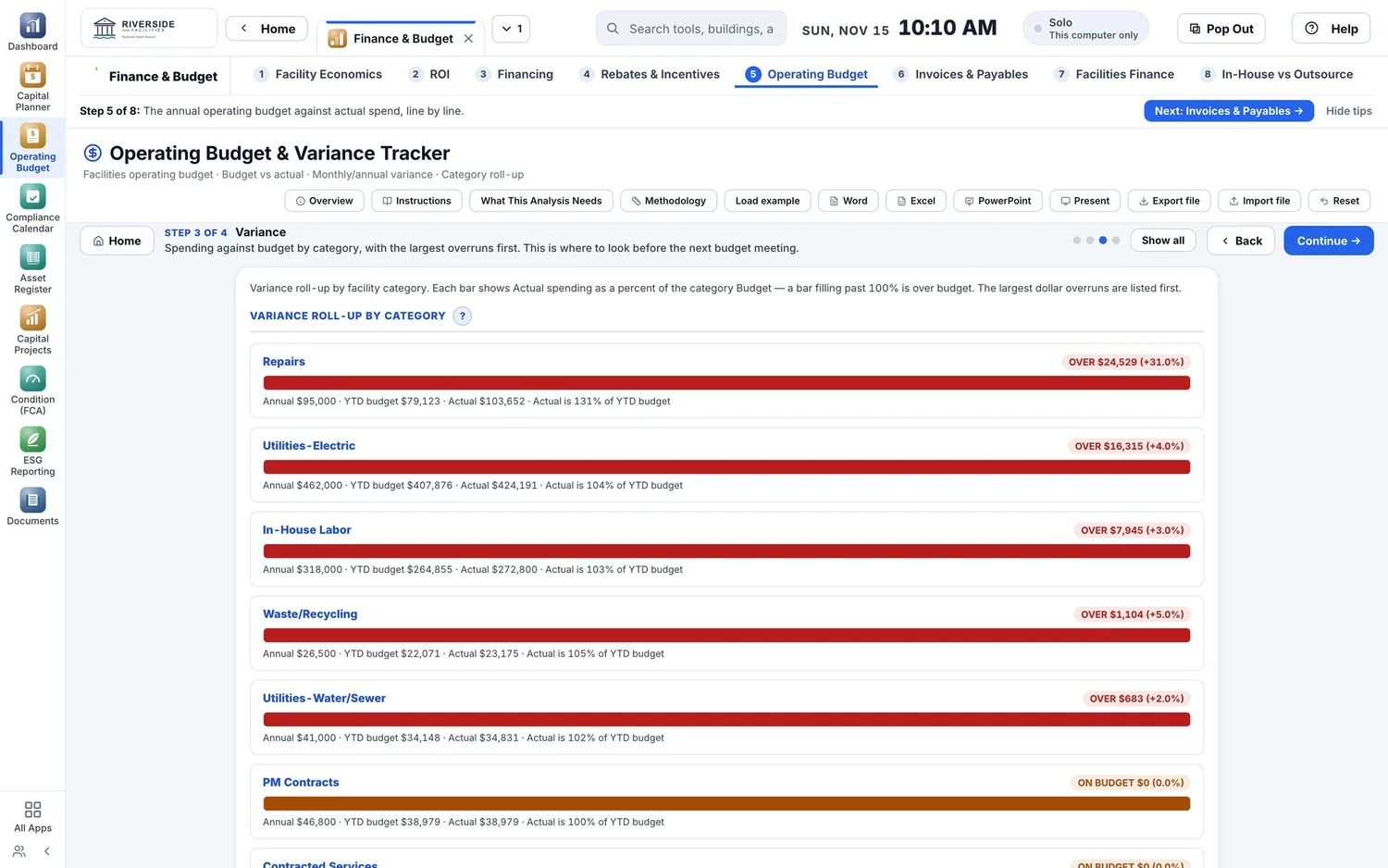
Variance in Operating Budget & Variance: spending against budget by category, with the largest overruns first. This is where to look before the next budget meeting.
Chargebacks
Bill tenants and departments for space, a shared cost pool or a building's utility shares. Shares always add up to the cost to the cent, and a month, source and customer is never billed twice.
Learn MoreMonth Close
A closed month takes no new chargebacks, budget changes or approvals of bills dated in it. Leadership reopens a month with a reason.
Learn MoreShow Less
Figures that move after the books are closed undermine every report built on them. Month Close locks the facilities layer so reported actuals stay put.
- Closing warns about bills dated in the month that are part way through sign-off
- The fiscal year start cannot change while months are closed
- Every reopening is logged with who, when, the reason and the month closed before
- A refused change says which month is closed and how to reopen it
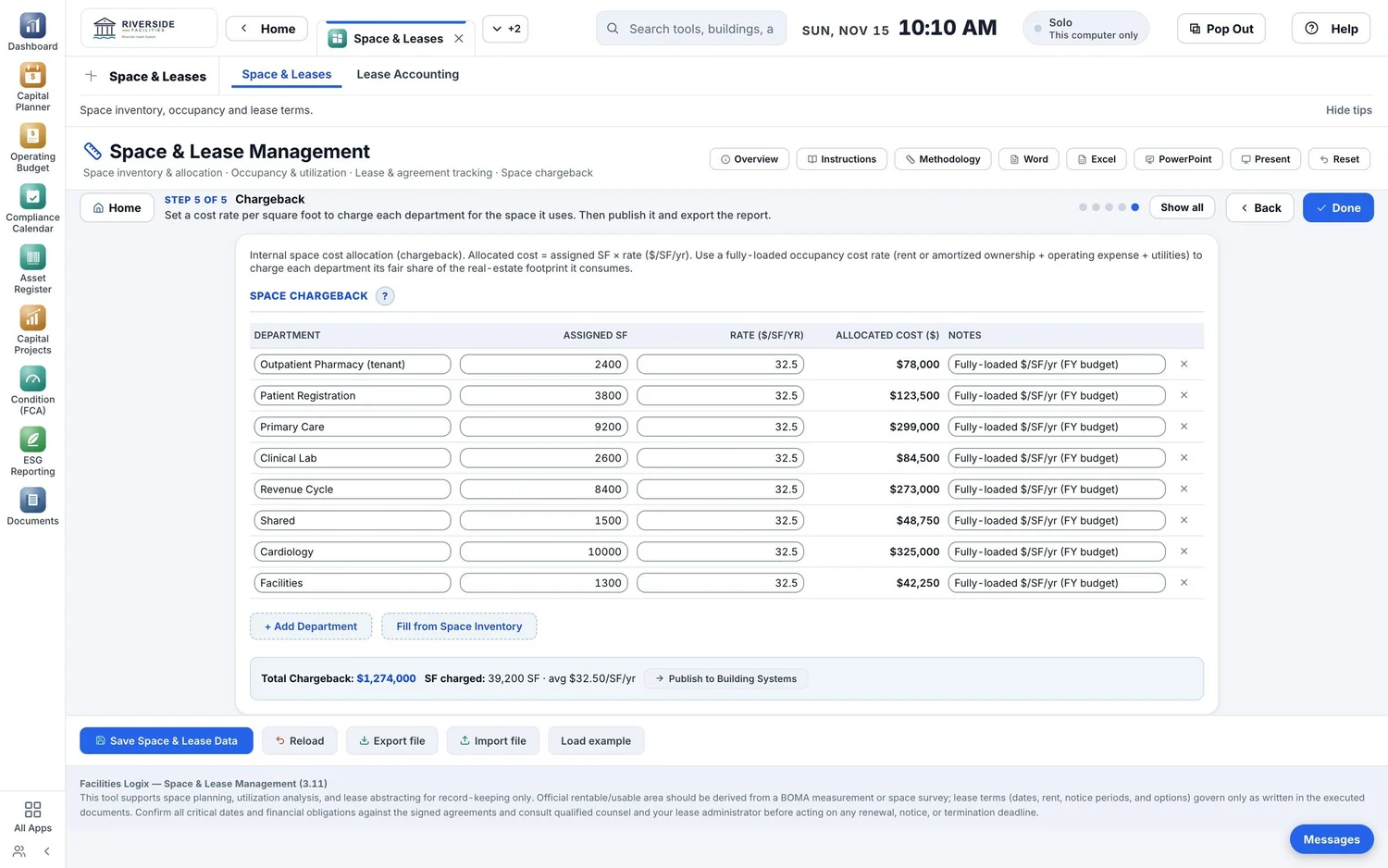
Chargeback in Space & Lease Management: set a cost rate per square foot to charge each department for the space it uses. Then publish it and export the report.
Audit Trail
Every change is recorded with who, when, and the value before and after.
Learn MoreShow Less
An auditor who cannot trace a change asks for more, and that costs staff time. The facilities finance layer records its own changes as they happen.
- Every sign-off logged against the bill it approves
- Send Back clears the sign-offs and keeps the reason
- Budget, chargeback, coding and close changes all logged
- The organization-wide change history can be checked for gaps and saved as CSV
Capital Project Spend
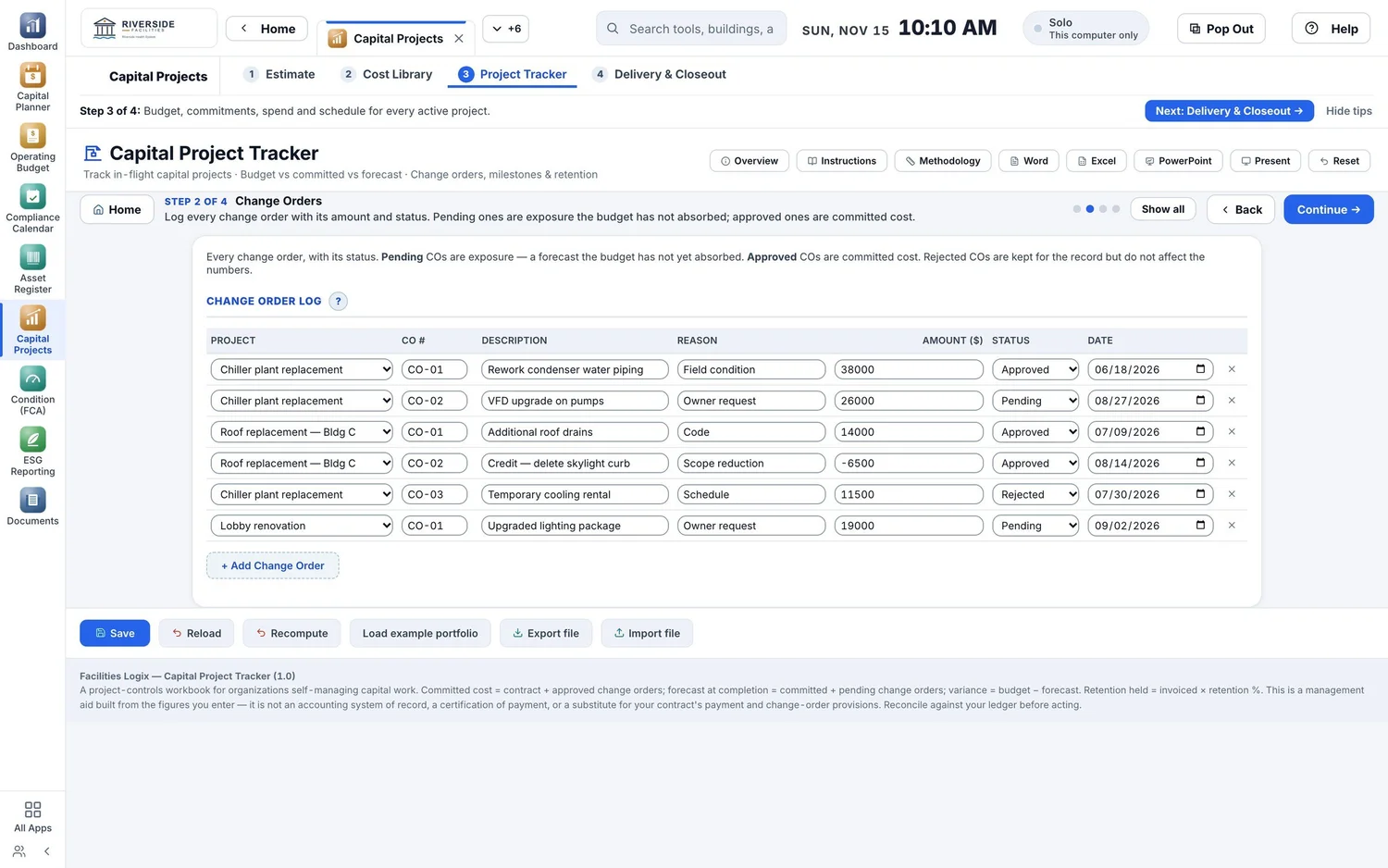
Each project's budget plus approved change orders, committed, billed, paid and remaining, from purchase orders and bills coded to the project.
Learn More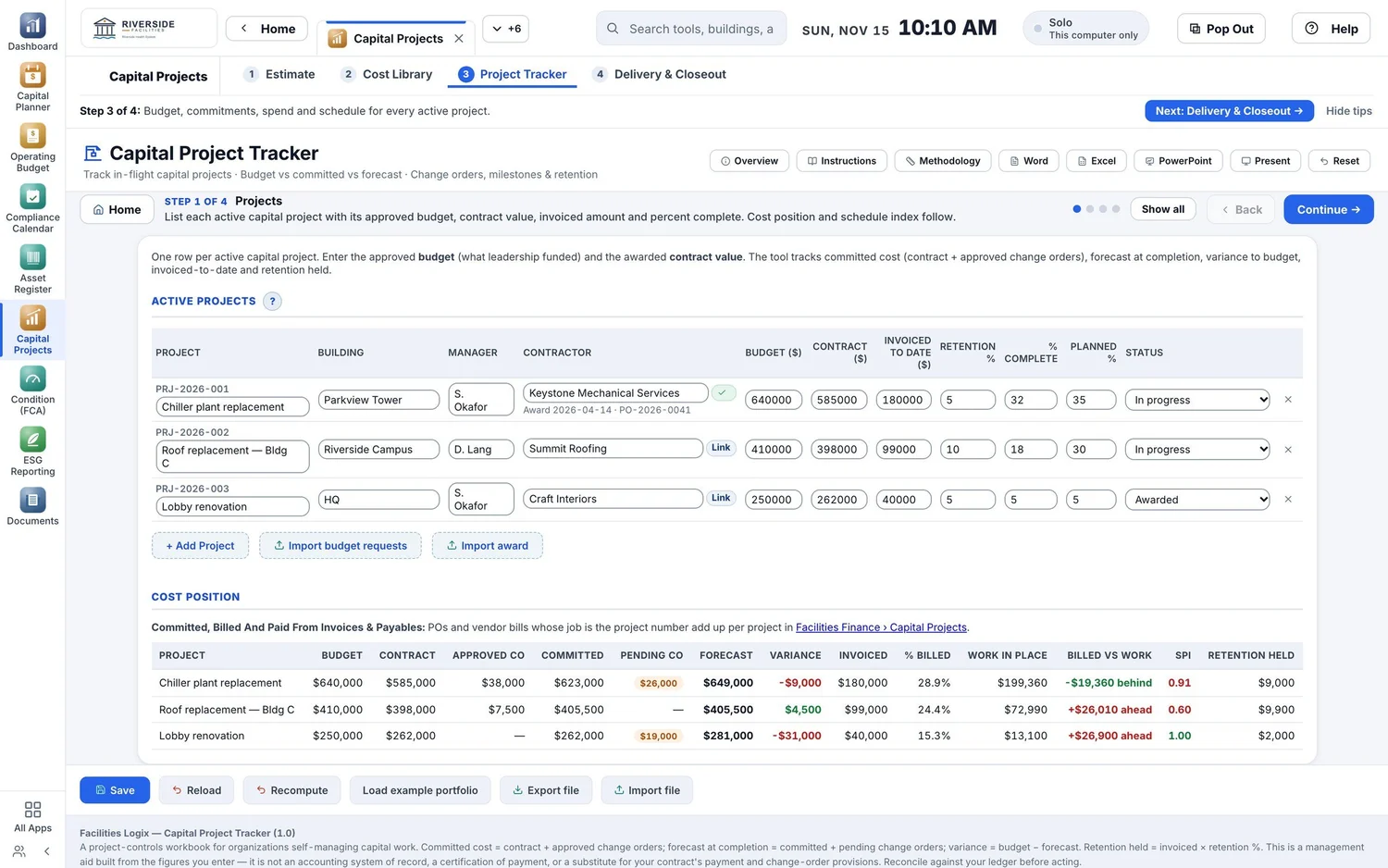
Projects in Capital Project Tracker: list each active capital project with its approved budget, contract value, invoiced amount and percent complete. Cost position and schedule index follow.
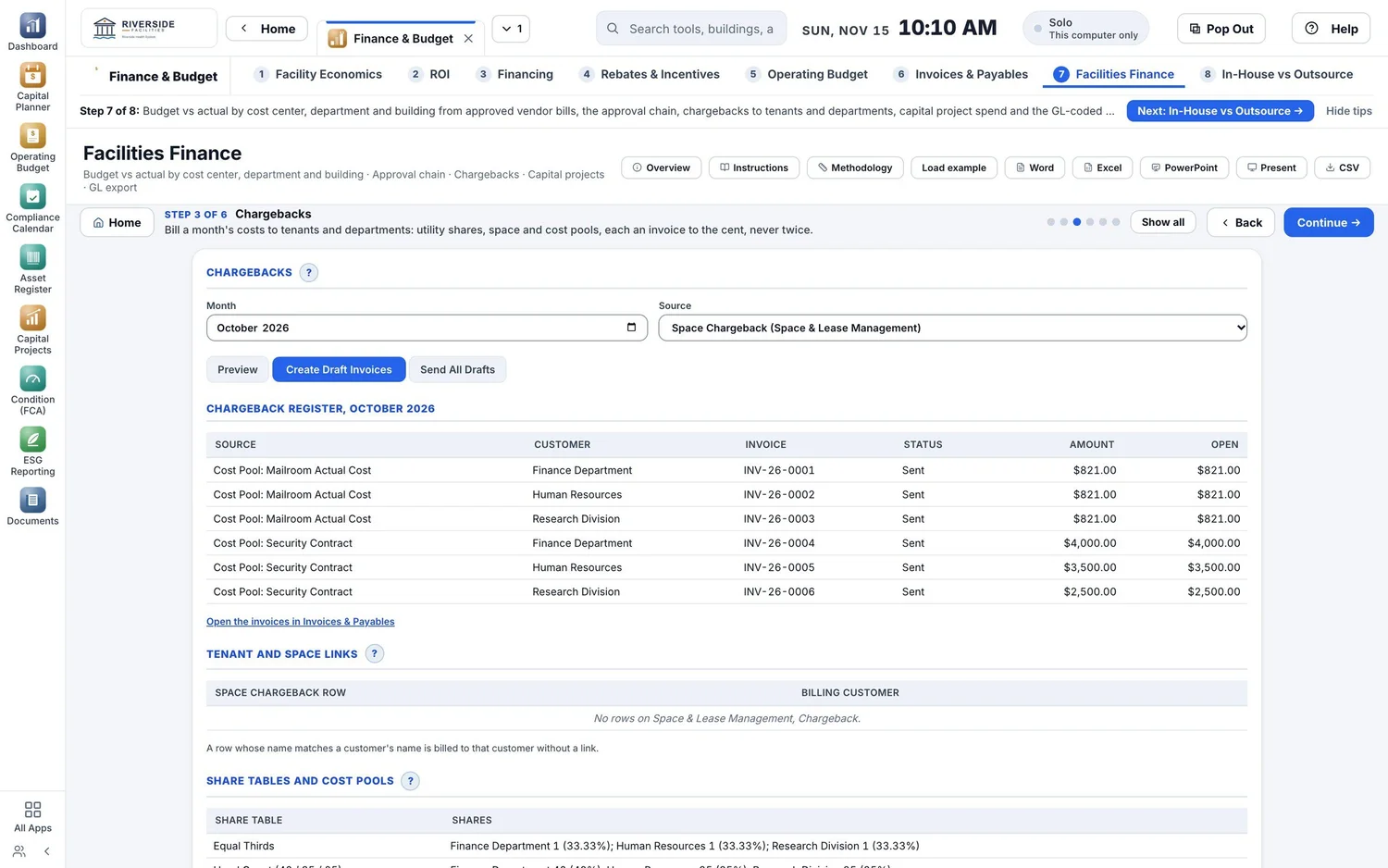
Departments dispute shared costs at year end, so chargebacks are split the same way every month by cost center.
Know What Your Own Team Really Costs
In-House vs Outsource
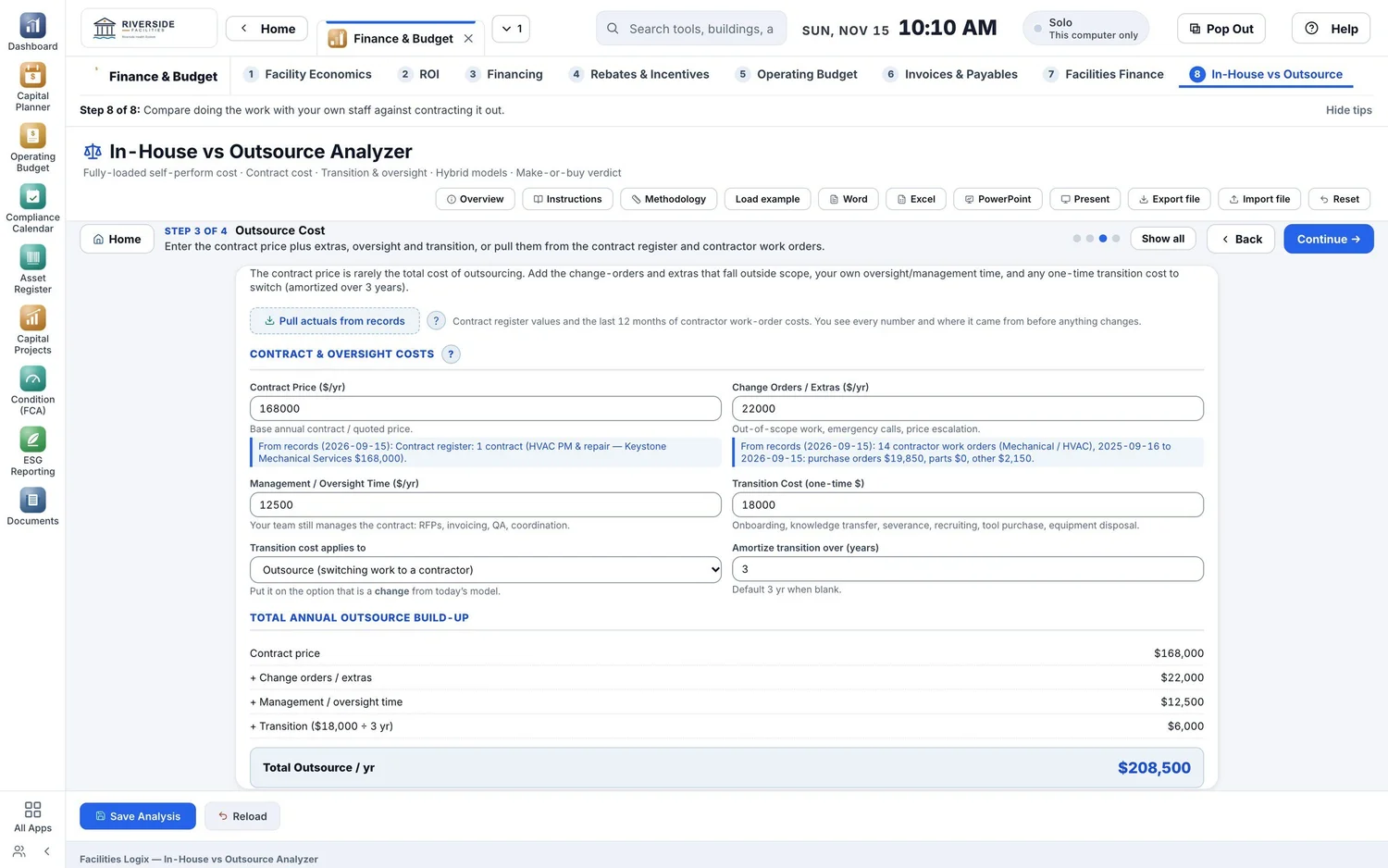
Compare doing the work with your own staff against contracting it out. Pull Actuals From Records fills the outsource side from what you really spend: the contracts for the trade and the contractor work orders of the last twelve months. Each filled input shows where its number came from, and nothing changes until you accept it.
Agreements and Renewals
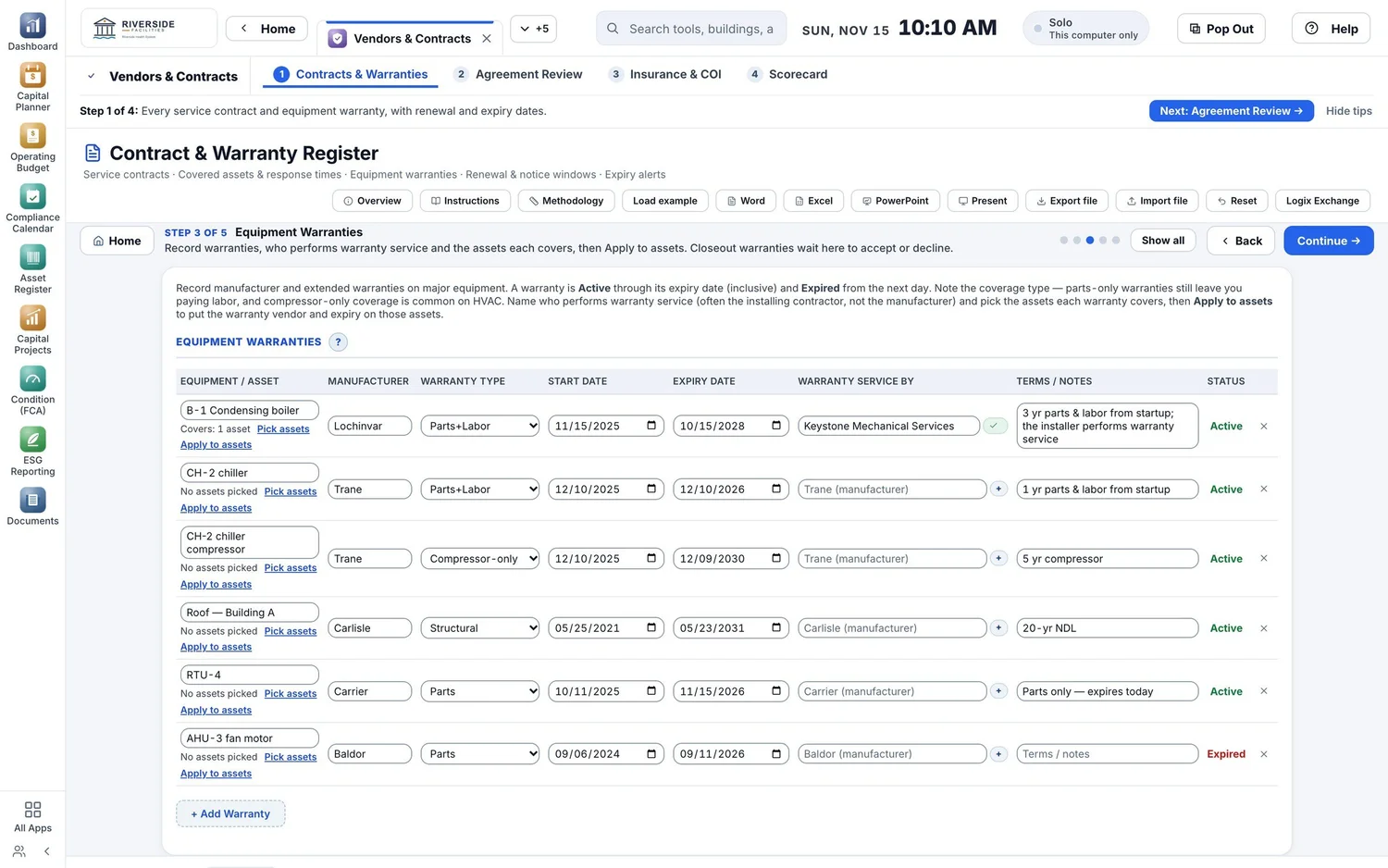
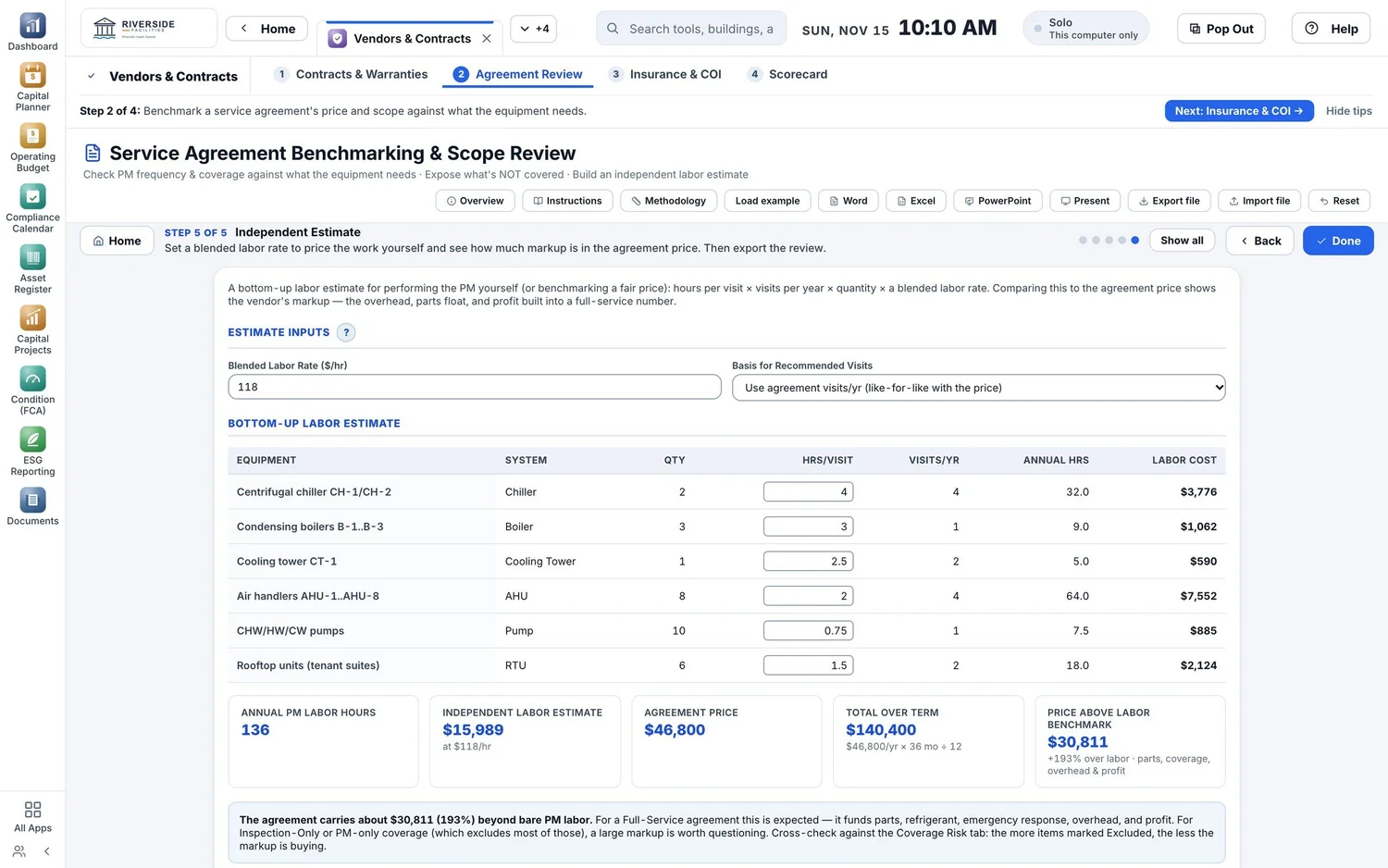
Use the result alongside the service agreement review in Vendors & Contracts, so a renewal conversation starts with a labor estimate from your own hours and rates and your own cost of doing the work.
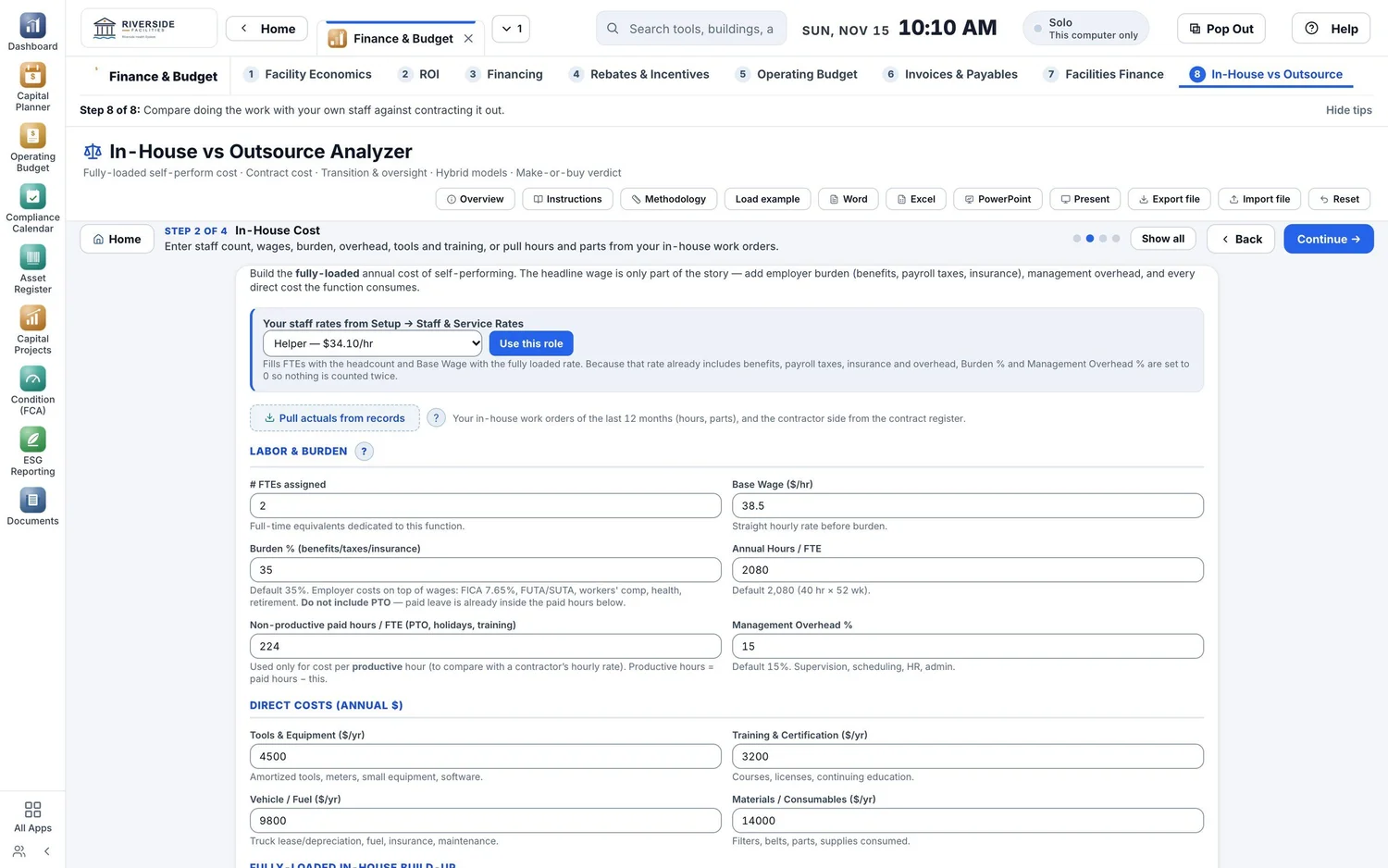
In-House Cost in In-House vs Outsource Analyzer: enter staff count, wages, burden, overhead, tools and training, or pull hours and parts from your in-house work orders.
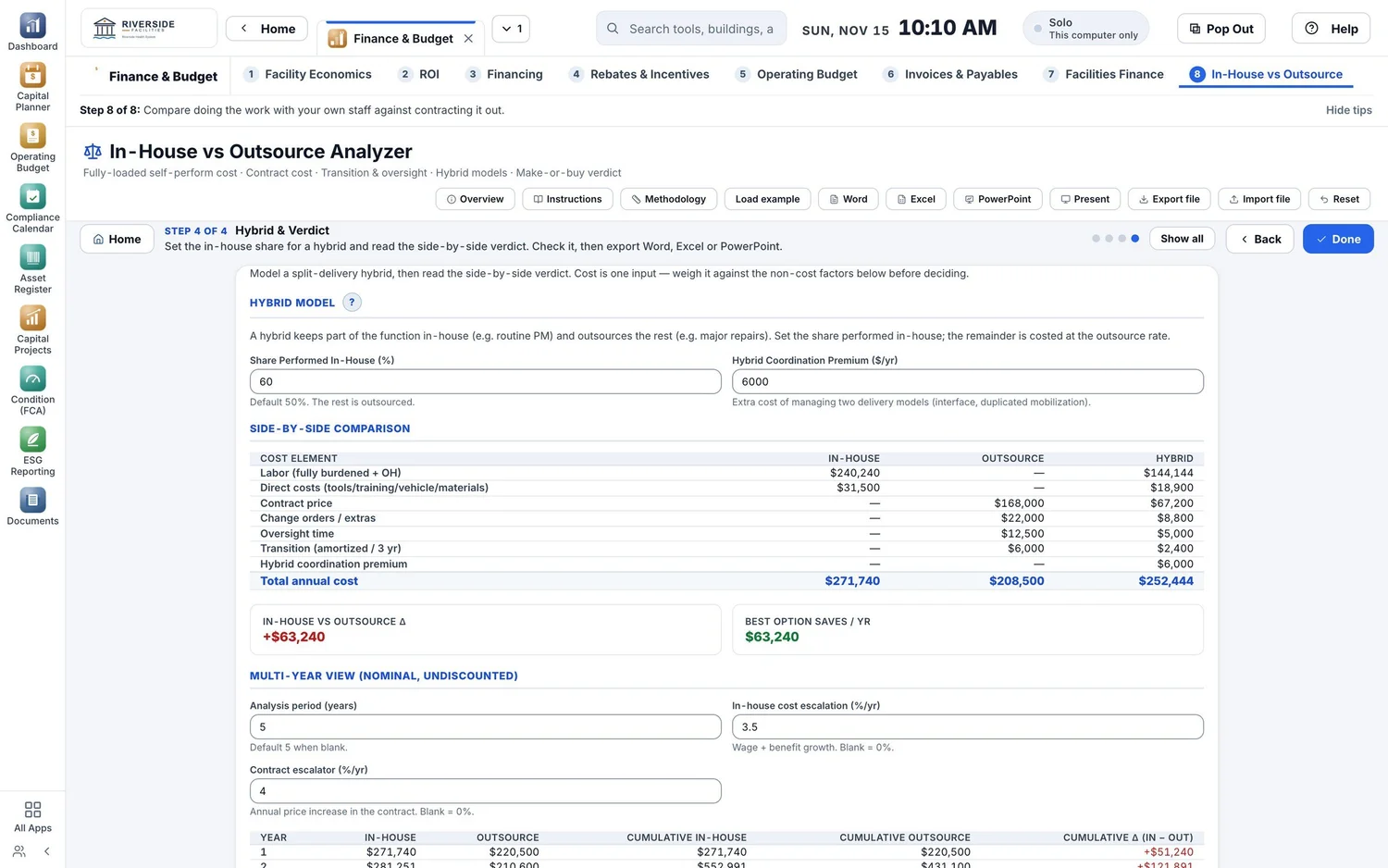
Outsourcing decisions rest on guesses about staff cost, so the comparison uses what your team and contracts really cost.
Frequently Asked Questions
Does Facilities Logix replace our accounting system?
Where do the actuals in the operating budget come from?
Are the financial results advice?
Can utility costs be charged back to tenants?
Be First When Facilities Logix Opens
Stop chasing building records across spreadsheets and binders. Join the list and we will tell you the day downloads open, with setup guides ready.
Launching early 2027 for Facilities Logix. Nothing to buy today, and no sales calls.
