
Marketing That Runs on the Work You Have Already Done
Most contractors cannot say which marketing dollars brought in work. Marketing in HVAC Logix sits inside Pipeline Command and answers that from your own records. It reads the same accounts, equipment, work orders and invoices as the rest of the company, so a campaign list, a case study or a return figure comes from your records, not from a second database.
Launching Early 2027 · Join the Early-Access List
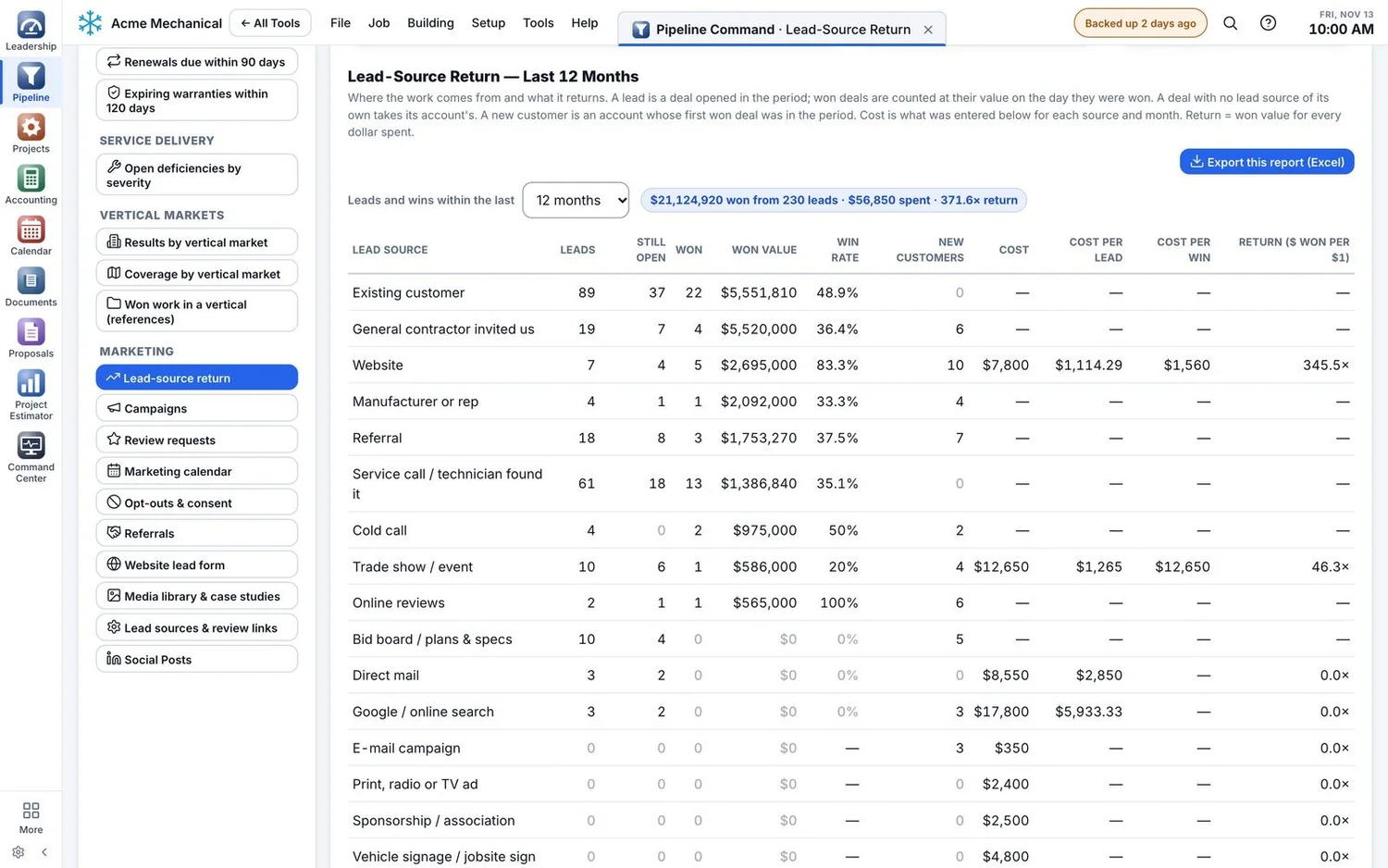
Know What Each Lead Source Returns
A Source on Every Deal and Account
Every deal and every account takes one lead source from the company's own pick list, and Save asks for it when it is missing. A deal with no source of its own counts under its account's.
Learn MoreShow Less
Marketing money spent without knowing what it brought in is money you cannot defend or cut. One source on every deal makes the return measurable from day one.
- The pick list is the company's own; untick a source to stop offering it.
- Records that used a retired source keep it, so history stays true.
- The New Lead box asks for the source too.
- The quiet autosave keeps your typing while Save waits for the source.
The Lead-Source Return Report
By source, for 3, 6, 12 or 24 months: leads opened, still open, won, won value, win rate, new customers, cost, cost per lead, cost per win, and won value per dollar spent. Enter what each source cost each month under the report.
Learn MoreShow Less
Shift spend from sources that cost money to the ones that bring in won work. The report puts a dollar return beside each source.
- New customers count accounts whose first won deal fell in the period.
- Deals with no source are listed last as Not Recorded.
- A cost entry removed needs a reason and stays in the history.
- Exports to Excel like every report.
Deals with No Source
A list of the open and won deals that have no lead source, so the gaps in the report can be fixed in a few minutes.
Learn MoreShow Less
A return report with holes points spend at the wrong source. The list gets the gaps fixed so the numbers can be trusted.
- Sits beside the Lead-Source Return report.
- Covers open and won deals, the ones that move the return figures.
- A deal fixed here also fills its account's view, since deals with no source count under the account's.
- Save asks for a source on new records, so the list stays short.
Referrals and Rewards
Record who referred which deal and set the reward rule, a set amount or a percent. A reward is owed once the deal is won, and Record It Paid notes how it was paid.
Learn MoreShow Less
Referred customers are the cheapest work you win, and a reward paid late or forgotten stops the next referral. The program tracks who is owed what.
- The reward rule lives with your lead sources and review links.
- A reward becomes owed only when the referred deal is won.
- Record It Paid asks how it was paid, for the record.
- Referral asks also go out from thank-you notes to customers who score you 9 or 10.
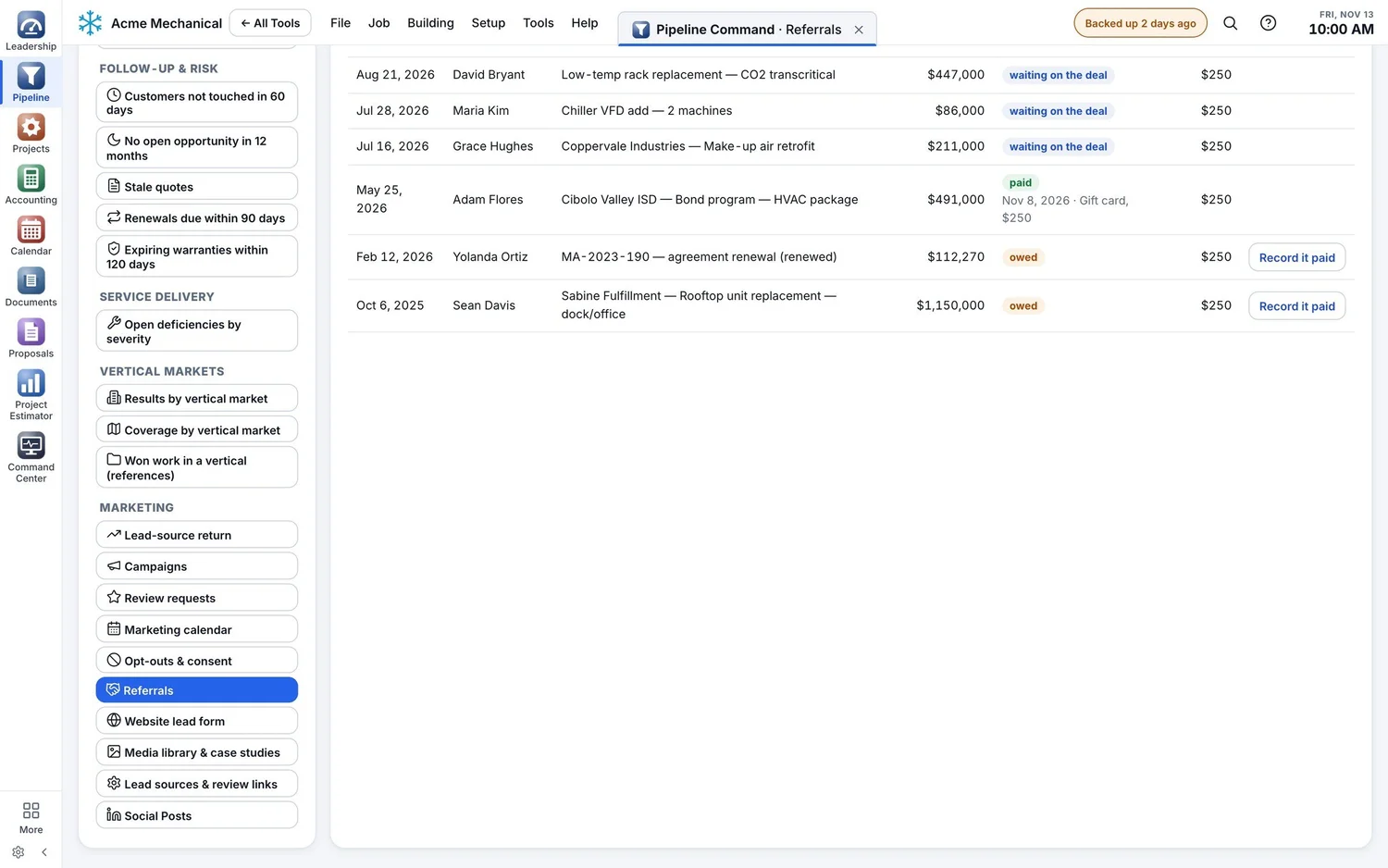
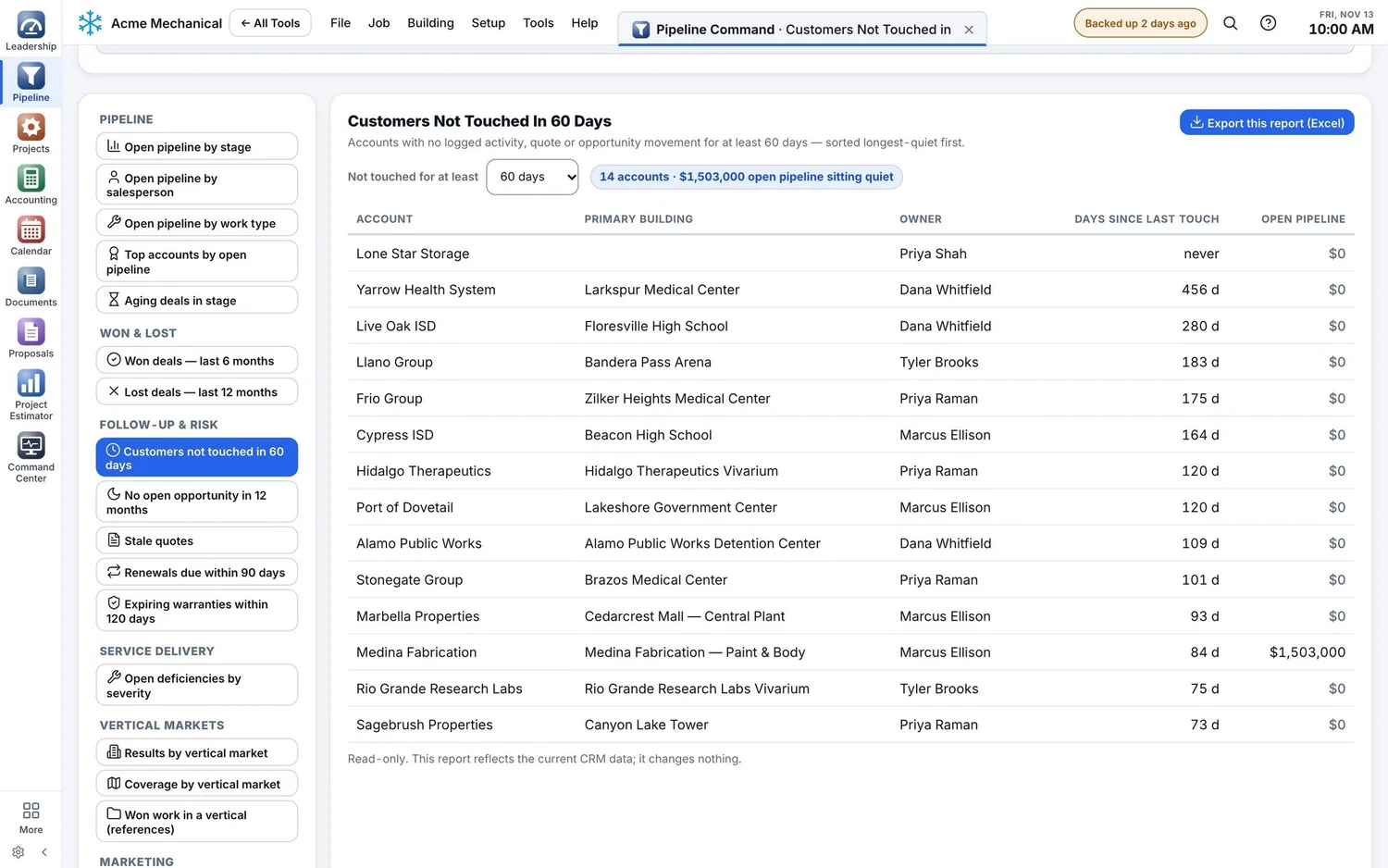
Referrals get forgotten, so they have their own list beside the other marketing reports.
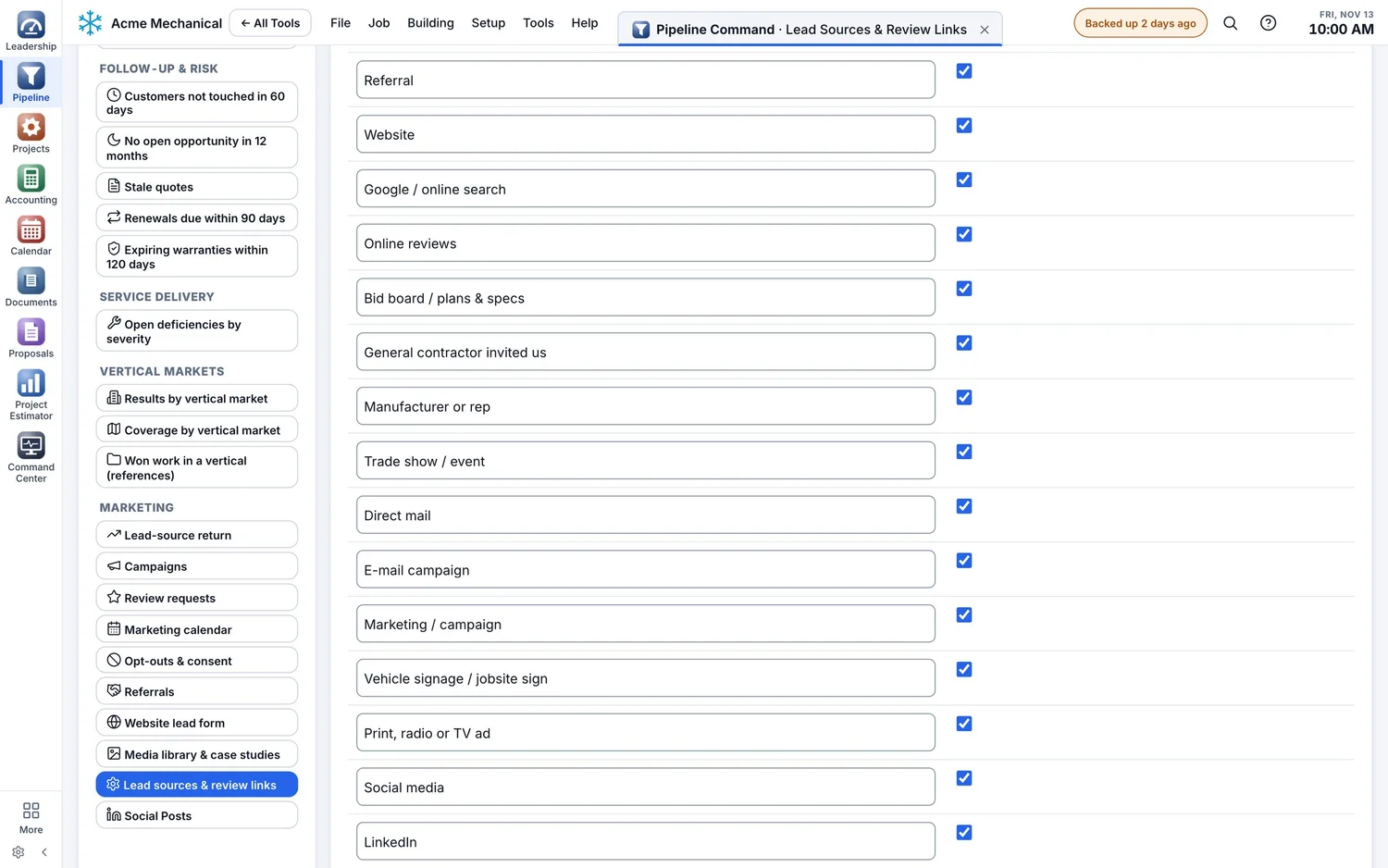
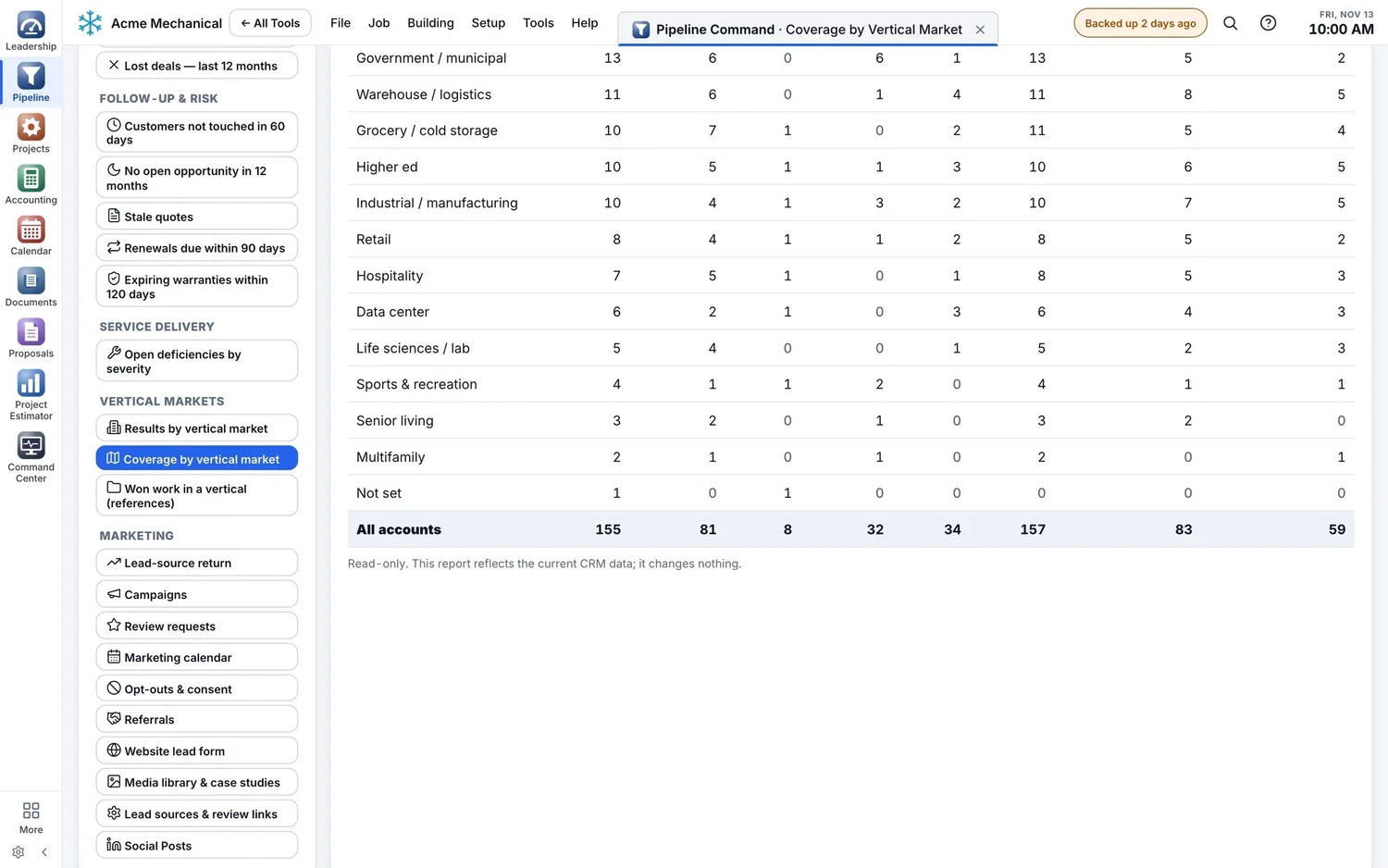
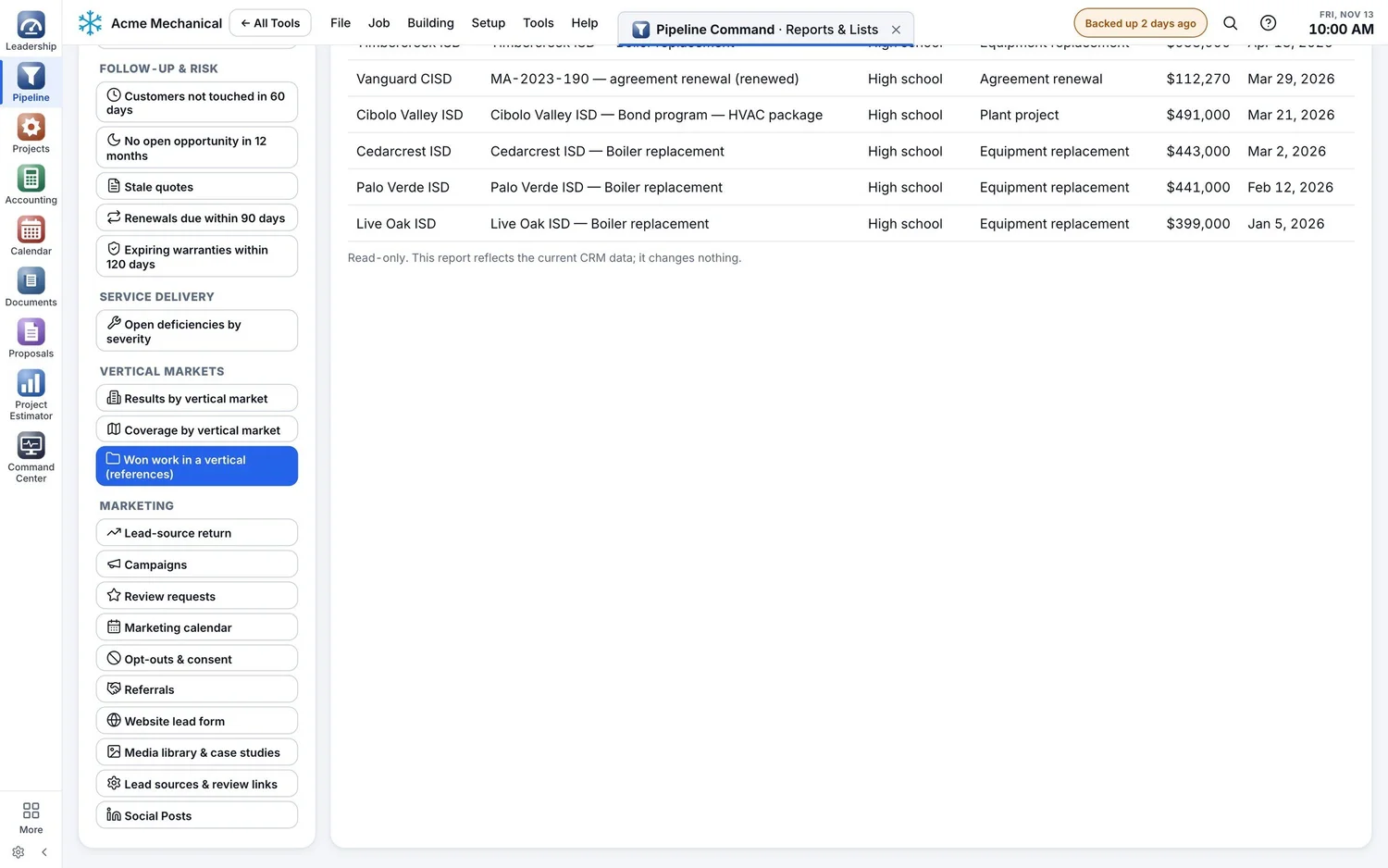
The lead-source list every deal is tagged with, so each source's return can be measured.
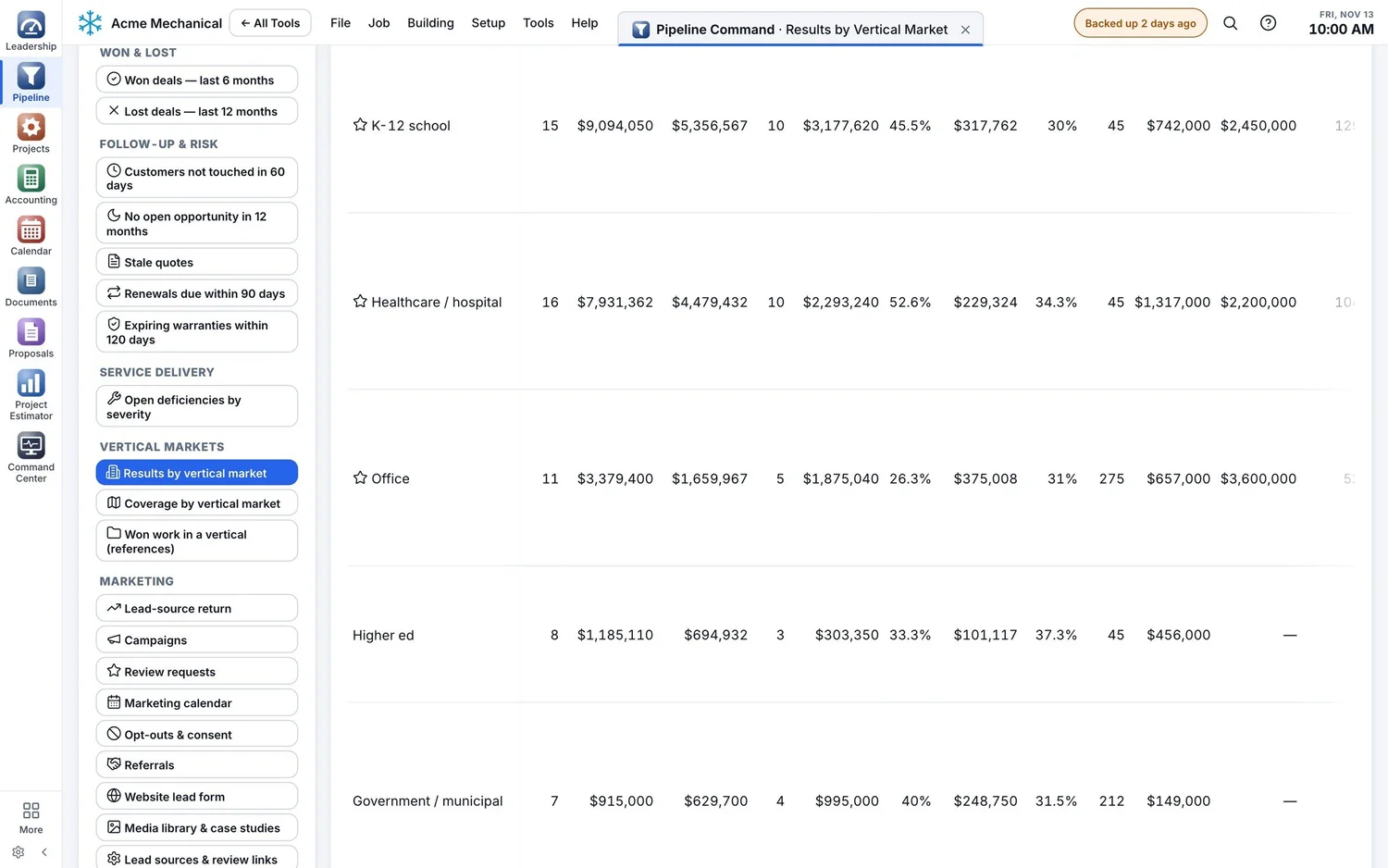

From a Web Form or a Rooftop to a Prospect in the Book
The Lead Inbox
Drop saved web-form emails, contact cards, form files or a CSV of leads onto the inbox on the Today screen. Each becomes a lead checked against your accounts and contacts. The Make a Prospect button creates the account and its contact, with the lead source kept.
A Website Lead Form You Host
HVAC Logix makes two files for the company's own web host: a form and a mailer. Requests arrive in your own mailbox, and importing them creates leads with the source Website. The same request is never added twice.
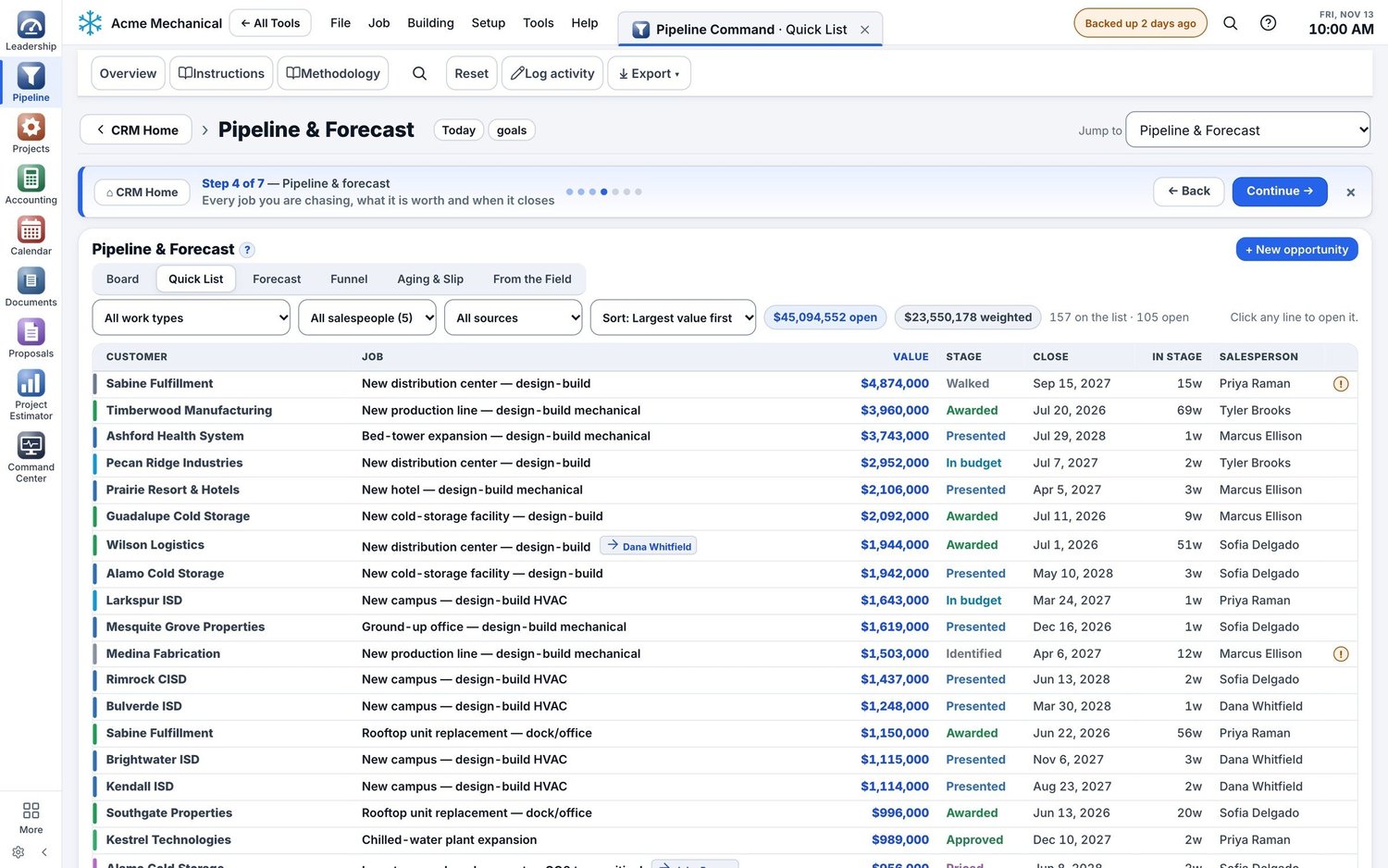
A lead is worth nothing until it becomes a deal, so every deal sits on one list with its stage.
Leads from Technicians
An opportunity a technician records on the phone becomes a deal credited to that technician. The From the Field tab counts leads by technician, so the people who bring in work get credit for it.
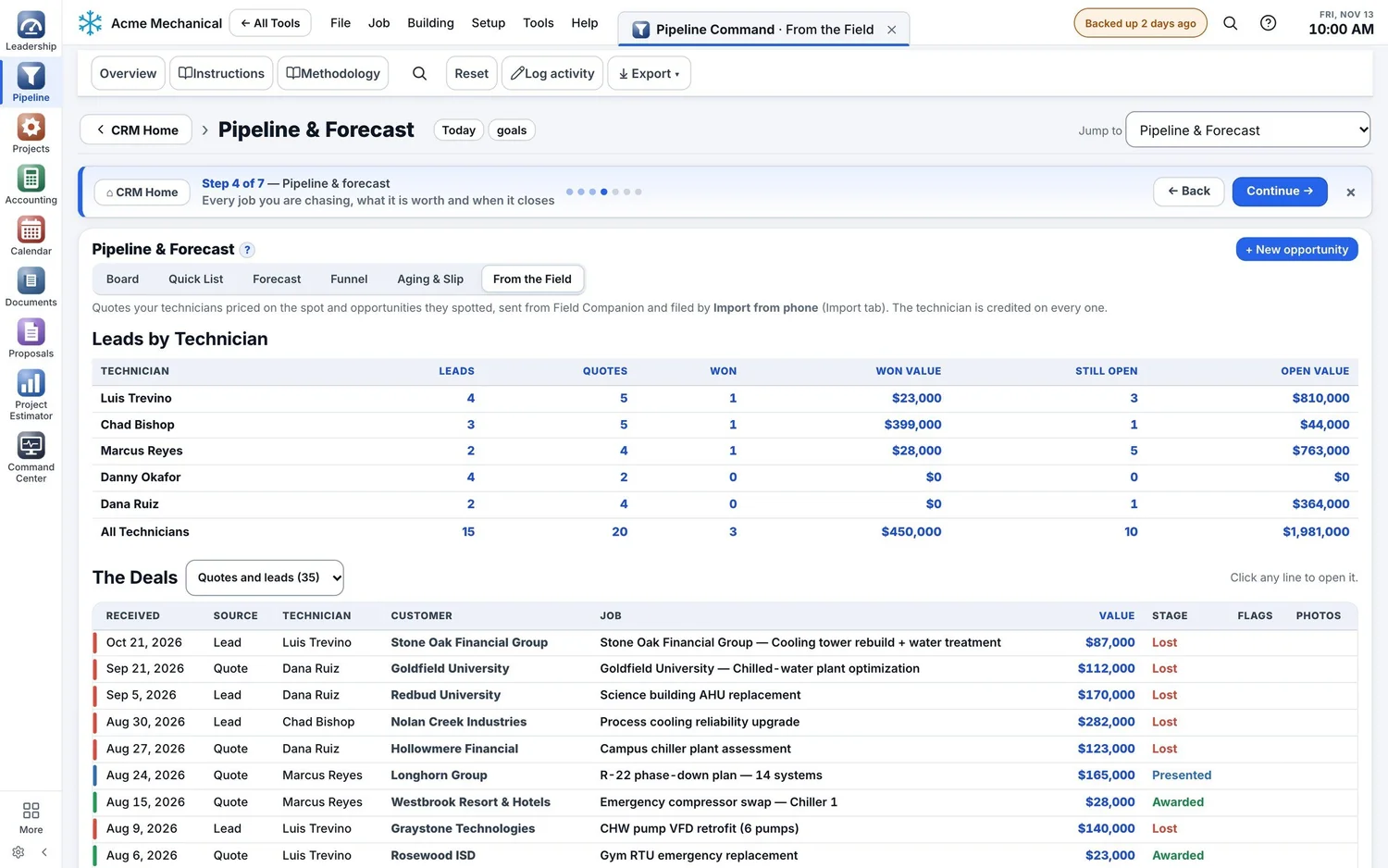
Technicians see work first, so their leads land in the pipeline credited to them.
Assigned and Followed Up
When a lead becomes a prospect, it is assigned to the salesperson who will own it, with a new deal and a follow-up date on that person's Today list and calendar. The inbox shows how long each lead has waited and flags any that have gone an hour or a day without a first contact, so no lead sits untouched.
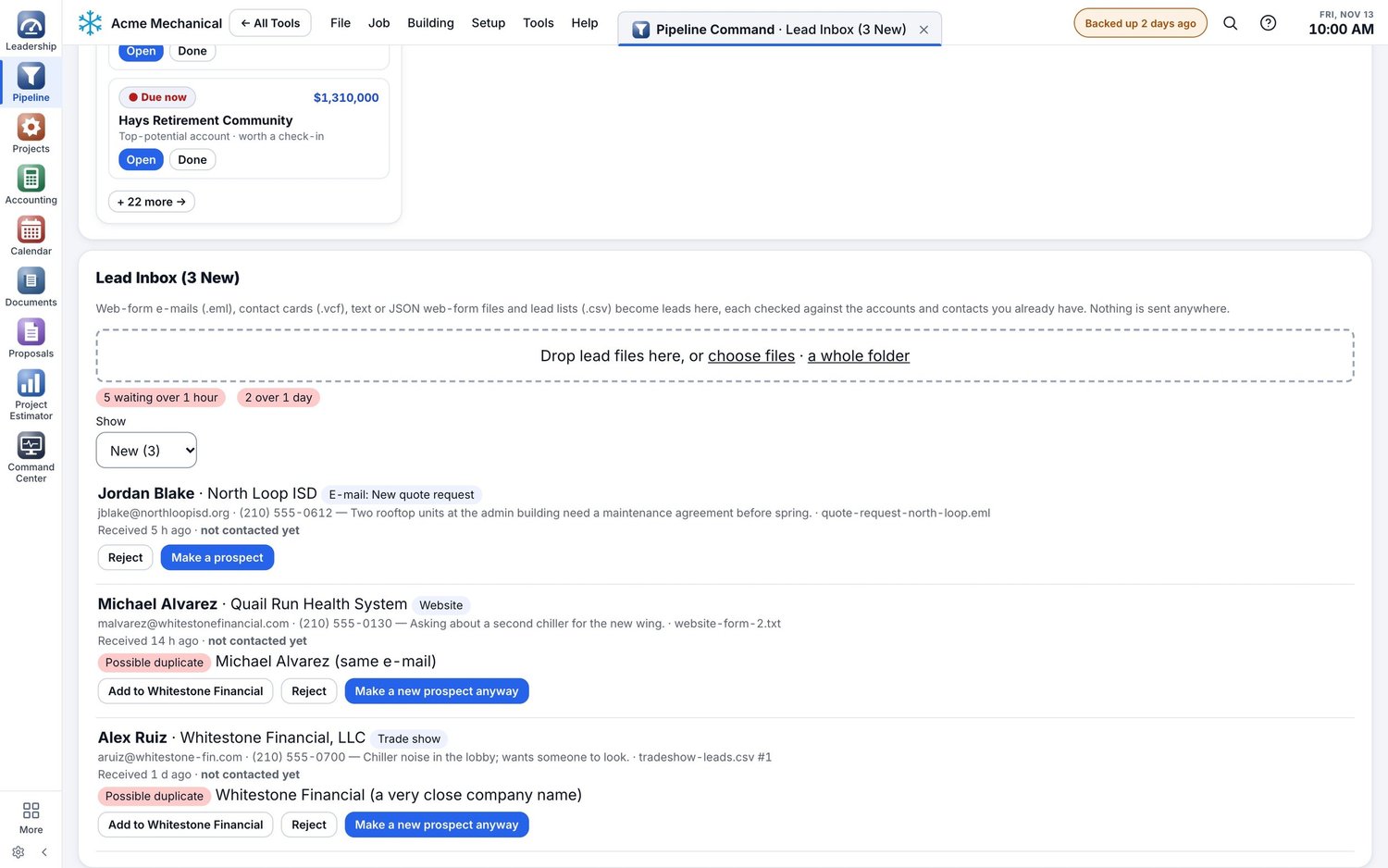
Leads from the website and trade shows get buried in email, so the Lead Inbox checks each one against your book first.
Campaigns Built from Your Own Service Data
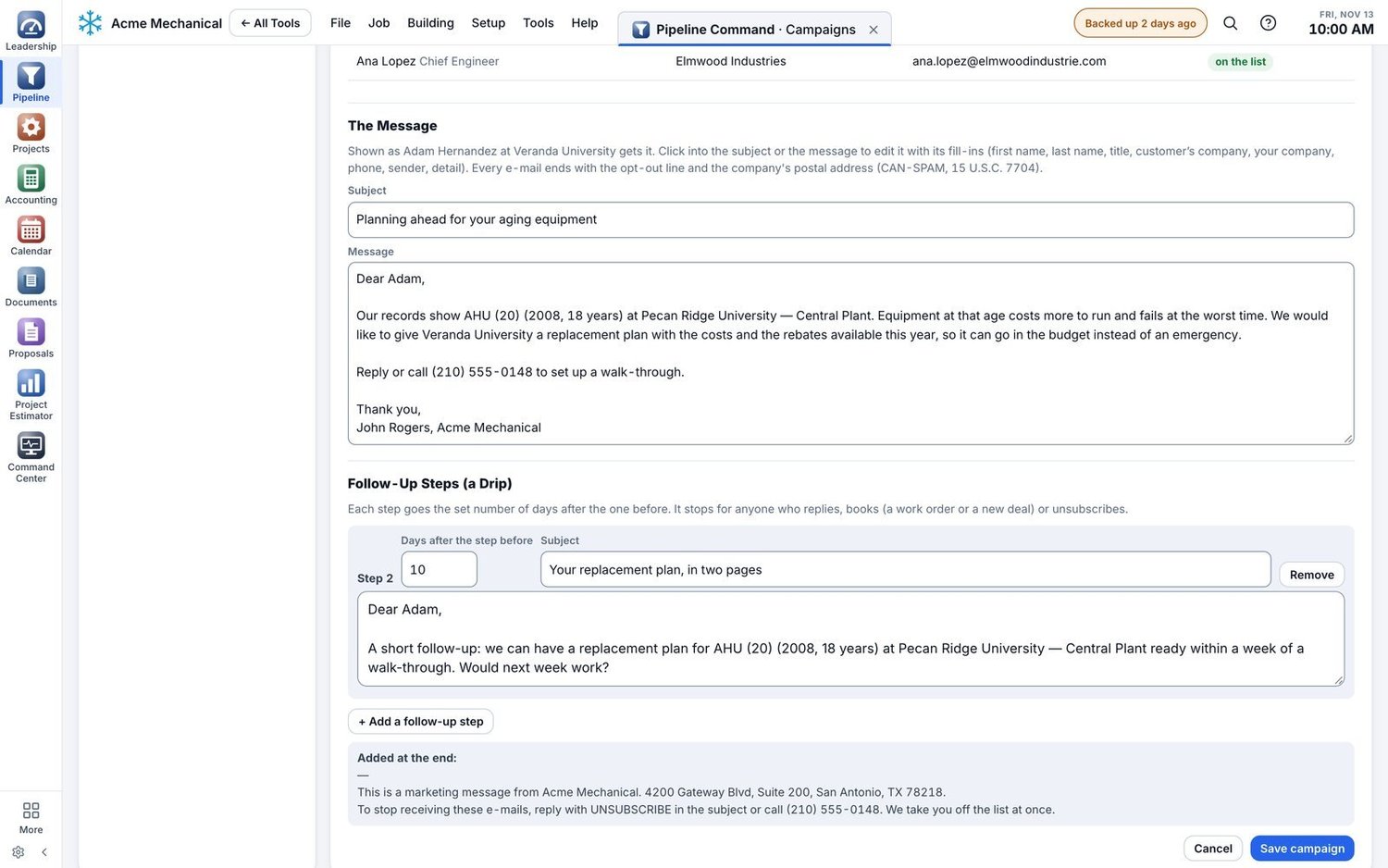
A campaign is a list built from the CRM's own filters and one message. HVAC Logix makes the files for your own programs, and nothing goes through an outside sending service.
Start from Your Own Data
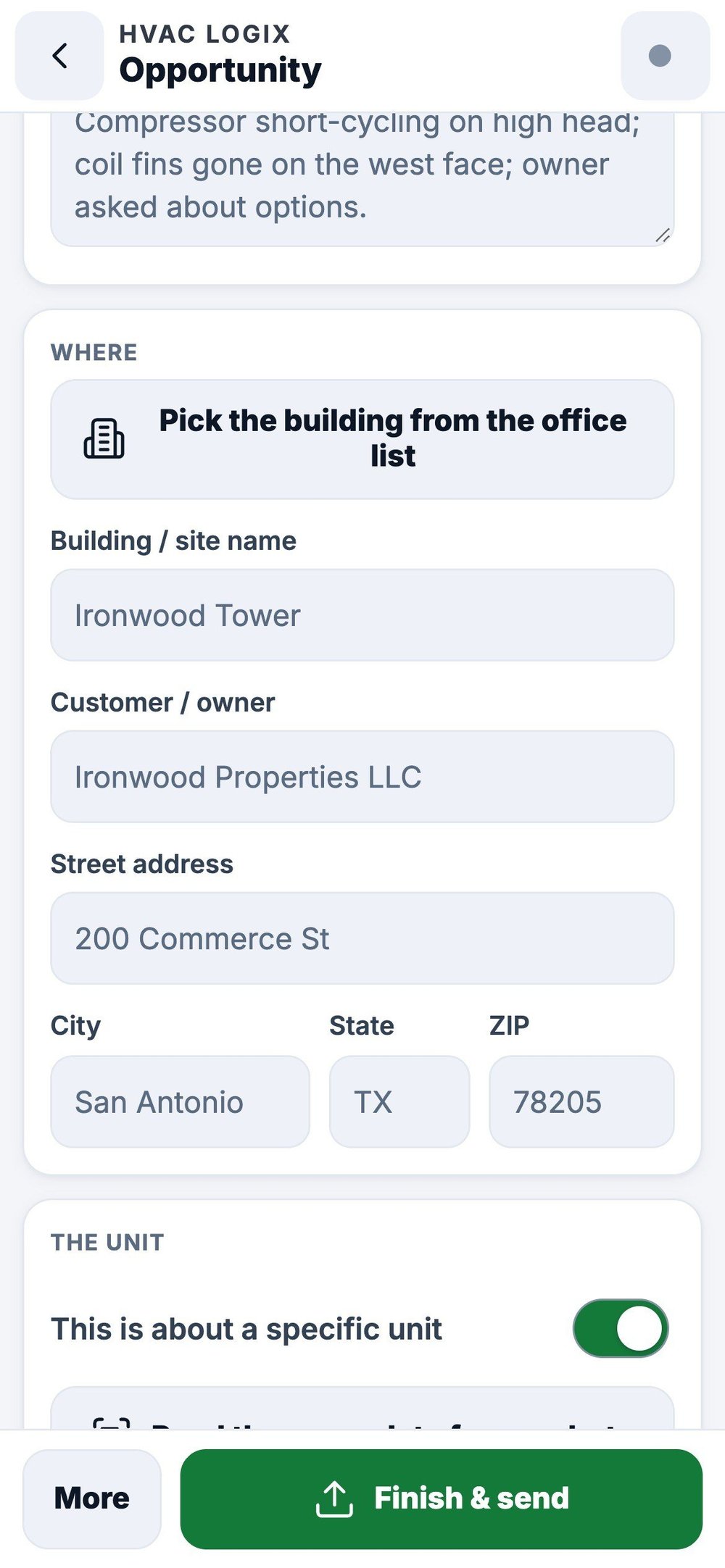
- Aging equipment: units a chosen number of years old or more, or a building with three or more calls in a year
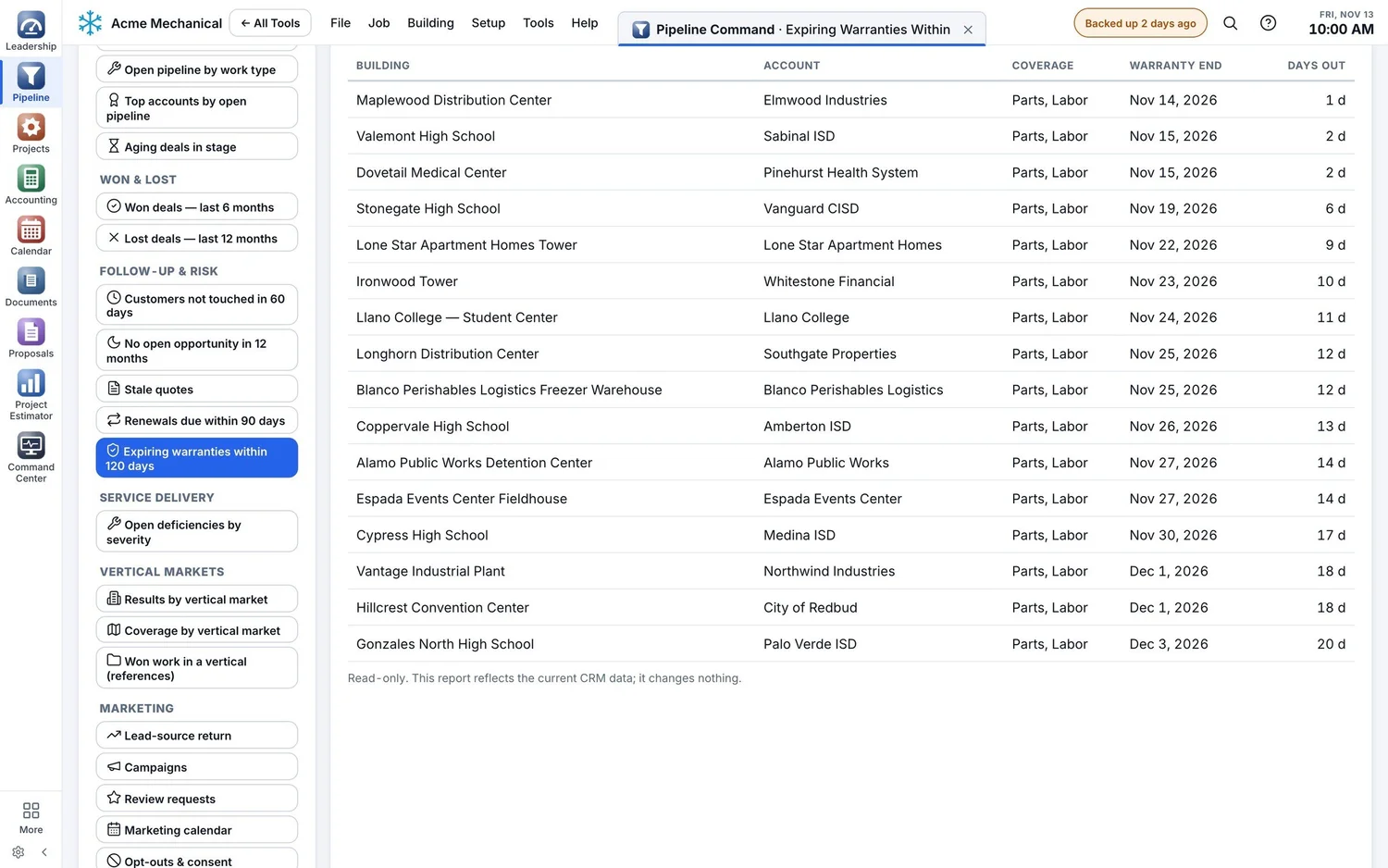
- Agreements ending soon or lapsed, for a win-back
- Customers with no visit in a chosen number of months
- A seasonal tune-up offer to buildings with no agreement
- A recently finished job, for a review and referral ask
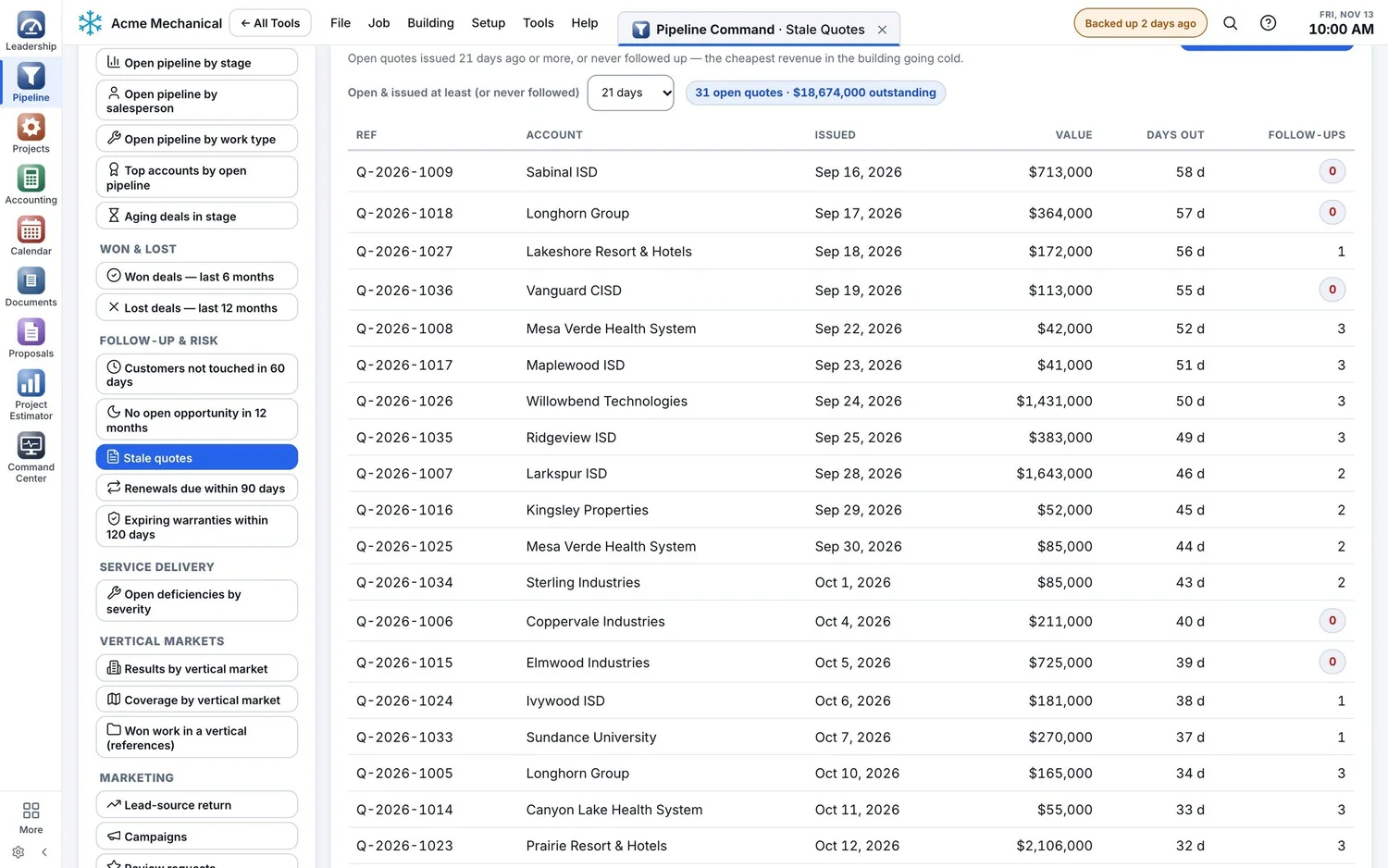
- Quotes that have waited too long for an answer
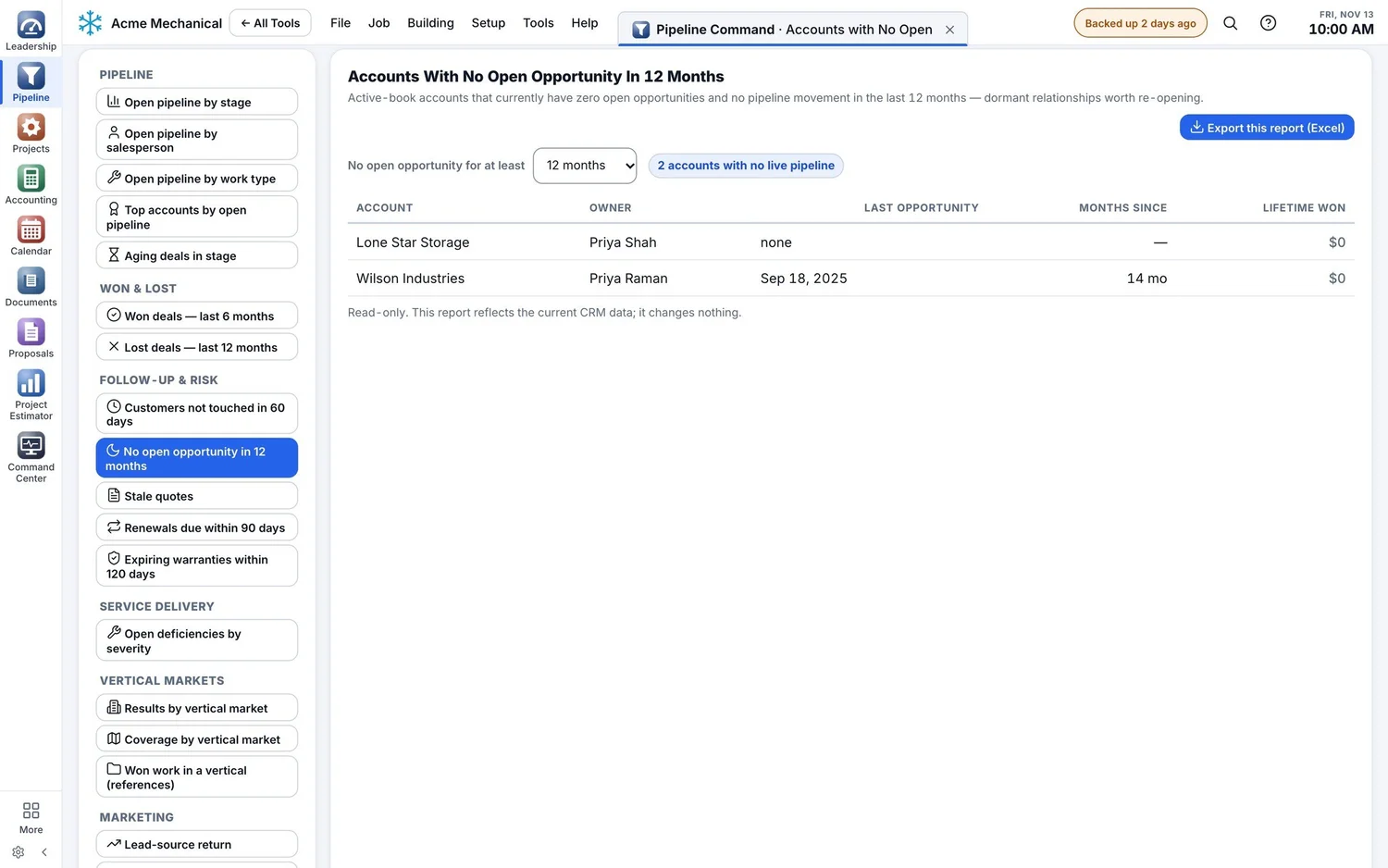
Campaigns work best on the right accounts, so lists start from your own records.
The Message and the Files
- The message can name what the rule found for each customer, such as the unit, its year and its building
- E-mail drafts open in your own e-mail program, one per person or in batches
- A mail-merge list and merged letters in Word format
- Newsletters built from blocks in your brand kit's colors, with a live preview
- Postcards as a 6 by 4.25 inch Word file
- Optional sending through the company's own mail account, one e-mail per person
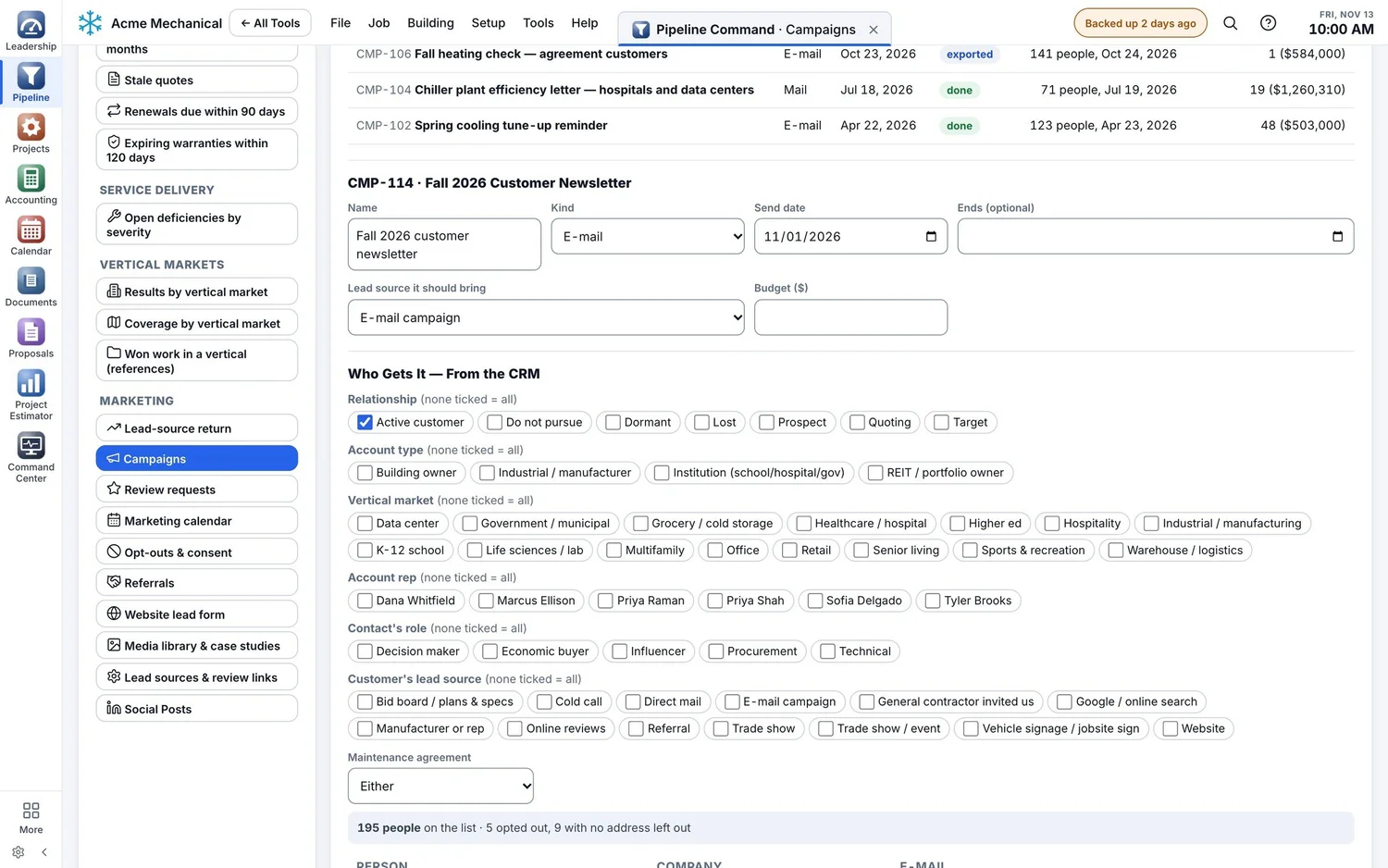
Generic mailers get ignored, so each campaign names what the rule found for each customer.
Follow-Up and Results
- Follow-up steps, each a set number of days after the one before
- The sequence stops for a person who replies, books work or unsubscribes
- Results per campaign: sent, drafted, mailed, replies, bookings, revenue, cost and return
- Bookings count the work orders and deals from people on the list within 120 days
- Every export is kept with who made it, when, how many, and who was left out
Review Requests and Opt-Outs Handled the Right Way
Ask Every Customer
The review list shows every finished work order and maintenance visit from the last 60 days, the person to ask, and what was asked already. The program is built to ask every customer, because asking only the happy ones breaks review-site policies and the federal rule on reviews.
Learn MoreShow Less
Reviews win the next job, but asking only happy customers can get reviews removed and break the FTC rule on reviews (16 CFR 465). The list asks everyone, so your reviews stay up and count.
- Covers work orders marked Complete or Invoiced, and maintenance visits.
- The 60-day window can be changed.
- Shows the customer's rating beside the person to ask.
- Texted requests go only to numbers with written consent to marketing texts, within quiet hours.
Call Back First
A customer rating of 1 or 2 shows Call Back First, so a problem gets a phone call before it gets a review link. The same address is not asked twice within 30 days.
Learn MoreShow Less
A quick call to an unhappy customer can save the account and a public one-star review. Low ratings get a person first, not a link.
- Shown beside the customer's rating on the review list.
- The 30-day rule stops the same customer being asked twice.
- Opt-outs and consent are checked before any request goes out.
- Every work order and maintenance visit is still listed, so no customer is skipped.
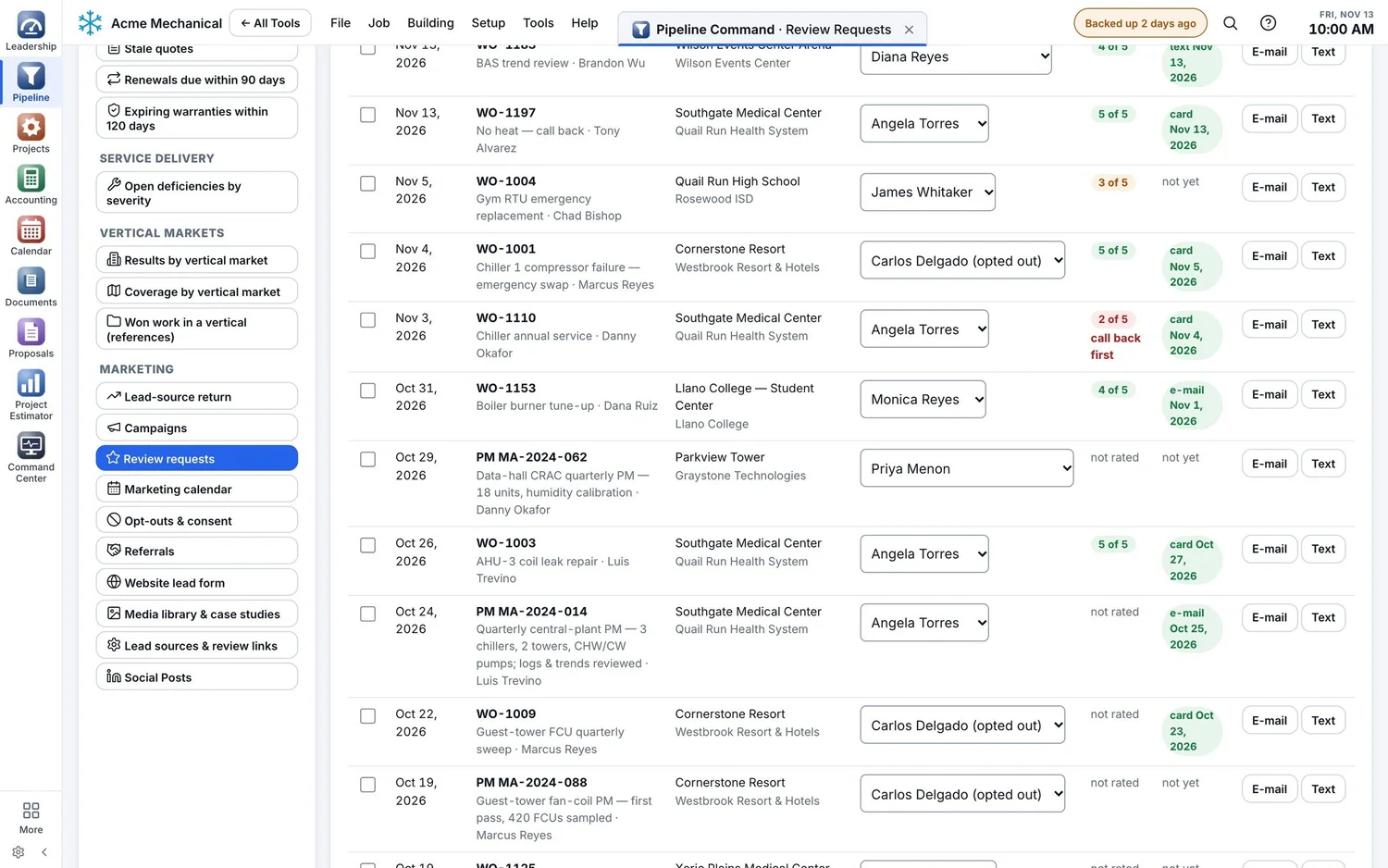
A bad experience should get a call before a review request, so low ratings show Call Back First.
E-Mail Drafts and Printed Cards
Send the request as an e-mail draft carrying your review links, or print cards with a QR code to your own review page, four to a page, for the technician to leave behind.
Learn MoreShow Less
A review request has to reach the customer while the good work is fresh. Drafts and leave-behind cards make asking take seconds, with no outside service.
- Drafts open in your own mail program ready to send.
- The QR code opens your own review page.
- Texts go through the office texting phone, only to numbers with marketing-text consent.
- Quiet hours default to 9:00 a.m. to 8:00 p.m.
One Opt-Out Holds Everywhere
Anyone in the company can record an opt-out for an e-mail address or phone number. It holds at once across campaigns, mail-merge lists and review requests. Every e-mail ends with the opt-out line and the company's postal address.
Learn MoreShow Less
Mailing someone who opted out can bring complaints and fines under CAN-SPAM. One opt-out list protects the whole company at once.
- Also stops texts; a STOP texted to the office phone opts the number out of marketing.
- Undo is offered right after a mistake.
- Putting someone back needs their written request.
- Letters carry how to be taken off the mailing list.
- Written consent to marketing texts is kept with the date, method and words agreed to.
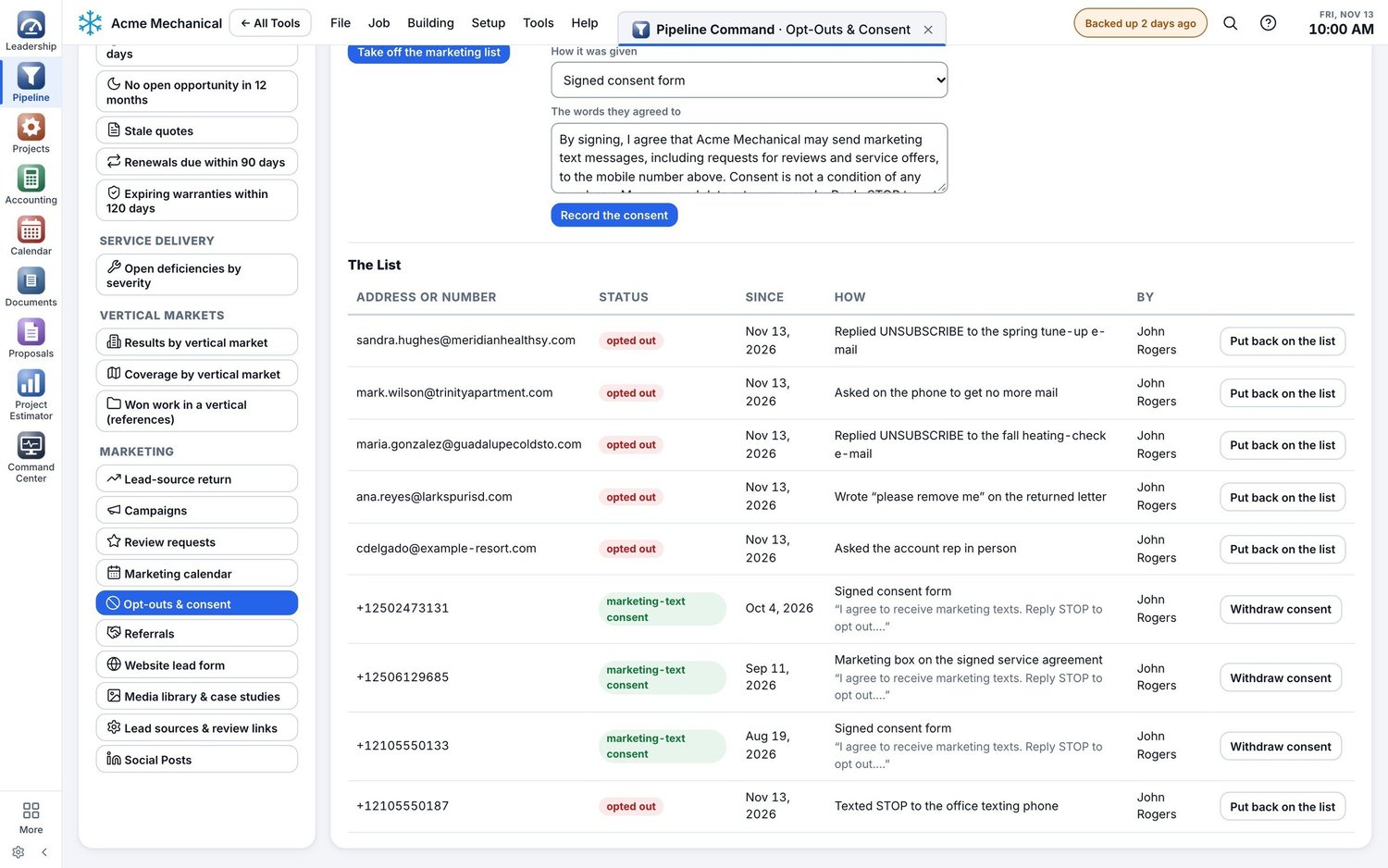
Contacting someone who opted out breaks the rules, so one opt-out holds everywhere.
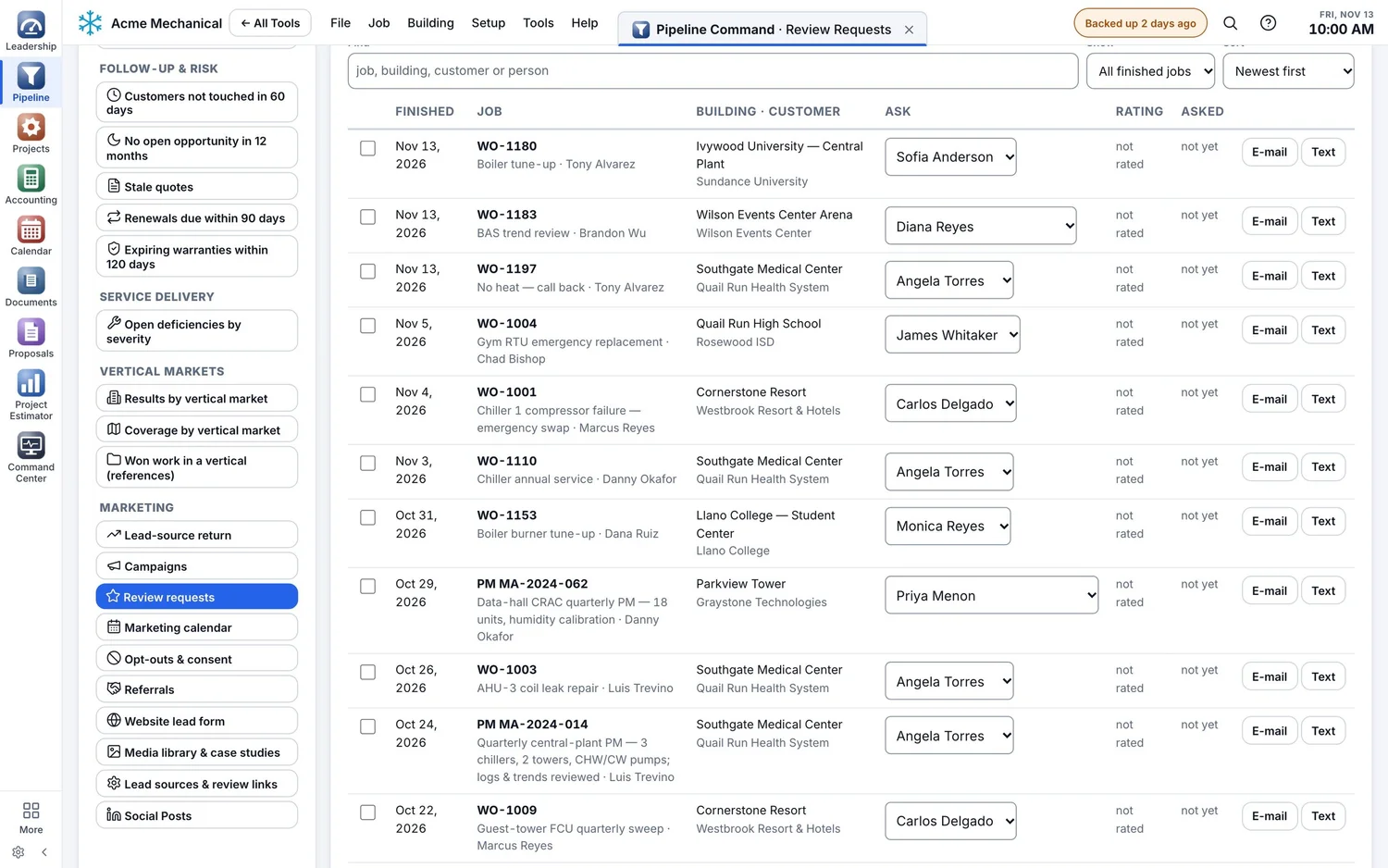
Asking only happy customers breaks review rules, so the review list shows every finished job from the last 60 days.
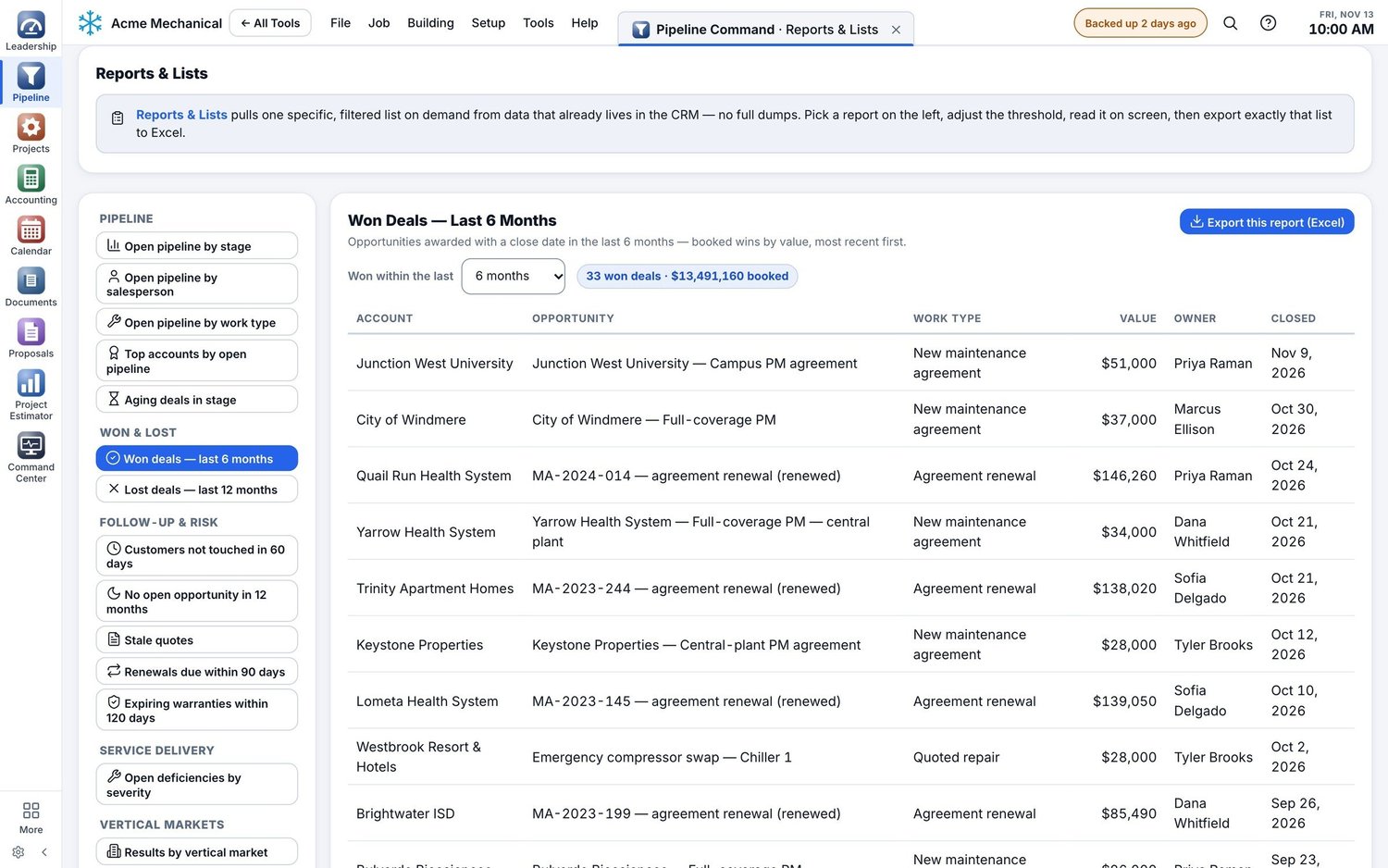
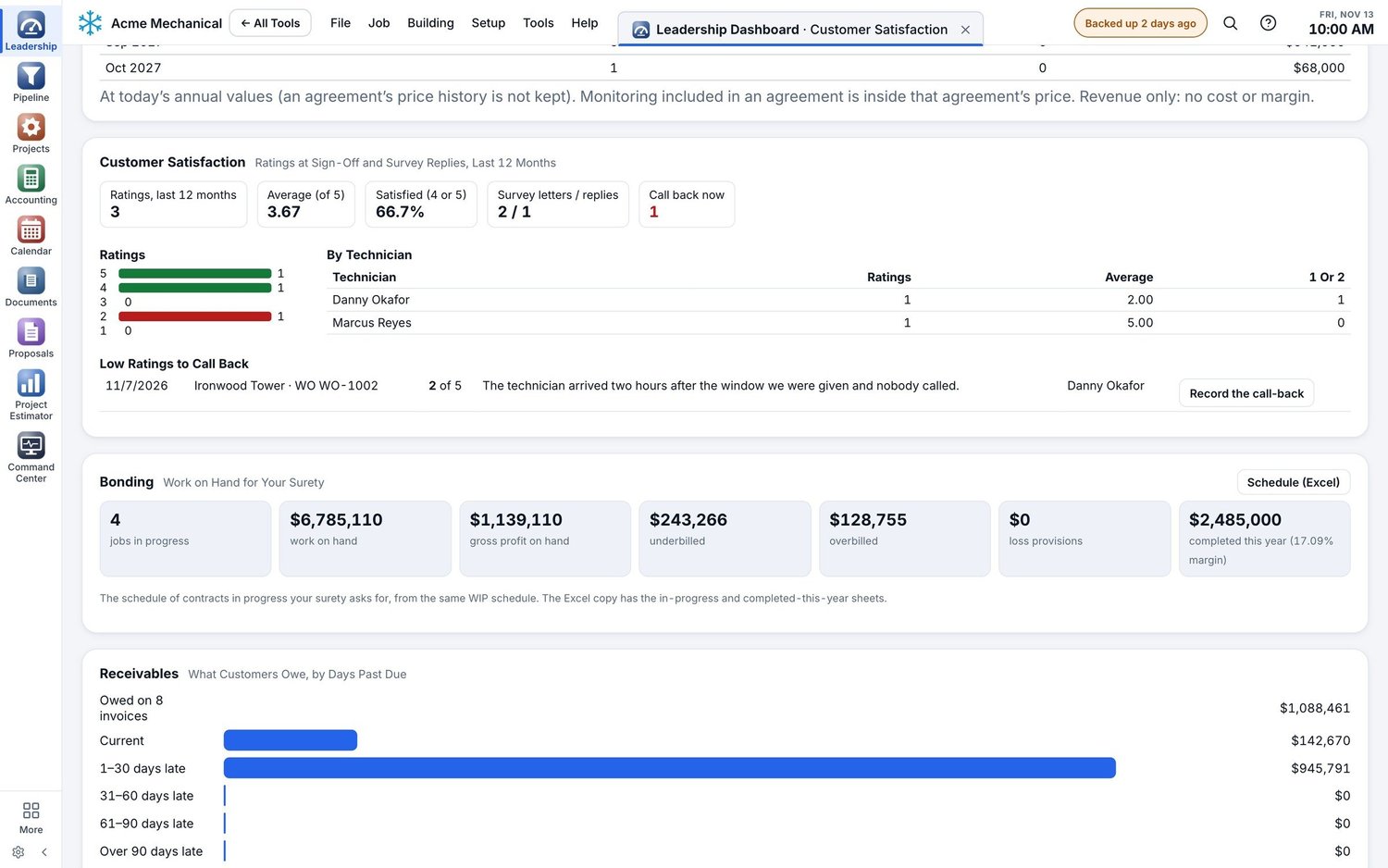
Case Studies, a Media Library and Social Posts
Brand Kit and Gallery
The brand kit holds your colors, letterhead line, tagline and approved photos. The gallery shows every photo the phones and the office put on a customer's buildings as a timeline, tagged Before, During, After or Start-Up.
Learn MoreShow Less
Your best sales material is work you have already finished. The gallery keeps every job photo findable, so proposals and posts are built in minutes, not hunted for.
- The logo comes from the Company Profile; the brand kit adds the logo's web address for e-mail.
- Videos are linked from the team folder, a network drive or your own cloud folder, never a video site.
- Newsletter blocks use the brand kit's colors.
- Social post title cards are made in the company's colors.
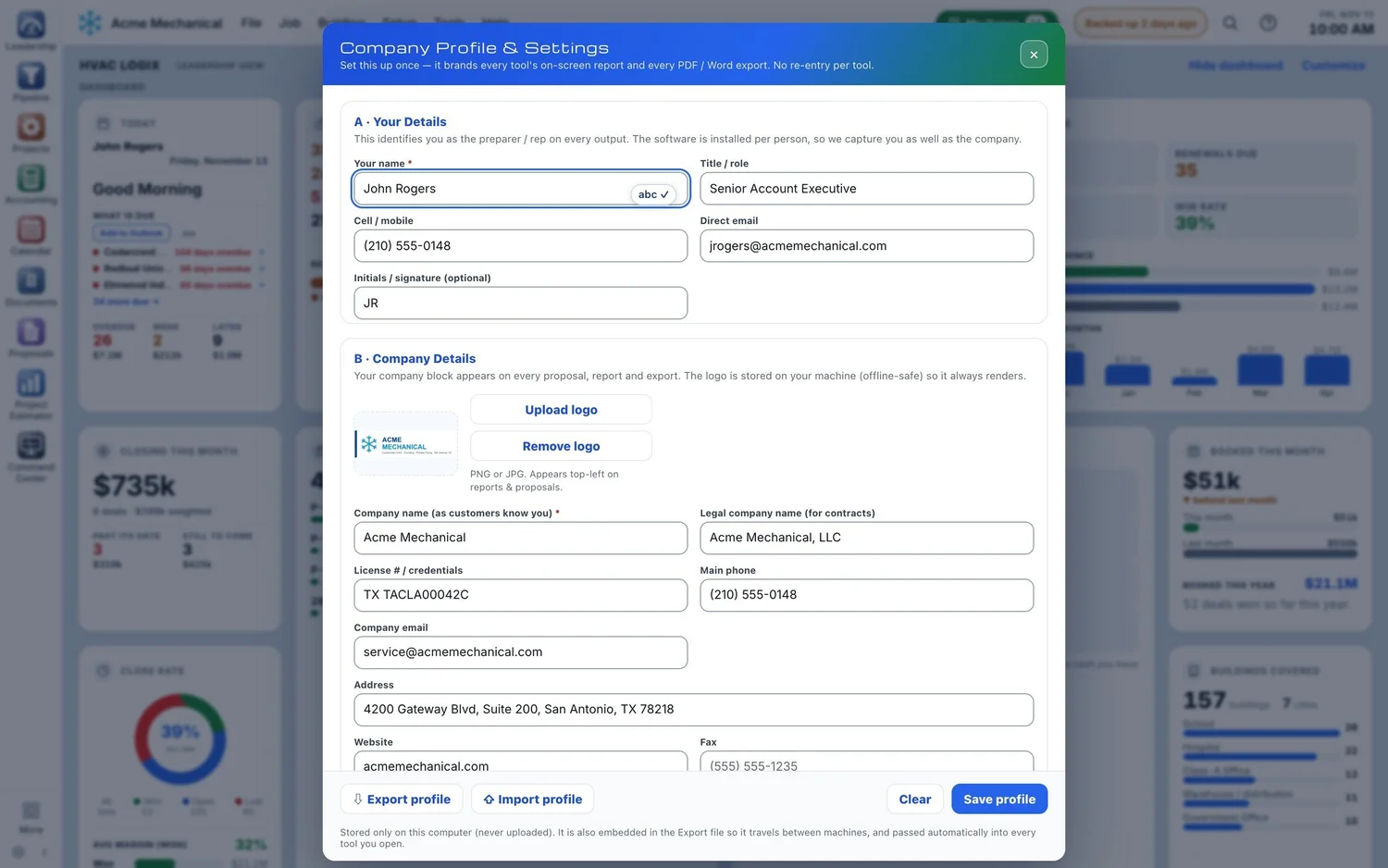
Mismatched branding looks amateur, so the brand kit is set once for every document.
Consent to Publish
Record each customer's permission for photos, name and logo: who gave it, how and when. Inside the program everything stays usable, and nothing is exported as marketing without that consent.
Learn MoreShow Less
Publishing a customer's photo or name without permission can cost you the customer. Consent is recorded once and checked every time something leaves.
- Social posts offer a customer's photos only when photo consent is recorded.
- Without name consent, a post says "a commercial customer" or its kind of business.
- Photos are marked up on the phone with Blur for faces, house numbers and plates.
- The original photo is never changed; the blurred copy is the one to share.
Case Studies from Finished Jobs
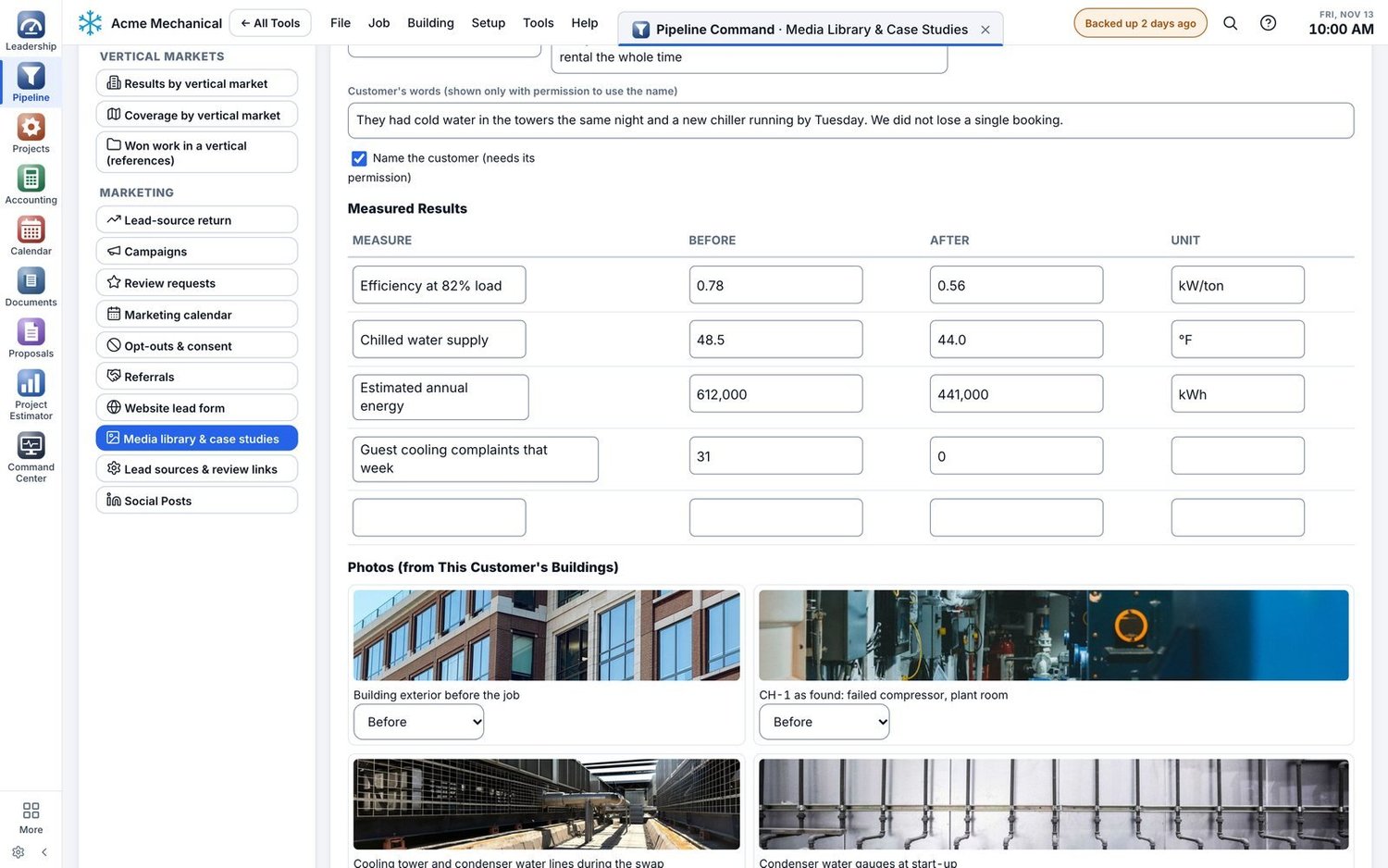
Start a case study from a finished job or work order. The program fills in the building, dates and equipment, and you add the story, the photos and the measured results. Export a web page, a Word file or a PDF, or copy a short version for a proposal or newsletter.
Learn MoreShow Less
A case study with measured results sells the next job better than any brochure. Starting from the finished job means no facts are retyped or guessed.
- The web page export carries the photos inside one file.
- A case study can start a social post, with its results filled in.
- A case study can be a newsletter block.
- Only photos with recorded consent can be published.
The Social Posts Desk
Start a post from a finished work order, a finished job, a case study, a company milestone or a tip, and the words fill in from the record. The program writes the words and sizes the pictures. A person posts them from their own account, and no social sign-in is kept.
Learn MoreShow Less
Steady posts about real work keep your name in front of buyers without paying an agency. The desk turns finished jobs into ready posts in minutes.
- Words in brackets are left for you to replace; the character count shows under the box.
- Sizes pictures for LinkedIn: landscape 1200 × 627, square 1080 × 1080 and portrait 1080 × 1350.
- Keep in the Frame chooses which part of a cropped photo stays.
- Mark Posted records the day and the post's link.
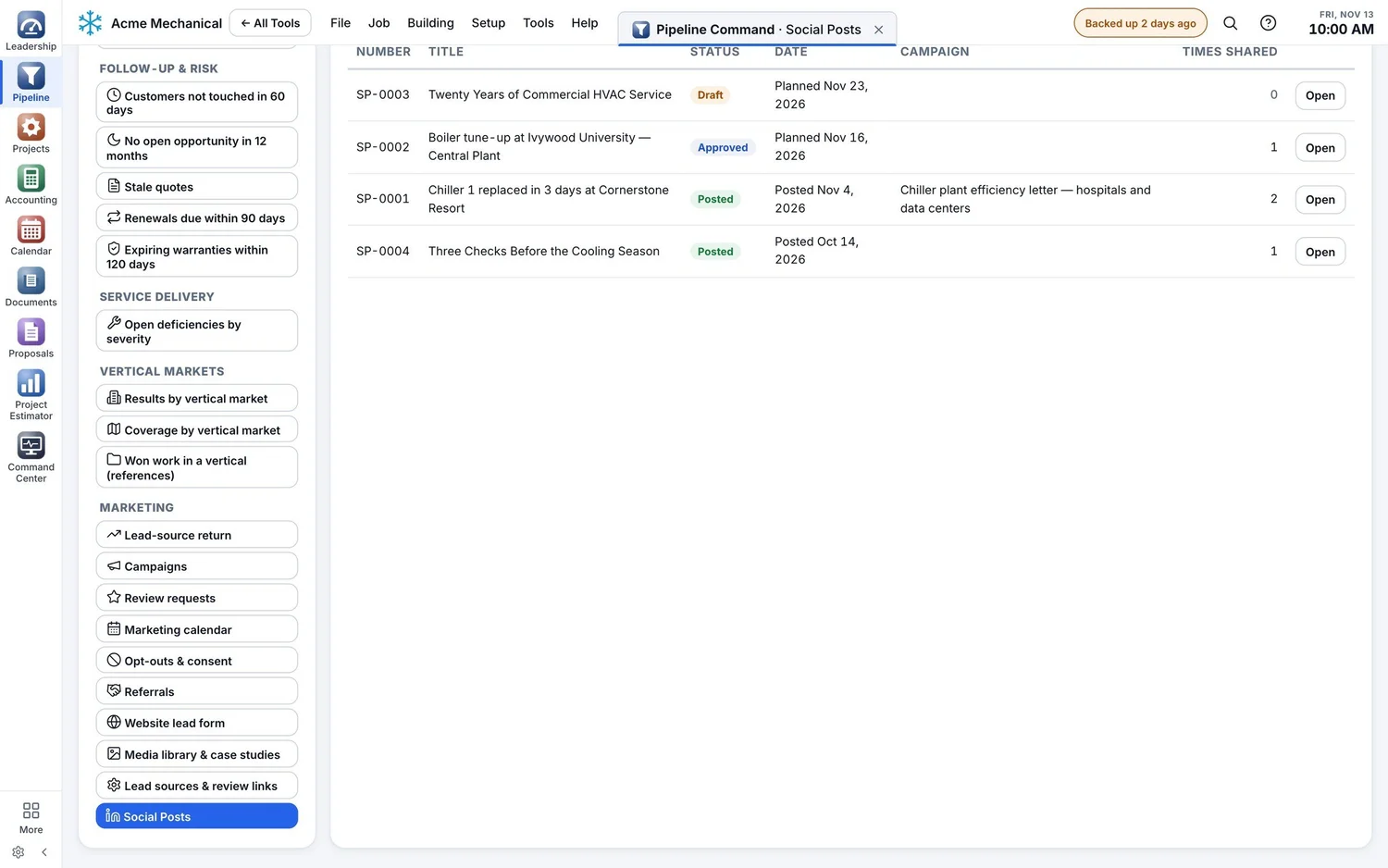
Posting about work is easy to forget, so the social posts desk drafts posts from finished jobs.
Approved Posts for the Sales Team
A draft is seen by marketing people only. Once approved, salespeople can copy the words and save the images to share, and each share is counted under Results.
Learn MoreShow Less
Every salesperson who shares a company post reaches buyers marketing cannot, at no extra cost. Approval keeps the message right before it spreads.
- Changing the words of an approved post sends it back to draft.
- Salespeople get Copy and Open LinkedIn, Copy Words and Save Images.
- Results show Who Shared and the leads from LinkedIn over 12 months.
- Those leads also appear in the Lead-Source Return.
Content and Marketing Calendars
Planned and posted items show on the Content Calendar. Trade shows, mail drops, sponsorships, webinars and campaign send dates sit on the Marketing Calendar and on the company calendar under Sales.
Learn MoreShow Less
A trade show or mail drop that nobody costs or follows up is money spent blind. The calendars tie each event to its cost and its leads.
- Scheduled posts show in amber, posted ones in green; click to open.
- A new event with a cost and a lead source enters that month's cost at the same time.
- Each campaign shows sent, replies, bookings within 120 days, revenue, cost and ROI.
- Follow-up steps stop for anyone who replies, books or unsubscribes.
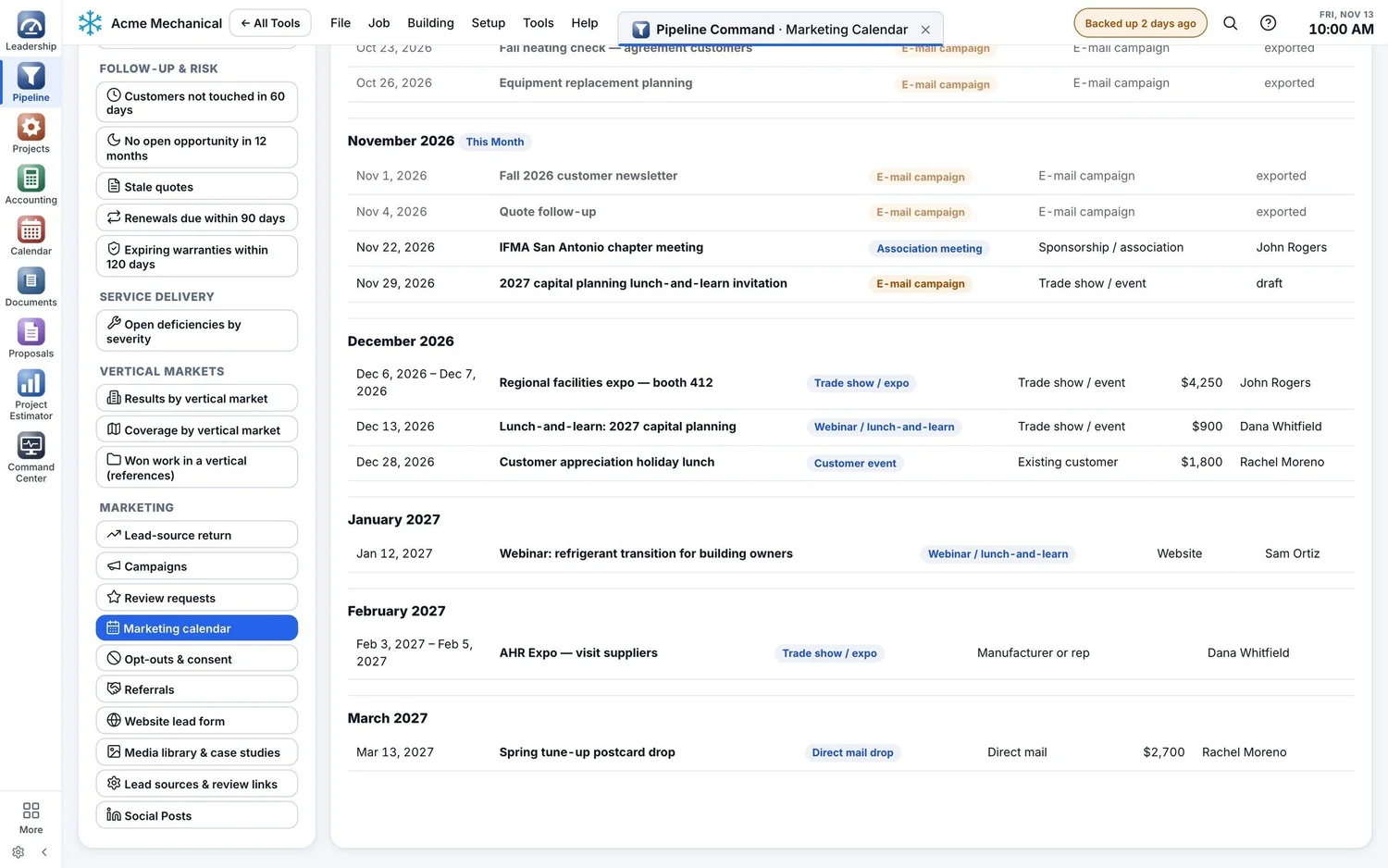
Trade shows and mailers clash without a plan, so the marketing calendar shows them by month.
Ask Every Active Account, Then Close the Loop
Nobody Picks Who Is Asked
Once or twice a year every active account with recent work and a contact is asked how likely it is to recommend you, plus one open question and up to three short ratings. An account can be left out only with a written reason that is kept and printed on the Wave Report.
Learn MoreShow Less
An unhappy account you never hear from is a renewal you lose without warning. Asking every account finds the problem while it can still be fixed.
- An account is not asked again within 120 days.
- Questions match who is asked and the work done, for trades you perform in-house.
- Leadership edits the wording, switches questions off or adds its own.
- A score or trend shows only with at least 10 answers.
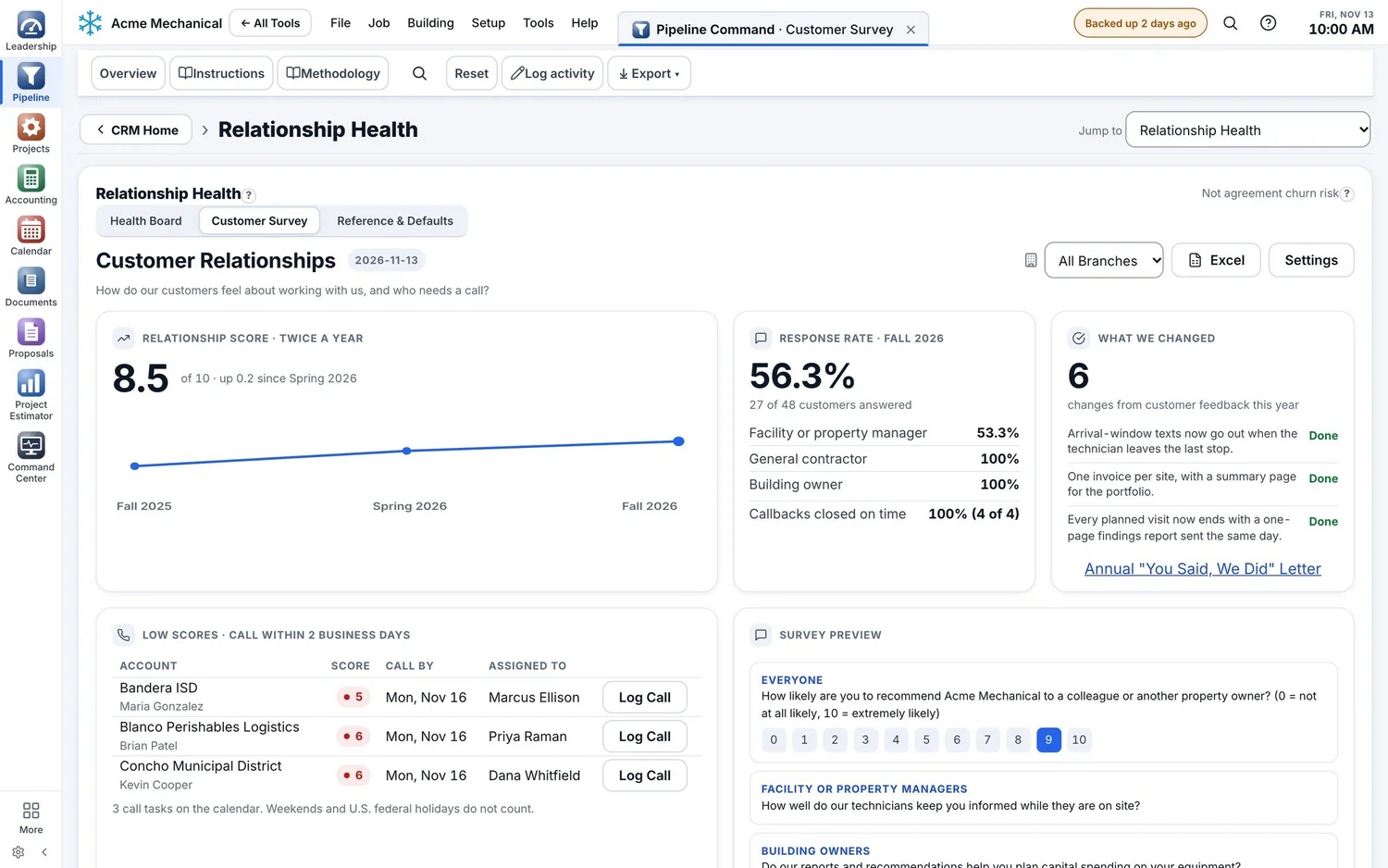
Asking only happy customers hides problems, so every active account is surveyed.
Three Ways to Answer
An e-mail draft from your own mailbox, a printed QR card that opens your own page, or in person on a phone where the customer taps the answers. Nothing is sent to anyone else's server.
Learn MoreShow Less
More answers mean earlier warning on accounts at risk. Each way to answer fits how the customer works, without an outside survey service.
- E-mail replies are entered with Record.
- The QR card's page address is set in Settings.
- In person: Home, My Customers, Ask in Person; Finish and Send files the answers with the office.
- The dashboard shows response rate by customer type.
Low Scores Get a Callback
A score of 0 to 6 creates a callback due in two business days on the account manager's calendar, with an alert on leadership's Needs Your Attention list. Closing it needs a note.
Learn MoreShow Less
A fast callback can save an account worth years of service revenue. The deadline is set by the calendar, so nobody has to remember it.
- Weekends and U.S. federal holidays do not count toward the two business days.
- An answer on a weekend or holiday counts from the next business day.
- Leadership can change the number of business days.
- The dashboard shows callbacks closed on time.
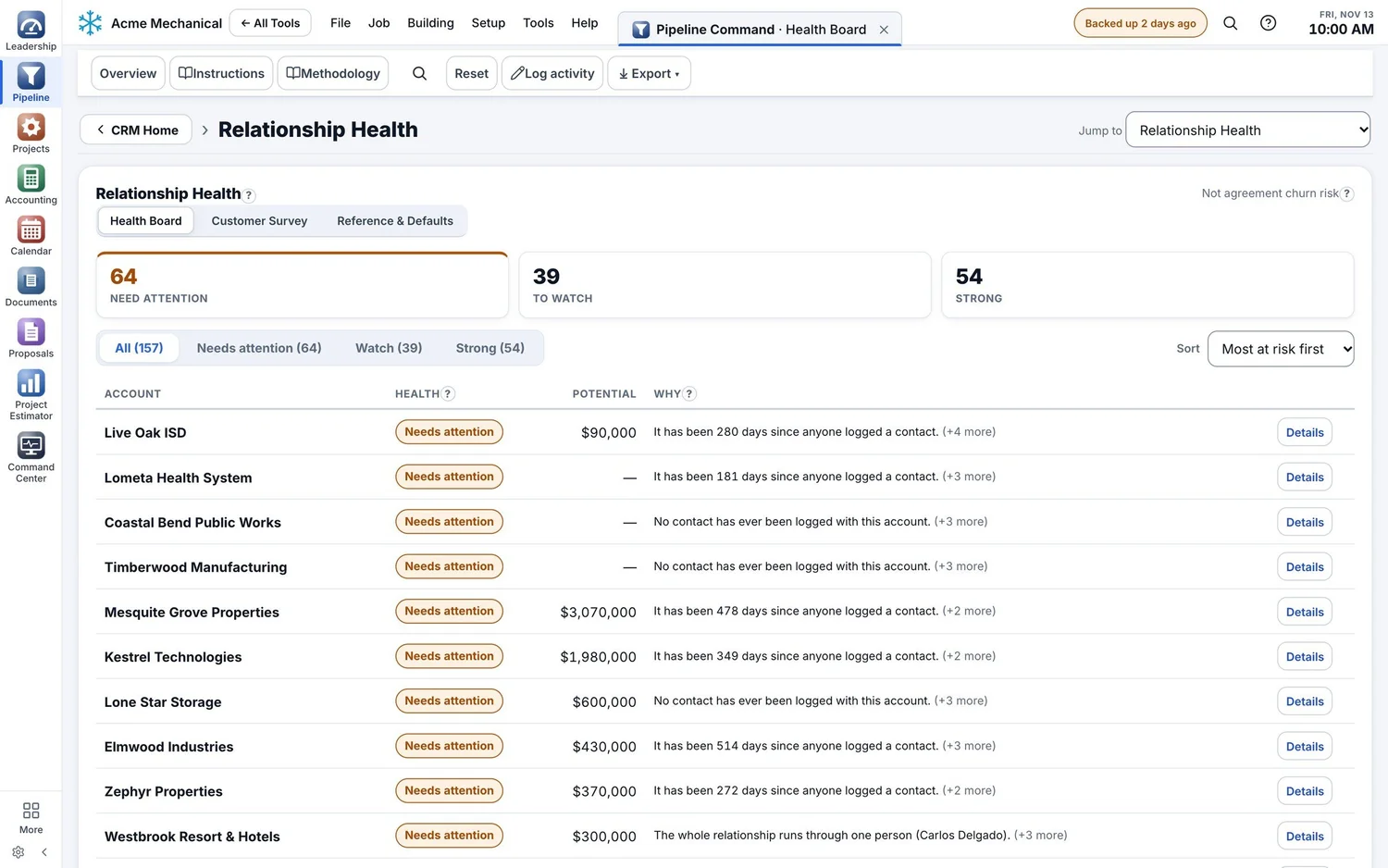
Low scores need a fast call, so accounts needing attention are listed with the reason.
High Scores Get a Thank-You
A score of 9 or 10 opens a thank-you with a referral ask as an e-mail draft. Once a year the You Said, We Did letter is built from the callbacks you closed and the changes you made.
Learn MoreShow Less
A customer who just scored you a 9 or 10 is your best source of the next referral. The thank-you goes out while the goodwill is fresh.
- The draft opens in your own mailbox.
- A referral that turns into a deal can be recorded and rewarded.
- The yearly letter shows customers their feedback led to changes.
- Relationship score is tracked by wave, account, service line, customer type and branch.
The Account Review Packet
A quarterly business review for one account: visits, response times against the agreement's promise, equipment health, a one-to-three-year capital plan from the open findings, and what the customer told you. Print it or save it as a PDF.
Learn MoreShow Less
A quarterly review shows the customer the value of what they pay for, and turns open findings into a funded capital plan you can sell. It is built from records, not written from scratch.
- Also lists the customer's agreements.
- The annual business review adds declined repairs with their first-raised date and estimated value.
- It shows agreement renewal stages, notice dates and the extra work the relationship produced.
- Present walks the customer through it full-screen; internal cost and margin never appear.
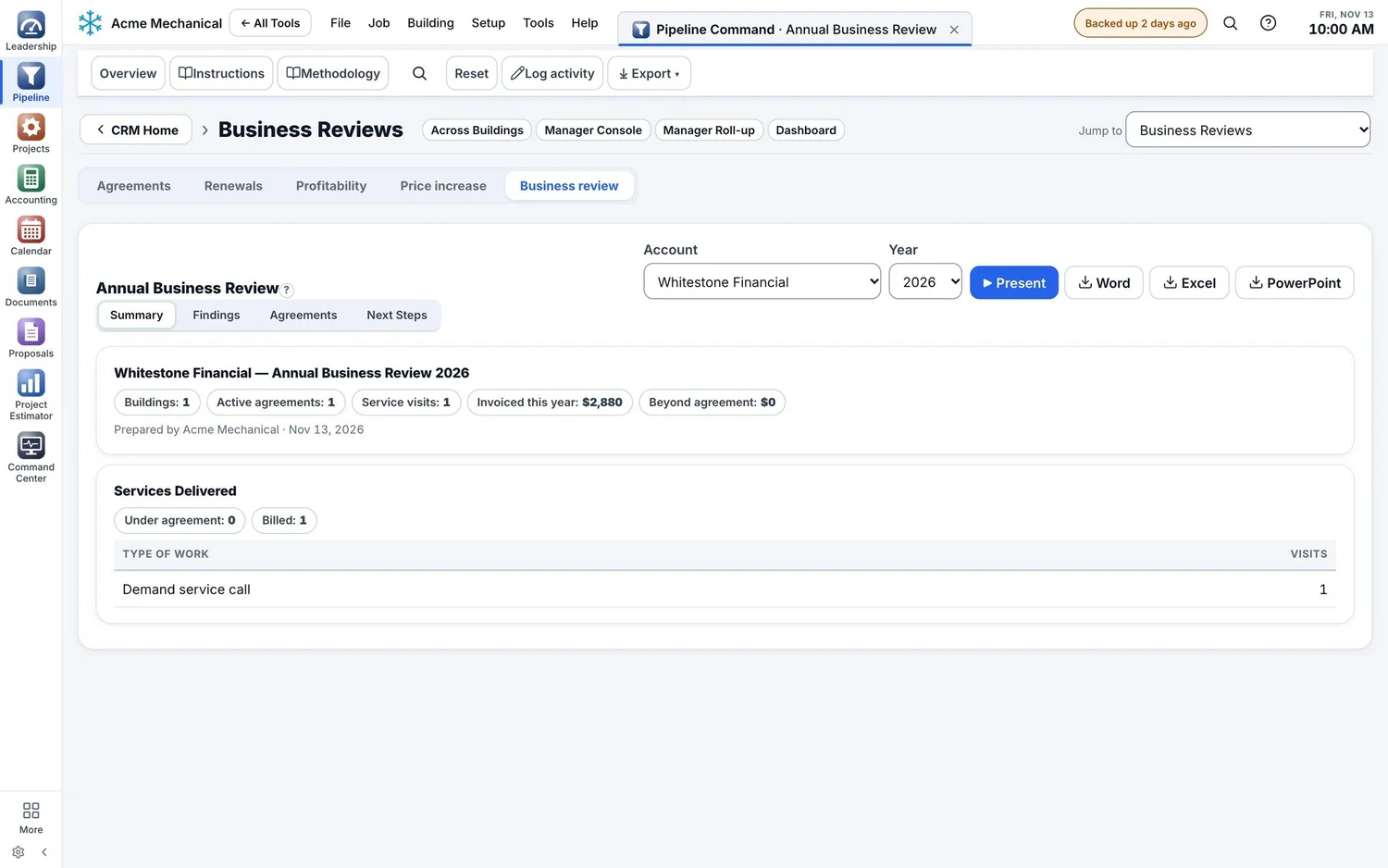
Customers forget the service you gave, so the review packet is built from your records.
Frequently Asked Questions
Does HVAC Logix send campaign e-mail through an outside service?
Can it post to social networks for us?
Are e-mail opens tracked?
Can we use customer photos in a case study or post?
Who can run campaigns and review requests?
Be First When HVAC Logix Opens
Stop paying people to copy numbers between programs. Join the list and we will tell you the day downloads open, with setup guides ready.
Launching early 2027 for HVAC Logix. Nothing to buy today, and no sales calls.
