
Up and Running Without Starting Over.
Most organizations already have an equipment list, a work order history and a vendor file somewhere. Facilities Logix is designed to take them in, show you exactly what will change before anything is saved, and let your team learn on a complete sample portfolio first. Setup is five steps, entered once and used by every app.
Launching Early 2027 · Join the Early-Access List
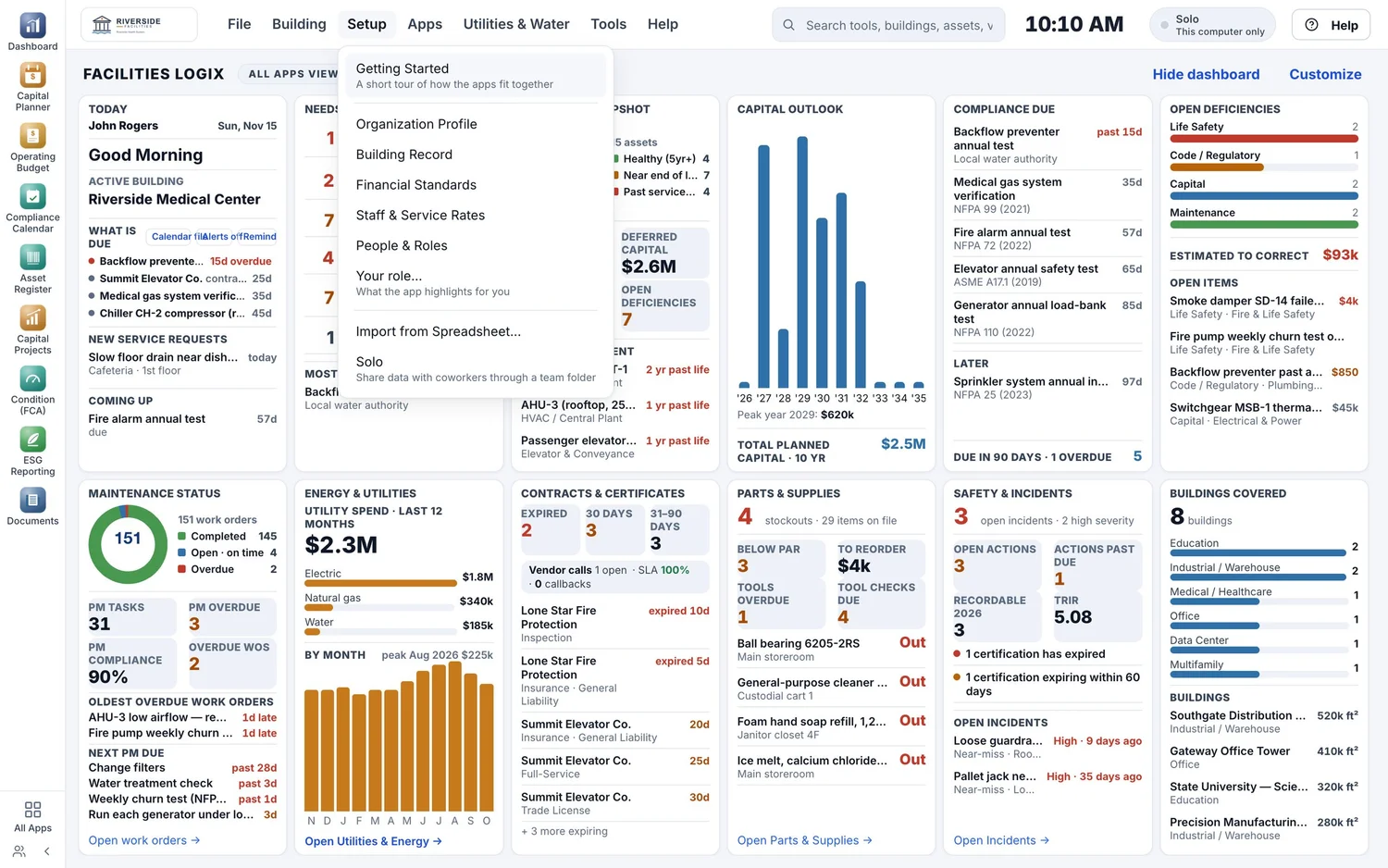
Five Steps, Entered Once
A Finish Setup pill in the header shows how many of the five steps are done and takes you to the next one. It disappears when all five are complete.
Organization Profile
Your organization's name, logo, contacts and accent color, which brand every Word, Excel and PowerPoint report. Mark which trades your own staff perform and which you contract out.
Learn MoreShow Less
Calling an outside contractor for work your own licensed staff can do, or the reverse, costs money. Marking the trades once lets every work order suggest the right one.
- Licensed trades listed, such as medical gas (ASSE 6000) and high voltage over 600 V
- A contracted trade names its vendor from your one vendor list
- A trade marked in-house with a license number on file counts as your own licensed work
- Export Profile copies it to another computer
Building Record
Each building's address, area, use, facility type and utility rates, plus the jurisdiction facts that decide which rules apply. City, state and county fill in from the ZIP code.
Learn MoreShow Less
Retyping a building's facts in every tool costs time and lets errors creep in. Enter them once and every app reads them.
- City, state and county fill from the ZIP code as the fifth digit is typed
- One of 37 facility families, matching the Facility Types apps
- Utility rates for electric, demand, gas and water, typed from your own utility bills and rate schedules
- A rename carries to bills, budgets, POs, the storeroom and the condition assessment
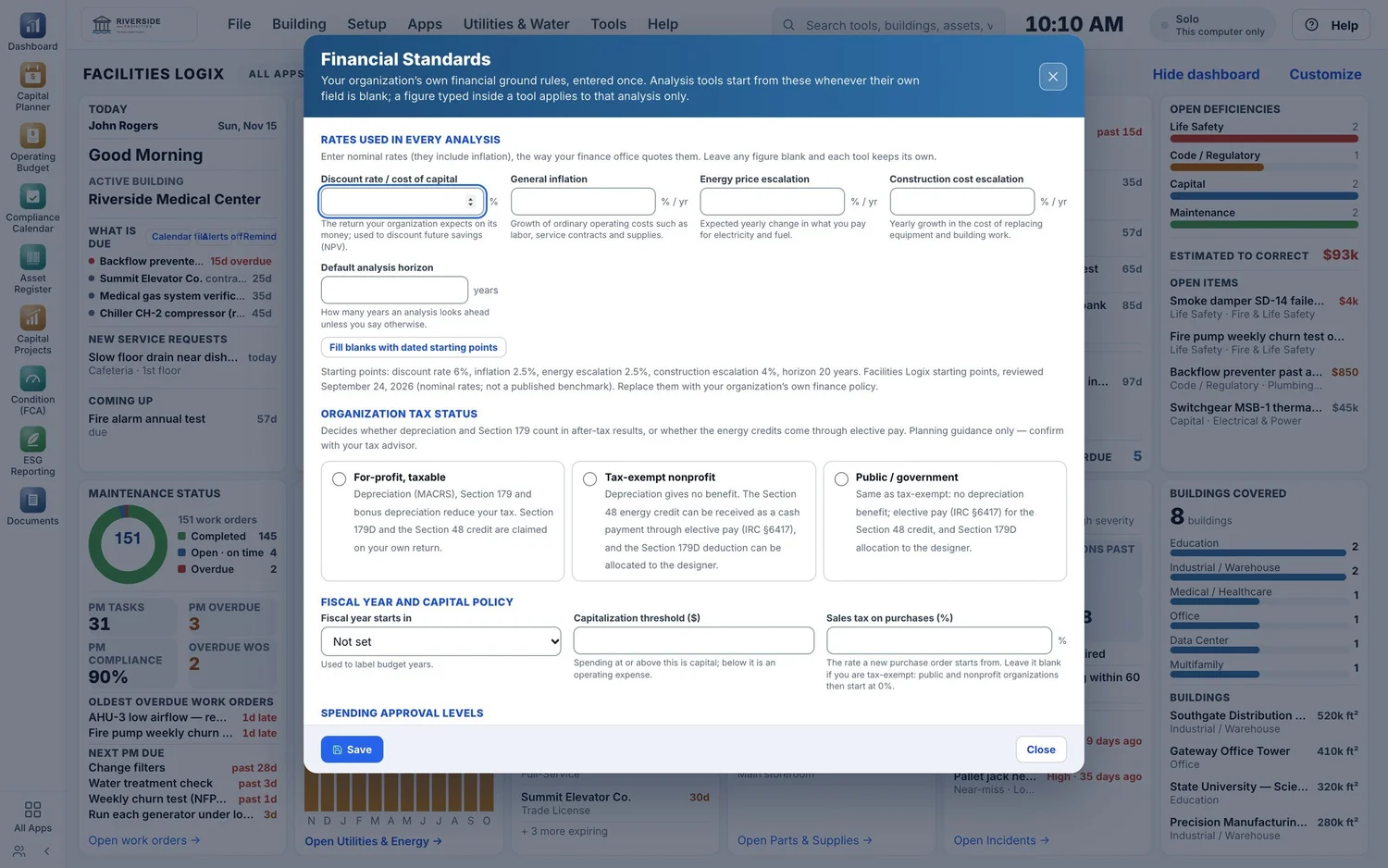
Financial Standards: discount rate, inflation, escalation, horizon and approval levels, entered once by your finance office.
Financial Standards
Your finance office's discount rate, escalation, tax status, fiscal year and approval levels. Every figure ships blank; nothing is assumed for you.
Learn MoreShow Less
An analysis built on someone else's discount rate gets rejected by your finance office. Your own rates go in once and every financial step starts from them.
- A step fills a field from these standards only when that field is blank
- Tax-exempt and public owners can see the Section 48 credit through elective pay
- For-profit owners count depreciation and Section 179 in after-tax results
- A source and last-reviewed date for whoever checks the figures next year
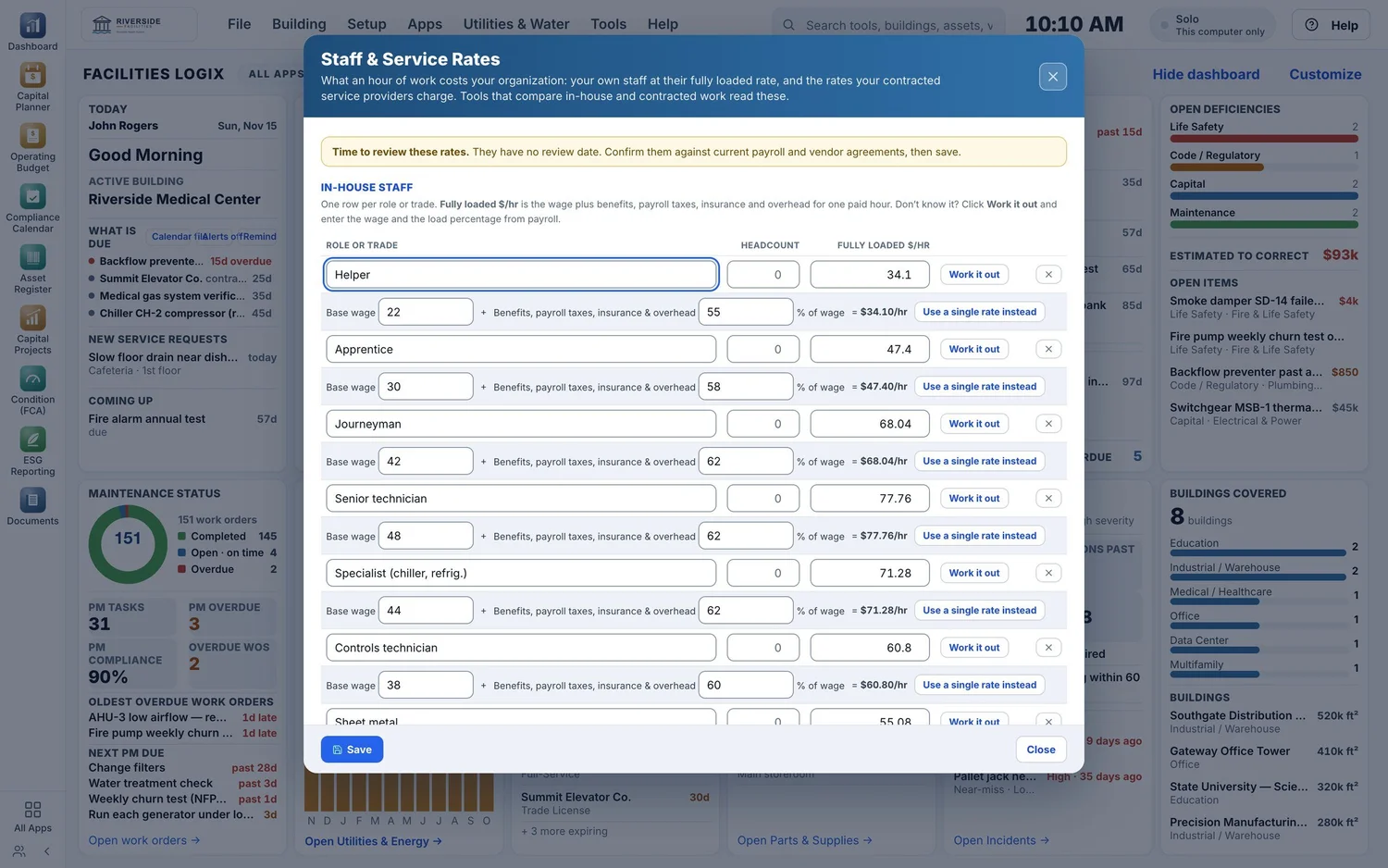
Staff & Service Rates
What an hour of your staff's and your vendors' time costs. A calculator works out a fully loaded rate from the base wage and the burden figures you enter.
Learn MoreShow Less
Comparing in-house and contracted work is only fair when your own hour is fully costed. Rates entered here are read by every tool that weighs the two.
- No loaded rate on hand? Work It Out builds one for you
- Contracted rates: standard and after-hours, by trade and vendor
- A review reminder before the rates go stale
- In-House vs Outsource offers your roles in a Use This Role picker
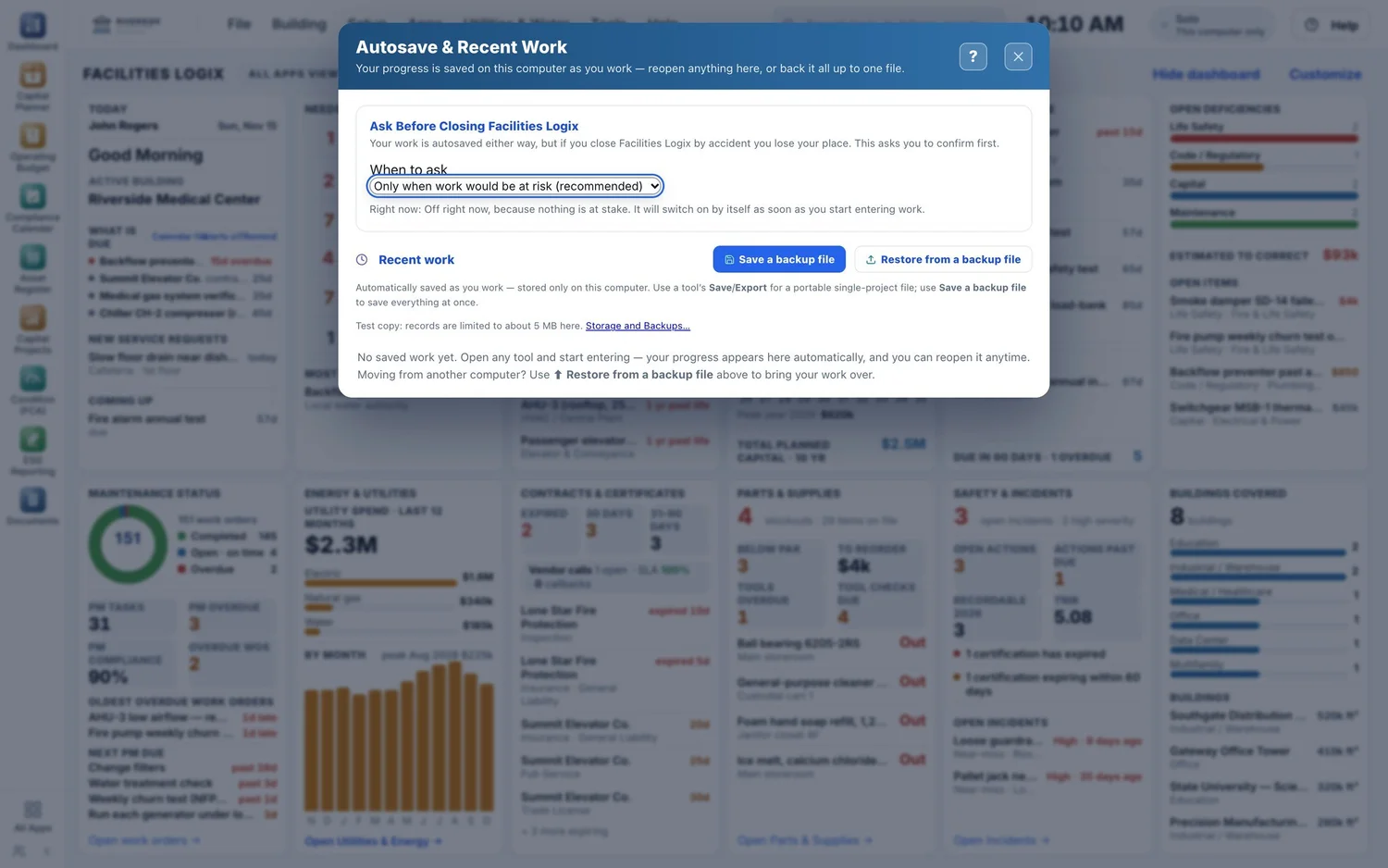
Autosave and recent work: pick up where you left off after a closed window or a crash.
First Backup
Save a backup file and set up the recovery key, so your organization's records are protected from the first day.
Learn MoreShow Less
Losing years of records to a failed drive or ransomware is the costliest event of all. A backup on day one, with encryption, closes that risk from the start.
- One file with a manifest and a checksum on every item
- A recovery key of 55 letters and digits, shown once; without it nobody can open the backup
- Restore merges, keeping whichever copy is newer, or replaces everything
- A damaged file is salvaged item by item
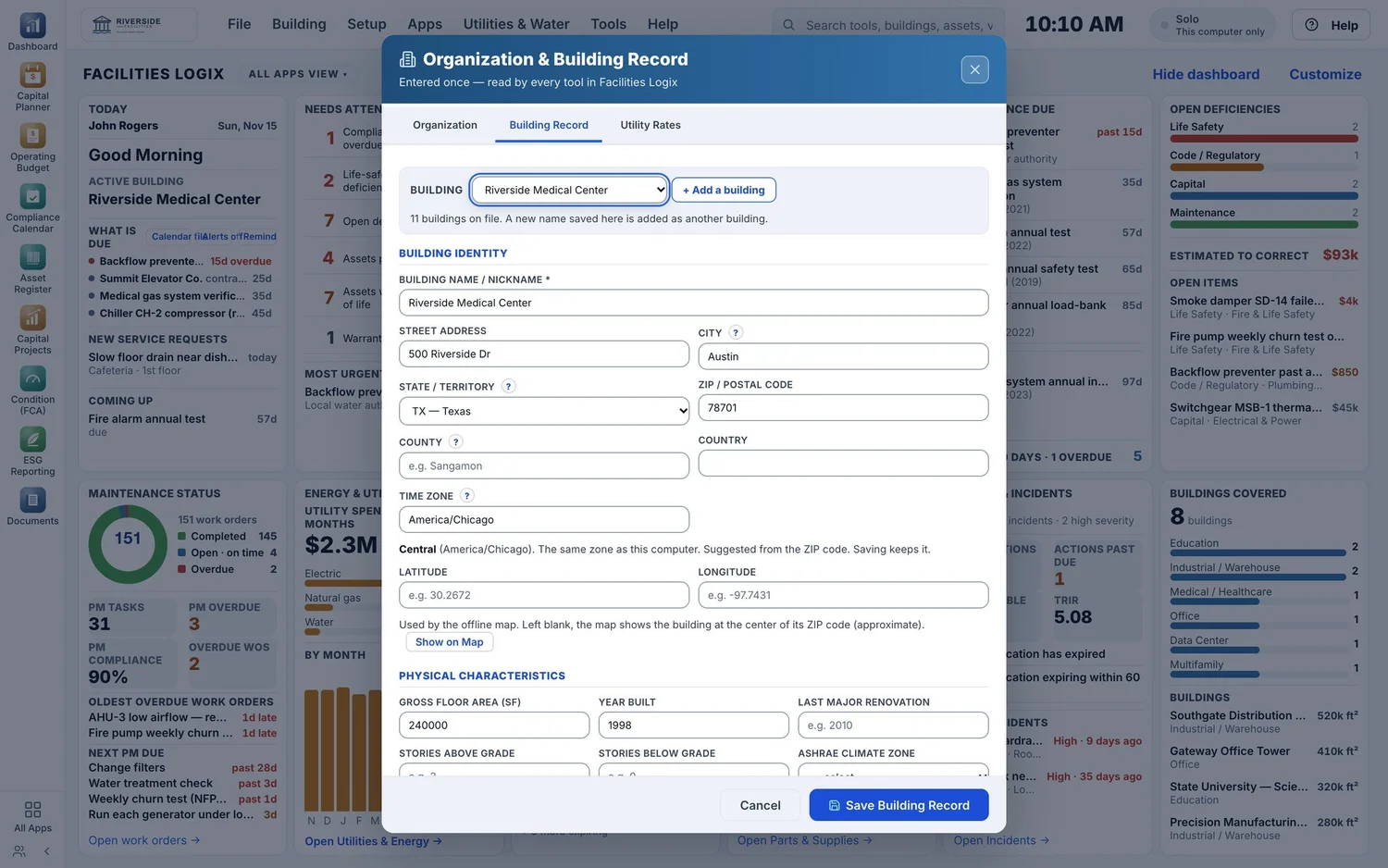
The Building Record: each building's address, floor area, use and the facts every app reads.
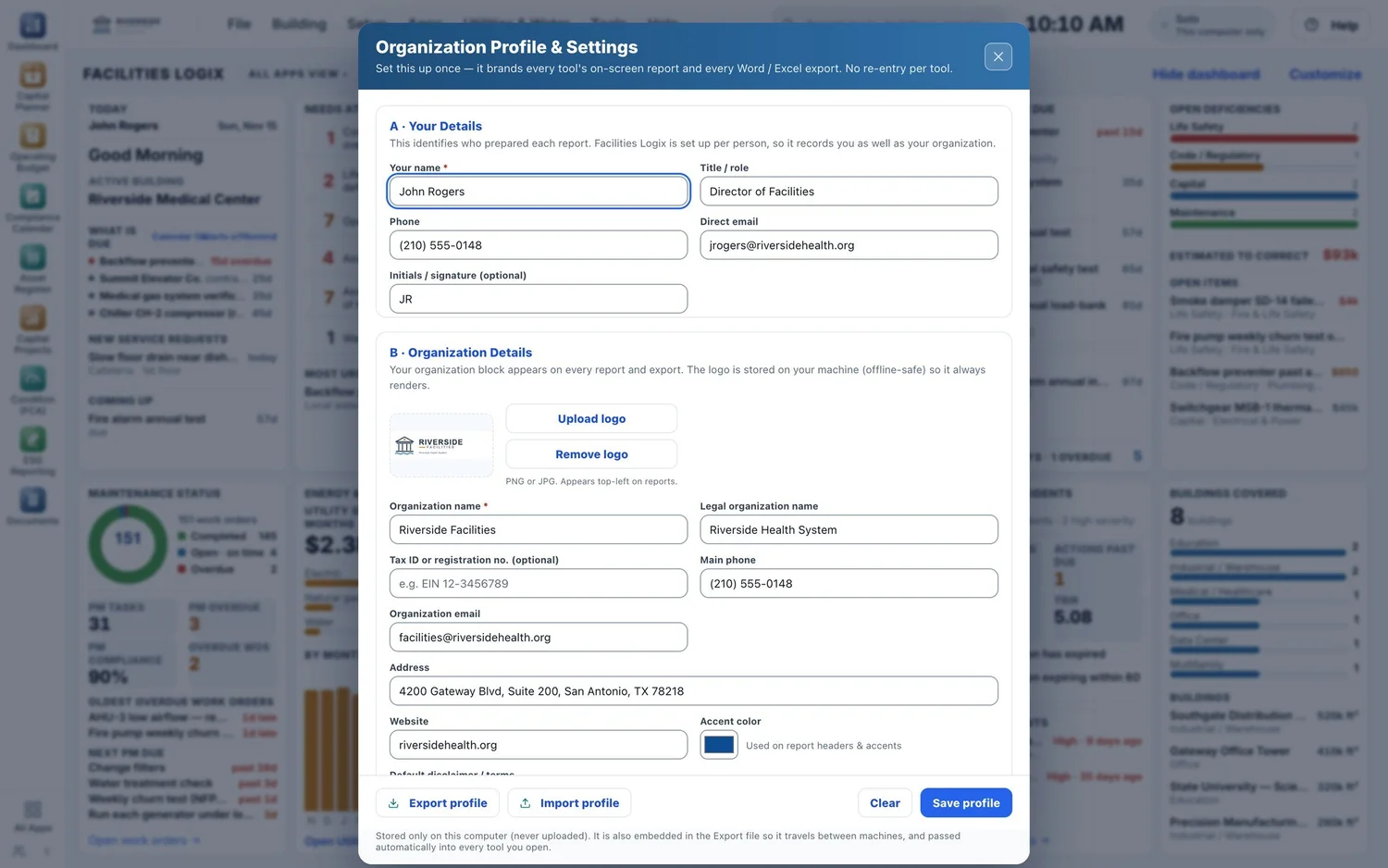
Reports that show the wrong name and contacts look careless, so the organization profile is entered once for every app.
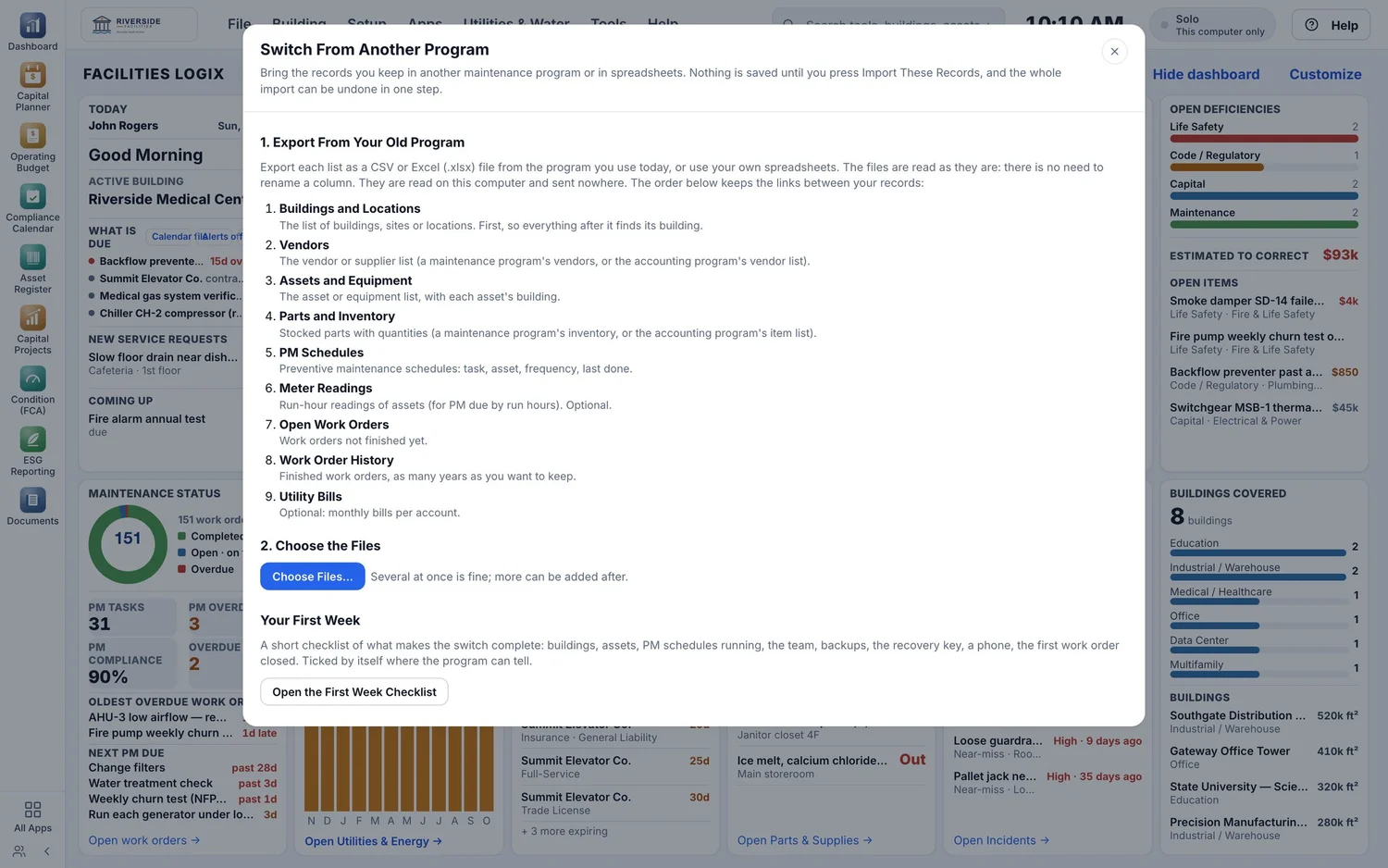
Switch from Another Program with a Dry Run and an Undo
Twenty-One Ready-Made Layouts
- Exports from other maintenance programs are recognized by their headings: work orders, assets, PM schedules, locations, vendors, inventory and meter readings
- Vendor and item lists from popular accounting packages are recognized too
- Files can be chosen in any order; they are applied in the order that keeps the links: buildings, vendors, assets, parts, PM schedules, meter readings, open work orders, work order history, utility bills
The Dry Run
- Nothing is saved until you have read the report
- Rows read, rows taken, added, already in your records, and refused with the row and the reason
- Duplicates found, inside the file and against what is already there
- Links not matched, such as an asset kept by name or a building that is not on file
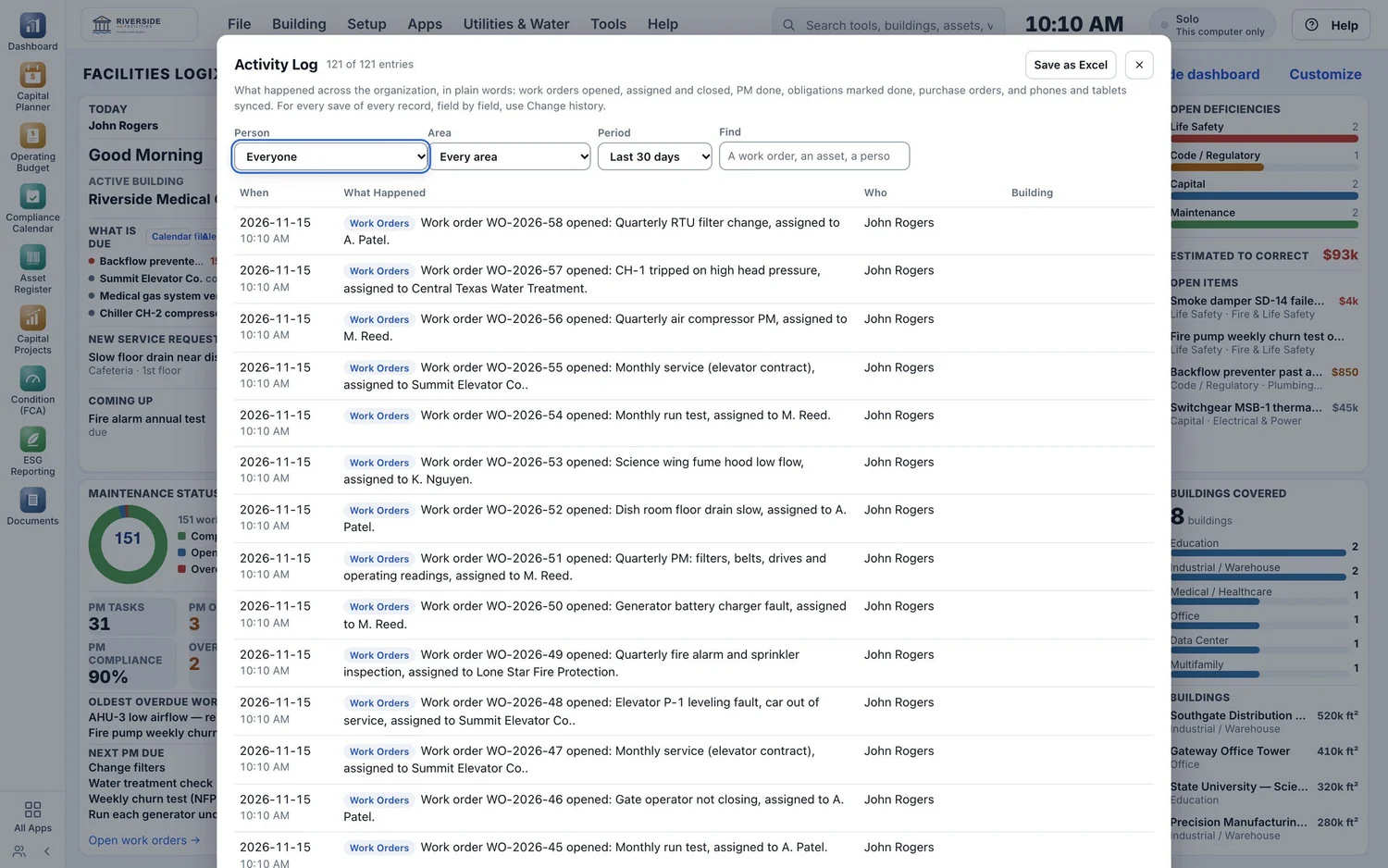
Change history: who changed what and when, kept with the record.
Undo
- Undo This Import puts every list back exactly as it was
- If a list changed after the import, the screen says which before you decide
- A failed write during an import puts back what was written: nothing is left half done
- Importing the same files again adds nothing
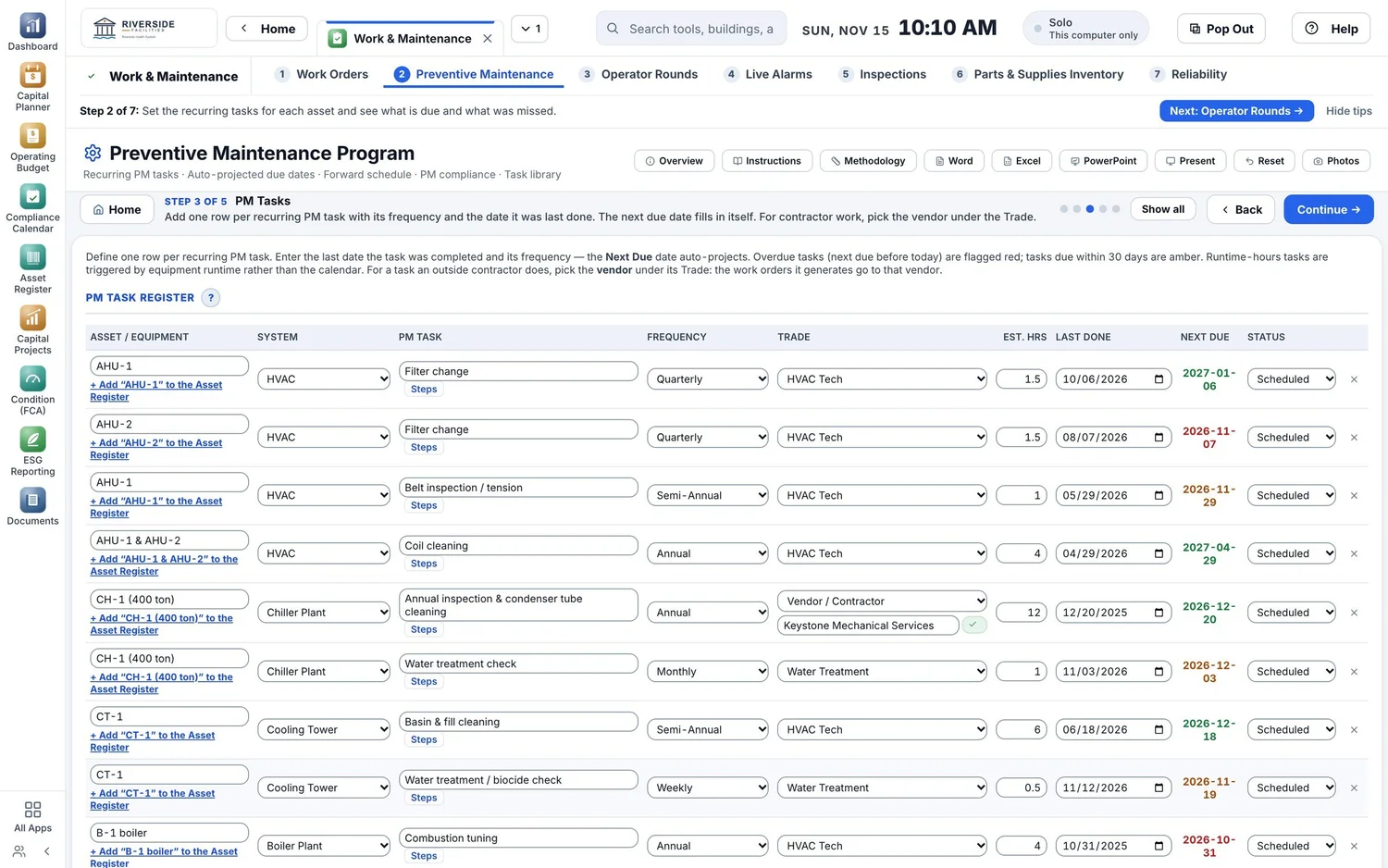
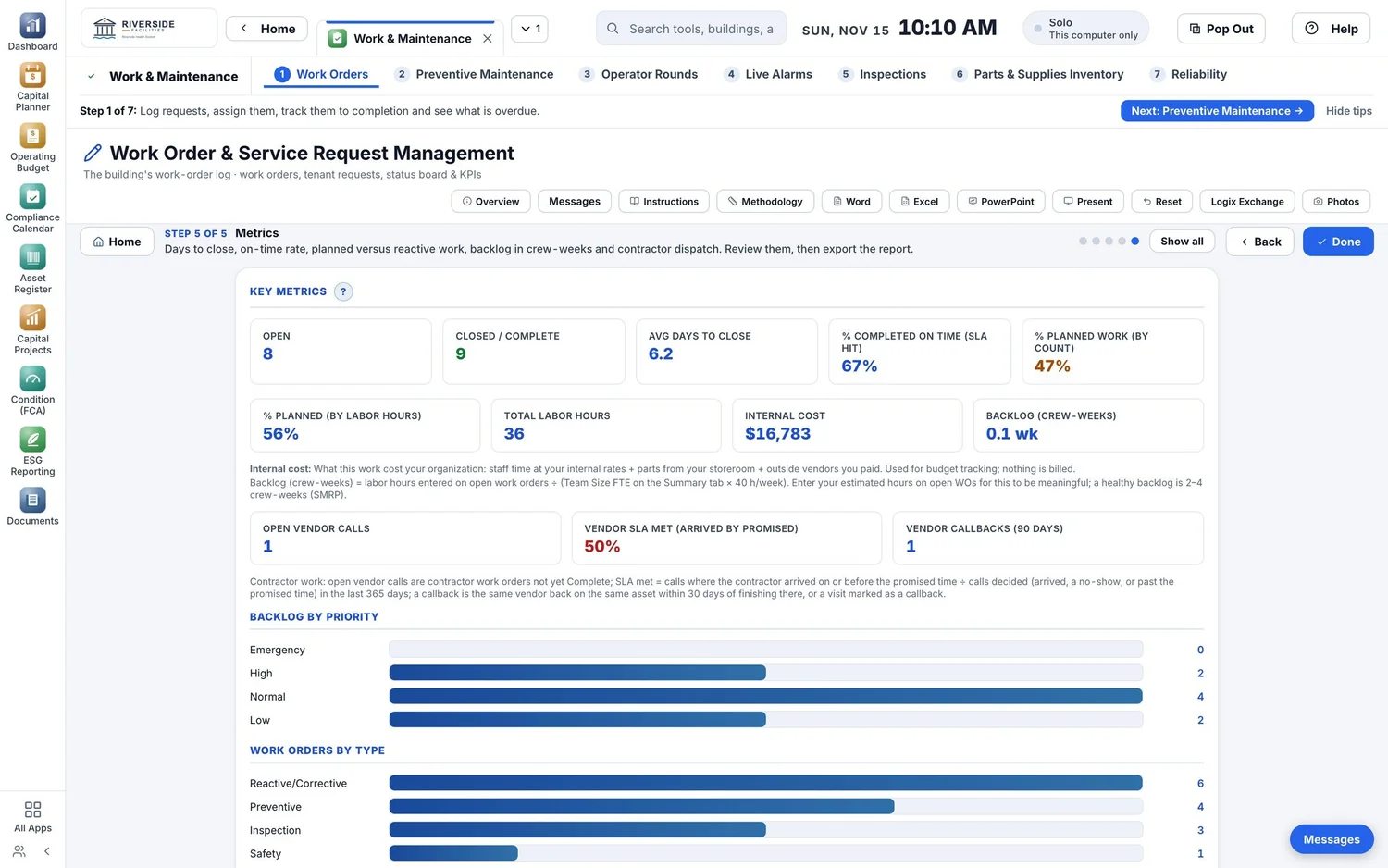
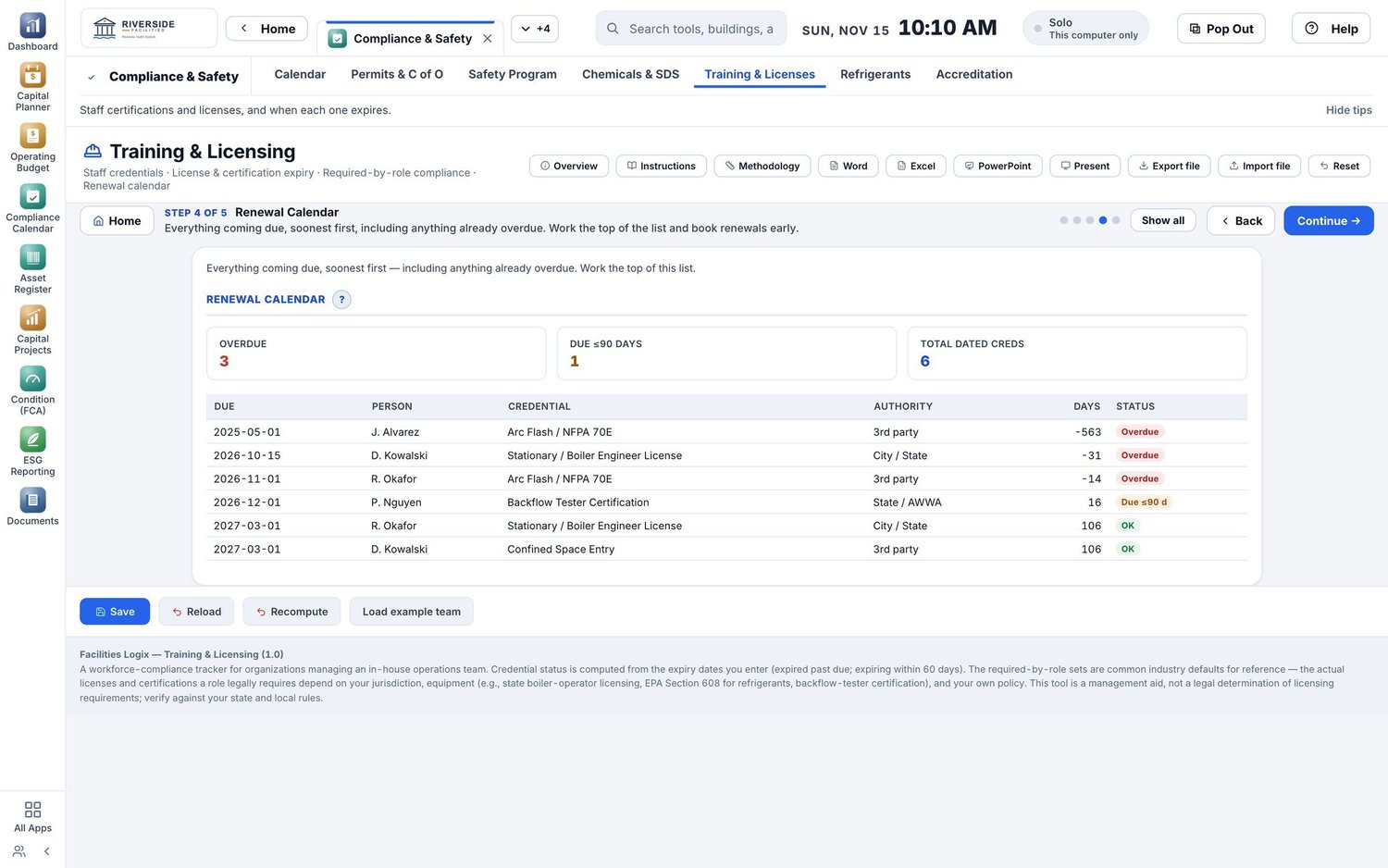
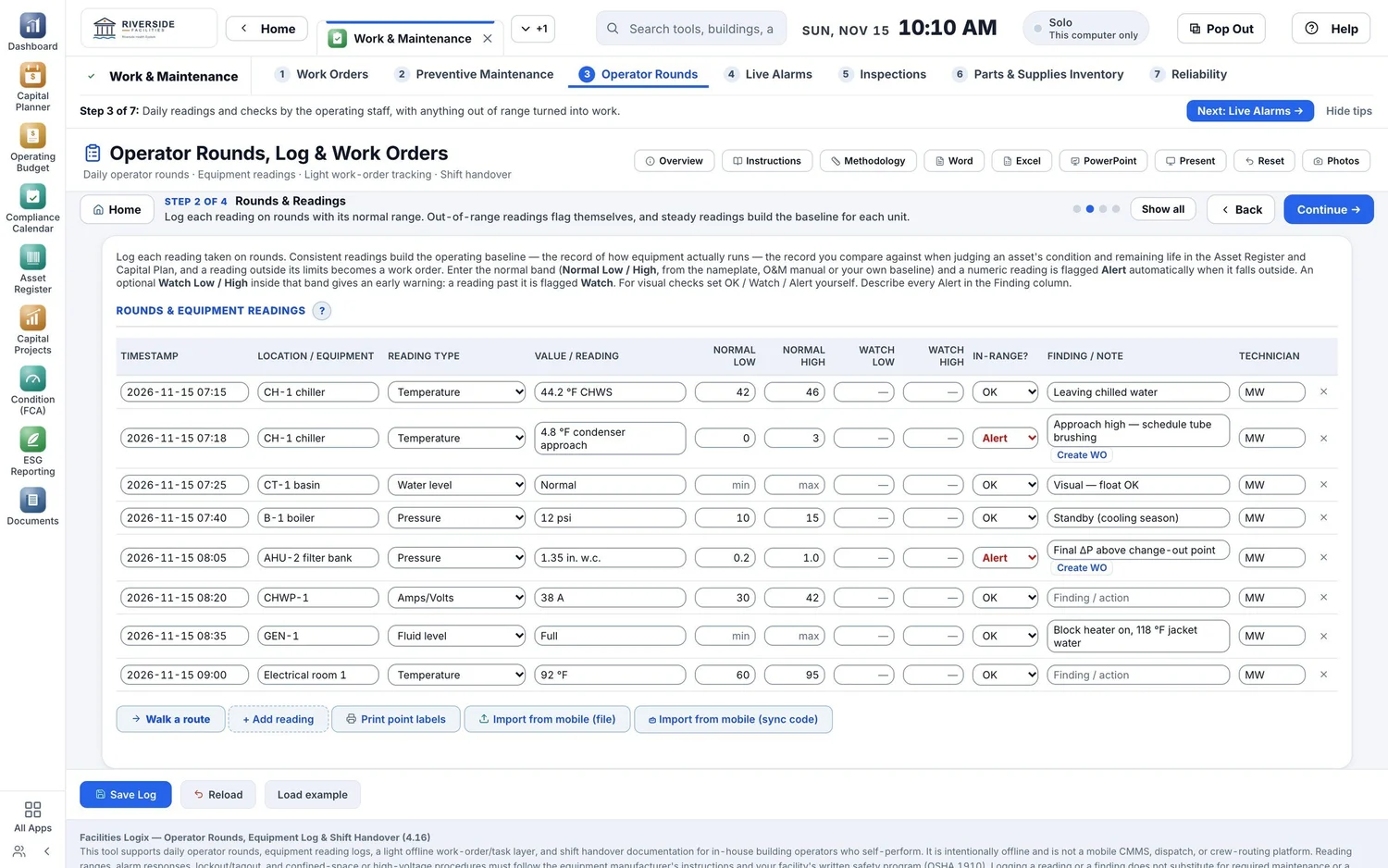
PM Tasks in Preventive Maintenance Program: add one row per recurring PM task with its frequency and the date it was last done. The next due date fills in itself. For contractor work, pick the vendor under the Trade.
Or Fill in One Spreadsheet at Your Own Pace
One Workbook
Import From Spreadsheet gives you one workbook with tabs for your organization, buildings, financial standards and rates, plus optional tabs for assets, PM tasks, parts, vendors, work order history and utility bills. Each tab has its columns, a filled-in example row and a note on every column. A single CSV of any one kind works too.
See Every Change First
Upload it and you see every value it will write, side by side with what is there now. For each kind of record you see how many will be added, how many updated field by field, how many are already the same and every row refused with its reason. A blank cell never changes anything, so next year's update is one number and one upload.
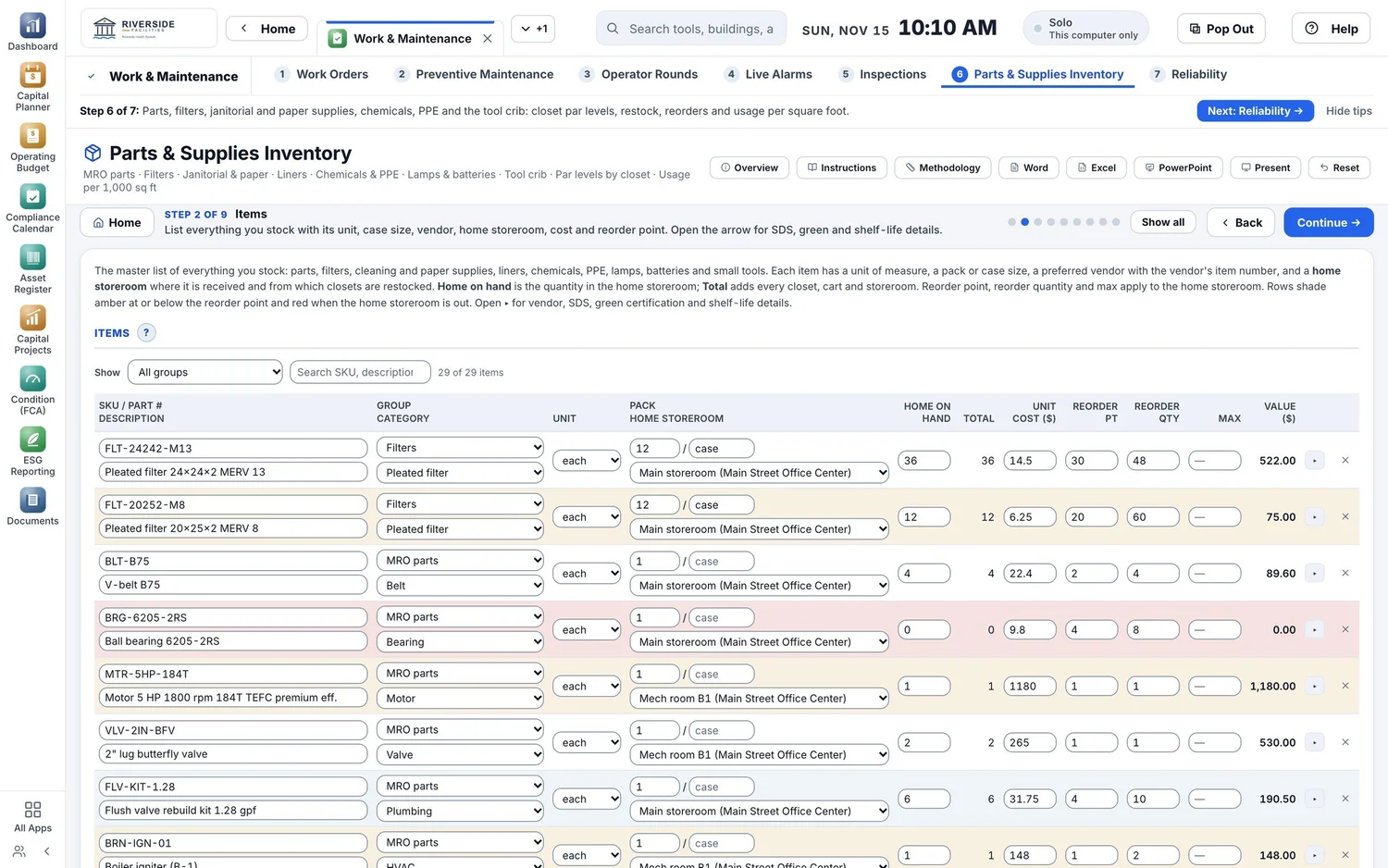
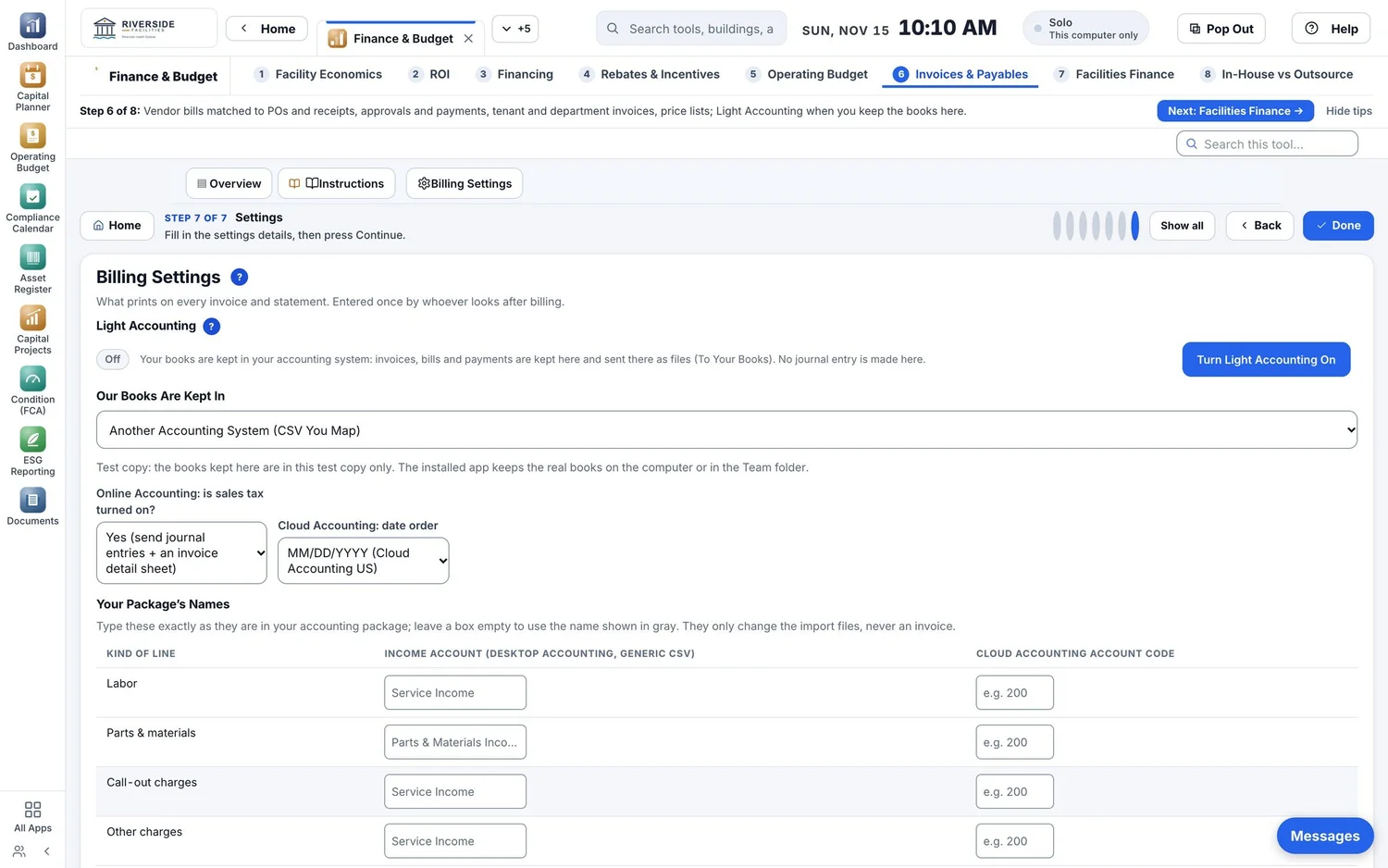
Items in Parts & Supplies Inventory: list everything you stock with its unit, case size, vendor, home storeroom, cost and reorder point. Open the arrow for SDS, green and shelf-life details.
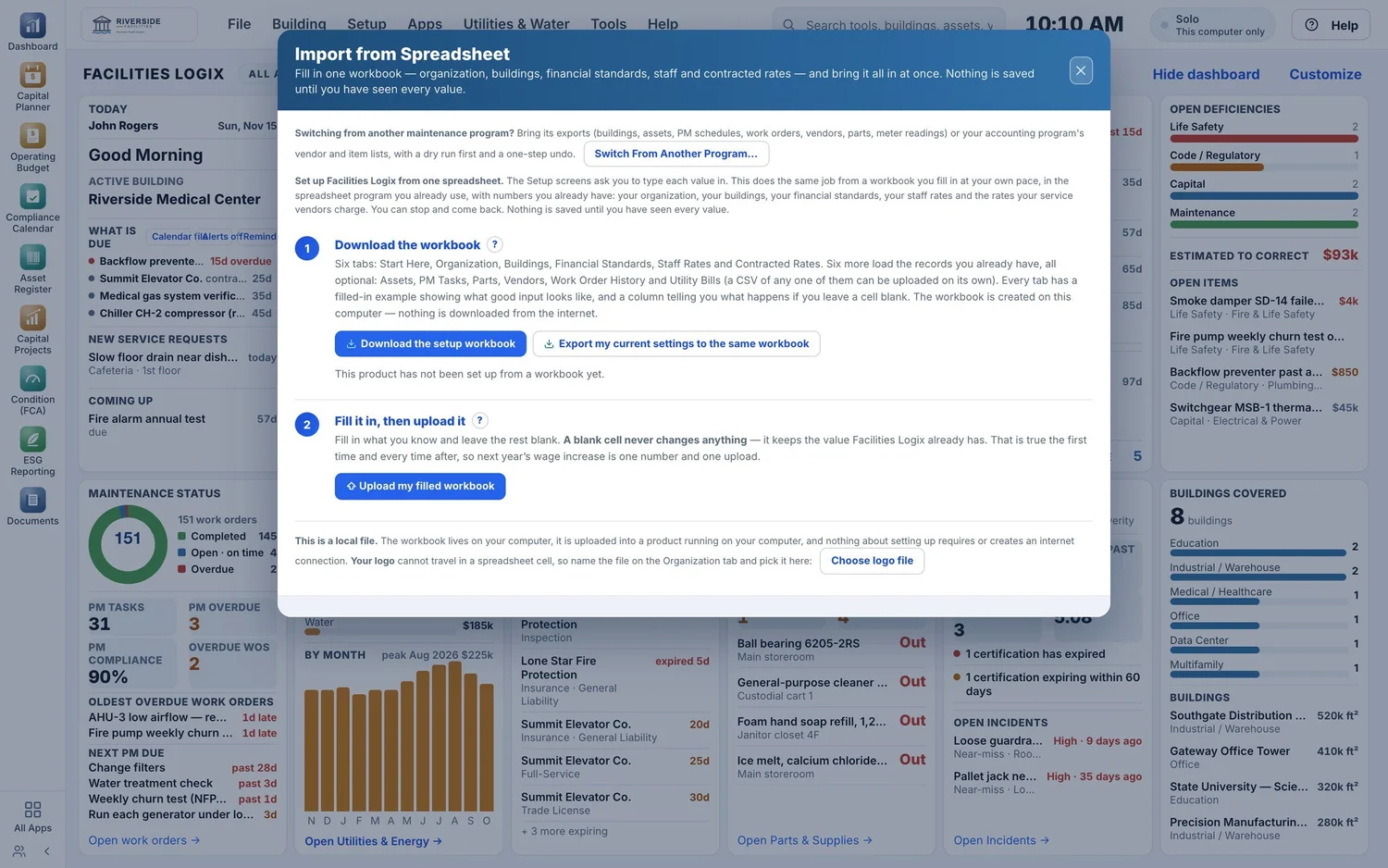
Typing setup screen by screen takes days, so one workbook fills the organization, buildings and standards at your own pace.
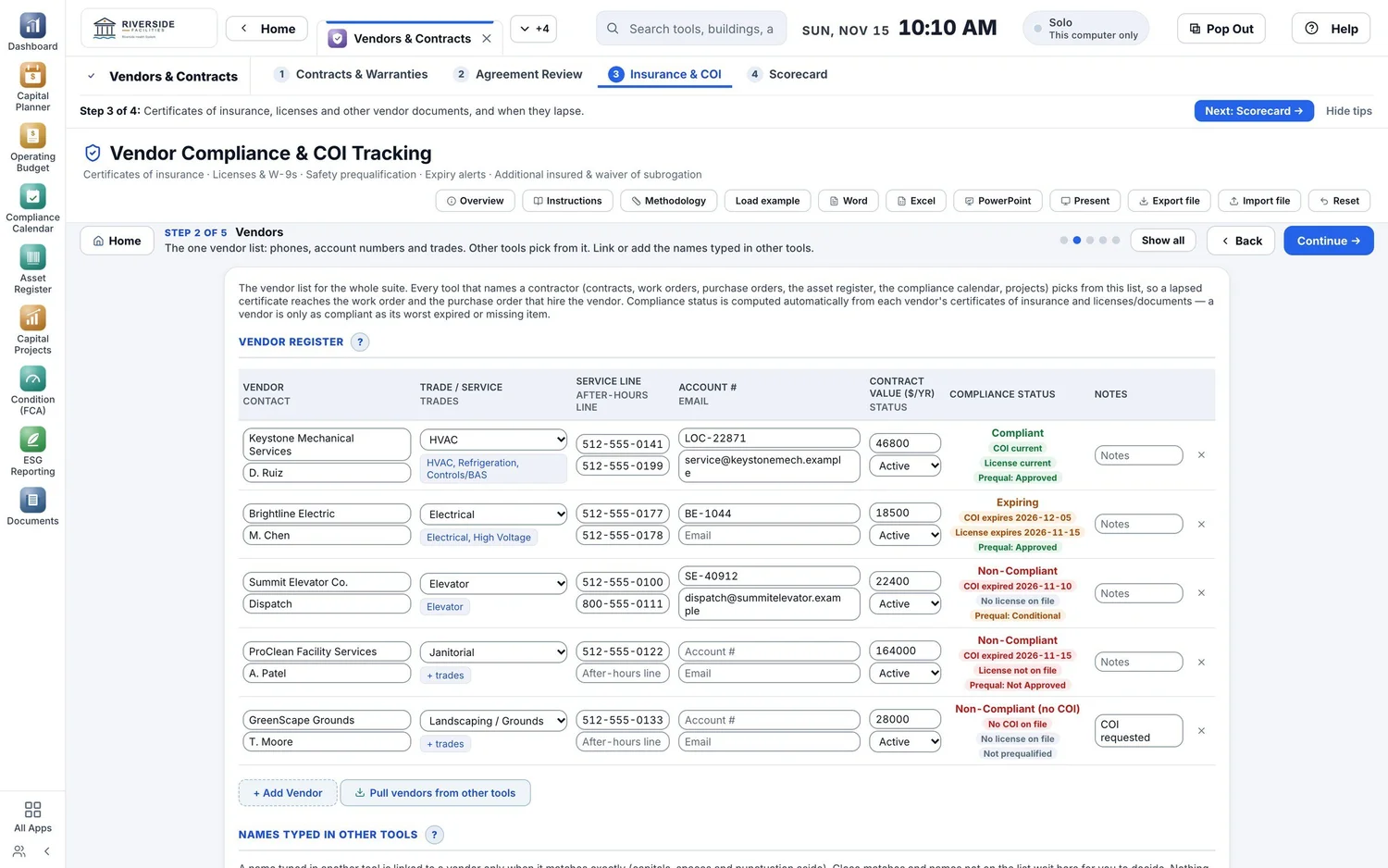
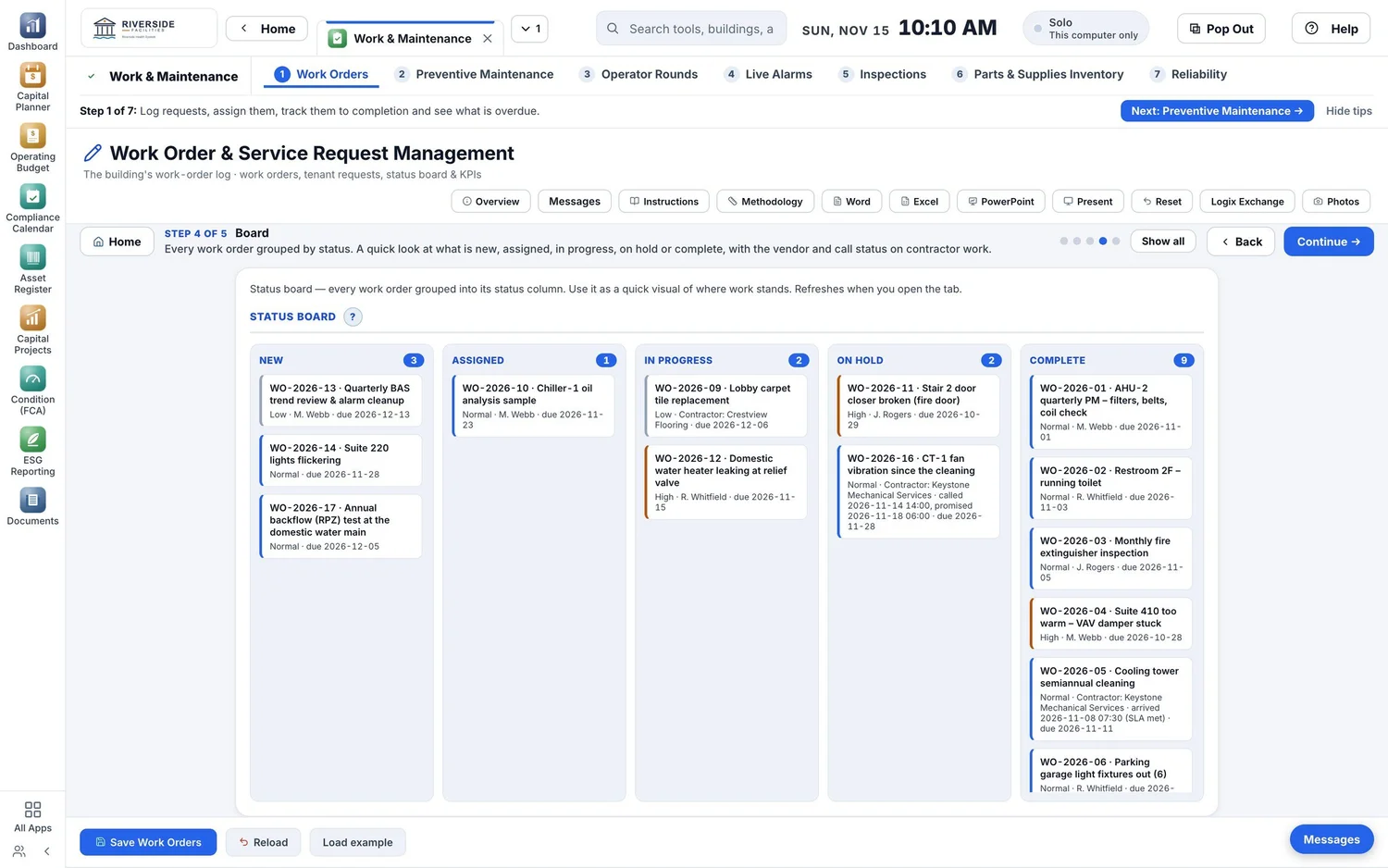
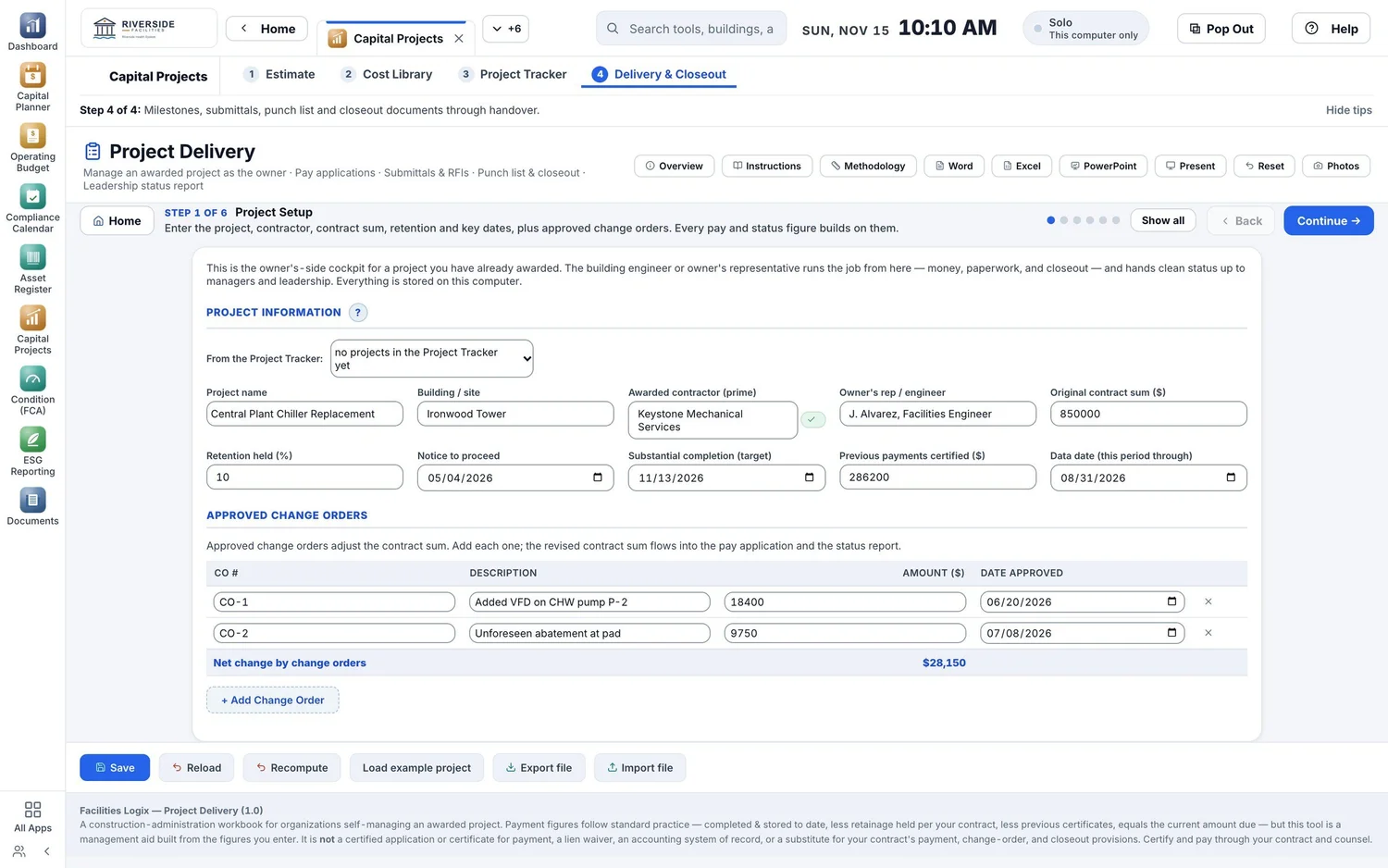
See Every Step Working Before You Enter Anything
A Complete Sample Portfolio
A sample portfolio shows the dashboards, registers, calendars and reports filled in, so your team can explore each app with realistic data.
Learn MoreShow Less
Learning on live records risks real mistakes. The sample portfolio lets the team practice every app on realistic data first.
- Used by every session of the built-in Training Program
- A recorded day of alarms, with a work order already on a technician's phone
- Parts example: two buildings, closets below par and an overdue torque wrench
- Facility apps each load a named example facility with its own owner
Load Example in Any Step
Every step can show a complete worked example before you type anything, with a Load Sample Building pill and, in many steps, a Load Example button.
Learn MoreShow Less
Seeing a finished example first saves the trial and error of a blank screen. Every step can fill itself with a worked case.
- Load Sample Building fills the step with an example building
- Load Example fills every section of many steps
- Some examples are hand-checked, such as the compressed air worked example
- Exit Samples brings your own data back
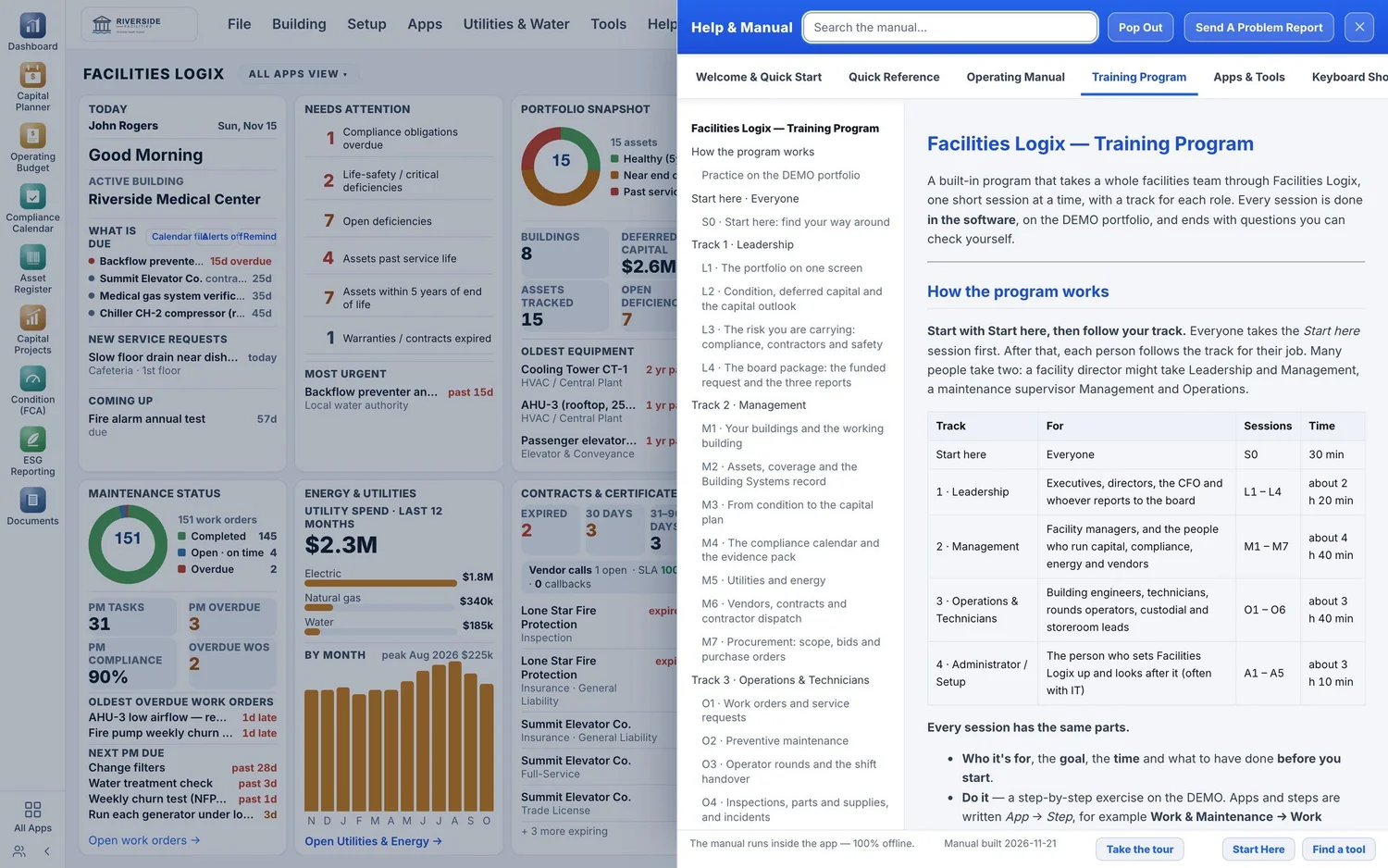
The Training Program: tracks for leadership, management, operations and administrators on the sample portfolio.
Clearly Marked
While a sample is loaded, a SAMPLE banner runs across the top and every export is watermarked, so an example can never be mistaken for your own figures.
Learn MoreShow Less
An example figure mistaken for a real one could end up in a budget request. Sample data is marked everywhere it appears.
- An amber SAMPLE banner across the top of the screen
- Word, Excel and PowerPoint exports watermarked SAMPLE
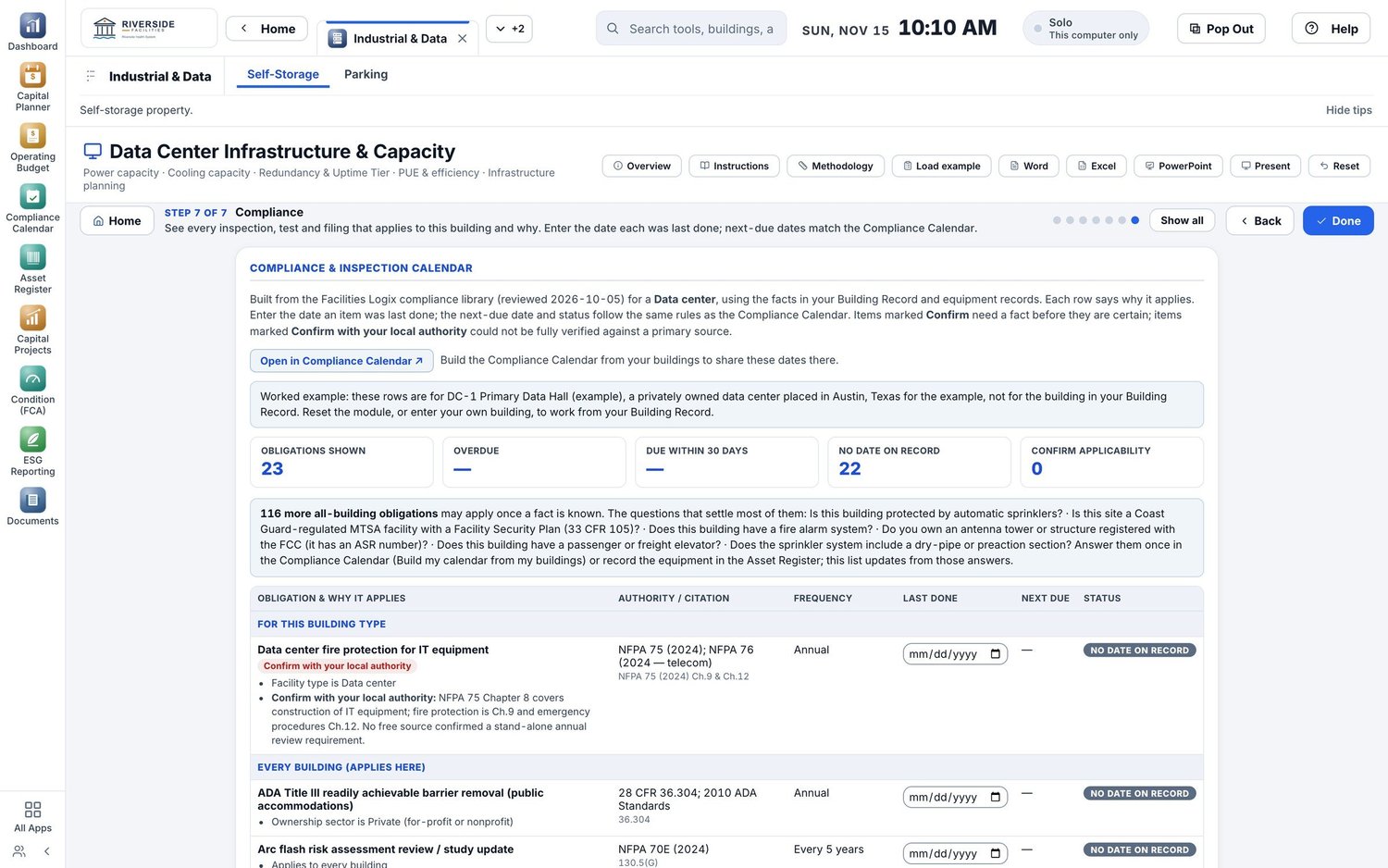
- A facility example's compliance is worked out for that example facility, not yours
- A note above those rows says so
Never Mixed with Your Records
Exit Samples and Restore My Work brings your own data back exactly as it was. On a team, sharing pauses while a sample is loaded.
Learn MoreShow Less
Sample values leaking into real records would corrupt budgets and reports. Samples are kept apart from your work.
- Your own data comes back exactly as it was
- On a team, sharing shows Team: Paused (Sample Data)
- Sample values never reach coworkers' computers
- Sample snapshots stay on the computer that loaded them
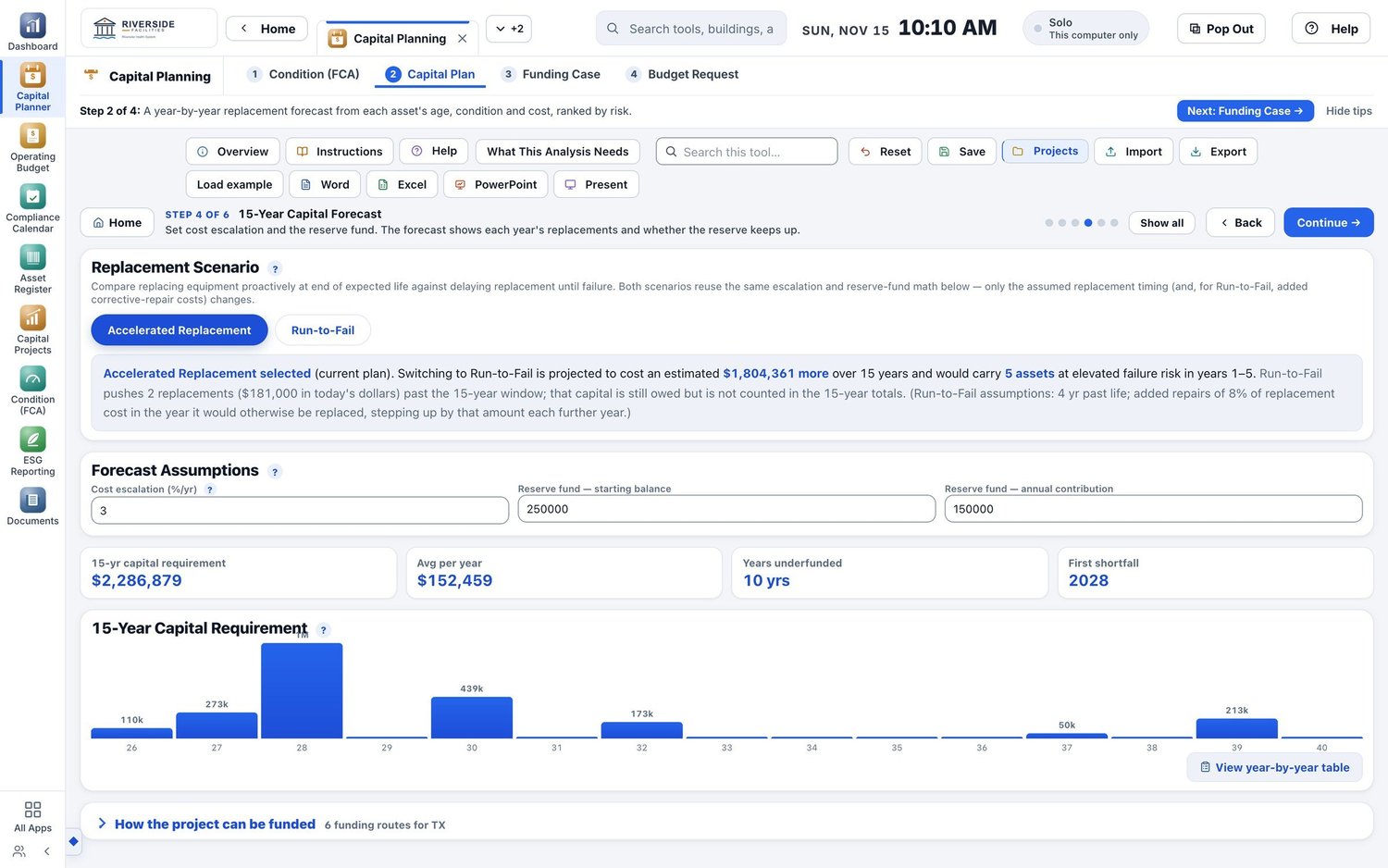
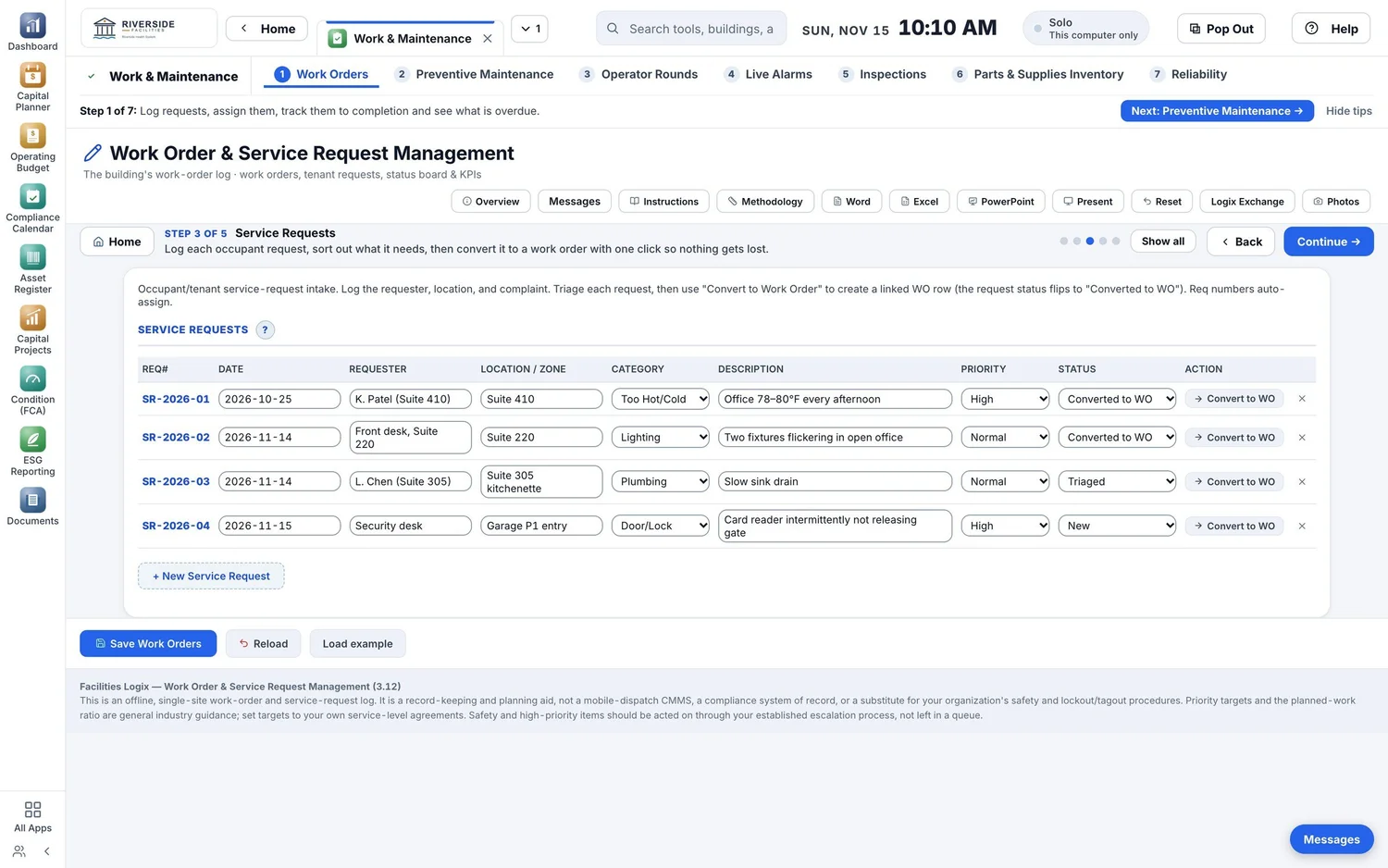
15-Year Capital Forecast in Capital Planner: set cost escalation and the reserve fund. The forecast shows each year's replacements and whether the reserve keeps up.
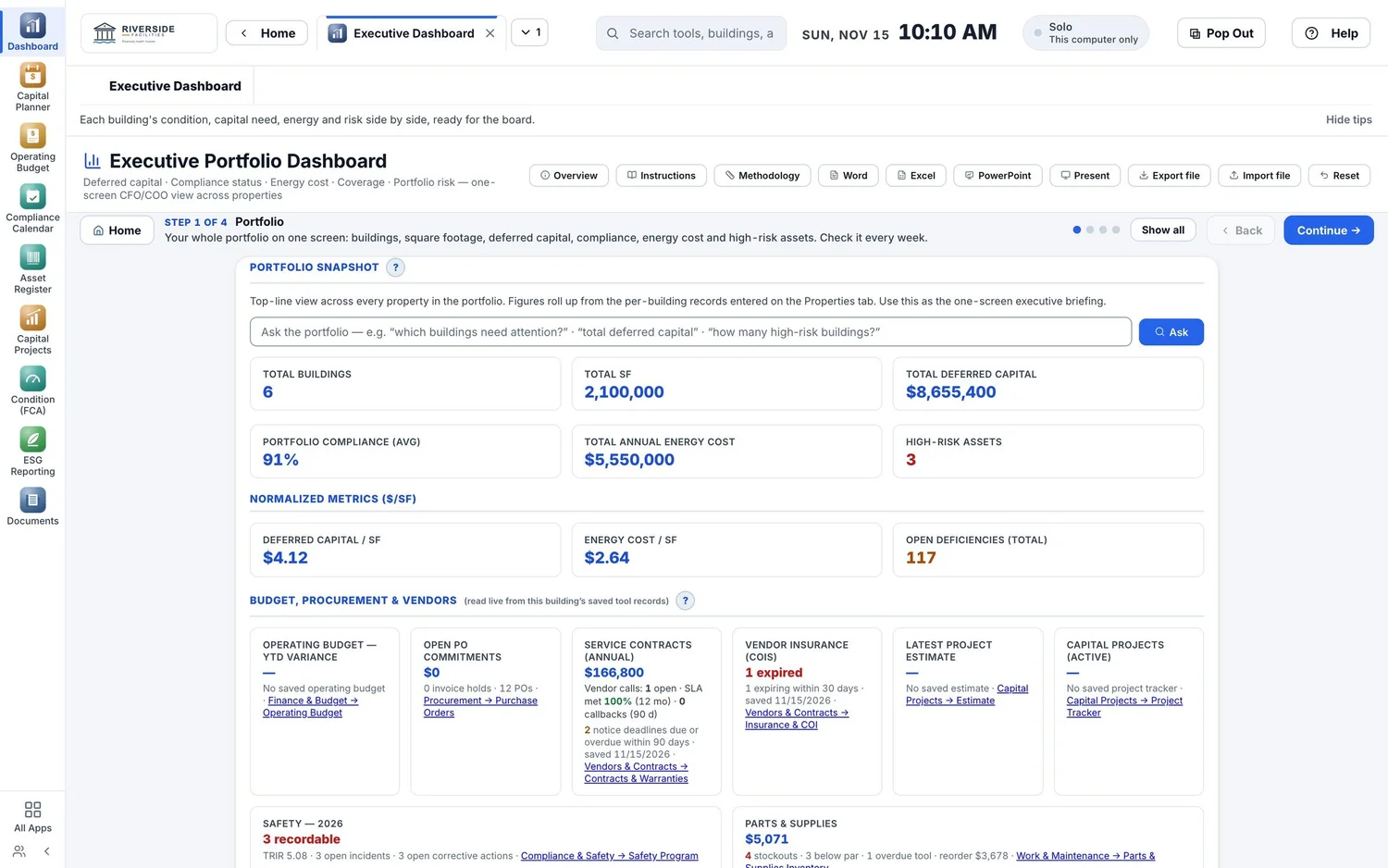
A Checklist That Ticks Itself
The checklist ticks items by itself where the program can tell, and lets you mark the rest done.
First Week Checklist
- Buildings entered
- Assets imported
- PM schedules running
- Team invited
- Backup folder set
- Recovery key printed
- Phone or tablet paired
- First work order closed
First Five Things to Try
- Set up your organization
- Add a building record
- Assess a system
- Build the capital plan
- Export a board memo
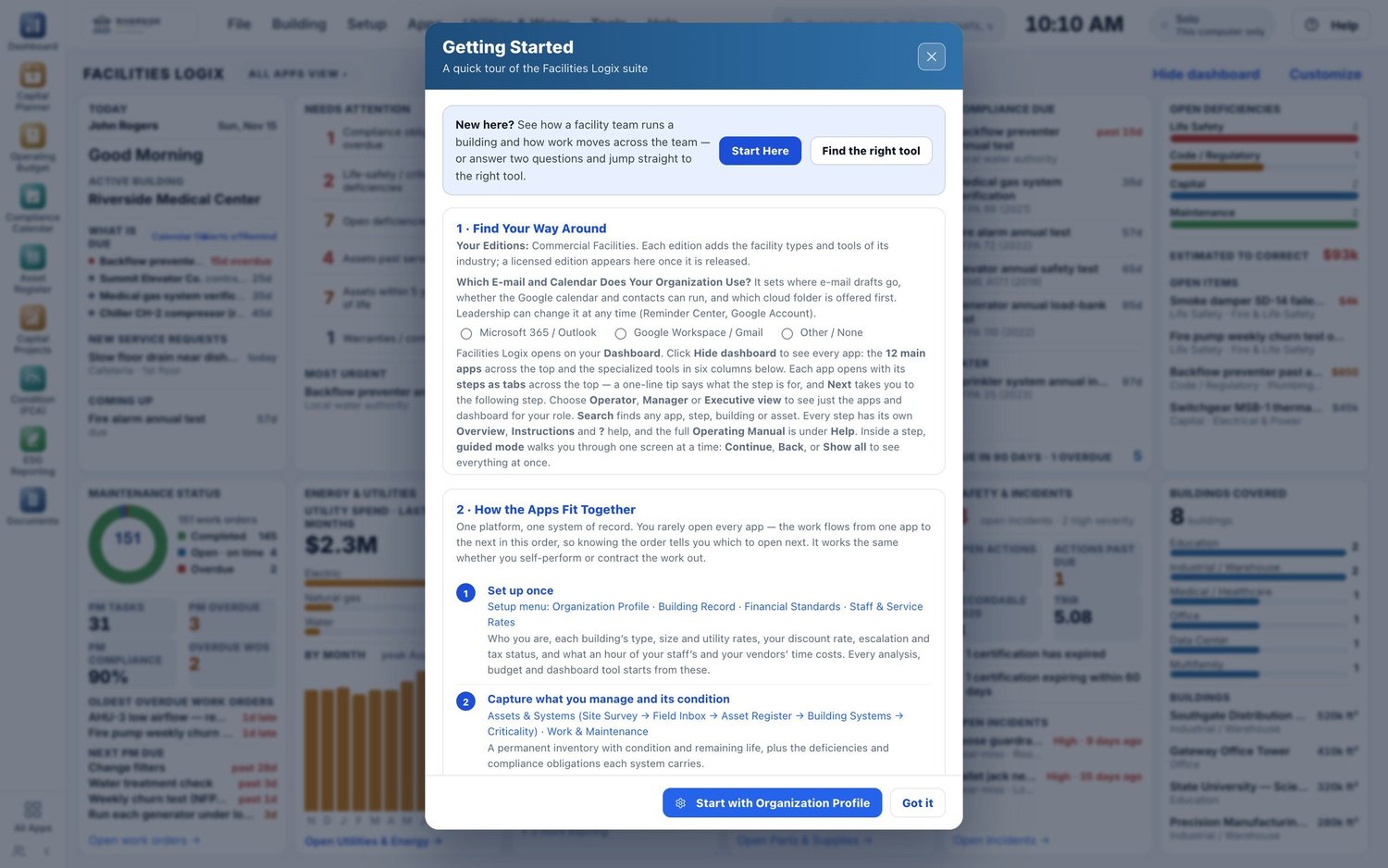
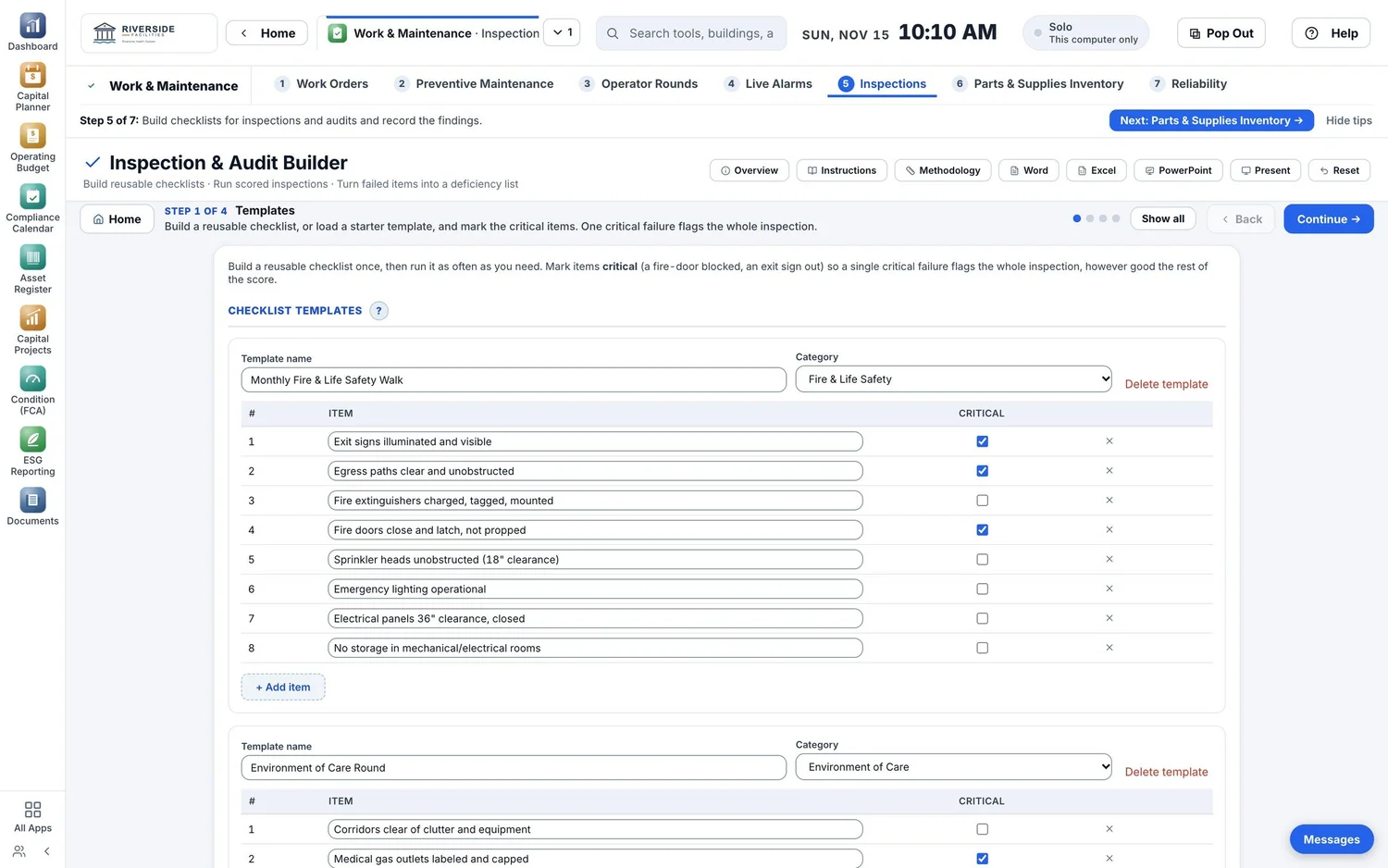
Getting Started: a short tour of how the apps fit together, with the first steps to take.
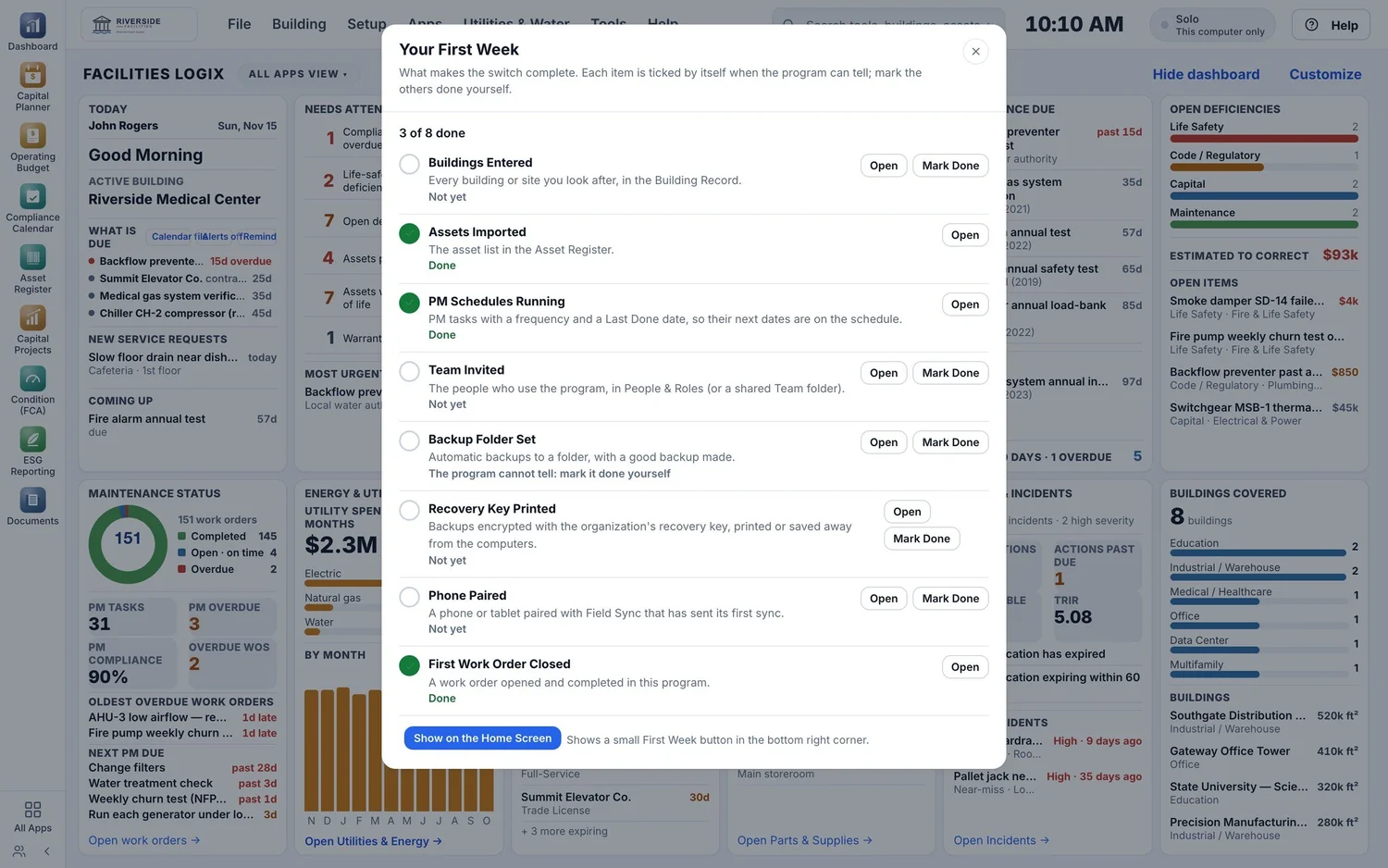
A switch from another program can stall in the first week, so a checklist tracks buildings, assets, PM and backups.
Your Own Computers and Nothing Else
Desktop
A 64-bit Windows 10 or 11 PC, or a Mac with Apple silicon running macOS 13 Ventura or later. No internet connection is required. On Windows, an administrator approves the installation once.
Learn MoreShow Less
Software that needs new hardware or a server adds cost before any work is done. Facilities Logix runs on the computers you already have.
- Windows on x64 or ARM64, or a Mac
- One administrator approval at install; everyone then works as a normal user
- The window remembers its size, position and monitor
- Opening it again brings the open window forward, never a second copy
Team
Start on one computer in Solo. When you are ready, share one set of records through a folder on your office network, or through your organization's approved cloud account. A setup file brings the next computer up with the same profile, standards and permissions.
Learn MoreShow Less
Two people overwriting each other's work costs time to redo. Team mode merges changes and keeps both versions when they clash.
- Test Folder checks that a folder is reachable and writable before use
- A cloud-synced folder is refused for the shared-drive team, to protect your work
- Each computer reserves work order numbers in blocks of 25, so offline numbers never clash
- Work continues offline and syncs when the folder is back
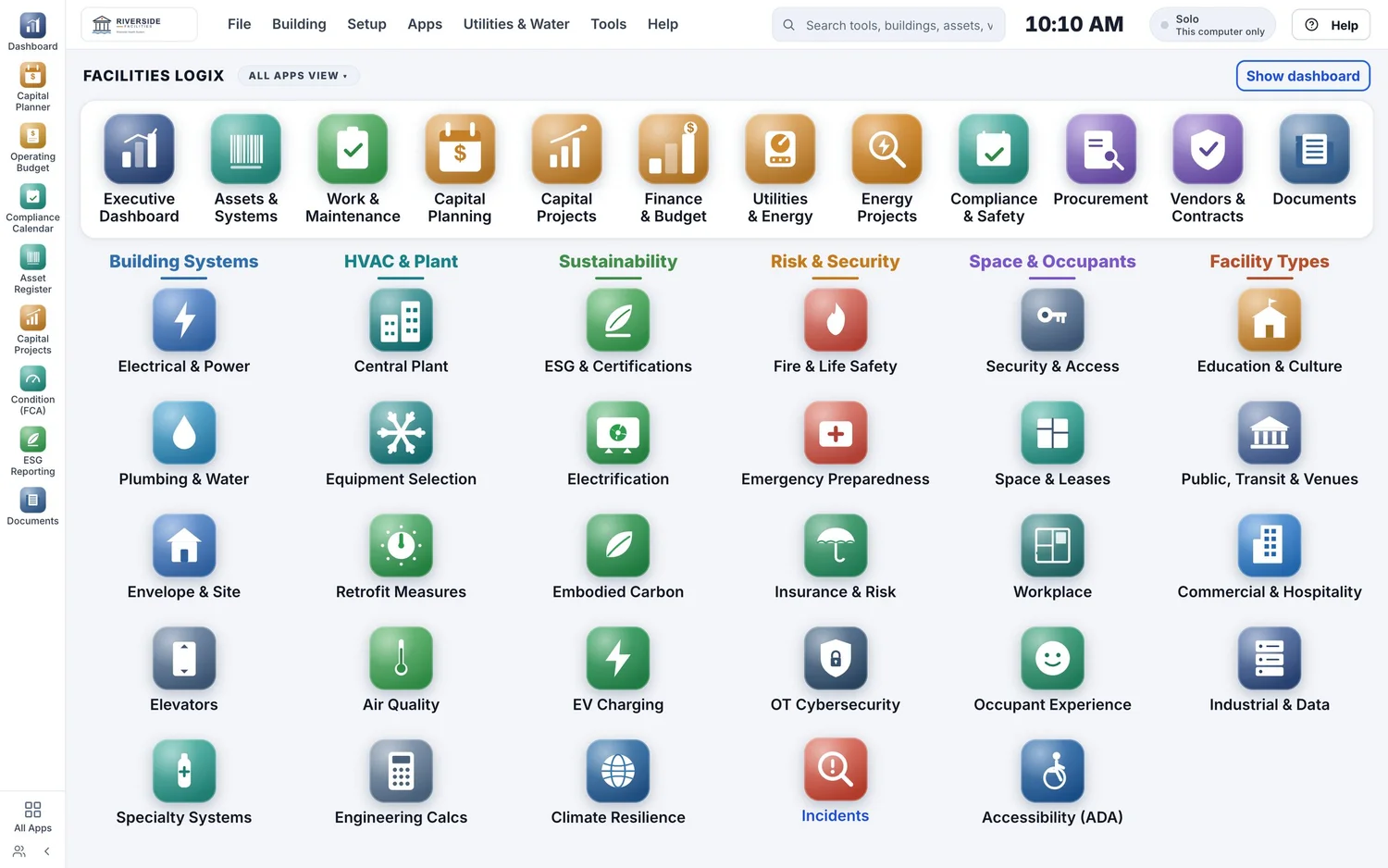
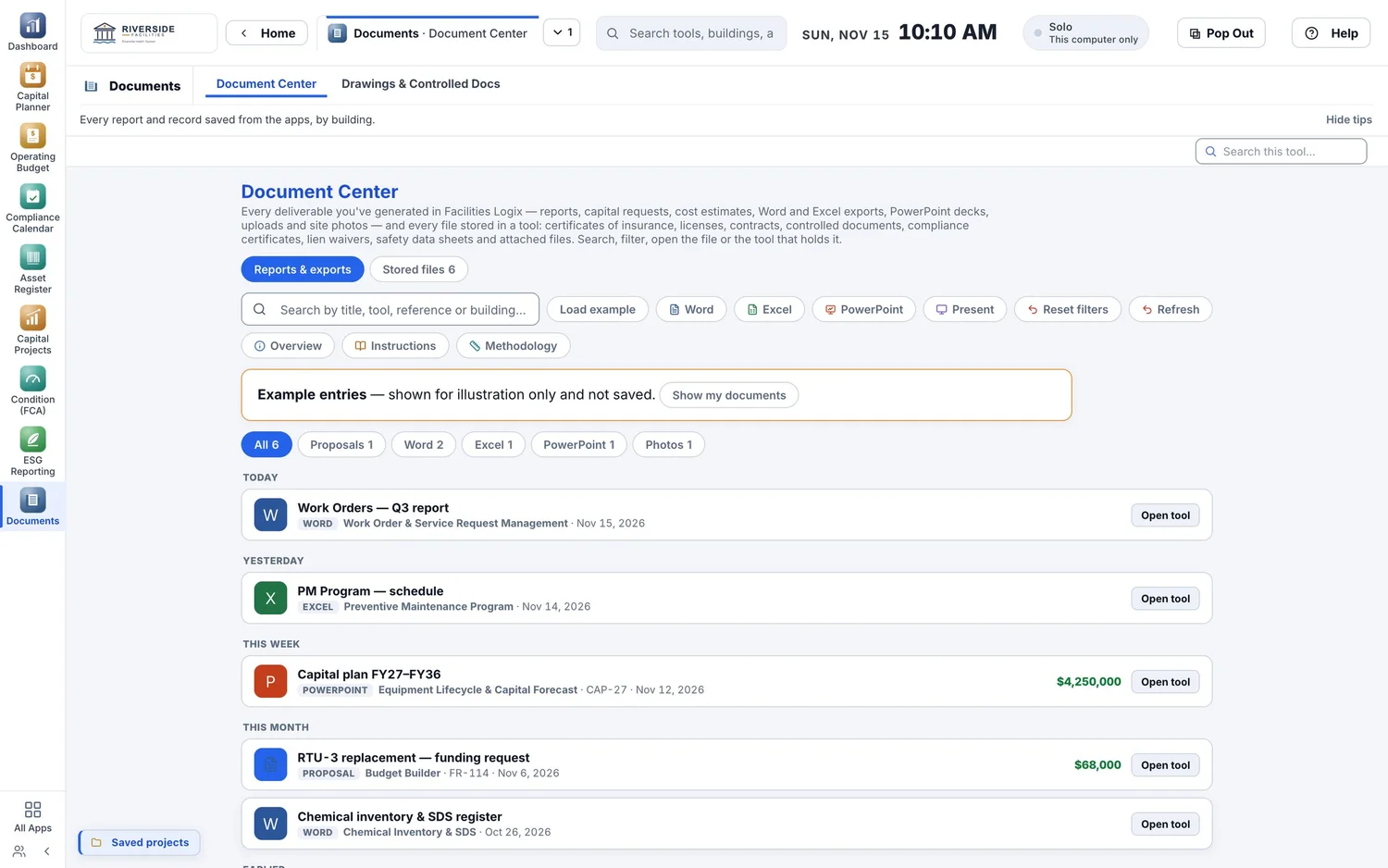
Every Facilities Logix app and tool opens from one home screen.
Phones and Tablets
The field app installs from your office computer onto iPhone and iPad (iOS 17 or later) and Android devices (Android 8 or later), including Wi-Fi-only tablets, and each device is paired to a person in minutes.
Learn MoreShow Less
Paper notes retyped at the office are paid twice. The field app records the work where it is done, even with no signal.
- Paired to a person with a 6-digit code that works once, for 10 minutes
- Compare the certificate's characters on the phone and PC before trusting it
- Unit costs, labor rates and budgets never leave the office
- One person per device; work is recorded under that person
For Your IT Team
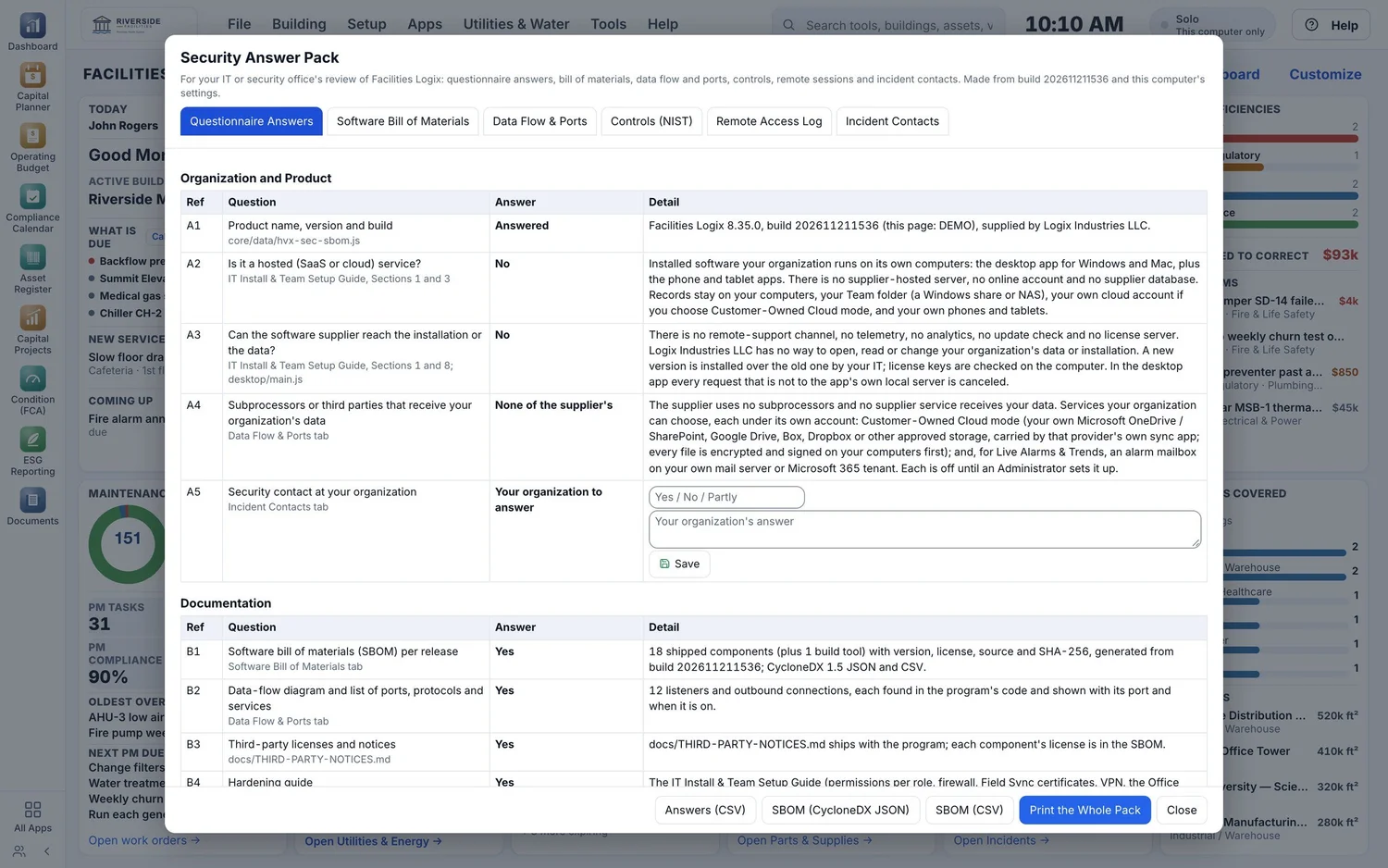
An IT install and team setup guide covers system requirements, where every kind of data lives, drive sizing, backups, permissions, network ports and removal.
Learn MoreSpeed Test
Before you move years of records onto a computer, find out whether it is up to the job. The Speed Test in the switch-over kit times a few read-only steps on this computer and on its records, checks memory, cores and the screen, and says plainly whether it meets the recommended profile. Nothing is written and nothing is sent.
Learn MoreShow Less
A slow computer costs staff minutes on every screen. The Speed Test checks a computer before years of records are moved onto it.
- Times the same reference work on every computer
- Runs only read-only steps, so nothing is changed
- Answers recommended, minimum or below, with what fell short in plain words
- Part of the switch-over kit
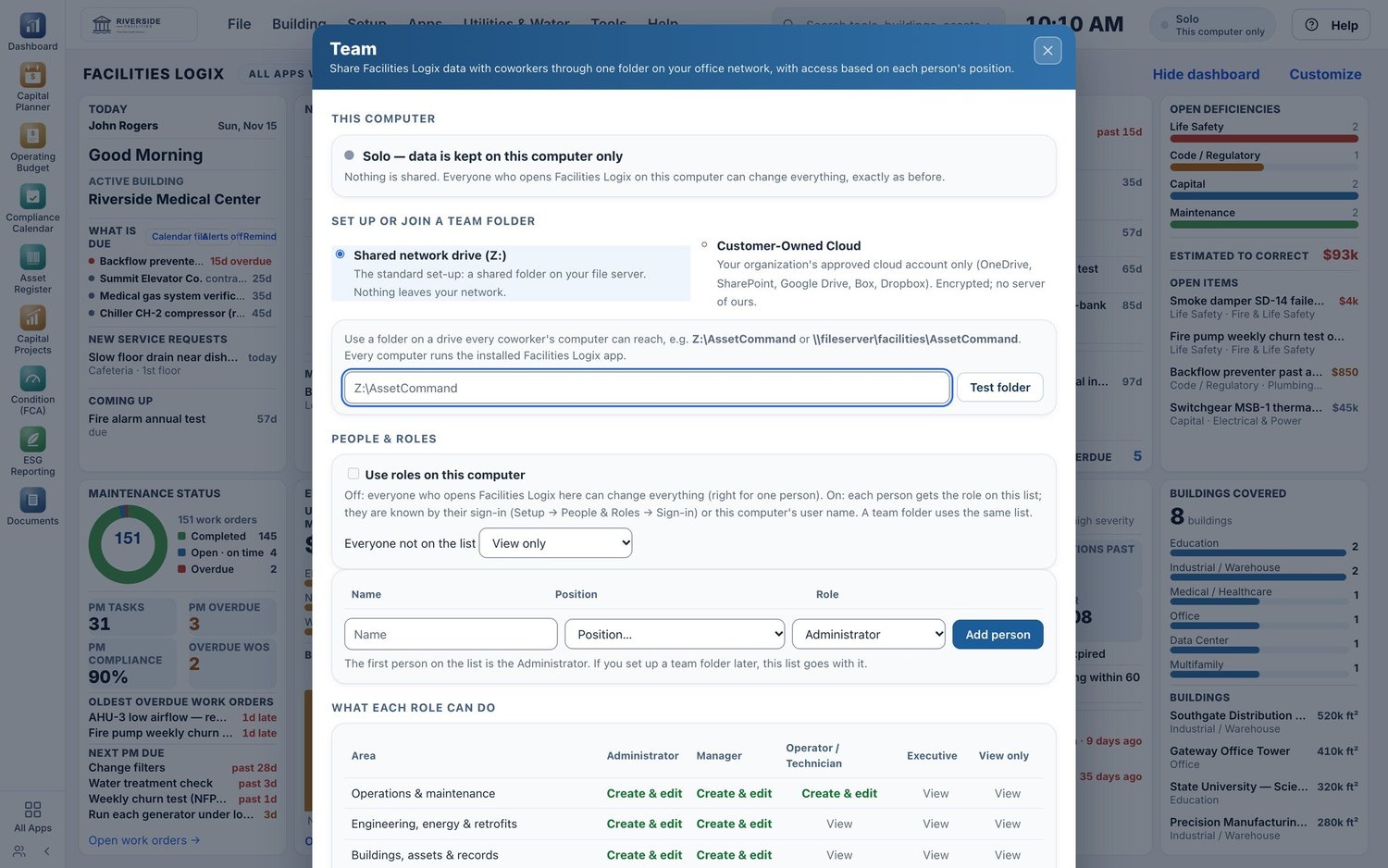
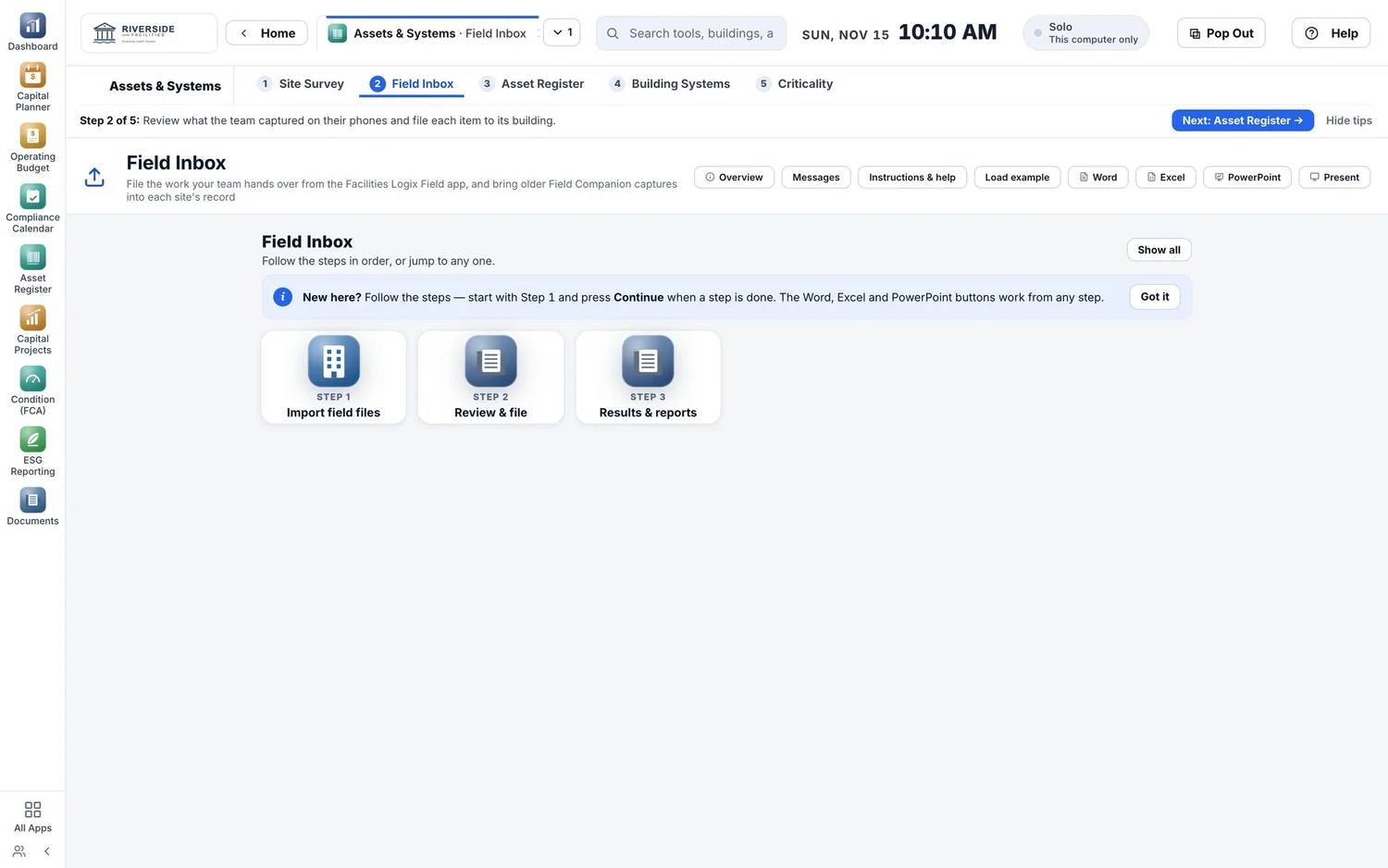
The Team screen: one shared folder on your own network, people and roles, and who may change what.
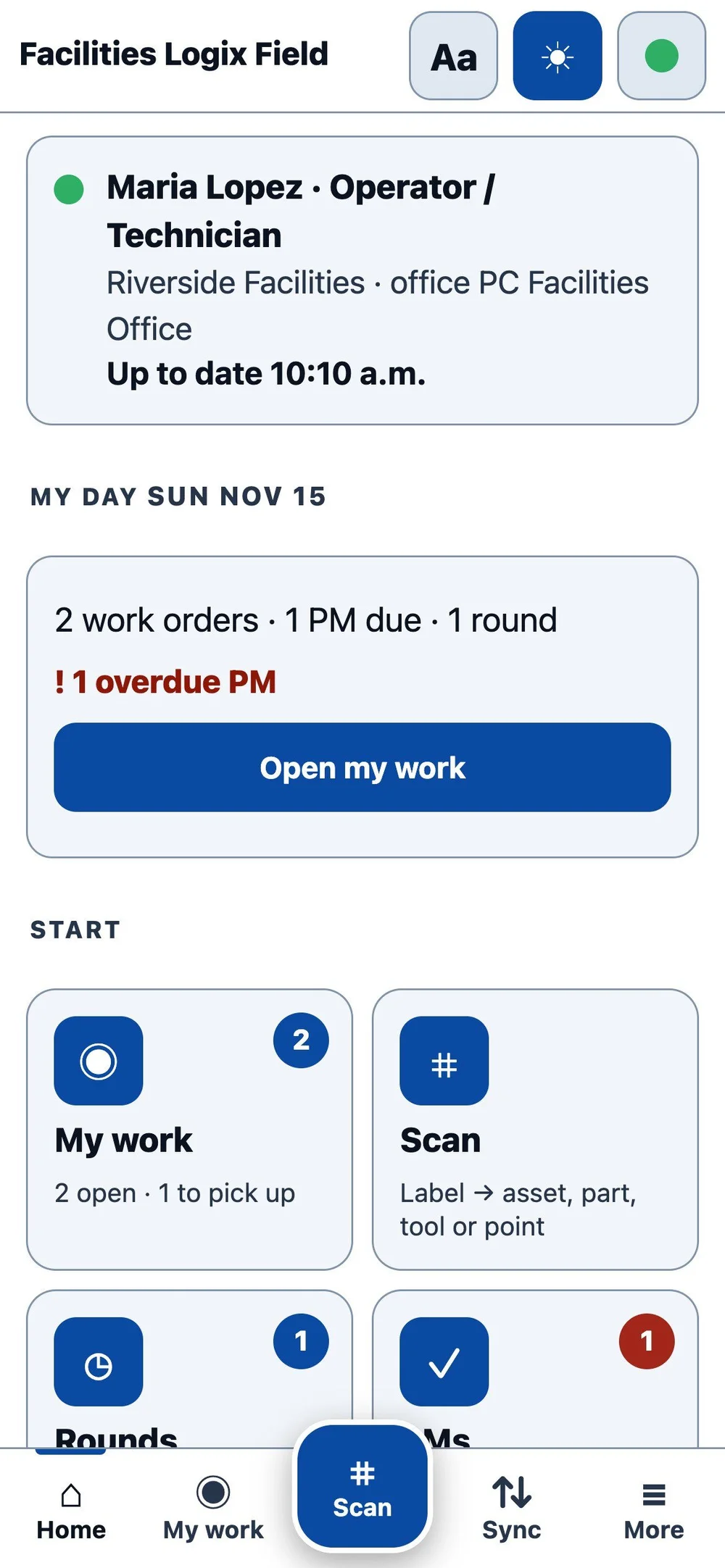
Field staff need the day's work without a company laptop, so the phone app carries it with or without signal.
Frequently Asked Questions
Can we keep our old work order history?
What if an import goes wrong?
Do we need an internet connection to install or run it?
How does our team learn it?
Be First When Facilities Logix Opens
Stop chasing building records across spreadsheets and binders. Join the list and we will tell you the day downloads open, with setup guides ready.
Launching early 2027 for Facilities Logix. Nothing to buy today, and no sales calls.
