
From the Customer's Call to a Sent Invoice, on One Record
A commercial service call carries more than an address. It carries the customer's PO, their own work-order number, a not-to-exceed, and the response time your agreement promised. HVAC Logix keeps all of it on one work order, from the minute the phone rings to the invoice Accounting sends, so nothing is retyped and nothing is forgotten between the office, the truck and the books.
Launching Early 2027 · Join the Early-Access List
A Work Order Opened While the Customer Is Still on the Line
Take a Call is the first button on the Schedule bar in Project Command. Four short steps, and the work order has everything a technician and a bookkeeper will need later.
Who Is Calling and What Is Wrong
Find the building by name, customer, street or ZIP. Each row shows the customer and the building's maintenance agreement. Then record the caller, the unit, the trade, the problem, the priority and what they said in their own words. After hours checks itself for a call outside office hours.
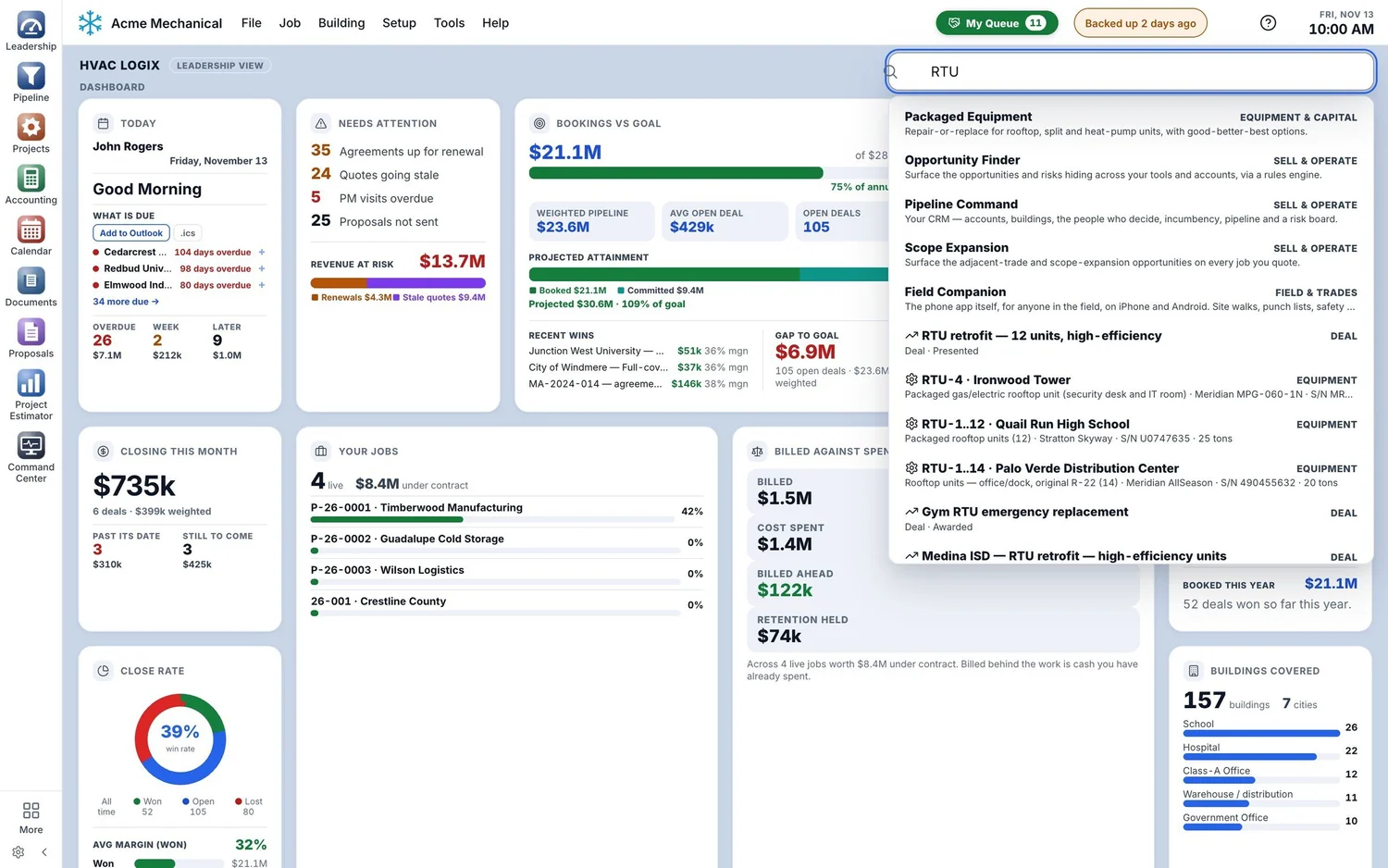
Hunting for the right unit while a customer waits is slow, so one search box finds buildings, units and deals.
The Response Your Agreement Promises
When the building's active agreement sets a response time for that priority, HVAC Logix adds those hours to the time of the call and states the due time in plain words. With no agreement, it says the call is billable time and materials unless the office decides otherwise.
The Customer's Numbers
Their PO number and their own work-order number go on the work order and print on its invoice, because a customer's portal turns an invoice away without them. The not-to-exceed is the most the customer has approved for the call.
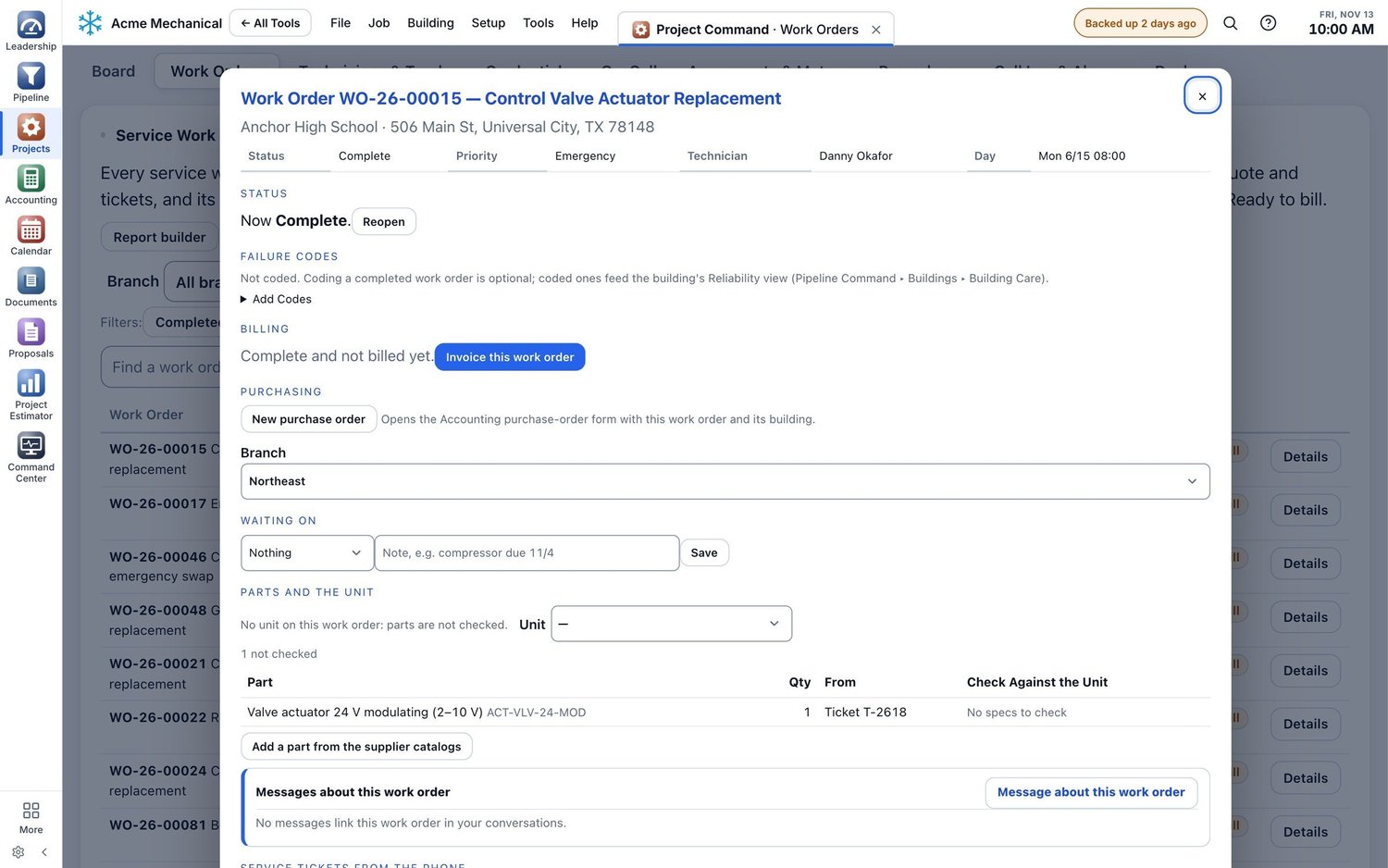
Customer portals reject invoices without their numbers, so the work order holds their PO and work-order number.
The Not-to-Exceed Meter
The work order shows the limit, what is used so far and a bar that turns green, amber, then red. It warns at 80 percent and again at the limit, priced exactly as the invoice will be priced. An approved increase is recorded with who approved it and kept as history.
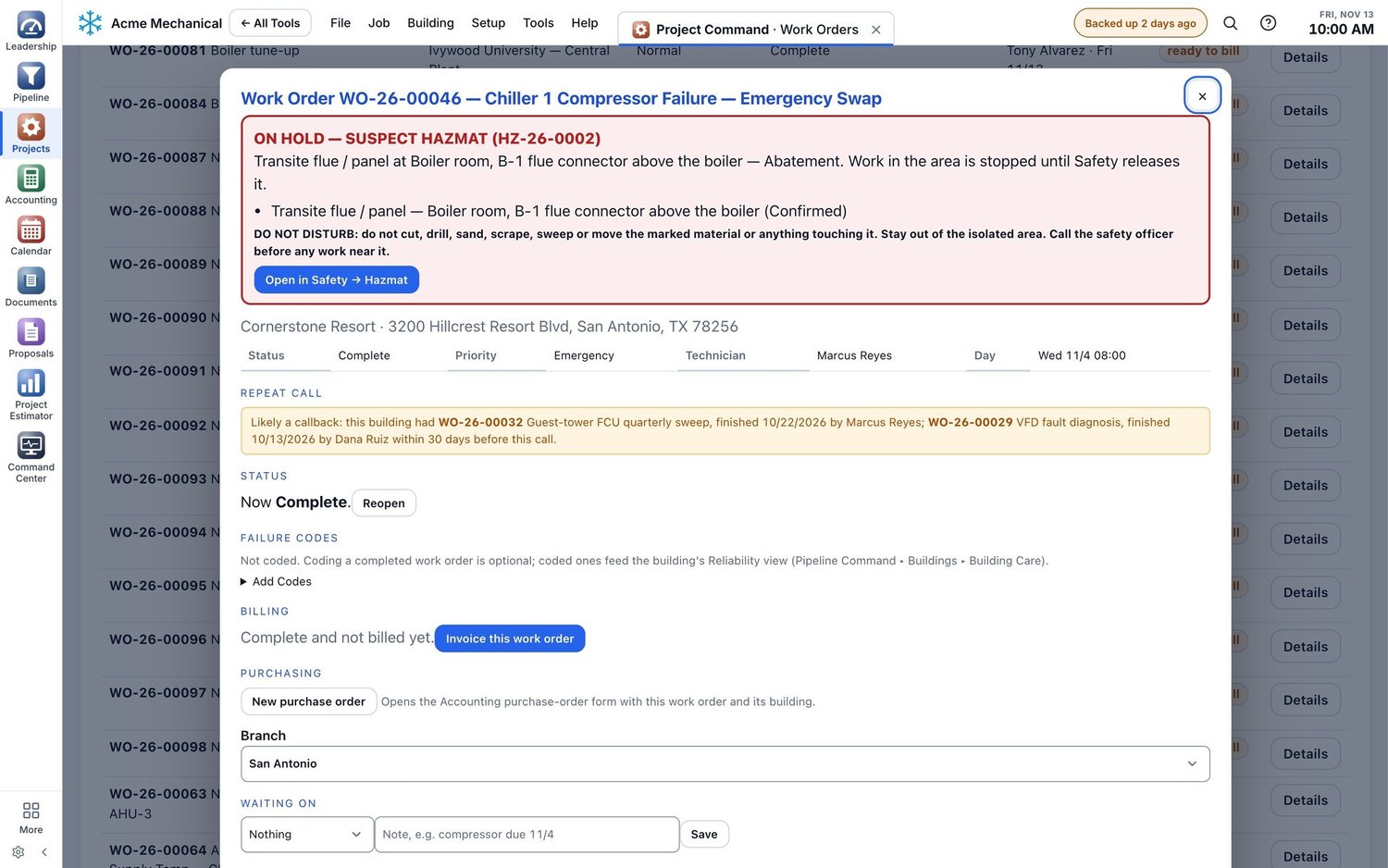
A suspected hazard must stop the work, so the work order shows the hold at the top.
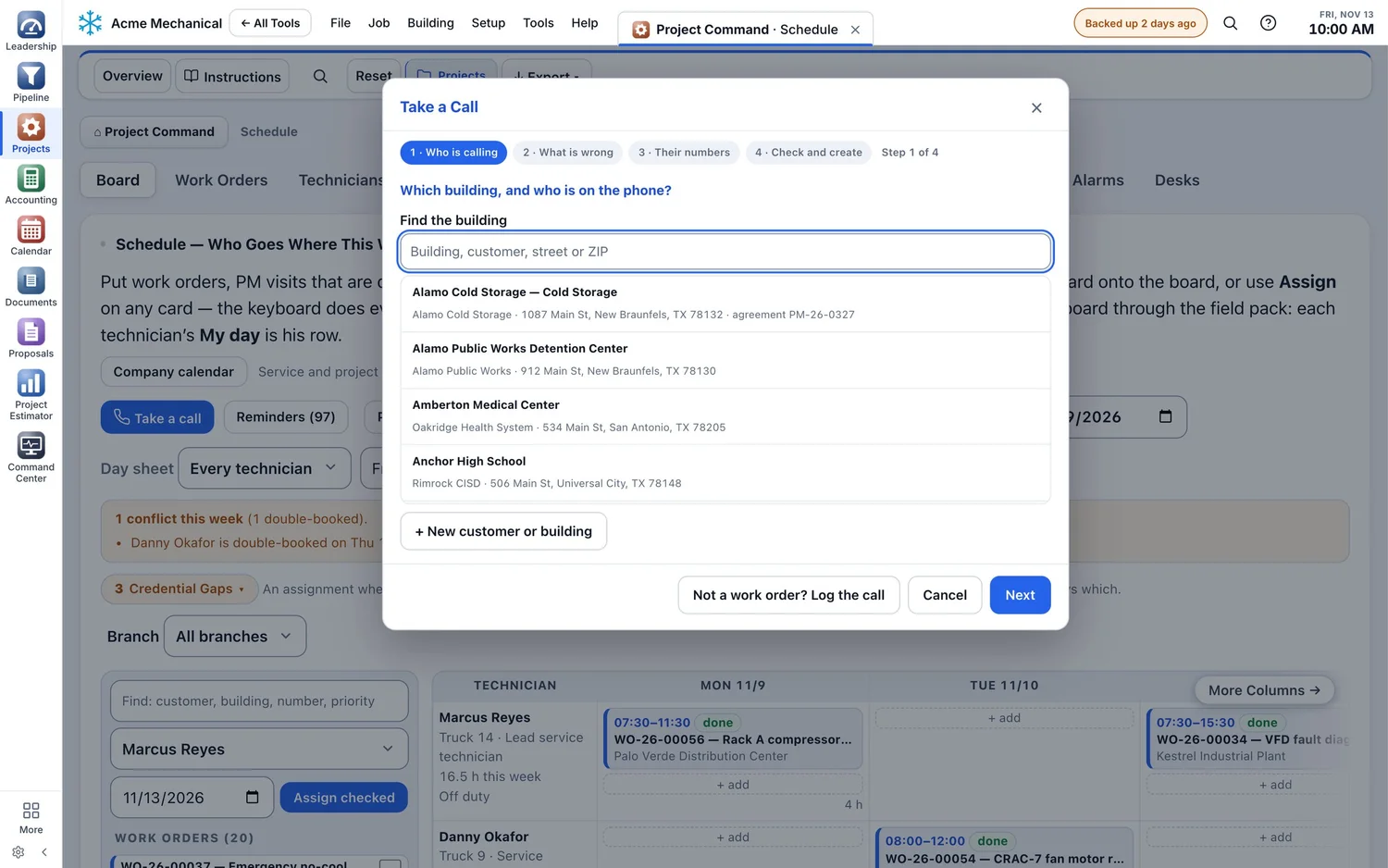
Take a call: the work order opens while the customer is still on the line.
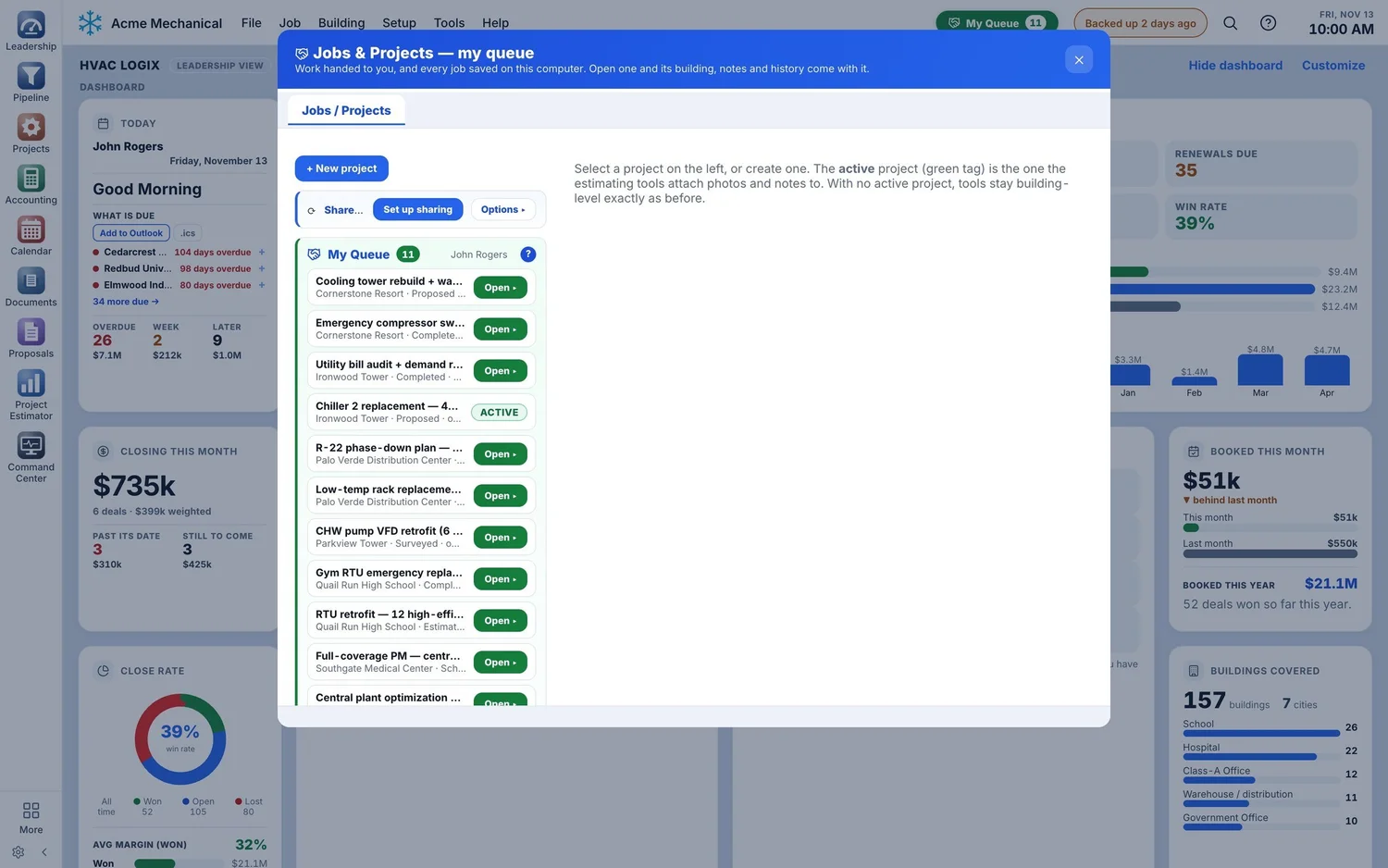
Who Goes Where, and When
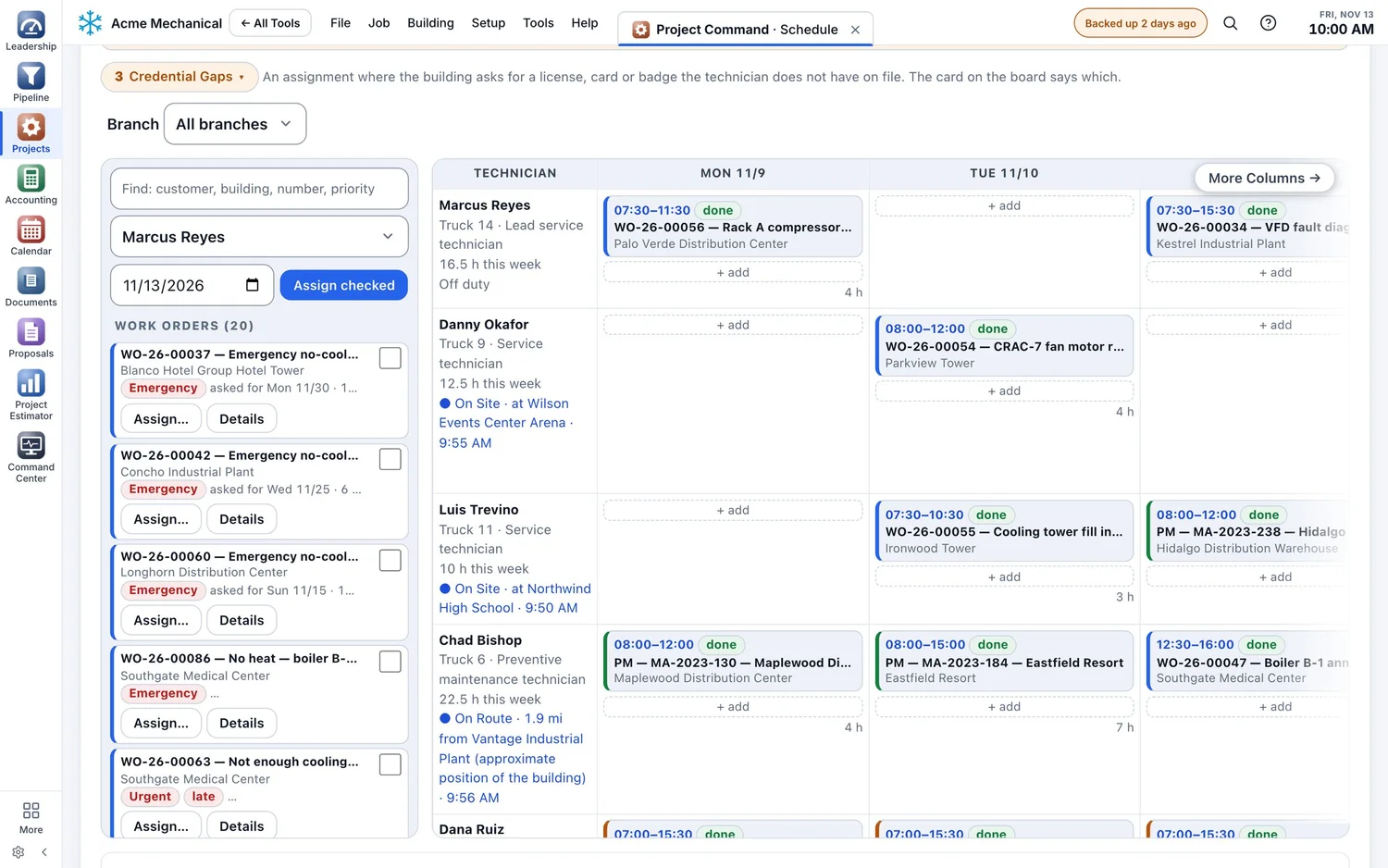
The week board in Project Command puts technicians down the side and days across the top. Work orders, maintenance visits that are due and project job days all schedule on the same board.
Drag, or Use the Keyboard
Drag a card onto a technician and a day with a time window, or use Assign on any card. Unscheduled work waits in a list on the left, and the technicians whose skills name the trade are offered first, lightest day first.
Learn MoreShow Less
A dispatcher who can build the week in minutes keeps more technicians billing. The board takes service calls, PM visits and project days in one place.
- Due PM visits and project job days drag onto the board like any work order.
- Assign does everything the mouse does, from the keyboard.
- Each phone gets only that person's work, updated about 30 seconds after a change.
- Print Day Sheet gives each technician a page for the day.
- A completed work order goes straight to Ready to Bill.
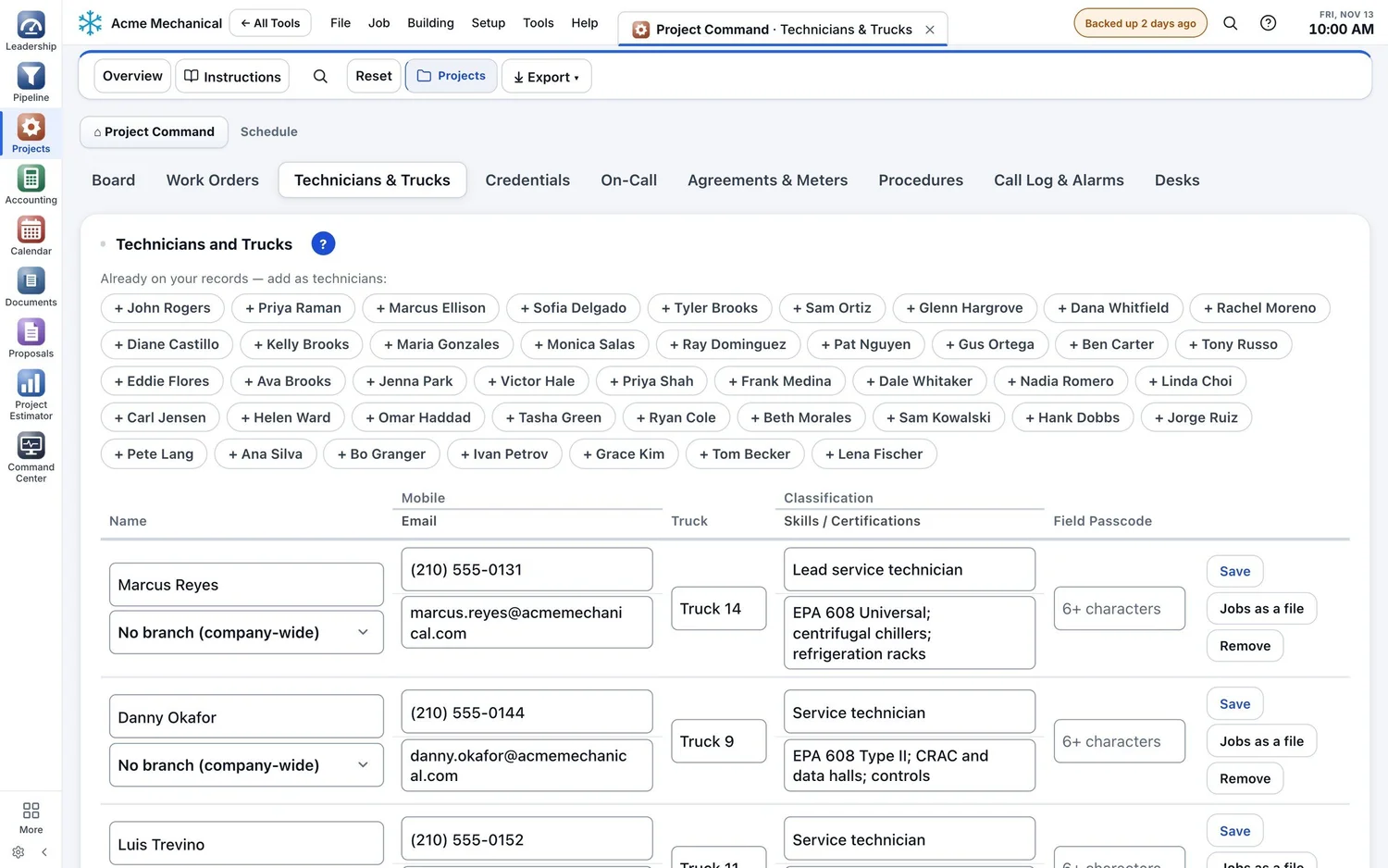
Sending the wrong person wastes a trip, so each technician's skills, truck and cards sit with the schedule.
Conflicts Named as They Happen
Double-booking, overlapping windows and anyone over the day limit are named on the board. A work order whose trade needs a card, license or site badge the person does not hold shows a credential conflict, as a warning or a block, whichever your company chose.
Learn MoreShow Less
Sending someone without the right license or badge means a wasted trip, a turned-away truck or a violation. Conflicts are named before the truck leaves.
- Refrigeration work can require EPA 608 Type II or Universal.
- States can require a state trade license for the building's state.
- Buildings can require a badge, background check, drug test or site orientation.
- A card counts only if valid on the day of the work; expiring within 30 days is shown.
- The day limit defaults to 10 hours and can be changed.
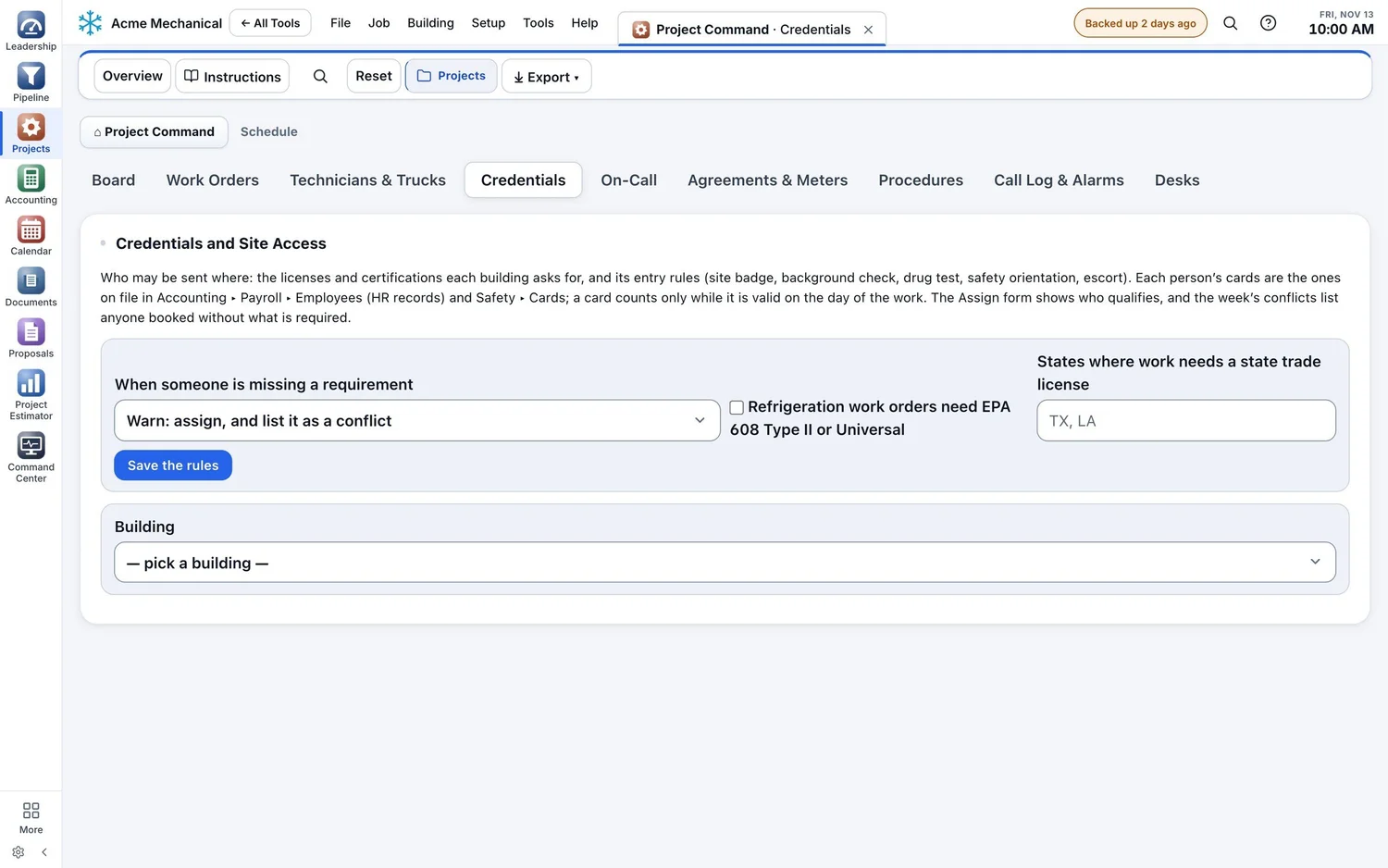
Some sites need a badge or license, so the board warns when a technician lacks what the job requires.
On Route, on Site, Done
When a technician taps a status on the phone, the card shows it with the time. The board looks again every minute. The phone sends a status and a time for this, never a location.
Learn MoreShow Less
Calls to ask "where are you?" waste the office's time and the technician's. Status taps answer the question without a call, and without tracking anyone.
- Hover a card for who tapped it and any note.
- A tap made with no signal goes, in order, when the phone next reaches the office.
- On Route can offer to tell the customer, with an arrival window.
- On Site stops the agreement's response clock.
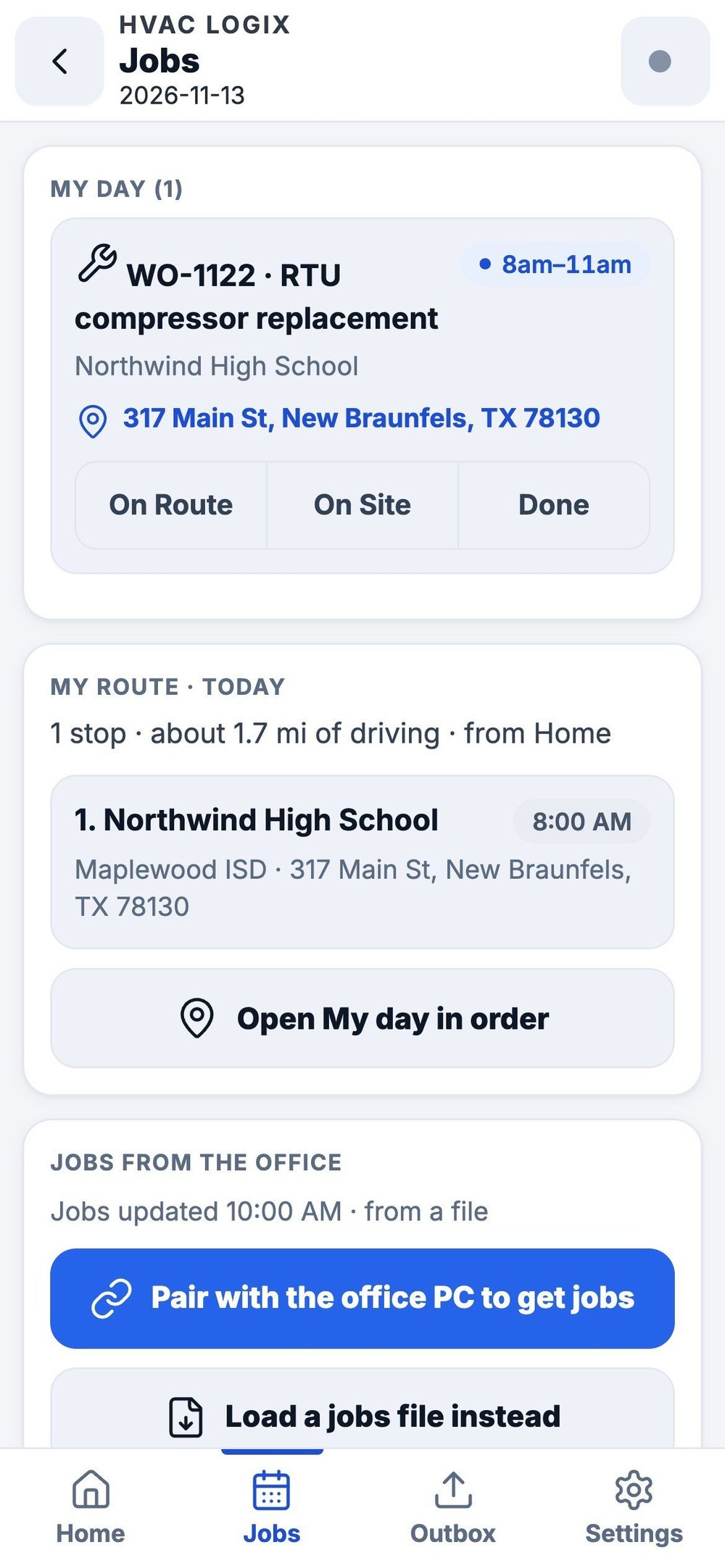
Calling techs for status wastes the morning, so On Route, On Site and Done are one tap on the phone.
Plan Routes
Plan Routes groups the week's Normal and Low priority calls and maintenance visits by area and puts each technician's day in driving order. It shows the estimated miles, driving hours and running costs saved, and changes nothing until you press Accept. Undo puts the board back. Each technician's route reaches the phone as My Day, and route sheets print for the truck.
Learn MoreShow Less
Driving is paid time with nothing to bill. Route planning cuts it and shows the saving in dollars before anything changes.
- Savings count fuel, vehicle wear and technician driving time at loaded labor cost.
- Shown per working day and annualized.
- Days start from the shop or a technician's home.
- Work added from the unscheduled list is shown as miles added, never as savings.
- The same inputs always give the same plan.
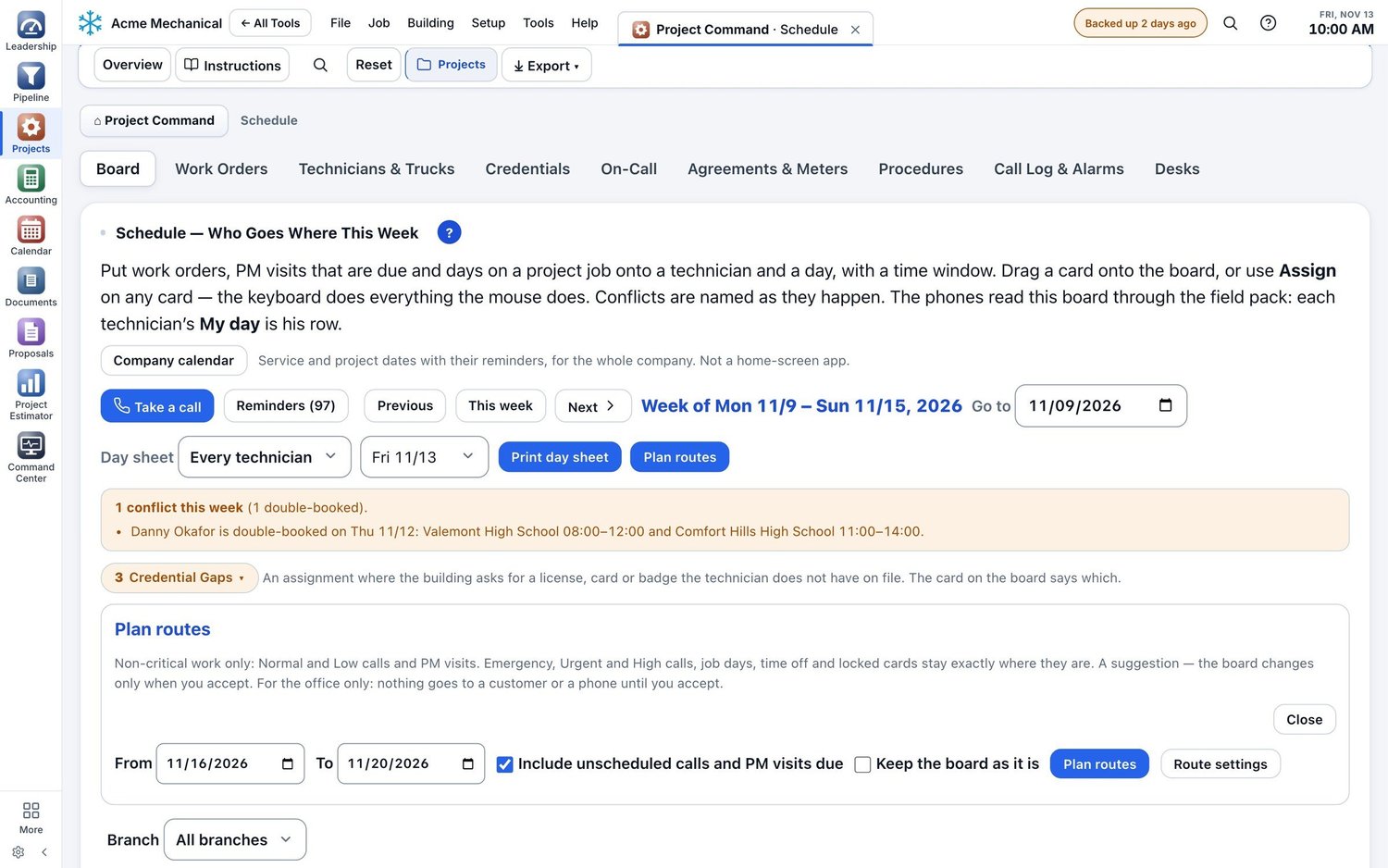
Routing a week of calls by hand takes hours, so Plan Routes groups calls by area in driving order.
Promises Stay Put
Emergency, Urgent and High calls, locked appointments, work already started and project job days are never moved by route planning. Skills, hours a day, response due times and maintenance due dates are limits the plan does not break to save miles.
Learn MoreShow Less
Saving miles is worthless if it breaks a promise to a customer. Route planning works only inside the commitments you have made.
- A call marked emergency in its title, or taken after hours, is treated as urgent.
- Specialty calls go only to a technician whose skills name the trade.
- A PM visit is never moved after its due date or too far before its window.
- When a limit cannot be met, the plan says why in words.
The Right Technician for an Emergency, with the Arithmetic Shown
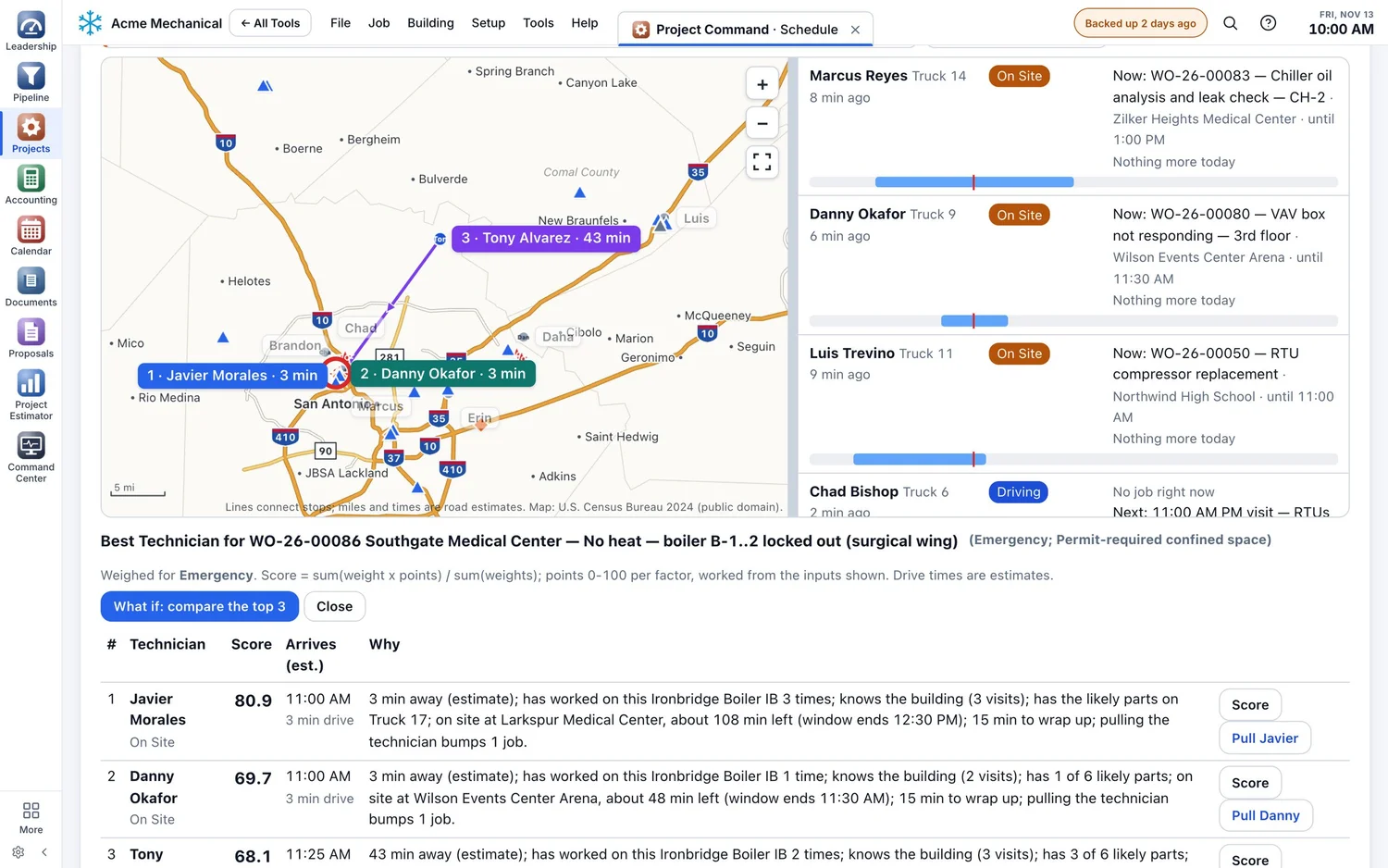
Below the week board, the Dispatch Console sets the map and today's board side by side. An Emergency or Urgent call taken with Take a Call goes straight to its Best Tech list.
What the Dispatcher Sees
- Each technician's status: Driving, On Site, On Break, Free or Off Duty
- The job now, when it should finish, and the next job, on a bar of the day
- Open calls pinned on the map in their priority color, Emergency and Urgent first
- The technician's position from the phone where your company has turned location on, otherwise the current job's building
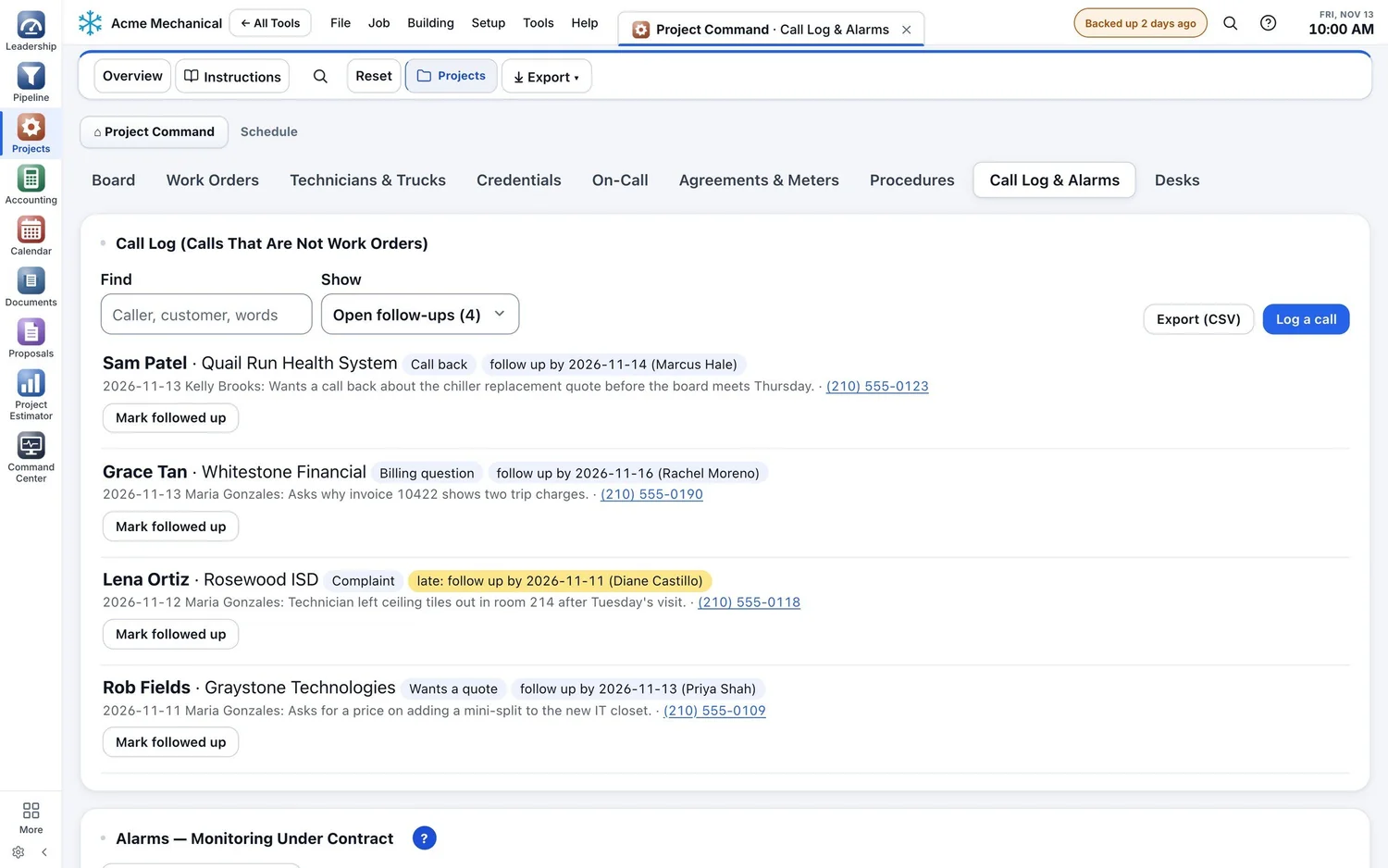
Calls get lost between phone and board, so every call and alarm is logged with who took it.
Best Tech: A Ranked List from Written Rules
- Estimated drive time, always labeled an estimate
- Trade match, with a hard stop for a missing or expired card, license, site badge or hazard training
- Completed jobs on this make and model, at this building and for this customer
- First-time fix history on similar work, and the likely parts on the technician's truck
- The cost of the drive and any overtime, and whether the person is on call
- Every factor opens to its inputs, points and weight; the same inputs always give the same ranking
What If, Then Pull
- What If compares the top three side by side: arrival, drive, cost and every job each would bump
- Pull shows what happens before anything changes, with the best re-plan for each bumped job
- It shows whether an agreement's response time is kept or broken and whether a PM stays inside its due date
- Send messages the technician, prepares the customer notices and checks that nobody is double-booked
- The dispatch log keeps who decided, why, the score and the messages
On-Call Coverage and Customers Who Know You Are Coming
The On-Call Rotation
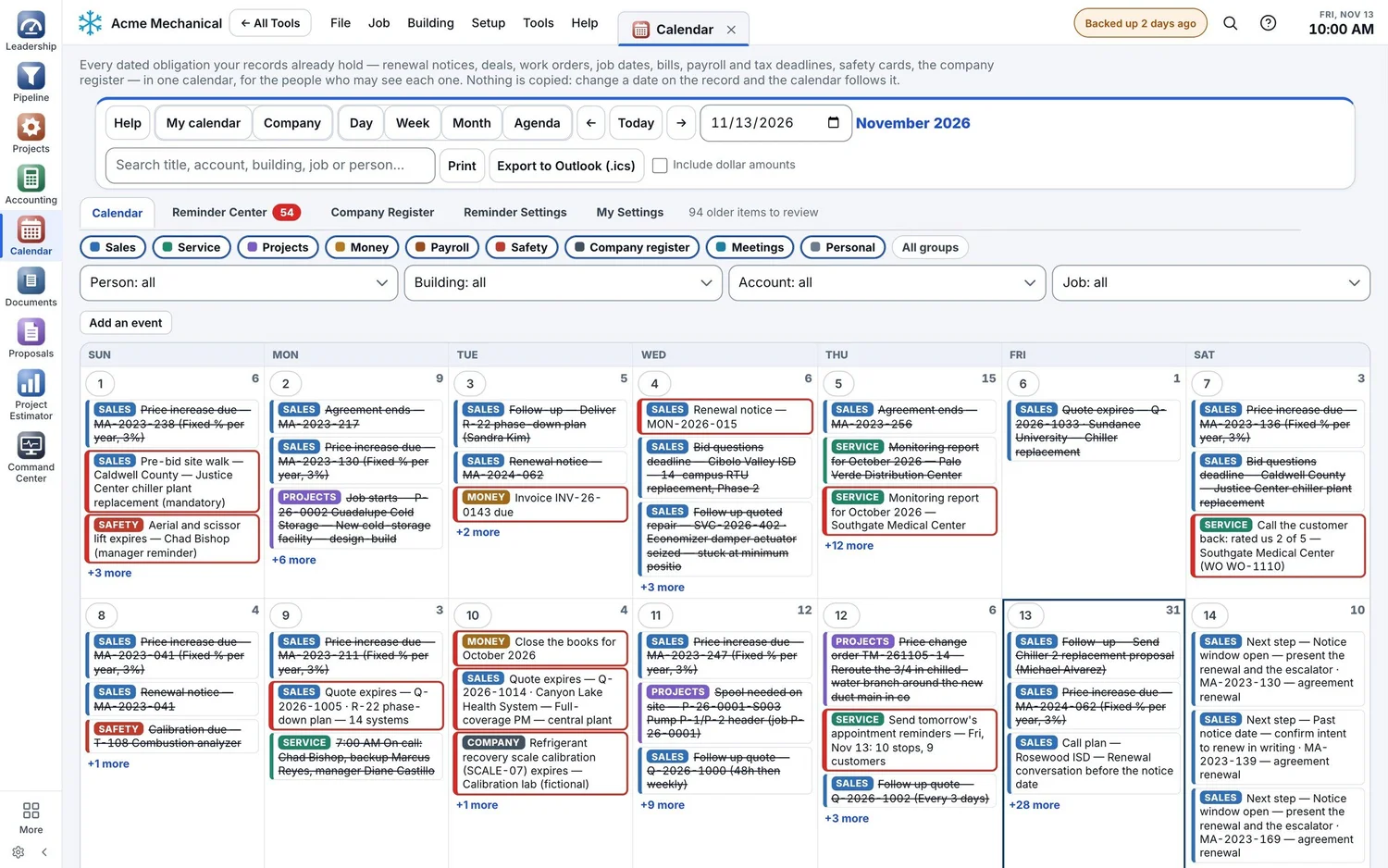
Set office hours, holidays, the handoff day and the technicians in rotation order, with the next person as backup. Swaps are recorded with a reason, and each week's shift is on the company calendar.
Learn MoreShow Less
An after-hours call nobody answers is lost revenue and often a lost customer. A clear rotation means the phone always has an owner.
- Shifts change hands Monday at 7:00 a.m. unless you set another time.
- On-call pay can be a flat weekly stipend or hours on the timecard.
- A call-out minimum guarantees the hours of a call.
- On-call pay counts in the regular rate for overtime, per 29 CFR 778.223.
A Call After Hours
Take a Call shows who is on call and the number to ring. Creating the work order puts the call on that technician's board and phone and messages the technician and the manager.
Learn MoreShow Less
Emergency calls are high-value work, if they reach the right technician fast. One step books it and alerts the people who need to know.
- The call lands on the on-call technician's board for today, so it is on their phone.
- The message includes a Spanish line when the technician's record is in Spanish.
- A text also goes through the office texting phone, when one is set up.
- Take a Call records the customer's PO, not-to-exceed and promised response time.
Escalation Nobody Has to Remember
If the page is not acknowledged in the set minutes, the backup is paged, then the manager. The history keeps every step, who acknowledged, how, and how long it took, and exports to CSV. On-call stipends and call-out premiums go to the next pay run.
Learn MoreShow Less
A missed page can cost an emergency job and the account behind it. Escalation happens by the clock, not by memory, and on-call pay is figured correctly.
- The default wait is 15 minutes per step.
- A reply of "OK" on the phone acknowledges the page.
- Close: Went Out pays the call-out premium; Close: No Call-Out does not.
- Paid lines are never paid twice; voiding a run makes them owed again.
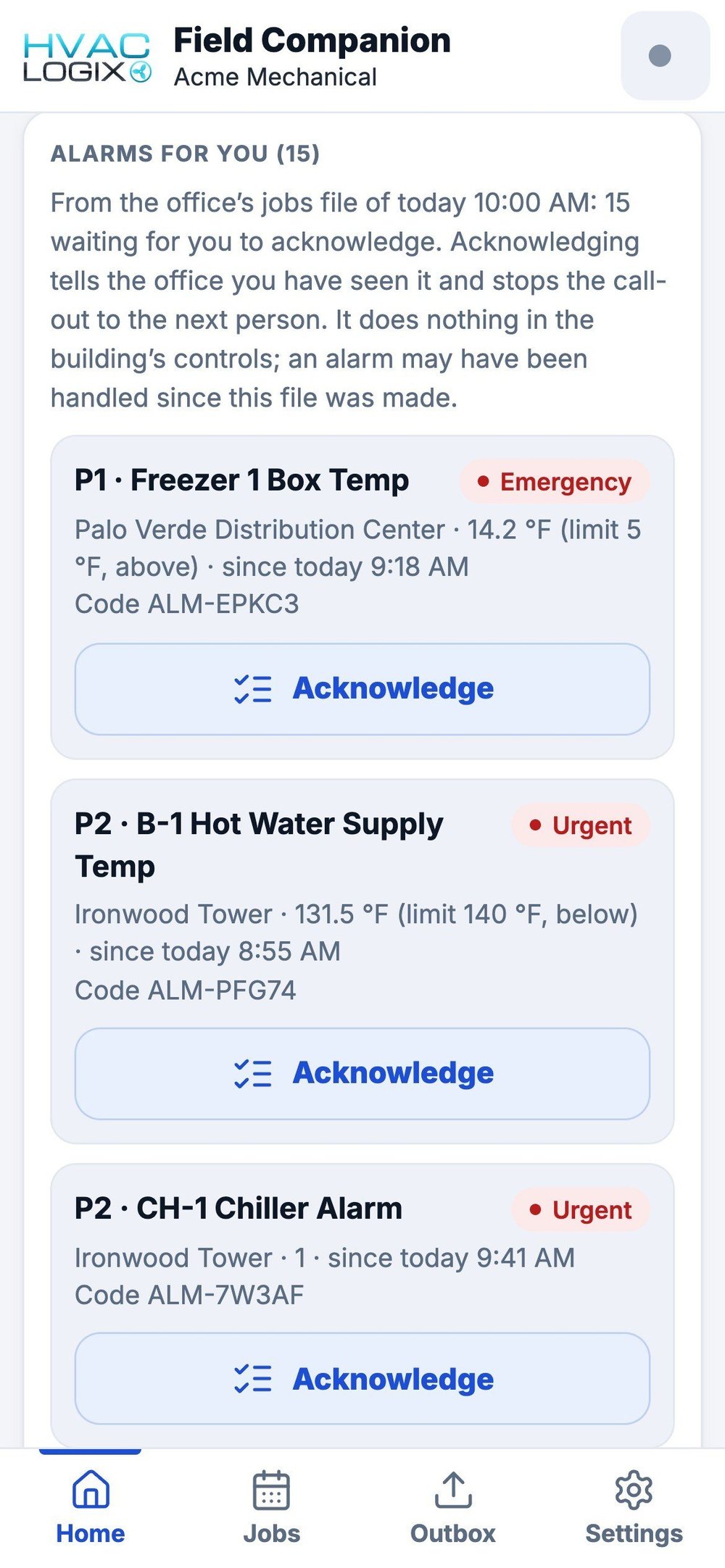
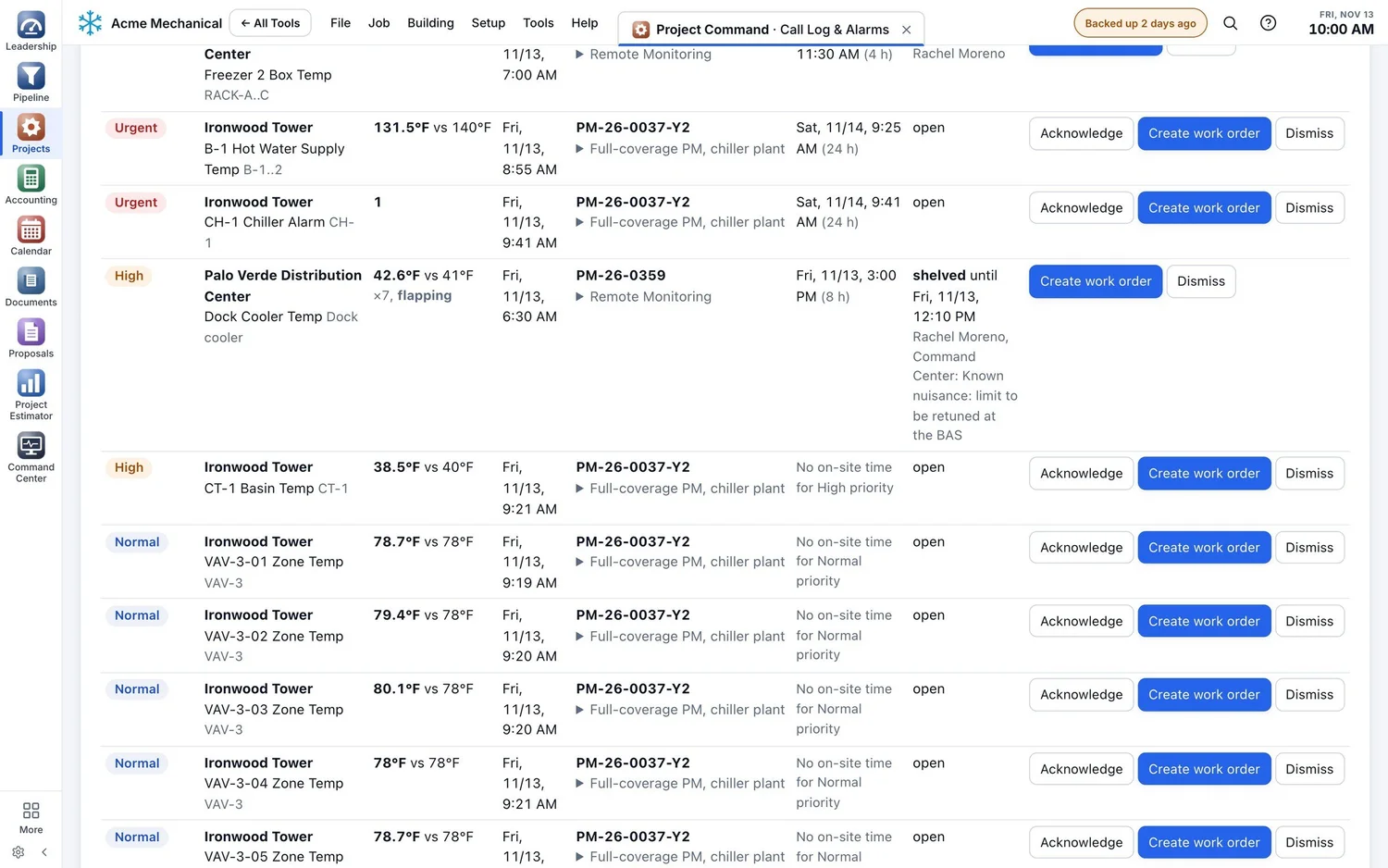
An alarm nobody answers becomes a failure, so each one waits for an acknowledge before the next person is called.
Three Customer Notices
Appointment confirmation, the reminder the day before, and On Our Way. Each gives the day, the arrival window, the technician's name and the building, in the way that customer prefers: an e-mail draft in your e-mail program, a text file, or a printed call sheet. A notice never carries a price or a balance.
Learn MoreShow Less
A customer who is not home costs a wasted trip. Notices cut no-shows without paying for a messaging service.
- The one line you add is refused if it carries a dollar amount or billing word.
- Send a whole day at once: drafts, one text file, or call sheets by preference.
- Opted-out customers and those with no address are left out.
- With an office texting phone, Text Now sends the notice right away.
Running Late
From a job card on the phone, the technician opens the phone's own Messages app with the note already written and presses Send. The office sees a note that the customer was told. Customers who opted out of texts are left out.
Learn MoreShow Less
A late technician who warns the customer keeps the appointment and the goodwill. One tap sends the warning without the technician typing.
- Offers 10 to 60 minutes late.
- The message itself stays on the phone; the office gets who, when and which job.
- Call and Navigate sit beside it on every job card.
- The office sees these notes under Customer Notices.
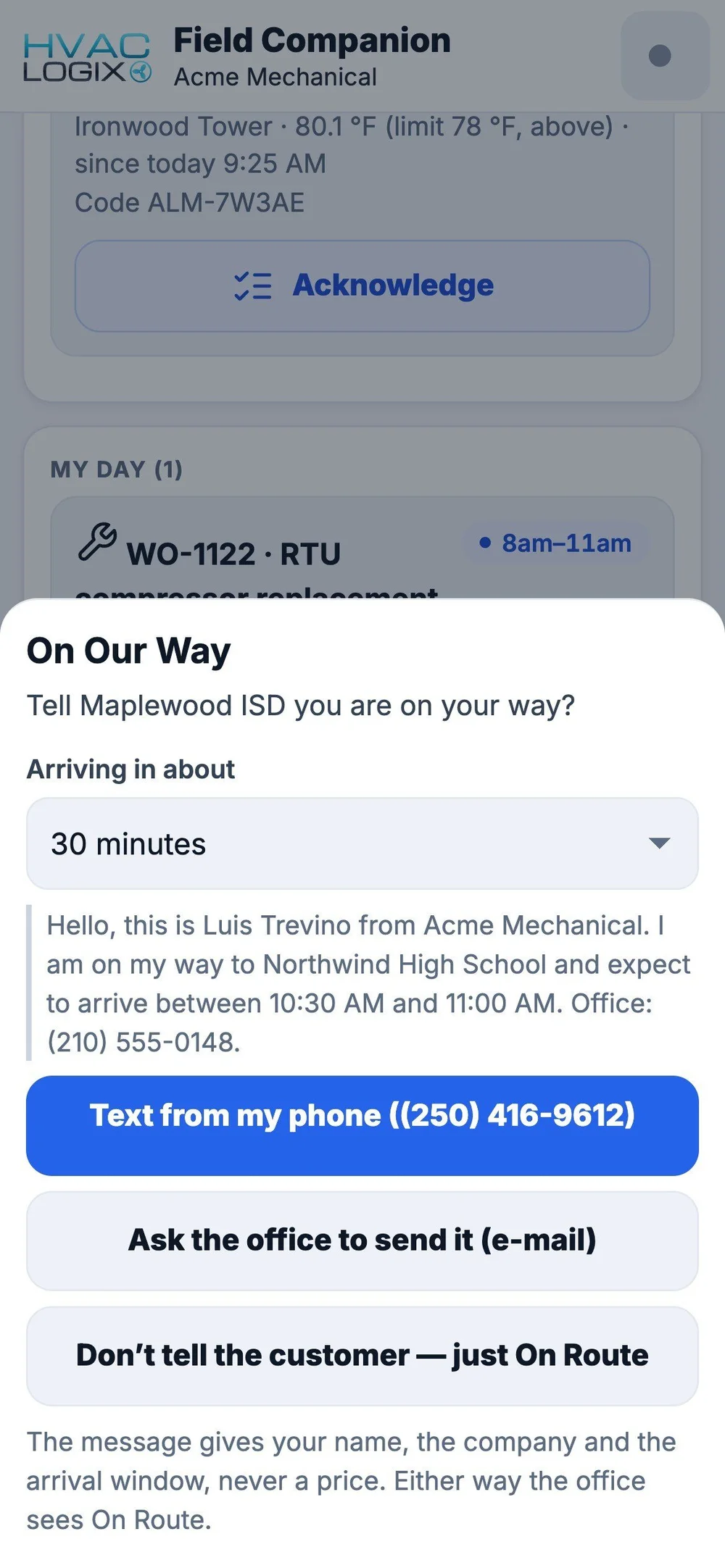
Customers hate waiting without word, so the technician sends an On Our Way note from the phone.
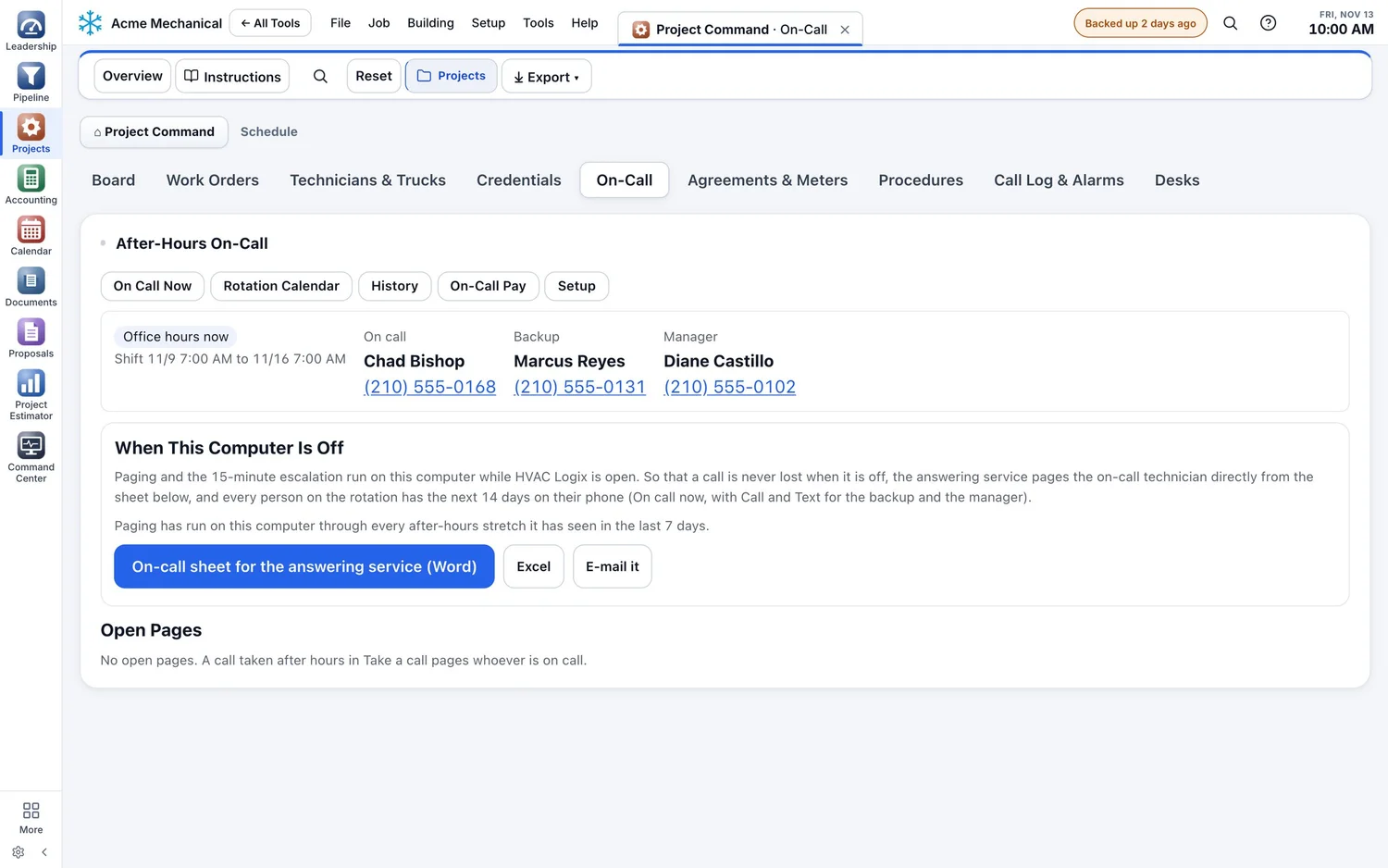
The on-call rotation with backups and escalation.
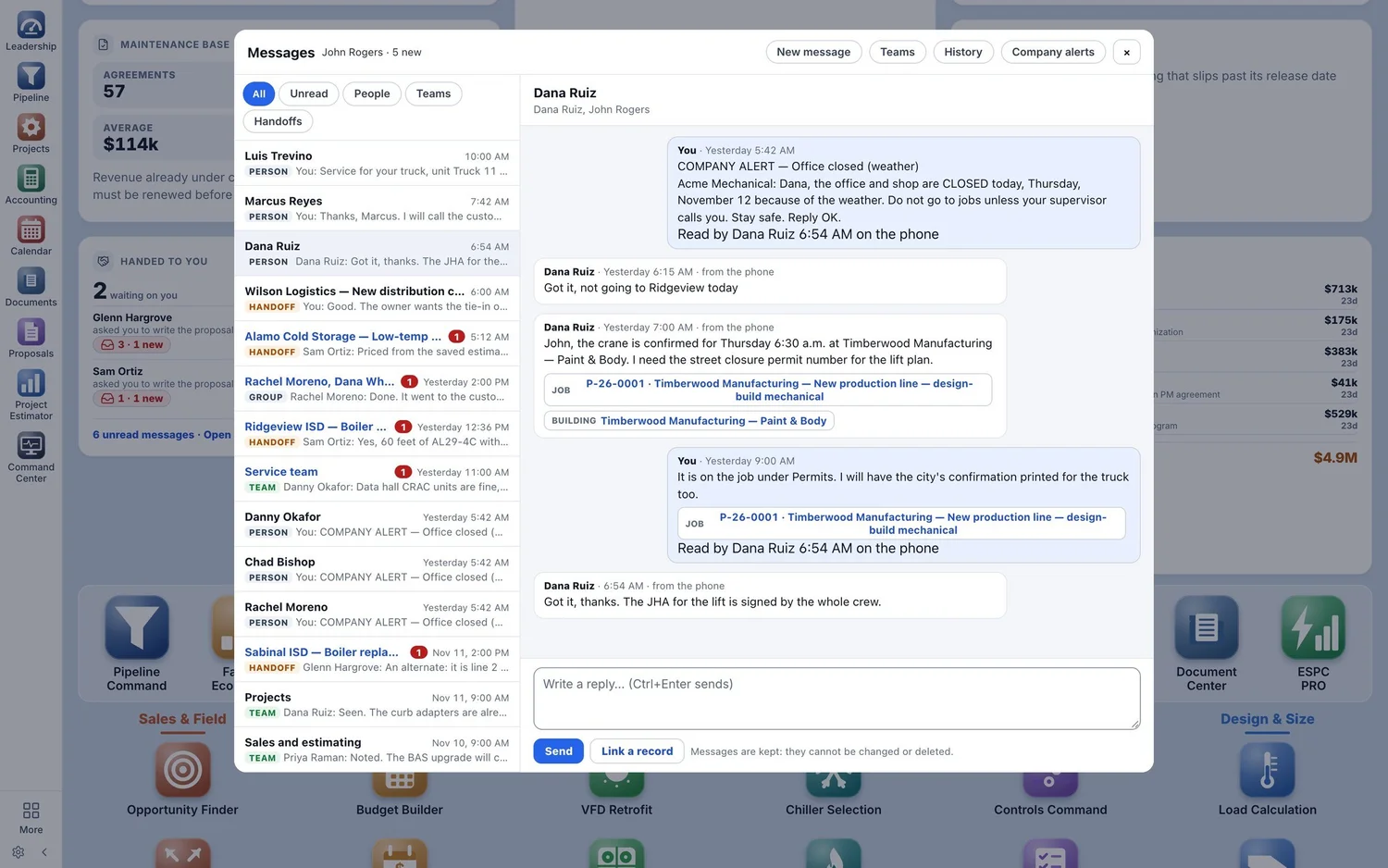
The Whole Service Call on the Technician's Phone
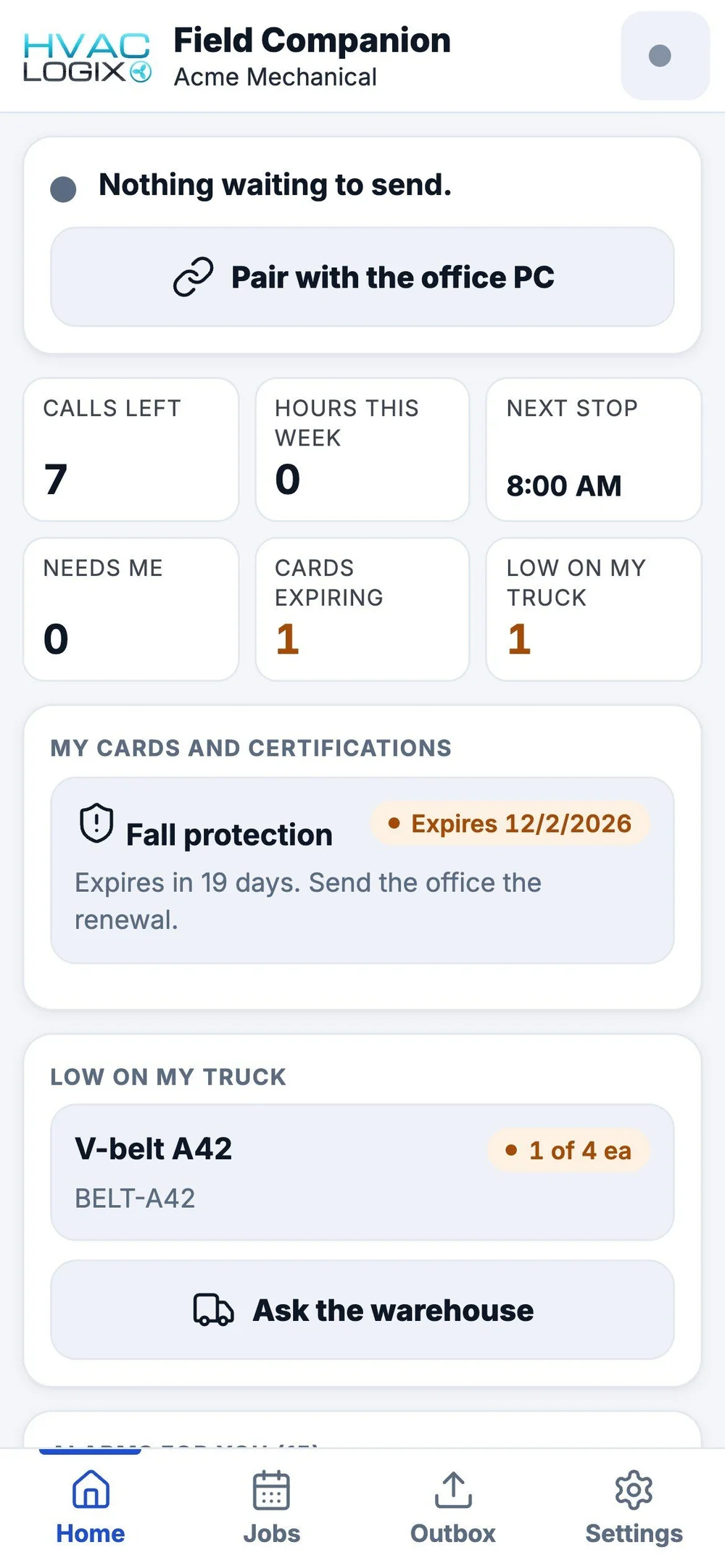
Field Companion runs on iPhone and Android and works with no signal. Finished work waits in the Outbox and goes to your own office over the office Wi-Fi or your company's own VPN.
The Job Sheet and the Ticket
- The caller, the unit and problem, the priority, the response due, the customer's PO and work-order numbers, the not-to-exceed and what the agreement covers
- The call, the fix, time, readings, photos and the customer's signature
- Parts picked from the technician's own truck list, with the quantity on hand and never a cost
- Refrigerant added or recovered recorded on the ticket for EPA Section 608 records
- Failure, cause and remedy codes and the hours out of service
- Site history for the building: the last twelve months of visits, open deficiencies, warranties, contacts and the agreement
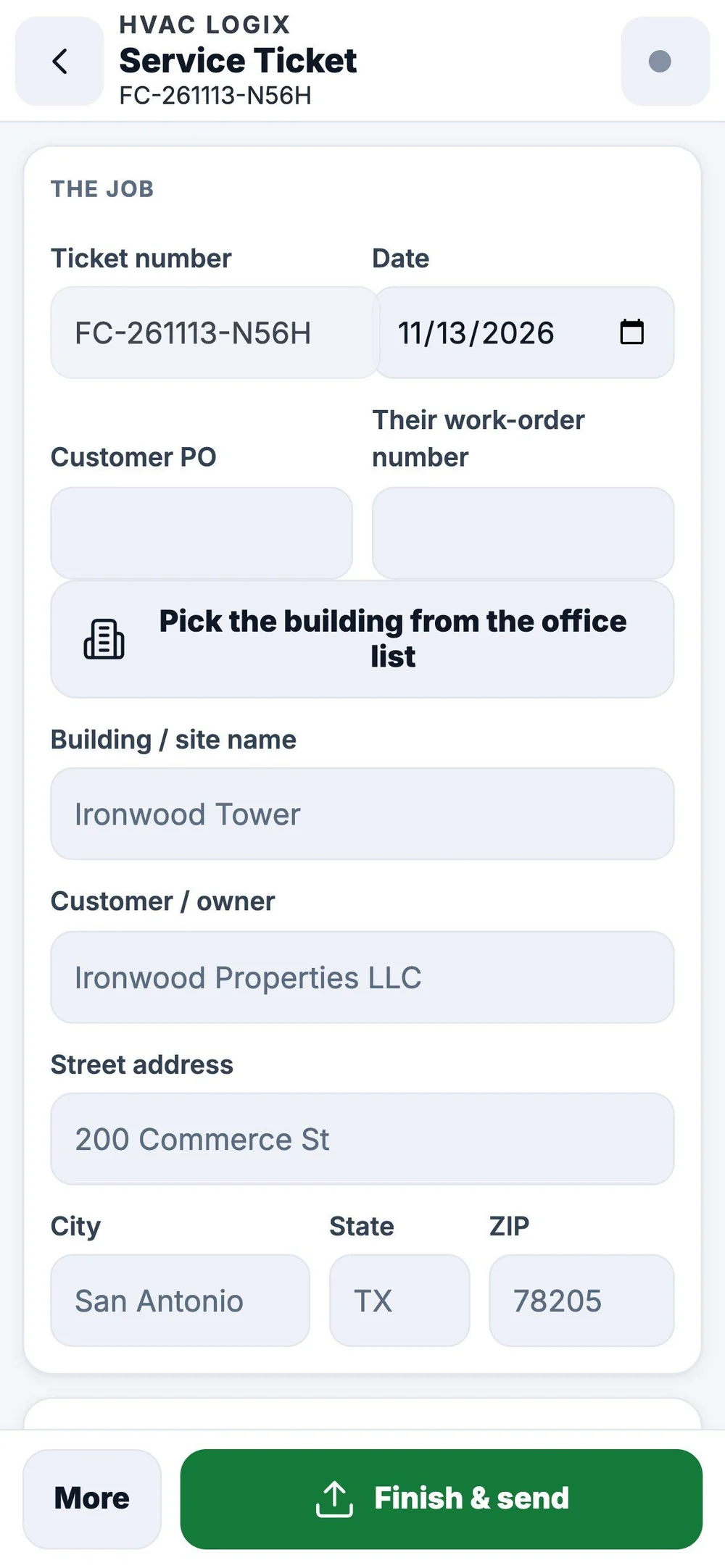
Tickets filled in later miss details, so the technician records the job, building and unit on the phone.
Procedures with Limits
- A built-in library of 91 procedures for 55 equipment types, with 263 readings, that your company can edit
- Safety notes, tools and PPE acknowledged before Step 1
- Each reading marked OK, Watch or Out of Range against its limits as it is typed
- The completed procedure files on the work order with every reading and any step not done
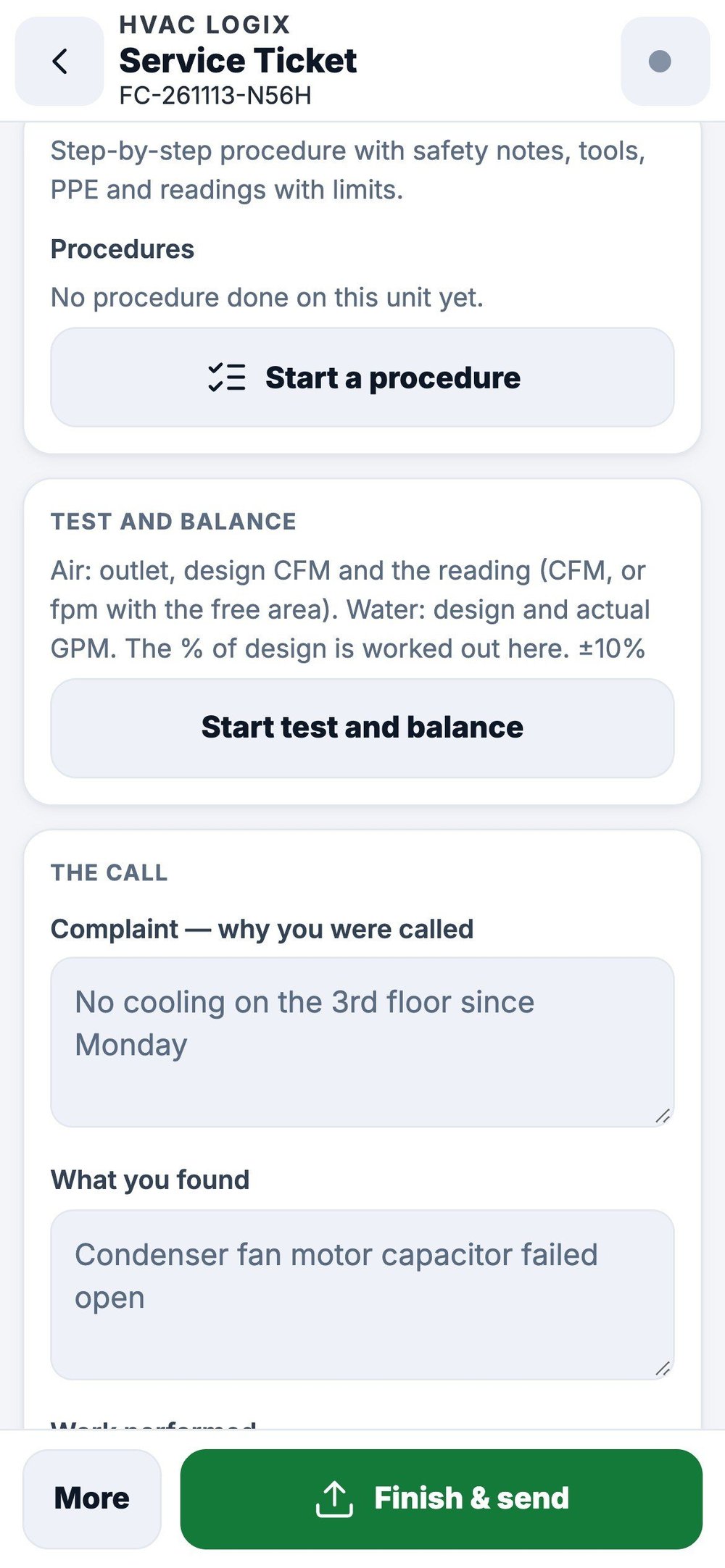
Skipped steps cause callbacks, so procedures, test and balance and lockout are built into the ticket.
Quote on the Spot
- The technician prices a repair from the price book the office publishes, at customer prices only
- The customer signs on the phone, and a branded one-page quote can be left behind
- At the office an approved quote opens a work order and becomes an awarded deal credited to the technician
- Every line is checked again against the current book; an old price is flagged, never silently changed
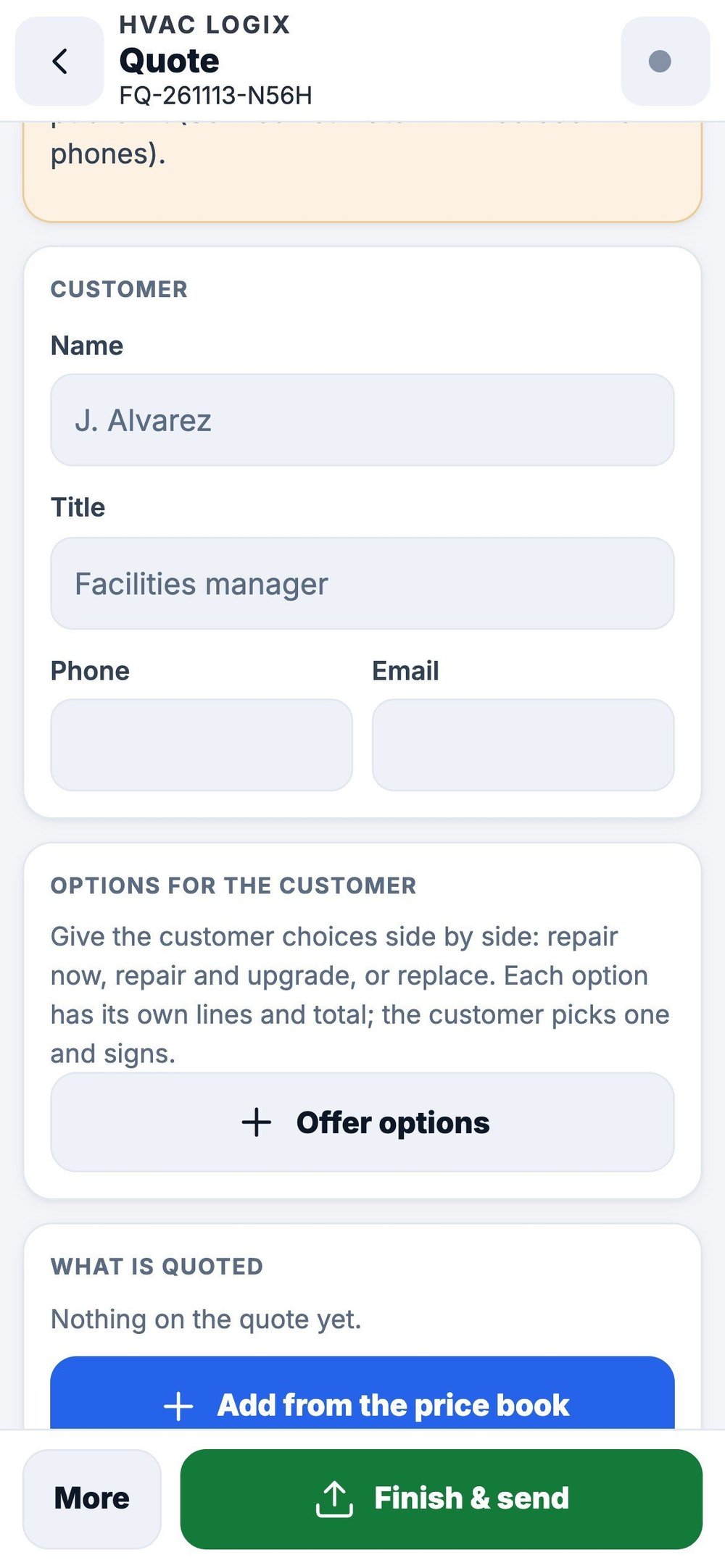
A repair the customer can approve on the spot is a sale made, so options are priced on the phone.
Tools Where the Work Is
- Scan a unit's printed tag to open the unit and start a ticket on it
- Mark up a photo with arrows, circles and text, or blur a face or a plate; the original is kept
- Record a voice memo with a photo strip, sent to the office like a photo
- Record test and balance readings against the design list the office set
- Crew on This Ticket: each helper's own hours and sign-on to the job hazard analysis
Readings from Your Instruments
- Read from Probe: the phone lists the Bluetooth instruments it can see and shows the value live before the technician taps Use
- A USB-C meter on Android, or the file the instrument's own app exports, fills the readings without retyping
- Each reading keeps the instrument, its serial number, the time and a seal, so a value changed later says so
- Where the unit has a spec on file, the reading shows Within Spec or Out of Spec on the phone and at the office
Manuals, Tags and Site Access
- Scan a unit's tag and its manuals and documents open on the phone, with the ones marked Keep Offline already on it
- Equipment tags print with a QR code and a barcode and carry only the tag, never a price or a building
- Credentials and site access: the Assign form shows who holds the licenses, badges and clearances a building requires, and who is missing one
- A company can warn or block when someone without the requirement is sent
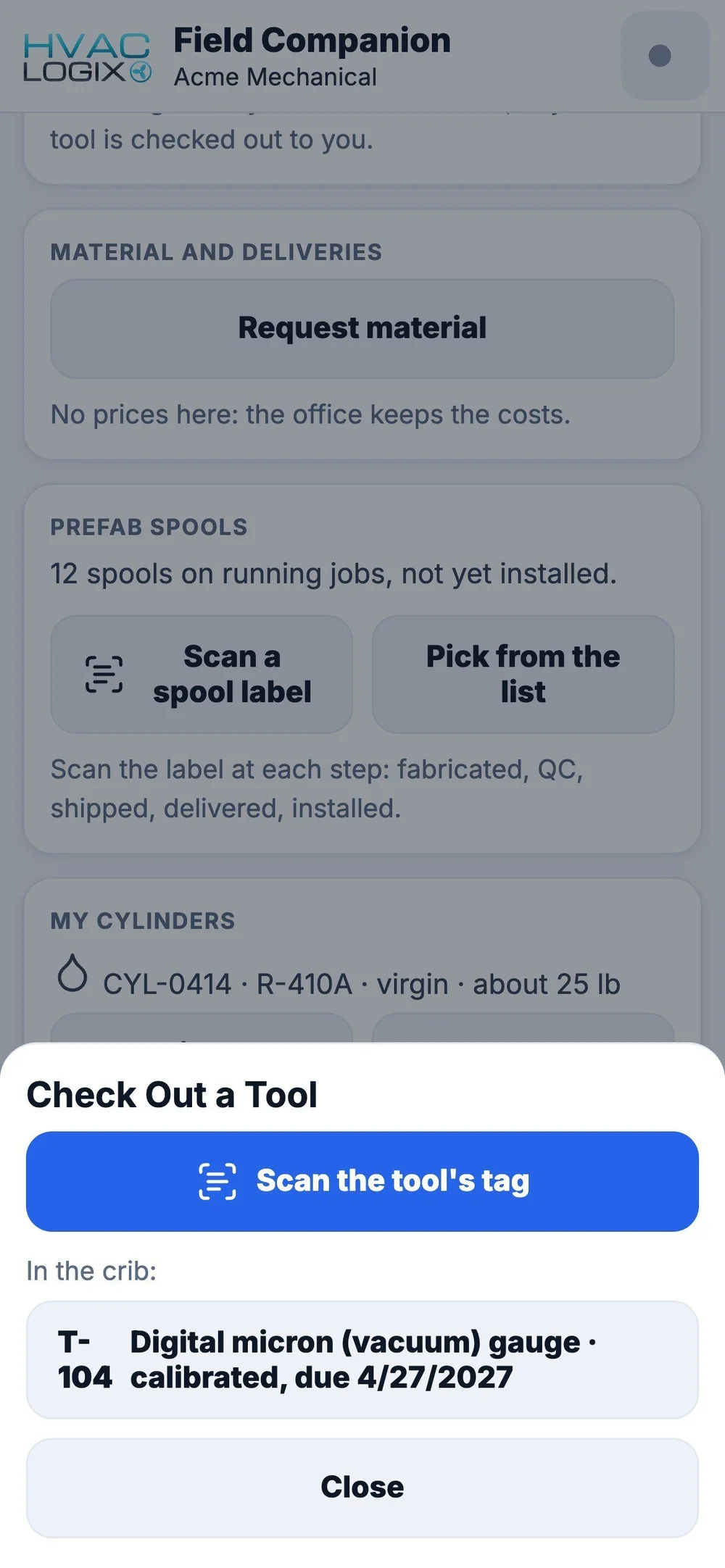
Tools walk off without a record, so a technician checks one out by scanning its tag.
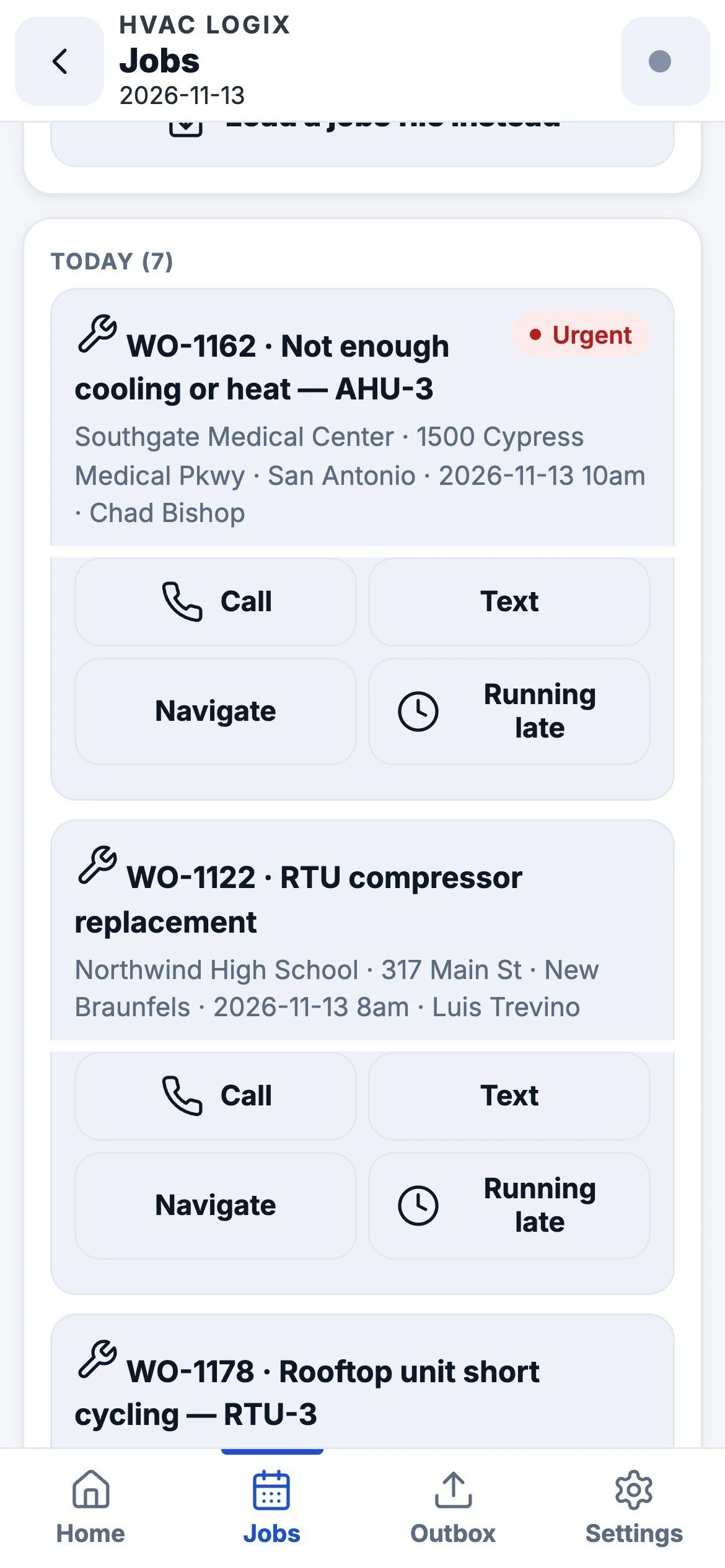
The Ticket Prices the Invoice
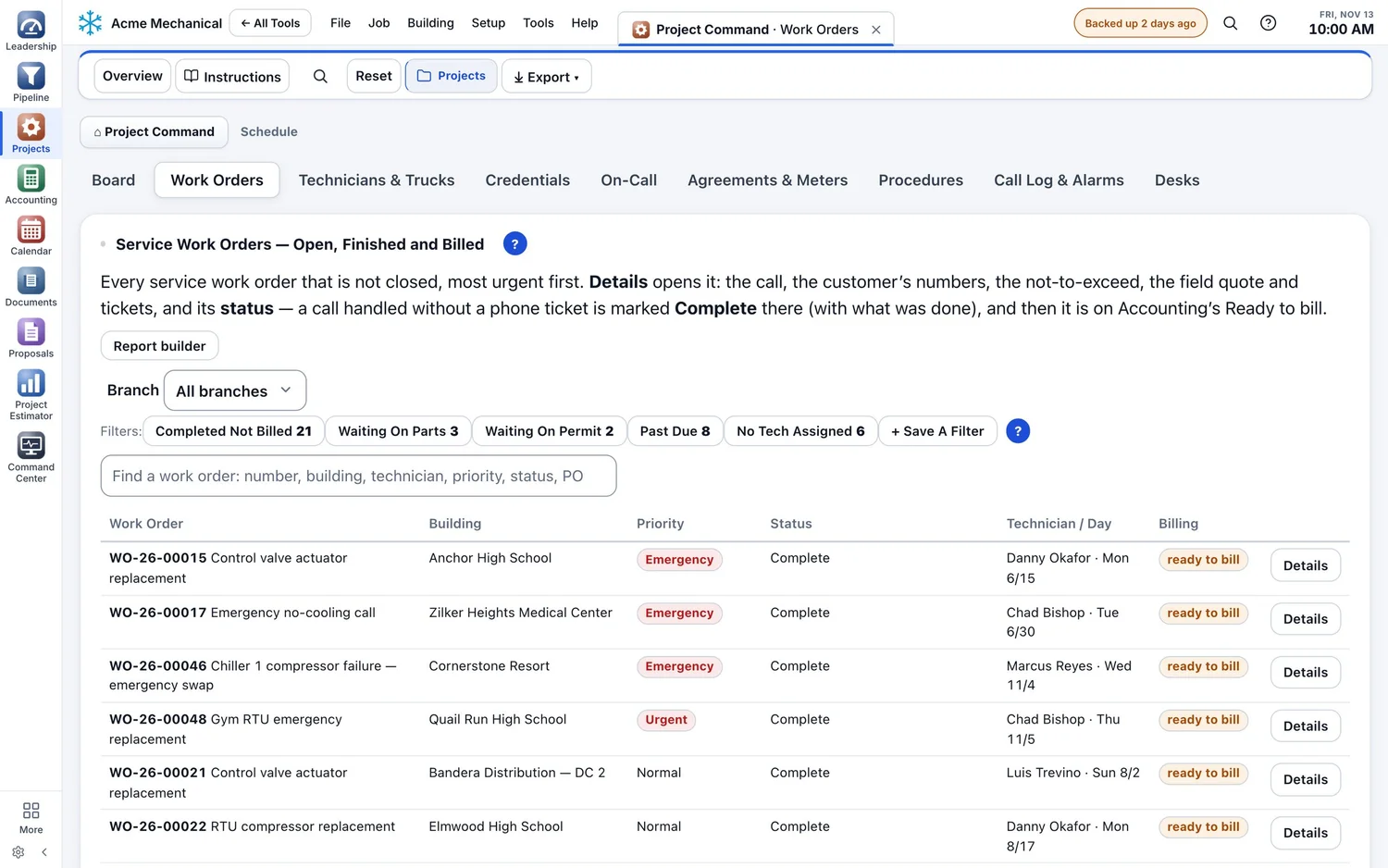
A work order becomes Complete when the technician's ticket says so or the office marks it. From there it waits on Ready to Bill in Accounting.
Generate Invoice
The invoice is priced from the technicians' tickets: hours at the Rate Card rate for each classification, overtime and after-hours at their own rates, parts from the price book, the trip charge and the jobsite's sales tax. The customer's PO, work-order number and not-to-exceed carry across.
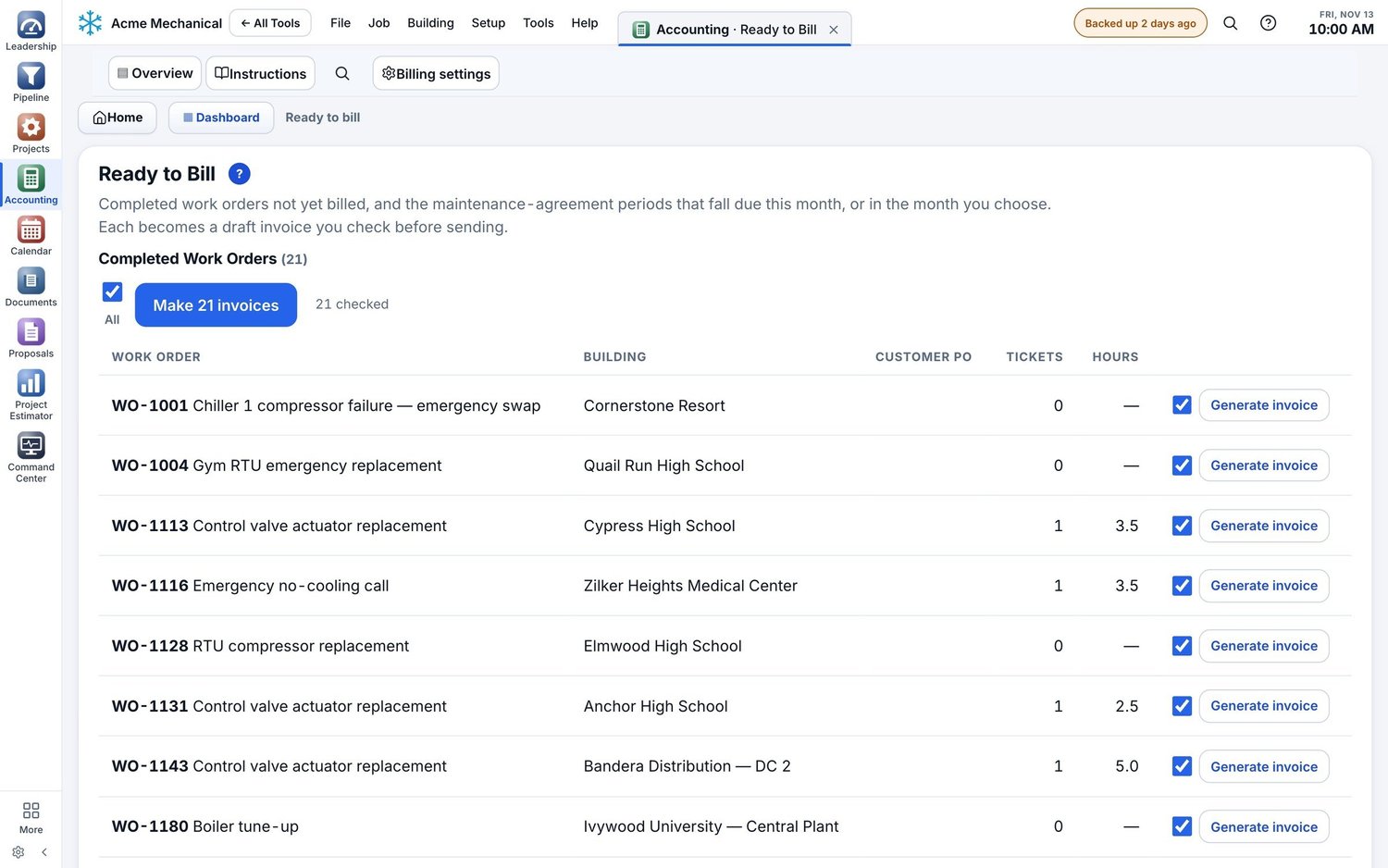
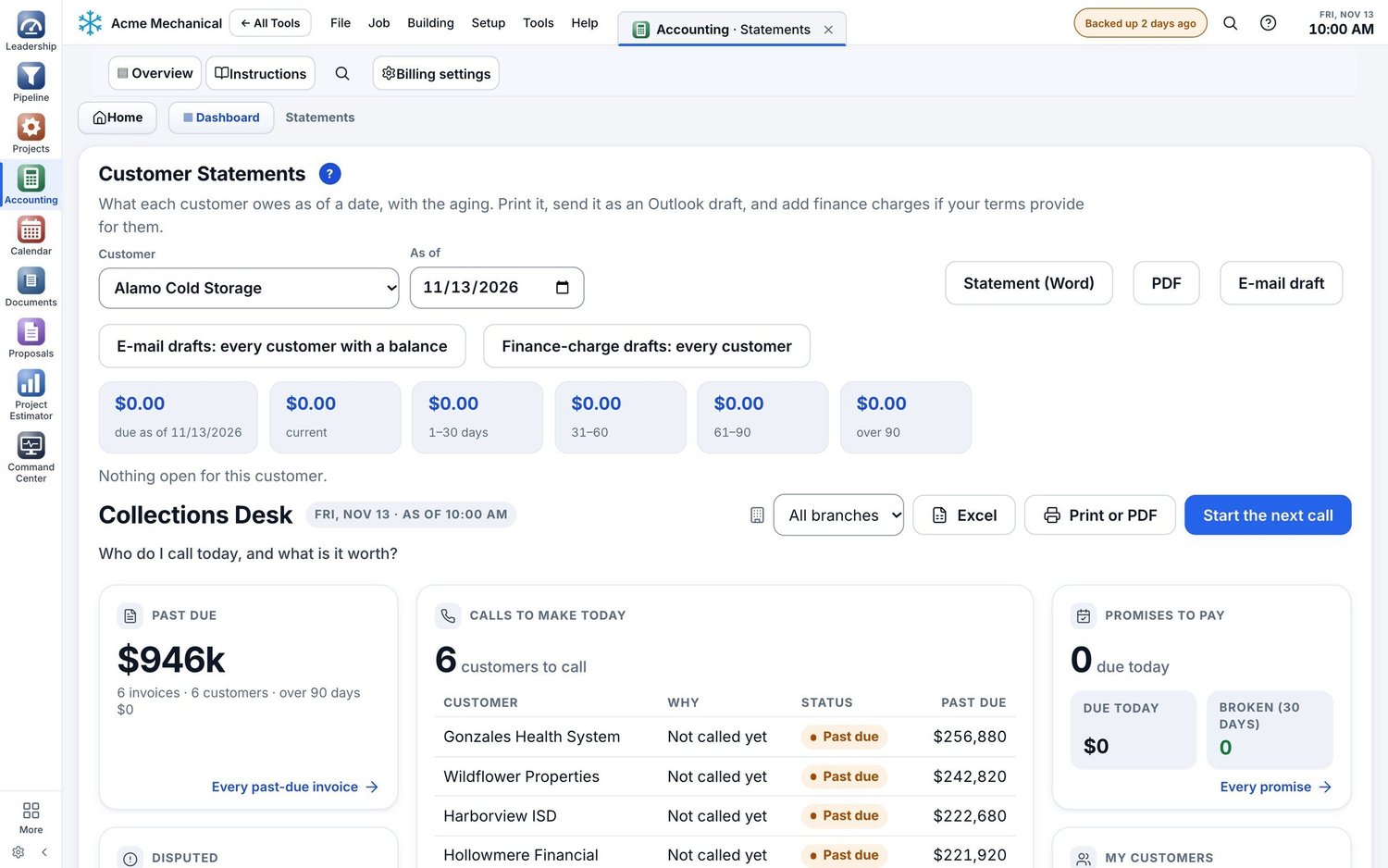
Unbilled work is money left waiting, so finished work orders wait in one list to make invoices.
Covered or Billable
On a work order under a maintenance agreement, the lines the agreement covers arrive at zero, marked covered, and the exclusions the agreement names are billed. The invoice note says which is which in one sentence.
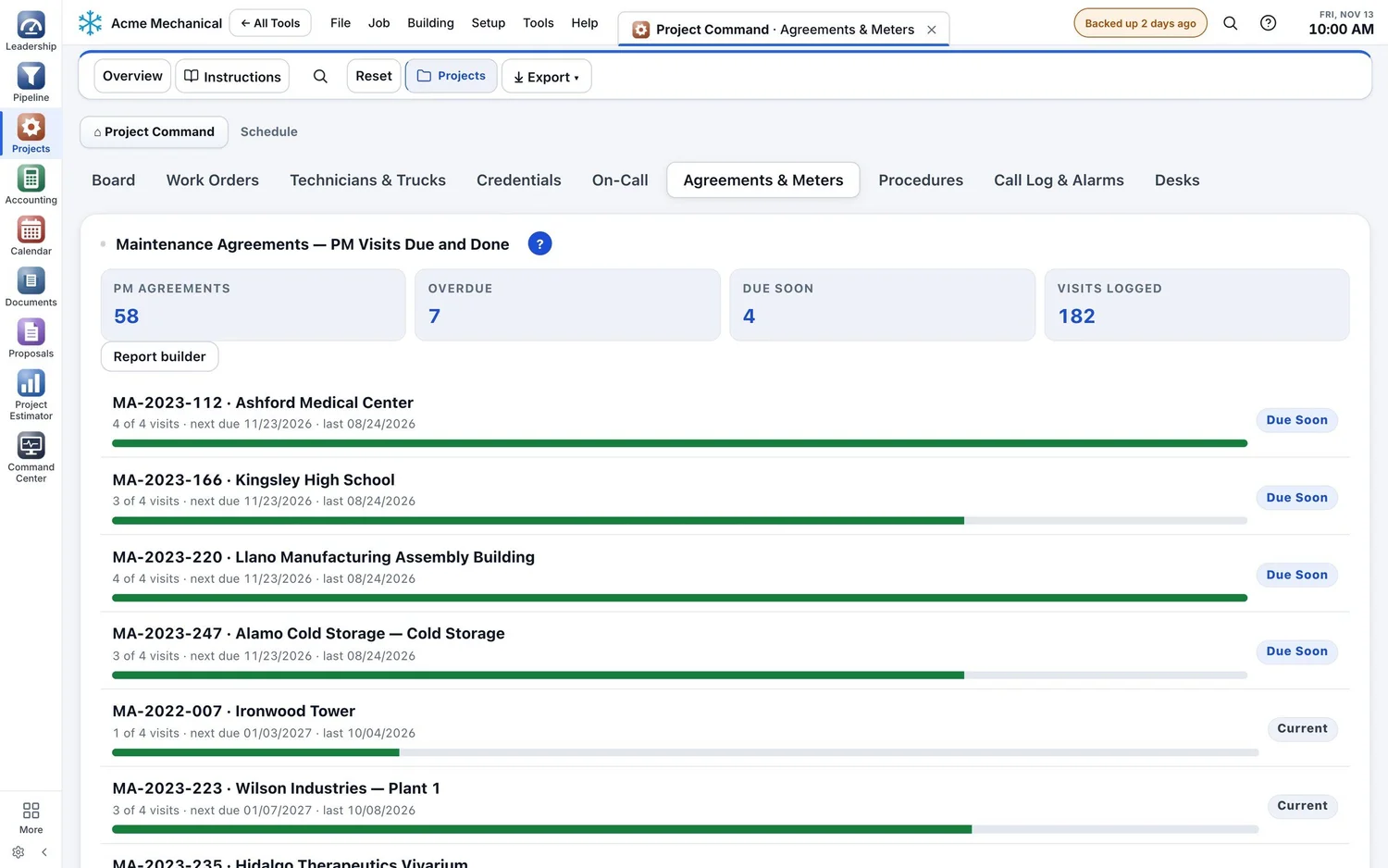
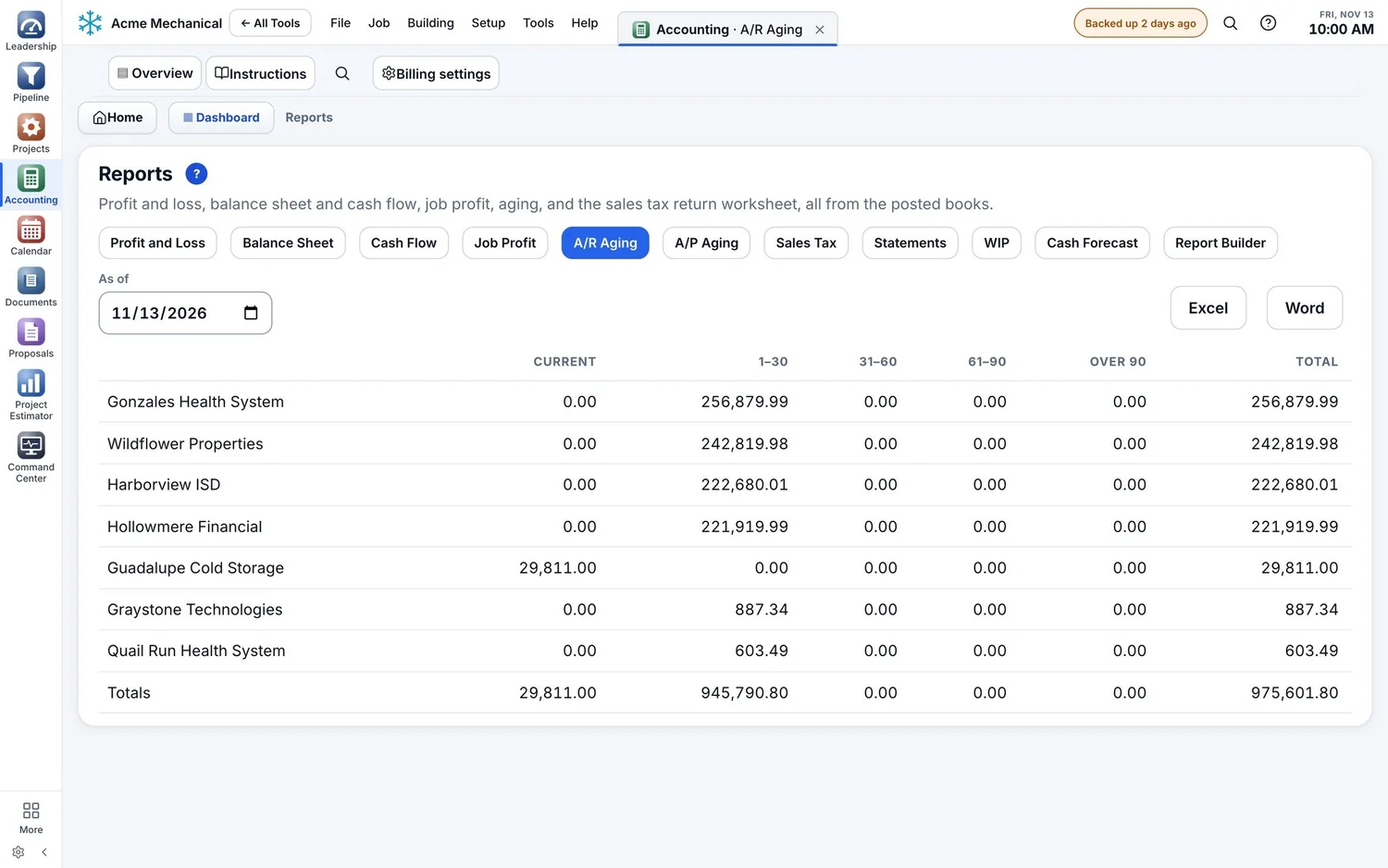
Billing covered work angers customers, so agreements due for visits sit beside the board with their coverage.
A Signed Quote Holds Its Price
A work order from a signed field quote is billed at the price the customer signed. Internally, the work order shows the signed price against what the same work comes to at your own rates. That comparison never prints.
One Invoice, a Clear Status
A work order gets one invoice, never two. Sending it makes the work order Invoiced with the invoice number on it, and full payment makes it Closed. Accounting will not mark a service invoice sent when it is over the customer's not-to-exceed until the approved increase is recorded.
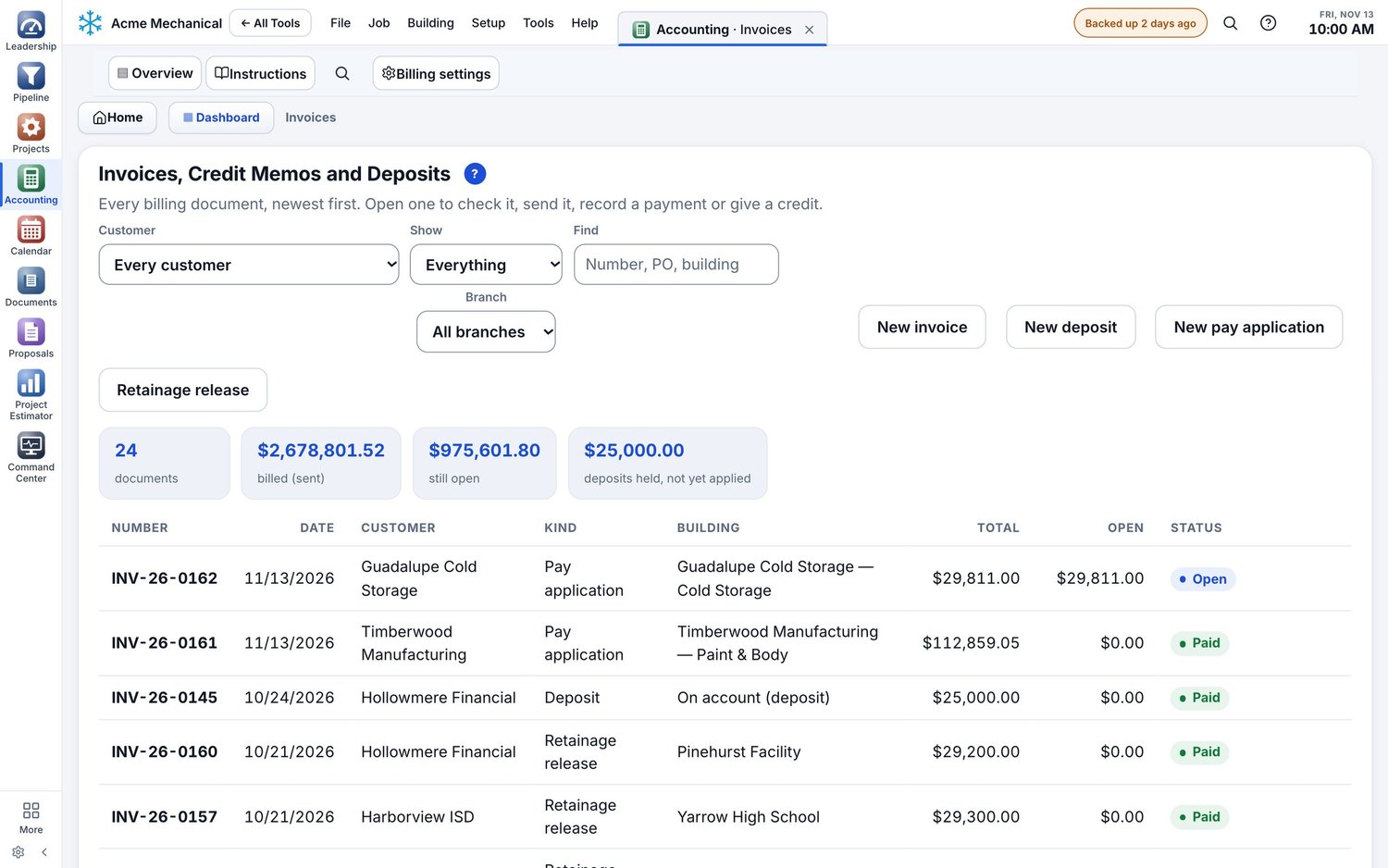
Invoices made from finished tickets, with covered and billable work split.
Every Call Leaves the Rest of the Company Better Informed
Sales
An opportunity a technician spots on the phone becomes a deal on the building's account, credited to the technician, with photos and repair-or-replace figures. Pipeline Command counts leads by technician.
Learn More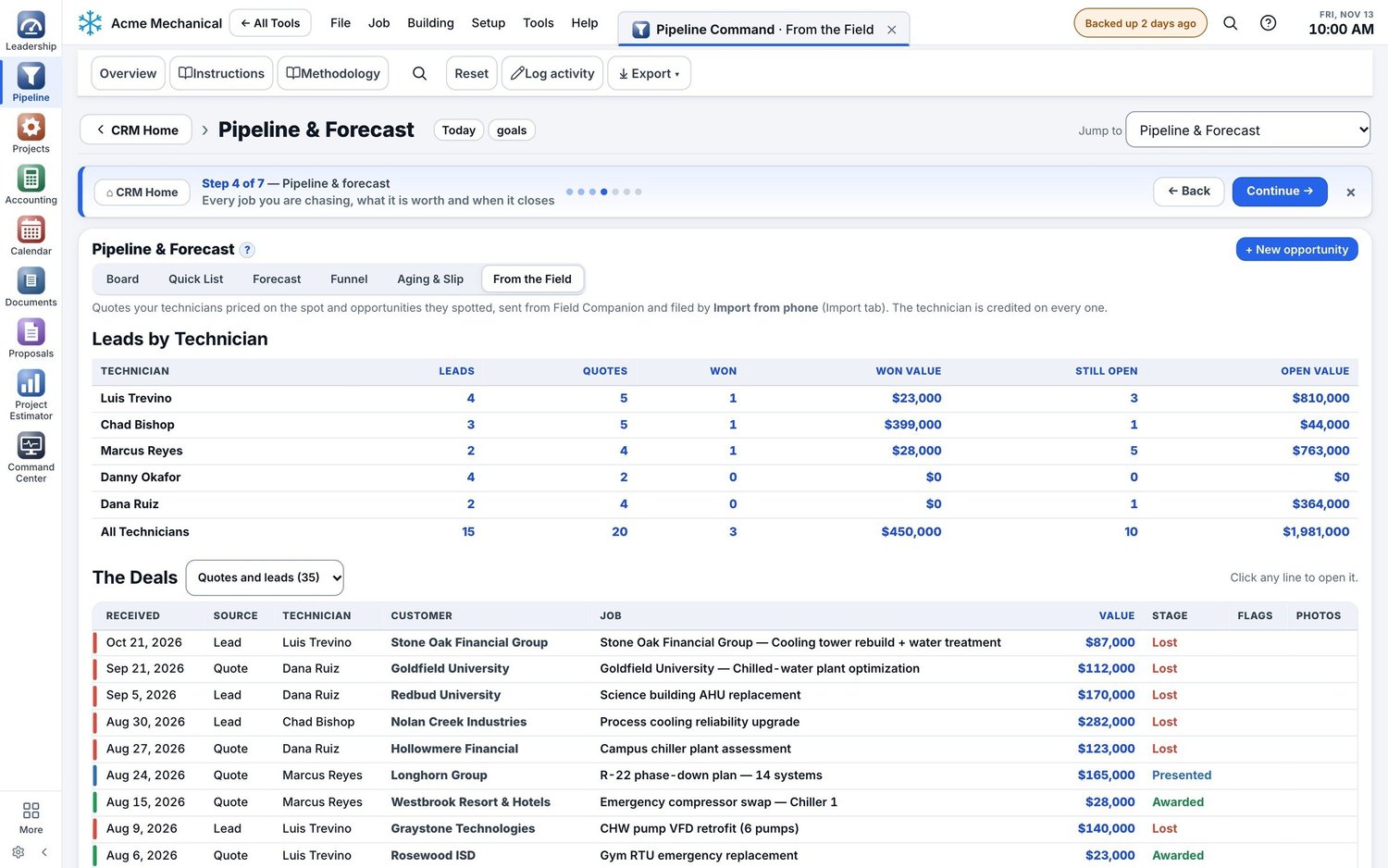
Technicians spot work first, so their leads count toward sales with credit to who found them.
Inventory and Purchasing
A part used on a ticket comes off that truck when the record arrives, and the same move is valued and posted in Accounting. A supply house pickup logged at the counter becomes a received purchase order.
Learn More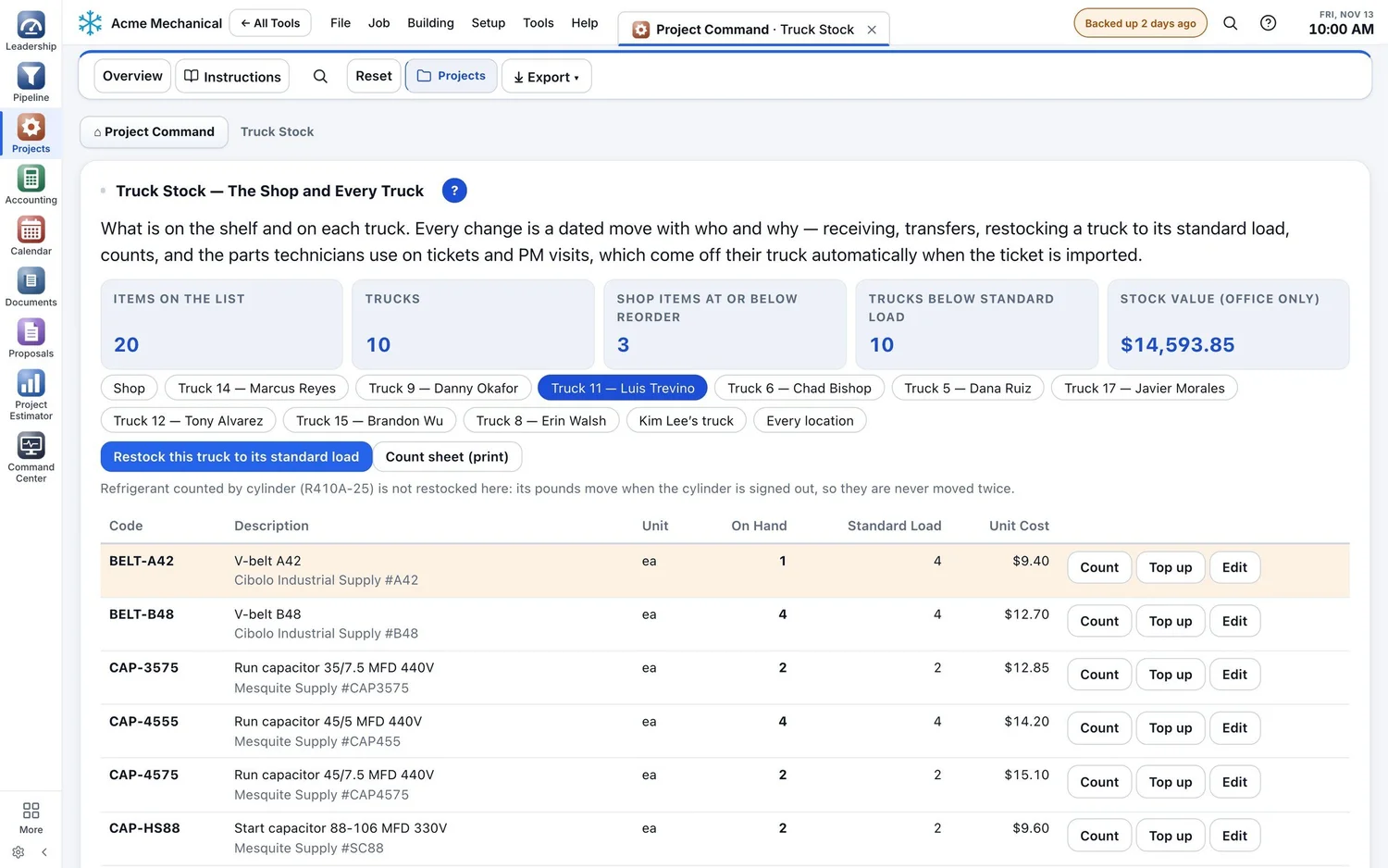
Parts used from a truck go unrecorded, so each ticket takes them off that truck's stock.
Reliability
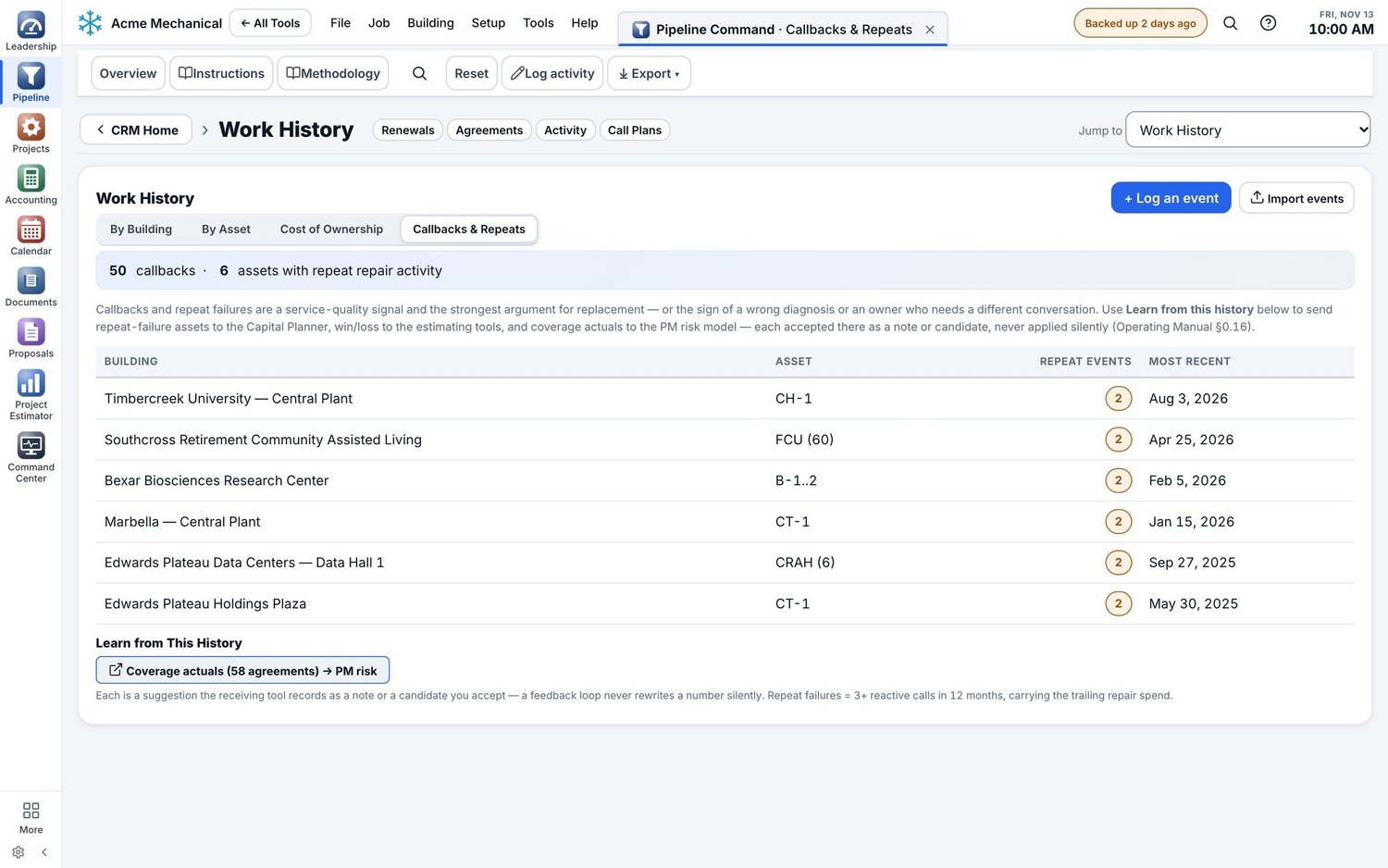
Failure codes build each building's reliability record: repeat failures, bad actors, downtime and the causes behind them. The same record supports the agreement's renewal and the repair-or-replace decision.
Learn MoreShow Less
The unit that keeps failing is both a cost and a replacement sale. Failure codes turn service history into proof for the owner.
- Failure, cause and remedy codes follow ISO 14224, in plain words; never required.
- Bad actors ranked by failures, downtime and repair cost, with MTBF and MTTR.
- Repeat failures: 2 or more calls in 30 days, or 3 in 90.
- Add the customer's older repair history to the record.
Warranty Recovery
A part the technician flags as a warranty part, with the failed serial number and photos, starts a manufacturer warranty claim on the work order.
Learn MoreShow Less
A warranty part replaced and never claimed is work done for free. The claim register follows each one from the work order to the credit.
- Fills itself from the nameplate, warranty in force, ticket hours and flagged parts.
- Shows hours worked beyond the manufacturer's labor allowance: labor you will not recover.
- Open claims age 0-30, 31-60, 61-90 and over 90 days, with follow-ups on the calendar.
- The credit reduces the job's cost by what the manufacturer paid back.
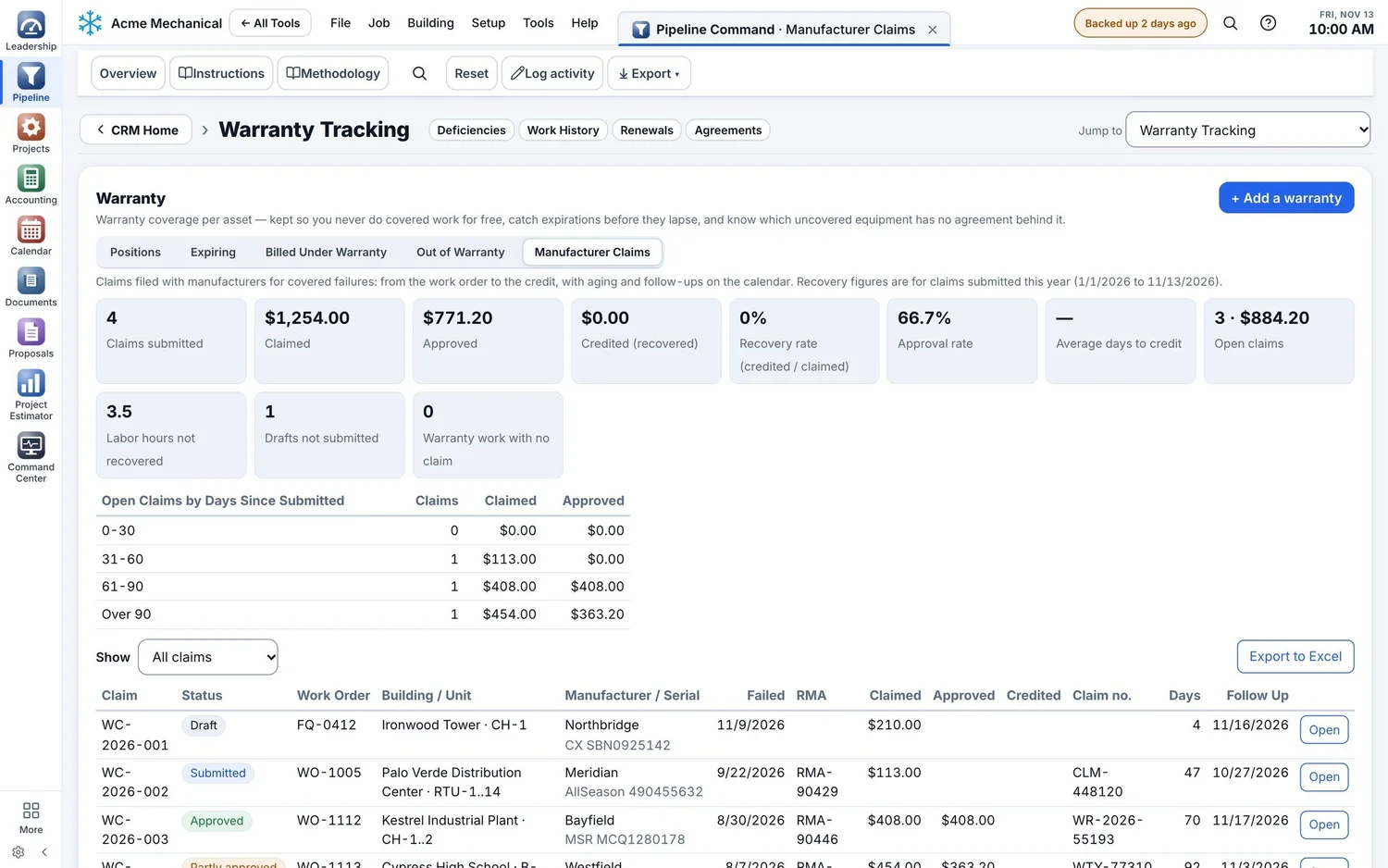
Warranty parts paid for twice hurt margin, so manufacturer claims are tracked to credit.
Monitoring
Where you monitor a building under contract, an alarm becomes a work order already linked to the agreement, marked From Monitoring on the phone with the reading and a 24-hour trend. Monitoring is advisory and read-only.
Learn More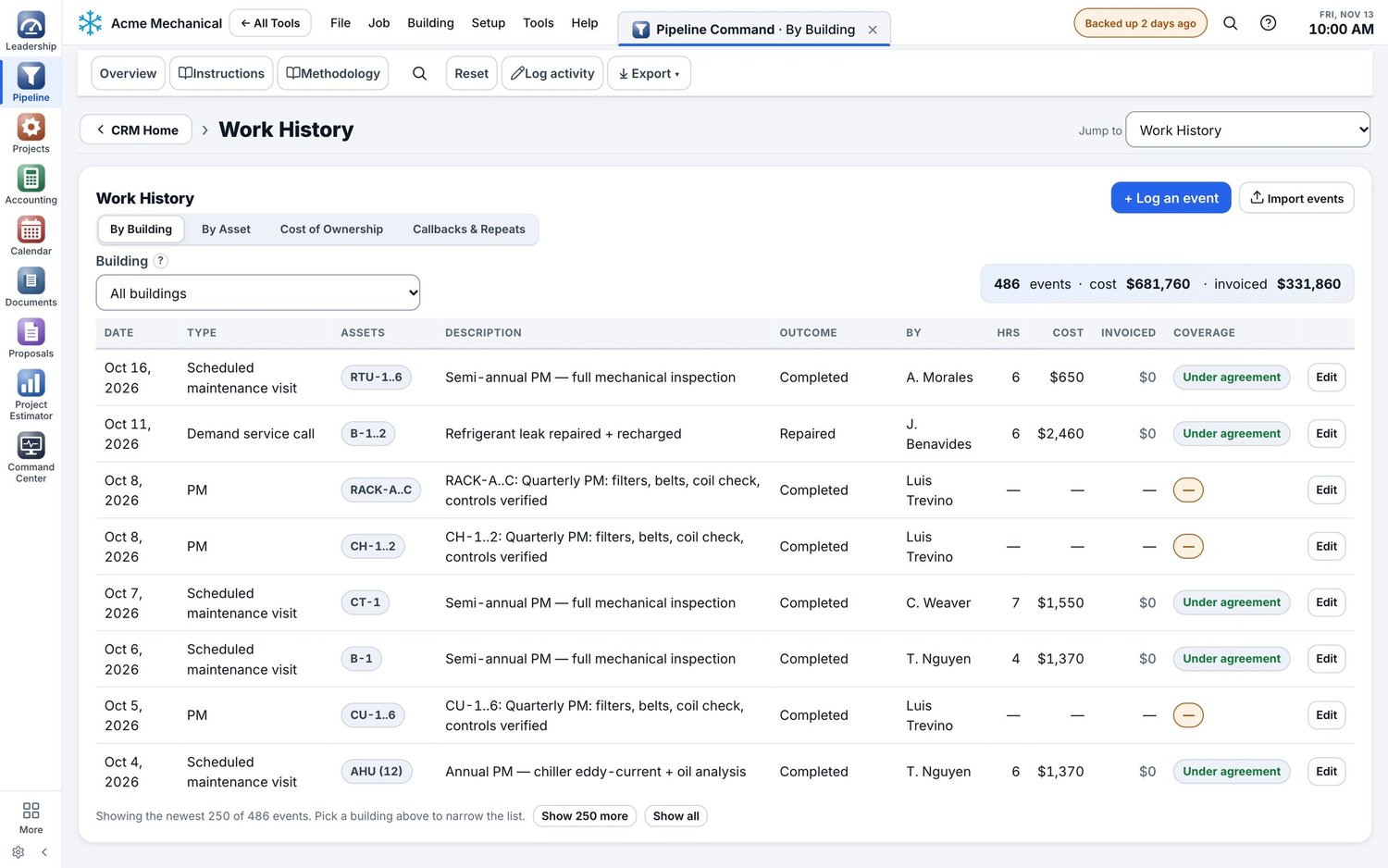
A building's history often lives in one technician's head, so every visit lands in its work history with cost and coverage.
Frequently Asked Questions
Does the phone app need a signal on the roof or in a mechanical room?
How is an agreement's response time measured?
Does the not-to-exceed stop work in the field?
Can route planning move an appointment a customer was promised?
Do technicians see our costs or margins on the phone?
Be First When HVAC Logix Opens
Stop paying people to copy numbers between programs. Join the list and we will tell you the day downloads open, with setup guides ready.
Launching early 2027 for HVAC Logix. Nothing to buy today, and no sales calls.
