
Every Part Bought, Stocked, Used and Billed, Counted Once
Material is where a mechanical contractor's margin leaks: a price that moved since the quote, a supply house pickup nobody coded, a truck that is short, a vendor invoice that does not match what arrived. HVAC Logix ties supplier prices, purchase orders, the shop, the trucks and the job together, so each part is counted once and its cost lands on the right job without retyping.
Launching Early 2027 · Join the Early-Access List
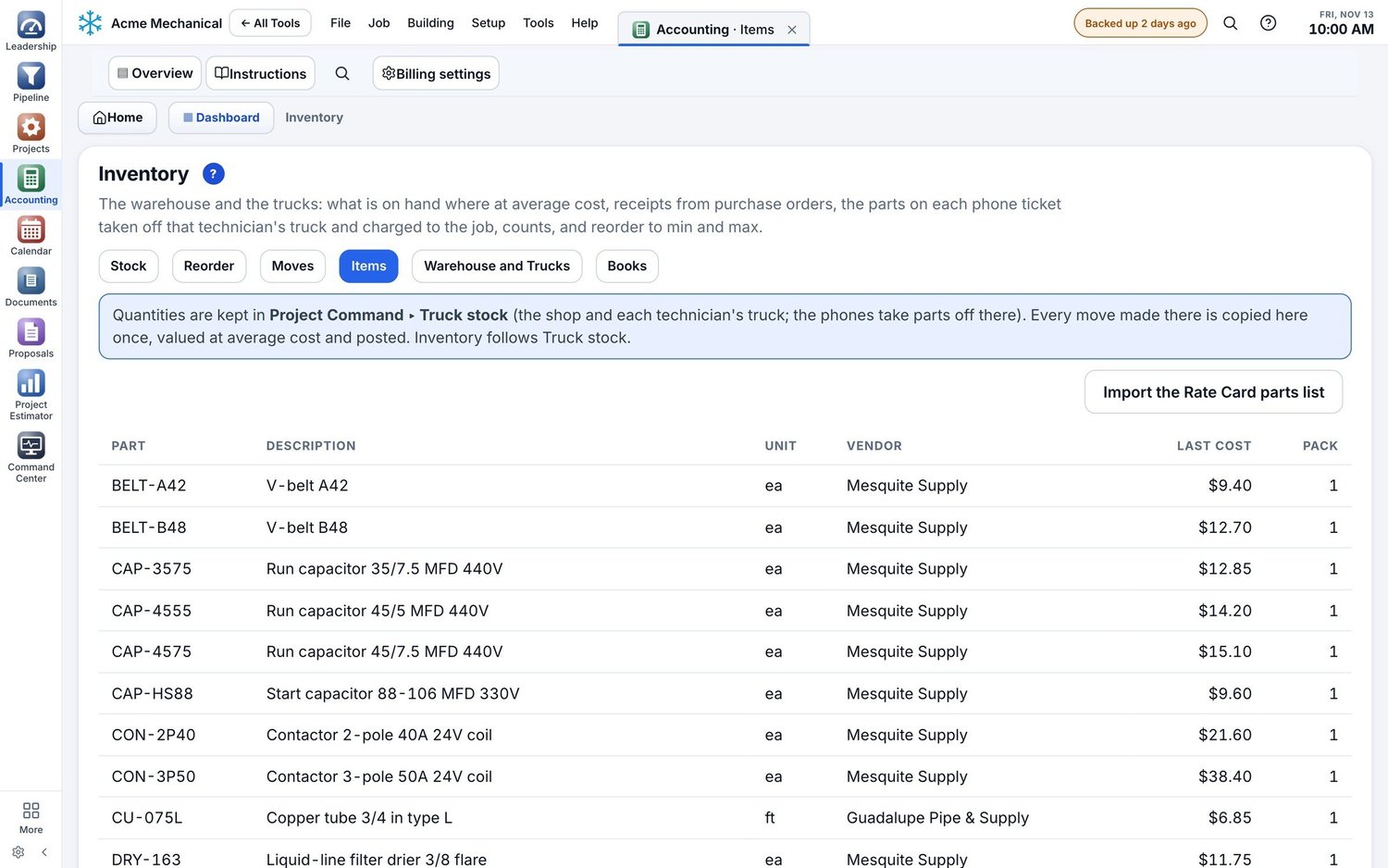
Know What Material Costs Today, from Your Suppliers' Own Files
Your Rate Card holds the one cost every estimate prices from. Behind it, HVAC Logix keeps the record of every supplier price you import. Everything works offline from files; there is no live price feed to depend on.
Import a Price List
Bring in a supplier's price sheet as CSV, Excel or PDF, read on your own computer. The wizard asks first whether the file is your net cost or list price, because that one answer decides whether every job is priced right.
Learn MoreShow Less
Importing list prices as cost silently inflates every job that uses those parts, and a stale cost underprices them. The import catches both before a single cost changes.
- Per-100 and per-1,000 pricing, multipliers and discounts are read for you.
- Every row shows its current cost, new cost and the change in dollars and percent.
- A price that cannot be read is never guessed and cannot be applied.
- If the average cost moved more than 10%, the summary warns that earlier quotes used old costs.
- A second supplier's list can be recorded only to compare.
Supplier Catalogs
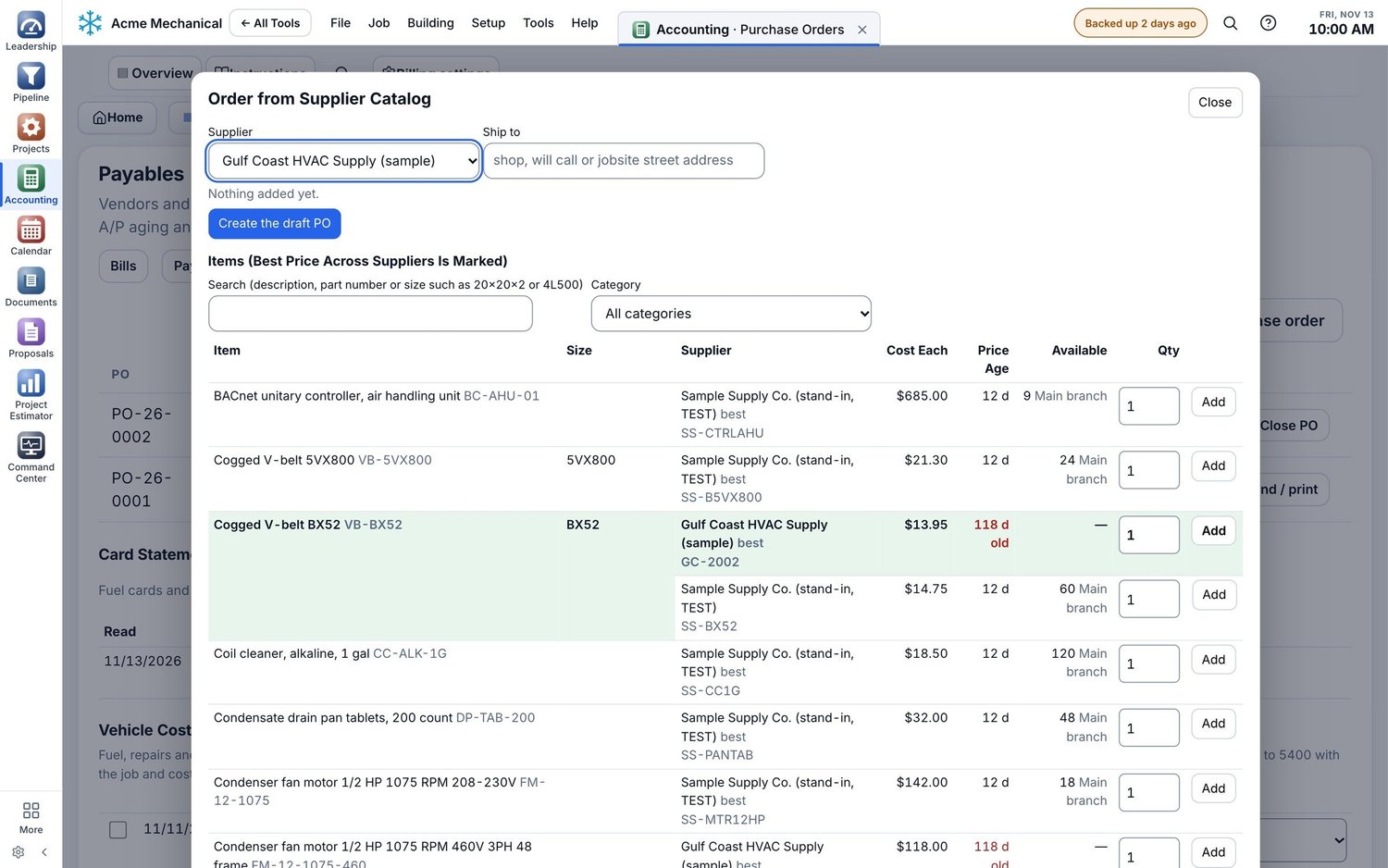
Keep one catalog per supplier account, from a price catalog file, an availability file, a punchout cart file or a price sheet. Search by description, part number or size and see each supplier's cost, the price age and the best price.
Learn MoreShow Less
Buying from whoever is cheapest today, instead of whoever you always call, adds up on every order. Supplier catalogs put each account's price side by side in every estimating tool.
- Reads EDI 832 price catalogs, EDI 846 availability, punchout carts and price sheets.
- A price older than the limit, 90 days unless changed, shows in red.
- Estimators add a part at the best cost, and the estimate's markup applies.
- An issued PO can be saved as an EDI 850 or cXML order file.
Material priced at an old cost loses margin, so estimate lines price from the current cost library.
Suppliers Side by Side
For any category, each item shows the cost on your card and the latest price in effect from every supplier whose file carried it. The lowest is shaded. Click an item for its full price history.
Learn MoreShow Less
A few percent between suppliers is real money across a year of buying. The comparison shows where each item is cheapest without calling around.
- Suppliers above the lowest show how far above it they are.
- Price history lists every price, supplier, effective date and change from that supplier's last price.
- Each price shows how it was read, for example "list x 0.42; priced per 100".
- Removing a file from history never changes a cost in your library.
Scheduled Increases
Future-dated prices are listed as scheduled, and prices now in effect that are newer than your costs wait for you to apply them. Nothing is applied by itself.
Learn MoreShow Less
A price increase you hear about after quoting comes out of your margin. Announced increases are recorded the day the notice arrives, so new quotes can reflect them.
- A list dated in the future is recorded now, and costs move only when you apply them.
- Applying moves costs, and sell prices follow each item's markup.
- An estimate's internal price check warns of a higher price taking effect within the warning days, 30 unless changed.
- Long projects can add a compounded escalation allowance line.
Tariffs and Surcharges
Record what a supplier bills on top of its price, with its dates and category, and add it to an estimate as one material line. A dated tariff reference sits beside it for context.
Learn MoreShow Less
A supplier's tariff surcharge left off a quote is paid out of your margin. Surcharges are recorded once and added to an estimate in one step.
- A supplier's surcharge applies only to lines priced from that supplier.
- The line is marked up and taxed as material, and prints with the surcharge's name only.
- The Section 232 reference lists each program's rate, dates, legal basis and source, but never sets your percent.
- Contracts with a material price clause work out the adjustment due on a change order.
Open Quotes Re-Priced
Every open estimate with material lines is priced again at today's cost, and the margin at the price you quoted is compared with your company's margin floor. Internal only.
Learn MoreShow Less
A quote still open at last month's costs can turn a won job into a loss. Re-pricing shows which open quotes have slipped below your margin floor before the customer signs.
- Covers saved service and project estimates whose deal is not awarded, lost or deferred.
- Only lines that match the price book are re-priced.
- It changes nothing and never prints on a customer document.
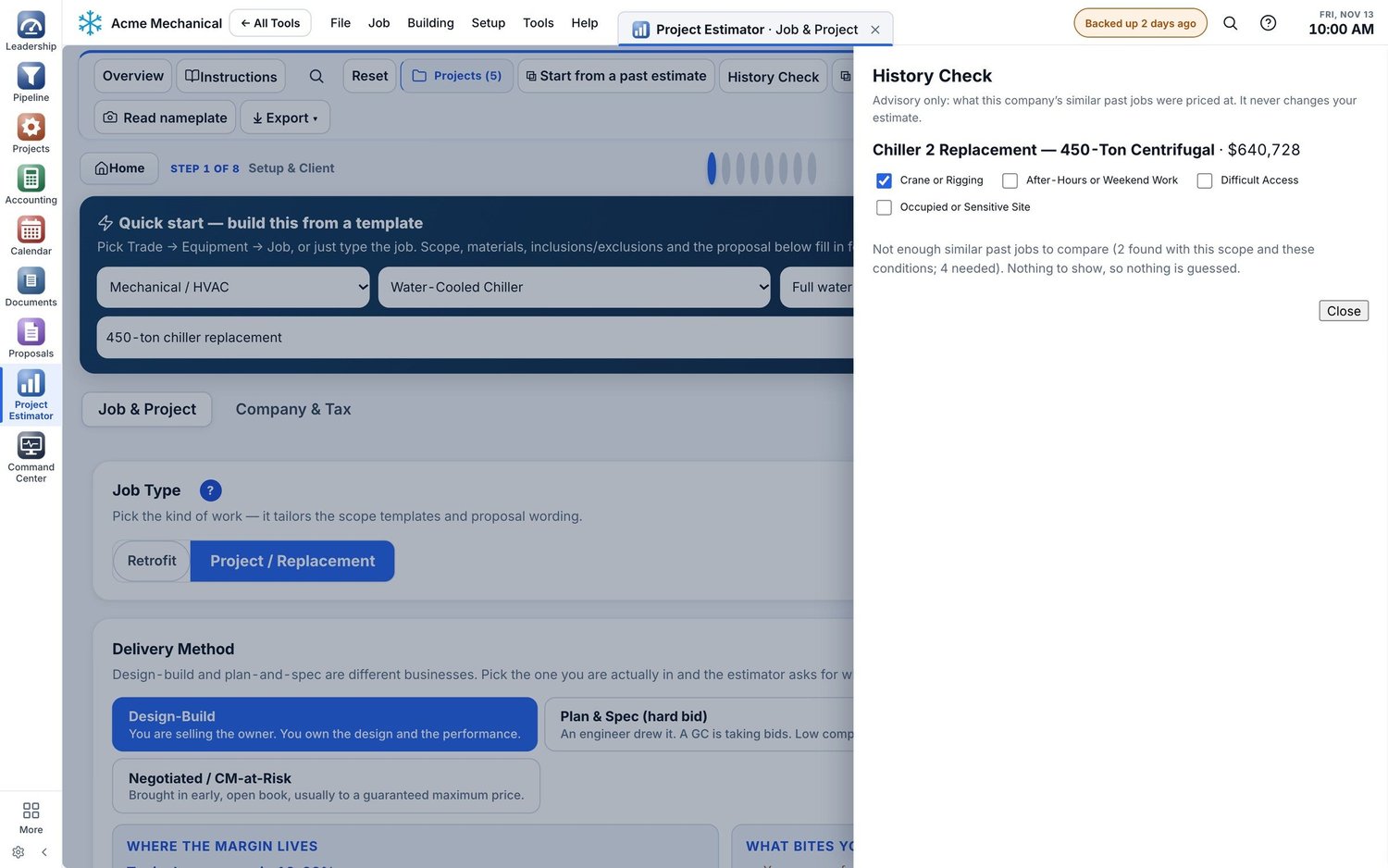
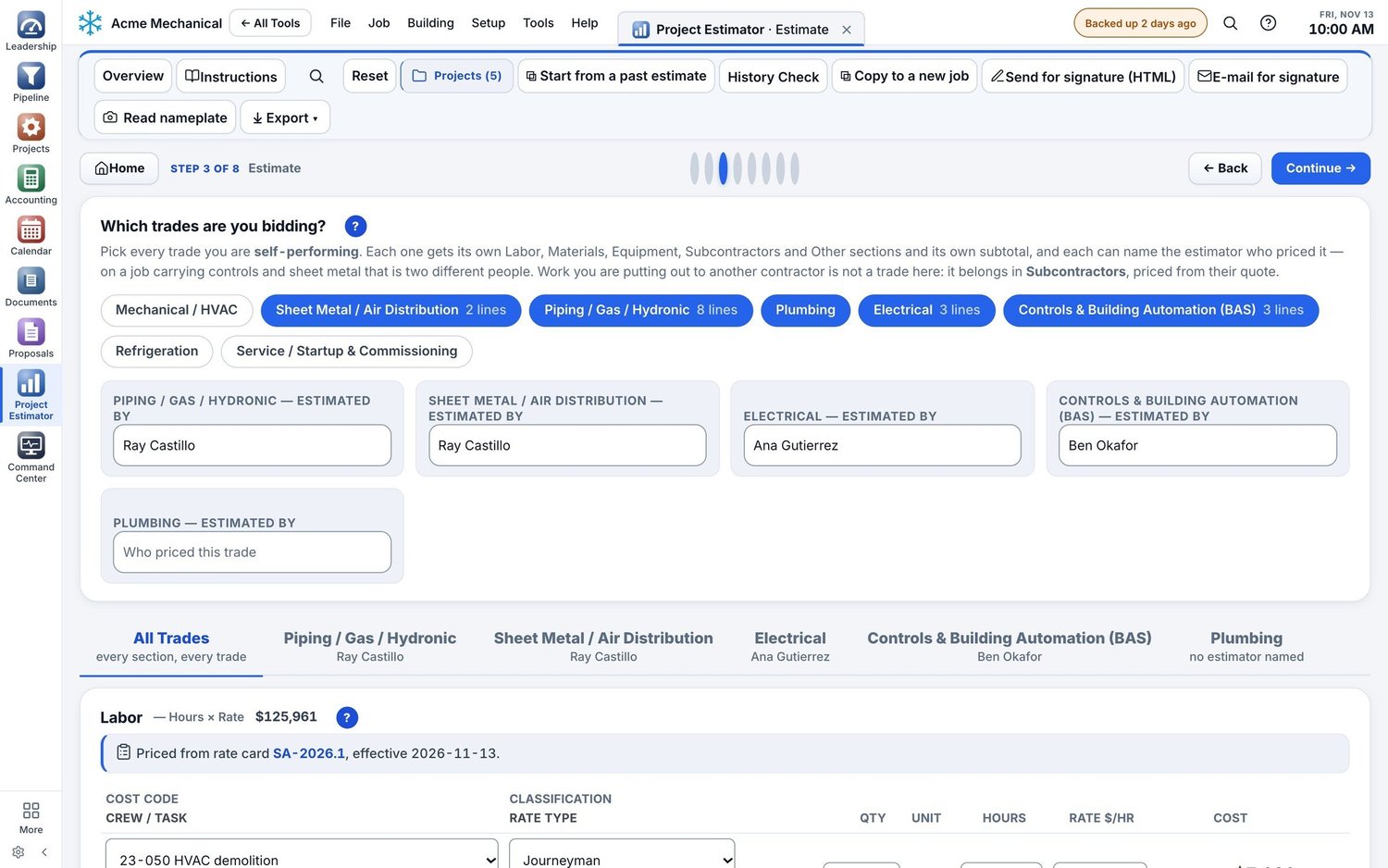
History Check compares a price with your own similar past jobs, and never changes your estimate.
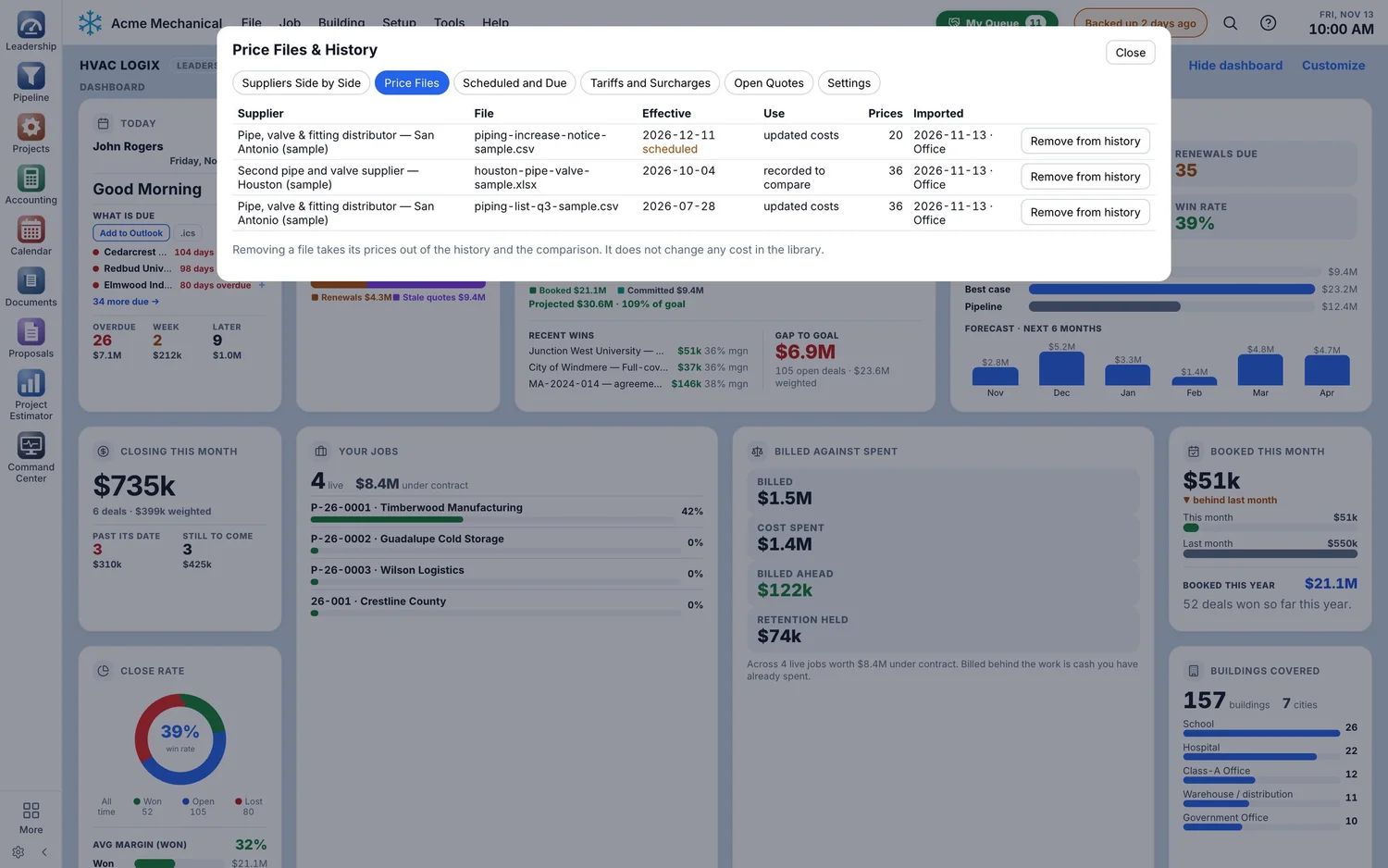
Supplier price files loaded and dated, so estimates use today's prices.
From the Order to the Vendor's Bill, Checked at Each Step
Order from Where the Work Is
Start a purchase order in Accounting, from a job's committed cost, or from a work order's details. It opens already filled in with the job, the cost code, the building as ship-to and the vendor when one is known. Issuing gives it the next number from the company's one numbering.
Learn MoreShow Less
A purchase order without its job and cost code is a cost that never reaches the job, so the job looks better than it is. Starting the PO from the work keeps every dollar on the right job.
- On a job, the cost code with the largest material budget is filled in, and each line can be changed.
- The vendor is taken from the last PO for that job or work order.
- An open PO is the job's committed cost, not a bill.
- An issued PO is never edited.
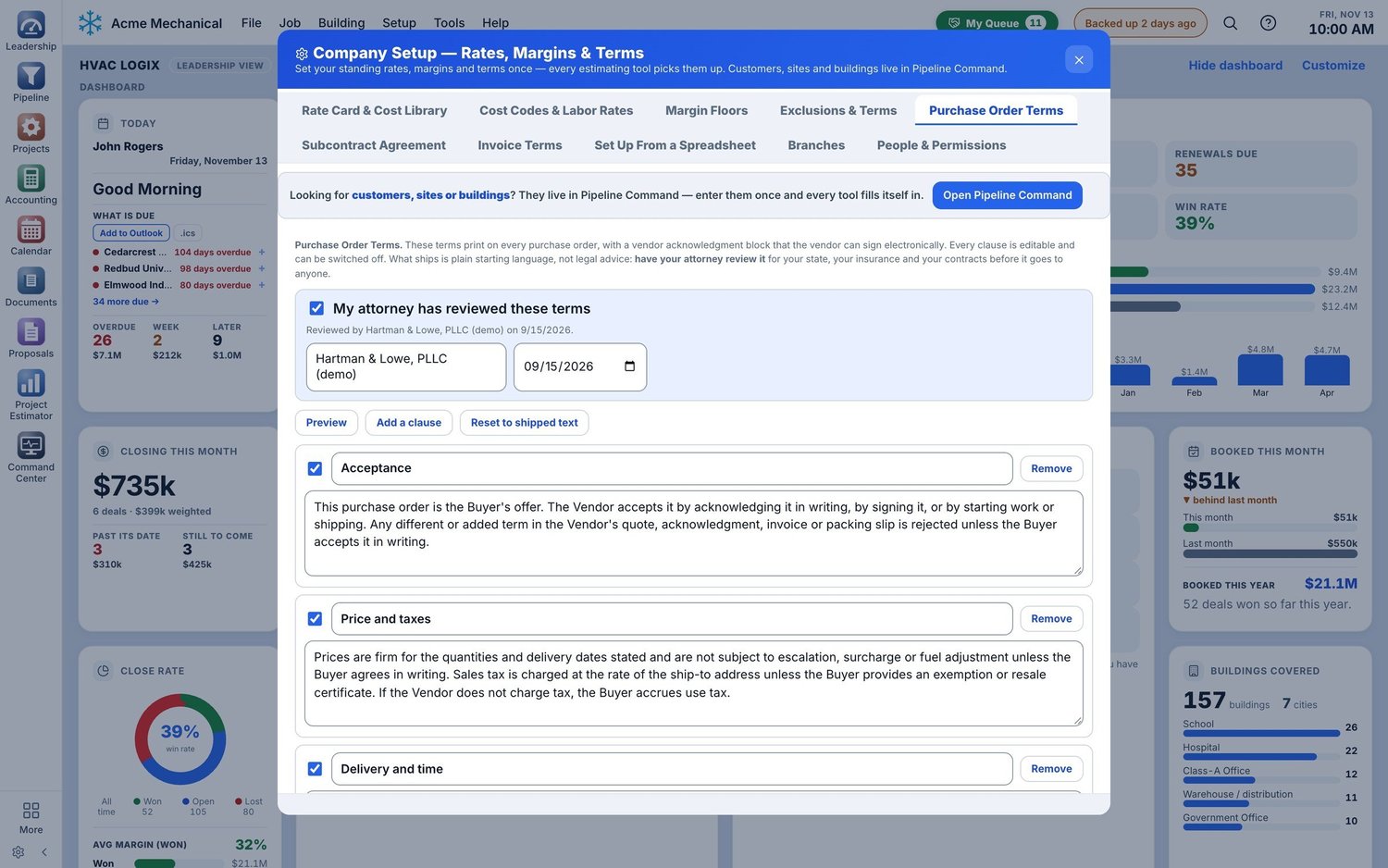
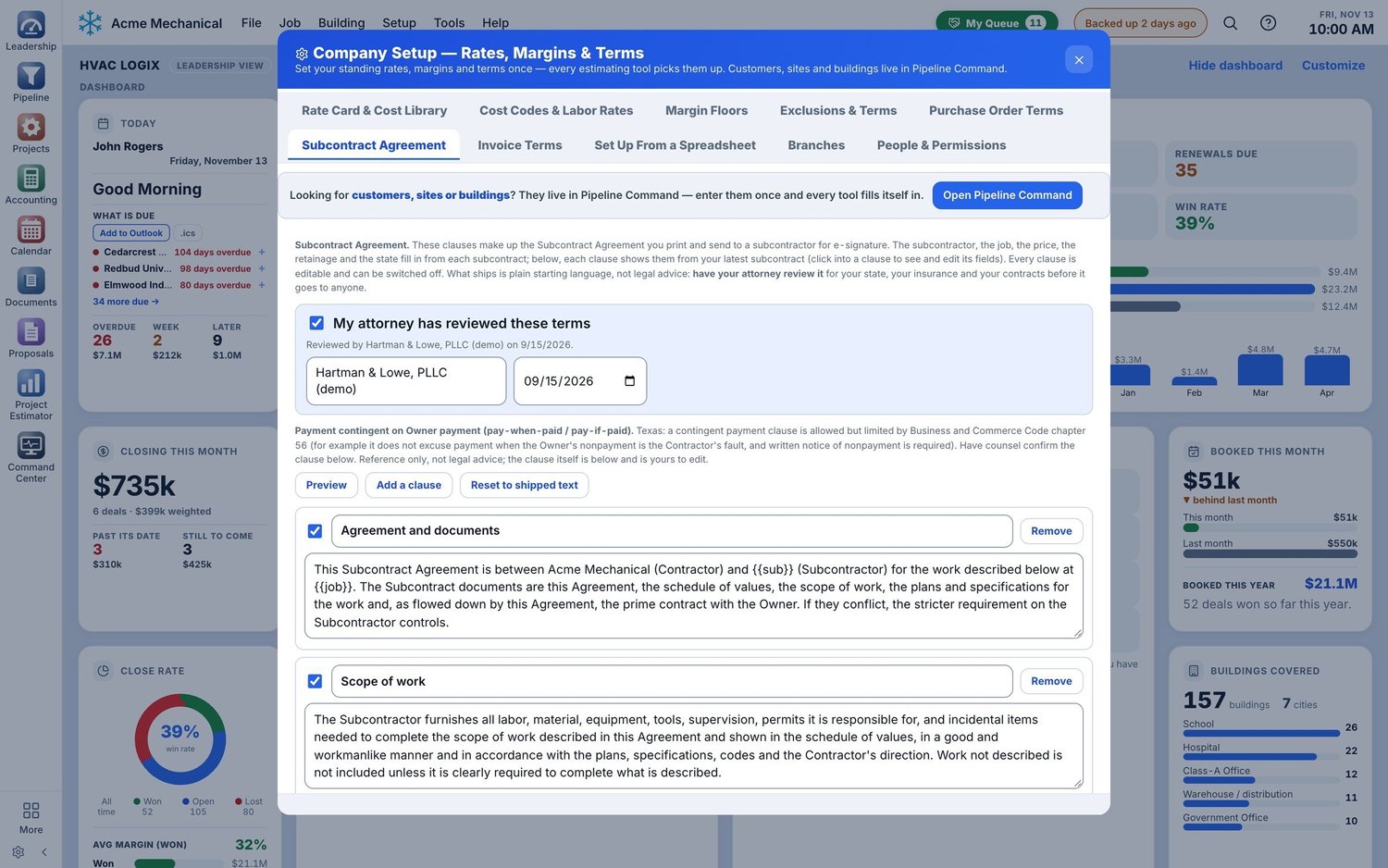
Vendors read the fine print, so your own purchase order terms print on every order.
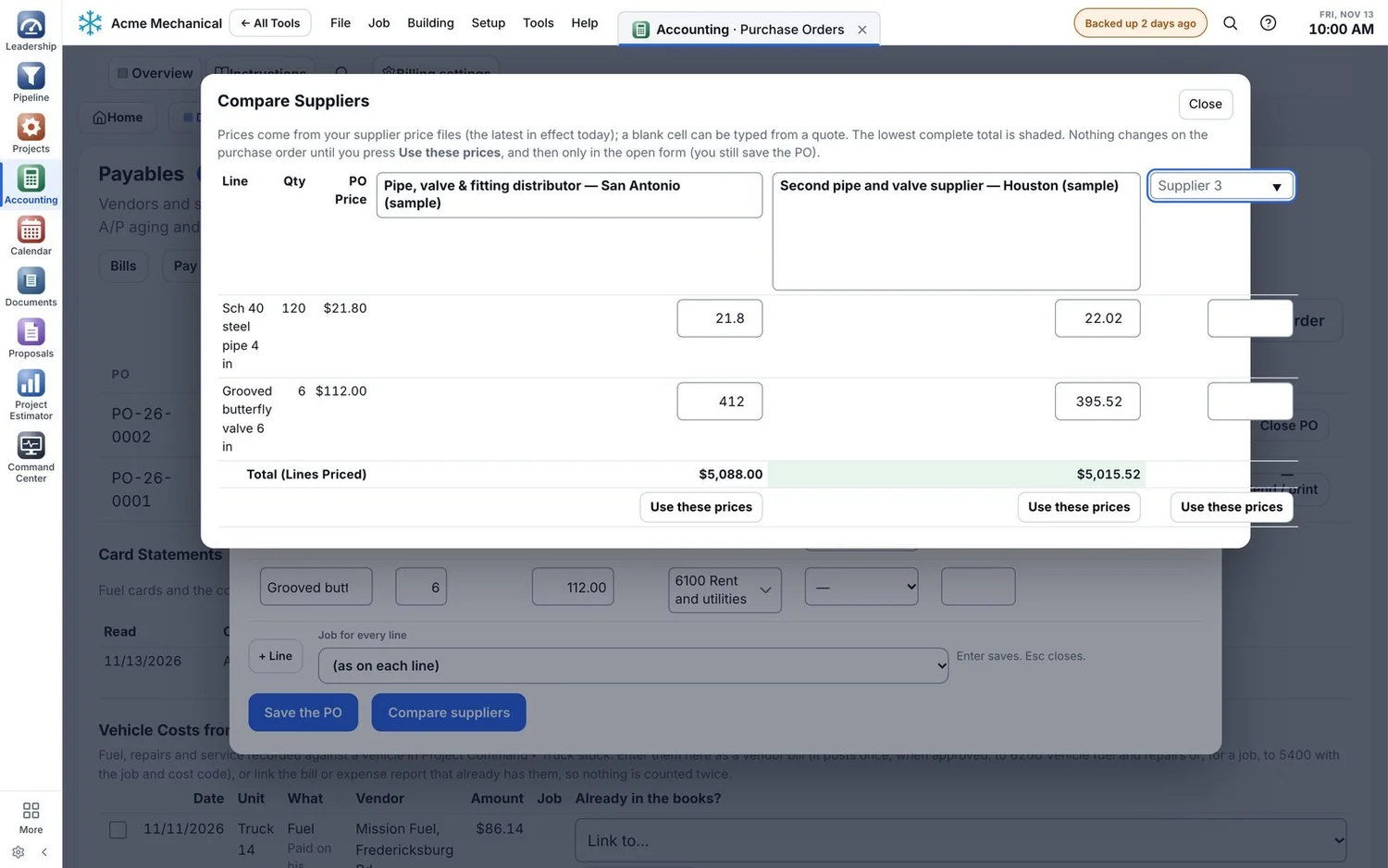
Compare Suppliers on the PO
Up to three suppliers side by side for the order's lines, from each supplier's price file or typed from a quote. The lowest complete total is shaded, and the comparison is kept with the purchase order.
Learn MoreShow Less
Comparing three quotes on every order saves money on the order itself. The comparison sits on the PO, so the choice is on record.
- Suppliers with the most lines priced come first, and any column's supplier can be changed.
- A blank cell can take a price typed from a supplier's quote.
- Use These Prices fills the form and sets the vendor; you still save the PO.
- All three columns and the one chosen are kept.
Receive, Then Bill
Record what arrived, including part deliveries. Stock lines go onto the shelf by themselves. Enter the Bill starts the vendor's bill from what was received and not yet billed.
Learn MoreShow Less
Paying for material that never arrived is money lost. Bills start from what was actually received.
- Part deliveries show Part Received until the rest arrives.
- The same vendor invoice number twice is refused.
- Due dates come from the terms as written, including 2/10 net 30 and net 10th prox.
- Untaxed purchases accrue use tax at the rate where they are used.
The 3-Way Match
A bill entered from a purchase order is checked against the order and the receipt: quantity billed no more than received, and each unit price within your match tolerance. A bill that does not match says so, line by line.
Learn MoreShow Less
Overbilled quantities and creeping unit prices are among the easiest ways to overpay a vendor. The match catches them on every bill entered from a PO.
- The match tolerance starts at 2% and is set by Leadership.
- Each difference is named, for example a line's price against the PO's.
- A bill that fails can still be approved, but only with a reason kept with the bill.
- Supply house pickups are matched to the vendor's invoice the same way.
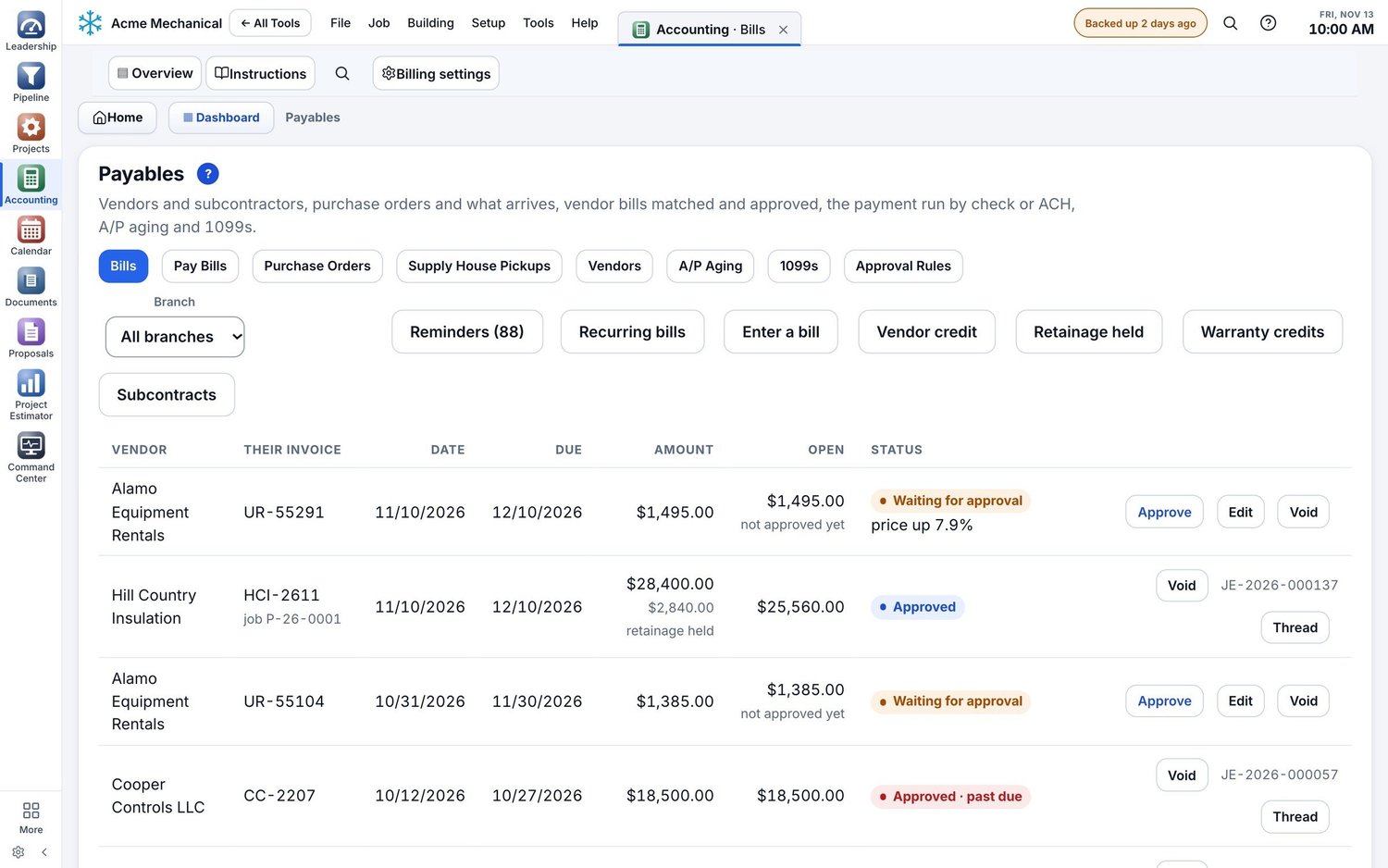
Paying for parts that never arrived is money lost, so each bill shows its approval and match status.
Approvals and Terms
The person who entered a bill does not approve it, and approval limits apply to bills and to issuing purchase orders. The printed order carries your own terms on letterhead with a vendor acknowledgment, and can be sent for signature.
Learn MoreShow Less
Clear terms on every order prevent disputes over price, delivery and returns. Approvals stop orders and bills nobody authorized.
- Each clause can be switched off, edited or reset, and words such as the job and amount fill in from the document.
- A signed PO returned by the vendor is checked against what was sent, with who signed and when.
- Approval limits are set per role by Leadership and logged.
- A one-person office uses the small-shop override, recorded with a reason.
Part-to-Unit Spec Check
A 460 volt motor ordered for a 208-230 volt unit is found on the roof, after a second trip. When a catalog part goes on an estimate, a field quote, a work order or a purchase order for one unit, HVAC Logix compares it with that unit's nameplate: voltage and phase, refrigerant, capacity, fuel, motor horsepower, speed and frame, and capacitors. A mismatch is shown before the part is ordered.
Learn MoreShow Less
A wrong part costs a second trip, a restocking fee and an unhappy customer. The check catches it before the order is placed, from the unit's own nameplate.
- Three-phase parts never pass on a single-phase unit.
- Motors must match horsepower and frame, with speed within 5%.
- Capacitors must be within 6% and rated for the unit's voltage.
- It never blocks: a mismatch can be accepted with a reason, which is logged.
- The same check runs on the phone.
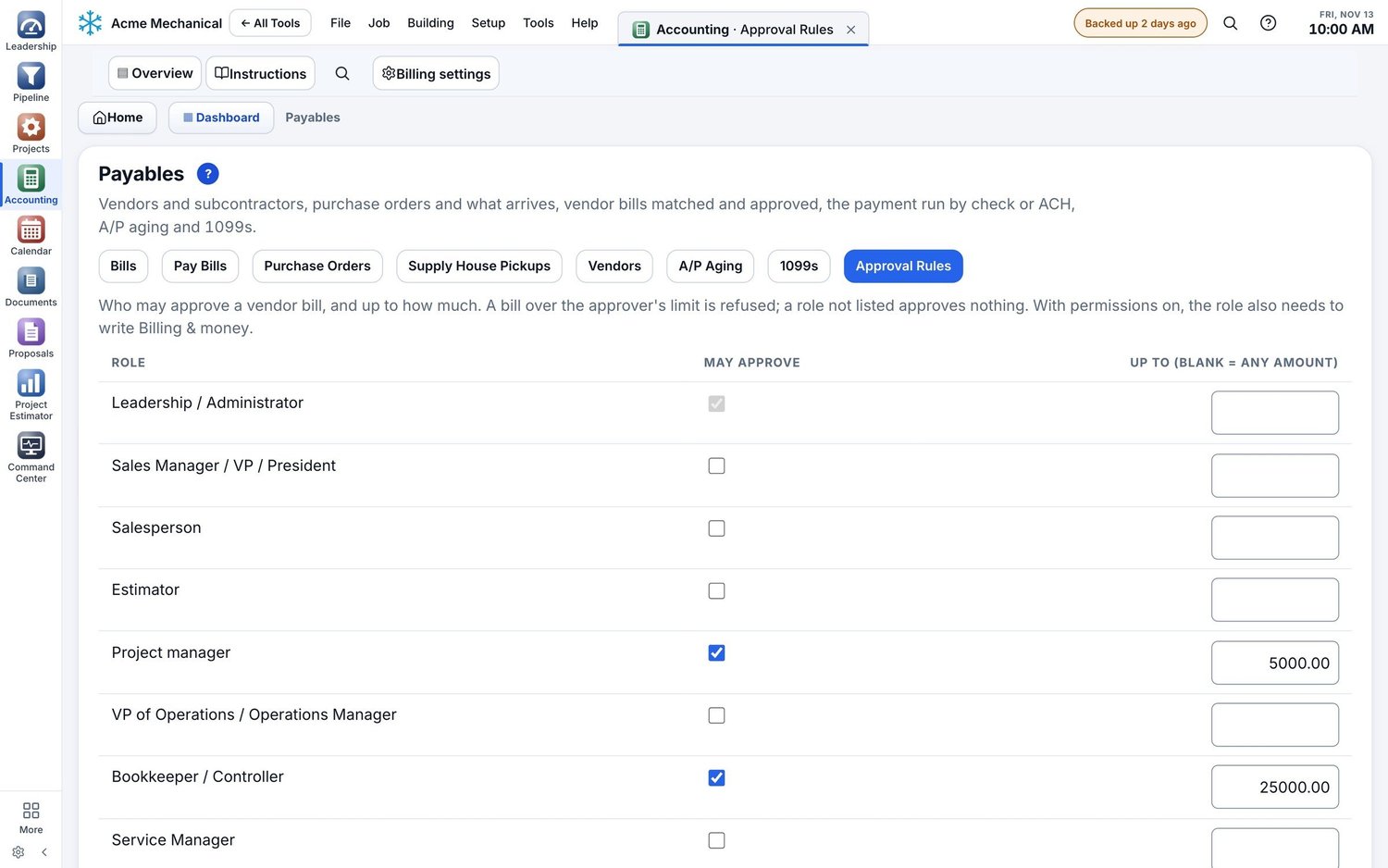
One person ordering and approving invites trouble, so approval limits are set by role.
Buy the Job Out Against the Estimate
After a job is sold, the Buyout desk is where the purchasing agent or project manager buys it out. The sold estimate stays locked and the budget stays on the job.
Estimated Against Bought Out
Each item shows its cost code, need-by date, estimated amount, bought-out amount and the gain or loss in dollars and percent. Bought out is read from the issued purchase order or executed subcontract every time.
Learn MoreShow Less
Buyout savings that nobody tracks never reach the bottom line. The desk shows the gain or loss on every item bought against the estimate it was sold on.
- Start From the Budget makes an item for every material budget code.
- A partial buyout figures the gain on the part bought; the rest stays open.
- A draft PO does not count until it is issued.
- The sold estimate and the job budget are never changed here.
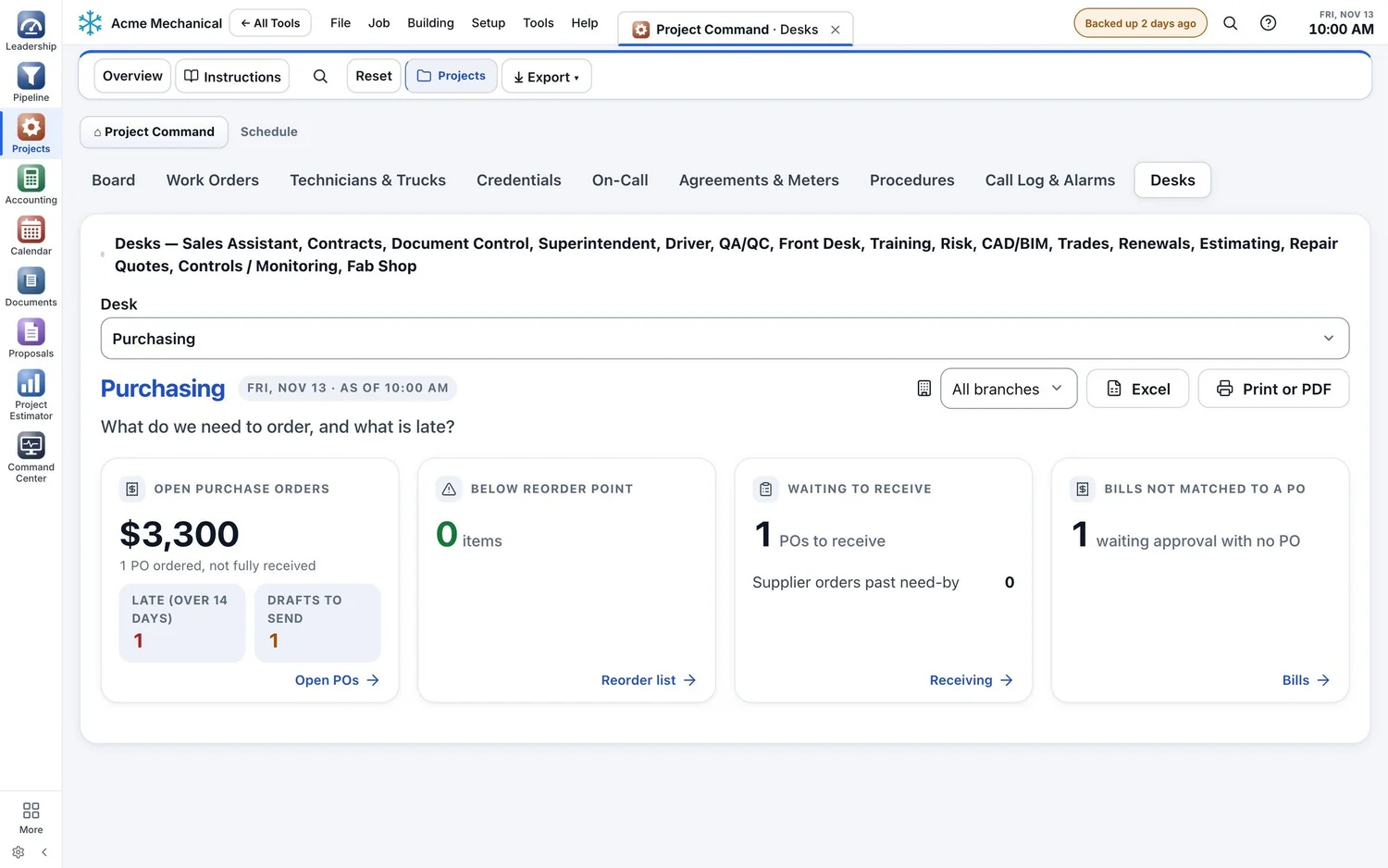
Buying out a job blind leaks margin, so the purchasing desk shows what is waiting and what was saved.
Requests for Quotation
Pick open items, across jobs if you like, and make one request with quantities, reply-by and need-by dates. It prints on your letterhead or saves as a draft for your e-mail program, and never shows your estimate or another vendor's price.
Learn MoreShow Less
More bids from more vendors usually means a better price. One request covers items from several jobs, so vendors quote bigger quantities.
- Open items list everything not bought out, soonest need-by first, late ones marked.
- The request names the items, quantities, scope and vendors.
- The e-mail draft opens in your own mail program; nothing is sent until you press Send.
- Replies are entered against the request.
Negotiation Log
Per vendor: every request, the quotes received by round, how far the price moved, the final number and whether they won.
Learn MoreShow Less
Knowing which vendors move on price, and by how much, tells buyers where to push next time. Every round is recorded, not remembered.
- Kept per vendor, across every request.
- Shows the first quote, each later round and the final number.
- Shows whether the vendor won the work.
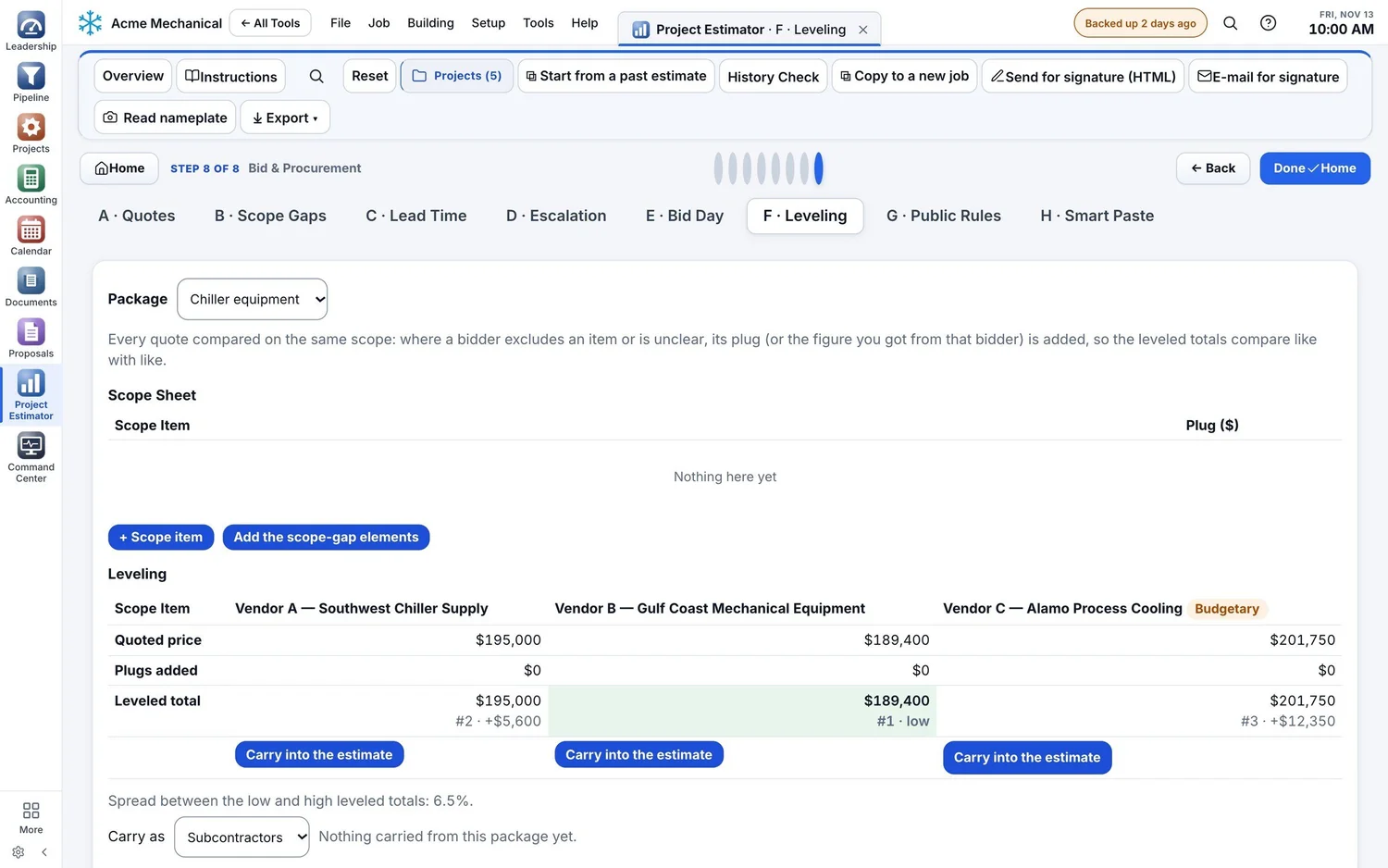
Quotes that cover different scope cannot be compared, so leveling lines them up with a plug for each gap.
Blanket Purchase Orders
One vendor, several jobs, one order. Each line carries its job and cost code, so receiving and the vendor's bill reach each job's cost.
Learn MoreShow Less
One order for several jobs earns better pricing and cuts paperwork, while each job still carries its own cost.
- Price each row, or enter one lump sum split by quantity.
- Rows always add to the total, to the cent.
- A draft commits nothing; issuing makes one numbered PO under your approval limit.
Savings Where Leadership Sees Them
Totals per job and per buyer flow to the job's forecast once, or are held in a buyout contingency with a reason. The same total shows as one line on the WIP schedule and the Leadership Dashboard.
Learn MoreShow Less
Savings that are not booked get spent somewhere else on the job. The totals show leadership what purchasing earned and where it went.
- Savings reach the forecast by the forecast's own rule and are never added twice.
- A contingency hold needs a reason; Release to Forecast moves it later.
- A contingency cannot go below zero; a shortfall reaches the forecast.
- Internal only, never on a customer or vendor document.
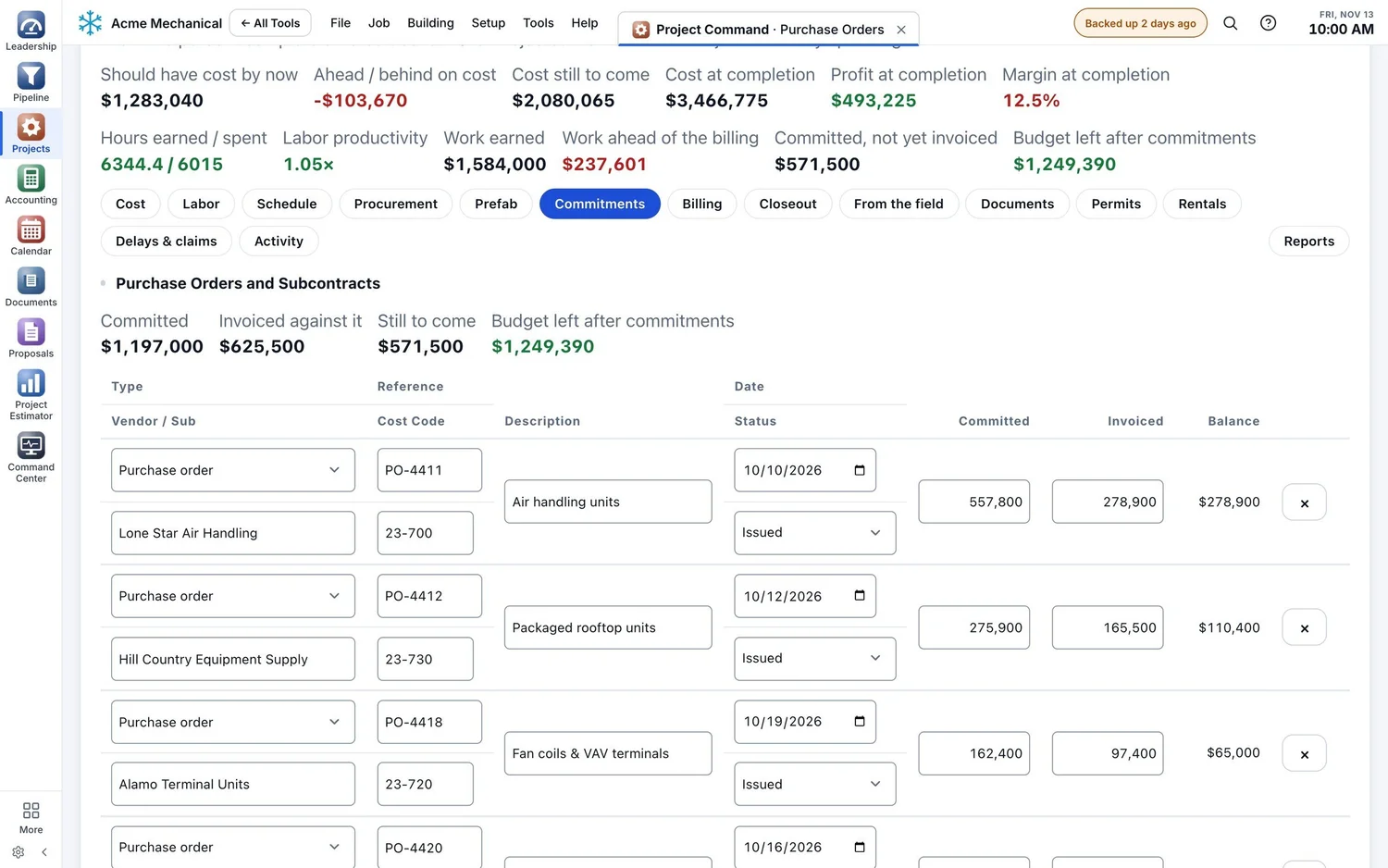
Savings nobody records disappear, so commitments show beside the job's budget and actual.
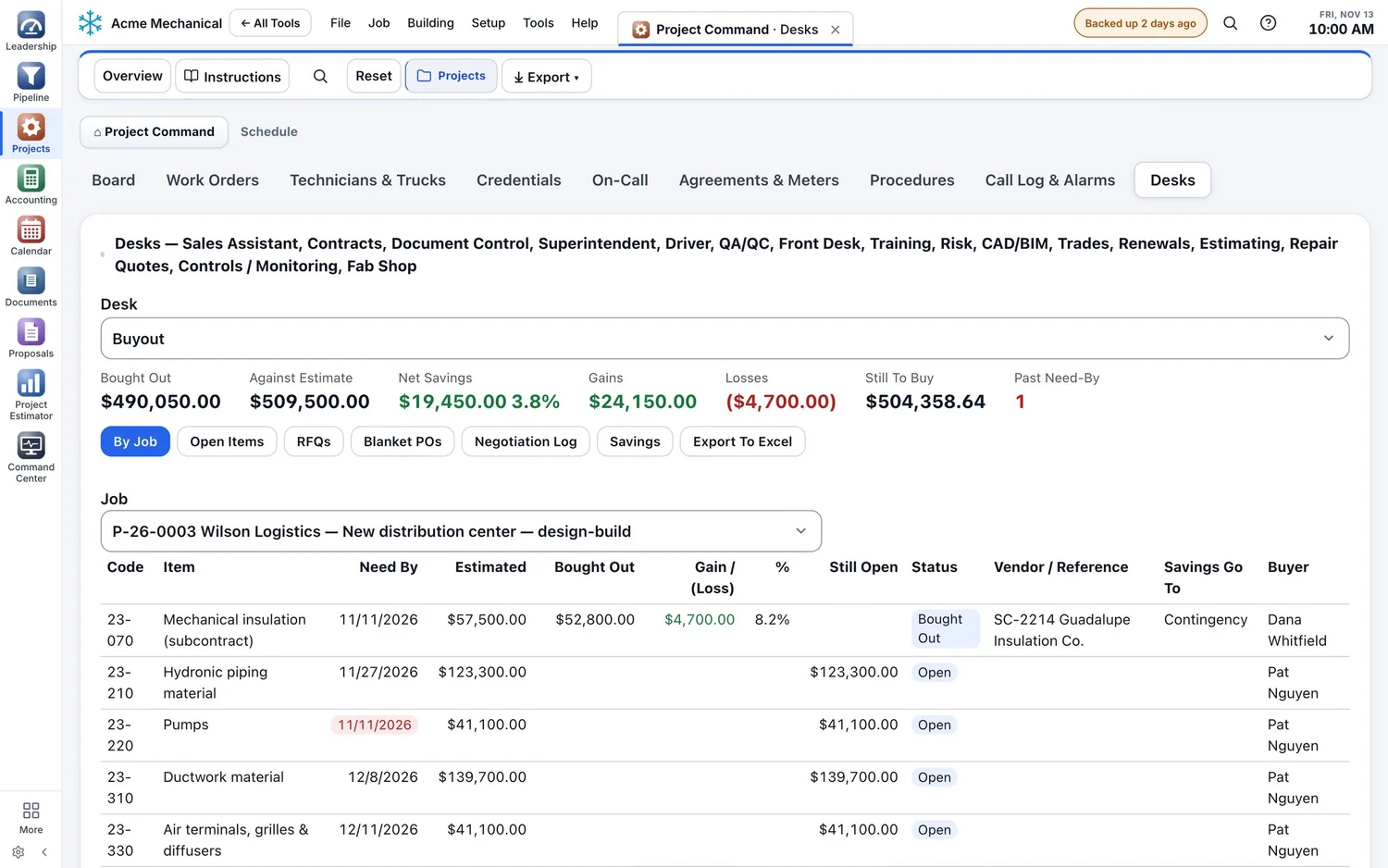
Buying a job out without the estimate beside you leaks margin, so each item shows estimated, bought out and the gain or loss.
The Shop, the Warehouses and Every Truck
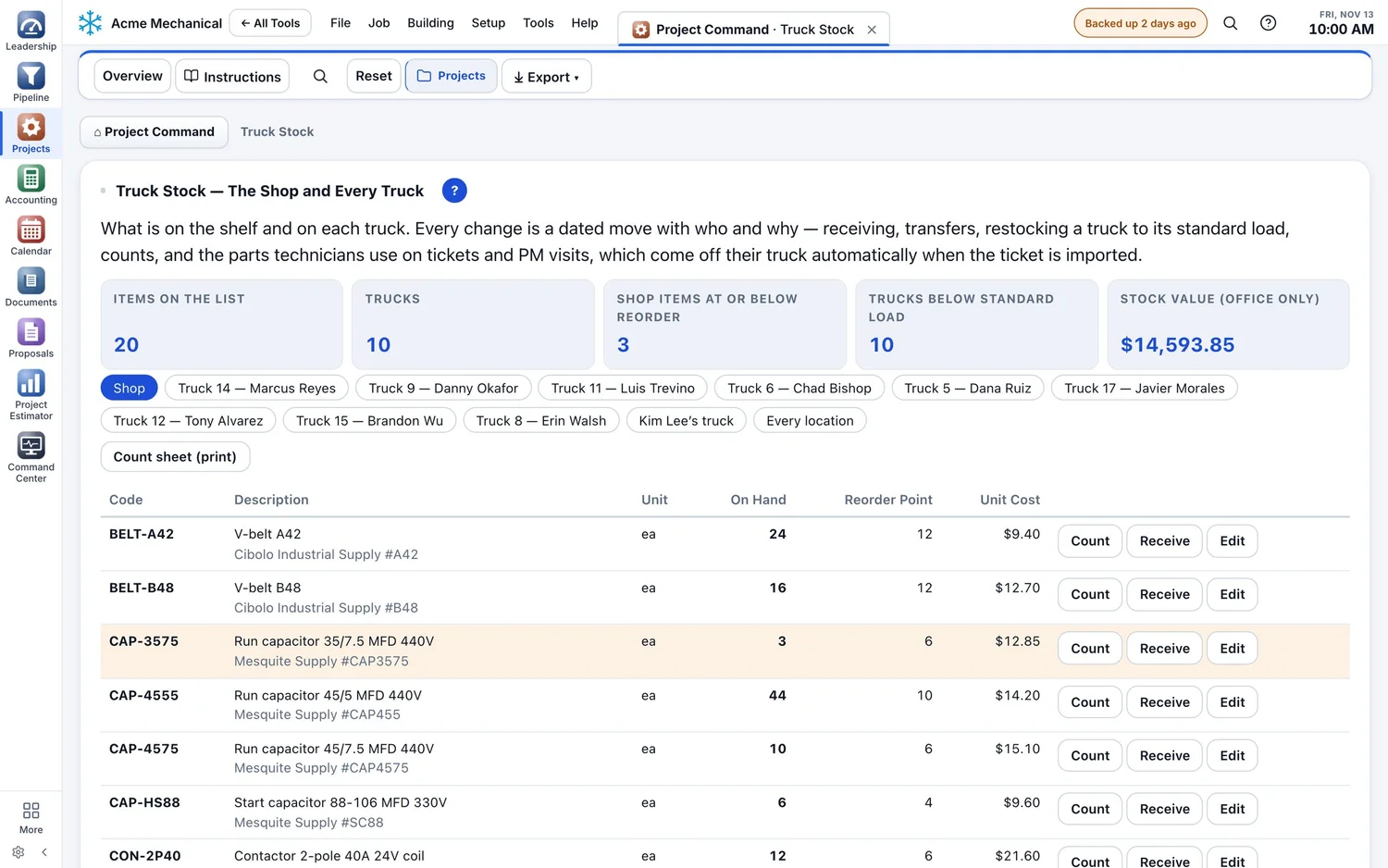
Truck Stock in Project Command keeps the parts in the shop, in any warehouse you add, and on a truck for every technician.
Keeping the Count Right
- Receive into the shop, transfer to a truck, restock and count; every move is kept in the history
- A part a technician adds to a ticket from the truck list comes off that truck when the record arrives
- A ticket sent twice changes nothing twice, and a line dropped from a resent ticket goes back on the truck
- The phone shows the quantity on its own truck, never a cost
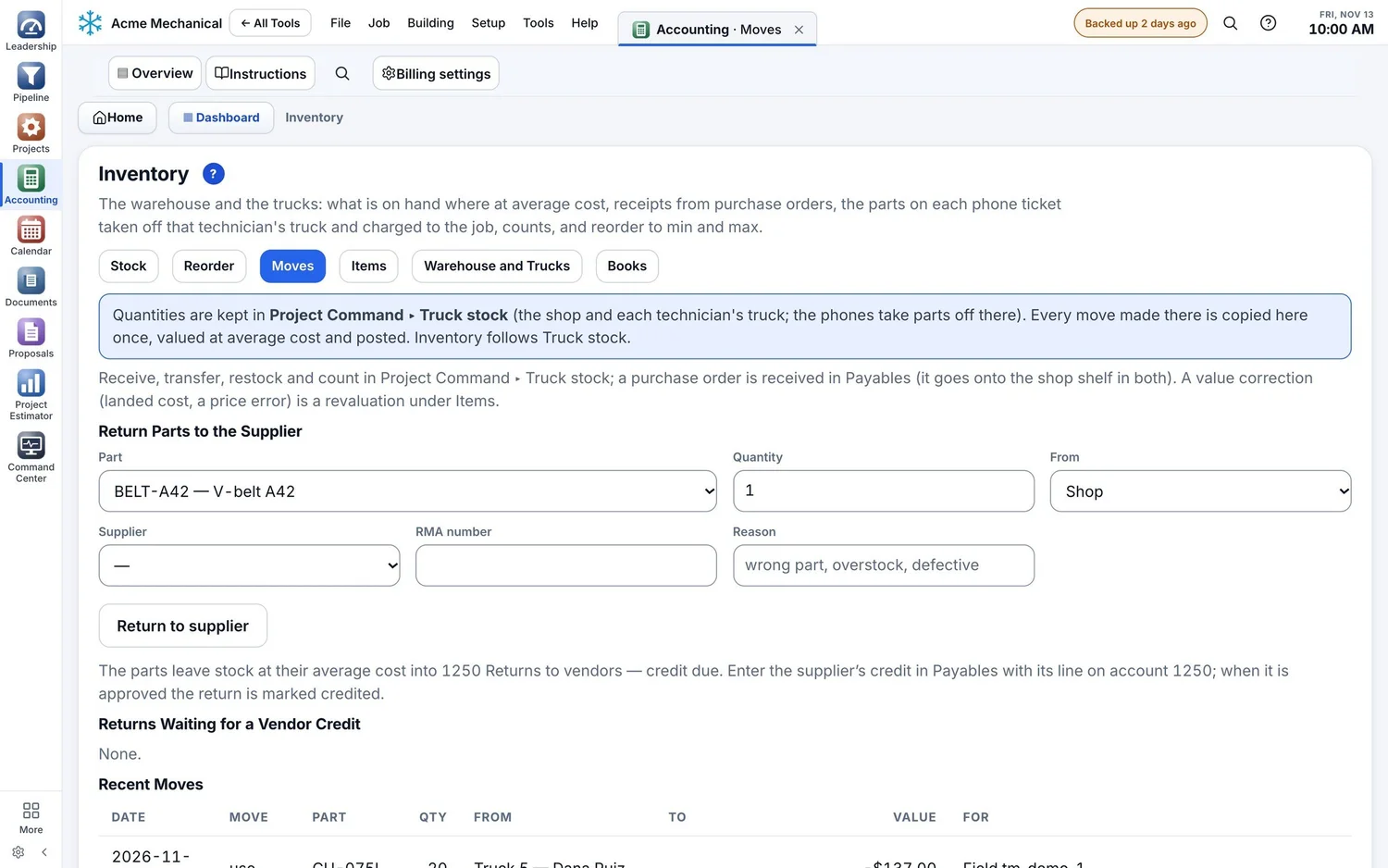
Parts vanish when moves are not recorded, so every receipt, transfer and return is kept in the history.
Warehouses, Reorder and Cycle Counts
- Bins in each location and a home bin for each item
- A minimum and maximum per item per location, with each item's ABC class beside it
- Trucks are refilled first from their warehouse; what the warehouse cannot cover becomes draft purchase orders by vendor
- Count sheets that never show the book quantity, counted on paper or on the phone
- Approved differences post as one adjustment entry for the whole sheet
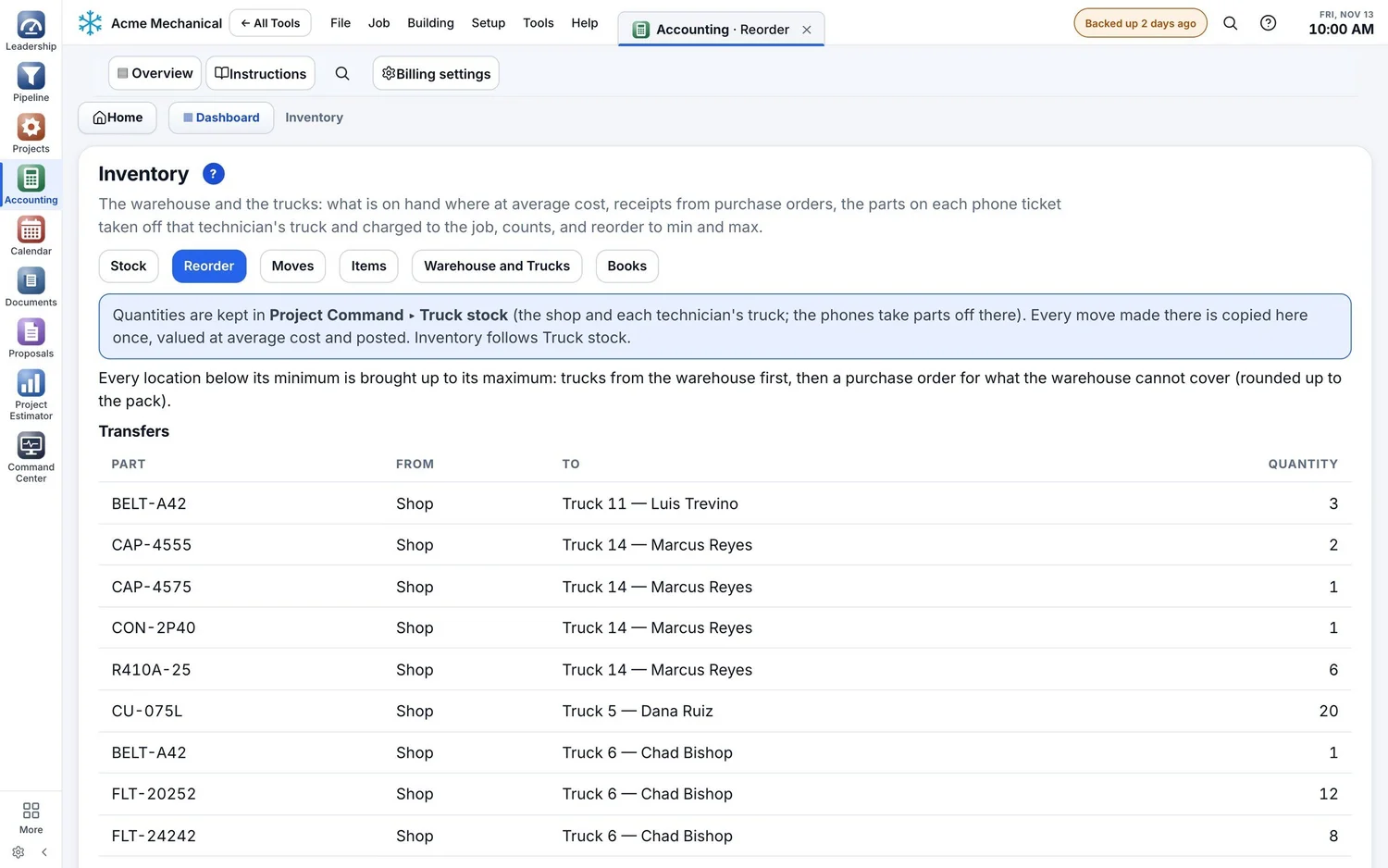
Running out of a common part costs a trip, so items below their minimum are listed to reorder.
Serial Numbers
- A motor, a compressor, a board or a whole unit carries its serial number through every move
- Received on a purchase order, moved to a truck, installed on a building's unit, returned to the vendor with its RMA
- Installing a serialized part updates the building's equipment record and starts the manufacturer's warranty
- Find any serial number from the search box and see its whole history
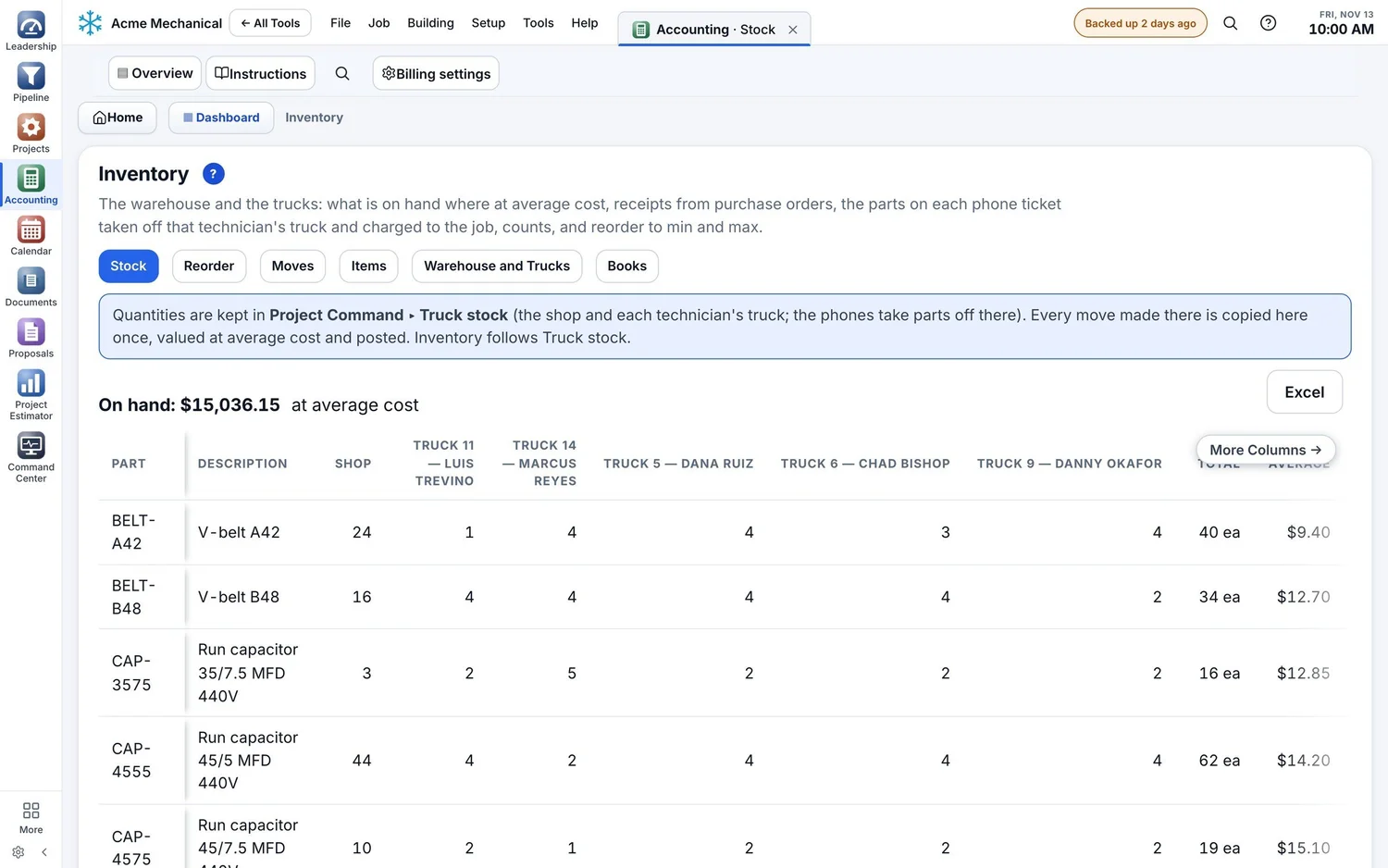
Knowing what is on hand saves buying it twice, so stock shows each item at every location.
Labels and Scanning
- Print bin, part, truck, tool and key labels on sheet labels or a thermal label printer
- A USB barcode scanner, the computer's camera or the phone's camera reads them
- Pick a material request by scanning each part, and count a sheet by scanning
- A label carries only its code, never a customer, address or price
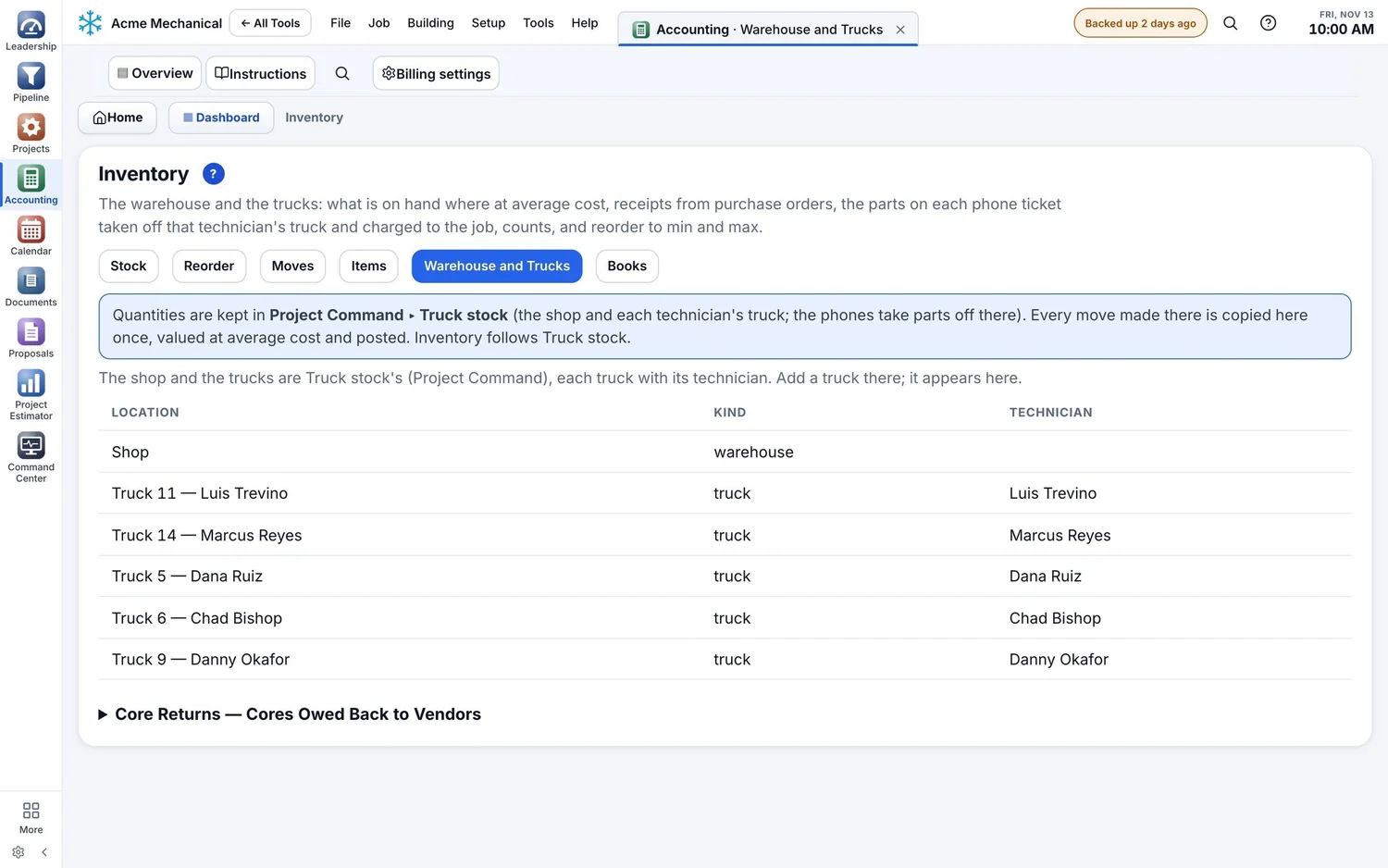
Each truck is a small warehouse, so the shop and every truck are kept as locations.
Material Requests, Deliveries and Counter Pickups
Request Material from the Phone
A foreman or technician picks items from the warehouse list, says how many and when, and whether to deliver or pick up. Each request is numbered and shows the office's word on its status.
Learn MoreShow Less
A technician driving to the shop for parts is billable time lost. Requests from the phone let the warehouse pick and deliver instead.
- Needed-by defaults to tomorrow, with an urgent flag and a note.
- Status runs from Requested through Being Picked, On a Delivery Run and Delivered.
- Works with no signal and sends with the phone's other records.
- No price or cost ever goes to a phone.
Pick Tickets and Substitutes
The pick ticket shows the bin, the quantity asked and what is free on the shelf after other requests. Approved substitutes are offered, and short lines become draft purchase orders for the job in one step.
Learn MoreShow Less
Material already on the shelf that gets bought again ties up cash. The pick ticket shows what is truly free before anything is ordered.
- Picking sets parts aside without moving stock until delivery.
- Short lines become draft POs, one per preferred vendor, shipped to the job site.
- Substitutes work both ways, for example a 3-pole 50 A contactor for a 2-pole 40 A.
- Each pick ticket is numbered.
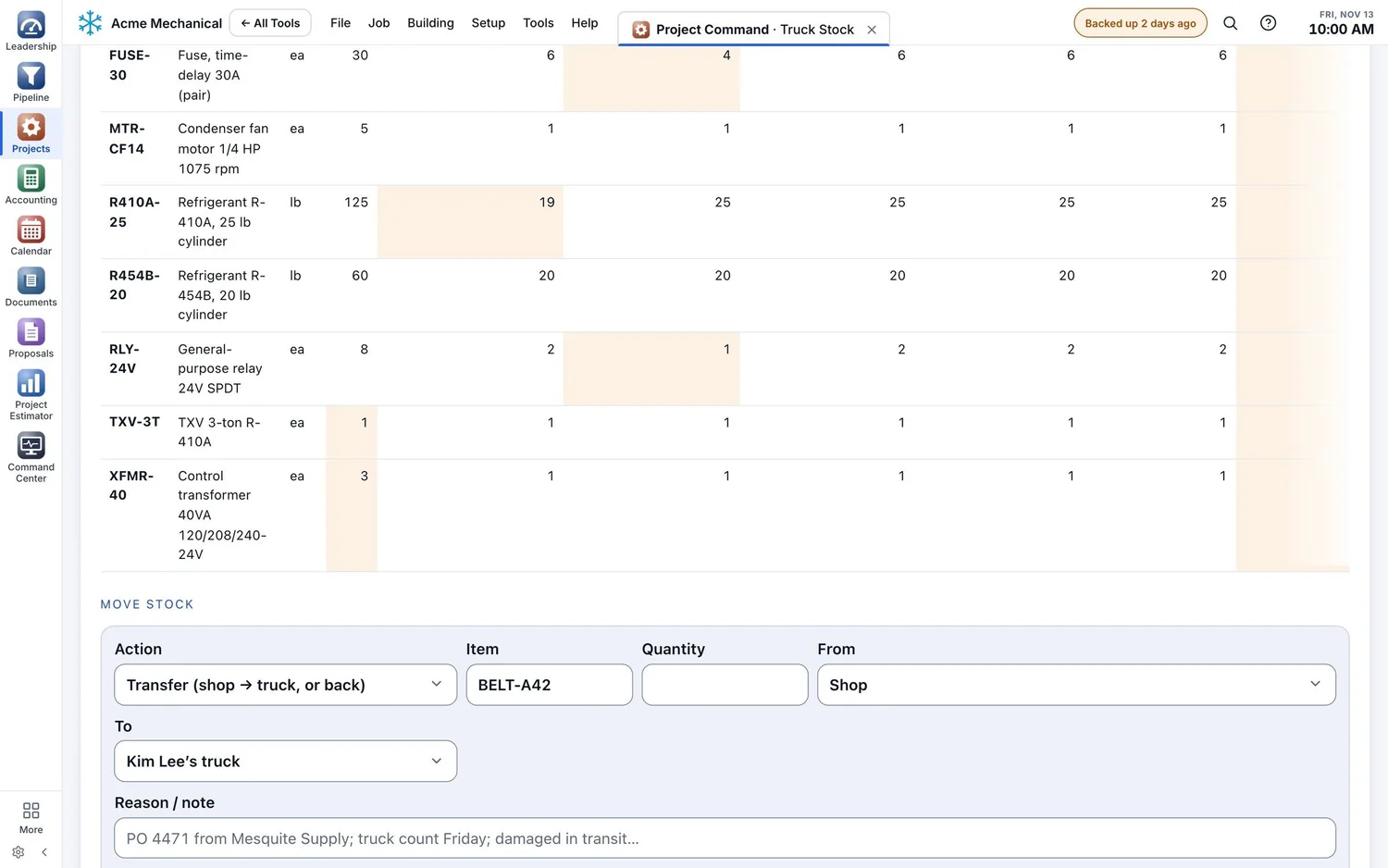
Material moved from the shop without a record throws the count off, so each transfer to a truck is recorded with a reason.
Delivery Runs with Proof
Group picked requests into a run for a runner and a day, with the stops in driving order. On the runner's phone, each delivery records who received it, their signature and a picture. Stock leaves the shelf and the job is charged at average cost, once.
Learn MoreShow Less
A delivery with no proof is a dispute waiting to happen, and material never charged to the job is profit lost. Each run ends with a signature and the job cost posted.
- Stops start from the runner's last on-duty position when the company keeps phone GPS, else the office.
- Run sheets print with a signature column.
- The request keeps the proof of delivery and its history.
Supply House Pickups
At the counter, the technician logs the pickup on the job, takes a field PO number that works with no signal, and photographs the counter ticket. The lines are read on the phone and checked against the paper before sending.
Learn MoreShow Less
Counter tickets lost in a truck are material never billed. The pickup is logged at the counter, so the cost reaches the job and the invoice.
- A helper or runner not on the job can pick it from the active jobs.
- Lines the reader was unsure of turn yellow and must be checked before sending.
- A line can go on the technician's truck stock instead of the job.
- On a time-and-materials invoice, pickup lines bill at your own material markup.
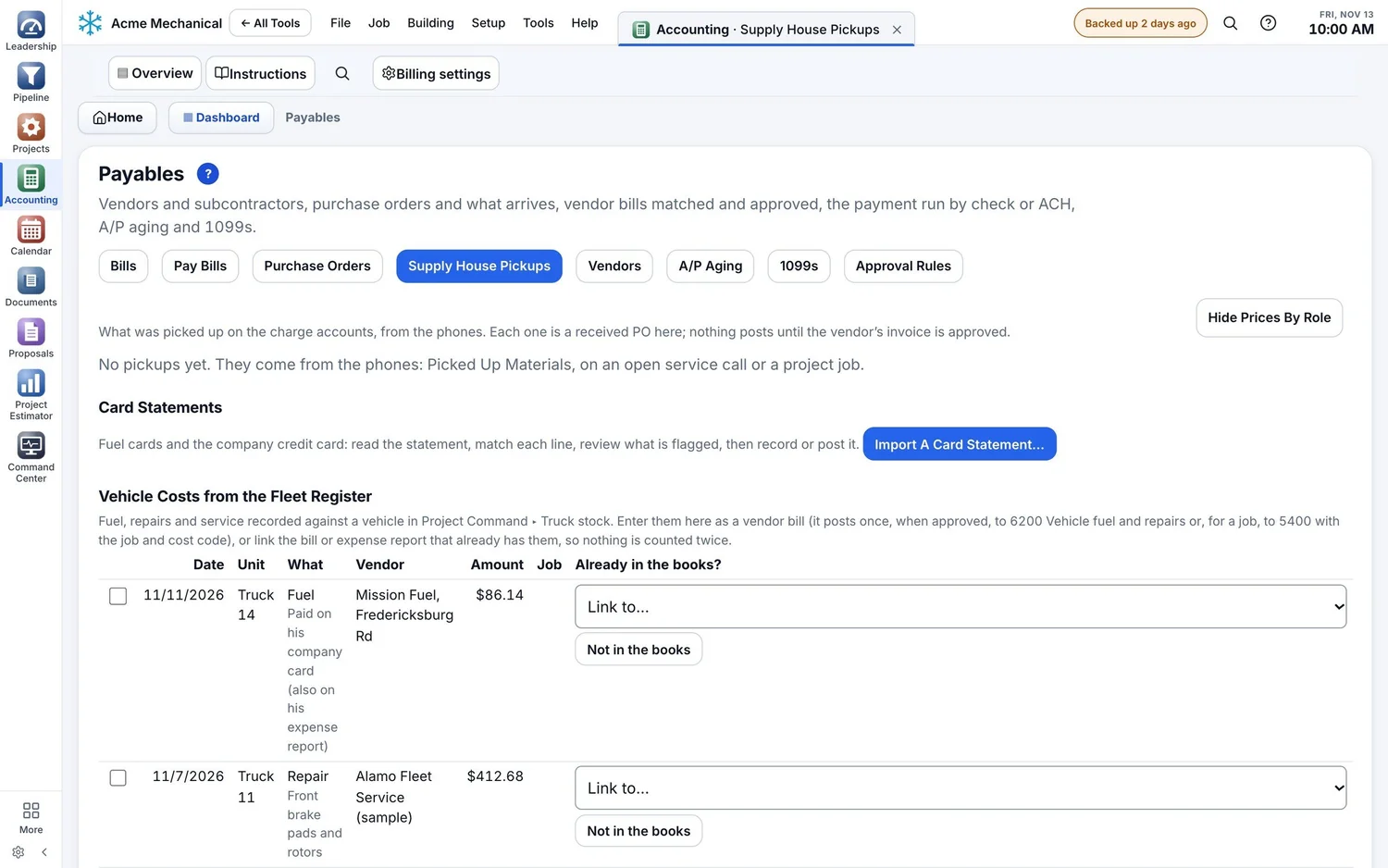
Counter pickups are the easiest cost to lose, so each one is logged on the job with a field PO number.
Matched to the Vendor's Invoice
Each pickup is a received purchase order at the office. It counts as committed cost until the vendor's invoice is matched to it line by line, with price and quantity differences flagged, so the cost is never counted twice.
Learn MoreShow Less
Paying a supply house more than the counter ticket said is a quiet leak. Each invoice line is compared with the ticket before the bill is approved.
- Price differences beyond the payables tolerance are flagged.
- Different quantities, unbilled ticket lines and invoice lines not on the ticket are flagged too.
- A pickup is always filed, never dropped, because the vendor bills it anyway.
- Nothing posts until the vendor's invoice is approved.
Prices Hidden by Role
Your office can hide prices on the pickup screen from classifications such as helper or apprentice. The office confirms the prices from the picture.
Learn MoreShow Less
Cost prices seen by the wrong people end up quoted to customers. Hiding them by role keeps your margins private.
- Matched against each person's classification, for example helper, apprentice or runner.
- The list starts empty; your office decides who is hidden.
- Pickups whose prices were not seen at the counter are flagged Confirm Prices.
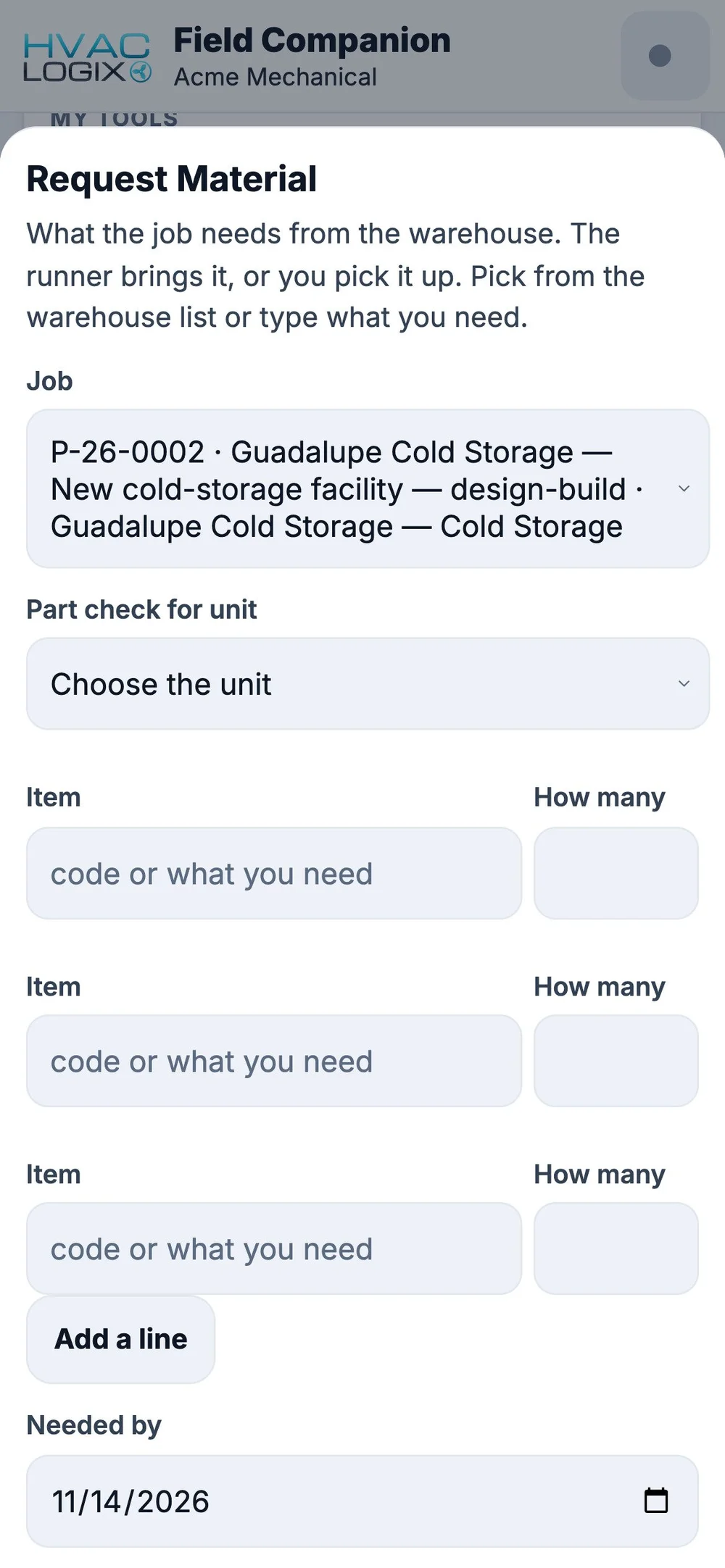
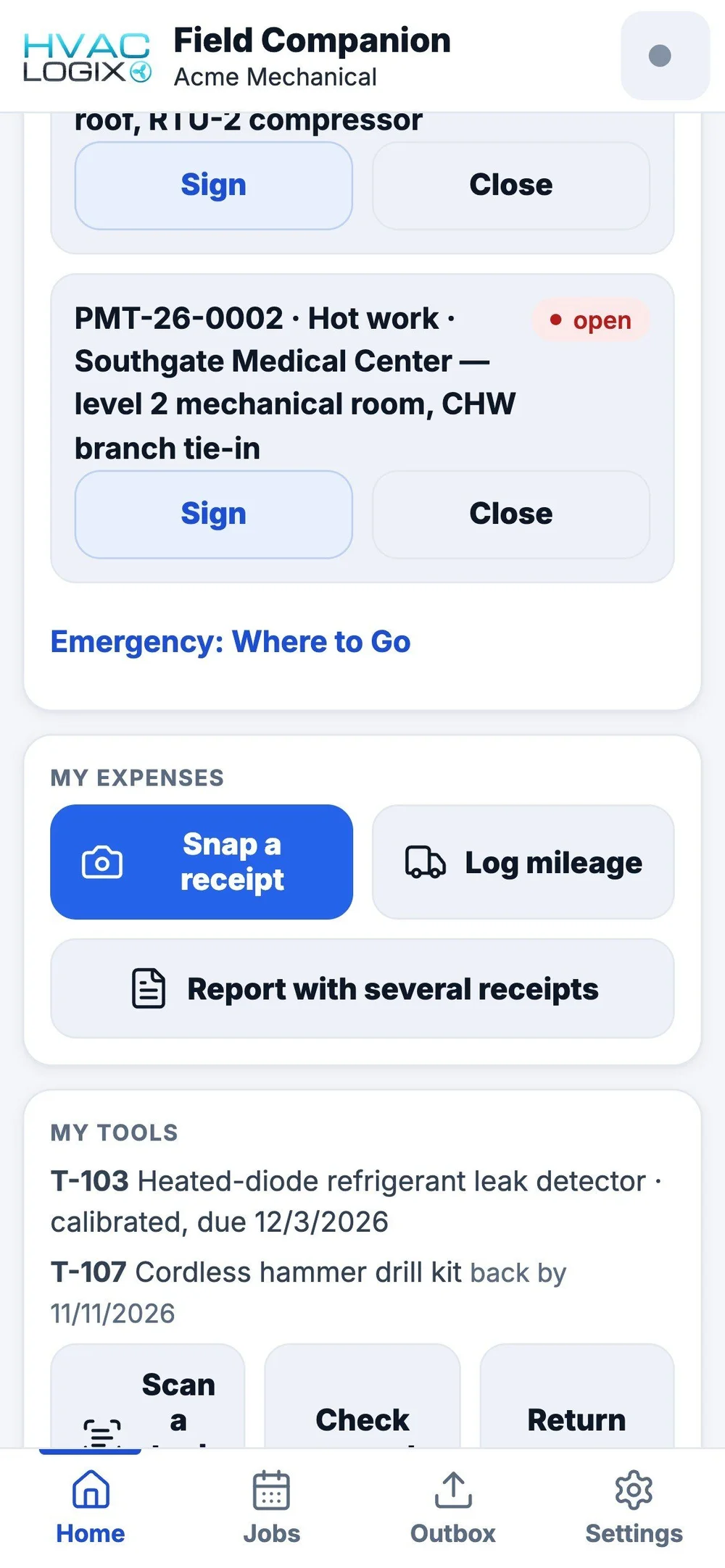
A material request from the phone, sent to the warehouse with the job attached.
Refrigerant Cylinders, Tools, Cores and Company Equipment
The Cylinder Ledger
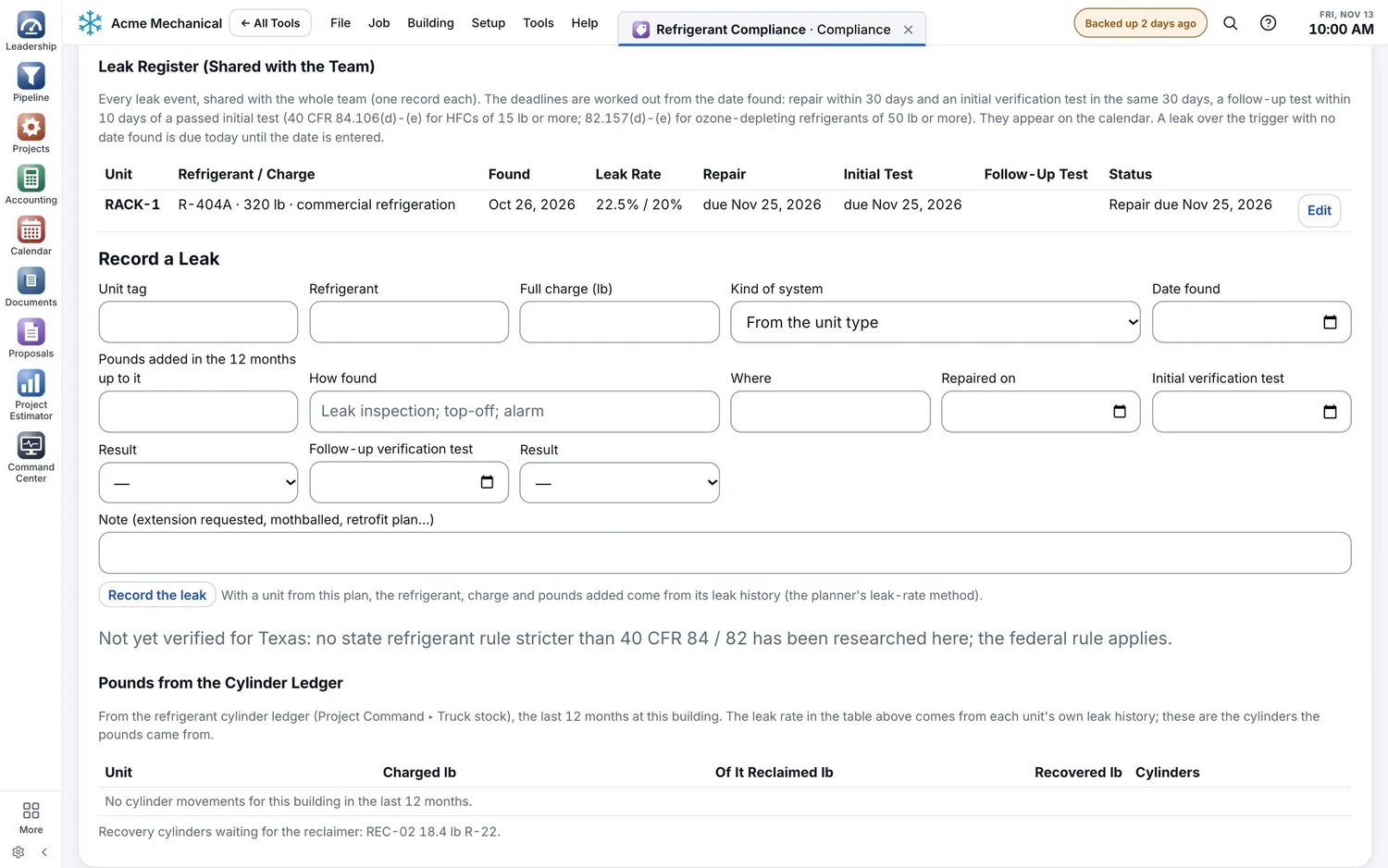
Every cylinder and every pound in and out of it: received, signed out to a truck, charged into a unit, recovered, weighed, sent to the reclaimer. A scale reading checks the book, and a cylinder outside tolerance does not close.
Learn MoreShow Less
Refrigerant is expensive, and pounds that vanish between the shop and the unit are money gone. The ledger accounts for every pound and charges it to the job.
- The scale tolerance is 0.5 lb unless you change it.
- Charging takes pounds off the truck and posts them to the job at average cost.
- A movement is never edited; a void keeps it crossed out with the reason.
- Technicians sign cylinders in and out on the phone by scanning the tag.
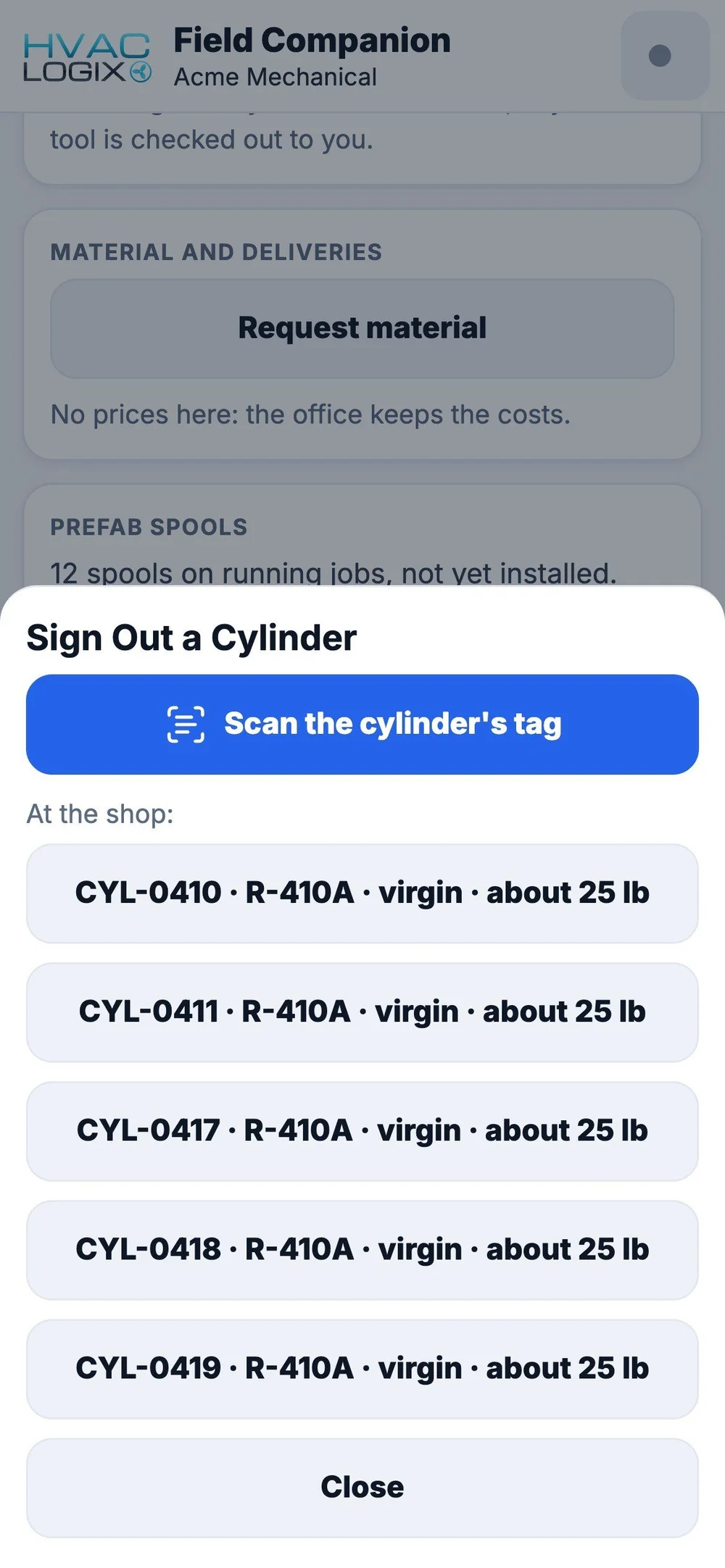
Refrigerant goes missing without a ledger, so a technician signs out each cylinder by its tag.
Flags That Protect You
The ledger flags a cylinder below zero, a recovery cylinder over its maximum fill or past its requalification date, mixed refrigerants in one recovery cylinder, and a charge whose refrigerant is not the unit's.
Learn MoreShow Less
Reclaimers charge for mixed refrigerant, and a misused recovery cylinder can be a violation. The flags catch both before they cost you.
- Recovered refrigerant charged into another customer's unit is flagged (40 CFR 82.156(h)).
- Virgin or reclaimed cylinders held over 180 days are flagged.
- DOT 4BA and 4BW recovery cylinders are requalified every 5 years (49 CFR 180.209).
Tools and Instruments
Each company tool and test instrument is checked out to a person or a truck with a due-back date. Instruments carry their calibration interval, last certificate and lab.
Learn MoreShow Less
Lost tools cost money, and a reading taken with an out-of-calibration gauge can undo a refrigerant record. The crib tracks both.
- Records made while an instrument was out of calibration are listed for review.
- A calibration found out of tolerance lists every record since the previous one.
- Tool tags carry a QR code and barcode; technicians check tools in and out on the phone.
- Calibration due dates go on the calendar at 30, 14 and 7 days.
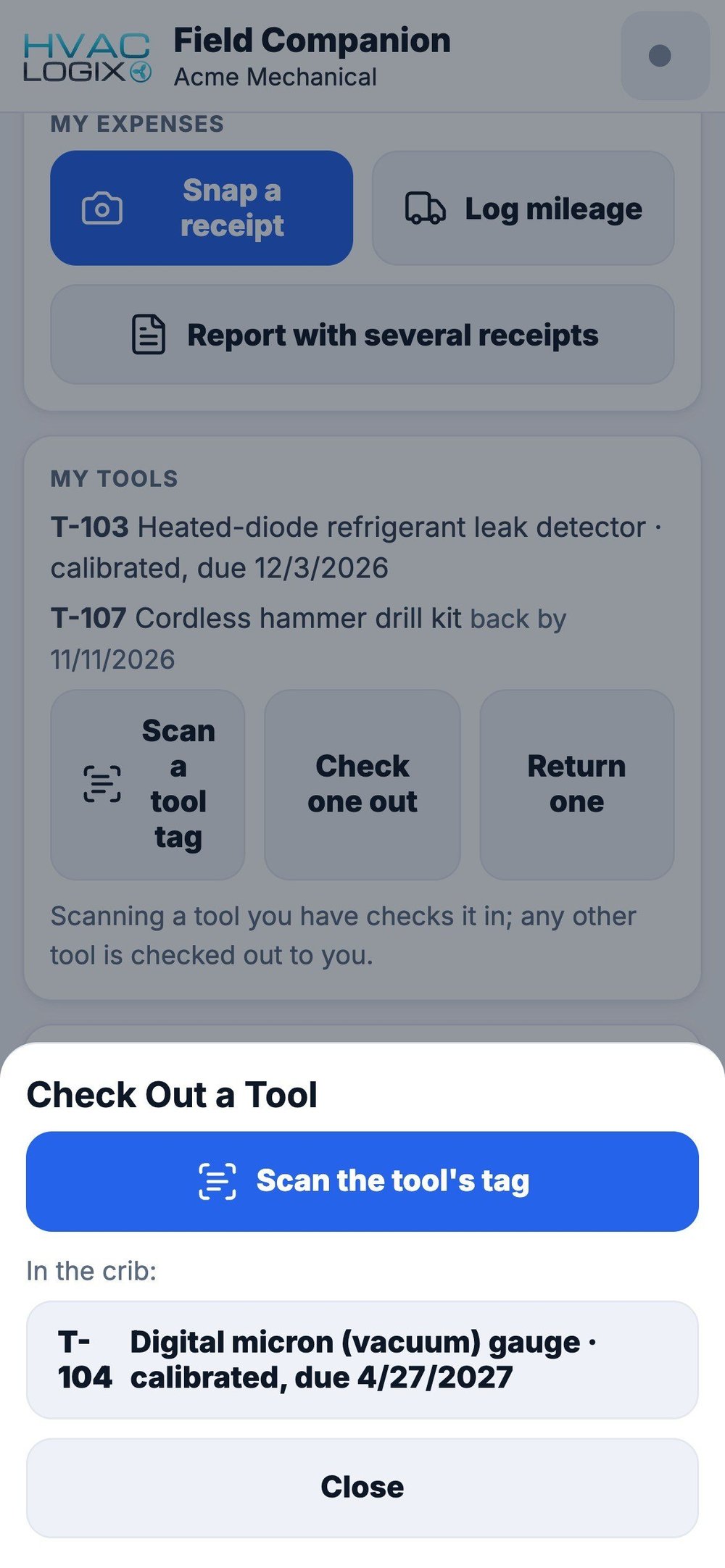
Tools walk off without a record, so each one is checked out to a person with a due date.
Core Returns
A core charge is a deposit the vendor refunds when the old part comes back. The register shows what is owed back and what is past its return deadline.
Learn MoreShow Less
Core deposits never claimed are cash left with the vendor. The register keeps each one in front of you until it comes back.
- Cores are added from the vendor bill's core-charge lines.
- Sent Back records the date and the RMA.
- A short credit or a write-off posts the difference to the job.
- The register sits beside its account balance.
Company-Owned Equipment
A lift, trailer or generator the company holds is charged to jobs by the hour, the day or on standby, at a rate you type or build from its depreciation and operating records. The year's recovery is compared with budget.
Learn MoreShow Less
Equipment you own but never charge to jobs makes jobs look better than they are and leaves money on the table. Rates can be built from a published method instead of a guess.
- Rates follow USACE EP 1110-1-8: ownership, operating and standby costs.
- Insurance, property tax, license and storage stay in overhead.
- Each rate change is dated.
- Each use posts to the job once.
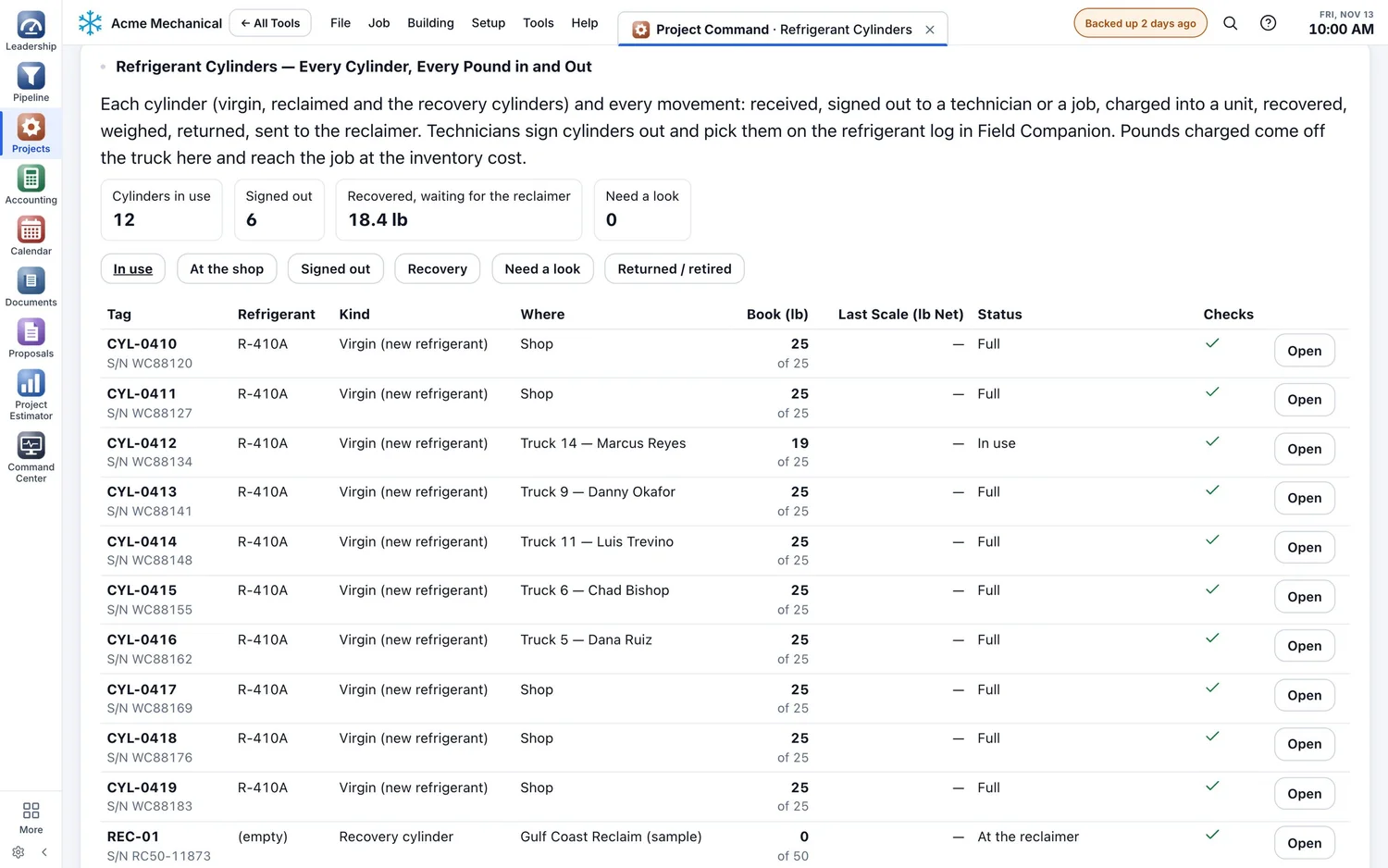
Every refrigerant cylinder and every pound in and out, by technician and job.
What Flows to the Job and the Books
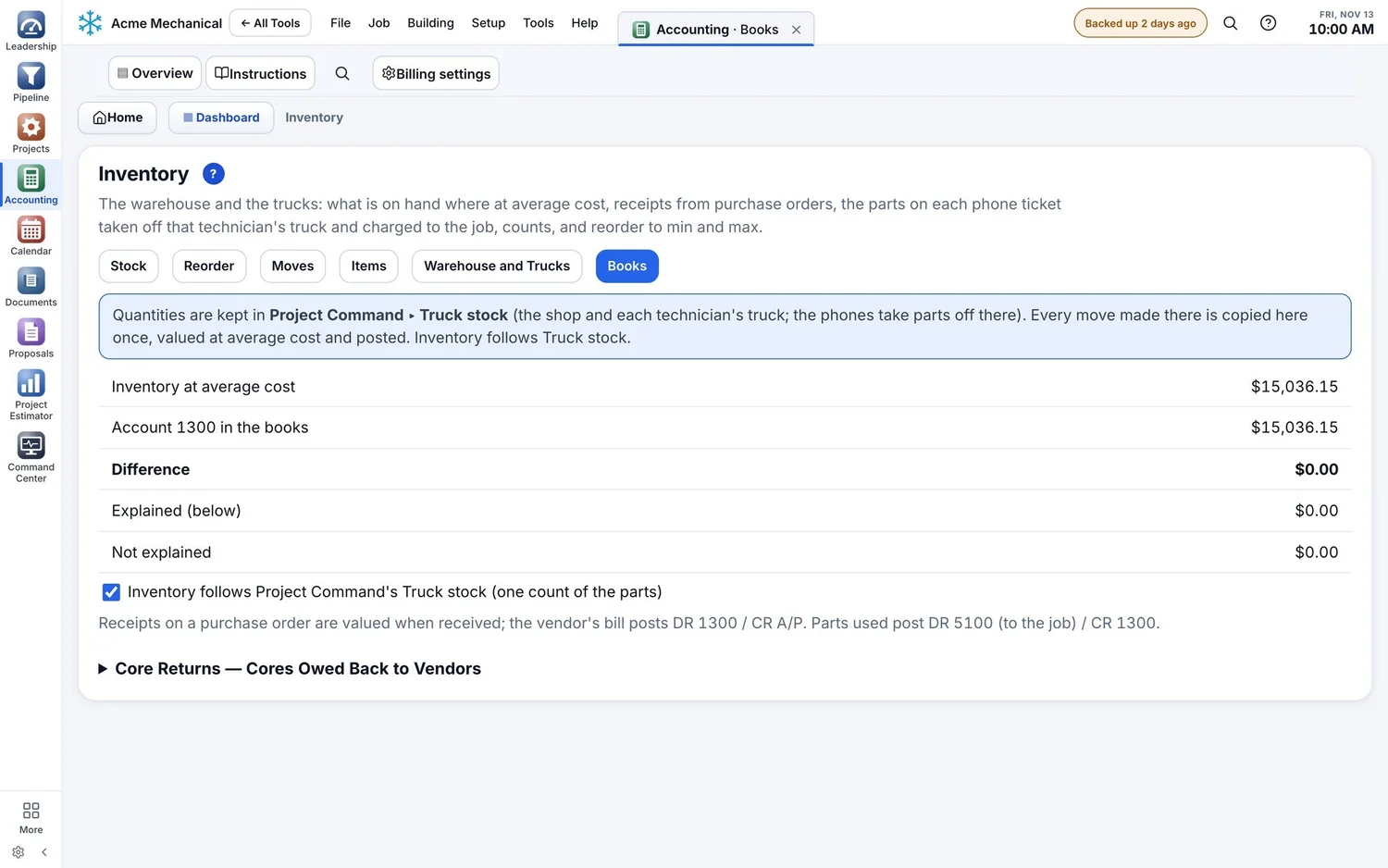
Inventory Follows Truck Stock
Truck Stock is the count the books use. Every receipt, transfer, count, adjustment and part used on a ticket is copied to Accounting once, valued at average cost and posted, the ticket's parts to its work order and job.
Committed, Then Actual
An open purchase order is the job's committed cost, not a bill. When the vendor's bill is approved, it becomes actual cost by job and cost code, and the job shows budget, committed and actual side by side.
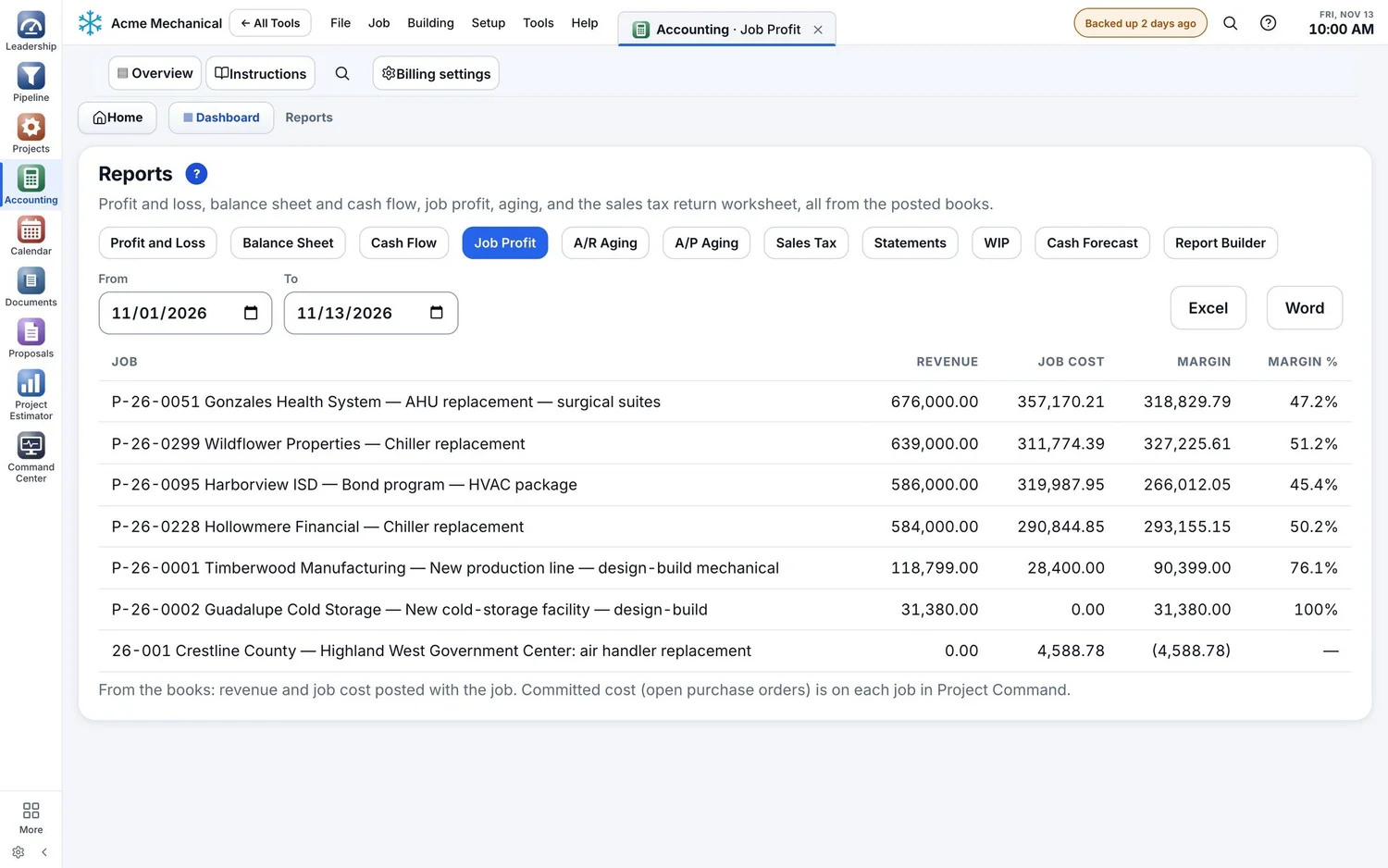
Committed cost turns into real cost when the bill is approved, so job profit comes from the books.
Use Tax on Purchases
Each bill line says whether the goods are used by the company, for resale or exempt. When a vendor did not charge your sales tax, use tax accrues at the rate where the goods are used.
Vendors Kept in Order
Each vendor shows what is missing on file: a certificate of insurance, a license, a W-9. New or changed bank details are held until a second person confirms them.
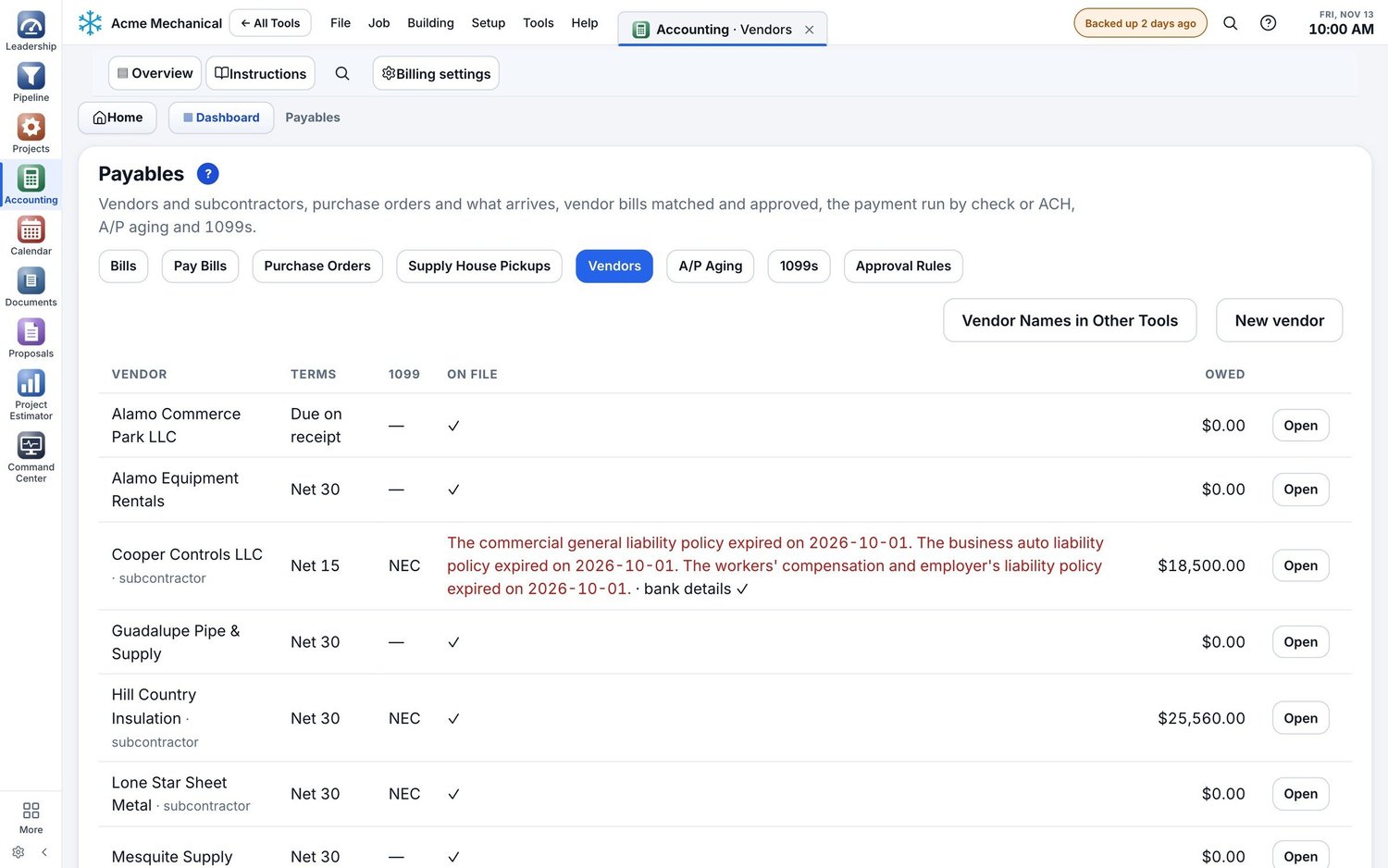
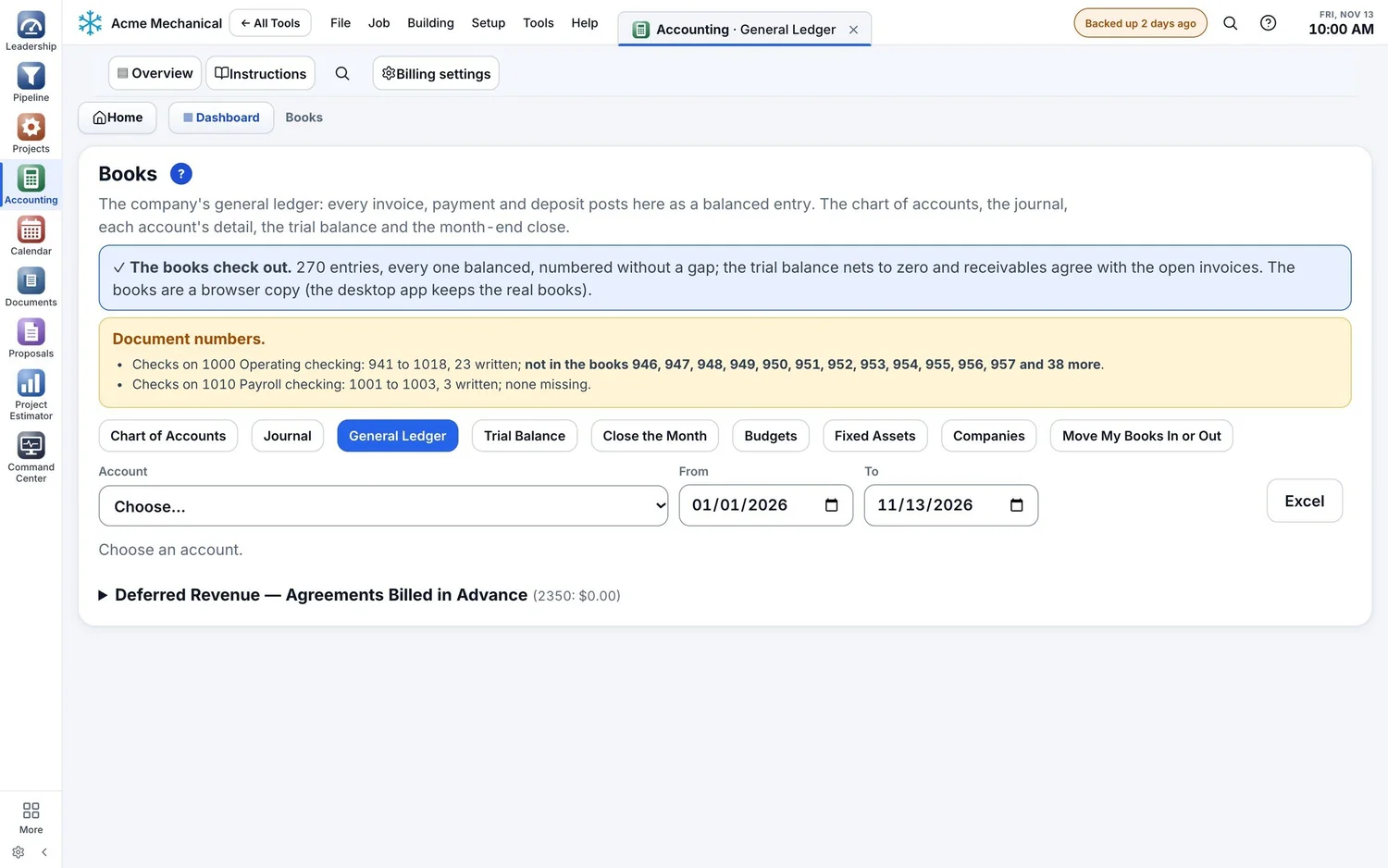
Paying a vendor with lapsed insurance is a risk, so the vendor list flags what is missing.
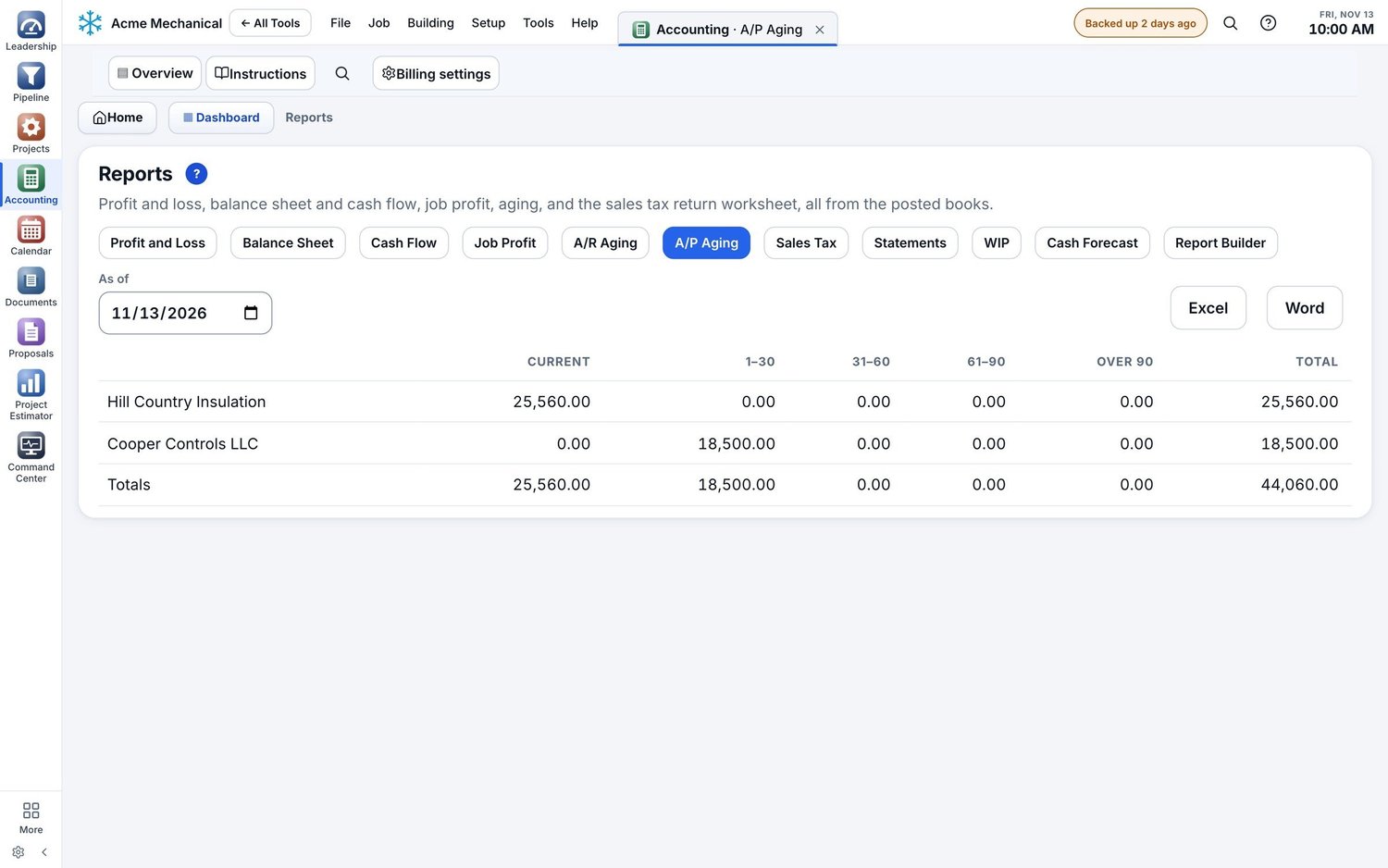
Unpaid bills pile up quietly, so payables are aged by vendor.
Frequently Asked Questions
Do supplier prices update by themselves?
Is inventory counted separately in Accounting?
What happens when a technician buys parts at a supply house counter?
Can field staff see what parts cost?
How does HVAC Logix keep a bill from being paid for goods that never arrived?
Be First When HVAC Logix Opens
Stop paying people to copy numbers between programs. Join the list and we will tell you the day downloads open, with setup guides ready.
Launching early 2027 for HVAC Logix. Nothing to buy today, and no sales calls.
